| Candidates should be able to: | Notes and guidance |
|---|---|
| Show understanding of binary magnitudes and the difference between binary prefixes and decimal prefixes | Understand the difference between and use: • kibi and kilo • mebi and mega • gibi and giga • tebi and tera |
| Show understanding of different number systems | Use the binary, denary, hexadecimal number bases and Binary Coded Decimal (BCD) and one’s complement and two’s complement representation for binary numbers |
| Convert an integer value from one number base/ representation to another | |
| Perform binary addition and subtraction | Using positive and negative binary integers |
| Show understanding of how overflow can occur | |
| Describe practical applications where Binary Coded Decimal (BCD) and Hexadecimal are used | |
| Show understanding of and be able to represent character data in its internal binary form, depending on the character set used | Students are expected to be familiar with ASCII (American Standard Code for Information Interchange), extended ASCII and Unicode. Students will not be expected to memorise any particular character codes |
Tips · ヒント
A-Level Computer Science (9618) is two halves that feel like different subjects. The theory half runs from information representation and communication through hardware, processors, system software, security, databases and ethics. The practical half is algorithms, data structures, programming and software development, and A2 adds recursion and object-oriented programming.
The theory papers are marked far more literally than students expect. There is a correct vocabulary — register names, addressing modes, normal forms, the exact difference between validation and verification — and a paraphrase usually scores nothing. Learn the definitions in the syllabus wording.
The programming papers reward writing code by hand until it compiles in your head.
-
1
Information representation · 情報の表現
Watch lesson · レッスンを視聴1.1
Number systems

Syllabus · シラバス
Source: Cambridge International syllabus · 出典: Cambridge International シラバス
EnglishCounting in binary: 0 to 15 The three number systems 数制 you must use:
- denary 十进制 (decimal, base 10) — uses digits 0–9. Place values are powers of ten.
- binary 二进制 (base 2) — uses 0 and 1. Place values are powers of two. Every byte 字节 is 8 bits 位.
- hexadecimal 十六进制 (base 16) — uses 0–9 then A–F for 10–15. Each hex digit 数位 stands for exactly 4 bits.
Conversions
Denary → binary: keep dividing by 2 and record the remainders, read bottom-up. Or subtract the largest place value 位值 (power of 2) that fits.
Example: $558_{10}$: $558 = 512 + 32 + 8 + 4 + 2 = 2^{9} + 2^{5} + 2^{3} + 2^{2} + 2^{1}$. In 12 bits:
0010 0010 1110.Binary → hex: group the bits into nibbles 半字节 (4 bits) from the right and convert each.
0010 0010 1110→2 2 E→22E.Hex → binary: replace each hex digit with its 4-bit pattern. Hex → denary: multiply each digit by its place value.
22E$= 2 \times 256 + 2 \times 16 + 14 = 558$.Worked example. Convert denary 200 to 8-bit binary, then to hexadecimal.
$200 = 128 + 64 + 8$, so the binary is
11001000. In nibbles,11001000$= 12$ and $8$, i.e. $\text{C}$ and $8$, so the hexadecimal isC8.How many bits?
Exam questions fix the register width 寄存器宽度 (8, 12 or 16 bits). Pad with leading zeros to that width: $558$ in 12 bits is
0010 0010 1110, never10 0010 1110.To find the minimum number of bits that can store a value, ask which place values you need:
- an unsigned integer from $0$ to $2^{n} - 1$ needs $n$ bits: $200$ needs 8 bits (the top is $255$), $1000$ needs 10 bits (the top is $1023$), $16$ needs 5 bits (4 bits stop at $15$).
- a signed two's-complement integer from $-2^{n-1}$ to $2^{n-1} - 1$ needs $n$ bits: $-200$ needs 9 bits, because 8 bits stop at $-128$.
- one hexadecimal digit needs 4 bits, one BCD digit needs 4 bits, and one ASCII character needs 7 bits (8 for extended ASCII).
Binary vs decimal prefixes
Two prefix families look similar but differ — decimal (powers of 10) and binary (powers of 2):
Decimal (SI) Binary (memory) kilo $= 10^{3}$ kibi (Ki) $= 2^{10} = 1024$ mega $= 10^{6}$ mebi (Mi) $= 2^{20}$ giga $= 10^{9}$ gibi (Gi) $= 2^{30}$ tera $= 10^{12}$ tebi (Ti) $= 2^{40}$ So a tebibyte (TiB) is slightly more than a terabyte (TB). A "1 TB" drive holds $10^{12}$ bytes, but an operating system that reports in TiB shows a smaller number.
日本語Counting in binary: 0 to 15 The three number systems 数制 you must use:
- denary 十进制 (decimal, base 10) — uses digits 0–9. Place values are powers of ten.
- binary 二进制 (base 2) — uses 0 and 1. Place values are powers of two. Every byte 字节 is 8 bits 位.
- hexadecimal 十六进制 (base 16) — uses 0–9 then A–F for 10–15. Each hex digit 数位 stands for exactly 4 bits.
An abacus represents numbers by place value — the same idea behind decimal, binary and hexadecimal Conversions
Denary → binary: keep dividing by 2 and record the remainders, read bottom-up. Or subtract the largest place value 位值 (power of 2) that fits.
Example: $558_{10}$: $558 = 512 + 32 + 8 + 4 + 2 = 2^{9} + 2^{5} + 2^{3} + 2^{2} + 2^{1}$. In 12 bits:
0010 0010 1110.Binary → hex: group the bits into nibbles 半字节 (4 bits) from the right and convert each.
0010 0010 1110→2 2 E→22E.Hex → binary: replace each hex digit with its 4-bit pattern. Hex → denary: multiply each digit by its place value.
22E$= 2 \times 256 + 2 \times 16 + 14 = 558$.Worked example. Convert denary 200 to 8-bit binary, then to hexadecimal.
$200 = 128 + 64 + 8$, so the binary is
11001000. In nibbles,11001000$= 12$ and $8$, i.e. $\text{C}$ and $8$, so the hexadecimal isC8.
Reading 200 from its place values, then grouping the bits into nibbles to get hex C8 How many bits?
Exam questions fix the register width 寄存器宽度 (8, 12 or 16 bits). Pad with leading zeros to that width: $558$ in 12 bits is
0010 0010 1110, never10 0010 1110.To find the minimum number of bits that can store a value, ask which place values you need:
- an unsigned integer from $0$ to $2^{n} - 1$ needs $n$ bits: $200$ needs 8 bits (the top is $255$), $1000$ needs 10 bits (the top is $1023$), $16$ needs 5 bits (4 bits stop at $15$).
- a signed two's-complement integer from $-2^{n-1}$ to $2^{n-1} - 1$ needs $n$ bits: $-200$ needs 9 bits, because 8 bits stop at $-128$.
- one hexadecimal digit needs 4 bits, one BCD digit needs 4 bits, and one ASCII character needs 7 bits (8 for extended ASCII).
Binary vs decimal prefixes
Two prefix families look similar but differ — decimal (powers of 10) and binary (powers of 2):
Decimal (SI) Binary (memory) kilo $= 10^{3}$ kibi (Ki) $= 2^{10} = 1024$ mega $= 10^{6}$ mebi (Mi) $= 2^{20}$ giga $= 10^{9}$ gibi (Gi) $= 2^{30}$ tera $= 10^{12}$ tebi (Ti) $= 2^{40}$ So a tebibyte (TiB) is slightly more than a terabyte (TB). A "1 TB" drive holds $10^{12}$ bytes, but an operating system that reports in TiB shows a smaller number.
Explore · 探索Binary, denary and hex
Type a number and see it in binary, denary and hexadecimal at once — and how the place values add up.
Vocabulary · 語彙 Train · 練習するEnglish 日本語 number system/ˈnʌmbə ˈsɪstəm/ 進位法 binary/ˈbaɪnəri/ バイナリ denary/ˈdiːnəri/ 十進 digit/ˈdɪdʒɪt/ 桁 place value/pleɪs ˈvæljuː/ 位取り記数法 byte/baɪt/ バイト bit/bɪt/ ビット hexadecimal/ˌheksəˈdesɪml/ 十六進法 nibble/ˈnɪbl/ ニブル register width/ˈredʒɪstə wɪtθ/ レジスタ幅 1.1
Binary arithmetic
 English
Binary addition
Add column by column from the right, carrying as in denary:
Bit A Bit B Carry in Sum bit Carry out 0 0 0 0 0 0 0 1 1 0 0 1 0 1 0 0 1 1 0 1 1 1 0 0 1 1 1 1 1 1 Overflow 溢出 happens when the result needs more bits than the register 寄存器 can hold — the carry-out of the leftmost column is the overflow bit.
Worked example. Add the 8-bit unsigned integers $10110101$ and $01101100$, and comment on the result.
$10110101 + 01101100 = 1\,00100001$. The answer needs 9 bits, so it does not fit in an 8-bit register: overflow has occurred. A full answer names the error and says why, using the word size the question gave: "Overflow: the true result ($289$) is larger than the largest value an 8-bit register can hold ($255$), so the carry out of the most significant bit is lost and the stored result ($00100001 = 33$) is wrong."
Binary subtraction
The usual way is two's complement 补码 addition: to do $A - B$, form the two's complement of $B$ (invert every bit and add 1), then add, and discard any final carry-out.
To subtract $00011110$ from $01100100$ (unsigned 8-bit):
- two's complement of $00011110$: invert → $11100001$, add 1 → $11100010$.
- add to $01100100$: result $1\,01000110$ (9 bits) — discard the leading 1 → $01000110 = 70_{10}$. Check: $100 - 30 = 70$. ✓
Two's complement signed integers
In an $n$-bit two's-complement number:
- the most significant bit 最高有效位 (MSB) is the sign bit 符号位: 0 = positive, 1 = negative.
- to read a negative number: invert every bit, add 1, then negate.
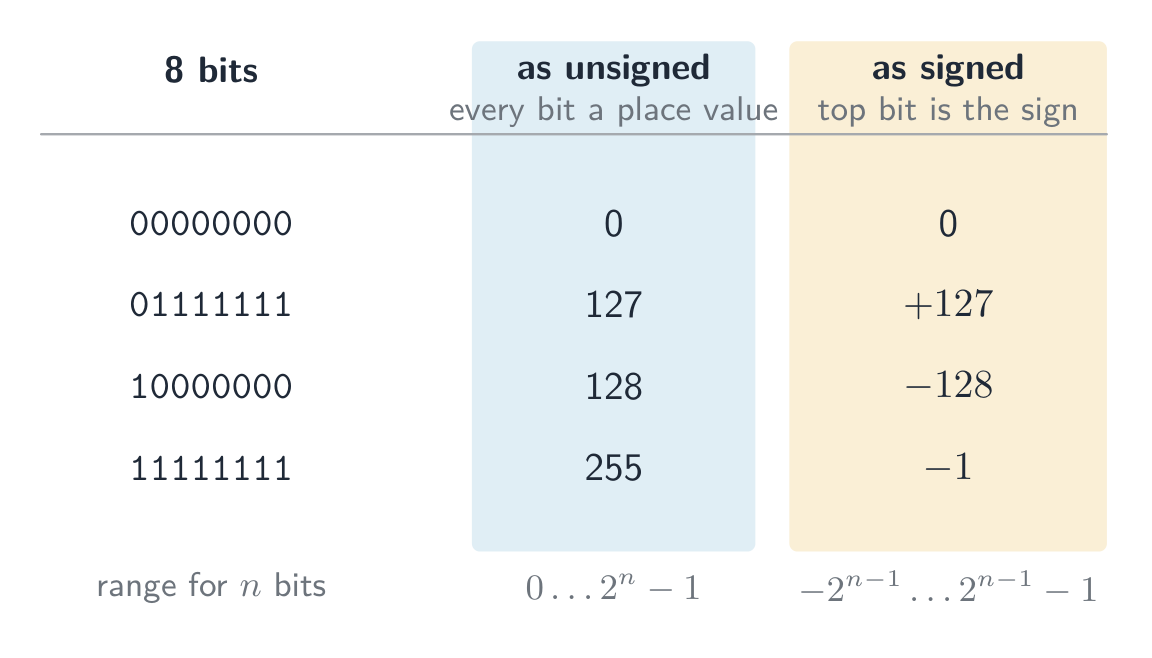
So $11100010$ is negative; invert → $00011101$, add 1 → $00011110 = 30$, so it is $-30$. This is a signed integer 有符号整数 (unlike an unsigned 无符号 one). The range for $n$ bits is $-2^{n-1}$ to $+2^{n-1} - 1$; for 8 bits, $-128$ ($10000000$) to $+127$ ($01111111$).
The same bits mean different numbers depending on the agreed reading. As an unsigned integer every bit is a place value, so 8 bits run from $0$ to $255$; as a signed two's-complement integer the top bit is the sign, so the same 8 bits run from $-128$ to $+127$. The pattern $11111111$ is $255$ read one way and $-1$ read the other — nothing in the bits themselves says which.
The same byte read as unsigned and as signed: only the agreed interpretation tells them apart 8-bit two's complement: the sign bit splits the range into negative ($-128$ to $-1$) and positive ($0$ to $127$)
Worked example. What denary value does the 8-bit two's-complement number $10110100$ represent?
The MSB is 1, so it is negative. Invert → $01001011$, add 1 → $01001100 = 76$, so the value is $-76$. Check with place values: $-128 + 32 + 16 + 4 = -76$.
Worked example. Write $-108$ as a 12-bit two's-complement integer.
Start from $+108$ in 12 bits: $108 = 64 + 32 + 8 + 4$, so
0000 0110 1100. Invert every bit:1111 1001 0011. Add 1:1111 1001 0100. Check with place values, where the top bit is worth $-2^{11} = -2048$: $-2048 + 1024 + 512 + 256 + 128 + 16 + 4 = -108$. ✓For 12 bits the range is $-2048$ (
1000 0000 0000) to $+2047$ (0111 1111 1111). Questions that ask for the smallest and largest values want these two patterns, so learn the rule: the most negative number is a 1 followed by zeros; the most positive is a 0 followed by ones.An arithmetic shift 算术移位 moves every bit left or right but keeps the sign: a shift right by one place halves the value and copies the sign bit into the empty space on the left, so a negative number stays negative (
1111 1001 0100shifted right three places is1111 1111 0010, which is $-14$: $-108 / 8 = -13.5$, and a shift right rounds down). A shift left doubles the value. Shifts belong to the assembly instruction set in topic 4, but this question is asked with the number work here.Overflow in signed arithmetic happens when the true result falls outside this range — spotted when the sign bit flips wrongly (two positives giving a negative, or two negatives giving a positive).
One's complement
Before two's complement, an older scheme called one's complement 反码 represented a negative number by simply inverting every bit of the positive — there is no "add 1" step.
- $+30 = 00011110$, so in one's complement $-30 = 11100001$ (just the inverse).
- Drawback: it has two zeros — $00000000$ ($+0$) and $11111111$ ($-0$) — which wastes a bit pattern and makes arithmetic awkward.
Two's complement (invert and add 1) removes the negative zero: it has a single zero and lets addition and subtraction use the same circuit. That is why modern computers store signed integers in two's complement, not one's complement.
日本語Binary addition
Add column by column from the right, carrying as in denary:
Bit A Bit B Carry in Sum bit Carry out 0 0 0 0 0 0 0 1 1 0 0 1 0 1 0 0 1 1 0 1 1 1 0 0 1 1 1 1 1 1 Overflow 溢出 happens when the result needs more bits than the register 寄存器 can hold — the carry-out of the leftmost column is the overflow bit.
Worked example. Add the 8-bit unsigned integers $10110101$ and $01101100$, and comment on the result.
$10110101 + 01101100 = 1\,00100001$. The answer needs 9 bits, so it does not fit in an 8-bit register: overflow has occurred. A full answer names the error and says why, using the word size the question gave: "Overflow: the true result ($289$) is larger than the largest value an 8-bit register can hold ($255$), so the carry out of the most significant bit is lost and the stored result ($00100001 = 33$) is wrong."
Binary subtraction
The usual way is two's complement 补码 addition: to do $A - B$, form the two's complement of $B$ (invert every bit and add 1), then add, and discard any final carry-out.
To subtract $00011110$ from $01100100$ (unsigned 8-bit):
- two's complement of $00011110$: invert → $11100001$, add 1 → $11100010$.
- add to $01100100$: result $1\,01000110$ (9 bits) — discard the leading 1 → $01000110 = 70_{10}$. Check: $100 - 30 = 70$. ✓
Two's complement signed integers
In an $n$-bit two's-complement number:
- the most significant bit 最高有效位 (MSB) is the sign bit 符号位: 0 = positive, 1 = negative.
- to read a negative number: invert every bit, add 1, then negate.
So $11100010$ is negative; invert → $00011101$, add 1 → $00011110 = 30$, so it is $-30$. This is a signed integer 有符号整数 (unlike an unsigned 无符号 one). The range for $n$ bits is $-2^{n-1}$ to $+2^{n-1} - 1$; for 8 bits, $-128$ ($10000000$) to $+127$ ($01111111$).
The same bits mean different numbers depending on the agreed reading. As an unsigned integer every bit is a place value, so 8 bits run from $0$ to $255$; as a signed two's-complement integer the top bit is the sign, so the same 8 bits run from $-128$ to $+127$. The pattern $11111111$ is $255$ read one way and $-1$ read the other — nothing in the bits themselves says which.
The same byte read as unsigned and as signed: only the agreed interpretation tells them apart
 8-bit two's complement: the sign bit splits the range into negative ($-128$ to $-1$) and positive ($0$ to $127$)
Worked example. What denary value does the 8-bit two's-complement number $10110100$ represent?
The MSB is 1, so it is negative. Invert → $01001011$, add 1 → $01001100 = 76$, so the value is $-76$. Check with place values: $-128 + 32 + 16 + 4 = -76$.
Worked example. Write $-108$ as a 12-bit two's-complement integer.
Start from $+108$ in 12 bits: $108 = 64 + 32 + 8 + 4$, so
0000 0110 1100. Invert every bit:1111 1001 0011. Add 1:1111 1001 0100. Check with place values, where the top bit is worth $-2^{11} = -2048$: $-2048 + 1024 + 512 + 256 + 128 + 16 + 4 = -108$. ✓For 12 bits the range is $-2048$ (
1000 0000 0000) to $+2047$ (0111 1111 1111). Questions that ask for the smallest and largest values want these two patterns, so learn the rule: the most negative number is a 1 followed by zeros; the most positive is a 0 followed by ones.An arithmetic shift 算术移位 moves every bit left or right but keeps the sign: a shift right by one place halves the value and copies the sign bit into the empty space on the left, so a negative number stays negative (
1111 1001 0100shifted right three places is1111 1111 0010, which is $-14$: $-108 / 8 = -13.5$, and a shift right rounds down). A shift left doubles the value. Shifts belong to the assembly instruction set in topic 4, but this question is asked with the number work here.Overflow in signed arithmetic happens when the true result falls outside this range — spotted when the sign bit flips wrongly (two positives giving a negative, or two negatives giving a positive).
One's complement
Before two's complement, an older scheme called one's complement 反码 represented a negative number by simply inverting every bit of the positive — there is no "add 1" step.
- $+30 = 00011110$, so in one's complement $-30 = 11100001$ (just the inverse).
- Drawback: it has two zeros — $00000000$ ($+0$) and $11111111$ ($-0$) — which wastes a bit pattern and makes arithmetic awkward.
Two's complement (invert and add 1) removes the negative zero: it has a single zero and lets addition and subtraction use the same circuit. That is why modern computers store signed integers in two's complement, not one's complement.
Explore · 探索Binary & signed integers
byte = Σ place values
See how an 8-bit pattern maps to a number (and how it would overflow past 255).
Explore · 探索Two's complement signed bits
The leftmost bit carries a negative place value. Flip any bit — or hit Negate (invert every bit, then add 1) — and watch the signed value change.
Vocabulary · 語彙 Train · 練習するEnglish 日本語 register/ˈredʒɪstə/ レジスタ unsigned/ʌnˈsaɪnd/ 符号なし overflow/ˌəʊvəˈfləʊ/ オーバーフロー most significant bit/məʊst sɪɡˈnɪfɪkənt bɪt/ 最上位ビット two's complement/tuːz ˈkɒmplɪmənt/ 補数表示 signed integer/saɪnd ˈɪntɪdʒə/ 符号付き整数 sign bit/saɪn bɪt/ 符号ビット arithmetic shift/ˌærɪθˈmetɪk ʃɪft/ 算術シフト one's complement/wʌnz ˈkɒmplɪmənt/ 反転補数 1.1
Binary Coded Decimal (BCD)
 English
In BCD 二进码十进数, each denary digit is written as its own 4-bit pattern. The number $93$ is
1001 0011in BCD — not binary 93 ($01011101$). Each nibble uses only 0–9; patterns $1010$–$1111$ are invalid.BCD reading:
0010 0111 0101→ 2, 7, 5 → 275.Use: calculators, digital clocks, and devices that show denary digits — each digit drives a 7-segment display 七段显示器. Currency code often uses BCD to avoid the rounding errors of converting fractions like 0.1 to binary.
A "justify" answer must link the use to a property of BCD: each denary digit has its own 4 bits, so a digit can be sent straight to its display, or added digit by digit, with no conversion of the whole number; and a decimal fraction such as $0.10$ is stored exactly, which a binary fraction cannot do.
日本語In BCD 二进码十进数, each denary digit is written as its own 4-bit pattern. The number $93$ is
1001 0011in BCD — not binary 93 ($01011101$). Each nibble uses only 0–9; patterns $1010$–$1111$ are invalid.BCD reading:
0010 0111 0101→ 2, 7, 5 → 275.Use: calculators, digital clocks, and devices that show denary digits — each digit drives a 7-segment display 七段显示器. Currency code often uses BCD to avoid the rounding errors of converting fractions like 0.1 to binary.
A "justify" answer must link the use to a property of BCD: each denary digit has its own 4 bits, so a digit can be sent straight to its display, or added digit by digit, with no conversion of the whole number; and a decimal fraction such as $0.10$ is stored exactly, which a binary fraction cannot do.
A seven-segment display shows one denary digit, often driven by BCD Vocabulary · 語彙 Train · 練習するEnglish 日本語 BCD/ˌbiː siː ˈdiː/ BCD 7-segment display/ˈsevən ˈseɡmənt dɪˈspleɪ/ 7セグメントディスプレイ 1.1
Hexadecimal — practical uses
 English
Hex is a compact way to write binary (1 hex digit = 4 bits):
- memory addresses 内存地址 in low-level programming —
0x7FFE. - colour values in HTML/CSS —
#FF8800. - MAC addresses —
AC:DE:48:00:11:22.
Hex does not change the stored data — it just makes binary easier for humans.
日本語Hex is a compact way to write binary (1 hex digit = 4 bits):
A byte is two nibbles; each nibble is one hex digit - memory addresses 内存地址 in low-level programming —
0x7FFE. - colour values in HTML/CSS —
#FF8800. - MAC addresses —
AC:DE:48:00:11:22.
Hex does not change the stored data — it just makes binary easier for humans.
Vocabulary · 語彙 Train · 練習するEnglish 日本語 memory address/ˈmeməri əˈdres/ メモリアドレス 1.1
Character codes
 English
Computers store text as numbers; each character has a numeric code point 码点 set by a character set 字符集.
ASCII
- ASCII uses 7 bits — 128 code points. Basic Latin letters, digits, punctuation, and control codes.
- Extended ASCII uses 8 bits — 256 code points; the lower 128 match ASCII, the upper 128 vary by region.
Unicode
- Unicode is a universal character set covering almost every script, plus symbols and emoji.
- common encodings 编码: UTF-8 (1–4 bytes, ASCII-compatible), UTF-16 (2 or 4 bytes), UTF-32 (fixed 4 bytes).
Why Unicode beats ASCII
- it represents far more characters (every script, emoji); ASCII covers only basic English.
- files are portable with no code-page confusion, and allow multilingual text in one document.
- trade-off: Unicode files are usually larger for English-only text.
When a question asks for differences, give them in pairs with numbers: ASCII uses 7 bits (extended ASCII 8), so 128 (256) characters; Unicode uses up to 32 bits (UTF-8 uses 1 to 4 bytes), so more than a million code points. ASCII covers basic English only; Unicode covers every script, and its first 128 code points are the ASCII ones. In UTF-8 an English letter still takes 1 byte, so a 40-letter English file name is 40 bytes in ASCII and in UTF-8 alike, while a Chinese character takes 3 bytes.
日本語Computers store text as numbers; each character has a numeric code point 码点 set by a character set 字符集.
ASCII
- ASCII uses 7 bits — 128 code points. Basic Latin letters, digits, punctuation, and control codes.
- Extended ASCII uses 8 bits — 256 code points; the lower 128 match ASCII, the upper 128 vary by region.
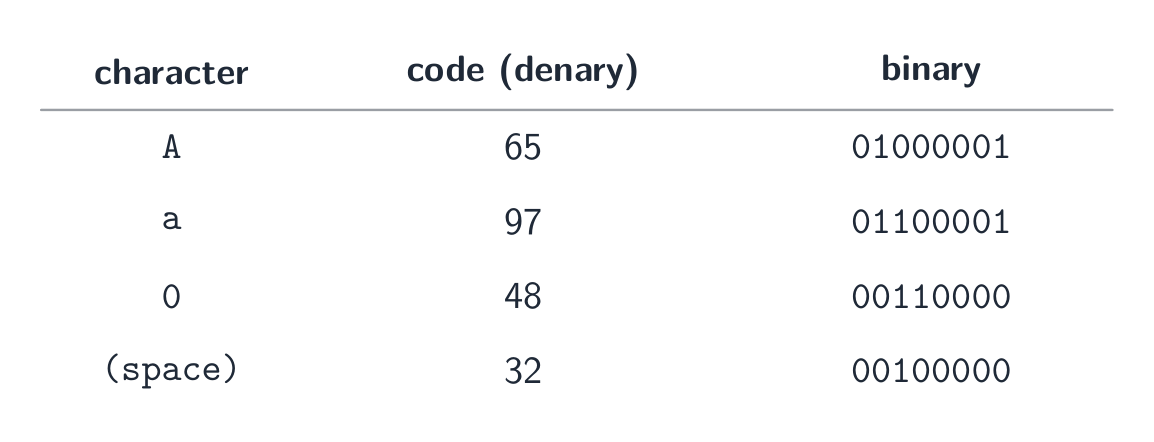
Each character is stored as a number — a few ASCII code points in denary and binary Unicode
- Unicode is a universal character set covering almost every script, plus symbols and emoji.
- common encodings 编码: UTF-8 (1–4 bytes, ASCII-compatible), UTF-16 (2 or 4 bytes), UTF-32 (fixed 4 bytes).
Why Unicode beats ASCII
- it represents far more characters (every script, emoji); ASCII covers only basic English.
- files are portable with no code-page confusion, and allow multilingual text in one document.
- trade-off: Unicode files are usually larger for English-only text.
When a question asks for differences, give them in pairs with numbers: ASCII uses 7 bits (extended ASCII 8), so 128 (256) characters; Unicode uses up to 32 bits (UTF-8 uses 1 to 4 bytes), so more than a million code points. ASCII covers basic English only; Unicode covers every script, and its first 128 code points are the ASCII ones. In UTF-8 an English letter still takes 1 byte, so a 40-letter English file name is 40 bytes in ASCII and in UTF-8 alike, while a Chinese character takes 3 bytes.
Explore · 探索A character is stored as a number
Each character has a code number — 'A' is 65. Flip the bits to see that code in binary and hex, exactly how the computer holds it.
Vocabulary · 語彙 Train · 練習するEnglish 日本語 code point/kəʊd pɔɪnt/ コードポイント character set/ˈkærɪktə set/ 文字集合 encoding/enˈkəʊdɪŋ/ 符号化 1.2
Bitmap images
Syllabus · シラバス
EnglishCandidates should be able to: Notes and guidance Show understanding of how data for a bitmapped image are encoded Use and understand the terms: pixel, file header, image resolution, screen resolution, colour depth / bit depth Perform calculations to estimate the file size for a bitmap image Show understanding of the effects of changing elements of a bitmap image on the image quality and file size Use the terms: image resolution, colour depth / bit depth Show understanding of how data for a vector graphic are encoded Use the terms: drawing object, property, drawing list Justify the use of a bitmap image or a vector graphic for a given task Show understanding of how sound is represented and encoded Use the terms: sampling, sampling rate, sampling resolution, analogue and digital data Show understanding of the impact of changing the sampling rate and resolution Including the impact on file size and accuracy 日本語受験者は以下的能力を備えているべきである: メモおよびガイドライン ビットマップ画像のデータエンコーディングを理解する 用語:ピクセル, ファイルヘッダ, 画像解像度, スクリーン解像度, カラー深度 / ビット深度 を理解して使用する ビットマップ画像のファイルサイズを推定するための計算を行う ビットマップ画像の要素の変更が画像品質およびファイルサイズに与える影響を理解する 用語:画像解像度, カラー深度 / ビット深度 を使用する ベクターグラフィックのデータエンコーディングを理解する 用語:描画オブジェクト, プロパティ, 描画リスト を使用する 特定のタスクに対して ビットマップ画像 または ベクターグラフィック を使用すべき理由を正当化できる サウンドの表現およびエンコーディングを理解する 用語:サンプリング, サンプリングレート, サンプリング分解能, アナログ, デジタルデータ を使用する サンプリングレート および 分解能 の変更が与える影響を理解する ファイルサイズおよび精度への影響を含む Source: Cambridge International syllabus · 出典: Cambridge International シラバス
EnglishA bitmap 位图 image (also called a bitmapped image) stores the colour of every pixel 像素 in a grid. At the start of the file a file header 文件头 records the image's metadata — its width, height and colour depth — so software knows how to read the pixel data that follows.
- image resolution 图像分辨率: the bitmap's own size, width × height in pixels (e.g. 1920 × 1080).
- screen resolution 屏幕分辨率: the width × height the display can show. If an image's resolution is larger than the screen it is scaled down to fit; a low-resolution image looks blocky when stretched onto a higher-resolution screen.
- colour depth 颜色深度 (bit depth 位深度): bits per pixel. 1 bit → black/white; 8 bits → 256 colours; 24 bits → 16.7 million ("true colour").
File size
$$\text{size in bits} = \text{width} \times \text{height} \times \text{bit depth}.$$Divide by 8 for bytes, by 1024 for KiB, etc. Example: a $3000 \times 2000$ image at 24 bpp is $3000 \times 2000 \times 24 = 1.44 \times 10^{8}$ bits $\approx 17.2\ \text{MiB}$.
State the units you used. The mark scheme accepts $1\ \text{MB} = 10^{6}$ bytes (the SI prefix) or $1\ \text{MiB} = 1024 \times 1024$ bytes (the binary prefix), as long as your working shows which one; the same image is $18.0\ \text{MB}$ or $17.2\ \text{MiB}$. Add the size of the file header if the question gives one.
A video is a sequence of bitmap images, each one a frame 帧. Before compression its size is the size of one frame $\times$ the frame rate 帧率 (frames per second) $\times$ the duration in seconds: 30 frames per second of $1920 \times 1080$ pixels at 24 bits is $30 \times 1920 \times 1080 \times 24 \approx 1.5 \times 10^{9}$ bits, about $187\ \text{MB}$, for every second. That is why video is always compressed.
Changing settings
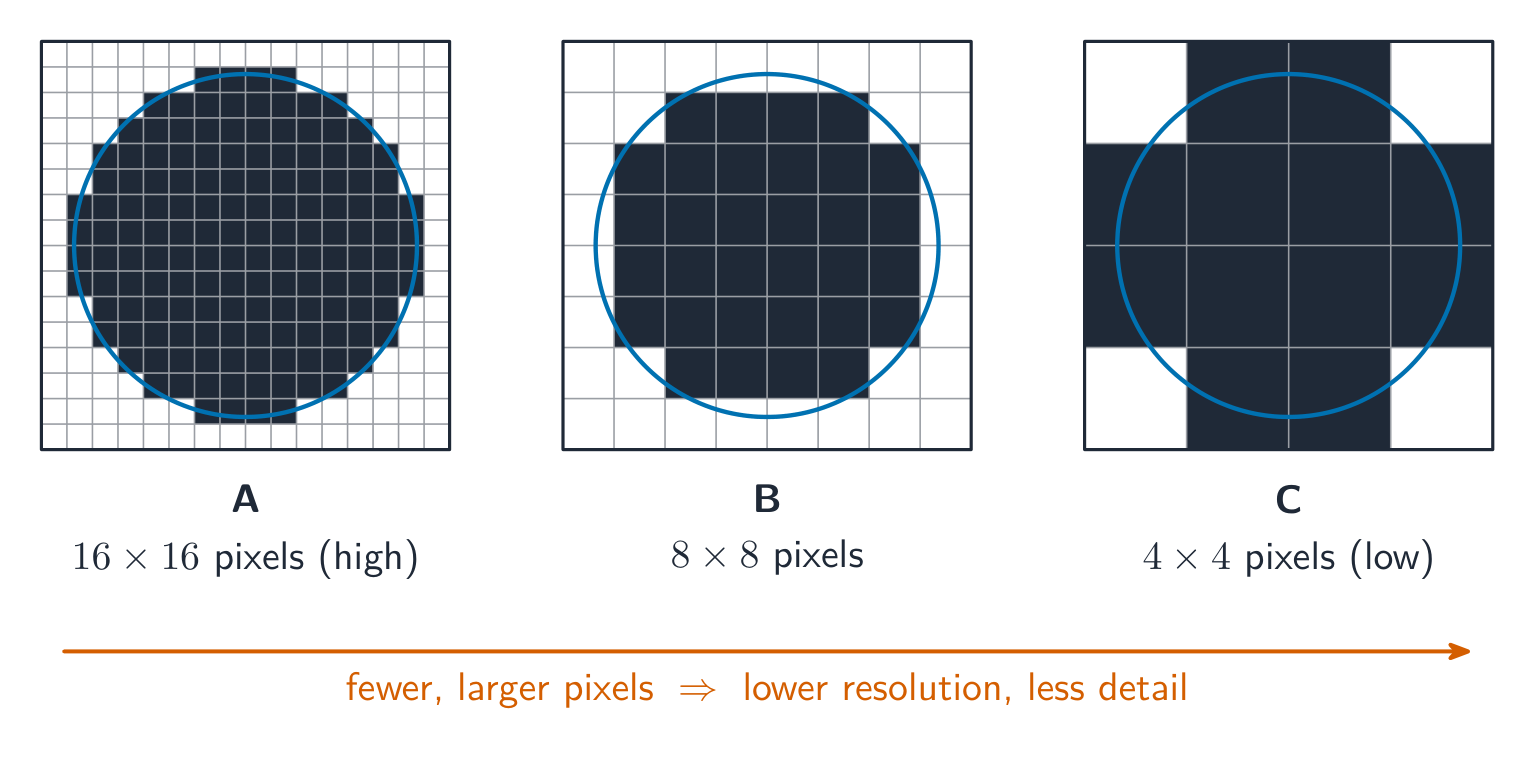
- lower resolution → smaller file, less detail (looks blocky when enlarged).
- lower colour depth → smaller file, but smooth shades show banding.
- higher of either → larger file, better quality.
日本語A bitmap 位图 image (also called a bitmapped image) stores the colour of every pixel 像素 in a grid. At the start of the file a file header 文件头 records the image's metadata — its width, height and colour depth — so software knows how to read the pixel data that follows.
- image resolution 图像分辨率: the bitmap's own size, width × height in pixels (e.g. 1920 × 1080).
- screen resolution 屏幕分辨率: the width × height the display can show. If an image's resolution is larger than the screen it is scaled down to fit; a low-resolution image looks blocky when stretched onto a higher-resolution screen.
- colour depth 颜色深度 (bit depth 位深度): bits per pixel. 1 bit → black/white; 8 bits → 256 colours; 24 bits → 16.7 million ("true colour").
The same image stored at three resolutions, from high (A) to low (C): fewer, larger pixels mean less detail File size
$$\text{size in bits} = \text{width} \times \text{height} \times \text{bit depth}.$$Divide by 8 for bytes, by 1024 for KiB, etc. Example: a $3000 \times 2000$ image at 24 bpp is $3000 \times 2000 \times 24 = 1.44 \times 10^{8}$ bits $\approx 17.2\ \text{MiB}$.
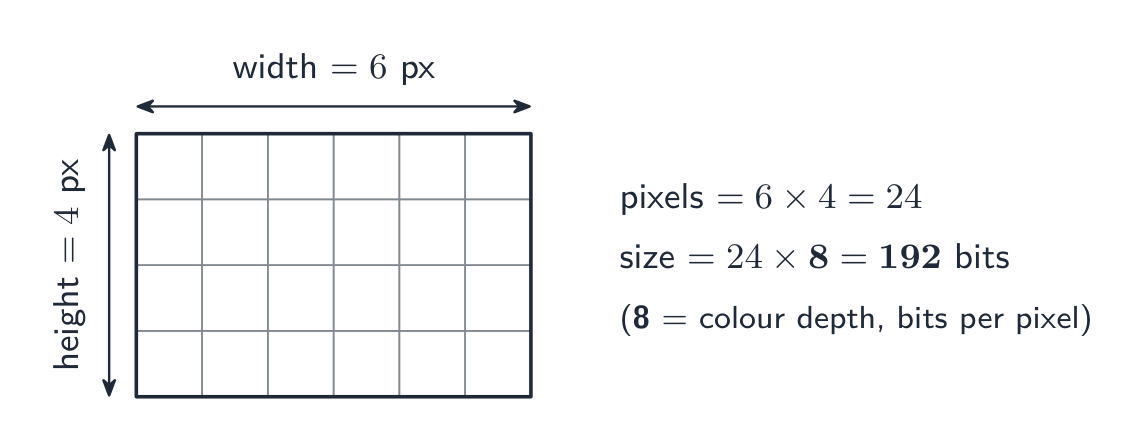
The same formula on small numbers: count the pixels, then multiply by the colour depth State the units you used. The mark scheme accepts $1\ \text{MB} = 10^{6}$ bytes (the SI prefix) or $1\ \text{MiB} = 1024 \times 1024$ bytes (the binary prefix), as long as your working shows which one; the same image is $18.0\ \text{MB}$ or $17.2\ \text{MiB}$. Add the size of the file header if the question gives one.
A video is a sequence of bitmap images, each one a frame 帧. Before compression its size is the size of one frame $\times$ the frame rate 帧率 (frames per second) $\times$ the duration in seconds: 30 frames per second of $1920 \times 1080$ pixels at 24 bits is $30 \times 1920 \times 1080 \times 24 \approx 1.5 \times 10^{9}$ bits, about $187\ \text{MB}$, for every second. That is why video is always compressed.
Changing settings
- lower resolution → smaller file, less detail (looks blocky when enlarged).
- lower colour depth → smaller file, but smooth shades show banding.
- higher of either → larger file, better quality.
Vocabulary · 語彙 Train · 練習するEnglish 日本語 bitmap/ˈbɪtmæp/ ビットマップ pixel/ˈpɪksl/ ピクセル file header/faɪl ˈhedə/ ファイルヘッダー colour depth/ˈkʌlə depθ/ カラー深度 image resolution/ˈɪmɪdʒ ˌrezəˈluːʃn/ 画像解像度 screen resolution/skriːn ˌrezəˈluːʃn/ 画面解像度 bit depth/bɪt depθ/ ビット深さ frame/freɪm/ 枠 frame rate/freɪm reɪt/ フレームレート 1.2
Vector graphics
 English
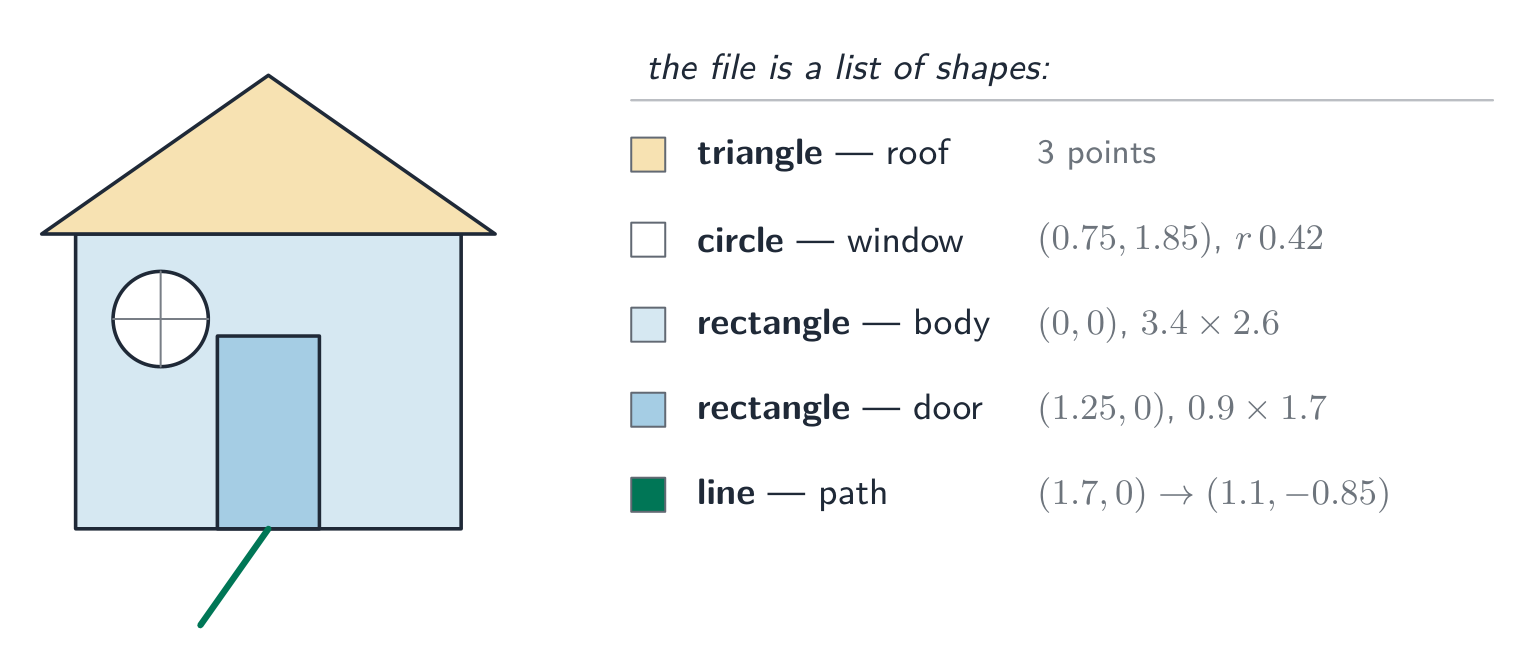
A vector graphic 矢量图形 stores the instructions to draw the image as a drawing list 绘图列表 — an ordered list of drawing objects 绘图对象 (geometric primitives 图元: lines, curves, polygons, circles). Each drawing object has properties 属性 such as colour, fill, line width and position (coordinates). To show it, the program renders 渲染 the drawing list at any resolution needed.
Bitmap vs vector
Task Better choice Why Photograph Bitmap Complex pixel-level detail can't be described as shapes. Logo, icon, sign Vector Sharp edges; scales to any size without blur. Engineering drawing Vector Precise geometry and scaling. Painting, texture Bitmap Smooth tonal detail per area. Vector advantage: it scales without losing quality — a vector logo stays sharp at any size, while a bitmap blurs when enlarged. Vector disadvantage: it cannot describe arbitrary pixel detail (photographs).
A "justify" answer links the choice to the task. "The logo must appear on a business card and on a billboard, so it should be a vector graphic: it is stored as drawing objects and is re-rendered sharply at any size, whereas a bitmap would show its pixels when enlarged." For a photograph the argument runs the other way: there are no shapes to describe, so every pixel's colour must be stored.
日本語A vector graphic 矢量图形 stores the instructions to draw the image as a drawing list 绘图列表 — an ordered list of drawing objects 绘图对象 (geometric primitives 图元: lines, curves, polygons, circles). Each drawing object has properties 属性 such as colour, fill, line width and position (coordinates). To show it, the program renders 渲染 the drawing list at any resolution needed.
A vector image is built from labelled geometric shapes, each with attributes Bitmap vs vector
Task Better choice Why Photograph Bitmap Complex pixel-level detail can't be described as shapes. Logo, icon, sign Vector Sharp edges; scales to any size without blur. Engineering drawing Vector Precise geometry and scaling. Painting, texture Bitmap Smooth tonal detail per area. Vector advantage: it scales without losing quality — a vector logo stays sharp at any size, while a bitmap blurs when enlarged. Vector disadvantage: it cannot describe arbitrary pixel detail (photographs).
A "justify" answer links the choice to the task. "The logo must appear on a business card and on a billboard, so it should be a vector graphic: it is stored as drawing objects and is re-rendered sharply at any size, whereas a bitmap would show its pixels when enlarged." For a photograph the argument runs the other way: there are no shapes to describe, so every pixel's colour must be stored.
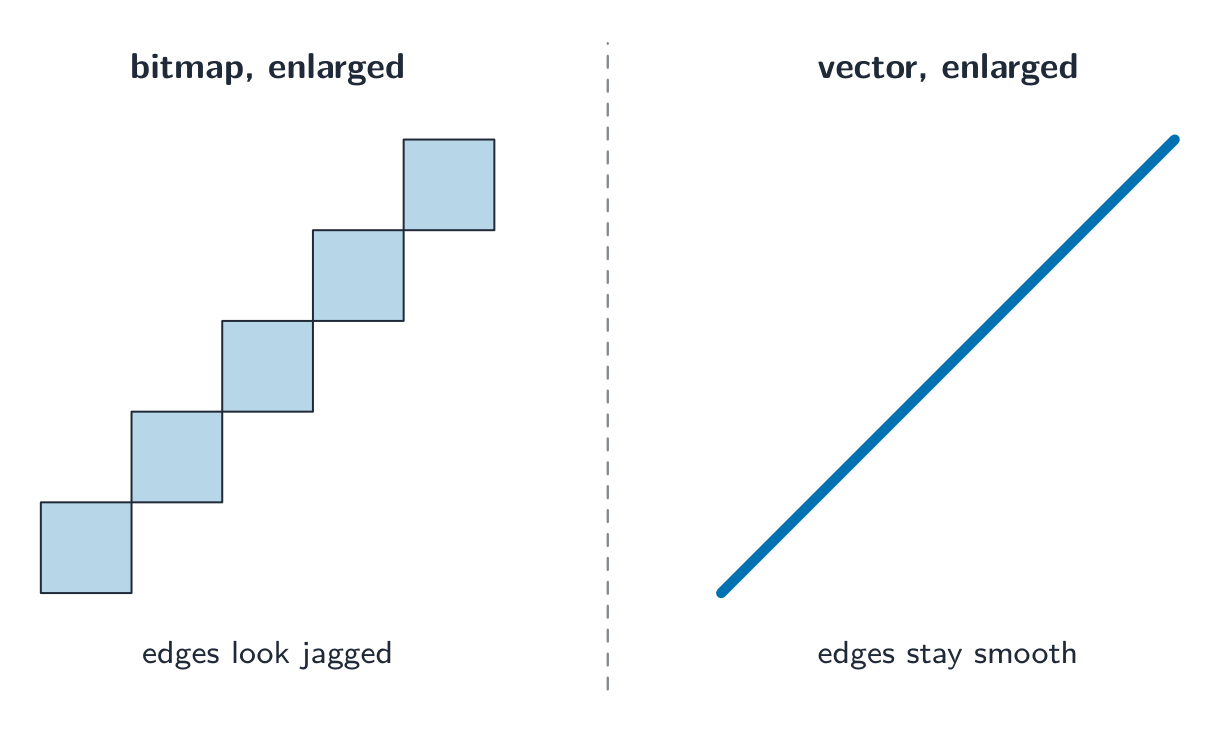
Enlarged, a bitmap's pixels turn jagged; a vector stays smooth at any size Explore · 探索Computing concept lab
Classify concrete examples by the computing idea they demonstrate.
Vocabulary · 語彙 Train · 練習するEnglish 日本語 vector graphic/ˈvektə ˈɡræfɪk/ ベクター図形 drawing list/ˈdrɔːɪŋ lɪst/ 描画リスト drawing objects/ˈdrɔːɪŋ ˈɒbdʒekts/ 描画オブジェクト primitive/ˈprɪmɪtɪv/ プリミティブ properties/ˈprɒpətiz/ プロパティ render/ˈrendə/ レンダリング 1.2
Sound
 English
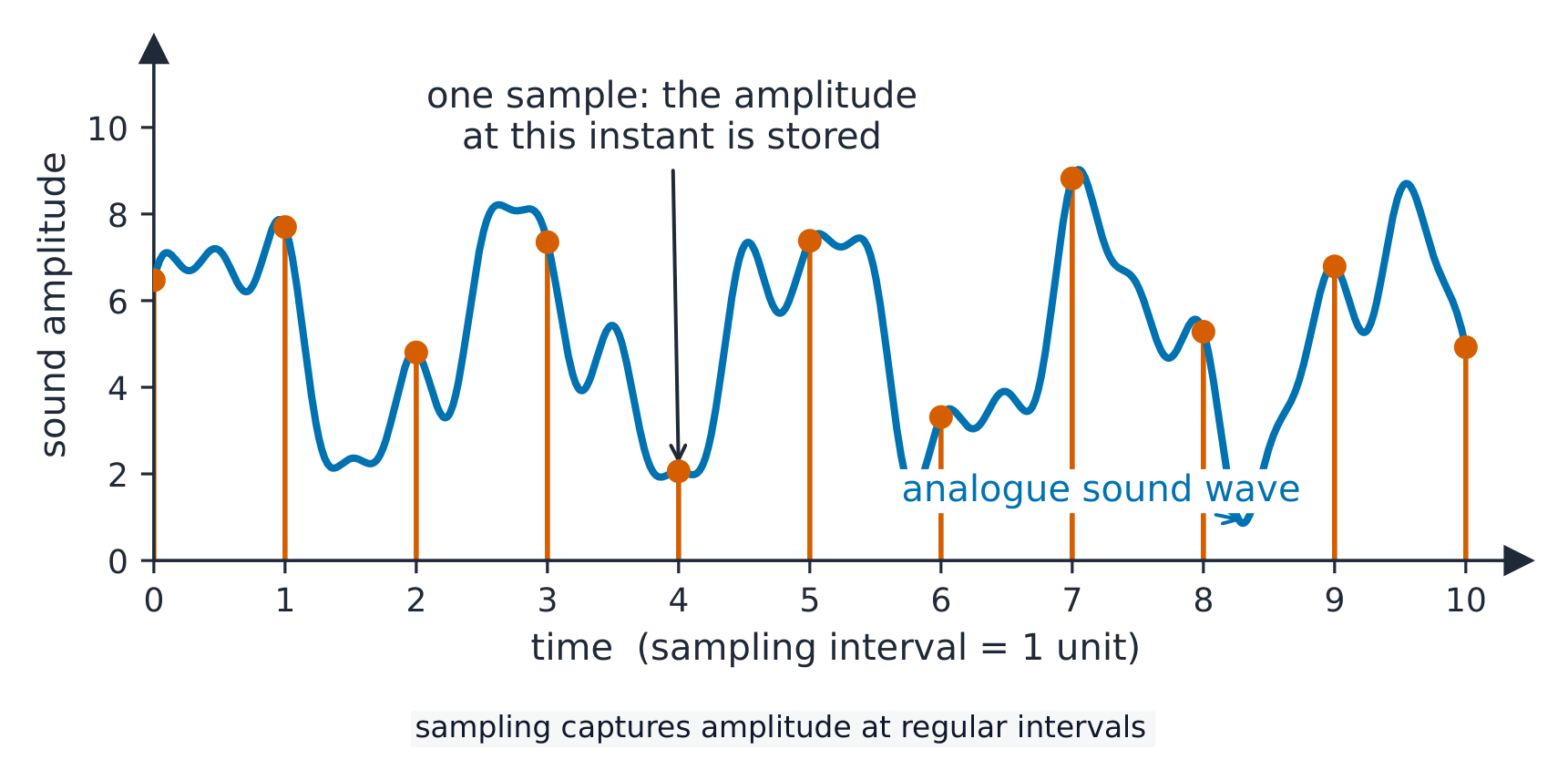
A continuous wave of analogue data 模拟数据 (the sound) is converted into digital data 数字数据 by sampling 采样:
- sampling rate 采样率 — samples per second (Hz). CD quality is $44.1\ \text{kHz}$.
- sampling resolution 采样分辨率 (bit depth) — bits per sample's amplitude 振幅. CD quality is 16 bits.
File size
$$\text{size in bits} = \text{sampling rate} \times \text{resolution} \times \text{duration} \times \text{channels}.$$A 10-second stereo CD clip: $44100 \times 16 \times 10 \times 2 = 14\,112\,000$ bits $\approx 1.68\ \text{MiB}$.
Changing settings
- higher sampling rate → captures higher pitches, larger file.
- higher sample resolution → finer amplitude steps, less quantisation 量化 noise, larger file.
- lower of either → smaller file, clear quality loss.
(The sampling rate must be at least twice the highest frequency you want to keep.)
日本語A continuous wave of analogue data 模拟数据 (the sound) is converted into digital data 数字数据 by sampling 采样:
- sampling rate 采样率 — samples per second (Hz). CD quality is $44.1\ \text{kHz}$.
- sampling resolution 采样分辨率 (bit depth) — bits per sample's amplitude 振幅. CD quality is 16 bits.
Sampling a sound wave: its amplitude is read at each time interval File size
$$\text{size in bits} = \text{sampling rate} \times \text{resolution} \times \text{duration} \times \text{channels}.$$A 10-second stereo CD clip: $44100 \times 16 \times 10 \times 2 = 14\,112\,000$ bits $\approx 1.68\ \text{MiB}$.
Changing settings
- higher sampling rate → captures higher pitches, larger file.
- higher sample resolution → finer amplitude steps, less quantisation 量化 noise, larger file.
- lower of either → smaller file, clear quality loss.
(The sampling rate must be at least twice the highest frequency you want to keep.)
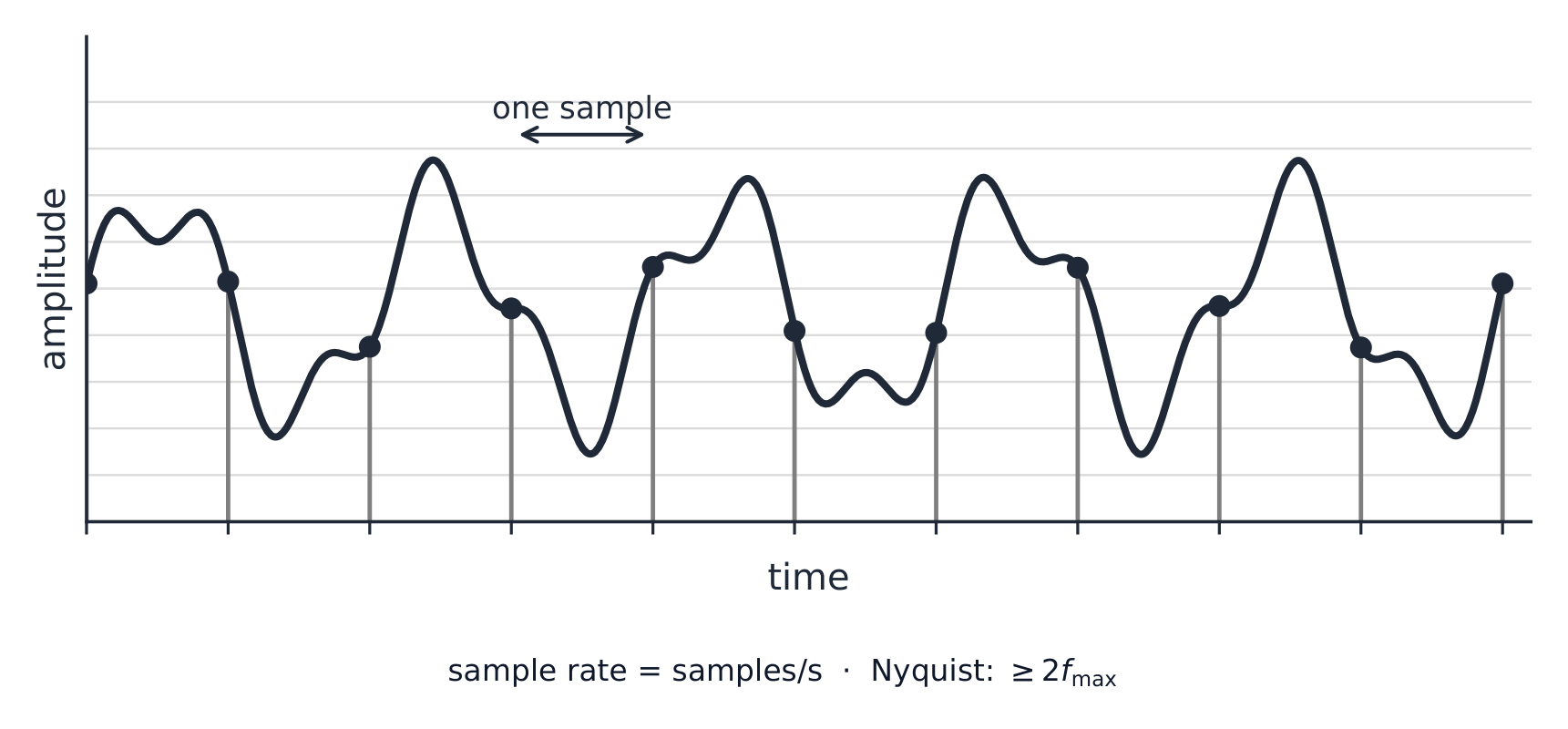
Sample rate is samples per second; the Nyquist rule is why it must be at least twice the highest frequency kept Explore · 探索Sound sampling
y = a sin(bt + c)
Sampling measures a sound wave at regular intervals — a higher rate copies it more truly.
Vocabulary · 語彙 Train · 練習するEnglish 日本語 analogue data/ˈænəlɒɡ ˈdeɪtə/ アナログデータ digital data/ˈdɪdʒɪtl ˈdeɪtə/ デジタルデータ sampling/ˈsæmplɪŋ/ サンプリング sampling rate/ˈsæmplɪŋ reɪt/ サンプリングレート sampling resolution/ˈsæmplɪŋ ˌrezəˈluːʃn/ サンプリング解像度 amplitude/ˈæmplɪtjuːd/ 振幅 sample resolution/ˈsæmpl ˌrezəˈluːʃn/ サンプル分解能 quantisation/ˌkwɒntaɪˈzeɪʃn/ 量子化 1.3
Compression

Syllabus · シラバス
EnglishCandidates should be able to: Notes and guidance Show understanding of the need for and examples of the use of compression Show understanding of lossy and lossless compression and justify the use of a method in a given situation Show understanding of how a text file, bitmap image, vector graphic and sound file can be compressed Including the use of run-length encoding (RLE) 日本語受験者は以下的能力を備えているべきである: メモおよびガイドライン 圧縮 が必要な理由およびその使用例を理解する 可逆圧縮 および 非可逆圧縮 を理解し、特定の状況での手法選択を正当化できる テキストファイル、ビットマップ画像、ベクターグラフィック、サウンドファイルの圧縮方法を理解する RLE (run-length encoding) の使用を含む Source: Cambridge International syllabus · 出典: Cambridge International シラバス
EnglishCompression 压缩 reduces file size, saving storage and transmission bandwidth 带宽. Two kinds:
- lossless 无损 — the original data is recovered exactly (text, programs, ZIP/PNG).
- lossy 有损 — some detail is dropped for much smaller files (JPEG, MP3, video).
When to use which
- lossless for documents, source code, medical images — anything needing exact data.
- lossy for streaming media. Real-time video streaming uses lossy compression because it must send huge amounts of data in real time over limited bandwidth; lossless would not shrink it enough. Raw HD video is gigabytes per minute, so without compression the picture would keep freezing.
A "justify" answer names the method, then the reason from the situation: "Lossless, because the spreadsheet must be restored exactly; a single changed value would make the accounts wrong." Or: "Lossy, because the photographs are viewed on a phone screen where the dropped detail is not visible, and the smaller files upload faster and use less storage."
Lossless methods
- run-length encoding 行程编码 (RLE): store "the next $n$ values are $x$" instead of repeating $x$. Great for flat areas; useless for noisy data.
- dictionary methods 字典编码 (ZIP, PNG): replace repeated byte sequences with a short reference. Good for text and code.
- Huffman coding 霍夫曼编码: give short codes to common symbols and long codes to rare ones, bringing the average code length near the data's entropy 熵.
How each kind of file is compressed:
- text file: dictionary methods and Huffman coding turn repeated words and common characters into short codes. Text must stay lossless, because one changed character changes the meaning.
- bitmap image: RLE for runs of identical pixels (icons, diagrams, black-and-white scans); lossy JPEG for photographs, or a lower colour depth or resolution.
- vector graphic: the drawing list is already small; remove drawing objects that are not needed, store coordinates to fewer decimal places, or apply a lossless method such as ZIP to the file.
- sound file: lossy MP3 or AAC removes what the ear cannot hear; a lower sampling rate or resolution is also lossy; lossless formats keep every sample and shrink the file much less.
Lossy methods
- images (JPEG): drop fine detail and colour differences the eye barely sees.
- sound (MP3, AAC): drop pitches we hear less well, and quiet sounds hidden by louder ones.
- video combines spatial 空间 compression (within each frame, like JPEG) with temporal 时间 compression (most frames store only the differences from the previous frame).
日本語Compression 压缩 reduces file size, saving storage and transmission bandwidth 带宽. Two kinds:
- lossless 无损 — the original data is recovered exactly (text, programs, ZIP/PNG).
- lossy 有损 — some detail is dropped for much smaller files (JPEG, MP3, video).
When to use which
- lossless for documents, source code, medical images — anything needing exact data.
- lossy for streaming media. Real-time video streaming uses lossy compression because it must send huge amounts of data in real time over limited bandwidth; lossless would not shrink it enough. Raw HD video is gigabytes per minute, so without compression the picture would keep freezing.
A "justify" answer names the method, then the reason from the situation: "Lossless, because the spreadsheet must be restored exactly; a single changed value would make the accounts wrong." Or: "Lossy, because the photographs are viewed on a phone screen where the dropped detail is not visible, and the smaller files upload faster and use less storage."
Lossless methods
- run-length encoding 行程编码 (RLE): store "the next $n$ values are $x$" instead of repeating $x$. Great for flat areas; useless for noisy data.
- dictionary methods 字典编码 (ZIP, PNG): replace repeated byte sequences with a short reference. Good for text and code.
- Huffman coding 霍夫曼编码: give short codes to common symbols and long codes to rare ones, bringing the average code length near the data's entropy 熵.
How each kind of file is compressed:
- text file: dictionary methods and Huffman coding turn repeated words and common characters into short codes. Text must stay lossless, because one changed character changes the meaning.
- bitmap image: RLE for runs of identical pixels (icons, diagrams, black-and-white scans); lossy JPEG for photographs, or a lower colour depth or resolution.
- vector graphic: the drawing list is already small; remove drawing objects that are not needed, store coordinates to fewer decimal places, or apply a lossless method such as ZIP to the file.
- sound file: lossy MP3 or AAC removes what the ear cannot hear; a lower sampling rate or resolution is also lossy; lossless formats keep every sample and shrink the file much less.
Run-length encoding on a single row: 16 pixels become 3 runs 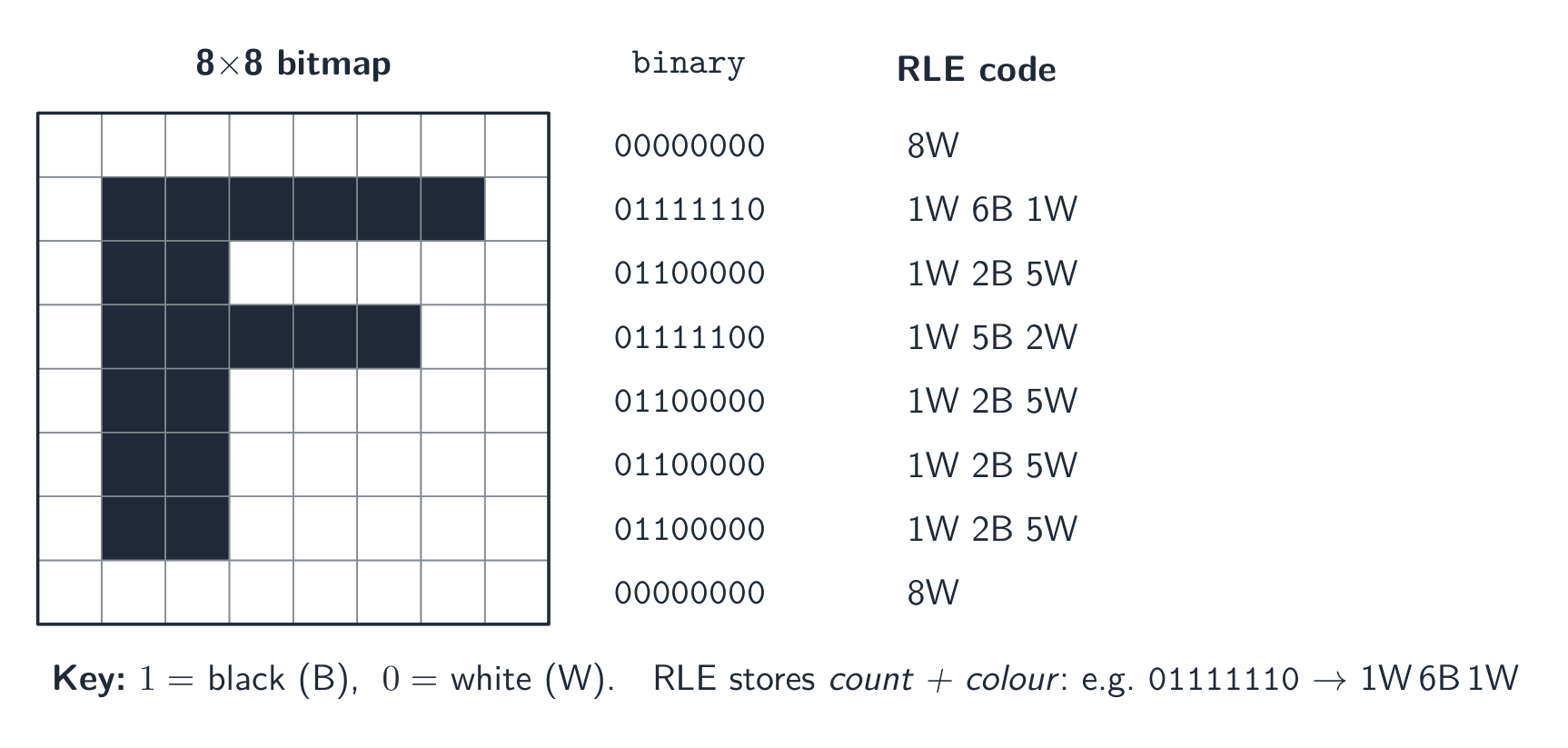
Run-length encoding of the letter F in an $8\times8$ black-and-white grid 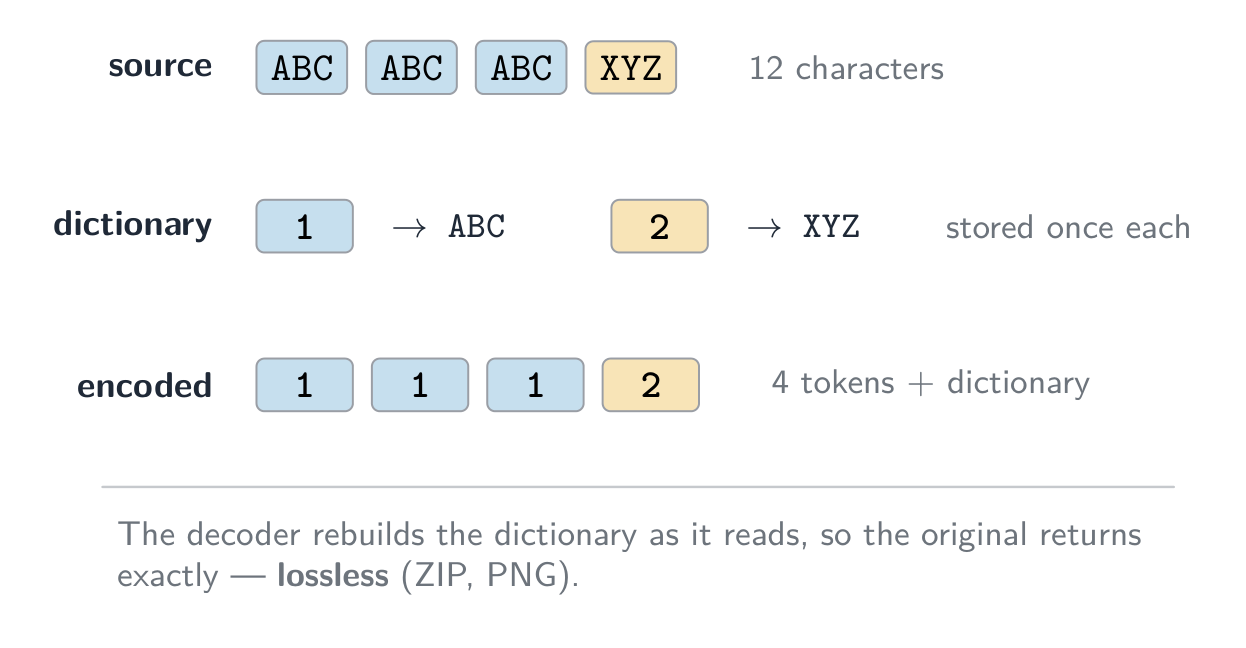
Dictionary coding: each repeated sequence is stored once, and every occurrence becomes a short index 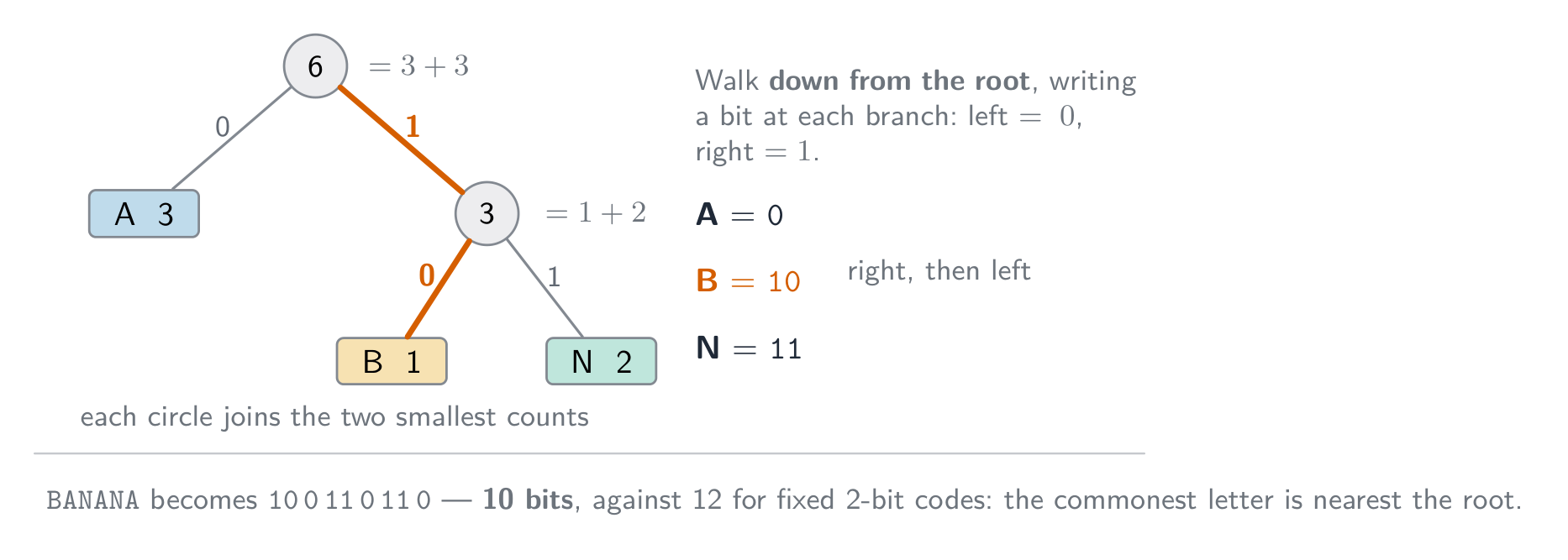
Huffman coding: the commonest symbol gets the shortest code, so BANANA needs 10 bits instead of 12 Lossy methods
- images (JPEG): drop fine detail and colour differences the eye barely sees.
- sound (MP3, AAC): drop pitches we hear less well, and quiet sounds hidden by louder ones.
- video combines spatial 空间 compression (within each frame, like JPEG) with temporal 时间 compression (most frames store only the differences from the previous frame).
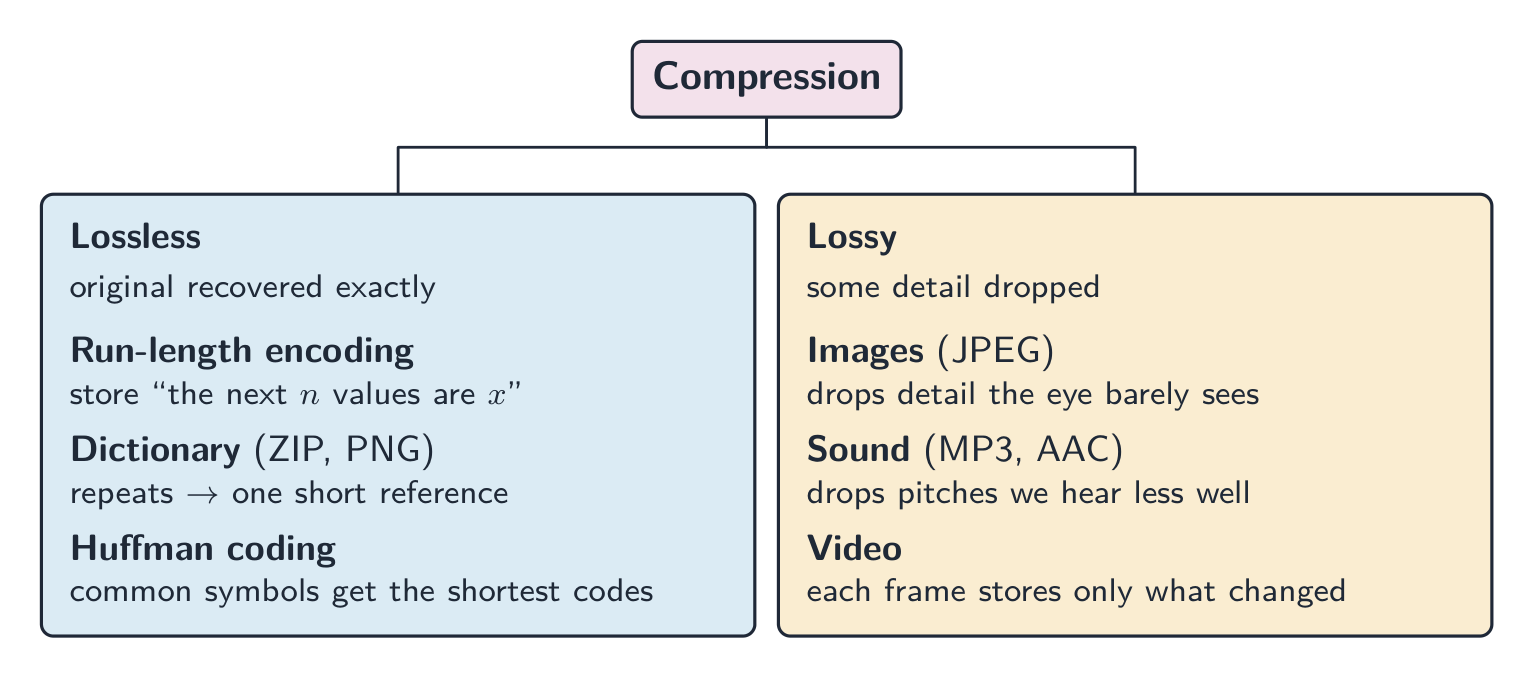
Compression methods: lossless versus lossy, with common examples Explore · 探索Run-length encoding
Watch a run of repeated symbols get squashed into a count — simple lossless compression.
Vocabulary · 語彙 Train · 練習するEnglish 日本語 compression/kəmˈpreʃn/ 圧縮を使う bandwidth/ˈbændwɪdθ/ 帯域幅 lossless/ˈlɒsləs/ 無損 lossy/ˈlɒsi/ 有損 run-length encoding/rʌn leŋθ enˈkəʊdɪŋ/ ラン長符号化 dictionary methods/ˈdɪkʃənəri ˈmeθədz/ 辞書メソッド Huffman coding/ˈhʌfmən ˈkəʊdɪŋ/ ハフマン符号化 entropy/ˈentrəpi/ エントロピー spatial/ˈspeɪʃl/ 空間的 temporal/ˈtempərəl/ 時間的 1.3
Definitions the examiner accepts
A definition question is marked against fixed wording. Learn these exactly, and give one answer only.
Term Definition bit a single binary digit, 0 or 1 byte a group of 8 bits binary prefix a multiplier that is a power of 2 (kibi = 1024) rather than a power of 10 (kilo = 1000) two's complement a way of representing signed integers in which the most significant bit has a negative place value overflow the result of a calculation is too large to be represented in the number of bits available Binary Coded Decimal each denary digit is stored as its own 4-bit binary pattern character set the set of characters a computer can represent, each with its own binary code pixel the smallest element of a bitmap image, storing one colour value image resolution the number of pixels in an image, given as width by height screen resolution the number of pixels a display can show, given as width by height colour depth the number of bits used to store the colour of one pixel sampling rate the number of samples of the sound taken per second sampling resolution the number of bits used to store the amplitude of one sample lossless compression compression from which the original data can be recovered exactly lossy compression compression that permanently removes some data, so the original cannot be recovered run-length encoding replacing a run of repeated values with one value and a count 1.3
Exam tips
- Show working for base conversions: denary → binary by place values, binary → hexadecimal in nibbles (groups of 4 bits).
- For two's complement the MSB is negative; to negate, invert and add 1; watch for overflow when the sign bit flips wrongly.
- Distinguish bitmap (pixels; file size $=$ width $\times$ height $\times$ colour depth) from vector (drawing commands; scales without loss).
- Sound file size depends on sample rate $\times$ bit depth $\times$ time — more of each means better quality but a bigger file.
- Compare lossless vs lossy compression and give a use for each.
Common mistakes
- Explaining an overflow with "the answer was greater than 255" or "it has 9 bits". State the word size the question gave, then say the result cannot be represented in it.
- Making a negative number by setting the top bit to 1 and leaving the rest (sign and magnitude). Two's complement means invert every bit of the positive value, then add 1.
- Forgetting to pad a converted number to the register width the question asks for.
- Mixing bits and bytes in a file-size calculation. Work in bits, divide by 8 once, and say whether you used 1000 or 1024.
- Answering "describe" in everyday words ("the picture gets worse"). Use the syllabus terms: fewer colours, banding, lower image resolution, larger pixels.
-
2
Communication · コミュニケーション
Watch lesson · レッスンを視聴2.1
Networks: purpose and benefits
Syllabus · シラバス
EnglishCandidates should be able to: Notes and guidance Show understanding of the purpose and benefits of networking devices Show understanding of the characteristics of a LAN (local area network) and a WAN (wide area network) Explain the client-server and peer-to-peer models of networked computers Roles of the different computers within the network and subnetwork models Benefits and drawbacks of each model Justify the use of a model for a given situation Show understanding of thin-client and thick-client and the differences between them Show understanding of the bus, star, mesh and hybrid topologies Understand how packets are transmitted between two hosts for a given topology Justify the use of a topology for a given situation Show understanding of cloud computing Including the use of public and private clouds Benefits and drawbacks of cloud computing Show understanding of the differences between and implications of the use of wireless and wired networks Describe the characteristics of copper cable, fibre-optic cable, radio waves (including WiFi), microwaves, satellites Describe the hardware that is used to support a LAN Including switch, server, Network Interface Card (NIC), Wireless Network Interface Card (WNIC), Wireless Access Points (WAP), cables, bridge, repeater Describe the role and function of a router in a network Show understanding of Ethernet and how collisions are detected and avoided Including Carrier Sense Multiple Access/Collision Detection (CSMA/CD) Show understanding of bit streaming Methods of bit streaming, i.e. real-time and on-demand Importance of bit rates broadband speed on bit streaming Show understanding of the differences between the World Wide Web (WWW) and the internet Describe the hardware that is used to support the internet Including modems, PSTN (Public Switched Telephone Network), dedicated lines, cell phone network Explain the use of IP addresses in the transmission of data over the internet Including: • format of an IP address including IPv4 and IPv6 • use of subnetting in a network • how an IP address is associated with a device on a network • difference between a public IP address and a private IP address and the implications for security • difference between a static IP address and a dynamic IP address Explain how a Uniform Resource Locator (URL) is used to locate a resource on the World Wide Web (WWW) and the role of the Domain Name Service (DNS) 日本語受験者は以下的能力を備えているべきである: メモおよびガイドライン ネットワークデバイスの目的と利点の理解を示す。 LAN(ローカルエリアネットワーク)およびWAN(ワイドエリアネットワーク)の特徴の理解を示す。 ネットワークコンピューターのクライアント-サーバーモデルおよびピア・トゥ・ピアモデルを説明する。 ネットワークおよびサブネットワークモデル内の異なるコンピューターの役割。各モデルの利点と欠点。特定の状況でのモデル選択の正当性を示す。 thr-client(thr)およびthick-client(thick)の理解と、それらの違いを示す。 バス、スター、メッシュ、ハイブリッドトポロジーの理解を示す。 特定のトポロジーにおいて2つのホスト間でパケットが送受信される仕組みを理解する。特定の状況でのトポロジー選択の正当性を示す。 クラウドコンピューティングの理解を示す。 パブリッククラウドおよびプライベートクラウドの使用。クラウドコンピューティングの利点と欠点。 ワイヤレスネットワークと有線ネットワークの使用の違いと影響の理解を示す。 銅線ケーブル、光ファイバーケーブル、電波(WiFiを含む)、マイクロ波、衛星の特徴を説明する。 LANをサポートするために使用されるハードウェアを説明する。 スイッチ、サーバー、ネットワークインターフェースカード(NIC)、ワイヤレスネットワークインターフェースカード(WNIC)、ワイヤレスアクセスポイント(WAP)、ケーブル、ブリッジ、リピーターを含む。 ネットワークにおけるルーターの役割と機能を説明する。 Ethernetの理解と、干渉(コリジョン)を検出・回避する方法を示す。 キャリアセンス・マルチプル・アクセス/コリジョン・デテクション(CSMA/CD)を含む。 ビットストリーミングの理解を示す。 ビットストリーミングの手法(リアルタイムとオンデマンド)。ビットレート、ブロードバンド速度がビットストリーミングに与える重要性。 World Wide Web (WWW) とインターネットの違いの理解を示す。 インターネットをサポートするために使用されるハードウェアを説明する。 モデム、PSTN(公衆交換電話網)、専用ライン、携帯電話ネットワークを含む。 インターネット上でのデータ転送におけるIPアドレスの使用を説明する。 • IPv4およびIPv6を含むIPアドレスのフォーマット• ネットワークにおけるサブネットマスク(サnetting)の使用• ネットワーク上のデバイスへのIPアドレスの割り当て方法• パブリックIPアドレスとプライベートIPアドレスの違いおよびセキュリティへの影響• 静的IPアドレスと動的IPアドレスの違い Uniform Resource Locator (URL) がWorld Wide Web (WWW) 上でリソースを特定するために如何使用され、Domain Name Service (DNS) の役割を説明する。 Source: Cambridge International syllabus · 出典: Cambridge International シラバス
EnglishA network 网络 is a set of computing devices connected so they can communicate and share resources. Benefits:
- sharing resources (printers, file servers, internet) — cheaper than equipping each computer.
- sharing data — many users access the same files.
- central management — install software, manage users and back up once on a server.
- communication — email, video calls, messaging.
- remote access — work from anywhere.
日本語A network 网络 is a set of computing devices connected so they can communicate and share resources. Benefits:
- sharing resources (printers, file servers, internet) — cheaper than equipping each computer.
- sharing data — many users access the same files.
- central management — install software, manage users and back up once on a server.
- communication — email, video calls, messaging.
- remote access — work from anywhere.
Explore · 探索Network route lab · ネットワークルート実験
Follow data from a device through network hardware and protocols. · デバイスからネットワークハードウェアおよびプロトコルを経てデータを追跡せよ。
Vocabulary · 語彙 Train · 練習するEnglish 日本語 network/ˈnetwɜːk/ ネットワーク 2.1
LAN vs WAN
 English
A local area network 局域网 (LAN) covers a small area — a home, office or school, usually owned by the organisation, with high data rates and low latency 延迟.
A wide area network 广域网 (WAN) covers a large area — a city, country, or the world (the internet is the largest WAN). It uses telecom-company infrastructure — often the Public Switched Telephone Network 公共交换电话网 (PSTN), leased lines or fibre — with lower data rates and higher latency. A WAN connects LANs together.
For "give two characteristics of a LAN": it covers a small geographical area (one site or building); the hardware is owned by the organisation, not leased from a telecom company; it connects through its own switches, cables and access points. For "two ways a WAN is different": it covers a large geographical area; it uses third-party (leased or public) infrastructure; data rates are lower and latency higher; it usually joins several LANs. A school on one site is a LAN; a company with offices in two cities needs a WAN, with a leased line or the internet between the sites. Justify the choice with the area covered and who owns the links.
日本語A local area network 局域网 (LAN) covers a small area — a home, office or school, usually owned by the organisation, with high data rates and low latency 延迟.
A wide area network 广域网 (WAN) covers a large area — a city, country, or the world (the internet is the largest WAN). It uses telecom-company infrastructure — often the Public Switched Telephone Network 公共交换电话网 (PSTN), leased lines or fibre — with lower data rates and higher latency. A WAN connects LANs together.
For "give two characteristics of a LAN": it covers a small geographical area (one site or building); the hardware is owned by the organisation, not leased from a telecom company; it connects through its own switches, cables and access points. For "two ways a WAN is different": it covers a large geographical area; it uses third-party (leased or public) infrastructure; data rates are lower and latency higher; it usually joins several LANs. A school on one site is a LAN; a company with offices in two cities needs a WAN, with a leased line or the internet between the sites. Justify the choice with the area covered and who owns the links.
A wide-area network links many systems across a large area Vocabulary · 語彙 Train · 練習するEnglish 日本語 local area network/ˈləʊkl ˈeərɪə ˈnetwɜːk/ ローカルエリアネットワーク latency/ˈleɪtənsi/ レイテンシ wide area network/waɪd ˈeərɪə ˈnetwɜːk/ ワイドエリアネットワーク Public Switched Telephone Network/ˈpʌblɪk swɪtʃt ˈtelɪfəʊn ˈnetwɜːk/ 公衆交換電話網 2.1
Client-server and peer-to-peer
 English
Client-server
- powerful machines act as servers 服务器, providing services (files, web pages, email).
- other machines are clients 客户端 that request services.
- central and easy to manage, but the server is a single point of failure unless backed up.
Peer-to-peer (P2P)
- all machines are equal peers; each can be both client and server (peer-to-peer 对等网络).
- resources are spread across the peers — no central server. Robust to one failure, but harder to keep secure and consistent.
Choosing a model. Client-server suits a school or a business: files are stored and backed up centrally, a user logs in with one account from any machine, software and security are managed once, and the server can be a powerful machine. The drawbacks are the cost of the server and of a technician, and that the server is a single point of failure. Peer-to-peer suits a few friends sharing files or a game: no server to buy, easy to set up, and each user keeps control of their own machine. The drawbacks the scheme lists: files are spread across many machines, so they are hard to back up and a file is unavailable when its owner's machine is off; each machine must be secured separately; and a peer that serves the others slows down. An online game played through a web browser with other users is the client-server model: the browser is the client, and the game and its shared virtual world run on the company's server, which keeps every player's view consistent.
日本語Client-server
- powerful machines act as servers 服务器, providing services (files, web pages, email).
- other machines are clients 客户端 that request services.
- central and easy to manage, but the server is a single point of failure unless backed up.
In a client-server network, clients request services from a central server Peer-to-peer (P2P)
- all machines are equal peers; each can be both client and server (peer-to-peer 对等网络).
- resources are spread across the peers — no central server. Robust to one failure, but harder to keep secure and consistent.
Choosing a model. Client-server suits a school or a business: files are stored and backed up centrally, a user logs in with one account from any machine, software and security are managed once, and the server can be a powerful machine. The drawbacks are the cost of the server and of a technician, and that the server is a single point of failure. Peer-to-peer suits a few friends sharing files or a game: no server to buy, easy to set up, and each user keeps control of their own machine. The drawbacks the scheme lists: files are spread across many machines, so they are hard to back up and a file is unavailable when its owner's machine is off; each machine must be secured separately; and a peer that serves the others slows down. An online game played through a web browser with other users is the client-server model: the browser is the client, and the game and its shared virtual world run on the company's server, which keeps every player's view consistent.

In a peer-to-peer network, every node is both client and server Vocabulary · 語彙 Train · 練習するEnglish 日本語 server/ˈsɜːvə/ サーバー client/ˈklaɪənt/ クライアント peer-to-peer/pɪə tə pɪə/ ピア・トゥ・ピア 2.1
Thin and thick clients
EnglishA thin client 瘦客户端 does little processing locally and relies on a powerful server (web terminals, remote desktops). A thick client 胖客户端 has strong local processing and storage and runs full applications itself (a normal desktop PC).
Feature Thin client Thick client Local processing minimal substantial Local storage minimal substantial Reliance on network high lower Server load high lower The roles: in a thin-client model the server does the processing and stores the data, and the client only sends input and shows the output. A cheap terminal is enough, and everything is backed up and updated on the server, but nothing works if the network or the server fails. In a thick-client model the client runs the software and stores files itself, so it can work with no network connection and puts less load on the server, at the cost of more powerful (and more expensive) clients that must each be updated and secured. A school computer room can run thin clients (cheap, centrally managed); a video editor needs a thick client.
日本語A thin client 瘦客户端 does little processing locally and relies on a powerful server (web terminals, remote desktops). A thick client 胖客户端 has strong local processing and storage and runs full applications itself (a normal desktop PC).
Feature Thin client Thick client Local processing minimal substantial Local storage minimal substantial Reliance on network high lower Server load high lower The roles: in a thin-client model the server does the processing and stores the data, and the client only sends input and shows the output. A cheap terminal is enough, and everything is backed up and updated on the server, but nothing works if the network or the server fails. In a thick-client model the client runs the software and stores files itself, so it can work with no network connection and puts less load on the server, at the cost of more powerful (and more expensive) clients that must each be updated and secured. A school computer room can run thin clients (cheap, centrally managed); a video editor needs a thick client.
Vocabulary · 語彙 Train · 練習するEnglish 日本語 thick client/θɪk ˈklaɪənt/ 厚型クライアント thin client/θɪn ˈklaɪənt/ 薄型クライアント 2.1
Network topologies
 English
The topology 拓扑 is how the nodes and links are arranged.
- bus 总线 — all devices on one shared cable. Cheap; the whole LAN fails if the bus fails; performance drops as more devices share the bandwidth 带宽.
- star 星形 — every device connects to a central switch. One device failing does not affect others; the switch failing brings all down. Most common today.
- mesh 网状 — every device links directly to others, with many paths. Very fault-tolerant 容错 (traffic reroutes) but needs lots of cabling.
- hybrid — a mix (a star in each office, mesh links between offices).
How packets travel in each topology
Bus: the sending device puts the packet on the shared cable; every device sees it, and only the one whose address matches accepts it. Only one device can transmit at a time, so collisions happen (CSMA/CD, below). Star: the sender passes the packet to the central switch, which reads the destination address and forwards it only down the cable to that device; two other devices can talk at the same time. Mesh: the packet is passed from node to node along one of several possible routes until it reaches the destination; if a link fails, another route is used.
To justify a topology: a star for a classroom or an office (a failed cable affects one device; a device is easy to add; with a switch there are no collisions); a mesh where reliability matters most (a hospital, the internet's backbone); a bus only where cost matters and few devices share it. "Draw the star topology" means: the switch in the middle, one line from the switch to each computer, and the server (and the router, if there is one) on their own lines to the switch.
日本語The topology 拓扑 is how the nodes and links are arranged.
- bus 总线 — all devices on one shared cable. Cheap; the whole LAN fails if the bus fails; performance drops as more devices share the bandwidth 带宽.
- star 星形 — every device connects to a central switch. One device failing does not affect others; the switch failing brings all down. Most common today.
- mesh 网状 — every device links directly to others, with many paths. Very fault-tolerant 容错 (traffic reroutes) but needs lots of cabling.
- hybrid — a mix (a star in each office, mesh links between offices).
Bus topology: all devices share one cable with a terminator at each end 
Star topology: every device connects to a central hub or switch 
Mesh topology: every device links directly to the others 
Hybrid topology: star clusters joined by a central bus How packets travel in each topology
Bus: the sending device puts the packet on the shared cable; every device sees it, and only the one whose address matches accepts it. Only one device can transmit at a time, so collisions happen (CSMA/CD, below). Star: the sender passes the packet to the central switch, which reads the destination address and forwards it only down the cable to that device; two other devices can talk at the same time. Mesh: the packet is passed from node to node along one of several possible routes until it reaches the destination; if a link fails, another route is used.
To justify a topology: a star for a classroom or an office (a failed cable affects one device; a device is easy to add; with a switch there are no collisions); a mesh where reliability matters most (a hospital, the internet's backbone); a bus only where cost matters and few devices share it. "Draw the star topology" means: the switch in the middle, one line from the switch to each computer, and the server (and the router, if there is one) on their own lines to the switch.
Explore · 探索Compare the network topologies · ネットワークトポロジーを比較する
Tap through the four topologies. Each trades off cost, speed and how well it survives a failure — notice what breaks the whole network in each one. · 4つのトポロジーをタップして確認する。それぞれコスト、速度、故障時の耐性でトレードオフがある — 各トポロジーで何が起こるとネットワーク全体が停止するかを確認しよう。
Vocabulary · 語彙 Train · 練習するEnglish 日本語 topology/təˈpɒlədʒi/ トポロジー bus/bʌs/ バス型 bandwidth/ˈbændwɪdθ/ 帯域幅 star/stɑː/ スター型 mesh/meʃ/ メッシュ型 fault-tolerant/fɒlt ˈtɒlərənt/ フォールト tolerant(耐故障性) 2.1
Cloud computing
EnglishCloud computing 云计算 delivers computing services (servers, storage, software) over the internet, hosted by a third party. Benefits: scalability 可扩展性 (pay for what you need), lower cost, access from anywhere, and reliable redundant data centres. Drawbacks: needs internet, your data is held by a third party, and possible vendor lock-in.
For the one-mark definition: cloud computing is on-demand computing services (storage, processing, software) provided over the internet by a third party. A public cloud 公有云 is owned by a provider and shared by many customers over the internet; a private cloud 私有云 is dedicated to one organisation, on its own hardware or hosted for it alone. Benefits the scheme accepts: files are accessible from any device with an internet connection; storage scales up and down as needed; the provider handles the hardware, backups and security updates; there is no local server to buy or maintain. Drawbacks: no access without an internet connection; the data is on a third party's hardware, so security and privacy depend on the provider; an ongoing subscription cost; the provider could fail or be attacked; large files may be slow to transfer. A "why does the company use a public cloud" answer says that they need no hardware of their own, pay only for what they use, and their users can reach it from anywhere.
日本語Cloud computing 云计算 delivers computing services (servers, storage, software) over the internet, hosted by a third party. Benefits: scalability 可扩展性 (pay for what you need), lower cost, access from anywhere, and reliable redundant data centres. Drawbacks: needs internet, your data is held by a third party, and possible vendor lock-in.
For the one-mark definition: cloud computing is on-demand computing services (storage, processing, software) provided over the internet by a third party. A public cloud 公有云 is owned by a provider and shared by many customers over the internet; a private cloud 私有云 is dedicated to one organisation, on its own hardware or hosted for it alone. Benefits the scheme accepts: files are accessible from any device with an internet connection; storage scales up and down as needed; the provider handles the hardware, backups and security updates; there is no local server to buy or maintain. Drawbacks: no access without an internet connection; the data is on a third party's hardware, so security and privacy depend on the provider; an ongoing subscription cost; the provider could fail or be attacked; large files may be slow to transfer. A "why does the company use a public cloud" answer says that they need no hardware of their own, pay only for what they use, and their users can reach it from anywhere.
Vocabulary · 語彙 Train · 練習するEnglish 日本語 cloud computing/klaʊd kəmˈpjuːtɪŋ/ クラウドコンピューティング scalability/ˌskeɪləˈbɪlɪti/ スケーラビリティ public cloud/ˈpʌblɪk klaʊd/ パブリッククラウド private cloud/ˈpraɪvət klaʊd/ プライベートクラウド 2.1
Wired vs wireless
English- wired (Ethernet 以太网 over twisted-pair 双绞线 or fibre-optic 光纤): higher speed, lower latency, fewer errors, more secure.
- wireless (Wi-Fi, Bluetooth, cellular): no cables, devices can move, but slower, prone to interference and eavesdropping.
For the same generation, wired wins on speed and reliability; wireless wins on convenience.
Transmission media
Medium Characteristics copper cable (twisted pair, coaxial) cheap and easy to install; carries an electrical signal; affected by electromagnetic interference; the signal weakens with distance, so repeaters are needed; lower bandwidth than fibre fibre-optic cable light pulses in a glass core; very high bandwidth; long distances without repeaters; immune to interference; hard to tap, so secure; expensive and needs skilled installation radio waves (including WiFi) no cable, so devices can move; a range of tens of metres, weakened by walls; a shared frequency, so interference and lower speed; can be intercepted, so needs encryption microwaves higher-frequency radio for point-to-point links; needs a line of sight; affected by rain and buildings; high bandwidth satellites reach remote areas and the whole globe; a long delay (latency), because the signal travels to orbit and back; affected by weather; expensive The exam asks for the comparison in both directions. Wired beats wireless on speed, reliability (no interference), security (a cable must be physically tapped) and consistency; wireless beats wired on mobility, the cost of installation, and adding a device without cabling. Allowing both lets students move around with laptops and phones while the fixed desktops keep the faster, more secure connection, and a device with no network port can still connect. Satellite instead of copper reaches places no cable can, but with more delay, weather interference and higher cost.
日本語- wired (Ethernet 以太网 over twisted-pair 双绞线 or fibre-optic 光纤): higher speed, lower latency, fewer errors, more secure.
- wireless (Wi-Fi, Bluetooth, cellular): no cables, devices can move, but slower, prone to interference and eavesdropping.
For the same generation, wired wins on speed and reliability; wireless wins on convenience.
Transmission media
Medium Characteristics copper cable (twisted pair, coaxial) cheap and easy to install; carries an electrical signal; affected by electromagnetic interference; the signal weakens with distance, so repeaters are needed; lower bandwidth than fibre fibre-optic cable light pulses in a glass core; very high bandwidth; long distances without repeaters; immune to interference; hard to tap, so secure; expensive and needs skilled installation radio waves (including WiFi) no cable, so devices can move; a range of tens of metres, weakened by walls; a shared frequency, so interference and lower speed; can be intercepted, so needs encryption microwaves higher-frequency radio for point-to-point links; needs a line of sight; affected by rain and buildings; high bandwidth satellites reach remote areas and the whole globe; a long delay (latency), because the signal travels to orbit and back; affected by weather; expensive The exam asks for the comparison in both directions. Wired beats wireless on speed, reliability (no interference), security (a cable must be physically tapped) and consistency; wireless beats wired on mobility, the cost of installation, and adding a device without cabling. Allowing both lets students move around with laptops and phones while the fixed desktops keep the faster, more secure connection, and a device with no network port can still connect. Satellite instead of copper reaches places no cable can, but with more delay, weather interference and higher cost.
Vocabulary · 語彙 Train · 練習するEnglish 日本語 ethernet/ˈiːθənet/ イーサネット twisted-pair/ˈtwɪstɪd peə/ ツイストペア fibre-optic/ˈfaɪbə ˈɒptɪk/ 光ファイバー 2.1
LAN hardware
 English
- network interface card 网络接口卡 (NIC) — lets a device send and receive on the network; has a unique MAC address MAC地址 (a 48-bit hardware address). A wireless device uses a wireless network interface card 无线网络接口卡 (WNIC).
- switch 交换机 — forwards Ethernet frames only to the port for the destination MAC address.
- hub 集线器 — a simpler device that copies traffic to all ports (now obsolete).
- wireless access point 无线接入点 (WAP) — lets wireless clients join a wired LAN.
- cabling — twisted-pair for short runs; fibre-optic for longer, faster runs.
- server — a computer that provides a service to the other devices: files, printing, web pages, email storage.
- bridge 网桥 — joins two LAN segments into one network, passing traffic between them.
- repeater 中继器 — receives a weakened signal and retransmits it at full strength, to extend a cable's reach.
A WNIC's functions, for a four-mark describe: it converts the data into radio signals and back; it carries the device's unique MAC address; it connects the device to a wireless access point and follows the wireless protocol (which channel and frequency to use); and it decodes the incoming signals for the device. Two devices that can physically connect thirty computers with NICs: a switch, or a hub.
日本語- network interface card 网络接口卡 (NIC) — lets a device send and receive on the network; has a unique MAC address MAC地址 (a 48-bit hardware address). A wireless device uses a wireless network interface card 无线网络接口卡 (WNIC).
- switch 交换机 — forwards Ethernet frames only to the port for the destination MAC address.
- hub 集线器 — a simpler device that copies traffic to all ports (now obsolete).
- wireless access point 无线接入点 (WAP) — lets wireless clients join a wired LAN.
- cabling — twisted-pair for short runs; fibre-optic for longer, faster runs.
- server — a computer that provides a service to the other devices: files, printing, web pages, email storage.
- bridge 网桥 — joins two LAN segments into one network, passing traffic between them.
- repeater 中继器 — receives a weakened signal and retransmits it at full strength, to extend a cable's reach.
A WNIC's functions, for a four-mark describe: it converts the data into radio signals and back; it carries the device's unique MAC address; it connects the device to a wireless access point and follows the wireless protocol (which channel and frequency to use); and it decodes the incoming signals for the device. Two devices that can physically connect thirty computers with NICs: a switch, or a hub.
A network switch: each device's cable plugs into one of its ports 
An RJ-45 plug on a twisted-pair Ethernet cable 
A switch sends each frame only to the port for its destination Vocabulary · 語彙 Train · 練習するEnglish 日本語 switch/swɪtʃ/ スイッチ hub/hʌb/ ハブ repeater/rɪˈpiːtə/ リピーター network interface card/ˈnetwɜːk ˈɪntəfeɪs kɑːd/ ネットワークインターフェースカード MAC address/mæk əˈdres/ MACアドレス wireless network interface card/ˈwaɪələs ˈnetwɜːk ˈɪntəfeɪs kɑːd/ ワイヤレスネットワークインターフェースカード wireless access point/ˈwaɪələs ˈækses pɔɪnt/ ワイヤレスアクセスポイント bridge/brɪdʒ/ ブリッジ 2.1
Routers
 English
A router 路由器 connects different networks and forwards data between them — usually at the boundary of a LAN and the internet. It does:
- forwarding — reads each packet 数据包's destination IP address IP地址 and sends it out the right port, using a routing table 路由表.
- network address translation 网络地址转换 (NAT) — lets many private LAN addresses share one public IP.
- DHCP 动态主机配置协议 — hands out private IP addresses to LAN devices.
- firewall 防火墙 — blocks unwanted incoming traffic.
In packet switching 分组交换 a message is split into packets that are sent independently. Each router reads a packet's destination IP address, looks up the next hop in its routing table and forwards it, so the packets of one message may take different routes and are reassembled in order at the destination. A router does receive packets, forward them between networks and hand out IP addresses; it does not find the IP address for a URL (DNS does that) and it does not store web pages. A home router also contains the modem and the wireless access point, so one box connects the LAN to the internet.
日本語A router 路由器 connects different networks and forwards data between them — usually at the boundary of a LAN and the internet. It does:
- forwarding — reads each packet 数据包's destination IP address IP地址 and sends it out the right port, using a routing table 路由表.
- network address translation 网络地址转换 (NAT) — lets many private LAN addresses share one public IP.
- DHCP 动态主机配置协议 — hands out private IP addresses to LAN devices.
- firewall 防火墙 — blocks unwanted incoming traffic.
In packet switching 分组交换 a message is split into packets that are sent independently. Each router reads a packet's destination IP address, looks up the next hop in its routing table and forwards it, so the packets of one message may take different routes and are reassembled in order at the destination. A router does receive packets, forward them between networks and hand out IP addresses; it does not find the IP address for a URL (DNS does that) and it does not store web pages. A home router also contains the modem and the wireless access point, so one box connects the LAN to the internet.
A router connects a LAN to the internet or another network Vocabulary · 語彙 Train · 練習するEnglish 日本語 packet/ˈpækɪt/ パケット router/ˈruːtə/ ルーター IP address/ˌaɪ ˈpiː əˈdres/ IPアドレス routing table/ˈraʊtɪŋ ˈteɪbl/ ルーティングテーブル network address translation/ˈnetwɜːk əˈdres trænˈsleɪʃn/ ネットワークアドレス変換 DHCP/ˌdiː eɪtʃ siː ˈpiː/ DHCP firewall/ˈfaɪəwɔːl/ ファイアウォール packet switching/ˈpækɪt ˈswɪtʃɪŋ/ パケット交換 2.1
Ethernet and CSMA/CD
 English
Ethernet is the standard (protocol) for wired LANs: devices are joined by twisted-pair or fibre cable, data is sent in frames that carry the source and destination MAC addresses, and a shared medium uses CSMA/CD to deal with collisions. On shared media a collision 冲突 can happen when two devices send at once. The protocol is CSMA/CD 载波侦听多路访问/冲突检测 (Carrier Sense Multiple Access with Collision Detection):
- carrier sense — listen before sending; wait if the cable is busy.
- multiple access — many devices share the medium.
- collision detection — keep listening while sending; a clash is a collision.
- on a collision, both stop, send a brief "jam" signal, then wait a random backoff time before retrying.
The three tasks, in the scheme's words: the device listens (senses the carrier) before transmitting; it keeps checking for a collision while it transmits; on a collision it stops, sends a jam signal, waits a random time and retransmits.
Modern switched Ethernet uses full-duplex 全双工 point-to-point links, so collisions no longer happen.
日本語Ethernet is the standard (protocol) for wired LANs: devices are joined by twisted-pair or fibre cable, data is sent in frames that carry the source and destination MAC addresses, and a shared medium uses CSMA/CD to deal with collisions. On shared media a collision 冲突 can happen when two devices send at once. The protocol is CSMA/CD 载波侦听多路访问/冲突检测 (Carrier Sense Multiple Access with Collision Detection):
- carrier sense — listen before sending; wait if the cable is busy.
- multiple access — many devices share the medium.
- collision detection — keep listening while sending; a clash is a collision.
- on a collision, both stop, send a brief "jam" signal, then wait a random backoff time before retrying.
The three tasks, in the scheme's words: the device listens (senses the carrier) before transmitting; it keeps checking for a collision while it transmits; on a collision it stops, sends a jam signal, waits a random time and retransmits.
Modern switched Ethernet uses full-duplex 全双工 point-to-point links, so collisions no longer happen.
The CSMA/CD process for handling collisions on shared media Vocabulary · 語彙 Train · 練習するEnglish 日本語 collision/kəˈlɪʒn/ 衝突 CSMA/CD/ˌsiː es em ˈeɪ ˌsiː ˈdiː/ CSMA/CD full-duplex/fʊl ˈdjuːpleks/ フルデプレス 2.1
Bit streaming
 English
Bit streaming 流式传输 sends multimedia as a continuous stream that the receiver plays as it arrives, instead of downloading the whole file first.
- real-time (live): captured and streamed as it happens (live sport, video calls). You cannot rewind; low latency is vital.
- on-demand: pre-recorded on a server (YouTube, Netflix). You can pause and rewind; the server can buffer 缓冲 ahead.
Real-time streaming works as a short pipeline:
- capture and sample the source (a camera or microphone).
- encode it, using compression 压缩 to shrink the data.
- send it across the network as packets.
- the receiver buffers a little, then plays it live — dropping any packet that arrives late, because a live stream cannot wait for it.
Lossy 有损 compression is used here: moving pictures hide small losses, and the stream must be small enough to fit the bandwidth.
Why a video is compressed before real-time streaming: the uncompressed stream would need more bandwidth than the connection has, so frames would arrive late and the playback would stall. Compression cuts the number of bits, so the bit rate 比特率 stays below the broadband speed, the delay stays small, and less storage and cost are needed at both ends. The bit rate must be lower than the connection's speed: a higher bit rate gives better quality but needs a faster connection, and if the data arrives more slowly than it is played, the buffer empties and the video freezes. On-demand streaming can buffer more of the file ahead, so it copes with a slower connection; real-time streaming cannot.
日本語Bit streaming 流式传输 sends multimedia as a continuous stream that the receiver plays as it arrives, instead of downloading the whole file first.
- real-time (live): captured and streamed as it happens (live sport, video calls). You cannot rewind; low latency is vital.
- on-demand: pre-recorded on a server (YouTube, Netflix). You can pause and rewind; the server can buffer 缓冲 ahead.
Real-time streaming works as a short pipeline:
- capture and sample the source (a camera or microphone).
- encode it, using compression 压缩 to shrink the data.
- send it across the network as packets.
- the receiver buffers a little, then plays it live — dropping any packet that arrives late, because a live stream cannot wait for it.
Lossy 有损 compression is used here: moving pictures hide small losses, and the stream must be small enough to fit the bandwidth.
Why a video is compressed before real-time streaming: the uncompressed stream would need more bandwidth than the connection has, so frames would arrive late and the playback would stall. Compression cuts the number of bits, so the bit rate 比特率 stays below the broadband speed, the delay stays small, and less storage and cost are needed at both ends. The bit rate must be lower than the connection's speed: a higher bit rate gives better quality but needs a faster connection, and if the data arrives more slowly than it is played, the buffer empties and the video freezes. On-demand streaming can buffer more of the file ahead, so it copes with a slower connection; real-time streaming cannot.
Data streams from the server into a buffer before the media player reads it Vocabulary · 語彙 Train · 練習するEnglish 日本語 bit streaming/bɪt ˈstriːmɪŋ/ ビットストリーミング buffer/ˈbʌfə/ バッファー compression/kəmˈpreʃn/ 圧縮を使う lossy/ˈlɒsi/ 有損 bit rate/bɪt reɪt/ ビットレート 2.1
The internet and the World Wide Web
 English
The internet 互联网 is a global network of networks using a common protocol 协议 suite (TCP/IP). The World Wide Web 万维网 (WWW) is a service that runs over it: hyperlinked documents identified by URLs, viewed in browsers via HTTP/HTTPS. Email and file transfer are other internet services that are not part of the WWW.
Webmail uses both: the WWW, because the mailbox is a web page reached through a URL in a browser over HTTP; and the internet, because the email itself travels across the network of networks (email is a separate internet service from the web).
Hardware that supports the internet
- modem 调制解调器 — converts the computer's digital signal into an analogue signal for a telephone line, and back again at the other end (modulation and demodulation).
- PSTN — the public telephone network of exchanges and lines; a dial-up or DSL connection carries internet data over it.
- dedicated line 专线 — a leased line between an organisation and its ISP: always on, with a fixed bandwidth that is not shared, so faster and more reliable, but expensive.
- cell phone network 蜂窝网络 — the phone sends data by radio to the nearest cell tower (base station); the towers are linked to the phone company's network, which routes the data to the internet; as the phone moves, it is handed over from one cell to the next.
日本語The internet 互联网 is a global network of networks using a common protocol 协议 suite (TCP/IP). The World Wide Web 万维网 (WWW) is a service that runs over it: hyperlinked documents identified by URLs, viewed in browsers via HTTP/HTTPS. Email and file transfer are other internet services that are not part of the WWW.
Webmail uses both: the WWW, because the mailbox is a web page reached through a URL in a browser over HTTP; and the internet, because the email itself travels across the network of networks (email is a separate internet service from the web).
The Web is one service running on top of the Internet Hardware that supports the internet
- modem 调制解调器 — converts the computer's digital signal into an analogue signal for a telephone line, and back again at the other end (modulation and demodulation).
- PSTN — the public telephone network of exchanges and lines; a dial-up or DSL connection carries internet data over it.
- dedicated line 专线 — a leased line between an organisation and its ISP: always on, with a fixed bandwidth that is not shared, so faster and more reliable, but expensive.
- cell phone network 蜂窝网络 — the phone sends data by radio to the nearest cell tower (base station); the towers are linked to the phone company's network, which routes the data to the internet; as the phone moves, it is handed over from one cell to the next.
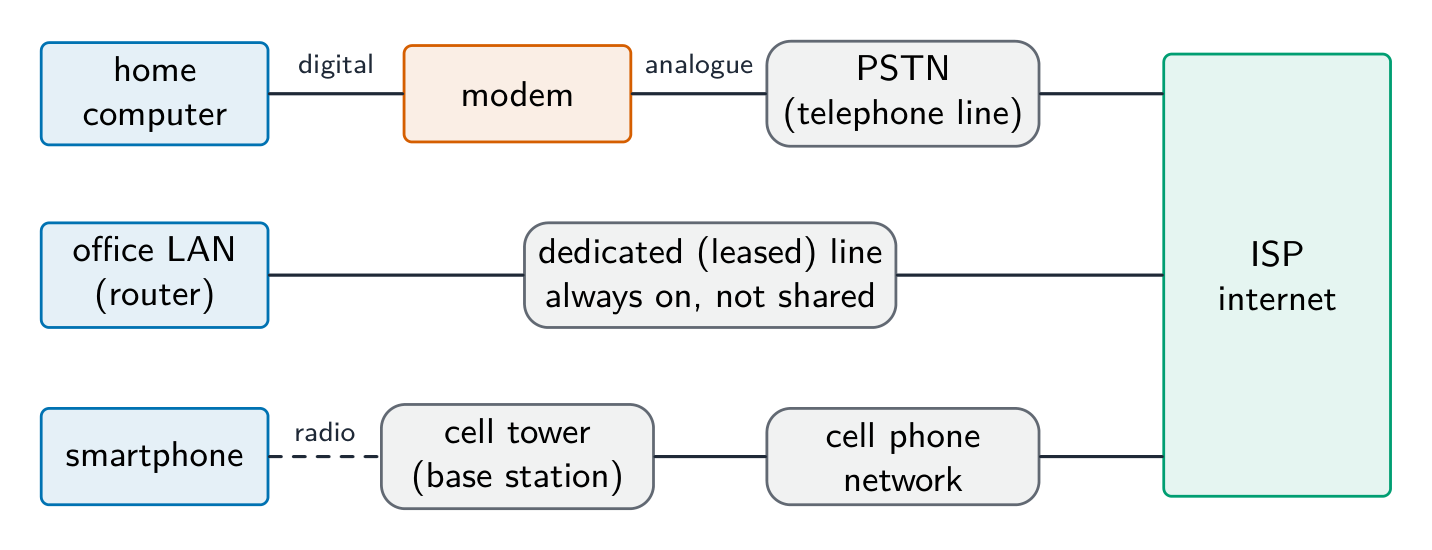
Three ways to reach the internet: a modem and the PSTN, a dedicated line, and the cell phone network Vocabulary · 語彙 Train · 練習するEnglish 日本語 internet/ˈɪntənet/ インターネット protocol/ˈprəʊtəkɒl/ プロトコル modem/ˈməʊdem/ モデム World Wide Web/wɜːld waɪd web/ World Wide Web dedicated line/ˈdedɪkeɪtɪd laɪn/ 専用回線 cell phone network/sel fəʊn ˈnetwɜːk/ 携帯電話網 2.1
IP addresses
 English
An IP address uniquely identifies a device.
- IPv4 — 32-bit, four denary numbers 0–255 (
192.168.1.10); about $4.3 \times 10^{9}$ addresses (now exhausted). - IPv6 — 128-bit, eight groups of four hex digits; about $3.4 \times 10^{38}$ addresses.
IPv4 is written as four groups of denary numbers separated by dots; each group is an 8-bit number, so it runs from 0 to 255. IPv6 is written as eight groups of four hexadecimal digits separated by colons,
2001:0db8:0000:0000:0000:ff00:0042:8329, and a run of zero groups can be shortened to::. So192.168.3.2is not IPv6: it has four groups, not eight, separated by dots rather than colons, and its groups are denary, not hexadecimal.256.0.0.Ais not a valid address of either kind: an IPv4 group cannot exceed 255 and cannot be a letter, and IPv6 would need colons and eight groups.Subnetting
A network can be split into subnets 子网. The IP address splits into a network part and a host part, given by a subnet mask 子网掩码 (e.g.
255.255.255.0= first 24 bits are network). Subnetting improves management, cuts broadcast traffic, and improves security.The two parts of an address in a subnetwork: the network ID (the first bits, the same for every device in that subnet, given by the ones in the mask) and the host ID (the remaining bits, unique to each device). Benefits of subnetting, for "describe two benefits": less traffic on each part, because broadcasts stay inside their subnet; better security, because one department's traffic is kept from the others; easier management and fault-finding; more efficient use of the addresses. Two devices with the mask
255.255.255.0are in different subnets when their first three groups differ.Public vs private addresses
- private addresses are used within a LAN and are not routable on the internet (e.g.
192.168.0.0/16). - a public IP address is globally unique and routable, assigned by an ISP 互联网服务提供商.
Devices behind NAT with private addresses are not directly reachable from the internet, giving some protection.
The descriptions the tables want: a public address is visible on the internet and unique across it, allocated by the ISP; a private address is visible only inside the LAN, is reused by many LANs, and needs NAT to reach the internet. A static address never changes (set by hand or reserved, as a server needs); a dynamic address is allocated by DHCP each time the device connects and may change.
Static vs dynamic
- a static IP address is fixed; used for servers that must be found at a known address.
- a dynamic IP address is assigned by DHCP and may change; easier for client devices and uses a limited address pool efficiently.
Worked example. A host has IP address
192.168.10.130with subnet mask255.255.255.192. Which network is it on, and is192.168.10.200on the same one? The mask's last octet,192, is11000000in binary, so the first 26 bits are the network part and the last 6 bits address the host. That makes the subnets step in blocks of $256 - 192 = 64$:.0,.64,.128,.192. The address130falls in the block starting at.128, so the host is on network192.168.10.128/26, whose usable hosts run.129to.190(.191is the broadcast address).200falls in the next block (.192), so it is on a different subnet and traffic between the two must pass through a router. Get the block size from the mask first ($256$ minus the mask octet) - guessing from the first three octets is what makes these go wrong.日本語An IP address uniquely identifies a device.
- IPv4 — 32-bit, four denary numbers 0–255 (
192.168.1.10); about $4.3 \times 10^{9}$ addresses (now exhausted). - IPv6 — 128-bit, eight groups of four hex digits; about $3.4 \times 10^{38}$ addresses.
IPv4 is written as four groups of denary numbers separated by dots; each group is an 8-bit number, so it runs from 0 to 255. IPv6 is written as eight groups of four hexadecimal digits separated by colons,
2001:0db8:0000:0000:0000:ff00:0042:8329, and a run of zero groups can be shortened to::. So192.168.3.2is not IPv6: it has four groups, not eight, separated by dots rather than colons, and its groups are denary, not hexadecimal.256.0.0.Ais not a valid address of either kind: an IPv4 group cannot exceed 255 and cannot be a letter, and IPv6 would need colons and eight groups.Subnetting
A network can be split into subnets 子网. The IP address splits into a network part and a host part, given by a subnet mask 子网掩码 (e.g.
255.255.255.0= first 24 bits are network). Subnetting improves management, cuts broadcast traffic, and improves security.The two parts of an address in a subnetwork: the network ID (the first bits, the same for every device in that subnet, given by the ones in the mask) and the host ID (the remaining bits, unique to each device). Benefits of subnetting, for "describe two benefits": less traffic on each part, because broadcasts stay inside their subnet; better security, because one department's traffic is kept from the others; easier management and fault-finding; more efficient use of the addresses. Two devices with the mask
255.255.255.0are in different subnets when their first three groups differ.Splitting a network into subnets, one netID per department Public vs private addresses
- private addresses are used within a LAN and are not routable on the internet (e.g.
192.168.0.0/16). - a public IP address is globally unique and routable, assigned by an ISP 互联网服务提供商.
Devices behind NAT with private addresses are not directly reachable from the internet, giving some protection.
The descriptions the tables want: a public address is visible on the internet and unique across it, allocated by the ISP; a private address is visible only inside the LAN, is reused by many LANs, and needs NAT to reach the internet. A static address never changes (set by hand or reserved, as a server needs); a dynamic address is allocated by DHCP each time the device connects and may change.
Static vs dynamic
- a static IP address is fixed; used for servers that must be found at a known address.
- a dynamic IP address is assigned by DHCP and may change; easier for client devices and uses a limited address pool efficiently.
Worked example. A host has IP address
192.168.10.130with subnet mask255.255.255.192. Which network is it on, and is192.168.10.200on the same one? The mask's last octet,192, is11000000in binary, so the first 26 bits are the network part and the last 6 bits address the host. That makes the subnets step in blocks of $256 - 192 = 64$:.0,.64,.128,.192. The address130falls in the block starting at.128, so the host is on network192.168.10.128/26, whose usable hosts run.129to.190(.191is the broadcast address).200falls in the next block (.192), so it is on a different subnet and traffic between the two must pass through a router. Get the block size from the mask first ($256$ minus the mask octet) - guessing from the first three octets is what makes these go wrong.Vocabulary · 語彙 Train · 練習するEnglish 日本語 ISP/ˌaɪ es ˈpiː/ ISP subnets/ˈsʌbnets/ サブネット subnet mask/ˈsʌbnet mæsk/ サブネットマスク 2.1
URL and DNS
 English
A URL 统一资源定位符 (Uniform Resource Locator) locates a resource on the WWW:
- protocol:
http,https, etc. - domain name 域名: a readable server address.
- path: the resource on that server.
The Domain Name System 域名系统 (DNS, also called the Domain Name Service) is a distributed set of servers that turns domain names into IP addresses. When you type a URL, the browser asks a DNS resolver for the IP, which queries DNS servers (root → top-level → authoritative) until it finds it; the browser then connects to that IP and requests the path. DNS saves humans from memorising IP addresses and lets a site change server without changing its name.
For "explain how the browser uses the URL": the browser splits the URL into the protocol, the domain name and the path; it sends the domain name to a DNS server, which returns the matching IP address (a cache on the computer or at the ISP may answer first); it opens a connection to that IP address using the protocol (HTTPS on port 443); it sends a request for the path; and the web server returns the page, which the browser renders. If the DNS lookup fails, the browser reports that the server cannot be found.
日本語A URL 统一资源定位符 (Uniform Resource Locator) locates a resource on the WWW:
https://www.example.com/about/contact.html protocol domain name path- protocol:
http,https, etc. - domain name 域名: a readable server address.
- path: the resource on that server.
The Domain Name System 域名系统 (DNS, also called the Domain Name Service) is a distributed set of servers that turns domain names into IP addresses. When you type a URL, the browser asks a DNS resolver for the IP, which queries DNS servers (root → top-level → authoritative) until it finds it; the browser then connects to that IP and requests the path. DNS saves humans from memorising IP addresses and lets a site change server without changing its name.
For "explain how the browser uses the URL": the browser splits the URL into the protocol, the domain name and the path; it sends the domain name to a DNS server, which returns the matching IP address (a cache on the computer or at the ISP may answer first); it opens a connection to that IP address using the protocol (HTTPS on port 443); it sends a request for the path; and the web server returns the page, which the browser renders. If the DNS lookup fails, the browser reports that the server cannot be found.
How DNS finds a website's IP address before the browser connects Explore · 探索How DNS finds a website · DNSがウェブサイトを見つける仕組み
Step through a DNS lookup. The network routes by IP, not by name — so before anything loads, DNS must turn the domain name into an IP address. · DNS検索の手順を確認する。ネットワークは名前でなくIPでルーティングするため、何もロードされる前にDNSがドメイン名をIPアドレスに変換する必要がある。
Vocabulary · 語彙 Train · 練習するEnglish 日本語 URL/ˌjuː ɑː ˈel/ URL domain name/dəˈmeɪn neɪm/ ドメイン名 Domain Name System/dəˈmeɪn neɪm ˈsɪstəm/ ドメインネームシステム 2.1
Definitions the examiner accepts
A definition question is marked against fixed wording. Learn these exactly.
Term Definition LAN a network covering a small geographical area, usually one site, whose hardware is owned by the organisation WAN a network covering a large geographical area, joining LANs through third-party (leased or public) links client-server a model in which client computers request services from a central, more powerful server that provides them peer-to-peer a model in which every computer is equal and can act as both client and server, with no central server thin client a client that does little processing or storage itself and depends on the server for both thick client a client that does its own processing and storage and can work without the server mesh topology a topology in which each device is connected directly to many others, giving more than one route between two devices cloud computing on-demand computing services (storage, processing, software) provided over the internet by a third party Ethernet the standard protocol for wired LANs, sending data in frames and using CSMA/CD on a shared medium switch a device that forwards each frame only to the port of its destination MAC address, within a LAN router a device that connects networks and forwards packets between them by their destination IP address bit streaming sending a continuous stream of bits so that the receiver plays the media as it arrives, without downloading the whole file first internet the global network of networks that uses the TCP/IP protocols World Wide Web the collection of hyperlinked web pages, identified by URLs and accessed over the internet through a browser URL the address that locates a resource on the web: protocol, domain name and path DNS the service that translates a domain name into the IP address of the server that holds the resource 2.1
Exam tips
- Distinguish LAN vs WAN and client-server vs peer-to-peer by who stores and controls the resources.
- Match each topology (bus, star, mesh) to its advantages and drawbacks (cost, reliability, collisions).
- Know the job of each device: a switch directs within a LAN by MAC address, a router routes between networks by IP.
- Explain bit streaming and why buffering is needed (data arrives at a different rate from playback).
- Distinguish IPv4 vs IPv6 and public vs private addresses; DNS turns a URL into an IP address.
Common mistakes
- Saying a switch works by IP address. A switch forwards by MAC address inside the LAN; the router forwards by IP address between networks.
- Treating the internet and the World Wide Web as the same thing. The web is one service that runs over the internet; email and file transfer are others.
- Giving "faster" as the whole comparison of wired and wireless. Say faster and more reliable and more secure, and give the wireless side (mobility, no cabling) when the question asks for a comparison.
- Writing that a router finds the IP address for a URL. DNS does that; the router forwards packets to it.
- Describing IPv6 with dots and denary groups. Eight groups of four hexadecimal digits, separated by colons.
- Drawing a star topology as a ring or a chain. Every device has its own line to the switch in the middle.
-
3
Hardware · ハードウェア
Watch lesson · レッスンを視聴3.1
Computers and their components

Syllabus · シラバス
EnglishCandidates should be able to: Notes and guidance Show understanding of the need for input, output, primary memory and secondary (including removable) storage Show understanding of embedded systems Including: benefits and drawbacks of embedded systems Describe the principal operations of hardware devices Including: Laser printer, 3D printer, microphone, speakers, magnetic hard disk, solid state (flash) memory, optical disc reader/writer, touchscreen, virtual reality headset Show understanding of the use of buffers Explain the differences between Random Access Memory (RAM) and Read Only Memory (ROM) Including their use in a range of devices and systems Explain the differences between Static RAM (SRAM) and Dynamic RAM (DRAM) Including the use of SRAM and DRAM in a range of devices and systems and the reasons for using one instead of the other depending on the device and its use Explain the difference between Programmable ROM (PROM), Erasable Programmable ROM (EPROM) and Electrically Erasable Programmable ROM (EEPROM) Show an understanding of monitoring and control systems Including: • difference between monitoring and control • use of sensors (including temperature, pressure, infra-red, sound) and actuators • importance of feedback 日本語受験者は以下的能力を備えているべきである: メモおよびガイドライン 入力、出力、主記憶、および補助(可搬性を含む)ストレージの必要性に関する理解を示す 組込システムに関する理解を示す 組込システムの利点と欠点を含む ハードウェアデバイスの主要な操作を説明する レーザープリンタ、3Dプリンタ、マイクロフォン、スピーカー、磁気ハードディスク、固体状(フラッシュ)メモリ、光ディスク読取/記録装置、タッチスクリーン、バーチャルリアリティヘッドセットを含む バッファの利用に関する理解を示す ランダムアクセスメモリ(RAM)と読み出し専用メモリ(ROM)の違いを説明する 様々なデバイスやシステムでの使用を含む 静的RAM(SRAM)と動的RAM(DRAM)の違いを説明する SRAMとDRAMが様々なデバイスやシステムで使用される用途、およびデバイスとその使用に応じて一方を他方よりも選択する理由を含む プログラム可能ROM(PROM)、消去可能プログラム可能ROM(EPROM)、および電気的消去可能プログラム可能ROM(EEPROM)の違いを説明する モニタリングおよび制御システムへの理解を示す • モニタリングと制御の違い • センサー(温度、圧力、赤外線、音を含む)およびアクチュエータの使用 • フィードバックの重要性を含む Source: Cambridge International syllabus · 出典: Cambridge International シラバス
EnglishA general-purpose computer has four building blocks:
- input devices 输入设备 — get data in (keyboard, mouse, microphone, scanner, sensors).
- output devices 输出设备 — give results out (monitor, speakers, printer, actuators).
- primary memory 主存储器 — fast memory the processor 处理器 (CPU) reaches directly (RAM and ROM). Holds the running program and its data.
- secondary storage 辅助存储器 — slower, larger, keeps programs and data when not in use (hard disk, SSD, optical disc, USB stick).
The syllabus asks why each is needed. Input devices are needed because the computer can only work on data and instructions that have been entered. Output devices are needed to present the results in a form people can use. Primary memory is needed because the processor can only execute instructions and use data that are held in memory it can address directly, and it must reach them fast. Secondary storage is needed because primary memory is volatile and small: programs and data must survive the power being switched off, in a larger and cheaper store, and removable storage lets data be moved between computers or kept as a backup.
日本語A general-purpose computer has four building blocks:
- input devices 输入设备 — get data in (keyboard, mouse, microphone, scanner, sensors).
- output devices 输出设备 — give results out (monitor, speakers, printer, actuators).
- primary memory 主存储器 — fast memory the processor 处理器 (CPU) reaches directly (RAM and ROM). Holds the running program and its data.
- secondary storage 辅助存储器 — slower, larger, keeps programs and data when not in use (hard disk, SSD, optical disc, USB stick).
The syllabus asks why each is needed. Input devices are needed because the computer can only work on data and instructions that have been entered. Output devices are needed to present the results in a form people can use. Primary memory is needed because the processor can only execute instructions and use data that are held in memory it can address directly, and it must reach them fast. Secondary storage is needed because primary memory is volatile and small: programs and data must survive the power being switched off, in a larger and cheaper store, and removable storage lets data be moved between computers or kept as a backup.
A keyboard: a common input device for typing text and commands 
A mouse: a pointing input device 
A flatbed scanner: an input device that turns a paper page into a digital image 
A monitor: a common output device that displays the screen image Explore · 探索Tap the blocks of a computer system · コンピュータシステムのブロックをタップしてください。
Explore the four blocks plus the CPU. Data flows input → processing → output, while primary memory holds the running program and secondary storage keeps it for later. · CPUを含む4つのブロックを探検します。データの流れは入力 → 処理 → 出力であり、主記憶は実行中のプログラムを保持し、補助記憶は後で利用するためにそれを保持します。
Explore · 探索Network route lab · ネットワークルート実験
Follow data from a device through network hardware and protocols. · デバイスからネットワークハードウェアおよびプロトコルを経てデータを追跡せよ。
Vocabulary · 語彙 Train · 練習するEnglish 日本語 input devices/ˈɪnpʊt dɪˈvaɪsɪz/ 入力デバイス output devices/ˈaʊtpʊt dɪˈvaɪsɪz/ 出力デバイス primary memory/ˈpraɪməri ˈmeməri/ 主記憶 processor/ˈprəʊsesə/ プロセッサー secondary storage/ˈsekəndəri ˈstɔːrɪdʒ/ 補助記憶 3.1
Embedded systems
EnglishAn embedded system 嵌入式系统 is a computer built into another device to do one fixed job (washing machine, microwave, car engine unit, thermostat).
- benefits: optimised for one task, so it is small, uses little power and is cheap to make in volume; reliable, because it runs one fixed program with few chances to go wrong; starts quickly and needs no user set-up; easy to use through a simple interface.
- drawbacks: limited to its one task, so it cannot be upgraded to do more; hard to update (its firmware 固件 may need special tools or cannot be changed at all); difficult to troubleshoot, and usually the whole device must be replaced when it fails; if it is connected to a network it can be a security weakness, because its software is rarely patched.
A "describe the drawbacks" question wants each drawback as a full point: what the limitation is and what it means for the user, for example "the firmware cannot be updated, so a security fault found later cannot be fixed".
日本語An embedded system 嵌入式系统 is a computer built into another device to do one fixed job (washing machine, microwave, car engine unit, thermostat).
- benefits: optimised for one task, so it is small, uses little power and is cheap to make in volume; reliable, because it runs one fixed program with few chances to go wrong; starts quickly and needs no user set-up; easy to use through a simple interface.
- drawbacks: limited to its one task, so it cannot be upgraded to do more; hard to update (its firmware 固件 may need special tools or cannot be changed at all); difficult to troubleshoot, and usually the whole device must be replaced when it fails; if it is connected to a network it can be a security weakness, because its software is rarely patched.
A "describe the drawbacks" question wants each drawback as a full point: what the limitation is and what it means for the user, for example "the firmware cannot be updated, so a security fault found later cannot be fixed".
Vocabulary · 語彙 Train · 練習するEnglish 日本語 embedded system/emˈbedɪd ˈsɪstəm/ 組み込みシステム firmware/ˈfɜːmweə/ ファームウェア 3.1
Principal hardware devices
 English
Laser printer
A laser printer 激光打印机 scans the page image onto a charged photosensitive drum 感光鼓. Toner 墨粉 sticks to the charged areas, transfers to the paper, and is melted on by a fuser. Fast, sharp, high-volume.
How it works, in the steps the mark scheme lists:
- The data for the page is sent to the printer's buffer.
- The drum is given a uniform electrostatic charge.
- A laser, reflected off a rotating mirror, scans the page image onto the drum, removing the charge where it strikes, so the charge left on the drum matches the image.
- Toner, a charged powder, is attracted to the charged parts of the drum only.
- The paper is given the opposite charge and rolled against the drum, so the toner transfers onto it.
- The fuser 定影器, a pair of heated rollers, melts the toner into the paper. The drum is then discharged and cleaned for the next page.
3D printer
A 3D printer 3D打印机 builds an object layer by layer: FDM melts plastic filament through a nozzle; stereolithography cures liquid resin with a UV laser. Used for prototypes and custom medical parts.
How it works:
- A model of the object is designed in CAD software (or scanned).
- Slicing software divides the model into thin horizontal layers and produces the instructions for each one.
- The printer builds the object one layer at a time: an FDM printer melts plastic filament 塑料丝 and lays it down through a moving nozzle; a resin printer cures liquid resin with a laser or UV light; a powder printer fuses powder with a laser.
- Each layer bonds to the layer below, and the platform (or nozzle) moves by one layer's thickness.
- When the last layer is done, any support material is removed. Uses include prototypes, custom medical parts such as prosthetics, and spare parts printed on demand.
Microphone and speakers
A microphone 麦克风 turns sound into an electrical signal (a diaphragm vibrates, changing capacitor 电容器 charge or coil position); the signal is digitised by an analogue-to-digital converter 模数转换器 (ADC). A speaker does the reverse — a varying signal drives a coil in a magnetic field, moving a cone to make sound.
How a microphone works: sound waves make a diaphragm 膜片 vibrate; in a dynamic microphone a coil attached to the diaphragm moves in a magnetic field, so a varying current is induced in it, and in a condenser microphone the diaphragm is one plate of a capacitor whose capacitance changes as it moves; the varying analogue signal is then sampled by an ADC and stored as digital data. A speaker runs the chain backwards: a digital-to-analogue converter 数模转换器 (DAC) produces a varying current, the current in the coil creates a changing magnetic field that pushes against the permanent magnet, the coil and cone move in and out, and the cone's movement makes pressure waves in the air.
Magnetic hard disk (HDD)
A hard disk 硬盘 stores data on spinning platters coated with magnetic material. Each platter has tracks 磁道 divided into sectors 扇区. A read/write head 读写头 floats just above and magnetises tiny regions (write) or senses them (read). Cheap per gigabyte, but slower than SSDs and has moving parts.
How it works: the platters spin at high speed (thousands of revolutions per minute); each surface is divided into concentric tracks and each track into sectors; read/write heads on actuator arms 磁头臂 move across the platters to the right track; to write, the head magnetises a tiny region with one of two polarities, representing 0 or 1; to read, it detects the polarity as the region passes beneath it. The delays, waiting for the arm to reach the track and for the sector to spin round, are why a hard disk is slower than an SSD.
Solid-state (flash) memory
A solid-state drive 固态硬盘 stores data as charge in transistors 晶体管, with no moving parts. Faster random access than HDDs, tougher, lower power, but dearer per gigabyte; each cell wears out after many writes.
How it works: each cell is a floating-gate transistor 浮栅晶体管; a charge trapped on the floating gate represents a bit and stays there when the power is off; a controller chip maps each address to a cell and spreads writes across the cells, because a cell survives only a limited number of writes.
Magnetic hard disk Solid-state drive Moving parts platters and heads none Speed slower: seek and rotation delays much faster random access Cost per gigabyte lower higher Robustness damaged by knocks; noisy; more power shock-resistant; silent; less power Lifetime many rewrites; wears mechanically limited write cycles per cell A "why a server uses hard disks rather than SSDs" question wants the left column: cheaper per gigabyte for very large capacities, a long life under constant rewriting, and easier data recovery.
Optical disc
A laser detects reflections from tiny pits on an optical disc 光盘 (CD, DVD, Blu-ray). The drive is an optical disc reader/writer: writing uses a stronger laser to change the surface's reflectivity.
How it works: the disc carries one long spiral track of pits 凹坑 and lands 平台 (the flat areas between them); the disc spins and a laser is focused on the track; light reflected from a land differs from light reflected at the edge of a pit, and a light sensor reads each change as a 1 and no change as a 0. Writing uses a stronger laser to change the reflectivity of a dye or alloy layer. A Blu-ray uses a blue laser with a shorter wavelength, so its pits are smaller and closer together, which is why it holds more data than a DVD.
Touchscreen
A touchscreen 触摸屏 senses contact. Resistive 电阻式: two conductive layers pressed together; works with anything but is less accurate. Capacitive 电容式: a finger disturbs a charge field; accurate, multi-touch, used in phones.
How it works: a resistive screen has two thin conductive layers separated by spacers; pressing pushes the top layer onto the bottom one, closing a circuit at that point, and the controller reads the voltage to find the coordinates. A capacitive screen has a glass layer coated with a transparent conductor that holds a charge; a finger touching it draws a tiny current, the current is measured at each corner, and the controller works out the touch position from the differences. Capacitive screens respond to a light touch and to several fingers at once, but not to a gloved finger or an ordinary stylus.
Virtual reality headset
A virtual reality 虚拟现实 (VR) headset has two small displays (one per eye) and motion sensors (accelerometer 加速度计, gyroscope 陀螺仪) that track head movement so the scene shifts as you look around.
How it works: each eye sees its own display through a lens, and the two images differ slightly, so the brain sees depth; sensors (accelerometer, gyroscope, sometimes cameras) report where the head is and which way it points; the computer re-renders the scene from that viewpoint many times a second, so turning the head turns the view; headphones give sound that matches the direction. Used for games, for training such as flight or surgery simulators, and for viewing designs before they are built.
日本語Laser printer
A laser printer 激光打印机 scans the page image onto a charged photosensitive drum 感光鼓. Toner 墨粉 sticks to the charged areas, transfers to the paper, and is melted on by a fuser. Fast, sharp, high-volume.
A laser printer: fast, sharp printing using a charged drum and toner How it works, in the steps the mark scheme lists:
- The data for the page is sent to the printer's buffer.
- The drum is given a uniform electrostatic charge.
- A laser, reflected off a rotating mirror, scans the page image onto the drum, removing the charge where it strikes, so the charge left on the drum matches the image.
- Toner, a charged powder, is attracted to the charged parts of the drum only.
- The paper is given the opposite charge and rolled against the drum, so the toner transfers onto it.
- The fuser 定影器, a pair of heated rollers, melts the toner into the paper. The drum is then discharged and cleaned for the next page.
3D printer
A 3D printer 3D打印机 builds an object layer by layer: FDM melts plastic filament through a nozzle; stereolithography cures liquid resin with a UV laser. Used for prototypes and custom medical parts.

An FDM 3D printer builds an object layer by layer by melting plastic filament How it works:
- A model of the object is designed in CAD software (or scanned).
- Slicing software divides the model into thin horizontal layers and produces the instructions for each one.
- The printer builds the object one layer at a time: an FDM printer melts plastic filament 塑料丝 and lays it down through a moving nozzle; a resin printer cures liquid resin with a laser or UV light; a powder printer fuses powder with a laser.
- Each layer bonds to the layer below, and the platform (or nozzle) moves by one layer's thickness.
- When the last layer is done, any support material is removed. Uses include prototypes, custom medical parts such as prosthetics, and spare parts printed on demand.
Microphone and speakers
A microphone 麦克风 turns sound into an electrical signal (a diaphragm vibrates, changing capacitor 电容器 charge or coil position); the signal is digitised by an analogue-to-digital converter 模数转换器 (ADC). A speaker does the reverse — a varying signal drives a coil in a magnetic field, moving a cone to make sound.

A microphone turns sound into an electrical signal 
Inside a microphone: sound vibrates the diaphragm and coil to produce a current 
Inside a loudspeaker: a varying current in the coil moves the cone to make sound How a microphone works: sound waves make a diaphragm 膜片 vibrate; in a dynamic microphone a coil attached to the diaphragm moves in a magnetic field, so a varying current is induced in it, and in a condenser microphone the diaphragm is one plate of a capacitor whose capacitance changes as it moves; the varying analogue signal is then sampled by an ADC and stored as digital data. A speaker runs the chain backwards: a digital-to-analogue converter 数模转换器 (DAC) produces a varying current, the current in the coil creates a changing magnetic field that pushes against the permanent magnet, the coil and cone move in and out, and the cone's movement makes pressure waves in the air.
Magnetic hard disk (HDD)
A hard disk 硬盘 stores data on spinning platters coated with magnetic material. Each platter has tracks 磁道 divided into sectors 扇区. A read/write head 读写头 floats just above and magnetises tiny regions (write) or senses them (read). Cheap per gigabyte, but slower than SSDs and has moving parts.

An opened hard disk: the actuator arm carries the read/write head over a platter 
Tracks and sectors on a hard disk platter How it works: the platters spin at high speed (thousands of revolutions per minute); each surface is divided into concentric tracks and each track into sectors; read/write heads on actuator arms 磁头臂 move across the platters to the right track; to write, the head magnetises a tiny region with one of two polarities, representing 0 or 1; to read, it detects the polarity as the region passes beneath it. The delays, waiting for the arm to reach the track and for the sector to spin round, are why a hard disk is slower than an SSD.
Solid-state (flash) memory
A solid-state drive 固态硬盘 stores data as charge in transistors 晶体管, with no moving parts. Faster random access than HDDs, tougher, lower power, but dearer per gigabyte; each cell wears out after many writes.

Inside an SSD: data is stored in flash memory chips, with no moving parts (compare the hard disk above) How it works: each cell is a floating-gate transistor 浮栅晶体管; a charge trapped on the floating gate represents a bit and stays there when the power is off; a controller chip maps each address to a cell and spreads writes across the cells, because a cell survives only a limited number of writes.
Magnetic hard disk Solid-state drive Moving parts platters and heads none Speed slower: seek and rotation delays much faster random access Cost per gigabyte lower higher Robustness damaged by knocks; noisy; more power shock-resistant; silent; less power Lifetime many rewrites; wears mechanically limited write cycles per cell A "why a server uses hard disks rather than SSDs" question wants the left column: cheaper per gigabyte for very large capacities, a long life under constant rewriting, and easier data recovery.
Optical disc
A laser detects reflections from tiny pits on an optical disc 光盘 (CD, DVD, Blu-ray). The drive is an optical disc reader/writer: writing uses a stronger laser to change the surface's reflectivity.

An optical disc drive: a laser reads tiny pits on a CD, DVD or Blu-ray disc How it works: the disc carries one long spiral track of pits 凹坑 and lands 平台 (the flat areas between them); the disc spins and a laser is focused on the track; light reflected from a land differs from light reflected at the edge of a pit, and a light sensor reads each change as a 1 and no change as a 0. Writing uses a stronger laser to change the reflectivity of a dye or alloy layer. A Blu-ray uses a blue laser with a shorter wavelength, so its pits are smaller and closer together, which is why it holds more data than a DVD.
Touchscreen
A touchscreen 触摸屏 senses contact. Resistive 电阻式: two conductive layers pressed together; works with anything but is less accurate. Capacitive 电容式: a finger disturbs a charge field; accurate, multi-touch, used in phones.

A touchscreen senses where a finger touches the glass How it works: a resistive screen has two thin conductive layers separated by spacers; pressing pushes the top layer onto the bottom one, closing a circuit at that point, and the controller reads the voltage to find the coordinates. A capacitive screen has a glass layer coated with a transparent conductor that holds a charge; a finger touching it draws a tiny current, the current is measured at each corner, and the controller works out the touch position from the differences. Capacitive screens respond to a light touch and to several fingers at once, but not to a gloved finger or an ordinary stylus.
Virtual reality headset
A virtual reality 虚拟现实 (VR) headset has two small displays (one per eye) and motion sensors (accelerometer 加速度计, gyroscope 陀螺仪) that track head movement so the scene shifts as you look around.

A virtual reality headset: two small displays and motion sensors track the head How it works: each eye sees its own display through a lens, and the two images differ slightly, so the brain sees depth; sensors (accelerometer, gyroscope, sometimes cameras) report where the head is and which way it points; the computer re-renders the scene from that viewpoint many times a second, so turning the head turns the view; headphones give sound that matches the direction. Used for games, for training such as flight or surgery simulators, and for viewing designs before they are built.
Vocabulary · 語彙 Train · 練習するEnglish 日本語 microphone/ˈmaɪkrəfəʊn/ マイクロフォン hard disk/hɑːd dɪsk/ ハードディスク optical disc/ˈɒptɪkl dɪsk/ 光ディスク laser printer/ˈleɪzə ˈprɪntə/ レーザープリンター drum/drʌm/ ドラム toner/ˈtəʊnə/ トナー fuser/ˈfjuːsə/ フィューザー 3D printer/ˌθriː ˈdiː ˈprɪntə/ 3Dプリンター filament/ˈfɪləmənt/ フィラメント diaphragm/ˈdaɪəfræm/ 横隔膜 capacitor/kəˈpæsɪtə/ コンデンサの analogue-to-digital converter/ˈænəlɒɡ tə ˈdɪdʒɪtl kənˈvɜːtə/ A/Dコンバーター digital-to-analogue converter/ˈdɪdʒɪtl tʊ ˈænəlɒɡ kənˈvɜːtə/ D/Aコンバーター tracks/træks/ トラック sectors/ˈsektəz/ 扇形 read/write head/riːd raɪt hed/ 読み書きヘッド actuator arms/ˈæktʃuːeɪtə ɑːmz/ アクチュエータアーム solid-state drive/ˈsɒlɪd steɪt draɪv/ ソリッドステートドライブ transistors/trænˈzɪstəz/ トランジスタ floating-gate transistor/ˈfləʊtɪŋ ɡeɪt trænˈzɪstə/ 浮遊ゲートトランジスター pits/pɪts/ ピット lands/lændz/ ランド touchscreen/ˈtʌtʃskriːn/ タッチスクリーン resistive/rɪˈzɪstɪv/ 抵抗式 capacitive/kəˈpæsɪtɪv/ 静電容量式 virtual reality/ˈvɜːtʃuːəl rɪˈælɪti/ 仮想現実 accelerometer/əkˌseləˈrɒmɪtə/ 加速度計 gyroscope/ˈdʒaɪrəskəʊp/ ジャイロスコープ 3.1
Buffers
EnglishA buffer 缓冲 is memory that holds data temporarily while it moves between devices of different speeds. Example: the CPU writes a document to a printer buffer quickly, then is free to do other work while the printer prints from the buffer at its own pace. Buffers stop the fast device waiting for the slow one (also used in streaming, the keyboard, and disk access).
"State why a 3D printer needs a buffer": the computer sends the print data much faster than the printer can build the layers, so the data is held in the buffer until the printer is ready for it, and the processor is freed to do other work. When the buffer runs low the printer sends an interrupt 中断 to ask for more (topic 4). A video stream works the same way: the buffer fills ahead of playback so a short drop in the network speed does not stop the picture.
日本語A buffer 缓冲 is memory that holds data temporarily while it moves between devices of different speeds. Example: the CPU writes a document to a printer buffer quickly, then is free to do other work while the printer prints from the buffer at its own pace. Buffers stop the fast device waiting for the slow one (also used in streaming, the keyboard, and disk access).
"State why a 3D printer needs a buffer": the computer sends the print data much faster than the printer can build the layers, so the data is held in the buffer until the printer is ready for it, and the processor is freed to do other work. When the buffer runs low the printer sends an interrupt 中断 to ask for more (topic 4). A video stream works the same way: the buffer fills ahead of playback so a short drop in the network speed does not stop the picture.
Vocabulary · 語彙 Train · 練習するEnglish 日本語 buffer/ˈbʌfə/ バッファー interrupt/ˈɪntərʌpt/ 割り込み 3.1
RAM and ROM
 English
- RAM 随机存取存储器 (Random Access Memory) — volatile 易失性 (loses data without power). Holds the OS, running programs and their data; read and written constantly.
- ROM 只读存储器 (Read-Only Memory) — non-volatile 非易失性 (keeps data without power). Usually written once; holds firmware needed at start-up (the BIOS / boot loader).
ROM starts the system; RAM then holds the active work.
RAM ROM Volatile? yes: contents lost when the power is off no: contents kept without power Read/write? read and written constantly read only in normal use Holds the operating system, running programs and their data the firmware and bootstrap program that start the computer Size large, and can usually be increased small and fixed Typical use the main memory of a computer or phone the start-up code of a PC; the whole program of an embedded system such as a washing machine More RAM lets a computer hold more programs and data at once, so it swaps less between memory and disk and runs faster; that is the answer to "explain why the computer with more RAM performs better".
The same memory split matters in a wearable device: its fixed program must remain available after power off, while its live readings change during use.
日本語- RAM 随机存取存储器 (Random Access Memory) — volatile 易失性 (loses data without power). Holds the OS, running programs and their data; read and written constantly.
- ROM 只读存储器 (Read-Only Memory) — non-volatile 非易失性 (keeps data without power). Usually written once; holds firmware needed at start-up (the BIOS / boot loader).
RAM is volatile and read/write; ROM is non-volatile and read-only ROM starts the system; RAM then holds the active work.
RAM ROM Volatile? yes: contents lost when the power is off no: contents kept without power Read/write? read and written constantly read only in normal use Holds the operating system, running programs and their data the firmware and bootstrap program that start the computer Size large, and can usually be increased small and fixed Typical use the main memory of a computer or phone the start-up code of a PC; the whole program of an embedded system such as a washing machine More RAM lets a computer hold more programs and data at once, so it swaps less between memory and disk and runs faster; that is the answer to "explain why the computer with more RAM performs better".

A RAM module (DIMM) plugs into the motherboard as the computer's fast main memory The same memory split matters in a wearable device: its fixed program must remain available after power off, while its live readings change during use.

A wrist-worn heart-rate monitor Explore · 探索Device and storage lab · デバイスおよびストレージ実験室
Classify computing examples by what job they do in a system. · システム内で何の役割を果たすかによってコンピューティングの例を分類してください。
Vocabulary · 語彙 Train · 練習するEnglish 日本語 RAM/ræm/ RAM ROM/rɒm/ ROM volatile/ˈvɒlətaɪl/ 揮発性 non-volatile/nɒn ˈvɒlətaɪl/ 非揮発性 3.1
SRAM vs DRAM
English- SRAM 静态RAM (Static RAM) stores each bit in a flip-flop 触发器 of several transistors. Fast, but expensive and not dense. Used for CPU cache 高速缓存.
- DRAM 动态RAM (Dynamic RAM) stores each bit as charge on a tiny capacitor. Cheaper and denser but slower, and must be refreshed 刷新 (rewritten) thousands of times a second. Used for main memory.
Use SRAM for small fast memory (cache); DRAM for large main memory.
SRAM DRAM Each bit stored in a flip-flop of several transistors one capacitor and one transistor Needs refreshing? no yes, thousands of times a second Speed faster slower Density and cost fewer bits per chip, more expensive more bits per chip, cheaper Power uses less power when idle uses more, because of the refresh Used for processor cache main memory, including in embedded systems "Explain why the embedded system uses DRAM": it needs a large amount of memory at low cost in a small space, and its speed requirement is modest, so the cheaper, denser DRAM is the right choice; SRAM is kept for the small cache where speed matters most.
日本語- SRAM 静态RAM (Static RAM) stores each bit in a flip-flop 触发器 of several transistors. Fast, but expensive and not dense. Used for CPU cache 高速缓存.
- DRAM 动态RAM (Dynamic RAM) stores each bit as charge on a tiny capacitor. Cheaper and denser but slower, and must be refreshed 刷新 (rewritten) thousands of times a second. Used for main memory.
Use SRAM for small fast memory (cache); DRAM for large main memory.
SRAM DRAM Each bit stored in a flip-flop of several transistors one capacitor and one transistor Needs refreshing? no yes, thousands of times a second Speed faster slower Density and cost fewer bits per chip, more expensive more bits per chip, cheaper Power uses less power when idle uses more, because of the refresh Used for processor cache main memory, including in embedded systems "Explain why the embedded system uses DRAM": it needs a large amount of memory at low cost in a small space, and its speed requirement is modest, so the cheaper, denser DRAM is the right choice; SRAM is kept for the small cache where speed matters most.
Vocabulary · 語彙 Train · 練習するEnglish 日本語 SRAM/ˈesræm/ SRAM DRAM/ˈdiːræm/ DRAM flip-flop/flɪp flɒp/ フリップフロップ cache/kæʃ/ cache refreshed/rɪˈfreʃt/ 刷新 3.1
PROM, EPROM and EEPROM

ROM variants you can program after manufacture:
- PROM (Programmable ROM) — written once (fuses burned by a programmer); cannot be changed.
- EPROM (Erasable Programmable ROM) — erased by strong UV light through a window, then rewritten (whole chip at once).
- EEPROM (Electrically Erasable Programmable ROM) — erased and rewritten electrically, a byte at a time, in circuit. Flash memory is a derivative optimised for block erase.
An EPROM chip with a window for ultraviolet erasure PROM EPROM EEPROM Written once, by the user with a programmer many times many times Erased by cannot be erased ultraviolet light through a quartz window an electrical signal Erases nothing the whole chip at once a byte or block at a time Must be removed from the circuit to reprogram? not applicable yes no "Give two differences between EPROM and EEPROM" wants two rows of this table, each stated for both types.
3.1
Monitoring and control systems
 English
Both read sensors; the difference is what they do next.
- monitoring 监控 — collects and reports data but takes no action (a weather station logging readings).
- control system 控制系统 — uses sensor data to decide and act through actuators, usually in a feedback loop (a thermostat turning a boiler on/off).
The three-mark "describe the differences" answer: a monitoring system only measures, records or displays the readings, and at most raises a warning; a control system compares each reading with a preset value 预设值 and, if it is outside the range, sends signals to actuators that change the physical process; the change is then measured again, so a control system contains feedback and a monitoring system does not. Whether a given system is one or the other is decided by that test: a bridge system that measures a vehicle's height and switches on a warning sign is monitoring, because nothing it does changes the vehicle; a system that lowers a barrier is control.
Worked example. Describe how an automated system opens a door when a person is within 2 metres and closes it when nobody is.
An infra-red or ultrasonic sensor measures the distance to anything in front of the door; the analogue reading is converted to digital by an ADC and sent to the processor; the processor compares the distance with the preset 2 metres; if it is less, the processor sends a signal to the actuator (a motor) to open the door; the sensor keeps measuring, and when no reading below 2 metres is received the processor signals the motor to close the door. The repeated measuring after each action is the feedback that stops the door opening and closing at the wrong times.
Sensors and actuators
A sensor 传感器 turns a physical quantity into a signal: temperature (a thermistor 热敏电阻 or thermocouple), pressure (strain gauge), infra-red, sound. Analogue signals need an ADC first. An actuator 执行器 does the reverse — turns a signal into an action (a motor, valve, heater, buzzer).
Feedback
In a control system the actuator changes the environment, which the sensors then re-measure — a feedback 反馈 loop. Without feedback the system cannot correct itself or know when to stop (a thermostat with no temperature feedback would heat forever).
日本語Both read sensors; the difference is what they do next.
- monitoring 监控 — collects and reports data but takes no action (a weather station logging readings).
- control system 控制系统 — uses sensor data to decide and act through actuators, usually in a feedback loop (a thermostat turning a boiler on/off).
The three-mark "describe the differences" answer: a monitoring system only measures, records or displays the readings, and at most raises a warning; a control system compares each reading with a preset value 预设值 and, if it is outside the range, sends signals to actuators that change the physical process; the change is then measured again, so a control system contains feedback and a monitoring system does not. Whether a given system is one or the other is decided by that test: a bridge system that measures a vehicle's height and switches on a warning sign is monitoring, because nothing it does changes the vehicle; a system that lowers a barrier is control.
Worked example. Describe how an automated system opens a door when a person is within 2 metres and closes it when nobody is.
An infra-red or ultrasonic sensor measures the distance to anything in front of the door; the analogue reading is converted to digital by an ADC and sent to the processor; the processor compares the distance with the preset 2 metres; if it is less, the processor sends a signal to the actuator (a motor) to open the door; the sensor keeps measuring, and when no reading below 2 metres is received the processor signals the motor to close the door. The repeated measuring after each action is the feedback that stops the door opening and closing at the wrong times.
Monitoring reports data; a control system acts through a feedback loop Sensors and actuators
A sensor 传感器 turns a physical quantity into a signal: temperature (a thermistor 热敏电阻 or thermocouple), pressure (strain gauge), infra-red, sound. Analogue signals need an ADC first. An actuator 执行器 does the reverse — turns a signal into an action (a motor, valve, heater, buzzer).

A thermistor: a temperature sensor whose resistance changes with heat 
A small electric motor: an actuator that turns a signal into movement Feedback
In a control system the actuator changes the environment, which the sensors then re-measure — a feedback 反馈 loop. Without feedback the system cannot correct itself or know when to stop (a thermostat with no temperature feedback would heat forever).
Explore · 探索The control feedback loop · 控制反馈回路
Tap round the loop a thermostat or autopilot repeats. A control system doesn't just read the world — it acts, then re-measures, correcting itself again and again. · 沿着回路走一圈,恒温器或自动驾驶仪重复执行该过程。控制系统不只是读取世界——它会行动,然后重新测量,反复自我修正。
Vocabulary · 語彙 Train · 練習するEnglish 日本語 sensor/ˈsensə/ センサー actuator/ˈæktʃuːeɪtə/ アクチュエータ monitoring/ˈmɒnɪtərɪŋ/ モニタリング control system/kənˈtrəʊl ˈsɪstəm/ 制御システム feedback/ˈfiːdbæk/ フィードバック preset value/ˈpriːset ˈvæljuː/ プリセット値 thermistor/ˈθɜːmɪstə/ サーミスター 3.2
Logic gates

Syllabus · シラバス
EnglishCandidates should be able to: Notes and guidance Use the following logic gate symbols: [NOT, AND, OR, NAND, NOR, XOR] Understand and define the functions of: NOT, AND, OR, NAND, NOR and XOR (EOR) gates All gates except the NOT gate will have two inputs only. Construct the truth table for each of the logic gates above Construct a logic circuit From: • a problem statement • a logic expression • a truth table Construct a truth table From: • a problem statement • a logic circuit • a logic expression Construct a logic expression From: • a problem statement • a logic circuit • a truth table 日本語受験者は以下的能力を備えているべきである: メモおよびガイドライン 以下のロジックゲートの記号を使用する:[NOT, AND, OR, NAND, NOR, XOR] NOT、AND、OR、NAND、NOR、およびXOR(EOR)ゲートの機能について理解し定義する NOTゲートを除くすべてのゲートは2つの入力のみを持つ。 上記の各ロジックゲートに対して真値表を構築する 論理回路を構築する • 問題文 • 論理式 • 真値表 から 真値表を構築する • 問題文 • 論理回路 • 論理式 から 論理式を構築する • 問題文 • 論理回路 • 真値表 から Source: Cambridge International syllabus · 出典: Cambridge International シラバス
EnglishThe half adder: XOR + AND add two bits A logic gate 逻辑门 is a small circuit that does one Boolean 布尔 operation. Inputs and outputs are 0 (false, low) or 1 (true, high). Know the symbol, function and truth table 真值表 for each gate.
NOT (inverter)
A NOT A 0 1 1 0 AND — output 1 only if all inputs are 1
A B A AND B 0 0 0 0 1 0 1 0 0 1 1 1 OR — output 1 if at least one input is 1
A B A OR B 0 0 0 0 1 1 1 0 1 1 1 1 NAND (NOT AND) — output 0 only when all inputs are 1
A B A NAND B 0 0 1 0 1 1 1 0 1 1 1 0 NOR (NOT OR) — output 1 only when all inputs are 0
A B A NOR B 0 0 1 0 1 0 1 0 0 1 1 0 XOR (Exclusive OR, also called EOR) — output 1 if the inputs are different
A B A XOR B 0 0 0 0 1 1 1 0 1 1 1 0 日本語The half adder: XOR + AND add two bits A logic gate 逻辑门 is a small circuit that does one Boolean 布尔 operation. Inputs and outputs are 0 (false, low) or 1 (true, high). Know the symbol, function and truth table 真值表 for each gate.
The symbols for the six logic gates NOT (inverter)
A NOT A 0 1 1 0 AND — output 1 only if all inputs are 1
A B A AND B 0 0 0 0 1 0 1 0 0 1 1 1 OR — output 1 if at least one input is 1
A B A OR B 0 0 0 0 1 1 1 0 1 1 1 1 NAND (NOT AND) — output 0 only when all inputs are 1
A B A NAND B 0 0 1 0 1 1 1 0 1 1 1 0 NOR (NOT OR) — output 1 only when all inputs are 0
A B A NOR B 0 0 1 0 1 0 1 0 0 1 1 0 XOR (Exclusive OR, also called EOR) — output 1 if the inputs are different
A B A XOR B 0 0 0 0 1 1 1 0 1 1 1 0 Explore · 探索Logic gates · 論理ゲート
Switch the inputs and pick a gate. Each gate has its own rule — the building blocks of every digital circuit. · 入力を切り替えてゲートを選択してください。各ゲートには独自のルールがあり、すべてのデジタル回路の構成要素となっています。
Vocabulary · 語彙 Train · 練習するEnglish 日本語 logic gate/ˈlɒdʒɪk ɡeɪt/ 論理ゲート Boolean/ˈbuːlɪən/ Boolean truth table/truːθ ˈteɪbl/ 真偽表 3.2
Logic circuits
 English
A logic circuit 逻辑电路 is a network of gates that carries out a Boolean expression. You should be able to move between a problem statement, a logic expression, a truth table, and a circuit diagram.
The paper writes expressions in words,
X = (A AND NOT B) OR (B AND C), and accepts the algebraic form $X = A\overline{B} + BC$ where a dot (or nothing) is AND, a plus is OR, and a bar is NOT. Use whichever the question uses.From expression to circuit
Draw one gate per operator and wire them up. For $X = (A \text{ AND } B) \text{ OR } (\text{NOT } C)$: a NOT gate on $C$, an AND gate on $A$ and $B$, then an OR gate on the two results.
From circuit to expression
Work forwards from the inputs, labelling each gate's output, until you reach the final output.
Worked example. Write the expression for the circuit below, then complete its truth table.
Label the gate outputs: $P = A \text{ AND NOT } B$, $Q = B \text{ AND } C$, so $X = P \text{ OR } Q = (A \text{ AND NOT } B) \text{ OR } (B \text{ AND } C)$. Then give the truth table a column for each intermediate output, so every row can be checked one gate at a time:
A B C NOT B P Q X 0 0 0 1 0 0 0 0 0 1 1 0 0 0 0 1 0 0 0 0 0 0 1 1 0 0 1 1 1 0 0 1 1 0 1 1 0 1 1 1 0 1 1 1 0 0 0 0 0 1 1 1 0 0 1 1 Drawing a circuit from an expression is the same walk in reverse: start from the innermost brackets, draw one gate per operator, draw a NOT gate on the wire of any input that appears with NOT, keep the inputs on the left and the single output on the right, and label the output with its letter. Every line must end at a gate input or the output; a line that goes nowhere loses the mark.
From circuit to truth table
For $n$ inputs there are $2^{n}$ rows. List every input combination; for each, work out the internal gates then the output.
From truth table to expression (sum of products)
For each row that outputs 1, write an AND of the inputs (with NOT on any input that is 0 in that row); OR these together. Example: a table that is 1 only on $(A=0,B=1)$ and $(A=1,B=0)$ gives $\overline{A}B + A\overline{B}$, which is $A \text{ XOR } B$.
From a problem statement
Turn the English into a Boolean expression first: "A and B" → A AND B; "A or B or both" → A OR B; "exactly one of A and B" → A XOR B; "neither A nor B" → A NOR B; "not both" → A NAND B.
Worked example. A machine's alarm $X$ sounds when the guard is open ($A=1$) and either the motor is running ($B=1$) or the temperature is high ($C=1$). Write the Boolean expression, and give the rows where $X=1$. Turn the English into logic one clause at a time: "either B or C" is $B + C$, and "A and that" is $X = A\cdot(B + C)$. For the rows, $X=1$ needs $A=1$ and at least one of $B$, $C$ equal to 1 - so $(A,B,C) = (1,0,1)$, $(1,1,0)$ and $(1,1,1)$, three rows out of eight. Notice $A=0$ can never sound the alarm, whatever $B$ and $C$ do. Bracket the OR before ANDing it: $X = A\cdot B + C$ is a different circuit altogether, one that would sound the alarm on a high temperature even with the guard closed.
日本語A logic circuit 逻辑电路 is a network of gates that carries out a Boolean expression. You should be able to move between a problem statement, a logic expression, a truth table, and a circuit diagram.
The paper writes expressions in words,
X = (A AND NOT B) OR (B AND C), and accepts the algebraic form $X = A\overline{B} + BC$ where a dot (or nothing) is AND, a plus is OR, and a bar is NOT. Use whichever the question uses.From expression to circuit
Draw one gate per operator and wire them up. For $X = (A \text{ AND } B) \text{ OR } (\text{NOT } C)$: a NOT gate on $C$, an AND gate on $A$ and $B$, then an OR gate on the two results.
Gates wired together to carry out a Boolean expression From circuit to expression
Work forwards from the inputs, labelling each gate's output, until you reach the final output.
Worked example. Write the expression for the circuit below, then complete its truth table.
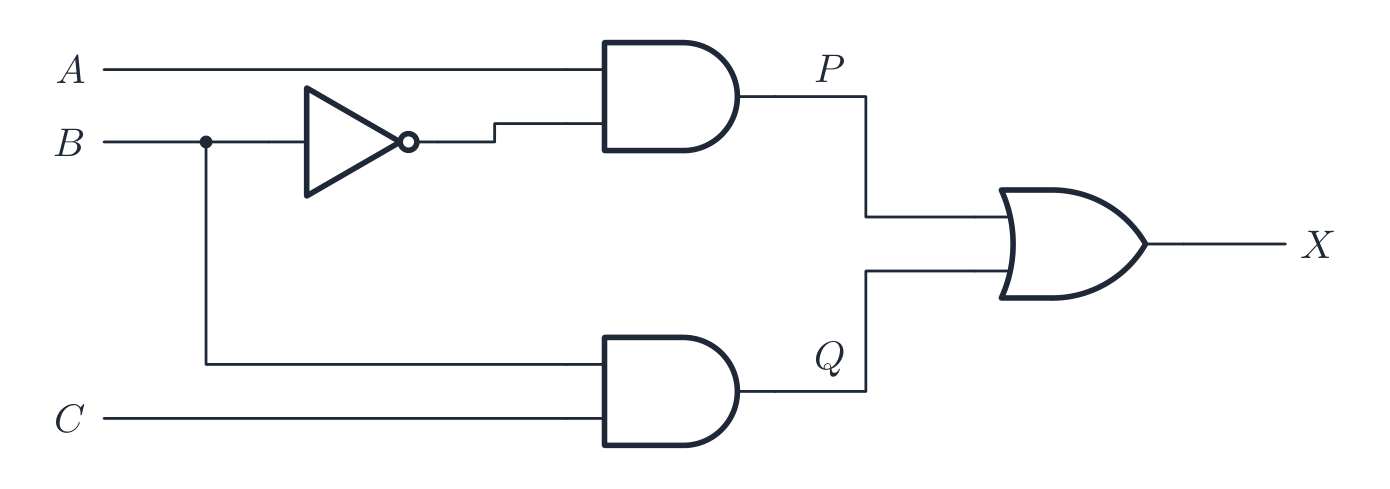
Label every intermediate output: here P is A AND NOT B and Q is B AND C, so X is P OR Q Label the gate outputs: $P = A \text{ AND NOT } B$, $Q = B \text{ AND } C$, so $X = P \text{ OR } Q = (A \text{ AND NOT } B) \text{ OR } (B \text{ AND } C)$. Then give the truth table a column for each intermediate output, so every row can be checked one gate at a time:
A B C NOT B P Q X 0 0 0 1 0 0 0 0 0 1 1 0 0 0 0 1 0 0 0 0 0 0 1 1 0 0 1 1 1 0 0 1 1 0 1 1 0 1 1 1 0 1 1 1 0 0 0 0 0 1 1 1 0 0 1 1 Drawing a circuit from an expression is the same walk in reverse: start from the innermost brackets, draw one gate per operator, draw a NOT gate on the wire of any input that appears with NOT, keep the inputs on the left and the single output on the right, and label the output with its letter. Every line must end at a gate input or the output; a line that goes nowhere loses the mark.
From circuit to truth table
For $n$ inputs there are $2^{n}$ rows. List every input combination; for each, work out the internal gates then the output.
From truth table to expression (sum of products)
For each row that outputs 1, write an AND of the inputs (with NOT on any input that is 0 in that row); OR these together. Example: a table that is 1 only on $(A=0,B=1)$ and $(A=1,B=0)$ gives $\overline{A}B + A\overline{B}$, which is $A \text{ XOR } B$.
From a problem statement
Turn the English into a Boolean expression first: "A and B" → A AND B; "A or B or both" → A OR B; "exactly one of A and B" → A XOR B; "neither A nor B" → A NOR B; "not both" → A NAND B.
Worked example. A machine's alarm $X$ sounds when the guard is open ($A=1$) and either the motor is running ($B=1$) or the temperature is high ($C=1$). Write the Boolean expression, and give the rows where $X=1$. Turn the English into logic one clause at a time: "either B or C" is $B + C$, and "A and that" is $X = A\cdot(B + C)$. For the rows, $X=1$ needs $A=1$ and at least one of $B$, $C$ equal to 1 - so $(A,B,C) = (1,0,1)$, $(1,1,0)$ and $(1,1,1)$, three rows out of eight. Notice $A=0$ can never sound the alarm, whatever $B$ and $C$ do. Bracket the OR before ANDing it: $X = A\cdot B + C$ is a different circuit altogether, one that would sound the alarm on a high temperature even with the guard closed.
Explore · 探索Half adder · ハーフアダー
Wire XOR and AND to the same two inputs: XOR gives the sum bit, AND gives the carry. Click A and B. · ワイヤーをXORとANDで同じ2つの入力に接続します:XORが加算ビットを、ANDが持ちbitを生成します。AとBをクリックします。
Explore · 探索Logic circuits · 論理回路
gates combine into circuits · ゲートが組み合わさって回路を形成する
Each gate has a fixed rule; chaining them builds every circuit — start with one gate. · 各ゲートには固定ルールがあり、それらをチェーンすることであらゆる回路を構築できます。1つのゲートから始めてください。
Vocabulary · 語彙 Train · 練習するEnglish 日本語 logic circuit/ˈlɒdʒɪk ˈsɜːkɪt/ 論理回路 3.2
Definitions the examiner accepts
A definition question is marked against fixed wording. Learn these exactly, and give one answer only.
Term Definition embedded system a computer system with a dedicated function built into a larger device buffer an area of memory that temporarily stores data while it is transferred between devices working at different speeds RAM volatile memory that can be read from and written to, holding the programs and data in use ROM non-volatile memory whose contents cannot be changed in normal use, holding the start-up instructions SRAM static RAM that stores each bit in a flip-flop and needs no refreshing DRAM dynamic RAM that stores each bit as a charge on a capacitor and must be refreshed continually monitoring system a system that uses sensors to measure and report on a physical process without changing it control system a system that uses sensor readings to decide on and carry out actions, through actuators, that change a physical process sensor a device that measures a physical quantity and converts it into a signal for the computer actuator a device that converts a signal from the computer into a physical action feedback the output of a control system being measured and fed back as input so that the system can correct itself logic gate an electronic circuit that performs a Boolean operation on one or more binary inputs to give one binary output truth table a table listing every combination of inputs to a logic circuit with the output for each 3.2
Exam tips
- Distinguish RAM (volatile, read/write) from ROM (non-volatile, holds the bootstrap); SRAM (cache, faster) from DRAM (main memory, needs refreshing).
- For a logic circuit, build the Boolean expression gate by gate, then a truth table covering every input combination.
- Learn the symbol, expression and truth table for each gate (AND, OR, NOT, NAND, NOR, XOR).
- Explain a buffer (a temporary store bridging two different speeds) and the role of an interrupt.
Common mistakes
- Naming the device instead of describing its operation. "It uses a laser" earns nothing; the steps (charge the drum, laser removes charge, toner attracted, transferred, fused) earn the marks.
- Saying a monitoring system "controls" something. If nothing changes the physical process, it is monitoring; add the actuator and the feedback and it becomes control.
- Writing that RAM "stores files permanently" or that ROM "stores the user's data". RAM is volatile working memory; ROM holds the fixed start-up instructions.
- A truth table with fewer than $2^{n}$ rows, or rows in a random order. Count in binary from 000 to 111 so no combination is missed.
- Drawing two lines from one output of a gate to be safe, or leaving a wire that ends nowhere. Draw exactly the connections the expression needs.
-
4
Processor Fundamentals · プロセッサーの基礎
Watch lesson · レッスンを視聴4.1
Von Neumann architecture
Syllabus · シラバス
EnglishCandidates should be able to: Notes and guidance Show understanding of the basic Von Neumann model for a computer system and the stored program concept Show understanding of the purpose and role of registers, including the difference between general purpose and special purpose registers Special purpose registers including: • Program Counter (PC) • Memory Data Register (MDR) • Memory Address Register (MAR) • The Accumulator (ACC) • Index Register (IX) • Current Instruction Register (CIR) • Status Register Show understanding of the purpose and roles of the Arithmetic and Logic Unit (ALU), Control Unit (CU) and system clock, Immediate Access Store (IAS) Show understanding of how data are transferred between various components of the computer system using the address bus, data bus and control bus Show understanding of how factors contribute to the performance of the computer system Including: • processor type and number of cores • the bus width • clock speed • cache memory Understand how different ports provide connection to peripheral devices Including connection to: • Universal Serial Bus (USB) • High Definition Multimedia Interface (HDMI) • Video Graphics Array (VGA) Describe the stages of the Fetch-Execute (F-E) cycle Describe and use 'register transfer' notation to describe the F-E cycle Show understanding of the purpose of interrupts Including: • possible causes of interrupts • applications of interrupts • use of an Interrupt Service Routine (ISR) • when interrupts are detected during the fetch-execute cycle • how interrupts are handled 日本語受験者は以下的能力を備えているべきである: メモおよびガイドライン コンピュータシステムの基本的なVon Neumannモデルおよび格納_program概念に関する理解を示す レジスタの目的と役割に関する理解を示す。汎用レジスタと特殊レジスタの違いを含む 特殊レジスタには以下が含まれる:• プログラムカウンタ(PC)• メモリデータレジスタ(MDR)• メモリアドレスレジスタ(MAR)• アキュムレータ(ACC)• インデックスレジスタ(IX)• 現在指令レジスタ(CIR)• ステータスレジスタ 演算論理ユニット(ALU)、制御ユニット(CU)、システムクロック、即時アクセスストレージ(IAS)の目的と役割に関する理解を示す アドレスバス、データバス、制御バスを用いてコンピュータシステムの異なるコンポーネント間でデータが転送される仕組みに関する理解を示す 要因がコンピュータシステムの性能に寄与する仕組みを理解する • プロセッサの種類とコアの数 • バス幅 • クロック速度 • キャッシュメモリ を含む 異なるポートが周辺機器への接続を提供する仕組みを理解する 以下の接続を含む:• ユニバーサルシリアルバス(USB)• ハイディフェニションマルチメディアインターフェース(HDMI)• ビデオグラフィクスアレイ(VGA) Fetch-Execute(F-E)サイクルの段階を説明する F-Eサイクルを記述するためにレジスタ転送表記法を使用・記述する 割り込みの目的に関する理解を示す • 割り込みの可能性がある原因 • 割り込みの応用例 • 割り込みサービスルーチン(ISR)の使用 • Fetch-executeサイクル中の割り込み検出タイミング • 割り込みの処理方法 を含む Source: Cambridge International syllabus · 出典: Cambridge International シラバス
EnglishThe fetch-decode-execute cycle The Von Neumann architecture 冯·诺依曼体系结构 underlies almost every general-purpose computer:
- a single memory — the Immediate Access Store 立即存取存储器 (IAS) — holds both program instructions and data (the stored program 存储程序 concept).
- a processor 处理器 (CPU) fetches instructions from memory and runs them one at a time.
- instructions run in order unless a branch changes the flow.
The stored-program idea is what makes a computer flexible: change the program and you change what it does, with no rewiring.
日本語The fetch-decode-execute cycle The Von Neumann architecture 冯·诺依曼体系结构 underlies almost every general-purpose computer:
- a single memory — the Immediate Access Store 立即存取存储器 (IAS) — holds both program instructions and data (the stored program 存储程序 concept).
- a processor 处理器 (CPU) fetches instructions from memory and runs them one at a time.
- instructions run in order unless a branch changes the flow.
The stored-program idea is what makes a computer flexible: change the program and you change what it does, with no rewiring.
Explore · 探索Tap the parts of a Von Neumann computer
Explore each block. The CPU (control unit, ALU, registers) talks to a single main memory over the buses — and that one shared memory for instructions AND data is the Von Neumann idea.
Vocabulary · 語彙 Train · 練習するEnglish 日本語 Von Neumann architecture/vɒn ˈnɔɪmən ˈɑːkɪtektʃə/ Von Neumannアーキテクチャ Immediate Access Store/ɪˈmiːdɪət ˈækses stɔː/ 即時アクセスメモリ stored program/stɔːd ˈprəʊɡræm/ 格納プログラム方式 processor/ˈprəʊsesə/ プロセッサー RAM/ræm/ RAM 4.1
The CPU's main parts
 English
All of these parts sit inside one small chip. The diagram later in this section shows how they connect; the photo below shows the real thing.
Arithmetic and Logic Unit (ALU)
The ALU 算术逻辑单元 does the arithmetic (add, subtract, …) and logic (AND, OR, comparisons). It takes operands from registers 寄存器 and puts results back in a register.
Control Unit (CU)
The control unit 控制单元 decodes each instruction and sends the control signals to carry it out — opening data paths, telling the ALU what to do, and controlling memory reads and writes.
System clock
The clock sends a steady stream of pulses that keep the CPU in step. Each instruction takes a fixed number of cycles, and the clock speed 时钟频率 (e.g. 3.8 GHz) is one factor in performance.
"Explain how the CU and the system clock work together": the clock emits pulses at a fixed frequency; the control unit uses each pulse to move the fetch-execute cycle on by one step, sending its control signals in time with the pulses, so every part of the processor changes state together. A faster clock means more steps per second, up to the point where the circuits cannot settle between pulses.
Registers
Registers are tiny, very fast stores inside the CPU. The special purpose registers 专用寄存器 each have a fixed job in the cycle:
- Program Counter 程序计数器 (PC) — the address of the next instruction.
- Memory Address Register 内存地址寄存器 (MAR) — the address being read or written.
- Memory Data Register 内存数据寄存器 (MDR) — the data going to or from memory.
- Current Instruction Register 当前指令寄存器 (CIR) — the instruction being decoded.
- Accumulator 累加器 (ACC) — the value the ALU is working on.
- Status Register 状态寄存器 — holds flags 标志 (carry, zero, negative, overflow) used by branches. Each flag is one bit, set or cleared by the ALU after an operation: the zero flag after a comparison that matched, the carry flag when an addition overflowed the register, the negative flag when a result is negative. A conditional jump reads the flags to decide whether to branch, and an overflow flag can raise an interrupt.
- Index Register 变址寄存器 — an offset added to an address in indexed addressing; incrementing it steps through an array one element at a time.
The "complete the table describing the role of each register" question wants one precise sentence per register in these terms: the PC holds the address of the next instruction to be fetched; the MAR holds the address of the location being read from or written to; the MDR holds the data or instruction just read from, or about to be written to, that location; the CIR holds the instruction currently being decoded and executed; the ACC holds the result of the last arithmetic or logic operation.
General-purpose registers 通用寄存器 are used by the programmer for temporary values during a calculation. Movements of data between registers and memory are written in register transfer 寄存器传送 notation — e.g.
MAR ← [PC]("copy the contents of PC into MAR").日本語All of these parts sit inside one small chip. The diagram later in this section shows how they connect; the photo below shows the real thing.
A modern CPU: the whole processor is one small chip (here seen from below, showing the contacts) 
The matching CPU socket on the motherboard: the chip's contacts press onto these pins Arithmetic and Logic Unit (ALU)
The ALU 算术逻辑单元 does the arithmetic (add, subtract, …) and logic (AND, OR, comparisons). It takes operands from registers 寄存器 and puts results back in a register.
Control Unit (CU)
The control unit 控制单元 decodes each instruction and sends the control signals to carry it out — opening data paths, telling the ALU what to do, and controlling memory reads and writes.
System clock
The clock sends a steady stream of pulses that keep the CPU in step. Each instruction takes a fixed number of cycles, and the clock speed 时钟频率 (e.g. 3.8 GHz) is one factor in performance.
"Explain how the CU and the system clock work together": the clock emits pulses at a fixed frequency; the control unit uses each pulse to move the fetch-execute cycle on by one step, sending its control signals in time with the pulses, so every part of the processor changes state together. A faster clock means more steps per second, up to the point where the circuits cannot settle between pulses.
Registers
Registers are tiny, very fast stores inside the CPU. The special purpose registers 专用寄存器 each have a fixed job in the cycle:
- Program Counter 程序计数器 (PC) — the address of the next instruction.
- Memory Address Register 内存地址寄存器 (MAR) — the address being read or written.
- Memory Data Register 内存数据寄存器 (MDR) — the data going to or from memory.
- Current Instruction Register 当前指令寄存器 (CIR) — the instruction being decoded.
- Accumulator 累加器 (ACC) — the value the ALU is working on.
- Status Register 状态寄存器 — holds flags 标志 (carry, zero, negative, overflow) used by branches. Each flag is one bit, set or cleared by the ALU after an operation: the zero flag after a comparison that matched, the carry flag when an addition overflowed the register, the negative flag when a result is negative. A conditional jump reads the flags to decide whether to branch, and an overflow flag can raise an interrupt.
- Index Register 变址寄存器 — an offset added to an address in indexed addressing; incrementing it steps through an array one element at a time.
The "complete the table describing the role of each register" question wants one precise sentence per register in these terms: the PC holds the address of the next instruction to be fetched; the MAR holds the address of the location being read from or written to; the MDR holds the data or instruction just read from, or about to be written to, that location; the CIR holds the instruction currently being decoded and executed; the ACC holds the result of the last arithmetic or logic operation.
General-purpose registers 通用寄存器 are used by the programmer for temporary values during a calculation. Movements of data between registers and memory are written in register transfer 寄存器传送 notation — e.g.
MAR ← [PC]("copy the contents of PC into MAR").
The Von Neumann CPU: registers, control unit and ALU linked by buses Vocabulary · 語彙 Train · 練習するEnglish 日本語 arithmetic and logic unit/ˌærɪθˈmetɪk ənd ˈlɒdʒɪk ˈjuːnɪt/ 演算論理回路 ALU/ˌeɪ el ˈjuː/ ALU register/ˈredʒɪstə/ レジスタ control unit/kənˈtrəʊl ˈjuːnɪt/ 制御ユニット clock speed/klɒk spiːd/ クロック速度 special purpose registers/ˈspeʃl ˈpɜːpəs ˈredʒɪstəz/ 専用レジスタ Program Counter/ˈprəʊɡræm ˈkaʊntə/ プログラムカウンタ Memory Address Register/ˈmeməri əˈdres ˈredʒɪstə/ メモリアドレスレジスタ Memory Data Register/ˈmeməri ˈdeɪtə ˈredʒɪstə/ メモリデータレジスタ Current Instruction Register/ˈkʌrənt ɪnˈstrʌkʃn ˈredʒɪstə/ 現在命令レジスタ accumulator/əˈkjuːmjʊleɪtə/ アキュムレーター Status Register/ˈsteɪtəs ˈredʒɪstə/ ステータスレジスタ flags/flæɡz/ フラグ Index Register/ˈɪndeks ˈredʒɪstə/ インデックスレジスタ general-purpose registers/ˈdʒenərəl ˈpɜːpəs ˈredʒɪstəz/ 汎用レジスタ register transfer/ˈredʒɪstə ˈtrænsfɜː/ レジスタ転送 4.1
Buses
 English
Three internal buses 总线 (sets of parallel wires) connect the parts:
- address bus 地址总线 — carries the memory address. One-way (CPU → memory).
- data bus 数据总线 — carries the data. Two-way.
- control bus 控制总线 — carries control signals (read, write, interrupt). Two-way.
An $n$-bit address bus can reach $2^{n}$ memory locations. The data-bus width sets how many bits move per access (often the word size).
日本語Three internal buses 总线 (sets of parallel wires) connect the parts:
- address bus 地址总线 — carries the memory address. One-way (CPU → memory).
- data bus 数据总线 — carries the data. Two-way.
- control bus 控制总线 — carries control signals (read, write, interrupt). Two-way.
An $n$-bit address bus can reach $2^{n}$ memory locations. The data-bus width sets how many bits move per access (often the word size).
The three system buses connecting the CPU, memory and input/output 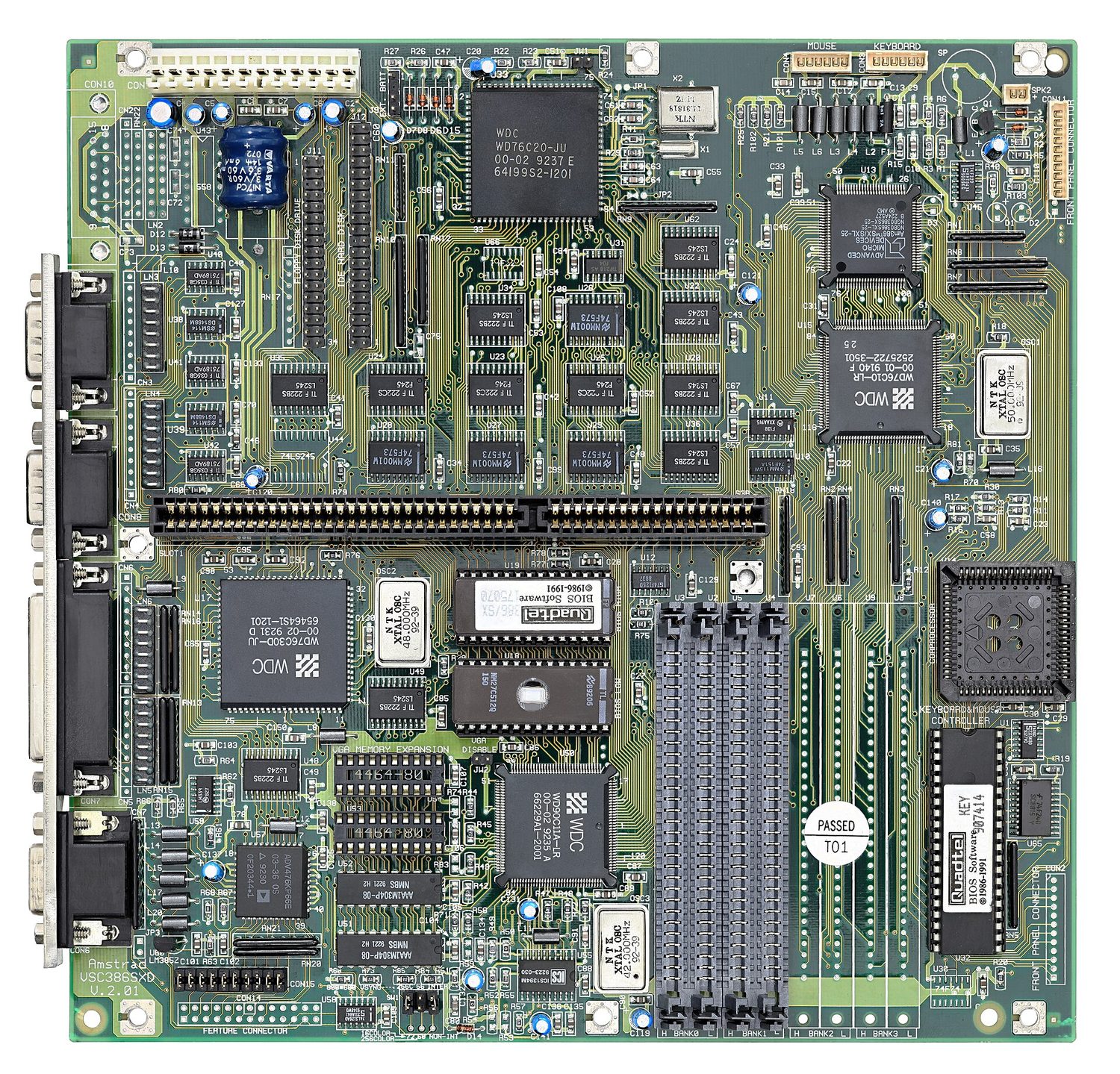
A motherboard: the CPU, memory and I/O all sit on one set of buses — the printed tracks running between them Vocabulary · 語彙 Train · 練習するEnglish 日本語 control bus/kənˈtrəʊl bʌs/ コントロールバス buses/ˈbʌsɪz/ バス address bus/əˈdres bʌs/ アドレスバス data bus/ˈdeɪtə bʌs/ データバス 4.1
What affects performance
English- clock speed — more cycles per second.
- number of cores 核心 — a multi-core CPU runs several threads at once.
- word size 字长 — a 64-bit CPU handles 64-bit chunks per cycle and can address far more memory than a 32-bit one.
- amount of RAM 随机存取存储器 — more RAM holds more of the working set; too little forces the OS to page 页 to disk.
- cache memory 高速缓存 size — more cache cuts average memory access time.
- secondary storage 辅助存储器 type — an SSD loads programs far faster than an HDD.
- bus width and speed — wider/faster buses move data more quickly.
Match the specs to the workload: a quad-core beats a dual-core on parallel work, but higher per-core speed wins on single-threaded work.
Each factor is a two-mark answer with a reason attached:
- More cores: each core can fetch and execute its own instruction at the same time, so several programs, or the threads of one program, run in parallel. But a program must be written to use more than one core, so doubling the cores does not double the speed.
- Higher clock speed: more fetch-execute cycles per second, so more instructions per second; the limit is the heat produced.
- Wider bus: a wider data bus moves more bits in each transfer, so fewer transfers are needed for the same data; a wider address bus can address more memory locations.
- Cache memory: a small, fast memory inside or next to the processor that keeps the instructions and data used most recently or most often. Reading them from cache is much faster than from RAM, so the processor spends less time waiting.
"Explain why the new computer performs better" is answered by comparing the two specifications line by line: a higher clock speed executes more instructions per second, more cores run more tasks at once, more cache means fewer slow accesses to RAM, and more RAM means fewer transfers to disk.
日本語- clock speed — more cycles per second.
- number of cores 核心 — a multi-core CPU runs several threads at once.
- word size 字长 — a 64-bit CPU handles 64-bit chunks per cycle and can address far more memory than a 32-bit one.
- amount of RAM 随机存取存储器 — more RAM holds more of the working set; too little forces the OS to page 页 to disk.
- cache memory 高速缓存 size — more cache cuts average memory access time.
- secondary storage 辅助存储器 type — an SSD loads programs far faster than an HDD.
- bus width and speed — wider/faster buses move data more quickly.
Match the specs to the workload: a quad-core beats a dual-core on parallel work, but higher per-core speed wins on single-threaded work.
Each factor is a two-mark answer with a reason attached:
- More cores: each core can fetch and execute its own instruction at the same time, so several programs, or the threads of one program, run in parallel. But a program must be written to use more than one core, so doubling the cores does not double the speed.
- Higher clock speed: more fetch-execute cycles per second, so more instructions per second; the limit is the heat produced.
- Wider bus: a wider data bus moves more bits in each transfer, so fewer transfers are needed for the same data; a wider address bus can address more memory locations.
- Cache memory: a small, fast memory inside or next to the processor that keeps the instructions and data used most recently or most often. Reading them from cache is much faster than from RAM, so the processor spends less time waiting.
"Explain why the new computer performs better" is answered by comparing the two specifications line by line: a higher clock speed executes more instructions per second, more cores run more tasks at once, more cache means fewer slow accesses to RAM, and more RAM means fewer transfers to disk.
Vocabulary · 語彙 Train · 練習するEnglish 日本語 word size/wɜːd saɪz/ ワードサイズ number of cores/ˈnʌmbə ɒv kɔːz/ コア数 cores/kɔːz/ コア amount of RAM/əˈmaʊnt ɒv ræm/ RAM容量 page/peɪdʒ/ ページ cache memory/kæʃ ˈmeməri/ キャッシュメモリ cache/kæʃ/ cache secondary storage/ˈsekəndəri ˈstɔːrɪdʒ/ 補助記憶 4.1
Ports
EnglishA port 端口 is a physical socket for connecting a peripheral 外围设备:
- USB (Universal Serial Bus) — general-purpose (keyboards, drives, phones).
- HDMI (High Definition Multimedia Interface) — digital video and audio to a screen.
- VGA (Video Graphics Array) — older analogue video output to a monitor.
- Ethernet (RJ-45) — wired LAN. Audio jacks — headphones/microphone.
Different ports use different signals, so an HDMI cable will not fit a USB socket. USB-C is unusual in carrying video, data and power.
"Explain how the computer connects to the monitor through HDMI": the HDMI port sends the video and the audio as one digital signal down a single cable, so no conversion to analogue is needed and the picture is not degraded; the cable carries high-definition resolutions and the monitor's own port decodes the signal. A USB device is plug-and-play: when it is connected the computer detects it, identifies it, loads or installs the driver it needs, and can supply it with power, all without a restart.
日本語A port 端口 is a physical socket for connecting a peripheral 外围设备:
- USB (Universal Serial Bus) — general-purpose (keyboards, drives, phones).
- HDMI (High Definition Multimedia Interface) — digital video and audio to a screen.
- VGA (Video Graphics Array) — older analogue video output to a monitor.
- Ethernet (RJ-45) — wired LAN. Audio jacks — headphones/microphone.
Different ports use different signals, so an HDMI cable will not fit a USB socket. USB-C is unusual in carrying video, data and power.
"Explain how the computer connects to the monitor through HDMI": the HDMI port sends the video and the audio as one digital signal down a single cable, so no conversion to analogue is needed and the picture is not degraded; the cable carries high-definition resolutions and the monitor's own port decodes the signal. A USB device is plug-and-play: when it is connected the computer detects it, identifies it, loads or installs the driver it needs, and can supply it with power, all without a restart.
Vocabulary · 語彙 Train · 練習するEnglish 日本語 port/pɔːt/ ポート peripheral/pəˈrɪfərəl/ 周辺機器 4.1
Fetch-Execute cycle
 English
The CPU repeats the fetch-execute cycle 取指-执行周期, one run per machine instruction.
Fetch
- the PC's address is copied to the MAR.
- the PC is incremented to point to the next instruction.
- a read signal goes over the control bus.
- memory puts the instruction on the data bus.
- it is copied into the MDR, then into the CIR.
The exam asks for these steps in register transfer notation 寄存器传送记法, where
[X]means the contents of register X and[[MAR]]means the contents of the memory location whose address is in the MAR:The order matters: the PC is incremented straight after its address has been copied, so that a jump executed later can still overwrite it. During execution the same notation describes each instruction; for
LDD 200, for example,MAR ← 200,MDR ← [[MAR]],ACC ← [MDR].Decode
The CU decodes the instruction in the CIR — what operation, and which operands or addresses.
Execute
The CU carries it out: arithmetic/logic goes to the ALU (result to the ACC); a load/store moves data between memory and a register; a branch changes the PC. Then the cycle repeats.
日本語The CPU repeats the fetch-execute cycle 取指-执行周期, one run per machine instruction.
Fetch
- the PC's address is copied to the MAR.
- the PC is incremented to point to the next instruction.
- a read signal goes over the control bus.
- memory puts the instruction on the data bus.
- it is copied into the MDR, then into the CIR.
The exam asks for these steps in register transfer notation 寄存器传送记法, where
[X]means the contents of register X and[[MAR]]means the contents of the memory location whose address is in the MAR:MAR ← [PC] the address of the next instruction goes to the MAR PC ← [PC] + 1 the PC now points to the following instruction MDR ← [[MAR]] the instruction at that address is read into the MDR CIR ← [MDR] the instruction is copied into the CIR for decodingThe order matters: the PC is incremented straight after its address has been copied, so that a jump executed later can still overwrite it. During execution the same notation describes each instruction; for
LDD 200, for example,MAR ← 200,MDR ← [[MAR]],ACC ← [MDR].The register transfers in a fetch: PC → MAR → memory → MDR → CIR, with the PC incremented Decode
The CU decodes the instruction in the CIR — what operation, and which operands or addresses.
Execute
The CU carries it out: arithmetic/logic goes to the ALU (result to the ACC); a load/store moves data between memory and a register; a branch changes the PC. Then the cycle repeats.

The fetch-execute cycle, with a check for interrupts each time Explore · 探索The fetch-execute cycle
Tap round the loop the CPU repeats billions of times a second. Watch how fetch uses the PC/MAR/MDR/CIR registers, then decode and execute act on what was fetched.
Explore · 探索The fetch–execute cycle
Step through how the CPU runs one instruction — fetch it from memory, decode it, then execute it, over and over.
Vocabulary · 語彙 Train · 練習するEnglish 日本語 fetch-execute cycle/fetʃ ˈeksɪkjuːt ˈsaɪkl/ fetch-execute cycle(fetch-executeサイクル) register transfer notation/ˈredʒɪstə ˈtrænsfɜː nəʊˈteɪʃn/ レジスタ転送表記法 4.1
Interrupts
 English
An interrupt 中断 is a signal that pauses the normal cycle so the CPU can handle an urgent event (a key press, a packet arriving, a hardware fault, division by zero, the OS timer).
Handling one:
- finish the current instruction.
- save the state (PC and registers).
- load the address of the interrupt service routine 中断服务程序 (ISR) into the PC and run it.
- the ISR handles the event.
- restore the saved state and carry on.
Interrupts let the system respond promptly without the CPU constantly checking devices, and are how the OS multitasks.
"Explain how an interrupt from an input device is detected and handled in the F-E cycle" is a four-mark answer with these points: the device sends an interrupt signal that sets the interrupt flag in the interrupt register 中断寄存器; the processor checks that register at the end of every fetch-execute cycle, after the current instruction has finished executing; if a flag is set and the interrupt has a higher priority than the current task, the contents of the PC and the other registers are saved onto the stack 栈; the address of the interrupt service routine is loaded into the PC and the routine runs; when it finishes, the saved values are restored from the stack and the interrupted program continues from where it stopped.
Causes worth naming: a hardware interrupt from a device (a key pressed, a printer buffer empty, a network packet arriving), a software interrupt from a fault (division by zero, an illegal instruction, arithmetic overflow), a timer interrupt from the operating system marking the end of a time slice, and a power failure warning.
日本語An interrupt 中断 is a signal that pauses the normal cycle so the CPU can handle an urgent event (a key press, a packet arriving, a hardware fault, division by zero, the OS timer).
Handling one:
- finish the current instruction.
- save the state (PC and registers).
- load the address of the interrupt service routine 中断服务程序 (ISR) into the PC and run it.
- the ISR handles the event.
- restore the saved state and carry on.
Interrupts let the system respond promptly without the CPU constantly checking devices, and are how the OS multitasks.
"Explain how an interrupt from an input device is detected and handled in the F-E cycle" is a four-mark answer with these points: the device sends an interrupt signal that sets the interrupt flag in the interrupt register 中断寄存器; the processor checks that register at the end of every fetch-execute cycle, after the current instruction has finished executing; if a flag is set and the interrupt has a higher priority than the current task, the contents of the PC and the other registers are saved onto the stack 栈; the address of the interrupt service routine is loaded into the PC and the routine runs; when it finishes, the saved values are restored from the stack and the interrupted program continues from where it stopped.
Causes worth naming: a hardware interrupt from a device (a key pressed, a printer buffer empty, a network packet arriving), a software interrupt from a fault (division by zero, an illegal instruction, arithmetic overflow), a timer interrupt from the operating system marking the end of a time slice, and a power failure warning.
How an interrupt fits into the fetch-execute cycle Vocabulary · 語彙 Train · 練習するEnglish 日本語 interrupt/ˈɪntərʌpt/ 割り込み interrupt service routine/ˈɪntərʌpt ˈsɜːvɪs ruːˈtiːn/ 割り込みサービスルーチン interrupt register/ˈɪntərʌpt ˈredʒɪstə/ 割り込みレジスタ stack/stæk/ stack 4.2
Assembly language and machine code

Syllabus · シラバス
EnglishCandidates should be able to: Notes and guidance Show understanding of the relationship between assembly language and machine code Describe the different stages of the assembly process for a two-pass assembler Apply the two-pass assembler process to a given simple assembly language program Trace a given simple assembly language program Show understanding that a set of instructions are grouped Including the following groups: • Data movement • Input and output of data • Arithmetic operations • Unconditional and conditional instructions • Compare instructions Show understanding of and be able to use different modes of addressing Including immediate, direct, indirect, indexed, relative 日本語受験者は以下的能力を備えているべきである: メモおよびガイドライン アセンブリ言語と機械語の関係に関する理解を示す 2パスアセンブラの組み立てプロセスにおける各段階を説明する 与えられた単純なアセンブリ言語プログラムに対して2パスアセンブラのプロセスを適用する 与えられた単純なアセンブリ言語プログラムのトレースを行う 命令セットがグループ化されていることを理解する 以下のグループを含む: • データ転送 • データの入出力 • 演算処理 • 無条件および条件付き命令 • 比較命令 異なるアドレス指定モードを理解し、使用できる 即値, 直接, 間接, インデックス, 相対 を含む Source: Cambridge International syllabus · 出典: Cambridge International シラバス
EnglishThe CPU actually runs machine code 机器码 — bit patterns, specific to one architecture. Assembly language 汇编语言 is a readable form, with one instruction per machine instruction, written using mnemonics 助记符 like
LDD,ADD,JMP. An assembler 汇编器 translates it to machine code.Two-pass assembler
A two-pass assembler reads the source twice:
- pass 1 builds a symbol table 符号表: each time a label 标签 (like
LOOP:) appears, record its address; no code yet. - pass 2 generates code: translate each instruction, and when one refers to a label (like
JMP LOOP), look up its address in the symbol table.
Two passes handle forward references 前向引用 (a jump to a label defined later).
Worked example. Apply the two-pass process to this program, whose first instruction is stored at address 100.
Pass 1 reads each line, counts the address it will occupy, and records every label in the symbol table:
LOOP= 101 (theDECline) andCOUNT= 105 (the data line). No code is produced. Pass 2 reads the program again and translates each line into machine code, replacing each mnemonic by its opcode 操作码 and each symbolic address by the number from the symbol table:LDD COUNTbecomes the opcode forLDDwith operand 操作数 105, andJPN LOOPbecomes the opcode forJPNwith operand 101. The jump back toLOOPcould have been resolved in one pass, but a jump forward to a label not yet seen could not, which is why the assembler makes two.Example instruction set
Cambridge uses a small generic set, printed in the paper's reference table, with one general-purpose register, the accumulator (ACC), and an index register (IX). An operand written
#nis a denary number,Bna binary number and&na hexadecimal number;<address>is a location number or a label.Group Instruction What it does Data movement LDM #nload the number n into ACC (immediate) LDD <address>load the contents of the address into ACC (direct) LDI <address>the address holds another address; load the contents of that one into ACC (indirect) LDX <address>add IX to the address and load the contents of the result into ACC (indexed) LDR #nload the number n into IX MOV <register>copy ACC into the named register (IX) STO <address>store the contents of ACC at the address Input and output INread a key press and put its ASCII code in ACC OUToutput the character whose ASCII code is in ACC Arithmetic ADD <address>/ADD #nadd the contents of the address, or the number, to ACC SUB <address>/SUB #nsubtract from ACC INC <register>/DEC <register>add 1 to, or subtract 1 from, ACC or IX Compare CMP <address>/CMP #ncompare ACC with the contents of the address, or with n, and set the flag CMI <address>compare ACC with the contents of the address held at the address (indirect) Jump JMP <address>jump to the address unconditionally JPE <address>/JPN <address>jump if the last compare was equal / not equal Bit manipulation AND,OR,XORwith#n,Bn,&nor<address>bitwise operation on ACC LSL #n/LSR #nshift ACC logically n places left or right ENDend the program The "assembly language instructions are grouped" question wants the group names, and an instruction from each: data movement, input and output, arithmetic, unconditional and conditional jumps, compare, and bit manipulation.
日本語The CPU actually runs machine code 机器码 — bit patterns, specific to one architecture. Assembly language 汇编语言 is a readable form, with one instruction per machine instruction, written using mnemonics 助记符 like
LDD,ADD,JMP. An assembler 汇编器 translates it to machine code.An assembler turns mnemonics into machine-code bit patterns Two-pass assembler
A two-pass assembler reads the source twice:
- pass 1 builds a symbol table 符号表: each time a label 标签 (like
LOOP:) appears, record its address; no code yet. - pass 2 generates code: translate each instruction, and when one refers to a label (like
JMP LOOP), look up its address in the symbol table.
Two passes handle forward references 前向引用 (a jump to a label defined later).
Worked example. Apply the two-pass process to this program, whose first instruction is stored at address 100.
        LDD  COUNT
LOOP:   DEC  ACC
        CMP  #0
        JPN  LOOP
        END
COUNT:  5
Pass 1 reads each line, counts the address it will occupy, and records every label in the symbol table:
LOOP= 101 (theDECline) andCOUNT= 105 (the data line). No code is produced. Pass 2 reads the program again and translates each line into machine code, replacing each mnemonic by its opcode 操作码 and each symbolic address by the number from the symbol table:LDD COUNTbecomes the opcode forLDDwith operand 操作数 105, andJPN LOOPbecomes the opcode forJPNwith operand 101. The jump back toLOOPcould have been resolved in one pass, but a jump forward to a label not yet seen could not, which is why the assembler makes two.Example instruction set
Cambridge uses a small generic set, printed in the paper's reference table, with one general-purpose register, the accumulator (ACC), and an index register (IX). An operand written
#nis a denary number,Bna binary number and&na hexadecimal number;<address>is a location number or a label.Group Instruction What it does Data movement LDM #nload the number n into ACC (immediate) LDD <address>load the contents of the address into ACC (direct) LDI <address>the address holds another address; load the contents of that one into ACC (indirect) LDX <address>add IX to the address and load the contents of the result into ACC (indexed) LDR #nload the number n into IX MOV <register>copy ACC into the named register (IX) STO <address>store the contents of ACC at the address Input and output INread a key press and put its ASCII code in ACC OUToutput the character whose ASCII code is in ACC Arithmetic ADD <address>/ADD #nadd the contents of the address, or the number, to ACC SUB <address>/SUB #nsubtract from ACC INC <register>/DEC <register>add 1 to, or subtract 1 from, ACC or IX Compare CMP <address>/CMP #ncompare ACC with the contents of the address, or with n, and set the flag CMI <address>compare ACC with the contents of the address held at the address (indirect) Jump JMP <address>jump to the address unconditionally JPE <address>/JPN <address>jump if the last compare was equal / not equal Bit manipulation AND,OR,XORwith#n,Bn,&nor<address>bitwise operation on ACC LSL #n/LSR #nshift ACC logically n places left or right ENDend the program The "assembly language instructions are grouped" question wants the group names, and an instruction from each: data movement, input and output, arithmetic, unconditional and conditional jumps, compare, and bit manipulation.
Explore · 探索How a two-pass assembler works
Step through it. The assembler reads your code twice: pass 1 just finds where every label lives, so pass 2 can fill in the addresses — that is how a jump to a label defined later still works.
Vocabulary · 語彙 Train · 練習するEnglish 日本語 operand/ˈɒpərænd/ オペランド assembly language/əˈsemblɪ ˈlæŋɡwɪdʒ/ アセンブリ言語 machine code/məˈʃiːn kəʊd/ 機械語 mnemonics/nɪˈmɒnɪks/ メンモニック assembler/əˈsemblə/ アセンブラ symbol table/ˈsɪmbl ˈteɪbl/ シンボルテーブル label/ˈleɪbl/ ラベル forward references/ˈfɔːwəd ˈrefrənsɪz/ 前方参照 opcode/ˈɒpkəʊd/ オPCODE 4.2
Addressing modes
 English
The addressing mode 寻址方式 (the modes of addressing) says how the CPU finds the operand:
- immediate addressing 立即寻址 — the operand is the value in the instruction.
LDM #10loads 10. - direct addressing 直接寻址 — the instruction holds an address; the operand is the value there.
LDD 200. - indirect addressing 间接寻址 — the instruction holds an address that holds another address, which is the data.
LDI 200. - indexed addressing 变址寻址 — effective address is
address + index register; used for arrays.LDX 100with IR = 5 reads address 105.
(Relative addressing 相对寻址 gives the address as an offset from the PC — used for jumps.)
Worked example. Memory holds: location
200=250, location250=99, location105=7. The index register holds5. What is in the accumulator after each ofLDM #200,LDD 200,LDI 200andLDX 100? Follow how far each mode has to look.LDM #200is immediate - the operand is the number written in the instruction, so the accumulator holds 200.LDD 200is direct - go to location 200 and take what is there: 250.LDI 200is indirect - location 200 holds 250, which is another address, so go on to location 250: 99.LDX 100is indexed - add the index register to the address, $100 + 5 = 105$, and read location 105: 7. Count the hops to keep them apart: immediate 0, direct 1, indirect 2, indexed 1 (once the index has been added).日本語The addressing mode 寻址方式 (the modes of addressing) says how the CPU finds the operand:
- immediate addressing 立即寻址 — the operand is the value in the instruction.
LDM #10loads 10. - direct addressing 直接寻址 — the instruction holds an address; the operand is the value there.
LDD 200. - indirect addressing 间接寻址 — the instruction holds an address that holds another address, which is the data.
LDI 200. - indexed addressing 变址寻址 — effective address is
address + index register; used for arrays.LDX 100with IR = 5 reads address 105.
(Relative addressing 相对寻址 gives the address as an offset from the PC — used for jumps.)
How each addressing mode reaches its operand — immediate, direct, indirect and indexed Worked example. Memory holds: location
200=250, location250=99, location105=7. The index register holds5. What is in the accumulator after each ofLDM #200,LDD 200,LDI 200andLDX 100? Follow how far each mode has to look.LDM #200is immediate - the operand is the number written in the instruction, so the accumulator holds 200.LDD 200is direct - go to location 200 and take what is there: 250.LDI 200is indirect - location 200 holds 250, which is another address, so go on to location 250: 99.LDX 100is indexed - add the index register to the address, $100 + 5 = 105$, and read location 105: 7. Count the hops to keep them apart: immediate 0, direct 1, indirect 2, indexed 1 (once the index has been added).Vocabulary · 語彙 Train · 練習するEnglish 日本語 indexed addressing/ˈɪndekst əˈdresɪŋ/ インデックスアドレッシング addressing mode/əˈdresɪŋ məʊd/ アドレッシングモード immediate addressing/ɪˈmiːdɪət əˈdresɪŋ/ 即座アドレッシング direct addressing/daɪˈrekt əˈdresɪŋ/ 直接アドレッシング indirect addressing/ɪndaɪˈrekt əˈdresɪŋ/ 間接アドレッシング relative addressing/ˈrelətɪv əˈdresɪŋ/ 相対アドレッシング 4.2
Tracing an assembly program
To trace it: make a table with columns for the PC, ACC, index register, each variable and any flags. Step through the instructions, updating the table after each; follow branches when they change the PC; stop at
END. A common pattern is a loop over an array using indexed addressing.Worked example. Trace this program. Address 200 holds 5 and address 201 holds 0.
100   LDD  200
101   CMP  #0
102   JPE  108
103   OUT
104   DEC  ACC
105   STO  200
106   LDD  201
107   JMP  100
108   END
Write one row for each instruction executed, filling in only the columns that change:
Instruction ACC 200 201 Output start 5 0 LDD 2005 CMP #0JPE 108not taken OUTcharacter with code 5 DEC ACC4 STO 2004 LDD 2010 JMP 100LDD 2004 and so on, until
LDD 200loads 0, the compare sets the equal flag,JPE 108is taken and the program ends. Three things the examiner checks: aCMPchanges no register, only a flag; a jump not taken still counts as executed; andOUToutputs a character, so it goes in the output column, not the ACC column. "State the effect of changingLDD 10toLDM #10": the ACC would hold the number 10 instead of the contents of address 10.4.3
Binary shifts

Syllabus · シラバス
Candidates should be able to: Notes and guidance Show understanding of and perform binary shifts Logical, arithmetic and cyclic Left shift, right shift Show understanding of how bit manipulation can be used to monitor/control a device Carry out bit manipulation operations Test and set a bit (using bit masking) Instruction Label | Opcode | Operand Explanation AND #n / Bn / &n Bitwise AND operation of the contents of ACC with the operand AND Bitwise AND operation of the contents of ACC with the contents of XOR #n / Bn / &n Bitwise XOR operation of the contents of ACC with the operand XOR Bitwise XOR operation of the contents of ACC with the contents of OR #n / Bn / &n Bitwise OR operation of the contents of ACC with the operand OR Bitwise OR operation of the contents of ACC with the contents of LSL #n Bits in ACC are shifted logically n places to the left. Zeros are introduced on the right hand end LSR #n Bits in ACC are shifted logically n places to the right. Zeros are introduced on the left hand end Labels an instruction Gives a symbolic address All questions will assume there is only one general purpose register available (Accumulator) ACC denotes Accumulator IX denotes Index Register can be an absolute or symbolic address # denotes a denary number, e.g. #123 B denotes a binary number, e.g. B01001010 & denotes a hexadecimal number, e.g. &4A Source: Cambridge International syllabus · 出典: Cambridge International シラバス
EnglishA logical shift 逻辑移位 moves all the bits left or right by some places, filling new positions with 0.
- left shift by 1 (
LSL #1) — bits move left, a 0 enters on the right; for an unsigned number this is × 2. - right shift by 1 (
LSR #1) — bits move right, a 0 enters on the left; for an unsigned number this is integer ÷ 2.
Shifting by $n$ places multiplies or divides by $2^{n}$. Example:
00001011(11)LSL #1→00010110(22).Bits shifted off the end are lost, so the multiplication is only correct while they were zeros.
LSL #2on the two's-complement integer11001010gives00101000: the two 1s that fell off the left are gone, the sign bit has changed, and the result is no longer four times the original.An arithmetic right shift keeps the sign bit so a negative signed number stays negative. A cyclic shift 循环移位 (rotate) feeds the bit that drops off one end back in at the other end, so no bits are lost.
"Show the result of an arithmetic right shift of 3 places on
10011110": copy the sign bit into each vacated place,11110011. The same shift on01011100gives00001011. A cyclic left shift of 1 on10000110gives00001101: the leading 1 reappears on the right.The difference between the two right shifts is a single bit. Take
11110000, which is 240 read as unsigned and $-16$ read as signed.LSR #1brings in a 0 and gives01111000$= 120$, which is the correct half of 240.ASR #1copies the sign bit instead and gives11111000$= -8$, which is the correct half of $-16$. Neither is wrong — each halves the value under one reading.Bit manipulation for monitoring/control
Embedded devices often use one bit 位 of a register per signal (e.g. bit $n$ = LED $n$). Using a mask 掩码 — bit masking — you can:
- set bit $n$:
R = R ORa mask with bit $n$ set. - clear bit $n$:
R = R ANDa mask with bit $n$ clear and the rest set. - toggle bit $n$:
R = R XORa mask with bit $n$ set. - test bit $n$:
R ANDthe mask, then check if the result is non-zero.
Bit manipulation is fast, uses little memory, and lets one byte hold up to 8 on/off states.
In the exam's instruction set these are
AND,ORandXORwith a mask written as a denary, binary or hexadecimal operand. With the ACC holding10101100:Instruction Mask Result in ACC Effect AND B000011110000111100001100keeps only the low four bits (clears the others) OR #10000000110101101sets the least significant bit, leaving the rest unchanged XOR &FF1111111101010011inverts every bit AND B00001000thenCMP #00000100000001000tests bit 3: the compare is not equal, so bit 3 was set LSL #210110000shifts left two places, losing the top two bits LSR #300010101shifts right three places, zeros entering on the left "Write the instruction that sets the least significant bit to 1 and leaves the others unchanged":
OR #1, orOR B00000001. To clear a bit useANDwith a mask that has a 0 in that place and 1s elsewhere; to test a bit,ANDwith a mask that has a 1 only in that place, then compare the result with zero. In a monitoring device, one bit of a register per sensor lets a singleANDcheck whether a particular sensor is on, and oneORswitches an actuator's control bit on without disturbing the others.日本語A logical shift 逻辑移位 moves all the bits left or right by some places, filling new positions with 0.
- left shift by 1 (
LSL #1) — bits move left, a 0 enters on the right; for an unsigned number this is × 2. - right shift by 1 (
LSR #1) — bits move right, a 0 enters on the left; for an unsigned number this is integer ÷ 2.
Shifting by $n$ places multiplies or divides by $2^{n}$. Example:
00001011(11)LSL #1→00010110(22).Bits shifted off the end are lost, so the multiplication is only correct while they were zeros.
LSL #2on the two's-complement integer11001010gives00101000: the two 1s that fell off the left are gone, the sign bit has changed, and the result is no longer four times the original.An arithmetic right shift keeps the sign bit so a negative signed number stays negative. A cyclic shift 循环移位 (rotate) feeds the bit that drops off one end back in at the other end, so no bits are lost.
"Show the result of an arithmetic right shift of 3 places on
10011110": copy the sign bit into each vacated place,11110011. The same shift on01011100gives00001011. A cyclic left shift of 1 on10000110gives00001101: the leading 1 reappears on the right.Logical left ($\times 2$), logical right ($\div 2$) and arithmetic right (keeps the sign bit) The difference between the two right shifts is a single bit. Take
11110000, which is 240 read as unsigned and $-16$ read as signed.LSR #1brings in a 0 and gives01111000$= 120$, which is the correct half of 240.ASR #1copies the sign bit instead and gives11111000$= -8$, which is the correct half of $-16$. Neither is wrong — each halves the value under one reading.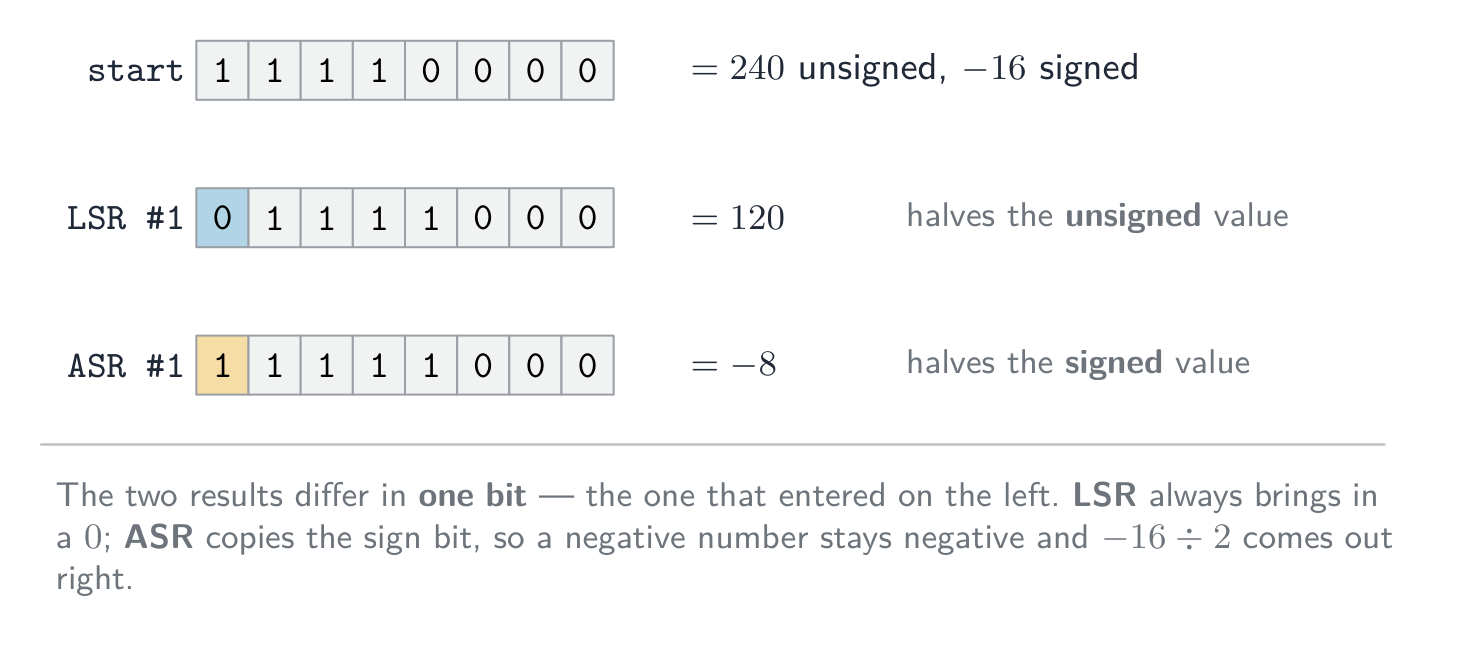
Logical and arithmetic right shift on the same byte: only the bit that enters on the left differs Bit manipulation for monitoring/control
Embedded devices often use one bit 位 of a register per signal (e.g. bit $n$ = LED $n$). Using a mask 掩码 — bit masking — you can:
- set bit $n$:
R = R ORa mask with bit $n$ set. - clear bit $n$:
R = R ANDa mask with bit $n$ clear and the rest set. - toggle bit $n$:
R = R XORa mask with bit $n$ set. - test bit $n$:
R ANDthe mask, then check if the result is non-zero.

Set a bit with OR, clear it with AND, toggle it with XOR — each using a mask Bit manipulation is fast, uses little memory, and lets one byte hold up to 8 on/off states.
In the exam's instruction set these are
AND,ORandXORwith a mask written as a denary, binary or hexadecimal operand. With the ACC holding10101100:Instruction Mask Result in ACC Effect AND B000011110000111100001100keeps only the low four bits (clears the others) OR #10000000110101101sets the least significant bit, leaving the rest unchanged XOR &FF1111111101010011inverts every bit AND B00001000thenCMP #00000100000001000tests bit 3: the compare is not equal, so bit 3 was set LSL #210110000shifts left two places, losing the top two bits LSR #300010101shifts right three places, zeros entering on the left "Write the instruction that sets the least significant bit to 1 and leaves the others unchanged":
OR #1, orOR B00000001. To clear a bit useANDwith a mask that has a 0 in that place and 1s elsewhere; to test a bit,ANDwith a mask that has a 1 only in that place, then compare the result with zero. In a monitoring device, one bit of a register per sensor lets a singleANDcheck whether a particular sensor is on, and oneORswitches an actuator's control bit on without disturbing the others.Explore · 探索Shift and mask the bits of a byte
Pick an operator and watch each result bit. A left shift (<<) moves every bit up one place (×2); a right shift (>>) moves them down (÷2); AND with a mask clears the bits you don't want.
Vocabulary · 語彙 Train · 練習するEnglish 日本語 bit/bɪt/ ビット logical shift/ˈlɒdʒɪkl ʃɪft/ 論理シフト cyclic shift/ˈsaɪklɪk ʃɪft/ 巡回シフト mask/mæsk/ マスク 4.3
Definitions the examiner accepts
A definition question is marked against fixed wording. Learn these exactly, and give one answer only.
Term Definition stored program concept the program instructions and the data are both held in main memory, and instructions are fetched and executed one at a time register a small, very fast storage location inside the processor with a specific purpose Program Counter the register holding the address of the next instruction to be fetched Memory Address Register the register holding the address of the memory location being read from or written to Memory Data Register the register holding the data or instruction just read from, or about to be written to, memory Current Instruction Register the register holding the instruction currently being decoded and executed Accumulator the general-purpose register holding the result of the last arithmetic or logic operation cache memory small, fast memory close to the processor holding frequently used instructions and data interrupt a signal from a device or program that causes the processor to pause the current task and run an interrupt service routine assembly language a low-level language in which each mnemonic instruction corresponds to one machine-code instruction immediate addressing the operand is the value written in the instruction direct addressing the operand is the contents of the address written in the instruction indirect addressing the address in the instruction holds the address of the operand indexed addressing the operand's address is the address in the instruction plus the contents of the index register relative addressing the operand's address is given as an offset from the address of the current instruction logical shift every bit moves the given number of places and zeros fill the vacated places 4.3
Exam tips
- Learn the fetch-execute cycle in register-transfer terms (PC, MAR, MDR, CIR, ACC) and what increments the PC.
- Name each register's job; the address bus is one-way, the data bus is two-way.
- Distinguish the addressing modes (immediate, direct, indirect, indexed) — a frequent question.
- Explain how clock speed, number of cores, cache size and word length affect performance.
- For a binary shift, state whether it is logical or arithmetic; a left shift multiplies by 2, a right shift divides by 2.
Common mistakes
- Saying the PC holds the current instruction, or the MDR holds an address. The PC holds the address of the next instruction; the MDR holds data or an instruction, never an address.
- Leaving the increment of the PC out of the fetch, or putting it after the execute. It happens as soon as the address has been copied to the MAR.
- Reading
LDD 10as "load 10".LDD 10loads the contents of address 10;LDM #10loads the number 10. - Putting a value in the ACC column for
CMPorOUT. A compare sets a flag only; an output goes to the output column. - Saying an interrupt is handled "immediately". The processor finishes the current instruction and checks for interrupts at the end of the cycle.
- Using a logical right shift on a negative two's-complement number. Only an arithmetic shift keeps the sign bit.
-
5
System Software · システムソフトウェア
Watch lesson · レッスンを視聴5.1
Operating systems

Syllabus · シラバス
EnglishCandidates should be able to: Notes and guidance Explain why a computer system requires an Operating System (OS) Explain the key management tasks carried out by the Operating System Including memory management, file management, security management, hardware management (input/output/peripherals), process management Show understanding of the need for typical utility software provided with an Operating System Including disk formatter, virus checker, defragmentation software, disk contents analysis / disk repair software, file compression, back-up software Show understanding of program libraries Including: • software under development is often constructed using existing code from program libraries • the benefits to the developer of software constructed using library files, including Dynamic Link Library (DLL) files 日本語受験者は以下的能力を備えているべきである: メモおよびガイドライン コンピュータシステムがオペレーティングシステム (OS) を必要とする理由を説明する オペレーティングシステムが行う主要な管理タスクを説明する メモリ管理, ファイル管理, セキュリティ管理, ハードウェア管理(入力/出力/周辺機器), プロセス管理 を含む オペレーティングシステムに提供される一般的なユーティリティソフトウェアの必要性を理解する ディスクフォーマッタ, ウイルスチェック, デフラグメーションソフト, ディスク contents アナリシス / ディスク修復ソフト, ファイル圧縮, バックアップソフト を含む プログラムライブラリを理解する 開発中のソフトウェアは多くの場合、プログラムライブラリからの既存コードで構成される • ライブラリファイルを使用して構築されたソフトウェアによる開発者への利点、特にダイナミックリンクライブラリ (DLL) ファイルを含む Source: Cambridge International syllabus · 出典: Cambridge International シラバス
EnglishWhy a computer needs an OS
Hardware on its own can only fetch and run instructions — it knows nothing about files, programs, networks or users. The operating system 操作系统 (OS) is the software layer that:
- manages the hardware (processor 处理器, memory, I/O, storage) for the running programs.
- provides services (file system, network, user accounts) through a clear interface, so programs need not talk to the hardware directly.
- provides a user interface (command line, GUI, touch).
- lets several programs share the hardware safely — each gets fair CPU time and is kept out of the others' memory.
Without an OS, every program would need its own drivers, and only one program could safely run at a time.
"Describe the purpose of an OS" — the five-mark list. The OS (1) provides an interface between the user and the hardware; (2) hides the complexity of the hardware from the user and from application programs; (3) manages the hardware resources — processor time, memory, storage and input/output devices — and shares them between programs; (4) loads application software into memory and runs it, giving every program the same platform to run on; (5) lets several programs run at once (multitasking 多任务处理) while keeping them, and the users' data, secure. Give five different points; "it runs the computer" or "it manages resources" alone earns nothing.
Key management tasks
The syllabus names five. Each point below is one thing the OS actually does, which is what a "describe" question wants.
- memory management 内存管理 — allocates memory to each program when it is loaded, keeps every program's memory separate (memory protection 内存保护) so one cannot overwrite another, frees the memory when a program ends, and swaps pages between RAM 随机存取存储器 and secondary storage 辅助存储器 (the disk) (virtual memory 虚拟内存 / paging 分页) so more programs can be open than physical memory allows.
- process management 进程管理 — a running program is a process 进程. The OS creates and ends processes, decides which process gets the CPU next (scheduling 调度) and for how long (a time slice 时间片), switches between them, resolves conflicts when two want the same resource, and can kill one that stops responding.
- hardware management (input/output and peripherals) — talks to each device through its device driver 设备驱动, queues and buffers data going to slow devices such as a printer, responds to interrupts 中断 from devices, and shares one device between several programs.
- file management — creates, names, copies, moves and deletes files and folders, keeps the directory 目录 structure and a record of where each file is stored on the disk, allocates disk space to files, and enforces access rights 访问权限 (read / write / execute) for each user.
- security management — user accounts and passwords (authentication 身份验证), access rights, encryption of stored data, a firewall, automatic security updates, and a log of who did what.
How memory and process management support multitasking (a four-mark favourite). Memory management loads several programs into memory at the same time, each in its own protected area, and keeps track of which addresses belong to which; process management shares the processor between them — each process runs for a time slice, the OS saves its state and switches to the next, and the switching is so fast that all the programs appear to run together. Interrupts let the OS take the processor back from a process whenever a device needs attention.
Interrupts. A hardware interrupt 硬件中断 comes from a device: a key pressed, a mouse click, a printer out of paper, a disk finishing a transfer, a power failure. A software interrupt 软件中断 comes from a program: division by zero, an invalid instruction, an attempt to use memory it does not own, or a request for an OS service. The OS's interrupt handler 中断处理程序 saves the state of the running process, deals with the interrupt, then restores the process (topic 4 covers the fetch–execute detail).
Utility software
Utility programs 实用程序 are system software that maintain, repair or optimise the computer rather than doing a user's task; the examiner accepts "performs a specific maintenance task that improves performance or security". Most OSes bundle these:
- disk formatter — prepares a new disk (or wipes an old one) for use: sets up its file system and partitions, deleting any existing data.
- virus checker (antivirus 杀毒软件) — scans files and memory, compares code against a database of known virus signatures 签名 and watches for suspicious behaviour, then quarantines or deletes what it finds; runs on a schedule and on every download, and needs updating as new viruses appear.
- defragmentation software (disk defragmenter 碎片整理) — a hard disk stores a file in whatever free blocks it finds, so after many saves and deletes a file is scattered (fragmented 碎片化) across the platter and the read/write head must jump between the pieces. The defragmenter moves the pieces of each file next to each other and gathers the free space into one region, so files load faster and new files are not fragmented. Not needed on an SSD, which has no moving head.
- disk contents analysis / disk repair software — shows what is using the disk space (large, duplicate or temporary files) so they can be removed; finds and repairs bad sectors, lost clusters and file-system errors.
- file compression (compression 压缩) — shrinks files so they need less storage and transfer faster; archiving bundles many files into one.
- back-up software (backup 备份) — copies files to another medium (external disk, network, cloud) on a schedule so data can be restored after loss, corruption or a ransomware attack; a full copy is followed by incremental backups 增量备份 of only what changed.
- a firewall 防火墙 (filters network traffic by rules) and encryption tools, for security; a system monitor and automatic updates.
Bundling these with the OS saves the user installing each one.
Which utility does what. Performance: defragmentation (faster file access), disk repair (a disk with errors is slow or fails), disk contents analysis (free space by deleting junk), compression (more fits on the disk). Security: virus checker, firewall, encryption, and backup (the only recovery from ransomware). A "draw one line" question pairs each utility with exactly one purpose — learn the pairs above and use the syllabus names.
Worked example. Explain how defragmentation can improve the performance of a computer (3 marks).
Over time a file is stored in blocks scattered across the hard disk, so reading it needs many movements of the read/write head. The defragmenter rearranges the blocks so each file is stored contiguously and the free space is together. Files are then read with fewer head movements, so they load faster, and new files can be written into one continuous space.
日本語Why a computer needs an OS
Hardware on its own can only fetch and run instructions — it knows nothing about files, programs, networks or users. The operating system 操作系统 (OS) is the software layer that:
- manages the hardware (processor 处理器, memory, I/O, storage) for the running programs.
- provides services (file system, network, user accounts) through a clear interface, so programs need not talk to the hardware directly.
- provides a user interface (command line, GUI, touch).
- lets several programs share the hardware safely — each gets fair CPU time and is kept out of the others' memory.
Without an OS, every program would need its own drivers, and only one program could safely run at a time.
"Describe the purpose of an OS" — the five-mark list. The OS (1) provides an interface between the user and the hardware; (2) hides the complexity of the hardware from the user and from application programs; (3) manages the hardware resources — processor time, memory, storage and input/output devices — and shares them between programs; (4) loads application software into memory and runs it, giving every program the same platform to run on; (5) lets several programs run at once (multitasking 多任务处理) while keeping them, and the users' data, secure. Give five different points; "it runs the computer" or "it manages resources" alone earns nothing.
A desktop operating system manages the screen, files and programs for the user 
A phone needs one just as much: this is a mobile operating system, Android Key management tasks
The syllabus names five. Each point below is one thing the OS actually does, which is what a "describe" question wants.
- memory management 内存管理 — allocates memory to each program when it is loaded, keeps every program's memory separate (memory protection 内存保护) so one cannot overwrite another, frees the memory when a program ends, and swaps pages between RAM 随机存取存储器 and secondary storage 辅助存储器 (the disk) (virtual memory 虚拟内存 / paging 分页) so more programs can be open than physical memory allows.
- process management 进程管理 — a running program is a process 进程. The OS creates and ends processes, decides which process gets the CPU next (scheduling 调度) and for how long (a time slice 时间片), switches between them, resolves conflicts when two want the same resource, and can kill one that stops responding.
- hardware management (input/output and peripherals) — talks to each device through its device driver 设备驱动, queues and buffers data going to slow devices such as a printer, responds to interrupts 中断 from devices, and shares one device between several programs.
- file management — creates, names, copies, moves and deletes files and folders, keeps the directory 目录 structure and a record of where each file is stored on the disk, allocates disk space to files, and enforces access rights 访问权限 (read / write / execute) for each user.
- security management — user accounts and passwords (authentication 身份验证), access rights, encryption of stored data, a firewall, automatic security updates, and a log of who did what.

The main jobs the operating system manages 
Memory protection keeps each application in its own block of memory How memory and process management support multitasking (a four-mark favourite). Memory management loads several programs into memory at the same time, each in its own protected area, and keeps track of which addresses belong to which; process management shares the processor between them — each process runs for a time slice, the OS saves its state and switches to the next, and the switching is so fast that all the programs appear to run together. Interrupts let the OS take the processor back from a process whenever a device needs attention.
Interrupts. A hardware interrupt 硬件中断 comes from a device: a key pressed, a mouse click, a printer out of paper, a disk finishing a transfer, a power failure. A software interrupt 软件中断 comes from a program: division by zero, an invalid instruction, an attempt to use memory it does not own, or a request for an OS service. The OS's interrupt handler 中断处理程序 saves the state of the running process, deals with the interrupt, then restores the process (topic 4 covers the fetch–execute detail).
Utility software
Utility programs 实用程序 are system software that maintain, repair or optimise the computer rather than doing a user's task; the examiner accepts "performs a specific maintenance task that improves performance or security". Most OSes bundle these:

Utility programs: antivirus, backup, compression and defragmenter - disk formatter — prepares a new disk (or wipes an old one) for use: sets up its file system and partitions, deleting any existing data.
- virus checker (antivirus 杀毒软件) — scans files and memory, compares code against a database of known virus signatures 签名 and watches for suspicious behaviour, then quarantines or deletes what it finds; runs on a schedule and on every download, and needs updating as new viruses appear.
- defragmentation software (disk defragmenter 碎片整理) — a hard disk stores a file in whatever free blocks it finds, so after many saves and deletes a file is scattered (fragmented 碎片化) across the platter and the read/write head must jump between the pieces. The defragmenter moves the pieces of each file next to each other and gathers the free space into one region, so files load faster and new files are not fragmented. Not needed on an SSD, which has no moving head.
- disk contents analysis / disk repair software — shows what is using the disk space (large, duplicate or temporary files) so they can be removed; finds and repairs bad sectors, lost clusters and file-system errors.
- file compression (compression 压缩) — shrinks files so they need less storage and transfer faster; archiving bundles many files into one.
- back-up software (backup 备份) — copies files to another medium (external disk, network, cloud) on a schedule so data can be restored after loss, corruption or a ransomware attack; a full copy is followed by incremental backups 增量备份 of only what changed.
- a firewall 防火墙 (filters network traffic by rules) and encryption tools, for security; a system monitor and automatic updates.
Bundling these with the OS saves the user installing each one.
Which utility does what. Performance: defragmentation (faster file access), disk repair (a disk with errors is slow or fails), disk contents analysis (free space by deleting junk), compression (more fits on the disk). Security: virus checker, firewall, encryption, and backup (the only recovery from ransomware). A "draw one line" question pairs each utility with exactly one purpose — learn the pairs above and use the syllabus names.
Worked example. Explain how defragmentation can improve the performance of a computer (3 marks).
Over time a file is stored in blocks scattered across the hard disk, so reading it needs many movements of the read/write head. The defragmenter rearranges the blocks so each file is stored contiguously and the free space is together. Files are then read with fewer head movements, so they load faster, and new files can be written into one continuous space.
Explore · 探索Where the operating system sits · オペレーティングシステムの位置づけ
Tap each layer. The OS is the middle layer — it sits between your applications and the hardware, sharing the machine safely so programs never touch the hardware directly. · 各レイヤーをタップせよ。OSは中央のレイヤーであり、アプリケーションとハードウェアの間に位置し、機械を安全に共有することでプログラムがハードウェアに直接触れないようにする。
Vocabulary · 語彙 Train · 練習するEnglish 日本語 operating system/ˈɒpəreɪtɪŋ ˈsɪstəm/ オペレーティングシステム processor/ˈprəʊsesə/ プロセッサー multitasking/ˈmʌltitæskɪŋ/ マルチタスク memory management/ˈmeməri ˈmænɪdʒmənt/ メモリ管理 memory protection/ˈmeməri prəˈtekʃn/ メモリ保護 RAM/ræm/ RAM secondary storage/ˈsekəndəri ˈstɔːrɪdʒ/ 補助記憶 virtual memory/ˈvɜːtʃuːəl ˈmeməri/ 仮想メモリ paging/ˈpeɪdʒɪŋ/ ページングである process management/ˈprəʊses ˈmænɪdʒmənt/ プロセス管理 process/ˈprəʊses/ プロセス scheduling/ˈʃedjuːlɪŋ/ スケジューリング time slice/taɪm slaɪs/ タイムスライス device driver/dɪˈvaɪs ˈdraɪvə/ デバイスドライバ interrupts/ˈɪntərʌpts/ 割り込み directory/daɪˈrektəri/ ディレクトリ access rights/ˈækses raɪts/ アクセス権限 authentication/ɔːˌθentɪˈkeɪʃn/ 認証 firewall/ˈfaɪəwɔːl/ ファイアウォール hardware interrupt/ˈhɑːdweə ˈɪntərʌpt/ ハードウェア割り込み software interrupt/ˈsɒftweə ˈɪntərʌpt/ ソフトウェア割り込み interrupt handler/ˈɪntərʌpt ˈhændlə/ 割り込みハンドラ utility program/juːˈtɪlɪti ˈprəʊɡræm/ ユーティリティプログラム antivirus/ˌæntɪˈvaɪrəs/ ウイルス対策ソフト backup/ˈbækʌp/ バックアップ compression/kəmˈpreʃn/ 圧縮を使う disk defragmenter/dɪsk ˌdiːˈfræɡmentə/ ディスクデフラグメンター signatures/ˈsɪɡnɪtʃəz/ シグネチャである fragmented/fræɡˈmentɪd/ 分断型(fragmented) incremental backups/ˌɪŋkrɪˈmentl ˈbækʌps/ 増分バックアップ 5.1
Program libraries
 English
A program library 程序库 is pre-written code (subroutines 子程序, classes, modules) that programs reuse instead of writing it themselves — e.g. a maths library, a network library, a graphics library.
Benefits: saves time (off-the-shelf code), reliable (well-tested, widely used), and standardised (consistent behaviour).
The examiner's benefit list, for the developer. The library routines 库例程 are already written and tested, so development is faster and cheaper; they are reliable and, being used by many programs, largely error-free; the developer needs no expertise in that area (graphics, compression, encryption, path-finding); the program is easier to maintain because common code lives in one place; and a whole team can use the same routines, giving consistent results. Drawbacks: a routine may not do exactly what you need and you cannot change it; your program depends on the library being available, correct and secure — a bug or a security hole in the library is a bug in your program; and you must learn how to call it.
- a static library 静态库 is copied into the executable at compile time (stands alone, but larger and needs rebuilding to update).
- a dynamic library 动态库 (DLL, Dynamic Link Library;
.so) is loaded at run time (smaller executables, shared by many programs, updated once for all).
Dynamic Link Library (DLL) files. A DLL is a library that is loaded into memory only when a program calls it, at run time, and stays as a separate file rather than being copied into the executable. Benefits: the executable is smaller; several running programs share one copy of the DLL in memory; a DLL can be updated (bug fix, new device) without recompiling the programs that use it; and memory is used only while the routine is needed. Drawbacks: the program will not run if the DLL is missing, moved or the wrong version; an updated DLL can break a program that relied on the old behaviour; and a fake DLL put in its place runs with the program's rights.
Worked example. A team writing the software for a restaurant robot uses a program library that includes a routine to find the shortest path between tables. Explain two benefits and one drawback to the team.
Benefits: the routine is already written and tested, so the team saves time and can trust the result; the team need not understand path-finding algorithms themselves and can spend the time on the robot's own features. Drawback: the routine may not handle the restaurant's exact needs (moving chairs, one-way aisles) and the team cannot alter it, so they may have to work around its limits.
日本語A program library 程序库 is pre-written code (subroutines 子程序, classes, modules) that programs reuse instead of writing it themselves — e.g. a maths library, a network library, a graphics library.
A new program reusing ready-made routines from libraries Benefits: saves time (off-the-shelf code), reliable (well-tested, widely used), and standardised (consistent behaviour).
The examiner's benefit list, for the developer. The library routines 库例程 are already written and tested, so development is faster and cheaper; they are reliable and, being used by many programs, largely error-free; the developer needs no expertise in that area (graphics, compression, encryption, path-finding); the program is easier to maintain because common code lives in one place; and a whole team can use the same routines, giving consistent results. Drawbacks: a routine may not do exactly what you need and you cannot change it; your program depends on the library being available, correct and secure — a bug or a security hole in the library is a bug in your program; and you must learn how to call it.
- a static library 静态库 is copied into the executable at compile time (stands alone, but larger and needs rebuilding to update).
- a dynamic library 动态库 (DLL, Dynamic Link Library;
.so) is loaded at run time (smaller executables, shared by many programs, updated once for all).

Static: the library is copied into the executable. Dynamic: a shared library file is loaded at run time Dynamic Link Library (DLL) files. A DLL is a library that is loaded into memory only when a program calls it, at run time, and stays as a separate file rather than being copied into the executable. Benefits: the executable is smaller; several running programs share one copy of the DLL in memory; a DLL can be updated (bug fix, new device) without recompiling the programs that use it; and memory is used only while the routine is needed. Drawbacks: the program will not run if the DLL is missing, moved or the wrong version; an updated DLL can break a program that relied on the old behaviour; and a fake DLL put in its place runs with the program's rights.
Worked example. A team writing the software for a restaurant robot uses a program library that includes a routine to find the shortest path between tables. Explain two benefits and one drawback to the team.
Benefits: the routine is already written and tested, so the team saves time and can trust the result; the team need not understand path-finding algorithms themselves and can spend the time on the robot's own features. Drawback: the routine may not handle the restaurant's exact needs (moving chairs, one-way aisles) and the team cannot alter it, so they may have to work around its limits.
Explore · 探索Computing concept lab · コンピューティング概念ラボ
Classify concrete examples by the computing idea they demonstrate. · 具体的な例を、それが示すコンピューティングのアイデアに基づいて分類せよ。
Vocabulary · 語彙 Train · 練習するEnglish 日本語 program library/ˈprəʊɡræm ˈlaɪbrəri/ プログラムライブラリ subroutines/ˈsʌbruːtiːnz/ サブルーチン library routines/ˈlaɪbrəri ruːˈtiːnz/ ライブラリルーチン static library/ˈstætɪk ˈlaɪbrəri/ 静的ライブラリ dynamic library/daɪˈnæmɪk ˈlaɪbrəri/ 動的ライブラリ 5.2
Language translators

Syllabus · シラバス
EnglishCandidates should be able to: Notes and guidance Show understanding of the need for: • assembler software for the translation of an assembly language program • a compiler for the translation of a high-level language program • an interpreter for translation and execution of a high-level language program Explain the benefits and drawbacks of using either a compiler or interpreter and justify the use of each Show awareness that high-level language programs may be partially compiled and partially interpreted, such as Java (console mode) Describe features found in a typical Integrated Development Environment (IDE) Including: • for coding, including context-sensitive prompts • for initial error detection, including dynamic syntax checks • for presentation, including prettyprint, expand and collapse code blocks • for debugging, including single stepping, breakpoints, i.e. variables, expressions, report window 日本語受験者は以下的能力を備えているべきである: メモおよびガイドライン 以下の必要性を理解する: • アセンブラソフトによるアセンブリ言語プログラムの翻訳 • コンパイラによるハイレベル言語プログラムの翻訳 • インタプリタによるハイレベル言語プログラムの翻訳と実行 コンパイラまたはインタプリタを使用することの利点と欠点を説明し、それぞれの使用を正当化する ハイレベル言語プログラムが部分的にコンパイルされ、部分的に解釈される可能性があることに留意する(Java(コンソールモード)など) 一般的な統合開発環境 (IDE) に見られる特徴を説明する コーディングには、文脈依存プロンプトを含む • 初期エラー検出には、動的構文チェックを含む • 表示には、prettyprint、コードブロックの展開と折りたたみを含む • デバッグには、ステップバイステップ、ブレイクポイント、つまり変数、式、レポートウィンドウを含む Source: Cambridge International syllabus · 出典: Cambridge International シラバス
EnglishYou write source code; the computer runs machine code 机器码. A translator 翻译器 converts between them.
Assembler
An assembler 汇编器 translates assembly language 汇编语言 into machine code: each mnemonic instruction (
LDD,ADD,JMP) becomes exactly one machine-code instruction, and symbolic addresses and labels are replaced by real addresses. It is needed because the processor executes only machine code, and assembly is used where the programmer needs direct control of the hardware (embedded systems, device drivers).Compiler
A compiler 编译器 translates a high-level program into machine code once, before it runs.
- it reports all errors at compile time; once clean, it produces a stand-alone executable 可执行文件 that runs without the compiler installed and can be run many times.
- generally faster at run time (no translation while running), but tied to one CPU/OS — recompile for each platform.
The two-mark description: a compiler translates the whole high-level program into machine code (object code 目标代码) before it is run, produces an executable file, and reports all the syntax errors together as a list at the end of translation. It does not run the program.
Interpreter
An interpreter 解释器 translates and runs a high-level program one line at a time, producing no executable.
- it reports an error when it reaches that line, then stops; you can fix it and continue — good for development.
- the interpreter must be installed to run the program; generally slower (each run re-translates), but easy to port across platforms.
The two-mark description: an interpreter translates one statement of the high-level program at a time and executes it immediately before moving to the next; no executable file is produced; it stops at the first error it meets and reports it. Both the source code and the interpreter must be present every time the program runs.
Choosing between them
Use a compiler when: Use an interpreter when: run-time speed matters you want fast edit–run cycles distributing to users without dev tools writing cross-platform scripts the program runs many times the program is small or run once teaching beginners Benefits and drawbacks, as the mark scheme lists them.
compiler interpreter execution speed fast — already machine code slower — translated on every run what the user needs only the executable; no translator, and the source code stays private the source code and the interpreter finding errors all errors listed at once, after the whole program is translated each error reported at the line where it occurs, as you develop changing the code recompile the whole program after every change edit and run again immediately portability machine code runs on one platform only; recompile for each the same source runs wherever an interpreter exists Worked example. A developer uses an interpreter while writing a program and a compiler when it is finished. Explain how each is used (4 marks).
During development the interpreter runs the partly written program at once, without waiting for a complete translation; when it meets an error it reports the line, so the developer fixes it and runs again immediately — a fast edit–run cycle that is easier for debugging. When the program is finished, the compiler translates the whole program into an executable that runs faster, needs no translator on the user's computer, and does not reveal the source code, so it can be sold to the public.
Hybrid: Java
Java is compiled into bytecode 字节码 (a platform-independent intermediate form), which a virtual machine 虚拟机 (the JVM) then interprets — or uses just-in-time compilation 即时编译 to turn hot parts into native code. So errors are caught early, the bytecode runs anywhere with a JVM ("write once, run anywhere"), and long-running programs reach near-native speed. C# and Python use similar designs.
The syllabus phrase is "partially compiled and partially interpreted": the compiler stage catches syntax errors and produces compact, portable 可移植的 bytecode; the interpreting stage lets that one bytecode file run on any machine that has a virtual machine, at the cost of some speed. Java in console mode (a text program run from the command line) is the syllabus's example.
Worked example. Java source is compiled to bytecode, which a JVM then interprets. Why use both, instead of compiling straight to machine code? A compiler produces machine code for one processor and operating system, so a program compiled on one machine will not run on another. Java's compiler instead targets a virtual machine, so the bytecode it produces is identical everywhere; each platform then supplies its own JVM to interpret that bytecode into its own native instructions. One compiled file therefore runs anywhere a JVM exists - "write once, run anywhere". The price is speed: interpreting bytecode is slower than running native code, which is why a real JVM also uses JIT compilation to turn frequently-run bytecode into native code while the program runs. Name both sides - the marks are for portability bought at the cost of speed.
日本語You write source code; the computer runs machine code 机器码. A translator 翻译器 converts between them.
Assembler
An assembler 汇编器 translates assembly language 汇编语言 into machine code: each mnemonic instruction (
LDD,ADD,JMP) becomes exactly one machine-code instruction, and symbolic addresses and labels are replaced by real addresses. It is needed because the processor executes only machine code, and assembly is used where the programmer needs direct control of the hardware (embedded systems, device drivers).Compiler
A compiler 编译器 translates a high-level program into machine code once, before it runs.
- it reports all errors at compile time; once clean, it produces a stand-alone executable 可执行文件 that runs without the compiler installed and can be run many times.
- generally faster at run time (no translation while running), but tied to one CPU/OS — recompile for each platform.
The two-mark description: a compiler translates the whole high-level program into machine code (object code 目标代码) before it is run, produces an executable file, and reports all the syntax errors together as a list at the end of translation. It does not run the program.
Interpreter
An interpreter 解释器 translates and runs a high-level program one line at a time, producing no executable.
- it reports an error when it reaches that line, then stops; you can fix it and continue — good for development.
- the interpreter must be installed to run the program; generally slower (each run re-translates), but easy to port across platforms.
The two-mark description: an interpreter translates one statement of the high-level program at a time and executes it immediately before moving to the next; no executable file is produced; it stops at the first error it meets and reports it. Both the source code and the interpreter must be present every time the program runs.
A compiler translates once into a standalone program; an interpreter translates line by line, every run Choosing between them
Use a compiler when: Use an interpreter when: run-time speed matters you want fast edit–run cycles distributing to users without dev tools writing cross-platform scripts the program runs many times the program is small or run once teaching beginners Benefits and drawbacks, as the mark scheme lists them.
compiler interpreter execution speed fast — already machine code slower — translated on every run what the user needs only the executable; no translator, and the source code stays private the source code and the interpreter finding errors all errors listed at once, after the whole program is translated each error reported at the line where it occurs, as you develop changing the code recompile the whole program after every change edit and run again immediately portability machine code runs on one platform only; recompile for each the same source runs wherever an interpreter exists Worked example. A developer uses an interpreter while writing a program and a compiler when it is finished. Explain how each is used (4 marks).
During development the interpreter runs the partly written program at once, without waiting for a complete translation; when it meets an error it reports the line, so the developer fixes it and runs again immediately — a fast edit–run cycle that is easier for debugging. When the program is finished, the compiler translates the whole program into an executable that runs faster, needs no translator on the user's computer, and does not reveal the source code, so it can be sold to the public.
Hybrid: Java
Java is compiled into bytecode 字节码 (a platform-independent intermediate form), which a virtual machine 虚拟机 (the JVM) then interprets — or uses just-in-time compilation 即时编译 to turn hot parts into native code. So errors are caught early, the bytecode runs anywhere with a JVM ("write once, run anywhere"), and long-running programs reach near-native speed. C# and Python use similar designs.
The syllabus phrase is "partially compiled and partially interpreted": the compiler stage catches syntax errors and produces compact, portable 可移植的 bytecode; the interpreting stage lets that one bytecode file run on any machine that has a virtual machine, at the cost of some speed. Java in console mode (a text program run from the command line) is the syllabus's example.

Java compiles to portable bytecode that any JVM runs — write once, run anywhere Worked example. Java source is compiled to bytecode, which a JVM then interprets. Why use both, instead of compiling straight to machine code? A compiler produces machine code for one processor and operating system, so a program compiled on one machine will not run on another. Java's compiler instead targets a virtual machine, so the bytecode it produces is identical everywhere; each platform then supplies its own JVM to interpret that bytecode into its own native instructions. One compiled file therefore runs anywhere a JVM exists - "write once, run anywhere". The price is speed: interpreting bytecode is slower than running native code, which is why a real JVM also uses JIT compilation to turn frequently-run bytecode into native code while the program runs. Name both sides - the marks are for portability bought at the cost of speed.
Explore · 探索The compiler route: source to running program · コンパイラの経路:ソースから実行可能なプログラムへ
Step through how a compiler works — translating the whole program once, before it runs. Contrast it with an interpreter, which translates and runs one line at a time. · コンパイラがどう動作するかを確認する — プログラム全体を一度だけ翻訳してから実行する。インタプリタ(一行ずつ翻訳して実行する)と比較せよ。
Vocabulary · 語彙 Train · 練習するEnglish 日本語 executable/ɪɡˈzekjʊtəbl/ 実行可能ファイル translator/trænˈsleɪtə/ 翻訳器 machine code/məˈʃiːn kəʊd/ 機械語 assembler/əˈsemblə/ アセンブラ assembly language/əˈsemblɪ ˈlæŋɡwɪdʒ/ アセンブリ言語 compiler/kəmˈpaɪlə/ コンパイラ object code/ˈɒbdʒekt kəʊd/ オブジェクトコード interpreter/ɪnˈtɜːprɪtə/ インタプリタ bytecode/ˈbaɪtkəʊd/ バイトコード virtual machine/ˈvɜːtʃuːəl məˈʃiːn/ 仮想マシン just-in-time compilation/dʒʌst ɪn taɪm ˌkɒmpɪˈleɪʃn/ ジャストインタイムコンパイル portable/ˈpɔːtəbl/ ポータブル 5.2
Integrated Development Environment (IDE)
 English
An integrated development environment 集成开发环境 (IDE) brings the tools to write, test and debug code into one application:
The syllabus groups the features into four kinds. Learn which feature belongs to which, because questions ask you to sort them and to describe one from each group.
- For coding: context-sensitive prompts 上下文相关提示 — as you type, the IDE pops up the identifiers, keywords or parameters that fit at that point in the code; auto-complete 自动补全 finishes the name for you; automatic indentation and bracket matching keep the layout right as you type.
- For initial error detection: dynamic syntax checks 动态语法检查 — the editor checks the syntax as you type and underlines or highlights a mistake immediately, before the program is translated; after translation, error messages with line numbers.
- For presentation: prettyprint 代码美化 — keywords, identifiers, strings and comments shown in different colours or fonts (syntax highlighting 语法高亮) with consistent indentation, so the structure is visible at a glance; expand and collapse code blocks — hide the body of a loop, an IF or a subroutine so you see the outline.
- For debugging: breakpoints 断点 — the program pauses when it reaches a marked line; single stepping 单步执行 — from the pause, run one line at a time; a window that shows the current values of variables and expressions as they change; and a report window 报告窗口 that lists errors, warnings and output.
Other features: translator integration (compile or run with one key, errors shown inline), a debugger 调试器 that drives the debugging features above, version control 版本控制 integration (git), project management, a help system, refactoring 重构 tools (safe renaming) and unit test 单元测试 integration.
An IDE speeds development by putting writing → running → debugging → fixing behind one interface. Common IDEs: Visual Studio, PyCharm, Eclipse, VS Code.
Worked example. A function
Calculate()returns an unexpected value when the program runs. Describe how the debugging features of a typical IDE help find the cause (4 marks).Set a breakpoint on the first line of
Calculate(), so the program pauses there instead of running through. Then single-step through the function one line at a time. After each step read the values of the variables and of any expression you have asked the IDE to watch, and compare them with the values you expected; the first line after which a value is wrong is where the logic error is. The report window shows any run-time error message and the output produced so far.Worked example. Put each feature in its syllabus group: prettyprint, context-sensitive prompt, dynamic syntax check, breakpoint, expand/collapse code blocks, report window.
Coding: context-sensitive prompt. Initial error detection: dynamic syntax check. Presentation: prettyprint, expand/collapse code blocks. Debugging: breakpoint, report window.
日本語An integrated development environment 集成开发环境 (IDE) brings the tools to write, test and debug code into one application:
An IDE bundles the editor, a Run button and a debugger The syllabus groups the features into four kinds. Learn which feature belongs to which, because questions ask you to sort them and to describe one from each group.
- For coding: context-sensitive prompts 上下文相关提示 — as you type, the IDE pops up the identifiers, keywords or parameters that fit at that point in the code; auto-complete 自动补全 finishes the name for you; automatic indentation and bracket matching keep the layout right as you type.
- For initial error detection: dynamic syntax checks 动态语法检查 — the editor checks the syntax as you type and underlines or highlights a mistake immediately, before the program is translated; after translation, error messages with line numbers.
- For presentation: prettyprint 代码美化 — keywords, identifiers, strings and comments shown in different colours or fonts (syntax highlighting 语法高亮) with consistent indentation, so the structure is visible at a glance; expand and collapse code blocks — hide the body of a loop, an IF or a subroutine so you see the outline.
- For debugging: breakpoints 断点 — the program pauses when it reaches a marked line; single stepping 单步执行 — from the pause, run one line at a time; a window that shows the current values of variables and expressions as they change; and a report window 报告窗口 that lists errors, warnings and output.
Other features: translator integration (compile or run with one key, errors shown inline), a debugger 调试器 that drives the debugging features above, version control 版本控制 integration (git), project management, a help system, refactoring 重构 tools (safe renaming) and unit test 单元测试 integration.
The IDE features the syllabus names, in the places you would see them on screen An IDE speeds development by putting writing → running → debugging → fixing behind one interface. Common IDEs: Visual Studio, PyCharm, Eclipse, VS Code.

A debugger: set a breakpoint, run, then pause to inspect variables and step through the code Worked example. A function
Calculate()returns an unexpected value when the program runs. Describe how the debugging features of a typical IDE help find the cause (4 marks).Set a breakpoint on the first line of
Calculate(), so the program pauses there instead of running through. Then single-step through the function one line at a time. After each step read the values of the variables and of any expression you have asked the IDE to watch, and compare them with the values you expected; the first line after which a value is wrong is where the logic error is. The report window shows any run-time error message and the output produced so far.Worked example. Put each feature in its syllabus group: prettyprint, context-sensitive prompt, dynamic syntax check, breakpoint, expand/collapse code blocks, report window.
Coding: context-sensitive prompt. Initial error detection: dynamic syntax check. Presentation: prettyprint, expand/collapse code blocks. Debugging: breakpoint, report window.
Vocabulary · 語彙 Train · 練習するEnglish 日本語 integrated development environment/ˈɪntɪɡreɪtɪd dɪˈveləpmənt enˈvaɪrənmənt/ 統合開発環境 debugger/ˈdiːbʌɡə/ デバッガー context-sensitive prompts/ˈkɒntekst ˈsensɪtɪv prɒmpts/ コンテキスト敏感プロンプト auto-complete/ˈɔːtəʊ kəmˈpliːt/ 自動完了 dynamic syntax checks/daɪˈnæmɪk ˈsɪntæks tʃeks/ 動態構文チェック prettyprint/ˈpretɪprɪnt/ prettyprint syntax highlighting/ˈsɪntæks ˈhaɪlaɪtɪŋ/ 構文ハイライト breakpoints/ˈbreɪkpɔɪnts/ ブレイクポイント single stepping/ˈsɪŋɡl ˈstepɪŋ/ 単一ステップ report window/rɪˈpɔːt ˈwɪndəʊ/ レポートウィンドウ version control/ˈvɜːʃn kənˈtrəʊl/ バージョン管理 refactoring/rɪˈfæktərɪŋ/ リファクタリング unit test/ˈjuːnɪt test/ 単体テスト 5.2
Definitions the examiner accepts
A definition question is marked against fixed wording. Learn these exactly, and give one answer only.
Term Definition operating system software that manages the computer's hardware and resources and provides an interface between the user, the application programs and the hardware utility software system software that performs a specific task to maintain, optimise or protect the computer, such as a virus checker or a defragmenter program library a collection of pre-written, tested routines (subroutines, classes, modules) that a program can use instead of writing its own Dynamic Link Library (DLL) a program library whose routines are loaded into memory only when the program calls them, at run time, and are shared between programs assembler a translator that converts an assembly language program into machine code, one instruction for each instruction compiler a translator that converts the whole of a high-level language program into machine code before it is run, producing an executable file interpreter a translator that translates and executes a high-level language program one statement at a time integrated development environment a single application that provides the tools for writing, translating, running and debugging a program context-sensitive prompt a pop-up that suggests identifiers, keywords or parameters that fit at the current point in the code dynamic syntax check checking the syntax of the code as it is typed and flagging an error before the program is translated prettyprint displaying code with keywords, identifiers and comments in different colours or fonts and with consistent indentation breakpoint a marked line at which the running program pauses so that variables can be inspected single stepping running a paused program one statement at a time under the programmer's control 5.2
Exam tips
- List the OS's jobs by their syllabus names (memory, process, hardware, file and security management) and say what each does — "manages resources" alone is too vague.
- Compare compiler vs interpreter vs assembler: what each translates, when it translates it, and how errors are reported.
- Explain what an IDE provides using the syllabus groups: coding, initial error detection, presentation, debugging.
- A "benefit to the developer" answer names the developer's saving: time, cost, expertise, reliability or maintenance. A "drawback" names a dependence: availability, version, fit, security.
- For "describe the operation of" a translator, give three things: what is translated (whole program or one statement), when (before running or while running), and how errors are reported (all at once or at the first error).
Common mistakes
- Writing "the OS controls the computer" or "manages resources" with no example task. Each mark is one named task with what it does.
- Saying an interpreter "compiles line by line". An interpreter translates and executes each statement; it never produces an executable.
- Saying a compiler runs the program. It only translates; the executable runs later, without the compiler.
- Putting a DLL "inside" the executable. That is a static library; a DLL stays a separate file loaded at run time.
- Saying defragmentation "deletes" or "compresses" files, or is needed on an SSD. It only moves blocks so each file is stored contiguously.
- Filing prettyprint or collapsing blocks under "debugging". They are presentation features; debugging is breakpoints, single stepping, watching variables and the report window.
-
6
Security, privacy and data integrity · セキュリティ、プライバシーおよびデータ完全性
Watch lesson · レッスンを視聴6.1
Security, privacy and integrity — three different ideas
Syllabus · シラバス
EnglishCandidates should be able to: Notes and guidance Explain the difference between the terms security, privacy and integrity of data Show appreciation of the need for both the security of data and the security of the computer system Describe security measures designed to protect computer systems, ranging from the stand-alone PC to a network of computers Including user accounts, passwords, authentication techniques such as digital signatures and biometrics, firewall, anti-virus software, anti-spyware, encryption Show understanding of the threats to computer and data security posed by networks and the internet Including malware (virus, spyware), hackers, phishing, pharming Describe methods that can be used to restrict the risks posed by threats Describe security methods designed to protect the security of data Including encryption, access rights 日本語受験者は以下的能力を備えているべきである: メモおよびガイドライン セキュリティ, プライバシー, データ完全性という用語の違いを説明する データのセキュリティおよびコンピュータシステムのセキュリティの両方の必要性を認識する 単体PCからコンピュータネットワークまで、コンピュータシステムを保護するために設計されたセキュリティ対策を説明する ユーザーアカウント, パスワード, デジタルサインaturesやバイオメトリクスなどの認証手法, ファイアウォール, アンチウイルスソフト, アンチスパイウェア, 暗号化 を含む ネットワークとインターネットがもたらすコンピュータおよびデータセキュリティに対する脅威を理解する マルウェア(ウイルス, スパイウェア), ハッカー, フィッシング, ファーマリング を含む 脅威によって生じるリスクを制限するために使用できる方法を説明する データのセキュリティを保護するために設計されたセキュリティ方法を説明する 暗号化, アクセス権限 を含む Source: Cambridge International syllabus · 出典: Cambridge International シラバス
EnglishThese sound alike but mean different things:
- security 安全 — protecting data from unauthorised 未授权 access, change or destruction.
- privacy 隐私 — an individual's right to control who sees their personal data, with consent and a clear purpose.
- integrity 完整性 — the data being accurate and complete — not corrupted or accidentally changed.
A file can be secure (only the right people can open it) but lack integrity (a typo corrupted it); or accurate but not private (anyone can read it). All three are needed.
The differences the scheme wants, one sentence each: security is keeping the data safe from loss and from unauthorised access; privacy is keeping the data confidential, so that only those with the right to see it can; integrity is the data being correct, consistent and complete. So "the difference between security and privacy": security is about protecting the data from being accessed, changed or lost by people who should not; privacy is about the individual's right to decide who may see their personal data. "The difference between security and integrity": security protects the data from unauthorised access; integrity is about the data being accurate and up to date, which validation and verification protect.
日本語These sound alike but mean different things:
- security 安全 — protecting data from unauthorised 未授权 access, change or destruction.
- privacy 隐私 — an individual's right to control who sees their personal data, with consent and a clear purpose.
- integrity 完整性 — the data being accurate and complete — not corrupted or accidentally changed.
A file can be secure (only the right people can open it) but lack integrity (a typo corrupted it); or accurate but not private (anyone can read it). All three are needed.
The differences the scheme wants, one sentence each: security is keeping the data safe from loss and from unauthorised access; privacy is keeping the data confidential, so that only those with the right to see it can; integrity is the data being correct, consistent and complete. So "the difference between security and privacy": security is about protecting the data from being accessed, changed or lost by people who should not; privacy is about the individual's right to decide who may see their personal data. "The difference between security and integrity": security protects the data from unauthorised access; integrity is about the data being accurate and up to date, which validation and verification protect.
Explore · 探索Risk and responsibility lab · リスクと責任ラボ
Sort examples by the rule, risk or protection involved. · 関連するルール、リスク、または保護に基づいて例を並べ替えよ。
Vocabulary · 語彙 Train · 練習するEnglish 日本語 security/sɪˈkjʊərɪti/ セキュリティ privacy/ˈprɪvəsi/ プライバシー integrity/ɪnˈteɡrɪti/ 完全性 unauthorised/ʌnˈɔːθəraɪzd/ 不正 6.1
Why security matters
Two things to protect: the data itself (keep it confidential, intact and available) and the computer system (a compromised system can attack others, steal credentials, or be held to ransom).
"Why does the school need to keep both secure?" Data: it is personal and confidential, so it must not be read, changed or deleted by an unauthorised person, and its loss would stop the school working. System: an intruder who reaches the computer system can install malware, use it to attack other systems, damage the hardware or software, or lock it with ransomware; a secure system is the first line of defence for the data on it.
6.1
Threats from networks and the internet
 English
Threats fall into three groups.
- Malware 恶意软件 (malicious software) — harmful programs:
- virus 病毒 — self-copying code that attaches to other programs and spreads when they run.
- worm 蠕虫 — self-copying code that spreads over networks 网络 with no user action.
- Trojan horse 木马 — looks useful but hides malicious code.
- spyware 间谍软件 — secretly collects information (keystrokes, passwords).
- ransomware 勒索软件 — encrypts your files and demands payment.
- adware 广告软件 — pushes unwanted adverts.
2. Tricking people (social attacks):
- phishing 网络钓鱼 — fake emails/sites that trick users into giving credentials.
- pharming 域名欺骗 — redirects a user to a fake site even when they type the correct address.
- social engineering 社会工程 — tricking people into giving up information.
The scheme's descriptions of the four named threats: a virus is malicious software that replicates (copies itself), attaches itself to other files and deletes or corrupts data; spyware is malicious software that records the user's key presses and actions and sends them to a third party, to obtain passwords and personal data; a phishing email pretends to come from a legitimate organisation and contains a link to a fake website where the user is asked for personal or bank details; pharming is malicious code installed on the user's computer or on a web server that redirects the user to a fake website even though they typed the correct address. Similarities of spyware and a virus: both are malware, both are installed without the user's knowledge, both can send data to a third party or damage the system; the difference is that a virus replicates itself while spyware records and transmits information. Phishing and pharming both lead the user to a fake website that collects their data; phishing needs the user to click a link in an email, pharming works through code on the computer or the DNS server and needs no email.
3. Attacks on the network:
- hacking 黑客入侵 by hackers 黑客 — unauthorised access, often via weak passwords or software flaws.
- denial of service 拒绝服务 (DoS/DDoS) — floods a server so real users cannot reach it.
- eavesdropping 窃听 — capturing data in transit (a risk on open Wi-Fi).
- man-in-the-middle 中间人攻击 — an attacker secretly relays or alters messages between two parties.
Worked example. Identify and describe two threats to the data on a school network, and give a different prevention method for each.
Threat 1, malware: a virus copied onto a computer from an email attachment or a download replicates itself and corrupts or deletes files; prevention: anti-virus software that scans files and is kept up to date. Threat 2, hacking: an unauthorised person gains access to the network, for example by guessing a weak password, and reads or changes the data; prevention: a firewall that blocks unauthorised connections, or strong passwords with two-factor authentication. A third pair, phishing: an email leads a user to a fake site that collects their login; prevention: training users to check the sender and the URL, and filtering email. The measure must match the threat: encryption does not stop a virus, and anti-virus software does not stop phishing.
日本語Threats fall into three groups.
A man-in-the-middle attacker sits between the two parties - Malware 恶意软件 (malicious software) — harmful programs:
- virus 病毒 — self-copying code that attaches to other programs and spreads when they run.
- worm 蠕虫 — self-copying code that spreads over networks 网络 with no user action.
- Trojan horse 木马 — looks useful but hides malicious code.
- spyware 间谍软件 — secretly collects information (keystrokes, passwords).
- ransomware 勒索软件 — encrypts your files and demands payment.
- adware 广告软件 — pushes unwanted adverts.
2. Tricking people (social attacks):
- phishing 网络钓鱼 — fake emails/sites that trick users into giving credentials.
- pharming 域名欺骗 — redirects a user to a fake site even when they type the correct address.
- social engineering 社会工程 — tricking people into giving up information.
The scheme's descriptions of the four named threats: a virus is malicious software that replicates (copies itself), attaches itself to other files and deletes or corrupts data; spyware is malicious software that records the user's key presses and actions and sends them to a third party, to obtain passwords and personal data; a phishing email pretends to come from a legitimate organisation and contains a link to a fake website where the user is asked for personal or bank details; pharming is malicious code installed on the user's computer or on a web server that redirects the user to a fake website even though they typed the correct address. Similarities of spyware and a virus: both are malware, both are installed without the user's knowledge, both can send data to a third party or damage the system; the difference is that a virus replicates itself while spyware records and transmits information. Phishing and pharming both lead the user to a fake website that collects their data; phishing needs the user to click a link in an email, pharming works through code on the computer or the DNS server and needs no email.
3. Attacks on the network:
- hacking 黑客入侵 by hackers 黑客 — unauthorised access, often via weak passwords or software flaws.
- denial of service 拒绝服务 (DoS/DDoS) — floods a server so real users cannot reach it.
- eavesdropping 窃听 — capturing data in transit (a risk on open Wi-Fi).
- man-in-the-middle 中间人攻击 — an attacker secretly relays or alters messages between two parties.
Worked example. Identify and describe two threats to the data on a school network, and give a different prevention method for each.
Threat 1, malware: a virus copied onto a computer from an email attachment or a download replicates itself and corrupts or deletes files; prevention: anti-virus software that scans files and is kept up to date. Threat 2, hacking: an unauthorised person gains access to the network, for example by guessing a weak password, and reads or changes the data; prevention: a firewall that blocks unauthorised connections, or strong passwords with two-factor authentication. A third pair, phishing: an email leads a user to a fake site that collects their login; prevention: training users to check the sender and the URL, and filtering email. The measure must match the threat: encryption does not stop a virus, and anti-virus software does not stop phishing.

Malware by behaviour: self-spreading (virus, worm) versus hidden/disguised (Trojan, spyware, ransomware, adware) Vocabulary · 語彙 Train · 練習するEnglish 日本語 malware/ˈmælweə/ マルウェア ransomware/ˈrænsəmweə/ ランサムウェア networks/ˈnetwɜːks/ ネットワーク man-in-the-middle/mæn ɪnðə ˈmɪdl/ 真ん中の男 virus/ˈvaɪrəs/ ウイルス worm/wɜːm/ ワーム(コンピュータ病毒) Trojan horse/ˈtrəʊdʒn hɔːs/ トロイの木馬 spyware/ˈspaɪweə/ スパイウェア adware/ˈædweə/ アダウェア phishing/ˈfɪʃɪŋ/ フィッシング pharming/ˈfɑːmɪŋ/ ファーマリング social engineering/ˈsəʊʃl ˌendʒɪˈnɪərɪŋ/ ソーシャルエンジニアリング hacking/ˈhækɪŋ/ ハッキング hackers/ˈhækəz/ ハッカー denial of service/dɪˈnaɪəl ɒv ˈsɜːvɪs/ サービス妨害 eavesdropping/ˈiːvzdrɒpɪŋ/ 盗聴 6.1
Security measures
 English
Measures protect both the security of data (against loss, theft or corruption) and the security of the computer system (its hardware, software and network).
A standalone PC
- a strong password; antivirus kept up to date; prompt software updates; backup 备份 to separate media; full-disk encryption 加密; a locked screen.
A networked PC
All the above, plus a firewall 防火墙, per-user permissions (admin rights only for admins), central management of user accounts 用户账户, and audit logs 审计日志 (who logged in, what they touched).
How the measures work, in the wording the scheme awards:
- firewall: examines every incoming and outgoing transmission and compares it with set criteria (a whitelist or blacklist of addresses, ports and protocols); blocks any that do not meet the criteria; can prevent access to certain sites and warn of unauthorised access attempts.
- encryption: the data is scrambled (encoded) with a key into ciphertext, so an intercepted copy cannot be understood without the key; the receiver uses a key to decrypt it. It protects data in transmission and in storage, but it does not stop the data being intercepted or deleted.
- passwords and user accounts: only a user who knows the password can log in; a strong password (long, mixed characters, changed regularly) cannot be guessed; accounts lock after repeated failures; each account carries its own access rights.
- anti-virus and anti-spyware software: scans files and programs against a database of known malware signatures, checks behaviour, quarantines or deletes what it finds, and must be updated so that new malware is recognised.
- access rights: each user (or group) is given permissions for each file or table, such as read-only or read and write, so a user cannot see or change data that is not theirs; a database can also present each user with a view containing only the fields they need.
- biometrics: the device captures an image of the face, fingerprint or iris, converts it to digital data, compares it with the stored data for that user and allows access only on a match; it cannot be forgotten, lent or guessed like a password.
- backups: a copy of the data on separate media, kept off-site, so that lost or corrupted data can be restored.
To restrict the risks of malware, in three marks: install anti-malware software and keep it updated; use a firewall; do not open attachments or download files from unknown sources; keep the operating system and applications patched; and train users.
Across the internet
- VPN 虚拟专用网 — encrypts traffic between the user and the corporate gateway.
- HTTPS / TLS — encrypt web traffic.
- digital signatures 数字签名 — prove who sent a message and that it was not altered in transit.
- intrusion detection — watches traffic for known attack patterns.
How a digital signature authenticates a document (five marks): the sender puts the message through a hash function to produce a digest; the sender encrypts the digest with their private key, and that encrypted digest is the digital signature; the message and the signature are sent together; the receiver decrypts the signature with the sender's public key to recover the digest; the receiver hashes the received message and compares the two digests; if they match, the message came from the sender (only they hold the private key) and was not altered in transmission. A signature proves who sent the message and that it is intact; it does not hide the contents, which is what encryption of the message is for.
日本語Measures protect both the security of data (against loss, theft or corruption) and the security of the computer system (its hardware, software and network).
A standalone PC
- a strong password; antivirus kept up to date; prompt software updates; backup 备份 to separate media; full-disk encryption 加密; a locked screen.
A networked PC
All the above, plus a firewall 防火墙, per-user permissions (admin rights only for admins), central management of user accounts 用户账户, and audit logs 审计日志 (who logged in, what they touched).
How the measures work, in the wording the scheme awards:
- firewall: examines every incoming and outgoing transmission and compares it with set criteria (a whitelist or blacklist of addresses, ports and protocols); blocks any that do not meet the criteria; can prevent access to certain sites and warn of unauthorised access attempts.
- encryption: the data is scrambled (encoded) with a key into ciphertext, so an intercepted copy cannot be understood without the key; the receiver uses a key to decrypt it. It protects data in transmission and in storage, but it does not stop the data being intercepted or deleted.
- passwords and user accounts: only a user who knows the password can log in; a strong password (long, mixed characters, changed regularly) cannot be guessed; accounts lock after repeated failures; each account carries its own access rights.
- anti-virus and anti-spyware software: scans files and programs against a database of known malware signatures, checks behaviour, quarantines or deletes what it finds, and must be updated so that new malware is recognised.
- access rights: each user (or group) is given permissions for each file or table, such as read-only or read and write, so a user cannot see or change data that is not theirs; a database can also present each user with a view containing only the fields they need.
- biometrics: the device captures an image of the face, fingerprint or iris, converts it to digital data, compares it with the stored data for that user and allows access only on a match; it cannot be forgotten, lent or guessed like a password.
- backups: a copy of the data on separate media, kept off-site, so that lost or corrupted data can be restored.
To restrict the risks of malware, in three marks: install anti-malware software and keep it updated; use a firewall; do not open attachments or download files from unknown sources; keep the operating system and applications patched; and train users.
A firewall sits between the user's computer and the internet Across the internet
- VPN 虚拟专用网 — encrypts traffic between the user and the corporate gateway.
- HTTPS / TLS — encrypt web traffic.
- digital signatures 数字签名 — prove who sent a message and that it was not altered in transit.
- intrusion detection — watches traffic for known attack patterns.
How a digital signature authenticates a document (five marks): the sender puts the message through a hash function to produce a digest; the sender encrypts the digest with their private key, and that encrypted digest is the digital signature; the message and the signature are sent together; the receiver decrypts the signature with the sender's public key to recover the digest; the receiver hashes the received message and compares the two digests; if they match, the message came from the sender (only they hold the private key) and was not altered in transmission. A signature proves who sent the message and that it is intact; it does not hide the contents, which is what encryption of the message is for.
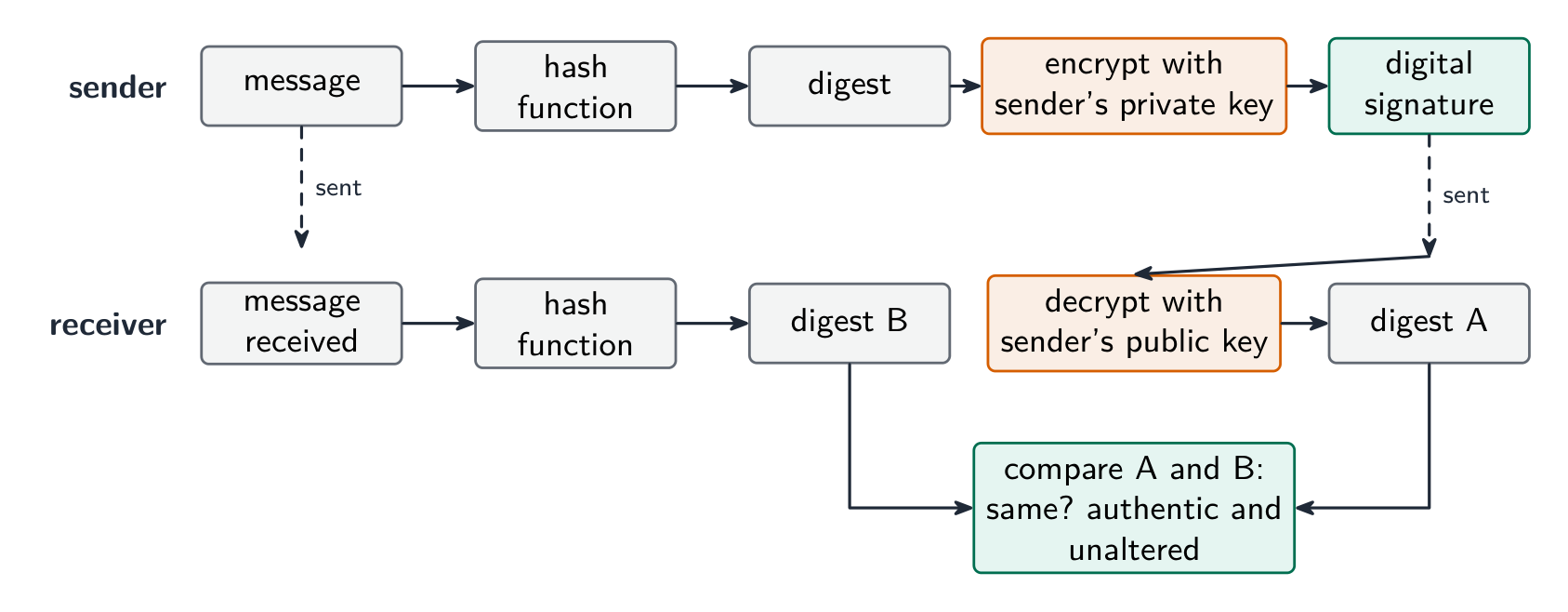
A digital signature: a hash of the message, encrypted with the sender's private key, checked by the receiver against a fresh hash Vocabulary · 語彙 Train · 練習するEnglish 日本語 firewall/ˈfaɪəwɔːl/ ファイアウォール encryption/enˈkrɪpʃn/ 暗号化 backup/ˈbækʌp/ バックアップ user accounts/ˈjuːzə əˈkaʊnts/ ユーザーアカウント audit logs/ˈɔːdɪt lɒɡz/ 監査ログ VPN/ˌviː piː ˈen/ VPN digital signatures/ˈdɪdʒɪtl ˈsɪɡnɪtʃəz/ デジタル署名 6.1
Matching measures to threats
English- interception in transit → encrypt the data (HTTPS, VPN). Intercepted ciphertext is useless without the key.
- unauthorised access → strong authentication 身份验证 (long passwords; two-factor authentication 双因素认证 with a phone code or key); user authorisation 授权; lock-out after failed logins.
- malware → anti-virus software and anti-spyware 反间谍软件 with real-time scanning; patching; avoid untrusted downloads.
- phishing → user training; email filtering; check the URL before entering credentials.
- internal threats → the least-privilege 最小权限 principle (give each user only what they need); auditing.
- DDoS → rate limiting and traffic filtering.
For confidential data crossing the internet, the scheme's method is encryption: the data is encoded with a key into ciphertext, so that an unauthorised person who intercepts it cannot read it, and only the intended receiver, who has the key, can decode it. For a program file sent by email for testing, the same answer applies (encrypt the file, or send it over an encrypted connection), together with a password on the file itself.
日本語- interception in transit → encrypt the data (HTTPS, VPN). Intercepted ciphertext is useless without the key.
- unauthorised access → strong authentication 身份验证 (long passwords; two-factor authentication 双因素认证 with a phone code or key); user authorisation 授权; lock-out after failed logins.
- malware → anti-virus software and anti-spyware 反间谍软件 with real-time scanning; patching; avoid untrusted downloads.
- phishing → user training; email filtering; check the URL before entering credentials.
- internal threats → the least-privilege 最小权限 principle (give each user only what they need); auditing.
- DDoS → rate limiting and traffic filtering.
For confidential data crossing the internet, the scheme's method is encryption: the data is encoded with a key into ciphertext, so that an unauthorised person who intercepts it cannot read it, and only the intended receiver, who has the key, can decode it. For a program file sent by email for testing, the same answer applies (encrypt the file, or send it over an encrypted connection), together with a password on the file itself.
Vocabulary · 語彙 Train · 練習するEnglish 日本語 two-factor authentication/tuː ˈfæktə ɔːˌθentɪˈkeɪʃn/ 二要素認証 authentication/ɔːˌθentɪˈkeɪʃn/ 認証 anti-spyware/ˈænti ˈspaɪweə/ スパイウェア除去ソフト authorisation/ˌɔːθəraɪˈzeɪʃn/ 権限付与 least-privilege/liːst ˈprɪvɪlɪdʒ/ 最小権限 6.1
Protecting the data itself
 English
- encryption — turn plaintext 明文 into ciphertext 密文 with a key. Symmetric encryption 对称加密 (AES) uses one shared key; asymmetric encryption 非对称加密 (RSA) uses a public key 公钥 and a private key 私钥. Protects data at rest and in transit.
- access control 访问控制 — file permissions (read/write/execute) and access rights 访问权限, enforced by the OS.
- authentication — authentication techniques verify the user: something you know (password), have (token, phone), or are (biometrics 生物识别 — fingerprint, face, iris); strongest combined.
- backups — keep copies (some off-site) so loss or corruption is recoverable.
- physical security — locked server rooms, cable locks.
Access rights in a database, described for three marks: each user is given an account with a username and password; the database administrator assigns each account permissions for each table, such as read-only, read and write, or no access; users see only the tables and fields they are allowed to, so a customer cannot open the staff table and a clerk can read but not change the prices. The DBMS enforces this with its access rights and with views, and it can encrypt the stored data as well.
日本語- encryption — turn plaintext 明文 into ciphertext 密文 with a key. Symmetric encryption 对称加密 (AES) uses one shared key; asymmetric encryption 非对称加密 (RSA) uses a public key 公钥 and a private key 私钥. Protects data at rest and in transit.
- access control 访问控制 — file permissions (read/write/execute) and access rights 访问权限, enforced by the OS.
- authentication — authentication techniques verify the user: something you know (password), have (token, phone), or are (biometrics 生物识别 — fingerprint, face, iris); strongest combined.
- backups — keep copies (some off-site) so loss or corruption is recoverable.
- physical security — locked server rooms, cable locks.
Access rights in a database, described for three marks: each user is given an account with a username and password; the database administrator assigns each account permissions for each table, such as read-only, read and write, or no access; users see only the tables and fields they are allowed to, so a customer cannot open the staff table and a clerk can read but not change the prices. The DBMS enforces this with its access rights and with views, and it can encrypt the stored data as well.
Symmetric uses one shared key; asymmetric uses a public key to encrypt and a private key to decrypt 
A security token shows a changing code for two-factor authentication ("something you have") 
A fingerprint reader checks "something you are" — a feature of the person, not a password Explore · 探索Encrypt with a Caesar cipher · ケイザー暗号で暗号化する
Change the shift — that is the key. Each letter slides that many places along the alphabet to make the ciphertext, and the same key slides it back. That shared key is symmetric encryption in miniature. · シフト(偏移量)を変える——これが鍵である。アルファベットの順序に従ってこの数だけ文字をずらすことで暗号文を作り、同じ鍵で逆方向にずらして復号する。この共有された鍵は対称暗号のミニチュラ版である。
Vocabulary · 語彙 Train · 練習するEnglish 日本語 ciphertext/ˈsaɪfətekst/ 暗号文 access rights/ˈækses raɪts/ アクセス権限 biometrics/ˌbaɪəʊˈmetrɪks/ 生体認証 private key/ˈpraɪvət kiː/ 秘密鍵 public key/ˈpʌblɪk kiː/ 公開鍵 plaintext/ˈpleɪntekst/ 平明文 Symmetric encryption/sɪˈmetrɪk enˈkrɪpʃn/ 対称暗号化 asymmetric encryption/ˌeɪsɪˈmetrɪk enˈkrɪpʃn/ 非対称暗号化 access control/ˈækses kənˈtrəʊl/ アクセスコントロール 6.2
Data integrity
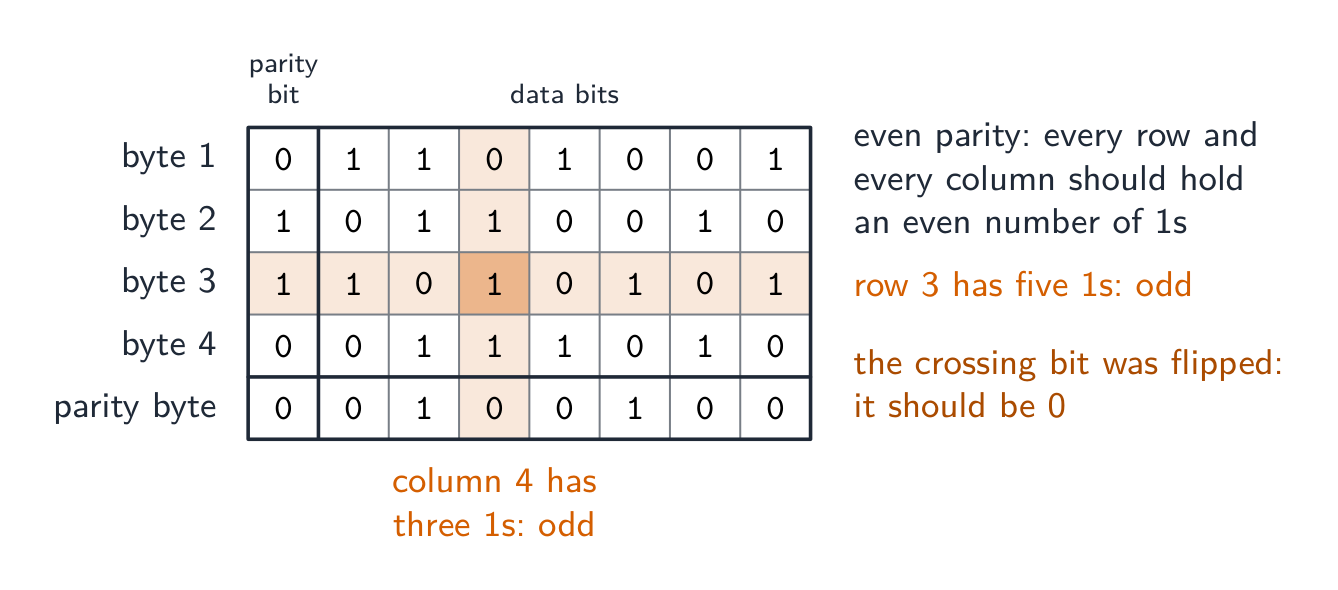
Syllabus · シラバス
EnglishCandidates should be able to: Notes and guidance Describe how data validation and data verification help protect the integrity of data Describe and use methods of data validation Including range check, format check, length check, presence check, existence check, limit check, check digit Describe and use methods of data verification during data entry and data transfer During data entry including visual check, double entry During data transfer including parity check (byte and block), checksum 日本語受験者は以下的能力を備えているべきである: メモおよびガイドライン データ検証およびデータ確認がデータの完全性をどのように守るかを説明する データ検証の方法を説明し、使用する 範囲チェック, 形式チェック, 長さチェック, 存在チェック, 有効性チェック, 限度チェック, チェックディジット を含む データ入力およびデータ転送中にデータ確認の方法を説明し、使用する データ入力中には視覚チェック, ダブルエントリ データ転送中にはパリティチェック(バイトおよびブロック), チェックサム を含む Source: Cambridge International syllabus · 出典: Cambridge International シラバス
EnglishData has integrity when it is accurate and complete. Two techniques: data validation (catch bad data before storing) and data verification (confirm data was entered or transferred correctly).
Validation — does the data make sense?
Validation 验证 checks data against sensible rules, automatically:
- range check — within limits (a month is 1–12).
- limit check — on the correct side of a single limit (e.g. age ≥ 18).
- existence check — the referenced item exists (e.g. a product code is in the table).
- length check — the right number of characters.
- type / character check — the right kind of data (a phone field allows only digits).
- format check — matches a pattern (an email must contain
@). - presence check — required fields are not empty.
- check digit 校验位 — an extra digit computed from the others (ISBN, card numbers) that spots transcription errors.
Worked example. In a simple check-digit scheme the check digit is the remainder when the sum of the digits is divided by $10$, appended to the number. The number $4162$ has digit sum $13$, so it is stored as $41623$. A user types $14623$: the first two digits are swapped, but the sum is still $13$, so the check digit still matches and the error is not caught. A user who types $41523$ is caught, because $4 + 1 + 5 + 2 = 12$ gives check digit $2$. A scheme that catches swapped digits weights each position differently, as the ISBN-13 check does (weights $1, 3, 1, 3, \ldots$, then the digit that makes the total a multiple of $10$). A check digit is validation: it tests the number against a rule at the moment it is entered.
- lookup check and consistency check (e.g. delivery date ≥ order date).
Validation catches data that is wrongly formatted, but not data that is the right format yet factually wrong ("Bob" for "Bib").
Worked example. Identify the validation check each piece of pseudocode performs.
Pseudocode Check IF x < 0 OR x > 10 THEN OUTPUT "Invalid"range check: the value must lie between two limits IF x = "" THEN OUTPUT "Invalid"presence check: the field must not be empty IF NOT(x = "Red" OR x = "Yellow" OR x = "Blue") THEN OUTPUT "Invalid"lookup (existence) check: the value must be one of a list IF LENGTH(x) <> 6 THEN OUTPUT "Invalid"length check: the right number of characters IF MID(x, 1, 1) < "A" OR MID(x, 1, 1) > "Z" THEN OUTPUT "Invalid"format check: a particular character must be a letter To validate a car registration number that must be one letter, three digits and two letters: a format check tests each position against its pattern, and a length check confirms six characters. To validate a date of birth: a format check (
DD/MM/YYYY), a range check (the month is $1$ to $12$, the year is not in the future) and a presence check (it is not left blank). A mark between $0$ and the maximum for the test needs a type check (an integer) and a range check, with the upper limit read from the test's own record: that is how validation protects integrity, by refusing data that could not be correct.Verification — was the data entered or transferred correctly?
Verification 核对 checks the data was not changed in moving from one place to another.
During entry: double entry (type it twice and compare, as for a new password) or visual check.
In the scheme's words, double entry is entering the data twice, by the same person or by two people, and having the computer compare the two versions and report any difference; a visual check is the person comparing what is on the screen with the original source document and correcting any difference before saving. Both protect integrity by making sure the stored data matches the source. Even after validation and verification the data can still be wrong: it can be sensible and match the source, yet the source itself was wrong, or the user typed a different but valid value from the one intended.
During transfer (bits can flip):
- parity check 奇偶校验 — an extra bit makes the number of 1s even (even parity) or odd. The receiver re-counts. Catches single-bit errors.
- checksum 校验和 — the sender sends a summary value of the data; the receiver recomputes it and compares.
- cyclic redundancy check 循环冗余校验 (CRC) — a stronger checksum using polynomial division, catching many more error types.
A parity block check 奇偶块校验 goes further and locates the error. Arrange the bytes in a grid: give each byte a row parity bit, then compute one extra parity byte whose bits are the column parity of the bytes above. A single flipped bit now fails one row and one column – their intersection pinpoints exactly which bit changed, so it can even be corrected.
Worked example. Four bytes are sent with even parity, followed by a parity byte. Find the bit that was corrupted.
Count the 1s in each row and each column. Every row and column should have an even number; byte 3 has five and column 4 has three. The bit where that row and that column cross is the one that changed, so it is reset from 1 to 0. A parity check on its own detects an error in a byte but cannot say which bit; two errors in the same byte cancel and pass unnoticed. A checksum, explained for three marks: the sender puts the block of data through an algorithm that produces a checksum value; the data and the checksum are sent together; the receiver runs the same algorithm on the data it received; if the two checksums match, the data is accepted, and if not, it is rejected and sent again.
Verification only proves what arrived matches what was sent — not that the data is correct, and not against deliberate tampering. Validation asks "is this sensible?"; verification asks "was this copied correctly?" — use both.
The table questions sort the methods by when they are used: during data entry, double entry and a visual check; during data transfer, a parity check (byte or block) and a checksum. Transferring video files from a camera to a server uses a checksum: the camera computes it, the server recomputes it, a mismatch means retransmit.
Worked example. A user types their date of birth as
31/02/2009, and types their email address twice. Which check catches which error, and what is the difference? Validation asks "is this data sensible?" - the computer tests it against a rule, and a format or range check rejects31/02/2009because February never has 31 days. Verification asks "was this data entered correctly?" - typing the email twice is double entry, and comparing the two copies catches a typing slip. The limit is what makes this a favourite question: validation can never tell you the data is right, only that it is possible -01/02/2009passes every validation rule even if the user was actually born on a different day. Say what each check can and cannot catch.日本語Data has integrity when it is accurate and complete. Two techniques: data validation (catch bad data before storing) and data verification (confirm data was entered or transferred correctly).
Validation — does the data make sense?
Validation 验证 checks data against sensible rules, automatically:
- range check — within limits (a month is 1–12).
- limit check — on the correct side of a single limit (e.g. age ≥ 18).
- existence check — the referenced item exists (e.g. a product code is in the table).
- length check — the right number of characters.
- type / character check — the right kind of data (a phone field allows only digits).
- format check — matches a pattern (an email must contain
@). - presence check — required fields are not empty.
- check digit 校验位 — an extra digit computed from the others (ISBN, card numbers) that spots transcription errors.
Worked example. In a simple check-digit scheme the check digit is the remainder when the sum of the digits is divided by $10$, appended to the number. The number $4162$ has digit sum $13$, so it is stored as $41623$. A user types $14623$: the first two digits are swapped, but the sum is still $13$, so the check digit still matches and the error is not caught. A user who types $41523$ is caught, because $4 + 1 + 5 + 2 = 12$ gives check digit $2$. A scheme that catches swapped digits weights each position differently, as the ISBN-13 check does (weights $1, 3, 1, 3, \ldots$, then the digit that makes the total a multiple of $10$). A check digit is validation: it tests the number against a rule at the moment it is entered.
- lookup check and consistency check (e.g. delivery date ≥ order date).
Validation catches data that is wrongly formatted, but not data that is the right format yet factually wrong ("Bob" for "Bib").
Worked example. Identify the validation check each piece of pseudocode performs.
Pseudocode Check IF x < 0 OR x > 10 THEN OUTPUT "Invalid"range check: the value must lie between two limits IF x = "" THEN OUTPUT "Invalid"presence check: the field must not be empty IF NOT(x = "Red" OR x = "Yellow" OR x = "Blue") THEN OUTPUT "Invalid"lookup (existence) check: the value must be one of a list IF LENGTH(x) <> 6 THEN OUTPUT "Invalid"length check: the right number of characters IF MID(x, 1, 1) < "A" OR MID(x, 1, 1) > "Z" THEN OUTPUT "Invalid"format check: a particular character must be a letter To validate a car registration number that must be one letter, three digits and two letters: a format check tests each position against its pattern, and a length check confirms six characters. To validate a date of birth: a format check (
DD/MM/YYYY), a range check (the month is $1$ to $12$, the year is not in the future) and a presence check (it is not left blank). A mark between $0$ and the maximum for the test needs a type check (an integer) and a range check, with the upper limit read from the test's own record: that is how validation protects integrity, by refusing data that could not be correct.Verification — was the data entered or transferred correctly?
Verification 核对 checks the data was not changed in moving from one place to another.
During entry: double entry (type it twice and compare, as for a new password) or visual check.
In the scheme's words, double entry is entering the data twice, by the same person or by two people, and having the computer compare the two versions and report any difference; a visual check is the person comparing what is on the screen with the original source document and correcting any difference before saving. Both protect integrity by making sure the stored data matches the source. Even after validation and verification the data can still be wrong: it can be sensible and match the source, yet the source itself was wrong, or the user typed a different but valid value from the one intended.
During transfer (bits can flip):
- parity check 奇偶校验 — an extra bit makes the number of 1s even (even parity) or odd. The receiver re-counts. Catches single-bit errors.
- checksum 校验和 — the sender sends a summary value of the data; the receiver recomputes it and compares.
- cyclic redundancy check 循环冗余校验 (CRC) — a stronger checksum using polynomial division, catching many more error types.
A parity block check 奇偶块校验 goes further and locates the error. Arrange the bytes in a grid: give each byte a row parity bit, then compute one extra parity byte whose bits are the column parity of the bytes above. A single flipped bit now fails one row and one column – their intersection pinpoints exactly which bit changed, so it can even be corrected.
Worked example. Four bytes are sent with even parity, followed by a parity byte. Find the bit that was corrupted.
A parity block check: the row that fails and the column that fails cross at the flipped bit Count the 1s in each row and each column. Every row and column should have an even number; byte 3 has five and column 4 has three. The bit where that row and that column cross is the one that changed, so it is reset from 1 to 0. A parity check on its own detects an error in a byte but cannot say which bit; two errors in the same byte cancel and pass unnoticed. A checksum, explained for three marks: the sender puts the block of data through an algorithm that produces a checksum value; the data and the checksum are sent together; the receiver runs the same algorithm on the data it received; if the two checksums match, the data is accepted, and if not, it is rejected and sent again.

The parity bit is set to make the number of 1s even or odd 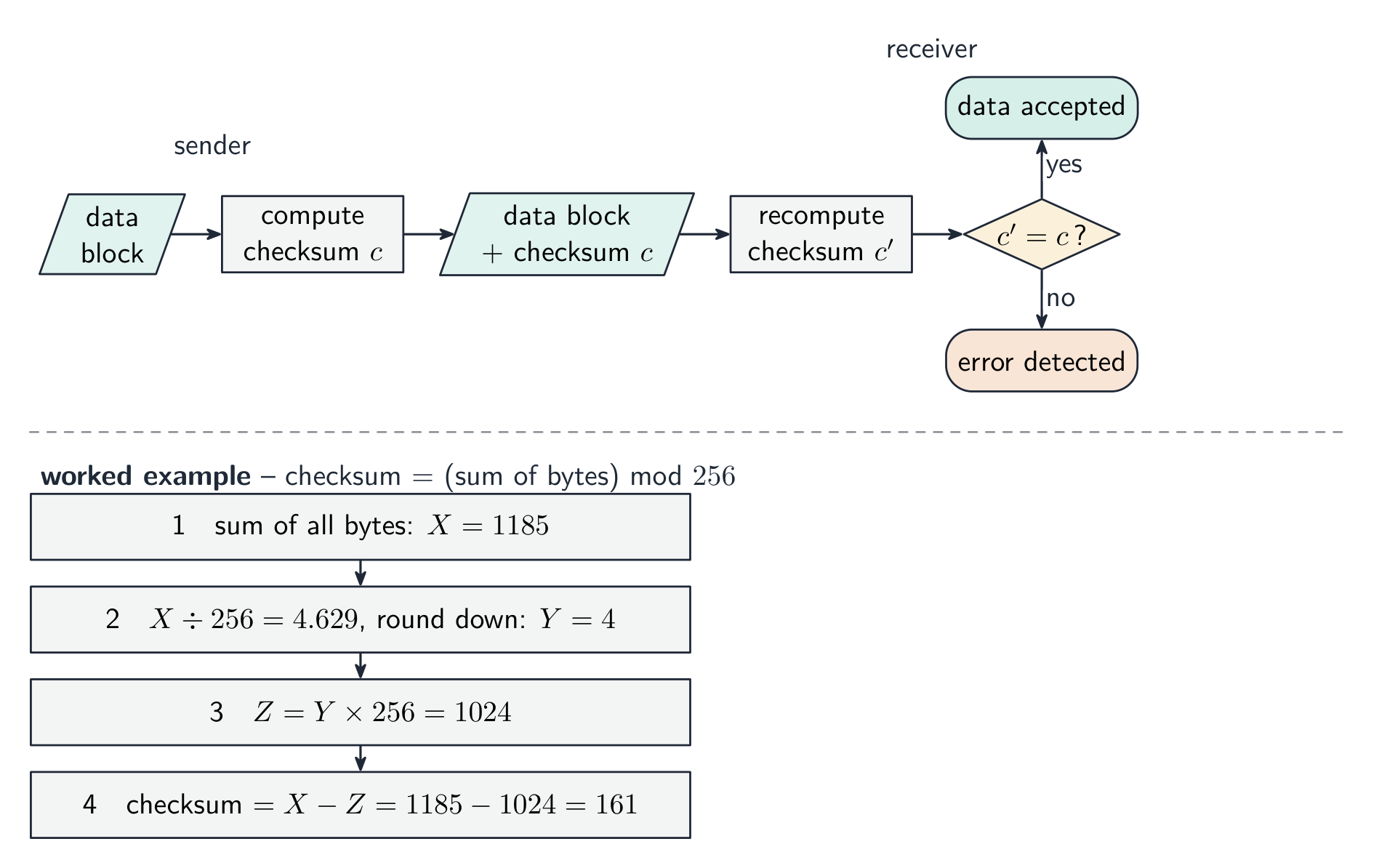
Working out a checksum for a block of data Verification only proves what arrived matches what was sent — not that the data is correct, and not against deliberate tampering. Validation asks "is this sensible?"; verification asks "was this copied correctly?" — use both.
The table questions sort the methods by when they are used: during data entry, double entry and a visual check; during data transfer, a parity check (byte or block) and a checksum. Transferring video files from a camera to a server uses a checksum: the camera computes it, the server recomputes it, a mismatch means retransmit.

Validation checks the data makes sense; verification checks it was copied without change Worked example. A user types their date of birth as
31/02/2009, and types their email address twice. Which check catches which error, and what is the difference? Validation asks "is this data sensible?" - the computer tests it against a rule, and a format or range check rejects31/02/2009because February never has 31 days. Verification asks "was this data entered correctly?" - typing the email twice is double entry, and comparing the two copies catches a typing slip. The limit is what makes this a favourite question: validation can never tell you the data is right, only that it is possible -01/02/2009passes every validation rule even if the user was actually born on a different day. Say what each check can and cannot catch.Explore · 探索Computing concept lab · コンピューティング概念ラボ
Classify concrete examples by the computing idea they demonstrate. · 具体的な例を、それが示すコンピューティングのアイデアに基づいて分類せよ。
Vocabulary · 語彙 Train · 練習するEnglish 日本語 validation/ˌvælɪˈdeɪʃn/ 検証 verification/ˌverɪfɪˈkeɪʃn/ 確認 check digit/tʃek ˈdɪdʒɪt/ チェック桁 parity check/ˈpærɪti tʃek/ パリティチェック checksum/ˈtʃeksəm/ チェックサム cyclic redundancy check/ˈsaɪklɪk rɪˈdʌndənsi tʃek/ 巡回冗長検査 parity block check/ˈpærɪti blɒk tʃek/ パリティブロックチェック 6.2
Definitions the examiner accepts
A definition question is marked against fixed wording. Learn these exactly.
Term Definition data security keeping data safe from loss and from unauthorised access, change or deletion data privacy keeping data confidential, so that it is seen only by those who have the right to see it data integrity the data being accurate, consistent and complete malware malicious software that is installed without the user's knowledge to damage a system or steal data virus malware that replicates itself, attaches to other files and corrupts or deletes data spyware malware that records the user's key presses or actions and sends them to a third party phishing an email pretending to be from a legitimate organisation that leads the user to a fake website to collect personal data pharming malicious code that redirects the user to a fake website even when the correct address is entered firewall hardware or software that examines all traffic entering or leaving a system against set criteria and blocks what does not meet them encryption scrambling data with a key into ciphertext, so that it cannot be understood without the key to decrypt it digital signature a hash of a message encrypted with the sender's private key, used to prove who sent it and that it was not altered data validation an automatic check that entered data is reasonable and follows set rules data verification a check that data has been entered or transferred correctly, by comparing it with the source or with a recomputed value check digit an extra digit calculated from the other digits of a number and appended to it, so that an error in the number can be detected parity check an extra bit added to a byte so that the number of 1s is even (or odd), which the receiver recounts checksum a value calculated from a block of data by an algorithm and sent with it, recalculated by the receiver and compared 6.2
Exam tips
- Keep the three ideas separate: security (keeping data safe), privacy (who may see it), integrity (keeping it correct).
- Match each threat (malware, hacking, phishing, interception) to a measure (firewall, encryption, authentication, access rights).
- Encryption protects confidentiality, not integrity — use a checksum, parity or check digit for integrity.
- Distinguish a virus, worm and Trojan and how each spreads.
Common mistakes
- Giving the same measure for two threats, or a measure that does not fit the threat. Each threat in the table needs a different prevention that actually stops it.
- Naming a measure without saying how it works. "Firewall" scores when it is followed by "compares traffic with set criteria and blocks what fails".
- Calling validation a check that the data is correct. Validation checks that data is reasonable; verification checks that it matches the source. Neither proves it is true.
- Saying a digital signature encrypts the message. It encrypts a hash of the message with the private key; the receiver decrypts it with the public key and compares hashes.
- Describing a check digit as verification, or a parity check as validation. The check digit is a validation rule on entry; parity and checksums verify a transfer.
- Writing that a virus "sends data to a third party" and spyware "replicates". The replicating one is the virus; the recording one is spyware.
-
7
Ethics and Ownership · 倫理と所有権
Watch lesson · レッスンを視聴7.1
Ethics for computing professionals

Syllabus · シラバス
EnglishCandidates should be able to: Notes and guidance Show understanding of the need for and purpose of ethics as a computing professional Understand the importance of joining a professional ethical body including BCS (British Computer Society), IEEE (Institute of Electrical and Electronic Engineers) Show understanding of the need to act ethically and the impact of acting ethically or unethically for a given situation Show understanding of the need for copyright legislation Show understanding of the different types of software licencing and justify the use of a licence for a given situation Licences to include free Software Foundation, the Open Source Initiative, shareware and commercial software Show understanding of Artificial Intelligence (AI) Understand the impact of AI including social, economic and environmental issues Understand the applications of AI 日本語受験者は以下的能力を備えているべきである: メモおよびガイドライン コンピューティングプロフェッショナルとしての**倫理(ethics)**の必要性と目的に対する理解を示す BCS(British Computer Society)、IEEE(Institute of Electrical and Electronic Engineers)などの専門倫理団体の加盟が重要であることの理解を含む 特定の状況において倫理的に行動する必要性、および倫理的または非倫理的な行動が及ぼす影響に対する理解を示す **著作権法(copyright legislation)**の必要性に対する理解を示す 異なる種類の**ソフトウェアライセンス(software licencing)**を理解し、特定の状況におけるライセンスの使用を正当化できる ライセンスには、Free Software Foundation、Open Source Initiative、シェアウェア(shareware)、**商業ソフトウェア(commercial software)**が含まれる **人工知能(Artificial Intelligence, AI)**に対する理解を示す AIの影響、社会、経済、環境問題を含む AIの応用を理解する Source: Cambridge International syllabus · 出典: Cambridge International シラバス
EnglishA computing professional is someone whose work — software, systems, networks, data — affects other people. Because the work is technical, others often cannot judge whether it was done well or honestly. So the profession follows shared ethics 伦理 (principles for good behaviour).
Why ethics matters
- trust — users and employers trust professionals to act in their interest. Without that trust, software loses credibility.
- impact — software runs medical devices, banking, vehicles. Careless or dishonest work can hurt people.
Professional bodies (BCS, ACM, IEEE) publish codes of ethics for members.
Typical principles
- public interest first — protect the safety and welfare of those affected.
- honesty and competence — be honest about your skills; don't claim expertise you lack.
- confidentiality 保密性 — protect clients' and employers' private information.
- avoid conflicts of interest 利益冲突 — don't take work where your interest clashes with the client's.
- keep your skills current; respect intellectual property 知识产权 and privacy 隐私; treat colleagues fairly.
Joining a professional body
The syllabus names two: the BCS (British Computer Society) and the IEEE (Institute of Electrical and Electronics Engineers). Both publish a code of conduct 行为准则 that members agree to follow. The benefits of joining, in the scheme's words: a set of ethical guidelines to follow, so decisions are not left to personal judgement; training, conferences and publications that keep the member up to date; advice and support, including legal help, when a problem arises; and recognised professional status, so employers and clients trust the member's work. The consequences of not joining: no guidance on ethical decisions, so the programmer may act unethically without realising; less credibility with employers and customers, so it is harder to win work; no support in a dispute; and being out of date with developments and law. The purpose of a code of conduct (two marks): to create a safe, respectful and professional working environment, and to make sure every employee understands what is expected and the consequences of their actions.
Worked example. Explain why a programmer needs to act ethically towards colleagues and towards the public.
Colleagues: treat them fairly and without discrimination; respect their work, their ideas and their confidential information; be honest about mistakes and give credit where it is due; support their development rather than undermine it. The public: protect their personal data and privacy; produce software that is safe, reliable and properly tested, because faults can cause harm; be honest about what the software can do; take on only work within your competence; obey the law and consider the wider effects on society and the environment. Each side earns marks for a reason and its consequence, not for the word "fair" alone.
Acting ethically vs unethically
Acting ethically protects users, strengthens reputation, reduces legal risk, and builds trust. Acting unethically (skipping testing, hiding bugs, misusing data) can harm real users, lead to dismissal or legal action, damage reputation, and erode trust in technology generally.
When you face a borderline decision: identify whose interests are affected, check the code of ethics and the law, weigh the consequences, ask a trusted senior, and choose the option that protects users above short-term convenience.
Worked example. Your team's new AI hiring tool sorts CVs ten times faster, but you notice it rejects more older applicants. Shipping it pleases your manager, but it treats one group unfairly. The ethical choice is to hold it back until the bias is fixed — public interest and fairness come before short-term convenience.
Ethics also applies to users. A student who connects a personal computer to the school network should respect other people's privacy and data, not use social media inappropriately or bully others, not download or share copyrighted material, not introduce malware or try to access systems they are not allowed to, and use the network for the purpose it was provided. A "give three ethical considerations" answer lists three of these.
日本語A computing professional is someone whose work — software, systems, networks, data — affects other people. Because the work is technical, others often cannot judge whether it was done well or honestly. So the profession follows shared ethics 伦理 (principles for good behaviour).
Why ethics matters
- trust — users and employers trust professionals to act in their interest. Without that trust, software loses credibility.
- impact — software runs medical devices, banking, vehicles. Careless or dishonest work can hurt people.
Professional bodies (BCS, ACM, IEEE) publish codes of ethics for members.
CCTV raises privacy concerns — one of the ethical issues a computing professional must weigh 
Discarded electronics (e-waste) are a growing environmental cost of computing 
Software development affects the public's wellbeing in several ways Typical principles
- public interest first — protect the safety and welfare of those affected.
- honesty and competence — be honest about your skills; don't claim expertise you lack.
- confidentiality 保密性 — protect clients' and employers' private information.
- avoid conflicts of interest 利益冲突 — don't take work where your interest clashes with the client's.
- keep your skills current; respect intellectual property 知识产权 and privacy 隐私; treat colleagues fairly.
Joining a professional body
The syllabus names two: the BCS (British Computer Society) and the IEEE (Institute of Electrical and Electronics Engineers). Both publish a code of conduct 行为准则 that members agree to follow. The benefits of joining, in the scheme's words: a set of ethical guidelines to follow, so decisions are not left to personal judgement; training, conferences and publications that keep the member up to date; advice and support, including legal help, when a problem arises; and recognised professional status, so employers and clients trust the member's work. The consequences of not joining: no guidance on ethical decisions, so the programmer may act unethically without realising; less credibility with employers and customers, so it is harder to win work; no support in a dispute; and being out of date with developments and law. The purpose of a code of conduct (two marks): to create a safe, respectful and professional working environment, and to make sure every employee understands what is expected and the consequences of their actions.
Worked example. Explain why a programmer needs to act ethically towards colleagues and towards the public.
Colleagues: treat them fairly and without discrimination; respect their work, their ideas and their confidential information; be honest about mistakes and give credit where it is due; support their development rather than undermine it. The public: protect their personal data and privacy; produce software that is safe, reliable and properly tested, because faults can cause harm; be honest about what the software can do; take on only work within your competence; obey the law and consider the wider effects on society and the environment. Each side earns marks for a reason and its consequence, not for the word "fair" alone.
Acting ethically vs unethically
Acting ethically protects users, strengthens reputation, reduces legal risk, and builds trust. Acting unethically (skipping testing, hiding bugs, misusing data) can harm real users, lead to dismissal or legal action, damage reputation, and erode trust in technology generally.
When you face a borderline decision: identify whose interests are affected, check the code of ethics and the law, weigh the consequences, ask a trusted senior, and choose the option that protects users above short-term convenience.
Worked example. Your team's new AI hiring tool sorts CVs ten times faster, but you notice it rejects more older applicants. Shipping it pleases your manager, but it treats one group unfairly. The ethical choice is to hold it back until the bias is fixed — public interest and fairness come before short-term convenience.
Ethics also applies to users. A student who connects a personal computer to the school network should respect other people's privacy and data, not use social media inappropriately or bully others, not download or share copyrighted material, not introduce malware or try to access systems they are not allowed to, and use the network for the purpose it was provided. A "give three ethical considerations" answer lists three of these.
Explore · 探索Risk and responsibility lab · リスクと責任ラボ
Sort examples by the rule, risk or protection involved. · 関連するルール、リスク、または保護に基づいて例を並べ替えよ。
Vocabulary · 語彙 Train · 練習するEnglish 日本語 ethics/ˈeθɪks/ 倫理 privacy/ˈprɪvəsi/ プライバシー confidentiality/ˌkɒnfɪˌdenʃiˈæləti/ 機密性 conflicts of interest/ˈkɒnflɪkts ɒv ˈɪntrest/ 利益相反 intellectual property/ˌɪntəˈlektʃuːəl ˈprɒpəti/ 知的財産権 code of conduct/kəʊd ɒv ˈkɒndʌkt/ 行動規範 7.1
Copyright
 English
Copyright 版权 is the legal right of the creator of an original work to control how it is copied, distributed, modified and performed. It applies automatically (no registration) to source code, software, documents, images, audio and video.
Without copyright, anyone could copy software freely, the developer would not be paid, and plagiarism would be legal. With copyright, developers can earn from their work (encouraging more software), users know who made it, and re-use happens on the developer's terms through licensing. Copyright lasts a long time (often 70 years after the creator's death). General ideas and algorithms are not covered by copyright but may be covered by a patent 专利.
Why a programmer should copyright a program, in the scheme's words: to be identified as the owner and author (formal recognition of ownership); so that there are legal consequences if anyone copies or steals it; to restrict competitors from selling the same work; and to be able to earn money by licensing it. Copyright applies to the program as written; a different program that does the same job does not infringe it.
日本語Copyright 版权 is the legal right of the creator of an original work to control how it is copied, distributed, modified and performed. It applies automatically (no registration) to source code, software, documents, images, audio and video.
Without copyright, anyone could copy software freely, the developer would not be paid, and plagiarism would be legal. With copyright, developers can earn from their work (encouraging more software), users know who made it, and re-use happens on the developer's terms through licensing. Copyright lasts a long time (often 70 years after the creator's death). General ideas and algorithms are not covered by copyright but may be covered by a patent 专利.
Why a programmer should copyright a program, in the scheme's words: to be identified as the owner and author (formal recognition of ownership); so that there are legal consequences if anyone copies or steals it; to restrict competitors from selling the same work; and to be able to earn money by licensing it. Copyright applies to the program as written; a different program that does the same job does not infringe it.
Copyright is automatic and long-lasting; a patent must be filed and lasts about 20 years Explore · 探索Risk and responsibility lab · リスクと責任ラボ
Sort examples by the rule, risk or protection involved. · 関連するルール、リスク、または保護に基づいて例を並べ替えよ。
Vocabulary · 語彙 Train · 練習するEnglish 日本語 copyright/ˈkɒpɪraɪt/ 著作権 patent/ˈpeɪtənt/ 特許 7.1
Software licences
 English
A software licence 软件许可证 is a contract granting permission to use software on the owner's terms; choosing and applying one is called software licencing.
Commercial (proprietary)
- commercial software is sold: you buy a licence; the software is used only within its terms.
- the source code is not given (a proprietary 专有 product); you cannot modify or redistribute it.
- examples: Microsoft Office, Adobe Photoshop, most games.
Used when the developer wants revenue per user and to keep control of the code.
Open-source
- the source code is public; users can read, modify and redistribute it (open-source 开源).
- permissive licences (MIT, BSD) allow almost any use; copyleft 著佐权 licences (GPL) require that modified versions are released under the same licence ("share-alike").
- the Free Software Foundation (FSF) and the Open Source Initiative (OSI) promote and approve open-source licences.
The syllabus names both, and they are marked as distinct answers. Free Software (the FSF's term) means free as in freedom, not price: the user may run the program for any purpose, study and change it (so the source code must be available), redistribute copies, and distribute modified versions; a fee may still be charged for a copy. Open Source (the OSI's definition) requires that the source code is available, that the program may be modified and redistributed, and that the licence does not discriminate against any person or field of use. "Identify two licence types that let other people edit and redistribute the program" is answered with these two.
- examples: Linux, Python, Apache.
Used when the developer wants the software widely used and improved by the community.
Freeware and shareware
- freeware 免费软件 — free of charge, no source code, may be redistributed but not modified (Acrobat Reader, WhatsApp).
- shareware 共享软件 — free for a trial period, then you pay to keep using it; no source code.
The scheme's descriptions: shareware is distributed free for a trial (a limited time or limited features) and the user pays to continue using the full version; commercial software is sold for a fee, the source code is not supplied, the licence protects the developer's intellectual property, and the fee usually buys support and updates. Benefits of shareware to the programmer: users can try the program before buying, so they are more likely to purchase; it spreads widely at almost no advertising cost; and those who keep it pay. Benefits of a commercial licence: the developer earns a fee for every copy; the code and its rights stay protected; and the income funds support, updates and further development.
Type Cost Source Redistribute Modify Commercial Paid No No No Open-source Free Yes Yes Often, with conditions Freeware Free No Yes No Shareware Free trial, then paid No Sometimes No To justify a licence choice, link it to the developer's goal (revenue, reach, community), the user's needs (cost, customising), and the use case.
Worked example. A programmer has written a game to sell to the public. Identify the most appropriate licence and justify it.
A commercial licence: the game is sold for a fee, so the programmer earns money from every copy; the source code is not released, so nobody can copy the game or change it and sell it as their own; the licence protects the intellectual property; and buyers receive updates and support. Open source would not fit, because the source code would be available, so the game could be copied, changed and redistributed without payment.
Worked example. A program helps shoppers by reading product labels aloud. Explain why an open source licence might not be appropriate.
The source code would be accessible, so it could be changed; a changed version might output the wrong product information, so shoppers could buy the wrong item; and the programmer would lose control over the quality and safety of what is distributed under the program's name. Going the other way, programs are released as open source so that other developers can improve and extend them, so that they are adopted widely at no cost, and so that users can adapt them to their own needs.
日本語A software licence 软件许可证 is a contract granting permission to use software on the owner's terms; choosing and applying one is called software licencing.
Commercial (proprietary)
- commercial software is sold: you buy a licence; the software is used only within its terms.
- the source code is not given (a proprietary 专有 product); you cannot modify or redistribute it.
- examples: Microsoft Office, Adobe Photoshop, most games.
Used when the developer wants revenue per user and to keep control of the code.
Open-source
- the source code is public; users can read, modify and redistribute it (open-source 开源).
- permissive licences (MIT, BSD) allow almost any use; copyleft 著佐权 licences (GPL) require that modified versions are released under the same licence ("share-alike").
- the Free Software Foundation (FSF) and the Open Source Initiative (OSI) promote and approve open-source licences.
The syllabus names both, and they are marked as distinct answers. Free Software (the FSF's term) means free as in freedom, not price: the user may run the program for any purpose, study and change it (so the source code must be available), redistribute copies, and distribute modified versions; a fee may still be charged for a copy. Open Source (the OSI's definition) requires that the source code is available, that the program may be modified and redistributed, and that the licence does not discriminate against any person or field of use. "Identify two licence types that let other people edit and redistribute the program" is answered with these two.
- examples: Linux, Python, Apache.
Used when the developer wants the software widely used and improved by the community.
Freeware and shareware
- freeware 免费软件 — free of charge, no source code, may be redistributed but not modified (Acrobat Reader, WhatsApp).
- shareware 共享软件 — free for a trial period, then you pay to keep using it; no source code.
The scheme's descriptions: shareware is distributed free for a trial (a limited time or limited features) and the user pays to continue using the full version; commercial software is sold for a fee, the source code is not supplied, the licence protects the developer's intellectual property, and the fee usually buys support and updates. Benefits of shareware to the programmer: users can try the program before buying, so they are more likely to purchase; it spreads widely at almost no advertising cost; and those who keep it pay. Benefits of a commercial licence: the developer earns a fee for every copy; the code and its rights stay protected; and the income funds support, updates and further development.
Type Cost Source Redistribute Modify Commercial Paid No No No Open-source Free Yes Yes Often, with conditions Freeware Free No Yes No Shareware Free trial, then paid No Sometimes No Choosing a licence from the developer's goal To justify a licence choice, link it to the developer's goal (revenue, reach, community), the user's needs (cost, customising), and the use case.
Worked example. A programmer has written a game to sell to the public. Identify the most appropriate licence and justify it.
A commercial licence: the game is sold for a fee, so the programmer earns money from every copy; the source code is not released, so nobody can copy the game or change it and sell it as their own; the licence protects the intellectual property; and buyers receive updates and support. Open source would not fit, because the source code would be available, so the game could be copied, changed and redistributed without payment.
Worked example. A program helps shoppers by reading product labels aloud. Explain why an open source licence might not be appropriate.
The source code would be accessible, so it could be changed; a changed version might output the wrong product information, so shoppers could buy the wrong item; and the programmer would lose control over the quality and safety of what is distributed under the program's name. Going the other way, programs are released as open source so that other developers can improve and extend them, so that they are adopted widely at no cost, and so that users can adapt them to their own needs.
Vocabulary · 語彙 Train · 練習するEnglish 日本語 software licence/ˈsɒftweə ˈlaɪsəns/ ソフトウェアライセンス proprietary/prəˈpraɪətəri/ プロプライエタリ open-source/ˈəʊpən sɔːs/ オープンソース copyleft/ˈkɒpɪleft/ コピーレフト freeware/ˈfriːweə/ フリーウェア shareware/ˈʃeəweə/ シェアウェア 7.1
Artificial Intelligence (AI)
 English
Artificial intelligence 人工智能 builds systems that do tasks once thought to need human intelligence — recognising speech and images, translating, playing games, driving.
Most modern AI uses machine learning 机器学习 — algorithms that improve at a task by learning patterns from large amounts of data, instead of being programmed step by step. Deep learning 深度学习, using neural networks 神经网络 with many layers, is the leading approach today.
Everyday examples
AI tasks split into two kinds — understanding input, and producing output or decisions.
Understanding input:
- speech recognition 语音识别 — spoken words to text (voice assistants).
- image recognition 图像识别 — finding objects, faces or text in images.
Producing output or decisions:
- machine translation 机器翻译 — automatic translation between languages.
- recommendation systems 推荐系统 — suggesting products, videos or music.
- autonomous vehicles 自动驾驶汽车 and robots.
A common exam scenario: a program reads a label with a camera, translates it, and reads it aloud — using optical character recognition 光学字符识别 to find the words, machine translation to convert them, and text-to-speech 文本转语音 for the audio.
A four-mark "explain how AI is used" answer follows the pipeline step by step: image recognition (OCR) analyses the pixels of the photograph to locate the characters; the patterns of pixels are converted into individual characters and words; machine translation converts the words into the user's language; and text-to-speech produces the spoken output. Each step is a mark.
Benefits
- accessibility — speech/image AI helps users with impairments; translation helps non-native speakers.
- productivity — automating repetitive tasks frees people for creative work.
- decision support — AI spots patterns in huge datasets (medical diagnosis, fraud detection).
- always available, and personalised to each user.
Impacts: social, economic, environmental
The syllabus asks for the impact of AI under three headings, and a question names one of them. Give the impact and its consequence.
- Social: benefits — a label-reading program helps people with a visual impairment, people who cannot read the language, and people with reading difficulties; facial recognition at an airport speeds up identity checks and can stop wanted people entering. Harms — facial recognition can misidentify people and tracks everyone without consent, so privacy is lost; students who use AI to do their homework may not develop reasoning and problem-solving skills, may rely on it instead of learning, and may lose the collaboration and face-to-face communication that working together brings.
- Economic: an AI fault-diagnosis module in a repair garage diagnoses faults faster and more accurately, so more vehicles are repaired per day and costs fall; but fewer skilled mechanics may be needed, so jobs are lost, and the module must be bought and maintained. More generally, AI raises productivity and creates new jobs in some fields while removing routine jobs in others.
- Environmental: training and running large models uses a great deal of electricity and water for cooling in data centres, and the hardware becomes e-waste; on the other side, AI is used to cut energy use in buildings, optimise transport and monitor the environment.
- Ethical (the classroom question): an AI that marks work or watches students must be fair to every student, must not leak their data, must be explainable when it makes a decision about them, and must not replace the judgement of a teacher where that matters.
Concerns
- bias 偏见 — unfair patterns in the training data become unfair AI decisions (hiring, lending).
- job displacement — AI may replace some roles.
- privacy — training often uses large amounts of personal data.
- transparency — large models are "black boxes", hard to explain.
- accountability — when AI is wrong, who is responsible: developer, user, or operator?
- misuse — deepfakes, misinformation, surveillance.
Professionals must understand the limits of the AI they build, inform users, and reduce harm.
日本語Artificial intelligence 人工智能 builds systems that do tasks once thought to need human intelligence — recognising speech and images, translating, playing games, driving.
Most modern AI uses machine learning 机器学习 — algorithms that improve at a task by learning patterns from large amounts of data, instead of being programmed step by step. Deep learning 深度学习, using neural networks 神经网络 with many layers, is the leading approach today.
Everyday examples
AI tasks split into two kinds — understanding input, and producing output or decisions.
Understanding input:
- speech recognition 语音识别 — spoken words to text (voice assistants).
- image recognition 图像识别 — finding objects, faces or text in images.
Producing output or decisions:
- machine translation 机器翻译 — automatic translation between languages.
- recommendation systems 推荐系统 — suggesting products, videos or music.
- autonomous vehicles 自动驾驶汽车 and robots.
A common exam scenario: a program reads a label with a camera, translates it, and reads it aloud — using optical character recognition 光学字符识别 to find the words, machine translation to convert them, and text-to-speech 文本转语音 for the audio.
A common scenario: OCR → machine translation → text-to-speech reads a foreign label aloud A four-mark "explain how AI is used" answer follows the pipeline step by step: image recognition (OCR) analyses the pixels of the photograph to locate the characters; the patterns of pixels are converted into individual characters and words; machine translation converts the words into the user's language; and text-to-speech produces the spoken output. Each step is a mark.
Benefits
- accessibility — speech/image AI helps users with impairments; translation helps non-native speakers.
- productivity — automating repetitive tasks frees people for creative work.
- decision support — AI spots patterns in huge datasets (medical diagnosis, fraud detection).
- always available, and personalised to each user.
Impacts: social, economic, environmental
The syllabus asks for the impact of AI under three headings, and a question names one of them. Give the impact and its consequence.
- Social: benefits — a label-reading program helps people with a visual impairment, people who cannot read the language, and people with reading difficulties; facial recognition at an airport speeds up identity checks and can stop wanted people entering. Harms — facial recognition can misidentify people and tracks everyone without consent, so privacy is lost; students who use AI to do their homework may not develop reasoning and problem-solving skills, may rely on it instead of learning, and may lose the collaboration and face-to-face communication that working together brings.
- Economic: an AI fault-diagnosis module in a repair garage diagnoses faults faster and more accurately, so more vehicles are repaired per day and costs fall; but fewer skilled mechanics may be needed, so jobs are lost, and the module must be bought and maintained. More generally, AI raises productivity and creates new jobs in some fields while removing routine jobs in others.
- Environmental: training and running large models uses a great deal of electricity and water for cooling in data centres, and the hardware becomes e-waste; on the other side, AI is used to cut energy use in buildings, optimise transport and monitor the environment.
- Ethical (the classroom question): an AI that marks work or watches students must be fair to every student, must not leak their data, must be explainable when it makes a decision about them, and must not replace the judgement of a teacher where that matters.
Concerns
- bias 偏见 — unfair patterns in the training data become unfair AI decisions (hiring, lending).
- job displacement — AI may replace some roles.
- privacy — training often uses large amounts of personal data.
- transparency — large models are "black boxes", hard to explain.
- accountability — when AI is wrong, who is responsible: developer, user, or operator?
- misuse — deepfakes, misinformation, surveillance.

How bias gets into AI: biased data → a biased model → unfair decisions Professionals must understand the limits of the AI they build, inform users, and reduce harm.
Explore · 探索Computing concept lab · コンピューティング概念ラボ
Classify concrete examples by the computing idea they demonstrate. · 具体的な例を、それが示すコンピューティングのアイデアに基づいて分類せよ。
Vocabulary · 語彙 Train · 練習するEnglish 日本語 bias/ˈbaɪəs/ バイアス artificial intelligence/ˌɑːtɪˈfɪʃl ɪnˈtelɪdʒəns/ 人工知能 machine learning/məˈʃiːn ˈlɜːnɪŋ/ 機械学習 Deep learning/diːp ˈlɜːnɪŋ/ ディープラーニング neural networks/ˈnjuːrəl ˈnetwɜːks/ ニューラルネットワーク speech recognition/spiːtʃ ˌrekəɡˈnɪʃn/ 音声認識 image recognition/ˈɪmɪdʒ ˌrekəɡˈnɪʃn/ 画像認識 machine translation/məˈʃiːn trænˈsleɪʃn/ 機械翻訳 recommendation systems/ˌrekəmenˈdeɪʃn ˈsɪstəmz/ 推奨システム autonomous vehicles/ɔːˈtɒnəməs ˈvɪəklz/ 自律走行車 optical character recognition/ˈɒptɪkl ˈkærɪktə ˌrekəɡˈnɪʃn/ 光学文字認識 text-to-speech/tekst tə spiːtʃ/ テキスト・トゥ・スピーチ 7.1
Definitions the examiner accepts
A definition question is marked against fixed wording. Learn these exactly.
Term Definition ethics the moral principles that govern how a person behaves, in a profession the standards set out in its code of conduct code of conduct the rules an organisation or professional body sets for how its members must behave copyright the legal right of the creator of an original work to control how it is copied, distributed and modified software licence the legal agreement that states how a piece of software may be used, copied and distributed commercial software software sold for a fee, without source code, under a licence that protects the developer's intellectual property free software (FSF) software whose users are free to run, study, change and redistribute it, so its source code is available open source (OSI) software whose source code is available and which may be modified and redistributed under its licence shareware software distributed free for a trial period or with limited features, after which the user pays to continue freeware software that is free of charge to use and copy, but whose source code is not released and may not be modified artificial intelligence computer systems that perform tasks which normally need human intelligence, such as recognising images and speech machine learning a form of AI in which a system improves at a task by learning patterns from data rather than by explicit programming 7.1
Exam tips
- Answer ethics questions against a professional code of conduct (public interest, competence, honesty), not personal opinion.
- Distinguish copyright (protects the expression) from a patent (protects an invention).
- Compare software licences: proprietary, open-source, freeware, shareware and FOSS.
Common mistakes
- Giving a personal opinion ("it is wrong") instead of a reason with a consequence ("faulty software could harm users, so it must be tested").
- Treating free software and freeware as the same thing. Free software is about the freedom to study and change the code; freeware is merely free of charge.
- Saying open source means free of charge. It means the source code is available and may be modified and redistributed; a fee may still be charged.
- Writing that copyright must be registered. It applies automatically to the work as written.
- Naming an impact without its consequence. "Job losses" scores when it is tied to why: the AI does the diagnosis, so fewer mechanics are needed.
- Describing what AI is instead of how it is used. The marks are for the steps: recognise, convert, translate, speak.
-
8
Databases · データベース
Watch lesson · レッスンを視聴8.1
File-based storage and its limits

Syllabus · シラバス
Candidates should be able to: Notes and guidance Show understanding of the limitations of using a file-based approach for the storage and retrieval of data Describe the features of a relational database that address the limitations of a file-based approach Show understanding of and use the terminology associated with a relational database model Including entity, table, record, field, tuple, attribute, primary key, candidate key, secondary key, foreign key, relationship (one-to-many, one-to-one, many-to-many), referential integrity, indexing Use an entity-relationship (E-R) diagram to document a database design Show understanding of the normalisation process First Normal Form (1NF), Second Normal Form (2NF) and Third Normal Form (3NF) Explain why a given set of database tables are, or are not, in 3NF Produce a normalised database design for a description of a database, a given set of data, or a given set of tables Source: Cambridge International syllabus · 出典: Cambridge International シラバス
EnglishBefore databases, programs stored data in flat files 平面文件 — usually one file per program. This is fine for small data but breaks down at scale.
Limitations
- data redundancy 数据冗余 — the same data (a customer's address) is held in several files, one per program, so storage is wasted and every copy must be updated.
- data inconsistency 数据不一致 — when one copy is updated and another is not, the files disagree and nobody knows which is right.
- data dependence — each program is written for the exact layout of its files; change a field's length or add a field and every program that reads the file must be rewritten.
- no shared access — a file is locked while one program uses it, so users cannot work on the data at the same time.
- weak integrity 完整性 — no central rules stop an invalid value or a link to a customer who does not exist; weak security — access is per file, not per field; and queries across files need a new program each time.
A relational database 关系数据库 fixes these by storing data in tables managed by one piece of software (the DBMS) that all programs use.
Why a relational database is better — the three-mark answer. Each item of data is stored once, in one table, and tables are linked by keys, so there is no redundancy and no inconsistency; the data is independent of the programs, which ask the DBMS for what they need and are unaffected when the structure changes; and the DBMS enforces integrity rules, controls access per user and per field, allows many users at once, and answers any query without a new program being written.
Worked example. A repair shop stores its customers, devices and repair jobs using a file-based approach, one file per program. Give three problems this causes, and describe how a relational database would remove them.
The customer's name and phone number are stored in the repairs file and the invoices file (redundancy); when a customer changes number, one file is updated and the other is not (inconsistency); and when the shop wants a new report — repairs per technician — a new program has to be written to read the files (no ad-hoc queries). In a relational database the customer is stored once in a CUSTOMER table and referred to by CustomerID from the REPAIR table, so a change is made once and is seen everywhere; the report is a single SQL query.
日本語Before databases, programs stored data in flat files 平面文件 — usually one file per program. This is fine for small data but breaks down at scale.
File-based storage keeps data in separate files, like papers in a filing cabinet — hard to search and easy to duplicate Limitations
- data redundancy 数据冗余 — the same data (a customer's address) is held in several files, one per program, so storage is wasted and every copy must be updated.
- data inconsistency 数据不一致 — when one copy is updated and another is not, the files disagree and nobody knows which is right.
- data dependence — each program is written for the exact layout of its files; change a field's length or add a field and every program that reads the file must be rewritten.
- no shared access — a file is locked while one program uses it, so users cannot work on the data at the same time.
- weak integrity 完整性 — no central rules stop an invalid value or a link to a customer who does not exist; weak security — access is per file, not per field; and queries across files need a new program each time.

The file-based approach: each program keeps its own files A relational database 关系数据库 fixes these by storing data in tables managed by one piece of software (the DBMS) that all programs use.

The database approach: one DBMS serves all the programs Why a relational database is better — the three-mark answer. Each item of data is stored once, in one table, and tables are linked by keys, so there is no redundancy and no inconsistency; the data is independent of the programs, which ask the DBMS for what they need and are unaffected when the structure changes; and the DBMS enforces integrity rules, controls access per user and per field, allows many users at once, and answers any query without a new program being written.
Worked example. A repair shop stores its customers, devices and repair jobs using a file-based approach, one file per program. Give three problems this causes, and describe how a relational database would remove them.
The customer's name and phone number are stored in the repairs file and the invoices file (redundancy); when a customer changes number, one file is updated and the other is not (inconsistency); and when the shop wants a new report — repairs per technician — a new program has to be written to read the files (no ad-hoc queries). In a relational database the customer is stored once in a CUSTOMER table and referred to by CustomerID from the REPAIR table, so a change is made once and is seen everywhere; the report is a single SQL query.
Vocabulary · 語彙 Train · 練習するEnglish 日本語 flat files/flæt faɪlz/ フラットファイル data redundancy/ˈdeɪtə rɪˈdʌndənsi/ データの重複 data inconsistency/ˈdeɪtə ˌɪnkənˈsɪstənsi/ データ不整合 integrity/ɪnˈteɡrɪti/ 完全性 relational database/rɪˈleɪʃənl ˈdeɪtəbeɪs/ リレーショナルデータベース 8.1
Relational model — terms
 English
- table 表 (relation) — a grid of rows and columns; one table per type of entity 实体 (e.g.
CUSTOMER). - record 记录 (row, also called a tuple 元组) — one row; one instance of the entity.
- field 字段 (column, also called an attribute 属性) — one column; one piece of information about each record.
- primary key 主键 — a field (or fields) that uniquely identifies each record; never null or duplicated.
- foreign key 外键 — a field whose value matches the primary key of another table, linking the two.
- composite key 复合键 — a primary key made of two or more fields together.
- candidate key 候选键 — any field(s) that could be the primary key.
- secondary key 次键 — a non-primary field that is indexed for fast searching.
- indexing 索引 — building an index on a field so look-ups and joins run faster.
- referential integrity 参照完整性 — every foreign-key value must match an existing primary key (no orphan records).
A table is written in shorthand with the primary key underlined and foreign keys noted:
Worked example. State what is meant by entity, primary key and referential integrity in a relational database, and complete the term ↔ description table for tuple and attribute.
An entity is something about which data is stored — a person, object or event — which becomes one table. A primary key is the attribute (or combination of attributes) that uniquely identifies each record in a table. Referential integrity means that every foreign-key value must match the value of a primary key in the table it refers to, so a record cannot refer to one that does not exist. A tuple is one row of a table (one record); an attribute is one column (one field). Learn the pairs: table/relation, record/tuple, field/attribute.
日本語- table 表 (relation) — a grid of rows and columns; one table per type of entity 实体 (e.g.
CUSTOMER). - record 记录 (row, also called a tuple 元组) — one row; one instance of the entity.
- field 字段 (column, also called an attribute 属性) — one column; one piece of information about each record.
- primary key 主键 — a field (or fields) that uniquely identifies each record; never null or duplicated.
- foreign key 外键 — a field whose value matches the primary key of another table, linking the two.
- composite key 复合键 — a primary key made of two or more fields together.
- candidate key 候选键 — any field(s) that could be the primary key.
- secondary key 次键 — a non-primary field that is indexed for fast searching.
- indexing 索引 — building an index on a field so look-ups and joins run faster.
- referential integrity 参照完整性 — every foreign-key value must match an existing primary key (no orphan records).
A table is written in shorthand with the primary key underlined and foreign keys noted:
CUSTOMER(CustomerID, Name, Phone)
ORDER(OrderID, CustomerID, OrderDate)   -- CustomerID is FK → CUSTOMER
A foreign key links two tables: ORDER.CustomerID matches the primary key CUSTOMER.CustomerID Worked example. State what is meant by entity, primary key and referential integrity in a relational database, and complete the term ↔ description table for tuple and attribute.
An entity is something about which data is stored — a person, object or event — which becomes one table. A primary key is the attribute (or combination of attributes) that uniquely identifies each record in a table. Referential integrity means that every foreign-key value must match the value of a primary key in the table it refers to, so a record cannot refer to one that does not exist. A tuple is one row of a table (one record); an attribute is one column (one field). Learn the pairs: table/relation, record/tuple, field/attribute.
Explore · 探索Read a relational table with SELECT · SELECTを使ってリレーショナルテーブルを読み込む
A relational table is just rows (records) and columns (fields). WHERE keeps the rows that match a condition; SELECT then keeps only the columns you asked for. · リレーショナルテーブルは単に行(レコード)と列(フィールド)から構成されます。WHERE句は条件に一致する行を保持し、SELECT句は要求した列のみを抽出します。
Vocabulary · 語彙 Train · 練習するEnglish 日本語 field/fiːld/ 場として扱う table/ˈteɪbl/ テーブル entity/ˈentɪti/ エンティティ record/ˈrekɔːd/ record tuple/ˈtuːpl/ タプル attribute/ˈætrɪbjuːt/ 属性 primary key/ˈpraɪməri kiː/ 主キー foreign key/ˈfɒrən kiː/ 外部キー composite key/ˈkɒmpəzɪt kiː/ 複合キー candidate key/ˈkændɪdeɪt kiː/ 候補キー secondary key/ˈsekəndəri kiː/ セカンダリーキー indexing/ˈɪndeksɪŋ/ インデックス付け referential integrity/ˌrefəˈrenʃl ɪnˈteɡrɪti/ 参照完全性 8.1
Entity-relationship (E-R) diagrams
 English
An entity-relationship diagram 实体关系图 shows the structure: each entity is a rectangle, each relationship a line, with the cardinality 基数 marked at each end:
- one-to-one (1:1).
- one-to-many 一对多 (1:M) — each Customer has many Orders; each Order has one Customer.
- many-to-many (M:N) — Students take many Courses, and Courses have many Students.
A many-to-many relationship cannot be stored directly. Break it into two one-to-many relationships through a link table 连接表 holding the two foreign keys:
Drawing the E-R diagram for a given set of tables. Each table becomes an entity. A relationship exists wherever one table holds a foreign key to another; it runs from the table holding the foreign key (the many end) to the table whose primary key it is (the one end). A table with two foreign keys and no other identity is usually a link table resolving a many-to-many relationship. Label each line with the relationship type.
Worked example. A repair shop has the tables
CUSTOMER(CustomerID, Name, Phone),DEVICE(DeviceID, CustomerID, Type, Model),TECHNICIAN(TechnicianID, Name)andREPAIR(RepairID, DeviceID, TechnicianID, RepairDate, Cost). Identify the relationships and their types.DEVICEholdsCustomerID, so CUSTOMER–DEVICE is one-to-many (one customer, many devices).REPAIRholdsDeviceID, so DEVICE–REPAIR is one-to-many; it also holdsTechnicianID, so TECHNICIAN–REPAIR is one-to-many. There is no direct CUSTOMER–REPAIR line: the link runs through DEVICE. Three lines, three crow's feet, all at the REPAIR or DEVICE ends.日本語An entity-relationship diagram 实体关系图 shows the structure: each entity is a rectangle, each relationship a line, with the cardinality 基数 marked at each end:
- one-to-one (1:1).
- one-to-many 一对多 (1:M) — each Customer has many Orders; each Order has one Customer.
- many-to-many (M:N) — Students take many Courses, and Courses have many Students.
An E-R diagram: one class has many students 
Crow's-foot symbols for the cardinality of a relationship A many-to-many relationship cannot be stored directly. Break it into two one-to-many relationships through a link table 连接表 holding the two foreign keys:
ENROLMENT(StudentID, CourseID, EnrolmentDate)
A link table resolves a many-to-many relationship into two one-to-many relationships Drawing the E-R diagram for a given set of tables. Each table becomes an entity. A relationship exists wherever one table holds a foreign key to another; it runs from the table holding the foreign key (the many end) to the table whose primary key it is (the one end). A table with two foreign keys and no other identity is usually a link table resolving a many-to-many relationship. Label each line with the relationship type.
Drawing the diagram from the tables: every foreign key is a one-to-many relationship, with the "many" at the table that holds it Worked example. A repair shop has the tables
CUSTOMER(CustomerID, Name, Phone),DEVICE(DeviceID, CustomerID, Type, Model),TECHNICIAN(TechnicianID, Name)andREPAIR(RepairID, DeviceID, TechnicianID, RepairDate, Cost). Identify the relationships and their types.DEVICEholdsCustomerID, so CUSTOMER–DEVICE is one-to-many (one customer, many devices).REPAIRholdsDeviceID, so DEVICE–REPAIR is one-to-many; it also holdsTechnicianID, so TECHNICIAN–REPAIR is one-to-many. There is no direct CUSTOMER–REPAIR line: the link runs through DEVICE. Three lines, three crow's feet, all at the REPAIR or DEVICE ends.Vocabulary · 語彙 Train · 練習するEnglish 日本語 entity-relationship diagram/ˈentɪti rɪˈleɪʃənʃɪp ˈdaɪəɡræm/ エンティティ・リレーションシップ図 cardinality/ˌkɑːdɪˈnælɪti/ 卡inality(相性度/多重度) one-to-many/wʌn tə ˈmeni/ 1対多 link table/lɪŋk ˈteɪbl/ リンクテーブル 8.1
Normalisation
 English
Normalisation 规范化 organises tables to cut redundancy and inconsistency, going through normal forms 范式 in order.
- First normal form (1NF) — every field holds a single (atomic 原子) value, with no repeating groups, and a primary key.
- Second normal form (2NF) — in 1NF, and every non-key field depends on the whole primary key (only matters for a composite key).
- Third normal form (3NF) — in 2NF, and every non-key field depends only on the primary key, not on another non-key field (no transitive dependency 传递依赖).
A 3NF design stores each fact once, so insert/update/delete anomalies disappear. The trade-off is more tables and more joins. Aim for 3NF.
To produce a 3NF design: find the entities and their attributes; choose a primary key for each; split repeating/non-atomic fields (1NF); split fields depending on part of a composite key (2NF); split fields depending transitively on the key (3NF); add foreign keys for the relationships.
Worked example. The table
ORDER(OrderID, CustomerID, CustomerName, ProductID, Quantity)has the composite primary key(OrderID, ProductID). Normalise it to 3NF. Test each non-key field against the key.Quantitydepends on bothOrderIDandProductID, which is fine. ButCustomerIDdepends onOrderIDalone - only part of the composite key. That is a partial dependency, so the table is not in 2NF. Split it intoORDER_LINE(OrderID, ProductID, Quantity)andORDER(OrderID, CustomerID, CustomerName). Now test 3NF: in that newORDERtable,CustomerNamedepends onCustomerID, which is not the key - a transitive dependency. Split again:ORDER(OrderID, CustomerID)andCUSTOMER(CustomerID, CustomerName). Name the dependency that breaks each form (partial breaks 2NF, transitive breaks 3NF); "it has repeated data" describes the symptom and earns nothing.The three questions to ask of any table. Is every cell a single value, with no repeating group? If not, it is not in 1NF. If the key is composite, does every non-key field depend on the whole key? If some field depends on part of it, there is a partial dependency 部分依赖 and the table is not in 2NF. Does every non-key field depend on the key alone? If a field depends on another non-key field, there is a transitive dependency and the table is not in 3NF. An "explain why the table is not in 3NF" answer names the dependency and the fields involved.
Worked example. A car-rental shop records each rental as
RENTAL(RentalID, RentalDate, CustomerID, CustomerName, CustomerPhone, CarReg, CarModel, DailyRate, Days), where one rental can include several cars. Explain why the table is not normalised and produce a 3NF design.Not in 1NF: the car fields
CarReg, CarModel, DailyRate, Daysform a repeating group — one rental has several cars. Move them toRENTAL_CAR(RentalID, CarReg, CarModel, DailyRate, Days)with the composite key(RentalID, CarReg). Not in 2NF: inRENTAL_CAR,CarModelandDailyRatedepend onCarRegalone — a partial dependency. Move them toCAR(CarReg, CarModel, DailyRate), leavingRENTAL_CAR(RentalID, CarReg, Days). Not in 3NF: inRENTAL,CustomerNameandCustomerPhonedepend onCustomerID, a non-key field — a transitive dependency. Move them toCUSTOMER(CustomerID, CustomerName, CustomerPhone), leavingRENTAL(RentalID, RentalDate, CustomerID). The 3NF design is four tables —CUSTOMER,RENTAL,RENTAL_CAR,CAR— withCustomerID,RentalIDandCarRegas foreign keys; underline every primary key.日本語Normalisation 规范化 organises tables to cut redundancy and inconsistency, going through normal forms 范式 in order.
- First normal form (1NF) — every field holds a single (atomic 原子) value, with no repeating groups, and a primary key.
- Second normal form (2NF) — in 1NF, and every non-key field depends on the whole primary key (only matters for a composite key).
- Third normal form (3NF) — in 2NF, and every non-key field depends only on the primary key, not on another non-key field (no transitive dependency 传递依赖).
A 3NF design stores each fact once, so insert/update/delete anomalies disappear. The trade-off is more tables and more joins. Aim for 3NF.
To produce a 3NF design: find the entities and their attributes; choose a primary key for each; split repeating/non-atomic fields (1NF); split fields depending on part of a composite key (2NF); split fields depending transitively on the key (3NF); add foreign keys for the relationships.
Normalisation removes redundancy by splitting repeated data into its own table Worked example. The table
ORDER(OrderID, CustomerID, CustomerName, ProductID, Quantity)has the composite primary key(OrderID, ProductID). Normalise it to 3NF. Test each non-key field against the key.Quantitydepends on bothOrderIDandProductID, which is fine. ButCustomerIDdepends onOrderIDalone - only part of the composite key. That is a partial dependency, so the table is not in 2NF. Split it intoORDER_LINE(OrderID, ProductID, Quantity)andORDER(OrderID, CustomerID, CustomerName). Now test 3NF: in that newORDERtable,CustomerNamedepends onCustomerID, which is not the key - a transitive dependency. Split again:ORDER(OrderID, CustomerID)andCUSTOMER(CustomerID, CustomerName). Name the dependency that breaks each form (partial breaks 2NF, transitive breaks 3NF); "it has repeated data" describes the symptom and earns nothing.The three questions to ask of any table. Is every cell a single value, with no repeating group? If not, it is not in 1NF. If the key is composite, does every non-key field depend on the whole key? If some field depends on part of it, there is a partial dependency 部分依赖 and the table is not in 2NF. Does every non-key field depend on the key alone? If a field depends on another non-key field, there is a transitive dependency and the table is not in 3NF. An "explain why the table is not in 3NF" answer names the dependency and the fields involved.
1NF removes the repeating group, 2NF the partial dependency, 3NF the transitive dependency Worked example. A car-rental shop records each rental as
RENTAL(RentalID, RentalDate, CustomerID, CustomerName, CustomerPhone, CarReg, CarModel, DailyRate, Days), where one rental can include several cars. Explain why the table is not normalised and produce a 3NF design.Not in 1NF: the car fields
CarReg, CarModel, DailyRate, Daysform a repeating group — one rental has several cars. Move them toRENTAL_CAR(RentalID, CarReg, CarModel, DailyRate, Days)with the composite key(RentalID, CarReg). Not in 2NF: inRENTAL_CAR,CarModelandDailyRatedepend onCarRegalone — a partial dependency. Move them toCAR(CarReg, CarModel, DailyRate), leavingRENTAL_CAR(RentalID, CarReg, Days). Not in 3NF: inRENTAL,CustomerNameandCustomerPhonedepend onCustomerID, a non-key field — a transitive dependency. Move them toCUSTOMER(CustomerID, CustomerName, CustomerPhone), leavingRENTAL(RentalID, RentalDate, CustomerID). The 3NF design is four tables —CUSTOMER,RENTAL,RENTAL_CAR,CAR— withCustomerID,RentalIDandCarRegas foreign keys; underline every primary key.Vocabulary · 語彙 Train · 練習するEnglish 日本語 normalisation/ˌnɔːməlaɪˈzeɪʃn/ 正規化 normal forms/ˈnɔːml fɔːmz/ 正規形 atomic/əˈtɒmɪk/ 原子 transitive dependency/ˈtrænsɪtɪv dɪˈpendənsi/ 従属関係 partial dependency/ˈpɑːʃl dɪˈpendənsi/ 部分依存 8.2
Database Management System (DBMS)

Syllabus · シラバス
EnglishCandidates should be able to: Notes and guidance Show understanding of the features provided by a Database Management System (DBMS) that address the issues of a file based approach Including: • data management, including maintaining a data dictionary • data modelling • logical schema • data integrity • data security, including backup procedures and the use of access rights to individuals / groups of users Show understanding of how software tools found within a DBMS are used in practice Including the use and purpose of: • developer interface • query processor 日本語受験者は以下的能力を備えているべきである: メモおよびガイドライン ファイルベースアプローチの問題に対応する**データベース管理システム(Database Management System, DBMS)**が提供する機能に対する理解を示す 以下を含む: • データ管理、**データ辞書(data dictionary)**の維持を含む • データモデリング(data modelling) • 論理スキーマ(logical schema) • データ整合性(data integrity) • データセキュリティ、バックアップ手順および個人/ユーザーグループへのアクセス権限の使用を含む DBMSに含まれるソフトウェアツールを実際にどのように使用するかを理解する 以下を含む: • **開発者インターフェース(developer interface)**の使用と目的 • クエリプロセッサ(query processor) Source: Cambridge International syllabus · 出典: Cambridge International シラバス
EnglishA DBMS 数据库管理系统 manages the database centrally. Features that fix the file-based limits:
- data dictionary 数据字典 — a description of every table, field, type and key; programs query it instead of hard-coding the structure.
- redundancy/consistency control — each fact stored once.
- concurrent access 并发访问 control — locks and transactions let many users work at once.
- backup 备份 and recovery; security and per-user permissions.
- integrity rules — keys, unique and range constraints, enforced centrally.
- transactions 事务 — a group of operations that all succeed or all fail.
- views 视图 — virtual tables that show each user "their" slice of the data.
- data management 数据管理 and data modelling 数据建模 — control how data is stored and define its structure as a logical schema 逻辑模式 (the logical design, independent of physical storage).
- data integrity 数据完整性 and data security 数据安全 — enforce correctness and control access centrally.
- a query processor 查询处理器 runs queries; a developer interface 开发者接口 gives tools and APIs for building applications.
Its tools include a data-dictionary editor, a query builder, a forms builder, a report generator, user management, and an SQL editor.
What the data dictionary holds (a "give three items" question): the names of the tables; the names of the fields in each table; each field's data type and length; the primary and foreign keys and the relationships between tables; validation rules; indexes; and who may access each table. It is metadata — data about the data — and the DBMS uses it to check every query and every change.
How the DBMS keeps the data secure (a "describe two methods" question): authentication 身份验证 — a username and password, or a biometric, before any access; access rights — each user or group is allowed to read, write or delete only certain tables or fields, often through a view; encryption of the stored data and of data sent to it, so a copied file is unreadable; backups taken regularly, so the data can be restored after loss; and a transaction log that records who changed what.
The two software tools. The developer interface is what a programmer uses to build the database and the applications on it: create tables and set keys and validation, write queries and SQL, and design forms and reports, without knowing how the data is physically stored. The query processor takes a query (SQL from a program, or a query built in the interface), checks it against the data dictionary, works out the most efficient way to run it, retrieves the data and returns the results.
Logical schema. The DBMS keeps the logical design (which tables and fields exist and how they relate) separate from the physical storage (files, indexes, disk blocks). Programs work with the logical schema, so the physical storage can be reorganised without changing a single program — this is the data independence the file-based approach lacked.
日本語A DBMS 数据库管理系统 manages the database centrally. Features that fix the file-based limits:
- data dictionary 数据字典 — a description of every table, field, type and key; programs query it instead of hard-coding the structure.
- redundancy/consistency control — each fact stored once.
- concurrent access 并发访问 control — locks and transactions let many users work at once.
- backup 备份 and recovery; security and per-user permissions.
- integrity rules — keys, unique and range constraints, enforced centrally.
- transactions 事务 — a group of operations that all succeed or all fail.
- views 视图 — virtual tables that show each user "their" slice of the data.
- data management 数据管理 and data modelling 数据建模 — control how data is stored and define its structure as a logical schema 逻辑模式 (the logical design, independent of physical storage).
- data integrity 数据完整性 and data security 数据安全 — enforce correctness and control access centrally.
- a query processor 查询处理器 runs queries; a developer interface 开发者接口 gives tools and APIs for building applications.
Its tools include a data-dictionary editor, a query builder, a forms builder, a report generator, user management, and an SQL editor.
What the data dictionary holds (a "give three items" question): the names of the tables; the names of the fields in each table; each field's data type and length; the primary and foreign keys and the relationships between tables; validation rules; indexes; and who may access each table. It is metadata — data about the data — and the DBMS uses it to check every query and every change.
How the DBMS keeps the data secure (a "describe two methods" question): authentication 身份验证 — a username and password, or a biometric, before any access; access rights — each user or group is allowed to read, write or delete only certain tables or fields, often through a view; encryption of the stored data and of data sent to it, so a copied file is unreadable; backups taken regularly, so the data can be restored after loss; and a transaction log that records who changed what.
The two software tools. The developer interface is what a programmer uses to build the database and the applications on it: create tables and set keys and validation, write queries and SQL, and design forms and reports, without knowing how the data is physically stored. The query processor takes a query (SQL from a program, or a query built in the interface), checks it against the data dictionary, works out the most efficient way to run it, retrieves the data and returns the results.
Logical schema. The DBMS keeps the logical design (which tables and fields exist and how they relate) separate from the physical storage (files, indexes, disk blocks). Programs work with the logical schema, so the physical storage can be reorganised without changing a single program — this is the data independence the file-based approach lacked.
The physical storage the logical schema hides: a hard disk's spinning platters and read/write head Explore · 探索Database service lab · データベースサービスラボ
Watch how a DBMS turns a query into safe shared data access. · DBMSがクエリを安全な共有データアクセスに変換する様子を見よ。
Explore · 探索Database service lab · データベースサービスラボ
Watch how a DBMS turns a query into safe shared data access. · DBMSがクエリを安全な共有データアクセスに変換する様子を見よ。
Vocabulary · 語彙 Train · 練習するEnglish 日本語 DBMS/ˌdiː biː em ˈes/ DBMS data dictionary/ˈdeɪtə ˈdɪkʃənəri/ データディクショナリ concurrent access/kənˈkʌrənt ˈækses/ 並列アクセス transactions/trænˈsækʃnz/ トランザクション backup/ˈbækʌp/ バックアップ views/vjuːz/ views data management/ˈdeɪtə ˈmænɪdʒmənt/ データ管理 data modelling/ˈdeɪtə ˈmɒdəlɪŋ/ データモデリング logical schema/ˈlɒdʒɪkl ˈskiːmə/ 論理スキャマ data integrity/ˈdeɪtə ɪnˈteɡrɪti/ データ完全性 data security/ˈdeɪtə sɪˈkjʊərɪti/ データセキュリティ query processor/ˈkwɪərɪ ˈprəʊsesə/ クエリプロセッサ developer interface/dɪˈveləpə ˈɪntəfeɪs/ 開発者インターフェース authentication/ɔːˌθentɪˈkeɪʃn/ 認証 8.3
DDL and DML
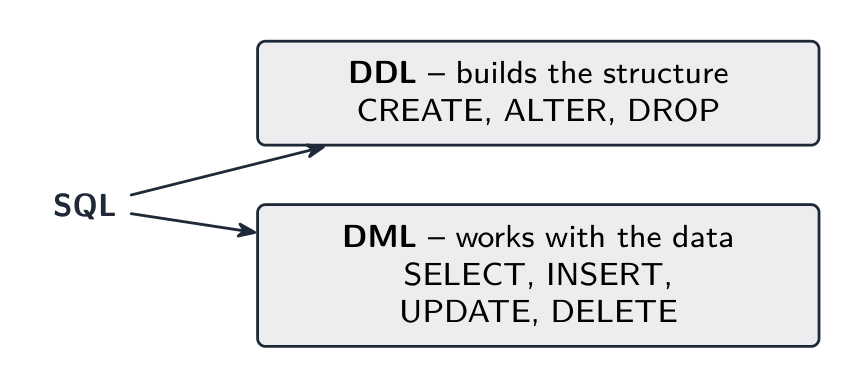
Syllabus · シラバス
EnglishCandidates should be able to: Notes and guidance Show understanding that the DBMS carries out all creation/modification of the database structure using its Data Definition Language (DDL) Show understanding that the DBMS carries out all queries and maintenance of data using its DML Show understanding that the industry standard for both DDL and DML is Structured Query Language (SQL) Understand a given SQL statement Understand given SQL (DDL) statements and be able to write simple SQL (DDL) statements using a sub-set of statements Create a database (CREATE DATABASE) Create a table definition (CREATE TABLE), including the creation of attributes with appropriate data types: • CHARACTER • VARCHAR(n) • BOOLEAN • INTEGER • REAL • DATE • TIME change a table definition (ALTER TABLE) add a primary key to a table (PRIMARY KEY (field)) add a foreign key to a table (FOREIGN KEY (field) REFERENCES Table (Field)) Write an SQL script to query or modify data (DML) which are stored in (at most two) database tables Queries including SELECT... FROM, WHERE, ORDER BY, GROUP BY, INNER JOIN, SUM, COUNT, AVG Data maintenance including INSERT INTO, DELETE FROM, UPDATE 日本語受験者は以下的能力を備えているべきである: メモおよびガイドライン DBMSが**データ定義言語(Data Definition Language, DDL)**を使用してデータベース構造のすべての作成・修改を行うことを理解する DBMSがDMLを使用してデータのすべての照会と保守を行うことを理解する DDLおよびDMLの業界標準が**構造化クエリ言語(Structured Query Language, SQL)**であることを理解する 与えられたSQLステートメントを理解する 与えられた**SQL(DDL)ステートメントを理解し、簡易的なSQL(DDL)**ステートメントを記述 subset を使用して記述できる データベースの作成(CREATE DATABASE) テーブル定義の作成(CREATE TABLE)、適切なデータ型を持つ属性の作成を含む: • CHARACTER • VARCHAR(n) • BOOLEAN • INTEGER • REAL • DATE • TIME テーブル定義の変更(ALTER TABLE) テーブルへの主キーの追加(PRIMARY KEY (field)) テーブルへの外部キーの追加(FOREIGN KEY (field) REFERENCES Table (Field)) (最大2つの)データベーステーブルに格納されているデータを照会または修正する**SQLスクリプト(DML)**を記述する 以下のクエリを含む:SELECT... FROM、WHERE、ORDER BY、GROUP BY、INNER JOIN、SUM、COUNT、AVG データ保守操作 including INSERT INTO、DELETE FROM、UPDATE Source: Cambridge International syllabus · 出典: Cambridge International シラバス
EnglishSQL 结构化查询语言 (Structured Query Language) has two halves:
- Data Definition Language 数据定义语言 (DDL) — creates or changes the structure (tables, keys, constraints).
- Data Manipulation Language 数据操纵语言 (DML) — works with the data (insert, update, delete, query 查询).
DDL basics
Add a foreign key:
Modify and drop:
Common types:
INTEGER,REAL,VARCHAR(n),CHAR(n)(alsoCHARACTER(n)),DATE,TIME,BOOLEAN,DECIMAL(p, s).DML basics
Query with
SELECT:SELECTlists fields,FROMnames the table,WHEREfilters rows,ORDER BYsorts.A join 连接 combines two tables using a foreign-key relationship:
Aggregate functions 聚合函数 (
COUNT,SUM,AVG,MIN,MAX) are often used withGROUP BY:Insert, update, delete:
Always put a
WHEREclause onUPDATEandDELETE, or the change hits every row.Tips for exam SQL
- use the exact table and field names from the question.
- quote strings with single quotes (
'Smith'); don't quote numbers. - comparisons:
=,<,>,<=,>=,<>. LIKE 'A%'matches anything starting with A (%= any string,_= one character);IN (1,2,3);BETWEEN 10 AND 20.- combine conditions with
AND/OR/NOT, and end each statement with a semicolon.
The DDL pattern the exam wants. Every
CREATE TABLEnames each field with its type, marks the primary key, and declares each foreign key with the table it references; a composite key is declared on its own line:Worked example. Using
CUSTOMER(CustomerID, Name, Phone)andDEVICE(DeviceID, CustomerID, Type, Model), write SQL scripts to: (a) list the name and phone number of every customer who owns a device of type'tablet', in alphabetical order of name; (b) count the devices of each type; (c) record that customer 17 now has the phone number'0771 234 5678'; (d) add a new device, ID 305, a'laptop'of model'X1'belonging to customer 17.(a)
(b)
(c)
UPDATE CUSTOMER SET Phone = '0771 234 5678' WHERE CustomerID = 17;(d)INSERT INTO DEVICE (DeviceID, CustomerID, Type, Model) VALUES (305, 17, 'laptop', 'X1');Marks are given per clause — the fields, the tables, the join condition, the
WHERE, theORDER BY— so a script with one wrong clause still scores the rest. WriteTable.Fieldwhenever two tables are involved.Worked example. Explain what this script does:
SELECT T.Name, SUM(R.Cost) AS Total FROM TECHNICIAN T INNER JOIN REPAIR R ON T.TechnicianID = R.TechnicianID GROUP BY T.Name;It outputs each technician's name with the total cost of the repairs that technician has carried out, one row per technician: the two tables are joined on TechnicianID, the rows are grouped by name, and the costs in each group are added. When asked what a script does, describe the result, not the syntax.
日本語SQL 结构化查询语言 (Structured Query Language) has two halves:
DDL builds the database structure; DML works with the data - Data Definition Language 数据定义语言 (DDL) — creates or changes the structure (tables, keys, constraints).
- Data Manipulation Language 数据操纵语言 (DML) — works with the data (insert, update, delete, query 查询).
DDL basics
CREATE TABLE CUSTOMER (
  CustomerID INTEGER PRIMARY KEY,
  Name VARCHAR(50) NOT NULL,
  Phone VARCHAR(20)
);
Add a foreign key:
CREATE TABLE ORDER (
  OrderID INTEGER PRIMARY KEY,
  CustomerID INTEGER,
  OrderDate DATE,
  FOREIGN KEY (CustomerID) REFERENCES CUSTOMER(CustomerID)
);
Modify and drop:
ALTER TABLE CUSTOMER ADD Email VARCHAR(100);
DROP TABLE CUSTOMER;
Common types:
INTEGER,REAL,VARCHAR(n),CHAR(n)(alsoCHARACTER(n)),DATE,TIME,BOOLEAN,DECIMAL(p, s).DML basics
Query with
SELECT:
A SELECT query returns only the rows that match its condition SELECT Name, Phone FROM CUSTOMER WHERE City = 'London' ORDER BY Name ASC;SELECTlists fields,FROMnames the table,WHEREfilters rows,ORDER BYsorts.A join 连接 combines two tables using a foreign-key relationship:
SELECT C.Name, O.OrderDate
FROM CUSTOMER C INNER JOIN ORDER O
  ON C.CustomerID = O.CustomerID
WHERE O.OrderDate >= '2024-01-01';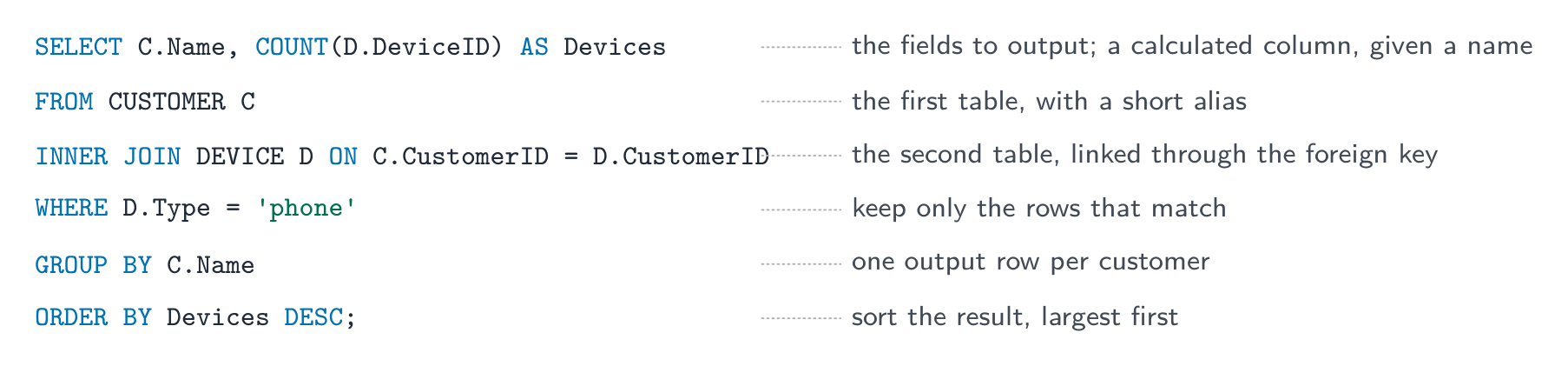
The parts of a query, in the order they must be written Aggregate functions 聚合函数 (
COUNT,SUM,AVG,MIN,MAX) are often used withGROUP BY:SELECT CustomerID, COUNT(*) AS NumOrders FROM ORDER GROUP BY CustomerID;Insert, update, delete:
INSERT INTO CUSTOMER (CustomerID, Name, Phone)
VALUES (101, 'Ada Lovelace', '020-1234-5678');

UPDATE CUSTOMER SET Phone = '020-9999-0000' WHERE CustomerID = 101;

DELETE FROM CUSTOMER WHERE CustomerID = 101;
Always put a
WHEREclause onUPDATEandDELETE, or the change hits every row.Tips for exam SQL
- use the exact table and field names from the question.
- quote strings with single quotes (
'Smith'); don't quote numbers. - comparisons:
=,<,>,<=,>=,<>. LIKE 'A%'matches anything starting with A (%= any string,_= one character);IN (1,2,3);BETWEEN 10 AND 20.- combine conditions with
AND/OR/NOT, and end each statement with a semicolon.
The DDL pattern the exam wants. Every
CREATE TABLEnames each field with its type, marks the primary key, and declares each foreign key with the table it references; a composite key is declared on its own line:CREATE TABLE RENTAL_CAR ( RentalID INTEGER, CarReg VARCHAR(8), Days INTEGER, PRIMARY KEY (RentalID, CarReg), FOREIGN KEY (RentalID) REFERENCES RENTAL(RentalID), FOREIGN KEY (CarReg) REFERENCES CAR(CarReg) );Worked example. Using
CUSTOMER(CustomerID, Name, Phone)andDEVICE(DeviceID, CustomerID, Type, Model), write SQL scripts to: (a) list the name and phone number of every customer who owns a device of type'tablet', in alphabetical order of name; (b) count the devices of each type; (c) record that customer 17 now has the phone number'0771 234 5678'; (d) add a new device, ID 305, a'laptop'of model'X1'belonging to customer 17.(a)
SELECT CUSTOMER.Name, CUSTOMER.Phone
FROM CUSTOMER INNER JOIN DEVICE
  ON CUSTOMER.CustomerID = DEVICE.CustomerID
WHERE DEVICE.Type = 'tablet'
ORDER BY CUSTOMER.Name ASC;
(b)
SELECT Type, COUNT(DeviceID) AS NumberOfDevices
FROM DEVICE
GROUP BY Type;
(c)
UPDATE CUSTOMER SET Phone = '0771 234 5678' WHERE CustomerID = 17;(d)INSERT INTO DEVICE (DeviceID, CustomerID, Type, Model) VALUES (305, 17, 'laptop', 'X1');Marks are given per clause — the fields, the tables, the join condition, the
WHERE, theORDER BY— so a script with one wrong clause still scores the rest. WriteTable.Fieldwhenever two tables are involved.Worked example. Explain what this script does:
SELECT T.Name, SUM(R.Cost) AS Total FROM TECHNICIAN T INNER JOIN REPAIR R ON T.TechnicianID = R.TechnicianID GROUP BY T.Name;It outputs each technician's name with the total cost of the repairs that technician has carried out, one row per technician: the two tables are joined on TechnicianID, the rows are grouped by name, and the costs in each group are added. When asked what a script does, describe the result, not the syntax.
Explore · 探索Stitch two tables with INNER JOIN · INNER JOINで2つのテーブルを接続する
A join matches rows where the foreign key equals the primary key — here Orders.CustomerID = Customer.CustomerID — and combines each matching pair into one wider row. · 結合は外鍵が主鍵と等しい行を一致させます — ここではOrders.CustomerID = Customer.CustomerID — し、一致するペアをより広い1つの行に組み合わせます。
Explore · 探索SELECT … WHERE
Step through a query: WHERE keeps the rows that match, then SELECT picks the columns you asked for. · クエリの処理を追跡します:WHEREで条件に一致する行を抽出し、その後SELECTで指定した列を選択します。
Vocabulary · 語彙 Train · 練習するEnglish 日本語 query/ˈkwɪərɪ/ 照会 SQL/ˌes kjuː ˈel/ SQL join/dʒɔɪn/ ジョイン Data Definition Language/ˈdeɪtə ˌdefɪˈnɪʃn ˈlæŋɡwɪdʒ/ データ定義言語 Data Manipulation Language/ˈdeɪtə məˌnɪpjʊˈleɪʃn ˈlæŋɡwɪdʒ/ データ操作言語 aggregate functions/ˈæɡrɪɡeɪt ˈfʌŋkʃnz/ 集計関数 8.3
Definitions the examiner accepts
A definition question is marked against fixed wording. Learn these exactly, and give one answer only.
Term Definition entity something about which data is stored — a person, object or event — which becomes a table in a relational database attribute one item of data about an entity (a column of the table) tuple one row of a table: one instance of the entity primary key an attribute, or combination of attributes, that uniquely identifies each record in a table foreign key an attribute in one table whose value matches a primary key in another table, used to link the two candidate key any attribute (or combination) that could be chosen as the primary key secondary key a non-primary attribute that is indexed so the table can be searched or sorted on it quickly composite key a primary key made of two or more attributes together referential integrity every foreign-key value must match an existing primary-key value in the table it refers to first normal form a table in which every attribute is atomic, there are no repeating groups, and there is a primary key second normal form in 1NF, and every non-key attribute depends on the whole of the primary key (no partial dependency) third normal form in 2NF, and no non-key attribute depends on another non-key attribute (no transitive dependency) data dictionary the metadata a DBMS keeps about the structure of the database: tables, fields, types, keys, relationships, validation DDL / DML the language used to define or change the structure of a database / the language used to query and maintain the data in it 8.3
Exam tips
- Define the terms exactly: entity, attribute, primary key, foreign key, and the relationship types (1:1, 1:many, many:many).
- Give a reason at each normal form: 1NF (no repeating groups), 2NF (no partial dependency), 3NF (no non-key dependency) — and name the fields involved.
- Explain what a DBMS provides (data independence, security, integrity, concurrent access, a data dictionary, a developer interface, a query processor).
- Distinguish DDL (define the structure) from DML (query and change the data), and write SQL clause by clause:
SELECT,FROM,INNER JOIN … ON,WHERE,GROUP BY,ORDER BY. - To draw an E-R diagram from tables, find each foreign key first: every foreign key is one one-to-many relationship, with the "many" at the table that holds it.
Common mistakes
- Drawing a many-to-many relationship directly. It must be split into two one-to-many relationships through a link table holding both foreign keys.
- Explaining "not in 3NF" by "the data is repeated". Name the dependency (partial or transitive) and the fields involved.
- Double quotes round strings in SQL, or quotes round numbers. Strings take
'single quotes'; numbers take none. - Leaving out the
ONcondition afterINNER JOIN. Without it the two tables are not linked. - Putting an ordinary field next to
COUNTorSUMin aSELECTwithout aGROUP BY. UPDATEorDELETEwithout aWHERE. It changes or removes every row in the table.
-
9
Algorithm Design and Problem-solving · アルゴリズム設計と問題解決
Watch lesson · レッスンを視聴9.1
Computational thinking

Syllabus · シラバス
EnglishCandidates should be able to: Notes and guidance Show an understanding of abstraction Need for and benefits of using abstraction Describe the purpose of abstraction Produce an abstract model of a system by only including essential details Describe and use decomposition Break down problems into sub-problems leading to the concept of a program module (procedure / function) 日本語受験者は以下的能力を備えているべきである: メモおよびガイドライン **抽象化(abstraction)**に対する理解を示す **抽象化(abstraction)**を使用する必要性と利益 **抽象化(abstraction)**の目的を説明する 必要な詳細のみを含めてシステムの抽象モデルを作成する **分解(decomposition)**を説明し使用する 問題をサブプロブレムに分解し、プログラムモジュール(手続き(procedure) / 関数(function))の概念につなげる Source: Cambridge International syllabus · 出典: Cambridge International シラバス
EnglishComputational thinking 计算思维 is the set of mental tools for analysing a problem and designing a solution a computer can run. Two key ones are abstraction and decomposition.
Abstraction
Abstraction 抽象 means keeping the essential features of a problem and ignoring the irrelevant detail, giving a simpler model.
Examples:
- a train-network map keeps the stations and lines but drops the geography.
- a class in object-oriented programming keeps only the attributes and methods the system needs.
- a function hides a piece of work behind a name.
A full model of any real problem would be too big to reason about, so abstraction is essential.
The examiner asks for the purpose of abstraction and for its benefits. Purpose: to produce a simpler model of a problem that contains only the details needed to solve it. Benefits: the problem is easier to understand and to program; the program is smaller and faster to write and test; the same model can be reused for similar problems. When you are asked to produce an abstract model of a system, list only the data and actions the task needs. For a school timetable that means the classes, rooms, teachers and periods; it does not mean the colour of the rooms or the age of the teachers.
Decomposition
Decomposition 分解 means breaking a large problem into smaller sub-problems, each easier to solve and tackled one at a time.
- find the main parts of the task.
- break each into smaller sub-tasks.
- continue until each is small enough to design directly.
- solve the small tasks and combine them.
For stock control: "manage stock" → "record sales", "record deliveries", "produce reports" → ("record sales") "look up product", "decrease stock count", "save the transaction". Decomposition makes big problems manageable, lets a team divide the work, and gives modular code — each module becomes a procedure 过程 or function.
"Explain why decomposition is used" is a three-mark question with a fixed shape. Give three separate benefits: each sub-problem 子问题 is small enough to design, code and test on its own; different programmers can work on different modules 模块 at the same time; a module that already exists (or a library routine) can be reused, and a fault is easier to find because it lies inside one module. A structure chart (topic 12) is the diagram of a decomposition: the program at the top, its modules beneath, and the data passed between them.
日本語Computational thinking 计算思维 is the set of mental tools for analysing a problem and designing a solution a computer can run. Two key ones are abstraction and decomposition.
Computational thinking breaks a big problem into smaller, easier parts — like solving a jigsaw Abstraction
Abstraction 抽象 means keeping the essential features of a problem and ignoring the irrelevant detail, giving a simpler model.
Examples:
- a train-network map keeps the stations and lines but drops the geography.
- a class in object-oriented programming keeps only the attributes and methods the system needs.
- a function hides a piece of work behind a name.
A full model of any real problem would be too big to reason about, so abstraction is essential.
The examiner asks for the purpose of abstraction and for its benefits. Purpose: to produce a simpler model of a problem that contains only the details needed to solve it. Benefits: the problem is easier to understand and to program; the program is smaller and faster to write and test; the same model can be reused for similar problems. When you are asked to produce an abstract model of a system, list only the data and actions the task needs. For a school timetable that means the classes, rooms, teachers and periods; it does not mean the colour of the rooms or the age of the teachers.

Abstraction keeps the essentials (stations and lines) and drops irrelevant detail (the geography) Decomposition
Decomposition 分解 means breaking a large problem into smaller sub-problems, each easier to solve and tackled one at a time.
- find the main parts of the task.
- break each into smaller sub-tasks.
- continue until each is small enough to design directly.
- solve the small tasks and combine them.
For stock control: "manage stock" → "record sales", "record deliveries", "produce reports" → ("record sales") "look up product", "decrease stock count", "save the transaction". Decomposition makes big problems manageable, lets a team divide the work, and gives modular code — each module becomes a procedure 过程 or function.
"Explain why decomposition is used" is a three-mark question with a fixed shape. Give three separate benefits: each sub-problem 子问题 is small enough to design, code and test on its own; different programmers can work on different modules 模块 at the same time; a module that already exists (or a library routine) can be reused, and a fault is easier to find because it lies inside one module. A structure chart (topic 12) is the diagram of a decomposition: the program at the top, its modules beneath, and the data passed between them.

Decomposing a program into modules and sub-modules Explore · 探索Solving a problem the computational way · 計算的なアプローチで問題を解決する
Step through the four cornerstones in the order you'd use them — break the problem down, spot what repeats, strip it to essentials, then write the steps. · 利用する順序で4つの柱を順に確認 — 問題を分解し、繰り返しや共通点を見つけ、本質だけを抽出して、手順を書きます。
Vocabulary · 語彙 Train · 練習するEnglish 日本語 computational thinking/ˌkɒmpjuːˈteɪʃənl ˈθɪŋkɪŋ/ 計算的思考 abstraction/əbˈstrækʃn/ 抽象化 decomposition/ˌdiːkɒmpəˈzɪʃn/ 分解反応 sub-problem/sʌb ˈprɒbləm/ 部分問題 procedure/prəˈsiːdʒə/ 手続 modules/ˈmɒdjuːlz/ モジュール 9.2
Algorithms
Syllabus · シラバス
EnglishCandidates should be able to: Notes and guidance Show understanding that an algorithm is a solution to a problem expressed as a sequence of defined steps Use suitable identifier names for the representation of data used by a problem and represent these using an identifier table Write pseudocode that contains input, process and output Write pseudocode using the three basic constructs of sequence, selection and iteration (repetition) Document a simple algorithm using a structured English description, a flowchart or pseudocode Write pseudocode from: • a structured English description • a flowchart Draw a flowchart from: • a structured English description • pseudocode Describe and use the process of stepwise refinement to express an algorithm to a level of detail from which the task may be programmed Use logic statements to define parts of an algorithm solution 日本語受験者は以下的能力を備えているべきである: メモおよびガイドライン アルゴリズムが定義された一連のステップとして表現された問題解決策であることを理解する 問題で使用されるデータの表現に適した識別子名を使用し、これらを**識別子表(identifier table)**で表す 入力、処理、出力を含む**擬似コード(pseudocode)**を記述する シーケンス(sequence)、選択(selection)、**反復(iteration)という3つの基本構成要素を用いた擬似コード(pseudocode)**を記述する 単純なアルゴリズムを、構造化英語による記述、フローチャート(flowchart)、または**擬似コード(pseudocode)**で文書化する 擬似コードを書く: • 構造化された英語の説明から • フローチャートから フローチャートを描く: • 構造化された英語の説明から • 擬似コードから **段階的精密化(stepwise refinement)**のプロセスを説明し使用し、アルゴリズムをプログラム可能なレベルの詳細まで表現する ロジック文を使用してアルゴリズムの解の一部を定義する Source: Cambridge International syllabus · 出典: Cambridge International シラバス
EnglishBubble sort, pass by pass An algorithm 算法 is a solution expressed as a sequence of defined steps. Each step is unambiguous 无歧义 (one meaning), deterministic 确定性 (same input → same output), finite (the steps end), and effective (each can be done). An algorithm says what to do, independent of the programming language used to implement it.
日本語Bubble sort, pass by pass An algorithm 算法 is a solution expressed as a sequence of defined steps. Each step is unambiguous 无歧义 (one meaning), deterministic 确定性 (same input → same output), finite (the steps end), and effective (each can be done). An algorithm says what to do, independent of the programming language used to implement it.
Explore · 探索Selection: follow the IF / ELSE branches · 選択構造:IF / ELSE の分岐に従うこと
Drag the score and watch which branch runs. Selection tests each condition in turn and takes the FIRST one that is true — that is how IF … ELSE IF … ELSE works. · スコアをドラッグしてどの分岐が実行されるか確認します。選択構造は各条件を順にテストし、最初に見つかったTRUE(真)の条件を採用します。これが IF … ELSE IF … ELSE が動作する仕組みです。
Vocabulary · 語彙 Train · 練習するEnglish 日本語 algorithm/ˈælɡərɪθəm/ アルゴリズム unambiguous/ʌnæmˈbɪɡjuːəs/ 曖昧でない deterministic/dɪˌtɜːmɪˈnɪstɪk/ 決定論的 9.2
Identifier table
 English
When you start an algorithm, list every piece of data in an identifier table 标识符表 — its identifier 标识符 (the variable 变量 name), data type 数据类型, and description. The exam's table has exactly these three columns:
Identifier Data type Description CategorySTRINGthe product category SaleDateDATEwhen the item was sold ItemCostREALcost of the item InStockBOOLEANTRUEif in stockSalesARRAY[1:30] OF REALthe last 30 daily sales totals Use descriptive names (
ItemCost, notx): an identifier starts with a letter, contains no spaces, and is written the same way every time it appears. Common types areINTEGER,REAL,STRING,CHAR,BOOLEAN,DATE, plus arrays. The table forces you to name every piece of data before writing code, and a "complete the identifier table" question gives one mark for each correct data type or description, so write the type exactly as the pseudocode guide does.日本語When you start an algorithm, list every piece of data in an identifier table 标识符表 — its identifier 标识符 (the variable 变量 name), data type 数据类型, and description. The exam's table has exactly these three columns:
Identifier Data type Description CategorySTRINGthe product category SaleDateDATEwhen the item was sold ItemCostREALcost of the item InStockBOOLEANTRUEif in stockSalesARRAY[1:30] OF REALthe last 30 daily sales totals Use descriptive names (
ItemCost, notx): an identifier starts with a letter, contains no spaces, and is written the same way every time it appears. Common types areINTEGER,REAL,STRING,CHAR,BOOLEAN,DATE, plus arrays. The table forces you to name every piece of data before writing code, and a "complete the identifier table" question gives one mark for each correct data type or description, so write the type exactly as the pseudocode guide does.An identifier table names every piece of data before you write code Vocabulary · 語彙 Train · 練習するEnglish 日本語 identifier table/aɪˈdentɪfaɪə ˈteɪbl/ 識別子テーブル identifier/aɪˈdentɪfaɪə/ 識別子 variable/ˈveərɪəbl/ 変数 data type/ˈdeɪtə taɪp/ データ型 9.2
Pseudocode — the three basic constructs
 English
Pseudocode 伪代码 is a structured, language-neutral way to describe algorithms.
1. Sequence
Steps run one after another (sequence 顺序):
2. Selection
A choice of which steps run, based on a condition (selection 选择):
For more options, use
CASE OF ... ENDCASE.3. Iteration
Repeating a block (iteration 迭代, a loop 循环):
A WHILE loop tests the condition before each pass (may run zero times); a REPEAT...UNTIL loop tests after each pass (always runs at least once).
Choosing the loop is itself a mark:
FORwhen you know how many times (a count-controlled loop 计数循环);WHILEwhen the loop might not run at all (a pre-condition loop 前测循环);REPEAT ... UNTILwhen it must run at least once, as in validating an input (a post-condition loop 后测循环). A "describe the iteration construct" answer names the construct, says where the condition is tested, and gives the consequence (zero times or at least once).Common operations
- assignment 赋值:
x ← 5(an arrow;=is for comparison). - input/output:
INPUT variable,OUTPUT expression. - comparisons
=,<>,<,>,<=,>=; logicAND,OR,NOT. - arithmetic
+ - * /, plusDIV(integer division) andMOD(remainder). - strings:
LENGTH,LEFT,RIGHT,MID, and&for concatenation 拼接 (joining).
The pseudocode the exam expects
Every pseudocode answer is marked against Cambridge's published pseudocode guide. Write these forms exactly:
Construct Pseudocode Variable DECLARE Total : INTEGERArray DECLARE Marks : ARRAY[1:30] OF REALConstant CONSTANT MaxTries = 3Assignment Total ← Total + ValueInput / output INPUT NameOUTPUT "Hello ", NameSelection CASE OF Choice1 : OUTPUT "Add"OTHERWISE OUTPUT "Error"ENDCASEFOR loop FOR i ← 1 TO 10 STEP 2...NEXT iWHILE loop WHILE Total < 100 DO...ENDWHILEREPEAT loop REPEAT...UNTIL Mark >= 0Integer arithmetic 17 DIV 5 = 317 MOD 5 = 2Strings LENGTH(S),LEFT(S, 3),RIGHT(S, 2)MID(S, 2, 4),UCASE(S),LCASE(S)Conversions INT(3.7) = 3,NUM_TO_STR(12)STR_TO_NUM("4.5"),ASC('A') = 65,CHR(66) = 'B'Random RAND(100)INT(RAND(100)) + 1RAND(100)gives a real number from 0 up to (but not including) 100.INT(RAND(100)) + 1gives an integer from 1 to 100.Two habits earn marks on every question: declare every variable you use, with the type from your identifier table, and initialise 初始化 every counter 计数器 and total (
Count ← 0,Total ← 0) before the loop that changes it.Input → Process → Output
Every program follows this shape:
Listing the inputs and outputs first makes the algorithm cleaner.
Worked example. Write pseudocode that inputs 100 integers and outputs how many of them, and the total of those, that lie between 10 and 20 inclusive.
Identifier table:
Count : INTEGER(loop counter),Value : INTEGER(the integer just input),InRange : INTEGER(how many were in range),Total : INTEGER(their sum).If the question then asks you to "identify two constructs and state how each is used", answer in the same shape: iteration, the
FORloop, repeats the input 100 times; selection, theIFstatement, adds a value only when it is in range.Worked example. A program picks a secret integer from 1 to 100. The user guesses until they are right; after each wrong guess the program says "Too low" or "Too high", and at the end it outputs how many guesses were made.
Identifier table:
Secret : INTEGER(the number to guess),Guess : INTEGER(the user's input),Tries : INTEGER(how many guesses so far).A
REPEAT ... UNTILloop is the right choice because the user must guess at least once. The marks are for: the random number in the right range, a loop that ends on a correct guess, the counter that starts at zero and increases inside the loop, the two messages under the right conditions, and the final output.Worked example. Output two different random integers, each between $-10$ and $10$ inclusive.
There are 21 possible values, so
INT(RAND(21))gives 0 to 20 and subtracting 10 shifts it to the range $-10$ to $10$. The second number must be generated again until it differs from the first:日本語Pseudocode 伪代码 is a structured, language-neutral way to describe algorithms.
The three building blocks of any algorithm: sequence, selection and iteration 1. Sequence
Steps run one after another (sequence 顺序):
INPUT Name
INPUT Age
OUTPUT "Hello", Name
2. Selection
A choice of which steps run, based on a condition (selection 选择):
IF Age >= 18 THEN
    OUTPUT "Adult"
ELSE
    OUTPUT "Minor"
ENDIF
For more options, use
CASE OF ... ENDCASE.3. Iteration
Repeating a block (iteration 迭代, a loop 循环):
FOR i ← 1 TO 10
    OUTPUT i
NEXT i
A WHILE loop tests the condition before each pass (may run zero times); a REPEAT...UNTIL loop tests after each pass (always runs at least once).
WHILE Total < 100 DO
    INPUT Value
    Total ← Total + Value
ENDWHILE

REPEAT
    INPUT Mark
UNTIL Mark >= 0 AND Mark <= 100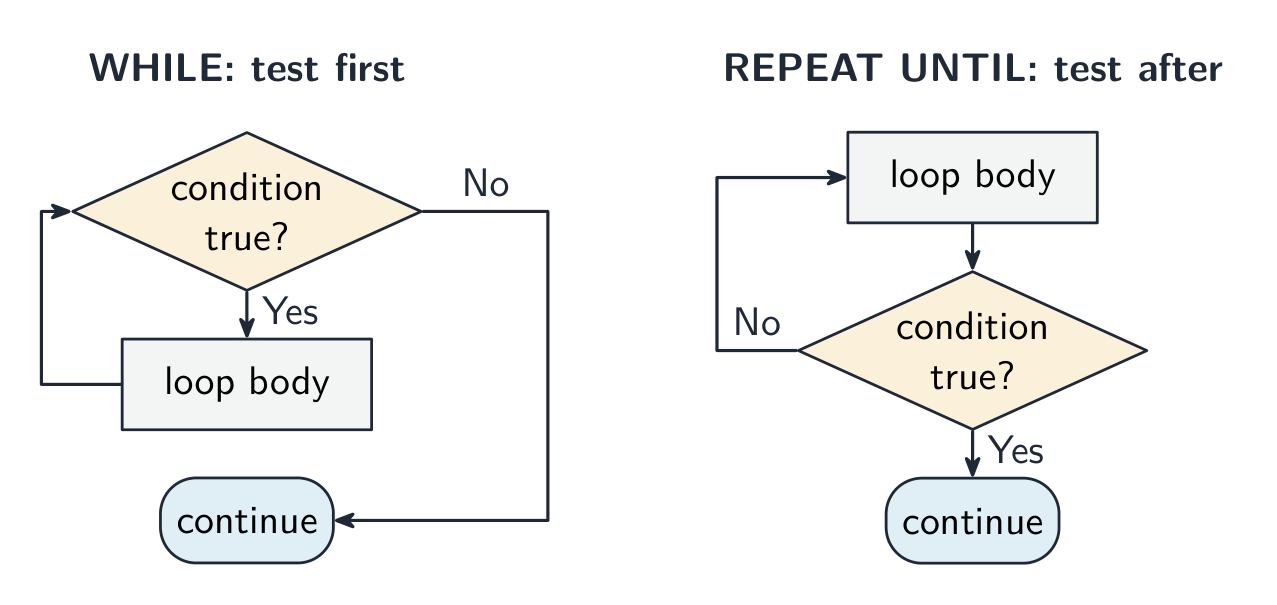
A WHILE loop tests before the body runs; a REPEAT ... UNTIL loop tests after it, so its body always runs at least once Choosing the loop is itself a mark:
FORwhen you know how many times (a count-controlled loop 计数循环);WHILEwhen the loop might not run at all (a pre-condition loop 前测循环);REPEAT ... UNTILwhen it must run at least once, as in validating an input (a post-condition loop 后测循环). A "describe the iteration construct" answer names the construct, says where the condition is tested, and gives the consequence (zero times or at least once).Common operations
- assignment 赋值:
x ← 5(an arrow;=is for comparison). - input/output:
INPUT variable,OUTPUT expression. - comparisons
=,<>,<,>,<=,>=; logicAND,OR,NOT. - arithmetic
+ - * /, plusDIV(integer division) andMOD(remainder). - strings:
LENGTH,LEFT,RIGHT,MID, and&for concatenation 拼接 (joining).
The pseudocode the exam expects
Every pseudocode answer is marked against Cambridge's published pseudocode guide. Write these forms exactly:
Construct Pseudocode Variable DECLARE Total : INTEGERArray DECLARE Marks : ARRAY[1:30] OF REALConstant CONSTANT MaxTries = 3Assignment Total ← Total + ValueInput / output INPUT NameOUTPUT "Hello ", NameSelection CASE OF Choice1 : OUTPUT "Add"OTHERWISE OUTPUT "Error"ENDCASEFOR loop FOR i ← 1 TO 10 STEP 2...NEXT iWHILE loop WHILE Total < 100 DO...ENDWHILEREPEAT loop REPEAT...UNTIL Mark >= 0Integer arithmetic 17 DIV 5 = 317 MOD 5 = 2Strings LENGTH(S),LEFT(S, 3),RIGHT(S, 2)MID(S, 2, 4),UCASE(S),LCASE(S)Conversions INT(3.7) = 3,NUM_TO_STR(12)STR_TO_NUM("4.5"),ASC('A') = 65,CHR(66) = 'B'Random RAND(100)INT(RAND(100)) + 1RAND(100)gives a real number from 0 up to (but not including) 100.INT(RAND(100)) + 1gives an integer from 1 to 100.Two habits earn marks on every question: declare every variable you use, with the type from your identifier table, and initialise 初始化 every counter 计数器 and total (
Count ← 0,Total ← 0) before the loop that changes it.Input → Process → Output
Every program follows this shape:
INPUT Length
INPUT Width
Area ← Length * Width
OUTPUT "Area = ", Area
Listing the inputs and outputs first makes the algorithm cleaner.
Worked example. Write pseudocode that inputs 100 integers and outputs how many of them, and the total of those, that lie between 10 and 20 inclusive.
Identifier table:
Count : INTEGER(loop counter),Value : INTEGER(the integer just input),InRange : INTEGER(how many were in range),Total : INTEGER(their sum).DECLARE Count, Value, InRange, Total : INTEGER InRange ← 0 Total ← 0 FOR Count ← 1 TO 100 INPUT Value IF Value >= 10 AND Value <= 20 THEN InRange ← InRange + 1 Total ← Total + Value ENDIF NEXT Count OUTPUT InRange, TotalIf the question then asks you to "identify two constructs and state how each is used", answer in the same shape: iteration, the
FORloop, repeats the input 100 times; selection, theIFstatement, adds a value only when it is in range.Worked example. A program picks a secret integer from 1 to 100. The user guesses until they are right; after each wrong guess the program says "Too low" or "Too high", and at the end it outputs how many guesses were made.
Identifier table:
Secret : INTEGER(the number to guess),Guess : INTEGER(the user's input),Tries : INTEGER(how many guesses so far).DECLARE Secret, Guess, Tries : INTEGER Secret ← INT(RAND(100)) + 1 Tries ← 0 REPEAT INPUT Guess Tries ← Tries + 1 IF Guess < Secret THEN OUTPUT "Too low" ELSE IF Guess > Secret THEN OUTPUT "Too high" ENDIF ENDIF UNTIL Guess = Secret OUTPUT "You took ", Tries, " guesses"A
REPEAT ... UNTILloop is the right choice because the user must guess at least once. The marks are for: the random number in the right range, a loop that ends on a correct guess, the counter that starts at zero and increases inside the loop, the two messages under the right conditions, and the final output.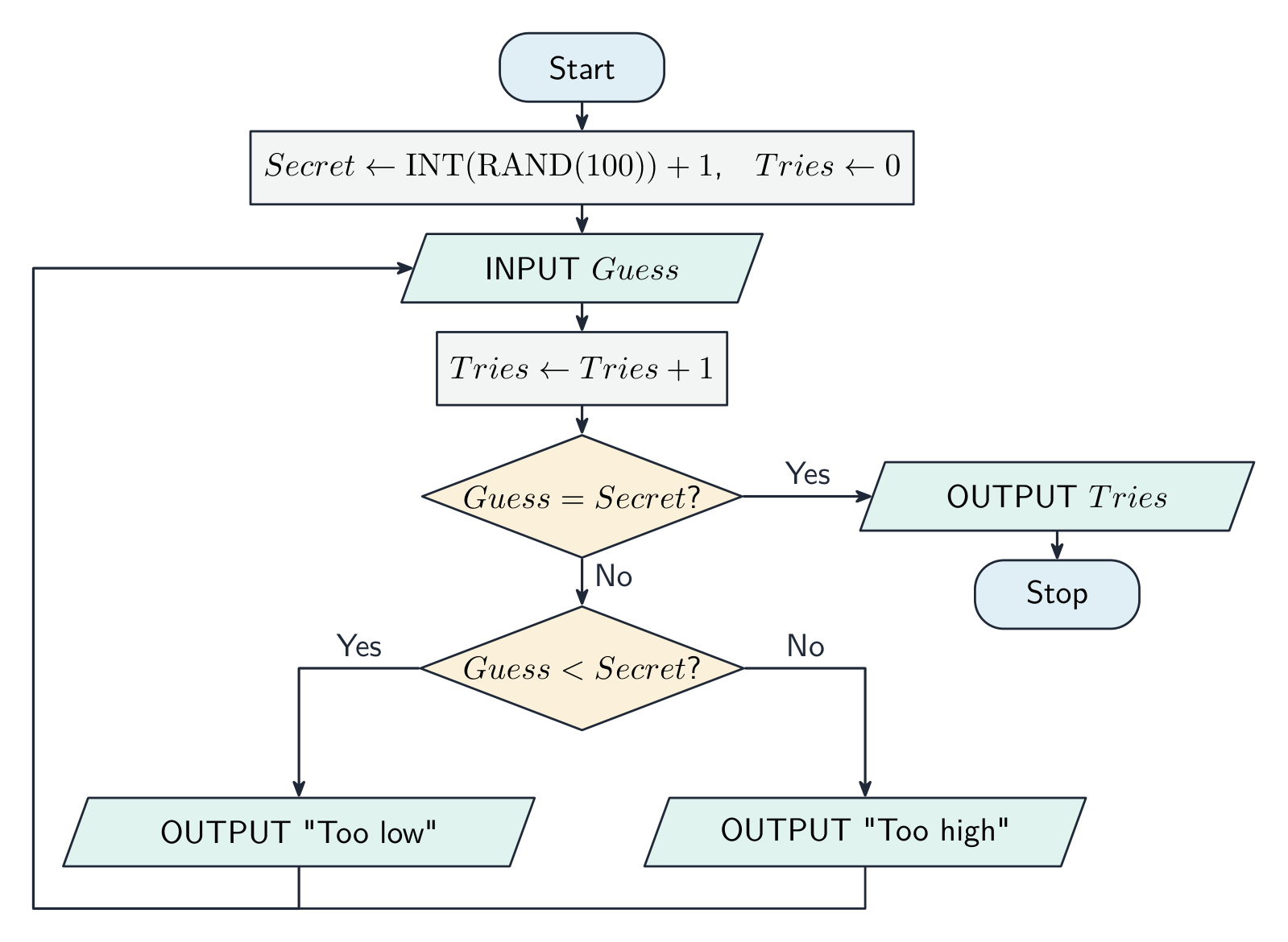
The same guessing game as a flowchart: the two decision diamonds are the two IF statements, and the return arrow is the REPEAT ... UNTIL loop Worked example. Output two different random integers, each between $-10$ and $10$ inclusive.
There are 21 possible values, so
INT(RAND(21))gives 0 to 20 and subtracting 10 shifts it to the range $-10$ to $10$. The second number must be generated again until it differs from the first:DECLARE First, Second : INTEGER First ← INT(RAND(21)) - 10 REPEAT Second ← INT(RAND(21)) - 10 UNTIL Second <> First OUTPUT First, Second
Every program follows the Input, Process, Output shape Explore · 探索IF … ELSE selection · IF … ELSE 選択構造
Change the value and watch which branch runs — how a program makes a decision. · 値を変化させてどの分岐が実行されるか観察してください。これがプログラムが判断を下す仕組みです。
Vocabulary · 語彙 Train · 練習するEnglish 日本語 sequence/ˈsiːkwəns/ 順序 (シーケンス) pseudocode/ˈsuːdəʊkəʊd/ 擬似コード selection/sɪˈlekʃn/ 選択 iteration/ˌɪtəˈreɪʃn/ 反復処理 loop/luːp/ ループ count-controlled loop/kaʊnt kənˈtrəʊld luːp/ カウント制御ループ pre-condition loop/priː kənˈdɪʃn luːp/ 前条件ループ post-condition loop/pəʊst kənˈdɪʃn luːp/ 後条件ループ assignment/əˈsaɪnmənt/ 代入 concatenation/kənˌkætəˈneɪʃn/ 連結 initialise/ɪˈnɪʃəlaɪz/ 初期化 counter/ˈkaʊntə/ 反例 9.2
Three notations
 English
The same algorithm can be written three ways.
- structured English 结构化英语 — natural language with indentation and fixed keywords; good for a high-level description.
- flowchart 流程图 — a diagram with standard shapes:
Shape Meaning Rounded rectangle Start / Stop Parallelogram Input / Output Rectangle Process Diamond Decision Arrow Flow of control - pseudocode — the keyword notation above; closest to code.
You should be able to convert between any pair: each
IFis a decision diamond, each loop is a back-arrow, and a sequence is stacked rectangles.IF ... THEN ... ELSE ... ENDIF
日本語The same algorithm can be written three ways.
- structured English 结构化英语 — natural language with indentation and fixed keywords; good for a high-level description.
- flowchart 流程图 — a diagram with standard shapes:
Shape Meaning Rounded rectangle Start / Stop Parallelogram Input / Output Rectangle Process Diamond Decision Arrow Flow of control - pseudocode — the keyword notation above; closest to code.
You should be able to convert between any pair: each
IFis a decision diamond, each loop is a back-arrow, and a sequence is stacked rectangles.IF ... THEN ... ELSE ... ENDIF
A flowchart for averaging a list of numbers, using the standard shapes Vocabulary · 語彙 Train · 練習するEnglish 日本語 flowchart/ˈfləʊtʃɑːt/ フローチャート structured English/ˈstrʌktʃəd ˈɪŋɡlɪʃ/ 構造化英語 9.2
Stepwise refinement
 English
Stepwise refinement 逐步求精 starts with a high-level outline and expands each step until it is small enough to code. For an average of $n$ numbers:
Level 1:
Level 2:
Each refinement keeps the previous structure and adds detail.
A six-mark "apply stepwise refinement" question gives you a high-level outline and wants each step expanded into the concrete statements a programmer could code. Keep the steps in the same order, name the data each step reads or produces, and stop when every line is a single input, assignment, output, loop or condition. For example, "validate the password" becomes: input the password; check its length is at least 8; check it contains at least one digit; output "accepted" if both checks pass, otherwise output "rejected".
日本語Stepwise refinement 逐步求精 starts with a high-level outline and expands each step until it is small enough to code. For an average of $n$ numbers:
Level 1:
Read in the numbers
Compute the average
Output the average
Level 2:
INPUT n
total ← 0
FOR i ← 1 TO n
    INPUT value
    total ← total + value
NEXT i
average ← total / n
OUTPUT average
Each refinement keeps the previous structure and adds detail.
A six-mark "apply stepwise refinement" question gives you a high-level outline and wants each step expanded into the concrete statements a programmer could code. Keep the steps in the same order, name the data each step reads or produces, and stop when every line is a single input, assignment, output, loop or condition. For example, "validate the password" becomes: input the password; check its length is at least 8; check it contains at least one digit; output "accepted" if both checks pass, otherwise output "rejected".
Stepwise refinement: expand each high-level step into detailed pseudocode Explore · 探索Stepwise refinement: outline to code · 段階的精密化:アウトラインからコードへ
Step down the levels. You start with the whole task in one line and keep expanding each step into smaller ones — until every step is simple enough to code directly. · レベルを下げていきます。全体タスクを1行で始め、各ステップをより小さなものへと拡張し続け、すべてのステップが直接コーディングできるほど単純になるまで続けます。
Vocabulary · 語彙 Train · 練習するEnglish 日本語 stepwise refinement/ˈstepwaɪz rɪˈfaɪnmənt/ 段階的精密化 9.2
Logic statements
 English
A logic statement 逻辑语句 is a Boolean 布尔 condition that controls branching, built from comparisons (
x > 10), connectives (AND,OR,NOT) and brackets. Use it as the condition ofIF,WHILEorREPEAT...UNTIL:Precedence 优先级 (highest to lowest):
NOT, thenAND, thenOR. Use brackets when unsure. Common mistakes:a = 1 OR 2is wrong — writea = 1 OR a = 2.NOT a > 5meansNOT (a > 5), i.e.a <= 5.NOT (A AND B)is the same as(NOT A) OR (NOT B)(De Morgan's law 德摩根定律) — handy for simplifying conditions.
Turning a sentence into a logic statement is a skill the papers test directly. "A ticket is free for anyone under 5 or over 65" becomes
Age < 5 OR Age > 65. "A mark is valid if it is a whole number from 0 to 100" becomesMark >= 0 AND Mark <= 100. "The loop stops when the file is finished or ten records have been read" becomesUNTIL EOF(File) OR Count = 10. Write each comparison in full:Age > 65andAge < 5, neverAge > 65 OR < 5.Worked example. Write an identifier table and pseudocode to read 10 numbers and output the largest. The identifier table names each variable with its data type and purpose:
Count : INTEGER(loop counter),Num : REAL(the number just read),Max : REAL(largest so far).The design decision carrying the marks is initialising
Max: it must start lower than any possible input - or, safer still, be set to the first number read. Initialise it to0and the algorithm wrongly returns 0 for a list of negative numbers, a bug your trace only exposes if the test data include a negative.日本語A logic statement 逻辑语句 is a Boolean 布尔 condition that controls branching, built from comparisons (
x > 10), connectives (AND,OR,NOT) and brackets. Use it as the condition ofIF,WHILEorREPEAT...UNTIL:WHILE attempts < 3 AND NOT loggedIn DO INPUT password IF password = correctPassword THEN loggedIn ← TRUE ELSE attempts ← attempts + 1 ENDIF ENDWHILEPrecedence 优先级 (highest to lowest):
NOT, thenAND, thenOR. Use brackets when unsure. Common mistakes:a = 1 OR 2is wrong — writea = 1 OR a = 2.NOT a > 5meansNOT (a > 5), i.e.a <= 5.NOT (A AND B)is the same as(NOT A) OR (NOT B)(De Morgan's law 德摩根定律) — handy for simplifying conditions.
Turning a sentence into a logic statement is a skill the papers test directly. "A ticket is free for anyone under 5 or over 65" becomes
Age < 5 OR Age > 65. "A mark is valid if it is a whole number from 0 to 100" becomesMark >= 0 AND Mark <= 100. "The loop stops when the file is finished or ten records have been read" becomesUNTIL EOF(File) OR Count = 10. Write each comparison in full:Age > 65andAge < 5, neverAge > 65 OR < 5.Precedence: NOT binds to loggedIn first, then AND combines the two sides Worked example. Write an identifier table and pseudocode to read 10 numbers and output the largest. The identifier table names each variable with its data type and purpose:
Count : INTEGER(loop counter),Num : REAL(the number just read),Max : REAL(largest so far).Max ← -999999 FOR Count ← 1 TO 10 INPUT Num IF Num > Max THEN Max ← Num ENDIF NEXT Count OUTPUT MaxThe design decision carrying the marks is initialising
Max: it must start lower than any possible input - or, safer still, be set to the first number read. Initialise it to0and the algorithm wrongly returns 0 for a list of negative numbers, a bug your trace only exposes if the test data include a negative.Vocabulary · 語彙 Train · 練習するEnglish 日本語 Boolean/ˈbuːlɪən/ Boolean logic statement/ˈlɒdʒɪk ˈsteɪtmənt/ 論理式 precedence/ˈpresɪdəns/ 優先順位 De Morgan's law/də ˈmɔːɡənz lɔː/ ド・モーガンの法則 9.2
Definitions the examiner accepts
A definition question is marked against fixed wording. Learn these exactly, and give one answer only.
Term Definition abstraction keeping the essential details of a problem and leaving out the details that are not needed decomposition breaking a problem down into smaller sub-problems, each of which can be solved separately algorithm a solution to a problem expressed as a sequence of defined steps identifier table a table listing each identifier used in an algorithm with its data type and a description of its purpose pseudocode a structured, language-independent way of writing the steps of an algorithm flowchart a diagram that shows the steps and decisions of an algorithm using standard symbols joined by arrows sequence statements executed one after another in the order written selection choosing which statements to execute according to a condition iteration repeating a group of statements while, or until, a condition holds stepwise refinement breaking each step of an outline into smaller steps, repeatedly, until each step can be coded directly logic statement a condition built from comparisons and the operators AND, OR and NOT that evaluates to TRUE or FALSE 9.2
Exam tips
- Define an algorithm as an unambiguous, finite, deterministic sequence of steps, independent of language.
- Use the three constructs correctly — sequence, selection, iteration — and keep an identifier table with data types.
- Break a problem down by decomposition and abstraction, then stepwise refinement.
- Write pseudocode that would actually run: declare variables and follow the exam's pseudocode style.
Common mistakes
- Using
=to assign a value. Assignment is←;=is a comparison. - Forgetting
ENDIF,ENDWHILE,ENDCASEorNEXT. Every construct closes, and the closing word is where the mark for the construct is checked. - Not initialising a total or counter before the loop, so the algorithm adds to a value that never existed.
- Using a
FORloop when the number of repetitions is unknown. Reading until a sentinel value or a correct guess needsWHILEorREPEAT ... UNTIL. - Writing
Age > 65 OR < 5. Each side ofORandANDmust be a complete comparison. - Answering "explain why decomposition is used" with one benefit written three ways. Three marks need three different benefits.
-
10
Data Types and Structures · データ型とデータ構造
Watch lesson · レッスンを視聴10.1
Choosing data types
Syllabus · シラバス
EnglishCandidates should be able to: Notes and guidance Select and use appropriate data types for a problem solution including integer, real, char, string, Boolean, date (pseudocode will use the following data types: INTEGER, REAL, CHAR, STRING, BOOLEAN, DATE, ARRAY, FILE) Show understanding of the purpose of a record structure to hold a set of data of different data types under one identifier Write pseudocode to define a record structure Write pseudocode to read data from a record structure and save data to a record structure 日本語受験者は以下的能力を備えているべきである: メモおよびガイドライン 問題解決に適した データ型 を選択して使用する 整数, 実数, char, 文字列, ブール, 日付 を含む(擬似コードでは以下のデータ型を使用する:INTEGER, REAL, CHAR, STRING, BOOLEAN, DATE, ARRAY, FILE) 単一の識別子の下で異なるデータ型のデータセットを保持するための レコード構造 の目的を理解する レコード構造を定義する擬似コードを書く レコード構造からデータを読み書きし、レコード構造にデータを保存する擬似コードを書く Source: Cambridge International syllabus · 出典: Cambridge International シラバス
EnglishEvery variable needs a data type 数据类型 — the kind of value it holds and the operations allowed:
INTEGER— a whole number (42,-7). For counts, indexes, IDs.REAL— a number with a fractional part (3.14). For money, measurements.STRING— characters in quotes ("Hello"). For text.CHAR— a single character ('A').BOOLEAN—TRUEorFALSE. For flags.DATE— a calendar date.
Pick the smallest precise type that fits:
INTEGERfor whole counts,BOOLEANfor flags (not the strings"yes"/"no").The "give the appropriate data type" tables are decided by how the value is used: the average mark of a class is
REAL(it has a fractional part); an email address isSTRING; the number of students isINTEGER; whether a student has paid isBOOLEAN; a date of birth isDATE; an array index is alwaysINTEGER; a single grade letter isCHAR; a phone number is aSTRING, because it starts with0and is never used in arithmetic. ABOOLEANis used for a flag with only two states: whether a search has found its target, whether a member has paid, whether a seat is booked. For the identifier table, the variable name must be meaningful too:NumberOfPeople, notn.日本語Every variable needs a data type 数据类型 — the kind of value it holds and the operations allowed:
INTEGER— a whole number (42,-7). For counts, indexes, IDs.REAL— a number with a fractional part (3.14). For money, measurements.STRING— characters in quotes ("Hello"). For text.CHAR— a single character ('A').BOOLEAN—TRUEorFALSE. For flags.DATE— a calendar date.
Pick the smallest precise type that fits:
INTEGERfor whole counts,BOOLEANfor flags (not the strings"yes"/"no").The "give the appropriate data type" tables are decided by how the value is used: the average mark of a class is
REAL(it has a fractional part); an email address isSTRING; the number of students isINTEGER; whether a student has paid isBOOLEAN; a date of birth isDATE; an array index is alwaysINTEGER; a single grade letter isCHAR; a phone number is aSTRING, because it starts with0and is never used in arithmetic. ABOOLEANis used for a flag with only two states: whether a search has found its target, whether a member has paid, whether a seat is booked. For the identifier table, the variable name must be meaningful too:NumberOfPeople, notn.Vocabulary · 語彙 Train · 練習するEnglish 日本語 data type/ˈdeɪtə taɪp/ データ型 10.1
Records
 English
A record 记录 (a record structure 记录结构) holds several fields of different types under one name — useful when several values describe one thing.
This defines the type
TStockItem; declare variables of it:Use dot notation to reach each field 字段:
Use a record when values always belong together (a customer, a stock item); use separate variables for unrelated values.
Worked example. A club stores, for each student, a student ID (a string), a name, a date of birth and up to three club numbers (integers). Write pseudocode to declare the record type, an array to hold $3000$ students, and a statement that stores a name in the first element.
The marks:
TYPEwith the identifier andENDTYPE; each field declared with a suitable type; the array declared with its bounds andOF Student; the field reached with the index and a dot. A "state the error in the record declaration" question usually points at a missingENDTYPE, a field with no type, or a field declared as aSTRINGthat must hold arithmetic. Two conventions score marks on their own: an unused element is marked with a value that cannot be real data (an empty string,-1, an ID of0), and it is good practice to use the same marker everywhere so that every module can recognise an unused slot; an unused club field is0. The benefits of an array of records, for a "state three benefits": all the data for one entity is held under one identifier; the fields can have different data types; one array replaces several parallel arrays that would have to be kept in step; the whole set can be processed by one loop or passed as one parameter; and adding a field changes the type definition only. For one customer the suitable structure is a record (fields of different types under one name); for all customers it is an array of records.日本語A record 记录 (a record structure 记录结构) holds several fields of different types under one name — useful when several values describe one thing.
TYPE TStockItem
    DECLARE ItemID : INTEGER
    DECLARE Category : STRING
    DECLARE ItemCost : REAL
    DECLARE InStock : BOOLEAN
ENDTYPE
This defines the type
TStockItem; declare variables of it:DECLARE Item1 : TStockItem DECLARE Items : ARRAY[1:100] OF TStockItemUse dot notation to reach each field 字段:
Item1.Category ← "Fruit"
OUTPUT Item1.Category, " costs ", Item1.ItemCost
Use a record when values always belong together (a customer, a stock item); use separate variables for unrelated values.
Worked example. A club stores, for each student, a student ID (a string), a name, a date of birth and up to three club numbers (integers). Write pseudocode to declare the record type, an array to hold $3000$ students, and a statement that stores a name in the first element.
TYPE Student
    DECLARE StudentID : STRING
    DECLARE Name : STRING
    DECLARE DateOfBirth : DATE
    DECLARE Club : ARRAY[1:3] OF INTEGER
ENDTYPE

DECLARE Membership : ARRAY[1:3000] OF Student
Membership[1].Name ← "Li Wei"
The marks:
TYPEwith the identifier andENDTYPE; each field declared with a suitable type; the array declared with its bounds andOF Student; the field reached with the index and a dot. A "state the error in the record declaration" question usually points at a missingENDTYPE, a field with no type, or a field declared as aSTRINGthat must hold arithmetic. Two conventions score marks on their own: an unused element is marked with a value that cannot be real data (an empty string,-1, an ID of0), and it is good practice to use the same marker everywhere so that every module can recognise an unused slot; an unused club field is0. The benefits of an array of records, for a "state three benefits": all the data for one entity is held under one identifier; the fields can have different data types; one array replaces several parallel arrays that would have to be kept in step; the whole set can be processed by one loop or passed as one parameter; and adding a field changes the type definition only. For one customer the suitable structure is a record (fields of different types under one name); for all customers it is an array of records.A record holds several fields of different types under one name Explore · 探索A record groups fields under one name · レコードは複数のフィールドを一つの名称の下にまとめます
A record bundles related fields together. Each field is a named label you reach with dot notation — Item1.Category — not by a numeric index. · レコードは関連するフィールドを束ねます。各フィールドは名前付きラベルであり、数値インデックスではなく、ドット表記(Item1.Category)でアクセスします。
Vocabulary · 語彙 Train · 練習するEnglish 日本語 record/ˈrekɔːd/ record record structure/ˈrekɔːd ˈstrʌktʃə/ レコード構造 field/fiːld/ 場として扱う 10.2
Arrays

Syllabus · シラバス
EnglishCandidates should be able to: Notes and guidance Use the technical terms associated with arrays Including index, upper bound and lower bound Select a suitable data structure (1D or 2D array) to use for a given task Write pseudocode for 1D and 2D arrays Write pseudocode to process array data Sort using a bubble sort Search using a linear search 日本語受験者は以下的能力を備えているべきである: メモおよびガイドライン 配列 に関連する技術用語を使用する インデックス, 上限, 下限 を含む 特定のタスクに適したデータ構造(1D または 2D 配列)を選択する 1D および 2D 配列の擬似コードを書く 配列データの処理を行う擬似コードを書く バブルソート によるソート、線形探索 による検索 Source: Cambridge International syllabus · 出典: Cambridge International シラバス
EnglishAn array 数组 is an ordered collection of items of the same type, under one name, reached by an index 索引.
- element 元素 — one item in the array.
- bounds 边界 — the lowest and highest valid indices.
- dimension 维度 — 1-D (a list), 2-D (a table), etc.
- lower bound 下界 and upper bound 上界 — the first and last valid index; the number of elements is upper bound minus lower bound plus one, and for a 2-D array the product of the two counts.
So in
ThisArray[n] ← 42the array has one dimension, the index is the variablen(anINTEGER), and the element at that index receives42. Before an array can be declared you need its data type as well as its bounds. To declare $120$ values that may include a decimal place:DECLARE Data : ARRAY[1:120] OF REAL; a $150$-row, two-column table of strings:DECLARE Data : ARRAY[1:150, 1:2] OF STRING, which has $300$ elements. The benefits of an array over separate variables, for a two-mark explain: one identifier instead of thirty; the elements can be processed by a loop with the index as the counter; the size is easy to change; and the whole set can be passed to a module as one parameter. An array can also replace a chain of selection statements:DaysInMonth[Month]looks up the answer directly instead of twelveIFclauses, which is shorter, faster to write and easier to maintain.1-D arrays
Process every element with a
FORloop:2-D arrays (2D array)
The first index is the row, the second the column. Use nested loops to visit every cell. Use 1-D for a single sequence, 2-D for two natural dimensions (a grid, rows × columns).
Common operations
A linear search 线性查找 checks each element until found:
To find a sum, count, maximum or minimum, set a running variable then sweep through:
A bubble sort 冒泡排序 puts an array in order: pass through it comparing each adjacent pair and swapping any that are out of order; repeat the passes until one pass makes no swaps.
Paper 2 asks for these algorithms both as pseudocode and as steps in words, and sometimes in their "efficient" form:
- Largest value: set
Largestto the first element; for each remaining element, if it is bigger thanLargest, store it inLargest; after the loop outputLargest. For the position of the largest, keep a second variable that stores the index each timeLargestchanges. - Linear search returning a position: set
FoundAt ← -1before the loop (a value that can never be a valid index, so it means "not found"); loop through the array; when the element matches, store the index and leave the loop; after the loop testFoundAt. - Count or output the non-blank elements: compare each element with the marker for an unused element (
""or-1) and count or output only those that differ. - Remove an item: find its index by a linear search; move every later element one place towards the start, so the gap closes; mark the last element as unused (or decrease the count).
- Insert into a sorted array: find the first index whose element is larger; move that element and every later one one place towards the end; store the new value in the gap.
- Efficient bubble sort: a
Swappedflag so that the passes stop as soon as a pass makes no swap, and an upper limit that falls by one each pass because the largest value has already reached the end.
The marks are for the outer loop that repeats until no swaps, the flag set inside the
IF, the three-line swap with a temporary variable, and the shrinking limit. A sort in "steps" (stepwise refinement) is: repeat until sorted; on each pass compare adjacent pairs; swap a pair that is out of order; after each pass the largest unsorted value is at the end. Two 1-D arrays of records or of parallel data are processed with one loop and one index; a 2-D array needs a nested loop, the outer over rows and the inner over columns, and a search in one row fixes the row index and loops over the column.日本語An array 数组 is an ordered collection of items of the same type, under one name, reached by an index 索引.
- element 元素 — one item in the array.
- bounds 边界 — the lowest and highest valid indices.
- dimension 维度 — 1-D (a list), 2-D (a table), etc.
- lower bound 下界 and upper bound 上界 — the first and last valid index; the number of elements is upper bound minus lower bound plus one, and for a 2-D array the product of the two counts.
So in
ThisArray[n] ← 42the array has one dimension, the index is the variablen(anINTEGER), and the element at that index receives42. Before an array can be declared you need its data type as well as its bounds. To declare $120$ values that may include a decimal place:DECLARE Data : ARRAY[1:120] OF REAL; a $150$-row, two-column table of strings:DECLARE Data : ARRAY[1:150, 1:2] OF STRING, which has $300$ elements. The benefits of an array over separate variables, for a two-mark explain: one identifier instead of thirty; the elements can be processed by a loop with the index as the counter; the size is easy to change; and the whole set can be passed to a module as one parameter. An array can also replace a chain of selection statements:DaysInMonth[Month]looks up the answer directly instead of twelveIFclauses, which is shorter, faster to write and easier to maintain.1-D arrays
DECLARE Names : ARRAY[1:5] OF STRING
Names[3] ← "Cara"
OUTPUT Names[3]
Process every element with a
FORloop:FOR i ← 1 TO 5 OUTPUT Names[i] NEXT iA 1-D array (a list) with indices and bounds 2-D arrays (2D array)
DECLARE Grid : ARRAY[1:3, 1:4] OF INTEGER
Grid[2, 3] ← 99
The first index is the row, the second the column. Use nested loops to visit every cell. Use 1-D for a single sequence, 2-D for two natural dimensions (a grid, rows × columns).

A 2-D array (a table) with row and column indices Common operations
A linear search 线性查找 checks each element until found:
FOR i ← 1 TO n
    IF A[i] = Target THEN
        OUTPUT "Found at ", i
    ENDIF
NEXT i
To find a sum, count, maximum or minimum, set a running variable then sweep through:
Max ← A[1]
FOR i ← 2 TO n
    IF A[i] > Max THEN
        Max ← A[i]
    ENDIF
NEXT i
A bubble sort 冒泡排序 puts an array in order: pass through it comparing each adjacent pair and swapping any that are out of order; repeat the passes until one pass makes no swaps.
Paper 2 asks for these algorithms both as pseudocode and as steps in words, and sometimes in their "efficient" form:
- Largest value: set
Largestto the first element; for each remaining element, if it is bigger thanLargest, store it inLargest; after the loop outputLargest. For the position of the largest, keep a second variable that stores the index each timeLargestchanges. - Linear search returning a position: set
FoundAt ← -1before the loop (a value that can never be a valid index, so it means "not found"); loop through the array; when the element matches, store the index and leave the loop; after the loop testFoundAt. - Count or output the non-blank elements: compare each element with the marker for an unused element (
""or-1) and count or output only those that differ. - Remove an item: find its index by a linear search; move every later element one place towards the start, so the gap closes; mark the last element as unused (or decrease the count).
- Insert into a sorted array: find the first index whose element is larger; move that element and every later one one place towards the end; store the new value in the gap.
- Efficient bubble sort: a
Swappedflag so that the passes stop as soon as a pass makes no swap, and an upper limit that falls by one each pass because the largest value has already reached the end.
REPEAT
    Swapped ← FALSE
    FOR Index ← 1 TO Limit - 1
        IF Data[Index] > Data[Index + 1] THEN
            Temp ← Data[Index]
            Data[Index] ← Data[Index + 1]
            Data[Index + 1] ← Temp
            Swapped ← TRUE
        ENDIF
    NEXT Index
    Limit ← Limit - 1
UNTIL Swapped = FALSE
The marks are for the outer loop that repeats until no swaps, the flag set inside the
IF, the three-line swap with a temporary variable, and the shrinking limit. A sort in "steps" (stepwise refinement) is: repeat until sorted; on each pass compare adjacent pairs; swap a pair that is out of order; after each pass the largest unsorted value is at the end. Two 1-D arrays of records or of parallel data are processed with one loop and one index; a 2-D array needs a nested loop, the outer over rows and the inner over columns, and a search in one row fixes the row index and loops over the column.
One pass of a bubble sort: adjacent pairs are compared and swapped, bubbling the largest value to the end Explore · 探索A 2-D array · 2次元配列
Pick a row and column to read one element — how a grid of data is stored and indexed. · 行と列を選択して特定の要素を読み取ります。データグリッドの格納方法とインデックス付けの仕組みです。
Vocabulary · 語彙 Train · 練習するEnglish 日本語 index/ˈɪndeks/ インデックス array/əˈreɪ/ 配列 element/ˈelɪmənt/ 元素 bounds/baʊndz/ 境界値 dimension/daɪˈmenʃn/ 次元 lower bound/ˈləʊə baʊnd/ 下限値 upper bound/ˈʌpə baʊnd/ 上限値 linear search/ˈlɪnɪə sɜːtʃ/ 線形検索 bubble sort/ˈbʌbl sɔːt/ バブルソート 10.3
Files

Syllabus · シラバス
EnglishCandidates should be able to: Notes and guidance Show understanding of why files are needed Write pseudocode to handle text files that consist of one or more lines 日本語受験者は以下的能力を備えているべきである: メモおよびガイドライン ファイル が必要となる理由を理解する 1つ以上の行で構成される テキストファイル を扱う擬似コードを書く Source: Cambridge International syllabus · 出典: Cambridge International シラバス
EnglishA file 文件 is data stored on secondary storage 辅助存储器, kept between program runs. Variables in RAM disappear when the program ends, so to save data permanently (high scores, records, settings) the program writes to a file. Files also let programs share data and restart from a saved state.
A text file 文本文件 holds one or more lines of readable characters; programs read and write text files line by line. Open a file before use and close it after:
EOFtests the end of file 文件结束 before reading. To write:Always close every file — otherwise buffered writes may be lost and other programs may be locked out.
Why files (two marks): the data is kept after the program ends, so it is available the next time the program runs; it can be shared with other programs; and it can hold more than fits in memory. The characteristic of a text file that lets a program work through it is that it is a sequence of lines, read one after another from the start. The three modes:
READto read from the start;WRITEto create a new file, which deletes any existing contents, so it cannot be used to add to a file;APPENDto add lines at the end of an existing file. TestEOFbefore every read, and open the file only once, even when several modules use it.Worked example. Write pseudocode for a procedure
LastLines(FileName : STRING)that outputs the last three lines of a text file, in order.Each new line pushes the previous three along, so when the file ends the three variables hold its last three lines; a file with fewer lines outputs empty strings. To output the first five lines, count the lines read and stop the loop at five or at
EOF, whichever comes first; a file that is empty is detected byEOFbeingTRUEimmediately after opening.Fields in a line. A text file holds strings, so a record is written as one line with its fields joined by a separator 分隔符 character, and each number or Boolean converted with
NUM_TO_STR(and read back withSTR_TO_NUM, or by comparing with"TRUE"). Choose a separator that can never appear in the data: a comma or|for names and numbers, never a space when a name may contain one. If a field may contain any character, the separator can be confused with data; the fix is to put each field on its own line, or to write the field's length before it. One item per line is simple to read back but uses more lines and makes a record harder to see as a unit. Reading a file whose lines are in a known order (ascending by an ID) allows the search to stop as soon as a larger ID is read, instead of reading to the end. A save file that is created each time the game is saved needs a meaningful filename, for instance the player's name and the date and time, so that any earlier save can be restored.日本語A file 文件 is data stored on secondary storage 辅助存储器, kept between program runs. Variables in RAM disappear when the program ends, so to save data permanently (high scores, records, settings) the program writes to a file. Files also let programs share data and restart from a saved state.
Variables in RAM vanish when the program ends; a file on disk persists between runs A text file 文本文件 holds one or more lines of readable characters; programs read and write text files line by line. Open a file before use and close it after:
OPENFILE "data.txt" FOR READ // or FOR WRITE, FOR APPEND WHILE NOT EOF("data.txt") DO READFILE "data.txt", LineString OUTPUT LineString ENDWHILE CLOSEFILE "data.txt"EOFtests the end of file 文件结束 before reading. To write:OPENFILE "log.txt" FOR WRITE FOR i ← 1 TO 100 WRITEFILE "log.txt", "Event " & i NEXT i CLOSEFILE "log.txt"Always close every file — otherwise buffered writes may be lost and other programs may be locked out.
Why files (two marks): the data is kept after the program ends, so it is available the next time the program runs; it can be shared with other programs; and it can hold more than fits in memory. The characteristic of a text file that lets a program work through it is that it is a sequence of lines, read one after another from the start. The three modes:
READto read from the start;WRITEto create a new file, which deletes any existing contents, so it cannot be used to add to a file;APPENDto add lines at the end of an existing file. TestEOFbefore every read, and open the file only once, even when several modules use it.Worked example. Write pseudocode for a procedure
LastLines(FileName : STRING)that outputs the last three lines of a text file, in order.PROCEDURE LastLines(BYVAL FileName : STRING) DECLARE LineX, LineY, LineZ : STRING LineX ← "" LineY ← "" LineZ ← "" OPENFILE FileName FOR READ WHILE NOT EOF(FileName) DO LineX ← LineY LineY ← LineZ READFILE FileName, LineZ ENDWHILE CLOSEFILE FileName OUTPUT LineX OUTPUT LineY OUTPUT LineZ ENDPROCEDUREEach new line pushes the previous three along, so when the file ends the three variables hold its last three lines; a file with fewer lines outputs empty strings. To output the first five lines, count the lines read and stop the loop at five or at
EOF, whichever comes first; a file that is empty is detected byEOFbeingTRUEimmediately after opening.Fields in a line. A text file holds strings, so a record is written as one line with its fields joined by a separator 分隔符 character, and each number or Boolean converted with
NUM_TO_STR(and read back withSTR_TO_NUM, or by comparing with"TRUE"). Choose a separator that can never appear in the data: a comma or|for names and numbers, never a space when a name may contain one. If a field may contain any character, the separator can be confused with data; the fix is to put each field on its own line, or to write the field's length before it. One item per line is simple to read back but uses more lines and makes a record harder to see as a unit. Reading a file whose lines are in a known order (ascending by an ID) allows the search to stop as soon as a larger ID is read, instead of reading to the end. A save file that is created each time the game is saved needs a meaningful filename, for instance the player's name and the date and time, so that any earlier save can be restored.
One line of a text file is one record: fields joined by a separator, converted to their types when read back Explore · 探索Handling a file: open → use → close · ファイルの扱い:開く → 使用する → 閉じる
Step through the lifecycle every file follows. The two easy-to-forget parts are testing EOF while reading in a loop, and always closing at the end. · すべてのファイルが通すライフサイクルをステップごとに確認してください。忘れやすい2つのポイントは、ループ内で読み込む際にEOFテストを行うこと、そして最後に必ずファイルを閉じることです。
Vocabulary · 語彙 Train · 練習するEnglish 日本語 file/faɪl/ file secondary storage/ˈsekəndəri ˈstɔːrɪdʒ/ 補助記憶 text file/tekst faɪl/ テキストファイル end of file/end ɒv faɪl/ ファイルの終端 separator/ˈsepəreɪtə/ 区切り文字 10.4
Abstract Data Types (ADTs)

Syllabus · シラバス
EnglishCandidates should be able to: Notes and guidance Show understanding that an ADT is a collection of data and a set of operations on those data Show understanding that a stack, queue and linked list are examples of ADTs Describe the key features of a stack, queue and linked list and justify their use for a given situation Use a stack, queue and linked list to store data Candidates will not be required to write pseudocode for these structures, but they should be able to add, edit and delete data from these structures Describe how a queue, stack and linked list can be implemented using arrays 日本語受験者は以下的能力を備えているべきである: メモおよびガイドライン ADT がデータとそれらに対する操作の集合であることを理解する スタック, キュー, リンクedList が ADT の例であることを理解する スタック, キュー, リンクedList の主要な特徴を説明し、特定の状況での使用を正当化する スタック, キュー, リンクedList を用いてデータを格納する これらの構造に対して擬似コードを書く必要はないが、データ追加、編集、削除ができるべきである キュー, スタック, リンクedList が 配列 を用いてどのように実装されるかを説明する Source: Cambridge International syllabus · 出典: Cambridge International シラバス
EnglishLinked list: insert by rewiring pointers Stack vs queue: LIFO and FIFO An Abstract Data Type 抽象数据类型 (ADT) is a collection of data plus operations on it, defined by what it does, not how it is stored. The user works only through the operations; the implementation is hidden, so it can change without affecting code that uses the ADT. Know three: stack, queue, linked list.
The one-mark definition: an ADT is a collection of data together with a set of operations on that data. A stack, a queue, a linked list, a binary tree and an array are all ADTs. To justify a choice: a queue when items must be handled in the order they arrived (print jobs, key presses, customers in a shop), because it is first in, first out; a stack when the most recent item must be handled first (undo, going back through web pages, reversing an order, the return addresses of nested calls), because it is last in, first out; a linked list when items are inserted and deleted in the middle of an ordered sequence often, because only pointers change and nothing has to be shifted. To compare a stack and a queue: both are linear structures of items with an order, both are implemented with an array and pointers, and both need a check for full before adding and for empty before removing; a stack has one pointer and adds and removes at the same end, a queue has two pointers and adds at one end and removes at the other.
Stack
A stack 栈 works in LIFO 后进先出 order (Last In, First Out). Operations: push 入栈 (add to the top), pop 出栈 (remove from the top), peek (look at the top), and tests for empty/full. Uses: undo history, function-call return addresses, expression parsing, backtracking.
Worked example. A stack of characters holds, from the bottom,
'P','N','Z','X','Y','W', with the top-of-stack pointer at'W'(memory location 202 of 200–207). The operationsPOP,POP,PUSH 'A',PUSH 'B',POPare performed. What is on the stack, and where does the pointer point?The two pops remove
'W'then'Y'; the pushes add'A'then'B'in their places; the last pop removes'B'. The stack now holds'P','N','Z','X','A'and the pointer is at'A', location 203. The value that has been on the stack longest is the bottom item,'P'; at most five further pops are possible before the stack is empty, and a pop on an empty stack is an error, which is whyPop()tests for empty first. APush()function that returnsTRUEon success first tests whether the pointer is at the top of the array (full) and returnsFALSEif so. The array elements need no initialising before use, because the pointer alone says which elements are in use.Queue
A queue 队列 works in FIFO 先进先出 order (First In, First Out). Operations: enqueue 入队 (add to the rear), dequeue 出队 (remove from the front), and tests for empty/full. Uses: print spooling, scheduling, breadth-first search, buffering.
To describe adding an item: check that the queue is not full; store the item at the position given by the end-of-queue pointer; increment the end pointer (and the count). To describe removing: check that the queue is not empty; read the item at the front pointer; increment the front pointer (and decrement the count). State the convention you use: if the end pointer marks the next free space, front and end pointers being equal means the queue is empty; if it marks the last item, equal pointers mean one item. In a linear queue the front pointer only ever moves forward, so cells behind it are wasted; that is what the circular queue below fixes. The two features of a queue to state: items are added at the rear and removed from the front, so the first item added is the first removed.
Linked list
A linked list 链表 stores data as a sequence of nodes 节点. Each node holds a value and a pointer 指针 to the next node; a head pointer marks the start, and the last node's pointer is a sentinel (e.g.
NULL). Operations: insert, delete, search, and traverse 遍历 (visit each node in order). Its advantage over an array is cheap insertion/deletion (just adjust pointers); its disadvantage is slow random access (you must follow pointers from the head).Adding a node in order (four marks): traverse the list from the head, following the pointers, until the node before the position is found (the last node whose value is smaller); take a free node and store the new value in it; set the new node's pointer to the address the previous node pointed to; set the previous node's pointer to the new node. If the new value belongs at the front, the head pointer is changed instead. Deleting a node: find the node before it, and set that node's pointer to the address the deleted node pointed to, so the list bypasses it; the freed node returns to the free list. Compared with a 1-D array, inserting or deleting in a linked list needs no shifting of the other items, and the list can grow until memory runs out; the cost is the extra pointer stored with every item, and that reaching the $n$th item means following $n$ pointers, since there is no direct index.
日本語Linked list: insert by rewiring pointers Stack vs queue: LIFO and FIFO An Abstract Data Type 抽象数据类型 (ADT) is a collection of data plus operations on it, defined by what it does, not how it is stored. The user works only through the operations; the implementation is hidden, so it can change without affecting code that uses the ADT. Know three: stack, queue, linked list.
The one-mark definition: an ADT is a collection of data together with a set of operations on that data. A stack, a queue, a linked list, a binary tree and an array are all ADTs. To justify a choice: a queue when items must be handled in the order they arrived (print jobs, key presses, customers in a shop), because it is first in, first out; a stack when the most recent item must be handled first (undo, going back through web pages, reversing an order, the return addresses of nested calls), because it is last in, first out; a linked list when items are inserted and deleted in the middle of an ordered sequence often, because only pointers change and nothing has to be shifted. To compare a stack and a queue: both are linear structures of items with an order, both are implemented with an array and pointers, and both need a check for full before adding and for empty before removing; a stack has one pointer and adds and removes at the same end, a queue has two pointers and adds at one end and removes at the other.
Stack
A stack 栈 works in LIFO 后进先出 order (Last In, First Out). Operations: push 入栈 (add to the top), pop 出栈 (remove from the top), peek (look at the top), and tests for empty/full. Uses: undo history, function-call return addresses, expression parsing, backtracking.
Push and pop change the top pointer; the base pointer stays put Worked example. A stack of characters holds, from the bottom,
'P','N','Z','X','Y','W', with the top-of-stack pointer at'W'(memory location 202 of 200–207). The operationsPOP,POP,PUSH 'A',PUSH 'B',POPare performed. What is on the stack, and where does the pointer point?The two pops remove
'W'then'Y'; the pushes add'A'then'B'in their places; the last pop removes'B'. The stack now holds'P','N','Z','X','A'and the pointer is at'A', location 203. The value that has been on the stack longest is the bottom item,'P'; at most five further pops are possible before the stack is empty, and a pop on an empty stack is an error, which is whyPop()tests for empty first. APush()function that returnsTRUEon success first tests whether the pointer is at the top of the array (full) and returnsFALSEif so. The array elements need no initialising before use, because the pointer alone says which elements are in use.
A pile of books is a stack you can see. You can only add or take a book from the top, so the last one you put on is the first one you take off — that is exactly LIFO Queue
A queue 队列 works in FIFO 先进先出 order (First In, First Out). Operations: enqueue 入队 (add to the rear), dequeue 出队 (remove from the front), and tests for empty/full. Uses: print spooling, scheduling, breadth-first search, buffering.

Enqueue adds at the rear; dequeue removes from the front To describe adding an item: check that the queue is not full; store the item at the position given by the end-of-queue pointer; increment the end pointer (and the count). To describe removing: check that the queue is not empty; read the item at the front pointer; increment the front pointer (and decrement the count). State the convention you use: if the end pointer marks the next free space, front and end pointers being equal means the queue is empty; if it marks the last item, equal pointers mean one item. In a linear queue the front pointer only ever moves forward, so cells behind it are wasted; that is what the circular queue below fixes. The two features of a queue to state: items are added at the rear and removed from the front, so the first item added is the first removed.

A line of people is a queue you can see. You join at the back and are served from the front, so whoever waited longest is served first — that is exactly FIFO Linked list
A linked list 链表 stores data as a sequence of nodes 节点. Each node holds a value and a pointer 指针 to the next node; a head pointer marks the start, and the last node's pointer is a sentinel (e.g.
NULL). Operations: insert, delete, search, and traverse 遍历 (visit each node in order). Its advantage over an array is cheap insertion/deletion (just adjust pointers); its disadvantage is slow random access (you must follow pointers from the head).
A linked list: each node points to the next Adding a node in order (four marks): traverse the list from the head, following the pointers, until the node before the position is found (the last node whose value is smaller); take a free node and store the new value in it; set the new node's pointer to the address the previous node pointed to; set the previous node's pointer to the new node. If the new value belongs at the front, the head pointer is changed instead. Deleting a node: find the node before it, and set that node's pointer to the address the deleted node pointed to, so the list bypasses it; the freed node returns to the free list. Compared with a 1-D array, inserting or deleting in a linked list needs no shifting of the other items, and the list can grow until memory runs out; the cost is the extra pointer stored with every item, and that reaching the $n$th item means following $n$ pointers, since there is no direct index.
Explore · 探索A linked list: nodes joined by pointers · リンクドリスト:ポインタで結合されたノード群
Each node stores a value and a pointer to the next node. Inserting or deleting just re-links pointers — no items shift along, unlike an array. · 各ノードは値と次のノードへのポインタを保持します。挿入や削除は単にポインタの再接続を行うだけであり、配列のように要素がずれることはありません。
Explore · 探索Stacks and queues · スタックとキュー
Push and pop. A stack is last-in-first-out; a queue is first-in-first-out — two key ADTs. · プッシュとポップ。スタックはLIFO(後入れ先出し)、キューはFIFO(先入れ先出し)——これらは主要な抽象データ型です。
Vocabulary · 語彙 Train · 練習するEnglish 日本語 stack/stæk/ stack push/pʊʃ/ 押し出し Abstract Data Type/ˈæbstrækt ˈdeɪtə taɪp/ 抽象データ型 linked list/lɪŋkt lɪst/ リンクドリスト pointer/ˈpɔɪntə/ ポインタ queue/kjuː/ queue LIFO/ˈlaɪfəʊ/ LIFO FIFO/ˈfaɪfəʊ/ FIFO pop/pɒp/ pop enqueue/enˈkjuː/ enqueue dequeue/diːˈkjuː/ dequeue node/nəʊd/ ノード traverse/trəˈvɜːs/ 走査 10.4
Implementing ADTs using arrays
 English
Stack using an array
Hold items in
Stack[1:MaxSize]with an integerTop(0 when empty).Push(x): ifTop = MaxSizethe stack is full (overflow 溢出); elseTop ← Top + 1;Stack[Top] ← x.Pop(): ifTop = 0the stack is empty (underflow 下溢); else returnStack[Top]andTop ← Top - 1.
Queue using a circular array
A simple queue lets
FrontandRearmarch off the end, wasting the start. The fix is a circular array 循环数组 — when a pointer reachesMaxSizeit wraps back to 1:Enqueue(x): check full; elseRear ← (Rear MOD MaxSize) + 1;Queue[Rear] ← x.Dequeue(): check empty; else returnQueue[Front]andFront ← (Front MOD MaxSize) + 1.
Track a separate count to tell empty from full.
The algorithm for the end pointer, in words: if the count equals the size, report that the queue is full and stop; otherwise add one to the end pointer; if it is now past the last index, set it to the first index; store the item there and add one to the count. The declarations that a five-mark "describe the declaration and initialisation" answer lists: the array with its size and element type; a front pointer and an end pointer, both initialised to the first index (or the front to the first index and the end to the next free space); and a count of items, initialised to $0$.
For example, with
MaxSize = 6: ifRear = 5, then(5 MOD 6) + 1 = 6, so the next item goes in cell 6; ifRear = 6, then(6 MOD 6) + 1 = 1, so the pointer wraps back to cell 1.Linked list using an array
Use an array of records, each with a
Nextindex:A free list 空闲列表 chains the unused slots, just as the data list chains its used ones. To insert: take a slot from
FreeListHead, set the new node's value andNext, and update the previous node'sNext(orHead). To delete: unlink the node and return its slot to the free list. This gives the flexibility of a linked structure with the static allocation of an array.Worked example. A linked list is held in a
Dataarray and aPointerarray, withStartpointing to index 1. The list is 1 → 3 → 4 (index 1 holdsD40, index 3 holdsD32, index 4 holdsD11, whose pointer is $\emptyset$); the free list starts at index 2 and continues 2 → 5. InsertD6betweenD32andD11.Take the first free node, index 2, and set
FreeStartto its pointer, 5; storeD6inData[2]; setPointer[2]to the valuePointer[3]held, which is 4; setPointer[3]to 2. The list reads 1 → 3 → 2 → 4 and the free list is 5 → $\emptyset$. The answer to "how can the linked list be implemented" is exactly these parts: an array (or array of records) for the data, a parallel array for the pointers holding indices, a start pointer, a free-list pointer and a null value such as $-1$ for the end.Worked example. A circular queue is held in an array of size 5 (indices 0 to 4) with
Front = 3,Rear = 3and one item stored. Two items are added, then two are removed. Where are the pointers, and why use a circular queue at all? Every move uses(pointer + 1) MOD size, so the pointers wrap. Adding twice movesRear: $3 \rightarrow 4$, then $4 \rightarrow 0$ (because $(4+1) \bmod 5 = 0$), soRear = 0and three items are stored. Removing twice movesFrontthe same way: $3 \rightarrow 4$, then $4 \rightarrow 0$, leavingFront = 0and one item. The wrap is the whole point: in a linear array queue the pointers march to the end and the freed space at the front is wasted even when the queue is empty. Remember a queue removes at the Front and adds at the Rear - a stack uses one pointer for both.日本語Stack using an array
Hold items in
Stack[1:MaxSize]with an integerTop(0 when empty).Push(x): ifTop = MaxSizethe stack is full (overflow 溢出); elseTop ← Top + 1;Stack[Top] ← x.Pop(): ifTop = 0the stack is empty (underflow 下溢); else returnStack[Top]andTop ← Top - 1.
Queue using a circular array
A simple queue lets
FrontandRearmarch off the end, wasting the start. The fix is a circular array 循环数组 — when a pointer reachesMaxSizeit wraps back to 1:Enqueue(x): check full; elseRear ← (Rear MOD MaxSize) + 1;Queue[Rear] ← x.Dequeue(): check empty; else returnQueue[Front]andFront ← (Front MOD MaxSize) + 1.
Track a separate count to tell empty from full.
The algorithm for the end pointer, in words: if the count equals the size, report that the queue is full and stop; otherwise add one to the end pointer; if it is now past the last index, set it to the first index; store the item there and add one to the count. The declarations that a five-mark "describe the declaration and initialisation" answer lists: the array with its size and element type; a front pointer and an end pointer, both initialised to the first index (or the front to the first index and the end to the next free space); and a count of items, initialised to $0$.
For example, with
MaxSize = 6: ifRear = 5, then(5 MOD 6) + 1 = 6, so the next item goes in cell 6; ifRear = 6, then(6 MOD 6) + 1 = 1, so the pointer wraps back to cell 1.A circular queue wraps the pointers back to the start of the array Linked list using an array
Use an array of records, each with a
Nextindex:TYPE TNode DECLARE Value : INTEGER DECLARE Next : INTEGER // index of the next node, or -1 for end ENDTYPE DECLARE Nodes : ARRAY[1:MaxSize] OF TNode DECLARE Head : INTEGER // index of first node, -1 if empty DECLARE FreeListHead : INTEGER // first available free nodeA free list 空闲列表 chains the unused slots, just as the data list chains its used ones. To insert: take a slot from
FreeListHead, set the new node's value andNext, and update the previous node'sNext(orHead). To delete: unlink the node and return its slot to the free list. This gives the flexibility of a linked structure with the static allocation of an array.
A linked list stored in an array: a data array and a pointer array Worked example. A linked list is held in a
Dataarray and aPointerarray, withStartpointing to index 1. The list is 1 → 3 → 4 (index 1 holdsD40, index 3 holdsD32, index 4 holdsD11, whose pointer is $\emptyset$); the free list starts at index 2 and continues 2 → 5. InsertD6betweenD32andD11.Take the first free node, index 2, and set
FreeStartto its pointer, 5; storeD6inData[2]; setPointer[2]to the valuePointer[3]held, which is 4; setPointer[3]to 2. The list reads 1 → 3 → 2 → 4 and the free list is 5 → $\emptyset$. The answer to "how can the linked list be implemented" is exactly these parts: an array (or array of records) for the data, a parallel array for the pointers holding indices, a start pointer, a free-list pointer and a null value such as $-1$ for the end.Worked example. A circular queue is held in an array of size 5 (indices 0 to 4) with
Front = 3,Rear = 3and one item stored. Two items are added, then two are removed. Where are the pointers, and why use a circular queue at all? Every move uses(pointer + 1) MOD size, so the pointers wrap. Adding twice movesRear: $3 \rightarrow 4$, then $4 \rightarrow 0$ (because $(4+1) \bmod 5 = 0$), soRear = 0and three items are stored. Removing twice movesFrontthe same way: $3 \rightarrow 4$, then $4 \rightarrow 0$, leavingFront = 0and one item. The wrap is the whole point: in a linear array queue the pointers march to the end and the freed space at the front is wasted even when the queue is empty. Remember a queue removes at the Front and adds at the Rear - a stack uses one pointer for both.Explore · 探索Implementing ADTs with arrays · 配列によるADTの実装
FIFO
A queue is first-in-first-out — enqueue at the back, dequeue from the front. · キューは先入れ先出しであり、最後尾でエンキューし、先頭でデキューする。
Vocabulary · 語彙 Train · 練習するEnglish 日本語 free list/friː lɪst/ フリーリスト overflow/ˌəʊvəˈfləʊ/ オーバーフロー underflow/ˌʌndəˈfləʊ/ アンダーフロー circular array/ˈsɜːkjʊlə əˈreɪ/ 循環配列 10.4
Definitions the examiner accepts
A definition question is marked against fixed wording. Learn these exactly.
Term Definition record a data structure that holds a set of data items (fields) of different data types under one identifier array a data structure that holds a fixed number of elements of the same data type under one identifier, each accessed by an index index the number that identifies one element of an array upper bound, lower bound the largest and smallest valid index of an array text file a file that stores data as lines of characters, which a program reads and writes one line at a time abstract data type a collection of data together with a set of operations on that data stack a list in which items are added to and removed from the same end, the top, so the last item added is the first removed (LIFO) queue a list in which items are added at the rear and removed from the front, so the first item added is the first removed (FIFO) linked list a list in which each node holds a data item and a pointer to the next node, with a start pointer to the first node pointer a variable that holds the address (or index) of a node or of a position in a structure linear search checking each element in turn from the first until the target is found or the end is reached bubble sort repeated passes through the array comparing adjacent pairs and swapping those out of order, until a pass makes no swaps 10.4
Exam tips
- Choose the right data structure and justify it (a record for mixed fields, a 2-D array for a grid).
- Know how to implement a stack, queue and linked list with an array and pointers (top; front/rear; next).
- Distinguish an ADT (its behaviour) from its implementation (array plus pointers).
Common mistakes
- A record declaration without
ENDTYPE, or fields without types. Every field is aDECLAREline with a type. - Reading past the end of a file, or writing with
WRITEwhen the file must keep its contents. TestEOFbefore each read; useAPPENDto add. - Writing a number to a text file without converting it. A file holds strings:
NUM_TO_STRout,STR_TO_NUMback. - Forgetting the checks.
Pushand enqueue test for full first;Popand dequeue test for empty first, and the answer says so. - Losing the rest of the list when inserting a node. Set the new node's pointer to the old next node before changing the previous node's pointer.
- A linear search that never says "not found". Initialise the position to $-1$ and test it after the loop.
-
11
Programming · プログラミング
Watch lesson · レッスンを視聴11.1
Programming basics

Syllabus · シラバス
EnglishCandidates should be able to: Notes and guidance Implement and write pseudocode from a given design presented as either a program flowchart or structured English Write pseudocode statements for: • the declaration and initialisation of constants • the declaration of variables • the assignment of values to variables • expressions involving any of the arithmetic or logical operators input from the keyboard and output to the console Use built-in functions and library routines Any functions not given in the pseudocode guide will be provided String manipulation functions will always be given 日本語受験者は以下的能力を備えているべきである: メモおよびガイドライン プログラムフローチャート または 構造化英語 で提示された設計に基づいて、擬似コード を実装・記述する 擬似コードの文を以下のように記述する: • 定数の宣言と初期化 • 変数の宣言 • 変数への値の代入 • キーボードからの入力およびコンソールへの出力を含む、任意の算術演算子または論理演算子を用いた式 組み込み関数やライブラリルーチンを使用する 擬似コードガイドに指定されていない関数はすべて提供される。文字列操作関数は必ず提供される Source: Cambridge International syllabus · 出典: Cambridge International シラバス
EnglishFrom design to code
You should be able to turn a design — a flowchart 流程图 (program flowchart) or structured English 结构化英语 — into pseudocode 伪代码, and then into a real language:
- find the variables 变量 and their data types 数据类型.
- turn input/output boxes into
INPUT/OUTPUT. - turn decision diamonds into
IF...ELSE...ENDIF(orCASE). - turn loop arrows into
WHILE,REPEAT...UNTIL, orFOR. - turn process boxes into assignments or calculations.
- check by tracing a small input.
Constants and variables
A constant 常量 holds a value that never changes; a variable holds one that may change. Declare them with a type:
Use constants for fixed values that recur (
Pi,MaxScore); they make code clearer and easy to change in one place.In the exam, a constant is the answer to "identify a more appropriate way of representing" a fixed value, such as a tax rate or a maximum score, that appears at several places in the pseudocode. The benefits the scheme lists: the value is set once and cannot be changed accidentally by the program; a change is made in one place and reaches every statement that uses it; the identifier gives the value a meaning (
MaxScorerather than100), so the code is easier to read and to check; and there is less risk of a typing error in a long value such as3.14159. A "state a value that could be replaced by a constant" question wants the literal from the pseudocode (0.2,40), not a new name.Every variable is declared once, with an identifier 标识符 (its name) and a data type, before it is used. The six types in the 9618 pseudocode guide:
Type Holds Written in the code as Typical use INTEGERwhole numbers 42,-3a count, an array index, a loop counter REALnumbers with a fractional part 3.75a price, an average CHARone character 'A'(single quotes)a grade letter, a menu key STRINGa sequence of characters "Hello"(double quotes)a name, a postcode BOOLEANTRUEorFALSETRUEa flag such as FoundDATEa calendar date 12/05/2026a date of birth A "give the appropriate data type" question is answered from how the variable is used in the pseudocode: a value with a decimal point is
REAL; something set toTRUEorFALSEisBOOLEAN; a value in single quotes isCHAR; a value used as an array index, or withDIVandMOD, isINTEGER. Write the type in capitals, spelled as the guide spells it.Worked example. State the appropriate data type for each variable.
FoundisBOOLEAN(it holdsFALSE);InitialisCHAR(one character in single quotes);PriceisREAL(a decimal value);CountisINTEGER(a counter that goes up by one);NameisSTRING(text in double quotes).Assignment and expressions
Use
←for assignment 赋值:Expressions use operators 运算符:
- arithmetic
+ - * /, plusDIV(integer division) andMOD(remainder):7 DIV 2 = 3;7 MOD 2 = 1. - comparisons
=,<>,<,>,<=,>=. - logic
AND,OR,NOT.
Precedence 优先级 (highest to lowest):
NOT→* / DIV MOD→+ -→ comparisons →AND→OR. Use brackets when unsure.Input and output
Built-in functions and library routines
Many tasks have ready-made library routines 库例程, so you need not write them. The Paper 2 insert 附页 lists the ones you may use, with their exact names, parameters and return types; any other function a question needs is given in the question. The names below are the insert's names.
VALandSTRare IGCSE names and appear in neither 9618 document, so they earn nothing.UCASEandLCASEare a different case: they are 9618, defined in the Pseudocode Guide, but they take a singleCHAR, and the insert does not list them at all — for a whole string on Paper 2 the routine isTO_UPPER.A program library 程序库 holds routines that have already been written, compiled and tested; a program calls them instead of writing its own. The benefits the scheme accepts, for a "state three benefits" question: the routines are already tested, so they are less likely to contain errors; they save development time; they may do things the programmer could not write (complex statistics, graphics); they are written by experts and reused across many programs; and a routine with a fixed interface can be called from anywhere in the program.
Routine Returns Example LENGTH(s)the number of characters in sLENGTH("Hello") = 5LEFT(s, n)/RIGHT(s, n)the first / last ncharactersRIGHT("Hello", 2) = "lo"MID(s, start, n)ncharacters from positionstart(positions count from 1)MID("Hello", 2, 3) = "ell"TO_UPPER(s)/TO_LOWER(s)sin capitals / in small lettersTO_UPPER("ab1") = "AB1"NUM_TO_STR(x)/STR_TO_NUM(s)a number as a string / a string as a number STR_TO_NUM("3.5") = 3.5IS_NUM(s)TRUEifsis a valid numberIS_NUM("12a") = FALSEASC(c)/CHR(n)the character code of c/ the character with codenASC('A') = 65,CHR(66) = 'B'INT(x)the whole-number part of xINT(7.9) = 7RAND(n)a random real number from 0 up to, but not including, nINT(RAND(6)) + 1is a dice rollDAY(d),MONTH(d),YEAR(d)the parts of a DATEYEAR(TODAY())DAYINDEX(d),SETDATE(d, m, y),TODAY()the day of the week (1 = Sunday); a date built from three integers; today's date EOF(f)TRUEwhen the filefhas no more lines to readWHILE NOT EOF("data.txt")Strings are joined with
&(concatenation 连接):"A" & "BC"is"ABC". Use the exact names from the insert, with the parameters in its order.Dates and random numbers come up as one-line statements.
SETDATE(17, 11, 2007)builds 17 November 2007;12 - MONTH(MyDOB)is the number of months from the month of birth to the end of the year;IF DAYINDEX(MyDOB) = 5 THENtests for a Thursday, because Sunday is day 1.RAND(n)returns a real number from0up to, but not including,n, so a random integer fromLowtoHighinclusive isINT(RAND(High - Low + 1)) + Low:INT(RAND(21)) - 10gives a value from-10to10.Worked example. Evaluate each expression, given
Word ← "Program",Code ← 'Q'andN ← 7.Expression Value Why LENGTH(Word)7seven characters MID(Word, 4, 2)"gr"two characters, starting at position 4 LEFT(Word, 3) & "!""Pro!"joined with &TO_UPPER(RIGHT(Word, 2))"AM"the inner function runs first ASC(Code) - ASC('A')16'Q'is 81 and'A'is 65N DIV 2 + N MOD 243 + 1NUM_TO_STR(N) & "th""7th"the number becomes a string first INT(N / 2)33.5cut to its whole partWork from the inside out, and keep the quotes:
"7"is a string and7is a number.Worked example. Each statement may contain an error in its use of a function or operator. Describe the error, or write NO ERROR. (Assume every variable has the correct type.)
Statement Error Result ← 2 & 4&joins strings;2and4are integers, so+is neededSubString ← MID("pseudocode", 4, 1)NO ERROR: one character from position 4, "u"IF x = 3 OR 4 THENORneeds a Boolean on each side:IF x = 3 OR x = 4 THENResult ← Status AND INT(x / 2)ANDneeds two Booleans;INT(x / 2)is an integerMessage ← "Done" + LENGTH(MyString)+cannot add a string to an integer:"Done" & NUM_TO_STR(LENGTH(MyString))Every operator works on particular types:
&on strings,+ - * / DIV MODon numbers,AND OR NOTon Booleans, and= <>on two values of the same type. An "evaluate each expression, or write ERROR" table is marked the same way:LENGTH(42)and"A" + 1are ERROR, because the type does not match the function or the operator.Worked example. With
Points ← 100,Active ← TRUEandExempt ← FALSE, evaluate each expression.Expression Value Why (Points > 99) OR ActiveTRUEboth sides are true; one would do (Points MOD 2 = 0) OR ExemptTRUE100 MOD 2is0(Points <= 75) AND (Active OR Exempt)FALSEthe first side is false, and ANDneeds both(Active OR NOT Active) AND NOT ExemptTRUEActive OR NOT Activeis always trueThe last expression simplifies:
X OR NOT XisTRUEwhateverXis, so the whole expression is justNOT Exempt. Evaluate the brackets first, thenNOT, thenAND, thenOR.日本語Programming turns a design into instructions written as code 
A programmer writes the code and tests it as they go From design to code
You should be able to turn a design — a flowchart 流程图 (program flowchart) or structured English 结构化英语 — into pseudocode 伪代码, and then into a real language:
- find the variables 变量 and their data types 数据类型.
- turn input/output boxes into
INPUT/OUTPUT. - turn decision diamonds into
IF...ELSE...ENDIF(orCASE). - turn loop arrows into
WHILE,REPEAT...UNTIL, orFOR. - turn process boxes into assignments or calculations.
- check by tracing a small input.

Each flowchart symbol becomes a pseudocode keyword Constants and variables
A constant 常量 holds a value that never changes; a variable holds one that may change. Declare them with a type:

A variable's value can change; a constant stays fixed CONSTANT Pi = 3.14159 DECLARE Radius : REAL DECLARE Area : REAL Radius ← 5 Area ← Pi * Radius * RadiusUse constants for fixed values that recur (
Pi,MaxScore); they make code clearer and easy to change in one place.In the exam, a constant is the answer to "identify a more appropriate way of representing" a fixed value, such as a tax rate or a maximum score, that appears at several places in the pseudocode. The benefits the scheme lists: the value is set once and cannot be changed accidentally by the program; a change is made in one place and reaches every statement that uses it; the identifier gives the value a meaning (
MaxScorerather than100), so the code is easier to read and to check; and there is less risk of a typing error in a long value such as3.14159. A "state a value that could be replaced by a constant" question wants the literal from the pseudocode (0.2,40), not a new name.Every variable is declared once, with an identifier 标识符 (its name) and a data type, before it is used. The six types in the 9618 pseudocode guide:
Type Holds Written in the code as Typical use INTEGERwhole numbers 42,-3a count, an array index, a loop counter REALnumbers with a fractional part 3.75a price, an average CHARone character 'A'(single quotes)a grade letter, a menu key STRINGa sequence of characters "Hello"(double quotes)a name, a postcode BOOLEANTRUEorFALSETRUEa flag such as FoundDATEa calendar date 12/05/2026a date of birth A "give the appropriate data type" question is answered from how the variable is used in the pseudocode: a value with a decimal point is
REAL; something set toTRUEorFALSEisBOOLEAN; a value in single quotes isCHAR; a value used as an array index, or withDIVandMOD, isINTEGER. Write the type in capitals, spelled as the guide spells it.Worked example. State the appropriate data type for each variable.
Found ← FALSE Initial ← 'K' Price ← 12.99 Count ← Count + 1 Name ← "Li Wei"FoundisBOOLEAN(it holdsFALSE);InitialisCHAR(one character in single quotes);PriceisREAL(a decimal value);CountisINTEGER(a counter that goes up by one);NameisSTRING(text in double quotes).Assignment and expressions
Use
←for assignment 赋值:Total ← Total + 1 Average ← Sum / CountExpressions use operators 运算符:
- arithmetic
+ - * /, plusDIV(integer division) andMOD(remainder):7 DIV 2 = 3;7 MOD 2 = 1. - comparisons
=,<>,<,>,<=,>=. - logic
AND,OR,NOT.
Precedence 优先级 (highest to lowest):
NOT→* / DIV MOD→+ -→ comparisons →AND→OR. Use brackets when unsure.Input and output
OUTPUT "Enter your name:"
INPUT Name
OUTPUT "Hello, ", Name
Built-in functions and library routines
Many tasks have ready-made library routines 库例程, so you need not write them. The Paper 2 insert 附页 lists the ones you may use, with their exact names, parameters and return types; any other function a question needs is given in the question. The names below are the insert's names.
VALandSTRare IGCSE names and appear in neither 9618 document, so they earn nothing.UCASEandLCASEare a different case: they are 9618, defined in the Pseudocode Guide, but they take a singleCHAR, and the insert does not list them at all — for a whole string on Paper 2 the routine isTO_UPPER.A program library 程序库 holds routines that have already been written, compiled and tested; a program calls them instead of writing its own. The benefits the scheme accepts, for a "state three benefits" question: the routines are already tested, so they are less likely to contain errors; they save development time; they may do things the programmer could not write (complex statistics, graphics); they are written by experts and reused across many programs; and a routine with a fixed interface can be called from anywhere in the program.
Routine Returns Example LENGTH(s)the number of characters in sLENGTH("Hello") = 5LEFT(s, n)/RIGHT(s, n)the first / last ncharactersRIGHT("Hello", 2) = "lo"MID(s, start, n)ncharacters from positionstart(positions count from 1)MID("Hello", 2, 3) = "ell"TO_UPPER(s)/TO_LOWER(s)sin capitals / in small lettersTO_UPPER("ab1") = "AB1"NUM_TO_STR(x)/STR_TO_NUM(s)a number as a string / a string as a number STR_TO_NUM("3.5") = 3.5IS_NUM(s)TRUEifsis a valid numberIS_NUM("12a") = FALSEASC(c)/CHR(n)the character code of c/ the character with codenASC('A') = 65,CHR(66) = 'B'INT(x)the whole-number part of xINT(7.9) = 7RAND(n)a random real number from 0 up to, but not including, nINT(RAND(6)) + 1is a dice rollDAY(d),MONTH(d),YEAR(d)the parts of a DATEYEAR(TODAY())DAYINDEX(d),SETDATE(d, m, y),TODAY()the day of the week (1 = Sunday); a date built from three integers; today's date EOF(f)TRUEwhen the filefhas no more lines to readWHILE NOT EOF("data.txt")Strings are joined with
&(concatenation 连接):"A" & "BC"is"ABC". Use the exact names from the insert, with the parameters in its order.Dates and random numbers come up as one-line statements.
SETDATE(17, 11, 2007)builds 17 November 2007;12 - MONTH(MyDOB)is the number of months from the month of birth to the end of the year;IF DAYINDEX(MyDOB) = 5 THENtests for a Thursday, because Sunday is day 1.RAND(n)returns a real number from0up to, but not including,n, so a random integer fromLowtoHighinclusive isINT(RAND(High - Low + 1)) + Low:INT(RAND(21)) - 10gives a value from-10to10.
The common string routines acting on s = "COMPUTER"(positions 1–8)Worked example. Evaluate each expression, given
Word ← "Program",Code ← 'Q'andN ← 7.Expression Value Why LENGTH(Word)7seven characters MID(Word, 4, 2)"gr"two characters, starting at position 4 LEFT(Word, 3) & "!""Pro!"joined with &TO_UPPER(RIGHT(Word, 2))"AM"the inner function runs first ASC(Code) - ASC('A')16'Q'is 81 and'A'is 65N DIV 2 + N MOD 243 + 1NUM_TO_STR(N) & "th""7th"the number becomes a string first INT(N / 2)33.5cut to its whole partWork from the inside out, and keep the quotes:
"7"is a string and7is a number.Worked example. Each statement may contain an error in its use of a function or operator. Describe the error, or write NO ERROR. (Assume every variable has the correct type.)
Statement Error Result ← 2 & 4&joins strings;2and4are integers, so+is neededSubString ← MID("pseudocode", 4, 1)NO ERROR: one character from position 4, "u"IF x = 3 OR 4 THENORneeds a Boolean on each side:IF x = 3 OR x = 4 THENResult ← Status AND INT(x / 2)ANDneeds two Booleans;INT(x / 2)is an integerMessage ← "Done" + LENGTH(MyString)+cannot add a string to an integer:"Done" & NUM_TO_STR(LENGTH(MyString))Every operator works on particular types:
&on strings,+ - * / DIV MODon numbers,AND OR NOTon Booleans, and= <>on two values of the same type. An "evaluate each expression, or write ERROR" table is marked the same way:LENGTH(42)and"A" + 1are ERROR, because the type does not match the function or the operator.Worked example. With
Points ← 100,Active ← TRUEandExempt ← FALSE, evaluate each expression.Expression Value Why (Points > 99) OR ActiveTRUEboth sides are true; one would do (Points MOD 2 = 0) OR ExemptTRUE100 MOD 2is0(Points <= 75) AND (Active OR Exempt)FALSEthe first side is false, and ANDneeds both(Active OR NOT Active) AND NOT ExemptTRUEActive OR NOT Activeis always trueThe last expression simplifies:
X OR NOT XisTRUEwhateverXis, so the whole expression is justNOT Exempt. Evaluate the brackets first, thenNOT, thenAND, thenOR.Explore · 探索A variable is a labelled box · 変数はラベル付きの箱である
Each assignment stores one value in a named box; reassigning the same name overwrites it. Step through the program and watch each box take its current value. · 各代入文は名付けられた箱に一つの値を格納し、同じ名前を再割り当てると上書きされる。プログラムをトレースして、各箱が現在の値を持つ様子を確認せよ。
Vocabulary · 語彙 Train · 練習するEnglish 日本語 flowchart/ˈfləʊtʃɑːt/ フローチャート structured English/ˈstrʌktʃəd ˈɪŋɡlɪʃ/ 構造化英語 pseudocode/ˈsuːdəʊkəʊd/ 擬似コード variables/ˈveərɪəblz/ 変数 data types/ˈdeɪtə taɪps/ データ型 assignment/əˈsaɪnmənt/ 代入 constant/ˈkɒnstənt/ 一定である identifier/aɪˈdentɪfaɪə/ 識別子 operators/ˈɒpəreɪtəz/ 演算子 precedence/ˈpresɪdəns/ 優先順位 library routines/ˈlaɪbrəri ruːˈtiːnz/ ライブラリルーチン insert/ˈɪnsɜːt/ 挿入 program library/ˈprəʊɡræm ˈlaɪbrəri/ プログラムライブラリ concatenation/kənˌkætəˈneɪʃn/ 連結 11.2
Selection

Syllabus · シラバス
EnglishCandidates should be able to: Notes and guidance Use pseudocode to write: • an ‘IF’ statement including the ‘ELSE’ clause and nested IF statements • a ‘CASE’ structure • a ‘count-controlled’ loop: • a ‘post-condition’ loop • a ‘pre-condition’ loop Justify why one loop structure may be better suited to solve a problem than the others 日本語受験者は以下的能力を備えているべきである: メモおよびガイドライン 擬似コードを用いて以下を記述する: • ‘ELSE’節およびネストされたIF文を含む‘IF’文 • ‘CASE’構造 • ‘カウント制御ループ’: • ‘後条件ループ’ • ‘前条件ループ’ なぜ特定のループ構造が他の構造よりも問題解決に適しているかを正当化する Source: Cambridge International syllabus · 出典: Cambridge International シラバス
EnglishSelection 选择 chooses which steps run.
For more than two cases you can use a nested 嵌套 IF, but deep nesting is hard to read — a
CASEis cleaner when testing one value against several options:Cambridge
CASEallows single values, value lists (1, 2, 3:), and ranges (1 TO 5:).A nested IF is an IF inside a branch of another IF. Each
IFneeds its ownENDIF, and the examiner checks that every construct is closed:Boundaries are where marks are lost. "A mark of 50 or more passes" is
Mark >= 50, notMark > 50; the lastCASEbranch, for "anything else", is writtenOTHERWISE, not a condition such as> 200. A wrong comparison here is a logic error 逻辑错误: the program runs, but gives the wrong output for some inputs — and a trace table with a boundary value such as50is how you find it.Worked example. Rewrite this with the same functionality, without using a CASE structure.
Each value becomes a branch of a chain of IFs, and
OTHERWISEbecomes the lastELSE:Two clauses that assign the same value are merged into one clause with a value list:
1, 2: ThisChar ← 'a'. The guards are tested in order: with ranges such as1 TO 50:followed by40 TO 60:, a value of45takes the first branch that matches, so an assignment in a later branch may never be performed — and when the earlier branches already cover every possible value, theOTHERWISEbranch is never reached either.Going the other way, nested IFs that test several Booleans are clearer as one condition per outcome:
IF A AND B AND C THEN CALL Sub1(), thenIF A AND B AND NOT C THEN CALL Sub2(), and so on. Joining tests withANDandORremoves the nesting, andIF A THENis accepted in place ofIF A = TRUE THEN.日本語Selection 选择 chooses which steps run.
IF age >= 18 THEN
    OUTPUT "Adult"
ELSE
    OUTPUT "Minor"
ENDIF
An IF...ELSE tests the condition once, then runs exactly one branch For more than two cases you can use a nested 嵌套 IF, but deep nesting is hard to read — a
CASEis cleaner when testing one value against several options:CASE OF Grade "A": OUTPUT "Excellent" "B": OUTPUT "Good" OTHERWISE: OUTPUT "Try again" ENDCASECambridge
CASEallows single values, value lists (1, 2, 3:), and ranges (1 TO 5:).A nested IF is an IF inside a branch of another IF. Each
IFneeds its ownENDIF, and the examiner checks that every construct is closed:IF Mark >= 50 THEN IF Mark >= 80 THEN OUTPUT "Distinction" ELSE OUTPUT "Pass" ENDIF ELSE OUTPUT "Fail" ENDIFBoundaries are where marks are lost. "A mark of 50 or more passes" is
Mark >= 50, notMark > 50; the lastCASEbranch, for "anything else", is writtenOTHERWISE, not a condition such as> 200. A wrong comparison here is a logic error 逻辑错误: the program runs, but gives the wrong output for some inputs — and a trace table with a boundary value such as50is how you find it.
A CASE statement runs the branch that matches the value Worked example. Rewrite this with the same functionality, without using a CASE structure.
CASE OF MySwitch
    1: ThisChar ← 'a'
    2: ThisChar ← 'y'
    3: ThisChar ← '7'
    OTHERWISE: ThisChar ← '*'
ENDCASE
Each value becomes a branch of a chain of IFs, and
OTHERWISEbecomes the lastELSE:IF MySwitch = 1 THEN ThisChar ← 'a' ELSE IF MySwitch = 2 THEN ThisChar ← 'y' ELSE IF MySwitch = 3 THEN ThisChar ← '7' ELSE ThisChar ← '*' ENDIF ENDIF ENDIFTwo clauses that assign the same value are merged into one clause with a value list:
1, 2: ThisChar ← 'a'. The guards are tested in order: with ranges such as1 TO 50:followed by40 TO 60:, a value of45takes the first branch that matches, so an assignment in a later branch may never be performed — and when the earlier branches already cover every possible value, theOTHERWISEbranch is never reached either.Going the other way, nested IFs that test several Booleans are clearer as one condition per outcome:
IF A AND B AND C THEN CALL Sub1(), thenIF A AND B AND NOT C THEN CALL Sub2(), and so on. Joining tests withANDandORremoves the nesting, andIF A THENis accepted in place ofIF A = TRUE THEN.Explore · 探索Selection (IF / ELSE) · 選択(IF / ELSE)
Change the input and see which branch runs — the essence of selection. · 入力を変化させてどの分岐が実行されるか確認します。これが選択構造の本質です。
Vocabulary · 語彙 Train · 練習するEnglish 日本語 selection/sɪˈlekʃn/ 選択 nested/ˈnestɪd/ ネスト logic error/ˈlɒdʒɪk ˈerə/ ロジックエラー 11.2
Iteration
 English
Iteration 迭代 repeats a block. Three loops differ in how many times the body runs.
Count-controlled (FOR) loop
A count-controlled loop 计数循环 — use it when you know how many times to repeat:
A
STEPcan change the count (e.g.FOR i ← 10 TO 1 STEP -1). Best for a fixed number of repeats or processing each element of an array 数组.Pre-condition (WHILE) loop
A pre-condition loop 前测循环 tests the condition before each pass, so it may run zero times:
Post-condition (REPEAT...UNTIL) loop
A post-condition loop 后测循环 tests the condition after each pass, so it always runs at least once:
Choosing the right loop
- count known up front → FOR.
- may need zero passes → WHILE.
- always at least one pass → REPEAT...UNTIL.
Justify your choice by whether the count is known and whether the body must run at least once. A typical question gives a scenario ("ask for a password until correct, but always ask at least once") and asks which loop fits.
The two marks are for the name of the loop and the reason, in the scheme's words: count-controlled, because the number of iterations is known before the loop starts; post-condition, because the loop body must be executed at least once; pre-condition, because the loop may not need to execute at all. A loop over the four elements of an array that has been written as a
WHILEwith a counter is "not the most appropriate": the count, four, is known, so aFORloop fits.Worked example. Which loop suits each task? (a) print the 12 times table; (b) keep reading numbers until the user enters 0; (c) ask for a password until it is correct. Choose by asking how many times the body runs and when the test happens. (a) The count is known in advance (12), so use a FOR loop. (b) The count is unknown, and the very first input might already be 0 - so the test must come before the body: a WHILE loop, which runs zero or more times. (c) The count is unknown, but you must always ask at least once before there is anything to test - so the test comes after the body: a REPEAT...UNTIL, which runs one or more times. The deciding question is whether the body must run at least once: WHILE may run zero times, REPEAT always runs once.
Dry running with a trace table
A trace table 跟踪表 records the value of each variable as you dry run 手工跟踪 (work through by hand) an algorithm. It is how you test a loop on paper, and a six-mark question on most Paper 2s.
Count Total Total < 10 OUTPUT 1 0 TRUE 2 2 TRUE 3 6 TRUE 4 12 FALSE 4, 12 Rules that earn the marks: one column per variable, in the order the question gives; write a value only when it changes; start a new row each time the loop repeats; evaluate the condition with the current values, and stop the moment it is
FALSE; put the output in its own column, exactly as it would appear. Trace the algorithm as written, not the one you think was intended — if it never stops, say so.Worked example. Which constructs does each line use — selection, iteration or a subroutine call?
Pseudocode Selection Iteration Subroutine IF Ready = TRUE THEN ENDIF |
FOR I ← 1 TO 20 ... NEXT I| | yes | | |WHILE NOT IsFull() ... ENDWHILE| | yes | yes | |CASE OF Key ... OTHERWISE ... ENDCASE| yes | | |IFandCASEare selection;FOR,WHILEandREPEATare iteration; a name followed by brackets —Start(),IsFull()— is a call to a procedure or a function, wherever it appears, including inside a condition.日本語Iteration 迭代 repeats a block. Three loops differ in how many times the body runs.
Count-controlled (FOR) loop
A count-controlled loop 计数循环 — use it when you know how many times to repeat:
FOR i ← 1 TO 10
    OUTPUT i
NEXT i
A
STEPcan change the count (e.g.FOR i ← 10 TO 1 STEP -1). Best for a fixed number of repeats or processing each element of an array 数组.Pre-condition (WHILE) loop
A pre-condition loop 前测循环 tests the condition before each pass, so it may run zero times:
WHILE total < 100 DO
    INPUT n
    total ← total + n
ENDWHILE
Post-condition (REPEAT...UNTIL) loop
A post-condition loop 后测循环 tests the condition after each pass, so it always runs at least once:
REPEAT
    INPUT password
UNTIL password = correctPassword
Choosing the right loop
The three loops differ in where the condition is tested — before the body (WHILE), after it (REPEAT), or a set number of times (FOR) - count known up front → FOR.
- may need zero passes → WHILE.
- always at least one pass → REPEAT...UNTIL.
Justify your choice by whether the count is known and whether the body must run at least once. A typical question gives a scenario ("ask for a password until correct, but always ask at least once") and asks which loop fits.
The two marks are for the name of the loop and the reason, in the scheme's words: count-controlled, because the number of iterations is known before the loop starts; post-condition, because the loop body must be executed at least once; pre-condition, because the loop may not need to execute at all. A loop over the four elements of an array that has been written as a
WHILEwith a counter is "not the most appropriate": the count, four, is known, so aFORloop fits.Worked example. Which loop suits each task? (a) print the 12 times table; (b) keep reading numbers until the user enters 0; (c) ask for a password until it is correct. Choose by asking how many times the body runs and when the test happens. (a) The count is known in advance (12), so use a FOR loop. (b) The count is unknown, and the very first input might already be 0 - so the test must come before the body: a WHILE loop, which runs zero or more times. (c) The count is unknown, but you must always ask at least once before there is anything to test - so the test comes after the body: a REPEAT...UNTIL, which runs one or more times. The deciding question is whether the body must run at least once: WHILE may run zero times, REPEAT always runs once.
Dry running with a trace table
A trace table 跟踪表 records the value of each variable as you dry run 手工跟踪 (work through by hand) an algorithm. It is how you test a loop on paper, and a six-mark question on most Paper 2s.
DECLARE Count, Total : INTEGER
Count ← 1
Total ← 0
WHILE Total < 10
    Total ← Total + Count * 2
    Count ← Count + 1
ENDWHILE
OUTPUT Count, Total
Count Total Total < 10 OUTPUT 1 0 TRUE 2 2 TRUE 3 6 TRUE 4 12 FALSE 4, 12 Rules that earn the marks: one column per variable, in the order the question gives; write a value only when it changes; start a new row each time the loop repeats; evaluate the condition with the current values, and stop the moment it is
FALSE; put the output in its own column, exactly as it would appear. Trace the algorithm as written, not the one you think was intended — if it never stops, say so.Worked example. Which constructs does each line use — selection, iteration or a subroutine call?
Pseudocode Selection Iteration Subroutine IF Ready = TRUE THEN CALL Start()ENDIF |
FOR I ← 1 TO 20 ... NEXT I| | yes | | |WHILE NOT IsFull() ... ENDWHILE| | yes | yes | |CASE OF Key ... OTHERWISE ... ENDCASE| yes | | |IFandCASEare selection;FOR,WHILEandREPEATare iteration; a name followed by brackets —Start(),IsFull()— is a call to a procedure or a function, wherever it appears, including inside a condition.Explore · 探索Trace a loop, pass by pass · ループをトレースし、パスごとに確認する
A trace table records each variable after every pass of the loop. Watch the counter i climb while the running total builds up — exactly what an exam trace question asks you to fill in. · トレース表はループの各パス後に各変数の値を記録する。カウンタ i が上昇し、合計が積み上がっていく様子を見る——まさに試験のトレース問題で埋めるべき内容である。
Explore · 探索Tracing a loop · ループのトレース
Step through the loop and watch the variables change each pass — exactly what a trace table records. · ループの処理を追跡し、各反復で変数がどのように変わるかを観察してください。これがトレーステーブルが記録する内容そのものです。
Vocabulary · 語彙 Train · 練習するEnglish 日本語 array/əˈreɪ/ 配列 trace table/treɪs ˈteɪbl/ トレーステーブル iteration/ˌɪtəˈreɪʃn/ 反復処理 count-controlled loop/kaʊnt kənˈtrəʊld luːp/ カウント制御ループ pre-condition loop/priː kənˈdɪʃn luːp/ 前条件ループ post-condition loop/pəʊst kənˈdɪʃn luːp/ 後条件ループ dry run/draɪ rʌn/ ドライラン 11.3
Procedures and functions

Syllabus · シラバス
EnglishCandidates should be able to: Notes and guidance Define and use a procedure Explain where in the construction of an algorithm it would be appropriate to use a procedure Use parameters A procedure may have none, one or more parameters A parameter can be passed by reference or by value Define and use a function Explain where in the construction of an algorithm it is appropriate to use a function A function is used in an expression, e.g. the return value replaces the call Use the terminology associated with procedures and functions including procedure/function header, procedure/function interface, parameter, argument, return value Write efficient pseudocode 日本語受験者は以下的能力を備えているべきである: メモおよびガイドライン **プロシージャ(手順)**の定義と使用 アルゴリズムの構築において、どこで**プロシージャ(手順)**を使用するのが適切か説明する パラメータを使用する プロシージャはパラメータを none、one、or more 持つことができる。パラメータは参照または値によって渡される 関数の定義と使用 アルゴリズムの構築において、どこで関数を使用するのが適切か説明する 関数は式内で使用され、例えば返り値が呼び出しを置き換える プロシージャ(手順)および関数に関連する用語を使用する プロシージャ/関数のヘッダー、プロシージャ/関数のインターフェース、パラメータ、引数、返り値などを含む 効率的な擬似コードを記述する Source: Cambridge International syllabus · 出典: Cambridge International シラバス
EnglishStructured programming 结构化编程 builds a program from small named subroutines 子程序, each with one job.
Procedure
A procedure 过程 is a named block that does an action; it may take parameters 参数 but does not return a value.
Function
A function 函数 is like a procedure but it returns a value that becomes part of an expression.
Use a procedure when the subroutine performs an action; use a function when it computes a value for the caller.
The syllabus asks where in the construction of an algorithm each is appropriate. A procedure is appropriate where the same group of steps is needed at several points (validate an input, print a menu, swap two values): the steps are written once and
CALLed by name. A function is appropriate where a single value must be calculated and then used in an expression — a total, aTRUE/FALSEresult, the larger of two numbers — because the return value 返回值 replaces the call:IF IsValid(Code) THEN.Parameters
A parameter is a variable a subroutine declares to receive input; the values the caller supplies are arguments 实参. Two ways to pass them:
- pass by value 传值 — the routine gets a copy; changes inside it do not affect the caller. Use for inputs it only reads.
- pass by reference 传引用 — the routine gets a reference to the caller's variable; changes do affect the caller. Use when it must update a parameter.
Cambridge pseudocode writes the mode in the header,
BYVALorBYREF, before each parameter. If neither is written,BYVALis assumed, so a routine that must change the caller's variable —Swap, or a procedure that updates a running total — needsBYREFin its header.Worked example. What is output?
Xis a reference toA, soAbecomes8.Yis a copy ofB, so doublingYleavesBat3. The output is8, 3. Had the header saidBYVAL X,Awould still be5.Local vs global variables
A local variable 局部变量 is declared inside a subroutine and exists only while it runs. A global variable 全局变量 is declared outside and is visible everywhere. Prefer locals and parameters — heavy use of globals makes code hard to follow and test. (The region where a name is visible is its scope 作用域.)
The one-line difference: a global variable can be accessed from anywhere in the program, a local variable only inside the subroutine that declares it. Benefits of local variables the scheme accepts: the same identifier can be used in another subroutine without a clash; the value cannot be changed accidentally by other parts of the program; the memory is released when the subroutine ends; and the subroutine is self-contained, so it can be tested on its own and reused in another program.
A local variable is created each time the subroutine is called and destroyed when it returns, so it cannot carry a value from one call to the next. A procedure that builds up a string over repeated calls therefore needs that string to be global (or passed
BYREF). IfMyStringis changed from a global to a local declared insideMyOutput(), every call starts with a new, emptyMyString, the text added by earlier calls is lost, and the procedure "does not work as expected".When to use a subroutine
Use a subroutine when:
- the same logic appears in more than one place — write it once, call it many times.
- a block has a clear named purpose — the name documents what it does.
- the program is complex — break it into parts (decomposition 分解).
- you want to test a piece in isolation.
Don't make them so tiny that the call costs more than the work inside.
Terminology
- definition — the
PROCEDURE ... ENDPROCEDURE(or function) block. - call — where it is invoked. argument — a value passed in. parameter — the variable that receives it.
- return value — what a function passes back.
- procedure/function header — the first line giving the name and parameters (
PROCEDURE Name(params)orFUNCTION Name(params) RETURNS type). - procedure/function interface / signature 签名 — name + parameters + return type: what a caller must know to use it.
Worked example. Describe each term used in the header
FUNCTION Pass2(Count : INTEGER) RETURNS BOOLEAN.Term Meaning FUNCTIONa subroutine that returns a value Pass2the identifier used to call it Countthe parameter: the identifier that receives the argument passed in INTEGERthe data type of the parameter RETURNS BOOLEANthe data type of the value the function returns The two identifiers in
PROCEDURE MyProc(Count : INTEGER, Message : STRING)are parameters: they receive the values passed in when the procedure is called, and are used inside it like local variables.To convert a procedure into a function: change
PROCEDUREtoFUNCTIONand addRETURNS <type>; replace theOUTPUT(or theBYREFparameter that carried the result out) with aRETURNstatement; and change every call so that the returned value is used,Result ← Unpack(Text)instead ofCALL Unpack(Text, Result). For a "write the header" question, write the whole line:FUNCTION Calculate(Expression : STRING) RETURNS INTEGER. An array parameter is passed by reference, so a procedure that writes into an array changes the caller's array.When a program gains a new module, the interface is what is agreed first: the name, the parameters (how many, in what order, of what type) and the return type, plus any global data the module reads or writes. A module that sends a reminder before a due date needs the record (or its index) as a parameter and returns nothing, so it is a procedure; the main program calls it once per record.
Writing a module for Paper 2
Half of Paper 2 is "write pseudocode for module X". The scheme awards a mark per feature, so a module that is not finished still scores for every correct part. The parts the examiner looks for:
- The header, as the question describes it:
PROCEDURE Name(Param : TYPE)orFUNCTION Name(Param : TYPE) RETURNS TYPE, withBYREFwhere the routine must change the argument. - Local declarations:
DECLAREevery local variable with its type, and initialise counters and totals (Count ← 0). - The loop that visits every element:
FOR Index ← 1 TO 50for an array whose size is given;WHILE NOT EOF(...)for a file. - The condition, with the right comparison and boundary, on the right item:
IF Score[Index] > Limit THEN. - The update inside the branch: the count increased, the value stored, or the message output.
- The end:
RETURNonce, after the loop, in a function;ENDFUNCTIONorENDPROCEDURE; and everyIF,FORandWHILEclosed.
Worked example. A global array
Score : ARRAY[1:50] OF INTEGERholds test scores. Write a functionCountAbove(Limit : INTEGER)that returns how many scores are greater thanLimit.Marks: the header with its parameter and
RETURNS INTEGER;Countdeclared and set to0; a loop over all 50 elements; the comparison> Limit(not>=); the count updated inside theIF;RETURN Countafter the loop. The main program uses the return value in an expression or an output:OUTPUT "Above 70: ", CountAbove(70).Worked example. Write a function
IsValid(Code : STRING)that returnsTRUEwhenCodeis two capital letters followed by four digits — the format 格式AB1234— andFALSEotherwise.The length check comes first, so
MIDis never asked for a position that does not exist. Validation 验证 like this returns aBOOLEANso the caller can writeIF IsValid(Entry) THEN ... ELSE OUTPUT "Invalid code" ENDIF: a message to the user is output by the caller, not by the function — a function calculates, a procedure acts.Worked example. Write a function
IsPalindrome(Word : STRING)that returnsTRUEwhenWordreads the same backwards, such as"RACECAR".Compare the characters from the two ends, moving inwards: position
Indexis paired with positionLen - Index + 1, and only the first half needs testing.The same three tools — a
FORover the positions,MID(s, i, 1)to read one character, and&to build a new string — answer most string modules on Paper 2: counting how often a character occurs (IF MID(s, i, 1) = Ch THEN Count ← Count + 1), replacing every instance of a character (add eitherNewCharor the original character toNewStringat each position), hiding all but the last four digits of a card number (add'*'for every position up toLen - 4), or writing your ownMID()by joining the characters fromStarttoStart + Length - 1. AskingMIDfor a position past the end of the string is a run-time error, so checkLENGTHfirst.Files. Values in variables disappear when the program ends, so a module that must keep data for the next run writes it to a file:
OPENFILE "scores.txt" FOR WRITE, oneWRITEFILE "scores.txt", NUM_TO_STR(Score[Index])per line inside the loop, andCLOSEFILE "scores.txt"once, after the loop; reading back usesFOR READ,READFILEandWHILE NOT EOF("scores.txt"). Topic 10 has the full file section; here the marks are for opening in the right mode, the read or write inside the loop, and closing once after it.日本語Structured programming 结构化编程 builds a program from small named subroutines 子程序, each with one job.
Procedure
A procedure 过程 is a named block that does an action; it may take parameters 参数 but does not return a value.
PROCEDURE Greet(name : STRING)
    OUTPUT "Hello, ", name
ENDPROCEDURE

CALL Greet("Ada")
Function
A function 函数 is like a procedure but it returns a value that becomes part of an expression.
FUNCTION Square(x : INTEGER) RETURNS INTEGER
    RETURN x * x
ENDFUNCTION

result ← Square(5) + 1     // result = 26
Use a procedure when the subroutine performs an action; use a function when it computes a value for the caller.
The syllabus asks where in the construction of an algorithm each is appropriate. A procedure is appropriate where the same group of steps is needed at several points (validate an input, print a menu, swap two values): the steps are written once and
CALLed by name. A function is appropriate where a single value must be calculated and then used in an expression — a total, aTRUE/FALSEresult, the larger of two numbers — because the return value 返回值 replaces the call:IF IsValid(Code) THEN.A procedure does an action and returns nothing; a function returns a value you use in an expression Parameters
A parameter is a variable a subroutine declares to receive input; the values the caller supplies are arguments 实参. Two ways to pass them:
- pass by value 传值 — the routine gets a copy; changes inside it do not affect the caller. Use for inputs it only reads.
- pass by reference 传引用 — the routine gets a reference to the caller's variable; changes do affect the caller. Use when it must update a parameter.

Pass by value copies the value into a new box; pass by reference lets the routine change the caller's own variable PROCEDURE Swap(BYREF a : INTEGER, BYREF b : INTEGER) DECLARE temp : INTEGER temp ← a a ← b b ← temp ENDPROCEDURECambridge pseudocode writes the mode in the header,
BYVALorBYREF, before each parameter. If neither is written,BYVALis assumed, so a routine that must change the caller's variable —Swap, or a procedure that updates a running total — needsBYREFin its header.Worked example. What is output?
PROCEDURE Adjust(BYREF X : INTEGER, BYVAL Y : INTEGER) X ← X + Y Y ← Y * 2 ENDPROCEDURE A ← 5 B ← 3 CALL Adjust(A, B) OUTPUT A, BXis a reference toA, soAbecomes8.Yis a copy ofB, so doublingYleavesBat3. The output is8, 3. Had the header saidBYVAL X,Awould still be5.Local vs global variables
A local variable 局部变量 is declared inside a subroutine and exists only while it runs. A global variable 全局变量 is declared outside and is visible everywhere. Prefer locals and parameters — heavy use of globals makes code hard to follow and test. (The region where a name is visible is its scope 作用域.)
The one-line difference: a global variable can be accessed from anywhere in the program, a local variable only inside the subroutine that declares it. Benefits of local variables the scheme accepts: the same identifier can be used in another subroutine without a clash; the value cannot be changed accidentally by other parts of the program; the memory is released when the subroutine ends; and the subroutine is self-contained, so it can be tested on its own and reused in another program.
A local variable is created each time the subroutine is called and destroyed when it returns, so it cannot carry a value from one call to the next. A procedure that builds up a string over repeated calls therefore needs that string to be global (or passed
BYREF). IfMyStringis changed from a global to a local declared insideMyOutput(), every call starts with a new, emptyMyString, the text added by earlier calls is lost, and the procedure "does not work as expected".
A local variable is a new, empty box on every call; only a global variable (or a BYREF parameter) keeps a value between calls 
A global variable is visible everywhere; a local variable exists only inside its own procedure When to use a subroutine
Use a subroutine when:
- the same logic appears in more than one place — write it once, call it many times.
- a block has a clear named purpose — the name documents what it does.
- the program is complex — break it into parts (decomposition 分解).
- you want to test a piece in isolation.
Don't make them so tiny that the call costs more than the work inside.
Terminology
- definition — the
PROCEDURE ... ENDPROCEDURE(or function) block. - call — where it is invoked. argument — a value passed in. parameter — the variable that receives it.
- return value — what a function passes back.
- procedure/function header — the first line giving the name and parameters (
PROCEDURE Name(params)orFUNCTION Name(params) RETURNS type). - procedure/function interface / signature 签名 — name + parameters + return type: what a caller must know to use it.
Worked example. Describe each term used in the header
FUNCTION Pass2(Count : INTEGER) RETURNS BOOLEAN.Term Meaning FUNCTIONa subroutine that returns a value Pass2the identifier used to call it Countthe parameter: the identifier that receives the argument passed in INTEGERthe data type of the parameter RETURNS BOOLEANthe data type of the value the function returns The two identifiers in
PROCEDURE MyProc(Count : INTEGER, Message : STRING)are parameters: they receive the values passed in when the procedure is called, and are used inside it like local variables.To convert a procedure into a function: change
PROCEDUREtoFUNCTIONand addRETURNS <type>; replace theOUTPUT(or theBYREFparameter that carried the result out) with aRETURNstatement; and change every call so that the returned value is used,Result ← Unpack(Text)instead ofCALL Unpack(Text, Result). For a "write the header" question, write the whole line:FUNCTION Calculate(Expression : STRING) RETURNS INTEGER. An array parameter is passed by reference, so a procedure that writes into an array changes the caller's array.When a program gains a new module, the interface is what is agreed first: the name, the parameters (how many, in what order, of what type) and the return type, plus any global data the module reads or writes. A module that sends a reminder before a due date needs the record (or its index) as a parameter and returns nothing, so it is a procedure; the main program calls it once per record.
Writing a module for Paper 2
Half of Paper 2 is "write pseudocode for module X". The scheme awards a mark per feature, so a module that is not finished still scores for every correct part. The parts the examiner looks for:
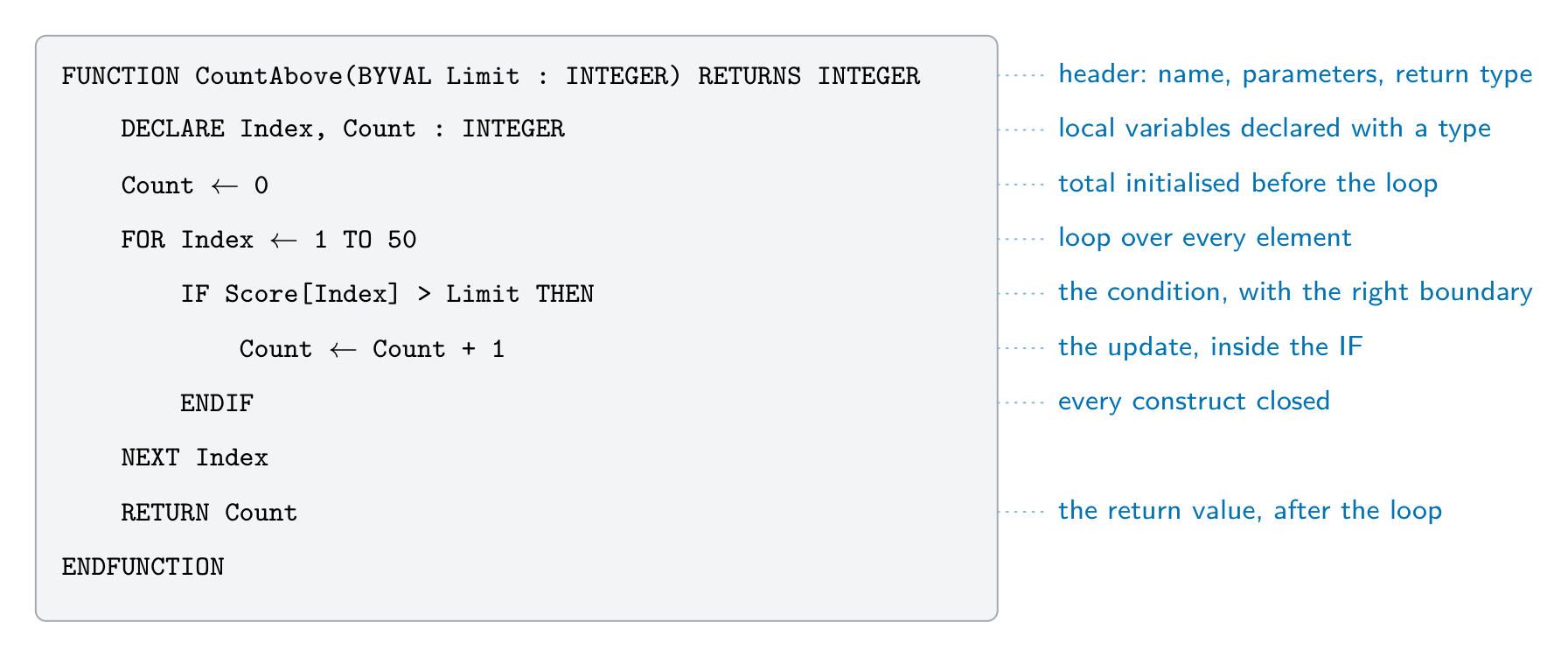
Each part of a module answer carries its own mark, so write all of them even when one is uncertain - The header, as the question describes it:
PROCEDURE Name(Param : TYPE)orFUNCTION Name(Param : TYPE) RETURNS TYPE, withBYREFwhere the routine must change the argument. - Local declarations:
DECLAREevery local variable with its type, and initialise counters and totals (Count ← 0). - The loop that visits every element:
FOR Index ← 1 TO 50for an array whose size is given;WHILE NOT EOF(...)for a file. - The condition, with the right comparison and boundary, on the right item:
IF Score[Index] > Limit THEN. - The update inside the branch: the count increased, the value stored, or the message output.
- The end:
RETURNonce, after the loop, in a function;ENDFUNCTIONorENDPROCEDURE; and everyIF,FORandWHILEclosed.
Worked example. A global array
Score : ARRAY[1:50] OF INTEGERholds test scores. Write a functionCountAbove(Limit : INTEGER)that returns how many scores are greater thanLimit.FUNCTION CountAbove(BYVAL Limit : INTEGER) RETURNS INTEGER DECLARE Index, Count : INTEGER Count ← 0 FOR Index ← 1 TO 50 IF Score[Index] > Limit THEN Count ← Count + 1 ENDIF NEXT Index RETURN Count ENDFUNCTIONMarks: the header with its parameter and
RETURNS INTEGER;Countdeclared and set to0; a loop over all 50 elements; the comparison> Limit(not>=); the count updated inside theIF;RETURN Countafter the loop. The main program uses the return value in an expression or an output:OUTPUT "Above 70: ", CountAbove(70).Worked example. Write a function
IsValid(Code : STRING)that returnsTRUEwhenCodeis two capital letters followed by four digits — the format 格式AB1234— andFALSEotherwise.FUNCTION IsValid(BYVAL Code : STRING) RETURNS BOOLEAN DECLARE Index : INTEGER DECLARE Ch : STRING IF LENGTH(Code) <> 6 THEN RETURN FALSE ENDIF FOR Index ← 1 TO 6 Ch ← MID(Code, Index, 1) IF Index <= 2 THEN IF Ch < "A" OR Ch > "Z" THEN RETURN FALSE ENDIF ELSE IF Ch < "0" OR Ch > "9" THEN RETURN FALSE ENDIF ENDIF NEXT Index RETURN TRUE ENDFUNCTIONThe length check comes first, so
MIDis never asked for a position that does not exist. Validation 验证 like this returns aBOOLEANso the caller can writeIF IsValid(Entry) THEN ... ELSE OUTPUT "Invalid code" ENDIF: a message to the user is output by the caller, not by the function — a function calculates, a procedure acts.Worked example. Write a function
IsPalindrome(Word : STRING)that returnsTRUEwhenWordreads the same backwards, such as"RACECAR".Compare the characters from the two ends, moving inwards: position
Indexis paired with positionLen - Index + 1, and only the first half needs testing.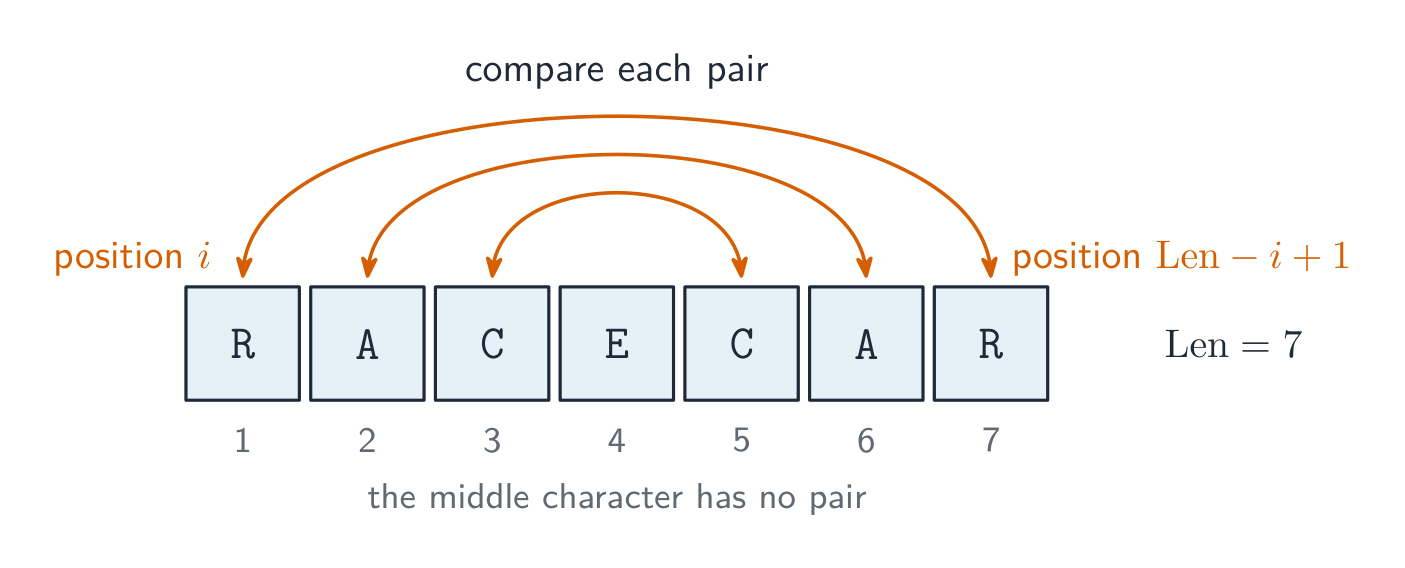
A palindrome check pairs position iwith positionLen - i + 1and stops at the middleFUNCTION IsPalindrome(BYVAL Word : STRING) RETURNS BOOLEAN DECLARE Len, Index : INTEGER Len ← LENGTH(Word) FOR Index ← 1 TO Len DIV 2 IF MID(Word, Index, 1) <> MID(Word, Len - Index + 1, 1) THEN RETURN FALSE ENDIF NEXT Index RETURN TRUE ENDFUNCTIONThe same three tools — a
FORover the positions,MID(s, i, 1)to read one character, and&to build a new string — answer most string modules on Paper 2: counting how often a character occurs (IF MID(s, i, 1) = Ch THEN Count ← Count + 1), replacing every instance of a character (add eitherNewCharor the original character toNewStringat each position), hiding all but the last four digits of a card number (add'*'for every position up toLen - 4), or writing your ownMID()by joining the characters fromStarttoStart + Length - 1. AskingMIDfor a position past the end of the string is a run-time error, so checkLENGTHfirst.Files. Values in variables disappear when the program ends, so a module that must keep data for the next run writes it to a file:
OPENFILE "scores.txt" FOR WRITE, oneWRITEFILE "scores.txt", NUM_TO_STR(Score[Index])per line inside the loop, andCLOSEFILE "scores.txt"once, after the loop; reading back usesFOR READ,READFILEandWHILE NOT EOF("scores.txt"). Topic 10 has the full file section; here the marks are for opening in the right mode, the read or write inside the loop, and closing once after it.Explore · 探索The call stack: push on call, pop on return · コールスタック:呼び出し時にpush、返還時にpop
Calling a subroutine pushes a new frame on top; returning pops it and hands a value back to the caller. The call that is running is always the frame on top. · サブルーチンの呼び出しは新しいフレームをスタックの最上部に積みます。リターンではそのフレームを取り除き、値を呼び出し元に戻します。現在実行されている呼び出しは常に最上部にあるフレームです。
Vocabulary · 語彙 Train · 練習するEnglish 日本語 function/ˈfʌŋkʃn/ 関数 parameters/pəˈræmɪtəz/ パラメータである procedure/prəˈsiːdʒə/ 手続 structured programming/ˈstrʌktʃəd ˈprəʊɡræmɪŋ/ 構造化プログラミング subroutines/ˈsʌbruːtiːnz/ サブルーチン return value/rɪˈtɜːn ˈvæljuː/ 返り値 arguments/ˈɑːɡjuːmənts/ 引数(パラメータ)と呼ばれる pass by value/pæs baɪ ˈvæljuː/ 値渡し pass by reference/pæs baɪ ˈrefrəns/ 参照渡し global variable/ˈɡləʊbl ˈveərɪəbl/ グローバル変数 local variable/ˈləʊkl ˈveərɪəbl/ ローカル変数 scope/skəʊp/ 範囲 decomposition/ˌdiːkɒmpəˈzɪʃn/ 分解反応 signature/ˈsɪɡnɪtʃə/ シグネチャ format/ˈfɔːmæt/ フォーマット Validation/ˌvælɪˈdeɪʃn/ 検証 11.3
Writing efficient pseudocode
 English
Three features that make pseudocode easier to understand — the answer to a "state three features" question — are meaningful identifiers (
Total, nott), indentation of the statements inside each construct, and comments (// ...) that explain the purpose; keywords in capitals, one statement per line and blank lines between sections are also accepted. Efficient pseudocode goes further:- move invariants out of loops — if a value (an invariant 不变量) does not change with the loop counter, compute it once before the loop.
- exit a loop early when the answer is found (stop a linear search 线性查找 as soon as the target appears).
- avoid redundant work — store a result and reuse it instead of recomputing.
- choose the right data structure — an array beats many separate variables when the items belong together.
- replace deep nested IFs with CASE when testing one value against many.
- comment the intent, not the mechanics (
// validate the postcode, not// loop 6 times). - use meaningful names (
numberOfPupils, notn) and initialise variables before use.
日本語Three features that make pseudocode easier to understand — the answer to a "state three features" question — are meaningful identifiers (
Total, nott), indentation of the statements inside each construct, and comments (// ...) that explain the purpose; keywords in capitals, one statement per line and blank lines between sections are also accepted. Efficient pseudocode goes further:- move invariants out of loops — if a value (an invariant 不变量) does not change with the loop counter, compute it once before the loop.
- exit a loop early when the answer is found (stop a linear search 线性查找 as soon as the target appears).
- avoid redundant work — store a result and reuse it instead of recomputing.
- choose the right data structure — an array beats many separate variables when the items belong together.
- replace deep nested IFs with CASE when testing one value against many.
- comment the intent, not the mechanics (
// validate the postcode, not// loop 6 times). - use meaningful names (
numberOfPupils, notn) and initialise variables before use.
Move unchanging work out of the loop so it runs once Vocabulary · 語彙 Train · 練習するEnglish 日本語 invariant/ɪnˈveərɪənt/ 不変 linear search/ˈlɪnɪə sɜːtʃ/ 線形検索 11.3
Testing and errors
EnglishThree kinds of error, each found in a different way:
Error What it is Example Found by syntax error 语法错误 a statement that breaks the rules of the language a missing ENDIF;OUTPT "Hi"the translator, before the program runs run-time error 运行时错误 the program runs, but a statement cannot be carried out division by zero; an array index of 0 or 51; a function called with an invalid parameter; a loop that never ends, so the program "freezes" while running: the program stops or hangs logic error the program runs to the end, but the output is wrong >where>=was needed; a total never set to0testing with a trace table and chosen test data An IDE 集成开发环境 helps find the last two: a breakpoint 断点 stops the program at a chosen line; single stepping 单步执行 then runs one statement at a time; and the report (or watch) window shows the value of each variable at that moment, so the line where a value goes wrong is seen directly. Test methods and test data are in topic 12.
日本語Three kinds of error, each found in a different way:
Error What it is Example Found by syntax error 语法错误 a statement that breaks the rules of the language a missing ENDIF;OUTPT "Hi"the translator, before the program runs run-time error 运行时错误 the program runs, but a statement cannot be carried out division by zero; an array index of 0 or 51; a function called with an invalid parameter; a loop that never ends, so the program "freezes" while running: the program stops or hangs logic error the program runs to the end, but the output is wrong >where>=was needed; a total never set to0testing with a trace table and chosen test data An IDE 集成开发环境 helps find the last two: a breakpoint 断点 stops the program at a chosen line; single stepping 单步执行 then runs one statement at a time; and the report (or watch) window shows the value of each variable at that moment, so the line where a value goes wrong is seen directly. Test methods and test data are in topic 12.
Vocabulary · 語彙 Train · 練習するEnglish 日本語 run-time error/rʌn taɪm ˈerə/ 実行時エラー syntax error/ˈsɪntæks ˈerə/ 構文エラー IDE/ˌaɪ diː ˈiː/ IDE breakpoint/ˈbreɪkpɔɪnt/ ブレイクポイント single stepping/ˈsɪŋɡl ˈstepɪŋ/ 単一ステップ 11.3
Definitions the examiner accepts
A definition question is marked against fixed wording. Learn these exactly.
Term Definition procedure a subroutine that carries out a task (a sequence of steps) and does not return a value; it is called with CALLfunction a subroutine that returns a single value to the point where it was called, so it can be used in an expression parameter the identifier in a subroutine header that receives a value or a reference when the subroutine is called argument the value (or variable) supplied in the call, matched to a parameter passing by value a copy of the argument's value is given to the subroutine, so changes inside it do not affect the original variable passing by reference the address of the variable is given to the subroutine, so changes inside it change the original variable header the first line of a subroutine definition: its name, its parameters and, for a function, its return type interface what a calling program must know to use a subroutine: its name, its parameters (number, order, type) and its return type return value the value a function passes back to the expression that called it local variable declared inside a subroutine; it exists only while the subroutine runs and can be used only inside it global variable declared outside every subroutine; it can be used anywhere in the program count-controlled loop repeats a fixed number of times, controlled by a counter ( FOR ... NEXT)pre-condition loop tests its condition before each iteration, so the body may never run ( WHILE ... ENDWHILE)post-condition loop tests its condition after each iteration, so the body runs at least once ( REPEAT ... UNTIL)constant a named value that cannot change while the program runs subroutine a self-contained block of code that performs a task and is called by name: a procedure or a function library routine a subroutine that has already been written and tested, and is available to be called from a program 11.3
Exam tips
- Distinguish a procedure (no return value) from a function (returns a value); know pass by value vs by reference.
- Choose the right loop: count-controlled (FOR) when the number of repeats is known, condition-controlled (WHILE/REPEAT) otherwise.
- Distinguish local vs global variables and scope; prefer local variables in reusable modules.
- Use the insert's exact routine names and parameter order.
VALandSTRare IGCSE names and score nothing;UCASEandLCASEare real 9618 routines from the Pseudocode Guide but act on one character, so on Paper 2 a whole string takesTO_UPPERorTO_LOWER. - In a "write pseudocode" answer the header, the declarations, the loop, the condition, the update and the
RETURNeach carry a mark: write all six parts, even if one is uncertain.
Common mistakes
- Calling a function and not using what it returns. Assign the result, or use it in the expression or output:
Sorted ← BubbleSort(MyArray, 7). - Passing a length one out:
6for a seven-element array, or the last index where the length was wanted. Decide whether the parameter is a length or an index, and check that the last element is visited. - Closing a file inside the loop that reads it. Open once, close once, after the loop.
- Using the input as a filename directly. Add the extension the question gave:
FileName ← Choice & ".txt". - Leaving constructs open. Every
IFneeds itsENDIF, everyFORitsNEXT, everyWHILEitsENDWHILE, and every function itsRETURN; the scheme has a mark for it. - Wrong boundaries:
>for "at least" (which is>=), or aFORthat starts at0for an array declared[1:50]. - A counter or total that is never set to
0before the loop. - In a trace table, rewriting every variable on every row, or changing a value before the statement that changes it has run.
- Half a condition:
IF x = 3 OR 4— each side ofORandANDmust be a complete comparison. And+does not join strings;&does. - Declaring as local a value that must survive between calls. A running total or a string built up over several calls is global or
BYREF.
-
12
Software Development · ソフトウェア開発
Watch lesson · レッスンを視聴12.1
Program development life cycle

Syllabus · シラバス
EnglishCandidates should be able to: Notes and guidance Show understanding of the purpose of a development life cycle Show understanding of the need for different development life cycles depending on the program being developed Including: waterfall, iterative, rapid application development (RAD) Describe the principles, benefits and drawbacks of each type of life cycle Show understanding of the analysis, design, coding, testing and maintenance stages in the program development life cycle 日本語受験者は以下的能力を備えているべきである: メモおよびガイドライン 開発ライフサイクルの目的に対する理解を示す 開発するプログラムに応じて異なる開発ライフサイクルが必要な理由に対する理解を示す 以下の包括: ウォーターフォール、反復的、高速アプリケーション開発(RAD) 各タイプのライフサイクルの原則、利点および欠点について説明する プログラム開発ライフサイクルにおける分析、設計、コーディング、テスト、保守の各段階に対する理解を示す Source: Cambridge International syllabus · 出典: Cambridge International シラバス
EnglishA development life cycle 开发生命周期 is the set of stages from idea to finished, maintained software. It exists to plan, manage and control a project — to build the right product, on time, with good quality.
Why a life cycle is needed
The examiner's list for "the purpose of a development life cycle": it breaks a large project into stages that can be planned and managed; it makes sure the requirements are found and agreed before design and coding begin; it builds in testing and documentation rather than leaving them to the end; it lets the team track progress against milestones and manage risk; and it gives the customer defined points at which to review the work. Without one, a team codes first and discovers late that it built the wrong thing.
Why there are different ones
No single life cycle fits every project, so several development life cycles exist. The choice depends on the size and complexity, how clear the requirements 需求 are at the start, how much change is expected, the risk level, the team, and the deadline.
Common models
- Waterfall 瀑布模型 — a linear sequence (Analysis → Design → Coding → Testing → Maintenance), each stage finished before the next. Clear and well-documented; good for stable requirements, but poor at coping with mid-project change, and the customer sees nothing working until the end.
- Iterative model 迭代模型 — repeated passes, each producing a partial version that is reviewed and refined. Catches problems earlier; good when requirements are discovered over time, but harder to estimate.
- Rapid Application Development 快速应用开发 (RAD) — heavy use of a prototype 原型 and user feedback. Very fast first delivery; good for changing requirements, but depends on user availability and suits smaller systems.
- Agile 敏捷 — short iterations ("sprints"), constant collaboration and testing. Flexible and adaptive, but needs a committed customer and a skilled team.
Principles, benefits and drawbacks — as the mark scheme lists them.
Model Principle Benefits Drawbacks waterfall the stages run in a fixed order, each completed and signed off before the next starts; going back means restarting the sequence simple to manage; every stage is fully documented; requirements are fixed early, so costs and dates can be estimated inflexible once a stage is finished; no working software until late; a mistake in analysis is expensive to fix later; the customer cannot see progress iterative a small working version is built first, then repeatedly improved through further versions until complete working software early and often; problems found in early versions; the customer's feedback shapes each version; requirements can change hard to estimate the total time and cost; repeated testing costs effort; needs the customer to be available; can drift if versions are not planned RAD prototypes of parts of the system are built quickly and refined with the user until accepted, often in parallel by several teams very fast delivery of a first version; the user is involved throughout, so the product fits their needs; changes are easy to absorb needs skilled developers and committed users; documentation is weak; less suited to large or safety-critical systems Worked example. A company must be the first to launch a website for a new games console, and the design will change as the console's features are announced. Name the most suitable life cycle and justify it.
RAD. A prototype of the site can be built and shown to the users within days, and refined as the requirements change; the site is small enough for a prototype-driven approach, and speed of delivery is the main requirement. Waterfall would fix the requirements before any page was built and deliver nothing until the end.
The standard stages
Each stage has a purpose, an output and typical activities — a "describe the … stage" question wants two or three of these.
- analysis — find out what the program must do. Activities: interviews, questionnaires and observation of the current system; a feasibility study; agreeing the requirements specification, which every later stage is checked against.
- design — decide how it will do it. Outputs: the structure chart (modules and parameters), flowcharts or pseudocode for each module, identifier tables and data structures, screen and file layouts, and the test plan written now, from the specification, before any code exists.
- coding (implementation 实现) — write the program in a high-level language, module by module, following the design; each module is tested as it is written.
- testing — run the program against the test plan (normal, abnormal, extreme and boundary data) and correct the errors found; integration, alpha, beta and acceptance testing follow.
- maintenance 维护 — after release, correct faults, adapt the program to new hardware, software or law, and improve it (see below).
Worked example. Complete the waterfall diagram Analysis → ? → ? → ? → Maintenance and describe what happens at the design stage.
The missing stages are Design, Coding, Testing. At the design stage the requirements are turned into a plan for the program: the problem is decomposed into modules (a structure chart), the algorithm for each module is written as pseudocode or a flowchart, the data structures and identifiers are chosen, the screens and files are laid out, and the test plan is written from the specification.
日本語A development life cycle 开发生命周期 is the set of stages from idea to finished, maintained software. It exists to plan, manage and control a project — to build the right product, on time, with good quality.
Software is built by teams who follow a development life cycle to stay coordinated 
A flowchart plans a program's logic during the design stage of the cycle Why a life cycle is needed
The examiner's list for "the purpose of a development life cycle": it breaks a large project into stages that can be planned and managed; it makes sure the requirements are found and agreed before design and coding begin; it builds in testing and documentation rather than leaving them to the end; it lets the team track progress against milestones and manage risk; and it gives the customer defined points at which to review the work. Without one, a team codes first and discovers late that it built the wrong thing.
Why there are different ones
No single life cycle fits every project, so several development life cycles exist. The choice depends on the size and complexity, how clear the requirements 需求 are at the start, how much change is expected, the risk level, the team, and the deadline.
Common models
- Waterfall 瀑布模型 — a linear sequence (Analysis → Design → Coding → Testing → Maintenance), each stage finished before the next. Clear and well-documented; good for stable requirements, but poor at coping with mid-project change, and the customer sees nothing working until the end.
- Iterative model 迭代模型 — repeated passes, each producing a partial version that is reviewed and refined. Catches problems earlier; good when requirements are discovered over time, but harder to estimate.
- Rapid Application Development 快速应用开发 (RAD) — heavy use of a prototype 原型 and user feedback. Very fast first delivery; good for changing requirements, but depends on user availability and suits smaller systems.
- Agile 敏捷 — short iterations ("sprints"), constant collaboration and testing. Flexible and adaptive, but needs a committed customer and a skilled team.

The waterfall model: each stage is finished before the next begins 
The iterative model: repeated passes refine the program 
Rapid application development: teams work on parts in parallel Principles, benefits and drawbacks — as the mark scheme lists them.
Model Principle Benefits Drawbacks waterfall the stages run in a fixed order, each completed and signed off before the next starts; going back means restarting the sequence simple to manage; every stage is fully documented; requirements are fixed early, so costs and dates can be estimated inflexible once a stage is finished; no working software until late; a mistake in analysis is expensive to fix later; the customer cannot see progress iterative a small working version is built first, then repeatedly improved through further versions until complete working software early and often; problems found in early versions; the customer's feedback shapes each version; requirements can change hard to estimate the total time and cost; repeated testing costs effort; needs the customer to be available; can drift if versions are not planned RAD prototypes of parts of the system are built quickly and refined with the user until accepted, often in parallel by several teams very fast delivery of a first version; the user is involved throughout, so the product fits their needs; changes are easy to absorb needs skilled developers and committed users; documentation is weak; less suited to large or safety-critical systems Worked example. A company must be the first to launch a website for a new games console, and the design will change as the console's features are announced. Name the most suitable life cycle and justify it.
RAD. A prototype of the site can be built and shown to the users within days, and refined as the requirements change; the site is small enough for a prototype-driven approach, and speed of delivery is the main requirement. Waterfall would fix the requirements before any page was built and deliver nothing until the end.
The standard stages
Each stage has a purpose, an output and typical activities — a "describe the … stage" question wants two or three of these.
- analysis — find out what the program must do. Activities: interviews, questionnaires and observation of the current system; a feasibility study; agreeing the requirements specification, which every later stage is checked against.
- design — decide how it will do it. Outputs: the structure chart (modules and parameters), flowcharts or pseudocode for each module, identifier tables and data structures, screen and file layouts, and the test plan written now, from the specification, before any code exists.
- coding (implementation 实现) — write the program in a high-level language, module by module, following the design; each module is tested as it is written.
- testing — run the program against the test plan (normal, abnormal, extreme and boundary data) and correct the errors found; integration, alpha, beta and acceptance testing follow.
- maintenance 维护 — after release, correct faults, adapt the program to new hardware, software or law, and improve it (see below).
Worked example. Complete the waterfall diagram Analysis → ? → ? → ? → Maintenance and describe what happens at the design stage.
The missing stages are Design, Coding, Testing. At the design stage the requirements are turned into a plan for the program: the problem is decomposed into modules (a structure chart), the algorithm for each module is written as pseudocode or a flowchart, the data structures and identifiers are chosen, the screens and files are laid out, and the test plan is written from the specification.
Explore · 探索The program development life cycle · ソフトウェア開発ライフサイクル
Step through the stages every project passes through. Getting the requirements right in analysis matters most — a mistake caught in testing is far costlier to fix than one caught early. · プロジェクトが通す各段階を順を追う。分析における要件の把握が最も重要であり、テストで発見されるミスよりも早期に発見されるミスの修正コストの方が遥かに高い。
Explore · 探索Software process lab · ソフトウェアプロセスラボ
Classify development examples by the stage or tool they belong to. · 開発例を、該当する段階またはツールに基づいて分類しなさい。
Vocabulary · 語彙 Train · 練習するEnglish 日本語 development life cycle/dɪˈveləpmənt laɪf ˈsaɪkl/ 開発ライフサイクル requirements/rɪˈkwaɪəmənts/ 要件 waterfall/ˈwɔːtəfɔːl/ ウォーターフォール maintenance/ˈmeɪntənəns/ 保守 iterative model/ˈɪtərətɪv ˈmɒdl/ 反復モデル Rapid Application Development/ˈræpɪd ˌæplɪˈkeɪʃn dɪˈveləpmənt/ 迅速アプリケーション開発 prototype/ˈprəʊtəʊtaɪp/ プロトタイプ Agile/ˈædʒaɪl/ アジャイル implementation/ˌɪmplɪmənˈteɪʃn/ 実装 12.2
Program design tools

Syllabus · シラバス
EnglishCandidates should be able to: Notes and guidance Use a structure chart to decompose a problem into sub-tasks and express the parameters passed between the various modules/procedures/functions which are part of the algorithm design Describe the purpose of a structure chart Construct a structure chart for a given problem Derive equivalent pseudocode from a structure chart Show understanding of the purpose of state-transition diagrams to document an algorithm 日本語受験者は以下的能力を備えているべきである: メモおよびガイドライン 構造図を使って問題をサブタスクに分解し、アルゴリズム設計の一部である各種モジュール/プロシージャ/関数間で渡されるパラメータを表す 構造図の目的を説明する。与えられた問題に対して構造図を作成する。構造図から同等の擬似コードを導き出す アルゴリズムをドキュメントするために状態遷移図を使用する目的に対する理解を示す Source: Cambridge International syllabus · 出典: Cambridge International シラバス
EnglishStructure chart
A structure chart 结构图 shows the hierarchical decomposition 分解 of a program into modules (subroutines 子程序) and the parameters 参数 passed between them. Each module is a rectangle; lines link caller (above) to callee (below); small arrows show data going down and results coming back up. The design can then be turned into equivalent pseudocode 伪代码.
It is a design-stage tool, and you can read the procedure signatures off it.
The symbols the examiner asks about. A box is a module; a line links a caller (above) to the modules it calls (below), read left to right in the order they are called. A small arrow with an open circle at its tail is a data couple — a parameter passed down into a module or a value returned up; an arrow with a filled circle is a control couple, a flag (usually BOOLEAN) that tells the caller what happened. A diamond at a branch means selection: only one of the modules below it is called, depending on a condition. A curved arrow sweeping across the links means iteration: the modules under it are called repeatedly in a loop.
Worked example. Four modules are defined as
PROCEDURE Main(),PROCEDURE ReadData(BYREF Count : INTEGER),FUNCTION IsValid(Value : INTEGER) RETURNS BOOLEANandPROCEDURE Report(Total : INTEGER, Count : INTEGER). Main calls ReadData, then calls IsValid once for each value read, then calls Report. Describe the structure chart.Main at the top; ReadData, IsValid and Report in a row beneath it, left to right in calling order. On the ReadData link an upward data couple
Count(a BYREF parameter comes back). On the IsValid link a downward data coupleValueand an upward control couple (the BOOLEAN result), with a curved iteration arrow across that link because it is called for each value. On the Report link two downward data couples,TotalandCount. Reading the other way, a function is any module that returns a value — its header needsRETURNSand the returned type.State-transition diagram
A state-transition diagram 状态转换图 shows the states 状态 a system can be in and the events that move it between them — good for vending machines, traffic lights, user interfaces. State-transition diagrams are used to document the behaviour of an algorithm or system. Each state is a circle; each transition is an arrow labelled with the event.
It makes missing transitions easy to spot ("what if a second coin is inserted while awaiting selection?").
Reading and drawing one. Each transition is labelled input | output (or condition | action): what happened, then what the system does as it changes state. A question gives a table of current state, input, output, next state and asks for the diagram, or the reverse — every row of the table is exactly one arrow. Check that every state has an arrow leaving it for every input that can occur, including the ones that leave the state unchanged (an arrow that loops back to the same state).
Worked example. A pump controller has states pump off and pump on. In pump off, the input low level detected produces the output activate pump and moves to pump on; in pump on, normal level detected produces deactivate pump and moves to pump off. Any other input leaves the state unchanged. Draw the table.
Current state Input Output Next state pump off low level detected activate pump pump on pump off normal level detected — pump off pump on normal level detected deactivate pump pump off pump on low level detected — pump on The two "no change" rows become loop arrows on the diagram; leaving them out loses the mark for completeness.
日本語Structure chart
A structure chart 结构图 shows the hierarchical decomposition 分解 of a program into modules (subroutines 子程序) and the parameters 参数 passed between them. Each module is a rectangle; lines link caller (above) to callee (below); small arrows show data going down and results coming back up. The design can then be turned into equivalent pseudocode 伪代码.
                CalculatePay
            /        |         \
       GetEmployee  CalculateBonus  CalculateTax
       Returns:     Takes: sales    Takes: gross
       employeeID   Returns: bonus  Returns: tax
It is a design-stage tool, and you can read the procedure signatures off it.
A structure chart: modules with the parameters passed between them The symbols the examiner asks about. A box is a module; a line links a caller (above) to the modules it calls (below), read left to right in the order they are called. A small arrow with an open circle at its tail is a data couple — a parameter passed down into a module or a value returned up; an arrow with a filled circle is a control couple, a flag (usually BOOLEAN) that tells the caller what happened. A diamond at a branch means selection: only one of the modules below it is called, depending on a condition. A curved arrow sweeping across the links means iteration: the modules under it are called repeatedly in a loop.
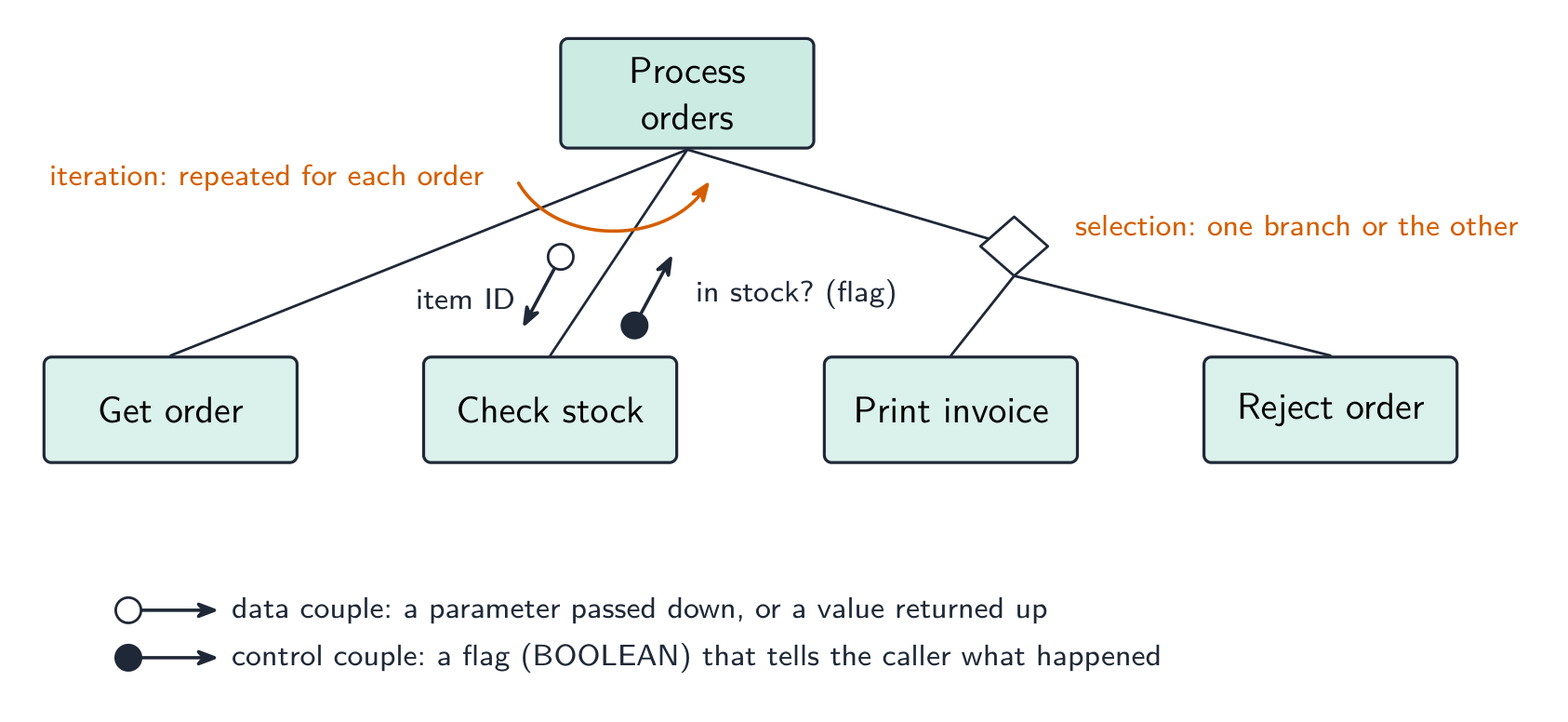
The structure-chart symbols: data and control couples, a selection diamond and an iteration arrow Worked example. Four modules are defined as
PROCEDURE Main(),PROCEDURE ReadData(BYREF Count : INTEGER),FUNCTION IsValid(Value : INTEGER) RETURNS BOOLEANandPROCEDURE Report(Total : INTEGER, Count : INTEGER). Main calls ReadData, then calls IsValid once for each value read, then calls Report. Describe the structure chart.Main at the top; ReadData, IsValid and Report in a row beneath it, left to right in calling order. On the ReadData link an upward data couple
Count(a BYREF parameter comes back). On the IsValid link a downward data coupleValueand an upward control couple (the BOOLEAN result), with a curved iteration arrow across that link because it is called for each value. On the Report link two downward data couples,TotalandCount. Reading the other way, a function is any module that returns a value — its header needsRETURNSand the returned type.State-transition diagram
A state-transition diagram 状态转换图 shows the states 状态 a system can be in and the events that move it between them — good for vending machines, traffic lights, user interfaces. State-transition diagrams are used to document the behaviour of an algorithm or system. Each state is a circle; each transition is an arrow labelled with the event.
   coin inserted               item selected
[Idle] --------------→ [Awaiting selection] ----------→ [Dispensing]
It makes missing transitions easy to spot ("what if a second coin is inserted while awaiting selection?").

A state-transition diagram for a door lock with code 259 Reading and drawing one. Each transition is labelled input | output (or condition | action): what happened, then what the system does as it changes state. A question gives a table of current state, input, output, next state and asks for the diagram, or the reverse — every row of the table is exactly one arrow. Check that every state has an arrow leaving it for every input that can occur, including the ones that leave the state unchanged (an arrow that loops back to the same state).
Worked example. A pump controller has states pump off and pump on. In pump off, the input low level detected produces the output activate pump and moves to pump on; in pump on, normal level detected produces deactivate pump and moves to pump off. Any other input leaves the state unchanged. Draw the table.
Current state Input Output Next state pump off low level detected activate pump pump on pump off normal level detected — pump off pump on normal level detected deactivate pump pump off pump on low level detected — pump on The two "no change" rows become loop arrows on the diagram; leaving them out loses the mark for completeness.
Explore · 探索Software process lab · ソフトウェアプロセスラボ
Classify development examples by the stage or tool they belong to. · 開発例を、該当する段階またはツールに基づいて分類しなさい。
Vocabulary · 語彙 Train · 練習するEnglish 日本語 structure chart/ˈstrʌktʃə tʃɑːt/ 構造チャート parameters/pəˈræmɪtəz/ パラメータである pseudocode/ˈsuːdəʊkəʊd/ 擬似コード hierarchical decomposition/haɪəˈrɑːkɪkl ˌdiːkɒmpəˈzɪʃn/ 階層分解 decomposition/ˌdiːkɒmpəˈzɪʃn/ 分解反応 subroutines/ˈsʌbruːtiːnz/ サブルーチン state-transition diagram/steɪt trænˈsɪʃn ˈdaɪəɡræm/ 状態遷移図 states/steɪts/ 述べる 12.3
Errors

Syllabus · シラバス
EnglishCandidates should be able to: Notes and guidance Show understanding of ways of exposing and avoiding faults in programs Locate and identify the different types of errors • syntax errors • logic errors • run-time errors Correct identified errors Show understanding of the methods of testing available and select appropriate data for a given method Including dry run, walkthrough, white-box, black-box, integration, alpha, beta, acceptance, stub Show understanding of the need for a test strategy and test plan and their likely contents Choose appropriate test data for a test plan Including normal, abnormal and extreme/boundary Show understanding of the need for continuing maintenance of a system and the differences between each type of maintenance Including perfective, adaptive, corrective Analyse an existing program and make amendments to enhance functionality 日本語受験者は以下的能力を備えているべきである: メモおよびガイドライン プログラム内の欠陥を発見・回避する方法に対する理解を示す 識別した異なる種類のエラーの場所と特定 • 構文エラー • 論理エラー • 実行時エラー 特定されたエラーを修正する 利用可能なテスト方法に対する理解を示し、与えられた方法に対して適切なデータを選択する 以下の包括: ドライラン、ウォークスルー、ホワイトボックス、ブラックボックス、統合、アルファ、ベータ、受入、スタブ テスト戦略およびテストプランの必要性とその予想される内容に対する理解を示す テストプランに対して適切なテストデータを選択する 以下の包括: 通常、異常、および極端/境界 システムの継続的な保守の必要性と、各タイプの保守の違いに対する理解を示す 以下の包括: 改善的、適応的、是正的 既存のプログラムを分析し、機能性を向上させるために修正を加える Source: Cambridge International syllabus · 出典: Cambridge International シラバス
English- syntax error 语法错误 — breaks the language's grammar (missing bracket, misspelled keyword). Caught at translation time; the program won't run until fixed.
- run-time error 运行时错误 — happens while running (divide by zero, file not found, array index out of range). The program crashes or raises an exception; fix by adding checks.
- logic error 逻辑错误 — the program runs but gives wrong results (using
+for-, an off-by-one loop, conditions in the wrong order). The hardest to find; the only sign is wrong output, so use careful testing and tracing.
Exposing and avoiding faults. Faults are exposed by testing against a test plan, by a dry run or trace table, by a walkthrough with colleagues, and by the IDE's debugger (breakpoints, single stepping, watching variables). They are avoided by designing before coding (structure chart, pseudocode), by modular code with meaningful identifiers and comments, by validation of every input, by handling exceptions rather than letting a run-time error crash the program, and by the IDE's dynamic syntax checks as you type.
Worked example. State the type of error in each case and how it shows itself. (a)
Result <- STR_TO_NUM(x) / STR_TO_NUM(y)is run withy = "0". (b) The same line is run withx = "12a". (c) A loop written asFOR i <- 1 TO 9processes a ten-element array. (d)OUTPUT "Total: " Totalis missing a comma.(a) Run-time error — division by zero; the program crashes when this line is executed with that data. (b) Run-time error — the string cannot be converted to a number. (c) Logic error — the program runs but the tenth element is never processed, so the output is wrong. (d) Syntax error — the statement breaks the language's rules and is reported by the translator before the program runs.
Worked example. Correct the errors in this pseudocode, which should output the average of ten marks.
The division should be by 10, not 9 (a logic error); the output line needs a comma or an
&between the string and the value (a syntax error); andAverageis never declared as REAL (a syntax or run-time error, depending on the language). Say which line and what the corrected line is:Average <- Total / 10.日本語- syntax error 语法错误 — breaks the language's grammar (missing bracket, misspelled keyword). Caught at translation time; the program won't run until fixed.
- run-time error 运行时错误 — happens while running (divide by zero, file not found, array index out of range). The program crashes or raises an exception; fix by adding checks.
- logic error 逻辑错误 — the program runs but gives wrong results (using
+for-, an off-by-one loop, conditions in the wrong order). The hardest to find; the only sign is wrong output, so use careful testing and tracing.
When each error shows up: syntax at translation, run-time during the run, logic in the output Exposing and avoiding faults. Faults are exposed by testing against a test plan, by a dry run or trace table, by a walkthrough with colleagues, and by the IDE's debugger (breakpoints, single stepping, watching variables). They are avoided by designing before coding (structure chart, pseudocode), by modular code with meaningful identifiers and comments, by validation of every input, by handling exceptions rather than letting a run-time error crash the program, and by the IDE's dynamic syntax checks as you type.
Worked example. State the type of error in each case and how it shows itself. (a)
Result <- STR_TO_NUM(x) / STR_TO_NUM(y)is run withy = "0". (b) The same line is run withx = "12a". (c) A loop written asFOR i <- 1 TO 9processes a ten-element array. (d)OUTPUT "Total: " Totalis missing a comma.(a) Run-time error — division by zero; the program crashes when this line is executed with that data. (b) Run-time error — the string cannot be converted to a number. (c) Logic error — the program runs but the tenth element is never processed, so the output is wrong. (d) Syntax error — the statement breaks the language's rules and is reported by the translator before the program runs.
Worked example. Correct the errors in this pseudocode, which should output the average of ten marks.
Total <- 0
FOR i <- 1 TO 10
    INPUT Mark
    Total <- Total + Mark
NEXT i
Average <- Total / 9
OUTPUT "Average" Average
The division should be by 10, not 9 (a logic error); the output line needs a comma or an
&between the string and the value (a syntax error); andAverageis never declared as REAL (a syntax or run-time error, depending on the language). Say which line and what the corrected line is:Average <- Total / 10.Vocabulary · 語彙 Train · 練習するEnglish 日本語 syntax error/ˈsɪntæks ˈerə/ 構文エラー run-time error/rʌn taɪm ˈerə/ 実行時エラー logic error/ˈlɒdʒɪk ˈerə/ ロジックエラー 12.3
Testing methods
 English
- dry run 手工跟踪 — trace the code on paper, writing each variable's value in a table.
- walkthrough 走查 — a team review of the code.
- white-box testing 白盒测试 — designed from the code's internal structure, covering every statement, branch and loop.
- black-box testing 黑盒测试 — designed from the specification only: feed inputs, check outputs.
- integration testing 集成测试 — combine modules and test the interfaces between them.
- alpha testing α测试 — by the developers/in-house before release; beta testing β测试 — by a limited group of real users in their own environment.
- acceptance testing 验收测试 — by the customer, to decide if the product is fit for purpose.
- stub 桩 — a placeholder for a module that does not exist yet, so the structure can be tested top-down.
Which method, when. A dry run and a walkthrough need no computer — the dry run is you, tracing the algorithm with a trace table 跟踪表; the walkthrough is a meeting in which the author explains the code line by line and colleagues look for faults, so it also spreads knowledge of the code through the team and checks it against the design. White-box tests are written by someone who can see the code and aims to exercise every path; black-box tests are written from the specification and check only inputs against expected outputs, so a user or a separate tester can do them. Integration testing follows module testing: modules that pass alone can still fail when the data passed between them is the wrong type or in the wrong order. Alpha testing is in-house; beta testing gives a release candidate to a sample of real users, who report faults from real use; acceptance testing is the customer checking the finished product against the requirements before paying for it. A stub lets top-down testing start before every module exists.
Worked example. After the program passed its in-house tests it was given to a group of users to try before release. Name this type of testing, and state what happens next.
Beta testing — real users in their own environment, reporting faults the developers did not find. The faults are corrected, then the customer carries out acceptance testing against the requirements and the program is released; faults found in live use are then handled by corrective maintenance.
Worked example. Give three benefits of testing a program by walkthrough.
Errors are found by people who did not write the code and so read it without assumptions; the logic is checked against the design and specification, not only against test data; several people learn how the code works, which helps later maintenance; and no test data or working computer is needed, so it can be done early.
日本語- dry run 手工跟踪 — trace the code on paper, writing each variable's value in a table.
- walkthrough 走查 — a team review of the code.
- white-box testing 白盒测试 — designed from the code's internal structure, covering every statement, branch and loop.
- black-box testing 黑盒测试 — designed from the specification only: feed inputs, check outputs.
- integration testing 集成测试 — combine modules and test the interfaces between them.
- alpha testing α测试 — by the developers/in-house before release; beta testing β测试 — by a limited group of real users in their own environment.
- acceptance testing 验收测试 — by the customer, to decide if the product is fit for purpose.
- stub 桩 — a placeholder for a module that does not exist yet, so the structure can be tested top-down.
Black-box tests the specification; white-box tests the code paths Which method, when. A dry run and a walkthrough need no computer — the dry run is you, tracing the algorithm with a trace table 跟踪表; the walkthrough is a meeting in which the author explains the code line by line and colleagues look for faults, so it also spreads knowledge of the code through the team and checks it against the design. White-box tests are written by someone who can see the code and aims to exercise every path; black-box tests are written from the specification and check only inputs against expected outputs, so a user or a separate tester can do them. Integration testing follows module testing: modules that pass alone can still fail when the data passed between them is the wrong type or in the wrong order. Alpha testing is in-house; beta testing gives a release candidate to a sample of real users, who report faults from real use; acceptance testing is the customer checking the finished product against the requirements before paying for it. A stub lets top-down testing start before every module exists.
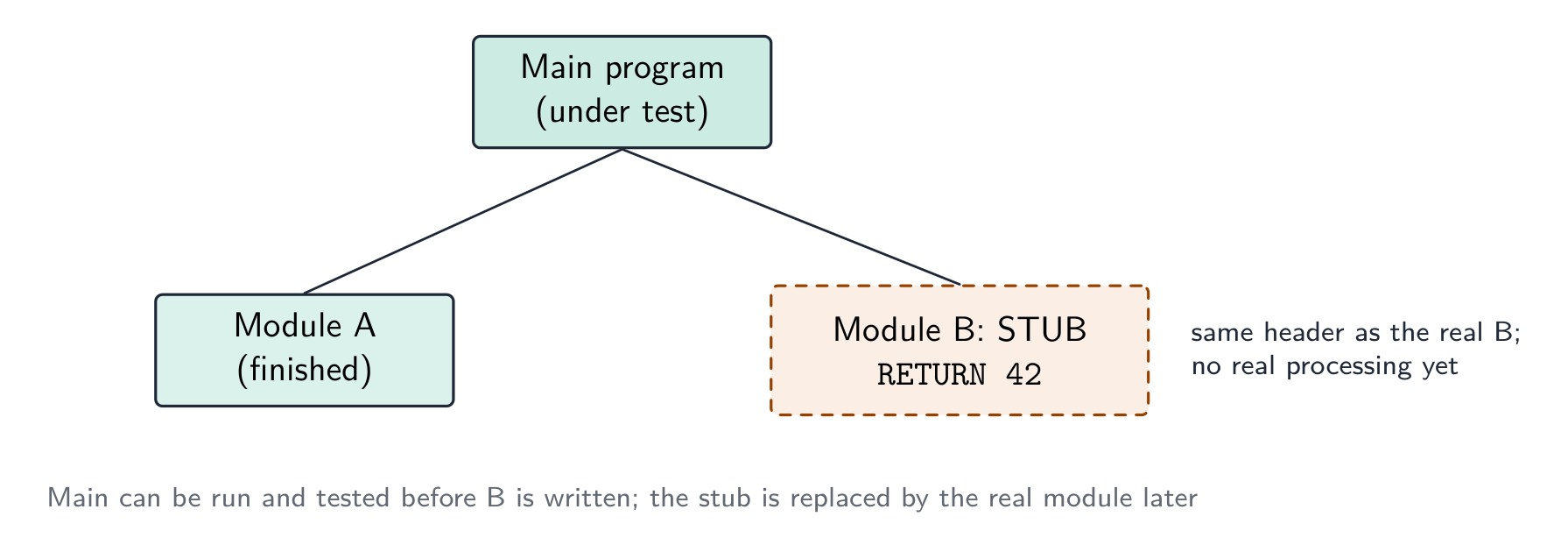
A stub stands in for a module that is not written yet, so the modules above it can be tested now Worked example. After the program passed its in-house tests it was given to a group of users to try before release. Name this type of testing, and state what happens next.
Beta testing — real users in their own environment, reporting faults the developers did not find. The faults are corrected, then the customer carries out acceptance testing against the requirements and the program is released; faults found in live use are then handled by corrective maintenance.
Worked example. Give three benefits of testing a program by walkthrough.
Errors are found by people who did not write the code and so read it without assumptions; the logic is checked against the design and specification, not only against test data; several people learn how the code works, which helps later maintenance; and no test data or working computer is needed, so it can be done early.
Vocabulary · 語彙 Train · 練習するEnglish 日本語 acceptance testing/əkˈseptəns ˈtestɪŋ/ 受入テスト dry run/draɪ rʌn/ ドライラン trace table/treɪs ˈteɪbl/ トレーステーブル walkthrough/ˈwɔːkθruː/ ウォークスルー white-box testing/waɪt bɒks ˈtestɪŋ/ ホワイトボックステスト black-box testing/blæk bɒks ˈtestɪŋ/ ブラックボックステスト integration testing/ˌɪntɪˈɡreɪʃn ˈtestɪŋ/ 統合テスト alpha testing/ˈælfə ˈtestɪŋ/ アルファテスト beta testing/ˈbiːtə ˈtestɪŋ/ ベータテスト stub/stʌb/ スタブ 12.3
Test strategy and test plan
 English
A test strategy 测试策略 is the high-level approach — which kinds of testing, who does them, when, and the criteria to move on. A test plan 测试计划 is the detailed list of tests — each with input data, expected output, and a column for the actual output.
What each contains. A test strategy states which testing methods will be used at which stage (module testing by the programmer, then integration, alpha, beta, acceptance), who is responsible for each, what test data is required, and the criteria for passing to the next stage. A test plan lists the individual tests: for each, the module or feature under test, the input data, the reason the data was chosen (normal, abnormal, extreme, boundary), the expected result, a space for the actual result, and what to do if they differ. The plan is written at the design stage, from the specification, so that it tests what the program should do rather than what it happens to do.
Choosing test data
For each field or condition, include three kinds:
- normal data 正常数据 — typical values inside the valid range (for marks 0–100:
50,75). - abnormal data 异常数据 — values that should be rejected (
-10,200,"abc"). - extreme data 极端数据 — the largest and smallest values still accepted (
0and100). - boundary data 边界数据 — values at the edges, where off-by-one errors hide (each accepted extreme and the rejected value just outside it:
0/-1,100/101).
Worked example. A field accepts an exam mark from 0 to 100. Give test data of each kind with its expected result. Normal:
50- accepted, a typical value inside the range. Abnormal:-10,200,"abc"- all rejected, being out of range or the wrong data type. Extreme:0and100- the largest and smallest values that are still accepted. Boundary: the pairs straddling each edge --1rejected alongside0accepted, and100accepted alongside101rejected. Every value must carry its expected result, or the test plan proves nothing. Extreme and boundary are the pair most often confused: an extreme value sits inside and is accepted, while a boundary test is always a pair either side of the edge - which is exactly where off-by-one errors hide.Worked example. A component passes if its weight, measured to the nearest gram, is within 3 g of the target of 50 g, i.e. from 47 g to 53 g inclusive. Draw up the test-plan rows for the check.
Test data Type Reason Expected result 50 normal a typical value well inside the range accepted 47, 53 extreme (boundary) the smallest and largest values that must still be accepted accepted 46, 54 boundary the values just outside the range, where an off-by-one error would accept them rejected 20, 90 abnormal values far outside the range rejected "abc", −5 abnormal the wrong type, a negative weight rejected Each row must say why the value was chosen and what should happen; a bare list of numbers earns nothing.
日本語A test strategy 测试策略 is the high-level approach — which kinds of testing, who does them, when, and the criteria to move on. A test plan 测试计划 is the detailed list of tests — each with input data, expected output, and a column for the actual output.
What each contains. A test strategy states which testing methods will be used at which stage (module testing by the programmer, then integration, alpha, beta, acceptance), who is responsible for each, what test data is required, and the criteria for passing to the next stage. A test plan lists the individual tests: for each, the module or feature under test, the input data, the reason the data was chosen (normal, abnormal, extreme, boundary), the expected result, a space for the actual result, and what to do if they differ. The plan is written at the design stage, from the specification, so that it tests what the program should do rather than what it happens to do.
Choosing test data
For each field or condition, include three kinds:
- normal data 正常数据 — typical values inside the valid range (for marks 0–100:
50,75). - abnormal data 异常数据 — values that should be rejected (
-10,200,"abc"). - extreme data 极端数据 — the largest and smallest values still accepted (
0and100). - boundary data 边界数据 — values at the edges, where off-by-one errors hide (each accepted extreme and the rejected value just outside it:
0/-1,100/101).
Test data for a 0–100 field: normal inside, extremes at the boundaries, abnormal outside Worked example. A field accepts an exam mark from 0 to 100. Give test data of each kind with its expected result. Normal:
50- accepted, a typical value inside the range. Abnormal:-10,200,"abc"- all rejected, being out of range or the wrong data type. Extreme:0and100- the largest and smallest values that are still accepted. Boundary: the pairs straddling each edge --1rejected alongside0accepted, and100accepted alongside101rejected. Every value must carry its expected result, or the test plan proves nothing. Extreme and boundary are the pair most often confused: an extreme value sits inside and is accepted, while a boundary test is always a pair either side of the edge - which is exactly where off-by-one errors hide.Worked example. A component passes if its weight, measured to the nearest gram, is within 3 g of the target of 50 g, i.e. from 47 g to 53 g inclusive. Draw up the test-plan rows for the check.
Test data Type Reason Expected result 50 normal a typical value well inside the range accepted 47, 53 extreme (boundary) the smallest and largest values that must still be accepted accepted 46, 54 boundary the values just outside the range, where an off-by-one error would accept them rejected 20, 90 abnormal values far outside the range rejected "abc", −5 abnormal the wrong type, a negative weight rejected Each row must say why the value was chosen and what should happen; a bare list of numbers earns nothing.
Vocabulary · 語彙 Train · 練習するEnglish 日本語 test plan/test plæn/ テストプラン boundary data/ˈbaʊndəri ˈdeɪtə/ 境界データ test strategy/test ˈstrætədʒi/ テスト戦略 normal data/ˈnɔːml ˈdeɪtə/ 通常データ abnormal data/əbˈnɔːml ˈdeɪtə/ 異常データ extreme data/ekˈstriːm ˈdeɪtə/ 極端データ 12.3
Maintenance
 English
Most of a program's lifetime cost is in maintenance. Three kinds:
- perfective maintenance 完善性维护 — improving performance or features even though it works (a faster query, a new option).
- adaptive maintenance 适应性维护 — keeping it working in a changing environment (a new OS, a new API, a legal change).
- corrective maintenance 纠正性维护 — fixing bugs found in use.
A program may need all three throughout its life.
Why each is needed — the reasons the mark scheme lists. Corrective: a fault is reported by a user after release, or an incorrect output is noticed in particular circumstances that testing did not cover. Adaptive: the operating system, hardware or browser is upgraded; a law or company rule changes (tax rates, data-protection requirements); the program must work with a new external system or file format. Perfective: users ask for extra features or a better interface; the program is made faster or made to use less memory; the code is tidied to make future changes easier.
Worked example. (a) A released program outputs a wrong value under certain circumstances. (b) The hardware that runs a program is replaced. (c) Customers ask for the coffee-shop loyalty program to send a message on a customer's birthday. Name the maintenance type in each case.
(a) Corrective — a fault in the delivered program is being fixed. (b) Adaptive — the program is changed to run in its new environment. (c) Perfective — a feature is added to a program that already works.
日本語Most of a program's lifetime cost is in maintenance. Three kinds:
Three kinds of maintenance: perfective, adaptive and corrective - perfective maintenance 完善性维护 — improving performance or features even though it works (a faster query, a new option).
- adaptive maintenance 适应性维护 — keeping it working in a changing environment (a new OS, a new API, a legal change).
- corrective maintenance 纠正性维护 — fixing bugs found in use.
A program may need all three throughout its life.
Why each is needed — the reasons the mark scheme lists. Corrective: a fault is reported by a user after release, or an incorrect output is noticed in particular circumstances that testing did not cover. Adaptive: the operating system, hardware or browser is upgraded; a law or company rule changes (tax rates, data-protection requirements); the program must work with a new external system or file format. Perfective: users ask for extra features or a better interface; the program is made faster or made to use less memory; the code is tidied to make future changes easier.
Worked example. (a) A released program outputs a wrong value under certain circumstances. (b) The hardware that runs a program is replaced. (c) Customers ask for the coffee-shop loyalty program to send a message on a customer's birthday. Name the maintenance type in each case.
(a) Corrective — a fault in the delivered program is being fixed. (b) Adaptive — the program is changed to run in its new environment. (c) Perfective — a feature is added to a program that already works.
Vocabulary · 語彙 Train · 練習するEnglish 日本語 corrective maintenance/kəˈrektɪv ˈmeɪntənəns/ 修正保守 perfective maintenance/pəˈfektɪv ˈmeɪntənəns/ 完璧的保守 adaptive maintenance/əˈdæptɪv ˈmeɪntənəns/ 適応保守 12.3
Amending an existing program
EnglishWhen asked to add a feature or fix a bug:
- read the existing code until you understand the algorithm and data flow.
- find where the change goes — which subroutine, which lines.
- make the change as small as possible — don't rewrite working code.
- update related parts — every caller of a changed parameter list, every routine using a changed data structure.
- test the new behaviour and the old (regression testing 回归测试 — check you broke nothing).
- document the change.
Clear comments, meaningful names, decomposed subroutines and a structure chart make a program much easier to amend — which is why the design tools matter even after the first release.
Analysing a program you did not write. Start from the identifier table and the module headers: they tell you what each module receives and returns before you read a line of its body. Then trace the algorithm with a trace table for one small input, noting where each output value comes from. Only then decide where the enhancement goes — usually a new module called from the existing one, so the working code is disturbed as little as possible — and write the pseudocode for the change and the test data that proves it.
日本語When asked to add a feature or fix a bug:
- read the existing code until you understand the algorithm and data flow.
- find where the change goes — which subroutine, which lines.
- make the change as small as possible — don't rewrite working code.
- update related parts — every caller of a changed parameter list, every routine using a changed data structure.
- test the new behaviour and the old (regression testing 回归测试 — check you broke nothing).
- document the change.
Clear comments, meaningful names, decomposed subroutines and a structure chart make a program much easier to amend — which is why the design tools matter even after the first release.
Analysing a program you did not write. Start from the identifier table and the module headers: they tell you what each module receives and returns before you read a line of its body. Then trace the algorithm with a trace table for one small input, noting where each output value comes from. Only then decide where the enhancement goes — usually a new module called from the existing one, so the working code is disturbed as little as possible — and write the pseudocode for the change and the test data that proves it.
Vocabulary · 語彙 Train · 練習するEnglish 日本語 regression testing/rɪˈɡreʃn ˈtestɪŋ/ 回帰テスト 12.3
Definitions the examiner accepts
A definition question is marked against fixed wording. Learn these exactly, and give one answer only.
Term Definition development life cycle the sequence of stages, from analysis to maintenance, followed to produce and support a program waterfall model a life cycle in which the stages are carried out in a fixed order, each completed before the next begins iterative model a life cycle in which a working version is produced and then repeatedly refined until it is complete rapid application development a life cycle that builds prototypes quickly, refining them with user feedback until they are accepted structure chart a diagram that shows how a program is decomposed into modules, the order in which they are called and the parameters passed between them state-transition diagram a diagram that shows the states a system can be in and the inputs that cause it to move between them syntax error an error in the way a statement is written, so it breaks the rules of the language and cannot be translated logic error an error in the algorithm, so the program runs but produces the wrong result run-time error an error that occurs while the program is running, such as division by zero, and stops it dry run working through the algorithm by hand, recording the values of the variables in a trace table walkthrough a review in which the author steps through the code with colleagues who look for errors stub a placeholder module with the correct header that returns a fixed value, used so the modules that call it can be tested test plan a list of the tests to be carried out, each with its test data, the reason for the data and the expected result boundary data values at each edge of the valid range, both the last value accepted and the first value rejected corrective / adaptive / perfective maintenance fixing faults found in use / changing the program to suit a changed environment / improving a program that already works 12.3
Exam tips
- Compare development models (waterfall, iterative, RAD) by principle, benefit, drawback, and know the five stages of the program development life cycle and what each produces.
- Distinguish syntax, logic and run-time errors by when each shows itself: at translation, in the output, during the run.
- Choose test data of every kind — normal, abnormal, extreme and boundary — and give each value with its reason and expected result.
- Distinguish the types of maintenance (corrective, adaptive, perfective) by why the change is being made.
- On a structure chart, name every symbol: box, calling line, data couple, control couple, selection diamond, iteration arrow. Reading module headers off a chart, remember a function has
RETURNS.
Common mistakes
- Describing a life cycle stage by its name only ("in the design stage the program is designed"). Say what is produced: structure chart, pseudocode, test plan.
- Calling a wrong output a "run-time error". If the program runs to the end, it is a logic error.
- Giving boundary data as just the extremes. The mark needs the values on both sides of the edge.
- Treating alpha and beta testing as the same. Alpha is in-house by the developers; beta is by real users outside.
- Confusing adaptive and perfective maintenance. Adaptive responds to a change outside the program; perfective improves a program nobody had to change.
- Drawing a structure chart with the modules in any order. They read left to right in the order they are called, and each parameter needs its arrow.
-
13
Data Representation · データの表現
Watch lesson · レッスンを視聴13.1
User-defined data types

Syllabus · シラバス
EnglishCandidates should be able to: Notes and guidance Show understanding of why user-defined types are necessary Define and use non-composite types Including enumerated, pointer Define and use composite data types Including set, record and class/object Choose and design an appropriate user-defined data type for a given problem 日本語受験者は以下的能力を備えているべきである: メモおよびガイドライン ユーザ定義型が必要となる理由に対する理解を示す 非合成型の定義と使用 以下の包括: 列挙型、ポインタ 合成データ型の定義と使用 以下の包括: セット、レコード、およびクラス/オブジェクト 与えられた問題に対して適切なユーザ定義データ型を選択・設計する Source: Cambridge International syllabus · 出典: Cambridge International シラバス
EnglishThe built-in types (
INTEGER,REAL,STRING,CHAR,BOOLEAN) cover the simplest cases. For richer problems you can define user-defined types 用户定义类型, making the code clearer and the compiler stricter.Why they are needed
A built-in
STRINGlets you store nonsense in a field that should hold one of a few legal values; a user-defined type can restrict it. Real entities are usually a collection of values of different types. AndDECLARE Taxi : Vehicleis clearer (self-documenting) thanDECLARE Taxi : STRING."Describe the purpose of a user-defined data type" (two marks). A data type defined by the programmer, built from existing (built-in) types, so that data specific to the problem can be represented when no built-in type fits. Both halves score: defined by the programmer and based on existing types. The examiner also accepts "to make the program easier to read and maintain" as a supporting point, never on its own.
"Explain what is meant by non-composite and composite data types" (four marks). A non-composite type is defined without reference to another type: it holds a single value, for example an integer, a real, or an enumerated value. A composite type is a collection of other types (which may themselves be composite): it holds several values under one identifier, for example a record, a set, an array or a class. Give an example with each definition; the exam asks for one.
Non-composite types
Enumerated type
An enumerated type 枚举类型 has values that are a fixed list of named constants:
The names are values of the new type (stored internally as small integers); you cannot assign anything outside the list. Uses: days of the week, colours, status codes.
"State what is meant by an enumerated data type." A non-composite user-defined type defined by listing all its possible values (in order). Because the values are ordered, they can be compared and stepped through: with
TYPE Month = (January, February, ..., December), the testIF ThisMonth > Juneis legal, and the values are stored internally as integers. The pseudocode has three parts and the exam marks each: the keywordTYPE, the identifier with=, and the list in brackets separated by commas.Worked example. Write pseudocode to define an enumerated type for the days on which a school is open (Monday to Friday), and declare a variable of that type set to Wednesday.
A variable of an enumerated type cannot be given a value outside the list, which is the whole point:
Today ← Saturdayis a compile-time error, whereas aSTRINGwould have accepted"Saturdy".Pointer type
A pointer 指针 holds the memory address of another variable (or
NULLfor "no target"). Pointers build dynamic structures (linked lists, trees) and pass references without copying.To dereference 解引用 (
p^) means to reach the variable it points to."State what is meant by a pointer data type." A non-composite type whose value is the memory address of (a reference to) a variable of a given type. The pseudocode declares the type with a caret before the type it points to, and the exam asks for exactly that line:
Pointers are what a dynamic linked list or binary tree (Topic 19) is built from: each node holds a pointer to the next. Two marks are commonly lost here: writing the pointer type as if it held the value itself, and forgetting the caret when reading through the pointer.
Composite types
A composite type 复合类型 (one of the composite data types) groups several values under one name.
- record 记录 (Topic 10) — fields of different types in a
TYPE ... ENDTYPEblock. - set 集合 — an unordered collection of unique values, with operations add, remove, membership test, union, intersection:
- class 类 / object 对象 — the OOP composite type, combining data fields (attributes 属性) with operations on them (methods 方法). An object is an instance of a class:
Choosing a type
Use enumerated for a value from a fixed list, pointer for indirection, record for a group of fields, set for an unordered unique collection, and class when you need state and behaviour together.
"Describe the user-defined data type set" (three marks). A composite type that holds a collection of values of the same type, in no particular order and with no duplicates; values can be added and removed, and a value can be tested for membership. Declare the type with
SET OF, then define a set constant with its values in brackets:"Describe the user-defined data type record" (three marks). A composite type made up of a fixed number of fields (items), each with its own identifier and its own type, referred to under a single identifier; the fields are accessed with dot notation.
Worked example. Write pseudocode to declare a record type
ClubMemberfor a club member's first name, last name, membership code (an integer), date of joining and whether fees have been paid; then declare a variable and set two of its fields.Every field needs its own
DECLAREline with an appropriate type, the block ends withENDTYPE, and a field 字段 is reached asvariable.field. Asked to choose a type for each field, match it to the data: a code that is only ever compared is aSTRINGif it can contain letters, anINTEGERif arithmetic or ordering is needed; a yes/no isBOOLEAN; a date isDATE. A field that can take one of a few named values (a pet's species, a colour) is the one to make an enumerated type.Records in arrays and files. A table of many members is
DECLARE Members : ARRAY[1:100] OF ClubMember; thenMembers[3].LastNameis one field of one element, and a loop over the index processes every record. A record is also the natural unit written to and read from a file (below), one record perPUTRECORDorWRITEFILE.Worked example. A composite type
Petstores each pet's name (string), species (one of dog, cat, rabbit or hamster) and weight in kilograms (real). Define the types and declare a variable.The enumerated type is defined first, because the record uses it: order matters in pseudocode as it does in a compiler.
Classes in pseudocode. A class is the composite type that also carries behaviour. The exam asks for the declaration with its attributes marked
PRIVATE, a constructor 构造函数 namedNEWthat sets them, andPUBLICmethods to get or change them:Attributes are private so that they can only be changed through methods (encapsulation, Topic 20); the constructor is a procedure called
NEWwith one parameter per attribute; a getter is a function that returns the attribute. Each of these is a separate mark.日本語The built-in types (
INTEGER,REAL,STRING,CHAR,BOOLEAN) cover the simplest cases. For richer problems you can define user-defined types 用户定义类型, making the code clearer and the compiler stricter.Why they are needed
A built-in
STRINGlets you store nonsense in a field that should hold one of a few legal values; a user-defined type can restrict it. Real entities are usually a collection of values of different types. AndDECLARE Taxi : Vehicleis clearer (self-documenting) thanDECLARE Taxi : STRING."Describe the purpose of a user-defined data type" (two marks). A data type defined by the programmer, built from existing (built-in) types, so that data specific to the problem can be represented when no built-in type fits. Both halves score: defined by the programmer and based on existing types. The examiner also accepts "to make the program easier to read and maintain" as a supporting point, never on its own.
"Explain what is meant by non-composite and composite data types" (four marks). A non-composite type is defined without reference to another type: it holds a single value, for example an integer, a real, or an enumerated value. A composite type is a collection of other types (which may themselves be composite): it holds several values under one identifier, for example a record, a set, an array or a class. Give an example with each definition; the exam asks for one.
Non-composite types
Enumerated type
An enumerated type 枚举类型 has values that are a fixed list of named constants:
TYPE Vehicle = (M100, M230, T101, T102, T120, T150)
DECLARE MyTaxi : Vehicle
MyTaxi ← T102
The names are values of the new type (stored internally as small integers); you cannot assign anything outside the list. Uses: days of the week, colours, status codes.
"State what is meant by an enumerated data type." A non-composite user-defined type defined by listing all its possible values (in order). Because the values are ordered, they can be compared and stepped through: with
TYPE Month = (January, February, ..., December), the testIF ThisMonth > Juneis legal, and the values are stored internally as integers. The pseudocode has three parts and the exam marks each: the keywordTYPE, the identifier with=, and the list in brackets separated by commas.Worked example. Write pseudocode to define an enumerated type for the days on which a school is open (Monday to Friday), and declare a variable of that type set to Wednesday.
TYPE SchoolDay = (Monday, Tuesday, Wednesday, Thursday, Friday)
DECLARE Today : SchoolDay
Today ← Wednesday
A variable of an enumerated type cannot be given a value outside the list, which is the whole point:
Today ← Saturdayis a compile-time error, whereas aSTRINGwould have accepted"Saturdy".An enumerated type is a fixed list of named values Pointer type
A pointer 指针 holds the memory address of another variable (or
NULLfor "no target"). Pointers build dynamic structures (linked lists, trees) and pass references without copying.TYPE PNode = ^TNode // pointer to a TNode DECLARE p : PNode p ← NEW TNode p^.Value ← 42 // dereference to reach the fieldsTo dereference 解引用 (
p^) means to reach the variable it points to."State what is meant by a pointer data type." A non-composite type whose value is the memory address of (a reference to) a variable of a given type. The pseudocode declares the type with a caret before the type it points to, and the exam asks for exactly that line:
TYPE SelectParts = ^Parts        // a pointer to a value of type Parts
DECLARE Chosen : SelectParts
Chosen ← ^Keyboard               // Chosen now holds the address of Keyboard
OUTPUT Chosen^                   // dereference: the value stored at that address
Pointers are what a dynamic linked list or binary tree (Topic 19) is built from: each node holds a pointer to the next. Two marks are commonly lost here: writing the pointer type as if it held the value itself, and forgetting the caret when reading through the pointer.

A pointer holds an address; p^dereferences it to reach the node's fieldsComposite types
A composite type 复合类型 (one of the composite data types) groups several values under one name.

A set is an unordered collection of unique values 
A record groups fields of different types under one name - record 记录 (Topic 10) — fields of different types in a
TYPE ... ENDTYPEblock. - set 集合 — an unordered collection of unique values, with operations add, remove, membership test, union, intersection:
DECLARE Available : SET OF Colour Available ← {Red, Blue} IF Green IN Available THEN ... ENDIF- class 类 / object 对象 — the OOP composite type, combining data fields (attributes 属性) with operations on them (methods 方法). An object is an instance of a class:
CLASS Taxi
    PRIVATE Capacity : INTEGER
    PUBLIC FUNCTION GetCapacity() RETURNS INTEGER
        RETURN Capacity
    ENDFUNCTION
ENDCLASS
Choosing a type
Use enumerated for a value from a fixed list, pointer for indirection, record for a group of fields, set for an unordered unique collection, and class when you need state and behaviour together.
"Describe the user-defined data type set" (three marks). A composite type that holds a collection of values of the same type, in no particular order and with no duplicates; values can be added and removed, and a value can be tested for membership. Declare the type with
SET OF, then define a set constant with its values in brackets:TYPE EvenNumbers = SET OF INTEGER DEFINE Evens (2, 4, 6, 8, 10, 12) : EvenNumbers TYPE SymbolSet = SET OF CHAR DEFINE Operators ('+', '-', '*', '/') : SymbolSet"Describe the user-defined data type record" (three marks). A composite type made up of a fixed number of fields (items), each with its own identifier and its own type, referred to under a single identifier; the fields are accessed with dot notation.
Worked example. Write pseudocode to declare a record type
ClubMemberfor a club member's first name, last name, membership code (an integer), date of joining and whether fees have been paid; then declare a variable and set two of its fields.TYPE ClubMember DECLARE FirstName : STRING DECLARE LastName : STRING DECLARE Code : INTEGER DECLARE DateJoined : DATE DECLARE FeesPaid : BOOLEAN ENDTYPE DECLARE NewMember : ClubMember NewMember.LastName ← "Chen" NewMember.FeesPaid ← TRUEEvery field needs its own
DECLAREline with an appropriate type, the block ends withENDTYPE, and a field 字段 is reached asvariable.field. Asked to choose a type for each field, match it to the data: a code that is only ever compared is aSTRINGif it can contain letters, anINTEGERif arithmetic or ordering is needed; a yes/no isBOOLEAN; a date isDATE. A field that can take one of a few named values (a pet's species, a colour) is the one to make an enumerated type.![An array of four ClubMember records drawn as rows of fields, with the callout Members[3].LastName picking out one field of one element, and an assignment writing one field of another element](/handout-media/a_level_computer_science/assets/13-array-of-records.png?v=1788672854)
An array of records: each element is a whole record, an index chooses the element, and a dot chooses the field Records in arrays and files. A table of many members is
DECLARE Members : ARRAY[1:100] OF ClubMember; thenMembers[3].LastNameis one field of one element, and a loop over the index processes every record. A record is also the natural unit written to and read from a file (below), one record perPUTRECORDorWRITEFILE.Worked example. A composite type
Petstores each pet's name (string), species (one of dog, cat, rabbit or hamster) and weight in kilograms (real). Define the types and declare a variable.TYPE Species = (Dog, Cat, Rabbit, Hamster) TYPE Pet DECLARE Name : STRING DECLARE Kind : Species DECLARE Weight : REAL ENDTYPE DECLARE MyPet : Pet MyPet.Kind ← RabbitThe enumerated type is defined first, because the record uses it: order matters in pseudocode as it does in a compiler.
Classes in pseudocode. A class is the composite type that also carries behaviour. The exam asks for the declaration with its attributes marked
PRIVATE, a constructor 构造函数 namedNEWthat sets them, andPUBLICmethods to get or change them:CLASS Appointment PRIVATE PatientName : STRING PRIVATE Treatment : STRING PRIVATE Medication : STRING PUBLIC PROCEDURE NEW(Name : STRING, Treat : STRING, Med : STRING) PatientName ← Name Treatment ← Treat Medication ← Med ENDPROCEDURE PUBLIC FUNCTION GetTreatment() RETURNS STRING RETURN Treatment ENDFUNCTION ENDCLASS DECLARE Visit : Appointment Visit ← NEW Appointment("A. Chen", "filling", "none") OUTPUT Visit.GetTreatment()Attributes are private so that they can only be changed through methods (encapsulation, Topic 20); the constructor is a procedure called
NEWwith one parameter per attribute; a getter is a function that returns the attribute. Each of these is a separate mark.Explore · 探索Programming concept lab · プログラミング概念ラボ
Connect examples to the programming idea they show. · 各例とそれが示すプログラミングの概念を結びつけてください。
Vocabulary · 語彙 Train · 練習するEnglish 日本語 user-defined type/ˈjuːzə dɪˈfaɪnd taɪp/ ユーザー定義型 field/fiːld/ 場として扱う record/ˈrekɔːd/ record set/set/ set class/klæs/ class composite type/ˈkɒmpəzɪt taɪp/ 複合型 enumerated type/ɪˈnjuːməreɪtɪd taɪp/ 列挙型 pointer/ˈpɔɪntə/ ポインタ dereference/ˌdiːˈrefrəns/ dereference object/ˈɒbdʒekt/ 物体 attributes/ˈætrɪbjuːts/ 属性 methods/ˈmeθədz/ メソッド constructor/kənˈstrʌktə/ コンストラクタ 13.2
File organisation and access

Syllabus · シラバス
EnglishCandidates should be able to: Notes and guidance Show understanding of the methods of file organisation and select an appropriate method of file organisation and file access for a given problem Including serial, sequential (using a key field), random (using a record key) Show understanding of methods of file access Including Sequential access for serial and sequential files Direct access for sequential and random files Show understanding of hashing algorithms Describe and use different hashing algorithms to read from and write data to a random/sequential file 日本語受験者は以下的能力を備えているべきである: メモおよびガイドライン ファイル組織の方法に対する理解を示し、与えられた問題に対して適切なファイル組織およびファイルアクセス方法を選択する 以下の包括: シリアル、順次(キーフィールドを使用)、ランダム(レコードキーを使用) ファイルアクセスの方法に対する理解を示す 以下の包括: シリアルおよび順次ファイルの順次アクセス、順次およびランダムファイルの直接アクセス ハッシュアルゴリズムに対する理解を示す 読み出しおよびランダム/順次ファイルへの書き出しに異なるハッシュアルゴリズムを記述して使用する Source: Cambridge International syllabus · 出典: Cambridge International シラバス
EnglishFile organisation 文件组织 is how the data is laid out; file access is how the program reaches a record.
- serial file 串行文件 — records in the order added, no sorting. Access is sequential only; appending is fast; searching is slow. Used for logs and audit trails.
- sequential file 顺序文件 — records sorted by a key. Searching is faster (you can stop early or binary-search); inserting is slow (records must shift). Used for master files updated in batch.
- random file 随机文件 (direct-access file) — records at positions computed from the key (often by a hash). Direct access by key is very fast; reading in key order is harder. Used for large lookup tables and customer accounts.
The two access methods are sequential access 顺序存取 (read from start to end) and direct access 直接存取 (jump straight to a known position). Match the structure to the dominant operation: single-key lookups favour random; in-order reports favour sequential.
Describing each organisation (the wording that scores). Serial: records are stored one after another in the order in which they were added, with no ordering by key. Sequential: records are stored in order of a key field (sorted). Random: each record is stored at an address calculated from its key by a hashing algorithm, so the records are not in any order. Comparing serial and sequential: both store records one after another and both are read sequentially, but a sequential file is ordered by key, so a search can stop as soon as a key larger than the target is read, and a new record must be inserted in its correct position (usually by rewriting the file), whereas a serial file is simply appended to.
Describing each access method. Sequential access: start at the beginning of the file and read the records one after another (in the order stored) until the required record is found or the end of the file is reached. Applied to a serial file this means reading every record up to the match, and reading the whole file to establish that a record is absent; applied to a sequential file the search can stop early, as soon as a key greater than the target is read. Direct access: the address of the record is calculated from its key (by a hashing algorithm, or from an index), and the program goes straight to that position without reading the records before it; this is the access method for random files, and for a record referenced by a unique address on a disk.
Choosing. A payroll or utility-billing master file processed in batch, every record in turn, suits a sequential file; a log of transactions in the order they happened suits a serial file; a stock or customer file where single records are looked up and updated by key while the program runs suits a random file with direct access.
File handling in pseudocode. The exam expects the standard statements, and Paper 3 sets algorithms that use them:
Task Statements open a text file OPENFILE "Scores.txt" FOR READ(orFOR WRITE, which creates or overwrites, orFOR APPEND)read or write a line READFILE "Scores.txt", LineandWRITEFILE "Scores.txt", Linetest for the end WHILE NOT EOF("Scores.txt")close CLOSEFILE "Scores.txt"open a random file OPENFILE "Stock.dat" FOR RANDOMmove to a record position SEEK "Stock.dat", Addressread or write a whole record GETRECORD "Stock.dat", ItemandPUTRECORD "Stock.dat", ItemWorked example. A random file
Stock.datholds records of typeStockItem, stored at the address given byItemID MOD 100. Write pseudocode that stores a new item at its hashed address if that position is empty, reporting the position if it is already in use.Two details the mark scheme checks:
SEEKbefore eachGETRECORDorPUTRECORD(reading moves the position on, so seek again before writing), and the file openedFOR RANDOMand closed at the end. To copy every record of a random file to another, loop over the addresses withSEEK,GETRECORDfrom one file andPUTRECORDto the other, skipping empty positions.日本語File organisation 文件组织 is how the data is laid out; file access is how the program reaches a record.
- serial file 串行文件 — records in the order added, no sorting. Access is sequential only; appending is fast; searching is slow. Used for logs and audit trails.
- sequential file 顺序文件 — records sorted by a key. Searching is faster (you can stop early or binary-search); inserting is slow (records must shift). Used for master files updated in batch.
- random file 随机文件 (direct-access file) — records at positions computed from the key (often by a hash). Direct access by key is very fast; reading in key order is harder. Used for large lookup tables and customer accounts.
Serial file: records are kept in the order they were added 
Sequential file: records are sorted by a key field 
Random file: records sit at positions computed from the key The two access methods are sequential access 顺序存取 (read from start to end) and direct access 直接存取 (jump straight to a known position). Match the structure to the dominant operation: single-key lookups favour random; in-order reports favour sequential.
Describing each organisation (the wording that scores). Serial: records are stored one after another in the order in which they were added, with no ordering by key. Sequential: records are stored in order of a key field (sorted). Random: each record is stored at an address calculated from its key by a hashing algorithm, so the records are not in any order. Comparing serial and sequential: both store records one after another and both are read sequentially, but a sequential file is ordered by key, so a search can stop as soon as a key larger than the target is read, and a new record must be inserted in its correct position (usually by rewriting the file), whereas a serial file is simply appended to.
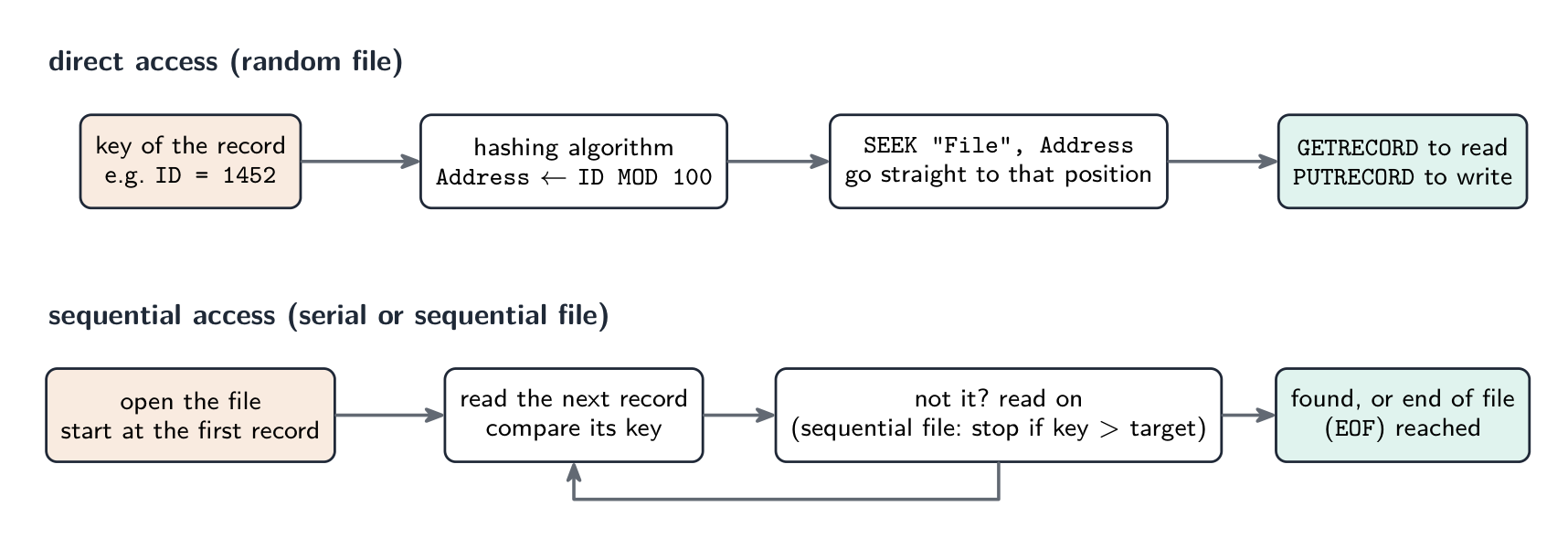
The two access methods as procedures: direct access computes where to look; sequential access looks everywhere in turn Describing each access method. Sequential access: start at the beginning of the file and read the records one after another (in the order stored) until the required record is found or the end of the file is reached. Applied to a serial file this means reading every record up to the match, and reading the whole file to establish that a record is absent; applied to a sequential file the search can stop early, as soon as a key greater than the target is read. Direct access: the address of the record is calculated from its key (by a hashing algorithm, or from an index), and the program goes straight to that position without reading the records before it; this is the access method for random files, and for a record referenced by a unique address on a disk.
Choosing. A payroll or utility-billing master file processed in batch, every record in turn, suits a sequential file; a log of transactions in the order they happened suits a serial file; a stock or customer file where single records are looked up and updated by key while the program runs suits a random file with direct access.
File handling in pseudocode. The exam expects the standard statements, and Paper 3 sets algorithms that use them:
Task Statements open a text file OPENFILE "Scores.txt" FOR READ(orFOR WRITE, which creates or overwrites, orFOR APPEND)read or write a line READFILE "Scores.txt", LineandWRITEFILE "Scores.txt", Linetest for the end WHILE NOT EOF("Scores.txt")close CLOSEFILE "Scores.txt"open a random file OPENFILE "Stock.dat" FOR RANDOMmove to a record position SEEK "Stock.dat", Addressread or write a whole record GETRECORD "Stock.dat", ItemandPUTRECORD "Stock.dat", ItemWorked example. A random file
Stock.datholds records of typeStockItem, stored at the address given byItemID MOD 100. Write pseudocode that stores a new item at its hashed address if that position is empty, reporting the position if it is already in use.DECLARE Item, Existing : StockItem DECLARE Address : INTEGER INPUT Item.ItemID, Item.Description, Item.Quantity Address ← Item.ItemID MOD 100 OPENFILE "Stock.dat" FOR RANDOM SEEK "Stock.dat", Address GETRECORD "Stock.dat", Existing IF Existing.ItemID = 0 THEN // 0 marks an empty position ENDIF SEEK "Stock.dat", Address PUTRECORD "Stock.dat", Item OUTPUT "Stored at ", Address ELSE OUTPUT "Position ", Address, " is in use" ENDIF CLOSEFILE "Stock.dat"Two details the mark scheme checks:
SEEKbefore eachGETRECORDorPUTRECORD(reading moves the position on, so seek again before writing), and the file openedFOR RANDOMand closed at the end. To copy every record of a random file to another, loop over the addresses withSEEK,GETRECORDfrom one file andPUTRECORDto the other, skipping empty positions.Explore · 探索File access route · ファイルアクセスルート
Follow a file from storage to program and back safely. · ストレージからプログラムへ、そして戻ってくるまでファイルを安全に追跡する。
Vocabulary · 語彙 Train · 練習するEnglish 日本語 File organisation/faɪl ˌɔːɡənaɪˈzeɪʃn/ ファイル組織 serial file/ˈsɪərɪəl faɪl/ シリアルファイル sequential file/siːˈkwenʃl faɪl/ 順次ファイル random file/ˈrændəm faɪl/ ランダムファイル direct access/daɪˈrekt ˈækses/ 直接アクセス sequential access/siːˈkwenʃl ˈækses/ 順次アクセス 13.2
Hashing
 English
A hash function 散列函数 (a hashing algorithm) takes a record key and produces an address where the record is stored. A good one is fast, deterministic 确定性, and spreads keys evenly.
Common hashing algorithms for $N$ slots: modulo hash
address ← key MOD N; folding (split the key, add the pieces, MOD N); a string hash (sum the character codes, MOD N).A collision 冲突 is when two keys hash to the same address. Three ways to resolve it:
Strategy How it works Trade-off linear probing 线性探测 use the next free slot (wrapping around) simple, but keys cluster chaining 链接法 each slot points to a linked list 链表 of records no clustering, but uses more memory rehashing apply a second hash function spreads keys, but more work To search: hash the key, read that slot; if the keys match you are done, else follow the resolution strategy until a match or an empty slot. To insert: hash the key, write to that slot or the next free one. Keep the load factor 装填因子 (records ÷ slots) below about 70% for near-O(1) lookups.
"Explain what is meant by a hashing algorithm in the context of file access" (three marks). A calculation (function) performed on the key field of a record that produces a value, which is used as the address (location) at which the record is stored in the file and from which it is retrieved. The same calculation on the same key always gives the same address, which is why the record can be found again without searching.
"Outline two methods of overcoming a collision." (1) Linear probing (open addressing): store the record in the next free location after the calculated address, wrapping round to the start if necessary; to retrieve, start at the hashed address and read forward until the key matches. (2) An overflow area 溢出区 or chaining: store the colliding record in a separate overflow area (or a linked list attached to the address), which is searched sequentially after the main address fails to match. Either scores; describe the retrieval as well as the storage.
Worked example. A random file has 11 record positions, numbered 0 to 10, and the hashing algorithm is
Address ← Key MOD 11. Records with keys 1250, 1381, 1452, 1613 and 1470 are stored in that order, using linear probing. Show where each record goes, and describe how key 1470 is retrieved.$1250 \bmod 11 = 7$; $1381 \bmod 11 = 6$; $1452 \bmod 11 = 0$; $1613 \bmod 11 = 7$, a collision with 1250, so 1613 takes the next free position, 8; $1470 \bmod 11 = 7$ again, and positions 7 and 8 are full, so 1470 goes to 9. To retrieve 1470: calculate $7$, read position 7 (key 1250, no match), read 8 (1613, no), read 9 (1470, found). If an empty position is reached before a match, the record is not in the file. Collisions are the price of a small file: a good hashing algorithm spreads the keys evenly, and the file is kept well below full so that probes stay short.
日本語A hash function 散列函数 (a hashing algorithm) takes a record key and produces an address where the record is stored. A good one is fast, deterministic 确定性, and spreads keys evenly.
Common hashing algorithms for $N$ slots: modulo hash
address ← key MOD N; folding (split the key, add the pieces, MOD N); a string hash (sum the character codes, MOD N).A collision 冲突 is when two keys hash to the same address. Three ways to resolve it:
Strategy How it works Trade-off linear probing 线性探测 use the next free slot (wrapping around) simple, but keys cluster chaining 链接法 each slot points to a linked list 链表 of records no clustering, but uses more memory rehashing apply a second hash function spreads keys, but more work Resolving a hash collision: linear probing uses the next free slot; chaining keeps a linked list per slot To search: hash the key, read that slot; if the keys match you are done, else follow the resolution strategy until a match or an empty slot. To insert: hash the key, write to that slot or the next free one. Keep the load factor 装填因子 (records ÷ slots) below about 70% for near-O(1) lookups.
"Explain what is meant by a hashing algorithm in the context of file access" (three marks). A calculation (function) performed on the key field of a record that produces a value, which is used as the address (location) at which the record is stored in the file and from which it is retrieved. The same calculation on the same key always gives the same address, which is why the record can be found again without searching.
"Outline two methods of overcoming a collision." (1) Linear probing (open addressing): store the record in the next free location after the calculated address, wrapping round to the start if necessary; to retrieve, start at the hashed address and read forward until the key matches. (2) An overflow area 溢出区 or chaining: store the colliding record in a separate overflow area (or a linked list attached to the address), which is searched sequentially after the main address fails to match. Either scores; describe the retrieval as well as the storage.
Worked example. A random file has 11 record positions, numbered 0 to 10, and the hashing algorithm is
Address ← Key MOD 11. Records with keys 1250, 1381, 1452, 1613 and 1470 are stored in that order, using linear probing. Show where each record goes, and describe how key 1470 is retrieved.$1250 \bmod 11 = 7$; $1381 \bmod 11 = 6$; $1452 \bmod 11 = 0$; $1613 \bmod 11 = 7$, a collision with 1250, so 1613 takes the next free position, 8; $1470 \bmod 11 = 7$ again, and positions 7 and 8 are full, so 1470 goes to 9. To retrieve 1470: calculate $7$, read position 7 (key 1250, no match), read 8 (1613, no), read 9 (1470, found). If an empty position is reached before a match, the record is not in the file. Collisions are the price of a small file: a good hashing algorithm spreads the keys evenly, and the file is kept well below full so that probes stay short.
Explore · 探索A hash table · ハッシュテーブル
Watch each key get hashed to a bucket. A good hash spreads keys out so lookups stay fast. · 各キーがバケットにハッシュされる様子を見てください。適切なハッシュ関数はキーを広範囲に分散させ、検索を高速に保ちます。
Vocabulary · 語彙 Train · 練習するEnglish 日本語 linked list/lɪŋkt lɪst/ リンクドリスト hash function/hæʃ ˈfʌŋkʃn/ ハッシュ関数 deterministic/dɪˌtɜːmɪˈnɪstɪk/ 決定論的 collision/kəˈlɪʒn/ 衝突 linear probing/ˈlɪnɪə ˈprəʊbɪŋ/ 線形プロービング chaining/ˈtʃeɪnɪŋ/ チェーン load factor/ləʊd ˈfæktə/ ロードファクター overflow area/ˌəʊvəˈfləʊ ˈeərɪə/ オーバーフロー領域 13.3
Floating-point numbers

Syllabus · シラバス
EnglishCandidates should be able to: Notes and guidance Describe the format of binary floating-point real numbers Use two's complement form Understand of the effects of changing the allocation of bits to mantissa and exponent in a floating-point representation Convert binary floating-point real numbers into denary and vice versa Normalise floating-point numbers Understand the reasons for normalisation Show understanding of the consequences of a binary representation only being an approximation to the real number it represents (in certain cases) Understand how underflow and overflow can occur Show understanding that binary representations can give rise to rounding errors 日本語受験者は以下的能力を備えているべきである: メモおよびガイドライン バイナリ浮動小数点実数の形式を説明する 2の補数形式を理解する。浮動小数点表現におけるmantissa(尾数)と指数へのビット割り当ての変更がもたらす影響を理解する 二進 浮動小数点実数を十進に変換し、その逆も行う 浮動小数点数を正規化する 正規化の理由を理解する (特定のケースにおいて)二進表現が表す実数の近似に過ぎないことの結果に対する理解を示す アンダーフローおよびオーバーフローが発生する仕組みを理解する 二進表現が丸め誤差を生じ得ることを理解する Source: Cambridge International syllabus · 出典: Cambridge International シラバス
EnglishTo store real numbers of very different sizes, computers use a floating-point 浮点 format — a binary form of scientific notation, with two fields:
- a mantissa 尾数 — the significant digits.
- an exponent 指数 — the power of 2 to multiply by.
Both are stored as two's complement 补码 integers. The value is
$$\text{number} = \text{mantissa} \times 2^{\text{exponent}}.$$Read the mantissa as a binary fraction — the first bit after the point is worth $1/2$, the next $1/4$, then $1/8$, and so on. So
0.1010000is $1/2 + 1/8 = 0.625$; with exponent00000010(= 2) the value is $0.625 \times 2^{2} = 2.5$.Converting
- binary → denary: read the mantissa (use two's-complement rules if negative) as a fraction, read the exponent as a signed integer, then multiply mantissa by $2^{\text{exponent}}$.
- denary → binary: write the number as a binary fraction × a power of 2, then store the mantissa and exponent in the agreed formats.
Worked example. A number has mantissa
10110000and exponent00000011. Find its denary value.The exponent
00000011is $+3$. The mantissa begins with a 1, so it is negative. Read as1.0110000in two's complement, the sign bit is worth $-1$ and the fraction bits add $\tfrac{1}{4} + \tfrac{1}{8} = 0.375$, so the mantissa is $-1 + 0.375 = -0.625$. Then$$\text{number} = -0.625 \times 2^{3} = -5.0.$$Worked example. Store $+2.5$ in this format.
In binary $2.5 = 10.1$. Written as a normalised fraction, $2.5 = 0.101 \times 2^{2}$. So the mantissa is
01010000(sign bit 0, then.101) and the exponent is00000010($= 2$).The exam's format: two's complement, a mantissa and an exponent
The exam states a format such as 10 bits for the mantissa and 6 bits for the exponent, both in two's complement. The mantissa's binary point sits after its first (sign) bit, so a positive mantissa is
0.xxxxxxxxxand a negative one1.xxxxxxxxx; the exponent is an ordinary signed integer. Every conversion uses the same three moves: read the mantissa as a fraction (two's-complement rules if it starts with 1), read the exponent as an integer, multiply by $2^{\text{exponent}}$.Worked example (binary to denary). Mantissa
0101100000, exponent000011.Mantissa: $0.101100000_2 = \tfrac{1}{2} + \tfrac{1}{8} + \tfrac{1}{16} = 0.6875$. Exponent: $000011_2 = 3$. Value: $0.6875 \times 2^{3} = 5.5$.
Worked example (negative mantissa). Mantissa
1011000000, exponent000010.The mantissa starts with 1, so it is negative. Its value is $-1 + 0.011000000_2 = -1 + (\tfrac{1}{4} + \tfrac{1}{8}) = -0.625$; exponent $= 2$; value $-0.625 \times 4 = -2.5$. (Alternatively, take the two's complement of the mantissa,
0101000000$= 0.625$, and attach the minus sign.) A negative exponent such as111110$= -2$ divides instead: a mantissa of $0.5$ with that exponent is $0.5 \times 2^{-2} = 0.125$.Worked example (denary to binary). Store $+6.5$ and $-6.5$ in the 10-bit and 6-bit format, normalised.
$6.5 = 110.1_2 = 0.1101_2 \times 2^{3}$, so the mantissa is
0110100000and the exponent000011. For $-6.5$, take the two's complement of the mantissa:1001100000(check: $-1 + 0.0011_2 = -1 + 0.1875 = -0.8125$, and $-0.8125 \times 8 = -6.5$), exponent000011unchanged. The sign never goes into the exponent; a negative number has a negative mantissa.Normalisation
A number is normalised 规格化 when the first significant bit is immediately after the binary point (no wasted leading zeros). This maximises precision, because every mantissa bit carries information. To normalise, shift the mantissa left and decrease the exponent (or shift right and increase it) until the first significant bit is in place; the value is unchanged. For negative (two's-complement) mantissas, the sign bit (1) is followed immediately by a 0.
Recognising and producing normalised form. A positive normalised mantissa begins
01; a negative one begins10. So0011000000is not normalised (shift left one place and subtract one from the exponent:0110000000, exponent one less) and1100000000is not either (shift left until the pattern is10...). Each shift left of the mantissa must be matched by subtracting one from the exponent, or the value changes."Explain why numbers are stored in normalised form" (two marks). (1) It gives the maximum precision (accuracy) for the number of bits available, because no bits are wasted on leading zeros (or leading ones for a negative number); (2) each number then has a unique representation, so numbers can be compared; and (3) it makes the best use of the available range. Any two of these score.
Approximation and rounding errors
Many denary reals cannot be stored exactly in binary — e.g. $0.1_{10}$ is the repeating binary fraction $0.000110011\ldots_{2}$, which must be truncated. Consequences:
- rounding errors 舍入误差 build up over many operations (
0.1 + 0.2is not exactly0.3). - comparisons fail — never test a real for equality. Test that the difference is smaller than a small tolerance,
IF Difference < 0.000001, where the difference is taken the right way round or through a modulus function that the question would define.ABSis not on the 9618 insert or in the Pseudocode Guide, so do not assume it: the guide says any function a question needs will be given. - subtracting two nearly-equal values loses precision.
- overflow 溢出 (a result too large for the exponent's range) and underflow 下溢 (a result too small, rounding to zero) occur when the exponent runs out of range.
For exact needs (currency), use fixed-point 定点 or BCD 二进码十进数 instead of floating-point.
"Describe the effect of changing the allocation of bits" (three marks). With a fixed total number of bits, increasing the mantissa and reducing the exponent gives greater precision 精度 (more significant figures, smaller rounding errors) but a smaller range 范围 (the largest and smallest magnitudes that can be stored shrink); increasing the exponent does the opposite: a larger range at the cost of precision. Name both effects and both directions.
Largest and smallest. In the 10-bit mantissa, 6-bit exponent format the largest positive number has mantissa
0111111111($= 1 - 2^{-9}$) and exponent011111($= 31$): about $2^{31}$. The smallest positive normalised number has mantissa0100000000($= 0.5$) and exponent100000($= -32$): $0.5 \times 2^{-32} = 2^{-33}$. The most negative number has mantissa1000000000($= -1$) and exponent $31$: $-2^{31}$."Explain what is meant by overflow and underflow." Overflow occurs when the result of a calculation is larger than the largest number that can be represented, so the exponent would need more bits than it has; underflow occurs when a result is smaller than the smallest (non-zero) number that can be represented, too close to zero for the exponent to express, so it is stored as zero. Both come from the exponent's range, not the mantissa's.
Why a binary representation is only an approximation. A binary fraction can only represent sums of $\tfrac{1}{2}, \tfrac{1}{4}, \tfrac{1}{8}, \ldots$ exactly; a value such as $0.1$ or $\tfrac{1}{3}$ has an infinite binary expansion, and the mantissa has a fixed number of bits, so the stored value is the nearest one that fits. The difference is a rounding error; it is small for one number but accumulates over repeated calculations (adding $0.1$ ten times may not give exactly $1$), which is why real numbers should never be tested for exact equality.
日本語To store real numbers of very different sizes, computers use a floating-point 浮点 format — a binary form of scientific notation, with two fields:
- a mantissa 尾数 — the significant digits.
- an exponent 指数 — the power of 2 to multiply by.
Both are stored as two's complement 补码 integers. The value is
$$\text{number} = \text{mantissa} \times 2^{\text{exponent}}.$$Read the mantissa as a binary fraction — the first bit after the point is worth $1/2$, the next $1/4$, then $1/8$, and so on. So
0.1010000is $1/2 + 1/8 = 0.625$; with exponent00000010(= 2) the value is $0.625 \times 2^{2} = 2.5$.The place values of an 8-bit mantissa and an 8-bit exponent Converting
- binary → denary: read the mantissa (use two's-complement rules if negative) as a fraction, read the exponent as a signed integer, then multiply mantissa by $2^{\text{exponent}}$.
- denary → binary: write the number as a binary fraction × a power of 2, then store the mantissa and exponent in the agreed formats.
Worked example. A number has mantissa
10110000and exponent00000011. Find its denary value.The exponent
00000011is $+3$. The mantissa begins with a 1, so it is negative. Read as1.0110000in two's complement, the sign bit is worth $-1$ and the fraction bits add $\tfrac{1}{4} + \tfrac{1}{8} = 0.375$, so the mantissa is $-1 + 0.375 = -0.625$. Then$$\text{number} = -0.625 \times 2^{3} = -5.0.$$Worked example. Store $+2.5$ in this format.
In binary $2.5 = 10.1$. Written as a normalised fraction, $2.5 = 0.101 \times 2^{2}$. So the mantissa is
01010000(sign bit 0, then.101) and the exponent is00000010($= 2$).The exam's format: two's complement, a mantissa and an exponent
The exam states a format such as 10 bits for the mantissa and 6 bits for the exponent, both in two's complement. The mantissa's binary point sits after its first (sign) bit, so a positive mantissa is
0.xxxxxxxxxand a negative one1.xxxxxxxxx; the exponent is an ordinary signed integer. Every conversion uses the same three moves: read the mantissa as a fraction (two's-complement rules if it starts with 1), read the exponent as an integer, multiply by $2^{\text{exponent}}$.Worked example (binary to denary). Mantissa
0101100000, exponent000011.Mantissa: $0.101100000_2 = \tfrac{1}{2} + \tfrac{1}{8} + \tfrac{1}{16} = 0.6875$. Exponent: $000011_2 = 3$. Value: $0.6875 \times 2^{3} = 5.5$.
Worked example (negative mantissa). Mantissa
1011000000, exponent000010.The mantissa starts with 1, so it is negative. Its value is $-1 + 0.011000000_2 = -1 + (\tfrac{1}{4} + \tfrac{1}{8}) = -0.625$; exponent $= 2$; value $-0.625 \times 4 = -2.5$. (Alternatively, take the two's complement of the mantissa,
0101000000$= 0.625$, and attach the minus sign.) A negative exponent such as111110$= -2$ divides instead: a mantissa of $0.5$ with that exponent is $0.5 \times 2^{-2} = 0.125$.Worked example (denary to binary). Store $+6.5$ and $-6.5$ in the 10-bit and 6-bit format, normalised.
$6.5 = 110.1_2 = 0.1101_2 \times 2^{3}$, so the mantissa is
0110100000and the exponent000011. For $-6.5$, take the two's complement of the mantissa:1001100000(check: $-1 + 0.0011_2 = -1 + 0.1875 = -0.8125$, and $-0.8125 \times 8 = -6.5$), exponent000011unchanged. The sign never goes into the exponent; a negative number has a negative mantissa.Normalisation
A number is normalised 规格化 when the first significant bit is immediately after the binary point (no wasted leading zeros). This maximises precision, because every mantissa bit carries information. To normalise, shift the mantissa left and decrease the exponent (or shift right and increase it) until the first significant bit is in place; the value is unchanged. For negative (two's-complement) mantissas, the sign bit (1) is followed immediately by a 0.
Recognising and producing normalised form. A positive normalised mantissa begins
01; a negative one begins10. So0011000000is not normalised (shift left one place and subtract one from the exponent:0110000000, exponent one less) and1100000000is not either (shift left until the pattern is10...). Each shift left of the mantissa must be matched by subtracting one from the exponent, or the value changes."Explain why numbers are stored in normalised form" (two marks). (1) It gives the maximum precision (accuracy) for the number of bits available, because no bits are wasted on leading zeros (or leading ones for a negative number); (2) each number then has a unique representation, so numbers can be compared; and (3) it makes the best use of the available range. Any two of these score.

Normalising: shift the mantissa left to remove leading zeros, lowering the exponent by the same amount Approximation and rounding errors
Many denary reals cannot be stored exactly in binary — e.g. $0.1_{10}$ is the repeating binary fraction $0.000110011\ldots_{2}$, which must be truncated. Consequences:
- rounding errors 舍入误差 build up over many operations (
0.1 + 0.2is not exactly0.3). - comparisons fail — never test a real for equality. Test that the difference is smaller than a small tolerance,
IF Difference < 0.000001, where the difference is taken the right way round or through a modulus function that the question would define.ABSis not on the 9618 insert or in the Pseudocode Guide, so do not assume it: the guide says any function a question needs will be given. - subtracting two nearly-equal values loses precision.
- overflow 溢出 (a result too large for the exponent's range) and underflow 下溢 (a result too small, rounding to zero) occur when the exponent runs out of range.
For exact needs (currency), use fixed-point 定点 or BCD 二进码十进数 instead of floating-point.
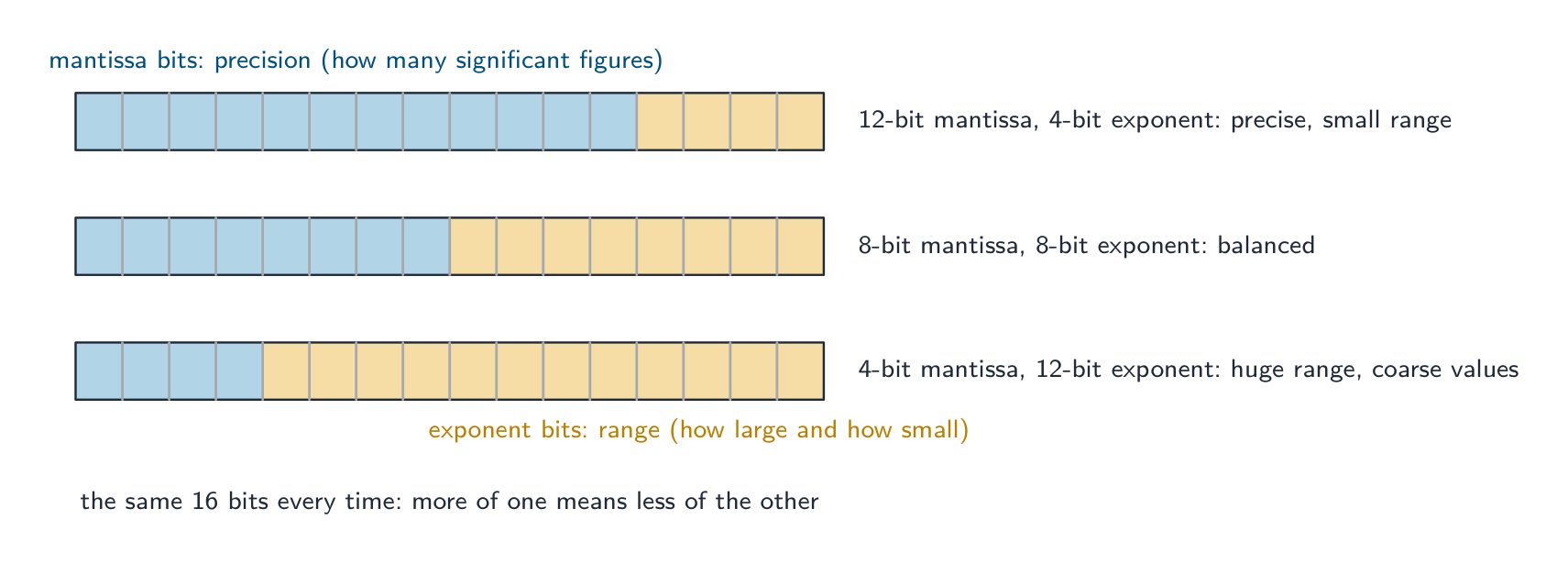
The same total of bits shared two ways: mantissa bits buy precision, exponent bits buy range, and one can only grow at the other's expense "Describe the effect of changing the allocation of bits" (three marks). With a fixed total number of bits, increasing the mantissa and reducing the exponent gives greater precision 精度 (more significant figures, smaller rounding errors) but a smaller range 范围 (the largest and smallest magnitudes that can be stored shrink); increasing the exponent does the opposite: a larger range at the cost of precision. Name both effects and both directions.
Largest and smallest. In the 10-bit mantissa, 6-bit exponent format the largest positive number has mantissa
0111111111($= 1 - 2^{-9}$) and exponent011111($= 31$): about $2^{31}$. The smallest positive normalised number has mantissa0100000000($= 0.5$) and exponent100000($= -32$): $0.5 \times 2^{-32} = 2^{-33}$. The most negative number has mantissa1000000000($= -1$) and exponent $31$: $-2^{31}$."Explain what is meant by overflow and underflow." Overflow occurs when the result of a calculation is larger than the largest number that can be represented, so the exponent would need more bits than it has; underflow occurs when a result is smaller than the smallest (non-zero) number that can be represented, too close to zero for the exponent to express, so it is stored as zero. Both come from the exponent's range, not the mantissa's.
Why a binary representation is only an approximation. A binary fraction can only represent sums of $\tfrac{1}{2}, \tfrac{1}{4}, \tfrac{1}{8}, \ldots$ exactly; a value such as $0.1$ or $\tfrac{1}{3}$ has an infinite binary expansion, and the mantissa has a fixed number of bits, so the stored value is the nearest one that fits. The difference is a rounding error; it is small for one number but accumulates over repeated calculations (adding $0.1$ ten times may not give exactly $1$), which is why real numbers should never be tested for exact equality.
Explore · 探索Build a floating-point number · 浮動小数点数を構築する
Flip the mantissa and exponent bits to make a value, and check whether it is normalised. · mantissa(尾数)と指数ビットを反転させて値を作成し、正規化されているか確認する。
Explore · 探索Normalising a floating-point number · 浮動小数点数の正規化
Step through normalisation. Shifting the mantissa to remove wasted leading zeros — and adjusting the exponent to match — keeps the value the same but spends every bit on precision. · 正規化の手順を踏む。mantissa の先頭の不要なゼロを削除するためにシフトし、それに合わせて指数を調整することで、値は同じまま但しすべてのビットが有効性(精度)に使われるようになる。
Vocabulary · 語彙 Train · 練習するEnglish 日本語 overflow/ˌəʊvəˈfləʊ/ オーバーフロー floating-point/ˈfləʊtɪŋ pɔɪnt/ 浮動小数点 mantissa/mænˈtɪsə/ 尾数 exponent/ekˈspəʊnənt/ 指数 two's complement/tuːz ˈkɒmplɪmənt/ 補数表示 normalised/ˈnɔːməlaɪzd/ 正規化された rounding errors/ˈraʊndɪŋ ˈerəz/ 丸め誤差 underflow/ˌʌndəˈfləʊ/ アンダーフロー fixed-point/fɪkst pɔɪnt/ 固定小数点 BCD/ˌbiː siː ˈdiː/ BCD precision/prɪˈsɪʒn/ 精密性 range/reɪndʒ/ 値域 13.3
Definitions the examiner accepts
A definition question is marked against fixed wording. Learn these exactly, and give one answer only.
Term Definition user-defined data type a data type defined by the programmer, based on existing types, to represent data specific to the problem non-composite type a type defined without reference to another type; it holds a single value (integer, real, enumerated, pointer) composite type a type made up of other types; it holds several values under one identifier (record, set, array, class) enumerated type a non-composite type defined by listing all its possible values, in order pointer type a non-composite type whose value is the memory address of a variable of a given type set a composite type holding a collection of values of one type, unordered and without duplicates record a composite type with a fixed number of fields, each with its own identifier and type, accessed by dot notation class a composite type combining attributes (data) with the methods (procedures and functions) that act on them; an object is an instance of a class serial file records stored one after another in the order in which they were added sequential file records stored one after another in order of a key field random file records stored at addresses calculated from their keys by a hashing algorithm sequential access reading the records in turn from the start of the file until the one required is found direct access calculating the address of a record from its key and going straight to that position hashing algorithm a calculation on the key of a record that gives the address at which the record is stored and found collision two different keys producing the same address mantissa the part of a floating-point number that holds its significant bits, as a two's-complement fraction exponent the two's-complement integer giving the power of two by which the mantissa is multiplied normalised a floating-point number whose mantissa begins 01 (positive) or 10 (negative), so no bits are wasted on leading zeros or ones overflow a result too large to be represented in the number of bits available underflow a non-zero result too small to be represented, so it is stored as zero rounding error the difference between a real number and the nearest value that the binary representation can hold 13.3
Exam tips
- Pseudocode declarations are marked line by line:
TYPE ... = (...)for enumerated,TYPE ... = ^...for pointer,TYPE ... = SET OF ...thenDEFINE ... (...) : ...for a set,TYPE ... DECLARE ... ENDTYPEfor a record,CLASS ... PRIVATE ... PUBLIC PROCEDURE NEW ... ENDCLASSfor a class. - Match the type to the data: fixed named values, enumerated; a group of different fields, record; a collection of unique values, set; data plus behaviour, class; an address, pointer.
- File organisation is how records are stored; file access is how they are found. Serial and sequential are read sequentially; random files use direct access via a hash of the key. Sequential search of a sequential file can stop early; of a serial file it cannot.
- Random-file pseudocode:
OPENFILE ... FOR RANDOM,SEEKbefore everyGETRECORDorPUTRECORD,CLOSEFILEat the end. Say how a collision is resolved when you describe hashing. - Floating point: mantissa as a two's-complement fraction (point after the sign bit), exponent as an integer, multiply by $2^{\text{exponent}}$; shift left and subtract one from the exponent to normalise; the mantissa buys precision, the exponent buys range.
- The three "explain" stock answers: why normalise (precision, unique form, range), the effect of re-allocating bits (precision against range), and why $0.1$ cannot be stored exactly (an infinite binary fraction in a finite mantissa).
Common mistakes
- Writing
DECLAREinstead ofTYPEfor a new type, or leaving outENDTYPE; declaring a set withoutSET OF, or an enumerated type with quotation marks round its values. - Putting the sign of a floating-point number in the exponent; the sign is the first bit of the mantissa.
- Reading a negative mantissa as if it were sign-and-magnitude; it is two's complement, so
1011000000is $-0.625$, not $-0.375$. - Shifting the mantissa to normalise without changing the exponent, or changing it the wrong way (shift left, exponent down).
- Describing a random file as "in random order"; the records are at addresses computed from their keys.
- Saying sequential access reads "the whole file" for a sequential file; it stops when a larger key is met.
- Explaining hashing without saying what the calculated value is used for (the address to store and retrieve the record), or without a way of handling collisions.
- Defining overflow as "too many digits" instead of a result beyond the largest representable value, or blaming the mantissa for it.
- record 记录 (Topic 10) — fields of different types in a
-
14
Communication and internet technologies · 通信およびインターネット技術
Watch lesson · レッスンを視聴14.1
Why protocols are needed · プロトコルが必要な理由

Syllabus · シラバス
EnglishCandidates should be able to: Notes and guidance Show understanding of why a protocol is essential for communication between computers Show understanding of how protocol implementation can be viewed as a stack, where each layer has its own functionality Show understanding of the TCP/IP protocol suite Four Layers (Application, Transport, Internet, Link) Purpose and function of each layer Application when a message is sent from one host to another on the internet Show understanding of protocols (HTTP, FTP, POP3, IMAP, SMTP, BitTorrent) and their purposes BitTorrent protocol provides peer-to-peer file sharing 日本語受験者は以下的能力を備えているべきである: メモおよびガイドライン コンピュータ間の通信にプロトコルが不可欠である理由に対する理解を示す プロトコルの實現をスタックとして理解する能力 各レイヤーが独自の機能を持つこと TCP/IP プロトコルスイートの理解 4つのレイヤー(アプリケーション, トランスポート, インターネット, リンク) 各レイヤーの目的と機能 インターネット上で1つのホストから別のホストへメッセージを送信する際の应用程序 プロトコル(HTTP, FTP, POP3, IMAP, SMTP, BitTorrent)とその目的の理解 BitTorrent プロトコルはピア・トゥ・ピアファイル共有を提供する Source: Cambridge International syllabus · 出典: Cambridge International シラバス
EnglishA protocol 协议 is a set of rules for how devices communicate. Both ends must follow the same rules, or one side's signals are meaningless to the other. Protocols define the format of the data (where addresses and payload sit), the order of messages (who speaks first, when to acknowledge), the meaning of each message, the timing (timeouts, retransmits), and what to do on error. Without an agreed protocol, communication fails — like two people speaking different languages with no translator.
"Explain why protocols are essential for communication between computers" (three marks). (1) A protocol is a set of rules agreed by both the sender and the receiver; (2) without it the two computers would interpret the data differently (format, order, meaning of each part), so the message could not be understood; (3) it allows computers of different types and manufacturers to communicate, because everyone implements the same standard. Mention what the rules cover: the format of the data, the order of messages, error detection and recovery, and speed or timing.
日本語プロトコルとは、デバイスが通信する際の一連のルールです。両端は同じルールに従わなければならず、そうでなければ片方の信号は他方にとって意味をなしません。プロトコルはデータの形式(アドレスとペイロードの位置)、メッセージの順序(誰が最初に話し、いつ応答するか)、各メッセージの意味、タイミング(タイムアウト、再送信)、およびエラー時の対応を定義します。合意されたプロトコルがない場合、通信は失敗します。これは通訳なしで異なる言語を話す二人の人々と同様の状態です。
「なぜプロトコルがコンピュータ間の通信に不可欠であるかを説明せよ」(3点) (1) プロトコルとは、送信者と受信者の間で合意された一連のルールであること;(2) 存在しない場合、2台のコンピュータはデータを異なった解釈をする(形式、順序、各部分の意味)ため、メッセージを理解できず、(3) 異なる種類やメーカーのコンピュータ間での通信を可能にするため、皆が同じ標準を実装するからである。ルールがカバーする内容として言及すること:データの形式、メッセージの順序、エラー検出と回復、速度やタイミング。
プロトコルとは共有されたルールであり、形式、順序、タイミング、エラーを含む Vocabulary · 語彙 Train · 練習するEnglish 日本語 protocol/ˈprəʊtəkɒl/ プロトコル 14.1
Layered protocols · レイヤードプロトコル
EnglishNetworking is complex, so it is split into layers 层, each with one focused job, talking only to the layer above and below. Benefits: modularity 模块化 (replace one layer — say Ethernet with Wi-Fi — without touching the others), standardisation (vendors interoperate), and abstraction 抽象 (you ignore details handled elsewhere). The internet uses the TCP/IP protocol suite 协议栈 (4 layers).
日本語ネットワークは複雑であるため、レイヤーに分割され、それぞれが単一の focused な業務を行い、上下のレイヤーとのみ通信します。メリット:モジュール化(1つのレイヤー、例えばEthernetをWi-Fiに交換しても他のレイヤーに触れずに済む)、標準化(ベンダー間の相互運用性)、抽象化(他で処理される詳細を無視できる)。インターネットではTCP/IP プロトコル・スイート(4層)を使用します。
14.1
TCP/IP protocol suite · TCP/IPプロトコル・スイート
 English
Layer Purpose Examples Application what the user program does HTTP, FTP, SMTP, IMAP Transport end-to-end delivery between processes TCP, UDP Internet routing packets between networks IP Link sending bits over the physical medium Ethernet, Wi-Fi The purpose of each layer, as the mark scheme words it. Application layer: provides the protocols that user applications use (HTTP for the web, SMTP for email) and the interface between the application and the network; it produces the data to be sent and passes it to the transport layer. Transport layer: establishes the end-to-end connection, splits the data into packets (segments) and adds port numbers and sequence numbers; on receipt it reassembles the packets in order and requests any that are missing (TCP), or sends without those guarantees (UDP). Internet layer: adds the source and destination IP addresses to form IP packets (datagrams) and routes them across networks via routers; it does not guarantee delivery. Link layer: adds the MAC addresses and error-check bits to form a frame and transmits the bits over the physical local network (Ethernet or Wi-Fi) through the network interface card. "Complete the stack" means these four, in this order, from the top: Application, Transport, Internet, Link.
"Describe how the TCP/IP suite is applied when a message is sent from one host to another" (five marks). At the sender the message passes down the stack: (1) the application layer produces the data using a protocol such as HTTP or SMTP; (2) the transport layer splits it into packets and adds a header with the port numbers and a sequence number; (3) the internet layer adds a header with the source and destination IP addresses and chooses the route; (4) the link layer adds the MAC addresses of the next device and sends the frame over the physical link. Routers along the way read the internet-layer header and forward each packet. At the receiver the frame passes up the stack: each layer removes and acts on its own header, the transport layer reassembles the packets in sequence-number order and asks for any that are missing, and the application layer presents the message. The same protocol at each layer at both ends is what makes the exchange work.
Application layer
The application layer 应用层 gives services to user programs and defines the protocols they speak (HTTP for web, SMTP for email). This is where a programmer most often works.
Transport layer
The transport layer 传输层 delivers data end-to-end between processes, identified by port numbers 端口号. Two protocols:
- TCP 传输控制协议 — connection-oriented 面向连接: sets up a connection, ensures all data arrives in order, retransmits lost packets 数据包, controls flow. Reliable but with overhead. Used by HTTP, HTTPS, SMTP, FTP.
- UDP 用户数据报协议 — connectionless 无连接: sends and forgets, with no acknowledgements or ordering. Low overhead, no guarantees. Used for streaming, DNS and gaming, where speed beats reliability.
Internet layer
The internet layer 网络层 carries packets between hosts using IP. Each packet has a source and destination IP address IP地址, and routers 路由器 forward it onward. It does not guarantee delivery — that is TCP's job.
A home router does this job for your house: it reads each packet's destination address and sends it on towards the internet, and back to the right device.
Before the router reaches the wider internet, a modem 调制解调器 connects the home to the internet provider over the provider's cable or phone line. Its lights show the link is up and online.
Link layer
The link layer 链路层 sends bits over one physical link (Ethernet, Wi-Fi). It adds a frame header with MAC addresses MAC地址 and handles medium access (e.g. CSMA/CD 载波侦听多路访问/冲突检测 on Ethernet).
On a wired local network, a switch 交换机 joins many devices together. Each device plugs into a port with an Ethernet cable (an RJ45 plug), and the switch uses the MAC addresses in each frame to send it only to the correct port.
The physical link can be a copper wire, a radio signal (Wi-Fi), or a fibre-optic cable 光纤. In a fibre-optic cable, the bits travel as flashes of light through very thin strands of glass, which is fast and carries data a long way.
A radio link can reach much further. A satellite dish 卫星天线 sends and receives radio signals to and from a satellite, carrying data to places that wired links cannot easily reach.
日本語階層 目的 例 Application ーザープログラムが行うこと HTTP, FTP, SMTP, IMAP Transport プロセス間のエンドツーエンドの配送 TCP, UDP Internet ネットワーク間パケットのルーティング IP Link 物理媒体上のビット送信 Ethernet, Wi-Fi TCP/IPプロトコル・スイートの4層 各レイヤーの目的(採点基準の表現による)。 Application layer: ユーザーアプリケーションが使用するプロトコルを提供(WebにはHTTP、メールにはSMTPなど)、アプリケーションとネットワークのインターフェースとなります。送信すべきデータを作成し、transport layerに渡します。Transport layer: エンドツーエンド接続を確立し、データをパケット(セグメント)に分割し、ポート番号とシーケンス番号を追加します。着信時、パケットを順序通り組み立て、欠落しているものがある場合は要求します(TCP)。または、それらの保証なく送信します(UDP)。Internet layer: IPパケット(ダイアグラム)を形成するため送信元と宛先のIPアドレスを追加し、ルータを介してネットワーク間でルーティングします。配送を保証することはできません。Link layer: MACアドレスとエラーチェック用ビットを追加してフレームを形成し、ネットワークインターフェースカードを介して物理的なローカルネットワーク(EthernetまたはWi-Fi)上でビットを送信します。「スタックを完成させる」とは、この4つをこの順で、最上位からApplication, Transport, Internet, Linkと述べることを意味します。
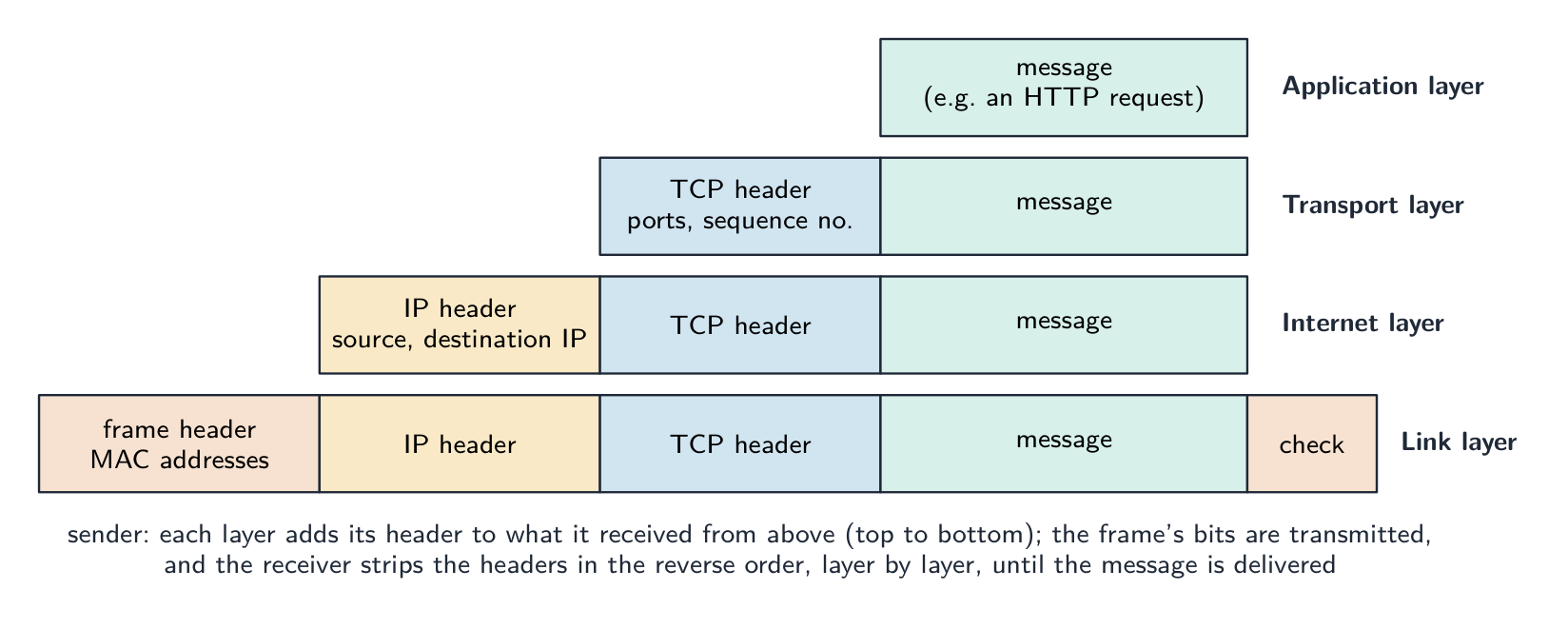
エンキャプスレーション:各レイヤーは上からのレイヤーから受け取ったものに独自のヘッダーを追加するため、ケーブル上のビットは4種類の情報を含みます。受信側はそれを1レイヤーずつ取り除きます 「メッセージが1台のホストから別のホストへ送信される際、TCP/IPスイートがどのように適用されるかを記述せよ」(5点)。 送信側において、メッセージはスタックを下に向かいます:(1) application layerはHTTPやSMTPのようなプロトコルを用いてデータを作成します;(2) transport layerはそれをパケットに分割し、ポート番号とシーケンス番号を含むヘッダーを追加します;(3) internet layerは送信元と宛先IPアドレスを含むヘッダーを追加し、経路を選択します;(4) link layerは次のデバイスのMACアドレスを追加し、物理リンク上でフレームを送信します。途中のルータはinternet layerのヘッダーを読み取り、各パケットを転送します。受信側において、フレームはスタックを上に向かいます:各レイヤーは自身のヘッダーを取り除き、作用します。transport layerはシーケンス番号順にパケットを組み立てて欠落したものを要求し、application layerはメッセージを表示します。両端の各レイヤーで同じプロトコルを使用することが、やり取りを可能にしています。
Application layer
Application layer はユーザープログラムにサービスを提供し、そのプロトコルを定義します(WebにはHTTP、メールにはSMTPなど)。ここがプログラマが最も多くの作業を行う場所です。
Transport layer
Transport layer はポート番号によって識別されるプロセス間でデータをエンドツーエンドに配送します。2つのプロトコル:

TCPは接続して順序通りに配送;UDPは送信して忘れる - TCP — 接続指向型:接続を設定し、すべてのデータが順序通り届くことを保証し、失われたパケットを再送信し、フローを制御します。信頼性が高いが、オーバーヘッドがあります。HTTP, HTTPS, SMTP, FTPで使用されます。
- UDP — 接続非指向型:送信して忘れる、応答や順序付けはありません。オーバーヘッドが低く、保証はありません。ストリーミング、DNS、ゲームで使用され、信頼性よりも速度が優先されます。
Internet layer
インターネット層は、IPを使ってホスト間でパケットを転送します。各パケットには送信元と受信先のIPアドレスが含まれ、ルーターがそれを次のステップへ転送します。 deliveryの保証は行わず、それはTCPの役割です。
家庭用ルーターはこの作業をあなたの家で行います:各パケットの宛先アドレスを読み取り、インターネットへ向けて、そして正しいデバイスへ戻すために転送します。

家庭用Wi-Fiルーター:デバイスとインターネットの間でパケットを転送します ルーターがより広いインターネットに到達する前に、モデムがプロバイダーのケーブルや電話回線を通じて家庭をインターネットプロバイダーに接続します。そのライトはリンクが確立されておりオンラインであることを示しています。

ケーブルモデムは家庭用ネットワークをインターネットプロバイダーに接続します リンク層
リンク層は、一つの物理リンク(イーサネット、Wi-Fi)上でビットを送信します。MACアドレスを含むフレームヘッダーを追加し、メディアアクセス制御を行います(例:イーサネットでのCSMA/CD)。

一般的なイーサネットフレームの構成要素 有線ローカルネットワークでは、スイッチが多くのデバイスを接続します。各デバイスはイーサネットケーブル(RJ45プラグ)によってポートに接続され、スイッチは各フレームに含まれるMACアドレスを使用して、それを正しいポートのみへ送信します。

ネットワークスイッチは、ローカルネットワーク上の多くの有線デバイスを接続します 物理リンクは銅線、無線信号(Wi-Fi)、または光ファイバーケーブルであることがあります。光ファイバーケーブルでは、ビットは非常に細いガラス繊維内を光の閃光として移動するため、高速で長距離のデータ伝送が可能です。

光ファイバーケーブル:データは細いガラス繊維を光として移動します 無線リンクは遥かに遠くまで届くことができます。衛星アンテナは衛星との間で無線信号を送信・受信し、有線リンクでは容易に到達できない場所へデータを運びます。

衛星アンテナは長距離にわたって無線によるデータ送信・受信を行います Explore · 探索Tap the four layers of the TCP/IP model · TCP/IPモデルの4つのレイヤーをタップしてください
Explore each layer. Data travels DOWN the stack as it's sent (each layer adds its header) and back UP as it's received — and any layer can be swapped without touching the others. · 各レイヤーを探検してください。データは送信時にスタックを下へ移動し(各レイヤーがヘッダーを追加)、受信時には上へ戻ります。どのレイヤーも他のレイヤーに触れずに交換可能です。
Vocabulary · 語彙 Train · 練習するEnglish 日本語 layers/ˈleɪəz/ レイヤー modularity/ˌmɒdjʊˈlærɪti/ モジュラリティ abstraction/əbˈstrækʃn/ 抽象化 protocol suite/ˈprəʊtəkɒl swiːt/ プロトコルスイート application layer/ˌæplɪˈkeɪʃn ˈleɪə/ アプリケーション層 transport layer/ˈtrænspɔːt ˈleɪə/ トランスポート層 port numbers/pɔːt ˈnʌmbəz/ ポート番号 UDP/ˌjuː diː ˈpiː/ UDP connectionless/kəˈnekʃənləs/ 接続非指向型 internet layer/ˈɪntənet ˈleɪə/ インターネット層 routers/ˈruːtəz/ ルーター modem/ˈməʊdem/ モデム link layer/lɪŋk ˈleɪə/ リンク層 CSMA/CD/ˌsiː es em ˈeɪ ˌsiː ˈdiː/ CSMA/CD switch/swɪtʃ/ スイッチ fibre-optic cable/ˈfaɪbə ˈɒptɪk ˈkeɪbl/ 光ファイバーケーブル satellite dish/ˈsætəlaɪt dɪʃ/ 衛星アンテナ HTTP/ˌeɪtʃ tiː tiː ˈpiː/ HTTP FTP/ˌef tiː ˈpiː/ FTP SMTP/ˌes em tiː ˈpiː/ SMTP peer-to-peer/pɪə tə pɪə/ ピア・トゥ・ピア tracker/ˈtrækə/ トラッカー 14.1
Common application-layer protocols · 一般的なアプリケーション層プロトコル
 English
- HTTP 超文本传输协议 — browsers fetch web pages from servers (over TCP, port 80). HTTPS is HTTP over TLS — encrypted, port 443.
- FTP 文件传输协议 — transfer files between client and server.
- SMTP 简单邮件传输协议 — send email between client and server, and between servers. Receiving uses POP3 or IMAP.
- POP3 — downloads email and usually deletes it from the server. IMAP — leaves email on the server and syncs across devices, so the same inbox appears everywhere.
- BitTorrent — a peer-to-peer 对等网络 protocol; a file is split into pieces downloaded from many peers in parallel, so no single server carries all the load.
The purpose of each protocol, in the words that score.
Protocol Purpose (state this) HTTP transfers web pages (hypertext) between a web server and a browser; HTTPS is the encrypted version FTP transfers files between a client and a server (uploading to and downloading from a file server) SMTP sends email from a client to a mail server, and between mail servers (a "push" protocol) POP3 downloads email from the server to the client, usually deleting it from the server, so it is read on one device IMAP lets the client read and manage email that stays on the server, so the same mailbox is seen on every device BitTorrent shares files peer-to-peer: pieces of a file are downloaded from, and uploaded to, many other users at once Asked for the two email protocols, give SMTP for sending and POP3 or IMAP for receiving; asked to describe IMAP, say that the messages remain on the server and are synchronised across devices, which is the difference from POP3.
"Describe how files are shared using the BitTorrent protocol" (four marks). (1) The file is split into pieces (typically 256 KB each), and a small torrent file describes them (their hashes) and names a tracker 追踪器. (2) A peer wanting the file contacts the tracker, which keeps a list of the peers in the swarm 群 currently sharing that file. (3) The peer downloads different pieces from many peers at the same time, and as soon as it holds a piece it uploads it to others; a peer with the whole file is a seed 种子, one still downloading a leech. (4) When all pieces are in, they are reassembled and checked against the hashes. "Explain what peer-to-peer file sharing means": there is no central server holding the file; every computer is both a client and a server, downloading from and uploading to the others, so the load and the bandwidth are spread across the swarm and the more peers there are, the faster it gets.
日本語- HTTP — ブラウザがサーバーからWebページを取得します(TCP上、ポート80)。HTTPSはTLS上のHTTPであり、暗号化されており、ポート443を使用します。
- FTP — クライアントとサーバー間でファイルを転送します。
- SMTP — クライアントとサーバー間、およびサーバー間でメールを送信します。受信にはPOP3またはIMAPを使用します。
- POP3 — メールをダウンロードし、通常はサーバーから削除します。IMAP — メールをサーバーに残したまま、デバイス間で同期するため、どこでも同じ Inboxが表示されます。
- BitTorrent — ピア・トゥ・ピーアプロトコルです。ファイルは複数のピースに分割され、多くのピアから同時に平行してダウンロードされるため、単一のサーバーがすべての負荷を負うことはありません。
BitTorrent: トラッカーがピア同士を見つけ助け、その後ファイルピースを直接共有します 各プロトコルの目的(採点基準となる表現)
プロトコル 目的(これを述べる) HTTP Webサーバーとブラウザの間でWebページ(ハイパーテキスト)を転送;HTTPSは暗号化されたバージョン FTP クライアントとサーバー間でファイルを転送(ファイルサーバーへのアップロードおよびダウンロード) SMTP クライアントからメールサーバーへ、およびメールサーバー間でメールを送信("プッシュ"プロトコル) POP3 サーバーからクライアントへメールをダウンロードし、通常はサーバーから削除するため、1台のデバイスで読み取られる IMAP サーバーに残っているメールをクライアントが読み取り・管理でき、どのデバイスでも同じメイルボックスが見える BitTorrent ピア・トゥ・ピーアでファイルを共有:ファイルのピースは他の多くのユーザーから同時にダウンロードされ、アップロードされる 2つのメールプロトコルを問われた場合、送信にはSMTP、受信にはPOP3またはIMAPを答えます。IMAPを説明する場合は、メッセージがサーバーに残ることと、デバイス間で同期されることを述べ、これがPOP3との違いであると答えます。
「BitTorrentプロトコルを用いてファイルがどのように共有されるかを記述せよ」(4点) (1) ファイルはピース(一般的に256 KB単位)に分割され、小さなtorrentファイルがそれらを記述(ハッシュ値など)し、トラッカーの名前を指定します。(2) ファイルを必要とするピアがトラッカーに連絡し、トラッカーは現在そのファイルを共有しているピアのリストであるswarmを保持しています。(3) ピアは異なる多数のピアから同時にピースをダウンロードし、ピースを所持した瞬間にアップロードします。ファイル全体を持つピアはseed、まだダウンロード中のピアはleechと呼ばれます。(4) すべてのピースが揃えば、ハッシュ値と比較しながら再構成・検証されます。「ピア・トゥ・ピーアのファイル共有が何を意味するかを説明せよ」:ファイルを保持する中央サーバーはない;すべてのコンピュータはクライアントかつサーバーであり、他からダウンロードし、他へアップロードするため、負荷と帯域幅はswarm全体に分散され、ピアが増えるほど速くなります。
Explore · 探索Network route lab · ネットワークルート実験
Follow data from a device through network hardware and protocols. · デバイスからネットワークハードウェアおよびプロトコルを経てデータを追跡せよ。
Vocabulary · 語彙 Train · 練習するEnglish 日本語 TCP/ˌtiː siː ˈpiː/ TCP connection-oriented/kəˈnekʃn ˈɔːrɪəntɪd/ 接続指向型 packets/ˈpækɪts/ パケット swarm/swɔːm/ スワーム seed/siːd/ seed 14.2
Circuit switching vs packet switching · 回路交換対パケット交換

Syllabus · シラバス
EnglishCandidates should be able to: Notes and guidance Show understanding of circuit switching Benefits, drawbacks and where it is applicable Show understanding of packet switching Benefits, drawbacks and where it is applicable Show understanding of the function of a router in packet switching Explain how packet switching is used to pass messages across a network, including the internet 日本語受験者は以下的能力を備えているべきである: メモおよびガイドライン サイクルスイッチングの理解 利点、欠点、および適用場所 パケットスイッチングの理解 利点、欠点、および適用場所 パケットスイッチングにおける路由器の機能の理解 パケットスイッチングがネットワーク、インターネットを含む、メッセージを伝送するためにどのように使用されるかの説明 Source: Cambridge International syllabus · 出典: Cambridge International シラバス
EnglishCircuit switching
A dedicated path is set up between the two ends before any data is sent (circuit switching 电路交换), reserved for the whole conversation, then released. It gives reserved bandwidth 带宽 and in-order delivery, but is inefficient during silences and slow to set up. Classic example: the traditional telephone network.
"Describe circuit switching as a method of data transmission" (three marks). (1) A dedicated path (circuit) is set up between the sender and the receiver before any data is sent; (2) the whole message is sent along that path, in order, as one continuous stream; (3) the circuit is reserved for the duration of the communication and released afterwards.
Benefits and drawbacks. Benefits: the full bandwidth of the circuit is available and guaranteed; data arrives in order with no reassembly and no delay once the circuit is up; the route does not change, so timing is predictable (good for real-time voice and video). Drawbacks: time is spent setting up the circuit before anything is sent; the circuit is reserved even while no data is flowing, so bandwidth is wasted and other users cannot share it; both ends must be free at the same time; a failure anywhere on the path breaks the whole call, and there is no automatic alternative route. Where it is appropriate: a telephone call or a live video link, where a steady, uninterrupted stream matters more than efficiency.
Packet switching
The data is split into packets, each sent independently (packet switching 分组交换). Each packet carries the destination address; routers make per-packet decisions, so packets may take different routes and arrive out of order, and the destination reassembles them. It is efficient (one link is multiplexed 多路复用 across many conversations), robust (reroute around a failure), but has variable latency 延迟 and possible loss (TCP handles reliability). Used by the internet.
"Describe how packet switching is used to pass messages across a network" (four marks). (1) The message is split into packets of a fixed maximum size; (2) each packet is given a header containing the source and destination addresses, a sequence number 序号 and an error check; (3) each packet is sent independently and may take a different route, chosen by the routers it meets; (4) at the destination the packets are reassembled in order using the sequence numbers, and any missing packet is requested again. If the question excludes checking and resending, leave out the last clause.
"Describe the function of a router in packet switching" (three marks). A router receives a packet, reads the destination IP address in its header, and consults its routing table 路由表 to decide the best next hop towards that destination, taking account of the traffic (congestion) and failed links; it then forwards the packet onto that link. Packets of the same message may leave by different routes; the router holds packets in a queue when a link is busy.
"Describe two ways packet switching ensures the complete message is received." (1) Each packet carries a sequence number, so the receiver can put the packets in order and can tell that one is missing, and (2) the receiver sends an acknowledgement 确认 for packets that arrive; a packet not acknowledged within a time limit is retransmitted by the sender. A checksum 校验和 in each packet lets the receiver detect a corrupted packet and discard it, which then triggers the resend.
Benefits and drawbacks. Benefits: no circuit to set up; the network's links are shared by many messages, so bandwidth is used efficiently; packets can be rerouted around a failed or congested link, so transmission is robust; a lost or damaged packet means resending only that packet, not the whole message. Drawbacks: packets may arrive out of order and must be reassembled, and some may be lost or delayed; the headers add overhead; the variable delay makes it less suitable for real-time voice and video without extra measures; a heavily loaded network drops packets. Where it is appropriate: email, web pages, file downloads and any "bursty" traffic, and the internet in general.
Aspect Circuit switching Packet switching Path dedicated, reserved shared, per-packet Setup time slow none Bandwidth use inefficient efficient Order in order may be out of order Robustness one failure cuts the circuit reroute around failures Suits constant-rate flows (voice) bursty flows (web, email) Modern networks use packet switching for its efficiency and resilience.
Four differences, stated as pairs. (1) Circuit switching sets up a dedicated path before sending; packet switching sends without setting up a path. (2) In circuit switching the whole message follows one route; in packet switching the packets may take different routes. (3) Circuit switching delivers the data in order without reassembly; packet switching needs sequence numbers to reassemble it. (4) Circuit switching reserves bandwidth for one conversation even when idle; packet switching shares the links between many messages. (Also acceptable: a failed link breaks a circuit but packets are rerouted; circuit switching suits real-time streams, packet switching suits bursty data.) Write each difference as both halves; one side alone earns nothing.
Describing packet switching in a few sentences
A good exam answer: "The message is broken into small packets. Each packet carries the destination and source addresses and a sequence number. Each packet travels through the network independently, with routers choosing the next hop per packet. Packets may take different paths and arrive out of order. The destination uses the sequence numbers to reassemble the message, and missing packets can be requested again."
Worked example. A phone call and a large file download share a network. Which switching method suits each, and why? A phone call needs a steady stream with low delay, and it would suffer badly if pieces arrived late or out of order - so circuit switching suits it: a dedicated path is set up for the whole call and its capacity is reserved for the duration. A file download does not care about timing or arrival order, because the receiver reassembles it, and it benefits from using whatever capacity happens to be spare - so packet switching suits it: the file is split into packets that travel independently, each carrying source and destination addresses and a sequence number, with routers choosing a next hop per packet. Name the property of the traffic that decides it: reserved capacity and low delay for the call, efficiency and resilience for the download.
日本語回路交換
データ送信前に両端の間に専用パスが確立される(回路スイッチング)。このパスは通話全体のために予約され、終了後に解放されます。予約された帯域幅と順次配送を提供しますが、音声がない間は非効率で、確立に時間がかかります。代表的な例:従来の電話ネットワーク。
回路スイッチング: エンドツォエンドで専用パスが予約される 「データ伝送方法としての回路スイッチングを説明せよ」(3点) (1) データ送信前において、送信者と受信者の間に専用パス(回路)が確立される;(2) メッセージ全体がそのパス上を順次、連続したストリームとして送られる;(3) 通信の期間中回路は予約され、その後解放される。
メリットとデメリット。 メリット: 回路の全帯域幅が利用可能かつ保証されており、データは順次到着し、回路確立後は再構成や遅延なし;ルートは変更されないためタイミングが予測可能(リアルタイム音声・動画に適する)。デメリット: データ送信前に回路を確立するのに時間を要する;データ転送がない間も回路が予約されるため帯域幅が浪費され、他のユーザーとの共有ができない;両端が同時に空きである必要がある;パス上のいかなる箇所の故障でも通話全体が切断され、自動的な代替ルートがない。 適応場面: 安定して途切れないストリームが効率より重要な電話通話やライブ動画リンク。
パケットスイッチング
データはパケットに分割され、それぞれが独立して送られる(パケットスイッチング)。各パケットには宛先アドレスが含まれ、ルータはパケット単位で判断を行うため、異なるルートを通過して順序不同に到着することがあり、最終的に受信側で再構成される。効率的であり(リンクが多数の通話間で多重化される)、強靭性がある(故障時におけるリルート可能)が、遅延の変動があり、パケット損失の可能性もある(TCPが信頼性を管理)。インターネットで用いられている。

パケットスイッチング: パケットは独立して移動し、異なるルートを通ることがある 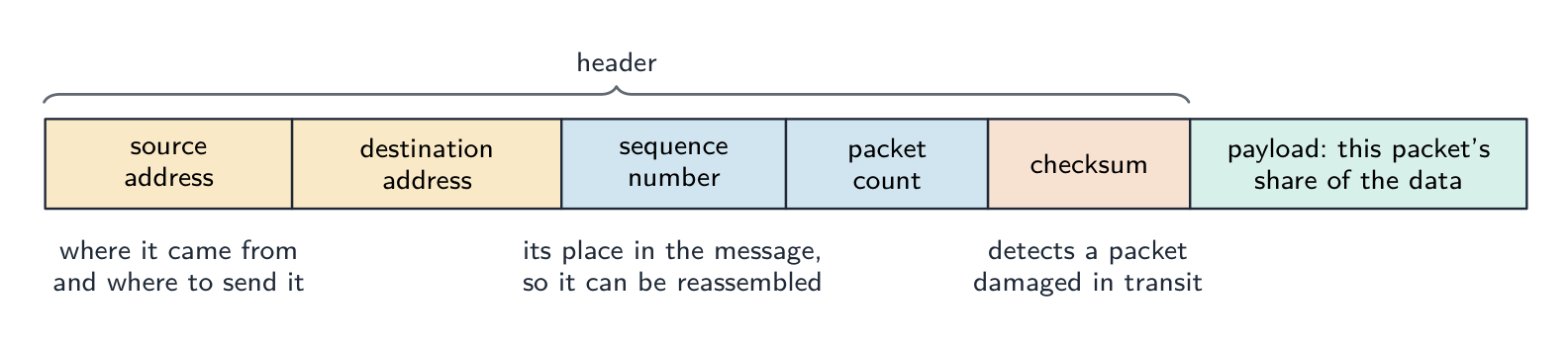
パケットが単独で移動できる理由: アドレスが場所を示し、シーケンス番号がメッセージのどの部分かを示し、チェックサムが破損なく到着したかを確認するため 「パケットスイッチングによってメッセージをネットワーク越しに渡す仕組みを説明せよ」(4点) (1) メッセージは固定の最大サイズを持つパケットに分割される;(2) 各パケットにはソースおよび宛先アドレス、シーケンス番号、エラーチェックを含むヘッダーが付与される;(3) 各パケットは独立して送られ、遭遇するルータによって選択された異なるルートを通る可能性があります;(4) 受信側ではシーケンス番号を用いてパケットが順次に再構成され、欠落しているパケットは再送信を要求される。質問がチェックと再送信を除外する場合、最後の節は省略する。
「パケットスイッチングにおけるルータの機能について説明せよ」(3点) ルータはパケットを受け取り、ヘッダー内の宛先IPアドレスを読み取り、ルーティングテーブルを参照して、交通量(混雑)や故障したリンクを考慮してその宛先への最適な次のホップを決定し、パケットをそのリンクに転送する。同じメッセージのパケットは異なるルートで送出される場合があり、ルータはリンクが混雑している間パケットをキューに保持する。
「パケットスイッチングがメッセージ完全着信を保証する2つの方法を説明せよ。」 (1) 各パケットにはシーケンス番号が含まれるため、受信者はパケットを順に並べ替え、欠落していることを認識でき、(2) 正常に届いたパケットに対して確認応答を送信する;一定時間以内に確認応答がないパケットは再送信される。各パケットに含まれるチェックサムにより、破損したパケットを検出して破棄でき、これが再送信のトリガーとなる。
メリットとデメリット。 メリット: 回路確立不要;ネットワークのリンクが多数のメッセージで共有されるため帯域幅の効率が良く、パケットは故障や混雑したリンクを避けてリルート可能で、伝送が強靭;失われたパケットはそのパケットのみを再送信すればよく、メッセージ全体を再送する必要がない。デメリット: パケットは順序不同に到着して再構成が必要となり、一部が失われるか遅延する;ヘッダーによるオーバーヘッドがある;変動する遅延のため、追加の対策がない限りリアルタイム音声・動画には不向き;過負荷状態のネットワークではパケットが破棄される。 適応場面: メール、Webページ、ファイルダウンロードなどの「バースト性」のあるトラフィック、およびインターネット全般。
側面 回線交換 パケット交換 パス 専用、予約 共有、パケット単位 確立時間 遅い なし 帯域幅使用 非効率 効率が良い 順序 順次 順序不同の場合あり 強靭性 一处の故障で回路が切断 故障時のリルート 適応 定速フロー(音声) バースト性フロー(Web、メール) 現代のネットワークは、効率性と耐障害性のためにパケットスイッチングを採用している。
4つの違いをペアとして述べる。(1)回路スイッチングは送信前に専用パスを設定しますが、パケットスイッチングはパスを設定せずに送信します。(2)回路スイッチングではメッセージ全体が一つの経路を通りますが、パケットスイッチングではパケットが異なる経路を取ることがあります。(3)回路スイッチングは再構成なしでデータを送信順序に delivery しますが、パケットスイッチングには再構成のためのシーケンス番号が必要です。(4)回路スイッチングはアイドル時でも1通の会話のために帯域幅を予約しますが、パケットスイッチングは多くのメッセージ間でリンクを共有します。(他の許容回答:故障したリンクは回路を切断しますが、パケットはリルートされます;回路スイッチングはリアルタイムストリームに適し、パケットスイッチングはバースト性のあるデータに適しています。)各違いについて両方の半分を書きます。片方だけでは得点されません。
数文でパケットスイッチングを説明する
良い受験答案例:「メッセージは小さなパケットに分割されます。各パケットには宛先と発信元のアドレス、およびシーケンス番号が含まれます。各パケットはネットワーク内を独立して移動し、ルーターはパケットごとに次のホップを選択します。パケットは異なる経路をたどり、順序不同着になることがあります。受信側はシーケンス番号を使ってメッセージを再構成し、欠落したパケットは再送信を要求できます。」
** worked example(解説例)。電話通話と大規模ファイルダウンロードが同一のネットワークを共有しています。それぞれに適したスイッチング方式は何か、またその理由を答えよ。電話通話は低遅延の安定したストリームが必要であり、パケットが到着が遅れたり順序不同着になったりすると深刻な障害を受けるため、回路スイッチングが適しています:通話全体に対して専用パスが設定され、その期間中、容量が予約されるからです。ファイルダウンロードはタイミングや到着順序に関係なく、受信側が再構成するため、利用可能な余剰容量をすべて使用できる benefit を受けることができます:したがってパケットスイッチングが適しています:ファイルはパケットに分割され、独立して移動し、各パケットにはソースと宛先のアドレス、およびシーケンス番号が含まれ、ルーターがパケットごとに次のホップを選択します。これを決定するトラフィックの性質**を名詞で答えること:通話への予約された容量と低遅延、ダウンロードへの効率性と耐性です。
Explore · 探索A packet's journey across the internet · インターネット上でのパケットの旅
Step through packet switching. The message is split up, each packet finds its own way, and the destination puts them back together — which is why the internet is so efficient and hard to break. · パケット交換の仕組みを順に確認しましょう。メッセージが分割され、各パケットは独自の経路をたどり、最終地点で再統合されます。これが、インターネットが非常に効率的であり、かつ破壊しにくい理由です。
Vocabulary · 語彙 Train · 練習するEnglish 日本語 circuit switching/ˈsɜːkɪt ˈswɪtʃɪŋ/ 回線交換 reserved bandwidth/rɪˈzɜːvd ˈbændwɪdθ/ 予約帯域幅 packet switching/ˈpækɪt ˈswɪtʃɪŋ/ パケット交換 multiplexed/ˌmʌltɪˈplekst/ 多重化 variable latency/ˈveərɪəbl ˈleɪtənsi/ 可変レイテンシ sequence number/ˈsiːkwəns ˈnʌmbə/ シーケンス番号 routing table/ˈraʊtɪŋ ˈteɪbl/ ルーティングテーブル 14.2
Definitions the examiner accepts · 出題者が認める定義
EnglishA definition question is marked against fixed wording. Learn these exactly, and give one answer only.
Term Definition protocol a set of rules governing how data is transmitted, agreed by sender and receiver so that both interpret it the same way protocol stack the layers of protocols, each with its own function, that together carry out communication; each layer communicates only with the layers above and below application layer provides the protocols used by applications to exchange data (HTTP, SMTP, FTP, IMAP, POP3) transport layer establishes end-to-end communication, splits data into packets with port and sequence numbers, reassembles them and requests missing ones (TCP), or sends without guarantees (UDP) internet layer adds IP addresses to form packets and routes them between networks via routers link layer adds MAC addresses to form frames and transmits the bits over the physical local network router a device that reads a packet's destination address and forwards it along the best available route towards that destination circuit switching a dedicated communication path is established between the two ends before data is sent and held for the whole transmission packet switching the message is split into packets, each with a header, sent independently over possibly different routes and reassembled at the destination packet a unit of data carrying a header (addresses, sequence number, error check) and a payload peer-to-peer file sharing without a central server, each computer acting as both client and server 日本語定義問題は固定された用語に基づいて採点されます。これらを正確に暗記し、一つの答えのみを答えてください。
用語 定義 プロトコル データの送受信を支配する一連のルールであり、送信側と受信側が合意しており、双方が同じ解釈を行うようにする プロトコルスタック 通信を実行するために一体となって機能するプロトコルの層であり、各層は独自の機能を持ちます;各層は上下の隣接層とのみ通信します アプリケーション層 アプリケーションがデータ交換に使用するプロトコルを提供します(HTTP, SMTP, FTP, IMAP, POP3) トランスポート層 エンドツーエンドの通信を確立し、ポート番号とシーケンス番号付きのパケットにデータを分割、再構成し、欠落パケットを要求します(TCP)、または保証なしで送信します(UDP) インターネット層 IPアドレスを追加してパケットを形成し、ルーターを介してネットワーク間でルーティングします リンク層 MACアドレスを追加してフレームを形成し、物理的なローカルネットワーク上へビットを送信します ルーター パケットの宛先アドレスを読み取り、その宛先に向かう最も適切な経路に従って転送するデバイス 回路スイッチング データ送信前に両端の間に専用通信パスが確立され、全送信期間中保持される パケットスイッチング メッセージがパケットに分割され、各パケットにはヘッダーが付与され、可能であれば異なる経路を通じて独立して送信され、宛先で再構成される パケット ヘッダー(アドレス、シーケンス番号、エラーチェック)とペイロードを含むデータの単位 ピア・トゥ・ピア 中央サーバーのないファイル共有、各コンピューターがクライアントかつサーバーとして動作する 14.2
Exam tips · 試験対策
English- Why protocols: shared rules, same interpretation, any make of computer. Why layers: each layer has one job and can be changed independently.
- The four layers in order, top to bottom: Application, Transport, Internet, Link. Give each layer's job in one sentence, and the "message from host to host" answer as a walk down the stack and back up.
- Protocol purposes are one-liners: HTTP web pages, FTP files, SMTP sending mail, POP3 downloading mail, IMAP mail kept on the server, BitTorrent peer-to-peer pieces from a swarm.
- Circuit switching: dedicated path first, whole message, held for the duration. Packet switching: split, header with addresses and sequence number, independent routes, reassemble. Benefits and drawbacks come in pairs of opposites.
- A router reads the destination address, consults its routing table, forwards along the best route; it is the packet-switching question the exam asks most.
- "Where appropriate": circuit switching for a phone or live video call; packet switching for email, the web and downloads.
Common mistakes
- Defining a protocol as "a language" or "software"; it is a set of rules.
- Putting the layers in the wrong order, or giving the OSI seven layers instead of the four of TCP/IP.
- Describing the transport layer as "routing" or the internet layer as "splitting into packets"; ports and splitting are transport, IP addresses and routing are internet.
- Confusing POP3 with IMAP, or saying SMTP receives email.
- Describing packet switching without the header (addresses and sequence number) or without reassembly.
- Saying a router "sends the packet everywhere"; it chooses one next hop from its routing table.
- Giving a benefit of packet switching as a drawback of circuit switching without stating the circuit-switching side; each difference needs both halves.
- Claiming packet switching guarantees delivery by itself; the transport layer's sequence numbers and acknowledgements do that.
日本語- プロトコルの目的:共通ルールによる同じ解釈、どのメーカーのコンピューターでも互換性があること。レイヤーの目的:各レイヤーは単一のタスクを持ち、独立して変更可能であること。
- 上から下への4つのレイヤー:アプリケーション、トランスポート、インターネット、リンク。各レイヤーの役割を1文で答え、「ホストからホストへのメッセージ」についてはスタックを下って戻ってくる流れとして説明すること。
- プロトコルの用途は一言で:HTTPはWebページ、FTPはファイル、SMTPはメール送信、POP3はメールダウンロード、IMAPはサーバー上のメール保持、BitTorrentはピアー・トゥ・ピアによる swarm からのピース取得。
- 回路スイッチング:まず専用パス、メッセージ全体、期間中保持。パケットスイッチング:分割、アドレスとシーケンス番号付きヘッダー、独立した経路、再構成。利点と欠点は対照的なペアで述べること。
- ルーターは宛先アドレスを読み取り、ルーティングテーブルを参照し、最適な経路に従って転送します。これが試験で最も頻出するパケットスイッチングに関する問題です。
- 「適切に応じて」:電話やライブ動画通話には回路スイッチング、メール、Web、ダウンロードにはパケットスイッチング。
一般的なミス
- プロトコルを「言語」や「ソフトウェア」と定義することは誤りです。それは一連のルールです。
- レイヤーの順序を間違えたり、TCP/IPの4レイヤーではなくOSIの7レイヤーを記述したりすること。
- トランスポート層を「ルーティング」、インターネット層を「パケット分割」と記述することは誤りです。ポート番号と分割はトランスポート層、IPアドレスとルーティングはインターネット層です。
- POP3とIMAPを混同したり、SMTPがメールを受信すると主張したりすること。
- ヘッダー(アドレスとシーケンス番号)なし、あるいは再構成なしでパケットスイッチングを記述すること。
- ルーターが「パケットをどこかに送信する」と言うことは誤りです。ルーティングテーブルから1つの次のホップを選択します。
- パケットスイッチングの利点を回路スイッチングの欠点として述べる際、回路スイッチング側の記述を欠くこと。各違いには両方の半分が必要です。
- パケットスイッチング自体が配送を保証すると主張することは誤りです。これはトランスポート層のシーケンス番号と_acknowledgements_が行うことです。
Vocabulary · 語彙 Train · 練習するEnglish 日本語 acknowledgement/əkˈnɒlɪdʒmənt/ 承認 checksum/ˈtʃeksəm/ チェックサム IP address/ˌaɪ ˈpiː əˈdres/ IPアドレス MAC addresses/mæk əˈdresɪz/ MACアドレス bandwidth/ˈbændwɪdθ/ 帯域幅 latency/ˈleɪtənsi/ レイテンシ header/ˈhedə/ ヘッダー -
15
Hardware and Virtual Machines · ハードウェアと仮想マシン
Watch lesson · レッスンを視聴15.1
RISC vs CISC processors

Syllabus · シラバス
EnglishCandidates should be able to: Notes and guidance Show understanding of Reduced Instruction Set Computers (RISC) and Complex Instruction Set Computers (CISC) processors Differences between RISC and CISC Understand interrupt handling on CISC and RISC processors Show understanding of the importance/use of pipelining and registers in RISC processors Show understanding of the four basic computer architectures SISD, SIMD, MISD, MIMD Show understanding of the characteristics of massively parallel computers Show understanding of the concept of a virtual machine Give examples of the role of virtual machines Understand the benefits and limitations of virtual machines 日本語受験者は以下的能力を備えているべきである: メモおよびガイドライン **簡易命令セットコンピュータ(RISC)および複雑命令セットコンピュータ(CISC)**プロセッサの理解 RISCとCISCの違い CISCおよびRISCプロセッサにおける割り込み処理の理解 RISCプロセッサにおけるパイプラインおよびレジスタの重要性/用途を理解する 4つの基本的なコンピュータアーキテクチャの理解 SISD, SIMD, MISD, MIMD 大規模並列コンピュータの特徴を理解する 仮想マシンの概念の理解 仮想マシンの役割に関する例の提示 仮想マシンの利点と限界の理解 Source: Cambridge International syllabus · 出典: Cambridge International シラバス
EnglishTwo styles of CPU design. The CPU itself plugs into the motherboard 主板, the main board that links the processor, the memory and every other part of the computer together.
CISC
A CISC 复杂指令集 (Complex Instruction Set Computers) has many, often complex instructions (one may do several memory accesses and operations), of variable length, so decoding is intricate. It does more per instruction in hardware. Examples: Intel x86.
RISC
A RISC 精简指令集 (Reduced Instruction Set Computers) has a small set of simple instructions, each doing one basic operation, all of fixed length (fast to decode). Only load and store touch memory; everything else is register 寄存器 to register. Programs are longer but each instruction is quick and predictable, which suits pipelining. Examples: ARM, RISC-V.
Feature CISC RISC Instruction set many few Instruction length variable fixed Memory access many instructions only load/store Pipeline-friendly harder naturally Per-instruction cycles varies usually 1 The trade-off is doing more per instruction (CISC) vs doing each instruction faster and more predictably (RISC). Modern Intel chips translate CISC instructions into simpler RISC-like micro-ops internally.
"Identify four features of a RISC processor." Any four of: a small set of simple instructions; instructions of fixed length (one word); most instructions complete in one clock cycle; many general-purpose registers; only load and store instructions access memory (all arithmetic is register to register); hard-wired control (no microcode); designed for pipelining; the compiler does more of the work, so programs contain more instructions and need more memory. "Identify four features of a CISC processor." Any four of: a large set of instructions, many of them complex (one instruction may do several operations); instructions of variable length; instructions that take several clock cycles; fewer registers; instructions that can access memory directly; microprogrammed control; less suited to pipelining; shorter programs, so a simpler compiler and less memory. "Describe what is meant by RISC and CISC" (two marks each): name the expansion and give the defining idea (few simple single-cycle instructions; many complex multi-cycle instructions).
Interrupt handling on the two designs. On a CISC processor the current instruction, however complex, is completed before the interrupt is serviced; the processor then saves the contents of its registers (including the program counter) on the stack, jumps to the interrupt service routine, and restores the registers afterwards. On a RISC processor with a pipeline, several instructions are part-way through at the moment the interrupt 中断 arrives, so the processor must either let every instruction in the pipeline finish, or discard (flush) the partly executed instructions and restart them after the interrupt; either way the pipeline is emptied, the registers are saved, and the service routine runs. The exam phrasing: "pipelining makes interrupt handling more complex, because the contents of the pipeline must be dealt with before the interrupt can be serviced".
日本語Two styles of CPU design. The CPU itself plugs into the motherboard 主板, the main board that links the processor, the memory and every other part of the computer together.
CISC has many complex instructions; RISC has few simple ones 
A motherboard links the CPU, memory and other parts together CISC
A CISC 复杂指令集 (Complex Instruction Set Computers) has many, often complex instructions (one may do several memory accesses and operations), of variable length, so decoding is intricate. It does more per instruction in hardware. Examples: Intel x86.
RISC
A RISC 精简指令集 (Reduced Instruction Set Computers) has a small set of simple instructions, each doing one basic operation, all of fixed length (fast to decode). Only load and store touch memory; everything else is register 寄存器 to register. Programs are longer but each instruction is quick and predictable, which suits pipelining. Examples: ARM, RISC-V.
Feature CISC RISC Instruction set many few Instruction length variable fixed Memory access many instructions only load/store Pipeline-friendly harder naturally Per-instruction cycles varies usually 1 The trade-off is doing more per instruction (CISC) vs doing each instruction faster and more predictably (RISC). Modern Intel chips translate CISC instructions into simpler RISC-like micro-ops internally.
"Identify four features of a RISC processor." Any four of: a small set of simple instructions; instructions of fixed length (one word); most instructions complete in one clock cycle; many general-purpose registers; only load and store instructions access memory (all arithmetic is register to register); hard-wired control (no microcode); designed for pipelining; the compiler does more of the work, so programs contain more instructions and need more memory. "Identify four features of a CISC processor." Any four of: a large set of instructions, many of them complex (one instruction may do several operations); instructions of variable length; instructions that take several clock cycles; fewer registers; instructions that can access memory directly; microprogrammed control; less suited to pipelining; shorter programs, so a simpler compiler and less memory. "Describe what is meant by RISC and CISC" (two marks each): name the expansion and give the defining idea (few simple single-cycle instructions; many complex multi-cycle instructions).
Interrupt handling on the two designs. On a CISC processor the current instruction, however complex, is completed before the interrupt is serviced; the processor then saves the contents of its registers (including the program counter) on the stack, jumps to the interrupt service routine, and restores the registers afterwards. On a RISC processor with a pipeline, several instructions are part-way through at the moment the interrupt 中断 arrives, so the processor must either let every instruction in the pipeline finish, or discard (flush) the partly executed instructions and restart them after the interrupt; either way the pipeline is emptied, the registers are saved, and the service routine runs. The exam phrasing: "pipelining makes interrupt handling more complex, because the contents of the pipeline must be dealt with before the interrupt can be serviced".
Vocabulary · 語彙 Train · 練習するEnglish 日本語 motherboard/ˈmʌðəbɔːd/ マザーボード CISC/sɪsk/ CISC RISC/rɪsk/ RISC register/ˈredʒɪstə/ レジスタ interrupt/ˈɪntərʌpt/ 割り込み 15.1
Pipelining
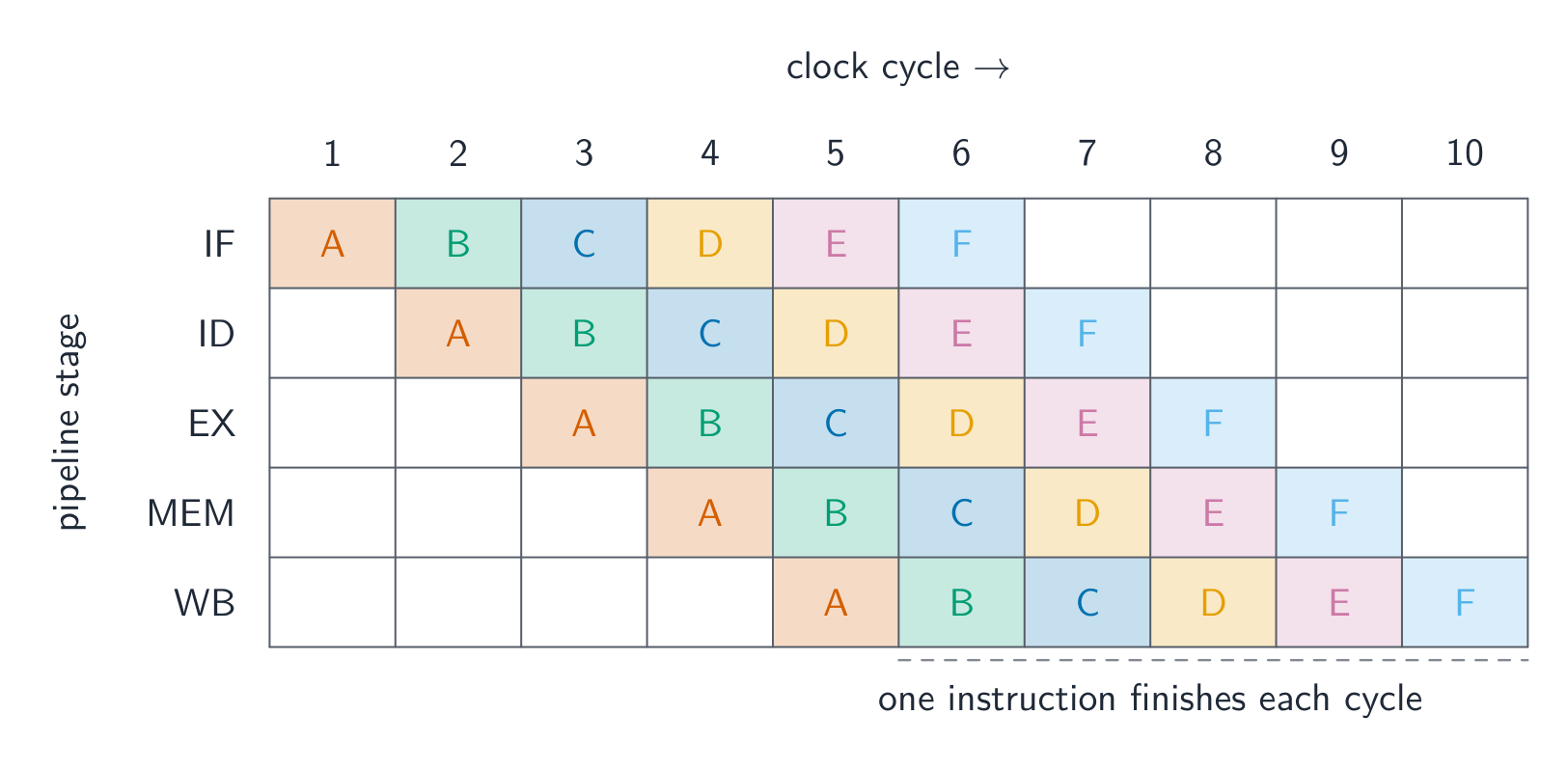 English
A pipeline 流水线 processes instructions in overlapping stages, like an assembly line: Fetch → Decode → Execute (in the ALU 算术逻辑单元) → Memory access → Write back. Each stage works on a different instruction at once, so once the pipeline is full, one instruction completes per cycle. RISC's fixed-length, simple instructions make every stage take the same time. A pipeline can stall on a hazard 冒险 — a data hazard (an instruction needs a result not ready yet) or a control hazard (a branch makes the next address unknown).
RISC chips keep data in many registers because memory is slow and registers are fast; the compiler allocates values to registers wisely.
"Describe the use of pipelining in RISC processors" (three marks). (1) The fetch–execute cycle is divided into stages (fetch, decode, execute, memory access, write back); (2) several instructions are in the pipeline at once, each at a different stage, so while one is being executed the next is being decoded and the one after fetched; (3) a new instruction is started, and one completed, in every clock cycle once the pipeline is full, which increases throughput 吞吐量 (the number of instructions completed per second), although each instruction still takes the same time on its own. Fixed-length single-cycle RISC instructions are what make the stages equal and the pipeline possible.
Worked example. A processor uses five pipeline stages (IF, ID, OF, EX, WB). Four instructions enter the pipeline one after another. In which cycle does the last instruction complete, and how many cycles would the four take without pipelining?
Instruction 1 occupies IF in cycle 1, ID in 2, OF in 3, EX in 4 and WB in 5; instruction 2 starts one cycle later and finishes in cycle 6; instruction 3 in cycle 7; instruction 4 in cycle 8. In general $n$ instructions through $k$ stages take $n + k - 1$ cycles, here $4 + 5 - 1 = 8$. Without pipelining each instruction takes all five cycles before the next starts: $4 \times 5 = 20$ cycles. The exam's table is filled by writing each instruction's stages diagonally, one column to the right of the previous instruction.
A processor running this fast gives off a lot of heat, so a heat-sink 散热器 and fan sit on top of it. The metal fins spread the heat and the fan blows it away, keeping the CPU cool enough to work.
日本語A pipeline 流水线 processes instructions in overlapping stages, like an assembly line: Fetch → Decode → Execute (in the ALU 算术逻辑单元) → Memory access → Write back. Each stage works on a different instruction at once, so once the pipeline is full, one instruction completes per cycle. RISC's fixed-length, simple instructions make every stage take the same time. A pipeline can stall on a hazard 冒险 — a data hazard (an instruction needs a result not ready yet) or a control hazard (a branch makes the next address unknown).
Pipelining overlaps the stages of six instructions, so one finishes each cycle RISC chips keep data in many registers because memory is slow and registers are fast; the compiler allocates values to registers wisely.
"Describe the use of pipelining in RISC processors" (three marks). (1) The fetch–execute cycle is divided into stages (fetch, decode, execute, memory access, write back); (2) several instructions are in the pipeline at once, each at a different stage, so while one is being executed the next is being decoded and the one after fetched; (3) a new instruction is started, and one completed, in every clock cycle once the pipeline is full, which increases throughput 吞吐量 (the number of instructions completed per second), although each instruction still takes the same time on its own. Fixed-length single-cycle RISC instructions are what make the stages equal and the pipeline possible.
Worked example. A processor uses five pipeline stages (IF, ID, OF, EX, WB). Four instructions enter the pipeline one after another. In which cycle does the last instruction complete, and how many cycles would the four take without pipelining?
Instruction 1 occupies IF in cycle 1, ID in 2, OF in 3, EX in 4 and WB in 5; instruction 2 starts one cycle later and finishes in cycle 6; instruction 3 in cycle 7; instruction 4 in cycle 8. In general $n$ instructions through $k$ stages take $n + k - 1$ cycles, here $4 + 5 - 1 = 8$. Without pipelining each instruction takes all five cycles before the next starts: $4 \times 5 = 20$ cycles. The exam's table is filled by writing each instruction's stages diagonally, one column to the right of the previous instruction.
A processor running this fast gives off a lot of heat, so a heat-sink 散热器 and fan sit on top of it. The metal fins spread the heat and the fan blows it away, keeping the CPU cool enough to work.

A CPU heat-sink and fan carry heat away from the processor Explore · 探索How pipelining fills up · パイプラインが飽和する様子
Step through the clock cycles. Once the pipeline is full, a new instruction finishes every cycle — even though each one still takes several stages — because the stages of different instructions overlap. · クロックサイクルを順に確認しましょう。パイプラインが饱和したら、各命令がまだ複数の工程を要しても、異なる命令の工程が重なるため、1サイクルごとに新しい命令が完了します。
Vocabulary · 語彙 Train · 練習するEnglish 日本語 pipeline/ˈpaɪplaɪn/ パイプライン ALU/ˌeɪ el ˈjuː/ ALU hazard/ˈhæzəd/ ハザード throughput/ˈθruːpʊt/ スループット heat-sink/hiːt sɪŋk/ ヒートシンク 15.1
Flynn's taxonomy
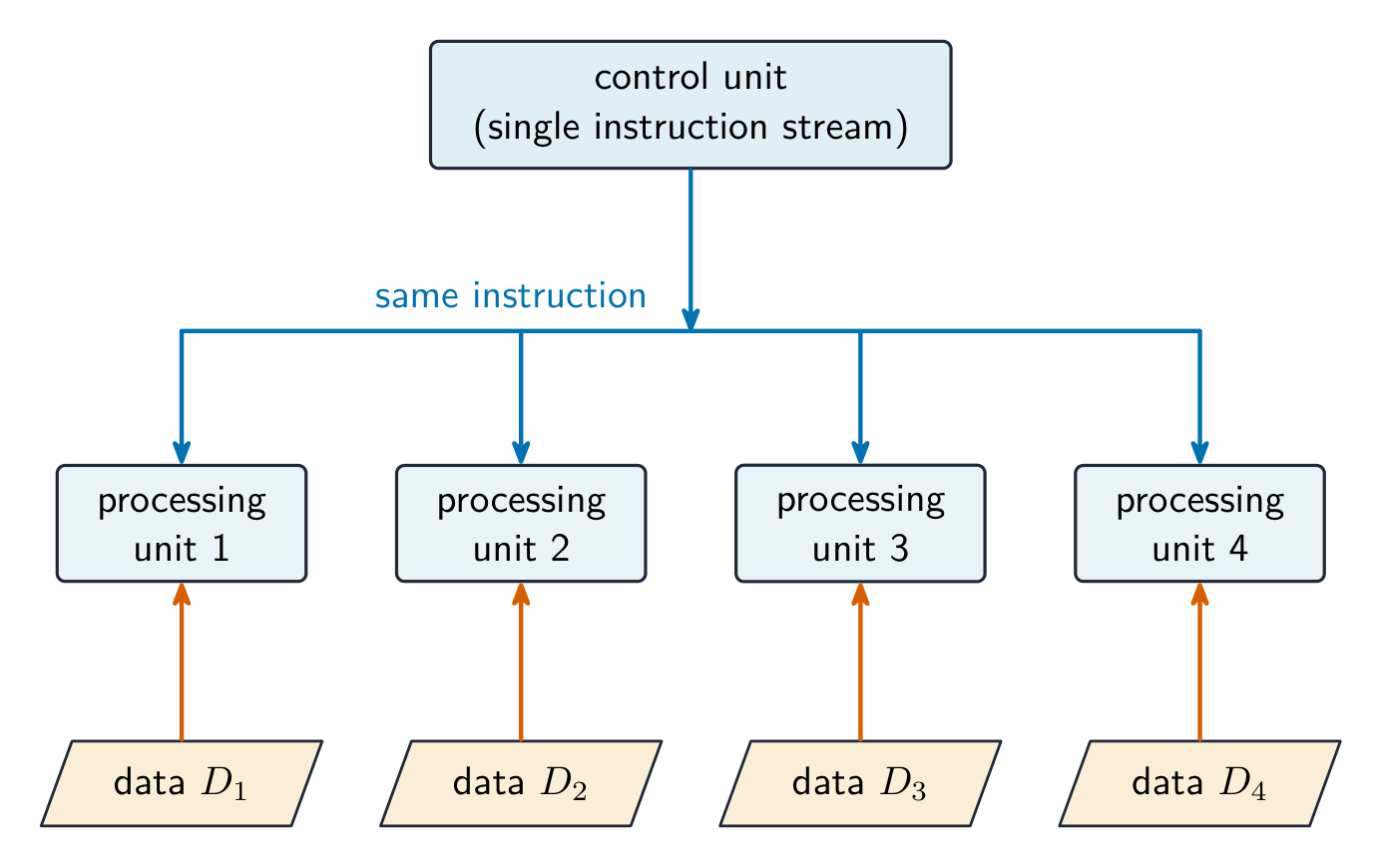 English
Flynn's taxonomy 弗林分类 sorts computers by the number of instruction and data streams:
- SISD — one instruction, one data stream (a traditional single core).
- SIMD 单指令多数据 — one instruction works on many data items at once (GPUs, CPU vector extensions). Great for images, video, scientific arrays.
- MISD — several operations on the same data; rare, mostly theoretical.
- MIMD 多指令多数据 — many processors run different instructions on different data (multi-core CPUs, clusters). The most general.
Describing the four architectures (two marks each). SISD: a single processor executes one instruction at a time on one item of data; no parallelism, the traditional von Neumann machine. SIMD: one instruction is applied simultaneously to many data items, by many processing elements acting in step; used for array and graphics processing. MISD: several processors apply different instructions to the same data; rarely used, for example a fault-tolerant system where several processors check one stream. MIMD: many processors, each executing its own instructions on its own data, independently; the multi-core computer and the cluster.
A graphics card 显卡 (with its GPU) is a real example of SIMD hardware: it has thousands of small cores that run the same instruction on many pixels or numbers at once, which is why GPUs are so fast for images, video and machine learning.
日本語Flynn's taxonomy 弗林分类 sorts computers by the number of instruction and data streams:
- SISD — one instruction, one data stream (a traditional single core).
- SIMD 单指令多数据 — one instruction works on many data items at once (GPUs, CPU vector extensions). Great for images, video, scientific arrays.
- MISD — several operations on the same data; rare, mostly theoretical.
- MIMD 多指令多数据 — many processors run different instructions on different data (multi-core CPUs, clusters). The most general.
Describing the four architectures (two marks each). SISD: a single processor executes one instruction at a time on one item of data; no parallelism, the traditional von Neumann machine. SIMD: one instruction is applied simultaneously to many data items, by many processing elements acting in step; used for array and graphics processing. MISD: several processors apply different instructions to the same data; rarely used, for example a fault-tolerant system where several processors check one stream. MIMD: many processors, each executing its own instructions on its own data, independently; the multi-core computer and the cluster.
SIMD: many processors run the same instruction on different data A graphics card 显卡 (with its GPU) is a real example of SIMD hardware: it has thousands of small cores that run the same instruction on many pixels or numbers at once, which is why GPUs are so fast for images, video and machine learning.

A graphics card: its GPU runs the same instruction on many data items at once (SIMD) 
MIMD: each processor runs its own instructions on its own data Vocabulary · 語彙 Train · 練習するEnglish 日本語 Flynn's taxonomy/flɪnz tækˈsɒnəmi/ フlynンの分類法 SIMD/ˈsɪmdiː/ SIMD MIMD/ˈmɪmdiː/ MIMD graphics card/ˈɡræfɪks kɑːd/ グラフィックスカード 15.1
Massively parallel computers
 English
A massively parallel 大规模并行 system uses thousands of processors on a fast network, each with its own memory (distributed memory 分布式内存), exchanging data by messages. It is MIMD, needs specially-written software (MPI, CUDA), and suits climate simulation, large machine learning 机器学习 training, and astrophysics. The largest supercomputers 超级计算机 are massively parallel.
"Outline the characteristics of massively parallel computers" (three marks). A very large number of processors (thousands), each with its own memory, connected by a network (a high-speed interconnect or bus) so that they can pass messages to one another; they work simultaneously on parts of the same problem, so the problem must be written as a program that can be split into parts that run in parallel and combine their results. It is an MIMD arrangement.
The processors live in tall server 服务器 racks, often filling a whole room (a data centre 数据中心), wired together so they can work on one big problem at the same time.
日本語A massively parallel 大规模并行 system uses thousands of processors on a fast network, each with its own memory (distributed memory 分布式内存), exchanging data by messages. It is MIMD, needs specially-written software (MPI, CUDA), and suits climate simulation, large machine learning 机器学习 training, and astrophysics. The largest supercomputers 超级计算机 are massively parallel.
"Outline the characteristics of massively parallel computers" (three marks). A very large number of processors (thousands), each with its own memory, connected by a network (a high-speed interconnect or bus) so that they can pass messages to one another; they work simultaneously on parts of the same problem, so the problem must be written as a program that can be split into parts that run in parallel and combine their results. It is an MIMD arrangement.
The processors live in tall server 服务器 racks, often filling a whole room (a data centre 数据中心), wired together so they can work on one big problem at the same time.
Rows of servers in a data centre, like those used for massively parallel computing Vocabulary · 語彙 Train · 練習するEnglish 日本語 massively parallel/ˈmæsɪvli ˈpærəlel/ 大規模並列処理 distributed memory/ˈdɪstrɪbjuːtɪd ˈmeməri/ 分散メモリ machine learning/məˈʃiːn ˈlɜːnɪŋ/ 機械学習 supercomputers/ˌsuːpəkəmˈpjuːtəz/ スーパーコンピュータ server/ˈsɜːvə/ サーバー data centre/ˈdeɪtə ˈsentə/ データセンター 15.1
Virtual machines
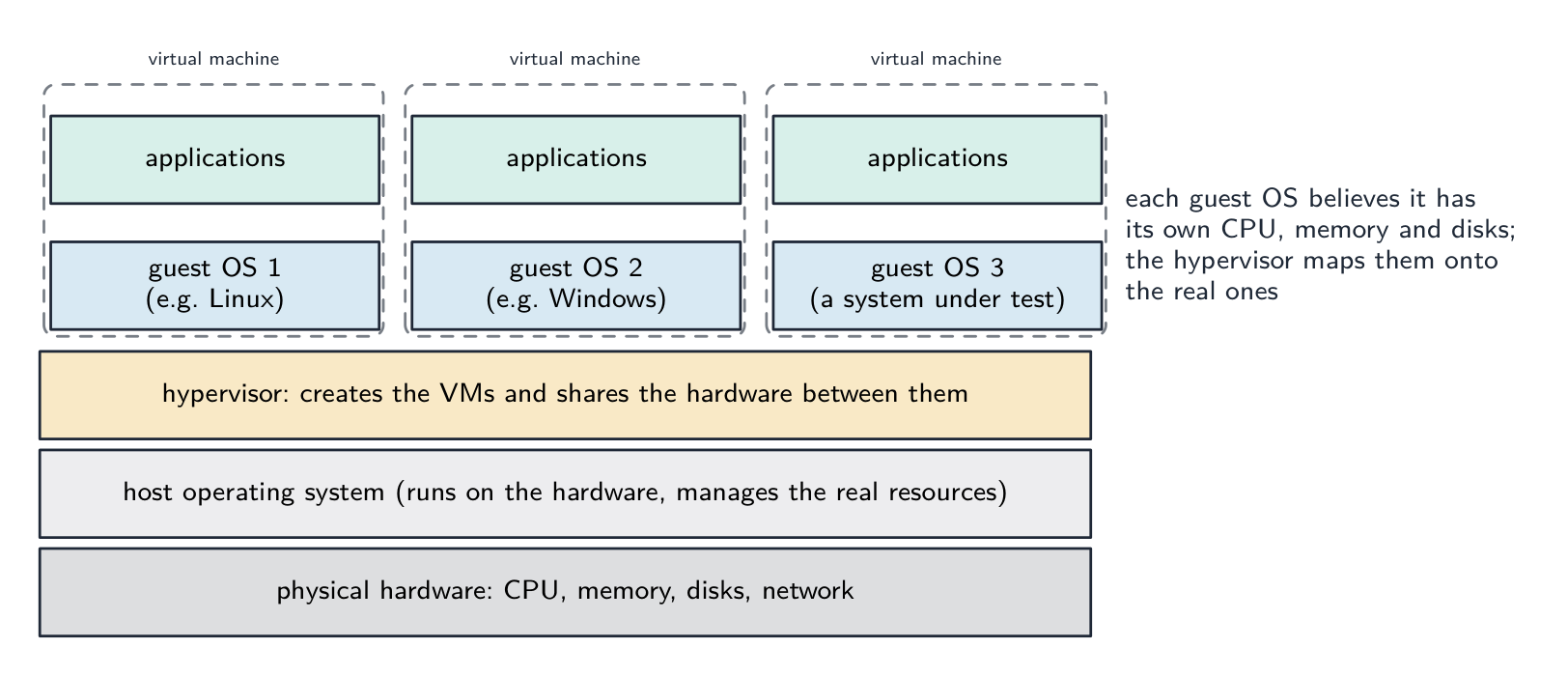 English
A virtual machine 虚拟机 (VM) is a software emulation of a whole computer — the software inside sees a CPU, memory and disks that look real but are managed by host software.
- a system VM runs a complete OS. A hypervisor 虚拟机监控器 creates and manages VMs, each booting its own guest OS. Uses: run different OSes on one machine; server consolidation; sandboxing 沙箱 (risky software runs isolated); snapshots.
- a process (language) VM runs one program in portable bytecode 字节码 — the JVM (Java), the CLR (.NET), CPython. Benefits: portability ("write once, run anywhere"), runtime safety checks, and just-in-time compilation 即时编译 for near-native speed. The cost is an extra layer and needing the VM installed.
"Describe what is meant by a virtual machine" (two marks). A software emulation (implementation) of a computer system that runs on a host computer and behaves, to the programs running inside it, like a separate physical computer with its own processor, memory and storage. The host operating system 宿主操作系统 runs on the actual hardware, manages the real resources and (through the hypervisor) creates and controls the virtual machines; each guest operating system 客户操作系统 runs inside a virtual machine, manages the applications in it, and is unaware that its hardware is virtual.
Benefits (give two). Several different operating systems can run on one machine at the same time; software can be tested on many systems without buying the hardware; a new computer system can be emulated and tried before it is built; each VM is isolated, so a crash or malware in one does not affect the host or the others; VMs can be copied, moved and backed up as files, and a server can be shared between many users, reducing hardware cost. Limitations (give two). A VM runs more slowly than the real hardware because every instruction passes through the emulation layer; it consumes the host's memory and processing power, so the host must be powerful; some hardware features or devices are not emulated exactly, so the tested software may behave differently on the real machine; licences are needed for each guest OS, and setting the system up needs expertise.
日本語A virtual machine 虚拟机 (VM) is a software emulation of a whole computer — the software inside sees a CPU, memory and disks that look real but are managed by host software.
- a system VM runs a complete OS. A hypervisor 虚拟机监控器 creates and manages VMs, each booting its own guest OS. Uses: run different OSes on one machine; server consolidation; sandboxing 沙箱 (risky software runs isolated); snapshots.
- a process (language) VM runs one program in portable bytecode 字节码 — the JVM (Java), the CLR (.NET), CPython. Benefits: portability ("write once, run anywhere"), runtime safety checks, and just-in-time compilation 即时编译 for near-native speed. The cost is an extra layer and needing the VM installed.
One real computer, several apparent ones: the host operating system and hypervisor share the hardware, and each guest operating system runs as if it had a machine of its own "Describe what is meant by a virtual machine" (two marks). A software emulation (implementation) of a computer system that runs on a host computer and behaves, to the programs running inside it, like a separate physical computer with its own processor, memory and storage. The host operating system 宿主操作系统 runs on the actual hardware, manages the real resources and (through the hypervisor) creates and controls the virtual machines; each guest operating system 客户操作系统 runs inside a virtual machine, manages the applications in it, and is unaware that its hardware is virtual.
Benefits (give two). Several different operating systems can run on one machine at the same time; software can be tested on many systems without buying the hardware; a new computer system can be emulated and tried before it is built; each VM is isolated, so a crash or malware in one does not affect the host or the others; VMs can be copied, moved and backed up as files, and a server can be shared between many users, reducing hardware cost. Limitations (give two). A VM runs more slowly than the real hardware because every instruction passes through the emulation layer; it consumes the host's memory and processing power, so the host must be powerful; some hardware features or devices are not emulated exactly, so the tested software may behave differently on the real machine; licences are needed for each guest OS, and setting the system up needs expertise.
Explore · 探索Computing concept lab · コンピューティング概念ラボ
Classify concrete examples by the computing idea they demonstrate. · 具体的な例を、それが示すコンピューティングのアイデアに基づいて分類せよ。
Vocabulary · 語彙 Train · 練習するEnglish 日本語 virtual machine/ˈvɜːtʃuːəl məˈʃiːn/ 仮想マシン hypervisor/ˌhaɪpəˈvaɪzə/ ハイパーバイザー sandboxing/ˈsændbɒksɪŋ/ サンドボックス bytecode/ˈbaɪtkəʊd/ バイトコード just-in-time compilation/dʒʌst ɪn taɪm ˌkɒmpɪˈleɪʃn/ ジャストインタイムコンパイル host operating system/həʊst ˈɒpəreɪtɪŋ ˈsɪstəm/ ホストオペレーティングシステム guest operating system/ɡest ˈɒpəreɪtɪŋ ˈsɪstəm/ ゲストオペレーティングシステム 15.2
Boolean algebra
Syllabus · シラバス
EnglishCandidates should be able to: Notes and guidance Produce truth tables for logic circuits including half adders and full adders May include logic gates with more than two inputs Show understanding of a flip-flop (SR, JK) Draw a logic circuit and derive a truth table for a flip-flop Understand of the role of flip-flops as data storage elements Show understanding of Boolean algebra Understand De Morgan’s laws Perform Boolean algebra using De Morgan’s laws Simplify a logic circuit/expression using Boolean algebra Show understanding of Karnaugh maps (K-map) Understand of the benefits of using Karnaugh maps Solve logic problems using Karnaugh maps 日本語受験者は以下的能力を備えているべきである: メモおよびガイドライン ハーフ加算器およびフル加算器を含む論理回路の真値表を作成する能力 2つ以上の入力を持つ論理ゲートを含む場合あり フラップフロップ(SR, JK)の理解 フラップフロップの論理回路を描き、真値表を導く データ格納素子としてのフラップフロップの役割の理解 ブール代数の理解 ド・モルガンの法則の理解 ド・モルガンの法則を用いたブール代数の実行 論理回路/式をブール代数で簡略化する カルノー図(K-map)の理解 カルノー図を使用する利点の理解 カルノー図を用いて論理問題を解く Source: Cambridge International syllabus · 出典: Cambridge International シラバス
EnglishThe half adder: XOR + AND add two bits Boolean algebra 布尔代数 simplifies Boolean 布尔 expressions, which can equally be described by truth tables 真值表. Symbols:
+for OR,·for AND (often omitted), an overbar for NOT.Key laws include commutative, associative and distributive (as in ordinary algebra), plus:
- identity $A + 0 = A$, $A \cdot 1 = A$; null $A + 1 = 1$, $A \cdot 0 = 0$.
- idempotent $A + A = A$; inverse $A + \overline{A} = 1$, $A \cdot \overline{A} = 0$.
- De Morgan's laws 德摩根定律: $(A + B)' = A' \cdot B'$; $(A \cdot B)' = A' + B'$ — negate the whole, swap AND/OR, negate each operand.
- absorption 吸收律: $A + AB = A$.
Simplifying reduces the number of terms, so the resulting logic circuit has fewer gates. Example: $Z = AB + A\overline{B} = A(B + \overline{B}) = A$.
The laws with their names (quote the name at each step when "show all working" is asked).
Law OR form AND form identity $A + 0 = A$ $A \cdot 1 = A$ null (annulment) $A + 1 = 1$ $A \cdot 0 = 0$ idempotent $A + A = A$ $A \cdot A = A$ complement (inverse) $A + \overline{A} = 1$ $A \cdot \overline{A} = 0$ commutative $A + B = B + A$ $A \cdot B = B \cdot A$ associative $A + (B + C) = (A + B) + C$ $A(BC) = (AB)C$ distributive $A + BC = (A + B)(A + C)$ $A(B + C) = AB + AC$ absorption $A + AB = A$ $A(A + B) = A$ De Morgan $\overline{A + B} = \overline{A} \cdot \overline{B}$ $\overline{A \cdot B} = \overline{A} + \overline{B}$ double negation $\overline{\overline{A}} = A$ Worked example. Simplify $X = \overline{\overline{(A \cdot B)} \cdot \overline{(A + B)}}$, showing all working.
$X = \overline{\overline{(A \cdot B)}} + \overline{\overline{(A + B)}}$ (De Morgan on the outer bar) $= A \cdot B + A + B$ (double negation) $= A + B$ (absorption, $A + AB = A$, applied with $A + B$ absorbing $AB$).
Worked example. Simplify $(\overline{A + B}) \cdot (\overline{A} + B)$.
$= \overline{A} \cdot \overline{B} \cdot (\overline{A} + B)$ (De Morgan) $= \overline{A}\,\overline{B}\,\overline{A} + \overline{A}\,\overline{B}\,B$ (distributive) $= \overline{A}\,\overline{B} + 0$ (idempotent, complement) $= \overline{A}\,\overline{B}$.
Worked example. Simplify $Y = \overline{A}\,\overline{B}\,\overline{C} + \overline{A}\,\overline{B}\,C + A\,\overline{B}\,C$.
$= \overline{A}\,\overline{B}(\overline{C} + C) + A\,\overline{B}\,C$ (distributive) $= \overline{A}\,\overline{B} + A\,\overline{B}\,C$ (complement, identity) $= \overline{B}(\overline{A} + AC)$ (distributive) $= \overline{B}(\overline{A} + C)$, using $\overline{A} + AC = (\overline{A} + A)(\overline{A} + C) = \overline{A} + C$. Applying De Morgan to a three-input term works the same way: $\overline{A + B + C} = \overline{A} \cdot \overline{B} \cdot \overline{C}$.
Sum-of-products from a truth table. Take every row whose output is 1, write the AND of its inputs (a variable barred where it is 0), and OR the terms: a row with $A = 1, B = 0, C = 1$ gives $A\,\overline{B}\,C$. This is the sum-of-products 积之和 form the exam asks for, and it is the starting point for both algebraic simplification and the Karnaugh map.
日本語The half adder: XOR + AND add two bits Boolean algebra 布尔代数 simplifies Boolean 布尔 expressions, which can equally be described by truth tables 真值表. Symbols:
+for OR,·for AND (often omitted), an overbar for NOT.Key laws include commutative, associative and distributive (as in ordinary algebra), plus:
- identity $A + 0 = A$, $A \cdot 1 = A$; null $A + 1 = 1$, $A \cdot 0 = 0$.
- idempotent $A + A = A$; inverse $A + \overline{A} = 1$, $A \cdot \overline{A} = 0$.
- De Morgan's laws 德摩根定律: $(A + B)' = A' \cdot B'$; $(A \cdot B)' = A' + B'$ — negate the whole, swap AND/OR, negate each operand.
- absorption 吸收律: $A + AB = A$.
Simplifying reduces the number of terms, so the resulting logic circuit has fewer gates. Example: $Z = AB + A\overline{B} = A(B + \overline{B}) = A$.
The laws with their names (quote the name at each step when "show all working" is asked).
Law OR form AND form identity $A + 0 = A$ $A \cdot 1 = A$ null (annulment) $A + 1 = 1$ $A \cdot 0 = 0$ idempotent $A + A = A$ $A \cdot A = A$ complement (inverse) $A + \overline{A} = 1$ $A \cdot \overline{A} = 0$ commutative $A + B = B + A$ $A \cdot B = B \cdot A$ associative $A + (B + C) = (A + B) + C$ $A(BC) = (AB)C$ distributive $A + BC = (A + B)(A + C)$ $A(B + C) = AB + AC$ absorption $A + AB = A$ $A(A + B) = A$ De Morgan $\overline{A + B} = \overline{A} \cdot \overline{B}$ $\overline{A \cdot B} = \overline{A} + \overline{B}$ double negation $\overline{\overline{A}} = A$ Worked example. Simplify $X = \overline{\overline{(A \cdot B)} \cdot \overline{(A + B)}}$, showing all working.
$X = \overline{\overline{(A \cdot B)}} + \overline{\overline{(A + B)}}$ (De Morgan on the outer bar) $= A \cdot B + A + B$ (double negation) $= A + B$ (absorption, $A + AB = A$, applied with $A + B$ absorbing $AB$).
Worked example. Simplify $(\overline{A + B}) \cdot (\overline{A} + B)$.
$= \overline{A} \cdot \overline{B} \cdot (\overline{A} + B)$ (De Morgan) $= \overline{A}\,\overline{B}\,\overline{A} + \overline{A}\,\overline{B}\,B$ (distributive) $= \overline{A}\,\overline{B} + 0$ (idempotent, complement) $= \overline{A}\,\overline{B}$.
Worked example. Simplify $Y = \overline{A}\,\overline{B}\,\overline{C} + \overline{A}\,\overline{B}\,C + A\,\overline{B}\,C$.
$= \overline{A}\,\overline{B}(\overline{C} + C) + A\,\overline{B}\,C$ (distributive) $= \overline{A}\,\overline{B} + A\,\overline{B}\,C$ (complement, identity) $= \overline{B}(\overline{A} + AC)$ (distributive) $= \overline{B}(\overline{A} + C)$, using $\overline{A} + AC = (\overline{A} + A)(\overline{A} + C) = \overline{A} + C$. Applying De Morgan to a three-input term works the same way: $\overline{A + B + C} = \overline{A} \cdot \overline{B} \cdot \overline{C}$.
Sum-of-products from a truth table. Take every row whose output is 1, write the AND of its inputs (a variable barred where it is 0), and OR the terms: a row with $A = 1, B = 0, C = 1$ gives $A\,\overline{B}\,C$. This is the sum-of-products 积之和 form the exam asks for, and it is the starting point for both algebraic simplification and the Karnaugh map.
Explore · 探索Boolean algebra · ブール代数
A·B, A+B, Ā …
Boolean algebra is just these gates written as expressions — compare the truth tables. · ブール代数とは、これらのゲートを式として書いたものにすぎません。真値表を比較してみてください。
Explore · 探索Boolean truth tables · ブール論理の真理表
Pick an operator and the inputs to build its truth table — the algebra behind logic circuits. · 演算子と入力を指定して真理表を作成します。これは論理回路の代数的基础です。
Vocabulary · 語彙 Train · 練習するEnglish 日本語 Boolean algebra/ˈbuːlɪən ˈældʒɪbrə/ ブール代数 Boolean/ˈbuːlɪən/ Boolean truth tables/truːθ ˈteɪblz/ 真値表 De Morgan's laws/də ˈmɔːɡənz lɔːz/ ド・モーガンの法則 absorption/əbˈsɔːpʃn/ 吸収 sum-of-products/sʌm ɒv ˈprɒdʌkts/ 和の積(Sum-of-Products) 15.2
Karnaugh maps
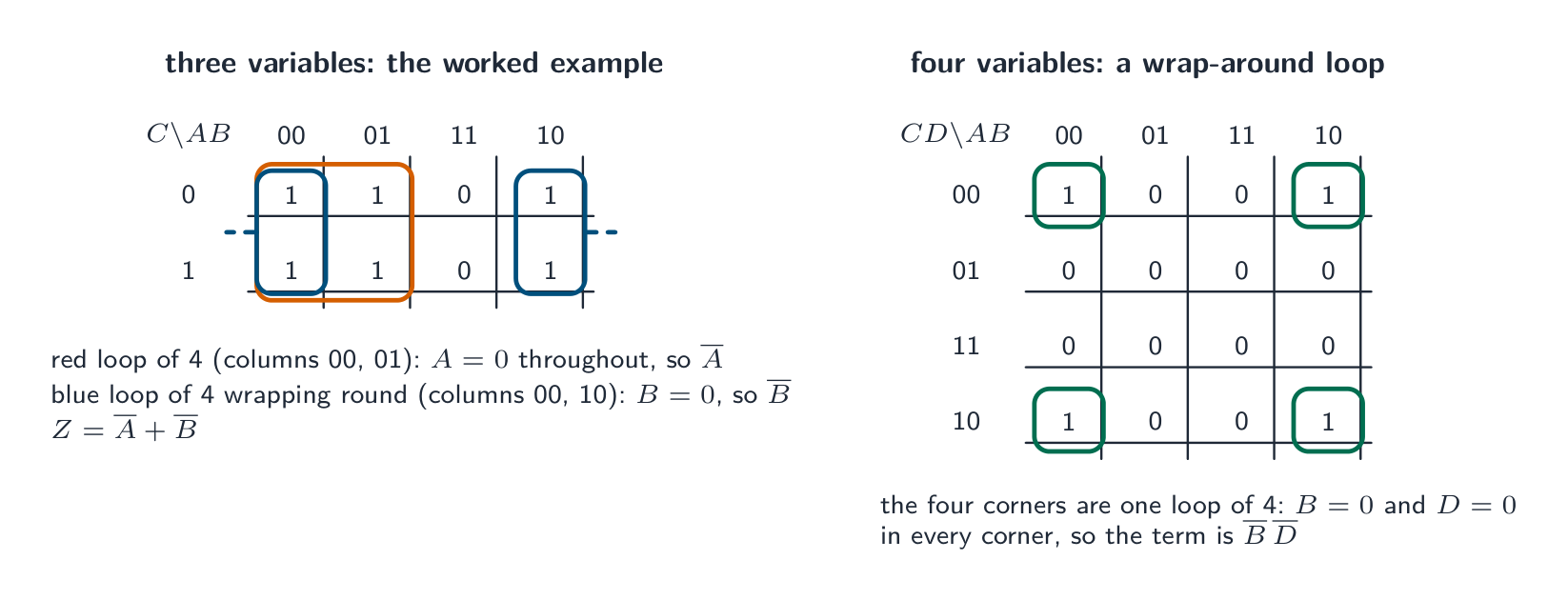 English
A Karnaugh map 卡诺图 (K-map) simplifies a Boolean expression by grouping adjacent 1s from a truth table. Columns and rows use Gray code 格雷码 order (
00,01,11,10) so adjacent cells differ in one variable.Place a 1 in each cell where the output is 1. Find rectangular groups of 1s whose sides are powers of 2 (1, 2, 4, 8), wrapping around edges if it makes a bigger group. The larger the group, the simpler the term: a group of 2 drops one variable, a group of 4 drops two, and so on — variables that change within the group disappear. OR the group terms together for the simplified expression. Cover every 1 using as few, as large, groups as possible.
Worked example. A Karnaugh map for $A$ and $B$ has 1s in the cells $\overline{A}B$ and $AB$. Simplify. The two 1s are adjacent - they share the $B=1$ column - so group them as a rectangle of 2. Inside that group $B$ stays 1 throughout while $A$ changes from 0 to 1, and any variable that changes within a group disappears. So the group leaves simply $X = B$. Compare that with the sum of products read straight off the table, $\overline{A}B + AB$: the same circuit, two gates fewer. Two rules do most of the work - make each group as large as possible (a group of 2 drops one variable, 4 drops two, 8 drops three), and remember the map wraps around its edges, so the leftmost and rightmost columns are adjacent. That wrap is the grouping most candidates miss.
Building and reading a K-map. Label the columns $AB$ and the rows $C$ (or $CD$) in Gray-code order
00 01 11 10, so that neighbouring cells differ in one variable only. Put a 1 in every cell whose minterm appears in the expression (or whose truth-table row outputs 1). Then draw the fewest, largest loops that cover every 1: each loop must be a rectangle of $1, 2, 4$ or $8$ cells, loops may overlap, may wrap across the left–right and top–bottom edges, and the four corners together make a loop. For each loop write the variables that are constant inside it (barred if 0), and OR the loop terms: that is the optimal sum-of-products. Why use one? It gives the simplest expression without algebra, in a few steps, with less chance of error, and the same map suits three or four variables.Worked example. $Z = \overline{A}\,\overline{B}\,\overline{C} + \overline{A}\,\overline{B}\,C + \overline{A}\,B\,\overline{C} + \overline{A}\,B\,C + A\,\overline{B}\,\overline{C} + A\,\overline{B}\,C$.
On the three-variable map the 1s fill columns 00, 01 and 10 in both rows. The loop of four over columns 00 and 01 has $A = 0$ throughout and $B$, $C$ both varying: term $\overline{A}$. The loop of four over columns 00 and 10 (wrapping round) has $B = 0$ throughout: term $\overline{B}$. So $Z = \overline{A} + \overline{B}$, which Boolean algebra confirms: $\overline{A}(\overline{B} + B) + \ldots = \overline{A} + \overline{B}$. Two loops of two would also be correct but not optimal; a loop is as large as the 1s allow.
Worked example (four variables). A map has 1s only in its four corners: $\overline{A}\,\overline{B}\,\overline{C}\,\overline{D}$, $A\,\overline{B}\,\overline{C}\,\overline{D}$, $\overline{A}\,\overline{B}\,C\,\overline{D}$ and $A\,\overline{B}\,C\,\overline{D}$. Because the top and bottom rows are adjacent and so are the outer columns, the corners are one loop of four; $B = 0$ and $D = 0$ in all of them while $A$ and $C$ vary, so $Z = \overline{B}\,\overline{D}$.
日本語A Karnaugh map 卡诺图 (K-map) simplifies a Boolean expression by grouping adjacent 1s from a truth table. Columns and rows use Gray code 格雷码 order (
00,01,11,10) so adjacent cells differ in one variable.Place a 1 in each cell where the output is 1. Find rectangular groups of 1s whose sides are powers of 2 (1, 2, 4, 8), wrapping around edges if it makes a bigger group. The larger the group, the simpler the term: a group of 2 drops one variable, a group of 4 drops two, and so on — variables that change within the group disappear. OR the group terms together for the simplified expression. Cover every 1 using as few, as large, groups as possible.
Worked example. A Karnaugh map for $A$ and $B$ has 1s in the cells $\overline{A}B$ and $AB$. Simplify. The two 1s are adjacent - they share the $B=1$ column - so group them as a rectangle of 2. Inside that group $B$ stays 1 throughout while $A$ changes from 0 to 1, and any variable that changes within a group disappears. So the group leaves simply $X = B$. Compare that with the sum of products read straight off the table, $\overline{A}B + AB$: the same circuit, two gates fewer. Two rules do most of the work - make each group as large as possible (a group of 2 drops one variable, 4 drops two, 8 drops three), and remember the map wraps around its edges, so the leftmost and rightmost columns are adjacent. That wrap is the grouping most candidates miss.
Loops of 1, 2, 4 or 8 ones; the term for a loop keeps only the variables that do not change inside it. Edges join, so a loop may wrap round, and the four corners count as adjacent Building and reading a K-map. Label the columns $AB$ and the rows $C$ (or $CD$) in Gray-code order
00 01 11 10, so that neighbouring cells differ in one variable only. Put a 1 in every cell whose minterm appears in the expression (or whose truth-table row outputs 1). Then draw the fewest, largest loops that cover every 1: each loop must be a rectangle of $1, 2, 4$ or $8$ cells, loops may overlap, may wrap across the left–right and top–bottom edges, and the four corners together make a loop. For each loop write the variables that are constant inside it (barred if 0), and OR the loop terms: that is the optimal sum-of-products. Why use one? It gives the simplest expression without algebra, in a few steps, with less chance of error, and the same map suits three or four variables.Worked example. $Z = \overline{A}\,\overline{B}\,\overline{C} + \overline{A}\,\overline{B}\,C + \overline{A}\,B\,\overline{C} + \overline{A}\,B\,C + A\,\overline{B}\,\overline{C} + A\,\overline{B}\,C$.
On the three-variable map the 1s fill columns 00, 01 and 10 in both rows. The loop of four over columns 00 and 01 has $A = 0$ throughout and $B$, $C$ both varying: term $\overline{A}$. The loop of four over columns 00 and 10 (wrapping round) has $B = 0$ throughout: term $\overline{B}$. So $Z = \overline{A} + \overline{B}$, which Boolean algebra confirms: $\overline{A}(\overline{B} + B) + \ldots = \overline{A} + \overline{B}$. Two loops of two would also be correct but not optimal; a loop is as large as the 1s allow.
Worked example (four variables). A map has 1s only in its four corners: $\overline{A}\,\overline{B}\,\overline{C}\,\overline{D}$, $A\,\overline{B}\,\overline{C}\,\overline{D}$, $\overline{A}\,\overline{B}\,C\,\overline{D}$ and $A\,\overline{B}\,C\,\overline{D}$. Because the top and bottom rows are adjacent and so are the outer columns, the corners are one loop of four; $B = 0$ and $D = 0$ in all of them while $A$ and $C$ vary, so $Z = \overline{B}\,\overline{D}$.
Vocabulary · 語彙 Train · 練習するEnglish 日本語 Karnaugh map/ˈkɑːnɔː mæp/ カーネー図 Gray code/ɡreɪ kəʊd/ グレーコード 15.2
Half adder and full adder
 English
A half adder 半加器 adds two single bits $A$ and $B$, giving a sum $S$ and a carry 进位 $C$:
A B S C 0 0 0 0 0 1 1 0 1 0 1 0 1 1 0 1 So $S = A \text{ XOR } B$ and $C = A \text{ AND } B$. It ignores any carry-in — hence "half".
A full adder 全加器 adds three bits ($A$, $B$, carry-in), giving a sum and a carry-out: $S = A \text{ XOR } B \text{ XOR } C_{\text{in}}$. It can be built from two half adders plus an OR gate. Chaining full adders (each carry-out feeding the next carry-in) makes a multi-bit "ripple-carry" adder.
The full-adder truth table. With inputs $A$, $B$ and the carry-in $C_{\text{in}}$: the sum $S$ is 1 when an odd number of inputs is 1, and the carry-out is 1 when two or more inputs are 1.
$A$ $B$ $C_{\text{in}}$ $S$ $C_{\text{out}}$ 0 0 0 0 0 0 0 1 1 0 0 1 0 1 0 0 1 1 0 1 1 0 0 1 0 1 0 1 0 1 1 1 0 0 1 1 1 1 1 1 The circuit questions the exam sets. Given a circuit of an XOR and an AND gate sharing two inputs, or two half adders and an OR gate, "complete the truth table (show your working)" means adding a column for every intermediate gate output and filling the rows in order; "state the name of the circuit" is half adder or full adder; "state the purpose of each output" is the sum of the bits and the carry to the next column. Sum-of-products for the half adder: $S = \overline{A}B + A\overline{B}$, $C = AB$. A chain of full adders, each passing its carry-out to the next carry-in, adds two multi-bit numbers.
日本語A half adder 半加器 adds two single bits $A$ and $B$, giving a sum $S$ and a carry 进位 $C$:
A B S C 0 0 0 0 0 1 1 0 1 0 1 0 1 1 0 1 So $S = A \text{ XOR } B$ and $C = A \text{ AND } B$. It ignores any carry-in — hence "half".
A half adder, as a block and as a circuit of an XOR and an AND gate A full adder 全加器 adds three bits ($A$, $B$, carry-in), giving a sum and a carry-out: $S = A \text{ XOR } B \text{ XOR } C_{\text{in}}$. It can be built from two half adders plus an OR gate. Chaining full adders (each carry-out feeding the next carry-in) makes a multi-bit "ripple-carry" adder.

A full adder is built from two half adders and an OR gate The full-adder truth table. With inputs $A$, $B$ and the carry-in $C_{\text{in}}$: the sum $S$ is 1 when an odd number of inputs is 1, and the carry-out is 1 when two or more inputs are 1.
$A$ $B$ $C_{\text{in}}$ $S$ $C_{\text{out}}$ 0 0 0 0 0 0 0 1 1 0 0 1 0 1 0 0 1 1 0 1 1 0 0 1 0 1 0 1 0 1 1 1 0 0 1 1 1 1 1 1 The circuit questions the exam sets. Given a circuit of an XOR and an AND gate sharing two inputs, or two half adders and an OR gate, "complete the truth table (show your working)" means adding a column for every intermediate gate output and filling the rows in order; "state the name of the circuit" is half adder or full adder; "state the purpose of each output" is the sum of the bits and the carry to the next column. Sum-of-products for the half adder: $S = \overline{A}B + A\overline{B}$, $C = AB$. A chain of full adders, each passing its carry-out to the next carry-in, adds two multi-bit numbers.
Explore · 探索The gates inside an adder · 加算器内部のゲート
A half-adder's sum bit is an XOR gate and its carry is an AND gate — toggle A and B and watch the truth-table row light up. · ハーフ加算器の和 bit は XOR ゲート、 carry bit は AND ゲートです — A と B を切り替えて、真値表の行が点灯するか確認してください。
Vocabulary · 語彙 Train · 練習するEnglish 日本語 half adder/hɑːf ˈædə/ ハーフアダラー carry/ˈkæri/ キャリー full adder/fʊl ˈædə/ フル加算器 15.2
Flip-flops
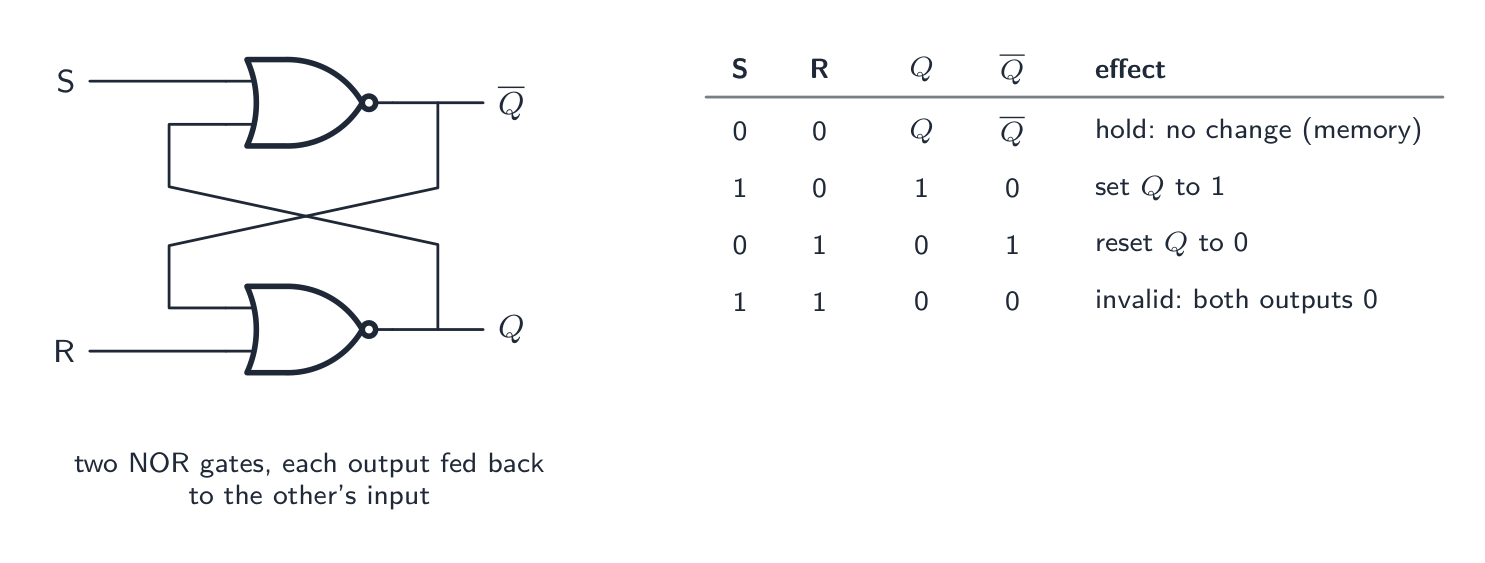 English
A flip-flop 触发器 is a bistable 双稳态 circuit — two stable states (0 and 1) — that remembers its state. It stores one bit and is the basic element of registers and SRAM.
SR flip-flop
An SR flip-flop SR触发器 has inputs S (set) and R (reset) and outputs Q and $\overline{Q}$.
S=1,R=0sets Q to 1;S=0,R=1resets it to 0;S=0,R=0holds;S=1,R=1is invalid. Built from two cross-coupled NOR gates."Draw a logic circuit for an SR flip-flop and label the inputs." Two NOR gates (or two NAND gates), the output of each connected back to one input of the other; the free input of one gate is S, of the other R; the outputs are $Q$ and $\overline{Q}$. The feedback is what the marks are for: without it there is no memory. "State the purpose of a flip-flop." To store one bit of data; it is the basic memory element from which registers and static RAM are built, and it holds its value until it is deliberately changed. The invalid input $S = R = 1$ makes both outputs 0, so that $\overline{Q}$ is no longer the complement of $Q$, and the state after both inputs return to 0 is unpredictable, which is the SR flip-flop's weakness.
JK flip-flop
A JK flip-flop JK触发器 improves on it by using the previously-invalid
1,1input as a toggle 翻转 (the output flips). This makes it ideal for building counters 计数器 (a chain of toggling flip-flops). It is usually clocked — inputs act only on a clock edge, keeping flip-flops synchronised.Flip-flops are the building blocks of registers (n bits = n flip-flops), counters, and SRAM 静态RAM cells.
JK flip-flop truth table. The clock 时钟 input decides when the J and K inputs are read, so the output changes only on a clock pulse: with $J = K = 0$ the output is held; $J = 1, K = 0$ sets $Q$ to 1; $J = 0, K = 1$ resets it to 0; $J = K = 1$ toggles it (Q becomes $\overline{Q}$). The last row is exactly the SR flip-flop's forbidden input turned into a useful one, which is why the JK is preferred: every input combination is valid, and the clocked operation makes it the building block of counters and shift registers.
日本語A flip-flop 触发器 is a bistable 双稳态 circuit — two stable states (0 and 1) — that remembers its state. It stores one bit and is the basic element of registers and SRAM.
SR flip-flop
An SR flip-flop SR触发器 has inputs S (set) and R (reset) and outputs Q and $\overline{Q}$.
S=1,R=0sets Q to 1;S=0,R=1resets it to 0;S=0,R=0holds;S=1,R=1is invalid. Built from two cross-coupled NOR gates.The SR flip-flop: two NOR gates feeding each other. With both inputs 0 the outputs hold whatever they were, which is the memory; S sets Q to 1, R resets it, and S = R = 1 is not allowed "Draw a logic circuit for an SR flip-flop and label the inputs." Two NOR gates (or two NAND gates), the output of each connected back to one input of the other; the free input of one gate is S, of the other R; the outputs are $Q$ and $\overline{Q}$. The feedback is what the marks are for: without it there is no memory. "State the purpose of a flip-flop." To store one bit of data; it is the basic memory element from which registers and static RAM are built, and it holds its value until it is deliberately changed. The invalid input $S = R = 1$ makes both outputs 0, so that $\overline{Q}$ is no longer the complement of $Q$, and the state after both inputs return to 0 is unpredictable, which is the SR flip-flop's weakness.
JK flip-flop
A JK flip-flop JK触发器 improves on it by using the previously-invalid
1,1input as a toggle 翻转 (the output flips). This makes it ideal for building counters 计数器 (a chain of toggling flip-flops). It is usually clocked — inputs act only on a clock edge, keeping flip-flops synchronised.
A JK flip-flop: its symbol and a build from NAND gates Flip-flops are the building blocks of registers (n bits = n flip-flops), counters, and SRAM 静态RAM cells.
JK flip-flop truth table. The clock 时钟 input decides when the J and K inputs are read, so the output changes only on a clock pulse: with $J = K = 0$ the output is held; $J = 1, K = 0$ sets $Q$ to 1; $J = 0, K = 1$ resets it to 0; $J = K = 1$ toggles it (Q becomes $\overline{Q}$). The last row is exactly the SR flip-flop's forbidden input turned into a useful one, which is why the JK is preferred: every input combination is valid, and the clocked operation makes it the building block of counters and shift registers.
Vocabulary · 語彙 Train · 練習するEnglish 日本語 flip-flop/flɪp flɒp/ フリップフロップ bistable/baɪˈsteɪbl/ バイステイブル toggle/ˈtɒɡl/ トグル counters/ˈkaʊntəz/ カウンタ SRAM/ˈesræm/ SRAM clock/klɒk/ クロック SR flip-flop/ˌes ˈɑː flɪp flɒp/ SR フリップフロップ JK flip-flop/ˌdʒeɪ ˈkeɪ flɪp flɒp/ JK フリップフロップ 15.2
Definitions the examiner accepts
A definition question is marked against fixed wording. Learn these exactly, and give one answer only.
Term Definition RISC a processor with a small set of simple, fixed-length instructions, most executed in one clock cycle, using many registers and pipelining CISC a processor with a large set of complex, variable-length instructions, many taking several clock cycles and accessing memory directly pipelining dividing the fetch–execute cycle into stages so that several instructions are processed at once, each at a different stage SISD / SIMD / MISD / MIMD one instruction on one data item; one instruction on many data items; many instructions on one data item; many instructions on many data items massively parallel computer thousands of processors, each with its own memory, connected by a network and working simultaneously on one problem virtual machine a software emulation of a computer system running on a host computer and behaving like a separate physical computer hypervisor the software that creates virtual machines and shares the host's hardware between them truth table a table listing every combination of inputs to a logic circuit with the resulting output(s) sum-of-products a Boolean expression written as the OR of AND terms, one term for each input combination giving 1 Karnaugh map a grid of the truth-table outputs, arranged in Gray-code order, in which loops of adjacent 1s give the simplified expression half adder a circuit that adds two bits, producing a sum and a carry full adder a circuit that adds two bits and a carry-in, producing a sum and a carry-out flip-flop a bistable circuit that stores one bit, holding its output until its inputs change it 15.2
Exam tips
- RISC and CISC are answered as lists of features: simple, fixed, one cycle, many registers, load/store, pipelined against complex, variable, multi-cycle, fewer registers, direct memory access, microcode. Four of each.
- Pipelining: stages, several instructions at once, one completed per cycle, higher throughput; $n + k - 1$ cycles for $n$ instructions through $k$ stages; interrupts must empty the pipeline.
- Flynn's four categories are "how many instruction streams" by "how many data streams"; say what runs on what. Massively parallel: many processors, own memory, network, same problem.
- Virtual machine: emulation of a computer on a host; host OS on the hardware, hypervisor sharing it, guest OS inside. Two benefits and two limitations, each a full sentence.
- Boolean algebra: name each law as you use it; De Morgan swaps the operator and negates each term; check with a truth table if in doubt.
- K-map: Gray-code order, largest loops of 1/2/4/8, wrapping allowed, one term per loop with the unchanging variables. State why: simplest expression with no algebra.
- Half adder gives sum and carry; full adder also takes a carry-in; SR flip-flop is two cross-coupled NOR/NAND gates and stores one bit; JK's 1,1 input toggles.
Common mistakes
- Swapping the RISC and CISC feature lists, or offering "faster" as a feature; give the design features, not a verdict.
- Describing pipelining as "running instructions in parallel on several cores"; it is stages of one processor overlapping.
- Confusing SIMD (one instruction, many data) with MIMD (many of both), or describing MISD as the common case.
- Defining a virtual machine as "a copy of a computer" without the word emulation or the host and guest.
- Applying De Morgan to only part of an expression under a long bar, or dropping the bar without swapping AND for OR.
- Looping a group of three, or a non-rectangular group, in a K-map; ordering the columns 00, 01, 10, 11 instead of Gray code.
- Writing the carry of a half adder as XOR and the sum as AND.
- Drawing an SR flip-flop as two gates with no feedback, or leaving out the invalid state from its truth table.
-
16
System Software · システムソフトウェア
Watch lesson · レッスンを視聴16.1
How an OS maximises use of resources

Syllabus · シラバス
EnglishCandidates should be able to: Notes and guidance Show understanding of how an OS can maximise the use of resources Describe the ways in which the user interface hides the complexities of the hardware from the user Show understanding of process management The concept of multi-tasking and a process The process states: running, ready and blocked The need for scheduling and the function and benefits of different scheduling routines (including round robin, shortest job first, first come first served, shortest remaining time) How the kernel of the OS acts as an interrupt handler and how interrupt handling is used to manage low-level scheduling Show understanding of virtual memory, paging and segmentation for memory management The concepts of paging, virtual memory and segmentation The difference between paging and segmentation How pages can be replaced How disk thrashing can occur 日本語受験者は以下的能力を備えているべきである: メモおよびガイドライン OSがリソースの使用を最大化する方法を理解する ユーザーインターフェースがハードウェアの複雑さをユーザーから隠蔽する方法を説明する プロセス管理の理解 マルチタスクとプロセスの概念 プロセスの状態:実行中, 就绪, ブロック待機 スケジューリングの必要性および異なるスケジューリングルーチンの機能と利点(ラウンドロビン, 最短ジョブファースト, 先来者サービス, 最短残り時間) OSのカーネルが割り込みハンドラとして機能し、割り込み処理が低レベルスケジューリングを管理するためにどのように使用されるか メモリ管理のための仮想メモリ, ページング, セグメンテーションの理解 ページング, 仮想メモリ, セグメンテーションの概念 ページングとセグメンテーションの違い ページが置換される方法 ディスクスワッピングが発生する理由 Source: Cambridge International syllabus · 出典: Cambridge International シラバス
EnglishA computer has many resources (CPU time, memory, disk, I/O) and many programs competing for them. The OS shares them fairly and efficiently so each is well used and the system stays responsive:
- multi-tasking 多任务 — switch the CPU quickly between processes so several seem to run at once.
- memory management — give each process the memory it needs; use disk paging 分页 when RAM runs out.
- spooling 假脱机 and buffering — print jobs queue on disk so the CPU never waits for the printer.
- caching — keep recently-used disk data in cache 高速缓存 / RAM.
日本語A computer has many resources (CPU time, memory, disk, I/O) and many programs competing for them. The OS shares them fairly and efficiently so each is well used and the system stays responsive:
The OS shares the CPU, memory, disk and I/O between programs - multi-tasking 多任务 — switch the CPU quickly between processes so several seem to run at once.
- memory management — give each process the memory it needs; use disk paging 分页 when RAM runs out.
- spooling 假脱机 and buffering — print jobs queue on disk so the CPU never waits for the printer.
- caching — keep recently-used disk data in cache 高速缓存 / RAM.

The processor is a key resource the OS shares between competing tasks 
The OS also manages memory (RAM), deciding what to keep in it and what to page out to disk Vocabulary · 語彙 Train · 練習するEnglish 日本語 multi-tasking/ˈmʌlti ˈtæskɪŋ/ マルチタスク paging/ˈpeɪdʒɪŋ/ ページングである spooling/ˈspuːlɪŋ/ スプーリング cache/kæʃ/ cache 16.1
The user interface
The user interface hides the hardware behind friendly abstractions: the user sees windows, menus and folders, not addresses or sectors. One click on an icon makes the OS find the program on disk, allocate memory, load it and start it. A CLI (command line) is powerful and scriptable for experts; a GUI (graphical) is easier to learn. Most systems offer both.
"Describe two ways in which the complexities of the hardware are hidden from the user." (1) The user works with files and folders by name, and the OS translates them into the tracks, sectors and blocks of the disk; (2) the user runs a program with a click or a command, and the OS loads it, allocates memory and schedules it without the user knowing any addresses; (3) device drivers let the user print or save without knowing how the printer or disk is controlled; (4) a graphical interface replaces machine-level commands with icons, windows and menus. The benefit to a student, with an example: the OS makes the hardware usable without technical knowledge, for instance saving a document to a USB drive by dragging its icon.
"Show how an OS maximises the use of resources." It schedules the processor so that it is never idle while a process is ready; it manages memory, allocating it to processes, reclaiming it and extending it with virtual memory; it manages input and output, using buffers and spooling so that fast and slow devices overlap their work; and it manages storage, keeping track of free space and files. Each point names a resource and what the OS does with it.
16.1
Process management
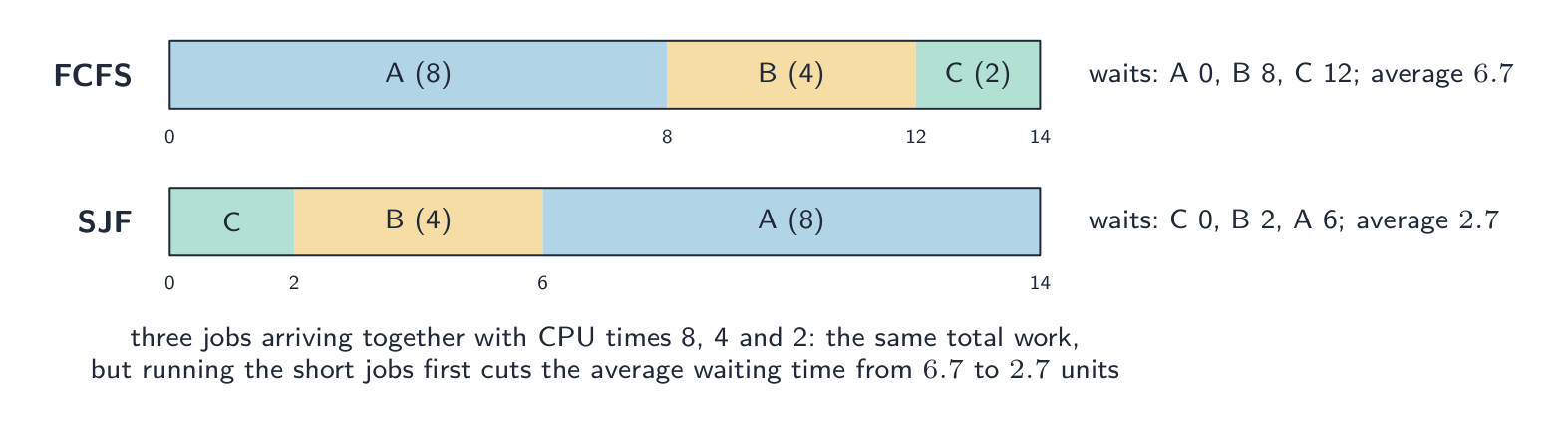 English
A process 进程 is a program in execution — its code, current state, memory and open files.
Scheduling
The scheduler 调度器 chooses which ready process runs next, and for how long:
- round robin 轮转 — each process gets a fixed time slice 时间片, then goes to the back of the queue.
- first-come-first-served; shortest job first; shortest remaining time (run the job with the least work left); priority; multilevel feedback queues.
The trade-off is responsiveness vs throughput vs fairness.
"Describe what is meant by multi-tasking and how it benefits process management." Several processes are held in memory at the same time and the processor switches between them so quickly that they appear to run simultaneously, each given a share of processor time in turn. The benefit: the processor is never left idle while one process waits for input or output, so throughput is higher and the user can work on several programs at once. "Explain the need for scheduling." There are more processes than processors, so a decision must be made about which process runs next and for how long; scheduling makes sure every process makes progress, that the processor is fully used, that response times are acceptable, and that priorities can be respected.
The scheduling routines, as the exam wants them described.
Routine Function Benefit Drawback first come first served (FCFS) processes run in the order in which they arrive in the ready queue, each to completion simple; every process is dealt with in turn, none is starved a long process holds up all the short ones behind it; poor response shortest job first (SJF) the ready process with the shortest estimated run time runs next, to completion minimises the average waiting time; many short jobs finish quickly run times must be known in advance; a long job may never run (starvation) shortest remaining time (SRT) pre-emptive 抢占式 version of SJF: if a new process arrives with less time left than the running one, it takes over short processes are served even faster; good throughput more context switches; a long job can be interrupted repeatedly and starve round robin (RR) each ready process gets a fixed time slice in turn; when it expires the process goes to the back of the queue fair; every process responds within a bounded time, good for interactive use context-switch overhead; a very short slice wastes time, a long one delays others priority the ready process with the highest priority runs first important or time-critical work is done first low-priority processes may starve unless priorities age Worked example. Three processes arrive together with CPU times of 8, 4 and 2 ms. Compare the average waiting time under FCFS (in arrival order A, B, C) and under shortest job first.
FCFS: A waits 0, B waits 8, C waits 12; average $(0 + 8 + 12)/3 = 6.7\ \text{ms}$. SJF runs C, B, A: C waits 0, B waits 2, A waits 6; average $2.7\ \text{ms}$. The total work is the same 14 ms either way; the order decides who waits. Round robin with a 2 ms slice would give A, B and C each a turn in the first 6 ms, so C finishes at 6 ms, B at 12 ms and A at 14 ms: the most responsive, not the fastest on average.
Process states
A process is new, ready (waiting for the CPU), running, blocked 阻塞 (waiting for I/O or a lock), or terminated. When its time slice ends it goes running → ready; when it requests I/O it goes running → blocked; when the I/O finishes it goes blocked → ready.
The three states and why a process moves. Running: the process has the processor. Ready: it could run but is waiting for the processor. Blocked: it cannot run until something else happens. Reasons for each transition, which the exam asks for one at a time: running to ready when its time slice ends, or when a higher-priority process becomes ready and pre-empts it (an interrupt); running to blocked when it requests input or output or waits for a resource or another process; blocked to ready when the I/O it was waiting for completes (signalled by an interrupt); ready to running when the scheduler dispatches it. A blocked process can never go straight to running: it must become ready first.
Process control block and context switch
For each process the OS keeps a process control block 进程控制块 (PCB) — the saved program counter, registers, state and memory info.
- a context switch 上下文切换 suspends one process and starts another: it saves the state into one PCB and restores it from another. This small cost is paid on every switch.
- the kernel 内核 (the core of the OS) acts as an interrupt handler 中断处理程序. When a device or the timer raises an interrupt, interrupt handling 中断处理 saves the running process and runs the right routine — this is what drives low-level scheduling.
"Outline how the kernel acts as an interrupt handler" (two marks). When an interrupt is raised, the kernel saves the state of the running process (its registers and program counter, in its process control block), identifies the source and priority of the interrupt, runs the appropriate interrupt service routine, and then restores the interrupted process (or a higher-priority one) so that execution continues. This is how the timer ends a time slice and how a completed I/O operation unblocks a process.
Inter-process communication
Processes are isolated, so the OS provides inter-process communication 进程间通信: pipes 管道 (one program's output feeds another's input), shared memory 共享内存 (a region several processes can use), and message passing.
日本語A process 进程 is a program in execution — its code, current state, memory and open files.
Scheduling
The scheduler 调度器 chooses which ready process runs next, and for how long:
- round robin 轮转 — each process gets a fixed time slice 时间片, then goes to the back of the queue.
- first-come-first-served; shortest job first; shortest remaining time (run the job with the least work left); priority; multilevel feedback queues.
The trade-off is responsiveness vs throughput vs fairness.
"Describe what is meant by multi-tasking and how it benefits process management." Several processes are held in memory at the same time and the processor switches between them so quickly that they appear to run simultaneously, each given a share of processor time in turn. The benefit: the processor is never left idle while one process waits for input or output, so throughput is higher and the user can work on several programs at once. "Explain the need for scheduling." There are more processes than processors, so a decision must be made about which process runs next and for how long; scheduling makes sure every process makes progress, that the processor is fully used, that response times are acceptable, and that priorities can be respected.
The same work in a different order: shortest-job-first gets the short jobs out of the way, so most jobs wait less, at the risk of a long job waiting for ever The scheduling routines, as the exam wants them described.
Routine Function Benefit Drawback first come first served (FCFS) processes run in the order in which they arrive in the ready queue, each to completion simple; every process is dealt with in turn, none is starved a long process holds up all the short ones behind it; poor response shortest job first (SJF) the ready process with the shortest estimated run time runs next, to completion minimises the average waiting time; many short jobs finish quickly run times must be known in advance; a long job may never run (starvation) shortest remaining time (SRT) pre-emptive 抢占式 version of SJF: if a new process arrives with less time left than the running one, it takes over short processes are served even faster; good throughput more context switches; a long job can be interrupted repeatedly and starve round robin (RR) each ready process gets a fixed time slice in turn; when it expires the process goes to the back of the queue fair; every process responds within a bounded time, good for interactive use context-switch overhead; a very short slice wastes time, a long one delays others priority the ready process with the highest priority runs first important or time-critical work is done first low-priority processes may starve unless priorities age Worked example. Three processes arrive together with CPU times of 8, 4 and 2 ms. Compare the average waiting time under FCFS (in arrival order A, B, C) and under shortest job first.
FCFS: A waits 0, B waits 8, C waits 12; average $(0 + 8 + 12)/3 = 6.7\ \text{ms}$. SJF runs C, B, A: C waits 0, B waits 2, A waits 6; average $2.7\ \text{ms}$. The total work is the same 14 ms either way; the order decides who waits. Round robin with a 2 ms slice would give A, B and C each a turn in the first 6 ms, so C finishes at 6 ms, B at 12 ms and A at 14 ms: the most responsive, not the fastest on average.

First-come-first-served scheduling of four processes 
Round-robin: each process gets a fixed time slice in turn, then the next runs (unlike first-come-first-served) Process states
A process is new, ready (waiting for the CPU), running, blocked 阻塞 (waiting for I/O or a lock), or terminated. When its time slice ends it goes running → ready; when it requests I/O it goes running → blocked; when the I/O finishes it goes blocked → ready.

A process moves between the new, ready, running, blocked and terminated states The three states and why a process moves. Running: the process has the processor. Ready: it could run but is waiting for the processor. Blocked: it cannot run until something else happens. Reasons for each transition, which the exam asks for one at a time: running to ready when its time slice ends, or when a higher-priority process becomes ready and pre-empts it (an interrupt); running to blocked when it requests input or output or waits for a resource or another process; blocked to ready when the I/O it was waiting for completes (signalled by an interrupt); ready to running when the scheduler dispatches it. A blocked process can never go straight to running: it must become ready first.
Process control block and context switch
For each process the OS keeps a process control block 进程控制块 (PCB) — the saved program counter, registers, state and memory info.

A context switch saves one process's state and loads another's - a context switch 上下文切换 suspends one process and starts another: it saves the state into one PCB and restores it from another. This small cost is paid on every switch.
- the kernel 内核 (the core of the OS) acts as an interrupt handler 中断处理程序. When a device or the timer raises an interrupt, interrupt handling 中断处理 saves the running process and runs the right routine — this is what drives low-level scheduling.
"Outline how the kernel acts as an interrupt handler" (two marks). When an interrupt is raised, the kernel saves the state of the running process (its registers and program counter, in its process control block), identifies the source and priority of the interrupt, runs the appropriate interrupt service routine, and then restores the interrupted process (or a higher-priority one) so that execution continues. This is how the timer ends a time slice and how a completed I/O operation unblocks a process.
Inter-process communication
Processes are isolated, so the OS provides inter-process communication 进程间通信: pipes 管道 (one program's output feeds another's input), shared memory 共享内存 (a region several processes can use), and message passing.
Explore · 探索The life of a process · プロセスのライフサイクル
Tap round the loop a process travels. It only runs when the scheduler picks it; needing I/O sends it to blocked, and finishing its time slice sends it back to ready — round and round until it's done. · ループ内を巡回するプロセスの軌跡を確認してください。スケジューラによって選択された時にのみ実行され、I/Oが必要になるとブロックされ、タイムスライスが終了するとレディに戻り、完了するまで繰り返されます。
Vocabulary · 語彙 Train · 練習するEnglish 日本語 process/ˈprəʊses/ プロセス scheduler/ˈʃedjʊlə/ スケジューラ round robin/raʊnd ˈrɒbɪn/ ラウンドロビン time slice/taɪm slaɪs/ タイムスライス pre-emptive/priː ˈemptɪv/ プレエンプティブ blocked/blɒkt/ ブロック状態 process control block/ˈprəʊses kənˈtrəʊl blɒk/ プロセス制御ブロック context switch/ˈkɒntekst swɪtʃ/ コンテキストスイッチ kernel/ˈkɜːnl/ カーネル interrupt handler/ˈɪntərʌpt ˈhændlə/ 割り込みハンドラ interrupt handling/ˈɪntərʌpt ˈhændlɪŋ/ 割り込み処理 inter-process communication/ˈɪntə ˈprəʊses kəˌmjuːnɪˈkeɪʃn/ プロセス間通信 pipes/paɪps/ パイプ shared memory/ʃeəd ˈmeməri/ 共有メモリ 16.1
Virtual memory, paging, segmentation
 English
Each process gets its own virtual address space 虚拟地址空间 — a clean, contiguous range of addresses the OS maps to physical memory. This gives each process a simple space, protects processes from each other, and lets the total memory exceed physical RAM.
In paging, the virtual space is split into fixed-size pages 页 and physical memory into same-sized frames 页框. A page table maps each page to a frame. If an accessed page is not in RAM — a page fault 缺页 — the OS reads it from the swap file 交换文件 into a frame, evicting another page if RAM is full. Frequent faults cause thrashing 抖动 (disk thrashing), where the OS spends most of its time swapping pages instead of doing useful work.
In segmentation 分段, memory is split into variable-sized logical segments (code, stack, heap), each with its own permissions. Many systems use paging within segments.
"Explain what is meant by virtual memory" (three marks). Secondary storage (disk) is used to extend the RAM, so that the available memory appears larger than the physical memory; the address space of a process is divided into pages, and only the pages currently needed are held in RAM while the rest wait on disk; pages are swapped between RAM and disk as required, and the OS translates each virtual address into a physical one. Why an OS needs it: the programs running may need more memory than the RAM installed; it lets more (or larger) programs run at once; a program can be larger than the physical memory; memory is used efficiently because only the active parts of programs occupy RAM.
Paging against segmentation: the difference the exam wants. Paging divides memory into blocks of fixed size (pages and frames) chosen by the hardware, with no regard to the program's structure, and the mapping is invisible to the programmer; segmentation divides a program into variable-sized logical units (a procedure, an array, the stack) whose sizes and boundaries follow the program, so a segment can be protected or shared as a unit. "Describe the process of segmentation": the program is split into segments of different sizes, each given a segment number; a segment table records where each segment starts in memory and how long it is; a logical address is a segment number plus an offset, and the OS adds the offset to the segment's base address to find the physical location.
"Explain what is meant by disk thrashing" and when it occurs. Disk thrashing 磁盘抖动 is the state in which pages are swapped in and out of RAM so frequently that the processor spends more time moving pages than executing instructions, and the system slows almost to a halt. It occurs when the RAM is too small for the pages the running processes need (their working sets): a page just moved out is needed again almost at once, so it is fetched back, which pushes out another page that is soon needed, and so on. Too many processes, or a program that accesses memory unpredictably, brings it on; more RAM or fewer processes cure it.
日本語Each process gets its own virtual address space 虚拟地址空间 — a clean, contiguous range of addresses the OS maps to physical memory. This gives each process a simple space, protects processes from each other, and lets the total memory exceed physical RAM.
In paging, the virtual space is split into fixed-size pages 页 and physical memory into same-sized frames 页框. A page table maps each page to a frame. If an accessed page is not in RAM — a page fault 缺页 — the OS reads it from the swap file 交换文件 into a frame, evicting another page if RAM is full. Frequent faults cause thrashing 抖动 (disk thrashing), where the OS spends most of its time swapping pages instead of doing useful work.
Paging maps each page of logical memory to a frame of physical memory In segmentation 分段, memory is split into variable-sized logical segments (code, stack, heap), each with its own permissions. Many systems use paging within segments.

Segmentation maps variable-sized segments using a segment map table "Explain what is meant by virtual memory" (three marks). Secondary storage (disk) is used to extend the RAM, so that the available memory appears larger than the physical memory; the address space of a process is divided into pages, and only the pages currently needed are held in RAM while the rest wait on disk; pages are swapped between RAM and disk as required, and the OS translates each virtual address into a physical one. Why an OS needs it: the programs running may need more memory than the RAM installed; it lets more (or larger) programs run at once; a program can be larger than the physical memory; memory is used efficiently because only the active parts of programs occupy RAM.
Paging against segmentation: the difference the exam wants. Paging divides memory into blocks of fixed size (pages and frames) chosen by the hardware, with no regard to the program's structure, and the mapping is invisible to the programmer; segmentation divides a program into variable-sized logical units (a procedure, an array, the stack) whose sizes and boundaries follow the program, so a segment can be protected or shared as a unit. "Describe the process of segmentation": the program is split into segments of different sizes, each given a segment number; a segment table records where each segment starts in memory and how long it is; a logical address is a segment number plus an offset, and the OS adds the offset to the segment's base address to find the physical location.
"Explain what is meant by disk thrashing" and when it occurs. Disk thrashing 磁盘抖动 is the state in which pages are swapped in and out of RAM so frequently that the processor spends more time moving pages than executing instructions, and the system slows almost to a halt. It occurs when the RAM is too small for the pages the running processes need (their working sets): a page just moved out is needed again almost at once, so it is fetched back, which pushes out another page that is soon needed, and so on. Too many processes, or a program that accesses memory unpredictably, brings it on; more RAM or fewer processes cure it.
Explore · 探索What happens on a page fault · ページフォールトが発生した際发生了什么か
Step through a page fault. When the program touches a page that isn't in RAM, the OS quietly fetches it from disk and updates the page table — so the program sees more memory than physically exists. · ページフォールトをトレースしてください。プログラムがRAMに存在しないページにアクセスすると、OSは静かにディスクから取得してページテーブルを更新します——これにより、プログラムは物理的に存在する以上のメモリを認識できます。
Vocabulary · 語彙 Train · 練習するEnglish 日本語 virtual address space/ˈvɜːtʃuːəl əˈdres speɪs/ 仮想アドレス空間 pages/ˈpeɪdʒɪz/ ページ frames/freɪmz/ 枠組み page fault/peɪdʒ fɒlt/ ページフォルト swap file/swɒp faɪl/ スワップファイル thrashing/ˈθræʃɪŋ/ スラッシング segmentation/ˌseɡmənˈteɪʃn/ セグメンテーション disk thrashing/dɪsk ˈθræʃɪŋ/ ディスク・スラッシング 16.2
How an interpreter runs a program
Syllabus · シラバス
EnglishCandidates should be able to: Notes and guidance Show understanding of how an interpreter can execute programs without producing a translated version Show understanding of the various stages in the compilation of a program Including lexical analysis, syntax analysis, code generation and optimisation Show understanding of how the grammar of a language can be expressed using syntax diagrams or Backus-Naur Form (BNF) notation Show understanding of how Reverse Polish Notation (RPN) can be used to carry out the evaluation of expressions 日本語受験者は以下的能力を備えているべきである: メモおよびガイドライン インタプリタが翻訳版を生成せずにプログラムを実行する仕組みを理解する プログラムのコンパイルにおける各段階の理解 レキシカル解析, 構文解析, コード生成, 最適化を含む 構文図または**バックス・ノー形式(BNF)**記法を用いて、ある言語の構文を表現する方法を理解する **逆ポーランド記法(RPN)**を用いて数式の評価を行う方法を理解する Source: Cambridge International syllabus · 出典: Cambridge International シラバス
EnglishAn interpreter 解释器 translates and runs the source at the same time. For each statement it reads the line, does lexical and syntax analysis, checks types, then executes the action, and moves on. Errors are reported immediately and it usually stops; no executable is produced. The translation is redone every run (slower), but it gives fast development feedback and is portable.
"Explain how an interpreter executes a program without producing a translated version" (three marks). The interpreter takes one statement (line) at a time, translates (analyses) it, and executes it immediately, before moving to the next; no translated version of the whole program is created or stored, so every statement is translated every time it is executed, including each pass through a loop; if a statement contains an error, execution stops there and the error is reported. This is what makes an interpreter good for developing and testing (errors are found as they are reached, and a change can be tried at once) but slower for running finished programs.
日本語An interpreter 解释器 translates and runs the source at the same time. For each statement it reads the line, does lexical and syntax analysis, checks types, then executes the action, and moves on. Errors are reported immediately and it usually stops; no executable is produced. The translation is redone every run (slower), but it gives fast development feedback and is portable.
"Explain how an interpreter executes a program without producing a translated version" (three marks). The interpreter takes one statement (line) at a time, translates (analyses) it, and executes it immediately, before moving to the next; no translated version of the whole program is created or stored, so every statement is translated every time it is executed, including each pass through a loop; if a statement contains an error, execution stops there and the error is reported. This is what makes an interpreter good for developing and testing (errors are found as they are reached, and a change can be tried at once) but slower for running finished programs.
Vocabulary · 語彙 Train · 練習するEnglish 日本語 interpreter/ɪnˈtɜːprɪtə/ インタプリタ 16.2
Stages of compilation
 English
A compiler 编译器 turns source into machine code 机器码 in phases:
- lexical analysis 词法分析 — the lexer groups characters into tokens 词法单元 (keywords, identifiers, operators, literals), discarding whitespace and comments.
- syntax analysis (parsing) 语法分析 — check the tokens fit the grammar and build an abstract syntax tree 抽象语法树. A missing bracket gives a syntax error 语法错误.
- semantic analysis 语义分析 — check the program makes sense (variables declared, types match).
- code generation 代码生成 — walk the tree and emit target code, choosing registers and layouts.
- code optimisation 代码优化 — remove redundant work, fold constants, reorder for the pipeline.
The output is an executable.
The purpose of each stage, in the words that score. Lexical analysis: removes white space and comments; converts the characters of the source code into tokens (keywords, identifiers, operators, constants), checking that each is valid in the language; enters identifiers into the symbol table 符号表. Syntax analysis: checks that the sequence of tokens obeys the grammar (syntax rules) of the language; builds a parse tree (abstract syntax tree); reports syntax errors; type checking and the checking of variable declarations are sometimes counted here as semantic analysis. Code generation: converts the checked tree into object code or machine code (possibly via an intermediate code), allocating memory and registers. Optimisation: makes the code run faster or use less memory, by removing redundant instructions, combining or simplifying calculations, and reorganising loops, without changing what the program does. The matching question pairs each stage with one of these descriptions.
日本語A compiler 编译器 turns source into machine code 机器码 in phases:
- lexical analysis 词法分析 — the lexer groups characters into tokens 词法单元 (keywords, identifiers, operators, literals), discarding whitespace and comments.
- syntax analysis (parsing) 语法分析 — check the tokens fit the grammar and build an abstract syntax tree 抽象语法树. A missing bracket gives a syntax error 语法错误.
- semantic analysis 语义分析 — check the program makes sense (variables declared, types match).
- code generation 代码生成 — walk the tree and emit target code, choosing registers and layouts.
- code optimisation 代码优化 — remove redundant work, fold constants, reorder for the pipeline.
The output is an executable.
The phases of compilation, from source code to an optimised executable The purpose of each stage, in the words that score. Lexical analysis: removes white space and comments; converts the characters of the source code into tokens (keywords, identifiers, operators, constants), checking that each is valid in the language; enters identifiers into the symbol table 符号表. Syntax analysis: checks that the sequence of tokens obeys the grammar (syntax rules) of the language; builds a parse tree (abstract syntax tree); reports syntax errors; type checking and the checking of variable declarations are sometimes counted here as semantic analysis. Code generation: converts the checked tree into object code or machine code (possibly via an intermediate code), allocating memory and registers. Optimisation: makes the code run faster or use less memory, by removing redundant instructions, combining or simplifying calculations, and reorganising loops, without changing what the program does. The matching question pairs each stage with one of these descriptions.
Explore · 探索The phases of compilation · コンパイルのフェーズ
Step through what a compiler does to your source. Each phase hands its output to the next — characters become tokens, tokens become a tree, the tree becomes optimised machine code. · コンパイラーがソースに対して行う処理を追跡してください。各フェーズは出力を次のフェーズに渡します——文字列がトークンになり、トークンが木になり、木が最適化された機械語になります。
Vocabulary · 語彙 Train · 練習するEnglish 日本語 compiler/kəmˈpaɪlə/ コンパイラ machine code/məˈʃiːn kəʊd/ 機械語 lexical analysis/ˈleksɪkl əˈnæləsɪs/ Lexical分析 tokens/ˈtəʊkənz/ トークン syntax analysis (parsing)/ˈsɪntæks əˈnæləsɪs/ 構文解析(パース) abstract syntax tree/ˈæbstrækt ˈsɪntæks triː/ 抽象構文木 syntax error/ˈsɪntæks ˈerə/ 構文エラー semantic analysis/səˈmæntɪk əˈnæləsɪs/ 意味解析 code generation/kəʊd ˌdʒenəˈreɪʃn/ コード生成 code optimisation/kəʊd ˌɒptɪmaɪˈzeɪʃn/ コード最適化 symbol table/ˈsɪmbl ˈteɪbl/ シンボルテーブル 16.2
Grammar: BNF and syntax diagrams
 English
A grammar 文法 says which token sequences are valid programs.
Backus-Naur Form 巴科斯-诺尔范式 (BNF) is textual. A production rule 产生式 has the form:
Each alternative is a sequence of terminal 终结符 symbols (literal text) and non-terminal 非终结符 symbols (other rule names):
The recursive third rule expresses "a letter followed by any number of letters or digits". An
IFstatement:A syntax diagram 语法图 (railroad diagram) shows the same thing graphically: boxes for non-terminals, rounded boxes for terminals, arrows for valid paths, loops for repetition. The two notations are equivalent. The parser uses the grammar to decide whether a program is valid.
Reading the exam's diagrams. Each diagram defines one non-terminal; follow the arrows from the entry to the exit, and every path you can trace is a valid string. A choice of boxes side by side is a set of alternatives; a loop back is "repeat as many times as you like"; a box for another non-terminal means "insert anything that rule allows". "State why the string is invalid" wants the rule it breaks, in words:
9Kis invalid as a variable because the first character must be a letter, not a digit;JJ90is an invalid passcode if the rule allows only one letter before the digits, or ifJis not in the set of letters listed. Always check the string against the set of characters the diagram actually allows, not against what a real language would accept.Writing BNF from a diagram. Each diagram becomes one rule
<name> ::= ...; alternatives are separated by|; a sequence is written one symbol after another; and repetition is written with recursion, because BNF has no loop symbol: "one or more letters" is<word> ::= <letter> | <letter><word>, and "zero or more digits after a letter" is<variable> ::= <letter> | <letter><digits>with<digits> ::= <digit> | <digit><digits>.Worked example. Complete the BNF for a vehicle registration that must begin with two letters (from
A B C) followed by one, two or three digits (from0 1 2).AB12is valid;A12is not (only one letter);AB1234is not (four digits);AD1is not (Dis not a listed letter). Asked to add a constraint such as "the third character may also be a symbol", add the extra alternative to the rule for that position only, and define<symbol>with its own rule.Worked example. Write BNF for an expression that is a variable, followed by an operator, followed by either a variable or a number, where a variable is a single lower-case letter from
a b cand an operator is+or-.The recursive
<number>rule allows any number of digits; the two alternatives of<expression>cover both cases named in the definition. Keep every non-terminal in angle brackets and every terminal without them.日本語A grammar 文法 says which token sequences are valid programs.
Backus-Naur Form 巴科斯-诺尔范式 (BNF) is textual. A production rule 产生式 has the form:
<symbol> ::= alternative1 | alternative2 | ...Each alternative is a sequence of terminal 终结符 symbols (literal text) and non-terminal 非终结符 symbols (other rule names):
<digit>      ::= 0 | 1 | 2 | 3 | 4 | 5 | 6 | 7 | 8 | 9
<identifier> ::= <letter> | <identifier> <letter> | <identifier> <digit>
The recursive third rule expresses "a letter followed by any number of letters or digits". An
IFstatement:<if-statement> ::= IF <condition> THEN <statement> ENDIF | IF <condition> THEN <statement> ELSE <statement> ENDIFA syntax diagram 语法图 (railroad diagram) shows the same thing graphically: boxes for non-terminals, rounded boxes for terminals, arrows for valid paths, loops for repetition. The two notations are equivalent. The parser uses the grammar to decide whether a program is valid.
A syntax (railroad) diagram for an assignment statement 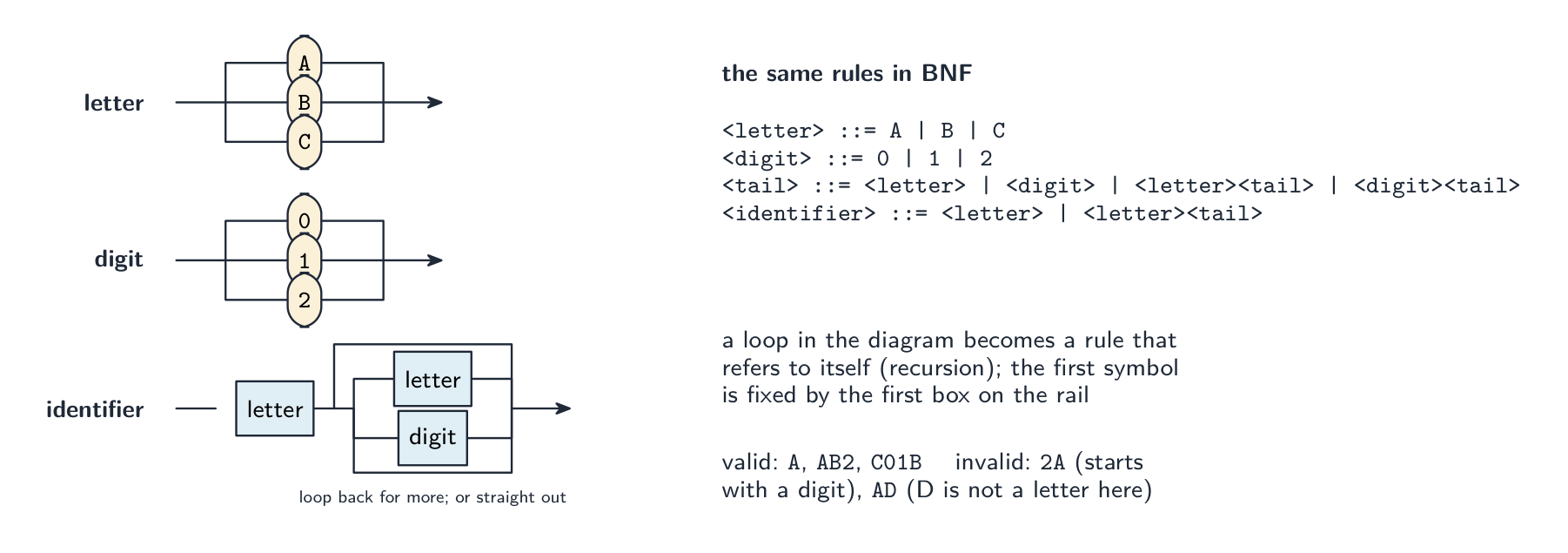
A syntax diagram and a BNF rule say the same thing: a choice becomes alternatives separated by bars, and a loop becomes a rule that refers to itself Reading the exam's diagrams. Each diagram defines one non-terminal; follow the arrows from the entry to the exit, and every path you can trace is a valid string. A choice of boxes side by side is a set of alternatives; a loop back is "repeat as many times as you like"; a box for another non-terminal means "insert anything that rule allows". "State why the string is invalid" wants the rule it breaks, in words:
9Kis invalid as a variable because the first character must be a letter, not a digit;JJ90is an invalid passcode if the rule allows only one letter before the digits, or ifJis not in the set of letters listed. Always check the string against the set of characters the diagram actually allows, not against what a real language would accept.Writing BNF from a diagram. Each diagram becomes one rule
<name> ::= ...; alternatives are separated by|; a sequence is written one symbol after another; and repetition is written with recursion, because BNF has no loop symbol: "one or more letters" is<word> ::= <letter> | <letter><word>, and "zero or more digits after a letter" is<variable> ::= <letter> | <letter><digits>with<digits> ::= <digit> | <digit><digits>.Worked example. Complete the BNF for a vehicle registration that must begin with two letters (from
A B C) followed by one, two or three digits (from0 1 2).<letter> ::= A | B | C <digit> ::= 0 | 1 | 2 <digits> ::= <digit> | <digit><digit> | <digit><digit><digit> <registration> ::= <letter><letter><digits>AB12is valid;A12is not (only one letter);AB1234is not (four digits);AD1is not (Dis not a listed letter). Asked to add a constraint such as "the third character may also be a symbol", add the extra alternative to the rule for that position only, and define<symbol>with its own rule.Worked example. Write BNF for an expression that is a variable, followed by an operator, followed by either a variable or a number, where a variable is a single lower-case letter from
a b cand an operator is+or-.<variable> ::= a | b | c <operator> ::= + | - <number> ::= <digit> | <digit><number> <expression> ::= <variable><operator><variable> | <variable><operator><number>The recursive
<number>rule allows any number of digits; the two alternatives of<expression>cover both cases named in the definition. Keep every non-terminal in angle brackets and every terminal without them.Vocabulary · 語彙 Train · 練習するEnglish 日本語 grammar/ˈɡræmə/ grammar Backus-Naur Form/ˈbækəs nɔː fɔːm/ バックス・ノー形式 production rule/prəˈdʌkʃn ruːl/ 生成規則 terminal/ˈtɜːmɪnl/ terminal non-terminal/nɒn ˈtɜːmɪnl/ 非終端記号 syntax diagram/ˈsɪntæks ˈdaɪəɡræm/ 構文図 16.2
Reverse Polish Notation (RPN)
EnglishIn infix 中缀 notation the operator sits between its operands (
3 + 4 * 2), needing brackets and precedence rules. In Reverse Polish Notation 逆波兰表示法 (RPN, postfix 后缀) the operator follows its operands (3 4 2 * +), needing no brackets.Converting infix to RPN
Use an operator stack 栈. Scan left to right: output an operand; for an operator, first pop any stacked operators of higher or equal precedence 优先级 to the output, then push it; push
(; on)pop to output until the matching(. At the end, pop all operators. Example:(3 + 4) * 2→3 4 + 2 *.Evaluating RPN
Use a stack of operands. Scan left to right: push each operand; on an operator, pop the top two, apply it, and push the result. Evaluating
3 4 2 * +:Token Stack 33 43, 4 23, 4, 2 *3, 8 +11 Result: 11. RPN needs no brackets at evaluation time and suits a stack machine — which is how the JVM and many bytecode 字节码 interpreters work.
"Explain why RPN is used to evaluate expressions" (two marks). In RPN the operators appear in the order in which they are applied, so an expression can be evaluated in a single left-to-right pass with no brackets and no precedence rules; it is therefore simpler and faster for the compiler or interpreter to process. "Identify, with reasons, a suitable data structure": a stack, because evaluation needs the most recently pushed operands first (last in, first out): each operand is pushed, and each operator pops the top two, applies itself, and pushes the result. Show the stack contents after every token when asked.
Converting infix to RPN by hand. (1) Fully bracket the expression using the precedence rules; (2) move each operator to just after the closing bracket of its own pair; (3) remove the brackets. So $(a - b) * (a + c) / 7$ becomes $((a - b) * (a + c)) / 7$, then
a b - a c + * 7 /. Note that*and/are applied left to right, so the division is the last operator, not the multiplication. More conversions: $((7 + 3) - (2 * 8)) / 6$ is7 3 + 2 8 * - 6 /; $(7 - 2 + 8) / (9 - 5)$ is7 2 - 8 + 9 5 - /; $a * b + b - d + 15$ isa b * b + d - 15 +; $(2 - 6) * (13 + 7) / 5$ is2 6 - 13 7 + * 5 /.Converting RPN back to infix. Work through the RPN with a stack of expressions: push each operand; for each operator pop two, write them either side of it in brackets, and push the result. So
a b / 4 * a b + -is $((a / b) * 4) - (a + b)$;5 2 + 9 3 - / 3 *is $((5 + 2) / (9 - 3)) * 3$;b a c - + d b + * c /is $((b + (a - c)) * (d + b)) / c$;a b - c + c a - * d /is $(((a - b) + c) * (c - a)) / d$. Keep the brackets: dropping them can change the meaning.Worked example. Evaluate
a b - c d + * e /when $a = 17$, $b = 5$, $c = 7$, $d = 3$ and $e = 10$, showing the stack.token action stack (top on the right) apush 17 17 bpush 5 17, 5 -pop 5 and 17, push $17 - 5$ 12 cpush 7 12, 7 dpush 3 12, 7, 3 +pop 3 and 7, push $7 + 3$ 12, 10 *pop 10 and 12, push $12 \times 10$ 120 epush 10 120, 10 /pop 10 and 120, push $120 / 10$ 12 Result 12. The order of the pops matters for
-and/: the value popped second is the left operand, soa b -is $a - b$, not $b - a$. Two more, in the same way:d a b + * c a - /with $a = 6, b = 12, c = 15, d = 5$ gives $5 \times (6 + 12) / (15 - 6) = 90 / 9 = 10$;c a - b d + * b c + /with $a = 4, b = 12, c = 24, d = 6$ gives $(24 - 4) \times (12 + 6) / (12 + 24) = 360 / 36 = 10$.Worked example. Convert $(A + B) \times (C - D)$ to RPN, then evaluate $(3 + 4) \times (5 - 2)$. Scan left to right using an operator stack. Push
(; outputA; push+; outputB; on)pop back to the matching(, givingA B +so far. Push×, and the second bracket behaves the same way, givingC D -. At the end pop the×. Result:A B + C D - ×. To evaluate the numbers, use a stack of operands: push 3, push 4;+pops both and pushes 7; push 5, push 2;-pops both and pushes 3;×pops 7 and 3 and pushes 21. Two things make these reliable: the operands keep their original order through the conversion (only the operators move), and every operator acts on the two values immediately below it on the stack.日本語In infix 中缀 notation the operator sits between its operands (
3 + 4 * 2), needing brackets and precedence rules. In Reverse Polish Notation 逆波兰表示法 (RPN, postfix 后缀) the operator follows its operands (3 4 2 * +), needing no brackets.Converting infix to RPN
Use an operator stack 栈. Scan left to right: output an operand; for an operator, first pop any stacked operators of higher or equal precedence 优先级 to the output, then push it; push
(; on)pop to output until the matching(. At the end, pop all operators. Example:(3 + 4) * 2→3 4 + 2 *.Evaluating RPN
Use a stack of operands. Scan left to right: push each operand; on an operator, pop the top two, apply it, and push the result. Evaluating
3 4 2 * +:Token Stack 33 43, 4 23, 4, 2 *3, 8 +11 Result: 11. RPN needs no brackets at evaluation time and suits a stack machine — which is how the JVM and many bytecode 字节码 interpreters work.
"Explain why RPN is used to evaluate expressions" (two marks). In RPN the operators appear in the order in which they are applied, so an expression can be evaluated in a single left-to-right pass with no brackets and no precedence rules; it is therefore simpler and faster for the compiler or interpreter to process. "Identify, with reasons, a suitable data structure": a stack, because evaluation needs the most recently pushed operands first (last in, first out): each operand is pushed, and each operator pops the top two, applies itself, and pushes the result. Show the stack contents after every token when asked.
Converting infix to RPN by hand. (1) Fully bracket the expression using the precedence rules; (2) move each operator to just after the closing bracket of its own pair; (3) remove the brackets. So $(a - b) * (a + c) / 7$ becomes $((a - b) * (a + c)) / 7$, then
a b - a c + * 7 /. Note that*and/are applied left to right, so the division is the last operator, not the multiplication. More conversions: $((7 + 3) - (2 * 8)) / 6$ is7 3 + 2 8 * - 6 /; $(7 - 2 + 8) / (9 - 5)$ is7 2 - 8 + 9 5 - /; $a * b + b - d + 15$ isa b * b + d - 15 +; $(2 - 6) * (13 + 7) / 5$ is2 6 - 13 7 + * 5 /.Converting RPN back to infix. Work through the RPN with a stack of expressions: push each operand; for each operator pop two, write them either side of it in brackets, and push the result. So
a b / 4 * a b + -is $((a / b) * 4) - (a + b)$;5 2 + 9 3 - / 3 *is $((5 + 2) / (9 - 3)) * 3$;b a c - + d b + * c /is $((b + (a - c)) * (d + b)) / c$;a b - c + c a - * d /is $(((a - b) + c) * (c - a)) / d$. Keep the brackets: dropping them can change the meaning.Worked example. Evaluate
a b - c d + * e /when $a = 17$, $b = 5$, $c = 7$, $d = 3$ and $e = 10$, showing the stack.token action stack (top on the right) apush 17 17 bpush 5 17, 5 -pop 5 and 17, push $17 - 5$ 12 cpush 7 12, 7 dpush 3 12, 7, 3 +pop 3 and 7, push $7 + 3$ 12, 10 *pop 10 and 12, push $12 \times 10$ 120 epush 10 120, 10 /pop 10 and 120, push $120 / 10$ 12 Result 12. The order of the pops matters for
-and/: the value popped second is the left operand, soa b -is $a - b$, not $b - a$. Two more, in the same way:d a b + * c a - /with $a = 6, b = 12, c = 15, d = 5$ gives $5 \times (6 + 12) / (15 - 6) = 90 / 9 = 10$;c a - b d + * b c + /with $a = 4, b = 12, c = 24, d = 6$ gives $(24 - 4) \times (12 + 6) / (12 + 24) = 360 / 36 = 10$.Worked example. Convert $(A + B) \times (C - D)$ to RPN, then evaluate $(3 + 4) \times (5 - 2)$. Scan left to right using an operator stack. Push
(; outputA; push+; outputB; on)pop back to the matching(, givingA B +so far. Push×, and the second bracket behaves the same way, givingC D -. At the end pop the×. Result:A B + C D - ×. To evaluate the numbers, use a stack of operands: push 3, push 4;+pops both and pushes 7; push 5, push 2;-pops both and pushes 3;×pops 7 and 3 and pushes 21. Two things make these reliable: the operands keep their original order through the conversion (only the operators move), and every operator acts on the two values immediately below it on the stack.Explore · 探索Operator precedence — what RPN removes · 演算子の優先順位 — 逆ポーランド記法が除去するもの
In ordinary infix maths × and ÷ bind tighter than + and −, so you must apply rules in the right order. Reverse Polish Notation writes the operands first (3 4 2 × + 1 −), fixing the order so no precedence rules are needed. · 通常の中置数学では、× と ÷ は + と − よりも結合度が高いため、正しい順序で規則を適用する必要があります。逆ポーランド記法では操作子を後に書き(3 4 2 × + 1 −)、順序を固定するため優先順位の規則は不要です。
Vocabulary · 語彙 Train · 練習するEnglish 日本語 infix/ˈɪnfɪks/ 中置記法 Reverse Polish Notation/rɪˈvɜːs ˈpəʊlɪʃ nəʊˈteɪʃn/ 逆ポーランド記法 postfix/ˈpəʊstfɪks/ 逆ポーランド記法 stack/stæk/ stack precedence/ˈpresɪdəns/ 優先順位 bytecode/ˈbaɪtkəʊd/ バイトコード 16.2
Definitions the examiner accepts
A definition question is marked against fixed wording. Learn these exactly, and give one answer only.
Term Definition multi-tasking several processes held in memory at once, the processor switching between them so that they appear to run simultaneously process a program that has been loaded into memory and is being executed (or is ready to be) running / ready / blocked has the processor / waiting for the processor / cannot continue until an event such as I/O completes scheduling deciding which ready process gets the processor next, and for how long pre-emptive scheduling the running process can be interrupted and moved to ready so that another process runs virtual memory using secondary storage to extend RAM, holding only the pages currently needed in physical memory paging dividing memory and programs into fixed-size pages that are moved between disk and RAM as needed segmentation dividing a program into variable-sized logical segments, each mapped to memory by a segment table disk thrashing pages being swapped between RAM and disk so often that little useful processing is done interpreter translates and executes a program one statement at a time, without producing a translated version compiler translates a whole high-level program into machine (object) code before it is run lexical analysis converts the source code into tokens, removing white space and comments, and builds the symbol table syntax analysis checks that the tokens obey the grammar of the language and builds a parse tree Backus–Naur Form a notation for the grammar of a language: rules of the form <name> ::= alternativesbuilt from terminals and non-terminalsReverse Polish Notation a way of writing expressions with each operator after its operands, so they can be evaluated with a stack and without brackets 16.2
Exam tips
- The OS questions are marked on named mechanisms: scheduling, memory management, I/O buffering and spooling, file management; for the interface, file names not addresses, clicks not commands, drivers, GUI.
- Process states with their transitions and the reason for each; scheduling routines as function plus benefit plus drawback; the kernel saves state, identifies the interrupt, services it, restores.
- Virtual memory: disk extends RAM, pages swapped, address translation; paging is fixed-size and invisible, segmentation is variable-size and logical; thrashing is swapping instead of working.
- Interpreter: one statement at a time, translated then executed, nothing stored. Compiler stages: tokens and symbol table, grammar and parse tree, code, optimisation.
- BNF: a rule per diagram,
|for choice, recursion for repetition, terminals bare and non-terminals in angle brackets. Say which rule a string breaks. - RPN: operators after operands, evaluate with a stack, show every step; convert by fully bracketing; when converting back, keep the brackets.
Common mistakes
- Describing multi-tasking as "running several programs at the same time" without saying the processor switches between them.
- Sending a blocked process straight to running, or giving "time slice ended" as the reason for running to blocked.
- Confusing shortest job first (non-pre-emptive) with shortest remaining time (pre-emptive), or round robin with priority.
- Defining virtual memory as "using the hard disk as RAM" with no mention of pages being swapped.
- Saying an interpreter "converts the program to machine code and then runs it"; that is a compiler.
- Putting syntax checking in lexical analysis, or optimisation before code generation in the matching question.
- Writing BNF repetition as
<letter>*or with an ellipsis; use recursion. Leaving angle brackets off non-terminals. - Reversing the operands of
-or/when evaluating RPN, or writing the RPN of $a * b + c$ asa b c + *.
-
17
Security · 安否保障
Watch lesson · レッスンを視聴17.1
How encryption works · 暗号化の仕組み

Syllabus · シラバス
EnglishCandidates should be able to: Notes and guidance Show understanding of how encryption works Including the use of public key, private key, plain text, cipher text, encryption, symmetric key cryptography and asymmetric key cryptography How the keys can be used to send a private message from the public to an individual/organisation How the keys can be used to send a verified message to the public How data is encrypted and decrypted, using symmetric and asymmetric cryptography Purpose, benefits and drawbacks of quantum cryptography Show awareness of the Secure Socket Layer (SSL) / Transport Layer Security (TLS) Purpose of SSL/TLS Use of SSL/TLS in client-server communication Situations where the use of SSL/TLS would be appropriate Show understanding of digital certification How a digital certificate is acquired How a digital certificate is used to produce digital signatures 日本語受験者は以下的能力を備えているべきである: メモおよびガイドライン 暗号化がどのように機能するかを理解する 公開鍵, 秘密鍵, 平明文, 暗号文, 暗号化, 対称鍵暗号, 非対称鍵暗号の使用を含む 公開から個人/組織へ秘密メッセージを送信するための鍵の使用方法 検証済みメッセージを一般に送信するための鍵の使用方法 対称および非対称暗号を用いてデータが暗号化・復号化される方法 量子暗号の目的、利点、欠点 Secure Socket Layer (SSL) / **Transport Layer Security (TLS)**への認識 SSL/TLSの目的 クライアント-サーバー通信におけるSSL/TLSの使用 SSL/TLSの使用が適切な場面 デジタル認証の理解 デジタル証明書を取得する方法 デジタル証明書がデジタル署名の生成にどのように使用されるか Source: Cambridge International syllabus · 出典: Cambridge International シラバス
EnglishEncryption 加密 turns readable plaintext 明文 (plain text) into unreadable ciphertext 密文 (cipher text) using a maths operation that depends on a key. Only someone with the right key can reverse it — decryption 解密 — to get the plaintext back. An attacker who intercepts the ciphertext without the key sees only meaningless data, because trying every possible key would take far too long. A newer approach, quantum cryptography 量子密码学, uses quantum physics to share a key in a way that reveals any eavesdropper.
Symmetric encryption
Symmetric encryption 对称加密 (symmetric key cryptography) uses the same key for both encryption and decryption, so sender and receiver must both hold the secret key. It is fast and good for bulk data (a whole disk, a video stream). Its problem is key distribution 密钥分发: how do you share the key safely in the first place? Asymmetric encryption solves this.
"Describe what is meant by symmetric key encryption" (two marks). The same key is used to encrypt the plaintext and to decrypt the ciphertext, so the key must be shared between sender and receiver and kept secret from everyone else. Two drawbacks. The key has to be exchanged before the message can be sent, and if it is intercepted in transit the interceptor can read every message; a separate key is needed for every pair of correspondents; and it gives no proof of who sent the message, because both ends hold the same key. "Give two reasons for using key cryptography": so that data is unreadable by anyone who intercepts it (confidentiality); so that the receiver can be sure the data came from the claimed sender and was not altered (authenticity and integrity 完整性). The two methods are symmetric and asymmetric key cryptography.
Asymmetric encryption (public-key)
Asymmetric encryption 非对称加密 (asymmetric key cryptography) gives each user a pair of related keys: a public key 公钥 they publish, and a private key 私钥 they keep secret. Data encrypted with the public key can be decrypted only with the matching private key, and vice versa.
To send a secret message to Alice: get her published public key, encrypt with it, and send. Only Alice — holding the matching private key — can decrypt. No prior key exchange is needed. The trade-off is that it is much slower than symmetric, so it is not used for large data.
"State what is meant by a private key." A key known only to its owner (never transmitted), used to decrypt data that was encrypted with the matching public key, and to create digital signatures. "Describe the process of asymmetric encryption" (four marks): (1) the receiver generates a pair of keys, a public key and a private key, mathematically related; (2) the public key is made available to anyone who wants to send to them; (3) the sender encrypts the plaintext with the receiver's public key; (4) the ciphertext can only be decrypted with the receiver's private key, which never leaves the receiver, so nobody who intercepts the message can read it.
Worked example. Fred wants to send Sheila a confidential document. Explain how asymmetric encryption is used.
Sheila has a key pair; she sends Fred her public key (or he obtains it from her certificate). Fred encrypts the document with Sheila's public key and sends the ciphertext. Only Sheila's private key can decrypt it, and only Sheila holds that, so nobody else, including Fred once it is encrypted, can read the document. The keys are used the receiver's way round: her public key to lock, her private key to unlock. An organisation that holds a key pair "to receive secure transmissions" does exactly this: it publishes the public key, keeps the private key, and decrypts what arrives.
Two differences between symmetric and asymmetric encryption. Symmetric uses one key for both directions; asymmetric uses two related keys, one to encrypt and the other to decrypt. In symmetric encryption the key must be kept secret by both parties and exchanged securely; in asymmetric encryption the public key can be published and only the private key is secret. Symmetric encryption is much faster and suits large amounts of data; asymmetric is slower, so it is used for keys and signatures rather than bulk data.
A private key must stay secret, so it is sometimes kept on a small hardware security key 硬件安全密钥. You plug it in or tap it to prove who you are, and the secret key never leaves the device.
Hybrid approach (used by almost every real system)
Use asymmetric encryption to exchange a fresh session key 会话密钥, then use that symmetric key for the data:
- the client makes a random session key.
- it encrypts the session key with the server's public key.
- the server decrypts it with its private key.
- both ends now share the session key and use fast symmetric encryption for the rest.
This is how HTTPS and SSH work.
The exam's version of the key-exchange problem. "A symmetric key is to be exchanged before the message is sent. Explain how the key can be exchanged securely." The sender encrypts the symmetric key with the receiver's public key and sends it; the receiver decrypts it with their private key; both now hold the symmetric key, which was never exposed in transit, and use it for the messages. Asymmetric encryption solves the distribution problem; symmetric encryption then does the fast work.
Hashing (related, not encryption)
A cryptographic hash 密码散列 function takes any input and gives a fixed-size digest 摘要 such that the same input always gives the same digest, it is infeasible to find two inputs with the same digest, and a tiny change in input changes the digest completely. Hashing is one-way — you cannot get the input back. It is used for storing password checks, integrity checks, and digital signatures.
Quantum cryptography
Quantum cryptography uses the physics of light to distribute keys: the bits of a key are sent as photons whose quantum states encode the values. "Describe its purpose": to transmit an encryption key securely, in such a way that any attempt to intercept it can be detected, because measuring a photon changes its state; an eavesdropper 窃听者 therefore leaves evidence, and the corrupted key is thrown away and a new one sent. Benefits: interception is always detectable; the key cannot be copied without being altered; it is secure against future advances in computing power (a mathematical key can eventually be cracked, a quantum one cannot be read without disturbing it). Drawbacks: it needs specialised, expensive equipment; it works only over limited distances on dedicated optical fibre (or line of sight), not across the existing internet; it distributes the key only, so ordinary encryption still protects the message; and it is a new technology with few suppliers and little experience.
日本語暗号化 は、鍵 に依存する数学的演算を用いて、読み可能な 平文 (plain text)を読み取れない 暗号文 (cipher text)に変換します。正しい鍵を持つ者だけが逆転させる— 復号化 —ことで平文を取り戻せます。鍵なしに暗号文を傍受した攻撃者は、ありあらゆる可能な鍵を試すのにあまりにも長い時間がかかるため、意味のないデータしか見ることができません。新しいアプローチである 量子暗号 は、量子力学を利用して盗聴者が現れる way で鍵を共有します。
エンigma装置は第二次世界大戦中にメッセージを暗号化しました—初期の機械式暗号デバイス 
暗号化は鍵で平文を乱し、復号化はその逆を行う 対称暗号
対称暗号化(対称鍵暗号)は、同一の鍵を暗号化と復号の両方に使用するため、送信者と受信者の双方が秘密鍵を保持する必要があります。これは高速であり、大量データ(ハードディスク全体、動画ストリームなど)に適しています。しかし、鍵の配送という問題があります。最初の段階でどのように安全に鍵を共有するかです。非対称暗号化はこの問題を解決します。
「対称鍵暗号化とは何を意味するか説明せよ」(2点) 平文を暗号化し、暗号文を復号する際に同じ鍵が使用されるため、送信者と受信者の間で鍵が共有され、他者からは秘密に保たれる必要があります。2つの欠点。 メッセージを送信する前に鍵を交換する必要があり、通信中に盗聴された場合、盗聴者はすべてのメッセージを読むことができます;対応するすべてのペアごとに別の鍵が必要であり、誰がメッセージを送ったかの証明を提供しない点です。なぜなら、両端が同じ鍵を持っているからです。「鍵暗号化を用いる2つの理由を挙げよ」: 盗聴者がデータを読めないようにする(機密性)、受信者がデータが声称した送信者から来ていて改ざんされていないことを確信できるようにする(認証性と完全性)。2つの手法は対称鍵暗号化と非対称鍵暗号化です。

対称暗号化は両端で同じ秘密鍵を使用 非対称暗号化(公開鍵暗号)
非対称暗号化(非対称鍵暗号)では、各ユーザーに関連する鍵のペアが割り当てられます:公開する公開鍵と、秘密に kept する秘密鍵です。公開鍵で暗号化されたデータは、対応する秘密鍵でのみ復号可能であり、その逆もまた然りです。

各ユーザーは共有するための公開鍵と、秘密に kept する秘密鍵を持っている アリスへ秘密メッセージを送る場合:彼女の公開された公開鍵を取得し、それを使って暗号化して送信します。対応する秘密鍵を持っているアリスのみが復号できます。事前の鍵交換は不要です。代償として、対称暗号より遥かに遅いため、大容量データには使用されません。
"秘密鍵の概念を述べよ。" 所有者のみが知る鍵(伝送 never)、対応する公開鍵で暗号化されたデータを復号するために使用され、デジタル署名を作成するために使用される。「非対称暗号化のプロセスを説明しなさい」(4点): (1) 受信者がペアの鍵、すなわち公開鍵と秘密鍵を生成し、これらは数学的に関連しています;(2) 公開鍵は、彼らにメッセージを送りたい誰にでも提供されます;(3) 送信者は受信者の公開鍵を使って平文を暗号化します;(4) 暗号文は受信者の秘密鍵でのみ復号でき、それは常に受信者に留まるため、メッセージを intercept した誰一人として読むことはできません。
** worked example(例題)。** フレッドがシエラに機密文書を送りたいと考えています。非対称暗号化がどのように使われるかを説明しなさい。
シエラには鍵のペアがあります;彼女はフレッドに自身の公開鍵を送ります(または彼が彼女の証明書から取得します)。フレッドはシエラの公開鍵を使って文書を暗号化し、暗号文を送ります。シエラの秘密鍵のみで復号可能であり、それを保持しているのはシエラだけなので、フレッドを含む他の誰も、暗号化後では文書を読むことができません。鍵は受信者側の使い方をします:彼女の公開鍵でロックし、彼女の秘密鍵でアンロックします。「 secure transmission を受け取る」ために鍵のペアを保持する組織は、まさにこの動作を行います:公開鍵を published し、秘密鍵を kept して、到着したものを復号する。
対称暗号化と非対称暗号化の2つの違い。 対称暗号化は双方向に1つの鍵を使用します;非対称暗号化は2つの関連する鍵を使用し、一つで暗号化し、もう一つで復号します。対称暗号化では鍵を双方が秘密に kept 必要があり、 securely exchange する必要があります;非対称暗号化では公開鍵はpublishedでき、秘密鍵だけが secret です。対称暗号化は much faster であり、大量のデータに適しています;非対称暗号化は slower であるため、大量データではなく、鍵や署名のために使用されます。
秘密鍵は secret に keep する必要があるため、時折小さなハードウェアセキュリティキーに kept されることがあります。接続したりタッチしたりして自分自身であることを证明すると、秘密鍵はデバイスから never 離れません。

ハードウェアセキュリティキーは、自分自身であることを証明するための秘密鍵を stored する ハイブリッドアプローチ(ほぼ全ての実システムで使用)
新しいセッション鍵を exchange するために非対称暗号化を使用し、その後、その対称鍵を使ってデータを transfer する:
- クライアントがランダムなセッション鍵を生成する。
- セッション鍵をサーバーの公開鍵で暗号化する。
- サーバーは自身の秘密鍵で復号する。
- 両端は now share してセッション鍵を持ち、残りの部分では高速な対称暗号化を使用する。
これが HTTPS と SSH が動作する仕組みである。
試験における鍵交換問題のバージョン。 「メッセージを送信する前に対称鍵を exchange する必要がある。鍵を securely exchange する方法を説明しなさい。」 送信者は対称鍵を受信者の公開鍵で暗号化して送信します;受信者は自身の秘密鍵で復号します;双方 now hold して対称鍵を持ち、これは途中 transmission で never exposed であり、メッセージに use されます。非対称暗号化が distribution 問題を解決し、対称暗号化が subsequent fast work を行う。

ハイブリッドアプローチ:非対称暗号でセッションキーを一度共有し、その後高速な対称暗号でデータを保護する ハッシュ関数(関連項目であり、暗号化ではない)
暗号ハッシュ関数は任意の入力を取り、同じ入力が常に同じダイジェストを与える固定サイズのダイジェストを出力します。また、同じダイジェストを持つ2つの入力を見つけることは不可能であり、入力のわずかな変更でもダイジェストが完全に変わります。ハッシュは一方向性を持ちます——元の入力に戻すことはできません。パスワードの検証保存、完全性チェック、デジタル署名に使用されます。

暗号ハッシュは固定されたダイジェストを与え、入力のわずかな変化で完全に変わり、逆変換もできません 量子暗号学
量子暗号学は光の物理学を利用して鍵を分配します:鍵のビットは量子状態が値をエンコードする光子として送信されます。「その目的を説明せよ」: 暗号化鍵を安全に伝送すること、かつ、それを盗聴しようとする試みはすべて検出可能であること、なぜなら光子を測定するとその状態が変わるからであるという点です。したがって、盗聴者は痕跡を残し、損なわれた鍵は破棄され新しいものが送信されます。利点: 盗聴は常に検出可能である;鍵は改変なくコピーすることはできない;計算能力の将来的な向上に対する耐性がある(数学的鍵は最終的に解読される可能性があるが、量子鍵は乱さずに読み取ることはできない)。欠点: 特殊で高価な機器が必要です;専用光ファイバー(または直進路)でのみ限られた距離で動作し、既存のインターネット上では動作しません;鍵のみを分配するため、メッセージ自体は通常の暗号化で保護されます;そして、これは供給者が少なく経験の少ない新しい技術です。
Explore · 探索Hashing and the avalanche effect · ハッシングと雪崩効果
A hash is one-way: easy to compute, practically impossible to reverse. A tiny change in the input flips a large, unpredictable part of the output — the avalanche effect that makes hashes good for passwords. · ハッシュは一方向性である:計算は容易だが、逆算は事実上不可能である。入力のわずかな変化が、出力の大きく予測不能な部分を変化させる — ハッシュがパスワードに適している理由である雪崩効果。
Explore · 探索The Caesar cipher · 凯撒暗号(Caesar cipher)
Shift each letter to encrypt the message. A simple cipher shows the idea of a key — and why a small key is easy to break. · 文字をシフトしてメッセージを暗号化します。簡単な暗号は鍵という概念を示し、なぜ小さな鍵では破読しやすいかを理解できます。
Vocabulary · 語彙 Train · 練習するEnglish 日本語 encryption/enˈkrɪpʃn/ 暗号化 plaintext/ˈpleɪntekst/ 平明文 ciphertext/ˈsaɪfətekst/ 暗号文 decryption/dɪˈkrɪpʃn/ 復号化 quantum cryptography/ˈkwɒntəm krɪpˈtɒɡrəfi/ 量子暗号 eavesdropper/ˈiːvzdrɒpə/ 盗聴者 symmetric encryption/sɪˈmetrɪk enˈkrɪpʃn/ 対称暗号化 key distribution/kiː ˌdɪstrɪˈbjuːʃn/ 鍵配分 asymmetric encryption/ˌeɪsɪˈmetrɪk enˈkrɪpʃn/ 非対称暗号化 integrity/ɪnˈteɡrɪti/ 完全性 public key/ˈpʌblɪk kiː/ 公開鍵 private key/ˈpraɪvət kiː/ 秘密鍵 17.1
SSL / TLS
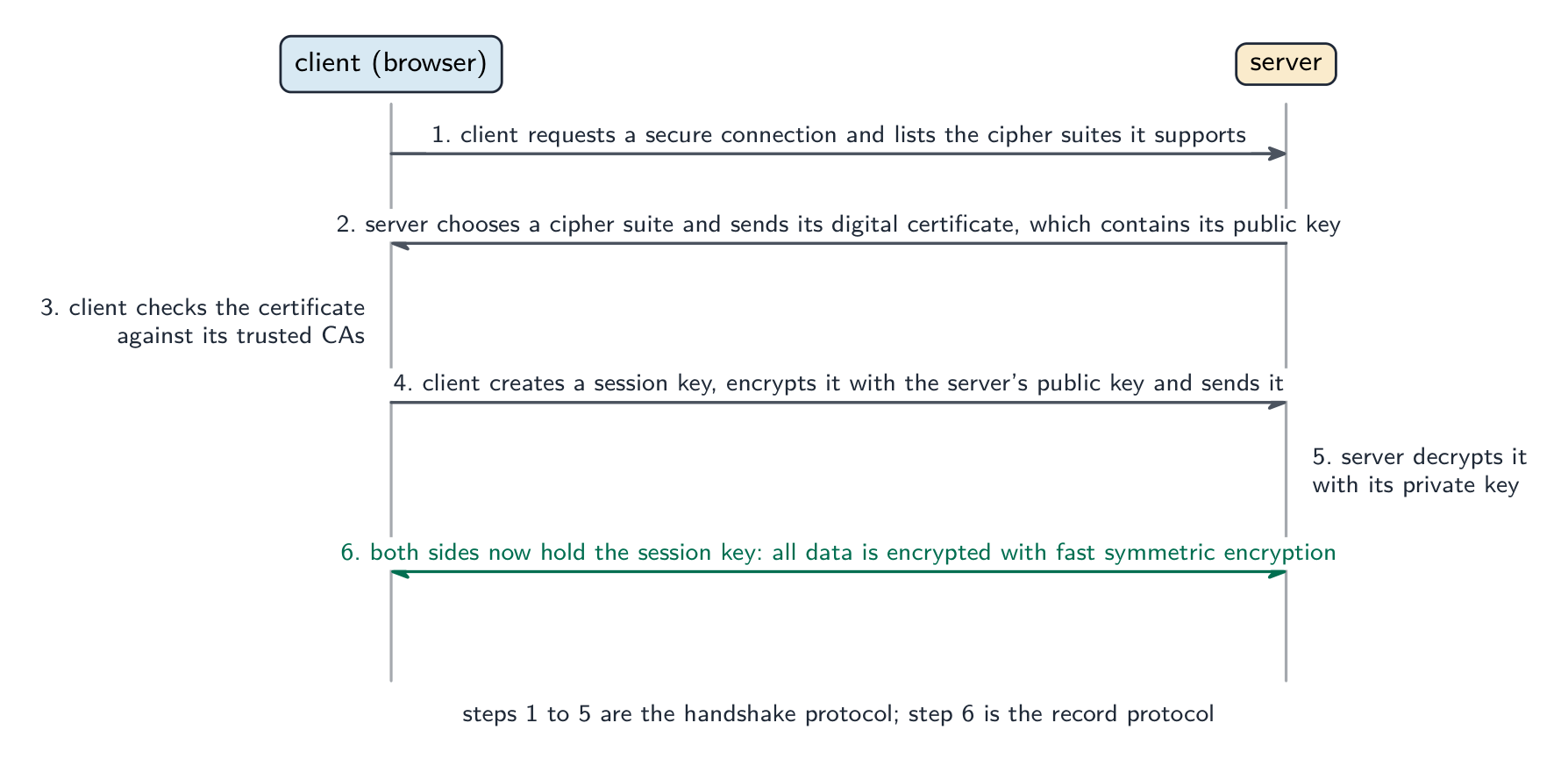 English
TLS 传输层安全 (Transport Layer Security, the successor to the Secure Socket Layer, SSL) is a protocol that gives encryption and authentication for data sent over a network. It encrypts the data in transit, authenticates the server with a certificate, and provides integrity (detecting tampering).
Outline of a TLS handshake:
- the client connects and proposes cipher options.
- the server picks one and sends its digital certificate (with its public key) — issuing and validating these certificates is digital certification.
- the client checks the certificate.
- the two ends exchange a fresh session key using asymmetric crypto.
- all later traffic uses fast symmetric encryption with the session key.
The result is an encrypted, authenticated, integrity-checked tunnel for higher-level protocols (HTTP, SMTP). It is appropriate wherever sensitive information is sent: HTTPS web browsing, online banking and payments, secure email, and VPNs.
"Describe the purpose of SSL/TLS" and "state two functions." The purpose is to provide secure communication between a client and a server over a network. Its functions: it encrypts the data sent, so that it cannot be read if intercepted; it authenticates 认证 the server (and optionally the client) by means of a digital certificate, so the client knows it is talking to the genuine site; and it checks the integrity of the data, so that changes in transit are detected. Two examples of where it is appropriate: online banking and online shopping (card payments); also logins, private email, file transfer, VoIP and instant messaging: any transaction in which private data crosses the internet.
The two protocols that make up TLS. The handshake 握手 protocol sets up the session: it agrees the encryption algorithms (cipher suite), authenticates the server with its certificate, and exchanges the session key. The record protocol then carries the data: it encrypts each message with the session key, adds an integrity check, and passes it to the transport layer.
"Explain how SSL/TLS is used when client–server communication is initiated" (six marks). (1) The client (browser) sends a request to the server for a secure connection, saying which encryption methods it supports. (2) The server sends back its digital certificate, which contains its public key. (3) The client checks the certificate is valid (issued by a trusted Certificate Authority, not expired, for the right domain). (4) The client generates a session key, encrypts it with the server's public key and sends it. (5) The server decrypts the session key with its private key. (6) Both sides now hold the session key and all further data is sent using symmetric encryption with it. Give the steps in this order; the marks are for the certificate, the public key, the session key and the switch to symmetric encryption.
日本語TLS(Transport Layer Security、Secure Socket Layer (SSL) の後継者)は、ネットワークを介して送信されるデータに対して暗号化と認証を提供するプロトコルです。它在途中的数据进行加密,对服务器进行证书认证,并提供完整性(检测篡改)。
TLSハンドシェイクの概要:
- クライアントが接続し、暗号化オプションを提案する。
- サーバーが1つ選択し、デジタル証明書(公開鍵付き)を送信する——これらの証明書の発行と検証はデジタル認証である。
- クライアントが証明書を確認する。
- 両端は非対称暗号を使って新しいセッションキーを交換する。
- その後のすべての通信は、セッションキーを用いた高速な対称暗号で行われる。
結果として、HTTPやSMTPなどの上位プロトコル用には、暗号化・認証済み・完全性チェック済みのトンネルが構築されます。敏感な情報が送信されるあらゆる場面で適切です:HTTPSウェブブラウジング、オンライン銀行取引と支払い、セキュアメール、VPNなど。
「SSL/TLSの目的を説明し、2つの機能を述べよ」。目的は、ネットワークを介してクライアントとサーバー間で** secure communication を提供することです。機能:送信されたデータを暗号化するため、盗聴されても読み取ることができない;デジタル証明書によってサーバー(およびオプションでクライアント)を認証するため、クライアントが正規のサイトと通信していることを確認できる;データの完全性をチェックするため、途中での変更を検知できる。適切な例:オンライン銀行取引とオンラインショッピング**(カード決済);さらにログイン、プライベートメール、ファイル転送、VoIP、インスタントメッセージングなど、プライベートデータがインターネットを横断するあらゆる取引。
TLSを構成する2つのプロトコル。 ハンドシェイクプロトコルはセッションを設定する:暗号アルゴリズム(暗号スイート)の合意、サーバーの証明書による認証、およびセッションキーの交換を行う。レコードプロトコルはその後データ运送を行う:各メッセージをセッションキーで暗号化し、完全性チェックを追加し、トランスポート層に渡す。
安全なセッションの開始方法:証明書がサーバーの正体证明了,サーバーの公開鍵がセッションキーの送信中を保護し、セッションキーがそれ以降の全てを保護する 「クライアント-サーバー通信が開始される際、SSL/TLSがどのように使われるかを説明せよ」(6点) (1)クライアント(ブラウザ)はサポートする暗号化方法を明言して、サーバーへ安全な接続の要求を送信する。(2)サーバーは自身の公開鍵を含むデジタル証明書を返信する。(3)クライアントは証明書が有効であることを確認する(信頼できる証明書発行者(CA)が発行した、期限切れでない、正しいドメインのもの)。 (4)クライアントはセッションキーを生成し、サーバーの公開鍵で暗号化して送信する。(5)サーバーは自身の秘密鍵でセッションキーを復号する。(6)両側はこれでセッションキーを保持しており、それ以降のデータはすべてこれを用いた対称暗号で送信される。この順序で手順を記述すること。採点ポイントは、証明書、公開鍵、セッションキー、対称暗号への切り替えにある。
Explore · 探索The TLS handshake · TLS ハンデシェイク
Step through what happens before a padlock appears. The slow public-key crypto is used only to agree a shared key; the actual page then travels under fast symmetric encryption. · ロックアイコンが表示される前に何が起こるかを確認します。スローな公開鍵暗号は共有鍵の合意にのみ使われ、実際のページデータは高速な対称暗号によって保護されます。
Vocabulary · 語彙 Train · 練習するEnglish 日本語 TLS/ˌtiː el ˈes/ TLS authentication/ɔːˌθentɪˈkeɪʃn/ 認証 authenticates/ɔːˈθentɪkeɪts/ 認証する handshake/ˈhændʃeɪk/ ハンドシェイク 17.1
Digital certificates · デジタル証明書
 English
A digital certificate 数字证书 binds an identity (a domain, an organisation) to a public key, and is signed by a trusted Certificate Authority 证书颁发机构 (CA). It contains the subject (who it identifies), the subject's public key, the issuer (the CA), a validity period, and the CA's signature over all of it.
To verify one, the client (which holds a list of trusted root CAs):
- checks the expiry dates.
- checks the subject name matches the URL.
- checks it is signed by a trusted CA, using the CA's public key to verify the signature.
- follows the certificate chain up to a trusted root.
If anything fails, the browser shows the "Your connection is not private" warning. When it verifies cleanly, the client knows the identity was vetted by a trusted CA, the public key really belongs to that identity, and the certificate is current.
"Describe what is meant by a digital certificate" (two marks). An electronic document, issued by a Certificate Authority, that verifies the identity of its owner (a person, organisation or website) and contains the owner's public key. Items found in one: the serial number; the name of the owner (subject) and, for a website, its domain; the owner's public key; the name of the issuing CA; the validity period (dates); the signature algorithm used; and the CA's digital signature of the whole certificate.
"Explain how an organisation acquires a digital certificate" (four marks). (1) The organisation generates its own key pair, a public key and a private key. (2) It sends a request containing its public key and its identity details to a Certificate Authority. (3) The CA verifies the identity (checks that the applicant really is the organisation or owns the domain). (4) The CA creates the certificate containing the public key and the identity, signs it with the CA's own private key, and returns it. (5) The organisation installs the certificate on its server so that it can be sent to clients. The private key never leaves the organisation.
"Explain why a digital certificate is required to validate a digital signature." To check a signature the receiver needs the sender's public key, and needs to be sure that the key really belongs to the claimed sender; the certificate supplies the public key together with the identity, and because the certificate is signed by a trusted CA the receiver can trust that binding. Without it an impostor could publish a public key in someone else's name and sign messages as them. The same reasoning answers "what should be included with a program downloaded from the internet to prove it is genuine": a digital signature, checked against the publisher's certificate.
日本語デジタル証明書は、ID(ドメイン、組織)と公開鍵を結び付け、信頼できる証明書発行者(CA)によって署名されています。対象者(誰を識別するか)、対象者の公開鍵、発行者(CA)、有効期間、およびこれら全体に対するCAの署名を含みます。
証明書発行者は、識別情報と公開鍵を結びつけたデジタル証明書を発行する これらを検証するには、クライアント(信頼されたルートCAの一覧を保持している)は以下を行う:
- 有効期限を確認する。
- 対象者名がURLと一致するか確認する。
- CAの公開鍵を使用して署名を検証し、信頼できるCAによって署名されているか確認する。
- 信頼されるルートまで証明書チェーンをたどる。
何らかのチェックに失敗した場合、ブラウザは「この接続は非私密です」という警告を表示する。すべての検証が正常に行われた場合、クライアントはその識別情報が信頼できるCAによって審査され、公開鍵が確かにその識別情報のものであり、証明書が有効であることを知ることができる。
「デジタル証明書とは何かを説明せよ」(2点) 証明書発行者が発行した電子文書であり、所有者(個人、組織、またはウェブサイト)の識別情報を検証し、所有者の公開键を含んでいる。 含まれる項目: シリアル番号;所有者の名前(対象者)および、ウェブサイトの場合そのドメイン;所有者の公開鍵;発行CAの名前;有効期間(日付);使用されている署名アルゴリズム;そして証明書の全体に対するCAのデジタル署名。
「組織がデジタル証明書を入手する方法を説明せよ」(4点) (1) 組織は独自のキーペア(公開鍵と秘密鍵)を生成する。(2) 公開鍵と識別情報詳細を含む申請を証明書発行者に送信する。(3) CAは識別情報を検証する(申請者が実際にその組織である、またはドメインを所有していることを確認する)。(4) CAは公開鍵と識別情報を含む証明書を作成し、CA自身の秘密鍵で署名して返送する。(5) 組織はサーバーに証明書をインストールし、クライアントに送信できるようにする。秘密鍵が組織の外に出ることはない。
「なぜデジタル署名を検証するためにデジタル証明書が必要かを説明せよ。 署名を検査するには、受信者は送信者の公開鍵が必要であり、その鍵が本当に宣言された送信者のものであることを确信する必要があります。証明書は公開鍵と識別情報を併せて提供しており、証明書が信頼できるCAによって署名されているため、受信者はこの結合を信頼できます。これがない場合、騙しは他人の名前で公開鍵を公開し、その人物になりすましてメッセージに署名することが可能です。同じ論理は「インターネットからダウンロードしたプログラムに、本物であることを証明するために何が含まれるべきか」への回答にも当てはまります:デジタル署名であり、発行者の証明書に対して検証されます。
Vocabulary · 語彙 Train · 練習するEnglish 日本語 digital certificate/ˈdɪdʒɪtl səˈtɪfɪkət/ デジタル証明書 17.1
Digital signatures · デジタル署名
 English
A digital signature 数字签名 proves who signed a message and that it was not changed. To sign:
- compute a cryptographic hash of the message.
- encrypt the hash with the sender's private key — that is the signature.
- send the message and the signature.
To verify: compute the hash of the received message; decrypt the signature with the sender's public key to get the sender's hash; compare. If they match, the message was signed by the holder of the private key (authentication 身份验证) and was not changed (integrity). A signature does not hide the message — for confidentiality as well, encrypt and sign.
"Explain the role of a digital certificate in creating a digital signature" (three marks). The sender's certificate was issued by a CA and contains the sender's public key together with the sender's identity; the sender produces the signature by hashing the message and encrypting the hash with their private key, the partner of the key in the certificate; the receiver uses the public key from the certificate to decrypt the hash and, because the certificate binds that key to the sender, the signature proves who signed.
"Explain how a digital signature is used to verify a message" (four marks). (1) The receiver decrypts the signature with the sender's public key (taken from the sender's certificate), which yields the hash that the sender computed. (2) The receiver hashes the received message with the same hash algorithm. (3) The two hashes are compared. (4) If they match, the message came from the holder of the private key (authentic) and has not been altered since it was signed (integrity); if they differ, the message is rejected. A banker receiving confidential data with a signature does exactly this before trusting it; the data itself may separately be encrypted with the banker's public key for confidentiality.
Putting it together
A secure request to
https://www.bank.com: the server sends its certificate; the client verifies it against trusted CAs; the client uses the server's public key to exchange a session key; then data flows encrypted with that key. Encryption stops eavesdroppers, the certificate proves the server's identity, and integrity checks stop a man-in-the-middle 中间人攻击 altering the data.Worked example. Alice sends Bob a contract. She wants Bob to be certain it came from her and was not altered, and she wants nobody else to be able to read it. Which keys does she use, and in which direction? These are two different jobs needing two different key pairs. For the signature (authentication and integrity): Alice hashes the contract and encrypts that hash with her own private key; Bob decrypts it with Alice's public key and compares it against his own hash of the message. Only Alice holds her private key, so only she could have produced it. For confidentiality: Alice encrypts the contract itself with Bob's public key, so only Bob's private key can open it. One rule keeps all four straight: you sign with your own private key and encrypt with the recipient's public key. A signature on its own does not hide the message.
日本語デジタル署名は、誰がメッセージに署名したかを示すだけでなく、変更されていないことも証明します。署名するには:
- メッセージの暗号化ハッシュを計算する。
- ハッシュを送信者の秘密鍵で暗号化する — これが署名である。
- メッセージと署名を送信する。
検証するには:受信メッセージのハッシュを計算する;送信者の公開鍵で署名を復号化して送信者のハッシュを取得する;比較する。一致すれば、メッセージは秘密鍵の保有者によって署名されており(認証)、変更されていない(完全性)。署名はメッセージを隠さない。機密性を確保するためには、暗号化と署名の両方を行う必要がある。
署名はメッセージをハッシュ化し、ダイジェストを秘密鍵で暗号化します;受信者は公開鍵を使ってそれを検証する 「デジタル署名を作成する際、デジタル証明書の役割について説明せよ」(3点) 送信者の証明書はCAによって発行され、送信者の公開鍵と送信者の識別情報を含んでいます。送信者はメッセージをハッシュ化し、証明書内の鍵の対となる秘密鍵でハッシュを暗号化することで署名を作成します。受信者は証明書からの公開鍵を用いてハッシュを復号化し、その鍵が送信者に紐付けられているため、署名は誰が署名したか證明します。
「デジタル署名がメッセージの検証にどのように使われるかを説明せよ」(4点) (1) 受信者は送信者の公開鍵(送信者の証明書から取得)で署名を復号化し、送信者が計算したハッシュを得る。(2) 受信者は同じハッシュアルゴリズムで受信メッセージをハッシュ化する。(3) 2つのハッシュは比較される。(4) 一致すれば、メッセージは秘密鍵の保有者から来たもの(正規)であり、署名後改変されていない(完全性);不一致であればメッセージは却下される。銀行が署名付きの機密データを受け取る際、これを信頼する前に同様の操作を行う;データ自体は機密性のために別個に銀行の公開鍵で暗号化される場合がある。
統合
https://www.bank.comへの安全なリクエスト:サーバーは証明書を送信し、クライアントは信頼できるCAに対してそれを検証する;クライアントはサーバーの公開鍵を使用してセッション鍵を交換し、その後、その鍵で暗号化されたデータが流れる。暗号化は盗聴者を遮断し、証明書はサーバーの識別情報を証明し、完全性チェックはミドルマン攻撃によるデータ改変を防ぐ。** worked example.** アリスがボブに契約書を送る。アリスは、この文書が自分から送られたことと改ざんされていないことをボブに確信させたい。さらに、第三者には読まれないようにしたい。アリスはどの鍵を、どのような方向で使うべきか。これらは2つの異なるタスクであり、2つの異なる鍵ペアが必要である。署名(認証と完全性)のために:アリスは契約書のハッシュを取り、それを自身の秘密鍵で暗号化する;ボブはアリスの公開鍵で復号し、自分のメッセージに対するハッシュと比較する。アリス自身が秘密鍵を持っているのは彼だけなので、彼だけが生成した可能性がある。機密性のために:アリスは契約書そのものをボブの公開鍵で暗号化するため、ボブの秘密鍵のみで開くことができる。4つを区別するための1つのルールがある:「署名は自身の秘密鍵で行い、暗号化は相手の公開鍵で行う」。署名だけではメッセージは隠されない。
Vocabulary · 語彙 Train · 練習するEnglish 日本語 digital signature/ˈdɪdʒɪtl ˈsɪɡnɪtʃə/ デジタルサイネチャ hardware security key/ˈhɑːdweə sɪˈkjʊərɪti kiː/ ハードウェアセキュリティキー session key/ˈseʃn kiː/ セッションキー cryptographic hash/ˌkrɪptəˈɡræfɪk hæʃ/ 暗号ハッシュ digest/ˈdaɪdʒest/ ダイジェスト 17.1
Definitions the examiner accepts · 出題者が認める定義
EnglishA definition question is marked against fixed wording. Learn these exactly, and give one answer only.
Term Definition encryption converting plaintext into ciphertext using an algorithm and a key so that it cannot be understood if intercepted plaintext / ciphertext the original readable data / the encrypted, unreadable form of it symmetric key cryptography the same secret key is used to encrypt and to decrypt, so it must be shared securely by both parties asymmetric key cryptography a pair of related keys is used: the public key encrypts and only the matching private key decrypts public key a key made available to anyone, used to encrypt messages to its owner and to verify the owner's signatures private key a key known only to its owner, used to decrypt messages encrypted with the public key and to sign SSL/TLS protocols that provide secure (encrypted, authenticated, integrity-checked) communication between a client and a server digital certificate an electronic document issued by a Certificate Authority that verifies the owner's identity and contains their public key digital signature a hash of a message encrypted with the sender's private key, proving who sent it and that it is unaltered Certificate Authority a trusted organisation that verifies identities and issues and signs digital certificates quantum cryptography the use of quantum states of photons to distribute keys so that any interception is detected 日本語定義問題は固定された用語に基づいて採点されます。これらを正確に暗記し、一つの答えのみを答えてください。
用語 定義 暗号化 アルゴリズムと鍵を使って平明文を暗号文に変換し、傍受された場合に理解できないようにすること 平明文 / 暗号文 元の読み可能なデータ / その暗号化され、読み取れない形 対称鍵暗号化 暗号化と復号に同じ秘密鍵が使われるため、両者によって安全に共有される必要がある 非対称鍵暗号化 関連する鍵のペアが使われる:公開鍵で暗号化し、対応する秘密鍵のみで復号する 公開鍵 誰でも利用可能にするための鍵。所有者へのメッセージの暗号化や、所有者の署名の検証に使用される 秘密鍵 所有者のみに知られている鍵。公開鍵で暗号化されたメッセージの復号や、署名作成に使用される SSL/TLS クライアントとサーバー間の安全な(暗号化済み、認証済み、完全性確認済み)通信を提供するプロトコル デジタル証明書 証明機関が発行する電子文書。所有者の身份を確認し、公開键を含む デジタル署名 送信者の秘密鍵で暗号化されたメッセージのハッシュ。誰が送信したか、かつ改ざんされていないことを証明する 証明機関 (Certificate Authority) 信頼できる組織。 identities を検証し、デジタル証明書を発行・署名する 量子暗号化 光子の量子状態を用いて鍵を分配し、傍受を検知する Vocabulary · 語彙 Train · 練習するEnglish 日本語 Certificate Authority/səˈtɪfɪkət əˈθɒrɪti/ 証明機関 man-in-the-middle/mæn ɪnðə ˈmɪdl/ 真ん中の男 17.1
Exam tips · 試験対策
English- Symmetric: one shared secret key, fast, key exchange is the weakness. Asymmetric: public key to encrypt, private key to decrypt, slow, no exchange problem. Two differences, two drawbacks, two reasons: the exam asks for them in pairs.
- Confidentiality uses the receiver's keys (public to lock, private to unlock); a signature uses the sender's keys (private to sign, public to check). Say whose key every time.
- The TLS start-up is six steps: request, certificate with public key, check, session key encrypted with the public key, decrypted with the private key, symmetric encryption from then on.
- A certificate is identity plus public key, signed by a CA; acquisition is key pair, request, verification, signing, installation. It is needed to validate a signature because it proves whose public key it is.
- A signature is a hash encrypted with the private key; verification is decrypt, re-hash, compare. Integrity and authenticity are the two things it proves.
- Quantum cryptography distributes keys and detects eavesdropping; its limits are cost, distance and novelty.
Common mistakes
- Saying a message is encrypted with the sender's public key; the receiver's public key encrypts, the receiver's private key decrypts.
- Describing a signature as "encrypting the message with the private key" instead of encrypting its hash.
- Claiming a certificate contains the private key; it holds the public key and the identity, signed by the CA.
- Listing "the server sends its private key" in the TLS handshake; only the public key travels, inside the certificate.
- Giving "SSL/TLS makes the connection faster" as a function; its functions are encryption, authentication and integrity.
- Confusing hashing with encryption: a hash cannot be reversed and has no key; encryption is reversible with the key.
- Answering "why is a certificate needed for a signature" with "to encrypt it"; it is needed to trust the public key.
日本語- 対称:1つの共有秘密鍵、高速だが、鍵交換が弱点。非対称:公開鍵で暗号化、秘密鍵で復号、低速だが交換問題なし。2つの違い、2つの欠点、2つの理由:試験ではこれらをペアで問われる。
- 機密性は受信者の鍵(公開鍵でロック、秘密鍵でアンロック)を使用;署名は送信者の鍵(秘密鍵で署名、公開鍵でチェック)を使用。毎回「だれの鍵か」を明言すること。
- TLSの初期化は6ステップ:リクエスト、公開鍵付き証明書、チェック、公開鍵で暗号化されたセッション鍵、秘密鍵で復号、それ以降は対称暗号化。
- 証明書は「identity+公開鍵」であり、CAによって署名されている;取得プロセスは「鍵ペア生成→リクエスト→検証→署名→インストール」。署名を検証するために必要なのは、それが「だれの公開鍵か」を示すからである。
- 署名とは「秘密鍵で暗号化されたハッシュ」であり、検証は「復号→再ハッシュ→比較」である。完結性と真正性は、証明する2つの要素である。
- 量子暗号化は鍵の分配と盗聴検出を行う;その限界はコスト、距離、および新しさである。
一般的なミス
- メッセージが「送信者の公開鍵で暗号化されている」と言うのは間違い。「受信者の公開鍵で暗号化され、受信者の秘密鍵で復号される」のが正しい。
- 「メッセージそのものを秘密鍵で暗号化している」と署名を説明するのは誤り。「ハッシュを暗号化している」のが正しい。
- 証明書に秘密鍵が含まれると主張するのは誤り。「公開鍵とidentityを含み、CAによって署名されている」のが正しい。
- TLSハンドシェイクで「サーバーが秘密鍵を送る」と並べるのは誤り。「公開鍵のみが移動し、証明書の中に含まれる」のが正しい。
- 「SSL/TLSは接続を速くする」を機能として挙げるのは誤り。「暗号化、認証、完全性の提供」が正しい機能である。
- ハッシングと暗号化を混同する:ハッシュは逆転できず鍵も持たない;暗号化は鍵で逆転可能である。
- 「なぜ証明書の必要性があるか」に対して「暗号化するため」と答えるのは誤り。「公開鍵を信頼するため」が必要である。
-
18
Artificial Intelligence (AI) · 人工知能(AI)
Watch lesson · レッスンを視聴18.1
What AI is

Syllabus · シラバス
EnglishCandidates should be able to: Notes and guidance Show understanding of how graphs can be used to aid Artificial Intelligence (AI) Purpose and structure of a graph Use A algorithm* and Dijkstra’s algorithm to perform searches on a graph Candidates will not be required to write algorithms to set up, access, or perform searches on graphs Show understanding of how artificial neural networks have helped with machine learning Show understanding of Deep Learning, Machine Learning and Reinforcement Learning and the reasons for using these methods. Understand machine learning categories, including supervised learning, unsupervised learning Show understanding of back propagation of errors and regression methods in machine learning 日本語受験者は以下的能力を備えているべきである: メモおよびガイドライン グラフが**人工知能(AI)**の支援にどのように使用されるかを理解する グラフの目的と構造 A*アルゴリズムおよびダイクストラのアルゴリズムを用いてグラフ上の探索を行う 候補者は、グラフの構築、アクセス、または探索に対するアルゴリズムを記述する必要はない 人工ニューラルネットワークが機械学習に寄与した点を理解する ディープラーニング、機械学習、および強化学習の理解と、これらの手法を用いる理由を示す。 機械学習のカテゴリを理解する(教師付き学習、教師なし学習を含む)。 機械学習における逆伝播法および回帰手法の理解を示す。 Source: Cambridge International syllabus · 出典: Cambridge International シラバス
EnglishArtificial intelligence 人工智能 (AI) builds systems that do tasks normally needing human intelligence — recognising speech and images, translating, playing games, driving, generating text. Most modern AI uses machine learning 机器学习 — algorithms that learn patterns from data instead of being programmed step by step. Within it, deep learning 深度学习, using neural networks 神经网络 with many layers, has been dominant since the 2010s.
A humanoid robot 人形机器人 puts many of these abilities into one body: it uses AI to see faces, understand speech and move its face and arms in a lifelike way.
日本語Artificial intelligence 人工智能 (AI) builds systems that do tasks normally needing human intelligence — recognising speech and images, translating, playing games, driving, generating text. Most modern AI uses machine learning 机器学习 — algorithms that learn patterns from data instead of being programmed step by step. Within it, deep learning 深度学习, using neural networks 神经网络 with many layers, has been dominant since the 2010s.
A humanoid robot 人形机器人 puts many of these abilities into one body: it uses AI to see faces, understand speech and move its face and arms in a lifelike way.
A humanoid robot uses AI to see, listen and respond like a person 
Deep learning is part of machine learning, which is part of AI Explore · 探索AI learning type lab · AI学習タイプラボ
Classify AI examples by the type of learning or concern involved. · AIの例を、関連する学習の種類や関心事に基づいて分類してください。
Vocabulary · 語彙 Train · 練習するEnglish 日本語 artificial intelligence/ˌɑːtɪˈfɪʃl ɪnˈtelɪdʒəns/ 人工知能 machine learning/məˈʃiːn ˈlɜːnɪŋ/ 機械学習 deep learning/diːp ˈlɜːnɪŋ/ ディープラーニング neural networks/ˈnjuːrəl ˈnetwɜːks/ ニューラルネットワーク humanoid robot/ˈhjuːmənɔɪd ˈrəʊbɒt/ ヒューマノイドロボット 18.1
Graphs in AI
 English
Many AI problems sit on a graph 图 — nodes 节点 (states, places) joined by edges 边 (moves, relationships).
- pathfinding: roads form a graph; the shortest route is a graph search (Dijkstra's algorithm, the A* algorithm).
- game playing: each board position is a node, each move an edge; minimax 极小化极大 with alpha-beta pruning searches the game tree.
- state-space search: a planning problem is moving between states by applying operators to reach a goal.
- knowledge representation: a semantic network 语义网络 has concepts as nodes and relationships as edges ("dog IS-A animal"); a knowledge graph 知识图谱 stores facts about the world for search engines and assistants.
Standard tools for navigating graphs include breadth-first search 广度优先搜索 and depth-first search 深度优先搜索.
"Describe the purpose and structure of a graph in an AI system." Purpose: to represent a problem as a set of states (or places) and the possible moves between them, so that an algorithm can search it for a solution, such as the shortest or cheapest route, or the best next move. Structure: a set of nodes (vertices), each representing a state, location or item, joined by edges representing the connections between them; each edge may carry a weight (a cost, distance or time), and edges may be directed (one-way) or undirected. "Explain the use of graphs to aid AI": the graph is the model on which the AI's search algorithms run: A* and Dijkstra's algorithm find optimal paths through it (navigation, routing), game positions form a tree searched for the best move, and knowledge stored as a graph lets a system reason about how facts are related.
The graph used below: the edge numbers are real distances; the red numbers are each node's heuristic 启发式 estimate of how far the goal still is, which only A uses*
Dijkstra's algorithm. It finds the shortest distance from the start to every node. Keep a table of the best distance found so far to each node (start 0, all others infinity). Repeatedly take the unvisited node with the smallest distance, mark it visited, and for each neighbour check whether going through this node gives a shorter distance; if so, update it and record where it came from. Stop when every node is visited (or the target is).
Worked example. Find the shortest distances from H to every other node in the graph above.
step visit H A B C D G start 0 ∞ ∞ ∞ ∞ ∞ 1 H (0) 0 4 (H) 3 (H) ∞ ∞ ∞ 2 B (3) 0 4 (H) 3 ∞ 9 (B) ∞ 3 A (4) 0 4 3 9 (A) 8 (A) ∞ 4 D (8) 0 4 3 9 (A) 8 10 (D) 5 C (9) 0 4 3 9 8 10 (D) 6 G (10) Shortest distances: A 4, B 3, D 8, C 9, G 10, and the path to G is H–A–D–G (read the "came from" labels backwards). At step 3, A offers D a distance of $4 + 4 = 8$, better than the 9 found through B, so D is updated; at step 5, C could reach G at $9 + 3 = 12$, worse than 10, so nothing changes. Showing these comparisons is the "working" the question asks for.
The A* algorithm. Dijkstra explores in every direction. A* adds a heuristic $h$, an estimate of the distance still to go, and always expands the node with the smallest $f = g + h$, where $g$ is the distance travelled so far. With a sensible heuristic (never over-estimating), it finds the same shortest path while looking at far fewer nodes, which is why satnavs and games use it. The exam gives $h$ for each node and a table to fill in.
Worked example. Find a path from H to G with A*, showing the working.
node expanded $g$ so far $h$ $f = g + h$ neighbours added (node: $g$, $h$, $f$) H 0 7 7 A: 4, 5, 9; B: 3, 6, 9 B (tie with A; either) 3 6 9 D via B: 9, 2, 11 A 4 5 9 C: 9, 3, 12; D via A: 8, 2, 10 (better than 11, keep) D 8 2 10 G: 10, 0, 10; C via D: 9 (no better) G 10 0 10 goal reached Path H–A–D–G, length 10, the same as Dijkstra's, but C was never expanded. Each time a node is reached by a second route, keep the smaller $g$; the search ends when the goal is the node with the smallest $f$. State the $g$, $h$ and $f$ values in every row: those are the marks.
日本語Many AI problems sit on a graph 图 — nodes 节点 (states, places) joined by edges 边 (moves, relationships).
- pathfinding: roads form a graph; the shortest route is a graph search (Dijkstra's algorithm, the A* algorithm).
- game playing: each board position is a node, each move an edge; minimax 极小化极大 with alpha-beta pruning searches the game tree.
- state-space search: a planning problem is moving between states by applying operators to reach a goal.
- knowledge representation: a semantic network 语义网络 has concepts as nodes and relationships as edges ("dog IS-A animal"); a knowledge graph 知识图谱 stores facts about the world for search engines and assistants.
AI problems often sit on a graph; here the shortest path is highlighted Standard tools for navigating graphs include breadth-first search 广度优先搜索 and depth-first search 深度优先搜索.
"Describe the purpose and structure of a graph in an AI system." Purpose: to represent a problem as a set of states (or places) and the possible moves between them, so that an algorithm can search it for a solution, such as the shortest or cheapest route, or the best next move. Structure: a set of nodes (vertices), each representing a state, location or item, joined by edges representing the connections between them; each edge may carry a weight (a cost, distance or time), and edges may be directed (one-way) or undirected. "Explain the use of graphs to aid AI": the graph is the model on which the AI's search algorithms run: A* and Dijkstra's algorithm find optimal paths through it (navigation, routing), game positions form a tree searched for the best move, and knowledge stored as a graph lets a system reason about how facts are related.
 The graph used below: the edge numbers are real distances; the red numbers are each node's heuristic 启发式 estimate of how far the goal still is, which only A uses*
Dijkstra's algorithm. It finds the shortest distance from the start to every node. Keep a table of the best distance found so far to each node (start 0, all others infinity). Repeatedly take the unvisited node with the smallest distance, mark it visited, and for each neighbour check whether going through this node gives a shorter distance; if so, update it and record where it came from. Stop when every node is visited (or the target is).
Worked example. Find the shortest distances from H to every other node in the graph above.
step visit H A B C D G start 0 ∞ ∞ ∞ ∞ ∞ 1 H (0) 0 4 (H) 3 (H) ∞ ∞ ∞ 2 B (3) 0 4 (H) 3 ∞ 9 (B) ∞ 3 A (4) 0 4 3 9 (A) 8 (A) ∞ 4 D (8) 0 4 3 9 (A) 8 10 (D) 5 C (9) 0 4 3 9 8 10 (D) 6 G (10) Shortest distances: A 4, B 3, D 8, C 9, G 10, and the path to G is H–A–D–G (read the "came from" labels backwards). At step 3, A offers D a distance of $4 + 4 = 8$, better than the 9 found through B, so D is updated; at step 5, C could reach G at $9 + 3 = 12$, worse than 10, so nothing changes. Showing these comparisons is the "working" the question asks for.
The A* algorithm. Dijkstra explores in every direction. A* adds a heuristic $h$, an estimate of the distance still to go, and always expands the node with the smallest $f = g + h$, where $g$ is the distance travelled so far. With a sensible heuristic (never over-estimating), it finds the same shortest path while looking at far fewer nodes, which is why satnavs and games use it. The exam gives $h$ for each node and a table to fill in.
Worked example. Find a path from H to G with A*, showing the working.
node expanded $g$ so far $h$ $f = g + h$ neighbours added (node: $g$, $h$, $f$) H 0 7 7 A: 4, 5, 9; B: 3, 6, 9 B (tie with A; either) 3 6 9 D via B: 9, 2, 11 A 4 5 9 C: 9, 3, 12; D via A: 8, 2, 10 (better than 11, keep) D 8 2 10 G: 10, 0, 10; C via D: 9 (no better) G 10 0 10 goal reached Path H–A–D–G, length 10, the same as Dijkstra's, but C was never expanded. Each time a node is reached by a second route, keep the smaller $g$; the search ends when the goal is the node with the smallest $f$. State the $g$, $h$ and $f$ values in every row: those are the marks.
Vocabulary · 語彙 Train · 練習するEnglish 日本語 graph/ɡræf/ グラフ nodes/nəʊdz/ ノード edges/ˈedʒɪz/ エッジ minimax/ˈmɪnɪmæks/ ミニ-max法 semantic network/səˈmæntɪk ˈnetwɜːk/ 意味ネットワーク knowledge graph/ˈnɒlɪdʒ ɡræf/ 知識グラフ breadth-first search/bredθ fɜːst sɜːtʃ/ 幅優先探索 depth-first search/depθ fɜːst sɜːtʃ/ 深さ優先探索 heuristic/hjuːˈrɪstɪk/ ヒューリスティック 18.1
Artificial neural networks (ANNs)
 English
An ANN is inspired by the brain's neurons. An artificial neuron 人工神经元:
- takes several input values, multiplies each by a weight 权重, and adds them up with a bias term 偏置项.
- applies an activation function 激活函数 (a non-linear function such as ReLU) to the sum.
- outputs the result, which feeds neurons further on.
Neurons sit in layers: an input layer, one or more hidden layers 隐藏层 (where useful internal patterns are learned), and an output layer. With many hidden layers it is a deep neural network 深度神经网络, and training it is deep learning.
ANNs let models learn complex patterns straight from raw data (pixels, audio, text) without hand-designed features — driving breakthroughs in image recognition 图像识别, speech recognition 语音识别, machine translation 机器翻译, and game playing. They do well with large amounts of data, noisy or very complex input, and patterns too hard to capture with explicit rules.
"Explain what is meant by an artificial neural network." A model of the brain's network of neurons, made of layers of connected nodes: an input layer, one or more hidden layers and an output layer. Each connection has a weight; each node sums its weighted inputs and passes the result through an activation function to the next layer. "Explain how ANNs enable machine learning" (three marks): the network is trained on many examples; for each example the output is compared with the expected result and the error is used to adjust the weights (back propagation) so that the error falls; after enough examples the weights encode the patterns in the data, and the network can then classify or predict for new data it has never seen. "State the reason for multiple hidden layers": each additional layer combines the features found by the layer before it into more complex, more abstract features, so the network can learn more complex relationships (edges, then shapes, then objects); that is what makes a network deep.
日本語An ANN is inspired by the brain's neurons. An artificial neuron 人工神经元:
- takes several input values, multiplies each by a weight 权重, and adds them up with a bias term 偏置项.
- applies an activation function 激活函数 (a non-linear function such as ReLU) to the sum.
- outputs the result, which feeds neurons further on.
A single neuron: each input times its weight, summed with a bias, then an activation function Neurons sit in layers: an input layer, one or more hidden layers 隐藏层 (where useful internal patterns are learned), and an output layer. With many hidden layers it is a deep neural network 深度神经网络, and training it is deep learning.

A neural network with an input layer, two hidden layers and an output layer ANNs let models learn complex patterns straight from raw data (pixels, audio, text) without hand-designed features — driving breakthroughs in image recognition 图像识别, speech recognition 语音识别, machine translation 机器翻译, and game playing. They do well with large amounts of data, noisy or very complex input, and patterns too hard to capture with explicit rules.
"Explain what is meant by an artificial neural network." A model of the brain's network of neurons, made of layers of connected nodes: an input layer, one or more hidden layers and an output layer. Each connection has a weight; each node sums its weighted inputs and passes the result through an activation function to the next layer. "Explain how ANNs enable machine learning" (three marks): the network is trained on many examples; for each example the output is compared with the expected result and the error is used to adjust the weights (back propagation) so that the error falls; after enough examples the weights encode the patterns in the data, and the network can then classify or predict for new data it has never seen. "State the reason for multiple hidden layers": each additional layer combines the features found by the layer before it into more complex, more abstract features, so the network can learn more complex relationships (edges, then shapes, then objects); that is what makes a network deep.
Explore · 探索Tap the parts of a neural network · ニューラルネットワークの各部分にタップしてください。
Explore the layers. Data flows left to right: the input layer takes the features, the hidden layers learn patterns, and the output layer gives the answer — with every connection carrying a weight that training adjusts. · 層を探検しましょう。データは左から右へ流れます:入力層が特徴量を受け取り、隠れ層がパターンを学習し、出力層が答えを提示します。すべての接続には重みが付与されており、学習によってその重みが調整されます。
Vocabulary · 語彙 Train · 練習するEnglish 日本語 weight/weɪt/ 重力 artificial neuron/ˌɑːtɪˈfɪʃl ˈnjuːrɒn/ 人工ニューロン bias term/ˈbaɪəs tɜːm/ バイアス項 activation function/ˌæktɪˈveɪʃn ˈfʌŋkʃn/ アクティベーション関数 hidden layers/ˈhɪdn ˈleɪəz/ 隠れ層 deep neural network/diːp ˈnjuːrəl ˈnetwɜːk/ ディープニューラルネットワーク image recognition/ˈɪmɪdʒ ˌrekəɡˈnɪʃn/ 画像認識 speech recognition/spiːtʃ ˌrekəɡˈnɪʃn/ 音声認識 machine translation/məˈʃiːn trænˈsleɪʃn/ 機械翻訳 18.1
Machine learning, deep learning, reinforcement learning
 English
Machine learning
The umbrella term — any algorithm that learns from data. Three paradigms:
- supervised learning 监督学习 — the data has labels 标签 (images tagged "cat"/"dog"); the algorithm learns input → label. Used for classification 分类 (a category) and regression.
- unsupervised learning 无监督学习 — no labels; the algorithm finds structure, e.g. a cluster 聚类 of similar customers.
- reinforcement learning (below).
Use ML when explicit rules would be impractical (spam filters, recommendations, fraud detection).
"Describe supervised learning and unsupervised learning" (the marked wordings). Supervised learning: the algorithm is trained on labelled training data 训练数据, each example paired with the correct output (the target); it learns the relationship between inputs and outputs and uses it to classify or predict for new inputs; the answers are known while training, so the error can be measured. Unsupervised learning: the data is unlabelled, with no correct answers given; the algorithm looks for patterns, structure or groupings in the data by itself (clustering similar items, finding associations); the output is a set of categories or relationships that were not defined in advance. How they differ: labelled against unlabelled data; known outputs against discovered structure; supervised is used to predict (classification, regression), unsupervised to explore (clustering, anomaly detection). Both are categories of machine learning; the third is reinforcement learning.
Deep learning
A subset of ML using deep neural networks. Lower layers learn simple patterns (edges, phonemes), higher layers combine them into abstract concepts. It needs lots of data and lots of compute (GPUs); for small datasets, simpler ML methods often do better.
"Explain what is meant by deep learning" (three marks). Machine learning that uses artificial neural networks with many hidden layers (deep networks); the network is trained on very large amounts of data, and each layer extracts features from the output of the layer below, so that the network learns the features it needs by itself rather than having them specified by the programmer. Reasons for using it: it can solve problems too complex for hand-written rules or shallow models (recognising faces, understanding speech, translating text); it improves as more data becomes available; it removes the need for human feature engineering; and it can handle unstructured data such as images, sound and text. How it is made more effective: more (and better-labelled) training data; more layers or nodes, within the limits of overfitting; more processing power (GPUs) and training time; tuning the learning rate and other parameters. Examples: speech recognition in voice assistants, image recognition in medical scans and self-driving cars, machine translation, recommendation systems.
Reinforcement learning
In reinforcement learning 强化学习, an agent 智能体 acts in an environment; each action changes the state and returns a reward 奖励. The agent learns a policy 策略 (a strategy) that maximises the total reward over time, by trial and error with no labels up front. Used for sequential-decision problems — games, robot control, autonomous driving.
"Explain what is meant by reinforcement learning" (three marks). An agent learns by interacting with its environment: it takes an action, the environment moves to a new state and returns a reward (or penalty), and the agent adjusts its behaviour so as to maximise the total reward over time. There is no labelled data: the agent learns by trial and error, discovering which actions are good from the rewards it collects, and gradually forms a policy that says what to do in each state. Used where the right answer is not known in advance but the result of an action can be scored: game playing (chess, Go), robot control, traffic-light timing, resource allocation. A computer playing a board game against a user learns in this way, or searches the game tree with minimax to choose the move whose worst outcome is best.
A self-driving car 自动驾驶汽车 is a real example. Lidar 激光雷达 and camera sensors (the spinning unit on the roof) build a live picture of the road, and a learned policy decides how to steer, speed up and brake safely.
日本語Machine learning
The umbrella term — any algorithm that learns from data. Three paradigms:
- supervised learning 监督学习 — the data has labels 标签 (images tagged "cat"/"dog"); the algorithm learns input → label. Used for classification 分类 (a category) and regression.
- unsupervised learning 无监督学习 — no labels; the algorithm finds structure, e.g. a cluster 聚类 of similar customers.
- reinforcement learning (below).
Use ML when explicit rules would be impractical (spam filters, recommendations, fraud detection).
The same data seen two ways: with labels, the task is to learn what separates the classes; without labels, the task is to discover that there are groups at all "Describe supervised learning and unsupervised learning" (the marked wordings). Supervised learning: the algorithm is trained on labelled training data 训练数据, each example paired with the correct output (the target); it learns the relationship between inputs and outputs and uses it to classify or predict for new inputs; the answers are known while training, so the error can be measured. Unsupervised learning: the data is unlabelled, with no correct answers given; the algorithm looks for patterns, structure or groupings in the data by itself (clustering similar items, finding associations); the output is a set of categories or relationships that were not defined in advance. How they differ: labelled against unlabelled data; known outputs against discovered structure; supervised is used to predict (classification, regression), unsupervised to explore (clustering, anomaly detection). Both are categories of machine learning; the third is reinforcement learning.

Supervised learning: a model is trained on labelled data, then recognises new data Deep learning
A subset of ML using deep neural networks. Lower layers learn simple patterns (edges, phonemes), higher layers combine them into abstract concepts. It needs lots of data and lots of compute (GPUs); for small datasets, simpler ML methods often do better.
"Explain what is meant by deep learning" (three marks). Machine learning that uses artificial neural networks with many hidden layers (deep networks); the network is trained on very large amounts of data, and each layer extracts features from the output of the layer below, so that the network learns the features it needs by itself rather than having them specified by the programmer. Reasons for using it: it can solve problems too complex for hand-written rules or shallow models (recognising faces, understanding speech, translating text); it improves as more data becomes available; it removes the need for human feature engineering; and it can handle unstructured data such as images, sound and text. How it is made more effective: more (and better-labelled) training data; more layers or nodes, within the limits of overfitting; more processing power (GPUs) and training time; tuning the learning rate and other parameters. Examples: speech recognition in voice assistants, image recognition in medical scans and self-driving cars, machine translation, recommendation systems.
Reinforcement learning
In reinforcement learning 强化学习, an agent 智能体 acts in an environment; each action changes the state and returns a reward 奖励. The agent learns a policy 策略 (a strategy) that maximises the total reward over time, by trial and error with no labels up front. Used for sequential-decision problems — games, robot control, autonomous driving.
"Explain what is meant by reinforcement learning" (three marks). An agent learns by interacting with its environment: it takes an action, the environment moves to a new state and returns a reward (or penalty), and the agent adjusts its behaviour so as to maximise the total reward over time. There is no labelled data: the agent learns by trial and error, discovering which actions are good from the rewards it collects, and gradually forms a policy that says what to do in each state. Used where the right answer is not known in advance but the result of an action can be scored: game playing (chess, Go), robot control, traffic-light timing, resource allocation. A computer playing a board game against a user learns in this way, or searches the game tree with minimax to choose the move whose worst outcome is best.

Reinforcement learning: the agent acts, the environment returns a new state and a reward, and the agent learns from it A self-driving car 自动驾驶汽车 is a real example. Lidar 激光雷达 and camera sensors (the spinning unit on the roof) build a live picture of the road, and a learned policy decides how to steer, speed up and brake safely.

A self-driving car uses cameras and lidar sensors to see the road around it 
Industrial robot arms on a production line: reinforcement learning can teach a robot to control its movements Vocabulary · 語彙 Train · 練習するEnglish 日本語 labels/ˈleɪblz/ ラベル reinforcement learning/ˌriːɪnˈfɔːsmənt ˈlɜːnɪŋ/ 強化学習 supervised learning/ˈsuːpəvaɪzd ˈlɜːnɪŋ/ 教師付き学習 classification/ˌklæsɪfɪˈkeɪʃn/ 分類 unsupervised learning/ʌnˈsuːpəvaɪzd ˈlɜːnɪŋ/ 教師なし学習 cluster/ˈklʌstə/ クラスター training data/ˈtreɪnɪŋ ˈdeɪtə/ トレーニングデータ self-driving car/self ˈdraɪvɪŋ kɑː/ 自動運転車 agent/ˈeɪdʒənt/ エージェント reward/rɪˈwɔːd/ 報酬 policy/ˈpɒlɪsi/ ポリシー lidar/ˈlaɪdɑː/ LiDAR 18.1
Training an ANN: backpropagation
 English
Training adjusts the weights so outputs match the targets. The standard method is backpropagation 反向传播 (back propagation of errors) with gradient descent 梯度下降. For each training example:
- forward pass — feed the input through to the output.
- compute the error with a loss function 损失函数 (a single number for how wrong the output is).
- backward pass — propagate the error backwards, finding each weight's gradient (how much it contributed to the error) using the chain rule.
- update the weights by a small step (set by the learning rate 学习率) that reduces the error.
Repeat over many examples and many passes (epochs 训练轮次) until the error stops shrinking. The name "back" comes from step 3: the error flows from the output back towards the input, so every weight's gradient is found in one sweep. After training, a new input needs only one forward pass to get a prediction.
"Describe the back propagation of errors method" (four marks). (1) An input is fed forward through the network and its output is compared with the expected (target) output; (2) the difference is the error; (3) the error is passed backwards through the network, layer by layer from the output to the input, and each weight's share of the error is calculated; (4) the weights are adjusted in proportion to their contribution, in the direction that reduces the error; (5) the process is repeated with many examples until the error is as small as required. The point of the method is that a network with hidden layers has no direct way of knowing which internal weight caused an output error; back propagation apportions the blame.
日本語Training adjusts the weights so outputs match the targets. The standard method is backpropagation 反向传播 (back propagation of errors) with gradient descent 梯度下降. For each training example:
- forward pass — feed the input through to the output.
- compute the error with a loss function 损失函数 (a single number for how wrong the output is).
- backward pass — propagate the error backwards, finding each weight's gradient (how much it contributed to the error) using the chain rule.
- update the weights by a small step (set by the learning rate 学习率) that reduces the error.
Repeat over many examples and many passes (epochs 训练轮次) until the error stops shrinking. The name "back" comes from step 3: the error flows from the output back towards the input, so every weight's gradient is found in one sweep. After training, a new input needs only one forward pass to get a prediction.
"Describe the back propagation of errors method" (four marks). (1) An input is fed forward through the network and its output is compared with the expected (target) output; (2) the difference is the error; (3) the error is passed backwards through the network, layer by layer from the output to the input, and each weight's share of the error is calculated; (4) the weights are adjusted in proportion to their contribution, in the direction that reduces the error; (5) the process is repeated with many examples until the error is as small as required. The point of the method is that a network with hidden layers has no direct way of knowing which internal weight caused an output error; back propagation apportions the blame.
Training adjusts the weights to reach the minimum error Vocabulary · 語彙 Train · 練習するEnglish 日本語 learning rate/ˈlɜːnɪŋ reɪt/ 学習率 backpropagation/ˌbækprəpəˈɡeɪʃn/ 逆伝播 gradient descent/ˈɡreɪdɪənt dɪˈsent/ 勾配降下法 loss function/lɒs ˈfʌŋkʃn/ 損失関数 epochs/ˈiːpɒks/ エポック 18.1
Regression
 English
Some tasks predict a number (a house price, tomorrow's temperature) — regression 回归, as opposed to classification (a category).
Linear regression 线性回归 fits a straight line (or hyperplane):
$$y = m_{1} x_{1} + m_{2} x_{2} + \ldots + m_{n} x_{n} + c.$$Choose the coefficients to minimise the sum of squared errors against the training data. Use it when the relationship looks roughly linear and you want an interpretable model. For curved data, use polynomial, decision-tree, or neural-network regression methods — same idea: define a model, define a loss, and adjust the parameters to minimise it. Regression and classification are both supervised; the choice depends on whether the answer is a number or a category.
"Describe regression methods in machine learning" (two marks). Statistical methods that find the relationship between input variables and a continuous output, by fitting a function (a line or curve) to the training data with the smallest total error; the fitted function is then used to predict the output for new inputs. Linear regression fits a straight line; other methods fit curves. Regression predicts a value (a price, a temperature, a time); classification predicts a category, which is the distinction the exam asks for.
日本語Some tasks predict a number (a house price, tomorrow's temperature) — regression 回归, as opposed to classification (a category).
Linear regression 线性回归 fits a straight line (or hyperplane):
$$y = m_{1} x_{1} + m_{2} x_{2} + \ldots + m_{n} x_{n} + c.$$Choose the coefficients to minimise the sum of squared errors against the training data. Use it when the relationship looks roughly linear and you want an interpretable model. For curved data, use polynomial, decision-tree, or neural-network regression methods — same idea: define a model, define a loss, and adjust the parameters to minimise it. Regression and classification are both supervised; the choice depends on whether the answer is a number or a category.
"Describe regression methods in machine learning" (two marks). Statistical methods that find the relationship between input variables and a continuous output, by fitting a function (a line or curve) to the training data with the smallest total error; the fitted function is then used to predict the output for new inputs. Linear regression fits a straight line; other methods fit curves. Regression predicts a value (a price, a temperature, a time); classification predicts a category, which is the distinction the exam asks for.
Linear regression fits the line that makes the total squared error (the dashed gaps) as small as possible Explore · 探索Fitting a regression line · 回帰線のフィット
Drag the controls. Linear regression draws the straight line that makes the squared distances to the data points as small as possible — then it predicts a number for any new input. · コントロールを動かせ。線形回帰は、データ点への二乗距離を最小にする直線を描き、新しい入力に対して数を予測する。
Vocabulary · 語彙 Train · 練習するEnglish 日本語 regression/rɪˈɡreʃn/ 回帰分析 linear regression/ˈlɪnɪə rɪˈɡreʃn/ 線形回帰 18.1
How AI is used in a real scenario
EnglishMany exam scenarios use the same pattern — a deep-learning model trained on labelled data, often several combined into a pipeline:
- customer identification at an automated shop: the system is trained on labelled face images; a camera captures a face; image recognition extracts a representation; it is matched against registered customers; the closest match identifies the person.
- reading text from images: image recognition finds text regions; optical character recognition 光学字符识别 extracts the characters; machine translation converts them; text-to-speech 文本转语音 reads them aloud.
- checkout item-detection: object-detection AI, trained on labelled product images, sees which items go into a basket and charges the account.
By the time a user interacts with the system, the model is fast — it only does forward-pass inference; the intelligence is in the patterns learned during training.
Model answers for the scenario questions. A car-park camera reads registration numbers: the camera captures an image; an AI trained on many labelled images of number plates locates the plate in the image; character recognition (a deep-learning classifier, again trained on labelled characters) converts the plate into text; the text is stored with the time and matched when the car leaves. A CCTV system detects and tracks a person: image-recognition software trained on labelled images of people identifies a person in each frame; the system compares successive frames to follow their movement; unusual movement can trigger an alert. Speech turned into commands: speech recognition trained on many recorded voices converts the sound into text; the system matches the text to a set of known commands; it improves as it is corrected. A camera that focuses on faces: a face-detection model trained on labelled faces finds the face region, and the lens is adjusted to bring that region into focus. A bank's face-recognition login: the app captures the face, a deep network extracts its features, and they are compared with the stored features for that customer. In every case the pattern is: trained on labelled examples, extracts features, matches or classifies new input.
Worked example. For each task, say whether it needs regression or classification, and what the output layer of an ANN would look like: (a) predict tomorrow's temperature; (b) decide whether an email is spam. Ask what kind of thing is being predicted. (a) A temperature is a number on a continuous scale, so this is regression, and the output layer is a single neuron holding that value. (b) Spam or not-spam is a category, so this is classification, and the output gives a probability per class. Both are supervised learning: each needs labelled examples to train on, and training adjusts the weights by backpropagation to reduce the error. The deciding question is simply number-or-category - not how difficult the task feels.
日本語Many exam scenarios use the same pattern — a deep-learning model trained on labelled data, often several combined into a pipeline:
- customer identification at an automated shop: the system is trained on labelled face images; a camera captures a face; image recognition extracts a representation; it is matched against registered customers; the closest match identifies the person.
- reading text from images: image recognition finds text regions; optical character recognition 光学字符识别 extracts the characters; machine translation converts them; text-to-speech 文本转语音 reads them aloud.
- checkout item-detection: object-detection AI, trained on labelled product images, sees which items go into a basket and charges the account.
By the time a user interacts with the system, the model is fast — it only does forward-pass inference; the intelligence is in the patterns learned during training.
Model answers for the scenario questions. A car-park camera reads registration numbers: the camera captures an image; an AI trained on many labelled images of number plates locates the plate in the image; character recognition (a deep-learning classifier, again trained on labelled characters) converts the plate into text; the text is stored with the time and matched when the car leaves. A CCTV system detects and tracks a person: image-recognition software trained on labelled images of people identifies a person in each frame; the system compares successive frames to follow their movement; unusual movement can trigger an alert. Speech turned into commands: speech recognition trained on many recorded voices converts the sound into text; the system matches the text to a set of known commands; it improves as it is corrected. A camera that focuses on faces: a face-detection model trained on labelled faces finds the face region, and the lens is adjusted to bring that region into focus. A bank's face-recognition login: the app captures the face, a deep network extracts its features, and they are compared with the stored features for that customer. In every case the pattern is: trained on labelled examples, extracts features, matches or classifies new input.
Worked example. For each task, say whether it needs regression or classification, and what the output layer of an ANN would look like: (a) predict tomorrow's temperature; (b) decide whether an email is spam. Ask what kind of thing is being predicted. (a) A temperature is a number on a continuous scale, so this is regression, and the output layer is a single neuron holding that value. (b) Spam or not-spam is a category, so this is classification, and the output gives a probability per class. Both are supervised learning: each needs labelled examples to train on, and training adjusts the weights by backpropagation to reduce the error. The deciding question is simply number-or-category - not how difficult the task feels.
Vocabulary · 語彙 Train · 練習するEnglish 日本語 optical character recognition/ˈɒptɪkl ˈkærɪktə ˌrekəɡˈnɪʃn/ 光学文字認識 text-to-speech/tekst tə spiːtʃ/ テキスト・トゥ・スピーチ 18.1
Definitions the examiner accepts
A definition question is marked against fixed wording. Learn these exactly, and give one answer only.
Term Definition graph (in AI) a set of nodes representing states or places, joined by edges representing connections, often weighted, that a search algorithm can explore Dijkstra's algorithm finds the shortest distance from a start node to every other node by always visiting the unvisited node with the smallest distance so far A* algorithm a shortest-path search that expands the node with the smallest total of distance so far plus a heuristic estimate of the distance to the goal artificial neural network a model of the brain's neurons: layers of nodes joined by weighted connections, trained by adjusting the weights machine learning algorithms that learn from data and improve with experience rather than following fixed rules supervised learning learning from labelled training data in which the correct output for each input is known unsupervised learning learning from unlabelled data by finding patterns, groupings or structure in it reinforcement learning an agent learns by trial and error, choosing actions in an environment to maximise the rewards it receives deep learning machine learning using neural networks with many hidden layers, trained on large amounts of data, each layer extracting features from the one below back propagation of errors comparing the network's output with the target, passing the error back through the layers and adjusting each weight to reduce it regression fitting a function to training data in order to predict a continuous output value from inputs 18.1
Exam tips
- Graph answers name nodes, edges and weights, and what they represent; then the algorithm. Dijkstra: table of distances, visit the smallest, update neighbours. A*: $g$, $h$ and $f = g + h$ in every row, expand the smallest $f$.
- ANN answers name the layers, the weighted connections and training; deep learning adds many hidden layers, large data and automatic feature extraction, with a reason and an example.
- The three categories in one line each: labelled data and known outputs; unlabelled data and discovered structure; agent, environment, actions and rewards.
- Back propagation: compare with the target, error backwards through the layers, adjust weights to reduce it, repeat. Regression predicts a value; classification predicts a category.
- Scenario questions want the pipeline: trained on labelled examples, extracts features, recognises or classifies new input; name the type of AI (image recognition, speech recognition, deep learning).
Common mistakes
- Describing a graph as "a chart"; in AI it is nodes and edges.
- Running Dijkstra by picking the nearest neighbour of the current node rather than the smallest overall distance not yet visited; or forgetting to update a node when a shorter route appears.
- Adding $h$ into $g$ for the next step in A*; $g$ is only the real distance, $h$ is recomputed from the table.
- Saying deep learning is "learning a lot"; it is the many hidden layers.
- Confusing unsupervised learning with reinforcement learning; the first finds structure in data, the second learns from rewards.
- Describing back propagation without the comparison with the expected output or without saying the weights are adjusted.
- Calling a prediction of a price "classification"; a continuous value is regression.
-
19
Computational thinking and Problem-solving · 計算的思考と問題解決
Watch lesson · レッスンを視聴19.1
Searching algorithms

Syllabus · シラバス
EnglishCandidates should be able to: Notes and guidance Show understanding of linear search and binary search methods Write an algorithm to implement a linear search Write an algorithm to implement a binary search The conditions necessary for the use of a binary search How the performance of a binary search varies according to the number of data items Show understanding of insertion sort and bubble sort methods Write an algorithm to implement an insertion sort Write an algorithm to implement a bubble sort Performance of a sorting routine may depend on the initial order of the data and the number of data items Show understanding of and use Abstract Data Types (ADT) Write algorithms to find an item in each of the following: linked list, binary tree Write algorithms to insert an item into each of the following: stack, queue, linked list, binary tree Write algorithms to delete an item from each of the following: stack, queue, linked list Show understanding that a graph is an example of an ADT. Describe the key features of a graph and justify its use for a given situation. Candidates will not be required to write code for a graph structure Show how it is possible for ADTs to be implemented from another ADT Describe the following ADTs and demonstrate how they can be implemented from appropriate built-in types or other ADTs: stack, queue, linked list, dictionary, binary tree Show understanding that different algorithms which perform the same task can be compared by using criteria (e.g. time taken to complete the task and memory used) Including use of Big O notation to specify time and space complexity 日本語受験者は以下的能力を備えているべきである: メモおよびガイドライン 線形探索および二項探索の手法の理解を示す。 線形探索を実装するアルゴリズムを記述する。二項探索を実装するアルゴリズムを記述する。二項探索を使用するための条件を説明する。二項探索のパフォーマンスがデータ項目数によってどのように変化するかを説明する。 挿入ソートおよびバブルソートの手法の理解を示す。 挿入ソートを実装するアルゴリズムを記述する。バブルソートを実装するアルゴリズムを記述する。ソートルーチンのパフォーマンスは、データの初期順序やデータ項目数に依存することがある。 抽象データ型(ADT)の理解と適用を示す。 以下の各データ構造内から特定のアイテムを見つけるアルゴリズムを記述する:リンクドリスト、二分木。以下の各データ構造にアイテムを挿入するアルゴリズムを記述する:スタック、キュー、リンクドリスト、二分木。以下の各データ構造からアイテムを削除するアルゴリズムを記述する:スタック、キュー、リンクドリスト。グラフがADTの一例であることを理解する。グラフの主要な特徴を説明し、特定の状況での使用正当性を示す。グラフ構造に対するコード記述は不要である。 ADTが他のADTから実装可能であることを示す。 以下のADTを説明し、適切な組み込み型や他のADTからどのように実装できるか演示する:スタック、キュー、リンクドリスト、辞書、二分木。 同じタスクを行う異なるアルゴリズムを比較するために、基準(例:タスク完了に要する時間や使用メモリなど)を使用できることを理解する。 Big O記号を用いて時間的・空間的複雑度を指定する用法を含む。 Source: Cambridge International syllabus · 出典: Cambridge International シラバス
EnglishBig O: how algorithms scale Insertion sort: slide each card into place Bubble sort, pass by pass Binary search: halve and conquer A search finds a target value in a collection (often an array 数组) and returns its position, or "not found".
Linear search
A linear search 线性查找 walks from start to end, comparing each element with the target:
No preparation is needed, so it works on any list. Worst case O($n$) (target at the end or absent); best case 1 comparison. Use it on unsorted data or small lists. (The returned
-1is a sentinel value — an impossible position that means "not found"; the caller testsIF result = -1.)The exam's version. Paper 3 asks you to complete a linear search written with a flag and a
WHILEloop, and Paper 4 to write a function that returns the index or a count. Both look like this:To stop at the first match instead, use a
WHILE Index <= 100 AND NOT Foundloop that setsFound ← TRUEand remembers the index. The marks are for the loop over every element, the comparison, and what is returned when the value is absent.Binary search
A binary search 二分查找 needs the data sorted. Look at the middle element; if it is the target, done; if the target is smaller, search the left half, else the right half — halving the range each time:
Worst case O($\log_{2} n$) — for a million items, about 20 comparisons. Much faster than linear search on large sorted arrays, but you must sort first (a one-off O($n \log n$) cost), worth it if you search many times.
"State the condition necessary for a binary search." The data must be in order (sorted, ascending or descending, on the key being searched). "Describe how to perform a binary search" (three marks): (1) find the middle item of the list (or of the current range) and compare it with the target; (2) if it matches, the search ends; if the target is smaller, repeat on the lower half, if larger, on the upper half; (3) keep halving the range until the item is found or the range is empty, which means it is not present.
The exam's version, with the bounds and a flag, is the one to reproduce when asked to complete the algorithm:
"Explain how the performance varies with the number of items." Each comparison halves the number of items left, so the maximum number of comparisons is about $\log_{2} n$: doubling the size of the list adds only one more comparison. This is O($\log n$). "Compare linear and binary search": a linear search needs up to $n$ comparisons (O($n$)) and, on average, half that, but works on unsorted data; a binary search needs at most $\log_{2} n$ (O($\log n$)) and is far faster for large lists, but the data must first be sorted and it must allow direct access to the middle item (an array, not a linked list). For $1000$ items: $1000$ against $10$ comparisons.
日本語Big O: how algorithms scale Insertion sort: slide each card into place Bubble sort, pass by pass Binary search: halve and conquer A search finds a target value in a collection (often an array 数组) and returns its position, or "not found".
Searching a sorted list, like a phone book, is far faster than checking every entry one by one Linear search
A linear search 线性查找 walks from start to end, comparing each element with the target:
FOR i ← 1 TO n
    IF A[i] = target THEN
        RETURN i
    ENDIF
NEXT i
RETURN -1   // not found
No preparation is needed, so it works on any list. Worst case O($n$) (target at the end or absent); best case 1 comparison. Use it on unsorted data or small lists. (The returned
-1is a sentinel value — an impossible position that means "not found"; the caller testsIF result = -1.)The exam's version. Paper 3 asks you to complete a linear search written with a flag and a
WHILEloop, and Paper 4 to write a function that returns the index or a count. Both look like this:FUNCTION LinearSearch(Data : ARRAY OF INTEGER, Target : INTEGER) RETURNS INTEGER DECLARE Index, Count : INTEGER Count ← 0 FOR Index ← 1 TO 100 IF Data[Index] = Target THEN Count ← Count + 1 ENDIF NEXT Index RETURN Count // how many times Target occurs; 0 means not found ENDFUNCTIONTo stop at the first match instead, use a
WHILE Index <= 100 AND NOT Foundloop that setsFound ← TRUEand remembers the index. The marks are for the loop over every element, the comparison, and what is returned when the value is absent.
Linear search checks every letter in turn — 23 comparisons to find W Binary search
A binary search 二分查找 needs the data sorted. Look at the middle element; if it is the target, done; if the target is smaller, search the left half, else the right half — halving the range each time:
low ← 1
high ← n
WHILE low <= high DO
    mid ← (low + high) DIV 2
    IF A[mid] = target THEN
        RETURN mid
    ENDIF
    IF A[mid] < target THEN
        low ← mid + 1
    ELSE
        high ← mid - 1
    ENDIF
ENDWHILE
RETURN -1
Worst case O($\log_{2} n$) — for a million items, about 20 comparisons. Much faster than linear search on large sorted arrays, but you must sort first (a one-off O($n \log n$) cost), worth it if you search many times.
"State the condition necessary for a binary search." The data must be in order (sorted, ascending or descending, on the key being searched). "Describe how to perform a binary search" (three marks): (1) find the middle item of the list (or of the current range) and compare it with the target; (2) if it matches, the search ends; if the target is smaller, repeat on the lower half, if larger, on the upper half; (3) keep halving the range until the item is found or the range is empty, which means it is not present.
The exam's version, with the bounds and a flag, is the one to reproduce when asked to complete the algorithm:
DECLARE Lower, Upper, Mid : INTEGER
DECLARE Found : BOOLEAN
Lower ← 0
Upper ← 99
Found ← FALSE
WHILE Lower <= Upper AND NOT Found
    Mid ← (Lower + Upper) DIV 2
    IF Names[Mid] = Target THEN
        Found ← TRUE
    ELSE
        IF Names[Mid] < Target THEN
            Lower ← Mid + 1
        ELSE
            Upper ← Mid - 1
        ENDIF
    ENDIF
ENDWHILE
IF Found THEN
    OUTPUT Mid
ELSE
    OUTPUT "Not found"
ENDIF
"Explain how the performance varies with the number of items." Each comparison halves the number of items left, so the maximum number of comparisons is about $\log_{2} n$: doubling the size of the list adds only one more comparison. This is O($\log n$). "Compare linear and binary search": a linear search needs up to $n$ comparisons (O($n$)) and, on average, half that, but works on unsorted data; a binary search needs at most $\log_{2} n$ (O($\log n$)) and is far faster for large lists, but the data must first be sorted and it must allow direct access to the middle item (an array, not a linked list). For $1000$ items: $1000$ against $10$ comparisons.

Binary search halves the range each step (low / mid / high) — just 3 comparisons to find W 
A card catalogue: sorted records are what make a binary search possible — halve, look, halve again Explore · 探索Linear vs binary search
Search for a value. Binary search halves the list each step (only on sorted data); linear search checks one by one.
Vocabulary · 語彙 Train · 練習するEnglish 日本語 binary search/ˈbaɪnəri sɜːtʃ/ 二項探索 array/əˈreɪ/ 配列 linear search/ˈlɪnɪə sɜːtʃ/ 線形検索 19.1
Sorting algorithms
 English
Bubble sort
A bubble sort 冒泡排序 repeatedly walks the array, swapping adjacent pairs that are out of order, so the largest "bubbles" to the end each pass:
Best case O($n$) (already sorted, with the early exit); average/worst O($n^{2}$). Simple but slow for large $n$.
Insertion sort
An insertion sort 插入排序 builds a sorted prefix from the left, inserting each new element into place by shifting larger ones right:
Best case O($n$) (already sorted); worst O($n^{2}$). Good for small or nearly-sorted arrays. It sorts in place 原地 and is stable 稳定 (keeps the order of equal elements).
Tracing a sort
A common task is to show the array after each outer pass. For
[D, T, H, R]with insertion sort: pass 1 (key T) no change; pass 2 (key H) →[D, H, T, R]; pass 3 (key R) →[D, H, R, T].Writing a sort from scratch. "Write pseudocode to sort
DataArray[1:1000]into ascending order" is answered by a complete bubble sort with the early-exit flag, or an insertion sort, declared and indented; either scores full marks if it works for every input:For descending order change
>to<; to sort records or a 2D array by one field, compare that field but swap the whole record (or every column). Asked to write an insertion sort "that performs the same task" as a given bubble sort, keep the same array name and direction and reproduce the insertion sort above with the comparison reversed if the order is descending."Describe two ways the performance of a sort is affected by the data" (two marks). (1) The number of items: an $O(n^{2})$ sort takes four times as long for twice as many items. (2) How far the data is already in order: a bubble sort with a flag, or an insertion sort, finishes in one pass over already-sorted data ($O(n)$) and does the most work on data in reverse order; the number of swaps depends on how many pairs are out of order. (Also accepted: the range or number of duplicate values, and whether the items are large records that are expensive to move.) Bubble and insertion sort are both O($n^{2}$) in the worst and average cases and O($n$) at best; quicksort and merge sort are O($n \log n$), which is why they are used for large data.
日本語Bubble sort
A bubble sort 冒泡排序 repeatedly walks the array, swapping adjacent pairs that are out of order, so the largest "bubbles" to the end each pass:
FOR pass ← 1 TO n - 1
    swapped ← FALSE
    FOR i ← 1 TO n - pass
        IF A[i] > A[i + 1] THEN
            temp ← A[i]
            A[i] ← A[i + 1]
            A[i + 1] ← temp
            swapped ← TRUE
        ENDIF
    NEXT i
    IF swapped = FALSE THEN      // already sorted
        EXIT FOR
    ENDIF
NEXT pass
Best case O($n$) (already sorted, with the early exit); average/worst O($n^{2}$). Simple but slow for large $n$.
Insertion sort
An insertion sort 插入排序 builds a sorted prefix from the left, inserting each new element into place by shifting larger ones right:
FOR i ← 2 TO n
    key ← A[i]
    j ← i - 1
    WHILE j >= 1 AND A[j] > key DO
        A[j + 1] ← A[j]
        j ← j - 1
    ENDWHILE
    A[j + 1] ← key
NEXT i
Best case O($n$) (already sorted); worst O($n^{2}$). Good for small or nearly-sorted arrays. It sorts in place 原地 and is stable 稳定 (keeps the order of equal elements).
Tracing a sort
A common task is to show the array after each outer pass. For
[D, T, H, R]with insertion sort: pass 1 (key T) no change; pass 2 (key H) →[D, H, T, R]; pass 3 (key R) →[D, H, R, T].Writing a sort from scratch. "Write pseudocode to sort
DataArray[1:1000]into ascending order" is answered by a complete bubble sort with the early-exit flag, or an insertion sort, declared and indented; either scores full marks if it works for every input:DECLARE Pass, Index, Temp : INTEGER DECLARE Swapped : BOOLEAN Pass ← 1 REPEAT Swapped ← FALSE FOR Index ← 1 TO 1000 - Pass IF DataArray[Index] > DataArray[Index + 1] THEN Temp ← DataArray[Index] DataArray[Index] ← DataArray[Index + 1] DataArray[Index + 1] ← Temp Swapped ← TRUE ENDIF NEXT Index Pass ← Pass + 1 UNTIL Swapped = FALSE OR Pass = 1000For descending order change
>to<; to sort records or a 2D array by one field, compare that field but swap the whole record (or every column). Asked to write an insertion sort "that performs the same task" as a given bubble sort, keep the same array name and direction and reproduce the insertion sort above with the comparison reversed if the order is descending."Describe two ways the performance of a sort is affected by the data" (two marks). (1) The number of items: an $O(n^{2})$ sort takes four times as long for twice as many items. (2) How far the data is already in order: a bubble sort with a flag, or an insertion sort, finishes in one pass over already-sorted data ($O(n)$) and does the most work on data in reverse order; the number of swaps depends on how many pairs are out of order. (Also accepted: the range or number of duplicate values, and whether the items are large records that are expensive to move.) Bubble and insertion sort are both O($n^{2}$) in the worst and average cases and O($n$) at best; quicksort and merge sort are O($n \log n$), which is why they are used for large data.
An insertion sort of [D, T, H, R], shifting each key into its place pass by passExplore · 探索Watch a sort run
Step through a sort and watch the bars settle into order — how a sorting algorithm works pass by pass.
Vocabulary · 語彙 Train · 練習するEnglish 日本語 insertion sort/ɪnˈsɜːʃn sɔːt/ 挿入ソート bubble sort/ˈbʌbl sɔːt/ バブルソート in place/ɪn pleɪs/ in place stable/ˈsteɪbl/ 安定 19.1
ADTs in algorithms
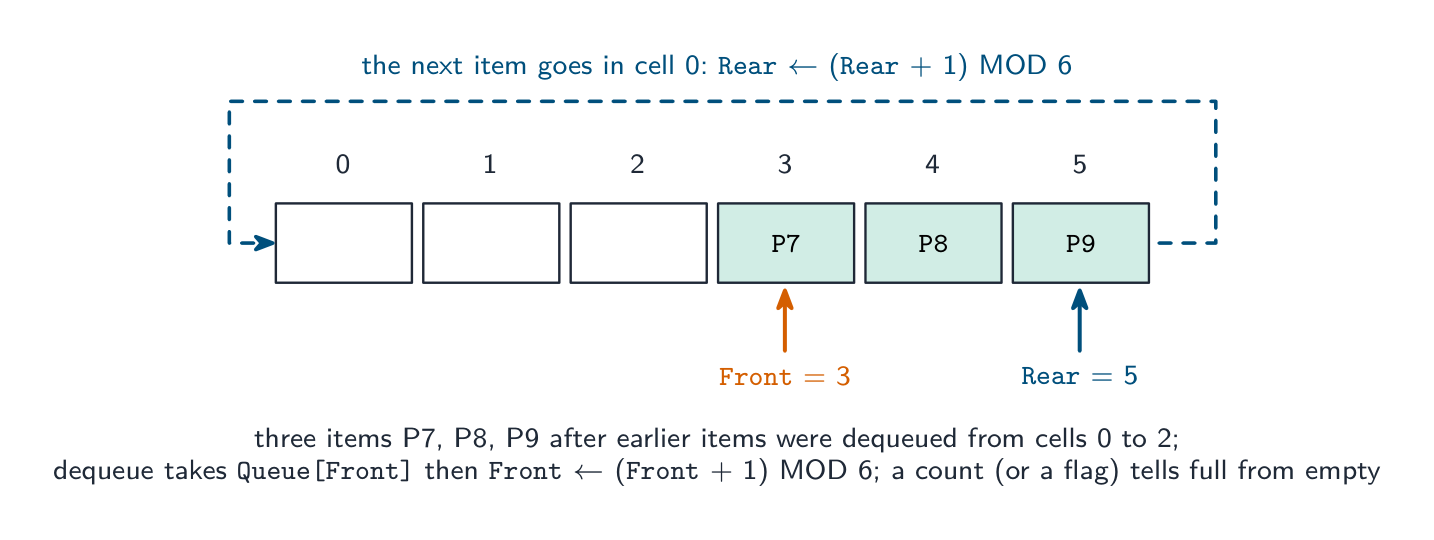 English
The Abstract Data Types (ADTs) from Topic 10 appear inside many algorithms: a stack 栈 drives depth-first traversal and undo; a queue 队列 drives breadth-first traversal and print ordering; a linked list 链表 lets data grow and shrink.
ADTs can be built from other ADTs, not just from arrays: a queue from two stacks; a stack from a linked list (push = prepend a head node 节点); a queue from a linked list with head and tail pointers 指针; a binary tree 二叉树 from nodes with two child pointers; a dictionary 字典 stores key→value pairs (often on a hash table). Layering this way separates concerns — the algorithm using the ADT need not know how it is built.
The ADTs the exam asks you to describe and implement
Stack (last in, first out): items are added (pushed) and removed (popped) at the same end, the top; a pointer
TopOfStackholds the index of the top item. Implemented with an array and that one pointer: push checks the stack is not full, increments the pointer and stores the item; pop checks it is not empty, returns the top item and decrements the pointer.Queue (first in, first out): items join at the rear (enqueue) and leave from the front (dequeue); two pointers and a count. In a linear queue the front pointer creeps along the array until the space at the start is wasted; a circular queue 循环队列 wraps both pointers round with
MOD, so every cell is reused.Linked list: a sequence of nodes, each holding a data item and a pointer to the next node; a start pointer gives the first node and a null pointer (0 or $-1$) ends the list. In an array implementation two parallel arrays hold the data and the pointers, and unused cells are chained into a free list 空闲列表 so that an insertion knows where to put the new node.
To insert into an ordered list: take the first free cell (
NewNode ← FreeList,FreeList ← Pointer[FreeList]), store the item, then walk the list with aPreviousandCurrentpointer untilData[Current] > Itemor the end; setPointer[NewNode] ← CurrentandPointer[Previous] ← NewNode(orStart ← NewNodeif it goes first). To delete, re-link the previous node past the deleted one and return the cell to the free list.Binary tree: a root node, each node holding data, a left pointer to a subtree of smaller values and a right pointer to a subtree of larger values. Implemented as a 2D array (or three 1D arrays)
Tree[Index, 0..2]for left pointer, data, right pointer, with a root pointer and a next-free pointer.To insert: store the item in the next free node with both pointers $-1$; if the tree is empty make it the root; otherwise walk down from the root, going left or right by comparison, until the pointer you would follow is $-1$, and set that pointer to the new node. An ADT from another ADT: a stack is a linked list where push and pop both work at the start; a queue is a linked list with a start and an end pointer; a queue can be made from two stacks (push onto one, pop from the other, moving everything across when the second is empty); a binary tree's nodes are records or objects linked by pointers, so it is built from a linked structure of nodes. Say which operations of the new ADT map onto which operations of the old one.
日本語The Abstract Data Types (ADTs) from Topic 10 appear inside many algorithms: a stack 栈 drives depth-first traversal and undo; a queue 队列 drives breadth-first traversal and print ordering; a linked list 链表 lets data grow and shrink.
ADTs can be built from other ADTs, not just from arrays: a queue from two stacks; a stack from a linked list (push = prepend a head node 节点); a queue from a linked list with head and tail pointers 指针; a binary tree 二叉树 from nodes with two child pointers; a dictionary 字典 stores key→value pairs (often on a hash table). Layering this way separates concerns — the algorithm using the ADT need not know how it is built.
The ADTs the exam asks you to describe and implement
Stack (last in, first out): items are added (pushed) and removed (popped) at the same end, the top; a pointer
TopOfStackholds the index of the top item. Implemented with an array and that one pointer: push checks the stack is not full, increments the pointer and stores the item; pop checks it is not empty, returns the top item and decrements the pointer.FUNCTION Push(Item : INTEGER) RETURNS BOOLEAN IF TopOfStack = 9 THEN // full (array 0 to 9) RETURN FALSE ENDIF TopOfStack ← TopOfStack + 1 StackData[TopOfStack] ← Item RETURN TRUE ENDFUNCTION FUNCTION Pop() RETURNS INTEGER IF TopOfStack = -1 THEN // empty RETURN -1 ENDIF TopOfStack ← TopOfStack - 1 RETURN StackData[TopOfStack + 1] ENDFUNCTIONQueue (first in, first out): items join at the rear (enqueue) and leave from the front (dequeue); two pointers and a count. In a linear queue the front pointer creeps along the array until the space at the start is wasted; a circular queue 循环队列 wraps both pointers round with
MOD, so every cell is reused.A circular queue: the rear and front pointers step forward with MOD, so the array's first cells are reused once their items have left FUNCTION Enqueue(Item : STRING) RETURNS BOOLEAN IF Count = 6 THEN // full RETURN FALSE ENDIF Rear ← (Rear + 1) MOD 6 QueueArray[Rear] ← Item Count ← Count + 1 RETURN TRUE ENDFUNCTION FUNCTION Dequeue() RETURNS STRING IF Count = 0 THEN // empty RETURN "" ENDIF DECLARE Item : STRING Item ← QueueArray[Front] Front ← (Front + 1) MOD 6 Count ← Count - 1 RETURN Item ENDFUNCTIONLinked list: a sequence of nodes, each holding a data item and a pointer to the next node; a start pointer gives the first node and a null pointer (0 or $-1$) ends the list. In an array implementation two parallel arrays hold the data and the pointers, and unused cells are chained into a free list 空闲列表 so that an insertion knows where to put the new node.
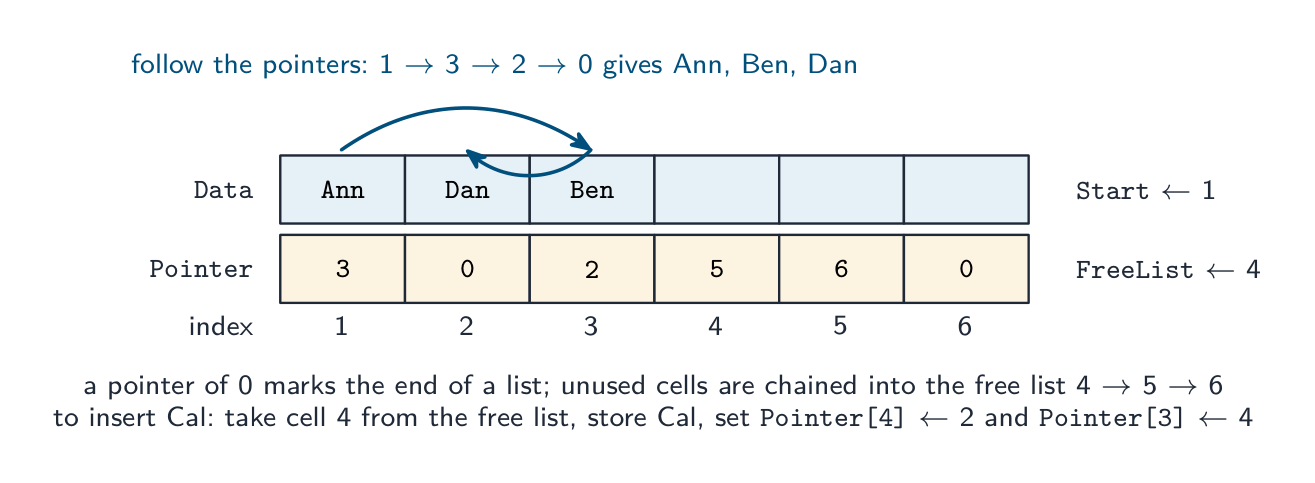
A linked list in two arrays: the order of the list is in the pointers, not in the positions; inserting a name means taking a cell from the free list and re-linking two pointers FUNCTION FindInList(Target : STRING) RETURNS INTEGER // index, or 0 if absent DECLARE Current : INTEGER Current ← Start WHILE Current <> 0 IF Data[Current] = Target THEN RETURN Current ENDIF Current ← Pointer[Current] ENDWHILE RETURN 0 ENDFUNCTIONTo insert into an ordered list: take the first free cell (
NewNode ← FreeList,FreeList ← Pointer[FreeList]), store the item, then walk the list with aPreviousandCurrentpointer untilData[Current] > Itemor the end; setPointer[NewNode] ← CurrentandPointer[Previous] ← NewNode(orStart ← NewNodeif it goes first). To delete, re-link the previous node past the deleted one and return the cell to the free list.Binary tree: a root node, each node holding data, a left pointer to a subtree of smaller values and a right pointer to a subtree of larger values. Implemented as a 2D array (or three 1D arrays)
Tree[Index, 0..2]for left pointer, data, right pointer, with a root pointer and a next-free pointer.FUNCTION FindInTree(Target : INTEGER) RETURNS INTEGER // index, or -1 DECLARE Current : INTEGER Current ← Root WHILE Current <> -1 IF Tree[Current, 1] = Target THEN RETURN Current ENDIF IF Target < Tree[Current, 1] THEN Current ← Tree[Current, 0] // go left ELSE Current ← Tree[Current, 2] // go right ENDIF ENDWHILE RETURN -1 ENDFUNCTIONTo insert: store the item in the next free node with both pointers $-1$; if the tree is empty make it the root; otherwise walk down from the root, going left or right by comparison, until the pointer you would follow is $-1$, and set that pointer to the new node. An ADT from another ADT: a stack is a linked list where push and pop both work at the start; a queue is a linked list with a start and an end pointer; a queue can be made from two stacks (push onto one, pop from the other, moving everything across when the second is empty); a binary tree's nodes are records or objects linked by pointers, so it is built from a linked structure of nodes. Say which operations of the new ADT map onto which operations of the old one.

A binary tree: each node has up to two child nodes 
Three depth-first traversals of a binary tree: pre-order, in-order (sorted order) and post-order Vocabulary · 語彙 Train · 練習するEnglish 日本語 linked list/lɪŋkt lɪst/ リンクドリスト stack/stæk/ stack queue/kjuː/ queue node/nəʊd/ ノード pointers/ˈpɔɪntəz/ ポインタ binary tree/ˈbaɪnəri triː/ 二項木 dictionary/ˈdɪkʃənəri/ 辞書 circular queue/ˈsɜːkjʊlə kjuː/ 環状キュー(循環配列) free list/friː lɪst/ フリーリスト 19.1
Comparing algorithms
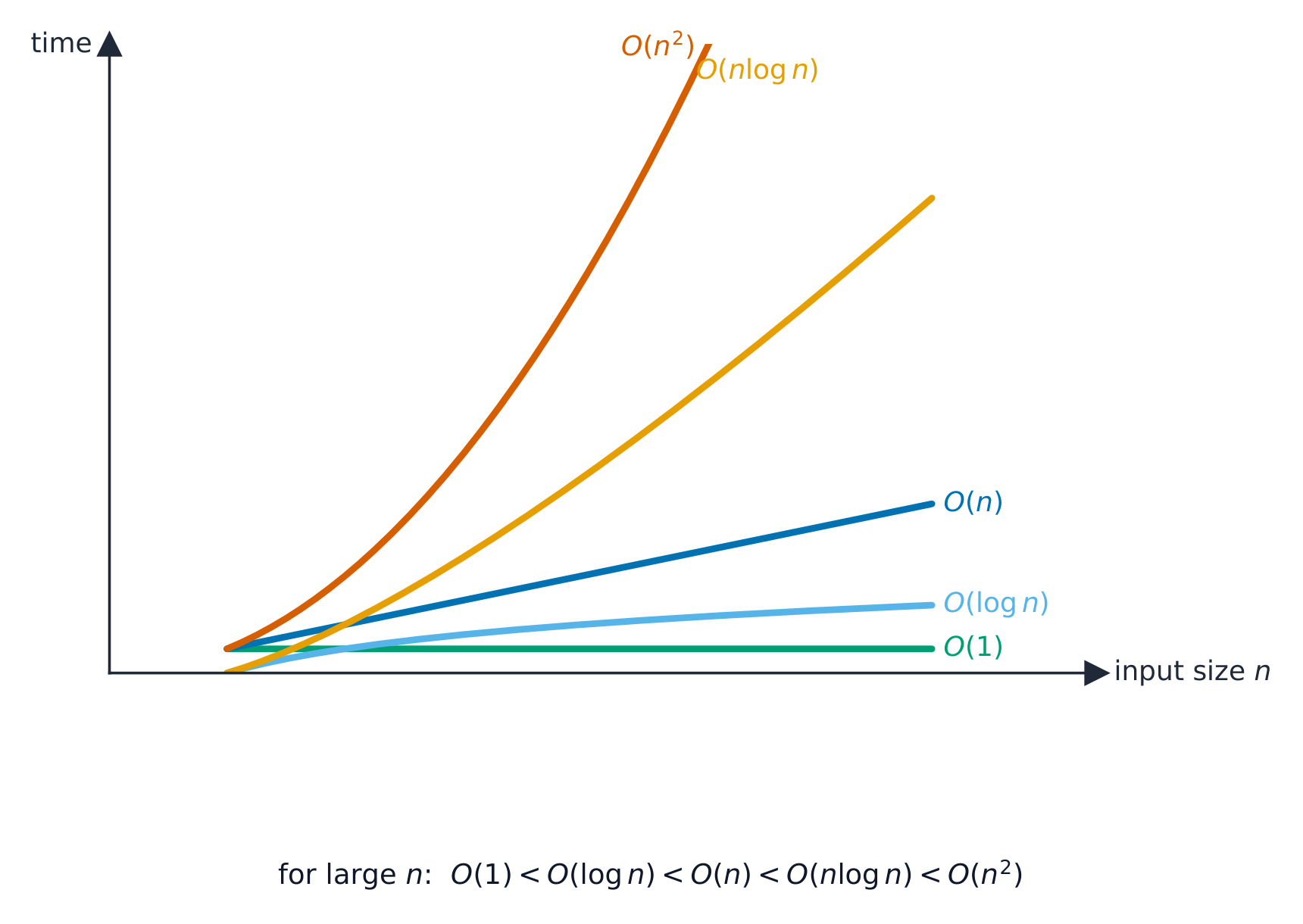 English
Time complexity
Time complexity 时间复杂度 is how the running time grows with input size $n$, written in Big-O notation 大O表示法 (the dominant term): O(1) constant, O($\log n$) binary search, O($n$) linear search, O($n \log n$) good sorts, O($n^{2}$) bubble/insertion sort. A smaller order is better at scale, even if another algorithm is faster for small $n$.
To make that concrete: to sort a million items, an $O(n \log n)$ sort finishes in a fraction of a second, while an $O(n^{2})$ sort can take minutes.
Worked example. A sorted list holds $1000$ items. How many comparisons does each search need in the worst case?
A linear search checks items one at a time, so it may need up to $1000$ comparisons — this is $O(n)$. A binary search halves the list each step, so it needs at most $\lceil \log_2 1000 \rceil = 10$ comparisons — this is $O(\log n)$. Doubling the list to $2000$ items adds only one comparison to the binary search, but up to another $1000$ to the linear search — which is why the order of growth, not raw speed, decides the winner at scale.
Describing an order. O(1): the time is constant, independent of the number of items (pushing onto a stack, reading an array element). O($\log n$): the time grows with the logarithm of the number of items, so doubling the data adds only a fixed extra step (binary search). O($n$): the time grows in proportion to the number of items (linear search, one pass through a list). O($n \log n$): a little worse than linear (efficient sorts). O($n^{2}$): the time grows with the square of the number of items, so doubling the data quadruples the time (bubble and insertion sort). "State the Big O of a binary search of
Names[0:99]" is answered $O(\log n)$, and "describe its meaning" as above; Big O measures how the time or memory scales, not the actual time.Space complexity
Space complexity 空间复杂度 is the extra memory needed. Bubble and insertion sort use O(1) extra (in place); merge sort uses O($n$); recursion uses stack memory proportional to its depth. There is often a time–memory trade-off.
Other criteria
Simplicity (easier to code and maintain), stability, and adaptiveness (faster on nearly-sorted data). The right algorithm depends on the data and the constraints.
日本語Time complexity
Time complexity 时间复杂度 is how the running time grows with input size $n$, written in Big-O notation 大O表示法 (the dominant term): O(1) constant, O($\log n$) binary search, O($n$) linear search, O($n \log n$) good sorts, O($n^{2}$) bubble/insertion sort. A smaller order is better at scale, even if another algorithm is faster for small $n$.
To make that concrete: to sort a million items, an $O(n \log n)$ sort finishes in a fraction of a second, while an $O(n^{2})$ sort can take minutes.
Worked example. A sorted list holds $1000$ items. How many comparisons does each search need in the worst case?
A linear search checks items one at a time, so it may need up to $1000$ comparisons — this is $O(n)$. A binary search halves the list each step, so it needs at most $\lceil \log_2 1000 \rceil = 10$ comparisons — this is $O(\log n)$. Doubling the list to $2000$ items adds only one comparison to the binary search, but up to another $1000$ to the linear search — which is why the order of growth, not raw speed, decides the winner at scale.
Describing an order. O(1): the time is constant, independent of the number of items (pushing onto a stack, reading an array element). O($\log n$): the time grows with the logarithm of the number of items, so doubling the data adds only a fixed extra step (binary search). O($n$): the time grows in proportion to the number of items (linear search, one pass through a list). O($n \log n$): a little worse than linear (efficient sorts). O($n^{2}$): the time grows with the square of the number of items, so doubling the data quadruples the time (bubble and insertion sort). "State the Big O of a binary search of
Names[0:99]" is answered $O(\log n)$, and "describe its meaning" as above; Big O measures how the time or memory scales, not the actual time.How the common orders of growth compare: a smaller order wins at scale 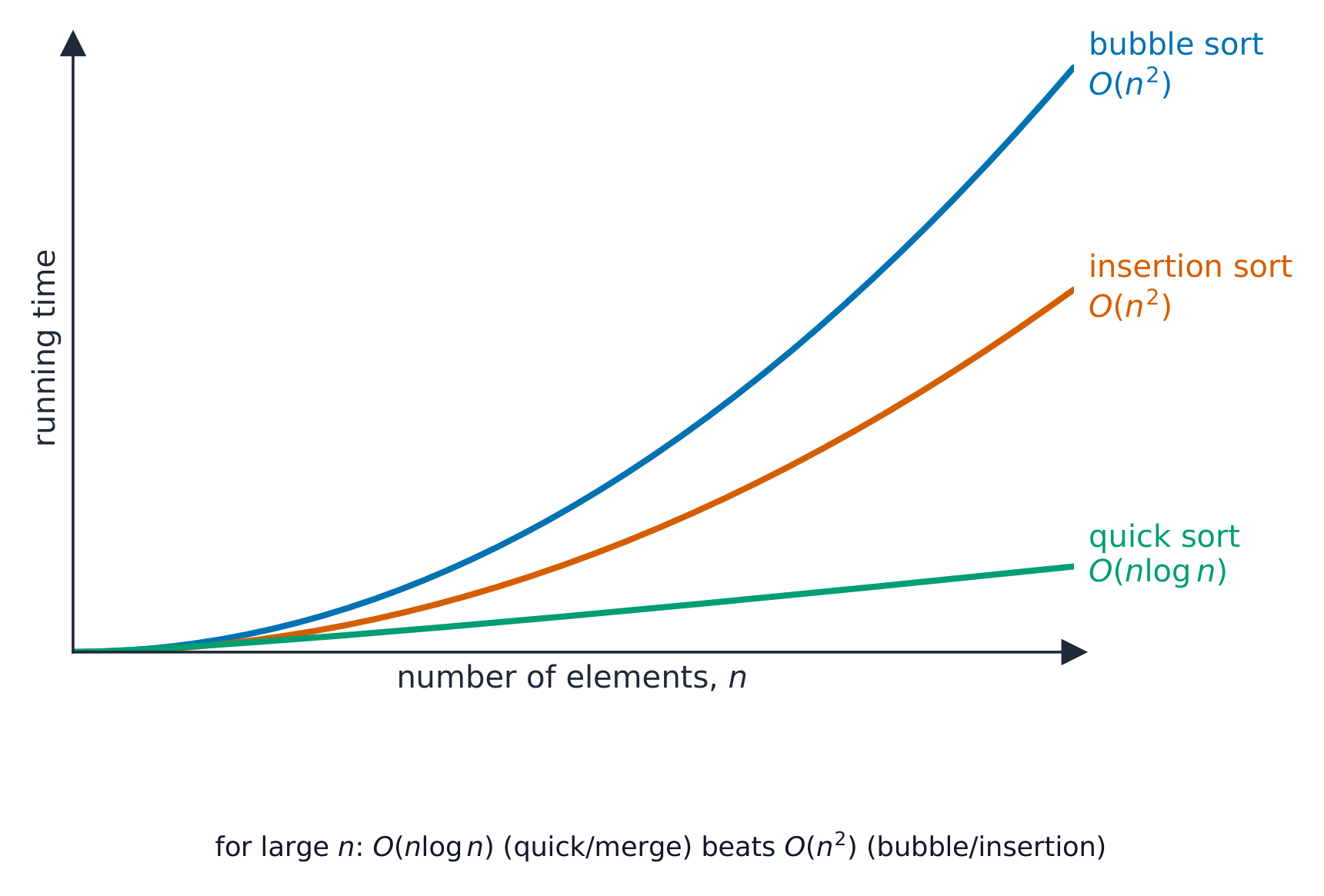
How sorting time grows with the number of elements $n$: $O(n^2)$ sorts climb away from an $O(n\log n)$ sort Space complexity
Space complexity 空间复杂度 is the extra memory needed. Bubble and insertion sort use O(1) extra (in place); merge sort uses O($n$); recursion uses stack memory proportional to its depth. There is often a time–memory trade-off.
Other criteria
Simplicity (easier to code and maintain), stability, and adaptiveness (faster on nearly-sorted data). The right algorithm depends on the data and the constraints.
Explore · 探索How running time grows with n
Slide n upward and compare the curves: O(1) and O(log n) stay almost flat, O(n) rises steadily, O(n²) explodes. This is why Big-O — not a stopwatch — is how we compare algorithms on large inputs.
Explore · 探索Big-O growth
Change the input size n and compare how fast each algorithm's work grows — the idea behind time complexity.
Vocabulary · 語彙 Train · 練習するEnglish 日本語 time complexity/taɪm kəmˈpleksɪti/ 時間複雑度 Big-O notation/bɪɡ əʊ nəʊˈteɪʃn/ 大O記法 space complexity/speɪs kəmˈpleksɪti/ スペース複雑度 19.2
Recursion

Syllabus · シラバス
EnglishCandidates should be able to: Notes and guidance Show understanding of recursion Essential features of recursion How recursion is expressed in a programming language Write and trace recursive algorithms When the use of recursion is beneficial Show awareness of what a compiler has to do to translate recursive programming code Use of stacks and unwinding 日本語受験者は以下的能力を備えているべきである: メモおよびガイドライン 再帰を理解する 再帰の必須要素 再帰をプログラミング言語で表現する方法 再帰的アルゴリズムを書き、トレースする 再帰の使用が有益な場合 コンパイラが再帰_programmingコードを翻訳するために必要な処理について認識する。 スタックとアンワイディングの使用。 Source: Cambridge International syllabus · 出典: Cambridge International シラバス
EnglishRecursion: the call stack winds up and unwinds Recursive algorithms use recursion 递归: the routine calls itself with a smaller version of the same problem, until a base case 基本情形 ends the chain. It has two parts: the base case (small enough to solve directly — without it the recursion never stops) and the recursive case 递归情形 (reduce the input and call itself).
Factorial 阶乘:
Recursion is natural for self-similar problems: trees, divide-and-conquer 分治 (binary search, merge sort), and nested data. When it is a poor fit, a loop is usually cleaner.
"Describe what is meant by recursion" (two marks). A function or procedure that is defined in terms of itself: it calls itself from within its own body, with a smaller version of the problem each time, until a base case is reached. "State three essential features of recursion": (1) a base case (stopping condition) that returns a value without a further call; (2) a general case 一般情形 in which the routine calls itself; (3) each call moves the problem closer to the base case (the parameter is reduced), so that the recursion terminates. Some schemes add: values are returned as the calls unwind.
"Describe when the use of recursion is beneficial, and give an example." When the problem is naturally defined in terms of smaller versions of itself, so that the recursive solution is shorter, clearer and closer to the mathematical definition than a loop would be: a factorial or Fibonacci number, a binary search, traversing a binary tree, merge sort or quicksort, and processing nested structures such as folders within folders. It is a poor choice when the depth is large (the stack may overflow) or when the same sub-problem is computed many times (naive Fibonacci).
Tracing a recursive call
For
Factorial(4): the calls go down toFactorial(1)=1, then unwinding multiplies back up:2*1=2,3*2=6,4*6=24. Final result24. Track each pending call on a stack.Worked example. The function below is given without an explanation. Trace
Unknown(3, 5)and state its output and return value.Call 1: $X = 3, Y = 5$: $3 < 5$, output 8, call
Unknown(4, 4). Call 2: $4 < 4$ is false, return 0. Unwinding: call 1 returns $0 + 1 = 1$. Output 8, return value 1. Write the trace as a table with a row per call (parameters, condition, output, what it returns), and do the returns from the deepest call upwards: that is the unwinding the mark scheme looks for.Worked example (Fibonacci).
Fib(n)returnsnwhenn < 2, otherwiseFib(n - 1) + Fib(n - 2). FindFib(5).Fib(5) = Fib(4) + Fib(3);Fib(4) = Fib(3) + Fib(2);Fib(3) = Fib(2) + Fib(1);Fib(2) = Fib(1) + Fib(0) = 1 + 0 = 1. SoFib(3) = 1 + 1 = 2,Fib(4) = 2 + 1 = 3,Fib(5) = 3 + 2 = 5. The base case is reached many times (Fib(2)is computed three times), which is why this version is slow: it makes 15 calls for $n = 5$ and roughly doubles the calls for every increase in $n$.Converting recursion to iteration. Every recursive routine can be rewritten with a loop, which uses less memory and is faster: keep a running result and loop from the base case upwards. Factorial as a loop:
Asked to change a recursive insertion sort or search into an iterative one, replace the self-call with a loop over the index that the recursion was stepping through, and turn the base case into the loop's exit condition.
Risks
- infinite recursion if the base case is missed — crashes with a stack overflow 栈溢出.
- high memory use for deep recursion.
- slow if it repeats work (naive Fibonacci is exponential — use a loop or memoisation 记忆化).
日本語Recursion: the call stack winds up and unwinds Recursive algorithms use recursion 递归: the routine calls itself with a smaller version of the same problem, until a base case 基本情形 ends the chain. It has two parts: the base case (small enough to solve directly — without it the recursion never stops) and the recursive case 递归情形 (reduce the input and call itself).
Factorial 阶乘:
FUNCTION Factorial(n : INTEGER) RETURNS INTEGER
    IF n = 0 OR n = 1 THEN
        RETURN 1
    ELSE
        RETURN n * Factorial(n - 1)
    ENDIF
ENDFUNCTION
Recursion is natural for self-similar problems: trees, divide-and-conquer 分治 (binary search, merge sort), and nested data. When it is a poor fit, a loop is usually cleaner.
"Describe what is meant by recursion" (two marks). A function or procedure that is defined in terms of itself: it calls itself from within its own body, with a smaller version of the problem each time, until a base case is reached. "State three essential features of recursion": (1) a base case (stopping condition) that returns a value without a further call; (2) a general case 一般情形 in which the routine calls itself; (3) each call moves the problem closer to the base case (the parameter is reduced), so that the recursion terminates. Some schemes add: values are returned as the calls unwind.
"Describe when the use of recursion is beneficial, and give an example." When the problem is naturally defined in terms of smaller versions of itself, so that the recursive solution is shorter, clearer and closer to the mathematical definition than a loop would be: a factorial or Fibonacci number, a binary search, traversing a binary tree, merge sort or quicksort, and processing nested structures such as folders within folders. It is a poor choice when the depth is large (the stack may overflow) or when the same sub-problem is computed many times (naive Fibonacci).
Tracing a recursive call
For
Factorial(4): the calls go down toFactorial(1)=1, then unwinding multiplies back up:2*1=2,3*2=6,4*6=24. Final result24. Track each pending call on a stack.Worked example. The function below is given without an explanation. Trace
Unknown(3, 5)and state its output and return value.FUNCTION Unknown(BYVAL X, BYVAL Y : INTEGER) RETURNS INTEGER IF X < Y THEN OUTPUT X + Y RETURN Unknown(X + 1, Y - 1) + 1 ELSE RETURN 0 ENDIF ENDFUNCTIONCall 1: $X = 3, Y = 5$: $3 < 5$, output 8, call
Unknown(4, 4). Call 2: $4 < 4$ is false, return 0. Unwinding: call 1 returns $0 + 1 = 1$. Output 8, return value 1. Write the trace as a table with a row per call (parameters, condition, output, what it returns), and do the returns from the deepest call upwards: that is the unwinding the mark scheme looks for.Worked example (Fibonacci).
Fib(n)returnsnwhenn < 2, otherwiseFib(n - 1) + Fib(n - 2). FindFib(5).Fib(5) = Fib(4) + Fib(3);Fib(4) = Fib(3) + Fib(2);Fib(3) = Fib(2) + Fib(1);Fib(2) = Fib(1) + Fib(0) = 1 + 0 = 1. SoFib(3) = 1 + 1 = 2,Fib(4) = 2 + 1 = 3,Fib(5) = 3 + 2 = 5. The base case is reached many times (Fib(2)is computed three times), which is why this version is slow: it makes 15 calls for $n = 5$ and roughly doubles the calls for every increase in $n$.Converting recursion to iteration. Every recursive routine can be rewritten with a loop, which uses less memory and is faster: keep a running result and loop from the base case upwards. Factorial as a loop:
FUNCTION Factorial(N : INTEGER) RETURNS INTEGER
    DECLARE Result, Count : INTEGER
    Result ← 1
    FOR Count ← 2 TO N
        Result ← Result * Count
    NEXT Count
    RETURN Result
ENDFUNCTION
Asked to change a recursive insertion sort or search into an iterative one, replace the self-call with a loop over the index that the recursion was stepping through, and turn the base case into the loop's exit condition.
Recursion uses the call stack: calls push frames down to the base case, then returns unwind back up Risks
- infinite recursion if the base case is missed — crashes with a stack overflow 栈溢出.
- high memory use for deep recursion.
- slow if it repeats work (naive Fibonacci is exponential — use a loop or memoisation 记忆化).
Explore · 探索Recursion unwinds from the leaves up
Step through fib(4) in the order the calls actually finish: the leaves (base cases) resolve first, then each parent combines its children. Notice fib(2) is computed twice — that repeated work is why naive recursion is slow.
Vocabulary · 語彙 Train · 練習するEnglish 日本語 recursion/rɪˈkɜːʃn/ 再帰 base case/beɪs keɪs/ 再帰ケース recursive case/rɪˈkɜːsɪv keɪs/ 再帰を停止させる部分は factorial/fækˈtɔːrɪəl/ 階乗 divide-and-conquer/dɪˈvaɪd ænd ˈkɒŋkə/ divide-and-conquer(分治法) general case/ˈdʒenərəl keɪs/ 一般ケース stack overflow/stæk ˌəʊvəˈfləʊ/ スタックオーバーフロー memoisation/ˌmeməʊaɪˈzeɪʃn/ メモ化 19.2
What the compiler does for recursive code
EnglishRecursion needs each call to have its own copy of its parameters 参数 and local variables 局部变量. The compiler keeps these on the call stack 调用栈. For each call it pushes a stack frame 栈帧 holding the parameters, the local variables, and the return address 返回地址 (where to resume in the caller). When the function returns, the return value is handed back, the frame is popped, and control resumes at the return address.
Because each call has its own frame, recursive calls don't trample each other's variables. The stack can grow large for deep recursion, which is why very deep recursion may overflow it. This is the same call-and-return mechanism used for ordinary (non-recursive) calls — there is no special "recursion mechanism".
"Explain why a stack is suitable for implementing recursion" (three marks). Each recursive call must save its return address, its parameters and its local variables, and the calls are completed in the reverse order to that in which they were made (the last call made is the first to finish), which is exactly the last in, first out behaviour of a stack: each new call pushes a frame, and each return pops the most recent frame, restoring the caller's state and telling it where to continue. This is the compiler's job when it translates recursive code: it generates the push of a stack frame on every call and the pop on every return, and the frames are unwound as the results come back.
日本語Recursion needs each call to have its own copy of its parameters 参数 and local variables 局部变量. The compiler keeps these on the call stack 调用栈. For each call it pushes a stack frame 栈帧 holding the parameters, the local variables, and the return address 返回地址 (where to resume in the caller). When the function returns, the return value is handed back, the frame is popped, and control resumes at the return address.
Because each call has its own frame, recursive calls don't trample each other's variables. The stack can grow large for deep recursion, which is why very deep recursion may overflow it. This is the same call-and-return mechanism used for ordinary (non-recursive) calls — there is no special "recursion mechanism".
"Explain why a stack is suitable for implementing recursion" (three marks). Each recursive call must save its return address, its parameters and its local variables, and the calls are completed in the reverse order to that in which they were made (the last call made is the first to finish), which is exactly the last in, first out behaviour of a stack: each new call pushes a frame, and each return pops the most recent frame, restoring the caller's state and telling it where to continue. This is the compiler's job when it translates recursive code: it generates the push of a stack frame on every call and the pop on every return, and the frames are unwound as the results come back.
Vocabulary · 語彙 Train · 練習するEnglish 日本語 call stack/kɔːl stæk/ コールスタック parameters/pəˈræmɪtəz/ パラメータである local variables/ˈləʊkl ˈveərɪəblz/ ローカル変数 stack frame/stæk freɪm/ スタックフレーム return address/rɪˈtɜːn əˈdres/ リターンアドレス 19.2
Definitions the examiner accepts
A definition question is marked against fixed wording. Learn these exactly, and give one answer only.
Term Definition linear search checking each item in turn from the start until the target is found or the end is reached binary search repeatedly comparing the target with the middle item of a sorted list and discarding the half that cannot contain it bubble sort repeatedly passing through the list, swapping adjacent items that are in the wrong order, until a pass makes no swaps insertion sort taking each item in turn and inserting it into its correct place among the items already sorted abstract data type a collection of data and the operations that can be performed on it, defined independently of how it is stored stack a last-in-first-out structure with push and pop at the top queue a first-in-first-out structure with items added at the rear and removed from the front linked list a sequence of nodes, each holding data and a pointer to the next node, with a start pointer binary tree nodes each holding data and pointers to a left subtree of smaller values and a right subtree of larger values Big O notation a way of classifying the time (or memory) an algorithm needs by how it grows with the size of the input recursion a routine that calls itself with a smaller version of the problem until a base case stops the calls base case the condition under which a recursive routine returns without calling itself unwinding the returns of a chain of recursive calls, from the deepest call back to the first, as the stack frames are popped 19.2
Exam tips
- Searches: linear needs no order and O($n$); binary needs a sorted array, halves each time and is O($\log n$). Know both algorithms by heart, including the bounds and the flag.
- Sorts: bubble with a swapped flag, insertion with a key that shifts larger items right; both O($n^{2}$) worst, O($n$) on sorted data. Performance depends on the number of items and how ordered they are.
- ADT implementations are pointer bookkeeping: a top pointer; front, rear and count with MOD; start, pointers and a free list; root with left and right pointers. Always check for full and empty.
- Big O is about scaling: constant, logarithmic, linear, square. Say "doubling the data adds one comparison" for a binary search.
- Recursion: base case, general case, progress towards the base case; beneficial when the problem is defined in terms of itself; a stack holds the return addresses and variables because calls return in reverse order. Trace with a table and unwind from the deepest call.
Common mistakes
- Using a binary search on unsorted data, or on a linked list; and setting
Lower ← Midinstead ofMid + 1, which loops for ever. - A bubble sort inner loop that runs to the end of the array every pass, or a swap without a temporary variable.
- A push or enqueue that does not test for full, or a pop or dequeue that does not test for empty.
- Moving the queue's front pointer without MOD in a circular queue, or treating front = rear as always meaning empty.
- Inserting into a linked list by shifting the array contents; only the pointers change.
- A recursive function with no base case, or one whose recursive call does not make the problem smaller.
- Tracing a recursive call but forgetting to add the pending work on the way back up.
- Answering "why a stack" with "because it is fast"; the reason is the last-in-first-out order of the returns.
-
20
Further Programming · 高度なプログラミング
Watch lesson · レッスンを視聴20.1
Programming paradigms

Syllabus · シラバス
EnglishCandidates should be able to: Notes and guidance Understanding what is meant by a programming paradigm Show understanding of the characteristics of a number of programming paradigms: • Low-level Low-level Programming: • understanding of and ability to write low-level code that uses various addressing modes: immediate, direct, indirect, indexed and relative • Imperative (Procedural) Imperative (Procedural) programming: • Assumed knowledge and understanding of Structural Programming (see details in AS content section 11.3) • understanding of and ability to write imperative (procedural) programming code that uses variables, constructs, procedures and functions. See details in AS content • Object Oriented Object-Oriented Programming (OOP): • understanding of the terminology associated with OOP (including objects, properties/attributes, methods, classes, inheritance, polymorphism, containment (aggregation), encapsulation, getters, setters, instances) • understanding of how to solve a problem by designing appropriate classes • understanding of and ability to write code that demonstrates the use of OOP • Declarative Declarative programming: • understanding of and ability to solve a problem by writing appropriate facts and rules based on supplied information • understanding of and ability to write code that can satisfy a goal using facts and rules 日本語受験者は以下的能力を備えているべきである: メモおよびガイドライン プログラミングパラダイムの概念を理解する。 多数のプログラミングパラダイムの特徴の理解を示す。 • 低レベル 低レベルプログラミング: • 多様なアドレッシングモード(即座に、直接、間接、インデックス、相対)を使用した低レベルコードの理解および記述能力。 • 命令型(手続型) 命令型(手続型)プログラミング:• 構造化プログラミングに関する既知の知識と理解(AS内容セクション11.3の詳細を参照)• 変数、構造体、プロシージャ、関数を用いた命令型(手続型)プログラミングコードの記述に関する理解と能力。詳細はAS内容を参照 • オブジェクト指向 オブジェクト指向プログラミング(OOP):• OOPに関連する用語の理解(オブジェクト、プロパティ/属性、メソッド、クラス、継承、多様性、包含(集約)、カプセル化、ゲッター、セッター、インスタンスを含む)• 適切なクラスを設計して問題を解決する方法の理解• OOPの使用を示すコードを記述する理解と能力 • 宣言型 宣言型プログラミング:• 提供された情報に基づいて適切な事実とルールを記述し、問題解決を行うための理解と能力• 事実とルールを用いてゴールを満たすことができるコードを記述する理解と能力 Source: Cambridge International syllabus · 出典: Cambridge International シラバス
EnglishA programming paradigm 编程范式 is a style of programming — a way of structuring programs, with its own ideas and language features. Four programming paradigms are in this syllabus.
"Describe what is meant by an imperative (procedural) language" (two marks). A language in which the program is a sequence of instructions that are executed in order and that change the program's state; the programmer says how the task is done, using procedures, sequence, selection and iteration. "Describe what is meant by a declarative language": the program states facts and rules (what is known and what is wanted) and the language's inference engine works out how to find the answer; the programmer does not give the sequence of steps.
Identify the paradigm from a code sample (a regular Paper 3 question):
LDD 200,ADD #5,STO 201is low-level (mnemonics, registers, memory addresses);FOR Count ← 1 TO 10 … NEXT Countwith procedures and assignments is imperative;CLASS Dog … PRIVATE Name : STRING … PUBLIC PROCEDURE NEW(…)is object-oriented;type(lion, wild).anddangerous(X) IF type(X, wild)is declarative (logic). In the matching question: low-level pairs with "mnemonics that correspond directly to machine instructions", imperative with "a sequence of statements that change the state", OOP with "objects that combine attributes and methods", declarative with "facts and rules, with no order of execution given".Low-level programming
Programming close to the hardware in machine code 机器码 or assembly language 汇编语言, where each instruction maps to what the CPU runs. It gives direct access to registers 寄存器 and memory addresses 内存地址, using different addressing modes 寻址方式 (immediate, direct, indirect, indexed and relative). It is very fast and compact, but architecture-specific, tedious, and hard to maintain. This is low-level 低级 programming, used for device drivers, firmware and bootloaders.
The five addressing modes. The syllabus asks for low-level code that uses each addressing mode (the instruction set is in Topic 4). The operand of a load instruction can be read five ways, and the exam gives you the memory contents and asks what the accumulator holds:
- immediate (
LDM #105): the operand is the value; ACC becomes 105. - direct (
LDD 105): the operand is the address of the value; ACC becomes the contents of 105, here 27. - indirect (
LDI 105): the operand is the address of an address; ACC becomes the contents of 27, here 91. Used for pointers and for data whose position is decided at run time. - indexed (
LDX 105): the address is the operand plus the index register IX; with IX = 2, ACC becomes the contents of 107. Used to step through an array by incrementing IX. - relative (
JMR +65): the target is an offset from the address of the current instruction, which makes the code relocatable.
Worked example. Memory: 105 holds 27, 106 holds 64, 200 holds 0. Write code to add the contents of 105 and 106, store the result in 200 and output it.
LDD 105(ACC = 27),ADD 106(ACC = 91),STO 200,OUT. To double the value in 105 instead:LDD 105,ADD 105,STO 105. State the register contents after each line when asked to trace.Imperative (procedural) programming
In imperative programming 命令式编程 the programmer writes a sequence of commands that change the program's state — assignments, conditionals, loops, function calls. Variables 变量 hold state; statements change it; code is organised into procedures and functions (also called structured or structural programming). This is the style of Topics 9 and 11 (Python, C). Strong when the algorithm has clear sequential steps.
Object-oriented programming (OOP)
In object-oriented programming 面向对象编程 programs are built from objects 对象 — units combining data (attributes 属性) and operations (methods 方法). Objects are instances 实例 of classes 类. The four pillars:
- encapsulation 封装 — an object's data is hidden behind its methods; outside code uses the public methods only, not the data directly. This protects the object and lets its internals change without breaking callers. For example, a
BankAccounthides itsbalance; you change it only throughdeposit()andwithdraw(), which can enforce a rule like "never go below zero". - inheritance 继承 — a subclass 子类 specialises a superclass 父类, inheriting its attributes and methods and adding or overriding 重写 them. Models "is-a" ("a Manager is an Employee").
- polymorphism 多态 — different objects respond to the same method call differently; the caller need not know the exact type. Every
ShapehasArea(), and aCircleand aRectangleeach implement it their own way. - abstraction 抽象 — show a simple interface and hide the implementation.
Other terms:
- a constructor 构造函数 is a special method run when an object is created, to set up its attributes.
- getters and setters read and write an object's attributes (its properties) through methods.
- aggregation 聚合 and containment 包含 build an object from other objects (a "has-a" relationship).
OOP is used for large systems, GUIs, simulations and games.
OOP as the examiner marks it
Definitions. Class: a template (blueprint) that defines the attributes and methods of the objects of that type. Object: an instance of a class, created from it, with its own values for the attributes ("an occurrence of an object" is the exam's phrase for an instance). Attribute (property): a data item belonging to a class. Method: a procedure or function belonging to a class that acts on its attributes. Encapsulation: combining the attributes and methods in one class and restricting external access to the data: the attributes are private and can only be read or changed through public methods. Inheritance: a subclass acquires the attributes and methods of its parent (super) class and can add its own or override them. Polymorphism: methods with the same name that behave differently in different classes; typically a subclass redefines a method of its parent, and the right version runs for each object. Containment: a class has an object of another class as an attribute (a car has an engine). "Identify the feature that restricts external access to the data" is encapsulation; "the term for an occurrence of an object" is instance.
"Outline the structure of a class" (three marks): attributes (properties) that hold the object's data, usually declared private; methods (procedures and functions) that act on those attributes, usually public; and a constructor, a method that runs when an object is created to initialise the attributes. "Give three benefits of OOP": code is reused through inheritance; data is protected by encapsulation, so it can only be changed by the class's own methods; a large program is split into classes that are written and tested independently, so it is easier to maintain and extend; classes model real-world entities, so the design is easier to understand; polymorphism lets the same call work for different objects.
The class in pseudocode, as Paper 3 sets it:
An object is created with
MyCar ← NEW Car("AB12 CDE", 2020)and used withMyCar.AddMileage(150)andOUTPUT MyCar.GetMileage(). A subclass reuses the parent's constructor throughSUPER:The same class in Python, as Paper 4 expects it: attributes are made private with a double underscore, the constructor is
__init__, and a subclass names its parent in brackets and callssuper().__init__(…):In Java the same ideas are
private/publicfields, a constructor with the class's name,extendsandsuper(…); in VB.NETPrivate/Public,Sub New,InheritsandMyBase.New. A polymorphic method is written in the parent and overridden in the child with the same name; a call through a parent-type variable runs the child's version.Data structures as objects. Paper 4 builds a stack, linked list or binary tree from a
Nodeclass whose attributes are the data and one or two references to other nodes; aTree(orLinkedList) class holds the root (or start) and the methods.A find method walks the same path and returns
TRUEwhenCurrent.Data = Target,FALSEwhen it reachesNULL; an in-order output method is recursive: output the left subtree, the node, then the right subtree. For a linked list the node has one reference,Next, and the list class holdsStart; for a stack built from a list, push and pop both work atStart.Worked example. A game has characters. Each has a name, health (starting at 100) and a position given by X and Y. Write a class
Characterwith a constructor and a methodMove(DX, DY); then a subclassWizardthat addsMana(starting at 50) and a methodCastSpell()that takes 10 mana and returnsTRUEif there was enough.The marks are for private attributes, a constructor that sets every attribute, the inheritance line, the call to the parent's constructor, and a method that uses and changes the object's own data. When the question asks for a class diagram, draw a box in three parts (name; attributes with
-for private; methods with+for public) and join a subclass to its parent with an arrow pointing at the parent.Declarative programming
In declarative programming 声明式编程 you say what to compute, not how — the runtime works out the steps. Two kinds:
- functional programming 函数式编程 — built from pure functions 纯函数 (no side effects 副作用; same input always gives the same output) composed together. Examples: Haskell, Lisp.
- logic programming 逻辑编程 — state facts and rules; the engine answers a goal (query) by inference. Example: Prolog.
A familiar declarative example is SQL 结构化查询语言:
SELECT * FROM Customer WHERE Country = 'UK'says what you want, not how to walk the records.Facts, rules and goals are what the exam tests in the declarative paradigm. Given these facts 事实 (statements that are true) and a rule 规则 (a conclusion that holds when its conditions hold):
"Write the result of the goal
type(X, wild)":X = leopard, X = lion. The engine matches the goal against each fact in turn; every match is a solution, and a capital letter is a variable that the match fills in. "Write a fact to show that a cheetah is wild":type(cheetah, wild)."Explain what line 07 does": it defines a rule with the conclusiondangerous(X), which is true for anyXthat is both wild and large, sodangerous(A)returnsA = leopard, A = lion. "Write a rule: a featureFmay be available for a body styleBifFis a feature andBis a body style andFis not unavailable forB":may_be_available(F, B) IF feature(F) AND body_style(B) AND NOT unavailable(F, B). Copy the exact predicate names and argument order used in the question's facts; a new fact ends with a full stop, and a rule's conditions are joined withAND.Comparing paradigms
Paradigm Strength Typical languages Low-level maximum control, speed assembly Imperative direct, intuitive C, Python Object-oriented modular, models entities Java, C#, Python Functional clear, no side effects Haskell, F# Logic inference, rules Prolog Database data queries SQL Modern languages often mix paradigms — Python supports all of procedural, OOP and functional. The right one depends on the problem.
日本語A programming paradigm 编程范式 is a style of programming — a way of structuring programs, with its own ideas and language features. Four programming paradigms are in this syllabus.
"Describe what is meant by an imperative (procedural) language" (two marks). A language in which the program is a sequence of instructions that are executed in order and that change the program's state; the programmer says how the task is done, using procedures, sequence, selection and iteration. "Describe what is meant by a declarative language": the program states facts and rules (what is known and what is wanted) and the language's inference engine works out how to find the answer; the programmer does not give the sequence of steps.
Identify the paradigm from a code sample (a regular Paper 3 question):
LDD 200,ADD #5,STO 201is low-level (mnemonics, registers, memory addresses);FOR Count ← 1 TO 10 … NEXT Countwith procedures and assignments is imperative;CLASS Dog … PRIVATE Name : STRING … PUBLIC PROCEDURE NEW(…)is object-oriented;type(lion, wild).anddangerous(X) IF type(X, wild)is declarative (logic). In the matching question: low-level pairs with "mnemonics that correspond directly to machine instructions", imperative with "a sequence of statements that change the state", OOP with "objects that combine attributes and methods", declarative with "facts and rules, with no order of execution given".Four paradigms: low-level, imperative, object-oriented and declarative Low-level programming
Programming close to the hardware in machine code 机器码 or assembly language 汇编语言, where each instruction maps to what the CPU runs. It gives direct access to registers 寄存器 and memory addresses 内存地址, using different addressing modes 寻址方式 (immediate, direct, indirect, indexed and relative). It is very fast and compact, but architecture-specific, tedious, and hard to maintain. This is low-level 低级 programming, used for device drivers, firmware and bootloaders.
The five addressing modes. The syllabus asks for low-level code that uses each addressing mode (the instruction set is in Topic 4). The operand of a load instruction can be read five ways, and the exam gives you the memory contents and asks what the accumulator holds:
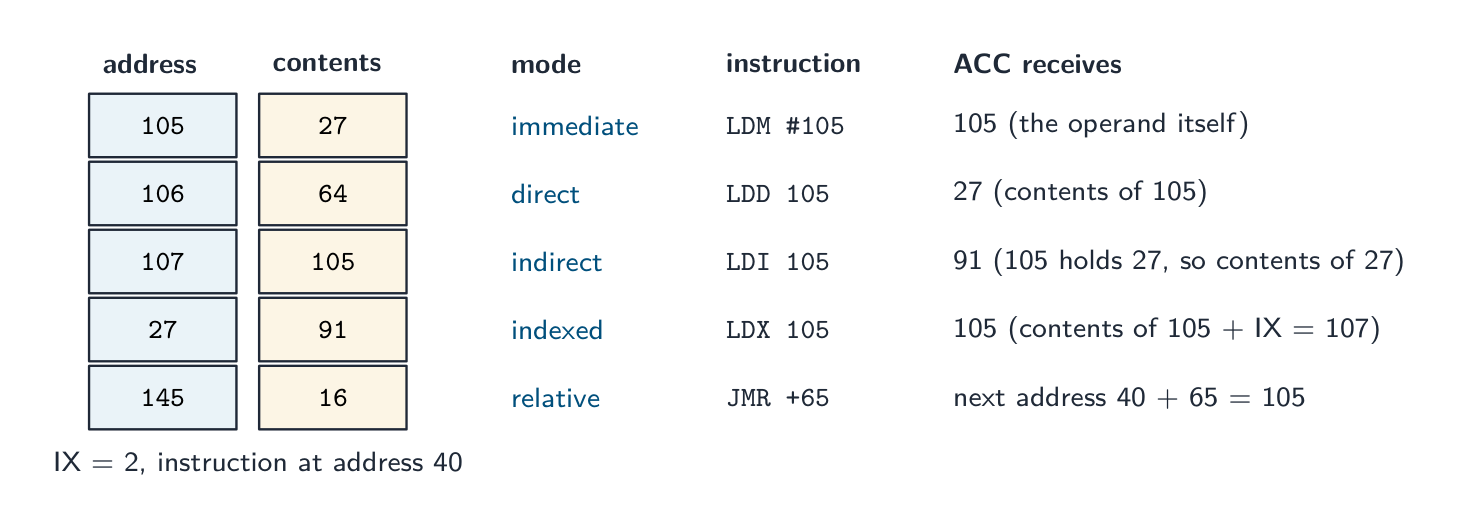
The same operand, 105, read five ways: as a value, as an address, as the address of an address, as an address plus the index register, and as an offset from the current instruction - immediate (
LDM #105): the operand is the value; ACC becomes 105. - direct (
LDD 105): the operand is the address of the value; ACC becomes the contents of 105, here 27. - indirect (
LDI 105): the operand is the address of an address; ACC becomes the contents of 27, here 91. Used for pointers and for data whose position is decided at run time. - indexed (
LDX 105): the address is the operand plus the index register IX; with IX = 2, ACC becomes the contents of 107. Used to step through an array by incrementing IX. - relative (
JMR +65): the target is an offset from the address of the current instruction, which makes the code relocatable.
Worked example. Memory: 105 holds 27, 106 holds 64, 200 holds 0. Write code to add the contents of 105 and 106, store the result in 200 and output it.
LDD 105(ACC = 27),ADD 106(ACC = 91),STO 200,OUT. To double the value in 105 instead:LDD 105,ADD 105,STO 105. State the register contents after each line when asked to trace.Imperative (procedural) programming
In imperative programming 命令式编程 the programmer writes a sequence of commands that change the program's state — assignments, conditionals, loops, function calls. Variables 变量 hold state; statements change it; code is organised into procedures and functions (also called structured or structural programming). This is the style of Topics 9 and 11 (Python, C). Strong when the algorithm has clear sequential steps.
Object-oriented programming (OOP)
In object-oriented programming 面向对象编程 programs are built from objects 对象 — units combining data (attributes 属性) and operations (methods 方法). Objects are instances 实例 of classes 类. The four pillars:
- encapsulation 封装 — an object's data is hidden behind its methods; outside code uses the public methods only, not the data directly. This protects the object and lets its internals change without breaking callers. For example, a
BankAccounthides itsbalance; you change it only throughdeposit()andwithdraw(), which can enforce a rule like "never go below zero". - inheritance 继承 — a subclass 子类 specialises a superclass 父类, inheriting its attributes and methods and adding or overriding 重写 them. Models "is-a" ("a Manager is an Employee").
- polymorphism 多态 — different objects respond to the same method call differently; the caller need not know the exact type. Every
ShapehasArea(), and aCircleand aRectangleeach implement it their own way. - abstraction 抽象 — show a simple interface and hide the implementation.
Other terms:
- a constructor 构造函数 is a special method run when an object is created, to set up its attributes.
- getters and setters read and write an object's attributes (its properties) through methods.
- aggregation 聚合 and containment 包含 build an object from other objects (a "has-a" relationship).
OOP is used for large systems, GUIs, simulations and games.

Polymorphism: the same method call runs each object's own code 
A class diagram for a Shape: private attributes and public methods 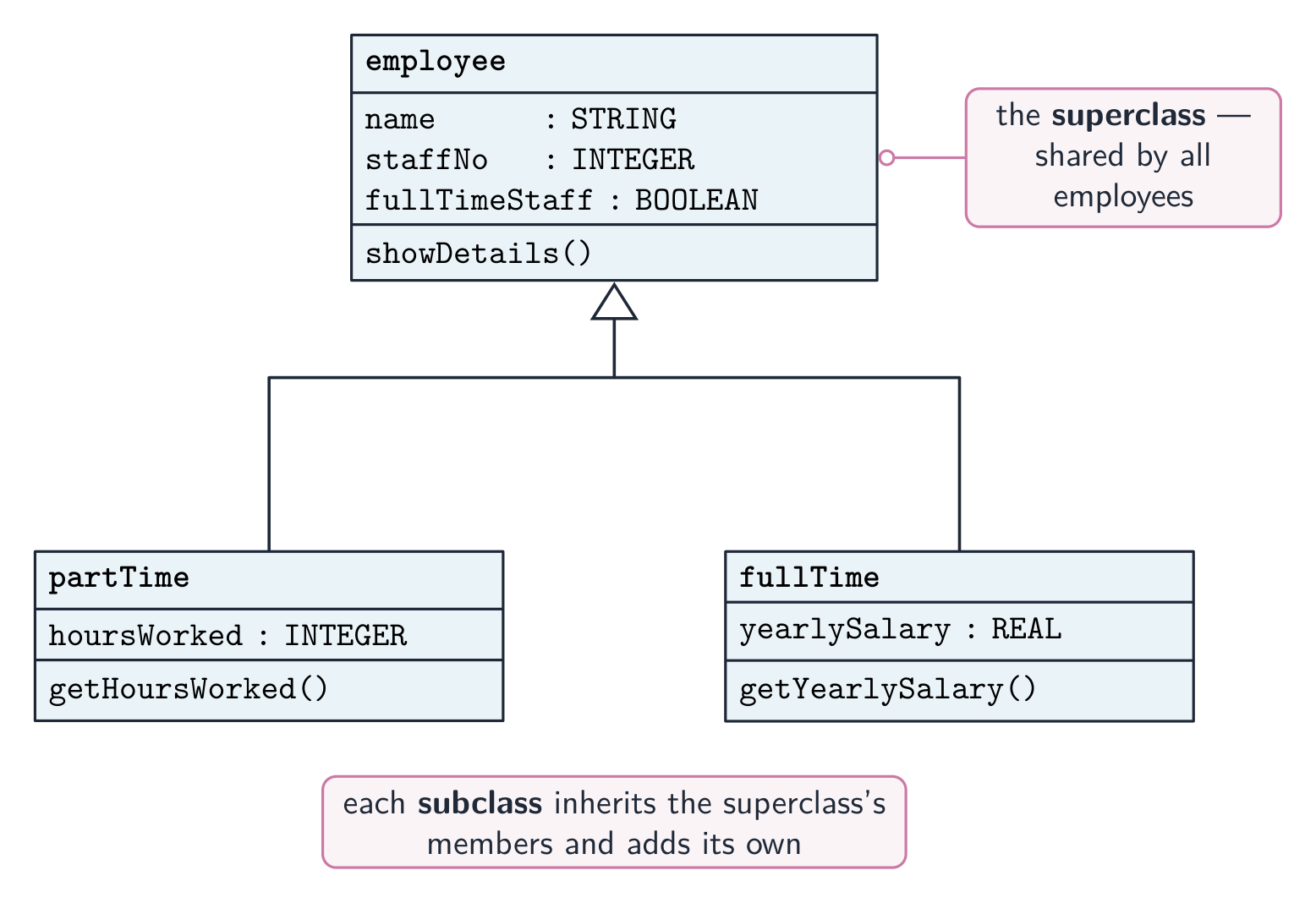
Inheritance: partTime and fullTime are subclasses of employee 
Encapsulation: an object's data is private, reached only through its public methods OOP as the examiner marks it
Definitions. Class: a template (blueprint) that defines the attributes and methods of the objects of that type. Object: an instance of a class, created from it, with its own values for the attributes ("an occurrence of an object" is the exam's phrase for an instance). Attribute (property): a data item belonging to a class. Method: a procedure or function belonging to a class that acts on its attributes. Encapsulation: combining the attributes and methods in one class and restricting external access to the data: the attributes are private and can only be read or changed through public methods. Inheritance: a subclass acquires the attributes and methods of its parent (super) class and can add its own or override them. Polymorphism: methods with the same name that behave differently in different classes; typically a subclass redefines a method of its parent, and the right version runs for each object. Containment: a class has an object of another class as an attribute (a car has an engine). "Identify the feature that restricts external access to the data" is encapsulation; "the term for an occurrence of an object" is instance.
"Outline the structure of a class" (three marks): attributes (properties) that hold the object's data, usually declared private; methods (procedures and functions) that act on those attributes, usually public; and a constructor, a method that runs when an object is created to initialise the attributes. "Give three benefits of OOP": code is reused through inheritance; data is protected by encapsulation, so it can only be changed by the class's own methods; a large program is split into classes that are written and tested independently, so it is easier to maintain and extend; classes model real-world entities, so the design is easier to understand; polymorphism lets the same call work for different objects.
The class in pseudocode, as Paper 3 sets it:
CLASS Car
    PRIVATE Registration : STRING
    PRIVATE Year : INTEGER
    PRIVATE Mileage : INTEGER
    PUBLIC PROCEDURE NEW(NewReg : STRING, NewYear : INTEGER)
        Registration ← NewReg
        Year ← NewYear
        Mileage ← 0
    ENDPROCEDURE
    PUBLIC FUNCTION GetMileage() RETURNS INTEGER
        RETURN Mileage
    ENDFUNCTION
    PUBLIC PROCEDURE AddMileage(Extra : INTEGER)
        Mileage ← Mileage + Extra
    ENDPROCEDURE
ENDCLASS
An object is created with
MyCar ← NEW Car("AB12 CDE", 2020)and used withMyCar.AddMileage(150)andOUTPUT MyCar.GetMileage(). A subclass reuses the parent's constructor throughSUPER:CLASS ElectricCar INHERITS Car PRIVATE BatteryCapacity : REAL PUBLIC PROCEDURE NEW(NewReg : STRING, NewYear : INTEGER, NewCapacity : REAL) SUPER.NEW(NewReg, NewYear) BatteryCapacity ← NewCapacity ENDPROCEDURE ENDCLASSThe same class in Python, as Paper 4 expects it: attributes are made private with a double underscore, the constructor is
__init__, and a subclass names its parent in brackets and callssuper().__init__(…):class Car: def __init__(self, reg, year): self.__registration = reg self.__year = year self.__mileage = 0 def get_mileage(self): return self.__mileage def add_mileage(self, extra): self.__mileage = self.__mileage + extra class ElectricCar(Car): def __init__(self, reg, year, capacity): super().__init__(reg, year) self.__capacity = capacity cars = [] cars.append(Car("AB12 CDE", 2020)) cars.append(ElectricCar("EV21 XYZ", 2023, 75.0)) cars[1].add_mileage(150) print(cars[1].get_mileage())In Java the same ideas are
private/publicfields, a constructor with the class's name,extendsandsuper(…); in VB.NETPrivate/Public,Sub New,InheritsandMyBase.New. A polymorphic method is written in the parent and overridden in the child with the same name; a call through a parent-type variable runs the child's version.Data structures as objects. Paper 4 builds a stack, linked list or binary tree from a
Nodeclass whose attributes are the data and one or two references to other nodes; aTree(orLinkedList) class holds the root (or start) and the methods.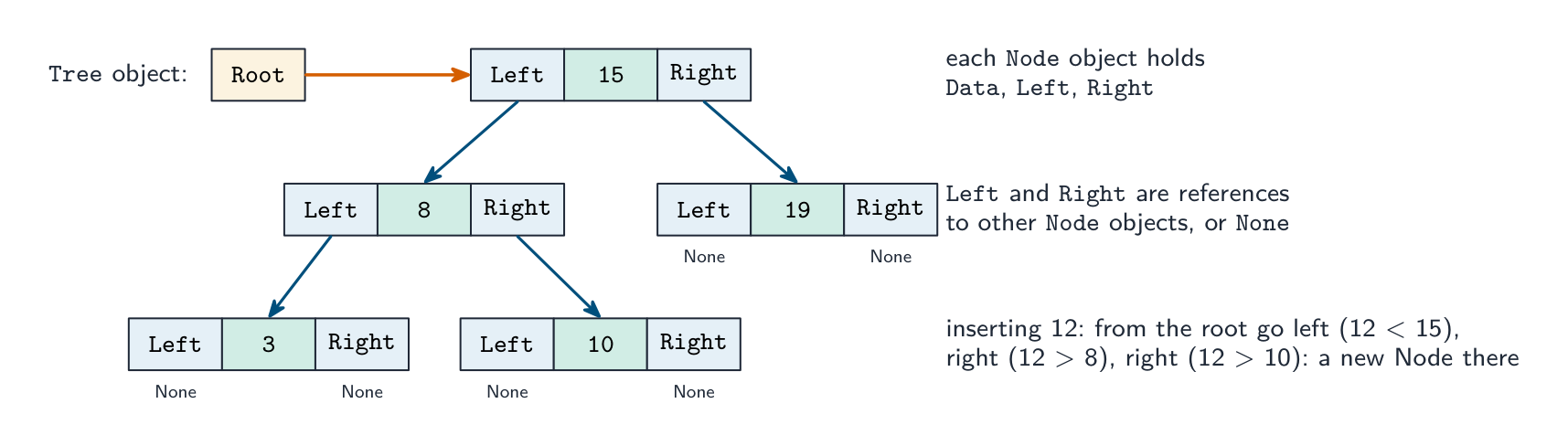
A binary tree built from objects: each Node holds Data plus Left and Right references, and the Tree holds the Root; inserting walks down the references CLASS Node PUBLIC Data : INTEGER PUBLIC Left : Node // NULL when there is no child PUBLIC Right : Node PUBLIC PROCEDURE NEW(NewData : INTEGER) Data ← NewData Left ← NULL Right ← NULL ENDPROCEDURE ENDCLASS CLASS Tree PRIVATE Root : Node PUBLIC PROCEDURE Insert(NewData : INTEGER) DECLARE NewNode, Current : Node DECLARE Placed : BOOLEAN NewNode ← NEW Node(NewData) IF Root = NULL THEN Root ← NewNode ELSE Current ← Root Placed ← FALSE WHILE NOT Placed IF NewData < Current.Data THEN IF Current.Left = NULL THEN Current.Left ← NewNode Placed ← TRUE ELSE Current ← Current.Left ENDIF ELSE IF Current.Right = NULL THEN Current.Right ← NewNode Placed ← TRUE ELSE Current ← Current.Right ENDIF ENDIF ENDWHILE ENDIF ENDPROCEDURE ENDCLASSA find method walks the same path and returns
TRUEwhenCurrent.Data = Target,FALSEwhen it reachesNULL; an in-order output method is recursive: output the left subtree, the node, then the right subtree. For a linked list the node has one reference,Next, and the list class holdsStart; for a stack built from a list, push and pop both work atStart.Worked example. A game has characters. Each has a name, health (starting at 100) and a position given by X and Y. Write a class
Characterwith a constructor and a methodMove(DX, DY); then a subclassWizardthat addsMana(starting at 50) and a methodCastSpell()that takes 10 mana and returnsTRUEif there was enough.CLASS Character PRIVATE Name : STRING PRIVATE Health : INTEGER PRIVATE X : INTEGER PRIVATE Y : INTEGER PUBLIC PROCEDURE NEW(NewName : STRING, StartX : INTEGER, StartY : INTEGER) Name ← NewName Health ← 100 X ← StartX Y ← StartY ENDPROCEDURE PUBLIC PROCEDURE Move(DX : INTEGER, DY : INTEGER) X ← X + DX Y ← Y + DY ENDPROCEDURE ENDCLASS CLASS Wizard INHERITS Character PRIVATE Mana : INTEGER PUBLIC PROCEDURE NEW(NewName : STRING, StartX : INTEGER, StartY : INTEGER) SUPER.NEW(NewName, StartX, StartY) Mana ← 50 ENDPROCEDURE PUBLIC FUNCTION CastSpell() RETURNS BOOLEAN IF Mana >= 10 THEN Mana ← Mana - 10 RETURN TRUE ELSE RETURN FALSE ENDIF ENDFUNCTION ENDCLASSThe marks are for private attributes, a constructor that sets every attribute, the inheritance line, the call to the parent's constructor, and a method that uses and changes the object's own data. When the question asks for a class diagram, draw a box in three parts (name; attributes with
-for private; methods with+for public) and join a subclass to its parent with an arrow pointing at the parent.Declarative programming
In declarative programming 声明式编程 you say what to compute, not how — the runtime works out the steps. Two kinds:
- functional programming 函数式编程 — built from pure functions 纯函数 (no side effects 副作用; same input always gives the same output) composed together. Examples: Haskell, Lisp.
- logic programming 逻辑编程 — state facts and rules; the engine answers a goal (query) by inference. Example: Prolog.
A familiar declarative example is SQL 结构化查询语言:
SELECT * FROM Customer WHERE Country = 'UK'says what you want, not how to walk the records.Facts, rules and goals are what the exam tests in the declarative paradigm. Given these facts 事实 (statements that are true) and a rule 规则 (a conclusion that holds when its conditions hold):
01 type(leopard, wild).
02 type(lion, wild).
03 type(tabby, domestic).
04 size(leopard, large).
05 size(lion, large).
06 size(tabby, small).
07 dangerous(X) IF type(X, wild) AND size(X, large).
"Write the result of the goal
type(X, wild)":X = leopard, X = lion. The engine matches the goal against each fact in turn; every match is a solution, and a capital letter is a variable that the match fills in. "Write a fact to show that a cheetah is wild":type(cheetah, wild)."Explain what line 07 does": it defines a rule with the conclusiondangerous(X), which is true for anyXthat is both wild and large, sodangerous(A)returnsA = leopard, A = lion. "Write a rule: a featureFmay be available for a body styleBifFis a feature andBis a body style andFis not unavailable forB":may_be_available(F, B) IF feature(F) AND body_style(B) AND NOT unavailable(F, B). Copy the exact predicate names and argument order used in the question's facts; a new fact ends with a full stop, and a rule's conditions are joined withAND.Comparing paradigms
Paradigm Strength Typical languages Low-level maximum control, speed assembly Imperative direct, intuitive C, Python Object-oriented modular, models entities Java, C#, Python Functional clear, no side effects Haskell, F# Logic inference, rules Prolog Database data queries SQL Modern languages often mix paradigms — Python supports all of procedural, OOP and functional. The right one depends on the problem.
Explore · 探索Programming concept lab · プログラミング概念ラボ
Connect examples to the programming idea they show. · 各例とそれが示すプログラミングの概念を結びつけてください。
Vocabulary · 語彙 Train · 練習するEnglish 日本語 programming paradigm/ˈprəʊɡræmɪŋ ˈpærədaɪm/ プログラミングパラダイム facts/fækts/ 事実 rule/ruːl/ 規則 low-level/ləʊ ˈlevl/ 低レベル registers/ˈredʒɪstəz/ レジスタ memory addresses/ˈmeməri əˈdresɪz/ メモリアドレス objects/ˈɒbdʒekts/ 物体 attributes/ˈætrɪbjuːts/ 属性 methods/ˈmeθədz/ メソッド machine code/məˈʃiːn kəʊd/ 機械語 assembly language/əˈsemblɪ ˈlæŋɡwɪdʒ/ アセンブリ言語 addressing modes/əˈdresɪŋ məʊdz/ アドレス指定モード imperative programming/ɪmˈperətɪv ˈprəʊɡræmɪŋ/ 命令型プログラミング Variables/ˈveərɪəblz/ 変数 object-oriented programming/ˈɒbdʒekt ˈɔːrɪəntɪd ˈprəʊɡræmɪŋ/ オブジェクト指向プログラミング instances/ˈɪnstənsɪz/ インスタンス classes/ˈklæsɪz/ クラス encapsulation/ɪnˌkæpsjʊˈleɪʃn/ カプセル化 inheritance/ɪnˈherɪtəns/ 相続 subclass/ˈsʌbklæs/ サブクラス superclass/ˈsuːpəklæs/ スーパークラス overriding/ˌəʊvəˈraɪdɪŋ/ オーバーライド polymorphism/ˈpɒlɪmɔːfɪzəm/ ポリモルフィズム abstraction/əbˈstrækʃn/ 抽象化 constructor/kənˈstrʌktə/ コンストラクタ aggregation/ˌæɡrɪˈɡeɪʃn/ 集約 containment/kənˈteɪnmənt/ 包含関係 declarative programming/dɪˈklærətɪv ˈprəʊɡræmɪŋ/ 宣言型プログラミング functional programming/ˈfʌŋkʃənl ˈprəʊɡræmɪŋ/ 関数型プログラミング pure functions/pjʊə ˈfʌŋkʃnz/ 純粋関数 side effects/saɪd ɪˈfekts/ 副作用 logic programming/ˈlɒdʒɪk ˈprəʊɡræmɪŋ/ 論理_programming SQL/ˌes kjuː ˈel/ SQL 20.2
File processing

Syllabus · シラバス
EnglishCandidates should be able to: Notes and guidance Write code to perform file-processing operations Open (in read, write, append mode) and close a file Read a record from a file and write a record to a file Perform file-processing operations on serial, sequential, random files Show understanding of an exception and the importance of exception handling Know when it is appropriate to use exception handling Write program code to use exception handling 日本語受験者は以下的能力を備えているべきである: メモおよびガイドライン ファイル処理操作を行うコードを記述する (読み取り、書き込み、追記モードで)ファイルを開き、閉じる ファイルからレコードを読み取り、ファイルにレコードを書き込む シリアル、シーケンシャル、ランダムファイルに対するファイル処理操作を実行する 例外および例外処理の重要性に関する理解を示す 例外処理を使用する適切なタイミングを知る 例外処理を使用するプログラムコードを記述する Source: Cambridge International syllabus · 出典: Cambridge International シラバス
EnglishThis extends the file 文件 handling from Topic 10, processing serial, sequential and random (direct-access) files. Pseudocode operations:
OPENFILE name FOR READ | WRITE | APPEND(READ opens an existing file, WRITE creates/overwrites, APPEND adds to the end);READFILE name, line;WRITEFILE name, value;CLOSEFILE name; andEOF(name)which is TRUE at the end.Read a whole file:
Search a file (stop when found):
Updating a file in place
Most languages can't edit a text file in place. Instead: open the original for READ and a temporary file for WRITE; for each line, write the new version if it should change, else the original; close both; then replace the original with the temp file. The same pattern handles deleting lines (skip them) and inserting lines.
Records and random-access files
Opening modes.
READ: the file must exist and reading starts at the beginning.WRITE: a new file is created, and an existing file of that name is overwritten.APPEND: writing adds to the end of an existing file. Every file that is opened is closed withCLOSEFILE, andEOF(name)isTRUEwhen the last item has been read.Three file organisations. In a serial file the records are in the order they were added; in a sequential file they are in key order; both are read from the start. A random file 随机文件 (direct-access file) stores each record at an address calculated from its key by a hashing 哈希 function, so one record is found without reading the others. Records are declared as a user-defined type:
The random-file operations in pseudocode are
OPENFILE "Acc.dat" FOR RANDOM,SEEK "Acc.dat", Address(move the file pointer to that record),GETRECORD "Acc.dat", Rec(read the record there) andPUTRECORD "Acc.dat", Rec(write the record there). Finding a customer by account number, as Paper 3 sets it:To store a record, hash its key,
SEEKto the address andPUTRECORD, stepping on past any slot already occupied. Marks go to the hash, the SEEK before the GET or PUT, the comparison with the target, the handling of a collision, and closing the file.Worked example.
ActiveFile.datholdsAccountRecordrecords. Write pseudocode that copies every record whoseActivefield isFALSEto the end ofArchiveFile.dat.Text files in Python (Paper 4):
file = open("HighScore.txt", "r"), thenfor line in file:withline.strip()andline.split(",")to separate the fields,int(…)to convert a score, andfile.close(); to write,open(name, "w")(or"a"to append) andfile.write(str(score) + "\n"). A high-score table is read into a list of records, the new score inserted at its place, and the whole list written back. The examiner marks the open with the correct mode, a loop that reads every line, the conversion of text to numbers, and the close.Pitfalls
Forgetting to close a file (data may be lost); opening for WRITE when you meant APPEND (overwrites everything); reading past
EOF; hard-coded paths — a path like/Users/Admin/data.txtbreaks on another machine, so use a relative constant such asDataFile = "./data/scores.txt".日本語This extends the file 文件 handling from Topic 10, processing serial, sequential and random (direct-access) files. Pseudocode operations:
OPENFILE name FOR READ | WRITE | APPEND(READ opens an existing file, WRITE creates/overwrites, APPEND adds to the end);READFILE name, line;WRITEFILE name, value;CLOSEFILE name; andEOF(name)which is TRUE at the end.Read a whole file:
OPENFILE "names.txt" FOR READ
WHILE NOT EOF("names.txt") DO
    READFILE "names.txt", thisName
    OUTPUT thisName
ENDWHILE
CLOSEFILE "names.txt"
Search a file (stop when found):
found ← FALSE
OPENFILE "people.txt" FOR READ
WHILE NOT EOF("people.txt") AND NOT found DO
    READFILE "people.txt", line
    IF line = target THEN
        found ← TRUE
    ENDIF
ENDWHILE
CLOSEFILE "people.txt"
Updating a file in place
Most languages can't edit a text file in place. Instead: open the original for READ and a temporary file for WRITE; for each line, write the new version if it should change, else the original; close both; then replace the original with the temp file. The same pattern handles deleting lines (skip them) and inserting lines.
Updating a file in place: read the original, write changes to a temp file, then replace the original Records and random-access files
Opening modes.
READ: the file must exist and reading starts at the beginning.WRITE: a new file is created, and an existing file of that name is overwritten.APPEND: writing adds to the end of an existing file. Every file that is opened is closed withCLOSEFILE, andEOF(name)isTRUEwhen the last item has been read.Three file organisations. In a serial file the records are in the order they were added; in a sequential file they are in key order; both are read from the start. A random file 随机文件 (direct-access file) stores each record at an address calculated from its key by a hashing 哈希 function, so one record is found without reading the others. Records are declared as a user-defined type:
TYPE AccountRecord
    DECLARE AccNo : INTEGER
    DECLARE Name : STRING
    DECLARE Balance : REAL
    DECLARE Active : BOOLEAN
ENDTYPE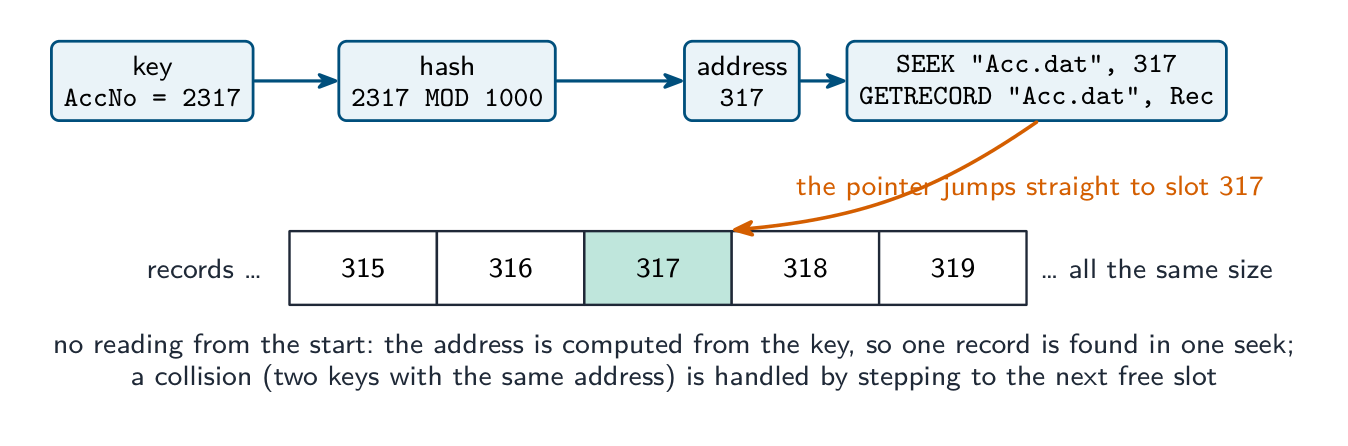
Finding one record in a random file: the key is hashed to an address, the file pointer seeks straight to that slot and the record is read; no other record is touched The random-file operations in pseudocode are
OPENFILE "Acc.dat" FOR RANDOM,SEEK "Acc.dat", Address(move the file pointer to that record),GETRECORD "Acc.dat", Rec(read the record there) andPUTRECORD "Acc.dat", Rec(write the record there). Finding a customer by account number, as Paper 3 sets it:DECLARE Rec : AccountRecord DECLARE Target, Address : INTEGER INPUT Target Address ← Target MOD 1000 // the hashing function OPENFILE "Acc.dat" FOR RANDOM SEEK "Acc.dat", Address GETRECORD "Acc.dat", Rec WHILE Rec.AccNo <> Target AND Rec.AccNo <> 0 // 0 marks an empty slot Address ← Address + 1 // a collision: try the next slot SEEK "Acc.dat", Address GETRECORD "Acc.dat", Rec ENDWHILE IF Rec.AccNo = Target THEN OUTPUT Rec.Name, Rec.Balance ELSE OUTPUT "No such account" ENDIF CLOSEFILE "Acc.dat"To store a record, hash its key,
SEEKto the address andPUTRECORD, stepping on past any slot already occupied. Marks go to the hash, the SEEK before the GET or PUT, the comparison with the target, the handling of a collision, and closing the file.Worked example.
ActiveFile.datholdsAccountRecordrecords. Write pseudocode that copies every record whoseActivefield isFALSEto the end ofArchiveFile.dat.DECLARE Rec : AccountRecord OPENFILE "ActiveFile.dat" FOR READ OPENFILE "ArchiveFile.dat" FOR APPEND WHILE NOT EOF("ActiveFile.dat") READFILE "ActiveFile.dat", Rec IF Rec.Active = FALSE THEN WRITEFILE "ArchiveFile.dat", Rec ENDIF ENDWHILE CLOSEFILE "ActiveFile.dat" CLOSEFILE "ArchiveFile.dat"Text files in Python (Paper 4):
file = open("HighScore.txt", "r"), thenfor line in file:withline.strip()andline.split(",")to separate the fields,int(…)to convert a score, andfile.close(); to write,open(name, "w")(or"a"to append) andfile.write(str(score) + "\n"). A high-score table is read into a list of records, the new score inserted at its place, and the whole list written back. The examiner marks the open with the correct mode, a loop that reads every line, the conversion of text to numbers, and the close.Pitfalls
Forgetting to close a file (data may be lost); opening for WRITE when you meant APPEND (overwrites everything); reading past
EOF; hard-coded paths — a path like/Users/Admin/data.txtbreaks on another machine, so use a relative constant such asDataFile = "./data/scores.txt".Explore · 探索File access route · ファイルアクセスルート
Follow a file from storage to program and back safely. · ストレージからプログラムへ、そして戻ってくるまでファイルを安全に追跡する。
Vocabulary · 語彙 Train · 練習するEnglish 日本語 file/faɪl/ file random file/ˈrændəm faɪl/ ランダムファイル hashing/ˈhæʃɪŋ/ ハッシュ化 20.2
Exception handling
 English
An exception 异常 is an error or unexpected condition during execution — divide by zero, file not found, network failure, an array 数组 index out of range. Exception handling 异常处理 lets a program detect it and respond gracefully instead of crashing.
It matters because real programs face errors that cannot be prevented up front (files moved, networks down, bad input); without it, every operation needs its own
IFcheck; and it separates the normal flow from the error handling, so the main path reads cleanly. For example, a file may be deleted by another user between your program checking it exists and actually opening it — you cannot prevent that, only handle the failure when it happens."Describe, with an example, what is meant by an exception" (two marks). An unexpected event or error that occurs during the execution of a program (at run time) and interrupts its normal flow; for example dividing by zero, opening a file that does not exist, converting non-numeric input to an integer, an array index out of range, or running out of memory. "Identify two possible causes of exceptions" is answered from that list, plus "a device or network is not available" and "invalid data type entered".
"State the reasons for including exception handling" (three marks). To stop the program crashing (terminating unexpectedly); to output a meaningful message to the user rather than a system error; to allow the program to recover and continue, for example by asking for the input again, or to close files safely before it ends; and because some errors cannot be predicted when the program is written. "Describe how program termination due to an exception can be avoided": put the statements that might raise the exception inside a TRY block; write an EXCEPT (catch) block for that exception that handles it, for example by outputting a message, so that execution continues after the block instead of stopping. "Explain what is meant by exception handling": detecting an exception when it occurs and running code (the handler) that deals with it so that the program continues.
Pattern
The
TRYblock holds the code that might fail; the first matchingEXCEPTblock runs. Real languages also have a catch-allEXCEPTand aFINALLYblock that runs whether or not an exception happened — useful for cleanup (closing files).Raising an exception
A subroutine that detects an error can raise 抛出 an exception so the caller handles it:
Where to handle exceptions
Handle them close to the error if the response is simple (a message, a retry), or higher up the call stack 调用栈 if only the outer code knows what to do (a top-level GUI loop logs the error and shows a friendly dialog). Don't swallow exceptions silently — at least log them, or debugging becomes impossible.
Common exceptions:
FileNotFound,IOError,DivisionByZero,IndexOutOfRange,InvalidArgument,NullReference,OutOfMemory. Wrapping each failing operation in aTRYwith the rightEXCEPThandlers gives a program that degrades gracefully instead of crashing.Worked example (Paper 4). Write a function that reads whole numbers, one per line, from a file whose name is passed as a parameter and returns them in a list. It must not crash if the file does not exist or a line is not a whole number.
The
tryblock holds the code that can fail (the open and the conversion); eachexceptnames one exception and does something useful; the function still returns a list, so the caller continues. In Java the same shape istry { … } catch (FileNotFoundException e) { … } catch (NumberFormatException e) { … }; in VB.NETTry … Catch ex As FileNotFoundException … End Try. Marks: the risky statements inside the try, the correct exception names, a message for each, and the program continuing afterwards; a catch-allexcept:gets the crash mark but not the "appropriate exception" mark.Worked example. A text file of members needs one member's phone number changed. Why can the program not simply overwrite that line, and what is the pattern? A text file's lines are different lengths, and the file has no gaps to absorb a difference: a longer replacement would run into the next record, and a shorter one would leave part of the old line behind. So the pattern is to open the original for READ and a temporary file for WRITE, read every line in turn, writing the new version for the line that changes and the original line for all the others, close both, then replace the original with the temporary file. The same shape handles deleting (skip the line) and inserting (write the extra line). Note that every line gets written, not only the changed one - writing just the new record and losing the rest of the file is the classic slip.
日本語An exception 异常 is an error or unexpected condition during execution — divide by zero, file not found, network failure, an array 数组 index out of range. Exception handling 异常处理 lets a program detect it and respond gracefully instead of crashing.
It matters because real programs face errors that cannot be prevented up front (files moved, networks down, bad input); without it, every operation needs its own
IFcheck; and it separates the normal flow from the error handling, so the main path reads cleanly. For example, a file may be deleted by another user between your program checking it exists and actually opening it — you cannot prevent that, only handle the failure when it happens."Describe, with an example, what is meant by an exception" (two marks). An unexpected event or error that occurs during the execution of a program (at run time) and interrupts its normal flow; for example dividing by zero, opening a file that does not exist, converting non-numeric input to an integer, an array index out of range, or running out of memory. "Identify two possible causes of exceptions" is answered from that list, plus "a device or network is not available" and "invalid data type entered".
"State the reasons for including exception handling" (three marks). To stop the program crashing (terminating unexpectedly); to output a meaningful message to the user rather than a system error; to allow the program to recover and continue, for example by asking for the input again, or to close files safely before it ends; and because some errors cannot be predicted when the program is written. "Describe how program termination due to an exception can be avoided": put the statements that might raise the exception inside a TRY block; write an EXCEPT (catch) block for that exception that handles it, for example by outputting a message, so that execution continues after the block instead of stopping. "Explain what is meant by exception handling": detecting an exception when it occurs and running code (the handler) that deals with it so that the program continues.
Pattern
TRY
    OPENFILE "data.txt" FOR READ
    READFILE "data.txt", line
    OUTPUT line
    CLOSEFILE "data.txt"
EXCEPT FileNotFound
    OUTPUT "Sorry, the file does not exist."
EXCEPT ReadError
    OUTPUT "Sorry, error reading the file."
ENDTRY
The
TRYblock holds the code that might fail; the first matchingEXCEPTblock runs. Real languages also have a catch-allEXCEPTand aFINALLYblock that runs whether or not an exception happened — useful for cleanup (closing files).Exception flow: an exception jumps to the matching EXCEPT; FINALLY always runs before the program continues Raising an exception
A subroutine that detects an error can raise 抛出 an exception so the caller handles it:
PROCEDURE Divide(a : INTEGER, b : INTEGER) RETURNS INTEGER
    IF b = 0 THEN
        RAISE DivideByZero
    ENDIF
    RETURN a DIV b
ENDPROCEDURE
Where to handle exceptions
Handle them close to the error if the response is simple (a message, a retry), or higher up the call stack 调用栈 if only the outer code knows what to do (a top-level GUI loop logs the error and shows a friendly dialog). Don't swallow exceptions silently — at least log them, or debugging becomes impossible.
Common exceptions:
FileNotFound,IOError,DivisionByZero,IndexOutOfRange,InvalidArgument,NullReference,OutOfMemory. Wrapping each failing operation in aTRYwith the rightEXCEPThandlers gives a program that degrades gracefully instead of crashing.Worked example (Paper 4). Write a function that reads whole numbers, one per line, from a file whose name is passed as a parameter and returns them in a list. It must not crash if the file does not exist or a line is not a whole number.
def read_scores(filename):
    scores = []
    try:
        file = open(filename, "r")
        for line in file:
            scores.append(int(line))
        file.close()
    except FileNotFoundError:
        print("The file", filename, "does not exist")
    except ValueError:
        print("A line in the file was not a whole number")
    return scores
The
tryblock holds the code that can fail (the open and the conversion); eachexceptnames one exception and does something useful; the function still returns a list, so the caller continues. In Java the same shape istry { … } catch (FileNotFoundException e) { … } catch (NumberFormatException e) { … }; in VB.NETTry … Catch ex As FileNotFoundException … End Try. Marks: the risky statements inside the try, the correct exception names, a message for each, and the program continuing afterwards; a catch-allexcept:gets the crash mark but not the "appropriate exception" mark.Worked example. A text file of members needs one member's phone number changed. Why can the program not simply overwrite that line, and what is the pattern? A text file's lines are different lengths, and the file has no gaps to absorb a difference: a longer replacement would run into the next record, and a shorter one would leave part of the old line behind. So the pattern is to open the original for READ and a temporary file for WRITE, read every line in turn, writing the new version for the line that changes and the original line for all the others, close both, then replace the original with the temporary file. The same shape handles deleting (skip the line) and inserting (write the extra line). Note that every line gets written, not only the changed one - writing just the new record and losing the rest of the file is the classic slip.
Explore · 探索How exception handling flows · 例外処理の流れ
Step through what happens when code fails. The exception jumps out of the normal flow to a handler, FINALLY cleans up either way, and the program carries on instead of crashing. · コードが失敗した際に行われることを順を追って確認する。例外は通常のフローからジャンプしてハンドラへ移り、FINALLYはどちらの場合でも清掃を行い、プログラムは crash せず継続する。
Vocabulary · 語彙 Train · 練習するEnglish 日本語 array/əˈreɪ/ 配列 exception/ekˈsepʃn/ 例外 exception handling/ekˈsepʃn ˈhændlɪŋ/ 例外処理 raise/reɪz/ 増加させる call stack/kɔːl stæk/ コールスタック 20.2
Definitions the examiner accepts
A definition question is marked against fixed wording. Learn these exactly, and give one answer only.
Term Definition programming paradigm a style or way of programming, with its own way of structuring a program imperative language the program is a sequence of statements that change the program's state; the programmer says how the task is done declarative language the program states facts and rules and the inference engine works out how to find the answer class a template defining the attributes and methods of the objects of that type object (instance) an occurrence of a class, with its own values for the attributes attribute a data item that belongs to a class method a procedure or function that belongs to a class and acts on its attributes encapsulation keeping the attributes and methods together in a class and restricting external access to the data, so that it is changed only through public methods inheritance a subclass acquires the attributes and methods of its parent class and can add or override them polymorphism methods with the same name that behave differently for different classes constructor a method that runs when an object is created and initialises its attributes containment a class has an object of another class as one of its attributes fact a statement in a declarative program that is true rule a conclusion that holds when its conditions are true serial, sequential, random file records in the order added; records in key order; each record at an address calculated from its key exception an unexpected error or event during execution that interrupts the normal flow exception handling detecting an exception when it occurs and running code that deals with it so that the program continues 20.2
Exam tips
- Paradigms: know the one-line description of each and be ready to name the paradigm from a code sample; low-level questions want the five addressing modes and what the accumulator receives.
- OOP definitions come up every session: class, object, attribute, method, encapsulation, inheritance, polymorphism, constructor. Write a class in pseudocode with PRIVATE attributes, a PUBLIC NEW and getters; a subclass with INHERITS and SUPER.NEW.
- Declarative: a goal with a variable returns every matching fact; a rule is a conclusion IF conditions joined with AND; copy the question's predicate names exactly.
- Files: the three modes and what each does to an existing file; READFILE in a WHILE NOT EOF loop; random files use a hash, SEEK, GETRECORD and PUTRECORD, with a step-on for collisions.
- Exceptions: definition with an example, three reasons for handling them, and TRY with a named EXCEPT that lets the program continue.
Common mistakes
- Describing a declarative program as "a sequence of steps that gives the answer"; it states what is true and what is wanted, not how.
- Confusing an object with a class, or an instance with an attribute; the question "an occurrence of an object" wants instance.
- Declaring the attributes PUBLIC, or reaching them from outside the class instead of through a getter, which loses the encapsulation marks.
- A subclass constructor that sets the parent's attributes directly instead of calling SUPER.NEW.
- Explaining polymorphism as "many objects"; it is the same method name behaving differently for different classes.
- Opening a file FOR WRITE to add a record, which destroys the existing contents; use APPEND.
- Reading a random file from the start; SEEK to the hashed address first.
- Putting the exception handler around code that cannot fail, or catching everything with no message, or describing exception handling as "checking the input with IF".
- immediate (