A-Level Computer Science (9618) is two halves that feel like different subjects. The theory half runs from information representation and communication through hardware, processors, system software, security, databases and ethics. The practical half is algorithms, data structures, programming and software development, and A2 adds recursion and object-oriented programming.
The theory papers are marked far more literally than students expect. There is a correct vocabulary — register names, addressing modes, normal forms, the exact difference between validation and verification — and a paraphrase usually scores nothing. Learn the definitions in the syllabus wording.
The programming papers reward writing code by hand until it compiles in your head.
Show understanding of binary magnitudes and the difference between binary prefixes and decimal prefixes
Understand the difference between and use: • kibi and kilo • mebi and mega • gibi and giga • tebi and tera
Show understanding of different number systems
Use the binary, denary, hexadecimal number bases and Binary Coded Decimal (BCD) and one’s complement and two’s complement representation for binary numbers
Convert an integer value from one number base/ representation to another
Perform binary addition and subtraction
Using positive and negative binary integers
Show understanding of how overflow can occur
Describe practical applications where Binary Coded Decimal (BCD) and Hexadecimal are used
Show understanding of and be able to represent character data in its internal binary form, depending on the character set used
Students are expected to be familiar with ASCII (American Standard Code for Information Interchange), extended ASCII and Unicode. Students will not be expected to memorise any particular character codes
עברית
המועמדים צריכים להיות מסוגלים:
הערות והנחיות
להראות הבנה של גדלים בינאריים וההבדל בין פריפיקסים בינאריים לפריפיקסים עשרוניים
להבין ולהשתמש בהבדלים בין: • kibi ו-kilo • mebi ו-mega • gibi ו-giga • tebi ו-tera
להראות הבנה של מערכות ספרות שונות
להשתמש בבסיסי הספרות בינארי, עשרוני, הקסאדצימלי ו-Binary Coded Decimal (BCD) ובייצוג One’s complement ו-Two’s complement למספרים בינאריים
לבצע המרה של ערך שלם מבסיס ספרות/ייצוג אחד לאחר
לבצע חיבור וחסר בינאריים
באמצעות שלמים בינאריים חיוביים ושליליים
להראות הבנה כיצד יכול להתרחש overflow
לתאר יישומים פרקטיים בהם משתמשים ב-Binary Coded Decimal (BCD) וב-Hexadecimal
להראות הבנה ולHandler לייצג נתוני דמויות בצורת הבינארית הפנימית שלהם, בהתאם לקוד הדמויות המשמש
צפוי מהתלמידים שהם יהיו מוכרים עם ASCII (American Standard Code for Information Interchange), extended ASCII ו-Unicode. לא צפוי מהתלמידים לשנן קודי דמויות ספציפיים
Source: Cambridge International syllabus · מקור: הסיילבוס הבינלאומי של קמבריד'ג'
Counting in binary: 0 to 15
The three number systems 数制 you must use:
denary 十进制 (decimal, base 10) — uses digits 0–9. Place values are powers of ten.
binary 二进制 (base 2) — uses 0 and 1. Place values are powers of two. Every byte 字节 is 8 bits 位.
hexadecimal 十六进制 (base 16) — uses 0–9 then A–F for 10–15. Each hex digit 数位 stands for exactly 4 bits.
An abacus represents numbers by place value — the same idea behind decimal, binary and hexadecimal
Conversions
Denary → binary: keep dividing by 2 and record the remainders, read bottom-up. Or subtract the largest place value 位值 (power of 2) that fits.
Binary → hex: group the bits into nibbles 半字节 (4 bits) from the right and convert each. 0010 0010 1110 → 2 2 E → 22E.
Hex → binary: replace each hex digit with its 4-bit pattern. Hex → denary: multiply each digit by its place value. 22E$= 2 \times 256 + 2 \times 16 + 14 = 558$.
Worked example. Convert denary 200 to 8-bit binary, then to hexadecimal.
$200 = 128 + 64 + 8$, so the binary is 11001000. In nibbles, 11001000$= 12$ and $8$, i.e. $\text{C}$ and $8$, so the hexadecimal is C8.
Reading 200 from its place values, then grouping the bits into nibbles to get hex C8
How many bits?
Exam questions fix the register width 寄存器宽度 (8, 12 or 16 bits). Pad with leading zeros to that width: $558$ in 12 bits is 0010 0010 1110, never 10 0010 1110.
To find the minimum number of bits that can store a value, ask which place values you need:
an unsigned integer from $0$ to $2^{n} - 1$ needs $n$ bits: $200$ needs 8 bits (the top is $255$), $1000$ needs 10 bits (the top is $1023$), $16$ needs 5 bits (4 bits stop at $15$).
a signed two's-complement integer from $-2^{n-1}$ to $2^{n-1} - 1$ needs $n$ bits: $-200$ needs 9 bits, because 8 bits stop at $-128$.
one hexadecimal digit needs 4 bits, one BCD digit needs 4 bits, and one ASCII character needs 7 bits (8 for extended ASCII).
Binary vs decimal prefixes
Two prefix families look similar but differ — decimal (powers of 10) and binary (powers of 2):
Decimal (SI)
Binary (memory)
kilo $= 10^{3}$
kibi (Ki) $= 2^{10} = 1024$
mega $= 10^{6}$
mebi (Mi) $= 2^{20}$
giga $= 10^{9}$
gibi (Gi) $= 2^{30}$
tera $= 10^{12}$
tebi (Ti) $= 2^{40}$
So a tebibyte (TiB) is slightly more than a terabyte (TB). A "1 TB" drive holds $10^{12}$ bytes, but an operating system that reports in TiB shows a smaller number.
Explore · חקור
Binary, denary and hex · בינארי, עשרוני ו-HEX
Type a number and see it in binary, denary and hexadecimal at once — and how the place values add up. · הקלט מספר ותראה אותו בבינארי, עשרוני ובמערכת Hexadecimal בו-זמנית – ואיך ערכי המקום מתחברים.
Add column by column from the right, carrying as in denary:
Bit A
Bit B
Carry in
Sum bit
Carry out
0
0
0
0
0
0
0
1
1
0
0
1
0
1
0
0
1
1
0
1
1
1
0
0
1
1
1
1
1
1
Overflow 溢出 happens when the result needs more bits than the register 寄存器 can hold — the carry-out of the leftmost column is the overflow bit.
Worked example. Add the 8-bit unsigned integers $10110101$ and $01101100$, and comment on the result.
$10110101 + 01101100 = 1\,00100001$. The answer needs 9 bits, so it does not fit in an 8-bit register: overflow has occurred. A full answer names the error and says why, using the word size the question gave: "Overflow: the true result ($289$) is larger than the largest value an 8-bit register can hold ($255$), so the carry out of the most significant bit is lost and the stored result ($00100001 = 33$) is wrong."
Binary subtraction
The usual way is two's complement 补码 addition: to do $A - B$, form the two's complement of $B$ (invert every bit and add 1), then add, and discard any final carry-out.
To subtract $00011110$ from $01100100$ (unsigned 8-bit):
add to $01100100$: result $1\,01000110$ (9 bits) — discard the leading 1 → $01000110 = 70_{10}$. Check: $100 - 30 = 70$. ✓
Two's complement signed integers
In an $n$-bit two's-complement number:
the most significant bit 最高有效位 (MSB) is the sign bit 符号位: 0 = positive, 1 = negative.
to read a negative number: invert every bit, add 1, then negate.
So $11100010$ is negative; invert → $00011101$, add 1 → $00011110 = 30$, so it is $-30$. This is a signed integer 有符号整数 (unlike an unsigned 无符号 one). The range for $n$ bits is $-2^{n-1}$ to $+2^{n-1} - 1$; for 8 bits, $-128$ ($10000000$) to $+127$ ($01111111$).
The same bits mean different numbers depending on the agreed reading. As an unsigned integer every bit is a place value, so 8 bits run from $0$ to $255$; as a signed two's-complement integer the top bit is the sign, so the same 8 bits run from $-128$ to $+127$. The pattern $11111111$ is $255$ read one way and $-1$ read the other — nothing in the bits themselves says which.
The same byte read as unsigned and as signed: only the agreed interpretation tells them apart8-bit two's complement: the sign bit splits the range into negative ($-128$ to $-1$) and positive ($0$ to $127$)
Worked example. What denary value does the 8-bit two's-complement number $10110100$ represent?
The MSB is 1, so it is negative. Invert → $01001011$, add 1 → $01001100 = 76$, so the value is $-76$. Check with place values: $-128 + 32 + 16 + 4 = -76$.
Worked example. Write $-108$ as a 12-bit two's-complement integer.
Start from $+108$ in 12 bits: $108 = 64 + 32 + 8 + 4$, so 0000 0110 1100. Invert every bit: 1111 1001 0011. Add 1: 1111 1001 0100. Check with place values, where the top bit is worth $-2^{11} = -2048$: $-2048 + 1024 + 512 + 256 + 128 + 16 + 4 = -108$. ✓
For 12 bits the range is $-2048$ (1000 0000 0000) to $+2047$ (0111 1111 1111). Questions that ask for the smallest and largest values want these two patterns, so learn the rule: the most negative number is a 1 followed by zeros; the most positive is a 0 followed by ones.
An arithmetic shift 算术移位 moves every bit left or right but keeps the sign: a shift right by one place halves the value and copies the sign bit into the empty space on the left, so a negative number stays negative (1111 1001 0100 shifted right three places is 1111 1111 0010, which is $-14$: $-108 / 8 = -13.5$, and a shift right rounds down). A shift left doubles the value. Shifts belong to the assembly instruction set in topic 4, but this question is asked with the number work here.
Overflow in signed arithmetic happens when the true result falls outside this range — spotted when the sign bit flips wrongly (two positives giving a negative, or two negatives giving a positive).
One's complement
Before two's complement, an older scheme called one's complement 反码 represented a negative number by simply inverting every bit of the positive — there is no "add 1" step.
$+30 = 00011110$, so in one's complement $-30 = 11100001$ (just the inverse).
Drawback: it has two zeros — $00000000$ ($+0$) and $11111111$ ($-0$) — which wastes a bit pattern and makes arithmetic awkward.
Two's complement (invert and add 1) removes the negative zero: it has a single zero and lets addition and subtraction use the same circuit. That is why modern computers store signed integers in two's complement, not one's complement.
Explore · חקור
Binary & signed integers · בינרי ומספרים שלמים עם סימן
byte = Σ place values · בייט = סכום ערכי המקומות
See how an 8-bit pattern maps to a number (and how it would overflow past 255). · ראה כיצד דפוס בינרי של 8 ביט מתאים למספר (וכיצד הוא יגרום לאחיזה מעבר ל-255).
Explore · חקור
Two's complement signed bits · סימון מספרים שלמים עם סימן בשלבים משלים
The leftmost bit carries a negative place value. Flip any bit — or hit Negate (invert every bit, then add 1) — and watch the signed value change. · הביט השמאלי ביותר נושא ערך מקום שלילי. הפוך כל ביט — או לחץ על הפך סימן (הפוך כל ביט, ואז הוסף 1) — והצפה לערך הסימני להשתנות.
In BCD 二进码十进数, each denary digit is written as its own 4-bit pattern. The number $93$ is 1001 0011 in BCD — not binary 93 ($01011101$). Each nibble uses only 0–9; patterns $1010$–$1111$ are invalid.
BCD reading: 0010 0111 0101 → 2, 7, 5 → 275.
Use: calculators, digital clocks, and devices that show denary digits — each digit drives a 7-segment display 七段显示器. Currency code often uses BCD to avoid the rounding errors of converting fractions like 0.1 to binary.
A "justify" answer must link the use to a property of BCD: each denary digit has its own 4 bits, so a digit can be sent straight to its display, or added digit by digit, with no conversion of the whole number; and a decimal fraction such as $0.10$ is stored exactly, which a binary fraction cannot do.
A seven-segment display shows one denary digit, often driven by BCD
Computers store text as numbers; each character has a numeric code point 码点 set by a character set 字符集.
ASCII
ASCII uses 7 bits — 128 code points. Basic Latin letters, digits, punctuation, and control codes.
Extended ASCII uses 8 bits — 256 code points; the lower 128 match ASCII, the upper 128 vary by region.
Each character is stored as a number — a few ASCII code points in denary and binary
Unicode
Unicode is a universal character set covering almost every script, plus symbols and emoji.
common encodings 编码: UTF-8 (1–4 bytes, ASCII-compatible), UTF-16 (2 or 4 bytes), UTF-32 (fixed 4 bytes).
Why Unicode beats ASCII
it represents far more characters (every script, emoji); ASCII covers only basic English.
files are portable with no code-page confusion, and allow multilingual text in one document.
trade-off: Unicode files are usually larger for English-only text.
When a question asks for differences, give them in pairs with numbers: ASCII uses 7 bits (extended ASCII 8), so 128 (256) characters; Unicode uses up to 32 bits (UTF-8 uses 1 to 4 bytes), so more than a million code points. ASCII covers basic English only; Unicode covers every script, and its first 128 code points are the ASCII ones. In UTF-8 an English letter still takes 1 byte, so a 40-letter English file name is 40 bytes in ASCII and in UTF-8 alike, while a Chinese character takes 3 bytes.
Explore · חקור
A character is stored as a number · תוויון מאוחסן כמספר
Each character has a code number — 'A' is 65. Flip the bits to see that code in binary and hex, exactly how the computer holds it. · לכל תוויון יש מספר זיהוי; ל-⟦'A'⟧ זהו 65. הפוך ביטים כדי לראות את הקוד הזה בצורה בינארית וברמזית, בדיוק כפי שהמחשב שומר אותו.
Show understanding of how data for a bitmapped image are encoded
Use and understand the terms: pixel, file header, image resolution, screen resolution, colour depth / bit depth
Perform calculations to estimate the file size for a bitmap image
Show understanding of the effects of changing elements of a bitmap image on the image quality and file size
Use the terms: image resolution, colour depth / bit depth
Show understanding of how data for a vector graphic are encoded
Use the terms: drawing object, property, drawing list
Justify the use of a bitmap image or a vector graphic for a given task
Show understanding of how sound is represented and encoded
Use the terms: sampling, sampling rate, sampling resolution, analogue and digital data
Show understanding of the impact of changing the sampling rate and resolution
Including the impact on file size and accuracy
עברית
המועמדים צריכים להיות מסוגלים:
הערות והנחיות
להראות הבנה כיצד נתונים לתמונת bitmapped image מוצפנים
להשתמש ולהבין את המושגים: pixel, file header, image resolution, screen resolution, colour depth / bit depth
לבצע חישובים להערכת גודל הקובץ עבור bitmapped image
להראות הבנה של השפעות שינוי רכיבי תמונת ביטמאפ על איכות התמונה וגודל הקובץ
השתמש במונחים: רזולוציית תמונה, עומק צבע / עומק ביט
להראות הבנה כיצד מידע לגרפי וקטור מאופסן
השתמש במונחים: אובייקט שרטוט, תכונה, רשימת שרטוט
להסביר את השימוש ב-תמונת ביטמאפ או ב-גרפי וקטור למשימה נתונה
להראות הבנה כיצד קול מיוצג ומאופסן
השתמש במונחים: דגימה, תדירות דגימה, רזולוציית דגימה, נתונים אנלוגיים ונתונים דיגיטליים
להראות הבנה של ההשפעה של שינוי תדירות הדגימה והרזולוציה
כולל השפעה על גודל הקובץ ועל הדיוק
Source: Cambridge International syllabus · מקור: הסיילבוס הבינלאומי של קמבריד'ג'
A bitmap 位图 image (also called a bitmapped image) stores the colour of every pixel 像素 in a grid. At the start of the file a file header 文件头 records the image's metadata — its width, height and colour depth — so software knows how to read the pixel data that follows.
image resolution 图像分辨率: the bitmap's own size, width × height in pixels (e.g. 1920 × 1080).
screen resolution 屏幕分辨率: the width × height the display can show. If an image's resolution is larger than the screen it is scaled down to fit; a low-resolution image looks blocky when stretched onto a higher-resolution screen.
colour depth 颜色深度 (bit depth 位深度): bits per pixel. 1 bit → black/white; 8 bits → 256 colours; 24 bits → 16.7 million ("true colour").
The same image stored at three resolutions, from high (A) to low (C): fewer, larger pixels mean less detail
File size
$$\text{size in bits} = \text{width} \times \text{height} \times \text{bit depth}.$$
Divide by 8 for bytes, by 1024 for KiB, etc. Example: a $3000 \times 2000$ image at 24 bpp is $3000 \times 2000 \times 24 = 1.44 \times 10^{8}$ bits $\approx 17.2\ \text{MiB}$.
The same formula on small numbers: count the pixels, then multiply by the colour depth
State the units you used. The mark scheme accepts $1\ \text{MB} = 10^{6}$ bytes (the SI prefix) or $1\ \text{MiB} = 1024 \times 1024$ bytes (the binary prefix), as long as your working shows which one; the same image is $18.0\ \text{MB}$ or $17.2\ \text{MiB}$. Add the size of the file header if the question gives one.
A video is a sequence of bitmap images, each one a frame 帧. Before compression its size is the size of one frame $\times$ the frame rate 帧率 (frames per second) $\times$ the duration in seconds: 30 frames per second of $1920 \times 1080$ pixels at 24 bits is $30 \times 1920 \times 1080 \times 24 \approx 1.5 \times 10^{9}$ bits, about $187\ \text{MB}$, for every second. That is why video is always compressed.
Changing settings
lower resolution → smaller file, less detail (looks blocky when enlarged).
lower colour depth → smaller file, but smooth shades show banding.
A vector graphic 矢量图形 stores the instructions to draw the image as a drawing list 绘图列表 — an ordered list of drawing objects 绘图对象 (geometric primitives 图元: lines, curves, polygons, circles). Each drawing object has properties 属性 such as colour, fill, line width and position (coordinates). To show it, the program renders 渲染 the drawing list at any resolution needed.
A vector image is built from labelled geometric shapes, each with attributes
Bitmap vs vector
Task
Better choice
Why
Photograph
Bitmap
Complex pixel-level detail can't be described as shapes.
Logo, icon, sign
Vector
Sharp edges; scales to any size without blur.
Engineering drawing
Vector
Precise geometry and scaling.
Painting, texture
Bitmap
Smooth tonal detail per area.
Vector advantage: it scales without losing quality — a vector logo stays sharp at any size, while a bitmap blurs when enlarged. Vector disadvantage: it cannot describe arbitrary pixel detail (photographs).
A "justify" answer links the choice to the task. "The logo must appear on a business card and on a billboard, so it should be a vector graphic: it is stored as drawing objects and is re-rendered sharply at any size, whereas a bitmap would show its pixels when enlarged." For a photograph the argument runs the other way: there are no shapes to describe, so every pixel's colour must be stored.
Enlarged, a bitmap's pixels turn jagged; a vector stays smooth at any size
Explore · חקור
Computing concept lab · מעבדת מושגי מחשוב
Classify concrete examples by the computing idea they demonstrate. · סווג דוגמאות מلموسة לפי הרעיון המחשובי שהן מדגימות.
lower of either → smaller file, clear quality loss.
(The sampling rate must be at least twice the highest frequency you want to keep.)
Sample rate is samples per second; the Nyquist rule is why it must be at least twice the highest frequency kept
Explore · חקור
Sound sampling · דגימת צליל
y = a sin(bt + c)
Sampling measures a sound wave at regular intervals — a higher rate copies it more truly. · דגימה מדידה של גל צליל במרווחים קבועים — קצב גבוה יותר משחזר אותו בצורה מדויקת יותר.
Show understanding of the need for and examples of the use of compression
Show understanding of lossy and lossless compression and justify the use of a method in a given situation
Show understanding of how a text file, bitmap image, vector graphic and sound file can be compressed
Including the use of run-length encoding (RLE)
עברית
המועמדים צריכים להיות מסוגלים:
הערות והנחיות
להראות הבנה לצורך ולדוגמאות לשימוש ב-דחיסה
להראות הבנה של דחיסה עם איבוד נתונים ודחיסה ללא איבוד נתונים ולהסביר את השימוש בשיטה נתונה במצב מסוים
להראות הבנה כיצד ניתן לדחס קובץ טקסט, תמונת ביטמאפ, גרפי וקטור וקובעי שמע
כולל שימוש ב-היקוד אורך-רוצות (RLE)
Source: Cambridge International syllabus · מקור: הסיילבוס הבינלאומי של קמבריד'ג'
Compression 压缩 reduces file size, saving storage and transmission bandwidth 带宽. Two kinds:
lossless 无损 — the original data is recovered exactly (text, programs, ZIP/PNG).
lossy 有损 — some detail is dropped for much smaller files (JPEG, MP3, video).
When to use which
lossless for documents, source code, medical images — anything needing exact data.
lossy for streaming media. Real-time video streaming uses lossy compression because it must send huge amounts of data in real time over limited bandwidth; lossless would not shrink it enough. Raw HD video is gigabytes per minute, so without compression the picture would keep freezing.
A "justify" answer names the method, then the reason from the situation: "Lossless, because the spreadsheet must be restored exactly; a single changed value would make the accounts wrong." Or: "Lossy, because the photographs are viewed on a phone screen where the dropped detail is not visible, and the smaller files upload faster and use less storage."
Lossless methods
run-length encoding 行程编码 (RLE): store "the next $n$ values are $x$" instead of repeating $x$. Great for flat areas; useless for noisy data.
dictionary methods 字典编码 (ZIP, PNG): replace repeated byte sequences with a short reference. Good for text and code.
Huffman coding 霍夫曼编码: give short codes to common symbols and long codes to rare ones, bringing the average code length near the data's entropy 熵.
How each kind of file is compressed:
text file: dictionary methods and Huffman coding turn repeated words and common characters into short codes. Text must stay lossless, because one changed character changes the meaning.
bitmap image: RLE for runs of identical pixels (icons, diagrams, black-and-white scans); lossy JPEG for photographs, or a lower colour depth or resolution.
vector graphic: the drawing list is already small; remove drawing objects that are not needed, store coordinates to fewer decimal places, or apply a lossless method such as ZIP to the file.
sound file: lossy MP3 or AAC removes what the ear cannot hear; a lower sampling rate or resolution is also lossy; lossless formats keep every sample and shrink the file much less.
Run-length encoding on a single row: 16 pixels become 3 runsRun-length encoding of the letter F in an $8\times8$ black-and-white gridDictionary coding: each repeated sequence is stored once, and every occurrence becomes a short indexHuffman coding: the commonest symbol gets the shortest code, so BANANA needs 10 bits instead of 12
Lossy methods
images (JPEG): drop fine detail and colour differences the eye barely sees.
sound (MP3, AAC): drop pitches we hear less well, and quiet sounds hidden by louder ones.
video combines spatial 空间 compression (within each frame, like JPEG) with temporal 时间 compression (most frames store only the differences from the previous frame).
Compression methods: lossless versus lossy, with common examples
Explore · חקור
Run-length encoding · אנכוד רצפים
Watch a run of repeated symbols get squashed into a count — simple lossless compression. · צפה ברצף סימולים חוזרים שמתכווץ לספירה – דחיסה ללא איבוד נתונים פשוטה.
A definition question is marked against fixed wording. Learn these exactly, and give one answer only.
Term
Definition
bit
a single binary digit, 0 or 1
byte
a group of 8 bits
binary prefix
a multiplier that is a power of 2 (kibi = 1024) rather than a power of 10 (kilo = 1000)
two's complement
a way of representing signed integers in which the most significant bit has a negative place value
overflow
the result of a calculation is too large to be represented in the number of bits available
Binary Coded Decimal
each denary digit is stored as its own 4-bit binary pattern
character set
the set of characters a computer can represent, each with its own binary code
pixel
the smallest element of a bitmap image, storing one colour value
image resolution
the number of pixels in an image, given as width by height
screen resolution
the number of pixels a display can show, given as width by height
colour depth
the number of bits used to store the colour of one pixel
sampling rate
the number of samples of the sound taken per second
sampling resolution
the number of bits used to store the amplitude of one sample
lossless compression
compression from which the original data can be recovered exactly
lossy compression
compression that permanently removes some data, so the original cannot be recovered
run-length encoding
replacing a run of repeated values with one value and a count
1.3
Exam tips
Show working for base conversions: denary → binary by place values, binary → hexadecimal in nibbles (groups of 4 bits).
For two's complement the MSB is negative; to negate, invert and add 1; watch for overflow when the sign bit flips wrongly.
Distinguish bitmap (pixels; file size $=$ width $\times$ height $\times$ colour depth) from vector (drawing commands; scales without loss).
Sound file size depends on sample rate $\times$ bit depth $\times$ time — more of each means better quality but a bigger file.
Compare lossless vs lossy compression and give a use for each.
Common mistakes
Explaining an overflow with "the answer was greater than 255" or "it has 9 bits". State the word size the question gave, then say the result cannot be represented in it.
Making a negative number by setting the top bit to 1 and leaving the rest (sign and magnitude). Two's complement means invert every bit of the positive value, then add 1.
Forgetting to pad a converted number to the register width the question asks for.
Mixing bits and bytes in a file-size calculation. Work in bits, divide by 8 once, and say whether you used 1000 or 1024.
Answering "describe" in everyday words ("the picture gets worse"). Use the syllabus terms: fewer colours, banding, lower image resolution, larger pixels.
Networks: purpose and benefits · רשתות: מטרה ויתרונות
Syllabus · סיילבוס
English
Candidates should be able to:
Notes and guidance
Show understanding of the purpose and benefits of networking devices
Show understanding of the characteristics of a LAN (local area network) and a WAN (wide area network)
Explain the client-server and peer-to-peer models of networked computers
Roles of the different computers within the network and subnetwork models Benefits and drawbacks of each model Justify the use of a model for a given situation
Show understanding of thin-client and thick-client and the differences between them
Show understanding of the bus, star, mesh and hybrid topologies
Understand how packets are transmitted between two hosts for a given topology Justify the use of a topology for a given situation
Show understanding of cloud computing
Including the use of public and private clouds Benefits and drawbacks of cloud computing
Show understanding of the differences between and implications of the use of wireless and wired networks
Describe the characteristics of copper cable, fibre-optic cable, radio waves (including WiFi), microwaves, satellites
Describe the hardware that is used to support a LAN
Explain the use of IP addresses in the transmission of data over the internet
Including: • format of an IP address including IPv4 and IPv6 • use of subnetting in a network • how an IP address is associated with a device on a network • difference between a public IP address and a private IP address and the implications for security • difference between a static IP address and a dynamic IP address
Explain how a Uniform Resource Locator (URL) is used to locate a resource on the World Wide Web (WWW) and the role of the Domain Name Service (DNS)
עברית
המועמדים צריכים להיות מסוגלים:
הערות והנחיות
הצגת הבנה של המטרות והיתרונות של התקני רשת
הצגת הבנה של מאפייני LAN (רשת מקומית) ו-WAN (רשת אזורית רחבה)
הסבר על מודלים של מחשבים ברשת: Client-Server ו-Peer-to-Peer
תפקיד המחשבים השונים בתוך הרשת ובמודלים של תת-רשת יתרונות וחסרונות של כל מודל נימוק לבחירת מודל עבור מצב נתון
הצגת הבנה של Thin-Client ו-Thick-Client וההבדלים ביניהם
הצגת הבנה של טופולוגיות Bus, Star, Mesh ו-Hybrid
הבנת אופן העברת חבילות בין שתי קונסולות בטופולוגיה נתונה נימוק לבחירת טופולוגיה עבור מצב נתון
הצגת הבנה של Cloud Computing
כולל שימוש בענן ציבורי ופרטי יתרונות וחסרונות של עיבוד ענן
הצגת הבנה להבדלים ולמשמעות השימוש ברשתות אלחוטיות ומחברות
תיאור מאפייני כבל נחושת, כבל סיבי אופטי, גלי רדיו (כולל WiFi), מיקרוגלים, לוויינים
תיאור הציוד הקשיח המשמש לתמיכה ב-LAN
כולל סוויץ', שרת, כרטיס ממשק רשת (NIC), כרטיס ממשק רשת אלחוטי (WNIC), נקודות גישה אלחוטיות (WAP), כבלים, גשר, מחזר אות
הסבר על תפקיד ופעולה של Router ברשת
הצגת הבנה של Ethernet ואופן זיהוי והימנעות מתנגשויות
כולל CSMA/CD (Carrier Sense Multiple Access/Collision Detection)
הצגת הבנה של Bit Streaming
שיטות bit streaming, כלומר בזמן אמת ועל פי דרישה חשיבות קצבי ביט מהירות רוחב פס על bit streaming
הצגת הבנה להבדלים בין World Wide Web (WWW) לאינטרנט
תיאור הציוד הקשיח המשמש לתמיכה באינטרנט
כולל מודמים, PSTN (רשת טלפונית מופעלת ציבורית), קווים ייעודיים, רשת טלפון נייד
הסבר על שימוש ב-IP Addresses בהעברת נתונים באינטרנט
כולל: • פורמט של כתובת IP כולל IPv4 ו-IPv6 • שימוש ב-Subnetting ברשת • כיצד כתובת IP קשורה למכשיר ברשת • ההבדל בין Public IP Address ל-Private IP Address והמשמעויות לבטיחות • ההבדל בין Static IP Address ל-Dynamic IP Address
הסבר על שימוש ב-URL למציאת משאם ב-World Wide Web (WWW) ותפקיד DNS
Source: Cambridge International syllabus · מקור: הסיילבוס הבינלאומי של קמבריד'ג'
English
A network 网络 is a set of computing devices connected so they can communicate and share resources. Benefits:
sharing resources (printers, file servers, internet) — cheaper than equipping each computer.
sharing data — many users access the same files.
central management — install software, manage users and back up once on a server.
communication — email, video calls, messaging.
remote access — work from anywhere.
עברית
רשת היא סט של התקני מחשוב המחוברים זה לזה כך שיכול לתקשר ולשתף משאבים. יתרונות:
שיתוף משאבים (מדפסות, שרתי קבצים, אינטרנט) – זול מאשר הצידת כל מחשב בנפרד.
שיתוף נתונים – מספר רב של משתמשים מציגים את אותם קבצים.
ניהול מרכזי – התקנת תוכנה, ניהול משתמשים וגיבוי פעם אחת על שרת.
תקשורת – דוא"ל, שיחות וידאו, הודעות.
גישה מרחוק – עבודה מכל מקום.
Explore · חקור
Network route lab · מעבדת נתיבי רשת
Follow data from a device through network hardware and protocols. · עקבו אחרי נתונים ממכשיר דרך ציוד רשת ופרוטוקולים.
2.1
LAN vs WAN · LAN לעומת WAN
English
A local area network 局域网 (LAN) covers a small area — a home, office or school, usually owned by the organisation, with high data rates and low latency 延迟.
A wide area network 广域网 (WAN) covers a large area — a city, country, or the world (the internet is the largest WAN). It uses telecom-company infrastructure — often the Public Switched Telephone Network 公共交换电话网 (PSTN), leased lines or fibre — with lower data rates and higher latency. A WAN connects LANs together.
For "give two characteristics of a LAN": it covers a small geographical area (one site or building); the hardware is owned by the organisation, not leased from a telecom company; it connects through its own switches, cables and access points. For "two ways a WAN is different": it covers a large geographical area; it uses third-party (leased or public) infrastructure; data rates are lower and latency higher; it usually joins several LANs. A school on one site is a LAN; a company with offices in two cities needs a WAN, with a leased line or the internet between the sites. Justify the choice with the area covered and who owns the links.
עברית
רשת מקומית (LAN) מכסה אזור קטן – בית, משרד או בית ספר, בדרך כלל בבעלות הארגון, עם מהירויות נתונים גבוהות ו-השהייה (latency) נמוכה.
רשת אזורית (WAN) מכסה אזור גדול – עיר, מדינה או העולם כולו (האינטרנט הוא ה-WAN הגדול ביותר). היא משתמשת בתשתית חברות הטלקומוניקציה – לעיתים קרובות רשת טלפונית מתחלפת ציבורית (PSTN), קווים שכורים או סיבי אופטי – עם מהירויות נתונים נמוכות והשהייה גבוהה יותר. WAN מחבר LANs זה לזה.
עבור "תן שתי מאפיינים של LAN": היא מכסה אזור גיאוגרפי קטן (אתר אחד או מבנה); הציוד בבעלות הארגון ולא מושכר מחברת טלקומוניקציה; היא מתחברת באמצעות מתגים, כבלים ונקודות גישה משלה. עבור "שתי דרכים שבהן WAN שונה": היא מכסה אזור גיאוגרפי גדול; היא משתמשת בתשתית של צד שלישי (מושכרת או ציבורית); מהירויות הנתונים נמוכות וההשהייה גבוהה יותר; בדרך כלל היא מחברת מספר LANs זה לזה. בית ספר באתר אחד הוא LAN; חברה עם משרדים בשתי ערים זקוקה ל-WAN, עם קו מושכר או אינטרנט בין האתרים. נמק את הבחירה לפי האזור המכוסה ומי בעל הקישורים.
Public Switched Telephone Network/ˈpʌblɪk swɪtʃt ˈtelɪfəʊn ˈnetwɜːk/
רשת טלפונית מנועלת ציבורית (PSTN)
2.1
Client-server and peer-to-peer · לקוח-שרת ועמית-לעמית
English
Client-server
powerful machines act as servers 服务器, providing services (files, web pages, email).
other machines are clients 客户端 that request services.
central and easy to manage, but the server is a single point of failure unless backed up.
Peer-to-peer (P2P)
all machines are equal peers; each can be both client and server (peer-to-peer 对等网络).
resources are spread across the peers — no central server. Robust to one failure, but harder to keep secure and consistent.
Choosing a model. Client-server suits a school or a business: files are stored and backed up centrally, a user logs in with one account from any machine, software and security are managed once, and the server can be a powerful machine. The drawbacks are the cost of the server and of a technician, and that the server is a single point of failure. Peer-to-peer suits a few friends sharing files or a game: no server to buy, easy to set up, and each user keeps control of their own machine. The drawbacks the scheme lists: files are spread across many machines, so they are hard to back up and a file is unavailable when its owner's machine is off; each machine must be secured separately; and a peer that serves the others slows down. An online game played through a web browser with other users is the client-server model: the browser is the client, and the game and its shared virtual world run on the company's server, which keeps every player's view consistent.
עברית
לקוח-שרת
מכשירים חזקים פועלים כ-שרתים, מספקים שירותים (קבצים, דפי רשת, דוא"ל).
מכשירים אחרים הם לקוחות שמבקשים שירותים.
ניהול מרכזי וקל, אך השרת הוא נקודת כשל יחיד אלא אם כן יש לו גיבוי.
ברשת לקוח-משרת, לקוחים מבקשים שירותים ממשרת מרכזי
פייס-לפייס (P2P)
כל המחשבים הם צדדים שווים; כל אחד יכול להיות גם לקוח וגם משרת (פייס-לפייס).
המשאבים מפוזרים בין הצדדים — אין משרת מרכזי. הרשת עמידה לכשל בנקודה אחת, אך קשה יותר לשמור על אבטחה ועקביות.
בחירת דגם. דגם לקוח-משרת מתאים לבית ספר או לחברה: הקבצים מאוחזים ומגובים במרכז, משתמש נכנס בחשבון אחד מכל מחשב, התוכנה והאבטחה מנוהלים פעם אחת, והמשרת יכול להיות מכשיר חזק. החסרונות הם עלות המשרת ועלות טכנאי, והיותו נקודת כשל יחידה. דגם פייס-לפייס מתאים לקבוצת חברים שמחלקת קבצים או למשחק: אין צורך לקנות משרת, קל להגדיר, וכל משתמש שומר שליטה במכשיר שלו. החסרונות ברשימה זו: הקבצים מפוזרים על פני מחשבים רבים, ולכן קשה לגב אותם; קובץ אינו זמין כאשר מחשב הבעלים שלו כבוי; כל מחשב חייב להיות מוגן בנפרד; ומשרת (צד) שמספק את האחרים מאט את הביצועים. משחק מקוון המופעל דרך דפדפן עם משתמשים אחרים הוא דגם לקוח-משרת: הדפדפן הוא הלקוח, והמשחק והעולם הווירטואלי המשותף מופעלים במשרת של החברה, שמבטיח עקביות בכל תצוגת השחקנים.
A thin client 瘦客户端 does little processing locally and relies on a powerful server (web terminals, remote desktops). A thick client 胖客户端 has strong local processing and storage and runs full applications itself (a normal desktop PC).
Feature
Thin client
Thick client
Local processing
minimal
substantial
Local storage
minimal
substantial
Reliance on network
high
lower
Server load
high
lower
The roles: in a thin-client model the server does the processing and stores the data, and the client only sends input and shows the output. A cheap terminal is enough, and everything is backed up and updated on the server, but nothing works if the network or the server fails. In a thick-client model the client runs the software and stores files itself, so it can work with no network connection and puts less load on the server, at the cost of more powerful (and more expensive) clients that must each be updated and secured. A school computer room can run thin clients (cheap, centrally managed); a video editor needs a thick client.
עברית
לקוח דק מעבד מעט מקומית ותלוי במשרת חזק (תחנות רשת, שולחנות עבודה מרוחקים). לקוח עבה יש לו עיבוד ואחסון מקומיים חזקים ומפעיל אפליקציות מלאות בעצמו (מחשב אישי שולחני רגיל).
תכונה
לקוח דק
לקוח עבה
עיבוד מקומי
מינימלי
משמעותי
אחסון מקומי
מינימלי
משמעותי
תלות ברשת
גבוהה
נמוכה יותר
עומס על המשרת
גבוה
נמוך יותר
התפקידים: בדגם לקוחות דקים, המשרת מבצע את העיבוד ואחסן את הנתונים, והלקוח רק שולח קלט ומציג תוצאה. תחנת עגינה זולה מספיקה, והכל מגובה ומועדכן במשרת, אך אם הרשת או המשרת נכשלים, כלום לא עובד. בדגם לקוחות עבים, הלקוח מפעיל את התוכנה ואחסן קבצים בעצמו, כך שהוא יכול לעבוד ללא חיבור לרשת ומטיל עומס נמוך יותר על המשרת, על חשבון לקוחות חזקים יותר (ומהירים יותר) שחייבים להתעדכן ולהיות מוגנים בנפרד. חדר מחשבים בבית ספר יכול להפעיל לקוחות דקים (זולים, מנוהלים במרכז); עורך וידאו זקוק לקוח עבה.
2.1
Network topologies · טופולוגיות רשת
English
The topology 拓扑 is how the nodes and links are arranged.
bus 总线 — all devices on one shared cable. Cheap; the whole LAN fails if the bus fails; performance drops as more devices share the bandwidth 带宽.
star 星形 — every device connects to a central switch. One device failing does not affect others; the switch failing brings all down. Most common today.
mesh 网状 — every device links directly to others, with many paths. Very fault-tolerant 容错 (traffic reroutes) but needs lots of cabling.
hybrid — a mix (a star in each office, mesh links between offices).
How packets travel in each topology
Bus: the sending device puts the packet on the shared cable; every device sees it, and only the one whose address matches accepts it. Only one device can transmit at a time, so collisions happen (CSMA/CD, below). Star: the sender passes the packet to the central switch, which reads the destination address and forwards it only down the cable to that device; two other devices can talk at the same time. Mesh: the packet is passed from node to node along one of several possible routes until it reaches the destination; if a link fails, another route is used.
To justify a topology: a star for a classroom or an office (a failed cable affects one device; a device is easy to add; with a switch there are no collisions); a mesh where reliability matters most (a hospital, the internet's backbone); a bus only where cost matters and few devices share it. "Draw the star topology" means: the switch in the middle, one line from the switch to each computer, and the server (and the router, if there is one) on their own lines to the switch.
עברית
הטופולוגיה היא האופן שבו הנודות והקישורים מסודרים.
בוס — כל ההתקנים מחוברים לכבל משותף אחד. זול; אם הבוס נכשל, כל הרשת המקומית נכשלת; הביצועים יורדים ככל שהתקנים רבים יותר משתפים ב-רוחב הפס.
כוכב — כל התקן מחובר למתג מרכזי. כשל בתקן אחד אינו משפיע על האחרים; כשל במתג מוריד את הכל. הנפוצה ביותר כיום.
רשת משי — כל מכשיר מחובר ישירות למכשירים אחרים, עם מספר רב של דרכים. עמידה מאוד לתקלות (תנועה מוסחת) אך דורשת כבלות רבות.
היברידי — שילוב (כוכב בכל משרד, קישורי משי בין המשרדים).
מבנה תשתית כלי: כל המכשירים משתפים בכבל אחד עם בלוק סיום בכל קצהמבנה תשתית כוכב: כל מכשיר מחובר לקונסול מרכזי או מתגמבנה תשתית משי: כל מכשיר מחובר ישירות לאחרים
*מבנה תשתית היברידי: צבירי כוכבים המחוברים בגב כלי מרכזי
כיצד חבילות עוברות בכל מבנה תשתית
כלי: המכשיר השולח ממקם את החבילה על הכבל המשותף; כל מכשיר רואה אותה, והיחיד שמקבל אותה הוא זה whose כתובת תואמת. רק מכשיר אחד יכול לשדרט בו-זמנית, ולכן מתרחשים התנגשויות (CSMA/CD, להלן). כוכב: השולח מעביר את החבילה למתג המרכזי, שקורא את כתובת היעד ומעביר אותה רק לאורך הכבל אל המכשיר הרלוונטי; שני מכשירים אחרים יכולים לתקשר בו-זמנית. משי: החבילה מועברת מאבן נגד לאבן לאורך אחת מספר הדרך האפשריות עד שהיא מגיעה ליעד; אם קישור נתקע, מועלה דרך אחרת.
להצדק בחירת מבנה תשתית: כוכב לכיתה או למשרד (כבל תקוע משפיע על מכשיר אחד; קל להוסיף מכשיר; עם מתג אין התנגשויות); משי כאשר אמינות היא העיקר (בבית חולים, בגב הרשת); כלי רק כאשר עלות היא העיקר ומעטים משתפים בו. "שרטוט מבנה תשתית כוכב" פירושו: המתג במרכז, קו אחד מהמתג לכל מחשב, והשרת (והנתב, אם יש) בקווים עצמאיים למתג.
Explore · חקור
Compare the network topologies · שוו את טופולוגיות הרשת
Tap through the four topologies. Each trades off cost, speed and how well it survives a failure — notice what breaks the whole network in each one. · עבור דרך ארבע הטופולוגיות. כל אחת עושה פשרה בין עלות, מהירות ויכולת העמידות בפני תקלה — שימו לב למה גורם לקריסת הרשת כולה בכל אחת מהן.
Cloud computing 云计算 delivers computing services (servers, storage, software) over the internet, hosted by a third party. Benefits: scalability 可扩展性 (pay for what you need), lower cost, access from anywhere, and reliable redundant data centres. Drawbacks: needs internet, your data is held by a third party, and possible vendor lock-in.
For the one-mark definition: cloud computing is on-demand computing services (storage, processing, software) provided over the internet by a third party. A public cloud 公有云 is owned by a provider and shared by many customers over the internet; a private cloud 私有云 is dedicated to one organisation, on its own hardware or hosted for it alone. Benefits the scheme accepts: files are accessible from any device with an internet connection; storage scales up and down as needed; the provider handles the hardware, backups and security updates; there is no local server to buy or maintain. Drawbacks: no access without an internet connection; the data is on a third party's hardware, so security and privacy depend on the provider; an ongoing subscription cost; the provider could fail or be attacked; large files may be slow to transfer. A "why does the company use a public cloud" answer says that they need no hardware of their own, pay only for what they use, and their users can reach it from anywhere.
עברית
מחשוב בענן מספק שירותי מחשוב (שרתים, אחסון, תוכנה) עבור האינטרנט, מאושפד על ידי צד שלישי. יתרונות: הסתגלות (תשלום לפי הצורך), עלות נמוכה, גישה מכל מקום, ודאטה אמינה עם מרכזי נתונים חוזרים. חסרונות: דורש אינטרנט, הדאטה שלך מוחזרת על ידי צד שלישי, וייתכן נעילת ספק.
להגדרה בשאלת נקודה אחת: מחשוב בענן הוא שירותי מחשוב לפי צורך (אחסון, עיבוד, תוכנה) המסופקים על ידי צד שלישי דרך האינטרנט. ענן ציבורי הוא בבעלות ספק ומשותף על ידי לקוחות רבים דרך האינטרנט; ענן פרטי ייעודי לארגון אחד, בחומרה משלו או מאושפד עבורו לבדו. יתרונות שהמערכת מקבלת: קבצים נגישים מכל מכשיר עם חיבור לאינטרנט; האחסון מתרחב וצמוד לפי הצורך; הספק מטפל בחומרה, בגיבויים ובעדכוני אבטחה; אין צורך בשרת מקומי לקנייה או תחזוקה. חסרונות: אין גישה ללא חיבור לאינטרנט; הדאטה נמצאת על חומרת צד שלישי, כך שאבטחה ופרטיות תלויות בספק; עלות מנוי מתמשכת; הספק עלול להפסד או להיות מותקף; קבצים גדולים עשויים להתעכב בהעברה. תשובה ל"מדוע החברה משתמשת בענן ציבורי" אומרת שהם לא צריכים חומרה משלהם, משלמים רק על מה שהם משתמשים, והלקוחות שלהם יכולים לגשת אליה מכל מקום.
2.1
Wired vs wireless · חוטי מול אלחוטי
English
wired (Ethernet 以太网 over twisted-pair 双绞线 or fibre-optic 光纤): higher speed, lower latency, fewer errors, more secure.
wireless (Wi-Fi, Bluetooth, cellular): no cables, devices can move, but slower, prone to interference and eavesdropping.
For the same generation, wired wins on speed and reliability; wireless wins on convenience.
Transmission media
Medium
Characteristics
copper cable (twisted pair, coaxial)
cheap and easy to install; carries an electrical signal; affected by electromagnetic interference; the signal weakens with distance, so repeaters are needed; lower bandwidth than fibre
fibre-optic cable
light pulses in a glass core; very high bandwidth; long distances without repeaters; immune to interference; hard to tap, so secure; expensive and needs skilled installation
radio waves (including WiFi)
no cable, so devices can move; a range of tens of metres, weakened by walls; a shared frequency, so interference and lower speed; can be intercepted, so needs encryption
microwaves
higher-frequency radio for point-to-point links; needs a line of sight; affected by rain and buildings; high bandwidth
satellites
reach remote areas and the whole globe; a long delay (latency), because the signal travels to orbit and back; affected by weather; expensive
The exam asks for the comparison in both directions. Wired beats wireless on speed, reliability (no interference), security (a cable must be physically tapped) and consistency; wireless beats wired on mobility, the cost of installation, and adding a device without cabling. Allowing both lets students move around with laptops and phones while the fixed desktops keep the faster, more secure connection, and a device with no network port can still connect. Satellite instead of copper reaches places no cable can, but with more delay, weather interference and higher cost.
עברית
חוטי (אתרנט דרך כבל זוג מפותל או סיב אופטי): מהירות גבוהה יותר, השהיה נמוכה יותר, פחות טעויות, בטוח יותר.
אלחוטי (Wi-Fi, Bluetooth, תאית): ללא כבלים, מכשירים יכולים לנוע, אך איטיים יותר, רגישים להפרעות ולהקשבה.
לאותה דור, החוטי מנצח במהירות ובאמינות; האלחוטי מנצח בנוחות.
תווכים למעבר
תווך
מאפיינים
כבל נחושת (זוג סרוג, קואקסיאלי)
זול וקל להתקנה; מעביר אות חשמלי; מושפע בהפרעות אלקטרומגנטיות; האות מתחלש עם המרחק ולכן נדרשים חוזרים; רוחב פס נמוך יותר לעומת סיבי אופטי
כבל סיבי אופטי
פעמי אור בליבה מזכוכית; רוחב פס גבוה מאוד; טווח ארוך ללא צורך בחוזרים; חסין להפרעות; קשה לחקירה, ולכן בטוח; יקר ודורש התקנה על ידי אנשי מקצוע
גלי רדיו (כולל WiFi)
אין כבל, כך שמכשירים יכולים לנוע; טווח של עשרות מטרים, מוחלש על ידי קירות; תדר משותף, ולכן הפרעות ומהירות נמוכה; ניתן לקחת בחקירה, ולכן דורש הצפנה
גלי מיקרו
רדיו בתדר גבוה יותר לקישורים נקודה-נקודה; דורש קו ראיה ישיר; מושפע מגשם ובניינים; רוחב פס גבוה
לוויינים
מגיעים לאזורים מרוחקים ולכל העולם; השהייה ארוכה (Latency), מכיוון שהאות עובר לכיוון המסלול וחוזר; מושפעים מזווים; יקרים
המבחן דורש השוואה בשני הכיוונים. חישוב קווי עולה על אלחוטי מבחינת מהירות, אמינות (ללא הפרעות), אבטחה (כבל חייב להיות מנותק פיזית) ועקביות; אלחוטי עולה על קווי מבחינת ניידות, עלות ההתקנה והוספת מכשיר ללא התקנת כבלים. איפשר שניהם מאפשר לסטודנטים לנוע עם מחשבים ניידים וטלפונים בעוד שמתקיני שולחן הקבועים שומרים על החיבור המהיר והבטוח יותר, ומכשיר ללא יציאת רשת עדיין יכול להתחבר. שימוש בלוויינים במקום נחושת מגיע למקומות שאין כבל יכול להגיע אליהם, אך עם השהייה גדולה, הפרעות מזווים ועלות גבוהה יותר.
2.1
LAN hardware · חומרת LAN
English
network interface card 网络接口卡 (NIC) — lets a device send and receive on the network; has a unique MAC address MAC地址 (a 48-bit hardware address). A wireless device uses a wireless network interface card 无线网络接口卡 (WNIC).
switch 交换机 — forwards Ethernet frames only to the port for the destination MAC address.
hub 集线器 — a simpler device that copies traffic to all ports (now obsolete).
wireless access point 无线接入点 (WAP) — lets wireless clients join a wired LAN.
cabling — twisted-pair for short runs; fibre-optic for longer, faster runs.
server — a computer that provides a service to the other devices: files, printing, web pages, email storage.
bridge 网桥 — joins two LAN segments into one network, passing traffic between them.
repeater 中继器 — receives a weakened signal and retransmits it at full strength, to extend a cable's reach.
A WNIC's functions, for a four-mark describe: it converts the data into radio signals and back; it carries the device's unique MAC address; it connects the device to a wireless access point and follows the wireless protocol (which channel and frequency to use); and it decodes the incoming signals for the device. Two devices that can physically connect thirty computers with NICs: a switch, or a hub.
עברית
כרטיס ממשק רשת (NIC) — מאפשר למכשיר לשלוח ולה接收 ברשת; יש לו כתובת MAC ייחודית (כתובת חומרה של 48 ביט). מכשיר אלחוטי משתמש ב-כרטיס ממשק רשת אלחוטי (WNIC).
מתג — מעביר מסגרות אתרינט רק ליציאה המתאימה לכתובת MAC היעד.
קונקטור (Hub) — מכשיר פשוט יותר שמעתיק תנועה לכל היציאות (כיום יצא משימוש).
נקודת גישה אלחוטית (WAP) — מאפשרת ללקוחות אלחוטיים להצטרף ל-LAN קווי.
התקבלות — זוג סרוג למרחקים קצרים; סיבי אופטי למרחקים ארוכים ומהירים יותר.
שרת — מחשב שמספק שירות למכשירים האחרים: קבצים, הדפסה, דפי אינטרנט, אחסון מייל.
גשר — מחבר שני מקטעי LAN לרשת אחת, ומעביר תנועה ביניהם.
חוזר — מקבל אות מתחלש ומשדר אותו מחדש בעוצמה מלאה, כדי להרחיב את הטווח של הכבל.
פונקציות WNIC, עבור שאלה בארבע נקודות: היא ממירה נתונים לגלי רדיו ולהפך; היא מכילה את כתובת ה-MAC הייחודית של המכשיר; היא מחברת את המכשיר לנקודת גישה אלחוטית ועוקבת אחרי הפרוטוקול האלחוטי (איזה ערוץ ותדר להשתמש); והיא מפענחת את הגלים הנכנסים עבור המכשיר. שני מכשירים שיכולים לחבר פיזית שלושים מחשבים עם NICs: מתג או קונקטור.
מתג רשת: כבל של כל מכשיר מחובר ליציאה אחת ממנותקע RJ-45 בכבל אתרנט זוגי מפותלמתג שולח כל מסגרת רק לדלת הייעוד שלה
A router 路由器 connects different networks and forwards data between them — usually at the boundary of a LAN and the internet. It does:
forwarding — reads each packet 数据包's destination IP address IP地址 and sends it out the right port, using a routing table 路由表.
network address translation 网络地址转换 (NAT) — lets many private LAN addresses share one public IP.
DHCP 动态主机配置协议 — hands out private IP addresses to LAN devices.
firewall 防火墙 — blocks unwanted incoming traffic.
In packet switching 分组交换 a message is split into packets that are sent independently. Each router reads a packet's destination IP address, looks up the next hop in its routing table and forwards it, so the packets of one message may take different routes and are reassembled in order at the destination. A router does receive packets, forward them between networks and hand out IP addresses; it does not find the IP address for a URL (DNS does that) and it does not store web pages. A home router also contains the modem and the wireless access point, so one box connects the LAN to the internet.
עברית
נתב מחבר רשתות שונות ומעביר ביניהן נתונים — בדרך כלל בגבול בין רשת מקומית (LAN) לאינטרנט. הוא מבצע:
העברה — קורא את כתובת ה-IP היעד של כל חבילה ושולח אותה דרך הדלת הנכונה, באמצעות טבלת ניתוב.
המרת כתובות רשת (NAT) — מאפשר לרבים מכתובות פרטיות ברשת מקומית להשתמש בכתובת IP ציבורית אחת.
DHCP — מפיק כתובות IP פרטיות למכשירים ברשת מקומית.
חומת אש — חוסם תנועה נכנסת שאינה רצויה.
בערבוב חבילות, הודעה מחולקת לחבילות שנשלחות באופן עצמאי. כל נתב קורא את כתובת ה-IP היעד של החבילה, מחפש את הקפיצה הבאה בטבלת הניתוב שלו ומעביר אותה, כך שחבילות של הודעה אחת עשויות לקחת מסלולים שונים ולהתאחד בסדר ביעד. נתב מקבל חבילות, מעביר אותן בין רשתות ומפיק כתובות IP; הוא אינו מוצא את כתובת ה-IP עבור כתובת URL (DNS עושה זאת), ואינו אוגר דפי אינטרנט. נתב ביתי מכיל גם מודם ונקודת גישה אלחוטית, ולכן תיבה אחת מחברת את הרשת המקומית לאינטרנט.
Ethernet is the standard (protocol) for wired LANs: devices are joined by twisted-pair or fibre cable, data is sent in frames that carry the source and destination MAC addresses, and a shared medium uses CSMA/CD to deal with collisions. On shared media a collision 冲突 can happen when two devices send at once. The protocol is CSMA/CD 载波侦听多路访问/冲突检测 (Carrier Sense Multiple Access with Collision Detection):
carrier sense — listen before sending; wait if the cable is busy.
multiple access — many devices share the medium.
collision detection — keep listening while sending; a clash is a collision.
on a collision, both stop, send a brief "jam" signal, then wait a random backoff time before retrying.
The three tasks, in the scheme's words: the device listens (senses the carrier) before transmitting; it keeps checking for a collision while it transmits; on a collision it stops, sends a jam signal, waits a random time and retransmits.
Modern switched Ethernet uses full-duplex 全双工 point-to-point links, so collisions no longer happen.
עברית
אתרנט הוא הסטנדרט (פרוטוקול) לרשתות מקומיות חוטי: מכשירים מחוברים באמצעות כבל זוגי מפותל או סיב אופטי, הנתונים נשלחים במסגרות שנושאות את כתובות ה-MAC של השולח והייעוד, ובאמצע משותף משתמשים ב-CSMA/CD להתמודדות עם התנגשויות. באמצע משותף התנגשות יכולה לקרות כאשר שני מכשירים שולחים בו-זמנית. הפרוטוקול הוא CSMA/CD (Carrier Sense Multiple Access with Collision Detection):
זיהוי נשיאה — האזן לפני שליחה; המתן אם הכבל עמוס.
גישה משותפת — מכשירים רבים משתפים באמצע.
זיהוי התנגשות — המשך בהאזנה בזמן שליחה; התנגשות היא התנגשות.
בהתנגשות, שני הצדדים מפסיקים, שולחים אות "הפרעה" קצר, ואז ממתינים זמן המתנה אקראי לפני ניסיון חוזר.
שלושת המשימות, לפי הגדרת התוכנית: המכשיר מאזין (מזהה נשיא) לפני השידור; הוא בודק רציפות ההתנגשות בזמן השידור; בהתנגשות הוא מפסיק, שולח אות הפרעה, ממתין זמן אקראי ומשדר מחדש.
איתרנט מודרני משתמש בקישורים נקודה-נקודה דו-כיווניים (full-duplex), ולכן התנגשויות אינן מתרחשות עוד.
Bit streaming 流式传输 sends multimedia as a continuous stream that the receiver plays as it arrives, instead of downloading the whole file first.
real-time (live): captured and streamed as it happens (live sport, video calls). You cannot rewind; low latency is vital.
on-demand: pre-recorded on a server (YouTube, Netflix). You can pause and rewind; the server can buffer 缓冲 ahead.
Real-time streaming works as a short pipeline:
capture and sample the source (a camera or microphone).
encode it, using compression 压缩 to shrink the data.
send it across the network as packets.
the receiver buffers a little, then plays it live — dropping any packet that arrives late, because a live stream cannot wait for it.
Lossy 有损 compression is used here: moving pictures hide small losses, and the stream must be small enough to fit the bandwidth.
Why a video is compressed before real-time streaming: the uncompressed stream would need more bandwidth than the connection has, so frames would arrive late and the playback would stall. Compression cuts the number of bits, so the bit rate 比特率 stays below the broadband speed, the delay stays small, and less storage and cost are needed at both ends. The bit rate must be lower than the connection's speed: a higher bit rate gives better quality but needs a faster connection, and if the data arrives more slowly than it is played, the buffer empties and the video freezes. On-demand streaming can buffer more of the file ahead, so it copes with a slower connection; real-time streaming cannot.
עברית
הזרמת ביטים שולחת מולטימדיה כזרם רציף שצד הקבלן מפעיל בזמן אמת כשהוא מגיע, במקום להוריד את הקובץ כולו תחילה.
בזמן אמת (חי): מצולם ומזורם בזמן אמת (ספורט חי, שיחות וידאו). אין אפשרות לחזור לאחור; חוסר השהייה נמוך הוא קריטי.
בהתאמה אישית: מקודם מראש על שרת (YouTube, Netflix). ניתן לעצור ולהחזיר אחורה; השרת יכול לבצע באפר (buffer) קדימה.
הזרמת בזמן אמת פועלת כצינור קצר:
צילום ודגימה של המקור (מצלמה או מיקרופון).
קידוד באמצעות דחיסה כדי לצמצם את גודל הנתונים.
שליחה דרך הרשת כחבילות נתונים.
צד הקבלן מבצע באפר מעט, ולאחר מכן מפעיל את הסרט חי — השלכת כל חבילה שמגיעה מאוחר, מכיוון שהזרם החי לא יכול לחכות עליה.
נעשה כאשימוש בדחיסה לא אובדנית: תנועות בסרט מסתירות אובדנים קטנים, והזרם חייב להיות קטן מספיק כדי להתאים לרוחב הפס.
מדוע סרט נדחס לפני הזרמת בזמן אמת: הזרם ללא דחיסה ידרוש רוחב פס גדול יותר מהקישור מספק, ולכן הפריימים יגיעו מאוחר וההפעלה תתעכב. הדחיסה מצמצמת את מספר הביטים, כך שהקצב הביטים נשאר מתחת למהירות האינטרנט, העיכוב נשאר קטן, ונדרשת פחות אחסון ועלות בשני הקצוות. קצב הביטים חייב להיות נמוך ממהירות הקישור: קצב ביטים גבוה יותר מספק איכות טובה יותר אך דורש קישור מהיר יותר, ואם הנתונים מגיעים לאט יותר מהשהם מופעלים, הבאפר מתרוקש והוידאו נתקע. הזרמה בהתאמה אישית יכולה לבצע באפר יותר מהקובץ קדימה, ולכן היא עמידה לקישור איטי; הזרמת בזמן אמת אינה יכולה לעשות זאת.
נתouns זורמים מהשרת לתוך באפר לפני שהנגן המדיה קורא אותם
The internet and the World Wide Web · האינטרנט והאינטרנט
English
The internet 互联网 is a global network of networks using a common protocol 协议 suite (TCP/IP). The World Wide Web 万维网 (WWW) is a service that runs over it: hyperlinked documents identified by URLs, viewed in browsers via HTTP/HTTPS. Email and file transfer are other internet services that are not part of the WWW.
Webmail uses both: the WWW, because the mailbox is a web page reached through a URL in a browser over HTTP; and the internet, because the email itself travels across the network of networks (email is a separate internet service from the web).
Hardware that supports the internet
modem 调制解调器 — converts the computer's digital signal into an analogue signal for a telephone line, and back again at the other end (modulation and demodulation).
PSTN — the public telephone network of exchanges and lines; a dial-up or DSL connection carries internet data over it.
dedicated line 专线 — a leased line between an organisation and its ISP: always on, with a fixed bandwidth that is not shared, so faster and more reliable, but expensive.
cell phone network 蜂窝网络 — the phone sends data by radio to the nearest cell tower (base station); the towers are linked to the phone company's network, which routes the data to the internet; as the phone moves, it is handed over from one cell to the next.
עברית
ה-אינטרנט הוא רשת של רשתות עולמית המשתמשת במכלול פרוטוקולים אחד (TCP/IP). האינטרנט (WWW) הוא שירות הפועל מעליו: מסמכים מקוונים המזהה על ידי כתובות URL, הנצפים בדפדפנים באמצעות HTTP/HTTPS. מייל אלקטרוני והעברת קבצים הם שירותי אינטרנט נוספים שאינם חלק מה-WWW.
Webmail משתמש ב-שניהם: ב-WWW, מכיוון שתיבת הדואר היא דף אינטרנט שנמסר דרך כתובת URL בדפדפן באמצעות HTTP; ובאינטרנט, מכיוון שהמייל עצמו עובר דרך רשת הרשתות (מייל אלקטרוני הוא שירות אינטרנט נפרד מהאינטרנט).
האינטרנט הוא שירות אחד הפועל מעל האינטרנט
ציוד תומך באינטרנט
מודם — ממיר את האות הדיגיטלי של המחשב לאות אנלוגי לקו טלפון, ולהפך בקצה השני (מודולציה ודמודולציה).
PSTN — רשת הטלפונית הציבורית המורכבת ממתגים וקווים; חיבור דיא-אפ או DSL מעביר נתוני אינטרנט דרכה.
קו ייעודי — קו נשכר בין ארגון לספק שירותי אינטרנט שלו: פועל ברציפות, עם רוחב פס קבוע שאינו משותף, ולכן מהיר ואמין יותר, אך יקר.
רשת טלפון נייד — הטלפון שולח נתונים באמצעות רדיו לעמדת הבסיס הקרובה ביותר; העמדות מחוברות לרשת חברת הטלפונים, המנתבת את הנתונים לאינטרנט; כשהטלפון זז, התקשרות עוברת מעמדה אחת לשנייה.
שלוש דרכים להגיע לאינטרנט: מודם ו-PSTN, קו ייעודי, ורשת טלפונים ניידים
2.1
IP addresses · כתובות IP
English
An IP address uniquely identifies a device.
IPv4 — 32-bit, four denary numbers 0–255 (192.168.1.10); about $4.3 \times 10^{9}$ addresses (now exhausted).
IPv6 — 128-bit, eight groups of four hex digits; about $3.4 \times 10^{38}$ addresses.
IPv4 is written as four groups of denary numbers separated by dots; each group is an 8-bit number, so it runs from 0 to 255. IPv6 is written as eight groups of four hexadecimal digits separated by colons, 2001:0db8:0000:0000:0000:ff00:0042:8329, and a run of zero groups can be shortened to ::. So 192.168.3.2 is not IPv6: it has four groups, not eight, separated by dots rather than colons, and its groups are denary, not hexadecimal. 256.0.0.A is not a valid address of either kind: an IPv4 group cannot exceed 255 and cannot be a letter, and IPv6 would need colons and eight groups.
Subnetting
A network can be split into subnets 子网. The IP address splits into a network part and a host part, given by a subnet mask 子网掩码 (e.g. 255.255.255.0 = first 24 bits are network). Subnetting improves management, cuts broadcast traffic, and improves security.
The two parts of an address in a subnetwork: the network ID (the first bits, the same for every device in that subnet, given by the ones in the mask) and the host ID (the remaining bits, unique to each device). Benefits of subnetting, for "describe two benefits": less traffic on each part, because broadcasts stay inside their subnet; better security, because one department's traffic is kept from the others; easier management and fault-finding; more efficient use of the addresses. Two devices with the mask 255.255.255.0 are in different subnets when their first three groups differ.
Public vs private addresses
private addresses are used within a LAN and are not routable on the internet (e.g. 192.168.0.0/16).
a public IP address is globally unique and routable, assigned by an ISP 互联网服务提供商.
Devices behind NAT with private addresses are not directly reachable from the internet, giving some protection.
The descriptions the tables want: a public address is visible on the internet and unique across it, allocated by the ISP; a private address is visible only inside the LAN, is reused by many LANs, and needs NAT to reach the internet. A static address never changes (set by hand or reserved, as a server needs); a dynamic address is allocated by DHCP each time the device connects and may change.
Static vs dynamic
a static IP address is fixed; used for servers that must be found at a known address.
a dynamic IP address is assigned by DHCP and may change; easier for client devices and uses a limited address pool efficiently.
Worked example. A host has IP address 192.168.10.130 with subnet mask 255.255.255.192. Which network is it on, and is 192.168.10.200 on the same one? The mask's last octet, 192, is 11000000 in binary, so the first 26 bits are the network part and the last 6 bits address the host. That makes the subnets step in blocks of $256 - 192 = 64$: .0, .64, .128, .192. The address 130 falls in the block starting at .128, so the host is on network 192.168.10.128/26, whose usable hosts run .129 to .190 (.191 is the broadcast address). 200 falls in the next block (.192), so it is on a different subnet and traffic between the two must pass through a router. Get the block size from the mask first ($256$ minus the mask octet) - guessing from the first three octets is what makes these go wrong.
עברית
כתובת IP מזהה במייחוד מכשיר כלשהו.
IPv4 — 32 ביט, ארבעה מספרים עשרוניים 0–255 (192.168.1.10); כ-{$4.3 \times 10^{9}$} כתובות (עכשיו נגזרו).
IPv6 — 128 ביט, שמונה קבוצות של ארבעה ספרות hexadecimal; כ-{$3.4 \times 10^{38}$} כתובות.
IPv4 נכתב כ-ארבע קבוצות של מספרים עשרוניים המופרדים על ידי נקודות; כל קבוצה היא מספר 8-ביט, ולכן הטווח שלה הוא 0 עד 255. IPv6 נכתב כ-שמונה קבוצות של ארבע ספרות hexadecimal המופרדות על ידי נקודתי-פסק, ⟨2001:0db8:0000:0000:0000:ff00:0042:8329⟩, וסדרה של קבוצות אפס יכולה להתקצר ל::. לכן ⟨192.168.3.2⟩ אינו IPv6: יש לו ארבע קבוצות ולא שמונה, המופרדות על נקודות ולא נקודתי-פסק, והקבוצות הן עשרוניות ולא hexadecimale. ⟨256.0.0.A⟩ אינו כתובת תקפה משני הסוגים: קבוצת IPv4 לא יכולה לעלות על 255 ולא יכולה להיות אות, ו-IPv6 דורש נקודתי-פסק ושמונה קבוצות.
חלוקת רשתות (Subnetting)
רשת יכולה להתחלק ל-תת-רשתות. כתובת IP מתחלקת לחלק רשת וחלק מארח, המוגדר על ידי מסכת תת-רשת (למשל ⟨255.255.255.0⟩ = 24 הביטים הראשונים הם הרשת). חלוקת תת-רשת משפרת את הניהול, מקטינה תנועת播 broadcast ומשפרת את הביטחון.
שני חלקי הכתובת בתת-רשת: מזהה הרשת (הביטים הראשונים, זהים לכל מכשיר בתת-רשת זו, בהתאם לאחדים במסכה) ומזהה המארח (הביטים הנותרים, ייחודיים לכל מכשיר). יתרונות חלוקת תת-רשת עבור "תאר שני יתרונות": תנועה מופחתת בכל חלק, כי播 נשארת בתוך תת-רשתה; ביטחון טוב יותר, כי תנועת חלק אחד מבודדת משנייה; ניהול ופיתוח תקלות קלים יותר; שימוש יעיל יותר בכתובות. שני מכשירים עם המסכה ⟨255.255.255.0⟩ נמצאים בתת-רשתות שונות כאשר שלוש הקבוצות הראשונות שלהם שונות.
חלוקת רשת לתת-רשתות, מזהה רשת אחד לכל מחלקה
כתובות ציבוריות מול פרטיות
כתובות פרטיות משמשות בתוך LAN ואינן ניתנות לניווט באינטרנט (למשל ⟨192.168.0.0/16⟩).
כתובת IP ציבורית היא ייחודית גלובלית וניתנת לניווט, המוקצאת על ידי ספק שירותי אינטרנט (ISP).
מכשירים מאחורי NAT עם כתובות פרטיות אינם נגישים ישירות מהאינטרנט, מה שמספק רמת הגנה מסוימת.
התיאורים הנדרשים בטבלאות: כתובת ציבורית נראית באינטרנט וייחודית בכלל, ומיועדת על ידי ספק השירות; כתובת פרטית נראית רק בתוך הרשת המקומית, משמשת למספר רשתות מקומיות רבות ודורשת NAT כדי לגשת לאינטרנט. כתובת סטטית לעולם אינה משתנה (קבועה ביד או שמורה, כפי שנדרש למשמר); כתובת דינמית מוקצאת על ידי DHCP בכל פעם שהמכשיר מתחבר ועשויה להשתנות.
סטטי מול דינמי
כתובת IP סטטית היא קבועה; משמשת למשרים חובה שיכולים להיות מוצאים בכתובת ידועה.
כתובת IP דינמית מוקצאת על ידי DHCP ועשויה להשתנות; נוחה יותר למכשירי לקוח ותופסת את בריכת הכתובות המוגבלת בצורה יעילה.
דוגמה פותרת. מחשב בעל כתובת IP 192.168.10.130 עם מסכת תת-רשת 255.255.255.192. באיזה רשת הוא נמצא, והאם 192.168.10.200 נמצאת באותה רשת? האוקטט האחרון של המסכה, 192, הוא 11000000 במערכת הספרות הדיזימלית, ולכן 26 הבתים הראשונים הם חלק מהרשת וה-6 בתים האחרונים מתייחסים למכשיר. הדבר גורם לתת-רשתות לזחול בקבוצות בגודל $256 - 192 = 64$: .0, .64, .128, .192. הכתובת 130 נופלת בקבוצה שמתחילה ב-.128, ולכן המחשב נמצא ברשת 192.168.10.128/26, שבה מכשירים שימושיים נעים בין .129 ל-.190 (.191 היא כתובת השידור). 200 נופלת בקבוצה הבאה (.192), ולכן היא ברשת תת-רשת שונה והתנועה ביניהן חייבת לעבור דרך נתב. קבלו את גודל הקבוצה מהמסכה תחילה ($256$ פחות אוקטט המסכה) - ניחוש מבוסס על שלושת האוקטטים הראשונים הוא מה שגורם לכישלונות כאן.
A URL 统一资源定位符 (Uniform Resource Locator) locates a resource on the WWW:
protocol: http, https, etc.
domain name 域名: a readable server address.
path: the resource on that server.
The Domain Name System 域名系统 (DNS, also called the Domain Name Service) is a distributed set of servers that turns domain names into IP addresses. When you type a URL, the browser asks a DNS resolver for the IP, which queries DNS servers (root → top-level → authoritative) until it finds it; the browser then connects to that IP and requests the path. DNS saves humans from memorising IP addresses and lets a site change server without changing its name.
For "explain how the browser uses the URL": the browser splits the URL into the protocol, the domain name and the path; it sends the domain name to a DNS server, which returns the matching IP address (a cache on the computer or at the ISP may answer first); it opens a connection to that IP address using the protocol (HTTPS on port 443); it sends a request for the path; and the web server returns the page, which the browser renders. If the DNS lookup fails, the browser reports that the server cannot be found.
עברית
כתובת URL (Uniform Resource Locator) ממוקמת משאם ב-WWW:
https://www.example.com/about/contact.html
protocol     domain name        path
פרוטוקול: http, https וכו'.
שם התחום: כתובת שרת קריאה.
מסלול: המשאם בשרת זה.
מערכת שמות התחומים (DNS, המכונה גם שירות שמות התחומים) היא מערכת מבוזרת של שרתים הממירים שמות תחום לכתובות IP. כאשר אתם כותבים URL, הדפדפן מבקש ממפתר DNS את הכתובת, שהוא שואל שרתים DNS (שור → תחום עליון → מוסמך) עד למציאתה; לאחר מכן הדפדפן מתחבר לכתובת זו ובקש את המסלול. DNS חוסך מאנשים זיכרון של כתובות IP ומאפשר לאתר לשנות שרת ללא שינוי בשמו.
ל"הסבר כיצד הדפדפן משתמש ב-URL": הדפדפן מפצל את ה-URL לפרוטוקול, שם התחום והמסלול; הוא שולח את שם התחום לשרת DNS, שמחזיר את כתובת ה-IP המתאימה (מאגר זמין במחשב או אצל ספק השירות עשוי להשיב תחילה); הוא פותח חיבור לכתובת ה-IP הזו באמצעות הפרוטוקול (HTTPS בפורט 443); הוא שולח בקשה עבור המסלול; ושרת האינטרנט מחזיר את העמוד, אותו הדפדפן מציג. אם חיפוש ה-DNS נכשל, הדפדפן מדווח שאי אפשר למצוא את השרת.
כיצה ה-DNS מוצא את כתובת ה-IP של אתר לפני שהדפדפן מתחבר אליו
Explore · חקור
How DNS finds a website · כיצד DNS מוצא אתר אינטרנט
Step through a DNS lookup. The network routes by IP, not by name — so before anything loads, DNS must turn the domain name into an IP address. · שלב-בשלב בחיפוש DNS. הרשת מתנהלת לפי כתובת IP ולא לפי שם — ולכן לפני שהכל נטען, DNS חייב להמיר את שם הדומיין לכתובת IP.
Definitions the examiner accepts · הגדרות מקובלות בקורס
English
A definition question is marked against fixed wording. Learn these exactly.
Term
Definition
LAN
a network covering a small geographical area, usually one site, whose hardware is owned by the organisation
WAN
a network covering a large geographical area, joining LANs through third-party (leased or public) links
client-server
a model in which client computers request services from a central, more powerful server that provides them
peer-to-peer
a model in which every computer is equal and can act as both client and server, with no central server
thin client
a client that does little processing or storage itself and depends on the server for both
thick client
a client that does its own processing and storage and can work without the server
mesh topology
a topology in which each device is connected directly to many others, giving more than one route between two devices
cloud computing
on-demand computing services (storage, processing, software) provided over the internet by a third party
Ethernet
the standard protocol for wired LANs, sending data in frames and using CSMA/CD on a shared medium
switch
a device that forwards each frame only to the port of its destination MAC address, within a LAN
router
a device that connects networks and forwards packets between them by their destination IP address
bit streaming
sending a continuous stream of bits so that the receiver plays the media as it arrives, without downloading the whole file first
internet
the global network of networks that uses the TCP/IP protocols
World Wide Web
the collection of hyperlinked web pages, identified by URLs and accessed over the internet through a browser
URL
the address that locates a resource on the web: protocol, domain name and path
DNS
the service that translates a domain name into the IP address of the server that holds the resource
עברית
שאלה המגדירה מוערכת לפי נוסח קבוע. לימוד אלו בדיוק.
מונח
הגדרה
LAN
רשת המכסה אזור גיאוגרפי קטן, בדרך כלל אתר אחד, שציוד שלה בבעלות הארגון
WAN
רשת המכסה אזור גיאוגרפי גדול, המ联接 LANs דרך קשרים של צד שלישי (שכורים או ציבוריים)
client-server
מודל שבו מחשבי לקוח מבקשים שירותים ממשרת מרכזי וחזק יותר המספק אותם
שיתוף מקובץ-מקובץ
מודל שבו למחשב ישנה מעמד שווה ואינו יכול לשמש גם כקלינט וגם כסרבר, ללא סרבר מרכזי
קלינט דק
קלינט שמבצע מעט עיבוד או אחסון עצמי ותלוי בסרבר עבור שניהם
קלינט עבה
קלינט המבצע את העיבוד והאחסון שלו ויכול לעבוד ללא הסרבר
טופולוגיית רשת
טופולוגיה שבה כל מכשיר מחובר ישירות למכשירים רבים אחרים, מה שמספק יותר מנתיב אחד בין שני מכשירים
מחשוב בענן
שירותי מחשוב לפי צורך (אחסון, עיבוד, תוכנה) המסופקים באינטרנט על ידי צד שלישי
אתריינת'
הפרוטוקול הסטנדרטי ל-LAN חוטי, המשדר נתונים במסגרות ומשתמש ב-CSMA/CD על גבי מדיה משותפת
מתג
מכשיר שמעביר כל מסגרת רק לפורט של כתובת ה-MAC הייעוד, בתוך LAN
נתב
מכשיר המחבר רשתות ומעביר חבילות ביניהן בהתבסס על כתובת ה-IP הייעוד
זרימת ביטים
שידור של זרם רציף של ביטים כך שהמקלט ינגן את המדיה כשהיא מגיעה, ללא הורדת הקובץ כולו תחילה
האינטרנט
הרשת הגלובלית של רשתות המשתמש בפרוטוקולי TCP/IP
האינטרנט העולמי
סדרת דפי אינטרנט הקשורים זה לזה, המזוהים על ידי כתובות URL ומוצגים באינטרנט באמצעות דפדפן
כתובת URL
הכתובת הממוקמת משאם ברשת: פרוטוקול, שם תחום ומסלול
DNS
השירות המתרגם שם תחום לכתובת IP של הסרבר המארח את המשאם
2.1
Exam tips · טיפים לבחינות
English
Distinguish LAN vs WAN and client-server vs peer-to-peer by who stores and controls the resources.
Match each topology (bus, star, mesh) to its advantages and drawbacks (cost, reliability, collisions).
Know the job of each device: a switch directs within a LAN by MAC address, a router routes between networks by IP.
Explain bit streaming and why buffering is needed (data arrives at a different rate from playback).
Distinguish IPv4 vs IPv6 and public vs private addresses; DNS turns a URL into an IP address.
Common mistakes
Saying a switch works by IP address. A switch forwards by MAC address inside the LAN; the router forwards by IP address between networks.
Treating the internet and the World Wide Web as the same thing. The web is one service that runs over the internet; email and file transfer are others.
Giving "faster" as the whole comparison of wired and wireless. Say faster and more reliable and more secure, and give the wireless side (mobility, no cabling) when the question asks for a comparison.
Writing that a router finds the IP address for a URL. DNS does that; the router forwards packets to it.
Describing IPv6 with dots and denary groups. Eight groups of four hexadecimal digits, separated by colons.
Drawing a star topology as a ring or a chain. Every device has its own line to the switch in the middle.
עברית
הבדל בין LAN לבין WAN ובין קלינט-סרבר לבין שיתוף מקובץ-מקובץ בהתבסס על מי מאחסן ושולט במשאמים.
לדעת את תפקידו של כל מכשיר: מתג מכוון בתוך LAN לפי כתובת MAC, נתב מנתב בין רשתות לפי כתובת IP.
להסביר זרימת ביטים ולמה נדרש גיבוי (הנתונים מגיעים בקצב שונה מזה של ההשמעה).
הבדל בין IPv4 לבין IPv6 וכתובות ציבוריות פרטיות; DNS ממיר כתובת URL לכתובת IP.
טעויות נפוצות
טענה שמתג עובד לפי כתובת IP. מתג מעביר לפי כתובת MAC בתוך LAN; הנתב מעביר לפי כתובת IP בין רשתות.
יחס לאינטרנט ולאינטרנט העולמי כדבר אחד. האינטרנט העולמי הוא שירות אחד הפועל על גבי האינטרנט; דוא"ל והעברת קבצים הם אחרים.
לתת "מהיר יותר" כהשוואה מלאה בין רשתות חוט ואלחוטיות. יש לציין מהירות וגם אמינות גבוהה יותר ובטיחות משופרת, ולספק את היתרונות של הרשת האלחוטית (ניידות, אי-צורך בחיווט) כאשר השאלה דורשת השוואה.
לכתוב שהנתב מחפש את כתובת ה-IP עבור כתובת URL. תפקיד זה נעשה על ידי DNS; הנתב פונה את החבילות אליו.
לתאר IPv6 באמצעות נקודות וחלוקה לקבוצות עשרוניות. שמונה קבוצות של ארבע ספרות Hexadecimal, המופרדות בנקודת-פסיק.
לצייר טופולוגיית כוכב בצורת טבעת או שרשרת. לכל התקן יש קו ייעודי למתג במרכז.
Show understanding of the need for input, output, primary memory and secondary (including removable) storage
Show understanding of embedded systems
Including: benefits and drawbacks of embedded systems
Describe the principal operations of hardware devices
Including: Laser printer, 3D printer, microphone, speakers, magnetic hard disk, solid state (flash) memory, optical disc reader/writer, touchscreen, virtual reality headset
Show understanding of the use of buffers
Explain the differences between Random Access Memory (RAM) and Read Only Memory (ROM)
Including their use in a range of devices and systems
Explain the differences between Static RAM (SRAM) and Dynamic RAM (DRAM)
Including the use of SRAM and DRAM in a range of devices and systems and the reasons for using one instead of the other depending on the device and its use
Explain the difference between Programmable ROM (PROM), Erasable Programmable ROM (EPROM) and Electrically Erasable Programmable ROM (EEPROM)
Show an understanding of monitoring and control systems
Including: • difference between monitoring and control • use of sensors (including temperature, pressure, infra-red, sound) and actuators • importance of feedback
עברית
המועמדים צריכים להיות מסוגלים:
הערות והנחיות
הצג הבנה של הצורך בקלט, פלט, זיכרון ראשוני ואחסון משני (כולל נשלף)
הסבר ההבדלים בין זיכרון גישה אקראית (RAM) לזיכרון קריאה בלבד (ROM)
כולל השימוש שלהם בטווח רחב של התקנים ומערכות
הסבר ההבדלים בין SRAM (זיכרון גישה אקראי סטטי) ל-DRAM (זיכרון גישה אקראי דינמי)
כולל השימוש ב-SRAM ו-DRAM בטווח רחב של התקנים ומערכות והסיבות לשימוש באחד מהם במקום השני בהתאם להתקן ולשימוש שלו
הסבר ההבדל בין PROM (ROM תכנית-קריאה בלבד), EPROM (ROM תכנית-קריאה בלבד נמחית) ל-EEPROM (ROM תכנית-קריאה בלבד נמחית חשמלית)
הצג הבנה של מערכות ניטור ושליטה
כולל: • ההבדל בין ניטור לשליטה • שימוש בחיישנים (כולל טמפרטורה, לחץ, אינפרא-אדום, קול) ובמפעילים • חשיבות משוב
Source: Cambridge International syllabus · מקור: הסיילבוס הבינלאומי של קמבריד'ג'
A general-purpose computer has four building blocks:
input devices 输入设备 — get data in (keyboard, mouse, microphone, scanner, sensors).
output devices 输出设备 — give results out (monitor, speakers, printer, actuators).
primary memory 主存储器 — fast memory the processor 处理器 (CPU) reaches directly (RAM and ROM). Holds the running program and its data.
secondary storage 辅助存储器 — slower, larger, keeps programs and data when not in use (hard disk, SSD, optical disc, USB stick).
The syllabus asks why each is needed. Input devices are needed because the computer can only work on data and instructions that have been entered. Output devices are needed to present the results in a form people can use. Primary memory is needed because the processor can only execute instructions and use data that are held in memory it can address directly, and it must reach them fast. Secondary storage is needed because primary memory is volatile and small: programs and data must survive the power being switched off, in a larger and cheaper store, and removable storage lets data be moved between computers or kept as a backup.
A keyboard: a common input device for typing text and commandsA mouse: a pointing input deviceA flatbed scanner: an input device that turns a paper page into a digital imageA monitor: a common output device that displays the screen image
Explore · חקור
Tap the blocks of a computer system · הקש על בלוקי מערכת המחשב
Explore the four blocks plus the CPU. Data flows input → processing → output, while primary memory holds the running program and secondary storage keeps it for later. · חקור את ארבעת הבלוקים ובנוסף את מעבד המידע. הנתouns זורמים מכניסה → עיבוד → פלט, בעוד שזיכרון ראשי שומר את התוכנית הפועלת, ואחסון משני שומר אותו לשימוש עתידי.
Explore · חקור
Network route lab · מעבדת נתיבי רשת
Follow data from a device through network hardware and protocols. · עקבו אחרי נתונים ממכשיר דרך ציוד רשת ופרוטוקולים.
An embedded system 嵌入式系统 is a computer built into another device to do one fixed job (washing machine, microwave, car engine unit, thermostat).
benefits: optimised for one task, so it is small, uses little power and is cheap to make in volume; reliable, because it runs one fixed program with few chances to go wrong; starts quickly and needs no user set-up; easy to use through a simple interface.
drawbacks: limited to its one task, so it cannot be upgraded to do more; hard to update (its firmware 固件 may need special tools or cannot be changed at all); difficult to troubleshoot, and usually the whole device must be replaced when it fails; if it is connected to a network it can be a security weakness, because its software is rarely patched.
A "describe the drawbacks" question wants each drawback as a full point: what the limitation is and what it means for the user, for example "the firmware cannot be updated, so a security fault found later cannot be fixed".
A laser printer 激光打印机 scans the page image onto a charged photosensitive drum 感光鼓. Toner 墨粉 sticks to the charged areas, transfers to the paper, and is melted on by a fuser. Fast, sharp, high-volume.
A laser printer: fast, sharp printing using a charged drum and toner
How it works, in the steps the mark scheme lists:
The data for the page is sent to the printer's buffer.
The drum is given a uniform electrostatic charge.
A laser, reflected off a rotating mirror, scans the page image onto the drum, removing the charge where it strikes, so the charge left on the drum matches the image.
Toner, a charged powder, is attracted to the charged parts of the drum only.
The paper is given the opposite charge and rolled against the drum, so the toner transfers onto it.
The fuser 定影器, a pair of heated rollers, melts the toner into the paper. The drum is then discharged and cleaned for the next page.
3D printer
A 3D printer 3D打印机 builds an object layer by layer: FDM melts plastic filament through a nozzle; stereolithography cures liquid resin with a UV laser. Used for prototypes and custom medical parts.
An FDM 3D printer builds an object layer by layer by melting plastic filament
How it works:
A model of the object is designed in CAD software (or scanned).
Slicing software divides the model into thin horizontal layers and produces the instructions for each one.
The printer builds the object one layer at a time: an FDM printer melts plastic filament 塑料丝 and lays it down through a moving nozzle; a resin printer cures liquid resin with a laser or UV light; a powder printer fuses powder with a laser.
Each layer bonds to the layer below, and the platform (or nozzle) moves by one layer's thickness.
When the last layer is done, any support material is removed. Uses include prototypes, custom medical parts such as prosthetics, and spare parts printed on demand.
Microphone and speakers
A microphone 麦克风 turns sound into an electrical signal (a diaphragm vibrates, changing capacitor 电容器 charge or coil position); the signal is digitised by an analogue-to-digital converter 模数转换器 (ADC). A speaker does the reverse — a varying signal drives a coil in a magnetic field, moving a cone to make sound.
A microphone turns sound into an electrical signalInside a microphone: sound vibrates the diaphragm and coil to produce a currentInside a loudspeaker: a varying current in the coil moves the cone to make sound
How a microphone works: sound waves make a diaphragm 膜片 vibrate; in a dynamic microphone a coil attached to the diaphragm moves in a magnetic field, so a varying current is induced in it, and in a condenser microphone the diaphragm is one plate of a capacitor whose capacitance changes as it moves; the varying analogue signal is then sampled by an ADC and stored as digital data. A speaker runs the chain backwards: a digital-to-analogue converter 数模转换器 (DAC) produces a varying current, the current in the coil creates a changing magnetic field that pushes against the permanent magnet, the coil and cone move in and out, and the cone's movement makes pressure waves in the air.
Magnetic hard disk (HDD)
A hard disk 硬盘 stores data on spinning platters coated with magnetic material. Each platter has tracks 磁道 divided into sectors 扇区. A read/write head 读写头 floats just above and magnetises tiny regions (write) or senses them (read). Cheap per gigabyte, but slower than SSDs and has moving parts.
An opened hard disk: the actuator arm carries the read/write head over a platterTracks and sectors on a hard disk platter
How it works: the platters spin at high speed (thousands of revolutions per minute); each surface is divided into concentric tracks and each track into sectors; read/write heads on actuator arms 磁头臂 move across the platters to the right track; to write, the head magnetises a tiny region with one of two polarities, representing 0 or 1; to read, it detects the polarity as the region passes beneath it. The delays, waiting for the arm to reach the track and for the sector to spin round, are why a hard disk is slower than an SSD.
Solid-state (flash) memory
A solid-state drive 固态硬盘 stores data as charge in transistors 晶体管, with no moving parts. Faster random access than HDDs, tougher, lower power, but dearer per gigabyte; each cell wears out after many writes.
Inside an SSD: data is stored in flash memory chips, with no moving parts (compare the hard disk above)
How it works: each cell is a floating-gate transistor 浮栅晶体管; a charge trapped on the floating gate represents a bit and stays there when the power is off; a controller chip maps each address to a cell and spreads writes across the cells, because a cell survives only a limited number of writes.
Magnetic hard disk
Solid-state drive
Moving parts
platters and heads
none
Speed
slower: seek and rotation delays
much faster random access
Cost per gigabyte
lower
higher
Robustness
damaged by knocks; noisy; more power
shock-resistant; silent; less power
Lifetime
many rewrites; wears mechanically
limited write cycles per cell
A "why a server uses hard disks rather than SSDs" question wants the left column: cheaper per gigabyte for very large capacities, a long life under constant rewriting, and easier data recovery.
Optical disc
A laser detects reflections from tiny pits on an optical disc 光盘 (CD, DVD, Blu-ray). The drive is an optical disc reader/writer: writing uses a stronger laser to change the surface's reflectivity.
An optical disc drive: a laser reads tiny pits on a CD, DVD or Blu-ray disc
How it works: the disc carries one long spiral track of pits 凹坑 and lands 平台 (the flat areas between them); the disc spins and a laser is focused on the track; light reflected from a land differs from light reflected at the edge of a pit, and a light sensor reads each change as a 1 and no change as a 0. Writing uses a stronger laser to change the reflectivity of a dye or alloy layer. A Blu-ray uses a blue laser with a shorter wavelength, so its pits are smaller and closer together, which is why it holds more data than a DVD.
Touchscreen
A touchscreen 触摸屏 senses contact. Resistive 电阻式: two conductive layers pressed together; works with anything but is less accurate. Capacitive 电容式: a finger disturbs a charge field; accurate, multi-touch, used in phones.
A touchscreen senses where a finger touches the glass
How it works: a resistive screen has two thin conductive layers separated by spacers; pressing pushes the top layer onto the bottom one, closing a circuit at that point, and the controller reads the voltage to find the coordinates. A capacitive screen has a glass layer coated with a transparent conductor that holds a charge; a finger touching it draws a tiny current, the current is measured at each corner, and the controller works out the touch position from the differences. Capacitive screens respond to a light touch and to several fingers at once, but not to a gloved finger or an ordinary stylus.
Virtual reality headset
A virtual reality 虚拟现实 (VR) headset has two small displays (one per eye) and motion sensors (accelerometer 加速度计, gyroscope 陀螺仪) that track head movement so the scene shifts as you look around.
A virtual reality headset: two small displays and motion sensors track the head
How it works: each eye sees its own display through a lens, and the two images differ slightly, so the brain sees depth; sensors (accelerometer, gyroscope, sometimes cameras) report where the head is and which way it points; the computer re-renders the scene from that viewpoint many times a second, so turning the head turns the view; headphones give sound that matches the direction. Used for games, for training such as flight or surgery simulators, and for viewing designs before they are built.
A buffer 缓冲 is memory that holds data temporarily while it moves between devices of different speeds. Example: the CPU writes a document to a printer buffer quickly, then is free to do other work while the printer prints from the buffer at its own pace. Buffers stop the fast device waiting for the slow one (also used in streaming, the keyboard, and disk access).
"State why a 3D printer needs a buffer": the computer sends the print data much faster than the printer can build the layers, so the data is held in the buffer until the printer is ready for it, and the processor is freed to do other work. When the buffer runs low the printer sends an interrupt 中断 to ask for more (topic 4). A video stream works the same way: the buffer fills ahead of playback so a short drop in the network speed does not stop the picture.
RAM 随机存取存储器 (Random Access Memory) — volatile 易失性 (loses data without power). Holds the OS, running programs and their data; read and written constantly.
ROM 只读存储器 (Read-Only Memory) — non-volatile 非易失性 (keeps data without power). Usually written once; holds firmware needed at start-up (the BIOS / boot loader).
RAM is volatile and read/write; ROM is non-volatile and read-only
ROM starts the system; RAM then holds the active work.
RAM
ROM
Volatile?
yes: contents lost when the power is off
no: contents kept without power
Read/write?
read and written constantly
read only in normal use
Holds
the operating system, running programs and their data
the firmware and bootstrap program that start the computer
Size
large, and can usually be increased
small and fixed
Typical use
the main memory of a computer or phone
the start-up code of a PC; the whole program of an embedded system such as a washing machine
More RAM lets a computer hold more programs and data at once, so it swaps less between memory and disk and runs faster; that is the answer to "explain why the computer with more RAM performs better".
A RAM module (DIMM) plugs into the motherboard as the computer's fast main memory
The same memory split matters in a wearable device: its fixed program must remain available after power off, while its live readings change during use.
A wrist-worn heart-rate monitor
Explore · חקור
Device and storage lab · מעבדת מכשירים ואחסון
Classify computing examples by what job they do in a system. · מיינו פלטפורמות מחשוב לפי העבודה שהן מבצעות במערכת.
SRAM 静态RAM (Static RAM) stores each bit in a flip-flop 触发器 of several transistors. Fast, but expensive and not dense. Used for CPU cache 高速缓存.
DRAM 动态RAM (Dynamic RAM) stores each bit as charge on a tiny capacitor. Cheaper and denser but slower, and must be refreshed 刷新 (rewritten) thousands of times a second. Used for main memory.
Use SRAM for small fast memory (cache); DRAM for large main memory.
SRAM
DRAM
Each bit stored in
a flip-flop of several transistors
one capacitor and one transistor
Needs refreshing?
no
yes, thousands of times a second
Speed
faster
slower
Density and cost
fewer bits per chip, more expensive
more bits per chip, cheaper
Power
uses less power when idle
uses more, because of the refresh
Used for
processor cache
main memory, including in embedded systems
"Explain why the embedded system uses DRAM": it needs a large amount of memory at low cost in a small space, and its speed requirement is modest, so the cheaper, denser DRAM is the right choice; SRAM is kept for the small cache where speed matters most.
PROM (Programmable ROM) — written once (fuses burned by a programmer); cannot be changed.
EPROM (Erasable Programmable ROM) — erased by strong UV light through a window, then rewritten (whole chip at once).
EEPROM (Electrically Erasable Programmable ROM) — erased and rewritten electrically, a byte at a time, in circuit. Flash memory is a derivative optimised for block erase.
An EPROM chip with a window for ultraviolet erasure
PROM
EPROM
EEPROM
Written
once, by the user with a programmer
many times
many times
Erased by
cannot be erased
ultraviolet light through a quartz window
an electrical signal
Erases
nothing
the whole chip at once
a byte or block at a time
Must be removed from the circuit to reprogram?
not applicable
yes
no
"Give two differences between EPROM and EEPROM" wants two rows of this table, each stated for both types.
3.1
Monitoring and control systems
Both read sensors; the difference is what they do next.
monitoring 监控 — collects and reports data but takes no action (a weather station logging readings).
control system 控制系统 — uses sensor data to decide and act through actuators, usually in a feedback loop (a thermostat turning a boiler on/off).
The three-mark "describe the differences" answer: a monitoring system only measures, records or displays the readings, and at most raises a warning; a control system compares each reading with a preset value 预设值 and, if it is outside the range, sends signals to actuators that change the physical process; the change is then measured again, so a control system contains feedback and a monitoring system does not. Whether a given system is one or the other is decided by that test: a bridge system that measures a vehicle's height and switches on a warning sign is monitoring, because nothing it does changes the vehicle; a system that lowers a barrier is control.
Worked example. Describe how an automated system opens a door when a person is within 2 metres and closes it when nobody is.
An infra-red or ultrasonic sensor measures the distance to anything in front of the door; the analogue reading is converted to digital by an ADC and sent to the processor; the processor compares the distance with the preset 2 metres; if it is less, the processor sends a signal to the actuator (a motor) to open the door; the sensor keeps measuring, and when no reading below 2 metres is received the processor signals the motor to close the door. The repeated measuring after each action is the feedback that stops the door opening and closing at the wrong times.
Monitoring reports data; a control system acts through a feedback loop
Sensors and actuators
A sensor 传感器 turns a physical quantity into a signal: temperature (a thermistor 热敏电阻 or thermocouple), pressure (strain gauge), infra-red, sound. Analogue signals need an ADC first. An actuator 执行器 does the reverse — turns a signal into an action (a motor, valve, heater, buzzer).
A thermistor: a temperature sensor whose resistance changes with heatA small electric motor: an actuator that turns a signal into movement
Feedback
In a control system the actuator changes the environment, which the sensors then re-measure — a feedback 反馈 loop. Without feedback the system cannot correct itself or know when to stop (a thermostat with no temperature feedback would heat forever).
Explore · חקור
The control feedback loop · לולאת הפידבק בשליטה
Tap round the loop a thermostat or autopilot repeats. A control system doesn't just read the world — it acts, then re-measures, correcting itself again and again. · הקישור בסביבת הלולאה הוא תרמוסטט או טייוס אוטומטי. מערכת שליטה לא רק קוראת את העולם — היא פועלת, ואז מודדת מחדש, ומתקנת את עצמה שוב ושוב.
Use the following logic gate symbols: [NOT, AND, OR, NAND, NOR, XOR]
Understand and define the functions of: NOT, AND, OR, NAND, NOR and XOR (EOR) gates
All gates except the NOT gate will have two inputs only.
Construct the truth table for each of the logic gates above
Construct a logic circuit
From: • a problem statement • a logic expression • a truth table
Construct a truth table
From: • a problem statement • a logic circuit • a logic expression
Construct a logic expression
From: • a problem statement • a logic circuit • a truth table
עברית
המועמדים צריכים להיות מסוגלים:
הערות והנחיות
השתמש בסמלי שערי לוגיקה הבאים: [NOT, AND, OR, NAND, NOR, XOR]
הבן והגדר את פונקציות: שערי NOT, AND, OR, NAND, NOR ו-XOR (EOR)
כל שערי הלוגיקה למעט NOT יהיו עם שני כניסות בלבד.
בנה טבלת אמת עבור כל אחד משערי הלוגיקה לעיל
בנה מעגן לוגי
מ: • ניסוח בעיה • ביטוי לוגי • טבלת אמת
בנה טבלת אמת
מתוך: • ניסוח בעיה • מעגל לוגי • ביטוי לוגי
בנה ביטוי לוגי
מתוך: • ניסוח בעיה • מעגל לוגי • טבלת אמת
Source: Cambridge International syllabus · מקור: הסיילבוס הבינלאומי של קמבריד'ג'
The half adder: XOR + AND add two bits
A logic gate 逻辑门 is a small circuit that does one Boolean 布尔 operation. Inputs and outputs are 0 (false, low) or 1 (true, high). Know the symbol, function and truth table 真值表 for each gate.
The symbols for the six logic gates
NOT (inverter)
A
NOT A
0
1
1
0
AND — output 1 only if all inputs are 1
A
B
A AND B
0
0
0
0
1
0
1
0
0
1
1
1
OR — output 1 if at least one input is 1
A
B
A OR B
0
0
0
0
1
1
1
0
1
1
1
1
NAND (NOT AND) — output 0 only when all inputs are 1
A
B
A NAND B
0
0
1
0
1
1
1
0
1
1
1
0
NOR (NOT OR) — output 1 only when all inputs are 0
A
B
A NOR B
0
0
1
0
1
0
1
0
0
1
1
0
XOR (Exclusive OR, also called EOR) — output 1 if the inputs are different
A
B
A XOR B
0
0
0
0
1
1
1
0
1
1
1
0
Explore · חקור
Logic gates · שער לוגיקי
Switch the inputs and pick a gate. Each gate has its own rule — the building blocks of every digital circuit. · החלף את הקלטות ובחר בדלת. לכל דלת יש כלל משלה — אלו הבניינים היסודיים של כל מעגל דיגיטלי.
A logic circuit 逻辑电路 is a network of gates that carries out a Boolean expression. You should be able to move between a problem statement, a logic expression, a truth table, and a circuit diagram.
The paper writes expressions in words, X = (A AND NOT B) OR (B AND C), and accepts the algebraic form $X = A\overline{B} + BC$ where a dot (or nothing) is AND, a plus is OR, and a bar is NOT. Use whichever the question uses.
From expression to circuit
Draw one gate per operator and wire them up. For $X = (A \text{ AND } B) \text{ OR } (\text{NOT } C)$: a NOT gate on $C$, an AND gate on $A$ and $B$, then an OR gate on the two results.
Gates wired together to carry out a Boolean expression
From circuit to expression
Work forwards from the inputs, labelling each gate's output, until you reach the final output.
Worked example. Write the expression for the circuit below, then complete its truth table.
Label every intermediate output: here P is A AND NOT B and Q is B AND C, so X is P OR Q
Label the gate outputs: $P = A \text{ AND NOT } B$, $Q = B \text{ AND } C$, so $X = P \text{ OR } Q = (A \text{ AND NOT } B) \text{ OR } (B \text{ AND } C)$. Then give the truth table a column for each intermediate output, so every row can be checked one gate at a time:
A
B
C
NOT B
P
Q
X
0
0
0
1
0
0
0
0
0
1
1
0
0
0
0
1
0
0
0
0
0
0
1
1
0
0
1
1
1
0
0
1
1
0
1
1
0
1
1
1
0
1
1
1
0
0
0
0
0
1
1
1
0
0
1
1
Drawing a circuit from an expression is the same walk in reverse: start from the innermost brackets, draw one gate per operator, draw a NOT gate on the wire of any input that appears with NOT, keep the inputs on the left and the single output on the right, and label the output with its letter. Every line must end at a gate input or the output; a line that goes nowhere loses the mark.
From circuit to truth table
For $n$ inputs there are $2^{n}$ rows. List every input combination; for each, work out the internal gates then the output.
From truth table to expression (sum of products)
For each row that outputs 1, write an AND of the inputs (with NOT on any input that is 0 in that row); OR these together. Example: a table that is 1 only on $(A=0,B=1)$ and $(A=1,B=0)$ gives $\overline{A}B + A\overline{B}$, which is $A \text{ XOR } B$.
From a problem statement
Turn the English into a Boolean expression first: "A and B" → A AND B; "A or B or both" → A OR B; "exactly one of A and B" → A XOR B; "neither A nor B" → A NOR B; "not both" → A NAND B.
Worked example. A machine's alarm $X$ sounds when the guard is open ($A=1$) and either the motor is running ($B=1$) or the temperature is high ($C=1$). Write the Boolean expression, and give the rows where $X=1$. Turn the English into logic one clause at a time: "either B or C" is $B + C$, and "A and that" is $X = A\cdot(B + C)$. For the rows, $X=1$ needs $A=1$and at least one of $B$, $C$ equal to 1 - so $(A,B,C) = (1,0,1)$, $(1,1,0)$ and $(1,1,1)$, three rows out of eight. Notice $A=0$ can never sound the alarm, whatever $B$ and $C$ do. Bracket the OR before ANDing it: $X = A\cdot B + C$ is a different circuit altogether, one that would sound the alarm on a high temperature even with the guard closed.
Explore · חקור
Half adder · מחשב חצי
Wire XOR and AND to the same two inputs: XOR gives the sum bit, AND gives the carry. Click A and B. · חבר את XOR ו-AND לשני הקלטים זהים: XOR ייתן את ביט הסכום, AND ייתן את הביט הנשאף. לחץ על A ועל B.
Explore · חקור
Logic circuits · מעגלים לוגיים
gates combine into circuits · שערים משתלבים למעגלים
Each gate has a fixed rule; chaining them builds every circuit — start with one gate. · לכל שער יש חוק קבוע; חיבורם בסדרה בונה כל מעגל — התחל בשער אחד.
A definition question is marked against fixed wording. Learn these exactly, and give one answer only.
Term
Definition
embedded system
a computer system with a dedicated function built into a larger device
buffer
an area of memory that temporarily stores data while it is transferred between devices working at different speeds
RAM
volatile memory that can be read from and written to, holding the programs and data in use
ROM
non-volatile memory whose contents cannot be changed in normal use, holding the start-up instructions
SRAM
static RAM that stores each bit in a flip-flop and needs no refreshing
DRAM
dynamic RAM that stores each bit as a charge on a capacitor and must be refreshed continually
monitoring system
a system that uses sensors to measure and report on a physical process without changing it
control system
a system that uses sensor readings to decide on and carry out actions, through actuators, that change a physical process
sensor
a device that measures a physical quantity and converts it into a signal for the computer
actuator
a device that converts a signal from the computer into a physical action
feedback
the output of a control system being measured and fed back as input so that the system can correct itself
logic gate
an electronic circuit that performs a Boolean operation on one or more binary inputs to give one binary output
truth table
a table listing every combination of inputs to a logic circuit with the output for each
3.2
Exam tips
Distinguish RAM (volatile, read/write) from ROM (non-volatile, holds the bootstrap); SRAM (cache, faster) from DRAM (main memory, needs refreshing).
For a logic circuit, build the Boolean expression gate by gate, then a truth table covering every input combination.
Learn the symbol, expression and truth table for each gate (AND, OR, NOT, NAND, NOR, XOR).
Explain a buffer (a temporary store bridging two different speeds) and the role of an interrupt.
Common mistakes
Naming the device instead of describing its operation. "It uses a laser" earns nothing; the steps (charge the drum, laser removes charge, toner attracted, transferred, fused) earn the marks.
Saying a monitoring system "controls" something. If nothing changes the physical process, it is monitoring; add the actuator and the feedback and it becomes control.
Writing that RAM "stores files permanently" or that ROM "stores the user's data". RAM is volatile working memory; ROM holds the fixed start-up instructions.
A truth table with fewer than $2^{n}$ rows, or rows in a random order. Count in binary from 000 to 111 so no combination is missed.
Drawing two lines from one output of a gate to be safe, or leaving a wire that ends nowhere. Draw exactly the connections the expression needs.
Show understanding of the basic Von Neumann model for a computer system and the stored program concept
Show understanding of the purpose and role of registers, including the difference between general purpose and special purpose registers
Special purpose registers including: • Program Counter (PC) • Memory Data Register (MDR) • Memory Address Register (MAR) • The Accumulator (ACC) • Index Register (IX) • Current Instruction Register (CIR) • Status Register
Show understanding of the purpose and roles of the Arithmetic and Logic Unit (ALU), Control Unit (CU) and system clock, Immediate Access Store (IAS)
Show understanding of how data are transferred between various components of the computer system using the address bus, data bus and control bus
Show understanding of how factors contribute to the performance of the computer system
Including: • processor type and number of cores • the bus width • clock speed • cache memory
Understand how different ports provide connection to peripheral devices
Including connection to: • Universal Serial Bus (USB) • High Definition Multimedia Interface (HDMI) • Video Graphics Array (VGA)
Describe the stages of the Fetch-Execute (F-E) cycle
Describe and use 'register transfer' notation to describe the F-E cycle
Show understanding of the purpose of interrupts
Including: • possible causes of interrupts • applications of interrupts • use of an Interrupt Service Routine (ISR) • when interrupts are detected during the fetch-execute cycle • how interrupts are handled
עברית
המועמדים צריכים להיות מסוגלים:
הערות והנחיות
הצג הבנה של המודל הבסיסי של ון ניימן למערכת מחשב ומתוך המושג התוכנית מאחסנת
הצג הבנה של התפקיד והתפקודים של רישומיות, כולל ההבדל בין רישומיות רב-שימושיות לבין רישומיות ייעודיות
רישומיות ייעודיות כוללות: • נגד ספן תוכנית (PC) • נגד נתוני זיכרון (MDR) • נגד כתובות זיכרון (MAR) • צובר (ACC) • נגד אינדקס (IX) • נגד הוראה נוכחית (CIR) • נגד מצבים
הצג הבנה של התפקידים של יחידת האריתמטיקה הלוגיקה (ALU), יחידת בקרה (CU), שעון המערכת ו-אחסון גישה מיידית (IAS)
הצג הבנה כיצד נתונים מועברים בין רכיבים שונים במערכת המחשב באמצעות נתיב כתובות, נתיב נתונים ונתיב בקרה
הצג הבנה כיצד גורמים תורמים לביצועי מערכת המחשב
כולל: • סוג מעבד ומספר ליבות • רוחב הנתיב • מהירות שעון • זיכרון קש
הבן כיצד פורטים שונים מספקים חיבור למכשירים חיצוניים
כולל חיבור ל: • BUS סדרתי אוניברסלי (USB) • ממשק הרמולטי HD (HDMI) • מערך גרפי וידאו (VGA)
תאר את שלבי מחזור משיכה-ביצוע (F-E)
תאר ושתמש בסימון העברת רישומיות כדי לתאר את מחזור F-E
הצג הבנה של התפקיד של הפרעות
כולל: • סיבות אפשריות להפרעות • יישומים של הפרעות • שימוש בשגרת שירות הפרעות (ISR) • מתי הפרעות מזוהות במהלך מחזור משיכה-ביצוע • כיצד הפרעות מטופלות
Source: Cambridge International syllabus · מקור: הסיילבוס הבינלאומי של קמבריד'ג'
The fetch-decode-execute cycle
The Von Neumann architecture 冯·诺依曼体系结构 underlies almost every general-purpose computer:
a single memory — the Immediate Access Store 立即存取存储器 (IAS) — holds both program instructions and data (the stored program 存储程序 concept).
a processor 处理器 (CPU) fetches instructions from memory and runs them one at a time.
instructions run in order unless a branch changes the flow.
The stored-program idea is what makes a computer flexible: change the program and you change what it does, with no rewiring.
Explore · חקור
Tap the parts of a Von Neumann computer · לחץ על חלקי מחשב וון ניימן
Explore each block. The CPU (control unit, ALU, registers) talks to a single main memory over the buses — and that one shared memory for instructions AND data is the Von Neumann idea. · חקור כל בלוק. ה-CPU (יחידת בקרה, ALU, רגיסטרים) מתקשר עם זיכרון ראשי אחד דרך השדרות — והזיכרון המשותף הזה להוראות AND לנתונים הוא הרעיון של וון ניימן.
All of these parts sit inside one small chip. The diagram later in this section shows how they connect; the photo below shows the real thing.
A modern CPU: the whole processor is one small chip (here seen from below, showing the contacts)The matching CPU socket on the motherboard: the chip's contacts press onto these pins
Arithmetic and Logic Unit (ALU)
The ALU 算术逻辑单元 does the arithmetic (add, subtract, …) and logic (AND, OR, comparisons). It takes operands from registers 寄存器 and puts results back in a register.
Control Unit (CU)
The control unit 控制单元decodes each instruction and sends the control signals to carry it out — opening data paths, telling the ALU what to do, and controlling memory reads and writes.
System clock
The clock sends a steady stream of pulses that keep the CPU in step. Each instruction takes a fixed number of cycles, and the clock speed 时钟频率 (e.g. 3.8 GHz) is one factor in performance.
"Explain how the CU and the system clock work together": the clock emits pulses at a fixed frequency; the control unit uses each pulse to move the fetch-execute cycle on by one step, sending its control signals in time with the pulses, so every part of the processor changes state together. A faster clock means more steps per second, up to the point where the circuits cannot settle between pulses.
Registers
Registers are tiny, very fast stores inside the CPU. The special purpose registers 专用寄存器 each have a fixed job in the cycle:
Program Counter 程序计数器 (PC) — the address of the next instruction.
Memory Address Register 内存地址寄存器 (MAR) — the address being read or written.
Memory Data Register 内存数据寄存器 (MDR) — the data going to or from memory.
Current Instruction Register 当前指令寄存器 (CIR) — the instruction being decoded.
Accumulator 累加器 (ACC) — the value the ALU is working on.
Status Register 状态寄存器 — holds flags 标志 (carry, zero, negative, overflow) used by branches. Each flag is one bit, set or cleared by the ALU after an operation: the zero flag after a comparison that matched, the carry flag when an addition overflowed the register, the negative flag when a result is negative. A conditional jump reads the flags to decide whether to branch, and an overflow flag can raise an interrupt.
Index Register 变址寄存器 — an offset added to an address in indexed addressing; incrementing it steps through an array one element at a time.
The "complete the table describing the role of each register" question wants one precise sentence per register in these terms: the PC holds the address of the next instruction to be fetched; the MAR holds the address of the location being read from or written to; the MDR holds the data or instruction just read from, or about to be written to, that location; the CIR holds the instruction currently being decoded and executed; the ACC holds the result of the last arithmetic or logic operation.
General-purpose registers 通用寄存器 are used by the programmer for temporary values during a calculation. Movements of data between registers and memory are written in register transfer 寄存器传送 notation — e.g. MAR ← [PC] ("copy the contents of PC into MAR").
The Von Neumann CPU: registers, control unit and ALU linked by buses
Three internal buses 总线 (sets of parallel wires) connect the parts:
address bus 地址总线 — carries the memory address. One-way (CPU → memory).
data bus 数据总线 — carries the data. Two-way.
control bus 控制总线 — carries control signals (read, write, interrupt). Two-way.
An $n$-bit address bus can reach $2^{n}$ memory locations. The data-bus width sets how many bits move per access (often the word size).
The three system buses connecting the CPU, memory and input/outputA motherboard: the CPU, memory and I/O all sit on one set of buses — the printed tracks running between them
number of cores 核心 — a multi-core CPU runs several threads at once.
word size 字长 — a 64-bit CPU handles 64-bit chunks per cycle and can address far more memory than a 32-bit one.
amount of RAM 随机存取存储器 — more RAM holds more of the working set; too little forces the OS to page 页 to disk.
cache memory 高速缓存 size — more cache cuts average memory access time.
secondary storage 辅助存储器 type — an SSD loads programs far faster than an HDD.
bus width and speed — wider/faster buses move data more quickly.
Match the specs to the workload: a quad-core beats a dual-core on parallel work, but higher per-core speed wins on single-threaded work.
Each factor is a two-mark answer with a reason attached:
More cores: each core can fetch and execute its own instruction at the same time, so several programs, or the threads of one program, run in parallel. But a program must be written to use more than one core, so doubling the cores does not double the speed.
Higher clock speed: more fetch-execute cycles per second, so more instructions per second; the limit is the heat produced.
Wider bus: a wider data bus moves more bits in each transfer, so fewer transfers are needed for the same data; a wider address bus can address more memory locations.
Cache memory: a small, fast memory inside or next to the processor that keeps the instructions and data used most recently or most often. Reading them from cache is much faster than from RAM, so the processor spends less time waiting.
"Explain why the new computer performs better" is answered by comparing the two specifications line by line: a higher clock speed executes more instructions per second, more cores run more tasks at once, more cache means fewer slow accesses to RAM, and more RAM means fewer transfers to disk.
Different ports use different signals, so an HDMI cable will not fit a USB socket. USB-C is unusual in carrying video, data and power.
"Explain how the computer connects to the monitor through HDMI": the HDMI port sends the video and the audio as one digital signal down a single cable, so no conversion to analogue is needed and the picture is not degraded; the cable carries high-definition resolutions and the monitor's own port decodes the signal. A USB device is plug-and-play: when it is connected the computer detects it, identifies it, loads or installs the driver it needs, and can supply it with power, all without a restart.
The CPU repeats the fetch-execute cycle 取指-执行周期, one run per machine instruction.
Fetch
the PC's address is copied to the MAR.
the PC is incremented to point to the next instruction.
a read signal goes over the control bus.
memory puts the instruction on the data bus.
it is copied into the MDR, then into the CIR.
The exam asks for these steps in register transfer notation 寄存器传送记法, where [X] means the contents of register X and [[MAR]] means the contents of the memory location whose address is in the MAR:
MAR ← [PC]          the address of the next instruction goes to the MAR
PC  ← [PC] + 1      the PC now points to the following instruction
MDR ← [[MAR]]       the instruction at that address is read into the MDR
CIR ← [MDR]         the instruction is copied into the CIR for decoding
The order matters: the PC is incremented straight after its address has been copied, so that a jump executed later can still overwrite it. During execution the same notation describes each instruction; for LDD 200, for example, MAR ← 200, MDR ← [[MAR]], ACC ← [MDR].
The register transfers in a fetch: PC → MAR → memory → MDR → CIR, with the PC incremented
Decode
The CU decodes the instruction in the CIR — what operation, and which operands or addresses.
Execute
The CU carries it out: arithmetic/logic goes to the ALU (result to the ACC); a load/store moves data between memory and a register; a branch changes the PC. Then the cycle repeats.
The fetch-execute cycle, with a check for interrupts each time
Explore · חקור
The fetch-execute cycle · מחזור ציוד-ביצוע
Tap round the loop the CPU repeats billions of times a second. Watch how fetch uses the PC/MAR/MDR/CIR registers, then decode and execute act on what was fetched. · הקלד סביב לולאת ה-CPU החוזרת מיליארדי פעמים בשנייה. צפה כיצד השלב fetch משתמש ברישומי PC/MAR/MDR/CIR, ולאחר מכן decode ו-execute פועלים על מה שנלקח.
Explore · חקור
The fetch–execute cycle · מחזור קריאה-ביצוע
Step through how the CPU runs one instruction — fetch it from memory, decode it, then execute it, over and over. · עבור על תהליך ביצוע הוראה אחת על ידי המעבד: קרא אותה מהזיכרון, פענח אותה, ואז בצע אותה, שוב ושוב.
register transfer notation/ˈredʒɪstə ˈtrænsfɜː nəʊˈteɪʃn/
סימוני העברת רשמים
4.1
Interrupts
An interrupt 中断 is a signal that pauses the normal cycle so the CPU can handle an urgent event (a key press, a packet arriving, a hardware fault, division by zero, the OS timer).
Handling one:
finish the current instruction.
save the state (PC and registers).
load the address of the interrupt service routine 中断服务程序 (ISR) into the PC and run it.
the ISR handles the event.
restore the saved state and carry on.
Interrupts let the system respond promptly without the CPU constantly checking devices, and are how the OS multitasks.
"Explain how an interrupt from an input device is detected and handled in the F-E cycle" is a four-mark answer with these points: the device sends an interrupt signal that sets the interrupt flag in the interrupt register 中断寄存器; the processor checks that register at the end of every fetch-execute cycle, after the current instruction has finished executing; if a flag is set and the interrupt has a higher priority than the current task, the contents of the PC and the other registers are saved onto the stack 栈; the address of the interrupt service routine is loaded into the PC and the routine runs; when it finishes, the saved values are restored from the stack and the interrupted program continues from where it stopped.
Causes worth naming: a hardware interrupt from a device (a key pressed, a printer buffer empty, a network packet arriving), a software interrupt from a fault (division by zero, an illegal instruction, arithmetic overflow), a timer interrupt from the operating system marking the end of a time slice, and a power failure warning.
How an interrupt fits into the fetch-execute cycle
interrupt service routine/ˈɪntərʌpt ˈsɜːvɪs ruːˈtiːn/
שגרת שירות הפסקה
interrupt register/ˈɪntərʌpt ˈredʒɪstə/
רישום הפסקה
stack/stæk/
סטק
4.2
Assembly language and machine code
Syllabus · סיילבוס
English
Candidates should be able to:
Notes and guidance
Show understanding of the relationship between assembly language and machine code
Describe the different stages of the assembly process for a two-pass assembler
Apply the two-pass assembler process to a given simple assembly language program
Trace a given simple assembly language program
Show understanding that a set of instructions are grouped
Including the following groups: • Data movement • Input and output of data • Arithmetic operations • Unconditional and conditional instructions • Compare instructions
Show understanding of and be able to use different modes of addressing
Including immediate, direct, indirect, indexed, relative
עברית
המועמדים צריכים להיות מסוגלים:
הערות והנחיות
הצג הבנה של הקשר בין שפת אסמבלר לבין קוד מכונה
תאר את השלבים השונים בתהליך האסמבל עבור אסמבלר דו-מעברי
יישם את תהליך האסמבלר הדו-מעברי על תוכנת אסמבלר פשוטה נתונה
עקוב אחר תוכנת אסמבלר פשוטה נתונה
הצג הבנה כי קבוצות הוראות מקוננות
כולל את הקבוצות הבאות: • הזזת נתונים • הזנת ויציאת נתונים • פעולות אריתמטיות • הוראות לא תנאי ותנאי • הוראות השוואה
הצג הבנה ויכולת לשתמש במצבי כתוב שונים
כולל מיידית, ישירה, עקיפה, אינדקסית, יחסית
Source: Cambridge International syllabus · מקור: הסיילבוס הבינלאומי של קמבריד'ג'
The CPU actually runs machine code 机器码 — bit patterns, specific to one architecture. Assembly language 汇编语言 is a readable form, with one instruction per machine instruction, written using mnemonics 助记符 like LDD, ADD, JMP. An assembler 汇编器 translates it to machine code.
An assembler turns mnemonics into machine-code bit patterns
Two-pass assembler
A two-pass assembler reads the source twice:
pass 1 builds a symbol table 符号表: each time a label 标签 (like LOOP:) appears, record its address; no code yet.
pass 2 generates code: translate each instruction, and when one refers to a label (like JMP LOOP), look up its address in the symbol table.
Two passes handle forward references 前向引用 (a jump to a label defined later).
Worked example. Apply the two-pass process to this program, whose first instruction is stored at address 100.
        LDD  COUNT
LOOP:   DEC  ACC
        CMP  #0
        JPN  LOOP
        END
COUNT:  5
Pass 1 reads each line, counts the address it will occupy, and records every label in the symbol table: LOOP = 101 (the DEC line) and COUNT = 105 (the data line). No code is produced. Pass 2 reads the program again and translates each line into machine code, replacing each mnemonic by its opcode 操作码 and each symbolic address by the number from the symbol table: LDD COUNT becomes the opcode for LDD with operand 操作数 105, and JPN LOOP becomes the opcode for JPN with operand 101. The jump back to LOOP could have been resolved in one pass, but a jump forward to a label not yet seen could not, which is why the assembler makes two.
Example instruction set
Cambridge uses a small generic set, printed in the paper's reference table, with one general-purpose register, the accumulator (ACC), and an index register (IX). An operand written #n is a denary number, Bn a binary number and &n a hexadecimal number; <address> is a location number or a label.
Group
Instruction
What it does
Data movement
LDM #n
load the number n into ACC (immediate)
LDD <address>
load the contents of the address into ACC (direct)
LDI <address>
the address holds another address; load the contents of that one into ACC (indirect)
LDX <address>
add IX to the address and load the contents of the result into ACC (indexed)
LDR #n
load the number n into IX
MOV <register>
copy ACC into the named register (IX)
STO <address>
store the contents of ACC at the address
Input and output
IN
read a key press and put its ASCII code in ACC
OUT
output the character whose ASCII code is in ACC
Arithmetic
ADD <address> / ADD #n
add the contents of the address, or the number, to ACC
SUB <address> / SUB #n
subtract from ACC
INC <register> / DEC <register>
add 1 to, or subtract 1 from, ACC or IX
Compare
CMP <address> / CMP #n
compare ACC with the contents of the address, or with n, and set the flag
CMI <address>
compare ACC with the contents of the address held at the address (indirect)
Jump
JMP <address>
jump to the address unconditionally
JPE <address> / JPN <address>
jump if the last compare was equal / not equal
Bit manipulation
AND, OR, XOR with #n, Bn, &n or <address>
bitwise operation on ACC
LSL #n / LSR #n
shift ACC logically n places left or right
END
end the program
The "assembly language instructions are grouped" question wants the group names, and an instruction from each: data movement, input and output, arithmetic, unconditional and conditional jumps, compare, and bit manipulation.
Explore · חקור
How a two-pass assembler works · כיצה פונקציונליות של אסמבלר דו-מעברי
Step through it. The assembler reads your code twice: pass 1 just finds where every label lives, so pass 2 can fill in the addresses — that is how a jump to a label defined later still works. · עבור עליו. המאסמבלר קורא את הקוד שלך פעמיים: מעבר 1 מזהה רק היכן נמצא כל תווית, כך שמעבר 2 יכול למלא את הכתובות — וכך מתקיים קפיצה לתווית שהוגדרה אוחר יותר.
The addressing mode 寻址方式 (the modes of addressing) says how the CPU finds the operand:
immediate addressing 立即寻址 — the operand is the value in the instruction. LDM #10 loads 10.
direct addressing 直接寻址 — the instruction holds an address; the operand is the value there. LDD 200.
indirect addressing 间接寻址 — the instruction holds an address that holds another address, which is the data. LDI 200.
indexed addressing 变址寻址 — effective address is address + index register; used for arrays. LDX 100 with IR = 5 reads address 105.
(Relative addressing 相对寻址 gives the address as an offset from the PC — used for jumps.)
How each addressing mode reaches its operand — immediate, direct, indirect and indexed
Worked example. Memory holds: location 200 = 250, location 250 = 99, location 105 = 7. The index register holds 5. What is in the accumulator after each of LDM #200, LDD 200, LDI 200 and LDX 100? Follow how far each mode has to look. LDM #200 is immediate - the operand is the number written in the instruction, so the accumulator holds 200. LDD 200 is direct - go to location 200 and take what is there: 250. LDI 200 is indirect - location 200 holds 250, which is another address, so go on to location 250: 99. LDX 100 is indexed - add the index register to the address, $100 + 5 = 105$, and read location 105: 7. Count the hops to keep them apart: immediate 0, direct 1, indirect 2, indexed 1 (once the index has been added).
To trace it: make a table with columns for the PC, ACC, index register, each variable and any flags. Step through the instructions, updating the table after each; follow branches when they change the PC; stop at END. A common pattern is a loop over an array using indexed addressing.
Worked example. Trace this program. Address 200 holds 5 and address 201 holds 0.
100   LDD  200
101   CMP  #0
102   JPE  108
103   OUT
104   DEC  ACC
105   STO  200
106   LDD  201
107   JMP  100
108   END
Write one row for each instruction executed, filling in only the columns that change:
Instruction
ACC
200
201
Output
start
5
0
LDD 200
5
CMP #0
JPE 108
not taken
OUT
character with code 5
DEC ACC
4
STO 200
4
LDD 201
0
JMP 100
LDD 200
4
and so on, until LDD 200 loads 0, the compare sets the equal flag, JPE 108 is taken and the program ends. Three things the examiner checks: a CMP changes no register, only a flag; a jump not taken still counts as executed; and OUT outputs a character, so it goes in the output column, not the ACC column. "State the effect of changing LDD 10 to LDM #10": the ACC would hold the number 10 instead of the contents of address 10.
4.3
Binary shifts
Syllabus · סיילבוס
English
Candidates should be able to:
Notes and guidance
Show understanding of and perform binary shifts
Logical, arithmetic and cyclic Left shift, right shift
Show understanding of how bit manipulation can be used to monitor/control a device
Carry out bit manipulation operations Test and set a bit (using bit masking)
Instruction Label | Opcode | Operand
Explanation
AND #n / Bn / &n
Bitwise AND operation of the contents of ACC with the operand
AND
Bitwise AND operation of the contents of ACC with the contents of
XOR #n / Bn / &n
Bitwise XOR operation of the contents of ACC with the operand
XOR
Bitwise XOR operation of the contents of ACC with the contents of
OR #n / Bn / &n
Bitwise OR operation of the contents of ACC with the operand
OR
Bitwise OR operation of the contents of ACC with the contents of
LSL #n
Bits in ACC are shifted logically n places to the left. Zeros are introduced on the right hand end
LSR #n
Bits in ACC are shifted logically n places to the right. Zeros are introduced on the left hand end
Labels an instruction
Gives a symbolic address
All questions will assume there is only one general purpose register available (Accumulator) ACC denotes Accumulator IX denotes Index Register can be an absolute or symbolic address # denotes a denary number, e.g. #123 B denotes a binary number, e.g. B01001010 & denotes a hexadecimal number, e.g. &4A
עברית
המועמדים צריכים להיות מסוגלים:
הערות והנחיות
הצג הבנה וביצוע הזזות בינארי
לוגיקי, אריתמטי וציקלי הזזה שמאל, הזזה ימין
הצג הבנה כיצד עיבוד ביט יכול לשמש לניטור/בקרה על התקן
בצע פעולות עיבוד ביט בדוק והגדר ביט (באמצעות מסיכת ביט)
תווית הוראה | אופקוד | ארגומנט
הסבר
AND #n / Bn / &n
פעולת AND ביטית של תוכן ACC עם הארגומנט
AND
פעולת AND ביטית של תוכן ACC עם תוכן
XOR #n / Bn / &n
פעולת XOR ביטית של תוכן ACC עם הארגומנט
XOR
פעולת XOR ביטית של תוכן ACC עם תוכן
OR #n / Bn / &n
פעולת OR ביטית של תוכן ACC עם הארגומנט
OR
פעולת OR ביטית של תוכן ACC עם תוכן
LSL #n
בסיסים ב-ACC מוזזים לוגית n מקומות שמאלה. אפסים מוחדרים בקצה הימני
LSR #n
בסיסים ב-ACC מוזזים לוגית n מקומות ימינה. אפסים מוחדרים בקצה השמאלי
מסמן הוראה
נותן כתובת סמלית
כל השאלות יניחו שקיים רק רשם שימוש כללי אחד (מצטבר) ACC מציינים מצטבר IX מציינים רשם אינדקס יכול להיות כתובת או סמלית # מציינת מס עשרוני, לדוגמה #123 B מציינת מס בינארי, לדוגמה B01001010 & מציינת מס הלקסידמי, לדוגמה &4A
Source: Cambridge International syllabus · מקור: הסיילבוס הבינלאומי של קמבריד'ג'
A logical shift 逻辑移位 moves all the bits left or right by some places, filling new positions with 0.
left shift by 1 (LSL #1) — bits move left, a 0 enters on the right; for an unsigned number this is × 2.
right shift by 1 (LSR #1) — bits move right, a 0 enters on the left; for an unsigned number this is integer ÷ 2.
Shifting by $n$ places multiplies or divides by $2^{n}$. Example: 00001011 (11) LSL #1 → 00010110 (22).
Bits shifted off the end are lost, so the multiplication is only correct while they were zeros. LSL #2 on the two's-complement integer 11001010 gives 00101000: the two 1s that fell off the left are gone, the sign bit has changed, and the result is no longer four times the original.
An arithmetic right shift keeps the sign bit so a negative signed number stays negative. A cyclic shift 循环移位 (rotate) feeds the bit that drops off one end back in at the other end, so no bits are lost.
"Show the result of an arithmetic right shift of 3 places on 10011110": copy the sign bit into each vacated place, 11110011. The same shift on 01011100 gives 00001011. A cyclic left shift of 1 on 10000110 gives 00001101: the leading 1 reappears on the right.
Logical left ($\times 2$), logical right ($\div 2$) and arithmetic right (keeps the sign bit)
The difference between the two right shifts is a single bit. Take 11110000, which is 240 read as unsigned and $-16$ read as signed. LSR #1 brings in a 0 and gives 01111000$= 120$, which is the correct half of 240. ASR #1 copies the sign bit instead and gives 11111000$= -8$, which is the correct half of $-16$. Neither is wrong — each halves the value under one reading.
Logical and arithmetic right shift on the same byte: only the bit that enters on the left differs
Bit manipulation for monitoring/control
Embedded devices often use one bit 位 of a register per signal (e.g. bit $n$ = LED $n$). Using a mask 掩码 — bit masking — you can:
set bit $n$: R = R OR a mask with bit $n$ set.
clear bit $n$: R = R AND a mask with bit $n$ clear and the rest set.
toggle bit $n$: R = R XOR a mask with bit $n$ set.
test bit $n$: R AND the mask, then check if the result is non-zero.
Set a bit with OR, clear it with AND, toggle it with XOR — each using a mask
Bit manipulation is fast, uses little memory, and lets one byte hold up to 8 on/off states.
In the exam's instruction set these are AND, OR and XOR with a mask written as a denary, binary or hexadecimal operand. With the ACC holding 10101100:
Instruction
Mask
Result in ACC
Effect
AND B00001111
00001111
00001100
keeps only the low four bits (clears the others)
OR #1
00000001
10101101
sets the least significant bit, leaving the rest unchanged
XOR &FF
11111111
01010011
inverts every bit
AND B00001000 then CMP #0
00001000
00001000
tests bit 3: the compare is not equal, so bit 3 was set
LSL #2
10110000
shifts left two places, losing the top two bits
LSR #3
00010101
shifts right three places, zeros entering on the left
"Write the instruction that sets the least significant bit to 1 and leaves the others unchanged": OR #1, or OR B00000001. To clear a bit use AND with a mask that has a 0 in that place and 1s elsewhere; to test a bit, AND with a mask that has a 1 only in that place, then compare the result with zero. In a monitoring device, one bit of a register per sensor lets a single AND check whether a particular sensor is on, and one OR switches an actuator's control bit on without disturbing the others.
Explore · חקור
Shift and mask the bits of a byte · הזזה ומסיכת ביטים של ביט
Pick an operator and watch each result bit. A left shift (<<) moves every bit up one place (×2); a right shift (>>) moves them down (÷2); AND with a mask clears the bits you don't want. · בחר אופרטור וצפה בכל ביט תוצאה. הזזה שמאלית (<<) moves every bit up one place (×2); a right shift (>>) מזיזה אותם כלפי מטה (÷2); AND עם מסכה מבטל את הביטים שאינם רצויים.
A definition question is marked against fixed wording. Learn these exactly, and give one answer only.
Term
Definition
stored program concept
the program instructions and the data are both held in main memory, and instructions are fetched and executed one at a time
register
a small, very fast storage location inside the processor with a specific purpose
Program Counter
the register holding the address of the next instruction to be fetched
Memory Address Register
the register holding the address of the memory location being read from or written to
Memory Data Register
the register holding the data or instruction just read from, or about to be written to, memory
Current Instruction Register
the register holding the instruction currently being decoded and executed
Accumulator
the general-purpose register holding the result of the last arithmetic or logic operation
cache memory
small, fast memory close to the processor holding frequently used instructions and data
interrupt
a signal from a device or program that causes the processor to pause the current task and run an interrupt service routine
assembly language
a low-level language in which each mnemonic instruction corresponds to one machine-code instruction
immediate addressing
the operand is the value written in the instruction
direct addressing
the operand is the contents of the address written in the instruction
indirect addressing
the address in the instruction holds the address of the operand
indexed addressing
the operand's address is the address in the instruction plus the contents of the index register
relative addressing
the operand's address is given as an offset from the address of the current instruction
logical shift
every bit moves the given number of places and zeros fill the vacated places
4.3
Exam tips
Learn the fetch-execute cycle in register-transfer terms (PC, MAR, MDR, CIR, ACC) and what increments the PC.
Name each register's job; the address bus is one-way, the data bus is two-way.
Distinguish the addressing modes (immediate, direct, indirect, indexed) — a frequent question.
Explain how clock speed, number of cores, cache size and word length affect performance.
For a binary shift, state whether it is logical or arithmetic; a left shift multiplies by 2, a right shift divides by 2.
Common mistakes
Saying the PC holds the current instruction, or the MDR holds an address. The PC holds the address of the next instruction; the MDR holds data or an instruction, never an address.
Leaving the increment of the PC out of the fetch, or putting it after the execute. It happens as soon as the address has been copied to the MAR.
Reading LDD 10 as "load 10". LDD 10 loads the contents of address 10; LDM #10 loads the number 10.
Putting a value in the ACC column for CMP or OUT. A compare sets a flag only; an output goes to the output column.
Saying an interrupt is handled "immediately". The processor finishes the current instruction and checks for interrupts at the end of the cycle.
Using a logical right shift on a negative two's-complement number. Only an arithmetic shift keeps the sign bit.
Explain why a computer system requires an Operating System (OS)
Explain the key management tasks carried out by the Operating System
Including memory management, file management, security management, hardware management (input/output/peripherals), process management
Show understanding of the need for typical utility software provided with an Operating System
Including disk formatter, virus checker, defragmentation software, disk contents analysis / disk repair software, file compression, back-up software
Show understanding of program libraries
Including: • software under development is often constructed using existing code from program libraries • the benefits to the developer of software constructed using library files, including Dynamic Link Library (DLL) files
עברית
המועמדים צריכים להיות מסוגלים:
הערות והנחיות
הסבר מדוע מערכת מחשב דורשת מערכת הפעלה (OS)
הסבר על משימות הניהול המרכזיות הנבצעות על ידי מערכת ההפעלה
כולל ניהול זיכרון, ניהול קבצים, ניהול אבטחה, ניהול חומרה (כניסה/יציאה/מכשירים), ניהול תהליכים
הצגת הבנה לגבי צורך בתוכנות שימושיות טיפיות המסופקות עם מערכת הפעלה
כולל פורמט דיסק, בדיקת וירוסים, תוכנת פירוק פצירות, ניתוח תוכן דיסק / תוכנת תיקון דיסק, דחיסת קבצים, תוכנת גיבוי
הצגת הבנה לגבי ספריאות תוכנה
כולל: • תוכנת התפתחות נבנית לעיתים קרובות באמצעות קוד קיים מספריות תוכנה • היתרונות למפתח תוכנה שנבנתה באמצעות קבצי ספריה, כולל Dynamic Link Library (DLL)
Source: Cambridge International syllabus · מקור: הסיילבוס הבינלאומי של קמבריד'ג'
English
Why a computer needs an OS
Hardware on its own can only fetch and run instructions — it knows nothing about files, programs, networks or users. The operating system 操作系统 (OS) is the software layer that:
manages the hardware (processor 处理器, memory, I/O, storage) for the running programs.
provides services (file system, network, user accounts) through a clear interface, so programs need not talk to the hardware directly.
provides a user interface (command line, GUI, touch).
lets several programs share the hardware safely — each gets fair CPU time and is kept out of the others' memory.
Without an OS, every program would need its own drivers, and only one program could safely run at a time.
"Describe the purpose of an OS" — the five-mark list. The OS (1) provides an interface between the user and the hardware; (2) hides the complexity of the hardware from the user and from application programs; (3) manages the hardware resources — processor time, memory, storage and input/output devices — and shares them between programs; (4) loads application software into memory and runs it, giving every program the same platform to run on; (5) lets several programs run at once (multitasking 多任务处理) while keeping them, and the users' data, secure. Give five different points; "it runs the computer" or "it manages resources" alone earns nothing.
Key management tasks
The syllabus names five. Each point below is one thing the OS actually does, which is what a "describe" question wants.
memory management 内存管理 — allocates memory to each program when it is loaded, keeps every program's memory separate (memory protection 内存保护) so one cannot overwrite another, frees the memory when a program ends, and swaps pages between RAM 随机存取存储器 and secondary storage 辅助存储器 (the disk) (virtual memory 虚拟内存 / paging 分页) so more programs can be open than physical memory allows.
process management 进程管理 — a running program is a process 进程. The OS creates and ends processes, decides which process gets the CPU next (scheduling 调度) and for how long (a time slice 时间片), switches between them, resolves conflicts when two want the same resource, and can kill one that stops responding.
hardware management (input/output and peripherals) — talks to each device through its device driver 设备驱动, queues and buffers data going to slow devices such as a printer, responds to interrupts 中断 from devices, and shares one device between several programs.
file management — creates, names, copies, moves and deletes files and folders, keeps the directory 目录 structure and a record of where each file is stored on the disk, allocates disk space to files, and enforces access rights 访问权限 (read / write / execute) for each user.
security management — user accounts and passwords (authentication 身份验证), access rights, encryption of stored data, a firewall, automatic security updates, and a log of who did what.
How memory and process management support multitasking (a four-mark favourite). Memory management loads several programs into memory at the same time, each in its own protected area, and keeps track of which addresses belong to which; process management shares the processor between them — each process runs for a time slice, the OS saves its state and switches to the next, and the switching is so fast that all the programs appear to run together. Interrupts let the OS take the processor back from a process whenever a device needs attention.
Interrupts. A hardware interrupt 硬件中断 comes from a device: a key pressed, a mouse click, a printer out of paper, a disk finishing a transfer, a power failure. A software interrupt 软件中断 comes from a program: division by zero, an invalid instruction, an attempt to use memory it does not own, or a request for an OS service. The OS's interrupt handler 中断处理程序 saves the state of the running process, deals with the interrupt, then restores the process (topic 4 covers the fetch–execute detail).
Utility software
Utility programs 实用程序 are system software that maintain, repair or optimise the computer rather than doing a user's task; the examiner accepts "performs a specific maintenance task that improves performance or security". Most OSes bundle these:
disk formatter — prepares a new disk (or wipes an old one) for use: sets up its file system and partitions, deleting any existing data.
virus checker (antivirus 杀毒软件) — scans files and memory, compares code against a database of known virus signatures 签名 and watches for suspicious behaviour, then quarantines or deletes what it finds; runs on a schedule and on every download, and needs updating as new viruses appear.
defragmentation software (disk defragmenter 碎片整理) — a hard disk stores a file in whatever free blocks it finds, so after many saves and deletes a file is scattered (fragmented 碎片化) across the platter and the read/write head must jump between the pieces. The defragmenter moves the pieces of each file next to each other and gathers the free space into one region, so files load faster and new files are not fragmented. Not needed on an SSD, which has no moving head.
disk contents analysis / disk repair software — shows what is using the disk space (large, duplicate or temporary files) so they can be removed; finds and repairs bad sectors, lost clusters and file-system errors.
file compression (compression 压缩) — shrinks files so they need less storage and transfer faster; archiving bundles many files into one.
back-up software (backup 备份) — copies files to another medium (external disk, network, cloud) on a schedule so data can be restored after loss, corruption or a ransomware attack; a full copy is followed by incremental backups 增量备份 of only what changed.
a firewall 防火墙 (filters network traffic by rules) and encryption tools, for security; a system monitor and automatic updates.
Bundling these with the OS saves the user installing each one.
Which utility does what.Performance: defragmentation (faster file access), disk repair (a disk with errors is slow or fails), disk contents analysis (free space by deleting junk), compression (more fits on the disk). Security: virus checker, firewall, encryption, and backup (the only recovery from ransomware). A "draw one line" question pairs each utility with exactly one purpose — learn the pairs above and use the syllabus names.
Worked example. Explain how defragmentation can improve the performance of a computer (3 marks).
Over time a file is stored in blocks scattered across the hard disk, so reading it needs many movements of the read/write head. The defragmenter rearranges the blocks so each file is stored contiguously and the free space is together. Files are then read with fewer head movements, so they load faster, and new files can be written into one continuous space.
עברית
למה למחשב צריכה מערכת הפעלה
חומרה לבדה יכולה רק למשוך ולהפעיל הוראות — היא אינה יודעת דבר על קבצים, תוכנות, רשתות או משתמשים. מערכת ההפעלה (OS) היא שכבת התוכנה שמ:
מנהלת את החומרה (מעבד, זיכרון, I/O, אחסון) עבור התוכניות הרצה.
ספקת שירותים (מערכת קבצים, רשת, חשבונות משתמש) דרך ממשק ברור, כך שתוכניות אינן צריכות לתקשר ישירות עם החומרה.
מספק ממשק למשתמש (שורת פקודות, GUI, מגע).
מאפשר לכמה תוכניות לשתף בציוד בחינה — כל אחת מקבלת זמן מעבד הוגן ומוגנת מזיכרון של האחרות.
ללא מערכת הפעלה, לכל תוכנית היה צורך במדריכים משלו, ובזמן נתון יכלה להפעיל רק תוכנית אחת בבטחה.
"תיאר את מטרת מערכת ההפעלה" – רשימת חמישה נקודות. למערכת ההפעלה (1) מספקת ממשק בין המשתמש לציוד; (2) מסתירה את המורכבות של הציוד מהמשתמש ומתוכניות אפליקציה; (3) מנהלת משאבי הציוד — זמן מעבד, זיכרון, אחסון והתקני כניסה/יציאה — ומחלקת אותם בין התוכניות; (4) טוענת תוכנות אפליקציה לזיכרון ומפעילה אותן, תוך מתן לכל תוכנית אותה פלטפורמה להפעלה עליה; (5) מאפשרת לכמה תוכניות להפעיל בו-זמנית (רב-משימתיות) תוך שמירה על בטיחותן ועל הנתונים של המשתמשים. ניתן לתת חמישה נקודות שונות; "היא מפעילה את המחשב" או "היא מנהלת משאבים" לבדם לא יעניין ניקוד.
מערכת הפעלה שולחנית מנהלת את המסך, הקבצים והתוכניות עבור המשתמשמכונה ניידת זקוקה אליה באותו מידה: זוהי מערכת הפעלה ניידת, אנדרואיד
משימות ניהול מרכזיות
התוכנית לימודים מפרטת חמש. כל נקודה להלן היא דבר אחד שמערכת ההפעלה עושה בפועל, והוא מה שנדרש בשאלת "תיאר".
ניהול זיכרון — הקצאת זיכרון לכל תוכנית בעת הטעינה, שמירת הפרדה בין הזיכרון של כל תוכנית (הגנת זיכרון) כך שאחת לא תחליף את השנייה, שחרור הזיכרון בעת סיום תוכנית, והחלפת דפים בין RAM לבין אחסון משני (הדיסק) (זיכרון וירטואלי / חלוקת דפים) כדי לאפשר פתיחת יותר תוכניות מאשר הזיכרון הפיזי מאפשר.
ניהול תהליכים — תוכנית הפועלת היא תהליך. מערכת ההפעלה יוצרת ומסיימת תהליכים, מחליטה איזה תהליך יקבל את המעבד הבא (תזמון) ולמשך כמה זמן (פרק זמן), מתחלפת ביניהם, פותרת סכסוכים כאשר שניים דורשים אותו משאב, ועלולה לסגור תהליך שהפסיק להגיב.
ניהול ציוד (כניסה/יציאה והתקנים נוספים) — תקשורת עם כל התקן דרך מדריך התקן, הישגה ואגירת נתונים הולכים להתקנים איטיים כמו מדפסת, מענה להפרעות מהתקנים, ושיתוף התקן אחד בין כמה תוכניות.
ניהול קבצים — יצירה, קישוט, העתקה, הזזה ומחיקה של קבצים ותיקיות, שמירת מבנה התיקיות ורישום של מיקום אחסון כל קובץ בדיסק, הקצאת מקום בדיסק לקבצים, והטלת זכויות גישה (קריאה / כתיבה / הרצה) עבור כל משתמש.
ניהול אבטחה — חשבונות משתמשים וסיסמאות (אישור), זכויות גישה, הצפנת נתונים מאוחסנים, חומת מגן, עדכונים ביטחוניים אוטומטיים, ויומן של מי עשה מה.
המשימות המרכזיות שמערכת ההפעלה מנהלתהגנת זיכרון שומרת על כל אפליקציה בבלוק זיכרון עצמאי שלה
כיצד ניהול זיכרון וניהול תהליכים תומכים ברב-משימתיות (שאלה אהובה בערך ארבע נקודות). ניהול זיכרון טוען כמה תוכניות לזיכרון בו-זמנית, כל אחת באזור מוגן משלה, ועוקבת אחר הכתובות השייכות לאיזו תוכנית; ניהול תהליכים מחלק את המעבד ביניהן — כל תהליך פועל לפרק זמן, מערכת ההפעלה שומרת את מצבו ומתחלפת לתהליך הבא, וההחלפה היא כה מהירה שכל התוכניות נראות כאילו פועלות יחד. הפרעות מאפשרות למערכת ההפעלה לקחת בחזרה את המעבד מתהליך בכל עת שבו התקן דורש תשומת לב.
הפרעות (Interrupts).הפרעה חומרתית נובעת מכשיר: לחיצת מקשי, לחיצת עכבר, סיום מלאכת הדפס, סיום העברת נתונים מהדיסק או הפסקת חשמל. הפרעה תוכנתית נובעת מתוכנית: חלוקה באפס, הוראה לא תקינה, ניסיון לגשת לזיכרון שאינו שייך לתוכנית או בקשה לשירות מערכת הפעלה. מטפל ההפרעות של מערכת ההפעלה שומר את מצב התהליך הרץ, מטפל בהפרעה ואחרי כך משחזר את התהליך (נושא 4 מכסה את פרטי השלב לקיחה-ביצוע).
תוכניות שימושיות
תוכניות שימושיות הן תוכנת מערכת שמחזיקות, תיקנו או מיטביות את המחשב במקום לבצע משימה של המשתמש; בוחן מקבל גם "מבצעת משימת תחזוקה ספציפית המשפרת ביצועים או אבטחה". רוב מערכות ההפעלה כוללות אותן:
תוכניות שימושיות: אנטי-וירוס, גיבוי, דחיסה וניקוי פגמים
מעצב דיסק — מכין דיסק חדש (או מנקה ישן) לשימוש: יוצר את מערכת הקבצים והחלקות שלו, ומחק כל נתון קיים.
בודק וירוסים (אנטי-וירוס) — סורק קבצים וזיכרון, משווה קוד למאגר חתימות וירוסים ידועות ועוקב אחרי התנהגות חשודה, ואז מבודד או מחק מה שנמצא; פועלת על פי לוח זמנים ובכל הורדה, וצריכה עדכון עם פרוטו-וירוסים חדשים.
תוכנת ניקוי פגמים (מארגן דיסק) — דיסק קשיח מאחסן קובץ בכל בלוקים חופשיים שהוא מוצא, ולכן לאחר הרבה שמירות ומחיקות הקובץ מתפצל (מופרק) על פני צלחת הדיסק והראש לקריאה/כתיבה צריך לקפוץ בין החלקים. המארגן מזיז את חלקי הקובץ זה לצד זה ומרכז את המקום החופשי באזור אחד, כך שקבצים נטענים מהר יותר וקבצים חדשים אינם מפרקים. אין צורך בכך ב-SSD, שאין לו ראש נע.
תוכנית ניתוח / תיקון תכולת דיסק — מראה מה תופס מקום בדיסק (קבצים גדולים, כפולים או זמניים) כדי שניתן יהיה להסירם; מזהה ותוקן סקטורים פגומים, קלאסטרים אבודים ושגיאות במערכת הקבצים.
דחיסת קבצים (דחיסה) — מקטרת קבצים כך שהם ידרשו פחות מקום אחסון ויעברו מהר יותר; ארכיון אוסף מספר קבצים לקובץ אחד.
תוכנת גיבוי (גיבוי) — מעתיקה קבצים למדיום אחר (דיסק חיצוני, רשת, ענן) לפי לוח זמנים כך שהנתונים יוכלו לשחזור לאחר אובדן, פגיעה או תקפת רansomware; גיבוי מלא מלווה ב-גיבויים אינקרמנטליים של מה שעבר שינוי בלבד.
חומת מגן (סינון תנועת רשת לפי כללים) וכלי הצפנה, למטרות אבטחה; ניטור מערכת ו-עדכוניות אוטומטיות.
הכללתם של כל אלו עם מערכת ההפעלה חוסכת מהמשתף התקנת כל אחד בנפרד.
מה עושה כל תוכנית שימושית.ביצועים: ניקוי פגמים (גישה מהירה יותר לקבצים), תיקון דיסק (דיסק עם שגיאות הוא איטי או מתפרץ), ניתוח תכולת דיסק (שחרור מקום על ידי מחיקת אבק), דחיסה (יותר מתאים לדיסק). אבטחה: בודק וירוסים, חומת מגן, הצפנה וגיבוי (הגיבוי היחיד להתאוששות מ-ransomware). שאלת "משוך קו" זוגת כל תוכנית שימושית למטרה מדויקת אחת — לימוד הזוגות לעיל והשתמש בשמות הסילבוס.
דוגמה פתורה. הסבר כיצד ניקוי פגמים יכול לשפר את הביצועים של מחשב (3 נקודות).
לאורך זמן קובץ מאוחסן בבלוקים מפוזרים על פני הדיסק הקשיח, ולכן קריאתו דורשת תנועות רבות של הראש לקריאה/כתיבה. המארגן מסדר מחדש את הבלוקים כך שכל קובץ מאוחסן ברצף והמקום החופשי יחד. קבצים נקראים אחר כך בפחות תנועות ראש, ולכן הם נטענים מהר יותר, וקבצים חדשים יכולים להיכתב בחלל רציף אחד.
Explore · חקור
Where the operating system sits · איפה מערכת ההפעלה ממוקמת
Tap each layer. The OS is the middle layer — it sits between your applications and the hardware, sharing the machine safely so programs never touch the hardware directly. · לחצו בכל שכבה. מערכת ההפעלה היא השכבה האמצעית — היא נמצאת בין האפליקציות שלכם לבין ה-hardware, ומשתתפת במכונה בבטחה כך שתוכניות לעולם לא יגיעו ישירות ל-hardware.
A program library 程序库 is pre-written code (subroutines 子程序, classes, modules) that programs reuse instead of writing it themselves — e.g. a maths library, a network library, a graphics library.
Benefits: saves time (off-the-shelf code), reliable (well-tested, widely used), and standardised (consistent behaviour).
The examiner's benefit list, for the developer. The library routines 库例程 are already written and tested, so development is faster and cheaper; they are reliable and, being used by many programs, largely error-free; the developer needs no expertise in that area (graphics, compression, encryption, path-finding); the program is easier to maintain because common code lives in one place; and a whole team can use the same routines, giving consistent results. Drawbacks: a routine may not do exactly what you need and you cannot change it; your program depends on the library being available, correct and secure — a bug or a security hole in the library is a bug in your program; and you must learn how to call it.
a static library 静态库 is copied into the executable at compile time (stands alone, but larger and needs rebuilding to update).
a dynamic library 动态库 (DLL, Dynamic Link Library; .so) is loaded at run time (smaller executables, shared by many programs, updated once for all).
Dynamic Link Library (DLL) files. A DLL is a library that is loaded into memory only when a program calls it, at run time, and stays as a separate file rather than being copied into the executable. Benefits: the executable is smaller; several running programs share one copy of the DLL in memory; a DLL can be updated (bug fix, new device) without recompiling the programs that use it; and memory is used only while the routine is needed. Drawbacks: the program will not run if the DLL is missing, moved or the wrong version; an updated DLL can break a program that relied on the old behaviour; and a fake DLL put in its place runs with the program's rights.
Worked example. A team writing the software for a restaurant robot uses a program library that includes a routine to find the shortest path between tables. Explain two benefits and one drawback to the team.
Benefits: the routine is already written and tested, so the team saves time and can trust the result; the team need not understand path-finding algorithms themselves and can spend the time on the robot's own features. Drawback: the routine may not handle the restaurant's exact needs (moving chairs, one-way aisles) and the team cannot alter it, so they may have to work around its limits.
עברית
ספריית תוכנות היא קוד כתוב מראש (תת-תוכניות, מחלקות, מודולים) שתוכניות משתמשות בו במקום לכתוב אותו עצמן — לדוגמה, ספריית מתמטיקה, ספריית רשת, ספריית גרפיקה.
תוכנית חדשה משתמשת בתוכניות מוכנות מספריות
יתרונות: חוסך זמן (קוד מוכן), אמין (נבדק היטב, משמש רבות) וסטנדרטי (התנהגות עקבית).
רשימת היתרונות לבוחן, עבור המפתח.פרוצדורות הספרייה נכתבו ובוצעו בהן בדיקות מראש, ולכן הפיתוח מהיר וזול יותר; הן אמינות ואף שיש בהן שגיאות, מכיוון שהן משמשות תוכניות רבות הן לרוב חסרות שגיאות; המפתח אינו צריך מומחיות בתחום זה (גרפיקה, דחיסה, הצפנה, מציאת מסלול); התוכנית קלה לתחזוקה יותר מכיוון שקוד משותף נמצא במקום אחד; ומספר אנשים בצוות יכולים להשתמש באותן פרוצדורות, מה שמבטיח תוצאות עקביות. חסרונות: פרוצדורה עשויה לא לבצע בדיוק את מה שאתה צריך ולא ניתן לשנות אותה; התוכנית שלך תלויה בכך שהספרייה תהיה זמינה, נכונה ומאובטחת — שגיאה או חור אבטחה בספרייה הם שגיאה בתוכנית שלך; ועליך ללמוד כיצד לקרוא אליה.
ספרייה סטטית מועתקת לתוך הקובץ המבוצע בזמן הה-compilation (פעילה לבד, אך גדולה יותר ודורשת בנייה מחדש כדי להתעדכן).
ספרייה דינמית (DLL, Dynamic Link Library; .so) נטענת בזמן הביצוע (קבצים מבוצעים קטנים יותר, משותפים בין תוכניות רבות, מתעדכנים פעם אחת לכל).
סטטית: הספרייה מועתקת לתוך הקובץ המבוצע. דינמית: קובץ ספרייה משותף נטען בזמן הביצוע
קבצי Dynamic Link Library (DLL). DLL היא ספרייה שנטענת לזיכרון רק כאשר תוכנית קוראת אליה, בזמן הביצוע, ונשארת כקובץ נפרד במקום להיות מועתקת לתוך הקובץ המבוצע. יתרונות: הקובץ המבוצע קטן יותר; מספר תוכניות הפועלות בשעה זו משתפות גרסה אחת של ה-DLL בזיכרון; ניתן לעדכן את ה-DLL (תיקון שגיאה, התקן חדש) ללא הצורך בה-compilation מחדש של התוכניות המשתמשות בה; וזיכרון משמש רק בזמן שהפרוצדורה נדרשת. חסרונות: התוכנית לא תופעל אם חסרה ה-DLL, הועברה או הגרסה שלה שגויה; עדכון של ה-DLL עלול לשבור תוכנית שהסתמכה על ההתנהגות הישנה; ו-DLL מזויפת שהוחלפה במקומה תופעל עם הזכויות של התוכנית.
דוגמה מפורטת. צוות שכותב תוכנה לכוכב רסטורן משתמש בספריית תוכנה הכוללת פרוצדורה למציאת המסלול הקצר ביותר בין שולחנות. הסבר שני יתרונות וחסר one לצוות.
יתרונות: הפרוצדורה נכתבה ובוצעו בה בדיקות מראש, ולכן הצוות חוסך זמן ויכול לסמוך על התוצאה; הצוות אינו צריך להבין אלגוריתמי מציאת מסלול בעצמו ויכול להקדיש את הזמן לתכונות העצמיות של הכוכב. חסרone: הפרוצדורה עשויה לא להתמודד בצורה מדויקת עם צרכי הרסטורן (הזזת כיסאות, מעברים חד-כיווניים) והצוות אינו יכול לשנות אותה, ולכן ייתכן שיצטרכו להתגלגל סביב הגבולות שלה.
Explore · חקור
Computing concept lab · מעבדת מושגי מחשוב
Classify concrete examples by the computing idea they demonstrate. · סווג דוגמאות מلموسة לפי הרעיון המחשובי שהן מדגימות.
5.2
Language translators · מתרגמי שפות
Syllabus · סיילבוס
English
Candidates should be able to:
Notes and guidance
Show understanding of the need for: • assembler software for the translation of an assembly language program • a compiler for the translation of a high-level language program • an interpreter for translation and execution of a high-level language program
Explain the benefits and drawbacks of using either a compiler or interpreter and justify the use of each
Show awareness that high-level language programs may be partially compiled and partially interpreted, such as Java (console mode)
Describe features found in a typical Integrated Development Environment (IDE)
Including: • for coding, including context-sensitive prompts • for initial error detection, including dynamic syntax checks • for presentation, including prettyprint, expand and collapse code blocks • for debugging, including single stepping, breakpoints, i.e. variables, expressions, report window
עברית
המועמדים צריכים להיות מסוגלים:
הערות והנחיות
הצגת הבנה לצורך ב: • תוכנת אסמבלר לתרגום תוכנת שפת אסמבלר • מתרגם לתרגום תוכנת שפה בגובה גבוה • מתפקח לתרגום ולביצוע תוכנת שפה בגובה גבוה
הסבר היתרונות והחסרונות של השימוש במתרגם או מתפקח והצדקת השימוש בכל אחד מהם
הצגת מודעות לכך שתיקוני תוכנה בשפות ברמה גבוהה עשויים להיות חלקית מוטרמים וחלקית מתורגמים, כגון Java (במצב קונסולה)
תיאור מאפיינים הנמצאים בסביבת פיתוח משולבת (IDE) טיפוסית
כולל: • לקידוד, כולל הודעות הקשריות • לגילוי שגיאות ראשוני, כולל בדיקות סינטקס דינמי • להצגה, כולל פורמט נאה, הרחבה וקיפול בלוקי קוד • לדיבוג, כולל צעד אחד, נקודות עצירה, כלומר משתנים, ביטויים, חלון דוחות
Source: Cambridge International syllabus · מקור: הסיילבוס הבינלאומי של קמבריד'ג'
English
You write source code; the computer runs machine code 机器码. A translator 翻译器 converts between them.
Assembler
An assembler 汇编器 translates assembly language 汇编语言 into machine code: each mnemonic instruction (LDD, ADD, JMP) becomes exactly one machine-code instruction, and symbolic addresses and labels are replaced by real addresses. It is needed because the processor executes only machine code, and assembly is used where the programmer needs direct control of the hardware (embedded systems, device drivers).
Compiler
A compiler 编译器 translates a high-level program into machine code once, before it runs.
it reports all errors at compile time; once clean, it produces a stand-alone executable 可执行文件 that runs without the compiler installed and can be run many times.
generally faster at run time (no translation while running), but tied to one CPU/OS — recompile for each platform.
The two-mark description: a compiler translates the whole high-level program into machine code (object code 目标代码) before it is run, produces an executable file, and reports all the syntax errors together as a list at the end of translation. It does not run the program.
Interpreter
An interpreter 解释器 translates and runs a high-level program one line at a time, producing no executable.
it reports an error when it reaches that line, then stops; you can fix it and continue — good for development.
the interpreter must be installed to run the program; generally slower (each run re-translates), but easy to port across platforms.
The two-mark description: an interpreter translates one statement of the high-level program at a time and executes it immediately before moving to the next; no executable file is produced; it stops at the first error it meets and reports it. Both the source code and the interpreter must be present every time the program runs.
Choosing between them
Use a compiler when:
Use an interpreter when:
run-time speed matters
you want fast edit–run cycles
distributing to users without dev tools
writing cross-platform scripts
the program runs many times
the program is small or run once
teaching beginners
Benefits and drawbacks, as the mark scheme lists them.
compiler
interpreter
execution speed
fast — already machine code
slower — translated on every run
what the user needs
only the executable; no translator, and the source code stays private
the source code and the interpreter
finding errors
all errors listed at once, after the whole program is translated
each error reported at the line where it occurs, as you develop
changing the code
recompile the whole program after every change
edit and run again immediately
portability
machine code runs on one platform only; recompile for each
the same source runs wherever an interpreter exists
Worked example. A developer uses an interpreter while writing a program and a compiler when it is finished. Explain how each is used (4 marks).
During development the interpreter runs the partly written program at once, without waiting for a complete translation; when it meets an error it reports the line, so the developer fixes it and runs again immediately — a fast edit–run cycle that is easier for debugging. When the program is finished, the compiler translates the whole program into an executable that runs faster, needs no translator on the user's computer, and does not reveal the source code, so it can be sold to the public.
Hybrid: Java
Java is compiled into bytecode 字节码 (a platform-independent intermediate form), which a virtual machine 虚拟机 (the JVM) then interprets — or uses just-in-time compilation 即时编译 to turn hot parts into native code. So errors are caught early, the bytecode runs anywhere with a JVM ("write once, run anywhere"), and long-running programs reach near-native speed. C# and Python use similar designs.
The syllabus phrase is "partially compiled and partially interpreted": the compiler stage catches syntax errors and produces compact, portable 可移植的 bytecode; the interpreting stage lets that one bytecode file run on any machine that has a virtual machine, at the cost of some speed. Java in console mode (a text program run from the command line) is the syllabus's example.
Worked example. Java source is compiled to bytecode, which a JVM then interprets. Why use both, instead of compiling straight to machine code? A compiler produces machine code for one processor and operating system, so a program compiled on one machine will not run on another. Java's compiler instead targets a virtual machine, so the bytecode it produces is identical everywhere; each platform then supplies its own JVM to interpret that bytecode into its own native instructions. One compiled file therefore runs anywhere a JVM exists - "write once, run anywhere". The price is speed: interpreting bytecode is slower than running native code, which is why a real JVM also uses JIT compilation to turn frequently-run bytecode into native code while the program runs. Name both sides - the marks are for portability bought at the cost of speed.
עברית
אתה כותב קוד מקור; המחשב מפעיל קוד מכונה. מתרגם ממיר ביניהם.
אסמבלר
אסמבלר ממיר שפת אסמבל לקוד מכונה: כל הוראת מימונית (LDD, ADD, JMP) הופכת בדיוק להוראת קוד מכונה אחת, וכיתובים סמליים וכיתובים מחליפים כתובים אמיתיים. הוא נדרש מכיוון שהמעבד מבצע רק קוד מכונה, ושפת אסמבל משמשת כאשר המפתח זקוק לשליטה ישירה בחומרה (מערכות embedded, דרייברי התקנים).
קומפילר
קומפילר ממיר תוכנה ברמת גבוהה לקוד מכונה פעם אחת, לפני הביצוע. - הוא מדווח על כל השגיאות בזמן הה-compilation; לאחר שנקי, הוא מייצר קובץ מבוצע עצמאי שפועל ללא התקנת הקומפילר וניתן להפעיל אותו מספר פעמים. - בדרך כלל מהיר יותר בזמן הביצוע (אין תהליך המרה בזמן הפעולה), אך קשור למעבד/מערכת הפעלה אחד — יש לה recompile עבור כל פלטפורמה. התיאור בשתי הנקודות: קומפילר ממיר את כל התוכנה ברמת גבוהה לקוד מכונה (קוד אובייקט) לפני הביצוע, מייצר קובץ מבוצע, ומדווח על כל שגיאות הסינטקס יחד כרשימה בסוף ההמרה. הוא לא מפעיל את התוכנית.
הוא מדווח את כל השגיאות בזמן הה compilation; לאחר שנקי, הוא מפיק ביצועי עצמאי שמפעיל ללא התקנת המחבר וניתן להריץ אותו מספר פעמים.
בדרך כלל מהיר יותר בזמן הרצה (ללא תרגום בזמן הרצה), אך קשור למעבד/מערכת הפעלה אחד — יש לה recompile עבור כל פלטפורמה.
תיאור בעל ערך שני: מחבר מתרגם את כל התוכנית ברמה הגבוהה לקוד מכונה (קוד אובייקט) לפני שהיא מופעלת, מפיק קובץ ביצועי ומדווח את כל שגיאות הסינטקס יחד כרשימת סיום בתוך תהליך התרגום. הוא אינו מפעיל את התוכנית.
מחבר (Interpreter)
מחבר מתרגם ומפעיל תוכנית ברמה גבוהה שורה אחת בכל פעם, ולא מייצר קובץ ביצועי.
הוא מדווח על שגיאה כשמוגיע לקו זה, ואז עצור; ניתן לתקן ולהמשיך — מתאים לפיתוח.
המפרש חייב להיות מותקן כדי להריץ את התוכנה; לרוב איטי יותר (כל הרצה דורש תרגום מחודש), אך קל להעברה בין פלטפורמות.
תיאור בשני נקודות: המפרש תורגם ביטוי אחד מתוך התוכנית ברמה גבוהה בכל פעם ומבצע אותו מיד לפני מעבר לבא; לא נוצר קובץ ביצוע; הוא עצור בשגיאה הראשונה שנפגש בה ומדווח עליה. גם קוד המקור וגם המפרש חייבים להיות נוכחים בכל פעם שהתוכנה מורצת.
*קונפילר תורגם פעם אחת לתוכנית עצמאית; מפרש תורגם שורה שורה, בכל הרצה
בחירה ביניהם
השתמש בקונפילר כאשר:
השתמש במפרש כאשר:
מהירות בזמן ריצה חשובה
אתה רוצה מחזור עריכה–הרצה מהיר
חלוקה למשתמשים ללא כלי פיתוח
כתיבת סקריפטים צול-פלטפורמיים
התוכנית מורצת מספר פעמים
התוכנית קטנה או מורצת פעם אחת
לימודי מתחילים
יתרונות וחסרונות, כפי שרשומים בתשובות הנקודות.
קומפילר
אינטרפרטר
מהירות ביצוע
מהירה – כבר קוד מכונה
איטית – מתורגמת בכל הרצה
מה שדורש מהמשתמש
רק קובץ ביצוע; אין צורך במתרגם, וקוד המקור נשאר פרטי
קוד המקור והמפרש
מציאת שגיאות
כל השגיאות מצוינות יחד, לאחר תרגום כל התוכנית
כל שגיאה מדווחת בקו בו היא מתרחשת, במהלך הפיתוח
שינוי הקוד
לבצע קונפילציה מחדש של כל התוכנית לאחר כל שינוי
לערוך ולהריץ מחדש מיידית
ניידות
קוד מכונה רץ בפלטפורמה אחת בלבד; יש לבצע קונפילציה מחדש לכל אחת
אותה מקור רץ בכל מקום שבו קיים מפרש
דוגמה פותרת. מפתח משתמש במפרש בעת כתיבת תוכנה ובקונפילר כאשר הסיום. הסבר כיצד כל אחד משמש (4 נקודות).
במהלך הפיתוח, המפרש מרץ את התוכנית החלקית שמסתיימת, ללא המתנה לתרגום מלא; כאשר הוא נתקל בשגיאה הוא מדווח על הקו, כך שהמפתח מתקן אותה ומרץ מחדש מיידית – מחזור עריכה–הרצה מהיר שקל יותר לדיבוג. כאשר התוכנה מוגמרת, הקונפילר תורגם את כל התוכנה לקובץ ביצוע שמרץ מהר יותר, אינו דורש מתרגם במחשב המשתמש, ואינו חושף את קוד המקור, ולכן ניתן למכור אותו לציבור.
היברידי: Java
Java מתורגם ל-bytecode (פורמט ביניים תלוי-פלטפורמה), שמכונה מכונה וירטואלית (JVM) מבצעת פרשנות — או משתמש בהרכבה בזמן אמת כדי להפוך חלקים נחמצים לקוד מקומי. לכן שגיאות נתפסות מוקדם, ה-bytecode רץ בכל מקום עם JVM ("כתוב פעם אחת, רץ בכל מקום"), ותוכניות ארוכות-ממשך מגיעות למהירות קרובה למקומית. C# ו-Python משתמשות בעיצובים דומים.
הביטוי בתוכנית הלימודים הוא "מתורגם בחלקו ומבוצע בחלקו: שלב ההרכבה תופס שגיאות סינטקס ומייצר bytecode נייד; שלב הפרשנות מאפשר לקובץ bytecode אחד לרץ על כל מכונה שיש לה מכונה וירטואלית, על מחיר של מעט מהירות. Java ב-מצב קונסולה (תוכנת טקסט המופעלת משורת הפקודה) היא הדוגמה בתוכנית הלימודים.
Java מתורגם ל-bytecode נייד שכל JVM מבצעת — כתוב פעם אחת, רץ בכל מקום
דוגמה מפורטת. קוד מקור של Java מתורגם ל-bytecode, שמכונה JVM מבצעת פרשנות. מדוע להשתמש בשניהם, במקום להרכיב ישירות לקוד מכונה? הרכבה מייצרת קוד מכונה עבור מעבד ואחד ושיטת הפעלה, ולכן תוכנית שהורכבה במכונה אחת לא תפעל במכונה אחרת. הרכבת Java מכוונת במקום זאת אל מכונה וירטואלית, ולכן ה-bytecode שמייצרת זהה בכל מקום; כל פלטפורמה מספקת את ה-JVM הייעודי שלה לפרש את ה-bytecode להוראות מקומיות משלה. קובץ מורכב אחד לכן רץ בכל מקום שיש JVM - "כתוב פעם אחת, רץ בכל מקום". המחיר הוא מהירות: פרשנות byte code איטית יותר מריצה של קוד מקומי, ולכן JVM אמיתית גם משתמשת בJIT (הרכבה בזמן אמת) להפוך byte code שנרץ לעיתים קרובות לקוד מקומי בזמן ביצוע התוכנית. ציין שתי הצדדים - הנקודות הן עבור ניידות שהושגה על מחיר של מהירות.
Explore · חקור
The compiler route: source to running program · הדרך של המתרגם: מקור לתוכנית הפועלת
Step through how a compiler works — translating the whole program once, before it runs. Contrast it with an interpreter, which translates and runs one line at a time. · עבור שלב אחר של איך מתרגם עובד — מתרגם את כל התוכנית פעם אחת, לפני שהיא פועלת. השווה זאת למתנס (interpreter), שמתרגם ומבצע שורה אחת בכל פעם.
Integrated Development Environment (IDE) · סביבת פיתוח משולבת (IDE)
English
An integrated development environment 集成开发环境 (IDE) brings the tools to write, test and debug code into one application:
The syllabus groups the features into four kinds. Learn which feature belongs to which, because questions ask you to sort them and to describe one from each group.
For coding:context-sensitive prompts 上下文相关提示 — as you type, the IDE pops up the identifiers, keywords or parameters that fit at that point in the code; auto-complete 自动补全 finishes the name for you; automatic indentation and bracket matching keep the layout right as you type.
For initial error detection:dynamic syntax checks 动态语法检查 — the editor checks the syntax as you type and underlines or highlights a mistake immediately, before the program is translated; after translation, error messages with line numbers.
For presentation:prettyprint 代码美化 — keywords, identifiers, strings and comments shown in different colours or fonts (syntax highlighting 语法高亮) with consistent indentation, so the structure is visible at a glance; expand and collapse code blocks — hide the body of a loop, an IF or a subroutine so you see the outline.
For debugging:breakpoints 断点 — the program pauses when it reaches a marked line; single stepping 单步执行 — from the pause, run one line at a time; a window that shows the current values of variables and expressions as they change; and a report window 报告窗口 that lists errors, warnings and output.
Other features: translator integration (compile or run with one key, errors shown inline), a debugger 调试器 that drives the debugging features above, version control 版本控制 integration (git), project management, a help system, refactoring 重构 tools (safe renaming) and unit test 单元测试 integration.
An IDE speeds development by putting writing → running → debugging → fixing behind one interface. Common IDEs: Visual Studio, PyCharm, Eclipse, VS Code.
Worked example. A function Calculate() returns an unexpected value when the program runs. Describe how the debugging features of a typical IDE help find the cause (4 marks).
Set a breakpoint on the first line of Calculate(), so the program pauses there instead of running through. Then single-step through the function one line at a time. After each step read the values of the variables and of any expression you have asked the IDE to watch, and compare them with the values you expected; the first line after which a value is wrong is where the logic error is. The report window shows any run-time error message and the output produced so far.
Worked example. Put each feature in its syllabus group: prettyprint, context-sensitive prompt, dynamic syntax check, breakpoint, expand/collapse code blocks, report window.
סביבת פיתוח משולבת (IDE) מאגדת את הכלים לכתיבה, בדיקה ותיקון באגים בקוד לתוך יישום אחד:
*IDE מאגדת עורך, כפתור הרצה ומבקר באגים
תוכנית הלימודים ממיינת את התכונות לארבעה סוגים. למד איזה תכונה שייכת לאיזו קבוצה, כי שאלות מבקשות ממך לסדר אותן ולהגדיר אחת מכל קבוצה.
לכתיבת קוד:הנחיות בהקשר — בזמן הכתיבה, ה-IDE מציגה זיהויים, מילות מפתח או פרמטרים המתאימים לנקודה זו בקוד; השלמה אוטומטית גומרת את השם עבורך; הזזה אוטומטית והתאמת סוגריים שומרות על הסידור הנכון בזמן הכתיבה.
לזיהוי שגיאות ראשוני:בדיקות סינטקס דינמיות — העורך בודק את הסינטקס בזמן הכתיבה ומדגיש או מדגיש שגיאה מיד, לפני תרגום התוכנית; לאחר התרגום, הודעות שגיאה עם מספרי שורות.
לתצוגה:הדפסה מעוצבת (prettyprint) — מילות מפתח, זיהויים, מחרוזות והערות מוצגות בצבעים או גופנים שונים (הדגשת סינטקס) עם הזזה אחידה, כך שהמבנה נראה לעין מיד; הרחבה וכיווץ בלוקי קוד — הסתרת גוף של לולאה, IF או תת-תוכנית כך שתראה את הקוטר.
לבדיקת באגים:נקודות עצירה — התוכנית נעצרת כאשר מגיעה לשורה מסומנת; צעד בודד — מהעצירה, לבצע שורה אחת באחת; חלון המציג ערכים נוכחיים של משתנים וביטויים כפי שהם משתנים; וחלון דוח המפרט שגיאות, אזהרות ופלט.
תכונות נוספות: אינטגרציה עם מתרגם (הרכבה או הרצה בכפתור אחד, שגיאות מוצגות בשורה), מבקר באגים המפעיל את תכונות הבדיקה למעלה, בקרת גרסאות (git), ניהול פרויקטים, מערכת עזרה, כלים לשינוי מבנה (rename בטוח) ואינטגרציה עם בדיקות יחיד.
ה-IDE מציגה את התכונות ששם תוכנית הלימודים, במקומות בהם היית רואה אותן במסך
ה-IDE מזרזת את הפיתוח על ידי הנחת כתיבה → הרצה → בדיקת באגים → תיקון מאחורי ממשק אחד. IDEs נפוצות: Visual Studio, PyCharm, Eclipse, VS Code.
מבקר באגים: הגדר נקודת עצירה, הרץ, ולאחר מכן עצור כדי לבדוק משתנים ועבור דרך הקוד צעד אחר צעד
דוגמה מופרזת. פונקציה Calculate() מחזירה ערך בלתי צפוי כאשר התוכנית רצה. תאר כיצד תכונות הדיבאג (הניקוי) של IDE סטנדרטי עוזרות למצוא את הסיבה (4 נקודות).
שחץ נקודת עצירה על השורה הראשונה של Calculate(), כך שהתוכנית תעצור שם במקום לרוץ לאורך כל הקוד. לאחר מכן צעד אחד-אחד דרך הפונקציה שורה אחת בכל פעם. לאחר כל צעד קרא את הערכים של המשתנים ושל ביטויים כלשהם שביקשת מה-IDE לצפות בהם, והשווה אותם לערכים שציינת; השורה הראשונה שלאחריו ערך הוא שגוי היא המקום בו טעות הלוגית נמצאת. חלון הדוחות מציג כל הודעת שגיאה בזמן הרצה והתוצאות שנוצרו עד כה.
דוגמה מופרזת. הכנס כל תכונה לקבוצת הלימודים שלה: prettyprint, context-sensitive prompt, dynamic syntax check, breakpoint, expand/collapse code blocks, report window.
כתיבת קוד: context-sensitive prompt. זיהוי שגיאות ראשוני: dynamic syntax check. הצגה: prettyprint, expand/collapse code blocks. ניקוי (Debugging): breakpoint, report window.
List the OS's jobs by their syllabus names (memory, process, hardware, file and security management) and say what each does — "manages resources" alone is too vague.
Compare compiler vs interpreter vs assembler: what each translates, when it translates it, and how errors are reported.
Explain what an IDE provides using the syllabus groups: coding, initial error detection, presentation, debugging.
A "benefit to the developer" answer names the developer's saving: time, cost, expertise, reliability or maintenance. A "drawback" names a dependence: availability, version, fit, security.
For "describe the operation of" a translator, give three things: what is translated (whole program or one statement), when (before running or while running), and how errors are reported (all at once or at the first error).
Common mistakes
Writing "the OS controls the computer" or "manages resources" with no example task. Each mark is one named task with what it does.
Saying an interpreter "compiles line by line". An interpreter translates and executes each statement; it never produces an executable.
Saying a compiler runs the program. It only translates; the executable runs later, without the compiler.
Putting a DLL "inside" the executable. That is a static library; a DLL stays a separate file loaded at run time.
Saying defragmentation "deletes" or "compresses" files, or is needed on an SSD. It only moves blocks so each file is stored contiguously.
Filing prettyprint or collapsing blocks under "debugging". They are presentation features; debugging is breakpoints, single stepping, watching variables and the report window.
עברית
פרט את משימות מערכת ההפעלה לפי שמותיהם בלימודים (ניהול זיכרון, ניהול תהליכים, ניהול חומרה, ניהול קבצים ואבטחה) וסבר מה כל אחת עושה — "מנהל משאבים" לבד הוא לא מספיק ספציפי.
השווה מקומפילר מול אינטרפרטר מול אסמבלר: מה כל אחד מתרגם, מתי הוא מתרגם אותו, וכיצד שגיאות מדווחות.
הסבר מה ה-IDE מספק באמצעות קבוצות הלימודים: כתיבת קוד, זיהוי שגיאות ראשוני, הצגה, ניקוי.
תשובה "יתרון למפתח" מציינת את החיסכון של המפתח: זמן, עלות, מומחיות, אמינות או תחזוקה. "חיסרון" מציין תלות: זמינות, גרסה, התאמה, אבטחה.
עבור "תיאר את הפעולתו" של מתרגם, נסו שלושה דברים: מה מתורגם (התוכנית כולה או הודעה אחת), מתי (לפני ההפעלה או בזמן ההפעלה), וכיצד שגיאות מדווחות (כולן יחד או בשגיאה הראשונה).
טעויות נפוצות
הכתיבה "מערכת ההפעלה שולטת במחשב" או "מנהלת משאבים" ללא דוגמת משימה. כל נקודה היא משימה שמכונה עם מה שהיא עושה.
אמירה כי מתפרש "מקדם קו אחר קו". מתפרש מתרגם וגם מבצע כל הודעה; הוא לעולם אינו מייצר קובץ ניתן לביצוע.
אמירה כי מקדם מפעיל את התוכנית. הוא רק מתרגם; הקובץ הניתן לביצוע מופעל מאוחר יותר, ללא המקדם.
הנחת DLL "בתוך" הקובץ הניתן לביצוע. זהו ספרייה סטטית; DLL נשארת קובץ נפרד שנטען בזמן הרצה.
אמירה כי פירוק פירוקים "מוחק" או "מדחס" קבצים, או נדרשת ב-SSD. היא רק מזיזה בלוקים כך שכל קובץ מאוחסן ברצף.
רישום prettyprint או קיפול בלוקים תחת "דיבוג". הם תכונות הצגה; דיבוג הוא נקודות עצירה, צעד אחד אחר אחד, ניטור משתנים וחלון הדיווחים.
6
Security, privacy and data integrity · אבטחה, פרטיות ושלמות נתונים
Security, privacy and integrity — three different ideas · אבטחה, פרטיות ושלמות — שלושה מושגים שונים
Syllabus · סיילבוס
English
Candidates should be able to:
Notes and guidance
Explain the difference between the terms security, privacy and integrity of data
Show appreciation of the need for both the security of data and the security of the computer system
Describe security measures designed to protect computer systems, ranging from the stand-alone PC to a network of computers
Including user accounts, passwords, authentication techniques such as digital signatures and biometrics, firewall, anti-virus software, anti-spyware, encryption
Show understanding of the threats to computer and data security posed by networks and the internet
Including malware (virus, spyware), hackers, phishing, pharming
Describe methods that can be used to restrict the risks posed by threats
Describe security methods designed to protect the security of data
Including encryption, access rights
עברית
המועמדים צריכים להיות מסוגלים:
הערות והנחיות
הסבר ההבדל בין המושגים אבטחה, פרטיות ושלמות של מידע
הדגשת החשיבות של האבטחה גם של מידע וגם של מערכת המחשב
תיאור אמצעי אבטחה המיועדים להגן על מערכות מחשב, החל ממחשב אישי עצמאי ועד רשת מחשבים
כולל חسابי משתמש, סיסמאות, טכניקות זיהוי כגון חתימות דיגיטליות וביומטריה, חומת מגן, תוכנת אנטי-וירוס, אנטי-ספייוויר, הצפנה
הצגת הבנה של האיומים לאבטחת המחשב ולמידע שנובעים מרשתות ואינטרנט
כולל תוכנות זדוניות (וירוסים, ספייוויר), מתפרצים, דייג, פורמינג
תיאור שיטות שעשויות לשמש לצמצום הסיכונים שנובעים מאיומים
תיאור שיטות אבטחה המיועדות להגן על אבטחת המידע
כולל הצפנה, זכויות גישה
Source: Cambridge International syllabus · מקור: הסיילבוס הבינלאומי של קמבריד'ג'
English
These sound alike but mean different things:
security 安全 — protecting data from unauthorised 未授权 access, change or destruction.
privacy 隐私 — an individual's right to control who sees their personal data, with consent and a clear purpose.
integrity 完整性 — the data being accurate and complete — not corrupted or accidentally changed.
A file can be secure (only the right people can open it) but lack integrity (a typo corrupted it); or accurate but not private (anyone can read it). All three are needed.
The differences the scheme wants, one sentence each: security is keeping the data safe from loss and from unauthorised access; privacy is keeping the data confidential, so that only those with the right to see it can; integrity is the data being correct, consistent and complete. So "the difference between security and privacy": security is about protecting the data from being accessed, changed or lost by people who should not; privacy is about the individual's right to decide who may see their personal data. "The difference between security and integrity": security protects the data from unauthorised access; integrity is about the data being accurate and up to date, which validation and verification protect.
עברית
אלה נשמעים דומה אך פועלים בצורה שונה:
אבטחה — הגנת נתונים מגישה לא מורשית, שינוי או הרס.
פרטיות — הזכות של יחיד לבחור מי רואה את הנתונים הפרטיים שלו, בהסכמה ומטרות ברורות.
שלמות — הנתונים הם מדויקים ומלאים — לא מעוכרים או שונוי באופן מקרי.
קובץ יכול להיות בטוח (רק אנשים מורשים יכולים לפתוח אותו) אך להفتק שלמות (טעות הקלדה העכתרה אותו); או מדויק אך לא פרטי (כל אחד יכול לקרוא אותו). כל שלושה נדרשים.
ההבדלים שהתוכנית מחפש, משפט אחד לכל אחד: אבטחה היא שמירת הנתונים בטוחים מפני אובדן וגישה לא מורשית; פרטיות היא שמירת הנתונים בחיסיון, כך שרק אלו עם הזכות לראות אותם יכולים לעשות זאת; שלמות היא הנתונים being נכונים, עקביים ומלאים. לכן "ההבדל בין אבטחה לפרטיות": אבטחה עוסקת בהגנת הנתונים מנגישה, שינוי או אובדן על ידי אנשים שאינם אמורים; פרטיות עוסקת בזכות היחיד לקבוע מי רואה את הנתונים הפרטיים שלו. "ההבדל בין אבטחה לשלמות": אבטחה מגנה על הנתונים מגישה לא מורשית; שלמות עוסקת בנתונים being מדויקים ועדכניים, שאת זה מגנים תקף ואישור.
Explore · חקור
Risk and responsibility lab · מעבדת סיכון ואחריות
Sort examples by the rule, risk or protection involved. · סדר את הדוגמאות לפי הכלל, הסיכון או ההגנה הרלוונטיים.
6.1
Why security matters · מדוע אבטחה חשובה
English
Two things to protect: the data itself (keep it confidential, intact and available) and the computer system (a compromised system can attack others, steal credentials, or be held to ransom).
"Why does the school need to keep both secure?" Data: it is personal and confidential, so it must not be read, changed or deleted by an unauthorised person, and its loss would stop the school working. System: an intruder who reaches the computer system can install malware, use it to attack other systems, damage the hardware or software, or lock it with ransomware; a secure system is the first line of defence for the data on it.
עברית
שני דברים שצריך להגן עליהם: ה-נתונים עצמם (שמירתם בחיסיון, שלמות וזמינות) וה-מערכת המחשב (מערכת שהתפרצה יכולה לתקוף אחרים, לגנוב פרטיי זיהוי או להינצל לחוטף).
"מדוע על בית הספר לשמור על השני בטוחים?" נתונים: הם פרטיים וחסויים, ולכן אין לקרוא, לשנות או למחוק אותם על ידי אדם לא מורשה, ואובדנם יעצור את פעילות בית הספר. מערכת: חודר שהגיע למערכת המחשב יכול להתקין תוכנות זדוניות, להשתמש בה לתקוף מערכות אחרות, לפגוע בציוד או בתוכנה, או לנעול אותה עם תוכנת רansomware; מערכת בטוחה היא קו ההגנה הראשון לנתונים שמאחסנת.
6.1
Threats from networks and the internet · איומים מרשתות ואינטרנט
virus 病毒 — self-copying code that attaches to other programs and spreads when they run.
worm 蠕虫 — self-copying code that spreads over networks 网络 with no user action.
Trojan horse 木马 — looks useful but hides malicious code.
spyware 间谍软件 — secretly collects information (keystrokes, passwords).
ransomware 勒索软件 — encrypts your files and demands payment.
adware 广告软件 — pushes unwanted adverts.
2. Tricking people (social attacks):
phishing 网络钓鱼 — fake emails/sites that trick users into giving credentials.
pharming 域名欺骗 — redirects a user to a fake site even when they type the correct address.
social engineering 社会工程 — tricking people into giving up information.
The scheme's descriptions of the four named threats: a virus is malicious software that replicates (copies itself), attaches itself to other files and deletes or corrupts data; spyware is malicious software that records the user's key presses and actions and sends them to a third party, to obtain passwords and personal data; a phishing email pretends to come from a legitimate organisation and contains a link to a fake website where the user is asked for personal or bank details; pharming is malicious code installed on the user's computer or on a web server that redirects the user to a fake website even though they typed the correct address. Similarities of spyware and a virus: both are malware, both are installed without the user's knowledge, both can send data to a third party or damage the system; the difference is that a virus replicates itself while spyware records and transmits information. Phishing and pharming both lead the user to a fake website that collects their data; phishing needs the user to click a link in an email, pharming works through code on the computer or the DNS server and needs no email.
3. Attacks on the network:
hacking 黑客入侵 by hackers 黑客 — unauthorised access, often via weak passwords or software flaws.
denial of service 拒绝服务 (DoS/DDoS) — floods a server so real users cannot reach it.
eavesdropping 窃听 — capturing data in transit (a risk on open Wi-Fi).
man-in-the-middle 中间人攻击 — an attacker secretly relays or alters messages between two parties.
Worked example. Identify and describe two threats to the data on a school network, and give a different prevention method for each.
Threat 1, malware: a virus copied onto a computer from an email attachment or a download replicates itself and corrupts or deletes files; prevention: anti-virus software that scans files and is kept up to date. Threat 2, hacking: an unauthorised person gains access to the network, for example by guessing a weak password, and reads or changes the data; prevention: a firewall that blocks unauthorised connections, or strong passwords with two-factor authentication. A third pair, phishing: an email leads a user to a fake site that collects their login; prevention: training users to check the sender and the URL, and filtering email. The measure must match the threat: encryption does not stop a virus, and anti-virus software does not stop phishing.
עברית
האיומים מחולקים לשלוש קבוצות.
מתקף במרכז יושב בין שני הצדדים
תוכנות זדוניות (malware) — תוכניות מזיקות:
וירוס — קוד המכפיל את עצמו ומתחבר לתוכניות אחרות ונפוץ כשהן מופעלות.
זחל — קוד המכפיל את עצמו ונפוץ ברשתות ללא פעולת משתמש.
סוס טרויה — נראה שימושי אך מחביא קוד זדוני.
תוכנת ריגול (spyware) — אוסעת סתרים מידע (הקשות מקלדת, סיסמאות).
תוכנת פדיעה (ransomware) — מצפרת את הקבצים שלך ותורשת תשלום.
תוכנת פרסום (adware) — מציגה פרסומים בלתי רצויים.
2. הונאת אנשים (התקפות חברתיות):
פישינג (phishing) — דוא"ל/אתרים מזויפים שמטרידים משתמשים למסירת נתוני הזדהות.
פרמינג (pharming) — מפנה משתמש לאתר מזויף גם כאשר הוא מכניס את הכתובת הנכונה.
הנדסה חברתית (social engineering) — הונאת אנשים למסירת מידע.
תיאורי התוכנית של ארבעה איומים ממונים: וירוס הוא תוכנה זדונית שמכפילה את עצמה, מתחבר לקבצים אחרים ומחקרת או פוגעת בנתונים; תוכנת ריגול היא תוכנה זדונית שמקליטה הקשות מקלדת ופעולות משתמש ושולחת אותן לצד שלישי כדי להשיג סיסמאות ומידע אישי; מייל פישינג מתחזה כי הוא מארגון חוקי ומכיל קישור לאתר מזויף בו מבוקש מהמשתמש מידע אישי או בנקאי; פרמינג הוא קוד זדוני שהותקן במחשב המשתמש או בשרת האתר ומפנה אותו לאתר מזויף גם אם כתב את הכתובת הנכונה. דמיונות בין תוכנת ריגול לוירוס: שניהם תוכנות זדוניות, שניהם מותקנים ללא ידיעת המשתמש, שניהם יכולים לשלוח מידע לצד שלישי או לפגוע במערכת; ההבדל הוא שהוירוס מכפיל את עצמו בעוד שתוכנת הריגול מקליטה ועוברת מידע. פישינג ופרמינג מובילים את המשתמש לאתר מזויף שאוסף את נתוניו; פישינג דורש מהמשתמש ללחוץ על קישור במייל, פרמינג עובד באמצעות קוד במחשב או בשרת DNS ואינו דורש מייל.
3. התקבות על הרשת:
התקנות (hacking) על ידי מתקינים (hackers) — גישה בלתי מורשית, לעיתים קרובות דרך סיסמאות חלשות או פגמים בתוכנה.
פגיעה בשירות (DoS/DDoS) — ממלא שרת כך שמשתמשים אמיתיים לא יכולים לגשת אליו.
הקשבה (eavesdropping) — לכידת מידע בזמן העברה (סיכון ברשת Wi-Fi פתוחה).
מרכז (man-in-the-middle) — מתקף שמעביר או משנה סתרים הודעות בין שני צדדים.
דוגמה מפורטת. זיהוי ותיאור של שני איומים לנתונים ברשת בית ספר, והצעת שיטה מניעה שונה לכל אחד.
איום 1, תוכנות רעות: וירוס שמעתיק למחשב מארשי email או הורדה מריב את עצמו וגורם נזק לקובצים או מחק אותם; מניעה: תוכנת אנטי-וירוס הסורקת קובצים ומתעדכנת באופן שגרתי. איום 2, פריצות: אדם בלתי מורשה מקבל גישה לרשת, לדוגמה על ידי ניחוש סיסמת מעבר חלשה, וקורא או משנה נתונים; מניעה: חומת מגן החוסמת חיבורים בלתי מורשים, או סיסמאות חזקות עם אימות דו-שלבי. זוג שלישי הוא פישिंग: email המוביל משתמש לאתר מזויף שאוסף נתוני התחברות שלו; מניעה: הכשרת משתמשים לבדוק את שולח המסר ואת כתובת האתר (URL), סינון email. הצורך להתאים את ההגנה לאיום: הצפנה לא עוצרת וירוס, ותוכנת אנטי-וירוס לא עוצרת פישिंग.
תוכנות רעות לפי התנהגות: הפצה עצמית (וירוס, וורם) לעומת נסתר/מתעלף (טרויאן, spyware, ransomware, adware)
Measures protect both the security of data (against loss, theft or corruption) and the security of the computer system (its hardware, software and network).
A standalone PC
a strong password; antivirus kept up to date; prompt software updates; backup 备份 to separate media; full-disk encryption 加密; a locked screen.
A networked PC
All the above, plus a firewall 防火墙, per-user permissions (admin rights only for admins), central management of user accounts 用户账户, and audit logs 审计日志 (who logged in, what they touched).
How the measures work, in the wording the scheme awards:
firewall: examines every incoming and outgoing transmission and compares it with set criteria (a whitelist or blacklist of addresses, ports and protocols); blocks any that do not meet the criteria; can prevent access to certain sites and warn of unauthorised access attempts.
encryption: the data is scrambled (encoded) with a key into ciphertext, so an intercepted copy cannot be understood without the key; the receiver uses a key to decrypt it. It protects data in transmission and in storage, but it does not stop the data being intercepted or deleted.
passwords and user accounts: only a user who knows the password can log in; a strong password (long, mixed characters, changed regularly) cannot be guessed; accounts lock after repeated failures; each account carries its own access rights.
anti-virus and anti-spyware software: scans files and programs against a database of known malware signatures, checks behaviour, quarantines or deletes what it finds, and must be updated so that new malware is recognised.
access rights: each user (or group) is given permissions for each file or table, such as read-only or read and write, so a user cannot see or change data that is not theirs; a database can also present each user with a view containing only the fields they need.
biometrics: the device captures an image of the face, fingerprint or iris, converts it to digital data, compares it with the stored data for that user and allows access only on a match; it cannot be forgotten, lent or guessed like a password.
backups: a copy of the data on separate media, kept off-site, so that lost or corrupted data can be restored.
To restrict the risks of malware, in three marks: install anti-malware software and keep it updated; use a firewall; do not open attachments or download files from unknown sources; keep the operating system and applications patched; and train users.
Across the internet
VPN 虚拟专用网 — encrypts traffic between the user and the corporate gateway.
HTTPS / TLS — encrypt web traffic.
digital signatures 数字签名 — prove who sent a message and that it was not altered in transit.
intrusion detection — watches traffic for known attack patterns.
How a digital signature authenticates a document (five marks): the sender puts the message through a hash function to produce a digest; the sender encrypts the digest with their private key, and that encrypted digest is the digital signature; the message and the signature are sent together; the receiver decrypts the signature with the sender's public key to recover the digest; the receiver hashes the received message and compares the two digests; if they match, the message came from the sender (only they hold the private key) and was not altered in transmission. A signature proves who sent the message and that it is intact; it does not hide the contents, which is what encryption of the message is for.
עברית
צעדים אלו מגנים גם על ביטחון הנתונים (נגד אובדן, גניבה או השחתה) וגם על ביטחון מערכת המחשב (החומרה, התוכנה והרשת שלה).
מחשב אישי עצמאי
סיסמת מעבר חזקה; אנטי-וירוס מתעדכן באופן שגרתי; עדכוני תוכנה מיידיות; גיבוי על מדיה נפרדת; הצפנה של כל הדיסק; מסך נעול.
מחשב אישי מחובר לרשת
כל מה שקודם, בנוסף לחומת מגן, הרשאות לפי משתמש (זכויות מנהל רק למנהלים), ניהול מרכזי של חسابי משתמשים, ויומי ביקורת (מי התחבר, מה ערך).
כיצד הצעדים פועלים, במילים שהמבחן מעניק עליהן:
חומת מגן: בודקת כל שידור נכנס ויוצא ומשווה אותו לקריטריונים固定的ים (רשימת לבן או שחורה של כתובות, יציאות ופרוטוקולים); חוסמת כל אחד שלא עומד בקריטריונים; יכולה למנוע גישה לאתרים מסוימים ולהזהיר על ניסיונות גישה בלתי מורשים.
הצפנה: הנתונים מעורבלים (מוצפנים) באמצעות מפתח לצורות טקסט מצופה, כך שהעתק שנחשף לא ניתן להבין ללא המפתח; המקבל משתמש במפתח לפתוח את ההצפנה. היא מגנה על נתונים במהלך העברה ובאחסון, אך היא אינה עוצרת את חשיפת הנתונים או מחיקתם.
סיסמאות וחשבונות משתמשים: רק משתמש היודע את הסיסמה יכול להתחבר; סיסמה חזקה (ארוכה, עם תווים מעורבים, משתנה באופן שגרתי) לא ניתן לנחש; חשבונות נעולים לאחר כשלים חוזרים; לחשבון יש זכויות גישה משלו.
תוכנת אנטי-וירוס ואנטי-spyware: סורקת קובצים ותוכניות נגד בסיס נתונים של חתימות תוכנות רעות ידועות, בודק התנהגות, מבודד או מחק מה שמצאו, ועליה להתעדכן כדי שזיהוי תוכנות רעות חדשות יהיה אפשרי.
זכויות גישה: לכל משתמש (או קבוצה) מוענקות הרשאות עבור כל קובץ או טבלה, כגון לקריאה בלבד או לקריאה וכתיבה, כך שמשתמש לא יכול לראות או לשנות נתונים שאינם שלו; מסד נתונים יכול גם להציג למשתמש כל view המכיל רק את השדות שהוא זקוק להם.
ביומטריה: המכשיר תופס תמונה של הפנים, טביעת אצבע או איris, ממיר אותה לנתונים דיגיטליים, משווה אותה לנתונים האחסונים עבור משתמש זה ומאפשר גישה רק במקרה של התאמה; היא לא ניתן לשכוח, להעביר או לנחש כמו סיסמה.
גיבויים: העתק של הנתונים על מדיה נפרדת, מאוחז מחוץ למקום, כך שנתונים אבודים או פגומים ניתנים לשחזור.
להגביל את הסיכונים של תוכנות רעות, בשלוש נקודות: התקנת תוכנת אנטי-תוכנות רעות ושדרוגה באופן שגרתי; שימוש בחומת מגן; פתיחת ארשי email או הורדת קבצים ממקורות לא מוכרים; עדכון מערכת ההפעלה והאפליקציות; והכשרת משתמשים.
חומת מגן ממוקמת בין מחשב המשתמש לבין האינטרנט
ברחבי האינטרנט
VPN — מכווץ תנועה בין המשתמש לבין השער החברתי.
HTTPS / TLS — מכווץ תנועת רשת.
חתימות דיגיטליות — מעידות על זהות שולח ההודעה ועל כך שלא שינתה במהלך העברה.
זיהוי התקפות — צופה בתנועה מחפשים דפוסי התקפה ידועים.
כיצד חתימה דיגיטלית מאמת מסמך (חמישה נקודות): השולח עובר את ההודעה דרך פונקציית גזירה כדי לייצר תמצית; השולח מכווץ את התמצית באמצעות מפתח פרטי שלו, והתמצית המכווצת הזו היא החתימה הדיגיטלית; ההודעה והחתימה נשלחות יחד; המקבל פתח את החתימה באמצעות מפתח ציבורי של השולח כדי לשחזר את התמצית; המקבל מבצע גזירה על ההודעה שהתקבלה ומשווה את שתי התמציות; אם הן תואמות, ההודעה הגיעה מהשולח (רק הוא מחזיק במפתח הפרטי) ולא שינתה בהעברה. חתימה מעידה על מי שלח את ההודעה ועל כך she intact; היא אינה מסתירה תוכן, וזהו בדיוק מה שמצופה ממכוון ההודעה.
חתימה דיגיטלית: גזירה של ההודעה, מכווצת עם מפתח פרטי של השולח, הנבדקת על ידי המקבל מול גזירה חדשה
Matching measures to threats · התאמת אמצעי הגנה לאיומים
English
interception in transit → encrypt the data (HTTPS, VPN). Intercepted ciphertext is useless without the key.
unauthorised access → strong authentication 身份验证 (long passwords; two-factor authentication 双因素认证 with a phone code or key); user authorisation 授权; lock-out after failed logins.
malware → anti-virus software and anti-spyware 反间谍软件 with real-time scanning; patching; avoid untrusted downloads.
phishing → user training; email filtering; check the URL before entering credentials.
internal threats → the least-privilege 最小权限 principle (give each user only what they need); auditing.
DDoS → rate limiting and traffic filtering.
For confidential data crossing the internet, the scheme's method is encryption: the data is encoded with a key into ciphertext, so that an unauthorised person who intercepts it cannot read it, and only the intended receiver, who has the key, can decode it. For a program file sent by email for testing, the same answer applies (encrypt the file, or send it over an encrypted connection), together with a password on the file itself.
עברית
התקלקלות בהעברה → מכווץ את הנתונים (HTTPS, VPN). טקסט מכווץ שנשלב ללא המפתח הוא חסר ערך.
גישה בלתי מורשת → אישור זהות חזק (סיסמאות ארוכות; אישור זהות דו-שלבתי עם קוד טלפוני או מפתח); הרשאת משתמש; נעילה לאחר כישלונות כניסה.
תוכנות רע → תוכנת אנטי-וירוס ואנטי-ספייware עם סריקה בזמן אמת; התקנת תיקונים; הימנעות מהורדות ממקורות לא אמינים.
איומים פנימיים → עקרון הרשאות מינימליות (לתת למשתמש רק מה שהוא צריך); ביקורת.
DDoS → הגבלת קצב וסינון תנועה.
לנתונים סודיים החוצים את האינטרנט, השיטה של התוכנית היא מכוון: הנתונים ממוכנים באמצעות מפתח לטקסט מכווץ, כך שאדם בלתי מורשה שישלב אותם לא יכול לקרוא אותם, ורק המקבל הרצוי, המחזיק במפתח, יכול לפתוח אותם. עבור קובץ תוכנה שנשלח בדוא"ל לבדיקה, אותו תשובה חלה (מכווץ את הקובץ, או שלח אותו בערוץ מכווץ), יחד עם סיסמה בקובץ עצמו.
6.1
Protecting the data itself · הגנה על הנתונים עצמם
English
encryption — turn plaintext 明文 into ciphertext 密文 with a key. Symmetric encryption 对称加密 (AES) uses one shared key; asymmetric encryption 非对称加密 (RSA) uses a public key 公钥 and a private key 私钥. Protects data at rest and in transit.
access control 访问控制 — file permissions (read/write/execute) and access rights 访问权限, enforced by the OS.
authentication — authentication techniques verify the user: something you know (password), have (token, phone), or are (biometrics 生物识别 — fingerprint, face, iris); strongest combined.
backups — keep copies (some off-site) so loss or corruption is recoverable.
physical security — locked server rooms, cable locks.
Access rights in a database, described for three marks: each user is given an account with a username and password; the database administrator assigns each account permissions for each table, such as read-only, read and write, or no access; users see only the tables and fields they are allowed to, so a customer cannot open the staff table and a clerk can read but not change the prices. The DBMS enforces this with its access rights and with views, and it can encrypt the stored data as well.
עברית
מכוון — הפכת טקסט גלוי לטקסט מכווץ באמצעות מפתח. מכוון סימטרי (AES) משתמש במפתח משותף אחד; מכוון א-סימטרי (RSA) משתמש במפתח ציבורי ובמפתח פרטי. מגן על נתונים בשקט ובמהלך העברה.
בקרת גישה — הרשאות קובץ (קריאה/כתיבה/ביצוע) וזכויות גישה, המופעלות על ידי מערכת ההפעלה.
אישור זהות — טכניקות אישור זהות מאמתות את המשתמש: משהו שהוא יודע (סיסמה), משהו שהוא מחזיק (טוקן, טלפון), או משהו שהוא (ביומטריה — טביעת אצבע, פנים, איש); החזק ביותר בשילוב.
גיבויים — שמור עותקים (חלקם מרחוק) כדי שניתן יהיה לשקם במקרה של אובדן או פגיעה בנתונים.
אבטחה פיזית — חדרים עם שרתים נעולים, מנעולי כבלים.
זכויות גישה במאגר נתונים, המתוארות לשלוש נקודות: לכל משתמש מוקצה חשבון עם שם משתמש וסיסמה; מנהל המאגר מגדיר לכל חשבון רישיונות לגבי כל טבלה, כמו קריאה בלבד, קריאה וכתיבה, או ללא גישה; משתמשים רואים רק את הטבלאות והשדות המותרים להם, כך שלקוח לא יכול לפתוח את טבלת העובדים וקלירק יכול לקרוא אך לא לשנות מחירים. ה-DBMS מאכף זאת באמצעות זכויות הגישה שלו ובאמצעות תצוגות (views), והוא יכול גם לקודד את הנתונים האחסון.
הצפנה סימטרית משתמשת במפתח משותף אחד; הצפנה א-סימטרית משתמשת במפתח ציבורי להצפנה ובמפתח פרטי לפיענוחטוקן אבטחה מציג קוד משתנה לאישור זהות דו-שלבי ("דבר שיש לך")קורא טביעות אצבע בודק "דבר שאתה" — תכונה אישית, ולא סיסמה
Explore · חקור
Encrypt with a Caesar cipher · הצפנה באמצעות צפרור קיסר
Change the shift — that is the key. Each letter slides that many places along the alphabet to make the ciphertext, and the same key slides it back. That shared key is symmetric encryption in miniature. · שינוי ההזזה — זהו המפתח. כל אות עובר מספר כזה מקומות לאורך האלפבית ליצירת הטקסט המוצפן, והאותו מפתח מחזיר אותו בחזרה. מפתח משותף זה הוא הצפנה סימטרית בקטנה.
Describe how data validation and data verification help protect the integrity of data
Describe and use methods of data validation
Including range check, format check, length check, presence check, existence check, limit check, check digit
Describe and use methods of data verification during data entry and data transfer
During data entry including visual check, double entry During data transfer including parity check (byte and block), checksum
עברית
המועמדים צריכים להיות מסוגלים:
הערות והנחיות
תיאור כיצד התאמת נתונים ובדיקת נתונים עוזרים לשמור על שלמות המידע
תיאור ושימוש בשיטות התאמת נתונים
כולל בדיקת טווח, בדיקת פורמט, בדיקת אורך, בדיקת נוכחות, בדיקת קיום, בדיקת גבול, ספרת ביקורת
תיאור ושימוש בשיטות בדיקת נתונים במהלך הכנסת נתונים והעברת נתונים
במהלך הכנסת נתונים כולל בדיקה ויזואלית, הקלדה כפולה במהלך העברת נתונים כולל בדיקת זוגיות (בייט ובבלוק), סכום ביקורת
Source: Cambridge International syllabus · מקור: הסיילבוס הבינלאומי של קמבריד'ג'
English
Data has integrity when it is accurate and complete. Two techniques: data validation (catch bad data before storing) and data verification (confirm data was entered or transferred correctly).
Validation — does the data make sense?
Validation 验证 checks data against sensible rules, automatically:
range check — within limits (a month is 1–12).
limit check — on the correct side of a single limit (e.g. age ≥ 18).
existence check — the referenced item exists (e.g. a product code is in the table).
length check — the right number of characters.
type / character check — the right kind of data (a phone field allows only digits).
format check — matches a pattern (an email must contain @).
presence check — required fields are not empty.
check digit 校验位 — an extra digit computed from the others (ISBN, card numbers) that spots transcription errors.
Worked example. In a simple check-digit scheme the check digit is the remainder when the sum of the digits is divided by $10$, appended to the number. The number $4162$ has digit sum $13$, so it is stored as $41623$. A user types $14623$: the first two digits are swapped, but the sum is still $13$, so the check digit still matches and the error is not caught. A user who types $41523$ is caught, because $4 + 1 + 5 + 2 = 12$ gives check digit $2$. A scheme that catches swapped digits weights each position differently, as the ISBN-13 check does (weights $1, 3, 1, 3, \ldots$, then the digit that makes the total a multiple of $10$). A check digit is validation: it tests the number against a rule at the moment it is entered.
lookup check and consistency check (e.g. delivery date ≥ order date).
Validation catches data that is wrongly formatted, but not data that is the right format yet factually wrong ("Bob" for "Bib").
Worked example. Identify the validation check each piece of pseudocode performs.
Pseudocode
Check
IF x < 0 OR x > 10 THEN OUTPUT "Invalid"
range check: the value must lie between two limits
IF x = "" THEN OUTPUT "Invalid"
presence check: the field must not be empty
IF NOT(x = "Red" OR x = "Yellow" OR x = "Blue") THEN OUTPUT "Invalid"
lookup (existence) check: the value must be one of a list
IF LENGTH(x) <> 6 THEN OUTPUT "Invalid"
length check: the right number of characters
IF MID(x, 1, 1) < "A" OR MID(x, 1, 1) > "Z" THEN OUTPUT "Invalid"
format check: a particular character must be a letter
To validate a car registration number that must be one letter, three digits and two letters: a format check tests each position against its pattern, and a length check confirms six characters. To validate a date of birth: a format check (DD/MM/YYYY), a range check (the month is $1$ to $12$, the year is not in the future) and a presence check (it is not left blank). A mark between $0$ and the maximum for the test needs a type check (an integer) and a range check, with the upper limit read from the test's own record: that is how validation protects integrity, by refusing data that could not be correct.
Verification — was the data entered or transferred correctly?
Verification 核对 checks the data was not changed in moving from one place to another.
During entry: double entry (type it twice and compare, as for a new password) or visual check.
In the scheme's words, double entry is entering the data twice, by the same person or by two people, and having the computer compare the two versions and report any difference; a visual check is the person comparing what is on the screen with the original source document and correcting any difference before saving. Both protect integrity by making sure the stored data matches the source. Even after validation and verification the data can still be wrong: it can be sensible and match the source, yet the source itself was wrong, or the user typed a different but valid value from the one intended.
During transfer (bits can flip):
parity check 奇偶校验 — an extra bit makes the number of 1s even (even parity) or odd. The receiver re-counts. Catches single-bit errors.
checksum 校验和 — the sender sends a summary value of the data; the receiver recomputes it and compares.
cyclic redundancy check 循环冗余校验 (CRC) — a stronger checksum using polynomial division, catching many more error types.
A parity block check 奇偶块校验 goes further and locates the error. Arrange the bytes in a grid: give each byte a row parity bit, then compute one extra parity byte whose bits are the column parity of the bytes above. A single flipped bit now fails one row and one column – their intersection pinpoints exactly which bit changed, so it can even be corrected.
Worked example. Four bytes are sent with even parity, followed by a parity byte. Find the bit that was corrupted.
Count the 1s in each row and each column. Every row and column should have an even number; byte 3 has five and column 4 has three. The bit where that row and that column cross is the one that changed, so it is reset from 1 to 0. A parity check on its own detects an error in a byte but cannot say which bit; two errors in the same byte cancel and pass unnoticed. A checksum, explained for three marks: the sender puts the block of data through an algorithm that produces a checksum value; the data and the checksum are sent together; the receiver runs the same algorithm on the data it received; if the two checksums match, the data is accepted, and if not, it is rejected and sent again.
Verification only proves what arrived matches what was sent — not that the data is correct, and not against deliberate tampering. Validation asks "is this sensible?"; verification asks "was this copied correctly?" — use both.
The table questions sort the methods by when they are used: during data entry, double entry and a visual check; during data transfer, a parity check (byte or block) and a checksum. Transferring video files from a camera to a server uses a checksum: the camera computes it, the server recomputes it, a mismatch means retransmit.
Worked example. A user types their date of birth as 31/02/2009, and types their email address twice. Which check catches which error, and what is the difference? Validation asks "is this data sensible?" - the computer tests it against a rule, and a format or range check rejects 31/02/2009 because February never has 31 days. Verification asks "was this data entered correctly?" - typing the email twice is double entry, and comparing the two copies catches a typing slip. The limit is what makes this a favourite question: validation can never tell you the data is right, only that it is possible - 01/02/2009 passes every validation rule even if the user was actually born on a different day. Say what each check can and cannot catch.
עברית
לנתונים יש שלמות כאשר הם מדויקים ומלאים. שתי טכניקות: אימות נתונים (לכידת נתונים לקויים לפני השמירה) ו-בדיקת נתונים (לאמת שהנתונים הוזנו או הועברו נכון).
אימות — האם הנתונים הגיוניים?
אימות בודק נתונים מול כללים הגיוניים, אוטומטית:
בדיקת טווח — בתוך הגבולות (חודש הוא 1–12).
בדיקת גבול — בצד הנכון של גבול יחיד (למשל גיל ≥ 18).
בדיקת קיום — הפריט המצוטט קיים (למשל, קוד מוצר נמצא בטבלה).
בדיקת אורך — מספר התווים המתאים.
בדיקת סוג / תווים — סוג הנתונים הנכון (שדה טלפון מאפשר רק ספרות).
ספרת בדיקה — ספרה נוספת המוחשבת מתוך שאר הספרות (מספרי ISBN, מספרי כרטיסים) שמזהה טעויות העתקה.
דוגמה מפורטת. במנגנון פשוט לספרת בדיקה, ספרת הבדיקה היא השארית מהחלוקה של סכום הספרות ב$10$, והיא מצורפת למספר. למספר $4162$ סכום הספרות הוא $13$, ולכן הוא מאוחסן כ$41623$. משתמש מקליד $14623$: שתי הספרות הראשונות הופקו, אך הסכום עדיין נותר $13$, ולכן ספרת הבדיקה עדיין תואמת והטעות אינה נתפסת. משתמש המקליד $41523$ נתפס, כי $4 + 1 + 5 + 2 = 12$ מניב ספרת בדיקה $2$. מנגנון התופס ספרות מופקות משקל כל מיקום אחרת, כמו בבדיקת ISBN-13 (משקלים $1, 3, 1, 3, \ldots$, ולאחר מכן הספרה שהופכת את הסך למכפלת $10$). ספרת בדיקה היא אימות: היא בודקת את המספר מול חוק ברגע הכניסה.
אימות תופס נתונים שפורמטם שגוי, אך לא נתונים שפורמטם נכון אך הם שגויים עובדתית ("בוב" במקום "ביב").
דוגמה מפורטת. זיהו את בדיקת האימות שבוצעת כל חלק בקוד הפסאודו.
Pseudocode
Bדיקה
IF x < 0 OR x > 10 THEN OUTPUT "Invalid"
בדיקת טווח: הערך חייב להיות בין שני גבולות
IF x = "" THEN OUTPUT "Invalid"
בדיקת נוכחות: השדה לא יכול להיות ריק
IF NOT(x = "Red" OR x = "Yellow" OR x = "Blue") THEN OUTPUT "Invalid"
בדיקת רשימה (קיום): הערך חייב להיות אחד מרשימה
IF LENGTH(x) <> 6 THEN OUTPUT "Invalid"
בדיקת אורך: מספר האותיות הנכון
IF MID(x, 1, 1) < "A" OR MID(x, 1, 1) > "Z" THEN OUTPUT "Invalid"
בדיקת פורמט: אות מסוים חייב להיות אות
לאמת מספר רישום רכב שחייב להכיל אות אחת, שלוש ספרות ושתי אותיות: בדיקת פורמט בודקת כל מיקום מול הדגם שלו, ובדיקת אורך מאשרת שישנן שש אותיות. לאמת תאריך לידה: בדיקת פורמט (DD/MM/YYYY), בדיקת טווח (החודש הוא בין $1$ ל$12$, השנה אינה בעתיד) ובדיקת נוכחות (הוא אינו נותר ריק). ציון בין $0$ לבין המקסימום לבחינה דורש בדיקת סוג (שלם) ובדיקת טווח, כאשר הגבול העליון נקרא מהרשומה של הבחינה עצמה: כך האימות מגן על שלמות הנתונים, על ידי סירוב לקבלת נתונים שלא יכלו להיות נכונים.
בדיקת נכונות — האם הנתונים הוזנו או הועברו נכון?
בדיקת נכונות בודקת שהנתונים לא שונו במהלך מעבר ממקום למקום.
במהלך ההזנה: הקלדה כפולה (להקליד פעמיים ולהשוות, כמו בהגדרת סיסמה חדשה) או בדיקה ויזואלית.
בהגדרת המנגנון, הקלדה כפולה היא הזנת הנתונים פעמיים, על ידי אותו אדם או על ידי שני אנשים, והמחשב משווה את שתי הגרסאות ומדווח על כל הבדל; בדיקה ויזואלית היא האדם משווה מה מופיע במסך עם מקור המסמך המקורי ומתקן כל הבדל לפני השמירה. שתיהן מגנות על שלמות הנתונים על ידי ודאות שהנתונים המאוחסנים תואמים למקור. גם לאחר אימות ובדיקת נכונות, הנתונים עדיין יכולים להיות שגויים: הם יכולים להיות הגיוניים ותואמים למקור, אך המקור עצמו היה שגוי, או שהמשתמש הקליד ערך שונה אך תקין מהערכים הרצוי.
במהלך ההעברה (ייתכן שביטים מתהפכים):
בדיקת זוגיות — ביט נוסף הופך את מספר ה-1s לזוגי (זוגיות זוגית) או אי-זוגי. המקבל סופר מחדש. תופס טעויות בביט בודד.
סכום בדיקה — השולחן שולח ערך סיכום של הנתונים; המקבל מחשב מחדש ומשווה.
בדיקת עודף מחזורי (CRC) — סכום בדיקה חזק יותר המשמש בחלוקה פולינומית, תופס הרבה יותר סוגי טעויות.
בדיקת בלוק זוגיות הולכת ועוברת וממקמת את הטעות. מסדרים את הבייטים ברשת: מעניקים לכל בייט ביט שורה זוגיות, ולאחר מכן מחשבים בייט זוגיות נוסף אחד שביטיו הם עמודת הזוגיות של הבייטים למעלה. ביט בודד שהתהפך כעת משליך שורה אחת ועמודה אחת – החיתוך שלהם מצביע בדיוק על איזה ביט השתנה, כך שהוא אף ניתן לתקון.
דוגמה פתורה. נשלחו ארבע בייטים עם זוגיות זוגית, ולאחריהם בייט זוגיות. מצאו את הביט שבוטל.
ספור את 1 בכל שורה ובכל עמודה. כל שורה ועמודה צריכות להיות בעלות מספר זוגי; byte 3 ישנם חמישה ועמודה 4 ישנם שלושה. הביט שבו השורה והעמודה החוצות נפגשות הוא זה שעבר שינוי, ולכן הוא מושב מ-1 ל-0. בדיקת פריות לבדה בודדת שגיאה בביט אך אינה יכולה לומר איזה ביט; שתי שגיאות באותו ביט מבטלות זו את זו ועוברות בלתי מורגשות. צ'קסום, המוסבר לשלוש נקודות: השולח מעביר את בלוק הנתונים דרך אלגוריתם המפיק ערך צ'קסום; הנתונים והצ'קסום נשלחים יחד; המקבל מריץ את אותה אלגוריתם על הנתונים שקיבל; אם שני הצ'קסומים תואמים, הנתונים מתקבלים, ואם לא, הם נדחים ונשלחים שוב.
ביט הזוגיות מוגדר כדי שהמספר של 1s יהיה זוגי או אי-זוגיחישוב צ'קסום עבור בלוק נתונים
אישור (Verification) מוכיח רק מה שהגיע תואם מה שנשלח — ולא שהנתונים נכונים, ולא בפני התערבות מזדירה. אימות שואל "האם זה הגיוני?"; אישור שואל "האם זה הועתק נכון?" — השתמשו בשניהם.
שאלות הטבלה ממיינות את השיטות לפי מתי הן משמשות: במהלך הכנסת נתונים, הכנסה כפולה ובדיקה ויזואלית; במהלך העברת נתונים, בדיקת זוגיות (בייט או בלוק) וצ'קסום. העברת קבצי וידאו ממצלמה למשרת משתמשים בצ'קסום: המצלמה מחשבת אותו, המשרת מחשב אותו מחדש, אי-התאמה מצריכה שידור מחדש.
אימות בודק שהנתונים עשויים הגיון; אישור בודק שהועתק ללא שינוי
דוגמה מוצעת. משתמש מקליד את תאריך הלידה שלו כ31/02/2009, ומקליד את כתובת הדוא"ל שלו פעמיים. איזה בדיקה תופסת איזה שגיאה, מה ההבדל? התקפה (Validation) שואלת "האם נתונים אלו סבירים?" - המחשב בודק אותם מול כלל, ובדיקת פורמט או טווח דוחה 31/02/2009 כי פברואר לעולם אינו מכיל 31 ימים. אישור (Verification) שואל "האם נתונים אלו הוקלטו נכון?" - הקלדת הדוא"ל פעמיים היא הקלדה כפולה, והשוואת שתי העותקות תופסת טעות הקלדה. הגבול הוא מה שהופך את זה לשאלה מועדפת: התקפה לעולם לא תוכל לספר לך שהנתונים נכונים, רק שהם אפשריים - 01/02/2009 עובר את כל כללי ההתקפה גם אם המשתמש נולד למעשה ביום אחר. אמור מה כל בדיקה יכולה ואינה יכולה לתפוס.
Explore · חקור
Computing concept lab · מעבדת מושגי מחשוב
Classify concrete examples by the computing idea they demonstrate. · סווג דוגמאות מلموسة לפי הרעיון המחשובי שהן מדגימות.
Keep the three ideas separate: security (keeping data safe), privacy (who may see it), integrity (keeping it correct).
Match each threat (malware, hacking, phishing, interception) to a measure (firewall, encryption, authentication, access rights).
Encryption protects confidentiality, not integrity — use a checksum, parity or check digit for integrity.
Distinguish a virus, worm and Trojan and how each spreads.
Common mistakes
Giving the same measure for two threats, or a measure that does not fit the threat. Each threat in the table needs a different prevention that actually stops it.
Naming a measure without saying how it works. "Firewall" scores when it is followed by "compares traffic with set criteria and blocks what fails".
Calling validation a check that the data is correct. Validation checks that data is reasonable; verification checks that it matches the source. Neither proves it is true.
Saying a digital signature encrypts the message. It encrypts a hash of the message with the private key; the receiver decrypts it with the public key and compares hashes.
Describing a check digit as verification, or a parity check as validation. The check digit is a validation rule on entry; parity and checksums verify a transfer.
Writing that a virus "sends data to a third party" and spyware "replicates". The replicating one is the virus; the recording one is spyware.
עברית
לשמור על שלושה רעיונות נפרדים: ביטחון (שמירה על נתונים בטוחים), פרטיות (מי רשאי לראות אותם), שלמות (שמירה על דיוקם).
הצפנה מגנה על סודיות ולא על שלמות — יש להשתמש בסך ביקורת, בדיקת זוגיות או ספרת ביקורת בשביל שלמות.
להבחין בין וירוס, תולעת וטרויאן וכיצד כל אחד מהם מתפשט.
טעויות נפוצות
מתן אותו סעיף הגנה לשני איומים שונים, או סעיף הגנה שאינו מתאים לאיום. לכל איום בטבלה יש צורך במניעה שונה שתעצור אותו בפועל.
ציון של סעיף הגנה מבלי לציין כיצד הוא פועל. "חומת מגן" מקבל ציון רק אם נכתב אחר כך "בוחנת תנועה מול קריטריונים מוגדרים וחוסמת כאלו שלא עומדים בהם".
הטענה שבתקופת נתונים היא בדיקה שהנתונים נכונים. תקופת נתונים בודקת שהנתונים סבירים; אימות בודק שהם תואמים למקור. שום אחד מהם לא מוכיח שהנתונים אמת.
הטענה שחתימה דיגיטלית מצפנת את ההודעה. היא מצפנת גישור של ההודעה עם המפתח הפרטי; המקבע מפענח אותה עם המפתח הציבורי ומשווה גישורים.
תיאור של ספרת ביקורת כאימות, או של בדיקת זוגיות כתקופת נתונים. ספרת ביקורת היא כלל תקופת נתונים בזמן הזנת נתונים; בדיקת זוגיות וסכי ביקורת מאמתים העברה.
כתיבה שווירוס "שולח נתונים לצד שלישי" וספיוואר "מכפיל עצמו". המכפיל את עצמו הוא הוירוס; הרקורדן הוא הספיוואר.
Ethics for computing professionals · אתיקה עבור מקצועני מחשוב
Syllabus · סיילבוס
English
Candidates should be able to:
Notes and guidance
Show understanding of the need for and purpose of ethics as a computing professional
Understand the importance of joining a professional ethical body including BCS (British Computer Society), IEEE (Institute of Electrical and Electronic Engineers)
Show understanding of the need to act ethically and the impact of acting ethically or unethically for a given situation
Show understanding of the need for copyright legislation
Show understanding of the different types of software licencing and justify the use of a licence for a given situation
Licences to include free Software Foundation, the Open Source Initiative, shareware and commercial software
Show understanding of Artificial Intelligence (AI)
Understand the impact of AI including social, economic and environmental issues
Understand the applications of AI
עברית
המועמדים צריכים להיות מסוגלים:
הערות והנחיות
הצגת הבנה לחשיבות ולמטרות אתיקה כבעל מקצוע במחשוב
הבנת החשיבות של הצטרפות לגוף אתיקי מקצועי כולל BCS (החברה הבריטית למחשבים), IEEE (מכון מהנדסי חשמל ואלקטרוניקה)
הצגת הבנה לחשיבות לפעול באופן אתי ולהבנת השפעת הפעילה האתית או לא-אתית עבור מצב נתון
הצגת הבנה לחשיבות חקיקת זכויות יוצרים
הצגת הבנה לסוגים השונים של רישיונות תוכנה והצדקת השימוש ברישיון עבור מצב נתון
רישיונות כוללים קרן התוכנה החופשית, היוזמה לתוכנה פתוחה, שאר-וויר ותוכנה מסחרית
הצגת הבנה של בינה מלאכותית (AI)
הבנת השפעת הבינה המלאכותית כולל נושאים חברתיים, כלכליים וסביבתיים
הבנת היישומים של בינה מלאכותית
Source: Cambridge International syllabus · מקור: הסיילבוס הבינלאומי של קמבריד'ג'
English
A computing professional is someone whose work — software, systems, networks, data — affects other people. Because the work is technical, others often cannot judge whether it was done well or honestly. So the profession follows shared ethics 伦理 (principles for good behaviour).
Why ethics matters
trust — users and employers trust professionals to act in their interest. Without that trust, software loses credibility.
impact — software runs medical devices, banking, vehicles. Careless or dishonest work can hurt people.
Professional bodies (BCS, ACM, IEEE) publish codes of ethics for members.
Typical principles
public interest first — protect the safety and welfare of those affected.
honesty and competence — be honest about your skills; don't claim expertise you lack.
confidentiality 保密性 — protect clients' and employers' private information.
avoid conflicts of interest 利益冲突 — don't take work where your interest clashes with the client's.
keep your skills current; respect intellectual property 知识产权 and privacy 隐私; treat colleagues fairly.
Joining a professional body
The syllabus names two: the BCS (British Computer Society) and the IEEE (Institute of Electrical and Electronics Engineers). Both publish a code of conduct 行为准则 that members agree to follow. The benefits of joining, in the scheme's words: a set of ethical guidelines to follow, so decisions are not left to personal judgement; training, conferences and publications that keep the member up to date; advice and support, including legal help, when a problem arises; and recognised professional status, so employers and clients trust the member's work. The consequences of not joining: no guidance on ethical decisions, so the programmer may act unethically without realising; less credibility with employers and customers, so it is harder to win work; no support in a dispute; and being out of date with developments and law. The purpose of a code of conduct (two marks): to create a safe, respectful and professional working environment, and to make sure every employee understands what is expected and the consequences of their actions.
Worked example. Explain why a programmer needs to act ethically towards colleagues and towards the public.
Colleagues: treat them fairly and without discrimination; respect their work, their ideas and their confidential information; be honest about mistakes and give credit where it is due; support their development rather than undermine it. The public: protect their personal data and privacy; produce software that is safe, reliable and properly tested, because faults can cause harm; be honest about what the software can do; take on only work within your competence; obey the law and consider the wider effects on society and the environment. Each side earns marks for a reason and its consequence, not for the word "fair" alone.
Acting ethically vs unethically
Acting ethically protects users, strengthens reputation, reduces legal risk, and builds trust. Acting unethically (skipping testing, hiding bugs, misusing data) can harm real users, lead to dismissal or legal action, damage reputation, and erode trust in technology generally.
When you face a borderline decision: identify whose interests are affected, check the code of ethics and the law, weigh the consequences, ask a trusted senior, and choose the option that protects users above short-term convenience.
Worked example. Your team's new AI hiring tool sorts CVs ten times faster, but you notice it rejects more older applicants. Shipping it pleases your manager, but it treats one group unfairly. The ethical choice is to hold it back until the bias is fixed — public interest and fairness come before short-term convenience.
Ethics also applies to users. A student who connects a personal computer to the school network should respect other people's privacy and data, not use social media inappropriately or bully others, not download or share copyrighted material, not introduce malware or try to access systems they are not allowed to, and use the network for the purpose it was provided. A "give three ethical considerations" answer lists three of these.
עברית
אנשי מקצוע בתחום המחשוב הם אלו שעבודתם — תוכנה, מערכות, רשתות ומידע — משפיעה על אנשים אחרים. מכיוון שהעבודה היא טכנית, לעיתים קרובות אחרים אינם יכולים לשפוט האם בוצעה היטב או בכנות. לכן המקצוע נשלט על ידי אתיקה משותפת (עקרונות להתנהגות טובה).
מדוע האתיקה חשובה
ביטחון — משתמשים ומעסיקים סומכים על אנשי המקצוע לפעול לטובתם. ללא ביטחון זה, התוכנה מאבדת אמון.
השפעה — תוכנה מופעלת במכשירים רפואיים, בנקאות ורכבים. עבודה חסרת אחריות או לא כנה עלולה לפגוע באנשים.
גופים מקצועיים (BCS, ACM, IEEE) מפרסמים קוד אתיקה לחבריהם.
CCTV מעורר דאגות לגבי פרטיות — אחד מהנושאים האתיים שאנשי מחשב צריכים לשקולציוד אלקטרוני פסולת (e-waste) הוא עלות סביבתית הולכת וגוברת של עולם המחשובפיתוח תוכנה משפיע על הרווחה של הציבור בדרכים שונות
עקרונות נפוצים
אינטרס הציבור קודם לכל — שמירת הבטיחות והרווחה של האנשים המושפעים.
כנות ויכולת — להיות כנים לגבי היכולות שלך; אל תטען מומחיות שאין לך.
סודיות — שמירה על מידע פרטי של לקוחות ומעסיקים.
להימנע מניגודי אינטרסים — אל תקבל עבודה בה האינטרס שלך עומד בניגוד לזה של הלקוח.
לשמור על הכישורים שלך עדכניים; לכבד זכויות קניין רוחני ופרטיות; לטפל בשותפים לעבודה בצדק.
הצטרפות לגוף מקצועי
התוכנית מציינת שניים: ה-BCS (החברה הבריטית למחשבים) וה-IEEE (מכון ההנדסאים לחשמל ולאלקטרוניקה). שניהם מפרסמים קוד התנהגות שחבריהם מתחייבים לעמוד בו. היתרונות מהצטרפות, לפי המסגרת: סט של הנחיות אתיות לעקוב אחריהן, כך שהחלטות לא מושארות לש judgement אישי; הדרכה, כנסים ופרסומים המשאירים את החבר מעודכן; ייעוץ ותמיכה, כולל סיוע משפטי, כאשר בעיה נוצרת; ומעמד מקצועי מוכר, כך שמעסיקים ולקוחות סומכים על עבודת החבר. ההשלכות של אל הצטרפות: אין הדרכה בנוגע לחלטות אתיות, כך שמתכנת עלול לפעול בדרך לא אתית מבלי להבחין בכך; פחות אמון ממעסיקים ולקוחות, כך שקשה יותר לזכות בעבודה; אין תמיכה בסכסוך; וחוסר עדכון בפיתוחים ובחוק. מטרת קוד ההתנהגות (שתי נקודות): ליצור סביבת עבודה בטוחה, מכובדת ומקצועית, ולהבטיח שכל עובד מבין מה מצופה ממנו ומהן ההשלכות של פעולותיו.
דוגמה פותרת. הסבר מדוע למתכנת יש לפעול בדרך אתית כלפי שותפים לעבודה וכלפי הציבור.
קולגות: טיפלו בהם באופן הוגן ובלי אפליה; כבדו את עבודתם, את רעיונותיהם ומידעם הרזרבי; היו כנים לגבי שגיאות ותנו קרדיט למי שמגיע לו; תמכו בפיתוח שלהם ולא פגעו בו. ציבור: הגנו על המידע האישי והפרטיות שלהם; פיתחו תוכנה בטוחה, אמינה ונבדקת היטב, מכיוון ששגיאות עשויות לגרום לנזק; היו כנים לגבי יכולות התוכנה; נקחו רק עבודה בתחום הכשרתכם; קיימו את החוק ושקלו את ההשפעות הרחבות יותר על החברה ועל הסביבה. כל צד זוכה נקודות בגלל סיבה ובגלל ההשלכות שלה, ולא רק בשל המילה "הוגן".
פעולה אתית לעומת פעולה לא אתית
פעולה אתית מגנה על משתמשים, מחזקת מוניטין, מפחיתה סיכון משפטי ובונה אמון. פעולה לא אתית (השמדת בדיקות, הסתרת תקלות, שימוש לרעה במידע) עלולה לפגוע במשתמשים אמיתיים, להוביל לפיטורים או לתביעות משפטיות, לפגוע במוניטין ולסחף את האמון בטכנולוגיה בכלל.
כאשר מתמודדים עם החלטה סמוכה לגבול: זהו מי הם בעלי העניינים המושפעים, בדקו את חוק ההתנהגות והחוק, שקלו את ההשלכות, שאלו מנהל בכיר אמן ובחרו באפשרות שמגנה על המשתמשים מעל נוחות לטווח קצר.
דוגמה מפורטת. כלי גיוס AI חדש של הצוות שלכם מסנן קורות חיים פי עשרה מהר יותר, אך הבנתם שהוא דוחה יותר מועמדים מבוגרים. שילוח הכלי ישמח את המנהל שלכם, אך הוא ייחס אי-הוגנות לקבוצה אחת. הבחירה האתית היא להשהות את השילוח עד שתוקן הטיוס — אינטרס ציבורי והוגנות באים לפני נוחות לטווח קצר.
אתיקה חלה גם על משתמשים. סטודנט שמחבר מחשב אישי לרשת בבית הספר צריך לכבד פרטיות ומידע של אחרים, לא להשתמש ברשתות חברתיות באופן לא ראוי או לרדוף אחר אנשים, לא להוריד או לשיתף חומרים מוגנים בזכויות יוצרים, לא להכניס תוכנת זיהום או לנסות להיכנס למערכות שאין לו רשות להיכנס אליהן, ולהשתמש ברשת לצורך שנועדה עבורה. תשובה לסוג "ציין שלוהיבטים אתיים" מציינת שלוהם מתוך אלו.
Explore · חקור
Risk and responsibility lab · מעבדת סיכון ואחריות
Sort examples by the rule, risk or protection involved. · סדר את הדוגמאות לפי הכלל, הסיכון או ההגנה הרלוונטיים.
7.1
Copyright · זכויות יוצרים
English
Copyright 版权 is the legal right of the creator of an original work to control how it is copied, distributed, modified and performed. It applies automatically (no registration) to source code, software, documents, images, audio and video.
Without copyright, anyone could copy software freely, the developer would not be paid, and plagiarism would be legal. With copyright, developers can earn from their work (encouraging more software), users know who made it, and re-use happens on the developer's terms through licensing. Copyright lasts a long time (often 70 years after the creator's death). General ideas and algorithms are not covered by copyright but may be covered by a patent 专利.
Why a programmer should copyright a program, in the scheme's words: to be identified as the owner and author (formal recognition of ownership); so that there are legal consequences if anyone copies or steals it; to restrict competitors from selling the same work; and to be able to earn money by licensing it. Copyright applies to the program as written; a different program that does the same job does not infringe it.
עברית
זכויות יוצרים הן הזכות המשפטית של יוצר יצירה מקורית לשלוט בדרך שבה היא מועתקת, מחולקת, משוננת ומופקת. הן חלות אוטומטית (ללא רישום) על קוד מקור, תוכנה, מסמכים, תמונות, אודיו ווידאו.
ללא זכויות יוצרים, כל אחד יכול היה לעתק תוכנה בחופשיות, המפתח לא היה מתוגמל והפלגיאריזם היה חוקי. עם זכויות יוצרים, מפתחים יכולים להרוויח מעבודתם (מעודדים פיתוח תוכנה נוסף), משתמשים יודעים מי יצר אותה, והשימוש החוזר מתבצע בתנאי המפתח דרך רישיונות. זכויות יוצרים נמשך זמן רב (לעיתים קרובות 70 שנה לאחר פטירת היוצר). רעיונות כלליים ואלגוריתמים אינם מכוסים על ידי זכויות יוצרים אך עשויים להיות מכוסים על ידי פטנט.
מדוע על תוכניתן לעצב זכויות יוצרים לתוכנית, לפי המילים במסגרת: כדי לזהות אותו כבעלים וכיוצר (הכרה רשמית בבעלות); כדי שיהיו consequences משפטיות אם מישהו יעתיק או יגנב אותו; כדי להגביל מתחרים מלמכור את אותה עבודה; ולכן יכול להרוויח כסף על ידי רישום זכויות יוצרים. זכויות יוצרים חלות על התוכנית כפי שנכתבה; תוכנית אחרת שעושה אותה עבודה אינה מהווה הפרה.
זכויות יוצרים הן אוטומטיות ונמשכות זמן רב; פטנט חייב להיות מוגש ונמשך כ-20 שנים
Explore · חקור
Risk and responsibility lab · מעבדת סיכון ואחריות
Sort examples by the rule, risk or protection involved. · סדר את הדוגמאות לפי הכלל, הסיכון או ההגנה הרלוונטיים.
A software licence 软件许可证 is a contract granting permission to use software on the owner's terms; choosing and applying one is called software licencing.
Commercial (proprietary)
commercial software is sold: you buy a licence; the software is used only within its terms.
the source code is not given (a proprietary 专有 product); you cannot modify or redistribute it.
examples: Microsoft Office, Adobe Photoshop, most games.
Used when the developer wants revenue per user and to keep control of the code.
Open-source
the source code is public; users can read, modify and redistribute it (open-source 开源).
permissive licences (MIT, BSD) allow almost any use; copyleft 著佐权 licences (GPL) require that modified versions are released under the same licence ("share-alike").
the Free Software Foundation (FSF) and the Open Source Initiative (OSI) promote and approve open-source licences.
The syllabus names both, and they are marked as distinct answers. Free Software (the FSF's term) means free as in freedom, not price: the user may run the program for any purpose, study and change it (so the source code must be available), redistribute copies, and distribute modified versions; a fee may still be charged for a copy. Open Source (the OSI's definition) requires that the source code is available, that the program may be modified and redistributed, and that the licence does not discriminate against any person or field of use. "Identify two licence types that let other people edit and redistribute the program" is answered with these two.
examples: Linux, Python, Apache.
Used when the developer wants the software widely used and improved by the community.
Freeware and shareware
freeware 免费软件 — free of charge, no source code, may be redistributed but not modified (Acrobat Reader, WhatsApp).
shareware 共享软件 — free for a trial period, then you pay to keep using it; no source code.
The scheme's descriptions: shareware is distributed free for a trial (a limited time or limited features) and the user pays to continue using the full version; commercial software is sold for a fee, the source code is not supplied, the licence protects the developer's intellectual property, and the fee usually buys support and updates. Benefits of shareware to the programmer: users can try the program before buying, so they are more likely to purchase; it spreads widely at almost no advertising cost; and those who keep it pay. Benefits of a commercial licence: the developer earns a fee for every copy; the code and its rights stay protected; and the income funds support, updates and further development.
Type
Cost
Source
Redistribute
Modify
Commercial
Paid
No
No
No
Open-source
Free
Yes
Yes
Often, with conditions
Freeware
Free
No
Yes
No
Shareware
Free trial, then paid
No
Sometimes
No
To justify a licence choice, link it to the developer's goal (revenue, reach, community), the user's needs (cost, customising), and the use case.
Worked example. A programmer has written a game to sell to the public. Identify the most appropriate licence and justify it.
A commercial licence: the game is sold for a fee, so the programmer earns money from every copy; the source code is not released, so nobody can copy the game or change it and sell it as their own; the licence protects the intellectual property; and buyers receive updates and support. Open source would not fit, because the source code would be available, so the game could be copied, changed and redistributed without payment.
Worked example. A program helps shoppers by reading product labels aloud. Explain why an open source licence might not be appropriate.
The source code would be accessible, so it could be changed; a changed version might output the wrong product information, so shoppers could buy the wrong item; and the programmer would lose control over the quality and safety of what is distributed under the program's name. Going the other way, programs are released as open source so that other developers can improve and extend them, so that they are adopted widely at no cost, and so that users can adapt them to their own needs.
עברית
רישיון תוכנה הוא חוזה המעניק רשות לשימוש בתוכנה בתנאי הבעלים; בחירה והחלת רישיון כזה נקראת רישוי תוכנה.
מסחרי (מסחרי/מסחרי)
תוכנה מסחרית נמכרת: אתם קונים רישיון; התוכנה משמשת רק בתנאיה.
קוד המקור אינו נתון (מוצר מסחרי); אי אפשר לשנות או להפיץ מחדש אותו.
דוגמאות: Microsoft Office, Adobe Photoshop, רוב המשחקים.
משמש כאשר המפתח רוצה הכנסה כל משתמש ושמירה על בקרה על הקוד.
מקור פתוח
המקור הוא ציבורי; משתמשים יכולים לקרוא, לערוך ולהפץ אותו מחדש (קוד פתוח).
רישיונות מתירים (MIT, BSD) מאפשרים כמעט כל שימוש; רישיונות copyleft (GPL) דורשים שגרסאות מעובדות יופצו תחת אותם רישיון ("share-alike").
מוסד התוכנה החופשית (FSF) ו-ארגון קוד פתוח (OSI) מקדמים ואשרים רישיונות קוד פתוח.
התוכנית לומדים מיינת את שניהם, והם מסומנים כתשובות נפרדות. תוכנה חופשית (המונח של ה-FSF) פירושה חופשי כבחרות, לא מחיר: למשתמש יש זכות להריץ את התוכן לכל מטרה, ללמוד ולשנות אותה (ולכן המקור חייב להיות זמין), להפיק עותקים ולהפיץ גרסאות מעובדות; ניתן לגבות עמלה על העותק. קוד פתוח (ההגדרה של ה-OSI) דורש שהמקור יהיה זמין, שהתוכן יוכל להיות מעובד ומופץ מחדש, ושהרישיון לא יבחן באופן בלתי הוגן נגד אדם כלשהו או תחום שימוש כלשהו. "זהה שני סוגי רישיון המאפשרים לאחרים לערוך ולהפיץ מחדש את התוכן" עונה על כך בשני סוגים אלו.
דוגמאות: Linux, Python, Apache.
משמש כאשר המתפתח רוצה שהתוכן יהיה נפוץ מאוד ומשופר על ידי הקהילה.
תוכנה חינם ותוכנת השקעה
Freeware — חינם, ללא מקור, ניתן להפיץ מחדש אך לא לערוך (Acrobat Reader, WhatsApp).
Shareware — חינם לתקופת ניסיון, ולאחר מכן משלמים כדי להמשיך להשתמש בו; ללא מקור.
ההגדרות במסגרת: shareware מופץ בחינם לתקופת ניסיון (זמן מוגבל או תכונות מוגבלות) והמשתמש משלם כדי להמשיך להשתמש בגרסה המלאה; תוכן מסחרי נמכר בעמלה, המקור אינו מסופק, הרישיון מגן על הרכוש האינטלקטואלי של המתפתח, והעמלה לרוב מכסה תמיכה ועדכונים. יתרונות ה-shareware עבור המתפתח: משתמשים יכולים לנסות את התוכן לפני הקנייה, ולכן סביר יותר שיקנו אותה; היא מתפשטת בקלות ובמעל עלויות פרסום זניחות; ואלו שממשיכים להשתמש בה משלמים. יתרונות רישיון מסחרי: המתפתח מקבל עמלה על כל עותק; הקוד והזכויות שלו נשארים מוגנים; וההכנסה ממנה נשקפת לתמיכה, עדכונים לפיתוח נוסף.
סוג
עלות
מקור
הפצה מחדש
עריכה
מסחרי
בתשלום
לא
לא
לא
קוד פתוח
חינם
כן
כן
לעיתים קרובות, עם תנאים
Freeware
חינם
לא
כן
לא
Shareware
ניסיון חינם, ולאחר מכן בתשלום
לא
לעיתים
לא
בחירת רישיון מתוך המטרה של המתפתח
כדי להצדיק בחירת רישיון, יש לקשר אותה למטרת המתפתח (הכנסה, נגישות, קהילה), לצרכי המשתמש (עלות, התאמה אישית) ולמקרה השימוש.
דוגמה פתורה. מתכנת כתב משחק כדי למכור לציבור. זהה את הרישיון המתאים ביותר והצדק אותו.
רישיון מסחרי: המשחק נמכר בעמלה, ולכן המתכנת מרוויח כסף מכל עותק; המקור אינו משוחרר, ולכן אף אחד לא יכול להעתיק את המשחק או לשנות אותו ולמכור אותו כמשלו; הרישיון מגן על הרכוש האינטלקטואלי; והקונים מקבלים עדכונים ותמיכה. קוד פתוח לא היה מתאים, כי המקור היה זמין, ולכן המשחק could be copied, changed and redistributed without payment.
דוגמה פתורה. תוכנה עוזרת לקונים על ידי קריאת תוויות מוצר בקול. הסבר מדוע רישיון מקור פתוח עשוי שלא להתאים.
קוד המקור יהיה נגיש, ולכן ייתכן שישתנה; גרסה משונה עשויה להחזיר מידע שגוי על המוצר, ולכן הקונים עשויים לקנות פריט לא נכון; והמתכנת יאבד שליטה על איכות ובטיחות מה שמפורסם תחת שם התוכנה. בכיוון ההפוך, תוכנות משוחררות כמקור פתוח כדי שהפתחים האחרים יוכלו לשפר ולהרחיב אותן, כדי שתהיינה מאומצות באופן רחב ללא תשלום, וכדי שהמשתמשים יוכלו להתאים אותן לצרכים האישיים שלהם.
Artificial intelligence 人工智能 builds systems that do tasks once thought to need human intelligence — recognising speech and images, translating, playing games, driving.
Most modern AI uses machine learning 机器学习 — algorithms that improve at a task by learning patterns from large amounts of data, instead of being programmed step by step. Deep learning 深度学习, using neural networks 神经网络 with many layers, is the leading approach today.
Everyday examples
AI tasks split into two kinds — understanding input, and producing output or decisions.
Understanding input:
speech recognition 语音识别 — spoken words to text (voice assistants).
image recognition 图像识别 — finding objects, faces or text in images.
Producing output or decisions:
machine translation 机器翻译 — automatic translation between languages.
recommendation systems 推荐系统 — suggesting products, videos or music.
autonomous vehicles 自动驾驶汽车 and robots.
A common exam scenario: a program reads a label with a camera, translates it, and reads it aloud — using optical character recognition 光学字符识别 to find the words, machine translation to convert them, and text-to-speech 文本转语音 for the audio.
A four-mark "explain how AI is used" answer follows the pipeline step by step: image recognition (OCR) analyses the pixels of the photograph to locate the characters; the patterns of pixels are converted into individual characters and words; machine translation converts the words into the user's language; and text-to-speech produces the spoken output. Each step is a mark.
Benefits
accessibility — speech/image AI helps users with impairments; translation helps non-native speakers.
productivity — automating repetitive tasks frees people for creative work.
decision support — AI spots patterns in huge datasets (medical diagnosis, fraud detection).
always available, and personalised to each user.
Impacts: social, economic, environmental
The syllabus asks for the impact of AI under three headings, and a question names one of them. Give the impact and its consequence.
Social: benefits — a label-reading program helps people with a visual impairment, people who cannot read the language, and people with reading difficulties; facial recognition at an airport speeds up identity checks and can stop wanted people entering. Harms — facial recognition can misidentify people and tracks everyone without consent, so privacy is lost; students who use AI to do their homework may not develop reasoning and problem-solving skills, may rely on it instead of learning, and may lose the collaboration and face-to-face communication that working together brings.
Economic: an AI fault-diagnosis module in a repair garage diagnoses faults faster and more accurately, so more vehicles are repaired per day and costs fall; but fewer skilled mechanics may be needed, so jobs are lost, and the module must be bought and maintained. More generally, AI raises productivity and creates new jobs in some fields while removing routine jobs in others.
Environmental: training and running large models uses a great deal of electricity and water for cooling in data centres, and the hardware becomes e-waste; on the other side, AI is used to cut energy use in buildings, optimise transport and monitor the environment.
Ethical (the classroom question): an AI that marks work or watches students must be fair to every student, must not leak their data, must be explainable when it makes a decision about them, and must not replace the judgement of a teacher where that matters.
Concerns
bias 偏见 — unfair patterns in the training data become unfair AI decisions (hiring, lending).
job displacement — AI may replace some roles.
privacy — training often uses large amounts of personal data.
transparency — large models are "black boxes", hard to explain.
accountability — when AI is wrong, who is responsible: developer, user, or operator?
misuse — deepfakes, misinformation, surveillance.
Professionals must understand the limits of the AI they build, inform users, and reduce harm.
עברית
בינה מלאכותית בונה מערכות המבצעות משימות שנחשבו בעבר דורשות בינה אנושית — זיהוי דיבור ותמונות, תרגום, משחקי מחשב, נהיגה.
רוב הבינה המלאכותית המודרנית משתמשת בלמידת מכונה — אלגוריתמים שמשפרים במשימה על ידי לימוד דפוסים מכמות גדולה של נתונים, במקום להיות מתוכננים צעד אחר צעד. למידה עמוקה, המשמשת רשתות עצביות עם הרבה שכבות, היא הגישה המובילה היום.
דוגמאות יומיומיות
משימות בינה מלאכותית מחולקות לשני סוגים — הבנת קלט, ויצירת תפוקה או החלטות.
הבנת קלט:
זיהוי דיבור — המרת מילים spoken לטקסט (עוזרים קוליים).
זיהוי תמונות — מציאת אובייקטים, פנים או טקסט בתמונות.
יצירת תפוקה או החלטות:
תרגום מכונה — תרגום אוטומטי בין שפות.
מערכות המלצה — הצעת מוצרים, סרטונים או מוזיקה.
רכבים אוטונומיים ורובוטים.
תרחיש מבחן נפוץ: תוכנה קוראת תווית מצלמה, תרגמת אותה, וקראה אותה בקול — בשימוש בזיהוי אופטי של תוויות (OCR) למציאת המילים, תרגום מכונה להמרתן, וטקסט-לקול עבור האודיו.
תרחיש נפוץ: OCR → תרגום מכונה → טקסט-לקול קורא תווית זרה בקול
תשובה בעלת ארבע נקודות "הסבר כיצד AI משמש" עוקבת אחרי הזרם של העבודה צעד אחר צעד: זיהוי תמונות (OCR) מנתח את הפיקסלים של התמונה כדי למקם את הדמויות; דפוסים של פיקסלים מומרים לדמויות ומילים בודדות; תרגום מכונה ממיר את המילים לשפת המשתמש; וטקסט-לקול מייצר את התפוקה המדוברת. כל צעד הוא נקודה אחת.
יתרונות
נגישות — בינה מלאכותית של דיבור/תמונה עוזרת למשתמשים עם לקויים; תרגום עוזר לדוברים שאינם דוברי השפה המקומית.
פרודוקטיביות — אוטומציה של משימות חוזרות משחררת אנשים לעבודות יצירתיות.
תמיכה בקבלת החלטות — בינה מלאכותית זורמת דפוסים במאגרי נתונים ענקיים (אבחון רפואי, גילוי הונאות).
זמינות מתמדת, והתאמה אישית לכל משתמש.
השפעות: חברתיות, כלכליות, סביבתיות
תוכנית הלימודים מבקשת את ההשפעה של הבינה המלאכותית תחת שלושה כותרות, ושאלה מציינת אחת מהן. נסו להציג את ההשפעה וגם את התוצאה שלה.
חברתית: יתרונות — תוכנית לקריאת תוויות עוזרת לאנשים עם לקוי ראייה, לאנשים שאינם יכולים לקרוא את השפה ולאנשים עם קשיי קריאה; זיהוי פנים בנמל תעופה מאיר את בדיקות זהות ומסוגל למנוע כניסה לאנשים הנחושבים. נזקים — זיהוי פנים עלול לזהות שגיאתית אנשים ולנטר את כולם ללא הסכמתם, ולכן פרטיות נאבדת; סטודנטים שמשתמשים בבינה מלאכותית כדי לבצע את המשימות הביתיות שלהם עשויים שלא לפתח כישורי חשיבה ופתרון בעיות, עשויים להסתמך עליה במקום ללמוד, ועשויים לאבד את העבודה הקולבית והתקשורת הפנים-מול-פנים שהעבודה המשותפת מספקת.
כלכלית: מודול אבחון תקלות בבינה מלאכותית בסדנת תיקון מאבחן תקלות מהר ומדויק יותר, כך שיותר רכבים מתוקנים ביום והעלויות יורדות; אך עשויים להיות נדרשים מכונאים מיומנים פחות, ולכן יש אובדן מקצועות, והמודול צריך להירכש ולהת维护. באופן כללי, בינה מלאכותית מעלה את הפרודוקטיביות ויוצרת מקצועות חדשים בתחומים מסוימים תוך הסרת משרות שוטפות בתחומים אחרים.
סביבתית: אימון והפעלת מודלים גדולים דורשים כמויות עצומות של חשמל ומים לקירור במרכזי נתונים, והציוד הופך לפסולת אלקטרונית; מאידך, בינה מלאכותית משמשת לצמצום צריכת האנרגיה במבנים, לייצור תחבורה ולניטור הסביבה.
אתיקה (שאלת הכיתה): בינה מלאכותית שמסמן עבודות או נועצת סטודנטים חייבת להיות הוגנת לכל סטודנט, לא לחשוף את הנתונים שלו, להיות ברורה כאשר היא מקבלת החלטה לגביו, ולא להחליף את שיקול הדעת של המורה כאשר זה חשוב.
דאגות
פיזור — דפוסים לא הוגנים במאגר הנתונים להכשרה הופכים להחלטות בינה מלאכותית לא הוגנות (גיוס, מתן הון).
החלפת עבודה — בינה מלאכותית עלולה להחליף תפקידים מסוימים.
פרטיות — אימון משתמש לעיתים קרובות בכמויות גדולות של נתונים אישיים.
שקיפות — מודלים גדולים הם "תיבות שחורות", קשה להסביר אותם.
חשבונאות — כאשר בינה מלאכותית טועה, מי אחראי: המפתח, המשתמש או המפעיל?
הת Misuse — דפייפייקים, מידע מטעה, ניטור.
כיצד פיזור נכנס לבינה מלאכותית: נתונים מוטים → מודל מוטי → החלטות לא הוגנות
בעלי מקצוע חייבים להבין את הגבולות של הבינה המלאכותית שבנו, ליידע את המשתמשים ולצמצם את הנזק.
Explore · חקור
Computing concept lab · מעבדת מושגי מחשוב
Classify concrete examples by the computing idea they demonstrate. · סווג דוגמאות מلموسة לפי הרעיון המחשובי שהן מדגימות.
Definitions the examiner accepts · הגדרות מקובלות בקורס
English
A definition question is marked against fixed wording. Learn these exactly.
Term
Definition
ethics
the moral principles that govern how a person behaves, in a profession the standards set out in its code of conduct
code of conduct
the rules an organisation or professional body sets for how its members must behave
copyright
the legal right of the creator of an original work to control how it is copied, distributed and modified
software licence
the legal agreement that states how a piece of software may be used, copied and distributed
commercial software
software sold for a fee, without source code, under a licence that protects the developer's intellectual property
free software (FSF)
software whose users are free to run, study, change and redistribute it, so its source code is available
open source (OSI)
software whose source code is available and which may be modified and redistributed under its licence
shareware
software distributed free for a trial period or with limited features, after which the user pays to continue
freeware
software that is free of charge to use and copy, but whose source code is not released and may not be modified
artificial intelligence
computer systems that perform tasks which normally need human intelligence, such as recognising images and speech
machine learning
a form of AI in which a system improves at a task by learning patterns from data rather than by explicit programming
עברית
שאלה המגדירה מוערכת לפי נוסח קבוע. לימוד אלו בדיוק.
מונח
הגדרה
אתיקה
העקרונות המוסריים השולטים בהתנהגותו של אדם, בבוגרים המקצועיים מדובר בתקנים שנקבעו בחוקר ההתנהגות שלו
קוד אתיקה
הכללים שמארגון או גוף מקצועי מציב לגבי התנהגות חבריו
זכויות יוצרים
הזכות המשפטית של יוצר יצירה מקורית לשלוט בשיטת העתקתה, החלקתה והתמודלותה
רישיון תוכנה
הסכם משפטי הקובע כיצד ניתן להשתמש בתוכנה מסוימת, להעתיקה ולהחליפה
תוכנה מסחרית
תוכנה הנמכרת בתמורה, ללא קוד מקור, בהתאם לרישיון המגן על רכוש הרוחני של המפתח
תוכנה חופשית (FSF)
תוכנה שבה למשתמשים יש חופש להפעיל, ללמוד, לשנות ולחלוק מחדש, ולכן הקוד המקור שלה נמצא לרשותו
קוד פתוח (OSI)
תוכנה שבה הקוד המקור זמין וניתן לשנות ולהחליף מחדש בהתאם לרישיון
תוכנת ניסיון (Shareware)
תוכנה המופצת בחינם לתקופת ניסיון או עם יכולות מוגבלות, לאחר מכן המשתמש משלם כדי להמשיך להשתמש בה
תוכנה חינם (Freeware)
תוכנה שהשימוש בה והעתקתה אינם עולים דבר, אך הקוד המקור לא מתפרסם ואינו ניתן לשינוי
בינה מלאכותית
מערכות מחשב המבצעות משימות הדורשות לרוב בינה אנושית, כגון זיהוי תמונות ודיבור
למידת מכונה
סוג של בינה מלאכותית שבו מערכת משפרת ביצועי משימה על ידי לימוד דפוסים ממידע ולא מתכנות מפורש
7.1
Exam tips · טיפים לבחינות
English
Answer ethics questions against a professional code of conduct (public interest, competence, honesty), not personal opinion.
Distinguish copyright (protects the expression) from a patent (protects an invention).
Compare software licences: proprietary, open-source, freeware, shareware and FOSS.
Common mistakes
Giving a personal opinion ("it is wrong") instead of a reason with a consequence ("faulty software could harm users, so it must be tested").
Treating free software and freeware as the same thing. Free software is about the freedom to study and change the code; freeware is merely free of charge.
Saying open source means free of charge. It means the source code is available and may be modified and redistributed; a fee may still be charged.
Writing that copyright must be registered. It applies automatically to the work as written.
Naming an impact without its consequence. "Job losses" scores when it is tied to why: the AI does the diagnosis, so fewer mechanics are needed.
Describing what AI is instead of how it is used. The marks are for the steps: recognise, convert, translate, speak.
עברית
לענות על שאלות אתיקה לפי קוד אתיקה מקצועי (אינטרס ציבורי, כשרות, כנות), ולא לפי דעה אישית.
להבחין בין זכויות יוצרים (שמירות על הביטוי) לבין פטנט (שמירות על המצאה).
להשוות בין רישיונות תוכנה: סגורים, קוד פתוח, תוכנה חינם, תוכנת ניסיון ו-FOSS.
טעויות נפוצות
מתן דעה אישית ("זה שגוי") במקום סיבה עם תוצאה ("תוכנה לקויה עלולה לפגוע במשתמשים, ולכן יש לבצע עליה בדיקות").
טיפול בתוכנה חופשית ובתוכנה חינם כאחד. תוכנה חופשית עוסקת בחופש ללמוד ולשנות את הקוד; תוכנה חינם היא פשוט ללא תשלום.
לומר שקוד פתוח הוא חינם. זה אומר שקוד המקור זמין וניתן לשינוי והחלקה מחדש; עשויים להטיל גם תשלום.
לכתוב שזכויות יוצרים חייבות להיות רשומות. הן חלות אוטומטית על היצירה כפי שנכתבה.
לנקוב השפעה ללא הציון ההשלכה שלה. "אובדן מקומות עבודה" מקבל נקודות רק כאשר נקשר לסיבה: הביומכונה מבצעת את האבחון, ולכן נדרשים פחות מכונאים.
לתאר מהי בינה מלאכותית במקום להסביר כיצד היא משמשת. הנקודות ניתנות עבור השלבים: זיהוי, המרה, תרגום, דיבור.
Use an entity-relationship (E-R) diagram to document a database design
Show understanding of the normalisation process
First Normal Form (1NF), Second Normal Form (2NF) and Third Normal Form (3NF)
Explain why a given set of database tables are, or are not, in 3NF
Produce a normalised database design for a description of a database, a given set of data, or a given set of tables
עברית
המועמדים צריכים להיות מסוגלים:
הערות והנחיות
להראות הבנה של מגבלות השימוש בגישת קבצים לאחסון ולשחזור נתונים
לתאר את מאפייני מסד נתונים יחסי המטפלים במגבלות גישת הקבצים
להראות הבנה ולהשתמש בטרמינולוגיה הקשורה לדגם מסד נתונים יחסי
כולל אובייקט, טבלה, רשומה, שדה, טופוס, מאפיין, מפתח ראשי, מפתח מועמד, מפתח משני, מפתח זר, יחס (אחד-ל-rabim, אחד-לאחד, רבים-ל-rabim), שלמות ערכים, אינדוקסציה
להשתמש בתרשים אובייקטים-יחסים (E-R) לתיעוד עיצוב מסד נתונים
להראות הבנה של תהליך הנורמליזציה
צורה נורמלית ראשונה (1NF), צורה נורמלית שנייה (2NF) ו-צורה נורמלית שלישית (3NF)
להסביר מדוע קבוצת טבלאות מסד נתונים נתונה היא, או אינה, בצורה נורמלית שלישית (3NF)
לייצר עיצוב מסד נתונים נורמלי עבור תיאור מסד נתונים, קבוצת נתונים נתונה, או קבוצת טבלאות נתונה
Source: Cambridge International syllabus · מקור: הסיילבוס הבינלאומי של קמבריד'ג'
English
Before databases, programs stored data in flat files 平面文件 — usually one file per program. This is fine for small data but breaks down at scale.
Limitations
data redundancy 数据冗余 — the same data (a customer's address) is held in several files, one per program, so storage is wasted and every copy must be updated.
data inconsistency 数据不一致 — when one copy is updated and another is not, the files disagree and nobody knows which is right.
data dependence — each program is written for the exact layout of its files; change a field's length or add a field and every program that reads the file must be rewritten.
no shared access — a file is locked while one program uses it, so users cannot work on the data at the same time.
weak integrity 完整性 — no central rules stop an invalid value or a link to a customer who does not exist; weak security — access is per file, not per field; and queries across files need a new program each time.
A relational database 关系数据库 fixes these by storing data in tables managed by one piece of software (the DBMS) that all programs use.
Why a relational database is better — the three-mark answer. Each item of data is stored once, in one table, and tables are linked by keys, so there is no redundancy and no inconsistency; the data is independent of the programs, which ask the DBMS for what they need and are unaffected when the structure changes; and the DBMS enforces integrity rules, controls access per user and per field, allows many users at once, and answers any query without a new program being written.
Worked example. A repair shop stores its customers, devices and repair jobs using a file-based approach, one file per program. Give three problems this causes, and describe how a relational database would remove them.
The customer's name and phone number are stored in the repairs file and the invoices file (redundancy); when a customer changes number, one file is updated and the other is not (inconsistency); and when the shop wants a new report — repairs per technician — a new program has to be written to read the files (no ad-hoc queries). In a relational database the customer is stored once in a CUSTOMER table and referred to by CustomerID from the REPAIR table, so a change is made once and is seen everywhere; the report is a single SQL query.
עברית
לפני קיימות מסדי נתונים, תוכניות אחסנו מידע בקבצים שטוחים — לרוב קובץ אחד לכל תוכנית. זהו פתרון מתאים למידע קטן אך הוא נכשל כאשר המידע גדל.
*אחסון מבוסס קבשים שומר את המידע בקבצים נפרדים, כמו ניירות בארגז תיקיות — קשה לחפש וקל להכפיל
מגבלות
חזרות מידע — אותו מידע (כתובת לקוח) מוחזק במספר קבצים, קובץ אחד לכל תוכנית, ולכן האחסון מבוזבז ועל כל העתקה לעדכן.
אי-התאמת מידע — כאשר עדכון נעשה בעתקה אחת ולא בשנייה, הקבצים אינם תואמים ואף אחד לא יודע איזה מהם נכון.
תלות במידע — כל תוכנית נכתבה עבור התצורה המדויקת של הקבצים שלה; שינוי אורך שדה או הוספת שדה דורשים כתיבת מחדש לכל תוכנית הקוראת את הקובץ.
גישור משותף חסר — קובץ ננעל בזמן שתוכנית אחת משתמשת בו, ולכן משתמשים אינם יכולים לעבוד על המידע בו זמנית.
אינטגרית חלשה — אין כללים מרכזיים המונעים ערך לא תקין או קישור ללקוח שאינו קיים; ביטחון חלש — הגישה היא לפי קובץ ולא לפי שדה; ובקשות על פני קבצים דורשות תוכנית חדשה בכל פעם.
*הגישה המבוססת קבשים: כל תוכ שומרת קבצים משלה
מסד נתונים יחסי פותר בעיות אלו על ידי אחסון מידע בטבלאות המנוהלות על ידי תוכנה אחת (מערכת ניהול מסדי נתונים) שמשתמשים בה כל התוכניות.
*הגישה למסד נתונים: מערכת ניהול מסדי נתונים אחת שומרת לכל התוכניות
מדוע מסד נתונים יחסי טוב יותר — תשובה לשלוש נקודות. כל פריט מידע מאוחסן פעם אחת, בטבלה אחת, וטבלאות מקושרות באמצעות מפתחות, ולכן אין חזרות ואין אי-התאמה; המידע בלתי תלוי בתוכניות, שהן מבקשות ממערכת ניהול מסדי הנתונים מה שהן צריכות ואינן מושבות כאשר המבנה משתנה; ומערכת ניהול מסדי הנתונים מטילה כללי אינטגרית, שולטת בגישה לפי משתמש ופי שדה, מאפשרת מספר רב של משתמשים בו זמנית, ועונה על כל בקשה ללא הכרח לכתיבת תוכנית חדשה.
דוגמה פתורה. חנות תיקונים מאחסנת את לקוחותיה, ההתקנים והעבודות שלה באמצעות גישה מבוססת קבשים, קובץ אחד לכל תוכנית. ציין שלוש בעיות הגורמות לכך, ותיאר כיצד מסד נתונים יחסי יסיר אותן.
שם הלקוח ומספר הטלפון שלו מאוחסנים בקובץ התיקונים וגם בקובץ החשבוניות (חזרה); כאשר לקוח משנה מספר, קובץ אחד מעודכן והשני לא (אי-התאמה); וכאשר החנות רוצה דוח חדש — תיקונים לפי טכנאי — יש לכתוב תוכנית חדשה לקריאת הקבצים (אין בקשות חופשיות). במסד נתונים יחסי הלקוח מאוחסן פעם אח בטבלת CUSTOMER ומיויחס על ידי CustomerID מטבלת REPAIR, ולכן שינוי נעשה פעם אחת ומוצג בכל מקום; הדוח הוא בקשת SQL אחת.
table 表 (relation) — a grid of rows and columns; one table per type of entity 实体 (e.g. CUSTOMER).
record 记录 (row, also called a tuple 元组) — one row; one instance of the entity.
field 字段 (column, also called an attribute 属性) — one column; one piece of information about each record.
primary key 主键 — a field (or fields) that uniquely identifies each record; never null or duplicated.
foreign key 外键 — a field whose value matches the primary key of another table, linking the two.
composite key 复合键 — a primary key made of two or more fields together.
candidate key 候选键 — any field(s) that could be the primary key.
secondary key 次键 — a non-primary field that is indexed for fast searching.
indexing 索引 — building an index on a field so look-ups and joins run faster.
referential integrity 参照完整性 — every foreign-key value must match an existing primary key (no orphan records).
A table is written in shorthand with the primary key underlined and foreign keys noted:
Worked example. State what is meant by entity, primary key and referential integrity in a relational database, and complete the term ↔ description table for tuple and attribute.
An entity is something about which data is stored — a person, object or event — which becomes one table. A primary key is the attribute (or combination of attributes) that uniquely identifies each record in a table. Referential integrity means that every foreign-key value must match the value of a primary key in the table it refers to, so a record cannot refer to one that does not exist. A tuple is one row of a table (one record); an attribute is one column (one field). Learn the pairs: table/relation, record/tuple, field/attribute.
עברית
טבלה (יחס) — רשת של שורות ועמודות; טבלה אחת לכל סוג של אובייקט (למשל CUSTOMER).
רשומה (שורה, מכונה גם טופל) — שורה אחת; instance אחת של האובייקט.
שדה (עמודה, המכונה גם תכונה) — עמודה אחת; חלק מידע אחד על כל רשומה.
מפתח ראשי — שדה (או שדות) שמזהים באופן ייחודי כל רשומה; לעולם לא יכול להיות null או כפול.
מפתח זר — שדה שערכו תואם למפתח הראשי של טבלה אחרת, ומקשר בין השתיים.
מפתח משולב — מפתח ראשי המורכב משני שדות או יותר ביחד.
מפתח מועמד — כל שדה (או שדות) שיכול לשמש כמפתח ראשי.
מפתח משני — שדה שאינו ראשי אך מדגם לחיפוש מהיר.
דגימה (אינדקס) — בניית אינדקס על שדה כדי שהחיפושים והחיבורים יהיו מהירים יותר.
שלמות ייחוס — כל ערך במפתח זר חייב לתאים למפתח ראשי קיים (ללא רשומות יתומות).
טבלה נכתבת בקיצור כאשר המפתח הראשי מודגש בקו תחתון והמפתחים הזרים מצוינים:
CUSTOMER(CustomerID, Name, Phone)
ORDER(OrderID, CustomerID, OrderDate)   -- CustomerID is FK → CUSTOMER
מפתח זר מקשר בין שתי טבלות: ה-ORDER.CustomerID תואם את המפתח הראשי CUSTOMER.CustomerID
דוגמה פתורה. הסבר מה מתכוונים בבינה ממוחשבת לקשרים ל-אובייקט (entity), מפתח ראשי ושלמות ייחוס, ונא להשלים את טבלת התאמות ↔ תיאור עבור טופל (tuple) ותכונה (attribute).*
אובייקט הוא דבר עליו מאוחזנת נתונים – אדם, חפץ או אירוע – הפך לטבלה אחת. מפתח ראשי הוא האטריבוט (או שילוב של אטריבוצים) שמזהה כל רשומה בטבלה באופן ייחודי. שלמות ייחוס פירושו שכל ערך במפתח זר חייב להתאים לערך של מפתח ראשי בטבלה שאליו הוא מתייחס, כך שרשומה לא יכולה להפנות לרשומה שאינה קיימת. טופל הוא שורה אחת בטבלה (רשומה אחת); תכונה היא עמודה אחת (שדה אחד). יש ללמוד את הזוגות: טבלה/יחס, רשומה/טופל, שדה/תכונה.
Explore · חקור
Read a relational table with SELECT · קריאת טבלה יחסית באמצעות SELECT
A relational table is just rows (records) and columns (fields). WHERE keeps the rows that match a condition; SELECT then keeps only the columns you asked for. · טבלה יחסית מורכבת רק משורות (רשומות) ועמודות (שדות). הפקודה WHERE מסננת את השורות העומדות בתנאי הספציפי; SELECT לאחר מכן שומר רק את העמודות שביקשת.
An entity-relationship diagram 实体关系图 shows the structure: each entity is a rectangle, each relationship a line, with the cardinality 基数 marked at each end:
one-to-one (1:1).
one-to-many 一对多 (1:M) — each Customer has many Orders; each Order has one Customer.
many-to-many (M:N) — Students take many Courses, and Courses have many Students.
A many-to-many relationship cannot be stored directly. Break it into two one-to-many relationships through a link table 连接表 holding the two foreign keys:
Drawing the E-R diagram for a given set of tables. Each table becomes an entity. A relationship exists wherever one table holds a foreign key to another; it runs from the table holding the foreign key (the many end) to the table whose primary key it is (the one end). A table with two foreign keys and no other identity is usually a link table resolving a many-to-many relationship. Label each line with the relationship type.
Worked example. A repair shop has the tables CUSTOMER(CustomerID, Name, Phone), DEVICE(DeviceID, CustomerID, Type, Model), TECHNICIAN(TechnicianID, Name) and REPAIR(RepairID, DeviceID, TechnicianID, RepairDate, Cost). Identify the relationships and their types.
DEVICE holds CustomerID, so CUSTOMER–DEVICE is one-to-many (one customer, many devices). REPAIR holds DeviceID, so DEVICE–REPAIR is one-to-many; it also holds TechnicianID, so TECHNICIAN–REPAIR is one-to-many. There is no direct CUSTOMER–REPAIR line: the link runs through DEVICE. Three lines, three crow's feet, all at the REPAIR or DEVICE ends.
עברית
דיאגרמת אובייקט-יחס מציגה את המבנה: כל אובייקט הוא מלבן, כל יחס הוא קו, עם סימון הקרדינליות בכל צד:
אחד לאחד (1:1).
אחד לרבים (1:M) – לכל לקוח יש הרבה הזמנות; לכל הזמנה יש לקוח אחד.
רבים לרבים (M:N) – סטודנטים לוקחים הרבה קורסים, וקורסים יש בהם הרבה סטודנטים.
דיאגרמת E-R: כיתה אחת מכילה הרבה סטודנטיםסמלי רגל עורב לקרדינליות של יחס
יחס הרבה-הרבה אינו ניתן לאחסון ישיר. פתרו אותו לשני יחסי אחד-הרבה באמצעות טבלת חיבור המכילה את שני המפתחות החיצוניים:
ENROLMENT(StudentID, CourseID, EnrolmentDate)
טבלת חיבור מפרקת יחס הרבה-הרבה לשני יחסי אחד-הרבה
ציור דיאגרמת E-R עבור סט טבלות נתון. כל טבלה הופכת לזיהוי. קיים יחס בכל מקום שבו טבלה אחת מכילה מפתח חיצוני לטבלה אחרת; הקו נמתח מהטבלה המכילה את המפתח החיצוני (הקצה ה-הרבה) לטבלה שהמפתח הראשי שלה הוא (הקצה ה-אחד). טבלה עם שני מפתחות חיצוניים וללא זהות אחרת היא לרוב טבלת חיבור הפורקת יחס הרבה-הרבה. תוויתו כל קו עם סוג היחס.
ציור הדיאגרמה מהטבלות: כל מפתח חיצוני הוא יחס אחד-הרבה, כאשר "הרבה" נמצא בטבלה שמכילה אותו
דוגמה מפורטת. למוסך תיקונים יש את הטבלות CUSTOMER(CustomerID, Name, Phone), DEVICE(DeviceID, CustomerID, Type, Model), TECHNICIAN(TechnicianID, Name) ו-REPAIR(RepairID, DeviceID, TechnicianID, RepairDate, Cost). זיהו את היחסים ואת סוגיהם.
DEVICE מכיל CustomerID, לכן CUSTOMER–DEVICE הוא אחד-הרבה (לקוח אחד, התקנים רבים). REPAIR מכיל DeviceID, לכן DEVICE–REPAIR הוא אחד-הרבה; הוא גם מכיל TechnicianID, לכן TECHNICIAN–REPAIR הוא אחד-הרבה. אין קו ישיר CUSTOMER–REPAIR: הקו עובר דרך DEVICE. שלושה קווים, שלושה רגלי עורב, כולם בקצוות REPAIR או DEVICE.
Normalisation 规范化 organises tables to cut redundancy and inconsistency, going through normal forms 范式 in order.
First normal form (1NF) — every field holds a single (atomic 原子) value, with no repeating groups, and a primary key.
Second normal form (2NF) — in 1NF, and every non-key field depends on the whole primary key (only matters for a composite key).
Third normal form (3NF) — in 2NF, and every non-key field depends only on the primary key, not on another non-key field (no transitive dependency 传递依赖).
A 3NF design stores each fact once, so insert/update/delete anomalies disappear. The trade-off is more tables and more joins. Aim for 3NF.
To produce a 3NF design: find the entities and their attributes; choose a primary key for each; split repeating/non-atomic fields (1NF); split fields depending on part of a composite key (2NF); split fields depending transitively on the key (3NF); add foreign keys for the relationships.
Worked example. The table ORDER(OrderID, CustomerID, CustomerName, ProductID, Quantity) has the composite primary key (OrderID, ProductID). Normalise it to 3NF. Test each non-key field against the key. Quantity depends on bothOrderID and ProductID, which is fine. But CustomerID depends on OrderID alone - only part of the composite key. That is a partial dependency, so the table is not in 2NF. Split it into ORDER_LINE(OrderID, ProductID, Quantity) and ORDER(OrderID, CustomerID, CustomerName). Now test 3NF: in that new ORDER table, CustomerName depends on CustomerID, which is not the key - a transitive dependency. Split again: ORDER(OrderID, CustomerID) and CUSTOMER(CustomerID, CustomerName). Name the dependency that breaks each form (partial breaks 2NF, transitive breaks 3NF); "it has repeated data" describes the symptom and earns nothing.
The three questions to ask of any table.Is every cell a single value, with no repeating group? If not, it is not in 1NF. If the key is composite, does every non-key field depend on the whole key? If some field depends on part of it, there is a partial dependency 部分依赖 and the table is not in 2NF. Does every non-key field depend on the key alone? If a field depends on another non-key field, there is a transitive dependency and the table is not in 3NF. An "explain why the table is not in 3NF" answer names the dependency and the fields involved.
Worked example. A car-rental shop records each rental as RENTAL(RentalID, RentalDate, CustomerID, CustomerName, CustomerPhone, CarReg, CarModel, DailyRate, Days), where one rental can include several cars. Explain why the table is not normalised and produce a 3NF design.
Not in 1NF: the car fields CarReg, CarModel, DailyRate, Days form a repeating group — one rental has several cars. Move them to RENTAL_CAR(RentalID, CarReg, CarModel, DailyRate, Days) with the composite key (RentalID, CarReg). Not in 2NF: in RENTAL_CAR, CarModel and DailyRate depend on CarReg alone — a partial dependency. Move them to CAR(CarReg, CarModel, DailyRate), leaving RENTAL_CAR(RentalID, CarReg, Days). Not in 3NF: in RENTAL, CustomerName and CustomerPhone depend on CustomerID, a non-key field — a transitive dependency. Move them to CUSTOMER(CustomerID, CustomerName, CustomerPhone), leaving RENTAL(RentalID, RentalDate, CustomerID). The 3NF design is four tables — CUSTOMER, RENTAL, RENTAL_CAR, CAR — with CustomerID, RentalID and CarReg as foreign keys; underline every primary key.
עברית
נורמליזציה מארגנת טבלות כדי להפחית חזרות ואי-עקביות, תוך מעבר דרך צורות נורמליות בסדר.
צורה נורמלית ראשונה (1NF) — כל שדה מכיל ערך יחיד (אטומי), ללא קבוצות חוזרות, ומכיל מפתח ראשי.
צורה נורמלית שנייה (2NF) — ב-1NF, ובכל שדה שאינו מפתח תלוי ב-כולל המפתח הראשי (חשוב רק למפתח מורכב).
צורה נורמלית שלישית (3NF) — ב-2NF, ובכל שדה שאינו מפתח תלוי רק במפתח הראשי, ולא בשדה שאינו מפתח אחר (אין תלות טרנסטיבית).
עיצוב ב-3NF מאחסן כל עובדה פעם אחת, ולכן אנומליות ההוספה/עדכון/מחיקה נעלמות. העלות היא יותר טבלות ויותר חיבורים. שואפו ל-3NF.
ליצירת עיצוב ב-3NF: מצאו את הזיהויים והמאפיינים שלהם; בחרו מפתח ראשי לכל אחד; פצלו שדות חוזרים/לא-אטומים (1NF); פצלו שדות התלויים בחלק ממפתח מורכב (2NF); פצלו שדות התלויים טרנסטיבית במפתח (3NF); הוסיפו מפתחות חיצוניים ליחסים.
הנורמליזציה מסירה חזרות על ידי פיצול נתונים חוזרים לטבלה משלו
דוגמה מפורטת. הטבלה ORDER(OrderID, CustomerID, CustomerName, ProductID, Quantity) יש לה את המפתח הראשי המורכב (OrderID, ProductID). נרמלו אותה ל-3NF. בדקו כל שדה שאינו מפתח מול המפתח. Quantity תלוי ב-שניOrderID ו-ProductID, וזה בסדר. אך CustomerID תלוי ב-OrderID לבדו - רק חלק מהמפתח המורכב. זוהי תלות חלקית, ולכן הטבלה אינה ב-2NF. פצלו אותה ל-ORDER_LINE(OrderID, ProductID, Quantity) ו-ORDER(OrderID, CustomerID, CustomerName). כעת בדקו 3NF: בטבלה החדשה ORDER, CustomerName תלוי ב-CustomerID, שהוא לא המפתח - תלות טרנסטיבית. פצלו שוב: ORDER(OrderID, CustomerID) ו-CUSTOMER(CustomerID, CustomerName). תנו שם לתלות ששוברת כל צורה (חלקית שוברת 2NF, טרנסטיבית שוברת 3NF); "יש בה נתונים חוזרים" מתאר את התסמינות ואינו מביא נקודות).
שלוש השאלות לשאול מכל טבלה.האם כל תא הוא ערך יחיד, ללא קבוצה חוזרת? אם לא, היא אינה ב1NF. אם המפתח מורכב, האם כל שדה שאינו מפתח תלוי במפתח כולו? אם שדה כלשהו תלוי בחלק ממנו, יש תלות חלקית והטבלה אינה ב2NF. האם כל שדה שאינו מפתח תלוי רק במפתח? אם שדה תלוי בשדה אחר שאינו מפתח, יש תלות טרנסטיבית והטבלה אינה ב3NF. תשובה "הסבר מדוע הטבלה אינה ב3NF" צריכה לציין את התלות והשדות המעורבים.
1NF מסיר את הקבוצה החוזרת, 2NF את התלות החלקית, 3NF את התלות הטרנסטיבית
דוגמא פתורה. חנות להשכרת רכבים מקליטה כל השכרה כRENTAL(RentalID, RentalDate, CustomerID, CustomerName, CustomerPhone, CarReg, CarModel, DailyRate, Days), כאשר ההשכרה יכולה לכלול מספר רכבים. הסבר מדוע הטבלה אינה נורמליזציה ויצירת עיצוב 3NF.
אינו ב1NF: שדות הרכב CarReg, CarModel, DailyRate, Days מהווים קבוצה חוזרת — להשכרה אחת ישנם מספר רכבים. העבר אותם לRENTAL_CAR(RentalID, CarReg, CarModel, DailyRate, Days) עם המפתח המרוכב (RentalID, CarReg). אינו ב2NF: בRENTAL_CAR, CarModel וDailyRate תלויים בCarReg לבדו — זוהי תלות חלקית. העבר אותם לCAR(CarReg, CarModel, DailyRate), והשאיר את RENTAL_CAR(RentalID, CarReg, Days). אינו ב3NF: בRENTAL, CustomerName וCustomerPhone תלויים בCustomerID, שדה שאינו מפתח — זוהי תלות מעבר. העבר אותם לCUSTOMER(CustomerID, CustomerName, CustomerPhone), והשאיר את RENTAL(RentalID, RentalDate, CustomerID). עיצוב ה-3NF הוא ארבע טבלאות — CUSTOMER, RENTAL, RENTAL_CAR, CAR — עם CustomerID, RentalID וCarReg כמפתחות זרים; קו תחתון לכל מפתח ראשי.
Data Definition Language/ˈdeɪtə ˌdefɪˈnɪʃn ˈlæŋɡwɪdʒ/
שפת הגדרת נתונים
Data Manipulation Language/ˈdeɪtə məˌnɪpjʊˈleɪʃn ˈlæŋɡwɪdʒ/
שפת עיבוד נתונים
aggregate functions/ˈæɡrɪɡeɪt ˈfʌŋkʃnz/
פונקציות אגרגט
8.2
Database Management System (DBMS) · מערכת ניהול בסיס נתונים (DBMS)
Syllabus · סיילבוס
English
Candidates should be able to:
Notes and guidance
Show understanding of the features provided by a Database Management System (DBMS) that address the issues of a file based approach
Including: • data management, including maintaining a data dictionary • data modelling • logical schema • data integrity • data security, including backup procedures and the use of access rights to individuals / groups of users
Show understanding of how software tools found within a DBMS are used in practice
Including the use and purpose of: • developer interface • query processor
עברית
המועמדים צריכים להיות מסוגלים:
הערות והנחיות
להראות הבנה של התכונות המסופקות על ידי מערכת ניהול מסדי נתונים (DBMS) המטפלות בבעיות גישת הקבצים
כולל: • ניהול נתונים, כולל שמירה על מילון נתונים • מודולציה נתונים • סקימה לוגית • שלמות נתונים • ביטחון נתונים, כולל הליכי גיבוי והשתמשות בזכויות גישה לאנשים / קבוצות משתמשים
להראות הבנה כיצד כלים תוכנתיים הנמצאים בתוך DBMS משמשים בפועל
כולל שימוש ומטרה של: • ממשק מפתחים • מעבד שאילתות
Source: Cambridge International syllabus · מקור: הסיילבוס הבינלאומי של קמבריד'ג'
English
A DBMS 数据库管理系统 manages the database centrally. Features that fix the file-based limits:
data dictionary 数据字典 — a description of every table, field, type and key; programs query it instead of hard-coding the structure.
redundancy/consistency control — each fact stored once.
concurrent access 并发访问 control — locks and transactions let many users work at once.
backup 备份 and recovery; security and per-user permissions.
integrity rules — keys, unique and range constraints, enforced centrally.
transactions 事务 — a group of operations that all succeed or all fail.
views 视图 — virtual tables that show each user "their" slice of the data.
data management 数据管理 and data modelling 数据建模 — control how data is stored and define its structure as a logical schema 逻辑模式 (the logical design, independent of physical storage).
data integrity 数据完整性 and data security 数据安全 — enforce correctness and control access centrally.
a query processor 查询处理器 runs queries; a developer interface 开发者接口 gives tools and APIs for building applications.
Its tools include a data-dictionary editor, a query builder, a forms builder, a report generator, user management, and an SQL editor.
What the data dictionary holds (a "give three items" question): the names of the tables; the names of the fields in each table; each field's data type and length; the primary and foreign keys and the relationships between tables; validation rules; indexes; and who may access each table. It is metadata — data about the data — and the DBMS uses it to check every query and every change.
How the DBMS keeps the data secure (a "describe two methods" question): authentication 身份验证 — a username and password, or a biometric, before any access; access rights — each user or group is allowed to read, write or delete only certain tables or fields, often through a view; encryption of the stored data and of data sent to it, so a copied file is unreadable; backups taken regularly, so the data can be restored after loss; and a transaction log that records who changed what.
The two software tools. The developer interface is what a programmer uses to build the database and the applications on it: create tables and set keys and validation, write queries and SQL, and design forms and reports, without knowing how the data is physically stored. The query processor takes a query (SQL from a program, or a query built in the interface), checks it against the data dictionary, works out the most efficient way to run it, retrieves the data and returns the results.
Logical schema. The DBMS keeps the logical design (which tables and fields exist and how they relate) separate from the physical storage (files, indexes, disk blocks). Programs work with the logical schema, so the physical storage can be reorganised without changing a single program — this is the data independence the file-based approach lacked.
עברית
DBMS מנהל את בסיס הנתונים במרכזיות. מאפיינים שמתיקנו את מגבלות הבסיס על בסיס קבצים:
מילון נתונים — תיאור של כל טבלה, שדה, סוג ומפתח; תוכניות מבצעות שאלות עליו במקום לקודד את המבנה באופן קשיח.
בקרת חזרות/עקביות — כל עובדה מאוחזת פעם אחת.
בקרת גישה בו-זמנית — נעילות ועסקאות מאפשרות למשתמשים רבים לעבוד יחד.
גיבוי ושחזור; אבטחה ורישיונות לפי משתמש.
כללי שלמות — מפתחות, הגבלות ייחודיות וטווחים, מופעלים במרכזיות.
עסקאות — קבוצת פעולות שכולן מצליחות או כולן נכשלות.
תצוגות — טבלאות וירטואליות המציגות למשתמש כל אחד "את" החלק שלו מהנתונים.
ניהול נתונים ומודל נתונים — שליטה כיצד נתונים מאוחזים והגדרת המבנה שלהם כ-סקימה לוגית (העיצוב הלוגי, עצמאי מאחסון פיזי).
שלמות נתונים ואבטחת נתונים — הפעלת נכונות ובקרת גישה במרכזיות.
מעבד שאלות מנף שאלות; ממשק מתפתחים מספק כלים ו-APIs לבניית אפליקציות.
הכלים שלו כוללים עורך מילון נתונים, בונה שאלות, בונה טפסים, יצרן דוחות, ניהול משתמשים, ועורך SQL.
מה שמילון הנתונים מכיל (שאלת "תן שלושה פריטים"): שמות הטבלאות; שמות השדות בכל טבלה; סוג הנתונים ואורך של כל שדה; המפתחות הראשיים והזרים והיחסים בין הטבלאות; כללי אימות; אינדקסים; ומי רשאי לגשת לכל טבלה. זהו מידע-על (meta-data) — נתונים על הנתונים — ומערכת ה-DBMS משתמשת בו כדי לבדוק כל שאלה וכל שינוי.
כיצד ה-DBMS שומר על אבטחת הנתונים (שאלת "תאר שתי שיטות"): אישור זהות — שם משתמש וסיסמה, או ביומטריה, לפני כל גישה; זכויות גישה — למשתמש או לקבוצה מותר לקרוא, לכתוב או למحוק רק טבלאות או שדים מסוימים, לעיתים קרובות דרך תצוגה; הצפנה של הנתונים הארוחים ושל נתונים הנשלחים אליו, כך שקובץ שנעתק יהיה בלתי קריא; גיבויים שנעשים באופן קבוע, כך שהנתונים יוכלו לשוחזר לאחר אובדן; ולוג עסקאות שמקלט מי שינה מה.
שני כלי התוכנה.ממשק המפתח הוא מה שמשתמש תוכנתן לבניית בסיס הנתונים והאפליקציות עליו: יצירת טבלאות, הגדרת מפתחות ואישורים, כתיבת שאילתות ו-SQL, ועיצוב טופסים ודוחות, ללא צורך לדעת כיצד הנתונים מאחסנים פיזית. מעבד השאילות לוקח שאילתה (SQL מתוכנית או שאילתה שנבנתה בממשק), בודק אותה מול מילון הנתונים, מחשב את הדרך היעילה ביותר לביצועה, שואב את הנתונים ומחזיר את התוצאות.
סקימה לוגית. מערכת ניהול בסיס הנתונים (DBMS) שומרת על העיצוב הלוגי (אילו טבלאות ושדות קיימים וכיצד הם מקושרים) בנפרד מאחסון פיזי (קבצים, אינדקסים, בלוקי דיסק). תוכניות עובדות עם הסקימה הלוגית, כך שהאחסון הפיזי יכול להיות אורגן מחדש ללא שינוי בכל תוכנית — זהו חוסר התלות בנתונים שהגישה מבוססת קבצים לא כללה.
האחסון הפיזי שמסתיר הסקימה הלוגית: צלחות מסתובבות של כונן קשיח וראש לקריאה/כתיבה
Explore · חקור
Database service lab · מעבדת שירות בסיסי נתונים
Watch how a DBMS turns a query into safe shared data access. · צפה כיצד DBMS הופך שאלה לגישה במוגנת לשיתוף נתונים.
Explore · חקור
Database service lab · מעבדת שירות בסיסי נתונים
Watch how a DBMS turns a query into safe shared data access. · צפה כיצד DBMS הופך שאלה לגישה במוגנת לשיתוף נתונים.
Show understanding that the DBMS carries out all creation/modification of the database structure using its Data Definition Language (DDL)
Show understanding that the DBMS carries out all queries and maintenance of data using its DML
Show understanding that the industry standard for both DDL and DML is Structured Query Language (SQL)
Understand a given SQL statement
Understand given SQL (DDL) statements and be able to write simple SQL (DDL) statements using a sub-set of statements
Create a database (CREATE DATABASE) Create a table definition (CREATE TABLE), including the creation of attributes with appropriate data types: • CHARACTER • VARCHAR(n) • BOOLEAN • INTEGER • REAL • DATE • TIME change a table definition (ALTER TABLE) add a primary key to a table (PRIMARY KEY (field)) add a foreign key to a table (FOREIGN KEY (field) REFERENCES Table (Field))
Write an SQL script to query or modify data (DML) which are stored in (at most two) database tables
Queries including SELECT... FROM, WHERE, ORDER BY, GROUP BY, INNER JOIN, SUM, COUNT, AVG
Data maintenance including INSERT INTO, DELETE FROM, UPDATE
עברית
המועמדים צריכים להיות מסוגלים:
הערות והנחיות
להראות הבנה כי DBMS מבצע כל יצירה/שינוי במבנה מסד הנתונים באמצעות שפת הגדרת הנתונים (DDL)
להראות הבנה כי DBMS מבצע כל השאלות ותחזוקת הנתונים באמצעות DML
להראות הבנה כי סטנדרט התעשייה לכל DDL ו-DML הוא Structured Query Language (SQL)
הבנת פקודה SQL נתונה
להבין פקודות SQL (DDL) נתונות ולכתוב פקודות SQL (DDL) פשוטות באמצעות תת-סט של פקודות
יצירת מסד נתונים (CREATE DATABASE) יצירת הגדרת טבלה (CREATE TABLE), כולל יצירת מאפיינים עם סוגי נתונים מתאימים: • CHARACTER • VARCHAR(n) • BOOLEAN • INTEGER • REAL • DATE • TIME שינוי הגדרת טבלה (ALTER TABLE) הוספת מפתח ראשי לטבלה (PRIMARY KEY (field)) הוספת מפתח זר לטבלה (FOREIGN KEY (field) REFERENCES Table (Field))
לכתוב סקריפט SQL לשאילה או לעריכת נתונים (DML) הארוכים בטבלאות מסד נתונים (עד שתי טבלאות)
שאילתות כוללות SELECT... FROM, WHERE, ORDER BY, GROUP BY, INNER JOIN, SUM, COUNT, AVG
תחזוקת נתונים כוללת INSERT INTO, DELETE FROM, UPDATE
Source: Cambridge International syllabus · מקור: הסיילבוס הבינלאומי של קמבריד'ג'
English
SQL 结构化查询语言 (Structured Query Language) has two halves:
Data Definition Language 数据定义语言 (DDL) — creates or changes the structure (tables, keys, constraints).
Data Manipulation Language 数据操纵语言 (DML) — works with the data (insert, update, delete, query 查询).
DDL basics
Add a foreign key:
Modify and drop:
Common types: INTEGER, REAL, VARCHAR(n), CHAR(n) (also CHARACTER(n)), DATE, TIME, BOOLEAN, DECIMAL(p, s).
DML basics
Query with SELECT:
SELECT lists fields, FROM names the table, WHERE filters rows, ORDER BY sorts.
A join 连接 combines two tables using a foreign-key relationship:
Aggregate functions 聚合函数 (COUNT, SUM, AVG, MIN, MAX) are often used with GROUP BY:
Insert, update, delete:
Always put a WHERE clause on UPDATE and DELETE, or the change hits every row.
Tips for exam SQL
use the exact table and field names from the question.
quote strings with single quotes ('Smith'); don't quote numbers.
comparisons: =, <, >, <=, >=, <>.
LIKE 'A%' matches anything starting with A (% = any string, _ = one character); IN (1,2,3); BETWEEN 10 AND 20.
combine conditions with AND / OR / NOT, and end each statement with a semicolon.
The DDL pattern the exam wants. Every CREATE TABLE names each field with its type, marks the primary key, and declares each foreign key with the table it references; a composite key is declared on its own line:
Worked example. Using CUSTOMER(CustomerID, Name, Phone) and DEVICE(DeviceID, CustomerID, Type, Model), write SQL scripts to: (a) list the name and phone number of every customer who owns a device of type 'tablet', in alphabetical order of name; (b) count the devices of each type; (c) record that customer 17 now has the phone number '0771 234 5678'; (d) add a new device, ID 305, a 'laptop' of model 'X1' belonging to customer 17.
(a)
(b)
(c) UPDATE CUSTOMER SET Phone = '0771 234 5678' WHERE CustomerID = 17;
(d) INSERT INTO DEVICE (DeviceID, CustomerID, Type, Model) VALUES (305, 17, 'laptop', 'X1');
Marks are given per clause — the fields, the tables, the join condition, the WHERE, the ORDER BY — so a script with one wrong clause still scores the rest. Write Table.Field whenever two tables are involved.
Worked example. Explain what this script does: SELECT T.Name, SUM(R.Cost) AS Total FROM TECHNICIAN T INNER JOIN REPAIR R ON T.TechnicianID = R.TechnicianID GROUP BY T.Name;
It outputs each technician's name with the total cost of the repairs that technician has carried out, one row per technician: the two tables are joined on TechnicianID, the rows are grouped by name, and the costs in each group are added. When asked what a script does, describe the result, not the syntax.
עברית
SQL (Structured Query Language) מורכב משני חלקים:
DDL בונה את מבנה בסיס הנתונים; DML עובד עם הנתונים
שפת הגדרת נתונים (DDL) — יוצרת או משנה את המבנה (טבלאות, מפתחות, מגבלות).
שפת עיבוד נתונים (DML) — עובדת עם הנתונים (הוספה, עדכון, מחיקה, שאילתה).
בסיסי DDL
CREATE TABLE CUSTOMER (
  CustomerID INTEGER PRIMARY KEY,
  Name VARCHAR(50) NOT NULL,
  Phone VARCHAR(20)
);
ALTER TABLE CUSTOMER ADD Email VARCHAR(100);
DROP TABLE CUSTOMER;
סוגים נפוצים: INTEGER, REAL, VARCHAR(n), CHAR(n) (גם CHARACTER(n)), DATE, TIME, BOOLEAN, DECIMAL(p, s).
בסיסי DML
שאילתה עם SELECT:
שאילתת SELECT מחזירה רק את השורות העוברות את התנאי שלה
SELECT Name, Phone
FROM CUSTOMER
WHERE City = 'London'
ORDER BY Name ASC;
SELECT מפרט שדות, FROM מכנה את הטבלה, WHERE מסנן שורות, ORDER BY ממין.
חיבור (join) משלב שתי טבלאות באמצעות יחס מפתח זר:
SELECT C.Name, O.OrderDate
FROM CUSTOMER C INNER JOIN ORDER O
  ON C.CustomerID = O.CustomerID
WHERE O.OrderDate >= '2024-01-01';
חלקי השאלה, בסדר הכתיבה הנדרש
פונקציות אגרגט (COUNT, SUM, AVG, MIN, MAX) משמשות לעיתים קרובות יחד עם GROUP BY:
SELECT CustomerID, COUNT(*) AS NumOrders
FROM ORDER
GROUP BY CustomerID;
Insert, update, delete:
INSERT INTO CUSTOMER (CustomerID, Name, Phone)
VALUES (101, 'Ada Lovelace', '020-1234-5678');

UPDATE CUSTOMER SET Phone = '020-9999-0000' WHERE CustomerID = 101;

DELETE FROM CUSTOMER WHERE CustomerID = 101;
תמיד יש להוסיף סעיף WHERE בשאלות UPDATE וDELETE, אלא אם כן השינוי יושפע ב-כל השורות.
טיפים לשאלון SQL
השתמש במימונים המדויקים של הטבלה והשדה מהשאלה.
סוגרי מילוליות עם סימני פסיקה יחידים ('Smith'); אל תסגור מספרים בפסיקות.
השוואות: =, <, >, <=, >=, <>.
LIKE 'A%' מתאים לכל מה שמתחיל באות A (% = כל מילוליות, _ = תווית אחת); IN (1,2,3); BETWEEN 10 AND 20.
שלב תנאים עם AND / OR / NOT, וגם כל הודעה נסגרת בנקודה-פסיקה.
הדפוס DDL שהשאלון מחפש. כל CREATE TABLE מציין את שם השדה עם הסוג שלו, מסמן את המפתח הראשי, ומצהיר על כל מפתח חיצוני עם הטבלה שמפנה אליה; מפתח מורכב מוגדר בשורה נפרדת:
דוגמה מפורטת. השתמש בCUSTOMER(CustomerID, Name, Phone) ובDEVICE(DeviceID, CustomerID, Type, Model) כדי לכתוב סקריפטים ב-SQL עבור: (א) רשימת שם ומספר טלפון של כל לקוח בעל התקן מסוג 'tablet', בסדר אלפביתי לפי שם; (ב) ספירת ההתקנים בכל סוג; (ג) הקלטה שלקוח 17 כעת יש לו מספר טלפון '0771 234 5678'; (ד) הוספת התקן חדש, ID 305, 'laptop' של דגם 'X1' השייך ללקוח 17.
(a)
SELECT CUSTOMER.Name, CUSTOMER.Phone
FROM CUSTOMER INNER JOIN DEVICE
  ON CUSTOMER.CustomerID = DEVICE.CustomerID
WHERE DEVICE.Type = 'tablet'
ORDER BY CUSTOMER.Name ASC;
(b)
SELECT Type, COUNT(DeviceID) AS NumberOfDevices
FROM DEVICE
GROUP BY Type;
(c) UPDATE CUSTOMER SET Phone = '0771 234 5678' WHERE CustomerID = 17;
(d) INSERT INTO DEVICE (DeviceID, CustomerID, Type, Model) VALUES (305, 17, 'laptop', 'X1');
נקודות ניתנות לפי סעיף — השדות, הטבלות, תנאי ה-JOIN, הWHERE, הORDER BY — כך שסקריפט עם סעיף אחד שגוי עדיין זוכה בנקודות לשאר. כתוב Table.Field כאשר מעורבות שתי טבלאות.
דוגמה מפורטת. הסבר מה עושה סקריפט זה: SELECT T.Name, SUM(R.Cost) AS Total FROM TECHNICIAN T INNER JOIN REPAIR R ON T.TechnicianID = R.TechnicianID GROUP BY T.Name;
הוא מדפיס שם של כל טכנאי עם העלות הכוללת של התיקונים שביצע הטכנאי, שורה אחת לכל טכנאי: שתי הטבלאות מצטרפות לפי TechnicianID, השורות מקופלות לפי שם, והעלויות בקבוצה נסכמות. כאשר נתון לשאלה מה עושה סקריפט, תאר את התוצאה, לא את הסינטקס.
Explore · חקור
Stitch two tables with INNER JOIN · חיבור שתי טבלות באמצעות INNER JOIN
A join matches rows where the foreign key equals the primary key — here Orders.CustomerID = Customer.CustomerID — and combines each matching pair into one wider row. · חיבור תואם שורות בהן המקרא הזר שווה למקרא הראשי — כאן Orders.CustomerID = Customer.CustomerID — ומשלב כל זוג תואם לשורה רחבה אחת.
Explore · חקור
SELECT … WHERE
Step through a query: WHERE keeps the rows that match, then SELECT picks the columns you asked for. · עבור על שאילת: WHERE שומר את השורות התואמות, ולאחר מכן SELECT בוחר את העמודות שהבקשת.
Definitions the examiner accepts · הגדרות מקובלות בקורס
English
A definition question is marked against fixed wording. Learn these exactly, and give one answer only.
Term
Definition
entity
something about which data is stored — a person, object or event — which becomes a table in a relational database
attribute
one item of data about an entity (a column of the table)
tuple
one row of a table: one instance of the entity
primary key
an attribute, or combination of attributes, that uniquely identifies each record in a table
foreign key
an attribute in one table whose value matches a primary key in another table, used to link the two
candidate key
any attribute (or combination) that could be chosen as the primary key
secondary key
a non-primary attribute that is indexed so the table can be searched or sorted on it quickly
composite key
a primary key made of two or more attributes together
referential integrity
every foreign-key value must match an existing primary-key value in the table it refers to
first normal form
a table in which every attribute is atomic, there are no repeating groups, and there is a primary key
second normal form
in 1NF, and every non-key attribute depends on the whole of the primary key (no partial dependency)
third normal form
in 2NF, and no non-key attribute depends on another non-key attribute (no transitive dependency)
data dictionary
the metadata a DBMS keeps about the structure of the database: tables, fields, types, keys, relationships, validation
DDL / DML
the language used to define or change the structure of a database / the language used to query and maintain the data in it
עברית
שאלת הגדרה מוקדמת לפי טקסט קבוע. לימודן במדויק, ותן תשובה אחת בלבד.
מונח
הגדרה
entity
משהו עליו מאוחסנת מידע — אדם, חפץ או אירוע — שהוא הופך לטבלה במאגר נתונים יחסי
attribute
פריט מידע אחד לגבי אובייקט (עמודה בטבלה)
tuple
שורה אחת בטבלה: instance אחת של האובייקט
primary key
attribute, או שילוב של attributes, המזהה בצורה ייחודית כל רשומה בטבלה
מפתח חיצוני
מאפיין בטבלה אחת שערך שלו תואם למפתח ראשי בטבלה אחרת, המשמש לקשר בין השתיים
מפתח מועמד
כל מאפיין (או שילוב) שיכול להיבחר כמפתח ראשי
מפתח משני
מאפיין שאינו ראשי המיועד לאינדקס כדי שהטבלה תוכל להיות נשזפת או מסודרת על פיו במהירות
מפתח מורכב
מפתח ראשי המורכב משני מאפיינים או יותר יחד
שלמות ייחוסית
כל ערך במפתח חיצוני חייב להתאים לערך קיים במפתח הראשי בטבלה שהוא מתייחס אליה
צורה נורמלית ראשונה
טבלה שבה כל מאפיין הוא אטומי, אין בה קבוצות חוזרות, ויש בה מפתח ראשי
צורה נורמלית שנייה
ב-1NF, ומאפיין שאינו מפתח תלוי בכל המפתח הראשי (אין תלות חלקית)
צורה נורמלית שלישית
ב-2NF, ואין מאפיין שאינו מפתח תלוי במאפיין שאינו מפתח אחר (אין תלות מעבר)
מילון נתונים
המטא-נתונים שמערכת ניהול הנתונים שומרת לגבי מבנה הנתב: טבלאות, שדות, סוגים, מפתחות, קשרים, תקפות
DDL / DML
השפה המשמשת להגדרה או לשינוי מבנה הנתב / השפה המשמשת לשאילתה ולתחזוקת הנתונים בו
8.3
Exam tips · טיפים לבחינות
English
Define the terms exactly: entity, attribute, primary key, foreign key, and the relationship types (1:1, 1:many, many:many).
Give a reason at each normal form: 1NF (no repeating groups), 2NF (no partial dependency), 3NF (no non-key dependency) — and name the fields involved.
Explain what a DBMS provides (data independence, security, integrity, concurrent access, a data dictionary, a developer interface, a query processor).
Distinguish DDL (define the structure) from DML (query and change the data), and write SQL clause by clause: SELECT, FROM, INNER JOIN … ON, WHERE, GROUP BY, ORDER BY.
To draw an E-R diagram from tables, find each foreign key first: every foreign key is one one-to-many relationship, with the "many" at the table that holds it.
Common mistakes
Drawing a many-to-many relationship directly. It must be split into two one-to-many relationships through a link table holding both foreign keys.
Explaining "not in 3NF" by "the data is repeated". Name the dependency (partial or transitive) and the fields involved.
Double quotes round strings in SQL, or quotes round numbers. Strings take 'single quotes'; numbers take none.
Leaving out the ON condition after INNER JOIN. Without it the two tables are not linked.
Putting an ordinary field next to COUNT or SUM in a SELECT without a GROUP BY.
UPDATE or DELETE without a WHERE. It changes or removes every row in the table.
עברית
הגדר את המונחים בדיוק: אנטיות, מאפיינים, מפתח ראשי, מפתח חיצוני, ואת סוגי הקשרים (1:1, 1:רבים, רבים:רבים).
תן סיבה לכל צורה נורמלית: 1NF (אין קבוצות חוזרות), 2NF (אין תלות חלקית), 3NF (אין תלות של מאפיין שאינו מפתח) — ושם את השדות המעורבים.
הסבר מה מערכת ניהול הנתונים מספקת (עצמאות נתונים, אבטחה, שלמות, גישה מקבילה, מילון נתונים, ממשק מפתחים, מעבד שאילתות).
הבדל בין DDL (הגדרת המבנה) לבין DML (שאלה ושינוי הנתונים), וכתיבת פקודה SQL סעיף לסעיף: SELECT, FROM, INNER JOIN … ON, WHERE, GROUP BY, ORDER BY.
לצייר דיאגרמת E-R מתוך טבלאות, מצא קודם כל כל מפתח חיצוני: כל מפתח חיצוני מייצג קשר אחד-לרבים, כאשר "הרבים" נמצאים בטבלה שיש בהו.
טעויות נפוצות
ציור ישיר של קשר רבים-לרבים. חובה לפצל אותו לשני קשרי אחד-לרבים דרך טבלת קישור המחזיקה שני מפתחות חיצוניים.
הסבר ל"לא ב-3NF" באמצעות "הנתונים חוזרים". שם את התלות (חלקית או מעבר) ואת השדות המעורבים.
תווים כפולים מוקפים מחרוזות ב-SQL, או תווים מוקפים מספרים. מחרוזות לוקחות 'single quotes'; מספרים לוקחים אף אחד.
השמדת תנאי ON לאחר INNER JOIN. ללאו הטבלאות אינן מקושרות זו בזו.
הנחת שדה רגיל צמוד ל-COUNT או ל-SUM בתוך SELECT ללא GROUP BY.
UPDATE או DELETE ללא WHERE. היא משנה או מוסרת שורה בכל הטבלא.
9
Algorithm Design and Problem-solving · עיצוב אלגוריתמים ופתיחת בעיות
Need for and benefits of using abstraction Describe the purpose of abstraction Produce an abstract model of a system by only including essential details
Describe and use decomposition
Break down problems into sub-problems leading to the concept of a program module (procedure / function)
עברית
המועמדים צריכים להיות מסוגלים:
הערות והנחיות
להראות הבנה של הפשטה
הצורך ובניית היתרון בשימוש ב-הפשטה לתאר את מטרת ה-הפשטה לייצר דגם מופשט של מערכת על ידי הכללת רק פרטים מהותיים
תאר ונצל פירוק
פצל בעיות לתת-בעיות המובילות לרעיון של מודול תוכנה (פרוצדורה / פונקציה)
Source: Cambridge International syllabus · מקור: הסיילבוס הבינלאומי של קמבריד'ג'
English
Computational thinking 计算思维 is the set of mental tools for analysing a problem and designing a solution a computer can run. Two key ones are abstraction and decomposition.
Abstraction
Abstraction 抽象 means keeping the essential features of a problem and ignoring the irrelevant detail, giving a simpler model.
Examples:
a train-network map keeps the stations and lines but drops the geography.
a class in object-oriented programming keeps only the attributes and methods the system needs.
a function hides a piece of work behind a name.
A full model of any real problem would be too big to reason about, so abstraction is essential.
The examiner asks for the purpose of abstraction and for its benefits. Purpose: to produce a simpler model of a problem that contains only the details needed to solve it. Benefits: the problem is easier to understand and to program; the program is smaller and faster to write and test; the same model can be reused for similar problems. When you are asked to produce an abstract model of a system, list only the data and actions the task needs. For a school timetable that means the classes, rooms, teachers and periods; it does not mean the colour of the rooms or the age of the teachers.
Decomposition
Decomposition 分解 means breaking a large problem into smaller sub-problems, each easier to solve and tackled one at a time.
find the main parts of the task.
break each into smaller sub-tasks.
continue until each is small enough to design directly.
solve the small tasks and combine them.
For stock control: "manage stock" → "record sales", "record deliveries", "produce reports" → ("record sales") "look up product", "decrease stock count", "save the transaction". Decomposition makes big problems manageable, lets a team divide the work, and gives modular code — each module becomes a procedure 过程 or function.
"Explain why decomposition is used" is a three-mark question with a fixed shape. Give three separate benefits: each sub-problem 子问题 is small enough to design, code and test on its own; different programmers can work on different modules 模块 at the same time; a module that already exists (or a library routine) can be reused, and a fault is easier to find because it lies inside one module. A structure chart (topic 12) is the diagram of a decomposition: the program at the top, its modules beneath, and the data passed between them.
עברית
חשיבה מחושבת היא סט כלים קוגניטיביים ל-ניתוח בעיה ועיצוב פתרון שמחשב יכול לבצע. שניים ממנה הם אבסטרקציה ופירוק.
חשיבה מחושבת מפצלת בעיה גדולה לחלקים קטנים וקלים יותר — כמו פתירת פאזל
אבסטרקציה
אבסטרקציה משמעותה שמירה על התכונות המהותיות של בעיה ו-התעלמות מהפרטים הלא רלוונטיים, ומספקת מודל פשוט יותר.
דוגמאות:
מפת רכבות שומרת על התחנות והקווים אך מוותרת על הגיאוגרפיה.
כיתה בתכנות ממוחשב-נושאי שומרת רק על האטריבוציות והשיטות שהמערכת זקוקה להם.
פונקציה מסתירה חלק מעבודה מאחורי שם.
מודל מלא של כל בעיה אמיתית יהיה גדול מדי כדי ניתן למחשבה, ולכן אבסטרקציה הכרחית.
המבקר מבקש את ה-מטרה של אבסטרקציה ואת ה-יתרונות שלה. מטרה: יצירת מודל פשוט יותר של בעיה המכיל רק את הפרטים הנדרשים לפתרונה. יתרונות: הבעיה קלה יותר להבנה ולתכנות; התוכנית קצרה וקלה יותר לכתיבה ובדיקה; אותו מודל ניתן לשימוש חוזר עבור בעיות דומות. כאשר נבקש ל-יצור מודל אבסטרקטי של מערכת, יש לרשום רק את הנתונים והפעולות שהמשימה דורשת. עבור טבלת שיעורים בבית ספר, הדבר כולל את הכיתות, החדרים, המורים והתקופות; הוא אינו כולל את צבע החדרים או גיל המורים.
אבסטרקציה שומרת על המהות (תחנות וקווים) ומסירה פרטים לא רלוונטיים (הגיאוגרפיה)
פירוק
פירוק משמעותו פיצול בעיה גדולה לתת-בעיות קטנות יותר, כל אחת מהן קלה לפתרון ונטפלת אחת באחת.
מציאת החלקים הראשיים של המשימה.
פיצול כל אחד לחלקים תת-משימתיים קטנים יותר.
המשך עד שכל חלק יהיה קטן מספיק לעיצוב ישיר.
פתור את המשימות הקטנות ואחד אותן.
למניעת מלאי: "ניהול מלאי" → "רישום מכירות", "רישום אספקות", "יצירת דוחות" → ("רישום מכירות") "חיפוש מוצר", "הפחתת ספירת מלאי", "שמירת העסקה". פירוק הופך בעיות גדולות לניתנות להנהלה, מאפשר לצוות לחלק את העבודה ומספק קוד מודולרי — כל מודול הופך ל-פרוצדורה או פונקציה.
"הסבר מדוע משתמשים בפירוק" היא שאלה בעלת 3 נקודות עם צורה קבועה. תן three separate benefits: כל תת-בעיה קטנה מספיק כדי לעצב, לקודד ולבדוק את עצמה; מתפתחים שונים יכולים לעבוד על מודולים שונים בו-זמנית; מודול קיים (או פונקציית ספרייה) ניתן להשבה, וטעות קלה יותר לאיתור כי היא נמצאת בתוך מודול אחד. דיאגרמת מבנה (נושא 12) היא הדיאגרמה של הפירוק: התוכנית בחלק העליון, המודולים מתחתיה, והנתונים שעוברים ביניהם.
פירוק תוכנית למודולים ותת-מודולים
Explore · חקור
Solving a problem the computational way · פתרון בעיה באמצעות גישה מחושבת
Step through the four cornerstones in the order you'd use them — break the problem down, spot what repeats, strip it to essentials, then write the steps. · עבור על ארבעת העמודים בסיסמא בשורה שבהם היית משתמש בהם — פצל את הבעיה, זיהה מה חוזר, סירב למידע מיותר, ולאחר מכן כתוב את השלבים.
Show understanding that an algorithm is a solution to a problem expressed as a sequence of defined steps
Use suitable identifier names for the representation of data used by a problem and represent these using an identifier table
Write pseudocode that contains input, process and output
Write pseudocode using the three basic constructs of sequence, selection and iteration (repetition)
Document a simple algorithm using a structured English description, a flowchart or pseudocode
Write pseudocode from: • a structured English description • a flowchart
Draw a flowchart from: • a structured English description • pseudocode
Describe and use the process of stepwise refinement to express an algorithm to a level of detail from which the task may be programmed
Use logic statements to define parts of an algorithm solution
עברית
המועמדים צריכים להיות מסוגלים:
הערות והנחיות
הצהר הבנה ש-אלגוריתם הוא פתרון לבעיה המבויא בסדרת צעדים מוגדרים
השתמש בשמות זיהוי מתאימים להצגת הנתונים המשמשים בעיה והצג אותם באמצעות טבלת זהויות
כתוב סיינטוד המכיל כניסה, עיבוד ותפוקה
כתוב סיינטוד באמצעות שלושת המבנים הבסיסיים של רצף, בחירה ו-איטרציה (חזרה)
מסמך אלגוריתם פשוט באמצעות תיאור באנגלית מבנית, תרשים זרימה או סיינטוד
כתוב סיינטוד מ: • תיאור באנגלית מבנית • תרשים זרימה
צייר תרשים זרימה מ: • תיאור באנגלית מבנית • סיינטוד
תיאור השימוש בתהליך הדק הדרגתי לביטוי אלגוריתם ברמת פרטים שממנה ניתן לבצע תכנות
שימוש בהצהרות לוגיקיות להגדרת חלקים מפתרון אלגוריתמי
Source: Cambridge International syllabus · מקור: הסיילבוס הבינלאומי של קמבריד'ג'
English
Bubble sort, pass by pass
An algorithm 算法 is a solution expressed as a sequence of defined steps. Each step is unambiguous 无歧义 (one meaning), deterministic 确定性 (same input → same output), finite (the steps end), and effective (each can be done). An algorithm says what to do, independent of the programming language used to implement it.
עברית
מיון בועות, מעבר אחר מעבר
אלגוריתם הוא פתרון המבויין כסדרה של צעדים מוגדרים. כל צעד הוא חד-משמעי (משמעות אחת), דיטרמיניסטיבי (אותו קלט → אותו פלט), מוגבל (הצעדים מסתיימים) ויעיל (כל אחד מהם ניתן לביצוע). אלגוריתם אומר מה לעשות, ללא קשר לשפת התכנות המשמשת ליישוםו.
Explore · חקור
Selection: follow the IF / ELSE branches · בחירה: עקוב אחר ветки IF / ELSE
Drag the score and watch which branch runs. Selection tests each condition in turn and takes the FIRST one that is true — that is how IF … ELSE IF … ELSE works. · גרור את הנקודות ותצפה איזה ветка רץ. בחירה בוחנת כל תנאי בתורו ולוקחת את הראשון שהוא נכון — כך עובד IF … ELSE IF … ELSE.
When you start an algorithm, list every piece of data in an identifier table 标识符表 — its identifier 标识符 (the variable 变量 name), data type 数据类型, and description. The exam's table has exactly these three columns:
Identifier
Data type
Description
Category
STRING
the product category
SaleDate
DATE
when the item was sold
ItemCost
REAL
cost of the item
InStock
BOOLEAN
TRUE if in stock
Sales
ARRAY[1:30] OF REAL
the last 30 daily sales totals
Use descriptive names (ItemCost, not x): an identifier starts with a letter, contains no spaces, and is written the same way every time it appears. Common types are INTEGER, REAL, STRING, CHAR, BOOLEAN, DATE, plus arrays. The table forces you to name every piece of data before writing code, and a "complete the identifier table" question gives one mark for each correct data type or description, so write the type exactly as the pseudocode guide does.
עברית
כשמתחילים אלגוריתם, רשים כל פרט מידע בטבלת זיהוי — את הזהה (שם המשתנה), את סוג המידע, ואת ההסבר. הטבלה במבחן כוללת בדיוק את שלושת העמודות הללו:
זהה
סוג מידע
הסבר
Category
STRING
קטגוריית המוצר
SaleDate
DATE
מתי הפריט נמכר
ItemCost
REAL
עלות הפריט
InStock
BOOLEAN
TRUE אם במלאי
Sales
ARRAY[1:30] OF REAL
סך המכירות היומיות האחרונים ל-30
השתמש בשמות תיאוריים (ItemCost, לא x): הזהה מתחיל באות, אינו מכיל רווחים, וכתוב באותה צורה בכל פעם שהוא מופיע. סוגים נפוצים הם INTEGER, REAL, STRING, CHAR, BOOLEAN, DATE, בנוסף למערכים. הטבלה מחייבת לקרוא לכל פרט מידע לפני כתיבת הקוד, ושאלת "השלם את טבלת הזיהוי" נותנת נקודה אחת עבור כל סוג מידע או הסבר נכון, לכן כתוב את הסוג בדיוק כפי שהמדריך לפסאודוקוד עושה.
טבלת מזהים מיישמת את שם כל חלק נתונים לפני שכתבים קוד
Pseudocode — the three basic constructs · פסאודוקוד — שלושת הבניינים הבסיסיים
English
Pseudocode 伪代码 is a structured, language-neutral way to describe algorithms.
1. Sequence
Steps run one after another (sequence 顺序):
2. Selection
A choice of which steps run, based on a condition (selection 选择):
For more options, use CASE OF ... ENDCASE.
3. Iteration
Repeating a block (iteration 迭代, a loop 循环):
A WHILE loop tests the condition before each pass (may run zero times); a REPEAT...UNTIL loop tests after each pass (always runs at least once).
Choosing the loop is itself a mark: FOR when you know how many times (a count-controlled loop 计数循环); WHILE when the loop might not run at all (a pre-condition loop 前测循环); REPEAT ... UNTIL when it must run at least once, as in validating an input (a post-condition loop 后测循环). A "describe the iteration construct" answer names the construct, says where the condition is tested, and gives the consequence (zero times or at least once).
Common operations
assignment 赋值: x ← 5 (an arrow; = is for comparison).
RAND(100) gives a real number from 0 up to (but not including) 100. INT(RAND(100)) + 1 gives an integer from 1 to 100.
Two habits earn marks on every question: declare every variable you use, with the type from your identifier table, and initialise 初始化 every counter 计数器 and total (Count ← 0, Total ← 0) before the loop that changes it.
Input → Process → Output
Every program follows this shape:
Listing the inputs and outputs first makes the algorithm cleaner.
Worked example. Write pseudocode that inputs 100 integers and outputs how many of them, and the total of those, that lie between 10 and 20 inclusive.
Identifier table: Count : INTEGER (loop counter), Value : INTEGER (the integer just input), InRange : INTEGER (how many were in range), Total : INTEGER (their sum).
If the question then asks you to "identify two constructs and state how each is used", answer in the same shape: iteration, the FOR loop, repeats the input 100 times; selection, the IF statement, adds a value only when it is in range.
Worked example. A program picks a secret integer from 1 to 100. The user guesses until they are right; after each wrong guess the program says "Too low" or "Too high", and at the end it outputs how many guesses were made.
Identifier table: Secret : INTEGER (the number to guess), Guess : INTEGER (the user's input), Tries : INTEGER (how many guesses so far).
A REPEAT ... UNTIL loop is the right choice because the user must guess at least once. The marks are for: the random number in the right range, a loop that ends on a correct guess, the counter that starts at zero and increases inside the loop, the two messages under the right conditions, and the final output.
Worked example. Output two different random integers, each between $-10$ and $10$ inclusive.
There are 21 possible values, so INT(RAND(21)) gives 0 to 20 and subtracting 10 shifts it to the range $-10$ to $10$. The second number must be generated again until it differs from the first:
עברית
פסאודוקוד הוא אופן מובנה, ניטרלי לשפה, לתיאור אלגוריתמים.
שלושת המרכיבים הבסיסיים בכל אלגוריתם: רצף, בחירה ואיטרציה
1. רצף
שלבים פועלים אחד אחרי השני (רצף):
INPUT Name
INPUT Age
OUTPUT "Hello", Name
2. בחירה
בחירה של אילו שלבים יפעלו, על בסיס תנאי (בחירה):
IF Age >= 18 THEN
    OUTPUT "Adult"
ELSE
    OUTPUT "Minor"
ENDIF
עבור אפשרויות נוספות, השתמש ב-CASE OF ... ENDCASE.
3. איטרציה
חזרה על בלוק (איטרציה, לולאה):
FOR i ← 1 TO 10
    OUTPUT i
NEXT i
לולאת WHILE בודקת את התנאי לפני כל עבר (יכולה להתבצע אפס פעמים); לולאת REPEAT...UNTIL בודקת אחרי כל עבר (תתבצע לפחות פעם אחת).
WHILE Total < 100 DO
    INPUT Value
    Total ← Total + Value
ENDWHILE

REPEAT
    INPUT Mark
UNTIL Mark >= 0 AND Mark <= 100
לולאת WHILE בודקת לפני ביצוע הגוף; לולאת REPEAT ... UNTIL בודקת אחריו, ולכן הגוף שלה מתבצע תמיד לפחות פעם אחת
בחירת סוג הלולאה היא נקודה במבחן: FOR כשיודעים כמה פעמים (לולאת בקרת מונה); WHILE כשהלולאה עשויה לא להתבצע כלל (לולאת תנאי מקדימה); REPEAT ... UNTIL כשהיא חייבת להתבצע לפחות פעם אחת, כמו באישור קלט (לולאת תנאי בלאדי). תשובה "תאר את מבנה האיטרציה" צריכה לנקות את שם המבנה, לומר היכן נבדק התנאי, ולתאר את ההש consequences (אפס פעמים או לפחות פעם אחת).
RAND(100) נותן מספר אמיתי מ-0 ועד (לא כלול) 100. INT(RAND(100)) + 1 נותן שלם מ-1 עד 100.
שתי הרגליים מביאות ציון בכל שאלה: להכריז על כל משתנה שמשתמשים בו, עם הסוג מטבלת המזהים שלך, ולהתחיל כל מונה וסך (Count ← 0, Total ← 0) לפני הלולאה שמעריכה אותו.
כניסה → עיבוד → יציאה
כל תוכנית עוקבת אחרי צורה זו:
INPUT Length
INPUT Width
Area ← Length * Width
OUTPUT "Area = ", Area
רשימת הכניסות והיציאות קודם מכנה את האלגוריתמה נקייה יותר.
דוגמה מפורטת. כתוב פסאודו-קוד שמכניס 100 שלמים ומפיק כמה מהם, ואת סכומם, הנמצאים בין 10 ל-20 כולל.
טבלת מזהים: Count : INTEGER (ספן מחזור), Value : INTEGER (המספר השלם שנכנס זה עתה), InRange : INTEGER (כמה מהם היו בטווח), Total : INTEGER (סכומם).
DECLARE Count, Value, InRange, Total : INTEGER
InRange ← 0
Total ← 0
FOR Count ← 1 TO 100
    INPUT Value
    IF Value >= 10 AND Value <= 20 THEN
        InRange ← InRange + 1
        Total ← Total + Value
    ENDIF
NEXT Count
OUTPUT InRange, Total
אם השאלה מבקשת ממך ל"זיהוי שני מבנים וליישר כיצד כל אחד מהם משמש", ענה באותה צורה: איטרציה, מחזור ה-FOR, חוזר על הכניסה 100 פעמים; בחירה, פקודת ה-IF, מוסיפה ערך רק כאשר הוא נמצא בטווח.
דוגמה מפורטת. תוכנית בוררת מספר שלם סודי בין 1 ל-100. המשתמש מנחש עד שהמונח נכון; לאחר כל ניחוש שגוי התוכנית אומרת "נמוך מדי" או "גבוה מדי", ובסוף היא מוצאת כמה ניחושים נעשו.
טבלת מזהים: Secret : INTEGER (המספר להנחש), Guess : INTEGER (הכניסה של המשתמש), Tries : INTEGER (כמה ניחושים היו עד כה).
DECLARE Secret, Guess, Tries : INTEGER
Secret ← INT(RAND(100)) + 1
Tries ← 0
REPEAT
    INPUT Guess
    Tries ← Tries + 1
    IF Guess < Secret THEN
        OUTPUT "Too low"
    ELSE
        IF Guess > Secret THEN
            OUTPUT "Too high"
        ENDIF
    ENDIF
UNTIL Guess = Secret
OUTPUT "You took ", Tries, " guesses"
מחזור ה-REPEAT ... UNTIL הוא הבחירה הנכונה מכיוון שמשתמש חייב להנחש לפחות פעם אחת. הנקודות הן עבור: המספר האקראי בטווח הנכון, מחזור שנ结束时 במונח נכון, הספן שמתחיל מאפס ועולה בתוך המחזור, ההודעות בשתי התנאים הנכונים, וההוצאה הסופית.
אותו משחק הנחשות כתרשים זרימה: שני יהלומי ההחלטה הם שתי פקודות ה-IF, וחץ החזרה הוא מחזור ה-REPEAT ... UNTIL
דוגמה מפורטת. הוצא שני מספרים אקראיים שונים, כל אחד בין $-10$ ל-$10$ בסגורים.
ישנם 21 ערכים אפשריים, ולכן INT(RAND(21)) נותן 0 עד 20 והחסרת 10 מזיזה אותו לטווח $-10$ ל-$10$. המספר השני חייב להיות מיוצר שוב עד שהוא שונה מהראשון:
DECLARE First, Second : INTEGER
First ← INT(RAND(21)) - 10
REPEAT
    Second ← INT(RAND(21)) - 10
UNTIL Second <> First
OUTPUT First, Second
כל תוכנית עוקבת אחר צורת הכניסה, העיבוד, ההוצאה
Explore · חקור
IF … ELSE selection · בחירה IF … ELSE
Change the value and watch which branch runs — how a program makes a decision. · שנה את הערך והצפה איזה ערוץ יופעל – כיצד תוכנית מקבלת החלטה.
structured English 结构化英语 — natural language with indentation and fixed keywords; good for a high-level description.
flowchart 流程图 — a diagram with standard shapes:
Shape
Meaning
Rounded rectangle
Start / Stop
Parallelogram
Input / Output
Rectangle
Process
Diamond
Decision
Arrow
Flow of control
pseudocode — the keyword notation above; closest to code.
You should be able to convert between any pair: each IF is a decision diamond, each loop is a back-arrow, and a sequence is stacked rectangles.
IF ... THEN
... ELSE ...
ENDIF
עברית
אותו אלגוריתם יכול להיות כתוב בשלושה אופנים.
אנגלית מובנית — שפה טבעית עם מקש וקידומים קבועים; טוב לתיאור ברמת גובה.
תרשים זרימה — דיאגרמה עם צורות סטנדרטיות:
צורה
משמעות
מלבן מעוגל
התחלה / עצירה
מקבילית
כניסה / הוצאה
מלבן
עיבוד
יהלום
החלטה
חץ
זרימת בקרה
פסאודוקוד — הסימון המילולי למעלה; הקרוב ביותר לקוד.
חובה להיות מסוגל להמיר בין כל זוג: כל IF הוא יהלום החלטה, כל לולאה היא חזרה בחץ, וכל רצף הוא מלבנים ערוכים על גבי זה.
אם ... אז
... אלא אם כן ...
סוף-אם
תרשים זרימה לחישוב ממוצע של רשימת מספרים, בשימוש בצורות הסטנדרטיות
9.2
Stepwise refinement · פישוט צעד-בצעד
English
Stepwise refinement 逐步求精 starts with a high-level outline and expands each step until it is small enough to code. For an average of $n$ numbers:
Level 1:
Level 2:
Each refinement keeps the previous structure and adds detail.
A six-mark "apply stepwise refinement" question gives you a high-level outline and wants each step expanded into the concrete statements a programmer could code. Keep the steps in the same order, name the data each step reads or produces, and stop when every line is a single input, assignment, output, loop or condition. For example, "validate the password" becomes: input the password; check its length is at least 8; check it contains at least one digit; output "accepted" if both checks pass, otherwise output "rejected".
עברית
פישוט צעד-בצעד מתחיל בתוכנית גבוהה ומרחיב כל צעד עד שהוא קטן מספיק לקידוד. עבור ממוצע של $n$ מספרים:
רמה 1:
Read in the numbers
Compute the average
Output the average
רמה 2:
INPUT n
total ← 0
FOR i ← 1 TO n
    INPUT value
    total ← total + value
NEXT i
average ← total / n
OUTPUT average
כל פישוט שומר על המבנה הקודם ומוסיף פרטים.
שאלה בעלת 6 נקודות "הפעל פישוט צעד-בצעד" תיתן לך תוכנית גבוהה ותבקש להרחיב כל צעד לסטטומנטים ספציפיים שמתכנת יכול לקודד. שמור על אותה סדרה, נהל את השם של הנתונים שכל צעד קורא או מייצר, ועצור כאשר כל שורה היא כניסה אחת, הצבה, יציאה, לולאה או תנאי. לדוגמה, "אמתו סיסמה" הופך ל: קבל סיסמה; בדוק שאורכה לפחות 8; בדוק שהיא מכילה ספרה אחת לפחות; הדפס "קבלתי" אם שני הבדיקות עברו בהצלחה, אחרת הדפס "נדחת".
פישוט צעד-בצעד: הרחב כל צעד גבוה לתוכנית פסאודוקוד מפורטת
Explore · חקור
Stepwise refinement: outline to code · התפתחות שלבית: מתוכנית עיקר לקוד
Step down the levels. You start with the whole task in one line and keep expanding each step into smaller ones — until every step is simple enough to code directly. · ירידה ברמות. מתחילים עם המשימה כולה בשורה אחת וממשיכים לפצל כל צעד לתתי-צעדים קטנים יותר — עד שכל צעד פשוט מספיק כדי לקודד ישירות.
9.2
Logic statements · ביטויים לוגיים
English
A logic statement 逻辑语句 is a Boolean 布尔 condition that controls branching, built from comparisons (x > 10), connectives (AND, OR, NOT) and brackets. Use it as the condition of IF, WHILE or REPEAT...UNTIL:
Precedence 优先级 (highest to lowest): NOT, then AND, then OR. Use brackets when unsure. Common mistakes:
a = 1 OR 2 is wrong — write a = 1 OR a = 2.
NOT a > 5 means NOT (a > 5), i.e. a <= 5.
NOT (A AND B) is the same as (NOT A) OR (NOT B) (De Morgan's law 德摩根定律) — handy for simplifying conditions.
Turning a sentence into a logic statement is a skill the papers test directly. "A ticket is free for anyone under 5 or over 65" becomes Age < 5 OR Age > 65. "A mark is valid if it is a whole number from 0 to 100" becomes Mark >= 0 AND Mark <= 100. "The loop stops when the file is finished or ten records have been read" becomes UNTIL EOF(File) OR Count = 10. Write each comparison in full: Age > 65 and Age < 5, never Age > 65 OR < 5.
Worked example. Write an identifier table and pseudocode to read 10 numbers and output the largest. The identifier table names each variable with its data type and purpose: Count : INTEGER (loop counter), Num : REAL (the number just read), Max : REAL (largest so far).
The design decision carrying the marks is initialising Max: it must start lower than any possible input - or, safer still, be set to the first number read. Initialise it to 0 and the algorithm wrongly returns 0 for a list of negative numbers, a bug your trace only exposes if the test data include a negative.
עברית
ביטוי לוגי הוא תנאי בוליאני השולט בהסתעפות, המיוצר ממשוויות (x > 10), מחברים (AND, OR, NOT) ובסוגריים. השתמש בו כתנאי של IF, WHILE או REPEAT...UNTIL:
WHILE attempts < 3 AND NOT loggedIn DO
    INPUT password
    IF password = correctPassword THEN
        loggedIn ← TRUE
    ELSE
        attempts ← attempts + 1
    ENDIF
ENDWHILE
עדיפות (גבוהה לנמוכה): NOT, לאחר מכן AND, לאחר מכן OR. השתמש בסוגריים כשאתה לא בטוח. טעויות נפוצות:
a = 1 OR 2 שגוי — כתוב a = 1 OR a = 2.
NOT a > 5 פירושו NOT (a > 5), כלומר a <= 5.
NOT (A AND B) זהה ל(NOT A) OR (NOT B) (חוקי דה מורגן) — שימושי לפישוט תנאים.
המרת משפט לתנאי לוגיקה היא מיומנות שנבדקת ישירות במבחנים. "כרטיס חינם לכל אחד מתחת לגיל 5 או מעל גיל 65" הופך לAge < 5 OR Age > 65. "ציון תקף אם הוא מספר שלם בין 0 ל-100" הופך לMark >= 0 AND Mark <= 100. "הלולאה נעצרת כאשר הקובץ נגמר או שנקראו עשר רשומות" הופך לUNTIL EOF(File) OR Count = 10. כתוב כל השוואה במלואה: Age > 65 וAge < 5, לעולם לא Age > 65 OR < 5.
עדיפות: NOT נקשר ל-loggedIn קודם, ואז AND משלב את שני הצדדים
דוגמה מוצגת. כתוב טבלת זיהויים ופסאודוקוד לקריאת 10 מספרים ולהוצאת הגדול ביותר. טבלת הזיהויים קוראת לכל משתנה עם סוג הנתונים והמטרה שלו: Count : INTEGER (ספור לולאה), Num : REAL (המספר שקראנו刚), Max : REAL (הגדול עד כה).
Max ← -999999
FOR Count ← 1 TO 10
    INPUT Num
    IF Num > Max THEN
        Max ← Num
    ENDIF
NEXT Count
OUTPUT Max
החלטת העיצוב המכילה את הנקודות היא התחלת Max: היא חייבת להתחיל נמוכה מכל כניסה אפשרית - או, בטיחות יותר, להיות מוגדרת למספר הראשון שקראנו. התחל אותה ב0 והאלגוריתם יחזיר שגויות 0 לרשימה של מספרים שליליים, באג שתגלה הסימולציה רק אם נתוני הבחינה כוללים מספר שלילי.
9.2
Definitions the examiner accepts · הגדרות מקובלות בקורס
English
A definition question is marked against fixed wording. Learn these exactly, and give one answer only.
Term
Definition
abstraction
keeping the essential details of a problem and leaving out the details that are not needed
decomposition
breaking a problem down into smaller sub-problems, each of which can be solved separately
algorithm
a solution to a problem expressed as a sequence of defined steps
identifier table
a table listing each identifier used in an algorithm with its data type and a description of its purpose
pseudocode
a structured, language-independent way of writing the steps of an algorithm
flowchart
a diagram that shows the steps and decisions of an algorithm using standard symbols joined by arrows
sequence
statements executed one after another in the order written
selection
choosing which statements to execute according to a condition
iteration
repeating a group of statements while, or until, a condition holds
stepwise refinement
breaking each step of an outline into smaller steps, repeatedly, until each step can be coded directly
logic statement
a condition built from comparisons and the operators AND, OR and NOT that evaluates to TRUE or FALSE
עברית
שאלת הגדרה מוקדמת לפי טקסט קבוע. לימודן במדויק, ותן תשובה אחת בלבד.
מונח
הגדרה
אבסטרקציה
שמירה על הפרטים החיוניים של בעיה ושליטה בפרטים שאינם נדרשים
פירוק
שבירת בעיה למשאלות משנה קטנות יותר, שכל אחת מהן ניתן לפתור בנפרד
אלגוריתם
פתרון לבעיה המבוטא בסדרה של צעדים מוגדרים
טבלת זיהויים
טבלה המפרטת כל זיהוי (משתנה) המשמש באלגוריתם עם סוג הנתונים ותיאור המטרה שלו
פסאודוקוד
דרך מבנית, בלתי תלויה בשפה, לכתיבת צעדי האלגוריתם
דיאגרמת זרימה
דיאגרמה המראה את צעדי ההחלטות והשלבים של אלגוריתם באמצעות סמלים סטנדרטיים המחוברים בחצים
רצף
ביצוע הודעות אחת לאחר השנייה בסדר הכתיבה
בחירה
בחירת אילו הודעות לבצע בהתאם לתנאי
איטרציה
חזרה על קבוצת הודעות בזמן או עד שהתנאי מתקיים
פישוט צעד-בצעד
שבירת כל צעד בתוכנית גסה לצעדים קטנים יותר, שוב ושוב, עד שכל צעד ניתן לקוד ישירות
תנאי לוגיקה
תנאי המ בנוי מהשוואות ומפעילים AND, OR ו-NOT שמציבים TRUE או FALSE
9.2
Exam tips · טיפים לבחינות
English
Define an algorithm as an unambiguous, finite, deterministic sequence of steps, independent of language.
Use the three constructs correctly — sequence, selection, iteration — and keep an identifier table with data types.
Break a problem down by decomposition and abstraction, then stepwise refinement.
Write pseudocode that would actually run: declare variables and follow the exam's pseudocode style.
Common mistakes
Using = to assign a value. Assignment is ←; = is a comparison.
Forgetting ENDIF, ENDWHILE, ENDCASE or NEXT. Every construct closes, and the closing word is where the mark for the construct is checked.
Not initialising a total or counter before the loop, so the algorithm adds to a value that never existed.
Using a FOR loop when the number of repetitions is unknown. Reading until a sentinel value or a correct guess needs WHILE or REPEAT ... UNTIL.
Writing Age > 65 OR < 5. Each side of OR and AND must be a complete comparison.
Answering "explain why decomposition is used" with one benefit written three ways. Three marks need three different benefits.
עברית
הגדר אלגוריתם כסדרה אמביגווית, סופית, דטרמיניסטית של צעדים, בלתי תלויה בשפה.
השתמש בשלושת המבנים בצורה נכונה — רצף, בחירה, איטרציה — ושמור על טבלת זיהויים עם סוגי נתונים.
פצל בעיה באמצעות פירוק ואבסטרקציה, ולאחר מכן פישוט צעד-בצעד.
כתוב פסודוקוד שניתן ליישם בפועל: הכרז משתנים ועקוב אחר סגנון הפסודוקוד במבחן.
טעויות נפוצות
השתמש ב = להערכה. הערכה היא ←; = הוא השוואה.
שכחת ENDIF, ENDWHILE, ENDCASE או NEXT. כל מבנה נסגר, והמילה המסתיימת היא בה מופקד הניקוד על המבנה.
לא ייזמת סך כולל או ספן לפני הלולאה, כך שהאלגוריתם מוסיף ערך שלא קיים לעולם.
שימוש במעגל FOR כאשר מספר החזרות אינו ידוע. קריאה עד לקבלת ערך סיום או ניחוש נכון דורשים WHILE או REPEAT ... UNTIL.
כתבת Age > 65 OR < 5. צד אחד של OR ו AND חייב להיות השוואה מלאה.
ענה "הסבר מדוע משתמשים בפירוק" עם תועלת אחת שנכתבה בשלושה אופנים. שלושה נקודות דורשות שלוש תועלות שונות.
Select and use appropriate data types for a problem solution
including integer, real, char, string, Boolean, date (pseudocode will use the following data types: INTEGER, REAL, CHAR, STRING, BOOLEAN, DATE, ARRAY, FILE)
Show understanding of the purpose of a record structure to hold a set of data of different data types under one identifier
Write pseudocode to define a record structure
Write pseudocode to read data from a record structure and save data to a record structure
עברית
המועמדים צריכים להיות מסוגלים:
הערות והנחיות
לבחור ולהשתמש ב-סוגי מידע מתאימים לפתרון בעיה
כולל מספר שלם, מספר אמיתי, תווית, מחרוזת, בוואליאני, תאריך (בסימול-קוד יושמשו סוגי המידע הבאים: INTEGER, REAL, CHAR, STRING, BOOLEAN, DATE, ARRAY, FILE)
להראות הבנה של המטרות של מבנה נתונים כדי לאחסן ערכת מידע בסוגי מידע שונים תחת מזהה אחד
כתוב סימול-קוד להגדרת מבנה נתונים
כתוב סימול-קוד לקריאת מידע ממבנה נתונים ולאחסון מידע במבנה נתונים
Source: Cambridge International syllabus · מקור: הסיילבוס הבינלאומי של קמבריד'ג'
Every variable needs a data type 数据类型 — the kind of value it holds and the operations allowed:
INTEGER — a whole number (42, -7). For counts, indexes, IDs.
REAL — a number with a fractional part (3.14). For money, measurements.
STRING — characters in quotes ("Hello"). For text.
CHAR — a single character ('A').
BOOLEAN — TRUE or FALSE. For flags.
DATE — a calendar date.
Pick the smallest precise type that fits: INTEGER for whole counts, BOOLEAN for flags (not the strings "yes"/"no").
The "give the appropriate data type" tables are decided by how the value is used: the average mark of a class is REAL (it has a fractional part); an email address is STRING; the number of students is INTEGER; whether a student has paid is BOOLEAN; a date of birth is DATE; an array index is always INTEGER; a single grade letter is CHAR; a phone number is a STRING, because it starts with 0 and is never used in arithmetic. A BOOLEAN is used for a flag with only two states: whether a search has found its target, whether a member has paid, whether a seat is booked. For the identifier table, the variable name must be meaningful too: NumberOfPeople, not n.
Use a record when values always belong together (a customer, a stock item); use separate variables for unrelated values.
Worked example. A club stores, for each student, a student ID (a string), a name, a date of birth and up to three club numbers (integers). Write pseudocode to declare the record type, an array to hold $3000$ students, and a statement that stores a name in the first element.
TYPE Student
    DECLARE StudentID : STRING
    DECLARE Name : STRING
    DECLARE DateOfBirth : DATE
    DECLARE Club : ARRAY[1:3] OF INTEGER
ENDTYPE

DECLARE Membership : ARRAY[1:3000] OF Student
Membership[1].Name ← "Li Wei"
The marks: TYPE with the identifier and ENDTYPE; each field declared with a suitable type; the array declared with its bounds and OF Student; the field reached with the index and a dot. A "state the error in the record declaration" question usually points at a missing ENDTYPE, a field with no type, or a field declared as a STRING that must hold arithmetic. Two conventions score marks on their own: an unused element is marked with a value that cannot be real data (an empty string, -1, an ID of 0), and it is good practice to use the same marker everywhere so that every module can recognise an unused slot; an unused club field is 0. The benefits of an array of records, for a "state three benefits": all the data for one entity is held under one identifier; the fields can have different data types; one array replaces several parallel arrays that would have to be kept in step; the whole set can be processed by one loop or passed as one parameter; and adding a field changes the type definition only. For one customer the suitable structure is a record (fields of different types under one name); for all customers it is an array of records.
A record holds several fields of different types under one name
Explore · חקור
A record groups fields under one name · רקורד מקבץ שדות תחת שם אחד
A record bundles related fields together. Each field is a named label you reach with dot notation — Item1.Category — not by a numeric index. · רקורד מאגד שדות הקשורים יחד. כל שדה הוא תווית ממונפת שמגיעים אליה באמצעות סימן נקודה — Item1.Category — ולא באמצעות אינדקס מספרי.
Select a suitable data structure (1D or 2D array) to use for a given task
Write pseudocode for 1D and 2D arrays
Write pseudocode to process array data
Sort using a bubble sort Search using a linear search
עברית
המועמדים צריכים להיות מסוגלים:
הערות והנחיות
להשתמש במונחים הטכניים הקשורים למערכים
כולל מדד, גבול עליון וגבול תחתון
בחר מבנה נתונים מתאים (מערך 1D או 2D) לשימוש במשימה נתונה
כתוב פסאודוקוד למערכים 1D ו-2D
כתוב סימול-קוד לעיבוד מידע ממערכים
מיון באמצעות מיון בועות חיפוש באמצעות חיפוש ליניארי
Source: Cambridge International syllabus · מקור: הסיילבוס הבינלאומי של קמבריד'ג'
An array 数组 is an ordered collection of items of the same type, under one name, reached by an index 索引.
element 元素 — one item in the array.
bounds 边界 — the lowest and highest valid indices.
dimension 维度 — 1-D (a list), 2-D (a table), etc.
lower bound 下界 and upper bound 上界 — the first and last valid index; the number of elements is upper bound minus lower bound plus one, and for a 2-D array the product of the two counts.
So in ThisArray[n] ← 42 the array has one dimension, the index is the variable n (an INTEGER), and the element at that index receives 42. Before an array can be declared you need its data type as well as its bounds. To declare $120$ values that may include a decimal place: DECLARE Data : ARRAY[1:120] OF REAL; a $150$-row, two-column table of strings: DECLARE Data : ARRAY[1:150, 1:2] OF STRING, which has $300$ elements. The benefits of an array over separate variables, for a two-mark explain: one identifier instead of thirty; the elements can be processed by a loop with the index as the counter; the size is easy to change; and the whole set can be passed to a module as one parameter. An array can also replace a chain of selection statements: DaysInMonth[Month] looks up the answer directly instead of twelve IF clauses, which is shorter, faster to write and easier to maintain.
The first index is the row, the second the column. Use nested loops to visit every cell. Use 1-D for a single sequence, 2-D for two natural dimensions (a grid, rows × columns).
A 2-D array (a table) with row and column indices
Common operations
A linear search 线性查找 checks each element until found:
FOR i ← 1 TO n
    IF A[i] = Target THEN
        OUTPUT "Found at ", i
    ENDIF
NEXT i
To find a sum, count, maximum or minimum, set a running variable then sweep through:
Max ← A[1]
FOR i ← 2 TO n
    IF A[i] > Max THEN
        Max ← A[i]
    ENDIF
NEXT i
A bubble sort 冒泡排序 puts an array in order: pass through it comparing each adjacent pair and swapping any that are out of order; repeat the passes until one pass makes no swaps.
Paper 2 asks for these algorithms both as pseudocode and as steps in words, and sometimes in their "efficient" form:
Largest value: set Largest to the first element; for each remaining element, if it is bigger than Largest, store it in Largest; after the loop output Largest. For the position of the largest, keep a second variable that stores the index each time Largest changes.
Linear search returning a position: set FoundAt ← -1 before the loop (a value that can never be a valid index, so it means "not found"); loop through the array; when the element matches, store the index and leave the loop; after the loop test FoundAt.
Count or output the non-blank elements: compare each element with the marker for an unused element ("" or -1) and count or output only those that differ.
Remove an item: find its index by a linear search; move every later element one place towards the start, so the gap closes; mark the last element as unused (or decrease the count).
Insert into a sorted array: find the first index whose element is larger; move that element and every later one one place towards the end; store the new value in the gap.
Efficient bubble sort: a Swapped flag so that the passes stop as soon as a pass makes no swap, and an upper limit that falls by one each pass because the largest value has already reached the end.
REPEAT
    Swapped ← FALSE
    FOR Index ← 1 TO Limit - 1
        IF Data[Index] > Data[Index + 1] THEN
            Temp ← Data[Index]
            Data[Index] ← Data[Index + 1]
            Data[Index + 1] ← Temp
            Swapped ← TRUE
        ENDIF
    NEXT Index
    Limit ← Limit - 1
UNTIL Swapped = FALSE
The marks are for the outer loop that repeats until no swaps, the flag set inside the IF, the three-line swap with a temporary variable, and the shrinking limit. A sort in "steps" (stepwise refinement) is: repeat until sorted; on each pass compare adjacent pairs; swap a pair that is out of order; after each pass the largest unsorted value is at the end. Two 1-D arrays of records or of parallel data are processed with one loop and one index; a 2-D array needs a nested loop, the outer over rows and the inner over columns, and a search in one row fixes the row index and loops over the column.
One pass of a bubble sort: adjacent pairs are compared and swapped, bubbling the largest value to the end
Explore · חקור
A 2-D array · מערך דו-ממדי 2
Pick a row and column to read one element — how a grid of data is stored and indexed. · בחר שורה ועמודה לקריאת אלמנט אחד – כיצד רשת נתונים מאוחסת ומדדדת.
Write pseudocode to handle text files that consist of one or more lines
עברית
המועמדים צריכים להיות מסוגלים:
הערות והנחיות
להראות הבנה מדוע נדרשים קבצים
כתוב פסאודו-קוד לטיפול בקבצי טקסט המורכבים מקו אחד או יותר
Source: Cambridge International syllabus · מקור: הסיילבוס הבינלאומי של קמבריד'ג'
A file 文件 is data stored on secondary storage 辅助存储器, kept between program runs. Variables in RAM disappear when the program ends, so to save data permanently (high scores, records, settings) the program writes to a file. Files also let programs share data and restart from a saved state.
Variables in RAM vanish when the program ends; a file on disk persists between runs
A text file 文本文件 holds one or more lines of readable characters; programs read and write text files line by line. Open a file before use and close it after:
OPENFILE "data.txt" FOR READ      // or FOR WRITE, FOR APPEND
WHILE NOT EOF("data.txt") DO
    READFILE "data.txt", LineString
    OUTPUT LineString
ENDWHILE
CLOSEFILE "data.txt"
EOF tests the end of file 文件结束 before reading. To write:
OPENFILE "log.txt" FOR WRITE
FOR i ← 1 TO 100
    WRITEFILE "log.txt", "Event " & i
NEXT i
CLOSEFILE "log.txt"
Always close every file — otherwise buffered writes may be lost and other programs may be locked out.
Why files (two marks): the data is kept after the program ends, so it is available the next time the program runs; it can be shared with other programs; and it can hold more than fits in memory. The characteristic of a text file that lets a program work through it is that it is a sequence of lines, read one after another from the start. The three modes: READ to read from the start; WRITE to create a new file, which deletes any existing contents, so it cannot be used to add to a file; APPEND to add lines at the end of an existing file. Test EOF before every read, and open the file only once, even when several modules use it.
Worked example. Write pseudocode for a procedure LastLines(FileName : STRING) that outputs the last three lines of a text file, in order.
Each new line pushes the previous three along, so when the file ends the three variables hold its last three lines; a file with fewer lines outputs empty strings. To output the first five lines, count the lines read and stop the loop at five or at EOF, whichever comes first; a file that is empty is detected by EOF being TRUE immediately after opening.
Fields in a line. A text file holds strings, so a record is written as one line with its fields joined by a separator 分隔符 character, and each number or Boolean converted with NUM_TO_STR (and read back with STR_TO_NUM, or by comparing with "TRUE"). Choose a separator that can never appear in the data: a comma or | for names and numbers, never a space when a name may contain one. If a field may contain any character, the separator can be confused with data; the fix is to put each field on its own line, or to write the field's length before it. One item per line is simple to read back but uses more lines and makes a record harder to see as a unit. Reading a file whose lines are in a known order (ascending by an ID) allows the search to stop as soon as a larger ID is read, instead of reading to the end. A save file that is created each time the game is saved needs a meaningful filename, for instance the player's name and the date and time, so that any earlier save can be restored.
One line of a text file is one record: fields joined by a separator, converted to their types when read back
Explore · חקור
Handling a file: open → use → close · טיפול בקובץ: פתיחה → שימוש → סגירה
Step through the lifecycle every file follows. The two easy-to-forget parts are testing EOF while reading in a loop, and always closing at the end. · עבור על מחזור החיים של כל קובץ. שני חלקים שקל לשכוח הם בדיקת EOF בזמן קריאה בתוך לולאה, וסגירה תמידית בסוף.
Show understanding that an ADT is a collection of data and a set of operations on those data
Show understanding that a stack, queue and linked list are examples of ADTs
Describe the key features of a stack, queue and linked list and justify their use for a given situation
Use a stack, queue and linked list to store data
Candidates will not be required to write pseudocode for these structures, but they should be able to add, edit and delete data from these structures
Describe how a queue, stack and linked list can be implemented using arrays
עברית
המועמדים צריכים להיות מסוגלים:
הערות והנחיות
הצג הבנה כי ADT הוא קבוצת נתונים ומערכת פעולות על הנתונים הללו
הצג הבנה כי ערימה, תור ורשימה מקושרת הם דוגמאות ל-ADTs
תאר את התכונות המרכזיות של ערימה, תור ורשימה מקושרת והסבר את שימושם במצב נתון
השתמש ב-ערימה, תור ורשימה מקושרת לאחסון נתונים
לא ידרשו מהמועמדים לכתוב פסאודו-קוד למבנים אלו, אך עליהם להיות מסוגלים להוסיף, לערוך ולמחוק נתונים מתוך המבנים האלו
תאר כיצד ניתן ליישם תור, ערימה ורשימה מקושרת באמצעות מערכים
Source: Cambridge International syllabus · מקור: הסיילבוס הבינלאומי של קמבריד'ג'
Linked list: insert by rewiring pointersStack vs queue: LIFO and FIFO
An Abstract Data Type 抽象数据类型 (ADT) is a collection of data plus operations on it, defined by what it does, not how it is stored. The user works only through the operations; the implementation is hidden, so it can change without affecting code that uses the ADT. Know three: stack, queue, linked list.
The one-mark definition: an ADT is a collection of data together with a set of operations on that data. A stack, a queue, a linked list, a binary tree and an array are all ADTs. To justify a choice: a queue when items must be handled in the order they arrived (print jobs, key presses, customers in a shop), because it is first in, first out; a stack when the most recent item must be handled first (undo, going back through web pages, reversing an order, the return addresses of nested calls), because it is last in, first out; a linked list when items are inserted and deleted in the middle of an ordered sequence often, because only pointers change and nothing has to be shifted. To compare a stack and a queue: both are linear structures of items with an order, both are implemented with an array and pointers, and both need a check for full before adding and for empty before removing; a stack has one pointer and adds and removes at the same end, a queue has two pointers and adds at one end and removes at the other.
Stack
A stack 栈 works in LIFO 后进先出 order (Last In, First Out). Operations: push 入栈 (add to the top), pop 出栈 (remove from the top), peek (look at the top), and tests for empty/full. Uses: undo history, function-call return addresses, expression parsing, backtracking.
Push and pop change the top pointer; the base pointer stays put
Worked example. A stack of characters holds, from the bottom, 'P', 'N', 'Z', 'X', 'Y', 'W', with the top-of-stack pointer at 'W' (memory location 202 of 200–207). The operations POP, POP, PUSH 'A', PUSH 'B', POP are performed. What is on the stack, and where does the pointer point?
The two pops remove 'W' then 'Y'; the pushes add 'A' then 'B' in their places; the last pop removes 'B'. The stack now holds 'P', 'N', 'Z', 'X', 'A' and the pointer is at 'A', location 203. The value that has been on the stack longest is the bottom item, 'P'; at most five further pops are possible before the stack is empty, and a pop on an empty stack is an error, which is why Pop() tests for empty first. A Push() function that returns TRUE on success first tests whether the pointer is at the top of the array (full) and returns FALSE if so. The array elements need no initialising before use, because the pointer alone says which elements are in use.
A pile of books is a stack you can see. You can only add or take a book from the top, so the last one you put on is the first one you take off — that is exactly LIFO
Queue
A queue 队列 works in FIFO 先进先出 order (First In, First Out). Operations: enqueue 入队 (add to the rear), dequeue 出队 (remove from the front), and tests for empty/full. Uses: print spooling, scheduling, breadth-first search, buffering.
Enqueue adds at the rear; dequeue removes from the front
To describe adding an item: check that the queue is not full; store the item at the position given by the end-of-queue pointer; increment the end pointer (and the count). To describe removing: check that the queue is not empty; read the item at the front pointer; increment the front pointer (and decrement the count). State the convention you use: if the end pointer marks the next free space, front and end pointers being equal means the queue is empty; if it marks the last item, equal pointers mean one item. In a linear queue the front pointer only ever moves forward, so cells behind it are wasted; that is what the circular queue below fixes. The two features of a queue to state: items are added at the rear and removed from the front, so the first item added is the first removed.
A line of people is a queue you can see. You join at the back and are served from the front, so whoever waited longest is served first — that is exactly FIFO
Linked list
A linked list 链表 stores data as a sequence of nodes 节点. Each node holds a value and a pointer 指针 to the next node; a head pointer marks the start, and the last node's pointer is a sentinel (e.g. NULL). Operations: insert, delete, search, and traverse 遍历 (visit each node in order). Its advantage over an array is cheap insertion/deletion (just adjust pointers); its disadvantage is slow random access (you must follow pointers from the head).
A linked list: each node points to the next
Adding a node in order (four marks): traverse the list from the head, following the pointers, until the node before the position is found (the last node whose value is smaller); take a free node and store the new value in it; set the new node's pointer to the address the previous node pointed to; set the previous node's pointer to the new node. If the new value belongs at the front, the head pointer is changed instead. Deleting a node: find the node before it, and set that node's pointer to the address the deleted node pointed to, so the list bypasses it; the freed node returns to the free list. Compared with a 1-D array, inserting or deleting in a linked list needs no shifting of the other items, and the list can grow until memory runs out; the cost is the extra pointer stored with every item, and that reaching the $n$th item means following $n$ pointers, since there is no direct index.
Explore · חקור
A linked list: nodes joined by pointers · רשימה מקושרת: נקודות מחוברות על ידי מצביעים
Each node stores a value and a pointer to the next node. Inserting or deleting just re-links pointers — no items shift along, unlike an array. · כל נקודה מאחסנת ערך ומצביע לנקודה הבאה. ההוספה או המחיקה משנות רק את הקישור במצביעים — אין הזזה של פריטים, בניגוד למערך.
Explore · חקור
Stacks and queues · ערימות ותורות
Push and pop. A stack is last-in-first-out; a queue is first-in-first-out — two key ADTs. · הוספה והסרה. ערימה היא Last-In-First-Out; תור הוא First-In-First-Out – שתי מבני נתונים מופשטים מרכזיים.
Hold items in Stack[1:MaxSize] with an integer Top (0 when empty).
Push(x): if Top = MaxSize the stack is full (overflow 溢出); else Top ← Top + 1; Stack[Top] ← x.
Pop(): if Top = 0 the stack is empty (underflow 下溢); else return Stack[Top] and Top ← Top - 1.
Queue using a circular array
A simple queue lets Front and Rear march off the end, wasting the start. The fix is a circular array 循环数组 — when a pointer reaches MaxSize it wraps back to 1:
Dequeue(): check empty; else return Queue[Front] and Front ← (Front MOD MaxSize) + 1.
Track a separate count to tell empty from full.
The algorithm for the end pointer, in words: if the count equals the size, report that the queue is full and stop; otherwise add one to the end pointer; if it is now past the last index, set it to the first index; store the item there and add one to the count. The declarations that a five-mark "describe the declaration and initialisation" answer lists: the array with its size and element type; a front pointer and an end pointer, both initialised to the first index (or the front to the first index and the end to the next free space); and a count of items, initialised to $0$.
For example, with MaxSize = 6: if Rear = 5, then (5 MOD 6) + 1 = 6, so the next item goes in cell 6; if Rear = 6, then (6 MOD 6) + 1 = 1, so the pointer wraps back to cell 1.
A circular queue wraps the pointers back to the start of the array
Linked list using an array
Use an array of records, each with a Next index:
TYPE TNode
    DECLARE Value : INTEGER
    DECLARE Next : INTEGER     // index of the next node, or -1 for end
ENDTYPE

DECLARE Nodes : ARRAY[1:MaxSize] OF TNode
DECLARE Head : INTEGER         // index of first node, -1 if empty
DECLARE FreeListHead : INTEGER // first available free node
A free list 空闲列表 chains the unused slots, just as the data list chains its used ones. To insert: take a slot from FreeListHead, set the new node's value and Next, and update the previous node's Next (or Head). To delete: unlink the node and return its slot to the free list. This gives the flexibility of a linked structure with the static allocation of an array.
A linked list stored in an array: a data array and a pointer array
Worked example. A linked list is held in a Data array and a Pointer array, with Start pointing to index 1. The list is 1 → 3 → 4 (index 1 holds D40, index 3 holds D32, index 4 holds D11, whose pointer is $\emptyset$); the free list starts at index 2 and continues 2 → 5. Insert D6 between D32 and D11.
Take the first free node, index 2, and set FreeStart to its pointer, 5; store D6 in Data[2]; set Pointer[2] to the value Pointer[3] held, which is 4; set Pointer[3] to 2. The list reads 1 → 3 → 2 → 4 and the free list is 5 → $\emptyset$. The answer to "how can the linked list be implemented" is exactly these parts: an array (or array of records) for the data, a parallel array for the pointers holding indices, a start pointer, a free-list pointer and a null value such as $-1$ for the end.
Worked example. A circular queue is held in an array of size 5 (indices 0 to 4) with Front = 3, Rear = 3 and one item stored. Two items are added, then two are removed. Where are the pointers, and why use a circular queue at all? Every move uses (pointer + 1) MOD size, so the pointers wrap. Adding twice moves Rear: $3 \rightarrow 4$, then $4 \rightarrow 0$ (because $(4+1) \bmod 5 = 0$), so Rear = 0 and three items are stored. Removing twice moves Front the same way: $3 \rightarrow 4$, then $4 \rightarrow 0$, leaving Front = 0 and one item. The wrap is the whole point: in a linear array queue the pointers march to the end and the freed space at the front is wasted even when the queue is empty. Remember a queue removes at the Front and adds at the Rear - a stack uses one pointer for both.
Explore · חקור
Implementing ADTs with arrays · יישום ADTs עם מערכים
FIFO · ראשון נכנס, ראשון יוצא (FIFO)
A queue is first-in-first-out — enqueue at the back, dequeue from the front. · תור הוא ראשון נכנס ראשון יוצא — הזרקה מהגב, פריקה מהחזית.
Implement and write pseudocode from a given design presented as either a program flowchart or structured English
Write pseudocode statements for: • the declaration and initialisation of constants • the declaration of variables • the assignment of values to variables • expressions involving any of the arithmetic or logical operators input from the keyboard and output to the console
Use built-in functions and library routines
Any functions not given in the pseudocode guide will be provided String manipulation functions will always be given
עברית
המועמדים צריכים להיות מסוגלים:
הערות והנחיות
יישם וכתוב פסאודו-קוד מתוך עיצוב נתון המוצג כתרשים זרימת תוכנה או כאנגלית מבנית
כתוב פסקאות פסאודו-קוד עבור: • ההצהרה והתחלת ערך של קבועים • ההצהרה של משתנים • הקצאת ערכים ל-משתנים • ביטויים המשתמשים בכל סוגי הפעולות החשבוניות או הלוגיות, קלט מהמקלדת ופלט לקונסולה
השתמש בפונקציות מובנות ובשגרות ספרייה
כל פונקציה שאינה מופיעה במדריך הפסאודו-קוד תסופק; פונקציות לעיבוד מחרוזות יוספקו תמיד
Source: Cambridge International syllabus · מקור: הסיילבוס הבינלאומי של קמבריד'ג'
English
From design to code
You should be able to turn a design — a flowchart 流程图 (program flowchart) or structured English 结构化英语 — into pseudocode 伪代码, and then into a real language:
find the variables 变量 and their data types 数据类型.
turn input/output boxes into INPUT / OUTPUT.
turn decision diamonds into IF...ELSE...ENDIF (or CASE).
turn loop arrows into WHILE, REPEAT...UNTIL, or FOR.
turn process boxes into assignments or calculations.
check by tracing a small input.
Constants and variables
A constant 常量 holds a value that never changes; a variable holds one that may change. Declare them with a type:
Use constants for fixed values that recur (Pi, MaxScore); they make code clearer and easy to change in one place.
In the exam, a constant is the answer to "identify a more appropriate way of representing" a fixed value, such as a tax rate or a maximum score, that appears at several places in the pseudocode. The benefits the scheme lists: the value is set once and cannot be changed accidentally by the program; a change is made in one place and reaches every statement that uses it; the identifier gives the value a meaning (MaxScore rather than 100), so the code is easier to read and to check; and there is less risk of a typing error in a long value such as 3.14159. A "state a value that could be replaced by a constant" question wants the literal from the pseudocode (0.2, 40), not a new name.
Every variable is declared once, with an identifier 标识符 (its name) and a data type, before it is used. The six types in the 9618 pseudocode guide:
Type
Holds
Written in the code as
Typical use
INTEGER
whole numbers
42, -3
a count, an array index, a loop counter
REAL
numbers with a fractional part
3.75
a price, an average
CHAR
one character
'A' (single quotes)
a grade letter, a menu key
STRING
a sequence of characters
"Hello" (double quotes)
a name, a postcode
BOOLEAN
TRUE or FALSE
TRUE
a flag such as Found
DATE
a calendar date
12/05/2026
a date of birth
A "give the appropriate data type" question is answered from how the variable is used in the pseudocode: a value with a decimal point is REAL; something set to TRUE or FALSE is BOOLEAN; a value in single quotes is CHAR; a value used as an array index, or with DIV and MOD, is INTEGER. Write the type in capitals, spelled as the guide spells it.
Worked example. State the appropriate data type for each variable.
Found is BOOLEAN (it holds FALSE); Initial is CHAR (one character in single quotes); Price is REAL (a decimal value); Count is INTEGER (a counter that goes up by one); Name is STRING (text in double quotes).
Assignment and expressions
Use ← for assignment 赋值:
Expressions use operators 运算符:
arithmetic + - * /, plus DIV (integer division) and MOD (remainder): 7 DIV 2 = 3; 7 MOD 2 = 1.
comparisons =, <>, <, >, <=, >=.
logic AND, OR, NOT.
Precedence 优先级 (highest to lowest): NOT → * / DIV MOD → + - → comparisons → AND → OR. Use brackets when unsure.
Input and output
Built-in functions and library routines
Many tasks have ready-made library routines 库例程, so you need not write them. The Paper 2 insert 附页 lists the ones you may use, with their exact names, parameters and return types; any other function a question needs is given in the question. The names below are the insert's names. VAL and STR are IGCSE names and appear in neither 9618 document, so they earn nothing. UCASE and LCASE are a different case: they are 9618, defined in the Pseudocode Guide, but they take a single CHAR, and the insert does not list them at all — for a whole string on Paper 2 the routine is TO_UPPER.
A program library 程序库 holds routines that have already been written, compiled and tested; a program calls them instead of writing its own. The benefits the scheme accepts, for a "state three benefits" question: the routines are already tested, so they are less likely to contain errors; they save development time; they may do things the programmer could not write (complex statistics, graphics); they are written by experts and reused across many programs; and a routine with a fixed interface can be called from anywhere in the program.
Routine
Returns
Example
LENGTH(s)
the number of characters in s
LENGTH("Hello") = 5
LEFT(s, n) / RIGHT(s, n)
the first / last n characters
RIGHT("Hello", 2) = "lo"
MID(s, start, n)
n characters from position start (positions count from 1)
MID("Hello", 2, 3) = "ell"
TO_UPPER(s) / TO_LOWER(s)
s in capitals / in small letters
TO_UPPER("ab1") = "AB1"
NUM_TO_STR(x) / STR_TO_NUM(s)
a number as a string / a string as a number
STR_TO_NUM("3.5") = 3.5
IS_NUM(s)
TRUE if s is a valid number
IS_NUM("12a") = FALSE
ASC(c) / CHR(n)
the character code of c / the character with code n
ASC('A') = 65, CHR(66) = 'B'
INT(x)
the whole-number part of x
INT(7.9) = 7
RAND(n)
a random real number from 0 up to, but not including, n
INT(RAND(6)) + 1 is a dice roll
DAY(d), MONTH(d), YEAR(d)
the parts of a DATE
YEAR(TODAY())
DAYINDEX(d), SETDATE(d, m, y), TODAY()
the day of the week (1 = Sunday); a date built from three integers; today's date
EOF(f)
TRUE when the file f has no more lines to read
WHILE NOT EOF("data.txt")
Strings are joined with & (concatenation 连接): "A" & "BC" is "ABC". Use the exact names from the insert, with the parameters in its order.
Dates and random numbers come up as one-line statements. SETDATE(17, 11, 2007) builds 17 November 2007; 12 - MONTH(MyDOB) is the number of months from the month of birth to the end of the year; IF DAYINDEX(MyDOB) = 5 THEN tests for a Thursday, because Sunday is day 1. RAND(n) returns a real number from 0 up to, but not including, n, so a random integer from Low to High inclusive is INT(RAND(High - Low + 1)) + Low: INT(RAND(21)) - 10 gives a value from -10 to 10.
Worked example. Evaluate each expression, given Word ← "Program", Code ← 'Q' and N ← 7.
Expression
Value
Why
LENGTH(Word)
7
seven characters
MID(Word, 4, 2)
"gr"
two characters, starting at position 4
LEFT(Word, 3) & "!"
"Pro!"
joined with &
TO_UPPER(RIGHT(Word, 2))
"AM"
the inner function runs first
ASC(Code) - ASC('A')
16
'Q' is 81 and 'A' is 65
N DIV 2 + N MOD 2
4
3 + 1
NUM_TO_STR(N) & "th"
"7th"
the number becomes a string first
INT(N / 2)
3
3.5 cut to its whole part
Work from the inside out, and keep the quotes: "7" is a string and 7 is a number.
Worked example. Each statement may contain an error in its use of a function or operator. Describe the error, or write NO ERROR. (Assume every variable has the correct type.)
Statement
Error
Result ← 2 & 4
& joins strings; 2 and 4 are integers, so + is needed
SubString ← MID("pseudocode", 4, 1)
NO ERROR: one character from position 4, "u"
IF x = 3 OR 4 THEN
OR needs a Boolean on each side: IF x = 3 OR x = 4 THEN
Result ← Status AND INT(x / 2)
AND needs two Booleans; INT(x / 2) is an integer
Message ← "Done" + LENGTH(MyString)
+ cannot add a string to an integer: "Done" & NUM_TO_STR(LENGTH(MyString))
Every operator works on particular types: & on strings, + - * / DIV MOD on numbers, AND OR NOT on Booleans, and = <> on two values of the same type. An "evaluate each expression, or write ERROR" table is marked the same way: LENGTH(42) and "A" + 1 are ERROR, because the type does not match the function or the operator.
Worked example. With Points ← 100, Active ← TRUE and Exempt ← FALSE, evaluate each expression.
Expression
Value
Why
(Points > 99) OR Active
TRUE
both sides are true; one would do
(Points MOD 2 = 0) OR Exempt
TRUE
100 MOD 2 is 0
(Points <= 75) AND (Active OR Exempt)
FALSE
the first side is false, and AND needs both
(Active OR NOT Active) AND NOT Exempt
TRUE
Active OR NOT Active is always true
The last expression simplifies: X OR NOT X is TRUE whatever X is, so the whole expression is just NOT Exempt. Evaluate the brackets first, then NOT, then AND, then OR.
עברית
תכנות ממיר עיצוב להוראות הכתובות כקודמתכנת כותב את הקוד ובוחן אותו בהמשך
מעיצוב לקוד
עליך להספיק להמיר עיצוב — תרשים זרימה (flowchart) או אנגלית מבנית — ל-קוד מדומה, ולאחר מכן לשפה אמיתית:
מצא את ה-משתנים ואת סוגי הנתונים שלהם.
המר תיבות קלט/פלט ל-INPUT / OUTPUT.
המר יהלומי החלטה ל-IF...ELSE...ENDIF (או CASE).
המר חצים של לולאה ל-WHILE, REPEAT...UNTIL או FOR.
המר תיבות פעולה לאסיגנות או חישובים.
בדוק על ידי מעקב אחר קלט קטן.
*כל סמל בתרשים זרימה הופך למילה מפתח בקוד מדומה
קבועים ומשתנים
קבוע שומר ערך שאינו מתחלף לעולם; משתנה שומר על ערך שעשוי להשתנות. הכרז אותם עם סוג:
*ערך משתנה יכול להשתנות; קבוע נשאר קבוע
CONSTANT Pi = 3.14159
DECLARE Radius : REAL
DECLARE Area : REAL

Radius ← 5
Area ← Pi * Radius * Radius
השתמש בקבועים לערכים קבועים שנשנים (Pi, MaxScore); הם הופכים את הקוד ברור וקל לשינוי במקום אחד.
במבחן, קבוע הוא התשובה לשאלה "זהה דרך מתאימה יותר לייצוג" ערך קבוע, כמו אחוז מס או נקודות מקסימום, שמופיע במספר מקומות בקוד המדומה. היתרונות שהמערכת מונה: הערך מוגדר פעם אחת ואינו ניתן לשינוי מקרי על ידי התוכנה; שינוי נעשה במקום אחד ומגיע לכל פקודה המשמשת אותו; המזהה נותן לערך משמעות (MaxScore במקום 100), כך שקוד קריא וניתן לבדיקה; ויש פחות סיכון לחטיאת הקלדה בערך ארוך כמו 3.14159. שאלה "צין ערך שניתן להחליפו בקבוע" דורשת את האותיות מהקוד המדומה (0.2, 40), ולא שם חדש.
כל משתנה מוכרז פעם אחת, עם מזהה (שמו) וסוג נתונים, לפני השימוש בו. ששת הסוגים במדריך הקוד המדומה 9618:
Type
Holds
Written in the code as
Typical use
INTEGER
מספרים שלמים
42, -3
מונה, אינדקס של מערך, ספן לולאה
REAL
מספרים עם חלק שברוני
3.75
מחיר, ממוצע
CHAR
תווית אחת
'A' (סימני ציטוט יחידים)
אות ציון, מקש בתפריט
STRING
סדרה של תוויות
"Hello" (סימני ציטוט כפולים)
שם, קוד דואר
BOOLEAN
TRUE או FALSE
TRUE
פלאג כמו Found
DATE
תאריך לוח שנה
12/05/2026
תאריך לידה
שאלת "נתו את סוג המשתנה המתאים" נענית לפי אופן השימוש במשתנה בפסאודוקוד: ערך עם נקודה עשרונית הוא REAL; משהו שהוגדר ל-TRUE או FALSE הוא BOOLEAN; ערך בתוך סימני ציטוט יחידים הוא CHAR; ערך המשמש כמדד למערך, או בשימוש עם DIV ו-MOD, הוא INTEGER. כתוב את הסוג באותיות גדולות, בדיוק כפי שמופיע במדריך.
דוגמה פותרת. ציין את סוג המשתנה המתאים לכל משתנה.
Found ← FALSE
Initial ← 'K'
Price ← 12.99
Count ← Count + 1
Name ← "Li Wei"
Found היא BOOLEAN (היא מכילה FALSE); Initial היא CHAR (תווית אחת בתוך סימני ציטוט יחידים); Price היא REAL (ערך עשרוני); Count היא INTEGER (ונה שמתעלה ב-1); Name היא STRING (טקסט בתוך סימני ציטוט כפולים).
הקצאה ביטויים
השתמש ב-← עבור הקצאה:
Total ← Total + 1
Average ← Sum / Count
ביטויים משתמשים ב-אופרטורים:
אריתמטי + - * /, פלוס DIV (חלוקה שלמה) וחילוק MOD (שארית): 7 DIV 2 = 3; 7 MOD 2 = 1.
השוואות =, <>, <, >, <=, >=.
לוגיקה AND, OR, NOT.
סדר עדיפות (מהגבוה לנמוך): NOT → * / DIV MOD → + - → השוואות → AND → OR. השתמשו בסוגריים כאשר אינכם בטוחים.
כניסה ויציאה
OUTPUT "Enter your name:"
INPUT Name
OUTPUT "Hello, ", Name
פונקציות מובנות ותת-תוכניות ספרייה
לרוב המשימות ישנם תת-תוכניות ספרייה מוכנים, ולכן אין צורך לכתוב אותן. רשימת ההכנסה בבחן 2 מציינת את אלו שתוכל להשתמש בהן, יחד עם שמותיהם המדויקים, הפרמטרים והסוגים המוחזרים; כל פונקציה אחרת שנדרשת בשאלה מופיעה בה. השמות למטה הם השמות ברשימת ההכנסה. VAL ו-STR הם שמות IGCSE ואינם מופיעים באף אחד ממסמכי 9618, ולכן אינם מניבים נקודות. UCASE ו-LCASE הם מקרה שונה: הם **חלק מ-**9618, מוגדרים במדריך הפסאודוקוד, אך הם מקבלים פרמטר CHAR בודד, ורשימת ההכנסה אינה מציגה אותם כלל — עבור מחרוזת טקסט שלמה בבחן 2 התת-תוכנית היא TO_UPPER.
ספריית תוכנות מכילה תת-תוכניות שנכתבו, הורכבו ונבדקו כבר; תוכנה קוראת אותן במקום לכתוב משל עצמה. היתרונות שהמערכת מקבלת בשאלת "פרט שלושה יתרונות": התת-תוכניות נבדקו כבר, ולכן פחות סביר שיכללו שגיאות; הן חוסכות זמן פיתוח; הן יכולות לבצע פעולות שאי אפשר לכתוב (סטטיסטיקה מורכבת, גרפיקה); הן נכתבות על ידי מומחים ומוחזרות לשימוש בתוכנות רבות; ותת-תוכנית בעלת ממשק קבועה ניתן לקרוא ממקום כלשהו בתוכנה.
תת-תוכנית
מחזירה
דוגמה
LENGTH(s)
מספר התווים ב-s
LENGTH("Hello") = 5
LEFT(s, n) / RIGHT(s, n)
ה-n תווים הראשונים / האחרונים
RIGHT("Hello", 2) = "lo"
MID(s, start, n)
n תווים החל ממיקום start (המיקומים סופרים מ-1)
MID("Hello", 2, 3) = "ell"
TO_UPPER(s) / TO_LOWER(s)
s באותיות גדולות / באותיות קטנות
TO_UPPER("ab1") = "AB1"
NUM_TO_STR(x) / STR_TO_NUM(s)
המרת מספר למסר טקסטואלי / המרת מסר טקסטואלי למספר
STR_TO_NUM("3.5") = 3.5
IS_NUM(s)
TRUE אם s הוא מספר תקף
IS_NUM("12a") = FALSE
ASC(c) / CHR(n)
קוד האות של c / האות בעלת הקוד n
ASC('A') = 65, CHR(66) = 'B'
INT(x)
החלק השלם של x
INT(7.9) = 7
RAND(n)
מספר עשרוני אקראי מ-0 ועד (לא כולל) n
INT(RAND(6)) + 1 הוא הברעת קוביה
DAY(d), MONTH(d), YEAR(d)
חלקיו של DATE
YEAR(TODAY())
DAYINDEX(d), SETDATE(d, m, y), TODAY()
יום בשבוע (1 = ראשון); תאריך שנבנה משלושה שלמים; תאריך היום
EOF(f)
TRUE כאשר הקובץ f אינו מכיל עוד שורות לקריאה
WHILE NOT EOF("data.txt")
מסרים מתחברים באמצעות & (הצמדה): "A" & "BC" הוא "ABC". השתמשו בשמות המדויקים מההכנסה, עם הפרמטרים בסדרם.
תאריכים ומספרים אקראיים מופיעים כהצהרות בשורה אחת. SETDATE(17, 11, 2007) בונה 17 נובמבר 2007; 12 - MONTH(MyDOB) הוא מספר החודשים מהחודש שנולד בו ועד סוף השנה; IF DAYINDEX(MyDOB) = 5 THEN בודק האם זה יום חמישי, כי ראשון הוא יום 1. RAND(n) מחזיר מספר אמיתי מ0 ועד, אך לא כולל, n, לכן מספר שלם אקראי מLow עד High כולל הוא INT(RAND(High - Low + 1)) + Low: INT(RAND(21)) - 10 נותן ערך מ-10 עד 10.
הפרוצדורות הנפוצות על מסרים הפועלות על s = "COMPUTER" (מיקומים 1–8)
דוגמה מפורטת. חשבו כל ביטוי, נתון כי Word ← "Program", Code ← 'Q' ו-N ← 7.
ביטוי
ערך
סיבה
LENGTH(Word)
7
שבעה תווים
MID(Word, 4, 2)
"gr"
שני תווים, החל ממיקום 4
LEFT(Word, 3) & "!"
"Pro!"
מחובר ל &
TO_UPPER(RIGHT(Word, 2))
"AM"
הפונקציה הפנימית פועלת תחילה
ASC(Code) - ASC('A')
16
'Q' הוא 81 ו-'A' הוא 65
N DIV 2 + N MOD 2
4
3 + 1
NUM_TO_STR(N) & "th"
"7th"
המספר הופך לטקסט תחילה
INT(N / 2)
3
3.5 חתוך לחלק השלם שלו
עבודו מהפנים החוצה, ושמרו על התווים: "7" הוא טקסט ו-7 הוא מספר.
דוגמה מפורטת. כל הצהרה עשויה להכיל שגיאה בשימוש בפונקציה או באופרטור. תארו את השגיאה, או כתבו NO ERROR. (הניחו שכל משתנה הוא בסוג הנכון.)
הצהרה
שגיאה
Result ← 2 & 4
& מאחד טקסטים; 2 ו-4 הם שלמים, ולכן נדרש +
SubString ← MID("pseudocode", 4, 1)
NO ERROR: אות אחד ממיקום 4, "u"
IF x = 3 OR 4 THEN
OR דורש בוליאן משני צדדים: IF x = 3 OR x = 4 THEN
Result ← Status AND INT(x / 2)
AND דורש שני בוליאנים; INT(x / 2) הוא שלם
Message ← "Done" + LENGTH(MyString)
+ אינו יכול להוסיף טקסט למספר שלם: "Done" & NUM_TO_STR(LENGTH(MyString))
כל אופרטור פועל על סוגים מסוימים: & על טקסטים, + - * / DIV MOD על מספרים, AND OR NOT על בוליאנים, ו-= <> על שני ערכים מסוג אותו סוג. טבלת "העריכו כל ביטוי, או כתבו ERROR" מסומנת באותו אופן: LENGTH(42) ו-"A" + 1 הם ERROR, מכיוון שהסוג אינו תואם לפונקציה או לאופרטור.
דוגמה מפורטת. עם Points ← 100, Active ← TRUE ו-Exempt ← FALSE, העריכו כל ביטוי.
ביטוי
ערך
סיבה
(Points > 99) OR Active
TRUE
שני הצדדים אמת; אחד היה מספיק
(Points MOD 2 = 0) OR Exempt
TRUE
100 MOD 2 הוא 0
(Points <= 75) AND (Active OR Exempt)
FALSE
הצד הראשון כזב, ו-AND דורש את שניהם
(Active OR NOT Active) AND NOT Exempt
TRUE
Active OR NOT Active תמיד אמת
הביטוי האחרון מצטמצם: X OR NOT X הוא TRUE ללא תלות בX, ולכן הביטוי כולו הוא פשוט NOT Exempt. חשבו תחילה את הסוגריים, ואז NOT, ואז AND, ואז OR.
Explore · חקור
A variable is a labelled box · משתנה הוא קופסה עם תווית
Each assignment stores one value in a named box; reassigning the same name overwrites it. Step through the program and watch each box take its current value. · כל הקצה מאחסן ערך אחד בקופסה בעלת שם; חזרה לקצב אותה שם מוחק את הערך הקודם. עברו על התוכנית וצפו בכל קופסה לקבלת הערך הנוכחי שלה.
Use pseudocode to write: • an ‘IF’ statement including the ‘ELSE’ clause and nested IF statements • a ‘CASE’ structure • a ‘count-controlled’ loop: • a ‘post-condition’ loop • a ‘pre-condition’ loop
Justify why one loop structure may be better suited to solve a problem than the others
עברית
המועמדים צריכים להיות מסוגלים:
הערות והנחיות
השתמש בפסאודוקוד כדי לכתוב: • הוראת 'IF' הכוללת את סעיף 'ELSE' והוראות IF מושתלות • מבנה 'CASE' • לולאה המופעלת על ידי ספירה: • לולאה עם תנאי לאחר • לולאה עם תנאי לפני
הסבר מדוע מבנה לולאה אחד עשוי להתאים יותר לפתרון בעיה מאשר האחרים
Source: Cambridge International syllabus · מקור: הסיילבוס הבינלאומי של קמבריד'ג'
English
Selection 选择 chooses which steps run.
For more than two cases you can use a nested 嵌套 IF, but deep nesting is hard to read — a CASE is cleaner when testing one value against several options:
Cambridge CASE allows single values, value lists (1, 2, 3:), and ranges (1 TO 5:).
A nested IF is an IF inside a branch of another IF. Each IF needs its own ENDIF, and the examiner checks that every construct is closed:
Boundaries are where marks are lost. "A mark of 50 or more passes" is Mark >= 50, not Mark > 50; the last CASE branch, for "anything else", is written OTHERWISE, not a condition such as > 200. A wrong comparison here is a logic error 逻辑错误: the program runs, but gives the wrong output for some inputs — and a trace table with a boundary value such as 50 is how you find it.
Worked example. Rewrite this with the same functionality, without using a CASE structure.
Each value becomes a branch of a chain of IFs, and OTHERWISE becomes the last ELSE:
Two clauses that assign the same value are merged into one clause with a value list: 1, 2: ThisChar ← 'a'. The guards are tested in order: with ranges such as 1 TO 50: followed by 40 TO 60:, a value of 45 takes the first branch that matches, so an assignment in a later branch may never be performed — and when the earlier branches already cover every possible value, the OTHERWISE branch is never reached either.
Going the other way, nested IFs that test several Booleans are clearer as one condition per outcome: IF A AND B AND C THEN CALL Sub1(), then IF A AND B AND NOT C THEN CALL Sub2(), and so on. Joining tests with AND and OR removes the nesting, and IF A THEN is accepted in place of IF A = TRUE THEN.
עברית
בחירה קובעת אילו שלבים יופעלו.
IF age >= 18 THEN
    OUTPUT "Adult"
ELSE
    OUTPUT "Minor"
ENDIF
היכלות IF...ELSE בודקת תנאי פעם אחת, ואז מפעילה בדיוק ветב אחד
ליותר משני מקרים ניתן להשתמש ב-IF פנימי (nested), אך היכלות עמוקה קשה לקרוא — CASE נקי יותר כאשר בודקים ערך נגד מספר אפשרויות:
CASE OF Grade
    "A": OUTPUT "Excellent"
    "B": OUTPUT "Good"
    OTHERWISE: OUTPUT "Try again"
ENDCASE
Cambridge CASE מאפשר ערכים יחידים, רשימות ערכים (1, 2, 3:), וטווחים (1 TO 5:).
IF פנימי הוא IF בתוך ветב של IF אחר. כל IF דורש את ה-ENDIF שלו, ובוחן בוודא שכל מבנה סגור:
IF Mark >= 50 THEN
    IF Mark >= 80 THEN
        OUTPUT "Distinction"
    ELSE
        OUTPUT "Pass"
    ENDIF
ELSE
    OUTPUT "Fail"
ENDIF
גבולות הם מקומות בהם מאבדים נקודות. "ציון של 50 או יותר עובר" הוא Mark >= 50, לא Mark > 50; ה-CASE האחרון, עבור "הכל שאינו כזה", נכתב OTHERWISE, ולא תנאי כמו > 200. השוואה שגויה כאן היא שגיאת לוגיקה: התוכנית פועלת, אך מייצרת תוצאה שגויה עבור כניסות מסוימות — וטבלת מעקב עם ערך גבול כמו 50 היא הדרך למצוא זאת.
פקודת CASE מפעילה את ה-ветב המתאים לערך
דוגמא פתורה. חזור כתוב את זה באותה פונקציונליות, ללא שימוש במבנה CASE.
CASE OF MySwitch
    1: ThisChar ← 'a'
    2: ThisChar ← 'y'
    3: ThisChar ← '7'
    OTHERWISE: ThisChar ← '*'
ENDCASE
כל ערך הופך ל-ветב של שרשרת IFs, וה-OTHERWISE הופך ל-ELSE האחרון:
IF MySwitch = 1 THEN
    ThisChar ← 'a'
ELSE
    IF MySwitch = 2 THEN
        ThisChar ← 'y'
    ELSE
        IF MySwitch = 3 THEN
            ThisChar ← '7'
        ELSE
            ThisChar ← '*'
        ENDIF
    ENDIF
ENDIF
שתי פסקאות המכנסות אותו ערך משולבות לפסקה אחת עם רשימת ערכים: 1, 2: ThisChar ← 'a'. השומרים (guards) נבדקים סדרתי: עם טווחים כמו 1 TO 50: שלאחריו 40 TO 60:, ערך של 45 ילך ל-ветב הראשון שמתאים, ולכן הכנסה ב-ветב מאוחר יותר עשויה לעולם לא להתבצע — וכאשר ה-ветבים הקודמים כבר מכסים את כל הערכים האפשריים, גם ה-OTHERWISE לעולם לא יושג.
הליכה לכיוון ההפוך, IFs פנימיים הבוחנים מספר Booleans ברורים יותר כתנאי אחד לתוצאה: IF A AND B AND C THEN CALL Sub1(), ואז IF A AND B AND NOT C THEN CALL Sub2(), וכו'. חיבור בדיקות עם AND וOR מסיר את ההיכלות, וה-IF A THEN מתקבל במקום ה-IF A = TRUE THEN.
Explore · חקור
Selection (IF / ELSE) · בחירה (IF / ELSE)
Change the input and see which branch runs — the essence of selection. · שנה את הקלט והצפה איזה ערוץ יופעל – ליבת הבחירה.
Iteration 迭代 repeats a block. Three loops differ in how many times the body runs.
Count-controlled (FOR) loop
A count-controlled loop 计数循环 — use it when you know how many times to repeat:
A STEP can change the count (e.g. FOR i ← 10 TO 1 STEP -1). Best for a fixed number of repeats or processing each element of an array 数组.
Pre-condition (WHILE) loop
A pre-condition loop 前测循环 tests the condition before each pass, so it may run zero times:
Post-condition (REPEAT...UNTIL) loop
A post-condition loop 后测循环 tests the condition after each pass, so it always runs at least once:
Choosing the right loop
count known up front → FOR.
may need zero passes → WHILE.
always at least one pass → REPEAT...UNTIL.
Justify your choice by whether the count is known and whether the body must run at least once. A typical question gives a scenario ("ask for a password until correct, but always ask at least once") and asks which loop fits.
The two marks are for the name of the loop and the reason, in the scheme's words: count-controlled, because the number of iterations is known before the loop starts; post-condition, because the loop body must be executed at least once; pre-condition, because the loop may not need to execute at all. A loop over the four elements of an array that has been written as a WHILE with a counter is "not the most appropriate": the count, four, is known, so a FOR loop fits.
Worked example. Which loop suits each task? (a) print the 12 times table; (b) keep reading numbers until the user enters 0; (c) ask for a password until it is correct. Choose by asking how many times the body runs and when the test happens. (a) The count is known in advance (12), so use a FOR loop. (b) The count is unknown, and the very first input might already be 0 - so the test must come before the body: a WHILE loop, which runs zero or more times. (c) The count is unknown, but you must always ask at least once before there is anything to test - so the test comes after the body: a REPEAT...UNTIL, which runs one or more times. The deciding question is whether the body must run at least once: WHILE may run zero times, REPEAT always runs once.
Dry running with a trace table
A trace table 跟踪表 records the value of each variable as you dry run 手工跟踪 (work through by hand) an algorithm. It is how you test a loop on paper, and a six-mark question on most Paper 2s.
Count
Total
Total < 10
OUTPUT
1
0
TRUE
2
2
TRUE
3
6
TRUE
4
12
FALSE
4, 12
Rules that earn the marks: one column per variable, in the order the question gives; write a value only when it changes; start a new row each time the loop repeats; evaluate the condition with the current values, and stop the moment it is FALSE; put the output in its own column, exactly as it would appear. Trace the algorithm as written, not the one you think was intended — if it never stops, say so.
Worked example. Which constructs does each line use — selection, iteration or a subroutine call?
Pseudocode
Selection
Iteration
Subroutine
IF Ready = TRUE THEN
ENDIF
| FOR I ← 1 TO 20 ... NEXT I | | yes | |
| WHILE NOT IsFull() ... ENDWHILE | | yes | yes |
| CASE OF Key ... OTHERWISE ... ENDCASE | yes | | |
IF and CASE are selection; FOR, WHILE and REPEAT are iteration; a name followed by brackets — Start(), IsFull() — is a call to a procedure or a function, wherever it appears, including inside a condition.
עברית
איטרציה מחזירה על בלוק. שלושה סוגי לופים שונים בכמה פעמים הגוף יופעל.
לופ מבוקר ספירה (FOR)
לופ מבוקר ספירה — השתמש בו כשאתה יודע כמה פעמים לחזור:
FOR i ← 1 TO 10
    OUTPUT i
NEXT i
ה-STEP יכול לשנות את הספירה (למשל FOR i ← 10 TO 1 STEP -1). הטוב ביותר לספירת חזרות קבועה או לעיבוד כל אלמנט ב-array.
לופ תנאי מקדים (WHILE)
לולאת תנאי מקדים בודקת את התנאי לפני כל עבר, ולכן ייתכן שתפעיל אפס פעמים:
WHILE total < 100 DO
    INPUT n
    total ← total + n
ENDWHILE
לולאת תנאי מאחורי (REPEAT...UNTIL)
לולאת תנאי מאחורי בודקת את התנאי אחרי כל עבר, ולכן היא תפעיל למינום אחת:
REPEAT
    INPUT password
UNTIL password = correctPassword
בחירת הלולאה המתאימה
השלוש לולאות שונות במקום בו נבדק התנאי — לפני הגוף (WHILE), לאחריו (REPEAT), או מספר קבוע של פעמים (FOR)
הספידה ידועה מראש → FOR.
ייתכן שמצויה צורך באפס עברים → WHILE.
תמיד לפחות עבר אחד → REPEAT...UNTIL.
הסבר את הבחירה שלך בהתבסס על כך אם הספידה ידועה ועל כך אם הגוף חייב לפעיל לפחות פעם אחת. שאלה טיפית נותנת תרחיש ("בקש סיסמה עד שהיא תהיה נכונה, אך תמיד בקש לפחות פעם אחת") ושואה איזה לולאה מתאימה.
שתי הניקודים הם עבור שם הלולאה והסיבה, במילים של מפת ההערכה: ממונה-שלטון, כי מספר האיטרציות ידוע לפני שמתחילה הלולאה; תנאי מאחורי, כי גוף הלולאה חייב להתבצע לפחות פעם אחת; תנאי מקדם, כי הלולאה עשויה לא להצטרך להתבצע כלל. לולאה שעוברת על ארבע אלמנטים של מערך שנכתב כWHILE עם מונה "אינה המתאימה ביותר": הספידה, ארבע, ידועה, ולכן לולאת FOR מתאימה.
דוגמה פותרת. איזה לולאה מתאימה לכל משימה? (א) הדפסת טבלת הכפלה של 12; (ב) המשך לקרוא מספרים עד שהמשתמש מזין 0; (ג) בקש סיסמה עד שהיא תהיה נכונה. בחר על ידי שאלה כמה פעמים הגוף מפעיל ובמתי הבדיקה מתרחשת. (א) הספידה ידועה מראש (12), לכן השתמש בלולאת FOR. (ב) הספידה אינה ידועה, והכניסה הראשונה עשויה להיות כבר 0 - ולכן הבדיקה חייבת לבוא לפני הגוף: לולאת WHILE, which runs zero or more times. (ג) הספידה אינה ידועה, אך עליך תמיד לבקש לפחות פעם אחת לפני שיש דבר לבדוק - ולכן הבדיקה מגיעה אחרי הגוף: REPEAT...UNTIL, which runs one or more times. השאלה המכריעה היא האם הגוף חייב לפעיל לפחות פעם אחת: WHILE עשויה לפעיל אפס פעמים, REPEAT תמיד תפעיל פעם אחת.
ריצה יבשה עם טבלת סימון
טבלת סימון מציינת את ערך כל משתנה בזמן שאתה רץ יבשה (עובר על האלגוריתם ידנית). זוהי הדרך שבה בודקים לולאה על נייר, ושאלה בעלת שישה נקודות ברוב מבחני Paper 2.
DECLARE Count, Total : INTEGER
Count ← 1
Total ← 0
WHILE Total < 10
    Total ← Total + Count * 2
    Count ← Count + 1
ENDWHILE
OUTPUT Count, Total
ספידה
סכום
סכום < 10
פלט
1
0
TRUE
2
2
TRUE
3
6
TRUE
4
12
FALSE
4, 12
כללים שמביאים נקודות: עמודה אחת למשתנה, בסדר שבו השאלה נותן; כתוב ערך רק כאשר הוא משתנה; התחל שורה חדשה בכל פעם שהלולאה חוזרת; הערך את התנאי עם הערכים הנוכחיים, עצור ברגע שהוא FALSE; שים את הפלט בעמודה משלו, בדיוק כפי שהוא יופיע. סמן את האלגוריתם כפי שהוא נכתב, לא זה שאתה חושב שהתכוויו: אם הוא לעולם לא עצור, אמור זאת.
דוגמה מפורטת. אילו מבנים משתמשות כל שורה — בחירה, איטרציה או קריאת תת-תוכנית?
פסאודוקוד
בחירה
איטרציה
תת-תוכנית
IF Ready = TRUE THEN
CALL Start()
סוף-אם
| FOR I ← 1 TO 20 ... NEXT I | | yes | |
| WHILE NOT IsFull() ... ENDWHILE | | yes | yes |
| CASE OF Key ... OTHERWISE ... ENDCASE | yes | | |
IF וCASE הם בחירה; FOR, WHILE וREPEAT הם איטרציה; שם שלאחריו סוגריים — Start(), IsFull() — הם קריאה לתת-תוכנית או לפונקציה, בכל מקום שבו היא מופיעה, כולל בתוך תנאי.
Explore · חקור
Trace a loop, pass by pass · עקוב אחר מחזור, מעבר לעומת מעבר
A trace table records each variable after every pass of the loop. Watch the counter i climb while the running total builds up — exactly what an exam trace question asks you to fill in. · טבלת עקיבה מקלדת את כל המשתנים לאחר כל מעבר במחזור. השים לב למניף i העולה בזמן שהסכום הנצבר נבנה — בדיוק מה ששאלת עקיבה במבחן מבקשת ממך למלא.
Explore · חקור
Tracing a loop · מעקב אחרי לולאה
Step through the loop and watch the variables change each pass — exactly what a trace table records. · עבור על הלולאה והצפה את המשתנים משתנים בכל עבירה – בדיוק מה שמדד טרייס מתעד.
Explain where in the construction of an algorithm it would be appropriate to use a procedure
Use parameters
A procedure may have none, one or more parameters A parameter can be passed by reference or by value
Define and use a function
Explain where in the construction of an algorithm it is appropriate to use a function
A function is used in an expression, e.g. the return value replaces the call
Use the terminology associated with procedures and functions
including procedure/function header, procedure/function interface, parameter, argument, return value
Write efficient pseudocode
עברית
המועמדים צריכים להיות מסוגלים:
הערות והנחיות
הגדר והשתמש בפרוצדורה
הסבר באיזה שלב בבניית אלגוריתם יהיה מתאים להשתמש בפרוצדורה
השתמש בפרמטרים
פרוצדורה עשויה להיות ללא פרמטרים, עם פרמטר אחד או יותר; פרמטר יכול להיות מעבר בערך או בהפניה
הגדר והשתמש בפונקציה
הסבר באיזה שלב בבניית אלגוריתם מתאים להשתמש בפונקציה
פונקציה משמשת בביטוי, לדוגמה: הערך המוחזר מחליף את הקריאה
השתמש במונחים הקשורים ל-פרוצדורות ופונקציות
כולל: כותרת פרוצדורה/פונקציה, ממשק פרוצדורה/פונקציה, פרמטר, ארגומנט, ערך מוחזר
כתוב 伪代码 יעיל
Source: Cambridge International syllabus · מקור: הסיילבוס הבינלאומי של קמבריד'ג'
English
Structured programming 结构化编程 builds a program from small named subroutines 子程序, each with one job.
Procedure
A procedure 过程 is a named block that does an action; it may take parameters 参数 but does not return a value.
Function
A function 函数 is like a procedure but it returns a value that becomes part of an expression.
Use a procedure when the subroutine performs an action; use a function when it computes a value for the caller.
The syllabus asks where in the construction of an algorithm each is appropriate. A procedure is appropriate where the same group of steps is needed at several points (validate an input, print a menu, swap two values): the steps are written once and CALLed by name. A function is appropriate where a single value must be calculated and then used in an expression — a total, a TRUE/FALSE result, the larger of two numbers — because the return value 返回值 replaces the call: IF IsValid(Code) THEN.
Parameters
A parameter is a variable a subroutine declares to receive input; the values the caller supplies are arguments 实参. Two ways to pass them:
pass by value 传值 — the routine gets a copy; changes inside it do not affect the caller. Use for inputs it only reads.
pass by reference 传引用 — the routine gets a reference to the caller's variable; changes do affect the caller. Use when it must update a parameter.
Cambridge pseudocode writes the mode in the header, BYVAL or BYREF, before each parameter. If neither is written, BYVAL is assumed, so a routine that must change the caller's variable — Swap, or a procedure that updates a running total — needs BYREF in its header.
Worked example. What is output?
X is a reference to A, so A becomes 8. Y is a copy of B, so doubling Y leaves B at 3. The output is 8, 3. Had the header said BYVAL X, A would still be 5.
Local vs global variables
A local variable 局部变量 is declared inside a subroutine and exists only while it runs. A global variable 全局变量 is declared outside and is visible everywhere. Prefer locals and parameters — heavy use of globals makes code hard to follow and test. (The region where a name is visible is its scope 作用域.)
The one-line difference: a global variable can be accessed from anywhere in the program, a local variable only inside the subroutine that declares it. Benefits of local variables the scheme accepts: the same identifier can be used in another subroutine without a clash; the value cannot be changed accidentally by other parts of the program; the memory is released when the subroutine ends; and the subroutine is self-contained, so it can be tested on its own and reused in another program.
A local variable is created each time the subroutine is called and destroyed when it returns, so it cannot carry a value from one call to the next. A procedure that builds up a string over repeated calls therefore needs that string to be global (or passed BYREF). If MyString is changed from a global to a local declared inside MyOutput(), every call starts with a new, empty MyString, the text added by earlier calls is lost, and the procedure "does not work as expected".
When to use a subroutine
Use a subroutine when:
the same logic appears in more than one place — write it once, call it many times.
a block has a clear named purpose — the name documents what it does.
the program is complex — break it into parts (decomposition 分解).
you want to test a piece in isolation.
Don't make them so tiny that the call costs more than the work inside.
Terminology
definition — the PROCEDURE ... ENDPROCEDURE (or function) block.
call — where it is invoked. argument — a value passed in. parameter — the variable that receives it.
return value — what a function passes back.
procedure/function header — the first line giving the name and parameters (PROCEDURE Name(params) or FUNCTION Name(params) RETURNS type).
procedure/function interface / signature 签名 — name + parameters + return type: what a caller must know to use it.
Worked example. Describe each term used in the header FUNCTION Pass2(Count : INTEGER) RETURNS BOOLEAN.
Term
Meaning
FUNCTION
a subroutine that returns a value
Pass2
the identifier used to call it
Count
the parameter: the identifier that receives the argument passed in
INTEGER
the data type of the parameter
RETURNS BOOLEAN
the data type of the value the function returns
The two identifiers in PROCEDURE MyProc(Count : INTEGER, Message : STRING) are parameters: they receive the values passed in when the procedure is called, and are used inside it like local variables.
To convert a procedure into a function: change PROCEDURE to FUNCTION and add RETURNS <type>; replace the OUTPUT (or the BYREF parameter that carried the result out) with a RETURN statement; and change every call so that the returned value is used, Result ← Unpack(Text) instead of CALL Unpack(Text, Result). For a "write the header" question, write the whole line: FUNCTION Calculate(Expression : STRING) RETURNS INTEGER. An array parameter is passed by reference, so a procedure that writes into an array changes the caller's array.
When a program gains a new module, the interface is what is agreed first: the name, the parameters (how many, in what order, of what type) and the return type, plus any global data the module reads or writes. A module that sends a reminder before a due date needs the record (or its index) as a parameter and returns nothing, so it is a procedure; the main program calls it once per record.
Writing a module for Paper 2
Half of Paper 2 is "write pseudocode for module X". The scheme awards a mark per feature, so a module that is not finished still scores for every correct part. The parts the examiner looks for:
The header, as the question describes it: PROCEDURE Name(Param : TYPE) or FUNCTION Name(Param : TYPE) RETURNS TYPE, with BYREF where the routine must change the argument.
Local declarations: DECLARE every local variable with its type, and initialise counters and totals (Count ← 0).
The loop that visits every element: FOR Index ← 1 TO 50 for an array whose size is given; WHILE NOT EOF(...) for a file.
The condition, with the right comparison and boundary, on the right item: IF Score[Index] > Limit THEN.
The update inside the branch: the count increased, the value stored, or the message output.
The end: RETURN once, after the loop, in a function; ENDFUNCTION or ENDPROCEDURE; and every IF, FOR and WHILE closed.
Worked example. A global array Score : ARRAY[1:50] OF INTEGER holds test scores. Write a function CountAbove(Limit : INTEGER) that returns how many scores are greater than Limit.
Marks: the header with its parameter and RETURNS INTEGER; Count declared and set to 0; a loop over all 50 elements; the comparison > Limit (not >=); the count updated inside the IF; RETURN Count after the loop. The main program uses the return value in an expression or an output: OUTPUT "Above 70: ", CountAbove(70).
Worked example. Write a function IsValid(Code : STRING) that returns TRUE when Code is two capital letters followed by four digits — the format 格式AB1234 — and FALSE otherwise.
The length check comes first, so MID is never asked for a position that does not exist. Validation 验证 like this returns a BOOLEAN so the caller can write IF IsValid(Entry) THEN ... ELSE OUTPUT "Invalid code" ENDIF: a message to the user is output by the caller, not by the function — a function calculates, a procedure acts.
Worked example. Write a function IsPalindrome(Word : STRING) that returns TRUE when Word reads the same backwards, such as "RACECAR".
Compare the characters from the two ends, moving inwards: position Index is paired with position Len - Index + 1, and only the first half needs testing.
The same three tools — a FOR over the positions, MID(s, i, 1) to read one character, and & to build a new string — answer most string modules on Paper 2: counting how often a character occurs (IF MID(s, i, 1) = Ch THEN Count ← Count + 1), replacing every instance of a character (add either NewChar or the original character to NewString at each position), hiding all but the last four digits of a card number (add '*' for every position up to Len - 4), or writing your own MID() by joining the characters from Start to Start + Length - 1. Asking MID for a position past the end of the string is a run-time error, so check LENGTH first.
Files. Values in variables disappear when the program ends, so a module that must keep data for the next run writes it to a file: OPENFILE "scores.txt" FOR WRITE, one WRITEFILE "scores.txt", NUM_TO_STR(Score[Index]) per line inside the loop, and CLOSEFILE "scores.txt" once, after the loop; reading back uses FOR READ, READFILE and WHILE NOT EOF("scores.txt"). Topic 10 has the full file section; here the marks are for opening in the right mode, the read or write inside the loop, and closing once after it.
עברית
תכנות מובנה בונה תוכנית מתת-תוכניות קטנות וממוענות שם, כאשר לכל אחת מהן יש משימה אחת.
תהליך
תהליך הוא חוסמת ממוענת שם שמבצעת פעולה; עשוי לקבל פרמטרים אך אינו מחזיר ערך.
פונקציה דומה לתהליך אך היא מחזירה ערך הופך לחלק מביטוי.
FUNCTION Square(x : INTEGER) RETURNS INTEGER
    RETURN x * x
ENDFUNCTION

result ← Square(5) + 1     // result = 26
השתמש ב-תהליך כאשר התת-תוכנית מבצעת פעולה; השתמש ב-פונקציה כאשר היא מחשבת ערך עבור הקורא.
הסיילבוס דורש איפה בבניית האלגוריתם כל אחד מהם מתאים. תהליך מתאים כאשר נדרשת אותה סדרת שלבים מספר פעמים (לאמת כניסה, הדפיס תפריט, להחליף שני ערכים): השלבים נכתבים פעם אחת ו-CALLים על ידי שם. פונקציה מתאימה כאשר יש לחשב ערך יחיד ולאחר מכן להשתמש בו בביטוי — סכום, תוצאת TRUE/FALSE, הערך הגדול ביותר משני מספרים — מכיוון שהערך המוחזר מחליף את הקריאה: IF IsValid(Code) THEN.
תהליך מבצע פעולה ואינו מחזיר דבר; פונקציה מחזירה ערך שמשתמשים בו בביטוי
פרמטרים
פרמטר הוא משתנה שתת-תוכנית מגדירה כדי לקבל כניסה; הערכים שהקורא מספק הם ארגומנטים. שתי דרכים למסור אותם:
pass by value — הפונקציה מקבלת עתיקה; שינויים בתוכה אינם משפיעים על הקורא. השתמש עבור קלט שרק נקרא.
pass by reference — הפונקציה מקבלת יחוס למשתנה של הקורא; שינויים כן משפיעים על הקורא. השתמש כאשר יש צורך עדכן פרמטר.
העברה בערך מעתיקה את הערך לתיבה חדשה; העברה ביחוס מאפשרת לפונקציה לשנות את המשתנה של הקורא,
PROCEDURE Swap(BYREF a : INTEGER, BYREF b : INTEGER)
    DECLARE temp : INTEGER
    temp ← a
    a ← b
    b ← temp
ENDPROCEDURE
Cambridge pseudocode כותב את סוג ההעברה בכותרת, BYVAL או BYREF, לפני כל פרמטר. אם לא נכתב שום דבר, מופרש BYVAL, ולכן פונקציה שצריכה לשנות את המשתנה של הקורא — Swap, או פרוצדורה שעודכנת סך נצברים — זקוקה לBYREF בכותרת שלה.
דוגמה עבודה. מהו התוצאה?
PROCEDURE Adjust(BYREF X : INTEGER, BYVAL Y : INTEGER)
    X ← X + Y
    Y ← Y * 2
ENDPROCEDURE

A ← 5
B ← 3
CALL Adjust(A, B)
OUTPUT A, B
X היא התייחסות לA, לכן A הופכת ל8. Y היא העתקה של B, לכן הכפל בY משאיר את B ב3. הפלט הוא 8, 3. אם הכותרת הייתה מכילה BYVAL X, הA עדיין היה 5.
משתנים מקומיים לעומת משתנים גלובליים
משתנה מקומי מוגדר בתוך פרוצדורה וקיים רק בזמן הרצה שלו. משתנה גלובלי מוגדר מחוץ ונראה בכל מקום. העדיפו משתנים מקומיים ופרמטרים — שימוש מוגזם במשתנים גלובליים הופך את הקוד לקשה להבנה ולבדיקה. (האזור בו שם מזהה נראה הוא ה-scope שלו.)
ההבדל בשורה אחת: משתנה גלובלי ניתן לגישה מכל מקום בתוכנית, משתנה מקומי רק בתוך הפרוצדורה שמגדירה אותו. יתרונות המשתנים המקומיים שאתר זה מקבל: אותה תווית מזהה יכולה לשמש בפרוצדורה אחרת ללא התנגשות; הערך לא יכול להשתנות בטעות על ידי חלקים אחרים בתוכנית; הזיכרון משוחרר כאשר הפרוצדורה מסתיימת; והפרוצדורה היא מושלמת בעצמה, כך שניתן לבדוק אותה לבדה ולהשתמש בה בתוכנית אחרת.
משתנה מקומי נוצר כל פעם שהתת-תוכנית נקראת ומושמדת כאשר היא חוזרת, ולכן הוא לא יכול לשאת ערך ממקרא אחת למבוקרת הבאה. תת-תוכנית שאוספת מחרוזת לאורך מבוקרות חוזרות צריכה שהמחרוזת תהיה גלובלית (או תועבר BYREF). אם MyString משתנה מגלובלי למקומי שמוגדר בתוך MyOutput(), כל מבוקרת מתחילה עם MyString חדשה וריקה, הטקסט שנוסף על ידי מבוקרות קודמות אבוד, והתת-תוכנית "לא עובדת כפי שמצופה".
משתנה מקומי הוא תיבה חדשה וריקה בכל כריאה; רק משתנה גלובלי (או פרמטר BYREF) שומר ערך בין כריאותמשתנה גלובלי נראה בכל מקום; משתנה מקומי קיים רק בתוך הפרוצדורה שלו
מתי להשתמש בפרוצדורה
השתמש בפרוצדורה כאשר:
אותו לוגיקה מופיעה ביותר ממקום אחד — כתוב אותו פעם אחת, קרא אותו פעמים רבות.
בלוק יש לו מטרה נקובה — השם מסמך מה שהוא עושה.
התוכנית מורכבת — פצל אותה לחלקים (decomposition).
אתה רוצה לבדוק קטע קוד בבידוד.
אל תגרום להם להיות קטנים מדי עד שהעלות של הקריאה גבוהה מהעבודה שבפנים.
מונחולוגיה
הגדרה — בלוק הPROCEDURE ... ENDPROCEDURE (או הפונקציה).
קריאה — המקום שבו היא נקראת. ארגומנט — ערך המועבר לתוך הבloq. פרמטר — המשתנה שמקבל אותו.
ערך חזרה — מה שהפונקציה מחזירה.
כותרת פרוצ'ורה/פונקציה — השורה הראשונה המציגה את השם והפרמטרים (PROCEDURE Name(params) או FUNCTION Name(params) RETURNS type).
ממשק פרוצ'ורה/פונקציה / חתימה — שם + פרמטרים + סוג החזרה: מה שנקרא צריך לדעת כדי להשתמש בה.
דוגמה מופרדת. הסבר כל מונח המשמש בכותרת FUNCTION Pass2(Count : INTEGER) RETURNS BOOLEAN.
מונח
משמעות
FUNCTION
תת-תוכנית שמחזירה ערך
Pass2
המזהה המשמש לקריאה בו
Count
הפרמטר: המזהה שמקבל את הארגומנט המועבר
INTEGER
סוג הנתונים של הפרמטר
RETURNS BOOLEAN
סוג הנתונים של הערך שמחזירה הפונקציה
שני המזהים בPROCEDURE MyProc(Count : INTEGER, Message : STRING) הם פרמטרים: הם מקבלים את הערכים המועברים כאשר נקראת הפרוצ'ורה, ושימשים בתוכה כמו משתנים מקומיים.
להמיר פרוצ'ורה לפונקציה: שנה PROCEDURE לFUNCTION והוסף RETURNS <type>; החלף את הOUTPUT (או את הBYREF פרמטר שעבר את התוצאה החוצה) עם פקודת RETURN; ושנה כל קריאה כך שערך החזרה ייستخدم, Result ← Unpack(Text) במקום CALL Unpack(Text, Result). לשאלת "כתוב כותרת", כתוב את השורה כולה: FUNCTION Calculate(Expression : STRING) RETURNS INTEGER. פרמטר מערך מועבר בערך, ולכן פרוצ'ורה שכותבת במערך משנה את המערך של הנקרא.
כשהתוכנה מקבלת מודול חדש, הממשק הוא מה שנבנה תחילה: השם, הפרמטרים (כמה, באיזה סדר, של איזה סוג) וסוג החזרה, onClick כל נתון גלובלי שהמודול קורא או כותב. מודול ששולח תזכורת לפני תאריך אחריות זקוק לרשומה (או למדד שלה) כפרמטר ואינו מחזיר דבר, ולכן זוהי פרוצ'ורה; התוכנה הראשית קוראת אותה פעם אחת לכל רשומה.
כתיבת מודול לבחינת נייר 2
חצי מנייר 2 הוא "כתוב פסאודוקוד למודול X". מפת ההערכה מעניקה נקודה על כל מאפיין, ולכן מודול שלא הושלם עדיין זוכה לנקודות על כל חלק נכון. החלקים שהמבקר מחפש:
*כל חלק בתשובה למודול מקבל את הנקודות שלו, לכן כתוב את כולם גם כאשר אינך בטוח
הכותרת, כפי שהשאלה מתארת אותה: PROCEDURE Name(Param : TYPE) או FUNCTION Name(Param : TYPE) RETURNS TYPE, עם BYREF כאשר הרutine צריך לשנות את הארגומנט.
הצהרות מקומיות: DECLARE כל משתנה מקומי עם סוגו, והגדרת סופרים וסכומים (Count ← 0).
הלולאה שביקרת בכל אלמנט: FOR Index ← 1 TO 50 למערך whose גודל נתון; WHILE NOT EOF(...) לקובץ.
התנאי, עם ההשוואה והגבול הנכון, על הפריט הימני: IF Score[Index] > Limit THEN.
העדכון בתוך הענף: הספירה הועלתה, הערך אוחסן, או ההודעה הוצגה.
הסיום: RETURN פעם אחת, אחרי הלולאה, בפונקציה; ENDFUNCTION או ENDPROCEDURE; וכל IF, FOR ו-WHILE סגורים.
דוגמה פתורה. מערך גלובלי Score : ARRAY[1:50] OF INTEGER מחזיק ציוני מבחן. כתוב פונקציה CountAbove(Limit : INTEGER) שמחזירה כמה ציונים גדולים מ-Limit.
FUNCTION CountAbove(BYVAL Limit : INTEGER) RETURNS INTEGER
    DECLARE Index, Count : INTEGER
    Count ← 0
    FOR Index ← 1 TO 50
        IF Score[Index] > Limit THEN
            Count ← Count + 1
        ENDIF
    NEXT Index
    RETURN Count
ENDFUNCTION
נקודות: הכותרת עם הפרמטר וה-RETURNS INTEGER; Count מוגדר ומכוון ל-0; לולאה על כל 50 האלמנטים; ההשוואה > Limit (לא >=); הספירה מעודכנת בתוך ה-IF; RETURN Count אחרי הלולאה. התוכנית הראשית משתמשת בערך ההחזר בביטוי או בהוצאה: OUTPUT "Above 70: ", CountAbove(70).
דוגמה פתורה. כתוב פונקציה IsValid(Code : STRING) שמחזירה TRUE כאשר Code הוא שתי אותיות גדולות followed by ארבעה ספרות — ה-פורמטAB1234 — ו-FALSE אחרת.
FUNCTION IsValid(BYVAL Code : STRING) RETURNS BOOLEAN
    DECLARE Index : INTEGER
    DECLARE Ch : STRING
    IF LENGTH(Code) <> 6 THEN
        RETURN FALSE
    ENDIF
    FOR Index ← 1 TO 6
        Ch ← MID(Code, Index, 1)
        IF Index <= 2 THEN
            IF Ch < "A" OR Ch > "Z" THEN
                RETURN FALSE
            ENDIF
        ELSE
            IF Ch < "0" OR Ch > "9" THEN
                RETURN FALSE
            ENDIF
        ENDIF
    NEXT Index
    RETURN TRUE
ENDFUNCTION
בדיקת האורך מגיעה קודם, כך ש-MID לעולם לא יתבקש על מיקום שלא קיים. תוקף כזה מחזיר a BOOLEAN כדי שהקורא יכול לכתוב IF IsValid(Entry) THEN ... ELSE OUTPUT "Invalid code" ENDIF: הודעה למשתמש מוצגת על ידי הקורא, לא על ידי הפונקציה — פונקציה מחשבת, procedure פועל.
דוגמה פתורה. כתוב פונקציה IsPalindrome(Word : STRING) שמחזירה TRUE כאשר Word נקרא אותו דבר הפוך, כמו "RACECAR".
השווה את האותיות מהשניים קצוות, זז פנימה: מיקום Index מצמד עם מיקום Len - Index + 1, ורק החצי הראשון צריך לבדיקה.
בדיקת palindrome מצמדת מיקום i עם מיקום Len - i + 1 ועוצרת באמצע
FUNCTION IsPalindrome(BYVAL Word : STRING) RETURNS BOOLEAN
    DECLARE Len, Index : INTEGER
    Len ← LENGTH(Word)
    FOR Index ← 1 TO Len DIV 2
        IF MID(Word, Index, 1) <> MID(Word, Len - Index + 1, 1) THEN
            RETURN FALSE
        ENDIF
    NEXT Index
    RETURN TRUE
ENDFUNCTION
אותם שלושה כלים — a FOR על המיקומים, MID(s, i, 1) לקרוא אות אחת, ו-& לבנות מחרוזת חדשה — עונים על רוב מודולי המחרוזות בPaper 2: ספירה כמה פעמים אות מופיעה (IF MID(s, i, 1) = Ch THEN Count ← Count + 1), החלפת כל instance של אות (הוסף או NewChar או האות המקורי ל-NewString בכל מיקום), הסתרת הכל למעט ארבעת הספרות האחרונות של מספר כרטיס (הוסף '*' לכל מיקום עד Len - 4), או כתיבה שלך own MID() על ידי חיבור האותיות מ-Start ל-Start + Length - 1. בקשה MID על מיקום מעבר לסוף המחרוזת היא run-time error, לכן בדוק LENGTH קודם.
קובצים. ערכים במשתנים נעלמים כאשר התוכנית נגמרת, לכן module שצריך לשמור נתונים לריצה הבאה כותב them to a file: OPENFILE "scores.txt" FOR WRITE, one WRITEFILE "scores.txt", NUM_TO_STR(Score[Index]) per line inside the loop, and CLOSEFILE "scores.txt" פעם אחת, אחרי הלולאה; קריאה back משתמש ב-FOR READ, READFILE ו-WHILE NOT EOF("scores.txt"). Topic 10 יש את הקובץ section; כאן הנקודות הם לפתיחה in the right mode, the read or write inside the loop, ו-sleeping once after it.
Explore · חקור
The call stack: push on call, pop on return · מטרת הקריאה: דחיפה בעת קריאה, הסרה בעת החזרה
Calling a subroutine pushes a new frame on top; returning pops it and hands a value back to the caller. The call that is running is always the frame on top. · קריאה לתת-תוכנית דוחפת מסגרת חדשה בראש; החזרה מורידה אותה ומחזירה ערך לקורא. הקריאה המתבצעת כרגע היא תמיד המסגרת בראש.
Three features that make pseudocode easier to understand — the answer to a "state three features" question — are meaningful identifiers (Total, not t), indentation of the statements inside each construct, and comments (// ...) that explain the purpose; keywords in capitals, one statement per line and blank lines between sections are also accepted. Efficient pseudocode goes further:
move invariants out of loops — if a value (an invariant 不变量) does not change with the loop counter, compute it once before the loop.
exit a loop early when the answer is found (stop a linear search 线性查找 as soon as the target appears).
avoid redundant work — store a result and reuse it instead of recomputing.
choose the right data structure — an array beats many separate variables when the items belong together.
replace deep nested IFs with CASE when testing one value against many.
comment the intent, not the mechanics (// validate the postcode, not // loop 6 times).
use meaningful names (numberOfPupils, not n) and initialise variables before use.
עברית
שלושה מאפיינים שהופכים פסאודוקוד קל יותר להבנה — התשובה לשאלה "cite three features" — הם מזהים משמעותיים (Total, לא t), התאבקות של ההצהרות בתוך כל construct, ו-הערות (// ...) שמסבירות את המטרה; מילות מפתח באותיות גדולות, statement אחת בכל שורה ורווחים בין sections also are accepted. פסאודוקוד יעיל הולך further:
הזז אי-שינויים מחוץ למחלקות — אם ערך (אי-שינוי) אינו משתנה עם מדד המחלקה, חשב אותו פעם אחת לפני תחילת המחלקה.
צא ממחלקה מוקדם כשהתשובה נמצאת (עצור חיפוש ליניארי ברגע שהמטרה מופיעה).
הימנע מעבודה מיותרת — אחסן תוצאה והשתמש בה שוב במקום לחשב מחדש.
בחר במבנת נתונים מתאימה — מערך טוב יותר מרבים של משתנים נפרדים כאשר הפריטים קשורים זה לזה.
החלף IF מקוננים בעומק ב-CASE כאשר בודקים ערך אחד מול רבים.
הער את הכוונה, לא את המנגנון (// validate the postcode, לא // loop 6 times).
השתמש בשמות משמעותיים (numberOfPupils, לא n) והתחל משתנים לפני השימוש.
הזז עבודה שאינה משתנה החוצה מהמחלקה כך שתוצאה פעם אחת
11.3
Testing and errors · בדיקה ושגיאות
English
Three kinds of error, each found in a different way:
Error
What it is
Example
Found by
syntax error 语法错误
a statement that breaks the rules of the language
a missing ENDIF; OUTPT "Hi"
the translator, before the program runs
run-time error 运行时错误
the program runs, but a statement cannot be carried out
division by zero; an array index of 0 or 51; a function called with an invalid parameter; a loop that never ends, so the program "freezes"
while running: the program stops or hangs
logic error
the program runs to the end, but the output is wrong
> where >= was needed; a total never set to 0
testing with a trace table and chosen test data
An IDE 集成开发环境 helps find the last two: a breakpoint 断点 stops the program at a chosen line; single stepping 单步执行 then runs one statement at a time; and the report (or watch) window shows the value of each variable at that moment, so the line where a value goes wrong is seen directly. Test methods and test data are in topic 12.
עברית
שלושה סוגי שגיאות, כל אחד נמצא באופן שונה:
שגיאה
מה היא
דוגמה
נמצאת על ידי
שגיאת סינטקס
הצהרה ששוברת את חוקי השפה
חסר ENDIF; OUTPT "Hi"
המתרגם, לפני שהתוכנית פועלת
שגיאת ריצה
התכנית פועלת, אך הוראה אינה יכולה להתבצע
חלוקה באפס; אינדקס מערך של 0 או 51; פונקציה שנקראה עם פרמטר לא תקין; מחלקה שלא נגמרת לעולם, כך שהתכנית "מתקפאת"
בזמן הרצה: התכנית עצורה או נתקעת
שגיאת לוגיקה
התוכנית פועלת עד הסוף, אך הפלט שגוי
> במקום שהיית נדרשת >=; סכום מעולם לא הוגדר ל0
בדיקה עם טבלת עקיבה ובחירת נתוני מבחן
IDE עוזר למצוא את שתי האחרונות: נקודת עצירה עצרת את התכנית בקו נבחר; צעד יחיד מריץ אחר כך הוראה אחת; וחלון הדוח (או הצפייה) מראה את ערך כל משתנה ברגע זה, כך שקו בו הערך משתנה בצורה שגויה נראה ישירות. שיטות בדיקה ונתוני בדיקה נושא 12.
11.3
Definitions the examiner accepts · הגדרות מקובלות בקורס
English
A definition question is marked against fixed wording. Learn these exactly.
Term
Definition
procedure
a subroutine that carries out a task (a sequence of steps) and does not return a value; it is called with CALL
function
a subroutine that returns a single value to the point where it was called, so it can be used in an expression
parameter
the identifier in a subroutine header that receives a value or a reference when the subroutine is called
argument
the value (or variable) supplied in the call, matched to a parameter
passing by value
a copy of the argument's value is given to the subroutine, so changes inside it do not affect the original variable
passing by reference
the address of the variable is given to the subroutine, so changes inside it change the original variable
header
the first line of a subroutine definition: its name, its parameters and, for a function, its return type
interface
what a calling program must know to use a subroutine: its name, its parameters (number, order, type) and its return type
return value
the value a function passes back to the expression that called it
local variable
declared inside a subroutine; it exists only while the subroutine runs and can be used only inside it
global variable
declared outside every subroutine; it can be used anywhere in the program
count-controlled loop
repeats a fixed number of times, controlled by a counter (FOR ... NEXT)
pre-condition loop
tests its condition before each iteration, so the body may never run (WHILE ... ENDWHILE)
post-condition loop
tests its condition after each iteration, so the body runs at least once (REPEAT ... UNTIL)
constant
a named value that cannot change while the program runs
subroutine
a self-contained block of code that performs a task and is called by name: a procedure or a function
library routine
a subroutine that has already been written and tested, and is available to be called from a program
עברית
שאלה המגדירה מוערכת לפי נוסח קבוע. לימוד אלו בדיוק.
מונח
הגדרה
תת-תוכנית
תת-תוכנית שמבצעת משימה (סדרת שלבים) ולא מחזירה ערך; היא נקראת עם CALL
פונקציה
תת-תוכנית שמחזירה ערך יחיד לנקודה שבה נקראה, כך שניתן להשתמש בה בביטוי
פרמטר
המזהה בחתימת תת-תוכנית המקבל ערך או רכיב כשהתת-תוכנית נקראת
ארגומנט
הערך (או המשתנה) שסופק בקריאה, המקוון לפארמטר
העברת ערך
העתק של ערך הארגון מועבר לתת-התוכנית, ולכן שינויים בתוכה אינם משפיעים על המשתנה המקורי
העברת כיוונית (רפרנס)
הכיוונית למשתנה מועברת לתת-התוכנית, ולכן שינויים בתוכה משנים את המשתנה המקורי
ראשית
השורה הראשונה בהגדרת תת-תוכנית: שמה, הפרמטרים שלה, ועבור פונקציה, סוג ההחזרה שלה
ממשק
מה שיש לדעת לתוכנית הקוראת כדי להשתמש בתת-תוכנית: שמה, פרמטריה (מספר, סדר, סוג) וסוג ההחזרה שלה
ערך החזרה
הערך שמעבירה הפונקציה חזרה לביטוי שהקריא אותה
משתנה מקומי
מוגדר בתוך תת-תוכנית; קיים רק בזמן ריצת התת-תוכנית וניתן להשתמש בו רק בתוכה
משתנה גלובלי
מוגדר מחוץ לכל תת-תוכנית; ניתן להשתמש בו בכל מקום בתוכנה
לולאה הנשלטת בספירה
חוזרת מספר פעמים קבוע, נשלטת על ידי נגד (FOR ... NEXT)
לולאת תנאי מקדימה
בודקת את התנאי לפני כל איטרציה, ולכן הגוף עשוי לא להירץ מעולם (WHILE ... ENDWHILE)
לולאת תנאי אחורית
בודקת את התנאי לאחר כל איטרציה, ולכן הגוף ירוץ לפחות פעם אחת (REPEAT ... UNTIL)
קבוע
ערך בעל שם שאינו יכול להשתנות בזמן ריצת התוכנה
תת-תוכנית
בלוק קוד עצמאי המבצע משימה ונקרא לפי שמו: פרוצ'ורה או פונקציה
פונקציית ספרייה
תת-תוכנית שנכתבה ובוצעה כבר, וזמינה לקריאה מתוכנה
11.3
Exam tips · טיפים לבחינות
English
Distinguish a procedure (no return value) from a function (returns a value); know pass by value vs by reference.
Choose the right loop: count-controlled (FOR) when the number of repeats is known, condition-controlled (WHILE/REPEAT) otherwise.
Distinguish local vs global variables and scope; prefer local variables in reusable modules.
Use the insert's exact routine names and parameter order. VAL and STR are IGCSE names and score nothing; UCASE and LCASE are real 9618 routines from the Pseudocode Guide but act on one character, so on Paper 2 a whole string takes TO_UPPER or TO_LOWER.
In a "write pseudocode" answer the header, the declarations, the loop, the condition, the update and the RETURN each carry a mark: write all six parts, even if one is uncertain.
Common mistakes
Calling a function and not using what it returns. Assign the result, or use it in the expression or output: Sorted ← BubbleSort(MyArray, 7).
Passing a length one out: 6 for a seven-element array, or the last index where the length was wanted. Decide whether the parameter is a length or an index, and check that the last element is visited.
Closing a file inside the loop that reads it. Open once, close once, after the loop.
Using the input as a filename directly. Add the extension the question gave: FileName ← Choice & ".txt".
Leaving constructs open. Every IF needs its ENDIF, every FOR its NEXT, every WHILE its ENDWHILE, and every function its RETURN; the scheme has a mark for it.
Wrong boundaries: > for "at least" (which is >=), or a FOR that starts at 0 for an array declared [1:50].
A counter or total that is never set to 0 before the loop.
In a trace table, rewriting every variable on every row, or changing a value before the statement that changes it has run.
Half a condition: IF x = 3 OR 4 — each side of OR and AND must be a complete comparison. And + does not join strings; & does.
Declaring as local a value that must survive between calls. A running total or a string built up over several calls is global or BYREF.
עברית
להבין הבדלים בין פרוצ'ורה (ללא ערך החזרה) לבין פונקציה (מחזירה ערך); לשלוט בהעברת ערך לעומת העברת כיוונית.
לבחור את הלולאה המתאימה: לולאת נגד (FOR) כאשר מספר החזרות ידוע, לולאת תנאי (WHILE/REPEAT) במקרים אחרים.
להבין הבדלים בין משתנים מקומיים לגלובליים ותחום תוקף; להעדיף משתנים מקומיים במודולים הניתנים לשימוש חוזר.
להשתמש בשמות פונקציות ומסדר פרמטרים מדויקים. VAL וSTR הם שמות IGCSE ואינם מניחים נקודות; UCASE וLCASE הן פונקציות אמיתיות 9618 ממדריך הפסאודוקוד אך פועלות על תווית אחת, ולכן במבחן 2 מחרוזת טקסט שלמה דורשת TO_UPPER או TO_LOWER.
בתשובה "כתיבת פסאודוקוד" יש לכתוב את הראשית, ההצהרות, הלולאה, התנאי, העדכון והRETURN – כל אחד מהם זוכה בנקודה: יש לכתוב את כל ששת החלקים, גם אם חלק אחד הוא חסר.
טעויות נפוצות
קריאת פונקציה ולא שימוש בערך שהוחזר. יש להקליד את התוצאה, להשתמש בה בביטוי או בפלט: Sorted ← BubbleSort(MyArray, 7).
העברת אורך של 1: 6 למערך בעל שבעה אלמנטים, או האינדקס האחרון שבו האורך נדרש. יש להחליט האם הפרמטר הוא אורך או אינדקס, ולבדוק שהאלמנט האחרון ייבקר.
סגירת קובץ בתוך מחזור הקורא אותו. לפתוח פעם אחת, לסגור פעם אחת, לאחר המחזור.
שימוש בשקלט יש作为 שם קובץ. הוספת ההרחבה שהשאלה נתנה: FileName ← Choice & ".txt".
השארת מבנים פתוחים. כל IF זקוק ל-ENDIF, כל FOR ל-NEXT, כל WHILE ל-ENDWHILE, וכל פונקציה ל-RETURN; לקטע זה תעודת ציון.
גבולות שגויים: > עבור "לפחות" (שהוא >=), או מתייחס ל-FOR שמתחיל ב-0 למערך המוגדר כ-[1:50].
נגדן או סכום שאינם מוגדרים ל-0 לפני תחילת המחזור.
בטבלת עקבות, חידוש כל משתנה בכל שורה, או שינוי ערך לפני שההצהרה המשנה אותו רצה.
חצי מתנאי: IF x = 3 OR 4 — כל צד של OR ו-AND חייב להיות השוואה מלאה. וה-+ אינו מחבר מחרוזות; ה-& כן.
הכרזה כמשתנה מקומי של ערך שצריך להישמר בין קריאות. סכום מצטבר או מחרוזת שנבנית לאורך מספר קריאות היא גלובלית או BYREF.
Program development life cycle · מחזור פיתוח תוכנה
Syllabus · סיילבוס
English
Candidates should be able to:
Notes and guidance
Show understanding of the purpose of a development life cycle
Show understanding of the need for different development life cycles depending on the program being developed
Including: waterfall, iterative, rapid application development (RAD)
Describe the principles, benefits and drawbacks of each type of life cycle
Show understanding of the analysis, design, coding, testing and maintenance stages in the program development life cycle
עברית
המועמדים צריכים להיות מסוגלים:
הערות והנחיות
הצג הבנת המטרה של מחזור חיי פיתוח
הצג הבנה לצורך במחזורי חיי פיתוח שונים בהתאם לתוכנית הנפתחת
כולל: Waterfall, Iterative, פיתוח אפליקציות מהיר (RAD)
תאר עקרונות, יתרונות וחסרונות של כל סוג של מחזור חיים
הצג הבנה לשלבי ניתוח, עיצוב, כתיבת קוד, בדיקה ותחזוקה במחזור חיי פיתוח התוכנה
Source: Cambridge International syllabus · מקור: הסיילבוס הבינלאומי של קמבריד'ג'
English
A development life cycle 开发生命周期 is the set of stages from idea to finished, maintained software. It exists to plan, manage and control a project — to build the right product, on time, with good quality.
Why a life cycle is needed
The examiner's list for "the purpose of a development life cycle": it breaks a large project into stages that can be planned and managed; it makes sure the requirements are found and agreed before design and coding begin; it builds in testing and documentation rather than leaving them to the end; it lets the team track progress against milestones and manage risk; and it gives the customer defined points at which to review the work. Without one, a team codes first and discovers late that it built the wrong thing.
Why there are different ones
No single life cycle fits every project, so several development life cycles exist. The choice depends on the size and complexity, how clear the requirements 需求 are at the start, how much change is expected, the risk level, the team, and the deadline.
Common models
Waterfall 瀑布模型 — a linear sequence (Analysis → Design → Coding → Testing → Maintenance), each stage finished before the next. Clear and well-documented; good for stable requirements, but poor at coping with mid-project change, and the customer sees nothing working until the end.
Iterative model 迭代模型 — repeated passes, each producing a partial version that is reviewed and refined. Catches problems earlier; good when requirements are discovered over time, but harder to estimate.
Rapid Application Development 快速应用开发 (RAD) — heavy use of a prototype 原型 and user feedback. Very fast first delivery; good for changing requirements, but depends on user availability and suits smaller systems.
Agile 敏捷 — short iterations ("sprints"), constant collaboration and testing. Flexible and adaptive, but needs a committed customer and a skilled team.
Principles, benefits and drawbacks — as the mark scheme lists them.
Model
Principle
Benefits
Drawbacks
waterfall
the stages run in a fixed order, each completed and signed off before the next starts; going back means restarting the sequence
simple to manage; every stage is fully documented; requirements are fixed early, so costs and dates can be estimated
inflexible once a stage is finished; no working software until late; a mistake in analysis is expensive to fix later; the customer cannot see progress
iterative
a small working version is built first, then repeatedly improved through further versions until complete
working software early and often; problems found in early versions; the customer's feedback shapes each version; requirements can change
hard to estimate the total time and cost; repeated testing costs effort; needs the customer to be available; can drift if versions are not planned
RAD
prototypes of parts of the system are built quickly and refined with the user until accepted, often in parallel by several teams
very fast delivery of a first version; the user is involved throughout, so the product fits their needs; changes are easy to absorb
needs skilled developers and committed users; documentation is weak; less suited to large or safety-critical systems
Worked example. A company must be the first to launch a website for a new games console, and the design will change as the console's features are announced. Name the most suitable life cycle and justify it.
RAD. A prototype of the site can be built and shown to the users within days, and refined as the requirements change; the site is small enough for a prototype-driven approach, and speed of delivery is the main requirement. Waterfall would fix the requirements before any page was built and deliver nothing until the end.
The standard stages
Each stage has a purpose, an output and typical activities — a "describe the … stage" question wants two or three of these.
analysis — find out what the program must do. Activities: interviews, questionnaires and observation of the current system; a feasibility study; agreeing the requirements specification, which every later stage is checked against.
design — decide how it will do it. Outputs: the structure chart (modules and parameters), flowcharts or pseudocode for each module, identifier tables and data structures, screen and file layouts, and the test plan written now, from the specification, before any code exists.
coding (implementation 实现) — write the program in a high-level language, module by module, following the design; each module is tested as it is written.
testing — run the program against the test plan (normal, abnormal, extreme and boundary data) and correct the errors found; integration, alpha, beta and acceptance testing follow.
maintenance 维护 — after release, correct faults, adapt the program to new hardware, software or law, and improve it (see below).
Worked example. Complete the waterfall diagram Analysis → ? → ? → ? → Maintenance and describe what happens at the design stage.
The missing stages are Design, Coding, Testing. At the design stage the requirements are turned into a plan for the program: the problem is decomposed into modules (a structure chart), the algorithm for each module is written as pseudocode or a flowchart, the data structures and identifiers are chosen, the screens and files are laid out, and the test plan is written from the specification.
עברית
מחזור פיתוח הוא סדרת שלבים מהרעיון ועד לתוכנה מוגמרת ותתוחזקת. הוא קיים כדי לתכנן, לנהל ולשלוט בפרויקט — לבנות את המוצר הנכון, בזמן, עם איכות טובה.
תוכנה נבנית על ידי צוותים העוקבים במחזור פיתוח כדי לשמור על סנכרוןתרשים זרימה מתכנן את לוגיקת התוכנה בשלב העיצוב במחזור
למה נדרש מחזור חיים
רשימת בוחנים עבור "המטרה של מחזור פיתוח": הוא מפצל פרויקט גדול ל-שלבים שתוכנונית וניתן לנהל אותם; הוא מבטיח שמ-דרישות יזוהו ויתואמו לפני תחילת עיצוב וכתיבת קוד; הוא מכיל בדיקות ו-מסמכים במקום להשאיר אותם לסיום; הוא מאפשר לצוות לעקוב אחר התקדמות מול סימני דרך ולנהל סיכונים; ונותן ללקוח נקודות מוגדרות בהן לבצע ביקורת על העבודה. ללא מחזור כזה, צוות כותב קוד קודם ומגלה מאוחר יותר שבנה את הדבר הלא נכון.
למה ישנם מגוון מחזורים
אין מחזור אחד שמתאים לכל פרויקט, לכן קיימים מספר מחזורי פיתוח. הבחירה תלויה בגודל ובמורכבות, עד כמה ה-דרישות ברורות בהתחלה, כמה שינוי צפויה, רמת הסיכון, הצוות, והמועד הסופי.
מודלים נפוצים
שיטת מפל — רצף ליניארי (ניתוח → עיצוב → כתיבת קוד → בדיקות → תחזוקה), כל שלב נגמר לפני התחלת הבא. ברור ומוסמך היטב; טוב ל-דרישות יציבות, אך פחות יעיל בהתמודדות עם שינויים באמצע הפרויקט, והלקוח רואה מוצר פועל רק בסוף.
מודל איטרטיבי — מעברים חוזרים, כל אחד מהם מייצר גרסה חלקית שעוברת ביקורת ושיפור. מזהה בעיות מוקדם יותר; מתאים כאשר הדרישות מתגלות בהדרגה, אך קשה יותר לאומד.
פיתוח אפליקציה מהיר (RAD) — שימוש נרחב ב-פרוטוטיפ ומשוב משתמשים. אספקה מהירה מאוד של הגרסה הראשונה; מתאים ל-דרישות משתנות, אך תלוי בזמינות המשתמש ומתאים למערכות קטנות יותר.
אג'ייל — איטרציות קצרות ("ספרינטים"), שיתוף פעולה וביצוע בדיקות מתמיד. גמיש ואדפטיבי, אך דורש לקוח מחויב וצוות מיומן.
המודל המימוני: כל שלב מסתיים לפני שהשלב הבא מתחיל
*המודל האיטרטיבי: מעברים חוזרים משפרים את התוכנה
*פיתוח אפליקציה מהיר: צוותים עובדים על חלקים במקביל
עקרונות, יתרונות וחסרונות — כפי שרשימת הציונים מפרטת אותם.
מודל
עיקרון
יתרונות
חסרונות
מימוני
השלבים פועלים בסדר קבוע, כל שלב מושלם ומאושר לפני שמתחילים בשלב הבא; חזרה אחר כך אומרת להתחיל מחדש את הרצף
פשוט לניהול; כל שלב תיעד במלואו; הדרישות קבועות מוקדם, כך שניתן לאמוד עלויות ותאריכים
אינו גמיש לאחר סיום שלב; אין תוכנה עובדת עד מאוחר; טעות באנליזה היא יקרה לתקון בהמשך; הלקוח לא יכול לראות התקדמות
איטרטיבי
גרסה עובדת קטנה נבנית תחילה, ואז משופרת שוב ושוב דרך גרסאות נוספות עד להשלמה
תוכנה עובדת מוקדם ובאופן תדיר; בעיות נתגלות בגרסאות מוקדמות; המשוב של הלקוח מעצב כל גרסה; ניתן לשנות דרישות
קשה לאמוד על הזמן והעלות הכוללים; בדיקות חוזרות דורשות מאמץ; דורש זמינות הלקוח; עשוי לסט אם הגרסאות לא מתוכננות היטב
RAD
פרוטוטיפים של חלקים מהמערכת נבונים במהירות ומשופרים עם המשתמש עד לקבלה, לעיתים קרובות במקביל על ידי כמה צוותים
אספקה מהירה מאוד של גרסה ראשונה; המשתמש מעורב לאורך כל הדרך, כך שהמוצר עונה על צרכיו; שינויים קלים לספוג
דורש מפתחים מיומנים ומשתמשים מחויבים; תיעוד חלש; פחות מתאים למערכות גדולות או קריטיות לבטיחות
דוגמה מוצעת. חברה חייבת להיות הראשונה להשק את אתר אינטרנט לקונסולת משחקים חדשה, והעיצוב ישתנה ככל שהתכונות של הקונסולה מתגלות. ציין את מחזור החיים המתאים ביותר והסבר את בחירתך.
RAD. ניתן לבנות פרוטוטיפ של האתר ולהציגו למשתמשים תוך ימים, ולשפר אותו ככל שהדרישות משתנות; האתר קטן מספיק לגישת מובילה בפרוטוטיפ, והמהירות באספקה היא הדרישה המרכזית. המודל המימוני היה קובע את הדרישות לפני בניית דף אחד ומספק כלום עד הסוף.
השלבים הסטנדרטיים
לכל שלב יש מטרה, תפוקה ופעילויות אופייניות — שאלת "מתאר את … שלב" דורשת שתי או שלוש מהנקודות הללו.
ניתוח — גילוי מה התוכנה חייבת לעשות. פעילויות: ריאיונות, שאלונים ותצפית במערכת הנוכחית; עסקאות אפשרות; הסכמה על מפרט הדרישות, שהוא הנקודה מנגד אליה נבדק כל שלב מאוחר יותר.
עיצוב — החלטה איך הוא יעשה זאת. תפוקות: תרשים מבנה (מודולים ופרמטרים), תרשימי זרימה או סיאודוקוד לכל מודול, טבלאות מזהים ומבני נתונים, עיצוב מסך וקבצים, ותוכנית בדיקה שנכתבת כעת, ממפרט הדרישות, לפני קיים קוד כלשהו.
קידוד (יישום) — כתיבת התוכנה בשפת תכנות גבוהה, מודול אחד אחר לפי העיצוב; כל מודול נבדק ברגע כתיבתו.
בדיקה — הרצת התוכנה לפי תוכנית הבדיקה (נתונים רגילים, חריגים, קיצוניים וגבוליים) ותיקון השגיאות שנמצאו; לאחר מכן מתבצעות בדיקות אינטגרציה, אלפא, בטא ומקבלות.
תחזוקה — לאחר השחרור, תיקון תקלות, הסתגלות התוכנה לציוד חדש, תוכנה חדשה או חוקים, ושדרוגה (ראה להלן).
דוגמה פתורה. השלם את דיאגרמת המערכת ניתוח → ? → ? → ? → תחזוקה וסבר מה קורה בשלב העיצוב.
השלבים החסרים הם עיצוב, קידוד, בדיקה. בשלב העיצוב הדרישות הופכות לתוכנית לתוכנה: הבעיה פוצלת למודולים (טבלת מבנה), האלגוריתם עבור כל מודול נכתב כ伪代码 או כתרשים זרימה, נבחרו מבני הנתונים והמזהים, עוצבו מסכים וקבצים, ונכתבה תוכנית הבדיקה על פי המפרט.
Explore · חקור
The program development life cycle · מחזור פיתוח התוכנה
Step through the stages every project passes through. Getting the requirements right in analysis matters most — a mistake caught in testing is far costlier to fix than one caught early. · עבורו בשלבים שעובר כל פרויקט. קבלת הדרישות הנכונה במחקר היא הקריטית ביותר — טעות שנמצאת בבדיקה יקרה הרבה יותר לתקון מאשר זו שנמצאת מוקדם.
Explore · חקור
Software process lab · מעבדת תהליך תוכנה
Classify development examples by the stage or tool they belong to. · סווגו דוגמאות פיתוח לפי השלב או הכלי שבהם הן שייכות.
פיתוח אפליקציות מהיר (Rapid Application Development)
prototype/ˈprəʊtəʊtaɪp/
מודל ראשוני
Agile/ˈædʒaɪl/
אג'ייל (Agile)
12.2
Program design tools · כלי עיצוב תוכנה
Syllabus · סיילבוס
English
Candidates should be able to:
Notes and guidance
Use a structure chart to decompose a problem into sub-tasks and express the parameters passed between the various modules/procedures/functions which are part of the algorithm design
Describe the purpose of a structure chart Construct a structure chart for a given problem Derive equivalent pseudocode from a structure chart
Show understanding of the purpose of state-transition diagrams to document an algorithm
עברית
המועמדים צריכים להיות מסוגלים:
הערות והנחיות
השתמש בטבלת מבנה לפיצול בעיה לתת-משימות ולהבעת הפרמטרים העוברים בין מודולים/פרוצדורות/פונקציות שונות החלקים מעיצוב האלגוריתם
תאר את מטרת טבלת המבנה בנה טבלת מבנה לבעיה נתונה נגזר 伪代码 מקביל מטבלת מבנה
הצג הבנה למטרת תרשימי מעבר מצבים לתיעוד אלגוריתם
Source: Cambridge International syllabus · מקור: הסיילבוס הבינלאומי של קמבריד'ג'
English
Structure chart
A structure chart 结构图 shows the hierarchical decomposition 分解 of a program into modules (subroutines 子程序) and the parameters 参数 passed between them. Each module is a rectangle; lines link caller (above) to callee (below); small arrows show data going down and results coming back up. The design can then be turned into equivalent pseudocode 伪代码.
It is a design-stage tool, and you can read the procedure signatures off it.
The symbols the examiner asks about. A box is a module; a line links a caller (above) to the modules it calls (below), read left to right in the order they are called. A small arrow with an open circle at its tail is a data couple — a parameter passed down into a module or a value returned up; an arrow with a filled circle is a control couple, a flag (usually BOOLEAN) that tells the caller what happened. A diamond at a branch means selection: only one of the modules below it is called, depending on a condition. A curved arrow sweeping across the links means iteration: the modules under it are called repeatedly in a loop.
Worked example. Four modules are defined as PROCEDURE Main(), PROCEDURE ReadData(BYREF Count : INTEGER), FUNCTION IsValid(Value : INTEGER) RETURNS BOOLEAN and PROCEDURE Report(Total : INTEGER, Count : INTEGER). Main calls ReadData, then calls IsValid once for each value read, then calls Report. Describe the structure chart.
Main at the top; ReadData, IsValid and Report in a row beneath it, left to right in calling order. On the ReadData link an upward data couple Count (a BYREF parameter comes back). On the IsValid link a downward data couple Value and an upward control couple (the BOOLEAN result), with a curved iteration arrow across that link because it is called for each value. On the Report link two downward data couples, Total and Count. Reading the other way, a function is any module that returns a value — its header needs RETURNS and the returned type.
State-transition diagram
A state-transition diagram 状态转换图 shows the states 状态 a system can be in and the events that move it between them — good for vending machines, traffic lights, user interfaces. State-transition diagrams are used to document the behaviour of an algorithm or system. Each state is a circle; each transition is an arrow labelled with the event.
It makes missing transitions easy to spot ("what if a second coin is inserted while awaiting selection?").
Reading and drawing one. Each transition is labelled input | output (or condition | action): what happened, then what the system does as it changes state. A question gives a table of current state, input, output, next state and asks for the diagram, or the reverse — every row of the table is exactly one arrow. Check that every state has an arrow leaving it for every input that can occur, including the ones that leave the state unchanged (an arrow that loops back to the same state).
Worked example. A pump controller has states pump off and pump on. In pump off, the input low level detected produces the output activate pump and moves to pump on; in pump on, normal level detected produces deactivate pump and moves to pump off. Any other input leaves the state unchanged. Draw the table.
Current state
Input
Output
Next state
pump off
low level detected
activate pump
pump on
pump off
normal level detected
—
pump off
pump on
normal level detected
deactivate pump
pump off
pump on
low level detected
—
pump on
The two "no change" rows become loop arrows on the diagram; leaving them out loses the mark for completeness.
עברית
טבלת מבנה
טבלת מבנה מראה את הפצלת ההיררכיה של התוכנה למודולים (תת-תוכניות) ואת הפרמטרים המועברים ביניהן. כל מודול הוא מלבן; קווים מקשרים בין קורא (מעלה) לקורא (מתחת); חצים קטנים מראים נתונים הולכים מטה ותוצאות חוזרות למעלה. לעיצוב ניתן להפוך לאחר מכן ל伪代码 שווה ערך.
זו כלי בשלב העיצוב, ועליך יכול לקרוא ממנו את חתימות הפונקציות.
טבלת מבנה: מודולים עם הפרמטרים המועברים ביניהם
הסימנים שהבוחן שואל עליהם. תיבה היא מודול; קו מקשר קורא (מעלה) למודולים שהוא קורא (מתחת), נקרא משמאל לימין בסדר הקריאה. חץ קטן עם עיגול פתוח בקצהו הוא זוג נתונים — פרמטר המועבר מטה לתוך מודול או ערך המוחזר מעלה; חץ עם עיגול מלא הוא זוג שליטה, דגל (בדרך כלל BOOLEAN) שמספר לקורא מה קרה. יהלום בענף מצביע על בחירה: רק אחד מהמודולים בתחתיתו נקרא, בהתאם לתנאי. חץ מעוגל המעגן את הקישורים מצביע על איטרציה: המודולים שמתחתיו נקראים שוב ושוב בתוך לולאה.
סימני טבלת המבנה: זוגות נתונים ושליטה, יהלום בחירה וחץ איטרציה
דוגמה פתורה. ארבעה מודולים מוגדרים כPROCEDURE Main(), PROCEDURE ReadData(BYREF Count : INTEGER), FUNCTION IsValid(Value : INTEGER) RETURNS BOOLEAN וPROCEDURE Report(Total : INTEGER, Count : INTEGER). Main קורא לReadData, ואז קורא לIsValid פעם אחת עבור כל ערך שקרא, ואז קורא לReport. סבר את טבלת המבנה.
Main בחלק העליון; ReadData, IsValid ו-Report בשורה מתחתיה, משמאל לימין בסדר ההקרא. על הקשר ReadData זוג נתונים עולה Count (פרמטר BYREF חוזר). על הקשר IsValid זוג נתונים יורד Value וזוג שליטה עולה (התוצאה BOOLEAN), עם חץ איטרציה מעוגל על הקשר הזה כי הוא נקרא עבור כל ערך. על הקשר Report שני זוגות נתונים יורדים, Total וCount. קריאה בכיוון השני, פונקציה היא כל מודול שמחזיר ערך – הכותרת שלה צריכה להכיל RETURNS ואת סוג החזרה.
דיאגרמת מעבר מצבים
דיאגרמת מעבר מצבים מראה את המצבים שבהם מערכת יכולה להיות ואת האירועים המעבירים אותה ביניהם — מתאים למכונות מכירה, אורות תנועה וממשקי משתמש. דיאגרמות מעבר מצבים משמשות לתיעוד התנהגות של אלגוריתם או מערכת. כל מצב הוא עיגול; כל מעבר הוא חץ שתווה הוא האירוע.
זה הופך לחושף מעבר חסר בקלות ("מה אם מטבע שני מוכנס בזמן המתנה לבחירה?").
תרשימעבר מצבים לסגירת דלת עם קוד 259
קריאה ושרטוט אחד. כל מעבר מסומן כניסה | יציאה (או תנאי | פעולה): מה קרה, ולאחר מכן מה המעשה של המערכת בעת שינוי המצב. שאלה נותנת טבלה של מצב נוכחי, כניסה, יציאה, מצב הבא ושואלת אודות התרשים, או ההפך — כל שורה בטבלה היא בדיוק חץ אחד. ודאו שכל מצב יש לו חץ יוצא לכל כניסה שתוכל להתרחש, כולל אלו שהשאירו את המצב ללא שינוי (חץ שמחזור אחורית למצב אותו).
דוגמה פותרת. בוקר משאבה יש מצבים משאבה כבויה ומשאבה דלקה. במצב משאבה כבויה, הכניסה רמת נמוכה זיהוי מייצרת את הפלט הפעל משאבה ועוברת למשאבה דלקה; במצב משאבה דלקה, רמה רגילה זיהוי מייצרת ביטול משאבה ועוברת למשאבה כבויה. כל כניסה אחרת משארת את המצב ללא שינוי. שרטטו את הטבלה.
מצב נוכחי
כניסה
פלט
מצב הבא
משאבה כבויה
רמת נמוכה זיהוי
הפעל משאבה
משאבה דלקה
משאבה כבויה
רמה רגילה זיהוי
—
משאבה כבויה
משאבה דלקה
רמה רגילה זיהוי
ביטול משאבה
משאבה כבויה
משאבה דלקה
רמת נמוכה זיהוי
—
משאבה דלקה
שתי השורות "ללא שינוי" הופכות לחצים מחזוריים בתרשים; השמדתן מאבדת את הנקודה על עמידה in completeness.
Explore · חקור
Software process lab · מעבדת תהליך תוכנה
Classify development examples by the stage or tool they belong to. · סווגו דוגמאות פיתוח לפי השלב או הכלי שבהם הן שייכות.
הצג הבנה לצורך באסטרטגיית בדיקה ובתוכנית בדיקה ובתכולתן המשוער
בחר נתוני בדיקה מתאימים לתוכנית בדיקה
כולל רגילים, לא רגילים וקיצוניים/גבוליים
הצג הבנה לצורך בתחזוקה מתמשכת של מערכת והבדלים בין כל סוג של תחזוקה
כולל מושלמת, מותאמת, תיקון
ניתוח תוכנית קיימת ביצוע שינויים כדי לשפר את הפונקציונליות
Source: Cambridge International syllabus · מקור: הסיילבוס הבינלאומי של קמבריד'ג'
English
syntax error 语法错误 — breaks the language's grammar (missing bracket, misspelled keyword). Caught at translation time; the program won't run until fixed.
run-time error 运行时错误 — happens while running (divide by zero, file not found, array index out of range). The program crashes or raises an exception; fix by adding checks.
logic error 逻辑错误 — the program runs but gives wrong results (using + for -, an off-by-one loop, conditions in the wrong order). The hardest to find; the only sign is wrong output, so use careful testing and tracing.
Exposing and avoiding faults. Faults are exposed by testing against a test plan, by a dry run or trace table, by a walkthrough with colleagues, and by the IDE's debugger (breakpoints, single stepping, watching variables). They are avoided by designing before coding (structure chart, pseudocode), by modular code with meaningful identifiers and comments, by validation of every input, by handling exceptions rather than letting a run-time error crash the program, and by the IDE's dynamic syntax checks as you type.
Worked example. State the type of error in each case and how it shows itself. (a) Result <- STR_TO_NUM(x) / STR_TO_NUM(y) is run with y = "0". (b) The same line is run with x = "12a". (c) A loop written as FOR i <- 1 TO 9 processes a ten-element array. (d) OUTPUT "Total: " Total is missing a comma.
(a) Run-time error — division by zero; the program crashes when this line is executed with that data. (b) Run-time error — the string cannot be converted to a number. (c) Logic error — the program runs but the tenth element is never processed, so the output is wrong. (d) Syntax error — the statement breaks the language's rules and is reported by the translator before the program runs.
Worked example. Correct the errors in this pseudocode, which should output the average of ten marks.
The division should be by 10, not 9 (a logic error); the output line needs a comma or an & between the string and the value (a syntax error); and Average is never declared as REAL (a syntax or run-time error, depending on the language). Say which line and what the corrected line is: Average <- Total / 10.
עברית
שגיאת סינטקס — שוברת את הדקדוק של השפה (סוגריים חסרים, מילות מפתח כתובות לא נכון). נתפסת בזמן תרגום; התוכנית לא תפעל עד לתקון.
שגיאת ריצה — מתרחשת בזמן הרצה (חלוקה באפס, קובץ לא נמצא, אינדקס מעבר גבול). התוכנית קורסת או מזריקה חריגה; תיקון על ידי הוספת בדיקות.
שגיאת לוגיקה — התוכנית רצה אך נותנת תוצאות שגויות (שימוש ב+ במקום -, לולאה שגויה בשלב, תנאים בסדר הלא נכון). הקשה ביותר למצוא; הסימן היחיד הוא פלט שגוי, לכן השתמשו בבדיקה זהירה ומעקב.
מתי כל שגיאה מופיעה: סינטקס בתרגום, ריצה במהלך ההרצה, לוגיקה בפלט
חשיפה והימנעות מפגעים. פגעים נחשפים על ידי בדיקה מול תוכנית בדיקה, על ידי ריצה יבשה או טבלת מעקב, על ידי סקירה עם עמיתים, ועל ידי מבקר ה-IDE (נקודות עצירה, צעד בודד, צפייה במשתנים). הם נמנעים על ידי תכנון לפני כתיבת קוד (תרשים מבנה, פסודוקוד), על ידי קוד מודולרי עם מזהים ומערכות משמעותיים, על ידי אימות של כל כניסה, על ידי טיפול בחריגות במקום להשאיר שגיאת ריצה לקרוס את התוכנית, ועל ידי בדיקות סינטקס דינמיות של ה-IDE בזמן הכתיבה.
דוגמה פותרת. ציינו את סוג השגיאה בכל מקרה ואופן בה הוא מופיע. (א) Result <- STR_TO_NUM(x) / STR_TO_NUM(y) מופעל עם y = "0". (ב) אותו שורה מופעל עם x = "12a". (ג) לולאה שנכתבה כFOR i <- 1 TO 9 מעבירה מערך בעל עשרה אלמנטים. (ד) OUTPUT "Total: " Total חסר פסיק.
(א) שגיאת ריצה — חלוקה באפס; התוכנית קורסת כאשר שורה זו מופעלת עם הנתונים האלה. (ב) שגיאת ריצה — המחרוזת לא יכולה להיות מומרת למספר. (ג) שגיאת לוגיקה — התוכנית רצה אך אלמנט העשירי לעולם לא מעובד, ולכן הפלט שגוי. (ד) שגיאת סינטקס — ההצהרה שוברת את הכללים של השפה ודוחה על ידי המתרגם לפני התוכנית רצה.
דוגמה פותרת. תקנו את השגיאות בפסודוקוד זה, שצריך להפיק את הממוצע של עשר ציונים.
Total <- 0
FOR i <- 1 TO 10
    INPUT Mark
    Total <- Total + Mark
NEXT i
Average <- Total / 9
OUTPUT "Average" Average
החלוקה צריכה להיות ב-10, לא ב-9 (שגיאת לוגיקה); שורת הפלט צריכה פסיק או & בין המחרוזת לערך (שגיאת סינטקס); וAverage לעולם לא הוכרז כREAL (שגיאת סינטקס או ריצה, תלוי בשפה). אמרו איזה שורה ומהי השורה המ corrected : Average <- Total / 10.
dry run 手工跟踪 — trace the code on paper, writing each variable's value in a table.
walkthrough 走查 — a team review of the code.
white-box testing 白盒测试 — designed from the code's internal structure, covering every statement, branch and loop.
black-box testing 黑盒测试 — designed from the specification only: feed inputs, check outputs.
integration testing 集成测试 — combine modules and test the interfaces between them.
alpha testing α测试 — by the developers/in-house before release; beta testing β测试 — by a limited group of real users in their own environment.
acceptance testing 验收测试 — by the customer, to decide if the product is fit for purpose.
stub 桩 — a placeholder for a module that does not exist yet, so the structure can be tested top-down.
Which method, when. A dry run and a walkthrough need no computer — the dry run is you, tracing the algorithm with a trace table 跟踪表; the walkthrough is a meeting in which the author explains the code line by line and colleagues look for faults, so it also spreads knowledge of the code through the team and checks it against the design. White-box tests are written by someone who can see the code and aims to exercise every path; black-box tests are written from the specification and check only inputs against expected outputs, so a user or a separate tester can do them. Integration testing follows module testing: modules that pass alone can still fail when the data passed between them is the wrong type or in the wrong order. Alpha testing is in-house; beta testing gives a release candidate to a sample of real users, who report faults from real use; acceptance testing is the customer checking the finished product against the requirements before paying for it. A stub lets top-down testing start before every module exists.
Worked example. After the program passed its in-house tests it was given to a group of users to try before release. Name this type of testing, and state what happens next.
Beta testing — real users in their own environment, reporting faults the developers did not find. The faults are corrected, then the customer carries out acceptance testing against the requirements and the program is released; faults found in live use are then handled by corrective maintenance.
Worked example. Give three benefits of testing a program by walkthrough.
Errors are found by people who did not write the code and so read it without assumptions; the logic is checked against the design and specification, not only against test data; several people learn how the code works, which helps later maintenance; and no test data or working computer is needed, so it can be done early.
עברית
ריצה יבשה — מעקב אחר הקוד על נייר, כתיבת ערך כל משתנה בטבלה.
סיור בקוד — ביקורת צוותית של הקוד.
בדיקת קופסה לבנה — מתוכננת על בסיס המבנה הפנימי של הקוד, מכסה כל פקודה, ענף ולולאה.
בדיקת קופסה שחורה — מתוכננת על בסיס התמסורת בלבד: הזנת קלט, בדיקת תפוקה.
בדיקת אינטגרציה — שילוב מודולים ובדיקת הממשקים ביניהם.
בדיקה אלפא α — על ידי המפתחים/בתוך הארגון לפני השחרור; בדיקה בטה β — על ידי קבוצה מוגבלת של משתמשים אמיתיים בסביבה שלהם.
בדיקת קבלה — על ידי הלקוח, כדי לקבוע האם המוצר מתאים למטרותיו.
סטאב — מקום חלופי למודול שלא קיים עוד, כך שמבנית הבדיקה תוכל להתבצע מלמעלה למטה.
איזו שיטה, ומתי. ריצה יבשה וסיור בקוד אינם דורשים מחשב – הריצה היבשה היא שלך, מעקב אחר האלגוריתם עם טבלת מעקב; הסיור בקוד הוא פגישה בה מוסר המחבר את הקוד שורה שורה וחברים בצוות מחפשים תקלות, ולכן הוא גם מפזר ידע על הקוד בתוך הצוות ובוחן אותו מול העיצוב. בדיקות קופסה לבונה נכתבות על ידי מי שרואה את הקוד ושואף לאמן כל מסלול; בדיקות קופסה שחורה נכתבות מהתמסורת ובוחנות רק קלט מול תפוקות מצופות, ולכן יכול לעשות אותן משתמש או בודק נפרד. בדיקת אינטגרציה באה לאחר בדיקת מודולים: מודולים שעברו לבדם עשויים להיכשל כאשר הנתונים העוברים ביניהם הם מהסוג הלא נכון או בסדר הלא נכון. בדיקה אלפא היא בתוך הארגון; בדיקה בטה נותנת מועמד לשחרור לדוגמה של משתמשים אמיתיים, שמדווחים על תקלות מתוך שימוש אמיתי; בדיקת קבלה היא הלקוח בודק את המוצר הגמור מול הדרישות לפני התשלום עבורו. סטאב מאפשר לבדיקה מלמעלה למטה להתחיל לפני שכל המודולים קיימים.
סטאב מצויד במקום מודול שלא נכתב עדיין, כך שמודולים המעליהם יכולים להיות נבדקים כעת
דוגמה פותרת. לאחר שהתוכנית עברה את בדיקותיה בתוך הארגון, הועברה לקבוצת משתמשים לנסות לפני השחרור. קרא לסוג זה של בדיקה, ופרט מה יקרה לאחר מכן.
בדיקה בטה – משתמשים אמיתיים בסביבה שלהם, מדווחים על תקלות שהמפתחים לא גילו. התקלות מתוקנות, ולאחר מכן הלקוח מבצע בדיקת קבלה מול הדרישות והתוכנית משוחררת; תקלות שנמצאו בשימוש פעיל מטופלות לאחר מכן על ידי תחזוקה תיקונית.
דוגמה פותרת. נתן שלושה יתרונות של בדיקת תוכנית באמצעות סיור בקוד.
שגיאות נמצאות על ידי אנשים שלא כתבו את הקוד ולכן קוראים אותו ללא הנחות; הלוגיקה נבדקת מול העיצוב והתמסורת, לא רק מול נתוני הבדיקה; מספר אנשים לומדים כיצד הקוד עובד, מה שמסייע בתחזוקה בעתיד; ואין צורך בנתוני בדיקה או במחשב עובד, ולכן ניתן לבצע זאת מוקדם.
Test strategy and test plan · אסטרטגיית בדיקה ותוכנית בדיקה
English
A test strategy 测试策略 is the high-level approach — which kinds of testing, who does them, when, and the criteria to move on. A test plan 测试计划 is the detailed list of tests — each with input data, expected output, and a column for the actual output.
What each contains. A test strategy states which testing methods will be used at which stage (module testing by the programmer, then integration, alpha, beta, acceptance), who is responsible for each, what test data is required, and the criteria for passing to the next stage. A test plan lists the individual tests: for each, the module or feature under test, the input data, the reason the data was chosen (normal, abnormal, extreme, boundary), the expected result, a space for the actual result, and what to do if they differ. The plan is written at the design stage, from the specification, so that it tests what the program should do rather than what it happens to do.
Choosing test data
For each field or condition, include three kinds:
normal data 正常数据 — typical values inside the valid range (for marks 0–100: 50, 75).
abnormal data 异常数据 — values that should be rejected (-10, 200, "abc").
extreme data 极端数据 — the largest and smallest values still accepted (0 and 100).
boundary data 边界数据 — values at the edges, where off-by-one errors hide (each accepted extreme and the rejected value just outside it: 0/-1, 100/101).
Worked example. A field accepts an exam mark from 0 to 100. Give test data of each kind with its expected result. Normal: 50 - accepted, a typical value inside the range. Abnormal: -10, 200, "abc" - all rejected, being out of range or the wrong data type. Extreme: 0 and 100 - the largest and smallest values that are still accepted. Boundary: the pairs straddling each edge - -1 rejected alongside 0 accepted, and 100 accepted alongside 101 rejected. Every value must carry its expected result, or the test plan proves nothing. Extreme and boundary are the pair most often confused: an extreme value sits inside and is accepted, while a boundary test is always a pair either side of the edge - which is exactly where off-by-one errors hide.
Worked example. A component passes if its weight, measured to the nearest gram, is within 3 g of the target of 50 g, i.e. from 47 g to 53 g inclusive. Draw up the test-plan rows for the check.
Test data
Type
Reason
Expected result
50
normal
a typical value well inside the range
accepted
47, 53
extreme (boundary)
the smallest and largest values that must still be accepted
accepted
46, 54
boundary
the values just outside the range, where an off-by-one error would accept them
rejected
20, 90
abnormal
values far outside the range
rejected
"abc", −5
abnormal
the wrong type, a negative weight
rejected
Each row must say why the value was chosen and what should happen; a bare list of numbers earns nothing.
עברית
אסטרטגיית בדיקה היא הגישה ברמת הגובה – איזה סוגי בדיקות, מי מבצע אותן, מתי, ומהם הקריטריונים להתקדם. תוכנית בדיקה היא רשימה מפורטת של בדיקות – כל אחת עם נתוני קלט, תפוקה מצופה ועמודה לתפוקה בפועל.
מה שכל אחד מכיל. אסטרטגיית בדיקה מציינת אילו שיטות בדיקה יבוצעו בכל שלב (בדיקת מודול על ידי המתכנן, ולאחר מכן אינטגרציה, אלפא, בטא, קבלה), מי אחראי על כל שלב, מהי הנתונים הנדרשים לבדיקה, ומהם הקריטריונים לעברת השלב הבא. תוכנית בדיקה מפרטת את הבדיקות הבודדות: עבור כל אחת, המודול או התכונה הנבדקים, נתוני הכניסה, הסיבה לבחירת הנתונים (רגיל, לא רגיל, קיצוני, גבולי), התתוצאה הצפויה, מקום לתוצאה המעשית, ומה לעשות אם הם שונים. התוכנית נכתבת בשלב העיצוב, מתוך המפרט, כך שהיא תבדוק מה שהתוכנה צריכה לעשות ולא מה שהיא באופן מקרי עושה.
בחירת נתוני בדיקה
עבור כל שדה או תנאי, יש לכלול שלושה סוגים:
נתונים רגילים — ערכים טיפוסיים בתוך הטווח המקובל (לציונים 0–100: 50, 75).
נתונים לא רגילים — ערכים שמצוינים לסירוב (-10, 200, "abc").
נתונים קיצוניים — הערכים הגדולים והקטנים ביותר שנותרים מתקבלים (0 ו100).
נתונים גבוליים — ערכים בקצוות, שם טעויות "מאחד יותר/פחות" נסתרות (כל קצה מקובל וערך המדויק מחוצה לו: 0/-1, 100/101).
נתוני בדיקה לשדה 0–100: רגילים בתוך הטווח, קיצוניים בגבולות, לא רגילים מחוצה
דוגמה פועלת. שדה מקבל ציון מבחן מ-0 עד 100. ספק נתוני בדיקה מכל סוג עם התוצאה הצפויה. רגיל: 50 - מתקבל, ערך טיפוסי בתוך הטווח. לא רגיל: -10, 200, "abc" - כולם נדחים, משום שהם מחוץ לטווח או בסוג נתונים שגוי. קיצוני: 0 ו100 - הערכים הגדולים והקטנים ביותר שנותרים מתקבלים. גבולי: הזוגות החוצנים כל קצה - -1 נדחה לצד 0 מתקבל, ו100 מתקבל לצד 101 נדחה. לכל ערך חייב להיות תוצאה צפויה, אחרת תוכנית הבדיקה אינה מוכיחה דבר. קיצוני וגבולי הם הזוג הרבים ביותר במבלבלים: ערך קיצוני יושב בתוך הטווח ומתקבל, בעוד שבדיקה גבולית היא תמיד זוג משני צדי הקצה - שם בדיוק נסתרות טעויות "מאחד יותר/פחות".
דוגמה פועלת. רכיב עובר בדיקה אם המשקל שלו, שנמדד לגרם הקרוב ביותר, הוא בטווח של 3 גרם ממטרה של 50 גרם, כלומר מ-47 גרם עד 53 גרם כולל. הרכב את שורות תוכנית הבדיקה לבדיקה זו.
נתוני בדיקה
סוג
סיבה
תוצאה צפויה
50
רגיל
ערך טיפוסי הרחק בתוך הטווח
מתקבל
47, 53
קיצוני (גבולי)
הערכים הקטן והגדול ביותר שצריכים להישאר מתקבלים
מתקבל
46, 54
גבולי
הערכים המדויק מחוץ לטווח, שם טעות "מאחד יותר/פחות" תקבל אותם
נדחה
20, 90
לא רגיל
ערכים רחוק מחוץ לטווח
נדחה
"abc", −5
לא רגיל
סוג שגוי, משקל שלילי
נדחה
לכל שורה חייב להיות כתוב למה הערך נבחר ומה אמור לקרות; רשימה חופשית של מספרים אינה זוכה נקודות.
12.3
Maintenance · תחזוקה
English
Most of a program's lifetime cost is in maintenance. Three kinds:
perfective maintenance 完善性维护 — improving performance or features even though it works (a faster query, a new option).
adaptive maintenance 适应性维护 — keeping it working in a changing environment (a new OS, a new API, a legal change).
corrective maintenance 纠正性维护 — fixing bugs found in use.
A program may need all three throughout its life.
Why each is needed — the reasons the mark scheme lists.Corrective: a fault is reported by a user after release, or an incorrect output is noticed in particular circumstances that testing did not cover. Adaptive: the operating system, hardware or browser is upgraded; a law or company rule changes (tax rates, data-protection requirements); the program must work with a new external system or file format. Perfective: users ask for extra features or a better interface; the program is made faster or made to use less memory; the code is tidied to make future changes easier.
Worked example. (a) A released program outputs a wrong value under certain circumstances. (b) The hardware that runs a program is replaced. (c) Customers ask for the coffee-shop loyalty program to send a message on a customer's birthday. Name the maintenance type in each case.
(a) Corrective — a fault in the delivered program is being fixed. (b) Adaptive — the program is changed to run in its new environment. (c) Perfective — a feature is added to a program that already works.
עברית
רוב עלות מחזור החיים של תוכנה נמצאת בתחזוקה. שלושה סוגים:
שלושה סוגי תחזוקה: מושלמת, אדפטיבית ותיקונית
תחזוקה מושלמת — שיפור ביצועים או תכונות גם כאשר התוכנה פועלת כראוי (שאלה מהירה יותר, אפשרות חדשה).
תחזוקה אדפטיבית — שמירה על פעילות בתוכנה בסבישת עבודה משתנה (מערכת הפעלה חדשה, ממשק API חדש, שינוי חוקי).
תחזוקה תיקונית — תיקון באגים שנמצאו במהלך השימוש.
תוכנה עשויה לדרוש את כל שלושת הסוגים לאורך מחזור החיים שלה.
מדוע כל אחד נדרש — הסיבות שרשימת הציונים מציין.תיקונית: דווח על תקלה על ידי משתמש לאחר השחרור, או שנתפסה תוצאה שגויה בתנאים מסוימים שלא נבדקו בבדיקות. אדפטיבית: מערכת ההפעלה, הציוד או הדפדפן משודרגים; חוק או תקנות חברתיות משתנים (שיעורי מס, דרישות הגנת נתונים); התוכנה צריכה לעבוד עם מערכת חיצונית חדשה או פורמט קובץ חדש. מושלמת: משתמשים מבקשים תכונות נוספות או ממשק טוב יותר; התוכנה הופכת למהירה יותר או צורכת זיכרון פחות; הקוד מסודר כדי להקל על שינויים בעתיד.
דוגמה מופרדת. (א) תוכנה שהושחררה מציגה ערך שגוי בתנאים מסוימים. (ב) הציוד הרץ את התוכנה הוחלף. (ג) לקוחות מבקשים שתוכנית הנאמנות של בית הקפה תשלח הודעה ביום ההולדת של לקוח. ציין את סוג התחזוקה בכל מקרה.
(א) תיקונית — מתוקנת תקלה בתוכנה שהומצאה. (ב) אדפטיבית — התוכנה משונה כדי לפעול בסביבתה החדשה. (ג) מושלמת — תכונה נוספת לתוכנה שפועלת כבר.
Amending an existing program · שינוי תוכנה קיימת
English
When asked to add a feature or fix a bug:
read the existing code until you understand the algorithm and data flow.
find where the change goes — which subroutine, which lines.
make the change as small as possible — don't rewrite working code.
update related parts — every caller of a changed parameter list, every routine using a changed data structure.
test the new behaviour and the old (regression testing 回归测试 — check you broke nothing).
document the change.
Clear comments, meaningful names, decomposed subroutines and a structure chart make a program much easier to amend — which is why the design tools matter even after the first release.
Analysing a program you did not write. Start from the identifier table and the module headers: they tell you what each module receives and returns before you read a line of its body. Then trace the algorithm with a trace table for one small input, noting where each output value comes from. Only then decide where the enhancement goes — usually a new module called from the existing one, so the working code is disturbed as little as possible — and write the pseudocode for the change and the test data that proves it.
עברית
כאשר נדרש להוסיף תכונה או לתקן באג:
קרא את הקוד הקיים עד שתבין את האלגוריתם והזרימת הנתונים.
מצא היכן השינוי צריך להיכנס — איזה פונקציה, אילו שורות.
בצע את השינוי כמינימלי ככל האפשר — אל תעביר מחדש קוד שעובד.
עדוף חלקים קשורים — כל קורא של רשימת פרמטרים משתנת, כל רoutine המשמשת מבנה נתונים משתנה.
בצע בדיקה של ההתנהגות החדשה וגם של הישנה (בדיקות רגרסיה — ודא שאין לך שום דבר שבור).
תיעד את השינוי.
תגיות ברורות, שמות משמעותיים, פונקציות מפוצלות ותרשים מבנה הופכים תוכנה להרבה יותר קלה לשינוי — ולכן כלי העיצוב חשובים גם לאחר השחרור הראשון.
ניתוח תוכנה שלא כתבת. התחל בטבלת המזהים ובכותרות המודולים: הם אומרים לך מה כל מודול מקבל ומחזיר לפני שקורא שורה אחת בגוף שלו. אז עקוב אחרי האלגוריתם עם טבלת מעקב עבור קלט קטן אחד, ועיין מאיפה מגיעה כל ערך תפוקה. רק אז החלט היכן ההרחבה תיכנס — בדרך כלל מודול חדש הנקרא מהמודול הקיים, כך שהקוד העובד יופרע כמינימום — וכתוב את הפסאודוקוד לשינוי ואת נתוני הבדיקה שמאשרים אותו.
12.3
Definitions the examiner accepts · הגדרות מקובלות בקורס
English
A definition question is marked against fixed wording. Learn these exactly, and give one answer only.
Term
Definition
development life cycle
the sequence of stages, from analysis to maintenance, followed to produce and support a program
waterfall model
a life cycle in which the stages are carried out in a fixed order, each completed before the next begins
iterative model
a life cycle in which a working version is produced and then repeatedly refined until it is complete
rapid application development
a life cycle that builds prototypes quickly, refining them with user feedback until they are accepted
structure chart
a diagram that shows how a program is decomposed into modules, the order in which they are called and the parameters passed between them
state-transition diagram
a diagram that shows the states a system can be in and the inputs that cause it to move between them
syntax error
an error in the way a statement is written, so it breaks the rules of the language and cannot be translated
logic error
an error in the algorithm, so the program runs but produces the wrong result
run-time error
an error that occurs while the program is running, such as division by zero, and stops it
dry run
working through the algorithm by hand, recording the values of the variables in a trace table
walkthrough
a review in which the author steps through the code with colleagues who look for errors
stub
a placeholder module with the correct header that returns a fixed value, used so the modules that call it can be tested
test plan
a list of the tests to be carried out, each with its test data, the reason for the data and the expected result
boundary data
values at each edge of the valid range, both the last value accepted and the first value rejected
corrective / adaptive / perfective maintenance
fixing faults found in use / changing the program to suit a changed environment / improving a program that already works
עברית
שאלת הגדרה מוקדמת לפי טקסט קבוע. לימודן במדויק, ותן תשובה אחת בלבד.
מונח
הגדרה
מחזור חיים של פיתוח
רצף השלבים, מניתוח ועד תחזוקה, הנעשה כדי ליצור ולתמך בתוכנה
דגם מפלל המים
מחזור חיים שבו השלבים מתבצעים בסדר קבוע, כל שלב מושלם לפני שמתחיל הבא
דגם איטרטיבי
מחזור חיים שבו מוצר גרסה עובדת ואז משופרת שוב ושוב עד שהיא מושלמת
פיתוח אפליקציות מהיר
מחזור חיים שבונה פרוטוטיפים במהירות ומשפר אותם באמצעות משוב משתמשים עד שהם מתקבלים
טבלת מבנה
תרשים המראה כיצד תוכנית פורקת למודולים, את הסדר שבו הם נקראים והפרמטרים העוברים ביניהם
טבלת מעבר מצבים
תרשים המראה את המצבים בהם מערכת יכולה להיות ואת הקלטות הגורמות לה לעבור ביניהן
שגיאת סינטקס
שגיאה בכתיבת ההצהרה כך היא לוקה בחוקי השפה ואינה ניתנת לתרגום
שגיאת לוגיקה
שגיאה באלגוריתם כך התוכנית רצה אך מייצרת תוצאה שגויה
שגיאת ריצה
שגיאה המתרחשת בזמן ריצת התוכנית, כגון חלוקה באפס, ועוצרת אותה
ריצה יבשה
עבודה על האלגוריתם ביד, רישום ערכי המשתנים בטבלת מעקב
סקירה
בדיקה שבה המחבר עובר על הקוד עם עמיתים החוקרים שגיאות
קוצץ
מודול מקום-החלפה בעל הכותרת הנכונה שמחזיר ערך קבוע, משמש כדי שאפשר יהיה לבצע בדיקות על המודולים הקוראים אותו
תוכנית בדיקה
רשימת הבדיקות שנבצע, לכל אחת מהן נתוני הבדיקה, הסיבה לנתונים והתוצאה הצפויה
נתוני גבול
ערכים בקצוות הטווח תקף, גם הערך האחרון המקובל וגם הערך הראשון המדוחה
תחזוקה תיקונית / אדפטבית / משכללת
תיקון תקלות שנמצאו בשימוש / שינוי התוכנית כדי להתאים לסביבה משתנה / שיפור תוכנית שעובדת כבר
12.3
Exam tips · טיפים לבחינות
English
Compare development models (waterfall, iterative, RAD) by principle, benefit, drawback, and know the five stages of the program development life cycle and what each produces.
Distinguish syntax, logic and run-time errors by when each shows itself: at translation, in the output, during the run.
Choose test data of every kind — normal, abnormal, extreme and boundary — and give each value with its reason and expected result.
Distinguish the types of maintenance (corrective, adaptive, perfective) by why the change is being made.
On a structure chart, name every symbol: box, calling line, data couple, control couple, selection diamond, iteration arrow. Reading module headers off a chart, remember a function has RETURNS.
Common mistakes
Describing a life cycle stage by its name only ("in the design stage the program is designed"). Say what is produced: structure chart, pseudocode, test plan.
Calling a wrong output a "run-time error". If the program runs to the end, it is a logic error.
Giving boundary data as just the extremes. The mark needs the values on both sides of the edge.
Treating alpha and beta testing as the same. Alpha is in-house by the developers; beta is by real users outside.
Confusing adaptive and perfective maintenance. Adaptive responds to a change outside the program; perfective improves a program nobody had to change.
Drawing a structure chart with the modules in any order. They read left to right in the order they are called, and each parameter needs its arrow.
עברית
השוו בין דגמי פיתוח (מפלל המים, איטרטיבי, RAD) לפי עיקרון, יתרון, חיסרון, ותדע את חמישת שלבי מחזור חיים של פיתוח תוכנה ומה שכל אחד מייצר.
הבדל בין שגיאות סינטקס, לוגיקה וריצה לפי מתי כל אחת מתבטאת: בתרגום, בפלט, במהלך הריצה.
בחר נתוני בדיקה מכל סוג — רגילים, חריגים, קיצוניים וגבוליים — ותן לכל ערך את הסיבה והתוצאה הצפויה.
הבדל בין סוגי ה-תחזוקה (תיקונית, אדפטבית, משכללת) לפי מדוע השינוי נעשה.
בטבלת מבנה, קרא כל סמל: תיבה, קו קריאה, זוג נתונים, זוג שליטה, יהלום בחירה, חץ איטרציה. בקריאת כותרות מודול מטבלה, זכור שפונקציה יש RETURNS.
טעויות נפוצות
תאר שלב במחזור חיים רק לפי שמו ("בשלב העיצוב התוכנית מעוצבת"). אמור מה מיוצר: טבלת מבנה, פסאודוקוד, תוכנית בדיקה.
קריאת תוצאה שגויה כ"שגיאת ריצה". אם התוכנית נסתיימה לרצה עד סופה, זו שגיאת לוגיקה.
מתן נתוני גבול רק כקצוות. נקודות הדרוש ערכים בשני צדי הגבול.
יחסה של בדיקות אלפא ובטא כזהות. בדיקות אלפא מבוצעות בפנים על ידי המפתחים; בדיקות בטא על ידי משתמשים אמיתיים מחוץ לארגון.
בלבול בין תחזוקה אדפטבית (הסתגלנית) ומשתפרת. תחזוקה אדפטבת מגיבה לשינוי חוץ מהתוכנית; תחזוקה משתפרת משפרת תוכנית שאין צורך לשנות אותה.
איור טבלת מבנה עם המודולים בכל סדר. הם נקראים משמאל לימין לפי הסדר שבו נקראו, וכל פרמטר זקוק לחץ.
Show understanding of why user-defined types are necessary
Define and use non-composite types
Including enumerated, pointer
Define and use composite data types
Including set, record and class/object
Choose and design an appropriate user-defined data type for a given problem
עברית
המועמדים צריכים להיות מסוגלים:
הערות והנחיות
הצג הבנה מדוע סוגי נתונים מוגדרים על ידי משתמש נדרשים
הגדר ושתמש בסוגי נתונים לא-מורכבים
כולל מונה, איشارה (פוינטר)
הגדר ושתמש בסוגי נתונים מורכבים
כולל סט, רקורד וקלאס/אובייקט
בחר ועצב סוג נתונים מותאם אישית מתאים לבעיה נתונה
Source: Cambridge International syllabus · מקור: הסיילבוס הבינלאומי של קמבריד'ג'
The built-in types (INTEGER, REAL, STRING, CHAR, BOOLEAN) cover the simplest cases. For richer problems you can define user-defined types 用户定义类型, making the code clearer and the compiler stricter.
Why they are needed
A built-in STRING lets you store nonsense in a field that should hold one of a few legal values; a user-defined type can restrict it. Real entities are usually a collection of values of different types. And DECLARE Taxi : Vehicle is clearer (self-documenting) than DECLARE Taxi : STRING.
"Describe the purpose of a user-defined data type" (two marks).A data type defined by the programmer, built from existing (built-in) types, so that data specific to the problem can be represented when no built-in type fits. Both halves score: defined by the programmer and based on existing types. The examiner also accepts "to make the program easier to read and maintain" as a supporting point, never on its own.
"Explain what is meant by non-composite and composite data types" (four marks). A non-composite type is defined without reference to another type: it holds a single value, for example an integer, a real, or an enumerated value. A composite type is a collection of other types (which may themselves be composite): it holds several values under one identifier, for example a record, a set, an array or a class. Give an example with each definition; the exam asks for one.
Non-composite types
Enumerated type
An enumerated type 枚举类型 has values that are a fixed list of named constants:
The names are values of the new type (stored internally as small integers); you cannot assign anything outside the list. Uses: days of the week, colours, status codes.
"State what is meant by an enumerated data type."A non-composite user-defined type defined by listing all its possible values (in order). Because the values are ordered, they can be compared and stepped through: with TYPE Month = (January, February, ..., December), the test IF ThisMonth > June is legal, and the values are stored internally as integers. The pseudocode has three parts and the exam marks each: the keyword TYPE, the identifier with =, and the list in brackets separated by commas.
Worked example. Write pseudocode to define an enumerated type for the days on which a school is open (Monday to Friday), and declare a variable of that type set to Wednesday.
A variable of an enumerated type cannot be given a value outside the list, which is the whole point: Today ← Saturday is a compile-time error, whereas a STRING would have accepted "Saturdy".
An enumerated type is a fixed list of named values
Pointer type
A pointer 指针 holds the memory address of another variable (or NULL for "no target"). Pointers build dynamic structures (linked lists, trees) and pass references without copying.
TYPE PNode = ^TNode    // pointer to a TNode
DECLARE p : PNode
p ← NEW TNode
p^.Value ← 42          // dereference to reach the fields
To dereference 解引用 (p^) means to reach the variable it points to.
"State what is meant by a pointer data type."A non-composite type whose value is the memory address of (a reference to) a variable of a given type. The pseudocode declares the type with a caret before the type it points to, and the exam asks for exactly that line:
TYPE SelectParts = ^Parts        // a pointer to a value of type Parts
DECLARE Chosen : SelectParts
Chosen ← ^Keyboard               // Chosen now holds the address of Keyboard
OUTPUT Chosen^                   // dereference: the value stored at that address
Pointers are what a dynamic linked list or binary tree (Topic 19) is built from: each node holds a pointer to the next. Two marks are commonly lost here: writing the pointer type as if it held the value itself, and forgetting the caret when reading through the pointer.
A pointer holds an address; p^ dereferences it to reach the node's fields
Composite types
A composite type 复合类型 (one of the composite data types) groups several values under one name.
A set is an unordered collection of unique valuesA record groups fields of different types under one name
record 记录 (Topic 10) — fields of different types in a TYPE ... ENDTYPE block.
set 集合 — an unordered collection of unique values, with operations add, remove, membership test, union, intersection:
DECLARE Available : SET OF Colour
Available ← {Red, Blue}
IF Green IN Available THEN
    ...
ENDIF
class 类 / object 对象 — the OOP composite type, combining data fields (attributes 属性) with operations on them (methods 方法). An object is an instance of a class:
CLASS Taxi
    PRIVATE Capacity : INTEGER
    PUBLIC FUNCTION GetCapacity() RETURNS INTEGER
        RETURN Capacity
    ENDFUNCTION
ENDCLASS
Choosing a type
Use enumerated for a value from a fixed list, pointer for indirection, record for a group of fields, set for an unordered unique collection, and class when you need state and behaviour together.
"Describe the user-defined data type set" (three marks).A composite type that holds a collection of values of the same type, in no particular order and with no duplicates; values can be added and removed, and a value can be tested for membership. Declare the type with SET OF, then define a set constant with its values in brackets:
TYPE EvenNumbers = SET OF INTEGER
DEFINE Evens (2, 4, 6, 8, 10, 12) : EvenNumbers
TYPE SymbolSet = SET OF CHAR
DEFINE Operators ('+', '-', '*', '/') : SymbolSet
"Describe the user-defined data type record" (three marks).A composite type made up of a fixed number of fields (items), each with its own identifier and its own type, referred to under a single identifier; the fields are accessed with dot notation.
Worked example. Write pseudocode to declare a record type ClubMember for a club member's first name, last name, membership code (an integer), date of joining and whether fees have been paid; then declare a variable and set two of its fields.
Every field needs its own DECLARE line with an appropriate type, the block ends with ENDTYPE, and a field 字段 is reached as variable.field. Asked to choose a type for each field, match it to the data: a code that is only ever compared is a STRING if it can contain letters, an INTEGER if arithmetic or ordering is needed; a yes/no is BOOLEAN; a date is DATE. A field that can take one of a few named values (a pet's species, a colour) is the one to make an enumerated type.
An array of records: each element is a whole record, an index chooses the element, and a dot chooses the field
Records in arrays and files. A table of many members is DECLARE Members : ARRAY[1:100] OF ClubMember; then Members[3].LastName is one field of one element, and a loop over the index processes every record. A record is also the natural unit written to and read from a file (below), one record per PUTRECORD or WRITEFILE.
Worked example. A composite type Pet stores each pet's name (string), species (one of dog, cat, rabbit or hamster) and weight in kilograms (real). Define the types and declare a variable.
TYPE Species = (Dog, Cat, Rabbit, Hamster)
TYPE Pet
    DECLARE Name : STRING
    DECLARE Kind : Species
    DECLARE Weight : REAL
ENDTYPE
DECLARE MyPet : Pet
MyPet.Kind ← Rabbit
The enumerated type is defined first, because the record uses it: order matters in pseudocode as it does in a compiler.
Classes in pseudocode. A class is the composite type that also carries behaviour. The exam asks for the declaration with its attributes marked PRIVATE, a constructor 构造函数 named NEW that sets them, and PUBLIC methods to get or change them:
CLASS Appointment
    PRIVATE PatientName : STRING
    PRIVATE Treatment : STRING
    PRIVATE Medication : STRING
    PUBLIC PROCEDURE NEW(Name : STRING, Treat : STRING, Med : STRING)
        PatientName ← Name
        Treatment ← Treat
        Medication ← Med
    ENDPROCEDURE
    PUBLIC FUNCTION GetTreatment() RETURNS STRING
        RETURN Treatment
    ENDFUNCTION
ENDCLASS

DECLARE Visit : Appointment
Visit ← NEW Appointment("A. Chen", "filling", "none")
OUTPUT Visit.GetTreatment()
Attributes are private so that they can only be changed through methods (encapsulation, Topic 20); the constructor is a procedure called NEW with one parameter per attribute; a getter is a function that returns the attribute. Each of these is a separate mark.
Explore · חקור
Programming concept lab · מעבדת מושגי תכנות
Connect examples to the programming idea they show. · קשר בין הדוגמאות לבין הרעיון התכנותי שהן מדגימות.
Show understanding of the methods of file organisation and select an appropriate method of file organisation and file access for a given problem
Including serial, sequential (using a key field), random (using a record key)
Show understanding of methods of file access
Including Sequential access for serial and sequential files Direct access for sequential and random files
Show understanding of hashing algorithms
Describe and use different hashing algorithms to read from and write data to a random/sequential file
עברית
המועמדים צריכים להיות מסוגלים:
הערות והנחיות
הצג הבנה של שיטות ארגון קבצים ובחר בשיטה מתאימה לארגון קבצים ולגישה לקבצים עבור בעיה נתונה
כולל סיבירי, עוקבי (בשימוש בשדה מפתח), אקראי (בשימוש במפתח רקורד)
הצג הבנה של שיטות גישה לקבצים
כולל גישה עוקבת לגודל קבצים סיביריים ועוקבים, גישה ישירה לקבצים עוקבים ואקראיים
הצג הבנה של אלגוריתמי השחזה
תאר ושתמש באלגוריתמי השחזה שונים לקריאת נתונים וכתיבה לקובץ אקראי/עוקב
Source: Cambridge International syllabus · מקור: הסיילבוס הבינלאומי של קמבריד'ג'
File organisation 文件组织 is how the data is laid out; file access is how the program reaches a record.
serial file 串行文件 — records in the order added, no sorting. Access is sequential only; appending is fast; searching is slow. Used for logs and audit trails.
sequential file 顺序文件 — records sorted by a key. Searching is faster (you can stop early or binary-search); inserting is slow (records must shift). Used for master files updated in batch.
random file 随机文件 (direct-access file) — records at positions computed from the key (often by a hash). Direct access by key is very fast; reading in key order is harder. Used for large lookup tables and customer accounts.
Serial file: records are kept in the order they were addedSequential file: records are sorted by a key fieldRandom file: records sit at positions computed from the key
The two access methods are sequential access 顺序存取 (read from start to end) and direct access 直接存取 (jump straight to a known position). Match the structure to the dominant operation: single-key lookups favour random; in-order reports favour sequential.
Describing each organisation (the wording that scores).Serial: records are stored one after another in the order in which they were added, with no ordering by key. Sequential: records are stored in order of a key field (sorted). Random: each record is stored at an address calculated from its key by a hashing algorithm, so the records are not in any order. Comparing serial and sequential: both store records one after another and both are read sequentially, but a sequential file is ordered by key, so a search can stop as soon as a key larger than the target is read, and a new record must be inserted in its correct position (usually by rewriting the file), whereas a serial file is simply appended to.
The two access methods as procedures: direct access computes where to look; sequential access looks everywhere in turn
Describing each access method.Sequential access: start at the beginning of the file and read the records one after another (in the order stored) until the required record is found or the end of the file is reached. Applied to a serial file this means reading every record up to the match, and reading the whole file to establish that a record is absent; applied to a sequential file the search can stop early, as soon as a key greater than the target is read. Direct access: the address of the record is calculated from its key (by a hashing algorithm, or from an index), and the program goes straight to that position without reading the records before it; this is the access method for random files, and for a record referenced by a unique address on a disk.
Choosing. A payroll or utility-billing master file processed in batch, every record in turn, suits a sequential file; a log of transactions in the order they happened suits a serial file; a stock or customer file where single records are looked up and updated by key while the program runs suits a random file with direct access.
File handling in pseudocode. The exam expects the standard statements, and Paper 3 sets algorithms that use them:
Task
Statements
open a text file
OPENFILE "Scores.txt" FOR READ (or FOR WRITE, which creates or overwrites, or FOR APPEND)
read or write a line
READFILE "Scores.txt", Line and WRITEFILE "Scores.txt", Line
test for the end
WHILE NOT EOF("Scores.txt")
close
CLOSEFILE "Scores.txt"
open a random file
OPENFILE "Stock.dat" FOR RANDOM
move to a record position
SEEK "Stock.dat", Address
read or write a whole record
GETRECORD "Stock.dat", Item and PUTRECORD "Stock.dat", Item
Worked example. A random file Stock.dat holds records of type StockItem, stored at the address given by ItemID MOD 100. Write pseudocode that stores a new item at its hashed address if that position is empty, reporting the position if it is already in use.
DECLARE Item, Existing : StockItem
DECLARE Address : INTEGER
INPUT Item.ItemID, Item.Description, Item.Quantity
Address ← Item.ItemID MOD 100
OPENFILE "Stock.dat" FOR RANDOM
SEEK "Stock.dat", Address
GETRECORD "Stock.dat", Existing
IF Existing.ItemID = 0 THEN
    // 0 marks an empty position
ENDIF
    SEEK "Stock.dat", Address
    PUTRECORD "Stock.dat", Item
    OUTPUT "Stored at ", Address
ELSE
    OUTPUT "Position ", Address, " is in use"
ENDIF
CLOSEFILE "Stock.dat"
Two details the mark scheme checks: SEEKbefore each GETRECORD or PUTRECORD (reading moves the position on, so seek again before writing), and the file opened FOR RANDOM and closed at the end. To copy every record of a random file to another, loop over the addresses with SEEK, GETRECORD from one file and PUTRECORD to the other, skipping empty positions.
Explore · חקור
File access route · מסלול גישה לקובץ
Follow a file from storage to program and back safely. · עקבו אחר קובץ מהאחסון לתוכנית וחזרה בבטחה.
A hash function 散列函数 (a hashing algorithm) takes a record key and produces an address where the record is stored. A good one is fast, deterministic 确定性, and spreads keys evenly.
Common hashing algorithms for $N$ slots: modulo hash address ← key MOD N; folding (split the key, add the pieces, MOD N); a string hash (sum the character codes, MOD N).
A collision 冲突 is when two keys hash to the same address. Three ways to resolve it:
Strategy
How it works
Trade-off
linear probing 线性探测
use the next free slot (wrapping around)
simple, but keys cluster
chaining 链接法
each slot points to a linked list 链表 of records
no clustering, but uses more memory
rehashing
apply a second hash function
spreads keys, but more work
Resolving a hash collision: linear probing uses the next free slot; chaining keeps a linked list per slot
To search: hash the key, read that slot; if the keys match you are done, else follow the resolution strategy until a match or an empty slot. To insert: hash the key, write to that slot or the next free one. Keep the load factor 装填因子 (records ÷ slots) below about 70% for near-O(1) lookups.
"Explain what is meant by a hashing algorithm in the context of file access" (three marks).A calculation (function) performed on the key field of a record that produces a value, which is used as the address (location) at which the record is stored in the file and from which it is retrieved. The same calculation on the same key always gives the same address, which is why the record can be found again without searching.
"Outline two methods of overcoming a collision." (1) Linear probing (open addressing): store the record in the next free location after the calculated address, wrapping round to the start if necessary; to retrieve, start at the hashed address and read forward until the key matches. (2) An overflow area 溢出区 or chaining: store the colliding record in a separate overflow area (or a linked list attached to the address), which is searched sequentially after the main address fails to match. Either scores; describe the retrieval as well as the storage.
Worked example. A random file has 11 record positions, numbered 0 to 10, and the hashing algorithm is Address ← Key MOD 11. Records with keys 1250, 1381, 1452, 1613 and 1470 are stored in that order, using linear probing. Show where each record goes, and describe how key 1470 is retrieved.
$1250 \bmod 11 = 7$; $1381 \bmod 11 = 6$; $1452 \bmod 11 = 0$; $1613 \bmod 11 = 7$, a collision with 1250, so 1613 takes the next free position, 8; $1470 \bmod 11 = 7$ again, and positions 7 and 8 are full, so 1470 goes to 9. To retrieve 1470: calculate $7$, read position 7 (key 1250, no match), read 8 (1613, no), read 9 (1470, found). If an empty position is reached before a match, the record is not in the file. Collisions are the price of a small file: a good hashing algorithm spreads the keys evenly, and the file is kept well below full so that probes stay short.
Explore · חקור
A hash table · טבלת גישה
Watch each key get hashed to a bucket. A good hash spreads keys out so lookups stay fast. · הצפה כל מפתח מגיע ל-מיכל באמצעות פונקציית גישה. פונקציית גישה טובה מפזרת את המפתחות כך שהחיפשים נשארים מהירים.
Read the mantissa as a binary fraction — the first bit after the point is worth $1/2$, the next $1/4$, then $1/8$, and so on. So 0.1010000 is $1/2 + 1/8 = 0.625$; with exponent 00000010 (= 2) the value is $0.625 \times 2^{2} = 2.5$.
The place values of an 8-bit mantissa and an 8-bit exponent
Converting
binary → denary: read the mantissa (use two's-complement rules if negative) as a fraction, read the exponent as a signed integer, then multiply mantissa by $2^{\text{exponent}}$.
denary → binary: write the number as a binary fraction × a power of 2, then store the mantissa and exponent in the agreed formats.
Worked example. A number has mantissa 10110000 and exponent 00000011. Find its denary value.
The exponent 00000011 is $+3$. The mantissa begins with a 1, so it is negative. Read as 1.0110000 in two's complement, the sign bit is worth $-1$ and the fraction bits add $\tfrac{1}{4} + \tfrac{1}{8} = 0.375$, so the mantissa is $-1 + 0.375 = -0.625$. Then
$$\text{number} = -0.625 \times 2^{3} = -5.0.$$
Worked example. Store $+2.5$ in this format.
In binary $2.5 = 10.1$. Written as a normalised fraction, $2.5 = 0.101 \times 2^{2}$. So the mantissa is 01010000 (sign bit 0, then .101) and the exponent is 00000010 ($= 2$).
The exam's format: two's complement, a mantissa and an exponent
The exam states a format such as 10 bits for the mantissa and 6 bits for the exponent, both in two's complement. The mantissa's binary point sits after its first (sign) bit, so a positive mantissa is 0.xxxxxxxxx and a negative one 1.xxxxxxxxx; the exponent is an ordinary signed integer. Every conversion uses the same three moves: read the mantissa as a fraction (two's-complement rules if it starts with 1), read the exponent as an integer, multiply by $2^{\text{exponent}}$.
Worked example (binary to denary). Mantissa 0101100000, exponent 000011.
Worked example (negative mantissa). Mantissa 1011000000, exponent 000010.
The mantissa starts with 1, so it is negative. Its value is $-1 + 0.011000000_2 = -1 + (\tfrac{1}{4} + \tfrac{1}{8}) = -0.625$; exponent $= 2$; value $-0.625 \times 4 = -2.5$. (Alternatively, take the two's complement of the mantissa, 0101000000$= 0.625$, and attach the minus sign.) A negative exponent such as 111110$= -2$ divides instead: a mantissa of $0.5$ with that exponent is $0.5 \times 2^{-2} = 0.125$.
Worked example (denary to binary). Store $+6.5$ and $-6.5$ in the 10-bit and 6-bit format, normalised.
$6.5 = 110.1_2 = 0.1101_2 \times 2^{3}$, so the mantissa is 0110100000 and the exponent 000011. For $-6.5$, take the two's complement of the mantissa: 1001100000 (check: $-1 + 0.0011_2 = -1 + 0.1875 = -0.8125$, and $-0.8125 \times 8 = -6.5$), exponent 000011 unchanged. The sign never goes into the exponent; a negative number has a negative mantissa.
Normalisation
A number is normalised 规格化 when the first significant bit is immediately after the binary point (no wasted leading zeros). This maximises precision, because every mantissa bit carries information. To normalise, shift the mantissa left and decrease the exponent (or shift right and increase it) until the first significant bit is in place; the value is unchanged. For negative (two's-complement) mantissas, the sign bit (1) is followed immediately by a 0.
Recognising and producing normalised form. A positive normalised mantissa begins 01; a negative one begins 10. So 0011000000 is not normalised (shift left one place and subtract one from the exponent: 0110000000, exponent one less) and 1100000000 is not either (shift left until the pattern is 10...). Each shift left of the mantissa must be matched by subtracting one from the exponent, or the value changes.
"Explain why numbers are stored in normalised form" (two marks). (1) It gives the maximum precision (accuracy) for the number of bits available, because no bits are wasted on leading zeros (or leading ones for a negative number); (2) each number then has a unique representation, so numbers can be compared; and (3) it makes the best use of the available range. Any two of these score.
Normalising: shift the mantissa left to remove leading zeros, lowering the exponent by the same amount
Approximation and rounding errors
Many denary reals cannot be stored exactly in binary — e.g. $0.1_{10}$ is the repeating binary fraction $0.000110011\ldots_{2}$, which must be truncated. Consequences:
rounding errors 舍入误差 build up over many operations (0.1 + 0.2 is not exactly 0.3).
comparisons fail — never test a real for equality. Test that the difference is smaller than a small tolerance, IF Difference < 0.000001, where the difference is taken the right way round or through a modulus function that the question would define. ABS is not on the 9618 insert or in the Pseudocode Guide, so do not assume it: the guide says any function a question needs will be given.
subtracting two nearly-equal values loses precision.
overflow 溢出 (a result too large for the exponent's range) and underflow 下溢 (a result too small, rounding to zero) occur when the exponent runs out of range.
For exact needs (currency), use fixed-point 定点 or BCD 二进码十进数 instead of floating-point.
The same total of bits shared two ways: mantissa bits buy precision, exponent bits buy range, and one can only grow at the other's expense
"Describe the effect of changing the allocation of bits" (three marks). With a fixed total number of bits, increasing the mantissa and reducing the exponent gives greater precision 精度 (more significant figures, smaller rounding errors) but a smaller range 范围 (the largest and smallest magnitudes that can be stored shrink); increasing the exponent does the opposite: a larger range at the cost of precision. Name both effects and both directions.
Largest and smallest. In the 10-bit mantissa, 6-bit exponent format the largest positive number has mantissa 0111111111 ($= 1 - 2^{-9}$) and exponent 011111 ($= 31$): about $2^{31}$. The smallest positive normalised number has mantissa 0100000000 ($= 0.5$) and exponent 100000 ($= -32$): $0.5 \times 2^{-32} = 2^{-33}$. The most negative number has mantissa 1000000000 ($= -1$) and exponent $31$: $-2^{31}$.
"Explain what is meant by overflow and underflow."Overflow occurs when the result of a calculation is larger than the largest number that can be represented, so the exponent would need more bits than it has; underflow occurs when a result is smaller than the smallest (non-zero) number that can be represented, too close to zero for the exponent to express, so it is stored as zero. Both come from the exponent's range, not the mantissa's.
Why a binary representation is only an approximation. A binary fraction can only represent sums of $\tfrac{1}{2}, \tfrac{1}{4}, \tfrac{1}{8}, \ldots$ exactly; a value such as $0.1$ or $\tfrac{1}{3}$ has an infinite binary expansion, and the mantissa has a fixed number of bits, so the stored value is the nearest one that fits. The difference is a rounding error; it is small for one number but accumulates over repeated calculations (adding $0.1$ ten times may not give exactly $1$), which is why real numbers should never be tested for exact equality.
Explore · חקור
Build a floating-point number · בניית מספר מעוגל
Flip the mantissa and exponent bits to make a value, and check whether it is normalised. · הפיכת ביטי המנטיסה והאקספוננט ליצירת ערך, ובדיקה האם הוא תקין.
Explore · חקור
Normalising a floating-point number · נורמליזציה של מספר בעל נקודה צפה
Step through normalisation. Shifting the mantissa to remove wasted leading zeros — and adjusting the exponent to match — keeps the value the same but spends every bit on precision. · תהליך הנורמליזציה: הזזת המנטיסה כדי להסיר אפסים מובילים מיותרים — ולכוון את המעריך בהתאם — שומר על הערך האמיתי אך משקיע כל ביט בדייקנות.
A definition question is marked against fixed wording. Learn these exactly, and give one answer only.
Term
Definition
user-defined data type
a data type defined by the programmer, based on existing types, to represent data specific to the problem
non-composite type
a type defined without reference to another type; it holds a single value (integer, real, enumerated, pointer)
composite type
a type made up of other types; it holds several values under one identifier (record, set, array, class)
enumerated type
a non-composite type defined by listing all its possible values, in order
pointer type
a non-composite type whose value is the memory address of a variable of a given type
set
a composite type holding a collection of values of one type, unordered and without duplicates
record
a composite type with a fixed number of fields, each with its own identifier and type, accessed by dot notation
class
a composite type combining attributes (data) with the methods (procedures and functions) that act on them; an object is an instance of a class
serial file
records stored one after another in the order in which they were added
sequential file
records stored one after another in order of a key field
random file
records stored at addresses calculated from their keys by a hashing algorithm
sequential access
reading the records in turn from the start of the file until the one required is found
direct access
calculating the address of a record from its key and going straight to that position
hashing algorithm
a calculation on the key of a record that gives the address at which the record is stored and found
collision
two different keys producing the same address
mantissa
the part of a floating-point number that holds its significant bits, as a two's-complement fraction
exponent
the two's-complement integer giving the power of two by which the mantissa is multiplied
normalised
a floating-point number whose mantissa begins 01 (positive) or 10 (negative), so no bits are wasted on leading zeros or ones
overflow
a result too large to be represented in the number of bits available
underflow
a non-zero result too small to be represented, so it is stored as zero
rounding error
the difference between a real number and the nearest value that the binary representation can hold
13.3
Exam tips
Pseudocode declarations are marked line by line: TYPE ... = (...) for enumerated, TYPE ... = ^... for pointer, TYPE ... = SET OF ... then DEFINE ... (...) : ... for a set, TYPE ... DECLARE ... ENDTYPE for a record, CLASS ... PRIVATE ... PUBLIC PROCEDURE NEW ... ENDCLASS for a class.
Match the type to the data: fixed named values, enumerated; a group of different fields, record; a collection of unique values, set; data plus behaviour, class; an address, pointer.
File organisation is how records are stored; file access is how they are found. Serial and sequential are read sequentially; random files use direct access via a hash of the key. Sequential search of a sequential file can stop early; of a serial file it cannot.
Random-file pseudocode: OPENFILE ... FOR RANDOM, SEEK before every GETRECORD or PUTRECORD, CLOSEFILE at the end. Say how a collision is resolved when you describe hashing.
Floating point: mantissa as a two's-complement fraction (point after the sign bit), exponent as an integer, multiply by $2^{\text{exponent}}$; shift left and subtract one from the exponent to normalise; the mantissa buys precision, the exponent buys range.
The three "explain" stock answers: why normalise (precision, unique form, range), the effect of re-allocating bits (precision against range), and why $0.1$ cannot be stored exactly (an infinite binary fraction in a finite mantissa).
Common mistakes
Writing DECLARE instead of TYPE for a new type, or leaving out ENDTYPE; declaring a set without SET OF, or an enumerated type with quotation marks round its values.
Putting the sign of a floating-point number in the exponent; the sign is the first bit of the mantissa.
Reading a negative mantissa as if it were sign-and-magnitude; it is two's complement, so 1011000000 is $-0.625$, not $-0.375$.
Shifting the mantissa to normalise without changing the exponent, or changing it the wrong way (shift left, exponent down).
Describing a random file as "in random order"; the records are at addresses computed from their keys.
Saying sequential access reads "the whole file" for a sequential file; it stops when a larger key is met.
Explaining hashing without saying what the calculated value is used for (the address to store and retrieve the record), or without a way of handling collisions.
Defining overflow as "too many digits" instead of a result beyond the largest representable value, or blaming the mantissa for it.
14
Communication and internet technologies · טכנולוגיות תקשורת ואינטרנט
Why protocols are needed · מדוע נדרשים פרוטוקולים
Syllabus · סיילבוס
English
Candidates should be able to:
Notes and guidance
Show understanding of why a protocol is essential for communication between computers
Show understanding of how protocol implementation can be viewed as a stack, where each layer has its own functionality
Show understanding of the TCP/IPprotocol suite
Four Layers (Application, Transport, Internet, Link) Purpose and function of each layer Application when a message is sent from one host to another on the internet
Show understanding of protocols (HTTP, FTP, POP3, IMAP, SMTP, BitTorrent) and their purposes
Source: Cambridge International syllabus · מקור: הסיילבוס הבינלאומי של קמבריד'ג'
English
A protocol 协议 is a set of rules for how devices communicate. Both ends must follow the same rules, or one side's signals are meaningless to the other. Protocols define the format of the data (where addresses and payload sit), the order of messages (who speaks first, when to acknowledge), the meaning of each message, the timing (timeouts, retransmits), and what to do on error. Without an agreed protocol, communication fails — like two people speaking different languages with no translator.
"Explain why protocols are essential for communication between computers" (three marks). (1) A protocol is a set of rules agreed by both the sender and the receiver; (2) without it the two computers would interpret the data differently (format, order, meaning of each part), so the message could not be understood; (3) it allows computers of different types and manufacturers to communicate, because everyone implements the same standard. Mention what the rules cover: the format of the data, the order of messages, error detection and recovery, and speed or timing.
עברית
פרוטוקול הוא סט כללים לכיצה מכשירים תקשרים. לשני הקצוות יש לנהוג באותם כללים, אחרת אותות הצד האחד יהיו חסרי משמעות עבור הצד השני. פרוטוקולים מגדירים את הפורמט של הנתונים (איפה נמצאות הכתובות והעומס), את הסדר של הודעות (מי מדבר ראשון, מתי לאמת), את המשמעות של כל הודעה, את התזמון (השהיית זמן, משלוח מחודש), ומה לעשות במקרה של שגיאה. ללא פרוטוקול הסכמה, תקשורת תכשל – כמו שני אנשים המדברים שפות שונות ללא מתרגם.
"הסבר מדוע פרוטוקולים חיוניים לתקשורת בין מחשבים" (3 נקודות). (1) פרוטוקול הוא סט כללים שהוסכם על ידי השולח והקולט; (2) ללאו המחשבים היו מפרשים את הנתונים בצורה שונה (פורמט, סדר, משמעות של כל חלק), ולכן ההודעה לא תובן; (3) הוא מאפשר למחשבים של סוגים ויצרנים שונים לתקשרות, כי כולם ממיישמים את אותו סטנדרט. יש לציין מה הכללים מכסים: פורמט הנתונים, סדר ההודעות, זיהוי ושחזור שגיאות, ומהירות או תזמון.
פרוטוקול הוא הכללים המשותפים: פורמט, סדר, תזמון ושגיאות
Networking is complex, so it is split into layers 层, each with one focused job, talking only to the layer above and below. Benefits: modularity 模块化 (replace one layer — say Ethernet with Wi-Fi — without touching the others), standardisation (vendors interoperate), and abstraction 抽象 (you ignore details handled elsewhere). The internet uses the TCP/IPprotocol suite 协议栈 (4 layers).
עברית
רשתות מורכבות, ולכן הן מחולקות לשכבות, כל אחת עם משימה ממוקדת, המדברת רק עם השכבה מעליה ותחתונה. יתרונות: מודולריות (החלפת שכבה אחת – למשל אתרנט עם Wi-Fi – ללא מגע בשאר), סטנדרטיזציה (התאמה הדדית של ספקים), וה abstraction (התעלמות פרטים מטופלים elsewhere). האינטרנט משתמש בחבילת פרוטוקולי TCP/IP (4 שכבות).
The purpose of each layer, as the mark scheme words it.Application layer: provides the protocols that user applications use (HTTP for the web, SMTP for email) and the interface between the application and the network; it produces the data to be sent and passes it to the transport layer. Transport layer: establishes the end-to-end connection, splits the data into packets (segments) and adds port numbers and sequence numbers; on receipt it reassembles the packets in order and requests any that are missing (TCP), or sends without those guarantees (UDP). Internet layer: adds the source and destination IP addresses to form IP packets (datagrams) and routes them across networks via routers; it does not guarantee delivery. Link layer: adds the MAC addresses and error-check bits to form a frame and transmits the bits over the physical local network (Ethernet or Wi-Fi) through the network interface card. "Complete the stack" means these four, in this order, from the top: Application, Transport, Internet, Link.
"Describe how the TCP/IP suite is applied when a message is sent from one host to another" (five marks). At the sender the message passes down the stack: (1) the application layer produces the data using a protocol such as HTTP or SMTP; (2) the transport layer splits it into packets and adds a header with the port numbers and a sequence number; (3) the internet layer adds a header with the source and destination IP addresses and chooses the route; (4) the link layer adds the MAC addresses of the next device and sends the frame over the physical link. Routers along the way read the internet-layer header and forward each packet. At the receiver the frame passes up the stack: each layer removes and acts on its own header, the transport layer reassembles the packets in sequence-number order and asks for any that are missing, and the application layer presents the message. The same protocol at each layer at both ends is what makes the exchange work.
Application layer
The application layer 应用层 gives services to user programs and defines the protocols they speak (HTTP for web, SMTP for email). This is where a programmer most often works.
Transport layer
The transport layer 传输层 delivers data end-to-end between processes, identified by port numbers 端口号. Two protocols:
TCP 传输控制协议 — connection-oriented 面向连接: sets up a connection, ensures all data arrives in order, retransmits lost packets 数据包, controls flow. Reliable but with overhead. Used by HTTP, HTTPS, SMTP, FTP.
UDP 用户数据报协议 — connectionless 无连接: sends and forgets, with no acknowledgements or ordering. Low overhead, no guarantees. Used for streaming, DNS and gaming, where speed beats reliability.
Internet layer
The internet layer 网络层 carries packets between hosts using IP. Each packet has a source and destination IP address IP地址, and routers 路由器 forward it onward. It does not guarantee delivery — that is TCP's job.
A home router does this job for your house: it reads each packet's destination address and sends it on towards the internet, and back to the right device.
Before the router reaches the wider internet, a modem 调制解调器 connects the home to the internet provider over the provider's cable or phone line. Its lights show the link is up and online.
Link layer
The link layer 链路层 sends bits over one physical link (Ethernet, Wi-Fi). It adds a frame header with MAC addresses MAC地址 and handles medium access (e.g. CSMA/CD 载波侦听多路访问/冲突检测 on Ethernet).
On a wired local network, a switch 交换机 joins many devices together. Each device plugs into a port with an Ethernet cable (an RJ45 plug), and the switch uses the MAC addresses in each frame to send it only to the correct port.
The physical link can be a copper wire, a radio signal (Wi-Fi), or a fibre-optic cable 光纤. In a fibre-optic cable, the bits travel as flashes of light through very thin strands of glass, which is fast and carries data a long way.
A radio link can reach much further. A satellite dish 卫星天线 sends and receives radio signals to and from a satellite, carrying data to places that wired links cannot easily reach.
עברית
שכבה
מטרה
דוגמאות
יישום
מה שעושה תוכנית המשתמש
HTTP, FTP, SMTP, IMAP
העברה
אספקה מקצה לקצה בין תהליכים
TCP, UDP
אינטרנט
העברת חבילות בין רשתות
IP
קישור
שליחת ביטים דרך המדיה הפיזית
Ethernet, Wi-Fi
ארבע השכבות של סדרת הפרוטוקולים TCP/IP
המטרה של כל שכבה, כפי שהיא מנוסחת בתוכנית הבחינה.שכבת יישום: מספקת את הפרוטוקולים שמשתמשים בהם יישומי המשתמש (HTTP עבור האינטרנט, SMTP עבור דוא"ל) ואת הממשק בין היישום לרשת; היא מייצרת את הנתונים לשליחה ומעבירה אותם לשכבת התובלה. שכבת תובלה: מקימה את החיבור מקצה לקצה, מפצלת את הנתונים לחבילות (סיגמנטים) ומוסיפה מספרי פורטים ומספרי תור; בעת הקבלה היא מואחדת את החבילות בסדר ומבקשת כל אחת שלא הגיעה (TCP), או שולחת ללא הבטחות אלו (UDP). שכבת האינטרנט: מוסיפה את כתובות ה-IP של המקור ושל היעד כדי ליצור חבילות IP (datagrams) ומנתבת אותן عبر הרשתות באמצעות נתבים; היא אינה מבטיחה אספקה. שכבת הקישור: מוסיפה את כתובות ה-MAC וביטי בדיקת שגיאות כדי ליצור מסגרת ומעבירה את הביטים דרך הרשת המקומית הפיזית (Ethernet או Wi-Fi) באמצעות כרטיס הממשק ברשת. "השלמת הערימה" מתכוונת לארבע שכבות אלו, בסדר זה, מהמעלה: יישום, תובלה, אינטרנט, קישור.
עיטוף: לכל שכבה יש מוסיף את הראש שלה למה שקיבלה מהשכבה מעליה, כך שהביטים בחוט נושאים ארבעה סוגי מידע; הקבלן מסיר אותם שכבה אחת לאחר השנייה
"תיארו כיצד סדרת הפרוטוקולים TCP/IP מיושמת כאשר הודעה נשלחת מארח אחד לאחר" (חמישה נקודות). בקרב השולח ההודעה עוברת למטה בערימה: (1) שכבת היישום מייצרת את הנתונים באמצעות פרוטוקול כמו HTTP או SMTP; (2) שכבת התובלה מפצלת אותה לחבילות ומוסיפה ראש עם מספרי הפורטים ומספר תור; (3) שכבת האינטרנט מוסיפה ראש עם כתובות ה-IP של המקור ושל היעד ובוחנת את הדרך; (4) שכבת הקישור מוסיפה את כתובות ה-MAC של המכשיר הבא ושולחת את המסגרת דרך הקישור הפיזי. נתבים לאורך הדרך קוראים את ראש שכבת האינטרנט ומעבירים כל חבילה. בקרב הקבלן המסגרת עולה למעלה בערימה: כל שכבה מסירה ופעלת לפי הראש שלה, שכבת התובלה מאחדת את החבילות בסדר מספרי התור ובוקשת כל אחת שלא הגיעה, ושכבת היישום מציגה את ההודעה. אותו פרוטוקול בכל שכבה בשני הקצוות הוא מה שהופך את החילופין לעבודה.
שכבת יישום
השכבת היישום מספקת שירותים לתוכניות משתמש ומגדירה את הפרוטוקולים שהן מדברות (HTTP עבור האינטרנט, SMTP עבור דוא"ל). כאן שומר-תוכנה עובד לרוב.
שכבת תובלה
השכבת התובלה ממשיכה נתונים מקצה לקצה בין תהליכים, המזוהים על ידי מספרי פורטים. שני פרוטוקולים:
TCP מחבר וממשיך בסדר; UDP שולחת ושוכחת
TCP — ממוקד חיבור: מקים חיבור, מבטיח שהכל נתונים מגיעים בסדר, מועיל מחדש חבילות שאבדו, שולט בזרימה. אמין אך עם עלות. משמש על ידי HTTP, HTTPS, SMTP, FTP.
UDP — ללא חיבור: שולחת ושוכחת, ללא אישורים או סדר. עלות נמוכה, ללא הבטחות. משמש לזרימת מדיה, DNS ומשחקים, שבהם מהירות חשובה יותר מאמין.
שכבת אינטרנט
השכבת האינטרנט מעבירה חבילות בין ארחים באמצעות IP. לכל חבילה יש כתובת IP של מקור ושל יעד, ונתבים מעבירים אותה קדימה. היא אינה מבטיחה אספקה — זו משימתו של TCP.
נתב ביתי עושה את המשימה הזו עבור הבית שלך: הוא קורא את כתובת היעד של כל חבילה ושולח אותה קדימה אל האינטרנט, וחזרה למכשיר הנכון.
נתב Wi-Fi לבית: הוא מעביר חבילות בין ההתקנים שלך לאינטרנט
לפני שהנתב מגיע לאינטרנט הרחב, מודם מחבר את הבית לספק האינטרנט דרך הכבל או קו הטלפון שלו. נוריותיו מציינות שהקישור פעיל והמכשיר מקוון.
*מודם כבל מחבר רשת ביתית לספק האינטרנט
שכבת הקישור
שכבת הקישור שולחת ביטים דרך קישור פיזי אחד (Ethernet, Wi-Fi). היא מוסיפה ראש מסגרת עם כתובות MAC ומטפל בגישה לתווך (למשל CSMA/CD ב- Ethernet).
*חלקי מסגרת Ethernet אופיינית
ברשת מקומית חוטית, מתג מחבר מספר התקנים יחד. כל התקן מחובר לפורט באמצעות כבל Ethernet (תקע RJ45), והמתג משתמש בכתובות MAC בכל מסגרת כדי לשלוח אותה רק לפורט הנכון.
*מתג רשת מחבר מספר התקנים חוטיים ברשת מקומית
הקישור הפיזי יכול להיות חוט נחושת, אות רדיו (Wi-Fi) או כבל סיבי אופטי. בכבל סיבי אופטי, הביטים נעים כהבזקי אור דרך סיבי זכוכית דקים מאוד, מה שמאפשר העברה מהירה ונשיאת נתונים למרחק רב.
*כבל סיבי אופטי: הנתונים נעים כאור דרך סיבי זכוכית דקים
קישור רדיו יכול להגיע למרחק רב יותר. צלחת לוויין שולחת ומקבלת אותות רדיו ללוויין ולהחזרה, ומעבירה נתונים למקומות שאליהם קישורים חוטיים אינם מגיעים בקלות.
*צלחת לוויין שולחת ומקבלת נתונים ברדיו במרחק רב
Explore · חקור
Tap the four layers of the TCP/IP model · לחץ על ארבע שכבות דגם ה-TCPIP/IP
Explore each layer. Data travels DOWN the stack as it's sent (each layer adds its header) and back UP as it's received — and any layer can be swapped without touching the others. · חקור את כל השכבה. נתונים נעים מטה בערימה בזמן השליחה (כל שכבה מוסיפה ראש) ועלויה בזמן ההתקבלות — ושכבה כלשהי יכולה להיות מחולפת ללא פגיעה בשאר השכבות.
Common application-layer protocols · פרוטוקולי שכבת יישום נפוצים
English
HTTP 超文本传输协议 — browsers fetch web pages from servers (over TCP, port 80). HTTPS is HTTP over TLS — encrypted, port 443.
FTP 文件传输协议 — transfer files between client and server.
SMTP 简单邮件传输协议 — send email between client and server, and between servers. Receiving uses POP3 or IMAP.
POP3 — downloads email and usually deletes it from the server. IMAP — leaves email on the server and syncs across devices, so the same inbox appears everywhere.
BitTorrent — a peer-to-peer 对等网络 protocol; a file is split into pieces downloaded from many peers in parallel, so no single server carries all the load.
The purpose of each protocol, in the words that score.
Protocol
Purpose (state this)
HTTP
transfers web pages (hypertext) between a web server and a browser; HTTPS is the encrypted version
FTP
transfers files between a client and a server (uploading to and downloading from a file server)
SMTP
sends email from a client to a mail server, and between mail servers (a "push" protocol)
POP3
downloads email from the server to the client, usually deleting it from the server, so it is read on one device
IMAP
lets the client read and manage email that stays on the server, so the same mailbox is seen on every device
BitTorrent
shares files peer-to-peer: pieces of a file are downloaded from, and uploaded to, many other users at once
Asked for the two email protocols, give SMTP for sending and POP3 or IMAP for receiving; asked to describe IMAP, say that the messages remain on the server and are synchronised across devices, which is the difference from POP3.
"Describe how files are shared using the BitTorrent protocol" (four marks). (1) The file is split into pieces (typically 256 KB each), and a small torrent file describes them (their hashes) and names a tracker 追踪器. (2) A peer wanting the file contacts the tracker, which keeps a list of the peers in the swarm 群 currently sharing that file. (3) The peer downloads different pieces from many peers at the same time, and as soon as it holds a piece it uploads it to others; a peer with the whole file is a seed 种子, one still downloading a leech. (4) When all pieces are in, they are reassembled and checked against the hashes. "Explain what peer-to-peer file sharing means": there is no central server holding the file; every computer is both a client and a server, downloading from and uploading to the others, so the load and the bandwidth are spread across the swarm and the more peers there are, the faster it gets.
עברית
HTTP — דפדפנים מושחים דפי אינטרנט ממשרתים (על TCP, פורט 80). HTTPS הוא HTTP על TLS — מוצפן, פורט 443.
FTP — העברת קבצים בין לקוח למשרת.
SMTP — שולח דוא"ל בין לקוח למשרת, ובין משרתים. קבלה נעשית באמצעות POP3 או IMAP.
POP3 — מוריד דוא"ל ומוחק אותו לרוב מהמשרת. IMAP — משאיר את הדוא"ל על המשרת ומסנכרן אותו בין מכשירים, כך שהתיבה הנכנסת זהה בכל מקום.
BitTorrent — פרוטוקול מעמית-לעמית; קובץ מחולק לחלקים המורדים ממספר עמיתים בו-זמנית, כך שאף משרת יחיד לא נושא בעומס כולו.
BitTorrent: מתעקב עוזר לעמיתים למצוא זה את זה, ולאחר מכן הם משתפים חלקי קובץ ישירות
היעד של כל פרוטוקול, במונחים שמיינים נקודות.
פרוטוקול
יעד (ציין זאת)
HTTP
מעבד דפי אינטרנט (היפרטקסט) בין משרת אינטרנט לדפדפן; HTTPS היא הגרסה המוצפנת
FTP
מעבד קבצים בין לקוח למשרת (העלאה למטה והורדה ממשרת קבצים)
SMTP
שולח דוא"ל מלקוח למשרת דוא"ל, ובין משרתי דוא"ל (פרוטוקול "הדחה")
POP3
מוריד דוא"ל מהמשרת ללקוח, לרוב לאחר מחיקתו מהמשרת, כך שהוא נקרא על מכשיר אחד
IMAP
מאפשר ללקוח לקרוא ולנהל דוא"ל שנשאר על המשרת, כך שתיבת הדוא"ל זהה בכל מכשיר
BitTorrent
משתף קבצים מעמית-לעמית: חלקי קובץ מורדים ממנו ומועלים אליו על ידי מספר משתמשים אחרים בו-זמנית
כאשר מבוקשים שני פרוטוקולי הדוא"ל, ציין SMTP לשליחה ו-POP3 או IMAP לקבלה; כאשר מבקשים לתאר את IMAP, אמור שההודעות נשארות על המשרת ומתסנכרנות בין מכשירים, זו ההתנגדות ל-POP3.
"תאר כיצד קבצים משתפים באמצעות פרוטוקול BitTorrent (ארבע נקודות)." (1) הקובץ מחולק לחלקים (בדרך כלל בגודל 256 KB כל אחד), וקובץ טורנט קטן מתאר אותם (את ה-hashes שלהם) ומצין מתעקב. (2) עמית הרוצה בקובץ פונה למתעקב, שמחזיק רשימה של העמיתים בלהקה המשתפים כרגע בקובץ זה. (3) העמית מורידחלקים שונים ממספר עמיתים בו-זמנית, וכך שיש לו חלק הואמעלה אותו לאחרים; עמית שיש לו את כל הקובץ הוא זרע, ואחד שעדיין מוריד הוא תולעת. (4) כשהכל חלקים נמצאים, הם מורכבים מחדש ונבדקים מול ה-hashes. "הסבר מה משמעות שיתוף קבצים מעמית-לעמית": אין משרת מרכזי המחזיק את הקובץ; כל מחשב הוא גם לקוח וגם משרת, מוריד ומעלה לאחרים, כך שהעומס והרוחב הפסגה מפוזרים בלהקה וככל שיש יותר עמיתים, כך זה מהיר יותר.
Explore · חקור
Network route lab · מעבדת נתיבי רשת
Follow data from a device through network hardware and protocols. · עקבו אחרי נתונים ממכשיר דרך ציוד רשת ופרוטוקולים.
Circuit switching vs packet switching · החלפת מעגלים מול החלפת חבילות
Syllabus · סיילבוס
English
Candidates should be able to:
Notes and guidance
Show understanding of circuit switching
Benefits, drawbacks and where it is applicable
Show understanding of packet switching
Benefits, drawbacks and where it is applicable Show understanding of the function of a router in packet switching Explain how packet switching is used to pass messages across a network, including the internet
עברית
המועמדים צריכים להיות מסוגלים:
הערות והנחיות
הצג הבנה של החלפת מעגלים
יתרונות, חסרונות ומקומות בהם הוא רלוונטי
הוכח הבנה של העברת חבילות
יתרונות, חסרונות וייעומו הוכח הבנה של תפקיד נתב בהעברת חבילות הסבר על שימוש בהעברת חבילות להעברת הודעות ברשת, כולל האינטרנט
Source: Cambridge International syllabus · מקור: הסיילבוס הבינלאומי של קמבריד'ג'
English
Circuit switching
A dedicated path is set up between the two ends before any data is sent (circuit switching 电路交换), reserved for the whole conversation, then released. It gives reserved bandwidth 带宽 and in-order delivery, but is inefficient during silences and slow to set up. Classic example: the traditional telephone network.
"Describe circuit switching as a method of data transmission" (three marks). (1) A dedicated path (circuit) is set up between the sender and the receiver before any data is sent; (2) the whole message is sent along that path, in order, as one continuous stream; (3) the circuit is reserved for the duration of the communication and released afterwards.
Benefits and drawbacks.Benefits: the full bandwidth of the circuit is available and guaranteed; data arrives in order with no reassembly and no delay once the circuit is up; the route does not change, so timing is predictable (good for real-time voice and video). Drawbacks: time is spent setting up the circuit before anything is sent; the circuit is reserved even while no data is flowing, so bandwidth is wasted and other users cannot share it; both ends must be free at the same time; a failure anywhere on the path breaks the whole call, and there is no automatic alternative route. Where it is appropriate: a telephone call or a live video link, where a steady, uninterrupted stream matters more than efficiency.
Packet switching
The data is split into packets, each sent independently (packet switching 分组交换). Each packet carries the destination address; routers make per-packet decisions, so packets may take different routes and arrive out of order, and the destination reassembles them. It is efficient (one link is multiplexed 多路复用 across many conversations), robust (reroute around a failure), but has variable latency 延迟 and possible loss (TCP handles reliability). Used by the internet.
"Describe how packet switching is used to pass messages across a network" (four marks). (1) The message is split into packets of a fixed maximum size; (2) each packet is given a header containing the source and destination addresses, a sequence number 序号 and an error check; (3) each packet is sent independently and may take a different route, chosen by the routers it meets; (4) at the destination the packets are reassembled in order using the sequence numbers, and any missing packet is requested again. If the question excludes checking and resending, leave out the last clause.
"Describe the function of a router in packet switching" (three marks). A router receives a packet, reads the destination IP address in its header, and consults its routing table 路由表 to decide the best next hop towards that destination, taking account of the traffic (congestion) and failed links; it then forwards the packet onto that link. Packets of the same message may leave by different routes; the router holds packets in a queue when a link is busy.
"Describe two ways packet switching ensures the complete message is received." (1) Each packet carries a sequence number, so the receiver can put the packets in order and can tell that one is missing, and (2) the receiver sends an acknowledgement 确认 for packets that arrive; a packet not acknowledged within a time limit is retransmitted by the sender. A checksum 校验和 in each packet lets the receiver detect a corrupted packet and discard it, which then triggers the resend.
Benefits and drawbacks.Benefits: no circuit to set up; the network's links are shared by many messages, so bandwidth is used efficiently; packets can be rerouted around a failed or congested link, so transmission is robust; a lost or damaged packet means resending only that packet, not the whole message. Drawbacks: packets may arrive out of order and must be reassembled, and some may be lost or delayed; the headers add overhead; the variable delay makes it less suitable for real-time voice and video without extra measures; a heavily loaded network drops packets. Where it is appropriate: email, web pages, file downloads and any "bursty" traffic, and the internet in general.
Aspect
Circuit switching
Packet switching
Path
dedicated, reserved
shared, per-packet
Setup time
slow
none
Bandwidth use
inefficient
efficient
Order
in order
may be out of order
Robustness
one failure cuts the circuit
reroute around failures
Suits
constant-rate flows (voice)
bursty flows (web, email)
Modern networks use packet switching for its efficiency and resilience.
Four differences, stated as pairs. (1) Circuit switching sets up a dedicated path before sending; packet switching sends without setting up a path. (2) In circuit switching the whole message follows one route; in packet switching the packets may take different routes. (3) Circuit switching delivers the data in order without reassembly; packet switching needs sequence numbers to reassemble it. (4) Circuit switching reserves bandwidth for one conversation even when idle; packet switching shares the links between many messages. (Also acceptable: a failed link breaks a circuit but packets are rerouted; circuit switching suits real-time streams, packet switching suits bursty data.) Write each difference as both halves; one side alone earns nothing.
Describing packet switching in a few sentences
A good exam answer: "The message is broken into small packets. Each packet carries the destination and source addresses and a sequence number. Each packet travels through the network independently, with routers choosing the next hop per packet. Packets may take different paths and arrive out of order. The destination uses the sequence numbers to reassemble the message, and missing packets can be requested again."
Worked example. A phone call and a large file download share a network. Which switching method suits each, and why? A phone call needs a steady stream with low delay, and it would suffer badly if pieces arrived late or out of order - so circuit switching suits it: a dedicated path is set up for the whole call and its capacity is reserved for the duration. A file download does not care about timing or arrival order, because the receiver reassembles it, and it benefits from using whatever capacity happens to be spare - so packet switching suits it: the file is split into packets that travel independently, each carrying source and destination addresses and a sequence number, with routers choosing a next hop per packet. Name the property of the traffic that decides it: reserved capacity and low delay for the call, efficiency and resilience for the download.
עברית
החלפת מעגלים
נבנה מסלול ייעודי בין שני הקצוות לפני שנתון כל נתון (החלפת מעגלים), שמיועד לכל השיחה, ולאחר מכן משוחרר. זה מספק רוחב פס שמור ומסירה בסדר, אך הוא בלתי יעיל בשקטים ואיטי בהקמה. דוגמה קלאסית: רשת הטלפונים המסורתית.
החלפת מעגלים: מסלול ייעודי אחד שמור מקצה לקצה
"תאר את החלפת מעגלים כשיטת העברת נתונים" (שלוש נקודות). (1) מסלול מיוחד (מעגל) מוקם בין השולח והנעדר לפני שישלח כל נתון; (2) כל ההודעה נשלחת לאורך המסלול, בסדר, כזרם רציף אחד; (3) המעגל שמור למשך הזמן של התקשורת ומשוחרר לאחר מכן.
יתרונות וחסרונות.יתרונות: רוחב הפס המלא של המעגל זמין ומובטח; הנתונים מגיעים בסדר ללא הצרכה מחדש וללא עיכוב ברגע שהמעגל פעיל; המסלול אינו משתנה, ולכן הזמנים צפויים (טוב לקול ואוויר בזמן אמת). חסרונות: זמן מושקע בהקמת המעגל לפני שמשלח כל דבר; המעגל שמור גם כאשר אין נתונים זורמים, ולכן רוחב פס מבוזבז ואין לשאף להשתותף בו; שני הקצוות חייבים להיות פנויים באותו זמן; כשל בכל מקום במסלול מקלקל את כל השיחה, ואין מסלול חלופי אוטומטי. מתי מתאים: שיחת טלפון או קישור אוויר חי, שבה זרם יציב ללא הפסקה חשוב יותר מאשר יעילות.
החלפת חבילות
הנתונים מחולקים ל-חבילות, שכל אחת נשלחת ב-נפרד (החלפת חבילות). לכל חבילה יש כתובת יעד; הנתבים מקבלים החלטות לפי חבילה, ולכן חבילות עשויות לעבור מסלולים שונים ולהגיע בלתי-סדירות, והיעד מבצע את ההצרכה. זה יעיל (קישור אחד מוחלף בין הרבה שיחות), חזק (הסחת מסלול סביב כשל), אך יש לו שהייה משתנה ואפשרות לאובדן (TCP מטפל באמינות). משמש על ידי האינטרנט.
החלפת חבילות: חבילות עוברות בנפרד ועשויות לעבור מסלולים שוניםמה מאפשר לחבילה לעבור לבדה: הכתובות אומרות היכן, מספר הסידור אומר לאילו חלק מההודעה היא שייכת, ובדיקת התקינות מראה אם הגיעה ללא נזק
"תאר כיצד החלפת חבילות משמשת להעברת הודעות ברשת" (ארבע נקודות). (1) ההודעה מתחלקת לחבילות בגודל מקסימלי קבוע; (2) לכל חבילה מוענק ראש המכיל את כתובות המקור והיעד, מספר סידור ובדיקת טעות; (3) כל חבילה נשלחת ב-נפרד ועשויה לעבור מסלול שונה, שנבחר על ידי הנתבים שעובר עליהם; (4) ביעד החבילות מצטרכות בסדר באמצעות מספרי הסידור, וחבילה חסרה מבוקשת שוב. אם השאלה אינה כוללת בדיקה ושליחה מחדש, יש להוציא את המשפט האחרון.
"תאר את תפקיד הנתב בהחלפת חבילות" (שלוש נקודות). נתב מקבל חבילה, קורא את כתובת ה-IP של היעד בראשה, ומתייעץ בטבלת הניווט שלו כדי להחליט את הקפיצה הבאה הטובה ביותר לכיוון היעד, תוך התחשבות בתנועה (עומס) בקישורים שכושלים; הוא אז ממשיך את החבילה אל הקישור הזה. חבילות מאותה הודעה עשויות לצאת במסלולים שונים; הנתב מחזיק חבילות בתור כשהקישור עמוס.
"תאר שתי דרכים שבהן החלפת חבילות מבטיחה קבלת ההודעה בשלמותה." (1) לכל חבילה יש מספר סידור, כך שהנעדר יכול לסדר את החבילות בסדר ולזהות אחת חסרה; (2) הנעדר שולח הודעת אישור עבור חבילות שהגיעו; חבילה שלא קיבלה אישור בתוך זמן מוגדר נשלחת מחדש על ידי השולח. בדיקת תקינות בכל חבילה מאפשרת לנעדר לזהות חבילה פגומה ולדחות אותה, מה שגורם למשדר לשלוח מחדש.
יתרונות וחסרונות.יתרונות: אין צורך להקים מעגל; קישורי הרשת מוחלפים על ידי הרבה הודעות, ולכן רוחב פס מושקע ביעילות; חבילות יכולות להוסת מסלול סביב קישור כושל או עמוס, ולכן השידור חזק; חבילה אבודה או פגומה פירונית רק שליחת החבילה עצמה מחדש, ולא כל ההודעה. חסרונות: חבילות עשויות להגיע בלתי-סדירות וצריך להצטרך אותן, וחלקן עשויות להיאבד או להעיכב; הראשים מוסיפים עומס; השהייה המשתנה הופכת זאת לפחות מתאים לקול ואוויר בזמן אמת ללא צעדים נוספים; רשת עמוסה מורידה חבילות. מתי מתאים: דוא"ל, דפי אתר, הורדת קבצים וכל תנועה "במרוץ", והאינטרנט בכלל.
נקודת מבט
מתגורר מעגל
מתגורר חבילות
מסלול
מיוחד, שמור
משותף, לפי חבילה
זמן הקמה
איטי
אין
שימוש ברוחב פס
לא יעיל
יעיל
סדר
בסדר
עשוי להיות בלתי-סדיר
חוזקות
כשל אחד מקרקע את המעגל
הסחת מסלול סביב כשלים
מתאים
זרמים בקצב קבוע (קול)
זרמים במרוץ (אתר, דוא"ל)
רשתות מודרניות משתמשות בהחלפת חבילות בגלל היעילות והעמידות שלה.
ארבע הבדלים, מוצגים כזוגות. (1) החלפת מעגלים מייצרת מסלול מיוחד לפני השליחה; החלפת חבילות שולחת ללא הקמת מסלול. (2) בהחלפת מעגלים כל ההודעה עוברת במסלול אחד; בהחלפת חבילות החבילות עשויות לעבור מסלולים שונים. (3) החלפת מעגלים מוסרת את הנתונים בסדר ללא הצרכה; החלפת חבילות זקוקה למספרי סידור כדי להצטרך אותה. (4) החלפת מעגלים שומרת רוחב פס לשיחה אחת גם כשהיא שקטה; החלפת חבילות משתתפת בקישורים בין הרבה הודעות. (גם מקובל: קישור כושל מקרקע מעגל אך חבילות מוסחות; החלפת מעגלים מתאימה לזרמים בזמן אמת, החלפת חבילות מתאימה לנתונים במרוץ.) יש לכתוב כל הבדל כ-שני החלקים; צד אחד בלבד לא זוכה לנקודות.
תיאור סריקת חבילות במספר משפטים
תשובה טובה לבחינה: "ההודעה מתפרקת לחבילות קטנות. כל חבילה כולכת את כתובות המקור והיעד ומספר רצף. כל חבילה עוברת דרך הרשת באופן עצמאי, כאשר נתבי הברירה בוחנים את הקפיצה הבאה לכל חבילה. החבילות עשויות לקחת מסלולים שונים ולהגיע בסדר לא נכון. היעד משתמש במספרי הרצף כדי להרכיב מחדש את ההודעה, וחבילות שאינן הגיעו יכולות להתבקש מחדש."
דוגמה מוצגת. שיחת טלפון והורדת קובץ גדול משתפים ברשת. איזו שיטת מעבר מתאימה לכל אחת ולמה? שיחת טלפון זקוקה לזרם יציב עם השהיה נמוכה, והיא תסבל מאוד אם חלקים יגיעו מאוחר או בסדר לא נכון – לכן מעבר מעגלי מתאים לה: מסלול ייעודי נוצר לכל אורך השיחה וקיבולתה שמורה לאורך כל התקופה. הורדת קובץ אינה דואגת לזמן או לסדר ההגעה, מכיוון שהמקבל מרכיב אותו מחדש, והוא נהנה משימוש בקיבולת העומדת פנויה – לכן סריקת חבילות מתאימה לו: הקובץ מחולק לחבילות שעוברות בעצמאות, כל אחת כוללת כתובות מקור ויעד ומספר רצף, כאשר נתבי הברירה בוחרים קפיצה בואה לכל חבילה. ציין את ה-תכונה של התנועה שקובעת זאת: קיבולת שמורה והשהיה נמוכה לשיחה, יעילות ועמידות להורדה.
Explore · חקור
A packet's journey across the internet · מסע החבילה ברחבי האינטרנט
Step through packet switching. The message is split up, each packet finds its own way, and the destination puts them back together — which is why the internet is so efficient and hard to break. · תהליך ההחלפה בחבילות: ההודעה מתפרקת לחבילות, כל חבילה מוצאת את הדרך שלה, ונקודת הקבלה משלבת אותן מחדש — ולכן האינטרנט יעיל מאוד וקשה לשבור.
Definitions the examiner accepts · הגדרות מקובלות בקורס
English
A definition question is marked against fixed wording. Learn these exactly, and give one answer only.
Term
Definition
protocol
a set of rules governing how data is transmitted, agreed by sender and receiver so that both interpret it the same way
protocol stack
the layers of protocols, each with its own function, that together carry out communication; each layer communicates only with the layers above and below
application layer
provides the protocols used by applications to exchange data (HTTP, SMTP, FTP, IMAP, POP3)
transport layer
establishes end-to-end communication, splits data into packets with port and sequence numbers, reassembles them and requests missing ones (TCP), or sends without guarantees (UDP)
internet layer
adds IP addresses to form packets and routes them between networks via routers
link layer
adds MAC addresses to form frames and transmits the bits over the physical local network
router
a device that reads a packet's destination address and forwards it along the best available route towards that destination
circuit switching
a dedicated communication path is established between the two ends before data is sent and held for the whole transmission
packet switching
the message is split into packets, each with a header, sent independently over possibly different routes and reassembled at the destination
packet
a unit of data carrying a header (addresses, sequence number, error check) and a payload
peer-to-peer
file sharing without a central server, each computer acting as both client and server
עברית
שאלת הגדרה מוקדמת לפי טקסט קבוע. לימודן במדויק, ותן תשובה אחת בלבד.
מונח
הגדרה
פרוטוקול
סט של כללים המכוונים כיצד נתונים מועברים, שהוסכמו על ידי השולח והמקבל כך ששניהם יפרש אותם באותו אופן
ערימת פרוטוקולים
שכבות הפרוטוקולים, כל אחת עם פונקציה משלה, שמבצעות יחד את התקשורת; כל שכבה תקשר רק עם השכבות מעל ומתחת לה
שכבת אפליקציה
מספקת את הפרוטוקולים המשמשים אפליקציות להחלפת נתונים (HTTP, SMTP, FTP, IMAP, POP3)
שכבת הובלה
מקימה תקשורת מקום-מקום, מפצלנת נתונים לחבילות עם מספרי פורט ורצף, מרכיבה אותן ומבקשת חבילות חסרות (TCP), או שולחת ללא הבטחות (UDP)
שכבת אינטרנט
מוסיפה כתובות IP ליצירת חבילות ומנתבת אותן בין רשתות באמצעות נתבים
שכבת קישור
מוסיפה כתובות MAC ליצירת פריימים ומעבירה את הביטים ברשת המקומית הפיזית
נתב
התקן שקורא את כתובת היעד של חבילה ומעביר אותה לאורך המסלול הטוב ביותר הזמין לכיוון היעד
מעבר מעגלי
מסלול תקשורת ייעודי נוצר בין שני הקצוות לפני שנתונים נשלחים ונשמר לכל אורך השידור
סריקת חבילות
ההודעה מתפרקת לחבילות, כל אחת עם ראש, שנשלחות בעצמאות לאורך מסלולים שונים אפשריים ומורכבות מחדש ביעד
חבילה
יחידת נתונים הכוללת ראש (כתובות, מספר רצף, בדיקת שגיאה) ומטען
נקודה-לנקודה
שיתוף קבצים ללא שרת מרכזי, כאשר כל מחשב פועל גם כקליינט וגם כשרת
14.2
Exam tips · טיפים לבחינות
English
Why protocols: shared rules, same interpretation, any make of computer. Why layers: each layer has one job and can be changed independently.
The four layers in order, top to bottom: Application, Transport, Internet, Link. Give each layer's job in one sentence, and the "message from host to host" answer as a walk down the stack and back up.
Protocol purposes are one-liners: HTTP web pages, FTP files, SMTP sending mail, POP3 downloading mail, IMAP mail kept on the server, BitTorrent peer-to-peer pieces from a swarm.
Circuit switching: dedicated path first, whole message, held for the duration. Packet switching: split, header with addresses and sequence number, independent routes, reassemble. Benefits and drawbacks come in pairs of opposites.
A router reads the destination address, consults its routing table, forwards along the best route; it is the packet-switching question the exam asks most.
"Where appropriate": circuit switching for a phone or live video call; packet switching for email, the web and downloads.
Common mistakes
Defining a protocol as "a language" or "software"; it is a set of rules.
Putting the layers in the wrong order, or giving the OSI seven layers instead of the four of TCP/IP.
Describing the transport layer as "routing" or the internet layer as "splitting into packets"; ports and splitting are transport, IP addresses and routing are internet.
Confusing POP3 with IMAP, or saying SMTP receives email.
Describing packet switching without the header (addresses and sequence number) or without reassembly.
Saying a router "sends the packet everywhere"; it chooses one next hop from its routing table.
Giving a benefit of packet switching as a drawback of circuit switching without stating the circuit-switching side; each difference needs both halves.
Claiming packet switching guarantees delivery by itself; the transport layer's sequence numbers and acknowledgements do that.
עברית
מדוע פרוטוקולים: כללים משותפים, פרשנות זהה, כל סוג של מחשב. מדוע שכבות: לשכבה יש משימה אחת וניתן לשנות אותה באופן עצמאי.
ארבע השכבות בסדר, למעלה למטה: אפליקציה, הובלה, אינטרנט, קישור. תן משימה אחת בשורה לכל שכבה, ותן תשובת "ההודעה מהמארחת למארחת" כטיול בערימה ובחזרה.
מעבר מעגלי: מסלול ייעודי תחילה, כל ההודעה, שמור לאורך כל התקופה. סריקת חבילות: מתפרק, ראש עם כתובות ומספר רצף, מסלולים עצמאיים, הרכבה מחדש. יתרונות וחסרונות מגיעים בזוגות של ניגודים.
נתב קורא את כתובת היעד, בודק בטבלת הניווט שלו, מעביר לאורך המסלול הטוב ביותר; זו שאלת סריקת החבילות שהבחינה שואלת הכי הרבה.
"כשמתאים": מעבר מעגלי לשיחת טלפון או שיחת וידאו חיה; סריקת חבילות לדוא"ל, האינטרנט ולהורדות.
טעויות נפוצות
הגדרת פרוטוקול כ"שפה" או כ"תוכנה"; מדובר במאגר כללים.
הנחת השכבות בסדר הלא נכון, או הצגת שבע השכבות של OSI במקום ארבע השכבות של TCP/IP.
תיאור שכבת ההעברה כ"ניווט" או שכבת האינטרנט כ"פירוק לחבילות"; פורטים ופירוק הם בתחום ההעברה, בעוד כתובות IP וניווט הם בתחום האינטרנט.
בלבול בין POP3 לבין IMAP, או טענה כי SMTP מקבל דואר אלקטרוני.
תיאור חילוק חבילות ללא הראש (כתובות ומספר סדרה) או ללא הרכבה מחדש.
טענה שהנתב "שולח את החבילה לכל עבר"; הוא בחר יעד הבא אחד מתוך טבלת הניווט שלו.
ציון יתרון של חילוק חבילות כחסר של רכיבת מעגל ללא ציון צד רכיבת המעגל; לכל הבדל יש לשתי הצדדים.
טענה שחילוק חבילות מבטיח אספקה באופן עצמאי; מספרי הסדרה והאישורים בשכבת ההעשה עושים זאת.
15
Hardware and Virtual Machines · חומרה ומחשבים וירטואליים
Show understanding of Reduced Instruction Set Computers (RISC) and Complex Instruction Set Computers (CISC) processors
Differences between RISC and CISC Understand interrupt handling on CISC and RISC processors
Show understanding of the importance/use of pipelining and registers in RISC processors
Show understanding of the four basic computer architectures
SISD, SIMD, MISD, MIMD
Show understanding of the characteristics of massively parallel computers
Show understanding of the concept of a virtual machine
Give examples of the role of virtual machines Understand the benefits and limitations of virtual machines
עברית
המועמדים צריכים להיות מסוגלים:
הערות והנחיות
הוכח הבנה של מחשבים עם סט פקודות מצומצם (RISC) ומחשבים עם סט פקודות מורכב (CISC)
ההבדלים בין RISC ל-CISC הבנת טיפול בהפרעות במעבדי CISC ו-RISC
הוכח הבנה של החשיבות/השימוש בפיפלינג ובריגיסטר במעבדי RISC
הוכח הבנה של ארבע הארכיטקטורות הבסיסיות למחשב
SISD, SIMD, MISD, MIMD
הוכח הבנה של מאפייני מחשבים מקבילים בצורה מאסיבית
הוכח הבנה של המושג של מכונה וירטואלית
נתן דוגמאות לתפקיד מכונות וירטואליות הבנת היתרונות והמגבלות של מכונות וירטואליות
Source: Cambridge International syllabus · מקור: הסיילבוס הבינלאומי של קמבריד'ג'
Two styles of CPU design. The CPU itself plugs into the motherboard 主板, the main board that links the processor, the memory and every other part of the computer together.
CISC has many complex instructions; RISC has few simple onesA motherboard links the CPU, memory and other parts together
CISC
A CISC 复杂指令集 (Complex Instruction Set Computers) has many, often complex instructions (one may do several memory accesses and operations), of variable length, so decoding is intricate. It does more per instruction in hardware. Examples: Intel x86.
RISC
A RISC 精简指令集 (Reduced Instruction Set Computers) has a small set of simple instructions, each doing one basic operation, all of fixed length (fast to decode). Only load and store touch memory; everything else is register 寄存器 to register. Programs are longer but each instruction is quick and predictable, which suits pipelining. Examples: ARM, RISC-V.
Feature
CISC
RISC
Instruction set
many
few
Instruction length
variable
fixed
Memory access
many instructions
only load/store
Pipeline-friendly
harder
naturally
Per-instruction cycles
varies
usually 1
The trade-off is doing more per instruction (CISC) vs doing each instruction faster and more predictably (RISC). Modern Intel chips translate CISC instructions into simpler RISC-like micro-ops internally.
"Identify four features of a RISC processor." Any four of: a small set of simple instructions; instructions of fixed length (one word); most instructions complete in one clock cycle; many general-purpose registers; only load and store instructions access memory (all arithmetic is register to register); hard-wired control (no microcode); designed for pipelining; the compiler does more of the work, so programs contain more instructions and need more memory. "Identify four features of a CISC processor." Any four of: a large set of instructions, many of them complex (one instruction may do several operations); instructions of variable length; instructions that take several clock cycles; fewer registers; instructions that can access memory directly; microprogrammed control; less suited to pipelining; shorter programs, so a simpler compiler and less memory. "Describe what is meant by RISC and CISC" (two marks each): name the expansion and give the defining idea (few simple single-cycle instructions; many complex multi-cycle instructions).
Interrupt handling on the two designs. On a CISC processor the current instruction, however complex, is completed before the interrupt is serviced; the processor then saves the contents of its registers (including the program counter) on the stack, jumps to the interrupt service routine, and restores the registers afterwards. On a RISC processor with a pipeline, several instructions are part-way through at the moment the interrupt 中断 arrives, so the processor must either let every instruction in the pipeline finish, or discard (flush) the partly executed instructions and restart them after the interrupt; either way the pipeline is emptied, the registers are saved, and the service routine runs. The exam phrasing: "pipelining makes interrupt handling more complex, because the contents of the pipeline must be dealt with before the interrupt can be serviced".
A pipeline 流水线 processes instructions in overlapping stages, like an assembly line: Fetch → Decode → Execute (in the ALU 算术逻辑单元) → Memory access → Write back. Each stage works on a different instruction at once, so once the pipeline is full, one instruction completes per cycle. RISC's fixed-length, simple instructions make every stage take the same time. A pipeline can stall on a hazard 冒险 — a data hazard (an instruction needs a result not ready yet) or a control hazard (a branch makes the next address unknown).
Pipelining overlaps the stages of six instructions, so one finishes each cycle
RISC chips keep data in many registers because memory is slow and registers are fast; the compiler allocates values to registers wisely.
"Describe the use of pipelining in RISC processors" (three marks). (1) The fetch–execute cycle is divided into stages (fetch, decode, execute, memory access, write back); (2) several instructions are in the pipeline at once, each at a different stage, so while one is being executed the next is being decoded and the one after fetched; (3) a new instruction is started, and one completed, in every clock cycle once the pipeline is full, which increases throughput 吞吐量 (the number of instructions completed per second), although each instruction still takes the same time on its own. Fixed-length single-cycle RISC instructions are what make the stages equal and the pipeline possible.
Worked example. A processor uses five pipeline stages (IF, ID, OF, EX, WB). Four instructions enter the pipeline one after another. In which cycle does the last instruction complete, and how many cycles would the four take without pipelining?
Instruction 1 occupies IF in cycle 1, ID in 2, OF in 3, EX in 4 and WB in 5; instruction 2 starts one cycle later and finishes in cycle 6; instruction 3 in cycle 7; instruction 4 in cycle 8. In general $n$ instructions through $k$ stages take $n + k - 1$ cycles, here $4 + 5 - 1 = 8$. Without pipelining each instruction takes all five cycles before the next starts: $4 \times 5 = 20$ cycles. The exam's table is filled by writing each instruction's stages diagonally, one column to the right of the previous instruction.
A processor running this fast gives off a lot of heat, so a heat-sink 散热器 and fan sit on top of it. The metal fins spread the heat and the fan blows it away, keeping the CPU cool enough to work.
A CPU heat-sink and fan carry heat away from the processor
Explore · חקור
How pipelining fills up · כיצד זרם הוראות מתמלא
Step through the clock cycles. Once the pipeline is full, a new instruction finishes every cycle — even though each one still takes several stages — because the stages of different instructions overlap. · עבורו דרך מחזורי השעון. ברגע שזרם ההוראות מלא, הוראה חדשה נסתיימת בכל מחזור — למרות שכל אחת מהן עדיין לוקחת מספר שלבים — מכיוון שהשלבים של הוראות שונות חופפים זה על גבי זה.
Flynn's taxonomy 弗林分类 sorts computers by the number of instruction and data streams:
SISD — one instruction, one data stream (a traditional single core).
SIMD 单指令多数据 — one instruction works on many data items at once (GPUs, CPU vector extensions). Great for images, video, scientific arrays.
MISD — several operations on the same data; rare, mostly theoretical.
MIMD 多指令多数据 — many processors run different instructions on different data (multi-core CPUs, clusters). The most general.
Describing the four architectures (two marks each).SISD: a single processor executes one instruction at a time on one item of data; no parallelism, the traditional von Neumann machine. SIMD:one instruction is applied simultaneously to many data items, by many processing elements acting in step; used for array and graphics processing. MISD:several processors apply different instructions to the same data; rarely used, for example a fault-tolerant system where several processors check one stream. MIMD:many processors, each executing its own instructions on its own data, independently; the multi-core computer and the cluster.
SIMD: many processors run the same instruction on different data
A graphics card 显卡 (with its GPU) is a real example of SIMD hardware: it has thousands of small cores that run the same instruction on many pixels or numbers at once, which is why GPUs are so fast for images, video and machine learning.
A graphics card: its GPU runs the same instruction on many data items at once (SIMD)MIMD: each processor runs its own instructions on its own data
A massively parallel 大规模并行 system uses thousands of processors on a fast network, each with its own memory (distributed memory 分布式内存), exchanging data by messages. It is MIMD, needs specially-written software (MPI, CUDA), and suits climate simulation, large machine learning 机器学习 training, and astrophysics. The largest supercomputers 超级计算机 are massively parallel.
"Outline the characteristics of massively parallel computers" (three marks). A very large number of processors (thousands), each with its own memory, connected by a network (a high-speed interconnect or bus) so that they can pass messages to one another; they work simultaneously on parts of the same problem, so the problem must be written as a program that can be split into parts that run in parallel and combine their results. It is an MIMD arrangement.
The processors live in tall server 服务器 racks, often filling a whole room (a data centre 数据中心), wired together so they can work on one big problem at the same time.
Rows of servers in a data centre, like those used for massively parallel computing
A virtual machine 虚拟机 (VM) is a software emulation of a whole computer — the software inside sees a CPU, memory and disks that look real but are managed by host software.
a system VM runs a complete OS. A hypervisor 虚拟机监控器 creates and manages VMs, each booting its own guest OS. Uses: run different OSes on one machine; server consolidation; sandboxing 沙箱 (risky software runs isolated); snapshots.
a process (language) VM runs one program in portable bytecode 字节码 — the JVM (Java), the CLR (.NET), CPython. Benefits: portability ("write once, run anywhere"), runtime safety checks, and just-in-time compilation 即时编译 for near-native speed. The cost is an extra layer and needing the VM installed.
One real computer, several apparent ones: the host operating system and hypervisor share the hardware, and each guest operating system runs as if it had a machine of its own
"Describe what is meant by a virtual machine" (two marks).A software emulation (implementation) of a computer system that runs on a host computer and behaves, to the programs running inside it, like a separate physical computer with its own processor, memory and storage. The host operating system 宿主操作系统 runs on the actual hardware, manages the real resources and (through the hypervisor) creates and controls the virtual machines; each guest operating system 客户操作系统 runs inside a virtual machine, manages the applications in it, and is unaware that its hardware is virtual.
Benefits (give two). Several different operating systems can run on one machine at the same time; software can be tested on many systems without buying the hardware; a new computer system can be emulated and tried before it is built; each VM is isolated, so a crash or malware in one does not affect the host or the others; VMs can be copied, moved and backed up as files, and a server can be shared between many users, reducing hardware cost. Limitations (give two). A VM runs more slowly than the real hardware because every instruction passes through the emulation layer; it consumes the host's memory and processing power, so the host must be powerful; some hardware features or devices are not emulated exactly, so the tested software may behave differently on the real machine; licences are needed for each guest OS, and setting the system up needs expertise.
Explore · חקור
Computing concept lab · מעבדת מושגי מחשוב
Classify concrete examples by the computing idea they demonstrate. · סווג דוגמאות מلموسة לפי הרעיון המחשובי שהן מדגימות.
Produce truth tables for logic circuits including half adders and full adders
May include logic gates with more than two inputs
Show understanding of a flip-flop (SR, JK)
Draw a logic circuit and derive a truth table for a flip-flop Understand of the role of flip-flops as data storage elements
Show understanding of Boolean algebra
Understand De Morgan’s laws Perform Boolean algebra using De Morgan’s laws Simplify a logic circuit/expression using Boolean algebra
Show understanding of Karnaugh maps (K-map)
Understand of the benefits of using Karnaugh maps Solve logic problems using Karnaugh maps
עברית
המועמדים צריכים להיות מסוגלים:
הערות והנחיות
צור טבלאות אמת למעגלים לוגיים כולל וספים ווספים מלאים
עשוי לכלול שערי לוגיקה עם יותר משני קלטות
הוכח הבנה של פליפ-פלופ (SR, JK)
שרטוט מעגל לוגיקה ויצירת טבלת אמת עבור פליפ-פלופ הבנת התפקיד של פליפ-פלופים כאלמנט אחסון נתונים
הוכח הבנה של אלגברת בוליאן
הבנת חוקי דה מורגן ביצוע אלגברת בוליאן באמצעות חוקי דה מורגן הפשטת מעגל לוגיקה/ביטוי באמצעות אלגברת בוליאן
הוכח הבנה של מפות קרנו (K-map)
הבנת היתרונות בשימוש במפות קרנו פתרון בעיות לוגיקה באמצעות מפות קרנו
Source: Cambridge International syllabus · מקור: הסיילבוס הבינלאומי של קמבריד'ג'
The half adder: XOR + AND add two bits
Boolean algebra 布尔代数 simplifies Boolean 布尔 expressions, which can equally be described by truth tables 真值表. Symbols: + for OR, · for AND (often omitted), an overbar for NOT.
Key laws include commutative, associative and distributive (as in ordinary algebra), plus:
Worked example. Simplify $X = \overline{\overline{(A \cdot B)} \cdot \overline{(A + B)}}$, showing all working.
$X = \overline{\overline{(A \cdot B)}} + \overline{\overline{(A + B)}}$ (De Morgan on the outer bar) $= A \cdot B + A + B$ (double negation) $= A + B$ (absorption, $A + AB = A$, applied with $A + B$ absorbing $AB$).
Worked example. Simplify $(\overline{A + B}) \cdot (\overline{A} + B)$.
Worked example. Simplify $Y = \overline{A}\,\overline{B}\,\overline{C} + \overline{A}\,\overline{B}\,C + A\,\overline{B}\,C$.
$= \overline{A}\,\overline{B}(\overline{C} + C) + A\,\overline{B}\,C$ (distributive) $= \overline{A}\,\overline{B} + A\,\overline{B}\,C$ (complement, identity) $= \overline{B}(\overline{A} + AC)$ (distributive) $= \overline{B}(\overline{A} + C)$, using $\overline{A} + AC = (\overline{A} + A)(\overline{A} + C) = \overline{A} + C$. Applying De Morgan to a three-input term works the same way: $\overline{A + B + C} = \overline{A} \cdot \overline{B} \cdot \overline{C}$.
Sum-of-products from a truth table. Take every row whose output is 1, write the AND of its inputs (a variable barred where it is 0), and OR the terms: a row with $A = 1, B = 0, C = 1$ gives $A\,\overline{B}\,C$. This is the sum-of-products 积之和 form the exam asks for, and it is the starting point for both algebraic simplification and the Karnaugh map.
Explore · חקור
Boolean algebra · אלגברה בולית
A·B, A+B, Ā …
Boolean algebra is just these gates written as expressions — compare the truth tables. · אלגברה בוליאנית היא פשוט שערים אלו כתובים כביטויים — השוו את טבלאות האמת.
Explore · חקור
Boolean truth tables · טבלאות אמת בוליאניות
Pick an operator and the inputs to build its truth table — the algebra behind logic circuits. · בחר פעולה והקלטות כדי לבנות את טבלת האמת שלה – האלגברה המעומדת מאחורי מעגלי לוגיקה.
A Karnaugh map 卡诺图 (K-map) simplifies a Boolean expression by grouping adjacent 1s from a truth table. Columns and rows use Gray code 格雷码 order (00, 01, 11, 10) so adjacent cells differ in one variable.
Place a 1 in each cell where the output is 1. Find rectangular groups of 1s whose sides are powers of 2 (1, 2, 4, 8), wrapping around edges if it makes a bigger group. The larger the group, the simpler the term: a group of 2 drops one variable, a group of 4 drops two, and so on — variables that change within the group disappear. OR the group terms together for the simplified expression. Cover every 1 using as few, as large, groups as possible.
Worked example. A Karnaugh map for $A$ and $B$ has 1s in the cells $\overline{A}B$ and $AB$. Simplify. The two 1s are adjacent - they share the $B=1$ column - so group them as a rectangle of 2. Inside that group $B$ stays 1 throughout while $A$changes from 0 to 1, and any variable that changes within a group disappears. So the group leaves simply $X = B$. Compare that with the sum of products read straight off the table, $\overline{A}B + AB$: the same circuit, two gates fewer. Two rules do most of the work - make each group as large as possible (a group of 2 drops one variable, 4 drops two, 8 drops three), and remember the map wraps around its edges, so the leftmost and rightmost columns are adjacent. That wrap is the grouping most candidates miss.
Loops of 1, 2, 4 or 8 ones; the term for a loop keeps only the variables that do not change inside it. Edges join, so a loop may wrap round, and the four corners count as adjacent
Building and reading a K-map. Label the columns $AB$ and the rows $C$ (or $CD$) in Gray-code order 00 01 11 10, so that neighbouring cells differ in one variable only. Put a 1 in every cell whose minterm appears in the expression (or whose truth-table row outputs 1). Then draw the fewest, largest loops that cover every 1: each loop must be a rectangle of $1, 2, 4$ or $8$ cells, loops may overlap, may wrap across the left–right and top–bottom edges, and the four corners together make a loop. For each loop write the variables that are constant inside it (barred if 0), and OR the loop terms: that is the optimal sum-of-products. Why use one? It gives the simplest expression without algebra, in a few steps, with less chance of error, and the same map suits three or four variables.
On the three-variable map the 1s fill columns 00, 01 and 10 in both rows. The loop of four over columns 00 and 01 has $A = 0$ throughout and $B$, $C$ both varying: term $\overline{A}$. The loop of four over columns 00 and 10 (wrapping round) has $B = 0$ throughout: term $\overline{B}$. So $Z = \overline{A} + \overline{B}$, which Boolean algebra confirms: $\overline{A}(\overline{B} + B) + \ldots = \overline{A} + \overline{B}$. Two loops of two would also be correct but not optimal; a loop is as large as the 1s allow.
Worked example (four variables). A map has 1s only in its four corners: $\overline{A}\,\overline{B}\,\overline{C}\,\overline{D}$, $A\,\overline{B}\,\overline{C}\,\overline{D}$, $\overline{A}\,\overline{B}\,C\,\overline{D}$ and $A\,\overline{B}\,C\,\overline{D}$. Because the top and bottom rows are adjacent and so are the outer columns, the corners are one loop of four; $B = 0$ and $D = 0$ in all of them while $A$ and $C$ vary, so $Z = \overline{B}\,\overline{D}$.
A half adder 半加器 adds two single bits $A$ and $B$, giving a sum $S$ and a carry 进位$C$:
A
B
S
C
0
0
0
0
0
1
1
0
1
0
1
0
1
1
0
1
So $S = A \text{ XOR } B$ and $C = A \text{ AND } B$. It ignores any carry-in — hence "half".
A half adder, as a block and as a circuit of an XOR and an AND gate
A full adder 全加器 adds three bits ($A$, $B$, carry-in), giving a sum and a carry-out: $S = A \text{ XOR } B \text{ XOR } C_{\text{in}}$. It can be built from two half adders plus an OR gate. Chaining full adders (each carry-out feeding the next carry-in) makes a multi-bit "ripple-carry" adder.
A full adder is built from two half adders and an OR gate
The full-adder truth table. With inputs $A$, $B$ and the carry-in $C_{\text{in}}$: the sum $S$ is 1 when an odd number of inputs is 1, and the carry-out is 1 when two or more inputs are 1.
$A$
$B$
$C_{\text{in}}$
$S$
$C_{\text{out}}$
0
0
0
0
0
0
0
1
1
0
0
1
0
1
0
0
1
1
0
1
1
0
0
1
0
1
0
1
0
1
1
1
0
0
1
1
1
1
1
1
The circuit questions the exam sets. Given a circuit of an XOR and an AND gate sharing two inputs, or two half adders and an OR gate, "complete the truth table (show your working)" means adding a column for every intermediate gate output and filling the rows in order; "state the name of the circuit" is half adder or full adder; "state the purpose of each output" is the sum of the bits and the carry to the next column. Sum-of-products for the half adder: $S = \overline{A}B + A\overline{B}$, $C = AB$. A chain of full adders, each passing its carry-out to the next carry-in, adds two multi-bit numbers.
Explore · חקור
The gates inside an adder · השערות בתוך מחבר.
A half-adder's sum bit is an XOR gate and its carry is an AND gate — toggle A and B and watch the truth-table row light up. · ביטון התוצאה של מחצית מחבר הוא שער XOR והנשיאה היא שער AND — שינה את A ו-B וצפה כיצד שורת טבלת האמת מדליקה.
A flip-flop 触发器 is a bistable 双稳态 circuit — two stable states (0 and 1) — that remembers its state. It stores one bit and is the basic element of registers and SRAM.
SR flip-flop
An SR flip-flop SR触发器 has inputs S (set) and R (reset) and outputs Q and $\overline{Q}$. S=1,R=0 sets Q to 1; S=0,R=1 resets it to 0; S=0,R=0 holds; S=1,R=1 is invalid. Built from two cross-coupled NOR gates.
The SR flip-flop: two NOR gates feeding each other. With both inputs 0 the outputs hold whatever they were, which is the memory; S sets Q to 1, R resets it, and S = R = 1 is not allowed
"Draw a logic circuit for an SR flip-flop and label the inputs." Two NOR gates (or two NAND gates), the output of each connected back to one input of the other; the free input of one gate is S, of the other R; the outputs are $Q$ and $\overline{Q}$. The feedback is what the marks are for: without it there is no memory. "State the purpose of a flip-flop."To store one bit of data; it is the basic memory element from which registers and static RAM are built, and it holds its value until it is deliberately changed. The invalid input $S = R = 1$ makes both outputs 0, so that $\overline{Q}$ is no longer the complement of $Q$, and the state after both inputs return to 0 is unpredictable, which is the SR flip-flop's weakness.
JK flip-flop
A JK flip-flop JK触发器 improves on it by using the previously-invalid 1,1 input as a toggle 翻转 (the output flips). This makes it ideal for building counters 计数器 (a chain of toggling flip-flops). It is usually clocked — inputs act only on a clock edge, keeping flip-flops synchronised.
A JK flip-flop: its symbol and a build from NAND gates
Flip-flops are the building blocks of registers (n bits = n flip-flops), counters, and SRAM 静态RAM cells.
JK flip-flop truth table. The clock 时钟 input decides when the J and K inputs are read, so the output changes only on a clock pulse: with $J = K = 0$ the output is held; $J = 1, K = 0$sets$Q$ to 1; $J = 0, K = 1$resets it to 0; $J = K = 1$toggles it (Q becomes $\overline{Q}$). The last row is exactly the SR flip-flop's forbidden input turned into a useful one, which is why the JK is preferred: every input combination is valid, and the clocked operation makes it the building block of counters and shift registers.
A definition question is marked against fixed wording. Learn these exactly, and give one answer only.
Term
Definition
RISC
a processor with a small set of simple, fixed-length instructions, most executed in one clock cycle, using many registers and pipelining
CISC
a processor with a large set of complex, variable-length instructions, many taking several clock cycles and accessing memory directly
pipelining
dividing the fetch–execute cycle into stages so that several instructions are processed at once, each at a different stage
SISD / SIMD / MISD / MIMD
one instruction on one data item; one instruction on many data items; many instructions on one data item; many instructions on many data items
massively parallel computer
thousands of processors, each with its own memory, connected by a network and working simultaneously on one problem
virtual machine
a software emulation of a computer system running on a host computer and behaving like a separate physical computer
hypervisor
the software that creates virtual machines and shares the host's hardware between them
truth table
a table listing every combination of inputs to a logic circuit with the resulting output(s)
sum-of-products
a Boolean expression written as the OR of AND terms, one term for each input combination giving 1
Karnaugh map
a grid of the truth-table outputs, arranged in Gray-code order, in which loops of adjacent 1s give the simplified expression
half adder
a circuit that adds two bits, producing a sum and a carry
full adder
a circuit that adds two bits and a carry-in, producing a sum and a carry-out
flip-flop
a bistable circuit that stores one bit, holding its output until its inputs change it
15.2
Exam tips
RISC and CISC are answered as lists of features: simple, fixed, one cycle, many registers, load/store, pipelined against complex, variable, multi-cycle, fewer registers, direct memory access, microcode. Four of each.
Pipelining: stages, several instructions at once, one completed per cycle, higher throughput; $n + k - 1$ cycles for $n$ instructions through $k$ stages; interrupts must empty the pipeline.
Flynn's four categories are "how many instruction streams" by "how many data streams"; say what runs on what. Massively parallel: many processors, own memory, network, same problem.
Virtual machine: emulation of a computer on a host; host OS on the hardware, hypervisor sharing it, guest OS inside. Two benefits and two limitations, each a full sentence.
Boolean algebra: name each law as you use it; De Morgan swaps the operator and negates each term; check with a truth table if in doubt.
K-map: Gray-code order, largest loops of 1/2/4/8, wrapping allowed, one term per loop with the unchanging variables. State why: simplest expression with no algebra.
Half adder gives sum and carry; full adder also takes a carry-in; SR flip-flop is two cross-coupled NOR/NAND gates and stores one bit; JK's 1,1 input toggles.
Common mistakes
Swapping the RISC and CISC feature lists, or offering "faster" as a feature; give the design features, not a verdict.
Describing pipelining as "running instructions in parallel on several cores"; it is stages of one processor overlapping.
Confusing SIMD (one instruction, many data) with MIMD (many of both), or describing MISD as the common case.
Defining a virtual machine as "a copy of a computer" without the word emulation or the host and guest.
Applying De Morgan to only part of an expression under a long bar, or dropping the bar without swapping AND for OR.
Looping a group of three, or a non-rectangular group, in a K-map; ordering the columns 00, 01, 10, 11 instead of Gray code.
Writing the carry of a half adder as XOR and the sum as AND.
Drawing an SR flip-flop as two gates with no feedback, or leaving out the invalid state from its truth table.
How an OS maximises use of resources · כיצד מערכת ההפעלה מקסימה את השימוש במשאבים
Syllabus · סיילבוס
English
Candidates should be able to:
Notes and guidance
Show understanding of how an OS can maximise the use of resources
Describe the ways in which the user interface hides the complexities of the hardware from the user
Show understanding of process management
The concept of multi-tasking and a process The process states: running, ready and blocked The need for scheduling and the function and benefits of different scheduling routines (including round robin, shortest job first, first come first served, shortest remaining time) How the kernel of the OS acts as an interrupt handler and how interrupt handling is used to manage low-level scheduling
Show understanding of virtual memory, paging and segmentation for memory management
The concepts of paging, virtual memory and segmentation The difference between paging and segmentation How pages can be replaced How disk thrashing can occur
עברית
המועמדים צריכים להיות מסוגלים:
הערות והנחיות
הוכח הבנה כיצד מערכת הפעלה יכולה למקסם את השימוש במשאבים
תאר את הדרכים שבהן ממשק המשתמש מסתיר את המורכבות של החומרה מהמשתמש
הוכח הבנה של ניהול תהליכים
מושג הרב-תפעול ותהליך מצבי תהליך: פעיל, מזין וחסום הצורך בתזמון ותפקיד ויתרונות של סדרני תזמון שונים (כולל סבב סבבי, תהליך קצר ראשון, ראשון מגיע נטפל ראשון, זמן שנותר הקצר ביותר) כיצד הגרעין של מערכת ההפעלה פועל כמטפל הפרעות וכיצד טיפול בהפרעות משמש לניהול תזמון בשורה תחתונה
הוכח הבנה של זיכרון וירטואלי, חלוקה וניתוח חלקים לניהול זיכרון
מושגי החלוקה, הזיכרון הווירטואלי והניתוח החלקים ההבדל בין חלוקה לניתוח חלקים איך עמודות יכולות להיות מוחלפות כיצד הפרעה דיסק עשויה להתרחש
Source: Cambridge International syllabus · מקור: הסיילבוס הבינלאומי של קמבריד'ג'
English
A computer has many resources (CPU time, memory, disk, I/O) and many programs competing for them. The OS shares them fairly and efficiently so each is well used and the system stays responsive:
multi-tasking 多任务 — switch the CPU quickly between processes so several seem to run at once.
memory management — give each process the memory it needs; use disk paging 分页 when RAM runs out.
spooling 假脱机 and buffering — print jobs queue on disk so the CPU never waits for the printer.
caching — keep recently-used disk data in cache 高速缓存 / RAM.
עברית
למחשב ישנם משאבים רבים (זמן מעבד, זיכרון, דיסק, I/O) ותוכניות רבות המתחרות עליהם. מערכת ההפעלה משתפת אותם באופן הוגן ויעיל כך שכל אחד יהיה מנוצל היטב והמערכת תישאר מגיבה:
מערכת ההפעלה משתפת את המעבד, הזיכרון, הדיסק ו-I/O בין תוכניות
ריבוי משימות — מעבר מהיר של המעבד בין תהליכים כך שמספר תהליכים נראים כאילו רצים בו-זמנית.
ניהול זיכרון — הענקת כל תהליך בזיכרון שהוא זקוק לו; שימוש בדיסק החלפה (Paging) כאשר RAM נגמר.
Spooling ובאפורה (Buffering) — תורות משימות הדפסה מועלות לדיסק כדי שהמעבד לעולם לא ימתין להדפסן.
שמירה במטמון (Caching) — שמירת נתוני דיסק שהיו בשימוש לאחרונה ב-Cache / RAM.
המעבד הוא משאם מרכזי שמערכת ההפעלה מחלקת בין משימות מתחרותמערכת ההפעלה מנהלת גם את הזיכרון (RAM), וקובעת מה לשמור בו ומה להעביר לדיסק כ"עמודים"
The user interface hides the hardware behind friendly abstractions: the user sees windows, menus and folders, not addresses or sectors. One click on an icon makes the OS find the program on disk, allocate memory, load it and start it. A CLI (command line) is powerful and scriptable for experts; a GUI (graphical) is easier to learn. Most systems offer both.
"Describe two ways in which the complexities of the hardware are hidden from the user." (1) The user works with files and folders by name, and the OS translates them into the tracks, sectors and blocks of the disk; (2) the user runs a program with a click or a command, and the OS loads it, allocates memory and schedules it without the user knowing any addresses; (3) device drivers let the user print or save without knowing how the printer or disk is controlled; (4) a graphical interface replaces machine-level commands with icons, windows and menus. The benefit to a student, with an example: the OS makes the hardware usable without technical knowledge, for instance saving a document to a USB drive by dragging its icon.
"Show how an OS maximises the use of resources." It schedules the processor so that it is never idle while a process is ready; it manages memory, allocating it to processes, reclaiming it and extending it with virtual memory; it manages input and output, using buffers and spooling so that fast and slow devices overlap their work; and it manages storage, keeping track of free space and files. Each point names a resource and what the OS does with it.
עברית
הממשק למשתמש מסתיר את החומרה מאחורי אבסטרקציות נוחות: המשתמש רואה חלונות, תפריטים ותיקיות, ולא כתובות או סקטורים. לחיצה אחת על אייקון גורמת למערכת ההפעלה למצוא את התוכנית בדיסק, לקצות לה זיכרון, לטעון אותה ולהפעיל אותה. CLI (שורת פקודות) הוא עוצמתי וניתן לתכנות עבור מומחים; GUI (גרפי) קל יותר ללמידה. רוב המערכות מציעות שניהם.
"תאר שתי דרכים בהן מורכבות החומרה מסתירה מהמשתמש." (1) המשתמש עובד עם קבצים ותיקיות לפי שמם, ומערכת ההפעלה ממירה אותם לערוצים, סקטורים וחסימות בדיסק; (2) המשתמש מפעיל תוכנית באמצעות לחיצה או פקודה, ומערכת ההפעלה טוענת אותה, מקצה לה זיכרון ומזמנת אותה מבלי שהמשתמש ידע כל כתובות; (3) דרייברים של מכשירים מאפשרים למשתמש להדפיס או לשמור מבלי לדעת כיצד המדפסת או הדיסק מופעלים; (4) ממשק גרפי מחליף פקודות ברמת המכונה באייקונים, חלונות ותפריטים. היתרון לסטודנט, עם דוגמה: מערכת ההפעלה הופכת את החומרה לשימושית ללא ידע טכני, לדוגמה שמירת מסמך לכונן USB על ידי גרירת האייקון שלו.
"הראה כיצד מערכת הפעלה מינימזציה את השימוש במשאבים." היא מזמנת את המעבד כך שהוא לעולם לא יהיה פעיל כשהליכה מוכנה; היא מנהלת את הזיכרון, מקצה אותו להליכים, משחזרת אותו ומרחיבה אותו באמצעות זיכרון וירטואלי; היא מנהלת כניסה ויציאה, באמצעות בופרים ו-Spooling כך שמכשירים מהירים ואיטיים יעשו עבודה במקביל; והיא מנהלת אחסון, ועוקבת אחרי מקום פנוי וקבצים. כל נקודה מזהה משאם ומתארת מה מערכת ההפעלה עושה איתו.
16.1
Process management · ניהול תהליכים
English
A process 进程 is a program in execution — its code, current state, memory and open files.
Scheduling
The scheduler 调度器 chooses which ready process runs next, and for how long:
round robin 轮转 — each process gets a fixed time slice 时间片, then goes to the back of the queue.
first-come-first-served; shortest job first; shortest remaining time (run the job with the least work left); priority; multilevel feedback queues.
The trade-off is responsiveness vs throughput vs fairness.
"Describe what is meant by multi-tasking and how it benefits process management."Several processes are held in memory at the same time and the processor switches between them so quickly that they appear to run simultaneously, each given a share of processor time in turn. The benefit: the processor is never left idle while one process waits for input or output, so throughput is higher and the user can work on several programs at once. "Explain the need for scheduling." There are more processes than processors, so a decision must be made about which process runs next and for how long; scheduling makes sure every process makes progress, that the processor is fully used, that response times are acceptable, and that priorities can be respected.
The scheduling routines, as the exam wants them described.
Routine
Function
Benefit
Drawback
first come first served (FCFS)
processes run in the order in which they arrive in the ready queue, each to completion
simple; every process is dealt with in turn, none is starved
a long process holds up all the short ones behind it; poor response
shortest job first (SJF)
the ready process with the shortest estimated run time runs next, to completion
minimises the average waiting time; many short jobs finish quickly
run times must be known in advance; a long job may never run (starvation)
shortest remaining time (SRT)
pre-emptive 抢占式 version of SJF: if a new process arrives with less time left than the running one, it takes over
short processes are served even faster; good throughput
more context switches; a long job can be interrupted repeatedly and starve
round robin (RR)
each ready process gets a fixed time slice in turn; when it expires the process goes to the back of the queue
fair; every process responds within a bounded time, good for interactive use
context-switch overhead; a very short slice wastes time, a long one delays others
priority
the ready process with the highest priority runs first
important or time-critical work is done first
low-priority processes may starve unless priorities age
Worked example. Three processes arrive together with CPU times of 8, 4 and 2 ms. Compare the average waiting time under FCFS (in arrival order A, B, C) and under shortest job first.
FCFS: A waits 0, B waits 8, C waits 12; average $(0 + 8 + 12)/3 = 6.7\ \text{ms}$. SJF runs C, B, A: C waits 0, B waits 2, A waits 6; average $2.7\ \text{ms}$. The total work is the same 14 ms either way; the order decides who waits. Round robin with a 2 ms slice would give A, B and C each a turn in the first 6 ms, so C finishes at 6 ms, B at 12 ms and A at 14 ms: the most responsive, not the fastest on average.
Process states
A process is new, ready (waiting for the CPU), running, blocked 阻塞 (waiting for I/O or a lock), or terminated. When its time slice ends it goes running → ready; when it requests I/O it goes running → blocked; when the I/O finishes it goes blocked → ready.
The three states and why a process moves.Running: the process has the processor. Ready: it could run but is waiting for the processor. Blocked: it cannot run until something else happens. Reasons for each transition, which the exam asks for one at a time: running to ready when its time slice ends, or when a higher-priority process becomes ready and pre-empts it (an interrupt); running to blocked when it requests input or output or waits for a resource or another process; blocked to ready when the I/O it was waiting for completes (signalled by an interrupt); ready to running when the scheduler dispatches it. A blocked process can never go straight to running: it must become ready first.
Process control block and context switch
For each process the OS keeps a process control block 进程控制块 (PCB) — the saved program counter, registers, state and memory info.
a context switch 上下文切换 suspends one process and starts another: it saves the state into one PCB and restores it from another. This small cost is paid on every switch.
the kernel 内核 (the core of the OS) acts as an interrupt handler 中断处理程序. When a device or the timer raises an interrupt, interrupt handling 中断处理 saves the running process and runs the right routine — this is what drives low-level scheduling.
"Outline how the kernel acts as an interrupt handler" (two marks). When an interrupt is raised, the kernel saves the state of the running process (its registers and program counter, in its process control block), identifies the source and priority of the interrupt, runs the appropriate interrupt service routine, and then restores the interrupted process (or a higher-priority one) so that execution continues. This is how the timer ends a time slice and how a completed I/O operation unblocks a process.
Inter-process communication
Processes are isolated, so the OS provides inter-process communication 进程间通信: pipes 管道 (one program's output feeds another's input), shared memory 共享内存 (a region several processes can use), and message passing.
עברית
תהליך הוא תוכנית בפועל — הקוד שלה, המצב הנוכחי, הזיכרון והקבפים הפתוחים שלה.
תזמון
המזמן בוחר איזה תהליך מוכן יופעל הבא, וכמה זמן:
Round Robin — לכל תהליך מגיע פרוסת זמן קבועה, ולאחר מכן הוא עובר לסוף בתור.
ראשון-הבא-ראשון-מושרת; קצר-הבא-קצר-מושרת; קצר-הבא-זמן-נותר (הפעל את המשימה עם הכי מעט עבודה שנותרה); עדיפויות; תורות משוב רב-שלביות.
המסחר הוא בין תגובה לבין נפח עבודה לבין צדק.
"תאר מה משמעות הרב-ריצות (Multi-tasking) וכיצד היא מועילה לניהול תהליכים."מספר תהליכים מוחזקים בזיכרון בו-זמנית והמעבד עובר ביניהם כל כך מהר עד שהם נראים כאילו רצים במקביל, כאשר לכל אחד מהם מוקצה תור של שימוש במעבד. היתרון: המעבד מעולם לא נשאר פעיל כשהליך אחד מחכה לכניסה או ליציאה, ולכן נפח העבודה גבוה והמשתמש יכול לעבוד על כמה תוכניות בו-זמנית. "הסבר את הצורך בתזמון." ישנם יותר תהליכים מאשר מעבדים, ולכן יש לקבל החלטה לגבי איזה תהליך יופעל הבא ולכמה זמן; תזמון מבטיח שכל תהליך יושג התקדמות, שהמעבד יהיה בשימוש מלא, שהזמני תגובה יהיו סבירים, ושעדיפויות יוכלו להיות נשמרות.
אותה עבודה בסדר שונה: קצר-הבא-קצר-מושרת מסדרת את המשימות הקצרות מראש, כך שרוב המשימות מחכות פחות, אך על סיכון שמשימה ארוכה תחכה לנצח.
תוכניות התזמון, כפי שהן נתונות להתאבחן במבחנים.
תוכנית
פונקציה
יתרון
חיסרון
ראשון-הבא-ראשון-מושרת (FCFS)
תהליכים רצים בסדר הגרסה שבו הם הגיעו לתור המוכנים, כל אחד להשלמתו
פשוטה; כל תהליך מטופל בתור, אף אחד לא מוחרם
תהליך ארוך מחזיק את כול הקצרים שאחוריו; תגובה גרועה
קורא קצר ביותר (SJF)
תהליך הממתין עם זמן הרצה המשוער הקצר ביותר ירץ הבא, עד סיומו
מצמצם את זמן ההמתנה הממוצע; רבים מהתהליכים הקצרים נגמרים במהירות
יש לדעת מראש את זמני הרצה; תהליך ארוך עשוי לעולם לא לרץ (רעב)
זמן שנותר קצר ביותר (SRT)
גרסת הפסקה של SJF: אם תהליך חדש מגיע ויש לו פחות זמן שנותר מאשר בתהליך הנמצא בהרצה, הוא לוקח את המקום
תהליכים קצרים מוגשים אף מהר יותר; תפוקה טובה
מעבר הקשרים רב יותר; תהליך ארוך עשוי להופסק חוזר ונשוא ולספול רעב
סירוב סביבתי (RR)
לכל תהליך ממתין מגיע תור עם פרוסת זמן קבועה; כאשר הפרוסה מסתיימת, התהליך עובר לסוף התור
הוגן; כל תהליך מקבל תגובה בתוך טווח זמן מוגבל, מתאים לשימוש אינטראקטיבי
עלות מעבר הקשרים; פרוסת זמן קצרה מדי מבזבזת זמן, ארוכה מדי מעכבת אחרים
עדיפות
תהליך הממתין בעל העדיפות הגבוהה ביותר ירץ ראשון
עבודה חשובה או דחופה בוצעת תחילה
תהליכים בעלי עדיפות נמוכה עשויים לספול רעב אלא אם כן העדיפויות משתנות עם הזמן
דוגמה מודגמת. שלושה תהליכים מגיעים יחד עם זמני CPU של 8, 4 ו-2 מ"ש. השוו את זמן ההמתנה הממוצע תחת FCFS (בסדר הגעתם A, B, C) ותחת קורא קצר ביותר.
FCFS: A מחכה 0, B מחכה 8, C מחכה 12; ממוצע $(0 + 8 + 12)/3 = 6.7\ \text{ms}$. SJF מרץ C, B, A: C מחכה 0, B מחכה 2, A מחכה 6; ממוצע $2.7\ \text{ms}$. סך העבודה זהה בכל מקרה, 14 מ"ש; הסדר קובע מי מחכה. סירוב סביבתי עם פרוסת זמן של 2 מ"ש יניב לתהליכים A, B ו-C תור כל אחד בתוך 6 המ"ש הראשונים, כך ש-C יסיים ב-6 מ"ש, B ב-12 מ"ש ו-A ב-14 מ"ש: התגובה הכי טובה, אך לא המהירה בממוצע.
תכנון קורא ראשון-משרת ראשון של ארבעה תהליכיםסירוב סביבתי: לכל תהליך מגיע תור עם פרוסת זמן קבועה, ולאחר מכן הרץ הבא (בניגוד לקורא ראשון-משרת ראשון)
מצבי תהליך
לתהליך יש חדש, ממתין (מחכה ל-CPU), בהרצה, חסום (מחכה לפעולת I/O או לנעילה), או מופעל. כאשר פרוסת הזמן שלו מסתיימת, הוא עובר מלהרצות למצב המתנה; כאשר הוא מבקש I/O, הוא עובר מלהרצות למצב חסום; כאשר ה-I/O נגמר, הוא עובר ממצב חסום למצב המתנה.
תהליך עובר בין מצבי החדש, הממתין, ההרצה, החסום והמופעל
שלושת המצבים והסיבות לעברת תהליך.הרצה: התהליך מחזיק במעבד. ממתין: הוא יכול היה לרץ אך מחכה למעבד. חסום: הוא לא יכול לרץ עד שתתרחש פעולה אחרת. סיבות לכל מעבר, שהבחינה דורשת ציון אחד בכל פעם: הרצה לממתין כאשר פרוסת הזמן שלו מסתיימת, או כאשר תהליך בעל עדיפות גבוהה הופך לממתין והופסק אותו (הפרעה); הרצה לחסום כאשר הוא מבקש כניסה או יציאה או מחכה למשאב או לתהליך אחר; חסום לממתין כאשר ה-I/O שבו חיכה נגמר (מוסמן על ידי הפרעה); ממתין להרצה כאשר המתכנן מעביר אותו. תהליך חסום לעולם לא יכול לעבור ישירות להרצה; הוא חייב להפך לממתין תחילה.
בלוק בקרת תהליך ומעבר הקשרים
עבור כל תהליך, מערכת ההפעלה שומרת בלוק בקרת תהליך (PCB) — כונן התוכנית שמור, רשומות, מצב ומידע על הזיכרון.
מעבר הקשרים שומר את מצב תהליך אחד וטוען את מצב תהליך אחר
מעבר הקשרים משהה תהליך אחד ומפעיל תהליך אחר: הוא שומר את המצב ל-PCB אחד ומשחזר אותו מ-PCB אחר. עלות קטנה זו משולמת בכל מעבר.
ה-ליבה (הליבה של מערכת ההפעלה) פועלת כ-מטפל הפסקות. כאשר התקן או השעון מייצרים הפסקה, טיפול בהפסקות שומר על התהליך הרץ ומפעיל את התוכנית הנכונה — זהו המנגנון שמניע את טיוור נמוך-רמה.
"ספק סקירה כיצד הליבה פועלת כמטפל הפסקות (שתי נקודות)." כאשר הפסקה מופעלת, הליבה שומרת על המצב של התהליך הרץ (הרישומים והמדדן התוכנית, בבלוק בקרת התהליך שלו), זיהוי המקור והעדיפות של ההפסקה, מפעיל את תוכנית שירות ההפסקה המתאימה, ואז משחזר את התהליך שהופסק (או תהליך בעל עדיפות גבוהה יותר) כך שהביצוע ימשיך. זוהי הדרך שבה השעון מסתיים במפרק זמן וכיצד פעולת I/O שהושלמה משחררת תהליך מממתנה.
תקשורת בין-תהליכית
תהליכים מבודדים, ולכן מערכת ההפעלה מספקת תקשורת בין-תהליכית: צינורות (הפלט של תוכנית אחת מזין את הקלט של אחרת), זיכרון משותף (אזור שניתן לשימוש על ידי מספר תהליכים), ושידור הודעות.
Explore · חקור
The life of a process · חיי התהליך
Tap round the loop a process travels. It only runs when the scheduler picks it; needing I/O sends it to blocked, and finishing its time slice sends it back to ready — round and round until it's done. · תקף סביב המעגל בתהליך שנעה. הוא רק רץ כשהמתכנן בוחר אותו; צורך ב-I/O שולח אותו למצב חסום, והסתיימות זמן הביצוע שלו שולחת אותו חזרה למצב מוכן — סביב ומסביב עד שהסתיים.
Each process gets its own virtual address space 虚拟地址空间 — a clean, contiguous range of addresses the OS maps to physical memory. This gives each process a simple space, protects processes from each other, and lets the total memory exceed physical RAM.
In paging, the virtual space is split into fixed-size pages 页 and physical memory into same-sized frames 页框. A page table maps each page to a frame. If an accessed page is not in RAM — a page fault 缺页 — the OS reads it from the swap file 交换文件 into a frame, evicting another page if RAM is full. Frequent faults cause thrashing 抖动 (disk thrashing), where the OS spends most of its time swapping pages instead of doing useful work.
In segmentation 分段, memory is split into variable-sized logical segments (code, stack, heap), each with its own permissions. Many systems use paging within segments.
"Explain what is meant by virtual memory" (three marks).Secondary storage (disk) is used to extend the RAM, so that the available memory appears larger than the physical memory; the address space of a process is divided into pages, and only the pages currently needed are held in RAM while the rest wait on disk; pages are swapped between RAM and disk as required, and the OS translates each virtual address into a physical one. Why an OS needs it: the programs running may need more memory than the RAM installed; it lets more (or larger) programs run at once; a program can be larger than the physical memory; memory is used efficiently because only the active parts of programs occupy RAM.
Paging against segmentation: the difference the exam wants.Paging divides memory into blocks of fixed size (pages and frames) chosen by the hardware, with no regard to the program's structure, and the mapping is invisible to the programmer; segmentation divides a program into variable-sized logical units (a procedure, an array, the stack) whose sizes and boundaries follow the program, so a segment can be protected or shared as a unit. "Describe the process of segmentation": the program is split into segments of different sizes, each given a segment number; a segment table records where each segment starts in memory and how long it is; a logical address is a segment number plus an offset, and the OS adds the offset to the segment's base address to find the physical location.
"Explain what is meant by disk thrashing" and when it occurs.Disk thrashing 磁盘抖动 is the state in which pages are swapped in and out of RAM so frequently that the processor spends more time moving pages than executing instructions, and the system slows almost to a halt. It occurs when the RAM is too small for the pages the running processes need (their working sets): a page just moved out is needed again almost at once, so it is fetched back, which pushes out another page that is soon needed, and so on. Too many processes, or a program that accesses memory unpredictably, brings it on; more RAM or fewer processes cure it.
עברית
לכל תהליך מוקצה מרחב כתובות וירטואלי אישי — טווח כתובות נקי ורציף שמערכת ההפעלה מקשר לזיכרון פיזי. זה נותן לכל תהליך מרחב פשוט, מגן על תהליכים אחד מהשני, ומאפשר לזיכרון הכולל לעלות על RAM פיזי.
ב-חלוקה, המרחב הווירטואלי מחולק ל-דפים בגודל קבוע וזיכרון פיזי ל-מסגרות באותו גודל. טבלת דפים מייצבת כל דף למסגרה. אם הדף שנעשה לו שימוש אינו ב-RAM — שגיאת דף — מערכת ההפעלה קוראת אותו מה-קובץ החלפה למסגרה, ומדחיקה דף אחר אם ה-RAM מלא. הפסקות תכופות גורמות ל-דחיפה (דחיפת דיסק), שבו מערכת ההפעלה מבזבזת את רוב זמנה בהחלפת דפים במקום לעשות עבודה מועילה.
חלוקה מייצבת כל דף של זיכרון לוגי למסגרת של זיכרון פיזי
ב-מקטעים, הזיכרון מחולק למקטעים לוגיים בגודל משתנה (קוד, סטק, הייפ), שכל אחד מהם יש לו הרשאות משלו. מערכות רבות משתמשות בחלוקה בתוך מקטעים.
מקטעת מייצבת מקטעים בגודל משתנה באמצעות טבלת מפתח מקטעים
"הסבר מה מתכוונים בזיכרון וירטואלי (שלוש נקודות)." אחסון משני (דיסק) משמש להרחיב את ה-RAM, כך שהזיכרון הזמין נראה גדול מהזיכרון הפיזי; מרחב הכתובות של תהליך מחולק ל-דפים, והדפים הנדרשים כרגע בלבד נשמרים ב-RAM בעוד שארם מחכים על הדיסק; דפים מוחלפים בין R-RAM ודיסק לפי הצורך, ומערכת ההפעלה ממירה כל כתובת וירטואלית לכתובת פיזית. מדוע מערכת הפעלה זקוקה לכך: התוכניות הרצות עשויות לצרוך יותר זיכרון מאשר ה-RAM המותקן; זה מאפשר ליותר (או לתוכניות גדולות יותר) לרץ בו-זמנית; תוכנית יכולה להיות גדולה מהזיכרון הפיזי; זיכרון משמש בצורה יעילה מכיוון שרק החלקים הפעילים של התוכניות תופסים RAM.
חלוקה מול מקטעת: ההבדל שבמבחן.חלוקה מחלקת זיכרון לחסימות בגודל קבוע (דפים ומסגרות) שנבחרו על ידי החומרה, ללא קשר למבנה התוכנית, והמיפוי הוא בלתי נראה למפתח; מקטעה מחלקת תוכנית ל-יחידות לוגיות בגודל משתנה (פרוצדורה, מערך, הסטק) שגודלן וגבולותיהם עוקבים אחר התוכנית, כך שמקטע ניתן להגנה או לשיתוף כיחידה. "תאר את תהליך המקטעה": התוכנית מחולקת למקטעים בגדלים שונים, שכל אחד מקבל מספר מקטע; טבלת מקטעים מקלסת היכן מתחיל כל מקטע בזיכרון ובאיזה אורך הוא; כתובת לוגית היא מספר מקטע פלוס סטייה, ומערכת ההפעלה מוסיפה את הסטייה למכתב הבסיס של המקטע כדי למצוא את המיקום הפיזי.
"הסבר מה מתכוונים בדחיפת דיסק ומתי היא מתרחשת." דחיפת דיסק היא המצב שבו דפים מוחלפים כניסה ויציאה מ-RAM כל כך תכופות שהמעבד מבזבז יותר זמן בהזזת דפים מאשר בביצוע הוראות, והמערכת מאטה כמעט לקיפא. היא מתרחשת כאשר ה-RAM קטן מדי לדפים שהתהליכים הרצים צריכים (הסט העובד שלהם): דף שעודנו הועבר החוצה נדרש שוב כמעט מיד, ולכן מושב בחזרה, מה שמדחיק דף אחר שנדרש בקרוב, וכך הלאה. מספר רב מדי של תהליכים, או תוכנית הנגשת לזיכרון באופן לא צפוי, מובילות לכך; יותר RAM או פחות תהליכים מטפלים בבעיה.
Explore · חקור
What happens on a page fault · מה קורה בעת תקלת דף (Page Fault)?
Step through a page fault. When the program touches a page that isn't in RAM, the OS quietly fetches it from disk and updates the page table — so the program sees more memory than physically exists. · מעבר צעד אחר צעד בתקלת דף: כאשר התוכנית פונה לדף שאינו קיים ב-RAM, מערכת ההפעלה טוענת אותו בשקט מהדיסק ומעדכנת את טבלת המדורים — כך שהתוכנית רואה יותר זיכרון מאשר קיים בפועל.
How an interpreter runs a program · כיצד פרשן מפעיל תוכנית
Syllabus · סיילבוס
English
Candidates should be able to:
Notes and guidance
Show understanding of how an interpreter can execute programs without producing a translated version
Show understanding of the various stages in the compilation of a program
Including lexical analysis, syntax analysis, code generation and optimisation
Show understanding of how the grammar of a language can be expressed using syntax diagrams or Backus-Naur Form (BNF) notation
Show understanding of how Reverse Polish Notation (RPN) can be used to carry out the evaluation of expressions
עברית
המועמדים צריכים להיות מסוגלים:
הערות והנחיות
הוכח הבנה כיצד מפרש יכול לבצע תוכניות ללא יצירת גרסה מותרגמת
הוכח הבנה של השלבים השונים בתהליך התרגום של תוכנית
כולל ניתוח לקסיקלי, ניתוח סינטקטי, יצירת קוד ואופטימיזציה
להראות הבנה כיצד הגרמטיקה של שפה יכולה להתבטא באמצעות תרשימי סyntaxis או Backus-Naur Form (BNF)
להראות הבנה כיצד Reverse Polish Notation (RPN) יכול לשמש לבצע חישוב ביטויים
Source: Cambridge International syllabus · מקור: הסיילבוס הבינלאומי של קמבריד'ג'
English
An interpreter 解释器 translates and runs the source at the same time. For each statement it reads the line, does lexical and syntax analysis, checks types, then executes the action, and moves on. Errors are reported immediately and it usually stops; no executable is produced. The translation is redone every run (slower), but it gives fast development feedback and is portable.
"Explain how an interpreter executes a program without producing a translated version" (three marks). The interpreter takes one statement (line) at a time, translates (analyses) it, and executes it immediately, before moving to the next; no translated version of the whole program is created or stored, so every statement is translated every time it is executed, including each pass through a loop; if a statement contains an error, execution stops there and the error is reported. This is what makes an interpreter good for developing and testing (errors are found as they are reached, and a change can be tried at once) but slower for running finished programs.
עברית
פרשן תורגם ורץ את המקור באותו זמן. עבור כל הודעה הוא קורא את השורה, ביצע ניתוח לקסיקלי וסינטקטי, בודק סוגים, ואז מבצע את הפעולה, ועובר על. שגיאות מדווחות מיד והוא בדרך כלל נ עצור; אין מוצר可執行. התרגום מתבצע מחדש בכל ריצה (איטי יותר), אך זה נותן משוב פיתוח מהיר והוא נייד.
"הסבר כיצד פרשן מבצע תוכנית ללא יצירת גרסה מותרגמת (שלוש נקודות)." הפרשן לוקח הודעה אחת (שורה) בכל פעם, מתרגם (נותח) אותה, ומבצע אותה מיד, לפני מעבר הבא; אין גרסה מותרגמת של כל התוכנית שנוצרה או מאוחזת, כך שכל הודעה מתורגמת בכל פעם שהיא מבוצעת, כולל כל מעבר דרך לולאה; אם הודעה מכילה שגיאה, הביצוע נ עצר שם והשגיאה מדווחת. זה מה שהופך את הפרשן לטוב לפיתוח ולבדיקה (שגיאות נמצאות כשהן מופגשות, ושינוי ניתן לנסות מיד) אך איטי לרצת תוכניות מוגמרות.
A compiler 编译器 turns source into machine code 机器码 in phases:
lexical analysis 词法分析 — the lexer groups characters into tokens 词法单元 (keywords, identifiers, operators, literals), discarding whitespace and comments.
syntax analysis (parsing) 语法分析 — check the tokens fit the grammar and build an abstract syntax tree 抽象语法树. A missing bracket gives a syntax error 语法错误.
semantic analysis 语义分析 — check the program makes sense (variables declared, types match).
code generation 代码生成 — walk the tree and emit target code, choosing registers and layouts.
code optimisation 代码优化 — remove redundant work, fold constants, reorder for the pipeline.
The output is an executable.
The purpose of each stage, in the words that score.Lexical analysis: removes white space and comments; converts the characters of the source code into tokens (keywords, identifiers, operators, constants), checking that each is valid in the language; enters identifiers into the symbol table 符号表. Syntax analysis: checks that the sequence of tokens obeys the grammar (syntax rules) of the language; builds a parse tree (abstract syntax tree); reports syntax errors; type checking and the checking of variable declarations are sometimes counted here as semantic analysis. Code generation: converts the checked tree into object code or machine code (possibly via an intermediate code), allocating memory and registers. Optimisation: makes the code run faster or use less memory, by removing redundant instructions, combining or simplifying calculations, and reorganising loops, without changing what the program does. The matching question pairs each stage with one of these descriptions.
ניתוח סינטקטי (פרסום) — בודק שהטוקנים עומדים בגרממר ובונה עץ סינטקסי מ مجرد. סוגריה חסר גורם ל-שגיאת סינטקס.
ניתוח סמנטי — בודק שהתוכנית הגיונית (משתנים הוגדרו, סוגים תואמים).
יצירת קוד — עובר על העץ ומפיק קוד יעד, בוחר רגיסטר ומייצובים.
אופטימיזציה של קוד — מסיר עבודה כפולה, מקפל קבועים, ממערך מחדש עבור השלבה.
התוצאה היא קובץ מתבצע.
שלבי הה compilation, מקוד מקור לקובץ מתבצע אופטימיזציה
המטרה בכל שלב, במילים שמביאות נקודות.ניתוח מילולי: מסיר רווחים ופירושים; ממיר את תוויות קוד המקור ל-טוקנים (מילות מפתח, זיהויים, אופרטורים, קבועים), בודק שכל אחד מהם חוקי בשפה; מכניס זיהויים ל-טבלת הסמלים. ניתוח סינטקטי: בודק שהסדר הטוקנים עומד ב-גרממר (כללי סינטקס) של השפה; בונה עץ פרסום (עץ סינטקסי מ مجرد); מדווח על שגיאות סינטקס; בדיקת סוגים ובדיקת הגדרת משתנים לעיתים סופרים כאן כניתוח סמנטי. יצירת קוד: ממיר את העץ הנבדק ל-קוד אובייקט או קוד מכונה (אפשר דרך קוד ביניים), מפנה זיכרון ורגיסטרים. אופטימיזציה: הופעת הקוד מהירה יותר או שימוש ב-פחות זיכרון, על ידי הסרת הוראות מועדות, מיזוג או פישוט חישובים, וארגון מחדש של לולאות, מבלי לשנות את מה שהתוכנית עושה. שאלת התאמה מחברת כל שלב עם אחת מהתיאורים האלה.
Explore · חקור
The phases of compilation · שלבי ההרכבה
Step through what a compiler does to your source. Each phase hands its output to the next — characters become tokens, tokens become a tree, the tree becomes optimised machine code. · מעבר שלב אחר שלב על מה שהרוכב עושה בקוד המקור שלך. כל שלב מעביר את הפלט שלו לשלב הבא — תווים הופכים לטוקנים, טוקנים הופכים לעץ, העץ הופך לקוד מכונה אופטימיזציה.
16.2
Grammar: BNF and syntax diagrams · גרממר: BNF ותרשימי סינטקס
English
A grammar 文法 says which token sequences are valid programs.
Backus-Naur Form 巴科斯-诺尔范式 (BNF) is textual. A production rule 产生式 has the form:
Each alternative is a sequence of terminal 终结符 symbols (literal text) and non-terminal 非终结符 symbols (other rule names):
The recursive third rule expresses "a letter followed by any number of letters or digits". An IF statement:
A syntax diagram 语法图 (railroad diagram) shows the same thing graphically: boxes for non-terminals, rounded boxes for terminals, arrows for valid paths, loops for repetition. The two notations are equivalent. The parser uses the grammar to decide whether a program is valid.
Reading the exam's diagrams. Each diagram defines one non-terminal; follow the arrows from the entry to the exit, and every path you can trace is a valid string. A choice of boxes side by side is a set of alternatives; a loop back is "repeat as many times as you like"; a box for another non-terminal means "insert anything that rule allows". "State why the string is invalid" wants the rule it breaks, in words: 9K is invalid as a variable because the first character must be a letter, not a digit; JJ90 is an invalid passcode if the rule allows only one letter before the digits, or if J is not in the set of letters listed. Always check the string against the set of characters the diagram actually allows, not against what a real language would accept.
Writing BNF from a diagram. Each diagram becomes one rule <name> ::= ...; alternatives are separated by |; a sequence is written one symbol after another; and repetition is written with recursion, because BNF has no loop symbol: "one or more letters" is <word> ::= <letter> | <letter><word>, and "zero or more digits after a letter" is <variable> ::= <letter> | <letter><digits> with <digits> ::= <digit> | <digit><digits>.
Worked example. Complete the BNF for a vehicle registration that must begin with two letters (from A B C) followed by one, two or three digits (from 0 1 2).
AB12 is valid; A12 is not (only one letter); AB1234 is not (four digits); AD1 is not (D is not a listed letter). Asked to add a constraint such as "the third character may also be a symbol", add the extra alternative to the rule for that position only, and define <symbol> with its own rule.
Worked example. Write BNF for an expression that is a variable, followed by an operator, followed by either a variable or a number, where a variable is a single lower-case letter from a b c and an operator is + or -.
The recursive <number> rule allows any number of digits; the two alternatives of <expression> cover both cases named in the definition. Keep every non-terminal in angle brackets and every terminal without them.
עברית
גרממר אומר איזה סדרות טוקנים הן תוכניות חוקיות.
פורמט באקוס-נאור (BNF) הוא טקסטואלי. כלל ייצור יש לו צורה:
<symbol> ::= alternative1 | alternative2 | ...
כל אלטרנטיבה היא סדרה של סימנים טורמיינליים (טקסט מפורש) וסימנים לא-טורמיינליים (שמות כללים אחרים):
הכלל הרקורסיבי השלישי מבטא "אות אחריה כל מספר של אותיות או ספרות". הבעה IF:
<if-statement> ::= IF <condition> THEN <statement> ENDIF
                 | IF <condition> THEN <statement> ELSE <statement> ENDIF
תרשים סינטקטי (תרשים מסילה) מראה אותו דבר גרפית: תיבות ללא-טורמיינלים, תיבות מעוגלות לטורמיינלים, חצים למסלולים חוקיים, לולאות לחזרה. שתי הנוטרציות שקולות. הפרסמר משתמש בגרממר כדי להחליט אם תוכנית היא חוקית.
תרשים סינטקטי (מסילה) להבעת הצגהתרשים סינטקטי וכלל BNF אומרים אותו דבר: בחירה הופכת לאלטרנטיבות המופרדות על ידי פסים, ולולאה הופכת לכלל שמתייחס לעצמו
קריאת תרשימי הבחינה. כל תרשים מגדיר לא-טורמיינל אחד; עקוב אחר החצים מהכניסה ליציאה, וכל מסלול שתוכל לעקוב אחריו הוא שרשרת חוקית. בחירה של תיבות בצדדים זה של סט של אלטרנטיבות; לולאה חוזרת היא "חזור כמה פעמים שתרצה"; תיבה עבור לא-טורמיינל אחר פירושה "הכנס כל מה שהכלל הזה מאפשר". "הסבר מדוע השרשרת לא חוקית" דורש את הכלל שהיא שוברת, במילים: 9K לא חוקי כמזהה כי התווית הראשונה חייבת להיות אות, ולא ספרה; JJ90 הוא קוד מעבר לא חוקי אם הכלל מאפשר רק אות אחת לפני הספרות, או אם J אינו בקבוצת האותיות המפורטת. תמיד בדוק את השרשרת מול סט התוויות שהתרשים בפועל מאפשר, ולא מול מה ששפה אמיתית הייתה מקבלת.
כתיבת BNF מתרשים. כל תרשים הופך לכלל אחד <name> ::= ...; אלטרנטיבות מופרדות על ידי |; רצף נכתב סמל אחר סמל; וחזרה על עצמה נכתבת עם רקורסיה, כי ל-BNF אין סמל לולאה: "אחד או יותר אותיות" הוא <word> ::= <letter> | <letter><word>, ו"אפס או יותר ספרות לאחר אות" הוא <variable> ::= <letter> | <letter><digits> עם <digits> ::= <digit> | <digit><digits>.
דוגמה פתורה. השלימו את ה-BNF עבור תעודת רישום רכב שחייבת להתחיל בשתי אותיות (מA B C) ולאחריהן אחת, שתיים או שלושה ספרות (מ0 1 2).
<letter>       ::= A | B | C
<digit>        ::= 0 | 1 | 2
<digits>       ::= <digit> | <digit><digit> | <digit><digit><digit>
<registration> ::= <letter><letter><digits>
AB12 תקין; A12 לא תקין (אות אחת בלבד); AB1234 לא תקין (ארבע ספרות); AD1 לא תקין (D אינה אות ברשימה). מבקשים להוסיף הגבלה כמו "התווית השלישית יכולה להיות גם סמל", הוסיפו את האלטרנטיבה הנוספת לכלל של המיקום הזה בלבד, והגדירו <symbol> עם הכלל שלו.
דוגמה פתורה. כתבו BNF עבור ביטוי שהוא משתנה, שלאחריו אופרטור, שלאחריו או משתנה או מספר, כאשר משתנה הוא אות קטנה בודדת מa b c ואופרטור הוא + או -.
<variable>   ::= a | b | c
<operator>   ::= + | -
<number>     ::= <digit> | <digit><number>
<expression> ::= <variable><operator><variable> | <variable><operator><number>
הכלל הרקורסיבי <number> מאפשר מספר כלשהו של ספרות; שתי האלטרנטיבות של <expression> מכסות את שני המקרים הנזכרים בהגדרה. שמרו על כל נונטרמינל בסוגריים尖 brackets וכל טרמינל ללא סוגריים.
In infix 中缀 notation the operator sits between its operands (3 + 4 * 2), needing brackets and precedence rules. In Reverse Polish Notation 逆波兰表示法 (RPN, postfix 后缀) the operator follows its operands (3 4 2 * +), needing no brackets.
Converting infix to RPN
Use an operator stack 栈. Scan left to right: output an operand; for an operator, first pop any stacked operators of higher or equalprecedence 优先级 to the output, then push it; push (; on ) pop to output until the matching (. At the end, pop all operators. Example: (3 + 4) * 2 → 3 4 + 2 *.
Evaluating RPN
Use a stack of operands. Scan left to right: push each operand; on an operator, pop the top two, apply it, and push the result. Evaluating 3 4 2 * +:
Token
Stack
3
3
4
3, 4
2
3, 4, 2
*
3, 8
+
11
Result: 11. RPN needs no brackets at evaluation time and suits a stack machine — which is how the JVM and many bytecode 字节码 interpreters work.
"Explain why RPN is used to evaluate expressions" (two marks). In RPN the operators appear in the order in which they are applied, so an expression can be evaluated in a single left-to-right pass with no brackets and no precedence rules; it is therefore simpler and faster for the compiler or interpreter to process. "Identify, with reasons, a suitable data structure": a stack, because evaluation needs the most recently pushed operands first (last in, first out): each operand is pushed, and each operator pops the top two, applies itself, and pushes the result. Show the stack contents after every token when asked.
Converting infix to RPN by hand. (1) Fully bracket the expression using the precedence rules; (2) move each operator to just after the closing bracket of its own pair; (3) remove the brackets. So $(a - b) * (a + c) / 7$ becomes $((a - b) * (a + c)) / 7$, then a b - a c + * 7 /. Note that * and / are applied left to right, so the division is the last operator, not the multiplication. More conversions: $((7 + 3) - (2 * 8)) / 6$ is 7 3 + 2 8 * - 6 /; $(7 - 2 + 8) / (9 - 5)$ is 7 2 - 8 + 9 5 - /; $a * b + b - d + 15$ is a b * b + d - 15 +; $(2 - 6) * (13 + 7) / 5$ is 2 6 - 13 7 + * 5 /.
Converting RPN back to infix. Work through the RPN with a stack of expressions: push each operand; for each operator pop two, write them either side of it in brackets, and push the result. So a b / 4 * a b + - is $((a / b) * 4) - (a + b)$; 5 2 + 9 3 - / 3 * is $((5 + 2) / (9 - 3)) * 3$; b a c - + d b + * c / is $((b + (a - c)) * (d + b)) / c$; a b - c + c a - * d / is $(((a - b) + c) * (c - a)) / d$. Keep the brackets: dropping them can change the meaning.
Worked example. Evaluate a b - c d + * e / when $a = 17$, $b = 5$, $c = 7$, $d = 3$ and $e = 10$, showing the stack.
token
action
stack (top on the right)
a
push 17
17
b
push 5
17, 5
-
pop 5 and 17, push $17 - 5$
12
c
push 7
12, 7
d
push 3
12, 7, 3
+
pop 3 and 7, push $7 + 3$
12, 10
*
pop 10 and 12, push $12 \times 10$
120
e
push 10
120, 10
/
pop 10 and 120, push $120 / 10$
12
Result 12. The order of the pops matters for - and /: the value popped second is the left operand, so a b - is $a - b$, not $b - a$. Two more, in the same way: d a b + * c a - / with $a = 6, b = 12, c = 15, d = 5$ gives $5 \times (6 + 12) / (15 - 6) = 90 / 9 = 10$; c a - b d + * b c + / with $a = 4, b = 12, c = 24, d = 6$ gives $(24 - 4) \times (12 + 6) / (12 + 24) = 360 / 36 = 10$.
Worked example. Convert $(A + B) \times (C - D)$ to RPN, then evaluate $(3 + 4) \times (5 - 2)$. Scan left to right using an operator stack. Push (; output A; push +; output B; on ) pop back to the matching (, giving A B + so far. Push ×, and the second bracket behaves the same way, giving C D -. At the end pop the ×. Result: A B + C D - ×. To evaluate the numbers, use a stack of operands: push 3, push 4; + pops both and pushes 7; push 5, push 2; - pops both and pushes 3; × pops 7 and 3 and pushes 21. Two things make these reliable: the operands keep their original order through the conversion (only the operators move), and every operator acts on the two values immediately below it on the stack.
עברית
בסימון אינפיקס האופרטור יושב בין הארגומנטים שלו (3 + 4 * 2), דורש סוגריים וחוקי עדיפות. בסימון פולין הפוכה (RPN, פוסטפיקס) האופרטור עוקב אחר הארגומנטים שלו (3 4 2 * +), ואינו דורש סוגריים.
המרת אינפיקס ל-RPN
השתמש במופע (stack) של מופעים. סרוק משמאל לימין: הפלט אופרנד; עבור מופע, קודם כל פלט כל המופעים המצטברים עם עדיפותגבוהה או שווה, ואז הדחס אותו; הדחס (; על ) פלט עד למתאם (. בסוף, פלט את כל המופעים. דוגמה: (3 + 4) * 2 → 3 4 + 2 *.
חישוב RPN
השתמש במופע של אופרנדים. סרוק משמאל לימין: הדחס כל אופרנד; על מופע, פלט את שני האופרנדים העליונים, יישם את הפעולה, והדחס את התוצאה. חישוב 3 4 2 * +:
טוקן
ערימה
3
3
4
3, 4
2
3, 4, 2
*
3, 8
+
11
תוצאה: 11. ל-RPN אין צורך בסוגריים בזמן הערכה והוא מתאים למכונת ערימה — כפי שה-JVM ורבים מפרשני בייטקוד פועלים.
"הסבר מדוע משתמשים ב-RPN כדי לבצע ערכה של ביטויים" (שתי נקודות). ב-RPN האופרטורים מופיעים בסדרה שבו הם מופעלים, כך שניתן לבצע ערכה של ביטוי ב-מעבר יחיד משמאל לימין עם ללא סוגריים וללא כללי עדיפות; ולכן קל ומהיר יותר לקומפילר או לפרשר לעבד אותו. "זיהה, עם הסברים, מבנה נתונים מתאים":ערימה, מכיוון שהערכה דורשת את הארגומנטים שנדחסו באחרונה תחילה (אחרון נכנס, אחרון יוצא): כל ארגומנט נדחס, וכל אופרטור מפלט שני העליונים, מבצע את פעולתו, ומדחס את התוצאה. הצג את תוכן הערימה לאחר כל טוקן כאשר מבוקש.
המרת אינפיקס ל-RPN באופן ידני. (1) חבר סוגריים מלאים לביטוי לפי כללי העדיפות; (2) הזז כל אופרטור לגוף הסוגר הפותח של זוג הסוגרים שלו; (3) הסר את הסוגריים. כך $(a - b) * (a + c) / 7$ הופך ל$((a - b) * (a + c)) / 7$, ואז לa b - a c + * 7 /. שימו לב כי * ו/ מופעלים משמאל לימין, ולכן החלוקה היא האופרטור האחרון, ולא הכפל. המרות נוספות: $((7 + 3) - (2 * 8)) / 6$ הוא 7 3 + 2 8 * - 6 /; $(7 - 2 + 8) / (9 - 5)$ הוא 7 2 - 8 + 9 5 - /; $a * b + b - d + 15$ הוא a b * b + d - 15 +; $(2 - 6) * (13 + 7) / 5$ הוא 2 6 - 13 7 + * 5 /.
המרת RPN חזרה לאינפיקס. עברו על ה-RPN בעזרת ערימה של ביטויים: הדחסו כל ארגומנט; עבור כל אופרטור מפלטו שניים, כתבו אותם משני צדדיו בתוך סוגריים, והדחסו את התוצאה. כך a b / 4 * a b + - הוא $((a / b) * 4) - (a + b)$; 5 2 + 9 3 - / 3 * הוא $((5 + 2) / (9 - 3)) * 3$; b a c - + d b + * c / הוא $((b + (a - c)) * (d + b)) / c$; a b - c + c a - * d / הוא $(((a - b) + c) * (c - a)) / d$. שמרו על הסוגריים: השלמתם עלולה לשנות את המשמעות.
דוגמה מפורטת. בצעו ערכה של a b - c d + * e / כאשר $a = 17$, $b = 5$, $c = 7$, $d = 3$ ו$e = 10$, תוך הצגת הערימה.
טוקן
פעולה
ערימה (העליון מימין)
a
הדחס 17
17
b
הדחס 5
17, 5
-
פופ 5 ו-17, פוסט $17 - 5$
12
c
פוסט 7
12, 7
d
פוסט 3
12, 7, 3
+
פופ 3 ו-7, פוסט $7 + 3$
12, 10
*
פופ 10 ו-12, פוסט $12 \times 10$
120
e
פוסט 10
120, 10
/
פופ 10 ו-120, פוסט $120 / 10$
12
תוצאה 12. סדר ההפלטות חשוב עבור - ו/: הערך הנפלט שני הוא הארגומנט השמאלי, כך ש-a b - הוא $a - b$, ולא $b - a$. עוד שניים, באותו אופן: d a b + * c a - / עם $a = 6, b = 12, c = 15, d = 5$ נותן $5 \times (6 + 12) / (15 - 6) = 90 / 9 = 10$; c a - b d + * b c + / עם $a = 4, b = 12, c = 24, d = 6$ נותן $(24 - 4) \times (12 + 6) / (12 + 24) = 360 / 36 = 10$.
דוגמה מפורטת. המיר $(A + B) \times (C - D)$ ל-RPN, ולאחר מכן חשב את $(3 + 4) \times (5 - 2)$. סרוק משמאל לימין תוך שימוש ב-סטק של מקצועות. פוסט (; צא ⟨A⟩; פוסט +; צא ⟨B⟩; על ) פופ אחורה למצאת ⟨(⟩ המתאימה, מה שמניב עד כה ⟨A B +⟩. פוסט ⟨×⟩, והסוגריים השנייה מתנהגים באותו אופן, ומניבים ⟨C D -⟩. בסוף פופ את ⟨×⟩. תוצאה: A B + C D - ×. כדי לחשב את המספרים, השתמש ב-סטק של מאורכים: פוסט 3, פוסט 4; ⟨+⟩ פופ שניהם ופוסט 7; פוסט 5, פוסט 2; ⟨-⟩ פופ שניהם ופוסט 3; ⟨×⟩ פופ 7 ו-3 ופוסט 21. שני דברים הופכים את אלו לאמינים: המאורכים שומרים את הסדר המקורי שלהם במהלך ההמרה (רק המקצועות זזים), וכל מקצוע פועל על שני הערכים המיידיים מתחתיו בסטק.
Explore · חקור
Operator precedence — what RPN removes · עדיפות מפעילים — מה ש-RPN מסיר
In ordinary infix maths × and ÷ bind tighter than + and −, so you must apply rules in the right order. Reverse Polish Notation writes the operands first (3 4 2 × + 1 −), fixing the order so no precedence rules are needed. · במתמטיקה אינפיקס רגילה, × ו-÷ בעלי עדיפות גבוהה יותר מ-+ ו-−, ולכן יש ליישם את הכללים בסדר הנכון. נקודת פולין ההפוכה כותבת את האופרנדים קודם (3 4 2 × + 1 −), מה שמקבע את הסדר כך שאין צורך בכללי עדיפות.
Definitions the examiner accepts · הגדרות מקובלות בקורס
English
A definition question is marked against fixed wording. Learn these exactly, and give one answer only.
Term
Definition
multi-tasking
several processes held in memory at once, the processor switching between them so that they appear to run simultaneously
process
a program that has been loaded into memory and is being executed (or is ready to be)
running / ready / blocked
has the processor / waiting for the processor / cannot continue until an event such as I/O completes
scheduling
deciding which ready process gets the processor next, and for how long
pre-emptive scheduling
the running process can be interrupted and moved to ready so that another process runs
virtual memory
using secondary storage to extend RAM, holding only the pages currently needed in physical memory
paging
dividing memory and programs into fixed-size pages that are moved between disk and RAM as needed
segmentation
dividing a program into variable-sized logical segments, each mapped to memory by a segment table
disk thrashing
pages being swapped between RAM and disk so often that little useful processing is done
interpreter
translates and executes a program one statement at a time, without producing a translated version
compiler
translates a whole high-level program into machine (object) code before it is run
lexical analysis
converts the source code into tokens, removing white space and comments, and builds the symbol table
syntax analysis
checks that the tokens obey the grammar of the language and builds a parse tree
Backus–Naur Form
a notation for the grammar of a language: rules of the form <name> ::= alternatives built from terminals and non-terminals
Reverse Polish Notation
a way of writing expressions with each operator after its operands, so they can be evaluated with a stack and without brackets
עברית
שאלת הגדרה מוקדמת לפי טקסט קבוע. לימודן במדויק, ותן תשובה אחת בלבד.
מונח
הגדרה
ריבוי משימות
מספר תהליכים המוחזקים בזיכרון בו-זמנית, מעבד החולף ביניהם כך שהם נראים כאילו פועלים במקביל
תהליך
תוכנית שנטענה לזיכרון ומופעלת (או מוכנה להפעלה)
פעיל / ממתין / חסום
יש לו את המעבד / מחכה למעבד / אינו יכול להמשיך עד שאירוע כמו I/O הסתיים
תזמון
קביעת אילו תהליך ממתין יקבל את המעבד הבא, וכמה זמן
תזמון גונרטיבי
התהליך הפעיל יכול להיפסק ולהועבר למצב ממתין כך שתהליך אחר יופעל
זיכרון וירטואלי
שימוש באחסון משני כדי להרחיב את ה-RAM, תוך אחסון רק הדפים הנחוצים כרגע בזיכרון פיזי
חלוקה לדפים
חלוקת הזיכרון והתוכניות לדפים בעובי קבוע הנעים בין דיסק ל-RAM לפי הצורך
חלוקה לקטעים
חלוקת תוכנית לקטעים לוגיים בעובי משתנה, כל אחד מהם ממופה לזיכרון באמצעות טבלת קטעים
תזוזת דיסק
דפים המוחלפים בין ה-RAM לדיסק כל כך לעיתים קרובות שמעט עיבוד מועיל מתבצע
מפרש
מתרגם ומפעיל תוכנית משפט אחרי משפט, מבלי לייצר גרסה מתורגמת
קומפילר
תרגם תוכנת גובה גבוהה שלמה לקוד מכונה (קובץ ביצועים) לפני ההפעלה
ניתוח קלפי
ממיר את קוד המקור לטוקנים, מנקה רווחים ותגובות, ובונה טבלת סמלים
ניתוח סינטקטי
בודק שהטוקנים עומדים בדרישות הסינטקס של השפה ובונה עץ פירוק
צורת באקוס-נאור
סימון עבור הגרמטיקה של שפה: כללים מהצורה <name> ::= alternatives המבונים מטורמינלים ופוליתורמינלים
סימון פולני הפוך
דרך לכתיבת ביטויים כאשר כל אופרטור נמצא לאחר הארגומנטים שלו, כך שניתן לבצע אותם בעזרת ערימה וללא סוגריים
16.2
Exam tips · טיפים לבחינות
English
The OS questions are marked on named mechanisms: scheduling, memory management, I/O buffering and spooling, file management; for the interface, file names not addresses, clicks not commands, drivers, GUI.
Process states with their transitions and the reason for each; scheduling routines as function plus benefit plus drawback; the kernel saves state, identifies the interrupt, services it, restores.
Virtual memory: disk extends RAM, pages swapped, address translation; paging is fixed-size and invisible, segmentation is variable-size and logical; thrashing is swapping instead of working.
Interpreter: one statement at a time, translated then executed, nothing stored. Compiler stages: tokens and symbol table, grammar and parse tree, code, optimisation.
BNF: a rule per diagram, | for choice, recursion for repetition, terminals bare and non-terminals in angle brackets. Say which rule a string breaks.
RPN: operators after operands, evaluate with a stack, show every step; convert by fully bracketing; when converting back, keep the brackets.
Common mistakes
Describing multi-tasking as "running several programs at the same time" without saying the processor switches between them.
Sending a blocked process straight to running, or giving "time slice ended" as the reason for running to blocked.
Confusing shortest job first (non-pre-emptive) with shortest remaining time (pre-emptive), or round robin with priority.
Defining virtual memory as "using the hard disk as RAM" with no mention of pages being swapped.
Saying an interpreter "converts the program to machine code and then runs it"; that is a compiler.
Putting syntax checking in lexical analysis, or optimisation before code generation in the matching question.
Writing BNF repetition as <letter>* or with an ellipsis; use recursion. Leaving angle brackets off non-terminals.
Reversing the operands of - or / when evaluating RPN, or writing the RPN of $a * b + c$ as a b c + *.
עברית
שאלות מערכת ההפעלה נדרשות מכנויות ספציפיות: תכנון, ניהול זיכרון, ריכוב I/O וספוולינג, ניהול קבצים; עבור הממשק: שמות קבצים לא כתובות, לחיצות לא פקודות, דרייברים, ממשק גרפי.
מצבי תהליך עם מעבריהם והסיבה לכל אחד; שגרות תכנון כפונקציה בתוספת יתרון וחסרון; הגרעין שומר מצב, מזהה הפרעה, טיפל בה, ושחזר.
זיכרון וירטואלי: דיסק מרחיב את RAM, עמודים מתחלפים, מעבר כתובות; פייג'ינג הוא בגודל קבוע ואינו נראה למשתמש, סגמנטציה היא בגודל משתנה ולוגית; תזוזה היא החלפת עמודים במקום ביצוע עבודה.
מפרש: ביצוע statement אחת בכל פעם, מתורגמת ומבוצעת, ולא נשמר דבר. שלבים במרכיב: טוקנים וטבלת סמלים, גרמטיקה ועץ פירוק, קוד, מיטוב.
BNF: כלל אחד לכל דיאגרמה, | לבחירה, רקורסיה לחזרה על, טורמינלים חשופים ופוליתורמינלים בסוגריים זוויתיים. לומר איזה כלל שובר מחרוזת נתונה.
RPN: אופרטורים לאחר ארגומנטים, ביצוע בעזרת ערימה, הצגת כל שלב; המרה על ידי הסגרת סוגריים מלאה; בעת המרה חזרה, שמירת הסוגריים.
טעויות נפוצות
תיאור רב-תפקודי כ"ריצת מספר תוכניות בו-זמנית" מבלי לציין שהמעבד מתחלף ביניהן.
שליחת תהליך חסום ישירות לריצה, או מתן "סוף שיעת זמן" כסיבה למעבר מריצה לחסימה.
בלבול בין Shortest Job First (לא קוטע) ל-Shortest Remaining Time (קוטע), או בין Round Robin לסדרי עדיפות.
הגדרת זיכרון וירטואלי כ"שימוש בדיסק הקשיח כ-RAM" ללא אזכור של עמודים המתחלפים.
טענה כי מפרש "ממיר את התוכנית לקוד מכונה ולאחר מכן מפעיל אותה"; זהו תכנת הרכיב.
הכנסת בדיקת סינטקס לניתוח קלפי, או מיטוב לפני יצירת קוד בשאלת התאמה.
כתיבת חזרה על ב-BNF כ<letter>* או עם נקודות; יש להשתמש ברקורסיה. השמדת סוגריים זוויתיים מפוליתורמינלים.
הפכת ארגומנטים של - או / בעת ביצוע RPN, או כתיבת ה-RPN של $a * b + c$ כa b c + *.
Including the use of public key, private key, plain text, cipher text, encryption, symmetric key cryptography and asymmetric key cryptography How the keys can be used to send a private message from the public to an individual/organisation How the keys can be used to send a verified message to the public How data is encrypted and decrypted, using symmetric and asymmetric cryptography Purpose, benefits and drawbacks of quantum cryptography
Show awareness of the Secure Socket Layer (SSL) / Transport Layer Security (TLS)
Purpose of SSL/TLS Use of SSL/TLS in client-server communication Situations where the use of SSL/TLS would be appropriate
Show understanding of digital certification
How a digital certificate is acquired How a digital certificate is used to produce digital signatures
עברית
המועמדים צריכים להיות מסוגלים:
הערות והנחיות
להראות הבנה כיצד הצפנה עובדת
כולל שימוש ב-public key, private key, plain text, cipher text, הצפנה, קריפטוגרפיה עם מפתח סימטרי ו-קריפטוגרפיה עם מפתח א-סימטרי. איך המפתחות משמשים לשליחת הודעה פרטית מהציבור לאדם/ארגון ספציפי. איך המפתחות משמשים לשליחת הודעה מאומתת לציבור. איך נתונים מצופנים ומפורקים, באמצעות קריפטוגרפיה סימטרית וא-סימטרית. מטרה, יתרונות וחסרונות של קריפטוגרפיה קוונטית
להראות מודעות ל-Secure Socket Layer (SSL) / Transport Layer Security (TLS)
מטרת SSL/TLS. שימוש ב-SSL/TLS בתקשורת לקוח-שרת. מצבים בהם שימוש ב-SSL/TLS יהיה מתאים
להראות הבנה של אישור דיגיטלי
איך תעודה דיגיטלית נרכשת. איך תעודה דיגיטלית משמשת ליצירת חתימות דיגיטליות
Source: Cambridge International syllabus · מקור: הסיילבוס הבינלאומי של קמבריד'ג'
English
Encryption 加密 turns readable plaintext 明文 (plain text) into unreadable ciphertext 密文 (cipher text) using a maths operation that depends on a key. Only someone with the right key can reverse it — decryption 解密 — to get the plaintext back. An attacker who intercepts the ciphertext without the key sees only meaningless data, because trying every possible key would take far too long. A newer approach, quantum cryptography 量子密码学, uses quantum physics to share a key in a way that reveals any eavesdropper.
Symmetric encryption
Symmetric encryption 对称加密 (symmetric key cryptography) uses the same key for both encryption and decryption, so sender and receiver must both hold the secret key. It is fast and good for bulk data (a whole disk, a video stream). Its problem is key distribution 密钥分发: how do you share the key safely in the first place? Asymmetric encryption solves this.
"Describe what is meant by symmetric key encryption" (two marks).The same key is used to encrypt the plaintext and to decrypt the ciphertext, so the key must be shared between sender and receiver and kept secret from everyone else. Two drawbacks. The key has to be exchanged before the message can be sent, and if it is intercepted in transit the interceptor can read every message; a separate key is needed for every pair of correspondents; and it gives no proof of who sent the message, because both ends hold the same key. "Give two reasons for using key cryptography": so that data is unreadable by anyone who intercepts it (confidentiality); so that the receiver can be sure the data came from the claimed sender and was not altered (authenticity and integrity 完整性). The two methods are symmetric and asymmetric key cryptography.
Asymmetric encryption (public-key)
Asymmetric encryption 非对称加密 (asymmetric key cryptography) gives each user a pair of related keys: a public key 公钥 they publish, and a private key 私钥 they keep secret. Data encrypted with the public key can be decrypted only with the matching private key, and vice versa.
To send a secret message to Alice: get her published public key, encrypt with it, and send. Only Alice — holding the matching private key — can decrypt. No prior key exchange is needed. The trade-off is that it is much slower than symmetric, so it is not used for large data.
"State what is meant by a private key."A key known only to its owner (never transmitted), used to decrypt data that was encrypted with the matching public key, and to create digital signatures."Describe the process of asymmetric encryption" (four marks): (1) the receiver generates a pair of keys, a public key and a private key, mathematically related; (2) the public key is made available to anyone who wants to send to them; (3) the sender encrypts the plaintext with the receiver's public key; (4) the ciphertext can only be decrypted with the receiver's private key, which never leaves the receiver, so nobody who intercepts the message can read it.
Worked example. Fred wants to send Sheila a confidential document. Explain how asymmetric encryption is used.
Sheila has a key pair; she sends Fred her public key (or he obtains it from her certificate). Fred encrypts the document with Sheila's public key and sends the ciphertext. Only Sheila's private key can decrypt it, and only Sheila holds that, so nobody else, including Fred once it is encrypted, can read the document. The keys are used the receiver's way round: her public key to lock, her private key to unlock. An organisation that holds a key pair "to receive secure transmissions" does exactly this: it publishes the public key, keeps the private key, and decrypts what arrives.
Two differences between symmetric and asymmetric encryption. Symmetric uses one key for both directions; asymmetric uses two related keys, one to encrypt and the other to decrypt. In symmetric encryption the key must be kept secret by both parties and exchanged securely; in asymmetric encryption the public key can be published and only the private key is secret. Symmetric encryption is much faster and suits large amounts of data; asymmetric is slower, so it is used for keys and signatures rather than bulk data.
A private key must stay secret, so it is sometimes kept on a small hardware security key 硬件安全密钥. You plug it in or tap it to prove who you are, and the secret key never leaves the device.
Hybrid approach (used by almost every real system)
Use asymmetric encryption to exchange a fresh session key 会话密钥, then use that symmetric key for the data:
the client makes a random session key.
it encrypts the session key with the server's public key.
the server decrypts it with its private key.
both ends now share the session key and use fast symmetric encryption for the rest.
This is how HTTPS and SSH work.
The exam's version of the key-exchange problem. "A symmetric key is to be exchanged before the message is sent. Explain how the key can be exchanged securely." The sender encrypts the symmetric key with the receiver's public key and sends it; the receiver decrypts it with their private key; both now hold the symmetric key, which was never exposed in transit, and use it for the messages. Asymmetric encryption solves the distribution problem; symmetric encryption then does the fast work.
Hashing (related, not encryption)
A cryptographic hash 密码散列 function takes any input and gives a fixed-size digest 摘要 such that the same input always gives the same digest, it is infeasible to find two inputs with the same digest, and a tiny change in input changes the digest completely. Hashing is one-way — you cannot get the input back. It is used for storing password checks, integrity checks, and digital signatures.
Quantum cryptography
Quantum cryptography uses the physics of light to distribute keys: the bits of a key are sent as photons whose quantum states encode the values. "Describe its purpose": to transmit an encryption key securely, in such a way that any attempt to intercept it can be detected, because measuring a photon changes its state; an eavesdropper 窃听者 therefore leaves evidence, and the corrupted key is thrown away and a new one sent. Benefits: interception is always detectable; the key cannot be copied without being altered; it is secure against future advances in computing power (a mathematical key can eventually be cracked, a quantum one cannot be read without disturbing it). Drawbacks: it needs specialised, expensive equipment; it works only over limited distances on dedicated optical fibre (or line of sight), not across the existing internet; it distributes the key only, so ordinary encryption still protects the message; and it is a new technology with few suppliers and little experience.
עברית
הצפנה ממירה טקסט גלוי (plain text) לקריא לש טקסט מוצפן (cipher text) באמצעות פעולה מתמטית התלויה ב-מפתח. רק מי שיש לו את המפתח הנכון יכול לבצע את הפעולה ההפוכה – התאפנות – כדי לקבל בחזרה את הטקסט הגלוי. תקוק שחוקה החוסמת את הטקסט המוצפן ללא המפתח רואה רק נתונים חסרי משמעות, מכיוון שניסיון כל המפתחות האפשריים ייקח הרבה מדי זמן. גישה חדשה יותר, קריפטוגרפיה קוונטית, משתמשת בפזיקה קוונטית לשתף מפתח בצורה שתחשוף כל מאזין.
מכונת האנאגמה הצפנה הודעות במלחמת העולם השנייה — מכשיר הצפנה מכני מוקדםהצפנה מערבבת טקסט מקורי באמצעות מפתח; פיענוח מבטל את התהליך
הצפנה סימטרית
הצפנה סימטרית (קריפטוגרפיה עם מפתח סימטרי) משתמש במפתח זהה גם להצפנה וגם לפיענוח, ולכן שולח וקבלן צריכים לשמור על המפתח הסודי. היא מהירה ועדיפה לנתונים בכמות גדולה (כל דיסק, זרימת וידאו). הבעיה שלה היא חלוקת המפתח: כיצד משתפים את המפתח בבטיחות מראש? הצפנה א-סימטרית פותרת בעיה זו.
"ספק הגדרה של הצפנה סימטרית" (שתי נקודות). משתמשים באותו מפתח כדי להצפין את הטקסט המקורי ולהפענוח את קוד הטקסט, ולכן יש לשיתף את המפתח בין השולח לקבלן ולשמור אותו בסודיות מכל אחד אחר. שני חסרונות. יש להחליף את המפתח לפני שניתן לשלוח הודעה, ואם הוא יופעל בדרכו, החוטף יכול לקרוא כל הודעה; נדרש מפתח נפרד עבור כל זוג של שולחים וקבלנים; והוא אינו מספק הוכחה למי שלח את ההודעה, כיוון ששני הקצוות מחזיקים באותו מפתח. "תן שתי סיבות לשימוש בקריפטוגרפיה: כדי שהנתונים יהיו לא נגישים לכל מי שמפעיל אותם (סודיות); וכדי שקבלן יוכל להיות בטוח שהנתוניםGLA来自声称 השולח ולא שוינו (אותנטיות ושלמות). שתי השיטות הן קריפטוגרפיה סימטרית וא-סימטרית.
הצפנה סימטרית משתמשת באותו מפתח סודי בשני הקצוות
הצפנה א-סימטרית (מפתח ציבורי)
הצפנה א-סימטרית (קריפטוגרפיה עם מפתח א-סימטרי) מספקת למשתמש כלשהו זוג של מפתחות קשורים: מפתח ציבורי שהוא מפרסם, ומפתח פרטי שהוא שומר בסוד. נתונים המוצפנים במפתח הציבורי ניתן לפענח רק עם המפתח הפרטי המתאים, ולהפך.
לכל משתמש יש מפתח ציבורי לשיתוף ומפתח פרטי לשמירה בסודיות
כדי לשלוח הודעה סודית לאליס: לקחת את המפתח הציבורי המפורסם שלה, להצפין אותו, ולשלוח. רק אליס — שמחזיקה במפתח הפרטי המתאים — יכולה לפענח. אין צורך בהחלפת מפתח מראש. היתרון-חסרון הוא שהוא איטי הרבה יותר מהסימטרי, ולכן אינו משמש לנתונים גדולים.
"צין מה המשמעות של מפתח פרטי."מפתח הידוע רק לבעלו (מעולם אינו מועבר), המשמש לפענוח נתונים שהוצפנו במפתח הציבורי המתאים, וליצירת חתימות דיגיטליות. "ספק תיאור של תהליך ההצפנה הא-סימטרית" (ארבע נקודות): (1) הקבלן יוצר זוג של מפתחות, מפתח ציבורי ומפתח פרטי, הקשורים מתמטית; (2) המפתח הציבורי מוצב לרשות כל מי שרוצה לשלוח לו; (3) השולח מצפין את הטקסט המקורי במפתח הציבורי של הקבלן; (4) קוד הטקסט ניתן להפענוח רק עם מפתח הפרטי של הקבלן, שאינו עוזב לעולם את הקבלן, ולכן אף אחד שלא הפעיל את ההודעה לא יכול לקרוא אותה.
דוגמא פתורה. פريد רוצה לשלוח לשילה מסמך סודי. הסבר כיצד משתמשים בהצפנה א-סימטרית.
לשילה יש זוג מפתחות; היא שולחת לפريد את המפתח הציבורי שלה (או שהוא מקבל אותו מאישור שלה). פريد מצפין את המסמך במפתח הציבורי של שילה ושולח את קוד הטקסט. רק המפתח הפרטי של שילה יכול לפענח אותו, ורק שילה מחזיקה בו, ולכן אף אחד אחר, כולל פريد לאחר ההצפנה, לא יכול לקרוא את המסמך. המפתחות משמשים בדרך הקבלן: המפתח הציבורי שלה נעול, המפתח הפרטי שלה פותח. ארגון המחזיק בזוג מפתחות "לקבל שידורים מאובטחים" עושה בדיוק זאת: הוא מפרסם את המפתח הציבורי, שומר על המפתח הפרטי, ומפענח מה שמגיע.
שתי הבדלים בין הצפנה סימטרית לא-סימטרית. הסימטרית משתמש במפתח אחד לשני הכיוונים; הא-סימטרית משתמש בשני מפתחות קשורים, אחד להצפנה והשני לפיענוח. בהצפנה סימטרית יש לשמור על המפתח בסודיות על ידי שני הצדדים ולהחליפו בצורה מאובטחת; בהצפנה א-סימטרית ניתן לפרסם את המפתח הציבורי והמפתח הפרטי הוא הסודי. ההצפנה הסימטרית מהירה הרבה יותר ועדיפה לכמויות גדולות של נתונים; הא-סימטרית איטית, ולכן משמשת למפתחות וחתימות ולא לנתונים בכמות גדולה.
מפתח פרטי חייב להישאר בסוד, ולעיתים הוא מושחק על מפתח אבטחה חומרה קטן. מחברים אותו או מנגיעים בו כדי להוכיח את זהותך, והמפתח הסודי לעולם אינו עוזב את המכשיר.
מפתח אבטחה חומרית מאחסן מפתח סוד כדי לאמת את זהותך
גישה היברידית (משמשת כמעט כל מערכת אמיתית)
השתמש באנצריפטוריה א-סימטרית להחלפת מפתח סשן חדש, ולאחר מכן השתמש במפתח הסימטרי הזה עבור הנתונים:
המפעיל יוצר מפתח סשן מקרי.
הוא מצפין את מפתח הסשן עם המפתח הציבורי של השרת.
השרת פוענח אותו עם המפתח הפרטי שלו.
שני הקצוות משתפים עכשיו את מפתח הסשן ומשתמשים באנצריפטוריה סימטרית מהירה לשאר התהליך.
כך עובדים HTTPS ו-SSH.
הגרסה לבחינה של בעיית החלפת המפתחות. "יש להחליף מפתח סימטרי לפני שליחת ההודעה. הסבר כיצד ניתן להחליף את המפתח באופן בטוח." השולח מצפין את מפתח הסימטרי במפתח הציבורי של המקבל ושולח אותו; המקבע פוענח אותו עם המפתח הפרטי שלו; שני הצדדים מחזיקים עכשיו את מפתח הסימטרי, שהעולם לא נחשף במהלך העברה, ומשתמשים בו בהודעות. אנצריפטוריה א-סימטרית פותרת את בעיית ההפיצה; אנצריפטוריה סימטרית מבצעת לאחר מכן את העבודה המהירה.
הגישה ההיברידית: קריפטוגרפיה א-סימטרית משתפת מפתח סשן פעם אחת, ולאחר מכן אנצריפטוריה סימטרית מהירה מגנה על הנתונים
הפקטורייזציה (קשורה, אך אינה אנצריפטוריה)
פונקציית פקטורייזציה קריפטוגרפית לוקחת כל קלט ומניבה תמצית בגודל קבוע כך שקלט זהה תמיד מניב תמצית זהה, קשה למצוא שני קלטות שונות עם אותה תמצית, ושינוי קטן בקלט משנה את התמצית לחלוטין. הפקטורייזציה היא חד-כיוונית — לא ניתן לקבל את הקלט חזרה. היא משמשת לאחסון בדיקות סיסמאות, בדיקות אינטגריות, וחתימות דיגיטליות.
פקטורייזציה קריפטוגרפית מניבה תמצית קבועה; שינוי קטן בקלט משנה אותה לחלוטין, ואינה ניתנת להפיכה
קריפטוגרפיה קוונטית
קריפטוגרפיה קוונטית משתמשת בפיזיקת האור להפיצת מפתחות: ביטים של מפתח נשלחים כ-פוטונים whose quantum states encode the values. "תיאור המטרה שלה": להעביר מפתח אנצריפטוריה בטוח, כך שכל ניסיון לחצוץ אותו ניתן לזיהוי, מכיוון שמדידת פוטון משנה את מצבו; לכן מאזין משאיר עקבות, והמפתח הפגום מושלך והמפתח החדש נשלח. יתרונות: חצילה נמצאת תמיד; המפתח לא ניתן להעתקה ללא שינוי; הוא בטוח בפני התקדמויות עתידיות בכוח מחשוב (מפתח מתמטי עשוי להיות פרוץ בסופו של דבר, אך מפתח קוונטי אינו ניתן לקריאה ללא הפרעה). חוסרונות: הוא דורש ציוד מיוחד, יקר; הוא פועל רק על מרחקים מוגבלים באופטיקה ייעודית (או בקו ראייה), ולא ברחבי האינטרנט הקיים; הוא מפיק את המפתח בלבד, ולכן אנצריפטוריה רגילה עדיין מגנה על ההודעה; והוא טכנולוגיה חדשה עם ספקים מעטים וניסיון מוגבל.
Explore · חקור
Hashing and the avalanche effect · השחזה ואפקט השלג
A hash is one-way: easy to compute, practically impossible to reverse. A tiny change in the input flips a large, unpredictable part of the output — the avalanche effect that makes hashes good for passwords. · השחזה היא חד-כיוונית: קל לחשב, כמע בלתי אפשרי להפוך. שינוי זעיר בקלט גורם לשינוי גדול ולא צפוי בחלק מהפלט — אפקט השלג שמפנה את השימוש בהשחזות כסיפורי מעבר.
Explore · חקור
The Caesar cipher · צופן קייסר
Shift each letter to encrypt the message. A simple cipher shows the idea of a key — and why a small key is easy to break. · הזז כל אות כדי להצפין את ההודעה. ציפר פשוט מציג את רעיון המפתח — ולמה מפתח קטן נשבר בקלות.
TLS 传输层安全 (Transport Layer Security, the successor to the Secure Socket Layer, SSL) is a protocol that gives encryption and authentication for data sent over a network. It encrypts the data in transit, authenticates the server with a certificate, and provides integrity (detecting tampering).
Outline of a TLS handshake:
the client connects and proposes cipher options.
the server picks one and sends its digital certificate (with its public key) — issuing and validating these certificates is digital certification.
the client checks the certificate.
the two ends exchange a fresh session key using asymmetric crypto.
all later traffic uses fast symmetric encryption with the session key.
The result is an encrypted, authenticated, integrity-checked tunnel for higher-level protocols (HTTP, SMTP). It is appropriate wherever sensitive information is sent: HTTPS web browsing, online banking and payments, secure email, and VPNs.
"Describe the purpose of SSL/TLS" and "state two functions." The purpose is to provide secure communication between a client and a server over a network. Its functions: it encrypts the data sent, so that it cannot be read if intercepted; it authenticates 认证 the server (and optionally the client) by means of a digital certificate, so the client knows it is talking to the genuine site; and it checks the integrity of the data, so that changes in transit are detected. Two examples of where it is appropriate: online banking and online shopping (card payments); also logins, private email, file transfer, VoIP and instant messaging: any transaction in which private data crosses the internet.
The two protocols that make up TLS. The handshake 握手 protocol sets up the session: it agrees the encryption algorithms (cipher suite), authenticates the server with its certificate, and exchanges the session key. The record protocol then carries the data: it encrypts each message with the session key, adds an integrity check, and passes it to the transport layer.
"Explain how SSL/TLS is used when client–server communication is initiated" (six marks). (1) The client (browser) sends a request to the server for a secure connection, saying which encryption methods it supports. (2) The server sends back its digital certificate, which contains its public key. (3) The client checks the certificate is valid (issued by a trusted Certificate Authority, not expired, for the right domain). (4) The client generates a session key, encrypts it with the server's public key and sends it. (5) The server decrypts the session key with its private key. (6) Both sides now hold the session key and all further data is sent using symmetric encryption with it. Give the steps in this order; the marks are for the certificate, the public key, the session key and the switch to symmetric encryption.
עברית
TLS (Transport Layer Security, ה延续者 של Secure Socket Layer, SSL) הוא פרוטוקול המספק אנצריפטוריה ואימות לנתונים הנשלחים ברשת. הוא מצפין את הנתונים בזמן העברה, מאמת את השרת באמצעות תעודה, ומספק אינטגריות (זיהוי התערבות).
סקיצה של ידית-בית TLS:
הלקוח מתחבר ומציע אפשרויות הצפנה.
השרת בוחר אחת ושולח את התעודה הדיגיטלית שלו (יחד עם המפתח הציבורי שלו) — הנפקת ואישור תעודות אלו נקראים אישור דיגיטלי.
הלקוח בודק את התעודה.
שני הקצוות מחליפים מפתח סשן חדש באמצעות קריפטוגרפיה לא סימטרית.
כל התנועה הבאה משתמשת בהצפנה סימטרית מהירה בעזרת מפתח הסשן.
התוצאה היא מנהרה מוצפנת, מאומתת ונבדקת שלמות עבור פרוטוקולים ברמה גבוהה יותר (HTTP, SMTP). זה מתאים בכל מקום שבו נשלחת מידע רגיש: גלישה באתרים באמצעות HTTPS, בנקאות ואישורים מקוונים, דוא"ל מאובטח ו-VPNs.
"תיאור המטרה של SSL/TLS ו"ציינו שתי פונקציות." המטרה היא לספק תקשורת מאובטחת בין לקוח לשרת דרך רשת. הפונקציות שלו: הוא מצפין את הנתונים שנשלחים, כך שלא ניתן יהיה לקרוא אותם אם ייתפסו; הוא מאמת את השרת (ופחות גם את הלקוח) באמצעות תעודה דיגיטלית, כך שהלקוח יודע שהוא מדבר עם האתר האמיתי; והוא בודק את השלמות של הנתונים, כך שינויים במהלך העברה יתגלו. שני דוגמאות למקומות שבהם זה מתאים: בנקאות מקוונות וקניות מקוונות (תשלום בכרטיס); כמו כן התחברויות, דוא"ל פרטי, העברת קבצים, VoIP ומסרים מידיים: כל עסקה שבה נתונים פרטיים חוצים את האינטרנט.
הפרוטוקולים השניים המרכיבים את TLS. פרוטוקול החיבור (Handshake) מגדיר את הסשן: הוא מסכים על אלגוריתמי ההצפנה (צמד הצפנה), מאמת את השרת בתעודה שלו, ומחליף את מפתח הסשן. לאחר מכן פרוטוקול הרשומה (Record) נושא את הנתונים: הוא מצפין כל הודעה עם מפתח הסשן, מוסיף בדיקת שלמות, ועובר אותה לשכבת ההעברה.
איך סשן מאובטח מתחיל: התעודה מוכיחה מי השרת, המפתח הציבורי של השרת מגן על מפתח הסשן בדרכו, ומפתח הסשן מגן על הכל שאחרי כן
"הסבר כיצד SSL/TLS משמש כאשר תקשורת לקוח-שרת מוזמנת (שישה נקודות). (1) הלקוח (דפדפן) שולח בקשה לשרת עבור חיבור מאובטח, ומציין אילו שיטות הצפנה הוא תומך. (2) השרת שולח בחזרה את התעודה הדיגיטלית שלו, המכילה את המפתח הציבורי שלו. (3) הלקוח בודק שהתעודה תקפה (הונפקה על רשות אישור אמינה, לא פגה, לתחום הנכון). (4) הלקוח יוצר מפתח סשן, מצפין אותו עם המפתח הציבורי של השרת ושולח אותו. (5) השרת פוענח את מפתח הסשן עם המפתח הפרטי שלו. (6) לשני הצדדים יש כעת את מפתח הסשן וכל הנתונים הבאים נשלחים באמצעות הצפנה סימטרית איתו. נתנו את השלבים בסדר זה; הנקודות הן עבור התעודה, המפתח הציבורי, מפתח הסשן והמעבר להצפנה סימטרית.
Explore · חקור
The TLS handshake · החילוף TLS
Step through what happens before a padlock appears. The slow public-key crypto is used only to agree a shared key; the actual page then travels under fast symmetric encryption. · עבור שלב אחר של מה שקורה לפני שהתליון מופיע. הקריפטוגרפיה האיטית עם המפתח הציבורי משמשת רק להסכמה על מפתח משותף; העמוד בפועל נעשה תחת הצפנה סימטרית מהירה.
A digital certificate 数字证书 binds an identity (a domain, an organisation) to a public key, and is signed by a trusted Certificate Authority 证书颁发机构 (CA). It contains the subject (who it identifies), the subject's public key, the issuer (the CA), a validity period, and the CA's signature over all of it.
To verify one, the client (which holds a list of trusted root CAs):
checks the expiry dates.
checks the subject name matches the URL.
checks it is signed by a trusted CA, using the CA's public key to verify the signature.
follows the certificate chain up to a trusted root.
If anything fails, the browser shows the "Your connection is not private" warning. When it verifies cleanly, the client knows the identity was vetted by a trusted CA, the public key really belongs to that identity, and the certificate is current.
"Describe what is meant by a digital certificate" (two marks).An electronic document, issued by a Certificate Authority, that verifies the identity of its owner (a person, organisation or website) and contains the owner's public key.Items found in one: the serial number; the name of the owner (subject) and, for a website, its domain; the owner's public key; the name of the issuing CA; the validity period (dates); the signature algorithm used; and the CA's digital signature of the whole certificate.
"Explain how an organisation acquires a digital certificate" (four marks). (1) The organisation generates its own key pair, a public key and a private key. (2) It sends a request containing its public key and its identity details to a Certificate Authority. (3) The CA verifies the identity (checks that the applicant really is the organisation or owns the domain). (4) The CA creates the certificate containing the public key and the identity, signs it with the CA's own private key, and returns it. (5) The organisation installs the certificate on its server so that it can be sent to clients. The private key never leaves the organisation.
"Explain why a digital certificate is required to validate a digital signature." To check a signature the receiver needs the sender's public key, and needs to be sure that the key really belongs to the claimed sender; the certificate supplies the public key together with the identity, and because the certificate is signed by a trusted CA the receiver can trust that binding. Without it an impostor could publish a public key in someone else's name and sign messages as them. The same reasoning answers "what should be included with a program downloaded from the internet to prove it is genuine": a digital signature, checked against the publisher's certificate.
עברית
תעודה דיגיטלית מקשרת זהות (תחום, ארגון) למפתח ציבורי, והיא חתומה על ידי רשות אישור (CA) אמינה. היא מכילה את הנושא (מי שהזהות שלו מזוהה), המפתח הציבורי של הנושא, המנפיק (רשות ה-A), תקופת תוקף, וחתימת ה-CA על כל אלו.
*רשות אישור מנפיקה תעודה דיגיטלית המקשרת זהות למפתח ציבורי
לבדוק תעודה כזו, הלקוח (שהוא מחזיק ברשימה של רשויות אישור שורש אמינות):
בודק את תאריכי הפגת התוקף.
בודק שהשם הנושא תואם את כתובת ה-URL.
בודק שהיא חתומה על ידי רשות אישור אמינה, באמצעות המפתח הציבורי של הרשות כדי לבדוק את החתימה.
עוקב אחר שרשרת התעודות כלפי מעלה עד לשורש אמין.
אם משהו נכשל, הדפדפן מציג את אזהרת "החיבור שלך אינו פרטי". כאשר האישור מתבצע בצורה תקינה, הלקוח יודע שהזהות נבדקה על ידי CA אמין, שהמפתח הציבורי באמת שייך לזהות זו, והתעודה עדכנית.
"תאר מה נדרש מזהות דיגיטלית" (שתי נקודות).מסמך אלקטרוני, המונפק על ידי רשות האישור, המאמת את זהות הבעלים שלה (אדם, ארגון או אתר) ומכיל את המפתח הציבורי של הבעל.פריטים הנמצאים בה:מספר הסידורי; שם הבעל (נושא) ו, עבור אתר, התחום שלו; המפתח הציבורי של הבעל; שם רשות האישור המנפיקה; תקופת התוקף (תאריכים); אלגוריתם החתימה ששימש; והחתימה הדיגיטלית של ה-CA על כלל התעודה.
"הסבר כיצד ארגון מקבל תעודה דיגיטלית" (ארבע נקודות). (1) הארגון יוצר זוג מפתחות משלו, מפתח ציבורי ומפתח פרטי. (2) הוא שולח בקשה המכילה את המפתח הציבורי ואת פרטי הזהות שלו לרשות האישור. (3) ה-CA בודק את הזהות (בודק שהמבקש באמת הארגון או שבעל התחום). (4) ה-CA יוצר את התעודה המכילה את המפתח הציבורי והזהות, חותם אותה במפתח הפרטי של ה-CA עצמו, ומחזירה אותה. (5) הארגון מתקין את התעודה על השרת שלו כדי שתוכל להישלח ללקוחות. המפתח הפרטי מעולם אינו עוזב את הארגון.
"הסבר מדוע נדרשת תעודה דיגיטלית כדי לאמת חתימה דיגיטלית." כדי לבדוק חתימה, המקבל זקוק למפתח הציבורי של השולח, וזקוק להיות בטוח שהמפתח באמת שייך לשולח הנטען; התעודה מספקת את המפתח הציבורי יחד עם הזהות, וכיוון שהתעודה חתומה על ידי CA אמין, המקבל יכול לסמוך על הקישור הזה. ללא זאת, מזייף could פרסם מפתח ציבורי בשם אחר וחתום הודעות בשמו. אותה סיבה משיבה גם על "מה צריך לכלול עם תוכנה המוטלת מאינטרנט כדי להוכיח שהיא מקורית": חתימה דיגיטלית, הנבדקת מול תעודת המפרסם.
A digital signature 数字签名 proves who signed a message and that it was not changed. To sign:
compute a cryptographic hash of the message.
encrypt the hash with the sender's private key — that is the signature.
send the message and the signature.
To verify: compute the hash of the received message; decrypt the signature with the sender's public key to get the sender's hash; compare. If they match, the message was signed by the holder of the private key (authentication 身份验证) and was not changed (integrity). A signature does not hide the message — for confidentiality as well, encrypt and sign.
"Explain the role of a digital certificate in creating a digital signature" (three marks). The sender's certificate was issued by a CA and contains the sender's public key together with the sender's identity; the sender produces the signature by hashing the message and encrypting the hash with their private key, the partner of the key in the certificate; the receiver uses the public key from the certificate to decrypt the hash and, because the certificate binds that key to the sender, the signature proves who signed.
"Explain how a digital signature is used to verify a message" (four marks). (1) The receiver decrypts the signature with the sender's public key (taken from the sender's certificate), which yields the hash that the sender computed. (2) The receiver hashes the received message with the same hash algorithm. (3) The two hashes are compared. (4) If they match, the message came from the holder of the private key (authentic) and has not been altered since it was signed (integrity); if they differ, the message is rejected. A banker receiving confidential data with a signature does exactly this before trusting it; the data itself may separately be encrypted with the banker's public key for confidentiality.
Putting it together
A secure request to https://www.bank.com: the server sends its certificate; the client verifies it against trusted CAs; the client uses the server's public key to exchange a session key; then data flows encrypted with that key. Encryption stops eavesdroppers, the certificate proves the server's identity, and integrity checks stop a man-in-the-middle 中间人攻击 altering the data.
Worked example. Alice sends Bob a contract. She wants Bob to be certain it came from her and was not altered, and she wants nobody else to be able to read it. Which keys does she use, and in which direction? These are two different jobs needing two different key pairs. For the signature (authentication and integrity): Alice hashes the contract and encrypts that hash with her own private key; Bob decrypts it with Alice's public key and compares it against his own hash of the message. Only Alice holds her private key, so only she could have produced it. For confidentiality: Alice encrypts the contract itself with Bob's public key, so only Bob's private key can open it. One rule keeps all four straight: you sign with your own private key and encrypt with the recipient's public key. A signature on its own does not hide the message.
עברית
חתימה דיגיטלית מוכיחה מי חתם על הודעה וגם שהיא לא שונתה. לחתימה:
חשב TODO קריפטוגרפי של ההודעה.
הצפן את ה-TODO בעזרת המפתח הפרטי של השולח — זהו החתימה.
שלח את ההודעה ואת החתימה.
לבדיקה: חשב את TODO של ההודעה התקבלה; פרש את החתימה בעזרת המפתח הציבורי של השולח כדי לקבל את TODO השולח; השווה. אם הם תואמים, ההודעה נחתמה על ידי בעל המפתח הפרטי (אישור) ולא שונתה (אינטגריות). חתימה אינה מחבאת את ההודעה — לצורך פרטיות גם כן, יש להצפין וגם לחתום.
*חתירה חושבת את ההודעה ומצפיד את הגישה עם המפתח הפרטי; המקבל בודק זאת בשימוש המפתח הציבורי
"הסבר את תפקידו של תעודת דיגיטלית ביצירת חתימה דיגיטלית" (שלוש נקודות). התעודה של השולחן הונפקה על ידי רשות האישור (CA) ותכיל את מפתחו הציבורי של השולחן יחד עם זהותו; השולחן יוצר את החתימה על ידי חישוב גישה של ההודעה וצפיפת הגישה עם מפתחו הפרטי, שותף המפתח בתעודה; המקבל משתמש במפתח הציבורי מתוך התעודה לפתוח את הגישה, וכיוון שהתעודה מקשרת מפתח זה לזהות השולחן, החתימה מעידה על מי חתם.
"הסבר כיצד משתמשים בחתימה דיגיטלית לאישור הודעה" (ארבע נקודות). (1) המקבל פותח את החתימה בשימוש מפתחו הציבורי של השולחן (הלקוח מתעודת השולחן), מה שמניב את הגישה שחישב השולחן. (2) המקבל חושב גישה של ההודעה שהתקבלה באותו אלגוריתם גישה. (3) שתי הגישות מושווה. (4) אם הן מתאימות, ההודעה הגיעה ממחזיק המפתח הפרטי (אותנטית) ולא שונתה מאז חתימתה (אמינות); אם הן שונות, ההודעה נדחת. בנקאי המקבל נתונים סודיים עם חתימה עושה בדיוק זאת לפני שהוא מאמין בהם; הנתונים עצמם עשויים להיות מצופדים בנפרד בשימוש מפתחו הציבורי של הבנקאי למען סודיות.
סיכום הדברים
בקשת מאובטחת לhttps://www.bank.com: השרת שולחן את תעודתו; הלקוח בודק אותה מול רשויות האישור המוסמכות; הלקוח משתמש במפתח הציבורי של השרת להחלפת מפתח מסע; לאחר מכן הנתונים זורמים מצופדים בשימוש המפתח הזה. הצפנה מונעת ציתות, התעודה מעידה על זהות השרת, ובדיקות אמינות מונעות גנב במרכז משנה את הנתונים.
דוגמא פתורה. אליס שולחת לבוב חוזה. היא רוצה שבוב יהיה בטוח שהגיעה ממנה שלא שונתה, וגם she wants nobody else to be able to read it. Which keys does she use, and in which direction? These are two different jobs needing two different key pairs. For the signature (authentication and integrity): Alice hashes the contract and encrypts that hash with her own private key; Bob decrypts it with Alice's public key and compares it against his own hash of the message. Only Alice holds her private key, so only she could have produced it. For confidentiality: Alice encrypts the contract itself with Bob's public key, so only Bob's private key can open it. One rule keeps all four straight: you sign with your own private key and encrypt with the recipient's public key. A signature on its own does not hide the message.
Definitions the examiner accepts · הגדרות מקובלות בקורס
English
A definition question is marked against fixed wording. Learn these exactly, and give one answer only.
Term
Definition
encryption
converting plaintext into ciphertext using an algorithm and a key so that it cannot be understood if intercepted
plaintext / ciphertext
the original readable data / the encrypted, unreadable form of it
symmetric key cryptography
the same secret key is used to encrypt and to decrypt, so it must be shared securely by both parties
asymmetric key cryptography
a pair of related keys is used: the public key encrypts and only the matching private key decrypts
public key
a key made available to anyone, used to encrypt messages to its owner and to verify the owner's signatures
private key
a key known only to its owner, used to decrypt messages encrypted with the public key and to sign
SSL/TLS
protocols that provide secure (encrypted, authenticated, integrity-checked) communication between a client and a server
digital certificate
an electronic document issued by a Certificate Authority that verifies the owner's identity and contains their public key
digital signature
a hash of a message encrypted with the sender's private key, proving who sent it and that it is unaltered
Certificate Authority
a trusted organisation that verifies identities and issues and signs digital certificates
quantum cryptography
the use of quantum states of photons to distribute keys so that any interception is detected
עברית
שאלת הגדרה מוקדמת לפי טקסט קבוע. לימודן במדויק, ותן תשובה אחת בלבד.
מונח
הגדרה
הצפנה
המרת טקסט גלוי לקריפטוגרמה באמצעות אלגוריתם ומפתח כך שאינו ניתן להבנה במקרה של הסחת דעת
טקסט גלוי / טקסט מוצפן
הנתונים המקוריים הקריאים / הצורה המוצפנת, שאינה קריאה, שלהם
קריפטוגרפיה עם מפתח סימטרי
משתמשים באותו מפתח סודי כדי להצפין ולפרק, ולכן חייב להיות משותף בצורה מאובטחת על ידי שני הצדדים
קריפטוגרפיה עם מפתח א-סימטרי
משתמש בזוג של מפתחות קשורים: המפתח הציבורי מצפין והמפתח הפרטי המתאים בלבד מפרק
מפתח ציבורי
מפתח המועמד לכל אדם, משמש להצפנת הודעות למחזיקו ולאישור חתימותיו
מפתח פרטי
מפתח הידוע רק למחזיקו, משמש לפרוק הודעות שהוצפו במפתח הציבורי ולחתימה
SSL/TLS
פרוטוקולים המספק תקשורת מאובטחת (מוצפנת, מאומתת, נבדקת שלמות) בין לקוח ושרת
תעודה דיגיטלית
מסמך אלקטרוני המונפק על ידי רשות האישור המאמת זהות המחזיק ומכיל את המפתח הציבורי שלו
חתימה דיגיטלית
פלט של הודעה המוצפנת במפתח הפרטי של השולח, המוכיחה מי שלחה אותה ואילו לא שינוי בה
רשות האישור
ארגון אמין המאמת זהויות ומנפיק וחותם בתעודות דיגיטליות
קריפטוגרפיה כמותית
השימוש במצבי כמותיים של פוטונים להעברת מפתחים כך שכל מעקב יתגלה
17.1
Exam tips · טיפים לבחינות
English
Symmetric: one shared secret key, fast, key exchange is the weakness. Asymmetric: public key to encrypt, private key to decrypt, slow, no exchange problem. Two differences, two drawbacks, two reasons: the exam asks for them in pairs.
Confidentiality uses the receiver's keys (public to lock, private to unlock); a signature uses the sender's keys (private to sign, public to check). Say whose key every time.
The TLS start-up is six steps: request, certificate with public key, check, session key encrypted with the public key, decrypted with the private key, symmetric encryption from then on.
A certificate is identity plus public key, signed by a CA; acquisition is key pair, request, verification, signing, installation. It is needed to validate a signature because it proves whose public key it is.
A signature is a hash encrypted with the private key; verification is decrypt, re-hash, compare. Integrity and authenticity are the two things it proves.
Quantum cryptography distributes keys and detects eavesdropping; its limits are cost, distance and novelty.
Common mistakes
Saying a message is encrypted with the sender's public key; the receiver's public key encrypts, the receiver's private key decrypts.
Describing a signature as "encrypting the message with the private key" instead of encrypting its hash.
Claiming a certificate contains the private key; it holds the public key and the identity, signed by the CA.
Listing "the server sends its private key" in the TLS handshake; only the public key travels, inside the certificate.
Giving "SSL/TLS makes the connection faster" as a function; its functions are encryption, authentication and integrity.
Confusing hashing with encryption: a hash cannot be reversed and has no key; encryption is reversible with the key.
Answering "why is a certificate needed for a signature" with "to encrypt it"; it is needed to trust the public key.
עברית
סימטרי: מפתח סודי משותק אחד, מהיר, החלפת המפתחות היא הנקודה החלשה. א-סימטרי: מפתח ציבורי להצפנה, מפתח פרטי לפרוק, איטי, אין בעיית החלפה. שתי הבדלים, שני חסרונות, שתי סיבות: השאלון דורש אותם זוגות.
סודיות משתמשת במפתחות של המקבל (ציבורי לסגירה, פרטי לפתיחה); חתימה משתמשת במפתחות של השולח (פרטי לחתימה, ציבורי לבדיקה). יש לציין בכל פעם למי השייך המפתח.
התחלת TLS היא שישה שלבים: בקשה, תעודה עם מפתח ציבורי, בדיקה, מפתח סשיין מוצפן במפתח הציבורי, פרוק במפתח הפרטי, הצפנה סימטרית ממנו והלאה.
תעודה היא זהות בפלוס מפתח ציבורי, חתומה על ידי רשות האישור; רכישתה כוללת יצירת זוג מפתחות, בקשה, אימות, חתימה והתקנה. היא נדרשת לאישור חתימה כי היא מוכיחה למי השייך המפתח הציבורי.
חתימה היא פלט מוצפן במפתח הפרטי; בדיקה היא פרוק, פלט מחדש, השוואה. שלמות ואותנטיות הם שני הדברים שהיא מוכיחה.
קריפטוגרפיה כמותית מעבירה מפתחות וגוררת עקבת; הגבולות שלה הם עלות, מרחק וחדשות.
טעויות נפוצות
אמירת שהודעה הוצפנה במפתח הציבורי של השולח; מפתח הציבורי של המקבל מצפין, ומפתח הפרטי של המקבל מפרק.
תיאור חתימה כ"הצפנת ההודעה במפתח הפרטי" במקום הצפנת הפלט שלה.
טענה שתעודה מכילה את המפתח הפרטי; היא מכילה את המפתח הציבורי והזהות, חתומה על ידי הרשות.
פירוט "השרת שולחן את המפתח הפרטי שלו" במהלך הטק היחס; רק המפתח הציבורי עובר, בתוך התעודה.
מתן "ה-SSL/TLS הופך את הקישור למהיר יותר" כפונקציה; הפונקציות שלו הן הצפנה, אימות ושלמות.
בלבול בין גיבוב (hashing) להצפנה: גיבוב אינו ניתן להפוך ואינו מכיל מפתח; ההצפנה ניתנת להפכה באמצעות המפתח.
מענה על השאלה "מדוע נדרש תעודה לחתימה" עם "כדי להצפין אותה"; היא נדרשת כדי לסמוך על המפתח הציבורי.
Show understanding of how graphs can be used to aid Artificial Intelligence (AI)
Purpose and structure of a graph Use A algorithm* and Dijkstra’s algorithm to perform searches on a graph Candidates will not be required to write algorithms to set up, access, or perform searches on graphs
Show understanding of how artificial neural networks have helped with machine learning
Show understanding of Deep Learning, Machine Learning and Reinforcement Learning and the reasons for using these methods.
Understand machine learning categories, including supervised learning, unsupervised learning
Show understanding of back propagation of errors and regression methods in machine learning
עברית
המועמדים צריכים להיות מסוגלים:
הערות והנחיות
להראות הבנה כיצד גרפים יכולים לשמש לסייע ב-בינה מלאכותית (AI)
מטרה ומבנה של גרף. שימוש ב-A algorithm* וב-Dijkstra’s algorithm לבצע חיפושים בגרף. תלמידים לא ידרשו לכתוב אלגוריתמים להגדרה, גישה או ביצוע חיפושים בגרפים
להראות הבנה כיצד רשתות עצביות מלאכותיות תרמו ל-למידת מכונה
להראות הבנה של Deep Learning, Machine Learning ו-Reinforcement Learning והסיבות לשימוש בשיטות אלו.
הבנת קטגוריות של למידת מכונה, כולל supervised learning, unsupervised learning
להראות הבנה של back propagation of errors ו-regression methods בלמידת מכונה
Source: Cambridge International syllabus · מקור: הסיילבוס הבינלאומי של קמבריד'ג'
English
Artificial intelligence 人工智能 (AI) builds systems that do tasks normally needing human intelligence — recognising speech and images, translating, playing games, driving, generating text. Most modern AI uses machine learning 机器学习 — algorithms that learn patterns from data instead of being programmed step by step. Within it, deep learning 深度学习, using neural networks 神经网络 with many layers, has been dominant since the 2010s.
A humanoid robot 人形机器人 puts many of these abilities into one body: it uses AI to see faces, understand speech and move its face and arms in a lifelike way.
עברית
בינה מלאכותית (AI) בונה מערכות שמבצעות משימות שדורשות לרוב חכמה אנושית — זיהוי דיבור ותמונות, תרגום, משחקים, נהיגה, יצירת טקסט. רוב הבינה המלאכותית המודרנית משתמשת בלמידת מכונה — אלגוריתמים שלומדים דפוסים מהנתונים במקום להיות מוגדרים צעד אחר צעד. בתוכו, למידה עמוקה, המשמשת רשתות עצב עם הרבה שכבות, הייתה דומיננטית מאז שנות ה-2010.
רובוט אנושי-צורה מכיל מספר רב של יכולות אלו בגוף אחד: הוא משתמש ב-AI כדי לראות פנים, להבין דיבור ולזז את הפנים והזרועות בצורה מציאותית.
רובוט אנושי-צורה משתמש ב-AI כדי לראות, לשמוע ולהגיב כמו אדםלימוד עמוק הוא חלק ממלמידת מכונה, שהיא חלק מ-AI
Explore · חקור
AI learning type lab · מעבדה לסוגי למידת בינה מלאכותית
Classify AI examples by the type of learning or concern involved. · סווג דוגמאות בינה מלאכותית לפי סוג הלמידה או הדאגה הקיימת בהן.
Many AI problems sit on a graph 图 — nodes 节点 (states, places) joined by edges 边 (moves, relationships).
pathfinding: roads form a graph; the shortest route is a graph search (Dijkstra's algorithm, the A* algorithm).
game playing: each board position is a node, each move an edge; minimax 极小化极大 with alpha-beta pruning searches the game tree.
state-space search: a planning problem is moving between states by applying operators to reach a goal.
knowledge representation: a semantic network 语义网络 has concepts as nodes and relationships as edges ("dog IS-A animal"); a knowledge graph 知识图谱 stores facts about the world for search engines and assistants.
Standard tools for navigating graphs include breadth-first search 广度优先搜索 and depth-first search 深度优先搜索.
"Describe the purpose and structure of a graph in an AI system."Purpose: to represent a problem as a set of states (or places) and the possible moves between them, so that an algorithm can search it for a solution, such as the shortest or cheapest route, or the best next move. Structure: a set of nodes (vertices), each representing a state, location or item, joined by edges representing the connections between them; each edge may carry a weight (a cost, distance or time), and edges may be directed (one-way) or undirected. "Explain the use of graphs to aid AI": the graph is the model on which the AI's search algorithms run: A* and Dijkstra's algorithm find optimal paths through it (navigation, routing), game positions form a tree searched for the best move, and knowledge stored as a graph lets a system reason about how facts are related.
The graph used below: the edge numbers are real distances; the red numbers are each node's heuristic 启发式 estimate of how far the goal still is, which only A uses*
Dijkstra's algorithm. It finds the shortest distance from the start to every node. Keep a table of the best distance found so far to each node (start 0, all others infinity). Repeatedly take the unvisited node with the smallest distance, mark it visited, and for each neighbour check whether going through this node gives a shorter distance; if so, update it and record where it came from. Stop when every node is visited (or the target is).
Worked example. Find the shortest distances from H to every other node in the graph above.
step
visit
H
A
B
C
D
G
start
0
∞
∞
∞
∞
∞
1
H (0)
0
4 (H)
3 (H)
∞
∞
∞
2
B (3)
0
4 (H)
3
∞
9 (B)
∞
3
A (4)
0
4
3
9 (A)
8 (A)
∞
4
D (8)
0
4
3
9 (A)
8
10 (D)
5
C (9)
0
4
3
9
8
10 (D)
6
G (10)
Shortest distances: A 4, B 3, D 8, C 9, G 10, and the path to G is H–A–D–G (read the "came from" labels backwards). At step 3, A offers D a distance of $4 + 4 = 8$, better than the 9 found through B, so D is updated; at step 5, C could reach G at $9 + 3 = 12$, worse than 10, so nothing changes. Showing these comparisons is the "working" the question asks for.
The A* algorithm. Dijkstra explores in every direction. A* adds a heuristic$h$, an estimate of the distance still to go, and always expands the node with the smallest $f = g + h$, where $g$ is the distance travelled so far. With a sensible heuristic (never over-estimating), it finds the same shortest path while looking at far fewer nodes, which is why satnavs and games use it. The exam gives $h$ for each node and a table to fill in.
Worked example. Find a path from H to G with A*, showing the working.
node expanded
$g$ so far
$h$
$f = g + h$
neighbours added (node: $g$, $h$, $f$)
H
0
7
7
A: 4, 5, 9; B: 3, 6, 9
B (tie with A; either)
3
6
9
D via B: 9, 2, 11
A
4
5
9
C: 9, 3, 12; D via A: 8, 2, 10 (better than 11, keep)
D
8
2
10
G: 10, 0, 10; C via D: 9 (no better)
G
10
0
10
goal reached
Path H–A–D–G, length 10, the same as Dijkstra's, but C was never expanded. Each time a node is reached by a second route, keep the smaller $g$; the search ends when the goal is the node with the smallest $f$. State the $g$, $h$ and $f$ values in every row: those are the marks.
עברית
בעיות רבות של AI ממוקמות על גרף — צמתים (מצבים, מקומות) המחוברים על ידי קשרים (פעולות, יחסים).
חיפוש נתיב: כבישים יוצרים גרף; הנתיק הקצר ביותר הוא חיפוש בגרף (אלגוריתם דייקסטרה, אלגוריתם A*).
משחקים: כל מצב במשחק הוא צומת, כל פעולה היא קשר; מינימקס עם גיזום אלפא-בטה מחפש את עץ המשחק.
חיפוש במרחב מצבים: בעיית תכנון היא מעבר בין מצבים על ידי יישום אופרטורים כדי להגיע למטרה.
ייצוג ידע: רשת סמנטית יש לה קונספטים כצמתים ויחסים כקשרים ("כלב IS-A חיית מחמד"); גרף ידע מאחסן עובדות על העולם למנועי חיפוש ולעוזרים.
בעיות AI לעיתים קרובות ממוקמות על גרף; כאן הנתיק הקצר ביותר מודגש
כלי סטנדרטיים לנווט בגרפים כוללים חיפוש ברוחב וחיפוע בעומק.
"תאר את המטרות והמבנה של גרף במערכת AI." מטרה: לייצג בעיה כסדרה של מצבים (או מקומות) והפעולות האפשריות ביניהם, כך שאלגוריתם יוכל לחפש אותו לפתרון, כמו הנתיק הקצר או הזול ביותר, או התנועה הטובה הבאה. מבנה: סדרה של צמתים (קודקודים), כל אחד מייצג מצב, מיקום או פריט, המחוברים על ידי קשרים המייצגים את החיבורים ביניהם; לכל קשר עשוי להיות משקל (עלות, מרחק או זמן), וקשרים עשויים להיות מוכונים (חד-כיווניים) או לא מוכנים. "הסבר את השימוש בגרפים כדי לסייע ל-AI": הגרף הוא הדגם שעליו פועלים אלגוריתמי החיפוש של ה-AI: A* ואלגוריתם דייקסטרה מוצאים נתיקים מיטביים דרכו (ניווט, נתובות), מצבי משחק יוצרים עץ שנחפש עבור התנועה הטובה ביותר, וידע המאוחסן כגרף מאפשר למערכת להסיק לגבי איך עובדות קשורות זו לזו.
הגרף המשמש להלן: המספרים בקצוות הם מרחקים אמיתיים; המספרים האדומים הם הערכות אסתמטיות של כל צמת לכמה עוד יש למטרה, שהן משמשות רק את A
אלגוריתם דייקסטר. הוא מוצא את המרחק הקצר ביותר מהתחלה לכל צמת. שמור טבלה של המרחק הטוב שנמצא עד כה לכל צמת (התחלה 0, כולם אינסוף). קח חוזר ושוב את הצמת שלא נבחר עם המרחק הקטן ביותר, סמן אותו כנבחר, ובכל שכנו בודק האם מעבר דרך צמת זה נותן מרחק קצר יותר; אם כן, עדכן אותו ורשום מאיפה הוא הגיע. עצור כשכל הצמתים נבחרו (או המטרה הושגה).
דוגמא פתורה. מצא את המרחקים הקצרים ביותר מ-H לכל צמת אחר בגרף למעלה.
שלב
ביקור
H
A
B
C
D
G
התחלה
0
∞
∞
∞
∞
∞
1
H (0)
0
4 (H)
3 (H)
∞
∞
∞
2
B (3)
0
4 (H)
3
∞
9 (B)
∞
3
A (4)
0
4
3
9 (A)
8 (A)
∞
4
D (8)
0
4
3
9 (A)
8
10 (D)
5
C (9)
0
4
3
9
8
10 (D)
6
G (10)
מרחקים קצרים: A 4, B 3, D 8, C 9, G 10, והדרך ל-G היא H–A–D–G (קרא את תוויות "הגיע מ" הפוך). בשלב 3, A מציע ל-D מרחק של $4 + 4 = 8$, טוב יותר מה-9 שנמצא דרך B, אז D מעודכן; בשלב 5, C יכול להגיע ל-G ב-$9 + 3 = 12$, גרוע יותר מ-10, אז אין שינוי. הצגת השוואות אלו היא ה"עבודה" שהשאלה מבקשת.
אלגוריתם A*. דייקסטר חוקר בכל כיוון. A* מוסיף אסתמטיקה$h$, הערכת המרחק שנותר, ותמיד מרחיב את הצמת עם ה-$f = g + h$ הקטן ביותר, כאשר $g$ הוא המרחק שעבר עד כה. עם אסתמטיקה סבירה (ללא הערכת יתר), הוא מוצא את אותו מסלול הקצר בעוד שהוא בודק הרבה פחות צמתים, ולכן נעשה בו שימוש במחלקות ניווט ובמשחקים. לשאלת הבחין מוענקת ⟨$h$⟩ עבור כל צמת וטבלה למילוי.
דוגמא פתורה. מצא מסלול מ-H ל-G בשימוש A*, תוך הצגת העבודה.
צמת מורחב
$g$ עד כה
$h$
$f = g + h$
שכנים נוספו (צמת: $g$, $h$, $f$)
H
0
7
7
A: 4, 5, 9; B: 3, 6, 9
B (שווה ל-A; כל אחד מהם)
3
6
9
D דרך B: 9, 2, 11
A
4
5
9
C: 9, 3, 12; D דרך A: 8, 2, 10 (טוב יותר מ-11, נשמור)
D
8
2
10
G: 10, 0, 10; C דרך D: 9 (לא טוב יותר)
G
10
0
10
ייעוד הושג
מסלול H–A–D–G, אורך 10, זהה לזה של דייקסטרה, אך C מעולם לא הורחב. בכל פעם שצומת מושג בדרכים שניות, שמור את ה-$g$ הקטן ביותר; החיפוש מסתיים כאשר היעד הוא הצומת עם ה-$f$ הקטן ביותר. ציין את ערכי ה-$g$, $h$ ו-$f$ בשורה כלשהי: אלו הם הנקודות.
An ANN is inspired by the brain's neurons. An artificial neuron 人工神经元:
takes several input values, multiplies each by a weight 权重, and adds them up with a bias term 偏置项.
applies an activation function 激活函数 (a non-linear function such as ReLU) to the sum.
outputs the result, which feeds neurons further on.
Neurons sit in layers: an input layer, one or more hidden layers 隐藏层 (where useful internal patterns are learned), and an output layer. With many hidden layers it is a deep neural network 深度神经网络, and training it is deep learning.
ANNs let models learn complex patterns straight from raw data (pixels, audio, text) without hand-designed features — driving breakthroughs in image recognition 图像识别, speech recognition 语音识别, machine translation 机器翻译, and game playing. They do well with large amounts of data, noisy or very complex input, and patterns too hard to capture with explicit rules.
"Explain what is meant by an artificial neural network."A model of the brain's network of neurons, made of layers of connected nodes: an input layer, one or more hidden layers and an output layer. Each connection has a weight; each node sums its weighted inputs and passes the result through an activation function to the next layer. "Explain how ANNs enable machine learning" (three marks): the network is trained on many examples; for each example the output is compared with the expected result and the error is used to adjust the weights (back propagation) so that the error falls; after enough examples the weights encode the patterns in the data, and the network can then classify or predict for new data it has never seen. "State the reason for multiple hidden layers": each additional layer combines the features found by the layer before it into more complex, more abstract features, so the network can learn more complex relationships (edges, then shapes, then objects); that is what makes a network deep.
עברית
רשת עצבית מואצת מעצבי המוח. עצב מלאכותי:
מקבל מספר ערכי כניסה, כופל כל אחד ב-משקל, ומסכם אותם עם איבר סטייה.
מחיל פונקציית הפעלה (פונקציה לא-ליניארית כמו ReLU) על הסכום.
מוציא תוצאה, המזינה עצבים מאוחר יותר.
ניירון יחיד: כל קלט כפול במשקלו, סכום עם טווח, ולאחר מכן פונקציית פעולה
הניירונים מסודרים בשכבות: שכבת קלט, שכבה אחת או יותר של נירונים נסתרים (בהן נלמדים דפוסים פנימיים שימושיים), ושכבת תוצאה. כאשר ישנן הרבה שכבות נסתרות, מדובר ברשת ניירונים עמוקה, והאימון שלה נקרא למידת עומק.
רשת ניירונים עם שכבת קלט, שתי שכבות נסתרות ושכבת תוצאה
רשתות ANN מאפשרות למודלים ללמוד דפוסים מורכבים ישירות ממאגר נתונים גס (פיקסלים, שמע, טקסט) ללא תכנון ידני של מאפיין — מה שהוביל לפריצות דרך בזיהוי תמונות, זיהוי דיבור, תרגום מכונה ומשחקי מחשב. הן מצליחות היטב עם כמויות גדולות של נתונים, קלט רועש או מורכב מאוד, ודפוסים שקשה לצאת אותם על ידי כללים מפורשים.
"הסבר מה מתכוונים ברשת ניירונים מלאכותית."מודל של רשת הניירונים במוח, המורכב משכבות של צמתים מחוברים: שכבת קלט, שכבה אחת או יותר של נירונים נסתרים ושכבת תוצאה. לכל חיבור יש משקל; כל צומת סוכם את הקלטות המשוקלות שלו ועובר את התוצאה דרך פונקציית פעולה לשכבה הבאה. "הסבר כיצד ANNs מאפשרות למכונת ללמוד" (שלוש נקודות): הרשת מומנת על מגוון דוגמאות; עבור כל דוגמה, התוצאה מושווה לתוצאה המצופה וה-שגיאה משמשת לכוון את המשקלים (הפרופגציה הפנימה) כך שהשגיאה תרד; לאחר כמות מספקת של דוגמאות, המשקלים מקודדים את ה-דפוסים בנתונים, והרשת יכולה אז לסווג או לחזות עבור נתונים חדשים שלא ראתה מעולם. "ציינו את הסיבה לקיום של שכבות נסתרות מרובות": כל שכבה נוספת משלבת את המאפיינים שנמצאו על ידי השכבה שקדמה לה למאפיינים מורכבים יותר, מופשטים יותר, כך שהרשת יכולה ללמוד קשרים מורכבים יותר (קצוות, אחר כך צורות, אחר כך אובייקטים); זוהי בדיוק הסיבה לכך שהרשת נחשבת "עמוקה".
Explore · חקור
Tap the parts of a neural network · גשו על חלקי רשת נוירונים
Explore the layers. Data flows left to right: the input layer takes the features, the hidden layers learn patterns, and the output layer gives the answer — with every connection carrying a weight that training adjusts. · חקרו את השכבות. הנת זורמים משמאל לימין: שכבת הקלט לוקחת את המאפיינים, השכבות הנסתרות לומדות דפוסים, ושכבת הפלט נותנת את התשובה — כאשר כל חיבור נושא משקל שהאימון מתכוונן.
The umbrella term — any algorithm that learns from data. Three paradigms:
supervised learning 监督学习 — the data has labels 标签 (images tagged "cat"/"dog"); the algorithm learns input → label. Used for classification 分类 (a category) and regression.
unsupervised learning 无监督学习 — no labels; the algorithm finds structure, e.g. a cluster 聚类 of similar customers.
reinforcement learning (below).
Use ML when explicit rules would be impractical (spam filters, recommendations, fraud detection).
"Describe supervised learning and unsupervised learning" (the marked wordings).Supervised learning: the algorithm is trained on labelledtraining data 训练数据, each example paired with the correct output (the target); it learns the relationship between inputs and outputs and uses it to classify or predict for new inputs; the answers are known while training, so the error can be measured. Unsupervised learning: the data is unlabelled, with no correct answers given; the algorithm looks for patterns, structure or groupings in the data by itself (clustering similar items, finding associations); the output is a set of categories or relationships that were not defined in advance. How they differ: labelled against unlabelled data; known outputs against discovered structure; supervised is used to predict (classification, regression), unsupervised to explore (clustering, anomaly detection). Both are categories of machine learning; the third is reinforcement learning.
Deep learning
A subset of ML using deep neural networks. Lower layers learn simple patterns (edges, phonemes), higher layers combine them into abstract concepts. It needs lots of data and lots of compute (GPUs); for small datasets, simpler ML methods often do better.
"Explain what is meant by deep learning" (three marks).Machine learning that uses artificial neural networks with many hidden layers (deep networks); the network is trained on very large amounts of data, and each layer extracts features from the output of the layer below, so that the network learns the features it needs by itself rather than having them specified by the programmer.Reasons for using it: it can solve problems too complex for hand-written rules or shallow models (recognising faces, understanding speech, translating text); it improves as more data becomes available; it removes the need for human feature engineering; and it can handle unstructured data such as images, sound and text. How it is made more effective: more (and better-labelled) training data; more layers or nodes, within the limits of overfitting; more processing power (GPUs) and training time; tuning the learning rate and other parameters. Examples: speech recognition in voice assistants, image recognition in medical scans and self-driving cars, machine translation, recommendation systems.
Reinforcement learning
In reinforcement learning 强化学习, an agent 智能体 acts in an environment; each action changes the state and returns a reward 奖励. The agent learns a policy 策略 (a strategy) that maximises the total reward over time, by trial and error with no labels up front. Used for sequential-decision problems — games, robot control, autonomous driving.
"Explain what is meant by reinforcement learning" (three marks).An agent learns by interacting with its environment: it takes an action, the environment moves to a new state and returns a reward (or penalty), and the agent adjusts its behaviour so as to maximise the total reward over time. There is no labelled data: the agent learns by trial and error, discovering which actions are good from the rewards it collects, and gradually forms a policy that says what to do in each state. Used where the right answer is not known in advance but the result of an action can be scored: game playing (chess, Go), robot control, traffic-light timing, resource allocation. A computer playing a board game against a user learns in this way, or searches the game tree with minimax to choose the move whose worst outcome is best.
A self-driving car 自动驾驶汽车 is a real example. Lidar 激光雷达 and camera sensors (the spinning unit on the roof) build a live picture of the road, and a learned policy decides how to steer, speed up and brake safely.
עברית
למידת מכונה
המונח הכללי — כל אלגוריתם הלומד ממאגר נתונים. שלושה פרדיגמות:
למידה מופקחת — לנתונים ישנם תוויות (תמונות שתויגו "חתול"/"כלב"); האלגוריתם לומד קלט → תווית. משמש לסיווג (קטגוריה) ולריגרסיה.
למידה לא מופקחת — אין תוויות; האלגוריתם מוצא מבנה, לדוגמה אשכול של לקוחות דומים.
למידת חיזוק (להלן).
השתמש ב-ML כאשר כללים מפורשים יהיו בלתי פרקטיים (מסנני ספאם, המלצות, זיהוי הונאה).
אותם הנתונים רואים בשתי דרכים: עם תוויות, המשימה היא ללמוד מה מפריד בין הקטגוריות; ללא תוויות, המשימה היא לגלות שישנם קבוצות בכלל
"תיארו למידה מופקחת ולמידה לא מופקחת" (הניסוחים המסומנים).למידה מופקחת: האלגוריתם מומן על נתוני אימון מסומנים, כל דוגמה זוגית עם התוצאה הנכונה (המטרה); הוא לומד את היחס בין קלטות לתוצאות ומשתמש בו לסווג או לחזות עבור קלטות חדשות; התשובות ידועות בזמן האימון, כך שהשגיאה ניתנת למדידה. למידה לא מופקחת: הנתונים ללא תוויות, ללא תשובות נכונות הנתונות; האלגוריתם מחפש דפוסים, מבנה או קבוצות בנתונים לבדו (אשכול של פריטים דומים, מציאת קשרים); התוצאה היא סט של קטגוריות או קשרים שלא הוגדרו מראש. כיצד הם שונים: נתונים מסומנים מול נתונים ללא תוויות; תוצאות ידועות מול מבנה נתגלה; למידה מופקחת משמשת לחזות (סיווג, רגרסיה), למידה לא מופקחת לחקור (אשכול, זיהוי חריגות). שניהן הן קטגוריות של למידת מכונה; השלישית היא למידת חיזוק.
למידה מופקחת: מודל מומן על נתונים מסומנים, ואחרי מכן מזהה נתונים חדשים
למידת עומק
תת-קבוצה של למידת מכונה המשתמשת ברשתות נוירונים עמוקות. שכבות תחתונות לומדות דפוסים פשוטים (קצוות, פונימות), ושכבות עליונות משלבות אותם לקונספטיות מופשטות. הדבר דורש נתונים רבים מאוד ועוצמת חישוב רבה (GPUs); עבור סט נתונים קטן, שיטות ML פשוטות לעיתים קרובות נותנות תוצאות טובות יותר.
"הסבר מהו הכוונה בלמידה עמוקה" (שלושה נקודות).למידת מכונה המשתמשת ברשתות נוירונים מלאכותיות עם שכבות נסתרות רבות (רשתות עמוקות); הרשת מאומנת על כמויות גדולות מאוד של נתונים, וכל שכבה חושפת מאפיין מתוצאת השכבה התחתונה, כך שהרשת לומדת את המאפיינים הנדרשים לה בעצמה ולא באמצעות הוגדרתם על ידי המתכנן.סיבות לשימוש בה: היא יכולה לפתור בעיות过于מורכבות מדי לכללי כתיבה ידנית או לדגמים רדודים (זיהוי פנים, הבנת דיבור, תרגום טקסט); היא משתפרת ככל שיש יותר נתונים; היא מסירה את הצורך בהנדסת מאפיינים אנושית; והיא יכולה להתמודד עם נתונים לא מבניים כמו תמונות, קול וטקסט. איך היא הופכת ליעילה יותר: יותר (ומסומן טוב יותר) נתוני אימון; יותר שכבות או צמתים, בתוך הגבולות של התאמה יתר; עוצמת עיבוד מוגברת (GPUs) וזמן אימון; כוונון קצב הלמידה ופרמטרים אחרים. דוגמאות: זיהוי דיבור במסייעים קוליים, זיהוי תמונות בסריקות רפואיות וברכבים אוטונומיים, תרגום מכונה, מערכות המלצה.
למידת חיזוק
בלמידת חיזוק, סוכן פועל בסביבה; כל פעולה משנה את המצב ומחזירה פרס. הסוכן לומד מדיניות (אסטרטגיה) שמקסימה את הפרס הכולל לאורך הזמן, באמצעות ניסוי וטעות ללא תוויות מראש. משמש לבעיות החלטות רציפות — משחקים, בקרת רובוטים, נהיגה אוטונומית.
"הסבר מהו הכוונה בלמידת חיזוק" (שלושה נקודות). * סוכן לומד באמצעות אינטראקציה עם הסביבה שלו: הוא מבצע פעולה, הסביבה עוברת למצב חדש ומחזירה פרס (או עונש), והסוכן מתכוונן את התנהגותו כדי להמקסימו את הפרס הכולל לאורך הזמן.* אין נתונים מסומנים: הסוכן לומד באמצעות ניסוי וטעות, מגלה אילו פעולות הן טובות מהפרסים שהוא אוסף, ויוצר בהדרגה מדיניות הקובעת מה לעשות בכל מצב. משמש כאשר התשובה הנכונה אינה ידועה מראש אך ניתן לצפות תוצאה של פעולה: משחקי מחשב (שחמט, גו), בקרת רובוטים, תזמון רמזורים, הקצאת משאבים. מחשב המשחק משחק לוח נגד משתמש לומד בדרך זו, או מחפש בעץ המשחק עם מינימקס כדי לבחור את ההלכה שהתוצאה הגרועה ביותר שלה היא הטובה ביותר.
למידת חיזוק: הסוכן פועל, הסביבה מחזירה מצב חדש ופרס, והסוכן לומד מכך
רכב אוטונומי הוא דוגמה אמיתית. לייזר (Lidar) ומצלמות (היחידה המסתובבת בגג) בונים תמונה חיה של הכביש, ומדיניות שנלמדה מחליטה כיצד לנהוג, להאיץ ולבלום בבטיחות.
רכב אוטונומי משתמש במצלמות ובחיישני לייזר כדי לראות את הכביש סביבוזרועות רובוט תעשייתיות בקו ייצור: למידת חיזוק יכולה ללמד רובוט לשלוט בתנועותיו
Training an ANN: backpropagation · אימון ANN: הפצה אחורית
English
Training adjusts the weights so outputs match the targets. The standard method is backpropagation 反向传播 (back propagation of errors) with gradient descent 梯度下降. For each training example:
forward pass — feed the input through to the output.
compute the error with a loss function 损失函数 (a single number for how wrong the output is).
backward pass — propagate the error backwards, finding each weight's gradient (how much it contributed to the error) using the chain rule.
update the weights by a small step (set by the learning rate 学习率) that reduces the error.
Repeat over many examples and many passes (epochs 训练轮次) until the error stops shrinking. The name "back" comes from step 3: the error flows from the output back towards the input, so every weight's gradient is found in one sweep. After training, a new input needs only one forward pass to get a prediction.
"Describe the back propagation of errors method" (four marks). (1) An input is fed forward through the network and its output is compared with the expected (target) output; (2) the difference is the error; (3) the error is passed backwards through the network, layer by layer from the output to the input, and each weight's share of the error is calculated; (4) the weights are adjusted in proportion to their contribution, in the direction that reduces the error; (5) the process is repeated with many examples until the error is as small as required. The point of the method is that a network with hidden layers has no direct way of knowing which internal weight caused an output error; back propagation apportions the blame.
עברית
האימון מתכוונן את משקלים כך שהתוצאות תתאים למטרות. השיטה הסטנדרטית היא הפצה אחורית (backpropagation) עם ירידת מדרון. עבור כל דוגמת אימון:
מעבר קדמי — העברת הקלט דרך הרשת לתוצאה.
חישוב השגיאה באמצעות פונקציית אובדן (מספר יחיד המייצג כמה התוצאה שגויה).
מעבר אחורי — הפצת השגיאה אחורה, מציאת גרדיאנט של כל משקל (כמה הוא תרם לשגיאה) באמצעות כלל השרשרת.
עדכון המשקלים בצעד קטן (הנקבע על ידי קצב הלמידה) שמקטין את השגיאה.
המשך על פי רוב הדוגמאות והמעברים הרבים (אפוקות) עד שהשגיאה מפסיקה להתקטן. השם "אחורי" נובע משלב 3: השגיאה זורמת מהתוצאה אחורה לכיוון הקלט, כך שגרדיאנט של כל משקל נמצא במעבר אחד. לאחר האימון, קלט חדש דורש רק מעבר קדמי אחד לקבלת תחזית.
"תיאר את שיטת הפצת השגיאה האחורית" (ארבע נקודות). (1) קלט מועבר קדימה דרך הרשת ותוצאתו מושווה לתוצאה המצופה (מטרה); (2) ההפרש הוא השגיאה; (3) השגיאה עוברת אחורה דרך הרשת, שכבה אחר שכבה מהתוצאה לקלט, וחלק השגיאה של כל משקל מחושב; (4) המשקלים מתכווננים ביחס לתרומתם, בכיוון שמקטין את השגיאה; (5) התהליך חוזר על פי רוב הדוגמאות עד שהשגיאה קטנה כפי שדרוש. עיקרון השיטה הוא שרשת עם שכבות נסתרות אין לה דרך ישירה לדעת איזה משקל פנימי גרם לשגיאת תוצאה; הפצה אחורית מחלקת את האשמה.
האימון מתכוונן את המשקלים כדי להגיע לשגיאה מינימלית
Choose the coefficients to minimise the sum of squared errors against the training data. Use it when the relationship looks roughly linear and you want an interpretable model. For curved data, use polynomial, decision-tree, or neural-network regression methods — same idea: define a model, define a loss, and adjust the parameters to minimise it. Regression and classification are both supervised; the choice depends on whether the answer is a number or a category.
"Describe regression methods in machine learning" (two marks).Statistical methods that find the relationship between input variables and a continuous output, by fitting a function (a line or curve) to the training data with the smallest total error; the fitted function is then used to predict the output for new inputs. Linear regression fits a straight line; other methods fit curves. Regression predicts a value (a price, a temperature, a time); classification predicts a category, which is the distinction the exam asks for.
עברית
חלק ממשימות אלו חוזה מספר (מחיר דירה, טמפרטורה למחר) — רגרסיה, בניגוד לסיווג (קטגוריה).
בחרו את המקדמים כדי למזער את סכום השגיאות הרבועות ביחס לנתוני האימון. השתמשו בזה כאשר הקשר נראה בקירוב ליניארי ואתם רוצים מודל ניתן לפרשנות. עבור נתונים מעוקלים, השתמשו בשיטות רגרסיה פולינומיות, עצי החלטה או רשתות עצביים — אותה רעיון: הגדירו מודל, הגדירו פונקציית אובדן, והתאימו את הפרמטרים כדי למזער אותו. רגרסיה וסיווג הם שניהם למידה מופקחת; הבחירה תלויה בשאלה האם התשובה היא מספר או קטגוריה.
"תיארו שיטות רגרסיה במלמידת מכונה (שתי נקודות).** שיטות סטטיסטיות המצאות את הקשר בין משתנים לקלט לתוצאה רציפה, על ידי התאמת פונקציה (קו או עקומה) לנתוני האימון עם סך שגיאה מינימלי; הפונקציה המותאמת משמשת לאחר מכן לחזות תוצאה לקלטות חדשים. רגרסיה ליניארית מותאמת קו ישר; שיטות אחרות מותאמות עקומות. רגרסיה חוזה ערך (מחיר, טמפרטורה, זמן); סיווג חוזה קטגוריה, והזו ההבחנה שהמבחן מבקש.
רגרסיה ליניארית מותאמת את הקו שמזער את סך השגיאות הרבועות (הרווחים המקוטעים)
Explore · חקור
Fitting a regression line · התאמת קו רגרסיה
Drag the controls. Linear regression draws the straight line that makes the squared distances to the data points as small as possible — then it predicts a number for any new input. · גרור את הבקרים. רגרסיה ליניארית מציירת את הקו הישר שגורם למרחקים הריבועיים לנקודות הנתונים להיות מינימליים — ולאחר מכן היא חוזה מספר לכל כניסה חדשה.
optical character recognition/ˈɒptɪkl ˈkærɪktə ˌrekəɡˈnɪʃn/
זיהוי דפוס אופטי
text-to-speech/tekst tə spiːtʃ/
המרת טקסט לדיבור
18.1
How AI is used in a real scenario · איך AI משמש בתרחיש אמיתי
English
Many exam scenarios use the same pattern — a deep-learning model trained on labelled data, often several combined into a pipeline:
customer identification at an automated shop: the system is trained on labelled face images; a camera captures a face; image recognition extracts a representation; it is matched against registered customers; the closest match identifies the person.
reading text from images: image recognition finds text regions; optical character recognition 光学字符识别 extracts the characters; machine translation converts them; text-to-speech 文本转语音 reads them aloud.
checkout item-detection: object-detection AI, trained on labelled product images, sees which items go into a basket and charges the account.
By the time a user interacts with the system, the model is fast — it only does forward-pass inference; the intelligence is in the patterns learned during training.
Model answers for the scenario questions.A car-park camera reads registration numbers: the camera captures an image; an AI trained on many labelled images of number plates locates the plate in the image; character recognition (a deep-learning classifier, again trained on labelled characters) converts the plate into text; the text is stored with the time and matched when the car leaves. A CCTV system detects and tracks a person: image-recognition software trained on labelled images of people identifies a person in each frame; the system compares successive frames to follow their movement; unusual movement can trigger an alert. Speech turned into commands: speech recognition trained on many recorded voices converts the sound into text; the system matches the text to a set of known commands; it improves as it is corrected. A camera that focuses on faces: a face-detection model trained on labelled faces finds the face region, and the lens is adjusted to bring that region into focus. A bank's face-recognition login: the app captures the face, a deep network extracts its features, and they are compared with the stored features for that customer. In every case the pattern is: trained on labelled examples, extracts features, matches or classifies new input.
Worked example. For each task, say whether it needs regression or classification, and what the output layer of an ANN would look like: (a) predict tomorrow's temperature; (b) decide whether an email is spam. Ask what kind of thing is being predicted. (a) A temperature is a number on a continuous scale, so this is regression, and the output layer is a single neuron holding that value. (b) Spam or not-spam is a category, so this is classification, and the output gives a probability per class. Both are supervised learning: each needs labelled examples to train on, and training adjusts the weights by backpropagation to reduce the error. The deciding question is simply number-or-category - not how difficult the task feels.
עברית
תרחישי מבחן רבים משתמשים באותו דגם — מודל למידת עמוק מאומן על נתונים מסומנים, לעיתים קרובות כמה מהם משולבים בפייפליין:
זיהוי לקוח בחנות אוטומטית: המערכת מאומנת על תמונות פנים מסומנות; מצלמה תופסת פנים; זיהוי תמונות מבודד נציגות; היא מותאמת מול לקוחות רשומים; ההתאמה הקרובה ביותר מזדהה את האדם.
קריאת טקסט מתמונות: זיהוי תמונות מזהה אזורים בטקסט; זיהוי דמויות אופטי (OCR) מבודד את הדמויות; תרגום מכונתי ממיר אותן; טקסט-לתוך-דיבור קורא אותן בקול.**
זיהוי פריטים בסל קניות: בינה מלאכותית לזיהוי אובייקטים, מאומנת על תמונות מוצרים מסומנות, רואה אילו פריטים נכנסים לסל וגובת את החשבון.
עד שמשתמש מגיב למערכת, המודל מהיר — הוא מבצע רק חישוב קדימי; הבינה טמונה בדפוסים שנלמדו במהלך האימון.
תשובות דגם לשאלות התרחיש.מצלמת חניה קוראת מספרי רכב: המצלמה תופסת תמונה; בינה מלאכותית מאומנת על הרבה תמונות מסומנות של לוחיות מזהה את הלוחית בתמונה; זיהוי דמויות (מסנן למידת עמוק, שוב מאומן על דמויות מסומנות) ממיר את הלוחית לטקסט; הטקסט מאוחסן עם השעה ומותאם כשהרכב יוצא. מערכת CCTV מזהה ועוקבת אחר אדם: תוכנת זיהוי תמונות מאומנת על תמונות מסומנות של אנשים מזהה אדם בכל פריים; המערכת مقارנת פריימים ברצף כדי לעקוב אחר תנועתו; תנועה חריגה יכולה לגרום לאיתור. דיבור שהופך לפקודות: זיהוי דיבור מאומן על הרבה קליטי קול מומרים את הצליל לטקסט; המערכת מותאמת את הטקסט לסט של פקודות ידועות; היא משתפרת כשהיא מתוקנת. מצלמה המתמקדת בפנים: מודל זיהוי פנים מאומן על פנים מסומנות מזהה את אזור הפנים, והעדשה מותאמת כדי להביא את האזור למיקוד. כניסה בזיהוי פנים בבנק: האפליקציה תופסת פנים, רשת עמוקה מבודדת את המאפיינים שלהם, והם מותאמים למאפיינים המאוחסנים עבור לקוח זה. בכל מקרה הדגם הוא: מאומן לדוגמאות מסומנות, מבודד מאפיינים, מותאם או מסווג קלט חדש.
דוגמה מפורטת. לכל משימה, אמרו אם היא זקוקה לרגרסיה או לסיווג, ומה ייראה שכבת הפלט של ANN: (א) לחזות את הטמפרטורה למחר; (ב) להחליט אם מייל הוא ספאם. שאלו איזה סוג דבר נחזה. (א) טמפרטורה היא מספר בסולם רציף, לכן זו רגרסיה, וכפתרת הפלט היא נורונה אחת המחזיקה את הערך. (ב) ספאם או לא-ספאם היא קטגוריה, לכן זו סיווג, והפלט נותן הסתברות לכל מחלקה. שניהם הם למידה מופקפת: כל אחד זקוק לדוגמאות מסומנות לאימון, והאימון מתכוונן את המשקלים באמצעות backpropagation כדי להקטין את השגיאה. השאלה המכריעה היא פשוט מספר-מול-קטגוריה - לא כמה המשימה מרגישה קשה.
18.1
Definitions the examiner accepts · הגדרות מקובלות בקורס
English
A definition question is marked against fixed wording. Learn these exactly, and give one answer only.
Term
Definition
graph (in AI)
a set of nodes representing states or places, joined by edges representing connections, often weighted, that a search algorithm can explore
Dijkstra's algorithm
finds the shortest distance from a start node to every other node by always visiting the unvisited node with the smallest distance so far
A* algorithm
a shortest-path search that expands the node with the smallest total of distance so far plus a heuristic estimate of the distance to the goal
artificial neural network
a model of the brain's neurons: layers of nodes joined by weighted connections, trained by adjusting the weights
machine learning
algorithms that learn from data and improve with experience rather than following fixed rules
supervised learning
learning from labelled training data in which the correct output for each input is known
unsupervised learning
learning from unlabelled data by finding patterns, groupings or structure in it
reinforcement learning
an agent learns by trial and error, choosing actions in an environment to maximise the rewards it receives
deep learning
machine learning using neural networks with many hidden layers, trained on large amounts of data, each layer extracting features from the one below
back propagation of errors
comparing the network's output with the target, passing the error back through the layers and adjusting each weight to reduce it
regression
fitting a function to training data in order to predict a continuous output value from inputs
עברית
שאלת הגדרה מוקדמת לפי טקסט קבוע. לימודן במדויק, ותן תשובה אחת בלבד.
מונח
הגדרה
גרף (ב-AI)
סט של נודות המייצגות מצבים או מקומות, מחוברות על ידי קשרים המייצגים חיבורים, לעיתים קרובות משוקללות, שאלגוריתם חיפוש יכול לחקור
אלגוריתם דייקסטרה
מוצא את המרחק הקצר ביותר מנודת התחלה לכל נודה אחרת על ידי ביקור תמיד בנודה שלא נבדקה בעלת המרחק הקטן עד כה
אלגוריתם A*
חיפוש מסלול קצר ביותר המרחיב את הצומת בעל הסכום הקטן ביותר של המרחק עד כה פלו הערכת היסטריון למרחק מהיעד
רשת עצבנית מלאכותית
דגם של נוירונים במוח: שכבות של צמתים המחוברים באמצעות קשרים משוקלים, המאומנות על ידי התאמת המשקלים
למידת מכונה
אלגוריתמים הלומדים מתוך נתונים ומשפרים עם ניסיון, במקום לנהוג לפי כללים קבועים
למידה מופעלת
למידה מתוך נתוני אימון מסומנים שבהם ידוע הפלט הנכון עבור כל קלט
למידה לא מופעלת
למידה מתוך נתונים לא מסומנים על ידי זיהוי דפוסים, קבוצות או מבנה בתוכם
למידת חיזוי (ריinforcement)
סוכן לומד על ידי נסיון וטעות, בוחר פעולות בסביבה כדי למקסם את השכר שהתקבל
למידה עמוקה
למידת מכונה המשתמשת ברשתות עצבניות עם הרבה שכבות נסתרות, מאומנת על כמות גדולה של נתונים, כאשר כל שכבה חוזה תכונות מהשכבה שמתחת לה
פרופגציה הפוכה של שגיאות
השוואת הפלט של הרשת ליעד, העברת השגיאה החוצה דרך השכבות והתאמת כל משקל כדי להקטין אותה
רגרסיה
התאמת פונקציה לנתוני האימון כדי לחזות ערך רציף מפלט על בסיס קלט
18.1
Exam tips · טיפים לבחינות
English
Graph answers name nodes, edges and weights, and what they represent; then the algorithm. Dijkstra: table of distances, visit the smallest, update neighbours. A*: $g$, $h$ and $f = g + h$ in every row, expand the smallest $f$.
ANN answers name the layers, the weighted connections and training; deep learning adds many hidden layers, large data and automatic feature extraction, with a reason and an example.
The three categories in one line each: labelled data and known outputs; unlabelled data and discovered structure; agent, environment, actions and rewards.
Back propagation: compare with the target, error backwards through the layers, adjust weights to reduce it, repeat. Regression predicts a value; classification predicts a category.
Scenario questions want the pipeline: trained on labelled examples, extracts features, recognises or classifies new input; name the type of AI (image recognition, speech recognition, deep learning).
Common mistakes
Describing a graph as "a chart"; in AI it is nodes and edges.
Running Dijkstra by picking the nearest neighbour of the current node rather than the smallest overall distance not yet visited; or forgetting to update a node when a shorter route appears.
Adding $h$ into $g$ for the next step in A*; $g$ is only the real distance, $h$ is recomputed from the table.
Saying deep learning is "learning a lot"; it is the many hidden layers.
Confusing unsupervised learning with reinforcement learning; the first finds structure in data, the second learns from rewards.
Describing back propagation without the comparison with the expected output or without saying the weights are adjusted.
Calling a prediction of a price "classification"; a continuous value is regression.
עברית
תשובות לגרף: קראו שם לצמתים, לקשרים ולמשקלים, ומה הם מייצגים; ולאחר מכן את האלגוריתם. דייקסטרה: טבלת מרחקים, בקרו את הקטן ביותר, עדכנו שכנים. A*: $g$, $h$ ו$f = g + h$ בכל שורה, הרחיבו את הקטן ביותר $f$.
תשובות ל-ANN: קראו את השכבות, הקשרים המשוקלים והאימון; למידה עמופה מוסיפה הרבה שכבות נסתרות, נתונים גדולים וחילוץ תכונות אוטומטי, עם סיבה לדוגמה.
שלושה מחלקות בשורה אחת לכל אחת: נתונים מסומנים ופלטות ידועות; נתונים לא מסומנים ומבנה שנמצא; סוכן, סביבה, פעולות ושכרים.
פרופגציה הפוכה: השוו ליעד, שגיאה החוצה דרך השכבות, התאמת משקלים להקטנתה, חזרה על כך. רגרסיה חוזת ערך; סיווג חוזת קטגוריה.
שאלות תרחיש דורשות את הזרם: מאומן על דוגמאות מסומנות, חוזה תכונות, מזדהה או מסווג קלט חדש; קראו את סוג הבינה המלאכותית (זיהוי תמונות, זיהוי דיבור, למידה עמוקה).
טעויות נפוצות
תיאור גרף כ"טבלה"; בבינה מלאכותית מדובר בצמתים וקשרים.
ריצת דייקסטרה בחירת שכן קרוב יותר של הצומת הנוכחי במקום המרחק הקטן ביותר הכולל שאינו נבקר עדיין; או שכח לעדכן צומת כשיפנה קצר יותר מופיע.
הוספת $h$ לתוך $g$ לשלב הבא ב-A*; $g$ הוא רק המרחק האמיתי, $h$ מוחזר מחדש מתוך הטבלה.
אמירה ש"למידה עמוקה" היא "למוד הרבה"; זו למעשה הרבה שכבות נסתרות.
בלבול בין למידה לא מופעלת לבין למידת חיזוי; הראשונה מזהה מבנה בנתונים, השנייה לומדת מתוך שכרים.
תיאור פרופגציה הפוכה ללא ההשוואה לפלט המצופה או ללא ציון שהמשקלים מותאמים.
הכינון של תחזית למחיר כ"סיווג"; ערך רציף הוא רגרסיה.
19
Computational thinking and Problem-solving · חשיבה חישובית ופתיחת בעיות
Show understanding of linear search and binary search methods
Write an algorithm to implement a linear search Write an algorithm to implement a binary search The conditions necessary for the use of a binary search How the performance of a binary search varies according to the number of data items
Show understanding of insertion sort and bubble sort methods
Write an algorithm to implement an insertion sort Write an algorithm to implement a bubble sort Performance of a sorting routine may depend on the initial order of the data and the number of data items
Show understanding of and use Abstract Data Types (ADT)
Write algorithms to find an item in each of the following: linked list, binary tree Write algorithms to insert an item into each of the following: stack, queue, linked list, binary tree Write algorithms to delete an item from each of the following: stack, queue, linked list Show understanding that a graph is an example of an ADT. Describe the key features of a graph and justify its use for a given situation. Candidates will not be required to write code for a graph structure
Show how it is possible for ADTs to be implemented from another ADT
Describe the following ADTs and demonstrate how they can be implemented from appropriate built-in types or other ADTs: stack, queue, linked list, dictionary, binary tree
Show understanding that different algorithms which perform the same task can be compared by using criteria (e.g. time taken to complete the task and memory used)
Including use of Big O notation to specify time and space complexity
עברית
המועמדים צריכים להיות מסוגלים:
הערות והנחיות
להראות הבנה של linear search ו-binary search
כתוב אלגוריתם ליישום linear search. כתוב אלגוריתם ליישום binary search. התנאים הנדרשים לשימוש ב-binary search. איך הביצועים של binary search משתנים בהתאם למספר פריטי הנתונים
להראות הבנה של insertion sort ו-bubble sort
כתוב אלגוריתם ליישום insertion sort. כתוב אלגוריתם ליישום bubble sort. ביצועי פעולת מיון עשויים להסתמך על הסדר ההתחלתי של הנתונים ומספר פריטי הנתונים
להראות הבנה ושימוש ב-Abstract Data Types (ADT)
כתוב אלגוריתמים למציאת פריט בכל אחד מ: linked list, binary tree. כתוב אלגוריתמים להכנסת פריט לכל אחד מ: stack, queue, linked list, binary tree. כתוב אלגוריתמים למחיקת פריט מכל אחד מ: stack, queue, linked list. הראה הבנה ש-גרף הוא דוגמה ל-ADT. תאר את התכונות המרכזיות של גרף והסבר את שימושו למצב נתון. תלמידים לא ידרשו לכתוב קוד למבנה גרף
להראות כיצד ADTs ניתן ליישם באמצעות ADT אחר
תאר את ADTs הבא והראה כיצד ניתן ליישם אותם מסוגים מובנים או ADTs אחרים מתאימים: stack, queue, linked list, dictionary, binary tree
להראות הבנה שאפשר להשוות בין אלגוריתמים שונים המבצעים אותו משימה באמצעות קריטריונים (למשל זמן ביצוע השיטה והזיכרון המשמש)
כולל שימוש ב-Big O notation כדי לציין מורכבות זמן ומרחב
Source: Cambridge International syllabus · מקור: הסיילבוס הבינלאומי של קמבריד'ג'
English
Big O: how algorithms scaleInsertion sort: slide each card into placeBubble sort, pass by passBinary search: halve and conquer
A search finds a target value in a collection (often an array 数组) and returns its position, or "not found".
Linear search
A linear search 线性查找 walks from start to end, comparing each element with the target:
No preparation is needed, so it works on any list. Worst case O($n$) (target at the end or absent); best case 1 comparison. Use it on unsorted data or small lists. (The returned -1 is a sentinel value — an impossible position that means "not found"; the caller tests IF result = -1.)
The exam's version. Paper 3 asks you to complete a linear search written with a flag and a WHILE loop, and Paper 4 to write a function that returns the index or a count. Both look like this:
To stop at the first match instead, use a WHILE Index <= 100 AND NOT Found loop that sets Found ← TRUE and remembers the index. The marks are for the loop over every element, the comparison, and what is returned when the value is absent.
Binary search
A binary search 二分查找 needs the data sorted. Look at the middle element; if it is the target, done; if the target is smaller, search the left half, else the right half — halving the range each time:
Worst case O($\log_{2} n$) — for a million items, about 20 comparisons. Much faster than linear search on large sorted arrays, but you must sort first (a one-off O($n \log n$) cost), worth it if you search many times.
"State the condition necessary for a binary search."The data must be in order (sorted, ascending or descending, on the key being searched). "Describe how to perform a binary search" (three marks): (1) find the middle item of the list (or of the current range) and compare it with the target; (2) if it matches, the search ends; if the target is smaller, repeat on the lower half, if larger, on the upper half; (3) keep halving the range until the item is found or the range is empty, which means it is not present.
The exam's version, with the bounds and a flag, is the one to reproduce when asked to complete the algorithm:
"Explain how the performance varies with the number of items." Each comparison halves the number of items left, so the maximum number of comparisons is about $\log_{2} n$: doubling the size of the list adds only one more comparison. This is O($\log n$). "Compare linear and binary search": a linear search needs up to $n$ comparisons (O($n$)) and, on average, half that, but works on unsorted data; a binary search needs at most $\log_{2} n$ (O($\log n$)) and is far faster for large lists, but the data must first be sorted and it must allow direct access to the middle item (an array, not a linked list). For $1000$ items: $1000$ against $10$ comparisons.
עברית
Big O: כיצד אלגוריתמים מתרחביםסינון הכנסה: החלקת כל כרטיס למקומומיון בועות, מעבר אחר מעברחיפוש בינארי: חלוקה לשתיים וכיבוש
חיפוש מוצא ערך יעד בקבוצת נתונים (לרוב מערך) ומחזיר את מיקומו, או "לא נמצא".
חיפוש ברשימה מסודרת, כמו מדריך טלפונים, מהיר משמעותית מבדיקה של כל פנייה בנפרד
חיפוש ליניארי
חיפוש ליניארי עובר מאחד הקצה ל另一端, ומשווה כל אלמנט ליעד:
FOR i ← 1 TO n
    IF A[i] = target THEN
        RETURN i
    ENDIF
NEXT i
RETURN -1   // not found
אין צורך בהכנה, ולכן זה עובד על כל רשימה. מקרה גרוע O($n$) (היעד בסוף או שאינו קיים); מקרה טוב 1 השוואה. השתמש בו בנתונים לא מסודרים או ברשימות קטנות. (ה--1 המוחזר הוא ערך שלט — מיקום בלתי אפשרי שמעניין "לא נמצא"; הקורא בודק IF result = -1.)
הגרסה במבחן. בבחן 3 עליך להשלים חיפוש ליניארי שנכתב עם דגל וWHILE לולאה, ובבחן 4 לכתוב פונקציה שהמחזירה אינדקס או ספירה. שניהם נראים כך:
FUNCTION LinearSearch(Data : ARRAY OF INTEGER, Target : INTEGER) RETURNS INTEGER
    DECLARE Index, Count : INTEGER
    Count ← 0
    FOR Index ← 1 TO 100
        IF Data[Index] = Target THEN
            Count ← Count + 1
        ENDIF
    NEXT Index
    RETURN Count          // how many times Target occurs; 0 means not found
ENDFUNCTION
כדי לעצור בתוצאה הראשונה במקום זאת, השתמש בWHILE Index <= 100 AND NOT Found לולאה שמגדירה Found ← TRUE ושומרת על האינדקס. הנקודות הן עבור הלולאה על כל אלמנט, ההשוואה, והמה שמוחזר כאשר הערך לא קיים.
חיפוש ליניארי בודק כל אות בתור — 23 השוואות כדי למצוא W
חיפוש בינארי
חיפוש בינארי דורש שהנתונים יהיו מסודרים. התבונן באלמנט האמצעי; אם הוא היעד, הגמר; אם היעד קטן יותר, חפש בחצי השמאלי, אחרת בחצי הימני — מחלק את הטווח בכל פעם:
low ← 1
high ← n
WHILE low <= high DO
    mid ← (low + high) DIV 2
    IF A[mid] = target THEN
        RETURN mid
    ENDIF
    IF A[mid] < target THEN
        low ← mid + 1
    ELSE
        high ← mid - 1
    ENDIF
ENDWHILE
RETURN -1
מקרה גרוע O($\log_{2} n$) — עבור מיליון פריטים, כ-20 השוואות. מהיר משמעותית מחיפוש ליניארי על מערכים מסודרים גדולים, אך יש לסדר קודם לכן (עלות חד-פעמית של O($n \log n$)), מה ששווה את העדפה אם מבצעים חיפוש רבות.
"ציינו את התנאי הנדרש לחיפוש בינארי." הנתונים חייבים להיות במערכת סידור (מסודרים, בעלייה או ירידה, לפי המפתח שנחפש). "תארו כיצד לבצע חיפוש בינארי" (שלוש נקודות): (1) מצאו את הפריט האמצעי ברשימה (או בטווח הנוכחי) והשוו אותו למטרה; (2) אם הוא תואם, החיפוש מסתיים; אם המטרה קטנה יותר, חזרו על פעולה בחצי התחתון, ואם גדולה יותר, בחצי העליון; (3) המשיכו בחצירת הטווח עד שמצאים את הפריט או שהטווח מתרוקש, דבר המעיד שאינו קיים.
הגרסה של הבחינה, עם הגבולות ודגל, היא זו שיש לשחזר כאשר מבקשים להשלם את האלגוריתם:
DECLARE Lower, Upper, Mid : INTEGER
DECLARE Found : BOOLEAN
Lower ← 0
Upper ← 99
Found ← FALSE
WHILE Lower <= Upper AND NOT Found
    Mid ← (Lower + Upper) DIV 2
    IF Names[Mid] = Target THEN
        Found ← TRUE
    ELSE
        IF Names[Mid] < Target THEN
            Lower ← Mid + 1
        ELSE
            Upper ← Mid - 1
        ENDIF
    ENDIF
ENDWHILE
IF Found THEN
    OUTPUT Mid
ELSE
    OUTPUT "Not found"
ENDIF
"הסבירו כיצד הביצועים משתנים בהתאם למספר הפריטים." כל השוואה חותכת בחצי את מספר הפריטים שנותרו, ולכן המקסימום בשומות ההשוואות הוא כ-$\log_{2} n$: הכפלת גודל הרשימה מוסיפה רק אחת השוואה נוספת. זהו O($\log n$). "השוו בין חיפוש ליניארי לחיפוש בינארי:" חיפוש ליניארי זקוק עד $n$ השוואות (O($n$)) ובמידה הממוצעת חצי מכך, אך עובד על נתונים לא מסודרים; חיפוש בינארי זקוק עד $\log_{2} n$ (O($\log n$)) ומהיר משמעותית ברשימות גדולות, אך הנתונים חייבים להיות קודם לכן מסודרים ועליהם לאפשר גישה ישירה לפריט האמצעי (מערך, ולא רשימה מקושרת). עבור $1000$ פריטים: $1000$ מול $10$ השוואות.
חיפוש בינארי חוצה את הטווח בכל צעד (נמוך / אמצע / גבוה) — רק 3 השוואות כדי למצוא את Wקטלוג כרטיסים: רשומות מסודרות הן מה שמאפשר חיפוש בינארי — חצו, בדקו, חצו שוב
Explore · חקור
Linear vs binary search · חיפוש ליניארי לעומת חיפוש בינארי
Search for a value. Binary search halves the list each step (only on sorted data); linear search checks one by one. · חפש ערך מסוים. חיפוש בינארי מחלק את הרשימה למחצה בכל שלב (רק על נתונים מסודרים); חיפוש ליניארי בודק אלמנט אחד אחר השני.
A bubble sort 冒泡排序 repeatedly walks the array, swapping adjacent pairs that are out of order, so the largest "bubbles" to the end each pass:
Best case O($n$) (already sorted, with the early exit); average/worst O($n^{2}$). Simple but slow for large $n$.
Insertion sort
An insertion sort 插入排序 builds a sorted prefix from the left, inserting each new element into place by shifting larger ones right:
Best case O($n$) (already sorted); worst O($n^{2}$). Good for small or nearly-sorted arrays. It sorts in place 原地 and is stable 稳定 (keeps the order of equal elements).
Tracing a sort
A common task is to show the array after each outer pass. For [D, T, H, R] with insertion sort: pass 1 (key T) no change; pass 2 (key H) → [D, H, T, R]; pass 3 (key R) → [D, H, R, T].
Writing a sort from scratch. "Write pseudocode to sort DataArray[1:1000] into ascending order" is answered by a complete bubble sort with the early-exit flag, or an insertion sort, declared and indented; either scores full marks if it works for every input:
For descending order change > to <; to sort records or a 2D array by one field, compare that field but swap the whole record (or every column). Asked to write an insertion sort "that performs the same task" as a given bubble sort, keep the same array name and direction and reproduce the insertion sort above with the comparison reversed if the order is descending.
"Describe two ways the performance of a sort is affected by the data" (two marks). (1) The number of items: an $O(n^{2})$ sort takes four times as long for twice as many items. (2) How far the data is already in order: a bubble sort with a flag, or an insertion sort, finishes in one pass over already-sorted data ($O(n)$) and does the most work on data in reverse order; the number of swaps depends on how many pairs are out of order. (Also accepted: the range or number of duplicate values, and whether the items are large records that are expensive to move.) Bubble and insertion sort are both O($n^{2}$) in the worst and average cases and O($n$) at best; quicksort and merge sort are O($n \log n$), which is why they are used for large data.
עברית
סידור בועות
סידור בועות עובר שוב ושוב על המערך, ומחליף זוגות שכנים שאינם במערכת סידור, כך שהערכים הגדולים ביותר "מתנפחים" לקצה בכל מעבר:
FOR pass ← 1 TO n - 1
    swapped ← FALSE
    FOR i ← 1 TO n - pass
        IF A[i] > A[i + 1] THEN
            temp ← A[i]
            A[i] ← A[i + 1]
            A[i + 1] ← temp
            swapped ← TRUE
        ENDIF
    NEXT i
    IF swapped = FALSE THEN      // already sorted
        EXIT FOR
    ENDIF
NEXT pass
מקרה מיטבי O($n$) (כבר מסודר, עם יציאה מוקדפת); ממוצע/גרוע O($n^{2}$). פשוט אך איטי עבור מערכים גדולים $n$.
סידור הזרקה
סידור הזרקה בונה קדמה מסודרת משמאל, ומזריק כל פריט חדש למקומו על ידי הזזה של ערכים גדולים יותר ימינה:
FOR i ← 2 TO n
    key ← A[i]
    j ← i - 1
    WHILE j >= 1 AND A[j] > key DO
        A[j + 1] ← A[j]
        j ← j - 1
    ENDWHILE
    A[j + 1] ← key
NEXT i
מקרה מיטבי O($n$) (כבר מסודר); גרוע O($n^{2}$). טוב לערכים קטנים או קריב למערכת סידור. הוא מסדר בתוך המערך והוא יציב (שומר על סדר הפריטים השווים).
מעקב אחר סידור
משימה נפוצה היא להציג את המערך לאחר כל מעבר חיצוני. עבור ⟨[D, T, H, R]⟩ עם סידור הזרקה: מעבר 1 (מפתח T) ללא שינוי; מעבר 2 (מפתח H) → ⟨[D, H, T, R]⟩; מעבר 3 (מפתח R) → ⟨[D, H, R, T]⟩.
כתיבת סידור מאפס. "כתבו פסאודוקוד לסדר ⟨DataArray[1:1000]⟩ בעלייה" עונה עליו סידור בועות מלא עם דגל ליציאה מוקדפת, או סידור הזרקה, המוגדרים וממוזזים; שניהם זוכים בנקודות מלאות אם הם עובדים לכל הקלט:
DECLARE Pass, Index, Temp : INTEGER
DECLARE Swapped : BOOLEAN
Pass ← 1
REPEAT
    Swapped ← FALSE
    FOR Index ← 1 TO 1000 - Pass
        IF DataArray[Index] > DataArray[Index + 1] THEN
            Temp ← DataArray[Index]
            DataArray[Index] ← DataArray[Index + 1]
            DataArray[Index + 1] ← Temp
            Swapped ← TRUE
        ENDIF
    NEXT Index
    Pass ← Pass + 1
UNTIL Swapped = FALSE OR Pass = 1000
עבור סדר יורד שנה > ל-<; למיין רשומות או מערך דו-ממדי 2 לפי שדה אחד, השוו את השדה אך החלף את הרשומה השלמה (או כל עמודה). בבקשה לכתוב אלגוריתם insertion sort "העושה אותו עבודה" כמו bubble sort נתון, שמור את אותו שם מערך וכיוון והעתק את insertion sort לעיל עם ההשוואה הפוכה אם הסדר הוא יורד.
"תארו שתי דרכים שבהן ביצועי הסידור מושפעים מהנתונים" (שתי נקודות). (1) מספר הפריטים: סידור ⟨$O(n^{2})$⟩ לוקח פי ארבע זמן עבור פעמיים יותר פריטים. (2) כמה הנתונים כבר במערכת סידור: סידור בועות עם דגל, או סידור הזרקה, מסתיים במעבר אחד על נתונים שכבר מסודרים ($O(n)$) ועושה את העבודה הרבה ביותר על נתונים בסדר הפוך; מספר ההחלפות תלוי בכמה זוגות אינם במערכת סידור. (גם מתקבל: הטווח או מספר הערכים הכפולים, והאם הפריטים הם רשומות גדולות שעלות להזיז). סידורי בועות והזרקה הם שניהם O($n^{2}$) במקרים הגרועים והממוצעים ו-O($n$) במקרים המיטביים; quicksort ו-merge sort הם O($n \log n$), ולכן משתמשים בהם לנתונים גדולים.
מיון הכנסה של [D, T, H, R], בה כל מפתח מוזז למקומו מעבר אחר מעבר
Explore · חקור
Watch a sort run · צפה בביצוע מיון
Step through a sort and watch the bars settle into order — how a sorting algorithm works pass by pass. · תנוע לאורך סידור והצפה איך העמודות מתכוננות לסדר — כיצד אלגוריתם מיון פועל צעד אחר צעד.
19.1
ADTs in algorithms · סוגי נתונים مجردים (ADTs) באלגוריתמים
English
The Abstract Data Types (ADTs) from Topic 10 appear inside many algorithms: a stack 栈 drives depth-first traversal and undo; a queue 队列 drives breadth-first traversal and print ordering; a linked list 链表 lets data grow and shrink.
ADTs can be built from other ADTs, not just from arrays: a queue from two stacks; a stack from a linked list (push = prepend a head node 节点); a queue from a linked list with head and tail pointers 指针; a binary tree 二叉树 from nodes with two child pointers; a dictionary 字典 stores key→value pairs (often on a hash table). Layering this way separates concerns — the algorithm using the ADT need not know how it is built.
The ADTs the exam asks you to describe and implement
Stack (last in, first out): items are added (pushed) and removed (popped) at the same end, the top; a pointer TopOfStack holds the index of the top item. Implemented with an array and that one pointer: push checks the stack is not full, increments the pointer and stores the item; pop checks it is not empty, returns the top item and decrements the pointer.
Queue (first in, first out): items join at the rear (enqueue) and leave from the front (dequeue); two pointers and a count. In a linear queue the front pointer creeps along the array until the space at the start is wasted; a circular queue 循环队列 wraps both pointers round with MOD, so every cell is reused.
Linked list: a sequence of nodes, each holding a data item and a pointer to the next node; a start pointer gives the first node and a null pointer (0 or $-1$) ends the list. In an array implementation two parallel arrays hold the data and the pointers, and unused cells are chained into a free list 空闲列表 so that an insertion knows where to put the new node.
To insert into an ordered list: take the first free cell (NewNode ← FreeList, FreeList ← Pointer[FreeList]), store the item, then walk the list with a Previous and Current pointer until Data[Current] > Item or the end; set Pointer[NewNode] ← Current and Pointer[Previous] ← NewNode (or Start ← NewNode if it goes first). To delete, re-link the previous node past the deleted one and return the cell to the free list.
Binary tree: a root node, each node holding data, a left pointer to a subtree of smaller values and a right pointer to a subtree of larger values. Implemented as a 2D array (or three 1D arrays) Tree[Index, 0..2] for left pointer, data, right pointer, with a root pointer and a next-free pointer.
To insert: store the item in the next free node with both pointers $-1$; if the tree is empty make it the root; otherwise walk down from the root, going left or right by comparison, until the pointer you would follow is $-1$, and set that pointer to the new node. An ADT from another ADT: a stack is a linked list where push and pop both work at the start; a queue is a linked list with a start and an end pointer; a queue can be made from two stacks (push onto one, pop from the other, moving everything across when the second is empty); a binary tree's nodes are records or objects linked by pointers, so it is built from a linked structure of nodes. Say which operations of the new ADT map onto which operations of the old one.
עברית
סוגי הנתונים המجردים (ADTs) מתוך נושא 10 מופיעים בתוך אלגוריתמים רבים: ערימה מניעה עומק-תחילה והחזרה אחורה; תור מניעה רוחב-תחילה וסדר הדפסה; רשימה מקשרת מאפשרת לצמיחה ולהצטמצמות נתונים.
ADTs יכולים להיבנות ממ其他 ADTs, לא רק מארגונים: תור משני ערימות; ערימה מרשימה מקשרת (push = הוספת ראש נוד; תור מרשימה מקשרת עם איشارות ראש וסוף; עץ בינארי מנודים עם שתי איشارות ילדים; מילון מאחסן זוגות מפתח→ערך (לרוב בטבלת TODO). שכבה כזו מפרידה בין דאגות — האלגוריתם המשתמש ב-ADT אינו צריך לדעת כיצד הוא נבנה.
ה-ADTs שהמבחן מבקש לתאר ולממש
ערימה (אחרון נכנס, ראשון יוצא): פריטים נוספים (pushed) ומסירים (popped) באותו קצה, ה-ראש; איشارة TopOfStack מחזיקה את המקדם של הפריט העליון. ממו实现 בארגון ואותה איشارة בודדת: push בודא שהערימה אינה מלאה, מגדיל את האיشارة ומאחסן את הפריט; pop בודא שהיא אינה ריקה, מחזיר את פריט הראש ומקטין את האיشارة.
FUNCTION Push(Item : INTEGER) RETURNS BOOLEAN
    IF TopOfStack = 9 THEN      // full (array 0 to 9)
        RETURN FALSE
    ENDIF
    TopOfStack ← TopOfStack + 1
    StackData[TopOfStack] ← Item
    RETURN TRUE
ENDFUNCTION
FUNCTION Pop() RETURNS INTEGER
    IF TopOfStack = -1 THEN      // empty
        RETURN -1
    ENDIF
    TopOfStack ← TopOfStack - 1
    RETURN StackData[TopOfStack + 1]
ENDFUNCTION
תור (ראשון נכנס, ראשון יוצא): פריטים מצטרפים ב-סוף (enqueue) ועוברים מה-תחלה (dequeue); שתי איشارות ומספר. בתור ליניארי איشارת התחלה זוחלת לאורך הארגון עד שהמקום בתחלה מבוזבז; תור מעגלי עוטף את שתי האיشارות בעזרת MOD, כך שכל תא מושבש.
תור מעגלי: איشارות האחור והקדמת צועדות קדימה באמצעות MOD, כך שתאי המעריך הראשונים מושבים מחדש ברגע שהפריטים שלהם יצאו
FUNCTION Enqueue(Item : STRING) RETURNS BOOLEAN
    IF Count = 6 THEN      // full
        RETURN FALSE
    ENDIF
    Rear ← (Rear + 1) MOD 6
    QueueArray[Rear] ← Item
    Count ← Count + 1
    RETURN TRUE
ENDFUNCTION
FUNCTION Dequeue() RETURNS STRING
    IF Count = 0 THEN      // empty
        RETURN ""
    ENDIF
    DECLARE Item : STRING
    Item ← QueueArray[Front]
    Front ← (Front + 1) MOD 6
    Count ← Count - 1
    RETURN Item
ENDFUNCTION
רשימה מקושרת: רצף של צמתים, כל אחד מהם מכיל פריט נתונים ו-איشارה לצומת הבא; איشارת התחלה מציינת את הצומת הראשון ואיشارה null (0 או $-1$) מסתיימת ברשימה. ביישום בעזרת מעריך, שני מערכים מקבילים אחסנו את הנתונים והאיشارות, ותאי שאינם בשימוש מוקשרים ל-רשימת פנויים כדי שהכנסה תדע היכן להניח את הצומת החדש.
רשימה מקושרת בשני מערכים: סדר הרשימה נקבע על ידי האיشارות, ולא על ידי המיקומים; הכנסת שם דורשת לקחת תא מרשימת הפנויים ולחבר מחדש שתי איشارות
FUNCTION FindInList(Target : STRING) RETURNS INTEGER   // index, or 0 if absent
    DECLARE Current : INTEGER
    Current ← Start
    WHILE Current <> 0
        IF Data[Current] = Target THEN
            RETURN Current
        ENDIF
        Current ← Pointer[Current]
    ENDWHILE
    RETURN 0
ENDFUNCTION
כדי להכניס ברשימה מסודרת: קח את התא הפנוי הראשון (NewNode ← FreeList, FreeList ← Pointer[FreeList]), אחסן את הפריט, אז הליך על הרשימה עם איشارת Previous ו-Current עד Data[Current] > Item או לסוף; הגדר את Pointer[NewNode] ← Current ו-Pointer[Previous] ← NewNode (או Start ← NewNode אם הוא מגיע ראשון). כדי למחק, חבר מחדל את הצומת הקודם מעבר לצומת שנמחק וחזר את התא לרשימת הפנויים.
עץ בינארי: צומת שורש, כל צומת מכיל נתונים, איشاره שמאלית לעץ משנה של ערכים קטנים יותר ואיشاره ימינית לעץ משנה של ערכים גדולים יותר. מיושם כמערך ⟨2⟩-ממדי (או שלושה מערכים ⟨1⟩-ממדי) ⟨Tree[Index, 0..2]⟩ לאיشاره שמאלית, נתונים, איشارה ימינה, עם איشارת שורש ואיشارת הבא הפנוי.
FUNCTION FindInTree(Target : INTEGER) RETURNS INTEGER   // index, or -1
    DECLARE Current : INTEGER
    Current ← Root
    WHILE Current <> -1
        IF Tree[Current, 1] = Target THEN
            RETURN Current
        ENDIF
        IF Target < Tree[Current, 1] THEN
            Current ← Tree[Current, 0]      // go left
        ELSE
            Current ← Tree[Current, 2]      // go right
        ENDIF
    ENDWHILE
    RETURN -1
ENDFUNCTION
כדי להכניס: אחסן את הפריט בצומת הבא-פנוי עם שתי איشارות $-1$; אם העץ ריק, הפוך אותו לשורש; אחרת, הליך מטה מהשורש, שמאל או ימין בהשוואה, עד שהאיشارה שתעקוב אחריה היא $-1$, והגדר את איشارה זו לצומת החדש. ADT ממערכת ADT אחרת: ערימה היא רשימה מקושרת שבה push ו-pop פועלים בשני הקצוות; תור הוא רשימה מקושרת עם איشارת התחלה ואיشارת סוף; ניתן לבנות תור מתוך שתי ערימות (push לערימה אחת, pop מהשנייה, העברת הכל כשהשנייה ריקה); צמתים בעץ בינארי הם רשומות או אובייקטים המקושרים באיشارות, ולכן הוא בנוי מבנייה מקושרת של צמתים. ציין אילו פעולות של ה-ADT החדש מתאימות לפעולות של ה-ADT הישן.
עץ דו-סעיפי: כל צומת מכיל עד שני צאריםשלושה סוגי ביקור בעומק לעץ דו-סעיפי: ביקור קדמי, ביקור פנימי (בסדר ערכים) וביקור אחורי
Time complexity 时间复杂度 is how the running time grows with input size $n$, written in Big-O notation 大O表示法 (the dominant term): O(1) constant, O($\log n$) binary search, O($n$) linear search, O($n \log n$) good sorts, O($n^{2}$) bubble/insertion sort. A smaller order is better at scale, even if another algorithm is faster for small $n$.
To make that concrete: to sort a million items, an $O(n \log n)$ sort finishes in a fraction of a second, while an $O(n^{2})$ sort can take minutes.
Worked example. A sorted list holds $1000$ items. How many comparisons does each search need in the worst case?
A linear search checks items one at a time, so it may need up to $1000$ comparisons — this is $O(n)$. A binary search halves the list each step, so it needs at most $\lceil \log_2 1000 \rceil = 10$ comparisons — this is $O(\log n)$. Doubling the list to $2000$ items adds only one comparison to the binary search, but up to another $1000$ to the linear search — which is why the order of growth, not raw speed, decides the winner at scale.
Describing an order.O(1): the time is constant, independent of the number of items (pushing onto a stack, reading an array element). O($\log n$): the time grows with the logarithm of the number of items, so doubling the data adds only a fixed extra step (binary search). O($n$): the time grows in proportion to the number of items (linear search, one pass through a list). O($n \log n$): a little worse than linear (efficient sorts). O($n^{2}$): the time grows with the square of the number of items, so doubling the data quadruples the time (bubble and insertion sort). "State the Big O of a binary search of Names[0:99]" is answered $O(\log n)$, and "describe its meaning" as above; Big O measures how the time or memory scales, not the actual time.
Space complexity
Space complexity 空间复杂度 is the extra memory needed. Bubble and insertion sort use O(1) extra (in place); merge sort uses O($n$); recursion uses stack memory proportional to its depth. There is often a time–memory trade-off.
Other criteria
Simplicity (easier to code and maintain), stability, and adaptiveness (faster on nearly-sorted data). The right algorithm depends on the data and the constraints.
עברית
מורכבות זמנית
מורכבות זמנית היא אופן הגדילת זמן הריצה בהתאם לגודל הקלט $n$, נכתב ב-סימון ביג-או O (האיבר הדומיננטי): O(1) קבוע, O($\log n$) חיפוש בינארי, O($n$) חיפוש ליניארי, O($n \log n$) מיון טוב, O($n^{2}$) מיון בועות/הכנסה. סדר קטן יותר עדיף בקנה מידה גדול, גם אם אלגוריתם אחר מהיר יותר עבור קלט קטן $n$.
כדי להמחיש זאת: כדי למיין מיליון פריטים, מיון $O(n \log n)$ יסתיים בשבר שנייה, בעוד שמיון $O(n^{2})$ עלול לקחת דקות.
דוגמה פתורה. רשימה מסודרת מכילה $1000$ פריטים. כמה השוואות צריך כל חיפוש במקרה הגרוע?
חיפוש ליניארי בודק פריטים אחד אחרי השני, ולכן עשוי לצרוך עד $1000$ השוואות — זהו $O(n)$. חיפוש בינארי חוצה את הרשימה למחצה בכל שלב, ולכן הוא צריך מקסימום $\lceil \log_2 1000 \rceil = 10$ השוואות — זהו $O(\log n)$. הכפלת הרשימה ל-$2000$ פריטים מוסיפה רק שוויה אחת לחיפוש הבינארי, אך עד עוד $1000$ לחיפוש הליניארי — והעובדה הזאת היא שהסדר הגדילה, ולא המהירות הגורסת, קובע את המנצח בקנה מידה גדול.
תיאור סדר גודל.O(1): הזמן הוא קבוע, ללא תלות במספר הפריטים (הוספה לערימה, קריאת אלמנט באייפוס). O($\log n$): הזמן גדל עם הלוגריתם של מספר הפריטים, ולכן הכפלת הנתונים מוסיפה רק שלב נוסף קבוע (חיפוש בינארי). O($n$): הזמן גדל ביחס למספר הפריטים (חיפוש ליניארי, מעבר אחד ברשימה). O($n \log n$): מעט גרוע יותר מליניארי (מיונים יעילים). O($n^{2}$): הזמן גדל עם ריבוע מספר הפריטים, ולכן הכפלת הנתונים מארבעת את הזמן (מיון בועות ומיון הכנסה). "תן את ביג-או של חיפוש בינארי ב-Names[0:99]" התשובה היא $O(\log n)$, ו"תאר את המשמעות" כפי שמתואר למעלה; ביג-או מודד איך הזמן או הזיכרון מתרחבים, לא הזמן האמיתי.
השוואת סדרי הגודל הנפוצים: סדר קטן יותר מנצח בקנה מידה גדולאיך זמן המיון גדל בהתאם למספר האלמנטים $n$: מיונים $O(n^2)$ מתרחקים ממיון $O(n\log n)$
מורכבות מרחב
מורכבות מרחב היא הזיכרון הנוסף הנדרש. מיון בועות ומיון הכנסה משתמשים ב-O(1) נוסף (מיקום); מיון מיזוג משתמש ב-O($n$); רקורסיה משתמשת בזיכרון ערימה פרופורציונלי לעומק שלה. לעיתים קרובות יש קונטרסט בין זמן לזיכרון.
קריטריונים אחרים
פשטות (קל יותר לתכנן ולתחזק), יציבות, ואדפטביות (מהיר יותר על נתונים כמעט מסודרים). האלגוריתם המתאים תלוי בנתונים ובמגבלות.
Explore · חקור
How running time grows with n · כיצד זמן הרצה גדל עם גודל n
Slide n upward and compare the curves: O(1) and O(log n) stay almost flat, O(n) rises steadily, O(n²) explodes. This is why Big-O — not a stopwatch — is how we compare algorithms on large inputs. · הזזו את ציר ה-n כלפי מעלה והשוו בין העקומות: O(1) ו-O(log n) נשארים כמעט שטוחים, O(n) עולה באופן רציף, ו-O(n²) מתפוצץ. זוהי הסיבה לכך ש-Big-O — ולא סופר זמן בפועל — הוא הכלי להשוואת אלגוריתמים על קלט גדול.
Explore · חקור
Big-O growth · גדילת Big-O
Change the input size n and compare how fast each algorithm's work grows — the idea behind time complexity. · שנה את גודל הקלט n והשווה איזה מהאלגוריתמים גדלים מהר יותר — הרעיון מאחורי מורכבות זמן.
19.2
Recursion · רקורסיה
Syllabus · סיילבוס
English
Candidates should be able to:
Notes and guidance
Show understanding of recursion
Essential features of recursion How recursion is expressed in a programming language Write and trace recursive algorithms When the use of recursion is beneficial
Show awareness of what a compiler has to do to translate recursive programming code
Use of stacks and unwinding
עברית
המועמדים צריכים להיות מסוגלים:
הערות והנחיות
להראות הבנה של רקורסיה
תכונות חיוניות של רקורסיה. איך רקורסיה מבטאת בשפת תכנות. כתוב ועקוב אחרי אלגוריתמים רקורסיביים. מתי שימוש ב-רקורסיה הוא יועיל
להראות מודעות למה שמחייב עשות מחשב צ'יפ (compil er) כדי לתרגם רקורסיבי קוד תכנות
שימוש ב-stacks ו-unwinding
Source: Cambridge International syllabus · מקור: הסיילבוס הבינלאומי של קמבריד'ג'
English
Recursion: the call stack winds up and unwinds
Recursive algorithms use recursion 递归: the routine calls itself with a smaller version of the same problem, until a base case 基本情形 ends the chain. It has two parts: the base case (small enough to solve directly — without it the recursion never stops) and the recursive case 递归情形 (reduce the input and call itself).
Factorial 阶乘:
Recursion is natural for self-similar problems: trees, divide-and-conquer 分治 (binary search, merge sort), and nested data. When it is a poor fit, a loop is usually cleaner.
"Describe what is meant by recursion" (two marks).A function or procedure that is defined in terms of itself: it calls itself from within its own body, with a smaller version of the problem each time, until a base case is reached."State three essential features of recursion": (1) a base case (stopping condition) that returns a value without a further call; (2) a general case 一般情形 in which the routine calls itself; (3) each call moves the problem closer to the base case (the parameter is reduced), so that the recursion terminates. Some schemes add: values are returned as the calls unwind.
"Describe when the use of recursion is beneficial, and give an example." When the problem is naturally defined in terms of smaller versions of itself, so that the recursive solution is shorter, clearer and closer to the mathematical definition than a loop would be: a factorial or Fibonacci number, a binary search, traversing a binary tree, merge sort or quicksort, and processing nested structures such as folders within folders. It is a poor choice when the depth is large (the stack may overflow) or when the same sub-problem is computed many times (naive Fibonacci).
Tracing a recursive call
For Factorial(4): the calls go down to Factorial(1)=1, then unwinding multiplies back up: 2*1=2, 3*2=6, 4*6=24. Final result 24. Track each pending call on a stack.
Worked example. The function below is given without an explanation. Trace Unknown(3, 5) and state its output and return value.
Call 1: $X = 3, Y = 5$: $3 < 5$, output 8, call Unknown(4, 4). Call 2: $4 < 4$ is false, return 0. Unwinding: call 1 returns $0 + 1 = 1$. Output 8, return value 1. Write the trace as a table with a row per call (parameters, condition, output, what it returns), and do the returns from the deepest call upwards: that is the unwinding the mark scheme looks for.
Worked example (Fibonacci).Fib(n) returns n when n < 2, otherwise Fib(n - 1) + Fib(n - 2). Find Fib(5).
Fib(5) = Fib(4) + Fib(3); Fib(4) = Fib(3) + Fib(2); Fib(3) = Fib(2) + Fib(1); Fib(2) = Fib(1) + Fib(0) = 1 + 0 = 1. So Fib(3) = 1 + 1 = 2, Fib(4) = 2 + 1 = 3, Fib(5) = 3 + 2 = 5. The base case is reached many times (Fib(2) is computed three times), which is why this version is slow: it makes 15 calls for $n = 5$ and roughly doubles the calls for every increase in $n$.
Converting recursion to iteration. Every recursive routine can be rewritten with a loop, which uses less memory and is faster: keep a running result and loop from the base case upwards. Factorial as a loop:
Asked to change a recursive insertion sort or search into an iterative one, replace the self-call with a loop over the index that the recursion was stepping through, and turn the base case into the loop's exit condition.
Risks
infinite recursion if the base case is missed — crashes with a stack overflow 栈溢出.
high memory use for deep recursion.
slow if it repeats work (naive Fibonacci is exponential — use a loop or memoisation 记忆化).
עברית
רקורסיה: ערימת הקריאות נטמעת ונפתחת
אלגוריתמי רקורסיה משתמשים ברקורסיה: הפונקציה קוראת לעצמה עם גרסה קטנה יותר מאותו בעיה, עד שמקרה בסיס מפסיק את השרשרת. יש שני חלקים: המקרה הבסיסי (קטן מספיק לפתרון ישיר — בלעדיו הרקורסיה לעולם לא תפסיק) והמקרה הרקורסיבי (צמצום הקלט וקריאה לעצמה).
פקטוריאל:
FUNCTION Factorial(n : INTEGER) RETURNS INTEGER
    IF n = 0 OR n = 1 THEN
        RETURN 1
    ELSE
        RETURN n * Factorial(n - 1)
    ENDIF
ENDFUNCTION
חזרה (Recursion) היא טבעית לבעיות בעלות תכונה של חזר-עצמי: עצים, פירוק-ו-כיבוש (חיפוש בינארי, מייף סדר), ומבני נתונים מקושרים. כאשר זו אינה מתאימה, לולאה (Loop) היא בדרך כלל נקייה יותר.
"תאר מה משמעות החזרה" (שתי נקודות).פונקציה או פרוצדורה המוגדרת באמצעות עצמה: היא קוראת לעצמה מתוך הגוף שלה, עם גרסה קטנה יותר של הבעיה בכל פעם, עד שהגיעה למקרה בסיסי."פרט שלוש תכונות הכרחיות לחזרה": (1) מקרה בסיסי (תנאי עצירה) שמחזיר ערך ללא קריאה נוספת; (2) מקרה כללי שבו הפונקציה קוראת לעצמה; (3) כל קריאה מזיזה את הבעיה קרוב יותר למקרה הבסיסי (הפרמטר מצטמצם), כך שהחזרה מסתיימת. שיטות מסוימות מוסיפות: הערכים מוחזרים כאשר הקריאות מתפרקות.
"תאר מתי השימוש בחזרה הוא יעיל, ותן דוגמה." כאשר הבעיה מוגדרת באופן טבעי באמצעות גרסאות קטנות יותר של עצמה, כך שהפתרון הרקורסיבי הוא קצר יותר, ברור יותר וקרוב יותר להגדרה המתמטית מאשר לולאה: פקטוריאל או מספר פיבונאצי, חיפוש בינארי, סיור בעץ בינארי, מיזוג סדר (Merge Sort) או Quicksort, ועיבוד מבנים מקושרים כמו תיקיות בתוך תיקיות. זהו בחירה גרועה כאשר העומק גדול (הסטק עלול להתמלא) או כאשר אותו תת-בעיה מחושבת רבות (פיבונאצי פשוט).
מעקב אחר קריאה רקורסיבית
עבור Factorial(4): הקריאות יורדות לFactorial(1)=1, ואז הפריקה כופלת חזרה כלפי מעלה: 2*1=2, 3*2=6, 4*6=24. התוצאה הסופית 24. יש לעקוב אחר כל קריאה תלויה על גבי סטק.
דוגמה מפורטת. הפונקציה להלן נתונה ללא הסבר. בצע מעקב עבור Unknown(3, 5) ופרט את הפלט והערך ההחזרתי שלה.
FUNCTION Unknown(BYVAL X, BYVAL Y : INTEGER) RETURNS INTEGER
    IF X < Y THEN
        OUTPUT X + Y
        RETURN Unknown(X + 1, Y - 1) + 1
    ELSE
        RETURN 0
    ENDIF
ENDFUNCTION
קריאה 1: $X = 3, Y = 5$: $3 < 5$, פלט 8, קריאה Unknown(4, 4). קריאה 2: $4 < 4$ הוא שגוי, החזר 0. הפריקה: קריאה 1 מחזירה $0 + 1 = 1$. פלט 8, ערך החזרה 1. כתוב את המעקב בטבלה עם שורה לכל קריאה (פרמטרים, תנאי, פלט, מה שהיא מחזירה), ובצע את ההחזרות מהקריאה העמוקה כלפי מעלה: זוהי הפריקה שהפתרון מצפה לה.
דוגמה מפורטת (פיבונאצי).Fib(n) מחזירה n כאשר n < 2, אחרת Fib(n - 1) + Fib(n - 2). מצא Fib(5).
Fib(5) = Fib(4) + Fib(3); Fib(4) = Fib(3) + Fib(2); Fib(3) = Fib(2) + Fib(1); Fib(2) = Fib(1) + Fib(0) = 1 + 0 = 1. לכן Fib(3) = 1 + 1 = 2, Fib(4) = 2 + 1 = 3, Fib(5) = 3 + 2 = 5. מקרה הבסיס מושג רבות (Fib(2) מחושב שלוש פעמים), והסיבה לכך שהגרסה הזו איטית היא she makes 15 קריאות עבור $n = 5$ וכמעט משנה למעלה את מספר הקריאות בכל עלייה ב$n$.
המרת חזרה לאיטרציה. כל פונקציה רקורסיבית ניתנת לכתיבה מחדש באמצעות לולאה, המשמשת זיכרון פחות ומהירה יותר: שמור על תוצאה צוברית וסרק מנקודת הבסיס כלפי מעלה. פקטוריאל כלולאה:
FUNCTION Factorial(N : INTEGER) RETURNS INTEGER
    DECLARE Result, Count : INTEGER
    Result ← 1
    FOR Count ← 2 TO N
        Result ← Result * Count
    NEXT Count
    RETURN Result
ENDFUNCTION
כאשר מבקשים לשנות מיון השחצה רקורסיבי או חיפוש לאלגוריתם איטרטיבי, החלף את הקריאה לעצמה בלולאה על האינדקס שעליו הייתה הרקורסיה הולכת, והמיר את המקרה הבסיסי לתנאי יציאה של הלולאה.
החזרה משתמשת בסטק הקריאות: קריאות דוחפות מסגרות כלפי מטה למקרה הבסיסי, ולאחר מכן ההחזרות מתפרקות כלפי מעלה
סיכונים
חזרה אינסופית אם המקרה הבסיסי מופסד — קריסה עם התמלאות סטק (Stack Overflow).
צריכת זיכרון גבוהה לחזרה עמוקה.
איטיות אם היא חוזרת על עבודה (פיבונאצי פשוט הוא אקספוננצי — יש להשתמש בלולאה או ממוניזציה (Memoisation)).
Explore · חקור
Recursion unwinds from the leaves up · ריקורסיה מתפרקת מהעלים כלפי מעלה
Step through fib(4) in the order the calls actually finish: the leaves (base cases) resolve first, then each parent combines its children. Notice fib(2) is computed twice — that repeated work is why naive recursion is slow. · עבור את fib(4) בסדר שבו הקריאות למעשה נגמרות: העלים (מקרים בסיסיים) נפתרים תחילה, ולאחר מכן כל אב משלב את הילדים שלו. שים לב ש-fib(2) מחושב פעמיים — העבודה המוחזרת הזו היא הסיבה שהריקורסיה פשוטה איטית.
What the compiler does for recursive code · מה המעבד עושה לקוד רקורסיבי
English
Recursion needs each call to have its own copy of its parameters 参数 and local variables 局部变量. The compiler keeps these on the call stack 调用栈. For each call it pushes a stack frame 栈帧 holding the parameters, the local variables, and the return address 返回地址 (where to resume in the caller). When the function returns, the return value is handed back, the frame is popped, and control resumes at the return address.
Because each call has its own frame, recursive calls don't trample each other's variables. The stack can grow large for deep recursion, which is why very deep recursion may overflow it. This is the same call-and-return mechanism used for ordinary (non-recursive) calls — there is no special "recursion mechanism".
"Explain why a stack is suitable for implementing recursion" (three marks). Each recursive call must save its return address, its parameters and its local variables, and the calls are completed in the reverse order to that in which they were made (the last call made is the first to finish), which is exactly the last in, first out behaviour of a stack: each new call pushes a frame, and each return pops the most recent frame, restoring the caller's state and telling it where to continue. This is the compiler's job when it translates recursive code: it generates the push of a stack frame on every call and the pop on every return, and the frames are unwound as the results come back.
עברית
חזרה דורשת לקריאה כלשהי להיות לה עותק משלה של הפרמטרים והמשתנים המקומיים. המעבד שומר אותם על סטק הקריאות. עבור כל קריאה הוא דוחף מסגרת סטק המכילה את הפרמטרים, המשתנים המקומיים, ואת כתובת ההחזרה (איפה להמשיך בקורא). כאשר הפונקציה מחזירה, ערך ההחזרה מועבר, המסגרת נשלפת, והשליטה ממשיכה בכתובת ההחזרה.
מכיוון שכל קריאה יש לה מסגרת משלה, קריאות רקורסיביות אינן פוגעות במשתנים של אחת מהן. הסטק יכול לגדול מאוד בחזרה עמוקה, וזוהי הסיבה שחזרה עמוקה מדי עלולה למלא אותו. זהו אותו מנגנון קריאה-ו-החזרה המשמש לקריאות רגילות (לא רקורסיביות) — אין "מנגנון חזרה" מיוחד.
"הסבר מדוע ערימה מתאימה ליישום רקורסיה" (שלוש נקודות). כל קריאה רקורסיבית חייבת שמור את כתובת החזרה, הנתונים שלה ואת המשתנים המקומיים, והקריאות מסתימות בסדר הפוך לסדר בהן נעשו (הקריאה האחרונה שנעשתה היא הראשונה להסתיים), שזה בדיוק ההתנהגות של אחרון נכנס, ראשון יוצא של ערימה: כל קריאה חדשה מדחפת מסגרת, וכל חזרה מורידה את המסגרת האחרונה, ומשחזרת את מצב הקורא ומציגה לו היכן להמשיך. זוהי המשימה של המترجم כשהוא תרגם קוד רקורסיבי: הוא מייצר דחיפה של מסגרת ערימה בכל קריאה והורדה בכל חזרה, והמסגרות מתפרקות ככל שהתוצאות חוזרות.
19.2
Definitions the examiner accepts · הגדרות מקובלות בקורס
English
A definition question is marked against fixed wording. Learn these exactly, and give one answer only.
Term
Definition
linear search
checking each item in turn from the start until the target is found or the end is reached
binary search
repeatedly comparing the target with the middle item of a sorted list and discarding the half that cannot contain it
bubble sort
repeatedly passing through the list, swapping adjacent items that are in the wrong order, until a pass makes no swaps
insertion sort
taking each item in turn and inserting it into its correct place among the items already sorted
abstract data type
a collection of data and the operations that can be performed on it, defined independently of how it is stored
stack
a last-in-first-out structure with push and pop at the top
queue
a first-in-first-out structure with items added at the rear and removed from the front
linked list
a sequence of nodes, each holding data and a pointer to the next node, with a start pointer
binary tree
nodes each holding data and pointers to a left subtree of smaller values and a right subtree of larger values
Big O notation
a way of classifying the time (or memory) an algorithm needs by how it grows with the size of the input
recursion
a routine that calls itself with a smaller version of the problem until a base case stops the calls
base case
the condition under which a recursive routine returns without calling itself
unwinding
the returns of a chain of recursive calls, from the deepest call back to the first, as the stack frames are popped
עברית
שאלת הגדרה מוקדמת לפי טקסט קבוע. לימודן במדויק, ותן תשובה אחת בלבד.
מונח
הגדרה
חיפוש ליניארי
בדיקה של כל פריט ברצף מהתחלה עד שמצאים את המטרה או מגיעים לסוף
חיפוש בינארי
השוואה חוזרת של המטרה לפריט האמצעי של רשימה מסודרת והשלכה של המחצית שאינה יכולה להכילה
בסייסון בועה
מעבר חוזר הרצף, החלפת פריטים שכנים הנמצאים בסדר שגוי, עד שמעבר אחד לא מבצע החלפות
בסייסון הכנסה
לקיחת כל פריט ברצף והכנסתו למקומו הנכון בקרב הפריטים שמסודרים כבר
סוג נתונים抽象
אוסף של נתונים והפעולות שניתן לבצע עליהן, מוגדר באופן עצמאי מאופן האחסון שלו
ערימה
מבנה אחרון נכנס, ראשון יוצא עם דחיפה והורדה בחלק העליון
תור
מבנה ראשון נכנס, ראשון יוצא עם הוספת פריטים באחור והסרתם מקדמה
רשימה מקושרת
רצף של צמתים, כל אחד מכיל נתונים ושקע לצומת הבא, עם שקע התחלה
עץ דו-סעיפי
צמתים המכילים נתונים ושקעים לענף שמאלי של ערכים קטנים וענף ימני של ערכים גדולים
סימון Big O
דרך למיון זמן (או זיכרון) שאלגוריתם זקוק לו על פי גודל הגידול שלו עם גודל הקלט
רקורסיה
פונקציה הקוראת לעצמה עם גרסה קטנה יותר של הבעיה עד שמקרה בסיס מפסיק את הקריאות
מקרה בסיס
התנאי שבו פונקציה רקורסיבית חוזרת ללא קריאה לעצמה
פירוק
החזרת ערכי שרשרת של קריאות רקורסיביות, מהקריאה העמוקה ביותר חזרה לקריאה הראשונה, כאשר מסגרות הסטק נמחקים
19.2
Exam tips · טיפים לבחינות
English
Searches: linear needs no order and O($n$); binary needs a sorted array, halves each time and is O($\log n$). Know both algorithms by heart, including the bounds and the flag.
Sorts: bubble with a swapped flag, insertion with a key that shifts larger items right; both O($n^{2}$) worst, O($n$) on sorted data. Performance depends on the number of items and how ordered they are.
ADT implementations are pointer bookkeeping: a top pointer; front, rear and count with MOD; start, pointers and a free list; root with left and right pointers. Always check for full and empty.
Big O is about scaling: constant, logarithmic, linear, square. Say "doubling the data adds one comparison" for a binary search.
Recursion: base case, general case, progress towards the base case; beneficial when the problem is defined in terms of itself; a stack holds the return addresses and variables because calls return in reverse order. Trace with a table and unwind from the deepest call.
Common mistakes
Using a binary search on unsorted data, or on a linked list; and setting Lower ← Mid instead of Mid + 1, which loops for ever.
A bubble sort inner loop that runs to the end of the array every pass, or a swap without a temporary variable.
A push or enqueue that does not test for full, or a pop or dequeue that does not test for empty.
Moving the queue's front pointer without MOD in a circular queue, or treating front = rear as always meaning empty.
Inserting into a linked list by shifting the array contents; only the pointers change.
A recursive function with no base case, or one whose recursive call does not make the problem smaller.
Tracing a recursive call but forgetting to add the pending work on the way back up.
Answering "why a stack" with "because it is fast"; the reason is the last-in-first-out order of the returns.
עברית
חיפוש: ליניארי אינו דורש סדר ו-O($n$); בינארי דורש מיון ומחלק למחצית בכל פעילה והוא O($\log n$). יש לדעת את שני האלגוריתמים בעל-כח, כולל הגבולות והדגל.
מיונים: בועה עם דגל לשינוי, הזרעה עם מקדיש שמזיז פריטים גדולים ימינה; שניהם O($n^{2}$) בחמורה, O($n$) על נתונים ממוינים. הביצועים תלויים במספר הפריטים ובמידת המיון שלהם.
מימוש ADT הוא טיפול באמצעיות: מצביע על הקצה; קדמה, אחורה וספירה עם MOD; התחלה, מצביעים ורשימת חופשיים; שורש עם מצביעים שמאלה וימינה. תמיד לבדוק אם המבנה מלא או ריק.
Big O עוסק בקנה מידה: קבוע, לוגריتمي, ליניארי, ריבועי. ניתן להגיד "הכפלת הנתונים מוסיפה השוואה אחת" עבור חיפוש בינארי.
רקורסיה: מקרה בסיס, מקרה כללי, התקדמות לעבר המקרה הבסיס; מועיל כאשר הבעיה מוגדרת בתלות עצמה; סטק מחזיק כתובות החזרה ומשתנים מכיוון שהקריאות חוזרות בסדר הפוך. מעקב מתבצע בטבלה ופירוק מתחיל מהקריאה העמוקה ביותר.
טעויות נפוצות
שימוש בחיפוש בינארי על נתונים לא ממוינים, או ברשימה מקושרת; וגם הגדרת Lower ← Mid במקום Mid + 1, שיצור לופ אינסופי.
לולאת פנימית של מיון בועות המרצת עד סוף המערך בכל מעבר, או החלפה ללא משתנה זמנית.
הזרקה (push) או הכנסה לתור (enqueue) שאינה בודקת אם המבנה מלא, או פריקה (pop) או יציאה מתור (dequeue) שאינה בודקת אם הוא ריק.
הזזת איחורי החזית (front pointer) של התור ללא שימוש בפונקציית MOD בתור מעגלי, או התייחסות לכך ש- front = rear תמיד משמעותו ריק.
הכנסה לרשימה מקושרת על ידי הזזת תוכן המערך; רק השערים (pointers) משתנים.
פונקציה רקורסיבית ללא מקרה בסיס, או אחת שהקריאה הרקורסיבית שלה לא מקטינה את הבעיה.
מעקב אחר קריאה רקורסיבית אך שכחת להוסיף את העבודה המתוקפלת בעת החזרה למעלה.
מענה לשאלה "מדוע ערימה" עם "כי היא מהירה"; הסיבה היא סדר הפינויים Last-In-First-Out.
Understanding what is meant by a programming paradigm
Show understanding of the characteristics of a number of programming paradigms:
• Low-level
Low-level Programming: • understanding of and ability to write low-level code that uses various addressing modes: immediate, direct, indirect, indexed and relative
• Imperative (Procedural)
Imperative (Procedural) programming: • Assumed knowledge and understanding of Structural Programming (see details in AS content section 11.3) • understanding of and ability to write imperative (procedural) programming code that uses variables, constructs, procedures and functions. See details in AS content
• Object Oriented
Object-Oriented Programming (OOP): • understanding of the terminology associated with OOP (including objects, properties/attributes, methods, classes, inheritance, polymorphism, containment (aggregation), encapsulation, getters, setters, instances) • understanding of how to solve a problem by designing appropriate classes • understanding of and ability to write code that demonstrates the use of OOP
• Declarative
Declarative programming: • understanding of and ability to solve a problem by writing appropriate facts and rules based on supplied information • understanding of and ability to write code that can satisfy a goal using facts and rules
עברית
המועמדים צריכים להיות מסוגלים:
הערות והנחיות
הבנה של מהי משמעות Programming Paradigm
הצגת הבנה למאפיינים של מספר פרדיגמות תכנות:
• Low-level
תכנות Low-level: הבנה ויכולת כתיבת קוד low-level המשמש שיטות Addressing Modes שונות: Immediate, Direct, Indirect, Indexed ו-Relative
• אימפרטיבי (פרוצדורלי)
תכנות אימפרטיבי (פרוצדורלי): • ידע והבנה בסיסיים של תכנות מבני (לפרטים עיין בסעיף תוכן AS 11.3) • הבנה ויכולת כתיבת קוד תכנות אימפרטיבי (פרוצדורלי) המשתמש במשתנים, מבנים, פרוצדורות ופונקציות. לפרטים עיין בתוכן AS
• מונחה-אובייקטים
תכנות מונחה-אובייקטים (OOP): • הבנת הטרמינולוגיה הקשורה ל-OOP (כולל אובייקטים, מאפיינים/תכונות, שיטות, קלאסים, ירישה, פולימורפיזם, הכלאה (אגרגציה), אנקפסולציה, מקבלים, נוהגים, מודעים) • הבנה כיצד לפתור בעיה על ידי עיצוב קלאסים מתאימים • הבנה ויכולת כתיבת קוד המדגים שימוש ב-OOP
• צהירותית
תכנות צהירותית: • הבנה ויכולת לפתור בעידה על ידי כתיבת עובדות וחוקים מתאימים על בסיס מידע סופק • הבנה ויכולת כתיבת קוד המסוגל לקיים מטרה באמצעות עובדות וחוקים
Source: Cambridge International syllabus · מקור: הסיילבוס הבינלאומי של קמבריד'ג'
English
A programming paradigm 编程范式 is a style of programming — a way of structuring programs, with its own ideas and language features. Four programming paradigms are in this syllabus.
"Describe what is meant by an imperative (procedural) language" (two marks).A language in which the program is a sequence of instructions that are executed in order and that change the program's state; the programmer says how the task is done, using procedures, sequence, selection and iteration."Describe what is meant by a declarative language":the program states facts and rules (what is known and what is wanted) and the language's inference engine works out how to find the answer; the programmer does not give the sequence of steps.
Identify the paradigm from a code sample (a regular Paper 3 question): LDD 200, ADD #5, STO 201 is low-level (mnemonics, registers, memory addresses); FOR Count ← 1 TO 10 … NEXT Count with procedures and assignments is imperative; CLASS Dog … PRIVATE Name : STRING … PUBLIC PROCEDURE NEW(…) is object-oriented; type(lion, wild). and dangerous(X) IF type(X, wild) is declarative (logic). In the matching question: low-level pairs with "mnemonics that correspond directly to machine instructions", imperative with "a sequence of statements that change the state", OOP with "objects that combine attributes and methods", declarative with "facts and rules, with no order of execution given".
Low-level programming
Programming close to the hardware in machine code 机器码 or assembly language 汇编语言, where each instruction maps to what the CPU runs. It gives direct access to registers 寄存器 and memory addresses 内存地址, using different addressing modes 寻址方式 (immediate, direct, indirect, indexed and relative). It is very fast and compact, but architecture-specific, tedious, and hard to maintain. This is low-level 低级 programming, used for device drivers, firmware and bootloaders.
The five addressing modes. The syllabus asks for low-level code that uses each addressing mode (the instruction set is in Topic 4). The operand of a load instruction can be read five ways, and the exam gives you the memory contents and asks what the accumulator holds:
immediate (LDM #105): the operand is the value; ACC becomes 105.
direct (LDD 105): the operand is the address of the value; ACC becomes the contents of 105, here 27.
indirect (LDI 105): the operand is the address of an address; ACC becomes the contents of 27, here 91. Used for pointers and for data whose position is decided at run time.
indexed (LDX 105): the address is the operand plus the index register IX; with IX = 2, ACC becomes the contents of 107. Used to step through an array by incrementing IX.
relative (JMR +65): the target is an offset from the address of the current instruction, which makes the code relocatable.
Worked example. Memory: 105 holds 27, 106 holds 64, 200 holds 0. Write code to add the contents of 105 and 106, store the result in 200 and output it. LDD 105 (ACC = 27), ADD 106 (ACC = 91), STO 200, OUT. To double the value in 105 instead: LDD 105, ADD 105, STO 105. State the register contents after each line when asked to trace.
Imperative (procedural) programming
In imperative programming 命令式编程 the programmer writes a sequence of commands that change the program's state — assignments, conditionals, loops, function calls. Variables 变量 hold state; statements change it; code is organised into procedures and functions (also called structured or structural programming). This is the style of Topics 9 and 11 (Python, C). Strong when the algorithm has clear sequential steps.
Object-oriented programming (OOP)
In object-oriented programming 面向对象编程 programs are built from objects 对象 — units combining data (attributes 属性) and operations (methods 方法). Objects are instances 实例 of classes 类. The four pillars:
encapsulation 封装 — an object's data is hidden behind its methods; outside code uses the public methods only, not the data directly. This protects the object and lets its internals change without breaking callers. For example, a BankAccount hides its balance; you change it only through deposit() and withdraw(), which can enforce a rule like "never go below zero".
inheritance 继承 — a subclass 子类 specialises a superclass 父类, inheriting its attributes and methods and adding or overriding 重写 them. Models "is-a" ("a Manager is an Employee").
polymorphism 多态 — different objects respond to the same method call differently; the caller need not know the exact type. Every Shape has Area(), and a Circle and a Rectangle each implement it their own way.
abstraction 抽象 — show a simple interface and hide the implementation.
Other terms:
a constructor 构造函数 is a special method run when an object is created, to set up its attributes.
getters and setters read and write an object's attributes (its properties) through methods.
aggregation 聚合 and containment 包含 build an object from other objects (a "has-a" relationship).
OOP is used for large systems, GUIs, simulations and games.
OOP as the examiner marks it
Definitions.Class: a template (blueprint) that defines the attributes and methods of the objects of that type. Object: an instance of a class, created from it, with its own values for the attributes ("an occurrence of an object" is the exam's phrase for an instance). Attribute (property): a data item belonging to a class. Method: a procedure or function belonging to a class that acts on its attributes. Encapsulation: combining the attributes and methods in one class and restricting external access to the data: the attributes are private and can only be read or changed through public methods. Inheritance: a subclass acquires the attributes and methods of its parent (super) class and can add its own or override them. Polymorphism: methods with the same name that behave differently in different classes; typically a subclass redefines a method of its parent, and the right version runs for each object. Containment: a class has an object of another class as an attribute (a car has an engine). "Identify the feature that restricts external access to the data" is encapsulation; "the term for an occurrence of an object" is instance.
"Outline the structure of a class" (three marks): attributes (properties) that hold the object's data, usually declared private; methods (procedures and functions) that act on those attributes, usually public; and a constructor, a method that runs when an object is created to initialise the attributes. "Give three benefits of OOP": code is reused through inheritance; data is protected by encapsulation, so it can only be changed by the class's own methods; a large program is split into classes that are written and tested independently, so it is easier to maintain and extend; classes model real-world entities, so the design is easier to understand; polymorphism lets the same call work for different objects.
The class in pseudocode, as Paper 3 sets it:
An object is created with MyCar ← NEW Car("AB12 CDE", 2020) and used with MyCar.AddMileage(150) and OUTPUT MyCar.GetMileage(). A subclass reuses the parent's constructor through SUPER:
The same class in Python, as Paper 4 expects it: attributes are made private with a double underscore, the constructor is __init__, and a subclass names its parent in brackets and calls super().__init__(…):
In Java the same ideas are private/public fields, a constructor with the class's name, extends and super(…); in VB.NET Private/Public, Sub New, Inherits and MyBase.New. A polymorphic method is written in the parent and overridden in the child with the same name; a call through a parent-type variable runs the child's version.
Data structures as objects. Paper 4 builds a stack, linked list or binary tree from a Node class whose attributes are the data and one or two references to other nodes; a Tree (or LinkedList) class holds the root (or start) and the methods.
A find method walks the same path and returns TRUE when Current.Data = Target, FALSE when it reaches NULL; an in-order output method is recursive: output the left subtree, the node, then the right subtree. For a linked list the node has one reference, Next, and the list class holds Start; for a stack built from a list, push and pop both work at Start.
Worked example. A game has characters. Each has a name, health (starting at 100) and a position given by X and Y. Write a class Character with a constructor and a method Move(DX, DY); then a subclass Wizard that adds Mana (starting at 50) and a method CastSpell() that takes 10 mana and returns TRUE if there was enough.
The marks are for private attributes, a constructor that sets every attribute, the inheritance line, the call to the parent's constructor, and a method that uses and changes the object's own data. When the question asks for a class diagram, draw a box in three parts (name; attributes with - for private; methods with + for public) and join a subclass to its parent with an arrow pointing at the parent.
Declarative programming
In declarative programming 声明式编程 you say what to compute, not how — the runtime works out the steps. Two kinds:
functional programming 函数式编程 — built from pure functions 纯函数 (no side effects 副作用; same input always gives the same output) composed together. Examples: Haskell, Lisp.
logic programming 逻辑编程 — state facts and rules; the engine answers a goal (query) by inference. Example: Prolog.
A familiar declarative example is SQL 结构化查询语言: SELECT * FROM Customer WHERE Country = 'UK' says what you want, not how to walk the records.
Facts, rules and goals are what the exam tests in the declarative paradigm. Given these facts 事实 (statements that are true) and a rule 规则 (a conclusion that holds when its conditions hold):
"Write the result of the goal type(X, wild)":X = leopard, X = lion. The engine matches the goal against each fact in turn; every match is a solution, and a capital letter is a variable that the match fills in. "Write a fact to show that a cheetah is wild":type(cheetah, wild)."Explain what line 07 does": it defines a rule with the conclusion dangerous(X), which is true for any X that is both wild and large, so dangerous(A) returns A = leopard, A = lion. "Write a rule: a feature F may be available for a body style B if F is a feature and B is a body style and F is not unavailable for B":may_be_available(F, B) IF feature(F) AND body_style(B) AND NOT unavailable(F, B). Copy the exact predicate names and argument order used in the question's facts; a new fact ends with a full stop, and a rule's conditions are joined with AND.
Comparing paradigms
Paradigm
Strength
Typical languages
Low-level
maximum control, speed
assembly
Imperative
direct, intuitive
C, Python
Object-oriented
modular, models entities
Java, C#, Python
Functional
clear, no side effects
Haskell, F#
Logic
inference, rules
Prolog
Database
data queries
SQL
Modern languages often mix paradigms — Python supports all of procedural, OOP and functional. The right one depends on the problem.
עברית
פרדיגמת תכנות היא סגנון תכנות — דרך למבצע תוכניות, עם רעיונות ותכונות שפה משלה. ארבע פרדיגמות תכנות מופיעות במסלול לימודים זה.
"תאר מה נשמע בשפה אימפרטיבית (פרוצדורלית) (שתי נקודות)." שפה שבה התוכנית היא רצף של הוראות המבוצעות בסדר ומשנות את מצב התוכנית; המתכנן אומר איך ביצוע המשימה, באמצעות פרוצדורות, רצף, בחירה ואיטרציה. "תאר מה נשמע בשפה דקלרטטיבית:" התוכנית מציגה עובדות וחוקים (מה ידוע ומה רצוי) וה-מנוע מסקנות של השפה מחשב כיצד למצוא את התשובה; המתכנן אינו נותן את רצף השלבים.
זהה את הפרדיגמה מדוגמת קוד (שאלה רגילה בבחין 3): LDD 200, ADD #5, STO 201 הם רמת-תחתונה (מונימוןिकס, רשומות, כתובות זיכרון); FOR Count ← 1 TO 10 … NEXT Count עם פרוצדורות והטלות הוא אימפרטיבי; CLASS Dog … PRIVATE Name : STRING … PUBLIC PROCEDURE NEW(…) הוא אובייקטי-ממוקד; type(lion, wild). ו-dangerous(X) IF type(X, wild) הם דקלרטיביים (לוגיקה). בשאלת ההתאמה: רמת-תחתונה מותאמת ל"מונימוןיקס המתאימים ישירות להוראות מכונה", אימפרטיבי ל"רצף של הוראות המשנות את המצב", OOP ל"אובייקטים המשלבים מאפיינים ומתודות", דקלרטיבי ל"עובדות וחוקים, ללא סדר ביצוע נתון".
ארבע פרדיגמות: רמת-תחתונה, אימפרטיבית, אובייקטי-ממוקדת ודקלרטיבית
תכנות רמת-תחתונה
תכנות קרוב ל-hardware ב-קוד מכונה או שפת אסמבלר, שבו כל הוראה מקושרת למה שמעבד הבינה (CPU) מבצע. היא נותנת גישה ישירה לרשומות ולכתובות זיכרון, באמצעות מצבי עיבוד שונים (מיידית, ישירה, עקיפה, אינדקסית ויחסית). היא מהירה מאוד וצפופה, אך ספציפית לארכיטקטורה, עייפה וקשה לתחזוקה. זו תכנות רמת-תחתונה, המשמש לדרייברים, פירמוויר ו-Bootloaders.
חמישת מצבי העיבוד. המסלול דורש קוד רמת-תחתונה המשמש כל מצב עיבוד (סט ההוראות מופיע בנושא 4). האופרנד בהוראת טעינה יכול לקרוא חמישה דרכים, ובמבחן נותנים לך את תוכן הזיכרון ושואלים מה האקumulat holds:
אותו אופרנד, 105, קוראים חמישה דרכים: כערך, ככתובת, ככתובת של כתובת, ככתובת פלוס רשום האינדקס, וכהסחה מההוראה הנוכחית
מיידית (LDM #105): האופרנד הוא הערך; ACC הופך ל-105.
ישירה (LDD 105): האופרנד הוא הכתובת של הערך; ACC הופך לתוכן של 105, כאן 27.
עקיף (LDI 105): המפעיל הוא כתובת של כתובת; ACC הופך לתוכן של 27, כאן 91. משמש למצביעים ולנתונים שאת מיקומם קובעים בזמן הרצה.
מדורג (LDX 105): הכתוב היא המפעיל בנוסף לרשום האינדקס IX; כאשר IX = 2, ACC הופך לתוכן של 107. משמש לעבור על מערך על ידי הגדלת ערך IX.
יחסי (JMR +65): היעד הוא הזזה מהכתוב של ההוראה הנוכחית, מה שמאפשר תנועתיות לקוד.
דוגמה פותרת. זיכרון: 105 מכיל 27, 106 מכיל 64, 200 מכיל 0. כתוב קוד כדי להוסיף את תוכני 105 ו-106, לאחסן את התוצאה ב-200 ולהציג אותה. LDD 105 (ACC = 27), ADD 106 (ACC = 91), STO 200, OUT. כדי להכפיל פי שניים את הערך ב-105 במקום זאת: LDD 105, ADD 105, STO 105. ציין את תוכני הרשמים לאחר כל שורה כשנדרש לעקוב אחר הביצועים.
תכנות אימפרטיבי (פרוצדורלי)
בתוך תכנות אימפרטיבי, המתכנן כותב רצף של פקודות המשנות את מצב התוכנה — הקצאות, תנאים, לולאות, קריאות פונקציה. משתנים אחסנים מצב; פקודות משנות אותו; הקוד מאורגן בתוך פרוצדורות ופונקציות (נקרא גם תכנות מבני). זהו הסגנון של נושאים 9 ו-11 (Python, C). חזק כאשר לאלגוריתם יש שלבים רצופים ברורים.
תכנות ממוקד-אובייקטים (OOP)
בתוך תכנות ממוקד-אובייקטים, תוכניות נבנות מתוך אובייקטים — יחידות המשלבות נתונים (מאפיינים) ופעולות (שיטות). אובייקטים הם דגימות של מחלקות. הארבעת העמודים:
אינקפסולציה — נתוני האובייקט מוסתרים מאחורי השיטות שלו; קוד חיצוני משתמש רק בשיטות הפומביות, ולא בנתונים ישירות. הדבר מגן על האובייקט ומאפשר שינויים בפנים בלי לשבור את הצורכים. לדוגמה, BankAccount מסתיר את ה-balance שלו; אתה משנה אותו רק דרך deposit() וwithdraw(), שיכולות להטיל חוק כמו "לעולם לא לרדת מתחת לאפס".
ירישה — תת-מחלקה מתמחה בעל-מחלקה, יורשת ממנה מאפיינים ושיטות ומוסיפה או מתבטלת עליהן. מדגמית יחס "הוא-" ("מנהל הוא עובד").
פולימורפיזם — אובייקטים שונים מגיבים לאותה קריאת שיטה בצורה שונה; לצורך הקריאה אין צורך לדעת את סוג המדויק. כל Shape בעל Area(), ו-Circle ו-Rectangle מיישמים אותו כל אחד בדרכו השלה.
ה abstraction — להציג ממשק פשוט ולהסתיר את היישום.
מונחים אחרים:
בונה הוא שיטה מיוחדת הנערכת כאשר אובייקט נוצר, כדי לקבוע את מאפייניו.
קבלנים ומגדירים קוראים וכותבים מאפיינים של אובייקט (ה-מאפיינים שלו) דרך שיטות.
אגרגציה והכלאה בונים אובייקט מאובייקטים אחרים (יחס "יש-לו-").
תכנות ממוקד-אובייקטים משמש למערכות גדולות, ממשקים גרפיים, סימולציות ומשחקים.
פולימורפיזם: אותה קריאת שיטה מפעילה את הקוד של כל אובייקט,
תרשים מחלקה לצורת: מאפיינים פרטיים ומתודות ציבוריותיורשות: נגד-זמן וחלף זמן הן מחלקות נגד של עובדאקספונסציה: נתוני החפץ הם פרטיים, מושגים רק דרך המתודות הציבוריות שלו
OOP כפי שהבוחן מסמן אותו
הגדרות.מחלקה:תבנית (מפת קונסטרוקציה) שמגדירה את המאפיינים והמתודות של חפצים מסוג זה. חפץ:אינסטנציה של מחלקה, שנוצרה ממנה, עם ערכים משלו למאפיינים ("תרחיש של חפץ" הוא הביטוי בבחינה לאינסטנציה). מאפיין (מאפיין): פריט נתונים השייך למחלקה. מתודה: סעיף או פונקציה השייכים למחלקה הפועלים על המאפיינים שלה. אקספונסציה: מיזוג המאפיינים והמתודות במחלקה אחת והגבלת גישה חיצונית לנתונים: המאפיינים הם פרטיים וניתן לקרוא אותם או לשנותם רק דרך מתודות ציבוריות. יורשות: מחלקת נכד רוכשת את המאפיינים והמתודות של המחלקה ההורה (העליונה) ויכולה להוסיף את משלה או להחליף אותם. פולימורפיזם: מתודות עם אותו שם הפועלות באופן שונה במחלקות שונות; לרוב מחלקת נכד מגדירה מחדש מתודה של ההורה, וגרסה הנכונה פועלת לכל חפץ. הכללה (היכלות): למחלקה יש חפץ של מחלקה אחרת כמאפיין (רכב יש לו מנוע). "זהה את התכונה שמגבילה גישה חיצונית לנתונים" היא אקספונסציה; "המונח לתרחיש של חפץ" הוא אינסטנציה.
"סקיצה את מבנה המחלקה (שלוש נקודות):" מאפיינים (מאפיינים) המחזיקים את הנתונים של החפץ, בדרך כלל מוגדרים פרטיים; מתודות (סעיפים ופונקציות) הפועלות על מאפיינים אלו, בדרך כלל ציבוריות; ובונה, מתודה הפועלת כאשר חפץ נוצר כדי להתחיל את המאפיינים. "תן שלושה יתרונות של OOP:" הקוד מוחזר דרך יורשות; הנתונים מוגנים על ידי אקספונסציה, כך שניתן לשנותם רק על ידי מתודות המחלקה עצמה; תוכנית גדולה מחולקת למחלקות שנכתבות ונבדקות בנפרד, כך שקל יותר לתחזק ולהרחיב; מחלקות מדמות עולם אמיתי, כך שהעיצוב קל יותר להבנה; פולימורפיזם מאפשר לקריאה אותה לפעול עבור חפצים שונים.
המחלקה בפסאודוקוד, כפי שהמסמך 3 קובע זאת:
CLASS Car
    PRIVATE Registration : STRING
    PRIVATE Year : INTEGER
    PRIVATE Mileage : INTEGER
    PUBLIC PROCEDURE NEW(NewReg : STRING, NewYear : INTEGER)
        Registration ← NewReg
        Year ← NewYear
        Mileage ← 0
    ENDPROCEDURE
    PUBLIC FUNCTION GetMileage() RETURNS INTEGER
        RETURN Mileage
    ENDFUNCTION
    PUBLIC PROCEDURE AddMileage(Extra : INTEGER)
        Mileage ← Mileage + Extra
    ENDPROCEDURE
ENDCLASS
חפץ נוצר עם MyCar ← NEW Car("AB12 CDE", 2020) ומשמש עם MyCar.AddMileage(150) וOUTPUT MyCar.GetMileage(). מחלקת נכד משתמשת בשוב בבונה ההורה דרך SUPER:
CLASS ElectricCar INHERITS Car
    PRIVATE BatteryCapacity : REAL
    PUBLIC PROCEDURE NEW(NewReg : STRING, NewYear : INTEGER, NewCapacity : REAL)
        SUPER.NEW(NewReg, NewYear)
        BatteryCapacity ← NewCapacity
    ENDPROCEDURE
ENDCLASS
אותה מחלקה בפיתון, כמו Paper 4 מצפה אליה: מאפיינים הופכים לפרטיים עם שני קווים תחתונים, הבונה הוא __init__, ומחלקה נגזרת מציגה את ההורה בברכיים וקוראת לsuper().__init__(…):
ב-Java הרעיונות האלה הם private/public שדות, בונה עם שם המחלקה, extends וsuper(…); ב-VB.NET Private/Public, Sub New, Inherits וMyBase.New. מתודה פולימורפית נכתבת בהורה ומוחלפת בילד עם אותו שם; קריאה דרך משתנה מסוג הורה פועלת בגרסת הילד.
מבני נתונים כחפצים. המסמך 4 בונה ערימה, רשימה מקושרת או עץ בינארי מתוך מחלקתNode whose attributes are the data and one or two references to other nodes; a Tree (or LinkedList) class holds the root (or start) and the methods.
עץ בינארי שנבנה מחפצים: כל Node מחזיק Data плюсLeft וRight references, והTree מחזיק את השורש; הכנסה הולכת למטה בדרכי הייחוס
CLASS Node
    PUBLIC Data : INTEGER
    PUBLIC Left : Node          // NULL when there is no child
    PUBLIC Right : Node
    PUBLIC PROCEDURE NEW(NewData : INTEGER)
        Data ← NewData
        Left ← NULL
        Right ← NULL
    ENDPROCEDURE
ENDCLASS

CLASS Tree
    PRIVATE Root : Node
    PUBLIC PROCEDURE Insert(NewData : INTEGER)
        DECLARE NewNode, Current : Node
        DECLARE Placed : BOOLEAN
        NewNode ← NEW Node(NewData)
        IF Root = NULL THEN
            Root ← NewNode
        ELSE
            Current ← Root
            Placed ← FALSE
            WHILE NOT Placed
                IF NewData < Current.Data THEN
                    IF Current.Left = NULL THEN
                        Current.Left ← NewNode
                        Placed ← TRUE
                    ELSE
                        Current ← Current.Left
                    ENDIF
                ELSE
                    IF Current.Right = NULL THEN
                        Current.Right ← NewNode
                        Placed ← TRUE
                    ELSE
                        Current ← Current.Right
                    ENDIF
                ENDIF
            ENDWHILE
        ENDIF
    ENDPROCEDURE
ENDCLASS
מתודת חיפוש הולכת באותה דרך ומחזירה TRUE כאשר Current.Data = Target, FALSE כאשר היא מגיעה לNULL; מתודת הדפסה בסדר פנימי היא רקורסיבית: הדפס את העץ המשמאל, את הנוד, ואז את העץ הימני. עבור רשימה מקושרת לנוד יש ייחוס אחד, Next, ומחלקת הרשימה מחזיקה Start; עבור ערימה שנבנתה מרשימה, push ו-pop פועלים שתיהם בStart.
דוגמה פעולה. משחק יש לו דמויות. לכל אחת יש שם, בריאות (מתחילת 100) ומיקום הנתון על ידי X ו-Y. כתוב מחלקה Character עם בונה ומתודה Move(DX, DY); אז מחלקת נכד Wizard שמוסיפה Mana (מתחילת 50) ומתודה CastSpell() שנוטלת 10 מנה ומחזירה TRUE אם היה מספיק.
CLASS Character
    PRIVATE Name : STRING
    PRIVATE Health : INTEGER
    PRIVATE X : INTEGER
    PRIVATE Y : INTEGER
    PUBLIC PROCEDURE NEW(NewName : STRING, StartX : INTEGER, StartY : INTEGER)
        Name ← NewName
        Health ← 100
        X ← StartX
        Y ← StartY
    ENDPROCEDURE
    PUBLIC PROCEDURE Move(DX : INTEGER, DY : INTEGER)
        X ← X + DX
        Y ← Y + DY
    ENDPROCEDURE
ENDCLASS

CLASS Wizard INHERITS Character
    PRIVATE Mana : INTEGER
    PUBLIC PROCEDURE NEW(NewName : STRING, StartX : INTEGER, StartY : INTEGER)
        SUPER.NEW(NewName, StartX, StartY)
        Mana ← 50
    ENDPROCEDURE
    PUBLIC FUNCTION CastSpell() RETURNS BOOLEAN
        IF Mana >= 10 THEN
            Mana ← Mana - 10
            RETURN TRUE
        ELSE
            RETURN FALSE
        ENDIF
    ENDFUNCTION
ENDCLASS
הנקודות הן עבור מאפיינים פרטיים, בונה שמגדיר כל מאפיין, קו היורשות, הקריאה לבונה ההורה, ומתודה שמשתמשת ומשנה את הנתונים של החפץ. כאשר השאלה מבקשת תרשים מחלקה, צייר תיבה בשלושה חלקים (שם; מאפיינים עם - לפרטיים; מתודות עם + לציבוריים) וחבר מחלקת נכד להורה עם חץ המצביע על ההורה.
תכנות הצהרתי
בתכנות הצהרתי אתה אומר מה לחשבון, לא איך — הזמן הרצפה עורך את השלבים. שני סוגים:
תכנות פונקציונלי — בונה מתוך פונקציות טהורות (ללא אפקטים משני; אותו קלט תמיד מניב אותה תוצאה) המורכבות זו מזו. דוגמאות: Haskell, Lisp.
תכנות לוגי — מציין עובדות וכללים; המנוע עונה על מטרה (שאלה) באמצעות היסק. דוגמה: Prolog.
דוגמה הכרזתית מוכרת היא SQL: SELECT * FROM Customer WHERE Country = 'UK' אומר מה אתה רוצה, ולא איך לעבור על הרשומות.
עובדות, כללים ומטרות הם מה שהמבחן בודק בפארדיגמה ההכרזתית. בהינתן עובדות אלו (הצהרות הנחשבות לאמת) וכלל (מסקנה התוקפת כאשר התנאים שלה מתקיימים):
"כתוב את תוצאת המטרה type(X, wild)":* X = leopard, X = lion. המנוע מתאים את המטרה לכל עובדה בתור; כל התאמה היא פתרון, ואות גדולה היא משתנה שההתאמה ממלאה. "כתוב עובדה שמראה שצ'يتا הוא wild":type(cheetah, wild)."הסבר מה ש做着 line 07 doing": היא מגדירה כלל עם מסקנה dangerous(X), שהיא נכונה לכל X שהוא גם wild וגם גדול, כך שdangerous(A) מחזיר A = leopard, A = lion. "כתוב כלל: מאפיין F עשוי להיות זמין לסגנון גוף B אם F הוא מאפיין וB הוא סגנון גוף וF אינו מוגדר כ-missing עבור B":may_be_available(F, B) IF feature(F) AND body_style(B) AND NOT unavailable(F, B). העתק את שמות הפרדיקטים והסדר בדילוגים המדויקים משמש העובדות בשאלה; עובדה חדשה מסתיימת בנקודה, ותנאי של כלל מחוברים עם AND.
השוואת פארדיגמות
פארדיגמה
יתרון
שפות נפוצות
רמת נמוכה
שליטה מקסימלית, מהירות
Assembly
אימפרטיבי
ישיר, אינטואיטיבי
C, Python
אובייקט-מונחה
מודולרי, מדמה אירועים
Java, C#, Python
פונקציונלי
ברור, ללא אפקטים משניים
Haskell, F#
לוגי
היסק, כללים
Prolog
מסדי נתונים
שאילתות נתונים
SQL
שפות מודרניות לעיתים קרובות משלבות פארדיגמות — Python תומכת בכל המסגרות של פרוצ'ורדור, OOP ופונקציונלית. הנכונה תלויה בבעיה.
Explore · חקור
Programming concept lab · מעבדת מושגי תכנות
Connect examples to the programming idea they show. · קשר בין הדוגמאות לבין הרעיון התכנותי שהן מדגימות.
Open (in read, write, append mode) and close a file Read a record from a file and write a record to a file Perform file-processing operations on serial, sequential, random files
Show understanding of an exception and the importance of exception handling
Know when it is appropriate to use exception handling Write program code to use exception handling
עברית
המועמדים צריכים להיות מסוגלים:
הערות והנחיות
כתוב קוד לבצע פעולות עיבוד קבצים
פתיחה (במצב קריאה, כתיבה, הוספה) וסגירת קובץ קריאת רישום מקובץ וכתיבת רישום לקוב ביצוע פעולות עיבוד קבצים על קבצים סריליים, סדרתיים, אקראיים
הצג הבנה של חריגה וחשיבות טיפול בחריגות
לדעת מתי נכון להשתמש בטיפול בחריגות כתיבת קוד תכנות לשימוש בטיפול בחריגות
Source: Cambridge International syllabus · מקור: הסיילבוס הבינלאומי של קמבריד'ג'
English
This extends the file 文件 handling from Topic 10, processing serial, sequential and random (direct-access) files. Pseudocode operations: OPENFILE name FOR READ | WRITE | APPEND (READ opens an existing file, WRITE creates/overwrites, APPEND adds to the end); READFILE name, line; WRITEFILE name, value; CLOSEFILE name; and EOF(name) which is TRUE at the end.
Read a whole file:
Search a file (stop when found):
Updating a file in place
Most languages can't edit a text file in place. Instead: open the original for READ and a temporary file for WRITE; for each line, write the new version if it should change, else the original; close both; then replace the original with the temp file. The same pattern handles deleting lines (skip them) and inserting lines.
Records and random-access files
Opening modes.READ: the file must exist and reading starts at the beginning. WRITE: a new file is created, and an existing file of that name is overwritten. APPEND: writing adds to the end of an existing file. Every file that is opened is closed with CLOSEFILE, and EOF(name) is TRUE when the last item has been read.
Three file organisations. In a serial file the records are in the order they were added; in a sequential file they are in key order; both are read from the start. A random file 随机文件 (direct-access file) stores each record at an address calculated from its key by a hashing 哈希 function, so one record is found without reading the others. Records are declared as a user-defined type:
The random-file operations in pseudocode are OPENFILE "Acc.dat" FOR RANDOM, SEEK "Acc.dat", Address (move the file pointer to that record), GETRECORD "Acc.dat", Rec (read the record there) and PUTRECORD "Acc.dat", Rec (write the record there). Finding a customer by account number, as Paper 3 sets it:
To store a record, hash its key, SEEK to the address and PUTRECORD, stepping on past any slot already occupied. Marks go to the hash, the SEEK before the GET or PUT, the comparison with the target, the handling of a collision, and closing the file.
Worked example.ActiveFile.dat holds AccountRecord records. Write pseudocode that copies every record whose Active field is FALSE to the end of ArchiveFile.dat.
Text files in Python (Paper 4): file = open("HighScore.txt", "r"), then for line in file: with line.strip() and line.split(",") to separate the fields, int(…) to convert a score, and file.close(); to write, open(name, "w") (or "a" to append) and file.write(str(score) + "\n"). A high-score table is read into a list of records, the new score inserted at its place, and the whole list written back. The examiner marks the open with the correct mode, a loop that reads every line, the conversion of text to numbers, and the close.
Pitfalls
Forgetting to close a file (data may be lost); opening for WRITE when you meant APPEND (overwrites everything); reading past EOF; hard-coded paths — a path like /Users/Admin/data.txt breaks on another machine, so use a relative constant such as DataFile = "./data/scores.txt".
עברית
זהו הרחבה של הטיפול בקובץ מנושא 10, ועיבוד קבצים סריאליים, רציף ואקראיים (גישה ישירה). פעולות פסאודוקוד: OPENFILE name FOR READ | WRITE | APPEND (READ פותח קובץ קיים, WRITE יוצר/עובר על כתיבה, APPEND מוסיף בסוף); READFILE name, line; WRITEFILE name, value; CLOSEFILE name; וEOF(name) שהוא TRUE בסוף.
קריאת קובץ שלם:
OPENFILE "names.txt" FOR READ
WHILE NOT EOF("names.txt") DO
    READFILE "names.txt", thisName
    OUTPUT thisName
ENDWHILE
CLOSEFILE "names.txt"
חיפוש בקובץ (עצור כשהתוצאה נמצאת):
found ← FALSE
OPENFILE "people.txt" FOR READ
WHILE NOT EOF("people.txt") AND NOT found DO
    READFILE "people.txt", line
    IF line = target THEN
        found ← TRUE
    ENDIF
ENDWHILE
CLOSEFILE "people.txt"
עדכון קובץ במיקום המקורי
רוב השפות אינן יכולות לערוך קובץ טקסט במיקום המקורי. במקום זאת: פתח את המקורי לקריאה וקובץ זמני לכתיבה; לכל שורה, כתוב את הגרסה החדשה אם צריך לשנות, אחרת את המקורית; סגור את שניהם; ואז החלף את המקורי בקובץ הזמני. אותו דגם מטפל גם במחיקת שורות (מעבר עליהן) והכנסת שורות.
*עדכון קובץ באופן מקומי: קריאת המקורי, כתיבת השינויים לקובץ זמני, והחלפת המקורי
רשומות וקבצי גישה אקראית
מצבי פתיחה.READ: הקובץ חייב להתקיים והקריאה מתחילה מהתחלה. WRITE: נוצר קובץ חדש, וקובץ קיים באותו שם מוחלף. APPEND: הכתיבה מוסיפה לסוף קובץ קיים. כל קובץ שנפתח נסגר בCLOSEFILE, וEOF(name) הוא TRUE כאשר הרכיב האחרון נקרא.
שלושה סוגי ארגוניזציה של קבצים. בקובץ סדרתי הרשומות הן בסדר הוספתן; בקובץ רצפי הן מסודרות לפי מפתח; שניהם נקראים מהתחלה. קובץ אקראי (קובץ גישה ישירה) מאחסן כל רשומה בכתובת המוחשבת מהמפתח שלה באמצעות פונקציית השחתה, כך שמציאת רשומה אחת מתבצעת ללא קריאת שאר הרשומות. רשומות מוגדרות כסוג מוגדר על ידי משתמש:
TYPE AccountRecord
    DECLARE AccNo : INTEGER
    DECLARE Name : STRING
    DECLARE Balance : REAL
    DECLARE Active : BOOLEAN
ENDTYPE
*מציאת רשומה אחת בקובץ אקראי: המפתח מושחת לכתובת, אינדיקס הקובץ מכוון ישירות לתא זה והרשומה נקראת; אין מגע עם רשומות אחרות
פעולות הקובץ האקראי בפסדוקוד הן OPENFILE "Acc.dat" FOR RANDOM, SEEK "Acc.dat", Address (הזזת אינדיקס הקובץ לרשומה זו), GETRECORD "Acc.dat", Rec (קריאת הרשומה שם) וPUTRECORD "Acc.dat", Rec (כתיבת הרשומה שם). מציאת לקוח לפי מספר חשבון, כפי שנקבע במבחן Paper 3:
DECLARE Rec : AccountRecord
DECLARE Target, Address : INTEGER
INPUT Target
Address ← Target MOD 1000              // the hashing function
OPENFILE "Acc.dat" FOR RANDOM
SEEK "Acc.dat", Address
GETRECORD "Acc.dat", Rec
WHILE Rec.AccNo <> Target AND Rec.AccNo <> 0    // 0 marks an empty slot
    Address ← Address + 1               // a collision: try the next slot
    SEEK "Acc.dat", Address
    GETRECORD "Acc.dat", Rec
ENDWHILE
IF Rec.AccNo = Target THEN
    OUTPUT Rec.Name, Rec.Balance
ELSE
    OUTPUT "No such account"
ENDIF
CLOSEFILE "Acc.dat"
כדי לאחסן רשומה, יש להשתחת את המפתח שלה, ⟨SEEK⟩ לכתובת ולPUTRECORD, דורשים על פני כל תא שתפוס כבר. נקודות מוכנות להשחתה, ל-SEEK לפני ה-GET או PUT, להשוואה למטרה, לטיפול בהתנגשות, ולסגירת הקובץ.
דוגמה פתורה.ActiveFile.dat מכיל AccountRecord רשומות. כתוב פסאודוקוד שמעתיק כל רשומה שבה שדה Active הוא FALSE בסוף ArchiveFile.dat.
DECLARE Rec : AccountRecord
OPENFILE "ActiveFile.dat" FOR READ
OPENFILE "ArchiveFile.dat" FOR APPEND
WHILE NOT EOF("ActiveFile.dat")
    READFILE "ActiveFile.dat", Rec
    IF Rec.Active = FALSE THEN
        WRITEFILE "ArchiveFile.dat", Rec
    ENDIF
ENDWHILE
CLOSEFILE "ActiveFile.dat"
CLOSEFILE "ArchiveFile.dat"
קבצי טקסט ב-Python (Paper 4): file = open("HighScore.txt", "r"), ואז for line in file: עם line.strip() וline.split(",") להפרדת השדות, int(…) להמרת ציון, וfile.close(); לכתיבה, open(name, "w") (או "a" להוספה) וfile.write(str(score) + "\n"). טבלת הציונים הגבוהים נקראת לרשימת רשומות, הציון החדש מוזרק במקומו, והרשימה כולה נכתבת חזרה. המבקר מעריך את הפתיחה עם המצב הנכון, לולאה שקוראת כל שורה, ההמרה מטקסט למספרים, ואת הסגירה.
נקודות חולשה
שכחת סגירת קובץ (נתונים עשויים לאבד); פתיחה לכתיבה כאשר התכוונת להוספה (מוחקת הכל); קריאה מעבר לEOF; נתיבים קבועים — נתיב כמו /Users/Admin/data.txt יישבר במכונה אחרת, לכן השתמש בקבוע יחסי כמו DataFile = "./data/scores.txt".
Explore · חקור
File access route · מסלול גישה לקובץ
Follow a file from storage to program and back safely. · עקבו אחר קובץ מהאחסון לתוכנית וחזרה בבטחה.
An exception 异常 is an error or unexpected condition during execution — divide by zero, file not found, network failure, an array 数组 index out of range. Exception handling 异常处理 lets a program detect it and respond gracefully instead of crashing.
It matters because real programs face errors that cannot be prevented up front (files moved, networks down, bad input); without it, every operation needs its own IF check; and it separates the normal flow from the error handling, so the main path reads cleanly. For example, a file may be deleted by another user between your program checking it exists and actually opening it — you cannot prevent that, only handle the failure when it happens.
"Describe, with an example, what is meant by an exception" (two marks).An unexpected event or error that occurs during the execution of a program (at run time) and interrupts its normal flow; for example dividing by zero, opening a file that does not exist, converting non-numeric input to an integer, an array index out of range, or running out of memory."Identify two possible causes of exceptions" is answered from that list, plus "a device or network is not available" and "invalid data type entered".
"State the reasons for including exception handling" (three marks). To stop the program crashing (terminating unexpectedly); to output a meaningful message to the user rather than a system error; to allow the program to recover and continue, for example by asking for the input again, or to close files safely before it ends; and because some errors cannot be predicted when the program is written. "Describe how program termination due to an exception can be avoided": put the statements that might raise the exception inside a TRY block; write an EXCEPT (catch) block for that exception that handles it, for example by outputting a message, so that execution continues after the block instead of stopping. "Explain what is meant by exception handling": detecting an exception when it occurs and running code (the handler) that deals with it so that the program continues.
Pattern
The TRY block holds the code that might fail; the first matching EXCEPT block runs. Real languages also have a catch-all EXCEPT and a FINALLY block that runs whether or not an exception happened — useful for cleanup (closing files).
Raising an exception
A subroutine that detects an error can raise 抛出 an exception so the caller handles it:
Where to handle exceptions
Handle them close to the error if the response is simple (a message, a retry), or higher up the call stack 调用栈 if only the outer code knows what to do (a top-level GUI loop logs the error and shows a friendly dialog). Don't swallow exceptions silently — at least log them, or debugging becomes impossible.
Common exceptions: FileNotFound, IOError, DivisionByZero, IndexOutOfRange, InvalidArgument, NullReference, OutOfMemory. Wrapping each failing operation in a TRY with the right EXCEPT handlers gives a program that degrades gracefully instead of crashing.
Worked example (Paper 4). Write a function that reads whole numbers, one per line, from a file whose name is passed as a parameter and returns them in a list. It must not crash if the file does not exist or a line is not a whole number.
The try block holds the code that can fail (the open and the conversion); each except names one exception and does something useful; the function still returns a list, so the caller continues. In Java the same shape is try { … } catch (FileNotFoundException e) { … } catch (NumberFormatException e) { … }; in VB.NET Try … Catch ex As FileNotFoundException … End Try. Marks: the risky statements inside the try, the correct exception names, a message for each, and the program continuing afterwards; a catch-all except: gets the crash mark but not the "appropriate exception" mark.
Worked example. A text file of members needs one member's phone number changed. Why can the program not simply overwrite that line, and what is the pattern? A text file's lines are different lengths, and the file has no gaps to absorb a difference: a longer replacement would run into the next record, and a shorter one would leave part of the old line behind. So the pattern is to open the original for READ and a temporary file for WRITE, read every line in turn, writing the new version for the line that changes and the original line for all the others, close both, then replace the original with the temporary file. The same shape handles deleting (skip the line) and inserting (write the extra line). Note that every line gets written, not only the changed one - writing just the new record and losing the rest of the file is the classic slip.
עברית
חריגה היא שגיאה או מצב בלתי צפוי במהלך ביצוע — חלוקה באפס, קובץ לא נמצא, כשל ברשת, אינדקס מעבר לגבול. טיפול בחריגות מאפשר לתוכנית זיהוי אותו ולהגיב בצורה נכונה במקום להתמוטט.
זה חשוב כי תוכניות אמיתיות נתונות לשגיאות שלא ניתן למנוע מראש (קבצים הוזזו, רשתות לא פעילות, כניסה שגויה); בלי זה, לכל פעולה יש צורך בבדיקת IF נפרדת; והוא מפריד בין הזרימה הרגילה לבין טיפול בשגיאות, כך שהמסלול הראשי נשאר נקי. לדוגמה, קובץ עשוי להימחק על ידי משתמש אחר בין הבדיקה שלך שהוא קיים לבין הפתיחה האמיתית שלו — אי אפשר למנוע זאת, רק לטפל בכשל כאשר הוא קורה.
"תיאור, בדוגמה, מהו חריג" (שתי נקודות). אירוע או שגיאה בלתי צפויה שמתרחשת במהלך הביצוע של תוכנית ( בזמן הרצה) ומפסקת את הזרימה הרגילה שלה; לדוגמה חלוקה באפס, פתיחת קובץ שאינו קיים, המרת כניסה שאינה מספרית למספר שלם, אינדקס מעבר לגבול, או גמר זיכרון."זהה שתי סיבות אפשריות לחריגות" נענה מהרשימה הזו, בנוסף "התקן או רשת אינם זמינים" ו"סוג נתונים לא תקין הוזן".
"צין את הסיבות לכלולת טיפול בחריגות" (שלוש נקודות). כדי למנוע התמוטטות התוכנית (סיום בלתי צפוי); להוציא הודעה משמעותית למשתמש במקום שגיאת מערכת; לאפשר לתוכנית להתאושש ולהמשיך, לדוגמה על ידי בקשת הכניסה שוב, או לסגור קבצים בבטחה לפני הסיום; וכיוון שחלק מהשגיאות לא ניתן לחזות כאשר התוכנית נכתבת. "תיאור איך למנוע סיום תוכנית עקב חריגה": הנח את הפקודות שעשויות להרים חריגה בתוך בלוק TRY; כתוב בלוק EXCEPT (catch) עבור חריגה זו שמטפל בה, לדוגמה על ידי הוצאת הודעה, כך שהביצוע ימשיך לאחר הבלוק במקום לעצור. "הסבר מהו טיפול בחריגות": זיהוי חריגה כאשר היא מתרחשת וביצוע קוד (ה-handler) שמטפל בה כך שהתוכנית ממשיכה.
דגם
TRY
    OPENFILE "data.txt" FOR READ
    READFILE "data.txt", line
    OUTPUT line
    CLOSEFILE "data.txt"
EXCEPT FileNotFound
    OUTPUT "Sorry, the file does not exist."
EXCEPT ReadError
    OUTPUT "Sorry, error reading the file."
ENDTRY
הבלוק TRY מכיל את הקוד שעשוי להכשל; הבלוק EXCEPT המתאים הראשון נעשה. שפות אמיתיות גם כן כוללות catch-all EXCEPT ובלוק FINALLY שנעשה בין אם קרה חריגה ובין אם לא — שימושי לניקוי (סגירת קבצים).
*תהליך חריגות: חריגה קופצת ל-EXCEPT המתאים; FINALLY תמיד מתבצע לפני שהתוכנית ממשיכה
הרמת חריגה
תת-תוכנית המזהה שגיאה יכולה להרים חריגה כך שהקורא יטפל בה:
PROCEDURE Divide(a : INTEGER, b : INTEGER) RETURNS INTEGER
    IF b = 0 THEN
        RAISE DivideByZero
    ENDIF
    RETURN a DIV b
ENDPROCEDURE
היכן לטפל בחריגות
טפלו בהם קרוב לשגיאה אם התגובה פשוטה (הודעה, ניסיון חידוש), או גבוה יותר ב-שכבת הקריאה אם רק הקוד החיצוני יודע מה לעשות (למשל, לולאת GUI ברמה עליונה מדווחת על השגיאה ומציגה דיאלוג ידידותי). אל תבלעו חריגות בשקט — לפחות דווחו עליהן, או שתהיה בלתי אפשרית הדיבוג.
חריגות נפוצות: FileNotFound, IOError, DivisionByZero, IndexOutOfRange, InvalidArgument, NullReference, OutOfMemory. עטיפה של כל פעולה כושלת ב-TRY עם מטפלים מתאימים ל-EXCEPT מעניקה לתוכנית יכולת להתקלקל בצורה מסודרת במקום להתמוטט.
דוגמה פתירה (מסמך 4). כתבו פונקציה לקריאת מספרים שלמים, אחד בכל שורה, מקובץ whose שם עובר כפרמטר והחזרתם ברשימה. היא לא צריכה להתמוטט אם הקובץ אינו קיים או אם שורה אינה מכילה מספר שלם.
def read_scores(filename):
    scores = []
    try:
        file = open(filename, "r")
        for line in file:
            scores.append(int(line))
        file.close()
    except FileNotFoundError:
        print("The file", filename, "does not exist")
    except ValueError:
        print("A line in the file was not a whole number")
    return scores
בלוק ה-try מכיל את הקוד שעלול לכשל (הפתיחה וההמרה); כל ⟨except⟩ מציין חריגה אחת ועושה משהו שימושי; הפונקציה עדיין מחזירה רשימה, כך שהקורא ממשיך. בג'אבה אותו מבנה הוא ⟨try { … } catch (FileNotFoundException e) { … } catch (NumberFormatException e) { … }⟩; ב-VB.NET הוא ⟨Try … Catch ex As FileNotFoundException … End Try⟩. ציונים: הפקודות הסיכוןיות בתוך ה-try, שמות החריגות הנכונות, הודעה לכל אחת, והתוכנית ממשיכה לאחר מכן; catch-all ⟨except:⟩ מקבל את ניקוד ההתמוטט אך לא את ניקוד "החריגה המתאימה".
דוגמה פתירה. קובץ טקסט של חברים זקוק לשינוי מספר טלפון של חבר אחד. מדוע התוכנית לא יכולה פשוט להחליף את השורה הזו, ומהי הדפוס? שורות בקובץ טקסט הן בעלות אורכים שונים, ולקובץ אין רווחים לספיגת ההבדל: החלפה ארוכה יותר תהרוס את הרקורד הבא, וחלוקה קצרה יותר תשאיר חלק משורה ישנה מאחור. לכן הדפוס הוא לפתוח את המקורי ל-קריאה וקובץ זמני ל-כתיבה, לקרוא כל שורה בתור, לכתוב את הגרסה החדשה עבור השורה המשתנה ואת השורה המקורית עבור שאר השורות, לסגור את שניהם, ולאז להחליף את המקורי בקובץ הזמני. אותו מבנה מטפל גם במחיקה (דלגו על השורה) והכנסה (כתבו שורה נוספת). שימו לב שכל שורה כותבת, לא רק זו שהשתנתה - כתיבת רק הרקורד החדש ואובדן שאר הקובץ היא טעות קלאסית.
Explore · חקור
How exception handling flows · כיצד זרימת טיפול בחריגות מתנהלת
Step through what happens when code fails. The exception jumps out of the normal flow to a handler, FINALLY cleans up either way, and the program carries on instead of crashing. · עבור שלב-בשלב על מה שקורה כשהקוד נכשל. החריגה קופצת מחוץ לזרימה הרגילה למטפל, FINALLY מבצע ניקוי בכל מקרה, והתוכנית ממשיכה במקום להתמוטט.
Definitions the examiner accepts · הגדרות מקובלות בקורס
English
A definition question is marked against fixed wording. Learn these exactly, and give one answer only.
Term
Definition
programming paradigm
a style or way of programming, with its own way of structuring a program
imperative language
the program is a sequence of statements that change the program's state; the programmer says how the task is done
declarative language
the program states facts and rules and the inference engine works out how to find the answer
class
a template defining the attributes and methods of the objects of that type
object (instance)
an occurrence of a class, with its own values for the attributes
attribute
a data item that belongs to a class
method
a procedure or function that belongs to a class and acts on its attributes
encapsulation
keeping the attributes and methods together in a class and restricting external access to the data, so that it is changed only through public methods
inheritance
a subclass acquires the attributes and methods of its parent class and can add or override them
polymorphism
methods with the same name that behave differently for different classes
constructor
a method that runs when an object is created and initialises its attributes
containment
a class has an object of another class as one of its attributes
fact
a statement in a declarative program that is true
rule
a conclusion that holds when its conditions are true
serial, sequential, random file
records in the order added; records in key order; each record at an address calculated from its key
exception
an unexpected error or event during execution that interrupts the normal flow
exception handling
detecting an exception when it occurs and running code that deals with it so that the program continues
עברית
שאלת הגדרה מוקדמת לפי טקסט קבוע. לימודן במדויק, ותן תשובה אחת בלבד.
מונח
הגדרה
פרדיגמת תכנות
סגנון או דרך לתכנות, עם דרכה המבנית עצמאית לתכנית
שפת פקודות
התוכנית היא רצף של פקודות המשנות את מצב התוכנית; המתכנן אומר כיצד המשימה מבוצעת
שפת הצהרות
התוכנית מציגה עובדות וכללים והמנגנון האינפראנטיבלי מחשב כיצד למצוא את התשובה
מחלקה
תבנית המגדירה את האטריבוטים והשיטות של האובייקטים מסוג זה
אובייקט (אינסטנס)
התרחשות של מחלקה, עם ערכים משלו לאטריבוטים
אטריבוט
פריט נתונים השייך למחלקה
שיטה
פרוצדורה או פונקציה השייכות למחלקה ופעילות על האטריבוטים שלה
encapsulation
שמירה על אטריבוטים ושיטות יחד במחלקה והגבלת גישה חיצונית לנתונים, כך שהם משונים רק דרך שימות ציבוריות
inheritance
מחלקת בת רוכשת את האטריבוטים והשיטות של המחלקה ההורה שלה ויכולת להוסיף או לשנות אותן
polymorphism
שיטות באותו שם שנ行为 שונות למחלקות שונות
בונה
שיטה הנפעלת כאשר נוצר אובייקט ומאפיינה את מאפייןיו
התכללות
מחלקה מכילה אובייקט של מחלקה אחרת כמאפיין אחד שלה
עובדה
משפט בתוכנית הכרזתית שהנחה
כלל
מסקנה המתקבלת כאשר תנאיה מתקיימים
קובץ סדרתי, רצף-אורידנטי, מקרי
רשומות בסדר הנוסף; רשומות לפי סדר המקוד; כל רשומה כתובת המוחשפת מהמקודה שלה
חריגה
שגיאה או אירוע בלתי צפוי במהלך הביצוע המפריעים לזרימה הרגילה
טיפול בחריגות
זיהוי חריגה בזמן התרחשותה והפעלת קוד העוסק בה כדי לאפשר להמשך הפעולה
20.2
Exam tips · טיפים לבחינות
English
Paradigms: know the one-line description of each and be ready to name the paradigm from a code sample; low-level questions want the five addressing modes and what the accumulator receives.
OOP definitions come up every session: class, object, attribute, method, encapsulation, inheritance, polymorphism, constructor. Write a class in pseudocode with PRIVATE attributes, a PUBLIC NEW and getters; a subclass with INHERITS and SUPER.NEW.
Declarative: a goal with a variable returns every matching fact; a rule is a conclusion IF conditions joined with AND; copy the question's predicate names exactly.
Files: the three modes and what each does to an existing file; READFILE in a WHILE NOT EOF loop; random files use a hash, SEEK, GETRECORD and PUTRECORD, with a step-on for collisions.
Exceptions: definition with an example, three reasons for handling them, and TRY with a named EXCEPT that lets the program continue.
Common mistakes
Describing a declarative program as "a sequence of steps that gives the answer"; it states what is true and what is wanted, not how.
Confusing an object with a class, or an instance with an attribute; the question "an occurrence of an object" wants instance.
Declaring the attributes PUBLIC, or reaching them from outside the class instead of through a getter, which loses the encapsulation marks.
A subclass constructor that sets the parent's attributes directly instead of calling SUPER.NEW.
Explaining polymorphism as "many objects"; it is the same method name behaving differently for different classes.
Opening a file FOR WRITE to add a record, which destroys the existing contents; use APPEND.
Reading a random file from the start; SEEK to the hashed address first.
Putting the exception handler around code that cannot fail, or catching everything with no message, or describing exception handling as "checking the input with IF".
עברית
פרדיגמות: יש לדעת את ההגדרה בקו אחד לכל אחת ולהיות מוכן לזהות את הפרדיגמה מדוגמת קוד; שאלות ברמת פרטים דורשות את חמישת מצבי הכישרוף ואת מה שמקבל האקוםולטור.
הגדרות OOP מופיעות בכל מועד: מחלקה, אובייקט, מאפיין, שיטה, עטיפה, ירשה, פולימוRFism, בונה. יש לכתוב מחלקה בפסאודוקוד עם מאפיין PRVATE, NEW ציבורי וגטרים; מחלקת-בת עם INHERITS ו-SUPER.NEW.
הכרזתית: מטרה עם משתנה מחזירה כל עובדה תואמת; כלל הוא מסקנה אם תנאים המחוברים ב-AND; העתק את שמות הפריקטים בשאלה בדיוק.
קבצים: שלושת המצבים ומה שעושים כל אחד לקוביים קיים; READFILE בתוך WHILE NOT EOF; קבצי מקרי משתמשים ב-HASH, SEEK, GETRECORD ו-PUTRECORD, עם סיכון התנגשות.
חריגות: הגדרה עם דוגמה, שלוש סיבות לטיפול בהם, ו-TRY עם EXCEPT שמחזיר שם המאפשר למשימה להמשיך.
טעויות נפוצות
תיאור תוכנית הכרזתית כ"רצף של שלבים המניחים את התשובה"; היא מציגה מה נכון ומה נרצה, ולא איך.
בלבול בין אובייקט לבין מחלקה, או בין instance לבין מאפיין; השאלה "התרחשות של אובייקט" דורשת instance.
הצהרת מאפיין כpublIC, או גישה אליהם מחוץ למחלקה במקום דרך getter, מה שמפחית את סימני העטיפה.
בונה מחלקת-בת המגדיר את מאפיין ההורה ישירות במקום לקרוא ל-SUPER.NEW.
הסבר פולימוRFism כ"מספר אובייקטים"; זהו אותו שם שיטה התנהגות שונה עבור מחלקות שונות.
פתיחת קובץ FOR WRITE להוספת רשומה, מה שמוחק את התוכן הקיים; יש להשתמש ב-APPEND.
קריאת קובץ מקרי מהתחלה; SEEK לכתובת המוחשפת תחילה.
סגירת בלוק טיפול בחריגה סביב קוד שאינו יכול לכשל, או caught כל חריגה ללא הודעה, או תיאור טיפול בחריגות כ"בדיקת קלט עם IF".
Pick one and the site follows you — notes, papers, videos and practice all open on it. · בחרו נושא אחד והאתר יעקוב אחריו — הערות, מסמכים, וידאו ותרגולים פתוחים בו.
Type to search notes, lessons, code, vocabulary and past-paper questions across every subject. · הקלד כדי לחפש הערות, שיעורים, קוד, אוצר מילים ושאלות מבחנים בכל הנושאים.


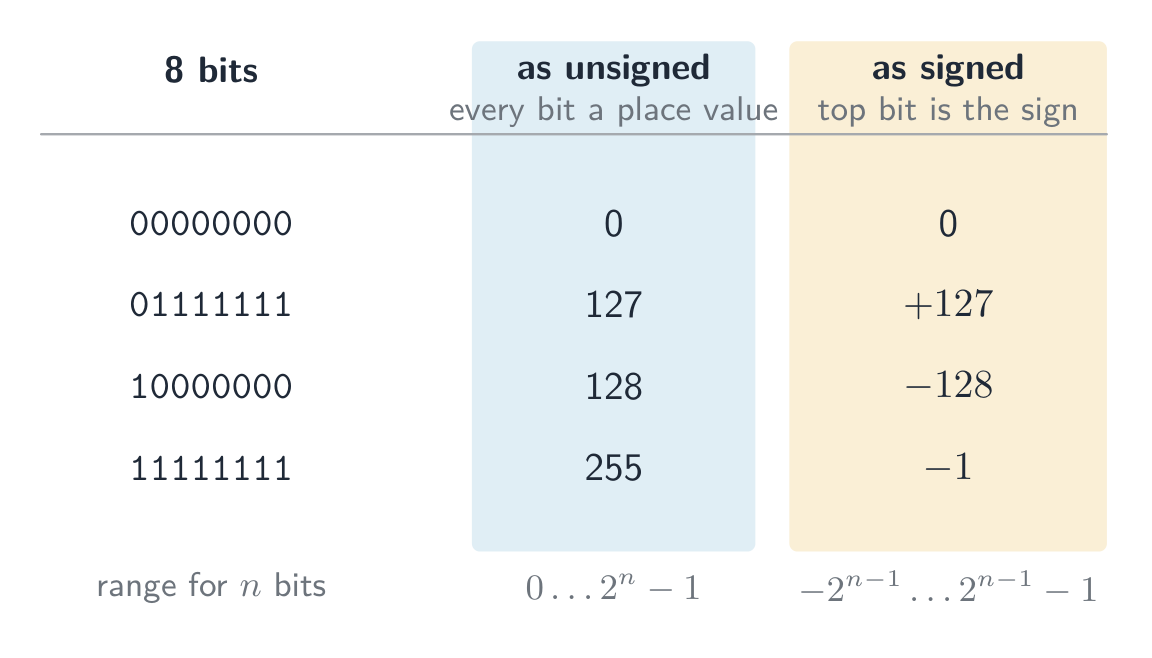
 8-bit two's complement: the sign bit splits the range into negative (

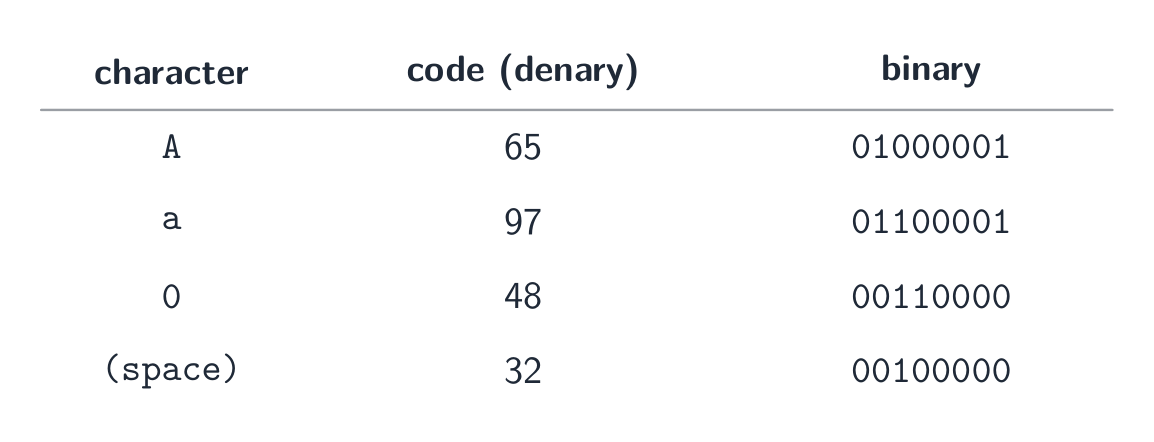
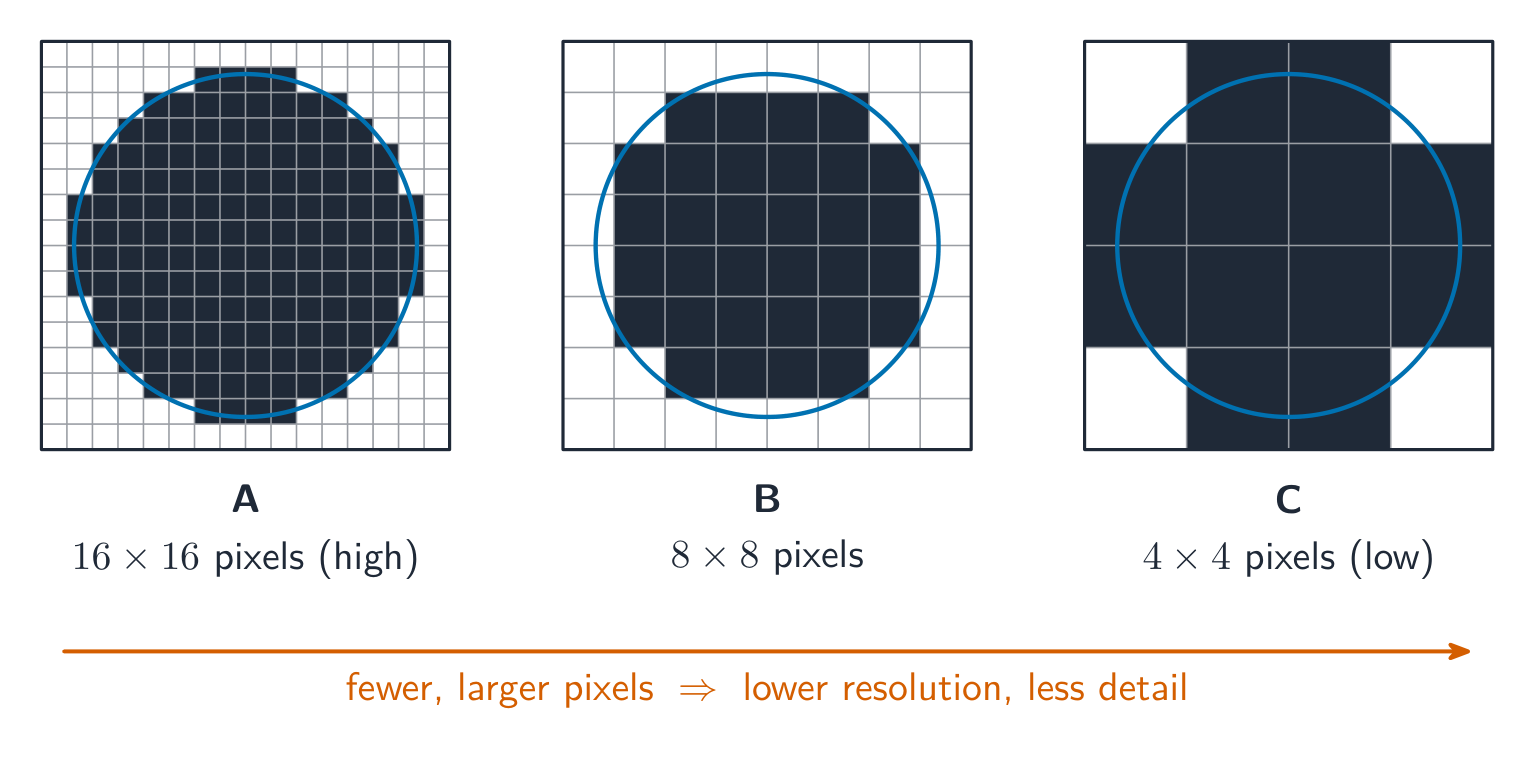
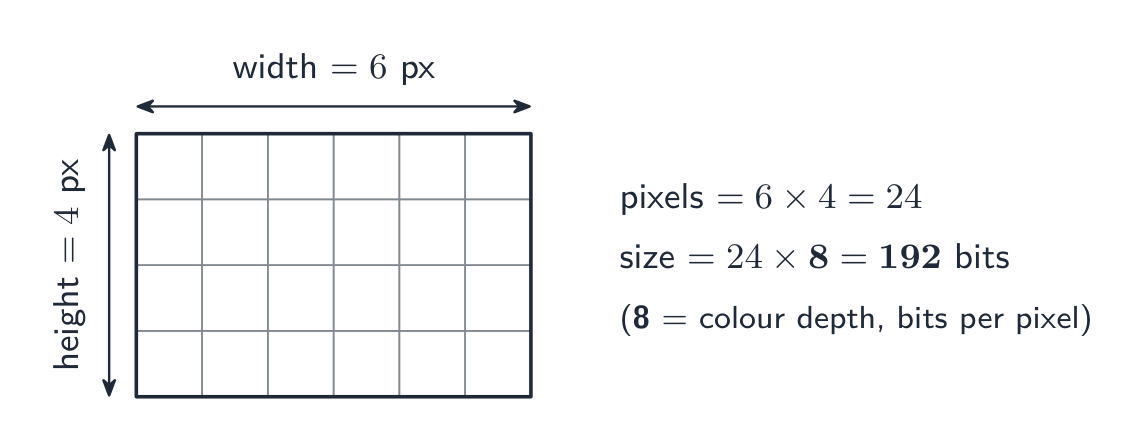
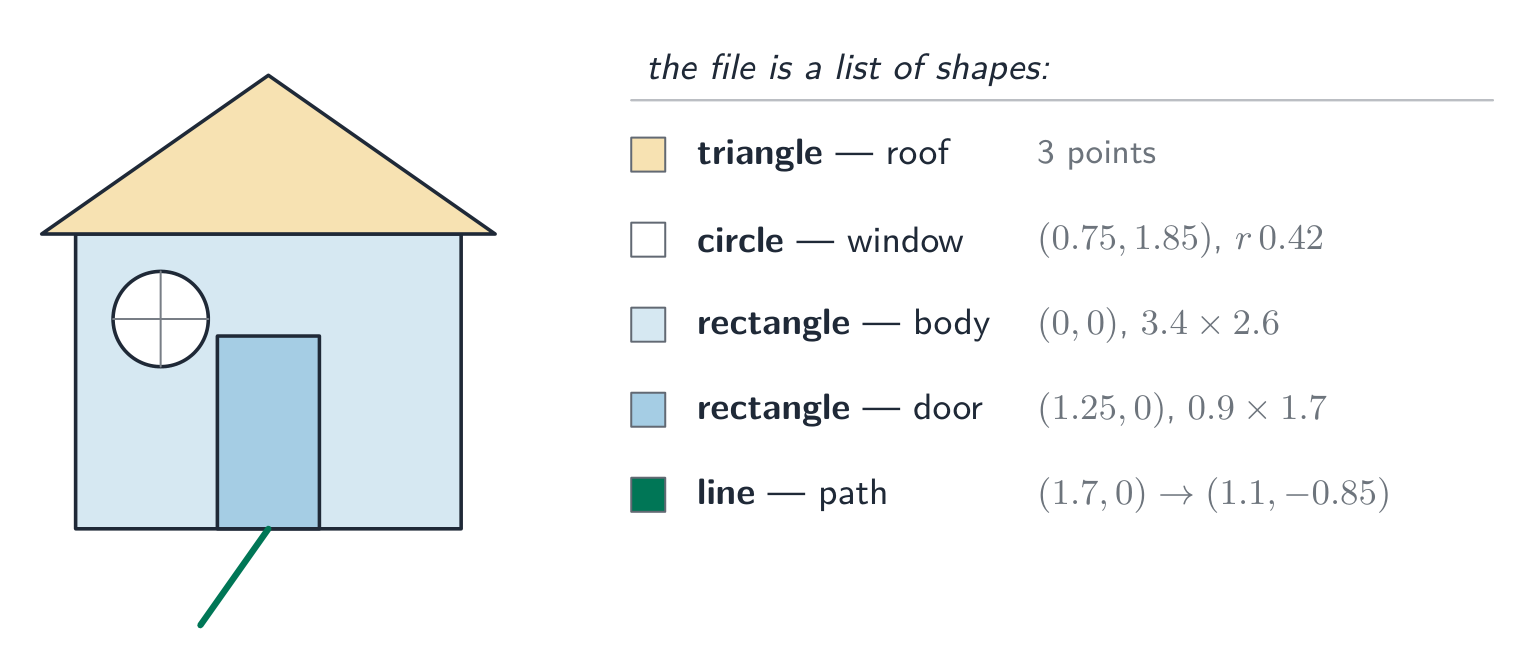
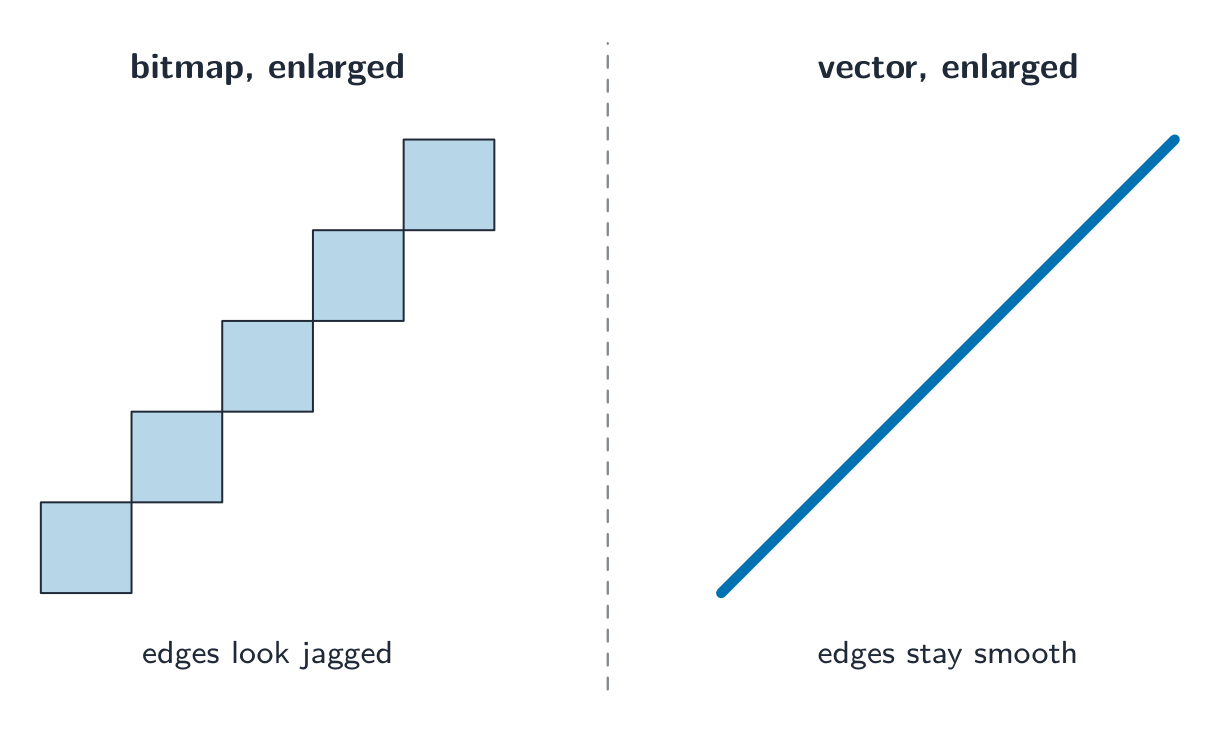
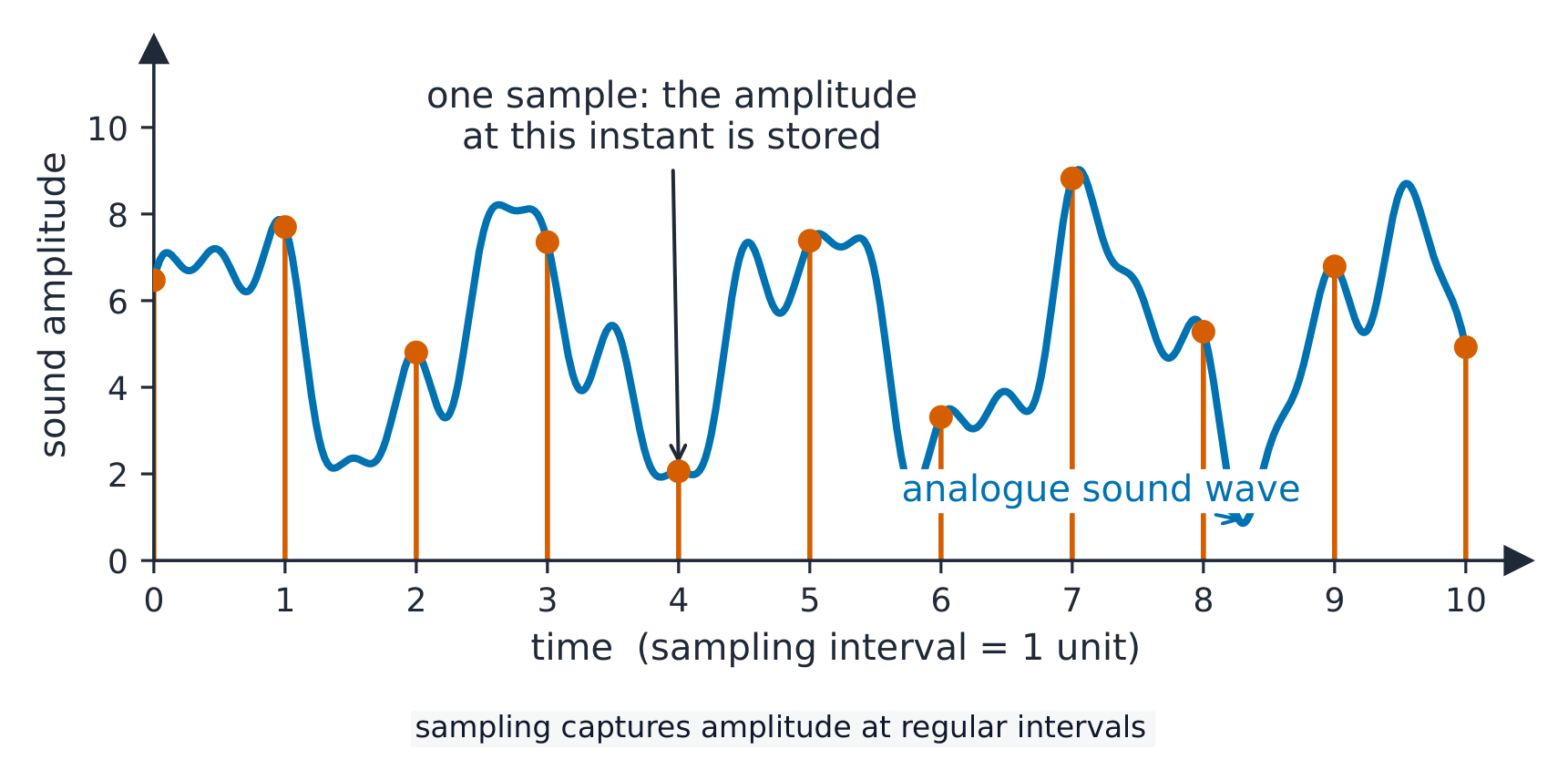
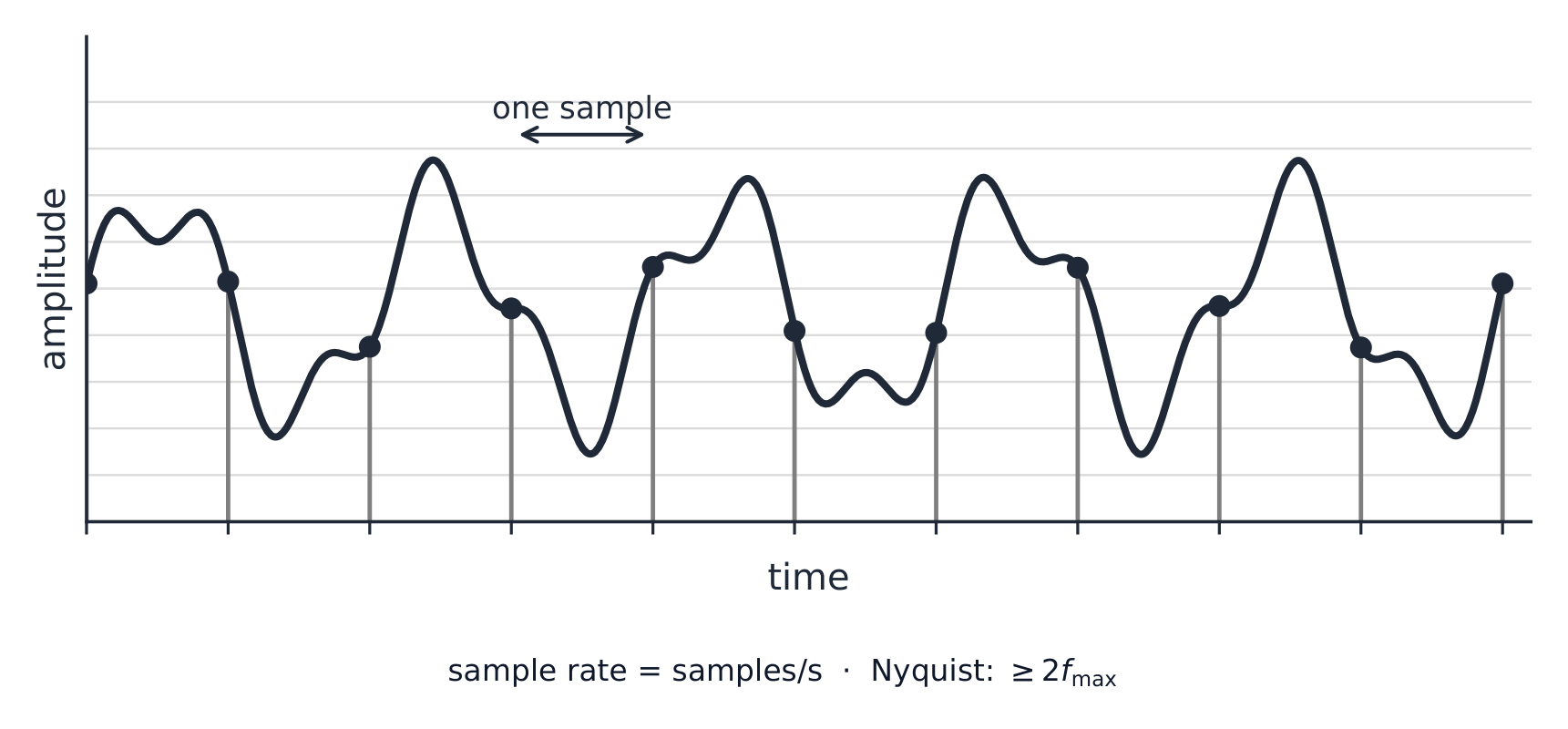

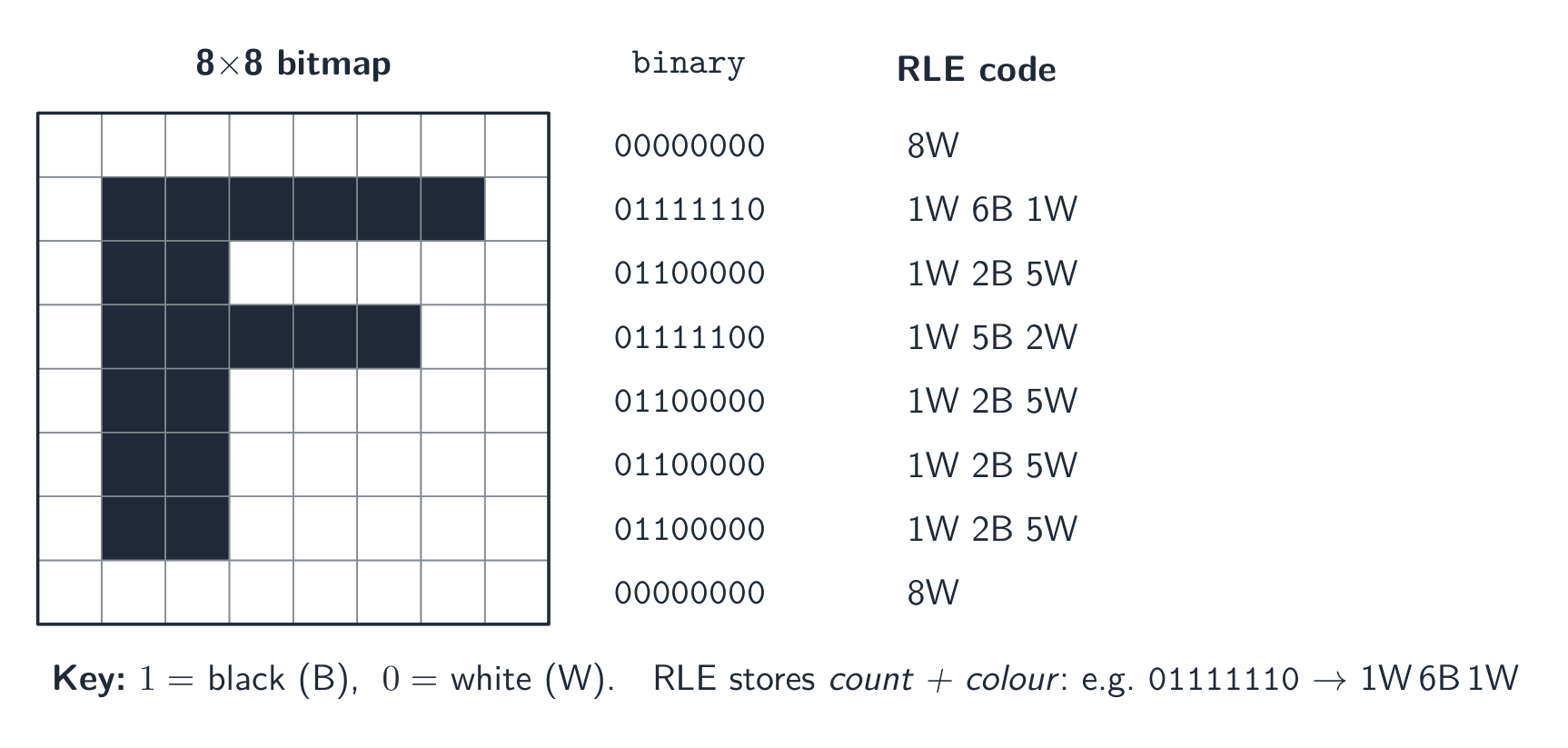
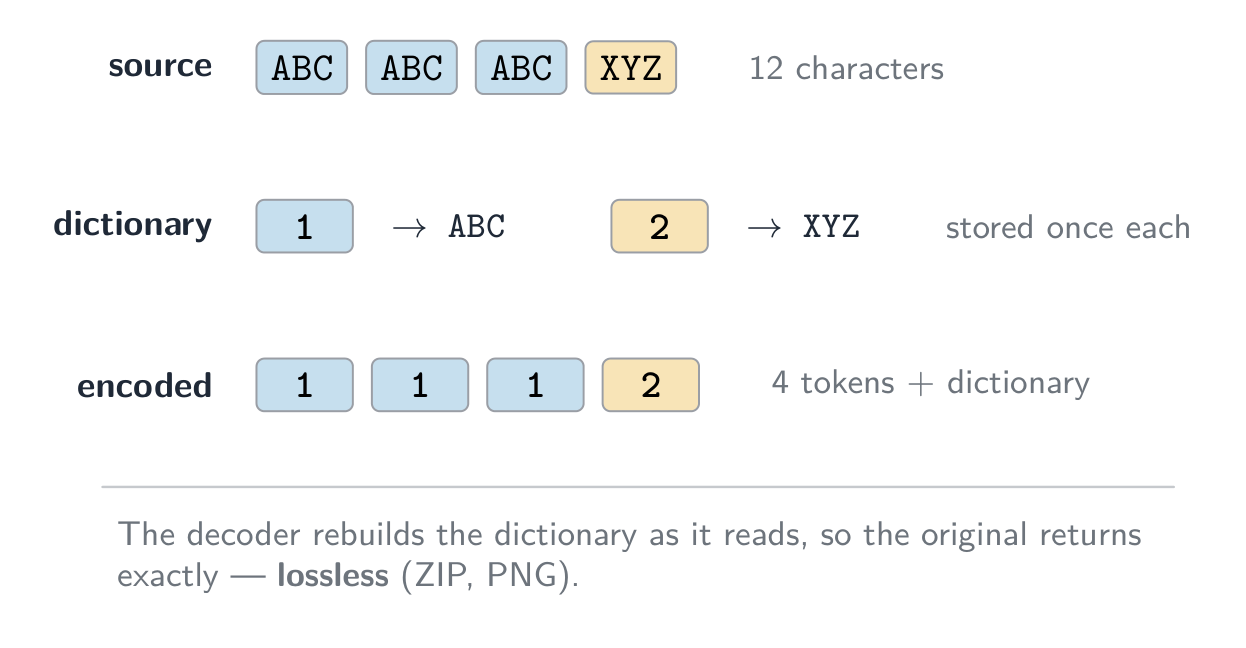
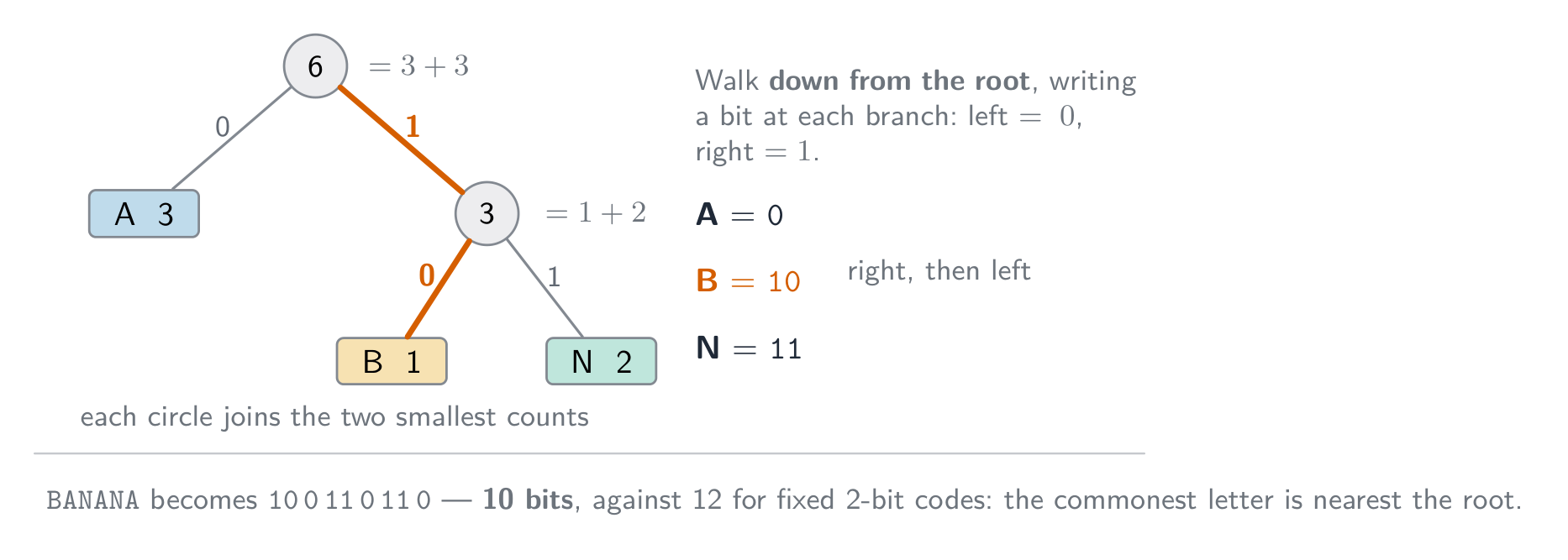
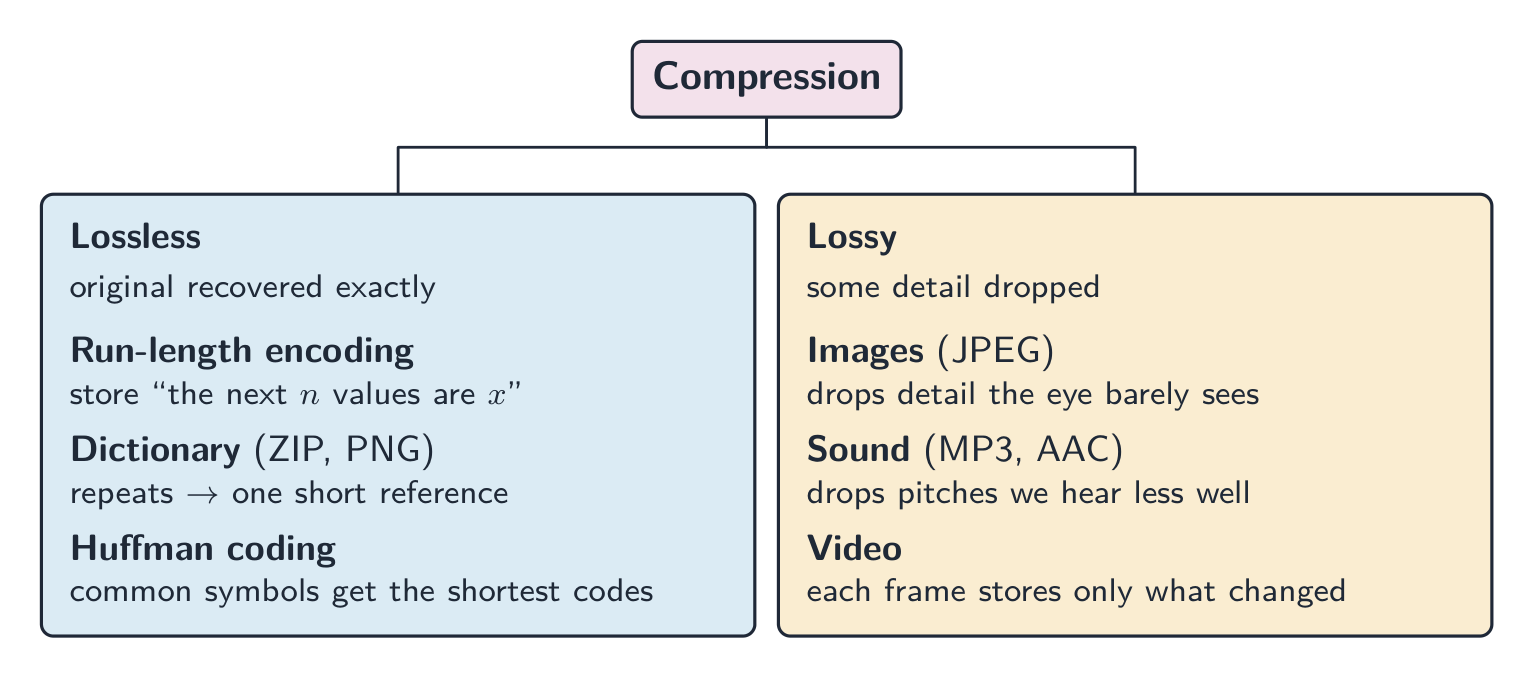


 *מבנה תשתית היברידי: צבירי כוכבים המחוברים בגב כלי מרכזי


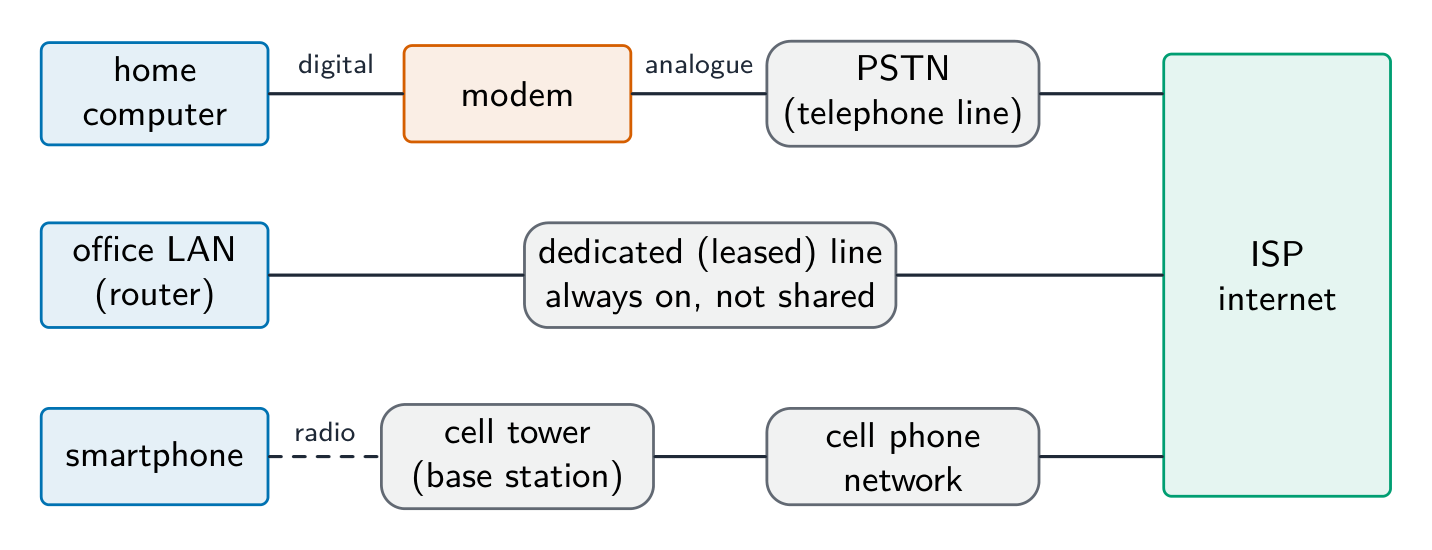


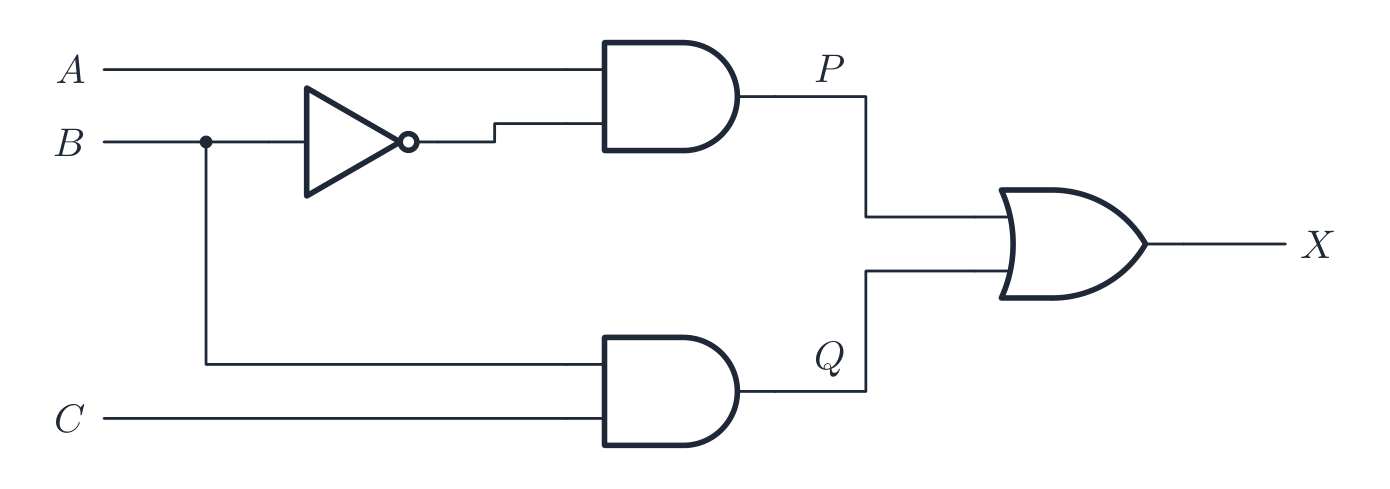


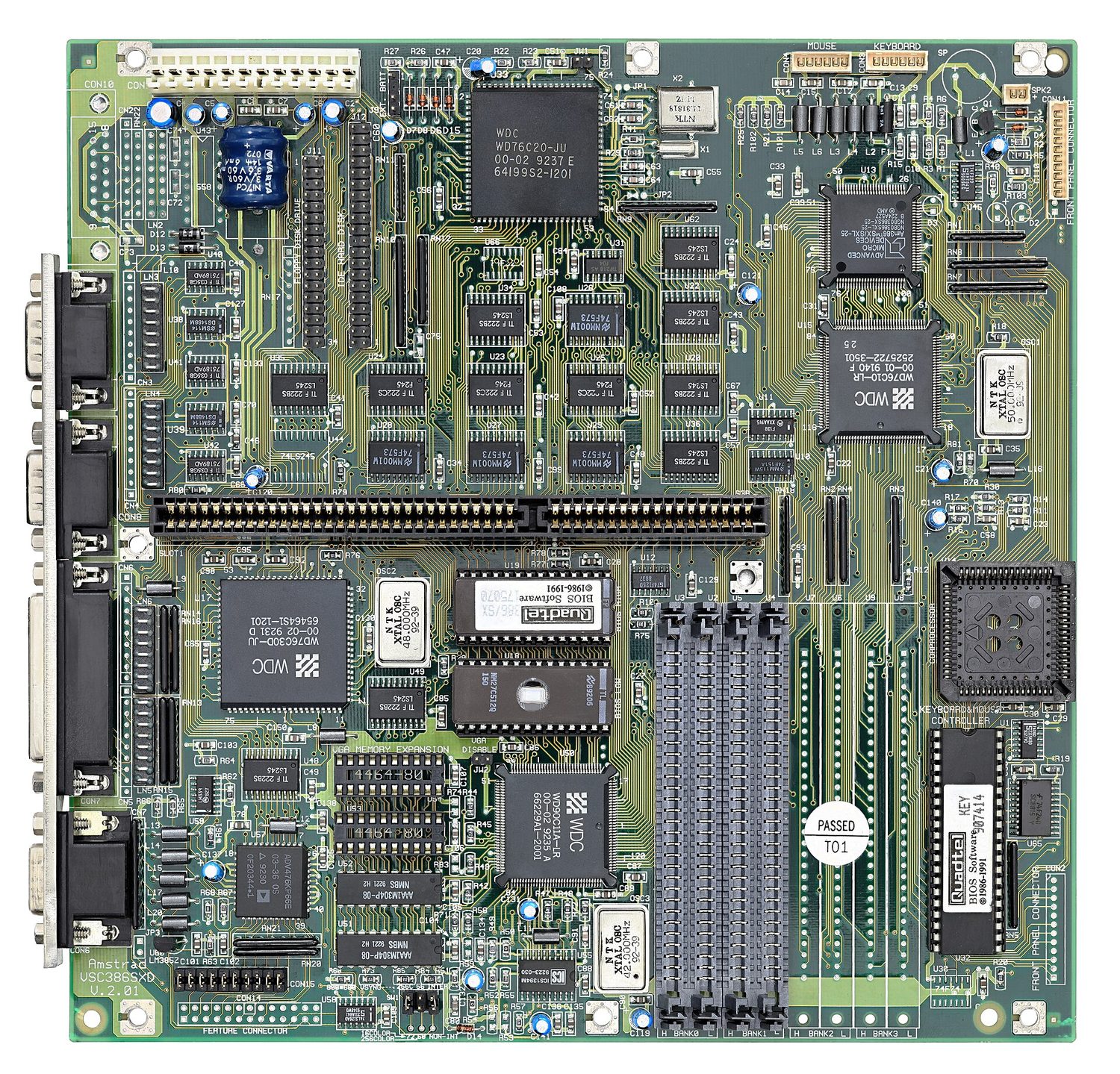


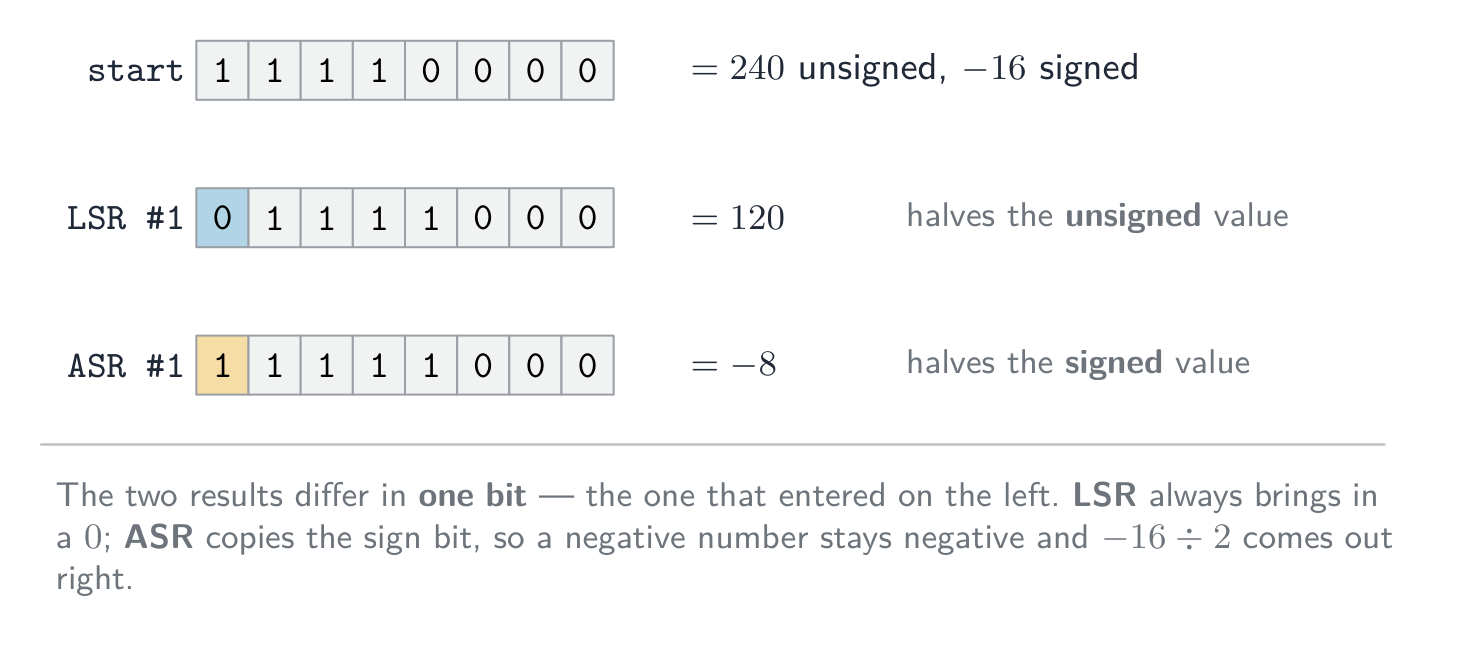







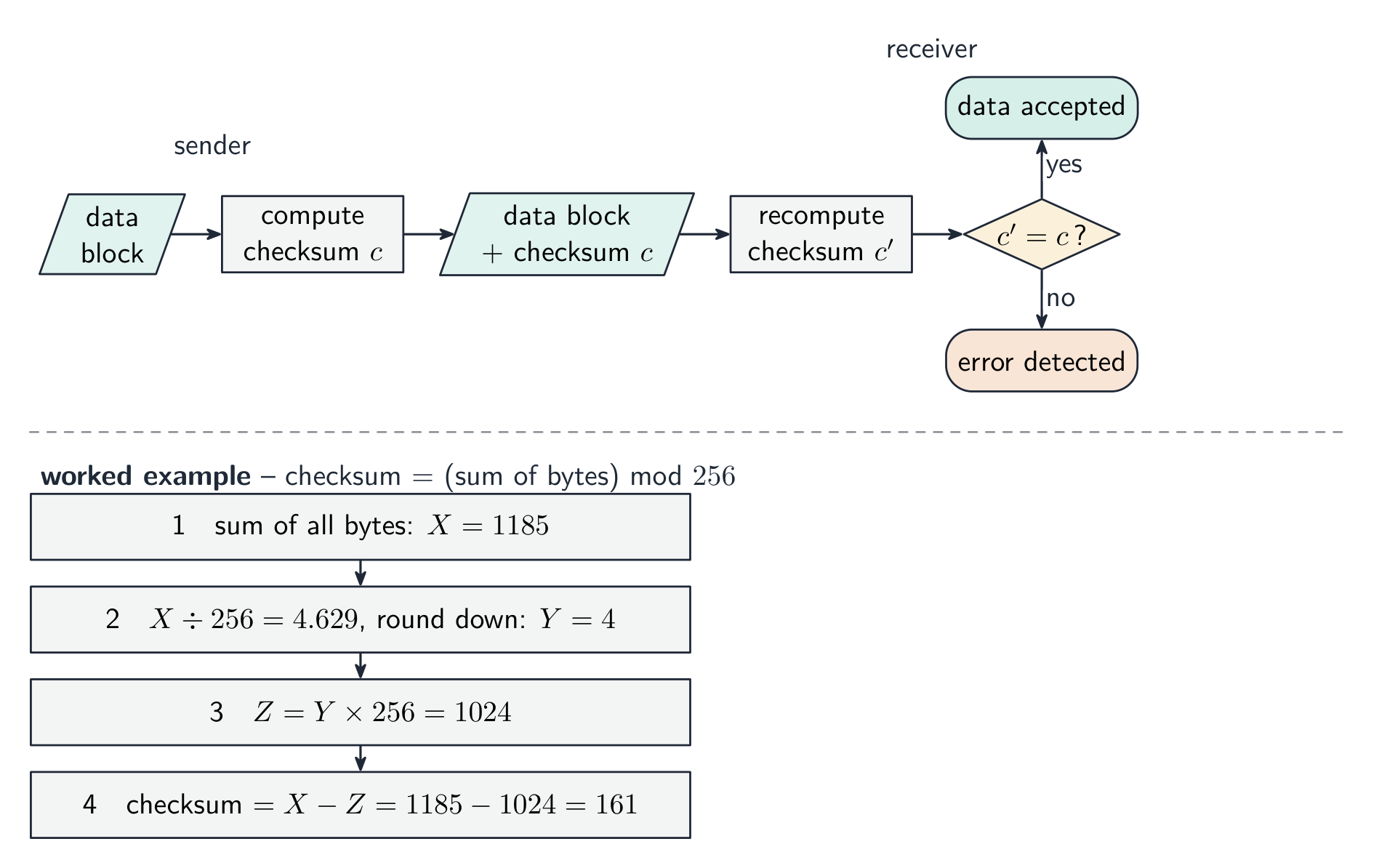


 *הגישה המבוססת קבשים: כל תוכ שומרת קבצים משלה
 *הגישה למסד נתונים: מערכת ניהול מסדי נתונים אחת שומרת לכל התוכניות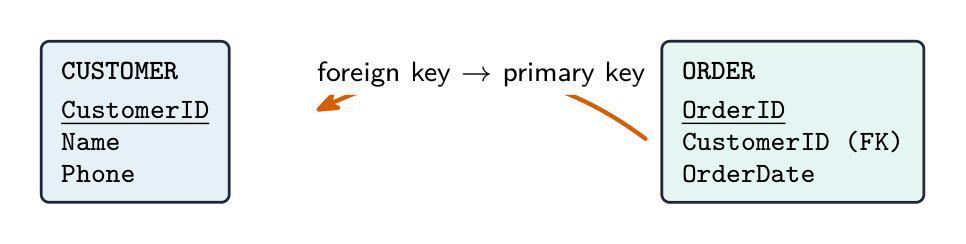


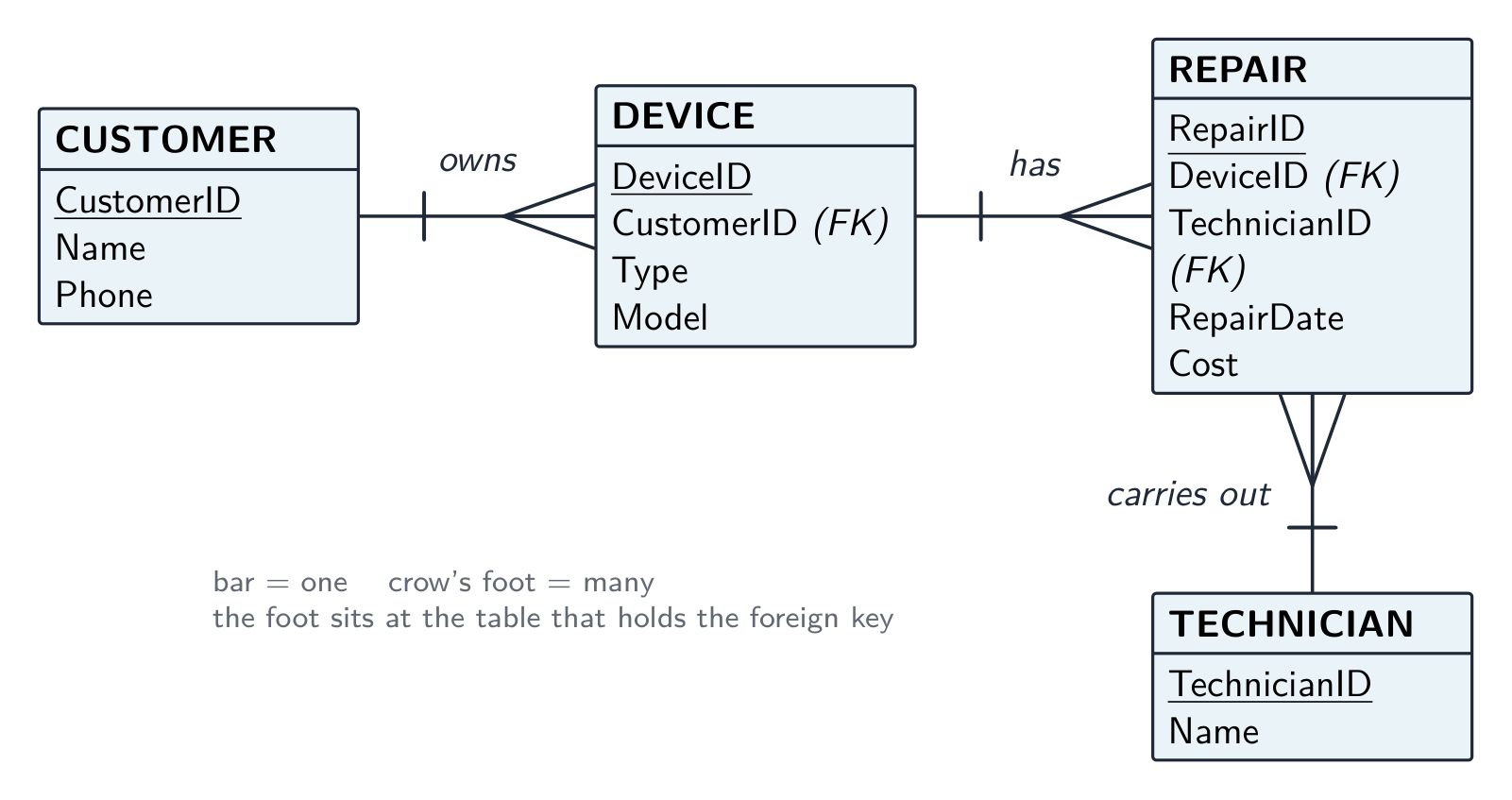

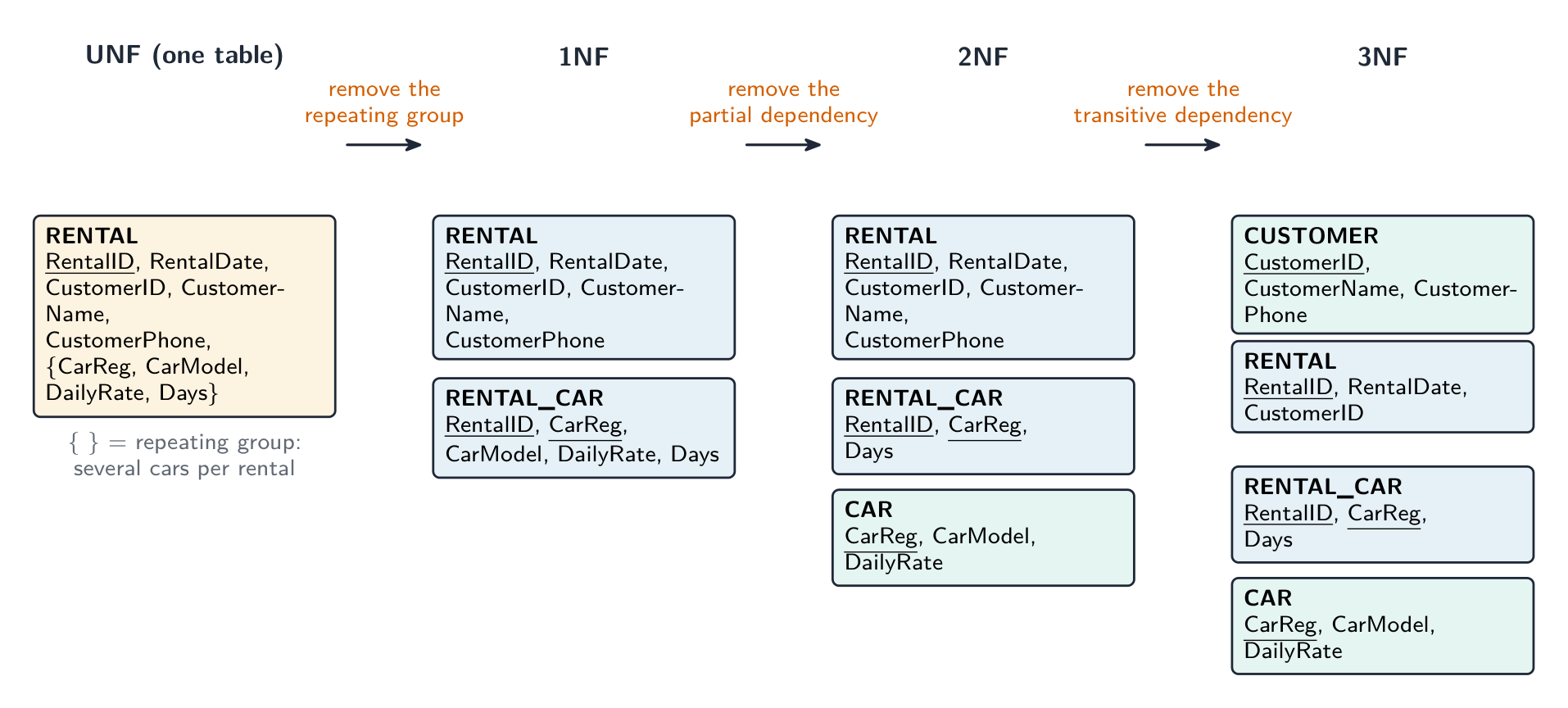

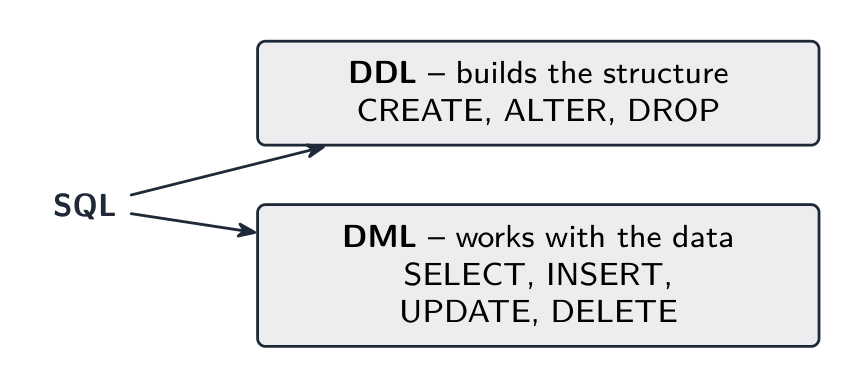

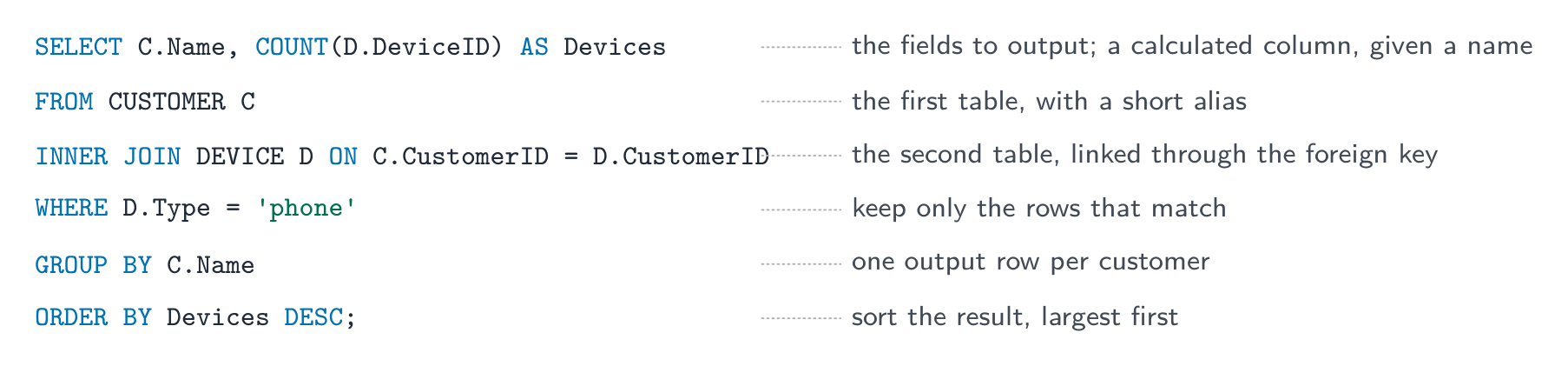


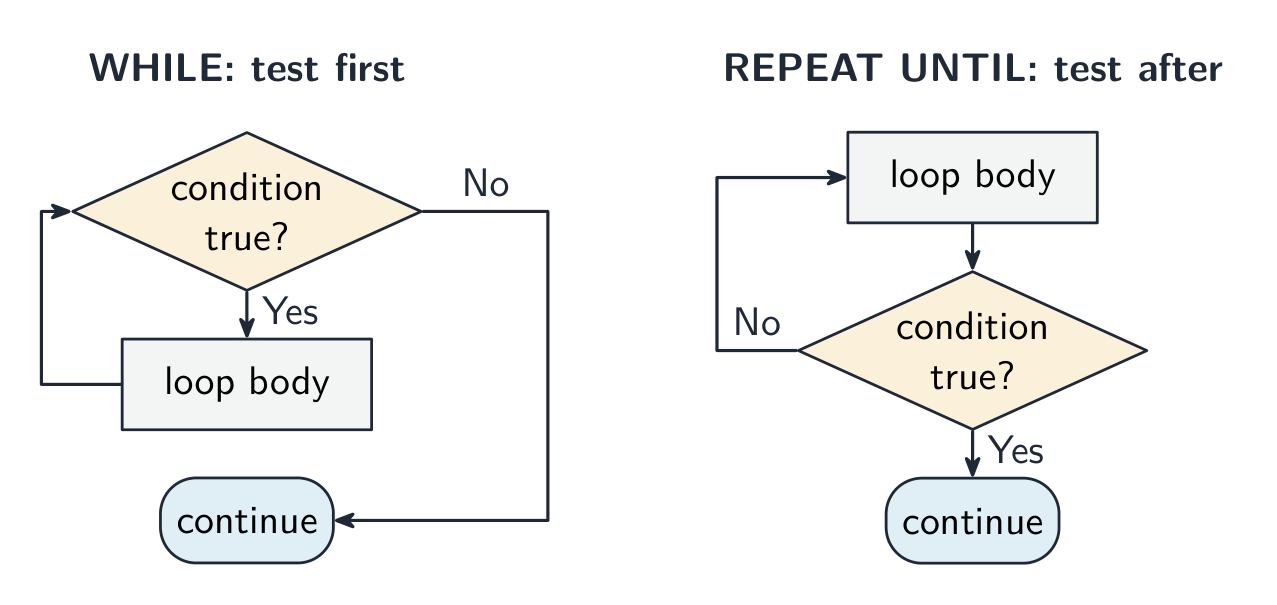
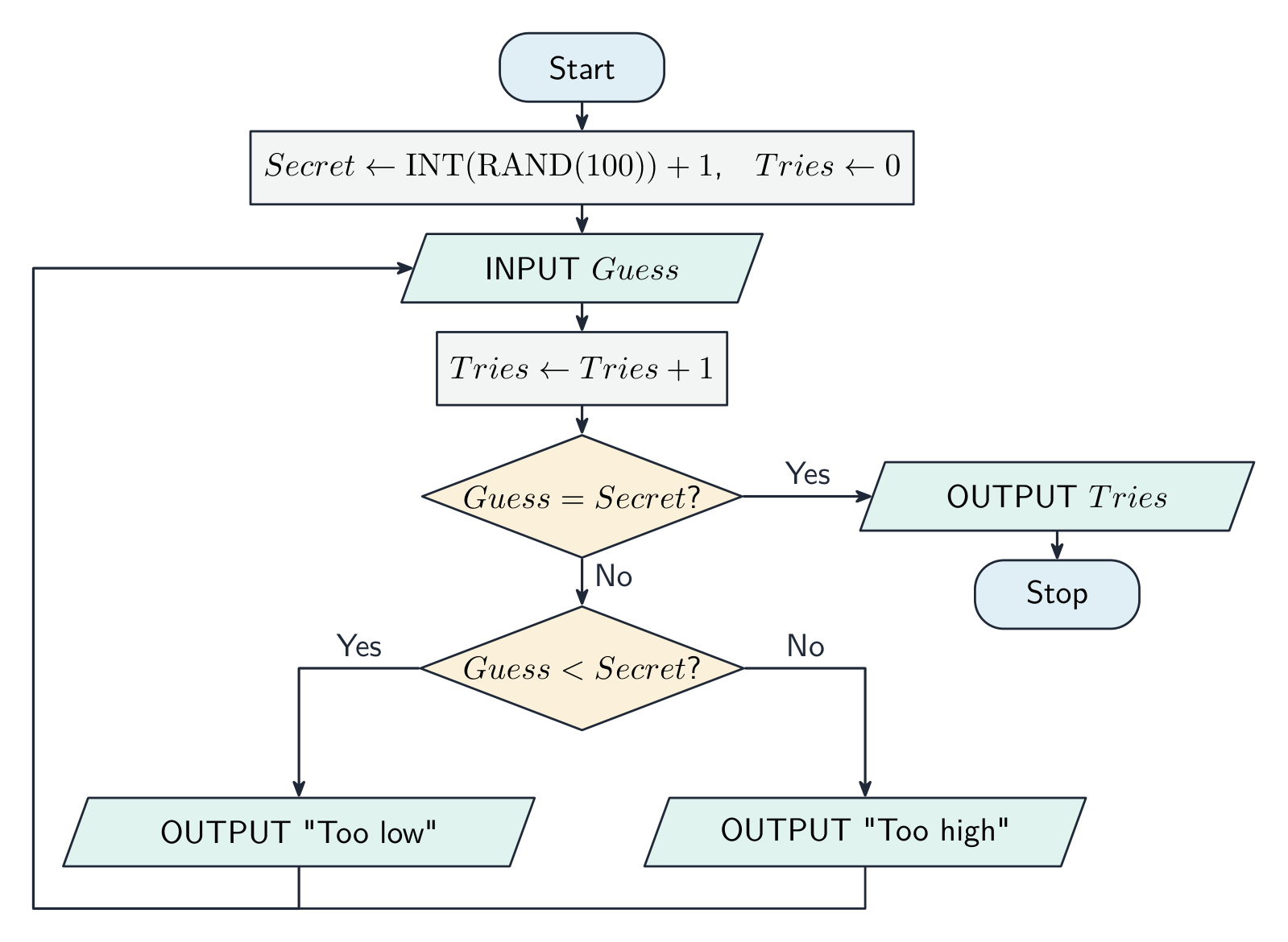


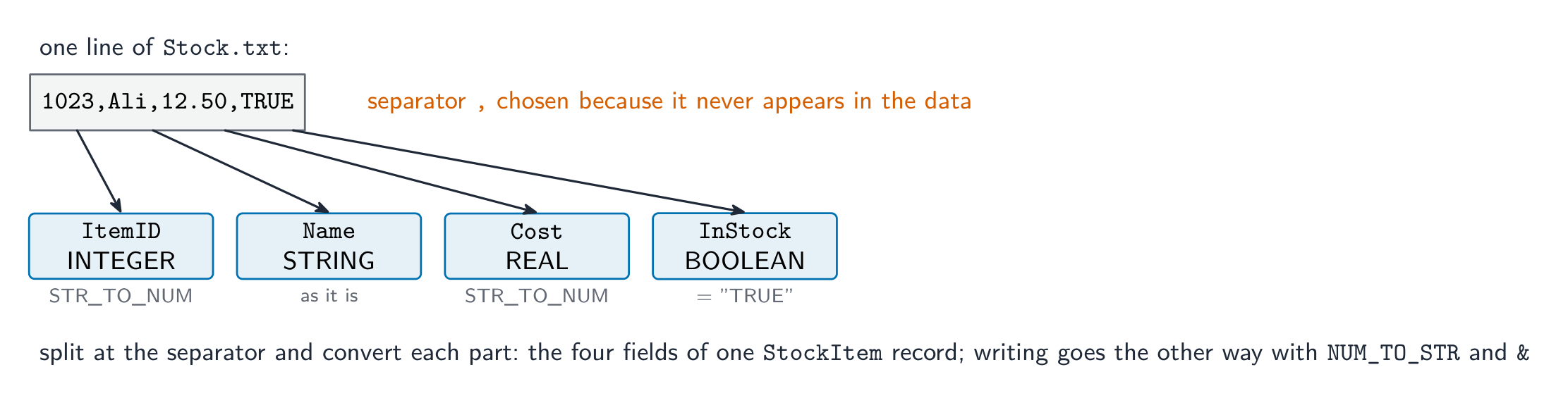


 *כל סמל בתרשים זרימה הופך למילה מפתח בקוד מדומה
 *ערך משתנה יכול להשתנות; קבוע נשאר קבוע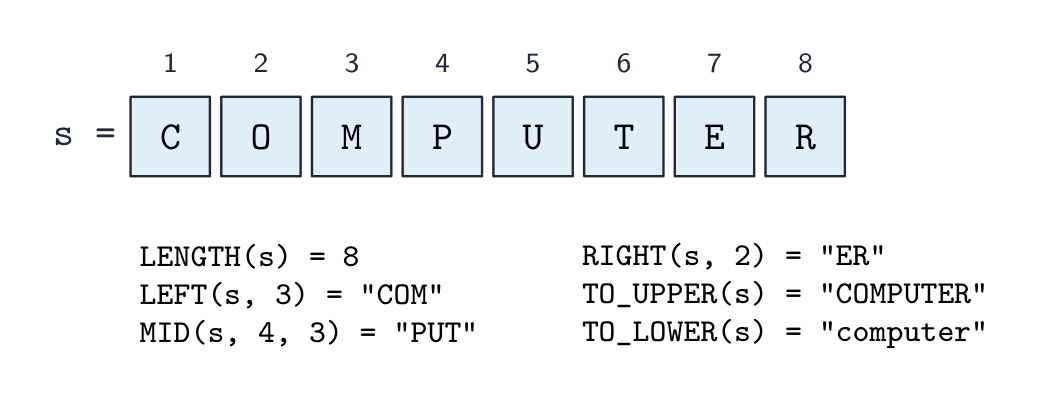

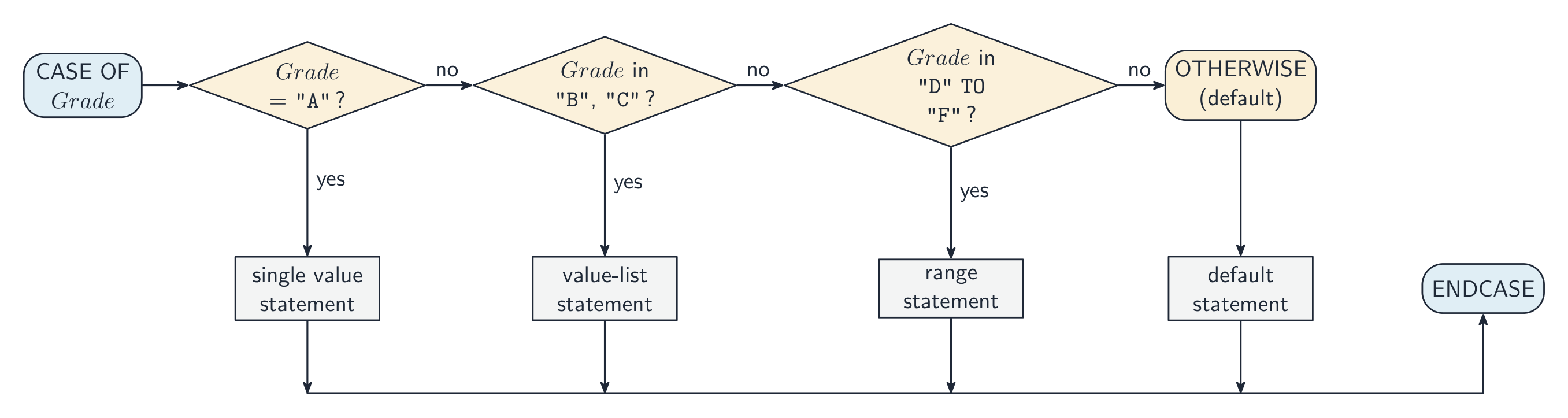


 העברה בערך מעתיקה את הערך לתיבה חדשה; העברה ביחוס מאפשרת לפונקציה לשנות את המשתנה של הקורא,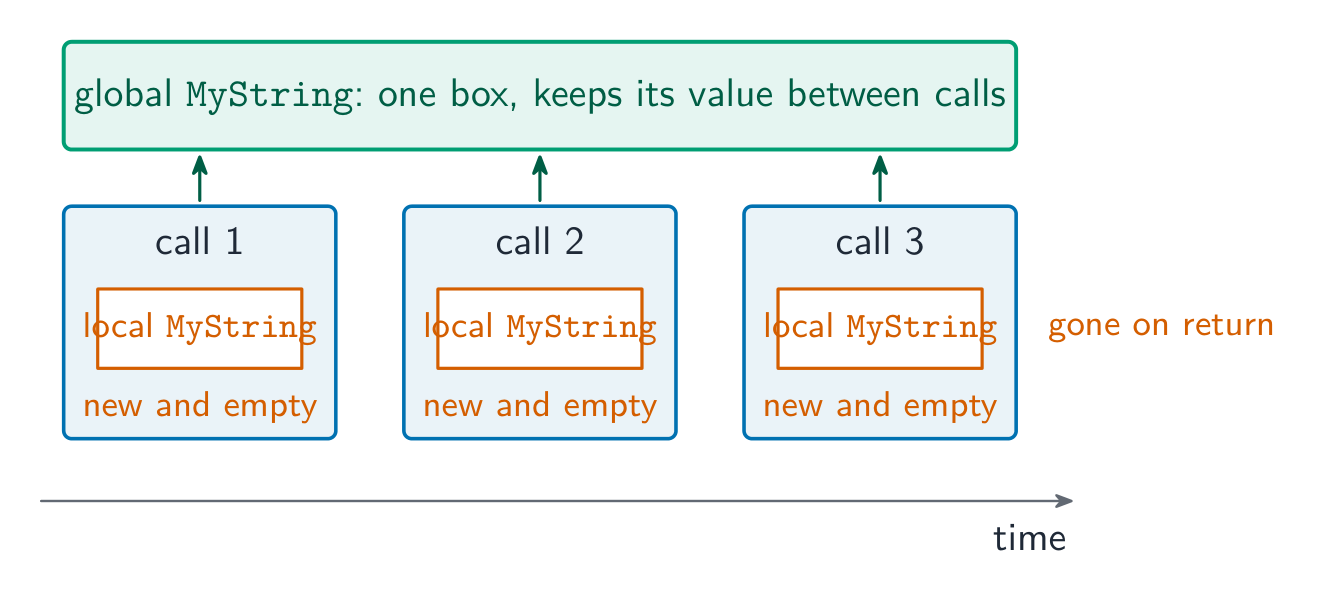

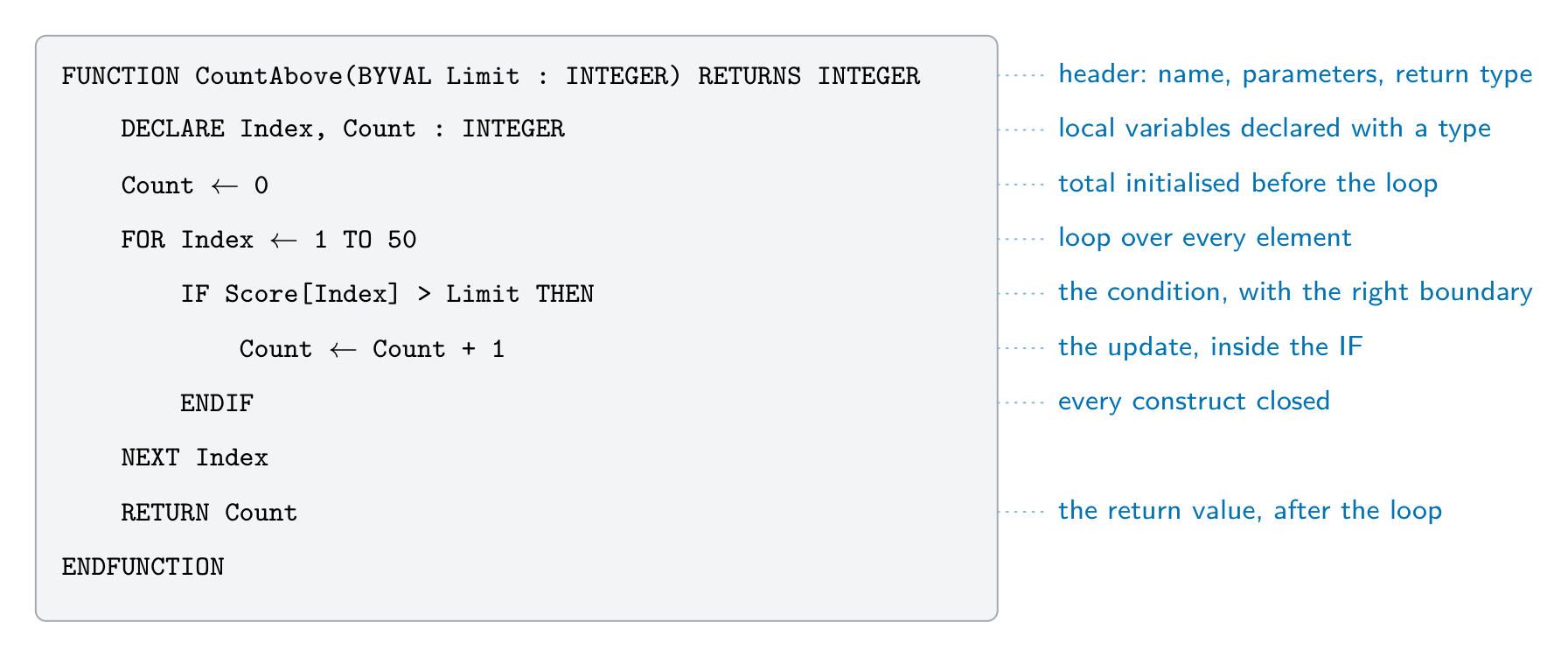 *כל חלק בתשובה למודול מקבל את הנקודות שלו, לכן כתוב את כולם גם כאשר אינך בטוח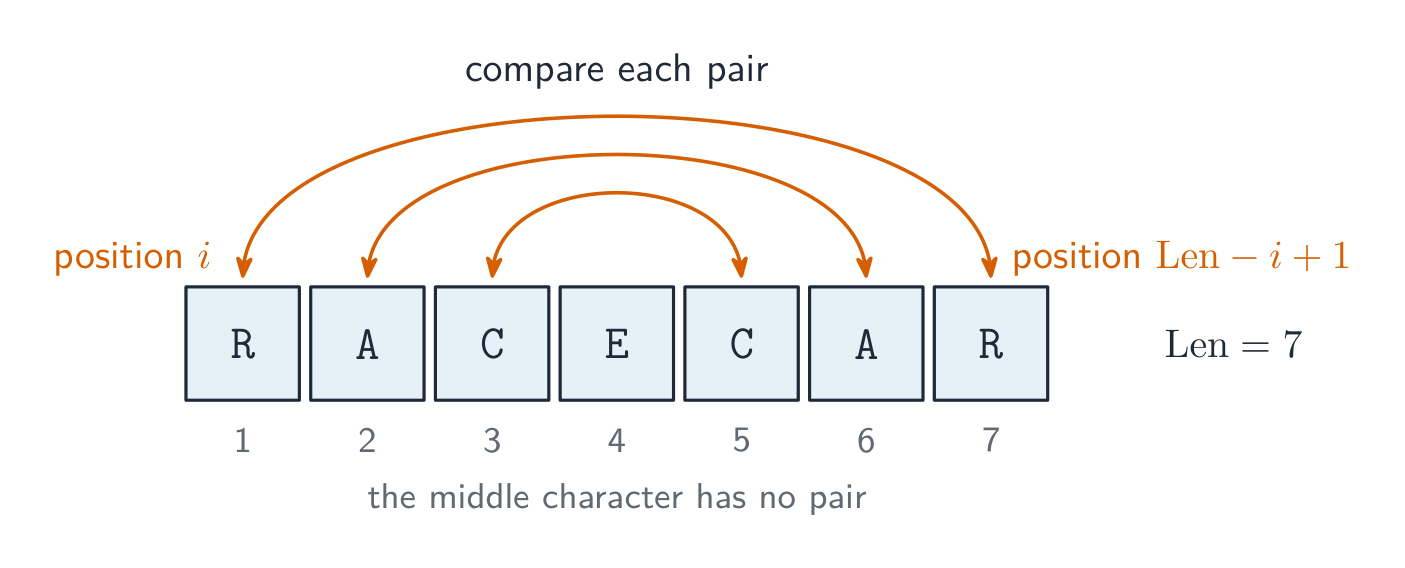


 *המודל האיטרטיבי: מעברים חוזרים משפרים את התוכנה
 *פיתוח אפליקציה מהיר: צוותים עובדים על חלקים במקביל
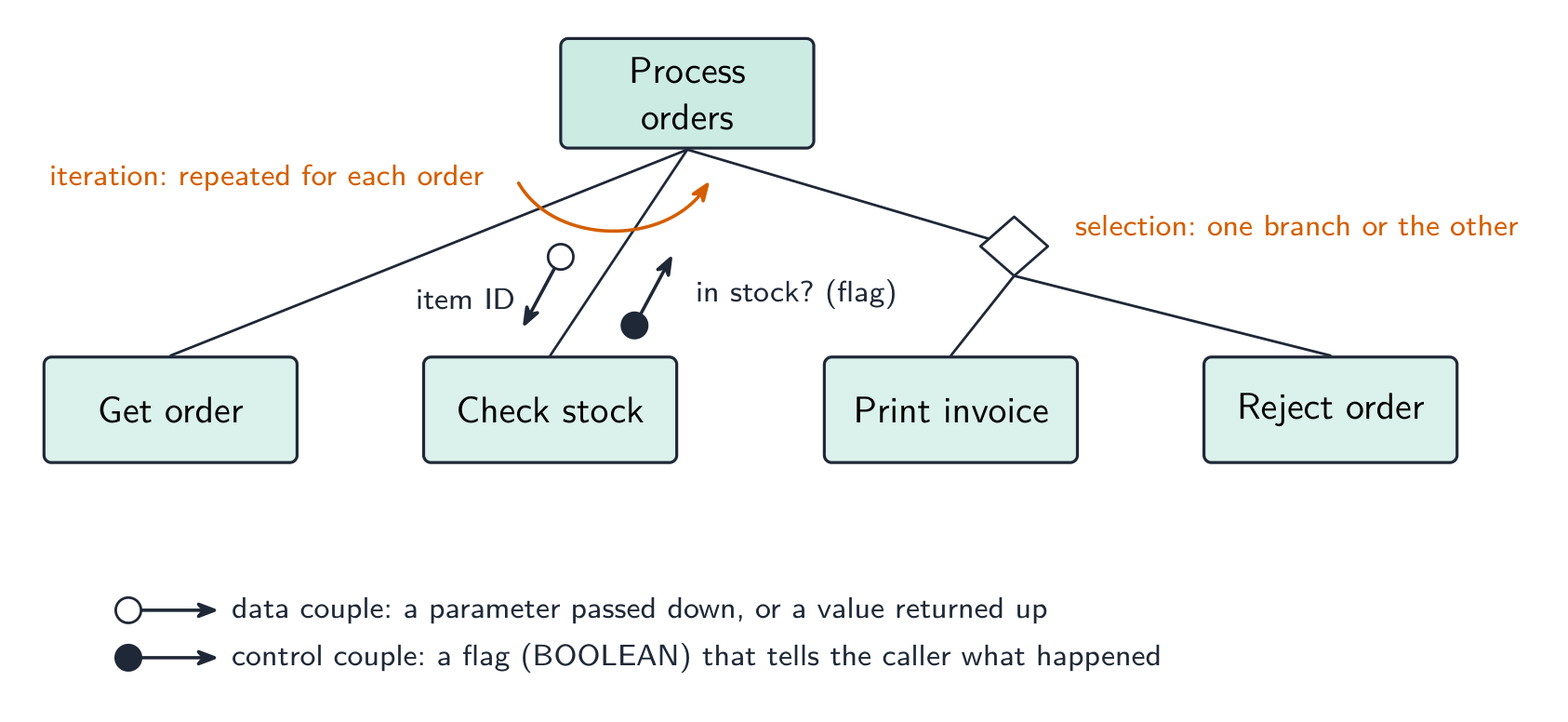


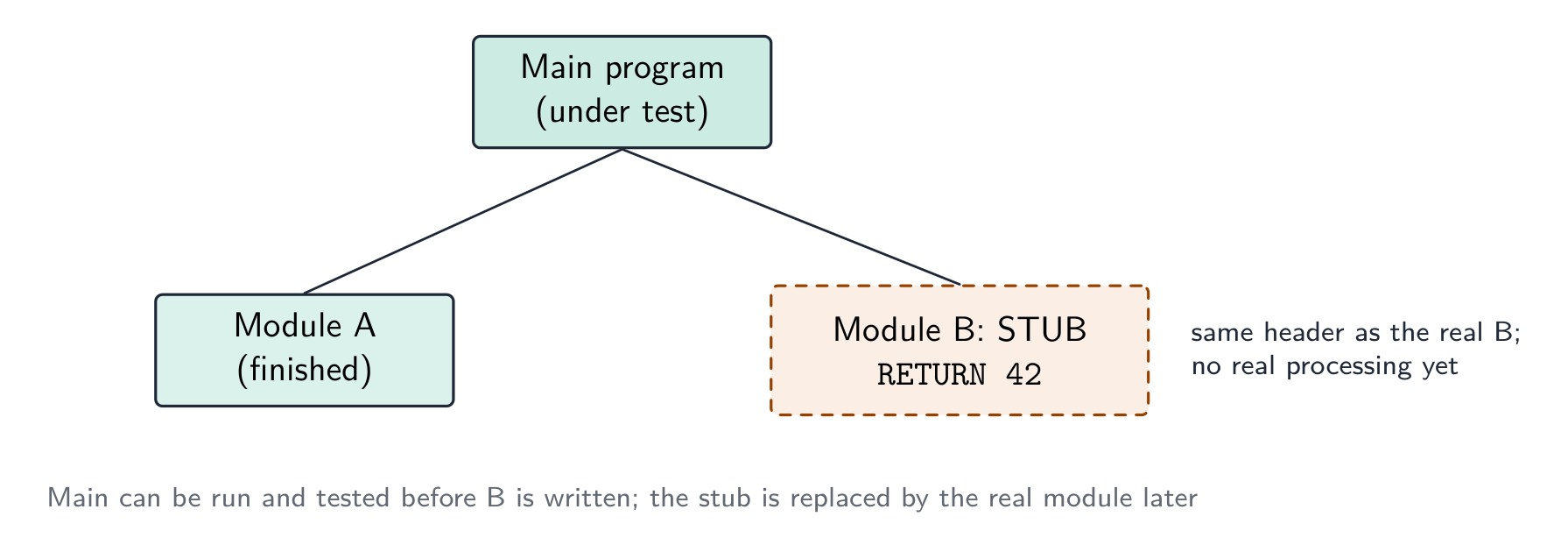


![An array of four ClubMember records drawn as rows of fields, with the callout Members[3].LastName picking out one field of one element, and an assignment writing one field of another element](/handout-media/a_level_computer_science/assets/13-array-of-records.png?v=1788672854)


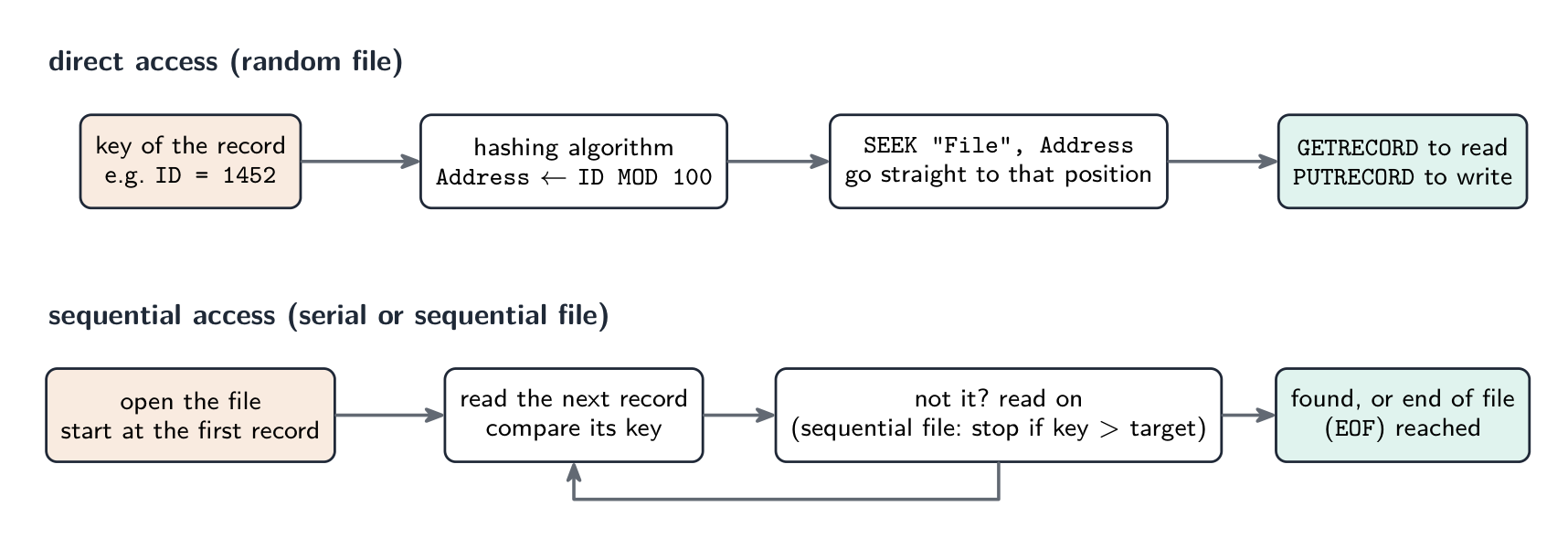


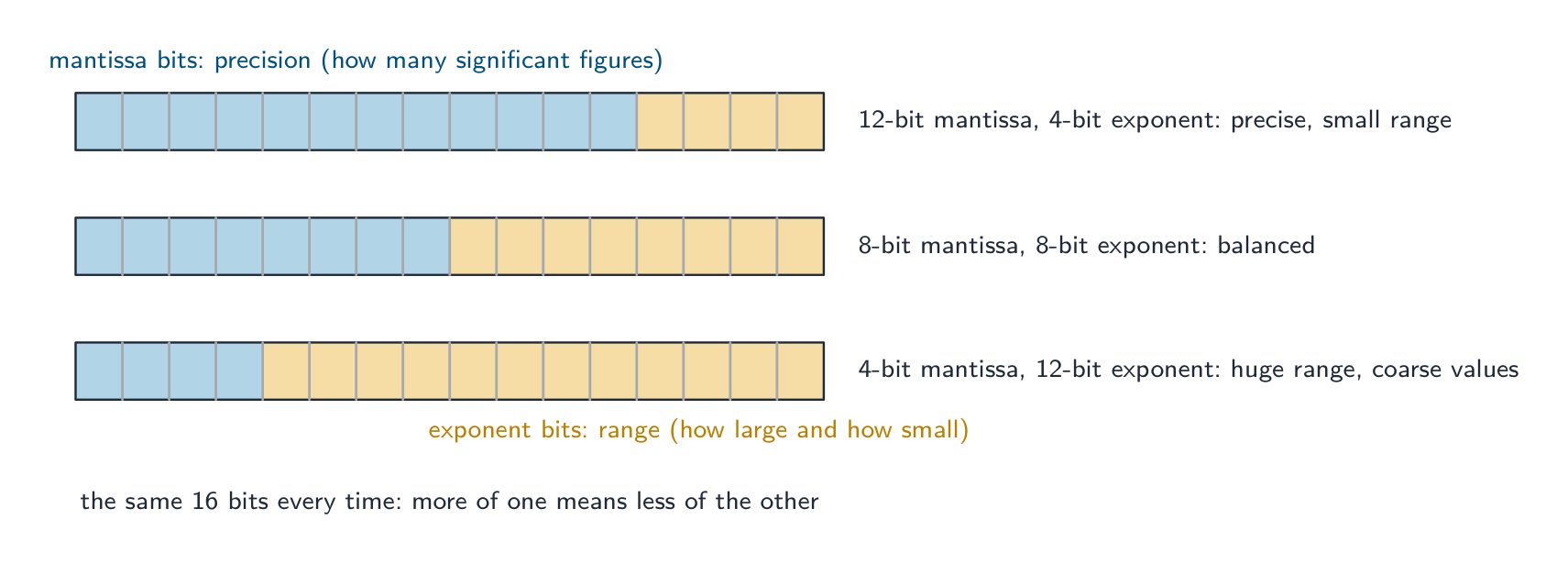


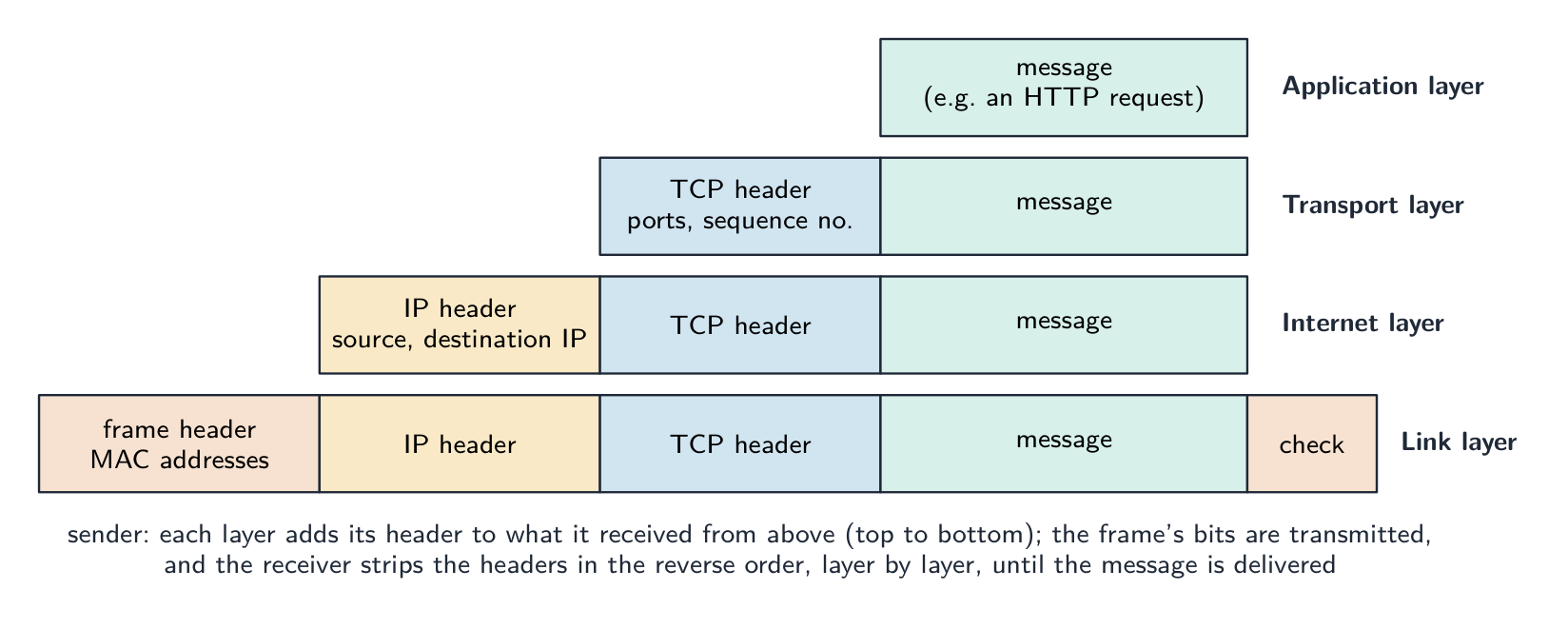


 *מודם כבל מחבר רשת ביתית לספק האינטרנט
 *חלקי מסגרת Ethernet אופיינית
 *מתג רשת מחבר מספר התקנים חוטיים ברשת מקומית
 *כבל סיבי אופטי: הנתונים נעים כאור דרך סיבי זכוכית דקים
 *צלחת לוויין שולחת ומקבלת נתונים ברדיו במרחק רב


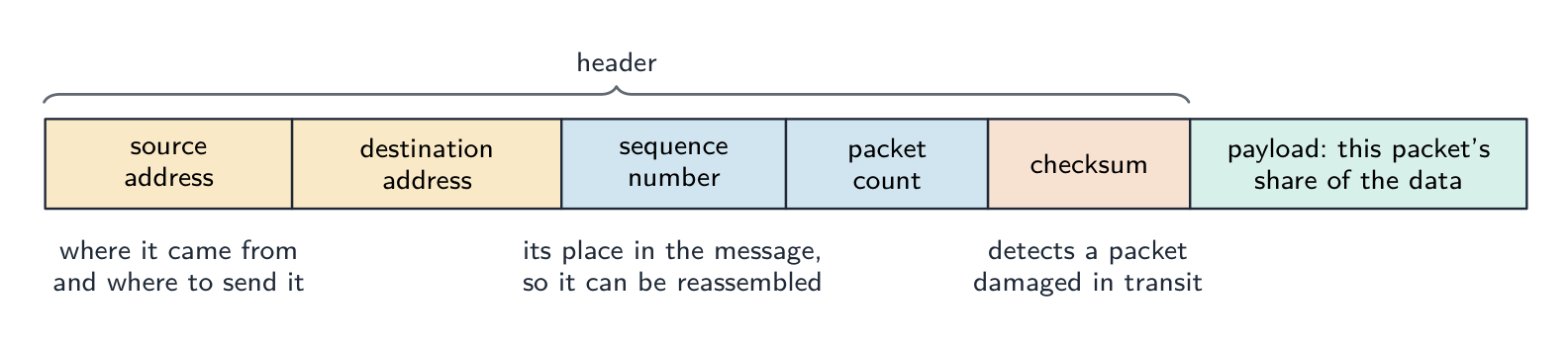


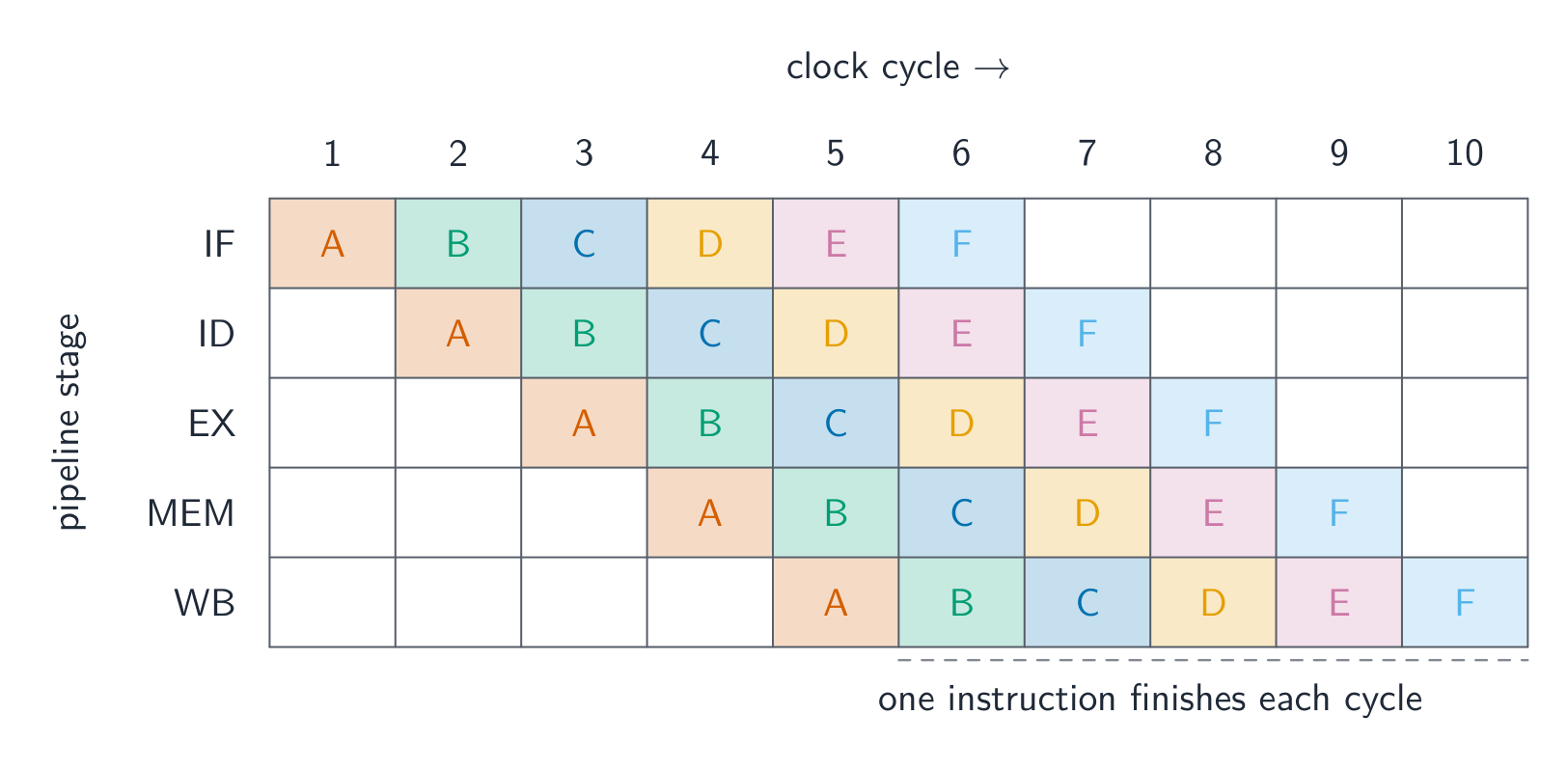

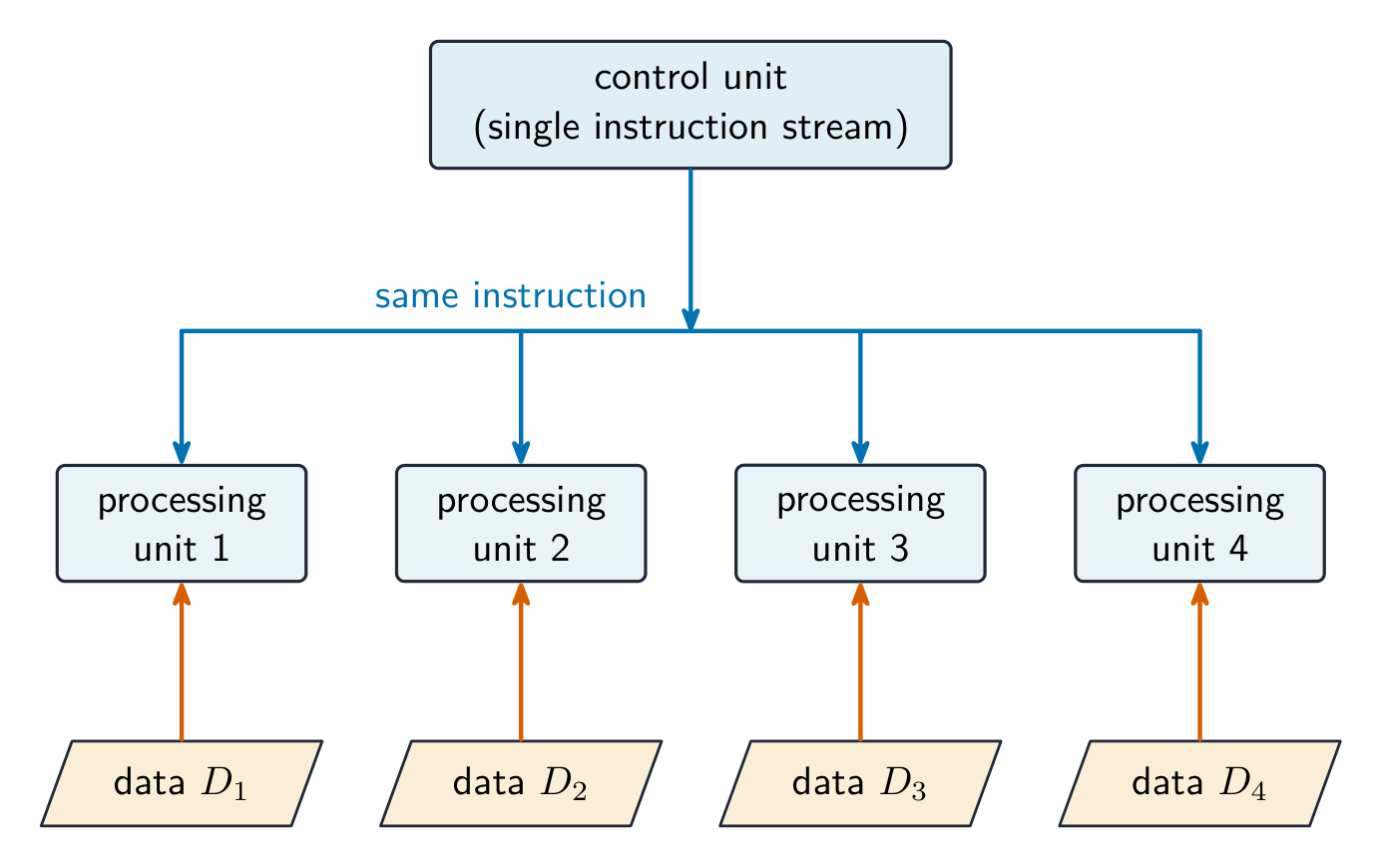


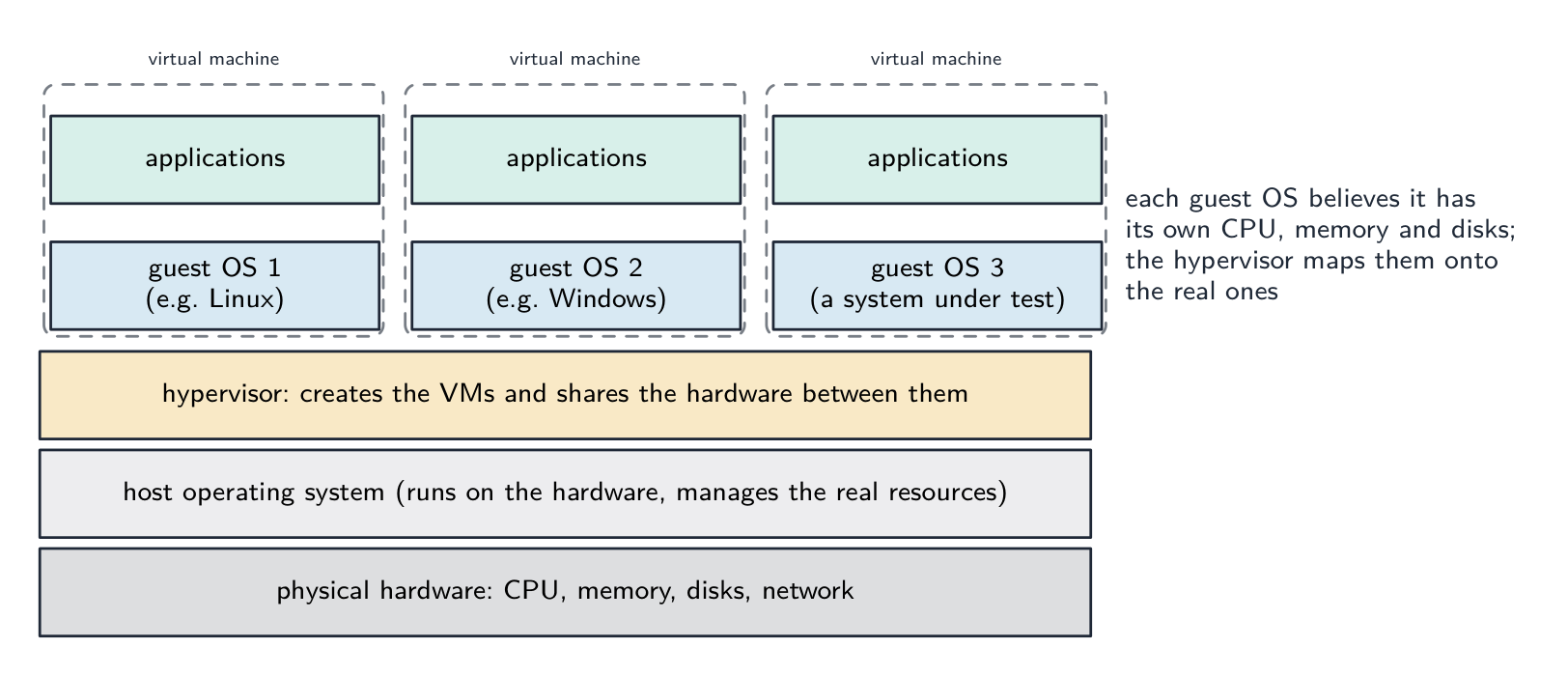
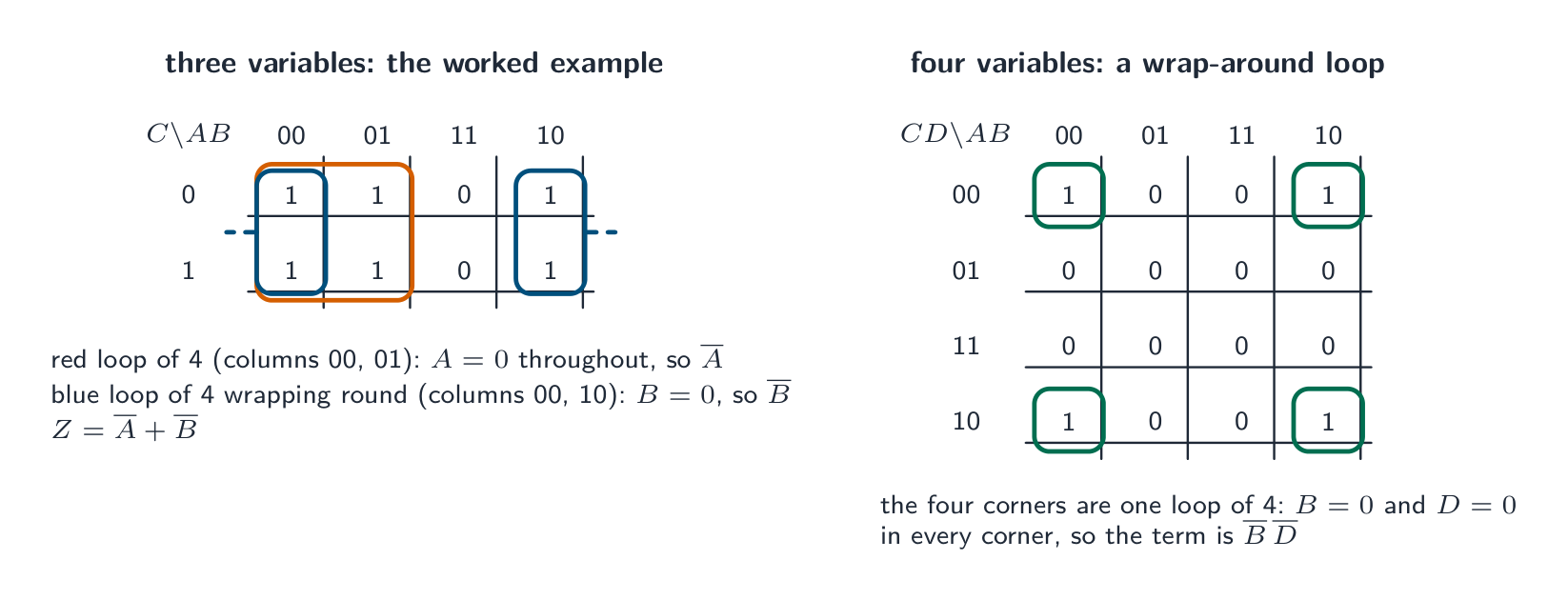


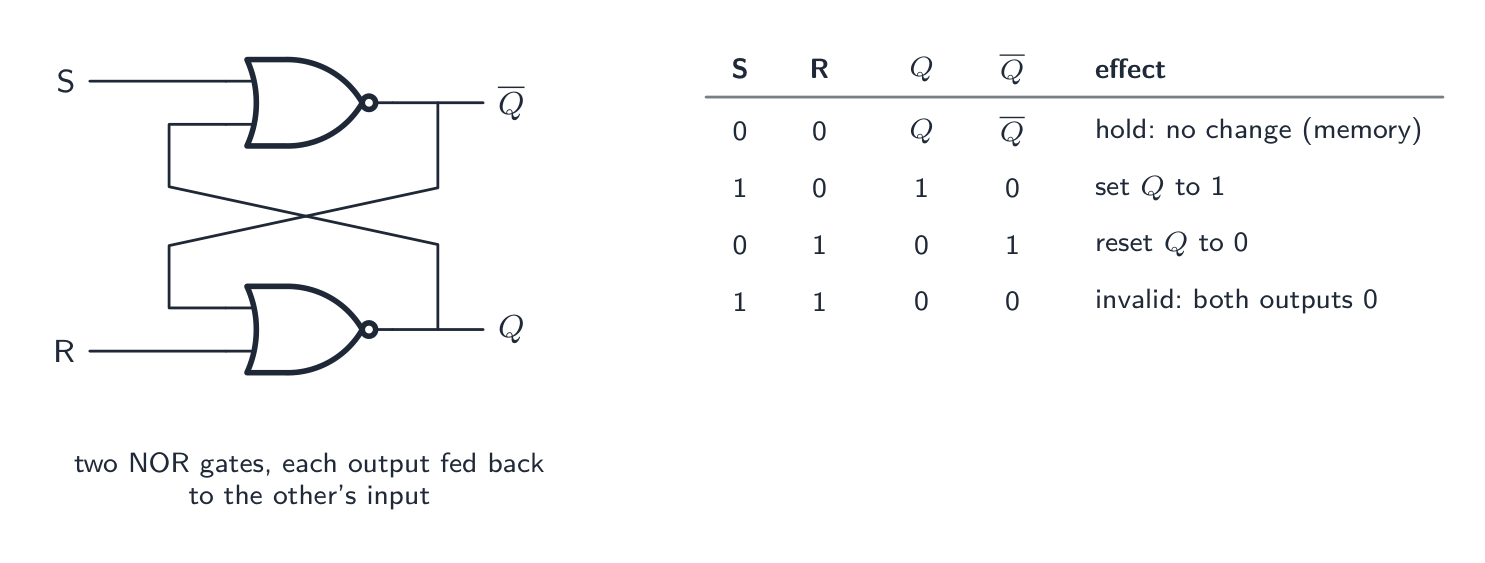


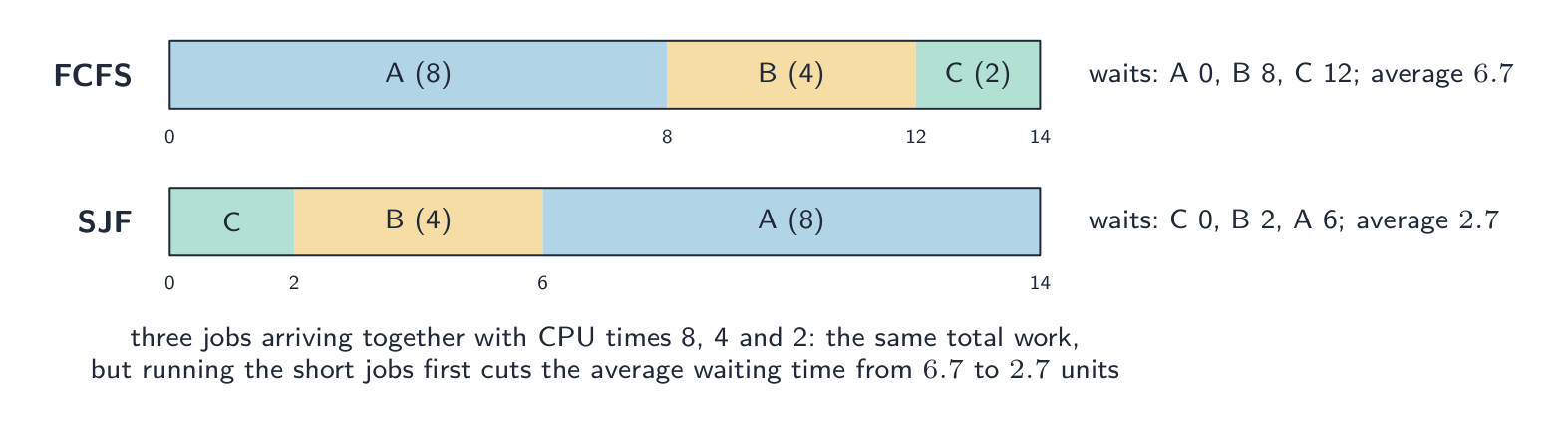


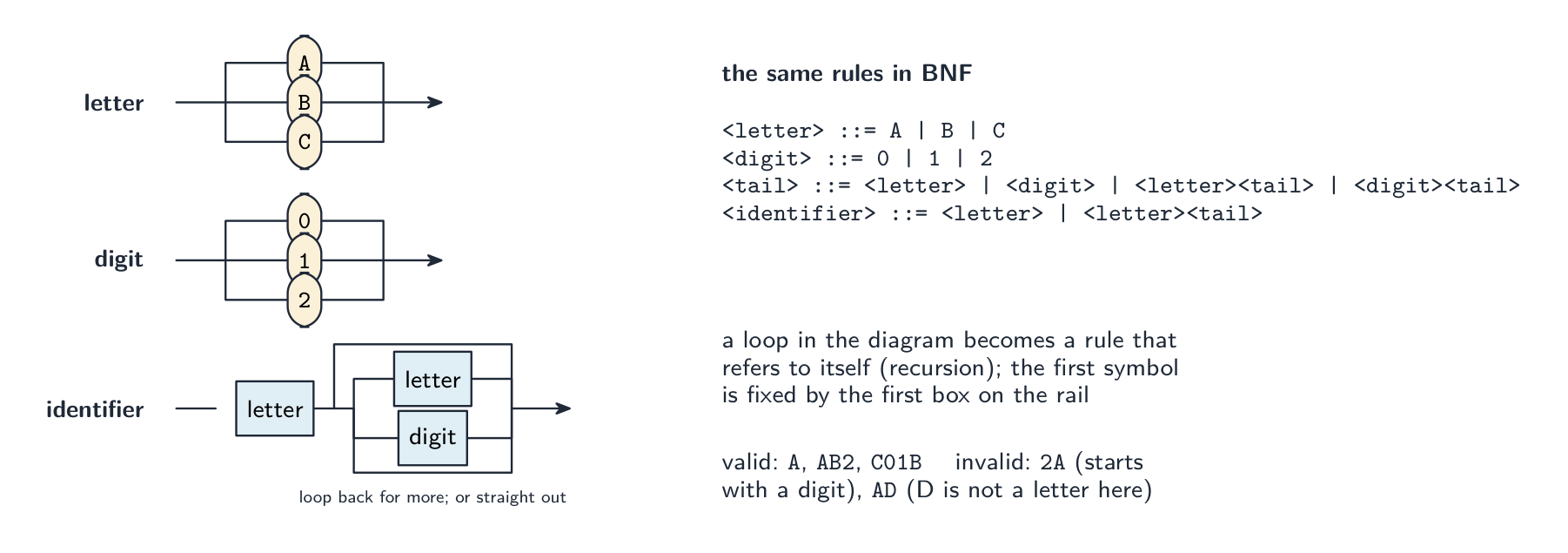


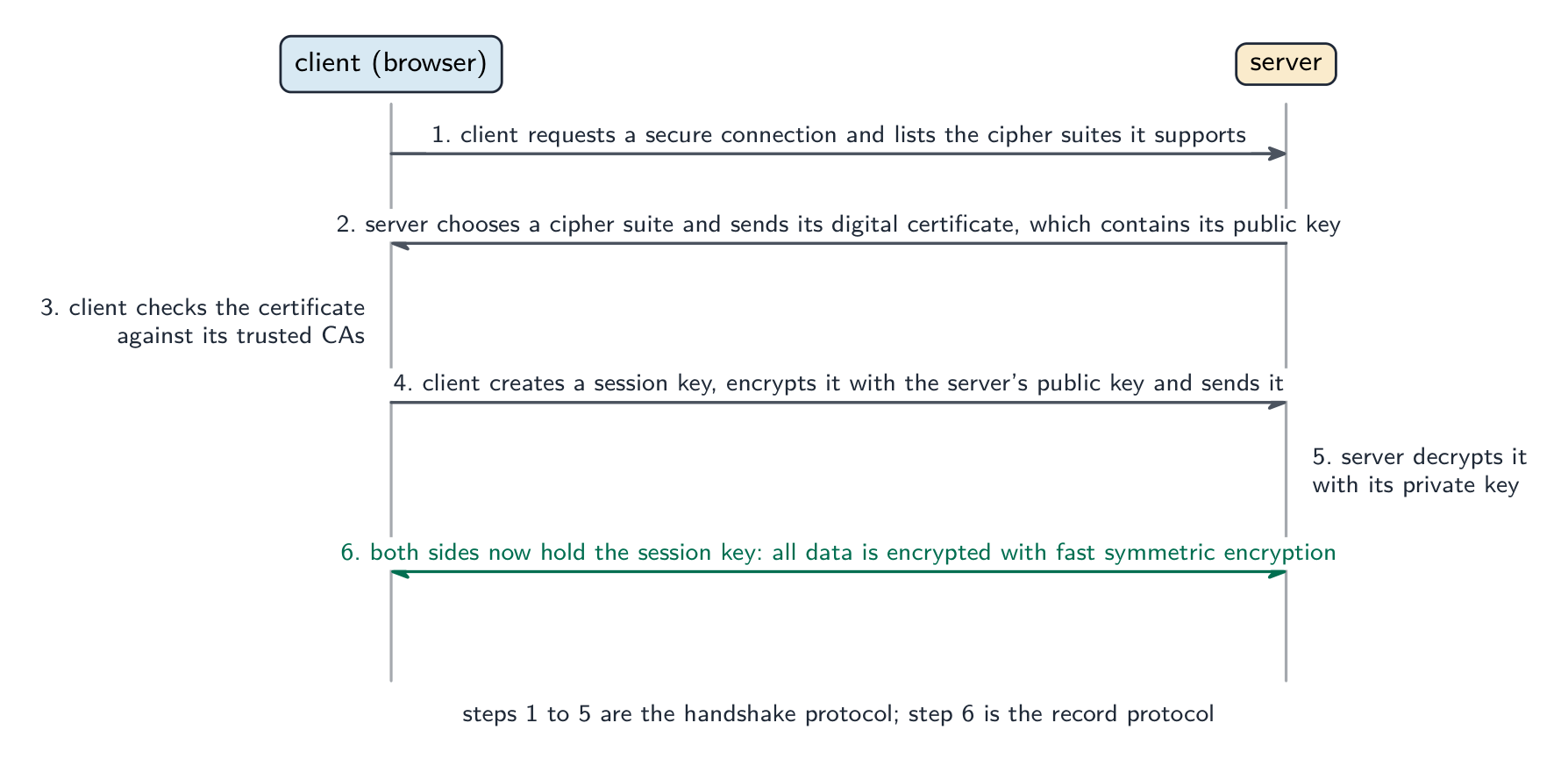


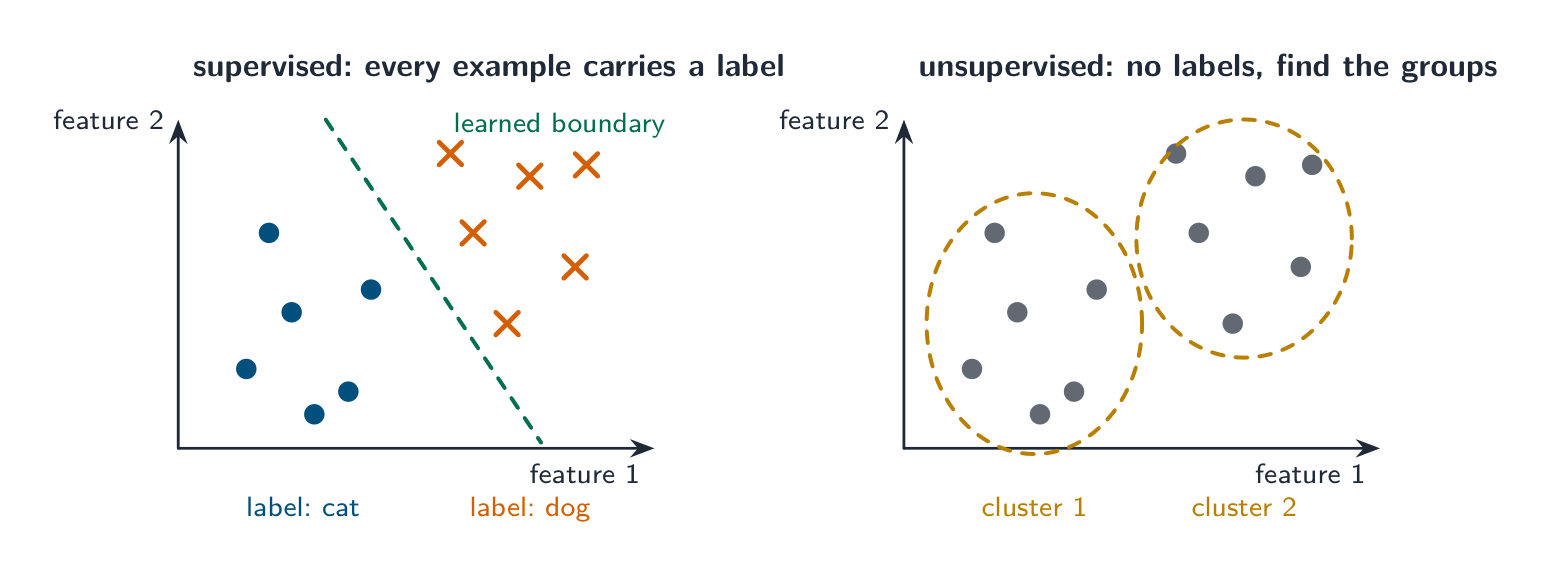


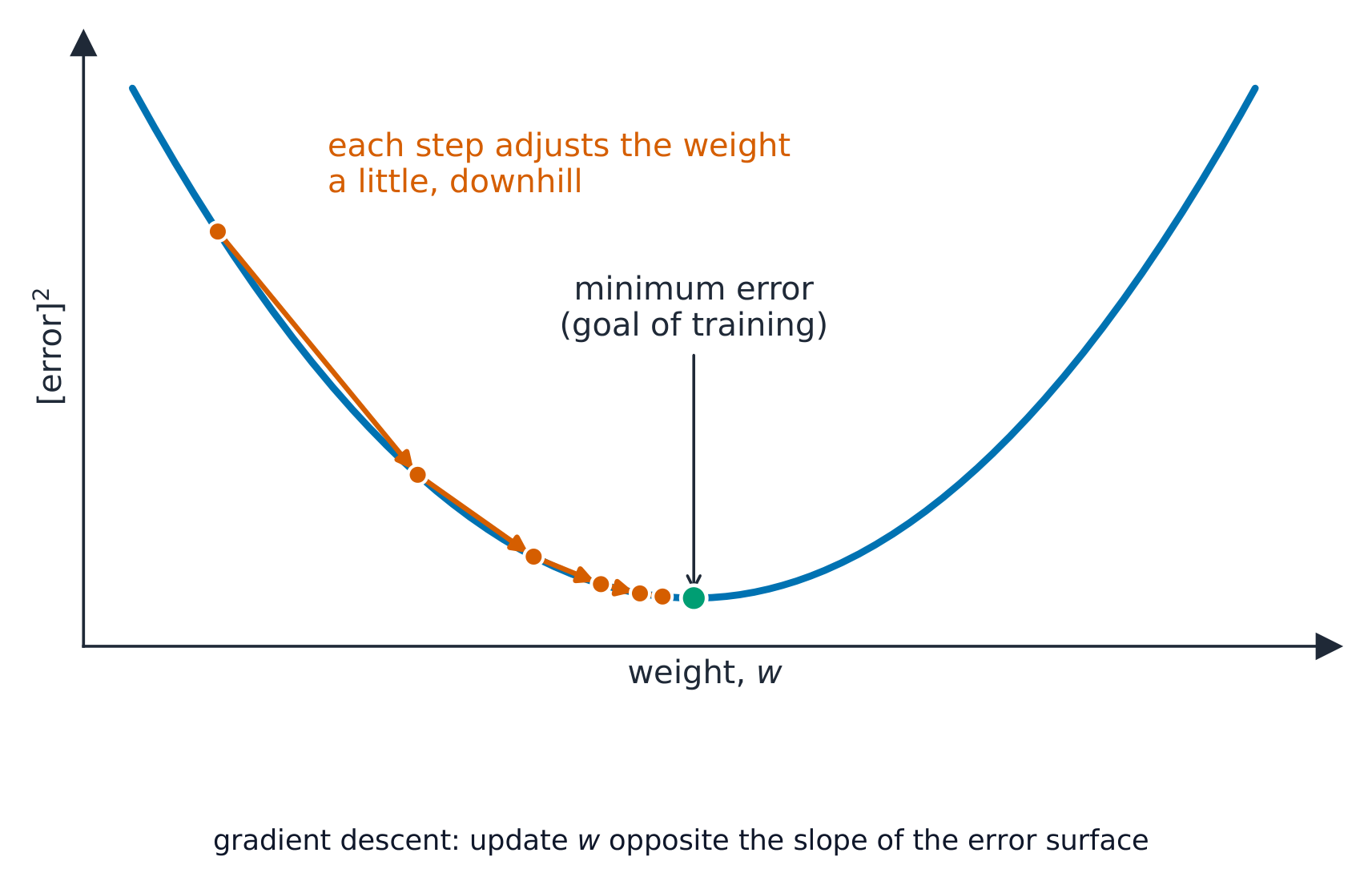



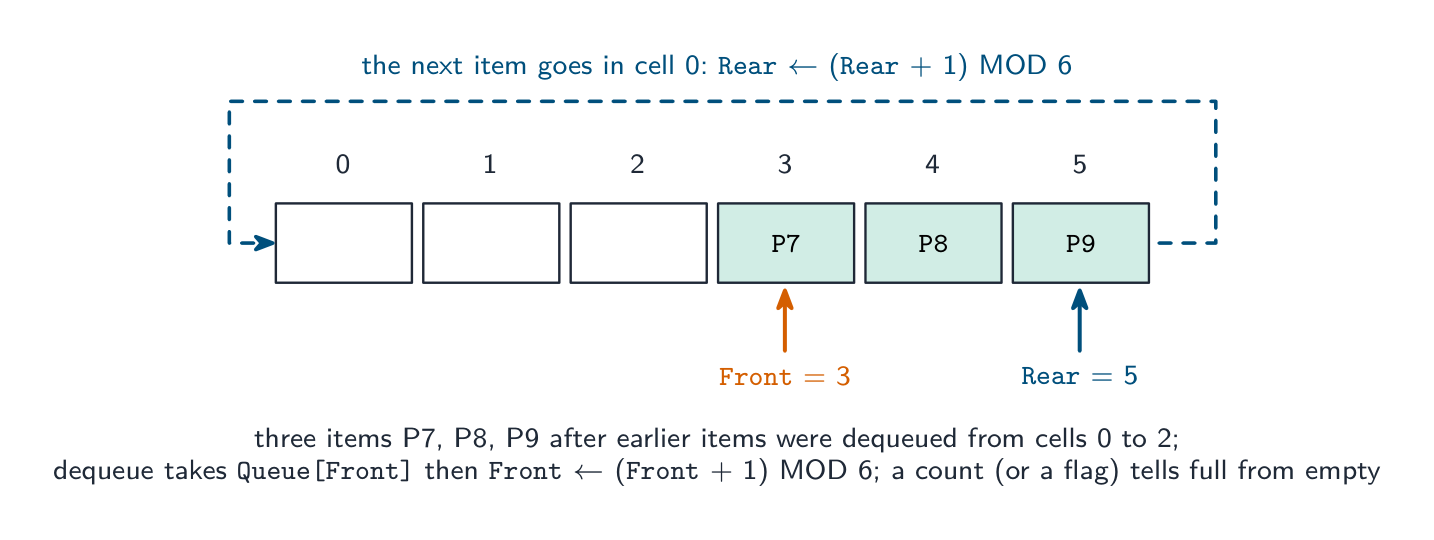
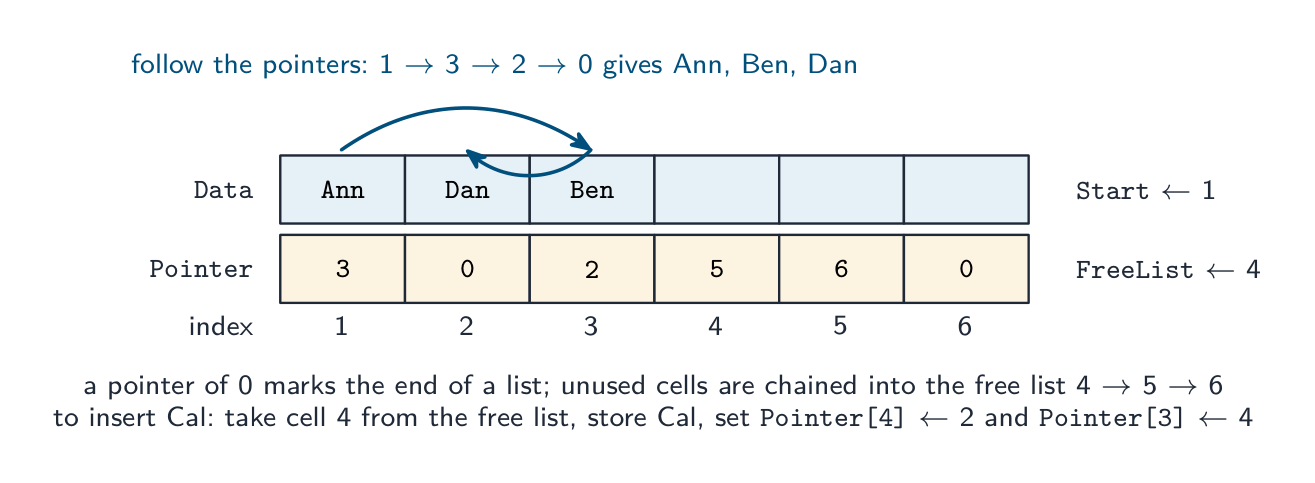


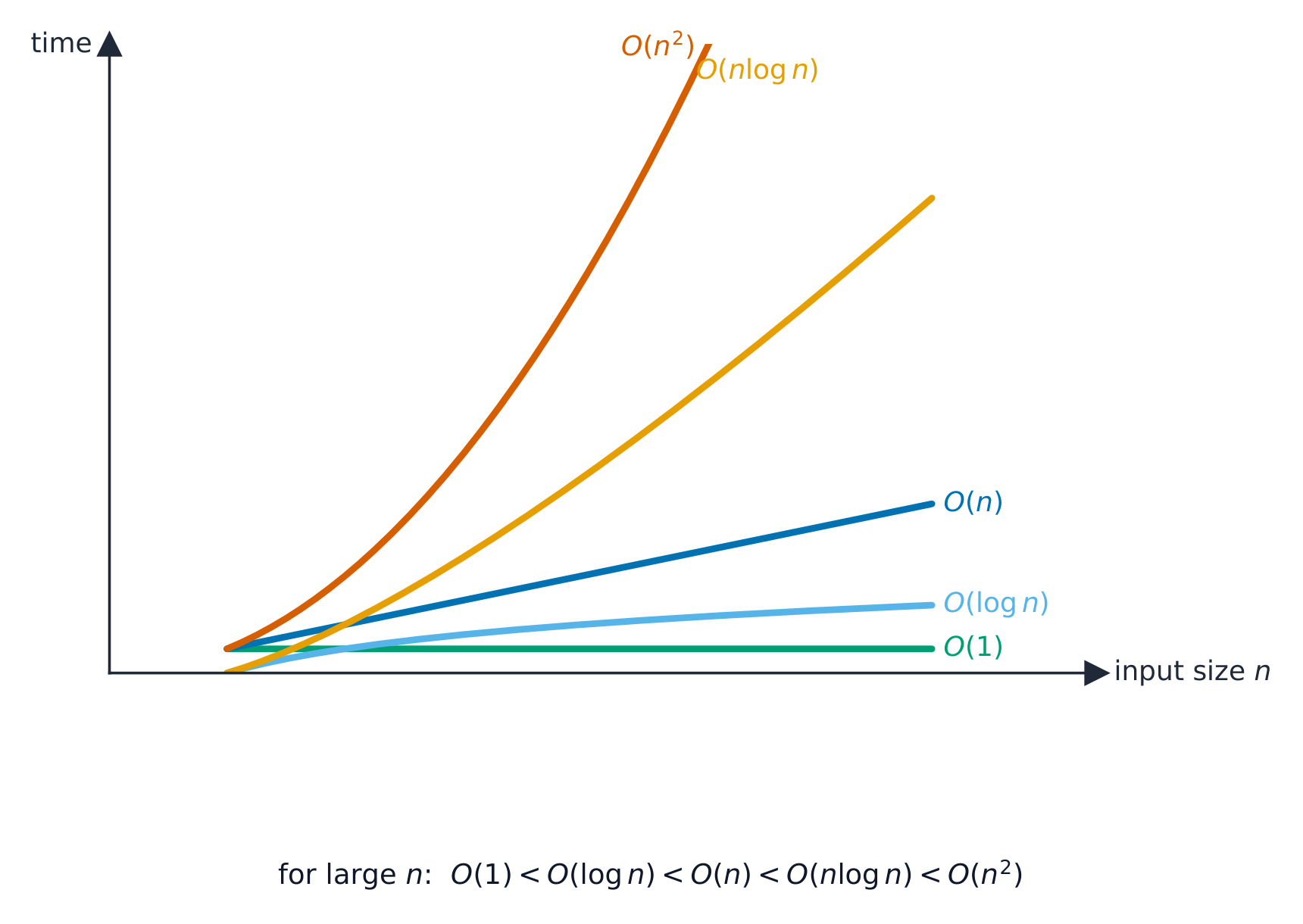
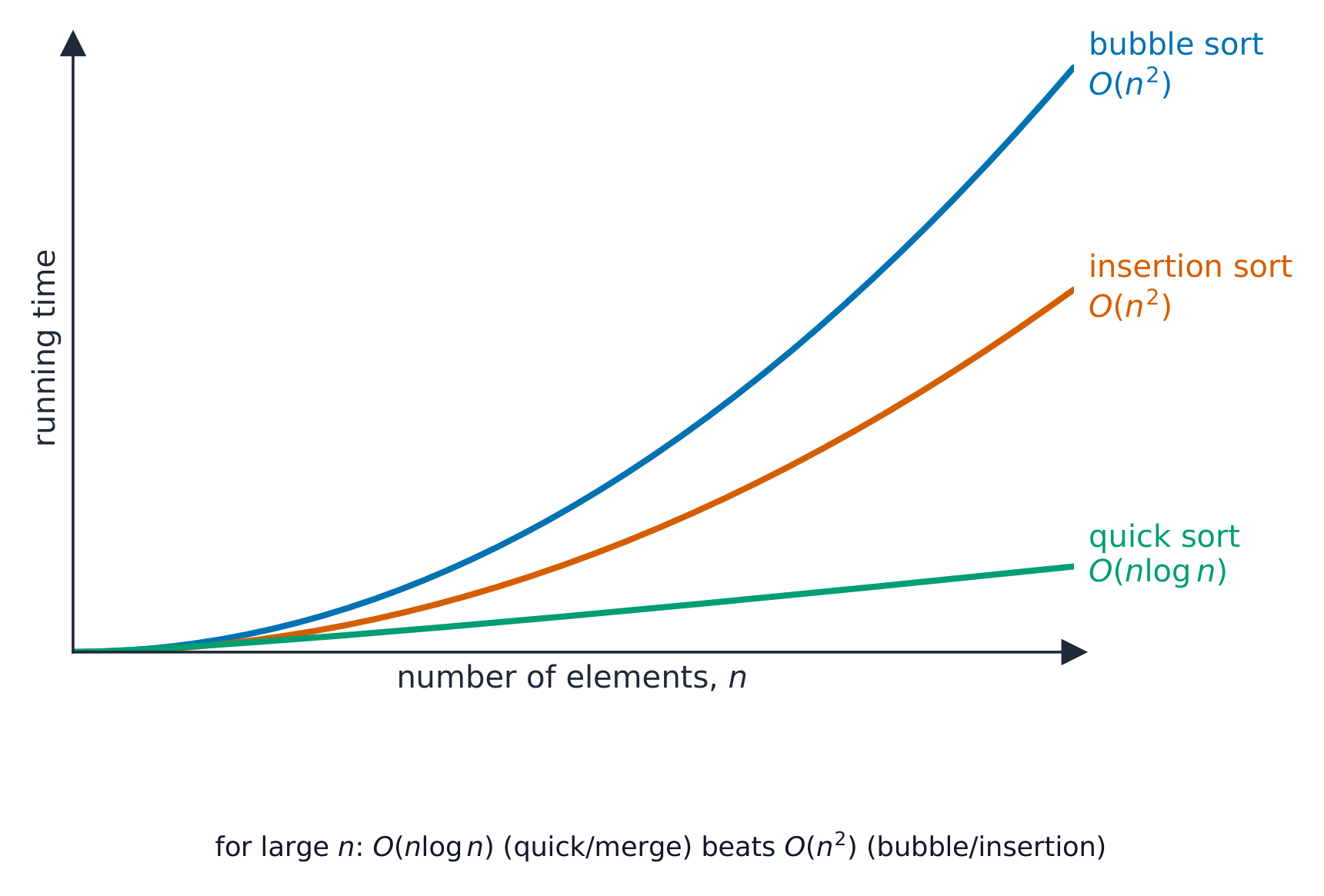


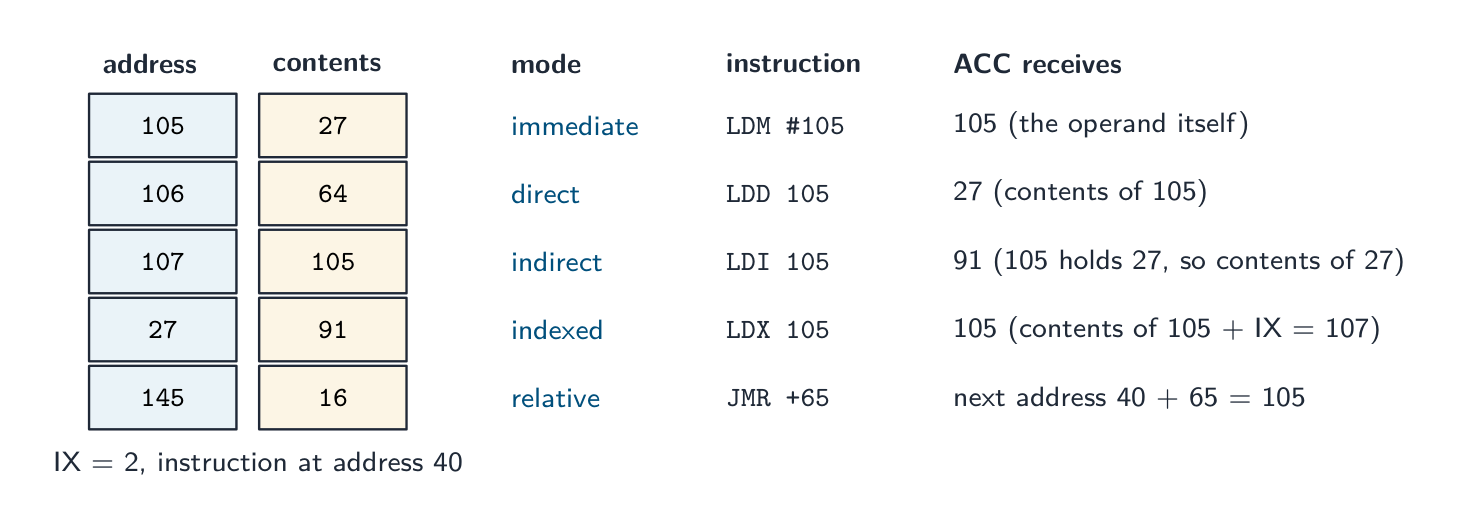
 פולימורפיזם: אותה קריאת שיטה מפעילה את הקוד של כל אובייקט,


 *מציאת רשומה אחת בקובץ אקראי: המפתח מושחת לכתובת, אינדיקס הקובץ מכוון ישירות לתא זה והרשומה נקראת; אין מגע עם רשומות אחרות