يغطي منهج علوم الحاسوب في شهادة IGCSE 0478 عشر مواضيع عبر ورقتين: تمثيل البيانات، نقل البيانات، الأجهزة، البرمجيات، الإنترنت، التقنيات الآلية والمتطورة، تصميم الخوارزميات، البرمجة، قواعد البيانات والمنطق البولياني.
الورقة 1 نظرية، تُصنف بناءً على الدقة اللغوية — الفرق بين الذاكرة العشوائية RAM والذاكرة الثابتة ROM، والمترجم (compiler) والمفسر (interpreter)، التحقق من الصحة والتحقق من صحة البرنامج. هذه أسئلة تعريفية، وعادة ما تفوت الإجابات التي تعيد الصياغة الحصول عليها.
الورقة 2 حل مسائل وبرمجة، حيث تُمنح الدرجات لطريقة عملية صحيحة: جداول التتبع، الكود الوهمي، والكود الذي يعمل فعلياً. احفظ قواعد الأعداد الأساسية والثنائية وحساباتها جيداً — لأنها تظهر بشكل مستقل وتظهر أيضاً داخل topics نقل البيانات والمنطق والأجهزة.
A computer can only work with two states: on and off. You write these as 1 and 0. A system that uses only two digits 数字 is called binary 二进制 (base 2).
Computers represent all data — numbers, text, sound and images — as binary strings of 0s and 1s
Every kind of data 数据 — numbers, text, sound and images — must be changed into binary before a computer can use it. The computer processes this binary using logic gates 逻辑门, and stores it in registers 寄存器 (small, fast stores inside the processor 处理器).
A microprocessor holds millions of tiny transistors, each a switch that is on (1) or off (0) — the physical basis of binary
1 Understand how and why computers use binary to represent all forms of data
• Any form of data needs to be converted to binary to be processed by a computer • Data is processed using logic gates and stored in registers
2 (a) Understand the denary, binary and hexadecimal number systems (b) Convert between (i) positive denary and positive binary (ii) positive denary and positive hexadecimal (iii) positive hexadecimal and positive binary
• Denary is a base 10 system • Binary is a base 2 system • Hexadecimal is a base 16 system • Values used will be integers only • Conversions in both directions, e.g. denary to binary or binary to denary • Maximum binary number length of 16-bit
3 Understand how and why hexadecimal is used as a beneficial method of data representation
• Areas within computer science that hexadecimal is used should be identified • Hexadecimal is easier for humans to understand than binary, as it is a shorter representation of binary
4 (a) Add two positive 8-bit binary integers (b) Understand the concept of overflow and why it occurs in binary addition
• An overflow error will occur if the value is greater than 255 in an 8-bit register • A computer or a device has a predefined limit that it can represent or store, for example 16-bit • An overflow error occurs when a value outside this limit should be returned
5 Perform a logical binary shift on a positive 8-bit binary integer and understand the effect this has on the positive binary integer
• Perform logical left shifts • Perform logical right shifts • Perform multiple shifts • Bits shifted from the end of the register are lost and zeros are shifted in at the opposite end of the register • The positive binary integer is multiplied or divided according to the shift performed • The most significant bit(s) or least significant bit(s) are lost
6 Use the two’s complement number system to represent positive and negative 8-bit binary integers
• Convert a positive binary or denary integer to a two’s complement 8-bit integer and vice versa • Convert a negative binary or denary integer to a two’s complement 8-bit integer and vice versa
العربية
يجب أن يكون المرشحون قادرين على:
ملاحظات وإرشادات
1 افهم كيف ولماذا تستخدم الحواسيب ثنائي لتمثيل جميع أشكال البيانات
•的任何 forms of data need to be converted to binary to be processed by a computer • Data is processed using logic gates and stored in registers
2 (أ) افهم العشري، ثنائي وسداسي عشر أنظمة الأرقام (ب) حول بين (i) عشري موجب وثنائي موجب (ii) عشري موجب وسداسي عشر موجب (iii) سداسي عشر موجب وثنائي موجب
• العشري نظام أساسه 10 • الثنائي نظام أساسه 2 • السداسي عشر نظام أساسه 16 • القيم المستخدمة ستكون أعداد صحيحة فقط • التحويلات في كلا الاتجاهين، مثلاً عشري إلى ثنائي أو ثنائي إلى عشري • أقصى طول للرقم الثنائي هو 16-بت
3 افهم كيف ولماذا يُستخدم السداسي عشر كطريقة مفيدة لتمثيل البيانات
• يجب تحديد مجالات علوم الحاسوب التي يُستخدم فيها السداسي عشر • السداسي عشر أسهل للبشر في الفهم من الثنائي، لأنه تمثيل أقصر للثنائي
4 (أ) اجمع عددين صحيحين ثنائيين موجبين بطول 8-بت (ب) افهم مفهوم الفائض ولماذا يحدث في الجمع الثنائي
• سيحدث خطأ فائض إذا كانت القيمة أكبر من 255 في مسجل بطول 8-بت • الحاسوب أو الجهاز له حد محدد مسبقاً يمكنه تمثيله أو تخزينه، على سبيل المثال 16-بت • يحدث خطأ فائض عندما تكون هناك قيمة خارج هذا الحد يجب إرجاعها
5 قم بـ إزاحة منطقية ثنائية على عدد صحيح ثنائي موجب بطول 8-بت وافهم التأثير الذي يتركه هذا على العدد الثنائي الموجب
• قم بإزاحات منطقية يسرى • قم بإزاحات منطقية يمنى • قم بإزاحات متعددة • البتات المزاحة من نهاية المسجل تضيع وتتم إضافة أصفار في الطرف المقابل للمسجل • يتم ضرب أو قسمة العدد الثنائي الموجب وفقاً للإزاحة المنفذة • تُفقد البتات الأكثر أهمية أو البتات الأقل أهمية
6 استخدم نظام المكمل ثنائي لتمثيل الأعداد الصحيحة الثنائية الموجبة والسالبة بطول 8-بت
• حول عدد صحيح ثنائي أو عشري موجب إلى عدد صحيح مكمل ثنائي بطول 8-بت والعكس • حول عدد صحيح ثنائي أو عشري سالب إلى عدد صحيح مكمل ثنائي بطول 8-بت والعكس
Source: Cambridge International syllabus · المصدر: منهج كامبريدج الدولي
Counting in binary: 0 to 15
A number system 数制 is a way of writing numbers using a fixed set of digits. You need three of them.
System
Base
Digits used
Denary
10
0–9
Binary
2
0 and 1
Hexadecimal
16
0–9 then A–F
denary 十进制 is the normal counting system (also called decimal).
binary uses only 0 and 1.
hexadecimal 十六进制 (hex) uses sixteen digits: 0–9, then A, B, C, D, E, F stand for 10, 11, 12, 13, 14, 15.
The base 基数 tells you how many different digits a system uses.
Place value
Each column in a number has a place value 位值. In binary the place values double from right to left. For an 8-bit number they are:
128 64 32 16 8 4 2 1
An 8-bit place-value chart: the 1s sit under the values that add up to 150
One bit 位 is a single 0 or 1. Eight bits make one byte 字节. Four bits (half a byte) is a nibble 半字节.
Converting between number systems
Denary → binary. Write the place values. Put a 1 under each value you need so they add up to your number; put 0 under the rest.
Each hex digit maps to its own 4-bit nibble — F08 = 1111 0000 1000
Binary → hexadecimal. Group the bits into nibbles of 4, starting from the right. Change each nibble to one hex digit.
Denary → hexadecimal. The easy way is to change to binary first, then binary to hex.
This table helps with the hex letters:
Denary
Binary
Hex
10
1010
A
11
1011
B
12
1100
C
13
1101
D
14
1110
E
15
1111
F
Cambridge questions use binary numbers up to 16 bits long.
Worked example. Convert denary 100 to 8-bit binary, then to hexadecimal.
$100 = 64 + 32 + 4$, so the binary is 01100100. Splitting into nibbles, 01100100$= 6$ and $4$, so the hexadecimal is 64.
Why hexadecimal is used
Hex is shorter than binary and easier for people to read and write. One hex digit replaces 4 binary digits, so you make fewer mistakes. The value does not change — hex is just a shorter way to show the same binary.
Computer scientists use hex for:
MAC addresses and IPv6 addresses
colour codes in HTML (for example #FF0000 is red)
memory addresses 内存地址 and error codes
showing the contents of memory (a "memory dump")
Explore · استكشف
Binary, denary and hex · ثنائي وعشري وسداسي عشري
Type a number and see it in binary, denary and hex — and how the place values build it. · أدخل رقماً لترى قيمته في الثنائية، العشرية والسداسية عشرية — وكيف تبني القيم المكانية ذلك.
Adding column by column; the carries ripple to the left. 118 + 48 = 166
Overflow
An 8-bit register can hold denary values from 0 to 255 only. If an addition gives a result above 255, the answer needs a 9th bit. The register cannot hold this extra bit, so it is lost. This is called overflow 溢出 (an overflow error). It happens when a value goes outside the limit the register can store.
Example: 11001000 (200) $+$01001000 (72) $= 272$. In binary that is 1 00010000, which needs 9 bits. The leading 1 will not fit in 8 bits, so the stored answer is wrong.
Adding 200 and 72 needs 9 bits, but an 8-bit register drops the ninth, so the answer is wrong
A logical binary shift 逻辑二进制移位 moves all the bits left or right by a number of places.
Bits that move off the end of the register are lost.
Zeros are added at the empty end.
A left shift multiplies the number by 2 for each place moved. A right shift divides it by 2 for each place; the right-most bits (the least significant bit(s) 最低有效位) are lost.
A left shift of 2: every bit moves 2 places left, the top bits are lost and zeros fill the right
The result is 11010100 (212), which is $53 \times 4$. The two left-most bits were lost and two zeros came in on the right. If a 1 is pushed off the end, that information is gone for good.
So far the numbers were positive. Two's complement 补码 lets an 8-bit register hold negative numbers too.
In two's complement, the left-most bit (the most significant bit 最高有效位, or MSB) has a negative place value:
-128 64 32 16 8 4 2 1
If the MSB is 0, the number is positive.
If the MSB is 1, the number is negative.
To make a positive number negative: write the positive binary, flip every bit (0↔1), then add 1.
Example: make $-40$.
$+40$ = 00101000
flip the bits = 11010111
add 1 = 11011000
So $-40$ = 11011000. Check by adding the place values: $-128 + 64 + 16 + 8 = -40$.
The most significant bit is worth −128, so 11011000 = −128 + 64 + 16 + 8 = −40
To read a negative two's complement number, just add the place values (the MSB counts as $-128$). The range of an 8-bit two's complement number is $-128$ to $+127$.
1 Understand how and why a computer represents text and the use of character sets, including American standard code for information interchange (ASCII) and Unicode
• Text is converted to binary to be processed by a computer • Unicode allows for a greater range of characters and symbols than ASCII, including different languages and emojis • Unicode requires more bits per character than ASCII
2 Understand how and why a computer represents sound, including the effects of the sample rate and sample resolution
• A sound wave is sampled for sound to be converted to binary, which is processed by a computer • The sample rate is the number of samples taken in a second • The sample resolution is the number of bits per sample • The accuracy of the recording and the file size increases as the sample rate and resolution increase
3 Understand how and why a computer represents an image, including the effects of the resolution and colour depth
• An image is a series of pixels that are converted to binary, which is processed by a computer • The resolution is the number of pixels in the image • The colour depth is the number of bits used to represent each colour • The file size and quality of the image increase as the resolution and colour depth increase
العربية
يجب أن يكون المرشحون قادرين على:
ملاحظات وإرشادات
1 افهم كيف ولماذا يمثل الحاسوب النص واستخدام مجموعات الأحرف، بما في ذلك الكود القياسي الأمريكي لتبادل المعلومات (ASCII) ويو니كود
• يتم تحويل النص إلى ثنائي ليتم معالجته بواسطة الحاسوب • يسمح يونيكود بنطاق أكبر من الأحرف والرموز مقارنة بـ ASCII، بما في ذلك اللغات المختلفة والإيموجي • يتطلب يونيكود بتات أكثر لكل حرف من ASCII
2 افهم كيف ولماذا يمثل الحاسوب الصوت، بما في ذلك تأثيرات معدل أخذ العينات ودقة أخذ العينات
• يتم أخذ عينات لموجة صوتية لتحويل الصوت إلى ثنائي، والذي يتم معالجته بواسطة الحاسوب • معدل أخذ العينات هو عدد العينات المأخوذة في ثانية واحدة • دقة أخذ العينات هي عدد البتات لكل عينة • تزداد دقة التسجيل وحجم الملف كلما زاد معدل وأخذ العينات
3 فهم كيفية وتمثيل الحاسوب للصور، بما في ذلك تأثيرات الدقة وعمق اللون
• الصورة هي سلسلة من البكسلات يتم تحويلها إلى ثنائيي، وتتم معالجتها بواسطة الحاسوب • الدقة هي عدد البكسلات في الصورة • عمق اللون هو عدد البتات المستخدمة لتمثيل كل لون • تزداد حجم الملف وجودة الصورة كلما زادت الدقة وعمق اللون
Source: Cambridge International syllabus · المصدر: منهج كامبريدج الدولي
Computers store text by giving every character a number, then storing that number in binary. The set of characters a computer can use, together with their numbers, is a character set 字符集.
ASCII uses 7 bits per character, so it has 128 different characters. This is enough for English letters, digits and common symbols.
Unicode uses more bits per character. It can represent far more characters — many languages, plus symbols and emoji 表情符号.
Because Unicode has more characters, it needs more bits per character than ASCII, so the same text takes more storage 存储.
ASCII uses 7 bits for 128 characters; Unicode uses more bits for far more characters but more storage
A sound wave 声波 is smooth and always changing. To store it, the computer measures the height of the wave at regular moments. This is called sampling 采样, and each measurement is a sample.
Sampling records the wave's height (amplitude) at regular moments
sample rate 采样率 is the number of samples taken each second (measured in Hz).
sample resolution 采样分辨率 is the number of bits used for each sample. The height of the wave at a sample point is its amplitude 振幅.
A higher sample rate and a higher sample resolution give a more accurate recording, but a larger file.
Explore · استكشف
Representing sound · تمثيل الصوت
y = a sin(bt + c)
Sound is a wave; sampling records its height many times a second. · الصوت موجة؛ التمثيل الرقمي يسجل ارتفاعه مرات عديدة في الثانية.
• Including: – bit – nibble – byte – kibibyte (KiB) – mebibyte (MiB) – gibibyte (GiB) – tebibyte (TiB) – pebibyte (PiB) – exbibyte (EiB) • The amount of the previous denomination present in the data storage size, e.g.: – 8 bits in a byte – 1024 mebibytes in a gibibyte
2 Calculate the file size of an image file and a sound file, using information given
• Answers must be given in the units specified in the question. Calculations must use the measurement of 1024 and not 1000 • Information given may include: – image resolution and colour depth – sound sample rate, resolution and length of track
3 Understand the purpose of and need for data compression
• Compression exists to reduce the size of the file • What the impact of this is, e.g.: – less bandwidth required – less storage space required – shorter transmission time
4 Understand how files are compressed using lossy and lossless compression methods
• Lossy compression reduces the file size by permanently removing data, e.g. reducing resolution or colour depth, reducing sample rate or resolution • Lossless compression reduces the file size without permanent loss of data, e.g. run length encoding (RLE)
العربية
يجب أن يكون المرشحون قادرين على:
ملاحظات وإرشادات
1 فهم كيفية قياس تخزين البيانات
• بما في ذلك: – بت – نيبل – بايت – كيبيبايت (KiB) – ميبايت (MiB) – جيبايت (GiB) – تيبايت (TiB) – بيبايت (PiB) – إكسبايت (EiB) • مقدار كل وحدة من الوحدات السابقة الموجودة في حجم تخزين البيانات، على سبيل المثال: – 8 بتات في البايت – 1024 ميبايت في الجيبايت
2 حساب حجم ملف صورة وملف صوتي، باستخدام المعلومات المعطاة
• يجب تقديم الإجابات بالوحدات المحددة في السؤال. يجب أن تستخدم الحسابات قياس 1024 وليس 1000 • قد تشمل المعلومات المعطاة: – دقة الصورة وعمق اللون – معدل أخذ العينات، ودقة وطول المقطع الصوتي
3 فهم الغرض والحاجة إلى ضغط البيانات
• يوجد الضغط لتقليل حجم الملف • ما هو تأثير ذلك، على سبيل المثال: – الحاجة إلى عرض نطاق أقل – الحاجة إلى مساحة تخزين أقل – وقت نقل أقصر
4 فهم كيفية ضغط الملفات باستخدام طرق الضغط الخاسر والضغط غير الخاسر
• يقلل الضغط الخاسر من حجم الملف عن طريق إزالة البيانات بشكل دائم، على سبيل المثال: تقليل الدقة أو عمق اللون، أو تقليل معدل أخذ العينات أو الدقة • يقلل الضغط غير الخاسر من حجم الملف دون فقدان دائم للبيانات، على سبيل المثال: ترميز طول التسلسل (RLE)
Source: Cambridge International syllabus · المصدر: منهج كامبريدج الدولي
Data storage is measured in the units below. A nibble is 4 bits and a byte is 8 bits; from the kibibyte upward, each unit is 1024 times the one before it (because $1024 = 2^{10}$, which fits binary).
Unit
Equals
bit
a single 0 or 1
nibble
4 bits
byte
8 bits
kibibyte (KiB)
1024 bytes
mebibyte (MiB)
1024 KiB
gibibyte (GiB)
1024 MiB
tebibyte (TiB)
1024 GiB
pebibyte (PiB)
1024 TiB
exbibyte (EiB)
1024 PiB
Hard-disk platters: storage is measured in bytes — knowing file size needs width × height × colour depth for images
Sound file size (in bits) $=$ sample rate $\times$ sample resolution $\times$ length in seconds.
Always divide by 1024 (not 1000) to change to KiB, MiB and so on. Give your answer in the unit the question asks for.
Worked example. A sound is recorded for 30 seconds at a sample rate of 8,000 Hz with a sample resolution of 16 bits. Find the file size in kibibytes (KiB).
Compression 压缩 makes a file smaller. A smaller file:
uses less storage space,
needs less bandwidth 带宽 (the amount of data a connection can carry),
takes a shorter time to send (a shorter transmission 传输 time).
There are two types.
Lossless compression
Lossless 无损 compression makes the file smaller with no permanent loss of data. The original file can be rebuilt exactly.
One method is run-length encoding 行程编码 (RLE). It replaces a run of repeated values with one copy of the value and a count of how many times it repeats. For example WWWWWWWW (8 whites) is stored as "8 W". This works well when data has many repeats.
Run-length encoding stores each run once as a count and a value
Lossy compression
Lossy 有损 compression makes the file much smaller by permanently removing some data. The removed data cannot be got back. For example:
reducing the resolution or colour depth of an image,
reducing the sample rate or sample resolution of a sound.
Use lossless when you must keep every detail (text and program files). Use lossy for photos, music and video, where a small loss of quality is worth a much smaller file.
Explore · استكشف
Run-length encoding · ترميز المسارات
Watch repeated symbols get squashed into a count — simple lossless compression. · راقب الرموز المكررة تُضغط في عدد — ضغط بدون فقدان بسيط.
Convert denary → binary by subtracting the place values (128, 64, 32 …); binary → denary by adding the place values that hold a 1.
To convert to hex, group the binary into nibbles of 4 bits from the right; each nibble is exactly one hex digit.
Overflow happens when a result needs more bits than the register has (an 8-bit register only holds 0–255), so the extra bit is lost.
File size in bits: for an image, width × height × colour depth; for sound, sample rate × resolution × seconds. Divide by 8 for bytes, then by 1024 for each larger unit.
Lossless compression keeps every bit (text; run-length encoding); lossy permanently removes data (photos, music) for a much smaller file.
What is data transmission? · ما هو نقل البيانات؟
English
Data transmission 数据传输 means moving data from one place to another — for example from your computer to a website, or from a phone to a printer.
Data often travels along a cable. Two common ones are shown below.
Before it is sent, the data is broken down into small, equal-sized pieces called packets 数据包. Each packet travels separately and they are put back together at the other end.
Using packets has benefits:
if one packet is lost or damaged, only that packet is sent again, not the whole file;
packets can take different routes, so a busy or broken route can be avoided;
many users can share the same connection at the same time.
العربية
نقل البيانات يعني تحريك البيانات من مكان إلى آخر — على سبيل المثال من جهازك إلى موقع ويب، أو من هاتف إلى طابعة.
غالبًا ما تنتقل البيانات عبر كابل. يتم عرض اثنين شائعين أدناه.
كابل إيثرنيت بقبعة RJ45، يُستخدم غالبًا لنقل البيانات على شبكة سلكيةكابل ألياف ضوئية ينقل البيانات على شكل نبضات ضوئية عبر ألياف زجاجية رفيعة
قبل إرسالها، يتم تقسيم البيانات إلى أجزاء صغيرة متساوية الحجم تسمى حزم. تمرر كل حزمة بشكل منفصل وتتم إعادة تجميعها في الطرف الآخر.
استخدام الحزم له فوائد:
إذا ضاعت حزمة أو تلفت، يتم إعادة إرسال تلك الحزمة فقط، وليس الملف بأكمله؛
يمكن للحزم اتباع مسارات مختلفة، لذا يمكن تجنب المسار المزدحم أو المعطوب؛
يمكن للعديد من المستخدمين مشاركة نفس الاتصال في نفس الوقت.
2.1
The structure of a packet · بنية الحزمة
Syllabus · المنهج
English
Candidates should be able to:
Notes and guidance
1 (a) Understand that data is broken down into packets to be transmitted
(b) Describe the structure of a packet
• A packet of data contains a: – packet header – payload – trailer • The packet header includes the: – destination address – packet number – originator’s address
(c) Describe the process of packet switching
• Data is broken down into packets • Each packet could take a different route • A router controls the route a packet takes • Packets may arrive out of order • Once the last packet has arrived, packets are reordered
2 (a) Describe how data is transmitted from one device to another using different methods of data transmission
(b) Explain the suitability of each method of data transmission, for a given scenario
• Including the advantages and disadvantages of each method
3 Understand the universal serial bus (USB) interface and explain how it is used to transmit data
• Including the benefits and drawbacks of the interface
العربية
يجب أن يكون المرشحون قادرين على:
ملاحظات وإرشادات
1 (أ) فهم أن البيانات يتم تقسيمها إلى حزم للنقل
(ب) وصف هيكل الحزمة
• تحتوي حزمة البيانات على: – رأس الحزمة – حمولة – ذيل • يتضمن رأس الحزمة: – عنوان الوجهة – رقم الحزمة – عنوان المرسل
(ج) وصف عملية تبديل الحزم
• يتم تقسيم البيانات إلى حزم • يمكن لكل حزمة اتخاذ مسار مختلف • يتحكم الموجه في المسار الذي تسلكه الحزمة • قد تصل الحزم خارج الترتيب • بمجرد وصول آخر حزمة، يتم إعادة ترتيب الحزم
2 (أ) وصف كيفية نقل البيانات من جهاز إلى آخر باستخدام طرق مختلفة لنقل البيانات
• بما في ذلك: – متسلسل – توازي – أحادي الاتجاه – نصف مزدوج – كامل مزدوج
(ب) شرح مدى ملاءمة كل طريقة من طرق نقل البيانات، لسيناريو معين
• بما في ذلك المزايا والعيوب لكل طريقة
3 فهم واجهة الناقل التسلسلي العالمي (USB) وشرح كيفية استخدامها لنقل البيانات
• بما في ذلك الفوائد والعيوب للواجهة
Source: Cambridge International syllabus · المصدر: منهج كامبريدج الدولي
English
Every packet has three parts.
Part
What it holds
packet header 包头
control information (see below)
payload 有效载荷
the actual data being carried
trailer 尾部
shows where the packet ends, plus an error check
The packet header holds:
the sender's IP address 地址 (where the packet came from),
the receiver's IP address (where it is going),
the packet number (so the packets can be put back in the right order).
العربية
كل حزمة لها ثلاثة أجزاء.
الحزمة لها رأس، وحمولة (البيانات) وذيل؛ يحمل الرأس العناوين ورقم الحزمة
الجزء
ما يحمله
رأس الحزمة
معلومات التحكم (انظر أدناه)
الحمولة
البيانات الفعلية المنقولة
الذيل
يشير إلى نهاية الحزمة بالإضافة إلى فحص الخطأ
يحتوي رأس الحزمة على:
عنوان IP للمرسل (من أين جاءت الحزمة)،
عنوان IP للمستقبل (إلى أين تذهب)،
رقم الحزمة (لكي يمكن إعادة ترتيب الحزم في الترتيب الصحيح).
2.1
Packet switching · تبديل الحزم
English
Packet switching 数据包交换 is the way packets are sent across a network.
Special devices called routers 路由器 read each packet's header and choose the best route for it.
Each packet may take its own path, so packets can travel different ways.
Packets may arrive out of order.
When the last packet has arrived, the packets are reordered using their packet numbers.
العربية
تبديل الحزم هو الطريقة التي تُرسل بها الحزم عبر الشبكة.
الموجهات تعيد توجيه الحزم، ويمكن للحزم المختلفة أن تتبع مسارات مختلفة إلى نفس المستقبل
أجهزة خاصة تسمى الموجهات تقرأ رأس كل حزمة وتختار أفضل مسار لها.
قد تأخذ كل حزمة مسارها الخاص، بحيث يمكن للحزم السفر بطرق مختلفة.
قد تصل الحزم خارج الترتيب.
عند وصول آخر حزمة، يتم إعادة ترتيب الحزم باستخدام أرقام الحزم.
Explore · استكشف
How data travels in packets · كيف تسافر البيانات في حزم
Step through packet switching. Splitting a file into addressed packets is why one lost packet only needs resending, and why many users can share the same line. · مرر عبر تبديل الحزم. تقسيم ملف إلى حزم موجهة هو سبب الحاجة لإعادة إرسال حزمة مفقودة واحدة فقط، ولأن العديد من المستخدمين يمكنهم مشاركة نفس الخط.
bits can arrive at slightly different times over long wires
Serial sends one bit after another along a single wire. Parallel sends several bits at the same time along several wires, so it is faster over short distances.
Simplex, half-duplex and full-duplex
These describe the direction data can travel.
Method
Direction
simplex 单工
one direction only (e.g. computer → printer)
half-duplex 半双工
both directions, but only one at a time (e.g. walkie-talkie)
full-duplex 全双工
both directions at the same time (e.g. phone call)
Choosing a method
The choice depends on the distance, the speed needed, the cost, and whether data must travel both ways at once.
العربية
التسلسلية والتوازية
التسلسلية
التوازية
كيف
بت واحد في كل مرة، عبر سلك واحد
عدة بتات في وقت واحد، عبر أسلاك متعددة
المسافة
جيدة لمسافات طويلة
جيدة لمسافات قصيرة فقط
التكلفة
أرخص (أسلاك أقل)
أغلى (أسلاك أكثر)
الأخطاء
البتات تظل مرتبة
يمكن للبتات الوصول بأوقات مختلفة قليلاً عبر الأسلاك الطويلة
التسلسلية ترسل بتًا واحدًا تلو الآخر عبر سلك واحد. التوازية ترسل عدة بتات في نفس الوقت عبر أسلاك متعددة، لذا فهي أسرع لمسافات قصيرة.
النقل التسلسلي يرسل بتًا واحدًا في كل مرة عبر سلك واحد؛ النقل التوازي يرسل عدة بتات في وقت واحد عبر أسلاك متعددة
أحادي الاتجاه، نصف مزدوج واتجاه مزدوج كامل
تصف هذه اتجاه يمكن للبيانات أن تسافر فيه.
أحادي الاتجاه هو طريق واحد فقط؛ نصف مزدوج هو كلا الاتجاهين لكن واحدًا تلو الآخر؛ اتجاه مزدوج كامل هو كلا الاتجاهين في آنٍ واحد
الطريقة
الاتجاه
أحادي الاتجاه
اتجاه واحد فقط (مثال: كمبيوتر ← طابعة)
نصف مزدوج
كلا الاتجاهين، ولكن واحدًا تلو الآخر (مثال: راديو مشفر)
اتجاه مزدوج كامل
كلا الاتجاهين في نفس الوقت (مثال: مكالمة هاتفية)
اختيار طريقة
يعتمد الاختيار على المسافة، السرعة المطلوبة، التكلفة، وما إذا كانت البيانات يجب أن تسافر في كلا الاتجاهين في آنٍ واحد.
The universal serial bus 通用串行总线 (USB) is a common interface 接口 (a connection point) for joining devices to a computer.
Benefits:
the same connector is used by many devices (one standard);
the device is detected automatically and the correct driver is loaded;
it carries power, so it can charge or run a device;
the connector only fits one way, so it is hard to plug in wrongly.
Drawbacks:
the cable can only be a limited length (a few metres);
older USB versions are slower than newer ones;
transfer speeds can be lower than some other connection types.
العربية
الناقل التسلسلي العالمي (USB) هو واجهة شائعة (نقطة اتصال) لربط الأجهزة بجهاز الكمبيوتر.
الفوائد:
نفس الموصل يُستخدم بواسطة العديد من الأجهزة (معيار واحد)؛
يتم اكتشاف الجهاز تلقائيًا ويتم تحميل التعريف المناسب؛
ينقل الطاقة، لذا يمكنه شحن أو تشغيل جهاز.
لا يتناسب الموصل إلا في اتجاه واحد، لذا يصعب توصيله بشكل خاطئ.
العيوب:
يمكن أن يكون طول الكابل محدوداً (بضعة أمتار)؛
الإصدارات الأقدم من USB أبطأ من الإصدارات الأحدث؛
قد تكون سرعات النقل أقل من بعض أنواع الاتصال الأخرى.
بعض أشكال موصلات USB. جميعها تستخدم نفس معيار USB، لذا يتم اكتشاف الأجهزة تلقائيًا.
2.2
Why we check for errors · لماذا نفحص وجود أخطاء
Syllabus · المنهج
English
Candidates should be able to:
Notes and guidance
1 Understand the need to check for errors after data transmission and how these errors can occur
• Errors can occur during data transmission due to interference, e.g. data loss, data gain and data change
2 Describe the processes involved in each of the following error detection methods for detecting errors in data after transmission: parity check (odd and even), checksum and echo check
• Including parity byte and parity block check
3 Describe how a check digit is used to detect errors in data entry and identify examples of when a check digit is used, including international standard book numbers (ISBN) and bar codes
4 Describe how an automatic repeat query (ARQ) can be used to establish that data is received without error
• Including the use of: – positive/negative acknowledgements – timeout
العربية
يجب أن يكون المرشحون قادرين على:
ملاحظات وإرشادات
1 فهم الحاجة إلى التحقق من وجود أخطاء بعد نقل البيانات وكيفية حدوث هذه الأخطاء
• يمكن أن تحدث أخطاء أثناء نقل البيانات بسبب التداخل، على سبيل المثال: فقدان البيانات، زيادة البيانات، وتغيير البيانات
2 وصف العمليات المتعلقة بكل من طرق اكتشاف الأخطاء التالية لاكتشاف الأخطاء في البيانات بعد النقل: فحص التكافؤ (فردي وثنائي)، مجموع التحقق وفحص الصدى
• بما في ذلك فحص بايت التكافؤ وحجب التكافؤ
3 وصف كيفية استخدام الرقم التحقيقي لاكتشاف الأخطاء في إدخال البيانات وتحديد أمثلة عند استخدام الرقم التحقيقي، بما في ذلك الأرقام الدولية القياسية للكتب (ISBN) والأكواد الشريطية
4 وصف كيفية استخدام الاستعلام التلقائي للإعادة (ARQ) للتأكد من استلام البيانات بدون أخطاء
• بما في ذلك استخدام: – ack إيجابي/سلبي – انتهاء الوقت
Source: Cambridge International syllabus · المصدر: منهج كامبريدج الدولي
English
While data travels, interference 干扰 can change it. Three things can go wrong:
data loss — some bits do not arrive;
data gain — extra bits are added;
data change — some bits are flipped.
So the receiver checks whether the data arrived correctly.
العربية
أثناء انتقال البيانات، يمكن أن تداخل يغيرها. ثلاثة things يمكن أن تذهب إلى الأسوأ:
فقدان البيانات — بعض البتات لا تصل؛
زيادة البيانات — يتم إضافة بتات إضافية؛
تغيير البيانات — تنقلب بعض البتات.
لذلك يفحص المستقبل ما إذا كانت البيانات وصلت بشكل صحيح.
A parity check 奇偶校验 adds one extra bit, the parity bit 奇偶校验位, to each byte. There are two types:
even parity — the total number of 1s in the byte (including the parity bit) must be even;
odd parity — the total number of 1s must be odd.
Example (even parity): the data 1011001 has four 1s, which is already even, so the parity bit is 0:
To find an error: the receiver counts the 1s. If even parity was agreed but a byte arrives with an odd number of 1s, an error has happened during transmission.
A parity check cannot find every error. If two bits flip, the count may still look correct.
Worked example. A single parity bit tells you that an error happened, but not where. A parity block 奇偶校验块 can find the exact bit. Several bytes are sent together, each with a row parity bit, and one extra parity byte 奇偶校验字节 at the bottom holds a parity bit for each column. Even parity is used below, and one bit was flipped during transmission. Find it.
Row byte 3 breaks even parity, and column b3 breaks even parity. The flipped bit is where they cross: byte 3, bit b3. Changing it back from 1 to 0 repairs the data. A single parity bit only says an error happened; a parity block says exactly where, so the receiver can even fix it.
Checksum
A checksum 校验和 is a value worked out from all the data before sending. The receiver works out the checksum again from the data it received. If the two values do not match, an error has occurred and the data is resent.
Echo check
In an echo check 回送校验, the receiver sends the data back to the sender. The sender compares it with the original. If they differ, an error happened. (This needs the data to be sent twice, so it is slow.)
Automatic Repeat reQuest (ARQ)
Automatic Repeat reQuest 自动重传请求 (ARQ) uses messages called acknowledgements 确认.
The receiver sends a positive acknowledgement if a packet arrived correctly, or a negative acknowledgement if it did not.
The sender starts a timeout 超时 timer. If no positive acknowledgement comes back in time, the sender sends the packet again.
Check digit
A check digit 校验码 is an extra digit placed at the end of a number, worked out from the other digits. It is used to find mistakes when a number is typed in.
When the number is entered, the check digit is calculated again and compared. It can catch:
an incorrect digit entered,
a transposition error 换位错误 (two digits swapped, e.g. 21 typed as 12),
a digit left out or an extra digit added,
a phonetic error (a digit that sounds similar, e.g. 13 and 30).
Check digits are used in barcodes 条形码 and ISBNs (book numbers).
العربية
فحص التكافؤ
يضيف فحص التكافؤ بتاً واحداً إضافياً، وهو بت التكافؤ، إلى كل بايت. يوجد نوعان:
يتم إضافة بت تناظر لجعل عدد 1s زوجيًا (أو فرديًا)
تكافؤ زوجي — يجب أن يكون العدد الكلي لـ 1s في البايت (بما في ذلك بت التكافؤ) زوجياً؛
تكافؤ فردي — يجب أن يكون العدد الكلي لـ 1s فردياً.
مثال (تكافؤ زوجي): البيانات 1011001 تحتوي على أربعة 1s، وهي بالفعل زوجية، لذا فإن بت التكافؤ هو 0:
parity bit + data
    0        1011001
للعثور على خطأ: يعدد المستقبل عدد الـ 1s. إذا تم الاتفاق على تكافؤ زوجي ولكن وصل بايت بعدد فردي من 1s، فقد حدث خطأ أثناء النقل.
لا يمكن لفحص التكافؤ العثور على كل الأخطاء. إذا انقلبت بتتان، قد يبدو العداد صحيحاً.
مثال محلول. يخبرك بت تكافؤ واحد بأن خطأ قد حدث، لكن ليس أين. يمكن لـ كتلة التكافؤ تحديد البت الخاطئ بدقة. يتم إرسال عدة بايتات معاً، كل منها يحتوي على بت تكافؤ صف، وبابيت تكافؤ إضافي واحد في الأسفل يحمل بت تكافؤ لكل عمود. يُستخدم التكافؤ الزوجي أدناه، وتم قلب بت واحد أثناء النقل. جدّه.
صف بايت 3 يكسر التكافؤ الزوجي، وعمود b3 يكسر التكافؤ الزوجي. البت المقلوب هو حيث يتقاطعان: بايت 3، بت b3. تغييره مرة أخرى من 1 إلى 0 يصلح البيانات. يشير بت تكافؤ واحد فقط إلى حدوث خطأ؛ بينما تشير كتلة التكافؤ إلى الموقع الدقيق، مما يسمح للمستقبل حتى بإصلاحها.
مجموع التحقق
مجموع التحقق هو قيمة يتم حسابها من جميع البيانات قبل الإرسال. يقوم المستقبل بحساب مجموع التحقق مرة أخرى من البيانات التي استقبلها. إذا لم تتطابق القيمتان، فقد حدث خطأ وأعيد إرسال البيانات.
فحص الصدى
في فحص الصدى، يرسل المستقبل البيانات مرة أخرى إلى المرسل. يقارن المرسل إياها بالأصلية. إذا اختلفا، فقد حدث خطأ. (هذا يتطلب إرسال البيانات مرتين، لذا فهو بطيء.)
طلب إعادة التلقائي (ARQ)
طلب إعادة التلقائي (ARQ) يستخدم رسائل تسمى إشعارات الاستلام.
يرسل المستقبل إشعار استلام إيجابي إذا وصلت الحزمة بشكل صحيح، أو إشعار استلام سلبي إذا لم تستقم.
يبدأ المرسل مؤقت زمن انتهاء الصلاحية. إذا لم يأتي إشعار استلام إيجابي في الوقت المحدد، يعيد المرسل إرسال الحزمة.
رقم التحقق
رقم التحقق هو رقم إضافي يُوضع في نهاية الرقم، يتم حسابه بناءً على الأرقام الأخرى. يُستخدم للعثور على الأخطاء عند كتابة الرقم يدوياً.
عند إدخال الرقم، يتم حساب رقم التحقق مرة أخرى ومقارنته. يمكنه التقاط:
رقم غير صحيح تم إدخاله،
خطأ التبديل (تبديل رقمين، مثل كتابة 21 بدلاً من 12)،
رقم مفقود أو إضافة رقم زائد،
خطأ صوتي (رقم يشبه في النطق، مثل 13 و 30).
تُستخدم أرقام التحقق في الأشرطة الشريطية و ISBNs (أرقام الكتب).
Explore · استكشف
Computing concept lab · مختبر مفاهيم الحوسبة.
Classify concrete examples by the computing idea they demonstrate. · صنّف الأمثلة المحددة حسب الفكرة الحاسوبية التي تمثلها.
1 Understand the need for and purpose of encryption when transmitting data
2 Understand how data is encrypted using symmetric and asymmetric encryption
• Asymmetric encryption includes the use of public and private keys
العربية
يجب أن يكون المرشحون قادرين على:
ملاحظات وإرشادات
1 فهم الحاجة والغرض من التشفير عند نقل البيانات
2 فهم كيفية تشفير البيانات باستخدام التشفير المتماثل والتشفير اللامتماثل
• يشمل التشفير اللامتماثل استخدام المفاتيح العامة والخاصة
Source: Cambridge International syllabus · المصدر: منهج كامبريدج الدولي
English
Why we need encryption
Encryption 加密 scrambles data so that it cannot be understood if it is intercepted 拦截 (caught) by the wrong person. The readable data is called plaintext 明文; after encryption it becomes ciphertext 密文.
Encryption does not stop data from being intercepted. It only stops the data from being understood.
Symmetric encryption
Symmetric encryption 对称加密 uses a single key 密钥 to both encrypt and decrypt the data. The sender and receiver must share this same secret key. The risk is that the key itself could be stolen while being shared.
Asymmetric encryption
Asymmetric encryption 非对称加密 uses two different keys:
a public key 公钥 that anyone can have, used to encrypt;
a private key 私钥 that is kept secret, used to decrypt.
Data encrypted with the public key can only be decrypted with the matching private key, so the key never has to be shared. This is safer than sharing one secret key.
العربية
لماذا نحتاج إلى التشفير
التشفير يعرّيل البيانات بحيث لا يمكن فهمها إذا تم اعتراضها (التقاطها) من قبل الشخص الخطأ. البيانات المقروءة تسمى النص الأصلي؛ بعد التشفير تصبح نص مشفر.
التشفير لا يمنع اعتراض البيانات. بل يمنع فقط فهم البيانات.
التشفير المتماثل
التشفير المتماثل يستخدم مفتاحاً واحداً المفتاح لتشفير وفك تشفير البيانات معاً. يجب على المرسل والمستقبل مشاركة هذا المفتاح السري نفسه. المخاطر هي أن المفتاح نفسه قد يسرق أثناء مشاركته.
التشفير غير المتماثل
التشفير غير المتماثل يستخدم مفتاحين مختلفين:
مفتاح عام يمكن لأي شخص الحصول عليه، يُستخدم للتشفير؛
مفتاح خاص يتم الاحتفاظ به سراً، يُستخدم لفك التشفير.
يمكن فك تشفير البيانات المشفرة بالمفتاح العام باستخدام المفتاح الخاص المطابق فقط، لذا لا حاجة لمشاركة المفتاح أبداً. هذا أكثر أماناً من مشاركة مفتاح سري واحد.
المتماثل يستخدم مفتاحًا مشتركًا واحدًا؛ غير المتماثل يستخدم مفتاحًا عامًا للتشفير ومفتاحًا خاصًا لفك التشفير
Explore · استكشف
The Caesar cipher · رمز قيصر
Shift each letter to encrypt a message — the simplest idea of a cipher and its key. · إزاحة كل حرف لتشفير رسالة — أبسط فكرة عن الشيفرة والمفتاح الخاص بها.
Data is sent in packets (a header with the addresses and packet number, a payload, and a trailer). Packets can take different routes and arrive out of order, then are reordered by their packet numbers.
Match the transmission types: serial (one bit at a time, good over long distances) vs parallel (several bits at once, short distances); simplex / half-duplex / full-duplex describe the direction.
A single parity bit only shows that an error happened; a parity block locates the exact wrong bit — the row and the column that both fail.
Learn the error-detection methods and what each does: parity check, checksum, echo check, ARQ, and the check digit (for typed-in numbers).
Symmetric encryption uses one shared key; asymmetric uses a public key to encrypt and a private key to decrypt, so no secret key is ever shared.
العربية
تُرسل البيانات في حزم (رأس يحتوي على العناوين ورقم الحزمة، وحمل، وذيل). يمكن للحزم اتباع مسارات مختلفة والوصول بترتيب مختلف، ثم يتم إعادة ترتيبها حسب أرقام الحزم.
طابق أنواع النقل: تسلسلي (بت واحد في كل مرة، جيد لمسافات طويلة) مقابل متوازي (عدة بتات في نفس الوقت، مسافات قصيرة)؛ بسيط / نصف مزدوج / كامل المزدوج يصف الاتجاه.
يشير بت تكافؤ واحد فقط بأن خطأ قد حدث؛ بينما تحدد كتلة التكافؤ البت الخاطئ بدقة — الصف والعمود اللذين يفشلان معاً.
احفظ طرق كشف الأخطاء وما تفعله كل منها: فحص التكافؤ، مجموع التحقق، فحص الصدى، ARQ، ورقم التحقق (للأرقام المكتوبة يدوياً).
التشفير المتماثل يستخدم مفتاحاً مشترَكاً واحداً؛ التشفير غير المتماثل يستخدم مفتاحاً عاماً للتشفير ومفتاحاً خاصاً لفك التشفير، لذا لا يتم مشاركة أي مفتاح سري أبداً.
The central processing unit (CPU) · وحدة المعالجة المركزية (CPU)
Syllabus · المنهج
English
Candidates should be able to:
Notes and guidance
1 (a) Understand the role of the central processing unit (CPU) in a computer
• The CPU processes instructions and data that are input into the computer so that the result can be output
(b) Understand what is meant by a microprocessor
• A microprocessor is a type of integrated circuit on a single chip
2 (a) Understand the purpose of the components in a CPU, in a computer that has a Von Neumann architecture
• Including: – units: arithmetic logic unit (ALU) and control unit (CU) – registers: program counter (PC), memory address register (MAR), memory data register (MDR), current instruction register (CIR) and accumulator (ACC) – buses: address bus, data bus and control bus
(b) Describe the process of the fetch–decode–execute (FDE) cycle, including the role of each component in the process
• How instructions and data are fetched from random access memory (RAM) into the CPU, how they are processed using each component and how they are then executed • Storing data and addresses into specific registers • Using buses to transmit data, addresses and signals • Using units to fetch, decode and execute data and instructions
3 Understand what is meant by a core, cache and clock in a CPU and explain how they can affect the performance of a CPU
• The number of cores, size of the cache and speed of the clock can affect the performance of a CPU
4 Understand the purpose and use of an instruction set for a CPU
• An instruction set is a list of all the commands that can be processed by a CPU, and the commands are machine code
5 Describe the purpose and characteristics of an embedded system and identify devices in which they are commonly used
• An embedded system is used to perform a dedicated functions. For example in, domestic appliances, cars, security systems, lighting systems or vending machines. This is different to a general purpose computer that is used to perform many different functions. For example in, a personal computer (PC) or a laptop
العربية
يجب أن يكون المرشحون قادرين على:
ملاحظات وإرشادات
1 (أ) فهم دور وحدة المعالجة المركزية (CPU) في الحاسوب
• تقوم وحدة المعالجة المركزية بمعالجة التعليمات والبيانات التي يتم إدخالها في الحاسوب حتى يمكن إخراج النتيجة
(ب) فهم ما يعنيه المعالج الدقيق
• المعالج الدقيق هو نوع من الدوائر المتكاملة على شريحة واحدة
2 (أ) فهم الغرض من مكونات وحدة المعالجة المركزية في حاسوب يعتمد على بنية فون نيومان
• بما في ذلك: – الوحدات: وحدة الحساب والمنطق (ALU) ووحدة التحكم (CU) – المسجلات: عداد البرنامج (PC)، ومسجل عنوان الذاكرة (MAR)، ومسجل بيانات الذاكرة (MDR)، ومسجل التعليمات الحالية (CIR) والمجمع (ACC) – الحواجز: حاجز العناوين، وحاجز البيانات، وحاجز التحكم
(ب) وصف عملية جلب-فك تشفير-تنفيذ (FDE)، بما في ذلك دور كل مكون في العملية
• كيفية جلب التعليمات والبيانات من ذاكرة الوصول العشوائي (RAM) إلى وحدة المعالجة المركزية، وكيفية معالجتها باستخدام كل مكون، وكيفية تنفيذها بعد ذلك • تخزين البيانات والعناوين في مسجلات محددة • استخدام الحواجز لنقل البيانات والعناوين والإشارات • استخدام الوحدات لجلب وفك تشفير وتنفيذ البيانات والتعليمات
3 فهم ما يُقصد بـ النواة، والذاكرة المؤقتة، والمؤقت في وحدة المعالجة المركزية وتوضيح كيفية تأثيرها على أداء وحدة المعالجة المركزية
• عدد النوى، وحجم الذاكرة المؤقتة، وسرعة المؤقت يمكن أن يؤثر على أداء وحدة المعالجة المركزية
4 فهم الغرض والاستخدام لـ مجموعة التعليمات لوحدة المعالجة المركزية
• مجموعة التعليمات هي قائمة بجميع الأوامر التي يمكن لمعالجة وحدة المعالجة المركزية، والأوامر عبارة عن كود الآلة
5 وصف الغرض والخصائص لـ النظام المدمج وتحديد الأجهزة التي تُستخدم فيها عادةً
• النظام المدمج يُستخدم لأداء وظائف مخصصة. على سبيل المثال في، الأجهزة المنزلية، السيارات، أنظمة الأمن، أنظمة الإضاءة أو آلات البيع التلقائي. هذا يختلف عن حاسوب متعدد الأغراض الذي يُستخدم لأداء وظائف متعددة مختلفة. على سبيل المثال في، حاسوب شخصي (PC) أو حاسوب محمول
Source: Cambridge International syllabus · المصدر: منهج كامبريدج الدولي
English
The fetch-decode-execute cycle
The central processing unit 中央处理器 (CPU) is the part of the computer that processes data and carries out instructions 指令. It runs programs by repeating a cycle, millions of times each second.
Parts of the CPU
Part
What it does
arithmetic logic unit 算术逻辑单元 (ALU)
does calculations (add, subtract) and logical operations (compare)
control unit 控制单元 (CU)
sends control signals to manage all the parts and tell them what to do
registers 寄存器
very small, very fast stores that hold one piece of data at a time
The parts are joined by buses 总线 — sets of wires that carry information:
the address bus 地址总线 carries memory addresses (one direction);
the data bus 数据总线 carries data and instructions (both directions);
the control bus 控制总线 carries control signals.
Special registers
These registers are used during the fetch–execute cycle.
Register
Purpose
program counter 程序计数器 (PC)
holds the address of the next instruction
memory address register 内存地址寄存器 (MAR)
holds the address to read from or write to
memory data register 内存数据寄存器 (MDR)
holds the data or instruction just fetched
current instruction register 当前指令寄存器 (CIR)
holds the instruction now being carried out
accumulator 累加器 (ACC)
holds the result of the ALU's calculations
The fetch–execute cycle
The fetch–execute cycle 取指执行周期 has three stages, repeated again and again:
Fetch — the instruction is copied from memory 内存 into the CPU (using the PC, MAR and MDR). The PC then increases by 1.
Decode — the control unit works out what the instruction means.
Execute — the instruction is carried out (the ALU may do a calculation, with the result going to the accumulator).
Cache memory
Cache 高速缓存 is a small amount of very fast memory inside or close to the CPU. It stores data and instructions that the CPU uses often. The CPU can read from cache much faster than from main memory, so the computer runs faster.
What affects CPU performance
Feature
Effect
number of cores 核心
each core can run instructions on its own, so more cores can do more work at the same time
cache size
a larger cache holds more data ready for the CPU, so it waits less
clock speed 时钟速度
the number of cycles per second; a higher clock speed runs more instructions per second
Worked example. Two computers are identical except that A has a 3.0 GHz single-core CPU with 2 MB of cache, and B has a 2.4 GHz quad-core CPU with 8 MB of cache. Which is better for video editing, and why? Video editing splits into many tasks that can run at the same time, so B's four cores can process several streams in parallel while A can only work on one at a time. B's larger cache also keeps more frequently used data close to the CPU, so it has to fetch from RAM less often. B is the better choice, even though A has the higher clock speed. Never answer on clock speed alone: weigh cores, cache and clock speed together, and tie each one to the job being done.
Embedded systems
An embedded system 嵌入式系统 is a small computer built inside a larger device to do one fixed job. It is dedicated to that task, is usually small and low-cost, and has no general operating system. Examples: a washing machine, a microwave, a set-top box.
العربية
دورة جلب-فك تشفير-تنفيذ
الوحدة المركزية للمعالجة (CPU) هي الجزء المسؤول عن معالجة البيانات وتنفيذ التعليمات. تقوم بتشغيل البرامج من خلال تكرار دورة معينة، ملايين المرات في كل ثانية.
وحدة مركزية للمعالجة (CPU): وهي الرقاقة التي تعالج البيانات وتنفذ التعليمات
مكونات وحدة المعالجة المركزية
المكون
الوظيفة
وحدة الحساب والمنطق (ALU)
تقوم بالعمليات الحسابية (جمع، طرح) والعمليات المنطقية (مقارنة)
وحدة التحكم (CU)
ترسل إشارات تحكم لإدارة جميع المكونات وإخبارها بما يجب فعله
المسجلات
مخازن صغيرة جداً وسريعة جداً تحتفظ بقطعة واحدة من البيانات في كل مرة
تتم ربط هذه المكونات بواسطة الحافلات — وهي مجموعات من الأسلاك تنقل المعلومات:
حافللة العناوين تنقل عناوين الذاكرة (في اتجاه واحد)،
حافللة البيانات تنقل البيانات والتعليمات (في كلا الاتجاهين)،
حافللة التحكم تنقل إشارات التحكم.
تحوي وحدة المعالجة المركزية وحدة التحكم ووحدة الحساب والمنطق والمسجلات؛ ثلاثة حافلات تربطها بالذاكرة الرئيسية
مسجلات خاصة
تُستخدم هذه المسجلات أثناء دورة الاستخراج والتنفيذ.
المسجل
الغرض منه
عداد البرنامج (PC)
يحتفظ بعنوان التعليمة التالية
مسجل عنوان الذاكرة (MAR)
يحتفظ بالعنوان الذي سيتم القراءة منه أو الكتابة إليه
مسجل بيانات الذاكرة (MDR)
يحتفظ بالبيانات أو التعليمة التي تم استخراجها للتو
مسجل التعليمة الحالية (CIR)
يحتفظ بالتعليمة التي يتم تنفيذها الآن
المراكم (ACC)
يحتفظ بنتائج عمليات الحساب التي قامت بها وحدة الحساب والمنطق
دورة الاستخراج والتنفيذ
تتكون دورة الاستخراج والتنفيذ من ثلاث مراحل، تتكرر مراراً وتكراراً:
الاستخراج — تُنسخ التعليمة من الذاكرة إلى وحدة المعالجة المركزية (باستخدام العداد، مسجل عنوان الذاكرة، ومسجل بيانات الذاكرة). ثم يزداد العداد بمقدار 1.
فك الشيفرة — تحدد وحدة التحكم معنى التعليمة.
التنفيذ — تُنفذ التعليمة (قد تقوم وحدة الحساب والمنطق بإجراء عملية حسابية، مع إرسال النتيجة إلى المراكم).
يكرر المعالج ثلاث مراحل: استخرج التعليمة، فك شيفرتها، ثم نفذها
ذاكرة الكاش
الكاش هو مقدار صغير جداً من الذاكرة السريعة الموجودة داخل وحدة المعالجة المركزية أو قريب منها. تخزن البيانات والتعليمات التي تستخدمها وحدة المعالجة المركزية بشكل متكرر. يمكن لوحة المعالجة المركزية قراءة البيانات من الكاش بشكل أسرع بكثير من الذاكرة الرئيسية، مما يجعل الكمبيوتر يعمل بسرعة أكبر.
ما يؤثر على أداء وحدة المعالجة المركزية
الميزة
الأثر
عدد النوى
يمكن لكل نواة تنفيذ تعليماتها الخاصة، لذا فإن النوى المتعددة قادرة على إنجاز عمل أكثر في نفس الوقت
حجم الكاش
الكاش الأكبر يحتفظ بمزيد من البيانات جاهزة لوحدة المعالجة المركزية، مما يقلل وقت الانتظار
سرعة الساعة
عدد الدورات في الثانية؛ كلما كانت سرعة الساعة أعلى، زادت عدد التعليمات التي يتم تنفيذها في الثانية
مثال محلول. حاسوبان متطابقان باستثناء أن الحاسوب A يمتلك وحدة معالجة مركزية أحادية النواة سرعتها 3.0 جيجاهرتز وحجم كاش 2 ميجابايت، بينما الحاسوب B يمتلك وحدة معالجة مركزية رباعية النواة سرعتها 2.4 جيجاهرتز وحجم كاش 8 ميجابايت. أيهما أفضل لتحرير الفيديو ولماذا؟ يقسم تحرير الفيديو إلى مهام عديدة يمكن تنفيذها في نفس الوقت، لذا فإن الأربع نوى في الحاسوب B يمكنها معالجة عدة تدفقات في وقت واحد بينما الحاسوب A يستطيع العمل على واحد فقط في كل مرة. كما أن الكاش الأكبر في الحاسوب B يحافظ على المزيد من البيانات المستخدمة بشكل متكرر قريبة من وحدة المعالجة المركزية، مما يعني أنه يحتاج لاستخراج البيانات من الذاكرة العشوائية (RAM) بشكل أقل تكراراً. الحاسوب B هو الخيار الأفضل، حتى وإن كان للحاسوب A سرعة ساعة أعلى. لا تعتمد أبداً على سرعة الساعة وحدها: قارن بين النوى والكاش وسرعة الساعة معاً، واربط كل خاصية بالمهمة المنفذة.
الأنظمة المدمجة
النظام المدمج هو حاسوب صغير مُصمم داخل جهاز أكبر لأداء مهمة ثابتة واحدة. هو مخصص لهذه المهمة فقط، وعادة ما يكون صغيراً ورخيصاً الثمن، ولا يحتوي على نظام تشغيل عام. أمثلة: غسالة ملابس، ميكروويف، جهاز استقبال (Set-top box).
اللوحة الأم من داخل جهاز تحديد المواقع: النظام المدمج هو حاسوب صغير مخصص مثل هذا، مُبنى داخل جهاز لأداء مهمة ثابتة واحدة
Explore · استكشف
The fetch-execute cycle · دورة جلب التنفيذ
Tap round the loop the CPU repeats billions of times a second — fetch the instruction, decode what it means, execute it, then do it all again. · مرر حول الحلقة التي تكررها وحدة المعالجة المركزية مليارات المرات في الثانية — اجلب التعليمات، فك رموزها لفهم معناها، نفذها، ثم أعد كل ذلك مرة أخرى.
3 (a) Understand what is meant by a sensor and the purposes of sensors
• Limited to: – acoustic – accelerometer – flow – gas – humidity – infra-red – level – light – magnetic field – moisture – pH – pressure – proximity – temperature
(b) Identify the type of data captured by each sensor and understand when each sensor would be used, including selecting the most suitable sensor for a given context
العربية
يجب أن يكون المرشحون قادرين على:
ملاحظات وإرشادات
1 فهم ما يُقصد بـ جهاز الإدخال ولماذا هو مطلوب
• بما في ذلك: – قارئ الباركود – الكاميرا الرقمية – لوحة المفاتيح – الميكروفون – الفأرة الضوئية – قارئ رمز الاستجابة السريعة (QR code scanner) – الشاشة اللمس (المقاومة، والسعوية، والأشعة تحت الحمراء) – الماسحات ثنائية الأبعاد (2D) وثلاثية الأبعاد (3D)
2 افهم ما يُقصد بالجهاز المُخرَج ولماذا هو مطلوب
• يشمل: – المؤثر – جهاز عرض بمعالجة الضوء الرقمي (DLP) – طابعة نفث الحبر – طابعة ليزر – شاشة ثنائي فلوزيد الليتium (LED) – جهاز عرض بشاشة الكريستال السائل (LCD) – شاشة الكريستال السائل (LCD) – مكبر صوت – 3 طابعة ثلاثية الأبعاد
3 (أ) فهم ما يُقصد بـ المستشعر وأغراض المستشعرات
• مقيد بـ: – الصوتي – التسارع – التدفق – الغاز – الرطوبة – الأشعة تحت الحمراء – المستوى – الضوء – المجال المغناطيسي – الرطوبة – درجة الحموضة (pH) – الضغط – القرب – درجة الحرارة
(ب) تحديد نوع البيانات التي يلتقطها كل مستشعر وفهم متى يتم استخدام كل مستشعر، بما في ذلك اختيار المستشعر الأنسب لسياق معين
Source: Cambridge International syllabus · المصدر: منهج كامبريدج الدولي
English
An input device sends data into the computer.
Device
How it works
barcode scanner 条形码扫描器
shines light at the bars and reads the pattern reflected back
QR code scanner 二维码扫描器
a camera reads a square pattern of black-and-white blocks
keyboard
pressing a key sends a code for that character
optical mouse 光电鼠标
a light and a sensor track movement across a surface
microphone
turns sound waves into an electrical signal
digital camera
a lens focuses light onto a sensor that records pixels
sensors 传感器
measure a physical quantity (such as temperature or light) and send it as data
touch screen 触摸屏
detects where your finger touches the screen
A touch screen can work in three ways:
resistive 电阻式 — two layers are pressed together where you touch;
capacitive 电容式 — it senses the tiny electric charge of your finger;
infrared 红外线 — your finger breaks a grid of light beams.
العربية
أجهزة الإدخال ترسل البيانات إلى الحاسوب.
الجهاز
طريقة العمل
قارئ الباركود
يُسلط الضوء على الخطوط ويقرأ النمط المنعكس
قارئ رمز QR
كاميرا تقرأ نمطاً مربعاً مكوناً من كتل سوداء وبيضاء
لوحة المفاتيح
عند الضغط على مفتاح، يتم إرسال كود الخاص بذلك الحرف
الفأرة البصرية
ضوء ومستشعر يتتبعان الحركة عبر سطح ما
الميكروفون
يحول موجات الصوت إلى إشارة كهربائية
الكاميرا الرقمية
عدسة تُركّز الضوء على مستشهر يسجل البكسلات
المستشعرات
تقيس كمية فيزيائية (مثل درجة الحرارة أو الضوء) وترسلها كبيانات
الشاشة اللمسية
تكتشف أين يلامس إصبعك الشاشة
لوحة مفاتيح: كل ضغطة على مفتاح ترسل كوداً لذلك الحرفماوس ضوئي: ضوء ومستشعر يتتبعان حركته على المكتبماسح مسطح: يشع ضوءاً عبر صفحة لنسخها إلى الحاسوبقارئ الباركود يقرأ نمط الخطوط ويرسله إلى الحاسوبكاميرا رقمية: عدسة تركز الضوء على مستشعر يسجل البكسلاتالميكروفون يحول موجات الصوت إلى إشارة كهربائيةالمستشعر يقيس كمية فيزيائية (هنا، درجة الحرارة) ويرسلها كبيانات
يمكن لشاشة اللمس أن تعمل بثلاث طرق:
مقاومة — يتم الضغط على طبقتين معًا عند نقطة لمسك لها؛
سعة — تكتشف الشحنة الكهربائية الصغيرة لإصبعك؛
أشعة تحت حمراء — يكسر إصبعك شبكة من أشعة الضوء.
تكتشف شاشة اللمس أين يلمسك إصبعك
Explore · استكشف
Device and storage lab · مختبر الأجهزة والتخزين
Classify computing examples by what job they do in a system. · صنّف أمثلة الحوسبة بناءً على الوظيفة التي تؤديها في النظام.
Primary storage: RAM and ROM · التخزين الأولي: RAM و ROM
Syllabus · المنهج
English
Candidates should be able to:
Notes and guidance
1 Understand what is meant by primary storage
• Primary storage is directly accessed by the CPU • Including the role of: – random access memory (RAM) – read only memory (ROM) • Including why a computer needs both RAM and ROM, and the difference between them
2 Understand what is meant by secondary storage
• Secondary storage is not directly accessed by the CPU and is necessary for more permanent storage of data
3 Describe the operation of magnetic, optical and solid-state (flash memory) storage and give examples of each
• Magnetic storage uses platters which are divided into tracks and sectors. Data is read and written using electromagnets. Including hard disk drive (HDD) • Optical storage uses lasers to create and read pits and lands. Including: CD, DVD and Blu-ray • Solid-state (flash memory) uses NAND or NOR technology. Transistors are used as control gates and floating gates. Including: solid-state drive (SSD), SD card and USB drive
4 Describe what is meant by virtual memory, how it is created and used and why it is necessary
• Pages of data are transferred between RAM and virtual memory when needed
5 Understand what is meant by cloud storage
• Cloud storage can be accessed remotely in comparison to storing data locally
6 Explain the advantages and disadvantages of storing data on the cloud in comparison to storing it locally
• Physical servers and storage are needed to store data in cloud storage
العربية
يجب أن يكون المرشحون قادرين على:
ملاحظات وإرشادات
1 فهم ما يُقصد بـ التخزين الأولي
• التخزين الأولي يتم الوصول إليه مباشرة بواسطة وحدة المعالجة المركزية • بما في ذلك دور: – ذاكرة الوصول العشوائي (RAM) – ذاكرة القراءة فقط (ROM) • بما في ذلك سبب احتياج الحاسوب لكلا من RAM و ROM، والفرق بينهما
2 فهم ما يُقصد بـ التخزين الثانوي
• التخزين الثانوي لا يتم الوصول إليه مباشرة بواسطة وحدة المعالجة المركزية وهو ضروري للتخزين الدائم أكثر للبيانات
3 وصف تشغيل التخزين المغناطيسي، البصري والحالة الصلبة (ذاكرة الفلاش) وإعطاء أمثلة لكل نوع
• التخزين المغناطيسي يستخدم الأقراص الدائرية والتي تنقسم إلى مسارات وقطاعات. يتم قراءة وكتابة البيانات باستخدام الكهرومغناطيس. بما في ذلك القرص الصلب (HDD) • التخزين البصري يستخدم الليزر لإنشاء وقراءة الحفر والمناطق المستوية. بما في ذلك: CD و DVD و Blu-ray • التخزين الحالة الصلبة (ذاكرة الفلاش) يستخدم تقنية NAND أو NOR. تُستخدم الترانزستورات كبوابات تحكم وبوابات عائمة. بما في ذلك: القرص الصلب (SSD)، بطاقة SD و قرص USB
4 وصف ما يُقصد بـ الذاكرة الافتراضية، وكيفية إنشائها واستخدامها ولماذا هي ضرورية
• يتم نقل صفحات البيانات بين ذاكرة الوصول العشوائي والذاكرة الافتراضية عند الحاجة
5 فهم ما يُقصد بـ تخزين السحاب
• يمكن الوصول إلى تخزين السحاب عن بُعد بالمقارنة بتخزين البيانات محلياً
6 شرح مزايا وعيوب تخزين البيانات على السحاب مقارنة بتخزينها محلياً
• هناك حاجة إلى خوادم وخزانة فيزيائية لتخزين البيانات في تخزين السحاب
Source: Cambridge International syllabus · المصدر: منهج كامبريدج الدولي
English
Primary storage 主存储器 is memory the CPU can use directly. There are two kinds.
RAM
ROM
Full name
random access memory 随机存取存储器
read only memory 只读存储器
Read/write
read and write
read only
Keeps data without power?
no — it is volatile 易失性
yes — it is non-volatile 非易失性
Holds
programs and data in use now
start-up instructions (how to boot the computer)
Both are needed: ROM tells the computer how to start, then RAM holds the programs you run.
العربية
التخزين الأولي هو ذاكرة يمكن لمعالج وحدة المعالجة المركزية (CPU) استخدامها مباشرة. هناك نوعان منها.
*RAM متغير ويحتفظ بالبرامج قيد التشغيل؛ ROM غير متغير وقراءة فقط
RAM
ROM
الاسم الكامل
ذاكرة الوصول العشوائي
ذاكرة القراءة فقط
قراءة/كتابة
قراءة وكتابة
قراءة فقط
هل تحافظ على البيانات بدون طاقة؟
لا — هي متغيرة
نعم — هي غير متغيرة
تحتفظ بـ
البرامج والبيانات المستخدمة الآن
تعليمات بدء التشغيل (كيفية إقلاع الحاسوب)
كلاهما ضروري: تخبرك ROM بكيفية بدء تشغيل الحاسوب، ثم تحتفظ RAM بالبرامج التي تشغلها.
*وحدة RAM (ذاكرة الوصول العشوائي): تحتفظ بالبرامج والبيانات المستخدمة الآن
Secondary storage 辅助存储器 keeps data permanently, even when the power is off. It is non-volatile and is used for long-term storage. There are three types.
Type
How it stores data
Examples
magnetic storage 磁存储
data is stored as magnetised spots on spinning disks
hard disk drive (HDD), magnetic tape
optical storage 光存储
data is stored as marks read by a laser
CD, DVD, Blu-ray
solid state storage 固态存储
data is stored in flash memory 闪存, with no moving parts
SSD, USB flash drive, memory card
العربية
التخزين الثانوي يحفظ البيانات بشكل دائم، حتى عندما تكون الطاقة مقطوعة. وهو غير متغير ويُستخدم للتخزين طويل المدى. هناك ثلاثة أنواع.
النوع
كيفية تخزين البيانات
أمثلة
التخزين المغناطيسي
تُخزن البيانات كنقاط مغناطيسية على أقراص دوّارة
قرص صلب (HDD)، شريط مغناطيسي
التخزين البصري
تُخزن البيانات كعلامات تُقرأ بواسطة الليزر
CD، DVD، Blu-ray
التخزين الصلب
تُخزن البيانات في ذاكرة الفلاش، بدون أجزاء متحركة
SSD، فلاش USB، بطاقة ذاكرة
داخل وحدة القرص الصلب (HDD): القرص اللامع يدور والذراع يقرأ البيانات المغناطيسيةالشريط المغناطيسي يخزن البيانات على شريط مغناطيسي طويل؛ وهو رخيص للنسخ الاحتياطية الكبيرة
*قرص بصري مثل CD أو DVD: يقرأ الليزر العلامات على سطحه اللامع
محرك أقراص ذات حالة صلبة (SSD) يخزن البيانات في رقائق ذاكرة فلاش وليس له أجزاء متحركةفلاش USB يخزن البيانات في ذاكرة فلاش وليس له أجزاء متحركة
*يشكل التخزين تسلسلاً هرمياً: المسجلات والذاكرة المؤقتة هي الأسرع لكن الأصغر؛ التخزين الثانوي هو الأبطأ لكن الأكبر
Explore · استكشف
Device and storage lab · مختبر الأجهزة والتخزين
Classify computing examples by what job they do in a system. · صنّف أمثلة الحوسبة بناءً على الوظيفة التي تؤديها في النظام.
When the RAM becomes full, the computer can use part of the secondary storage as extra, pretend RAM. This is called virtual memory 虚拟内存.
Data that is not needed right now is moved out of RAM onto the disk, which frees space in RAM for other programs. This lets you run more programs than the RAM alone could hold. It is slower, because secondary storage is much slower than RAM.
العربية
عند امتلاء RAM، يمكن للحاسوب استخدام جزء من التخزين الثانوي كذاكرة عشوائية إضافية وهمية. هذا يسمى الذاكرة الافتراضية.
يتم نقل البيانات التي لا حاجة إليها الآن خارج RAM إلى القرص، مما يحرر مساحة في RAM للبرامج الأخرى. هذا يسمح لك بتشغيل برامج أكثر مما تستطيع RAM استيعابها وحدها. وهي أبطأ، لأن التخزين الثانوي أبطأ بكثير من RAM.
*عند امتلاء RAM، يتم نقل البيانات غير المستخدمة إلى القرص لتحرير RAM — أبطأ، لكنه يسمح بتشغيل المزيد من البرامج
• Primary storage is directly accessed by the CPU • Including the role of: – random access memory (RAM) – read only memory (ROM) • Including why a computer needs both RAM and ROM, and the difference between them
2 Understand what is meant by secondary storage
• Secondary storage is not directly accessed by the CPU and is necessary for more permanent storage of data
3 Describe the operation of magnetic, optical and solid-state (flash memory) storage and give examples of each
• Magnetic storage uses platters which are divided into tracks and sectors. Data is read and written using electromagnets. Including hard disk drive (HDD) • Optical storage uses lasers to create and read pits and lands. Including: CD, DVD and Blu-ray • Solid-state (flash memory) uses NAND or NOR technology. Transistors are used as control gates and floating gates. Including: solid-state drive (SSD), SD card and USB drive
4 Describe what is meant by virtual memory, how it is created and used and why it is necessary
• Pages of data are transferred between RAM and virtual memory when needed
5 Understand what is meant by cloud storage
• Cloud storage can be accessed remotely in comparison to storing data locally
6 Explain the advantages and disadvantages of storing data on the cloud in comparison to storing it locally
• Physical servers and storage are needed to store data in cloud storage
العربية
يجب أن يكون المرشحون قادرين على:
ملاحظات وإرشادات
1 فهم ما يُقصد بـ التخزين الأولي
• التخزين الأولي يتم الوصول إليه مباشرة بواسطة وحدة المعالجة المركزية • بما في ذلك دور: – ذاكرة الوصول العشوائي (RAM) – ذاكرة القراءة فقط (ROM) • بما في ذلك سبب احتياج الحاسوب لكلا من RAM و ROM، والفرق بينهما
2 فهم ما يُقصد بـ التخزين الثانوي
• التخزين الثانوي لا يتم الوصول إليه مباشرة بواسطة وحدة المعالجة المركزية وهو ضروري للتخزين الدائم أكثر للبيانات
3 وصف تشغيل التخزين المغناطيسي، البصري والحالة الصلبة (ذاكرة الفلاش) وإعطاء أمثلة لكل نوع
• التخزين المغناطيسي يستخدم الأقراص الدائرية والتي تنقسم إلى مسارات وقطاعات. يتم قراءة وكتابة البيانات باستخدام الكهرومغناطيس. بما في ذلك القرص الصلب (HDD) • التخزين البصري يستخدم الليزر لإنشاء وقراءة الحفر والمناطق المستوية. بما في ذلك: CD و DVD و Blu-ray • التخزين الحالة الصلبة (ذاكرة الفلاش) يستخدم تقنية NAND أو NOR. تُستخدم الترانزستورات كبوابات تحكم وبوابات عائمة. بما في ذلك: القرص الصلب (SSD)، بطاقة SD و قرص USB
4 وصف ما يُقصد بـ الذاكرة الافتراضية، وكيفية إنشائها واستخدامها ولماذا هي ضرورية
• يتم نقل صفحات البيانات بين ذاكرة الوصول العشوائي والذاكرة الافتراضية عند الحاجة
5 فهم ما يُقصد بـ تخزين السحاب
• يمكن الوصول إلى تخزين السحاب عن بُعد بالمقارنة بتخزين البيانات محلياً
6 شرح مزايا وعيوب تخزين البيانات على السحاب مقارنة بتخزينها محلياً
• هناك حاجة إلى خوادم وخزانة فيزيائية لتخزين البيانات في تخزين السحاب
Source: Cambridge International syllabus · المصدر: منهج كامبريدج الدولي
English
Cloud storage 云存储 keeps your data on remote physical servers, reached over the internet, instead of on your own device.
Advantages: reach it from anywhere on any device; no local storage hardware to buy or maintain; easy to share files and to back up automatically.
Disadvantages: needs a working internet connection; an ongoing subscription cost; security and privacy depend on the provider; you rely on that provider staying available and in business.
العربية
التخزين السحابي يحفظ بياناتك على خوادم فيزيائية عن بُعد، يمكن الوصول إليها عبر الإنترنت، بدلاً من جهازك الخاص.
المزايا: الوصول إليها من أي مكان وأي جهاز؛ لا حاجة لشراء أو صيانة معدات تخزين محلية؛ سهولة مشاركة الملفات والنسخ الاحتياطي التلقائي.
العيوب: يتطلب اتصال إنترنت يعمل؛ تكلفة اشتراك مستمرة؛ تعتمد الأمان والخصوصية على مزود الخدمة؛ أنت تعتمد على بقاء ذلك المزود متاحاً ومستقراً في العمل.
خزانات خوادم مراكز البيانات: يخزن التخزين السحابي ملفاتك على خوادم عن بعد تصل إليها عبر الشبكة
1 Understand that a computer needs a network interface card (NIC) to access a network
2 Understand what is meant by, and the purpose of, a media access control (MAC) address, including its structure
• A network interface card is given a MAC address at the point of manufacture • MAC addresses are usually written as hexadecimal • MAC addresses are created using the manufacturer code and the serial code
3 (a) Understand what is meant by, and the purpose of, an internet protocol (IP) address (b) Understand that there are different types of IP address
• An IP address is allocated by the network and it can be static or dynamic • Including the characteristics of, and differences between, IPv4 and IPv6
4 Describe the role of a router in a network
• A router sends data to a specific destination on a network • A router can assign IP addresses • A router can connect a local network to the internet
العربية
يجب أن يكون المرشحون قادرين على:
ملاحظات وإرشادات
1 فهم أن الحاسوب يحتاج إلى بطاقة واجهة الشبكة (NIC) للوصول إلى الشبكة
2 فهم ما يُقصد به، والغرض من عنوان التحكم في الوصول إلى الوسائط (MAC address)، بما في ذلك بنيته
• يتم منح بطاقة واجهة الشبكة عنوان MAC عند نقطة التصنيع • عناوين MAC تُكتب عادةً بنظام السداسي عشر • تُنشأ عناوين MAC باستخدام كود المصنع وكود التسلسل
3 (أ) فهم ما يُقصد به، والغرض من عنوان بروتوكول الإنترنت (IP address) (ب) فهم أن هناك أنواعاً مختلفة من عناوين IP
• يتم تخصيص عنوان IP بواسطة الشبكة ويمكن أن يكون ثابتاً أو ديناميكياً • بما في ذلك خصائص، والفرق بين IPv4 و IPv6
4 وصف دور الموجه في الشبكة
• يقوم الموجه بإرسال البيانات إلى وجهة محددة على الشبكة • يمكن للموجه تعيين عناوين IP • يمكن للموجه ربط شبكة محلية بالإنترنت
Source: Cambridge International syllabus · المصدر: منهج كامبريدج الدولي
English
Network interface card (NIC)
A network interface card 网络接口卡 (NIC) is the hardware that lets a device join a network and send and receive data. Each NIC has a built-in MAC address.
MAC address and IP address
A MAC address (media access control 介质访问控制 address) is a number that identifies one physical device. The maker sets it, and it does not normally change. It is written in hexadecimal.
An IP address (internet protocol 网际协议 address) is a number that identifies a device on a network. It is given by the network and can change.
So a MAC address stays with the device, while an IP address depends on the network the device is using.
There are two versions of IP address. IPv4 is 32-bit, written as four denary numbers 0–255 (for example 192.168.0.1); the newer IPv6 is 128-bit, written as eight groups of hexadecimal separated by colons, giving vastly more addresses. An address is also either static 静态 (fixed, set by hand and never changing) or dynamic 动态 (handed out by the router/network each time the device connects, so it can change).
Router
A router 路由器 connects different networks together — for example, your home network to the internet. It reads the IP address in each packet and forwards it towards the right network.
العربية
بطاقة واجهة الشبكة (NIC)
بطاقة واجهة الشبكة (NIC) هي المعدات التي تسمح للجهاز بالانضمام إلى الشبكة وإرسال واستقبال البيانات. تحتوي كل بطاقة NIC على عنوان MAC مدمج.
عنوان MAC وعنوان IP
عنوان MAC (عنوان التحكم في الوصول إلى الوسائط) هو رقم يحدد جهازًا فيزيائيًا واحدًا. يحدده المصنع ولا يتغير عادةً. يُكتب بنظام الست عشري.
عنوان IP (عنوان بروتوكول الإنترنت) هو رقم يحدد جهازًا على الشبكة. يتم منحه بواسطة الشبكة ويمكن أن يتغير.
لذا يبقى عنوان MAC مع الجهاز، بينما يعتمد عنوان IP على الشبكة التي يستخدمها الجهاز.
هناك نسختان لعنوان IP. IPv4 حجمه 32 بت، يُكتب كأربعة أرقام عشرية 0–255 (على سبيل المثال 192.168.0.1)؛ أما IPv6 الأحدث فهو 128 بت، يُكتب كمجموعات ثمانية من الأرقام الست عشرية مفصولة بنقاط منقوطة، مما يوفر عددًا هائلاً من العناوين. يكون العنوان أيضًا إما ثابتًا (محدد يدويًا ولا يتغير أبدًا) أو ديناميكيًا (يُمنحه الموجه/الشبكة في كل مرة يتصل فيها الجهاز، لذا يمكن أن يتغير).
الموجه
الموجه يربط شبكات مختلفة معًا — على سبيل المثال، شبكتك المنزلية بالإنترنت. يقرأ عنوان IP في كل حزمة ويعيد توجيهها نحو الشبكة الصحيحة.
موجه واي فاي: معدات الشبكة تعيد توجيه الحزم بين الأجهزة والإنترنت الواسع
Explore · استكشف
Network route lab · مختبر توجيه الشبكة
Follow data from a device through network hardware and protocols. · تتبع مسار البيانات من الجهاز عبر معدات الشبكة وبروتوكولاتها.
Learn the fetch–decode–execute cycle and the special registers: the program counter holds the address of the next instruction, the MAR/MDR carry the address/data, and the accumulator holds the ALU's result.
CPU performance improves with more cores, a larger cache, and a higher clock speed.
RAM is volatile (it loses its data with no power) and holds programs in use; ROM is non-volatile and read-only (the start-up instructions).
Match the secondary-storage types: magnetic (HDD, tape), optical (CD/DVD, read by a laser), solid state (SSD, USB, flash — no moving parts).
A MAC address identifies the physical device and does not normally change; an IP address is given by the network and can change.
العربية
احفظ دورة الاستخراج-التفكيك-التنفيذ والسجلات الخاصة: يحمل عداد البرنامج عنوان التعليمة التالية، وتحمل MAR/MDR العنوان/البيانات، ويحمل المجمع نتيجة وحدة الحساب والمنطق.
تتحسن أداء وحدة المعالجة المركزية مع زيادة عدد النوى، وزيادة سعة ذاكرة الكاشي، وارتفاع سرعة الساعة.
RAM متطاير (يفقد بياناته عند انقطاع الطاقة) ويحتوي على البرامج قيد الاستخدام؛ ROM غير متطاير وقراءة فقط (تعليمات بدء التشغيل).
طابق أنواع التخزين الثانوي: مغناطيسي (HDD، شريط)، بصري (CD/DVD، يُقرأ بالليزر)، حالة صلبة (SSD، USB، فلاش — بدون أجزاء متحركة).
عنوان MAC يحدد الجهاز الفيزيائي ولا يتغير عادةً؛ عنوان IP يمنحه الشبكة ويمكن أن يتغير.
1 Describe the difference between system software and application software and provide examples of each
• System software provides the services that the computer requires, including operating system and utility software • Application software provides the services that the user requires
2 Describe the role and basic functions of an operating system
• Including: – managing files – handling interrupts – providing an interface – managing peripherals and drivers – managing memory – managing multitasking – providing a platform for running applications – providing system security – managing user accounts
3 Understand how hardware, firmware and an operating system are required to run applications software
• Applications are run on the operating system • The operating system is run on the firmware • The bootloader (firmware) is run on the hardware
4 Describe the role and operation of interrupts
• Including: – how an interrupt is generated – how it is handled using an interrupt service routine – what happens as a result of the interrupts • Software interrupts include division by zero and two processes trying to access the same memory location • Hardware interrupts include pressing a key on the keyboard and moving the mouse
العربية
يجب أن يكون المرشحون قادرين على:
ملاحظات وإرشادات
1 وصف الفرق بين البرمجيات النظامية والبرمجيات التطبيقية وتقديم أمثلة لكل نوع
• البرمجيات النظامية توفر الخدمات التي يحتاجها الحاسوب، بما في ذلك نظام التشغيل والبرمجيات المساعدة • البرمجيات التطبيقية توفر الخدمات التي يحتاجها المستخدم
2 صف دور ووظائف نظام التشغيل الأساسية
• بما في ذلك: – إدارة الملفات – معالجة المقاطعات – توفير واجهة – إدارة الأجهزة الطرفية والبرامج التعريفية – إدارة الذاكرة – إدارة تعدد المهام – توفير منصة لتشغيل التطبيقات – توفير الأمان للنظام – إدارة حسابات المستخدمين
3 افهم كيف أن الأجهزة المادية، والبرمجيات الثابتة، ونظام التشغيل ضرورية لتشغيل برمجيات التطبيقات
• تُشغل التطبيقات على نظام التشغيل • يُشغل نظام التشغيل البرمجية الثابتة • يقوم مُمهّد الإقلاع (البرمجية الثابتة) بالتشغيل على الأجهزة المادية
4 صف دور ومبدأ عمل المقاطعات
• بما في ذلك: – كيفية توليد المقطع – كيفية معالجته باستخدام روتين خدمة المقاطع – ما يحدث كنتيجة للمقاطعات • تشمل المقاطعات البرمجية القسمة على الصفر وحاول عمليتان الوصول إلى نفس موقع الذاكرة • تشمل المقاطعات المادية الضغط على مفتاح في لوحة المفاتيح وتحريك الفأرة
Source: Cambridge International syllabus · المصدر: منهج كامبريدج الدولي
English
Software is split into two types.
System software
System software 系统软件 controls the computer itself and gives a base for other programs to run on. Examples:
operating system 操作系统 (see below);
compiler 编译器 and linker 链接器 (tools that turn programs into a form the computer can run);
device driver 设备驱动程序 — software that lets the operating system control a piece of hardware;
utility software 实用程序 — small tools that look after the computer (for example anti-virus, backup, disk clean-up).
Below the operating system sits firmware 固件 – software stored permanently on ROM or flash that runs the moment the computer is switched on. The BIOS and the bootloader 引导程序 are firmware: they test the hardware and then load the operating system. So the layers stack up hardware → firmware → operating system → application software, each running on the layer below.
Application software
Application software 应用软件 lets the user do a useful task. Examples:
word processing 文字处理 software (writing documents);
spreadsheet 电子表格 software (working with numbers in a grid);
database management system 数据库管理系统 (storing and searching data);
web browser 网页浏览器 (viewing web pages).
System software
Application software
Job
runs and manages the computer
helps the user do a task
Used by
the computer (in the background)
the user (directly)
Examples
operating system, drivers, utilities
word processor, browser, games
العربية
تنقسم البرمجيات إلى نوعين.
تنقسم البرمجيات إلى برمجيات نظام (تشغيل الحاسوب) وبرمجيات تطبيقية (تمكين المستخدم من إنجاز مهمة)
برمجيات النظام
برمجيات النظام تتحكم في الحاسوب نفسه وتمنح أساساً لتشغيل برامج أخرى. أمثلة:
نظام التشغيل (انظر أدناه);
المترجم والمربط (أدوات تحول البرامج إلى شكل يمكن للحاسوب تشغيله);
تعريف الجهاز — برنامج يسمح لنظام التشغيل بالتحكم في قطعة معدات;
البرمجيات المساعدة — أدوات صغيرة تعتني بالحاسوب (على سبيل المثال مضاد الفيروسات، النسخ الاحتياطي، تنظيف القرص).
أسفل نظام التشغيل يوجد البرمجيات الثابتة – برمجيات مخزنة بشكل دائم على ROM أو فلاش تعمل لحظة تشغيل الحاسوب. BIOS ومُحمّل الإقلاع هما برمجيات ثابتة: تفحص المعدات ثم تحمّل نظام التشغيل. لذا ترتبط الطبقات كالتالي معدات ← برمجيات ثابتة ← نظام تشغيل ← برمجيات تطبيقية، حيث يعمل كل طبقة على الطبقة التي أسفلها.
البرمجيات التطبيقية
البرمجيات التطبيقية تمكن المستخدم من إنجاز مهمة مفيدة. أمثلة:
برامج معالجة النصوص (كتابة المستندات);
برامج الجداول (العمل مع الأرقام في شبكة);
نظام إدارة قواعد البيانات (تخزين والبحث في البيانات);
متصفح الويب (عرض صفحات الويب).
برمجيات النظام
برمجيات تطبيقية
الوظيفة
تشغيل وإدارة الحاسوب
مساعدة المستخدم في إنجاز مهمة
المستخدم
الحاسوب (في الخلفية)
المستخدم (مباشرة)
أمثلة
نظام التشغيل، التعريفات، الأدوات المساعدة
معالج النصوص، المتصفح، الألعاب
4.1
The operating system · نظام التشغيل
English
An operating system (OS) is the main system software. It controls the whole computer and lets the hardware, the application software and the user work together. Without an OS the computer is very hard to use.
The OS has many roles:
managing files — saving, opening, naming, moving and deleting files;
handling interrupts (see below);
providing a user interface 用户界面 so the user can control the computer;
managing memory — deciding what is kept in RAM and where;
managing peripherals 外围设备 and their drivers — controlling devices like printers;
managing multitasking 多任务处理 — letting several programs run at once;
providing a platform 平台 for running application software;
managing security — user accounts, passwords and access rights.
العربية
نظام التشغيل (OS) هو برمجيات النظام الرئيسية. يتحكم في الحاسوب بالكامل ويسمح للمعدات، والبرمجيات التطبيقية، والمستخدم بالعمل معًا. بدون نظام تشغيل يكون الحاسوب صعب الاستخدام للغاية.
نظام التشغيل يقع بين المعدات والبرمجيات التطبيقية والمستخدم، مما يسمح لهم بالعمل معًا
للنظام العديد من الأدوار:
إدارة الملفات — حفظ وفتح وتسمية ونقل وحذف الملفات;
معالجة المقاطعات (انظر أدناه)
توفير واجهة مستخدم تسمح للمستخدم بالتحكم في جهاز الكمبيوتر;
إدارة الذاكرة — تحديد ما يتم الاحتفاظ به في ذاكرة الوصول العشوائي (RAM) وأين يوضعها;
إدارة الأجهزة الطرفية ومحفزاتها — التحكم في الأجهزة مثل الطابعات;
إدارة تعدد المهام — السماح لعدة برامج بالعمل في نفس الوقت;
توفير منصة لتشغيل برمجيات التطبيقات;
إدارة الأمن — حسابات المستخدمين، كلمات المرور، وصلاحيات الوصول.
4.1
Interrupts · المقاطعات
English
An interrupt 中断 is a signal sent to the processor 处理器 to tell it that something needs attention now.
An interrupt can come from three sources:
hardware — for example a key is pressed, or a printer runs out of paper;
software — for example a program tries to divide by zero;
the user — for example the user presses a "cancel" key.
When an interrupt arrives, the processor stops what it is doing, saves its place, and services (deals with) the interrupt. When that is done, it goes back to what it was doing before. This lets the computer react quickly to important events.
العربية
الانقطاع هو إشارة تُرسل إلى المعالج لتخبره أن هناك شيئًا يتطلب انتباهه الآن.
قد يأتي الانقطاع من ثلاثة مصادر:
مكونات صلبة (الهاردوير) — على سبيل المثال، الضغط على مفتاح، أو نفاد الورق في الطابعة;
برمجيات (السوفت وير) — على سبيل المثال، محاولة برنامج القسمة على الصفر;
المستخدم — على سبيل المثال، ضغط المستخدم على مفتاح "إلغاء".
عند وصول انقطاع، يتوقف المعالج عما يقوم به، يحفظ موقعه الحالي، ويعالج (يتعامل مع) الانقطاع. وعند الانتهاء، يعود إلى ما كان يقوم به سابقًا. يسمح هذا للكمبيوتر بالاستجابة بسرعة للأحداث الهامة.
عند حدوث انقطاع، تحفظ وحدة المعالجة المركزية موقعها الحالي، تشغل روتين خدمة الانقطاع، ثم تستعيد موقعها وتواصل
Explore · استكشف
How the CPU handles an interrupt · كيف تتعامل الوحدة المعالجة المركزية مع المقاطعة
Step through an interrupt. The CPU pauses what it's doing, deals with the urgent event, then carries on exactly where it left off — which is how one processor juggles the keyboard, printer and timer at once. · مرّ بخطوات المقاطعة. توقف CPU عما يقوم به، ويتعامل مع الحدث العاجل، ثم يستكمل بالضبط حيث توقف — وهذا هو الطريقة التي يتعامل بها معالج واحد مع لوحة المفاتيح والطابعة والعداد في آنٍ واحد.
central processing unit/ˈsentrəl ˈprəʊsesɪŋ ˈjuːnɪt/
وحدة المعالجة المركزية
programming language/ˈprəʊɡræmɪŋ ˈlæŋɡwɪdʒ/
لغة برمجة
high-level language/haɪ ˈlevl ˈlæŋɡwɪdʒ/
لغة عالية المستوى
low-level language/ləʊ ˈlevl ˈlæŋɡwɪdʒ/
لغة منخفضة المستوى
machine code/məˈʃiːn kəʊd/
كود الآلة
assembly language/əˈsemblɪ ˈlæŋɡwɪdʒ/
لغة التجميع
specific/spəˈsɪfɪk/
محددة
translator/trænˈsleɪtə/
مُترجم
4.2
Programming languages · لغات البرمجة
Syllabus · المنهج
English
Candidates should be able to:
Notes and guidance
1 Explain what is meant by a high-level language and a low-level language, including the advantages and disadvantages of each
• Advantages and disadvantages include: – ease of reading and writing code, e.g. low-level is hard to read – ease of debugging code – machine independence – direct manipulation of hardware
2 Understand that assembly language is a form of low-level language that uses mnemonics, and that an assembler is needed to translate an assembly language program into machine code
3 Describe the operation of a compiler and an interpreter, including how high-level language is translated by each and how errors are reported
• A compiler translates the whole code at once before executing it, producing an executable file • An interpreter translates and executes the code line-by-line • A compiler provides an error report for the whole code if errors are detected • An interpreter stops execution when an error is found
4 Explain the advantages and disadvantages of a compiler and an interpreter
• Including an understanding that an interpreter is mostly used when developing a program and a compiler is used to translate the final program
5 Explain the role of an IDE in writing program code and the common functions IDEs provide
1 اشرح ما يعنيه مصطلح لغة عالية المستوى ولغة منخفضة المستوى، بما في ذلك مزايا وعيوب كل منهما
• تشمل المزايا والعيوب: – سهولة قراءة وكتابة الكود، مثلاً لغة منخفضة المستوى صعبة القراءة – سهولة تصحيح أخطاء الكود – الاستقلالية عن الآلة – التحكم المباشر في الأجهزة المادية
2 افهم أن لغة التجميع هي شكل من أشكال لغات المستوى المنخفض تستخدم رموزاً مختصرة، وأن مبرمج التجميع مطلوب لترجمة برنامج لغة التجميع إلى كود الآلة
3 صف مبدأ عمل المُجمِّع والمفسِّر، بما في ذلك كيفية ترجمة كل منهما للغة عالية المستوى وكيفية الإبلاغ عن الأخطاء
• يقوم المُجمِّع بترجمة الكود بالكامل مرة واحدة قبل تنفيذه، مما ينتج عنه ملف قابل للتنفيذ • يقوم المفسِّر بترجمة الكود وتنفيذه سطراً بسطر • يقدم المُجمِّع تقريراً للأخطاء للكود بأكمله إذا تم اكتشاف أخطاء • يتوقف المفسِّر عن التنفيذ عند العثور على خطأ
4 اشرح مزايا وعيوب المُجمِّع والمفسِّر
• بما في ذلك فهم أن المفسِّر يُستخدم بشكل رئيسي أثناء تطوير البرنامج، بينما يُستخدم المُجمِّع لترجمة البرنامج النهائي
5 اشرح دور بيئة التطوير المتكاملة (IDE) في كتابة كود البرنامج والوظائف الشائعة التي توفرها
• بما في ذلك: – محررات الكود – بيئة وقت التشغيل – المترجمات – تشخيص الأخطاء – الاكتمال التلقائي – التصحيح التلقائي – تنسيق الكود الجميل
Source: Cambridge International syllabus · المصدر: منهج كامبريدج الدولي
English
All computers process data using the central processing unit 中央处理器 (CPU). To make the CPU do work, people write programs in a programming language 编程语言. There are two kinds.
High-level languages
A high-level language 高级语言 is written in words that look a bit like English (for example Python). It is:
easy for people to read, write and fix;
independent of the computer — the same program can run on different types of computer.
Low-level languages
A low-level language 低级语言 is close to what the hardware actually uses. It includes:
machine code 机器码 — instructions written in binary (0s and 1s), which the CPU runs directly;
assembly language 汇编语言 — machine code written with short word codes (mnemonics) instead of binary.
A low-level language relates to the specific 特定的 type of CPU, so a program written for one CPU may not run on another. It is used when the programmer needs full control of the hardware or very fast, small code.
العربية
تعالج جميع أجهزة الكمبيوتر البيانات باستخدام وحدة المعالجة المركزية (CPU). لجعل وحدة المعالجة المركزية تقوم بالعمل، يكتب الناس برامج بلغة برمجة. هناك نوعان.
اللغات عالية المستوى
اللغة عالية المستوى تُكتب بكلمات تشبه الإنجليزية قليلاً (على سبيل المثال Python). وهي:
سهلة للقراءة والكتابة والإصلاح بواسطة البشر;
مستقلة عن الجهاز — يمكن تشغيل نفس البرنامج على أنواع مختلفة من أجهزة الكمبيوتر.
اللغات منخفضة المستوى
اللغة منخفضة المستوى قريبة مما تستخدمه المكونات الصلبة فعليًا. وتتضمن:
كود الآلة — تعليمات مكتوبة بنظام ثنائي (0s و1s)، والتي تنفذها وحدة المعالجة المركزية مباشرة;
لغة التجميع — كود آلة مكتوب باستخدام رموز كلمات قصيرة (رموز مجزية) بدلاً من الثنائية.
ترتبط اللغة منخفضة المستوى بنوع محدد من وحدة المعالجة المركزية، لذا قد لا يعمل برنامج مُكتب لوحدة معالجة واحدة على أخرى. تُستخدم عندما يحتاج المبرمج إلى تحكم كامل في المكونات الصلبة أو عندما يكون الكود سريعًا جدًا وصغيرًا.
اللغات عالية المستوى قريبة من لغة الإنسان وتعمل على أي جهاز كمبيوتر؛ أما اللغات منخفضة المستوى (لغة التجميع وكود الآلة) فهي قريبة من المكونات الصلبة ومربوطة بنوع واحد من وحدات المعالجة المركزية
Explore · استكشف
Computing concept lab · مختبر مفاهيم الحوسبة.
Classify concrete examples by the computing idea they demonstrate. · صنّف الأمثلة المحددة حسب الفكرة الحاسوبية التي تمثلها.
The CPU can only run machine code. A high-level program must first be changed into machine code. The software that does this is a translator 翻译程序. There are three types: a compiler and an interpreter (for high-level code), and an assembler (for low-level code).
Compiler
A compiler translates the whole program into machine code before it is run. After translating, the machine code can be run many times without translating again.
translation happens once, in full;
it reports all the errors together, at the end of translating;
the finished program runs fast and does not need the compiler to run.
Interpreter
An interpreter 解释器 translates and runs the program one line at a time.
it stops at the first error it finds, which helps when testing;
the program runs more slowly, because it is translated each time it runs;
the interpreter must be present every time the program runs.
Compiler
Interpreter
Translates
the whole program at once
one line at a time
Errors
all reported at the end
stops at the first error
Speed of finished program
faster
slower
Needed to run later?
no
yes
Use a compiler when you want to share a fast, finished program. Use an interpreter when you are writing and testing a program and want to find errors easily.
Assembler
An assembler 汇编器 translates a low-level assembly-language program (written in mnemonics such as LDA, ADD) into machine code. Each mnemonic becomes one machine instruction – a direct one-to-one translation, unlike a compiler or interpreter, which work on high-level code.
Worked example. A team is writing a program. While developing it they want to find and fix errors quickly; when they ship it they want customers to run it fast without seeing the source code. Which translator suits each stage? While developing, use an interpreter: it translates and runs one line at a time and stops at the first error, so a mistake is easy to locate. To ship, use a compiler: it translates the whole program once into machine code, which then runs quickly with no translator present, and the customer receives only the executable rather than the source. The two are not rivals - name the stage and give the reason, because "a compiler is faster" on its own earns nothing.
العربية
يمكن لوحدة المعالجة المركزية تشغيل كود الآلة فقط. يجب تحويل برنامج عالي المستوى أولاً إلى كود آلة. البرمجيات التي تقوم بذلك هي المُترجم. توجد ثلاثة أنواع: المُترجم الكامل والمُفسِّر (للأكواد عالية المستوى)، والمُجمِّع (للأكواد منخفضة المستوى).
المترجم (Compiler)
المُترجم الكامل يُترجم الكامل البرنامج إلى كود آلة قبل تشغيله. بعد الترجمة، يمكن تشغيل كود الآلة مرات عديدة دون الحاجة لإعادة الترجمة.
تحدث الترجمة مرة واحدة وبشكل كامل;
يُبلغ عن جميع الأخطاء معًا، في نهاية عملية الترجمة;
البرنامج النهائي يعمل بسرعة ولا يحتاج إلى وجود المُترجم الكامل أثناء التشغيل.
المُفسِّر (Interpreter)
المُفسِّر يُترجم ويشغل البرنامج سطراً تلو الآخر.
يتوقف عند أول خطأ يجده، وهو ما يساعد في مرحلة الاختبار;
يعمل البرنامج بشكل أبطأ، لأنه يتم ترجمته كل مرة يتم فيها تشغيله;
يجب أن يكون المُفسِّر موجودًا في كل مرة يتم فيها تشغيل البرنامج.
المترجم
المفسر
الترجمة
البرنامج بأكمله دفعة واحدة
سطرًا تلو الآخر
الأخطاء
تُبلغ جميعها في النهاية
يتوقف عند أول خطأ
سرعة البرنامج النهائي
أسرع
أبطأ
هل هو مطلوب للتشغيل لاحقاً؟
لا
نعم
استخدم المُترجم الكامل عندما ترغب في مشاركة برنامج نهائي سريع. استخدم المُفسِّر عندما تكون في مرحلة كتابة واختبار برنامج وتريد اكتشاف الأخطاء بسهولة.
المترجم
المُجمِّع يُترجم برنامج لغة تجميع منخفضة المستوى (مكتوب برموز مجزية مثل LDA، ADD) إلى كود آلة. كل رمز مجزي يصبح تعليمية واحدة من تعليمات الآلة — ترجمة مباشرة من واحد لواحد، على عكس المُترجم الكامل أو المُفسِّر الذي يعمل على الأكواد عالية المستوى.
*المُترجم الكامل يترجم البرنامج كاملاً مرة واحدة إلى كود آلة؛ بينما المُفسِّر يترجم ويشغل سطراً تلو الآخر
مثال محلول. فريق يكتب برنامجًا. أثناء تطويره، يرغبون في العثور على الأخطاء وإصلاحها بسرعة؛ وعند إطلاقه للعملاء، يرغبون في أن يعمل Program بسرعة دون رؤية الكود المصدر. أي مُترجم يناسب كل مرحلة؟ أثناء التطوير، استخدم المُفسِّر: فهو يترجم ويشغل سطراً تلو الآخر ويتوقف عند أول خطأ، مما يجعل定位 الخطأ سهلاً. للإطلاق، استخدم المُترجم الكامل: فهو يترجم البرنامج كاملاً مرة واحدة إلى كود آلة، والذي بدوره يعمل بسرعة بدون وجود المُترجم، ويستلم العميل الملف التنفيذي بدلاً من الكود المصدر. الاثنان ليسا منافسين - حدد المرحلة وقدم السبب، لأن عبارة "المُترجم الكامل أسرع" وحدها لا تمنح نقاطاً.
providing a user interface/prəˈvaɪdɪŋ ə ˈjuːzə ˈɪntəfeɪs/
توفير واجهة مستخدم
managing peripherals/ˈmænɪdʒɪŋ pəˈrɪfərəlz/
إدارة الأجهزة الطرفية
managing multitasking/ˈmænɪdʒɪŋ ˈmʌltitæskɪŋ/
إدارة تعدد المهام
providing a platform/prəˈvaɪdɪŋ ə ˈplætfɔːm/
توفير منصة
interpreter/ɪnˈtɜːprɪtə/
مُفسِّر
assembler/əˈsemblə/
مبرمج
integrated development environment/ˈɪntɪɡreɪtɪd dɪˈveləpmənt enˈvaɪrənmənt/
بيئة التطوير المدمجة
code editor/kəʊd ˈedɪtə/
محرر الأكواد
run time environment/rʌn taɪm enˈvaɪrənmənt/
بيئة التشغيل
error diagnostics/ˈerə ˌdaɪəɡˈnɒstɪks/
تشخيص الأخطاء
auto-completion/ˈɔːtəʊ kəmˈpliːʃn/
الاكتمال التلقائي
auto-correction/ˈɔːtəʊ kəˈrekʃn/
التصحيح التلقائي
prettyprinting/ˈpretɪprɪntɪŋ/
تنسيق الجمال
user interface/ˈjuːzə ˈɪntəfeɪs/
واجهة المستخدم
peripherals/pəˈrɪfərəlz/
الأجهزة الطرفية
multitasking/ˈmʌltitæskɪŋ/
متعدد المهام
platform/ˈplætfɔːm/
المنصة
4.2
Integrated development environment (IDE) · بيئة التطوير المتكاملة (IDE)
English
An integrated development environment 集成开发环境 (IDE) is software that helps you write programs. It puts many useful tools in one place:
a code editor 代码编辑器 — for typing in your program;
a run time environment 运行时环境 — for running the program to test it;
a translator — a compiler or interpreter to turn your code into machine code;
error diagnostics 错误诊断 — messages that help you find and understand mistakes;
auto-completion 自动补全 and auto-correction 自动纠错 — the IDE finishes or fixes code as you type;
prettyprinting 美化打印 — laying out the code neatly with colour and indentation so it is easy to read.
العربية
بيئة التطوير المتكاملة (IDE) هي برمجيات تساعدك على كتابة البرامج. تجمع العديد من الأدوات المفيدة في مكان واحد:
محرر الأكواد — لإدخال برنامجك;
بيئة التشغيل — لتشغيل البرنامج واختباره;
المُترجم — مُترجم كامل أو مُفسِّر لتحويل كودك إلى كود آلة;
تشخيص الأخطاء — رسائل تساعدك في إيجاد الأخطاء وفهمها;
الإكمال التلقائي والتصحيح التلقائي — يكمل المحرر أو يصحح الكود أثناء الكتابة;
تنسيق الكود — عرض الكود بشكل مرتب باستخدام الألوان والمسافات البادئة ليكون سهلاً في القراءة.
الكود المصدري في محرر: يجمع بيئة التطوير المتكاملة (IDE) بين المحرر ومصحح الأخطاء وأدوات التشغيل في مكان واحد
4.2
Exam tips · نصائح للامتحان
English
Hardware is the physical parts; software is the programs. System software runs the computer (OS, drivers, utilities); application software does a task for the user.
A compiler translates the whole program at once (the finished program runs fast, and all errors are reported at the end); an interpreter translates line by line (it stops at the first error, runs slower, and is needed every time).
High-level languages are close to English and run on any computer; low-level languages (assembly, machine code) are tied to one type of CPU.
An interrupt is a signal that makes the CPU stop, save its place, service the event, then carry on where it left off.
Learn the operating system's roles: managing files, memory, peripherals, multitasking, security and the user interface.
العربية
المعدات هي الأجزاء المادية؛ البرمجيات هي البرامج. برمجيات النظام تشغل الحاسوب (نظام التشغيل، تعريفات الأجهزة، الأدوات المساعدة)؛ برمجيات التطبيقات تقوم بمهمة من أجل المستخدم.
المترجم يحول البرنامج بأكمله دفعة واحدة (يتم تنفيذ البرنامج النهائي بسرعة، وتُبلغ جميع الأخطاء في النهاية)؛ المفسّر يحول سطرًا بسطر (يتوقف عند أول خطأ، ويؤدي أداءً أبطأ، ويُطلب كل مرة).
لغات المستوى العالي قريبة من اللغة الإنجليزية وتشغل على أي حاسوب؛ لغات المستوى المنخفض (لغة التجميع، لغة الآلة) مرتبطة بنوع واحد من المعالج.
التقطع هو إشارة تجعل المعالج يتوقف، ويحفظ موقعه الحالي، ويخدم الحدث، ثم يستمر حيث توقف.
تعلم أدوار نظام التشغيل: إدارة الملفات والذاكرة والأجهزة الطرفية والمتعدد المهام والأمان وواجهة المستخدم.
The internet and the world wide web · الإنترنت والشبكة العنكبوت العالمية
Syllabus · المنهج
English
Candidates should be able to:
Notes and guidance
1 Understand the difference between the internet and the world wide web
• The internet is the infrastructure • The world wide web is the collection of websites and web pages accessed using the internet
2 Understand what is meant by a uniform resource locator (URL)
• A URL is a text-based address for a web page; it can contain the protocol, the domain name and the web page/file name
3 Describe the purpose and operation of hypertext transfer protocol (HTTP) and hypertext transfer protocol secure (HTTPS)
4 Explain the purpose and functions of a web browser
• The main purpose of a web browser is to render hypertext markup language (HTML) and display web pages • Functions include: – storing bookmarks and favourites – recording user history – allowing use of multiple tabs – storing cookies – providing navigation tools – providing an address bar
5 Describe how web pages are located, retrieved and displayed on a device when a user enters a URL
• Including the role of: – the web browser – IP addresses – the domain name server (DNS) – the web server – HTML
6 Explain what is meant by cookies and how they are used, including session cookies and persistent cookies
• Cookies are used for functions, including: – saving personal details – tracking user preferences – holding items in an online shopping cart – storing login details
العربية
يجب أن يكون المرشحون قادرين على:
ملاحظات وإرشادات
1 افهم الفرق بين الإنترنت والعالم الواسع من المعلومات
• الإنترنت هو البنية التحتية • العالم الواسع من المعلومات هو مجموعة المواقع وصفحات الويب التي يتم الوصول إليها باستخدام الإنترنت
2 افهم ما يعنيه مصطلح محدد موحد للموارد (URL)
• المحدد الموحد للموارد هو عنوان نصي لصفحة ويب؛ يمكن أن يحتوي على البروتوكول واسم النطاق واسم صفحة الويب/الملف
3 صف الغرض ومبدأ عمل بروتوكول نقل النص التشعبي (HTTP) وبروتوكول نقل النص التشعبي الآمن (HTTPS)
4 اشرح الغرض والوظائف الخاصة بمتصفح الويب
• الغرض الرئيسي لمتصفح الويب هو عرض لغة ترميز النص التشعبي (HTML) وعرض صفحات الويب • تشمل الوظائف: – حفظ العلامات المرجعية والمفضلة – تسجيل سجل المستخدم – السماح باستخدام علامات تبويب متعددة – حفظ ملفات تعريف الارتباط – توفير أدوات التنقل – توفير شريط العنوان
5 صف كيفية تحديد مواقع صفحات الويب واسترجاعها وعرضها على جهاز عند إدخال مستخدم لمحدد موحد للموارد (URL)
• بما في ذلك دور: – متصفح الويب – عناوين IP – خادم أسماء النطاق (DNS) – خادم الويب – لغة HTML
6 اشرح ما يعنيه مصطلح ملفات تعريف الارتباط (Cookies) وكيف يتم استخدامها، بما في ذلك ملفات تعريف الارتباط الجلسات وملفات تعريف الارتباط الدائمة
• تُستخدم ملفات تعريف الارتباط لوظائف، بما في ذلك: – حفظ التفاصيل الشخصية – تتبع تفضيلات المستخدم – احتواء عناصر في سلة التسوق عبر الإنترنت – تخزين بيانات تسجيل الدخول
Source: Cambridge International syllabus · المصدر: منهج كامبريدج الدولي
English
People often mix up these two terms, but they are not the same.
The internet 互联网 is the infrastructure 基础设施 — the huge worldwide network of computers and the cables, routers and connections that join them.
The world wide web 万维网 (WWW) is a collection of websites 网站 and web pages that you view using the internet.
So the internet is the network; the web is one of the things you use on that network.
العربية
غالبًا ما يختلط الناس بين هذين المصطلحين، لكنهما ليسا متطابقين.
الإنترنت هو البنية التحتية — وهو شبكة ضخمة عالمية من أجهزة الحاسوب والكابلات والموجهات والروابط التي تربطها.
الشبكة العالمية للمعلومات (WWW) هي مجموعة من المواقع الإلكترونية وصفحات الويب التي تعرضها باستخدام الإنترنت.
لذا فإن الإنترنت هو الشبكة؛ والشبكة العالمية للمعلومات هي أحد الأشياء التي تستخدمها على تلك الشبكة.
الإنترنت هو الشبكة العالمية؛ والشبكة العالمية للمعلومات هي أحد الأشياء التي تستخدمها عليهاالموجه يربط شبكتك المنزلية بالإنترنت ويوجه البيانات إلى المكان الصحيح
A uniform resource locator 统一资源定位符 (URL) is a text-based address for a web page. You type it into a web browser 网页浏览器 to visit a page, for example https://www.example.com/index.html.
العربية
عنوان المورد الموحد (URL) هو عنوان نصي لصفحة ويب. تكتبه في متصفح الويب لزيارة صفحة، على سبيل المثال https://www.example.com/index.html.
عنوان URL له ثلاثة أجزاء: البروتوكول، واسم النطاق، والمسار إلى الصفحة على الخادم
5.1
The web browser · متصفح الويب
English
A web browser is the program you use to view web pages. Its role includes:
rendering 渲染 the hypertext markup language 超文本标记语言 (HTML) — turning the page's code into what you see;
displaying web pages on the screen;
managing how a web page is presented — its layout, text and images.
العربية
متصفح الويب هو البرنامج الذي تستخدمه لعرض صفحات الويب. تشمل دوره ما يلي:
عرض/تصييرلغة ترميز النص التشعبي (HTML) — تحويل كود الصفحة إلى ما تراه على الشاشة;
عرض صفحات الويب على الشاشة;
إدارة طريقة عرض صفحة الويب — تنسيقها والنصوص والصور.
5.1
How a web page reaches you · كيف تصل صفحة الويب إليك
English
When you type a URL and press enter, several steps happen:
The browser needs the website's IP address 网际协议地址, but a URL uses a name, not a number.
The browser asks a domain name service 域名服务 (DNS) — a system that stores the IP address for each web address.
The DNS finds the matching IP address and sends it back to the browser.
The browser uses the IP address to contact the web server 网页服务器 that stores the page.
The web server sends the page's HTML back to the browser.
The browser turns the HTML into the page and displays it.
If the DNS does not have the address, it asks another DNS server until the address is found.
Worked example. Break down the URL https://www.example.com/books/index.html. https is the protocol, the set of rules used to transfer the page (the s means the transfer is encrypted). www.example.com is the domain name, which identifies the web server and which a DNS server turns into an IP address. /books/index.html is the file path and file name of the resource stored on that server. Name each part together with its job: an answer that says "the first bit" and "the last bit" describes the URL without ever explaining it.
العربية
عند كتابة عنوان URL والضغط على Enter، تحدث عدة خطوات:
يحتاج المتصفح إلى عنوان IP الخاص بالموقع، ولكن عنوان URL يستخدم اسمًا وليس رقماً.
يسأل المتصفح عن خدمة أسماء النطاق (DNS) — وهي نظام يخزن عنوان IP لكل عنوان ويب.
تجد خدمة DNS عنوان IP المطابق وترسله إلى المتصفح.
يستخدم المتصفح عنوان IP للتواصل مع خادم الويب الذي يحتوي على الصفحة.
يرسل خادم الويب كود HTML الخاص بالصفحة إلى المتصفح.
يحول المتصفح كود HTML إلى صفحة ويعرضها.
يسأل المتصفح خدمة DNS عن عنوان IP للموقع، ثم يطلب الصفحة من خادم الويب، الذي يعيد كود HTML
إذا لم يكن لدى خدمة DNS العنوان، تسأل خادم DNS آخر حتى يتم العثور على العنوان.
مركز بيانات مليء بالخوادم: حواسيب قوية تخزن المواقع وتبعثها إليك
مثال محلول. قم بتحليل عنوان URL https://www.example.com/books/index.html. https هو البروتوكول، وهو مجموعة القواعد المستخدمة لنقل الصفحة (يعني s أن النقل مشفر). www.example.com هو اسم النطاق، والذي يُعرّف خادم الويب ويحوله خادم DNS إلى عنوان IP. /books/index.html هو مسار الملف واسم الملف للمورد المخزن على ذلك الخادم. سمِّ كل جزء مع وظيفته: إجابة تقول "الجزء الأول" و"الجزء الأخير" تصف عنوان URL دون شرحه أبداً.
Explore · استكشف
What happens when you load a web page · ماذا يحدث عند تحميل صفحة ويب؟
Step through it. The web address is just a name — DNS turns it into an IP address before the browser can ask the right server for the page. · مرر عبر الخطوات. عنوان الويب مجرد اسم — تقوم خدمة DNS بتحويله إلى عنوان IP قبل أن يتمكن المتصفح من طلب الصفحة من الخادم المناسب.
5.1
Cookies · ملفات تعريف الارتباط (Cookies)
English
A cookie is a small text file that a website stores on your device. It lets the website remember things about you. There are two types.
Type
Kept when you close the browser?
Used for
session 会话 cookie
no — deleted when you close the browser
short-term data, e.g. items in a shopping basket
persistent 持久 cookie
yes — saved on the device
remembering you between visits
Cookies are used to:
save personal details so you do not type them again (such as login or address);
track user preferences 用户偏好, such as your language or the things you like, so the site can suggest content.
العربية
ملف تعريف الارتباط هو ملف نصي صغير تخزنه موقع إلكتروني على جهازك. يسمح للموقع بتذكر بعض المعلومات عنك. يوجد نوعان.
ملف تعريف الارتباط هو ملف نصي صغير مخزن على جهاز الكمبيوتر الخاص بك
النوع
هل يُحتفظ به عند إغلاق المتصفح؟
الاستخدام
ملف تعريف ارتباط الجلسة
لا — يُحذف عند إغلاق المتصفح
بيانات مؤقتة، مثل العناصر في سلة التسوق
ملف تعريف ارتباط دائم
نعم — محفوظ على الجهاز
تذكرك بين الزيارات
تُستخدم ملفات تعريف الارتباط في:
حفظ البيانات الشخصية حتى لا تضطر لكتابتها مجددًا (مثل بيانات تسجيل الدخول أو العنوان)؛
تتبع تفضيلات المستخدم، مثل لغتك أو الأشياء التي تعجبك، بحيث يمكن للموقع اقتراح محتوى مناسب.
5.2
Digital currency · عملة رقمية
Syllabus · المنهج
English
Candidates should be able to:
Notes and guidance
1 Understand the concept of a digital currency and how digital currencies are used
• A digital currency is one that only exists electronically
2 Understand the process of blockchain and how it is used to track digital currency transactions
• Blockchain, in its basic form, is a digital ledger, that is a time-stamped series of records that cannot be altered
العربية
يجب أن يكون المرشحون قادرين على:
ملاحظات وإرشادات
1 افهم مفهوم العملة الرقمية وكيفية استخدام العملات الرقمية
• العملة الرقمية هي那种 لا وجود لها إلا إلكترونيًا
2 افهم عملية سلسلة الكتل وكيفية استخدامها لتتبع معاملات العملات الرقمية
• سلسلة الكتل، في شكلها الأساسي، هي دفتر قيادي رقمي، وهو سلسلة مسجلة زمنياً من السجلات التي لا يمكن تغييرها
Source: Cambridge International syllabus · المصدر: منهج كامبريدج الدولي
English
A digital currency 数字货币 is money that exists only in electronic form 电子形式. There are no coins or notes. It is stored and moved between people using computers, and can be used to pay for things online.
A problem with digital money is trust: how do you stop someone spending the same money twice, or changing the records? Blockchain solves this.
العربية
العملة الرقمية هي مال موجود فقط في الشكل الإلكتروني. لا توجد عملات معدنية أو أوراق نقدية. تُخزن وتُنقل بين الأشخاص باستخدام أجهزة الحاسوب، ويمكن استخدامها لشراء أشياء عبر الإنترنت.
مشكلة مع المال الرقمي هي الثقة: كيف تمنع شخصًا من إنفاق نفس المال مرتين، أو تغيير السجلات؟ حل البلوكشين هذه المشكلة.
A blockchain 区块链 is a digital ledger 数字账本 — a shared record of every transaction 交易. The record is copied across many computers, so no single person controls it and it is very hard to change.
The transactions are kept in blocks joined in a chain. Each block holds:
the data of the transaction (who paid whom, and how much);
a timestamp 时间戳 (the date and time);
a hash value 哈希值 — a special code worked out from the block's contents.
Each block also stores the hash of the block before it. If someone changes an old block, its hash changes, so it no longer matches the next block. This breaks the chain and the change is spotted at once. This is how blockchain tracks transactions safely.
العربية
السلسلة المتسلسلة (بلوكشين) هي دفتر حساب رقمي — سجل مشترك لكل عملية. يتم نسخ هذا السجل عبر العديد من أجهزة الحاسوب، لذا لا يملك شخص واحد التحكم فيه وصعب جدًا تعديله.
تُحفظ العمليات في كتل متصلة بسلسلة. تحتوي كل كتلة على:
بيانات العملية (من دفع لمن، وبأي مقدار);
ختم زمني (التاريخ والوقت)؛
قيمة هاش — كود خاص يتم حسابه بناءً على محتويات الكتلة.
تخزن كل كتلة أيضًا هاش الكتلة التي تسبقها. إذا قام شخص ما بتعديل كتلة قديمة، يتغير هاشها، وبالتالي لم يعد يتطابق مع الكتلة التالية. هذا يكسر السلسلة ويتم اكتشاف التعديل فورًا. هكذا تتتبع تقنية البلوكشين المعاملات بأمان.
تخزن كل كتلة هاش الكتلة السابقة، مما يربط الكتل ببعضها؛ وتعديل أي كتلة يؤدي إلى كسر السلسلة
Explore · استكشف
Hashing behind a blockchain · التشفير خلف التسلسل السلسلي
A hash is one-way and a tiny change to the input flips much of the output — a blockchain chains these hashes so any tamper is obvious. · التشفير عملية أحادية الاتجاه، وتغيير طفيف في المدخلات يغير جزءًا كبيرًا من المخرجات — يُربط التسلسل السلسلي بهذه التشفيرات بحيث يكون أي تدخلاً واضحاً.
distributed denial of service/ˈdɪstrɪbjuːtɪd dɪˈnaɪəl ɒv ˈsɜːvɪs/
هجوم حجب الخدمة الموزع
hacking/ˈhækɪŋ/
الاختراق
malware/ˈmælweə/
البرمجيات الخبيثة
pharming/ˈfɑːmɪŋ/
تحويل العنوان
phishing/ˈfɪʃɪŋ/
التصيد الاحتيالي
social engineering/ˈsəʊʃl ˌendʒɪˈnɪərɪŋ/
الهندسة الاجتماعية
virus/ˈvaɪrəs/
فيروس
worm/wɜːm/
دودة إلكترونية
Trojan horse/ˈtrəʊdʒn hɔːs/
حصان طروادة
spyware/ˈspaɪweə/
برمجيات تجسس
adware/ˈædweə/
برمجيات إعلانية
ransomware/ˈrænsəmweə/
برمجيات الفدية
access levels/ˈækses ˈlevlz/
مستويات الوصول
anti-malware/ˈænti ˈmælweə/
مكافحة البرمجيات الخبيثة
anti-virus/ˈænti ˈvaɪrəs/
مضاد الفيروسات
anti-spyware/ˈænti ˈspaɪweə/
مضاد برامج تجسس
authentication/ɔːˌθentɪˈkeɪʃn/
المصادقة
biometrics/ˌbaɪəʊˈmetrɪks/
البيومتركس
password/ˈpæswɜːd/
كلمة مرور
two-step verification/tuː step ˌverɪfɪˈkeɪʃn/
التحقق من خطوتين
5.3
Cyber security threats · تهديدات الأمن السيبراني
Syllabus · المنهج
English
Candidates should be able to:
Notes and guidance
1 Describe the processes involved in, and the aim of carrying out, a range of cyber security threats
• Including: – brute-force attack – data interception – distributed denial of service (DDoS) attack – hacking – malware (virus, worm, Trojan horse, spyware, adware, ransomware) – pharming – phishing – social engineering
2 Explain how a range of solutions are used to help keep data safe from security threats
• Including: – access levels – anti-malware, including anti-virus and anti-spyware – authentication (username and password, biometrics, two-step verification) – automating software updates – checking the spelling and tone of communications – checking the URL attached to a link – firewalls – privacy settings – proxy-servers – secure socket layer (SSL) security protocol
العربية
يجب أن يكون المرشحون قادرين على:
ملاحظات وإرشادات
1 صف العمليات المعنية بأداء مجموعة متنوعة من تهديدات الأمن السيبراني والهدف منها
• بما في ذلك: – هجوم القوة الغاشمة – اعتراض البيانات – ه拒絕 الخدمة الموزعة (DDoS) – الاختراق – البرمجيات الخبيثة (فيروسات، ديدان، أحصنة طروادة، برمجيات تجسس، برمجيات إعلانية، برمجيات فدية) – التحايل على النطاقات (Pharming) – الاحتيال الهندسي الاجتماعي (Phishing) – الهندسة الاجتماعية
2 اشرح كيفية استخدام مجموعة متنوعة من الحلول للمساعدة في حماية البيانات من تهديدات الأمنية
• بما في ذلك: – مستويات الوصول – مكافحة البرمجيات الخبيثة، بما في ذلك برامج مكافحة الفيروسات وبرامج مكافحة التجسس – المصادقة (اسم المستخدم وكلمة المرور، البيومترية، التحقق بخطوتين) – أتمتة تحديثات البرامج – التحقق من الإملاء والنبرة في الاتصالات – التحقق من المحدد الموحد للموارد (URL) المرتبط برابط – جدران الحماية – إعدادات الخصوصية – خوادم الوكيل – بروتوكول أمان طبقة المقابس الآمنة (SSL)
Source: Cambridge International syllabus · المصدر: منهج كامبريدج الدولي
English
Cyber security 网络安全 means keeping computers, networks and data safe from attack. You must know these threats.
Threat
What it is
brute force attack 暴力破解
trying many passwords very quickly until the right one is found
data interception 数据拦截
"listening in" to steal data while it travels across a network
distributed denial of service 分布式拒绝服务 (DDoS) attack
flooding a server with so many requests that it cannot respond, so the website goes down
hacking 黑客攻击
gaining access to a computer system without permission
malware 恶意软件
harmful software (see the table below)
pharming 域名欺骗
secret code sends you to a fake website even when you type the correct address
phishing 网络钓鱼
fake emails or messages that trick you into giving away private details
social engineering 社会工程
tricking a person (not a computer) into breaking security, e.g. pretending to be the boss
Types of malware
Malware is any software made to harm a computer. The main types are:
Malware
What it does
virus 病毒
attaches to a file and copies itself when the file is opened; can delete or damage data
worm 蠕虫
copies itself across a network on its own, without needing a file to be opened
Trojan horse 特洛伊木马
pretends to be useful software, but harms the computer once installed
spyware 间谍软件
secretly records what you do, such as the keys you press
adware 广告软件
floods you with unwanted adverts
ransomware 勒索软件
locks your files and demands payment to unlock them
Impact of the threats
These attacks can steal personal data, delete or change files, stop a service from working, cost money, and make users lose trust in a company. For example, a DDoS attack can make an online shop unusable, so it loses sales.
العربية
الأمن السيبراني يعني حماية الحواسيب والشبكات والبيانات من الهجمات. يجب أن تكون على دراية بهذه التهديدات.
التهديد
الوصف
هجوم القوة الغاشمة
محاولة استخدام كلمات مرور عديدة بسرعة كبيرة حتى العثور على الكلمة الصحيحة
اعتراض البيانات
"الاستماع" سرًا لسرقة البيانات أثناء انتقالها عبر الشبكة
هجوم حجب الخدمة الموزع (DDoS)
غمر الخادم بطلبات كثيرة لدرجة أنه لا يستطيع الاستجابة، مما يؤدي إلى توقف الموقع الإلكتروني
الاختراق
الحصول على الوصول إلى نظام الحاسوب دون إذن
البرمجيات الضارة
برامج ضارة (انظر الجدول أدناه)
تحويل الويب
كود سري يرشدك إلى موقع مزيف حتى عند كتابة العنوان الصحيح
التصيد الاحتيالي
رسائل بريد إلكتروني أو نصوص مزيفة تخدعك في تقديم معلومات خاصة
الهندسة الاجتماعية
خداع الشخص (وليس الحاسوب) لتجاوز الحماية، مثل التظاهر بأنه المدير
أنواع البرمجيات الضارة
البرمجيات الضارة هي أي برنامج مصمم لإضرار بالحاسوب. الأنواع الرئيسية هي:
البرمجيات الضارة
وظيفتها
فيروس
يلتصق بملف وينسخ نفسه عند فتح الملف؛ يمكن أن يحذف أو يدمر البيانات
دودة
تنسخ نفسها عبر الشبكة تلقائيًا دون الحاجة لفتح ملف
حصان طروادة
يتظاهر بأنه برنامج مفيد، لكن يضر بالحاسوب بمجرد تثبيته
برامج التجسس
تسجل سرًا ما تفعله، مثل الأزرار التي تضغط عليها
برامج الإعلانات
تغرقك بإعلانات غير مرغوب فيها
برامج الفدية
تقفل ملفاتك وتطلب دفع فدية لفكها
تأثير هذه التهديدات
يمكن لهذه الهجمات سرقة البيانات الشخصية، حذف أو تعديل الملفات، إيقاف عمل خدمة ما، تكبد تكاليف مالية، وجعل المستخدمين يفقدون الثقة في الشركة. على سبيل المثال، قد يجعل هجوم حجب الخدمة الموزع متجرًا إلكترونيًا غير قابل للاستخدام، مما يؤدي إلى خسارة المبيعات.
قفل: الأمن السيبراني يحمي البيانات والأنظمة ضد البرمجيات الضارة والتصيد الاحتيالي والوصول غير المصرح به
checking the spelling and tone of messages — bad spelling or an odd, urgent tone can show a message is fake (phishing).
checking the URL attached to a link — a wrong or strange web address warns you the link is unsafe.
firewall 防火墙 — checks data going in and out of a network and blocks anything not allowed.
privacy settings 隐私设置 — control who can see your information online.
proxy server 代理服务器 — sits between the user and the internet, hiding the user's IP address and filtering out unsafe content.
العربية
يمكنك حماية البيانات باستخدام هذه الطرق.
مستويات الوصول — لا يمكن لكل مستخدم إلا رؤية أو تعديل البيانات التي يحتاجها فقط، ولا شيء أكثر.
برمجيات مضادة للبرمجيات الضارة، بما في ذلك مضادات الفيروسات ومضادات برامج التجسس — تقوم بفحص وإزالة البرامج الضارة.
المصادقة — إثبات هويتك قبل منحك الوصول. تشمل الطرق:
البيومترية (بصمة الإصبع أو الوجه)،
كلمة المرور،
التحقق بخطوتين (رمز يُرسل إلى هاتفك بالإضافة إلى كلمة مرور).
أتمتة تحديثات البرمجيات — تقوم التحديثات بإصلاح نقاط الضعف (الأخطاء البرمجية) في البرمجيات تلقائيًا.
التحقق من الإملاء ونبرة الرسائل — يمكن أن يشير إملاء سيء أو نبرة غريبة وعاجلة إلى أن الرسالة مزيفة (تصيد احتيالي).
التحقق من رابط URL المرفق بالارتباط — عنوان ويب خاطئ أو غريب ينبهك بأن الرابط غير آمن.
جدار الحماية — يتحقق من البيانات الداخلة والخارجة من الشبكة ويحجب أي شيء غير مصرح به.
إعدادات الخصوصية — تتحكم في من يمكنه رؤية معلوماتك عبر الإنترنت.
يقع جدار الحماية بين الإنترنت الخارجي وشبكتك،的检查每个连接并阻止任何未授权的流量
خادم الوكيل — يقع بين المستخدم والإنترنت، ويخفي عنوان IP الخاص بالمستخدم ويصفى المحتوى غير الآمن.
Explore · استكشف
Encryption with a key · التشفير بمفتاح
Change the shift — that is the key. Each letter slides that many places to make ciphertext, and the same key slides it back. That is symmetric encryption. · غيّر الإزاحة — وهذا هو المفتاح. تنزلق كل حرف لمقدار تلك الإزاحة لتكوين نص مشفر، ونفس المفتاح ينزله للخلف. هذا هو التشفير المتماثل.
The internet is the worldwide network (the infrastructure); the world wide web is the pages you view on it — do not mix the two up.
Learn how a page loads: the browser asks a DNS for the site's IP address, then requests the page from the web server, which returns the HTML.
Match the malware types: virus (attaches to a file), worm (spreads by itself across a network), Trojan horse (pretends to be useful), spyware, ransomware.
Match each threat to a defence: phishing/pharming → check the URL; brute force → strong passwords + two-step verification; interception → encryption; hacking/DDoS → a firewall.
A session cookie is deleted when you close the browser; a persistent cookie is saved to remember you between visits.
العربية
الإنترنت هو الشبكة العالمية (البنية التحتية)؛ أما شبكة المعلومات العالمية فهي الصفحات التي تعرضها عليها — لا تخلط بينهما.
تعلم كيفية تحميل صفحة: يسأل المتصفح DNS عن عنوان IP للموقع، ثم يطلب الصفحة من الخادم، الذي يعيد HTML.
اربط أنواع البرمجيات الضارة: فيروس (يلتصق بملف)، دودة (تنتشر وحدها عبر الشبكة)، حصان طروادة (يتظاهر بأنه مفيد)، برامج التجسس، برامج الفدية.
اربط كل تهديد بدفاع مناسب: التصيد/تحويل الويب → التحقق من رابط URL؛ القوة الغاشمة → كلمات مرور قوية + التحقق بخطوتين؛ Intercepting → التشفير؛ الاختراق/هجوم حجب الخدمة → جدار الحماية.
ملف تعريف الارتباط الجلساتي يُحذف عند إغلاق المتصفح؛ بينما ملف تعريف الارتباط الدائم يُحفظ لتذكرك بين الزيارات.
6
Automated and emerging technologies · التقنيات الآلية emerging
1 Describe how sensors, microprocessors and actuators can be used in collaboration to create automated systems
2 Describe the advantages and disadvantages of an automated system used for a given scenario
• Including scenarios from: – industry – transport – agriculture – weather – gaming – lighting – science
العربية
يجب أن يكون المرشحون قادرين على:
ملاحظات وإرشادات
1 صف كيف يمكن استخدام المستشعرات والمعالجات الدقيقة والمشغلات بالتعاون لإنشاء أنظمة آلية
2 صف مزايا وعيوب النظام الآلي المستخدم لسيناريو محدد
• بما في ذلك سيناريوهات من: – الصناعة – النقل – الزراعة – الطقس – الألعاب – الإضاءة – العلوم
Source: Cambridge International syllabus · المصدر: منهج كامبريدج الدولي
English
An automated system 自动化系统 is a mix of software and hardware that senses and responds to data in its environment 环境, with no need for human intervention 人工干预. In other words, it works on its own.
Examples of automated systems:
a central heating 中央供暖 system;
a chemical process 化学过程 in a factory;
a greenhouse 温室 (for growing plants);
a car park barrier 停车场道闸.
Sensors, microprocessors and actuators
Three parts work together in an automated system.
Part
Job
sensor 传感器
measures a physical quantity (such as temperature or light) and sends the data
microprocessor 微处理器
compares the data with stored values and makes decisions
actuator 执行器
receives a signal and causes movement or action (such as opening a valve)
The cycle works like this:
The sensor sends data to the microprocessor.
The microprocessor compares this data with stored values 存储值 and makes a decision.
The microprocessor sends signals to the actuators to take action.
For example, in a greenhouse: a temperature sensor reads the heat; the microprocessor compares it with the wanted value; if it is too hot, the microprocessor signals an actuator to open a window.
The syllabus names many sensor types 传感器类型, each reading one physical quantity – for example an accelerometer 加速度计 (movement or tilt), a humidity 湿度 sensor (water in the air), and a proximity 接近 sensor (a nearby object):
Sensor
Measures
Typical use
temperature
heat
ovens, greenhouses, heating
light
brightness
automatic lights, cameras
pressure
force on a surface
alarm floor mats, touchscreens
infra-red / proximity
a nearby object
automatic doors, parking sensors
acoustic (sound)
sound level
noise monitors
humidity / moisture
water in air or soil
greenhouses, irrigation
gas
a gas being present
smoke and CO alarms
pH
acidity
pools, fish tanks
accelerometer
movement or tilt
phones, airbag triggers
magnetic field
magnetism
door contacts, compasses
flow / level
fluid flow or depth
pipes, tanks
To pick a sensor for a scenario, choose the one that reads the right physical quantity: a fish tank needs pH and temperature sensors; an automatic door needs an infra-red / proximity sensor.
Advantages and disadvantages
Automated systems are used in many situations, such as industry, transport, agriculture 农业 (farming), weather (gathering data), gaming and lighting.
Advantages
Disadvantages
work all day and night, without rest
cost a lot to buy and set up
faster and more consistent 一致的 than people
can break down and need expert repair
can work in places unsafe for people
may replace people's jobs
fewer human mistakes
cannot easily react to a situation they were not built for
Worked example. Describe how an automatic greenhouse holds the temperature at 25 °C. A temperature sensor continuously measures the temperature and sends its reading, converted to digital by an ADC, to the microprocessor. The microprocessor compares the reading with the stored value of 25 °C. If the temperature is above it, the microprocessor signals an actuator to open a window or switch on a fan; if it is below, it switches on a heater. The whole loop then repeats continuously. Two marks nearly always sit on the words "compares with a stored (pre-set) value" and "the process repeats" - a description that stops at "the sensor tells the computer" leaves them behind.
العربية
النظام المؤتمت هو مزيج من البرمجيات والأجهزة التي تكتشف وتستجيب للبيانات في محيطه، دون الحاجة إلى تدخل بشري. بعبارة أخرى، يعمل بشكل مستقل.
أمثلة على الأنظمة المؤتمتة:
نظام التدفئة المركزي؛
عملية كيميائية في مصنع؛
صوبة زراعية (لزراعة النباتات)؛
حاجز موقف السيارات.
المستشعرات ومعالجات الدقيقة والمحفزات
ثلاثة أجزاء تعمل معًا في النظام المؤتمت.
الجزء
الوظيفة
المستشعر
يقيس كمية فيزيائية (مثل درجة الحرارة أو الضوء) ويرسل البيانات
المعالج الدقيق
يقارن البيانات بقيم مخزنة ويتخذ القرارات
المحفز
يستقبل إشارة ويسبب حركة أو إجراء (مثل فتح صمام)
تعمل الدورة كالتالي:
يرسل المستشعر البيانات إلى المعالج الدقيق.
يقارن المعالج الدقيق هذه البيانات بـالقيم المخزنة ويتخذ قراراً.
يرسل المعالج الدقيق إشارات إلى المؤثرات لاتخاذ إجراء.
على سبيل المثال، في دفيئة: يقرأ مستشعر درجة الحرارة الحرارة؛ يقارن المعالج الدقيق القراءة بالقيمة المطلوبة؛ إذا كانت ساخنة جداً، يرسل المعالج الدقيق إشارة لمؤثر لفتح نافذة.
يغذي مستشعر المعالج الدقيق، الذي يقارن القراءة بقيمة مخزنة ويرسل إشارة لمؤثر؛ ثم تتكرر الحلقة
يسرد المنهج أنواع متعددة من المستشعرات، كل منها يقيس كمية فيزيائية واحدة – على سبيل المثال مستشعر التسارع (الحركة أو الميلان)، ومستشعر الرطوبة (الماء في الهواء)، ومستشعر القرب (جسم قريب):
المستشعر
يقيس
الاستخدام النموذجي
درجة الحرارة
الحرارة
الأفران، الدفيئات، التدفئة
الضوء
السطوع
الإضاءة التلقائية، الكاميرات
الضغط
القوة المؤثرة على سطح
حصائر الإنذار، الشاشات اللمسية
الأشعة تحت الحمراء / القرب
جسم قريب
الأبواب التلقائية، حساسات الركن
صوتي (صوت)
مستوى الصوت
مراقب الضوضاء
الرطوبة / الرطوبة
الماء في الهواء أو التربة
الدفيئات، الري
الغاز
وجود غاز
إنذار الدخان وثاني أكسيد الكربون
الحموضة (pH)
الحامضية
المسابح، أحواض الأسماك
مستشعر التسارع
الحركة أو الميلان
الهواتف، محفزات الوسائد الهوائية
المجال المغناطيسي
المغناطيسية
مفاتيح الأبواب، البوصلات
التدفق / المستوى
تدفق السوائل أو عمقها
الأنابيب، الخزانات
للاختيار على مستشعر لحالة معينة، اختر الذي يقيس الكمية الفيزيائية الصحيحة: تحتاج حوض الأسماك إلى مستشعرات للحموضة ودرجة الحرارة؛ تحتاج الباب التلقائي إلى مستشعر للأشعة تحت الحمراء / القرب.
المزايا والعيوب
تُستخدم الأنظمة الآلية في مواقف عديدة، مثل الصناعة، النقل، الزراعة (الزراعة)، الطقس (جمع البيانات)، الألعاب والإضاءة.
المزايا والعيوب للأنظمة الآليةطائرة مسيرة كاميرا: يمكنها الطيران ذاتياً على مسار محدد لجمع البيانات
مميزات
عيوب
تعمل طوال اليوم والليل، دون راحة
تكلف الكثير للشراء والإعداد
أسرع وأكثر اتساقاً من البشر
قد تتعطل وتحتاج إلى إصلاح متخصص
يمكنها العمل في أماكن غير آمنة للبشر
قد تحل محل وظائف البشر
أخطاء بشرية أقل
لا يمكنها الاستجابة بسرعة لموقف لم تُصمم له
مثال محلول. صف كيف تحافظ الدفيئة التلقائية على درجة الحرارة عند 25 °C. يقوم مستشعر درجة الحرارة بقياس درجة الحرارة باستمرار وإرسال قراءته، المحولة إلى رقمي بواسطة محول تناظري-رقمي (ADC)، إلى المعالج الدقيق. يقارن المعالج الدقيق القراءة بالقيمة المخزنة وهي 25 °C. إذا كانت درجة الحرارة أعلى من ذلك، يرسل المعالج الدقيق إشارة لمؤثر لفتح نافذة أو تشغيل مروحة؛ وإذا كانت أقل، يشغل سخاناً. تتكرر الحلقة بأكملها بشكل مستمر. غالباً ما تكون علامتان مخصصتان لكلمتي "يقارن مع قيمة مخزنة (محددة مسبقاً)" و"تتكرر العملية" - الوصف الذي يتوقف عند "يقول المستشعر للحاسوب" يفوتهما.
Explore · استكشف
An automated control loop · حلقة تحكم آلية
Tap round the loop. An automated system senses, compares against a target, then acts — and because the action changes what it senses, it keeps correcting itself with no human needed. · اضغط حول الحلقة. النظام الآلي يحس، يقارن مع هدف، ثم يتصرف — وبسبب أن الفعل يغير ما يُحسّ، فإنه يستمر في تصحيح نفسه دون الحاجة لبشر.
lack of independent decision-making/læk ɒv ˌɪndɪˈpendənt dɪˈsɪʒn ˈmeɪkɪŋ/
غياب اتخاذ القرار المستقل
Artificial intelligence/ˌɑːtɪˈfɪʃl ɪnˈtelɪdʒəns/
الذكاء الاصطناعي
simulation/ˌsɪmjʊˈleɪʃn/
محاكاة
rules/ruːlz/
قواعد
reason/ˈriːzn/
العقل
draw conclusions/drɔː kənˈkluːʒnz/
استخلاص الاستنتاجات
approximate/əˈprɒksɪmət/
تقريب
definite/ˈdefɪnət/
محدد / واضح
learn/lɜːn/
تعلم
adapt/əˈdæpt/
يتكيف / يتكيّف
expert systems/ˈekspɜːt ˈsɪstəmz/
النظم الخبيرة
natural language processing/ˈnætʃərəl ˈlæŋɡwɪdʒ ˈprəʊsesɪŋ/
معالجة اللغة الطبيعية
self-driving cars/self ˈdraɪvɪŋ kɑːz/
السيارات ذاتية القيادة
knowledge base/ˈnɒlɪdʒ beɪs/
قاعدة المعرفة
rule base/ruːl beɪs/
قاعدة القواعد
inference engine/ˈɪnfərəns ˈendʒɪn/
محرك الاستدلال
user interface/ˈjuːzə ˈɪntəfeɪs/
واجهة المستخدم
Machine learning/məˈʃiːn ˈlɜːnɪŋ/
تعلم الآلة
narrow AI/ˈnærəʊ ˌeɪ ˈaɪ/
ذكاء اصطناعي ضيق
general AI/ˈdʒenərəl ˌeɪ ˈaɪ/
ذكاء اصطناعي عام
strong AI/strɒŋ ˌeɪ ˈaɪ/
ذكاء اصطناعي قوي
central heating/ˈsentrəl ˈhiːtɪŋ/
التدفئة المركزية
chemical process/ˈkemɪkl ˈprəʊses/
عملية كيميائية
agriculture/ˈæɡrɪkʌltʃə/
زراعة
mechanical/mɪˈkænɪkl/
ميكانيكية
6.2
Robotics · الروبوتات
Syllabus · المنهج
English
Candidates should be able to:
Notes and guidance
1 Understand what is meant by robotics
• Robotics is a branch of computer science that incorporates the design, construction and operation of robots • Examples include factory equipment, domestic robots and drones
2 Describe the characteristics of a robot
• Including: – a mechanical structure or framework – electrical components, such as sensors, microprocessors and actuators – programmable
3 Understand the roles that robots can perform and describe the advantages and disadvantages of their use
• Robots can be used in areas including: – industry – transport – agriculture – medicine – domestic settings – entertainment
العربية
يجب أن يكون المرشحون قادرين على:
ملاحظات وإرشادات
1 افهم ما يُقصَد بـالروبوتات
• الروبوتات هي فرع من فروع علوم الحاسوب يدمج تصميم وبناء وتشغيل الروبوتات • تشمل الأمثلة: معدات المصانع، والروبوتات المنزلية، والطائرات بدون طيار
2 صف خصائص الروبوت
• بما في ذلك: – هيكل أو إطار ميكانيكي – مكونات كهربائية، مثل المستشعرات والمعالجات الدقيقة والمحفّزات – قابلية البرمجة
3 افهم الأدوار التي يمكن للروبوتات أداءها وصف مزايا وعيوب استخدامها
• يمكن استخدام الروبوتات في مجالات متعددة منها: – الصناعة – النقل – الزراعة – الطب – البيئات المنزلية – الترفيه
Source: Cambridge International syllabus · المصدر: منهج كامبريدج الدولي
English
Robotics 机器人技术 is the branch of technology that deals with the design, building and operation of robots 机器人.
A robot has these characteristics:
a physical structure 物理结构 (a mechanical 机械的 body, such as arms);
electrical components 电子元件 (motors, sensors and wiring);
programmable instructions 可编程指令 — it follows a program that can be changed.
What robots do
Robots can perform many roles, for example:
factory equipment 工厂设备 — building cars, welding, moving heavy parts;
domestic appliances 家用电器 — such as a robotic vacuum cleaner 吸尘器.
Advantages
Disadvantages
do dull or dangerous jobs
expensive to buy and maintain
work quickly and accurately
can replace human workers
do not get tired or bored
a robot has a lack of independent decision-making 缺乏独立决策 — it only does what it is programmed to do
A key limit of a robot is that it cannot think for itself. It cannot make its own choices when something unexpected happens.
العربية
الروبوتات هو فرع من فروع التكنولوجيا يعنى بتصميم وبناء وتشغيل الروبوتات.
يتمتع الروبوت بالخصائص التالية:
هيكل فيزيائي (جسم ميكانيكي، مثل الأذرع);
مكونات كهربائية (محركات، مستشعرات وأسلاك);
تعليمات قابلة للبرمجة — يتبع برنامجاً يمكن تغييره.
ما تفعله الروبوتات
يمكن للروبوتات أداء أدوار عديدة، على سبيل المثال:
معدات المصنع — بناء السيارات، اللحام، نقل القطع الثقيلة;
الأجهزة المنزلية — مثل مكواة الغبار ذاتية الحركة.
ذراع روبوت صناعي. يتبع برنامجًا ويمكن إعادة برمجته لأداء مهمة جديدة.روبوتكنة تنظيف: روبوت منزلي يقود نفسه حول المنزل لتنظيف الأرضية
مميزات
عيوب
تقوم بالمهام المملة أو الخطيرة
باهظة الثمن للشراء والصيانة
تعمل بسرعة ودقة
يمكن أن تحل محل العمال البشر
لا تتعب ولا تمل
يتمتع الروبوت بـعدم القدرة على اتخاذ القرارات المستقلة — يقوم فقط بما تم برمجته عليه
يعتبر الحد الأساسي للروبوت أنه لا يمكنه التفكير بمفرده. لا يمكنه اتخاذ قراراته الخاصة عند حدوث شيء غير متوقع.
Explore · استكشف
Computing concept lab · مختبر مفاهيم الحوسبة.
Classify concrete examples by the computing idea they demonstrate. · صنّف الأمثلة المحددة حسب الفكرة الحاسوبية التي تمثلها.
1 Understand what is meant by artificial intelligence (AI)
• AI is a branch of computer science dealing with the simulation of intelligent behaviours by computers
2 Describe the main characteristics of AI as the collection of data and the rules for using that data, the ability to reason, and it can include the ability to learn and adapt
3 Explain the basic operation and components of AI systems to simulate intelligent behaviour
• Limited to: – expert systems – machine learning • Expert systems have a knowledge base, a rule base, an inference engine and an interface • Machine learning is when a program has the ability to automatically adapt its own processes and/or data
العربية
يجب أن يكون المرشحون قادرين على:
ملاحظات وإرشادات
1 افهم ما يُقصَد بـالذكاء الاصطناعي (AI)
• الذكاء الاصطناعي هو فرع من فروع علوم الحاسوب يتعامل مع محاكاة السلوكيات الذكية بواسطة الحواسيب
2 صف الخصائص الرئيسية للذكاء الاصطناعي كجمع للبيانات والقواعد المستخدمة فيها، وقدرة الاستنتاج، ويشمل إمكانية التعلم والتكيف
3 اشرح التشغيل الأساسي ومكونات أنظمة الذكاء الاصطناعي لمحاكاة السلوك الذكي
• مقيد بـ: – الأنظمة الخبيرة – تعلم الآلة • الأنظمة الخبيرة تحتوي على قاعدة معرفة، وقاعدة قواعد، ومحرك استنتاج، وواجهة • تعلم الآلة هو عندما يكون للبرنامج القدرة على تكييف عملياته و/أو بياناته تلقائياً
Source: Cambridge International syllabus · المصدر: منهج كامبريدج الدولي
English
Artificial intelligence 人工智能 (AI) is the simulation 模拟 of human intelligence by computer systems. This means a computer doing tasks that normally need human thinking.
Characteristics of AI
AI systems usually have these features:
they collect data and the rules 规则 for using that data;
they have the ability to reason 推理 (work things out using the rules);
they have the ability to draw conclusions 得出结论, which may be approximate 近似的 (a best guess) or definite 确定的 (certain);
they have the ability to learn 学习 from data;
they have the ability to adapt 适应 — to change their behaviour as they get new data.
Examples of AI
expert systems 专家系统 — software that gives advice like a human expert (for example, helping a doctor with a diagnosis);
natural language processing 自然语言处理 — understanding human speech or text;
self-driving cars 自动驾驶汽车.
Inside an expert system
An expert system stores human expertise and reasons from it. It has four parts:
a knowledge base 知识库 – the stored facts about the subject;
a rule base 规则库 – the "if… then…" rules a human expert would apply;
an inference engine 推理引擎 – applies the rules to the facts to reach a conclusion;
a user interface 用户界面 – asks the user questions and shows the result.
The interface collects facts from the user; the inference engine runs the rule base against the knowledge base; and the system outputs a diagnosis or a probability – as used to help a doctor diagnose an illness or to find a car fault.
Machine learning
Machine learning 机器学习 is a program that improves its own performance from experience, without being explicitly reprogrammed. It finds patterns in data and adapts: a search engine gets better at ranking results, a voice assistant recognises spoken commands more accurately, and a robot vacuum gradually learns the layout of a room.
Narrow, general and strong AI
Type
What it means
narrow AI 弱人工智能
can do only one task or a small set of tasks (for example, a chess program). All AI today is narrow AI.
general AI 通用人工智能
could do any task a human can do, switching between many different tasks.
strong AI 强人工智能
would think and be aware like a real human mind. This does not exist yet.
العربية
الذكاء الاصطناعي (AI) هو محاكاة للذكاء البشري بواسطة أنظمة الكمبيوتر. وهذا يعني قيام جهاز حاسوب بمهام تتطلب عادةً تفكير بشري.
خصائص الذكاء الاصطناعي
عادةً ما تمتلك أنظمة الذكاء الاصطناعي هذه الخصائص:
تجمع البيانات والقواعد المستخدمة فيها;
لديها القدرة على التفكير المنطقي (استنتاج النتائج باستخدام القواعد);
لديها القدرة على استخلاص الاستنتاجات، والتي قد تكون تقريبية (أفضل تخمين) أو قطعية (مؤكدة);
لديها القدرة على التعلم من البيانات;
لديها القدرة على التكيف — لتغيير سلوكها عندما تحصل على بيانات جديدة.
يجمع نظام الذكاء الاصطناعي البيانات، يطبق القواعد، يتخذ إجراءً، ثم يتعلم ويتحسن
أمثلة على الذكاء الاصطناعي
النظم الخبيرة — برامج تعطي نصائح مثل الخبير البشري (على سبيل المثال، مساعدة الطبيب في التشخيص);
معالجة اللغة الطبيعية — فهم الكلام البشري أو النصوص؛
السيارات ذاتية القيادة.
سيارة ذاتية القيادة: الحساسات في السيارة تسمح للحاسوب بتوجيهها بدون سائق
داخل النظام الخبير
يخزن النظام الخبير خبرة البشر ويستنتج منها. يتكون من أربعة أجزاء:
قاعدة المعرفة – الحقائق المخزنة حول الموضوع؛
قاعدة القواعد – قواعد "إذا… فإن…" التي يطبقها خبير بشري؛
محرك الاستنتاج – يطبق القواعد على الحقائق للوصول إلى استنتاج؛
واجهة المستخدم – تطرح أسئلة على المستخدم وتعرض النتيجة.
تجمع الواجهة حقائق من المستخدم؛ يعمل محرك الاستنتاج قاعدة القواعد مقابل قاعدة المعرفة؛ ويخرج النظام تشخيصاً أو احتمالية – كما يُستخدم لمساعدة الطبيب في تشخيص مرض أو اكتشاف عطل في سيارة.
التعلم الآلي
تعلم الآلة هو برنامج يحسن أدائه الخاص من خلال الخبرة، دون إعادة برمجته بشكل صريح. يجد أنماطاً في البيانات ويتكيف: محركات البحث تصبح أفضل في ترتيب النتائج، ومساعدا الصوت يتعرف على الأوامر المنطوقة بدقة أكبر، وروبوت المكنسة يتعلم تدريجياً تخطيط الغرفة.
الذكاء الاصطناعي الضيق والعام والقوي
الذكاء الاصطناعي الضيق يقوم بمهمة واحدة (كل الذكاء الاصطناعي اليوم)؛ الذكاء الاصطناعي العام يمكنه القيام بأي مهمة بشرية؛ الذكاء الاصطناعي القوي سيكون واعياً بنفسه — كلاهما غير موجود بعد
النوع
المعنى
ذكاء اصطناعي ضيق
يمكنه أداء مهمة واحدة أو مجموعة صغيرة من المهام (على سبيل المثال، برنامج الشطرنج). كل الذكاء الاصطناعي اليوم هو ذكاء اصطناعي ضيق.
ذكاء اصطناعي عام
يمكنه أداء أي مهمة يستطيع الإنسان القيام بها، والتبديل بين مهام مختلفة متعددة.
ذكاء اصطناعي قوي
سيفكر ويكون واعياً مثل العقل البشري الحقيقي. هذا لا يوجد حتى الآن.
Explore · استكشف
Computing concept lab · مختبر مفاهيم الحوسبة.
Classify concrete examples by the computing idea they demonstrate. · صنّف الأمثلة المحددة حسب الفكرة الحاسوبية التي تمثلها.
Learn the control loop: a sensor measures a quantity → the microprocessor compares it with a stored value → an actuator takes action; then the loop repeats.
Do not confuse the parts: a sensor sends data in; an actuator causes movement out.
A robot follows programmable instructions and cannot make its own decisions when something unexpected happens.
AI simulates human thinking: it collects data and rules, reasons, draws conclusions, and can learn and adapt.
Know the AI levels: narrow (one task; all AI today), general (any human task), strong (self-aware; does not exist yet).
العربية
تعلم الحلقة التحكمية: المستشعر يقيس كمية ما → المعالج الدقيق يقارنها بقيمة مخزنة → المؤثر يتخذ إجراءً؛ ثم تتكرر الحلقة.
لا تخلط بين الأجزاء: يرسل المستشعر البيانات إلى الداخل؛ والمؤثر يسبب الحركة إلى الخارج.
الروبوت يتبع تعليمات قابلة للبرمجة ولا يمكنه اتخاذ قراراته الخاصة عند حدوث شيء غير متوقع.
1 Understand the program development life cycle, limited to: analysis, design, coding and testing
• Including identifying each stage and performing these tasks for each stage: – analysis: abstraction, decomposition of the problem, identification of the problem and requirements – design: decomposition, structure diagrams, flowcharts, pseudocode – coding: writing program code and iterative testing – testing: testing program code with the use of test data
2 (a) Understand that every computer system is made up of sub-systems, which are made up of further sub-systems (b) Understand how a problem can be decomposed into its component parts
• Including: – stating the purpose of an algorithm – describing the processes involved in an algorithm
4 Understand standard methods of solution
• Limited to: – linear search – bubble sort – totalling – counting – finding maximum, minimum and average values
5 (a) Understand the need for validation checks to be made on input data and the different types of validation check
• Including: – range check – length check – type check – presence check – format check – check digit
(b) Understand the need for verification checks to be made on input data and the different types of verification check
• Including: – visual check – double entry check
6 Suggest and apply suitable test data
• Limited to: – normal – abnormal – extreme – boundary • Extreme data is the largest/smallest acceptable value • Boundary data is the largest/smallest acceptable value and the corresponding smallest/largest rejected value
7 Complete a trace table to document a dry-run of an algorithm
• Including, at each step in an algorithm: – variables – outputs – user prompts
8 Identify errors in given algorithms and suggest ways of correcting these errors
9 Write and amend algorithms for given problems or scenarios, using: pseudocode, program code and flowcharts
• Precision is required when writing algorithms, e.g. x > y is acceptable but x is greater than y is not acceptable • See section 4 for flowchart symbols • See section 4 for pseudocode
العربية
يجب أن يكون المرشحون قادرين على:
ملاحظات وإرشادات
1 افهم دورة حياة تطوير البرنامج، مقيدة بـ: التحليل، التصميم، البرمجة والاختبار
• يشمل تحديد كل مرحلة وإنجاز المهام التالية لكل مرحلة: – التحليل: التجريد، تفكيك المشكلة، تحديد المشكلة والمتطلبات – التصميم: التفكيك، المخططات الهيكلية، المخططات الانسيابية، الكود الوهمي – البرمجة: كتابة كود البرنامج واختباره بشكل تكراري – الاختبار: اختبار كود البرنامج باستخدام بيانات الاختبار
2 (أ) افهم أن كل نظام حاسوبي يتكون من نظم فرعية تتكون بدورها من نظم فرعية أخرى (ب) افهم كيفية تفكيك المشكلة إلى أجزائها المكوِّنة
• يشمل: – المدخلات – العمليات – المخرجات – التخزين
• يشمل: – صياغة غرض الخوارزمية – وصف العمليات المصاحبة للخوارزمية
4 افهم الطرق القياسية للحلول
• مقيدة بـ: – البحث الخطي – الفرز الفقاعي – المجموع – العد – إيجاد القيم العظمى والصغرى والمتوسطة
5 (أ) افهم الحاجة لإجراء فحوصات التحقق على بيانات الإدخال وأنواعها المختلفة
• يشمل: – فحص النطاق – فحص الطول – فحص النوع – فحص الوجود – فحص التنسيق – رقم التحقق
(ب) افهم الحاجة لإجراء فحوصات التأكد على بيانات الإدخال وأنواعها المختلفة
• يشمل: – الفحص البصري – إدخال مزدوج
6 اقترح وطبّق بيانات اختبار مناسبة
• مقيدة بـ: – عادية – غير عادية – متطرفة – حدودية • البيانات المتطرفة هي أكبر/أصغر قيمة مقبولة • البيانات الحدودية هي أكبر/أصغر قيمة مقبولة والقيمة المقابلة الأصغر/الأكبر المرفوضة
7 أكمل جدول التتبع لتوثيق تشغيل جاف لخوارزمية
• يشمل، في كل خطوة من خطوات الخوارزمية: – المتغيرات – المخرجات – رسائل المستخدم
8 حدد الأخطاء في الخوارزميات المعطاة واقترح طرقاً لتحيحها
• مطلوب الدقة عند كتابة الخوارزميات، مثلاً: x > y مقبول لكن x is greater than y غير مقبول • انظر القسم 4 لرموز المخططات الانسيابية • انظر القسم 4 للكود الوهمي
Source: Cambridge International syllabus · المصدر: منهج كامبريدج الدولي
7.1
The program development life cycle · دورة حياة تطوير البرنامج
English
The program development life cycle 程序开发生命周期 is the set of stages used to make a program. There are four stages.
Stage
What you do
analysis 分析
study the problem and work out what is needed
design 设计
plan how the program will work
coding 编码
write the program code and test it as you go
testing 测试
run the finished program with test data to find errors
Analysis
In analysis you understand the problem. Two key skills help:
abstraction 抽象 — keep only the important details and ignore the rest;
decomposition 分解 — break a big problem into smaller, easier parts.
Design
In design you plan the solution, often using decomposition. You can show the parts as sub-systems 子系统 in a structure diagram 结构图 (a chart that splits a system into smaller boxes).
Coding and testing
In coding you write the program code. You use iterative testing 迭代测试 — test small parts again and again as you build them. In testing you run the whole program with test data 测试数据 to check it works.
العربية
دورة حياة تطوير البرنامج هي مجموعة المراحل المستخدمة لإنشاء برنامج. توجد أربع مراحل.
يتم كتابة البرمجيات بواسطة المبرمجين، الذين يتبعون دورة الحياة التطويرية
المرحلة
ما تفعله
التحليل
دراسة المشكلة وتحديد ما هو مطلوب
التصميم
التخطيط لكيفية عمل البرنامج
الكتابة البرمجية
كتابة كود البرنامج واختباره أثناء البناء
الاختبار
تشغيل البرنامج النهائي ببيانات اختبار لاكتشاف الأخطاء
المراحل الأربع لتطوير البرنامج؛ يعيد الاختبار التغذية لتصحيح وتصميم التحسيناتمخطط انسيابي لبرنامج يوضح خطوات وقرارات البرنامج خلال مرحلة التصميم
التحليل
في التحليل تفهم المشكلة. مهارتان رئيسيتان تساعدان:
التجريد — الاحتفاظ فقط بالتفاصيل المهمة وتجاهل الباقي؛
التفكيك — تقسيم مشكلة كبيرة إلى أجزاء أصغر وأسهل.
التصميم
في التصميم تخطط للحل، غالباً باستخدام التفكيك. يمكنك عرض الأجزاء كـ أنظمة فرعية في مخطط هيكلي (رسم بياني يقسم نظاماً إلى صناديق أصغر).
الكتابة البرمجية والاختبار
في الكتابة البرمجية تكتب كود البرنامج. تستخدم الاختبار التكراري — تختبر أجزاء صغيرة مراراً وتكراراً أثناء بنائها. في الاختبار تشغيل البرنامج الكامل بـ بيانات اختبار للتحقق من عمله.
An algorithm 算法 is a set of steps, in the right order, that solves a problem. Every algorithm can be split into three parts:
input 输入 — the data that goes in;
processing 处理 — the work done on the data;
output 输出 — the result that comes out.
This is called decomposition into inputs, processes and outputs. For example, for "find the average of three marks": the inputs are the three marks; the processing is adding them and dividing by 3; the output is the average.
العربية
فرز الفقاعات، مررة بمررة
الخوارزمية هي مجموعة من الخطوات، بالترتيب الصحيح، تحل مشكلة. يمكن تقسيم كل خوارزمية إلى ثلاثة أجزاء:
المدخلات — البيانات التي تدخل؛
المعالجة — العمل المنجز على البيانات؛
المخرجات — النتيجة التي تظهر.
يُسمى هذا تفكيك المدخلات والمعالجات والمخرجات. على سبيل المثال، لـ "إيجاد متوسط ثلاث علامات": المدخلات هي الثلاث علامات؛ المعالجة هي جمعهن وقسمتهن على 3؛ المخرجات هي المتوسط.
كل خوارزمية تتفكك إلى مدخلات ومعالجة ومخرجات — هنا، إيجاد متوسط ثلاث علامات
Validation and verification · التحقق والتحقق من الصحة
English
When data is entered, you check it to reduce mistakes.
Validation 验证 checks that the data is sensible and follows the rules. It cannot check that the data is true, only that it is allowed.
Validation check
What it checks
range check 范围检查
the value is between a lowest and highest allowed value
length check 长度检查
the number of characters is allowed (e.g. a password ≥ 8)
type check 类型检查
the data is the right type (e.g. a number, not letters)
presence check 存在性检查
something has actually been entered (not left blank)
format check 格式检查
the data is in the right pattern (e.g. a date as dd/mm/yyyy)
check digit 校验码
an extra digit confirms a number was entered correctly
Verification 核实 checks that data was copied or entered correctly (no mistakes while typing it in). Two methods:
visual check 目视检查 — a person compares the typed data with the original;
double entry 双重输入 — the data is entered twice and the two copies are compared.
العربية
عند إدخال البيانات، تقوم بفحصها لتقليل الأخطاء.
التحقق من صحة يتأكد من أن البيانات منطقية وتتبع القواعد. لا يمكنه التحقق من صحة البيانات، بل فقط من سماحتها.
فحص التحقق من الصحة
ما يفحصه
فحص النطاق
القيمة تقع بين أدنى وأعلى قيمة مسموح بها
فحص الطول
عدد الأحرف مسموح به (مثلاً كلمة مرور ≥ 8)
فحص النوع
البيانات من النوع الصحيح (مثلاً رقم وليس أحرفاً)
فحص الوجود
تم إدخال شيء فعلياً (لم يُترك فارغاً)
فحص التنسيق
البيانات في النمط الصحيح (مثلاً تاريخ بصيغة dd/mm/yyyy)
الرقم التحققي
رقم إضافي يؤكد إدخال الرقم بشكل صحيح
التحقق من الدقة يتأكد من أن البيانات تم نسخها أو إدخالها بشكل صحيح (بدون أخطاء أثناء الكتابة). طريقتان:
الفحص البصري — يقارن شخص ما البيانات المكتوبة مع الأصلية؛
الإدخال المزدوج — يتم إدخال البيانات مرتين ومقارنة النسختين مع بعضهما.
7.5
Trace tables · جداول التتبع
English
A trace table 追踪表 records the value of each variable as an algorithm runs, step by step. It helps you:
check that an algorithm works correctly;
work out what an algorithm does by following it with given data.
Example: trace this algorithm with the input 5.
i
total
OUTPUT
1
1
2
3
3
6
4
10
5
15
15
The trace shows the algorithm adds up 1 to n. With input 5 the output is 15.
Worked example. Trace this algorithm and give the output.
DIV gives only the whole-number part of a division. Take one row per pass: x becomes 10 (count 1), then 5 (count 2), then 2 (count 3), then 1 (count 4). Now x > 1 is false, so the loop stops and the output is 4. Two habits protect these marks: test the condition before each pass rather than after, and write a new row for every pass - trying to hold the values in your head is what makes traces go wrong.
العربية
يسجل جدول التتبع قيمة كل متغير أثناء تشغيل الخوارزمية خطوة بخطوة. يساعدك على:
يسجل جدول التتبع قيمة كل متغير أثناء تشغيل البرنامج
التحقق من صحة عمل الخوارزمية؛
تحديد ماذا تفعل الخوارزمية عن طريق تتبعها ببيانات معطاة.
مثال: تابع هذه الخوارزمية بإدخال 5.
INPUT N
Total ← 0
FOR I ← 1 TO N
    Total ← Total + I
NEXT I
OUTPUT Total
i
total
OUTPUT
1
1
2
3
3
6
4
10
5
15
15
يُظهر جدول التتبع أن الخوارزمية تجمع 1 إلى n. مع الإدخال 5، يكون الإخراج 15.
مثال محلل. تابع هذه الخوارزمية وأعطِ الإخراج.
X ← 20
Count ← 0
WHILE X > 1
    X ← DIV(X, 2)
    Count ← Count + 1
ENDWHILE
OUTPUT Count
DIV يعطي فقط الجزء الصحيح من القسمة. خذ سطراً واحداً لكل دورة: تصبح x = 10 (count = 1)، ثم 5 (count = 2)، ثم 2 (count = 3)، ثم 1 (count = 4). الآن x > 1 غير صحيح، لذا تتوقف الحلقة ويكون الإخراج 4. عادةً ما تحمي هاتان العادلتان الدرجات: اختبر الشرط قبل كل دورة بدلاً من بعدها، واكتب سراً جديداً لـكل دورة - فإن محاولة الاحتفاظ بالقيم في ذهنك هي ما يسبب الأخطاء في الجداول.
Explore · استكشف
A trace table · جدول التتبع
Step through the loop and fill in the trace table, one row per pass. · مرر عبر الحلقة واملأ جدول التتبع، صف واحد لكل دورة.
Test data is data you use to test a program. There are four types you must know.
Type
Meaning
Example (age 0–120 allowed)
normal 正常数据
sensible data that should be accepted
25
abnormal 异常数据
wrong data that should be rejected
-4 or "cat"
extreme 极端数据
the largest and smallest values still allowed
0 and 120
boundary 边界数据
the values on each side of a limit (one allowed, one not)
120 and 121
العربية
بيانات الاختبار هي البيانات التي تستخدمها لاختبار برنامج. هناك أربعة أنواع يجب أن تعرفها.
النوع
المعنى
مثال (العمر 0–120 مسموح)
عادي
بيانات منطقية يجب قبولها
25
غير عادي
بيانات خاطئة يجب رفضها
-4 أو "cat"
متطرفة
القيم الأكبر والأصغر المسموحة حالياً
0 و 120
حدية
القيم على جانبي حد معين (واحدة مسموحة وأخرى غير مسموحة)
120 و 121
7.7
Standard methods of solution · طرق الحل القياسية
English
You must know these common algorithms.
Linear search
A linear search 线性查找 checks each item in a list, one by one, until it finds the value it wants or reaches the end.
Bubble sort
A bubble sort 冒泡排序 puts a list in order. It compares each pair of side-by-side items and swaps them if they are in the wrong order. It repeats this until no more swaps are needed.
Totalling and counting
totalling 求和 — keep adding values to a running total (Total ← Total + Value).
counting 计数 — add 1 to a counter each time something happens (Count ← Count + 1).
Maximum, minimum and average
to find the maximum 最大值: keep the largest value seen so far.
to find the minimum 最小值: keep the smallest value seen so far.
to find the average 平均值: divide the total by how many values there are.
العربية
يجب أن تعرف هذه الخوارزميات الشائعة.
البحث الخطي
يعمل البحث الخطي على فحص كل عنصر في قائمة ما، واحداً تلو الآخر، حتى يجد القيمة المطلوبة أو يصل إلى النهاية.
Found ← FALSE
FOR I ← 0 TO 9
    IF List[I] = SearchValue
      THEN
        Found ← TRUE
    ENDIF
NEXT I
OUTPUT Found
يعمل البحث الخطي على فحص كل عنصر بالتتابع من البداية حتى يجد القيمة
ترتيب الفقاعات
يقوم فرز الفقاعات بترتيب قائمة ما. يقارن كل زوج من العناصر المتجاورة ويبدلهما إذا كانا في ترتيب خاطئ. يكرر هذا حتى لا تكون هناك حاجة لمزيد من التبديل.
FOR I ← 0 TO 8
    IF List[I] > List[I + 1]
      THEN
        Temp ← List[I]
        List[I] ← List[I + 1]
        List[I + 1] ← Temp
    ENDIF
NEXT I
يقارن فرز الفقاعات كل زوج متجاور ويبدلهما إذا كانا غير مرتبين، مكرراً حتى الترتيب
الجمع والإعداد
الجمع — استمر في إضافة القيم إلى المجموع الكلي المتزايد (Total ← Total + Value).
الإعداد — أضف 1 إلى العداد كل مرة يحدث فيها شيء ما (Count ← Count + 1).
القصوى والقصوى والمتوسط
لإيجاد القيمة العظمى: احتفظ بالأكبر قيمة رأيتها حتى الآن.
لإيجاد القيمة الصغرى: احتفظ بالأصغر قيمة رأيتها حتى الآن.
لإيجاد المتوسط: قسّم المجموع الكلي على عدد القيم.
Total ← 0
FOR I ← 0 TO 9
    Total ← Total + List[I]
NEXT I
Average ← Total / 10
OUTPUT Average
Learn the four life-cycle stages: analysis → design → coding → testing. Abstraction keeps only the important details; decomposition breaks a problem into smaller parts.
Validation checks data is sensible (range, length, type, presence, format checks); verification checks it was copied correctly (a visual check or double entry).
Learn the four test-data types: normal (accepted), abnormal (rejected), extreme (the largest/smallest still allowed), boundary (the values either side of a limit).
To work out what an algorithm does, fill in a trace table — write down every variable's value at each step.
Know the standard algorithms: linear search (check each item in turn) and bubble sort (swap side-by-side pairs until no swaps are needed).
العربية
احفظ مراحل دورة الحياة الأربع: التحليل → التصميم → البرمجة → الاختبار. التجريد يحافظ فقط على التفاصيل المهمة؛ التفكيك يكسر المشكلة إلى أجزاء أصغر.
التحقق من الصحة يتحقق من أن البيانات منطقية (فحوصات النطاق والطول والنوع والوجود والتنسيق)؛ التحقق من الدقة يتحقق من أنها نُسخت بشكل صحيح (فحص بصري أو إدخال مزدوج).
احفظ الأنواع الأربعة لبيانات الاختبار: عادي (مقبول)، غير عادي (مرفوض)، متطرف (الأكبر/الأصغر المسموح به)، حدي (القيم على جانبي الحد).
لمعرفة ما تفعله الخوارزمية، املأ جدول التتبع — اكتب قيمة كل متغير في كل خطوة.
اعرف الخوارزميات القياسية: البحث الخطي (فحص كل عنصر بالتتابع) وفرز الفقاعات (تبديل الأزواج المتجاورة حتى لا تكون هناك حاجة للتبديل).
(d) Understand and use the concepts of totalling and counting
(e) Understand and use the concept of string handling
• Including: – length – substring – upper – lower • The first character of the string can be position zero or one
(f) Understand and use arithmetic, relational and logical operators
• Arithmetic, limited to: – + – – – / – * – ^ (raised to power of) – MOD – DIV • Relational, limited to: – = – < – <= – > – >= – <> (not equal to) • Logical, limited to: – AND – OR – NOT
5 Understand and use nested statements
• Including nested selection and iteration • Candidates will not be required to write more than three levels of nested statements
6 (a) Understand what is meant by procedures, functions and parameters (b) Define and use procedures and functions, with or without parameters (c) Understand and use local and global variables
• Procedures and functions may have up to three parameters
7 Understand and use library routines
• Including: – MOD – DIV – ROUND – RANDOM
8 Understand how to create a maintainable program
• Including appropriate use of: – meaningful identifiers – the commenting feature provided by the programming language – procedures and functions – relevant and appropriate commenting of syntax • Use meaningful identifiers for: – variables – constants – arrays – procedures and functions
العربية
يجب أن يكون المرشحون قادرين على:
ملاحظات وإرشادات
1 أعْلن واستخدم المتغيرات والثوابت
2 افهم واستخدم أنواع البيانات الأساسية
• يشمل: – عدد صحيح – عدد حقيقي – حرف – سلسلة نصية – منطقية
• يشمل: – الطول – الجزء الجزئي – أحرف كبيرة – أحرف صغيرة • يمكن أن يكون أول حرف في السلسلة عند الموقع صفر أو واحد
(و) افهم واستخدم العمليات الحسابية والعلاقية والمنطقية
• الحسابية، مقيدة بـ: – + – – – / – * – ^ (مرفوعة لأس) – MOD – DIV • العلاقية، مقيدة بـ: – = – < – <= – > – >= – <> (غير مساوية) • المنطقية، مقيدة بـ: – AND – OR – NOT
5 افهم واستخدم الجمل المتداخلة
• يشمل الجمل المختارة والمتداخلة والحلقات المتداخلة • لن يُطلب من المترشحين كتابة أكثر من ثلاث مستويات من الجمل المتداخلة
6 (أ) افهم ما يُقصَد بـالجراءات والدوال والمعلمات (ب) عرّف واستخدم الإجراءات والدوال، مع أو بدون معلمات (ج) افهم واستخدم المتغيرات المحلية والعالمية
• قد تحتوي الإجراءات والدوال على ما يصل إلى ثلاثة معلمات
7 افهم واستخدم الروتين المكتبي
• يشمل: – MOD – DIV – ROUND – RANDOM
8 افهم كيفية إنشاء برنامج قابل للصيانة
• بما في ذلك الاستخدام المناسب لـ: – المعرّفات ذات المعنى – ميزة التعليق التي يوفرها لغة البرمجة – الإجراءات والدوال – التعليق المناسب والمعني على بناء الجملة • استخدم معرّفات ذات معنى لـ: – المتغيرات – الثوابت – المصفوفات – الإجراءات والدوال
Source: Cambridge International syllabus · المصدر: منهج كامبريدج الدولي
English
A variable 变量 is a named store that holds a value which can change while the program runs. A constant 常量 is a named store whose value is fixed and does not change.
You should declare 声明 them (say their name and type) before use:
Use a constant for a value that never changes (like Pi), so it is set in one place and is easy to read.
العربية
المتغير هو مستودع مُسمى يحمل قيمة يمكن تغييرها أثناء تشغيل البرنامج. الثابت هو مستودع مُسمى قيمته ثابتة ولا تتغير.
المتغير هو مخزن مسمّى يمكن أن تتغير قيمتهالمتغيرات والثوابت هي مستودعات مُسمية للقيم، تُحدد في كود البرنامج
يجب عليك إعلان them (ذكر اسمها ونوعها) قبل الاستخدام:
DECLARE Score : INTEGER
DECLARE Name : STRING
CONSTANT Pi ← 3.142
أثناء تشغيل البرنامج، تُحفظ متغيراته في ذاكرة الكمبيوتر (RAM)
استخدم ثابتاً لقيمة لا تتغير أبداً (مثل Pi)، بحيث تُحدد في مكان واحد وسهلة القراءة.
Explore · استكشف
Variables and assignment
Step through the lines and watch each variable take its new value.
totalling 求和 — keep adding values to a running total: Total ← Total + Value.
counting 计数 — add 1 to a counter each time: Count ← Count + 1.
Worked example. A program must read 5 marks, then output the total and the average.
Two lines carry the marks. Total ← 0 must sit before the loop: put it inside and the total resets on every pass, so the program outputs only the last mark. And Average ← Total / 5 must sit after the loop, because the total is not complete until every mark has been added. Initialise before, calculate after - that ordering is what the question is really testing.
العربية
الجمع العودي — استمر في إضافة القيم إلى مجموع متراكم: Total ← Total + Value.
العد — أضف 1 إلى عداد كل مرة: Count ← Count + 1.
عداد يعد تصاعدياً بمقدار 1؛ المجموع يبني مجموعاً تراكمياً
*جدول التتبع يتتبع حلقة الجمع العودي والعد خطوة بخطوة
Total ← 0
FOR I ← 1 TO 10
    INPUT Mark
    Total ← Total + Mark
NEXT I
OUTPUT Total
مثال محلول. يجب على برنامج قراءة 5 درجات، ثم إخراج المجموع والمتوسط.
Total ← 0
FOR I ← 1 TO 5
    INPUT Mark
    Total ← Total + Mark
NEXT I
Average ← Total / 5
OUTPUT Total, Average
سطران يحملان الدرجات. Total ← 0 يجب أن يكون قبل الحلقة: ضعها داخلها وسيعيد المجموع تعيينه في كل مرور، لذا سيعرض البرنامج الدرجة الأخيرة فقط. وAverage ← Total / 5 يجب أن يكون بعد الحلقة، لأن المجموع غير مكتمل حتى يتم إضافة كل الدرجات. التهيئة قبل الحساب بعد - هذا الترتيب هو ما يختبره السؤال حقًا.
(قد يُحسب أول حرف كموضع 0 أو موضع 1، اعتمادًا على اللغة.)
Explore · استكشف
SUBSTRING: take part of a string
The first character is at position 1. SUBSTRING(Word, Start, Length) takes Length characters beginning at Start — drag the two handles and read the call it builds.
1 Define a single-table database from given data storage requirements
• Including: – fields – records – validation
2 Suggest suitable basic data types
• Including: – text/alphanumeric – character – Boolean – integer – real – date/time
3 Understand the purpose of a primary key and identify a suitable primary key for a given database table
4 Read, understand and complete structured query language (SQL) scripts to query data stored in a single database table
• Limited to: – SELECT – FROM – WHERE – ORDER BY DESCENDING – ORDER BY ASCENDING – SUM – COUNT – AND – OR • Identifying the output given by an SQL statement that will query the given contents of a database table
العربية
يجب أن يكون المرشحون قادرين على:
ملاحظات وإرشادات
1 عرّف قاعدة بيانات جدول واحد بناءً على متطلبات تخزين البيانات المعطاة
• بما في ذلك: – الحقول – السجلات – التحقق من صحة البيانات
2 اقترح أنواع بيانات أساسية مناسبة
• بما في ذلك: – نص/أحرف-رقمية – حرف – منطقية – عدد صحيح – حقيقي – تاريخ/وقت
3 افهم الغرض من المفتاح الأساسي وحدد مفتاحًا أساسيًا مناسبًا لجدول قاعدة بيانات معطى
4 اقرأ وفهم وأكمل scripts لغة الاستعلام المهيكلة (SQL) للاستعلام عن البيانات المخزنة في جدول قاعدة بيانات واحد
• مقيّد بـ: – SELECT – FROM – WHERE – ORDER BY DESCENDING – ORDER BY ASCENDING – SUM – COUNT – AND – OR • تحديد الإخراج الذي تنتجه جملة SQL التي ستستعلم عن محتويات جدول قاعدة بيانات معطى
Source: Cambridge International syllabus · المصدر: منهج كامبريدج الدولي
9.1
What is a database? · ما هو قاعدة البيانات؟
English
A database 数据库 is an organised store of data, kept so that it is easy to search, sort and update. At IGCSE you work with a single-table database 单表数据库 — all the data is held in one table.
العربية
قاعدة البيانات هي مستودع منظم للبيانات، يُحفظ بحيث يسهل البحث فيه والتصفية وتحديثه. في امتحان IGCSE تتعامل مع قاعدة بيانات جدول واحد — حيث تُحتفظ جميع البيانات في جدول واحد.
فهرس بطاقات المكتبة هو قاعدة بيانات ورقية — سجلات يمكنك البحث فيها وتصفيتها بالمؤشرقواعد البيانات الحديثة الكبيرة تُخزن على خوادم في مراكز البيانات
9.2
Records and fields · السجلات والمجالات
English
A database table is made of records and fields.
A record 记录 is one row in the table — all the data about one thing (for example one student).
A field 字段 is one column in the table — one piece of data that every record has (for example "First name").
StudentID
FirstName
DateOfBirth
FormClass
FeesPaid
1
Amy
14/03/2009
10A
TRUE
2
Ben
02/11/2008
10B
FALSE
Here each row is a record, and each column is a field.
العربية
يتكون جدول قاعدة البيانات من سجلات ومجالات.
السجل هو صف واحد في الجدول — كل البيانات حول شيء واحد (على سبيل المثال طالب واحد).
المجال هو عمود واحد في الجدول — قطعة بيانات واحدة يمتلكها كل سجل (على سبيل المثال "الاسم الأول").
StudentID
FirstName
DateOfBirth
FormClass
FeesPaid
1
Amy
14/03/2009
10A
TRUE
2
Ben
02/11/2008
10B
FALSE
هنا كل صف هو سجل، وكل عمود هو مجال.
كل صف هو سجل وكل عمود هو مجال؛ المفتاح الأساسي (StudentID) فريد لكل سجل
9.3
Data types for fields · أنواع البيانات للمجالات
English
Each field stores one data type 数据类型. You choose the type that best fits the data.
Data type
Used for
Example
text/alphanumeric 文本
letters, digits and symbols
"10A", "Amy"
character 字符
a single character
'M'
Boolean 布尔值
one of two values
TRUE / FALSE
integer 整数
a whole number
42
real 实数
a number with a decimal point
3.5
date/time 日期时间
a date or a time
14/03/2009
العربية
يخزن كل مجال نوع بيانات واحد. اختر النوع الذي يتناسب بشكل أفضل مع البيانات.
A primary key 主键 is a field that holds a unique 唯一的 value for every record. No two records can have the same primary key, so it lets you pick out exactly one record.
In the table above, StudentID is a good primary key because every student has a different number. A field like FormClass would be a bad primary key, because many students share the same class.
العربية
المفتاح الأساسي هو مجال يحتوي على قيمة فريدة لكل سجل. لا يمكن لسجلين أن يكون لهما نفس المفتاح الأساسي، مما يسمح لك باختيار سجل واحد بالضبط.
في الجدول أعلاه، StudentID هو مفتاح أساسي جيد لأن كل طالب له رقم مختلف. أما مجال مثل FormClass فسيكون مفتاحاً أساسياً سيئاً، لأن العديد من الطلاب يشاركون نفس الفصل.
9.5
Validation in a database · التحقق من صحة البيانات في قاعدة البيانات
English
When data is put into a database, validation 验证 checks make sure it is sensible — for example a range check on an age field, or a presence check so a field is not left empty. (You saw these checks in topic 7.)
العربية
عند إدخال البيانات في قاعدة البيانات، تقوم عمليات التحقق من الصحة بالتأكد من أنها منطقية — على سبيل المثال التحقق من نطاق في مجال العمر، أو التحقق من التواجد لضمان عدم ترك المجال فارغاً. (رأيت هذه التحققات في الموضوع 7.)
Structured Query Language (SQL) · لغة الاستعلام المنظم (SQL)
English
Structured Query Language 结构化查询语言 (SQL) is a language used to query 查询 a database — to pick out the records you want. You must understand and complete SQL scripts.
SELECT, FROM and WHERE
SELECT says which fields to show.
FROM says which table to use.
WHERE gives a condition 条件, so only matching records are shown.
This shows the first name and class of every student who has paid the fees.
Use * to select all fields:
ORDER BY
ORDER BY sorts the results. Use ASC for ascending 升序 (smallest first, A→Z) or DESC for descending 降序 (largest first, Z→A).
AND and OR
Join conditions with AND (both must be true) or OR (at least one must be true).
SUM and COUNT
SUM adds up the values in a number field.
COUNT counts how many records match.
This counts how many students have not paid. SUM works the same way but adds a number field instead of counting rows.
Working out the output
To find the output of an SQL script, read it in this order:
FROM — which table;
WHERE — keep only the records that match the condition;
SELECT — show only the chosen fields;
ORDER BY — put the results in order.
Following these steps, you can write down exactly which rows and columns the query returns.
Worked example. A Book table has the fields Title, Author, Price and InStock. Write a query showing the title and price of every book by Orwell that is in stock, cheapest first.
Build it in the reading order: FROM names the table; WHERE keeps only the matching records, and because there are two conditions they need AND; SELECT shows only the two fields asked for; ORDER BY … ASC sorts them. Text values go in quotes, and only the fields the question asks for belong in SELECT - adding Author just because you filtered on it is the commonest way to lose a mark here.
العربية
لغة الاستعلام المنظم (SQL) هي لغة تُستخدم لـ استعلام قاعدة البيانات — لاستخراج السجلات التي تريدها. يجب أن تفهم وتنفذ نصوص SQL.
SELECT و FROM و WHERE
SELECT تحدد أي مجالات عرضها.
FROM تحدد أي جدول ستستخدمه.
WHERE تعطي شرطاً، بحيث تُعرض فقط السجلات المطابقة.
SELECT يختار الحقول، FROM يحدد الجدول، WHERE يحدد الشرط
SELECT FirstName, FormClass
FROM Student
WHERE FeesPaid = TRUE;
هذا يعرض الاسم الأول والفصل لكل طالب دفع الرسوم.
استخدم * لاختيار جميع المجالات:
SELECT *
FROM Student
WHERE FormClass = '10A';
ORDER BY
ORDER BY يرتب النتائج. استخدم ASC للترتيب الصاعد (الأصغر أولاً، A→Z) أو DESC للترتيب النازل (الأكبر أولاً، Z→A).
SELECT FirstName, DateOfBirth
FROM Student
ORDER BY DateOfBirth ASC;
AND و OR
اجمع الشروط باستخدام AND (يجب أن يكون كلاهما صحيحاً) أو OR (يجب أن يكون أحدهما على الأقل صحيحاً).
SELECT FirstName
FROM Student
WHERE FormClass = '10A' AND FeesPaid = FALSE;
SUM و COUNT
SUM يجمع قيم مجال رقمي.
COUNT يعدّ عدد السجلات المطابقة.
SELECT COUNT(StudentID)
FROM Student
WHERE FeesPaid = FALSE;
هذا يعدّ عدد الطلاب الذين لم يدفعوا. يعمل SUM بنفس الطريقة ولكنه يجمع مجالاً رقمياً بدلاً من عدّ الصفوف.
حساب المخرجات
لعثور على مخرجات نص SQL، اقرأه بهذا الترتيب:
FROM — أي جدول;
WHERE — احتفظ فقط بالسجلات التي تطابق الشرط;
SELECT — اعرض فقط المجالات المختارة;
ORDER BY — رتب النتائج.
اقرأ استعلام SQL بهذا الترتيب: FROM (أي جدول)، WHERE (أي صفوف)، SELECT (أي حقول)، ORDER BY (ترتيب)
باتباع هذه الخطوات، يمكنك تحديد بالضبط أي صفوف وأعمدة يعيدها الاستعلام.
مثال محلول. الجدول Book يحتوي على الحقول Title، Author، Price وInStock. اكتب استعلاماً يعرض عنوان وسعر كل كتاب لأورويل المتوفر في المخزون، بدءاً من الأرخص.
SELECT Title, Price
FROM Book
WHERE Author = 'Orwell' AND InStock = TRUE
ORDER BY Price ASC;
بنائه بالترتيب القرائي: FROM يسمي الجدول؛ WHERE يحفظ السجلات المطابقة فقط، ولأنه هناك شرطان يحتاجان إلى AND؛ SELECT يُظهر الحقلين المطلوبين فقط؛ ORDER BY … ASC يرتبها. القيم النصية توضع بين علامات اقتباس، وحسب الحقول التي يطلبها السؤال فقط يجب أن تكون في SELECT - إضافة Author لمجرد أنك قمت بتصفيتها عليه هو الطريقة الأكثر شيوعاً لفقدان علامة هنا.
Explore · استكشف
SELECT … WHERE
Step through a query: WHERE filters rows, SELECT picks columns. · مرر عبر الاستعلام: WHERE يُفلتر الصفوف، SELECT يختار الأعمدة.
1 Identify and use the standard symbols for logic gates
• See section 4 for logic gate symbols
2 Define and understand the functions of logic gates
• Including: – NOT – AND – OR – NAND – NOR – XOR (EOR) – the binary output produced from all the possible binary inputs • NOT is a single input gate • All other gates are limited to two inputs
3 (a) Use logic gates to create given logic circuits from a: (i) problem statement (ii) logic expression (iii) truth table (b) Complete a truth table from a: (i) problem statement (ii) logic expression (iii) logic circuit
• Circuits must be drawn for the statement given, without simplification • Logic circuits will be limited to a maximum of three inputs and one output • An example truth table with three inputs, for completion: A B C Output | 0 0 0 | 0 0 1 | 0 1 0 | 0 1 1 | 1 0 0 | 1 0 1 | 1 1 0 | 1 1 1
(c) Write a logic expression from a: (i) problem statement (ii) logic circuit (iii) truth table
العربية
يجب أن يكون المرشحون قادرين على:
ملاحظات وإرشادات
1 تحديد واستخدام الرموز القياسية للأبواب المنطقية
• انظر القسم 4 لرمز الأبواب المنطقية
2 تعريف وفهم وظائف الأبواب المنطقية
• بما في ذلك: – NOT – AND – OR – NAND – NOR – XOR (EOR) – المخرجات الثنائية الناتجة عن جميع المدخلات الثنائية الممكنة • NOT بوابة ذات مدخل واحد فقط • جميع الأبواب الأخرى محدودة بمدخلين
3 (أ) استخدام الأبواب المنطقية لإنشاء دوائر منطقية محددة من: (i) نص المشكلة (ii) التعبير المنطقي (iii) جدول الحقيقة (ب) إكمال جدول الحقيقة من: (i) نص المشكلة (ii) التعبير المنطقي (iii) دائرة منطقية
• يجب رسم الدوائر بناءً على النص المعطى، بدون تبسيط • ستكون الدوائر المنطقية محدودة بحد أقصى ثلاثة مدخلات ومخرج واحد • مثال على جدول حقيقة بثلاثة مدخلات لإكماله: A B C Output | 0 0 0 | 0 0 1 | 0 1 0 | 0 1 1 | 1 0 0 | 1 0 1 | 1 1 0 | 1 1 1
(ج) كتابة تعبير منطقي من: (i) نص المشكلة (ii) دائرة منطقية (iii) جدول الحقيقة
Source: Cambridge International syllabus · المصدر: منهج كامبريدج الدولي
10.1
What is Boolean logic? · ما هي المنطق البولياني؟
English
Boolean logic 布尔逻辑 works with values that are either true or false. In electronics these are shown as 1 (true) and 0 (false). A logic gate 逻辑门 takes one or more of these inputs and gives one output, following a fixed rule.
A truth table 真值表 lists every possible set of inputs and the output for each. You build it by writing out all the input combinations.
العربية
المنطق البولياني يعمل مع قيم إما صحيحة أو خاطئة. في الإلكترونييات، تُعرض هذه كـ 1 (صحيح) و0 (خاطئ). البوابة المنطقية تأخذ مدخلًا واحدًا أو أكثر وتعطي مخرجًا واحدًا، وفق قاعدة ثابتة.
جدول الحقيقة يسرد كل مجموعة ممكنة من المدخلات والمخرج المقابل لكل منها. يتم بناؤه بكتابة جميع تركيبات الإدخال.
تُبنى البوابات المنطقية من دوائر إلكترونية مثل هذه الدائرة، حيث تقوم كل بوابة بتشغيل 1s و 0s
10.2
The six logic gates · الست بوابات المنطقية
English
A logic circuit in action: the half adder
You must know six gates. NOT has one input; all the others have two inputs (A and B).
NOT gate
The NOT gate 非门 reverses the input. Output is 1 when the input is 0.
A
Output
0
1
1
0
AND gate
The AND gate 与门 gives output 1 only when both inputs are 1.
A
B
Output
0
0
0
0
1
0
1
0
0
1
1
1
OR gate
The OR gate 或门 gives output 1 when at least one input is 1.
A
B
Output
0
0
0
0
1
1
1
0
1
1
1
1
NAND gate
The NAND gate 与非门 is AND followed by NOT. The output is the opposite of AND.
A
B
Output
0
0
1
0
1
1
1
0
1
1
1
0
NOR gate
The NOR gate 或非门 is OR followed by NOT. The output is the opposite of OR.
A
B
Output
0
0
1
0
1
0
1
0
0
1
1
0
XOR gate
The XOR gate 异或门 (exclusive OR) gives output 1 when the inputs are different.
A
B
Output
0
0
0
0
1
1
1
0
1
1
1
0
العربية
دائرة منطقية تعمل: المضاف النصف
يجب أن تعرف ست بوابات. NOT لها مدخل واحد؛ جميع الباقات الأخرى لها مدخلان (A و B).
البوابات المنطقية الست. دائرة صغيرة على المخرج تعني أن النتيجة معكوسة (NOT، NAND، NOR)شريحة منطقية حقيقية: داخلها توجد أبواب منطقية مثل تلك الموجودة في هذه الصفحة
بوابة NOT
بوابة NOT تعكس المدخل. المخرج يكون 1 عندما يكون المدخل 0.
A
Output
0
1
1
0
بوابة AND
بوابة AND تعطي مخرج 1 فقط عندما يكون كلا المدخلين 1.
AND يعطي 1 فقط عندما يكون كلا المدخلين 1
A
B
Output
0
0
0
0
1
0
1
0
0
1
1
1
بوابة OR
بوابة OR تعطي مخرج 1 عندما يكون على الأقل أحد المدخلات 1.
OR يعطي 1 عندما يكون أي من المدخلين 1
A
B
Output
0
0
0
0
1
1
1
0
1
1
1
1
بوابة NAND
بوابة NAND هي AND متبوعة بـ NOT. المخرج هو عكس AND.
A
B
Output
0
0
1
0
1
1
1
0
1
1
1
0
بوابة NOR
بوابة NOR هي OR متبوعة بـ NOT. المخرج هو عكس OR.
A
B
Output
0
0
1
0
1
0
1
0
0
1
1
0
بوابة XOR
بوابة XOR (OR الحصري) تعطي مخرج 1 عندما تكون المدخلات مختلفة.
A
B
Output
0
0
0
0
1
1
1
0
1
1
1
0
Explore · استكشف
The logic gates · البوابات المنطقية
Switch the inputs and pick a gate to see its output — AND, OR, NOT, NAND, NOR, XOR. · غيّر المدخلات واختر بوابة لرؤية مخرجاتها — AND، OR، NOT، NAND، NOR، XOR.
A logic expression 逻辑表达式 writes a circuit using letters and gate words. The usual way to write the gates:
Gate
In words
NOT A
NOT A
A AND B
A AND B
A OR B
A OR B
For example, the expression (A AND B) OR (NOT C) means: do A AND B, do NOT C, then OR the two results together.
العربية
التعبير المنطقي يكتب دائرة باستخدام أحرف وكلمات البوابات. الطريقة المعتادة لكتابة الباقات:
Gate
In words
NOT A
NOT A
A AND B
A AND B
A OR B
A OR B
على سبيل المثال، التعبير (A AND B) OR (NOT C) يعني: قم بـ A AND B، ثم قم بـ NOT C، ثم اجمع نتيجتيهما معًا عبر OR.
التعبير X = (A AND B) OR (NOT C) مرسوماً كدائرة منطقية
Explore · استكشف
Truth tables · جداول الحقيقة
Build the truth table for AND, OR, XOR and NOT — the logic behind every expression. · بني جدول الحقيقة لـ AND، OR، XOR و NOT — المنطق الكامن وراء كل تعبير.
10.4
Logic circuits · دوائر المنطق
English
A logic circuit 逻辑电路 joins gates together to carry out a task. The output of one gate can become the input of another. At IGCSE a circuit has up to three inputs and one output.
You must be able to move between four forms:
a problem statement 问题陈述 (a description in words),
a logic expression,
a logic circuit,
a truth table.
From a problem statement to a circuit
Read the statement and pick out the conditions and the logic words (and, or, not). For example:
An alarm (X) sounds when the door is open (A) AND the system is switched on (B).
This is X = A AND B, so you draw one AND gate with inputs A and B.
Completing a truth table from a circuit or expression
To fill in a truth table:
Write all the input combinations. For three inputs there are 8 rows (000 up to 111).
Work out each gate's output in order, one column at a time.
The last column is the final output.
A
B
C
A AND B
(A AND B) OR C
0
0
0
0
0
0
0
1
0
1
0
1
0
0
0
0
1
1
0
1
1
0
0
0
0
1
0
1
0
1
1
1
0
1
1
1
1
1
1
1
Adding a middle "working" column for each gate makes the final output easy to fill in. Always draw the circuit exactly as the statement says, without simplifying it.
Worked example. Complete the truth table for X = (A AND B) OR (NOT C) for the row A = 1, B = 0, C = 0. Work outwards from the brackets, one gate at a time. First A AND B = 1 AND 0 = 0, because AND needs both inputs to be 1. Next NOT C = NOT 0 = 1. Finally OR the two results: 0 OR 1 = 1. So X = 1. Give each intermediate gate its own column rather than trying to do the whole expression in one step: with three inputs there are $2^3 = 8$ rows, and those intermediate columns are where the method marks live even if the final answer slips.
العربية
الدائرة المنطقية تربط الباقات معاً لأداء مهمة. مخرج بوابة واحدة يمكن أن يصبح مدخلًا لبوابة أخرى. في IGCSE، الدائرة تحتوي على ما يصل إلى ثلاثة مدخلات ومخرج واحد.
بناء الدائرة لـ X = (A AND B) OR C — مخرج بوابة AND يغذي بوابة OR
يجب أن تكون قادراً على الانتقال بين أربعة أشكال:
بيان المشكلة (وصف نصي)،
تعبير منطقي،
دائرة منطقية،
جدول حقيقة.
من بيان المشكلة إلى دائرة
اقرأ البيان واستخرج الشروط والكلمات المنطقية (and, or, not). على سبيل المثال:
إنذار (X) يعمل عندما تكون الباب مفتوحة (A) AND النظام مفعل (B).
هذا هو X = A AND B، لذا ترسم بوابة AND واحدة بمدخلات A و B.
إكمال جدول حقيقة من دائرة أو تعبير
لملء جدول حقيقة:
اكتب جميع تركيبات الإدخال. بالنسبة لثلاثة مدخلات، يوجد 8 صفوف (000 حتى 111).
احسب مخرج كل بوابة بالترتيب، عمودًا تلو الآخر.
العمود الأخير هو المخرج النهائي.
ثلاثة مدخلات تعطي 8 صفوف: كل تركيبة معدة بالنظام الثنائي
A
B
C
A AND B
(A AND B) OR C
0
0
0
0
0
0
0
1
0
1
0
1
0
0
0
0
1
1
0
1
1
0
0
0
0
1
0
1
0
1
1
1
0
1
1
1
1
1
1
1
إضافة عمود وسيط "عمل" لكل بوابة يجعل تعبئة المخرج النهائي سهلة. ارسم الدائرة دائمًا كما يقول البيان، بدون تبسيطها.
مثال محلول. أكمل جدول الحقيقة لـ X = (A AND B) OR (NOT C) للصف A = 1, B = 0, C = 0. احسب خارج الأقواس، بوابة واحدة في كل مرة. أولاً A AND B = 1 AND 0 = 0، لأن AND يتطلب أن يكون كلا المدخلين 1. ثم NOT C = NOT 0 = 1. أخيراً، اجمع النتيجتين باستخدام OR: 0 OR 1 = 1. إذن X = 1. خصص لكل بوابة متوسطة عموداً خاصاً بها بدلاً من محاولة حساب التعبير بأكمله في خطوة واحدة: مع ثلاثة مدخلات هناك $2^3 = 8$ صفوف، وتلك الأعمدة المتوسطة هي حيث تكمن قيمة الطريقة حتى لو أخطأت الإجابة النهائية.
Pick one and the site follows you — notes, papers, videos and practice all open on it. · اختر واحدًا وسيتبعك الموقع — الملاحظات، الأوراق، الفيديوهات والتدريب جميعها تفتح عليه.
Type to search notes, lessons, code, vocabulary and past-paper questions across every subject. · اكتب للبحث عن ملاحظات، دروس، أكواد، مفردات وأسئلة امتحانات سابقة عبر جميع المواد.


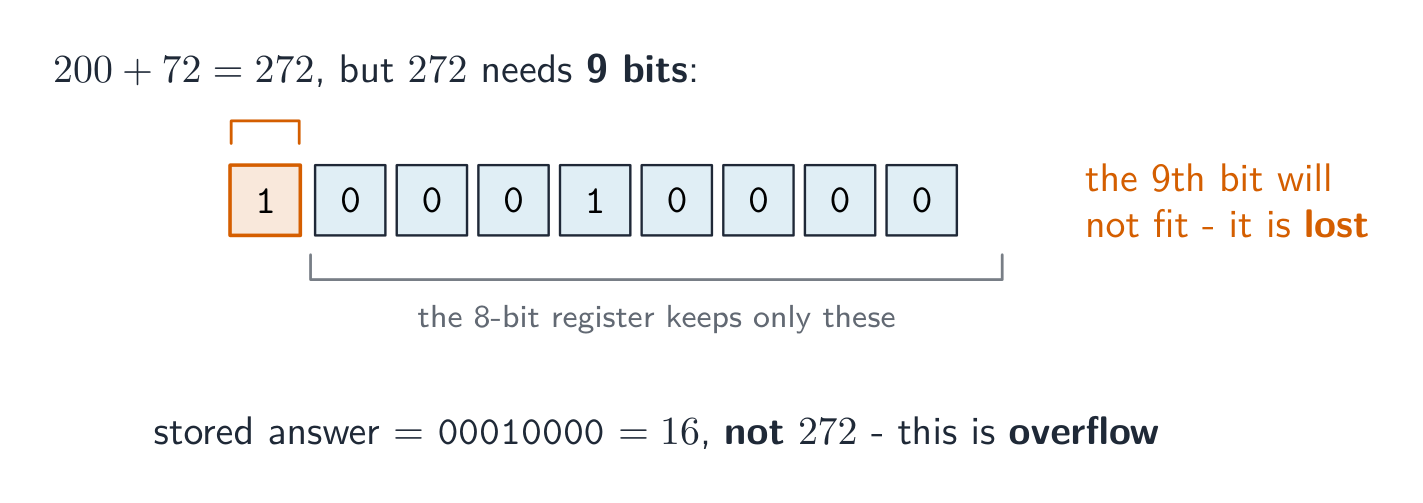


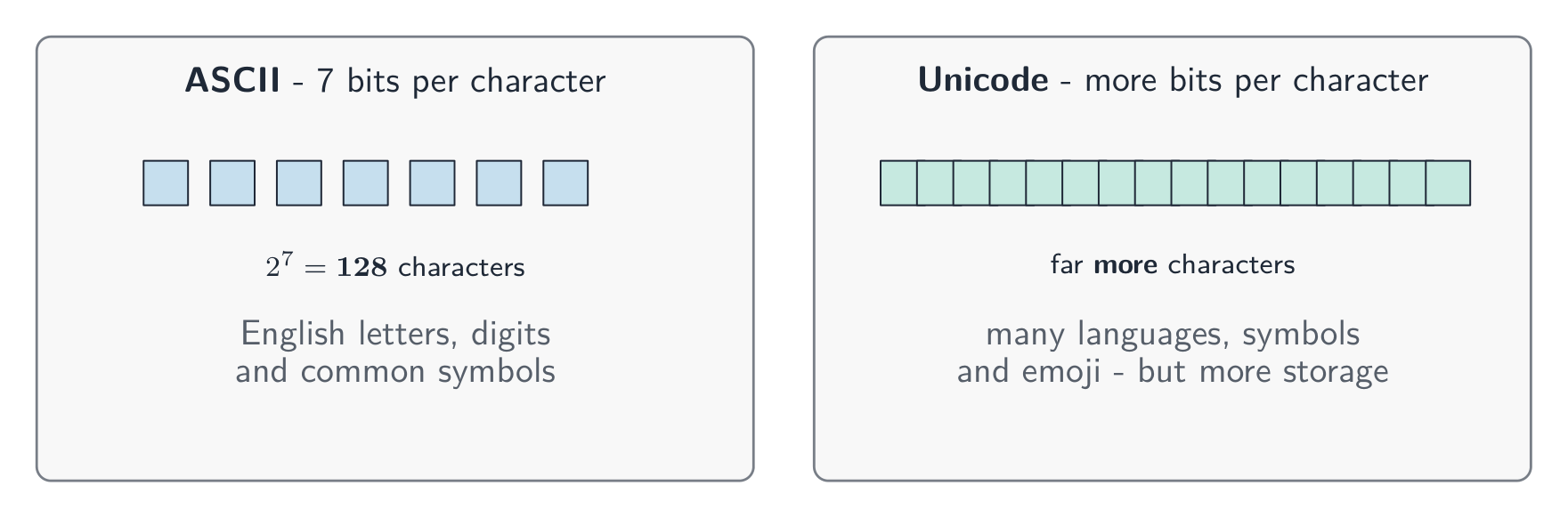
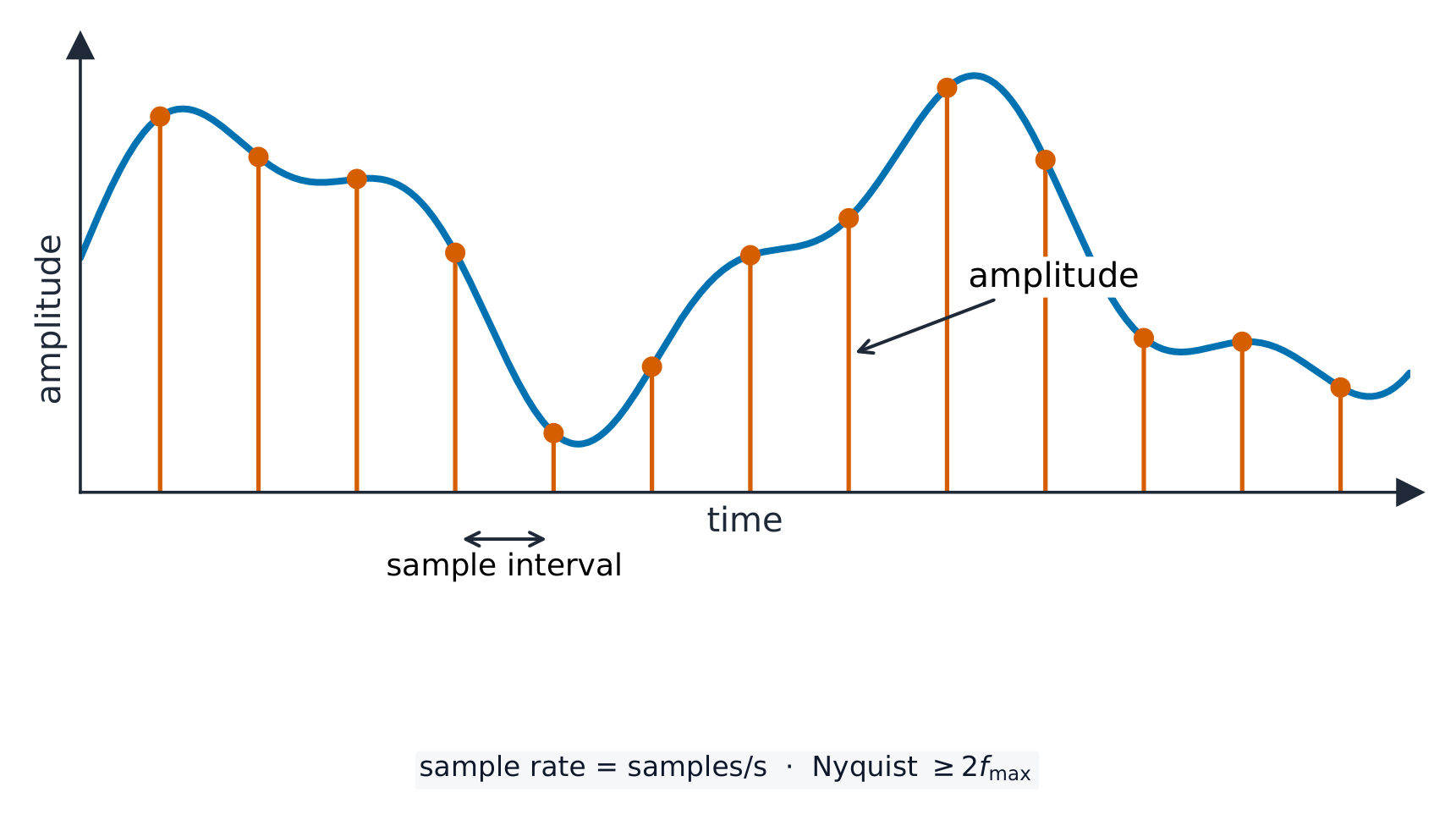

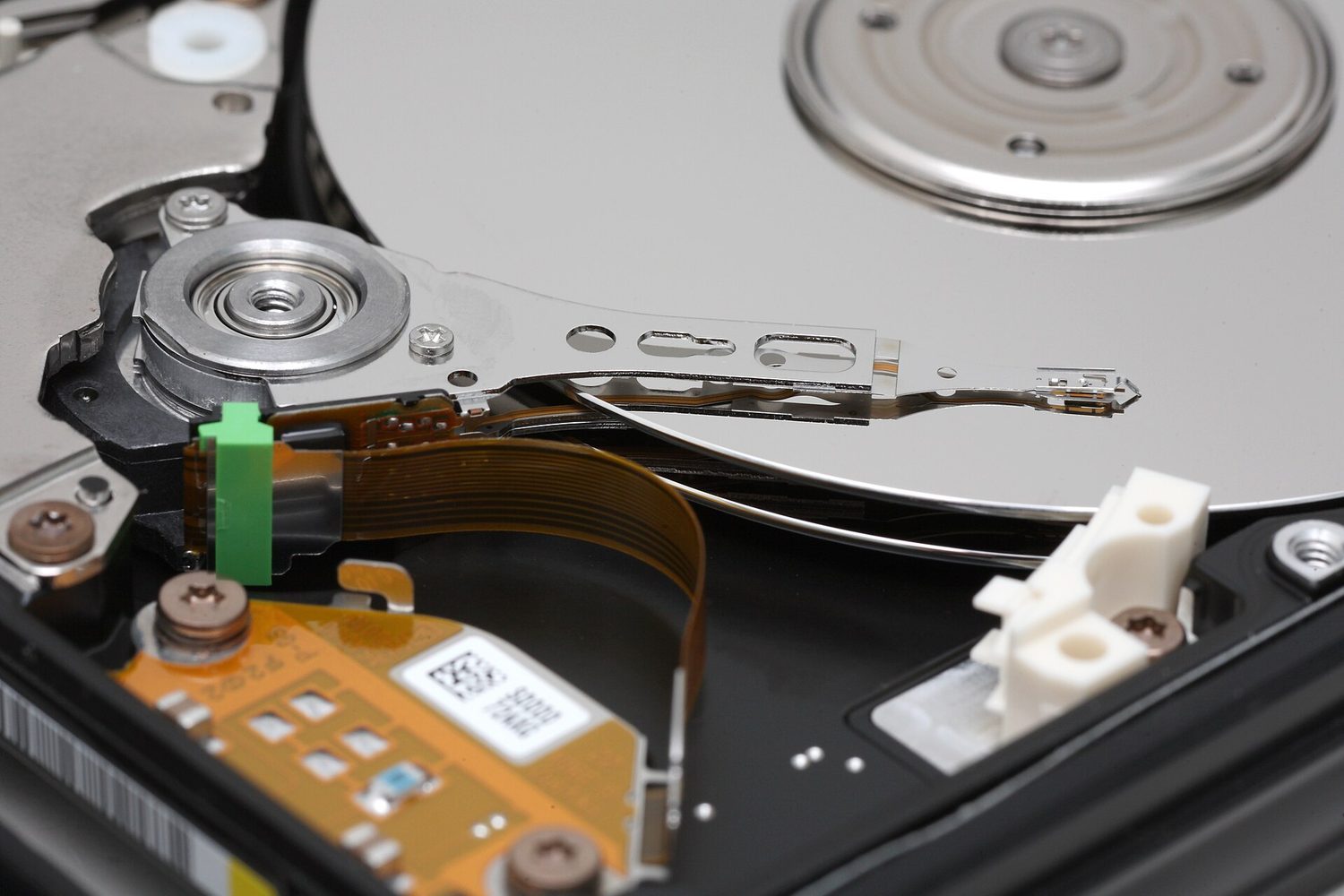


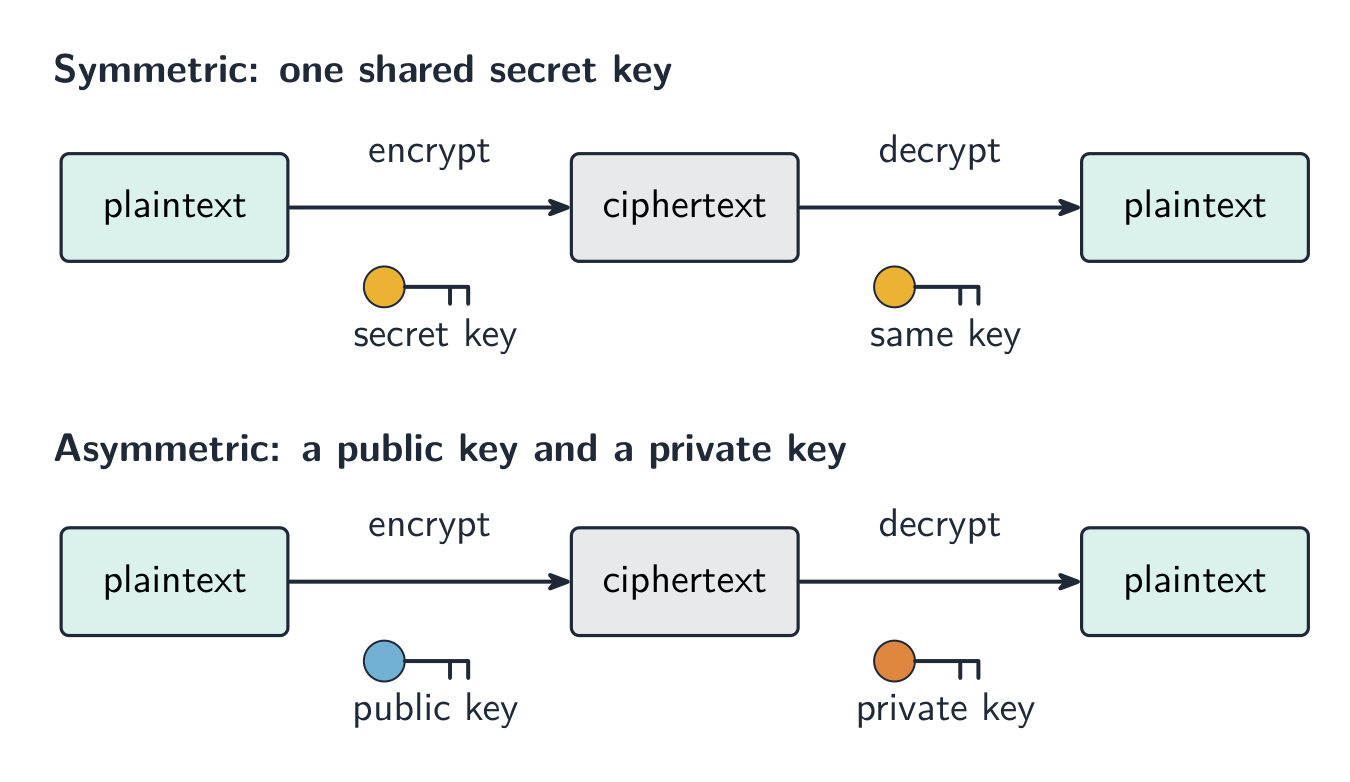
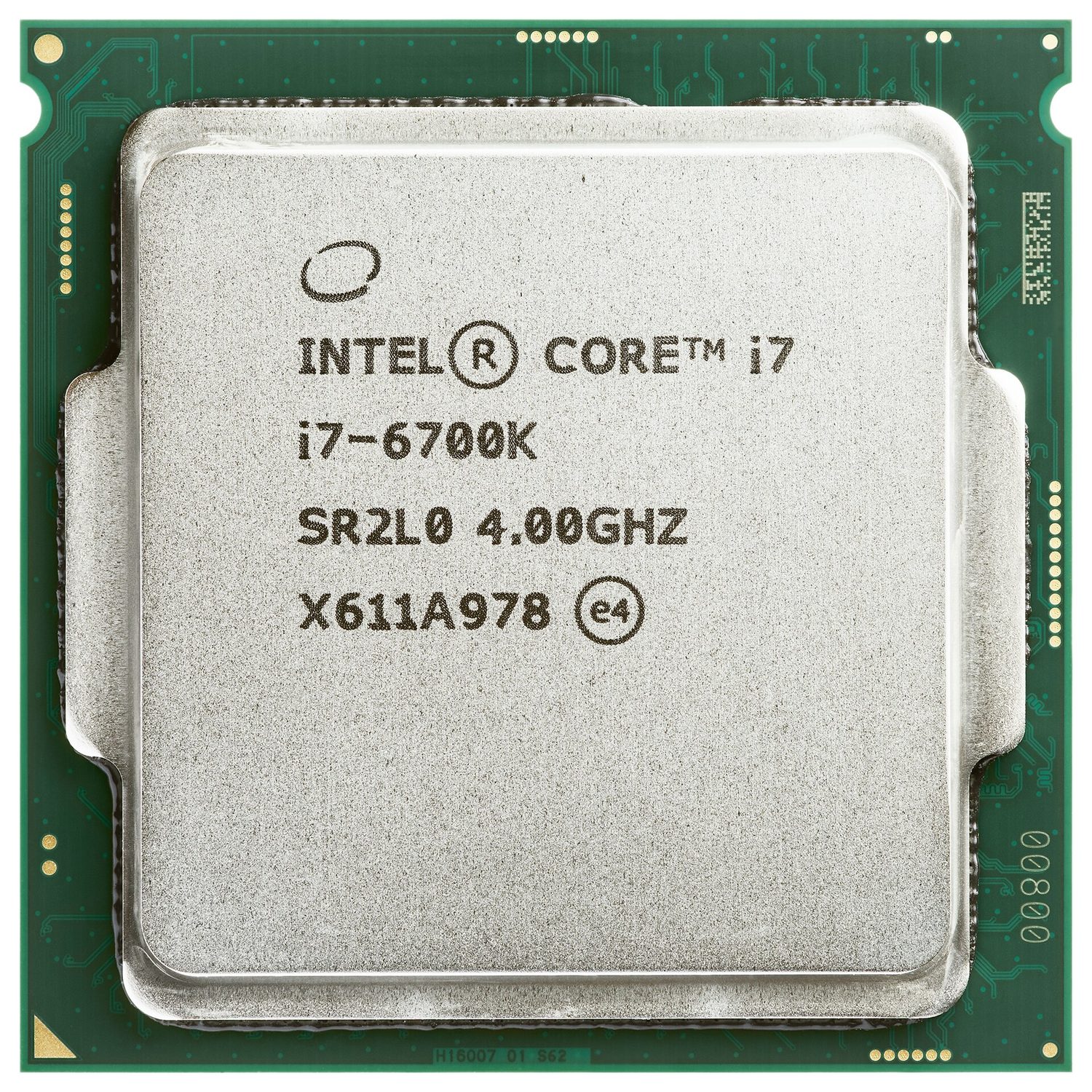
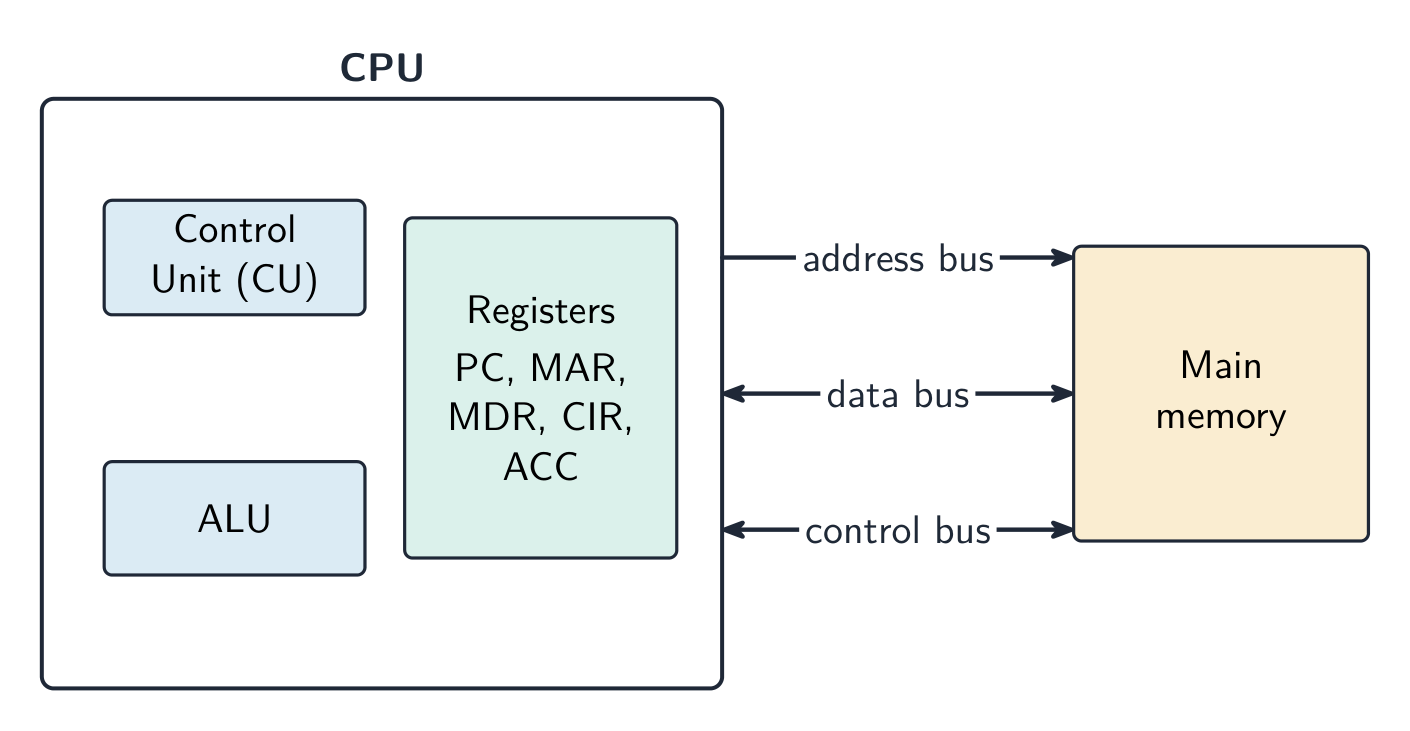

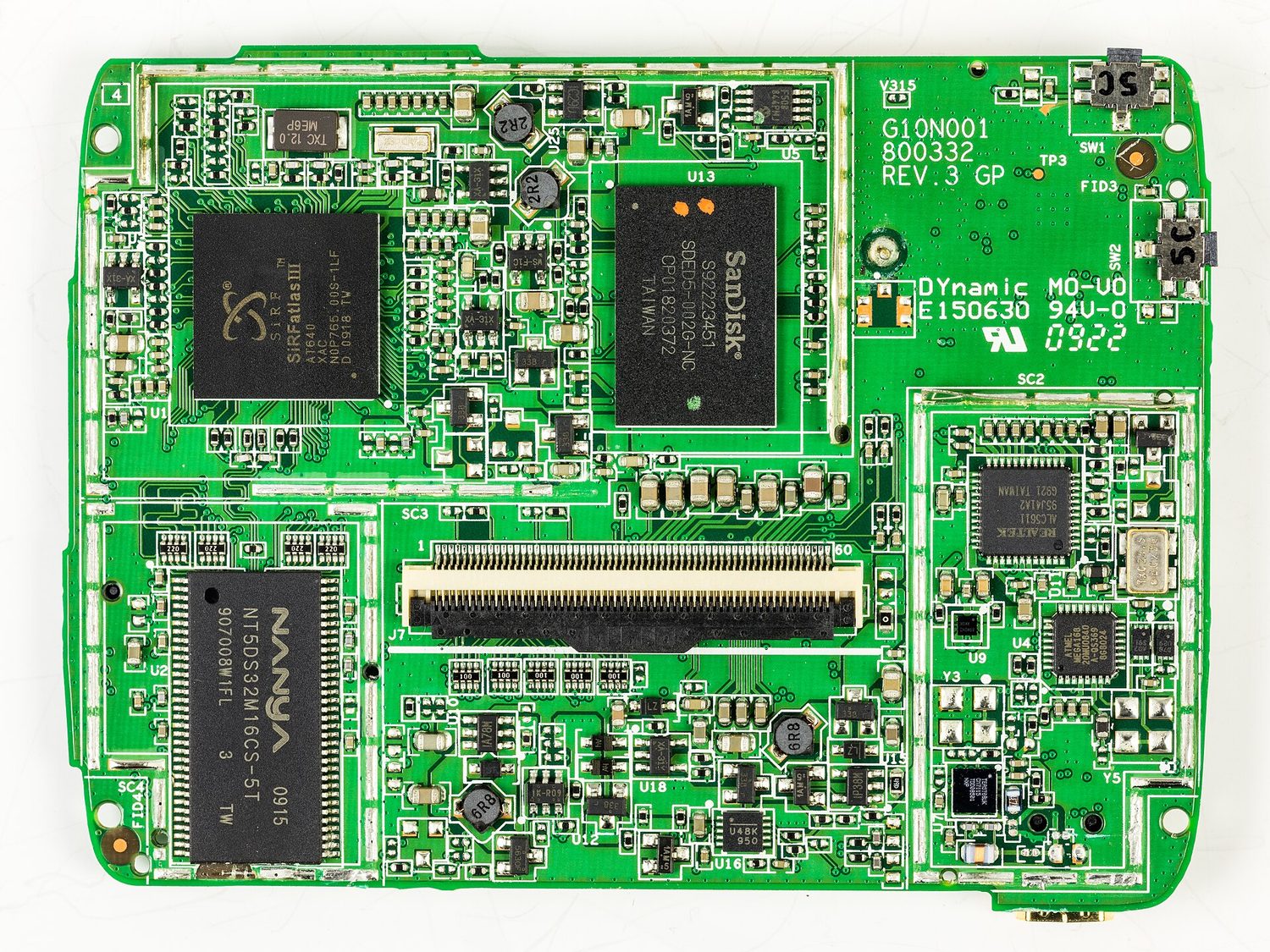
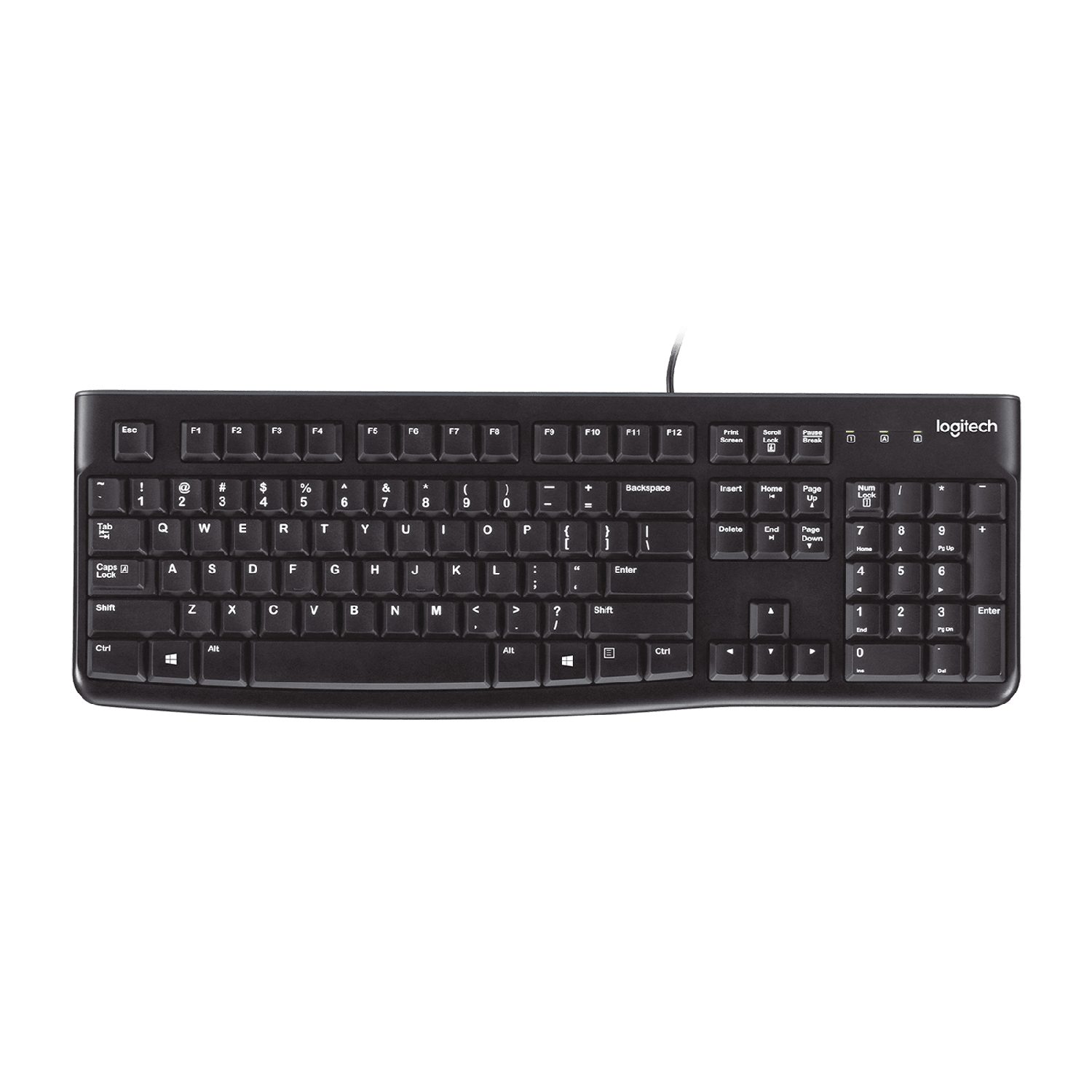


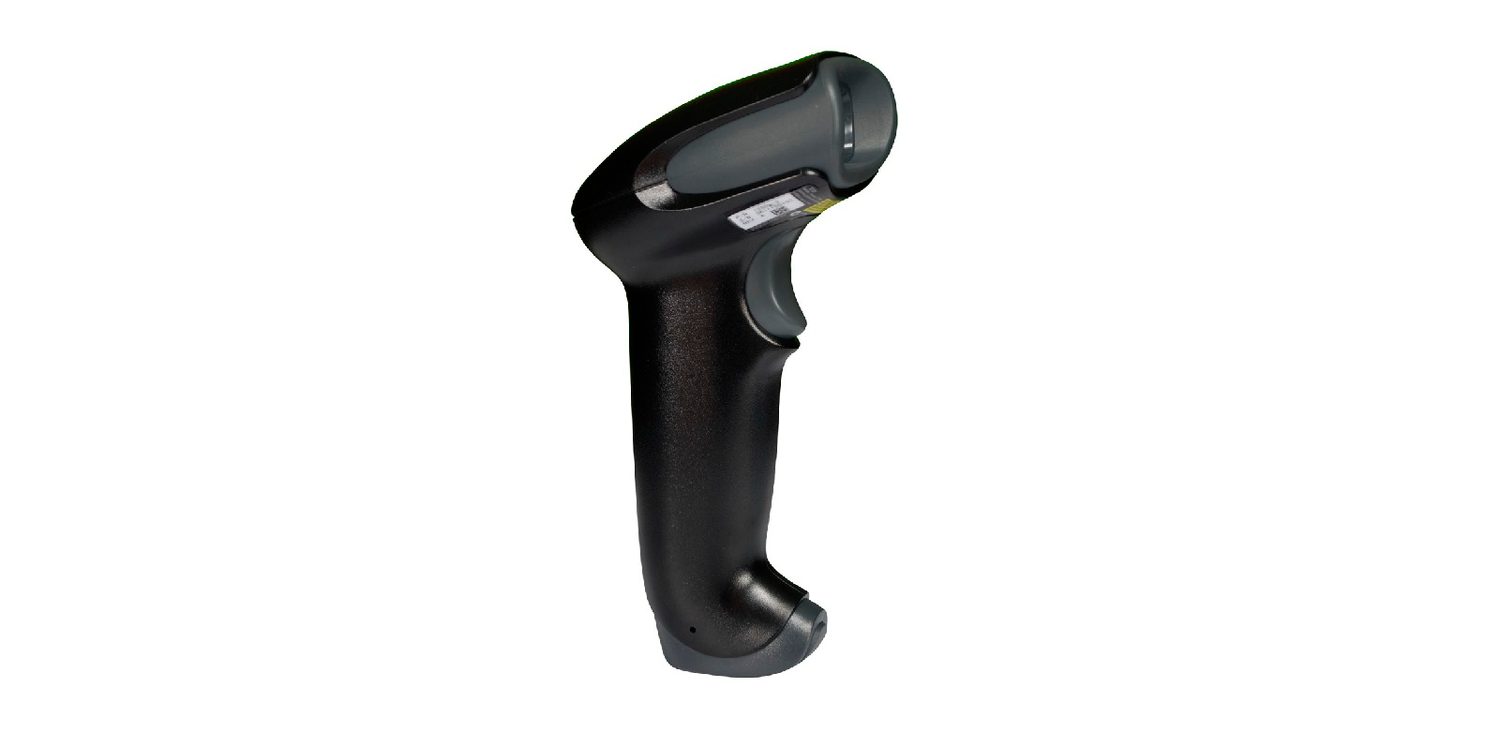

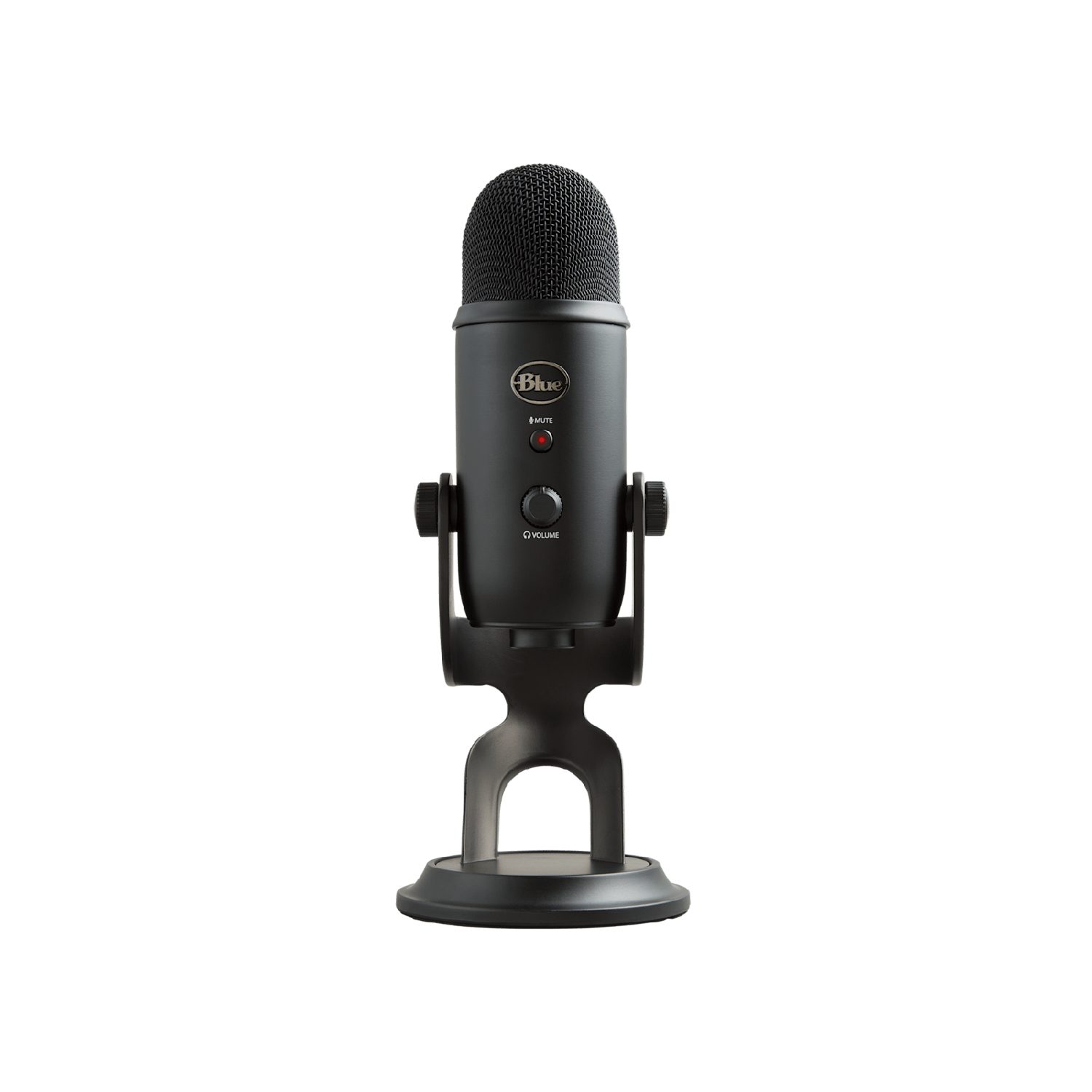


 *طابعة 3D تبني جسمًا صلبًا طبقة تلو الأخرى
 *تعرض شاشة LCD/LED الصور باستخدام شبكة من النقاط الملونة الصغيرة
 *يحول المكبر الصوتي الإشارة الكهربائية إلى صوت
 *تحول سماعات الرأس الإشارة الكهربائية إلى صوت لمستمع واحد
 *المُشغّل مثل المحرك يحول الإشارة الكهربائية إلى حركة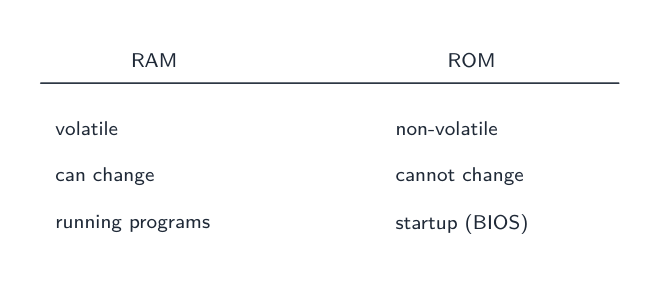
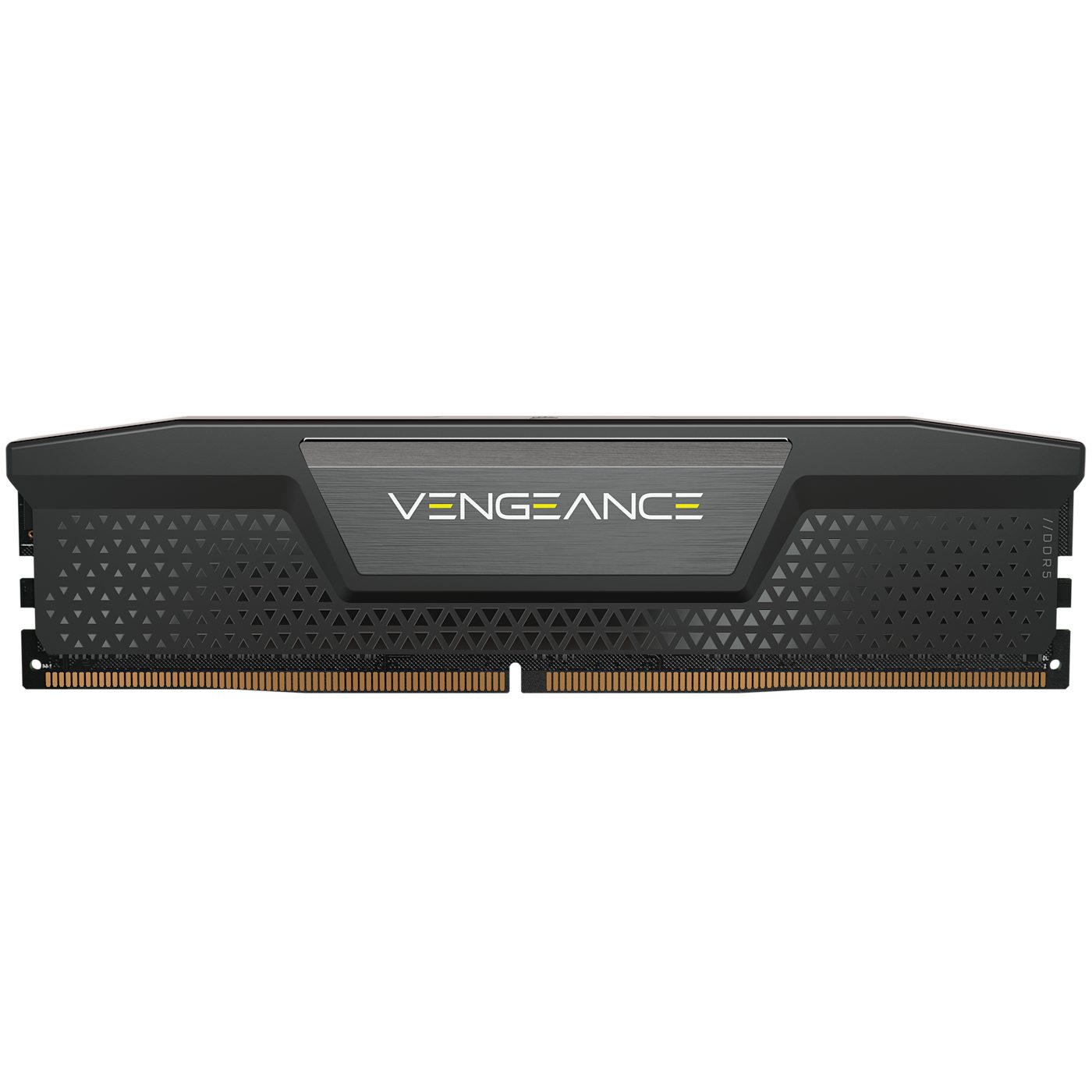 *وحدة RAM (ذاكرة الوصول العشوائي): تحتفظ بالبرامج والبيانات المستخدمة الآن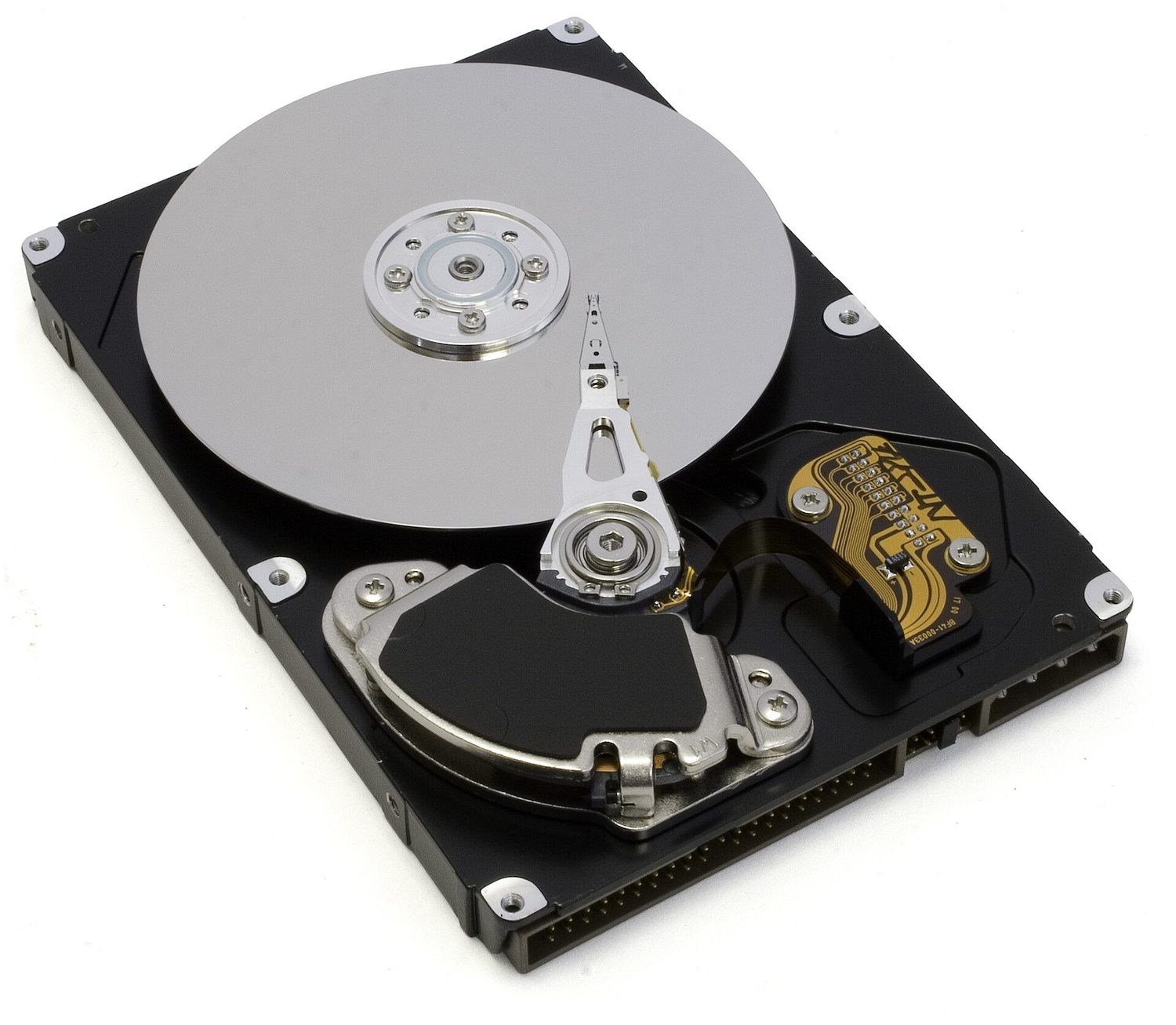
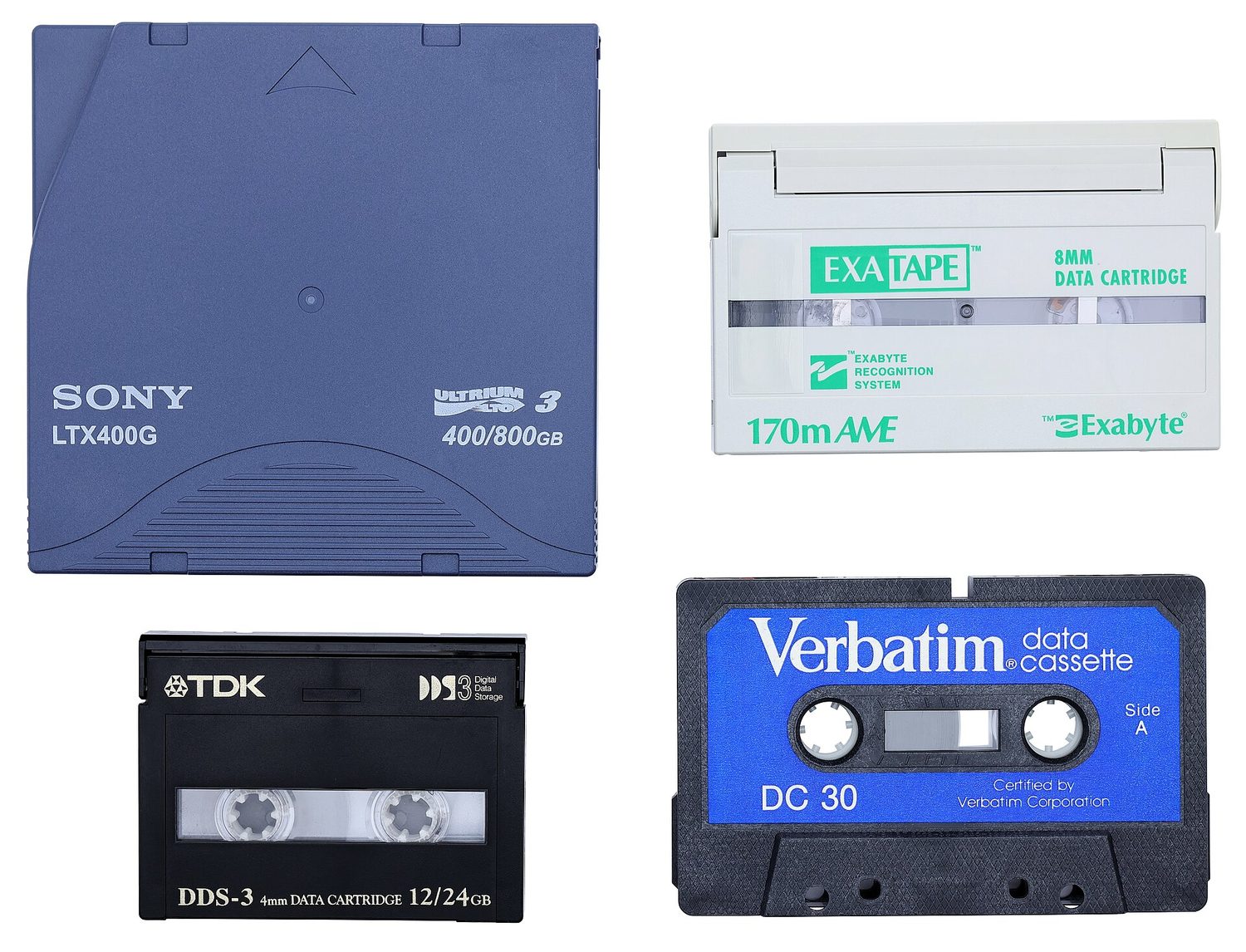
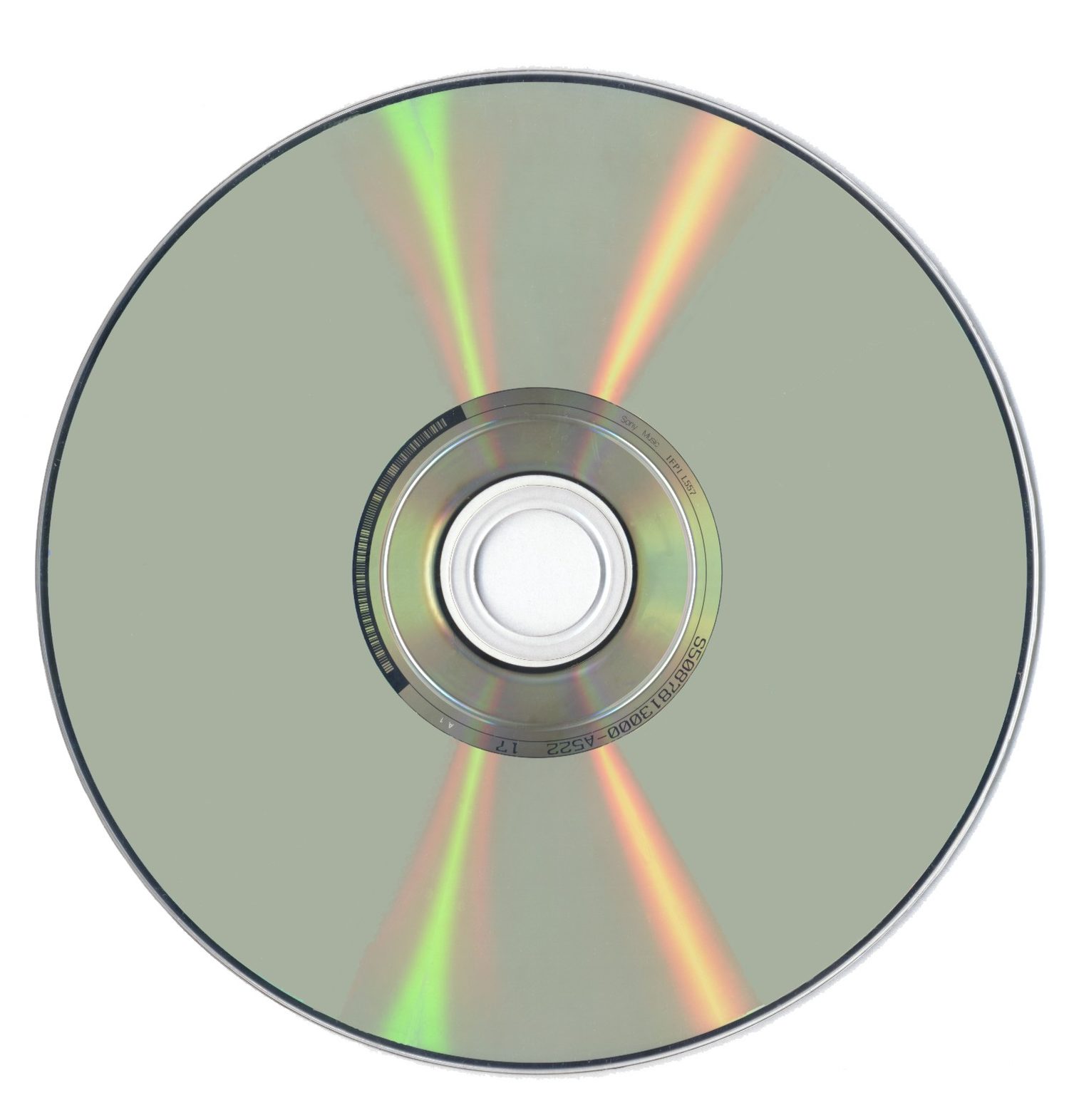 *قرص بصري مثل CD أو DVD: يقرأ الليزر العلامات على سطحه اللامع

 *يشكل التخزين تسلسلاً هرمياً: المسجلات والذاكرة المؤقتة هي الأسرع لكن الأصغر؛ التخزين الثانوي هو الأبطأ لكن الأكبر
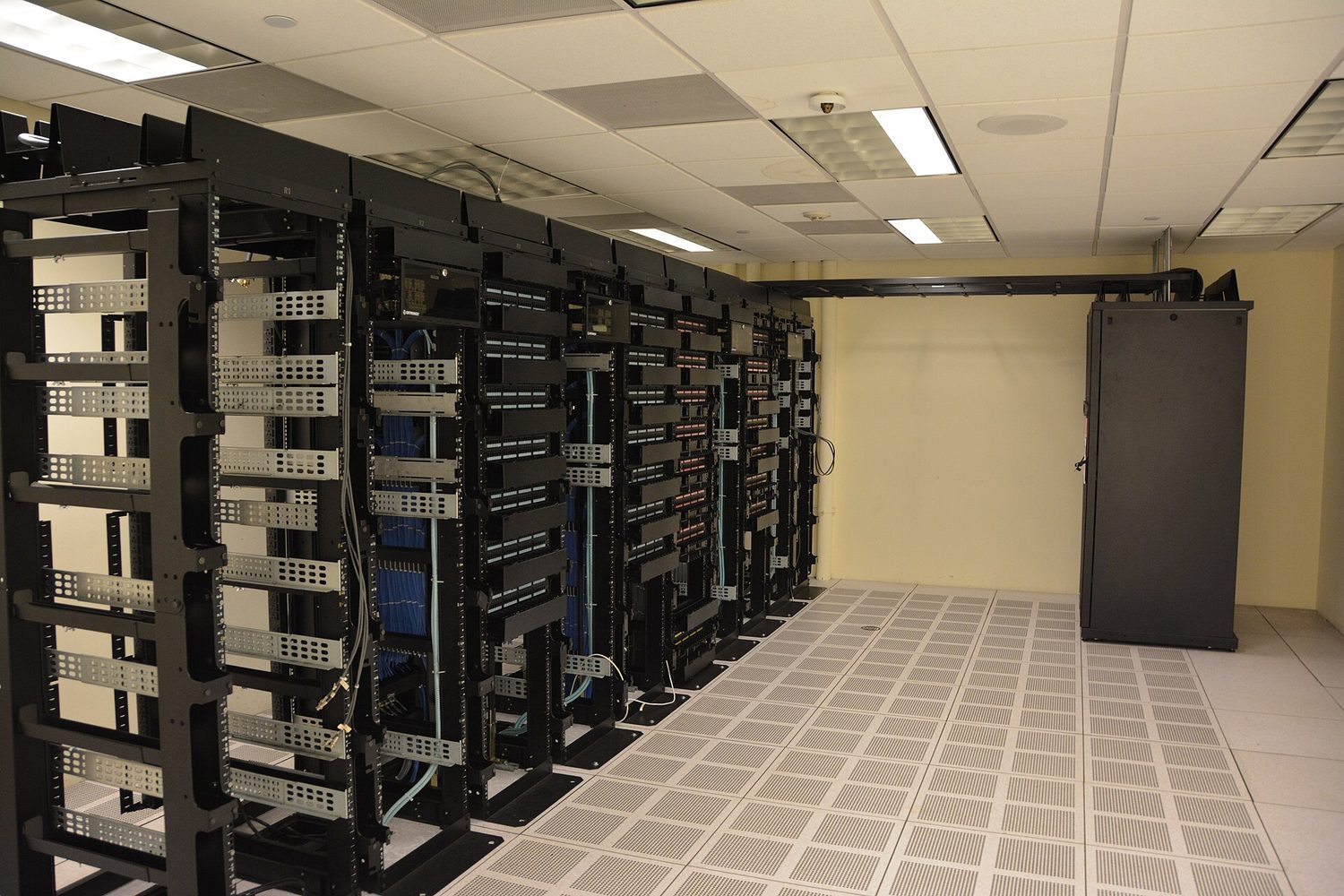
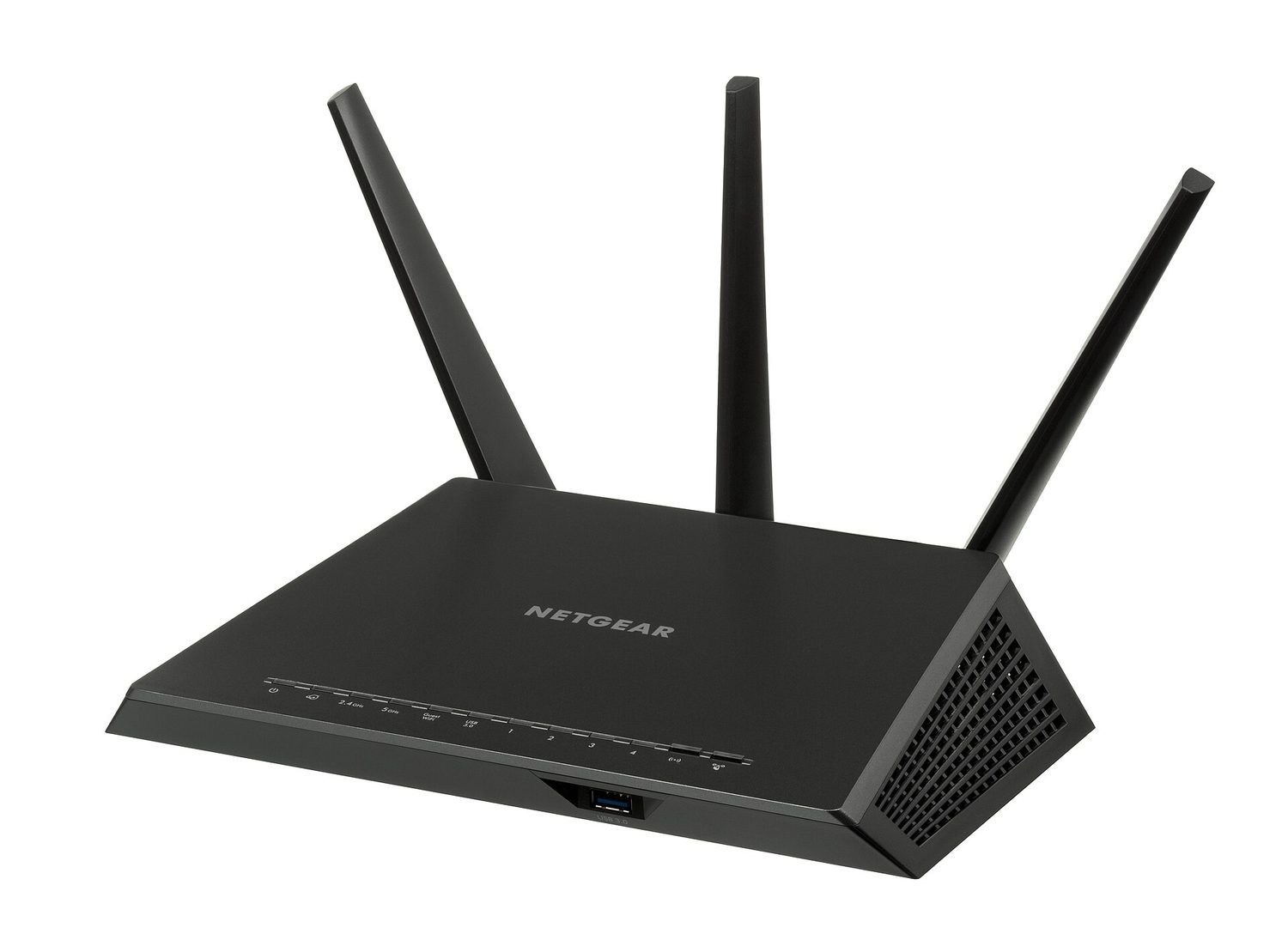






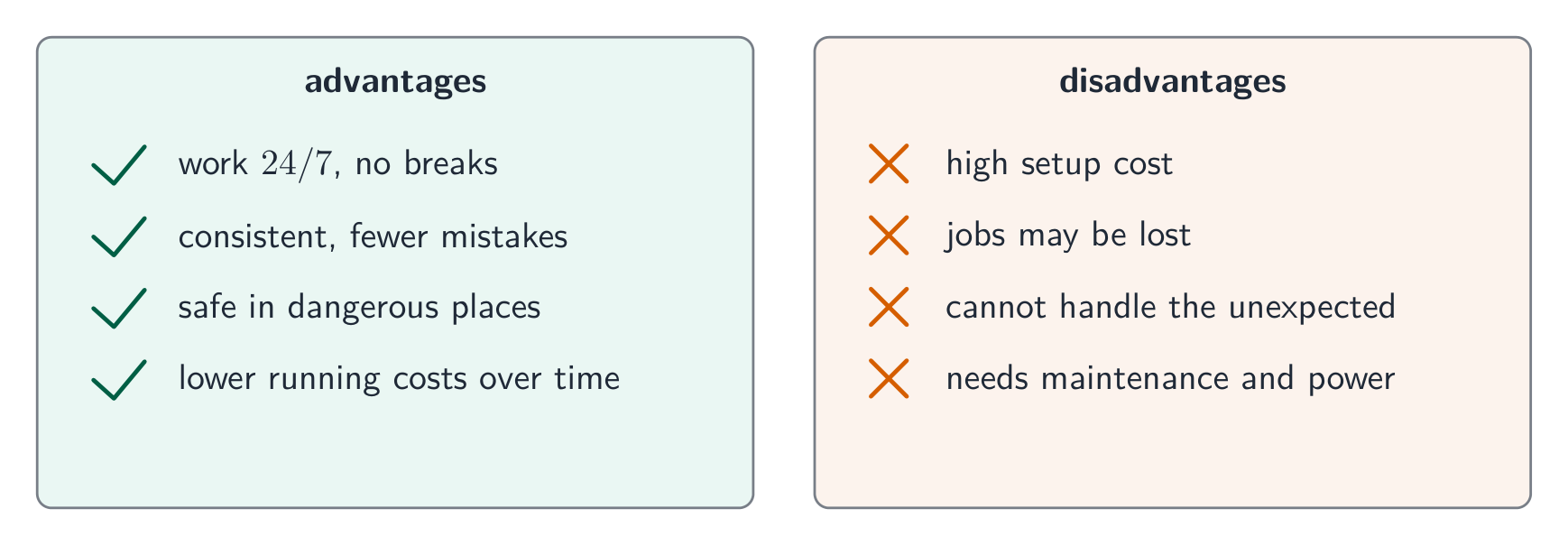


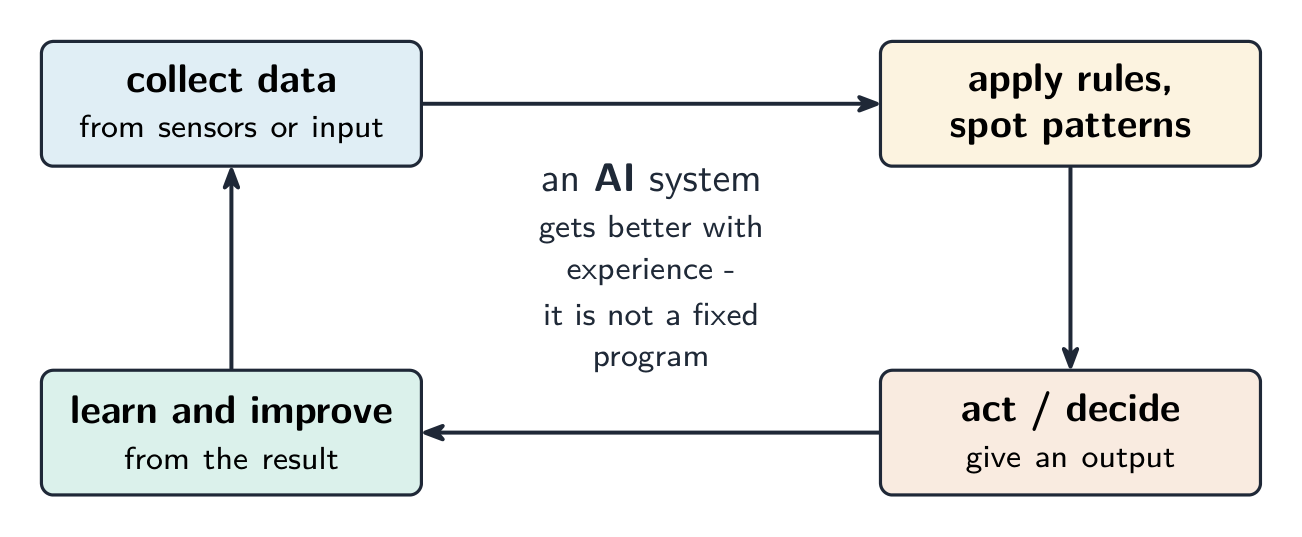


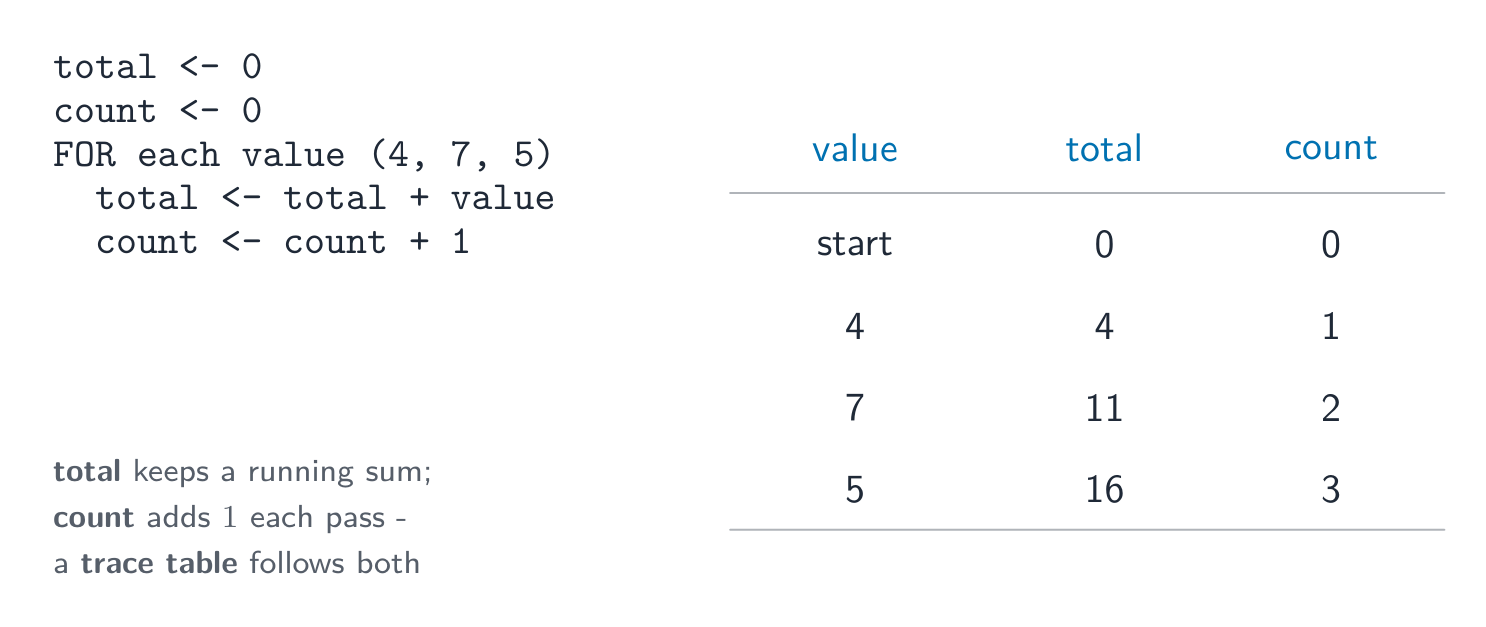 *جدول التتبع يتتبع حلقة الجمع العودي والعد خطوة بخطوة