โปรเซสเซอร์ในโทรศัพท์ของคุณกำลังทำอะไรบางอย่างที่ง่ายจนแทบจะโง่เขลา ดึงคำสั่งหนึ่งมา คำนวณว่ามันหมายถึงอะไร ทำมันให้เสร็จ แล้วดึงคำสั่งถัดไป That is…
English narration · English + 中文 subtitles burned in · การบรรยายภาษาอังกฤษ · คำบรรยายภาษาอังกฤษ + 中文 ลอยตัวบนภาพ
3.1
The central processing unit (CPU) · หน่วยประมวลผลกลาง (CPU)
Syllabus · หลักสูตร
English
Candidates should be able to:
Notes and guidance
1 (a) Understand the role of the central processing unit (CPU) in a computer
• The CPU processes instructions and data that are input into the computer so that the result can be output
(b) Understand what is meant by a microprocessor
• A microprocessor is a type of integrated circuit on a single chip
2 (a) Understand the purpose of the components in a CPU, in a computer that has a Von Neumann architecture
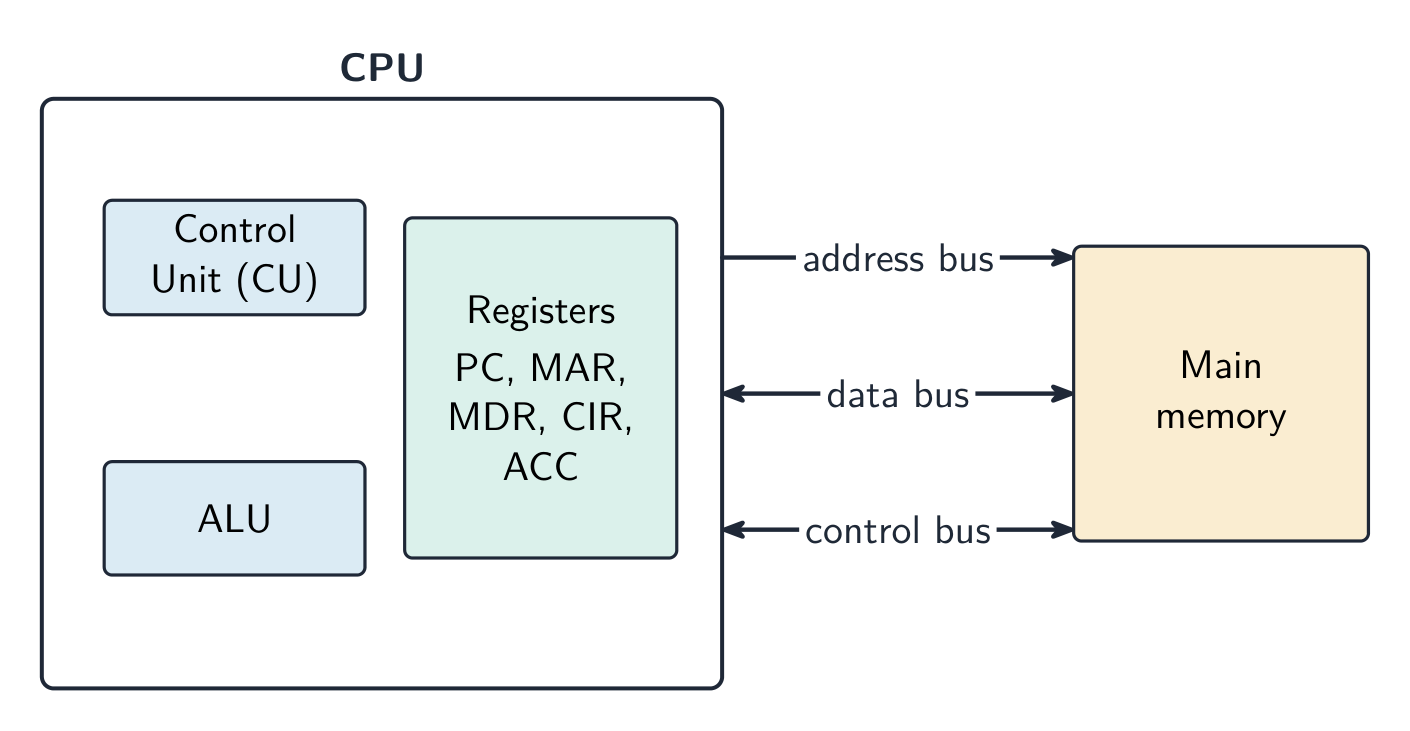
• Including: – units: arithmetic logic unit (ALU) and control unit (CU) – registers: program counter (PC), memory address register (MAR), memory data register (MDR), current instruction register (CIR) and accumulator (ACC) – buses: address bus, data bus and control bus
(b) Describe the process of the fetch–decode–execute (FDE) cycle, including the role of each component in the process
• How instructions and data are fetched from random access memory (RAM) into the CPU, how they are processed using each component and how they are then executed • Storing data and addresses into specific registers • Using buses to transmit data, addresses and signals • Using units to fetch, decode and execute data and instructions
3 Understand what is meant by a core, cache and clock in a CPU and explain how they can affect the performance of a CPU
• The number of cores, size of the cache and speed of the clock can affect the performance of a CPU
4 Understand the purpose and use of an instruction set for a CPU
• An instruction set is a list of all the commands that can be processed by a CPU, and the commands are machine code
5 Describe the purpose and characteristics of an embedded system and identify devices in which they are commonly used
• An embedded system is used to perform a dedicated functions. For example in, domestic appliances, cars, security systems, lighting systems or vending machines. This is different to a general purpose computer that is used to perform many different functions. For example in, a personal computer (PC) or a laptop
ไทย
ผู้เข้าสอบควรสามารถ:
หมายเหตุและคำแนะนำ
1 (a) เข้าใจบทบาทของ central processing unit (CPU) ในคอมพิวเตอร์
• CPU ประมวลผลคำสั่งและข้อมูลที่ป้อนเข้าในคอมพิวเตอร์เพื่อให้ผลลัพธ์สามารถ output ได้
Source: Cambridge International syllabus · แหล่งที่มา: หลักสูตร Cambridge International
English
The fetch-decode-execute cycle
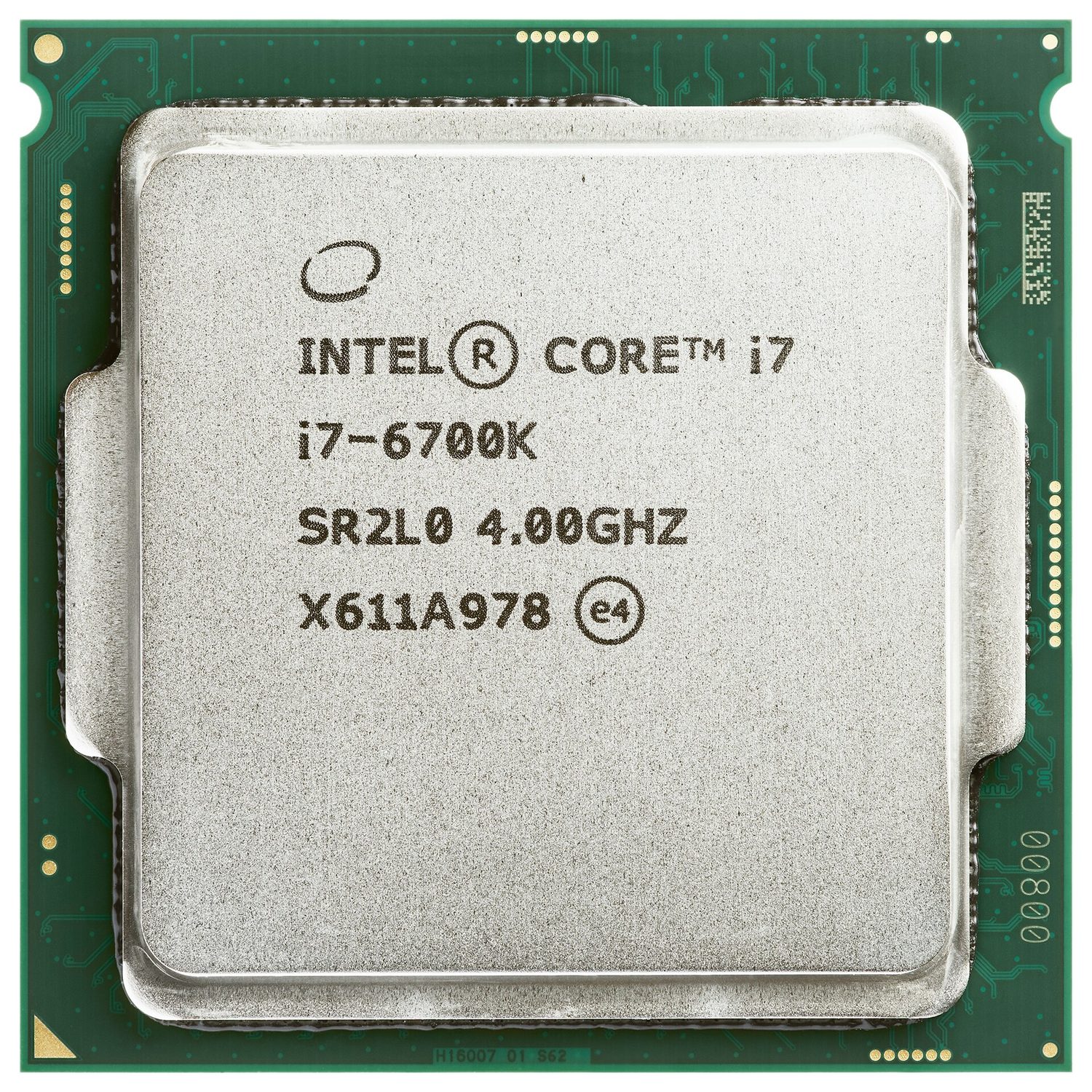
The central processing unit 中央处理器 (CPU) is the part of the computer that processes data and carries out instructions 指令. It runs programs by repeating a cycle, millions of times each second.
Parts of the CPU
Part
What it does
arithmetic logic unit 算术逻辑单元 (ALU)
does calculations (add, subtract) and logical operations (compare)
control unit 控制单元 (CU)
sends control signals to manage all the parts and tell them what to do
registers 寄存器
very small, very fast stores that hold one piece of data at a time
The parts are joined by buses 总线 — sets of wires that carry information:
the address bus 地址总线 carries memory addresses (one direction);
the data bus 数据总线 carries data and instructions (both directions);
the control bus 控制总线 carries control signals.
Special registers
These registers are used during the fetch–execute cycle.
Register
Purpose
program counter 程序计数器 (PC)
holds the address of the next instruction
memory address register 内存地址寄存器 (MAR)
holds the address to read from or write to
memory data register 内存数据寄存器 (MDR)
holds the data or instruction just fetched
current instruction register 当前指令寄存器 (CIR)
holds the instruction now being carried out
accumulator 累加器 (ACC)
holds the result of the ALU's calculations
The fetch–execute cycle
The fetch–execute cycle 取指执行周期 has three stages, repeated again and again:
Fetch — the instruction is copied from memory 内存 into the CPU (using the PC, MAR and MDR). The PC then increases by 1.
Decode — the control unit works out what the instruction means.
Execute — the instruction is carried out (the ALU may do a calculation, with the result going to the accumulator).
Cache memory
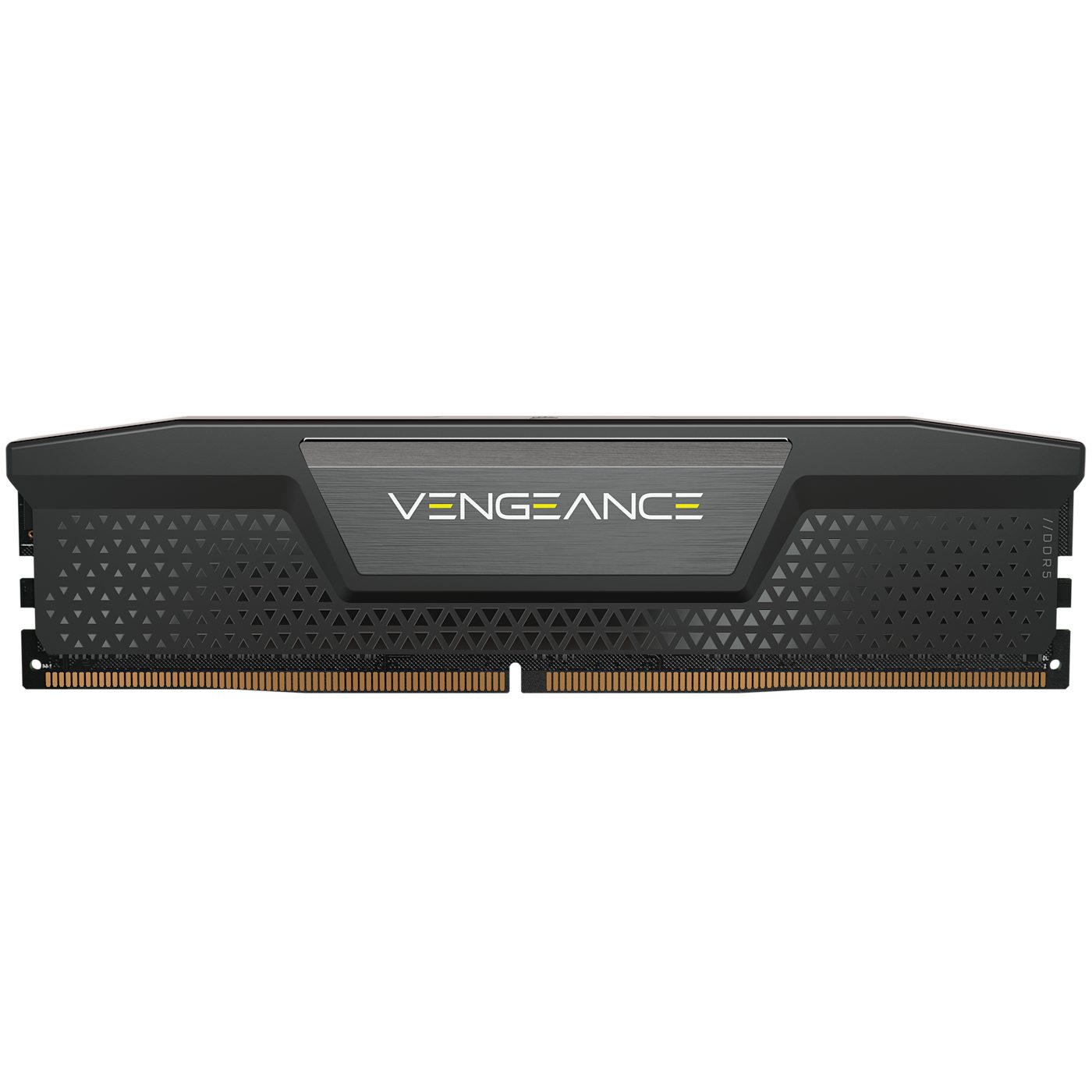
Cache 高速缓存 is a small amount of very fast memory inside or close to the CPU. It stores data and instructions that the CPU uses often. The CPU can read from cache much faster than from main memory, so the computer runs faster.
What affects CPU performance
Feature
Effect
number of cores 核心
each core can run instructions on its own, so more cores can do more work at the same time
cache size
a larger cache holds more data ready for the CPU, so it waits less
clock speed 时钟速度
the number of cycles per second; a higher clock speed runs more instructions per second
Worked example. Two computers are identical except that A has a 3.0 GHz single-core CPU with 2 MB of cache, and B has a 2.4 GHz quad-core CPU with 8 MB of cache. Which is better for video editing, and why? Video editing splits into many tasks that can run at the same time, so B's four cores can process several streams in parallel while A can only work on one at a time. B's larger cache also keeps more frequently used data close to the CPU, so it has to fetch from RAM less often. B is the better choice, even though A has the higher clock speed. Never answer on clock speed alone: weigh cores, cache and clock speed together, and tie each one to the job being done.
Embedded systems
An embedded system 嵌入式系统 is a small computer built inside a larger device to do one fixed job. It is dedicated to that task, is usually small and low-cost, and has no general operating system. Examples: a washing machine, a microwave, a set-top box.
แคช เป็นหน่วยความจำขนาดเล็กแต่เร็วมาก ที่อยู่ภายในหรือใกล้กับ CPU ใช้สำหรับเก็บข้อมูลที่และคำสั่งที่ CPU มักจะใช้งาน CPU สามารถอ่านข้อมูลจากแคชได้เร็วกว่าหน่วยความจำหลักมาก ทำให้คอมพิวเตอร์ทำงานได้เร็วขึ้น
Tap round the loop the CPU repeats billions of times a second — fetch the instruction, decode what it means, execute it, then do it all again. · วนลูปที่ CPU ทำซ้ำหลายพันล้านครั้งต่อวินาที — ดึงคำสั่ง, ตีความความหมาย, ประมวลผล, แล้วทำทั้งหมดนี้อีกครั้ง
3 (a) Understand what is meant by a sensor and the purposes of sensors
• Limited to: – acoustic – accelerometer – flow – gas – humidity – infra-red – level – light – magnetic field – moisture – pH – pressure – proximity – temperature
(b) Identify the type of data captured by each sensor and understand when each sensor would be used, including selecting the most suitable sensor for a given context
Primary storage: RAM and ROM · หน่วยความจำหลัก: RAM และ ROM
Syllabus · หลักสูตร
English
Candidates should be able to:
Notes and guidance
1 Understand what is meant by primary storage
• Primary storage is directly accessed by the CPU • Including the role of: – random access memory (RAM) – read only memory (ROM) • Including why a computer needs both RAM and ROM, and the difference between them
2 Understand what is meant by secondary storage
• Secondary storage is not directly accessed by the CPU and is necessary for more permanent storage of data
3 Describe the operation of magnetic, optical and solid-state (flash memory) storage and give examples of each
• Magnetic storage uses platters which are divided into tracks and sectors. Data is read and written using electromagnets. Including hard disk drive (HDD) • Optical storage uses lasers to create and read pits and lands. Including: CD, DVD and Blu-ray • Solid-state (flash memory) uses NAND or NOR technology. Transistors are used as control gates and floating gates. Including: solid-state drive (SSD), SD card and USB drive
4 Describe what is meant by virtual memory, how it is created and used and why it is necessary
• Pages of data are transferred between RAM and virtual memory when needed
5 Understand what is meant by cloud storage
• Cloud storage can be accessed remotely in comparison to storing data locally
6 Explain the advantages and disadvantages of storing data on the cloud in comparison to storing it locally
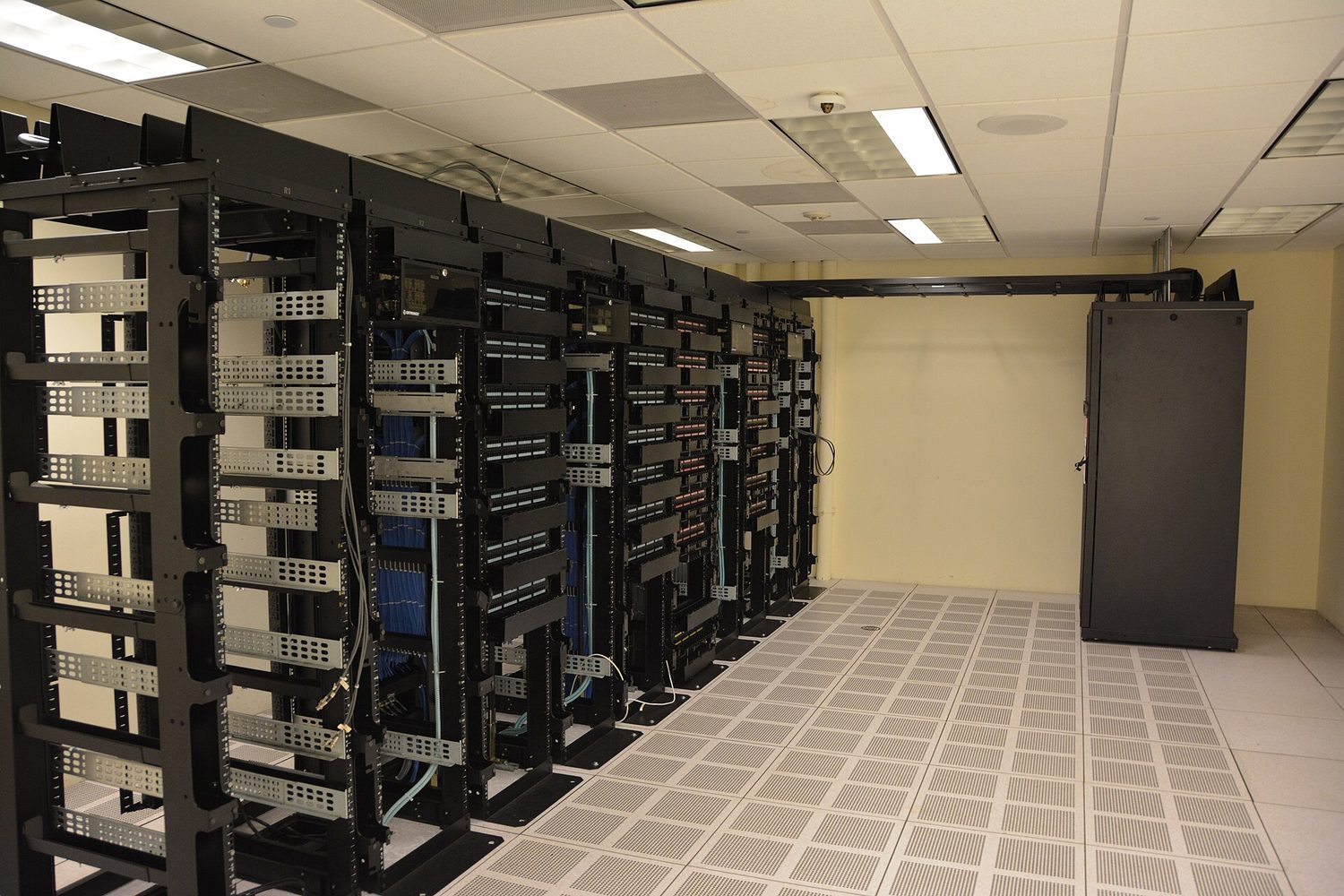
• Physical servers and storage are needed to store data in cloud storage
ไทย
ผู้เข้าสอบควรสามารถ:
หมายเหตุและคำแนะนำ
1 เข้าใจความหมายของ หน่วยความจำหลัก
• หน่วยความจำหลักถูกเข้าถึงโดยตรงโดย CPU • รวมถึงบทบาทของ: – หน่วยความจำเข้าถึงแบบสุ่ม (RAM) – หน่วยความจำอ่านเพียงอย่างเดียว (ROM) • รวมถึงเหตุผลที่คอมพิวเตอร์จำเป็นต้องมีทั้ง RAM และ ROM และความแตกต่างระหว่างทั้งสอง
2 เข้าใจความหมายของ หน่วยความจำรอง
• หน่วยความจำรองไม่ถูกเข้าถึงโดยตรงโดย CPU และเป็นสิ่งจำเป็นสำหรับการจัดเก็บข้อมูลอย่างถาวรมากขึ้น
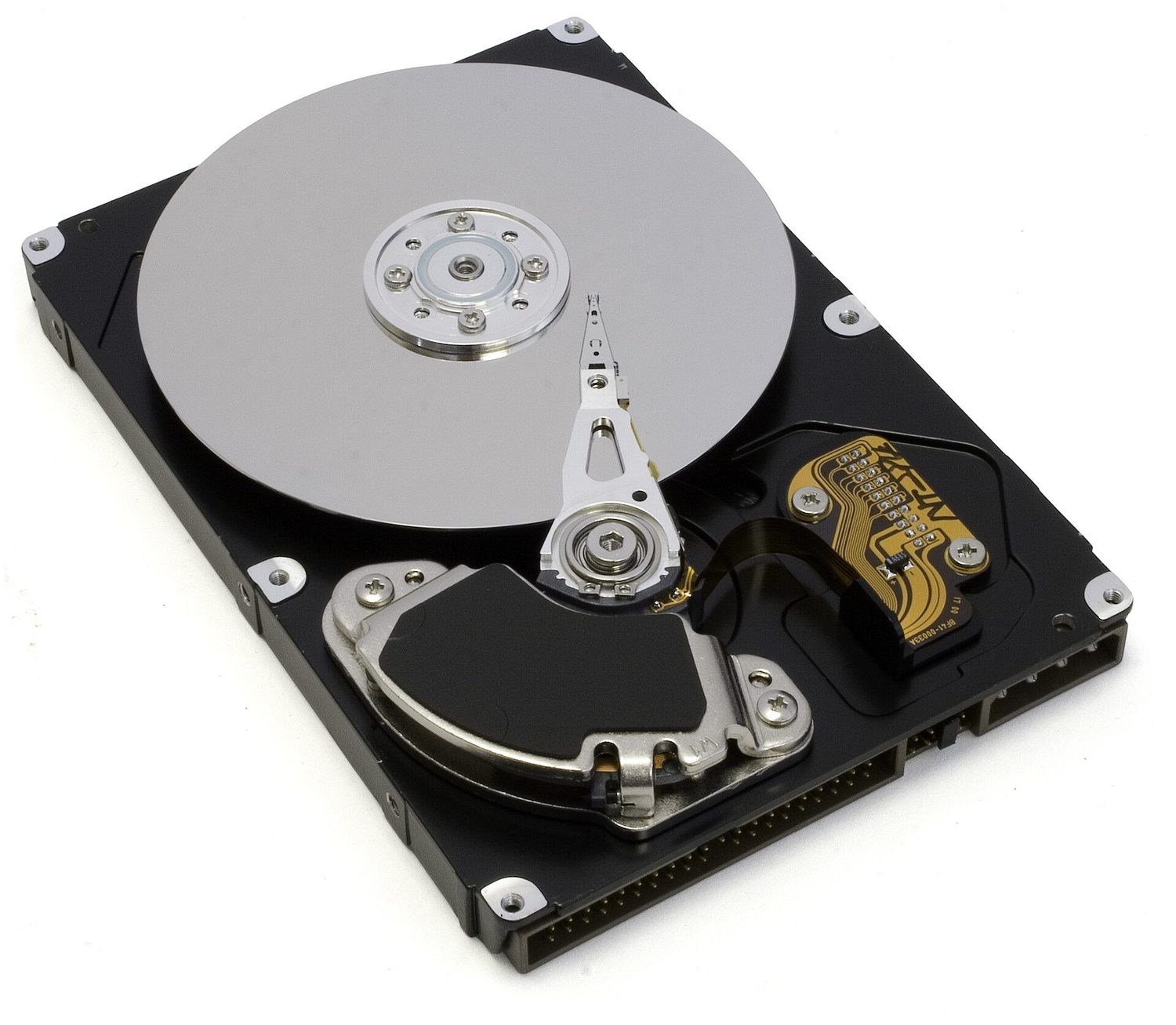
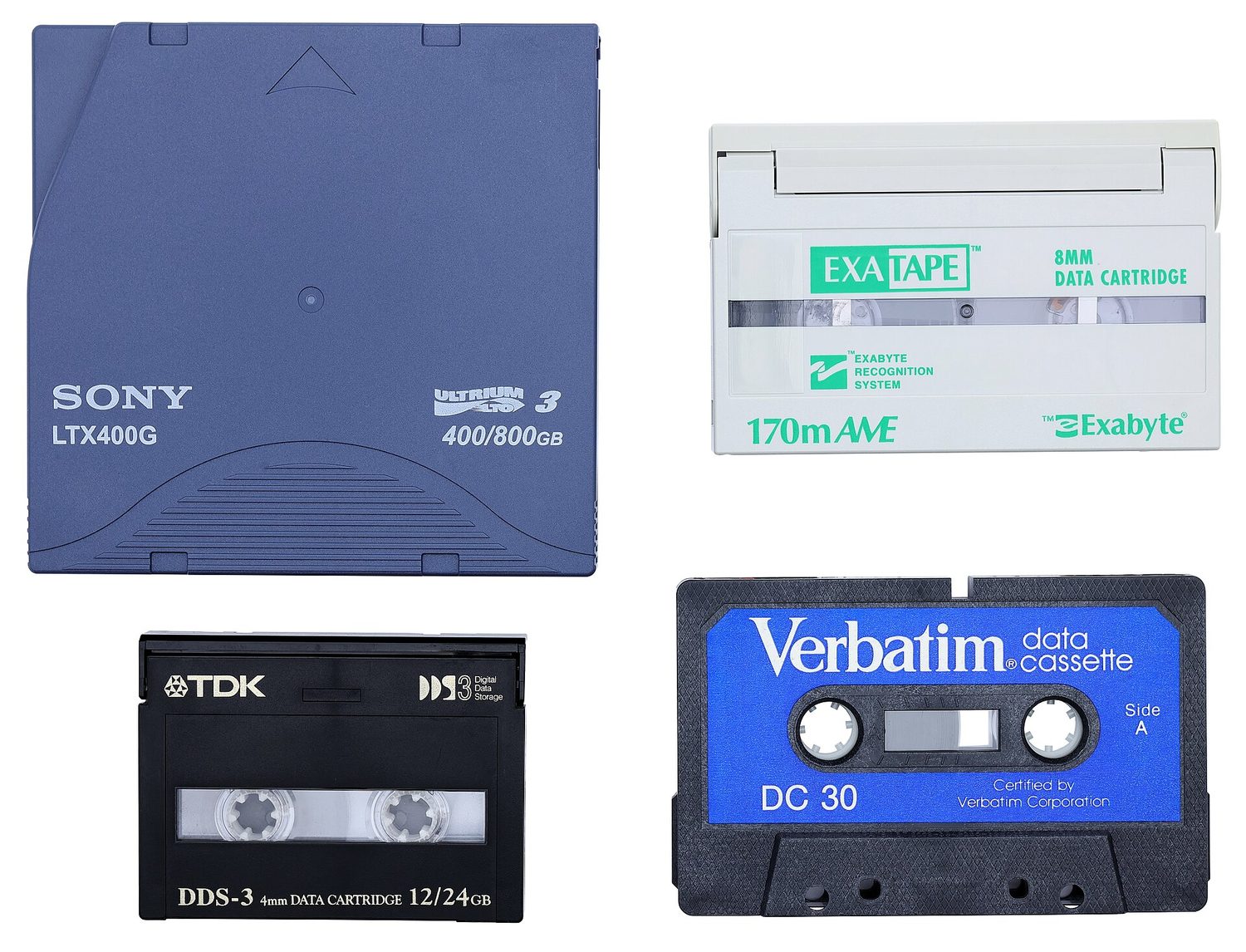
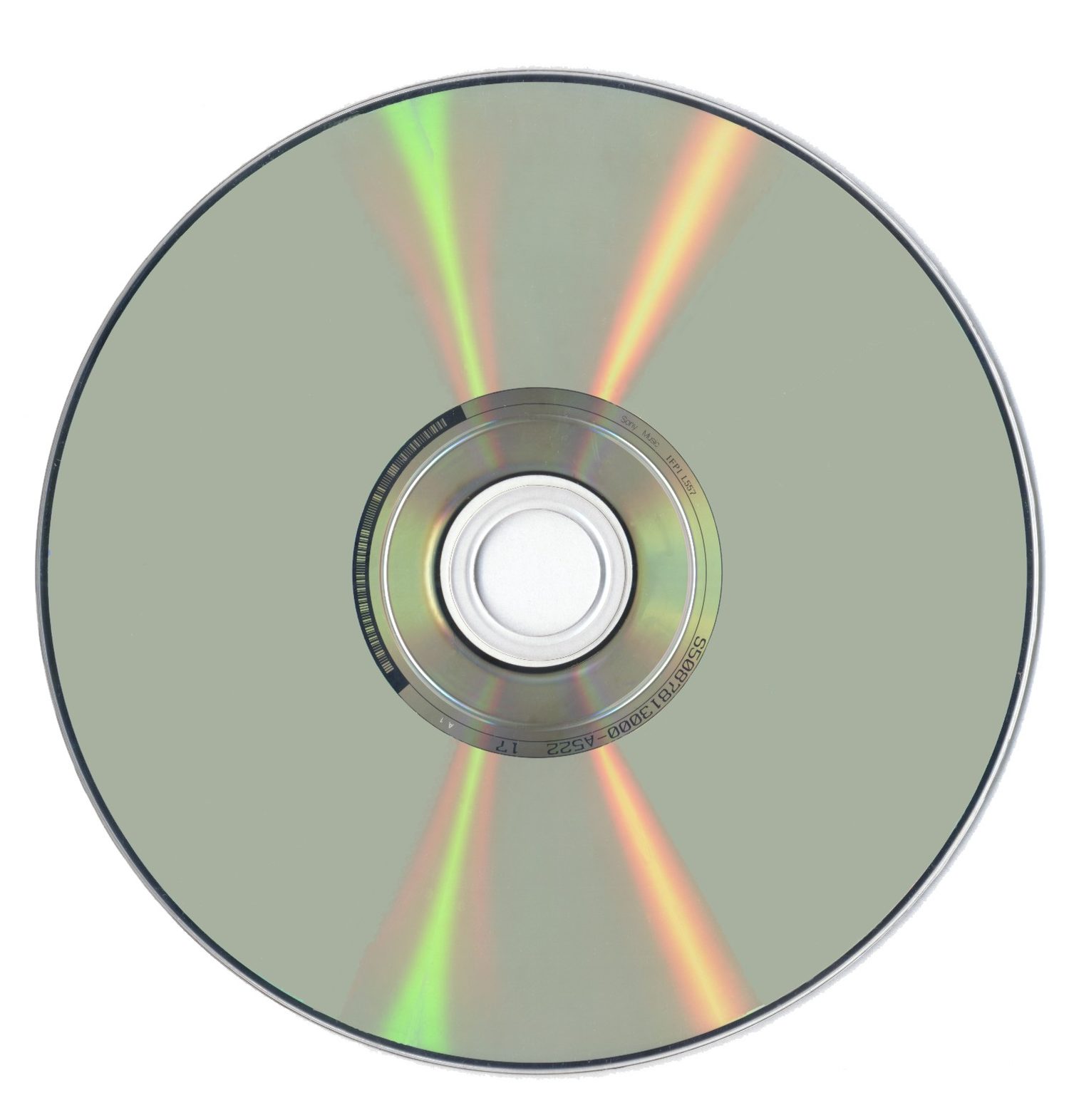
Secondary storage 辅助存储器 keeps data permanently, even when the power is off. It is non-volatile and is used for long-term storage. There are three types.
Type
How it stores data
Examples
magnetic storage 磁存储
data is stored as magnetised spots on spinning disks
hard disk drive (HDD), magnetic tape
optical storage 光存储
data is stored as marks read by a laser
CD, DVD, Blu-ray
solid state storage 固态存储
data is stored in flash memory 闪存, with no moving parts
When the RAM becomes full, the computer can use part of the secondary storage as extra, pretend RAM. This is called virtual memory 虚拟内存.
Data that is not needed right now is moved out of RAM onto the disk, which frees space in RAM for other programs. This lets you run more programs than the RAM alone could hold. It is slower, because secondary storage is much slower than RAM.
• Primary storage is directly accessed by the CPU • Including the role of: – random access memory (RAM) – read only memory (ROM) • Including why a computer needs both RAM and ROM, and the difference between them
2 Understand what is meant by secondary storage
• Secondary storage is not directly accessed by the CPU and is necessary for more permanent storage of data
3 Describe the operation of magnetic, optical and solid-state (flash memory) storage and give examples of each
• Magnetic storage uses platters which are divided into tracks and sectors. Data is read and written using electromagnets. Including hard disk drive (HDD) • Optical storage uses lasers to create and read pits and lands. Including: CD, DVD and Blu-ray • Solid-state (flash memory) uses NAND or NOR technology. Transistors are used as control gates and floating gates. Including: solid-state drive (SSD), SD card and USB drive
4 Describe what is meant by virtual memory, how it is created and used and why it is necessary
• Pages of data are transferred between RAM and virtual memory when needed
5 Understand what is meant by cloud storage
• Cloud storage can be accessed remotely in comparison to storing data locally
6 Explain the advantages and disadvantages of storing data on the cloud in comparison to storing it locally
• Physical servers and storage are needed to store data in cloud storage
ไทย
ผู้เข้าสอบควรสามารถ:
หมายเหตุและคำแนะนำ
1 เข้าใจความหมายของ หน่วยความจำหลัก
• หน่วยความจำหลักถูกเข้าถึงโดยตรงโดย CPU • รวมถึงบทบาทของ: – หน่วยความจำเข้าถึงแบบสุ่ม (RAM) – หน่วยความจำอ่านเพียงอย่างเดียว (ROM) • รวมถึงเหตุผลที่คอมพิวเตอร์จำเป็นต้องมีทั้ง RAM และ ROM และความแตกต่างระหว่างทั้งสอง
2 เข้าใจความหมายของ หน่วยความจำรอง
• หน่วยความจำรองไม่ถูกเข้าถึงโดยตรงโดย CPU และเป็นสิ่งจำเป็นสำหรับการจัดเก็บข้อมูลอย่างถาวรมากขึ้น
Source: Cambridge International syllabus · แหล่งที่มา: หลักสูตร Cambridge International
English
Cloud storage 云存储 keeps your data on remote physical servers, reached over the internet, instead of on your own device.
Advantages: reach it from anywhere on any device; no local storage hardware to buy or maintain; easy to share files and to back up automatically.
Disadvantages: needs a working internet connection; an ongoing subscription cost; security and privacy depend on the provider; you rely on that provider staying available and in business.
1 Understand that a computer needs a network interface card (NIC) to access a network
2 Understand what is meant by, and the purpose of, a media access control (MAC) address, including its structure
• A network interface card is given a MAC address at the point of manufacture • MAC addresses are usually written as hexadecimal • MAC addresses are created using the manufacturer code and the serial code
3 (a) Understand what is meant by, and the purpose of, an internet protocol (IP) address (b) Understand that there are different types of IP address
• An IP address is allocated by the network and it can be static or dynamic • Including the characteristics of, and differences between, IPv4 and IPv6
4 Describe the role of a router in a network
• A router sends data to a specific destination on a network • A router can assign IP addresses • A router can connect a local network to the internet
2 เข้าใจความหมายและวัตถุประสงค์ของ MAC address (media access control address) รวมถึงโครงสร้างของมัน
• การ์ดอินเตอร์เฟซเครือข่ายจะได้รับ MAC address ที่จุดการผลิต • MAC addresses มักเขียนในรูปแบบเลขหกสิบ进制 • MAC addresses ถูกสร้างโดยใช้รหัสผู้ผลิตและรหัสserial
3 (a) เข้าใจความหมายและวัตถุประสงค์ของ IP address (internet protocol address) (b) เข้าใจว่ามี IP address ประเภทต่างๆ
• IP address ถูกกำหนดโดยเครือข่ายและอาจเป็นแบบคงที่หรือแบบพลวัต • รวมถึงลักษณะและความแตกต่างระหว่าง IPv4 และ IPv6
4 อธิบายบทบาทของ เราเตอร์ (router) ในเครือข่าย
• เราเตอร์ส่งข้อมูลไปยังเป้าหมายเฉพาะในเครือข่าย • เราเตอร์สามารถมอบ IP address ได้ • เราเตอร์สามารถเชื่อมต่อเครือข่ายท้องถิ่นเข้ากับอินเทอร์เน็ต
Source: Cambridge International syllabus · แหล่งที่มา: หลักสูตร Cambridge International
English
Network interface card (NIC)
A network interface card 网络接口卡 (NIC) is the hardware that lets a device join a network and send and receive data. Each NIC has a built-in MAC address.
MAC address and IP address
A MAC address (media access control 介质访问控制 address) is a number that identifies one physical device. The maker sets it, and it does not normally change. It is written in hexadecimal.
An IP address (internet protocol 网际协议 address) is a number that identifies a device on a network. It is given by the network and can change.
So a MAC address stays with the device, while an IP address depends on the network the device is using.
There are two versions of IP address. IPv4 is 32-bit, written as four denary numbers 0–255 (for example 192.168.0.1); the newer IPv6 is 128-bit, written as eight groups of hexadecimal separated by colons, giving vastly more addresses. An address is also either static 静态 (fixed, set by hand and never changing) or dynamic 动态 (handed out by the router/network each time the device connects, so it can change).
Router
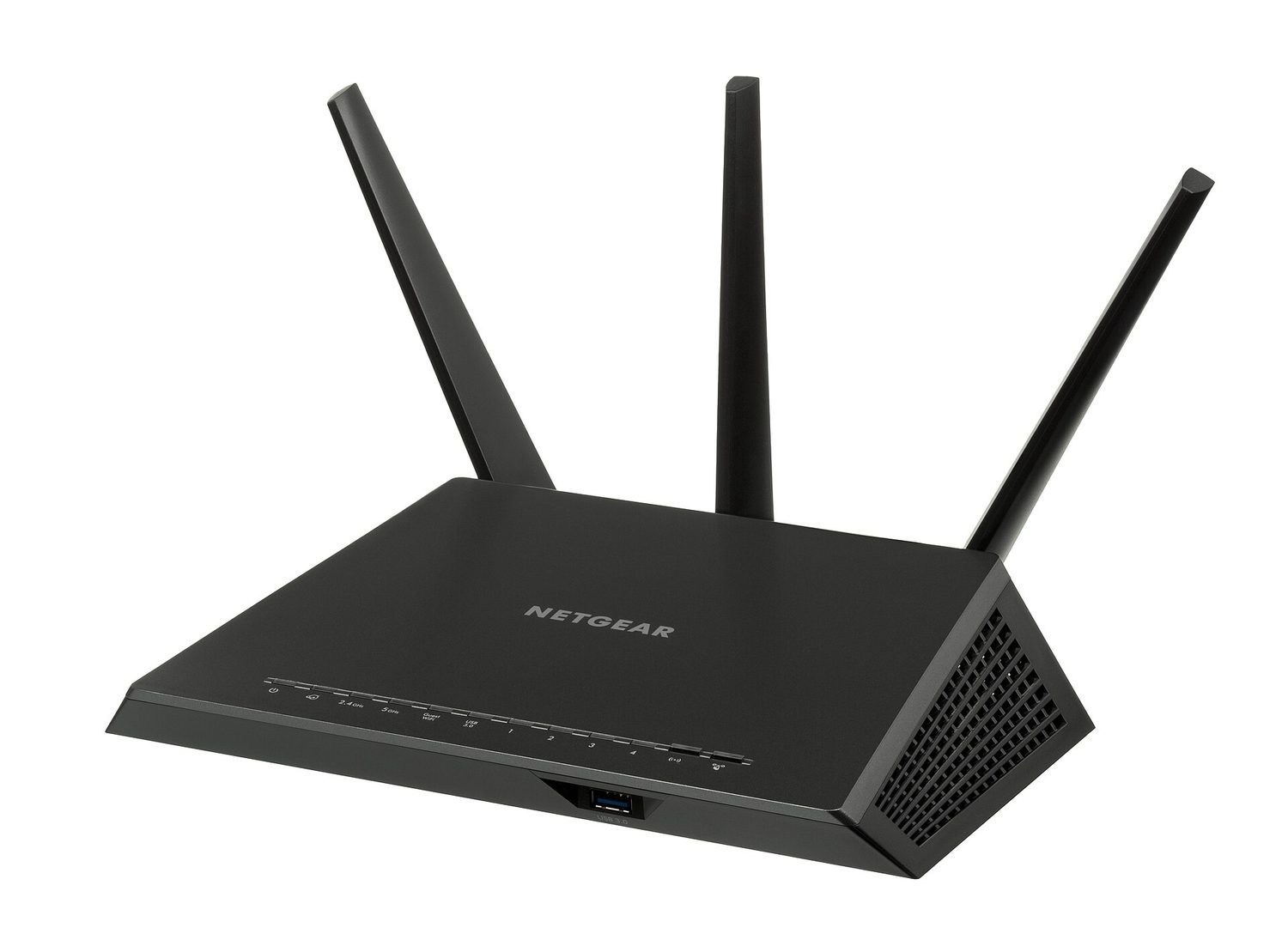
A router 路由器 connects different networks together — for example, your home network to the internet. It reads the IP address in each packet and forwards it towards the right network.
ไทย
บัตรอินเทอร์เฟซเครือข่าย (NIC)
บัตรอินเทอร์เฟซเครือข่าย (NIC) คือฮาร์ดแวร์ที่ทำให้อุปกรณ์สามารถเชื่อมต่อกับเครือข่ายและส่งและรับข้อมูลได้ แต่ละ NIC จะมี MAC Address ในตัว
MAC Address และ IP Address
MAC Address (Media Access Control Address) คือหมายเลขที่ใช้ระบุอุปกรณ์ทางกายภาพหนึ่งเครื่อง ผู้ผลิตเป็นผู้กำหนดและโดยปกติจะไม่เปลี่ยน เขียนในรูปแบบเฮกซาดิมอล
IP Address (Internet Protocol Address) คือหมายเลขที่ใช้ระบุอุปกรณ์บนเครือข่าย ถูกมอบโดยเครือข่ายและสามารถเปลี่ยนแปลงได้
ดังนั้น MAC Address จะติดอยู่กับอุปกรณ์เสมอ ในขณะที่ IP Address ขึ้นอยู่กับเครือข่ายที่ใช้อุปกรณ์นั้นอยู่
Learn the fetch–decode–execute cycle and the special registers: the program counter holds the address of the next instruction, the MAR/MDR carry the address/data, and the accumulator holds the ALU's result.
CPU performance improves with more cores, a larger cache, and a higher clock speed.
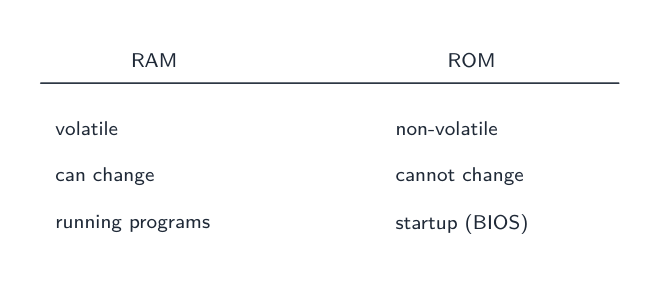
RAM is volatile (it loses its data with no power) and holds programs in use; ROM is non-volatile and read-only (the start-up instructions).
Match the secondary-storage types: magnetic (HDD, tape), optical (CD/DVD, read by a laser), solid state (SSD, USB, flash — no moving parts).
A MAC address identifies the physical device and does not normally change; an IP address is given by the network and can change.
ไทย
เรียนรู้วงจร fetch–decode–execute และรีจิสเตอร์พิเศษ: program counter เก็บที่อยู่ของคำสั่ง ถัดไป, MAR/MDR搬运ที่อยู่/ข้อมูล, และ accumulator เก็บผลลัพธ์ของ ALU
ประสิทธิภาพ CPU ดีขึ้นเมื่อมี cores越多, cache越大, และ clock speed越高
RAM เป็นข้อมูลชั่วคราว (สูญเสียข้อมูลเมื่อไม่มีไฟ) เก็บโปรแกรมที่กำลังใช้งาน; ROM เป็นข้อมูลถาวรและอ่านได้เท่านั้น (คำสั่งเริ่มต้น)
จับคู่ประเภทการเก็บข้อมูลรอง: magnetic (HDD, เทป), optical (CD/DVD, อ่านด้วยเลเซอร์), solid state (SSD, USB, Flash — ไม่มีชิ้นส่วนเคลื่อนที่)
MAC Address ระบุอุปกรณ์ทางกายภาพและไม่เปลี่ยน; IP Address มอบโดยเครือข่ายและอาจเปลี่ยนได้
Pick one and the site follows you — notes, papers, videos and practice all open on it. · เลือกหนึ่งตัว และเว็บจะติดตามคุณ — หมายเหตุ, ใบงาน, วิดีโอ และการฝึกฝนจะเปิดอยู่ที่นั้น
Type to search notes, lessons, code, vocabulary and past-paper questions across every subject. · พิมพ์เพื่อค้นหาบันทึก, บทเรียน, โค้ด, คำศัพท์ และคำถามข้อสอบเก่าในทุกวิชา