| 考生应能够: | 注释与指导 |
|---|---|
| 1 (a) 理解中央处理器 (CPU) 在计算机中的作用 | • CPU 处理输入到计算机中的指令和数据,以便输出结果 |
| (b) 理解微处理器的含义 | • 微处理器是一种单芯片上的集成电路类型 |
| 2 (a) 理解具有 冯·诺依曼架构 的计算机中 CPU 各组件的目的 | • 包括:– 单元:算术逻辑单元 (ALU) 和控制器 (CU) – 寄存器:程序计数器 (PC)、内存地址寄存器 (MAR)、内存数据寄存器 (MDR)、当前指令寄存器 (CIR) 和累加器 (ACC) – 总线:地址总线、数据总线和控制总线 |
| (b) 描述 取指-译码-执行 (FDE) 周期 的过程,包括该过程中每个组件的作用 | • 指令和数据如何从随机存取存储器 (RAM) 获取到 CPU 中,如何使用各组件进行处理,以及随后如何执行 • 将数据和地址存储到特定寄存器中 • 使用总线传输数据、地址和信号 • 使用单元获取、译码和执行数据和指令 |
| 3 理解 CPU 中核心、缓存和时钟的含义,并解释它们如何影响 CPU 的性能 | • 核心数量、缓存大小和时钟速度都可能影响 CPU 的性能 |
| 4 理解 CPU 指令集的目的和用途 | • 指令集是 CPU 可以处理的所有命令列表,且这些命令均为机器码 |
| 5 描述嵌入式系统的目的和特征,并识别其常见使用的设备 | • 嵌入式系统用于执行专用功能。例如,在家电、汽车、安全系统、照明系统或自动售货机中。这与用于执行多种不同功能的通用计算机不同。例如,个人电脑 (PC) 或笔记本电脑 |
硬件
IGCSE 计算机科学 · 知识点 3
 18:08
18:08
中央处理器
你手机里的处理器正在做一件近乎愚蠢简单的事。取一条指令。弄懂它的含义。执行它。然后取下一条。这就是…
英语旁白 · 英中内嵌字幕
3.1
计算机体系结构
教学大纲
来源:Cambridge International 教学大纲
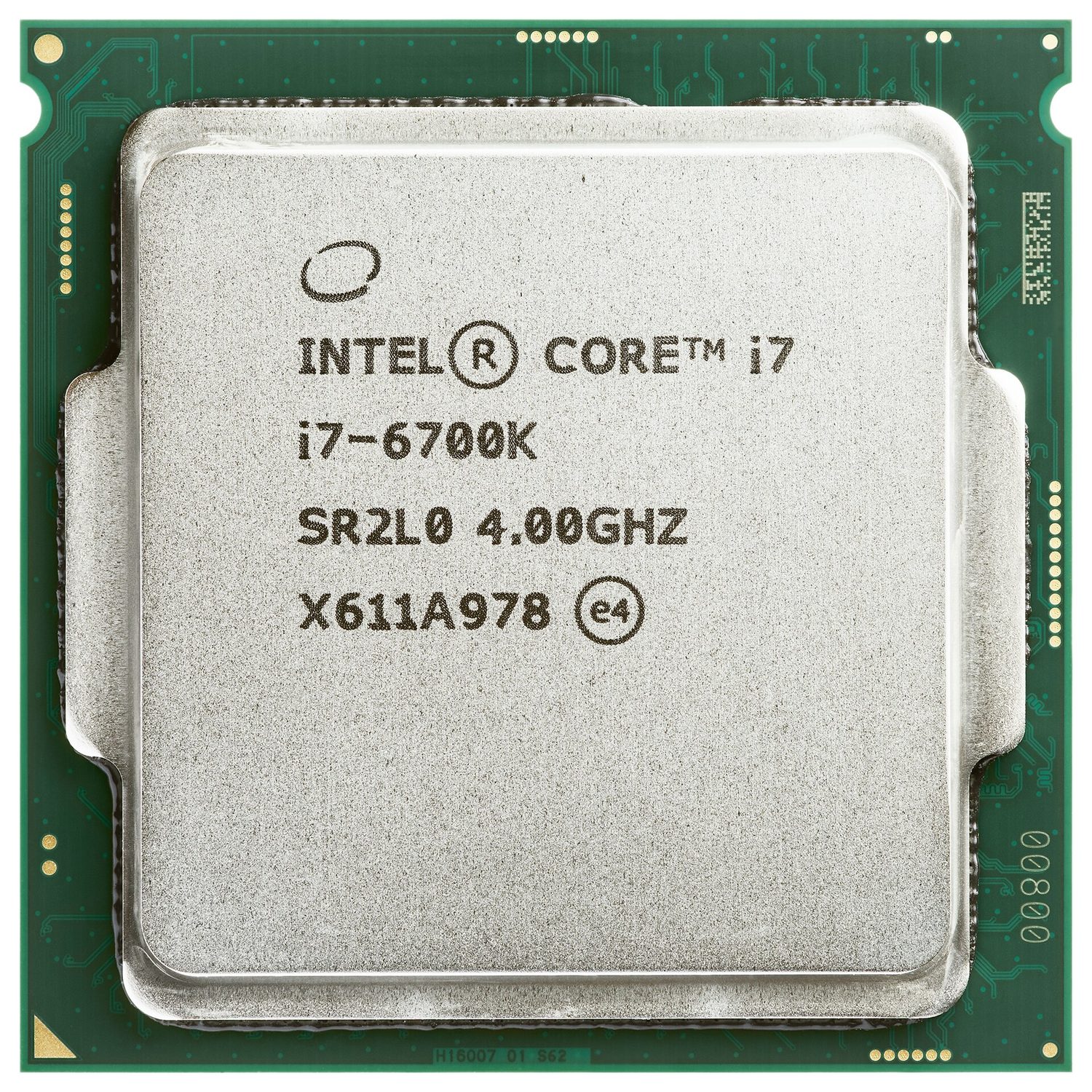
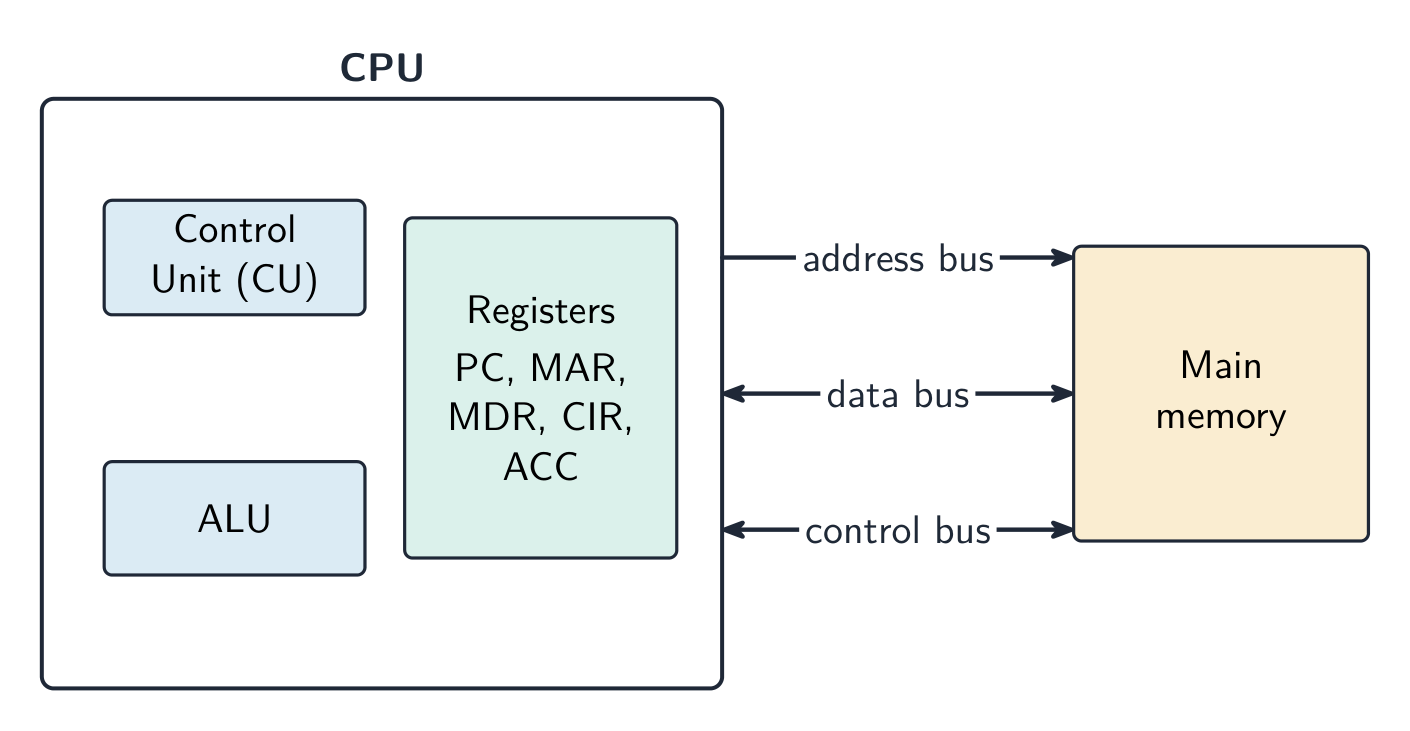
中央处理器 (CPU) 是处理数据并执行指令的计算机部分。它通过每秒重复数百万次的循环来运行程序。
CPU 的组成部分
| 部件 | 功能 |
|---|---|
| 算术逻辑单元 (ALU) | 进行计算(加、减)和逻辑操作(比较) |
| 控制单元 (CU) | 发送控制信号以管理所有部分并告诉它们做什么 |
| 寄存器 | 非常小、极快的存储器,一次只保存一条数据 |
这些部分由总线连接——一组携带信息的电线:
- 地址总线携带内存地址(单向);
- 数据总线携带数据和指令(双向);
- 控制总线携带控制信号。
特殊寄存器
这些寄存器在取指-执行周期中使用。
| 寄存器 | 用途 |
|---|---|
| 程序计数器 (PC) | 保存下一条指令的地址 |
| 内存地址寄存器 (MAR) | 保存要读取或写入的地址 |
| 内存数据寄存器 (MDR) | 保存刚获取的数据或指令 |
| 当前指令寄存器 (CIR) | 保存正在执行的指令 |
| 累加器 (ACC) | 保存 ALU 计算的结果 |
取指-执行周期
取指-执行周期有三个阶段,不断重复:
- 取指 — 指令从内存复制到 CPU(使用 PC、MAR 和 MDR)。然后 PC 增加 1。
- 解码 — 控制单元弄清楚指令的含义。
- 执行 — 执行指令(ALU 可能进行计算,结果存入累加器)。

缓存内存
缓存是位于 CPU 内部或附近的少量极快内存。它存储 CPU 经常使用的数据和指令。CPU 从缓存读取的速度远快于从主内存读取,因此计算机运行更快。
影响 CPU 性能的因素
| 特性 | 影响 |
|---|---|
| 核心数量 | 每个核心可以独立运行指令,因此更多核心可以同时做更多工作 |
| 缓存大小 | 更大的缓存为 CPU 准备更多数据,从而减少等待时间 |
| 时钟速度 | 每秒周期数;更高的时钟速度每秒运行更多指令 |
例题。 两台计算机除了 A 具有 3.0 GHz 单核 CPU 和 2 MB 缓存,B 具有 2.4 GHz 四核 CPU 和 8 MB 缓存外,其他方面相同。哪台更适合视频编辑,为什么?视频编辑分成许多可以同时运行的任务,因此 B 的四个核心可以并行处理多个流,而 A 一次只能处理一个。B 更大的缓存也将更多常用数据保持在靠近 CPU 的位置,因此它需要从 RAM 获取的次数更少。B 是更好的选择,尽管 A 具有更高的时钟速度。不要仅凭时钟速度作答:综合权衡核心、缓存和时钟速度,并将每一项与工作负载联系起来。
嵌入式系统
嵌入式系统是内置于较大设备中以执行单一固定任务的小型计算机。它专用于该任务,通常体积小、成本低,且没有通用操作系统。示例:洗衣机、微波炉、机顶盒。
探索
取指-执行周期
点一圈 CPU 每秒重复数十亿次的循环——取指令、解码它的意思、执行它,然后再做一遍。
词汇
训练
| English | 中文 | 拼音 |
|---|---|---|
| central processing unit/ˈsentrəl ˈprəʊsesɪŋ ˈjuːnɪt/ | 中央处理器 | zhōng yāng chǔ lǐ qì |
| instructions/ɪnˈstrʌkʃnz/ | 指令 | zhǐ lìng |
| arithmetic logic unit/əˈrɪθmətɪk ˈlɒdʒɪk ˈjuːnɪt/ | 算术逻辑单元 | suàn shù luó jí dān yuán |
| control unit/kənˈtrəʊl ˈjuːnɪt/ | 控制单元 | kòng zhì dān yuán |
| registers/ˈredʒɪstəz/ | 寄存器 | jì cún qì |
| buses/ˈbʌsɪz/ | 总线 | zǒng xiàn |
| address bus/əˈdres bʌs/ | 地址总线 | dì zhǐ zǒng xiàn |
| data bus/ˈdeɪtə bʌs/ | 数据总线 | shù jù zǒng xiàn |
| control bus/kənˈtrəʊl bʌs/ | 控制总线 | kòng zhì zǒng xiàn |
| program counter/ˈprəʊɡræm ˈkaʊntə/ | 程序计数器 | chéng xù jì shù qì |
| memory address register/ˈmeməri əˈdres ˈredʒɪstə/ | 内存地址寄存器 | nèi cún dì zhǐ jì cún qì |
| memory data register/ˈmeməri ˈdeɪtə ˈredʒɪstə/ | 内存数据寄存器 | nèi cún shù jù jì cún qì |
| current instruction register/ˈkʌrənt ɪnˈstrʌkʃn ˈredʒɪstə/ | 当前指令寄存器 | dāng qián zhǐ lìng jì cún qì |
| accumulator/əˈkjuːmjʊleɪtə/ | 累加器 | lěi jiā qì |
| fetch–execute cycle/fetʃ ˈeksɪkjuːt ˈsaɪkl/ | 取指执行周期 | qǔ zhǐ zhí xíng zhōu qī |
| Cache/kæʃ/ | 高速缓存 | gāo sù huǎn cún |
| cores/kɔːz/ | 核心 | hé xīn |
| clock speed/klɒk spiːd/ | 时钟速度 | shí zhōng sù dù |
| embedded system/emˈbedɪd ˈsɪstəm/ | 嵌入式系统 | qiàn rù shì xì tǒng |
3.2
输入与输出设备
教学大纲
| 考生应能: | 注释与指导 |
|---|---|
| 1 理解输入设备的含义及其用途 | • 包括:– 条形码扫描器 – 数码相机 – 键盘 – 麦克风 – 光学鼠标 – 二维码(QR code)扫描器 – 触摸屏(电阻式、电容式和红外式) – 二维(2D)和三维(3D)扫描仪 |
| 2 理解输出设备的含义及其用途 | • 包括:– 致动器 – 数字光处理(DLP)投影仪 – 喷墨打印机 – 激光打印机 – 发光二极管(LED)屏幕 – 液晶显示(LCD)投影仪 – 液晶显示(LCD)屏幕 – 扬声器 – 3D打印机 |
| 3 (a) 理解传感器的含义及传感器的用途 | • 仅限于:– 声学 – 加速度计 – 流量 – 气体 – 湿度 – 红外 – 液位 – 光线 – 磁场 – 水分 – pH值 – 压力 – 接近 – 温度 |
| (b) 识别每种传感器捕获的数据类型,并理解何时使用每种传感器,包括为特定场景选择最合适的传感器 |
来源:Cambridge International 教学大纲
输入设备将数据发送到计算机中。
| 设备 | 工作原理 |
|---|---|
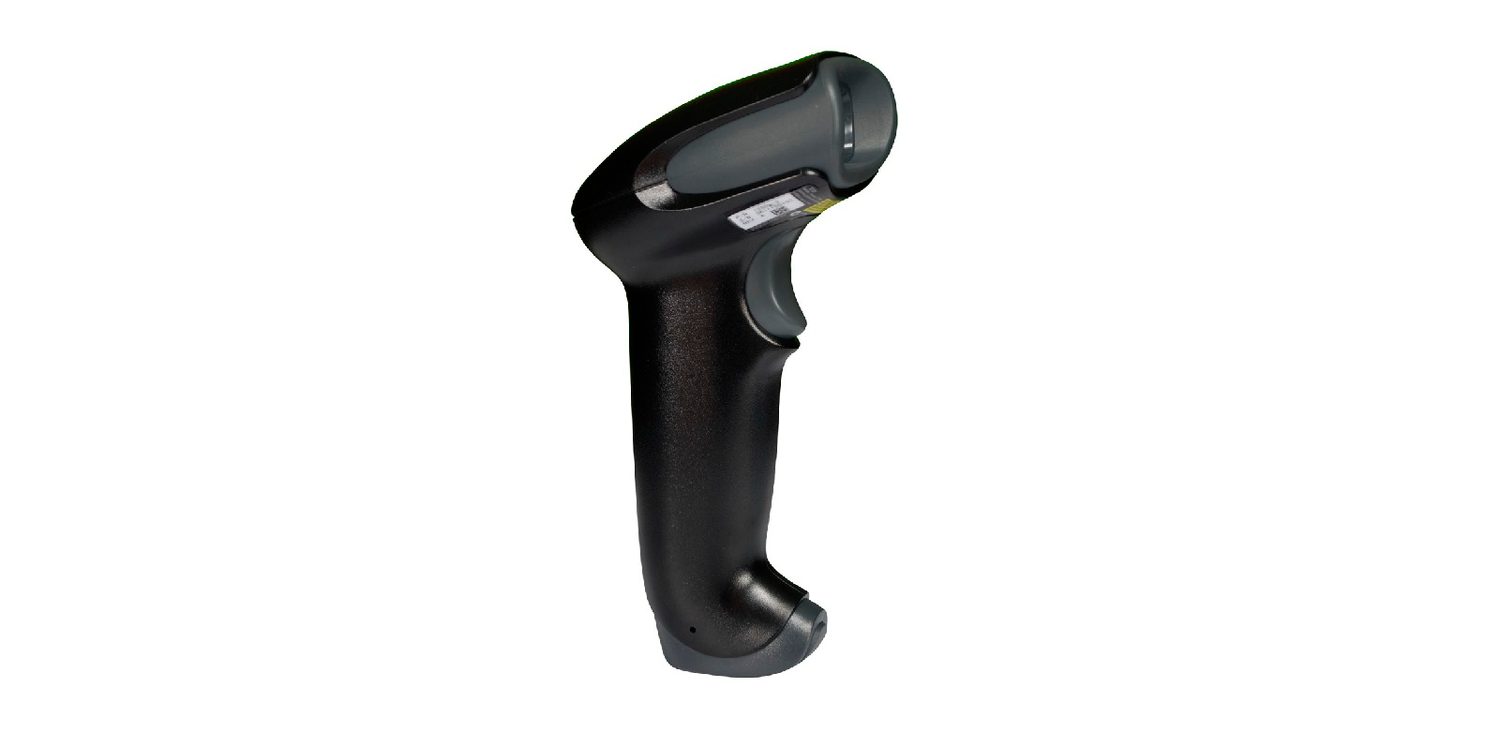
| 条形码扫描器 | 向条码照射光线并读取反射回来的模式 |
| 二维码扫描器 | 摄像头读取黑白方块组成的方形图案 |
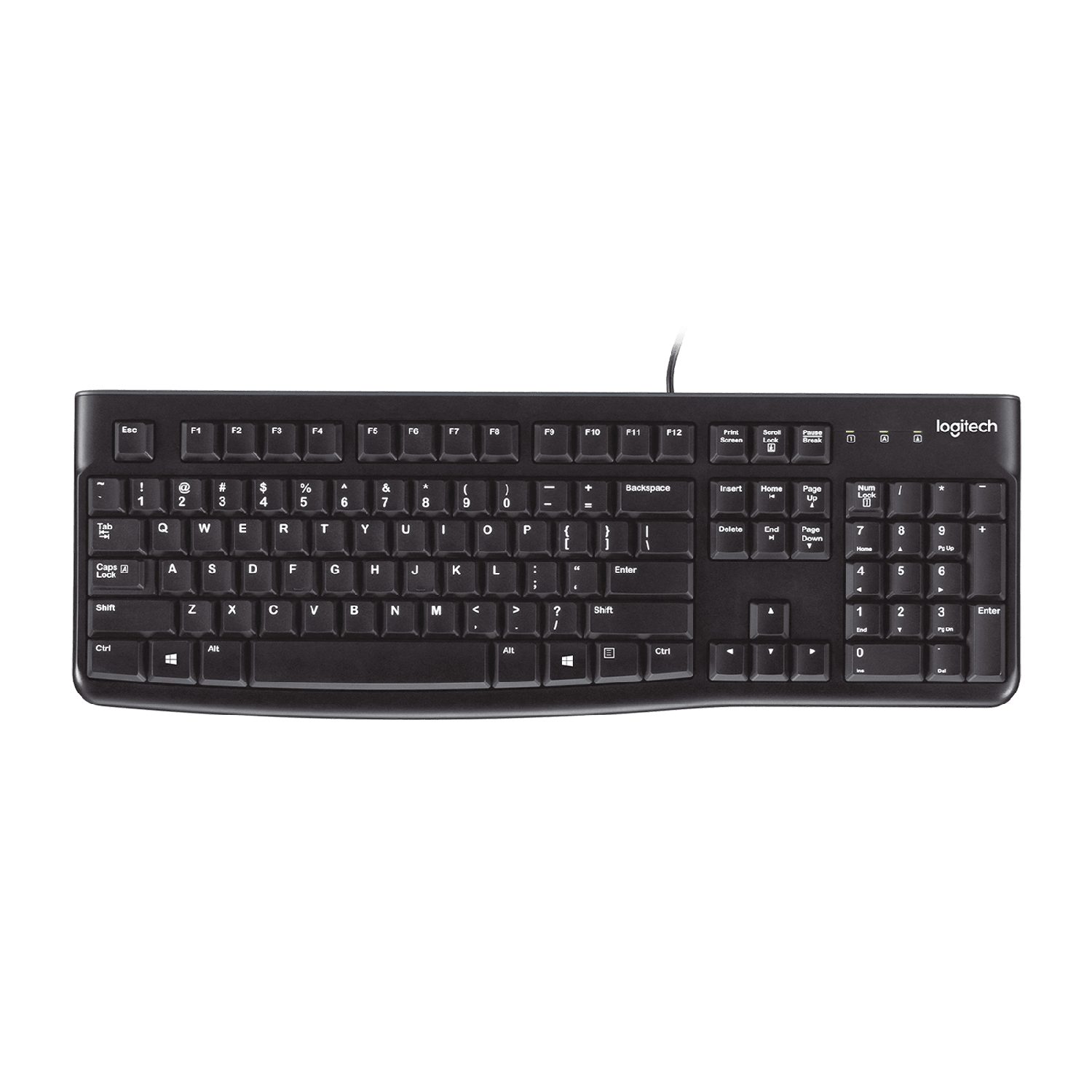
| 键盘 | 按下按键会发送该字符的代码 |
| 光电鼠标 | 光源和传感器追踪在表面上的移动 |
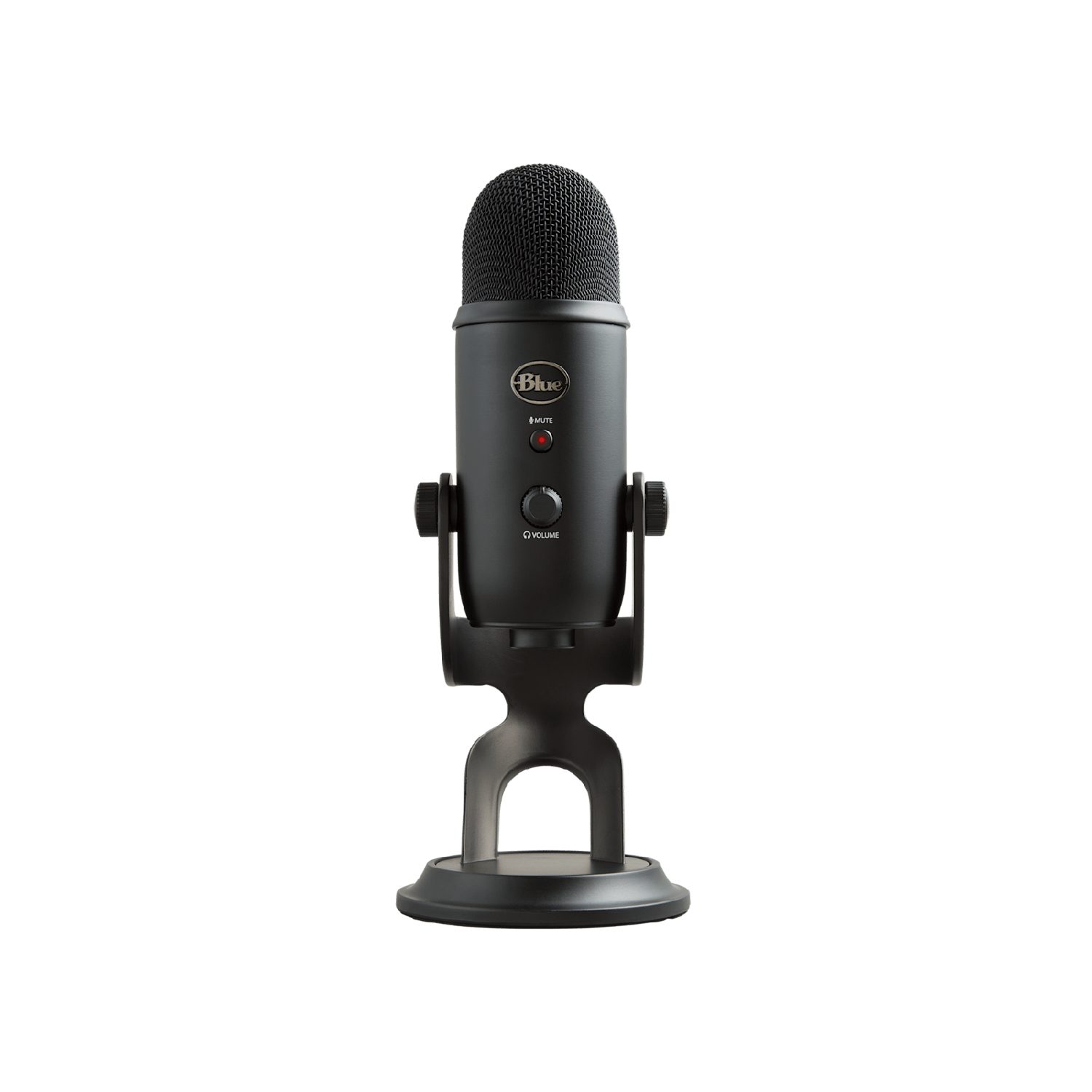
| 麦克风 | 将声波转换为电信号 |
| 数码相机 | 镜头将光线聚焦到记录像素的传感器上 |
| 传感器 | 测量物理量(如温度或光照)并将其作为数据发送 |
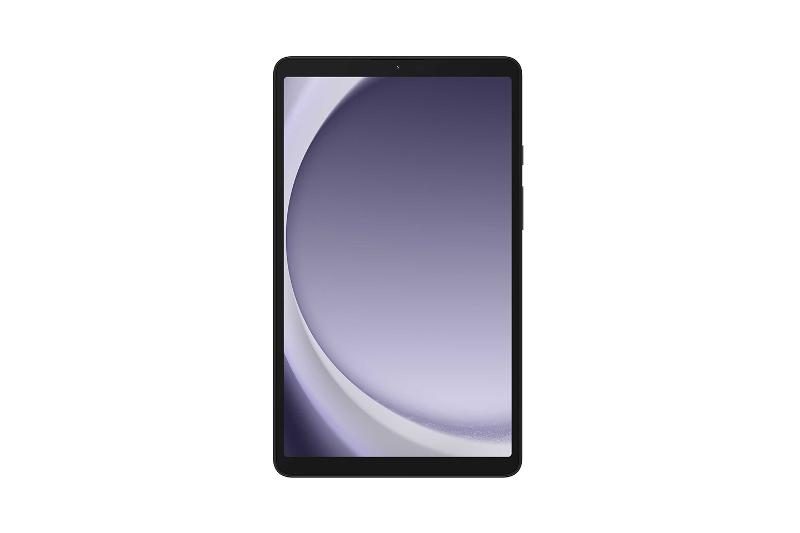
| 触摸屏 | 检测手指触碰屏幕的位置 |




触摸屏可以通过三种方式工作:
- 电阻式 — 你触摸的地方两层被压在一起;
- 电容式 — 它感应到你手指微小的电荷;
- 红外线 — 你的手指中断了光束网格。
探索
设备和存储实验室
根据计算示例在系统中的功能进行分类。
词汇
训练
| English | 中文 | 拼音 |
|---|---|---|
| barcode scanner/ˈbɑːkəʊd ˈskænə/ | 条形码扫描器 | tiáo xíng mǎ sǎo miáo qì |
| QR code scanner/ˌkjuː ˈɑː kəʊd ˈskænə/ | 二维码扫描器 | èr wéi mǎ sǎo miáo qì |
| sensors/ˈsensəz/ | 传感器 | chuán gǎn qì |
| touch screen/tʌtʃ skriːn/ | 触摸屏 | chù mō píng |
| resistive/rɪˈzɪstɪv/ | 电阻式 | diàn zǔ shì |
| capacitive/kəˈpæsɪtɪv/ | 电容式 | diàn róng shì |
| infrared/ˌɪnfrəˈred/ | 红外线 | hóng wài xiàn |
3.2
输出设备

输出设备将数据从计算机发送给用户。
| 设备 | 工作原理 |
|---|---|
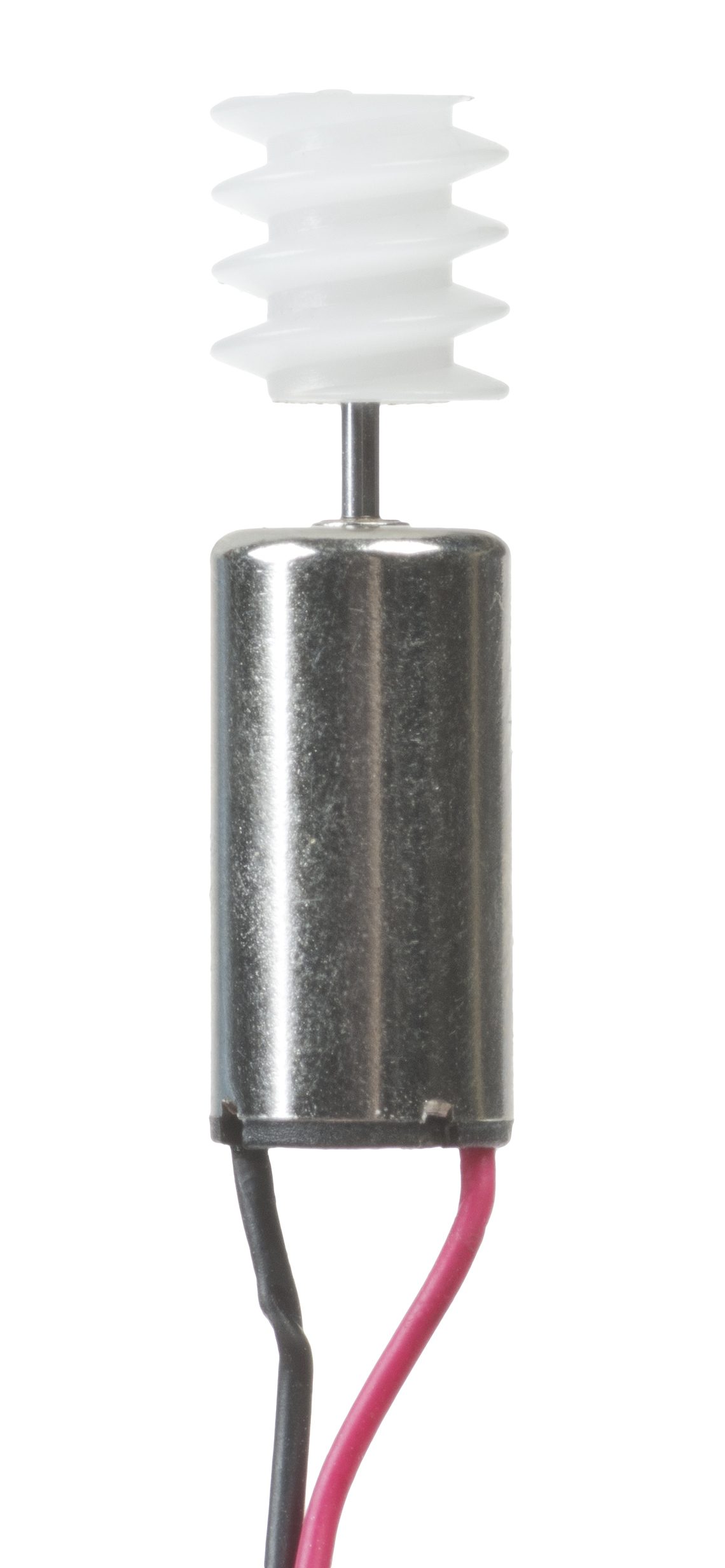
| 执行器 | 将电信号转换为运动(例如电机或阀门) |
| LCD/LED屏幕 | 使用微小彩色点阵显示图像 |
| 投影仪 | 将放大的图像投射到墙壁或屏幕上 |
| 喷墨打印机 | 向纸张喷射微小的墨滴 |
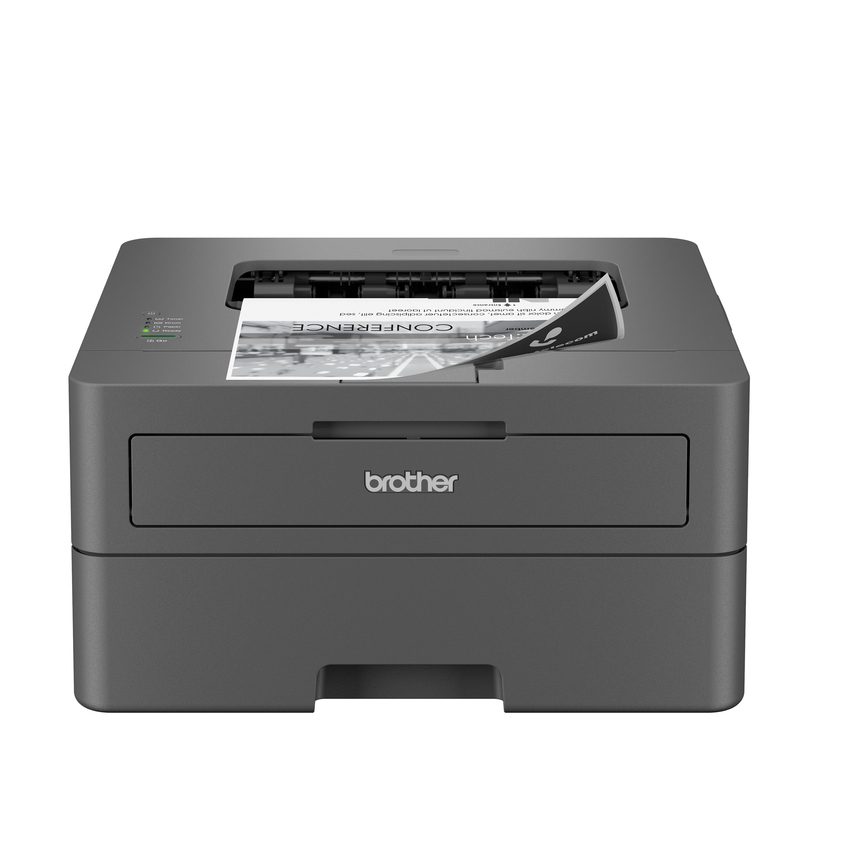
| 激光打印机 | 使用激光和粉末(碳粉),并通过热量将其固定在纸上 |
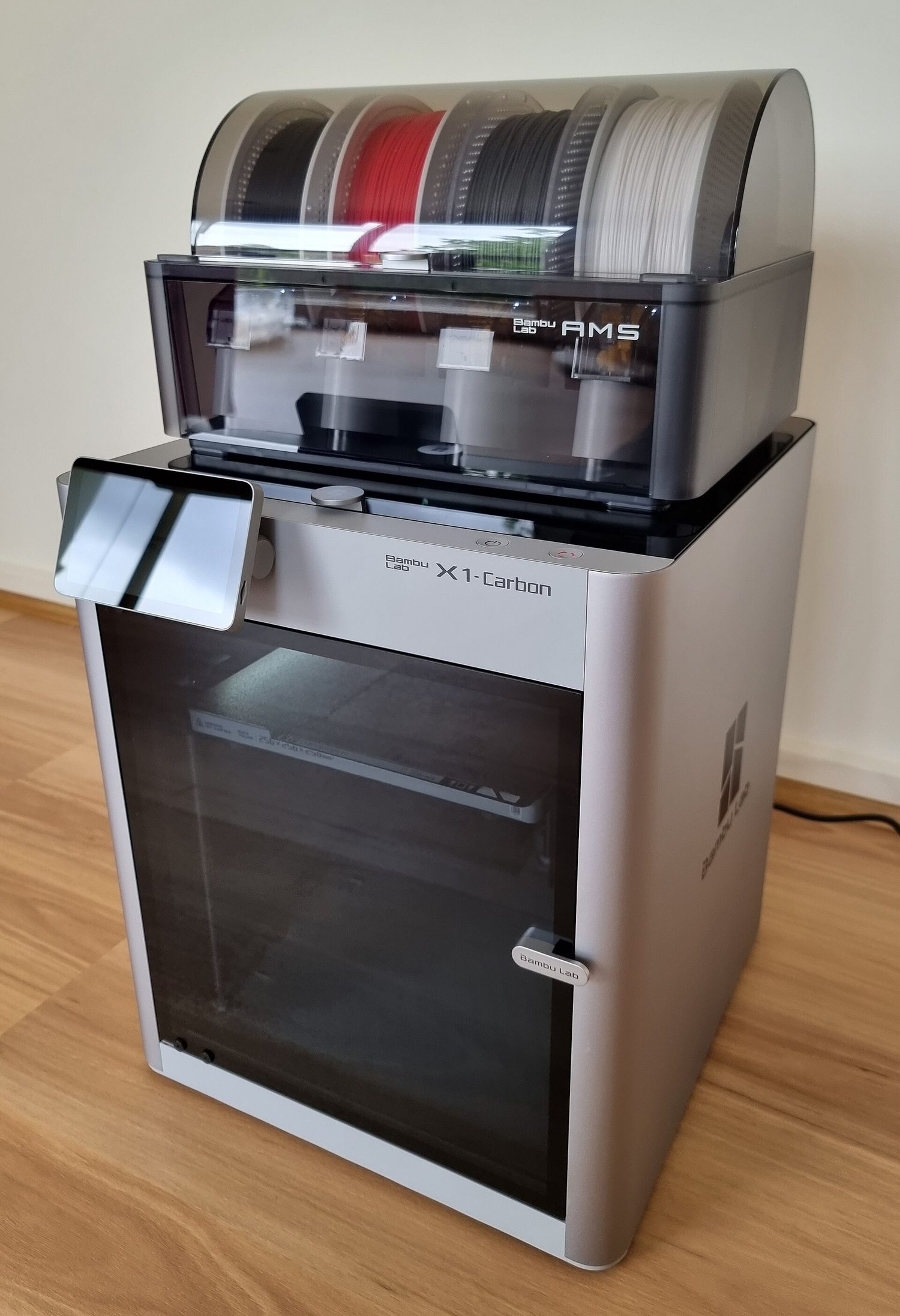
| 3D打印机 | 逐层构建实心物体 |
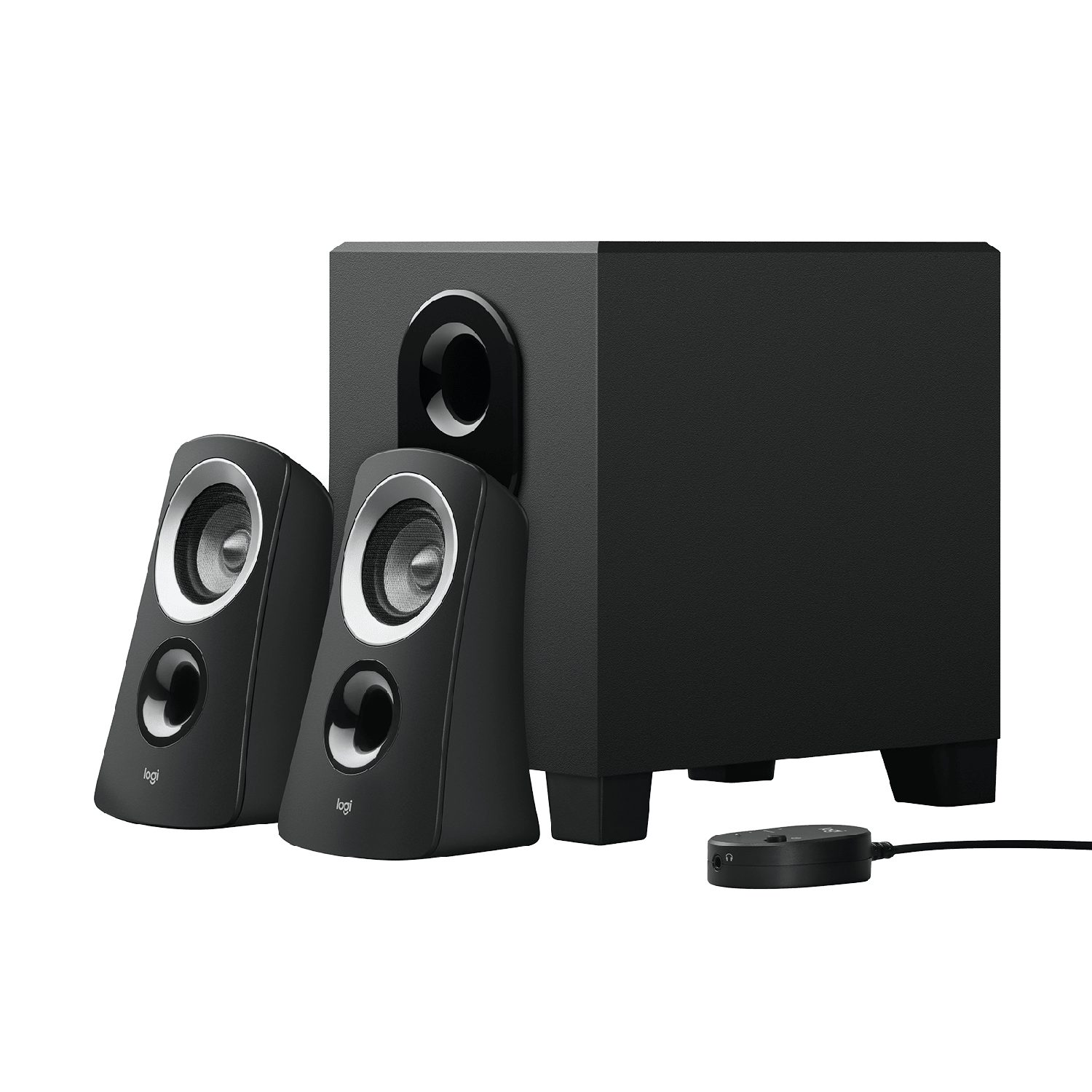
| 扬声器 | 将电信号转换为声音 |


词汇
训练
| English | 中文 | 拼音 |
|---|---|---|
| actuator/ˈæktʃuːeɪtə/ | 执行器 | zhí xíng qì |
| projector/prəˈdʒektə/ | 投影仪 | tóu yǐng yí |
| inkjet printer/ɪŋkˈdʒet ˈprɪntə/ | 喷墨打印机 | pēn mò dǎ yìn jī |
| laser printer/ˈleɪzə ˈprɪntə/ | 激光打印机 | jī guāng dǎ yìn jī |
| speaker/ˈspiːkə/ | 扬声器 | yáng shēng qì |
| Primary storage/ˈpraɪməri ˈstɔːrɪdʒ/ | 主存储器 | zhǔ cún chǔ qì |
| random access memory/ˈrændəm ˈækses ˈmeməri/ | 随机存取存储器 | suí jī cún qǔ cún chǔ qì |
| read only memory/riːd ˈəʊnli ˈmeməri/ | 只读存储器 | zhǐ dú cún chǔ qì |
| volatile/ˈvɒlətaɪl/ | 易失性 | yì shī xìng |
| non-volatile/nɒn ˈvɒlətaɪl/ | 非易失性 | fēi yì shī xìng |
| Secondary storage/ˈsekəndəri ˈstɔːrɪdʒ/ | 辅助存储器 | fǔ zhù cún chǔ qì |
| magnetic storage/mæɡˈnetɪk ˈstɔːrɪdʒ/ | 磁存储 | cí cún chǔ |
| optical storage/ˈɒptɪkl ˈstɔːrɪdʒ/ | 光存储 | guāng cún chǔ |
| solid state storage/ˈsɒlɪd steɪt ˈstɔːrɪdʒ/ | 固态存储 | gù tài cún chǔ |
| flash memory/flæʃ ˈmeməri/ | 闪存 | shǎn cún |
3.3
数据存储
教学大纲
| 考生应能: | 注释与指导 |
|---|---|
| 1 理解 主存储器(primary storage) 的含义 | • 主存储器可直接被 CPU 访问 • 包括以下组件的作用: – 随机存取存储器(RAM) – 只读存储器(ROM) • 包括计算机为何需要 RAM 和 ROM,以及它们之间的区别 |
| 2 理解 辅助存储器(secondary storage) 的含义 | • 辅助存储器不能直接被 CPU 访问,主要用于数据的更持久存储 |
| 3 描述 磁性、光学 和 固态(闪存) 存储的工作原理,并各举一例 | • 磁性存储使用磁盘盘片,盘片被划分为磁道和扇区。数据通过电磁铁进行读写。包括:硬盘驱动器(HDD) • 光学存储使用激光来创建和读取凹坑(pits)与平面(lands)。包括:CD、DVD 和 Blu-ray • 固态(闪存)存储使用 NAND 或 NOR 技术。晶体管用作控制栅极和浮动栅极。包括:固态硬盘(SSD)、SD 卡和 USB 驱动器 |
| 4 描述 虚拟内存(virtual memory) 的含义、它是如何创建和使用的,以及为何是必要的 | • 当需要时,数据页会在 RAM 和虚拟内存之间传输 |
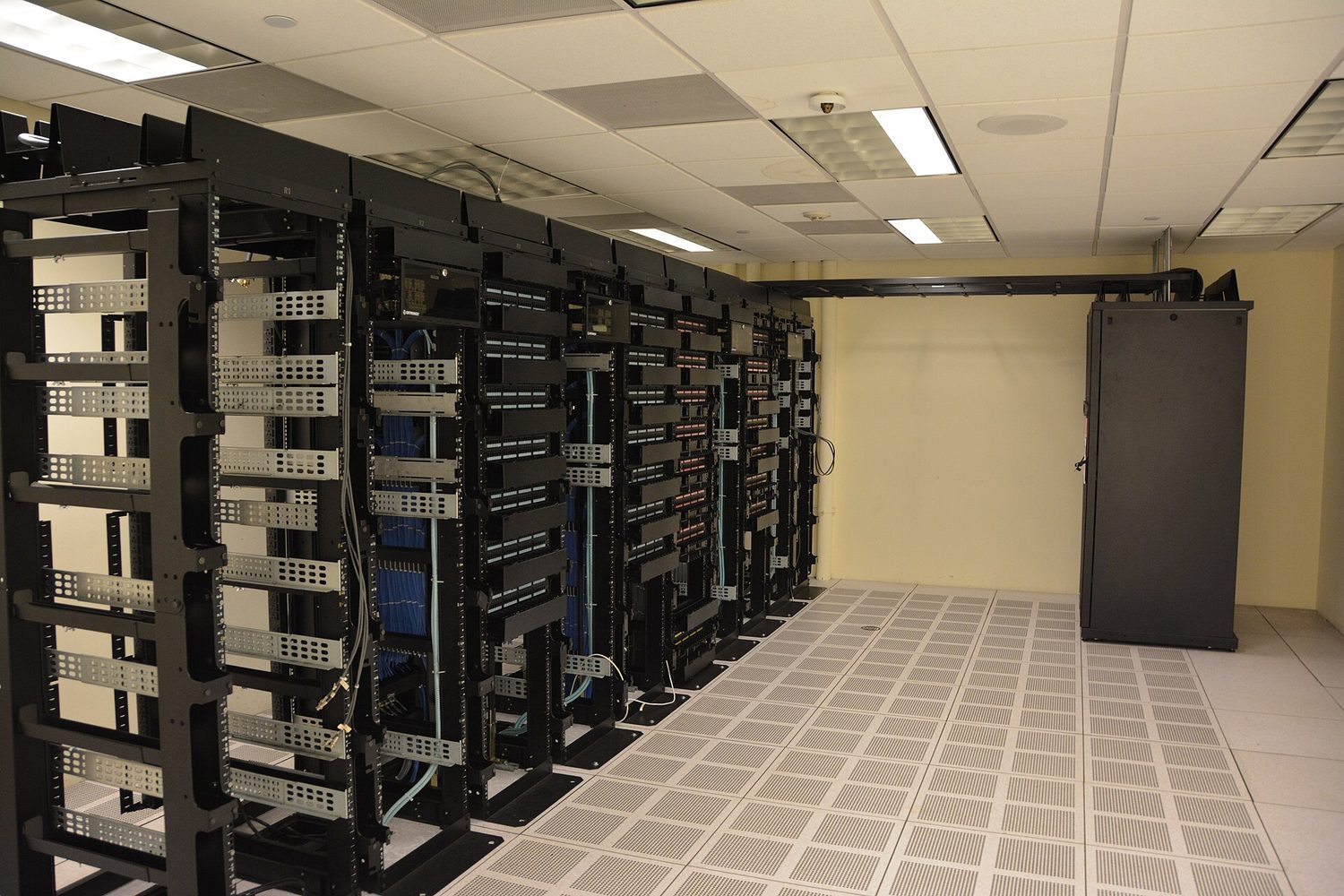
| 5 理解 云存储(cloud storage) 的含义 | • 与本地存储数据相比,云存储可以远程访问 |
| 6 解释将数据存储于云端与本地存储相比的优缺点 | • 云存储需要物理服务器和存储空间来存放数据 |
来源:Cambridge International 教学大纲
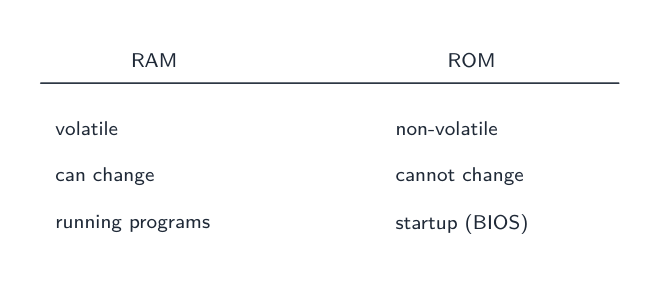
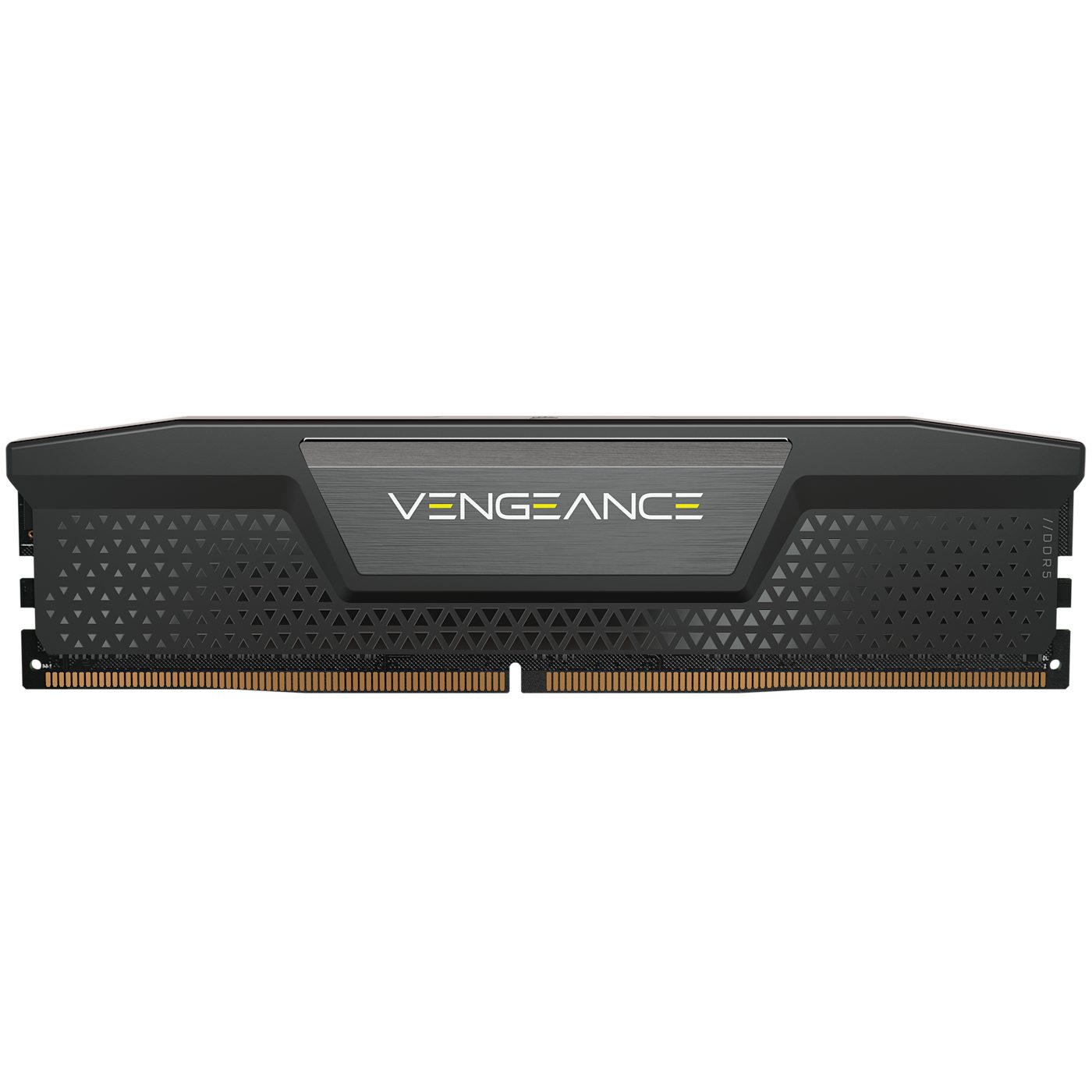
主存储器是CPU可以直接使用的内存。有两种类型。
| RAM | ROM | |
|---|---|---|
| 全称 | 随机存取存储器 | 只读存储器 |
| 读写 | 读和写 | 仅读 |
| 断电后保留数据吗? | 否 — 它是易失性的 | 是 — 它是非易失性的 |
| 存储内容 | 当前正在使用的程序和數據 | 启动指令(如何引导计算机) |
两者都是必需的:ROM告诉计算机如何启动,然后RAM保存你运行的程序。
3.3
辅助存储
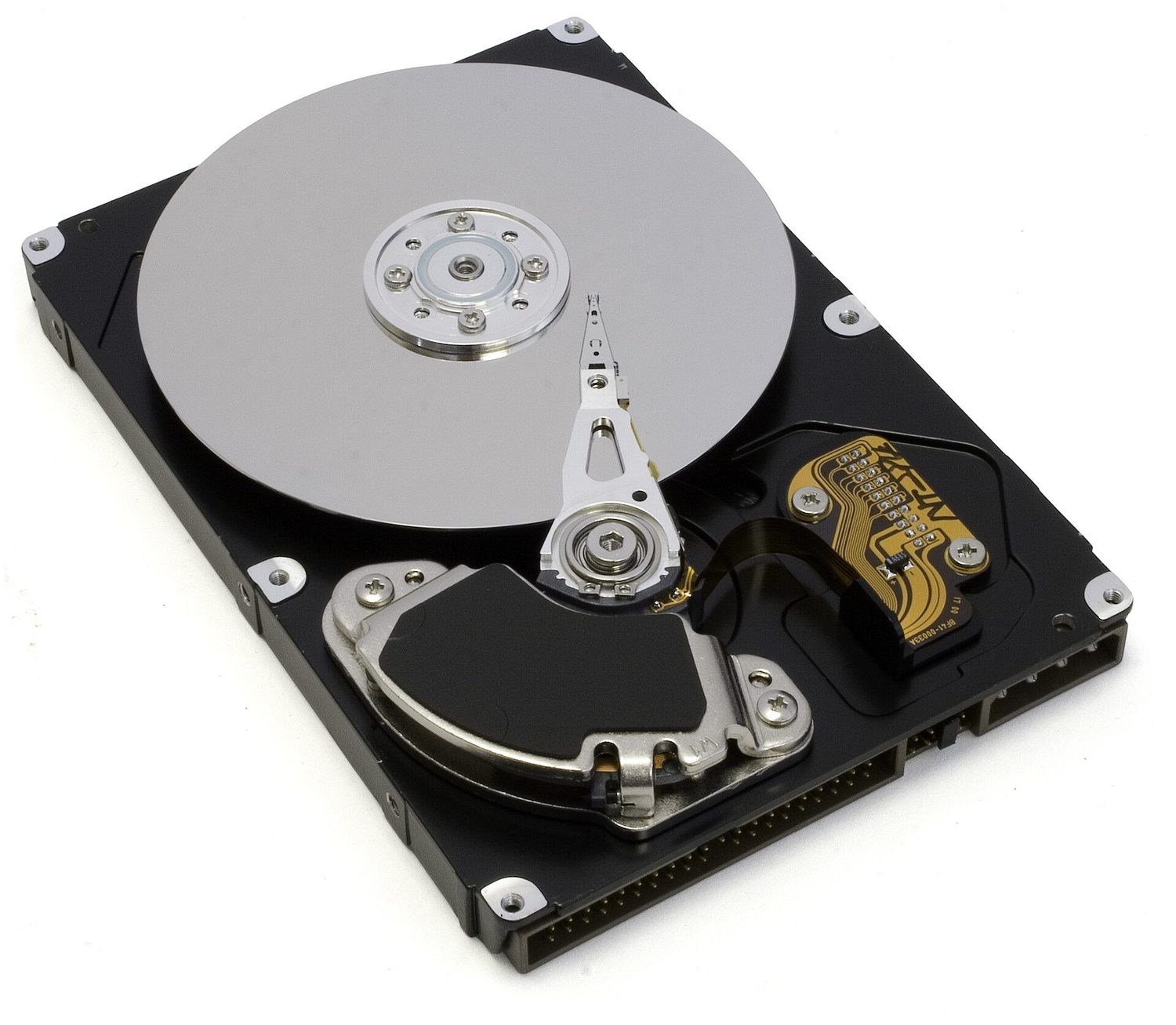
辅助存储永久保存數據,即使断电也不会丢失。它是非易失性的,用于长期存储。有三种类型。
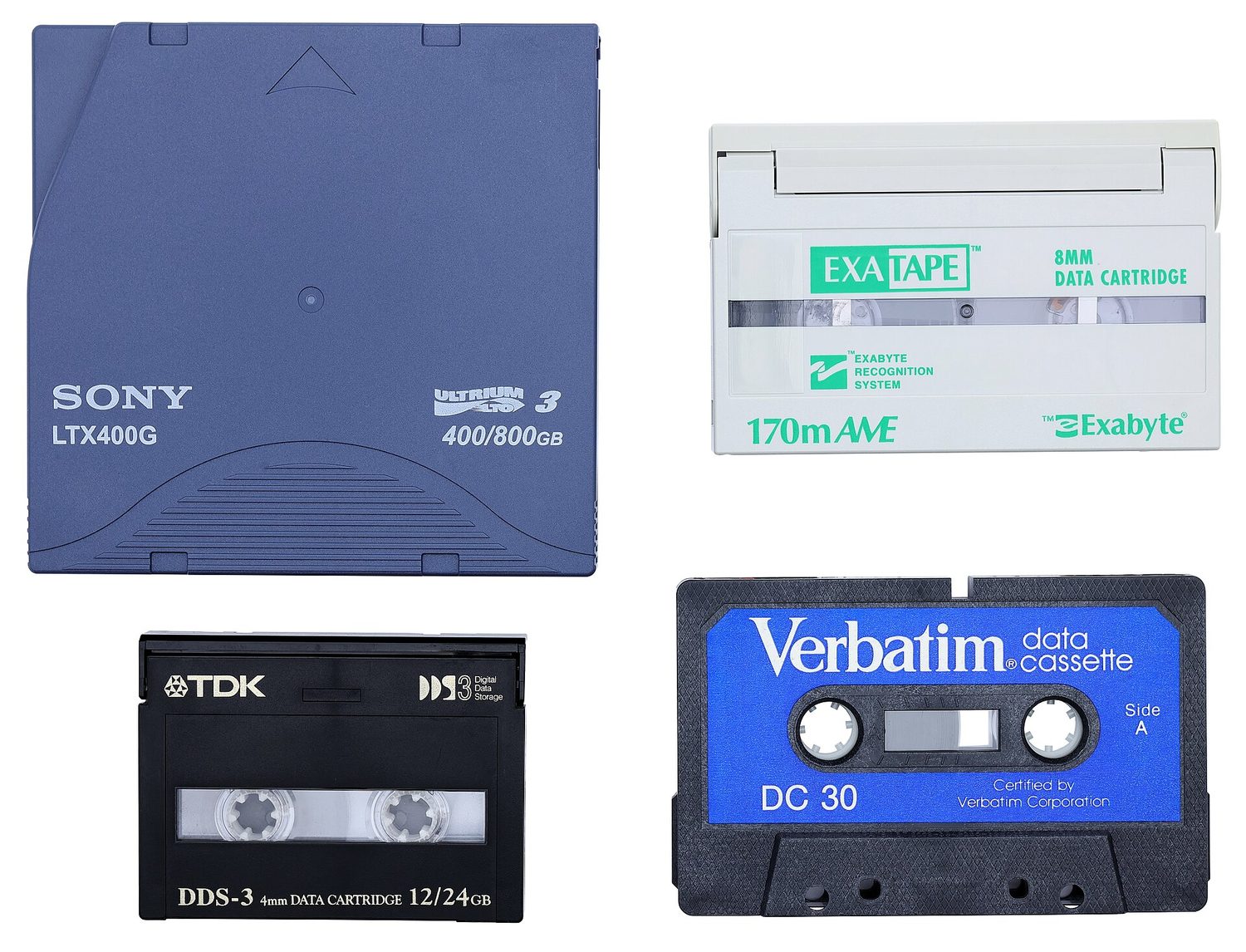
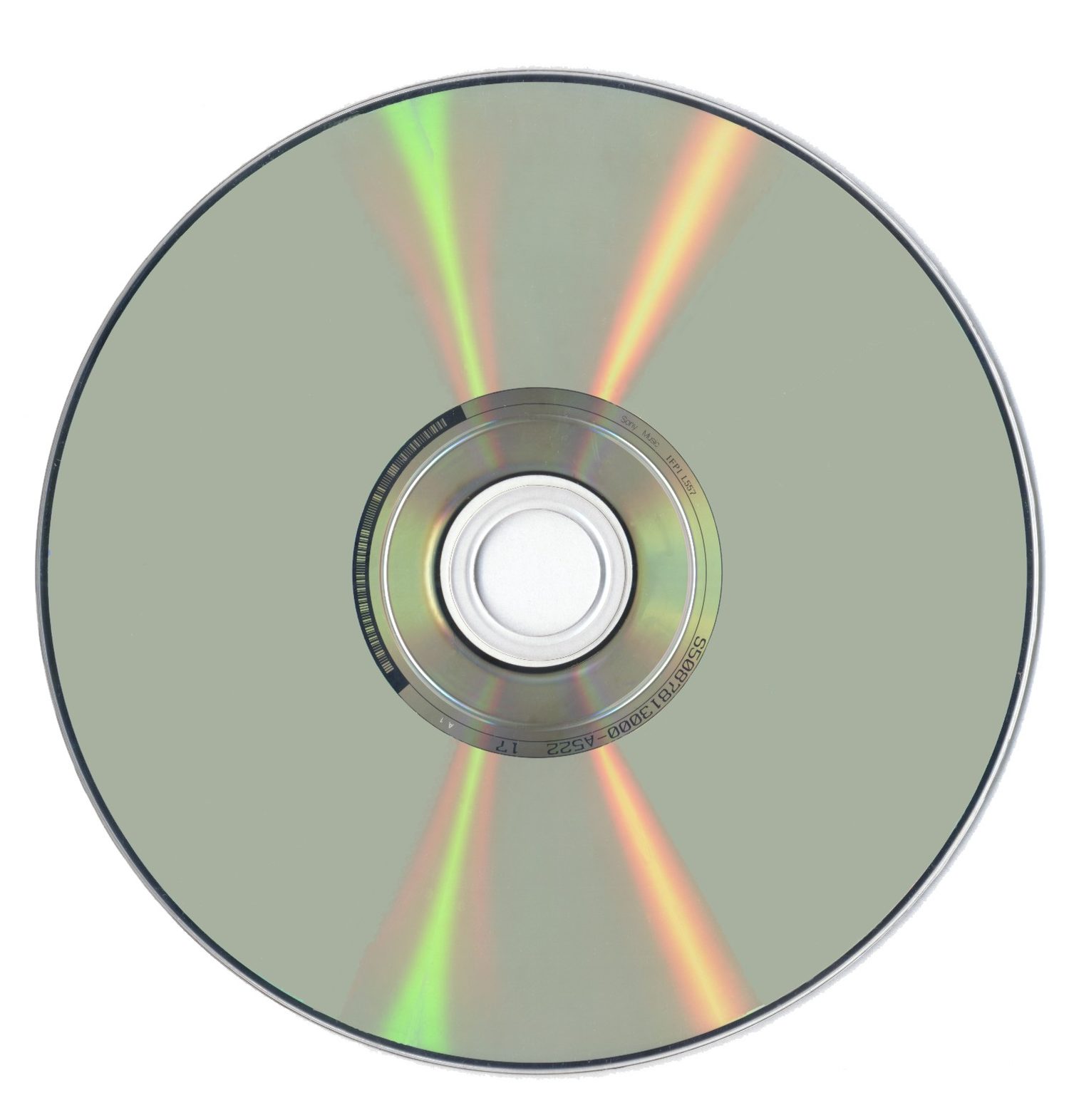
| 类型 | 数据存储方式 | 示例 |
|---|---|---|
| 磁存储 | 數據以旋转磁盘上的磁化点形式存储 | 硬盘驱动器 (HDD)、磁带 |
| 光存储 | 數據以激光读取的标记形式存储 | CD、DVD、蓝光光盘 |
| 固态存储 | 數據存储在闪存中,没有活动部件 | SSD、U盘、存储卡 |


探索
设备和存储实验室
根据计算示例在系统中的功能进行分类。
词汇
训练
| English | 中文 | 拼音 |
|---|---|---|
| memory/ˈmeməri/ | 内存 | nèi cún |
| optical mouse/ˈɒptɪkl maʊs/ | 光电鼠标 | guāng diàn shǔ biāo |
| media access control/ˈmiːdiːə ˈækses kənˈtrəʊl/ | 介质访问控制 | jiè zhì fǎng wèn kòng zhì |
| internet protocol/ˈɪntənet ˈprəʊtəkɒl/ | 网际协议 | wǎng jì xié yì |
3.3
虚拟内存

当RAM填满时,计算机可以使用部分辅助存储作为额外的假RAM。这称为虚拟内存。
当前不需要的數據会从RAM移出到磁盘,从而释放RAM空间以供其他程序使用。这使得你可以运行比RAM单独容量更多的程序。但这较慢,因为辅助存储的速度远慢于RAM。
词汇
训练
| English | 中文 | 拼音 |
|---|---|---|
| virtual memory/ˈvɜːtʃuːəl ˈmeməri/ | 虚拟内存 | xū nǐ nèi cún |
| Cloud storage/klaʊd ˈstɔːrɪdʒ/ | 云存储 | yún cún chǔ |
| network interface card/ˈnetwɜːk ˈɪntəfeɪs kɑːd/ | 网络接口卡 | wǎng luò jiē kǒu kǎ |
| static/ˈstætɪk/ | 静态 | jìng tài |
| dynamic/daɪˈnæmɪk/ | 动态 | dòng tài |
3.3
数据存储
教学大纲
| 考生应能: | 注释与指导 |
|---|---|
| 1 理解 主存储器(primary storage) 的含义 | • 主存储器可直接被 CPU 访问 • 包括以下组件的作用: – 随机存取存储器(RAM) – 只读存储器(ROM) • 包括计算机为何需要 RAM 和 ROM,以及它们之间的区别 |
| 2 理解 辅助存储器(secondary storage) 的含义 | • 辅助存储器不能直接被 CPU 访问,主要用于数据的更持久存储 |
| 3 描述 磁性、光学 和 固态(闪存) 存储的工作原理,并各举一例 | • 磁性存储使用磁盘盘片,盘片被划分为磁道和扇区。数据通过电磁铁进行读写。包括:硬盘驱动器(HDD) • 光学存储使用激光来创建和读取凹坑(pits)与平面(lands)。包括:CD、DVD 和 Blu-ray • 固态(闪存)存储使用 NAND 或 NOR 技术。晶体管用作控制栅极和浮动栅极。包括:固态硬盘(SSD)、SD 卡和 USB 驱动器 |
| 4 描述 虚拟内存(virtual memory) 的含义、它是如何创建和使用的,以及为何是必要的 | • 当需要时,数据页会在 RAM 和虚拟内存之间传输 |
| 5 理解 云存储(cloud storage) 的含义 | • 与本地存储数据相比,云存储可以远程访问 |
| 6 解释将数据存储于云端与本地存储相比的优缺点 | • 云存储需要物理服务器和存储空间来存放数据 |
来源:Cambridge International 教学大纲
云存储將你的數據保存在远程物理服务器上,通过互联网访问,而不是保存在你自己的设备上。
- 优点:在任何设备上从任何地方访问;无需购买或维护本地存储硬件;易于共享文件和自动备份。
- 缺点:需要正常工作的互联网连接;持续的订阅费用;安全性和隐私取决于提供商;你依赖该提供商保持可用性和持续经营。
3.4
网络硬件
教学大纲
| 考生应能: | 注释与指导 |
|---|---|
| 1 理解计算机需要**网络接口卡(NIC)**才能接入网络 | |
| 2 理解媒体访问控制(MAC)地址的含义、作用及其结构 | • 网络接口卡在制造时会被分配一个 MAC 地址 • MAC 地址通常以十六进制表示 • MAC 地址由制造商代码和序列号组合生成 |
| 3 (a) 理解互联网协议(IP)地址的含义及作用 (b) 了解 IP 地址的不同类型 | • IP 地址由网络分配,可以是静态的或动态的 • 包括 IPv4 和 IPv6 的特征及区别 |
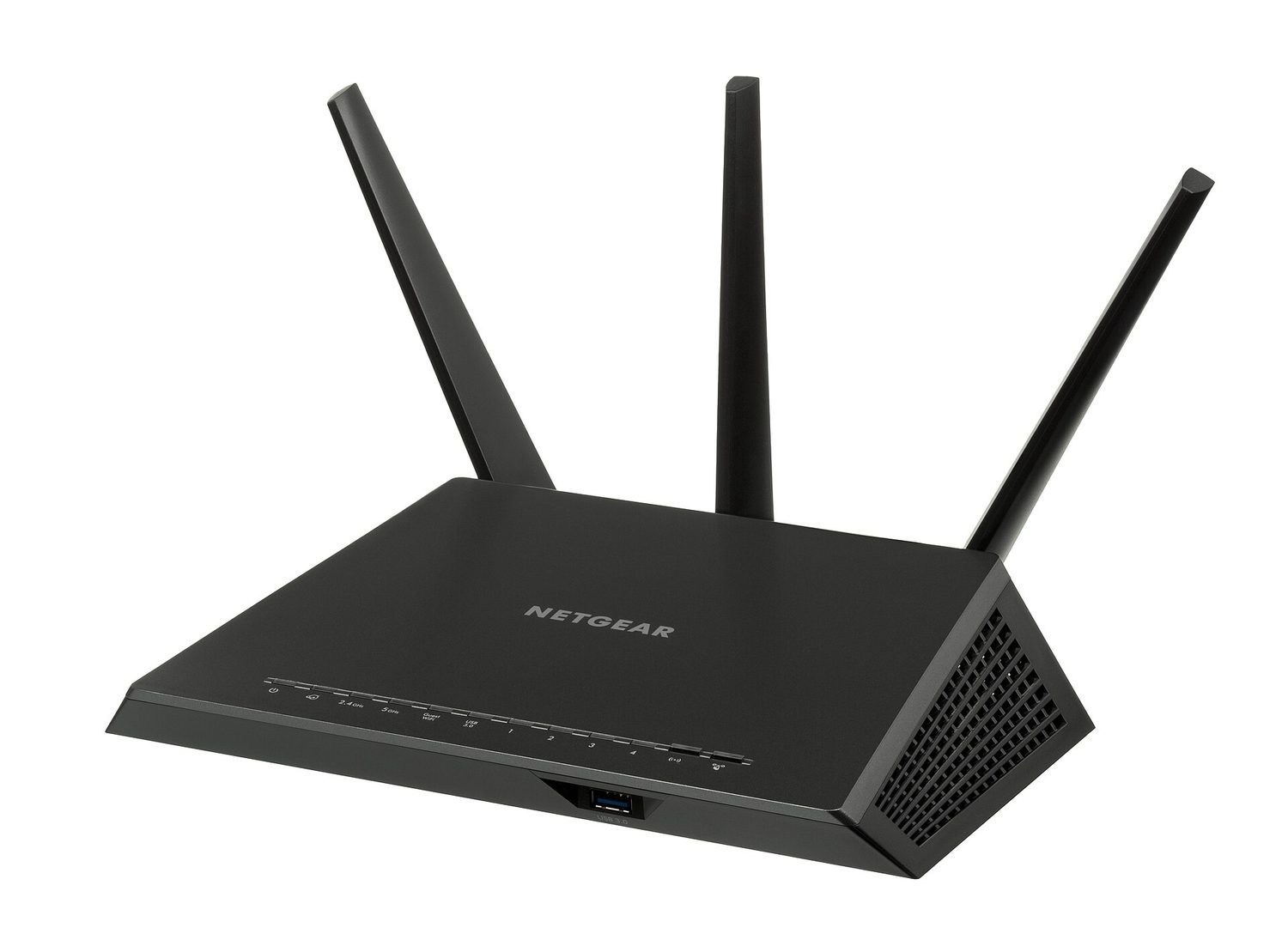
| 4 描述路由器在网络中的作用 | • 路由器将数据发送到网络中的特定目标地址 • 路由器可以分配 IP 地址 • 路由器可以将局域网连接到互联网 |
来源:Cambridge International 教学大纲
网络接口卡 (NIC)
网络接口卡 (NIC)是让设备加入网络并发送和接收數據的硬件。每个NIC都有一个内置的MAC地址。
MAC地址和IP地址
- MAC地址(介质访问控制地址)是一个标识单个物理设备的号码。由制造商设定,通常不会更改。它以十六进制书写。
- IP地址(网际协议地址)是一个在网络中标识设备的号码。由网络分配,可以更改。
因此,MAC地址随设备固定,而IP地址取决于设备所使用的网络。
IP地址有两个版本。IPv4是32位,写作四个十进制数0–255(例如 192.168.0.1);较新的IPv6是128位,写作八个用冒号分隔的十六进制组,提供 vastly more addresses。地址也可以是静态(固定,手动设置且永不更改)或动态(每次设备连接时由路由器/网络分配,因此可以更改)。
路由器
路由器连接不同的网络 — 例如,将你的家庭网络连接至互联网。它读取每个数据包中的IP地址,并将其转发到正确的网络。
探索
网络路由实验
跟踪设备通过网络硬件和协议的数据传输路径。
词汇
训练
| English | 中文 | 拼音 |
|---|---|---|
| router/ˈruːtə/ | 路由器 | lù yóu qì |
| fetch-execute cycle/fetʃ ˈeksɪkjuːt ˈsaɪkl/ | 取指执行周期 | qǔ zhǐ zhí xíng zhōu qī |
3.4
考试技巧
- 学习取指-解码-执行周期以及特殊寄存器:程序计数器保存下一条指令的地址,MAR/MDR携带地址/數據,累加器保存ALU的结果。
- CPU性能通过增加核心数、更大的缓存和更高的时钟频率得到提升。
- RAM是易失性的(断电会丢失數據)并保存正在使用的程序;ROM是非易失性的且只读(启动指令)。
- 匹配辅助存储类型:磁存储(HDD、磁带)、光存储(CD/DVD,由激光读取)、固态存储(SSD、U盘、闪存 — 无活动部件)。
- MAC地址标识物理设备且通常不更改;IP地址由网络分配且可以更改。
该知识点的互动课程
逐步完成,配合即时检查练习。