| 考生应能够: | 注释与指导 |
|---|---|
| 1. 根据给定的数据存储需求定义一个单表数据库 | • 包括:– 字段 – 记录 – 验证 |
| 2. 建议合适的数据类型 | • 包括:– 文本/字母数字 – 字符 – 布尔型 – 整数 – 实数 – 日期/时间 |
| 3. 理解主键的用途,并为给定的数据库表识别合适的主键 | |
| 4. 阅读、理解并完成结构化查询语言 (SQL) 脚本以查询存储在单个数据库表中的数据 | • 仅限于:– SELECT – FROM – WHERE – ORDER BY DESCENDING(降序) – ORDER BY ASCENDING(升序) – SUM – COUNT – AND – OR • 识别由 SQL 语句生成的输出结果,该语句将查询给定数据库表的内容 |
数据库
IGCSE 计算机科学 · 知识点 9
 8:20
8:20
数据库
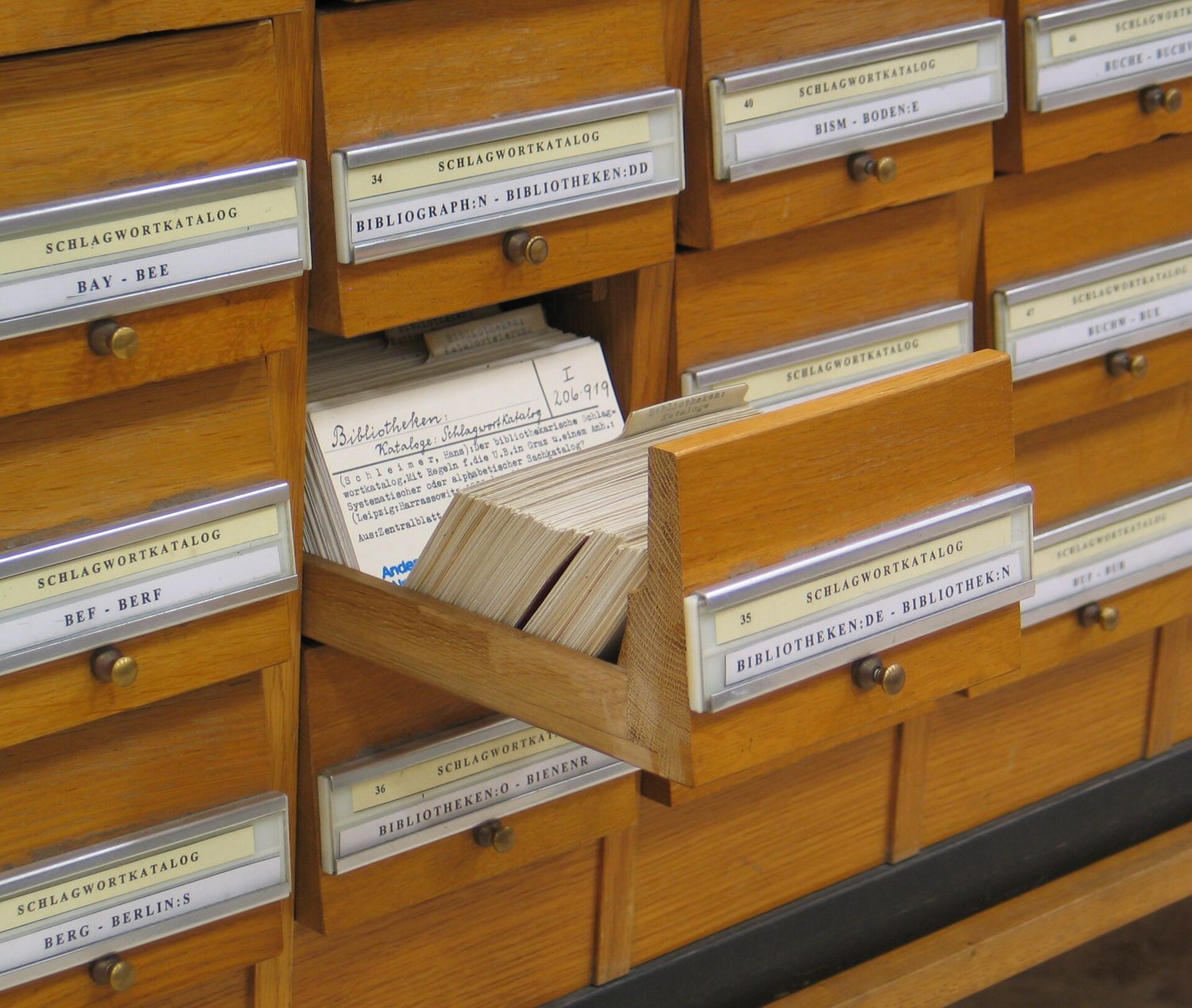
在计算机出现之前,图书馆会保留这样一个抽屉。每本书一张卡片,每张记录着相同的几个事实,并有序排列——以便图书管理员能找到任何一本书…
英语旁白 · 英中内嵌字幕
教学大纲
来源:Cambridge International 教学大纲
9.1
什么是数据库?
English
A database 数据库 is an organised store of data, kept so that it is easy to search, sort and update. At IGCSE you work with a single-table database 单表数据库 — all the data is held in one table.

词汇
训练
| English | 中文 | 拼音 |
|---|---|---|
| database/ˈdeɪtəbeɪs/ | 数据库 | shù jù kù |
| single-table database/ˈsɪŋɡl ˈteɪbl ˈdeɪtəbeɪs/ | 单表数据库 | dān biǎo shù jù kù |
9.2
记录与字段

English
A database table is made of records and fields.
- A record 记录 is one row in the table — all the data about one thing (for example one student).
- A field 字段 is one column in the table — one piece of data that every record has (for example "First name").
| StudentID | FirstName | DateOfBirth | FormClass | FeesPaid |
|---|---|---|---|---|
| 1 | Amy | 14/03/2009 | 10A | TRUE |
| 2 | Ben | 02/11/2008 | 10B | FALSE |
Here each row is a record, and each column is a field.
词汇
训练
| English | 中文 | 拼音 |
|---|---|---|
| record/ˈrekɔːd/ | 记录 | jì lù |
| field/fiːld/ | 字段 | zì duàn |
9.3
字段的数据类型
English
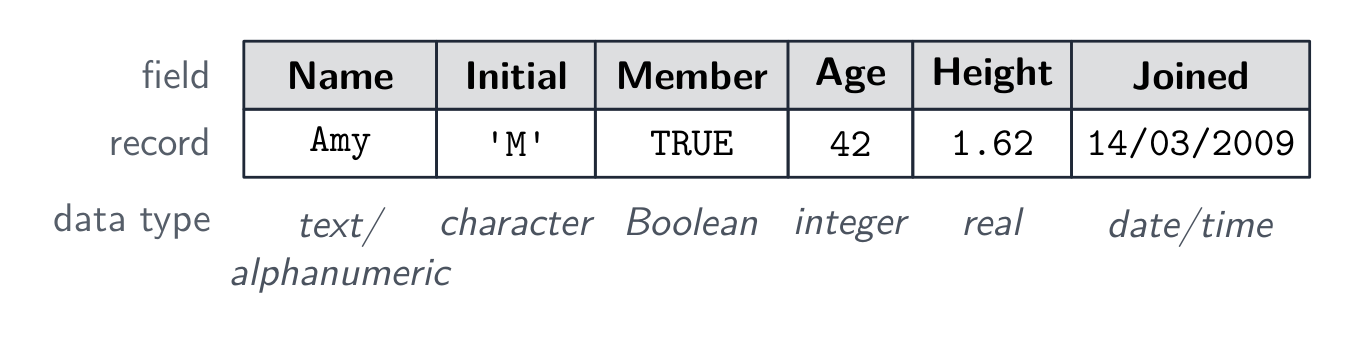
Each field stores one data type 数据类型. You choose the type that best fits the data.
| Data type | Used for | Example |
|---|---|---|
| text/alphanumeric 文本 | letters, digits and symbols | "10A", "Amy" |
| character 字符 | a single character | 'M' |
| Boolean 布尔值 | one of two values | TRUE / FALSE |
| integer 整数 | a whole number | 42 |
| real 实数 | a number with a decimal point | 3.5 |
| date/time 日期时间 | a date or a time | 14/03/2009 |
Worked example. Choose the data type for each field of a Member table.
| Field | Example | Data type | Why |
|---|---|---|---|
| MemberID | M0042 | text | it has a letter |
| Phone | 07712 345678 | text | starts with 0; never used in sums |
| Age | 15 | integer | a whole number |
| Fee | 12.50 | real | has a decimal point |
| Gender | F | character | one character |
| Paid | TRUE | Boolean | only two values |
| Joined | 01/09/2025 | date/time | a date |
A phone number looks like a number, but it is a common exam trap: stored as an integer it would lose its first 0, and no one adds phone numbers together.
词汇
训练
| English | 中文 | 拼音 |
|---|---|---|
| data type/ˈdeɪtə taɪp/ | 数据类型 | shù jù lèi xíng |
| text/alphanumeric/tekst ˌælfənjuːˈmerɪk/ | 文本 | wén běn |
| character/ˈkærɪktə/ | 字符 | zì fú |
| Boolean/ˈbuːlɪən/ | 布尔值 | bù ěr zhí |
| integer/ˈɪntɪdʒə/ | 整数 | zhěng shù |
| real/rɪəl/ | 实数 | shí shù |
| date/time/deɪt taɪm/ | 日期时间 | rì qī shí jiān |
9.4
主键
English
A primary key 主键 is a field that holds a unique 唯一的 value for every record. No two records can have the same primary key, so it lets you pick out exactly one record.
In the table above, StudentID is a good primary key because every student has a different number. A field like FormClass would be a bad primary key, because many students share the same class.
Worked example. Which field of the Member table above should be the primary key? MemberID, because each member is given a different one. Age, Fee and Joined repeat; even a name such as Surname is a poor choice, because two members can share a surname. A good answer names the field and says it is unique for every record.
词汇
训练
| English | 中文 | 拼音 |
|---|---|---|
| primary key/ˈpraɪməri kiː/ | 主键 | zhǔ jiàn |
| unique/juːˈniːk/ | 唯一的 | wéi yī de |
9.5
数据库中的有效性检查

English
When data is put into a database, validation 验证 checks make sure it is sensible — for example a range check on an age field, or a presence check so a field is not left empty. (You saw these checks in topic 7.)
| Field | Suitable check | Rejects |
|---|---|---|
| Age | range check, 11 to 18 | 200 |
| Surname | presence check | an empty field |
| Phone | length check, 11 characters | 0771234 |
| Fee | type check, a number | "twelve" |
| Joined | format check, DD/MM/YYYY | 2025-9-1 |
词汇
训练
| English | 中文 | 拼音 |
|---|---|---|
| validation/ˌvælɪˈdeɪʃn/ | 验证 | yàn zhèng |
9.6
结构化查询语言(SQL)

English
Structured Query Language 结构化查询语言 (SQL) is a language used to query 查询 a database — to pick out the records you want. You must understand and complete SQL scripts.
SELECT, FROM and WHERE
SELECTsays which fields to show.FROMsays which table to use.WHEREgives a condition 条件, so only matching records are shown.
SELECT FirstName, FormClass
FROM Student
WHERE FeesPaid = TRUE;
This shows the first name and class of every student who has paid the fees.
Use * to select all fields:
SELECT *
FROM Student
WHERE FormClass = '10A';
ORDER BY
ORDER BY sorts the results. Use ASC for ascending 升序 (smallest first, A→Z) or DESC for descending 降序 (largest first, Z→A).
SELECT FirstName, DateOfBirth
FROM Student
ORDER BY DateOfBirth ASC;
AND and OR
Join conditions with AND (both must be true) or OR (at least one must be true).
SELECT FirstName
FROM Student
WHERE FormClass = '10A' AND FeesPaid = FALSE;
SUM and COUNT
SUMadds up the values in a number field.COUNTcounts how many records match.
SELECT COUNT(StudentID)
FROM Student
WHERE FeesPaid = FALSE;
This counts how many students have not paid. SUM works the same way but adds a number field instead of counting rows.
SELECT SUM(Fee)
FROM Member
WHERE Paid = TRUE;
This adds up the Fee of every member who has paid and shows one number. SUM needs a number field (integer or real); COUNT can count any field.
Working out the output
To find the output of an SQL script, read it in this order:
FROM— which table;WHERE— keep only the records that match the condition;SELECT— show only the chosen fields;ORDER BY— put the results in order.

Following these steps, you can write down exactly which rows and columns the query returns.
Worked example. The Plant table:
| PlantID | Name | Type | Height | Price |
|---|---|---|---|---|
| P01 | Rose | shrub | 120 | 8.50 |
| P02 | Basil | herb | 30 | 2.00 |
| P03 | Holly | shrub | 300 | 15.00 |
| P04 | Mint | herb | 40 | 1.50 |
| P05 | Lavender | shrub | 60 | 6.00 |
Give the output of:
SELECT Name, Price
FROM Plant
WHERE Type = 'shrub' AND Height < 200
ORDER BY Price DESC;
FROM: thePlanttable.WHERE: shrubs are P01, P03 and P05; Holly is 300 tall, so only Rose and Lavender pass.SELECT: onlyNameandPrice.ORDER BY Price DESC: the dearest first.
| Name | Price |
|---|---|
| Rose | 8.50 |
| Lavender | 6.00 |
SELECT COUNT(PlantID) FROM Plant WHERE Type = 'herb'; would give 2, and SELECT SUM(Price) FROM Plant WHERE Type = 'herb'; would give 3.50.
Worked example. A Book table has the fields Title, Author, Price and InStock. Write a query showing the title and price of every book by Orwell that is in stock, cheapest first.
SELECT Title, Price
FROM Book
WHERE Author = 'Orwell' AND InStock = TRUE
ORDER BY Price ASC;
Build it in the reading order: FROM names the table; WHERE keeps only the matching records, and because there are two conditions they need AND; SELECT shows only the two fields asked for; ORDER BY … ASC sorts them. Text values go in quotes, and only the fields the question asks for belong in SELECT - adding Author just because you filtered on it is the commonest way to lose a mark here.
探索
SELECT … WHERE
逐步执行查询:WHERE过滤行,SELECT选择列。
词汇
训练
| English | 中文 | 拼音 |
|---|---|---|
| structured query language/ˈstrʌktʃəd ˈkwɪərɪ ˈlæŋɡwɪdʒ/ | 结构化查询语言 | jié gòu huà chá xún yǔ yán |
| query/ˈkwɪərɪ/ | 查询 | chá xún |
| condition/kənˈdɪʃn/ | 条件 | tiáo jiàn |
| ascending/əˈsendɪŋ/ | 升序 | shēng xù |
| descending/dɪˈsendɪŋ/ | 降序 | jiàng xù |
9.7
考试技巧
English
- A record is a row (all the data about one thing); a field is a column (one item that every record has).
- A primary key must be unique for every record, so it picks out exactly one record (StudentID, not FormClass).
- Learn the SQL parts:
SELECT(which fields),FROM(which table),WHERE(the condition),ORDER BY(sort, ASC or DESC). - Read a query in the order FROM → WHERE → SELECT → ORDER BY to work out its output.
COUNTcounts the matching records;SUMadds up a number field.
该知识点的互动课程
逐步完成,配合即时检查练习。