Skip to content · ⁨본문 바로가기⁩
Subjects · ⁨과목⁩

AP Cybersecurity · ⁨AP 사이버보안⁩

Tips · ⁨팁⁩

AP 사이버 보안은 CIA 삼각형, 위협과 취약점, 접근 제어 및 인증, 암호학, 네트워크 보안, 안전한 소프트웨어, 사건 대응, 그리고 보안 정책, 법 및 윤리를 다룹니다. 이는 새로운 과정이므로 발표된 과거 시험 문제가 아직 없으며, 과정 및 시험 설명서가 출제 범위에 대한 권위 있는 자료입니다.

추론은 방어적이어야 합니다. 문제는 보통 "여기에 시스템이 있는데, 무엇이 잘못될 수 있고 이에 대해 무엇을 할 것인가"입니다 — 이는 구체화된 위협, 구체화된 통제 수단, 그리고 그 통제가 해당 위협을如何应对하는 이유를 요구합니다.

용어를 정확히 익히십시오. 인증(Authentication)은 권한(Authorisation)이 아닙니다; 해싱(Hashing)은 암호화(Encryption)가 아닙니다; 취약점(Vulnerability)은 위협(Threat)이 아닙니다. 이러한 구분이 문제의 핵심입니다.

노트에는 위협, 암호학, 네트워킹, 방어 분야를 따라 CED를 반영하며, 브라우저에서 직접 시도해 볼 수 있는 실전 예제가 있습니다. 과정이 새로 시작되어 라이브러리에는 과거 시험집 대신 현재까지 발표된 문제 예시가 담겨 있습니다.

  • 1

    Introduction to Security · ⁨보안 소개⁩

    Watch lesson · ⁨수업 보기⁩
    1.1

    Understanding Social Engineering · ⁨사회공학적 기법 이해하기⁩

    Syllabus
    English

    Learning Objective 1.1.A: Identify common indicators of social engineering tactics.

    • 1.1.A.1 Social engineering attacks employ psychological tactics to manipulate users into revealing sensitive information (elicitation), downloading a malicious file, or clicking on a malicious link. Social engineering can be performed in person but is often done by email, by text message, or through social media messages.
    • 1.1.A.2 Adversaries often use psychological tactics like intimidation and urgency to achieve their goals. Intimidation is when an adversary threatens a target with negative consequences if they don’t comply. Urgency is when an adversary creates reasons why a target should act quickly.

    Learning Objective 1.1.B: Explain how social engineering tactics influence victims to perform a desired action.

    • 1.1.B.1 Social engineering tactics rely on common psychological principles that influence human behavior.
    • 1.1.B.2 Intimidation leverages a natural human aversion to negative consequences. By drawing attention to possible negative consequences, adversaries use fear to incite targets to act.
    • 1.1.B.3 Urgency leverages a natural human response to react quickly to time-sensitive needs. When targets detect a sense of urgency in a message, they feel pressured to respond or act quickly, which can prevent them from taking the time to consider whether an action is reasonable or safe.

    Learning Objective 1.1.C: Describe possible impacts for victims of social engineering attacks.

    • 1.1.C.1 Victims may give an adversary personal information that could lead to impersonation, such as name, phone number, address, workplace, pets’ names, or birthdate. These types of information, and information like them, are often used on websites as challenge questions to verify a user’s identity.
    • 1.1.C.2 Victims may give an adversary secure information like a one-time password (OTP) or authentication login code, which could allow an adversary to log in to a service as the victim.
    • 1.1.C.3 Victims may download malware or click a link that installs malware on their device, steals information from their web browser, or directs them to a website where their login credentials can be captured by an adversary.
    한국어

    학습 목표 1.1.A: 사회공학적 기법의 일반적인 징후를 식별하시오.

    • 1.1.A.1 사회공학적 공격은 심리적 전략을 사용하여 사용자를 조작하여 민감한 정보(정보 유출)를 공개하게 하거나, 악의적 파일을 다운로드하거나, 악의적 링크를 클릭하게 합니다. 사회공학적 공격은 대면으로 수행되기도 하지만 주로 이메일, 문자 메시지 또는 소셜 미디어 메시지를 통해 이루어집니다.
    • 1.1.A.2 적대자는自己的目标을 달성하기 위해 협박과緊迫감 같은 심리적 전략을 자주 사용합니다. 협박은 표적이 따르지 않을 경우 부정적인 결과를 초래한다고威胁하는 것입니다.緊迫감은 표적이 빠르게 행동해야 하는 이유를 만들어내는 것입니다.

    학습 목표 1.1.B: 사회공학적 기법이 피해자를 특정 행동을 취하도록 유도하는 원리를 설명하시오.

    • 1.1.B.1 사회공학적 기법은 인간의 행동을影响하는 일반적인 심리학적 원리에 의존합니다.
    • 1.1.B.2 협박은 인간이 부정적인 결과에 자연적으로 회피하려는 성질을 이용합니다. 가능한 부정적인 결과를 강조함으로써 적대자는 공포를 유발하여 표적이 행동하도록 자극합니다.
    • 1.1.B.3緊迫감은 시간이 제한된 필요에 대해 빠르게 반응하려는 인간의 본능적인 반응을 이용합니다. 표적이 메시지 내에緊迫감을 감지하면, 행동이 타당하거나 안전한지를 고려할 시간을 갖지 못해 빠르게 응답하거나 행동하도록 압박을 느끼게 됩니다.

    학습 목표 1.1.C: 사회공학적 공격의 피해자가 겪을 수 있는 영향을 서술하시오.

    • 1.1.C.1 피해자는 적대자에게 성명, 전화번호, 주소, 직장, 반려동물 이름 또는 생일 등 신원 위조(人身冒用)로 이어질 수 있는 개인 정보를 제공할 수 있습니다. 이러한 종류의 정보는 websites에서 사용자 신원을 확인하는Challenge 질문으로 자주 사용됩니다.
    • 1.1.C.2 피해자는 적대자에게 일회용 비밀번호(OTP) 또는 인증 로그인 코드와 같은 보안 정보를 제공할 수 있으며, 이는 적대자가 피해자 명의로 서비스에 로그인할 수 있게 할 수 있습니다.
    • 1.1.C.3 피해자는 악성 소프트웨어를 다운로드하거나, 악의적 링크를 클릭하여 장치에 악성 소프트웨어를 설치되거나, 웹 브라우저에서 정보를 도난당하거나,登录 credentials가 적대자에게 포획되는 웹사이트로 안내받을 수 있습니다.
    Source: College Board AP Course and Exam Description · ⁨출처: College Board AP Course and Exam Description⁩

    English
    Phishing: how a fake email steals a password

    The weakest part of any computer system is often the human using it. Social engineering 社会工程学 is the art of tricking people into breaking security - giving away a password, opening a bad file, or clicking a bad link. The attacker (we call them an adversary 对手) does not need to break the code; they only need to fool a person.

    Most social engineering happens by email, text message, or social media, though it can also happen in person or by phone. The goal is elicitation 套取信息 - getting sensitive information out of someone without them realising.

    Adversaries lean on two powerful feelings:

    • Intimidation 恐吓 - the adversary threatens a bad result if you do not obey. Fear pushes you to act.
    • Urgency 紧迫感 - the adversary invents a deadline ("reply in the next hour or your account closes"). When we feel rushed, we stop thinking carefully about whether an action is safe.

    The impact 影响 on a victim can be serious. They might reveal personal details (name, address, pet's name, birthday) that are later used to answer security challenge questions 安全问题 and impersonate 冒充 them. They might hand over a one-time password (OTP) 一次性密码, letting the adversary log in as them. Or they might download malware 恶意软件 that steals data from their browser.

    Worked example. A phishing email reads: "Over 90% of staff have already verified their account - confirm yours in the next hour or lose payroll access." Two tactics are stacked here. "In the next hour" is urgency (a deadline that rushes you), and "over 90% of staff have already" is consensus (social pressure to follow the crowd). Naming each tactic - not just calling the email "suspicious" - is exactly what an exam answer needs.

    한국어
    피싱: 가짜 이메일이 비밀번호를 훔치는 과정

    어떤 컴퓨터 시스템의 가장 약한 점은 종종 이를 사용하는 사람입니다. **사회공학적 기법(social engineering)**은 사람을 속여 보안 조치를 위반하게 만드는 기술로, 비밀번호를 누설하거나 악성 파일을 열게 하거나 해킹 링크를 클릭하게 만듭니다. 공격자(우리는 이들을 **적(adversary)**이라고 부름)는 코드를 해킹할 필요가 없습니다. 단지 사람을 속이면 됩니다.

    대부분의 사회공학적 기법은 이메일, 문자 메시지 또는 소셜 미디어를 통해 이루어지지만, 대면이나 전화로도 발생할 수 있습니다. 목표는 정보 추출(elicitation) - 상대방이気づ지 않고 민감한 정보를 얻어내는 것 - 입니다.

    적(adversaries)은 두 가지 강력한 감정을 이용합니다:

    • 협박(intimidation) - 적(adversary)이 불복종할 경우 나쁜 결과가 초래됨을威胁합니다. 두려움이 당신으로 하여금 행동하게 만듭니다.
    • 급박함(urgency) - 적(adversary)이 마감일(예: "다음 시간 내에 응답하지 않으면 계정이 폐쇄됩니다")을 설정합니다. 우리가 서두른다고 느끼면 어떤 행위가 안전한지에 대해 진지하게 생각하는 것을 멈춥니다.
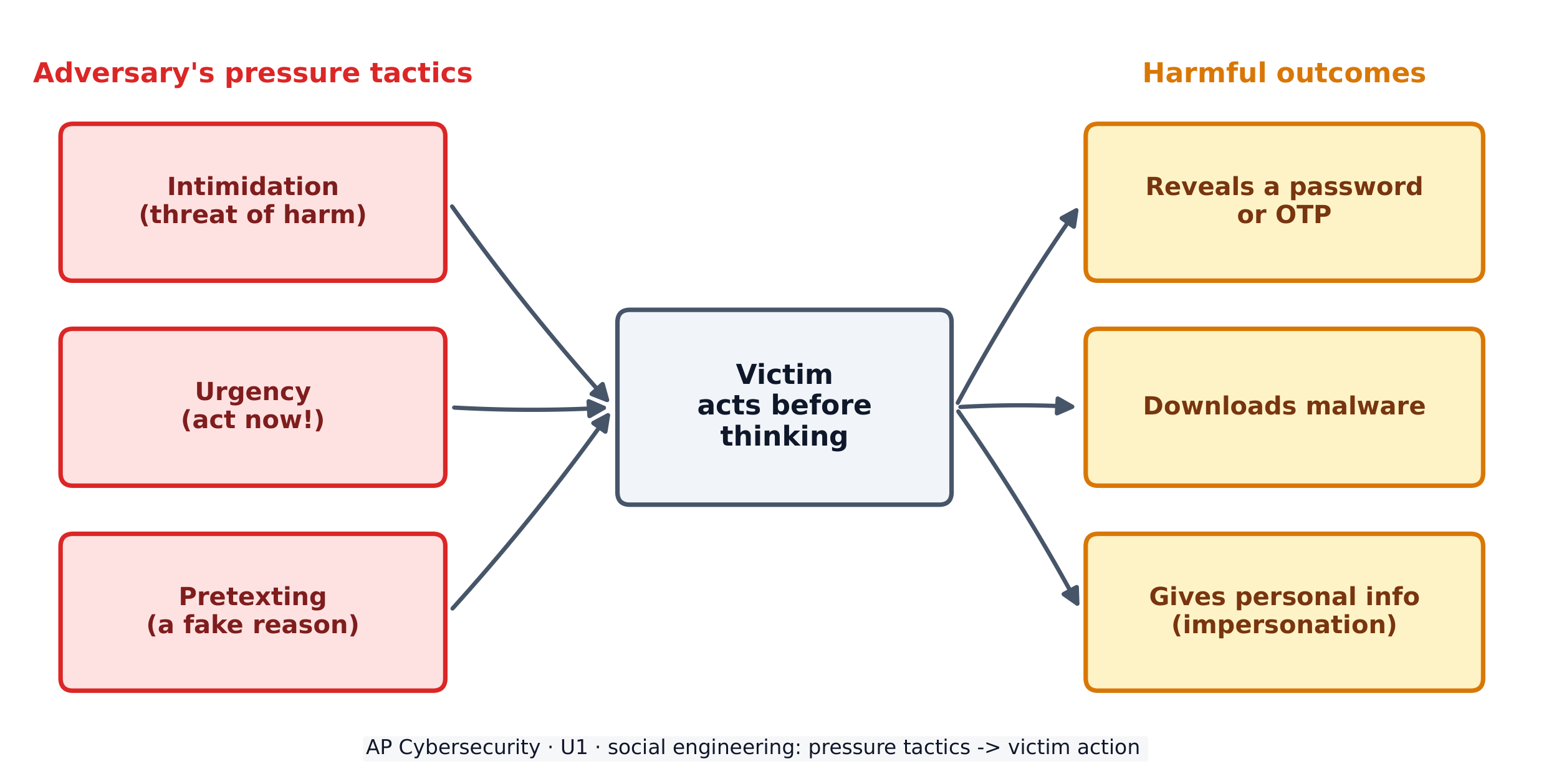
    사회공학적 기법은 피해자가 생각하기 전에 행동하게 만들기 위해 심리적 압력을 사용합니다
    사회공학적 기법은 피해자가 생각하기 전에 행동하게 만들기 위해 심리적 압력을 사용합니다

    피해자에 대한 영향(impact) 은 심각할 수 있습니다. 그들은 나중에 보안 **질문(challenge questions)**에 답하거나 위장(impersonate) 하는 데 사용될 이름, 주소, 애완동물 이름, 생일 같은 개인 정보를 폭로할 수 있습니다. 그들은 일회용 비밀번호(OTP) 를 제공하여 적(adversary)이其名登录하게 할 수도 있습니다. 혹은 브라우저에서 데이터를 도난하는 악성코드(malware) 를 다운로드할 수도 있습니다.

    해설 예제. 한 피싱 이메일에는 다음과 같이 적혀 있습니다: "사원의 90% 이상이 이미 계정을 인증했습니다. 다음 시간 이내에 본인의 계정을 확인하지 않으면 급여 지급 접근 권한을 상실합니다." 여기에는 두 가지 전술이 결합되어 있습니다. "다음 시간 이내"는 급박함(urgency) (당신을 서두르게 만드는 마감일)이며, "사원의 90% 이상이 이미"는 동조 효과(consensus) (무리를 따라는 사회적 압력)입니다. 각 전술에 명칭을 부여하고 단순히 이메일을 '의심스러운'이라고 부르는 것만으로는不够합니다. 이것이 바로 시험 답안에 필요한 것입니다.

    Explore · ⁨탐색하기⁩

    Which social-engineering tactic is it? · ⁨어떤 사회공학적 전술입니까?⁩

    Intimidation threatens harm, urgency invents a deadline, consensus claims everyone else is doing it, and authority pretends to have power over you. · ⁨협박(intimidation) 은 해를 가할 것을 위협하고, 긴급성(urgency) 은 마감일을 발명하며, 동조(consensus) 는 남들이 모두这样做 claim하고, 권위(authority) 는 당신에게 권력을 행사한다고 위장합니다.⁩

    Vocabulary · ⁨어휘⁩ Train · ⁨연습하기⁩
    English 한국어
    Social engineering/ˈsəʊʃl ˌendʒɪˈnɪərɪŋ/ 사회 공학(Social engineering)
    adversary/ˈædvəsəri/ 적(adversary)
    elicitation/ɪˌlɪsɪˈteɪʃn/ 인출(elicitation)
    Intimidation/ɪnˌtɪmɪˈdeɪʃn/ 협박(Intimidation)
    Urgency/ˈɜːdʒənsi/ Urgency(시급성)
    impact/ˈɪmpækt/ 영향
    challenge questions/ˈtʃælɪndʒ ˈkwestʃnz/ 도전 질문
    impersonate/ɪmˈpɜːsəneɪt/ 위장하기(impersonate)
    one-time password (OTP)/wʌn taɪm ˈpæswɜːd/ 일회용 비밀번호 (OTP)
    malware/ˈmælweə/ 악성 코드
    phishing/ˈfɪʃɪŋ/ 피싱
    shared secret/ʃeəd ˈsiːkrɪt/ 공유 비밀(shared secret)
    AI-enhanced coding tools/ˌeɪ ˈaɪ enˈhænst ˈkəʊdɪŋ tuːlz/ AI 향상 코딩 도구
    1.2

    Suspicious Website Logins · ⁨의심스러운 웹사이트 로그인⁩

    Syllabus
    English

    Learning Objective 1.2.A: Identify common signs of a password attack.

    • 1.2.A.1 In an online password attack, adversaries try logging in to a device or service using common passwords, common password patterns, or stolen passwords.
    • 1.2.A.2 Signs of an online password attack include:
      • Many failed attempts to log in over a short duration
      • Login attempts at unusual times
      • Login attempts from unknown devices

    Learning Objective 1.2.B: Explain how adversaries take advantage of weak authentication.

    • 1.2.B.1 Many people use common patterns when creating passwords, such as:
      • Starting a password with one or two words, adding a two-digit number (often signifying a year), and putting a special character at the end
      • Including the names of family or pets in their passwords
      • Including personally significant dates in their passwords
    • 1.2.B.2 Adversaries often construct a dictionary of possible passwords based on personal information gathered about a target (e.g., birthday, anniversary, names of pets and family) and use an automated tool to submit potential passwords.

    Learning Objective 1.2.C: Explain how to make authentication stronger.

    • 1.2.C.1 Users should create passwords that are long, random, and unique. A password manager can be used to generate and store strong passwords, or a user may create long, unique passphrases for their accounts.
    • 1.2.C.2 When creating passwords, users should avoid names, dates, or other personally meaningful words or numbers.
    • 1.2.C.3 When available, users should enable multifactor authentication (MFA), which will require the user to provide extra proof of identity—such as a one-time code—in addition to the password as an extra layer of security.
    한국어

    학습 목표 1.2.A: 비밀번호 공격의 일반적인 징후를 식별하시오.

    • 1.2.A.1 온라인 비밀번호 공격에서 적대자는 일반 비밀번호, 일반적인 비밀번호 패턴 또는 도난당한 비밀번호를 사용하여 장치 또는 서비스에 로그인하려 시도합니다.
    • 1.2.A.2 온라인 비밀번호 공격의 징후로는 다음이 포함됩니다:
      • 짧은 기간 동안 여러 번의 로그인 실패 시도
      • 비정상적인 시간에进行的登录尝试
      • 미지의 장치에서의 로그인 시도

    학습 목표 1.2.B: 적대자가 약한 인증 방식을如何利用하는지 설명하시오.

    • 1.2.B.1 많은 사람들은 비밀번호 생성 시 일반적인 패턴을 사용합니다. 예를 들면:
      • 비밀번호를 한두 단어로 시작하고, 두 자리 숫자(보통 연도를 의미)를 추가하며,末尾에 특수문자를 넣는 것
      • 비밀번호에 가족이나 반려동물 이름을 포함하는 것
      • 비밀번호에 개인적으로 의미 있는 날짜를 포함하는 것
    • 1.2.B.2 공격자는 표적에 대한 개인 정보(예: 생일, 기념일, 애완동물 및 가족의 이름)를 수집하여 가능한 비밀번호 목록을 구성하고 자동화 도구를 사용하여 잠재적인 비밀번호를 제출합니다.

    학습 목표 1.2.C: 인증을 강화하는 방법을 설명하십시오.

    • 1.2.C.1 사용자는 길고 무작위이며 고유한 비밀번호를 생성해야 합니다. 강력한 비밀번호를 생성하고 저장하기 위해 비밀번호 관리자를 사용할 수 있으며, 사용자는 계정별로 길고 고유한 패스프레이스를 만들 수도 있습니다.
    • 1.2.C.2 비밀번호를 생성할 때 사용자는 이름, 날짜 또는 개인적으로 의미 있는 단어나 숫자를 피해야 합니다.
    • 1.2.C.3 제공되는 경우 사용자들은 추가 보안 계층으로 비밀번호 외에 일회용 코드와 같은 추가 신원 증명 정보를 요구하는 다중 요인 인증(MFA)을 활성화해야 합니다.

    Source: College Board AP Course and Exam Description · ⁨출처: College Board AP Course and Exam Description⁩

    English

    A password attack 密码攻击 is any attempt to log in using guessed or stolen passwords. In an online password attack the adversary tries passwords against a real login page. The warning signs are visible in the logs:

    • many failed logins in a short time,
    • login attempts at unusual hours,
    • login attempts from unknown devices.

    Adversaries succeed because people choose weak 弱 passwords. Common patterns include a word plus a two-digit year plus a special character (like Summer24!), or a pet's or family member's name. Because these patterns are so common, an adversary can build a dictionary 字典 of likely passwords from information gathered about you and let an automated tool try each one.

    To make authentication 身份验证 stronger:

    • Create passwords that are long, random, and unique - a password manager 密码管理器 can generate and store them for you.
    • Avoid names, dates, and meaningful words.
    • Turn on multifactor authentication (MFA) 多因素身份验证, which asks for extra proof (like a texted code) on top of the password.
    한국어
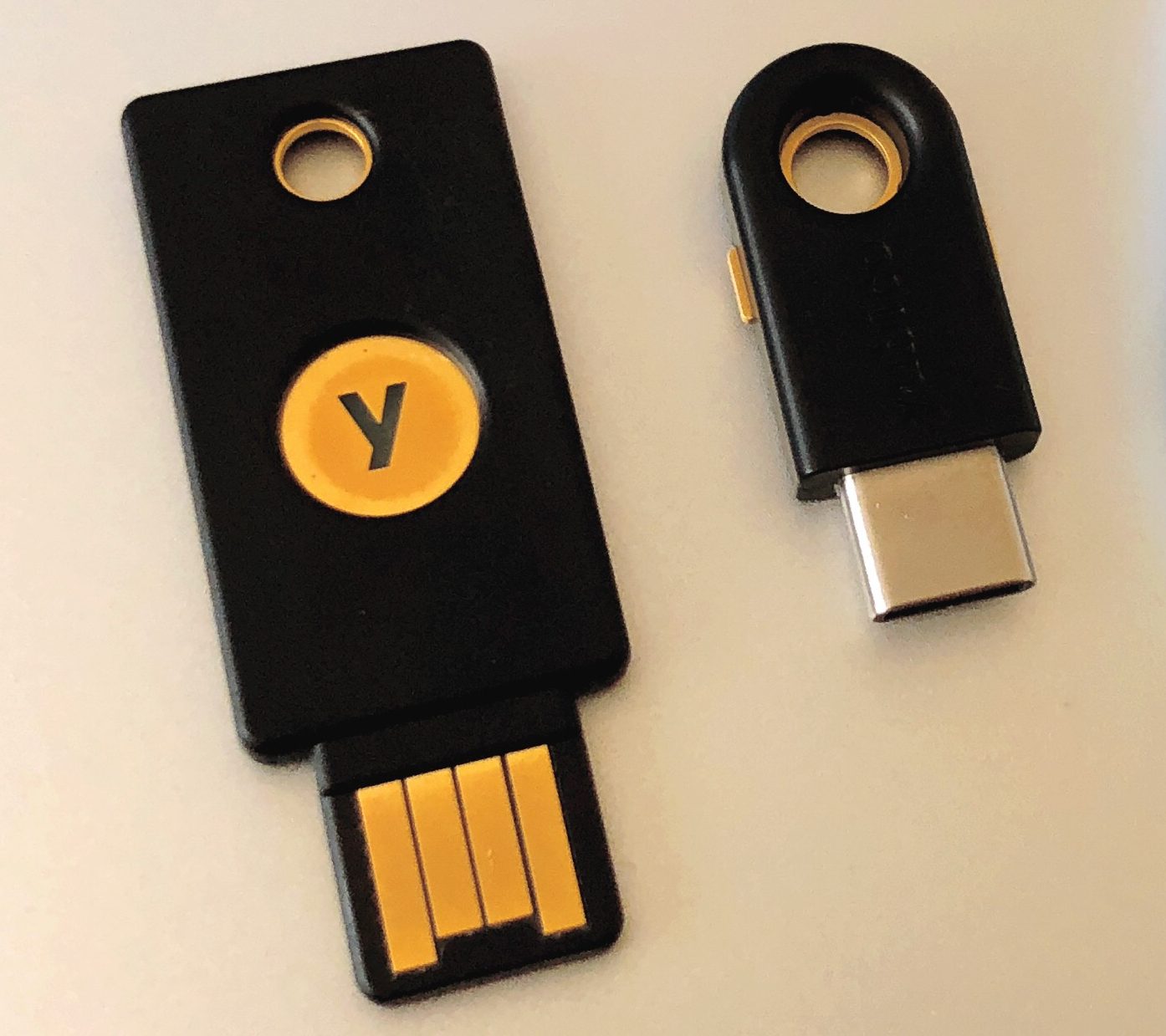
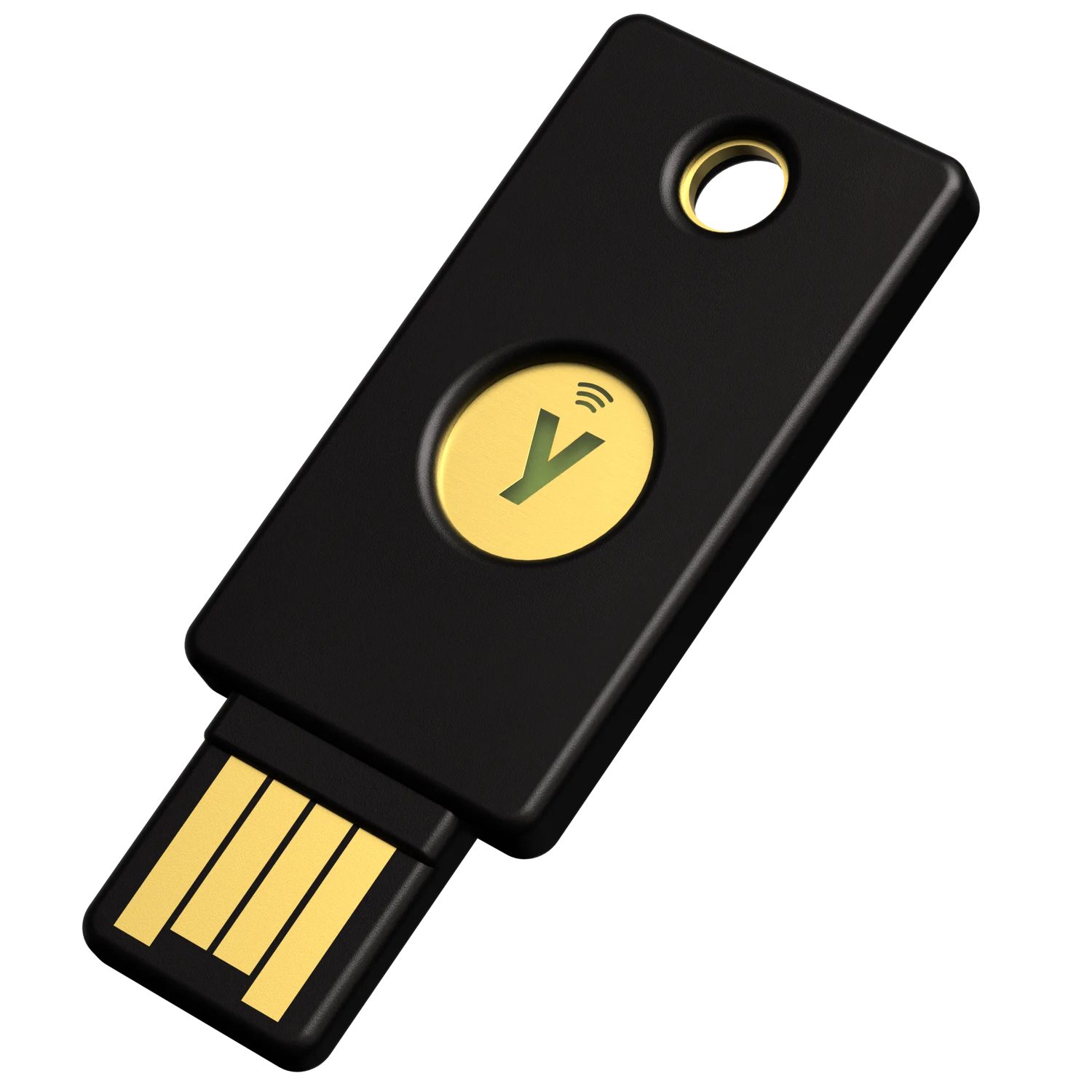
    하드웨어 보안 키: 비밀번호가 피싱 당했을 때 강력한 인증은 피해를 줄입니다
    하드웨어 보안 키: 비밀번호가 피싱 당했을 때 강력한 인증은 피해를 줄입니다

    비밀번호 공격(password attack) 은 추측하거나 도난당한 비밀번호를 사용하여 로그인하려는 시도의 모든 것을 의미합니다. 온라인 비밀번호 공격에서 적(adversary)은 실제 로그인 페이지에 대해 비밀번호를 시도합니다. 경고 신호는 로그에서 확인할 수 있습니다:

    • 짧은 시간에 많은 실패한 로그인,
    • 비정상적인 시간대의 로그인 시도,
    • 미확인 기기에서의 로그인 시도.

    공격자가 성공하는 이유는 사람들이 약한 비밀번호를 선택하기 때문입니다. 일반적인 패턴에는 단어에 두 자리 연도를 더하고 특수 문자(Summer24! 등)를 추가하거나, 반려동물이나 가족의 이름을 사용하는 것이 포함됩니다. 이러한 패턴이 매우 흔하기 때문에 공격자는 당신에 대해 수집된 정보를 바탕으로 유력한 비밀번호 목록을 구성하고 자동화 도구를 사용하여 하나씩 시도할 수 있습니다.

    인증을 강화하려면:

    • 길고, 무작위이며 고유한 비밀번호를 생성하십시오. 비밀번호 관리자가 이를 생성하고 저장해 줄 수 있습니다.
    • 이름, 날짜 및 의미 있는 단어는 피하십시오.
    • 다중 인증(MFA) 을 활성화하십시오. 이는 비밀번호 외에codes(예: 문자 메시지 코드의 경우)와 같은 추가 증명 요구사항을 asking합니다.
    Vocabulary · ⁨어휘⁩ Train · ⁨연습하기⁩
    English 한국어
    password attack/ˈpæswɜːd əˈtæk/ 비밀번호 공격(password attack)
    weak/wiːk/ 약함
    dictionary/ˈdɪkʃənəri/ dictionary(字典)
    authentication/ɔːˌθentɪˈkeɪʃn/ 인증
    password manager/ˈpæswɜːd ˈmænɪdʒə/ 비밀번호 관리자(password manager)
    multifactor authentication (MFA)/ˌmʌltɪˈfæktə ɔːˌθentɪˈkeɪʃn/ 다중 요인 인증 (MFA)
    1.3

    Best Practices for Public Networks · ⁨공공 네트워크를 위한 최우선 원칙⁩

    Syllabus
    English

    Learning Objective 1.3.A: Identify the type of adversary conducting a cyberattack.

    • 1.3.A.1 Adversaries can be classified by their skill levels.
      • Low-skilled adversaries rely on malicious cyber tools created by others that can be purchased online. The tools they use exploit known vulnerabilities.
      • High-skilled adversaries have the capacity to create new malicious cyber tools or modify existing ones to adapt to new defensive techniques and tools. They also have the capacity to discover undocumented vulnerabilities, known as zero days.
    • 1.3.A.2 Adversaries have a variety of motivations, including greed, desire for recognition, dedication to a cause, revenge, politics, or beliefs.

    Learning Objective 1.3.B: Identify types of wireless cyberattacks.

    • 1.3.B.1 In an evil twin attack, an adversary sets up their own wireless access point (WAP) with a service set identifier (SSID) similar or identical to a target network; the adversary’s network is called the evil twin. Victims of this attack could select to unknowingly connect to the evil twin, allowing the adversary to capture their network traffic. The adversary cannot read traffic that uses an encrypted protocol like HTTPS.
    • 1.3.B.2 In a jamming attack, an adversary floods an area with a strong electromagnetic (EM) signal in the same frequency range as the wireless network, which prevents legitimate traffic between the access point (AP) and users. This type of attack that prevents users from accessing resources is called a denial of service (DoS) attack.
    • 1.3.B.3 In a war driving attack, adversaries try to detect wireless network beacons while driving or walking around a target. If a wireless signal is detected, the adversary can gather information about the type of wireless network used and find areas where the wireless signal extends outside the physical building.

    Learning Objective 1.3.C: Describe actions individuals can take to increase protection of sensitive data when using the internet and Wi-Fi.

    • 1.3.C.1 Individuals should verify that the name of any wireless network they join exactly matches the name of the network they intend to join.
    • 1.3.C.2 Most internet protocols are encrypted to protect network traffic. However, individuals may consider the sensitivity of their data in choosing whether to join unencrypted Wi-Fi networks to protect vulnerable data such as DNS queries.
    • 1.3.C.3 Individuals may consider using a virtual private network (VPN), which encrypts all their traffic to the VPN operator’s system. Although this action prevents a service provider from viewing traffic, the VPN provider can view the traffic.
    한국어

    학습 목표 1.3.A: 사이버 공격을 수행하는 공격자의 유형을 식별하십시오.

    • 1.3.A.1 공격자는 기술 수준에 따라 분류될 수 있습니다.
      • 저기술 공격자는 온라인에서 구매할 수 있는 타인이 만든 악성 사이버 도구에 의존하며, 그들이 사용하는 도구들은 알려진 취약점을 이용합니다.
      • 고기술 공격자는 새로운 악성 사이버 도구를 생성하거나 기존 도구를 수정하여 새로운 방어 기법과 도구들에 적응할 수 있는 능력을 가지고 있습니다. 또한 문서화되지 않은 취약점, 즉 제로데이를 발견할 수 있는 능력도 가지고 있습니다.
    • 1.3.A.2 공격자는 탐욕, 명성 추구, 특정 이념에 대한 헌신, 복수, 정치적 목적 또는 신앙 등 다양한 동기를 가질 수 있습니다.

    학습 목표 1.3.B: 무선 사이버 공격의 유형을 식별하십시오.

    • 1.3.B.1 악의적 쌍(Evil Twin) 공격에서 공격자는 표적 네트워크와 유사하거나 동일한 서비스 세트 식별자(SSID)를 가진 자체 무선 액세스 포인트(WAP)를 설정합니다.攻击者的网络被称为恶之双。此攻击的受害者可能会在不知情的情况下选择连接到恶之双,从而使攻击者能够捕获其网络流量。攻击者无法读取使用HTTPS等加密协议的网络流量。
    • 1.3.B.2 재밍(Jamming) 공격에서 공격자는 무선 네트워크와 동일한 주파수 대역에 강력한 전자기(EM) 신호를 범람시켜 액세스 포인트(AP)와 사용자 간의 정당한 트래픽을 차단합니다. 사용자가 리소스에 접근하지 못하게 하는此类攻击称为拒绝服务(DoS)攻击。
    • 1.3.B.3 워드라이딩(War Driving) 공격에서 공격자는 표적을 driving或walking around时尝试检测无线信标。如果检测到无线信号,攻击者可以收集所用无线网络类型的信息,并找到无线信号延伸到物理建筑外部的区域。

    학습 목표 1.3.C: 인터넷과 Wi-Fi 사용 시 민감한 데이터를 보호하기 위해 개인이 취할 수 있는 조치를 설명하십시오。

    • 1.3.C.1 개인은 참여하는 모든 무선 네트워크의 이름이 의도하는 네트워크의 이름과 정확히 일치하는지 확인해야 합니다。
    • 1.3.C.2 대부분의 인터넷 프로토콜은 네트워크 트래픽을 보호하기 위해 암호화됩니다。然而,个人在选择是否加入未加密的Wi-Fi网络以保护DNS查询等易受攻击的数据时,应考虑数据的敏感性。
    • 1.3.C.3 개인은 모든 트래픽을VPN运营商的系统加密的虚拟专用网络(VPN)을 사용할지 고려할 수 있습니다。虽然这一操作可以防止服务提供商查看流量,但VPN提供商可以查看流量。

    Source: College Board AP Course and Exam Description · ⁨출처: College Board AP Course and Exam Description⁩

    English

    Not all adversaries are the same. We classify them by skill: low-skilled attackers buy ready-made tools online and reuse known exploits 漏洞利用, while high-skilled attackers write their own tools and can discover brand-new holes called zero days 零日漏洞. Their motivation 动机 varies too - greed, revenge, politics, or belief.

    Public Wi-Fi is a favourite hunting ground. Three wireless attacks you must know:

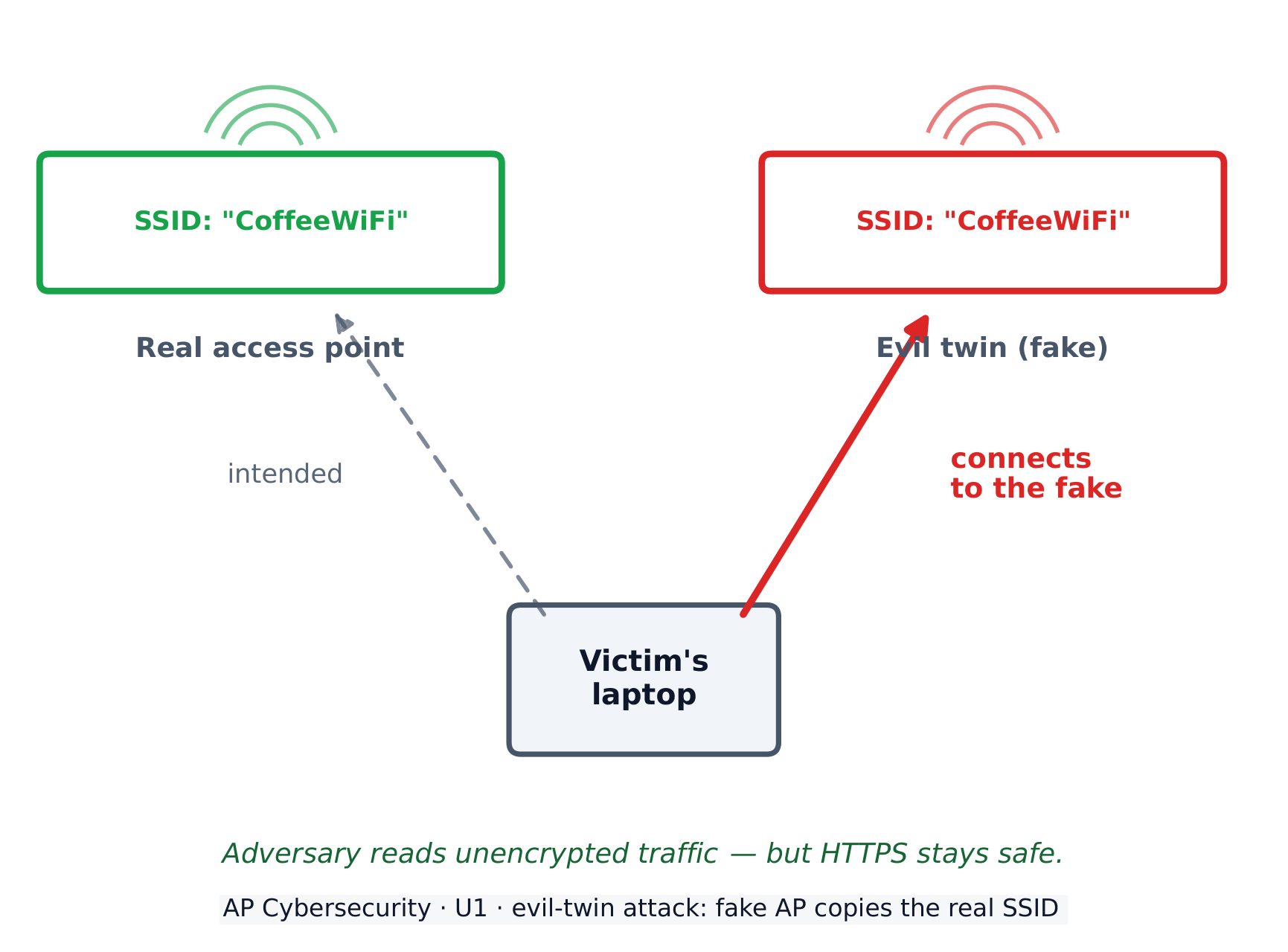
    • Evil twin 双胞胎恶意热点 - the adversary sets up a fake access point 接入点 with a name (SSID 服务集标识符) copied from the real network. Victims connect to the fake one, and the adversary reads their traffic (though encrypted 加密的 sites like HTTPS stay safe).
    • Jamming 干扰攻击 - the adversary floods the air with a strong radio signal so no one can connect. This is one kind of denial of service (DoS) 拒绝服务 attack.
    • War driving 战争驾驶 - the adversary drives around detecting wireless networks and where their signal leaks outside a building.

    To protect yourself on public networks: check that the network name exactly matches the one you intend to join, prefer encrypted sites, and consider a virtual private network (VPN) 虚拟专用网络, which encrypts all of your traffic to the VPN operator.

    한국어
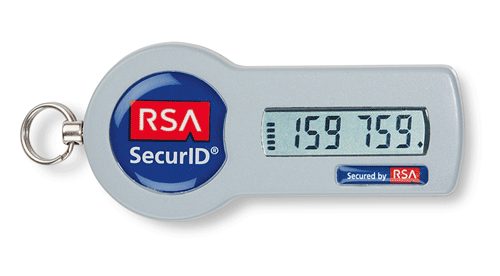
    보안 토큰: 일회용 코드와 토은 비밀번호만으로는 로그인이 충분하지 않음을 방지합니다
    보안 토큰: 일회용 코드와 토큰은 비밀번호만으로는 로그인이 충분하지 않음을 방지합니다

    모든 공격자가 동일하지는 않습니다. 우리는 그들을 기술 수준으로 분류합니다. 저수준 공격자는 온라인에서 완성된 도구를 구매하여 알려진 취점(exploits) 을 재사용하지만, 고수준 공격자는 자체적으로 도구を作成하며 제로데이(zero days) 라는 새로운 취약점을 발견할 수 있습니다. 또한 그들의 동기도 다양합니다. 이득, 복수, 정치, 혹은 신념 등입니다.

    공공 Wi-Fi는 가장 선호되는 사냥터입니다. 반드시 알아야 할 세 가지 무선 공격 유형:

    • 악성 쌍(Evil twin) - 공격자가 실제 네트워크의 이름(SSID)을 복사한 가짜 접속 포인트(access point) 를 설치합니다. 피해자들이 가짜 접속 포인트에 연결하면, 공격자는 해당 트래픽을 읽을 수 있습니다(다만 HTTPS와 같은 암호화된 사이트는 안전합니다).
    • 저밍(Jamming) - 공격자가 강력한 라디오 신호로 공기를 폭주시켜 아무도 연결할 수 없게 만듭니다. 이는 서비스 거부 공격(denial of service, DoS) 의 한 종류입니다.
    • 워 드라이빙(War driving) - 공격자가 차량을 타고 이동하면서 무선 네트워크를 탐지하고, 신호가 건물 외부로 누출되는 위치를 파악합니다.
    악성 쌍 접속 포인트가 실제 네트워크의 이름을 복사하여 피해자들이 공격자에게 연결되도록 합니다
    악성 쌍 접속 포인트가 실제 네트워크의 이름을 복사하여 피해자들이 공격자에게 연결되도록 합니다

    공공 네트워크에서 자신을 보호하려면, 네트워크 이름이接続하려는 것정확히 일치하는지 확인하고, 암호화된 사이트를 우선 사용하며, 모든 트래픽을 VPN 운영자에게 암호화하는 가상 사설 네트워크(VPN) 사용을 고려하십시오.

    Vocabulary · ⁨어휘⁩ Train · ⁨연습하기⁩
    English 한국어
    exploits/ˈeksplɔɪts/ 공격(explaits)
    zero days/ˈzɪərəʊ deɪz/ 제로 데이즈(zero days)
    motivation/ˌməʊtɪˈveɪʃn/ 동기부여
    Evil twin/ˈiːvl twɪn/ 악의적 쌍
    access point/ˈækses pɔɪnt/ access point
    SSID/ˌes es aɪ ˈdiː/ SSID
    encrypted/enˈkrɪptɪd/ 암호화된
    Jamming/ˈdʒæmɪŋ/ 저머링
    denial of service (DoS)/dɪˈnaɪəl ɒv ˈsɜːvɪs/ 서비스 거절 (DoS)
    War driving/wɔː ˈdraɪvɪŋ/ 워드라이빙
    virtual private network (VPN)/ˈvɜːtʃuːəl ˈpraɪvət ˈnetwɜːk/ 가상 사설망 (VPN)
    1.4

    AI-Based Cybersecurity Attacks · ⁨AI 기반 사이버 보안 공격⁩

    Syllabus
    English

    Learning Objective 1.4.A: Explain how adversaries use AI-powered tools to augment cyberattacks.

    • 1.4.A.1 Adversaries can use AI-powered tools that leverage existing voice and image samples of a person to create a digital avatar of that person. The use of these technologies enables adversaries to impersonate someone over the phone or even on a video call, which can lead to financial loss or the sharing of sensitive or private information. As more organizations adopt voice-based authentication, the impact of voice-impersonation has a larger potential impact.
    • 1.4.A.2 Adversaries can use generative AI tools, like large language models (LLMs), to create convincing phishing messages in any target language. Because traditional phishing messages are sometimes written by non-native speakers of the target’s language, unnatural language is a feature that has been used to distinguish phishing messages from legitimate messages. However, with AI tools, adversaries can now craft phishing messages in any language that read as though they were written by a native speaker.
    • 1.4.A.3 Adversaries can craft prompts that extract secure or sensitive information from LLMs. Secure or sensitive information in LLMs can come from user input and the large data sets used to train LLMs.
    • 1.4.A.4 Adversaries can publish websites or modify existing websites to contain false information so that the false information will be included in the training sets for LLMs, causing the LLMs to repeat the false information.
    • 1.4.A.5 Adversaries can perform reconnaissance on a target using AI-powered tools that scan the internet to gather information posted on social media and public websites.
    • 1.4.A.6 Adversaries can use AI-enhanced coding tools to help them write new malware, modify existing application code to perform malicious activities, or to find vulnerabilities in large code bases.

    Learning Objective 1.4.B: Explain how to protect against some AI-augmented cyberattacks.

    • 1.4.B.1 Shared secrets with close friends and relatives that can be used to verify each other’s identities should be established. A secret word or phrase known only to two parties can be used to authenticate identities in high-stakes situations.
    • 1.4.B.2 Multifactor authentication (MFA) should be enabled. If an adversary clones a target’s voice to access a system with voice authentication, requiring a second authentication factor could prevent an adversary from gaining access to accounts.
    • 1.4.B.3 Personal or sensitive data should not be entered into any AI-powered tools, such as chatbots or virtual assistants. Some AI-powered tools feed user input back into the model to provide continuous training. Adversaries could extract data that users have included in prompts.
    • 1.4.B.4 Output from AI-powered tools should be carefully evaluated. Verify information from AI-powered tools using reputable, stable, non-AI-based sources.
    한국어

    학습 목표 1.4.A: 공격자가 AI 구동 도구를 사용하여 사이버 공격을 어떻게 강화하는지 설명하십시오。

    • 1.4.A.1 공격자는某人现有的语音和图像样本利用AI工具创建该人的数字化身。这些技术的使用使攻击者能够在电话甚至视频通话中冒充他人,从而导致财务损失或敏感/私人信息的泄露。随着越来越多组织采用基于语音的身份验证,语音冒充的影响具有更大的潜在影响。
    • 1.4.A.2攻击者可以使用生成式AI工具(如大型语言模型LLM)用任何目标语言创建令人信服的钓鱼邮件。由于传统钓鱼邮件有时由非目标语言母语者编写,不自然的语言是区分钓鱼邮件与合法邮件的一个特征。然而,借助AI工具,攻击者现在可以用任何语言编写出读起来像母语者撰写的钓鱼邮件。
    • 1.4.A.3攻击者可以设计提示词从LLM中提取安全或敏感信息。LLM中的安全或敏感信息可能来自用户输入和用于训练LLM的大规模数据集。
    • 1.4.A.4攻击者可以发布网站或修改现有网站以包含虚假信息,从而使这些信息被纳入LLM的训练集,导致LLM重复虚假信息。
    • 1.4.A.5攻击者可以使用AI驱动的工具对目标进行侦察,扫描互联网以收集社交媒体和公共网站上发布的信息。
    • 1.4.A.6攻击者可以使用AI增强的编码工具帮助他们编写新恶意软件、修改现有应用程序代码以执行恶意活动,或在大型代码库中发现漏洞。

    学习目標 1.4.B: 解释如何防范部分经AI增强的网络攻击。

    • 1.4.B.1 신원 확인에 사용할 수 있는 친한 친구 및 가족과의 비밀을 설정해야 합니다. 두 당사자만이 아는 비밀 단어나 구절은 고위험 상황에서 신원을 인증하는 데 사용할 수 있습니다.
    • 1.4.B.2 다중 인증(MFA)을 활성화해야 합니다. 적대자가 음성 인증 시스템에 접근하기 위해 표적의 목소리를 복제할 경우, 두 번째 인증 요소를 요구하면 적대자의 계정 접근을 방지할 수 있습니다.
    • 1.4.B.3 개인 또는 민감한 데이터는 채팅봇이나 가상 비서와 같은 AI 기반 도구에는 입력해서는 안 됩니다. 일부 AI 기반 도구는 사용자 입력을 모델로 다시 피딩하여 지속적인 훈련에 사용합니다. 적대자는 사용자가 프롬프트에 포함한 데이터를 추출할 수 있습니다.
    • 1.4.B.4 AI 기반 도구의 출력물을 주의 깊게 평가해야 합니다. 신뢰할 수 있는 안정된 비(AI) 기반 출처를 통해 AI 기반 도구로부터 정보를 검증하십시오.

    Source: College Board AP Course and Exam Description · ⁨출처: College Board AP Course and Exam Description⁩

    English

    Artificial intelligence gives adversaries powerful new tools. With enough voice and image samples, an adversary can build a deepfake 深度伪造 avatar to impersonate someone on a call. Large language models (LLMs) 大语言模型 let them write convincing phishing 钓鱼 emails in perfect, native-sounding language - removing the clumsy wording that once gave scams away.

    AI also helps adversaries on the back end: crafting prompts that pull secret data out of an LLM, planting false information on websites so it poisons an LLM's training data, scanning the internet to gather facts about a target, and even writing new malware.

    You can defend against many AI-augmented attacks: agree on a shared secret 共享秘密 word with close contacts to verify identity, enable MFA (so a cloned voice alone cannot log in), never type sensitive data into a chatbot, and always double-check AI output against reliable, non-AI sources.

    AI writes code, and that cuts both ways. Adversaries use AI-enhanced coding tools 人工智能辅助编程工具 to write new malware faster than they could by hand, to modify existing application code so that it performs malicious activity, and to scan a codebase for vulnerabilities 漏洞 to attack. The skill barrier falls: someone who could not previously write an exploit can now ask for one, so the number of capable attackers rises even when no new technique is invented.

    한국어

    인공지능은 공격자에게 강력한 새로운 도구를 제공합니다. 충분한 음성 및 이미지 샘플을 확보하면, 공격자는 통화 중某人을 위장하는 딥페이크(deepfake) 아바타를 만들 수 있습니다. 대형 언어 모델(LLM) 은 완벽한 모국어 스타일의 설득력 있는 피싱(phishing) 메일 작성에 활용되어, 예전에 사기임을 드러내던 어색한 문구를 제거합니다.

    AI는 또한 백엔드에서 공격자를 지원합니다: LLM으로부터 기밀 데이터를 끌어내는 프롬프트를 제작하거나,网站上虚假信息进行植入以毒化LLM的训练数据,扫描互联网收集目标信息,甚至编写新的恶意软件。

    많은 AI 증강 공격에 대비할 수 있습니다: 신뢰할 수 있는 연락처와 공유 비밀(guess secret) 단어를 정하여 신원을 검증하고, MFA를 활성화하여 클론된 음성이 단독으로 로그인하는 것을 방지하며,Sensitive data를 채팅봇에 입력하지 말고, 항상 AI 출력을 신뢰할 수 있는 비-AI 소스와 대조하여 이중 확인하십시오.

    AI는 코드를 작성하며, 그 영향은 양면적입니다. 공격자는 AI 증강 코딩 도구를 사용하여 손으로 작성하는 것보다 빠르게 새로운 악성 소프트웨어(malware) 를 작성하고, 기존 애플리케이션 코드를 수정하여 악의적 활동을 수행하게 하며, 취약점(vulnerabilities) 을 찾아서 공략할 수 있도록 코드베이스를 스캔합니다. 기술 장벽이 낮아졌습니다: 예전에는 취약점을 발췌할 수 없었던 사람도 이제 요청할 수 있으므로, 새로운 기법이 발명되지 않아도 가능한 공격자의 수는 증가합니다.

    Vocabulary · ⁨어휘⁩ Train · ⁨연습하기⁩
    English 한국어
    deepfake/ˈdiːpfeɪk/ 딥페이크 (deepfake)
    Large language models (LLMs)/lɑːdʒ ˈlæŋɡwɪdʒ ˈmɒdlz/ 거대 언어 모델 (LLMs)
    vulnerabilities/ˌvʌlnərəˈbɪlɪtiz/ 취약점
    1.5

    Leveraging AI in Cyber Defense · ⁨사이버 방어에서의 AI 활용⁩

    Syllabus
    English

    Learning Objective 1.5.A: Explain how cyber defenders can leverage AI-powered tools to protect networks, applications, and data.

    • 1.5.A.1 AI tools can review current security configurations, like firewall rules and access controls, and recommend more secure options. Recommendations should always be checked by a knowledgeable security technician before being implemented.
    • 1.5.A.2 AI-powered tools can analyze application code to identify vulnerabilities and recommend mitigations. Recommendations should always be reviewed by a knowledgeable programmer before being implemented.
    • 1.5.A.3 AI-powered tools can suggest rules for automated detection systems. Detection rules should always be reviewed by a knowledgeable detection engineer before being added to a system.

    Learning Objective 1.5.B: Explain how AI-powered tools are enabling faster and more accurate threat detection and response.

    • 1.5.B.1 Of the millions of digital events that happen on networks daily, some likely represent an adversary conducting malicious activity. Humans cannot carefully examine all those events to identify the malicious activity.
    • 1.5.B.2 AI-powered tools can be trained to quickly analyze digital events and sort the events that are likely malicious activity from those that are harmless.
    • 1.5.B.3 AI-powered tools can be programmed to alert human cybersecurity personnel when likely malicious activity is detected or to take specific corrective actions based on the type of malicious activity detected.
    • 1.5.B.4 AI-powered tools enable threat-detection and response teams to catch malicious activity and intervene quickly to prevent loss, harm, damage, and destruction to digital infrastructure and data.
    한국어

    학습 목표 1.5.A: 사이버 방어자가 AI 기반 도구를 사용하여 네트워크, 애플리케이션 및 데이터를 보호하는 방법을 설명하십시오.

    • 1.5.A.1 AI 도구는 방화벽 규칙 및 접근 제어와 같은 현재 보안 구성을 검토하고 더 안전한 옵션을 제안할 수 있습니다. 제안은 항상 실행 전에 유능한 보안 기술자에 의해 확인되어야 합니다.
    • 1.5.A.2 AI 기반 도구는 애플리케이션 코드를 분석하여 취약점을 식별하고 완화 방안을 제안할 수 있습니다. 제안은 항상 행 전에 유능한 프로그래머에 의해 검토되어야 합니다.
    • 1.5.A.3 AI 기반 도구는 자동 감지 시스템의 규칙을 제안할 수 있습니다. 감지 규칙은 항상 시스템에 추가되기 전에 유능한 감지 엔지니어에 의해 검토되어야 합니다.

    학습 목표 1.5.B: AI 기반 도구가 더 빠르고 정확한 위협 탐지 및 대응을 가능하게 하는 방법을 설명하십시오.

    • 1.5.B.1 매일 네트워크에서 발생하는 수백만 개의 디지털 이벤트 중 일부는 적대자가 악성 활동을 수행하는 것일 가능성이 있습니다. 인간이 모든 이벤트를 면밀히 검토하여 악성 활동을 식별할 수는 없습니다.
    • 1.5.B.2 AI 기반 도구는 빠르게 디지털 이벤트를 분석하고 악성 활동일 가능성이 높은 이벤트와 무해한 이벤트를 분류하도록 훈련될 수 있습니다.
    • 1.5.B.3 AI 기반 도구는 악성 활동이 감지되면 사이버 보안 담당자에게 경보를 알리거나, 감지된 악성 활동 유형에 따라 특정 시정 조치를 취하도록 프로그래밍될 수 있습니다.
    • 1.5.B.4 AI 기반 도구는 위협 탐지 및 대응 팀이 악성 활동을 포착하고 신속하게 개입하여 디지털 인프라 및 데이터의 손실, 피해, 손상 및 파괴를 예방하도록 지원합니다.

    Source: College Board AP Course and Exam Description · ⁨출처: College Board AP Course and Exam Description⁩

    English

    The same technology defends us. AI tools can analyse an application's own source code, identify vulnerabilities in it and recommend mitigations; they can also review firewall rules and access settings and recommend safer options - though a human expert must always check the advice before applying it. AI can scan application code for weaknesses and suggest detection rules.

    ⚠️ A recommendation is not a fix. The CED is explicit that the advice must be reviewed and implemented by a knowledgeable programmer: an AI tool can be confidently wrong about whether a flaw is exploitable, and applying a suggested patch without understanding it can introduce a new fault of its own.

    Its biggest advantage is scale. A medium network produces millions of events every day - far too many for people to read. AI can quickly sort the harmless events from the likely-malicious ones, alert human staff, or take an automatic action. This lets defenders catch an attack and respond in seconds instead of days, preventing loss and damage.

    That scale is what makes threat detection and response 威胁检测与响应 possible in practice: an AI system flags malicious activity as it happens, so the response team can intervene quickly enough to prevent loss, harm, or destruction of digital infrastructure — rather than reading the logs days later and finding out what was taken.

    한국어

    같은 기술이 우리를 보호합니다. AI 도구는 애플리케이션의 자체 소스 코드를 분석하여 취약점을 식별하고 완화策을 제안할 수 있으며, 방화벽 규칙과 접근 설정을 검토하여 더 안전한 옵션을 제안할 수도 있습니다. 다만, 전문가가 always 적용 전에 조언을 검토해야 합니다. AI는 애플리케이션 코드의 약점을 스캔하고 탐지 규칙을 제언할 수 있습니다.

    ️ 제안은 해결책이 아닙니다. CED는 조언이 전문적인 프로그래머에 의해 검토되고 구현되어야 함을 명시합니다. AI 도구가 결함이 실제로可利用인지에 대해 확신 있게 틀린 판단을 내릴 수 있으며, 이해하지 않은 채로 제안된 패치를 적용하면 새로운 결함을 유발할 수 있습니다.

    그의 가장 큰 강점은 규모(scale) 입니다. 중간 규모의 네트워크는 매일 수백만 개의 이벤트를 생성하는데, 이는 인간이 읽기에 너무 많습니다. AI는 무해한 이벤트와 유해할 가능성이 높은 이벤트를 빠르게 구분하여, 경보(alert) 를 발사하거나 자동 조치를 취할 수 있습니다. 이는 방어자가 공격을 포착하고 수일 후가 아닌 수초 내에 대응하여 손실과 피해를 예방하도록 해줍니다.

    이러한 규모가 위험 탐지 및 대응(threat detection and response) 을 현실적으로 가능하게 합니다: AI 시스템이 악의적 활동이 발생하자마자 경고를 하므로, 대응 팀이 손실, 피해, 또는 디지털 인프라 파괴를 막을 만큼 빠르게 개입(intervene) 할 수 있습니다. 대신 며칠 후에 로그를 읽고 무엇을 빼앗겼는지 알게 되는 상황을 방지합니다.

    Vocabulary · ⁨어휘⁩ Train · ⁨연습하기⁩
    English 한국어
    threat detection and response/θret dɪˈtekʃn ænd rɪˈspɒns/ 위협 탐지 및 대응
    1.5

    Exam tips · ⁨시험 팁⁩

    English
    • When a question asks you to rank risks, remember high risk = high impact AND easy to exploit. A parking-lot Wi-Fi leak matters less than an open internal port that lets an adversary spoof a device.
    • Learn the social-engineering tactics by name - intimidation, urgency, pretexting, authority, consensus, scarcity, familiarity - and be ready to spot which one an email is using.
    • Encryption still protects you on an evil twin: the adversary sees your traffic but cannot read HTTPS. Say what is exposed, not just "it's unsafe".
    • For "how to make authentication stronger", MFA is almost always part of the answer, plus long/unique passwords from a manager.
    • AI is dual-use: the same tool (LLMs, code analysis) appears on both the attack and the defense side. Read the question carefully to see which side it asks about.
    한국어
    • 질문이 위험도를 순서대로 매기도록 요구할 때, high risk = high impact AND easy to exploit임을 기억하십시오. 주차장 Wi-Fi 누출보다 개방된 내부 포트가的攻击者에게 장치 spoofing을 허용하는 경우가 더 중요합니다.
    • 협박, 급박함, 가전(pretexting), 권위(authority), 동조 효과(consensus), 희소성(scarcity), 친숙함(familiarity) 등 사회공학적 기법의 명칭을 숙지하고 이메일이 어떤 기법을 사용하는지 식별할 준비를 하십시오.
    • 악성 쌍에서도 암호화는 여전히的保护您: 공격자는 트래픽을 보지만 HTTPS를 읽을 수 없습니다. 단순히 "안전하지 않다"가 아니라 무엇이 노출되었는지를 말하십시오.
    • "인증을 어떻게 강화하느냐"에 대한 질문에서는 MFA가 거의 항상 답변의 일부이며, 관리자의 길고 고유한 비밀번호가 함께 필요합니다.
    • AI는 이중 용도입니다. 동일한 도구(LLM, 코드 분석 등)가 공격과 방어 양측에 모두 사용됩니다. 질문을 주의 깊게 읽어 어떤 쪽을 묻고 있는지 확인하십시오.
  • 2

    Securing Spaces · ⁨공간 보안⁩

    Watch lesson · ⁨수업 보기⁩
    2.1

    Cyber Foundations

    Syllabus
    Learning ObjectiveEssential Knowledge

    2.1.A
    Identify social engineering attacks.

    • 2.1.A.1 Social engineers use psychological tactics to manipulate targets into taking a desired action.
    • 2.1.A.2 Pretexting is when adversaries create a believable reason to contact a target.
    • 2.1.A.3 Authority is when adversaries impersonate someone with power over a target or pretend to relay instructions from that person.
    • 2.1.A.4 Intimidation is when adversaries state negative consequences if demands aren’t met.
    • 2.1.A.5 Consensus is when adversaries create social pressure by making a target believe everyone else is doing a desired action.
    • 2.1.A.6 Scarcity is when adversaries create a sense of limited availability.
    • 2.1.A.7 Familiarity is when adversaries pretend to be or know someone close to a target to establish trust.
    • 2.1.A.8 Urgency is when adversaries create a deadline that requires quick action by a target to avert negative consequences.

    2.1.B
    Identify types of adversaries.

    • 2.1.B.1 Script kiddies are low-skilled adversaries who use tools developed by others without understanding how the tools work. They are often motivated by greed or a desire for recognition.
    • 2.1.B.2 Hacktivists are motivated by social, political, or personal causes. They compromise computers and networks to support their cause or stop perceived harm, believing their goals justify their illegal methods.
    • 2.1.B.3 Insider adversaries are unique threats because they have legitimate credentials and access to systems and data. They can be recruited by malicious third parties and can be motivated by greed or revenge.
    • 2.1.B.4 Cyberterrorists are motivated by politics or beliefs and seek to disrupt entire communities, regions, or nations through cyberattacks (e.g., attacking a power grid, water treatment plant, or other civil infrastructure). They can act independently or on behalf of governments or criminal organizations.
    • 2.1.B.5 Transnational criminal organizations seek financial gain primarily by deploying ransomware and stealing corporate intellectual property (IP) to sell in illegal markets.

    2.1.C
    Describe the phases of a cyberattack.

    • 2.1.C.1 Cyberattacks aim to disrupt, harm, steal, or destroy devices, networks, or data. Adversaries work in phases, which may not all be used in every attack. The phases are:
      • i. Reconnaissance
      • ii. Initial access
      • iii. Persistence
      • iv. Lateral movement
      • v. Taking action
      • vi. Evading detection
    • 2.1.C.2 In the reconnaissance phase of an attack, adversaries gather as much information as possible about their target, often using open source intelligence (OSINT), which is freely available information.
    • 2.1.C.3 In the initial-access phase of an attack, adversaries establish a foothold on the target’s computer, often through social engineering or compromised or weak credentials.
    • 2.1.C.4 After gaining access during an attack, adversaries establish persistence to maintain access without needing to regain it. They may use a command and control (C2) protocol to send commands to the device and receive output, often through malware like a remote access trojan (RAT) or rootkit.
    • 2.1.C.5 In the lateral-movement phase of an attack, adversaries try to escalate their privileges by accessing computers and user accounts with elevated permissions to services and data.
    • 2.1.C.6 In the taking-action phase of an attack, adversaries act on their objectives by collecting targeted data, exfiltrating it, and disrupting services or destroying data.
    • 2.1.C.7 In the final phase of an attack, many adversaries try to evade detection by removing or editing log files and erasing other files they may have planted on devices (e.g., malware).

    2.1.D
    Describe the risk assessment process.

    • 2.1.D.1 Risk occurs when a threat can exploit a vulnerability to compromise an asset.
    • 2.1.D.2 An asset is anything valuable. Assets include financial resources, intellectual property, data, digital infrastructure, physical property, and reputation.
    • 2.1.D.3 Risk assessment considers two factors:
      • The likelihood of an attack against a specific vulnerability
      • The severity of the projected damage from an attack against a specific vulnerability
    • 2.1.D.4 The likelihood of a vulnerability being exploited depends on many factors, including:
      • The value of the target: Adversaries are more likely to attack targets they perceive as valuable.
      • The level of skill required to exploit the vulnerability (i.e., the difficulty): Vulnerabilities with well-documented exploits often require less skill and can be carried out by more adversaries.
      • The motivation and capabilities of likely adversaries: Highly motivated and skilled adversaries are more likely to be able to perform more complex exploits.
    • 2.1.D.5 The severity of an attack is often measured by financial cost, which can also include reputational and operational impacts.
      • Illustrative examples for 2.1.D.5:
        • A hacktivist is passionate about illegal fishing practices supported by a local food production company. The main webpage of this food production company would be a high-value target for this hacktivist; defacing the webpage to expose the company’s support of illegal fishing would provide no financial gain to the adversary, but would allow them to raise awareness about an issue that motivates them.
    • 2.1.D.6 The result of a risk assessment can be quantitative or qualitative.
      • Quantitative risk assessment assigns a numeric value to a vulnerability based on a numeric scale (e.g., 1–10) or quantifiable impact, which could be financial (e.g., a $10,000 annual risk).
      • Illustrative examples for 2.1.D.6:
        • Low, medium, high, severe
        • Unlikely low impact, likely low impact, unlikely high impact, likely high impact
    • 2.1.D.7 Risk assessment documentation should include:
      • Vulnerable assets and their value
      • Descriptions of likely threats to the assets
      • Details of specific vulnerabilities for specific assets and how they would be exploited
      • An explanation of the severity of damage (financial, operational, reputational, etc.) if a specific asset were compromised, and the likelihood of that compromise occurring
      • A final rating, quantitative or qualitative, for each risk identified
      • Illustrative examples for 2.1.D.7:
        • Scaled score (e.g., 1–10)
        • Monetary value (e.g., a $10,000 risk vs. a$100,000 risk)

    2.1.E
    Identify strategies for managing risk.

    • 2.1.E.1 Once a risk has been identified and assessed, an organization has four options for managing that risk:
      • i. Avoid
      • ii. Transfer
      • iii. Mitigate
      • iv. Accept
    • 2.1.E.2 Risk avoidance stops the activity that is generating the risk. If the activity is a critical part of an organization’s mission or purpose, then avoidance is not possible.
    • 2.1.E.3 Risk transference places the burden of the risk on another entity, such as an insurance company, a government, or consumers.
    • 2.1.E.4 Risk mitigation implements security controls to reduce the likelihood or impact of a risk.
    • 2.1.E.5 Residual risk is the risk that remains after an organization has gone through avoidance, transference, and mitigation. The residual risk is the level of risk that an organization is willing to accept. Risk acceptance acknowledges the fact that absolute security is unattainable.
    • 2.1.E.6 To conserve financial resources and employee capacity, an organization will often favor solutions that are cost effective and easy to implement and maintain. Cost-effective solutions cost less to install and maintain than the expected loss from an attack.

    2.1.F
    Identify types of security controls.

    • 2.1.F.1 Security controls address at least one of the following principles:
      • Confidentiality ensures that only authorized individuals, systems, or processes can access data. Systems lacking confidentiality are vulnerable to data theft or destruction.
      • Integrity ensures data are accurate and trustworthy. Systems lacking integrity are vulnerable to data manipulation.
      • Availability ensures data and services are accessible to authorized individuals when needed. Systems lacking availability may experience unexpected downtime.
    • 2.1.F.2 Security controls can be classified by type.
      • Physical controls provide security in the physical space and include locks, fences, and cameras, bollards, and security guards.
      • Technical controls provide security in the digital space and include firewalls, anti-malware software, and encryption.
      • Managerial controls provide rules, guidelines, policies, and procedures that specify what security should be in place and include password policies, regular access reviews, and incident response plans (IRPs).
    • 2.1.F.3 Security controls can be classified by function.
      • Preventative controls address potential vulnerabilities with the goal of stopping an adversary from attacking and include locks and encryption.
      • Detective controls help identify attacks when they occur and include intrusion detection systems (IDSs), cameras, and security incident and event management (SIEM) systems.
      • Corrective controls fix problems and help restore systems to an operational state and include vulnerability patching, repairing a broken card reader, and intrusion prevention systems (IPSs).

    2.1.G
    Explain why a defense-in-depth security strategy is necessary to optimally protect an organization.

    • 2.1.G.1 A defense-in-depth strategy, or layered defense, uses multiple types of security controls to protect sensitive data and systems.
    • 2.1.G.2 A defense-in-depth strategy allows an organization to address different types of threats, each with a security control most suited to mitigate it.
    • 2.1.G.3 A defense-in-depth strategy allows for resilience in data protection so when one security control is bypassed by an adversary, another security control may still prevent access to the data or system or limit the damage done to the data or system.
    • 2.1.G.4 Layers in a defense-in-depth strategy can include human, physical, network, device, application, and data.

    Source: College Board AP Course and Exam Description · ⁨출처: College Board AP Course and Exam Description⁩

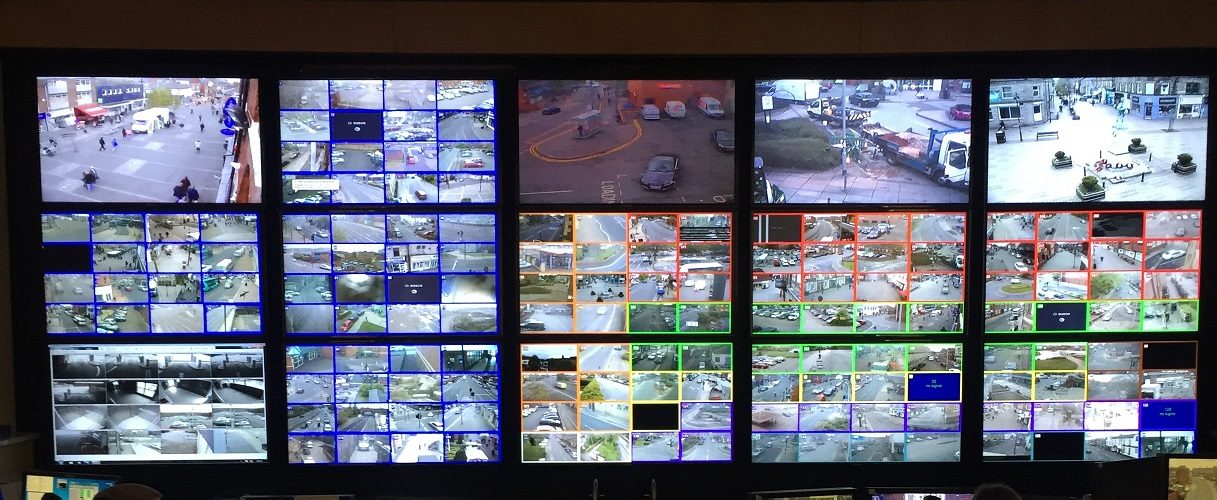
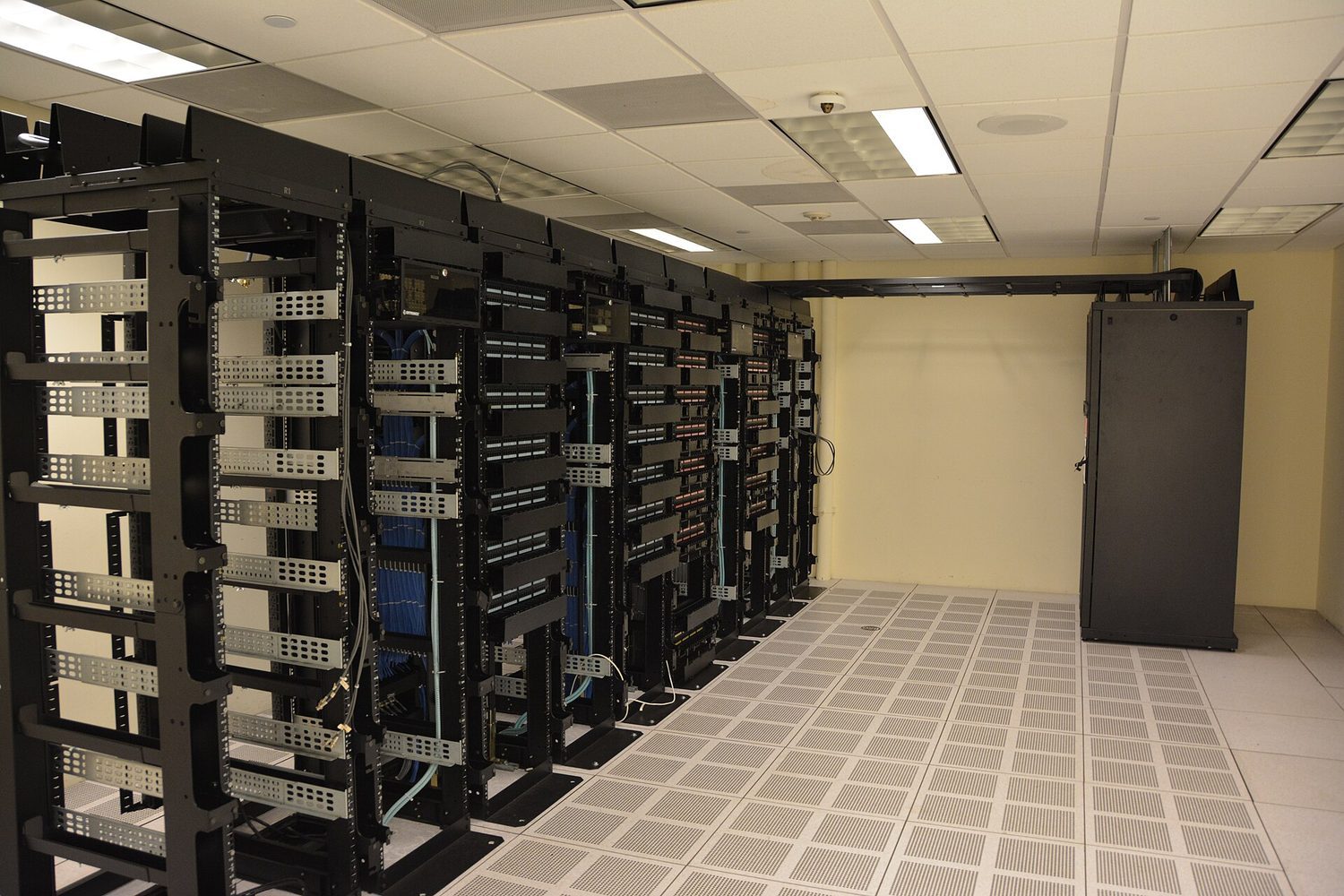
    A monitor wall: network monitoring and logging help detect intrusions
    A monitor wall: network monitoring and logging help detect intrusions

    Before defending a system, you need a shared language. This section builds it.

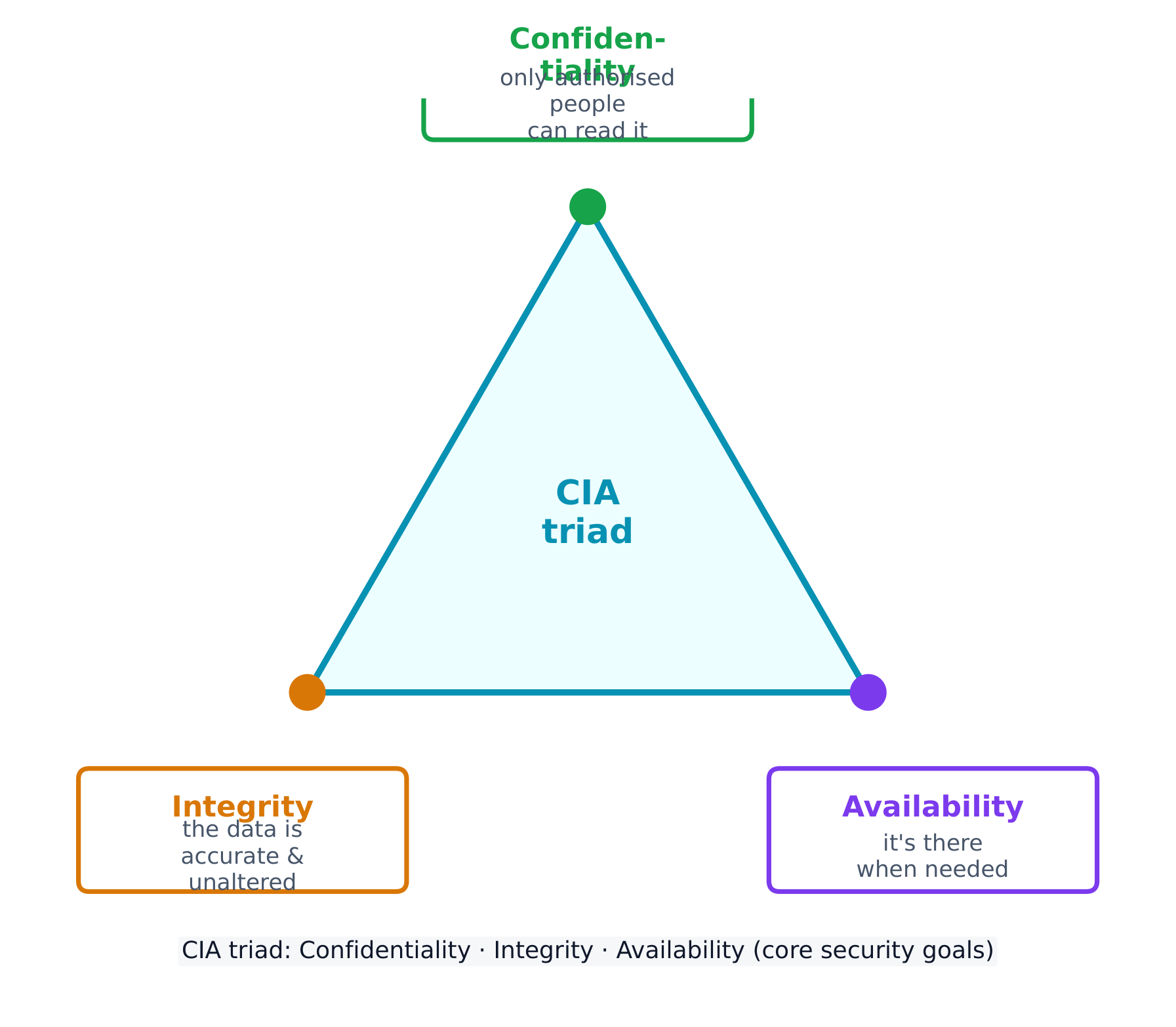
    Every security control protects at least one part of the CIA triad 信息安全三要素 - the three goals of security:

    • Confidentiality 保密性 - only authorised people can read the data.
    • Integrity 完整性 - the data is accurate and unaltered.
    • Availability 可用性 - the data and services are there when needed.
    The CIA triad: the three goals every security control supports
    The CIA triad: the three goals every security control supports

    Attacks come from different adversaries, classified by their goals. A script kiddie 脚本小子 reuses tools built by others for greed or recognition; a hacktivist 黑客活动分子 acts for a political, social, or personal cause; an insider 内部人员 already holds legitimate access and may act from revenge or greed; a cyberterrorist 网络恐怖分子 disrupts critical infrastructure like a power grid or water plant; and transnational criminal organisations 跨国犯罪组织 chase money through ransomware and stolen data.

    Most attacks unfold in phases 阶段: reconnaissance 侦察 (gathering information, often from public OSINT 公开来源情报 sources), initial access, persistence, lateral movement 横向移动 (spreading to more systems by escalating privileges), taking action on the goal, and evading detection. Naming the phase an attacker has reached helps a defender choose the right response.

    Social engineering: the seven tactics

    Most attacks begin not with code but with social engineering 社会工程学 - psychological tricks that manipulate a person into doing what the adversary wants. The exam names seven tactics, and expects you to identify which one a scenario shows:

    Tactic The trick
    Pretexting 借口 inventing a believable reason to make contact ("I'm from IT, verifying your account")
    Authority 权威 posing as someone powerful, or relaying "the boss's" instructions
    Intimidation 恐吓 threatening negative consequences if a demand is not met
    Consensus 从众 claiming everyone else is already doing it, to create social pressure
    Scarcity 稀缺 inventing limited availability ("only 2 left")
    Familiarity 熟悉 pretending to be, or to know, someone close to the target
    Urgency 紧迫感 imposing a tight deadline so the target acts before thinking

    the common thread is that all seven bypass a target's judgement by triggering an automatic emotional response - fear, trust, haste, or the wish to fit in. The defence is the same each time: verify through a separate, trusted channel before acting.

    A risk 风险 appears when a threat 威胁 can exploit a vulnerability 漏洞 to compromise an asset 资产 (anything valuable - data, money, hardware, reputation). We assess risk by weighing two things: the likelihood 可能性 of an attack and the severity 严重性 of the damage.

    Likelihood itself depends on the value of the target (adversaries chase what looks worth stealing), the skill needed to exploit the vulnerability (a well-documented exploit needs little skill, so more adversaries can use it), and the motivation and capability of likely adversaries. Severity is usually measured in financial cost, but includes reputational and operational damage too.

    The final rating can be written two ways, and the exam wants you to tell them apart:

    • quantitative 定量 - a number: a score on a scale (e.g. 1-10), or a money value (e.g. "a $10,000 annual risk").
    • qualitative 定性 - a label: low / medium / high / severe, or a grid such as likely-high-impact vs unlikely-low-impact.

    A written risk assessment 风险评估 should record, for each risk: the vulnerable asset and its value, the likely threats, how the specific vulnerability would be exploited, the severity if it were compromised, and a final quantitative or qualitative rating.

    Once a risk is measured, an organisation has four ways to manage it:

    • Avoid 规避 - stop the risky activity (only possible if it isn't essential).
    • Transfer 转移 - shift the burden to someone else, such as an insurer.
    • Mitigate 缓解 - add controls to lower the likelihood or impact.
    • Accept 接受 - live with the leftover residual risk 剩余风险, because perfect security is impossible.

    Security controls are grouped two ways. By type: physical 物理 (locks, fences, guards), technical 技术 (firewalls, anti-malware, encryption), and managerial 管理 (policies and procedures). By function: preventative 预防性 (stop an attack, like a lock), detective 检测性 (spot an attack, like a camera), and corrective 纠正性 (fix and restore, like patching).

    Worked example. A hospital stores patient records on an unencrypted server in an unlocked room. Rate the risk: the asset is highly sensitive (patient data, protected by law) and the vulnerability is easy to exploit (no encryption, no access control), so this is a high risk. Now classify one fix - a door lock: by type it is a physical control, and by function it is preventative (it stops entry before an attack even begins).

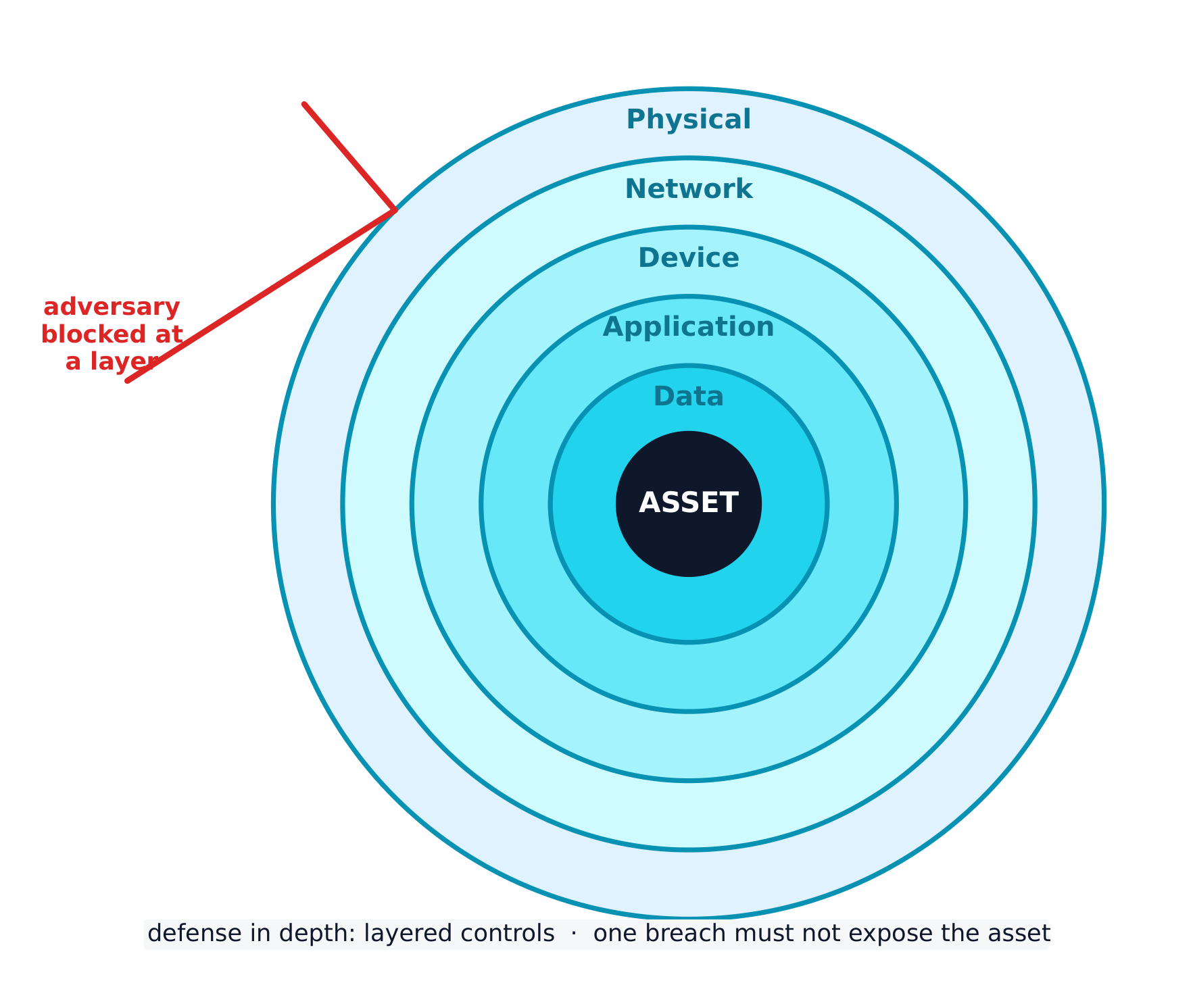
    The best strategy layers many controls - a defense-in-depth 纵深防御 approach. If an adversary bypasses one layer, another still stands. Layers include human, physical, network, device, application, and data.

    Defense in depth: many layers so one breach does not expose the asset
    Defense in depth: many layers so one breach does not expose the asset
    Explore · ⁨탐색하기⁩

    Classify each security control by function · ⁨기능에 따른 보안 통제 분류하기⁩

    A preventative control stops an attack, a detective control spots one in progress, and a corrective control fixes the damage and restores the system. · ⁨예방(preventative) 통제는 공격을 차단하고, 탐지(detective) 통제는 진행 중인 공격을 발견하며, 정정(corrective) 통제는 피해를 복구하고 시스템을 복구합니다.⁩

    Explore · ⁨탐색하기⁩

    Classify each security control by type · ⁨유형에 따른 보안 통제 분류하기⁩

    A physical control guards the physical space, a technical control works in the digital space, and a managerial control is a rule, policy, or procedure. · ⁨물리적(physical) 통제는 물리적 공간을 보호하고, 기술적(technical) 통제는 디지털 공간에서 작동하며, 관리적(managerial) 통제는 규칙, 정책 또는 절차입니다.⁩

    Vocabulary · ⁨어휘⁩ Train · ⁨연습하기⁩
    English 한국어
    CIA triad/ˌsiː aɪ ˈeɪ ˈtraɪæd/ CIA 삼각구형
    Confidentiality/ˌkɒnfɪˌdenʃiˈæləti/ 비밀 유지
    Integrity/ɪnˈteɡrɪti/ 진정성
    Availability/əˌveɪləˈbɪlɪti/ 가용성
    script kiddie/skrɪpt ˈkɪdi/ 스크립트 키디
    hacktivist/ˈhæktɪvɪst/ 해커 활동가
    insider/ɪnˈsaɪdə/ 내부자
    cyberterrorist/ˈsaɪbəterərɪst/ 사이버 테러리스트
    transnational criminal organisations/trænˈsnæʃənl ˈkrɪmɪnl ˌɔːɡənaɪˈzeɪʃnz/ 초국적 범죄 조직
    phases/ˈfeɪzɪz/ 위상(phases)
    reconnaissance/rɪˈkɒnɪsəns/ 탐사
    OSINT/ˈəʊsɪnt/ OSINT
    lateral movement/ˈlætərəl ˈmuːvmənt/ 측방 이동
    social engineering/ˈsəʊʃl ˌendʒɪˈnɪərɪŋ/ 사회 공학
    Pretexting/ˈpriːtekstɪŋ/ 전제 설정
    Authority/əˈθɒrɪti/ 권위(Authority)
    Intimidation/ɪnˌtɪmɪˈdeɪʃn/ 협박(Intimidation)
    Consensus/kənˈsensəs/ 일관성(Consensus)
    Scarcity/ˈskeəsɪti/ 희소성(Scarcity)
    Familiarity/fəˌmɪliˈærɪti/ 친밀감(Familiarity)
    Urgency/ˈɜːdʒənsi/ Urgency(시급성)
    risk/rɪsk/ 위험(risk)
    threat/θret/ 위협
    vulnerability/ˌvʌlnərəˈbɪlɪti/ 취약점
    asset/ˈæset/ 자산(asset)
    likelihood/ˈlaɪklihʊd/ 발생 가능성(likelihood)
    severity/səˈverɪti/ 심각도(severity)
    quantitative/ˈkwɒntɪteɪtɪv/ 정량적
    qualitative/ˈkwɒlɪteɪtɪv/ 정성적
    risk assessment/rɪsk əˈsesmənt/ 위험 평가
    Avoid/əˈvɔɪd/ 회피
    Transfer/ˈtrænsfɜː/ 전자 전달
    Mitigate/ˈmɪtɪɡeɪt/ 완화
    Accept/əkˈsept/ 수락
    residual risk/rɪˈsɪdʒuːəl rɪsk/ 잔존 위험
    physical/ˈfɪzɪkl/ 물리적
    technical/ˈteknɪkl/ 기술적인
    managerial/ˌmænəˈdʒɪərɪəl/ 관리적(managerial)
    preventative/prɪˈventətɪv/ 예방적
    detective/dɪˈtektɪv/ 탐지적
    corrective/kəˈrektɪv/ 수정
    defense-in-depth/dɪˈfens ɪn depθ/ 방어 심층화
    2.2

    Physical Vulnerabilities and Attacks

    Syllabus
    English

    Learning Objective 2.2.A: Identify common physical attacks.

    • 2.2.A.1 Adversaries often use social engineering when conducting a physical attack.
    • 2.2.A.2 Piggybacking is the name for an attack where an adversary uses social engineering to manipulate an authorized individual to grant the adversary access to a restricted area. Common piggybacking tactics include carrying something large to entice an authorized person to hold the door open, pretending to be an authorized person who has forgotten their access token, or pretending to be a maintenance person who needs to get into a certain area to perform an inspection or repair.
    • 2.2.A.3 Tailgating is the name for an attack where an adversary gains unauthorized access to a restricted area by following close behind an authorized individual without that individual’s awareness or knowledge.
    • 2.2.A.4 Shoulder surfing is the name for an attack where an adversary watches as a user accesses sensitive information so the adversary can use it later. Sometimes adversaries use a camera to record the target accessing the sensitive information for later analysis.
    • 2.2.A.5 Dumpster diving is the name for an attack where an adversary goes through a target’s physical trash to look for information that could be used to help the adversary reach their goal.
    • 2.2.A.6 Card cloning is the name for an attack where an adversary makes a copy of an authorized user’s access card so they can gain access to all the resources the user is authorized to access.

    Learning Objective 2.2.B: Explain how threats can exploit common physical vulnerabilities to cause loss, damage, disruption, or destruction to assets.

    • 2.2.B.1 Threats include human adversaries seeking to cause harm or disruption as well as natural disasters. Natural disasters can cause physical damage or destruction to computers and data as well as disruption of digital services provided by computers.
    • 2.2.B.2 Vulnerabilities are weaknesses or flaws that could allow an asset to be compromised. Common compromises include:
      • Unauthorized access to sensitive data or restricted physical spaces
      • Disruption of services
      • Theft or destruction of digital or physical resources
      • Unauthorized modification of data
    • 2.2.B.3 When adversaries disrupt power to a device, the device and any services it provides become unavailable. To disrupt power, adversaries may damage fuses or breakers in an electrical box, unplug or cut electrical wiring, or damage power distribution systems like substations and transformers.
    • 2.2.B.4 When adversaries gain access to an area with sensitive information, they can steal or copy sensitive information.
    • 2.2.B.5 When adversaries gain physical access to a device and its ports, they can plug in a keylogger or external drive containing malware, which could allow them to collect data from a user or possibly even to gain control of the device. With direct physical access adversaries can also physically destroy a device, making the device itself, any data stored on it, and any services it provides unavailable.

    Learning Objective 2.2.C: Assess and document risks from physical vulnerabilities.

    • 2.2.C.1 Physical access to devices can allow adversaries to bypass many technical controls and layers of security.
    • 2.2.C.2 High risks from physical vulnerabilities arise when sensitive information or systems are exposed in physical spaces without sufficiently restricted and controlled access.
      • Illustrative examples for 2.2.C.2:
        • A server that stores customer data is in a room with no lock which is accessed via an unmonitored hallway.
    • 2.2.C.3 Moderate risks from physical vulnerabilities arise when a noncritical or nonsensitive part of an organization is left unprotected in a way that it could act as a foothold for an adversary to gain initial access to other resources.
      • Illustrative examples for 2.2.C.3:
        • An office has a reception area beyond which access is controlled; the receptionist has a computer that connects to the office’s internal wireless network and the computer has exposed USB ports.
    • 2.2.C.4 Low risks from physical vulnerabilities arise when a vulnerable asset is of low value and the vulnerability is unlikely to be exploited.
      • Illustrative examples for 2.2.C.4:
        • Employees in an office that requires badge access have laptop computers that they leave on their desks unattended when they all go to lunch together. The computers do not contain any sensitive information, but there are no cables securing the devices to the desks.
    한국어

    학습 목표 2.2.A: 일반적인 물리적 공격을 식별하십시오.

    • 2.2.A.1 적대자는 물리적 공격을 수행할 때 사회공학을 자주 사용합니다.
    • 2.2.A.2 피거백킹(piggybacking)은 적대자가 사회공학을 사용하여 권한 있는 개인을 조작해 제한된 구역으로의 접근을 허용하게 만드는 공격의 이름입니다. 일반적인 피거백킹 전술로는 큰 물건을 들고 있어 권한 있는 사람이 문이 열려 있기를 기다리게 하는 것, 접근 토큰을 분실했다고 위장한 권한 있는 사람인 척, 특정 구역을 점검이나 수리를 위해 들어갈maintenance personnel인 척 하는 것입니다.
    • 2.2.A.3 테일게이팅(tailgating)은 적대자가 권한 있는 개인의 뒤를 따르면서 해당 개인의 의식이나 인지 없이 제한된 구역에 무단으로 진입하는 공격의 이름입니다.
    • 2.2.A.4 숄더 서핑(Shoulder surfing)은 적대자가 사용자가 민감한 정보에 접근하는 것을 감시하여 나중에 이를 악용하려는 공격을 말한다. 때로는 적대자가 카메라를 사용하여 타겟이 민감한 정보에 접근하는 과정을 녹화하고, 이를 나중에 분석하기 위해 사용하기도 한다.
    • 2.2.A.5 덤프스터 다이빙(Dumpster diving)은 적대자가 타겟의 물리적 쓰레기를 뒤져서, 자신의 목표를 달성하는 데 도움이 될 수 있는 정보를 찾아내는 공격을 말한다.
    • 2.2.A.6 카드 클로닝(Card cloning)은 적대자가授权된 사용자(access card)의 접근 카드를 복제하여, 해당 사용자가 권한을 가진 모든 자원에 접근할 수 있게 되는 공격을 말한다.

    학습 목표 2.2.B: 위협이 일반적인 물리적 취약점을如何利用하여 자산에 손실, 손상, 장애 또는 파손을 야기하는지 설명하십시오.

    • 2.2.B.1 위협에는 해를 끼치거나 장애를 일으키려는 인적 적대자뿐만 아니라 자연재해도 포함됩니다. 자연재해는 컴퓨터와 데이터에 물리적 손상 또는 파괴를 초래할 뿐만 아니라 컴퓨터가 제공하는 디지털 서비스의 장애를 유발할 수 있습니다.
    • 2.2.B.2 취약점은 자산을 침해할 수 있는 약점 또는 결함을 의미합니다. 일반적인 침해 사례는 다음과 같습니다:
      • 민감한 데이터 또는 제한된 물리적 공간에 대한 무단 접근
      • 서비스 장애
      • 디지털 또는 물리적 리소스의 도난 또는 파괴
      • 데이터의 무단 수정
    • 2.2.B.3 적대자가 기기에 전원을 차단하면, 기기와 그 기기가 제공하는 모든 서비스가 이용 가능하지 않게 됩니다. 전원을 차단하기 위해 적대자는 전기 박스 내의 퓨즈나 브레이커를 손상시키거나, 전원 배선을抜거나 절단하거나, 변전소 및 트랜스포머와 같은 전력 배분 시스템을 손상시킬 수 있습니다.
    • 2.2.B.4 적대자가 민감한 정보가 포함된 구역에 접근하면, 민감한 정보를 도난하거나 복사할 수 있습니다.
    • 2.2.B.5 적대자가 기기에 물리적으로 접근하고 포트에 접근할 경우, 키로거(keylogger) 또는 악성코드가 포함된 외부 드라이브를 연결하여 사용자로부터 데이터를 수집하거나 기기를 제어할 수 있습니다. 직접적인 물리적 접근을 통해 적대자는 기기를 물리적으로 파괴할 수도 있으며, 이로 인해 기기 자체, 기기에 저장된 데이터, 그리고 기기가 제공하는 모든 서비스가 이용 불가능해집니다.

    학습 목표 2.2.C: 물리적 취약점으로 인한 위험을 평가하고 문서화하십시오.

    • 2.2.C.1 기기에 대한 물리적 접근은 많은 기술적 통제와 보안 계층을 우회할 수 있게 합니다.
    • 2.2.C.2 민감한 정보나 시스템이 물리적 공간에 노출되어 충분히 제한되고 통제된 접근이 이루어지지 않을 때 물리적 취약점으로 인한 높은 위험이 발생합니다.
      • 2.2.C.2에 대한 예시:
        • 고객 데이터를 저장하는 서버가 잠금이 없는 방에 있으며, 이는 모니터링되지 않는 복도를 통해 접근됩니다.
    • 2.2.C.3 조직의 비중요하거나 민감하지 않은 부분이 보호되지 않아 적대자가 다른 자원에 초기 접근할 수 있는 발판이 되는 경우, 물리적 취약성으로 인한 중위 위험이 발생합니다.
      • 2.2.C.3에 대한 예시:
        • 사무실에는 리셉션 구역 이후로 접근이 통제되는 공간이 있으며, 리셉션 담당자는 사무실 내부 무선 네트워크에 연결된 컴퓨터를 사용하고 있습니다. 이 컴퓨터는 USB 포트가 노출되어 있습니다.
    • 2.2.C.4 취약한 자산의 가치가 낮고 그 취약점이 악용될 가능성이 적을 때, 물리적 취약성으로 인한 저위 위험이 발생합니다.
      • 2.2.C.4에 대한 예시:
        • 배지 접근이 필요한 사무실에 근무하는 직원들이 모두 점심을 먹기 위해 잠시 자리를 비운 사이에 데스크탑에 노트북을 남겨두었습니다. 이 컴퓨터에는 민감한 정보가 포함되어 있지 않지만, 기기를 책상에 고정하는 케이블도 없습니다.

    Source: College Board AP Course and Exam Description · ⁨출처: College Board AP Course and Exam Description⁩

    Digital security means nothing if an adversary can simply walk in. Common physical attacks 物理攻击 often begin with social engineering:

    • Piggybacking 尾随(获许可) - tricking an authorised person into holding a door open (for example, by carrying a heavy box).
    • Tailgating 尾随(未察觉) - slipping through a secured door behind someone without their knowledge.
    • Shoulder surfing 肩窥 - watching someone type a password or read sensitive information.
    • Dumpster diving 翻垃圾搜集情报 - searching a target's trash for useful information.
    • Card cloning 门禁卡复制 - copying an access card to enter restricted areas.

    With physical access, an adversary can cut power, steal or copy data, or plug in a keylogger 键盘记录器. We rate physical risk as high when sensitive systems sit in a space without controlled access, moderate when an unimportant area could act as a foothold 立足点 to reach other resources, and low when the asset is worthless and unlikely to be attacked.

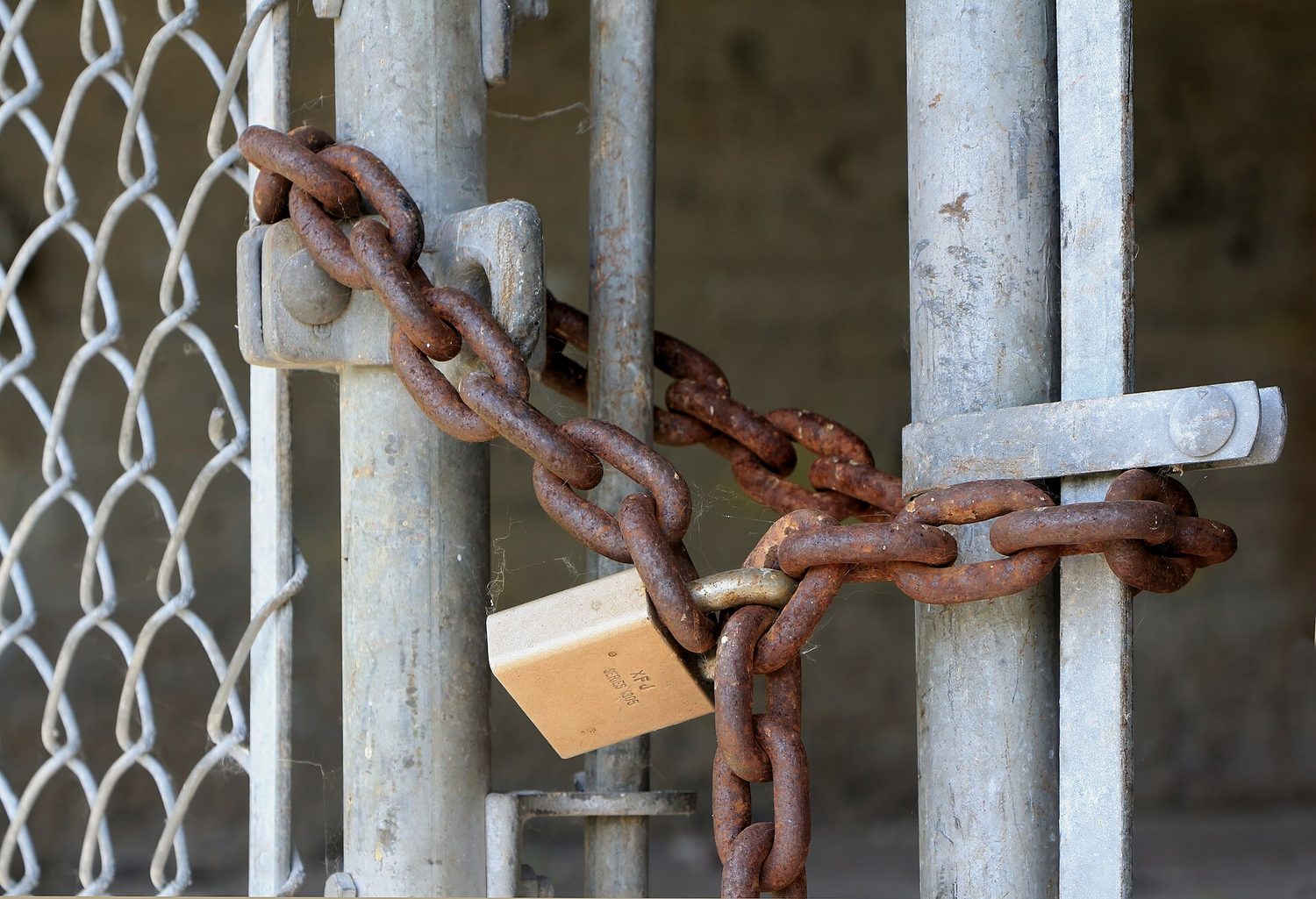
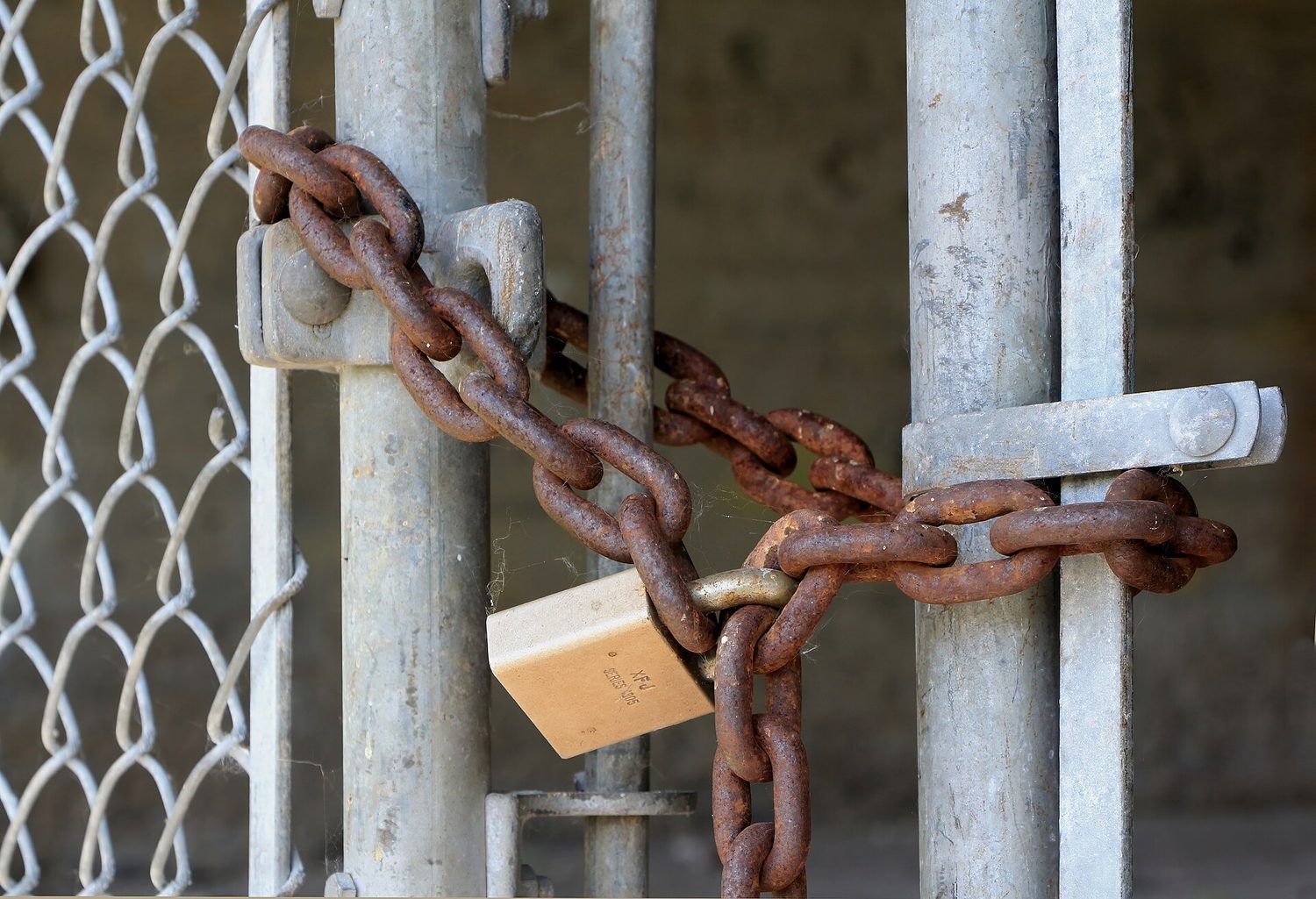
    A padlock on a chain: physical security is the first layer — locks, doors and barriers matter
    A padlock on a chain: physical security is the first layer — locks, doors and barriers matter
    Vocabulary · ⁨어휘⁩ Train · ⁨연습하기⁩
    English 한국어
    physical attacks/ˈfɪzɪkl əˈtæks/ 물리적 공격
    Piggybacking/ˈpɪɡɪbækɪŋ/ 피그비킹
    Tailgating/ˈteɪlɡeɪtɪŋ/ 테일게이팅
    Shoulder surfing/ˈʃəʊldə ˈsɜːfɪŋ/ 숄더서핑
    Dumpster diving/ˈdʌmpstə ˈdaɪvɪŋ/ 덤프스터 다이빙
    Card cloning/kɑːd ˈkləʊnɪŋ/ 카드 복제
    keylogger/ˈkiːlɒɡə/ 키로거 (keylogger)
    foothold/ˈfʊthəʊld/ 거점(foothold)
    2.3

    Protecting Physical Spaces

    Syllabus
    English

    Learning Objective 2.3.A: Identify managerial controls related to physical security.

    • 2.3.A.1 Organizations should conduct employee security awareness training to educate employees about how they can contribute to the organization’s security by:
      • Detecting social engineering attempts like phishing
      • Not badging other people into restricted areas
      • Preventing device theft
    • 2.3.A.2 Organizations should have a workstation security policy that outlines the measures necessary to protect a physical workplace. The policy may have tiers of workstation security based on the type of data handled at a workstation. Workstation policies often require:
      • Locking devices before leaving workstations unattended to prevent unauthorized access
      • Clearing sensitive documents off workstations before leaving them unattended (sometimes called a clean desk policy)
      • Using a privacy screen filter or other physical barrier to prevent others from viewing information on the screen
      • Connecting devices to surge protectors or uninterruptible power supplies (UPS)

    Learning Objective 2.3.B: Determine mitigation strategies for risks from physical vulnerabilities.

    • 2.3.B.1 To determine a relevant control, a cyber defender considers how an adversary could take advantage of a vulnerability to attack a system and how to prevent, detect, or correct the attack.
    • 2.3.B.2 Installing physical controls like fencing, gates, and bollards around a building can deter adversaries from trying to physically access an organization’s buildings.
    • 2.3.B.3 Locks on doors, server cabinets, and computers can prevent devices from being accessed or stolen.
    • 2.3.B.4 Card readers can record which employee badges are being used to access different entries at specific times and deny access to unauthorized badges.
    • 2.3.B.5 Access control vestibules and turnstiles can prevent an authorized person from intentionally or accidentally admitting an unauthorized person into a restricted area.
    • 2.3.B.6 Organizations can disable USB ports to prevent external drives from loading malware onto a computer.
    • 2.3.B.7 An uninterruptible power supply (UPS) provides a backup power source for a device in the event of a power outage. Organizations can also use power generators to provide power at a larger scale to a building or set of critical devices.
    • 2.3.B.8 Organizations prioritize risk mitigations based on the severity of the risks and the cost of the recommended mitigations.
    한국어

    학습 목표 2.3.A: 물리적 보안과 관련된 관리 통제를 식별하십시오.

    • 2.3.A.1 조직은 직원이 다음을 통해 조직의 보안을 지원할 수 있도록 교육하기 위해 보안 인식 훈련을 수행해야 합니다:
      • 피싱과 같은 사회공학적 공격 탐지
      • 제한 구역에 다른 사람을 배지(badge)로 출입하게 하지 않기
      • 기기 도난 방지
    • 2.3.A.2 조직은 물리적 업무 환경을 보호하기 위한 조항을 명시한 워크스테이션 보안 정책을 가져야 합니다. 이 정책은 워크스테이션에서 처리되는 데이터 유형에 따라 보안 등급을 구분할 수 있습니다. 워크스테이션 정책은 일반적으로 다음을 요구합니다:
      • 무단 접근을 방지하기 위해/workstation을 비워둔 전에 기기를 잠그기
      • workstation을 비워두기 전에 민감한 문서를 정리하기 (청소된 책상(clean desk) 정책이라고도 함)
      • 타인이 화면의 정보를 볼 수 없도록 프라이버시 스크린 필터 또는 기타 물리적 장벽 사용
      • 서지 보호기(surge protectors) 또는 무정전 전원 공급장치(UPS)에 기기 연결

    학습 목표 2.3.B: 물리적 취약성으로 인한 위험에 대한 완화 전략을 결정하십시오.

    • 2.3.B.1 적절한 통제를 결정하기 위해 사이버 방어자는 적대자가 취약점을如何利用하여 시스템을 공격할 수 있는지, 그리고 어떻게 하여 공격을 예방, 탐지 또는 수정할 수 있는지를 고려합니다.
    • 2.3.B.2 건물 주변에 울타리, 게이트, 볼라드(bollards) 등의 물리적 통제를 설치하면 적대자가 물리적으로 조직의 건물에 접근하려는 시도를 저지할 수 있습니다.
    • 2.3.B.3 문, 서버 캐비닛, 컴퓨터에 걸쇠를 붙이면 기기에 대한 무단 접근이나 도난을 방지할 수 있습니다.
    • 2.3.B.4 카드 리더기는 특정 시간에 어떤 직원의 배지가 어떤 출입구를 사용하는지 기록하며, 허가되지 않은 배지는 출입을 차단합니다.
    • 2.3.B.5 접근 통제 버티블(access control vestibules)과 턴stile(twiststiles)은AUTHORIZED 인물이 고의로든 실수로든 허가를 받지 않은 사람을 제한 구역에 들이는 것을 방지할 수 있습니다.
    • 2.3.B.6 조직은 외부 드라이브를 통한 악성코드 설치를 방지하기 위해 USB 포트를 비활성화할 수 있습니다.
    • 2.3.B.7 무정전 전원 공급장치(UPS)는 정전 발생 시 기기의 백업 전원을 제공합니다. 조직은 건물 전체나 일련의 중요한 장치에 더 큰 규모로 전력을 공급하기 위해 발전기를 사용할 수도 있습니다.
    • 2.3.B.8 조직은 위험의 심각성과 권장 mitigation 비용에 기반하여 위험 완화를 우선순위화합니다.

    Source: College Board AP Course and Exam Description · ⁨출처: College Board AP Course and Exam Description⁩

    Managerial controls come first: security-awareness training teaches staff not to badge strangers in, and a workstation security policy requires locking devices, clearing desks (a clean desk policy 清桌政策), and using privacy screens.

    Physical controls then harden the building: fences, gates, and bollards 防撞柱 deter access; locks protect doors and cabinets; card readers 读卡器 log and restrict entry; an access control vestibule 门禁前室 (a two-door airlock) stops piggybacking; disabling USB ports blocks malware drives; and an uninterruptible power supply (UPS) 不间断电源 keeps devices running through an outage. Organisations prioritise these by matching the cost of a control to the severity of the risk.

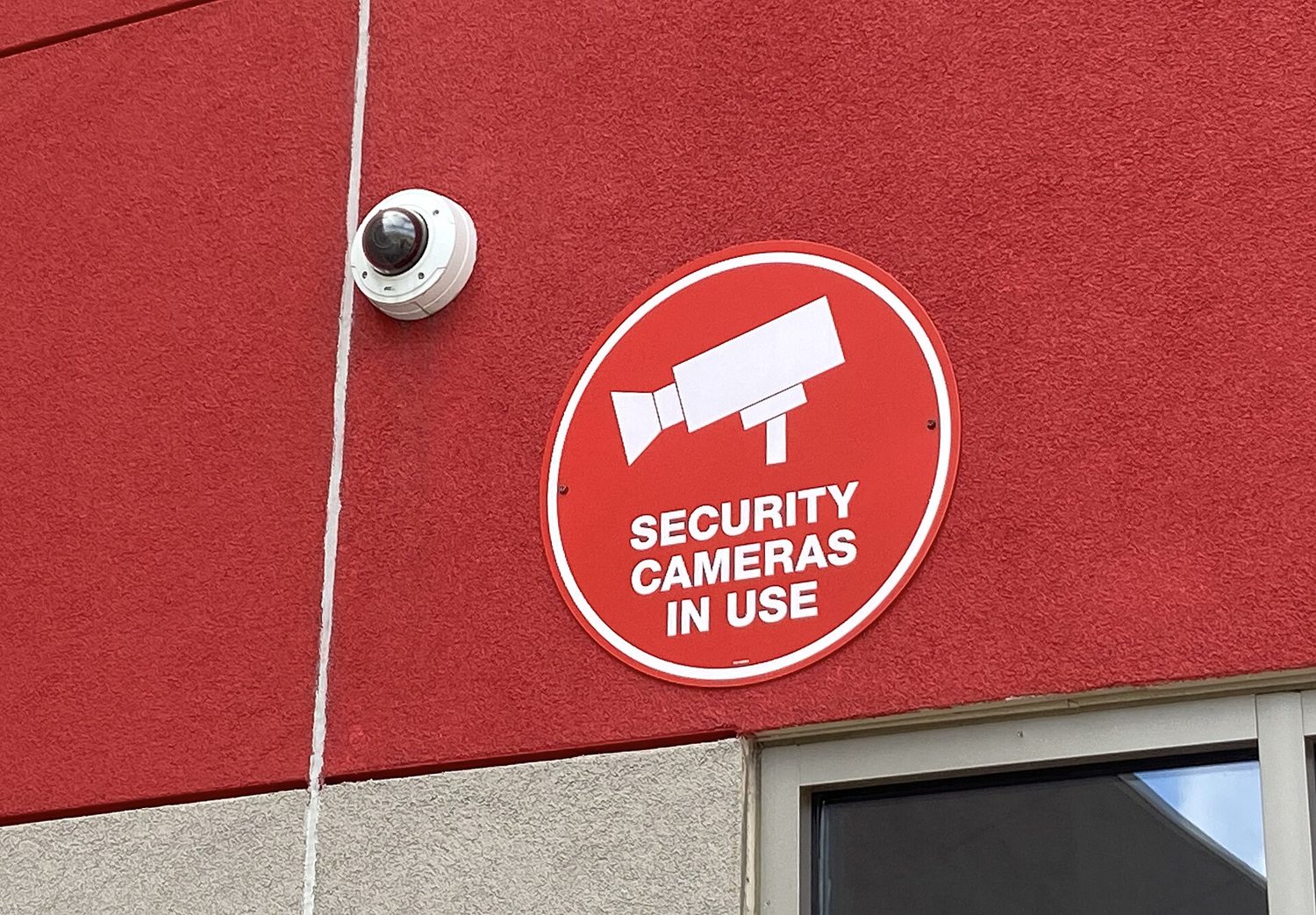
    A dome security camera: physical controls and monitoring protect spaces as well as networks
    A dome security camera: physical controls and monitoring protect spaces as well as networks
    Vocabulary · ⁨어휘⁩ Train · ⁨연습하기⁩
    English 한국어
    clean desk policy/kliːn desk ˈpɒlɪsi/ 청소 책 정책(clean desk policy)
    bollards/ˈbɒlɑːdz/ 보울더드(bollards)
    card readers/kɑːd ˈriːdəz/ 카드 리더(card readers)
    access control vestibule/ˈækses kənˈtrəʊl ˈvestɪbjuːl/ 접근 통제 베스티블(access control vestibule)
    uninterruptible power supply (UPS)/ˌʌˌnɪntəˈrʌptɪbl ˈpaʊə səˈplaɪ/ 무정전 전원 공급 장치 (UPS)
    2.4

    Detecting Physical Attacks

    Syllabus
    English

    Learning Objective 2.4.A: Identify ways security controls can detect physical attacks.

    • 2.4.A.1 Cameras can capture a visual record of an adversary’s malicious activity. The feed from a camera should be recorded and monitored for maximum effect. Recordings can be especially helpful in after-incident investigations.
    • 2.4.A.2 Security guards can monitor activity in an area and respond to suspicious activity once detected.
    • 2.4.A.3 Motion sensors can alert security to movement in an area.
    • 2.4.A.4 Employees that work in a physical space are often the first to notice the presence of an unauthorized person and can alert security.

    Learning Objective 2.4.B: Determine effective placement of security controls for detecting physical attacks.

    • 2.4.B.1 When placing cameras, consideration should be given to visual coverage, angle, and the ability to be tampered with by an adversary. Consideration should also be given to what a camera in a specific area could capture an adversary doing and how that information would be helpful. Points of ingress and egress are often monitored by camera.
    • 2.4.B.2 Motion sensors should be placed in areas where traffic is unexpected, like server rooms, or areas where sensitive materials are stored and few people have access. Motion sensors in high-traffic areas create many false alarms, making the alarms less likely to be taken seriously when there is a real security event.
    • 2.4.B.3 Locks should be placed on all entries to areas containing sensitive information or systems. For areas with particularly sensitive information or systems, an organization could use an access control vestibule at the entry point to prevent piggybacking or tailgating.
    • 2.4.B.4 Security guards can be stationary or patrolling. Stationary guards can provide constant protection for a specific area, entrance, or high-value item. Patrolling guards are more difficult for an adversary to plan around and can create time pressure for an adversary. Placing stationary guards at places that funnel traffic (e.g., entry gates, main entrances or lobbies, and entrances to more secure access areas) can be highly effective, while patrolling guards are better suited for perimeters and exterior areas.

    Learning Objective 2.4.C: Apply detection techniques to identify physical attacks.

    • 2.4.C.1 Cameras provide visual monitoring and a visual record of activity within a designated space. Cameras can be paired with facial recognition software that can provide alerts when unauthorized individuals enter controlled areas. Once a physical breach has been detected, defenders can use live and recorded camera footage to track an adversary’s path and actions.
    • 2.4.C.2 Motion detectors work best when paired with cameras. When a security alert is raised because a motion detector has been activated, defenders can use cameras to check the space visually and verify a physical security breach.
    • 2.4.C.3 When employees are required to use an electronic badge to unlock a door to a restricted area, a sensor can record how long the door was open. In reviewing entry logs for the door, potential piggybacking or tailgating can be detected by doors being open for longer than normal lengths of time.
    한국어

    학습 목표 2.4.A: 보안 통제가 물리적 공격을 탐지하는 방법을 식별하십시오.

    • 2.4.A.1 카메라는 적대자의 악의적 활동을 시각적으로 기록할 수 있습니다. 최대 효과를 위해 카메라의 영상은 녹화되고 모니터링되어야 하며, 녹화 자료는 사후 조사 시 특히 유용합니다.
    • 2.4.A.2 보안 요원은 특정 지역의 활동을 모니터링하고, 의심스러운 활동이 감지되면 대응할 수 있습니다.
    • 2.4.A.3 모션 센서는 특정 구역에서의 이동을 감지하여 보안 당국에 경보를 알립니다.
    • 2.4.A.4 물리적 공간에서 근무하는 직원은 종종 허가를 받지 않은 사람의 존재를 가장 먼저 인지하여 보안 당국에 경보를 알릴 수 있습니다.

    학습 목표 2.4.B: 물리적 공격을 탐지하기 위한 보안 통제의 효과적인 배치 방법을 결정하십시오.

    • 2.4.B.1 카메라를 설치할 때는 시각적 커버리지, 각도, 그리고 적대자에 의한 변조 가능성 등을 고려해야 합니다. 또한 특정 구역의 카메라가 적대자의 어떤 행위를 포착할 수 있는지, 그리고 그러한 정보가 어떻게 도움이 될지도 고려해야 합니다. 침입 및 탈출 지점은 주로 카메라로 모니터링됩니다.
    • 2.4.B.2 모션 센서는 서버 룸이나 민감한 자료가 보관되며 접근 권한이 제한된 구역 등 예상치 못한 통행이 있는 곳에 배치해야 합니다. 높은 통행량 지역에는 많은 오경보(false alarms)가 발생하므로 실제 보안 사건 시 경보를 진지하게 받아들이지 않게 됩니다.
    • 2.4.B.3 민감한 정보나 시스템이 포함된 모든 출입구에는 잠금 장치가 있어야 합니다. 특히 민감한 정보나 시스템이 있는 구역의 경우, 조직은ENTRY 포인트에 접근 통제 버티블(access control vestibule)을 사용하여 피깅백(piggybacking)이나 테일게이팅(tailgating)을 방지할 수 있습니다.
    • 2.4.B.4 보안 요원은 정지형 또는 순찰형일 수 있습니다. 정지형 요원은 특정 구역, 출입구 또는 고가치 물품에 대해 상시 보호를 제공할 수 있습니다. 순찰형 요인은 적대자가 계획하기 어렵고 적대자에게 시간적 압박을 가할 수 있습니다. 정지형 요인을 교통이 집중되는 곳(예: 진입문, 메인 로비 및 더 안전한 접근 구역의 출입구)에 배치하면 매우 효과적일 수 있으며, 순찰형 요인은 경계선 및 외부 구역에 더 적합합니다.

    학습 목표 2.4.C: 탐지 기법을 적용하여 물리적 공격을 식별하십시오.

    • 2.4.C.1 카메라는 지정된 공간 내 활동에 대한 시각적 모니터링과 기록을 제공합니다. 카메라는 비인가 사용자가 통제된 영역에 진입했을 때 경보를发出할 수 있는 얼굴 인식 소프트웨어와 결합될 수 있습니다. 물리적 침투가 탐지되면 방어자는 실시간 및 녹화된 카메라 영상을 사용하여 적대자의 이동 경로와 행동을 추적할 수 있습니다.
    • 2.4.C.2 동작 감지기는 카메라와 결합되었을 때 가장 잘 작동합니다. 동작 감지기가 활성화되어 보안 경보가 발생하면 방어자는 카메라를 사용하여 공간을 시각적으로 확인하고 물리적 보안 침투 여부를 검증할 수 있습니다.
    • 2.4.C.3 직원이 제한 구역으로 들어가는 문 열쇠로 전자 배지를 사용하도록 요구할 때, 센서는 문이 열려 있던 시간을 기록할 수 있습니다. 문의 입장 로그를 검토할 때 문이 정상적인 시간보다 더 오래 열려 있다면,potential한 피그백(piggybacking)이나 테일게이팅(tailgating)을 탐지할 수 있습니다.

    Source: College Board AP Course and Exam Description · ⁨출처: College Board AP Course and Exam Description⁩

    Some controls detect attacks rather than prevent them. Cameras record activity and help after-incident investigations; security guards respond to what they see; motion sensors 运动传感器 alert staff to movement; and employees themselves often notice an intruder first.

    Placement matters. Cameras belong at points of ingress and egress 出入口 (entrances and exits). Motion sensors work best in low-traffic areas like server rooms - put them in a busy hallway and constant false alarms make everyone ignore them. Stationary guards protect a fixed high-value point, while patrolling guards are harder for an adversary to plan around. Reviewing door-open times in entry logs can even reveal piggybacking, because a door held open too long is suspicious.

    Vocabulary · ⁨어휘⁩ Train · ⁨연습하기⁩
    English 한국어
    motion sensors/ˈməʊʃn ˈsensəz/ 움직임 센서(motion sensors)
    points of ingress and egress/pɔɪnts ɒv ˈɪŋɡres ænd iːˈɡres/ 입출력 지점(points of ingress and egress)
    2.4

    Exam tips

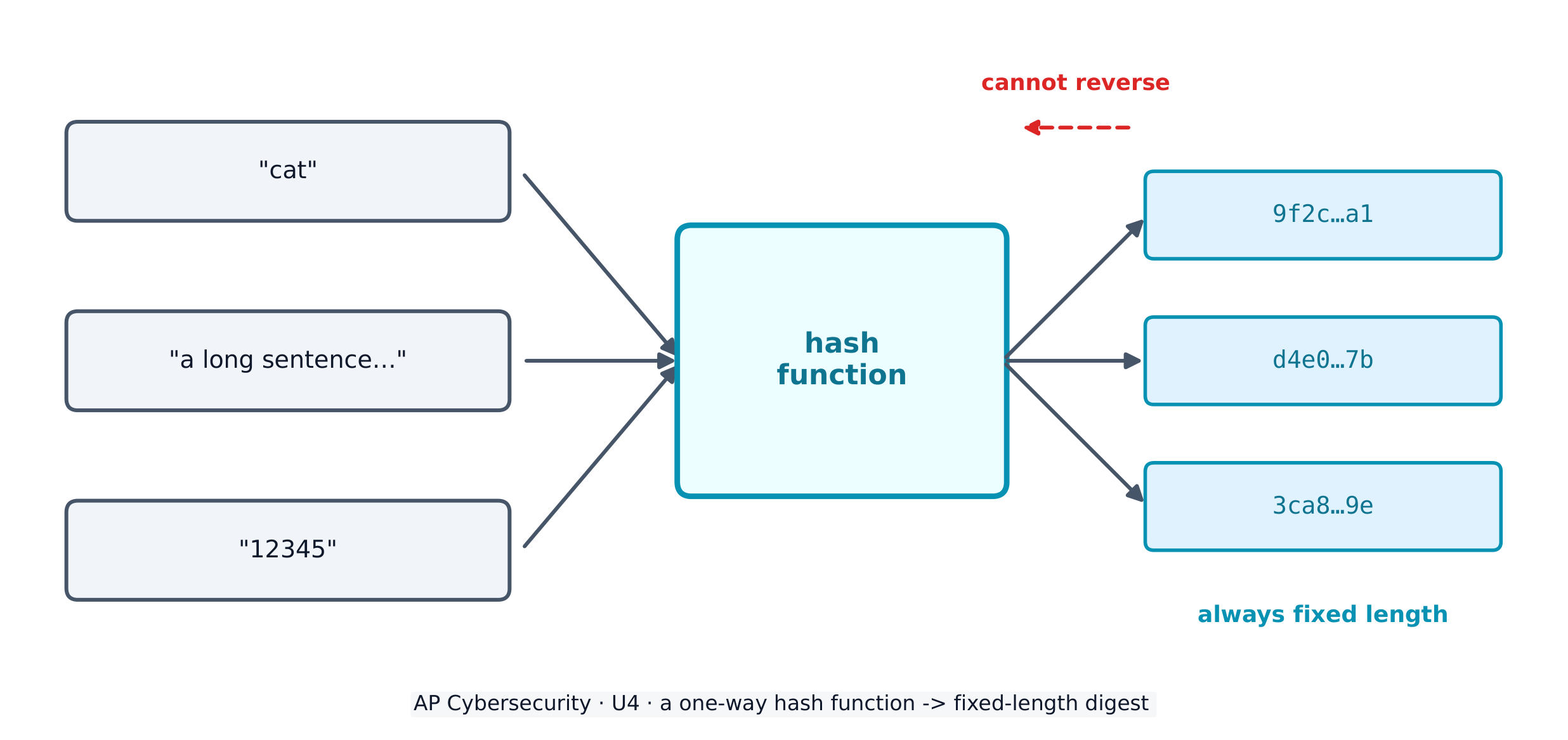
    • Memorise the CIA triad and be ready to say which goal a control protects - encryption serves confidentiality, a hash checks integrity, a backup restores availability.
    • Know the four risk responses (avoid, transfer, mitigate, accept) and the two ways to classify controls (by type: physical/technical/managerial; by function: preventative/detective/corrective).
    • Distinguish piggybacking (with consent, tricked) from tailgating (without the person's knowledge) - exam questions test this exact pair.
    • For risk-rating questions, high risk needs both high value AND easy exploitation; a "foothold to other systems" is the classic moderate risk.
    • Defense in depth is the model answer whenever a question asks why one control is not enough.
  • 3

    Securing Networks · ⁨네트워크 보안⁩

    Watch lesson · ⁨수업 보기⁩
    3.1

    Network Vulnerabilities and Attacks · ⁨네트워크 취약점 및 공격⁩

    Syllabus
    English

    Learning Objective 3.1.A: Identify common network attacks.

    • 3.1.A.1 The address resolution protocol (ARP) is used by a default gateway on a network to establish a table that pairs internet protocol (IP) addresses with media access control (MAC) addresses. An ARP poisoning attack is when an adversary sends falsified ARP packets to the default gateway to modify the table so that the adversary’s device receives traffic intended for the target by linking the target’s IP address to the adversary’s MAC address. Faking a MAC address is called MAC spoofing. This is an example of an on-path attack (or man-in-the-middle attack), which is when an adversary interrupts a data stream between two parties, captures both parties’ data, and copies or alters the data before sending them on. Both parties think they are communicating directly with each other, but instead they are each communicating with the adversary who is secretly intercepting their messages.
    • 3.1.A.2 A MAC flooding attack is when an adversary sends the target switch many Ethernet frames, each with a different MAC address. This can force the switch into broadcast mode, and the adversary can then collect all of the frames on the network (because they are being broadcast), which could allow the adversary to access sensitive information. This is an example of eavesdropping (or sniffing), which is when an adversary captures data in transit and can record and copy the data.
    • 3.1.A.3 A domain name system (DNS) poisoning attack is when an adversary pretends to be an authoritative name server (NS) and plants a fake DNS record on a DNS server to redirect browser traffic to a malicious website designed to steal credentials. This is an example of credential harvesting, which is when adversaries set up a fake login site that looks like a real one. Unsuspecting users enter their real credentials, which the adversaries capture and use.
    • 3.1.A.4 A smurf attack attempts to overwhelm a network with Internet Control Message Protocol (ICMP) requests. It is a type of denial of service (DoS) attack, which makes a system or resource unavailable to authorized users. During a smurf attack, an adversary sends many ICMP requests with the victim’s address to the network’s broadcast address. The network’s gateway then sends these requests to all devices on the network. Each device on the network replies to the victim’s address, creating a flood of traffic that can block legitimate messages. When multiple devices attack the same target simultaneously, it’s called a distributed denial of service (DDoS) attack.

    Learning Objective 3.1.B: Explain how adversaries can exploit network vulnerabilities to steal, disrupt, or destroy network communication.

    • 3.1.B.1 Adversaries can send malicious traffic into a network to flood it creating a DoS, to map the internal structure of the network, or to spoof a legitimate device. Networks without firewalls, or with improperly configured firewalls, are vulnerable to these types of attacks.
    • 3.1.B.2 Adversaries that have compromised a device often attempt to leverage their access to compromise other devices on the local area network (LAN).
    • 3.1.B.3 Adversaries that physically plug into a data port can gain access to a LAN through the switch port unless port security is enabled. This allows adversaries to launch DoS attacks or perform MAC flooding or MAC spoofing attacks.
    • 3.1.B.4 Adversaries standing outside of physically secure spaces can pick up the signals and beacon frames from a wireless access point that is broadcasting outside the physical space. This allows them to gather information about the wireless network and to attempt eavesdropping and cryptographic attacks on it.
    • 3.1.B.5 Adversaries can attempt to join networks to launch attacks from within the networks. Networks that do not authenticate devices and users make it easier for adversaries to join.
    • 3.1.B.6 If there is an open network port, an adversary can plug a wireless access point into the port creating a rogue access point. The adversary could use this rogue access point to access the internal network wirelessly (maybe even from outside the physical space). This allows the adversary direct access to the LAN, bypassing any firewalls.
    • 3.1.B.7 Adversaries can attempt to break wireless encryption and intercept, steal, or compromise data on a network.

    Learning Objective 3.1.C: Assess and document risks from network vulnerabilities.

    • 3.1.C.1 Vulnerabilities on a network can lead to adversaries being able to intercept and alter data in transit, launch DoS attacks, or move laterally on a network to gain access to more sensitive or critical systems. Network vulnerabilities can constitute a risk to confidentiality, integrity, and availability.
    • 3.1.C.2 There are automated vulnerability scanners that can check networks, devices, and applications for known vulnerabilities. These scanners produce a report that often includes the vulnerabilities detected, their severity, and mitigation recommendations.
    • 3.1.C.3 Successfully exploiting a network vulnerability often requires advanced technical ability and knowledge. This can impact the likelihood of an exploit.
    • 3.1.C.4 High risks from network vulnerabilities allow an adversary to easily have a significant impact by capturing network traffic, spoofing a legitimate device on the network, or launching a DoS attack.
      • Illustrative examples for 3.1.C.4:
        • An organization has a single unsegmented internal network that is accessible via a wireless network with weak encryption, and on that network it has a server running its proprietary web-application.
    • 3.1.C.5 Moderate risks from network vulnerabilities could include vulnerabilities that might give adversaries the ability to gain information about systems or devices on a network.
      • Illustrative examples for 3.1.C.5:
        • An organization’s external firewall is not configured to block external ICMP traffic.
    • 3.1.C.6 Low risks from network vulnerabilities include vulnerabilities that would be difficult to exploit and would likely have minimal negative impacts on an organization.
      • Illustrative examples for 3.1.C.6:
        • An organization has wireless access points that broadcast a beacon frame, which contains the network service set identifier (SSID) and the wireless encryption protocols.
    한국어

    학습 목표 3.1.A: 일반적인 네트워크 공격을 식별하십시오.

    • 3.1.A.1 주소 해결 프로토콜(ARP)은 네트워크의 기본 게이트웨이에서 인터넷 프로토콜(IP) 주소를 미디어 액세스 제어(MAC) 주소와 짝짓기하는 표를 생성하는 데 사용됩니다. ARP 포이징 공격은 적대자가 기본 게이트웨이에 위조된 ARP 패킷을 전송하여 표를 수정함으로써 타의 IP 주소를 적대자의 MAC 주소와 연결하고, 타겟으로 향해야 할 트래픽을 적대자 장치가 reception하게 만드는 것입니다. MAC 주위를 위장하는 것을 MAC 스포핑(MAC spoofing)이라고 합니다. 이는 온패스(on-path) 공격(또는 맨-인-더-미들(man-in-the-middle) 공격)의 예입니다. 이 공격은 적대자가 두 당사자 사이의 데이터 스트림을 중계하여 양쪽의 데이터를 캡처하고, 전송 전에数据进行 복제하거나 변조하는 경우를 말합니다. 두 당사자는 서로 직접 통신한다고 생각하지만, 실제로는 각자가 자신의 메시지를 비밀리에 도청하는 적대자와 소통하고 있습니다.
    • 3.1.A.2 MAC 플러딩(MAC flooding) 공격은 적대자가 타겟 스위치에 서로 다른 MAC 주소를 가진 수많은 이더넷 프레임을 전송하는 경우입니다. 이로 인해 스위치가 브로드캐스트 모드로 전환되고, 적대자는 네트워크상의 모든 프레임(브로드캐스트되기 때문에)을 수집할 수 있게 되며, 이는 민감한 정보에 접근할 수 있음을 의미할 수 있습니다. 이는 이브dropping(또는 스니핑, sniffing)의 예입니다. 이攻击은 적대자가 전송 중인 데이터를 캡처하고 기록 및 복제할 수 있는 경우를 말합니다.
    • 3.1.A.3 DNS 포이징(DNS poisoning) 공격은 적대자가 권위 있는 네임 서버(NS)인 척하여 DNS 서버에 가짜 DNS 레코드를 심어 브라우저 트래픽을 자격증 도난을 목적으로 하는 악성 웹사이트로 리디렉션시키는 경우입니다. 이는 크레덴셜 하버스팅(credential harvesting)의 예입니다. 이는 적대자가 실제와 유사한 가짜 로그인 사이트를 설치하여 무고한 사용자들이 실제 자격증을 입력하게 하고, 이를 capture하여 사용하는 경우를 말합니다.
    • 3.1.A.4 스머프(Smurf) 공격은 인터넷 제어 메시지 프로토콜(ICMP) 요청을 사용하여 네트워크를 과부하 상태로 만들려는 시도를 합니다. 이는 서비스 부재(DoS) 공격의 일종으로,AUTHORIZED 사용자에게 시스템이나 자원을 사용 불가능하게 만듭니다. 스머프 공격 중 적대자는 피해자 주소가 포함된 수많은 ICMP 요청을 네트워크의 브로드캐스트 주소로 전송합니다. 네트워크 게이트웨이는 이러한 요청을 네트워크상의 모든 장치로 전송합니다. 네트워크상의 각 장치는 피해자 주소로 응답하며, 정당한 메시지를 차단할 수 있는 트래픽 폭을 생성합니다. 여러 장치가 동일한 타겟을 동시에 공격할 때는 분산 서비스 부재(DDoS) 공격이라고 합니다.

    학습 목표 3.1.B: 적대자가 네트워크 취약점을如何利用하여 네트워크 통신을 도난, 방해 또는 파괴할 수 있는지 설명하십시오.

    • 3.1.B.1 적대자는 네트워크를 DoS로 과부하状态로 만들거나 내부 네트워크 구조를 매핑하거나 정당한 장치를 스포핑하기 위해 악성 트래픽을 네트워크에 보낼 수 있습니다. 방화벽이 없거나 부적절하게 구성된 방화벽이 있는 네트워크는 이러한 유형의 공격에 취약합니다.
    • 3.1.B.2 장치를 해킹한 적대자는 종종 로컬 영역 네트워크(LAN)상의 다른 장치도 해킹하기 위해 해당 액세스를 활용하려 시도합니다.
    • 3.1.B.3 적대자가 데이터 포트에 물리적으로 연결하면 포트 보안이 활성화되지 않는 한 스위치 포트를 통해 LAN에 접근할 수 있습니다. 이는 적대자가 DoS 공격을 발동하거나 MAC 플러딩 또는 MAC 스포핑 공격을 수행할 수 있게 합니다.
    • 3.1.B.4 물리적 보안 구역 외부에 서 있는 적대자는 물리적 구역 외부로 브로드캐스팅되는 무선 액세스 포인트의 신호와 Beacon 프레임을 capturing할 수 있습니다. 이를 통해 무선 네트워크에 대한 정보를 gather하고 이에 대한 이브dropping 및 암호화 공격을 시도할 수 있습니다.
    • 3.1.B.5 적대자는 네트워크 내부에서 공격을 발동하기 위해 네트워크에 join하려는 시도를 할 수 있습니다. 장치와 사용자를 인증하지 않는 네트워크는 적대자가 join하기 쉽게 만듭니다.
    • 3.1.B.6 개방된 네트워크 포트가 있다면, 적대자는 해당 포트에 무선 액세스 포인트를 연결하여 로거(Rogue) 액세스 포인트를 생성할 수 있다. 이 로거 액세스 포인트를 통해 내부 네트워크에 무선으로 접근할 수 있으며(물리적 공간 외부에서도 가능), 이는 방화벽을 우회하여 LAN에 직접 접근하게 한다.
    • 3.1.B.7 적대자는 무선 암호화를 해킹하거나, 네트워크상의 데이터를 도청, 도난 또는 유출시키는 시도를 할 수 있다.

    학습 목표 3.1.C: 네트워크 취약성으로부터의 위험을 평가하고 문서화한다.

    • 3.1.C.1 네트워크의 취약성은 적대자에게 전송 중인数据进行 도청 및 변조하거나, DoS 공격을发起하거나, 네트워크 내에서 이동(navigating)하여 더 민감하거나 중요한 시스템에 접근하는 것을 허용할 수 있다. 네트워크 취약성은 기밀성, 무결성, 가용성에 대한 위험을 구성할 수 있다.
    • 3.1.C.2 네트워크, 장치, 애플리케이션에서 알려진 취약점을 검사할 수 있는 자동화 취약점 스캐너가 있다. 이러한 스캐너는 일반적으로 탐지된 취약점, 그 심각도, 그리고 완화 방안을 포함하는 보고서를 생성한다.
    • 3.1.C.3 네트워크 취약성을 성공적으로 악용하는 것은 종종 고도의 기술적 능력과 지식을 요구한다. 이는 악용 가능성에 영향을 미칠 수 있다.
    • 3.1.C.4 네트워크 취약성에 대한 높은 위험은 적대자가 네트워크 트래픽을 포획하거나, 네트워크 상의 합법적인 장치를 위장(spoofing)하거나, DoS 공격을发起하여 쉽게 중대한 영향을 미치게 할 수 있게 한다.
      • 3.1.C.4에 대한 예시:
        • 한 조직은 무선 네트워크를 통해 접근 가능한 단일 분할되지 않은 내부 네트워크를 가지고 있으며, 해당 네트워크에는 자체 개발 웹 애플리케이션을 실행하는 서버가 있다.
    • 3.1.C.5 네트워크 취약성에 대한 متوسط 위험은 적대자에게 네트워크 상의 시스템이나 장치에 대한 정보를 얻을 수 있게 하는 취약점을 포함할 수 있다.
      • 3.1.C.5의 예시:
        • 한 조직의 외부 방화벽이 외부 ICMP 트래픽을 차단하도록 설정되어 있지 않다.
    • 3.1.C.6 네트워크 취약성에 대한 낮은 위험은 악용하기 어려우며 조직에 미칠 부정적 영향이 극미미한 취약점을 포함한다.
      • 3.1.C.6에 대한 예시:
        • 한 조직의 무선 액세스 포인트가 네트워크 서비스 세트 식별자(SSID)와 무선 암호화 프로토콜을 포함 beacon frame를 방송한다.

    Source: College Board AP Course and Exam Description · ⁨출처: College Board AP Course and Exam Description⁩

    English
    A man-in-the-middle attack
    DDoS: a botnet floods a server

    A network connects devices so they can share data - and every connection is a possible way in. You must know the classic network attacks and the tricks behind them.

    • ARP poisoning 地址解析投毒 - the address resolution protocol (ARP) 地址解析协议 pairs IP addresses with hardware MAC addresses 物理地址. An adversary sends fake ARP messages so traffic meant for the target flows to the adversary instead. This is an on-path attack 中间人攻击 (also called man-in-the-middle): the adversary secretly sits between two parties, reading and even altering their messages.
    • MAC flooding 物理地址泛洪 - flooding a switch 交换机 with fake MAC addresses forces it into broadcast mode, so the adversary can capture all traffic. This is a form of eavesdropping 窃听.
    • DNS poisoning 域名投毒 - planting a fake record on a domain name system (DNS) 域名系统 server redirects users to a malicious site to steal credentials (credential harvesting 凭据收集).
    • Smurf attack - flooding a network with ICMP requests aimed at the broadcast address, so every device replies to the victim. It is a denial of service (DoS) 拒绝服务 attack; when many machines attack at once it becomes a distributed denial of service (DDoS) 分布式拒绝服务.

    Adversaries exploit weak networks to flood, map, or spoof devices. A physical data port with no port security lets an attacker plug in; an open port lets them install a rogue access point 非法接入点 that bypasses the firewall entirely. We rate network risk by impact and by how much skill the exploit needs.

    To find weaknesses before an adversary does, organisations run an automated vulnerability scanner 自动漏洞扫描器: a tool that checks networks, devices, and applications against a database of known vulnerabilities, then produces a report listing each one found, how severe it is, and a recommended mitigation 缓解措施. Fixing the highest-severity items first is a core part of managing network risk.

    한국어
    중간자 공격
    DDoS: 봇넷이 서버를 폭주시키는 모습

    네트워크(Network) 는 기기가 데이터를 공유할 수 있게 연결하는 것이지, 모든 연결은 잠재적인 침투 경로입니다.的经典적인 네트워크 공격과 그에 숨겨진 수법을 이해해야 합니다.

    • ARP 포이즌링(ARP poisoning) - 주소 해결 프로토콜(Address Resolution Protocol, ARP) 은 IP 주소를 하드웨어 MAC 주소와 매핑합니다. 적대자가 위조 ARP 메시지를 보내면, 표적으로 향해야 할 트래픽이 적대자로 우회됩니다. 이는 온패스 공격(On-path attack, 중간자 공격) 입니다. 적대자는 두 당사자 사이에 몰래 위치하여 Defaults의 메시지를 읽거나 심지어 변조할 수 있습니다.
    • MAC 플러딩(MAC flooding) - 스위치(Switch) 에 위조 MAC 주소를 대량 전송하여broadcast 모드에進入하게 만들고, 적대자가 모든 트래픽을 도청할 수 있게 합니다. 이는 도청(Eavesdropping) 의 일종입니다.
    • DNS 포이즌링(DNS poisoning) - 도메인 네임 시스템(Domain Name System, DNS) 서버에 위조 레코드를植入하여 사용자를 악성 사이트로 리다이렉트하고, 자격 증명(자격 증명 채취, Credential harvesting)을 도난합니다.
    • 스머프 공격(Smurf attack) - ICMP 요청을 브로드캐스트 주소로 향하게 하여 네트워크를 폭주시키고, 모든 기기가 피해자에게 응답하도록 만듭니다. 이는 서비스 거부 공격(Denial of service, DoS) 이며, 다수의 기계가 동시에 공격할 경우 분산 서비스 거부 공격(Distributed denial of service, DDoS) 가 됩니다.

    적대자는 약한 네트워크를 이용해 기기를 폭주, 맵핑 또는 위장합니다. 포트 보안(Port security) 이 없는 물리적 데이터 포트에는 attacker가 연결할 수 있으며, 개방된 포트에서는 방화벽을 완전히 우회하는 로그 액세스 포인트(Rogue access point) 설치를 허용합니다. 우리는 영향도와 exploit에 필요한 기술 수준에 따라 네트워크 위험도를 평가합니다.

    공격자가 사전에 약점을 파악하기 전에 조직은 자동 취약점 스캐너를 실행합니다. 이 도구는 네트워크, 장치 및 애플리케이션을 알려진 취약점 데이터베이스와 대조하여 점검한 후, 발견된 각 항목의 심각도와 권장 대응책이 포함된 보고서를 생성합니다. 가장 심급이 높은 항목부터 수정하는 것이 네트워크 리스크 관리의 핵심입니다.

    Explore · ⁨탐색하기⁩

    Identify the network attack from its evidence · ⁨증거에 따른 네트워크 공격 식별하기⁩

    Each network attack leaves a distinct trace: ARP poisoning = one IP with two MACs; MAC flooding = a surge of new MACs; DNS poisoning = misdirected web traffic; smurf/DoS = a flood that blocks legitimate traffic. · ⁨각 네트워크 공격은 고유한 흔적을 남깁니다: ARP 포이즌링(ARP poisoning) = 하나의 IP에 두 개의 MAC; MAC 플로딩(MAC flooding) = 새로운 MAC의 급증; DNS 포이즌링(DNS poisoning) = 오향된 웹 트래픽; 스머프/DoS(smurf/DoS) = 정당한 트래픽을 막는 폭주 attack.⁩

    Vocabulary · ⁨어휘⁩ Train · ⁨연습하기⁩
    English 한국어
    ARP poisoning/ɑːp ˈpɔɪzənɪŋ/ ARP 포이즌닝
    address resolution protocol (ARP)/əˈdres ˌrezəˈluːʃn ˈprəʊtəkɒl/ 주소 해결 프로토콜 (ARP)
    MAC addresses/mæk əˈdresɪz/ MAC 주소
    on-path attack/ɒn pæθ əˈtæk/ 경로 상 공격(on-path attack)
    MAC flooding/mæk ˈflʌdɪŋ/ MAC 플러딩
    switch/swɪtʃ/ 스위치
    eavesdropping/ˈiːvzdrɒpɪŋ/ 도청
    DNS poisoning/ˌdiː en ˈes ˈpɔɪzənɪŋ/ DNS 포이닝
    domain name system (DNS)/dəˈmeɪn neɪm ˈsɪstəm/ 도메인 이름 시스템 (DNS)
    credential harvesting/krɪˈdenʃl ˈhɑːvɪstɪŋ/ 인증 정보 수집
    denial of service (DoS)/dɪˈnaɪəl ɒv ˈsɜːvɪs/ 서비스 거절 (DoS)
    distributed denial of service (DDoS)/ˈdɪstrɪbjuːtɪd dɪˈnaɪəl ɒv ˈsɜːvɪs/ 분산 서비스 거절 (DDoS)
    rogue access point/rəʊɡ ˈækses pɔɪnt/ 위조 access point(rogue access point)
    automated vulnerability scanner/ˈɔːtəmeɪtɪd ˌvʌlnərəˈbɪlɪti ˈskænə/ 자동 취약점 스캐너
    mitigation/ˌmɪtɪˈɡeɪʃn/ 완화 조치
    split tunneling/splɪt ˈtʌnəlɪŋ/ 스플릿 터널링(split tunneling)
    3.2

    Protecting Networks: Managerial Controls and Wireless Security · ⁨네트워크 보호: 관리적 통제 및 무선 보안⁩

    Syllabus
    English

    Learning Objective 3.2.A: Identify managerial controls related to network security.

    • 3.2.A.1 A router security policy will set forth a minimum configuration standard for routers on an organization’s network and may include:
      • Banning local user accounts (All router logins must use an approved authentication server.)
      • Disabling unnecessary services (e.g., Telnet)
      • Requiring a firewall (An organization may opt for a firewall device separate from the router.)
    • 3.2.A.2 A switch security policy will set forth a minimum configuration standard for switches on an organization’s network and may include:
      • Banning local user accounts (All switch logins must use an approved authentication server.)
      • Requiring port security to be enabled.
      • Using MAC filtering
    • 3.2.A.3 A virtual private network (VPN) policy will detail the minimum security requirements for employees using a VPN to access an organization’s internal network, and it may include:
      • A list of roles within the organization that are allowed to use a VPN to access the organization’s internal network
      • Authentication requirements for employees using a VPN (e.g., public/private key system or MFA)
      • A prohibition against split tunneling (also called dual tunneling)
    • 3.2.A.4 A wireless security policy will establish the minimum security requirements for wireless networks within an organization and may include:
      • Requiring users to authenticate to the wireless network through an extensible authentication protocol (EAP) connected to an approved authentication server
      • Requiring all wireless traffic to be encrypted using AES encryption with a minimum key length
      • Disabling beacon frames on wireless access points

    Learning Objective 3.2.B: Configure wireless network security features.

    • 3.2.B.1 Organizations can disable beacon frame broadcasting on wireless access points (WAPs) to make it harder for adversaries to find their wireless network and learn its basic properties.
    • 3.2.B.2 Organizations can control the broadcast direction and signal strength of a WAP so the signal does not extend beyond the physical space the access point is meant to cover.
    • 3.2.B.3 Organizations should enable strong wireless encryption protocols to ensure wireless frames are not readable by adversaries who might intercept them.
      • WEP, WPS, and the original WPA wireless encryption protocols have known vulnerabilities and are insecure.
      • WPA3 is currently the strongest wireless encryption algorithm.
    • 3.2.B.4 Organizations can enable MAC filtering to prevent unauthorized devices from accessing the network, and they can require users to authenticate when joining a network.
    한국어

    학습 목표 3.2.A: 네트워크 보안과 관련된 관리 통제를 식별한다.

    • 3.2.A.1 라우터 보안 정책은 조직의 네트워크에 있는 라우터에 대한 최소 설정 기준을 수립하며 다음을 포함할 수 있다:
      • 로컬 사용자 계정 사용 금지 (모든 라우터 로그인 시 승인된 인증 서버를 사용해야 함.)
      • 불필요한 서비스 비활성화 (예: Telnet)
      • 방화벽 요구 사항 (조직은 라우터와 분리된 전용 방화벽 장치를 선택할 수 있음.)
    • 3.2.A.2 스위치 보안 정책은 조직의 네트워크에 있는 스위치에 대한 최소 설정 기준을 수립하며 다음을 포함할 수 있다:
      • 로컬 사용자 계정 사용 금지 (모든 스위치 로그인 시 승인된 인증 서버를 사용해야 함.)
      • 포트 보안 활성화 요구 사항.
      • MAC 필터링 사용
    • 3.2.A.3 가상 사설망(VPN) 정책은 VPN을 사용하여 조직 내부 네트워크에 접근하는 직원을 위한 최소 보안 요건을 상세히 설명하며, 다음을 포함할 수 있다:
      • 조직 내부 네트워크에 VPN으로 접근할 수 있는 권한이 부여된 조직 내 역할 목록
      • VPN을 사용하는 직원에 대한 인증 요구 사항 (예: 공개/개인 키 시스템 또는 MFA)
      • 스플릿 터널링(또는 듀얼 터널링) 사용 금지
    • 3.2.A.4 무선 보안 정책은 조직 내 무선 네트워크에 대한 최소 보안 요건을 마련하며 다음을 포함할 수 있다:
      • 승인된 인증 서버와 연결된 확장 인증 프로토콜(EAP)을 통해 사용자가 무선 네트워크에 인증하도록 요구
      • 모든 무선 트래픽이 최소 키 길이를 갖춘 AES 암호화를 사용하여 암호화되도록 요구
      • 무선 액세스 포인트에서ビーコン 프레임 비활성화

    학습 목표 3.2.B: 무선 네트워크 보안 기능 구성하기.

    • 3.2.B.1 조직은 무선통신 접속점(WAP)에서ビーコン 프레임 방송을 비활성화하여 적대자가 무선 네트워크를 찾기 어렵게 하고 기본 속성을 파악하는 것을 방지할 수 있다.
    • 3.2.B.2 조직은 WAP의 전송 방향 및 신호 세기를 조절하여 신호가 해당 액세스 포인트가 커버해야 하는 물리적 공간보다 넓게 퍼지지 않도록 할 수 있다.
    • 3.2.B.3 조직은 무선 프레임이 도청자를 통해 읽히지 않도록 강력한 무선 암호화 프로토콜을 활성화해야 합니다.
      • WEP, WPS 및 초기 WPA 무선 암호화 프로토콜에는 알려진 취약점이 있어 보안이 약합니다.
      • WPA3는 현재 가장 강력한 무선 암호화 알고리즘입니다.
    • 3.2.B.4 조직은 MAC 필터링을 활성화하여 무단 장치가 네트워크에 접근하는 것을 방지하고, 네트워크 접속 시 사용자 인증을 요구할 수 있습니다.

    Source: College Board AP Course and Exam Description · ⁨출처: College Board AP Course and Exam Description⁩

    English

    Good network security starts with written policies that set a minimum standard: a router security policy and switch security policy ban local accounts and require port security; a VPN policy sets authentication rules and forbids split tunneling 分离隧道; and a wireless security policy requires strong encryption and authenticated access.

    For wireless networks specifically, organisations disable beacon frames so the network is harder to find, control signal strength so it does not leak outside the building, enable strong encryption - WPA3 Wi-Fi 保护接入第三代 is the current strongest, while old WEP and the original WPA are broken - and use MAC filtering to allow only known devices.

    한국어

    좋은 네트워크 보안은 작성된 정책으로 시작되어 최소 기준을 설정합니다. 라우터 보안 정책과 스위치 보안 정책은 로컬 계정을 금지하고 포트 보안을 요구하며, VPN 정책은 인증 규칙을 설정하고 스플릿 터널링을 금지합니다. 또한 무선 보안 정책은 강력한 암호화와 인증된 접근을 요구합니다.

    무선 네트워크의 경우, 조직은 네트워크가 찾기 어렵도록 비콘 프레임을 비활성화하고, 신호가 건물 외부로 새어 나오지 않도록 신호 세기를 조절하며, 강력한 암호화를 활성화합니다. 현재 가장 강력한 WPA3 Wi-Fi를 사용하되, 구식인 WEP과 초기 WPA는 이미 무효화되었습니다. 또한 MAC 필터링을 사용하여 알려진 장치만 허용합니다.

    Vocabulary · ⁨어휘⁩ Train · ⁨연습하기⁩
    English 한국어
    WPA3/ˌdʌbljuː piː eɪ ˈθriː/ WPA3
    Network segmentation/ˈnetwɜːk ˌseɡmənˈteɪʃn/ 네트워크 세그멘테이션
    subnets/ˈsʌbnets/ 서브넷(subnets)
    screened subnet/skriːnd ˈsʌbnet/ 스크리닝 서브넷(screened subnet)
    3.3

    Protecting Networks: Segmentation · ⁨네트워크 보호: 분할(Segmentation)⁩

    Syllabus
    English

    Learning Objective 3.3.A: Identify techniques for segmenting a network.

    • 3.3.A.1 Firewall zones and rules can be used to create a screened subnet (also known as a demilitarized zone, or DMZ)—a network segment that sits between public, external networks like the internet and internal, private networks. A screened subnet is typically a lower security zone than the internal, private networks, and it typically holds an organization’s publicly facing resources, separating them from the internal network.
    • 3.3.A.2 Subnetting can be used to create different subnets based on IP addressing. If a device is compromised by an adversary, subnets can contain a security breach to reduce the number of exposed devices.
    • 3.3.A.3 Switches can be used to create VLANs, which logically separate devices physically connected to central switches.

    Learning Objective 3.3.B: Explain why network segmentation can increase network security.

    • 3.3.B.1 Network segmentation refers to the process of dividing a network into smaller, isolated segments or subnetworks (subnets).
    • 3.3.B.2 Dividing a network into smaller subnets isolates network traffic, which can prevent attacks on one subnet from impacting devices on other subnets.
    • 3.3.B.3 Network segmentation can allow for different security policies and controls to be applied to different segments of the network, allowing for higher security zones and lower security zones.
    • 3.3.B.4 Port security on a switch can prevent MAC flooding by limiting the number of addresses assignable to any single switch port.
    한국어

    학습 목표 3.3.A: 네트워크를 세그먼트로 구분하는 기법을 식별합니다.

    • 3.3.A.1 방화벽 영역 및 규칙을 사용하여 screened subnet(비무장지대 또는 DMZ라고도 함)을 생성할 수 있습니다. 이는 인터넷과 같은 공공 외부 네트워크와 내부 비공개 네트워크 사이에 위치하는 네트워크 세그먼트입니다. screened subnet은 일반적으로 내부 비공개 네트워크보다 보안 수준이 낮으며, 조직의 대중-facing 리소스를 보유하여 이를 내부 네트워크와 분리합니다.
    • 3.3.A.2 서브넷팅은 IP 주소에 따라 서로 다른 서브넷을 생성하는 데 사용될 수 있습니다. 장치가 적대자로부터 침해되면 서브넷은 노출된 장치 수를 줄이기 위해 보안 침해를 국한시킬 수 있습니다.
    • 3.3.A.3 스위치는 물리적으로 중앙 스위치에 연결된 장치를 논리적으로 분리하는 VLAN을 생성하는 데 사용될 수 있습니다.

    학습 목표 3.3.B: 네트워크 분리가 네트워크 보안을 향상시키는 이유를 설명하십시오.

    • 3.3.B.1 네트워크 분리는 네트워크를 더 작고 격리된 세그먼트나 하부 네트워크(서브넷)로 나누는 과정을 의미합니다.
    • 3.3.B.2 네트워크를 작은 서브넷으로 나누면 네트워크 트래픽이 격리되어 한 서브넷에 대한 공격이 다른 서브넷의 장치에 영향을 미치지 않도록 할 수 있습니다.
    • 3.3.B.3 네트워크 분리는 네트워크의 다른 세그먼트에 서로 다른 보안 정책 및 통제가 적용되도록 하여 높은 보안 구역과 낮은 보안 구역을 만들 수 있게 합니다.
    • 3.3.B.4 스위치의 포트 보안은 단일 포트에 할당할 수 있는 주소 수를 제한함으로써 MAC 플러딩을 방지할 수 있습니다.

    Source: College Board AP Course and Exam Description · ⁨출처: College Board AP Course and Exam Description⁩

    English

    Network segmentation 网络分段 divides one network into smaller, isolated pieces (subnets 子网). If one subnet is breached, the damage is contained and cannot spread.

    A key pattern is the screened subnet 屏蔽子网 (also called a DMZ 隔离区). It sits between the public internet and the private internal network, holding an organisation's public-facing servers in a lower-security zone - separated from the sensitive internal systems.

    Segments can also be built with subnetting (by IP address) or VLANs 虚拟局域网 (logically separating devices on the same switch). Each segment can then get its own security policy - higher-security and lower-security zones.

    한국어

    네트워크 분할은 하나의 네트워크를 더 작고 격리된 조각(서브넷)으로 나눕니다. 한 서브넷이 침범당하면 피해가 통제되어 확산되지 않습니다.

    핵심 패턴 중 하나는 스크린드 서브넷(또는 DMZ)입니다. 이는 공개 인터넷과 사설 내부 네트워크 사이에 위치하여, 조직의 대중-facing 서버를较低的 보안 구역에 보관합니다. 민감한 내부 시스템과는 분리됩니다.

    스크린드 서브넷(DMZ)은 두 개의 방화벽 사이에 공공 서버를 배치하여 사설 네트워크로부터 격리함
    스크린드 서브넷(DMZ)은 두 개의 방화벽 사이에 공공 서버를 배치하여 사설 네트워크로부터 격리함

    세그먼트는 IP 주소를 통한 서브네팅이나 **VLAN(동일 스위치 위의设备进行 논리적 분리)**을 통해 구축할 수 있습니다. 각 세그먼트는 자체 보안 정책을 가질 수 있으며, 높은 보안 구역과 낮은 보안 구역을 구성합니다.

    서버 랙: 네트워크 분할로 시스템을 격리하여 한 번의 침투가 모든 것을 열게 하지 않음
    서버 랙: 네트워크 분할은 시스템을 격리하여 하나의 침범이 모든 것을 열지 않게 함
    Vocabulary · ⁨어휘⁩ Train · ⁨연습하기⁩
    English 한국어
    DMZ/ˌdiː em ˈzed/ DMZ
    VLANs/ˈviːlænz/ VLANs
    3.4

    Protecting Networks: Firewalls · ⁨네트워크 보호: 방화벽⁩

    Syllabus
    Learning ObjectiveEssential Knowledge

    3.4.A
    Identify types of network-based firewalls.

    • 3.4.A.1 A firewall is used to allow or deny network traffic in or out of a network. The firewall itself is software that can be hosted on a standalone device or integrated into another network device, such as a router.
    • 3.4.A.2 A stateless firewall filters traffic based on information in packet headers, such as IP addresses, ports, and protocols.
    • 3.4.A.3 A stateful firewall (also known as dynamic packet filtering) tracks the state of network connections passing through the firewall and can filter according to connection-related rules in addition to the filtering done by a stateless firewall. This allows for more control over content allowed in and out of a network.
    • 3.4.A.4 A next-generation firewall (NGFW) has both the capabilities of typical stateless and stateful firewalls and additional advanced features, such as intrusion prevention, deep packet inspection, and filtering by application type.

    3.4.B
    Explain how a firewall uses an access control list to allow or deny traffic entering or leaving a network.

    • 3.4.B.1 Network administrators create a set of rules, called an access control list (ACL), that a firewall uses to permit or deny inbound and outbound network traffic.
    • 3.4.B.2 ACL rules are checked in order and the first rule that matches the criteria will be executed for the specified data.
    • 3.4.B.3 A typical ACL will specify the direction of traffic (inbound or outbound), the criterion to filter by (IP addresses, logical port, service, or application), and the action to take (permit or deny).

    3.4.C
    Determine the effective placement of firewalls in a network.

    • 3.4.C.1 Each segment of a network should have a firewall to control the flow of data in and out of that segment.
    • 3.4.C.2 Network segments may have different security needs based on the data and services within them. The level of security for each firewall can be set independently.
    • 3.4.C.3 Each point of data ingress and egress between the internal network and the public internet should have a firewall.

    3.4.D
    Configure a firewall to manage the flow of network traffic.

    • 3.4.D.1 The requirements for a firewall will specify what type of traffic from which sources or to which destinations should be allowed or denied.
    • 3.4.D.2 Specific rules for a firewall can allow or deny inbound or outbound traffic based on source or destination port or IP address, service, protocol, or application.
      • Illustrative examples for 3.4.D.2:
        • Allow inbound TCP port 22 from ALL; (this rule will allow all inbound TCP traffic with destination port 22, which is the designated port for the SSH protocol)
        • Deny inbound TCP port 80 from 192.168.1.0/24; (this rule will deny inbound TCP traffic with destination port 80 from IP addresses in the 192.168.1.0-192.168.1.255 range)
    • 3.4.D.3 Rules are implemented in order, and changing the order of a set of rules can change which traffic is allowed or denied. Consideration must be given to the precedence of filtering priorities when establishing the order of rules.
      • Illustrative examples for 3.4.D.3:
        • This set of rules would allow SSH traffic and deny other inbound TCP traffic
        • Rule 1: ALLOW inbound TCP port 22 from ALL;
        • Rule 2: DENY inbound TCP ALL from ALL;
        • Reversing the order of those rules would deny all inbound TCP traffic including SSH traffic.

    Source: College Board AP Course and Exam Description · ⁨출처: College Board AP Course and Exam Description⁩

    English
    How a firewall decides

    A firewall 防火墙 allows or denies traffic entering or leaving a network. There are several kinds:

    • Stateless 无状态 - filters on packet headers alone (IP, port, protocol).
    • Stateful 有状态 - also tracks the state of each connection for finer control.
    • Next-generation (NGFW) - adds advanced features like intrusion prevention and deep packet inspection.

    A firewall follows an access control list (ACL) 访问控制列表 - an ordered set of rules. Rules are checked in order, and the first match wins, so the order of rules changes which traffic gets through. Each rule specifies a direction, a thing to filter by (IP, port, service), and an action (permit or deny).

    Worked example. A firewall has Rule 3: DENY TCP 443 from 192.168.*, and lower down Rule 7: ALLOW TCP 443 from ALL. A user at 192.168.45.37 cannot reach port 443 - even though Rule 7 would allow them - because Rule 3 matches first, and the first match wins. The fix is to move the ALLOW rule above the DENY. This is why rule order, not just rule content, decides what traffic gets through.

    Firewalls belong at every point where data crosses between zones - at each network segment and at every gateway to the public internet.

    한국어
    방화벽이 어떻게 결정하는지

    방화벽은 네트워크로 유입되거나 유출되는 트래픽을 허용하거나 거부합니다. 여러 종류가 있습니다:

    • Stateless(무상태) - 패킷 헤더(IP, 포트, 프로토콜)만으로 필터링합니다.
    • Stateful(유상태) - 각 연결의 상태도 추적하여 더 정밀한 제어를 제공합니다.
    • 次世代 (NGFW) - 침입 방지 및 깊은 패킷 검사 등 고급 기능을 추가합니다.

    방화벽은 **접근 제어 목록(ACL)**을 따릅니다. 이는 순서가 지정된 규칙의 집합입니다. 규칙은 순서에 따라 확인되며, 첫 번째 일치하는 규칙이 승리하므로 규칙의 순서는 어떤 트래픽이 통과할지를 결정합니다. 각 규칙은 방향, 필터링 대상(IP, 포트, 서비스), 그리고 조치(허용 또는 거부)를 명시합니다.

    방화벽은 ACL을 위에서부터 아래까지 확인하며, 첫 번째 일치 규칙이 결정됨
    방화벽은 ACL을 상단에서 하단까지 확인하며, 첫 번째 일치하는 규칙이 결정함

    해설 예제. 방화벽에 규칙 3: DENY TCP 443 from 192.168.*가 있고, 그 아래에 규칙 7: ALLOW TCP 443 from ALL가 있습니다. 사용자는 192.168.45.37에서 포트 443에 도달할 수 없습니다. 규칙 7는 허용할 수 있지만, 규칙 3가 먼저 일치하기 때문입니다. 여기서는 첫 번째 일치 규칙이 승리합니다. 해결 방법은 ALLOW 규칙을 DENY 규칙 위로 이동시키는 것입니다. 이것이 규칙의 내용뿐만 아니라 규칙의 순서 또한 트래픽 통과 여부를 결정하는 이유입니다.

    방화벽은 데이터가 구역 간을 오가는 모든 지점에 위치해야 합니다. 각 네트워크 세그먼트와 공개 인터넷으로 가는 모든 게이트웨이마다 필요합니다.

    여러 이더넷 케이블이 연결된 랙 장착형 네트워크 스위치
    실제 네트워크 하드웨어: 방화벽은 이러한 케이블이 외부 세계와 만나는 곳에 설치된 장치(또는 소프트웨어)입니다
    Vocabulary · ⁨어휘⁩ Train · ⁨연습하기⁩
    English 한국어
    firewall/ˈfaɪəwɔːl/ 방화벽
    Stateless/ˈsteɪtləs/ 무상태
    Stateful/ˈsteɪtfl/ 유상태
    access control list (ACL)/ˈækses kənˈtrəʊl lɪst/ 접근 제어 목록 (ACL)
    log files/lɒɡ faɪlz/ 로그 파일
    network intrusion detection system (NIDS)/ˈnetwɜːk ɪnˈtruːʒn dɪˈtekʃn ˈsɪstəm/ 네트워크 침입 탐지 시스템 (NIDS)
    network intrusion prevention system (NIPS)/ˈnetwɜːk ɪnˈtruːʒn prɪˈvenʃn ˈsɪstəm/ 네트워크 침입 방지 시스템 (NIPS)
    security information and event management (SIEM)/sɪˈkjʊərɪti ˌɪnfəˈmeɪʃn ænd ɪˈvent ˈmænɪdʒmənt/ 보안 정보 및 이벤트 관리 (SIEM)
    Signature-based/ˈsɪɡnɪtʃə beɪst/ 서명 기반
    Anomaly-based/əˈnɒməli beɪst/ 이상 징후 기반
    baseline/ˈbeɪslaɪn/ 베이스라인 (baseline)
    network-based indicators of compromise/ˈnetwɜːk beɪst ˈɪndɪkeɪtəz ɒv ˈkɒmprəmaɪz/ 네트워크 기반 침해 지표
    probabilistic/ˌprɒbəbɪˈlɪstɪk/ 확률적
    3.5

    Detecting Network Attacks · ⁨네트워크 공격 탐지⁩

    Syllabus
    English

    Learning Objective 3.5.A: Identify types of automated security tools used to detect network attacks.

    • 3.5.A.1 Automated detection tools analyze data collected from an organization’s network and devices, such as switches and routers, servers, firewalls, and user computers. These data are often collected in a log file.
    • 3.5.A.2 A network intrusion detection system (NIDS) is an automated tool that analyzes data to determine if malicious activity is taking place on a network. When an attack is detected, it generates an alert.
    • 3.5.A.3 A network intrusion prevention system (NIPS) is an automated tool that, like an IDS, analyzes data to determine if malicious activity is taking place on a network. A NIPS can also mitigate or halt an attack by closing ports, blocking specific IP or MAC addresses, or rejecting specific protocols.
    • 3.5.A.4 A security information and event management (SIEM) system collects and analyzes data from multiple sources (including firewalls, NIDS/NIPS, device logs, and application logs) to detect patterns that may indicate a cyberattack and raises an alert if a potential attack is detected. Security analysts investigate the alert to determine whether it represents a true threat and follow standard operating procedures to resolve or escalate the alert.

    Learning Objective 3.5.B: Explain how organizations can leverage artificial intelligence (AI) to enhance threat detection and response.

    • 3.5.B.1 Computers log every action that users take. Firewalls, IDS, IPS, and other network sensors log all the traffic passing through various points in a network. A medium-sized organization’s network is logging millions (or even tens of millions) of data points per day. Even a large team of humans is incapable of analyzing so much data.
    • 3.5.B.2 Threat detection teams are creating AI algorithms to analyze large amounts of data and classify the data patterns as malicious or normal.
    • 3.5.B.3 AI models for threat detection are based on probabilistic calculations; they report a percentage to indicate the likelihood that something is malicious.
    • 3.5.B.4 Organizations determine their own thresholds for what percentage of likelihood of a threat results in an alert. If the threshold is set too high, real attacks may go undetected; if the threshold is too low, the security team will be overwhelmed with false alerts.

    Learning Objective 3.5.C: Determine a network detection method.

    • 3.5.C.1 Volume of network traffic is a criterion for determining a detection method. Signature-based detection is more efficient for networks with high traffic volume. Signature-based detection compares detection data to a database of known indicators of compromise (IoCs), called signatures. Signature databases must be updated with IoCs for the latest attacks. Signature-based detection runs more quickly than anomaly-based detection.
    • 3.5.C.2 Consistency of network traffic patterns is a criterion for determining a detection method. Anomaly-based detection is most effective on networks with consistent traffic patterns. Anomaly-based detection compares detection data to a baseline of recorded activity. Baselines must be recorded on uncompromised systems to establish expected data types and volumes. Anomaly-based detection triggers an alert or action when data types or volumes outside of a specified tolerance range are recorded. Anomaly-based detection relies on consistent patterns in network traffic to detect anomalous traffic patterns.
    • 3.5.C.3 Degree of sensitivity or criticality of a network is a criterion for determining a detection method. Networks with more sensitive or critical data or services will likely consider a hybrid approach. Hybrid detection combines signature-based and anomaly-based detection. Hybrid detection is more expensive than using either signature- or anomaly-based detection alone, and hybrid-detection models generate more alerts.
    • 3.5.C.4 Likelihood of novel attacks on a network is a criterion for determining a detection method. Signature-based detection cannot detect a new attack. When an organization suspects that adversaries are likely to attempt a new attack on a network, anomaly-based detection is the preferred method when the cost of hybrid detection is prohibitively high.

    Learning Objective 3.5.D: Evaluate the impact of a network detection method.

    • 3.5.D.1 Speed of detection is a factor in evaluating the impact of a network detection method. Faster detection enables faster response. Signature-based detection methods are faster than anomaly-based detection methods, especially on networks with high traffic volume.
    • 3.5.D.2 Cost is a factor in evaluating the impact of a network detection method. Detection tools and ongoing costs need to be within a budget. Anomaly-based detection systems require more expensive hardware to operate than signature based. Hybrid detection is the most expensive option because it combines both anomaly- and signature-based methods.
    • 3.5.D.3 False positive rate is a factor in evaluating the impact of a network detection method. Signature-based detection has almost no false positives. Anomaly-based or hybrid detection will have higher false positive rates. Impacts of high false positive rates include:
      • Time and resources are put toward investigating alerts for nonmalicious activity.
      • Alert fatigue is a condition that occurs when responders get accustomed to false positives and take alerts less seriously because they assume alerts are false positives before investigating them.
    • 3.5.D.4 False negative rate is a factor in evaluating the impact of a network detection method. A false negative occurs when an adversary can bypass a detection system. Signature-based detection systems are easier to bypass than anomaly-based or hybrid systems. False negatives can result in adversaries causing loss, harm, disruption, or destruction to data and systems.

    Learning Objective 3.5.E: Apply detection techniques to identify indicators of network attacks by analyzing log files.

    • 3.5.E.1 Evil-twin attacks can be detected by regularly scanning for service set identifiers (SSIDs) that look suspicious or similar to local legitimate SSIDs. Signal triangulation can be used to locate and disable an access point broadcasting an evil-twin network.
    • 3.5.E.2 Jamming attacks can be detected by recognizing that no wireless devices in a specific physical space are able to connect to a wireless network and by scanning for electromagnetic (EM) noise in the wireless range.
    • 3.5.E.3 ARP poisoning attacks can be detected by monitoring network traffic for unusual ARP messages (particularly duplicate MAC address ARP packets) and checking the ARP table on the default gateway.
    • 3.5.E.4 MAC flooding attacks can be detected by monitoring network traffic for an unexpected surge of Ethernet frames with different MAC addresses and checking the MAC address table on a switch.
    • 3.5.E.5 DNS poisoning attacks are difficult to detect. However, if an organization’s website experiences an abrupt and otherwise inexplicable drop in traffic, DNS records should be examined as a potential cause.
    • 3.5.E.6 Smurf attacks can be detected by watching network traffic for a sudden increase in ICMP requests sent to the network’s broadcast address.
    • 3.5.E.7 Network-based IoCs are discovered when analyzing network traffic, often in the form of packet capture files. Indicators can be found in source and destination IP addresses, ports, and protocols. These can include:
      • Connections to known malicious IP addresses
      • Unauthorized network scans
      • Unusual spikes or slow downs in network traffic
      • Mismatched port-application traffic
    한국어

    학습 목표 3.5.A: 네트워크 공격을 탐지하는 데 사용되는 자동화된 보안 도구 유형을 식별하십시오.

    • 3.5.A.1 자동화 탐지 도구는組織의 네트워크 및 장치(스위치 및 라우터, 서버, 방화벽, 사용자 컴퓨터 등)에서 수집된 데이터를 분석합니다. 이러한 데이터는 주로 로그 파일에 수집됩니다.
    • 3.5.A.2 네트워크 침입 탐지 시스템(NIDS)은 데이터를 분석하여 네트워크에서 악의적 활동이 발생하는지 판단하는 자동화 도구입니다. 공격이 감지되면 경보를 발생시킵니다.
    • 3.5.A.3 네트워크侵入 방지 시스템(NIPS)은 IDS와 마찬가지로 데이터를 분석하여 네트워크 내에서 악의적 활동이 발생하고 있는지 판단하는 자동화 도구입니다. NIPS는 포트 폐쇄, 특정 IP 또는 MAC 주소 차단, 특정 프로토콜 거부 등을 통해 공격을 완화하거나 중단할 수도 있습니다.
    • 3.5.A.4 보안 정보 및 이벤트 관리(SIEM) 시스템은 방화벽, NIDS/NIPS, 장치 로그, 애리케이션 로그 등 다양한 소스로부터 데이터를 수집하고 분석하여 사이버 공격을 나타낼 수 있는 패턴을 탐지합니다. 잠재적 공격이 감지되면 경보를 발신하며, 보안 전문가는 해당 경보가 실제 위협인지 확인하기 위해 조사하고 표준 운영 절차에 따라 경보를 해결하거나 상향 보고합니다.

    학습 목표 3.5.B: 조직이 인공지능(AI)을 활용하여 위협 탐지 및 대응을 향상시키는 방법을 설명하십시오.

    • 3.5.B.1 컴퓨터는 사용자가 수행하는 모든 행위를 로그로 기록합니다. 방화벽, IDS, IPS 및 기타 네트워크 센서는 네트워크 내 다양한 지점을 통과하는 모든 트래픽을 로그로 기록합니다. 중형 규모의 조직 네트워크는 하루에 수백만 개(혹은 수천만 개)에 달하는 데이터 포인트를 로깅합니다.even 대規模한 인력 팀조차도 이러한 방대한 양의 데이터를 분석하는 것은 불가능합니다.
    • 3.5.B.2 위협 탐지 팀은 방대한 양의 데이터를 분석하고 데이터 패턴이 악의적이거나 정상인지를 분류하기 위해 AI 알고리즘을 개발하고 있습니다.
    • 3.5.B.3 위협 탐지를 위한 AI 모델은 확률 계산에 기반하며, 무언가가 악의적일 가능성을 나타내는 퍼센트 값을 보고합니다.
    • 3.5.B.4 조직은 경보를 발신하기 위한 위험 가능성의 임계값을 자체적으로 설정합니다. 임계값이 너무 높게 설정되면 실제 공격이 탐지되지 않을 수 있으며, 반대로 임계값이 너무 낮으면 보안 팀이虚假경보로 과부하 상태에 빠질 수 있습니다.

    학습 목표 3.5.C: 네트워크 탐지 방법을 결정하십시오.

    • 3.5.C.1 네트워크 트래픽의 볼륨은 탐지 방법 선택의 기준이 됩니다. 높은 트래픽 볼륨을 가진 네트워크에서는 서명 기반 탐지가 더 효율적입니다. 서명 기반 탐지는 탐지 데이터를已知한 침범 지표(IoCs)가 저장된 서명 데이터베이스와 비교합니다. 최신 공격에 대한 IoCs로 서명 데이터베이스를 업데이트해야 합니다. 서명 기반 탐지는 비정상 기반 탐지보다 빠르게 실행됩니다.
    • 3.5.C.2 네트워크 트래픽 패턴의 일관성은 탐지 방법 선택의 기준이 됩니다. 트래픽 패턴이 일정한 네트워크에서는 비정상 기반 탐지가 가장 효과적입니다. 비정상 기반 탐지는 탐지 데이터를 기록된 활동의 기준선(baseline)과 비교합니다. 예상되는 데이터 유형과 볼륨을 설정하기 위해서는 침범되지 않은 시스템에서 기준선을 기록해야 합니다. 지정된 허용 범위 외의 데이터 유형이나 볼륨이 기록될 때 비정상 기반 탐지는 경보나 조치를 트리거합니다. 비정상 기반 탐지는 네트워크 트래픽의 일관된 패턴을 이용하여 비정상적인 트래픽 패턴을 탐지하는 데 의존합니다.
    • 3.5.C.3 네트워크의 민감도 또는 중요도는 탐지 방법 선택의 기준이 됩니다. 더 민감하거나 중요한 데이터나 서비스를 보유한 네트워크는 하이브리드 접근 방식을 고려할 가능성이 높습니다. 하이브리드 탐지는 서명 기반 탐지와 비정상 기반 탐지를 결합합니다. 하이브리드 탐지는 서명 기반 또는 비정상 기반 탐지 중 하나만을 사용하는 것보다 비용이 더 많이 들며, 하이브리드 탐지 모델은 더 많은 경보를 생성합니다.
    • 3.5.C.4 네트워크에 대한 새로운类型的攻击的可能性是选择检测方法的标准。签名检测无法检测新的攻击行为。当组织怀疑对手可能尝试对网络发起新型攻击时,如果混合检测的成本过高,则首选异常检测作为替代方案。

    학습 목표 3.5.D: 네트워크 탐지 방법의 영향을 평가하십시오.

    • 3.5.D.1 탐지 속도는 네트워크 탐지 방법의 영향을 평가하는 요소입니다. 빠른 탐지는 빠른 대응으로 이어집니다. 특히 높은 트래픽 볼륨을 가진 네트워크에서는 서명 기반 탐지 방법이 비정상 기반 탐지 방법보다 빠릅니다.
    • 3.5.D.2 비용은 네트워크 탐지 방법의 영향을 평가하는 요소입니다. 탐지 도구 및 유지 관리 비용은 예산 내에 있어야 합니다. 비정상 기반 탐지 시스템은 서명 기반 시스템보다 작동에 더 비싼 하드웨어가 필요합니다. 하이브리드 탐지는 비정상 기반 및 서명 기반两种方式를 모두 결합하므로 가장昂贵的选项。
    • 3.5.D.3虚假阳性率是评估网络检测方法影响的因素。签名检测几乎没有虚假阳性。非异常或混合检测会有更高的虚假阳性率。高虚假阳性率的影响包括:
      • 时间和资源被用于调查非恶意活动的警报。
      • 警报疲劳是一种状况,响应人员习惯于虚假阳性,因此在调查前就假设警报为虚假阳性,从而不再认真对待警报。
    • 3.5.D.4 虚假阴性率是评估网络检测方法影响的因素。当攻击者能够绕过检测系统时,就会发生虚假阴性。签名检测系统比非异常或混合系统更容易被绕过。虚假阴性可能导致攻击者对数据和系统造成损失、伤害、中断或破坏。

    学习目标 3.5.E: 应用检测技术通过分析日志文件来识别网络攻击的指标。

    • 3.5.E.1 악의적 쌍방(Evil-twin) 공격은 로컬 합법적 SSID와 유사하거나 의심스러운 서비스 세트 식별자(SSID)를 정기적으로 스캔하여 탐지할 수 있다. 신호 삼각 측량法을 사용하여 악의적 쌍방 네트워크를 Broadcasting하는 액세스 포인트를 위치 지정하고 비활성화할 수 있다.
    • 3.5.E.2 자밍(Jamming) 공격은 특정 물리적 공간에 있는 무선 기기가 무선 네트워크에 연결할 수 없음을 인지하고, 무선 범위 내 전자기(EM) 노이즈를 스캔하여 탐지할 수 있다.
    • 3.5.E.3 ARP 포이징(ARP poisoning) 공격은 네트워크 트래픽을 모니터링하여 비정상적인 ARP 메시지(특히 중복 MAC 주소 ARP 패킷)를 확인하고 기본 게이트웨이의 ARP 표를 확인함으로써 탐지할 수 있다.
    • 3.5.E.4 MAC 플러딩(MAC flooding) 공격은 네트워크 트래픽을 모니터링하여 서로 다른 MAC 주소를 가진 이더넷 프레임의 예상치 못한 급증 현상을 확인하고 스위치의 MAC 주소 표를 확인함으로써 탐지할 수 있다.
    • 3.5.E.5 DNS 포이징(DNS poisoning) 공격은 탐지가 어렵다. 그러나 조직의 웹사이트에서 갑작스럽고 설명 불가능한 트래픽 감소가 발생하면 DNS 레코드를 잠재적 원인으로 조사해야 한다.
    • 3.5.E.6 스머프(Smurf) 공격은 네트워크 트래픽을 모니터링하여 네트워크의 브로드캐스트 주소로 보내지는 ICMP 요청의 급격한 증가를 관찰함으로써 탐지할 수 있다.
    • 3.5.E.7 네트워크 기반 IoC는Often 패킷 캡처 파일 형태로 네트워크 트래픽을 분석할 때 발견된다. 지표는 소스 및 목적지 IP 주소, 포트 및 프로토콜에서 찾을 수 있다. 여기에는 다음이 포함될 수 있다:
      • 알려진 악성 IP 주소로의 연결
      • 무단 네트워크 스캔
      • 네트워크 트래픽의 비정상적인 급증 또는 감속
      • 포트-응용 프로그램 트래픽 불일치

    Source: College Board AP Course and Exam Description · ⁨출처: College Board AP Course and Exam Description⁩

    English

    When prevention fails, detection takes over. Automated tools read the log files 日志文件 that record network activity:

    • a network intrusion detection system (NIDS) 网络入侵检测系统 analyses traffic and raises an alert, but does not block;
    • a network intrusion prevention system (NIPS) 网络入侵防御系统 can also stop an attack by closing ports or blocking addresses;
    • a security information and event management (SIEM) 安全信息与事件管理 system gathers data from many sources to spot patterns.

    There are two detection methods. Signature-based 基于特征 detection compares traffic to a database of known attack signatures - fast and low on false alarms, but blind to brand-new attacks. Anomaly-based 基于异常 detection compares traffic to a normal baseline 基线 and flags anything unusual - it can catch novel attacks but needs more resources and raises more false alarms. A hybrid approach combines both.

    Examining captured traffic (packet-capture files), analysts hunt for network-based indicators of compromise 网络入侵指标 in the source and destination IP addresses, ports, and protocols. Four common ones: connections to known-malicious IP addresses, unauthorized network scans (an outsider probing your ports), unusual spikes or slowdowns in traffic, and mismatched port-application traffic (for example, non-web traffic flowing over port 80). These complete the host-, file-, and behaviour-based indicators a single device logs.

    AI, thresholds, and alert fatigue

    A medium network logs millions of events a day - far more than any team can read - so organisations train AI models to sort likely-malicious patterns from normal ones. These models are probabilistic 概率的: rather than a yes/no, each event gets a percentage likelihood of being malicious.

    The organisation then sets a threshold 阈值 - the likelihood at which an alert fires - and that choice is a genuine trade-off:

    • set the threshold too high and real attacks slip through undetected;
    • set it too low and the team is overwhelmed with false alerts.

    Too many false alerts cause alert fatigue 警报疲劳: responders get so used to false positives that they start assuming an alert is false before investigating it - so a real attack, when it finally comes, is waved away. This is exactly why a low false-positive rate matters: signature-based detection has almost none, while anomaly-based and hybrid detection trade a higher false-positive rate for the ability to catch novel attacks.

    한국어

    예방이 실패하면 탐지가 대체합니다. 자동화 도구가 네트워크 활동을 기록한 로그 파일을 읽습니다:

    • **네트워크 침입 탐지 시스템(NIDS)**은 트래픽을 분석하여 경보를 발생시키지만 차단하지는 않습니다;
    • **네트워크 침입 방지 시스템(NIPS)**은 포트를 닫거나 주소를 차단하여 공격을 차단할 수 있습니다;
    • 보안 정보 및 이벤트 관리(SIEM) 시스템은 다양한 출처에서 데이터를 수집하여 패턴을 찾아냅니다.

    두 가지 탐지 방법이 있습니다. 서명 기반 탐지는 트래픽을 알려진 공격 서명 데이터베이스와 비교하여, 빠르고 위음성이 적지만 최신 공격에는 눈이 막힙니다. 이상 현상 기반 탐지는 트래픽을 정상적인 기준선과 비교하여 이상 anything를 표시합니다. 새로운 공격을 잡을 수 있지만 더 많은 자원이 필요하고 위음성이 더 많습니다. 하이브리드 방식은 두 가지를 결합합니다.

    포착된 트래픽(패킷 캡처 파일)을 검토하는 분석가는 소스 및 목적지 IP 주소, 포트 및 프로토콜에서 네트워크 기반 침해 징후를 찾습니다. 네 가지 일반적인 것: 알려진 악성 IP 주소로의 연결, 불법 네트워크 스캔(외부인이 귀하의 포트를 probing), 트래픽의 비정상적인 스파이크 또는 지연, 그리고 포트-앱 트래픽 불일치(예: 웹 트래픽이 아닌 traffic이 포트 80을 통해 흐름). 이들은 단일 장치가 로그로 기록하는 호스트-, 파일-, 행동 기반 징후를 완성합니다.

    AI, 임계값 및 경보 피로도

    중간 규모의 네트워크는 하루에 수백만 개의 이벤트를 기록합니다. 어느 팀도 이를 모두 읽을 수 없으므로, 조직은 AI 모델을 훈련시켜 유해 가능성이 높은 패턴을 정상적인 것과 구분합니다. 이러한 모델은 확률적입니다. yes/no 대신 각 이벤트가 악성일 확률을 백분율로 부여합니다.

    그 후 조직은 임계값(threshold) — 경보가 발동되는 확률 수준 — 을 설정하며, 이 결정은 실제적인 타협점(trade-off)입니다:

    • 임계값을 너무 높게 설정하면 실제 공격이 검출되지 않고 통과됩니다;
    • 너무 낮게 설정하면 팀은 **거짓 경보(false alerts)**로 과부하에 빠집니다.

    거짓 경보가过多하면 **경보 피로(alert fatigue)**가 발생합니다: 대응팀이 거짓 양성(True positives)에 너무 익숙해져 조사하기 전부터 이미 경보를 거짓이라고 가정하게 되는데, 이로 인해 실제 공격이 도래했을 때 무시당합니다. 바로 이 때문에 낮은 거짓 양성율이 중요한 것입니다: 서명 기반 탐지는 거의 없으나, 이상치 기반 및 하이브리드 탐지는 새로운 공격을 포착하는 능력을 대신하여 더 높은 거짓 양성율을 감수합니다.

    서명 기반 탐지는 알려진 공격과 일치하며; 이상치 기반 탐지는 정상 패턴과의 편차를 표시함
    서명 기반 탐지는 알려진 공격과 일치하며; 이상치 기반 탐지는 정상 패턴과의 편차를 표시함
    Vocabulary · ⁨어휘⁩ Train · ⁨연습하기⁩
    English 한국어
    threshold/ˈθreʃəʊld/ 임계점(threshold)
    alert fatigue/əˈlɜːt fəˈtiːɡ/ 경고 피로
    3.5

    Exam tips · ⁨시험 팁⁩

    English
    • For firewall-ACL questions, read the rules top-to-bottom and stop at the first match - a Deny rule above an Allow blocks the traffic even though the Allow exists lower down.
    • Pair each attack with its tell-tale sign: ARP poisoning = one IP with two MAC addresses; MAC flooding = a surge of new MAC addresses; DNS poisoning = an unexplained drop in web traffic.
    • Read packet captures for network-based IoCs: known-malicious IPs, unauthorized scans, traffic spikes/slowdowns, and mismatched port-application traffic.
    • Run vulnerability scanners to find known weaknesses proactively, and fix the highest-severity findings first.
    • Signature-based = fast, few false positives, misses new attacks (more false negatives); anomaly-based = catches new attacks, costs more, more false positives. Memorise this trade-off.
    • A screened subnet / DMZ holds public-facing servers between the internet and the private network - name it whenever a question separates public services from internal data.
    • WPA3 is the strong wireless encryption; WEP and original WPA are insecure.
    한국어
    • 방화벽 ACL 문제의 경우, 규칙을 위에서 아래로 읽으되 첫 번째 일치 시 정지하십시오. Allow 규칙 아래에 Deny 규칙이 있다면,Allow 규칙이 하단에 존재하더라도 트래픽을 차단합니다.
    • 각 공격과 그에 해당하는 **특징적 징후(tell-tale sign)**를 짝매기십시오: ARP 폭포 = 하나의 IP 주소에 두 개의 MAC 주소; MAC 폭포 = 새로운 MAC 주소의 급증; DNS 폭포 = 설명 가능한 이유 없는 웹 트래픽 감소.
    • 네트워크 기반 IoC를 위해 **패킷 캡처(packet captures)**를 검토하십시오: 알려진 악성 IP, 무단 스캔, 트래픽 스파이크/감소, 포트와 애플리케이션 트래픽의 불일치 등.
    • **취약점 스캐너(vulnerability scanners)**를 실행하여 알려진 취약점을 사전에查找하고, 가장 중대(severity)한 결과를 우선적으로 수정하십시오.
    • 서명 기반 = 빠르고 거짓 양성율이 적지만 새로운 공격을 놓칠 수 있음(거짓 음성/false negatives 증가); 이상치 기반 = 새로운 공격을 포착하지만 비용이 더 들며 거짓 양성율이 높음. 이 타협점을 암기하십시오.
    • 스크리니드 서브넷 / DMZ는 인터넷과 사내 네트워크 사이에 공공 서비스 서버를 배치하는 구조이며, 질문에서 공공 서비스와 내부 데이터를 분리할 때 반드시 언급해야 합니다.
    • WPA3는 강력한 무선 암호화 방식이며, WEP과 초기 WPA는 보안성이 떨어집니다.
  • 4

    Securing Devices · ⁨기기 보안⁩

    Watch lesson · ⁨수업 보기⁩
    4.1

    Device Vulnerabilities and Attacks

    Syllabus
    English

    Learning Objective 4.1.A: Identify types of computing devices.

    • 4.1.A.1 Server computers are devices that provide one or more services to other computers (e.g., DNS, DHCP, FTP). Any computer can be a server, and in an enterprise environment servers typically have more processing power and storage than a personal computer.
    • 4.1.A.2 Personal computers are devices that are designed to be used by one person for work or recreational purposes (e.g., word processing, graphic design, web browsing, and media production or viewing). These include desktop, laptop, and notebook computers.
    • 4.1.A.3 Handheld computers (also called mobile computers or information appliances) are smaller than personal computers and run on battery power. These include tablets, smartphones, and wearable technology like smart watches.
    • 4.1.A.4 Embedded computers are devices that are part of a machine. Embedded devices have specific instruction sets for interfacing with the specialized components of the machine they’re embedded in. Embedded computers tend to be slower and cheaper than other computers and have minimal storage.
    • 4.1.A.5 Everyday devices with embedded computers are often called Internet of Things (IoT) devices. Embedded computers are found in transportation (e.g., cars, trains, and airplanes), devices that operate critical infrastructure (e.g., operating circuit breakers at electrical substations and pumps at water treatment plants), medical equipment (e.g., IV pumps, MRI scanners, pacemakers, and insulin pumps), and everyday devices like washing machines, coffee makers, and thermostats.

    Learning Objective 4.1.B: Identify the type of malware used in a cyberattack.

    • 4.1.B.1 Malware is malicious software that can damage or destroy a device or network, or allow an adversary access to a device and the data on the device.
    • 4.1.B.2 Malware is often used as a tool to accomplish part of an adversary’s plan to achieve their ultimate goal(s). There are many types of malware, such as:
      • Viruses are malware that must be activated by a user executing or opening a file.
      • Worms spread from one computer to another without human interaction.
      • Trojans are malware embedded in other software that seems harmless. Remote access trojans (RATs) provide an adversary with remote access to the target system.
      • Ransomware encrypts a device’s files, preventing the user from accessing files on the device. The ransomware typically presents the user with a screen demanding payment and promising to give the user a decryption key for their files if the user pays within a fixed amount of time.
      • Spyware tracks a user’s actions on a computer and sends information back to an adversary.
      • A keylogger is software or hardware that logs the users keystrokes and sends the information back to the adversary. Adversaries can often extract usernames and passwords from keylogger data.
      • Logic bombs are set to trigger their effect only when a specific set of conditions are met; the conditions can include time and date, specific type or version of the operating system, character set the computer is using, etc.
      • A rootkit is sophisticated malware that gets into the target computer’s operating system and can control nearly every aspect of the system, including making the rootkit itself invisible to detection.
    • 4.1.B.3 While most malware is a file or a collection of files, fileless malware is malicious code that lives in RAM and uses legitimate programs already installed on a device to compromise it.

    Learning Objective 4.1.C: Explain how adversaries can exploit common device vulnerabilities to cause loss, damage, disruption, or destruction.

    • 4.1.C.1 Adversaries can develop exploits for known vulnerabilities in software (including operating systems). Devices with unpatched software are vulnerable to these exploits, which could allow an adversary to crash a system, view user actions, enable or disable various services or components on the device (e.g., turning on a webcam or microphone), or even take control of the device to issue their own commands including commands to steal or destroy information on the device.
    • 4.1.C.2 Adversaries can take advantage of weak authentication requirements by guessing a user’s password or using social engineering to get a user to divulge their password.
    • 4.1.C.3 When systems don’t have a password on the basic input output system (BIOS) or unified extensible firmware interface (UEFI), an adversary can boot a computer into a special mode (e.g., “recovery mode”) that gives them higher-level privileges. Without BIOS or UEFI protection, adversaries can load their own operating system onto a device from an external drive and use specialized tools to alter or create user profiles, including changing user passwords.
    • 4.1.C.4 Adversaries can load malware onto an external drive, and if autorun is enabled, then a device will run the malware when the external drive is inserted.
    • 4.1.C.5 Adversaries can leverage open ports to connect to a device.
    • 4.1.C.6 Adversaries can send malicious data to devices to disrupt them or attempt to take control of them. Devices that have no firewall (or a misconfigured firewall) cannot filter out this malicious data.
    • 4.1.C.7 Adversaries often attempt to install malware on a device to disrupt or control it. Devices lacking anti-malware software are more vulnerable to this type of attack.

    Learning Objective 4.1.D: Assess and document risks from device vulnerabilities.

    • 4.1.D.1 Risk from device vulnerabilities can come from unauthorized access or malware that allow an adversary to impersonate an authorized user, remotely control a device, encrypt a device’s drive to ransom the data, or wipe a device’s memory, destroying data or rendering the device inoperable. The level of risk varies depending on the criticality of the device or the services the device provides or data it stores.
    • 4.1.D.2 High risks from device vulnerabilities involve potentially compromising sensitive data or critical operations.
      • Illustrative examples for 4.1.D.2:
        • An organization has not installed the most recent update for their email server which included a patch for a known critical vulnerability.
    • 4.1.D.3 Moderate risks from device vulnerabilities can arise from weak authentication requirements or from vulnerabilities that would be less likely to be exploited.
      • Illustrative examples for 4.1.D.3:
        • A water treatment plant has embedded systems controlling pumps. The pumps can be remotely accessed via username and password for remote management for the plant, but the devices do not require multi-factor authentication (MFA).
    • 4.1.D.4 Low risks from device vulnerabilities are typically related to vulnerabilities that, if exploited, would have little impact.
      • Illustrative examples for 4.1.D.4:
        • An employee’s laptop has telnet port 23 open.
    한국어

    학습 목표 4.1.A: 컴퓨팅 장치의 유형을 식별한다.

    • 4.1.A.1 서버 컴퓨터는 DNS, DHCP, FTP 등 하나 이상의 서비스를 다른 컴퓨터에 제공하는 장치이다. 모든 컴퓨터가 서버가 될 수 있으며, 기업 환경에서는 서버가 개인용 컴퓨터보다 일반적으로 더 높은 처리 능력과 저장 공간을 갖는다.
    • 4.1.A.2 개인용 컴퓨터(Personal computers)는 작업이나 여가 목적으로 한 사람이 사용하도록 설계된 장치이다(예: 워드 프로세싱, 그래픽 디자인, 웹 서핑, 미디어 제작 또는 시청). 여기에는 데스크탑, 노트북 및 노트북 컴퓨터가 포함된다.
    • 4.1.A.3 핸드헬드 컴퓨터(또는 모바일 컴퓨터 또는 정보 가전)는 개인용 컴퓨터보다 작으며 배터리로 작동한다. 여기에는 태블릿, 스마트폰 및 스마트워치 같은 웨어러블 기술이 포함된다.
    • 4.1.A.4 임베디드 컴퓨터(Embedded computers)는 기계의 일부인 장치이다. 임베디드 장치는的自己嵌入其中的机器의 특수 구성 요소와 인터페이스하기 위한 특정 명령어 세트를 가진다. 임베디드 컴퓨터는 다른 컴퓨터보다 느리고 저렴하며 최소한의 저장 공간을 갖는 경향이 있다.
    • 4.1.A.5 임베디드 컴퓨터가 탑재된 일상 기기는 종종 사물인터넷(IoT) 기기로 불린다. 임베디드 컴퓨터는 운송 수단(예: 자동차, 열차, 비행기), 핵심 인프라를 운영하는 기기(예: 변전소의 회로 차단기 작동 및 정수장의 펌프), 의료 기기(예: 정주 펌프, MRI 스캐너,ペース메이커, 인슐린 펌프), 그리고 세탁기, 커피 메이커, 온도 조절기 등의 일상 기기에 존재한다.

    학습 목표 4.1.B: 사이버 공격에 사용되는 악성 소프트웨어(Malware)의 유형을 식별한다.

    • 4.1.B.1 악성 소프트웨어(Malware)는 장치나 네트워크를 손상시키거나 파괴하거나, 적대자가 장치 및 장치에 있는 데이터에 접근할 수 있게 하는 해로운 소프트웨어이다.
    • 4.1.B.2 악성 소프트웨어는 often 적대자의 최종 목표 달성을 위한 계획의 일부를 수행하는 도구로 사용된다. 다음과 같은 많은 종류의 악성 소프트웨어가 있다:
      • 바이러스는 사용자가 파일을 실행하거나 열어야만 활성화되는 악성 소프트웨어이다.
      • worms는 인간 상호작용 없이 하나의 컴퓨터에서 다른 컴퓨터로 확산된다.
      • 트로이木马(Trojans)는 무해해 보이는 다른 소프트웨어에 내장된 악성 소프트웨어이다. 원격 접근 트로이木马(RATs)는 적대자에게 타겟 시스템에 대한 원격 접근권을 제공한다.
      • 랜섬웨어(Ransomware)는 장치의 파일을 암호화하여 사용자가 장치의 파일에 접근하지 못하게 한다. 랜섬웨어는 typically用户在固定的时间内支付费用后文件解密密钥を提供することを約束する画面を提示する。
      • 스파이웨어(Spyware)는 사용자actions를 추적하고 정보를 적대자에게 전송한다.
      • 키로거(Keylogger)는 사용자의 키 입력을 기록하여 정보를 적대자에게 전송하는 소프트웨어 또는 하드웨어이다. 적대자는 often 키로거 데이터에서 사용자명 및 비밀번호를 추출할 수 있다.
      • 로직 폭탄(Logic bombs)은 특정 조건이 충족될 때만 그 효과를 발동되도록 설정됩니다; 조건에는 시간 및 날짜, 운영체제의 특정 유형 또는 버전, 컴퓨터가 사용하는 문자셋 등이 포함될 수 있습니다.
      • 루트킷(Rootkit)은 고도화된 악성 소프트웨어로, 타겟 컴퓨터의 운영체제에 침투하여 시스템의 거의 모든 측면을 제어할 수 있으며, 루트キット 자체를 탐지 불가하게 만들기도 합니다.
    • 4.1.B.3 대부분의 악성 소프트웨어는 파일 또는 파일의 집합이지만, 파일리스(fileless) 악성 소프트웨어는 RAM에 거주하며 장치에 이미 설치된 합법적인 프로그램을 사용하여 장치를 약탈하는 해악 코드이다.

    학습 목표 4.1.C: 적대자가 일반적인 장치 취약점을 어떻게 exploiting하여 손실, 손상, 방해 또는 파괴를 초래할 수 있는지 설명한다.

    • 4.1.C.1 공격자는 소프트웨어(운영체제 포함)에 알려진 취약점을并利用한 익스플로이트를 개발할 수 있습니다. 패치가 적용되지 않은 소프트웨어가 설치된 장치는 이러한 익스플로이트에 취약하여, 시스템이 충돌하거나 사용자의操作中을 감시하거나, 장치 내 다양한 서비스 또는 컴포넌트(예: 웹캠 또는 마이크 켜기)를 활성화/비활성화되거나, 심지어 장치를 완전히 장악하여 정보 도난 또는 파괴 명령을 포함한 자체 명령을 발령할 수 있습니다.
    • 4.1.C.2 공격자는 약한 인증 요구 사항을 이용해서 사용자의 비밀번호를 추측하거나 사기적 사회공학적 기법을 사용하여 사용자에게 비밀번호를 누설하게 만들 수 있습니다.
    • 4.1.C.3 시스템의 기본 입력 출력 시스템(BIOS) 또는 통합 확장idade 펌웨어 인터페이스(UEFI)에 비밀번호가 설정되어 있지 않을 경우, 공격자는 고수준 권한을 부여하는 특수 모드(예: “복구 모드”)로 컴퓨터를 부팅할 수 있습니다. BIOS 또는 UEFI 보호가 없는 상태에서 공격자는 외부 드라이브에서 자체 운영체제를 로드하고 전문 도구를 사용하여 사용자 프로필을 수정하거나 생성하며, 사용자 비밀번호 변경 등도 수행할 수 있습니다.
    • 4.1.C.4 공격자는 외부 드라이브에 악성 코드를 로드할 수 있으며, 자동 실행(Autorun) 기능이 활성화되어 있다면 외부 드라이브를 삽입할 때 해당 장치가 악성 코드를 실행합니다.
    • 4.1.C.5 공격자는 개방된 포트(Open Ports)를 활용하여 장치에 연결할 수 있습니다.
    • 4.1.C.6 공격자는 장치를 마비시키거나 장치를 장악하려는 목적으로 악성 데이터를 전송할 수 있습니다. 방화벽이 없거나(또는 오류가 있는) 방화벽을 가진 장치는 이러한 악성 데이터를 필터링하지 못합니다.
    • 4.1.C.7 공격자는 종종 장치를 마비시키거나 통제하기 위해 악성 코드를 설치하려 합니다. 안티-말웨어 소프트웨어가 설치되지 않은 장치는此类攻击에 더 취약합니다.

    학습 목표 4.1.D: 장치 취약성에 따른 위험을 평가하고 문서화하십시오.

    • 4.1.D.1 장치 취약성에 따른 위험은 허가되지 않은 접근이나 악성 코드로부터 발생할 수 있으며, 이는 공격자가 허가를 받은 사용자로 위장하거나, 장치를 원격으로 제어하거나, 장치의 드라이브를 암호화하여 데이터赎金을 요구하거나, 장치 메모리를 지워 데이터를 파괴하거나 장치를 작동 불가능하게 만들 수 있습니다. 위험 수준은 장치의 중요성, 장치가 제공하는 서비스, 또는 저장된 데이터의 민감도에 따라 달라집니다.
    • 4.1.D.2 장치 취약성에 따른 높은 위험은 민감한 데이터나 핵심 운영 프로세스의 유출 가능성이 포함됩니다.
      • 4.1.D.2 관련 예시:
        • 한 조직이已知critical vulnerability에 대한 패치가 포함된 이메일 서버의 최신 업데이트를 설치하지 않았습니다.
    • 4.1.D.3 장치 취약성에 따른 중등 위험은 약한 인증 요구 사항이나 exploits될 가능성이 상대적으로 낮은 취약점에서 발생할 수 있습니다.
      • 4.1.D.3 관련 예시:
        • 수처리 공장에는 펌프를 제어하는 임베디드 시스템이 있습니다. 펌프는 공장 원격 관리를 위해 사용자명과 비밀번호를 통해 원격으로 액세스할 수 있으나, 해당 장치에는 다중 인증(MFA)을 요구하지 않습니다.
    • 4.1.D.4 장치 취약성에 따른 낮은 위험은 generally exploitation 시 영향이 미미한 취약성과 관련이 많습니다.
      • 4.1.D.4 관련 예시:
        • 직원의 노트북에 telnet 포트 23이 열려 있습니다.

    Source: College Board AP Course and Exam Description · ⁨출처: College Board AP Course and Exam Description⁩

    A device is any computer - a server, a personal laptop, a smartphone, or an embedded computer 嵌入式计算机 built into a machine. Everyday devices with embedded computers are called Internet of Things (IoT) 物联网 devices, and they run everything from water pumps to washing machines.

    The four classes of device, and why the class matters

    Class What it is Security consequence
    servers shared machines running services for many users the highest-value target; one compromise reaches everyone
    personal computers desktops and laptops general purpose, so they run anything the user installs
    handheld computers 手持计算机 (also called mobile computers or information appliances) smaller than a PC and running on battery power — smartphones, tablets, smart watches and other wearable technology easily lost or stolen, and often carried across untrusted networks
    embedded computers a computer that is part of a machine — a car's engine controller, a thermostat, a medical pump has a specialised instruction set for interfacing with its components, and tends to be slower, cheaper and to have minimal storage, so security features are often left out and updates are rare

    That last row is the reason embedded and IoT devices appear so often in attack scenarios: the constraints that make them cheap are the same constraints that make them hard to defend.

    The main threat to a device is malware 恶意软件 - malicious software. Learn the types:

    • Virus 病毒 - must be activated by a user opening a file.
    • Worm 蠕虫 - spreads by itself, with no human action.
    • Trojan 木马 - hides inside software that looks safe; a remote access trojan (RAT) 远程访问木马 gives the adversary remote control.
    • Ransomware 勒索软件 - encrypts your files and demands payment for the key.
    • Spyware 间谍软件 - secretly tracks what you do.
    • Keylogger 键盘记录器 - records every keystroke to steal passwords.
    • Logic bomb 逻辑炸弹 - triggers only when a condition is met (a date, a version).
    • Rootkit - deeply hides in the operating system and can even make itself invisible.

    Most malware is a file, but fileless malware 无文件恶意软件 is different: it lives only in RAM 内存 and abuses legitimate programs already on the device, leaving no file for a scanner to find.

    Adversaries exploit unpatched software 未打补丁的软件, weak passwords, unprotected BIOS/UEFI startup settings, and open ports. We rate device risk by the value and criticality of the device - a hospital's unpatched email server is high risk, while an employee's laptop with one unused open port is low.

    Explore · ⁨탐색하기⁩

    Name the malware from its behaviour · ⁨행동으로 악성코드 이름 명시⁩

    Each kind of malware has one defining trait: a worm self-spreads, a virus needs a user to run it, ransomware encrypts for money, and a rootkit hides deep in the OS. · ⁨각 종류의 악성코드에는 하나의 결정적 특징이 있습니다: 웜은 스스로 확산되고, 바이러스는 사용자가 실행해야 하며, 랜섬웨어는 금전을 위해 암호화를 하고, 루트킷은 OS 깊숙이 숨어 있습니다.⁩

    Vocabulary · ⁨어휘⁩ Train · ⁨연습하기⁩
    English 한국어
    embedded computer/emˈbedɪd kəmˈpjuːtə/ 임베디드 컴퓨터(embedded computer)
    Internet of Things (IoT)/ˈɪntənet ɒv θɪŋz/ 사물 인터넷 (IoT)
    handheld computers/ˈhændheld kəmˈpjuːtəz/ 휴대용 컴퓨터
    malware/ˈmælweə/ 악성 코드
    Virus/ˈvaɪrəs/ 바이러스
    Worm/wɜːm/ 웜
    Trojan/ˈtrəʊdʒn/ 트로이
    remote access trojan (RAT)/rɪˈməʊt ˈækses ˈtrəʊdʒn/ 원격 접근 트로이 (RAT)
    Ransomware/ˈrænsəmweə/ 랜섬웨어
    Spyware/ˈspaɪweə/ 스파이웨어
    Keylogger/ˈkiːlɒɡə/ 키로거
    Logic bomb/ˈlɒdʒɪk bɒm/ 로직 폭탄
    fileless malware/ˈfaɪlləs ˈmælweə/ 파일리스 악성코드
    RAM/ræm/ RAM
    unpatched software/ʌnˈpætʃt ˈsɒftweə/ 패치되지 않은 소프트웨어(unpatched software)
    4.2

    Authentication

    Syllabus
    English

    Learning Objective 4.2.A: Explain why hashes (also called hash outputs, checksums, message digests, or digests) are used to store passwords.

    • 4.2.A.1 A cryptographic hash function (also called a message digest function) is a mathematical algorithm that takes binary data of an arbitrary length, processes it according to a set of instructions, and outputs a fixed-length binary string called the hash (or checksum or message digest). Well known cryptographic hashes include:
      • MD5
      • SHA-1, SHA-256, SHA-512 (SHA stands for Secure Hash Algorithm)
      • NTHash
      • RIPEMD-160
    • 4.2.A.2 An n-bit hash has $2^n$ possible outputs. The number of inputs is infinite, and so inevitably two different inputs will produce the same hash. This is called a collision.
    • 4.2.A.3 Cryptographic hash functions have the following properties:
      • Hashes are collision resistant; it is difficult to find two different inputs to the same hash function that produce the same output.
      • Hashes have pre-image resistance; given a hash, it is infeasible to figure out the input that generated the hash.
      • Hashes are repeatable; the same input will always produce the same hash.
      • Hashes have a fixed length; the length in bits of the hash for a specific hash function is constant regardless of the size of the input.
    • 4.2.A.4 Adversaries try to compromise hashing functions by forcing collisions in their output. If an efficient algorithm exists to force a collision for a specific hash function, then that hash function will be deprecated (no longer used in secure settings). MD5 and SHA1 are examples of deprecated hash functions.
    • 4.2.A.5 Password-based authentication services shouldn’t store passwords in plaintext, so that if an adversary gains access to the user:password directory they won’t immediately know the passwords for all users. Instead, user passwords should be hashed and the hash stored in a database. When a user enters their password, it is hashed, and the hash is compared to the hash stored on file. If the hashes match, then the user is authenticated.
    • 4.2.A.6 If two users had the same password, then their passwords would have identical hashes in the user:password directory. To prevent this, a few random bits (called salt) are hashed with a user’s password to generate the hash. Each user’s salt is unique, so even if two users have the same password they will have a different password hash because they have different salt.

    Learning Objective 4.2.B: Explain how password attacks exploit vulnerabilities.

    • 4.2.B.1 If an adversary can compromise the password of a legitimate user, and that user’s organization has not enabled MFA or other authentication protections, then the adversary can act within that organization with all the access and rights available to the user.
    • 4.2.B.2 Password attacks can be classified as online or offline.
      • Online password attacks attempt user:password combinations in an active authentication portal.
      • Offline password attacks have captured a user:password database and can run password attacks against the database on their own computer. This method bypasses any account lock out protections that may be in place.
    • 4.2.B.3 Many users reuse the same passwords (or variations of the same password) for all the services and accounts they have, despite warnings not to. When an organization’s user database is stolen, the usernames, emails, and passwords are sold to adversaries or posted online. Adversaries often begin an attempt to compromise an account by trying stolen or leaked credentials for a target individual.
    • 4.2.B.4 Many users set passwords that are easy to guess, and adversaries will attempt to guess common passwords for a user’s account. Password spraying is an attack where an adversary attempts a common password against many different user accounts.
    • 4.2.B.5 Some services and devices (e.g., switches, routers, and IoT devices) are preconfigured with a default administrative user and password. Credential stuffing is an attack where an adversary attempts to gain access to these services or devices using common default credentials or account credentials that have been stolen.
    • 4.2.B.6 Offline password attacks use automated hash-cracking tools to hash possible passwords and compare them against a captured hash. Although hashes can’t be reversed, an adversary can use these tools to hash many potential passwords and compare them to the target hash. If an adversary finds a hash that matches, they can use the password that generated the hash to login to the user’s account. Offline attacks include:
      • Brute force attacks, where an adversary uses an automated tool to test all the potential passwords that a user could have
      • Dictionary attacks, where an adversary uses an automated tool to test a list of common passwords
    • 4.2.B.7 A rainbow table attack uses a list of common passwords to generate a rainbow table. A rainbow table is a table that contains each potential password and its hash. The table is then sorted by the hashes, and the adversary uses an automated tool to search the list of hashes for the captured hash. If the hashes match, then the adversary has found a password that generates the same hash, and the password will allow the adversary to login to the user’s account.

    Learning Objective 4.2.C: Determine the type of authentication used to verify the identity of a user.

    • 4.2.C.1 Authentication mechanisms are technical controls that verify the identity of a user to ensure that only authorized users access a system. The proof the user provides to identify themselves is called a factor. Common authentication factors include:
      • Something the user knows (knowledge factor)
      • Something the user has (possession factor)
      • Something the user is (biometric factor)
      • Somewhere the user is (location factor)
    • 4.2.C.2 Knowledge factors can be passwords, PINs, or answers to preselected challenge questions. For a knowledge factor to be effective it needs to be something an adversary can’t easily guess; however, knowledge factors that are difficult for an adversary to figure out can also be harder for a user to remember.
    • 4.2.C.3 A possession factor is an object a user has that is unique to them, such as an access card, a bank card, a cell phone, or an authentication token. The more difficult it is for an adversary to obtain the object (or a copy of it), the more secure the possession factor is.
    • 4.2.C.4 Biometric factors measure features of the human body and can include fingerprints, palm prints, facial recognition, iris or retina scans, or voice identification. Biometric factors are difficult for an adversary to duplicate because they are unique to an individual.
    • 4.2.C.5 Location factors use information about Wi-Fi signals, GPS data, time zone settings, and even IP address information to make determinations about location. Rules can be established for allowing or denying access based on a location factor.
    • 4.2.C.6 Multifactor authentication (MFA) is when a system uses more than one factor to authenticate a user. MFA is more secure than single-factor authentication because it requires the user to provide at least two separate factors of authentication.

    Learning Objective 4.2.D: Configure login settings to make a device more secure.

    • 4.2.D.1 Requiring complexity in passwords is a login setting that can be configured. When enabled, users setting a new password must include at least one character from each character set. Passwords with characters from each character set are significantly harder for an adversary to crack than passwords that use characters from only one or two character sets. The main character sets often required are:
      • Uppercase letters (A–Z)
      • Lowercase letters (a–z)
      • Numeric digits (0–9)
      • Special characters (!”#$%&’()*+,-./:;<=>?@ [ \ ] ^_`{|}~)
    • 4.2.D.2 Requiring a minimum password length is a login setting that can be configured. This means that users must have at least a certain number of characters in their password. The longer and more complex a password is, the longer it will take a digital tool to crack the password.
    • 4.2.D.3 Requiring a maximum password age is a login setting that can be configured. When configured, users will receive a prompt to change their password a certain number of days after their last password change, usually every 90 or 120 days. If a user’s password has been compromised, changing it could prevent an adversary from gaining access to the user’s account. However, some national standards recommend that organizations not require users to change their passwords on predefined intervals to discourage users from developing password patterns (e.g., PasswordFall2028).
    • 4.2.D.4 Requiring the system to store a certain number of previous user passwords is a login setting that can be configured. This prevents a user from reusing a password. Many organizations store users’ previous 5–10 password hashes to prevent reuse.
    • 4.2.D.5 Requiring a lockout period after a certain number of invalid login attempts is a login setting that can be configured. This prevents an adversary from continuously randomly attempting wrong passwords. Many organizations lock a user’s account after 3–5 invalid login attempts. The period of the lockout varies.
    한국어

    학습 목표 4.2.A: 해시(해시 출력, 체크섬, 메시지 디지스트 또는 디지스트라고도 함)가 비밀번호를 저장하는 데 사용되는 이유를 설명하십시오.

    • 4.2.A.1 암호학 해시 함수(메시지 디지스트 함수라고도 함)는 임의 길이의 이진 데이터를 받아 일련의 지침에 따라 처리하여 고정된 길이의 이진 문자열인 해시(체크섬 또는 메시지 디지스트)를 출력하는 수학 알고리즘입니다. 잘 알려진 암호학 해시에는 다음이 포함됩니다:
      • MD5
      • SHA-1, SHA-256, SHA-512 (SHA는 Secure Hash Algorithm의 줄임말)
      • NTHash
      • RIPEMD-160
    • 4.2.A.2 n비트 해시는 $2^n$개의 가능한 출력을 가집니다. 입력의 수는 무한하므로, inevitably 두 개의 서로 다른 입력이 동일한 해시를 생성하게 됩니다. 이를 충돌(Collision)이라고 합니다.
    • 4.2.A.3 암호학 해시 함수는 다음 특성을 가집니다:
      • 해시는 충돌 저항성이 있습니다; 동일한 해시 함수에 서로 다른 두 가지 입력을 찾아 동일한 출력을 얻어내는 것은 어렵습니다.
      • 해시는 전사상 저항성이 있습니다; 주어진 해시에 대해 해당 해시를 생성한 원본 입력을 알아내는 것은 비현실적입니다.
      • 해시는 재현 가능합니다; 동일한 입력은 항상 동일한 해시를 생성합니다.
      • 해시는 고정된 길이를 가집니다; 특정 해시 함수에 대한 해시의 비트 길이는 입력 크기에 관계없이 일정합니다.
    • 4.2.A.4 공격자는 해시 함수의 출력에 충돌을 강제로 유발함으로써 해시 기능을 침해하려 합니다. 특정 해시 함수에 대해 충돌을 강제할 수 있는 효율적인 알고리즘이 존재한다면, 해당 해시 함수는 폐지됩니다(보안 환경에서 더 이상 사용되지 않음). MD5와 SHA1은 폐지된 해시 함수의 예시입니다.
    • 4.2.A.5 비밀번호 기반 인증 서비스는 plaintext로 비밀번호를 저장해서는 안 되며, 이는 공격자가 사용자:비밀번호 디렉터리에 접근했을 때 모든 사용자의 비밀번호를 즉시 알 수 없게 하기 위함입니다. 대신 사용자 비밀번호는 해싱되어 해시가 데이터베이스에 저장되어야 합니다. 사용자가 비밀번호를 입력하면, 입력된 비밀번호는 해싱되고 파일에 저장된 해시와 비교됩니다. 해시가 일치하면 사용자는 인증됩니다.
    • 4.2.A.6 두 사용자가 동일한 비밀번호를 사용한다면, 사용자:비밀번호 디렉토리에서 해당 비밀번호의 해시는 동일하게 생성됩니다. 이를 방지하기 위해 몇 개의 무작위 비트(소금(salt)이라고 함)가 사용자의 비밀번호와 함께 해시되어 최종 해시가 생성됩니다. 각 사용자의 소금은 고유하므로, 두 사용자가 동일한 비밀번호를 사용하더라도 서로 다른 소금을 가지므로 비밀번호 해시는 달라집니다.

    학습 목표 4.2.B: 비밀번호 공격이 취약점을如何利用하는지 설명하시오.

    • 4.2.B.1 공격자가 정당한 사용자의 비밀번호에 접근할 수 있으며, 해당 사용자의 조직이 MFA 또는 기타 인증 보호 장치를 활성화하지 않은 경우, 공격자는 해당组织中 모든 접근 권한과 권리를 가진 사용자와 동일한 수준의 권한으로 활동할 수 있습니다.
    • 4.2.B.2 비밀번호 공격은 온라인攻击과 오프라인攻击으로 분류할 수 있습니다.
      • 온라인 비밀번호 공격은 활성 인증 포털에서 사용자:비밀호 조합을 시도합니다.
      • 오프라인 비밀번호 공격은 사용자:비밀호 데이터베이스를 탈취하여 자체 컴퓨터에서 데이터베이스에 대해 비밀번호 공격을 실행할 수 있습니다. 이 방법은 설치된 계정 잠금 보호 장치 등을 우회합니다.
    • 4.2.B.3 많은用户在警告에도 불구하고 모든 서비스와 계정에 동일한 비밀번호(또는 같은 비밀번호의 변형)를 재사용합니다. 조직의 사용자 데이터베이스가 도난당하면 사용자명, 이메일, 비밀번호가 공격자에게 판매되거나 온라인에 공개됩니다. 공격자는Often 도난하거나 유출된 자격 증명을 타겟 대상자에게 시도로 하여 계정 침투 시도를 시작합니다.
    • 4.2.B.4 많은 users가 추측하기 쉬운 비밀번호를 설정하며, 공격자들은 common passwords로 사용자의 계정을 추측하려 합니다. 비밀번호 스프레이(password spraying)는 공격자가 common passwords를 여러 다른 사용자 계정에 시도하는 공격 방식입니다.
    • 4.2.B.5 일부 서비스 및 기기(예: 스위치, 라우터, IoT 기기 등)는 사전에 기본 관리자 사용자명과 비밀번호로 설정되어 있습니다. 크레덴셜 스투핑(credential stuffing)은 공격자가 common default credentials나 도난된 계정 자격 증명을 사용하여 이러한 서비스나 기기에 접근하려는 공격입니다.
    • 4.2.B.6 오프라인 비밀번호 공격은 자동화된 해시 크래킹 도구를 사용하여 가능한 비밀번호들을 해시하고 탈취된 해시와 비교합니다. 해시는 역변환할 수 없지만, 공격자는 이러한 도구를 사용하여 많은 잠재적 비밀번호를 해시한 후 타겟 해시와 비교할 수 있습니다. 만약 해시가 일치하는 것을 발견하면, 해당 해시를 생성한 비밀번호를 사용하여 사용자의 계정에 로그인할 수 있습니다. 오프라인 공격에는 다음이 포함됩니다:
      • 브루트 포스 공격: 공격자가 자동화 도구를 사용하여 사용자가 가질 수 있는 모든 잠재적 비밀번호를 테스트합니다
      • 사전攻击力 공격: 공격자가 자동화 도구를 사용하여 common passwords 목록을 테스트합니다
    • 4.2.B.7 레인보우 테이블 공격(common passwords 목록을 사용하여 레인보우 테이블을 생성합니다. 레인보우 테이블은 각 잠재적 비밀번호와 그에 해당하는 해시를 포함하는 표입니다. 이 표는 해시에 따라 정렬되며, 공격자는 자동화 도구를 사용하여 해시 목록에서 탈취된 해시를 검색합니다. 해시가 일치하면, 공격자는 동일한 해시를 생성하는 비밀번호를 찾았으며, 이 비밀번호를 사용하여 사용자의 계정에 로그인할 수 있습니다.

    학습 목표 4.2.C: 사용자의 신원을 검증하는 데 사용되는 인증 유형의 식별

    • 4.2.C.1 인증 메커니즘은 authorized users만 시스템에 접근하도록 보장하기 위해 사용자의 신원을 검증하는 기술적 통제 수단입니다. 사용자가 자신을 증명하기 위해 제공하는 증거를 요소(factor)라고 합니다. 일반적인 인증 요소에는 다음이 포함됩니다:
      • 사용자가 아는 것 (지식 요소)
      • 사용자가 가진 것 (소유 요소)
      • 사용자의 신체적 특징 (생물학적 요소)
      • 사용자의 위치 (위치 요소)
    • 4.2.C.2 지식 요소로는 비밀번호, PIN, 또는 사전에 선택한 질문의 답 등이 있습니다. 지식 요소가 효과적이기 위해서는 공격자가 쉽게 추측할 수 없는 것이어야 하지만, 공격자에게 찾기 어려운 지식 요소는 사용자自身도 기억하기 어려울 수 있습니다.
    • 4.2.C.3 소유 요소는 사용자 고유의 물리적物件으로,Nickname 카드, 은행 카드, 휴대폰, 인증 토큰 등이 포함됩니다. 이物件(또는 복제품)을的攻击者가 얻기가 어렵수록 소유 요소는 더 안전합니다.
    • 4.2.C.4 생물학적 요소는 인체의 특징을 측정하며 지문, 손바닥print, 얼굴 인식, 망막 또는 동공 스캔, 음성 식별 등이 포함될 수 있습니다. 생물학적 요소는 개인에게만 고유하므로 복제하기 어렵습니다.
    • 4.2.C.5 위치 요소는 Wi-Fi 신호, GPS 데이터, 시간대 설정, IP 주소 정보 등을 사용하여 위치를 판단합니다. 위치 요소를 기반으로 접근 허용 또는 거절 규칙을 설정할 수 있습니다.
    • 4.2.C.6 다중 인증(MFA)은 시스템이 하나의 요소보다 여러 요소를 사용하여 사용자를 인증하는 것입니다. MFA는 사용자에게 최소 두 가지 이상의 독립적인 인증 요소를 제공해야 하므로 단일 인증보다 더 안전합니다.

    학습 목표 4.2.D: 로그인 설정을 구성하여 기기의 보안을 강화합니다.

    • 4.2.D.1 비밀번호 복잡성 요구사항은 설정 가능한 로그인 설정입니다. 활성화되면 새로운 비밀번호를 설정하는 사용자는 각 문자 세트에서 최소 한 자릿수 이상을 포함해야 합니다. 각 문자 세트의 문자를 사용하는 비밀번호는 한두 가지 문자 세트만 사용하는 비밀번호보다 공격자가 해결하기 훨씬 어렵습니다. 일반적으로 요구되는 주요 문자 세트는 다음과 같습니다:
      • 대문자 (A–Z)
      • 소문자 알파벳 (a–z)
      • 숫자 (0–9)
      • 특수 문자 (!"#$%&’()*+,-./:;<=>?@ [ \ ] ^_`{|}~)
    • 4.2.D.2 최소 비밀번호 길이를 요구하는 것은 설정 가능한 로그인 설정입니다. 이는 사용자가 비밀번호에 특정 개수 이상의 문자를 포함해야 함을 의미합니다. 비밀번호가길고 복잡할수록 디지털 도구가 비밀번호를 해킹하는 데 더 많은 시간이 소요됩니다.
    • 4.2.D.3 최대 비밀번호 유효 기간을 요구하는 것은 설정 가능한 로그인 설정입니다. 설정 시 사용자는 마지막 비밀번호 변경일로부터 일정 일수(보통 90일 또는 120일) 후 비밀번호 변경을 요청받는 안내를 받습니다. 사용자 비밀번호가 유출된 경우 변경은 적대자가 계정 접근을 시도하는 것을 방지할 수 있습니다. 그러나 일부 국가 표준은 조직이 사용자에게 사전 정해진 간격으로 비밀번호를 변경하도록 요구하지 않고, 사용자가(passwordFall2028와 같이) predictable한 패턴을 형성하는 것을 방지할 것을 권장합니다.
    • 4.2.D.4 시스템이 이전 사용자 비밀번호를 특정 개수만큼 저장하도록 요구하는 것은 설정 가능한 로그인 설정입니다. 이는 사용자가 기존 비밀번호를 재사용하는 것을 방지합니다.多くの组织는 재사용을 방지하기 위해 사용자의 이전 5~10개 비밀번호 해시를 저장합니다.
    • 4.2.D.5 특정 횟수의 실패한 로그인 시도 후 잠금 기간을 요구하는 것은 설정 가능한 로그인 설정입니다. 이는 적대자가 무작위로 잘못된 비밀번호를 계속 시도하는 것을 방지합니다.许多组织在3~5회 실패한 로그인 시도에 account를 잠급니다. 잠금 기간은 다양합니다.

    Source: College Board AP Course and Exam Description · ⁨출처: College Board AP Course and Exam Description⁩

    Multi-factor authentication
    A person pressing a fingertip onto a small optical fingerprint scanner
    A fingerprint scanner: biometric authentication checks something you ARE, which is much harder for an attacker to steal or guess than a password

    To store passwords safely, systems use a cryptographic hash function 密码散列函数 - a one-way maths algorithm that turns any input into a fixed-length string called a hash 散列值 (or digest). Hashes have three vital properties: they are collision resistant 抗碰撞 (hard to find two inputs with the same output), have pre-image resistance 抗原像 (you cannot work backwards to the input), and are repeatable (the same input always gives the same hash).

    A hash function turns any input into a fixed-length digest, and cannot be reversed
    A hash function turns any input into a fixed-length digest, and cannot be reversed

    Real hash functions have names. The Secure Hash Algorithm (SHA) family – SHA-256 and SHA-512 – is today's standard. Adversaries attack a hash function by trying to force a collision (two different inputs with the same hash); once an efficient collision attack exists, that function is deprecated 弃用 (retired from secure use). MD5 and SHA-1 are the classic deprecated examples – never rely on them to protect data today.

    A service never stores your plaintext password. It stores the hash; when you log in, it hashes what you typed and compares. To stop two identical passwords producing identical hashes, a few random bits called salt 盐值 are added before hashing, so every stored hash is unique.

    Worked example. Two users both choose the password sunshine. Without salt, both stored hashes would be identical, so cracking one instantly cracks the other. Give each user a unique salt - say x7 and q2 - and the service hashes sunshinex7 and sunshineq2 instead. The two stored hashes now look completely different, so the adversary must attack each account separately. This is why a stolen hash database is far less dangerous when the hashes are salted.

    Adversaries fight back with password attacks. Online attacks guess against a live login; offline attacks steal the hash database and crack it on their own machine (which bypasses any account-lockout protection). Techniques include:

    • brute force 暴力破解 - an automated tool tries every possible password in turn; guaranteed to work eventually, but slow, and it grows explosively with password length.
    • a dictionary attack 字典攻击 - the tool tries a list of common words and known passwords first, because most people pick guessable ones.
    • password spraying 密码喷洒 - one common password against many accounts (this dodges lockout, which counts failures per account).
    • credential stuffing 撞库 - reusing stolen or default credentials, exploiting that people reuse passwords across sites.
    • a rainbow table 彩虹表 - a precomputed table of passwords and their hashes, sorted by hash, so a captured hash can be looked up instead of recomputed.

    Password policy settings

    An administrator hardens accounts by configuring login settings - and the exam expects you to name them and say what each defends against:

    Setting What it does The attack it slows
    complexity 复杂度 require a character from each set (upper, lower, digit, special) brute force / dictionary
    minimum length 最小长度 require N characters - length matters more than anything brute force (grows exponentially)
    maximum age 最长有效期 force a change every ~90-120 days limits how long a stolen password is useful
    password history 密码历史 store the last 5-10 hashes, block reuse stops recycling an old (possibly leaked) password
    lockout 锁定 lock the account after 3-5 wrong tries brute force / online guessing

    One subtlety worth a mark: some national standards now advise against forced expiry, because regular changes push users into predictable patterns like PasswordFall2028. A password manager 密码管理器 solves the real problem - it generates and stores a long, unique password per site, so none is ever reused or guessable.

    Authentication factors prove who you are, and fall into categories: something you know (a password), something you have (a token or phone), something you are (a biometric 生物特征 like a fingerprint or retina scan), and somewhere you are (a location factor). Using two or more is multifactor authentication (MFA) 多因素身份验证 - far stronger than a password alone.

    Two small USB hardware security keys
    A hardware security key proves who you are with something you physically hold — a strong second factor

    Removable media, and the autorun problem

    An adversary can load malware onto an external drive — a USB stick, a portable disc — and leave it where someone will pick it up. If autorun 自动运行 is enabled, the device runs a program from that drive the moment it is inserted, with no click required, so the malware executes before the user has decided to trust anything.

    Two controls answer this, and the exam wants both named:

    • Disable autorun, so inserting a drive never runs anything by itself.
    • Prohibit users from connecting external drives or media at all — enforced by policy and by a technical control that blocks the USB ports — which is why so many secure environments physically or logically disable them.
    Explore · ⁨탐색하기⁩

    How a hash maps any input to a fixed slot · ⁨해시가 임의의 입력을 고정된 슬롯에 매핑하는 방식⁩

    A hash function sends every input to a fixed-length output. The same input always lands in the same place (repeatable), and you cannot work backwards from the slot to the input. · ⁨해시 함수는 모든 입력을 고정 길이 출력으로 보냅니다. 동일한 입력은 항상 같은位置上(반복 가능) Landing하며, 슬롯에서 입력으로 역산할 수 없습니다.⁩

    Vocabulary · ⁨어휘⁩ Train · ⁨연습하기⁩
    English 한국어
    cryptographic hash function/ˌkrɪptəˈɡræfɪk hæʃ ˈfʌŋkʃn/ 암호 해시 함수(cryptographic hash function)
    hash/hæʃ/ 해시
    collision resistant/kəˈlɪʒn rɪˈzɪstənt/ 충돌 저항성
    pre-image resistance/priː ˈɪmɪdʒ rɪˈzɪstəns/ 전역 저항성(pre-image resistance)
    deprecated/ˈdeprɪkeɪtɪd/ 구형
    salt/sɒlt/ 염
    brute force/bruːt fɔːs/ 브루트 포스
    dictionary attack/ˈdɪkʃənəri əˈtæk/ 사전 공격
    password spraying/ˈpæswɜːd ˈspreɪɪŋ/ 비밀번호 분사 공격 (Password Spraying)
    credential stuffing/krɪˈdenʃl ˈstʌfɪŋ/ 신원 확인 스푸핑 (Credential Stuffing)
    rainbow table/ˈreɪnbəʊ ˈteɪbl/ 레인보우 테이블
    complexity/kəmˈpleksɪti/ 복잡성
    minimum length/ˈmɪnɪməm leŋθ/ 최소 길이
    maximum age/ˈmæksɪməm eɪdʒ/ 최대 연령
    password history/ˈpæswɜːd ˈhɪstəri/ 비밀번호 이력
    lockout/ˈlɒkaʊt/ 잠금
    password manager/ˈpæswɜːd ˈmænɪdʒə/ 비밀번호 관리자(password manager)
    biometric/ˌbaɪəʊˈmetrɪk/ 생체 인식(biometric)
    multifactor authentication (MFA)/ˌmʌltɪˈfæktə ɔːˌθentɪˈkeɪʃn/ 다중 요인 인증 (MFA)
    autorun/ˌɔːtəʊˈrʌn/ 자동 실행
    Watch lesson · ⁨수업 보기⁩
    4.3

    Protecting Devices

    Syllabus
    English

    Learning Objective 4.3.A: Identify managerial controls related to device security.

    • 4.3.A.1 An acceptable use policy will describe the range of activities that are permissible, prohibited, or required by users on devices owned by an organization and may include:
      • Prohibiting users from accessing specific websites or types of websites (e.g., social media or gaming)
      • Requiring users to keep software updated
      • Allowing users to connect peripheral devices
      • Prohibiting users from connecting external drives or media
    • 4.3.A.2 A password policy will detail the requirements for user passwords within an organization and may include:
      • A minimum or maximum password length
      • A minimum or maximum amount of time a user may keep the same password
      • A prohibition of password reuse
      • Rules for password construction (e.g., no dictionary words and character set requirements)
      • A suggestion to use secure password management tools instead of writing passwords down
    • 4.3.A.3 A software installation policy will describe what (if any) software users are allowed to install on their devices and usually also a process for users to request specialized software they may need to perform their role, and it may include:
      • A prohibition against users installing software on their devices
      • A process for users to request new software needed for their role
      • A list of approved software for users

    Learning Objective 4.3.B: Explain how anti-malware software can make a device more secure.

    • 4.3.B.1 Anti-malware software (sometimes called antivirus software) has tools to quarantine and remove malware that can corrupt, spy on, or destroy a system. Malware contains indicators that make it detectable; these indicators are called signatures.
    • 4.3.B.2 Anti-malware software has a database of malware signatures. It periodically scans the files on a device and checks to see if any of the files match any of the signatures in its database. If there is a match, the software quarantines and removes the malicious files.

    Learning Objective 4.3.C: Explain why keeping a device’s operating system and software updated makes it more secure.

    • 4.3.C.1 When vulnerabilities in operating systems and software are found, the vendor or organization that maintains the operating system software will fix it and send an update. A small update is called a patch.
    • 4.3.C.2 Ensuring that a computer’s operating system and software applications are updated to the most recent version prevents adversaries from taking advantage of a known vulnerability.

    Learning Objective 4.3.D: Configure a host-based firewall.

    • 4.3.D.1 Host-based firewalls allow or deny traffic into or out of a single device. This provides an extra layer of security in case a host is connected to a compromised network.
    • 4.3.D.2 A host-based firewall is software that runs on a device and follows a set of rules (an ACL) like a network-based firewall. Firewall rules are implemented in order, applying the first rule that matches.
    • 4.3.D.3 A host-based firewall can also block specified types of outbound traffic. Host-based firewalls should always block ports or services not needed for a given device.
      • Illustrative examples for 4.3.D.3:
        • A host-based firewall is configured to block outbound FTP traffic. This prevents an adversary with remote access to the host from using FTP to exfiltrate a file to the adversary’s server.
    • 4.3.D.4 The rules for a host-based firewall can allow or deny traffic based on source or destination port or IP address, service, protocol, or application.
    한국어

    학습 목표 4.3.A: 기기 보안과 관련된 관리 통제 요소를 식별하십시오.

    • 4.3.A.1 허용 사용 정책(AUP)은 조직 소유 기기에 대한 사용자의 허용, 금지 또는 의무 활동 범위를 설명하며 다음을 포함할 수 있습니다:
      • 사용자로 하여금 특정 웹사이트 또는 유형(예: 소셜 미디어, 게임)의 사이트에 접속하지 못하게 하는 것
      • 사용자로 하여금 소프트웨어를 최신 상태로 유지하도록 요구하는 것
      • 사용자로 하여금 주변기기를 연결할 수 있게 하는 것
      • 사용자로 하여금 외부 드라이브나 매dess를 연결하지 못하게 하는 것
    • 4.3.A.2 비밀번호 정책은 조직 내 사용자 비밀번호에 대한 요구 사항을 상세히 기술하며 다음을 포함할 수 있습니다:
      • 최소 또는 최대 비밀번호 길이
      • 동일한 비밀번호를 유지할 수 있는 최소 또는 최대 시간
      • 비밀번호 재사용 금지
      • 비밀번호 구성 규칙(예: 사전 단어 사용 금지 및 문자 집합 요구 사항)
      • 비밀번호를 메모하는 대신 안전한 비밀번호 관리 도구 사용을 권장하는 내용
    • 4.3.A.3 소프트웨어 설치 정책은 사용자가 기기에 설치할 수 있는 소프트웨어(있을 경우)를 설명하며, 일반적으로 업무 수행에 필요한 전용 소프트웨어를 요청하는 절차도 포함되며 다음을 포함할 수 있습니다:
      • 사용자로 하여금 기기에 소프트웨어를 설치하지 못하게 하는 것
      • 업무 수행에 필요한 신규 소프트웨어를 요청하는 절차
      • 사용자에게 승인된 소프트웨어 목록

    학습 목표 4.3.B: 안티말웨어 소프트웨어가 기기를 어떻게 더 안전하게 만드는지 설명하십시오.

    • 4.3.B.1 안티말웨어 소프트웨어(때로는 안티바이러스 소프트웨어라고도 함)는 시스템을 손상시키거나, 스파이하거나, 파괴할 수 있는 말웨어를 격리 및 제거하는 도구를 제공합니다. 말웨어에는 탐지 가능하게 만드는 지표가 포함되어 있으며, 이러한 지표를 '시그니처'라고 합니다.
    • 4.3.B.2 안티말웨어 소프트웨어는 말웨어 시그니처 데이터베이스를 가지고 있습니다. 이 소프트웨어는 주기적으로 기기 파일들을 스캔하여 데이터베이스의 시그니처 중 어떤 것과 일치하는지가 있는지 확인합니다. 일치하는 것이 있으면 악성 파일을 격리하고 삭제합니다.

    학습 목표 4.3.C: 기기의 운영체제와 소프트웨어를 최신 상태로 유지하는 것이 보안을 강화하는 이유를 설명하십시오.

    • 4.3.C.1 운영체제 및 소프트웨어의 취약점이 발견되면 해당 운영체제 소프트웨어를 담당하는 벤더나 조직이 이를 수정하고 업데이트를 발송합니다. 작은 업데이트는 패치(patch)라고 합니다.
    • 4.3.C.2 컴퓨터의 운영체제와 애플리케이션 소프트웨어를 최신 버전으로 업데이트되어 있음을 확인하면, 적대자가 알려진 취약점을利用了하는 것을 방지할 수 있습니다.

    학습 목표 4.3.D: 호스트 기반 방화벽을 구성하십시오.

    • 4.3.D.1 호스트 기반 방화벽은 단일 기기에서 들어오거나 나가는 트래픽을 허용하거나 차단합니다. 호스트가 유입된 네트워크에 연결된 경우 추가 보안 계층을 제공합니다.
    • 4.3.D.2 호스트 기반 방화벽은 네트워크 기반 방화벽과 유사하게 일련의 규칙(ACL)을 따르는 기기 상에서 실행되는 소프트웨어입니다. 방화벽 규칙은 순서대로 적용되며, 먼저 일치하는 규칙이 적용됩니다.
    • 4.3.D.3 호스트 기반 방화벽은 지정된 유형의 외부로 나가는 트래픽(blockout traffic)을 차단할 수도 있습니다. 호스트 기반 방화벽은 해당 기기에 필요 없는 포트 또는 서비스를 항상 차단해야 합니다.
      • 4.3.D.3에 대한 예시:
        • 호스트 기반 방화벽이 외부로 나가는 FTP 트래픽을 차단하도록 설정되었습니다. 이는 원격 액세스 권한을 가진 적대자가 FTP를 사용하여 파일을 적대자 서버로 탈취(exfiltrate)하는 것을 방지합니다.
    • 4.3.D.4 호스트 기반 방화벽의 규칙은 소스 또는 목적지 포트 또는 IP 주소, 서비스, 프로토콜 또는 애플리케이션에 따라 트래픽을 허용하거나 차단할 수 있습니다.

    Source: College Board AP Course and Exam Description · ⁨출처: College Board AP Course and Exam Description⁩

    Managerial controls set the rules: an acceptable use policy 可接受使用政策 lists what users may and may not do, a password policy sets length and reuse rules, and a software installation policy controls what can be installed.

    Technical controls do the work. Anti-malware software 反恶意软件 keeps a database of malware signatures and quarantines any file that matches. Keeping the operating system and applications updated - installing each patch 补丁 - closes known holes before adversaries can use them. A host-based firewall 主机防火墙 controls traffic in and out of one single device, blocking ports and services it does not need.

    An anti-malware scanner window: 3106 files scanned, two threats found, with quarantine and update controls
    Anti-malware software scans files against a signature database and quarantines any matches — this scan has flagged two threats
    Vocabulary · ⁨어휘⁩ Train · ⁨연습하기⁩
    English 한국어
    acceptable use policy/əkˈseptəbl juːs ˈpɒlɪsi/ 적법 사용 정책(acceptable use policy)
    Anti-malware software/ˈænti ˈmælweə ˈsɒftweə/ 안티 맬웨어 소프트웨어
    patch/pætʃ/ 패치
    host-based firewall/həʊst beɪst ˈfaɪəwɔːl/ 호스트 기반 파이어월
    4.4

    Detecting Attacks on Devices

    Syllabus
    Learning ObjectiveEssential Knowledge

    4.4.A
    Explain how to detect attacks against devices.

    • 4.4.A.1 System processes and settings, login attempts, file download attempts, and user actions are logged by computing systems. These logs can be used to reconstruct circumstances leading up to and during a cyber incident.
    • 4.4.A.2 An indicator of compromise (IoC) is evidence that an adversary has compromised a device or network.
    • 4.4.A.3 Authentication logs (or auth logs) record every attempted login on a system. Analysis of authentication logs can reveal attempted attacks.
    • 4.4.A.4 Host-based IoCs are discovered when analyzing logs and configuration settings. Indicators, such as the following, can be found in authentication logs, user activity logs, and system configuration files:
      • Unusual files being created or modified
      • Unexpected processes or services
      • Unauthorized changes to system configuration settings
      • Unauthorized software installation or update
    • 4.4.A.5 File-based IoCs are discovered when analyzing files on a device. Indicators are usually found in executable files and can include:
      • Files whose hash matches known malware
      • File names that are known to be created by a certain piece of malware
      • File paths that are associated with malicious activity
    • 4.4.A.6 Behavior-based IoCs are discovered when analyzing logs. Indicators can be found in authentication logs and access logs and can include:
      • Multiple failed login attempts
      • Unusual login times or locations
      • Unauthorized attempts to access sensitive data
      • Attempts to elevate user privileges on a system

    4.4.B
    Determine controls for detecting attacks against a device.

    • 4.4.B.1 Performance is a criterion for determining a detection method. Detection tools use system memory and processing power and can impact the performance of a device. Anomaly-based detection tools use more system resources than signature-based tools. Signature-based detection is a better option for devices with less powerful system resources. Many embedded devices do not have enough system resources to run any detection tools on the device.
    • 4.4.B.2 Cost is a criterion for determining a detection method. Organizations that purchase detection software need to consider the cost of purchasing enough software licenses for the number of devices they need to monitor. Some organizations purchase an endpoint detection and response (EDR) service from a third-party vendor. Although these services are expensive, they provide a holistic, unified approach to threat detection for an organization’s devices; they typically include a centralized alert platform for monitoring possible attacks on devices.
    • 4.4.B.3 Sensitivity or criticality of the device is a criterion for determining a detection method. Devices that store or process sensitive information or provide critical services are more likely to be targeted by adversaries and benefit from a hybrid-detection model to offer maximum protection, when possible.

    4.4.C
    Evaluate the impact of a device detection method.

    • 4.4.C.1 Speed and performance are factors in evaluating the impact of a detection method. Signature-based detection is faster than anomaly-based detection in general, and that effect is compounded on devices, which often lack the processing power to effectively run anomaly-based detection tools. Implementing resource-intensive detection tools on devices can degrade device performance.
    • 4.4.C.2 Phase of the attack is a factor in evaluating the impact of a detection method. To carry out actions on a device, adversaries must first bypass a combination of physical- or network-layer protective, deterrent, and detective security controls. Detecting and stopping an attack at the device level can prevent adversaries from accessing sensitive data or disrupting critical services.
    • 4.4.C.3 False positives versus ease of bypassing detection is a factor in evaluating the impact of a detection method. Most device-level detection tools are signature-based, and signature-based detection has a low rate of false positives. However, signature-based detection is easier for adversaries to bypass.

    4.4.D
    Apply detection techniques to identify indicators of password attacks by analyzing log files.

    • 4.4.D.1 Online password attacks can be detected in authentication logs. A single user attempting many wrong passwords is an indicator of an online password attack. If a user:password hash database has been compromised, all the user passwords in the database should be considered insecure and all users should be forced to reset their passwords.
    • 4.4.D.2 If an authorized user is logging in from a different location or IP address than expected, or at a different time than normal, this can be an indicator that the user’s password has been compromised.
    • 4.4.D.3 An indicator of password spraying is many users trying to log in within seconds of each other from one IP address or from unusual IP addresses.
    • 4.4.D.4 An indicator of credential stuffing is a series of default user:password combinations being attempted on a device in quick succession, often from the same IP address.
    • 4.4.D.5 Offline password attacks can’t be detected, because the attack takes place on the adversary’s computer.

    Source: College Board AP Course and Exam Description · ⁨출처: College Board AP Course and Exam Description⁩

    Devices log logins, file changes, and processes, and these logs reveal an indicator of compromise (IoC) 入侵指标 - evidence that an adversary got in. Host-based IoCs show up as unexpected processes or changed settings; file-based IoCs are files whose hash matches known malware; behaviour-based IoCs are things like many failed logins or unusual login times.

    Choosing a detection method means weighing performance (signature-based is lighter, better for weak devices), cost (an endpoint detection and response (EDR) 端点检测与响应 service is powerful but expensive), and how sensitive the device is. Reading authentication logs exposes password attacks: many wrong passwords for one user signals a guessing attack; many users failing from one IP signals password spraying; a burst of default credentials signals credential stuffing. Offline attacks, though, cannot be detected - they happen on the adversary's own computer.

    Speed is itself a security factor. Signature-based detection compares what it sees against a list of known-bad patterns, so it is faster than anomaly-based detection, which must first learn what normal looks like and then measure every event against that model. Anomaly-based detection catches attacks that have no signature yet, but it costs far more processing power — and on a device that lacks it, the effect compounds: the detection runs slowly, the device degrades, and the method ends up not being implemented effectively at all.

    Vocabulary · ⁨어휘⁩ Train · ⁨연습하기⁩
    English 한국어
    indicator of compromise (IoC)/ˈɪndɪkeɪtə ɒv ˈkɒmprəmaɪz/ 침해 지표 (IoC)
    endpoint detection and response (EDR)/endˈpɔɪnt dɪˈtekʃn ænd rɪˈspɒns/ 엔드포인트 탐지 및 대응 (EDR)
    4.4

    Exam tips

    • Know each malware type by its defining trait: a worm self-spreads, a virus needs a user, ransomware encrypts for money, a RAT gives remote control, a rootkit hides.
    • A hash is one-way and fixed-length; salt makes identical passwords hash differently. Never say a service "stores the password" - it stores the salted hash.
    • Name real algorithms: SHA-256/SHA-512 are current; MD5 and SHA-1 are deprecated because efficient collision attacks exist.
    • Match the password attack to its log signature: one user + many wrong passwords = guessing; many users + one IP = spraying; default credentials = stuffing.
    • Sort authentication factors into know / have / are / where, and remember MFA combines two or more - a fingerprint plus a password, not two passwords.
    • Offline password attacks cannot be detected because the cracking happens on the adversary's machine - a favourite exam "gotcha".
  • 5

    Securing Applications and Data · ⁨앱 및 데이터 보안⁩

    Watch lesson · ⁨수업 보기⁩
    5.1

    Application and Data Vulnerabilities and Attacks

    Syllabus
    English
    Learning ObjectiveEssential Knowledge

    5.1.A
    Explain how adversaries can exploit application and file vulnerabilities to cause loss, damage, disruption, or destruction.

    • 5.1.A.1 An adversary can read any unencrypted files if they have access to the device or drive storing the files.
    • 5.1.A.2 Computers have standard users and administrative users. Administrative users have access to control system settings and can typically access any files or applications on a system. If regular users are given administrative privileges on a computer, and an adversary can compromise a user’s account, then the adversary will have elevated privileges on the system.
    • 5.1.A.3 When access control settings are weakly configured, many users often have permission to view and sometimes even edit files on a system. Adversaries can take advantage of weak access control settings to steal or destroy files or disrupt an application.

    5.1.B
    Explain how application attacks exploit vulnerabilities.

    • 5.1.B.1 Applications are programs that run instructions on computers; they are executable data. Some applications run locally on a user’s computer, while other applications, like web applications, run on a server and are accessed by users through a network.
    • 5.1.B.2 Many applications take user input through open-ended input fields where users can type characters (e.g., letters, numbers, punctuation). Developers should include user input checks in their application, such as numeric input when asked for a number of items, to ensure that the user input matches what is expected; the application should reject input outside of the expected parameters. This process of verifying that user input meets expected criteria before processing it is called data validation. Applications that fail to validate user input are vulnerable to injection-type attacks, where adversaries insert unexpected character strings in input fields to alter the behavior of a program.
    • 5.1.B.3 Structured query language (SQL) is a computer language used to request information from databases and make changes to databases or entries in databases. Applications that query a database using unvalidated or unsanitized input from users are vulnerable.
    • 5.1.B.4 An SQL-injection attack places SQL commands and control characters into a user-input field in an application, which can lead to a breach of confidentiality by causing the application to return more information than it should, or a breach of integrity by modifying or deleting data in the database.
    • 5.1.B.5 Websites are written using hypertext markup language (HTML), and many websites use Javascript to create dynamic content on websites or web applications. Because Javascript commands run in the browser of the user visiting the website, those commands can access sensitive data stored in the browser like usernames, passwords, and cryptographic keys.
    • 5.1.B.6 A cross site scripting (XSS) attack injects malicious code into a website that a user’s browser then executes. The malicious code can be embedded in a link the user clicks (a Type I or Reflected XSS attack) or it can be inserted onto a website through a comment field, forum post, or visitor log, which would affect any user visiting that website (a Type II or Stored XSS attack).
    • 5.1.B.7 When applications take user input, that input is written to a buffer. A buffer is a designated section of computer memory with a fixed size. If the amount of data the user enters exceeds the size of the buffer, it can overflow into adjacent memory locations and overwrite other parts of the computer’s memory.
    • 5.1.B.8 A buffer overflow attack feeds more data into memory than was allotted, which can cause a system to crash or to execute code outside the scope of a program’s security policy, effectively allowing the adversary to perform unauthorized actions on a computer, such as accessing, modifying, or deleting files.
    • 5.1.B.9 The files that run web applications are stored in directories on servers. When users access web applications, their browsers send GET requests using hypertext transfer protocol (HTTP). A GET request accesses a file somewhere in the filesystem of the server.
    • 5.1.B.10 In a directory traversal attack, adversaries modify URLs and GET requests to attempt to access sensitive data (e.g., usernames and passwords) on a server’s file system.
      • Illustrative examples for 5.1.B.10:
        • A web server stores images for a website it hosts in the /var/www/images/ directory. An adversary modifies a URL requesting an image to ../../../etc/passwd. The .. moves one directory up in the file system; so the three consecutive .. returns the path to the root, and from there the adversary is attempting to access the passwd file that would return a list of all the authorized usernames on the device.

    5.1.C
    Assess and document risks from application and data vulnerabilities.

    • 5.1.C.1 Data security risks can involve a compromise of confidentiality when unauthorized persons can access sensitive data, integrity when data can be manipulated or altered from its intended state, and availability when data can be destroyed or encrypted to prevent others from accessing it.
    • 5.1.C.2 High risks from data vulnerabilities often involve highly sensitive data (e.g., data that is governed by laws or regulations) that could be compromised through a highly likely exploit.
      • Illustrative examples for 5.1.C.2:
        • The company developing the next jet engine that will be used by the Air Force in its planes is storing the technical specifications for the engine on an unencrypted drive.
    • 5.1.C.3 Moderate risks from data vulnerabilities often involve sensitive data not having strong enough encryption or strict enough access controls.
      • Illustrative examples for 5.1.C.3:
        • A company stores its customers’ PII in a spreadsheet, and the spreadsheet is encrypted using a small key.
    • 5.1.C.4 Low risks from data vulnerabilities often involve less sensitive information being encrypted with shorter keys or having access controls that are not strict enough.
      • Illustrative examples for 5.1.C.4:
        • An organization’s CEO stores his private memos to his executive staff on a company share drive that is unencrypted and has no access controls.
    한국어

    학습 목표 5.1.A: 적대자가 응용 프로그램 및 파일 취약점을如何利用하여 손실, 손상, 중단 또는 파괴를 유발하는지 설명하기.

    • 5.1.A.1 적대자가 파일을 저장하는 장치 또는 드라이브에 액세스할 수 있다면, 암호화되지 않은 모든 파일을 읽을 수 있습니다.
    • 5.1.A.2 컴퓨터에는 표준 사용자 및 관리자가 있습니다. 관리자는 시스템 설정을 제어할 수 있으며 일반적으로 시스템의 모든 파일 및 애플리케이션에 접근할 수 있습니다. 일반 사용자에게 관리자 권한이 부여된 상태에서 적대자가 사용자의 계정을 해킹할 경우, 적대자는 시스템에서 elevated privileges(상위 권한)를 얻게 됩니다.
    • 5.1.A.3 접근 제어 설정이 느슨하게 configured(설정)되어 있는 경우, 많은 사용자가 시스템 내 파일을 조회하거나 때로는 편집할 수 있는 permission(권한)을 가지게 됩니다. 적대자는 약한 접근 제어 설정을并利用하여 파일을 도난하거나 파괴하거나 애플리케이션의 작동을 방해할 수 있습니다.
    Learning ObjectiveEssential Knowledge

    5.1.B
    애플리케이션 공격이 취약점을 어떻게是利用하는지 설명하십시오.

    • 5.1.B.1 애플리케이션은 컴퓨터에서 명령어를 행하는 프로그램으로, executable data(실행 가능한 데이터)입니다. 일부 애플리케이션은 사용자의 로컬 컴퓨터에서 실행되지만, 웹 애플리케이션과 같이 서버에서 실행되어 네트워크를 통해 사용자가 접근합니다.
    • 5.1.B.2 많은 애플리케이션은 사용자가 문자(예: 글자, 숫자, 문장 부호)를 입력할 수 있는 open-ended input fields(개방형 입력 필드)를 통해 사용자 입력을 받습니다. 개발자는 사용자가 물품 개수를 요청했을 때 numeric input(숫자 입력)과 같은 사용자 입력 검사를 애플리케이션에 포함시켜, 사용자 입력이 예상되는内容与一致하도록 보장해야 합니다. 애플리케이션은 예상되는 parameters(매개변수) 범위를 벗어난 입력은 거절해야 합니다. 이 과정에서 처리 전에 사용자 입력이 예상되는 criteria(기준)를 충족하는지 검증하는 process는 data validation(데이터 유효성 검사)이라고 합니다. 사용자 입력을 validate하지 못하는 애플리케이션은 injection-type attacks(주입 공격)에 vulnerable(취약)한데, 이는 적대자가 입력 필드에 unexpected character strings(예기치 않은 문자열)을 삽입하여 프로그램의 behavior(동작)를 변경하려는 것입니다.
    • 5.1.B.3 Structured query language (SQL)은 데이터베이스에서 정보를 요청하거나 데이터베이스 또는 데이터베이스 내 레코드에 변경을 가하기 위해 사용하는 computer language(컴퓨터 언어)입니다. 사용자의 unvalidated or unsanitized input(유효성 검사 또는 정제되지 않은 입력)을 사용하여 데이터베이스를 쿼리하는 애플리케이션은 vulnerable(취약)합니다.
    • 5.1.B.4 SQL-injection attack(SQL 주입 공격)은 애플리케이션의 사용자 입력 필드에 SQL 명령어와 control characters(제어 문자)를 insertion(삽입)하여, 애플리케이션이 예상보다 더 많은 information(정보)를 반환하게 함으로써 confidentiality breach(기밀 유출)를 유발하거나, 데이터베이스 내 데이터를 modification(수정)或删除(삭제)함으로써 integrity breach(무결성 침해)를 유발할 수 있습니다.
    • 5.1.B.5 웹사이트는 hypertext markup language (HTML)로 작성되며, 많은 웹사이트가 websites 또는 web applications에서 dynamic content(동적 콘텐츠)를 생성하기 위해 Javascript를 사용합니다. Javascript 명령어는 방문자의 browser(브라우저)에서 실행되므로, usernames(사용자 이름), passwords(비밀번호), cryptographic keys(암호화 키)와 같은 sensitive data(민감한 데이터)에 접근할 수 있습니다.
    • 5.1.B.6 Cross site scripting (XSS) attack(크로스 사이트 스크립팅 공격)은 malicious code(악성 코드)가 Website에 inject(주입)되고, 사용자의 브라우저가 이를 execute(실행)합니다. 악성 코드는 사용자가 클릭하는 link(링크)에 embed(내장)될 수 있으며(Type I 또는 Reflected XSS 공격), comment field(댓글 창), forum post(포럼 게시물), visitor log(방문 기록) 등을 통해 Website에 insert(삽입)될 수도 있습니다(Type II 또는 Stored XSS 공격). 후자의 경우 해당 website를 방문하는 모든 user에게 영향을 미칩니다.
    • 5.1.B.7 애플리케이션이 사용자 입력을 받을 때, 그 입력은 buffer(버퍼)에 저장됩니다. 버퍼는 고정된 크기를 가진 designated section of computer memory(전용 메모리 영역)입니다. 사용자가 enter(입력)하는 데이터 양이 버퍼의 size(크기)를 초과하면, adjacent memory locations(인접 메모리 위치)으로 overflow(오버플로우)되어 컴퓨터 메모리의 다른 부분을 overwrite(덮어쓰기)할 수 있습니다.
    • 5.1.B.8 Buffer overflow attack(버퍼 오버플로우 공격)은 할당된 amount(양)보다 더 많은 data(데이터)를 memory(메모리)에 feeding(공급)하여, 시스템이 crash(충돌/종료)하거나 program의 security policy(보안 정책) scope(범위) 외부의 code(코드)를 execute(실행)하게 만들 수 있습니다. 이는 결과적으로 적대자로 하여금 computer에서 unauthorized actions(허가되지 않은 작업), 예를 들어 파일의 접근, 수정 또는 삭제 등의 행위를 수행할 수 있게 합니다.
    • 5.1.B.9 웹 애플리케이션을 실행하는 files(파일)은 서버 상의 directories(디렉토리)에 저장됩니다. 사용자가 웹 애플리케이션에 access(접근)할 때, their browsers(브라우저)는 hypertext transfer protocol (HTTP)을 사용하여 GET requests(GET 요청)을 전송합니다. GET 요청은 서버의 filesystem(파일 시스템) 내某处(어딘가)의 file(파일)에 접근합니다.
    • 5.1.B.10 Directory traversal attack(디렉토리 트라버설 공격)에서 적대자들은 URLs 및 GET requests를 modify(수정)하여, 서버의 filesystem에 stored(저장된) sensitive data(예: 사용자 이름 및 비밀번호)에 attempt(시도)합니다.
      • Illustrative examples for 5.1.B.10:
        • Web server(웹 서버)가 호스팅하는 웹사이트의 images(이미지)를 /var/www/images/ directory(디렉토리)에 저장하고 있습니다. 적대자는 이미지 요청을 위한 URL을 ../../../etc/passwd로 modify(수정)합니다. ..는 filesystem(파일 시스템) 내에서 한 단계 위 디렉토리로 이동하므로, 세 번 연속된 ..는 루트(root) 경로를 반환하며,そこから 적대자는 passwd 파일을 accessing(접근)하려 합니다. 이 파일은 device(장치)에 autorized usernames(승인된 사용자 이름)의 list(목록)를 returns(반환)합니다.

    5.1.C
    애플리케이션 및 데이터 취약성에 대한 리스크를 assess(평가)하고 document(문서화)하십시오.

    • 5.1.C.1 Data security risks(데이터 보안 위험)은 unauthorized persons(허가되지 않은 사람)가 sensitive data(민감한 데이터)에 access(접근)하여 confidentiality(기밀성)가 compromise(유해됨)되는 것, data(데이터)가 intended state(원래 상태)로부터 manipulation(조작)되거나 alteration(변경)되어 integrity(무결성)가 침해되는 것, 그리고 data(데이터)가 destroyed(파괴)되거나 encrypted(암호화)되어 others(타인)이 access(접근)할 수 없게 되어 availability(가용성)가 저하되는 것을 포함할 수 있습니다.
    • 5.1.C.2 Data vulnerabilities(데이터 취약점)에 의한 high risks(고위험)은 laws 또는 regulations(법률 또는 규정)에 govern(규율)되는 highly sensitive data(매우 민감한 데이터)가 highly likely exploit(높은 확률의 이용)을 통해 compromise(유해됨)될 수 있는 경우를 자주 포함합니다.
      • Illustrative examples for 5.1.C.2:
        • 공군 기기에 사용될次jet engine(차세대 제트 엔진)을 developing(개발) 중인 company(회사)가 technical specifications(기술 사양)을 unencrypted drive(복호화되지 않은 드라이브)에 storing(저장)하고 있습니다.
    • 5.1.C.3 Data vulnerabilities(데이터 취약점)에 의한 moderate risks(중위험)은 sensitive data(민감한 데이터)가 strong enough encryption(강력한 암호화)이나 strict enough access controls(엄격한 접근 통제)를 갖추지 못한 경우를 주로 포함합니다.
      • Illustrative examples for 5.1.C.3:
        • A company(회사가) customers’ PII(고객 개인정보)를 spreadsheet(스프레드시트)에 storing(저장)하고 있으며, 해당 spreadsheet는 small key(작은 키)를 사용하여 encrypt(암호화)되어 있습니다.
    • 5.1.C.4 데이터 취약성으로 인한 낮은 위험은 민감도가 낮은 정보가 짧은 키로 암호화되거나 접근 통제가 충분히 엄격하지 않은 경우에 주로 포함됩니다.
      • 5.1.C.4에 대한 예시:
        • 한 조직의 CEO가 임원 직원들을 위한 개인 메모를 암호화가 되어 있지 않고 접근 통제가 없는 회사 공유 드라이브에 저장합니다.

    Source: College Board AP Course and Exam Description · ⁨출처: College Board AP Course and Exam Description⁩

    SQL injection

    Applications 应用程序 are the programs that run on computers, and data is what they process - both are prime targets. If files are stored unencrypted, anyone with access to the drive can read them. If a normal user is given administrative 管理性 privileges, an adversary who steals that account gains sweeping power.

    The biggest application danger is bad user input. When a program does not check what a user types, an adversary can slip in commands - an injection attack 注入攻击. Data validation 数据验证 (checking input meets expected rules) is the defense. Key attacks:

    • SQL injection SQL注入 - inserting SQL commands into an input field to read or change a database.
    • Cross-site scripting (XSS) 跨站脚本 - injecting malicious script into a website that runs in another user's browser.

    What a SQL injection actually looks like

    SQL is a language for querying a database, and its control words are always written in capital letters — SELECT, FROM, WHERE, IN, OR, AND. A login form usually builds a query by pasting what you typed into one:

    SELECT * FROM users WHERE name = 'alice' AND password = 'secret'
    

    An attacker types SQL into the field instead of a name. Two tricks do most of the damage:

    • A condition that is always true. Entering ' OR '1'='1 makes the WHERE clause true for every row, so the database returns every user.
    • A double dash, which begins a comment in SQL. Entering admin' -- ends the name string and comments out the whole rest of the line, including the password check, so the query becomes … WHERE name = 'admin' and the attacker is logged in as the administrator without a password.

    The defence is not to filter for the word SELECT. It is to stop the input being treated as code at all: use parameterised queries 参数化查询 (also called prepared statements), where the database is given the query and the values separately and never mixes them, and add input validation to reject characters the field has no reason to contain.

    • Buffer overflow 缓冲区溢出 - sending more data than a memory buffer 缓冲区 can hold, so it overflows into nearby memory and may run the adversary's code.
    • Directory traversal 目录遍历 - using ../ sequences in a URL to reach files outside the intended folder, such as /etc/passwd.

    We rate data risk by sensitivity: unencrypted military plans are high risk; customer data with a weak key is moderate; low-value data with short keys is low.

    Vocabulary · ⁨어휘⁩ Train · ⁨연습하기⁩
    English 한국어
    Applications/ˌæplɪˈkeɪʃnz/ 적용
    administrative/ədˈmɪnɪstrətɪv/ 행정적
    injection attack/ɪnˈdʒekʃn əˈtæk/ 주입 공격(injection attack)
    Data validation/ˈdeɪtə ˌvælɪˈdeɪʃn/ 데이터 검증
    Cross-site scripting (XSS)/krɒs saɪt ˈskrɪptɪŋ/ 크로스 사이트 스크립팅 (XSS)
    parameterised queries/ˌpærəˈmetəraɪzd ˈkwɪərɪz/ 파라미터ized 쿼리
    Buffer overflow/ˈbʌfə ˌəʊvəˈfləʊ/ 버퍼 오버플로우
    buffer/ˈbʌfə/ 완충액(buffer)
    Directory traversal/daɪˈrektəri træˈvɜːsl/ 디렉토리 트래버설
    SQL injection/ˌes kjuː ˈel ɪnˈdʒekʃn/ SQL 주입攻击(SQL injection)
    Watch lesson · ⁨수업 보기⁩
    5.2

    Protecting Applications and Data: Managerial Controls and Access Controls

    Syllabus
    Learning ObjectiveEssential Knowledge

    5.2.A
    Explain how the state or classification of data impacts the type and degree of security applied to that data.

    • 5.2.A.1 Organizations implement specific security controls to comply with legal requirements based on the types of data they collect, store, process, and transmit.
    • 5.2.A.2 Data can be classified by their state.
      • Data at rest are stored on a drive. It is important to protect the physical drive storing the data from destruction or theft. Data at rest can also be encrypted so that if an adversary steals it, they can’t immediately read the data.
      • Data in transit are being sent from one device to another. If the data are being transferred over physical media (e.g., cables) it is important to protect the media. Data in transit can also be encrypted so that if an adversary intercepts it, they can’t immediately read the data.
      • Data in use are being processed by software or a person. Access controls can be used to limit who or what has the ability to use data in different ways (e.g., view or edit). Data must be unencrypted to be used.
    • 5.2.A.3 Organizations often categorize data according to their sensitivity and prioritize a higher degree of security for more sensitive information.
    • 5.2.A.4 Laws and regulations can require certain types of data to be stored, transmitted, and handled according to specific rules.
      • Personally identifiable information (PII) is any data that allows someone to be identified and includes (but is not limited to): name, signature, phone number, address, biometric data (e.g., fingerprints), social security number, date of birth, and email address. The protection of this data is covered by many laws but most notably The Privacy Act of 1974 and for children under the age of 13 the Children’s Online Privacy Protection Act of 1998.
      • Protected health information (PHI) is any data related to an individual’s health, treatment, payment for healthcare at any time and includes (but is not limited to): test results, treatment records, hospital records, doctor visit notes, and health provider payment records. The protection of PHI is included in the Health Insurance Portability and Accountability Act of 1996.
      • Payment card information (PCI) is the data collected by organizations to process payments via cards (e.g., credit cards) and includes the following: name, account number, expiration date, address, and CVV code. The protection of this data is regulated by the Payment Card Industry Data Security Standard (PCI-DSS).
    • 5.2.A.5 Organizations that collect regulated data will label them and have policies that comply with the legal or regulatory requirements for the safe storage, transmission, and handling of these data.

    5.2.B
    Identify managerial controls related to application and data security.

    • 5.2.B.1 A cryptography policy will describe the acceptable encryption protocols and key parameters for an organization and may include:
      • A list of encryption algorithms approved for specific uses
      • Minimum or maximum key lengths
      • Cryptographic key-generation requirements and parameters
      • Cryptographic key-storage requirements
    • 5.2.B.2 A web application security policy will outline the requirements and parameters for testing and mitigating web application vulnerabilities in an organization, and it may include:
      • Parameters for when an application is subject to a security assessment
      • Timelines for remediating vulnerabilities based on level of risk
      • Parameters for how an application security assessment is to be carried out (e.g., using specific tools or according to specific frameworks)

    5.2.C
    Determine an appropriate access control model to protect applications and data.

    • 5.2.C.1 Access control enforces which users or applications (called subjects) can access, modify, add, or remove (called operations) which files or applications (called objects). Access control models describe how to determine which subjects have what type of access to which objects.
    • 5.2.C.2 Role-based access control (RBAC) assigns every subject to a role and defines which roles have which types of access to which objects.
      • Illustrative examples for 5.2.C.2:
        • An example of a role at a company might be “accountant,” and one type of object could be the payroll software. Role-based access could be used to ensure that only subjects who are assigned to the role of “accountant” have access to the payroll software object.
    • 5.2.C.3 Rule-based access control (RuBAC) checks a set of rules to determine what type of access a subject should have for a specific object and then allows or denies types of access based on the rules. This access control model is typically layered on top of another access control model.
      • Illustrative examples for 5.2.C.3:
        • There is a rule that prohibits subjects (even those who would normally have access) from accessing a certain database (the object) outside of local working hours. When a subject attempts to access the database, even if they are authorized to access it, they will be denied access if it is outside the time designated by the rule.
    • 5.2.C.4 Discretionary access control (DAC) gives individual subjects the ability to set the type of access that other subjects have on objects they own. In DAC models some subjects are designated as administrators or super users, and they have the ability to override the access controls established by other subjects.
      • Illustrative examples for 5.2.C.4:
        • Bob creates a file (an object) and decides to give Alice permission to edit the file, to give Frank permission to view the file only, and to deny everyone else access to the file altogether.
    • 5.2.C.5 Mandatory access control (MAC) follows strict rules for which types of access each subject level has for objects that are above their level, at their level, or below their level. Subject and object levels are assigned by an external administrator.
    • 5.2.C.6 The Bell-LaPadula model is a MAC model that is often used by governments and military organizations to control the security of information. This model has the following two important properties:
      • i. The Simple Security Property states that subjects may not read objects that are above their level.
      • ii. The * (Star) Security Property states that subjects may not write to objects below their level.
      • These rules taken together are often summarized as “write up, read down” (WURD).
    • 5.2.C.7 The principle of least privilege is the idea that entities should be given exactly as much access as they need to perform their function and no more.

    5.2.D
    Configure access control settings on a Linux-based system.

    • 5.2.D.1 Authorization is when an entity is granted permission to have a certain type of access to a resource. Access controls are put in place to control which users have what types of access to which data.
    • 5.2.D.2 There are three types of access to a file in Linux that can be set, and they always come in the following order:
      • i. Read access allows a user to view the contents of a file.
      • ii. Write access allows a user to make changes to a file.
      • iii. Execute access allows a user to run a binary file such as a program.
      • These are abbreviated rwx, respectively. If a user only has read and execute permissions (not write), then it would display as r-x. The - symbol indicates the absence of that permission.
    • 5.2.D.3 There are three default entities for which permissions are set and always in this order: (1) the file owner, (2) the file group, and (3) all other users. The three sets are displayed with no spaces (e.g., rwxrwxrwx).
    • 5.2.D.4 To view the current permission settings for a file, use the command ls -l, which will show the current settings for the default entities. If there is a + symbol at the end of the permissions, this means that other permissions have been set for that file and it can be viewed with the getfacl command.
    • 5.2.D.5 To modify the permission settings for a file, use the chmod command. This command can be used with the numeric method or the symbolic method.
    • 5.2.D.6 To use chmod in the numeric method the syntax is chmod ### filename. Each of the three ### represents one of the three entities mentioned above (the owner, the group, other nongroup users).
      • The first # = the owner
      • The second # = the group
      • The third # = other nongroup users
      • The permission for each entity is determined by adding up the values for the types of access to be granted:
      • 0 = no permissions
      • 1 = execute
      • 2 = write
      • 4 = read
      • Therefore 3 sets permission to write and execute, 5 sets permission to read and execute, 6 sets permission to read and write, and 7 sets permission to read, write, and execute.
      • Illustrative examples for 5.2.D.6:
        • The command chmod 750 test would set the permissions for the owner to read, write, and execute, for the group to read and execute, and for everyone else to no access at all.
        • The command chmod 543 test would set the permissions for the owner to read and execute, for the group to read only, and for everyone else to write and execute.
        • The command chmod 777 test would set the permissions for all three entities to read, write, and execute for the file test.
    • 5.2.D.7 To use chmod in the symbolic method the syntax is chmod entity +(or –) permission filename. The entities are the user owner, the group, and other nongroup users. Each entity is represented with a single letter.
      • u = user owner
      • g = group
      • o = others
      • a = all
      • Permission can be either added or removed to any combination of entities.
        • = add the permission
      • – = remove the permission
      • The permissions that can be set are read, write, and execute.
      • r = read
      • w = write
      • x = execute
      • Entities and permissions can be combined in a single command. To add the read and execute permissions for the group and user owner for a file called testfile, the command would be chmod ug+rx testfile.

    Source: College Board AP Course and Exam Description · ⁨출처: College Board AP Course and Exam Description⁩

    Data is classified by its state - at rest 静态数据 (stored on a drive), in transit 传输中数据 (moving between devices), and in use 使用中数据 (being processed). Data at rest and in transit can be encrypted so a thief cannot read it; data in use must be decrypted, so access controls guard it instead.

    Some data types are regulated 受监管 - the law dictates how they must be stored, transmitted and handled - so an organisation must achieve compliance 合规 by matching its controls to the rules. The exam expects you to pair each data type with its governing law:

    Regulated data What it is Governing law
    personally identifiable information (PII) 个人身份信息 anything identifying a person: name, address, SSN, biometrics, date of birth The Privacy Act (1974); COPPA for under-13s
    protected health information (PHI) 受保护健康信息 health, treatment and healthcare-payment records HIPAA (1996)
    payment card information (PCI) 支付卡信息 card number, expiry, CVV, cardholder name PCI-DSS

    An organisation that collects regulated data must label it and hold policies that keep its storage, transmission and handling compliant - the higher the sensitivity, the higher the required degree of security.

    Access control decides which subjects (users) may perform which operations on which objects (files). Four models:

    • Role-based (RBAC) 基于角色的访问控制 - access follows your role (all "accountants" reach the payroll software).
    • Rule-based (RuBAC) 基于规则的访问控制 - access follows conditions (only during business hours), layered on another model.
    • Discretionary (DAC) 自主访问控制 - the owner of a file decides who else may use it.
    • Mandatory (MAC) 强制访问控制 - a central administrator sets strict levels; the Bell-LaPadula model summarises it as "write up, read down".
    Four access-control models decide who reaches which object, and how
    Four access-control models decide who reaches which object, and how

    A guiding idea across all models is the principle of least privilege 最小权限原则 - give each entity exactly the access it needs and no more.

    On a Linux system, each file has three permissions - read (r), write (w), execute (x) - for three groups: the owner, the group, and others. The chmod command sets them with numbers, adding 4 (read) + 2 (write) + 1 (execute). So chmod 640 means owner read+write (6), group read (4), others nothing (0).

    Linux file permissions: read/write/execute for owner, group, and others
    Linux file permissions: read/write/execute for owner, group, and others

    Worked example. A principal wants only herself to read and edit a file, her staff group to read it, and no one else to touch it. Read+write = 4+2 = 6 for the owner, read = 4 for the group, nothing = 0 for others, giving chmod 640 file. The listing then shows -rw-r-----. To also let the owner run the file as a program you would add execute (7 = 4+2+1), giving chmod 740.

    Explore · ⁨탐색하기⁩

    Which access-control model fits the rule? · ⁨어떤 접근 통제 모델이 이 규칙에 적합합니까?⁩

    Each access-control model has a different decider: RBAC by your role, RuBAC by a condition, DAC by the file's owner, and MAC by a central administrator's levels. · ⁨각 접근 통제 모델에는 다른 결정권자가 있습니다: RBAC는 역할에 의해, RuBAC는 조건에 의해, DAC는 파일 소유자에 의해, MAC은 중앙 관리자의 수준에 의해 결정됩니다.⁩

    Vocabulary · ⁨어휘⁩ Train · ⁨연습하기⁩
    English 한국어
    at rest/æt rest/ 정지 상태임
    in transit/ɪn ˈtrænsɪt/ 전송 중(in transit)
    in use/ɪn juːs/ 사용 중(in use)
    regulated/ˈreɡjʊleɪtɪd/ 규제 대상
    compliance/kəmˈplaɪəns/ 준수
    personally identifiable information (PII)/ˈpɜːsənəli aɪˈdentɪfaɪəbl ˌɪnfəˈmeɪʃn/ 개인 식별 정보 (PII)
    protected health information (PHI)/prəˈtektɪd helθ ˌɪnfəˈmeɪʃn/ 보호 건강 정보 (PHI)
    payment card information (PCI)/ˈpeɪmənt kɑːd ˌɪnfəˈmeɪʃn/ 결제 카드 정보 (PCI)
    Role-based (RBAC)/rəʊl beɪst/ 役할 기반 (RBAC)
    Rule-based (RuBAC)/ruːl beɪst/ Rule기반 (RuBAC)
    Discretionary (DAC)/dɪˈskreʃənəri/ 재량적 (DAC)
    Mandatory (MAC)/ˈmændətəri/ 강제적 (MAC)
    principle of least privilege/ˈprɪnsɪpl ɒv liːst ˈprɪvɪlɪdʒ/ 최소 권한의 원칙(principle of least privilege)
    5.3

    Protecting Stored Data with Cryptography

    Syllabus
    Learning ObjectiveEssential Knowledge

    5.3.A
    Explain how encryption can be used to protect files.

    • 5.3.A.1 The purpose of cryptography is to hide information. A cryptographic algorithm defines a process for encrypting and decrypting information. Encryption is the process of hiding the information, and decryption is the process of reversing the encryption to retrieve the original information.
    • 5.3.A.2 An encryption algorithm defines a process for combining the information to be encrypted with a predefined key. The information to be encrypted is called the plaintext. The output of the encryption algorithm is called the ciphertext.
    • 5.3.A.3 The number of possible keys that can be used in an encryption algorithm is called the keyspace. The larger the keyspace, the longer it will take an adversary to discover the correct key by random chance.
    • 5.3.A.4 Cryptographic algorithms are classified by whether they use one key or two keys.
      • Symmetric encryption algorithms use the same key to encrypt and decrypt information.
      • Asymmetric encryption algorithms use two different keys—one to encrypt information and the other to decrypt information.
    • 5.3.A.5 Cryptographic algorithms are also classified by whether they process information one bit at a time or in fixed-size chunks of bits.
      • Block encryption handles information in fixed-size chunks called blocks, producing an output block for each input block.
      • Stream encryption handles input information continuously, producing output one element at a time.

    5.3.B
    Apply symmetric encryption algorithms to encrypt and decrypt data.

    • 5.3.B.1 Computer-based encryption algorithms operate on binary data. The most common symmetric encryption algorithm is the Advanced Encryption Standard (AES). AES encryption is used to secure Wi-Fi transmissions, internet browsing, file encryption on disks, and hardware-level encryption on processors.
    • 5.3.B.2 AES is a symmetric key block cipher that encrypts data in 128-bit blocks (16 bytes). AES can operate with keys of varying lengths. Longer keys produce more secure encryption but require more time to encrypt and decrypt.
    • 5.3.B.3 Symmetric encryption and decryption can be performed using the command line, specialized software, or web-based tools.
      • On a command line interface, users can encrypt or decrypt with OpenSSL.
      • Specialized software like AES Crypt is an open source tool that can encrypt and decrypt files.
      • There are many web-based tools for encrypting and decrypting files.
    • 5.3.B.4 Using OpenSSL in a CLI, a user can encrypt and decrypt a file using the following commands (note that the encryption key is derived from the password provided):
      • To encrypt a file named test with AES using a 128-bit key, use the command: openssl enc -aes-128-cbc -e -in test -k password -out test.enc
      • To decrypt the encrypted file using the same key, use the command: openssl enc -aes-128-cbc -d -in test.enc -k password -out text

    Source: College Board AP Course and Exam Description · ⁨출처: College Board AP Course and Exam Description⁩

    An Enigma machine: cryptography protects stored and transmitted data from eavesdroppers
    An Enigma machine: cryptography protects stored and transmitted data from eavesdroppers
    Symmetric vs asymmetric encryption
    Hashing and the avalanche effect

    Cryptography 密码学 hides information. An encryption algorithm combines the plaintext 明文 with a key 密钥 to produce ciphertext 密文; decryption reverses it. The keyspace 密钥空间 is the number of possible keys - the bigger it is, the longer an adversary needs to guess. An n-bit key has a keyspace of $2^n$.

    Symmetric encryption 对称加密 uses the same key to encrypt and decrypt. The standard is AES 高级加密标准, a block cipher 分组密码 that works on 128-bit blocks and secures Wi-Fi, browsing, and stored files. Because both sides need the same secret key, sharing that key safely is the challenge.

    A World War II Enigma cipher machine with keys and rotors
    The Enigma machine scrambled messages with rotors — an early, breakable example of encryption
    Explore · ⁨탐색하기⁩

    Encrypt a message by shifting letters · ⁨문자를 이동시켜 메시지를 암호화⁩

    Encryption combines plaintext with a key to make ciphertext. In this simple cipher the key is the shift amount; only someone who knows the shift can decrypt the message back. · ⁨암호화는 평문을 키와 결합하여 서명문을 만듭니다. 이 간단한 치환에서는 키가 이동량이며, 이동량을 아는 사람만이 메시지를 복호화할 수 있습니다.⁩

    Vocabulary · ⁨어휘⁩ Train · ⁨연습하기⁩
    English 한국어
    Cryptography/krɪpˈtɒɡrəfi/ 암호학
    plaintext/ˈpleɪntekst/ 평문
    key/kiː/ 검색 기준
    ciphertext/ˈsaɪfətekst/ 암호문
    keyspace/ˈkiːspeɪs/ 키 공간(keyspace)
    Symmetric encryption/sɪˈmetrɪk enˈkrɪpʃn/ 대칭 암호화(Symmetric encryption)
    AES/ˌeɪ iː ˈes/ AES
    block cipher/blɒk ˈsaɪfə/ 블록 암호(block cipher)
    Watch lesson · ⁨수업 보기⁩
    5.4

    Asymmetric Cryptography

    Syllabus
    English

    Learning Objective 5.4.A: Determine the appropriate asymmetric key to use when sending or receiving encrypted data.

    • 5.4.A.1 Asymmetric encryption allows users to communicate securely without prearranging a shared secret key.
    • 5.4.A.2 When using asymmetric encryption, each entity that will be receiving data must first generate a key pair. Key pairs are binary strings of equal length that are generated at the same time through a mathematical process. One key is designated as the public key and the other as the private key. The keys are mathematical inverses of each other— each key reverses its partner. Either key can be used to encrypt information, but only the other key in the key pair will then be able to decrypt it.
    • 5.4.A.3 Once the receiver generates the key pair, the private key must be stored securely. If the private key is exposed, shared, stolen, corrupted, or compromised the key pair must be deleted and a new key pair must be generated, because the security of the encryption algorithm rests on the security of the private key. The public key is published for anyone to view and use.
    • 5.4.A.4 To send information securely to someone, the sender will use the receiver’s public key to encrypt the data and send it. Only the receiver who has the private key will be able to decrypt and read the information.

    Learning Objective 5.4.B: Explain why the length of a key impacts the security of encrypted data.

    • 5.4.B.1 Longer keys result in larger keyspaces. For binary keys, an n-bit length key has a keyspace of $2^n$.
    • 5.4.B.2 Using an application to randomly guess an n-bit length encryption key means that on average an adversary will be able to guess the correct key in $2^n \div 2$ (or $2^{n-1}$) guesses.
    • 5.4.B.3 Although longer keys are more secure, they also require more time to encrypt and decrypt messages.
    • 5.4.B.4 Computational processing power and efficiency continue to improve, allowing software to guess keys faster. Key-length recommendations for both symmetric and asymmetric encryption algorithms are periodically increased to account for increased processing power.
    • 5.4.B.5 Key-length comparison is only valid when comparing keys for the same cryptographic algorithm.
      • Illustrative examples for 5.4.B.5:
        • An AES 256-bit key is more secure than an AES 128-bit key.
        • An RSA 4096-bit key is more secure than an RSA 2048-bit key.
        • RSA and AES keys cannot be directly compared to one another in determining the level of security.

    Learning Objective 5.4.C: Apply asymmetric encryption algorithms to encrypt and decrypt data.

    • 5.4.C.1 Common asymmetric encryption algorithms include RSA and elliptic curve cryptography (ECC). Asymmetric algorithms are used in many applications, including digital signatures and digital certificates.
    • 5.4.C.2 As with symmetric encryption, asymmetric encryption and decryption can be performed using the command line, specialized software, or web-based tools.
      • On a command line interface, users can encrypt or decrypt with OpenSSL.
      • Specialized software like RSA Encryption Tool is an open source tool that can encrypt and decrypt files.
      • There are many web-based tools for encrypting and decrypting files.
    • 5.4.C.3 In a CLI, a user can generate an asymmetric key pair and encrypt or decrypt files as necessary.
      • To generate a 2048-bit RSA key pair and save the key to a file named rsa.pem use the command: openssl genrsa -out rsa.pem 2048
      • To extract the public key from rsa.pem into a file named public.pem, use the command: openssl rsa -pubout -in rsa.pem -outform PEM -out public.pem
      • To encrypt the file test using RSA encryption and the key file public.pem, use the command: openssl pkeyutl -encrypt -pubin -inkey public.pem -in test -out test.enc
      • To decrypt the test.enc file using the rsa.pem file, run the command: openssl pkeyutl -decrypt -inkey rsa.pem -in test.enc -out test
    한국어

    학습 목표 5.4.A: 암호화된 데이터를 전송하거나 수신할 때 사용할 적절한 비대칭 키를 결정합니다.

    • 5.4.A.1 비대칭 암호화는 사전에 공유된 비밀 키를 설정하지 않고도 사용자가 안전하게 통신할 수 있게 합니다.
    • 5.4.A.2 비대칭 암호화를 사용할 때, 데이터를 수신할 각 엔티티는 먼저 키 쌍을 생성해야 합니다. 키 쌍은 수학적인 과정을 통해 동시에 생성되는 동일한 길이의 이진 문자열입니다. 하나의 키는 공개 키로, 다른 하나는 개인 키로 지정됩니다. 두 키는 서로 수학적 역수 관계이며, 각 키는 상대편의 키를 반전시킵니다. 어떤 키를 사용하여 정보를 암호화하더라도, 키 쌍의 다른 키만이 이를 복호화할 수 있습니다.
    • 5.4.A.3 수신자가 키 쌍을 생성한 후, 개인 키는 안전하게 보관되어야 합니다. 개인 키가 노출되거나 공유되어 도난당하고, 변조되거나 유출되면 암호화 알고리즘의 보안을 유지하기 위해 키 쌍을 삭제하고 새로운 키 쌍을 생성해야 합니다. 공개 키는 누구나 보고 사용할 수 있도록 공개됩니다.
    • 5.4.A.4某人에게 정보를 안전하게 전송하려면, 송신자는 수신자의 공개 키를 사용하여 데이터를 암호화하여 전송합니다. 개인 키를 보유한 수신자만이 해당 정보를 복호화하고 읽을 수 있습니다.

    학습 목표 5.4.B: 키 길이가 암호화된 데이터의 보안성에 미치는 영향을 설명합니다.

    • 5.4.B.1 긴 키는 더 큰 키 공간을 생성합니다. 이진 키의 경우, n비트 길이의 키는 $2^n$ 크기의 키 공간을 가집니다.
    • 5.4.B.2 n비트 길이의 암호화 키를 무작위로 추측하는 애플리케이션을 사용하면, 평균적으로 공격자는 $2^n \div 2$(또는 $2^{n-1}$)번의 추측으로 올바른 키를 맞출 수 있습니다.
    • 5.4.B.3 키가 길수록 보안성이 높아지지만, 메시지 암호화와 복호화에 더 많은 시간이 소요됩니다.
    • 5.4.B.4 컴퓨팅 처리 능력과 효율성이 지속적으로 향상됨에 따라 소프트웨어가 키를 더 빠르게 추측할 수 있게 되었습니다. 처리 능력 증가를 반영하기 위해 대칭 및 비대칭 암호화 알고리즘 모두에 대한 키 길이 권장치는 주기적으로 상향 조정됩니다.
    • 5.4.B.5 키 길이 비교는 동일한 암호화 알고리즘에 대한 키 간에만 유효합니다.
      • 5.4.B.5 관련 예시:
        • AES 256-비트 키는 AES 128-비트 키보다 안전합니다.
        • RSA 4096-비트 키는 RSA 2048-비트 키보다 안전합니다.
        • RSA와 AES 키는 보안 수준의 결정 시 서로 직접 비교할 수 없습니다.

    학습 목표 5.4.C: 비대칭 암호화 알고리즘을 적용하여 데이터를 암호화 및 복호화합니다.

    • 5.4.C.1 일반적인 비대칭 암호화 알고리즘으로는 RSA와 타원 곡선 암호학(ECC)이 있습니다. 비대칭 알고리즘은 디지털 서명 및 디지털 인증서 등 다양한 애플리케이션에 사용됩니다.
    • 5.4.C.2 대칭 암호화와 마찬가지로, 비대칭 암호화와 복호화는 명령 줄, 전담 소프트웨어 또는 웹 기반 도구를 통해 수행할 수 있습니다.
      • 커맨드 라인 인터페이스에서 사용자는 OpenSSL을 사용하여 암호화 또는 복호화가 가능합니다.
      • RSA 암호화 도구와 같은 전문 소프트웨어는 파일을 암호화 및 복호화할 수 있는 오픈소스 도구입니다.
      • 파일을 암호화 및 복호화하기 위해 여러 웹 기반 도구가 존재합니다.
    • 5.4.C.3 CLI에서 사용자는 필요한 시점에 비대칭 키 쌍을 생성하고 파일을 암호화하거나 복호화할 수 있습니다.
      • 2048비트 RSA 키 쌍을 생성하여 rsa.pem이라는 파일에 저장하려면 다음 명령어를 사용합니다: openssl genrsa -out rsa.pem 2048
      • rsa.pem에서 공钥을 추출하여 public.pem이라는 파일에 저장하려면 다음 명령어를 사용합니다: openssl rsa -pubout -in rsa.pem -outform PEM -out public.pem
      • test 파일을 RSA 암호화와 public.pem 키 파일을 사용하여 암호화하려면 다음 명령어를 사용합니다: openssl pkeyutl -encrypt -pubin -inkey public.pem -in test -out test.enc
      • test.enc 파일을 rsa.pem 파일을 사용하여 복호화하려면 다음 명령어를 실행합니다: openssl pkeyutl -decrypt -inkey rsa.pem -in test.enc -out test

    Source: College Board AP Course and Exam Description · ⁨출처: College Board AP Course and Exam Description⁩

    Asymmetric encryption 非对称加密 solves the key-sharing problem with a key pair 密钥对 - a public key 公钥 anyone may see and a private key 私钥 kept secret. The keys are mathematical inverses: whatever one locks, only the other unlocks. To send you a secret, I encrypt with your public key, and only your private key can decrypt it - so we never had to share a secret in advance.

    Asymmetric encryption: encrypt with the public key, decrypt with the private key
    Asymmetric encryption: encrypt with the public key, decrypt with the private key

    Longer keys mean larger keyspaces and more security, but slower encryption. Common asymmetric algorithms are RSA and elliptic curve cryptography (ECC) 椭圆曲线密码学, used in digital signatures and certificates. Remember: you can only compare key lengths within the same algorithm - an RSA 4096-bit key is not directly comparable to an AES 256-bit key.

    A padlock: cryptography locks data so only someone with the matching key can open it
    A padlock: cryptography locks data so only someone with the matching key can open it
    Vocabulary · ⁨어휘⁩ Train · ⁨연습하기⁩
    English 한국어
    Asymmetric encryption/ˌeɪsɪˈmetrɪk enˈkrɪpʃn/ 비대칭 암호화(Asymmetric encryption)
    key pair/kiː peə/ 키 쌍
    public key/ˈpʌblɪk kiː/ 公开 키
    private key/ˈpraɪvət kiː/ 개인키
    elliptic curve cryptography (ECC)/ɪˈlɪptɪk kɜːv krɪpˈtɒɡrəfi/ 타원 곡선 암호학 (ECC)
    Watch lesson · ⁨수업 보기⁩
    5.5

    Protecting Applications

    Syllabus
    English

    Learning Objective 5.5.A: Identify the application security principles of secure by design and security by default.

    • 5.5.A.1 Secure by design is an initiative that encourages companies to include security in all phases of product development including design. When organizations implement secure by design, security is a design principle not just a technical feature.
    • 5.5.A.2 Secure by design includes three design principles:
      • i. Companies should take ownership of customer security outcomes. Companies should build products that meet the security needs of their customers.
      • ii. Companies should embrace radical transparency and accountability. Sharing relevant security-related product news and updates quickly increases security for everyone.
      • iii. Companies should build organizational structure and leadership to implement secure by design. Companies need leaders who are focused on security and have a security-first posture.
    • 5.5.A.3 Secure by design includes the concept of secure by default, which is the idea that security features for software and devices should be enabled by default. Devices and software should be secure to use out of the box, with security features already enabled.

    Learning Objective 5.5.B: Explain how user input sanitization protects applications.

    • 5.5.B.1 When users enter input into an application, the application typically encases that input in special characters to process it. The characters that encase the user input are called control characters and include the single quote, the double quote, and the semicolon.
    • 5.5.B.2 When creating a program that takes user input, programmers should use a function to verify that user input meets their expected criteria and does not include any control characters that could be used to manipulate the system. This verification function can sanitize user input by removing potentially malicious characters, or it can give the user an error and force the user to provide different input. This can protect against many application attacks, including:
      • SQL injection attacks
      • XSS attacks
      • Directory traversal attacks
    한국어

    학습 목표 5.5.A: 'Secure by Design'과 'Security by Default'의 애플리케이션 보안 원칙 식별하기

    • 5.5.A.1 Secure by Design는 설계 단계를 포함한 제품 개발 전 과정에 보안을 포함하도록 기업들을 장려하는 Initiative입니다. 조직이 Secure by Design를 구현하면 보안은 단순한 기술적 기능이 아닌 설계 원칙이 됩니다.
    • 5.5.A.2 Secure by Design에는 세 가지 설계 원칙이 포함됩니다:
      • i. 기업은 고객 보안 결과에 대한 책임을 가져야 합니다. 기업은 고객의 보안 요구 사항을 충족하는 제품을 구축해야 합니다.
      • ii. 기업은 과감한 투명성과 책임성을 수용해야 합니다. 관련 보안 정보와 업데이트를 신속하게 공유하면 모두의 보안을 크게 향상시킵니다.
      • iii. 기업은 Secure by Design를 실현하기 위한 조직 구조와 리더십을 구축해야 합니다. 기업에는 보안을 중시하고security-first 태도를 갖춘 리더가 필요합니다.
    • 5.5.A.3 Secure by Design에는 Security by Default 개념이 포함되어 있으며, 이는 소프트웨어 및 장치의 보안 기능이 기본적으로 활성화되어야 한다는 의미입니다. 장치와 소프트웨어는 초기 설정 단계에서 이미 보안 기능이 활성화되어 있어 안전하게 사용할 수 있어야 합니다.

    학습 목표 5.5.B: 사용자 입력 정제가 애플리케이션을 어떻게 보호하는지 설명하기

    • 5.5.B.1 사용자가 애플리케이션에 입력을 입력하면 애플리케이션은 일반적으로 이를 처리하기 위해 special characters로 감쌉니다. 사용자 입력을 감싸는 이러한 문자는 control character라고 하며, 단일 따옴표, 이중 따옴표, 세미콜론 등을 포함합니다.
    • 5.5.B.2 사용자 입력을 받는 프로그램을 작성할 때 프로그래머는 사용자의 입력이 예상 기준에 부합하고 시스템을 조작하는 데 사용될 수 있는 control character가 포함되어 있지 않음을 확인하는 함수를 사용해야 합니다. 이 검증 함수는 잠재적으로 악성인 문자를 제거하여 사용자 입력을 정제(sanitize)하거나, 오류 메시지를 표시하여 다른 입력을 강제할 수 있습니다. 이로 인해 다음과 같은 많은 애플리케이션 공격으로부터 보호할 수 있습니다:
      • SQL 인젝션 공격
      • XSS 공격
      • 디렉토리 트레버설 공격

    Source: College Board AP Course and Exam Description · ⁨출처: College Board AP Course and Exam Description⁩

    Two design principles keep applications safe from the start. Secure by design 安全设计 builds security into every phase of development, not as an afterthought. Secure by default 默认安全 means the product ships with its security features already enabled - safe straight out of the box.

    Secure by design rests on three principles a company must adopt: (1) take ownership of its customers' security outcomes rather than shifting blame onto users, (2) embrace radical transparency and accountability – sharing security-relevant news and updates quickly so everyone becomes safer, and (3) build the organisational structure and leadership that makes security a first-class goal.

    The key defense against injection attacks is input sanitization 输入清理. Certain special characters 特殊字符 - the single quote, double quote, and semicolon - can be used to manipulate a system, so a good program removes or rejects them before processing. Sanitization protects against SQL injection, XSS, and directory-traversal attacks alike.

    Vocabulary · ⁨어휘⁩ Train · ⁨연습하기⁩
    English 한국어
    Secure by design/sɪˈkjʊə baɪ dɪˈzaɪn/ 디자인으로 안전
    Secure by default/sɪˈkjʊə baɪ dɪˈfɒlt/ 기본값으로 안전
    input sanitization/ˈɪnpʊt ˌsænɪtaɪˈzeɪʃn/ 입력 정제
    special characters/ˈspeʃl ˈkærɪktəz/ 특수 문자
    5.6

    Detecting Attacks on Data and Applications

    Syllabus
    Learning ObjectiveEssential Knowledge

    5.6.A
    Explain how to detect attacks on data.

    • 5.6.A.1 Devices track and log when data are accessed and by whom. The process of recording and monitoring user activities is called accounting. Analysis of these logs can reveal malicious activity when an adversary attempts to access, copy, move, or delete data. Suspicious activity can include:
      • Accessing files that aren’t typically accessed
      • Accessing files or applications outside of a user’s normal patterns (including time of day, location, and device type)
      • Attempts to delete or copy sensitive files
    • 5.6.A.2 A honeypot is a file that appears as if it contains valuable data (e.g., credit card information, PII, passwords), but the data in the file are fake. A system can alert defenders if someone attempts to access the honeypot. Since the honeypot is a fake file, there is no legitimate reason to be accessing it, and any attempted access would be an indicator of malicious activity.
    • 5.6.A.3 Cryptographic hash functions can generate a digest for data and can reveal if data have been altered. If a file has changed unexpectedly, this can be a sign of malicious activity.

    5.6.B
    Determine controls for detecting attacks against applications or data.

    • 5.6.B.1 Cost is a criterion in determining detective controls. Detective controls like honeypots and using hash values to check data integrity are inexpensive. Some organizations invest in third-party data loss prevention (DLP) services, which monitor data access, usage, and transmission by users throughout the organization to detect suspicious activity; DLP services provide strong detection capabilities at a higher cost.
    • 5.6.B.2 Sensitivity or criticality of data or applications is a criterion in determining detective controls. More sensitive or critical data or applications are more likely targets of an adversary and should be monitored more closely.
    • 5.6.B.3 Classification of data is a criterion in determining detective controls. Data that have been classified as private, educational, healthcare, or financial often have legal or regulatory detection and monitoring requirements.

    5.6.C
    Evaluate the impact of a method for detecting attacks against an application or data.

    • 5.6.C.1 To operate at an effective speed, log analysis needs to be augmented with some automation. Honeypots offer near instantaneous detection capabilities.
    • 5.6.C.2 Some DLP tools, honeypots, and realtime automated log analysis provide alerts as an attack is happening. These tools allow for a prompt response that can stop an attack before it does more harm. Retrospective log analysis and the use of cryptographic hashes to verify data integrity identify attacks after they have occurred.
    • 5.6.C.3 False negatives can occur in applications and data attack detection. Cryptographic hash functions only detect if data have been altered. An adversary could view and steal data without altering it, and a cryptographic hash function would not detect this. Honeypots cannot detect adversaries that do not attempt to access them.

    5.6.D
    Identify whether a file has been altered by verifying its hash.

    • 5.6.D.1 Cryptographic hash functions can help identify changes in a file because they are repeatable: the same input always produces the same output for a given hash function.
    • 5.6.D.2 Hashes can be calculated using the command line on a computer, a website, or specialized software.
      • In Windows Powershell, if a user wanted to generate the SHA256 hash for a file named testfile, they would use the command: Get-FileHash testfile -Algorithm SHA256
      • In BASH the same could be accomplished with the command: sha256sum testfile
      • In zsh, the common command line terminal on Apple computers, this could be accomplished with the command: shasum -a 256 testfile
    • 5.6.D.3 A file can be hashed and its hash output recorded. Then it can be hashed again later, and the second hash output can be compared to the previous hash output for the same file. If a file’s hash changes, then the file was altered between when the first and second hashes were generated.

    5.6.E
    Apply detection techniques to identify and report indicators of application attacks by analyzing log files.

    • 5.6.E.1 SQL injection attacks can be detected by reviewing application and server logs of user input for SQL control words and symbols such as:
      • A single (') or double (") quote character
      • Boolean conditions like OR 1=1
      • A double dash (which indicates a comment in SQL): --
      • SQL control words (always in capital letters) like WHERE, IN, FROM
    • 5.6.E.2 XSS attacks can be detected by reviewing user input for suspicious tags, particularly the tag.
    • 5.6.E.3 For web applications, buffer overflows can be detected by checking the amount of data the user is sending to the web application in their request. The fields commonly checked are the URL length, cookie length, query string length, and total request length. Long strings in any of these fields can be an indicator of an attempted buffer overflow attack.
    • 5.6.E.4 Directory traversal attacks can be detected by reviewing application and server logs. HTTP GET requests that include paths with sequences of ../ are indicators of an adversary attempting a directory traversal.

    Source: College Board AP Course and Exam Description · ⁨출처: College Board AP Course and Exam Description⁩

    To detect data attacks, systems perform accounting 审计记录 - logging who accessed what and when. But logs are huge, so log analysis must be automated to run at a useful speed; a human reading raw logs is far too slow. A clever complement is a honeypot 蜜罐 - a fake file that looks valuable; since no one has a real reason to open it, any access is a clear, near-instantaneous sign of an attack. Watch especially for attempts to delete or copy sensitive files. Cryptographic hashes also help: re-hash a file and compare - if the digest changed, the file was altered.

    Choosing detective controls means weighing cost (honeypots are cheap; a data loss prevention (DLP) 数据泄露防护 service is powerful but pricey) against the sensitivity of the data. To read a specific attack from logs, look for its signature: SQL injection shows OR 1=1 and --; XSS shows <script> tags; directory traversal shows ../ sequences; a buffer overflow shows unusually long input strings.

    Checking that a file has not been altered

    A cryptographic hash turns a file of any size into a short fixed-length value. Change one byte of the file and the hash changes completely, so comparing a downloaded file's hash with the one the publisher lists proves the file arrived intact. You do this at the command line:

    Shell Command
    BASH (Linux, and most servers) sha256sum testfile
    zsh, the usual terminal on Apple computers shasum -a 256 testfile

    Both print the SHA-256 hash of testfile. If it differs from the published value by even one character, the file has been altered — by corruption in transit, or by an attacker who replaced it.

    ⚠️ A hash proves integrity, not authenticity. An attacker who can replace the file on a web page can usually replace the published hash beside it too; that is why a signed hash, or one fetched over a separate trusted channel, is stronger evidence.

    Vocabulary · ⁨어휘⁩ Train · ⁨연습하기⁩
    English 한국어
    accounting/əˈkaʊntɪŋ/ 회계/accounting
    honeypot/ˈhʌnɪpɒt/ honeypot (꿀통)
    data loss prevention (DLP)/ˈdeɪtə lɒs prɪˈvenʃn/ 데이터 분실 방지 (DLP)
    5.6

    Exam tips

    • Match each application attack to its evidence in a log: OR 1=1 / -- = SQL injection; <script> = XSS; ../ = directory traversal; very long input = buffer overflow.
    • Learn the four access-control models by their decider: RBAC = your role, RuBAC = a condition, DAC = the file's owner, MAC = a central admin. Least privilege underlies them all.
    • Read Linux permissions by adding 4+2+1 per group - chmod 750 = owner rwx (7), group r-x (5), others none (0). Practice converting both ways.
    • Symmetric = one shared key (fast, AES); asymmetric = a public/private key pair (solves key sharing, RSA/ECC). Encrypt with the recipient's public key.
    • Input sanitization is the single best answer for preventing injection attacks; a honeypot is the classic cheap detective control.

Log in or create account · ⁨로그인 또는 계정 만들기⁩

IGCSE, A-Level & AP