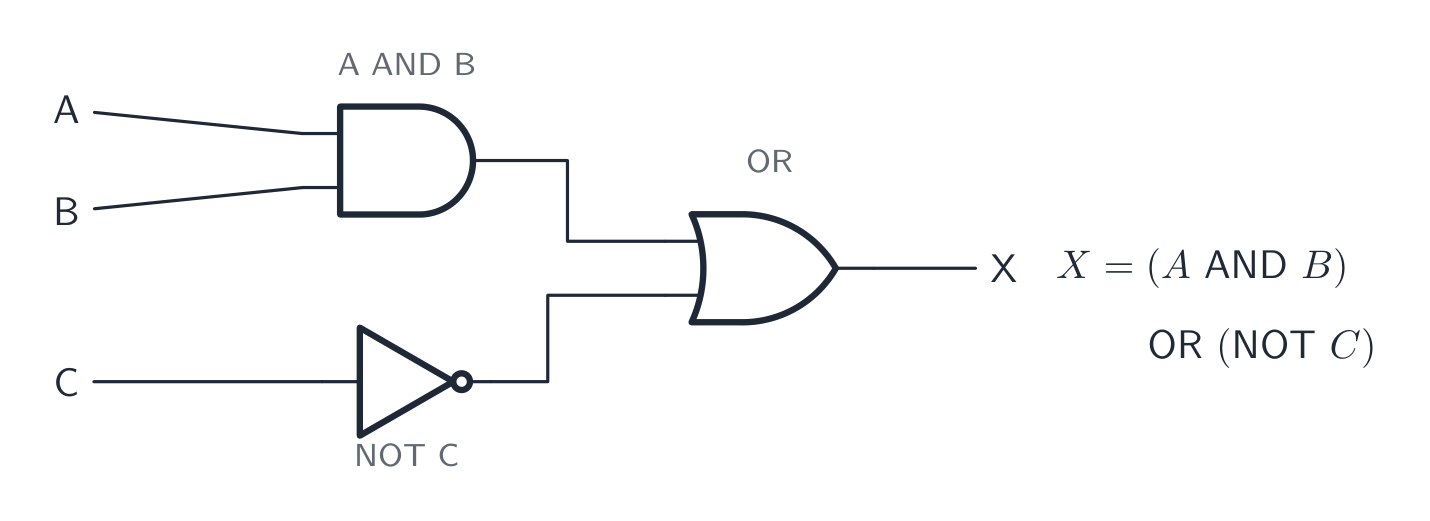
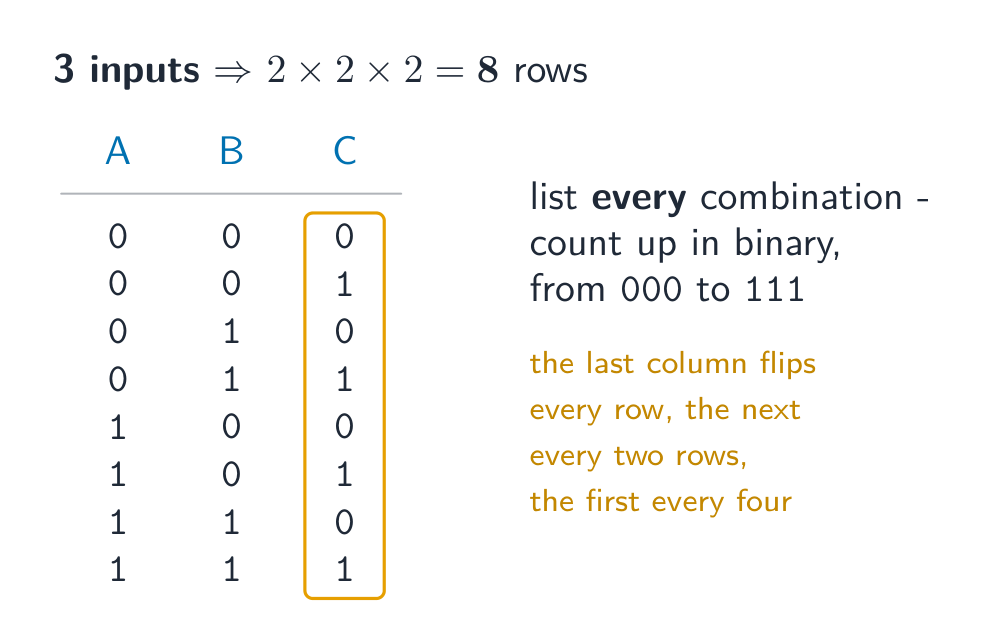
IGCSE Computer Science (0478) has ten topics across two papers: data representation, data transmission, hardware, software, the internet, automated and emerging technologies, algorithm design, programming, databases and Boolean logic.
Paper 1 is theory, marked on precise vocabulary — the difference between RAM and ROM, a compiler and an interpreter, validation and verification. These are definition marks, and a paraphrase usually misses them.
Paper 2 is problem-solving and programming, where marks go to a working method: trace tables, pseudocode, and code that would actually run. Secure number bases and binary arithmetic first — they appear on their own and again inside data transmission, logic and hardware.
A computer can only work with two states: on and off. You write these as 1 and 0. A system that uses only two digits 数字 is called binary 二进制 (base 2).
Computers represent all data — numbers, text, sound and images — as binary strings of 0s and 1s
Every kind of data 数据 — numbers, text, sound and images — must be changed into binary before a computer can use it. The computer processes this binary using logic gates 逻辑门, and stores it in registers 寄存器 (small, fast stores inside the processor 处理器).
A microprocessor holds millions of tiny transistors, each a switch that is on (1) or off (0) — the physical basis of binary
1 Understand how and why computers use binary to represent all forms of data
• Any form of data needs to be converted to binary to be processed by a computer • Data is processed using logic gates and stored in registers
2 (a) Understand the denary, binary and hexadecimal number systems (b) Convert between (i) positive denary and positive binary (ii) positive denary and positive hexadecimal (iii) positive hexadecimal and positive binary
• Denary is a base 10 system • Binary is a base 2 system • Hexadecimal is a base 16 system • Values used will be integers only • Conversions in both directions, e.g. denary to binary or binary to denary • Maximum binary number length of 16-bit
3 Understand how and why hexadecimal is used as a beneficial method of data representation
• Areas within computer science that hexadecimal is used should be identified • Hexadecimal is easier for humans to understand than binary, as it is a shorter representation of binary
4 (a) Add two positive 8-bit binary integers (b) Understand the concept of overflow and why it occurs in binary addition
• An overflow error will occur if the value is greater than 255 in an 8-bit register • A computer or a device has a predefined limit that it can represent or store, for example 16-bit • An overflow error occurs when a value outside this limit should be returned
5 Perform a logical binary shift on a positive 8-bit binary integer and understand the effect this has on the positive binary integer
• Perform logical left shifts • Perform logical right shifts • Perform multiple shifts • Bits shifted from the end of the register are lost and zeros are shifted in at the opposite end of the register • The positive binary integer is multiplied or divided according to the shift performed • The most significant bit(s) or least significant bit(s) are lost
6 Use the two’s complement number system to represent positive and negative 8-bit binary integers
• Convert a positive binary or denary integer to a two’s complement 8-bit integer and vice versa • Convert a negative binary or denary integer to a two’s complement 8-bit integer and vice versa
Source: Cambridge International syllabus · Sumber: Silabus Cambridge International
Counting in binary: 0 to 15
A number system 数制 is a way of writing numbers using a fixed set of digits. You need three of them.
System
Base
Digits used
Denary
10
0–9
Binary
2
0 and 1
Hexadecimal
16
0–9 then A–F
denary 十进制 is the normal counting system (also called decimal).
binary uses only 0 and 1.
hexadecimal 十六进制 (hex) uses sixteen digits: 0–9, then A, B, C, D, E, F stand for 10, 11, 12, 13, 14, 15.
The base 基数 tells you how many different digits a system uses.
Place value
Each column in a number has a place value 位值. In binary the place values double from right to left. For an 8-bit number they are:
128 64 32 16 8 4 2 1
An 8-bit place-value chart: the 1s sit under the values that add up to 150
One bit 位 is a single 0 or 1. Eight bits make one byte 字节. Four bits (half a byte) is a nibble 半字节.
Converting between number systems
Denary → binary. Write the place values. Put a 1 under each value you need so they add up to your number; put 0 under the rest.
Each hex digit maps to its own 4-bit nibble — F08 = 1111 0000 1000
Binary → hexadecimal. Group the bits into nibbles of 4, starting from the right. Change each nibble to one hex digit.
Denary → hexadecimal. The easy way is to change to binary first, then binary to hex.
This table helps with the hex letters:
Denary
Binary
Hex
10
1010
A
11
1011
B
12
1100
C
13
1101
D
14
1110
E
15
1111
F
Cambridge questions use binary numbers up to 16 bits long.
Worked example. Convert denary 100 to 8-bit binary, then to hexadecimal.
$100 = 64 + 32 + 4$, so the binary is 01100100. Splitting into nibbles, 01100100$= 6$ and $4$, so the hexadecimal is 64.
Why hexadecimal is used
Hex is shorter than binary and easier for people to read and write. One hex digit replaces 4 binary digits, so you make fewer mistakes. The value does not change — hex is just a shorter way to show the same binary.
Computer scientists use hex for:
MAC addresses and IPv6 addresses
colour codes in HTML (for example #FF0000 is red)
memory addresses 内存地址 and error codes
showing the contents of memory (a "memory dump")
Explore · Jelajahi
Binary, denary and hex · Binier, desimal, dan heksadesimal
Type a number and see it in binary, denary and hex — and how the place values build it. · Ketik angka dan lihat dalam biner, desimal, dan heksadesimal — serta bagaimana nilai tempat membentuknya.
Adding column by column; the carries ripple to the left. 118 + 48 = 166
Overflow
An 8-bit register can hold denary values from 0 to 255 only. If an addition gives a result above 255, the answer needs a 9th bit. The register cannot hold this extra bit, so it is lost. This is called overflow 溢出 (an overflow error). It happens when a value goes outside the limit the register can store.
Example: 11001000 (200) $+$01001000 (72) $= 272$. In binary that is 1 00010000, which needs 9 bits. The leading 1 will not fit in 8 bits, so the stored answer is wrong.
Adding 200 and 72 needs 9 bits, but an 8-bit register drops the ninth, so the answer is wrong
A logical binary shift 逻辑二进制移位 moves all the bits left or right by a number of places.
Bits that move off the end of the register are lost.
Zeros are added at the empty end.
A left shift multiplies the number by 2 for each place moved. A right shift divides it by 2 for each place; the right-most bits (the least significant bit(s) 最低有效位) are lost.
A left shift of 2: every bit moves 2 places left, the top bits are lost and zeros fill the right
The result is 11010100 (212), which is $53 \times 4$. The two left-most bits were lost and two zeros came in on the right. If a 1 is pushed off the end, that information is gone for good.
So far the numbers were positive. Two's complement 补码 lets an 8-bit register hold negative numbers too.
In two's complement, the left-most bit (the most significant bit 最高有效位, or MSB) has a negative place value:
-128 64 32 16 8 4 2 1
If the MSB is 0, the number is positive.
If the MSB is 1, the number is negative.
To make a positive number negative: write the positive binary, flip every bit (0↔1), then add 1.
Example: make $-40$.
$+40$ = 00101000
flip the bits = 11010111
add 1 = 11011000
So $-40$ = 11011000. Check by adding the place values: $-128 + 64 + 16 + 8 = -40$.
The most significant bit is worth −128, so 11011000 = −128 + 64 + 16 + 8 = −40
To read a negative two's complement number, just add the place values (the MSB counts as $-128$). The range of an 8-bit two's complement number is $-128$ to $+127$.
1 Understand how and why a computer represents text and the use of character sets, including American standard code for information interchange (ASCII) and Unicode
• Text is converted to binary to be processed by a computer • Unicode allows for a greater range of characters and symbols than ASCII, including different languages and emojis • Unicode requires more bits per character than ASCII
2 Understand how and why a computer represents sound, including the effects of the sample rate and sample resolution
• A sound wave is sampled for sound to be converted to binary, which is processed by a computer • The sample rate is the number of samples taken in a second • The sample resolution is the number of bits per sample • The accuracy of the recording and the file size increases as the sample rate and resolution increase
3 Understand how and why a computer represents an image, including the effects of the resolution and colour depth
• An image is a series of pixels that are converted to binary, which is processed by a computer • The resolution is the number of pixels in the image • The colour depth is the number of bits used to represent each colour • The file size and quality of the image increase as the resolution and colour depth increase
Bahasa Indonesia
Kandidat harus mampu:
Catatan dan panduan
1 Fahami bagaimana dan mengapa komputer mewakili teks dan penggunaan set watak, termasuk kod standard Amerika untuk pertukaran maklumat (ASCII) dan Unicode
• Teks ditukar kepada binari untuk diproses oleh komputer • Unicode membolehkan julat watak dan simbol yang lebih besar berbanding ASCII, termasuk bahasa berbeza dan emoji • Unicode memerlukan lebih banyak bit per watak berbanding ASCII
2 Fahami bagaimana dan mengapa komputer mewakili bunyi, termasuk kesan kadar sampel dan resolusi sampel
• Gelombang bunyi diambil sampelnya untuk bunyi ditukar kepada binari, yang diproses oleh komputer • Kadar sampel ialah bilangan sampel yang diambil dalam satu saat • Resolusi sampel ialah bilangan bit per sampel • Ketepatan rakaman dan saiz fail meningkat apabila kadar sampel dan resolusi meningkat
3 Pahami bagaimana dan mengapa komputer merepresentasikan gambar, termasuk efek dari resolusi dan kedalaman warna
• Gambar adalah serangkaian piksel yang dikonversi menjadi biner, yang kemudian diproses oleh komputer • Resolusi adalah jumlah piksel dalam gambar • Kedalaman warna adalah jumlah bit yang digunakan untuk merepresentasikan setiap warna • Ukuran file dan kualitas gambar meningkat seiring dengan meningkatnya resolusi dan kedalaman warna
Source: Cambridge International syllabus · Sumber: Silabus Cambridge International
Computers store text by giving every character a number, then storing that number in binary. The set of characters a computer can use, together with their numbers, is a character set 字符集.
ASCII uses 7 bits per character, so it has 128 different characters. This is enough for English letters, digits and common symbols.
Unicode uses more bits per character. It can represent far more characters — many languages, plus symbols and emoji 表情符号.
Because Unicode has more characters, it needs more bits per character than ASCII, so the same text takes more storage 存储.
ASCII uses 7 bits for 128 characters; Unicode uses more bits for far more characters but more storage
A sound wave 声波 is smooth and always changing. To store it, the computer measures the height of the wave at regular moments. This is called sampling 采样, and each measurement is a sample.
Sampling records the wave's height (amplitude) at regular moments
sample rate 采样率 is the number of samples taken each second (measured in Hz).
sample resolution 采样分辨率 is the number of bits used for each sample. The height of the wave at a sample point is its amplitude 振幅.
A higher sample rate and a higher sample resolution give a more accurate recording, but a larger file.
Explore · Jelajahi
Representing sound · Merepresentasikan suara
y = a sin(bt + c)
Sound is a wave; sampling records its height many times a second. · Suara adalah gelombang; pengambilan sampel mencatat tingginya berkali-kali per detik.
• Including: – bit – nibble – byte – kibibyte (KiB) – mebibyte (MiB) – gibibyte (GiB) – tebibyte (TiB) – pebibyte (PiB) – exbibyte (EiB) • The amount of the previous denomination present in the data storage size, e.g.: – 8 bits in a byte – 1024 mebibytes in a gibibyte
2 Calculate the file size of an image file and a sound file, using information given
• Answers must be given in the units specified in the question. Calculations must use the measurement of 1024 and not 1000 • Information given may include: – image resolution and colour depth – sound sample rate, resolution and length of track
3 Understand the purpose of and need for data compression
• Compression exists to reduce the size of the file • What the impact of this is, e.g.: – less bandwidth required – less storage space required – shorter transmission time
4 Understand how files are compressed using lossy and lossless compression methods
• Lossy compression reduces the file size by permanently removing data, e.g. reducing resolution or colour depth, reducing sample rate or resolution • Lossless compression reduces the file size without permanent loss of data, e.g. run length encoding (RLE)
Bahasa Indonesia
Kandidat harus mampu:
Catatan dan panduan
1 Pahami bagaimana penyimpanan data diukur
• Termasuk: – bit – nibble – byte – kibibyte (KiB) – mebibyte (MiB) – gibibyte (GiB) – tebibyte (TiB) – pebibyte (PiB) – exbibyte (EiB) • Jumlah dari denominasi sebelumnya yang ada dalam ukuran penyimpanan data, mis.: – 8 bit dalam satu byte – 1024 mebibyte dalam satu gibibyte
2 Hitung ukuran file gambar dan file suara, menggunakan informasi yang diberikan
• Jawaban harus diberikan dalam satuan yang ditentukan dalam soal. Perhitungan harus menggunakan pengukuran 1024 dan bukan 1000 • Informasi yang diberikan dapat mencakup: – resolusi gambar dan kedalaman warna – laju sampel suara, resolusi, dan panjang trek
3 Pahami tujuan dan kebutuhan akan kompresi data
• Kompresi bertujuan untuk mengurangi ukuran file • Apa dampaknya, mis.: – pita lebar yang dibutuhkan lebih sedikit – ruang penyimpanan yang dibutuhkan lebih sedikit – waktu transmisi yang lebih singkat
4 Pahami bagaimana file dikompres menggunakan metode kompresi lossy dan kompresi lossless
• Kompresi lossy mengurangi ukuran file dengan menghapus data secara permanen, mis. mengurangi resolusi atau kedalaman warna, mengurangi laju sampel atau resolusi • Kompresi lossless mengurangi ukuran file tanpa hilangnya data secara permanen, mis. pengkodean panjang run (RLE)
Source: Cambridge International syllabus · Sumber: Silabus Cambridge International
Data storage is measured in the units below. A nibble is 4 bits and a byte is 8 bits; from the kibibyte upward, each unit is 1024 times the one before it (because $1024 = 2^{10}$, which fits binary).
Unit
Equals
bit
a single 0 or 1
nibble
4 bits
byte
8 bits
kibibyte (KiB)
1024 bytes
mebibyte (MiB)
1024 KiB
gibibyte (GiB)
1024 MiB
tebibyte (TiB)
1024 GiB
pebibyte (PiB)
1024 TiB
exbibyte (EiB)
1024 PiB
Hard-disk platters: storage is measured in bytes — knowing file size needs width × height × colour depth for images
Sound file size (in bits) $=$ sample rate $\times$ sample resolution $\times$ length in seconds.
Always divide by 1024 (not 1000) to change to KiB, MiB and so on. Give your answer in the unit the question asks for.
Worked example. A sound is recorded for 30 seconds at a sample rate of 8,000 Hz with a sample resolution of 16 bits. Find the file size in kibibytes (KiB).
Compression 压缩 makes a file smaller. A smaller file:
uses less storage space,
needs less bandwidth 带宽 (the amount of data a connection can carry),
takes a shorter time to send (a shorter transmission 传输 time).
There are two types.
Lossless compression
Lossless 无损 compression makes the file smaller with no permanent loss of data. The original file can be rebuilt exactly.
One method is run-length encoding 行程编码 (RLE). It replaces a run of repeated values with one copy of the value and a count of how many times it repeats. For example WWWWWWWW (8 whites) is stored as "8 W". This works well when data has many repeats.
Run-length encoding stores each run once as a count and a value
Lossy compression
Lossy 有损 compression makes the file much smaller by permanently removing some data. The removed data cannot be got back. For example:
reducing the resolution or colour depth of an image,
reducing the sample rate or sample resolution of a sound.
Use lossless when you must keep every detail (text and program files). Use lossy for photos, music and video, where a small loss of quality is worth a much smaller file.
Explore · Jelajahi
Run-length encoding · Pengkodean panjang rentang
Watch repeated symbols get squashed into a count — simple lossless compression. · Perhatikan simbol berulang tertekan menjadi jumlah — kompresi tanpa kehilangan sederhana.
Convert denary → binary by subtracting the place values (128, 64, 32 …); binary → denary by adding the place values that hold a 1.
To convert to hex, group the binary into nibbles of 4 bits from the right; each nibble is exactly one hex digit.
Overflow happens when a result needs more bits than the register has (an 8-bit register only holds 0–255), so the extra bit is lost.
File size in bits: for an image, width × height × colour depth; for sound, sample rate × resolution × seconds. Divide by 8 for bytes, then by 1024 for each larger unit.
Lossless compression keeps every bit (text; run-length encoding); lossy permanently removes data (photos, music) for a much smaller file.
What is data transmission? · Apa itu transmisi data?
English
Data transmission 数据传输 means moving data from one place to another — for example from your computer to a website, or from a phone to a printer.
Data often travels along a cable. Two common ones are shown below.
Before it is sent, the data is broken down into small, equal-sized pieces called packets 数据包. Each packet travels separately and they are put back together at the other end.
Using packets has benefits:
if one packet is lost or damaged, only that packet is sent again, not the whole file;
packets can take different routes, so a busy or broken route can be avoided;
many users can share the same connection at the same time.
Bahasa Indonesia
Transmisi data berarti memindahkan data dari satu tempat ke tempat lain — misalnya dari komputer Anda ke situs web, atau dari telepon ke printer.
Data sering kali merambat sepanjang kabel. Dua jenis umum ditunjukkan di bawah ini.
Kabel Ethernet dengan colokan RJ45, sering digunakan untuk mentransfer data di jaringan berkabelKabel serat optik mentransfer data sebagai denyut cahaya sepanjang serat kaca tipis
Sebelum dikirim, data dipecah menjadi potongan-potongan kecil yang sama ukurannya yang disebut paket. Setiap paket berjalan sendiri-sendiri dan mereka digabungkan kembali di ujung lainnya.
Menggunakan paket memiliki manfaat:
jika satu paket hilang atau rusak, hanya paket itu yang dikirim ulang, bukan seluruh file;
paket dapat mengambil jalur berbeda, sehingga jalur yang sibuk atau rusak dapat dihindari;
banyak pengguna dapat berbagi koneksi yang sama pada waktu yang bersamaan.
2.1
The structure of a packet · Struktur paket
Syllabus · Silabus
English
Candidates should be able to:
Notes and guidance
1 (a) Understand that data is broken down into packets to be transmitted
(b) Describe the structure of a packet
• A packet of data contains a: – packet header – payload – trailer • The packet header includes the: – destination address – packet number – originator’s address
(c) Describe the process of packet switching
• Data is broken down into packets • Each packet could take a different route • A router controls the route a packet takes • Packets may arrive out of order • Once the last packet has arrived, packets are reordered
2 (a) Describe how data is transmitted from one device to another using different methods of data transmission
(b) Explain the suitability of each method of data transmission, for a given scenario
• Including the advantages and disadvantages of each method
3 Understand the universal serial bus (USB) interface and explain how it is used to transmit data
• Including the benefits and drawbacks of the interface
Bahasa Indonesia
Kandidat harus mampu:
Catatan dan panduan
1 (a) Pahami bahwa data dibagi menjadi paket untuk ditransmisikan
(b) Jelaskan struktur sebuah paket
• Paket data berisi: – header paket – payload – trailer • Header paket mencakup: – alamat tujuan – nomor paket – alamat pengirim
(c) Jelaskan proses pengalihan paket
• Data dibagi menjadi paket • Setiap paket dapat mengambil jalur yang berbeda • Router mengontrol jalur yang diambil paket • Paket dapat tiba tidak berurutan • Setelah paket terakhir tiba, paket-paket tersebut diurutkan kembali
2 (a) Jelaskan bagaimana data ditransmisikan dari satu perangkat ke perangkat lain menggunakan berbagai metode transmisi data
• Termasuk: – serial – paralel – simplex – half-duplex – full-duplex
(b) Jelaskan kesesuaian setiap metode transmisi data, untuk skenario tertentu
• Termasuk keunggulan dan kekurangan setiap metode
3 Pahami antarmuka universal serial bus (USB) dan jelaskan bagaimana antarmuka ini digunakan untuk mentransmisikan data
• Termasuk manfaat dan kerugian antarmuka ini
Source: Cambridge International syllabus · Sumber: Silabus Cambridge International
English
Every packet has three parts.
Part
What it holds
packet header 包头
control information (see below)
payload 有效载荷
the actual data being carried
trailer 尾部
shows where the packet ends, plus an error check
The packet header holds:
the sender's IP address 地址 (where the packet came from),
the receiver's IP address (where it is going),
the packet number (so the packets can be put back in the right order).
Bahasa Indonesia
Setiap paket memiliki tiga bagian.
Paket memiliki header, payload (data), dan trailer; header membawa alamat dan nomor paket
Bagian
Isinya
header paket
informasi kontrol (lihat di bawah)
payload
data aktual yang dibawa
trailer
menunjukkan di mana paket berakhir, plus pemeriksaan kesalahan
Header paket berisi:
alamat IP pengirim (dari mana paket berasal),
alamat IP penerima (ke mana paket akan pergi),
nomor paket (agar paket dapat disusun kembali dengan urutan yang benar).
Packet switching 数据包交换 is the way packets are sent across a network.
Special devices called routers 路由器 read each packet's header and choose the best route for it.
Each packet may take its own path, so packets can travel different ways.
Packets may arrive out of order.
When the last packet has arrived, the packets are reordered using their packet numbers.
Bahasa Indonesia
Pengalihan paket adalah cara paket dikirim melintasi jaringan.
Router meneruskan paket, dan paket berbeda dapat mengambil jalur berbeda menuju penerima yang sama
Perangkat khusus yang disebut router membaca header setiap paket dan memilih jalur terbaik untuknya.
Setiap paket mungkin mengambil jalurnya sendiri, sehingga paket dapat menempuh jalan yang berbeda.
Paket dapat tiba tidak berurutan.
Ketika paket terakhir tiba, paket-paket tersebut disusun ulang menggunakan nomor paket mereka.
Explore · Jelajahi
How data travels in packets · Bagaimana data bergerak dalam pakej
Step through packet switching. Splitting a file into addressed packets is why one lost packet only needs resending, and why many users can share the same line. · Langkah-langkah penyuisian pakej. Memecahkan fail kepada pakej bertanda alamat mengapa satu pakej hilang hanya perlu dihantar semula, dan mengapa ramai pengguna boleh berkongsi talian yang sama.
Methods of data transmission · Metode transmisi data
English
Serial and parallel
Serial 串行
Parallel 并行
How
one bit at a time, down one wire
several bits at once, down several wires
Distance
good over long distances
good over short distances only
Cost
cheaper (fewer wires)
more expensive (more wires)
Errors
bits stay in order
bits can arrive at slightly different times over long wires
Serial sends one bit after another along a single wire. Parallel sends several bits at the same time along several wires, so it is faster over short distances.
Simplex, half-duplex and full-duplex
These describe the direction data can travel.
Method
Direction
simplex 单工
one direction only (e.g. computer → printer)
half-duplex 半双工
both directions, but only one at a time (e.g. walkie-talkie)
full-duplex 全双工
both directions at the same time (e.g. phone call)
Choosing a method
The choice depends on the distance, the speed needed, the cost, and whether data must travel both ways at once.
Bahasa Indonesia
Serial dan paralel
Serial
Paralel
Cara
satu bit sekaligus, melalui satu kawat
beberapa bit sekaligus, melalui beberapa kawat
Jarak
baik untuk jarak jauh
baik hanya untuk jarak pendek
Biaya
lebih murah (kawat lebih sedikit)
lebih mahal (kawat lebih banyak)
Kesalahan
bit tetap berurutan
bit bisa tiba dengan waktu sedikit berbeda pada kawat panjang
Serial mengirim satu bit demi satu bit sepanjang satu kawat. Paralel mengirim beberapa bit sekaligus sepanjang beberapa kawat, sehingga lebih cepat untuk jarak pendek.
Serial mengirim satu bit sekaligus melalui satu kawat; paralel mengirim beberapa bit sekaligus melalui beberapa kawat
Simpleks, half-duplex, dan full-duplex
Ini menggambarkan arah data dapat merambat.
Simpleks hanya satu arah; half-duplex dua arah tapi bergantian; full-duplex dua arah sekaligus
Metode
Arah
simpleks
satu arah saja (mis. komputer → printer)
half-duplex
dua arah, tapi hanya satu sekaligus (mis. walkie-talkie)
full-duplex
dua arah sekaligus (mis. panggilan telepon)
Memilih metode
Pilihannya bergantung pada jarak, kecepatan yang dibutuhkan, biaya, dan apakah data harus merambat dua arah sekaligus.
Why we check for errors · Mengapa kita memeriksa kesalahan
Syllabus · Silabus
English
Candidates should be able to:
Notes and guidance
1 Understand the need to check for errors after data transmission and how these errors can occur
• Errors can occur during data transmission due to interference, e.g. data loss, data gain and data change
2 Describe the processes involved in each of the following error detection methods for detecting errors in data after transmission: parity check (odd and even), checksum and echo check
• Including parity byte and parity block check
3 Describe how a check digit is used to detect errors in data entry and identify examples of when a check digit is used, including international standard book numbers (ISBN) and bar codes
4 Describe how an automatic repeat query (ARQ) can be used to establish that data is received without error
• Including the use of: – positive/negative acknowledgements – timeout
Bahasa Indonesia
Kandidat harus mampu:
Catatan dan panduan
1 Pahami kebutuhan untuk memeriksa kesalahan setelah transmisi data dan bagaimana kesalahan-kesalahan ini dapat terjadi
• Kesalahan dapat terjadi selama transmisi data karena interferensi, mis. kehilangan data, penambahan data, dan perubahan data
2 Jelaskan proses yang terlibat dalam setiap metode deteksi kesalahan berikut untuk mendeteksi kesalahan dalam data setelah transmisi: pemeriksaan paritas (ganjil dan genap), checksum, dan pemeriksaan gema
• Termasuk pemeriksaan byte paritas dan blok paritas
3 Jelaskan bagaimana digit cek digunakan untuk mendeteksi kesalahan dalam entri data dan identifikasikan contoh penggunaan digit cek, termasuk nomor buku internasional (ISBN) dan kode batang
4 Jelaskan bagaimana permintaan ulang otomatis (ARQ) dapat digunakan untuk memastikan bahwa data diterima tanpa kesalahan
• Termasuk penggunaan: – konfirmasi positif/negatif – timeout
Source: Cambridge International syllabus · Sumber: Silabus Cambridge International
English
While data travels, interference 干扰 can change it. Three things can go wrong:
data loss — some bits do not arrive;
data gain — extra bits are added;
data change — some bits are flipped.
So the receiver checks whether the data arrived correctly.
Bahasa Indonesia
Saat data sedang ditransmisikan, gangguan dapat mengubahnya. Tiga hal bisa terjadi:
hilangnya data — beberapa bit tidak sampai;
penambahan data — bit tambahan ditambahkan;
perubahan data — beberapa bit dibalik.
Oleh karena itu, penerima memeriksa apakah data telah tiba dengan benar.
A parity check 奇偶校验 adds one extra bit, the parity bit 奇偶校验位, to each byte. There are two types:
even parity — the total number of 1s in the byte (including the parity bit) must be even;
odd parity — the total number of 1s must be odd.
Example (even parity): the data 1011001 has four 1s, which is already even, so the parity bit is 0:
To find an error: the receiver counts the 1s. If even parity was agreed but a byte arrives with an odd number of 1s, an error has happened during transmission.
A parity check cannot find every error. If two bits flip, the count may still look correct.
Worked example. A single parity bit tells you that an error happened, but not where. A parity block 奇偶校验块 can find the exact bit. Several bytes are sent together, each with a row parity bit, and one extra parity byte 奇偶校验字节 at the bottom holds a parity bit for each column. Even parity is used below, and one bit was flipped during transmission. Find it.
Row byte 3 breaks even parity, and column b3 breaks even parity. The flipped bit is where they cross: byte 3, bit b3. Changing it back from 1 to 0 repairs the data. A single parity bit only says an error happened; a parity block says exactly where, so the receiver can even fix it.
Checksum
A checksum 校验和 is a value worked out from all the data before sending. The receiver works out the checksum again from the data it received. If the two values do not match, an error has occurred and the data is resent.
Echo check
In an echo check 回送校验, the receiver sends the data back to the sender. The sender compares it with the original. If they differ, an error happened. (This needs the data to be sent twice, so it is slow.)
Automatic Repeat reQuest (ARQ)
Automatic Repeat reQuest 自动重传请求 (ARQ) uses messages called acknowledgements 确认.
The receiver sends a positive acknowledgement if a packet arrived correctly, or a negative acknowledgement if it did not.
The sender starts a timeout 超时 timer. If no positive acknowledgement comes back in time, the sender sends the packet again.
Check digit
A check digit 校验码 is an extra digit placed at the end of a number, worked out from the other digits. It is used to find mistakes when a number is typed in.
When the number is entered, the check digit is calculated again and compared. It can catch:
an incorrect digit entered,
a transposition error 换位错误 (two digits swapped, e.g. 21 typed as 12),
a digit left out or an extra digit added,
a phonetic error (a digit that sounds similar, e.g. 13 and 30).
Check digits are used in barcodes 条形码 and ISBNs (book numbers).
Bahasa Indonesia
Pengecekan paritas
Sebuah pengecekan paritas menambahkan satu bit ekstra, yaitu bit paritas, ke setiap byte. Ada dua jenis:
Bit paritas ditambahkan agar jumlah 1 menjadi genap (atau ganjil)
paritas genap — total jumlah angka 1 dalam byte (termasuk bit paritas) harus genap;
paritas ganjil — total jumlah angka 1 harus ganjil.
Contoh (paritas genap): data 1011001 memiliki empat angka 1, yang sudah genap, sehingga bit paritas adalah 0:
parity bit + data
    0        1011001
Untuk menemukan kesalahan: penerima menghitung angka 1. Jika disepakati paritas genap tetapi sebuah byte tiba dengan jumlah angka 1 ganjil, maka telah terjadi kesalahan selama transmisi.
Pengecekan paritas tidak dapat menemukan semua kesalahan. Jika dua bit dibalik, perhitungannya mungkin masih terlihat benar.
Contoh terpecahkan. Satu bit paritas memberi tahu Anda bahwa kesalahan telah terjadi, tetapi bukan di mana. Blok paritas dapat menemukan bit yang tepat. Beberapa byte dikirim bersamaan, masing-masing dengan bit paritas baris, dan satu byte paritas ekstra di bagian bawah menyimpan bit paritas untuk setiap kolom. Paritas genap digunakan di bawah ini, dan satu bit telah dibalik selama transmisi. Temukan bit tersebut.
Baris byte 3 melanggar paritas genap, dan kolom b3 melanggar paritas genap. Bit yang dibalik berada di persimpangan keduanya: byte 3, bit b3. Mengubahnya kembali dari 1 menjadi 0 memperbaiki data. Satu bit paritas hanya menyatakan bahwa kesalahan telah terjadi; blok paritas menyatakan secara tepat di mana, sehingga penerima bahkan dapat memperbaikinya.
Jumlah cek
Jumlah cek adalah nilai yang dihitung dari seluruh data sebelum dikirim. Penerima menghitung jumlah cek lagi dari data yang diterima. Jika kedua nilai tidak cocok, telah terjadi kesalahan dan data dikirim ulang.
Pengecekan gema
Dalam pengecekan gema, penerima mengirimkan data kembali kepada pengirim. Pengirim membandingkannya dengan data asli. Jika berbeda, telah terjadi kesalahan. (Ini memerlukan data dikirim dua kali, sehingga lambat.)
Permintaan Ulang Otomatis (ARQ)
Permintaan Ulang Otomatis (ARQ) menggunakan pesan yang disebut pengakuan.
Penerima mengirim pengakuan positif jika paket tiba dengan benar, atau pengakuan negatif jika tidak.
Pengirim memulai timer waktu habis. Jika tidak ada pengakuan positif yang kembali tepat waktu, pengirim mengirim paket lagi.
Digit cek
Digit cek adalah digit ekstra yang diletakkan di akhir suatu angka, dihitung dari digit-digit lainnya. Ini digunakan untuk menemukan kesalahan ketika suatu angka diketikkan.
Ketika angka dimasukkan, digit cek dihitung kembali dan dibandingkan. Hal ini dapat menangkap:
digit yang salah yang dimasukkan,
kesalahan transposisi (dua digit tertukar, mis. 21 diketik sebagai 12),
digit terlupa atau digit berlebih yang ditambahkan,
kesalahan fonetik (digit yang terdengar mirip, mis. 13 dan 30).
Digit cek digunakan dalam barcode dan ISBN (nomor buku).
Explore · Jelajahi
Computing concept lab · Laboratorium konsep komputasi
Classify concrete examples by the computing idea they demonstrate. · Klasifikasikan contoh konkret berdasarkan ide komputasi yang ditunjukkannya.
1 Understand the need for and purpose of encryption when transmitting data
2 Understand how data is encrypted using symmetric and asymmetric encryption
• Asymmetric encryption includes the use of public and private keys
Bahasa Indonesia
Kandidat harus mampu:
Catatan dan panduan
1 Pahami kebutuhan dan tujuan enkripsi saat mentransmisikan data
2 Pahami bagaimana data dienkripsi menggunakan enkripsi simetris dan enkripsi asimetris
• Enkripsi asimetris mencakup penggunaan kunci publik dan kunci privat
Source: Cambridge International syllabus · Sumber: Silabus Cambridge International
English
Why we need encryption
Encryption 加密 scrambles data so that it cannot be understood if it is intercepted 拦截 (caught) by the wrong person. The readable data is called plaintext 明文; after encryption it becomes ciphertext 密文.
Encryption does not stop data from being intercepted. It only stops the data from being understood.
Symmetric encryption
Symmetric encryption 对称加密 uses a single key 密钥 to both encrypt and decrypt the data. The sender and receiver must share this same secret key. The risk is that the key itself could be stolen while being shared.
Asymmetric encryption
Asymmetric encryption 非对称加密 uses two different keys:
a public key 公钥 that anyone can have, used to encrypt;
a private key 私钥 that is kept secret, used to decrypt.
Data encrypted with the public key can only be decrypted with the matching private key, so the key never has to be shared. This is safer than sharing one secret key.
Bahasa Indonesia
Mengapa kita butuh enkripsi
Enkripsi mengacak data agar tidak dapat dipahami jika data tersebut disadap (tertangkap) oleh orang yang salah. Data yang dapat dibaca disebut plaintext; setelah dienkripsi, data berubah menjadi ciphertext.
Enkripsi tidak mencegah data disadap. Enkripsi hanya mencegah data dipahami.
Enkripsi simetris
Enkripsi simetris menggunakan satu kunci tunggal untuk mengenkripsi dan mendekripsi data. Pengirim dan penerima harus berbagi kunci rahasia yang sama. Risikonya adalah kunci itu sendiri dapat dicuri saat dibagikan.
Enkripsi asimetris
Enkripsi asimetris menggunakan dua kunci yang berbeda:
kunci publik yang dapat dimiliki siapa saja, digunakan untuk mengenkripsi;
kunci privat yang dirahasiakan, digunakan untuk mendekripsi.
Data yang dienkripsi dengan kunci publik hanya dapat didekripsi dengan kunci privat yang sesuai, sehingga kuncinya tidak perlu pernah dibagikan. Ini lebih aman daripada membagikan satu kunci rahasia.
*Simetris menggunakan satu kunci bersama; asimetris menggunakan kunci publik untuk mengenkripsi dan kunci pribadi untuk mendekripsi
Explore · Jelajahi
The Caesar cipher · Kriptografi Caesar
Shift each letter to encrypt a message — the simplest idea of a cipher and its key. · Geser setiap huruf untuk mengenkripsi pesan — ide paling sederhana dari sebuah cipher dan kuncinya.
Data is sent in packets (a header with the addresses and packet number, a payload, and a trailer). Packets can take different routes and arrive out of order, then are reordered by their packet numbers.
Match the transmission types: serial (one bit at a time, good over long distances) vs parallel (several bits at once, short distances); simplex / half-duplex / full-duplex describe the direction.
A single parity bit only shows that an error happened; a parity block locates the exact wrong bit — the row and the column that both fail.
Learn the error-detection methods and what each does: parity check, checksum, echo check, ARQ, and the check digit (for typed-in numbers).
Symmetric encryption uses one shared key; asymmetric uses a public key to encrypt and a private key to decrypt, so no secret key is ever shared.
Bahasa Indonesia
Data dikirim dalam paket (header dengan alamat dan nomor paket, payload, dan trailer). Paket dapat mengambil jalur berbeda dan tiba tidak berurutan, lalu diurutkan ulang berdasarkan nomor paket.
Cocokkan jenis transmisi: serial (satu bit sekaligus, baik untuk jarak jauh) vs parallel (beberapa bit sekaligus, jarak pendek); simpleks / half-duplex / full-duplex menggambarkan arah.
Satu bit paritas hanya menunjukkan bahwa kesalahan telah terjadi; blok paritas melokalisasi bit yang salah secara tepat—baris dan kolom yang keduanya gagal.
Pelajari metode deteksi kesalahan dan fungsi masing-masing: pengecekan paritas, jumlah cek, pengecekan gema, ARQ, dan digit cek (untuk angka yang diketikkan).
Enkripsi simetris menggunakan satu kunci bersama; asimetris menggunakan kunci publik untuk mengenkripsi dan kunci privat untuk mendekripsi, sehingga tidak pernah ada kunci rahasia yang dibagikan.
The central processing unit (CPU) · Unit pemroses pusat (CPU)
Syllabus · Silabus
English
Candidates should be able to:
Notes and guidance
1 (a) Understand the role of the central processing unit (CPU) in a computer
• The CPU processes instructions and data that are input into the computer so that the result can be output
(b) Understand what is meant by a microprocessor
• A microprocessor is a type of integrated circuit on a single chip
2 (a) Understand the purpose of the components in a CPU, in a computer that has a Von Neumann architecture
• Including: – units: arithmetic logic unit (ALU) and control unit (CU) – registers: program counter (PC), memory address register (MAR), memory data register (MDR), current instruction register (CIR) and accumulator (ACC) – buses: address bus, data bus and control bus
(b) Describe the process of the fetch–decode–execute (FDE) cycle, including the role of each component in the process
• How instructions and data are fetched from random access memory (RAM) into the CPU, how they are processed using each component and how they are then executed • Storing data and addresses into specific registers • Using buses to transmit data, addresses and signals • Using units to fetch, decode and execute data and instructions
3 Understand what is meant by a core, cache and clock in a CPU and explain how they can affect the performance of a CPU
• The number of cores, size of the cache and speed of the clock can affect the performance of a CPU
4 Understand the purpose and use of an instruction set for a CPU
• An instruction set is a list of all the commands that can be processed by a CPU, and the commands are machine code
5 Describe the purpose and characteristics of an embedded system and identify devices in which they are commonly used
• An embedded system is used to perform a dedicated functions. For example in, domestic appliances, cars, security systems, lighting systems or vending machines. This is different to a general purpose computer that is used to perform many different functions. For example in, a personal computer (PC) or a laptop
Bahasa Indonesia
Kandidat harus mampu:
Catatan dan panduan
1 (a) Pahami peran unit pemrosesan sentral (CPU) dalam komputer
• CPU memproses instruksi dan data yang dimasukkan ke dalam komputer sehingga hasilnya dapat dikeluarkan
(b) Pahami apa yang dimaksud dengan mikroprosesor
• Mikroprosesor adalah jenis sirkuit terintegrasi pada satu keping
2 (a) Pahami tujuan komponen-komponen dalam CPU, pada komputer yang memiliki arsitektur Von Neumann
• Termasuk: – unit: unit aritmatika dan logika (ALU) serta unit kontrol (CU) – register: program counter (PC), memory address register (MAR), memory data register (MDR), current instruction register (CIR) dan accumulator (ACC) – bus: address bus, data bus dan control bus
(b) Jelaskan proses siklus fetch–decode–execute (FDE), termasuk peran setiap komponen dalam proses tersebut
• Bagaimana instruksi dan data diambil dari random access memory (RAM) ke dalam CPU, bagaimana diproses menggunakan setiap komponen dan bagaimana kemudian dieksekusi • Menyimpan data dan alamat ke dalam register tertentu • Menggunakan bus untuk mentransmisikan data, alamat dan sinyal • Menggunakan unit untuk mengambil, mengkodekan dan mengeksekusi data serta instruksi
3 Pahami apa yang dimaksud dengan core, cache dan clock dalam sebuah CPU dan jelaskan bagaimana mereka dapat memengaruhi kinerja CPU
• Jumlah core, ukuran cache dan kecepatan clock dapat memengaruhi kinerja CPU
4 Pahami tujuan dan penggunaan instruction set untuk sebuah CPU
• Instruction set adalah daftar semua perintah yang dapat diproses oleh CPU, dan perintah-perintah tersebut adalah kode mesin
5 Jelaskan tujuan dan karakteristik sistem tertanam dan identifikasi perangkat di mana sistem ini umum digunakan
• Sistem tertanam digunakan untuk melakukan fungsi khusus. Misalnya dalam, peralatan rumah tangga, mobil, sistem keamanan, sistem pencahayaan atau mesin penjual otomatis. Ini berbeda dengan komputer serbaguna yang digunakan untuk melakukan banyak fungsi yang berbeda. Misalnya dalam, personal computer (PC) atau laptop
Source: Cambridge International syllabus · Sumber: Silabus Cambridge International
English
The fetch-decode-execute cycle
The central processing unit 中央处理器 (CPU) is the part of the computer that processes data and carries out instructions 指令. It runs programs by repeating a cycle, millions of times each second.
Parts of the CPU
Part
What it does
arithmetic logic unit 算术逻辑单元 (ALU)
does calculations (add, subtract) and logical operations (compare)
control unit 控制单元 (CU)
sends control signals to manage all the parts and tell them what to do
registers 寄存器
very small, very fast stores that hold one piece of data at a time
The parts are joined by buses 总线 — sets of wires that carry information:
the address bus 地址总线 carries memory addresses (one direction);
the data bus 数据总线 carries data and instructions (both directions);
the control bus 控制总线 carries control signals.
Special registers
These registers are used during the fetch–execute cycle.
Register
Purpose
program counter 程序计数器 (PC)
holds the address of the next instruction
memory address register 内存地址寄存器 (MAR)
holds the address to read from or write to
memory data register 内存数据寄存器 (MDR)
holds the data or instruction just fetched
current instruction register 当前指令寄存器 (CIR)
holds the instruction now being carried out
accumulator 累加器 (ACC)
holds the result of the ALU's calculations
The fetch–execute cycle
The fetch–execute cycle 取指执行周期 has three stages, repeated again and again:
Fetch — the instruction is copied from memory 内存 into the CPU (using the PC, MAR and MDR). The PC then increases by 1.
Decode — the control unit works out what the instruction means.
Execute — the instruction is carried out (the ALU may do a calculation, with the result going to the accumulator).
Cache memory
Cache 高速缓存 is a small amount of very fast memory inside or close to the CPU. It stores data and instructions that the CPU uses often. The CPU can read from cache much faster than from main memory, so the computer runs faster.
What affects CPU performance
Feature
Effect
number of cores 核心
each core can run instructions on its own, so more cores can do more work at the same time
cache size
a larger cache holds more data ready for the CPU, so it waits less
clock speed 时钟速度
the number of cycles per second; a higher clock speed runs more instructions per second
Worked example. Two computers are identical except that A has a 3.0 GHz single-core CPU with 2 MB of cache, and B has a 2.4 GHz quad-core CPU with 8 MB of cache. Which is better for video editing, and why? Video editing splits into many tasks that can run at the same time, so B's four cores can process several streams in parallel while A can only work on one at a time. B's larger cache also keeps more frequently used data close to the CPU, so it has to fetch from RAM less often. B is the better choice, even though A has the higher clock speed. Never answer on clock speed alone: weigh cores, cache and clock speed together, and tie each one to the job being done.
Embedded systems
An embedded system 嵌入式系统 is a small computer built inside a larger device to do one fixed job. It is dedicated to that task, is usually small and low-cost, and has no general operating system. Examples: a washing machine, a microwave, a set-top box.
Bahasa Indonesia
Siklus ambil-dekod-eksekusi
Unit pemprosesan pusat (CPU) adalah bahagian komputer yang memproses data dan melaksanakan arahan. Ia menjalankan program dengan mengulang satu kitaran, berjuta kali setiap saat.
Unit pemprosesan pusat (CPU): cip yang memproses data dan menjalankan arahan
Bahagian-bahagian CPU
Bahagian
Fungsinya
unit aritmetik logik (ALU)
melakukan pengiraan (tambah, tolak) dan operasi logik (bandingkan)
unit kawalan (CU)
menghantar isyarat kawalan untuk menguruskan semua bahagian dan memberi tahu mereka apa yang perlu dilakukan
daftar
storan yang sangat kecil dan sangat pantas yang menyimpan satu keping data pada satu masa
Bahagian-bahagian ini disambungkan oleh bas — kumpulan wayar yang membawa maklumat:
bas alamat membawa alamat memori (satu hala);
bas data membawa data dan arahan (kedua-dua hala);
bas kawalan membawa isyarat kawalan.
CPU mempunyai unit kawalan, ALU dan daftar; tiga bas menghubungkannya dengan memori utama
Daftar khas
Daftar-daftar ini digunakan semasa kitaran ambil-eksekusi.
Daftar
Tujuan
penunjuk program (PC)
menyimpan alamat arahan seterusnya
daftar alamat memori (MAR)
menyimpan alamat untuk dibaca atau ditulis
daftar data memori (MDR)
menyimpan data atau arahan yang baru diambil
daftar arahan semasa (CIR)
menyimpan arahan yang sedang dilaksanakan sekarang
akumulator (ACC)
menyimpan hasil pengiraan ALU
Kitaran ambil-eksekusi
Kitaran ambil-eksekusi mempunyai tiga peringkat, yang diulang berulang kali:
Ambil — arahan disalin dari memori ke dalam CPU (menggunakan PC, MAR dan MDR). Kemudian PC bertambah sebanyak 1.
Dekaunkan — unit kawalan menentukan maksud arahan tersebut.
Eksekusi — arahan dilaksanakan (ALU mungkin melakukan pengiraan, dengan hasilnya dihantar ke akumulator).
Pemproses mengulang tiga peringkat: ambil arahan, dekaunkan, kemudian eksekusi
Memori cache
Cache ialah jumlah memori yang kecil tetapi sangat pantas di dalam atau berdekatan dengan CPU. Ia menyimpan data dan arahan yang sering digunakan oleh CPU. CPU boleh membaca daripada cache jauh lebih pantas berbanding dari memori utama, jadi komputer berjalan lebih laju.
Faktor-faktor yang mempengaruhi prestasi CPU
Ciri
Kesan
bilangan teras
setiap teras boleh menjalankan arahan secara sendiri, jadi lebih banyak teras dapat melakukan lebih banyak kerja pada masa yang sama
saiz cache
cache yang lebih besar menyimpan lebih banyak data sedia ada untuk CPU, jadi ia menunggu kurang lama
kelajuan jam
bilangan kitaran per saat; kelajuan jam yang lebih tinggi menjalankan lebih banyak arahan per saat
Contoh berangka. Dua komputer adalah identik kecuali A mempunyai CPU teras tunggal 3.0 GHz dengan 2 MB cache, dan B mempunyai CPU teras empat 2.4 GHz dengan 8 MB cache. Yang mana lebih baik untuk penyuntingan video, dan mengapa? Penyuntingan video dibahagikan kepada banyak tugas yang boleh dijalankan serentak, jadi empat teras B dapat memproses beberapa aliran secara selari manakala A hanya boleh bekerja pada satu sahaja pada satu masa. Cache B yang lebih besar juga menyimpan lebih banyak data yang kerap digunakan berdekatan dengan CPU, jadi ia perlu mengambil daripada RAM kurang kerap. B adalah pilihan yang lebih baik, walaupun A mempunyai kelajuan jam yang lebih tinggi. Jangan jawab berdasarkan kelajuan jam sahaja: pertimbangkan teras, cache dan kelajuan jam bersama-sama, dan hubungkan setiap satu dengan kerja yang sedang dilakukan.
Sistem tertanam
Sistem tertanam ialah komputer kecil yang dibina di dalam peranti yang lebih besar untuk melakukan satu tugas tetap. Ia dikhususkan untuk tugas itu, biasanya kecil dan kos rendah, dan tidak mempunyai sistem pengoperasian umum. Contoh: mesin basuh, ketuhar gelombang mikro, kotak set-top.
Papan induk dari dalam satnav: sistem tertambat ialah komputer khusus kecil seperti ini, dibina ke dalam peranti untuk melakukan satu tugas tetap
Explore · Jelajahi
The fetch-execute cycle · Siklus fetch-execute
Tap round the loop the CPU repeats billions of times a second — fetch the instruction, decode what it means, execute it, then do it all again. · Tekan keliling loop yang diulang CPU miliaran kali per detik — ambil instruksi, dekode artinya, eksekusi, lalu lakukan semuanya lagi.
3 (a) Understand what is meant by a sensor and the purposes of sensors
• Limited to: – acoustic – accelerometer – flow – gas – humidity – infra-red – level – light – magnetic field – moisture – pH – pressure – proximity – temperature
(b) Identify the type of data captured by each sensor and understand when each sensor would be used, including selecting the most suitable sensor for a given context
Bahasa Indonesia
Kandidat harus mampu:
Catatan dan panduan
1 Pahami apa yang dimaksud dengan perangkat input dan mengapa diperlukan
• Termasuk: – pemindai barcode – kamera digital – keyboard – mikrofon – mouse optik – pemindai kode QR – layar sentuh (resistif, kapasitif dan infra-merah) – pemindai dua dimensi (2D) dan tiga dimensi (3D)
2 Pahami apa yang dimaksud dengan perangkat output dan mengapa diperlukan
3 (a) Pahami apa yang dimaksud dengan sensor dan tujuan-tujuan sensor
• Dibatasi pada: – akustik – akselerometer – aliran – gas – kelembapan – infra-merah – level – cahaya – medan magnet – kadar air – pH – tekanan – kedekatan – suhu
(b) Identifikasi jenis data yang ditangkap oleh setiap sensor dan pahami kapan setiap sensor akan digunakan, termasuk memilih sensor yang paling sesuai untuk konteks tertentu
Source: Cambridge International syllabus · Sumber: Silabus Cambridge International
English
An input device sends data into the computer.
Device
How it works
barcode scanner 条形码扫描器
shines light at the bars and reads the pattern reflected back
QR code scanner 二维码扫描器
a camera reads a square pattern of black-and-white blocks
keyboard
pressing a key sends a code for that character
optical mouse 光电鼠标
a light and a sensor track movement across a surface
microphone
turns sound waves into an electrical signal
digital camera
a lens focuses light onto a sensor that records pixels
sensors 传感器
measure a physical quantity (such as temperature or light) and send it as data
touch screen 触摸屏
detects where your finger touches the screen
A touch screen can work in three ways:
resistive 电阻式 — two layers are pressed together where you touch;
capacitive 电容式 — it senses the tiny electric charge of your finger;
infrared 红外线 — your finger breaks a grid of light beams.
Bahasa Indonesia
Peranti input menghantar data ke dalam komputer.
Peranti
Cara ia berfungsi
pembaca kod bar
menyinar cahaya ke arah bar dan membaca corak yang dipantulkan balik
pembaca kod QR
kamera membaca corak segi empat blok hitam-putih
papan kekunci
menekan butang menghantar kod untuk watak tersebut
tetikus optik
cahaya dan sensor menjejaki pergerakan merentasi permukaan
mikrofon
menukarkan gelombang bunian kepada isyarat elektrik
kamera digital
lensa memfokuskan cahaya ke atas sensor yang merekod piksel
sensor
mengukur kuantiti fizikal (seperti suhu atau cahaya) dan menghantarnya sebagai data
skrin sentuh
mengesan di mana jari anda menyentuh skrin
Sebuah keyboard: setiap penekanan tombol mengirimkan kode untuk karakter tersebutMouse optik: lampu dan sensor melacak pergerakannya di atas mejaScanner flatbed: memancarkan cahaya melintasi halaman untuk menyalinnya ke dalam komputerPembaca kod bar membaca corak bar dan menghantarnya ke komputerKamera digital: lensa memfokuskan cahaya ke sensor yang merekam pikselMikrofon menukarkan gelombang bunian kepada isyarat elektrik
*Sensor mengukur besaran fisik (di sini, suhu) dan mengirimkannya sebagai data
Layar sentuh dapat bekerja dalam tiga cara:
resistif — dua lapisan ditekan bersama di tempat Anda menyentuh;
kapasitif — ia mendeteksi muatan listrik kecil dari jari Anda;
inframerah — jari Anda memotong grid sinar cahaya.
*Layar sentuh mendeteksi di mana jari Anda menyentuhnya
Explore · Jelajahi
Device and storage lab · Laboratorium Perangkat dan Penyimpanan
Classify computing examples by what job they do in a system. · Klasifikasikan contoh komputasi berdasarkan tugas yang mereka lakukan dalam sistem.
An output device sends data out of the computer to the user.
Device
How it works
actuator 执行器
turns an electrical signal into movement (e.g. a motor or valve)
LCD/LED screen
shows images using a grid of tiny coloured dots
projector 投影仪
shines an enlarged image onto a wall or screen
inkjet printer 喷墨打印机
sprays tiny drops of ink onto paper
laser printer 激光打印机
uses a laser and powder (toner) fixed onto paper by heat
3D printer
builds a solid object layer by layer
speaker 扬声器
turns an electrical signal into sound
Bahasa Indonesia
Perangkat output mengirimkan data keluar dari komputer ke pengguna.
Peranti
Cara ia berfungsi
aktuator
mengubah sinyal listrik menjadi gerakan (misalnya motor atau katup)
Layar LCD/LED
menampilkan gambar menggunakan grid titik-titik kecil berwarna
proyektor
memancarkan gambar diperbesar ke dinding atau layar
printer inkjet
menyemprotkan tetesan tinta kecil ke atas kertas
printer laser
menggunakan laser dan serbuk (toner) yang melekat pada kertas melalui panas
Printer 3D
membangun objek padat lapis demi lapis
speaker
mengubah sinyal listrik menjadi suara
Printer inkjet menyemprotkan tetesan tinta kecil ke atas kertasPrinter laser menggunakan laser dan serbuk (toner) yang dilekatkan pada kertas dengan panas
*Printer 3D membangun objek padat lapis demi lapis
*Monitor LCD/LED menampilkan gambar menggunakan grid titik-titik kecil berwarna
*Speaker mengubah sinyal listrik menjadi suara
*Headphone mengubah sinyal listrik menjadi suara untuk satu pendengar
*Aktuator seperti motor mengubah sinyal listrik menjadi gerakan
Primary storage: RAM and ROM · Penyimpanan primer: RAM dan ROM
Syllabus · Silabus
English
Candidates should be able to:
Notes and guidance
1 Understand what is meant by primary storage
• Primary storage is directly accessed by the CPU • Including the role of: – random access memory (RAM) – read only memory (ROM) • Including why a computer needs both RAM and ROM, and the difference between them
2 Understand what is meant by secondary storage
• Secondary storage is not directly accessed by the CPU and is necessary for more permanent storage of data
3 Describe the operation of magnetic, optical and solid-state (flash memory) storage and give examples of each
• Magnetic storage uses platters which are divided into tracks and sectors. Data is read and written using electromagnets. Including hard disk drive (HDD) • Optical storage uses lasers to create and read pits and lands. Including: CD, DVD and Blu-ray • Solid-state (flash memory) uses NAND or NOR technology. Transistors are used as control gates and floating gates. Including: solid-state drive (SSD), SD card and USB drive
4 Describe what is meant by virtual memory, how it is created and used and why it is necessary
• Pages of data are transferred between RAM and virtual memory when needed
5 Understand what is meant by cloud storage
• Cloud storage can be accessed remotely in comparison to storing data locally
6 Explain the advantages and disadvantages of storing data on the cloud in comparison to storing it locally
• Physical servers and storage are needed to store data in cloud storage
Bahasa Indonesia
Kandidat harus mampu:
Catatan dan panduan
1 Pahami apa yang dimaksud dengan penyimpanan primer
• Penyimpanan primer diakses langsung oleh CPU • Termasuk peran: – random access memory (RAM) – read only memory (ROM) • Termasuk mengapa komputer memerlukan baik RAM maupun ROM, dan perbedaan di antara keduanya
2 Pahami apa yang dimaksud dengan penyimpanan sekunder
• Penyimpanan sekunder tidak diakses langsung oleh CPU dan diperlukan untuk penyimpanan data yang lebih permanen
3 Jelaskan operasi penyimpanan magnetik, optik dan solid-state (flash memory) serta berikan contoh masing-masing
• Penyimpanan magnetik menggunakan piringan yang dibagi menjadi trek dan sektor. Data dibaca dan ditulis menggunakan elektromagnet. Termasuk hard disk drive (HDD) • Penyimpanan optik menggunakan laser untuk membuat dan membaca pit dan land. Termasuk: CD, DVD dan Blu-ray • Penyimpanan solid-state (flash memory) menggunakan teknologi NAND atau NOR. Transistor digunakan sebagai gerbang kontrol dan gerbang melayang. Termasuk: solid-state drive (SSD), kartu SD dan USB drive
4 Jelaskan apa yang dimaksud dengan memori virtual, bagaimana dibuat dan digunakan serta mengapa diperlukan
• Halaman-halaman data ditransfer antara RAM dan memori virtual ketika dibutuhkan
5 Pahami apa yang dimaksud dengan penyimpanan awan
• Penyimpanan awan dapat diakses secara remote dibandingkan dengan menyimpan data secara lokal
6 Jelaskan keuntungan dan kerugian menyimpan data di awan dibandingkan dengan menyimpannya secara lokal
• Server fisik dan penyimpanan diperlukan untuk menyimpan data dalam penyimpanan awan
Source: Cambridge International syllabus · Sumber: Silabus Cambridge International
English
Primary storage 主存储器 is memory the CPU can use directly. There are two kinds.
RAM
ROM
Full name
random access memory 随机存取存储器
read only memory 只读存储器
Read/write
read and write
read only
Keeps data without power?
no — it is volatile 易失性
yes — it is non-volatile 非易失性
Holds
programs and data in use now
start-up instructions (how to boot the computer)
Both are needed: ROM tells the computer how to start, then RAM holds the programs you run.
Bahasa Indonesia
Penyimpanan primer adalah memori yang dapat digunakan langsung oleh CPU. Ada dua jenis.
*RAM bersifat volatil dan menyimpan program berjalan; ROM bersifat non-volatil dan hanya baca
RAM
ROM
Nama lengkap
memori akses acak
memori hanya baca
Baca/tulis
baca dan tulis
hanya baca
Menyimpan data tanpa daya?
tidak — ini volatil
ya — ini non-volatil
Menyimpan
program dan data yang sedang digunakan sekarang
instruksi start-up (cara booting komputer)
Keduanya diperlukan: ROM memberi tahu komputer cara memulai, kemudian RAM menyimpan program yang Anda jalankan.
*Stik RAM (memori akses acak): menyimpan program dan data yang sedang digunakan sekarang
Secondary storage 辅助存储器 keeps data permanently, even when the power is off. It is non-volatile and is used for long-term storage. There are three types.
Type
How it stores data
Examples
magnetic storage 磁存储
data is stored as magnetised spots on spinning disks
hard disk drive (HDD), magnetic tape
optical storage 光存储
data is stored as marks read by a laser
CD, DVD, Blu-ray
solid state storage 固态存储
data is stored in flash memory 闪存, with no moving parts
SSD, USB flash drive, memory card
Bahasa Indonesia
Penyimpanan sekunder menyimpan data secara permanen, bahkan saat daya mati. Ini bersifat non-volatil dan digunakan untuk penyimpanan jangka panjang. Ada tiga jenis.
Jenis
Cara menyimpan data
Contoh
penyimpanan magnetik
data disimpan sebagai titik-titik bermagnetisasi pada cakram berputar
hard disk drive (HDD), pita magnetik
penyimpanan optik
data disimpan sebagai tanda yang dibaca oleh laser
CD, DVD, Blu-ray
penyimpanan solid state
data disimpan dalam memori flash, tanpa komponen bergerak
SSD, USB flash drive, kartu memori
Di dalam hard disk drive (HDD): piringan mengkilap berputar dan lengan membaca data yang termagnetisasiPita magnetik menyimpan data pada pita magnetik panjang; murah untuk backup besar
*Cakram optik seperti CD atau DVD: laser membaca tanda-tanda di permukaan mengkilapnya
Solid state drive (SSD) menyimpan data dalam chip memori flash dan tidak memiliki bagian bergerakFlash drive USB menyimpan data dalam memori flash dan tidak memiliki bagian bergerak
*Penyimpanan membentuk hierarki: register dan cache paling cepat tetapi terkecil; penyimpanan sekunder paling lambat tetapi terbesar
Explore · Jelajahi
Device and storage lab · Laboratorium Perangkat dan Penyimpanan
Classify computing examples by what job they do in a system. · Klasifikasikan contoh komputasi berdasarkan tugas yang mereka lakukan dalam sistem.
When the RAM becomes full, the computer can use part of the secondary storage as extra, pretend RAM. This is called virtual memory 虚拟内存.
Data that is not needed right now is moved out of RAM onto the disk, which frees space in RAM for other programs. This lets you run more programs than the RAM alone could hold. It is slower, because secondary storage is much slower than RAM.
Bahasa Indonesia
Ketika RAM penuh, komputer dapat menggunakan sebagian penyimpanan sekunder sebagai RAM tambahan semu. Ini disebut memori virtual.
Data yang tidak dibutuhkan saat ini dipindahkan keluar dari RAM ke disk, yang membebaskan ruang di RAM untuk program lain. Hal ini memungkinkan Anda menjalankan lebih banyak program daripada yang bisa ditampung oleh RAM saja. Proses ini lebih lambat, karena penyimpanan sekunder jauh lebih lambat daripada RAM.
*Ketika RAM penuh, data yang tidak digunakan dipindahkan ke disk untuk membebaskan RAM — lebih lambat, tetapi memungkinkan lebih banyak program berjalan
• Primary storage is directly accessed by the CPU • Including the role of: – random access memory (RAM) – read only memory (ROM) • Including why a computer needs both RAM and ROM, and the difference between them
2 Understand what is meant by secondary storage
• Secondary storage is not directly accessed by the CPU and is necessary for more permanent storage of data
3 Describe the operation of magnetic, optical and solid-state (flash memory) storage and give examples of each
• Magnetic storage uses platters which are divided into tracks and sectors. Data is read and written using electromagnets. Including hard disk drive (HDD) • Optical storage uses lasers to create and read pits and lands. Including: CD, DVD and Blu-ray • Solid-state (flash memory) uses NAND or NOR technology. Transistors are used as control gates and floating gates. Including: solid-state drive (SSD), SD card and USB drive
4 Describe what is meant by virtual memory, how it is created and used and why it is necessary
• Pages of data are transferred between RAM and virtual memory when needed
5 Understand what is meant by cloud storage
• Cloud storage can be accessed remotely in comparison to storing data locally
6 Explain the advantages and disadvantages of storing data on the cloud in comparison to storing it locally
• Physical servers and storage are needed to store data in cloud storage
Bahasa Indonesia
Kandidat harus mampu:
Catatan dan panduan
1 Pahami apa yang dimaksud dengan penyimpanan primer
• Penyimpanan primer diakses langsung oleh CPU • Termasuk peran: – random access memory (RAM) – read only memory (ROM) • Termasuk mengapa komputer memerlukan baik RAM maupun ROM, dan perbedaan di antara keduanya
2 Pahami apa yang dimaksud dengan penyimpanan sekunder
• Penyimpanan sekunder tidak diakses langsung oleh CPU dan diperlukan untuk penyimpanan data yang lebih permanen
3 Jelaskan operasi penyimpanan magnetik, optik dan solid-state (flash memory) serta berikan contoh masing-masing
• Penyimpanan magnetik menggunakan piringan yang dibagi menjadi trek dan sektor. Data dibaca dan ditulis menggunakan elektromagnet. Termasuk hard disk drive (HDD) • Penyimpanan optik menggunakan laser untuk membuat dan membaca pit dan land. Termasuk: CD, DVD dan Blu-ray • Penyimpanan solid-state (flash memory) menggunakan teknologi NAND atau NOR. Transistor digunakan sebagai gerbang kontrol dan gerbang melayang. Termasuk: solid-state drive (SSD), kartu SD dan USB drive
4 Jelaskan apa yang dimaksud dengan memori virtual, bagaimana dibuat dan digunakan serta mengapa diperlukan
• Halaman-halaman data ditransfer antara RAM dan memori virtual ketika dibutuhkan
5 Pahami apa yang dimaksud dengan penyimpanan awan
• Penyimpanan awan dapat diakses secara remote dibandingkan dengan menyimpan data secara lokal
6 Jelaskan keuntungan dan kerugian menyimpan data di awan dibandingkan dengan menyimpannya secara lokal
• Server fisik dan penyimpanan diperlukan untuk menyimpan data dalam penyimpanan awan
Source: Cambridge International syllabus · Sumber: Silabus Cambridge International
English
Cloud storage 云存储 keeps your data on remote physical servers, reached over the internet, instead of on your own device.
Advantages: reach it from anywhere on any device; no local storage hardware to buy or maintain; easy to share files and to back up automatically.
Disadvantages: needs a working internet connection; an ongoing subscription cost; security and privacy depend on the provider; you rely on that provider staying available and in business.
Bahasa Indonesia
Penyimpanan awan menyimpan data Anda di server fisik jarak jauh, yang diakses melalui internet, alih-alih di perangkat Anda sendiri.
Keuntungan: dapat diakses dari mana saja pada perangkat apa pun; tidak perlu membeli atau merawat perangkat keras penyimpanan lokal; mudah berbagi file dan melakukan backup otomatis.
Kekurangan: memerlukan koneksi internet yang berfungsi; biaya langganan berkelanjutan; keamanan dan privasi bergantung pada penyedia; Anda bergantung pada ketersediaan dan keberlangsungan bisnis penyedia tersebut.
Rak server pusat data: penyimpanan awan menyimpan file Anda di server jarak jauh yang dapat diakses melalui jaringan
1 Understand that a computer needs a network interface card (NIC) to access a network
2 Understand what is meant by, and the purpose of, a media access control (MAC) address, including its structure
• A network interface card is given a MAC address at the point of manufacture • MAC addresses are usually written as hexadecimal • MAC addresses are created using the manufacturer code and the serial code
3 (a) Understand what is meant by, and the purpose of, an internet protocol (IP) address (b) Understand that there are different types of IP address
• An IP address is allocated by the network and it can be static or dynamic • Including the characteristics of, and differences between, IPv4 and IPv6
4 Describe the role of a router in a network
• A router sends data to a specific destination on a network • A router can assign IP addresses • A router can connect a local network to the internet
Bahasa Indonesia
Kandidat harus mampu:
Catatan dan panduan
1 Pahami bahwa komputer membutuhkan network interface card (NIC) untuk mengakses jaringan
2 Pahami apa yang dimaksud dengan, dan tujuan dari, alamat media access control (MAC), termasuk strukturnya
• Network interface card diberikan alamat MAC pada saat pembuatan • Alamat MAC biasanya ditulis dalam heksadesimal • Alamat MAC dibuat menggunakan kode pabrikan dan kode serial
3 (a) Pahami apa yang dimaksud dengan, dan tujuan dari, alamat internet protocol (IP) (b) Pahami bahwa ada berbagai jenis alamat IP
• Alamat IP dialokasikan oleh jaringan dan bisa bersifat statis atau dinamis • Termasuk karakteristik, dan perbedaan antara IPv4 dan IPv6
4 Jelaskan peran router dalam jaringan
• Router mengirimkan data ke tujuan spesifik dalam jaringan • Router dapat menetapkan alamat IP • Router dapat menghubungkan jaringan lokal ke internet
Source: Cambridge International syllabus · Sumber: Silabus Cambridge International
English
Network interface card (NIC)
A network interface card 网络接口卡 (NIC) is the hardware that lets a device join a network and send and receive data. Each NIC has a built-in MAC address.
MAC address and IP address
A MAC address (media access control 介质访问控制 address) is a number that identifies one physical device. The maker sets it, and it does not normally change. It is written in hexadecimal.
An IP address (internet protocol 网际协议 address) is a number that identifies a device on a network. It is given by the network and can change.
So a MAC address stays with the device, while an IP address depends on the network the device is using.
There are two versions of IP address. IPv4 is 32-bit, written as four denary numbers 0–255 (for example 192.168.0.1); the newer IPv6 is 128-bit, written as eight groups of hexadecimal separated by colons, giving vastly more addresses. An address is also either static 静态 (fixed, set by hand and never changing) or dynamic 动态 (handed out by the router/network each time the device connects, so it can change).
Router
A router 路由器 connects different networks together — for example, your home network to the internet. It reads the IP address in each packet and forwards it towards the right network.
Bahasa Indonesia
Kartu antarmuka jaringan (NIC)
Sebuah kartu antarmuka jaringan (NIC) adalah perangkat keras yang memungkinkan sebuah perangkat terhubung ke jaringan serta mengirim dan menerima data. Setiap NIC memiliki alamat MAC bawaan.
Alamat MAC dan Alamat IP
Alamat MAC (alamat kontrol akses media) adalah angka yang mengidentifikasi satu perangkat fisik. Pabrikan menetapkannya, dan biasanya tidak berubah. Ditulis dalam bentuk heksadesimal.
Alamat IP (alamat protokol internet) adalah angka yang mengidentifikasi sebuah perangkat pada suatu jaringan. Diberikan oleh jaringan dan dapat berubah.
Jadi, alamat MAC tetap melekat pada perangkat, sedangkan alamat IP bergantung pada jaringan yang digunakan perangkat tersebut.
Terdapat dua versi alamat IP. IPv4 berukuran 32-bit, ditulis sebagai empat angka desimal 0–255 (contohnya 192.168.0.1); IPv6 yang lebih baru berukuran 128-bit, ditulis sebagai delapan kelompok heksadesimal yang dipisahkan oleh titik dua, menyediakan jumlah alamat yang jauh lebih banyak. Alamat juga bersifat statis (tetap, ditetapkan secara manual dan tidak pernah berubah) atau dinamis (dibagikan oleh router/jaringan setiap kali perangkat terhubung, sehingga bisa berubah).
Router
Sebuah router menghubungkan berbagai jaringan—misalnya, jaringan rumah Anda dengan internet. Router membaca alamat IP pada setiap paket dan meneruskannya ke jaringan yang tepat.
Router Wi-Fi: perangkat keras jaringan meneruskan paket antar perangkat dan Internet yang lebih luas
Explore · Jelajahi
Network route lab · Lab rute jaringan
Follow data from a device through network hardware and protocols. · Ikuti data dari perangkat melalui perangkat keras dan protokol jaringan.
Learn the fetch–decode–execute cycle and the special registers: the program counter holds the address of the next instruction, the MAR/MDR carry the address/data, and the accumulator holds the ALU's result.
CPU performance improves with more cores, a larger cache, and a higher clock speed.
RAM is volatile (it loses its data with no power) and holds programs in use; ROM is non-volatile and read-only (the start-up instructions).
Match the secondary-storage types: magnetic (HDD, tape), optical (CD/DVD, read by a laser), solid state (SSD, USB, flash — no moving parts).
A MAC address identifies the physical device and does not normally change; an IP address is given by the network and can change.
Bahasa Indonesia
Pelajari siklus fetch–decode–execute dan register khusus: program counter menyimpan alamat instruksi berikutnya, MAR/MDR membawa alamat/data, dan accumulator menyimpan hasil ALU.
Kinerja CPU meningkat dengan lebih banyak core, cache yang lebih besar, dan kecepatan clock yang lebih tinggi.
RAM bersifat volatil (kehilangan datanya saat tidak ada daya) dan menyimpan program yang sedang digunakan; ROM bersifat non-volatil dan hanya-baca (instruksi awal/xenon).
Cocokkan jenis penyimpanan sekunder: magnetik (HDD, pita), optik (CD/DVD, dibaca dengan laser), solid state (SSD, USB, flash—tanpa bagian bergerak).
Alamat MAC mengidentifikasi perangkat fisik dan biasanya tidak berubah; Alamat IP diberikan oleh jaringan dan dapat berubah.
Hardware and software · Perangkat keras dan perangkat lunak
English
A computer system is made of two parts that work together.
Hardware 硬件 is the physical 物理的 parts of the computer — the parts you can touch. Examples: the CPU, memory, keyboard, screen and hard disk.
Software 软件 is the programs 程序 that control the computer and tell the hardware what to do.
Hardware cannot do anything useful on its own. Software needs hardware to run on. Both are needed.
Bahasa Indonesia
Sistem komputer terdiri dari dua bagian yang bekerja sama.
Perangkat keras adalah bagian fisik; perangkat lunak adalah program-programnya
Perangkat keras adalah bagian fisik dari komputer—bagian yang bisa disentuh. Contoh: CPU, memori, keyboard, layar, dan hard disk.
Perangkat lunak adalah program yang mengendalikan komputer dan memberi tahu perangkat keras apa yang harus dilakukan.
Perangkat keras tidak dapat melakukan apa pun yang berguna sendirian. Perangkat lunak membutuhkan perangkat keras untuk dijalankan. Keduanya diperlukan.
Papan induk dan komponen yang terpasang padanya adalah perangkat keras—bagian fisik yang bisa disentuhSistem operasi adalah perangkat lunak—program yang memberi tahu perangkat keras apa yang harus dilakukan
1 Describe the difference between system software and application software and provide examples of each
• System software provides the services that the computer requires, including operating system and utility software • Application software provides the services that the user requires
2 Describe the role and basic functions of an operating system
• Including: – managing files – handling interrupts – providing an interface – managing peripherals and drivers – managing memory – managing multitasking – providing a platform for running applications – providing system security – managing user accounts
3 Understand how hardware, firmware and an operating system are required to run applications software
• Applications are run on the operating system • The operating system is run on the firmware • The bootloader (firmware) is run on the hardware
4 Describe the role and operation of interrupts
• Including: – how an interrupt is generated – how it is handled using an interrupt service routine – what happens as a result of the interrupts • Software interrupts include division by zero and two processes trying to access the same memory location • Hardware interrupts include pressing a key on the keyboard and moving the mouse
Bahasa Indonesia
Kandidat harus mampu:
Catatan dan panduan
1 Jelaskan perbedaan antara perangkat lunak sistem dan perangkat lunak aplikasi serta berikan contoh masing-masing
• Perangkat lunak sistem menyediakan layanan yang diperlukan komputer, termasuk sistem operasi dan perangkat lunak utilitas • Perangkat lunak aplikasi menyediakan layanan yang diperlukan pengguna
2 Jelaskan peran dan fungsi dasar dari sistem operasi
• Termasuk: – mengelola file – menangani interupsi – menyediakan antarmuka – mengelola periferal dan driver – mengelola memori – mengelola multitasking – menyediakan platform untuk menjalankan aplikasi – menyediakan keamanan sistem – mengelola akun pengguna
3 Pahami bagaimana perangkat keras, firmware, dan sistem operasi diperlukan untuk menjalankan perangkat lunak aplikasi
• Aplikasi dijalankan di atas sistem operasi • Sistem operasi dijalankan di atas firmware • Bootloader (firmware) dijalankan di atas perangkat keras
4 Jelaskan peran dan operasi interupsi
• Termasuk: – bagaimana interupsi dihasilkan – bagaimana interupsi ditangani menggunakan rutin layanan interupsi – apa yang terjadi sebagai akibat dari interupsi • Interupsi perangkat lunak meliputi pembagian dengan nol dan dua proses yang mencoba mengakses lokasi memori yang sama • Interupsi perangkat keras meliputi menekan tombol pada keyboard dan menggerakkan mouse
Source: Cambridge International syllabus · Sumber: Silabus Cambridge International
English
Software is split into two types.
System software
System software 系统软件 controls the computer itself and gives a base for other programs to run on. Examples:
operating system 操作系统 (see below);
compiler 编译器 and linker 链接器 (tools that turn programs into a form the computer can run);
device driver 设备驱动程序 — software that lets the operating system control a piece of hardware;
utility software 实用程序 — small tools that look after the computer (for example anti-virus, backup, disk clean-up).
Below the operating system sits firmware 固件 – software stored permanently on ROM or flash that runs the moment the computer is switched on. The BIOS and the bootloader 引导程序 are firmware: they test the hardware and then load the operating system. So the layers stack up hardware → firmware → operating system → application software, each running on the layer below.
Application software
Application software 应用软件 lets the user do a useful task. Examples:
word processing 文字处理 software (writing documents);
spreadsheet 电子表格 software (working with numbers in a grid);
database management system 数据库管理系统 (storing and searching data);
web browser 网页浏览器 (viewing web pages).
System software
Application software
Job
runs and manages the computer
helps the user do a task
Used by
the computer (in the background)
the user (directly)
Examples
operating system, drivers, utilities
word processor, browser, games
Bahasa Indonesia
Perangkat lunak dibagi menjadi dua jenis.
Software terbagi menjadi sistem software (menjalankan komputer) dan aplikasi software (memungkinkan pengguna melakukan tugas)
Sistem software
Sistem software mengendalikan komputer itu sendiri dan memberikan dasar bagi program lain untuk berjalan. Contoh:
sistem operasi (lihat di bawah ini);
compiler dan linker (alat yang mengubah program menjadi format yang dapat dijalankan komputer);
device driver—perangkat lunak yang memungkinkan sistem operasi mengendalikan perangkat keras;
utility software—alat kecil yang merawat komputer (contoh: antivirus, backup, pembersihan disk).
Di bawah sistem operasi terdapat firmware—perangkat lunak yang disimpan permanen di ROM atau flash yang berjalan segera setelah komputer dinyalakan. BIOS dan bootloader adalah firmware: mereka menguji perangkat keras lalu memuat sistem operasi. Jadi lapisannya bertumpuk hardware → firmware → operating system → application software, masing-masing berjalan di atas lapisan di bawahnya.
Aplikasi software
Aplikasi software memungkinkan pengguna melakukan tugas yang bermanfaat. Contoh:
perangkat lunak pengolah kata (menulis dokumen);
perangkat lunak spreadsheet (bekerja dengan angka dalam tabel);
sistem manajemen basis data (menyimpan dan mencari data);
providing a user interface/prəˈvaɪdɪŋ ə ˈjuːzə ˈɪntəfeɪs/
memberikan antarmuka pengguna
managing peripherals/ˈmænɪdʒɪŋ pəˈrɪfərəlz/
mengelola perangkat periferal
managing multitasking/ˈmænɪdʒɪŋ ˈmʌltitæskɪŋ/
mengelola multitasking
providing a platform/prəˈvaɪdɪŋ ə ˈplætfɔːm/
menyediakan platform
processor/ˈprəʊsesə/
prosesor
central processing unit/ˈsentrəl ˈprəʊsesɪŋ ˈjuːnɪt/
unit pemroses pusat
programming language/ˈprəʊɡræmɪŋ ˈlæŋɡwɪdʒ/
bahasa pemrograman
high-level language/haɪ ˈlevl ˈlæŋɡwɪdʒ/
bahasa pemrograman tingkat tinggi
low-level language/ləʊ ˈlevl ˈlæŋɡwɪdʒ/
bahasa tingkat rendah
machine code/məˈʃiːn kəʊd/
kode mesin
assembly language/əˈsemblɪ ˈlæŋɡwɪdʒ/
bahasa assembly
specific/spəˈsɪfɪk/
spesifik
translator/trænˈsleɪtə/
penerjemah
4.1
The operating system · Sistem operasi
English
An operating system (OS) is the main system software. It controls the whole computer and lets the hardware, the application software and the user work together. Without an OS the computer is very hard to use.
The OS has many roles:
managing files — saving, opening, naming, moving and deleting files;
handling interrupts (see below);
providing a user interface 用户界面 so the user can control the computer;
managing memory — deciding what is kept in RAM and where;
managing peripherals 外围设备 and their drivers — controlling devices like printers;
managing multitasking 多任务处理 — letting several programs run at once;
providing a platform 平台 for running application software;
managing security — user accounts, passwords and access rights.
Bahasa Indonesia
Sebuah sistem operasi (OS) adalah sistem software utama. Ini mengendalikan seluruh komputer dan memungkinkan perangkat keras, aplikasi software, dan pengguna bekerja sama. Tanpa OS, komputer sangat sulit digunakan.
Sistem operasi berada di antara perangkat keras dan aplikasi software serta pengguna, memungkinkannya bekerja bersama
OS memiliki banyak peran:
mengelola file—menyimpan, membuka, menamai, memindahkan, dan menghapus file;
menangani interrupt (lihat di bawah ini);
memberikan antarmuka pengguna agar pengguna dapat mengontrol komputer;
mengelola memori — menentukan apa yang disimpan di RAM dan di mana lokasinya;
mengelola perangkat periferal dan driver-nya — mengendalikan perangkat seperti printer;
mengelola multitingkat — memungkinkan beberapa program berjalan sekaligus;
memberikan platform untuk menjalankan perangkat lunak aplikasi;
mengelola keamanan — akun pengguna, kata sandi, dan hak akses.
An interrupt 中断 is a signal sent to the processor 处理器 to tell it that something needs attention now.
An interrupt can come from three sources:
hardware — for example a key is pressed, or a printer runs out of paper;
software — for example a program tries to divide by zero;
the user — for example the user presses a "cancel" key.
When an interrupt arrives, the processor stops what it is doing, saves its place, and services (deals with) the interrupt. When that is done, it goes back to what it was doing before. This lets the computer react quickly to important events.
Bahasa Indonesia
Interupsi adalah sinyal yang dikirim ke pemroses untuk memberi tahu bahwa ada sesuatu yang perlu ditangani segera.
Interupsi dapat berasal dari tiga sumber:
perangkat keras — misalnya sebuah tombol ditekan, atau kertas pada printer habis;
perangkat lunak — misalnya sebuah program mencoba membagi dengan nol;
pengguna — misalnya pengguna menekan tombol "batal".
Ketika interupsi tiba, pemroses berhenti melakukan apa yang sedang dilakukannya, menyimpan posisinya, dan menyediakan layanan (menangani) interupsi tersebut. Setelah selesai, ia kembali ke aktivitas sebelumnya. Hal ini memungkinkan komputer bereaksi cepat terhadap peristiwa penting.
Saat interupsi, CPU menyimpan posisinya, menjalankan rutinitas pelayanan interupsi, kemudian memulihkan posisinya dan melanjutkan
Explore · Jelajahi
How the CPU handles an interrupt · Bagaimana CPU menangani interupsi
Step through an interrupt. The CPU pauses what it's doing, deals with the urgent event, then carries on exactly where it left off — which is how one processor juggles the keyboard, printer and timer at once. · Langkah-langkah penanganan interupsi. CPU menghentikan aktivitas saat ini, menangani peristiwa mendesak, lalu melanjutkan tepat dari tempat ia berhenti — inilah cara satu prosesor mengelola keyboard, printer, dan timer secara bersamaan.
4.2
Programming languages · Bahasa pemrograman
Syllabus · Silabus
English
Candidates should be able to:
Notes and guidance
1 Explain what is meant by a high-level language and a low-level language, including the advantages and disadvantages of each
• Advantages and disadvantages include: – ease of reading and writing code, e.g. low-level is hard to read – ease of debugging code – machine independence – direct manipulation of hardware
2 Understand that assembly language is a form of low-level language that uses mnemonics, and that an assembler is needed to translate an assembly language program into machine code
3 Describe the operation of a compiler and an interpreter, including how high-level language is translated by each and how errors are reported
• A compiler translates the whole code at once before executing it, producing an executable file • An interpreter translates and executes the code line-by-line • A compiler provides an error report for the whole code if errors are detected • An interpreter stops execution when an error is found
4 Explain the advantages and disadvantages of a compiler and an interpreter
• Including an understanding that an interpreter is mostly used when developing a program and a compiler is used to translate the final program
5 Explain the role of an IDE in writing program code and the common functions IDEs provide
1 Jelaskan makna dari bahasa tingkat tinggi dan bahasa tingkat rendah, termasuk keunggulan dan kekurangannya masing-masing
• Keunggulan dan kekurangan mencakup: – kemudahan membaca dan menulis kode, mis. bahasa tingkat rendah sulit dibaca – kemudahan melakukan debugging kode – independensi mesin – manipulasi langsung terhadap perangkat keras
2 Pahami bahwa bahasa assembly adalah bentuk bahasa tingkat rendah yang menggunakan mnemonics, dan bahwa assembler diperlukan untuk menerjemahkan program bahasa assembly menjadi kode mesin
3 Jelaskan operasi compiler dan interpreter, termasuk bagaimana bahasa tingkat tinggi diterjemahkan oleh masing-masing dan bagaimana laporan kesalahan disampaikan
• Compiler menerjemahkan seluruh kode sekaligus sebelum mengeksekusinya, menghasilkan file yang dapat dieksekusi • Interpreter menerjemahkan dan mengeksekusi kode baris per baris • Compiler memberikan laporan kesalahan untuk seluruh kode jika ditemukan kesalahan • Interpreter menghentikan eksekusi ketika menemukan kesalahan
4 Jelaskan keunggulan dan kekurangan compiler dan interpreter
• Termasuk pemahaman bahwa interpreter sebagian besar digunakan saat mengembangkan program dan compiler digunakan untuk menerjemahkan program akhir
5 Jelaskan peran IDE dalam penulisan kode program dan fungsi umum yang disediakan IDE
• Termasuk: – editor kode – lingkungan waktu jalan (runtime environment) – penerjemah – diagnostik kesalahan – kelengkapan otomatis – koreksi otomatis – prettyprint
Source: Cambridge International syllabus · Sumber: Silabus Cambridge International
English
All computers process data using the central processing unit 中央处理器 (CPU). To make the CPU do work, people write programs in a programming language 编程语言. There are two kinds.
High-level languages
A high-level language 高级语言 is written in words that look a bit like English (for example Python). It is:
easy for people to read, write and fix;
independent of the computer — the same program can run on different types of computer.
Low-level languages
A low-level language 低级语言 is close to what the hardware actually uses. It includes:
machine code 机器码 — instructions written in binary (0s and 1s), which the CPU runs directly;
assembly language 汇编语言 — machine code written with short word codes (mnemonics) instead of binary.
A low-level language relates to the specific 特定的 type of CPU, so a program written for one CPU may not run on another. It is used when the programmer needs full control of the hardware or very fast, small code.
Bahasa Indonesia
Semua komputer memproses data menggunakan unit pemrosesan sentral (CPU). Untuk membuat CPU bekerja, orang menulis program dalam bahasa pemrograman. Ada dua jenis.
Bahasa tingkat tinggi
Bahasa tingkat tinggi ditulis menggunakan kata-kata yang mirip dengan bahasa Inggris (misalnya Python). Bahasa ini:
mudah dibaca, ditulis, dan diperbaiki oleh manusia;
independen dari komputer — program yang sama dapat berjalan di berbagai jenis komputer.
Bahasa tingkat rendah
Bahasa tingkat rendah dekat dengan apa yang sebenarnya digunakan oleh perangkat keras. Bahasa ini mencakup:
kode mesin — instruksi yang ditulis dalam biner (0 dan 1), yang dijalankan langsung oleh CPU;
bahasa assembly — kode mesin yang ditulis menggunakan kode kata pendek (mnemonik) alih-alih biner.
Bahasa tingkat rendah berkaitan dengan jenis CPU tertentu, sehingga program yang ditulis untuk satu CPU mungkin tidak berjalan di CPU lain. Bahasa ini digunakan ketika programmer membutuhkan kendali penuh atas perangkat keras atau kode yang sangat cepat dan kecil.
Bahasa tingkat tinggi dekat dengan bahasa manusia dan berjalan di komputer apa pun; bahasa tingkat rendah (assembly dan kode mesin) dekat dengan perangkat keras dan terikat pada satu jenis CPU
Explore · Jelajahi
Computing concept lab · Laboratorium konsep komputasi
Classify concrete examples by the computing idea they demonstrate. · Klasifikasikan contoh konkret berdasarkan ide komputasi yang ditunjukkannya.
The CPU can only run machine code. A high-level program must first be changed into machine code. The software that does this is a translator 翻译程序. There are three types: a compiler and an interpreter (for high-level code), and an assembler (for low-level code).
Compiler
A compiler translates the whole program into machine code before it is run. After translating, the machine code can be run many times without translating again.
translation happens once, in full;
it reports all the errors together, at the end of translating;
the finished program runs fast and does not need the compiler to run.
Interpreter
An interpreter 解释器 translates and runs the program one line at a time.
it stops at the first error it finds, which helps when testing;
the program runs more slowly, because it is translated each time it runs;
the interpreter must be present every time the program runs.
Compiler
Interpreter
Translates
the whole program at once
one line at a time
Errors
all reported at the end
stops at the first error
Speed of finished program
faster
slower
Needed to run later?
no
yes
Use a compiler when you want to share a fast, finished program. Use an interpreter when you are writing and testing a program and want to find errors easily.
Assembler
An assembler 汇编器 translates a low-level assembly-language program (written in mnemonics such as LDA, ADD) into machine code. Each mnemonic becomes one machine instruction – a direct one-to-one translation, unlike a compiler or interpreter, which work on high-level code.
Worked example. A team is writing a program. While developing it they want to find and fix errors quickly; when they ship it they want customers to run it fast without seeing the source code. Which translator suits each stage? While developing, use an interpreter: it translates and runs one line at a time and stops at the first error, so a mistake is easy to locate. To ship, use a compiler: it translates the whole program once into machine code, which then runs quickly with no translator present, and the customer receives only the executable rather than the source. The two are not rivals - name the stage and give the reason, because "a compiler is faster" on its own earns nothing.
Bahasa Indonesia
CPU hanya dapat menjalankan kode mesin. Program tingkat tinggi harus diubah menjadi kode mesin terlebih dahulu. Perangkat lunak yang melakukan hal ini disebut penerjemah. Ada tiga jenis: kompiler dan interpreter (untuk kode tingkat tinggi), serta assembler (untuk kode tingkat rendah).
Compiler
Kompiler menerjemahkan seluruh program menjadi kode mesin sebelum program dijalankan. Setelah diterjemahkan, kode mesin dapat dijalankan berkali-kali tanpa perlu diterjemahkan lagi.
penerjemahan terjadi sekali, secara lengkap;
ia melaporkan semua kesalahan bersama-sama, di akhir proses penerjemahan;
program jadi berjalan cepat dan tidak memerlukan kompiler untuk menjalankannya.
Interpreter
Interpreter menerjemahkan dan menjalankan program baris demi baris.
ia berhenti pada kesalahan pertama yang ditemukan, yang membantu saat pengujian;
program berjalan lebih lambat, karena diterjemahkan setiap kali dijalankan;
interpreter harus hadir setiap kali program dijalankan.
Compiler
Interpreter
Menerjemahkan
seluruh program sekaligus
satu baris pada satu waktu
Kesalahan
semua dilaporkan di akhir
berhenti pada kesalahan pertama
Kecepatan program jadi
lebih cepat
lebih lambat
Diperlukan untuk dijalankan nanti?
tidak
ya
Gunakan kompiler ketika Anda ingin membagikan program jadi yang cepat. Gunakan interpreter ketika Anda sedang menulis dan menguji program serta ingin menemukan kesalahan dengan mudah.
Assembler
Assembler menerjemahkan program bahasa assembly tingkat rendah (ditulis dalam mnemonik seperti LDA, ADD) menjadi kode mesin. Setiap mnemonik berubah menjadi satu instruksi mesin – penerjemahan langsung satu-satu, berbeda dengan kompiler atau interpreter yang bekerja pada kode tingkat tinggi.
Kompiler menerjemahkan seluruh program sekali menjadi kode mesin; interpreter menerjemahkan dan menjalankan baris demi baris
Contoh terpecahkan. Sebuah tim sedang menulis program. Saat mengembangkan, mereka ingin menemukan dan memperbaiki kesalahan dengan cepat; saat merilis, mereka ingin pelanggan menjalankannya dengan cepat tanpa melihat kode sumber. Penerjemah mana yang sesuai untuk masing-masing tahap? Saat pengembangan, gunakan interpreter: ia menerjemahkan dan menjalankan baris demi baris serta berhenti pada kesalahan pertama, sehingga kesalahan mudah ditemukan. Untuk rilis, gunakan kompiler: ia menerjemahkan seluruh program sekali menjadi kode mesin, yang kemudian berjalan cepat tanpa kehadiran penerjemah, dan pelanggan hanya menerima file eksekusi bukan kode sumber. Keduanya bukan saingan - sebutkan tahap dan berikan alasannya, karena hanya menjawab "kompiler lebih cepat" tidak akan mendapatkan poin.
integrated development environment/ˈɪntɪɡreɪtɪd dɪˈveləpmənt enˈvaɪrənmənt/
lingkungan pengembangan terintegrasi
code editor/kəʊd ˈedɪtə/
editor kode
run time environment/rʌn taɪm enˈvaɪrənmənt/
lingkungan waktu jalan
error diagnostics/ˈerə ˌdaɪəɡˈnɒstɪks/
diagnostik kesalahan
auto-completion/ˈɔːtəʊ kəmˈpliːʃn/
kelengkapan otomatis
auto-correction/ˈɔːtəʊ kəˈrekʃn/
koreksi otomatis
4.2
Integrated development environment (IDE) · Lingkungan pengembangan terintegrasi (IDE)
English
An integrated development environment 集成开发环境 (IDE) is software that helps you write programs. It puts many useful tools in one place:
a code editor 代码编辑器 — for typing in your program;
a run time environment 运行时环境 — for running the program to test it;
a translator — a compiler or interpreter to turn your code into machine code;
error diagnostics 错误诊断 — messages that help you find and understand mistakes;
auto-completion 自动补全 and auto-correction 自动纠错 — the IDE finishes or fixes code as you type;
prettyprinting 美化打印 — laying out the code neatly with colour and indentation so it is easy to read.
Bahasa Indonesia
Lingkungan pengembangan terintegrasi (IDE) adalah perangkat lunak yang membantu Anda menulis program. IDE menggabungkan banyak alat berguna dalam satu tempat:
editor kode — untuk mengetik program Anda;
lingkungan waktu jalankan — untuk menjalankan program guna mengujinya;
penerjemah — kompiler atau interpreter untuk mengubah kode Anda menjadi kode mesin;
diagnostik kesalahan — pesan yang membantu Anda menemukan dan memahami kesalahan;
penyelesaian otomatis dan koreksi otomatis — IDE menyelesaikan atau memperbaiki kode saat Anda mengetik;
prettyprinting — menata kode dengan rapi menggunakan warna dan indentasi agar mudah dibaca.
Kode sumber dalam editor: IDE menggabungkan editor, debugger, dan alat run di satu tempat
Hardware is the physical parts; software is the programs. System software runs the computer (OS, drivers, utilities); application software does a task for the user.
A compiler translates the whole program at once (the finished program runs fast, and all errors are reported at the end); an interpreter translates line by line (it stops at the first error, runs slower, and is needed every time).
High-level languages are close to English and run on any computer; low-level languages (assembly, machine code) are tied to one type of CPU.
An interrupt is a signal that makes the CPU stop, save its place, service the event, then carry on where it left off.
Learn the operating system's roles: managing files, memory, peripherals, multitasking, security and the user interface.
Bahasa Indonesia
Perangkat keras (Hardware) adalah komponen fisik; perangkat lunak (Software) adalah program. Sistem perangkat lunak menjalankan komputer (OS, driver, utilitas); aplikasi perangkat lunak melakukan tugas untuk pengguna.
Compiler menerjemahkan seluruh program sekaligus (program yang jadi berjalan cepat, dan semua error dilaporkan di akhir); interpreter menerjemahkan baris per baris (berhenti pada error pertama, berjalan lebih lambat, dan diperlukan setiap kali dijalankan).
Bahasa tinggi (High-level) dekat dengan bahasa Inggris dan berjalan di komputer apa pun; bahasa rendah (Low-level) (assembly, kode mesin) terikat pada satu jenis CPU.
Interrupt adalah sinyal yang membuat CPU berhenti, menyimpan posisinya, menangani peristiwa tersebut, lalu melanjutkan dari titik sebelumnya.
Pelajari peran sistem operasi: mengelola file, memori, peripheral, multitasking, keamanan, dan antarmuka pengguna.
The internet and the world wide web · Internet dan World Wide Web
Syllabus · Silabus
English
Candidates should be able to:
Notes and guidance
1 Understand the difference between the internet and the world wide web
• The internet is the infrastructure • The world wide web is the collection of websites and web pages accessed using the internet
2 Understand what is meant by a uniform resource locator (URL)
• A URL is a text-based address for a web page; it can contain the protocol, the domain name and the web page/file name
3 Describe the purpose and operation of hypertext transfer protocol (HTTP) and hypertext transfer protocol secure (HTTPS)
4 Explain the purpose and functions of a web browser
• The main purpose of a web browser is to render hypertext markup language (HTML) and display web pages • Functions include: – storing bookmarks and favourites – recording user history – allowing use of multiple tabs – storing cookies – providing navigation tools – providing an address bar
5 Describe how web pages are located, retrieved and displayed on a device when a user enters a URL
• Including the role of: – the web browser – IP addresses – the domain name server (DNS) – the web server – HTML
6 Explain what is meant by cookies and how they are used, including session cookies and persistent cookies
• Cookies are used for functions, including: – saving personal details – tracking user preferences – holding items in an online shopping cart – storing login details
Bahasa Indonesia
Kandidat harus mampu:
Catatan dan panduan
1 Pahami perbedaan antara internet dan World Wide Web
• Internet adalah infrastruktur • World Wide Web adalah kumpulan situs web dan halaman web yang diakses menggunakan internet
2 Pahami makna dari Uniform Resource Locator (URL)
• URL adalah alamat berbasis teks untuk sebuah halaman web; dapat berisi protokol, nama domain, dan nama halaman/web/file
3 Jelaskan tujuan dan operasi Hypertext Transfer Protocol (HTTP) dan Hypertext Transfer Protocol Secure (HTTPS)
4 Jelaskan tujuan dan fungsi peramban web
• Tujuan utama peramban web adalah merender hypertext markup language (HTML) dan menampilkan halaman web • Fungsinya meliputi: – menyimpan bookmark dan favorit – mencatat riwayat pengguna – memungkinkan penggunaan beberapa tab – menyimpan cookie – menyediakan alat navigasi – menyediakan bilah alamat
5 Jelaskan bagaimana halaman web ditemukan, diambil, dan ditampilkan pada perangkat ketika pengguna memasukkan URL
• Termasuk peran dari: – peramban web – alamat IP – domain name server (DNS) – server web – HTML
6 Jelaskan apa yang dimaksud dengan cookie dan bagaimana mereka digunakan, termasuk session cookie dan persistent cookie
• Cookie digunakan untuk fungsi-fungsi, termasuk: – menyimpan detail pribadi – melacak preferensi pengguna – menahan item dalam keranjang belanja online – menyimpan detail masuk (login)
Source: Cambridge International syllabus · Sumber: Silabus Cambridge International
English
People often mix up these two terms, but they are not the same.
The internet 互联网 is the infrastructure 基础设施 — the huge worldwide network of computers and the cables, routers and connections that join them.
The world wide web 万维网 (WWW) is a collection of websites 网站 and web pages that you view using the internet.
So the internet is the network; the web is one of the things you use on that network.
Bahasa Indonesia
Orang sering mencampuradukkan kedua istilah ini, tetapi keduanya berbeda.
Internet adalah infrastruktur—jaringan komputer global yang sangat besar beserta kabel, router, dan koneksi yang menghubungkannya.
World wide web (WWW) adalah kumpulan situs web dan halaman web yang Anda tampilkan menggunakan internet.
Jadi, internet adalah jaringannya; web adalah salah satu hal yang Anda gunakan di atas jaringan tersebut.
Internet adalah jaringan global; world wide web adalah salah satu hal yang Anda gunakan di atasnyaRouter menghubungkan jaringan rumah Anda ke internet dan mengirim data ke tempat yang tepat
A uniform resource locator 统一资源定位符 (URL) is a text-based address for a web page. You type it into a web browser 网页浏览器 to visit a page, for example https://www.example.com/index.html.
Bahasa Indonesia
A uniform resource locator (URL) adalah alamat berbasis teks untuk sebuah halaman web. Anda mengetikkannya ke dalam web browser untuk membuka halaman, misalnya https://www.example.com/index.html.
URL memiliki tiga bagian: protokol, nama domain, dan path menuju halaman di server
How a web page reaches you · Bagaimana halaman web sampai kepada Anda
English
When you type a URL and press enter, several steps happen:
The browser needs the website's IP address 网际协议地址, but a URL uses a name, not a number.
The browser asks a domain name service 域名服务 (DNS) — a system that stores the IP address for each web address.
The DNS finds the matching IP address and sends it back to the browser.
The browser uses the IP address to contact the web server 网页服务器 that stores the page.
The web server sends the page's HTML back to the browser.
The browser turns the HTML into the page and displays it.
If the DNS does not have the address, it asks another DNS server until the address is found.
Worked example. Break down the URL https://www.example.com/books/index.html. https is the protocol, the set of rules used to transfer the page (the s means the transfer is encrypted). www.example.com is the domain name, which identifies the web server and which a DNS server turns into an IP address. /books/index.html is the file path and file name of the resource stored on that server. Name each part together with its job: an answer that says "the first bit" and "the last bit" describes the URL without ever explaining it.
Bahasa Indonesia
Ketika Anda mengetik URL dan menekan Enter, beberapa langkah terjadi:
Browser membutuhkan alamat IP situs web, tetapi URL menggunakan nama, bukan angka.
Browser meminta domain name service (DNS)—sistem yang menyimpan alamat IP untuk setiap alamat web.
DNS menemukan alamat IP yang sesuai dan mengirimkannya kembali ke browser.
Browser menggunakan alamat IP untuk menghubungi web server yang menyimpan halaman tersebut.
Web server mengirim HTML halaman tersebut kembali ke browser.
Browser mengubah HTML menjadi halaman dan menampilkannya.
Browser meminta alamat IP situs dari DNS, kemudian meminta halaman dari web server, yang mengembalikan HTML
Jika DNS tidak memiliki alamat tersebut, ia meminta server DNS lain hingga alamat ditemukan.
Pusat data penuh server: komputer kuat yang menyimpan situs web dan mengirimkannya kepada Anda
Contoh terpecahkan. Pecah URL https://www.example.com/books/index.html. https adalah protokol, serangkaian aturan yang digunakan untuk mentransfer halaman (s berarti transfer tersebut terenkripsi). www.example.com adalah nama domain, yang mengidentifikasi web server dan yang dikonversi oleh server DNS menjadi alamat IP. /books/index.html adalah path file dan nama file dari sumber daya yang disimpan di server tersebut. Sebutkan setiap bagian bersama dengan tugasnya: jawaban yang mengatakan "bagian pertama" dan "bagian terakhir" mendeskripsikan URL tanpa pernah menjelaskannya.
Explore · Jelajahi
What happens when you load a web page · Apa yang terjadi saat Anda memuat halaman web
Step through it. The web address is just a name — DNS turns it into an IP address before the browser can ask the right server for the page. · Langkah demi langkah. Alamat web hanyalah sebuah nama — DNS mengubahnya menjadi alamat IP sebelum browser dapat meminta halaman ke server yang tepat.
A cookie is a small text file that a website stores on your device. It lets the website remember things about you. There are two types.
Type
Kept when you close the browser?
Used for
session 会话 cookie
no — deleted when you close the browser
short-term data, e.g. items in a shopping basket
persistent 持久 cookie
yes — saved on the device
remembering you between visits
Cookies are used to:
save personal details so you do not type them again (such as login or address);
track user preferences 用户偏好, such as your language or the things you like, so the site can suggest content.
Bahasa Indonesia
Sebuah cookie adalah file teks kecil yang disimpan situs web di perangkat Anda. Ini memungkinkan situs web mengingat hal-hal tentang Anda. Ada dua jenis.
Cookie adalah file teks kecil yang disimpan di komputer Anda
Jenis
Disimpan saat Anda menutup browser?
Digunakan untuk
session cookie
tidak—dihapus saat Anda menutup browser
data jangka pendek, mis. item dalam keranjang belanja
persistent cookie
ya—disimpan di perangkat
mengingat Anda antar kunjungan
Cookies digunakan untuk:
menyimpan detail pribadi agar Anda tidak perlu mengetiknya lagi (seperti login atau alamat);
melacak preferensi pengguna, seperti bahasa Anda atau hal-hal yang disukai, sehingga situs dapat menyarankan konten.
1 Understand the concept of a digital currency and how digital currencies are used
• A digital currency is one that only exists electronically
2 Understand the process of blockchain and how it is used to track digital currency transactions
• Blockchain, in its basic form, is a digital ledger, that is a time-stamped series of records that cannot be altered
Bahasa Indonesia
Kandidat harus mampu:
Catatan dan panduan
1 Pahami konsep mata uang digital dan bagaimana mata uang digital digunakan
• Mata uang digital adalah mata uang yang hanya ada secara elektronik
2 Pahami proses blockchain dan bagaimana ia digunakan untuk melacak transaksi mata uang digital
• Blockchain, dalam bentuk dasarnya, adalah buku catatan digital, yaitu seri rekaman yang diberi cap waktu yang tidak dapat diubah
Source: Cambridge International syllabus · Sumber: Silabus Cambridge International
English
A digital currency 数字货币 is money that exists only in electronic form 电子形式. There are no coins or notes. It is stored and moved between people using computers, and can be used to pay for things online.
A problem with digital money is trust: how do you stop someone spending the same money twice, or changing the records? Blockchain solves this.
Bahasa Indonesia
Mata uang digital adalah uang yang hanya ada dalam bentuk elektronik. Tidak ada koin atau uang kertas. Uang ini disimpan dan dipindahkan antar orang menggunakan komputer, dan dapat digunakan untuk membeli barang online.
Masalah dengan uang digital adalah kepercayaan: bagaimana mencegah seseorang menghabiskan uang yang sama dua kali, atau mengubah catatan? Blockchain menyelesaikan ini.
A blockchain 区块链 is a digital ledger 数字账本 — a shared record of every transaction 交易. The record is copied across many computers, so no single person controls it and it is very hard to change.
The transactions are kept in blocks joined in a chain. Each block holds:
the data of the transaction (who paid whom, and how much);
a timestamp 时间戳 (the date and time);
a hash value 哈希值 — a special code worked out from the block's contents.
Each block also stores the hash of the block before it. If someone changes an old block, its hash changes, so it no longer matches the next block. This breaks the chain and the change is spotted at once. This is how blockchain tracks transactions safely.
Bahasa Indonesia
Sebuah blockchain adalah buku besar digital—catatan bersama dari setiap transaksi. Catatan ini disalin di banyak komputer, sehingga tidak ada satu orang pun yang mengendalikannya dan sangat sulit untuk diubah.
Transaksi disimpan dalam blok yang terhubung dalam rantai. Setiap blok berisi:
data transaksi (siapa membayar siapa, dan berapa jumlahnya)
timestamp (tanggal dan waktu);
nilai hash — kode khusus yang dihitung berdasarkan isi blok.
Setiap blok juga menyimpan hash dari blok sebelumnya. Jika seseorang mengubah blok lama, nilainya berubah, sehingga tidak lagi cocok dengan blok berikutnya. Hal ini memutus rantai dan perubahan tersebut langsung terdeteksi. Inilah cara blockchain melacak transaksi dengan aman.
Setiap blok menyimpan hash blok sebelumnya, menghubungkan blok-blok tersebut; mengubah satu blok akan memutus rantai
Explore · Jelajahi
Hashing behind a blockchain · Hashing di balik blockchain
A hash is one-way and a tiny change to the input flips much of the output — a blockchain chains these hashes so any tamper is obvious. · Hash bersifat satu arah dan perubahan kecil pada input membalikkan sebagian besar output — blockchain merantai hash-hashes ini sehingga manipulasi apa pun terlihat jelas.
distributed denial of service/ˈdɪstrɪbjuːtɪd dɪˈnaɪəl ɒv ˈsɜːvɪs/
penolakan layanan terdistribusi
hacking/ˈhækɪŋ/
peretasan
5.3
Cyber security threats · Ancaman keamanan siber
Syllabus · Silabus
English
Candidates should be able to:
Notes and guidance
1 Describe the processes involved in, and the aim of carrying out, a range of cyber security threats
• Including: – brute-force attack – data interception – distributed denial of service (DDoS) attack – hacking – malware (virus, worm, Trojan horse, spyware, adware, ransomware) – pharming – phishing – social engineering
2 Explain how a range of solutions are used to help keep data safe from security threats
• Including: – access levels – anti-malware, including anti-virus and anti-spyware – authentication (username and password, biometrics, two-step verification) – automating software updates – checking the spelling and tone of communications – checking the URL attached to a link – firewalls – privacy settings – proxy-servers – secure socket layer (SSL) security protocol
Bahasa Indonesia
Kandidat harus mampu:
Catatan dan panduan
1 Jelaskan proses yang terlibat dalam, dan tujuan melakukan, berbagai jenis ancaman keamanan siber
• Termasuk: – serangan brute-force – penyadapan data – serangan penolakan layanan terdistribusi (DDoS) – peretasan (hacking) – malware (virus, cacing, kuda trojan, spyware, adware, ransomware) – pharming – phishing – rekayasa sosial
2 Jelaskan bagaimana berbagai solusi digunakan untuk membantu menjaga keamanan data dari ancaman keamanan
• Termasuk: – tingkat akses – anti-malware, termasuk anti-virus dan anti-spyware – autentikasi (nama pengguna dan kata sandi, biometrik, verifikasi dua langkah) – mengotomatisasi pembaruan perangkat lunak – memeriksa ejaan dan nada komunikasi – memeriksa URL yang terlampir pada tautan – firewall – pengaturan privasi – proxy-server – protokol keamanan secure socket layer (SSL)
Source: Cambridge International syllabus · Sumber: Silabus Cambridge International
English
Cyber security 网络安全 means keeping computers, networks and data safe from attack. You must know these threats.
Threat
What it is
brute force attack 暴力破解
trying many passwords very quickly until the right one is found
data interception 数据拦截
"listening in" to steal data while it travels across a network
distributed denial of service 分布式拒绝服务 (DDoS) attack
flooding a server with so many requests that it cannot respond, so the website goes down
hacking 黑客攻击
gaining access to a computer system without permission
malware 恶意软件
harmful software (see the table below)
pharming 域名欺骗
secret code sends you to a fake website even when you type the correct address
phishing 网络钓鱼
fake emails or messages that trick you into giving away private details
social engineering 社会工程
tricking a person (not a computer) into breaking security, e.g. pretending to be the boss
Types of malware
Malware is any software made to harm a computer. The main types are:
Malware
What it does
virus 病毒
attaches to a file and copies itself when the file is opened; can delete or damage data
worm 蠕虫
copies itself across a network on its own, without needing a file to be opened
Trojan horse 特洛伊木马
pretends to be useful software, but harms the computer once installed
spyware 间谍软件
secretly records what you do, such as the keys you press
adware 广告软件
floods you with unwanted adverts
ransomware 勒索软件
locks your files and demands payment to unlock them
Impact of the threats
These attacks can steal personal data, delete or change files, stop a service from working, cost money, and make users lose trust in a company. For example, a DDoS attack can make an online shop unusable, so it loses sales.
Bahasa Indonesia
Keamanan siber berarti menjaga komputer, jaringan, dan data tetap aman dari serangan. Anda harus mengetahui ancaman-ancaman ini.
Ancaman
Apa itu
serangan brute force
mencoba banyak kata sandi dengan sangat cepat hingga ditemukan yang benar
penyadapan data
"menyimak" untuk mencuri data saat sedang dikirimkan di atas jaringan
serangan penolakan layanan terdistribusi (DDoS)
membanjiri server dengan begitu banyak permintaan sehingga tidak dapat merespons, sehingga situs web mati
peretasan
mendapatkan akses ke sistem komputer tanpa izin
malware
perangkat lunak berbahaya (lihat tabel di bawah)
pharming
kode rahasia mengarahkan Anda ke situs palsu meskipun Anda mengetikkan alamat yang benar
phishing
email atau pesan palsu yang menipu Anda untuk memberikan detail pribadi
rekayasa sosial
menipu seseorang (bukan komputer) untuk melanggar keamanan, mis. berpura-pura menjadi atasan
Jenis malware
Malware adalah segala jenis perangkat lunak yang dibuat untuk membahayakan komputer. Jenis-jenis utamanya adalah:
Malware
Apa yang dilakukannya
virus
menempel pada file dan menyalin dirinya sendiri ketika file dibuka; dapat menghapus atau merusak data
cacing
menyalin dirinya sendiri di seluruh jaringan secara mandiri, tanpa perlu file dibuka
kuda trojan
berpura-pura sebagai perangkat lunak berguna, tetapi membahayakan komputer setelah dipasang
spyware
merekam aktivitas Anda secara diam-diam, seperti tombol yang ditekan
adware
membanjiri Anda dengan iklan yang tidak diinginkan
ransomware
mengunci file Anda dan meminta pembayaran untuk membukanya kembali
Dampak ancaman
Serangan-serangan ini dapat mencuri data pribadi, menghapus atau mengubah file, menghentikan operasional layanan, merugikan secara finansial, dan membuat pengguna kehilangan kepercayaan terhadap suatu perusahaan. Sebagai contoh, serangan DDoS dapat membuat toko online tidak bisa digunakan, sehingga menyebabkan kerugian penjualan.
*Gembok: keamanan siber mengunci data dan sistem dari malware, phishing, dan akses tidak sah
checking the spelling and tone of messages — bad spelling or an odd, urgent tone can show a message is fake (phishing).
checking the URL attached to a link — a wrong or strange web address warns you the link is unsafe.
firewall 防火墙 — checks data going in and out of a network and blocks anything not allowed.
privacy settings 隐私设置 — control who can see your information online.
proxy server 代理服务器 — sits between the user and the internet, hiding the user's IP address and filtering out unsafe content.
Bahasa Indonesia
Anda dapat melindungi data menggunakan metode-metode berikut.
tingkatan akses — setiap pengguna hanya dapat melihat atau mengubah data yang mereka butuhkan, tidak lebih dari itu.
perangkat lunak anti-malware, termasuk anti-virus dan anti-spyware — memindai dan menghapus perangkat lunak berbahaya.
autentikasi — membuktikan identitas Anda sebelum mendapatkan akses. Metodenya meliputi:
biometrik (sidik jari atau wajah),
kata sandi,
verifikasi dua langkah (kode yang dikirim ke ponsel Anda beserta kata sandi).
otomatisasi pembaruan perangkat lunak — pembaruan memperbaiki kelemahan (bug) pada perangkat lunak secara otomatis.
memeriksa ejaan dan nada pesan — ejaan yang buruk atau nada yang aneh dan mendesak dapat menunjukkan bahwa pesan tersebut palsu (phishing).
memeriksa URL yang melekat pada tautan — alamat web yang salah atau aneh memberi peringatan bahwa tautan tersebut tidak aman.
firewall — memeriksa data yang masuk dan keluar dari jaringan serta memblokir apa pun yang tidak diizinkan.
pengaturan privasi — mengontrol siapa yang dapat melihat informasi Anda secara daring.
Firewall berada di antara internet luar dan jaringan Anda, memeriksa setiap koneksi dan memblokir lalu lintas yang tidak diizinkan
server proxy — berada di antara pengguna dan internet, menyembunyikan alamat IP pengguna dan menyaring konten yang tidak aman.
Explore · Jelajahi
Encryption with a key · Enkripsi dengan kunci
Change the shift — that is the key. Each letter slides that many places to make ciphertext, and the same key slides it back. That is symmetric encryption. · Ubah pergeserannya — itulah kuncinya. Setiap huruf bergeser sebanyak itu untuk membuat teks terenkripsi, dan kunci yang sama menggesernya kembali. Itu adalah enkripsi simetris.
The internet is the worldwide network (the infrastructure); the world wide web is the pages you view on it — do not mix the two up.
Learn how a page loads: the browser asks a DNS for the site's IP address, then requests the page from the web server, which returns the HTML.
Match the malware types: virus (attaches to a file), worm (spreads by itself across a network), Trojan horse (pretends to be useful), spyware, ransomware.
Match each threat to a defence: phishing/pharming → check the URL; brute force → strong passwords + two-step verification; interception → encryption; hacking/DDoS → a firewall.
A session cookie is deleted when you close the browser; a persistent cookie is saved to remember you between visits.
Bahasa Indonesia
internet adalah jaringan dunia (infrastruktur); world wide web adalah halaman yang Anda tonton di atasnya — jangan campur keduanya.
Pelajari bagaimana halaman dimuat: browser meminta DNS untuk alamat IP situs, lalu meminta halaman dari web server, yang mengembalikan HTML.
Cocokkan jenis malware: virus (menempel pada file), cacing (menyebar sendiri di seluruh jaringan), kuda trojan (berpura-pura berguna), spyware, ransomware.
Cocokkan setiap ancaman dengan pertahanan: phishing/pharming → periksa URL; brute force → kata sandi kuat + verifikasi dua langkah; penyadapan → enkripsi; peretasan/DDoS → firewall.
Cookie sesi dihapus saat Anda menutup browser; cookie persisten disimpan untuk mengingat Anda antar kunjungan.
6
Automated and emerging technologies · Teknologi otomatis dan yang berkembang
1 Describe how sensors, microprocessors and actuators can be used in collaboration to create automated systems
2 Describe the advantages and disadvantages of an automated system used for a given scenario
• Including scenarios from: – industry – transport – agriculture – weather – gaming – lighting – science
Bahasa Indonesia
Kandidat harus mampu:
Catatan dan panduan
1 Jelaskan bagaimana sensor, mikroprosesor, dan aktuator dapat digunakan bersama-sama untuk menciptakan sistem otomatis
2 Jelaskan keunggulan dan kekurangan sistem otomatis yang digunakan untuk skenario tertentu
• Termasuk skenario dari: – industri – transportasi – pertanian – cuaca – permainan – pencahayaan – sains
Source: Cambridge International syllabus · Sumber: Silabus Cambridge International
English
An automated system 自动化系统 is a mix of software and hardware that senses and responds to data in its environment 环境, with no need for human intervention 人工干预. In other words, it works on its own.
Examples of automated systems:
a central heating 中央供暖 system;
a chemical process 化学过程 in a factory;
a greenhouse 温室 (for growing plants);
a car park barrier 停车场道闸.
Sensors, microprocessors and actuators
Three parts work together in an automated system.
Part
Job
sensor 传感器
measures a physical quantity (such as temperature or light) and sends the data
microprocessor 微处理器
compares the data with stored values and makes decisions
actuator 执行器
receives a signal and causes movement or action (such as opening a valve)
The cycle works like this:
The sensor sends data to the microprocessor.
The microprocessor compares this data with stored values 存储值 and makes a decision.
The microprocessor sends signals to the actuators to take action.
For example, in a greenhouse: a temperature sensor reads the heat; the microprocessor compares it with the wanted value; if it is too hot, the microprocessor signals an actuator to open a window.
The syllabus names many sensor types 传感器类型, each reading one physical quantity – for example an accelerometer 加速度计 (movement or tilt), a humidity 湿度 sensor (water in the air), and a proximity 接近 sensor (a nearby object):
Sensor
Measures
Typical use
temperature
heat
ovens, greenhouses, heating
light
brightness
automatic lights, cameras
pressure
force on a surface
alarm floor mats, touchscreens
infra-red / proximity
a nearby object
automatic doors, parking sensors
acoustic (sound)
sound level
noise monitors
humidity / moisture
water in air or soil
greenhouses, irrigation
gas
a gas being present
smoke and CO alarms
pH
acidity
pools, fish tanks
accelerometer
movement or tilt
phones, airbag triggers
magnetic field
magnetism
door contacts, compasses
flow / level
fluid flow or depth
pipes, tanks
To pick a sensor for a scenario, choose the one that reads the right physical quantity: a fish tank needs pH and temperature sensors; an automatic door needs an infra-red / proximity sensor.
Advantages and disadvantages
Automated systems are used in many situations, such as industry, transport, agriculture 农业 (farming), weather (gathering data), gaming and lighting.
Advantages
Disadvantages
work all day and night, without rest
cost a lot to buy and set up
faster and more consistent 一致的 than people
can break down and need expert repair
can work in places unsafe for people
may replace people's jobs
fewer human mistakes
cannot easily react to a situation they were not built for
Worked example. Describe how an automatic greenhouse holds the temperature at 25 °C. A temperature sensor continuously measures the temperature and sends its reading, converted to digital by an ADC, to the microprocessor. The microprocessor compares the reading with the stored value of 25 °C. If the temperature is above it, the microprocessor signals an actuator to open a window or switch on a fan; if it is below, it switches on a heater. The whole loop then repeats continuously. Two marks nearly always sit on the words "compares with a stored (pre-set) value" and "the process repeats" - a description that stops at "the sensor tells the computer" leaves them behind.
Bahasa Indonesia
Sebuah sistem otomatis adalah campuran perangkat lunak dan perangkat keras yang merasakan dan merespons data di lingkungannya, tanpa memerlukan intervensi manusia. Dengan kata lain, sistem ini bekerja secara mandiri.
Contoh sistem otomatis:
sistem pemanas pusat;
proses kimia di pabrik;
rumah kaca (untuk menanam tanaman);
pagar parkir.
Sensor, mikroprosesor, dan aktuator
Tiga bagian bekerja sama dalam sistem otomatis.
Bagian
Tugas
sensor
mengukur besaran fisik (seperti suhu atau cahaya) dan mengirim data
mikroprosesor
membandingkan data dengan nilai yang tersimpan dan membuat keputusan
aktuator
menerima sinyal dan menyebabkan gerakan atau tindakan (seperti membuka katup)
Siklus ini bekerja seperti ini:
Sensor mengirimkan data ke mikroprosesor.
Mikroprosesor membandingkan data ini dengan nilai yang tersimpan dan membuat keputusan.
Mikroprosesor mengirim sinyal ke aktuator untuk mengambil tindakan.
Sebagai contoh, dalam rumah kaca: sensor suhu membaca panas; mikroprosesor membandingkannya dengan nilai yang diinginkan; jika terlalu panas, mikroprosesor memberi sinyal pada aktuator untuk membuka jendela.
Sensor menyuplai mikroprosesor, yang membandingkan pembacaan dengan nilai tersimpan dan memberi sinyal pada aktuator; siklus kemudian berulang
Kurikulum menyebutkan banyak jenis sensor, masing-masing mengukur satu besaran fisik – misalnya akselerometer (gerakan atau kemiringan), sensor kelembapan (air di udara), dan sensor dekat (objek di dekatnya):
Sensor
Mengukur
Penggunaan umum
suhu
panas
oven, rumah kaca, pemanas
cahaya
kecerahan
lampu otomatis, kamera
tekanan
gaya pada permukaan
alas lantai alarm, layar sentuh
infra-merah / dekat
objek di dekatnya
pintu otomatis, sensor parkir
akustik (suara)
tingkat suara
monitor kebisingan
kelembapan / kelembaban
air di udara atau tanah
rumah kaca, irigasi
gas
keberadaan gas
alarm asap dan CO
pH
keasaman
kolam renang, akuarium
akselerometer
gerakan atau kemiringan
telepon, pemicu kantung udara
medan magnet
kemagnetan
kontak pintu, kompas
aliran / level
aliran cairan atau kedalaman
pipa, tangki
Untuk memilih sensor untuk sebuah skenario, pilihlah yang mengukur besaran fisik yang tepat: akuarium memerlukan sensor pH dan suhu; pintu otomatis memerlukan sensor infra-merah/dekat.
Kelebihan dan kekurangan
Sistem otomatis digunakan dalam banyak situasi, seperti industri, transportasi, pertanian (peternakan), cuaca (pengumpulan data), permainan, dan pencahayaan.
Kelebihan dan kekurangan sistem otomatisDrone kamera: dapat terbang sendiri sepanjang rute tertentu untuk mengumpulkan data
Keuntungan
Kerugian
bekerja sepanjang hari dan malam tanpa istirahat
mahal untuk dibeli dan disetel
lebih cepat dan lebih konsisten daripada manusia
dapat rusak dan memerlukan perbaikan ahli
dapat bekerja di tempat yang tidak aman bagi manusia
dapat menggantikan pekerjaan manusia
lebih sedikit kesalahan manusia
tidak dapat bereaksi dengan mudah terhadap situasi yang tidak dirancang untuknya
Contoh kerja. Jelaskan bagaimana rumah kaca otomatis mempertahankan suhu pada 25 °C. Sensor suhu secara terus-menerus mengukur suhu dan mengirimkan pembacanya, yang dikonversi menjadi digital oleh ADC, ke mikroprosesor. Mikroprosesor membandingkan pembacaan tersebut dengan nilai tersimpan 25 °C. Jika suhu berada di atas itu, mikroprosesor memberi sinyal pada aktuator untuk membuka jendela atau menyalakan kipas; jika di bawah, ia menyalakan pemanas. Seluruh siklus kemudian berulang terus-menerus. Dua poin hampir selalu terdapat pada frasa "dibandingkan dengan nilai tersimpan (prasetel)" dan "proses berulang" - deskripsi yang berhenti pada "sensor memberi tahu komputer" akan melewatkan poin-poin tersebut.
Explore · Jelajahi
An automated control loop · Loop kontrol otomatis
Tap round the loop. An automated system senses, compares against a target, then acts — and because the action changes what it senses, it keeps correcting itself with no human needed. · Putar di sekitar loop. Sistem otomatis mendeteksi, membandingkan dengan target, lalu bertindak — dan karena tindakan tersebut mengubah apa yang dideteksinya, sistem terus memperbaiki dirinya sendiri tanpa perlu manusia.
lack of independent decision-making/læk ɒv ˌɪndɪˈpendənt dɪˈsɪʒn ˈmeɪkɪŋ/
ketiadaan pengambilan keputusan independen
Artificial intelligence/ˌɑːtɪˈfɪʃl ɪnˈtelɪdʒəns/
Kecerdasan buatan
simulation/ˌsɪmjʊˈleɪʃn/
simulasi
rules/ruːlz/
menyingkirkan
reason/ˈriːzn/
akal budi
draw conclusions/drɔː kənˈkluːʒnz/
menarik kesimpulan
approximate/əˈprɒksɪmət/
pendekatan
definite/ˈdefɪnət/
tentu
learn/lɜːn/
belajar
6.2
Robotics · Robotika
Syllabus · Silabus
English
Candidates should be able to:
Notes and guidance
1 Understand what is meant by robotics
• Robotics is a branch of computer science that incorporates the design, construction and operation of robots • Examples include factory equipment, domestic robots and drones
2 Describe the characteristics of a robot
• Including: – a mechanical structure or framework – electrical components, such as sensors, microprocessors and actuators – programmable
3 Understand the roles that robots can perform and describe the advantages and disadvantages of their use
• Robots can be used in areas including: – industry – transport – agriculture – medicine – domestic settings – entertainment
Bahasa Indonesia
Kandidat harus mampu:
Catatan dan panduan
1 Pahami apa yang dimaksud dengan robotika
• Robotika adalah cabang ilmu komputer yang mencakup desain, pembuatan, dan pengoperasian robot • Contohnya meliputi peralatan pabrik, robot rumah tangga, dan drone
2 Jelaskan karakteristik sebuah robot
• Termasuk: – struktur mekanis atau kerangka – komponen listrik, seperti sensor, mikroprosesor, dan aktuator – dapat diprogram
3 Pahami peran yang dapat dilakukan oleh robot dan jelaskan keuntungan serta kerugian penggunaannya
• Robot dapat digunakan di berbagai bidang termasuk: – industri – transportasi – pertanian – kedokteran – lingkungan domestik – hiburan
Source: Cambridge International syllabus · Sumber: Silabus Cambridge International
English
Robotics 机器人技术 is the branch of technology that deals with the design, building and operation of robots 机器人.
A robot has these characteristics:
a physical structure 物理结构 (a mechanical 机械的 body, such as arms);
electrical components 电子元件 (motors, sensors and wiring);
programmable instructions 可编程指令 — it follows a program that can be changed.
What robots do
Robots can perform many roles, for example:
factory equipment 工厂设备 — building cars, welding, moving heavy parts;
domestic appliances 家用电器 — such as a robotic vacuum cleaner 吸尘器.
Advantages
Disadvantages
do dull or dangerous jobs
expensive to buy and maintain
work quickly and accurately
can replace human workers
do not get tired or bored
a robot has a lack of independent decision-making 缺乏独立决策 — it only does what it is programmed to do
A key limit of a robot is that it cannot think for itself. It cannot make its own choices when something unexpected happens.
Bahasa Indonesia
Robotika adalah cabang teknologi yang menangani desain, pembuatan, dan pengoperasian robot.
Sebuah robot memiliki karakteristik berikut:
struktur fisik (tubuh mekanis, seperti lengan);
komponen listrik (motor, sensor, dan kabel);
instruksi yang dapat diprogram — ia mengikuti program yang dapat diubah.
Apa yang dilakukan robot
Robot dapat melakukan berbagai peran, contohnya:
peralatan pabrik — membangun mobil, mengelas, memindahkan bagian berat;
alat rumah tangga — seperti penyedot debu robotik.
Lengan robot industri. Ia mengikuti program dan dapat diprogram ulang untuk melakukan pekerjaan baru.Robot penyedot debu: robot rumah yang menggerakkannya sendiri untuk membersihkan lantai
Keuntungan
Kerugian
melakukan pekerjaan membosankan atau berbahaya
mahal untuk dibeli dan dirawat
bekerja dengan cepat dan akurat
dapat menggantikan pekerja manusia
tidak pernah lelah atau bosan
robot memiliki kurangnya pengambilan keputusan mandiri — ia hanya melakukan apa yang diprogram untuknya
Keterbatasan utama robot adalah bahwa ia tidak dapat berpikir sendiri. Ia tidak dapat membuat pilihan sendiri ketika terjadi sesuatu yang tidak terduga.
Explore · Jelajahi
Computing concept lab · Laboratorium konsep komputasi
Classify concrete examples by the computing idea they demonstrate. · Klasifikasikan contoh konkret berdasarkan ide komputasi yang ditunjukkannya.
1 Understand what is meant by artificial intelligence (AI)
• AI is a branch of computer science dealing with the simulation of intelligent behaviours by computers
2 Describe the main characteristics of AI as the collection of data and the rules for using that data, the ability to reason, and it can include the ability to learn and adapt
3 Explain the basic operation and components of AI systems to simulate intelligent behaviour
• Limited to: – expert systems – machine learning • Expert systems have a knowledge base, a rule base, an inference engine and an interface • Machine learning is when a program has the ability to automatically adapt its own processes and/or data
Bahasa Indonesia
Kandidat harus mampu:
Catatan dan panduan
1 Pahami apa yang dimaksud dengan kecerdasan buatan (AI)
• AI adalah cabang ilmu komputer yang berurusan dengan simulasi perilaku cerdas oleh komputer
2 Jelaskan karakteristik utama AI sebagai kumpulan data dan aturan untuk menggunakan data tersebut, kemampuan bernalar, dan dapat mencakup kemampuan belajar dan beradaptasi
3 Jelaskan operasi dasar dan komponen sistem AI untuk mensimulasikan perilaku cerdas
• Terbatas pada: – sistem pakar – pembelajaran mesin • Sistem pakar memiliki basis pengetahuan, basis aturan, mesin inferensi, dan antarmuka • Pembelajaran mesin adalah ketika program memiliki kemampuan untuk secara otomatis menyesuaikan proses dan/atau datanya sendiri
Source: Cambridge International syllabus · Sumber: Silabus Cambridge International
English
Artificial intelligence 人工智能 (AI) is the simulation 模拟 of human intelligence by computer systems. This means a computer doing tasks that normally need human thinking.
Characteristics of AI
AI systems usually have these features:
they collect data and the rules 规则 for using that data;
they have the ability to reason 推理 (work things out using the rules);
they have the ability to draw conclusions 得出结论, which may be approximate 近似的 (a best guess) or definite 确定的 (certain);
they have the ability to learn 学习 from data;
they have the ability to adapt 适应 — to change their behaviour as they get new data.
Examples of AI
expert systems 专家系统 — software that gives advice like a human expert (for example, helping a doctor with a diagnosis);
natural language processing 自然语言处理 — understanding human speech or text;
self-driving cars 自动驾驶汽车.
Inside an expert system
An expert system stores human expertise and reasons from it. It has four parts:
a knowledge base 知识库 – the stored facts about the subject;
a rule base 规则库 – the "if… then…" rules a human expert would apply;
an inference engine 推理引擎 – applies the rules to the facts to reach a conclusion;
a user interface 用户界面 – asks the user questions and shows the result.
The interface collects facts from the user; the inference engine runs the rule base against the knowledge base; and the system outputs a diagnosis or a probability – as used to help a doctor diagnose an illness or to find a car fault.
Machine learning
Machine learning 机器学习 is a program that improves its own performance from experience, without being explicitly reprogrammed. It finds patterns in data and adapts: a search engine gets better at ranking results, a voice assistant recognises spoken commands more accurately, and a robot vacuum gradually learns the layout of a room.
Narrow, general and strong AI
Type
What it means
narrow AI 弱人工智能
can do only one task or a small set of tasks (for example, a chess program). All AI today is narrow AI.
general AI 通用人工智能
could do any task a human can do, switching between many different tasks.
strong AI 强人工智能
would think and be aware like a real human mind. This does not exist yet.
Bahasa Indonesia
Kecerdasan buatan (AI) adalah simulasi kecerdasan manusia oleh sistem komputer. Ini berarti komputer melakukan tugas yang biasanya memerlukan pemikiran manusia.
Karakteristik AI
Sistem AI biasanya memiliki fitur-fitur berikut:
mereka mengumpulkan data dan aturan untuk menggunakan data tersebut;
mereka memiliki kemampuan untuk bernalar (mengerjakan sesuatu menggunakan aturan);
mereka memiliki kemampuan untuk menarik kesimpulan, yang mungkin pendekatan (tebakan terbaik) atau pasti (pasti);
mereka memiliki kemampuan untuk belajar dari data;
mereka memiliki kemampuan untuk beradaptasi — mengubah perilaku mereka saat mendapatkan data baru.
Sistem AI mengumpulkan data, menerapkan aturan, bertindak, lalu belajar dan meningkatkan
Contoh AI
sistem pakar — perangkat lunak yang memberikan nasihat seperti pakar manusia (misalnya, membantu dokter dengan diagnosis);
pemrosesan bahasa alami — memahami ucapan atau teks manusia;
mobil tanpa pengemudi.
Mobil self-driving: sensor pada mobil memungkinkan komputer menyetirnya tanpa pengemudi
Di dalam sistem pakar
Sebuah sistem pakar menyimpan keahlian manusia dan bernalun darinya. Sistem ini memiliki empat bagian:
basis pengetahuan – fakta yang disimpan tentang topik tersebut;
basis aturan – aturan "jika… maka…” yang akan diterapkan oleh seorang ahli manusia;
mesin inferensi – menerapkan aturan pada fakta untuk mencapai kesimpulan;
antarmuka pengguna – mengajukan pertanyaan kepada pengguna dan menampilkan hasilnya.
Antarmuka mengumpulkan fakta dari pengguna; mesin inferensi menjalankan basis aturan terhadap basis pengetahuan; dan sistem menghasilkan diagnosis atau probabilitas – seperti yang digunakan untuk membantu dokter mendiagnosis penyakit atau mendeteksi kerusakan mobil.
Pembelajaran mesin
Pembelajaran mesin adalah program yang meningkatkan kinerjanya sendiri berdasarkan pengalaman, tanpa diprogram ulang secara eksplisit. Program ini menemukan pola dalam data dan beradaptasi: mesin pencari menjadi lebih baik dalam mengurutkan hasil, asisten suara mengenali perintah ucapan dengan lebih akurat, dan robot penyedot debu secara bertahap mempelajari tata letak sebuah ruangan.
AI sempit, umum, dan kuat
AI sempit melakukan satu tugas (semua AI saat ini); AI umum dapat melakukan tugas manusia apa pun; AI kuat akan memiliki kesadaran diri — keduanya belum ada
Tipe
Apa artinya
AI sempit
hanya dapat melakukan satu tugas atau sekumpulan kecil tugas (misalnya, program catur). Semua AI saat ini adalah AI sempit.
AI umum
dapat melakukan tugas apa pun yang dapat dilakukan manusia, berpindah-pindah di antara banyak tugas yang berbeda.
AI kuat
akan berpikir dan memiliki kesadaran seperti pikiran manusia sungguhan. Ini belum ada.
Explore · Jelajahi
Computing concept lab · Laboratorium konsep komputasi
Classify concrete examples by the computing idea they demonstrate. · Klasifikasikan contoh konkret berdasarkan ide komputasi yang ditunjukkannya.
Learn the control loop: a sensor measures a quantity → the microprocessor compares it with a stored value → an actuator takes action; then the loop repeats.
Do not confuse the parts: a sensor sends data in; an actuator causes movement out.
A robot follows programmable instructions and cannot make its own decisions when something unexpected happens.
AI simulates human thinking: it collects data and rules, reasons, draws conclusions, and can learn and adapt.
Know the AI levels: narrow (one task; all AI today), general (any human task), strong (self-aware; does not exist yet).
Bahasa Indonesia
Pelajari siklus kendali: sensor mengukur suatu besaran → mikroprosesor membandingkannya dengan nilai yang disimpan → aktuator melakukan tindakan; kemudian siklus berulang.
Jangan tertukar dengan bagian-bagiannya: sensor mengirim data masuk; aktuator menyebabkan gerakan keluar.
Robot mengikuti instruksi yang dapat diprogram dan tidak dapat membuat keputusannya sendiri ketika terjadi sesuatu yang tidak terduga.
AI mensimulasikan pemikiran manusia: mengumpulkan data dan aturan, bernalun, menarik kesimpulan, dan dapat belajar serta beradaptasi.
Pahami tingkat-tingkat AI: sempit (satu tugas; semua AI saat ini), umum (tugas manusia apa pun), kuat (kesadaran diri; belum ada).
7
Algorithm design and problem-solving · Desain algoritma dan pemecahan masalah
1 Understand the program development life cycle, limited to: analysis, design, coding and testing
• Including identifying each stage and performing these tasks for each stage: – analysis: abstraction, decomposition of the problem, identification of the problem and requirements – design: decomposition, structure diagrams, flowcharts, pseudocode – coding: writing program code and iterative testing – testing: testing program code with the use of test data
2 (a) Understand that every computer system is made up of sub-systems, which are made up of further sub-systems (b) Understand how a problem can be decomposed into its component parts
• Including: – stating the purpose of an algorithm – describing the processes involved in an algorithm
4 Understand standard methods of solution
• Limited to: – linear search – bubble sort – totalling – counting – finding maximum, minimum and average values
5 (a) Understand the need for validation checks to be made on input data and the different types of validation check
• Including: – range check – length check – type check – presence check – format check – check digit
(b) Understand the need for verification checks to be made on input data and the different types of verification check
• Including: – visual check – double entry check
6 Suggest and apply suitable test data
• Limited to: – normal – abnormal – extreme – boundary • Extreme data is the largest/smallest acceptable value • Boundary data is the largest/smallest acceptable value and the corresponding smallest/largest rejected value
7 Complete a trace table to document a dry-run of an algorithm
• Including, at each step in an algorithm: – variables – outputs – user prompts
8 Identify errors in given algorithms and suggest ways of correcting these errors
9 Write and amend algorithms for given problems or scenarios, using: pseudocode, program code and flowcharts
• Precision is required when writing algorithms, e.g. x > y is acceptable but x is greater than y is not acceptable • See section 4 for flowchart symbols • See section 4 for pseudocode
Bahasa Indonesia
Kandidat harus mampu:
Catatan dan panduan
1 Pahami siklus pengembangan program, terbatas pada: analisis, desain, pemrograman dan pengujian
• Termasuk mengidentifikasi setiap tahap dan melakukan tugas-tugas berikut untuk setiap tahap: – analisis: abstraksi, dekomposisi masalah, identifikasi masalah dan kebutuhan – desain: dekomposisi, diagram struktur, flowchart, pseudocode – pemrograman: penulisan kode program dan pengujian iteratif – pengujian: pengujian kode program dengan penggunaan data uji
2 (a) Pahami bahwa setiap sistem komputer terdiri dari sub-sistem, yang terdiri dari sub-sistem lebih lanjut (b) Pahami bagaimana suatu masalah dapat didekomposisi menjadi bagian-bagian penyusunnya
• Termasuk: – input – proses – output – penyimpanan
(c) Gunakan berbagai metode untuk merancang dan membangun solusi atas suatu masalah
• Termasuk: – diagram struktur – flowchart – pseudocode
3 Jelaskan tujuan dari algoritma tertentu
• Termasuk: – menyatakan tujuan algoritma – menjelaskan proses-proses yang terlibat dalam algoritma
4 Pahami metode penyelesaian standar
• Terbatas pada: – pencarian linear – sorting gelembung – penjumlahan total – penghitungan – menemukan nilai maksimum, minimum, dan rata-rata
5 (a) Pahami perlunya pemeriksaan validasi pada data masuk dan jenis-jenis pemeriksaan validasi
• Termasuk: – pemeriksaan rentang – pemeriksaan panjang – pemeriksaan tipe – pemeriksaan keberadaan – pemeriksaan format – digit pengecek
(b) Pahami perlunya pemeriksaan verifikasi pada data masuk dan jenis-jenis pemeriksaan verifikasi
• Terbatas pada: – normal – tidak normal – ekstrem – batas • Data ekstrem adalah nilai terbesar/terkecil yang dapat diterima • Data batas adalah nilai terbesar/terkecil yang dapat diterima dan nilai terkecil/terbesar yang ditolak yang bersesuaian
7 Lengkapi tabel pelacakan untuk mendokumentasikan dry-run (jalur kering) dari sebuah algoritma
• Termasuk, pada setiap langkah dalam algoritma: – variabel – output – prompt pengguna
8 Identifikasi kesalahan dalam algoritma yang diberikan dan sarankan cara memperbaiki kesalahan tersebut
9 Tulis dan ubah algoritma untuk masalah atau skenario tertentu, menggunakan: pseudocode, kode program, dan flowchart
• Presisi diperlukan saat menulis algoritma, mis. x > y dapat diterima tetapi x is greater than y tidak dapat diterima • Lihat bagian 4 untuk simbol flowchart • Lihat bagian 4 untuk pseudocode
Source: Cambridge International syllabus · Sumber: Silabus Cambridge International
7.1
The program development life cycle
The program development life cycle 程序开发生命周期 is the set of stages used to make a program. There are four stages.
Software is written by programmers, who follow the development life cycle
Stage
What you do
analysis 分析
study the problem and work out what is needed
design 设计
plan how the program will work
coding 编码
write the program code and test it as you go
testing 测试
run the finished program with test data to find errors
The four stages of program development; testing feeds back to fix and refine the designA program flowchart sets out the steps and decisions of a program during the design stage
Analysis
In analysis you understand the problem. Two key skills help:
abstraction 抽象 — keep only the important details and ignore the rest;
decomposition 分解 — break a big problem into smaller, easier parts.
Design
In design you plan the solution, often using decomposition. You can show the parts as sub-systems 子系统 in a structure diagram 结构图 (a chart that splits a system into smaller boxes).
Coding and testing
In coding you write the program code. You use iterative testing 迭代测试 — test small parts again and again as you build them. In testing you run the whole program with test data 测试数据 to check it works.
An algorithm 算法 is a set of steps, in the right order, that solves a problem. Every algorithm can be split into three parts:
input 输入 — the data that goes in;
processing 处理 — the work done on the data;
output 输出 — the result that comes out.
This is called decomposition into inputs, processes and outputs. For example, for "find the average of three marks": the inputs are the three marks; the processing is adding them and dividing by 3; the output is the average.
Every algorithm decomposes into input, processing and output — here, finding the average of three marks
A trace table 追踪表 records the value of each variable as an algorithm runs, step by step. It helps you:
A trace table records each variable's value as the program runs
check that an algorithm works correctly;
work out what an algorithm does by following it with given data.
Example: trace this algorithm with the input 5.
INPUT N
Total ← 0
FOR I ← 1 TO N
    Total ← Total + I
NEXT I
OUTPUT Total
i
total
OUTPUT
1
1
2
3
3
6
4
10
5
15
15
The trace shows the algorithm adds up 1 to n. With input 5 the output is 15.
Worked example. Trace this algorithm and give the output.
X ← 20
Count ← 0
WHILE X > 1
    X ← DIV(X, 2)
    Count ← Count + 1
ENDWHILE
OUTPUT Count
DIV gives only the whole-number part of a division. Take one row per pass: x becomes 10 (count 1), then 5 (count 2), then 2 (count 3), then 1 (count 4). Now x > 1 is false, so the loop stops and the output is 4. Two habits protect these marks: test the condition before each pass rather than after, and write a new row for every pass - trying to hold the values in your head is what makes traces go wrong.
Explore · Jelajahi
A trace table · Tabel jejak
Step through the loop and fill in the trace table, one row per pass. · Langkahkan melalui loop dan isi tabel jejak, satu baris per putaran.
A linear search 线性查找 checks each item in a list, one by one, until it finds the value it wants or reaches the end.
Found ← FALSE
FOR I ← 0 TO 9
    IF List[I] = SearchValue
      THEN
        Found ← TRUE
    ENDIF
NEXT I
OUTPUT Found
Linear search checks each item in turn from the start until it finds the value
Bubble sort
A bubble sort 冒泡排序 puts a list in order. It compares each pair of side-by-side items and swaps them if they are in the wrong order. It repeats this until no more swaps are needed.
FOR I ← 0 TO 8
    IF List[I] > List[I + 1]
      THEN
        Temp ← List[I]
        List[I] ← List[I + 1]
        List[I + 1] ← Temp
    ENDIF
NEXT I
Bubble sort compares each side-by-side pair and swaps them if they are out of order, repeating until sorted
Totalling and counting
totalling 求和 — keep adding values to a running total (Total ← Total + Value).
counting 计数 — add 1 to a counter each time something happens (Count ← Count + 1).
Maximum, minimum and average
to find the maximum 最大值: keep the largest value seen so far.
to find the minimum 最小值: keep the smallest value seen so far.
to find the average 平均值: divide the total by how many values there are.
Total ← 0
FOR I ← 0 TO 9
    Total ← Total + List[I]
NEXT I
Average ← Total / 10
OUTPUT Average
Learn the four life-cycle stages: analysis → design → coding → testing. Abstraction keeps only the important details; decomposition breaks a problem into smaller parts.
Validation checks data is sensible (range, length, type, presence, format checks); verification checks it was copied correctly (a visual check or double entry).
Learn the four test-data types: normal (accepted), abnormal (rejected), extreme (the largest/smallest still allowed), boundary (the values either side of a limit).
To work out what an algorithm does, fill in a trace table — write down every variable's value at each step.
Know the standard algorithms: linear search (check each item in turn) and bubble sort (swap side-by-side pairs until no swaps are needed).
(d) Understand and use the concepts of totalling and counting
(e) Understand and use the concept of string handling
• Including: – length – substring – upper – lower • The first character of the string can be position zero or one
(f) Understand and use arithmetic, relational and logical operators
• Arithmetic, limited to: – + – – – / – * – ^ (raised to power of) – MOD – DIV • Relational, limited to: – = – < – <= – > – >= – <> (not equal to) • Logical, limited to: – AND – OR – NOT
5 Understand and use nested statements
• Including nested selection and iteration • Candidates will not be required to write more than three levels of nested statements
6 (a) Understand what is meant by procedures, functions and parameters (b) Define and use procedures and functions, with or without parameters (c) Understand and use local and global variables
• Procedures and functions may have up to three parameters
7 Understand and use library routines
• Including: – MOD – DIV – ROUND – RANDOM
8 Understand how to create a maintainable program
• Including appropriate use of: – meaningful identifiers – the commenting feature provided by the programming language – procedures and functions – relevant and appropriate commenting of syntax • Use meaningful identifiers for: – variables – constants – arrays – procedures and functions
(d) Pahami dan gunakan konsep penjumlahan total dan penghitungan
(e) Pahami dan gunakan konsep penanganan string
• Termasuk: – panjang – substring – upper – lower • Karakter pertama dari string dapat berada pada posisi nol atau satu
(f) Pahami dan gunakan operator aritmatika, relasional, dan logika
• Aritmatika, terbatas pada: – + – – – / – * – ^ (dipangkatkan) – MOD – DIV • Relasional, terbatas pada: – = – < – <= – > – >= – <> (tidak sama dengan) • Logika, terbatas pada: – AND – OR – NOT
5 Pahami dan gunakan pernyataan bersarang
• Termasuk seleksi bersarang dan iterasi bersarang • Kandidat tidak akan diminta menulis lebih dari tiga tingkat pernyataan bersarang
6 (a) Pahami apa yang dimaksud dengan prosedur, fungsi, dan parameter (b) Definisikan dan gunakan prosedur dan fungsi, dengan atau tanpa parameter (c) Pahami dan gunakan variabel lokal dan global
• Prosedur dan fungsi dapat memiliki hingga tiga parameter
7 Pahami dan gunakan rutin perpustakaan
• Termasuk: – MOD – DIV – ROUND – RANDOM
8 Pahami cara membuat program yang dapat dipelihara
• Termasuk penggunaan yang sesuai dari: – pengenal bermakna – fitur komentar yang disediakan oleh bahasa pemrograman – prosedur dan fungsi – komentar sintaksis yang relevan dan sesuai • Gunakan pengenal bermakna untuk: – variabel – konstanta – array – prosedur dan fungsi
Source: Cambridge International syllabus · Sumber: Silabus Cambridge International
English
A variable 变量 is a named store that holds a value which can change while the program runs. A constant 常量 is a named store whose value is fixed and does not change.
You should declare 声明 them (say their name and type) before use:
Use a constant for a value that never changes (like Pi), so it is set in one place and is easy to read.
Bahasa Indonesia
Sebuah variabel adalah tempat penyimpanan bernama yang menyimpan nilai yang dapat berubah selama program berjalan. Sebuah konstanta adalah tempat penyimpanan bernama yang nilainya tetap dan tidak berubah.
Variabel adalah tempat penyimpanan bernama yang nilainya dapat berubahVariabel dan konstanta adalah tempat penyimpanan bernama untuk nilai, ditetapkan dalam kode program
Anda harus mendeklarasikan mereka (menyebutkan nama dan tipenya) sebelum digunakan:
DECLARE Score : INTEGER
DECLARE Name : STRING
CONSTANT Pi ← 3.142
Saat program berjalan, variabelnya disimpan dalam memori komputer (RAM)
Gunakan konstanta untuk nilai yang tidak pernah berubah (seperti Pi), sehingga nilainya ditetapkan di satu tempat dan mudah dibaca.
Explore · Jelajahi
Variables and assignment · Variabel dan penugasan
Step through the lines and watch each variable take its new value. · Langkahkan melalui baris dan perhatikan bagaimana setiap variabel mengambil nilai barunya.
The three basic structures · Tiga struktur dasar
English
Every program is built from three control structures.
Sequence
Sequence 顺序 means the steps run one after another, in order, from top to bottom.
Selection
Selection 选择 chooses which steps to run, based on a condition. Use an IF statement, or a CASE statement when there are many choices.
Iteration
Iteration 迭代 (a loop 循环) repeats steps. There are three kinds.
A count-controlled loop 计数循环 repeats a fixed number of times:
A pre-condition loop 前测循环 checks the condition before each repeat, so it may run zero times:
A post-condition loop 后测循环 checks the condition after each repeat, so it always runs at least once:
Bahasa Indonesia
Setiap program dibangun dari tiga struktur kontrol.
Tiga struktur kontrol: sekuensial menjalankan langkah secara berurutan, seleksi memilih cabang, iterasi mengulang badan program
Sekuens
Sekuens berarti langkah-langkah dijalankan satu per satu, berurutan, dari atas ke bawah.
INPUT Length
INPUT Width
Area ← Length * Width
OUTPUT Area
Seleksi
Seleksi memilih langkah mana yang akan dijalankan berdasarkan suatu kondisi. Gunakan pernyataan IF, atau pernyataan CASE jika ada banyak pilihan.
IF Score >= 50
  THEN
    OUTPUT "Pass"
  ELSE
    OUTPUT "Fail"
ENDIF
CASE OF Grade
    'A' : OUTPUT "Excellent"
    'B' : OUTPUT "Good"
    OTHERWISE OUTPUT "Keep trying"
ENDCASE
Iterasi
Iterasi (perulangan) mengulang langkah-langkah. Ada tiga jenis.
Perulangan terkendali hitungan mengulang sejumlah kali tetap:
FOR I ← 1 TO 5
    OUTPUT "Hello"
NEXT I
Perulangan prasyarat memeriksa kondisi sebelum setiap pengulangan, sehingga mungkin tidak berjalan sama sekali:
WHILE Answer <> "stop" DO
    INPUT Answer
ENDWHILE
Perulangan pasca-syarat memeriksa kondisi setelah setiap pengulangan, sehingga selalu berjalan paling sedikit sekali:
REPEAT
    INPUT Password
UNTIL Password = "secret"
Perulangan prasyarat (WHILE) menguji sebelum badan, sehingga mungkin tidak berjalan sama sekali; perulangan pasca-syarat (REPEAT) menguji setelahnya, sehingga berjalan paling sedikit sekali
Explore · Jelajahi
How an IF … ELSE IF ladder decides · Bagaimana tangga IF … ELSE IF memutuskan
The conditions are tested top to bottom; the FIRST one that is true runs and the rest are skipped. Slide the score and watch which branch lights up. · Syarat diuji dari atas ke bawah; YANG PERTAMA yang benar akan berjalan dan sisanya dilewati. Geser skor dan lihat cabang mana yang menyala.
Explore · Jelajahi
Selection · Seleksi
Change the value and watch which branch runs — selection in action. · Ubah nilainya dan perhatikan cabang mana yang berjalan — seleksi sedang bekerja.
Totalling and counting · Penjumlahan dan penghitungan
English
totalling 求和 — keep adding values to a running total: Total ← Total + Value.
counting 计数 — add 1 to a counter each time: Count ← Count + 1.
Worked example. A program must read 5 marks, then output the total and the average.
Two lines carry the marks. Total ← 0 must sit before the loop: put it inside and the total resets on every pass, so the program outputs only the last mark. And Average ← Total / 5 must sit after the loop, because the total is not complete until every mark has been added. Initialise before, calculate after - that ordering is what the question is really testing.
Bahasa Indonesia
penjumlahan — terus menambahkan nilai ke total kumulatif: Total ← Total + Value.
penghitungan — tambahkan 1 pada counter setiap kali: Count ← Count + 1.
Counter menghitung naik 1; total membangun jumlah berjalan
*Tabel jejak melacak perulangan penjumlahan dan penghitungan langkah demi langkah
Total ← 0
FOR I ← 1 TO 10
    INPUT Mark
    Total ← Total + Mark
NEXT I
OUTPUT Total
Contoh terpecahkan. Sebuah program harus membaca 5 nilai, lalu menampilkan total dan rata-ratanya.
Total ← 0
FOR I ← 1 TO 5
    INPUT Mark
    Total ← Total + Mark
NEXT I
Average ← Total / 5
OUTPUT Total, Average
Dua baris membawa nilai-nilai tersebut. Total ← 0 harus diletakkan sebelum perulangan: jika diletakkan di dalamnya, total akan direset pada setiap lemparan, sehingga program hanya menampilkan nilai terakhir. Dan Average ← Total / 5 harus diletakkan setelah perulangan, karena total belum lengkap hingga semua nilai telah ditambahkan. Inisialisasi sebelum, hitung setelah - urutan inilah yang sebenarnya diuji oleh soal.
(Karakter pertama dapat dihitung sebagai posisi 0 atau posisi 1, tergantung bahasanya.)
Explore · Jelajahi
SUBSTRING: take part of a string · SUBSTRING: ambil bagian dari string
The first character is at position 1. SUBSTRING(Word, Start, Length) takes Length characters beginning at Start — drag the two handles and read the call it builds. · Karakter pertama berada di posisi 1. SUBSTRING(Kata, Mulai, Panjang) mengambil Panjang karakter dimulai dari Mulai — seret dua pegangan dan baca panggilan yang dibentuknya.
Array 2D adalah tabel; setiap nilai ditemukan oleh dua indeks, [baris, kolom]
Anda membaca array 2D dengan perulangan di dalam perulangan (iterasi bersarang).
Explore · Jelajahi
Arrays · Array
Pick a row and a column to read one cell. Cambridge arrays count from 1, and a 2-D element is written with ONE pair of brackets — Grid[2, 3]. · Pilih baris dan kolom untuk membaca satu sel. Array Cambridge dihitung mulai dari 1, dan elemen 2-D ditulis dengan SATU pasang kurung — Grid[2, 3].
A variable can change while the program runs; a constant is fixed. Learn the five data types: integer, real, char, string, Boolean.
Every program is built from three structures: sequence, selection (IF / CASE), and iteration (loops).
A WHILE loop tests before the body, so it may run zero times; a REPEAT … UNTIL loop tests after, so it always runs at least once.
MOD gives the remainder and DIV the whole-number part of a division: 17 MOD 5 is 2, 17 DIV 5 is 3.
A function returns a value; a procedure does not. A local variable works only inside its block; a global one works anywhere.
Bahasa Indonesia
Variabel dapat berubah saat program berjalan; konstanta bersifat tetap. Pelajari lima tipe data: integer, real, char, string, Boolean.
Setiap program dibangun dari tiga struktur: urutan, seleksi (IF / CASE), dan iterasi (perulangan).
Perulangan WHILE menguji sebelum badan kode, sehingga mungkin tidak pernah berjalan; perulangan REPEAT … UNTIL menguji setelah, sehingga selalu berjalan setidaknya sekali.
MOD memberikan sisa dan DIV bagian bilangan bulat dari pembagian: 17 MOD 5 adalah 2, 17 DIV 5 adalah 3.
Fungsi mengembalikan nilai; prosedur tidak. Variabel lokal hanya bekerja di dalam bloknya; variabel global bekerja di mana saja.
1 Define a single-table database from given data storage requirements
• Including: – fields – records – validation
2 Suggest suitable basic data types
• Including: – text/alphanumeric – character – Boolean – integer – real – date/time
3 Understand the purpose of a primary key and identify a suitable primary key for a given database table
4 Read, understand and complete structured query language (SQL) scripts to query data stored in a single database table
• Limited to: – SELECT – FROM – WHERE – ORDER BY DESCENDING – ORDER BY ASCENDING – SUM – COUNT – AND – OR • Identifying the output given by an SQL statement that will query the given contents of a database table
Bahasa Indonesia
Kandidat harus mampu:
Catatan dan panduan
1 Definisikan basis data tabel tunggal berdasarkan persyaratan penyimpanan data yang diberikan
• Termasuk: – bidang – rekord – validasi
2 Sarankan tipe data dasar yang sesuai
• Termasuk: – teks/alfanumerik – karakter – Boolean – integer – real – tanggal/waktu
3 Pahami tujuan kunci utama dan identifikasi kunci utama yang sesuai untuk tabel basis data yang diberikan
4 Baca, pahami, dan lengkapi skrip bahasa query terstruktur (SQL) untuk querying data yang disimpan dalam tabel basis data tunggal
• Terbatas pada: – SELECT – FROM – WHERE – ORDER BY MENURUN – ORDER BY NAIK – SUM – COUNT – AND – OR • Mengidentifikasi output yang dihasilkan oleh pernyataan SQL yang akan querying isi tabel basis data yang diberikan
Source: Cambridge International syllabus · Sumber: Silabus Cambridge International
9.1
What is a database? · Apa itu database?
English
A database 数据库 is an organised store of data, kept so that it is easy to search, sort and update. At IGCSE you work with a single-table database 单表数据库 — all the data is held in one table.
Bahasa Indonesia
Database adalah tempat penyimpanan data yang terorganisir, disimpan sedemikian rupa sehingga mudah dicari, diurutkan, dan diperbarui. Di IGCSE Anda bekerja dengan database satu tabel — semua data disimpan dalam satu tabel.
*Katalog kartu perpustakaan adalah database berbasis kertas — rekaman yang dapat Anda cari dan urutkan berdasarkan indeks
*Database modern berukuran besar disimpan di server di pusat data
A primary key 主键 is a field that holds a unique 唯一的 value for every record. No two records can have the same primary key, so it lets you pick out exactly one record.
In the table above, StudentID is a good primary key because every student has a different number. A field like FormClass would be a bad primary key, because many students share the same class.
Bahasa Indonesia
Kunci utama adalah bidang yang menyimpan nilai unik untuk setiap rekam. Tidak ada dua rekam yang memiliki kunci utama sama, sehingga memungkinkan Anda memilih tepat satu rekam.
Dalam tabel di atas, StudentID adalah kunci utama yang baik karena setiap siswa memiliki nomor berbeda. Bidang seperti FormClass akan menjadi kunci utama yang buruk, karena banyak siswa berbagi kelas yang sama.
9.5
Validation in a database · Validasi dalam database
English
When data is put into a database, validation 验证 checks make sure it is sensible — for example a range check on an age field, or a presence check so a field is not left empty. (You saw these checks in topic 7.)
Bahasa Indonesia
Ketika data dimasukkan ke dalam database, validasi memeriksa apakah data tersebut masuk akal — misalnya pengecekan rentang pada bidang usia, atau pengecekan keberadaan agar bidang tidak dibiarkan kosong. (Anda melihat pemeriksaan ini di topik 7.)
Pengecekan rentang menerima nilai yang masuk akal dan menolak sisanya
Structured Query Language 结构化查询语言 (SQL) is a language used to query 查询 a database — to pick out the records you want. You must understand and complete SQL scripts.
SELECT, FROM and WHERE
SELECT says which fields to show.
FROM says which table to use.
WHERE gives a condition 条件, so only matching records are shown.
This shows the first name and class of every student who has paid the fees.
Use * to select all fields:
ORDER BY
ORDER BY sorts the results. Use ASC for ascending 升序 (smallest first, A→Z) or DESC for descending 降序 (largest first, Z→A).
AND and OR
Join conditions with AND (both must be true) or OR (at least one must be true).
SUM and COUNT
SUM adds up the values in a number field.
COUNT counts how many records match.
This counts how many students have not paid. SUM works the same way but adds a number field instead of counting rows.
Working out the output
To find the output of an SQL script, read it in this order:
FROM — which table;
WHERE — keep only the records that match the condition;
SELECT — show only the chosen fields;
ORDER BY — put the results in order.
Following these steps, you can write down exactly which rows and columns the query returns.
Worked example. A Book table has the fields Title, Author, Price and InStock. Write a query showing the title and price of every book by Orwell that is in stock, cheapest first.
Build it in the reading order: FROM names the table; WHERE keeps only the matching records, and because there are two conditions they need AND; SELECT shows only the two fields asked for; ORDER BY … ASC sorts them. Text values go in quotes, and only the fields the question asks for belong in SELECT - adding Author just because you filtered on it is the commonest way to lose a mark here.
Bahasa Indonesia
Structured Query Language (SQL) adalah bahasa yang digunakan untuk mengquery database — untuk mengambil rekam yang Anda inginkan. Anda harus memahami dan menyelesaikan skrip SQL.
SELECT, FROM dan WHERE
SELECT menentukan bidang mana yang akan ditampilkan.
FROM menentukan tabel mana yang akan digunakan.
WHERE memberikan syarat, sehingga hanya rekam yang cocok yang ditampilkan.
SELECT memilih bidang, FROM menamai tabel, WHERE menetapkan syarat
SELECT FirstName, FormClass
FROM Student
WHERE FeesPaid = TRUE;
Ini menampilkan nama depan dan kelas setiap siswa yang telah membayar biaya sekolah.
Gunakan * untuk memilih semua bidang:
SELECT *
FROM Student
WHERE FormClass = '10A';
ORDER BY
ORDER BY mengurutkan hasil. Gunakan ASC untuk naik (terkecil pertama, A→Z) atau DESC untuk turun (terbesar pertama, Z→A).
SELECT FirstName, DateOfBirth
FROM Student
ORDER BY DateOfBirth ASC;
AND dan OR
Gabungkan kondisi dengan AND (keduanya harus benar) atau OR (setidaknya satu harus benar).
SELECT FirstName
FROM Student
WHERE FormClass = '10A' AND FeesPaid = FALSE;
SUM dan COUNT
SUM menjumlahkan nilai dalam bidang numerik.
COUNT menghitung berapa banyak rekam yang cocok.
SELECT COUNT(StudentID)
FROM Student
WHERE FeesPaid = FALSE;
Ini menghitung berapa banyak siswa yang belum membayar. SUM bekerja dengan cara yang sama tetapi menjumlahkan bidang numerik alih-alih menghitung baris.
Menghitung output
Untuk menemukan output dari skrip SQL, bacalah dalam urutan ini:
FROM — tabel mana;
WHERE — simpan hanya rekam yang sesuai dengan syarat;
SELECT — tampilkan hanya bidang yang dipilih;
ORDER BY — susun hasil secara berurutan.
Baca query SQL dalam urutan ini: DARI (tabel mana), DI MANA (baris mana), PILIH (bidang mana), URUTKAN BY (urutkan)
Mengikuti langkah-langkah ini, Anda dapat menuliskan secara tepat baris dan kolom apa yang dikembalikan oleh query.
Contoh terpecahkan. Tabel Book memiliki bidang Title, Author, Price dan InStock. Tulis query yang menampilkan judul dan harga setiap buku karya Orwell yang tersedia stok, termurah pertama.
SELECT Title, Price
FROM Book
WHERE Author = 'Orwell' AND InStock = TRUE
ORDER BY Price ASC;
Bangunlah sesuai urutan bacaan: FROM menyebut nama tabel; WHERE hanya menyimpan catatan yang cocok, dan karena ada dua syarat mereka memerlukan AND; SELECT hanya menampilkan dua bidang yang diminta; ORDER BY … ASC mengurutkannya. Nilai teks masuk ke dalam tanda kutip, dan hanya bidang yang diminta soal yang boleh berada di dalam SELECT - menambahkan Author hanya karena Anda memfilternya adalah cara paling umum untuk kehilangan poin di sini.
Explore · Jelajahi
SELECT … WHERE
Step through a query: WHERE filters rows, SELECT picks columns. · Langkahkan melalui kueri: WHERE memfilter baris, SELECT memilih kolom.
1 Identify and use the standard symbols for logic gates
• See section 4 for logic gate symbols
2 Define and understand the functions of logic gates
• Including: – NOT – AND – OR – NAND – NOR – XOR (EOR) – the binary output produced from all the possible binary inputs • NOT is a single input gate • All other gates are limited to two inputs
3 (a) Use logic gates to create given logic circuits from a: (i) problem statement (ii) logic expression (iii) truth table (b) Complete a truth table from a: (i) problem statement (ii) logic expression (iii) logic circuit
• Circuits must be drawn for the statement given, without simplification • Logic circuits will be limited to a maximum of three inputs and one output • An example truth table with three inputs, for completion: A B C Output | 0 0 0 | 0 0 1 | 0 1 0 | 0 1 1 | 1 0 0 | 1 0 1 | 1 1 0 | 1 1 1
(c) Write a logic expression from a: (i) problem statement (ii) logic circuit (iii) truth table
Bahasa Indonesia
Kandidat harus mampu:
Catatan dan panduan
1 Identifikasi dan gunakan simbol standar untuk gerbang logika
• Lihat bagian 4 untuk simbol gerbang logika
2 Definisikan dan pahami fungsi gerbang logika
• Termasuk: – NOT – AND – OR – NAND – NOR – XOR (EOR) – output biner yang dihasilkan dari semua kemungkinan input biner • NOT adalah gerbang dengan satu input • Semua gerbang lainnya dibatasi hingga dua input
3 (a) Gunakan gerbang logika untuk membuat sirkuit logika yang diberikan dari: (i) pernyataan masalah (ii) ekspresi logika (iii) tabel kebenaran (b) Lengkapi tabel kebenaran dari: (i) pernyataan masalah (ii) ekspresi logika (iii) sirkuit logika
• Sirkuit harus digambar berdasarkan pernyataan yang diberikan, tanpa penyederhanaan • Sirkuit logika dibatasi hingga maksimum tiga input dan satu output • Contoh tabel kebenaran dengan tiga input, untuk diisi: A B C Output | 0 0 0 | 0 0 1 | 0 1 0 | 0 1 1 | 1 0 0 | 1 0 1 | 1 1 0 | 1 1 1
(c) Tulis ekspresi logika dari: (i) pernyataan masalah (ii) sirkuit logika (iii) tabel kebenaran
Source: Cambridge International syllabus · Sumber: Silabus Cambridge International
10.1
What is Boolean logic? · Apa itu logika Boolean?
English
Boolean logic 布尔逻辑 works with values that are either true or false. In electronics these are shown as 1 (true) and 0 (false). A logic gate 逻辑门 takes one or more of these inputs and gives one output, following a fixed rule.
A truth table 真值表 lists every possible set of inputs and the output for each. You build it by writing out all the input combinations.
Bahasa Indonesia
Logika Boolean bekerja dengan nilai yang berupa benar atau salah. Dalam elektronika, nilai-nilai ini ditunjukkan sebagai 1 (benar) dan 0 (salah). Sebuah gerbang logika menerima satu atau lebih input ini dan menghasilkan satu output, mengikuti aturan tetap.
Sebuah tabel kebenaran mencantumkan setiap kemungkinan set input dan output untuk masing-masing. Anda membukunya dengan menulis semua kombinasi input.
Gerbang gerbang logika dibangun dari rangkaian elektronik seperti ini, di mana setiap gerbang menghidupkan 1s dan 0s
10.2
The six logic gates · Enam gerbang logika
English
A logic circuit in action: the half adder
You must know six gates. NOT has one input; all the others have two inputs (A and B).
NOT gate
The NOT gate 非门 reverses the input. Output is 1 when the input is 0.
A
Output
0
1
1
0
AND gate
The AND gate 与门 gives output 1 only when both inputs are 1.
A
B
Output
0
0
0
0
1
0
1
0
0
1
1
1
OR gate
The OR gate 或门 gives output 1 when at least one input is 1.
A
B
Output
0
0
0
0
1
1
1
0
1
1
1
1
NAND gate
The NAND gate 与非门 is AND followed by NOT. The output is the opposite of AND.
A
B
Output
0
0
1
0
1
1
1
0
1
1
1
0
NOR gate
The NOR gate 或非门 is OR followed by NOT. The output is the opposite of OR.
A
B
Output
0
0
1
0
1
0
1
0
0
1
1
0
XOR gate
The XOR gate 异或门 (exclusive OR) gives output 1 when the inputs are different.
A
B
Output
0
0
0
0
1
1
1
0
1
1
1
0
Bahasa Indonesia
Rangkaian logika dalam aksi: penjumlahan setengah
Anda harus mengetahui enam gerbang. NOT memiliki satu input; semua yang lain memiliki dua input (A dan B).
Enam gerbang logika. Lingkaran kecil pada output berarti hasilnya dibalik (NOT, NAND, NOR)Chip logika nyata: di dalamnya terdapat gerbang logika seperti yang ada di halaman ini
Gerbang NOT
Gerbang NOT membalikkan input. Output adalah 1 ketika input adalah 0.
A
Output
0
1
1
0
Gerbang AND
Gerbang AND memberikan output 1 hanya ketika kedua input adalah 1.
AND menghasilkan 1 hanya ketika kedua input adalah 1
A
B
Output
0
0
0
0
1
0
1
0
0
1
1
1
Gerbang OR
Gerbang OR memberikan output 1 ketika setidaknya satu input adalah 1.
OR menghasilkan 1 ketika salah satu input adalah 1
A
B
Output
0
0
0
0
1
1
1
0
1
1
1
1
Gerbang NAND
Gerbang NAND adalah AND diikuti oleh NOT. Output adalah kebalikan dari AND.
A
B
Output
0
0
1
0
1
1
1
0
1
1
1
0
Gerbang NOR
Gerbang NOR adalah OR diikuti oleh NOT. Output adalah kebalikan dari OR.
A
B
Output
0
0
1
0
1
0
1
0
0
1
1
0
Gerbang XOR
Gerbang XOR (exclusive OR) memberikan output 1 ketika input-inputnya berbeda.
A
B
Output
0
0
0
0
1
1
1
0
1
1
1
0
Explore · Jelajahi
The logic gates · Gerbang logika
Switch the inputs and pick a gate to see its output — AND, OR, NOT, NAND, NOR, XOR. · Ubah input dan pilih gerbang untuk melihat outputnya — AND, OR, NOT, NAND, NOR, XOR.
A logic expression 逻辑表达式 writes a circuit using letters and gate words. The usual way to write the gates:
Gate
In words
NOT A
NOT A
A AND B
A AND B
A OR B
A OR B
For example, the expression (A AND B) OR (NOT C) means: do A AND B, do NOT C, then OR the two results together.
Bahasa Indonesia
Sebuah ekspresi logika menuliskan rangkaian menggunakan huruf dan kata-kata gerbang. Cara biasa untuk menulis gerbang:
Gerbang
Dalam kata-kata
NOT A
NOT A
A AND B
A AND B
A OR B
A OR B
Sebagai contoh, ekspresi (A AND B) OR (NOT C) berarti: lakukan A DAN B, lakukan TIDAK C, lalu OR-kan kedua hasil tersebut bersama-sama.
Ekspresi X = (A AND B) OR (NOT C) digambarkan sebagai rangkaian logika
Explore · Jelajahi
Truth tables · Tabel kebenaran
Build the truth table for AND, OR, XOR and NOT — the logic behind every expression. · Buat tabel kebenaran untuk AND, OR, XOR dan NOT — logika di balik setiap ekspresi.
10.4
Logic circuits · Rangkaian Logika
English
A logic circuit 逻辑电路 joins gates together to carry out a task. The output of one gate can become the input of another. At IGCSE a circuit has up to three inputs and one output.
You must be able to move between four forms:
a problem statement 问题陈述 (a description in words),
a logic expression,
a logic circuit,
a truth table.
From a problem statement to a circuit
Read the statement and pick out the conditions and the logic words (and, or, not). For example:
An alarm (X) sounds when the door is open (A) AND the system is switched on (B).
This is X = A AND B, so you draw one AND gate with inputs A and B.
Completing a truth table from a circuit or expression
To fill in a truth table:
Write all the input combinations. For three inputs there are 8 rows (000 up to 111).
Work out each gate's output in order, one column at a time.
The last column is the final output.
A
B
C
A AND B
(A AND B) OR C
0
0
0
0
0
0
0
1
0
1
0
1
0
0
0
0
1
1
0
1
1
0
0
0
0
1
0
1
0
1
1
1
0
1
1
1
1
1
1
1
Adding a middle "working" column for each gate makes the final output easy to fill in. Always draw the circuit exactly as the statement says, without simplifying it.
Worked example. Complete the truth table for X = (A AND B) OR (NOT C) for the row A = 1, B = 0, C = 0. Work outwards from the brackets, one gate at a time. First A AND B = 1 AND 0 = 0, because AND needs both inputs to be 1. Next NOT C = NOT 0 = 1. Finally OR the two results: 0 OR 1 = 1. So X = 1. Give each intermediate gate its own column rather than trying to do the whole expression in one step: with three inputs there are $2^3 = 8$ rows, and those intermediate columns are where the method marks live even if the final answer slips.
Bahasa Indonesia
Sebuah rangkaian logika menghubungkan gerbang-gerbang bersama untuk menjalankan suatu tugas. Output dari satu gerbang dapat menjadi input dari gerbang lain. Di IGCSE, sebuah rangkaian memiliki hingga tiga input dan satu output.
Membangun rangkaian untuk X = (A AND B) OR C — output gerbang AND memberi umpan ke gerbang OR
Anda harus mampu berpindah antara empat bentuk:
sebuah pernyataan masalah (deskripsi dalam kata-kata),
sebuah ekspresi logika,
sebuah rangkaian logika,
sebuah tabel kebenaran.
Dari pernyataan masalah ke rangkaian
Bacalah pernyataan dan pilih kondisi serta kata-kata logika (dan, atau, tidak). Sebagai contoh:
Alarm (X) berbunyi ketika pintu terbuka (A) DAN sistem dinyalakan (B).
Ini adalah X = A AND B, jadi Anda menggambar satu gerbang AND dengan input A dan B.
Melengkapi tabel kebenaran dari rangkaian atau ekspresi
Untuk mengisi tabel kebenaran:
Tulis semua kombinasi input. Untuk tiga input terdapat 8 baris (000 hingga 111).
Hitung output setiap gerbang secara berurutan, satu kolom pada satu waktu.
Kolom terakhir adalah output akhir.
Tiga input menghasilkan delapan baris: setiap kombinasi dihitung dalam biner
A
B
C
A AND B
(A AND B) OR C
0
0
0
0
0
0
0
1
0
1
0
1
0
0
0
0
1
1
0
1
1
0
0
0
0
1
0
1
0
1
1
1
0
1
1
1
1
1
1
1
Menambahkan kolom "kerja" tengah untuk setiap gerbang membuat output akhir mudah diisi. Selalu gambar rangkaian persis seperti yang dinyatakan, tanpa menyederhanakannya.
Contoh terpecahkan. Lengkapi tabel kebenaran untuk X = (A AND B) OR (NOT C) pada baris A = 1, B = 0, C = 0. Kerjakan mulai dari dalam kurung, satu gerbang sekaligus. Pertama A AND B = 1 AND 0 = 0, karena AND memerlukan kedua input bernilai 1. Selanjutnya NOT C = NOT 0 = 1. Terakhir OR-kan kedua hasil: 0 OR 1 = 1. Jadi X = 1. Berikan setiap gerbang perantara kolom tersendiri daripada mencoba menyelesaikan seluruh ekspresi dalam satu langkah: dengan tiga input terdapat $2^3 = 8$ baris, dan kolom-kolom perantara inilah tempat metode penilaian berlaku meskipun jawaban akhir meleset.
Learn all six gates and their truth tables: NOT, AND, OR, NAND (NOT AND), NOR (NOT OR), XOR (output 1 when the inputs are different).
Build a truth table with all input rows (2 inputs → 4 rows, 3 inputs → 8), counting up in binary, and add a working column for each gate.
Turn a problem statement into a logic expression by picking out the AND / OR / NOT words, then draw it exactly as written — do not simplify it.
NAND and NOR give the opposite output to AND and OR; a small circle on a gate's output means the result is inverted.
Bahasa Indonesia
Pelajari keenam gerbang dan tabel kebenarannya: NOT, AND, OR, NAND (TIDAK DAN), NOR (TIDAK ATAU), XOR (output 1 ketika input berbeda).
Bangun tabel kebenaran dengan semua baris input (2 input → 4 baris, 3 input → 8), hitung naik secara biner, dan tambahkan kolom kerja untuk setiap gerbang.
Ubah pernyataan masalah menjadi ekspresi logika dengan mengambil kata AND / OR / NOT, lalu gambarlah sesuai tulisan — jangan disederhanakan.
NAND dan NOR menghasilkan output yang berlawanan dengan AND dan OR; lingkaran kecil pada output gerbang berarti hasilnya dibalik.
Pick one and the site follows you — notes, papers, videos and practice all open on it. · Pilih satu dan situs mengikuti Anda — catatan, kertas, video, dan latihan semua terbuka di sana.
Type to search notes, lessons, code, vocabulary and past-paper questions across every subject. · Ketik untuk mencari catatan, pelajaran, kode, kosakata, dan pertanyaan soal lama di setiap mata pelajaran.


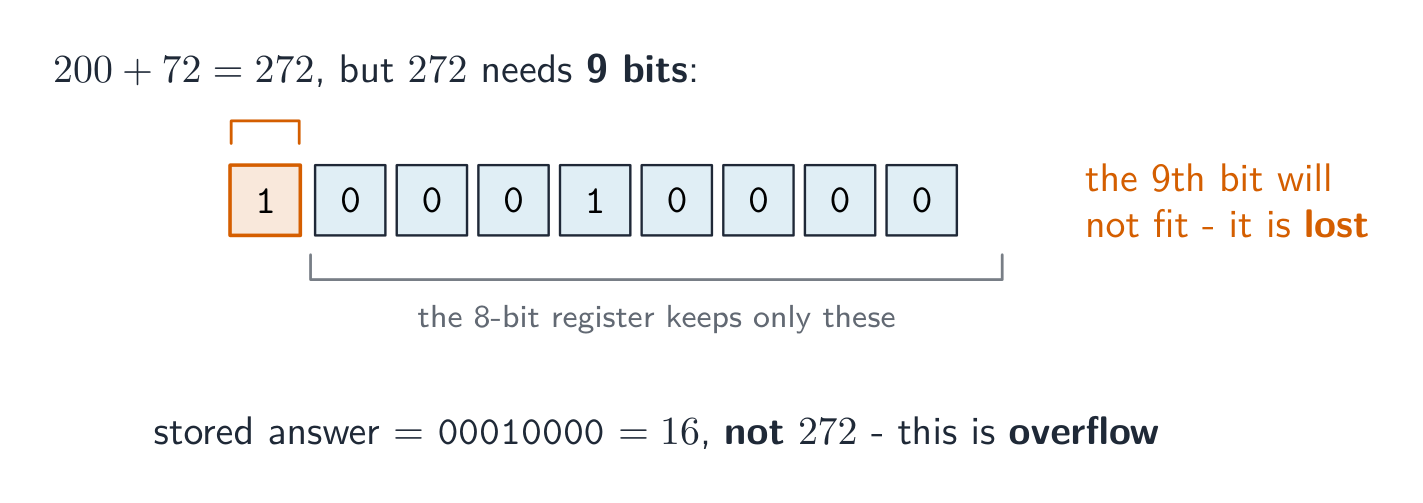


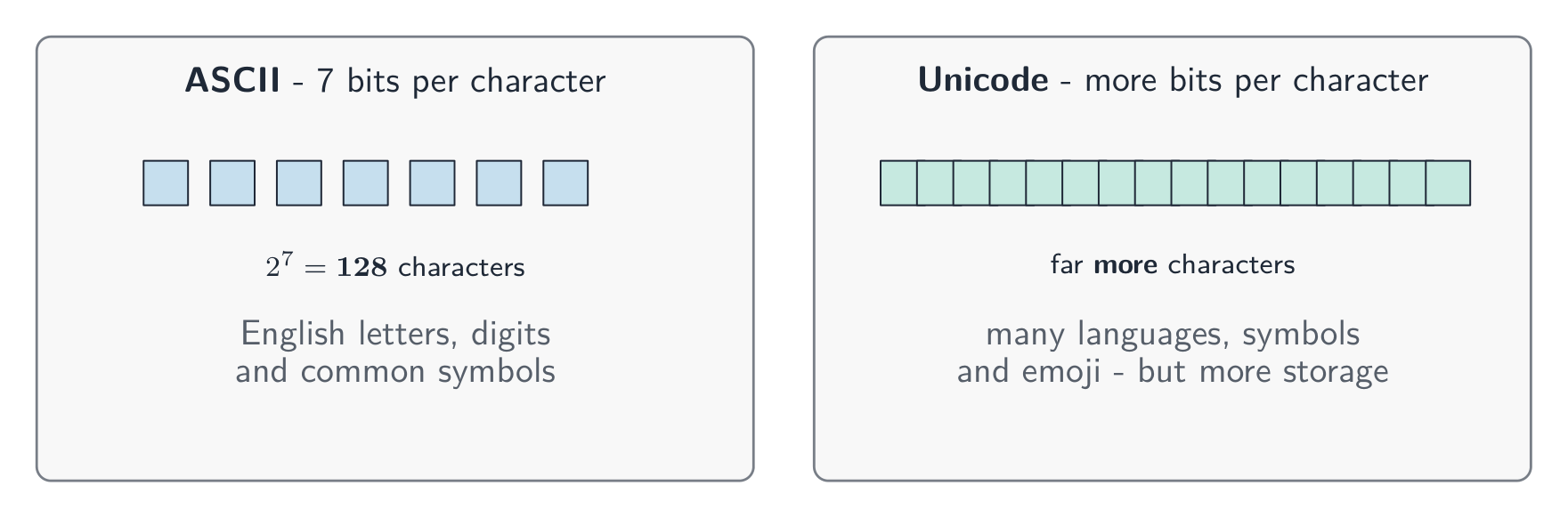
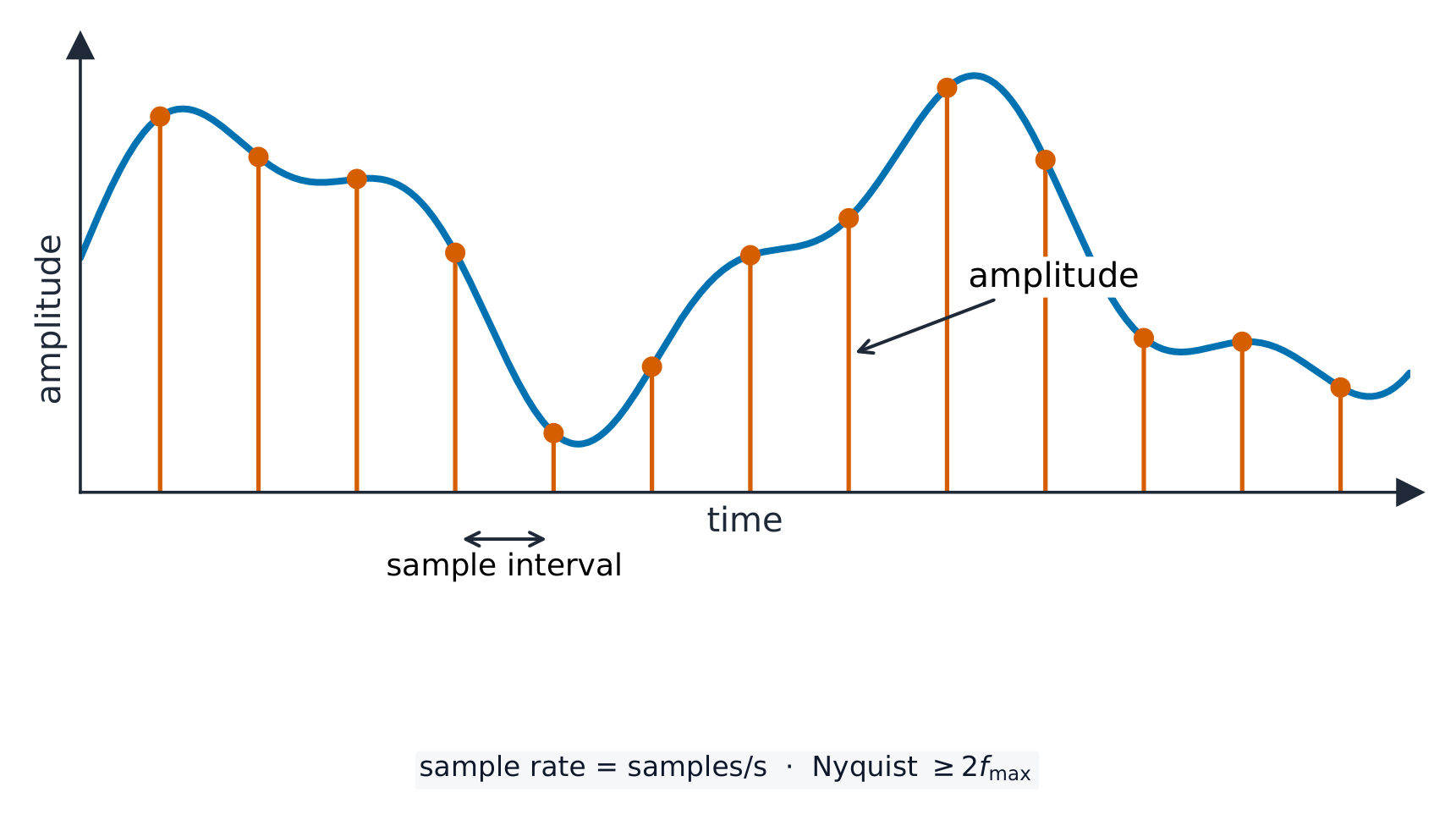

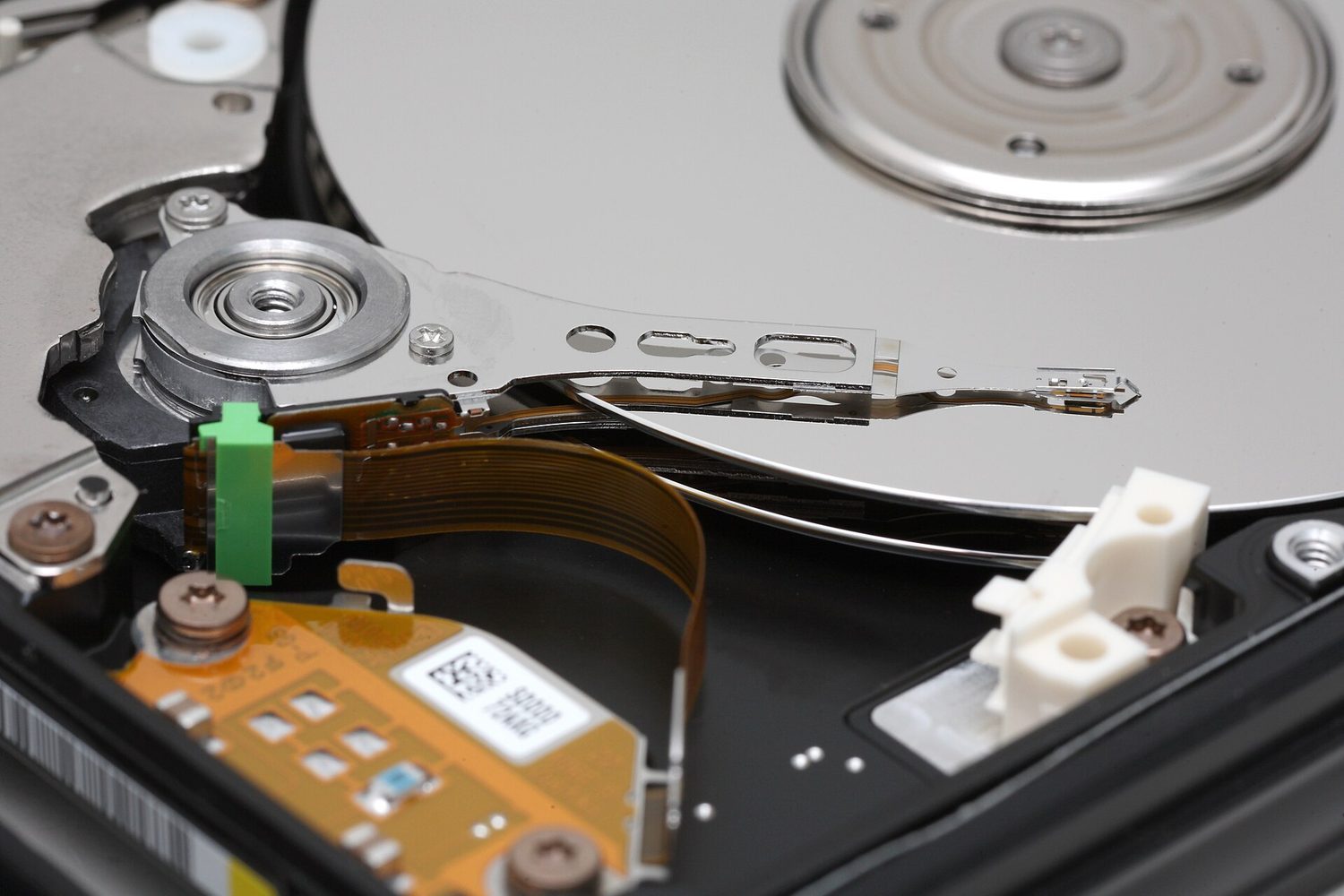


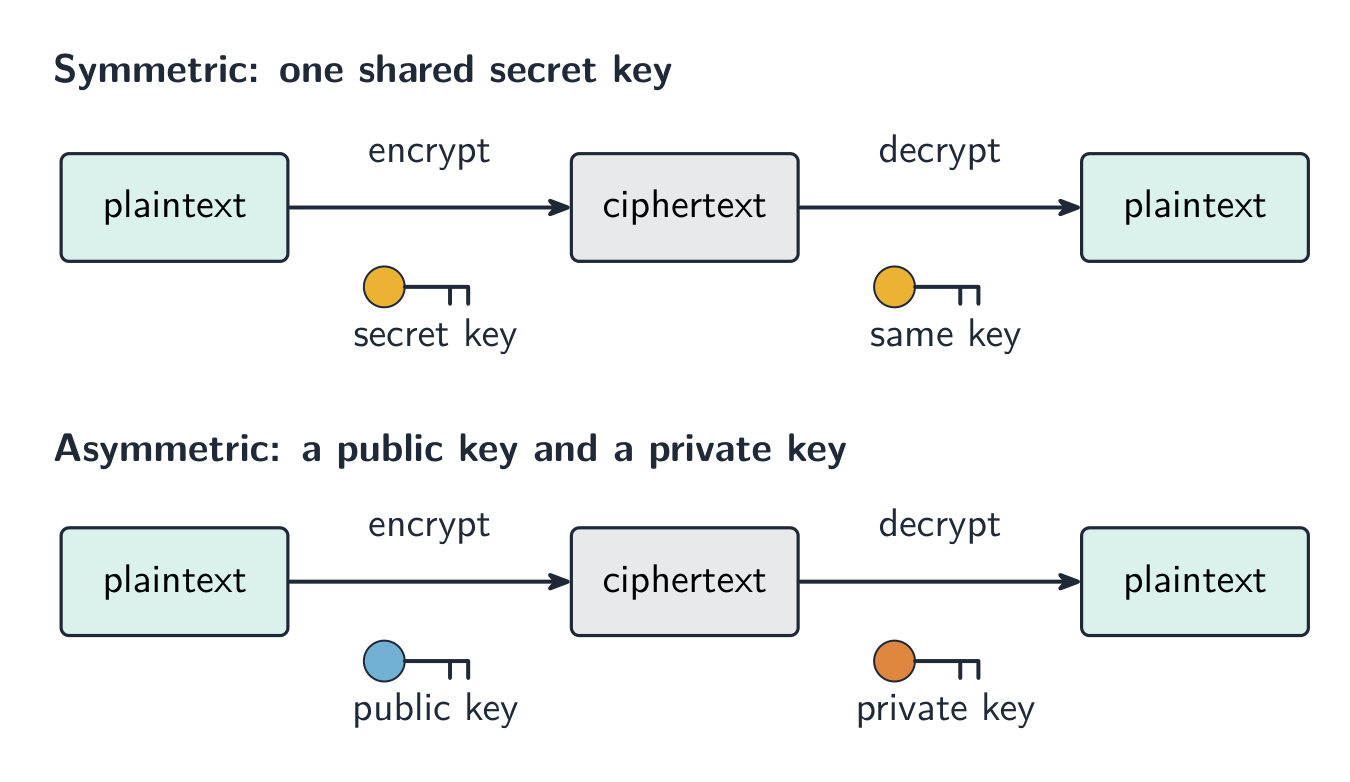
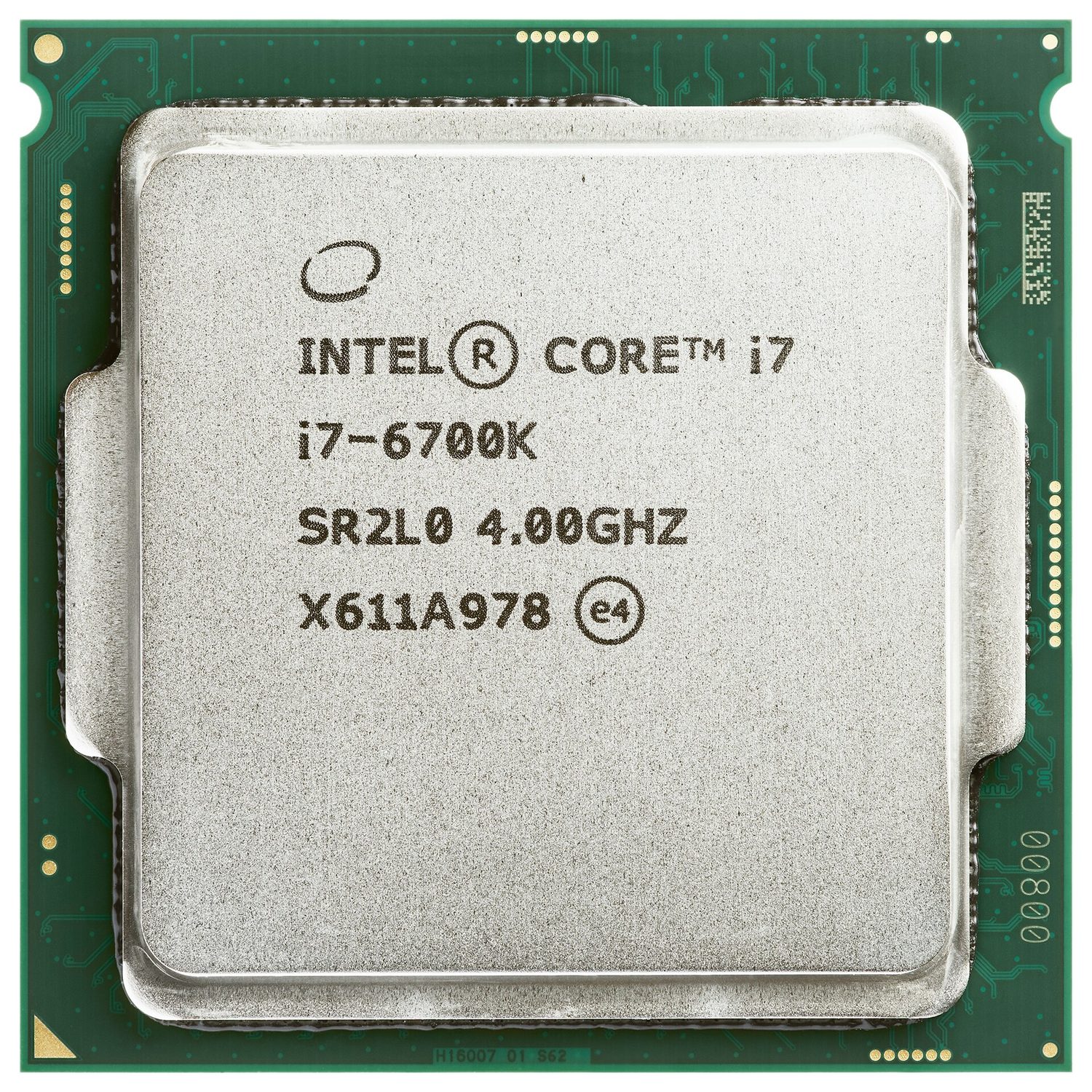
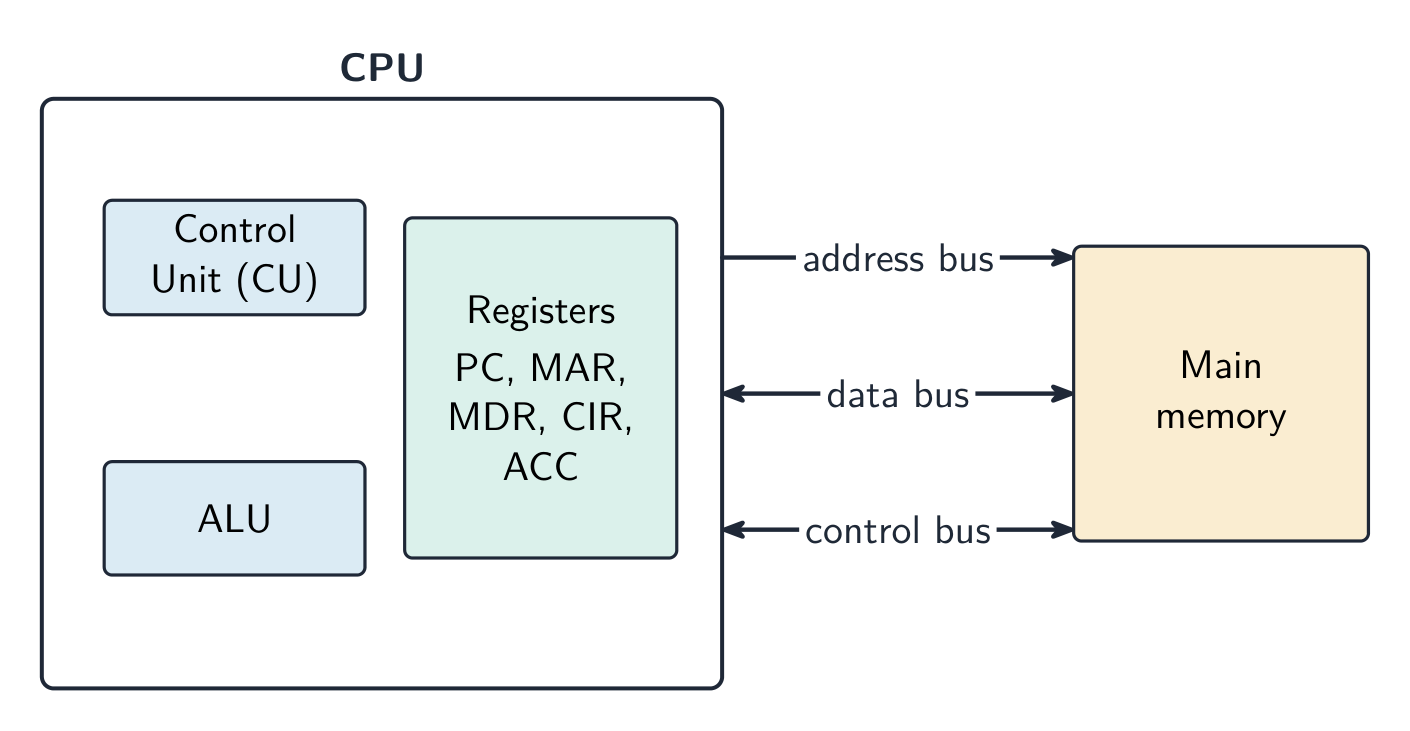

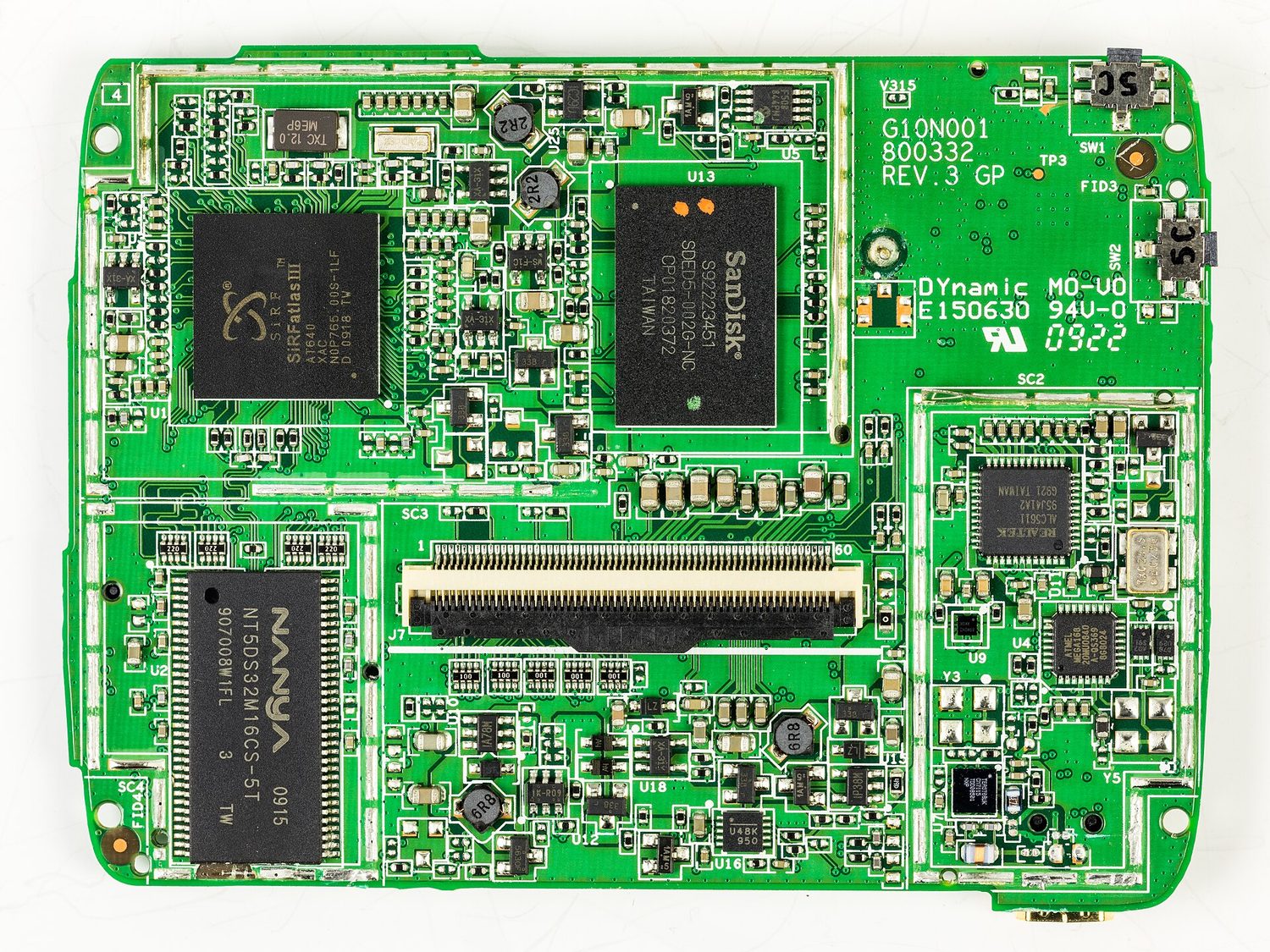
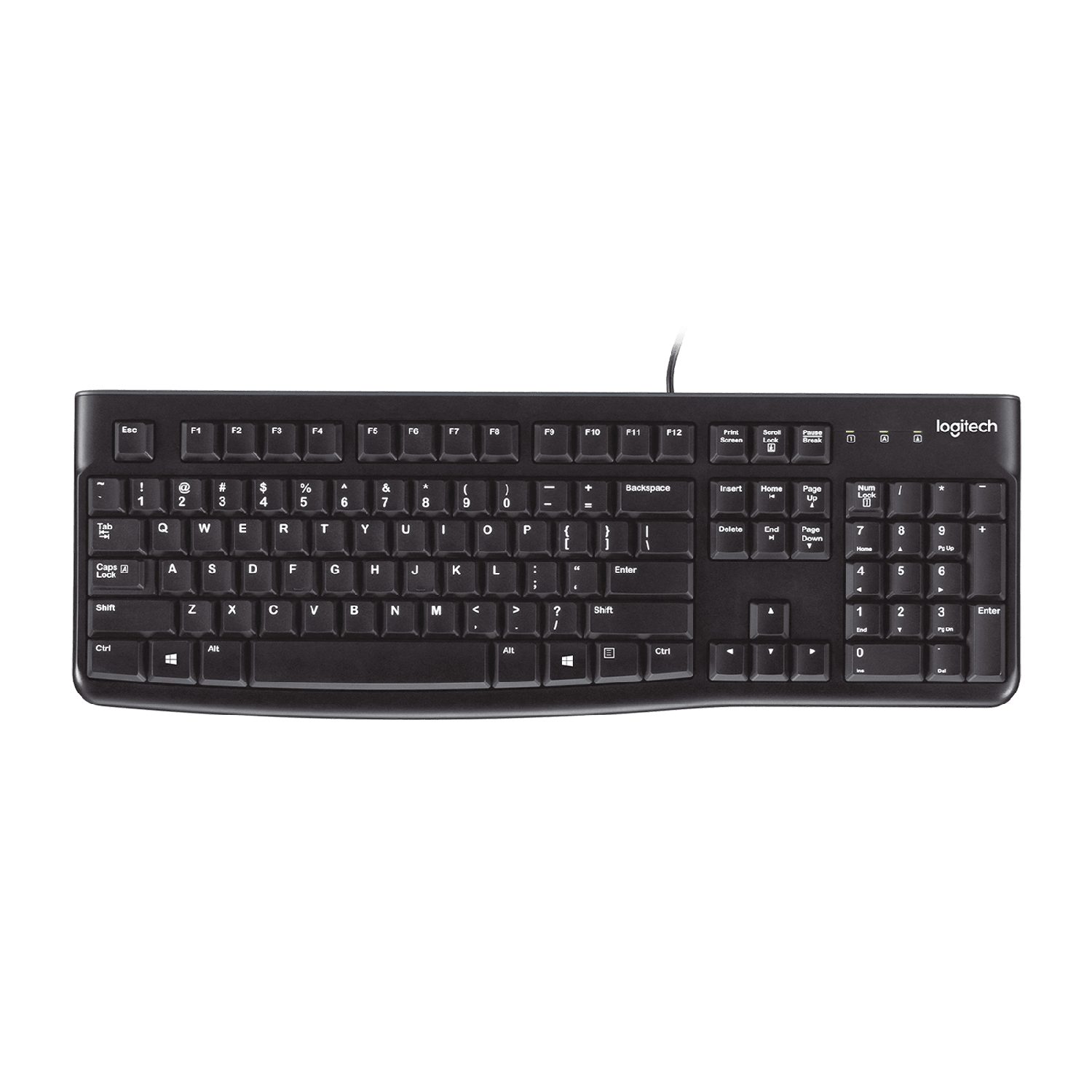


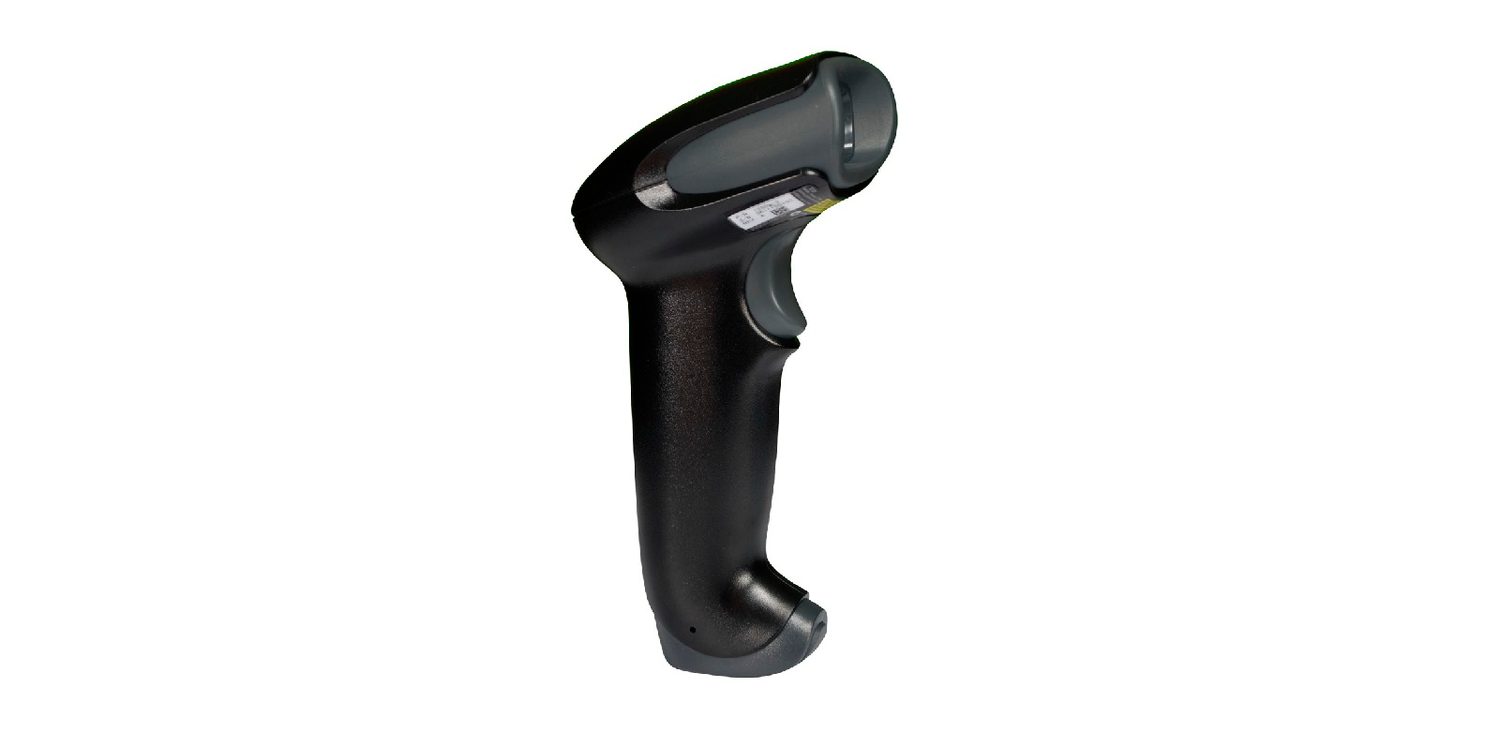

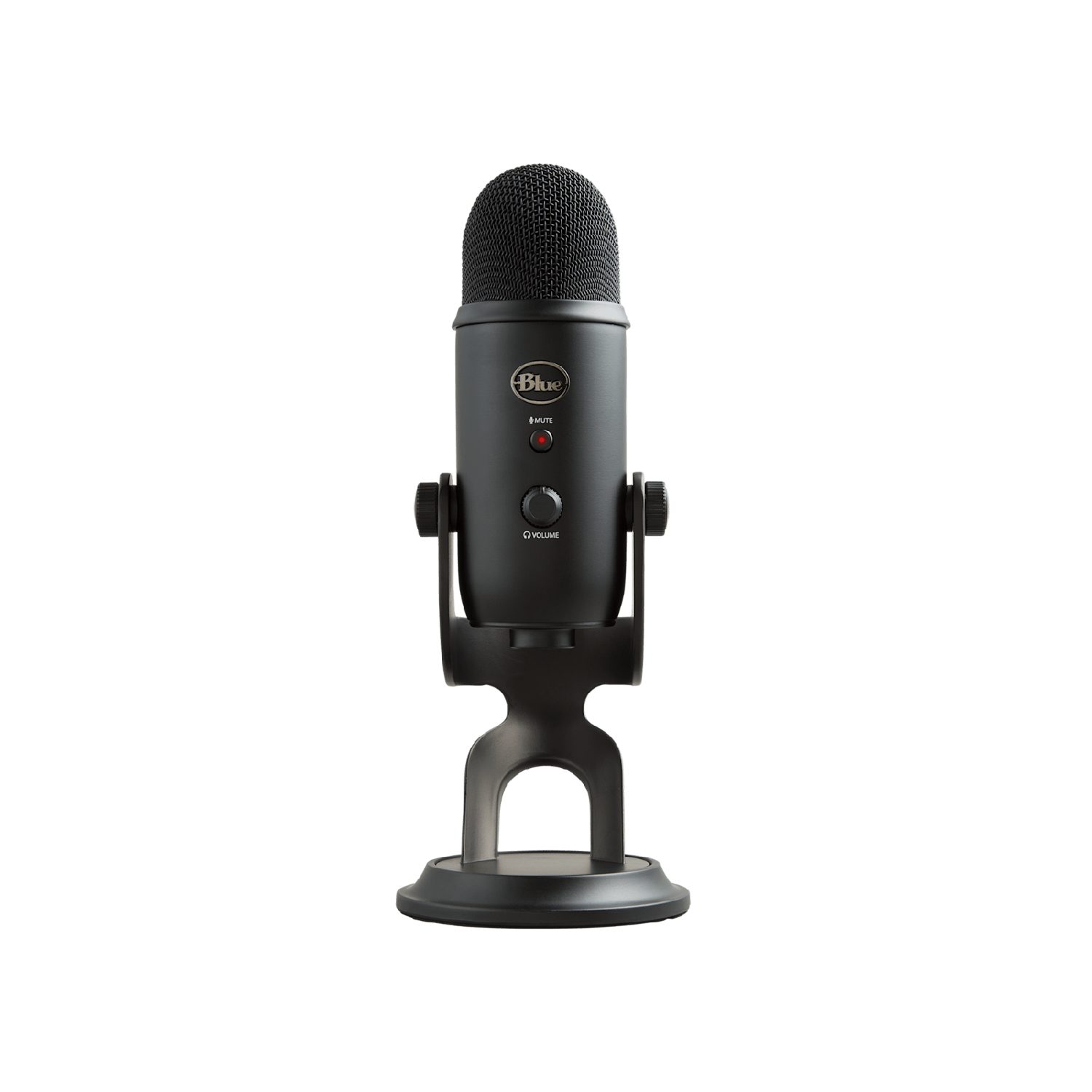
 *Sensor mengukur besaran fisik (di sini, suhu) dan mengirimkannya sebagai data
 *Layar sentuh mendeteksi di mana jari Anda menyentuhnya
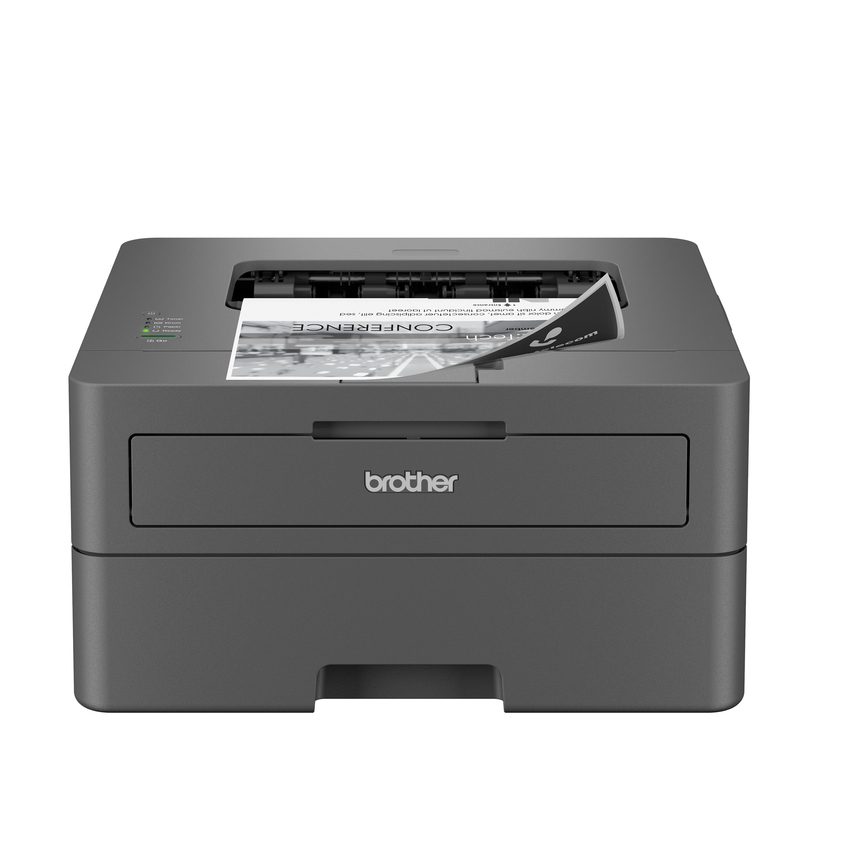
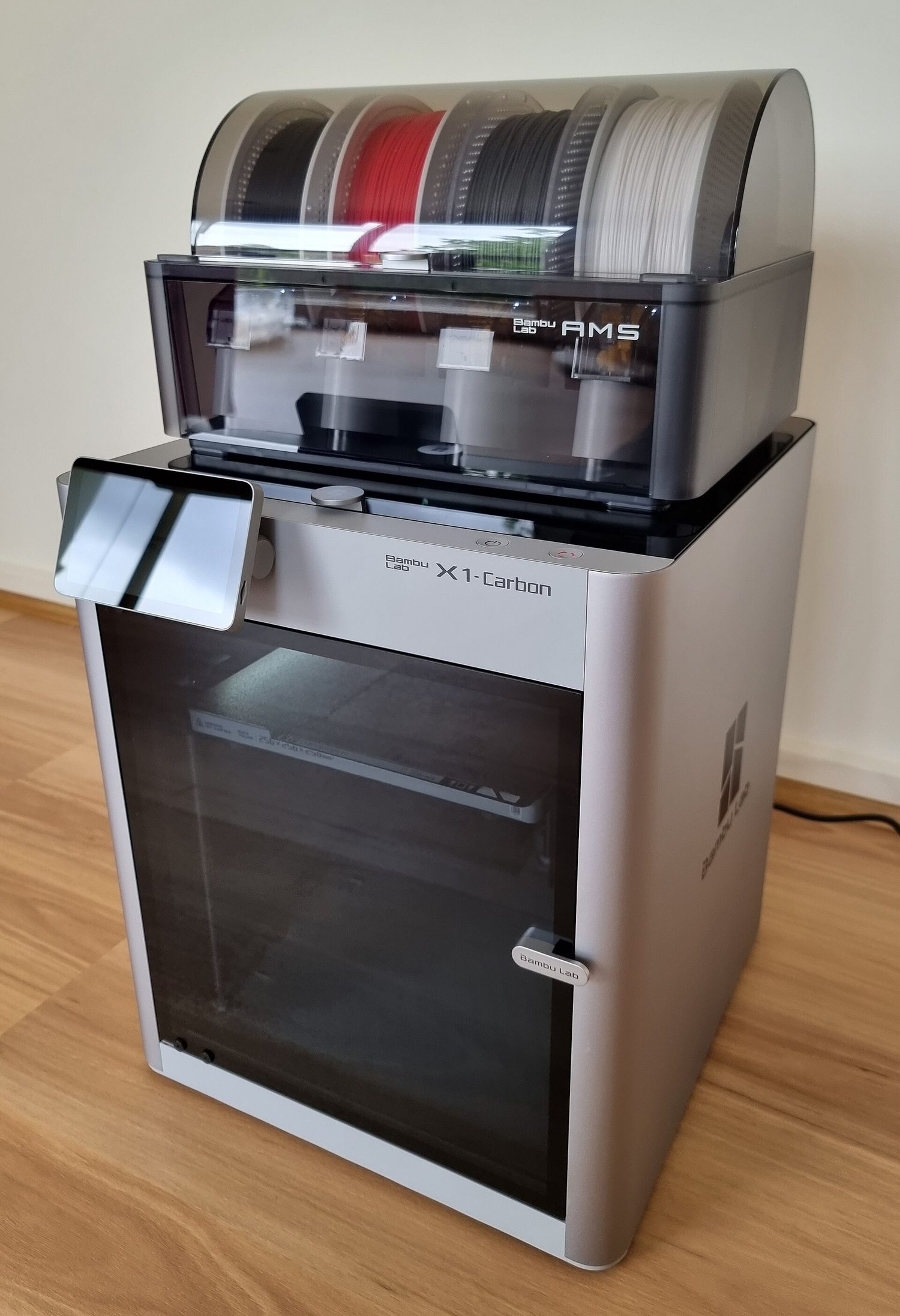 *Printer 3D membangun objek padat lapis demi lapis
 *Monitor LCD/LED menampilkan gambar menggunakan grid titik-titik kecil berwarna
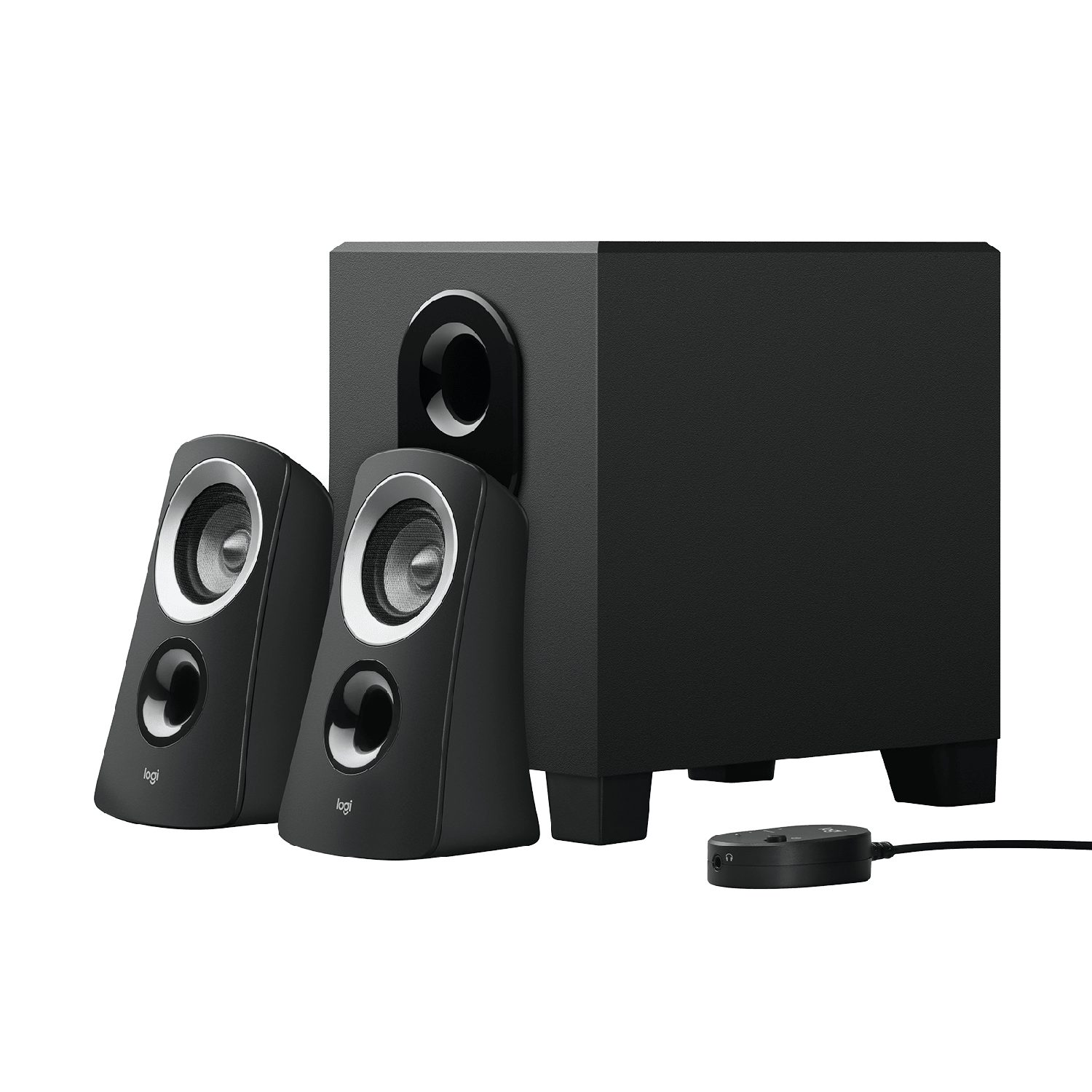 *Speaker mengubah sinyal listrik menjadi suara
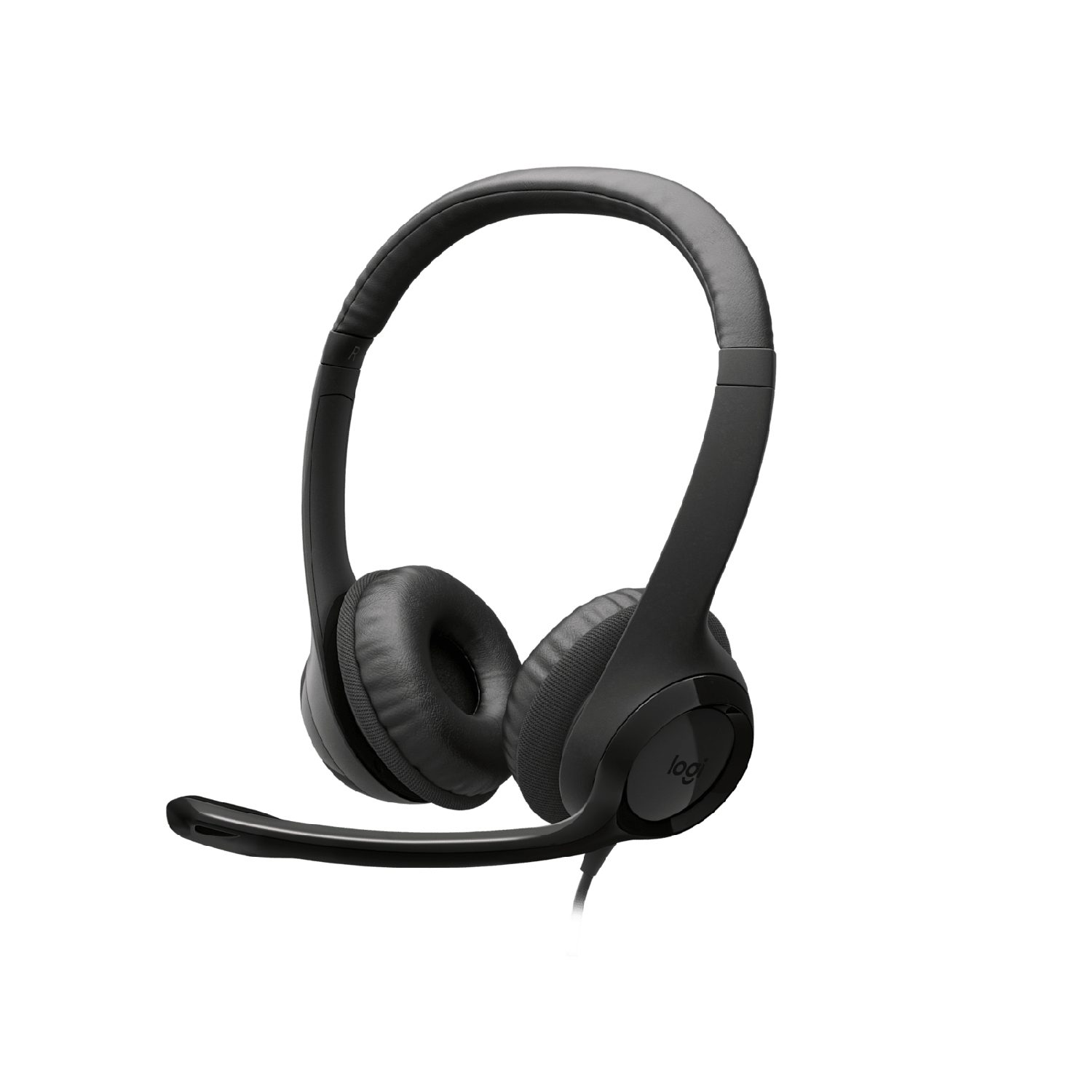 *Headphone mengubah sinyal listrik menjadi suara untuk satu pendengar
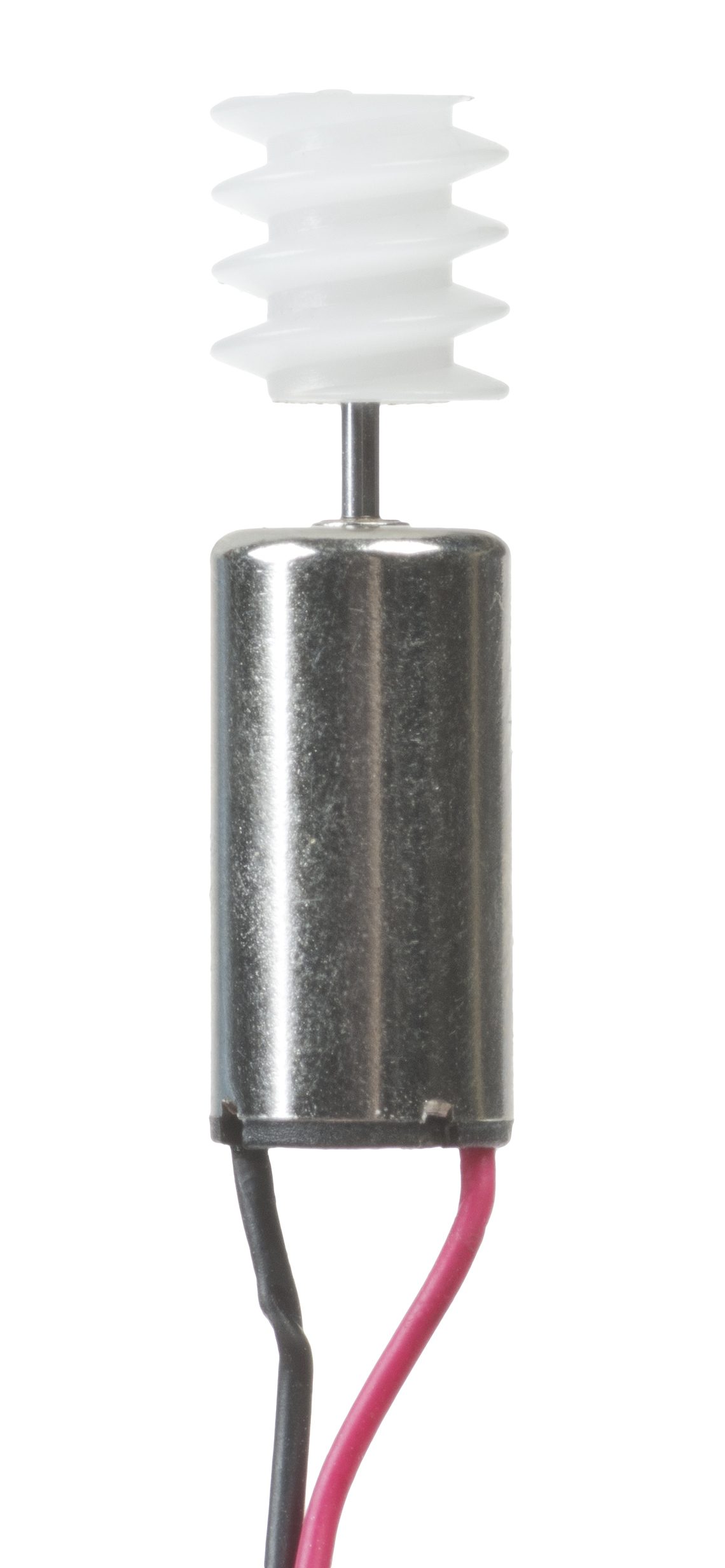 *Aktuator seperti motor mengubah sinyal listrik menjadi gerakan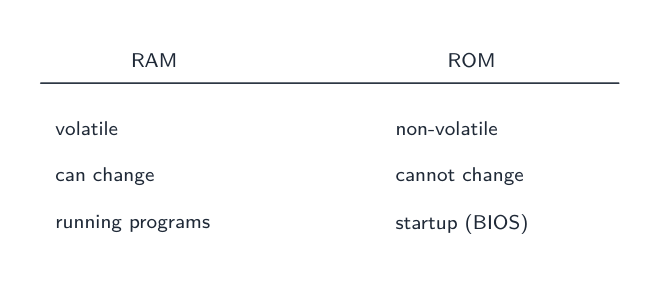
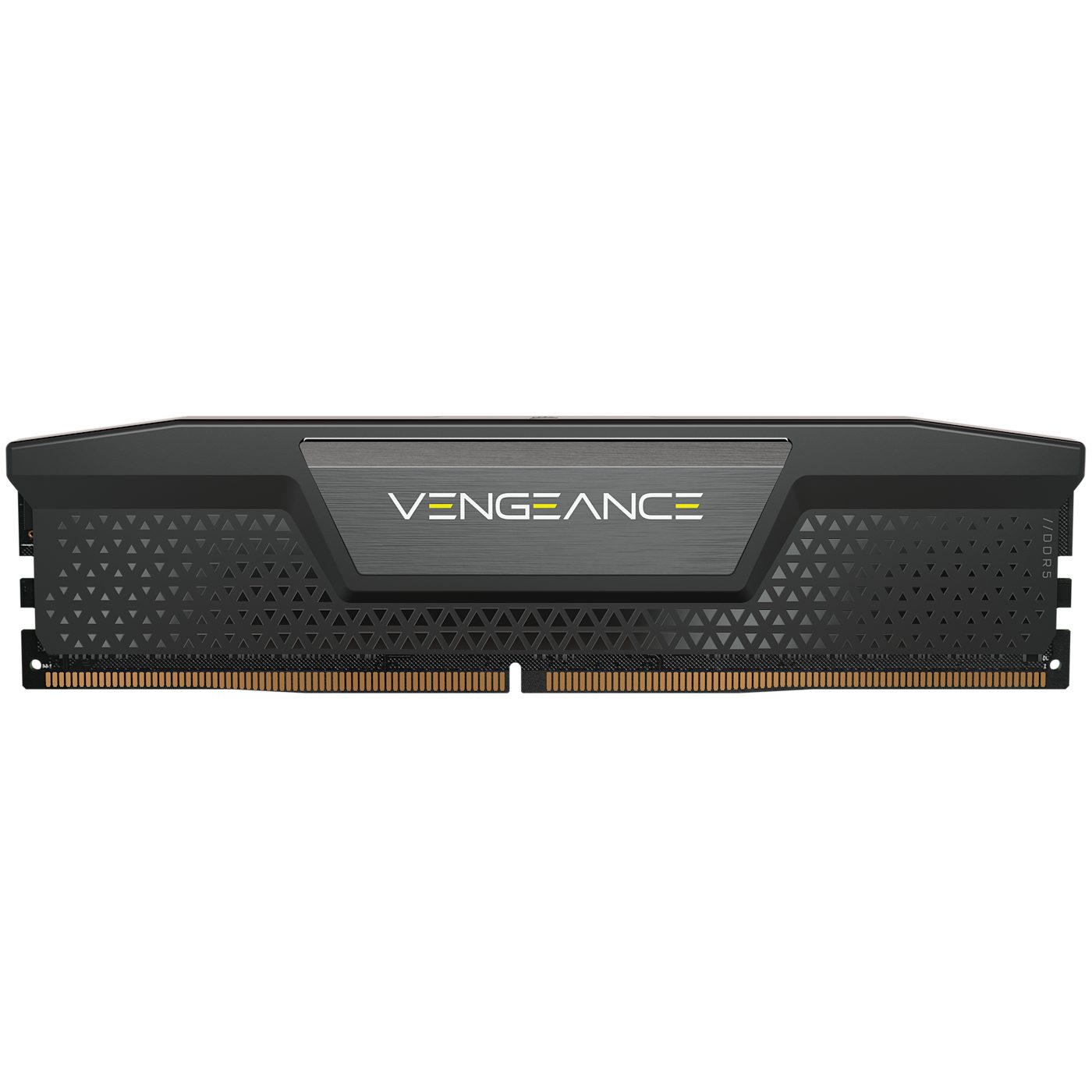 *Stik RAM (memori akses acak): menyimpan program dan data yang sedang digunakan sekarang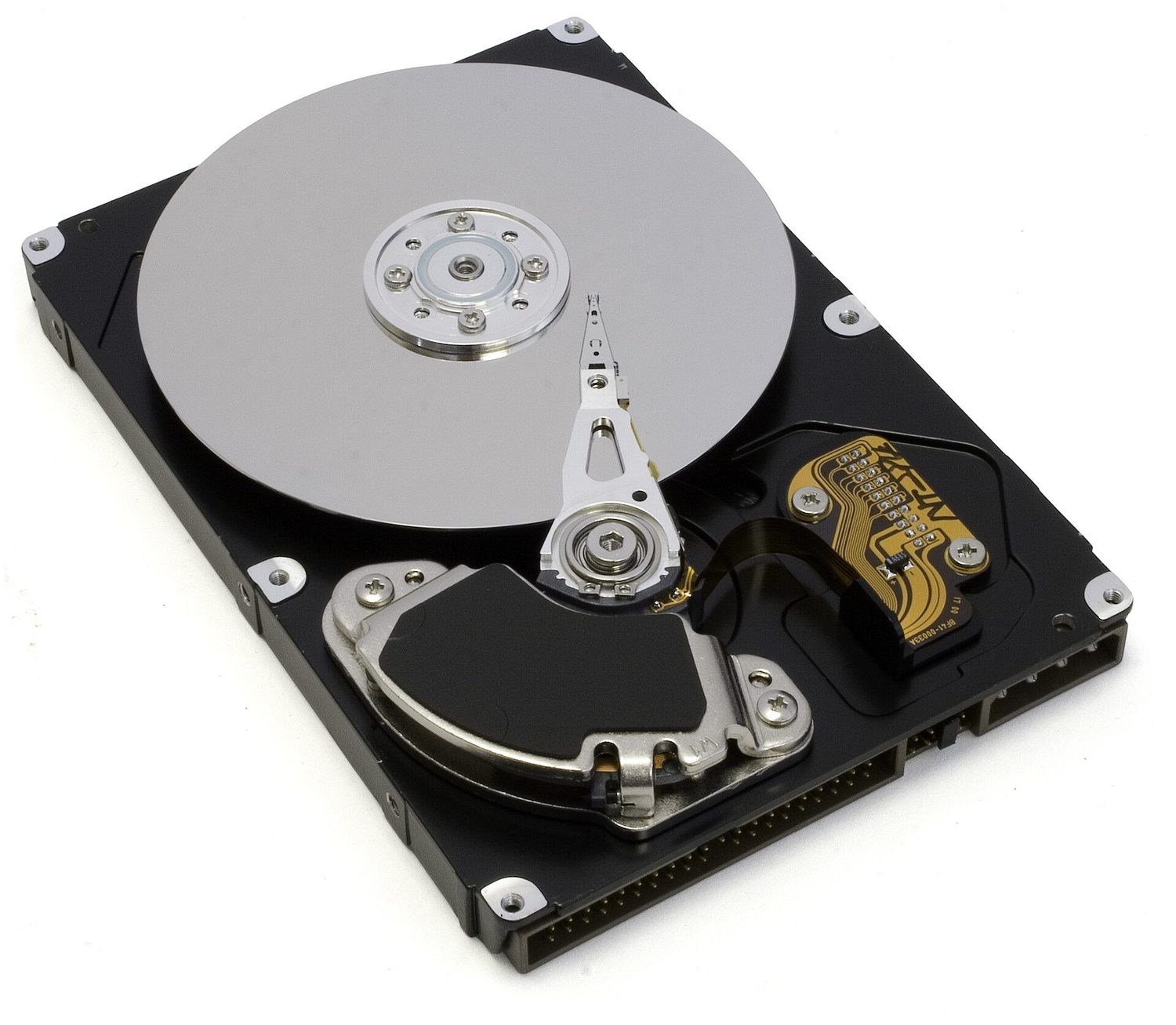
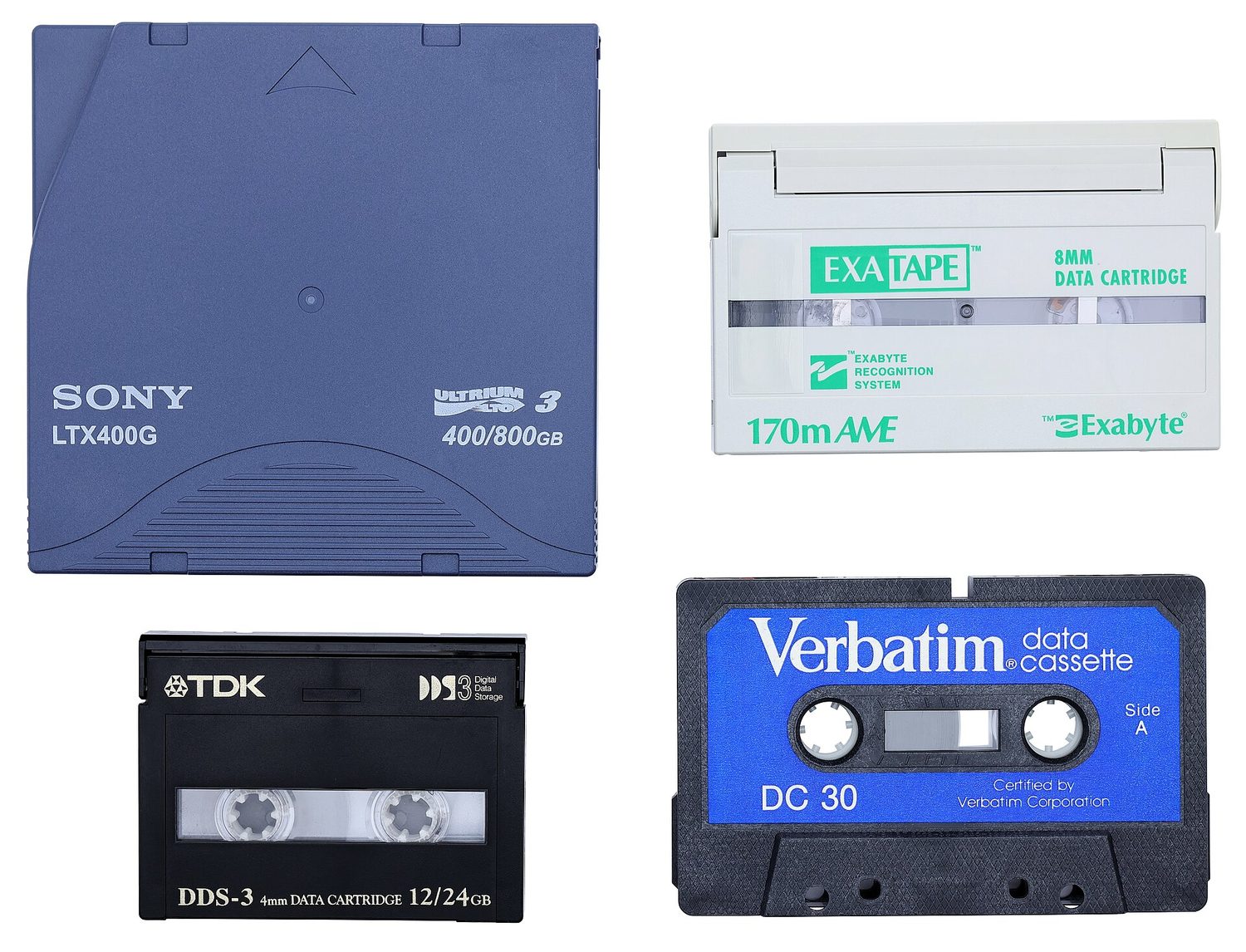
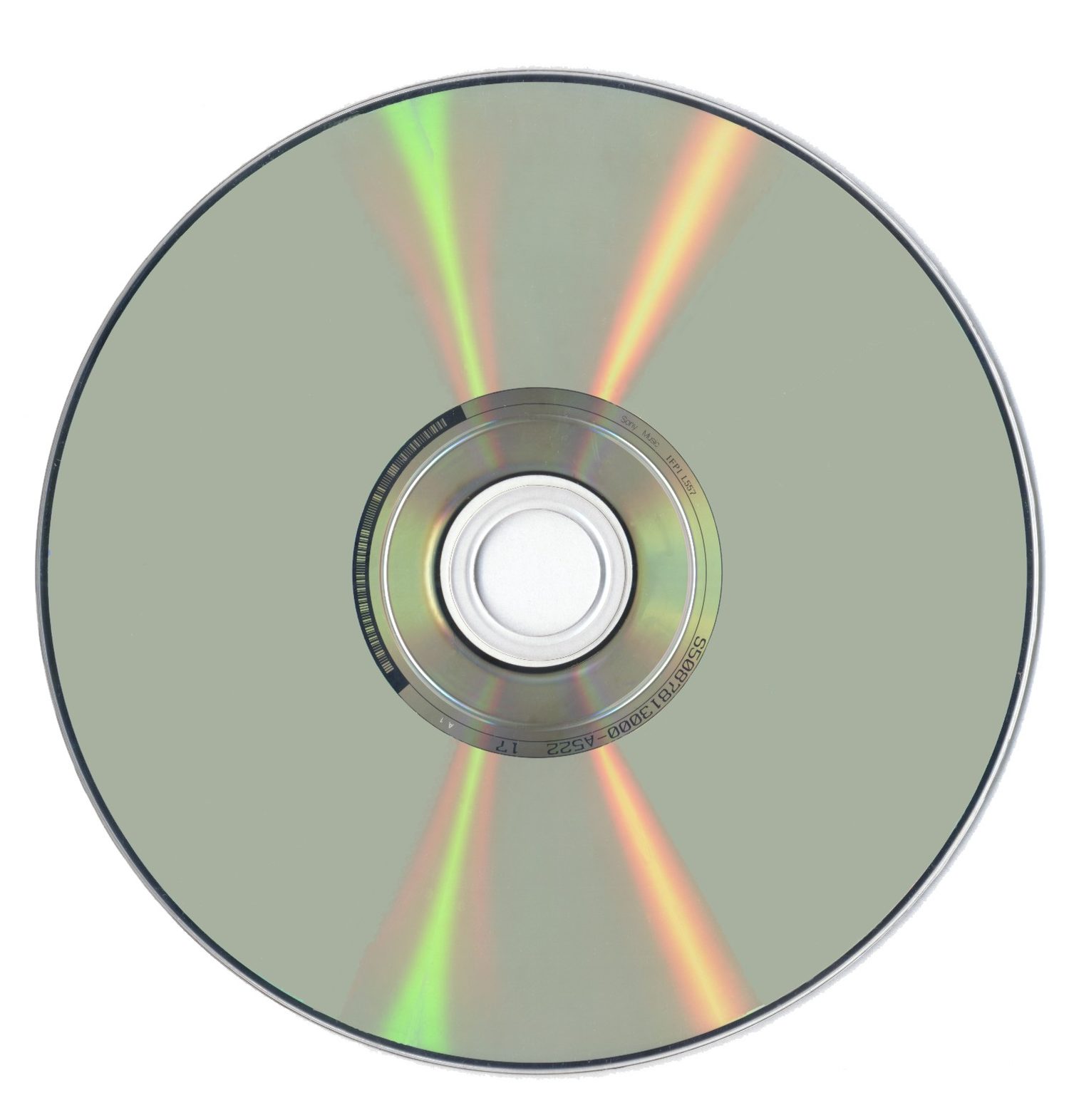 *Cakram optik seperti CD atau DVD: laser membaca tanda-tanda di permukaan mengkilapnya

 *Penyimpanan membentuk hierarki: register dan cache paling cepat tetapi terkecil; penyimpanan sekunder paling lambat tetapi terbesar
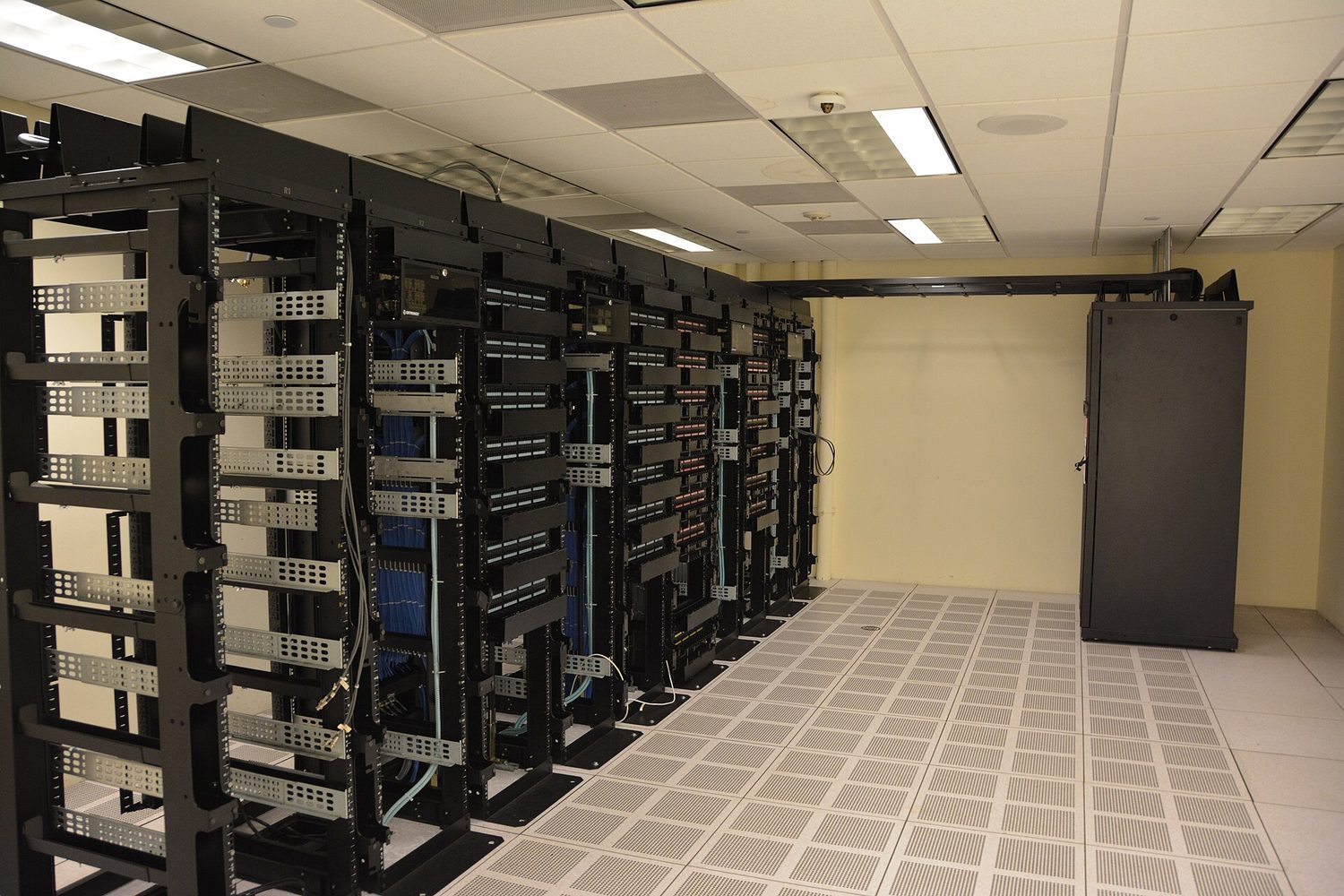
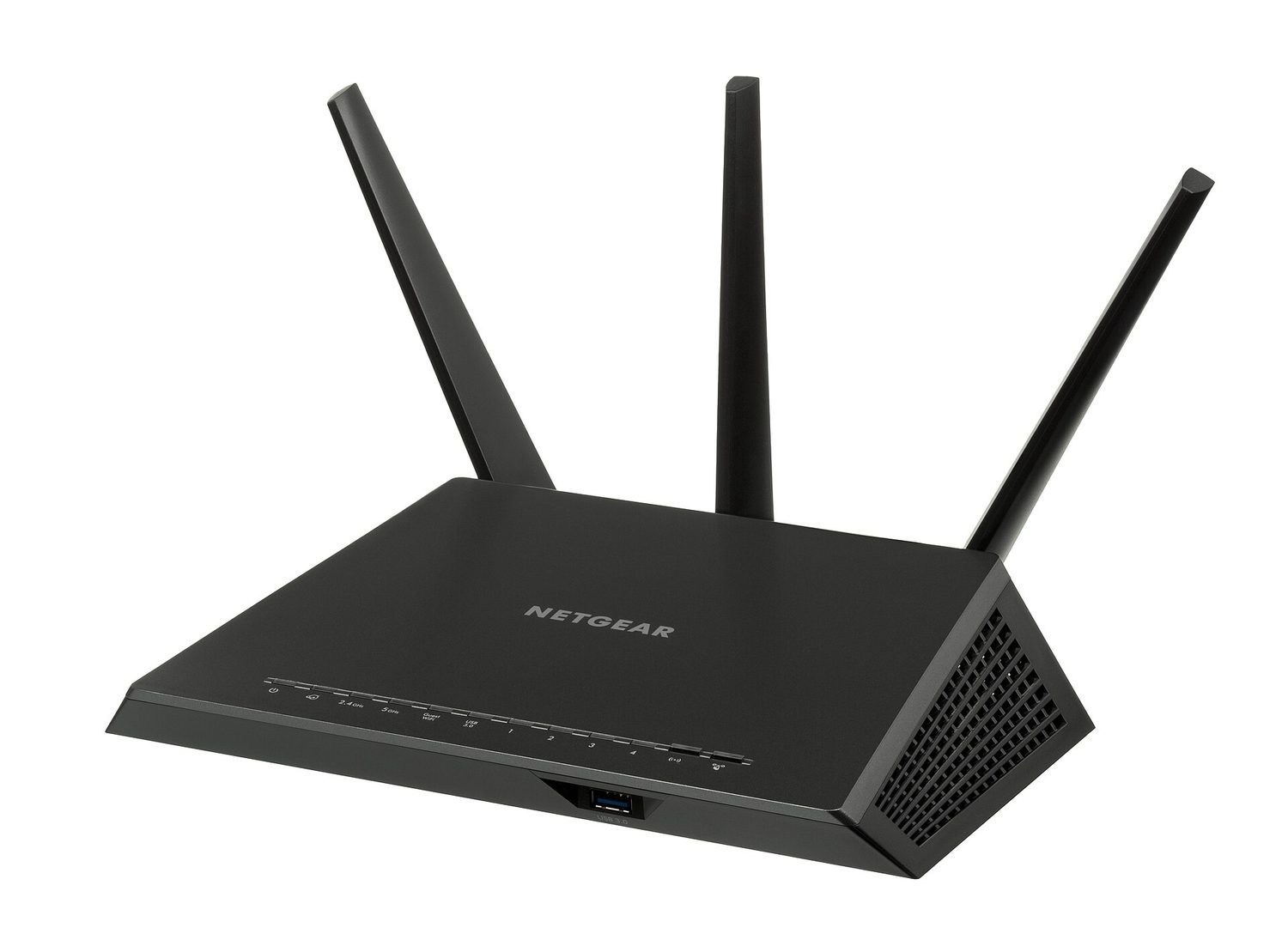


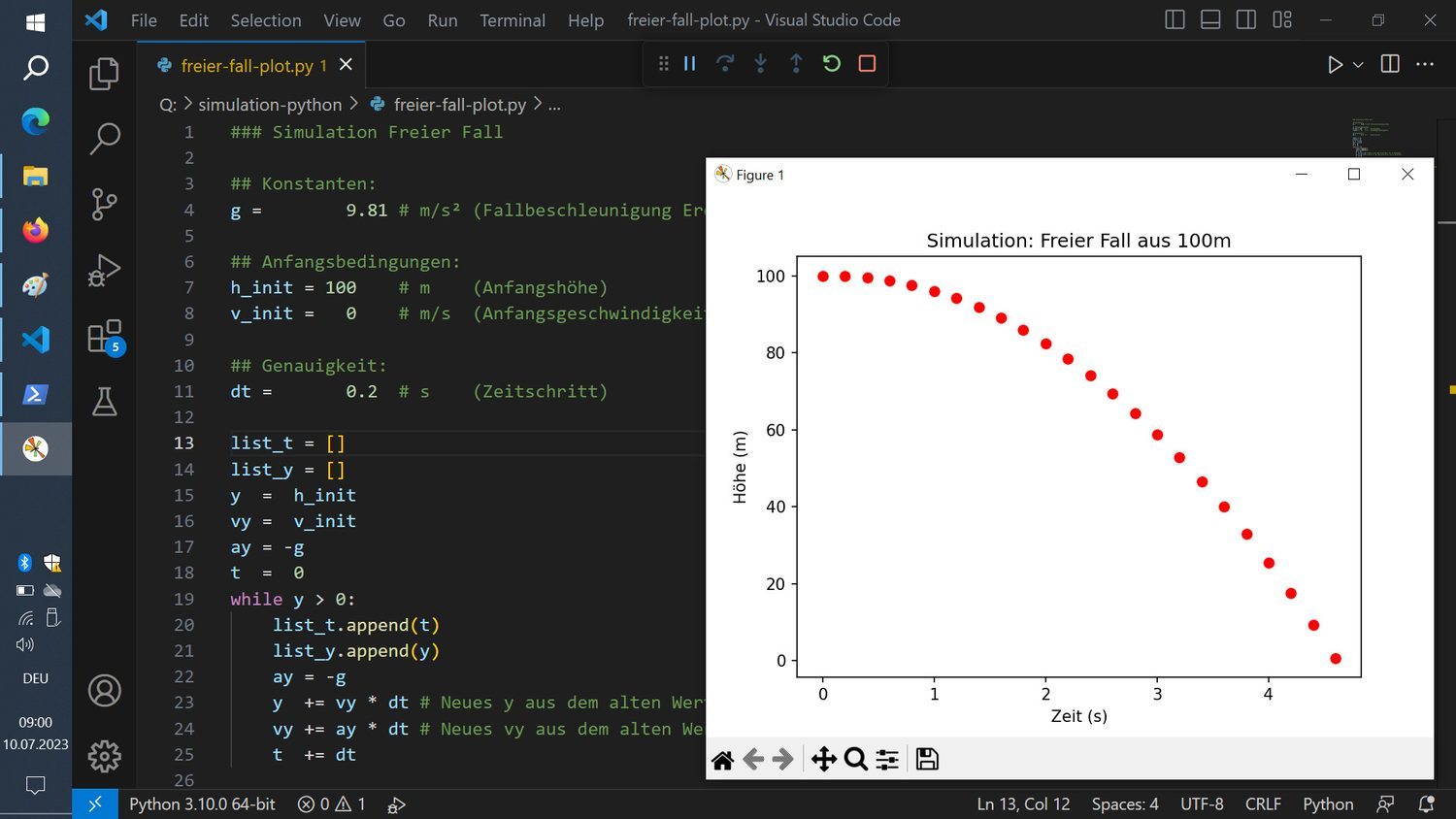




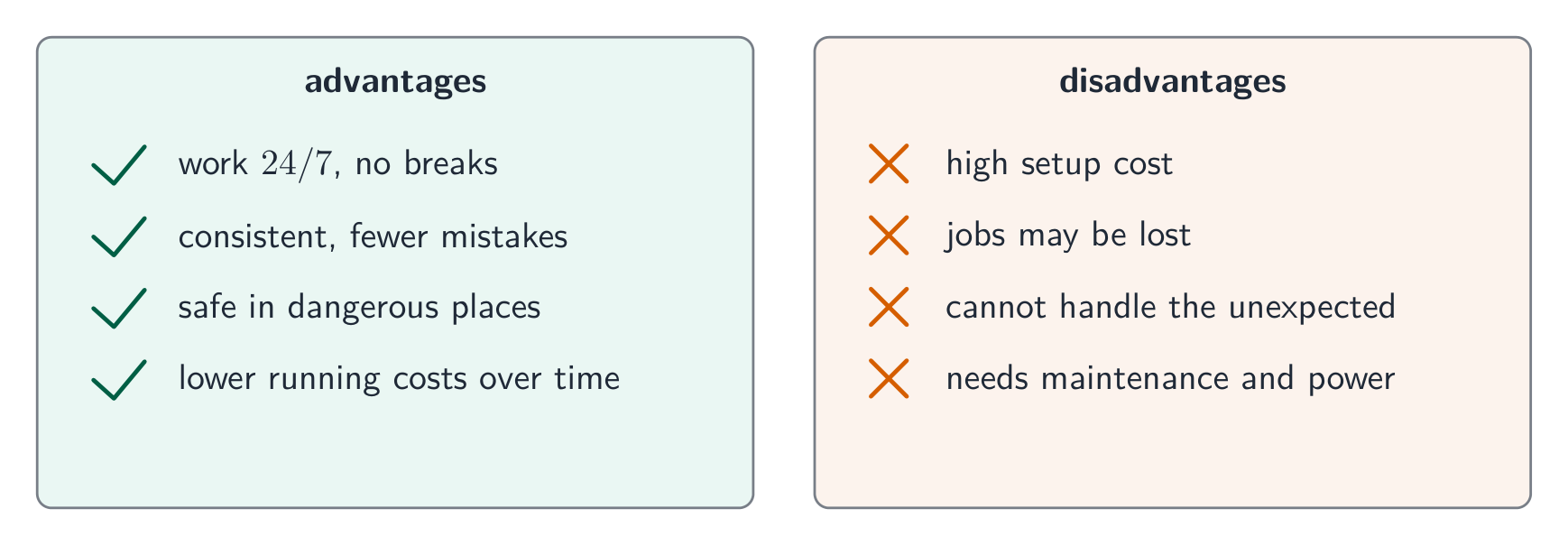


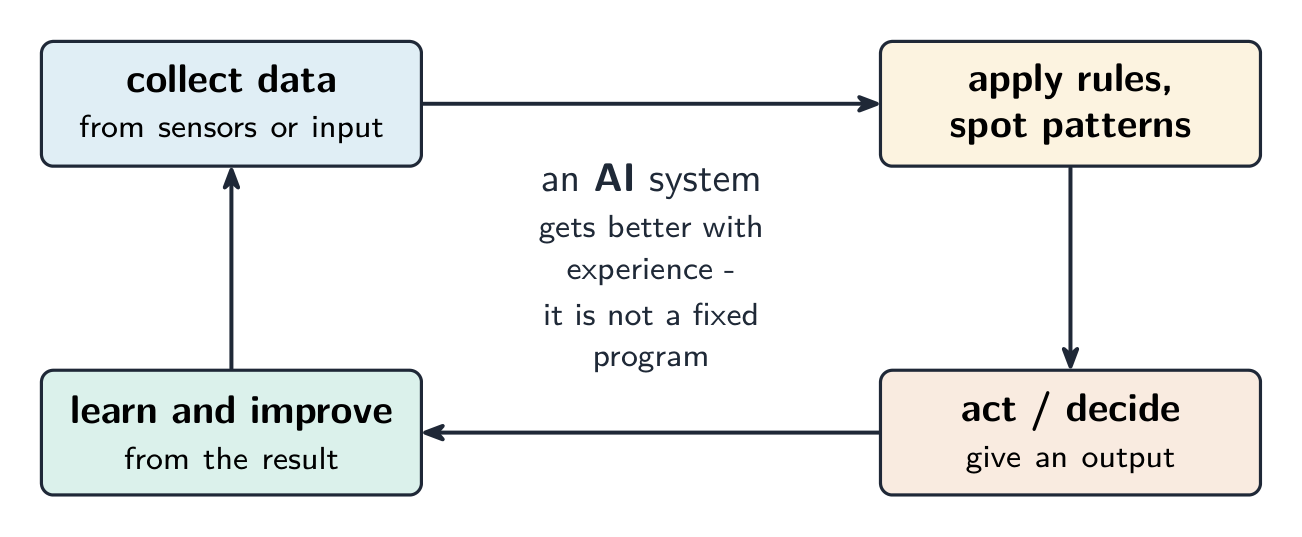


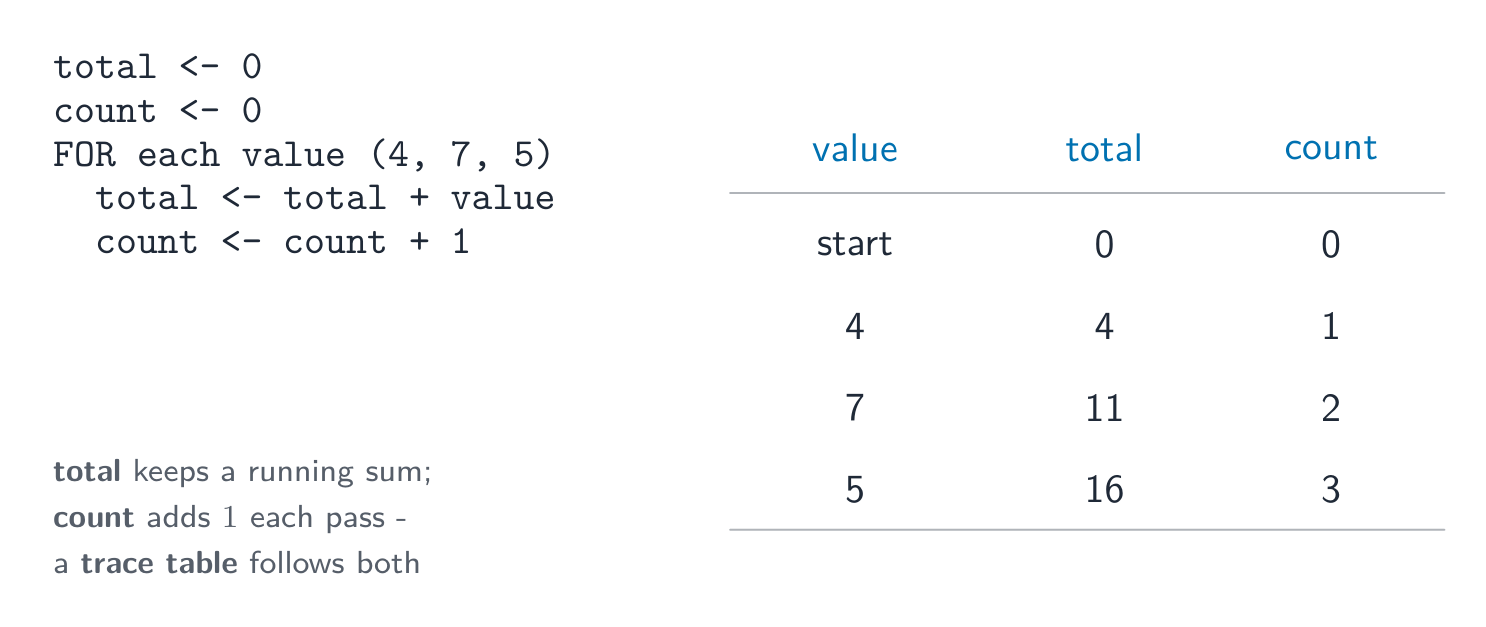 *Tabel jejak melacak perulangan penjumlahan dan penghitungan langkah demi langkah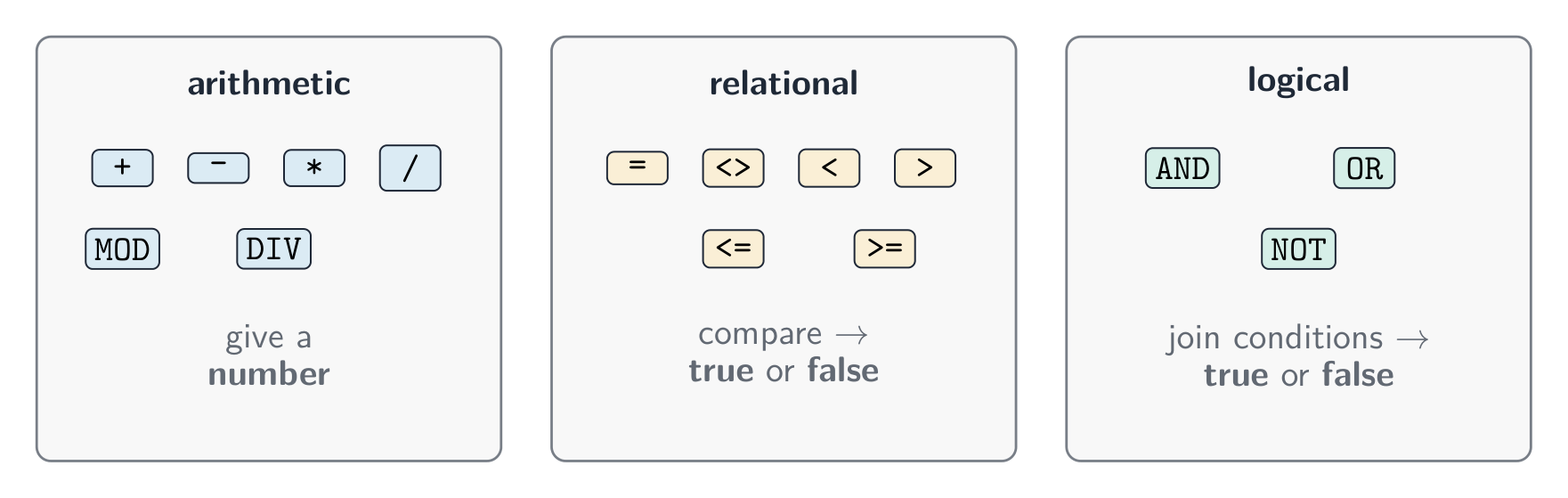


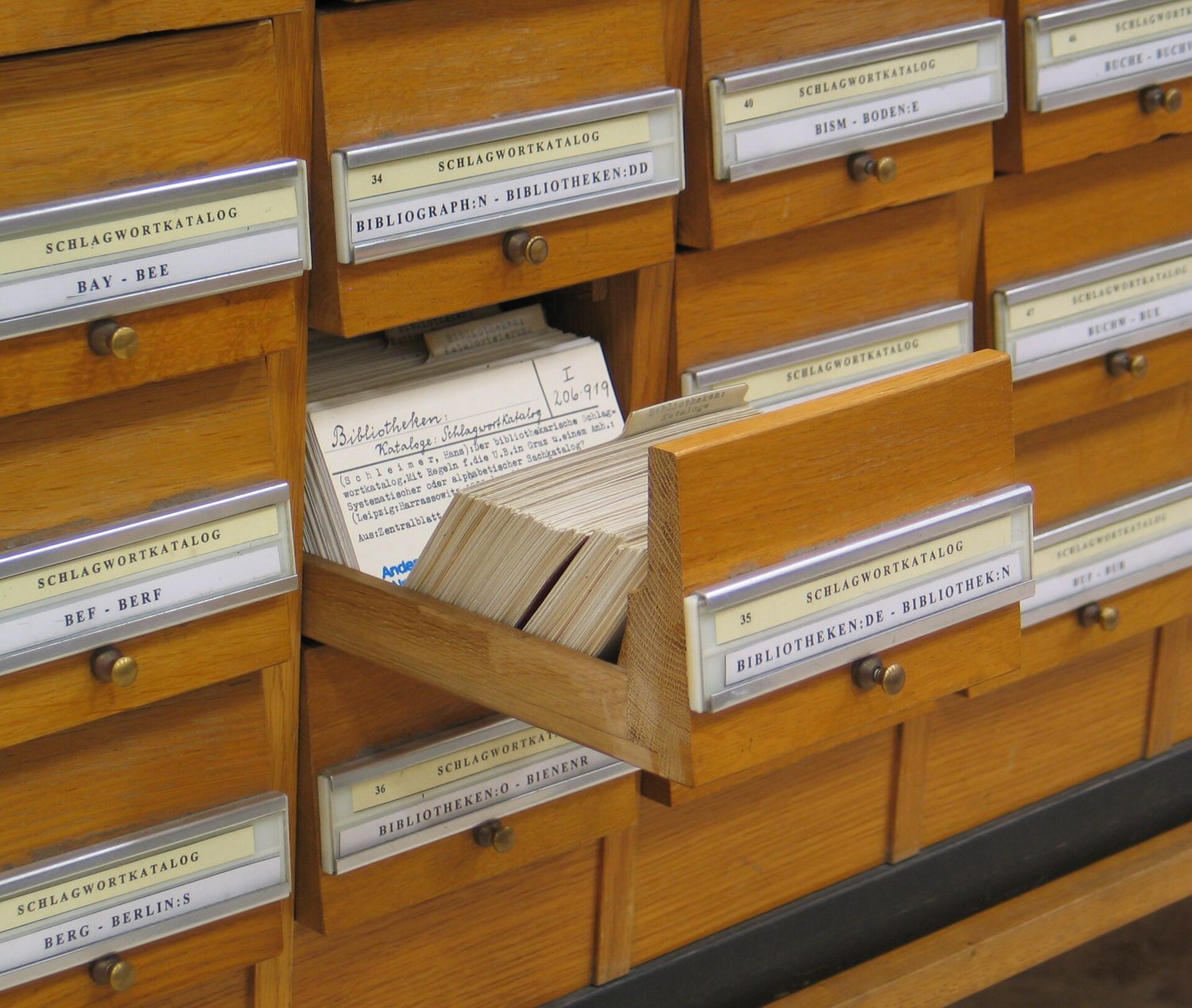
 *Database modern berukuran besar disimpan di server di pusat data