IGCSE Computer Science (0478) has ten topics across two papers: data representation, data transmission, hardware, software, the internet, automated and emerging technologies, algorithm design, programming, databases and Boolean logic.
Paper 1 is theory, marked on precise vocabulary — the difference between RAM and ROM, a compiler and an interpreter, validation and verification. These are definition marks, and a paraphrase usually misses them.
Paper 2 is problem-solving and programming, where marks go to a working method: trace tables, pseudocode, and code that would actually run. Secure number bases and binary arithmetic first — they appear on their own and again inside data transmission, logic and hardware.
Why computers use binary · מדוע מחשבים משתמשים במערכת בין-ספרתית
English
A computer can only work with two states: on and off. You write these as 1 and 0. A system that uses only two digits 数字 is called binary 二进制 (base 2).
Every kind of data 数据 — numbers, text, sound and images — must be changed into binary before a computer can use it. The computer processes this binary using logic gates 逻辑门, and stores it in registers 寄存器 (small, fast stores inside the processor 处理器).
עברית
מחשב יכול לעבוד רק בשני מצבים: פועל וכבוי. כותבים אותם כ-1 ו-0. מערכת שמשתמשת בשני דיגיטים בלבד נקראת בינארית (בסיס 2).
מחשבים מייצגים כל נתון — מספרים, טקסט, קול ותמונות — כמחלקות בינאריות של 0s ו-1s
כל סוג של נתון — מספרים, טקסט, קול ותמונות — חייב להיות מומש לבינארי לפני שמחשב יכול להשתמש בו. המחשב מעבד את הבינארי הזה באמצעות שער לוגי, ואחסנו אותו ב-ריגיסטר (אחסון קטן ומהיר בתוך המעבד).
מעבד מיक्रוחזיק מיליוני טרנזיסטורים זעירים, כל אחד מתחלף הוא הפועל (1) או הכבוי (0) — הבסיס הפיזי של הבינארית
1 Understand how and why computers use binary to represent all forms of data
• Any form of data needs to be converted to binary to be processed by a computer • Data is processed using logic gates and stored in registers
2 (a) Understand the denary, binary and hexadecimal number systems (b) Convert between (i) positive denary and positive binary (ii) positive denary and positive hexadecimal (iii) positive hexadecimal and positive binary
• Denary is a base 10 system • Binary is a base 2 system • Hexadecimal is a base 16 system • Values used will be integers only • Conversions in both directions, e.g. denary to binary or binary to denary • Maximum binary number length of 16-bit
3 Understand how and why hexadecimal is used as a beneficial method of data representation
• Areas within computer science that hexadecimal is used should be identified • Hexadecimal is easier for humans to understand than binary, as it is a shorter representation of binary
4 (a) Add two positive 8-bit binary integers (b) Understand the concept of overflow and why it occurs in binary addition
• An overflow error will occur if the value is greater than 255 in an 8-bit register • A computer or a device has a predefined limit that it can represent or store, for example 16-bit • An overflow error occurs when a value outside this limit should be returned
5 Perform a logical binary shift on a positive 8-bit binary integer and understand the effect this has on the positive binary integer
• Perform logical left shifts • Perform logical right shifts • Perform multiple shifts • Bits shifted from the end of the register are lost and zeros are shifted in at the opposite end of the register • The positive binary integer is multiplied or divided according to the shift performed • The most significant bit(s) or least significant bit(s) are lost
6 Use the two’s complement number system to represent positive and negative 8-bit binary integers
• Convert a positive binary or denary integer to a two’s complement 8-bit integer and vice versa • Convert a negative binary or denary integer to a two’s complement 8-bit integer and vice versa
עברית
המועמדים צריכים להיות מסוגלים:
הערות והנחיות
1 הבן כיצד ומדוע מחשבים משתמשים בבינארי כדי לייצג כל צורות נתונים
• כל צורת נתונים צריכה להיות מומרת לבינארי כדי לעובד על ידי מחשב • נתונים מעובדים באמצעות שערי לוגיקה ואחסונים ברישמות
2 (א) הבנת מערכות הספרות עשרוניות, דו-ספרתיות ו-שיש-עשרוניות (ב) המרה בין (i) עשרוני חיובי לדו-ספרתי חיובי (ii) עשרוני חיובי לשיש-עשרוני חיובי (iii) שיש-עשרוני חיובי לדו-ספרתי חיובי
• מערכת עשרונית היא מערכת בסיס 10 • מערכת דו-ספרתית היא מערכת בסיס 2 • מערכת שיש-עשרונית היא מערכת בסיס 16 • הערכים המשמשים יהיו מספרים שלמים בלבד • המרות בשני הכיוונים, למשל מערכת עשרונית לדו-ספרתית או דו-ספרתית לעשרונית • אורך מקסימלי של מספר דו-ספרתי הוא 16-ביט
3 הבן כיצד ומדוע הקסדצימאלי משמש כשיטה מועילה לייצוג נתונים
• יש לזהות תחומים בתחום מדעי המחשב בהם משתמשים בקסדצימאלי • הקסדצימאלי קל יותר לאנושים להבנה מאשר בינארי, מכיוון שהוא ייצור קצר יותר לבינארי
4 (א) חבר שני מספרים שלמים בינאריים חיוביים בגודל 8-ביט (ב) הבן את מושג העלאת סף (overflow) ומדוע היא מתרחשת בחיבור בינארי
• שגיאת העלאת סף תתרחש אם הערך גדול מ-255 ברישום 8-ביט • למחשב או למכשיר יש מגבלה מוגדרת מראש שיכול לייצג או לאחסן, לדוגמה 16-ביט • שגיאת העלאת סף מתרחשת כאשר ערך מחוץ לגבול זה צריך להיות מוחזר
5 בצע הזזה לוגית בינארית על מספר שלם בינארי חיובי בגודל 8-ביט והבן את ההשפעה שיש לכך על המספר הבינארי החיובי
• בצע הזזות שמאל לוגיות • בצע הזזות ימינה לוגיות • בצע הזזות מרובות • ביטים המוזזים מהקצה של הרישום אבודים ואפסים מוזזים לתוך הקצה הנגדי של הרישום • המספר הבינארי החיובי מכפיל או מחולק בהתאם להזזה שבוצעה • הביט(ים) המשמעותי(ים) ביותר או הביט(ים) המשמעותי(ים) פחות אובדים
6 השתמש במערכת המספרים משלים לשניים כדי לייצג מספרים שלמים בינאריים חיוביים ושליליים בגודל 8-ביט
• המר מספר שלם בינארי או עשרוני חיובי למספר שלם בגודל 8-ביט במשלים לשניים ולהפך • המר מספר שלם בינארי או עשרוני שלילי למספר שלם בגודל 8-ביט במשלים לשניים ולהפך
Source: Cambridge International syllabus · מקור: הסיילבוס הבינלאומי של קמבריד'ג'
English
Counting in binary: 0 to 15
A number system 数制 is a way of writing numbers using a fixed set of digits. You need three of them.
System
Base
Digits used
Denary
10
0–9
Binary
2
0 and 1
Hexadecimal
16
0–9 then A–F
denary 十进制 is the normal counting system (also called decimal).
binary uses only 0 and 1.
hexadecimal 十六进制 (hex) uses sixteen digits: 0–9, then A, B, C, D, E, F stand for 10, 11, 12, 13, 14, 15.
The base 基数 tells you how many different digits a system uses.
Place value
Each column in a number has a place value 位值. In binary the place values double from right to left. For an 8-bit number they are:
One bit 位 is a single 0 or 1. Eight bits make one byte 字节. Four bits (half a byte) is a nibble 半字节.
Converting between number systems
Denary → binary. Write the place values. Put a 1 under each value you need so they add up to your number; put 0 under the rest.
Binary → hexadecimal. Group the bits into nibbles of 4, starting from the right. Change each nibble to one hex digit.
Denary → hexadecimal. The easy way is to change to binary first, then binary to hex.
This table helps with the hex letters:
Denary
Binary
Hex
10
1010
A
11
1011
B
12
1100
C
13
1101
D
14
1110
E
15
1111
F
Cambridge questions use binary numbers up to 16 bits long.
Worked example. Convert denary 100 to 8-bit binary, then to hexadecimal.
$100 = 64 + 32 + 4$, so the binary is 01100100. Splitting into nibbles, 01100100$= 6$ and $4$, so the hexadecimal is 64.
Why hexadecimal is used
Hex is shorter than binary and easier for people to read and write. One hex digit replaces 4 binary digits, so you make fewer mistakes. The value does not change — hex is just a shorter way to show the same binary.
Computer scientists use hex for:
MAC addresses and IPv6 addresses
colour codes in HTML (for example #FF0000 is red)
memory addresses 内存地址 and error codes
showing the contents of memory (a "memory dump")
עברית
ספירה במערכת דו-ספרתית: 0 עד 15
מערכת ספרות היא דרך לכתיבת מספרים באמצעות ערכה קבועה של דיגיטים. אתם צריכים שלושה מהם.
מערכת
בסיס
דיגיטים בשימוש
עשרונית
10
0–9
דו-ספרתית
2
0 ו-1
התרסעירית
16
0–9 ולאחר מכן A–F
עשרוני היא מערכת הספירה הרגילה (נקראת גם עשרונית).
בינארית משתמשת רק ב-0 וב-1.
הקסאדצימלית (הקס) משתמשת בששה עשר דיגיטים: 0–9, ולאחר מכן A, B, C, D, E, F מייצגים 10, 11, 12, 13, 14, 15.
הבסיס מספר כמה דיגיטים שונים מערכת משתמשת.
ערך מקום
לכל עמודה במספר יש ערך מקום. במערכת הבינארית, ערכי המקום כפולים מימין לשמאל. עבור מספר ב-8 ביט, הם:
128 64 32 16 8 4 2 1
טבלת ערכי מקום ל-8 ביט: ה-1s נמצאים מתחת לערכים שמסכמים ל-150
ביט אחד הוא 0 או 1 יחיד. שמונה ביטים יוצרים בייט אחד. ארבעה ביטים (חצי בייט) קרוי ניבול.
המרה בין מערכות ספרות
מערכת עשרונית → בינארית. כתוב את ערכי המקום. הנח 1 מתחת לכל ערך שצריך כדי שיסכמו למספר שלך; הנח 0 מתחת לשאר.
כל ספרה הקסדצימלית מתאימה לניבול של 4 ביטים משלה — F08 = 1111 0000 1000
בינארי → הקסדצימליות. חלק את הביטים לקבוצות של 4 ביטים (ניבולים), החל מימין. הפוך כל ניבול לספרה הקסדצימלית אחת.
עשרוני → הקסדצימליות. הדרך הקלה היא להפוך תחילה לבינארי, ואז מהבינארי להקסדצימליות.
טבלה זו מסייעת עם אותיות ההקסדצימליות:
עשרונית
בינארית
עשירית עשרונית
10
1010
A
11
1011
B
12
1100
C
13
1101
D
14
1110
E
15
1111
F
שאלות Cambridge משתמשות במספרים בינאריים באורך עד 16 ביט.
דוגמה פותרת. המר את 100 בעשרונית לבינארי ב-8 ביט, ולאחר מכן להקסדצימליות.
$100 = 64 + 32 + 4$, ולכן הבינארי הוא 01100100. בחלוקה לניבולים, 01100100$= 6$ ו-$4$, ולכן ההקסדצימליות היא 64.
למה משתמשים בהקסדצימליות
הקוד המעריכי קצר יותר מהבינארי וקל יותר לקריאה וכתיבה על ידי אנשים. ספרת מעריכית אחת מחליפה 4 ספרות בינאריות, ולכן עושים פחות טעויות. הערך אינו משתנה — הקוד המעריכי הוא רק דרך קצרה להציג את אותו בינארי.
מדעיני מחשב משתמשים בקוד מעריכי עבור:
כתובות MAC וכתובות IPv6
קודי צבע ב-HTML (לדוגמה #FF0000 הוא אדום)
כתובות זיכרון וקודי שגיאה
הצגת תוכן הזיכרון ("פלט זיכרון")
Explore · חקור
Binary, denary and hex · בינארי, עשרוני ו-HEX
Type a number and see it in binary, denary and hex — and how the place values build it. · הקלד מספר וראה אותו ב-בינארי, עשרוני ו-HEX — ואיך ערכי המקום בונים אותו.
You can add two 8-bit binary numbers, column by column from the right, just like denary. The rules for one column are:
A
B
Result bit
Carry
0
0
0
0
0
1
1
0
1
0
1
0
1
1
0
1
When a carry also comes in, $1 + 1 + 1 = 1$ with a carry of 1.
Example: add 01110110 (118) and 00110000 (48).
Overflow
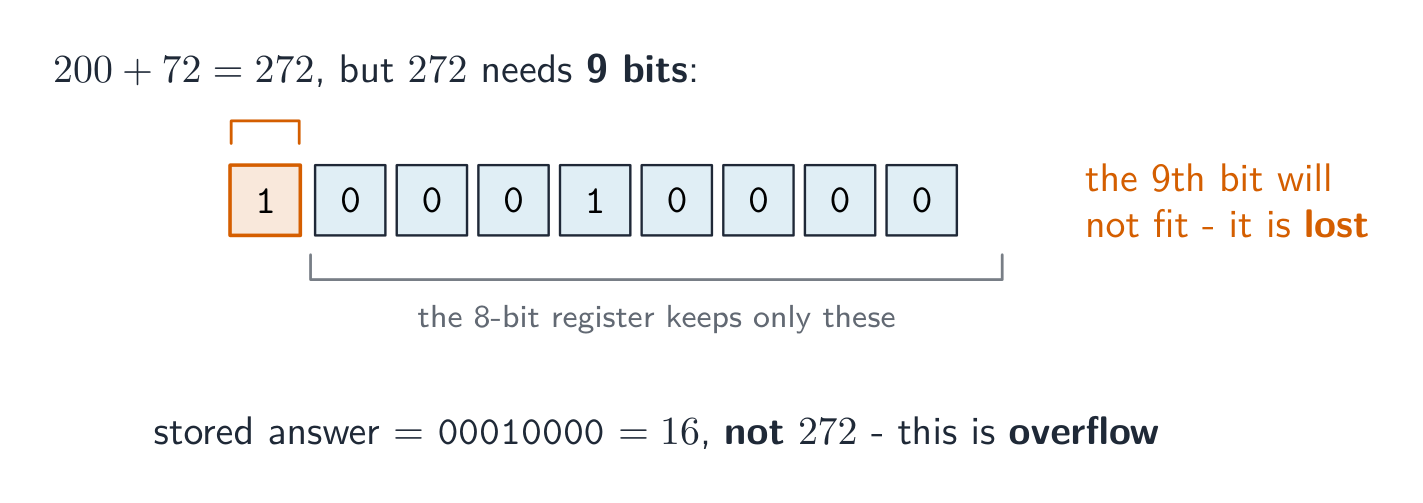
An 8-bit register can hold denary values from 0 to 255 only. If an addition gives a result above 255, the answer needs a 9th bit. The register cannot hold this extra bit, so it is lost. This is called overflow 溢出 (an overflow error). It happens when a value goes outside the limit the register can store.
Example: 11001000 (200) $+$01001000 (72) $= 272$. In binary that is 1 00010000, which needs 9 bits. The leading 1 will not fit in 8 bits, so the stored answer is wrong.
עברית
ניתן לחבר שני מספרים בינאריים של 8 ביטים, עמודה בעמודה מימין לשמאל, בדיוק כמו במערכת העשרונית. הכללים לעמודה אחת הם:
רשמה ב-8 ביטים יכולה להכיל ערכים עשרוניים מ-0 עד 255 בלבד. אם תוצאת הסיכום היא מעל 255, התשובה תזדקק ל-9 ביט נוסף. הרשמה אינה יכולה להכיל ביט נוסף זה, ולכן הוא מאבד. תופעה זו נקראת גלישה (שגיאת גלישה). היא מתרחשת כאשר ערך עובר מחוץ לגבול שמספרת הרשמה יכולה לאחסן.
דוגמה: 11001000 (200) $+$01001000 (72) $= 272$. בבינארי זהו 1 00010000, הדורש 9 ביטים. הביט הראשון 1 לא יכנס ב-8 ביטים, ולכן התשובה המאוחסנת שגויה.
הוספת 200 ו-72 דורשת 9 ביטים, אך רשמה של 8 ביטים מוותרת על הביט התשיעי, ולכן התשובה שגויה
A logical binary shift 逻辑二进制移位 moves all the bits left or right by a number of places.
Bits that move off the end of the register are lost.
Zeros are added at the empty end.
A left shift multiplies the number by 2 for each place moved. A right shift divides it by 2 for each place; the right-most bits (the least significant bit(s) 最低有效位) are lost.
Example: left shift 00110101 (53) by 2 places.
The result is 11010100 (212), which is $53 \times 4$. The two left-most bits were lost and two zeros came in on the right. If a 1 is pushed off the end, that information is gone for good.
עברית
הזזה לוגית בינארית מזיזה את כל הביטים שמאלה או ימינה במספר מקומות.
ביטים שיוצאים מהקצה של הרגסטר נאבדים.
אפסים נוספים בקצה הריק.
הזזה שמאלית כופלת את המספר ב-2 עבור כל מקום שהוזז. הזזה ימינה מחלקת אותו ב-2 עבור כל מקום; הביטים הימניים ביותר (הביט/ים המשמעותיים ביותר) נאבדים.
הזזה שמאלית ב-2: כל ביט זז 2 מקומות שמאלה, הביטים העליונים אובדים ואפסים ממלאים את הימין
התוצאה היא 11010100 (212), שזהו $53 \times 4$. שני הביטים השמאליים ביותר אובדו ושני אפסים נכנסו מימין. אם 1 נשלף מהקצה, המידע הזה אבוד לעולם.
1.1
Two's complement · תשלום שניים
English
So far the numbers were positive. Two's complement 补码 lets an 8-bit register hold negative numbers too.
In two's complement, the left-most bit (the most significant bit 最高有效位, or MSB) has a negative place value:
If the MSB is 0, the number is positive.
If the MSB is 1, the number is negative.
To make a positive number negative: write the positive binary, flip every bit (0↔1), then add 1.
Example: make $-40$.
$+40$ = 00101000
flip the bits = 11010111
add 1 = 11011000
So $-40$ = 11011000. Check by adding the place values: $-128 + 64 + 16 + 8 = -40$.
To read a negative two's complement number, just add the place values (the MSB counts as $-128$). The range of an 8-bit two's complement number is $-128$ to $+127$.
עברית
עד כה המספרים היו חיוביים. תשלום שניים מאפשר לרגסטר 8 ביט להכיל גם מספרים שליליים.
בתשלום שניים, הביט השמאלי ביותר (הביט המשמעותי ביותר, או MSB) הוא בעל ערך מקום שלילי:
-128 64 32 16 8 4 2 1
אם ה-MSB הוא 0, המספר חיובי.
אם ה-MSB הוא 1, המספר שלילי.
להפוך מספר חיובי לשלילי: כתוב את הבינארי החיובי, הפוך כל ביט (0↔1), ואז הוסף 1.
דוגמה: הפוך את $-40$.
$+40$ = 00101000
הפכת הביטים = 11010111
הוספת 1 = 11011000
אז $-40$ = 11011000. בדוק על ידי חיבור ערכי המקום: $-128 + 64 + 16 + 8 = -40$.
הביט המשמעותי ביותר שווה ל-128−, ולכן 11011000 = −128 + 64 + 16 + 8 = −40
לקרוא מספר בשלילי בתשלום שניים, פשוט חבר את ערכי המקום (ה-MSB נחשב כ$-128$). הטווח של מספר בשלילי בתשלום שניים 8 ביט הוא $-128$ עד $+127$.
1.2
Representing text · נייגון טקסט
Syllabus · סיילבוס
English
Candidates should be able to:
Notes and guidance
1 Understand how and why a computer represents text and the use of character sets, including American standard code for information interchange (ASCII) and Unicode
• Text is converted to binary to be processed by a computer • Unicode allows for a greater range of characters and symbols than ASCII, including different languages and emojis • Unicode requires more bits per character than ASCII
2 Understand how and why a computer represents sound, including the effects of the sample rate and sample resolution
• A sound wave is sampled for sound to be converted to binary, which is processed by a computer • The sample rate is the number of samples taken in a second • The sample resolution is the number of bits per sample • The accuracy of the recording and the file size increases as the sample rate and resolution increase
3 Understand how and why a computer represents an image, including the effects of the resolution and colour depth
• An image is a series of pixels that are converted to binary, which is processed by a computer • The resolution is the number of pixels in the image • The colour depth is the number of bits used to represent each colour • The file size and quality of the image increase as the resolution and colour depth increase
עברית
המועמדים צריכים להיות מסוגלים:
הערות והנחיות
1 הבן כיצד ומדוע מחשב מייצג טקסט ואת השימוש בסטיות תווים, כולל קוד סטנדרטי אמריקאי להחלפת מידע (ASCII) ו-יוניקוד
• טקסט מומר לבינארי כדי לעובד על ידי מחשב • יוניקוד מאפשר טווח רחב יותר של תווים וסמלים מאשר ASCII, כולל שפות שונות ואימוג'ים • יוניקוד דורש יותר ביטים לכל תוו מאשר ASCII
2 הבן כיצד ומדוע מחשב מייצג קול, כולל השפעות קצב הדגימה ורזולוציית הדגימה
• גל קול נדגם כדי לקול יומר לבינארי, שיעובד על ידי מחשב • קצב הדגימה הוא מספר הדגימות שנלקחות בשנייה • רזולוציית הדגימה היא מספר הביטים לכל דגימה • הדיוק של ההקלטה וגודל הקובץ עולים ככל שקצב הדגימה והרזולוציה עולים
3 הבן כיצד ומדוע מחשב מייצג תמונה, כולל השפעות רזולוציה ועומק צבע
• תמונה היא סדרה של פיקסלים שהמרה לבינארי, שיעובד על ידי מחשב • הרזולוציה היא מספר הפיקסלים בתמונה • עומק הצבע הוא מספר הביטים המשמשים לייצוג כל צבע • גודל הקובץ ואיכות התמונה עולים ככל שרזולוציה ועומק הצבע עולים
Source: Cambridge International syllabus · מקור: הסיילבוס הבינלאומי של קמבריד'ג'
English
Computers store text by giving every character a number, then storing that number in binary. The set of characters a computer can use, together with their numbers, is a character set 字符集.
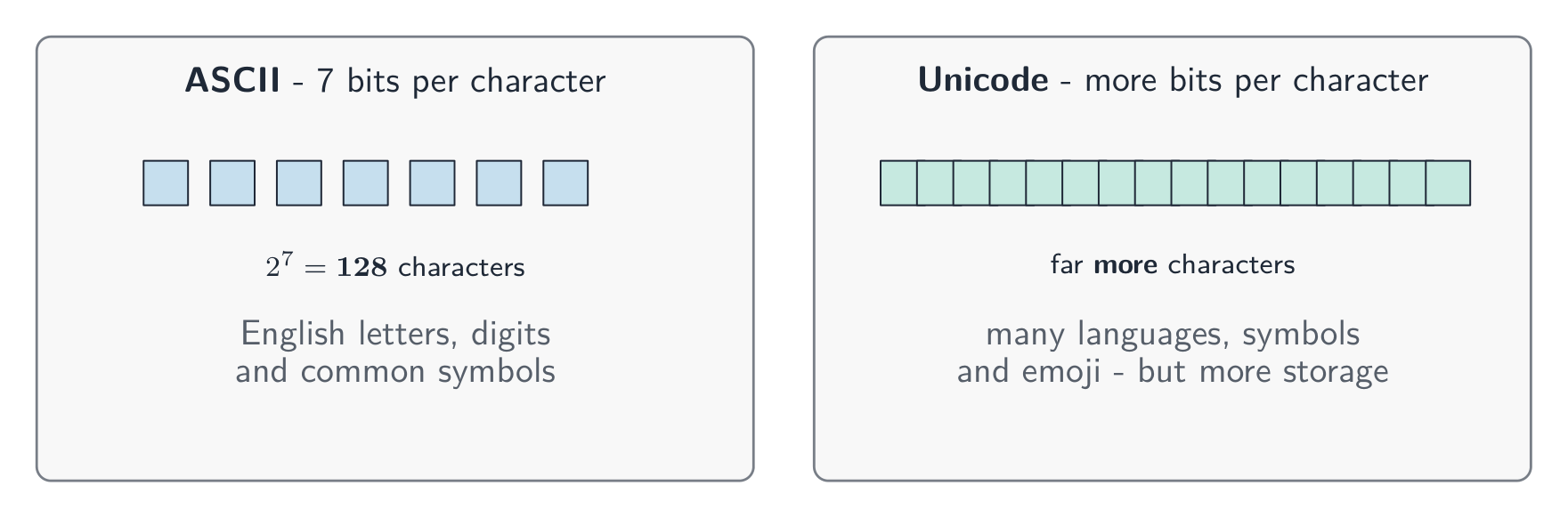
ASCII uses 7 bits per character, so it has 128 different characters. This is enough for English letters, digits and common symbols.
Unicode uses more bits per character. It can represent far more characters — many languages, plus symbols and emoji 表情符号.
Because Unicode has more characters, it needs more bits per character than ASCII, so the same text takes more storage 存储.
עברית
מחשבים שומרים טקסט על ידי assigning מספר לכל תווית, ולאחסון המספר הזה בצורה בינארית. הקבוצה של התוויות שהמחשב יכול להשתמש בהן, יחד עם המספרים שלהם, נקראת ערכת תוויות.
ASCII משתמש ב-7 ביטים לתווית אחת, ולכן יש לו 128 תוויות שונות. זה מספיק לאותיות אנגליות, ספרות וסמלים נפוצים.
Unicode משתמש במספר ביטים גדול יותר לתווית. הוא יכול לייצג הרבה יותר תוויות – מגוון רחב של שפות, בנוסף לסמלים ו-אמוג'י.
מכיוון ש-lUnicode מכיל יותר תוויות, הוא זקוק למספר ביטים גדול יותר לתווית מאשר ASCII, ולכן אותו טקסט דורש יותר מקום אחסון.
ASCII משתמש ב-7 ביטים עבור 128 תוויות; Unicode משתמש במספר ביטים גדול יותר עבור הרבה יותר תוויות אך דורש יותר אחסון
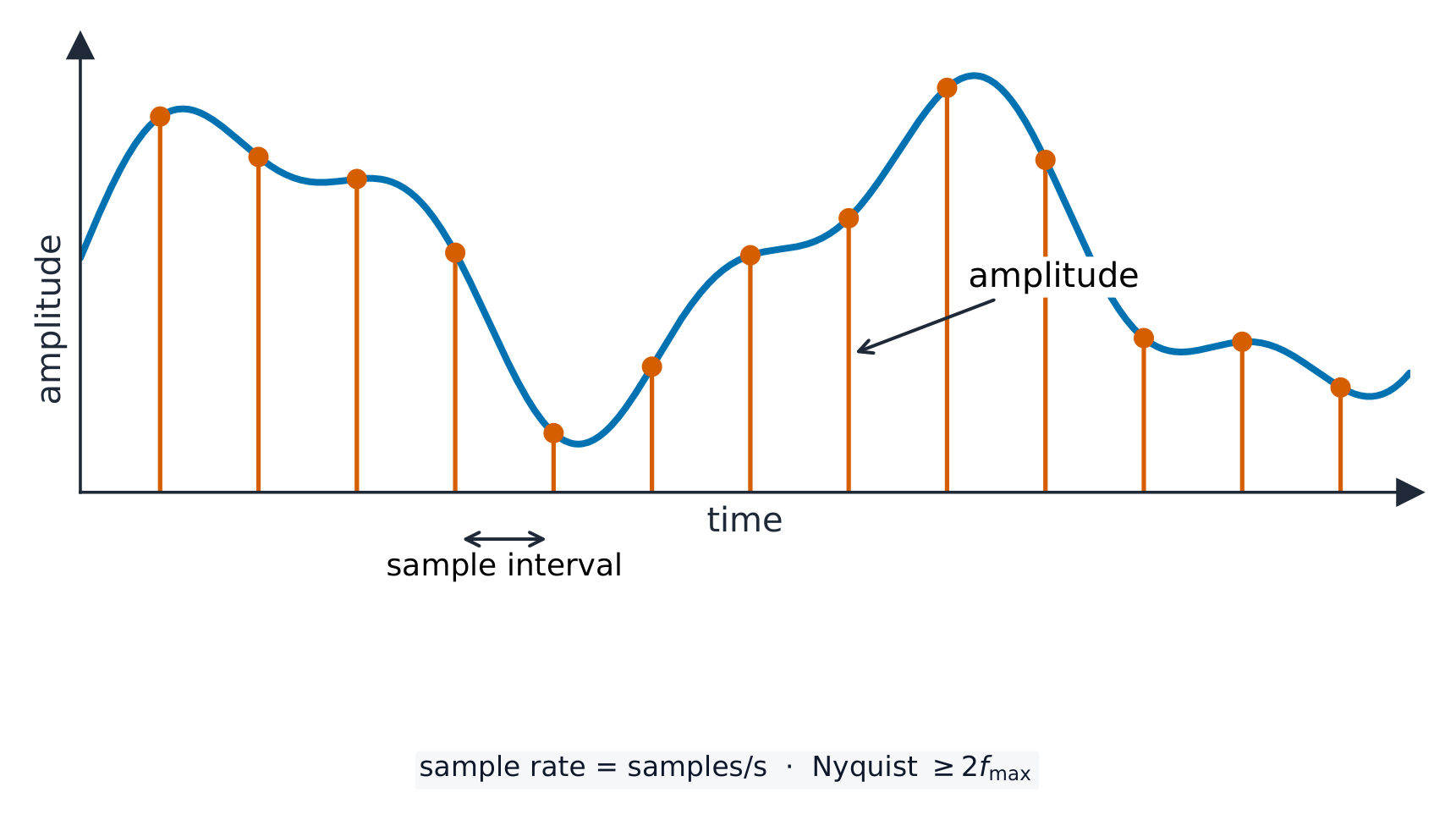
A sound wave 声波 is smooth and always changing. To store it, the computer measures the height of the wave at regular moments. This is called sampling 采样, and each measurement is a sample.
sample rate 采样率 is the number of samples taken each second (measured in Hz).
sample resolution 采样分辨率 is the number of bits used for each sample. The height of the wave at a sample point is its amplitude 振幅.
A higher sample rate and a higher sample resolution give a more accurate recording, but a larger file.
עברית
גל קולי הוא חלק ותמיד משתנה. כדי לאחסן אותו, המחשב מודד את גובה הגל ברגעים קבועים. תהליך זה נקרא דגימה, והמודד בכל עונה הוא דגימה.
דגימה מקליטה את גובה הגל (האמפליטודה) ברגעים קבועים
קצב דגימה הוא מספר הדגימות שנלקחות בכל שנייה (נמדד בהרץ).
רזולוציית דגימה היא מספר הביטים המשמשים לכל דגימה. גובה הגל בנקודת דגימה הוא ה-אמפליטודה שלו.
קצב דגימה גבוה ורזולוציית דגימה גבוהה נותנים הקלטה מדויקת יותר, אך קובץ גדול יותר.
Explore · חקור
Representing sound · ייצוג קול
y = a sin(bt + c)
Sound is a wave; sampling records its height many times a second. · קול הוא גל; דגימה תועדת את גובהו מספר פעמים בשנייה.
• Including: – bit – nibble – byte – kibibyte (KiB) – mebibyte (MiB) – gibibyte (GiB) – tebibyte (TiB) – pebibyte (PiB) – exbibyte (EiB) • The amount of the previous denomination present in the data storage size, e.g.: – 8 bits in a byte – 1024 mebibytes in a gibibyte
2 Calculate the file size of an image file and a sound file, using information given
• Answers must be given in the units specified in the question. Calculations must use the measurement of 1024 and not 1000 • Information given may include: – image resolution and colour depth – sound sample rate, resolution and length of track
3 Understand the purpose of and need for data compression
• Compression exists to reduce the size of the file • What the impact of this is, e.g.: – less bandwidth required – less storage space required – shorter transmission time
4 Understand how files are compressed using lossy and lossless compression methods
• Lossy compression reduces the file size by permanently removing data, e.g. reducing resolution or colour depth, reducing sample rate or resolution • Lossless compression reduces the file size without permanent loss of data, e.g. run length encoding (RLE)
2 חשב את גודל הקובץ של קובץ תמונה וקובץ קול, באמצעות מידע שניתן
• התשובות חייבות להיות נתונות ביחידות שנקבעו בשאלה. החישובים חייבים להשתמש במדידה של 1024 ולא 1000 • המידע שניתן עשוי לכלול: – רזולוציה ותמונה ועומק צבע – קצב דגימת קול, רזולוציה ואורך רצועה
3 הבן את המטרה והצורך בדחיסת נתונים
• דחיסה קיימת כדי להקטין את גודל הקובץ • מה ההשפעה של כך, לדוגמה: – פס רחב פחות נדרש – מקום אחסון פחות נדרש – זמן העברה קצר יותר
4 הבן כיצד קבצים דחוסים באמצעות שיטות דחיסה מאבדת ודחיסה ללא אובדן
• דחיסה מאבדת מצמצמת את גודל הקובץ על ידי הסרת נתונים לצמיתות, לדוגמה: הפחתת רזולוציה או עומק צבע, הפחתת תדירות דגימה או רזולוציה • דחיסה ללא אובדן מצמצמת את גודל הקובץ ללא אובדן נתונים לצמיתות, לדוגמה: קידוד אורך-רצף (RLE)
Source: Cambridge International syllabus · מקור: הסיילבוס הבינלאומי של קמבריד'ג'
English
Data storage is measured in the units below. A nibble is 4 bits and a byte is 8 bits; from the kibibyte upward, each unit is 1024 times the one before it (because $1024 = 2^{10}$, which fits binary).
Unit
Equals
bit
a single 0 or 1
nibble
4 bits
byte
8 bits
kibibyte (KiB)
1024 bytes
mebibyte (MiB)
1024 KiB
gibibyte (GiB)
1024 MiB
tebibyte (TiB)
1024 GiB
pebibyte (PiB)
1024 TiB
exbibyte (EiB)
1024 PiB
עברית
נפח אחסון נתונים נמדד ביחידות הבאות. ניבל הוא 4 ביטים ובית הוא 8 ביטים; החל מקיבייט ומעלה, כל יחידה היא פי 1024 מהיחידה הקודמת לה (מכיוון ש$1024 = 2^{10}$, שהתאים למערכת הספרות הדרווי).
יחידה
שווה ל-
bit
0 או 1 בודדים
nibble
4 ביטים
byte
8 ביטים
kibibyte (KiB)
1024 בייטים
mebibyte (MiB)
1024 KiB
gibibyte (GiB)
1024 MiB
tebibyte (TiB)
1024 GiB
pebibyte (PiB)
1024 TiB
exbibyte (EiB)
1024 PiB
צלחות דיסק קשיח: נפח אחסון נמדד בבייטים — כדי לדעת גודל קובץ יש צורך במידע על רוחב × גובה × עומק צבע לתמונות
Sound file size (in bits) $=$ sample rate $\times$ sample resolution $\times$ length in seconds.
Always divide by 1024 (not 1000) to change to KiB, MiB and so on. Give your answer in the unit the question asks for.
Worked example. A sound is recorded for 30 seconds at a sample rate of 8,000 Hz with a sample resolution of 16 bits. Find the file size in kibibytes (KiB).
Compression 压缩 makes a file smaller. A smaller file:
uses less storage space,
needs less bandwidth 带宽 (the amount of data a connection can carry),
takes a shorter time to send (a shorter transmission 传输 time).
There are two types.
Lossless compression
Lossless 无损 compression makes the file smaller with no permanent loss of data. The original file can be rebuilt exactly.
One method is run-length encoding 行程编码 (RLE). It replaces a run of repeated values with one copy of the value and a count of how many times it repeats. For example WWWWWWWW (8 whites) is stored as "8 W". This works well when data has many repeats.
Lossy compression
Lossy 有损 compression makes the file much smaller by permanently removing some data. The removed data cannot be got back. For example:
reducing the resolution or colour depth of an image,
reducing the sample rate or sample resolution of a sound.
Use lossless when you must keep every detail (text and program files). Use lossy for photos, music and video, where a small loss of quality is worth a much smaller file.
עברית
דחיסה הופכת קובץ לקטן יותר. קובץ קטן יותר:
משתמש בפחות מקום אחסון,
זקוק ל-רוחב פס קטן יותר (כמות המידע שאפשר לשאת בקישור),
לוקח זמן קצר יותר להעברה (זמן שידור קצר יותר).
ישנם שני סוגים.
דחיסה ללא איבוד נתונים
דחיסה ללא איבוד נתונים הופכת את הקובץ לקטן יותר ללא אובדן צמטי של מידע. ניתן לבנות מחדר את הקובץ המקורי בדיוק.
אחת השיטות היא הצפנת אורך רצף (RLE). היא מחליפה רצף של ערכים חוזרים בעות אחת מהערך ובספירה כמה פעמים הוא חוזר. לדוגמה WWWWWWWW (8 לבנים) מאוחסן כ-"8 W". זה עובד היטב כאשר למידע יש הרבה חזרות.
הצפנת אורך רצף מאחסנת כל רצף פעם אחת כספירה וערך
דחיסה עם איבוד נתונים
דחיסה עם איבוד נתונים הופכת את הקובץ לקטן משמעותית על ידי הסרה צמטית של חלק מהנתונים. הנתונים שהוסרו לא יכולים לחזור. לדוגמה:
הפחתת הרזולוציה או עומק הצבע של תמונה,
הפחתת תדירות הדגימה או רזולוציית הדגימה של קלטת שמע.
השתמשו בדחיסה ללא איבוד נתונים כאשר חובה לשמור על כל פרט (קבצי טקסט ותוכנה). השתמשו בדחיסה עם איבוד נתונים לתמונות, מוזיקה ווידאו, שבו איבוד קטן באיכות שווה לקובץ קטן הרבה יותר.
Explore · חקור
Run-length encoding · אנכוד רצפים
Watch repeated symbols get squashed into a count — simple lossless compression. · התבונן בסמלים חוזרים הנדחסים לספירה — דחיסה פשוטה ללא איבוד נתונים.
1.3
Exam tips · טיפים לבחינות
English
Convert denary → binary by subtracting the place values (128, 64, 32 …); binary → denary by adding the place values that hold a 1.
To convert to hex, group the binary into nibbles of 4 bits from the right; each nibble is exactly one hex digit.
Overflow happens when a result needs more bits than the register has (an 8-bit register only holds 0–255), so the extra bit is lost.
File size in bits: for an image, width × height × colour depth; for sound, sample rate × resolution × seconds. Divide by 8 for bytes, then by 1024 for each larger unit.
Lossless compression keeps every bit (text; run-length encoding); lossy permanently removes data (photos, music) for a much smaller file.
עברית
ממירו מערכת עשרונית → בינארית על ידי חיסור ערכי המקום (128, 64, 32 …); בינארית → עשרונית על ידי חיבור ערכי המקום שמכילים 1.
להמרה לשישה עשר, יש לסדר את הבינארי בקבוצות של 4 ביטים (ניבלים) מימין לשמאל; כל ניבל מייצג בדיוק דיגיט אחד בשישה עשר.
התחממות יתר (Overflows) מתרחשת כאשר התוצאה דורשת יותר ביטים מאשר הרישום מכיל (רישום בגודל 8 ביטים יכול לאחסן רק 0–255), ולכן הביט העודף אובד.
גודל קובץ בביטים: לתמונה, רוחב × גובה × עומק צבע; לקול, תדירות דגימה × רזולוציה × שניות. לחלק ב-8 לקבלת байت, ולאחר מכן לחלק ב-1024 לכל יחידה גדולה יותר.
דחיסה ללא איבוד נתונים משמרת כל ביט (כמו בטקסט או באנcohing באורך); דחיסה עם איבוד נתונים מסירה לעולם נתונים (תמונות, מוזיקה) כדי ליצור קובץ קטן הרבה יותר.
Data transmission 数据传输 means moving data from one place to another — for example from your computer to a website, or from a phone to a printer.
Data often travels along a cable. Two common ones are shown below.
Before it is sent, the data is broken down into small, equal-sized pieces called packets 数据包. Each packet travels separately and they are put back together at the other end.
Using packets has benefits:
if one packet is lost or damaged, only that packet is sent again, not the whole file;
packets can take different routes, so a busy or broken route can be avoided;
many users can share the same connection at the same time.
עברית
העברת נתונים פירונו העברת מידע ממקום למקום אחר — לדוגמה מהמחשב שלך לאתר, או מהטלפון למדפסת.
נתונים לעיתים קרובות עוברים לאורך כבל. שני סוגים נפוצים מוצגים למטה.
כבל אתרנט עם תקע RJ45, המשמש לעיתים קרובות להעברת נתונים ברשת חוטיתכבל סיבי אופטי משדר נתונים כפולסים של אור לאורך סיבי זכוכית דקים
לפני השליחה, הנתונים מחולקים לחלקים קטנים ושווי גודל הנקראים חבילות. כל חבילה נוסעת בנפרד והן מורכבות מחדש בסוף האחר.
שימוש בחבילות מציע יתרונות:
אם חבילה אחת אובדת או נפגמת, רק החבילה ההיא נשלחת שוב, ולא הקובץ כולו;
חבילות יכולות לקחת מסלולים שונים, כך שמסלול עמוס או תקולתי ניתן להתעלם ממנו;
מספר רב של משתמשים יכולים לשתף באותו חיבור בו זמנית.
2.1
The structure of a packet · מבנה החבילה
Syllabus · סיילבוס
English
Candidates should be able to:
Notes and guidance
1 (a) Understand that data is broken down into packets to be transmitted
(b) Describe the structure of a packet
• A packet of data contains a: – packet header – payload – trailer • The packet header includes the: – destination address – packet number – originator’s address
(c) Describe the process of packet switching
• Data is broken down into packets • Each packet could take a different route • A router controls the route a packet takes • Packets may arrive out of order • Once the last packet has arrived, packets are reordered
2 (a) Describe how data is transmitted from one device to another using different methods of data transmission
(b) Explain the suitability of each method of data transmission, for a given scenario
• Including the advantages and disadvantages of each method
3 Understand the universal serial bus (USB) interface and explain how it is used to transmit data
• Including the benefits and drawbacks of the interface
עברית
המועמדים צריכים להיות מסוגלים:
הערות והנחיות
1 (א) הבן שהנתונים מחולקים ל-חבילות כדי להעביר אותן
(ב) תאר את מבנה החבילה
• חבילת נתונים מכילה: – ראש חבילה – תוכן נטען – זנב • ראש החבילה כולל את: – כתובת יעד – מספר החבילה – כתובת השולח
(ג) תאר את תהליך החלפת חבילות
• הנתונים מחולקים לחבילות • לכל חבילה עשויה להיות מסלול שונה • נתב שולט במסלול של החבילה • החבילות עשויות להגיע בסדר לא נכון • לאחר שהחבילה האחרונה הגיעה, החבילות מסודרות מחדש
2 (א) תאר כיצד נתונים מועברים ממכשיר אחד למשנהו באמצעות שיטות שונות להעברת נתונים
Packet switching 数据包交换 is the way packets are sent across a network.
Special devices called routers 路由器 read each packet's header and choose the best route for it.
Each packet may take its own path, so packets can travel different ways.
Packets may arrive out of order.
When the last packet has arrived, the packets are reordered using their packet numbers.
עברית
חילוק חבילות הוא הדרך שבה חבילות נשלחות דרך רשת.
נתבים ממשיכים את החבילות, וחבילות שונות יכולות לעבור במסלולים שונים לאותו מקבל
התקנים מיוחדים הנקראים נתבים קוראים את ה-header של כל חבילה ובוחרים את המסלול הטוב ביותר עבורה.
כל חבילה עשויה לעבור ב-מסלול משלה, כך שחבילות יכולות לנוע בדרכים שונות.
חבילות עשויות להגיע בסדר לא נכון.
כאשר החבילה האחרונה הגיעה, החבילות מוחזרות לסדר באמצעות מספרי החבילה שלהן.
Explore · חקור
How data travels in packets · כיצד נתונים עוברים בחבילות
Step through packet switching. Splitting a file into addressed packets is why one lost packet only needs resending, and why many users can share the same line. · צעד אחר צעד במעבר נתונים באמצעות חבילות. חלוקת קובץ לחבילות עם כתובות היא הסיבה לכך שחבולה אחת בלבד נאבדת וצריכה לשלוח מחדש, ולמה מספר רב של משתמשים יכולים לשתף את אותה קו תקשורת.
Methods of data transmission · שיטות העברת נתונים
English
Serial and parallel
Serial 串行
Parallel 并行
How
one bit at a time, down one wire
several bits at once, down several wires
Distance
good over long distances
good over short distances only
Cost
cheaper (fewer wires)
more expensive (more wires)
Errors
bits stay in order
bits can arrive at slightly different times over long wires
Serial sends one bit after another along a single wire. Parallel sends several bits at the same time along several wires, so it is faster over short distances.
Simplex, half-duplex and full-duplex
These describe the direction data can travel.
Method
Direction
simplex 单工
one direction only (e.g. computer → printer)
half-duplex 半双工
both directions, but only one at a time (e.g. walkie-talkie)
full-duplex 全双工
both directions at the same time (e.g. phone call)
Choosing a method
The choice depends on the distance, the speed needed, the cost, and whether data must travel both ways at once.
עברית
סריאלית ופאראלללית
סריאלית
פאראלללית
אופן
ביט אחד בכל פעם, לאורך כבל אחד
מספר ביטים בו-זמנית, לאורך מספר כבלים
מרחק
טוב למרחקים ארוכים
טוב רק למרחקים קצרים
עלות
זולה יותר (פחות חוטים)
יקר יותר (יותר חוטים)
שגיאות
ביטים נשארים בסדר
ביטים עשויים להגיע בזמנים מעט שונים בלול כבלים ארוכים
סריאלי שולח ביט אחד אחרי השני לאורך כבל יחיד. פראללי שולח מספר ביטים בו-זמנית לאורך מספר כבלים, ולכן מהיר יותר במרחקים קצרים.
סריאלי שולח ביט אחד בכל פעם לאורך כבל אחד; פראללי שולח מספר ביטים בו-זמנית לאורך מספר כבלים
שיפלקס, חצי-דופלקס ודופלקס מלא
אלה מתארים את כיוון שבו נתונים יכולים לנסוע.
שיפלקס הוא רק בכיוון אחד; חצי-דופלקס הוא בשני כיוונים אך לא בו-זמנה; דופלקס מלא הוא בשני כיוונים בו-זמנה
שיטה
כיוון
שיפלקס
כיוון אחד בלבד (למשל: מחשב → מדפסת)
חצי-דופלקס
שני כיוונים, אך רק אחד בכל פעם (למשל: רדיו טווח קצר)
דופלקס מלא
שני כיוונים בו-זמנה (למשל: שיחת טלפון)
בחירת שיטה
הבחירה תלויה ב-מרחק, ב-מהירות הנדרשת, ב-עלות, ובאם הנתונים צריכים לנוע בשני הכיוונים בו-זמנה.
Why we check for errors · מדוע אנו בודקים טעויות
Syllabus · סיילבוס
English
Candidates should be able to:
Notes and guidance
1 Understand the need to check for errors after data transmission and how these errors can occur
• Errors can occur during data transmission due to interference, e.g. data loss, data gain and data change
2 Describe the processes involved in each of the following error detection methods for detecting errors in data after transmission: parity check (odd and even), checksum and echo check
• Including parity byte and parity block check
3 Describe how a check digit is used to detect errors in data entry and identify examples of when a check digit is used, including international standard book numbers (ISBN) and bar codes
4 Describe how an automatic repeat query (ARQ) can be used to establish that data is received without error
• Including the use of: – positive/negative acknowledgements – timeout
עברית
המועמדים צריכים להיות מסוגלים:
הערות והנחיות
1 הבן את הצורך לבדוק שגיאות לאחר העברת נתונים וכיצד שגיאות אלו יכולות לקרות
• שגיאות עשויות לקרות במהלך העברת נתונים עקב הפרעות, לדוגמה: איבוד נתונים, תוספת נתונים ושינוי נתונים
2 תאר את התהליכים המעורבים בכל שיטת זיהוי שגיאות הבאה לגילוי שגיאות בנתונים לאחר העברה: בדיקת זוגיות (אי-זוגית וזוגית), סיכום בדיקה ובדיקת הדיו
• כולל בדיקת ביט זוגיות וחסימת זוגיות
3 תאר כיצד ספרת בדיקה משמשת לגילוי שגיאות בהקלטת נתונים ולזיהוי דוגמאות לשימוש בספרת בדיקה, כולל מספרי ספרים בינלאומיים (ISBN) ובר-קודים
4 תאר כיצד בקשה להעברה חוזרת אוטומטית (ARQ) יכולה לשמש כדי לוודא שהנתונים התקבלו ללא שגיאה
• כולל השימוש ב: – אישורים חיוביים/שליליים – תזמון
Source: Cambridge International syllabus · מקור: הסיילבוס הבינלאומי של קמבריד'ג'
English
While data travels, interference 干扰 can change it. Three things can go wrong:
data loss — some bits do not arrive;
data gain — extra bits are added;
data change — some bits are flipped.
So the receiver checks whether the data arrived correctly.
עברית
בעת העברת נתונים, הפרעות יכולות לשנות אותם. שלושה דברים עלולים לקרות:
A parity check 奇偶校验 adds one extra bit, the parity bit 奇偶校验位, to each byte. There are two types:
even parity — the total number of 1s in the byte (including the parity bit) must be even;
odd parity — the total number of 1s must be odd.
Example (even parity): the data 1011001 has four 1s, which is already even, so the parity bit is 0:
To find an error: the receiver counts the 1s. If even parity was agreed but a byte arrives with an odd number of 1s, an error has happened during transmission.
A parity check cannot find every error. If two bits flip, the count may still look correct.
Worked example. A single parity bit tells you that an error happened, but not where. A parity block 奇偶校验块 can find the exact bit. Several bytes are sent together, each with a row parity bit, and one extra parity byte 奇偶校验字节 at the bottom holds a parity bit for each column. Even parity is used below, and one bit was flipped during transmission. Find it.
Row byte 3 breaks even parity, and column b3 breaks even parity. The flipped bit is where they cross: byte 3, bit b3. Changing it back from 1 to 0 repairs the data. A single parity bit only says an error happened; a parity block says exactly where, so the receiver can even fix it.
Checksum
A checksum 校验和 is a value worked out from all the data before sending. The receiver works out the checksum again from the data it received. If the two values do not match, an error has occurred and the data is resent.
Echo check
In an echo check 回送校验, the receiver sends the data back to the sender. The sender compares it with the original. If they differ, an error happened. (This needs the data to be sent twice, so it is slow.)
Automatic Repeat reQuest (ARQ)
Automatic Repeat reQuest 自动重传请求 (ARQ) uses messages called acknowledgements 确认.
The receiver sends a positive acknowledgement if a packet arrived correctly, or a negative acknowledgement if it did not.
The sender starts a timeout 超时 timer. If no positive acknowledgement comes back in time, the sender sends the packet again.
Check digit
A check digit 校验码 is an extra digit placed at the end of a number, worked out from the other digits. It is used to find mistakes when a number is typed in.
When the number is entered, the check digit is calculated again and compared. It can catch:
an incorrect digit entered,
a transposition error 换位错误 (two digits swapped, e.g. 21 typed as 12),
a digit left out or an extra digit added,
a phonetic error (a digit that sounds similar, e.g. 13 and 30).
Check digits are used in barcodes 条形码 and ISBNs (book numbers).
עברית
בדיקת זוגיות
בדיקת זוגיות מוסיפה ביט נוסף, ה-ביט הזוגיות, לכל באייט. ישנם שני סוגים:
A parity bit is added to make the number of 1s even (or odd)
זוגיות זוגית — המספר הכולל של 1s בבאייט (כולל ביט הזוגיות) חייב להיות זוגי;
זוגיות אי-זוגית — המספר הכולל של 1s חייב להיות אי-זוגי.
דוגמה (זוגיות זוגית): הנתונים 1011001 מכילים ארבעה 1s, שהם כבר זוגיים, לכן ביט הזוגיות הוא 0:
parity bit + data
    0        1011001
כדי למצוא טעות: המקבל סופר את ה-1s. אם הסכם היה על זוגיות זוגית אך באייט הגיע עם מספר אי-זוגי של 1s, התרחשה טעות במהלך ההעברה.
בדיקת זוגיות אינה יכולה לזהות כל שגיאה. אם שני ביטים מתהפכים, הסכול עשוי להישאר נכון.
דוגמה מפורטת. ביט זוגיות בודד מספר לך שהייתה שגיאה, אך לא איפה. בלוק זוגיות יכול למצוא את הביט המדויק. מספר בייטים נשלחים יחד, כל אחד עם ביט זוגיות בשורה, וביט זוגיות נוסף בלוק זוגיות בתחתית מחזיק ביט זוגיות לכל עמודה. משמשת כאן זוגיות אפס, וביט אחד התהפך במהלך השידור. מצא אותו.
ביט השורה 3 מפסיל זוגיות אפס, ועמודה b3 מפסילה זוגיות אפס. הביט שהתהפך הוא במקום שבו הם נמצאים: ביט 3, ביט b3. שינויו חזרה מ-1 ל-0 תיקון הנתונים. ביט זוגיות בודד רק אומר שהייתה שגיאה; בלוק זוגיות אומר בדיוק איפה, כך שהמקלט אף יכול לתקן אותו.
סיכום בדיקה
סיכום בדיקה הוא ערך שמחושב מהכל הנתונים לפני השליחה. המקלט מחשב שוב את סיכום הבדיקה מהנתונים שקיבל. אם הערכים אינם תואמים, התרחשה שגיאה והנתונים נשלחו מחדש.
בדיקת הדsoning (Echo Check)
בבדיקת הדsoning, המקלט שולח את הנתונים חזרה לשולח. השולח משווה אותם לראשוניים. אם הם שונים, התרחשה שגיאה. (דבר זה דורש שלוח את הנתונים פעמיים, ולכן הוא איטי.)
בקשה לחזרה אוטומטית (ARQ)
בקשה לחזרה אוטומטית (ARQ) משתמש בהודעות הנקראות אישורים.
המקלט שולח אישור חיובי אם החבילה הגיעה נכונה, או אישור שלילי אם לא.
השולח מפעיל טיימר חריגת זמן. אם אישור חיובי אינו מגיע בזמן, השולח שולח את החבילה מחדש.
דיgit בדיקה
דיgit בדיקה הוא דיgit נוסף המוצב בסוף מספר, שמחושב מהדיgits האחרים. הוא משמש לזיהוי טעויות כאשר מספר מותקן.
כאשר המספר מוזן, דיgit הבדיקה מחושב שוב ומשווה. הוא יכול לזהות:
דיgit שגוי שמוזן,
שגיאת מעבר (שני דיgits הוחלפו, לדוגמה 21 הוטבע כ-12),
דיgit נשכח או דיgit עודף שנוסף,
שגיאת פונטית (דיgit שנשמע דומה, לדוגמה 13 ו-30).
דיgits בדיקה משמשים בברקודים וב-ISBNs (מספרי ספרים).
Explore · חקור
Computing concept lab · מעבדת מושגי מחשוב
Classify concrete examples by the computing idea they demonstrate. · סווג דוגמאות מلموسة לפי הרעיון המחשובי שהן מדגימות.
1 Understand the need for and purpose of encryption when transmitting data
2 Understand how data is encrypted using symmetric and asymmetric encryption
• Asymmetric encryption includes the use of public and private keys
עברית
המועמדים צריכים להיות מסוגלים:
הערות והנחיות
1 הבן את הצורך והמטרה של הצפנה במהלך העברת נתונים
2 הבן כיצד נתונים מוצפנים באמצעות הצפנה סימטרית והצפנה א-סימטרית
• הצפנה א-סימטרית כוללת שימוש במפתחות ציבוריים ופרטיים
Source: Cambridge International syllabus · מקור: הסיילבוס הבינלאומי של קמבריד'ג'
English
Why we need encryption
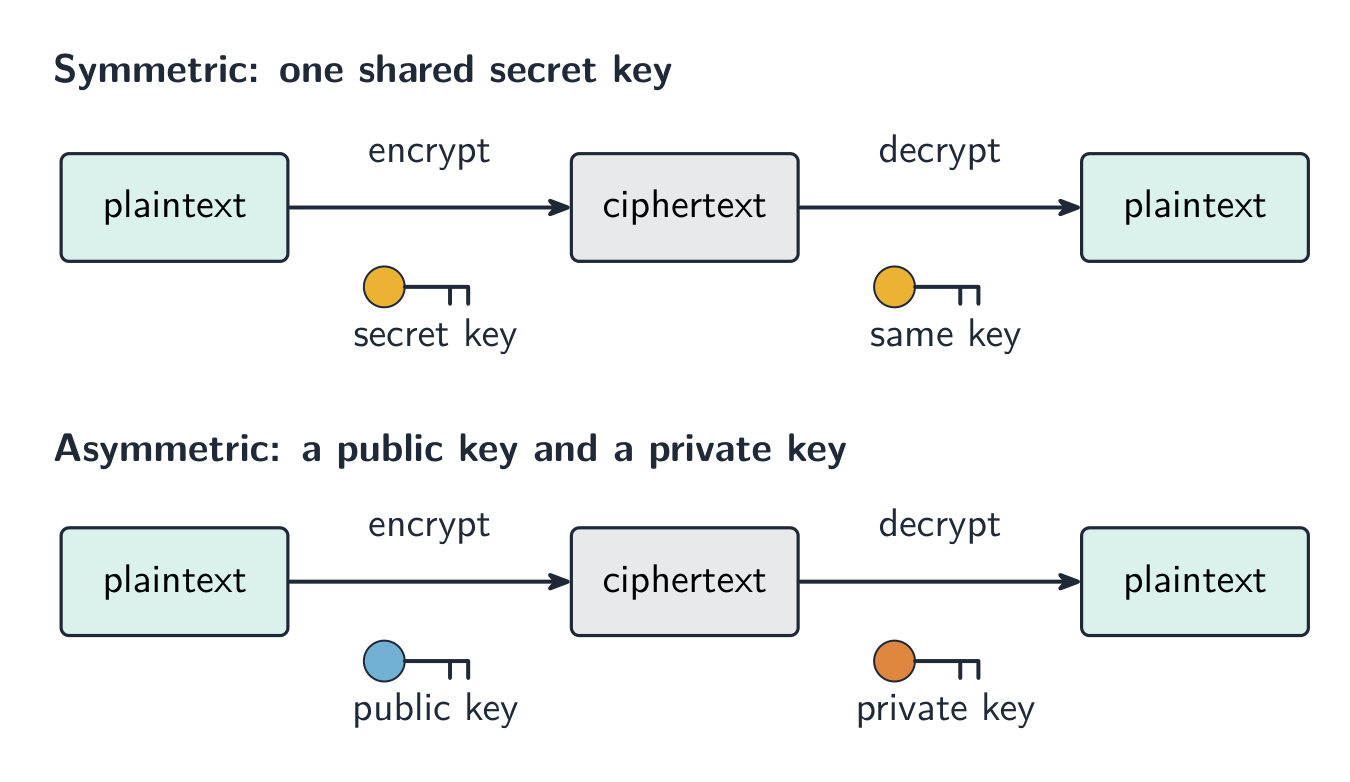
Encryption 加密 scrambles data so that it cannot be understood if it is intercepted 拦截 (caught) by the wrong person. The readable data is called plaintext 明文; after encryption it becomes ciphertext 密文.
Encryption does not stop data from being intercepted. It only stops the data from being understood.
Symmetric encryption
Symmetric encryption 对称加密 uses a single key 密钥 to both encrypt and decrypt the data. The sender and receiver must share this same secret key. The risk is that the key itself could be stolen while being shared.
Asymmetric encryption
Asymmetric encryption 非对称加密 uses two different keys:
a public key 公钥 that anyone can have, used to encrypt;
a private key 私钥 that is kept secret, used to decrypt.
Data encrypted with the public key can only be decrypted with the matching private key, so the key never has to be shared. This is safer than sharing one secret key.
עברית
למה אנו זקוקים להצפנה
הצפנה מערבלת נתונים כך שלא ניתן יהיה להבין אותם במקרה של הפרעה (לכידה) על ידי אדם לא מוסמך. הנתונים הקריאים נקראים טקסט פשוט; לאחר ההצפנה הם הופכים ל-טקסט מצופן.
הצפנה אינה מונעת הפרעה של נתונים. היא רק מונעת הבנת הנתונים.
הצפנה סימטרית
הצפנה סימטרית משתמשת ב-מפתח אחד גם להצפנה וגם לפענוח הנתונים. השולח והנמען חייבים לחלק את אותו מפתח סודי זה. הסיכון הוא שהמפתח עצמו עשוי להיות גנוב בזמן החילוק.
הצפנה א-סימטרית
הצפנה א-סימטרית משתמש בשני מפתחות שונים:
מפתח ציבורי שאף אחד יכול לקבל, המשמש להצפנה;
מפתח פרטי שנשמר בסוד, המשמש לפענוח.
נתונים המוצפנים במפתח הציבורי יכולים לפענח רק באמצעות מפתח הפרטי המתאים, ולכן לעולם אין צורך לחלק את המפתח. זה בטוח יותר מאשר חילוק מפתח סודי אחד.
הצפנה סימטרית משתמשת במפתח משותף אחד; הצפנה א-סימטרית משתמשת במפתח ציבורי להצפנה ובמפתח פרטי לפיענוח
Explore · חקור
The Caesar cipher · צופן קייסר
Shift each letter to encrypt a message — the simplest idea of a cipher and its key. · הזז כל אות כדי לקוד הודעה — הרעיון הפשוט ביותר של ציפר ומפתח ה-Key שלו.
Data is sent in packets (a header with the addresses and packet number, a payload, and a trailer). Packets can take different routes and arrive out of order, then are reordered by their packet numbers.
Match the transmission types: serial (one bit at a time, good over long distances) vs parallel (several bits at once, short distances); simplex / half-duplex / full-duplex describe the direction.
A single parity bit only shows that an error happened; a parity block locates the exact wrong bit — the row and the column that both fail.
Learn the error-detection methods and what each does: parity check, checksum, echo check, ARQ, and the check digit (for typed-in numbers).
Symmetric encryption uses one shared key; asymmetric uses a public key to encrypt and a private key to decrypt, so no secret key is ever shared.
עברית
נתונים נשלחים ב-חבילות (ראש המכיל כתובות ומספר חבילה, גוף נתונים וסוף חבילה). חבילות עשויות לעבור מסלולים שונים ולהגיע בסדר שגוי, ולאחר מכן מסודרות מחדש לפי מספרי החבילה.
התאם בין סוגי השידור: סריאלי (ביט אחד בכל פעם, מתאים למרחקים ארוכים) מול פאראללי (מספר ביטים בו-זמנית, למרחקים קצרים); סימפלקסי / חצי-דופלקס / דופלקס מלא מתארים את הכיוון.
ביט בדיקה (parité) יחיד מראה רק שה טעות התרחשה; בלוק בדיקה מזהה את הביט השגוי בדיוק — השורה והעמודה ששניהן כושלים.
למד את שיטות זיהוי הטעויות ואת מה שעושה כל אחת: בדיקת זוגיות, סכום בדיקה, בדיקת הדבר, ARQ, וספרת בדיקה (למספרים שנכתבו ידנית).
הצפנה סימטרית משתמשת במפתח משותף אחד; הצפנה א-סימטרית משתמשת במפתח ציבורי להצפנה ומפתח פרטי לפענוח, ולכן לעולם אינו משותף מפתח סודי.
1 (a) Understand the role of the central processing unit (CPU) in a computer
• The CPU processes instructions and data that are input into the computer so that the result can be output
(b) Understand what is meant by a microprocessor
• A microprocessor is a type of integrated circuit on a single chip
2 (a) Understand the purpose of the components in a CPU, in a computer that has a Von Neumann architecture
• Including: – units: arithmetic logic unit (ALU) and control unit (CU) – registers: program counter (PC), memory address register (MAR), memory data register (MDR), current instruction register (CIR) and accumulator (ACC) – buses: address bus, data bus and control bus
(b) Describe the process of the fetch–decode–execute (FDE) cycle, including the role of each component in the process
• How instructions and data are fetched from random access memory (RAM) into the CPU, how they are processed using each component and how they are then executed • Storing data and addresses into specific registers • Using buses to transmit data, addresses and signals • Using units to fetch, decode and execute data and instructions
3 Understand what is meant by a core, cache and clock in a CPU and explain how they can affect the performance of a CPU
• The number of cores, size of the cache and speed of the clock can affect the performance of a CPU
4 Understand the purpose and use of an instruction set for a CPU
• An instruction set is a list of all the commands that can be processed by a CPU, and the commands are machine code
5 Describe the purpose and characteristics of an embedded system and identify devices in which they are commonly used
• An embedded system is used to perform a dedicated functions. For example in, domestic appliances, cars, security systems, lighting systems or vending machines. This is different to a general purpose computer that is used to perform many different functions. For example in, a personal computer (PC) or a laptop
עברית
המועמדים צריכים להיות מסוגלים:
הערות והנחיות
1 (א) הבן את תפקיד מעבד המידע המרכזי (CPU) במחשב
• מעבד המידע המרכזי מעבד הוראות ונתונים שנכנסו למחשב כך שניתן יהיה להוציאם
(ב) הבן מה נועד במונח מיקרו-מעבד
• מיקרו-מעבד הוא סוג של מעגל משולב על שבב יחיד
2 (א) הבן את תפקיד רכיבי המעבד המרכזי במחשב בעל ארכיטקטורת פון ניומן
• כולל: – יחידות: יחידת לוגיקה וחשבון (ALU) ויחידת בקרה (CU) – רשומות: ספירת תוכנית (PC), רשמת כתובת זיכרון (MAR), רשמת נתוני זיכרון (MDR), רשמת ההוראה הנוכחית (CIR) ומצובר (ACC) – ערוצים: ערוץ כתובות, ערוץ נתונים וערוץ בקרה
(ב) תאר את תהליך הטלה-פענוח-ביצוע (FDE), כולל את תפקודו של כל רכיב בתהליך
• כיצד הוראות ונתונים נטלים מזיכרון גישה אקראית (RAM) לתוך מעבד המידע המרכזי, כיצד הם מעובדים באמצעות כל רכיב וכיצד מתבצע ביצועם • אחסון נתונים וכתובות ברשומות ספציפיות • שימוש בערוצים להעברת נתונים, כתובות ואותות • שימוש ביחידות להטלה, פענוח וביצוע נתונים והוראות
3 הבן מה נועד במונחים ליבה, מטמון ושעון במעבד המידע המרכזי והסבר כיצד הם יכולים להשפיע על הביצועים שלו
• מספר הליבות, גודל המטמון ומהירות השעון יכולים להשפיע על הביצועים של מעבד המידע המרכזי
4 הבן את התפקיד והשימוש בסט הוראות עבור מעבד המידע המרכזי
• סט הוראות הוא רשימה של כל הפקודות שתוכלו לעובד על ידי מעבד המידע המרכזי, והפקודות הן קוד מכונה
5 תאר את התפקיד והמאפיינים של מערכת מובנית זיהוי מכשירים בהם היא משמשת לרוב
• מערכת מובנית משמשת לבצע פונקציות ייעודיות. לדוגמה, במכשירי חשמל ביתיים, מכוניות, מערכות אבטחה, מערכות תאורה או מכונות מכירה אוטומטיות. הדבר שונה ממחשב רב-שימושי המשמש לבצע פונקציות שונות רבות. לדוגמה, במחשב אישי (PC) או במחשב נייד
Source: Cambridge International syllabus · מקור: הסיילבוס הבינלאומי של קמבריד'ג'
The fetch-decode-execute cycle
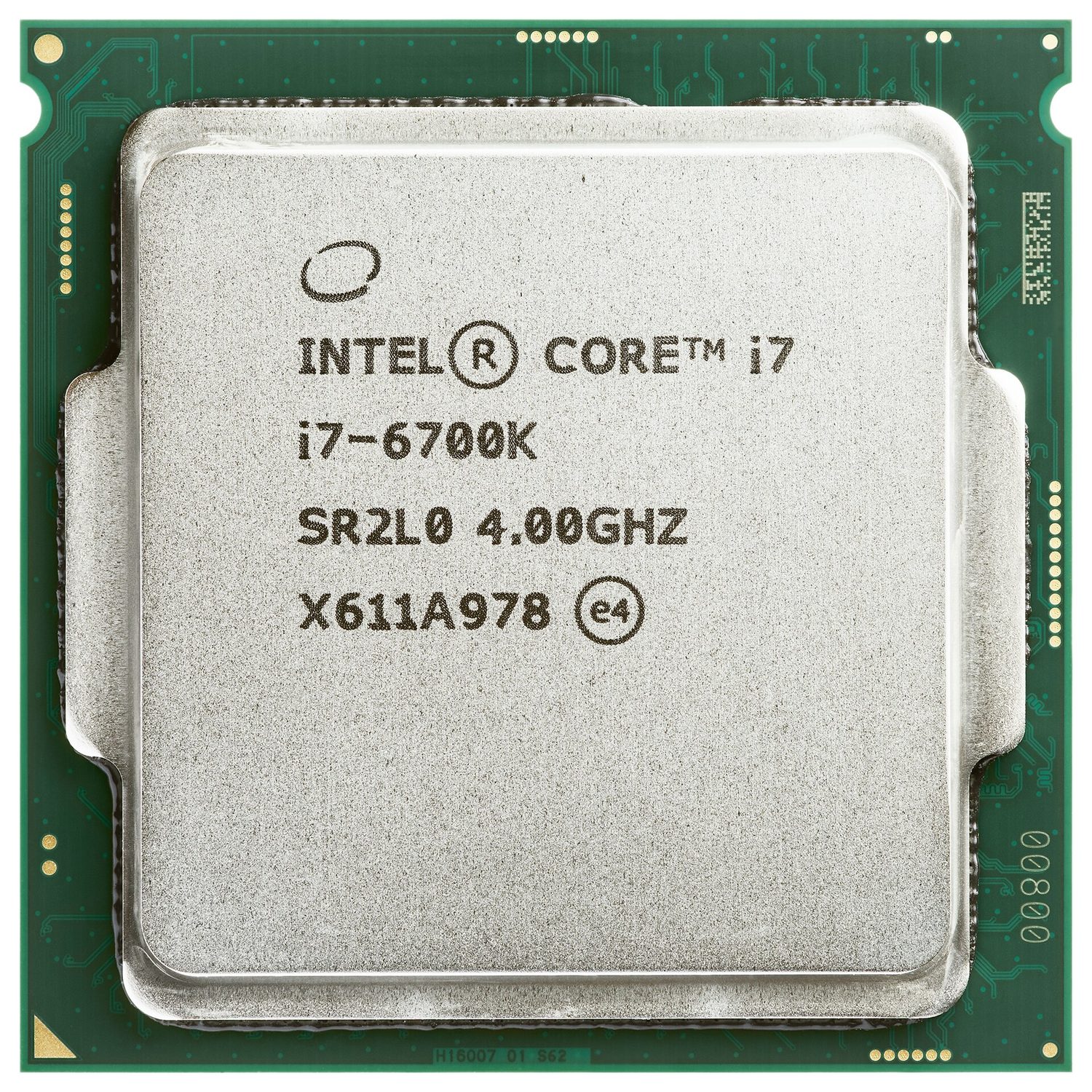
The central processing unit 中央处理器 (CPU) is the part of the computer that processes data and carries out instructions 指令. It runs programs by repeating a cycle, millions of times each second.
A central processing unit (CPU): the chip that processes data and runs the instructions
Parts of the CPU
Part
What it does
arithmetic logic unit 算术逻辑单元 (ALU)
does calculations (add, subtract) and logical operations (compare)
control unit 控制单元 (CU)
sends control signals to manage all the parts and tell them what to do
registers 寄存器
very small, very fast stores that hold one piece of data at a time
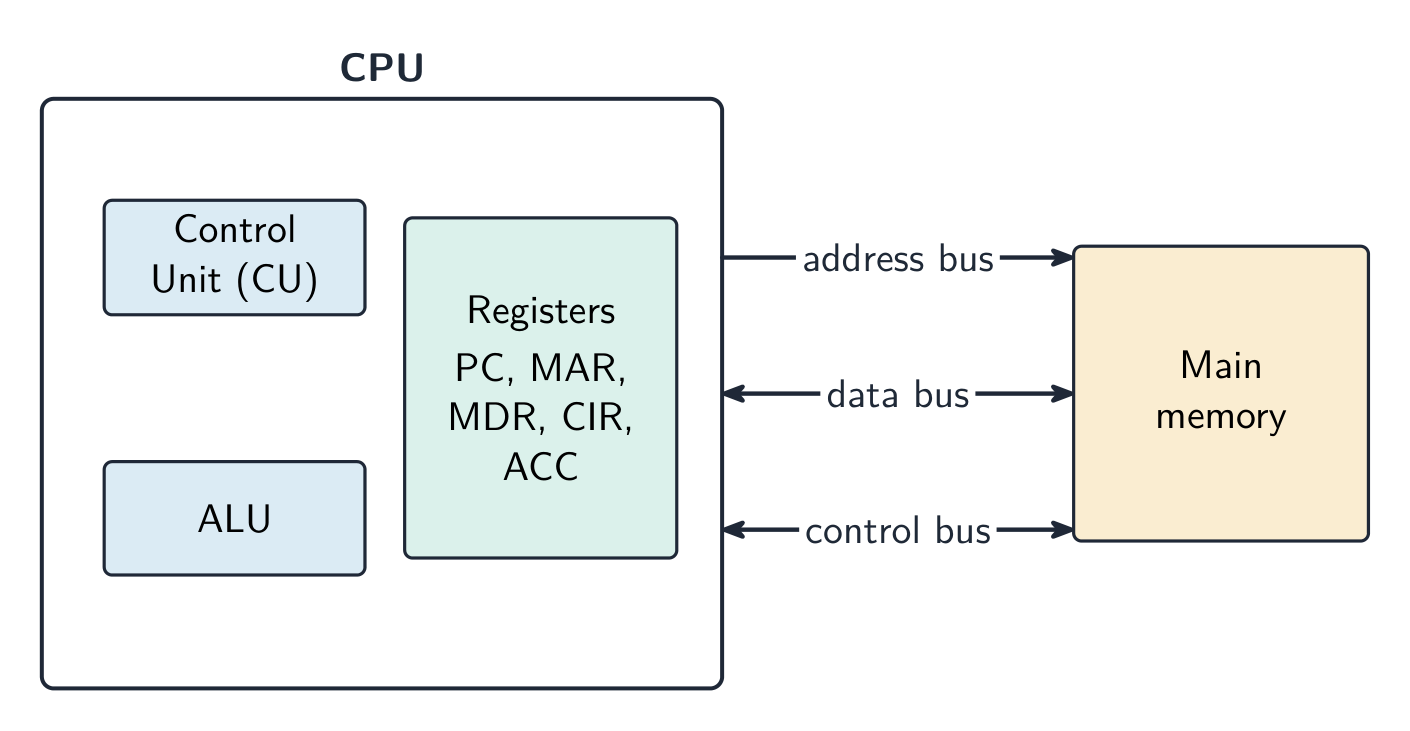
The parts are joined by buses 总线 — sets of wires that carry information:
the address bus 地址总线 carries memory addresses (one direction);
the data bus 数据总线 carries data and instructions (both directions);
the control bus 控制总线 carries control signals.
The CPU holds the control unit, the ALU and the registers; three buses link it to main memory
Special registers
These registers are used during the fetch–execute cycle.
Register
Purpose
program counter 程序计数器 (PC)
holds the address of the next instruction
memory address register 内存地址寄存器 (MAR)
holds the address to read from or write to
memory data register 内存数据寄存器 (MDR)
holds the data or instruction just fetched
current instruction register 当前指令寄存器 (CIR)
holds the instruction now being carried out
accumulator 累加器 (ACC)
holds the result of the ALU's calculations
The fetch–execute cycle
The fetch–execute cycle 取指执行周期 has three stages, repeated again and again:
Fetch — the instruction is copied from memory 内存 into the CPU (using the PC, MAR and MDR). The PC then increases by 1.
Decode — the control unit works out what the instruction means.
Execute — the instruction is carried out (the ALU may do a calculation, with the result going to the accumulator).
The processor repeats three stages: fetch the instruction, decode it, then execute it
Cache memory
Cache 高速缓存 is a small amount of very fast memory inside or close to the CPU. It stores data and instructions that the CPU uses often. The CPU can read from cache much faster than from main memory, so the computer runs faster.
What affects CPU performance
Feature
Effect
number of cores 核心
each core can run instructions on its own, so more cores can do more work at the same time
cache size
a larger cache holds more data ready for the CPU, so it waits less
clock speed 时钟速度
the number of cycles per second; a higher clock speed runs more instructions per second
Worked example. Two computers are identical except that A has a 3.0 GHz single-core CPU with 2 MB of cache, and B has a 2.4 GHz quad-core CPU with 8 MB of cache. Which is better for video editing, and why? Video editing splits into many tasks that can run at the same time, so B's four cores can process several streams in parallel while A can only work on one at a time. B's larger cache also keeps more frequently used data close to the CPU, so it has to fetch from RAM less often. B is the better choice, even though A has the higher clock speed. Never answer on clock speed alone: weigh cores, cache and clock speed together, and tie each one to the job being done.
Embedded systems
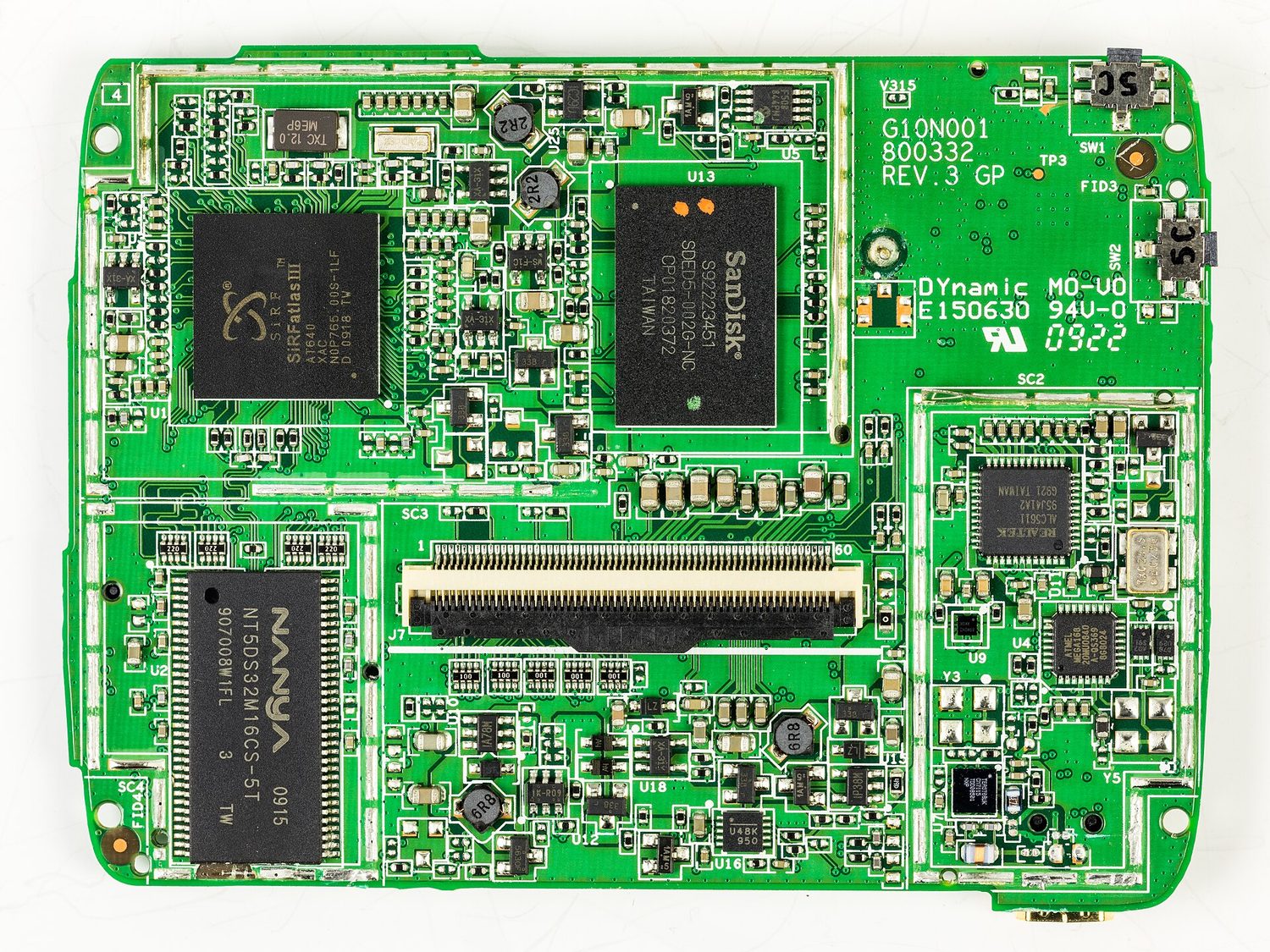
An embedded system 嵌入式系统 is a small computer built inside a larger device to do one fixed job. It is dedicated to that task, is usually small and low-cost, and has no general operating system. Examples: a washing machine, a microwave, a set-top box.
The mainboard from inside a satnav: an embedded system is a small dedicated computer like this, built into a device to do one fixed job
Explore · חקור
The fetch-execute cycle · מחזור ציוד-ביצוע
Tap round the loop the CPU repeats billions of times a second — fetch the instruction, decode what it means, execute it, then do it all again. · הקישור סביב הלולאה שמעבד המידע חוזר עליו מיליארדי פעמים בשנייה: לקבל את הפקודה, לפענח את המשמעות שלה, לבצע אותה, ולאחר מכן לעשות הכל שוב.
3 (a) Understand what is meant by a sensor and the purposes of sensors
• Limited to: – acoustic – accelerometer – flow – gas – humidity – infra-red – level – light – magnetic field – moisture – pH – pressure – proximity – temperature
(b) Identify the type of data captured by each sensor and understand when each sensor would be used, including selecting the most suitable sensor for a given context
• כולל: – מערך פעולה – מקרן DLP (עיבוד אור דיגיטלי) – מדפסת הזרקת דיו – מדפסת לייזר – מסך LED (דיודה פולטת אור) – מקרן LCD (תצוגת גביש נוזלי) – מסך LCD (תצוגת גביש נוזלי) – רמקול – מדפסת 3D
3 (א) הבן מה נועד במונח חיישן ואת תפקידיו
• מוגבל ל: – אקוסטי – האיץ – זרימה – גז – לחות – אינפרא-אדום – מפלס – אור – שדה מגנטי – לחות אדמה – pH – לחץ – קרבת – טמפרטורה
(ב) זיהוי סוג הנתונים הנלקחים על ידי כל חיישן והבנה מתי יש להשתמש בכל חיישן, כולל בחירת החיישן המתאים ביותר לתרחיש נתון
Source: Cambridge International syllabus · מקור: הסיילבוס הבינלאומי של קמבריד'ג'
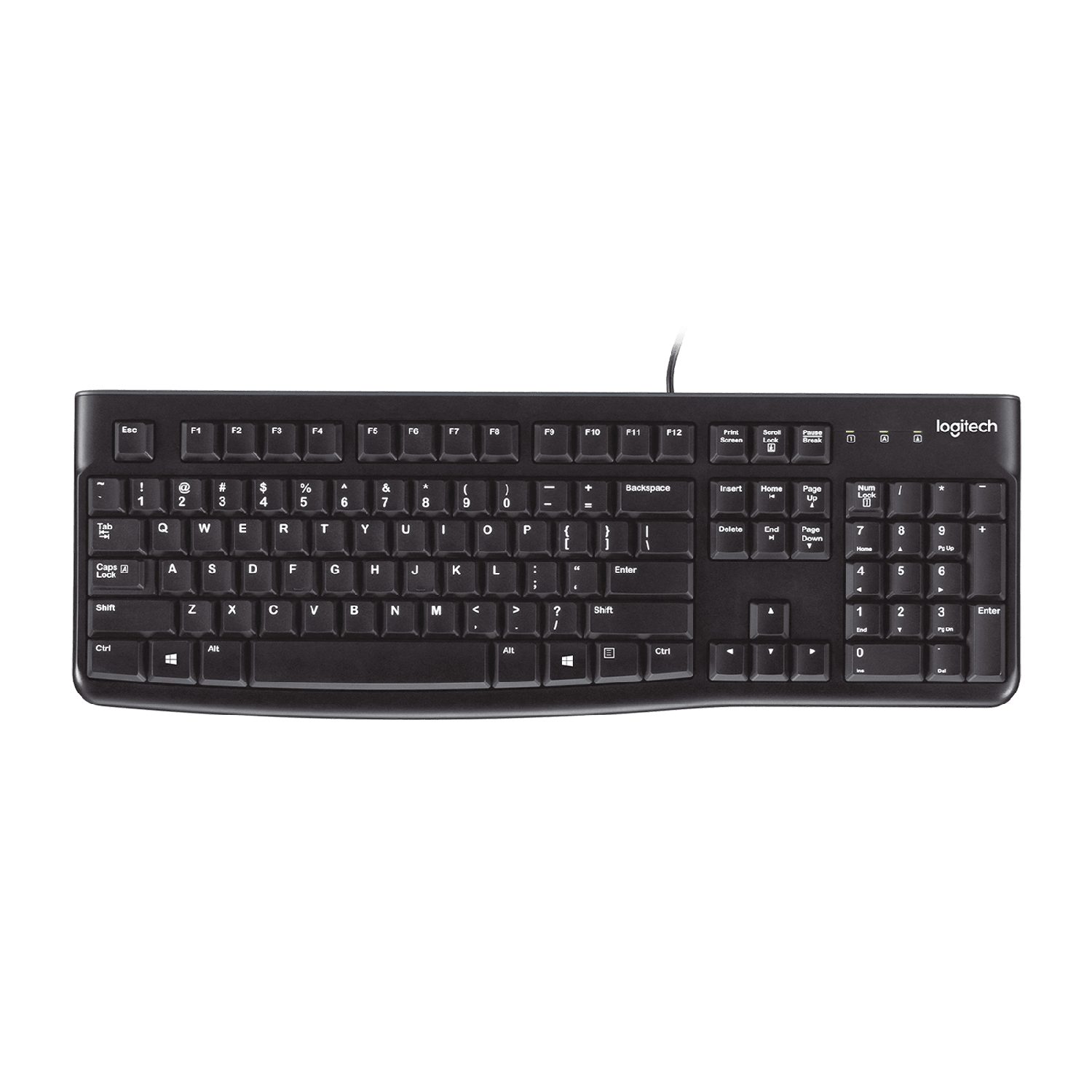
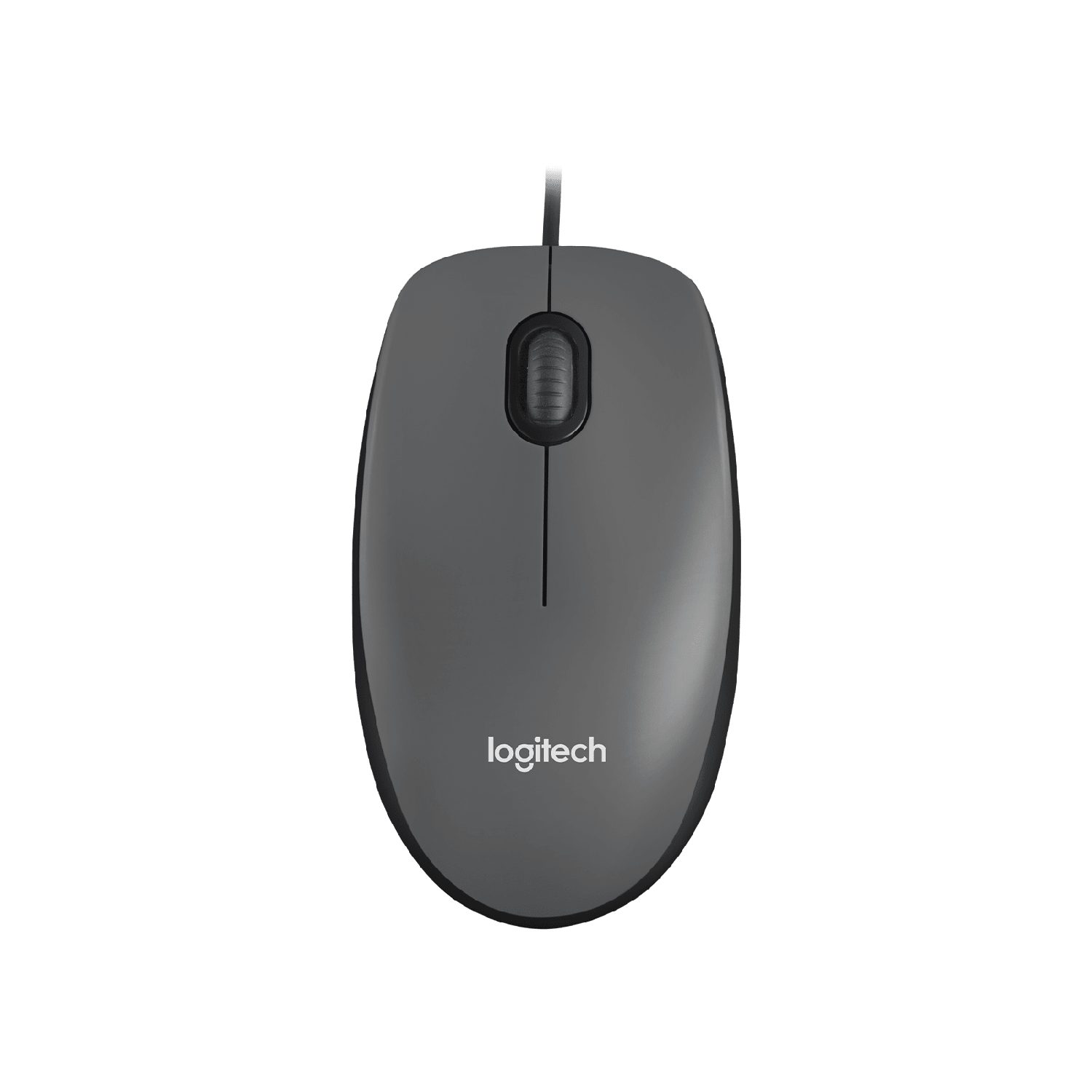
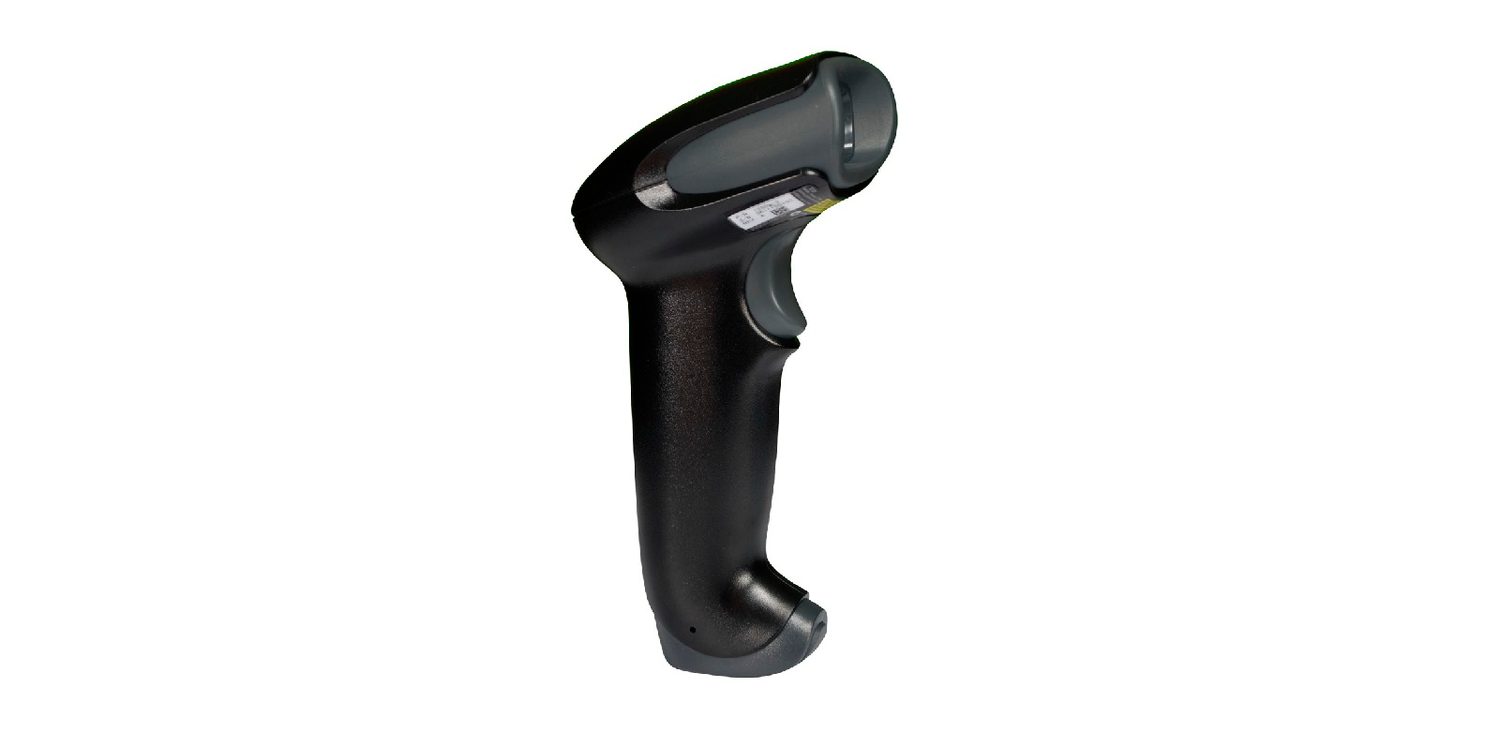
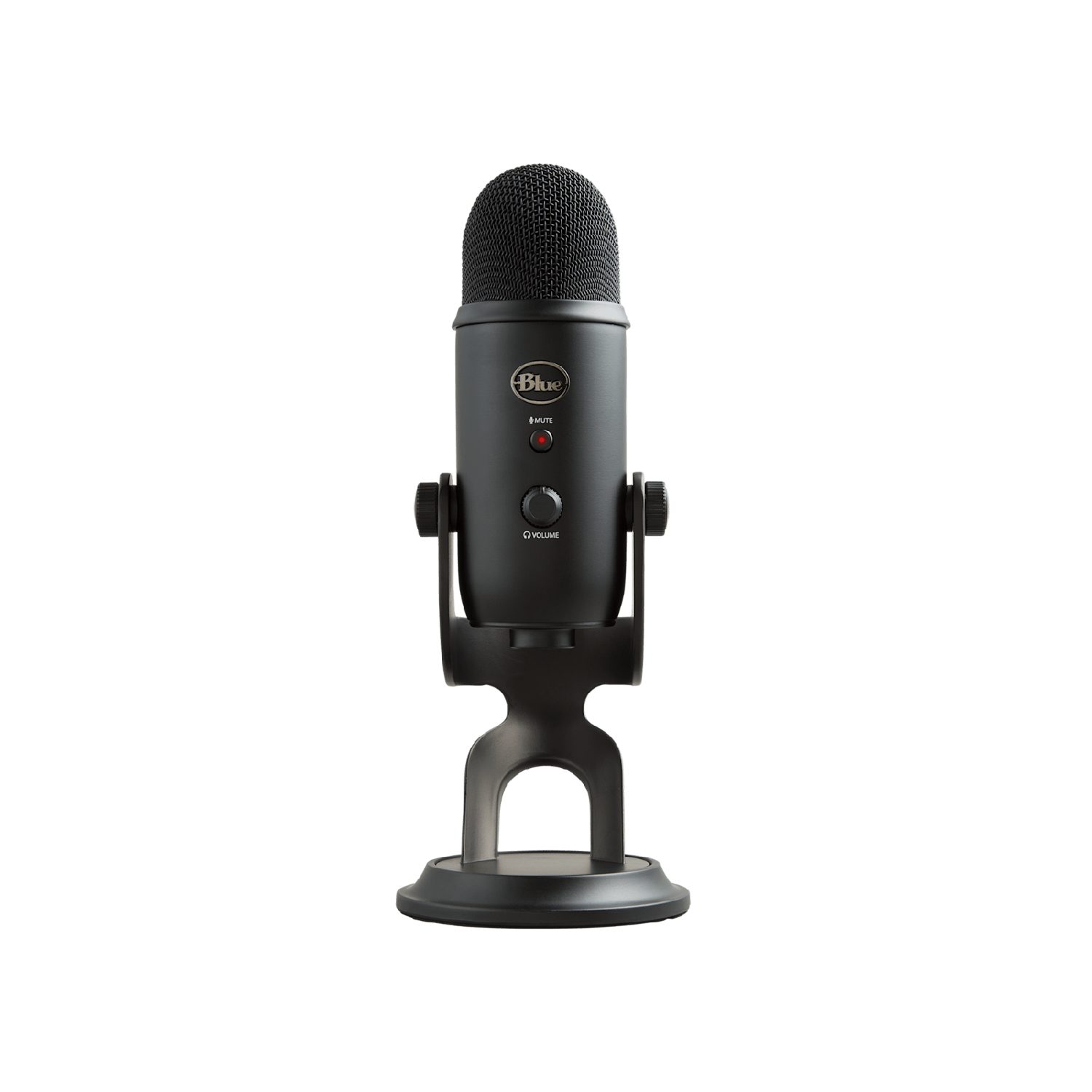
An input device sends data into the computer.
Device
How it works
barcode scanner 条形码扫描器
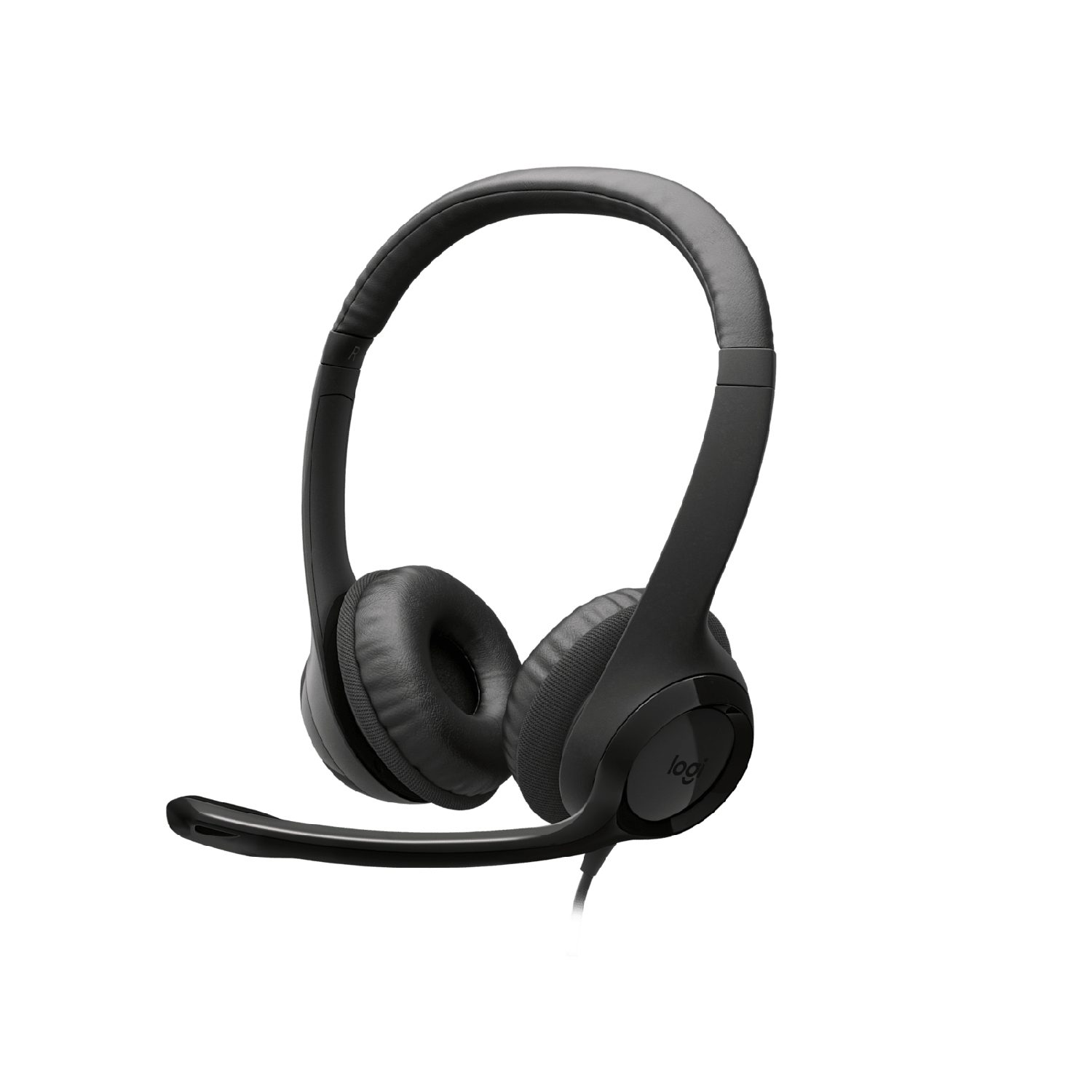
shines light at the bars and reads the pattern reflected back
QR code scanner 二维码扫描器
a camera reads a square pattern of black-and-white blocks
keyboard
pressing a key sends a code for that character
optical mouse 光电鼠标
a light and a sensor track movement across a surface
microphone
turns sound waves into an electrical signal
digital camera
a lens focuses light onto a sensor that records pixels
sensors 传感器
measure a physical quantity (such as temperature or light) and send it as data
touch screen 触摸屏
detects where your finger touches the screen
A keyboard: each key press sends a code for that characterAn optical mouse: a light and a sensor track its movement on the deskA flatbed scanner: it shines light across a page to copy it into the computerA barcode scanner reads the pattern of bars and sends it to the computerA digital camera: a lens focuses light onto a sensor that records the pixelsA microphone turns sound waves into an electrical signalA sensor measures a physical quantity (here, temperature) and sends it as data
A touch screen can work in three ways:
resistive 电阻式 — two layers are pressed together where you touch;
capacitive 电容式 — it senses the tiny electric charge of your finger;
infrared 红外线 — your finger breaks a grid of light beams.
A touch screen senses where your finger touches it
Explore · חקור
Device and storage lab · מעבדת מכשירים ואחסון
Classify computing examples by what job they do in a system. · מיינו פלטפורמות מחשוב לפי העבודה שהן מבצעות במערכת.
An output device sends data out of the computer to the user.
Device
How it works
actuator 执行器
turns an electrical signal into movement (e.g. a motor or valve)
LCD/LED screen
shows images using a grid of tiny coloured dots
projector 投影仪
shines an enlarged image onto a wall or screen
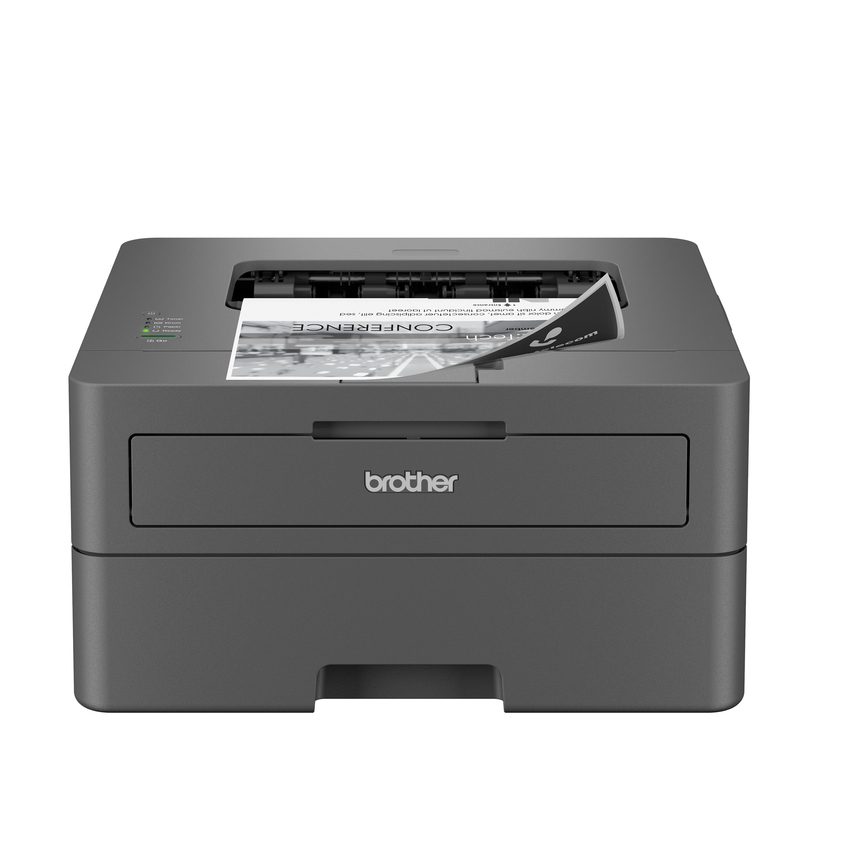
inkjet printer 喷墨打印机
sprays tiny drops of ink onto paper
laser printer 激光打印机
uses a laser and powder (toner) fixed onto paper by heat
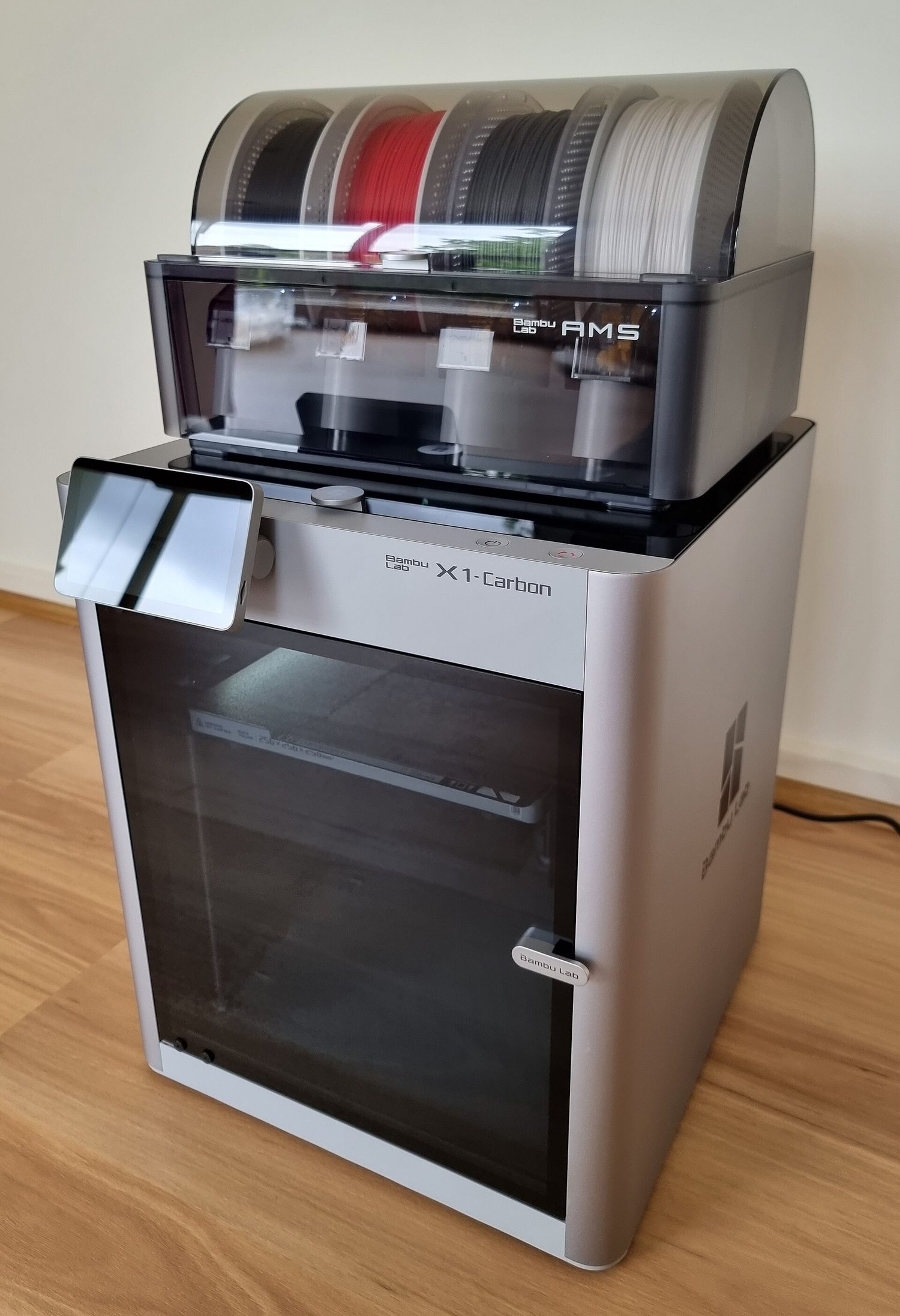
3D printer
builds a solid object layer by layer
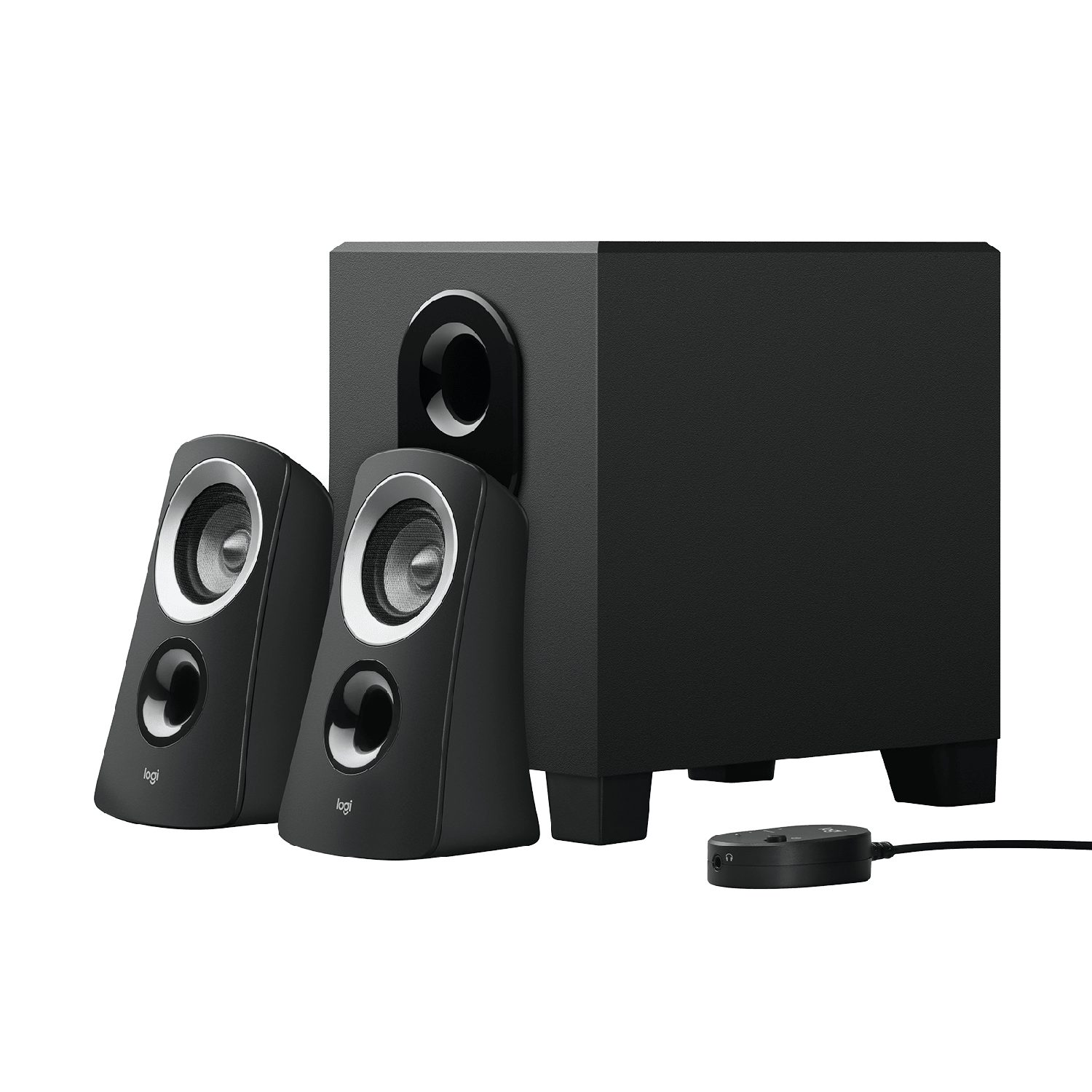
speaker 扬声器
turns an electrical signal into sound
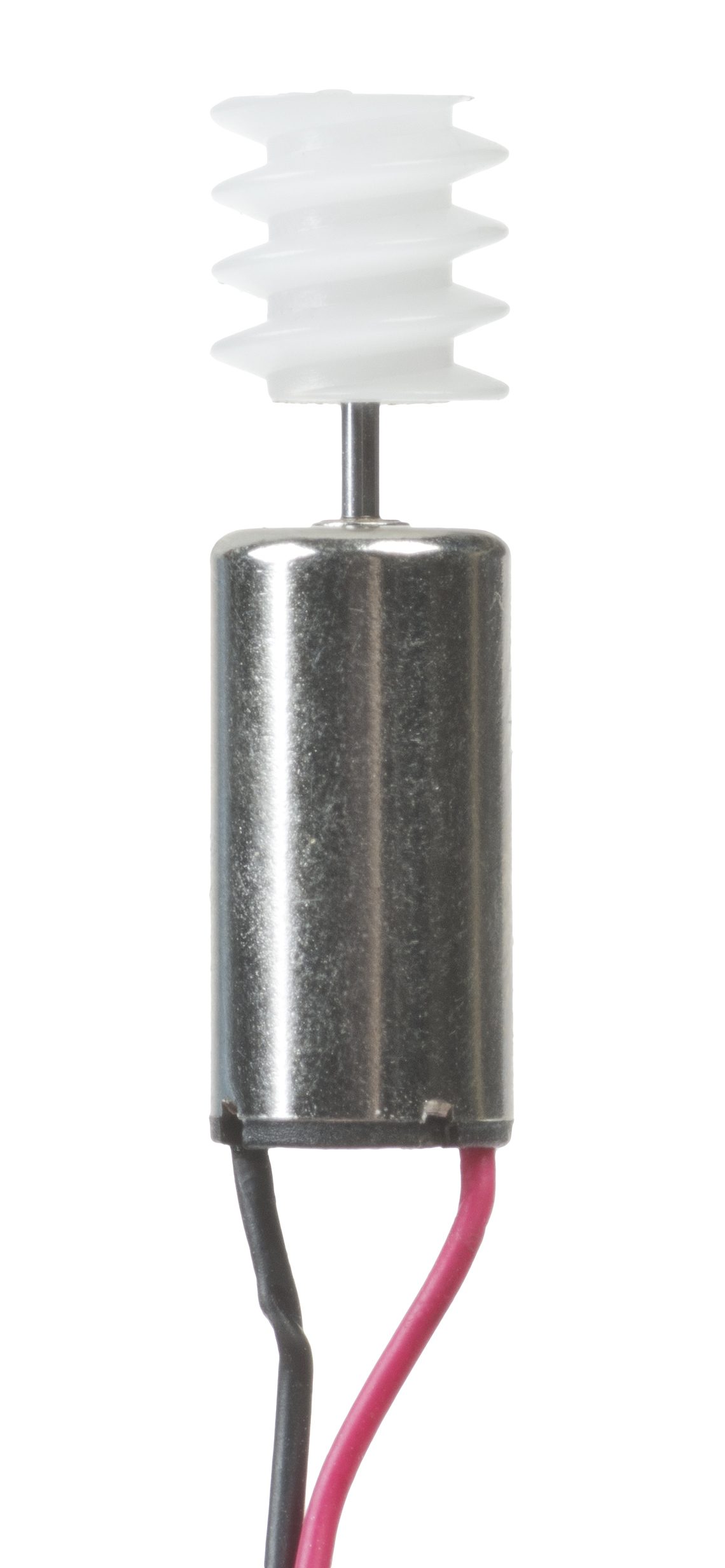
An inkjet printer sprays tiny drops of ink onto the paperA laser printer uses a laser and powder (toner) fixed onto paper by heatA 3D printer builds a solid object layer by layerAn LCD/LED monitor shows images using a grid of tiny coloured dotsA speaker turns an electrical signal into soundHeadphones turn an electrical signal into sound for one listenerAn actuator such as a motor turns an electrical signal into movement
• Primary storage is directly accessed by the CPU • Including the role of: – random access memory (RAM) – read only memory (ROM) • Including why a computer needs both RAM and ROM, and the difference between them
2 Understand what is meant by secondary storage
• Secondary storage is not directly accessed by the CPU and is necessary for more permanent storage of data
3 Describe the operation of magnetic, optical and solid-state (flash memory) storage and give examples of each
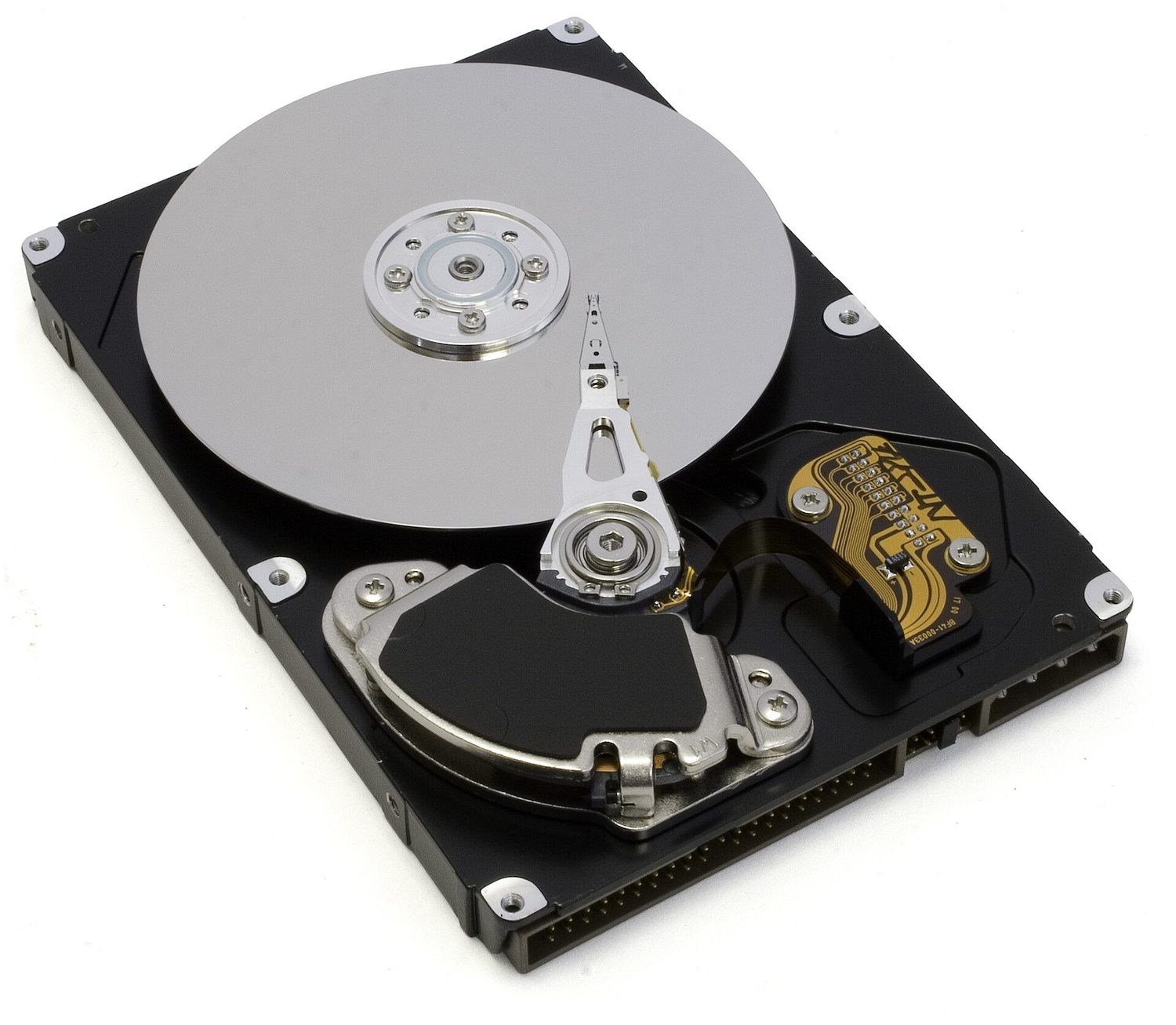
• Magnetic storage uses platters which are divided into tracks and sectors. Data is read and written using electromagnets. Including hard disk drive (HDD) • Optical storage uses lasers to create and read pits and lands. Including: CD, DVD and Blu-ray • Solid-state (flash memory) uses NAND or NOR technology. Transistors are used as control gates and floating gates. Including: solid-state drive (SSD), SD card and USB drive
4 Describe what is meant by virtual memory, how it is created and used and why it is necessary
• Pages of data are transferred between RAM and virtual memory when needed
5 Understand what is meant by cloud storage
• Cloud storage can be accessed remotely in comparison to storing data locally
6 Explain the advantages and disadvantages of storing data on the cloud in comparison to storing it locally
• Physical servers and storage are needed to store data in cloud storage
עברית
המועמדים צריכים להיות מסוגלים:
הערות והנחיות
1 הבן מה נועד במונח אחסון ראשוני
• אחסון ראשוני נגיש ישירות על ידי מעבד המידע המרכזי • כולל את תפקודו של: – זיכרון גישה אקראית (RAM) – זיכרון רק לקריאה (ROM) • כולל הסבר מדוע למחשב יש צורך גם ב-RAM וגם ב-ROM, וההבדל ביניהם
2 הבן מה נועד במונח אחסון משני
• אחסון משני אינו נגיש ישירות על ידי מעבד המידע המרכזי והוא נדרש לאחסון נתונים לטווח ארוך יותר
3 תאר את תפעול אחסון מגנטי, אופטי ומצב מוצק (זיכרון פלאש) ותן דוגמאות לכל אחד
• אחסון מגנטי משתמש בפלטות המחולקות למסילות וסקטורים. נתונים נקראים ונכתבים באמצעות מגנטים אלקטריים. כולל כונן דיסק קשיח (HDD) • אחסון אופטי משתמש בלייזרים ליצירת וקריאת שקעים ושטחים שטוחים. כולל: CD, DVD ו-Blu-ray • אחסון מצב מוצק (זיכרון פלאש) משתמש בטכנולוגיית NAND או NOR. טרנזיסטורים משמשים כשערות בקרה ושערות צפה. כולל: כונן מצב מוצק (SSD), כרטיס SD וכונן USB
4 תאר מה נועד במונח זיכרון וירטואלי, כיצד הוא נוצר ומשתמש בו ומדוע הוא נדרש
• דפי נתונים מועברים בין RAM לזיכרון וירטואלי לפי הצורך
5 הבן מה נועד במונח אחסון בענן
• אחסון בענן ניתן לגישה מרחוק בהשוואה לאחסון מקומי
6 הסבר על היתרונות והחסרונות של אחסון נתונים בענן בהשוואה לאחסון מקומי
• נדרשים שרתים פיזיים ואחסון כדי לאחסן נתונים באחסון ענני
Source: Cambridge International syllabus · מקור: הסיילבוס הבינלאומי של קמבריד'ג'
Primary storage 主存储器 is memory the CPU can use directly. There are two kinds.
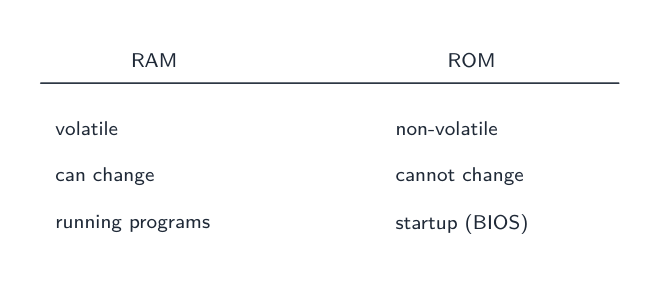
RAM is volatile and holds running programs; ROM is non-volatile and read-only
RAM
ROM
Full name
random access memory 随机存取存储器
read only memory 只读存储器
Read/write
read and write
read only
Keeps data without power?
no — it is volatile 易失性
yes — it is non-volatile 非易失性
Holds
programs and data in use now
start-up instructions (how to boot the computer)
Both are needed: ROM tells the computer how to start, then RAM holds the programs you run.
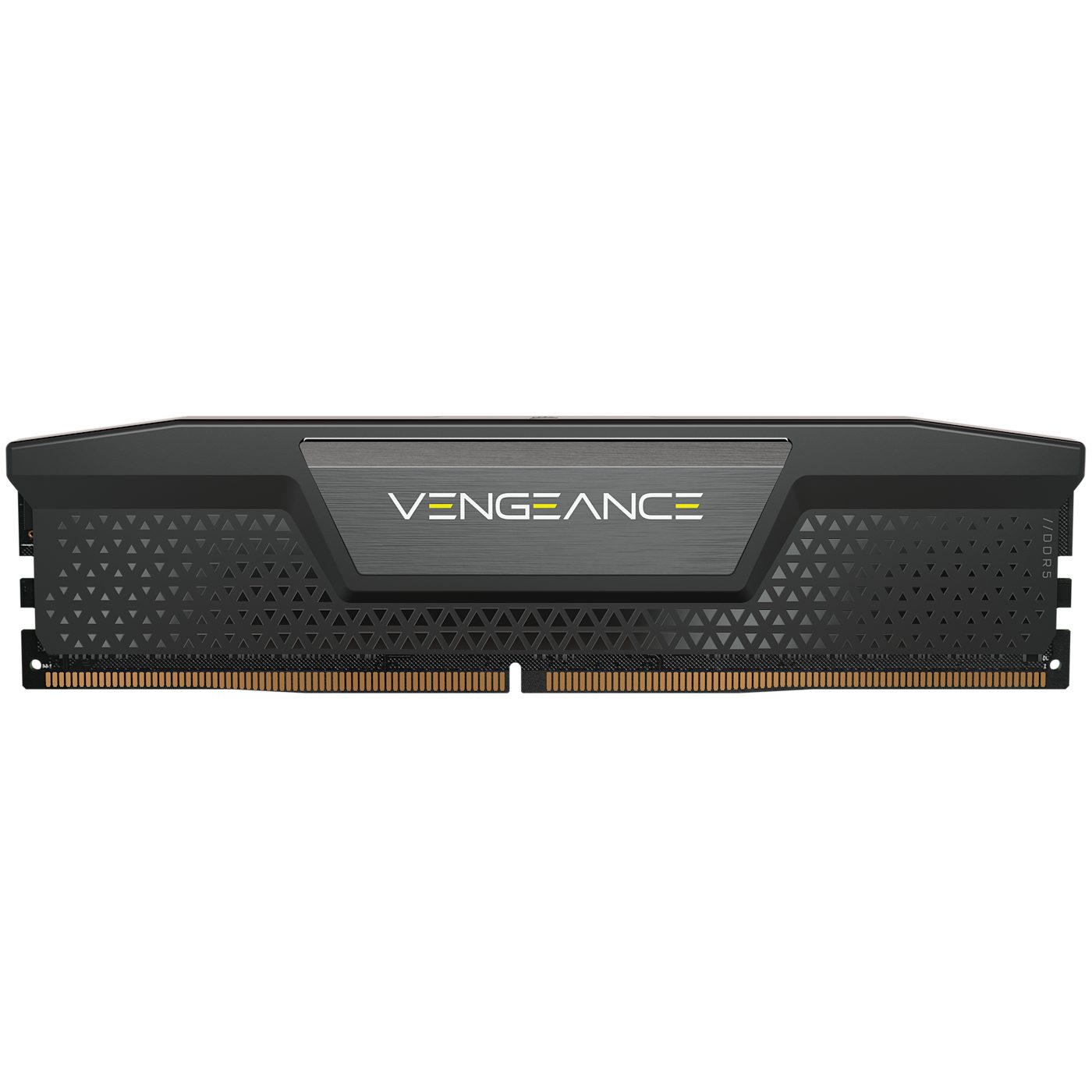
A stick of RAM (random access memory): it holds the programs and data in use now
Secondary storage 辅助存储器 keeps data permanently, even when the power is off. It is non-volatile and is used for long-term storage. There are three types.
Type
How it stores data
Examples
magnetic storage 磁存储
data is stored as magnetised spots on spinning disks
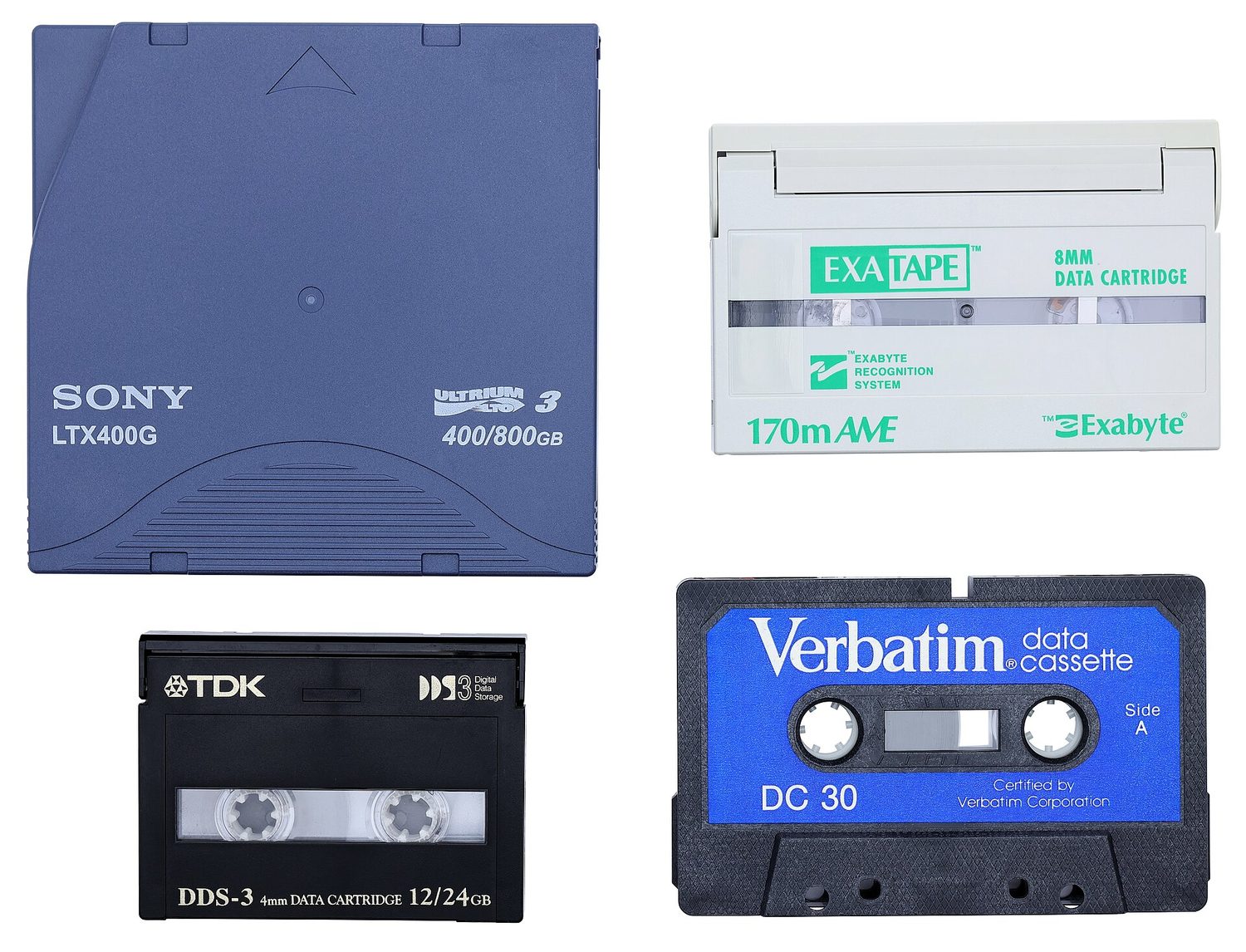
hard disk drive (HDD), magnetic tape
optical storage 光存储
data is stored as marks read by a laser
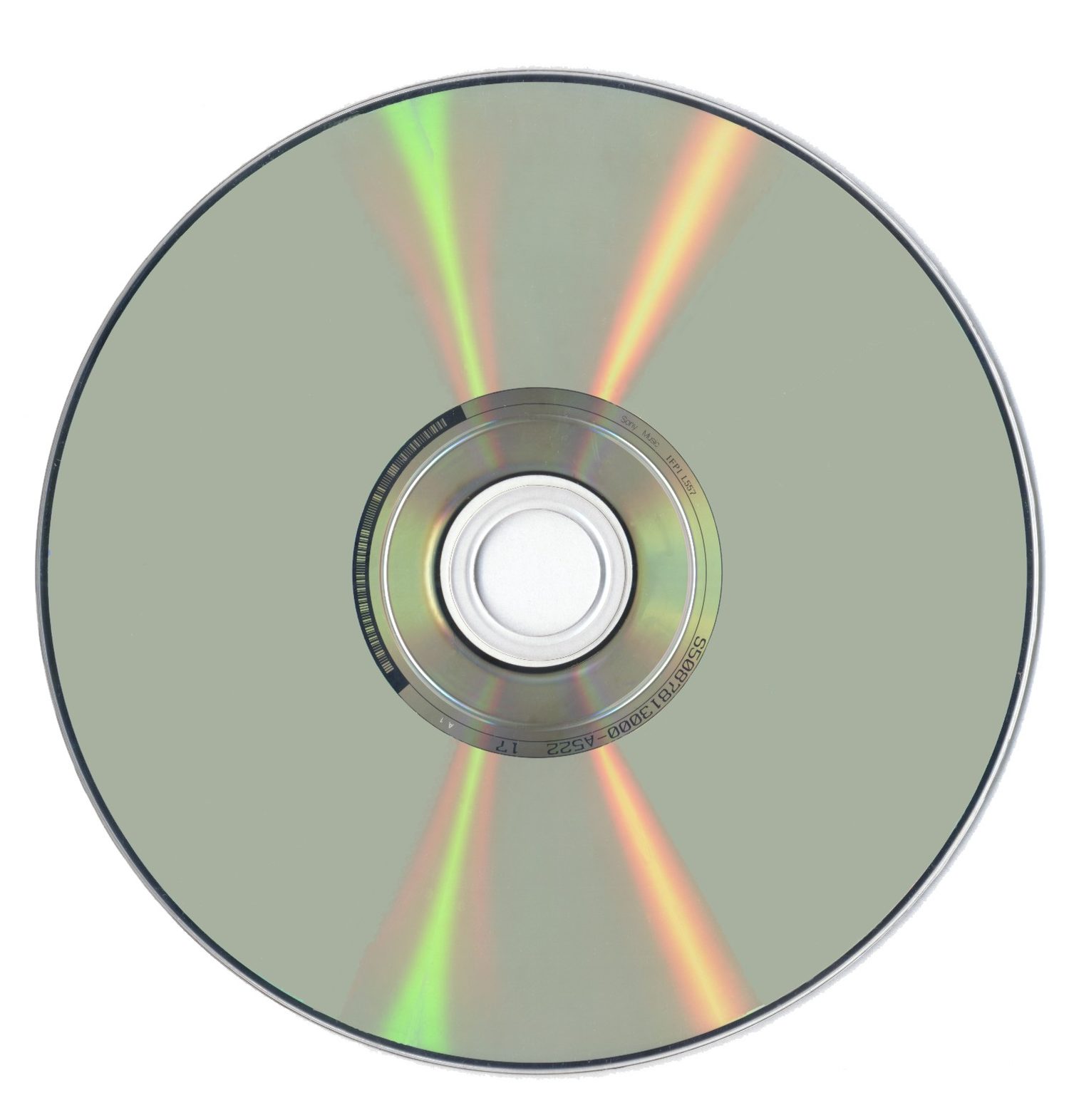
CD, DVD, Blu-ray
solid state storage 固态存储
data is stored in flash memory 闪存, with no moving parts
SSD, USB flash drive, memory card
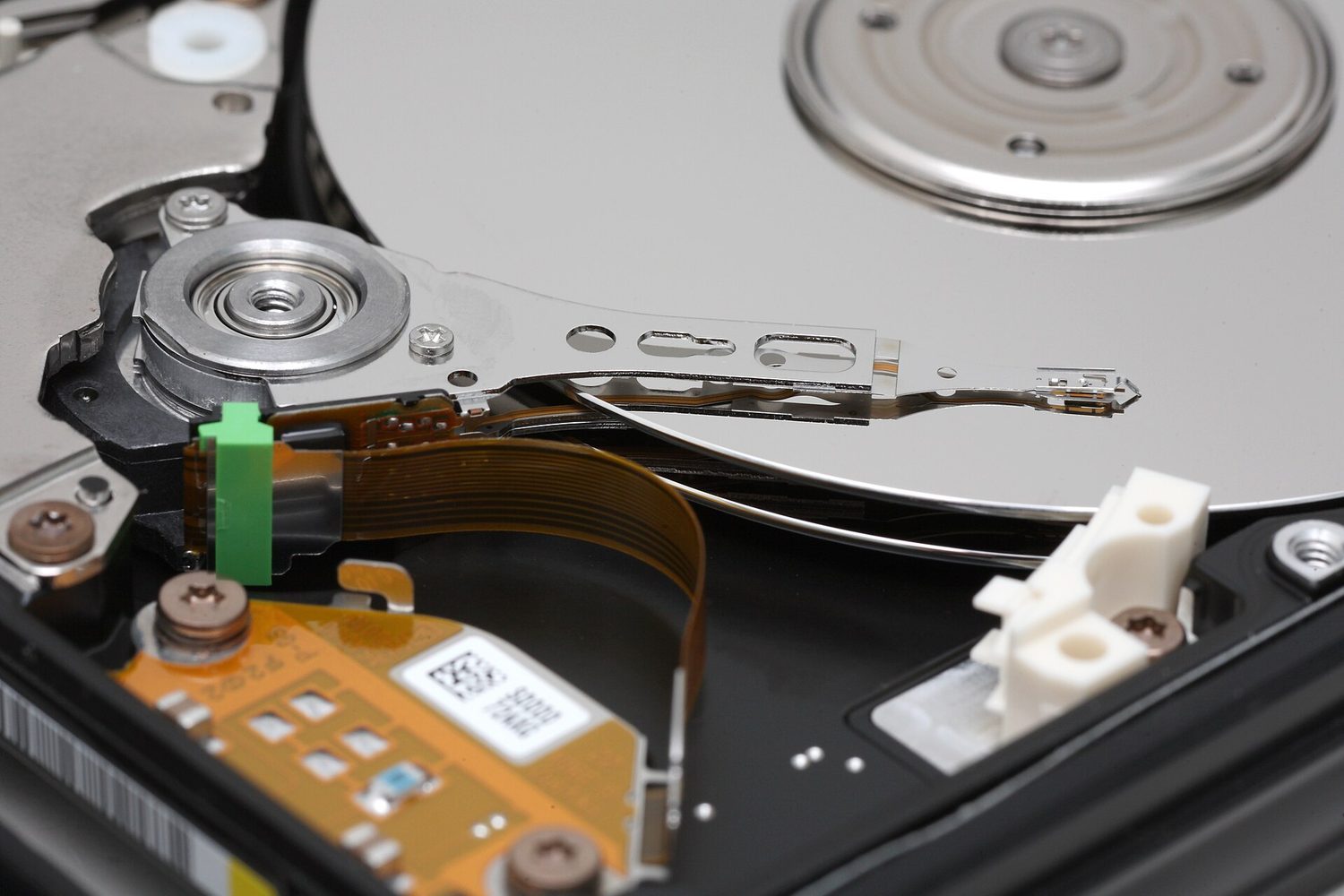
Inside a hard disk drive (HDD): the shiny disk spins and the arm reads the magnetised dataMagnetic tape stores data on a long magnetic strip; it is cheap for large backupsAn optical disc such as a CD or DVD: a laser reads the marks on its shiny surfaceA solid state drive (SSD) stores data in flash memory chips and has no moving partsA USB flash drive stores data in flash memory and has no moving partsStorage forms a hierarchy: registers and cache are fastest but smallest; secondary storage is slowest but largest
Explore · חקור
Device and storage lab · מעבדת מכשירים ואחסון
Classify computing examples by what job they do in a system. · מיינו פלטפורמות מחשוב לפי העבודה שהן מבצעות במערכת.
When the RAM becomes full, the computer can use part of the secondary storage as extra, pretend RAM. This is called virtual memory 虚拟内存.
Data that is not needed right now is moved out of RAM onto the disk, which frees space in RAM for other programs. This lets you run more programs than the RAM alone could hold. It is slower, because secondary storage is much slower than RAM.
When RAM is full, data not in use is moved to the disk to free RAM — slower, but it lets more programs run
• Primary storage is directly accessed by the CPU • Including the role of: – random access memory (RAM) – read only memory (ROM) • Including why a computer needs both RAM and ROM, and the difference between them
2 Understand what is meant by secondary storage
• Secondary storage is not directly accessed by the CPU and is necessary for more permanent storage of data
3 Describe the operation of magnetic, optical and solid-state (flash memory) storage and give examples of each
• Magnetic storage uses platters which are divided into tracks and sectors. Data is read and written using electromagnets. Including hard disk drive (HDD) • Optical storage uses lasers to create and read pits and lands. Including: CD, DVD and Blu-ray • Solid-state (flash memory) uses NAND or NOR technology. Transistors are used as control gates and floating gates. Including: solid-state drive (SSD), SD card and USB drive
4 Describe what is meant by virtual memory, how it is created and used and why it is necessary
• Pages of data are transferred between RAM and virtual memory when needed
5 Understand what is meant by cloud storage
• Cloud storage can be accessed remotely in comparison to storing data locally
6 Explain the advantages and disadvantages of storing data on the cloud in comparison to storing it locally
• Physical servers and storage are needed to store data in cloud storage
עברית
המועמדים צריכים להיות מסוגלים:
הערות והנחיות
1 הבן מה נועד במונח אחסון ראשוני
• אחסון ראשוני נגיש ישירות על ידי מעבד המידע המרכזי • כולל את תפקודו של: – זיכרון גישה אקראית (RAM) – זיכרון רק לקריאה (ROM) • כולל הסבר מדוע למחשב יש צורך גם ב-RAM וגם ב-ROM, וההבדל ביניהם
2 הבן מה נועד במונח אחסון משני
• אחסון משני אינו נגיש ישירות על ידי מעבד המידע המרכזי והוא נדרש לאחסון נתונים לטווח ארוך יותר
3 תאר את תפעול אחסון מגנטי, אופטי ומצב מוצק (זיכרון פלאש) ותן דוגמאות לכל אחד
• אחסון מגנטי משתמש בפלטות המחולקות למסילות וסקטורים. נתונים נקראים ונכתבים באמצעות מגנטים אלקטריים. כולל כונן דיסק קשיח (HDD) • אחסון אופטי משתמש בלייזרים ליצירת וקריאת שקעים ושטחים שטוחים. כולל: CD, DVD ו-Blu-ray • אחסון מצב מוצק (זיכרון פלאש) משתמש בטכנולוגיית NAND או NOR. טרנזיסטורים משמשים כשערות בקרה ושערות צפה. כולל: כונן מצב מוצק (SSD), כרטיס SD וכונן USB
4 תאר מה נועד במונח זיכרון וירטואלי, כיצד הוא נוצר ומשתמש בו ומדוע הוא נדרש
• דפי נתונים מועברים בין RAM לזיכרון וירטואלי לפי הצורך
5 הבן מה נועד במונח אחסון בענן
• אחסון בענן ניתן לגישה מרחוק בהשוואה לאחסון מקומי
6 הסבר על היתרונות והחסרונות של אחסון נתונים בענן בהשוואה לאחסון מקומי
• נדרשים שרתים פיזיים ואחסון כדי לאחסן נתונים באחסון ענני
Source: Cambridge International syllabus · מקור: הסיילבוס הבינלאומי של קמבריד'ג'
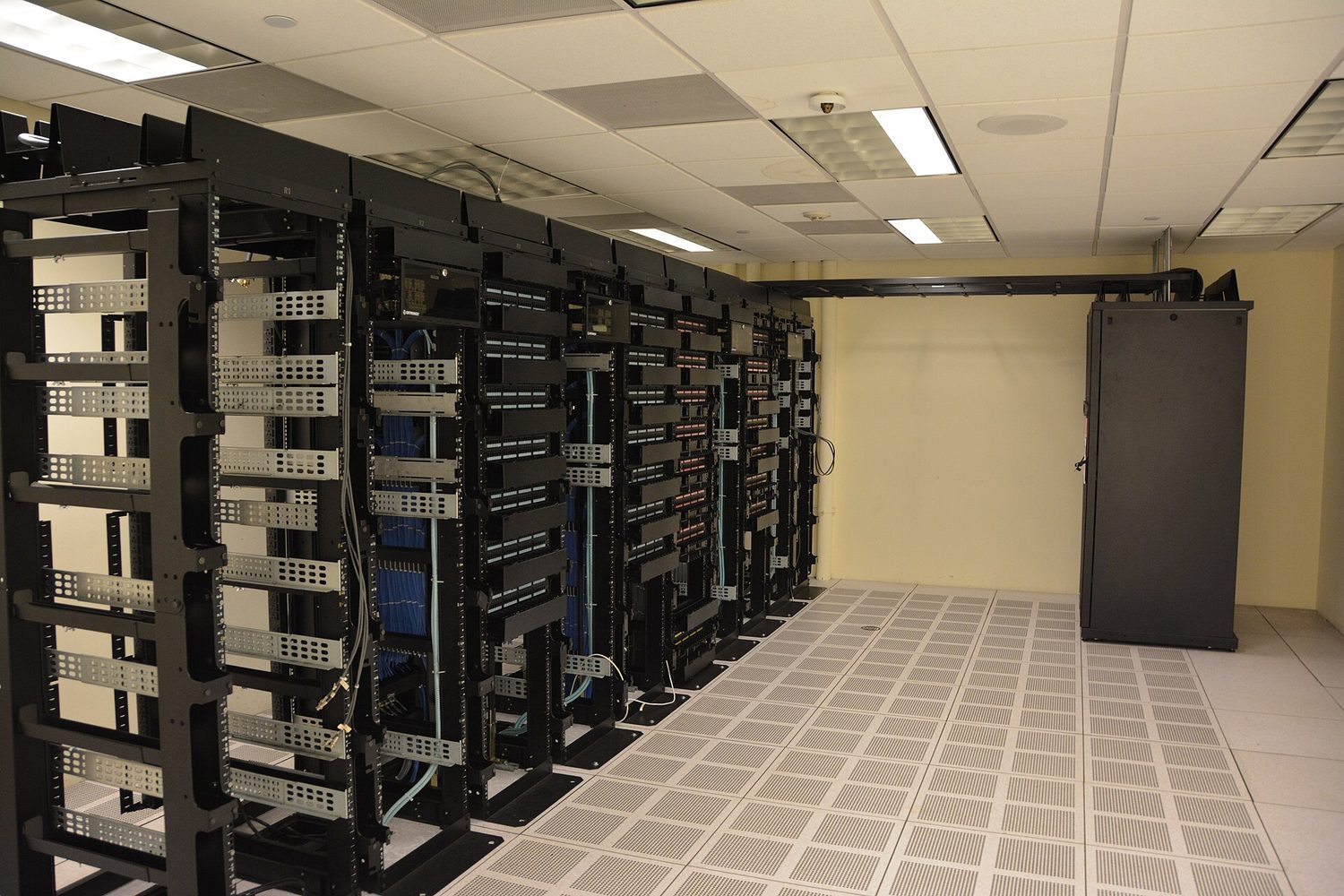
Cloud storage 云存储 keeps your data on remote physical servers, reached over the internet, instead of on your own device.
Advantages: reach it from anywhere on any device; no local storage hardware to buy or maintain; easy to share files and to back up automatically.
Disadvantages: needs a working internet connection; an ongoing subscription cost; security and privacy depend on the provider; you rely on that provider staying available and in business.
Data-centre server racks: cloud storage keeps your files on remote servers you reach over the network
1 Understand that a computer needs a network interface card (NIC) to access a network
2 Understand what is meant by, and the purpose of, a media access control (MAC) address, including its structure
• A network interface card is given a MAC address at the point of manufacture • MAC addresses are usually written as hexadecimal • MAC addresses are created using the manufacturer code and the serial code
3 (a) Understand what is meant by, and the purpose of, an internet protocol (IP) address (b) Understand that there are different types of IP address
• An IP address is allocated by the network and it can be static or dynamic • Including the characteristics of, and differences between, IPv4 and IPv6
4 Describe the role of a router in a network
• A router sends data to a specific destination on a network • A router can assign IP addresses • A router can connect a local network to the internet
עברית
המועמדים צריכים להיות מסוגלים:
הערות והנחיות
1 הבנה כי למחשב נדרש כרטיס ממשק רשת (NIC) כדי לגשת לרשת
2 הבנת המשמעות והמטרה של כתובת בקרת גישה לתווך (MAC), כולל המבנה שלה
• כרטיס ממשק רשת מקבל כתובת MAC במועד הייצור • כתובות MAC נכתבות לרוב בצורת הקסדצימליות • כתובות MAC נוצרות באמצעות קוד היצרן וקוד הסרייה
3 (א) הבנת המשמעות והמטרה של כתובת פרוטוקול אינטרנט (IP) (ב) הבנה כי ישנם סוגים שונים של כתובות IP
• כתובת IP מוקצפת על ידי הרשת ומעולה להיותה סטטית או דינמית • כלולות התכונות וההבדלים בין IPv4 ל-IPv6
4 תיאור תפקידו של נתב ברשת
• נתב שולח נתונים ליעד ספציפי ברשת • נתב יכול להקצות כתובות IP • נתב יכול לחבר רשת מקומית לאינטרנט
Source: Cambridge International syllabus · מקור: הסיילבוס הבינלאומי של קמבריד'ג'
Network interface card (NIC)
A network interface card 网络接口卡 (NIC) is the hardware that lets a device join a network and send and receive data. Each NIC has a built-in MAC address.
MAC address and IP address
A MAC address (media access control 介质访问控制 address) is a number that identifies one physical device. The maker sets it, and it does not normally change. It is written in hexadecimal.
An IP address (internet protocol 网际协议 address) is a number that identifies a device on a network. It is given by the network and can change.
So a MAC address stays with the device, while an IP address depends on the network the device is using.
There are two versions of IP address. IPv4 is 32-bit, written as four denary numbers 0–255 (for example 192.168.0.1); the newer IPv6 is 128-bit, written as eight groups of hexadecimal separated by colons, giving vastly more addresses. An address is also either static 静态 (fixed, set by hand and never changing) or dynamic 动态 (handed out by the router/network each time the device connects, so it can change).
Router
A router 路由器 connects different networks together — for example, your home network to the internet. It reads the IP address in each packet and forwards it towards the right network.
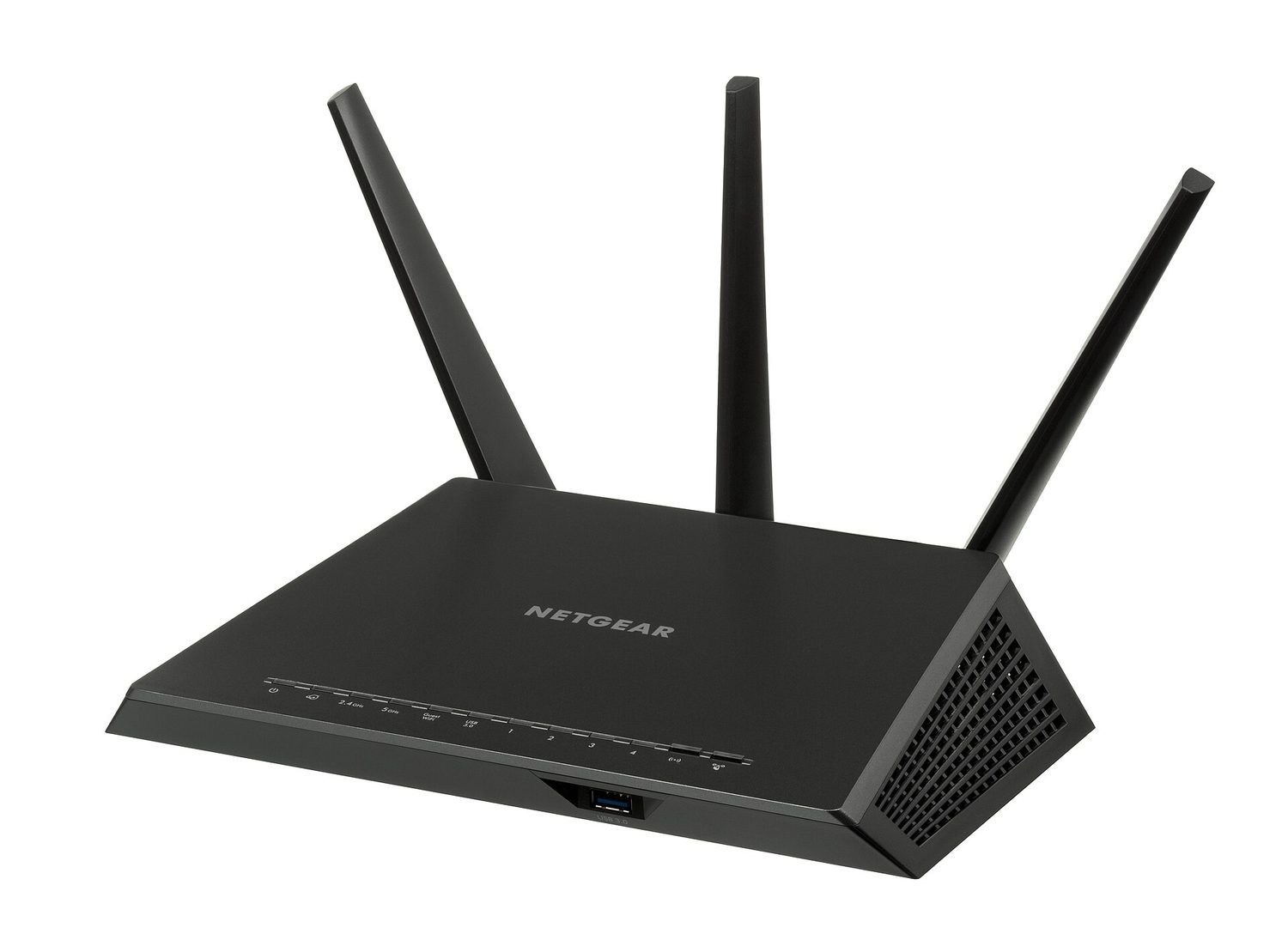
A Wi-Fi router: network hardware forwards packets between devices and the wider Internet
Explore · חקור
Network route lab · מעבדת נתיבי רשת
Follow data from a device through network hardware and protocols. · עקבו אחרי נתונים ממכשיר דרך ציוד רשת ופרוטוקולים.
Learn the fetch–decode–execute cycle and the special registers: the program counter holds the address of the next instruction, the MAR/MDR carry the address/data, and the accumulator holds the ALU's result.
CPU performance improves with more cores, a larger cache, and a higher clock speed.
RAM is volatile (it loses its data with no power) and holds programs in use; ROM is non-volatile and read-only (the start-up instructions).
Match the secondary-storage types: magnetic (HDD, tape), optical (CD/DVD, read by a laser), solid state (SSD, USB, flash — no moving parts).
A MAC address identifies the physical device and does not normally change; an IP address is given by the network and can change.
1 Describe the difference between system software and application software and provide examples of each
• System software provides the services that the computer requires, including operating system and utility software • Application software provides the services that the user requires
2 Describe the role and basic functions of an operating system
• Including: – managing files – handling interrupts – providing an interface – managing peripherals and drivers – managing memory – managing multitasking – providing a platform for running applications – providing system security – managing user accounts
3 Understand how hardware, firmware and an operating system are required to run applications software
• Applications are run on the operating system • The operating system is run on the firmware • The bootloader (firmware) is run on the hardware
4 Describe the role and operation of interrupts
• Including: – how an interrupt is generated – how it is handled using an interrupt service routine – what happens as a result of the interrupts • Software interrupts include division by zero and two processes trying to access the same memory location • Hardware interrupts include pressing a key on the keyboard and moving the mouse
עברית
המועמדים צריכים להיות מסוגלים:
הערות והנחיות
1 תיאור ההבדל בין תוכנת מערכת לבין תוכנת יישום וציון דוגמאות לכל אחד מהם
• תוכנת מערכת מספקת את השירותים הנדרשים למחשב, כולל מערכת הפעלה ותוכנת עזר • תוכנת יישום מספקת את השירותים הנדרשים למשתמש
2 תיאור תפקידו ותפקודיו הבסיסיים של מערכת הפעלה
• כולל: – ניהול קבצים – טיפול בהפרעות – מתן ממשק – ניהול מכשירים חיצוניים ונהגים – ניהול זיכרון – ניהול רב-ריצות – מתן פלטפורמה להרצאת יישומים – מתן אבטחת מערכת – ניהול חسابי משתמש
• יישומים מופעלים על מערכת ההפעלה • מערכת ההפעלה מופעלת על הפירמוויר • בוטלוודר (פירמוויר) מופעל על החומרה
4 תיאור תפקידו ותפעולן של הפרעות
• כולל: – כיצד הפרעה נוצרת – כיצד היא מטופלת באמצעות שגרת שירות הפרעות – מה קורה כתוצאה מההפרעות • הפרעות תוכנה כוללות חלוקה באפס וניסיון של שני תהליכים לגשת לאותו מיקום בזיכרון • הפרעות חומרה כולחות לחץ על מקשי המקלדת והזזת העכבר
Source: Cambridge International syllabus · מקור: הסיילבוס הבינלאומי של קמבריד'ג'
English
Software is split into two types.
System software
System software 系统软件 controls the computer itself and gives a base for other programs to run on. Examples:
operating system 操作系统 (see below);
compiler 编译器 and linker 链接器 (tools that turn programs into a form the computer can run);
device driver 设备驱动程序 — software that lets the operating system control a piece of hardware;
utility software 实用程序 — small tools that look after the computer (for example anti-virus, backup, disk clean-up).
Below the operating system sits firmware 固件 – software stored permanently on ROM or flash that runs the moment the computer is switched on. The BIOS and the bootloader 引导程序 are firmware: they test the hardware and then load the operating system. So the layers stack up hardware → firmware → operating system → application software, each running on the layer below.
Application software
Application software 应用软件 lets the user do a useful task. Examples:
word processing 文字处理 software (writing documents);
spreadsheet 电子表格 software (working with numbers in a grid);
database management system 数据库管理系统 (storing and searching data);
web browser 网页浏览器 (viewing web pages).
System software
Application software
Job
runs and manages the computer
helps the user do a task
Used by
the computer (in the background)
the user (directly)
Examples
operating system, drivers, utilities
word processor, browser, games
עברית
התוכנה מחולקת לשני סוגים.
התוכנה מתחלקת לתוכנה מערכת (הופעת המחשב) ותוכנת יישום (מאפשרת למשתמש לבצע משימה)
תוכנת מערכת
תוכנת מערכת שולטת במחשב עצמו ומספקת בסיס עבור תוכניות אחרות להפעלה. דוגמאות:
מערכת הפעלה (ראו להלן);
מקומד ומקשר (כלים הממירים תוכניות לצורה שהמחשב יכול להפעיל);
דרייבר התקן — תוכנה המאפשרת למערכת הפעלה לשלוט בחלקי חומרה;
תוכנת עזר — כלי קטנים המטפלים במחשב (למשל אנטי-וירוס, גיבוי, ניקוי דיסק).
מתחת למערכת הפעלה נמצאת תוכנת פירמवेयर – תוכנה מאובנתת באופן קבוע על ROM או Flash המופעלת ברגע הדלקת המחשב. ה-BIOS וה-bootloader הם פירמवेयर: הם בודקים את החומרה ואז מטעין את מערכת הפעלה. כך השכבות נערמות חומרה → פירמवेयर → מערכת הפעלה → תוכנת יישום, כאשר כל שכבה פועלת על השכבה התחתונה ממנה.
תוכנת יישום
תוכנת יישום מאפשרת למשתמש לבצע משימה שימוצית. דוגמאות:
providing a user interface/prəˈvaɪdɪŋ ə ˈjuːzə ˈɪntəfeɪs/
ספק ממשק משתמש
managing peripherals/ˈmænɪdʒɪŋ pəˈrɪfərəlz/
ניהול מכשירים חיצוניים
managing multitasking/ˈmænɪdʒɪŋ ˈmʌltitæskɪŋ/
ניהול ביצועים מקבילים
providing a platform/prəˈvaɪdɪŋ ə ˈplætfɔːm/
אספקת פלטפורמה
4.1
The operating system · מערכת ההפעלה
English
An operating system (OS) is the main system software. It controls the whole computer and lets the hardware, the application software and the user work together. Without an OS the computer is very hard to use.
The OS has many roles:
managing files — saving, opening, naming, moving and deleting files;
handling interrupts (see below);
providing a user interface 用户界面 so the user can control the computer;
managing memory — deciding what is kept in RAM and where;
managing peripherals 外围设备 and their drivers — controlling devices like printers;
managing multitasking 多任务处理 — letting several programs run at once;
providing a platform 平台 for running application software;
managing security — user accounts, passwords and access rights.
עברית
מערכת הפעלה (OS) היא תוכנת המערכת הראשית. היא שולטת במחשב כולו ומאפשרת לחומרה, לתוכנת היישום ולמשתמש לעבוד יחד. ללא מערכת הפעלה קשה מאוד להשתמש במחשב.
מערכת ההפעלה נמצאת בין החומרה לתוכנת היישום ולמשתמש, ומאפשרת להם לעבוד יחד
למערכת ההפעלה ישנם תפקידים רבים:
ניהול קבצים — שמירה, פתיחה, ניקוב, הזזה ומחיקת קבצים;
טיפול בקטיעים (ראו למטה);
מתן ממשק למשתמש כדי שהמשתמש יוכל לשלוט במחשב;
ניהול זיכרון — החלטה מה נשמר בזיכרון RAM ואين;
ניהול התקנים חיצוניים והדרייברים שלהם — שליטה בהתקנים כמו מדפסות;
ניהול ריבוי משימות — האפשרת ריצה של מספר תוכניות בו-זמנית;
מתן פלטפורמה להרצת תוכנת יישום;
ניהול אבטחה — חשבונות משתמש, סיסמאות וזכויות גישה.
4.1
Interrupts · אירועי הפרעה
English
An interrupt 中断 is a signal sent to the processor 处理器 to tell it that something needs attention now.
An interrupt can come from three sources:
hardware — for example a key is pressed, or a printer runs out of paper;
software — for example a program tries to divide by zero;
the user — for example the user presses a "cancel" key.
When an interrupt arrives, the processor stops what it is doing, saves its place, and services (deals with) the interrupt. When that is done, it goes back to what it was doing before. This lets the computer react quickly to important events.
עברית
הפרעה היא אות שנשלח למעבד כדי להודיע לו שיש צורך לשים לב לדבר מה עכשיו.
הפרעה יכולה לנבוע משלושה מקורות:
חומרה — לדוגמה לחיצה על מקשי keyboard או גימור נייר במדפסת;
תוכנה — לדוגמה תוכנית מנסה לחלק באפס;
המשתמש — לדוגמה לחיצה על מקש "ביטול" על ידי המשתמש.
כאשר הפרעה מגיעה, המעבד עוצר את מה שהוא עושה, שומר את מיקומו הנוכחי, ומטפל (שירות) בהפרעה. כאשר זה נגמר, הוא חוזר למה שהוא עושה לפני כן. דבר זה מאפשר למחשב להגיב במהירות לאירועים חשובים.
בהפרעה מעבד שמר את מקומו, הפעיל את תוכנית שירות ההפרעה, ולאחר מכן שיחזר את מקומו והמשיך
Explore · חקור
How the CPU handles an interrupt · כיצה המעבד מטפל בהפרעה
Step through an interrupt. The CPU pauses what it's doing, deals with the urgent event, then carries on exactly where it left off — which is how one processor juggles the keyboard, printer and timer at once. · מעבר שלב אחר שלב בהפרעה. המעבד משהה את פעילותו, מטפל באירוע דחוף, ולאחר מכן ממשיך בדיוק מהנקודה שבה עצר — וכך מעבד אחד מנהל בו-זמנית מקלדת, מדפסת ושעון.
central processing unit/ˈsentrəl ˈprəʊsesɪŋ ˈjuːnɪt/
מעבד מרכזי
programming language/ˈprəʊɡræmɪŋ ˈlæŋɡwɪdʒ/
שפת תכנות
high-level language/haɪ ˈlevl ˈlæŋɡwɪdʒ/
שפת תכנות בעלת רמה גבוהה
low-level language/ləʊ ˈlevl ˈlæŋɡwɪdʒ/
שפת תכנות נמוכה
machine code/məˈʃiːn kəʊd/
קוד מכונה
assembly language/əˈsemblɪ ˈlæŋɡwɪdʒ/
שפת אסמבלר
specific/spəˈsɪfɪk/
ספציפי
translator/trænˈsleɪtə/
מתרגם
4.2
Programming languages · שפות תכנות
Syllabus · סיילבוס
English
Candidates should be able to:
Notes and guidance
1 Explain what is meant by a high-level language and a low-level language, including the advantages and disadvantages of each
• Advantages and disadvantages include: – ease of reading and writing code, e.g. low-level is hard to read – ease of debugging code – machine independence – direct manipulation of hardware
2 Understand that assembly language is a form of low-level language that uses mnemonics, and that an assembler is needed to translate an assembly language program into machine code
3 Describe the operation of a compiler and an interpreter, including how high-level language is translated by each and how errors are reported
• A compiler translates the whole code at once before executing it, producing an executable file • An interpreter translates and executes the code line-by-line • A compiler provides an error report for the whole code if errors are detected • An interpreter stops execution when an error is found
4 Explain the advantages and disadvantages of a compiler and an interpreter
• Including an understanding that an interpreter is mostly used when developing a program and a compiler is used to translate the final program
5 Explain the role of an IDE in writing program code and the common functions IDEs provide
1 הסבר על המשמעות של שפה ברמה גבוהה ושפה ברמה נמוכה, כולל היתרונות והחסרונות של כל אחת מהן
• היתרונות והחסרונות כוללים: – נוחות בקריאה וכתיבת קוד, לדוגמה: קשה לקרוא שפה ברמה נמוכה – נוחות בתקנון קוד – עצמאות ממכונה – עיבוד ישיר של חומרה
2 הבנה כי שפת אסמבלר היא סוג של שפה ברמה נמוכה המשמשת מנומוןיקסים, וכי נדרש אסמבלר כדי לתרגם תוכנית בשפת אסמבלר לקוד מכונה
3 תיאור תפעולו של מתרגם ומפרש, כולל כיצד שפה ברמה גבוהה מתורגמת על ידי כל אחד מהם וכיצד שגיאות מדווחות
• מתרגם מתרגם את כל הקוד בפעם אחת לפני ביצועו, ומייצר קובץ ניתן לביצוע • מפרש מתרגם ומבצע את הקוד שורה-שורה • מתרגם מספק דוח שגיאות עבור כל הקוד אם התגלו שגיאות • מפרש מפסיק ביצוע כאשר מופגעת שגיאה
4 הסבר על היתרונות והחסרונות של מתרגם ומפרש
• כולל הבנה כי מפרש משמש לרוב במהלך פיתוח תוכנית ומתרגם משמש לתרגום התוכנית הסופית
5 הסבר על תפקידו של IDE בכתיבת קוד תוכנית והפונקציות הנפוצות שמספקות IDEs
• כולל: – עורכי קוד – סביבת ריצה – מתרגמים – אבחון שגיאות – השלמה אוטומטית – תיקון אוטומטי – פורמט קוד
Source: Cambridge International syllabus · מקור: הסיילבוס הבינלאומי של קמבריד'ג'
English
All computers process data using the central processing unit 中央处理器 (CPU). To make the CPU do work, people write programs in a programming language 编程语言. There are two kinds.
High-level languages
A high-level language 高级语言 is written in words that look a bit like English (for example Python). It is:
easy for people to read, write and fix;
independent of the computer — the same program can run on different types of computer.
Low-level languages
A low-level language 低级语言 is close to what the hardware actually uses. It includes:
machine code 机器码 — instructions written in binary (0s and 1s), which the CPU runs directly;
assembly language 汇编语言 — machine code written with short word codes (mnemonics) instead of binary.
A low-level language relates to the specific 特定的 type of CPU, so a program written for one CPU may not run on another. It is used when the programmer needs full control of the hardware or very fast, small code.
עברית
כל המחשבים מעבדים נתונים באמצעות מעבד מרכזי (CPU). כדי שה-CPU יעשה עבודה, אנשים כותבים תוכניות בשפת תכנות. ישנם שני סוגים.
שפות רמות גבוהות
שפת רמה גבוהה כתובה במילים הדומות מעט לאנגלית (לדוגמה Python). היא:
קלה לקריאה, כתיבה ותיקון על ידי אנשים;
בלתי תלויה במחשב — אותו תוכנית יכולה לפעול על סוגים שונים של מחשבים.
שפות רמות נמוכות
שפת רמה נמוכה קרובה למה שהחומרה משתמשת בפועל. היא כוללת:
קוד מכונה — הוראות כתובות בבינארי (0s ו-1s), אותם ה-CPU מפעיל ישירות;
שפת אסימבלר — קוד מכונה כתוב עם קודי מילים קצרות (mnemonics) במקום בינארי.
שפת רמה נמוכה קשורה לסוג ספציפי של CPU, ולכן תוכנית שנכתבה עבור CPU אחד עשויה לא לפעול על אחר. היא משמשת כאשר המתכנן זקוק לשליטה מלאה בחומרה או בתוכנית מהירה מאוד, קטנה.
שפות תכנות גבוהות קרובות לשפת האדם ופועלות על כל מחשב; שפות תכנון נמוכות (אסמבלי וקוד מכונה) קרובות לחומרה ומותאמות לסוג CPU אחד בלבד
Explore · חקור
Computing concept lab · מעבדת מושגי מחשוב
Classify concrete examples by the computing idea they demonstrate. · סווג דוגמאות מلموسة לפי הרעיון המחשובי שהן מדגימות.
The CPU can only run machine code. A high-level program must first be changed into machine code. The software that does this is a translator 翻译程序. There are three types: a compiler and an interpreter (for high-level code), and an assembler (for low-level code).
Compiler
A compiler translates the whole program into machine code before it is run. After translating, the machine code can be run many times without translating again.
translation happens once, in full;
it reports all the errors together, at the end of translating;
the finished program runs fast and does not need the compiler to run.
Interpreter
An interpreter 解释器 translates and runs the program one line at a time.
it stops at the first error it finds, which helps when testing;
the program runs more slowly, because it is translated each time it runs;
the interpreter must be present every time the program runs.
Compiler
Interpreter
Translates
the whole program at once
one line at a time
Errors
all reported at the end
stops at the first error
Speed of finished program
faster
slower
Needed to run later?
no
yes
Use a compiler when you want to share a fast, finished program. Use an interpreter when you are writing and testing a program and want to find errors easily.
Assembler
An assembler 汇编器 translates a low-level assembly-language program (written in mnemonics such as LDA, ADD) into machine code. Each mnemonic becomes one machine instruction – a direct one-to-one translation, unlike a compiler or interpreter, which work on high-level code.
Worked example. A team is writing a program. While developing it they want to find and fix errors quickly; when they ship it they want customers to run it fast without seeing the source code. Which translator suits each stage? While developing, use an interpreter: it translates and runs one line at a time and stops at the first error, so a mistake is easy to locate. To ship, use a compiler: it translates the whole program once into machine code, which then runs quickly with no translator present, and the customer receives only the executable rather than the source. The two are not rivals - name the stage and give the reason, because "a compiler is faster" on its own earns nothing.
עברית
מעבד המידע יכול ליישר רק קוד מכונה. תוכנית בשפה גבוהה חייבת להימסר תחילה לקוד מכונה. התוכנה שמבצעת זאת נקראת מתרגם. ישנם שלושה סוגים: מצבר ומפרש (לשפה גבוהה), ואסמבלר (לשפה נמוכה).
קומפילר
מצבר מתרגם את כל התוכנית לקוד מכונה לפני הייצור. לאחר ההמרה, ניתן לייצר את קוד המכונה מספר פעמים רבות ללא צורך בהמרה חוזרת.
ההמרה מתבצעת פעם אחת, במלואה;
הוא מדווח על כל השגיאות יחד, בסוף ההמרה;
התוכנית המוגמרת מייצרת מהר ואינה זקוקה למצבר כדי לפעול.
מחבר (Interpreter)
מפרש מתרגם ומייצר את התוכנית שורה אחר שורה.
הוא עצור בשגיאה הראשונה שמגלה, מה שעוזר במהלך הבדיקה;
התוכנית מייצרת לאט יותר, כי היא מתורגמת בכל פעם שהיא מיוצרת;
המפרש חייב להיות נוכח בכל פעם שהתוכנית מיוצרת.
מתרגם
מעביר
תרגום
את כל התוכנית בו-זמנית
שורה אחת באחת
שגיאות
דווחות כולן בסיום
עצור בראשונה שגיאה
מהירות תוכנית מוגמרת
מהירה יותר
איטית יותר
נדרש ליצור בעתיד?
לא
כן
שתמש במצבר כאשר ברצונך לשתף תוכנית מהירה ומוגמרת. שתמש במפרש כאשר אתה כותב ובודק תוכנית ורוצה למצוא שגיאות בקלות.
אסמבלר
אסמבלר מתרגם תוכנית שפת אסמבלי נמוכה (כתובה באקונימונים כמו LDA, ADD) לקוד מכונה. כל אקונימון הופך להוראה מכונה אחת – המרה ישירה של אחד לאחד, בניגוד למצבר או למפרש, הפועלים על קוד בשפה גבוהה.
מצבר מתרגם את כל התוכנית פעם אחת לקוד מכונה; מפרש מתרגם ומייצר שורה אחר שורה
דוגמה פותרת. צוות כותב תוכנית. במהלך הפיתוח הם רוצים למצוא ולתקן שגיאות במהירות; כאשר הם משלחים אותה, הם רוצים שהלקוחות יייצרו אותה מהר מבלי לראות את קוד המקור. איזה מתרגם מתאים לכל שלב? במהלך הפיתוח, השתמש במפרש: הוא מתרגם ומייצר שורה אחר שורה ועוצר בשגיאה הראשונה, כך שגיאה קלה למיקום. עבור השליחה, השתמש במצבר: הוא מתרגם את כל התוכנית פעם אחת לקוד מכונה, שמייצר מאוחר מהר ללא נוכחות המתרגם, והלקוח מקבל רק את הקובץ הניתן לביצוע ולא את קוד המקור. שניהם אינם יריבים - צין את השלב ותן את הסיבה, כי "מצבר מהיר" לבדו אינו משיג נקודות.
integrated development environment/ˈɪntɪɡreɪtɪd dɪˈveləpmənt enˈvaɪrənmənt/
סביבת פיתוח משולבת
code editor/kəʊd ˈedɪtə/
עורך קוד
run time environment/rʌn taɪm enˈvaɪrənmənt/
סביבת ריצה
error diagnostics/ˈerə ˌdaɪəɡˈnɒstɪks/
אבחון שגיאות
auto-completion/ˈɔːtəʊ kəmˈpliːʃn/
השלמה אוטומטית
auto-correction/ˈɔːtəʊ kəˈrekʃn/
תיקון אוטומטי
prettyprinting/ˈpretɪprɪntɪŋ/
הדפסה מעוצבת (prettyprinting)
user interface/ˈjuːzə ˈɪntəfeɪs/
ממשק משתמש
peripherals/pəˈrɪfərəlz/
מכשירים חיצוניים
multitasking/ˈmʌltitæskɪŋ/
ריבוי משימות
platform/ˈplætfɔːm/
פלטפורמה
4.2
Integrated development environment (IDE) · סביבת פיתוח משולבת (IDE)
English
An integrated development environment 集成开发环境 (IDE) is software that helps you write programs. It puts many useful tools in one place:
a code editor 代码编辑器 — for typing in your program;
a run time environment 运行时环境 — for running the program to test it;
a translator — a compiler or interpreter to turn your code into machine code;
error diagnostics 错误诊断 — messages that help you find and understand mistakes;
auto-completion 自动补全 and auto-correction 自动纠错 — the IDE finishes or fixes code as you type;
prettyprinting 美化打印 — laying out the code neatly with colour and indentation so it is easy to read.
עברית
סביבת פיתוח משולבת (IDE) היא תוכנה העוזרת לך לכתוב תוכניות. היא משלבת מספר כלים שימושיים במקום אחד:
עורך קוד — לעריכת התוכנית שלך;
סביבת הרצה — להרצת התוכנית לבדיקתה;
מתרגם — מחולק או מפרש הממיר את הקוד שלך לקוד מכונה;
אבחון שגיאות — הודעות המסייעות לך למצוא ולהבין טעויות;
השלמה אוטומטית ותיקון אוטומטי — הסביבה המאחדת (IDE) משלימה או תיקן קוד בעת ההקלדה;
עיצוב נאה — סידור הקוד בצורה מסודרת עם צבע והזזה כדי לשפר את קריאותו.
קוד מקור בעורך: סביבה מאוחדת משלבת עורך, מטפל שגיאות וכלי הרצה במקום אחד
4.2
Exam tips · טיפים לבחינות
English
Hardware is the physical parts; software is the programs. System software runs the computer (OS, drivers, utilities); application software does a task for the user.
A compiler translates the whole program at once (the finished program runs fast, and all errors are reported at the end); an interpreter translates line by line (it stops at the first error, runs slower, and is needed every time).
High-level languages are close to English and run on any computer; low-level languages (assembly, machine code) are tied to one type of CPU.
An interrupt is a signal that makes the CPU stop, save its place, service the event, then carry on where it left off.
Learn the operating system's roles: managing files, memory, peripherals, multitasking, security and the user interface.
עברית
חומרה היא החלקים הפיזיים; תוכנה היא התוכניות. תוכנת מערכת מפעילה את המחשב (מערכת הפעלה, דרייברים, כלים); תוכנת יישום מבצעת משימה עבור המשתמש.
מחולק מתרגם את כל התוכנית בבת אחת (התוכנית המוגמרת רצה מהר, וכל השגיאות מדווחות בסוף); מפרש מתרגם שורה שורה (עוצר בשגיאה הראשונה, רץ לאט יותר, ונדרש בכל פעם).
שפות רמה גבוהה קרובות לאנגלית ורצות על כל מחשב; שפות רמה נמוכה (אסמבלר, קוד מכונה) קשורות לסוג CPU אחד.
הפרעה היא אות הגורם למעבד לעצור, לשמור את מיקומו, לשרת האירוע, ולאחר מכן להמשיך מהנקודה שבה עצר.
למד את תפקידי מערכת ההפעלה: ניהול קבצים, זיכרון, התקנים חיצוניים, ריבוי משימות, אבטחה וממשק משתמש.
5
The internet and its uses · האינטרנט ושימושים בו
The internet and the world wide web · האינטרנט והאינטרנט
Syllabus · סיילבוס
English
Candidates should be able to:
Notes and guidance
1 Understand the difference between the internet and the world wide web
• The internet is the infrastructure • The world wide web is the collection of websites and web pages accessed using the internet
2 Understand what is meant by a uniform resource locator (URL)
• A URL is a text-based address for a web page; it can contain the protocol, the domain name and the web page/file name
3 Describe the purpose and operation of hypertext transfer protocol (HTTP) and hypertext transfer protocol secure (HTTPS)
4 Explain the purpose and functions of a web browser
• The main purpose of a web browser is to render hypertext markup language (HTML) and display web pages • Functions include: – storing bookmarks and favourites – recording user history – allowing use of multiple tabs – storing cookies – providing navigation tools – providing an address bar
5 Describe how web pages are located, retrieved and displayed on a device when a user enters a URL
• Including the role of: – the web browser – IP addresses – the domain name server (DNS) – the web server – HTML
6 Explain what is meant by cookies and how they are used, including session cookies and persistent cookies
• Cookies are used for functions, including: – saving personal details – tracking user preferences – holding items in an online shopping cart – storing login details
עברית
המועמדים צריכים להיות מסוגלים:
הערות והנחיות
1 הבנה ההבדל בין האינטרנט לבין האינטרנט
• האינטרנט הוא התשתית • האינטרנט הוא קבוצת האתרים והדפים שנגישים באמצעות האינטרנט
2 הבנה על המשמעות של כתובת משאם אחיד (URL)
• URL היא כתובת מבוססת טקסט לדף אתר; היא יכולה להכיל את הפרוטוקול, שם הדומיין ושם הדף/הקובץ
3 תארק את המטרה והפעולה של פרוטוקול העברת היפרטקסט (HTTP) ופרוטוקול העברת היפרטקסט מאובטח (HTTPS)
4 הסבר את המטרה והפונקציות של דפדפן אינטרנט
• המטרה העיקרית של דפדפן היא לעבד שפת סימון היפרטקסט (HTML) ולהציג דפי רשת • פונקציות כוללות: – שמירת סמני עיון ואהובים – הקלדת היסטוריית משתמש – אפשרות לשימוש בכרטיסיות מרובות – אחסון קוקיס – אספקת כלי ניווט – אספקת שורת כתובת
5 תאר כיצד נמצאים, נשאלים ומוצגים דפי רשת על מכשיר כאשר משתמש מקליד כתובת URL
• כולל את תפקידם של: – הדפדפן – כתובות IP – שרת שם התחום (DNS) – שרת האינטרנט – HTML
6 הסבר מה מתכוונים בקוקיס וכיצד הם משמשים, כולל קוקיי סेशन וקוקיי מתמשכים
• קוקיס משמשים לפונקציות, ביניהן: – שמירת פרטים אישיים – מעקב אחר ההעדפות של המשתמש – החזקת פריטים בסל קניות אונליין – אחסנת פרטי כניסה
Source: Cambridge International syllabus · מקור: הסיילבוס הבינלאומי של קמבריד'ג'
English
People often mix up these two terms, but they are not the same.
The internet 互联网 is the infrastructure 基础设施 — the huge worldwide network of computers and the cables, routers and connections that join them.
The world wide web 万维网 (WWW) is a collection of websites 网站 and web pages that you view using the internet.
So the internet is the network; the web is one of the things you use on that network.
עברית
לאנשים יש נוטה לבלבל בין שני המונחים הללו, אך הם אינם אותו דבר.
האינטרנט הוא תשתית — הרשת העולמית העצומה של מחשבים וכבלים, נתבים וחבורות המקשרים ביניהם.
האינטרנט (WWW) הוא אוסף אתרים ועמודי רשת שאתה צופה בהם באמצעות האינטרנט.
לכן, האינטרנט הוא הרשת; האינטרנט הוא אחד הדברים שאתה משתמש על הרשת הזו.
האינטרנט הוא הרשת העולמית; האינטרנט הוא אחד הדברים שאתה משתמש עליונתב מפגש את הרשת הביתית שלך לאינטרנט ושולח נתונים למיקום הנכון
A uniform resource locator 统一资源定位符 (URL) is a text-based address for a web page. You type it into a web browser 网页浏览器 to visit a page, for example https://www.example.com/index.html.
עברית
כתובת משאם אחיד (URL) היא כתובת טקסטית לדף באתר. כתיבים אותה בדפדפן אינטרנט כדי להיכנס לדף, למשל https://www.example.com/index.html.
ל-URL יש שלושה חלקים: הפרוטוקול, שם הדומיין, ומסלול הדף על המשרת
5.1
The web browser · דפדפן האינטרנט
English
A web browser is the program you use to view web pages. Its role includes:
rendering 渲染 the hypertext markup language 超文本标记语言 (HTML) — turning the page's code into what you see;
displaying web pages on the screen;
managing how a web page is presented — its layout, text and images.
עברית
דפדפן אינטרנט הוא התוכנה שבה משתמשים לצפייה בדפי אתר. תפקידו כולל:
רינדור של שפת סימון היפרטקסט (HTML) — המרת הקוד של הדף למה שרואים;
תצוגת דפי אתר במסך;
ניהול האופן שבו מוצג דף אתר — העיצוב, הטקסט והתמונות.
5.1
How a web page reaches you · כיצד דף אתר מגיע אליך
English
When you type a URL and press enter, several steps happen:
The browser needs the website's IP address 网际协议地址, but a URL uses a name, not a number.
The browser asks a domain name service 域名服务 (DNS) — a system that stores the IP address for each web address.
The DNS finds the matching IP address and sends it back to the browser.
The browser uses the IP address to contact the web server 网页服务器 that stores the page.
The web server sends the page's HTML back to the browser.
The browser turns the HTML into the page and displays it.
If the DNS does not have the address, it asks another DNS server until the address is found.
Worked example. Break down the URL https://www.example.com/books/index.html. https is the protocol, the set of rules used to transfer the page (the s means the transfer is encrypted). www.example.com is the domain name, which identifies the web server and which a DNS server turns into an IP address. /books/index.html is the file path and file name of the resource stored on that server. Name each part together with its job: an answer that says "the first bit" and "the last bit" describes the URL without ever explaining it.
עברית
כשכותבים URL ולוחצים Enter, מתרחשים כמה צעדים:
לדפדפן נדרשת כתובת IP של האתר, אך ה-URL משתמש בשם ולא במספר.
הדפדפן שואל שירות שם דומיין (DNS) — מערכת שמאחסנת את כתובת ה-IP לכל כתובת אתר.
ה-DNS מוצא את כתובת ה-IP המתאימה ושולח אותה חזרה לדפדפן.
הדפדפן משתמש בכתובת ה-IP כדי ליצור קשר עם משרת האינטרנט שאוחסן בו הדף.
משרת האינטרנט שולח את ה-HTML של הדף חזרה לדפדפן.
הדפדפן ממיר את ה-HTML לדף ותורג אותו.
הדפדפן שואל את ה-DNS על כתובת ה-IP של האתר, לאחר מכן מבקש את הדף ממשרת האינטרנט, שמחזיר את ה-HTML
אם ה-DNS אינו מכיל את הכתובת, הוא שואל שרת DNS אחר עד שמצאו את הכתובת.
מרכז נתונים מלא במשרתיים: מחשבים חזקים שאוחסנים אתרי אינטרנט ושולחים אותם אליך
דוגמה פתורה. פירקו את ה-URL https://www.example.com/books/index.html. https הוא ה-פרוטוקול, סדרת הכללים המשמשת להעברת העמוד (ה-s מעיד על כך שההעברה מוצפנת). www.example.com הוא שם התחום, המזהה את שרת האינטרנט ואשר שרת DNS ממיר לכתובת IP. /books/index.html הוא מסלול הקובץ ושמו של המשאב האחסון בשרת זה. קראו לכל חלק יחד עם המשימה שלו: תשובה שאומרת "החלק הראשון" ו"החלק האחרון" מתארת את ה-URL מבלי להסבירה לעולם.
Explore · חקור
What happens when you load a web page · מה קורה כשטוענים דף רשת
Step through it. The web address is just a name — DNS turns it into an IP address before the browser can ask the right server for the page. · לעבור על התהליך. כתובת האינטרנט היא רק שם — מערכת השם הדומיין (DNS) ממירה אותו לכתובת IP לפני שהדפדפן יכול לבקש את הדף מהשרת הנכון.
5.1
Cookies · עוגיות
English
A cookie is a small text file that a website stores on your device. It lets the website remember things about you. There are two types.
Type
Kept when you close the browser?
Used for
session 会话 cookie
no — deleted when you close the browser
short-term data, e.g. items in a shopping basket
persistent 持久 cookie
yes — saved on the device
remembering you between visits
Cookies are used to:
save personal details so you do not type them again (such as login or address);
track user preferences 用户偏好, such as your language or the things you like, so the site can suggest content.
עברית
עוגיית אינטרנט היא קובץ טקסט קטן שאתר מאחסן במכשיר שלך. היא מאפשרת לאתר לזכור דברים עליך. ישנם שני סוגים.
קוקי הוא קובץ טקסט קטן שנשמר במחשב שלך
סוג
נשמר כאשר סוגרים את הדפדפן?
משמש ל
עוגיית סשן
לא — נמחקת כאשר סוגרים את הדפדפן
נתונים לטווח קצר, למשל פריטים בסל קניות
עוגייה מתמשכת
כן — מאוחסנת במכשיר
זיכרון בינתי ביקורים
עוגיות משמשות ל:
שמירת פרטים אישיים כדי שלא תצטרך להקלידם שוב (כגון סיגנאפ או כתובת);
מעקב אחר העדפות משתמש, כגון השפה שלך או הדברים שאתה אוהב, כדי שהאתר יוכל להציע תוכן.
5.2
Digital currency · מטבע דיגיטלי
Syllabus · סיילבוס
English
Candidates should be able to:
Notes and guidance
1 Understand the concept of a digital currency and how digital currencies are used
• A digital currency is one that only exists electronically
2 Understand the process of blockchain and how it is used to track digital currency transactions
• Blockchain, in its basic form, is a digital ledger, that is a time-stamped series of records that cannot be altered
עברית
המועמדים צריכים להיות מסוגלים:
הערות והנחיות
1 הבן את המושג מטבע דיגיטלי וכיצד מטבעות דיגיטליים משמשים
• מטבע דיגיטלי הוא אחד שקיים רק בצורה אלקטרונית
2 הבן את תהליך בלוקচেইן וכיצד הוא משמש למעקב אחר עסקאות במטבע דיגיטלי
• בלוקচেইן, בצורתו הבסיסית, הוא ספר מחשב דיגיטלי, כלומר סדרה חותמת-זמן של רשומות שאין לשנות
Source: Cambridge International syllabus · מקור: הסיילבוס הבינלאומי של קמבריד'ג'
English
A digital currency 数字货币 is money that exists only in electronic form 电子形式. There are no coins or notes. It is stored and moved between people using computers, and can be used to pay for things online.
A problem with digital money is trust: how do you stop someone spending the same money twice, or changing the records? Blockchain solves this.
עברית
מטבע דיגיטלי הוא כסף שקיים רק ב-צורה אלקטרונית. אין בו מטבעות או שטרות. הוא מאוחסן ומועבר בין אנשים באמצעות מחשבים, וניתן להשתמש בו לתשלום רכישה מקוונת.
בעיית המטבע הדיגיטלי היא האמון: איך מונעים מאדם להוציא אותו פעמיים, או לשנות את הרשומות? blockchain פותר בעיה זו.
A blockchain 区块链 is a digital ledger 数字账本 — a shared record of every transaction 交易. The record is copied across many computers, so no single person controls it and it is very hard to change.
The transactions are kept in blocks joined in a chain. Each block holds:
the data of the transaction (who paid whom, and how much);
a timestamp 时间戳 (the date and time);
a hash value 哈希值 — a special code worked out from the block's contents.
Each block also stores the hash of the block before it. If someone changes an old block, its hash changes, so it no longer matches the next block. This breaks the chain and the change is spotted at once. This is how blockchain tracks transactions safely.
עברית
blockchain הוא ספר מחשב דיגיטלי — רשומה משותפת של כל עסקה. הרשומה מופצת across MANY computers, כך שאף אחד לא שולט בה והיא קשה מאוד לשינוי.
העסקאות מוחסנות בבלוקים המחוברים בשרשרת. כל בלוק מכיל:
את הנתונים של העסקה (מי שלם למי, וכמה);
חותמת זמן (התאריך והשעה);
ערך גימול (Hash) — קוד מיוחד שמחושב מתוכן הגלווה.
לכל גלווה יש גם את ערך הגימול של הגלווה שקדמה לה. אם מישהו משנה גלווה ישנה, ערך הגימול שלה משתנה, ולכן אינו תואם לגלווה הבאה. הדבר מפריע לשרשרת והשינוי נחשף מיד. כך blockchain מעקב אחר עסקאות בצורה בטוחה.
כל גלווה מאחסנת את ערך הגימול של הגלווה הקודמת, המקשרת את הגלוות; שינוי בגלווה אחת שובר את השרשרת
Explore · חקור
Hashing behind a blockchain · השחזור מאחורי בלוך 체ইן
A hash is one-way and a tiny change to the input flips much of the output — a blockchain chains these hashes so any tamper is obvious. · השחזור הוא חד-כיווני ושינוי קטן בקלט מהופך חלק גדול מהפלט — בלוך 체ইן מקשרים את ההשחורות הללו כך שכל עריכה תהיה גלויה.
distributed denial of service/ˈdɪstrɪbjuːtɪd dɪˈnaɪəl ɒv ˈsɜːvɪs/
תקיפת סירוב שירות מפוזרת (DDoS)
hacking/ˈhækɪŋ/
התקפות אלקטרוניות
malware/ˈmælweə/
תוכנה רעה
pharming/ˈfɑːmɪŋ/
פורמינג
phishing/ˈfɪʃɪŋ/
דייפישינג
social engineering/ˈsəʊʃl ˌendʒɪˈnɪərɪŋ/
הנדסה חברתית
virus/ˈvaɪrəs/
וירוס
worm/wɜːm/
תולעת
Trojan horse/ˈtrəʊdʒn hɔːs/
סוס טרויאני
spyware/ˈspaɪweə/
תוכנת ריגול
adware/ˈædweə/
תוכנת פרסום
ransomware/ˈrænsəmweə/
תוכנת שחיתות
access levels/ˈækses ˈlevlz/
רמות גישה
anti-malware/ˈænti ˈmælweə/
אנטי-תוכנות רעות
anti-virus/ˈænti ˈvaɪrəs/
אנטי-וירוס
anti-spyware/ˈænti ˈspaɪweə/
אנטי-ספייware
authentication/ɔːˌθentɪˈkeɪʃn/
אימות
biometrics/ˌbaɪəʊˈmetrɪks/
ביומטריה
password/ˈpæswɜːd/
סיסמה
two-step verification/tuː step ˌverɪfɪˈkeɪʃn/
אימות דו-שלבי
5.3
Cyber security threats · איומי אבטחת מידע
Syllabus · סיילבוס
English
Candidates should be able to:
Notes and guidance
1 Describe the processes involved in, and the aim of carrying out, a range of cyber security threats
• Including: – brute-force attack – data interception – distributed denial of service (DDoS) attack – hacking – malware (virus, worm, Trojan horse, spyware, adware, ransomware) – pharming – phishing – social engineering
2 Explain how a range of solutions are used to help keep data safe from security threats
• Including: – access levels – anti-malware, including anti-virus and anti-spyware – authentication (username and password, biometrics, two-step verification) – automating software updates – checking the spelling and tone of communications – checking the URL attached to a link – firewalls – privacy settings – proxy-servers – secure socket layer (SSL) security protocol
עברית
המועמדים צריכים להיות מסוגלים:
הערות והנחיות
1 תאר את התהליכים המעורבים ובמטרה לבצע מגוון של איומי אבטחת סייבר
• כולל: – תקיפת כוח גס – חריקת נתונים – תקימת סירוב שירות מפוזר (DDoS) – האקאה – תוכנה רעה (וירוס, זיה, סוס טרויאני, תוכנת ריגול, תוכנת פרסום, תוכנת חטיפה) – פארמינג – פישिंग – הנדסה חברתית
2 הסבר כיצד משמשים מגוון של פתרונות כדי לסייע בשמירה על הנתונים בטוחים מפני איומי אבטחה
• כולל: – רמות גישה – אנטי-תוכנה רעה, כולל אנטי-וירוס ואנטי-ריגול – אימות (שם משתמש וסיסמה, ביומטריה, אימות בשלבים) – אוטומציה של עדכונות תוכנה – בדיקת הכתיב והטון של הודעות – בדיקת ה-URL המקושר לקישור – חומות מגן – הגדרות פרטיות – שרתי פרוקסי – פרוטוקול אבטחת שכבת חיבור מאובטחת (SSL)
Source: Cambridge International syllabus · מקור: הסיילבוס הבינלאומי של קמבריד'ג'
English
Cyber security 网络安全 means keeping computers, networks and data safe from attack. You must know these threats.
Threat
What it is
brute force attack 暴力破解
trying many passwords very quickly until the right one is found
data interception 数据拦截
"listening in" to steal data while it travels across a network
distributed denial of service 分布式拒绝服务 (DDoS) attack
flooding a server with so many requests that it cannot respond, so the website goes down
hacking 黑客攻击
gaining access to a computer system without permission
malware 恶意软件
harmful software (see the table below)
pharming 域名欺骗
secret code sends you to a fake website even when you type the correct address
phishing 网络钓鱼
fake emails or messages that trick you into giving away private details
social engineering 社会工程
tricking a person (not a computer) into breaking security, e.g. pretending to be the boss
Types of malware
Malware is any software made to harm a computer. The main types are:
Malware
What it does
virus 病毒
attaches to a file and copies itself when the file is opened; can delete or damage data
worm 蠕虫
copies itself across a network on its own, without needing a file to be opened
Trojan horse 特洛伊木马
pretends to be useful software, but harms the computer once installed
spyware 间谍软件
secretly records what you do, such as the keys you press
adware 广告软件
floods you with unwanted adverts
ransomware 勒索软件
locks your files and demands payment to unlock them
Impact of the threats
These attacks can steal personal data, delete or change files, stop a service from working, cost money, and make users lose trust in a company. For example, a DDoS attack can make an online shop unusable, so it loses sales.
עברית
אבטחת מידע פירושה שמירה על מחשבים, רשתות ומידע חסונים מפני התקפות. עליך לדעת על האיומים הללו.
איום
מה זה
התקפת כוח גס
ניסוי סיסמאות רבות במהירות רבה עד למציאת הנכונה
מעקב ורשימה
"הקשבה" לגניבת מידע בעת העברתו דרך רשת
התקפת פינוי שירות מפוזר (DDoS)
הצפה של שרת בביצועים כה רבים עד שאין לו יכולת לתגובה, ולכן האתר נופל
פרצות
קבלת גישה למערכת מחשב ללא רשות
תוכנות זרות
תוכנה מזיקה (ראו הטבלה למטה)
פארמינג
קוד סודי מכוון אותך לאתר מזויף גם כאשר אתה מקליד את הכתובת הנכונה
פישינג
דוא"ל או הודעות מזויפות המונעות ממך לחשוף פרטים פרטיים
הנדסה חברתית
טרף לאדם (ולא למחשב) כדי לשבור אבטחה, למשל על ידי הסתדרות כמנהל
סוגי תוכנות זרות
תוכנה זרה היא כל תוכנה שנועדה לפגוע במחשב. הסוגים העיקריים הם:
תוכנה זרה
מה היא עושה
וירוס
נדבק לקובץ ומתייל עצמו כאשר הקובץ נפתח; יכול למחוק או לפגוע במידע
וירוס
העתק עצמו ברשת ללא צורך בפתיחת קובץ
סוס טרויאני
מתעלף בתוכנה מועילה, אך גורם נזק למחשב לאחר ההתקנה
תוכנת ריגול
מקליטה סתרים את פעילותך, כגון המקשים שאתה לוחץ
תוכנת פרסום
מטביעה אותך בפרסומות לא רצויות
תוכנת קפידה
נועלת את הקבצים שלך ודורשת תשלום כדי לפתוח אותם
השפעת האיומים
תקיפות אלו יכולות לגנוב נתונים אישיים, מחק או לשנות קבצים, להפסיק שירות מעבודה, לגרור הוצאות כספיות ולהוביל למשכנים לאבד אמון בחברה. לדוגמה, התקפת DDoS עלולה להפוך חנות מקוונת לא זמינה, ולכן היא מאבדת מכירות.
מנעול: אבטחת מחשוב נועלת נתונים ומערכות נגד תוכנות רעות, פישينג והתחברות בלתי מורשית
checking the spelling and tone of messages — bad spelling or an odd, urgent tone can show a message is fake (phishing).
checking the URL attached to a link — a wrong or strange web address warns you the link is unsafe.
firewall 防火墙 — checks data going in and out of a network and blocks anything not allowed.
privacy settings 隐私设置 — control who can see your information online.
proxy server 代理服务器 — sits between the user and the internet, hiding the user's IP address and filtering out unsafe content.
עברית
ניתן להגן על נתונים באמצעות שיטות אלו.
רמות גישה — כל משתמש יכול לראות או לשנות רק את הנתונים שהוא צריך, ולא יותר.
תוכנת אנטי-מלware, כולל אנטי-וירוס ואנטי-ריגול — סורקת ומסירה תוכנות מזיקות.
אימות — הוכחת זהותך לפני קבלת הגישה. שיטות כוללות:
ביומטריה (טביעת אצבע או פנים),
סיסמה,
אימות דו-שלבי (קוד שנשלח לטלפון שלך בנוסף לסיסמה).
אוטומציה של עדכוני תוכנה — עדכונים מתקנים נקודות תורפה (בגים) בתוכנה אוטומטית.
בדיקת הכתיבה והטון של הודעות — כתיב לקוי או טון מוזר, דחוף, עשוי להעיד על כך שההודעה היא מזויפת (פישין).
בדיקת ה-URL המצוטט בקישור — כתובת אתר שגויה או מוזרה מזהירה אותך שהקישור אינו בטוח.
חומת מגן — בודקת נתונים הנכנסים ויוצאים ממערך וחוסמת כל מה שאינו מותר.
הגדרות פרטיות — שליטה במי יכול לראות את המידע שלך ברשת.
חומת מגן יושבת בין האינטרנט החיצוני לרשת שלך, בודקת כל חיבור וחוסמת כל תנועה שאינה מותרת.
שרת פרוקסי — נמצא בין המשתמש לאינטרנט, מסתיר את כתובת ה-IP של המשתמש ומסנן תוכן לא בטוח.
Explore · חקור
Encryption with a key · הצפנה עם מפתח
Change the shift — that is the key. Each letter slides that many places to make ciphertext, and the same key slides it back. That is symmetric encryption. · להזיז את הסירוגין — זהו המפתח. כל אות זזה במקום כזה כדי ליצור טקסט מצופה, והמפתח עצמו מזיז אותו חזרה. זו הצפנה סימטרית.
The internet is the worldwide network (the infrastructure); the world wide web is the pages you view on it — do not mix the two up.
Learn how a page loads: the browser asks a DNS for the site's IP address, then requests the page from the web server, which returns the HTML.
Match the malware types: virus (attaches to a file), worm (spreads by itself across a network), Trojan horse (pretends to be useful), spyware, ransomware.
Match each threat to a defence: phishing/pharming → check the URL; brute force → strong passwords + two-step verification; interception → encryption; hacking/DDoS → a firewall.
A session cookie is deleted when you close the browser; a persistent cookie is saved to remember you between visits.
עברית
האינטרנט הוא הרשת העולמית (התשתית); האתר העולמי הוא הדפים שצופים בו — אל תבלבלו ביניהם.
למדו איך עמוד נטען: הדפדפן מבקש מה-DNS את כתובת ה-IP של האתר, ולאחר מכן מבקש את העמוד מ-שרת האינטרנט, שמחזיר את קוד ה-HTML.
התאמו סוגי תוכנות רע: וירוס (מתחבר לקובץ), זחל (מתפשט לבד ברחבי רשת), סוס טרויאני (מסתיר עצמו בתוכן שימושי), תוכנת ריגול, תוכנת חטיפה.
1 Describe how sensors, microprocessors and actuators can be used in collaboration to create automated systems
2 Describe the advantages and disadvantages of an automated system used for a given scenario
• Including scenarios from: – industry – transport – agriculture – weather – gaming – lighting – science
עברית
המועמדים צריכים להיות מסוגלים:
הערות והנחיות
1 תאר כיצד חיישנים, מעבדים מיקרו ומפעילים יכולים להשתמש בשיתוף פעולה ליצירת מערכות אוטומטיות
2 תאר את היתרונות והחסרונות של מערכת אוטומטית המשמשת לתרחיש נתון
• כולל תרחישים מ: – תעשייה – תחבורה – חקלאות – מזג אוויר – משחקים – תאורה – מדע
Source: Cambridge International syllabus · מקור: הסיילבוס הבינלאומי של קמבריד'ג'
An automated system 自动化系统 is a mix of software and hardware that senses and responds to data in its environment 环境, with no need for human intervention 人工干预. In other words, it works on its own.
Examples of automated systems:
a central heating 中央供暖 system;
a chemical process 化学过程 in a factory;
a greenhouse 温室 (for growing plants);
a car park barrier 停车场道闸.
Sensors, microprocessors and actuators
Three parts work together in an automated system.
Part
Job
sensor 传感器
measures a physical quantity (such as temperature or light) and sends the data
microprocessor 微处理器
compares the data with stored values and makes decisions
actuator 执行器
receives a signal and causes movement or action (such as opening a valve)
The cycle works like this:
The sensor sends data to the microprocessor.
The microprocessor compares this data with stored values 存储值 and makes a decision.
The microprocessor sends signals to the actuators to take action.
For example, in a greenhouse: a temperature sensor reads the heat; the microprocessor compares it with the wanted value; if it is too hot, the microprocessor signals an actuator to open a window.
A sensor feeds the microprocessor, which compares the reading with a stored value and signals an actuator; the loop then repeats
The syllabus names many sensor types 传感器类型, each reading one physical quantity – for example an accelerometer 加速度计 (movement or tilt), a humidity 湿度 sensor (water in the air), and a proximity 接近 sensor (a nearby object):
Sensor
Measures
Typical use
temperature
heat
ovens, greenhouses, heating
light
brightness
automatic lights, cameras
pressure
force on a surface
alarm floor mats, touchscreens
infra-red / proximity
a nearby object
automatic doors, parking sensors
acoustic (sound)
sound level
noise monitors
humidity / moisture
water in air or soil
greenhouses, irrigation
gas
a gas being present
smoke and CO alarms
pH
acidity
pools, fish tanks
accelerometer
movement or tilt
phones, airbag triggers
magnetic field
magnetism
door contacts, compasses
flow / level
fluid flow or depth
pipes, tanks
To pick a sensor for a scenario, choose the one that reads the right physical quantity: a fish tank needs pH and temperature sensors; an automatic door needs an infra-red / proximity sensor.
Advantages and disadvantages
Automated systems are used in many situations, such as industry, transport, agriculture 农业 (farming), weather (gathering data), gaming and lighting.
The advantages and disadvantages of automated systemsA camera drone: it can fly itself along a set route to collect data
Advantages
Disadvantages
work all day and night, without rest
cost a lot to buy and set up
faster and more consistent 一致的 than people
can break down and need expert repair
can work in places unsafe for people
may replace people's jobs
fewer human mistakes
cannot easily react to a situation they were not built for
Worked example. Describe how an automatic greenhouse holds the temperature at 25 °C. A temperature sensor continuously measures the temperature and sends its reading, converted to digital by an ADC, to the microprocessor. The microprocessor compares the reading with the stored value of 25 °C. If the temperature is above it, the microprocessor signals an actuator to open a window or switch on a fan; if it is below, it switches on a heater. The whole loop then repeats continuously. Two marks nearly always sit on the words "compares with a stored (pre-set) value" and "the process repeats" - a description that stops at "the sensor tells the computer" leaves them behind.
Explore · חקור
An automated control loop · לולאת בקרה אוטומטית
Tap round the loop. An automated system senses, compares against a target, then acts — and because the action changes what it senses, it keeps correcting itself with no human needed. · לחץ סביב הלולאה. מערכת אוטומטית חוששת, משווה מול יעד, ואז פועלת — וכיוון שהפעולה משנה את מה שהיא חוששת, היא ממשיקת לתקן עצמה ללא צורך באדם.
• Robotics is a branch of computer science that incorporates the design, construction and operation of robots • Examples include factory equipment, domestic robots and drones
2 Describe the characteristics of a robot
• Including: – a mechanical structure or framework – electrical components, such as sensors, microprocessors and actuators – programmable
3 Understand the roles that robots can perform and describe the advantages and disadvantages of their use
• Robots can be used in areas including: – industry – transport – agriculture – medicine – domestic settings – entertainment
עברית
המועמדים צריכים להיות מסוגלים:
הערות והנחיות
1 הבן מה מתכוונים ברובוטיקה
• רובוטיקה היא ענף בתחום מדעי המחשב המכיל את עיצוב, בנייה ותפעול רובוטים • דוגמאות כוללות ציוד מפעלי, רובוטים ביתיים ודrones
2 תאר את המאפיינים של רובוט
• כולל: – מבנה מכני או מסגרת – רכיבים חשמליים, כגון חיישנים, מעבדים מיקרו ומפעילים – תכנות
3 הבן את התפקידים שהרובוטים יכולים לבצע ותאר את היתרונות והחסרונות של השימוש בהם
• רובוטים יכולים לשמש באזורים כוללים: – תעשייה – תחבורה – חקלאות – רפואה – סביבה ביתית – בידור
Source: Cambridge International syllabus · מקור: הסיילבוס הבינלאומי של קמבריד'ג'
Robotics 机器人技术 is the branch of technology that deals with the design, building and operation of robots 机器人.
A robot has these characteristics:
a physical structure 物理结构 (a mechanical 机械的 body, such as arms);
electrical components 电子元件 (motors, sensors and wiring);
programmable instructions 可编程指令 — it follows a program that can be changed.
What robots do
Robots can perform many roles, for example:
factory equipment 工厂设备 — building cars, welding, moving heavy parts;
domestic appliances 家用电器 — such as a robotic vacuum cleaner 吸尘器.
An industrial robot arm. It follows a program and can be reprogrammed to do a new job.A robot vacuum cleaner: a home robot that drives itself around to clean the floor
Advantages
Disadvantages
do dull or dangerous jobs
expensive to buy and maintain
work quickly and accurately
can replace human workers
do not get tired or bored
a robot has a lack of independent decision-making 缺乏独立决策 — it only does what it is programmed to do
A key limit of a robot is that it cannot think for itself. It cannot make its own choices when something unexpected happens.
Explore · חקור
Computing concept lab · מעבדת מושגי מחשוב
Classify concrete examples by the computing idea they demonstrate. · סווג דוגמאות מلموسة לפי הרעיון המחשובי שהן מדגימות.
1 Understand what is meant by artificial intelligence (AI)
• AI is a branch of computer science dealing with the simulation of intelligent behaviours by computers
2 Describe the main characteristics of AI as the collection of data and the rules for using that data, the ability to reason, and it can include the ability to learn and adapt
3 Explain the basic operation and components of AI systems to simulate intelligent behaviour
• Limited to: – expert systems – machine learning • Expert systems have a knowledge base, a rule base, an inference engine and an interface • Machine learning is when a program has the ability to automatically adapt its own processes and/or data
עברית
המועמדים צריכים להיות מסוגלים:
הערות והנחיות
1 הבן מה מתכוונים בבינה מלאכותית (AI)
• בינה מלאכותית היא ענף בתחום מדעי המחשב העוסק במחויקת התנהגותות חכמות על ידי מחשבים
2 תאר את המאפיינים העיקריים של בינה מלאכותית כקבוצת נתונים וכללים לשימוש בנתונים, יכולת להסיק מסקנות, ויכולה לכלול יכולת ללמוד ולהסתגל
3 הסבר על תפעול בסיסי ומרכיבי מערכות בינה מלאכותית כדי לדמות התנהגות חכמה
• מוגבל ל: – מערכות מומחה – למידת מכונה • מערכות מומחיות כוללות בסיס ידע, בסיס כללים, מנוע מסקנות וממשק • למידת מכונה היא כאשר לתוכנית יש יכולת להתאים את עצמה באופן אוטומטי לתהליכים ו/או נתונים שלה
Source: Cambridge International syllabus · מקור: הסיילבוס הבינלאומי של קמבריד'ג'
Artificial intelligence 人工智能 (AI) is the simulation 模拟 of human intelligence by computer systems. This means a computer doing tasks that normally need human thinking.
Characteristics of AI
AI systems usually have these features:
they collect data and the rules 规则 for using that data;
they have the ability to reason 推理 (work things out using the rules);
they have the ability to draw conclusions 得出结论, which may be approximate 近似的 (a best guess) or definite 确定的 (certain);
they have the ability to learn 学习 from data;
they have the ability to adapt 适应 — to change their behaviour as they get new data.
An AI system collects data, applies rules, acts, then learns and improves
Examples of AI
expert systems 专家系统 — software that gives advice like a human expert (for example, helping a doctor with a diagnosis);
natural language processing 自然语言处理 — understanding human speech or text;
self-driving cars 自动驾驶汽车.
A self-driving car: sensors on the car let a computer steer it with no driver
Inside an expert system
An expert system stores human expertise and reasons from it. It has four parts:
a knowledge base 知识库 – the stored facts about the subject;
a rule base 规则库 – the "if… then…" rules a human expert would apply;
an inference engine 推理引擎 – applies the rules to the facts to reach a conclusion;
a user interface 用户界面 – asks the user questions and shows the result.
The interface collects facts from the user; the inference engine runs the rule base against the knowledge base; and the system outputs a diagnosis or a probability – as used to help a doctor diagnose an illness or to find a car fault.
Machine learning
Machine learning 机器学习 is a program that improves its own performance from experience, without being explicitly reprogrammed. It finds patterns in data and adapts: a search engine gets better at ranking results, a voice assistant recognises spoken commands more accurately, and a robot vacuum gradually learns the layout of a room.
Narrow, general and strong AI
Narrow AI does one task (all AI today); general AI could do any human task; strong AI would be self-aware — neither exists yet
Type
What it means
narrow AI 弱人工智能
can do only one task or a small set of tasks (for example, a chess program). All AI today is narrow AI.
general AI 通用人工智能
could do any task a human can do, switching between many different tasks.
strong AI 强人工智能
would think and be aware like a real human mind. This does not exist yet.
Explore · חקור
Computing concept lab · מעבדת מושגי מחשוב
Classify concrete examples by the computing idea they demonstrate. · סווג דוגמאות מلموسة לפי הרעיון המחשובי שהן מדגימות.
Learn the control loop: a sensor measures a quantity → the microprocessor compares it with a stored value → an actuator takes action; then the loop repeats.
Do not confuse the parts: a sensor sends data in; an actuator causes movement out.
A robot follows programmable instructions and cannot make its own decisions when something unexpected happens.
AI simulates human thinking: it collects data and rules, reasons, draws conclusions, and can learn and adapt.
Know the AI levels: narrow (one task; all AI today), general (any human task), strong (self-aware; does not exist yet).
7
Algorithm design and problem-solving · עיצוב אלגוריתמים ופתיחת בעיות
1 Understand the program development life cycle, limited to: analysis, design, coding and testing
• Including identifying each stage and performing these tasks for each stage: – analysis: abstraction, decomposition of the problem, identification of the problem and requirements – design: decomposition, structure diagrams, flowcharts, pseudocode – coding: writing program code and iterative testing – testing: testing program code with the use of test data
2 (a) Understand that every computer system is made up of sub-systems, which are made up of further sub-systems (b) Understand how a problem can be decomposed into its component parts
• Including: – stating the purpose of an algorithm – describing the processes involved in an algorithm
4 Understand standard methods of solution
• Limited to: – linear search – bubble sort – totalling – counting – finding maximum, minimum and average values
5 (a) Understand the need for validation checks to be made on input data and the different types of validation check
• Including: – range check – length check – type check – presence check – format check – check digit
(b) Understand the need for verification checks to be made on input data and the different types of verification check
• Including: – visual check – double entry check
6 Suggest and apply suitable test data
• Limited to: – normal – abnormal – extreme – boundary • Extreme data is the largest/smallest acceptable value • Boundary data is the largest/smallest acceptable value and the corresponding smallest/largest rejected value
7 Complete a trace table to document a dry-run of an algorithm
• Including, at each step in an algorithm: – variables – outputs – user prompts
8 Identify errors in given algorithms and suggest ways of correcting these errors
9 Write and amend algorithms for given problems or scenarios, using: pseudocode, program code and flowcharts
• Precision is required when writing algorithms, e.g. x > y is acceptable but x is greater than y is not acceptable • See section 4 for flowchart symbols • See section 4 for pseudocode
עברית
המועמדים צריכים להיות מסוגלים:
הערות והנחיות
1 הבנת מחזור פיתוח התוכנה, מוגבל ל: ניתוח, עיצוב, כתיבת קוד ובדיקה
• כולל זיהוי כל שלב ובצוע המשימות עבור כל שלב: – ניתוח: ראייה כללית, פירוק הבעיה, זיהוי הבעיה והדרישות – עיצוב: פירוק, דיאגרמות מבנה, סכמות זרימה, פסאודו-קוד – כתיבת קוד: כתיבת קוד תוכנה ובדיקה איטרטיבית – בדיקה: בדיקת קוד תוכנה באמצעות נתוני בדיקה
2 (א) הבנת כך שכל מערכת מחשב מורכבת ממערכות משנה, המורכבות ממערכות משנה נוספות (ב) הבנת כיצד בעיה ניתן לפרק לחלקים המרכיבים אותה
• כולל: – קלט – תהליכים – פלט – אחסון
(ג) שימוש במגוון שיטות לעצב ולבנות פתרון לבעיה
• כולל: – דיאגרמות מבנה – סכמות זרימה – פסאודו-קוד
3 הסבר על מטרת אלגוריתם נתון
• כולל: – ניסוח מטרת האלגוריתם – תיאור התהליכים המעורבים באלגוריתם
5 (א) הבנת הצורך בבדיקות תקינות על נתוני הקלט והסוגים השונים של בדיקות אלו
• כולל: – בדיקת טווח – בדיקת אורך – בדיקת סוג – בדיקת נוכחות – בדיקת פורמט – ספרת ביקורת
(ב) הבנת הצורך בבדיקות אימות על נתוני הקלט והסוגים השונים של בדיקות אלו
• כולל: – בדיקה ויזואלית – בדיקת הכנסה כפולה
6 הצעה ויישום נתוני בדיקה מתאימים
• מוגבל ל: – רגיל – חריג – קיצוני – גבולי • נתונים קיצוניים הם הערך הגדול ביותר/הקטן ביותר המקובל • נתונים גבוליים הם הערך הגדול ביותר/הקטן ביותר המקובל וערך הדוחה הנלווה הקטן ביותר/הגדול ביותר
7 השלמת טבלת מעקב כדי לתעד ריצה יבשה של אלגוריתם
• כולל, בכל שלב באלגוריתם: – משתנים – פלטures – הודעות בקשה למשתמש
8 זיהוי שגיאות באלגוריתמים נתונים והצעת דרכים לתיקון שגיאות אלו
9 כתיבה ועריכה של אלגוריתמים לבעיות או תרחישים נתונים, באמצעות: פסאודו-קוד, קוד תוכנה וסכמות זרימה
• נדרשת דיוק בכתיבת אלגוריתמים, לדוגמה x > y מקובל אך x גדול יותר מ-y אינו מקובל • ראה סעיף 4 לסמלי סכמות זרימה • ראה סעיף 4 לפסאודו-קוד
Source: Cambridge International syllabus · מקור: הסיילבוס הבינלאומי של קמבריד'ג'
7.1
The program development life cycle · מחזור חיי פיתוח התוכנה
English
The program development life cycle 程序开发生命周期 is the set of stages used to make a program. There are four stages.
Stage
What you do
analysis 分析
study the problem and work out what is needed
design 设计
plan how the program will work
coding 编码
write the program code and test it as you go
testing 测试
run the finished program with test data to find errors
Analysis
In analysis you understand the problem. Two key skills help:
abstraction 抽象 — keep only the important details and ignore the rest;
decomposition 分解 — break a big problem into smaller, easier parts.
Design
In design you plan the solution, often using decomposition. You can show the parts as sub-systems 子系统 in a structure diagram 结构图 (a chart that splits a system into smaller boxes).
Coding and testing
In coding you write the program code. You use iterative testing 迭代测试 — test small parts again and again as you build them. In testing you run the whole program with test data 测试数据 to check it works.
עברית
מחזור חיי פיתוח התוכנה הוא סדרת השלבים הנדרשים ליצירת תוכנית. ישנם ארבעה שלבים.
התוכנה נכתבת על ידי תוכנתנים, העוקבים אחר מחזור חיי הפיתוח
שלב
מה עושים
ניתוח
בוחנים את הבעיה ומגדירים מה נדרש
עיצוב
מתכננים כיצד התוכנית תפעול
כתיבת קוד
כותבים את קוד התוכנית ובוחנים אותו בהמשך
בדיקות
מריצים את התוכנית המוגמרת עם נתוני בדיקה כדי למצוא שגיאות
ארבעת שלבי פיתוח התוכנית; הבדיקות מספקות משוב לתיקון ולשיפור העיצובתרשים זרימת תוכנית מפרט את השלבים וההחלטות של התוכנית במהלך שלב העיצוב
ניתוח
בשלב הניתוח מבינים את הבעיה. שני מיומנויות מרכזיות תומכות בכך:
הפשטה — משארים רק את הפרטים החשובים ומתעלמים משאר הפרטים;
פירוק — מפצלים בעיה גדולה לחלקים קטנים ופשוטים יותר.
עיצוב
בעיצוב אתה מתכנן פתרון, לעיתים קרובות באמצעות פירוק. ניתן להציג את החלקים כ-מערכות משנה בתרשים מבנה (טבלא המפצלת מערכת לקופסאות קטנות יותר).
כתיבת קוד ובדיקה
בכתיבת קוד אתה כותב את קוד התוכנה. אתה משתמש בבדיקה איטרטיבית — בודק חלקים קטנים שוב ושוב בזמן הבנייה. בבדיקה אתה מריץ את כל התוכנית עם נתוני בדיקה כדי לוודא שהיא עובדת.
An algorithm 算法 is a set of steps, in the right order, that solves a problem. Every algorithm can be split into three parts:
input 输入 — the data that goes in;
processing 处理 — the work done on the data;
output 输出 — the result that comes out.
This is called decomposition into inputs, processes and outputs. For example, for "find the average of three marks": the inputs are the three marks; the processing is adding them and dividing by 3; the output is the average.
עברית
מיון בועות, מעבר אחר מעבר
אלגוריתם הוא סט של שלבים, בסדר הנכון, הפותר בעיה. כל אלגוריתם ניתן לפצול לשלושה חלקים:
כניסה — הנתונים שנכנסים;
עיבוד — העבודה performed על הנתונים;
יציאה — התוצאה שיוצאת.
דבר זה נקרא פירוק לכניסות, תהליכים ויציאות. לדוגמה, עבור "חישוב הממוצע של שלוש ציונים": הכניסות הן שלושת הציונים; העיבוד הוא חיבורם וחילוקם ב-3; היציאה היא הממוצע.
כל אלגוריתם מתפצל לכניסה, עיבוד ויציאה — כאן, חישוב הממוצע של שלושה ציונים
When data is entered, you check it to reduce mistakes.
Validation 验证 checks that the data is sensible and follows the rules. It cannot check that the data is true, only that it is allowed.
Validation check
What it checks
range check 范围检查
the value is between a lowest and highest allowed value
length check 长度检查
the number of characters is allowed (e.g. a password ≥ 8)
type check 类型检查
the data is the right type (e.g. a number, not letters)
presence check 存在性检查
something has actually been entered (not left blank)
format check 格式检查
the data is in the right pattern (e.g. a date as dd/mm/yyyy)
check digit 校验码
an extra digit confirms a number was entered correctly
Verification 核实 checks that data was copied or entered correctly (no mistakes while typing it in). Two methods:
visual check 目视检查 — a person compares the typed data with the original;
double entry 双重输入 — the data is entered twice and the two copies are compared.
עברית
כשנתונים מוזנים, בודקים אותם כדי להפחית טעויות.
אישור בודק שהנתונים סבירים ועומדים בכללים. הוא אינו יכול לבדוק שהנתונים נכונים, אלא רק שהם מותרים.
בדיקת אישור
מהו הבדיקה
בדיקת טווח
הערך נמצא בין ערך מינימלי לערך מקסימלי מותרים
בדיקת אורך
מספר האותיות מותר (למשל, סיסמה ≥ 8)
בדיקת סוג
הנתונים הם בסוג הנכון (למשל, מספר ולא אותיות)
בדיקת נוכחות
משהו הוזן באמת (ולא נותר ריק)
בדיקת תבנית
הנתונים במבנה הנכון (למשל, תאריך כ-dd/mm/yyyy)
דיגיט בדיקה
דיגיט נוסף מאשר שחזרה הוזנה נכונה
התאמה בודקת שהנתונים הועתקו או הוזנו נכונה (ללא שגיאות בעת הקלדה). שתי שיטות:
בדיקה ויזואלית – אדם משווה את הנתונים המוקלדים עם המקור;
הזנה כפולה – הנתונים מוזנים פעמיים והשתי העתקים מוצגות למשווה.
7.5
Trace tables · טבלאות מעקב
English
A trace table 追踪表 records the value of each variable as an algorithm runs, step by step. It helps you:
check that an algorithm works correctly;
work out what an algorithm does by following it with given data.
Example: trace this algorithm with the input 5.
i
total
OUTPUT
1
1
2
3
3
6
4
10
5
15
15
The trace shows the algorithm adds up 1 to n. With input 5 the output is 15.
Worked example. Trace this algorithm and give the output.
DIV gives only the whole-number part of a division. Take one row per pass: x becomes 10 (count 1), then 5 (count 2), then 2 (count 3), then 1 (count 4). Now x > 1 is false, so the loop stops and the output is 4. Two habits protect these marks: test the condition before each pass rather than after, and write a new row for every pass - trying to hold the values in your head is what makes traces go wrong.
עברית
טבלת מעקב מקליטה את ערך כל משתנה כאשר אלגוריתם פועל, צעד אחר צעד. היא עוזרת לך:
טבלת מעקב מתעדת את ערכי המשתנים בזמן ריצת התוכנית
לבדוק אם אלגוריתם פועל נכון;
לחשב מהו הפעולה של אלגוריתם על ידי מעקב אחריו עם נתונים נתונים.
דוגמה: מעקב אחרי אלגוריתם זה עם קלט 5.
INPUT N
Total ← 0
FOR I ← 1 TO N
    Total ← Total + I
NEXT I
OUTPUT Total
i
total
OUTPUT
1
1
2
3
3
6
4
10
5
15
15
המעקב מראה שהאלגוריתם מחבר 1 עד n. עם קלט 5, התוצאה היא 15.
דוגמה פתורה. מעקב אחרי אלגוריתם זה ותן את התוצאה.
X ← 20
Count ← 0
WHILE X > 1
    X ← DIV(X, 2)
    Count ← Count + 1
ENDWHILE
OUTPUT Count
DIV מחזיר רק את החלק שלם של חלוקה. לקחת שורה אחת לכל עבירה: x הופך ל-10 (ספירה 1), ואז ל-5 (ספירה 2), ואז ל-2 (ספירה 3), ואז ל-1 (ספירה 4). כעת x > 1 הוא שגוי, ולכן הלולאה נעצרת והתוצאה היא 4. שני הרגלים מגנים על סימני אלו: לבדוק את התנאי לפני כל עבירה ולא לאחר, ולכתוב שורה חדשה עבור כל עבירה - ניסיון להחזיק את הערכים בראש הוא מה שהופך את הטרייס לשגוי.
Explore · חקור
A trace table · טבלת מעקב
Step through the loop and fill in the trace table, one row per pass. · עבור על הלולאה ומלא את טבלת המעקב, שורה אחת לכל מעבר.
Test data is data you use to test a program. There are four types you must know.
Type
Meaning
Example (age 0–120 allowed)
normal 正常数据
sensible data that should be accepted
25
abnormal 异常数据
wrong data that should be rejected
-4 or "cat"
extreme 极端数据
the largest and smallest values still allowed
0 and 120
boundary 边界数据
the values on each side of a limit (one allowed, one not)
120 and 121
עברית
נתוני בדיקה הם נתונים שמשתמשים בהם כדי לבדוק תוכנית. ישנם ארבעה סוגים שעליך לדעת.
סוג
משמעות
דוגמה (גיל 0–120 מותר)
רגיל
נתונים הגיוניים שיש לקבל
25
לא תקין
נתונים שגויים שיש לדחות
-4 או "cat"
קיצוני
הערכים הגדולים והקטנים המותרים ביותר
0 ו-120
גבולי
הערכים בכל צד של גבול (אחד מותר ואחד לא)
120 ו-121
7.7
Standard methods of solution · שיטות סטנדרטיות לפתרון
English
You must know these common algorithms.
Linear search
A linear search 线性查找 checks each item in a list, one by one, until it finds the value it wants or reaches the end.
Bubble sort
A bubble sort 冒泡排序 puts a list in order. It compares each pair of side-by-side items and swaps them if they are in the wrong order. It repeats this until no more swaps are needed.
Totalling and counting
totalling 求和 — keep adding values to a running total (Total ← Total + Value).
counting 计数 — add 1 to a counter each time something happens (Count ← Count + 1).
Maximum, minimum and average
to find the maximum 最大值: keep the largest value seen so far.
to find the minimum 最小值: keep the smallest value seen so far.
to find the average 平均值: divide the total by how many values there are.
עברית
עליך לדעת אלגוריתמים נפוצים אלו.
חיפוש ליניארי
חיפוש ליניארי בודק פריט כל ברשימה, אחד אחרי השני, עד למציאת הערך הרצוי או הגעה לסוף.
Found ← FALSE
FOR I ← 0 TO 9
    IF List[I] = SearchValue
      THEN
        Found ← TRUE
    ENDIF
NEXT I
OUTPUT Found
חיפוש ליניארי בודק כל פריט בתורו מהתחלה עד למציאת הערך
סידור בועות
סינון בועות מסדר רשימה. הוא مقارן כל זוג של פריטים סמוכים ומחליף אותם אם הם בסדר הלא נכון. הוא חוזר על פעולה זו עד שאין יותר צורך בהחלפות.
FOR I ← 0 TO 8
    IF List[I] > List[I + 1]
      THEN
        Temp ← List[I]
        List[I] ← List[I + 1]
        List[I + 1] ← Temp
    ENDIF
NEXT I
סינון בועות מקביל כל זוג סמוך ומחליף אותם אם הם בסדר לא נכון, וחוזר על כך עד לסדר
חיבור סכום וספירה
חיבור סכום — להמשיך להוסיף ערכים לסכום רץ (Total ← Total + Value).
ספירה — להוסיף 1 לספורר בכל פעם שהדבר קורה (Count ← Count + 1).
מקסימום, מינימום וממוצע
למציאת מקסימום: שמור את הערך הגדול שנצפה עד כה.
למציאת מינימום: שמור את הערך הקטן שנצפה עד כה.
למציאת ממוצע: חלק את הסך הכולל במספר הערכים.
Total ← 0
FOR I ← 0 TO 9
    Total ← Total + List[I]
NEXT I
Average ← Total / 10
OUTPUT Average
Learn the four life-cycle stages: analysis → design → coding → testing. Abstraction keeps only the important details; decomposition breaks a problem into smaller parts.
Validation checks data is sensible (range, length, type, presence, format checks); verification checks it was copied correctly (a visual check or double entry).
Learn the four test-data types: normal (accepted), abnormal (rejected), extreme (the largest/smallest still allowed), boundary (the values either side of a limit).
To work out what an algorithm does, fill in a trace table — write down every variable's value at each step.
Know the standard algorithms: linear search (check each item in turn) and bubble sort (swap side-by-side pairs until no swaps are needed).
עברית
ללמוד ארבעת שלבי מחזור החיים: ניתוח → עיצוב → קידוד → בדיקה. השחלה משאירה רק את הפרטים החשובים; פירוק מפרק בעיה לחלקים קטנים יותר.
(d) Understand and use the concepts of totalling and counting
(e) Understand and use the concept of string handling
• Including: – length – substring – upper – lower • The first character of the string can be position zero or one
(f) Understand and use arithmetic, relational and logical operators
• Arithmetic, limited to: – + – – – / – * – ^ (raised to power of) – MOD – DIV • Relational, limited to: – = – < – <= – > – >= – <> (not equal to) • Logical, limited to: – AND – OR – NOT
5 Understand and use nested statements
• Including nested selection and iteration • Candidates will not be required to write more than three levels of nested statements
6 (a) Understand what is meant by procedures, functions and parameters (b) Define and use procedures and functions, with or without parameters (c) Understand and use local and global variables
• Procedures and functions may have up to three parameters
7 Understand and use library routines
• Including: – MOD – DIV – ROUND – RANDOM
8 Understand how to create a maintainable program
• Including appropriate use of: – meaningful identifiers – the commenting feature provided by the programming language – procedures and functions – relevant and appropriate commenting of syntax • Use meaningful identifiers for: – variables – constants – arrays – procedures and functions
עברית
המועמדים צריכים להיות מסוגלים:
הערות והנחיות
1 הכרזה ושימוש במשתנים וקבועים
2 הבנה ושימוש בסוגי נתונים בסיסיים
• כולל: – שלם – אמיתי – character – מחרוזת – בוליאני
3 הבנה ושימוש בקלט ופלט
4 (א) הבנה ושימוש במושג רצף
(ב) הבנה ושימוש במושג בחירה
• כולל: – הודעות IF – הודעות CASE
(c) הבנה ושימוש במונח איטרציה
• כולל: – לולאות המבוססות על ספירה – לולאות עם תנאי מקדים – לולאות עם תנאי מאוחר
(d) הבנה ושימוש במושגי סיכום וספירה
(e) הבנה ושימוש במושג טיפול במחרוזות
• כולל: – אורך – תת-מחרוזת – האותיות הגדולות – האותיות הקטנות • התווית הראשונה של המחרוזת עשויה להיות מיקום אפס או אחד
• אריתמטיים, מוגבל ל: – + – – – / – * – ^ (העלאה לחזקה) – MOD – DIV • יחסיים, מוגבל ל: – = – < – <= – > – >= – <> (אי-שוויון) • לוגיים, מוגבל ל: – AND – OR – NOT
5 הבנה ושימוש בפקודות משולבות
• כולל בחירות ומחזוריות משולבים • מועמדים לא ידרשו לכתוב יותר משלושה רמות של פקודות משולבות
6 (א) הבנת המשמעות של פרוצדורות, פונקציות ופרמטרים (ב) הגדרה ושימוש בפרוצדורות ובפונקציות, עם או ללא פרמטרים (ג) הבנה ושימוש במשתנים מקומיים וגלובליים
• לפרוצדורות ולפונקציות יכולים להיות עד שלושה פרמטרים
7 הבנה ושימוש בתוכניות ספרייה
• כולל: – MOD – DIV – ROUND – RANDOM
8 הבנת אופן יצירת תוכנית נתונה לתחזוקה
• כולל שימוש מתאים ב: – זיהויים משמעותיים – מאפיין ההערות המסופק על ידי שפת התכנות – פרוצדורות ופונקציות – הערות רלוונטיות ומתאימות לסנטקס • השתמש בזיהויים משמעותיים עבור: – משתנים – קבועים – מערכים – פרוצדורות ופונקציות
Source: Cambridge International syllabus · מקור: הסיילבוס הבינלאומי של קמבריד'ג'
English
A variable 变量 is a named store that holds a value which can change while the program runs. A constant 常量 is a named store whose value is fixed and does not change.
You should declare 声明 them (say their name and type) before use:
Use a constant for a value that never changes (like Pi), so it is set in one place and is easy to read.
עברית
משתנה הוא מקום אחסון בעל שם המכיל ערך שיכול להשתנות בזמן הרצת התוכנית. קבוע הוא מקום אחסון בעל שם שערכו קבוע ואינו משתנה.
משתנה הוא אחסון בעל שם שערכו יכול להשתנותמשתנים וקבועים הם מקומות אחסון בעלי שם לערכים, מוגדרים בקוד התוכנית
יש להצהיר אותם (לומר את שמם וסוגם) לפני השימוש:
DECLARE Score : INTEGER
DECLARE Name : STRING
CONSTANT Pi ← 3.142
בזמן רצת התוכנית, המשתנים שלה מאוחזים בזיכרון המחשב (RAM)
השתמש בקבוע לערך שאינו משתנה (כמו Pi), כך שהוא מוגדר במקום אחד וקל לקריאה.
Explore · חקור
Variables and assignment
Step through the lines and watch each variable take its new value.
totalling 求和 — keep adding values to a running total: Total ← Total + Value.
counting 计数 — add 1 to a counter each time: Count ← Count + 1.
Worked example. A program must read 5 marks, then output the total and the average.
Two lines carry the marks. Total ← 0 must sit before the loop: put it inside and the total resets on every pass, so the program outputs only the last mark. And Average ← Total / 5 must sit after the loop, because the total is not complete until every mark has been added. Initialise before, calculate after - that ordering is what the question is really testing.
עברית
סיכום — להוסיף ערכים לסיכום נוכחי: Total ← Total + Value.
ספירה — להוסיף 1 למונה בכל פעם: Count ← Count + 1.
מדד סופר פונה כלפי מעלה ב-1; סכום מצטבר בונה סכום רצףטבלת מעקב עוקבת אחר לולאת סיכום וספירה צעד אחר צעד
Total ← 0
FOR I ← 1 TO 10
    INPUT Mark
    Total ← Total + Mark
NEXT I
OUTPUT Total
דוגמה פותרת. תוכנית חובה לקרוא 5 ציונים, ולאחר מכן להציג את הסכום והממוצע.
Total ← 0
FOR I ← 1 TO 5
    INPUT Mark
    Total ← Total + Mark
NEXT I
Average ← Total / 5
OUTPUT Total, Average
שתי שורות נושאות את הציונים. Total ← 0 חובה להיות לפני הלולאה: אם נשים אותה בתוך הלולאה, הסיכום יתאפס בכל מעבר, ולכן התוכנית תציג רק את הציון האחרון. וAverage ← Total / 5 חובה להיות אחרי הלולאה, משום שהסיכום אינו מלא עד שכל הציונים הוספו. אתחול לפני, חישוב אחרי – סדר זה הוא מה שהשאלה באמת בוחנת.
(האות הראשונה עשויה להיספר כמיקום 0 או כמיקום 1, בהתאם לשפה.)
Explore · חקור
SUBSTRING: take part of a string
The first character is at position 1. SUBSTRING(Word, Start, Length) takes Length characters beginning at Start — drag the two handles and read the call it builds.
1 Define a single-table database from given data storage requirements
• Including: – fields – records – validation
2 Suggest suitable basic data types
• Including: – text/alphanumeric – character – Boolean – integer – real – date/time
3 Understand the purpose of a primary key and identify a suitable primary key for a given database table
4 Read, understand and complete structured query language (SQL) scripts to query data stored in a single database table
• Limited to: – SELECT – FROM – WHERE – ORDER BY DESCENDING – ORDER BY ASCENDING – SUM – COUNT – AND – OR • Identifying the output given by an SQL statement that will query the given contents of a database table
עברית
המועמדים צריכים להיות מסוגלים:
הערות והנחיות
1 הגדרת בסיס נתונים בטבלה אחת על בסיס דרישות אחסון נתונים הנתונות
3 הבנת מטרת מפתח ראשי והיכרות עם מפתח ראשי מתאים לטבלת בסיס נתונים נתונה
4 קריאה, הבנה והשלמה של סקריפטים שפת שאילת מבוססת (SQL) לשאילת נתונים מאוחסנים בטבלת בסיס נתונים אחת
• מוגבל ל: – SELECT – FROM – WHERE – ORDER BY DESCENDING – ORDER BY ASCENDING – SUM – COUNT – AND – OR • זיהוי הפלט שנוצר על ידי הוראת SQL שתשאל את התוכן הנתון של טבלת בסיס נתונים
Source: Cambridge International syllabus · מקור: הסיילבוס הבינלאומי של קמבריד'ג'
9.1
What is a database?
A database 数据库 is an organised store of data, kept so that it is easy to search, sort and update. At IGCSE you work with a single-table database 单表数据库 — all the data is held in one table.
A library card catalogue is a database on paper — records you can search and sort by indexLarge modern databases are stored on servers in data centres
A primary key 主键 is a field that holds a unique 唯一的 value for every record. No two records can have the same primary key, so it lets you pick out exactly one record.
In the table above, StudentID is a good primary key because every student has a different number. A field like FormClass would be a bad primary key, because many students share the same class.
When data is put into a database, validation 验证 checks make sure it is sensible — for example a range check on an age field, or a presence check so a field is not left empty. (You saw these checks in topic 7.)
A range check accepts sensible values and rejects the rest
Structured Query Language 结构化查询语言 (SQL) is a language used to query 查询 a database — to pick out the records you want. You must understand and complete SQL scripts.
SELECT, FROM and WHERE
SELECT says which fields to show.
FROM says which table to use.
WHERE gives a condition 条件, so only matching records are shown.
SELECT picks fields, FROM names the table, WHERE sets the condition
SELECT FirstName, FormClass
FROM Student
WHERE FeesPaid = TRUE;
This shows the first name and class of every student who has paid the fees.
Use * to select all fields:
SELECT *
FROM Student
WHERE FormClass = '10A';
ORDER BY
ORDER BY sorts the results. Use ASC for ascending 升序 (smallest first, A→Z) or DESC for descending 降序 (largest first, Z→A).
SELECT FirstName, DateOfBirth
FROM Student
ORDER BY DateOfBirth ASC;
AND and OR
Join conditions with AND (both must be true) or OR (at least one must be true).
SELECT FirstName
FROM Student
WHERE FormClass = '10A' AND FeesPaid = FALSE;
SUM and COUNT
SUM adds up the values in a number field.
COUNT counts how many records match.
SELECT COUNT(StudentID)
FROM Student
WHERE FeesPaid = FALSE;
This counts how many students have not paid. SUM works the same way but adds a number field instead of counting rows.
Working out the output
To find the output of an SQL script, read it in this order:
FROM — which table;
WHERE — keep only the records that match the condition;
SELECT — show only the chosen fields;
ORDER BY — put the results in order.
Read an SQL query in this order: FROM (which table), WHERE (which rows), SELECT (which fields), ORDER BY (sort)
Following these steps, you can write down exactly which rows and columns the query returns.
Worked example. A Book table has the fields Title, Author, Price and InStock. Write a query showing the title and price of every book by Orwell that is in stock, cheapest first.
SELECT Title, Price
FROM Book
WHERE Author = 'Orwell' AND InStock = TRUE
ORDER BY Price ASC;
Build it in the reading order: FROM names the table; WHERE keeps only the matching records, and because there are two conditions they need AND; SELECT shows only the two fields asked for; ORDER BY … ASC sorts them. Text values go in quotes, and only the fields the question asks for belong in SELECT - adding Author just because you filtered on it is the commonest way to lose a mark here.
Explore · חקור
SELECT … WHERE
Step through a query: WHERE filters rows, SELECT picks columns. · עבור על שאלה: WHERE מסנן שורות, SELECT בוחר עמודות.
1 Identify and use the standard symbols for logic gates
• See section 4 for logic gate symbols
2 Define and understand the functions of logic gates
• Including: – NOT – AND – OR – NAND – NOR – XOR (EOR) – the binary output produced from all the possible binary inputs • NOT is a single input gate • All other gates are limited to two inputs
3 (a) Use logic gates to create given logic circuits from a: (i) problem statement (ii) logic expression (iii) truth table (b) Complete a truth table from a: (i) problem statement (ii) logic expression (iii) logic circuit
• Circuits must be drawn for the statement given, without simplification • Logic circuits will be limited to a maximum of three inputs and one output • An example truth table with three inputs, for completion: A B C Output | 0 0 0 | 0 0 1 | 0 1 0 | 0 1 1 | 1 0 0 | 1 0 1 | 1 1 0 | 1 1 1
(c) Write a logic expression from a: (i) problem statement (ii) logic circuit (iii) truth table
עברית
המועמדים צריכים להיות מסוגלים:
הערות והנחיות
1 זיהוי והשבה בסמלים הסטנדרטיים עבור שערי לוגיקה
• עיין בסעיף 4 עבור סמלי שערי לוגיקה
2 הגדר והבנת פונקציות של שערי לוגיקה
• כולל: – NOT – AND – OR – NAND – NOR – XOR (EOR) – היציאה הדיגיטלית שנוצרה מכל הכניסות הדיגיטליות האפשריות • NOT הוא שער בעל כניסה אחת • כל השערים האחרים מוגבלים לשתי כניסות
3 (א) השתמש בשערי לוגיקה ליצירת מעגלי לוגיקה נתונים מתוך: (i) ניסוח בעיה (ii) ביטוי לוגי (iii) טבלת אמת (ב) השלם טבלת אמת מתוך: (i) ניסוח בעיה (ii) ביטוי לוגי (iii) מעגל לוגי
• המעגלים חייבים להיות מצוירים לפי הניסוח הנתון, ללא פישוט • מעגלי לוגיקה יוגבלו למקסימום של שלוש כניסות ויציאה אחת • דוגמה לטבלת אמת עם שלוש כניסות להשלמה: A B C Output | 0 0 0 | 0 0 1 | 0 1 0 | 0 1 1 | 1 0 0 | 1 0 1 | 1 1 0 | 1 1 1
(ג) כתוב ביטוי לוגי מתוך: (i) ניסוח בעיה (ii) מעגל לוגי (iii) טבלת אמת
Source: Cambridge International syllabus · מקור: הסיילבוס הבינלאומי של קמבריד'ג'
10.1
What is Boolean logic? · מהי לוגיקה בוליאנית?
English
Boolean logic 布尔逻辑 works with values that are either true or false. In electronics these are shown as 1 (true) and 0 (false). A logic gate 逻辑门 takes one or more of these inputs and gives one output, following a fixed rule.
A truth table 真值表 lists every possible set of inputs and the output for each. You build it by writing out all the input combinations.
עברית
לוגיקה בוליאנית עובדת עם ערכים שהם או אמת או שקר. באלקטרוניקה אלו מוצגים כ-1 (אמת) ו-0 (שקר). שער לוגי מקבל קלט אחד או יותר ומחזיר פלט אחד, בהתאם לחוק קבוע.
טבלת אמת מפרטת כל סט אפשרי של קלטות ואת הפלט עבור כל אחד מהם. בונים אותה על ידי הכתיבה של כל השילובים האפשריים לקלטות.
שערים לוגיים נבנים ממעגלים אלקטרוניים כמו זה, שבו כל שער מפעיל 1s ו-0s
10.2
The six logic gates · שישה שערים לוגיים
English
A logic circuit in action: the half adder
You must know six gates. NOT has one input; all the others have two inputs (A and B).
NOT gate
The NOT gate 非门 reverses the input. Output is 1 when the input is 0.
A
Output
0
1
1
0
AND gate
The AND gate 与门 gives output 1 only when both inputs are 1.
A
B
Output
0
0
0
0
1
0
1
0
0
1
1
1
OR gate
The OR gate 或门 gives output 1 when at least one input is 1.
A
B
Output
0
0
0
0
1
1
1
0
1
1
1
1
NAND gate
The NAND gate 与非门 is AND followed by NOT. The output is the opposite of AND.
A
B
Output
0
0
1
0
1
1
1
0
1
1
1
0
NOR gate
The NOR gate 或非门 is OR followed by NOT. The output is the opposite of OR.
A
B
Output
0
0
1
0
1
0
1
0
0
1
1
0
XOR gate
The XOR gate 异或门 (exclusive OR) gives output 1 when the inputs are different.
A
B
Output
0
0
0
0
1
1
1
0
1
1
1
0
עברית
מעגל לוגי בפעולה: מחבר חצי
צריך לדעת ששת השערים. NOT יש לו קלט אחד; שאר כולם יש להם שני קלטות (A ו-B).
שישה שערים לוגיים. עיגול קטן על הפלט משמעו שהתוצאה הופכת (NOT, NAND, NOR)שבב לוגי אמיתי: בתוכו שערי לוגיקה כמו אלו בדף זה
שער NOT
השער NOT הופך את הקלט. הפלט הוא 1 כאשר הקלט הוא 0.
A
פלט
0
1
1
0
שער AND
השער AND מחזיר פלט 1 רק כאשר שני הקלטות הם 1.
AND מחזיר 1 רק כאשר שתי הכניסות הן 1
A
B
פלט
0
0
0
0
1
0
1
0
0
1
1
1
שער OR
השער OR מחזיר פלט 1 כאשר לפחות אחד מהקלטות הוא 1.
OR נותן 1 כאשר אחד מהקלטות הוא 1
A
B
פלט
0
0
0
0
1
1
1
0
1
1
1
1
שערת NAND
שערת NAND היא AND שמופעת ב-NOT. התוצאה היא ההפוך של AND.
A
B
פלט
0
0
1
0
1
1
1
0
1
1
1
0
שערת NOR
שערת NOR היא OR שמופעת ב-NOT. התוצאה היא ההפוך של OR.
A
B
פלט
0
0
1
0
1
0
1
0
0
1
1
0
שערת XOR
שערת XOR (OR בלעדי) נותנת תוצאת 1 כאשר הקלט הוא שונה.
A
B
פלט
0
0
0
0
1
1
1
0
1
1
1
0
Explore · חקור
The logic gates · שער לוגי
Switch the inputs and pick a gate to see its output — AND, OR, NOT, NAND, NOR, XOR. · שנה את הכניסות ובחר בשער כדי לראות את הפלט שלך — AND, OR, NOT, NAND, NOR, XOR.
A logic expression 逻辑表达式 writes a circuit using letters and gate words. The usual way to write the gates:
Gate
In words
NOT A
NOT A
A AND B
A AND B
A OR B
A OR B
For example, the expression (A AND B) OR (NOT C) means: do A AND B, do NOT C, then OR the two results together.
עברית
ביטוי לוגי כותב מעגל באמצעות אותיות ומילות שערים. הדרך המקובלת לכתיבת השערים:
שער
במילים
NOT A
NOT A
A AND B
A AND B
A OR B
A OR B
לדוגמה, הביטוי (A AND B) OR (NOT C) פירושו: לבצע A AND B, לבצע NOT C, ולאחר מכן OR את שתי התוצאות יחד.
הביטוי X = (A AND B) OR (NOT C) מצויר כמעגל לוגי
Explore · חקור
Truth tables · טבלאות אמת
Build the truth table for AND, OR, XOR and NOT — the logic behind every expression. · בנה טבלת אמת עבור AND, OR, XOR וNOT — הלוגיקה שעומדת מאחורי כל ביטוי.
10.4
Logic circuits · מעגלים לוגיים
English
A logic circuit 逻辑电路 joins gates together to carry out a task. The output of one gate can become the input of another. At IGCSE a circuit has up to three inputs and one output.
You must be able to move between four forms:
a problem statement 问题陈述 (a description in words),
a logic expression,
a logic circuit,
a truth table.
From a problem statement to a circuit
Read the statement and pick out the conditions and the logic words (and, or, not). For example:
An alarm (X) sounds when the door is open (A) AND the system is switched on (B).
This is X = A AND B, so you draw one AND gate with inputs A and B.
Completing a truth table from a circuit or expression
To fill in a truth table:
Write all the input combinations. For three inputs there are 8 rows (000 up to 111).
Work out each gate's output in order, one column at a time.
The last column is the final output.
A
B
C
A AND B
(A AND B) OR C
0
0
0
0
0
0
0
1
0
1
0
1
0
0
0
0
1
1
0
1
1
0
0
0
0
1
0
1
0
1
1
1
0
1
1
1
1
1
1
1
Adding a middle "working" column for each gate makes the final output easy to fill in. Always draw the circuit exactly as the statement says, without simplifying it.
Worked example. Complete the truth table for X = (A AND B) OR (NOT C) for the row A = 1, B = 0, C = 0. Work outwards from the brackets, one gate at a time. First A AND B = 1 AND 0 = 0, because AND needs both inputs to be 1. Next NOT C = NOT 0 = 1. Finally OR the two results: 0 OR 1 = 1. So X = 1. Give each intermediate gate its own column rather than trying to do the whole expression in one step: with three inputs there are $2^3 = 8$ rows, and those intermediate columns are where the method marks live even if the final answer slips.
עברית
מעגל לוגי מחבר שערים זה עם זה כדי לבצע משימה. התוצאה של שערה אחת יכולה להיות הקלט של שערה אחרת. ברמת IGCSE למעגל יש עד שלושה קלטות וקלט אחד.
בניית המעגל עבור X = (A AND B) OR C — תוצאת שערת AND מספקת את שערת OR
חובה להצליח לעבור בין ארבע צורות:
ניסוח בעיה (תיאור במילים),
ביטוי לוגי,
מעגל לוגי,
טבלת אמת.
מניסוח בעיה למעגל
קרא את הניסוח והבדל את התנאים ואת המילים הלוגיות (AND, OR, NOT). לדוגמה:
אזעקה (X) נשמעת כאשר הדלת פתוחה (A) AND המערכת מפועלת (B).
זהו X = A AND B, ולכן מצירים שער AND אחד עם כניסות A ו-B.
השלמת טבלת אמת מתוך מעגל או ביטוי
למילוי טבלת אמת:
כתוב כל ההתאמות של הכניסות. עבור שלוש כניסות ישנם 8 שורות (000 עד 111).
חשב את תוצאת כל שער בסדר, עמודה אחת באחד.
העמודה האחרונה היא התוצאה הסופית.
שלוש כניסות נותנות שמונה שורות: כל התאמה ספירה בבינרי
A
B
C
A AND B
(A AND B) OR C
0
0
0
0
0
0
0
1
0
1
0
1
0
0
0
0
1
1
0
1
1
0
0
0
0
1
0
1
0
1
1
1
0
1
1
1
1
1
1
1
הוספת עמודת "עבודה" אמצעית לכל שער מקלה על מילוי התוצאה הסופית. תמיד צייר את המעגל בדיוק כפי שנאמר בניסוח, ללא פישוט.
דוגמה פותרת. השלם את טבלת האמת עבור X = (A AND B) OR (NOT C) בשורה A = 1, B = 0, C = 0. חשב מחוצה לתוך הסוגריים, שער אחד בכל פעם. תחילה A AND B = 1 AND 0 = 0, כי AND דורש שתי כניסות שוות ל-1. לאחר מכן NOT C = NOT 0 = 1. לבסוף,OR את שתי התוצאות: 0 OR 1 = 1. כלומר X = 1. תן לכל שער ביניים עמודה משלו במקום לנסות לבצע את הביטוי כולו בשלב אחד: עם שלוש כניסות יש $2^3 = 8$ שורות, ועמודות הביניים הן שם שיטת החישוב זוכה נקודות גם אם התשובה הסופית לא נכונה.
Pick one and the site follows you — notes, papers, videos and practice all open on it. · בחרו נושא אחד והאתר יעקוב אחריו — הערות, מסמכים, וידאו ותרגולים פתוחים בו.
Type to search notes, lessons, code, vocabulary and past-paper questions across every subject. · הקלד כדי לחפש הערות, שיעורים, קוד, אוצר מילים ושאלות מבחנים בכל הנושאים.