File processing · 文件处理
| English | 中文 | Pinyin · 拼音 |
|---|---|---|
| overwrite/ˌəʊvəˈraɪt/ | 覆盖 | fù gài |
| APPEND/əˈpend/ | 追加 | zhuī jiā |
| temporary file/ˈtemprəri faɪl/ | 临时文件 | lín shí wén jiàn |
You cannot change one line of a text file
- A program must correct a spelling in the middle of a customer file. It seems obvious: find the line, change it, save.
- Almost no language will let you. A text file is a stream of characters, and the corrected name is a different length from the old one, so every byte after it would have to move.
- So the standard answer is not to edit at all: copy the whole file, changing that one line as it passes, and put the copy in place of the original.
- This lesson is the file operations, that copy-through pattern for updating, and the pitfalls that cause real bugs.
The operations
OPENFILE name FOR READ | WRITE | APPENDopens the file. READ opens an existing file at the start; WRITE creates it, or overwrites 覆盖 an existing one; APPEND 追加 opens it and adds at the end.READFILE name, variablereads the next line.WRITEFILE name, valuewrites one.CLOSEFILE namecloses it.EOF(name)is TRUE when the end has been reached.- Choose the file layout and access method first: serial, sequential and random files serve different operations. The copy-through examples here use sequential access to text records.
- The pattern for reading a whole file is always the same:
OPENFILE "names.txt" FOR READ
WHILE NOT EOF("names.txt") DO
    READFILE "names.txt", thisName
    OUTPUT thisName
ENDWHILE
CLOSEFILE "names.txt"
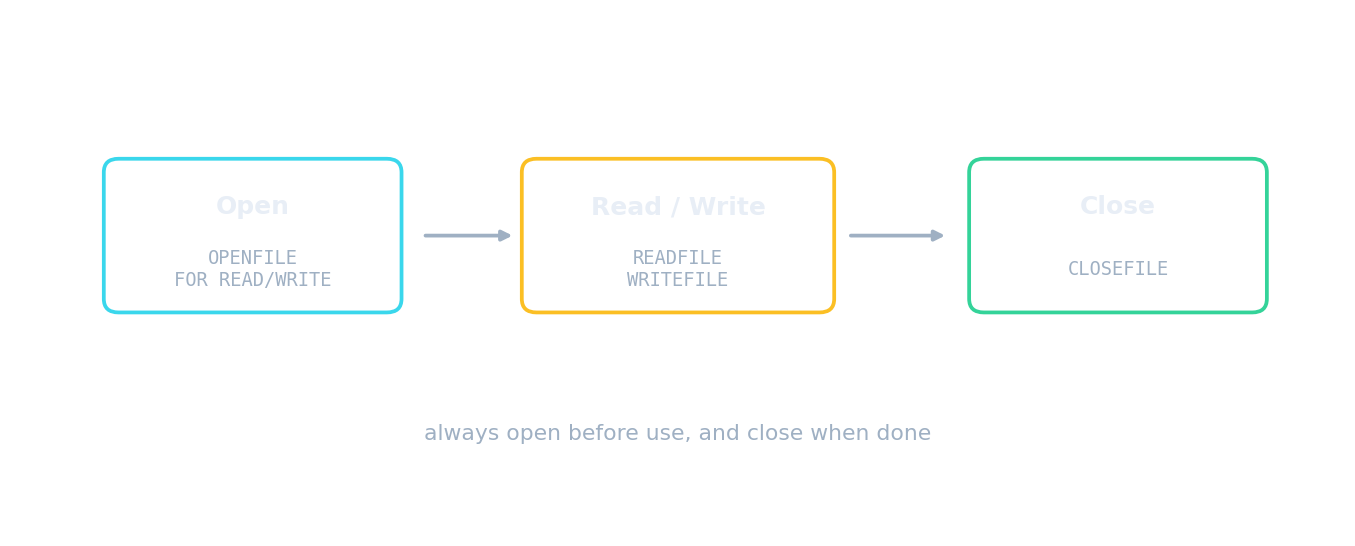
Open, use, close, every time
File access route · 文件访问路径
Follow a file from storage to program and back safely. · 安全地跟踪文件从存储到程序再返回的过程。
What does opening a file FOR WRITE do to existing contents? · 以 FOR WRITE 模式打开文件会对现有内容产生什么影响?
WRITE creates or overwrites the file. To keep existing contents and add more, use APPEND. · WRITE 会创建或覆盖文件。若要保留现有内容并追加更多,请使用 APPEND。
Match each file operation to what it does. · 将每个文件操作与其功能匹配。
WRITE overwrites, APPEND adds; EOF marks the end; the search loop stops early once the value is found. · WRITE 覆盖,APPEND 追加;EOF 标记末尾;搜索循环一旦发现值即提前停止。
Searching a file
- To search, read line by line and stop when the target is found. Two conditions are needed:
WHILE NOT EOF(…) AND NOT found. - The
foundflag matters. Without it the loop reads the whole file even after a match, which is wasteful, and there is nothing to test afterwards to report "not found".
found ← FALSE
OPENFILE "names.txt" FOR READ
WHILE NOT EOF("names.txt") AND NOT found DO
    READFILE "names.txt", thisName
    IF thisName = target THEN
        found ← TRUE
    ENDIF
ENDWHILE
CLOSEFILE "names.txt"
When searching a file for a value, the loop condition usually includes: · 在文件中搜索值时,循环条件通常包含:
Stopping when found avoids reading the rest of the file unnecessarily. · 发现即停止可避免不必要地读取文件的其余部分。
Why does a file search loop use WHILE NOT EOF AND NOT found? Select all · 所有 that apply. · 为什么文件搜索循环使用 WHILE NOT EOF AND NOT found?选择 所有 适用项。
Every file must still be closed. The two conditions handle early exit and the end of the file respectively. · 每个文件仍必须关闭。这两个条件分别处理早期退出和文件结束。
Updating: the temporary-file pattern
- Because a text file cannot be edited in place, updating uses a temporary file 临时文件.
- Open the original FOR READ and a temporary file FOR WRITE. Read each line in turn; write it to the temporary file either changed or unchanged.
- Close both files, then replace the original with the temporary file.
- The same pattern does everything: to delete a record, skip writing that line; to insert one, write the new line at the right point as you copy.
To update a text file when in-place editing is not possible, you: · 当无法原地编辑文本文件时,要更新它,你应该:
Copy each line (changed or not) to a temp file, then swap it in for the original. · 将每一行(已修改或未修改)复制到临时文件,然后将其替换为原文件。
Put the steps of deleting one record from a text file in order. · 按顺序排列从文本文件中删除一条记录的步骤。
The last step is the one candidates leave out, and without it nothing has changed. The same pattern inserts or edits a record. · 最后一步是考生容易遗漏的步骤,如果没有这一步,一切都没有改变。插入或编辑记录也遵循同样的模式。
Worked example: delete a record
- Describe how a program deletes one record from a text file. [4]
- Open the original file for reading and a temporary file for writing.
- Read each line in turn. If the line is not the one to delete, write it to the temporary file; if it is, do not write it.
- When the end of the original is reached, close both files.
- Replace the original file with the temporary file. All four steps score, and the last one is the one candidates forget.
A program writes 500 records then ends without closing the file, and the last few are missing. Why? · 一个程序写入了 500 条记录后结束而没有关闭文件,导致最后几条记录缺失。为什么?
Writes are buffered for speed. Closing the file flushes the buffer, and it may also release a lock other programs are waiting on. · 写入操作是为速度而缓冲的。关闭文件会刷新缓冲区,也可能释放其他程序正在等待的锁。
The pitfalls
- Forgetting to close a file: buffered data may never be written, so the last records vanish, and the file may stay locked against other programs.
- Opening FOR WRITE when APPEND was meant: the entire existing contents are destroyed the instant the file is opened, before a single line is written.
- Reading past EOF: test
EOFbefore every read, not after. - Hard-coded paths: put the filename in a constant so it appears once and the program can be moved.
Forgetting to close a file can lose buffered writes and lock other programs out — so you should always close a file when finished. · 忘记关闭文件可能会丢失缓冲写入并锁定其他程序 — 因此完成任务后应始终关闭文件。
Closing flushes buffered data to disk and releases the lock — a FINALLY block is a good place to guarantee it. · 关闭会刷新缓冲数据到磁盘并释放锁 — FINALLY 块是保证执行此操作的理想位置。
To add today's entries to a log that must keep its history, open the file FOR ____. · 要将今天的条目添加到必须保留历史的日志中,应以 FOR ____ 模式打开文件。
WRITE would destroy every previous entry the instant the file was opened, before a single line was written. · WRITE 会在文件一打开时就销毁所有之前的条目,甚至还没写下一行之前。
Worked example: which mode
- A program adds today's transactions to a running log that must keep its history. APPEND: WRITE would destroy every previous entry.
- A program produces a fresh report each night, replacing yesterday's. WRITE: creating or overwriting is exactly what is wanted.
- A program reads a configuration file at start-up. READ.
- The mode is chosen by what must happen to the existing contents: kept and added to, destroyed, or left alone.
Marks that slip away
- The update pattern ends by replacing the original with the temporary file. Copying without that final step changes nothing.
- A search loop needs both conditions,
NOT EOFandNOT found, and something to test afterwards. - WRITE overwrites; APPEND adds. Choosing wrongly destroys the file at the moment of opening.
- Always
CLOSEFILE. Say why: buffered data may be lost otherwise.
You've got it
OPENFILE … FOR READ | WRITE | APPEND, thenREADFILEorWRITEFILE, thenCLOSEFILE;EOFis tested before each read- WRITE creates or overwrites, APPEND keeps the contents and adds at the end, READ starts at the beginning
- search with
WHILE NOT EOF AND NOT found, so the loop stops early and "not found" can be reported - update by copying through a temporary file, writing each line changed or unchanged, skipping a line to delete or adding one to insert, then replacing the original