| Learning Objective | Essential Knowledge |
|---|---|
2.1.A |
|
2.1.B |
|
2.1.C |
|
2.1.D |
|
2.1.E |
|
2.1.F |
|
2.1.G |
|
Securing Spaces · การป้องกันพื้นที่
AP Cybersecurity · AP ความปลอดภัยทางไซเบอร์ · Topic 2 · หัวข้อ 2
 9:30
9:30
การป้องกันพื้นที่
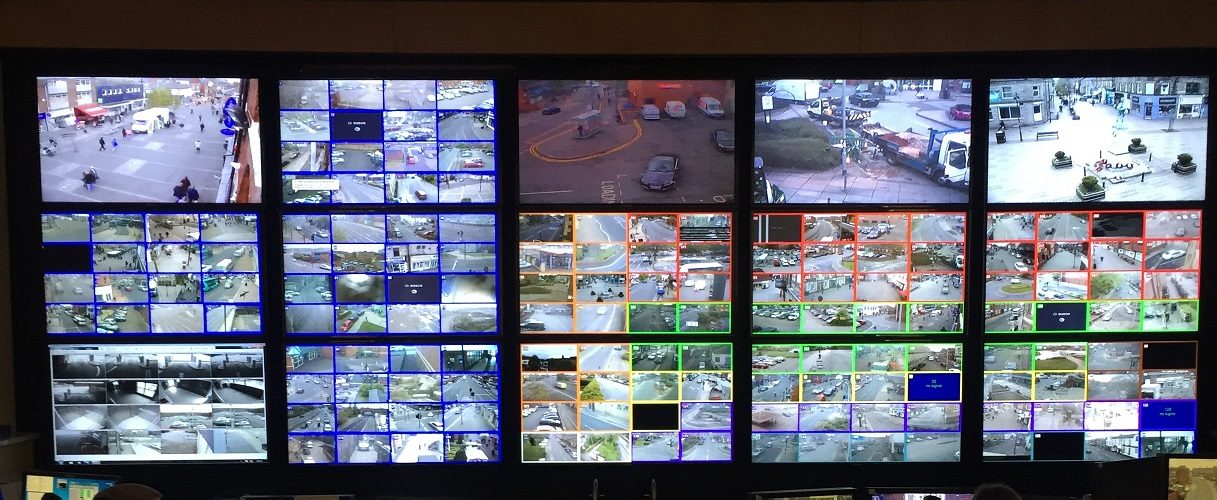
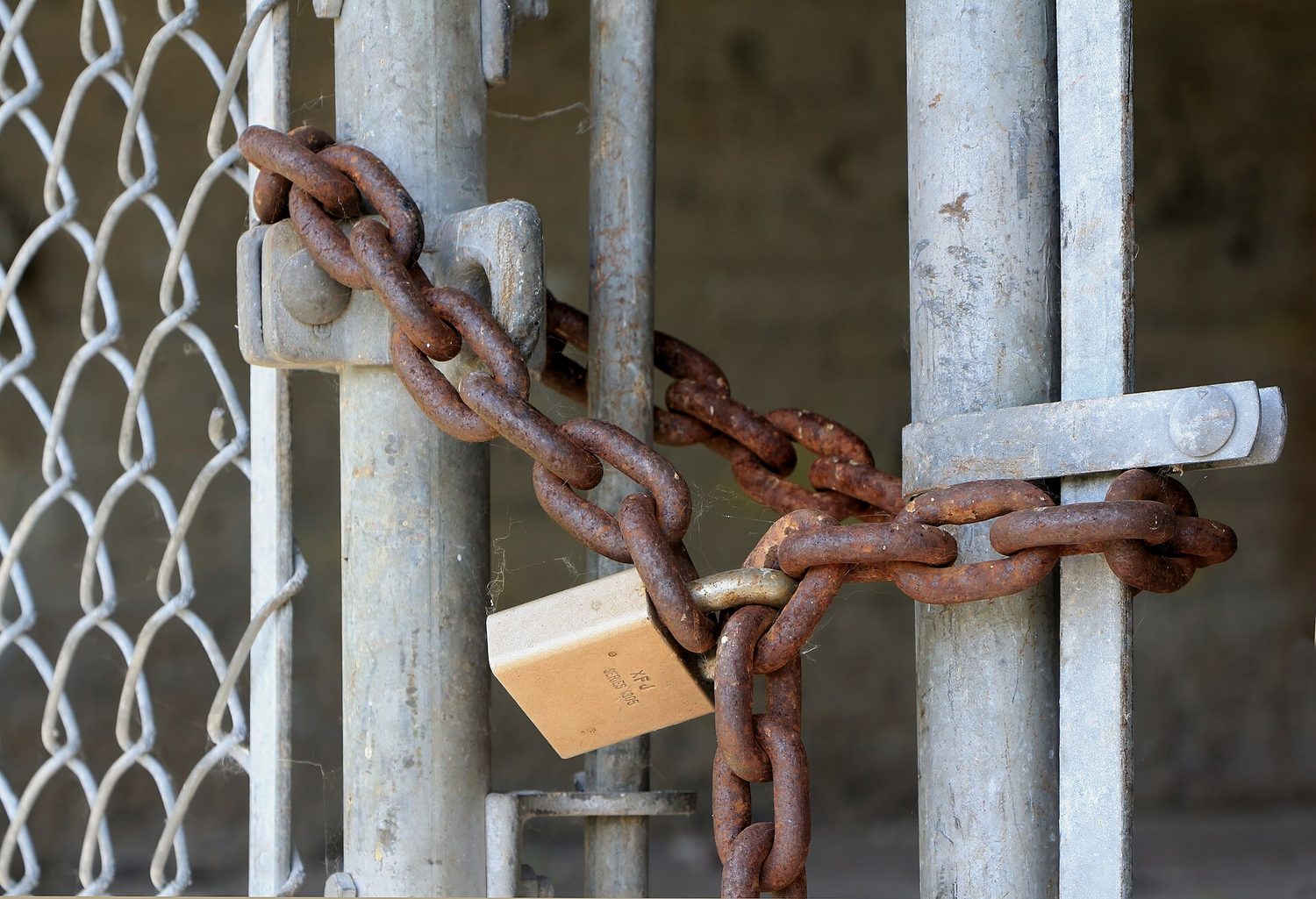
ลูกบิดบนโซ่ กล้องวงจรปิดเหนือประตู ไม่ใช่คอมพิวเตอร์ ไม่ใช่โค้ด — แต่คือความปลอดภัย เพราะผู้โจมตีที่ไม่สามารถ_temperature Encryption ของคุณได้มีแผนที่ง่ายกว่า...
English narration · English + 中文 subtitles burned in · การบรรยายภาษาอังกฤษ · คำบรรยายภาษาอังกฤษ + 中文 ลอยตัวบนภาพ
2.1
Cyber Foundations · พื้นฐานไซเบอร์
Syllabus · หลักสูตร
Source: College Board AP Course and Exam Description · แหล่งที่มา: คำอธิบายหลักสูตรและข้อสอบ College Board AP
English
Before defending a system, you need a shared language. This section builds it.
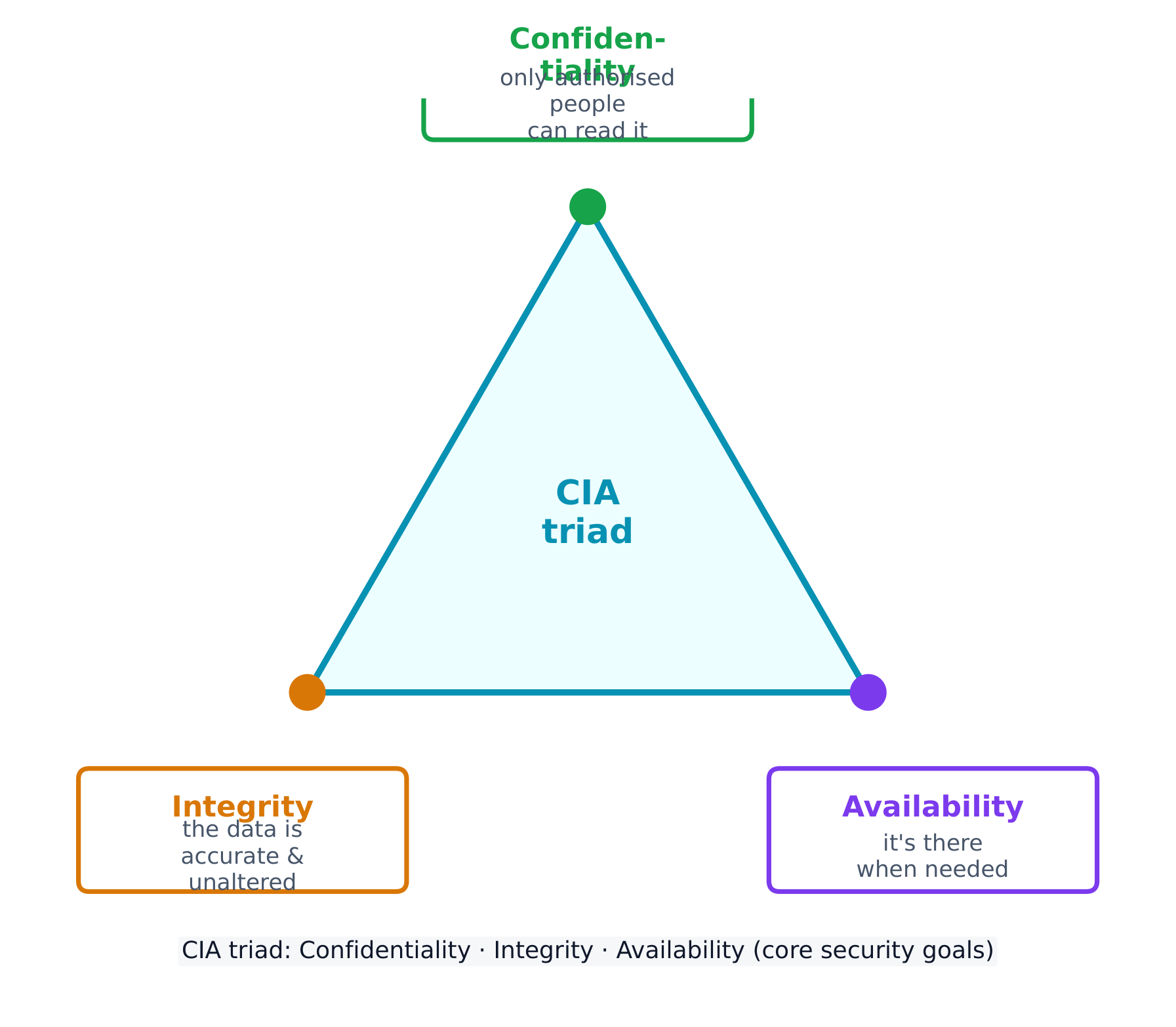
Every security control protects at least one part of the CIA triad 信息安全三要素 - the three goals of security:
- Confidentiality 保密性 - only authorised people can read the data.
- Integrity 完整性 - the data is accurate and unaltered.
- Availability 可用性 - the data and services are there when needed.
Attacks come from different adversaries, classified by their goals. A script kiddie 脚本小子 reuses tools built by others for greed or recognition; a hacktivist 黑客活动分子 acts for a political, social, or personal cause; an insider 内部人员 already holds legitimate access and may act from revenge or greed; a cyberterrorist 网络恐怖分子 disrupts critical infrastructure like a power grid or water plant; and transnational criminal organisations 跨国犯罪组织 chase money through ransomware and stolen data.
Most attacks unfold in phases 阶段: reconnaissance 侦察 (gathering information, often from public OSINT 公开来源情报 sources), initial access, persistence, lateral movement 横向移动 (spreading to more systems by escalating privileges), taking action on the goal, and evading detection. Naming the phase an attacker has reached helps a defender choose the right response.
Social engineering: the seven tactics
Most attacks begin not with code but with social engineering 社会工程学 - psychological tricks that manipulate a person into doing what the adversary wants. The exam names seven tactics, and expects you to identify which one a scenario shows:
| Tactic | The trick |
|---|---|
| Pretexting 借口 | inventing a believable reason to make contact ("I'm from IT, verifying your account") |
| Authority 权威 | posing as someone powerful, or relaying "the boss's" instructions |
| Intimidation 恐吓 | threatening negative consequences if a demand is not met |
| Consensus 从众 | claiming everyone else is already doing it, to create social pressure |
| Scarcity 稀缺 | inventing limited availability ("only 2 left") |
| Familiarity 熟悉 | pretending to be, or to know, someone close to the target |
| Urgency 紧迫感 | imposing a tight deadline so the target acts before thinking |
the common thread is that all seven bypass a target's judgement by triggering an automatic emotional response - fear, trust, haste, or the wish to fit in. The defence is the same each time: verify through a separate, trusted channel before acting.
A risk 风险 appears when a threat 威胁 can exploit a vulnerability 漏洞 to compromise an asset 资产 (anything valuable - data, money, hardware, reputation). We assess risk by weighing two things: the likelihood 可能性 of an attack and the severity 严重性 of the damage.
Likelihood itself depends on the value of the target (adversaries chase what looks worth stealing), the skill needed to exploit the vulnerability (a well-documented exploit needs little skill, so more adversaries can use it), and the motivation and capability of likely adversaries. Severity is usually measured in financial cost, but includes reputational and operational damage too.
The final rating can be written two ways, and the exam wants you to tell them apart:
- quantitative 定量 - a number: a score on a scale (e.g. 1-10), or a money value (e.g. "a $10,000 annual risk").
- qualitative 定性 - a label: low / medium / high / severe, or a grid such as likely-high-impact vs unlikely-low-impact.
A written risk assessment 风险评估 should record, for each risk: the vulnerable asset and its value, the likely threats, how the specific vulnerability would be exploited, the severity if it were compromised, and a final quantitative or qualitative rating.
Once a risk is measured, an organisation has four ways to manage it:
- Avoid 规避 - stop the risky activity (only possible if it isn't essential).
- Transfer 转移 - shift the burden to someone else, such as an insurer.
- Mitigate 缓解 - add controls to lower the likelihood or impact.
- Accept 接受 - live with the leftover residual risk 剩余风险, because perfect security is impossible.
Security controls are grouped two ways. By type: physical 物理 (locks, fences, guards), technical 技术 (firewalls, anti-malware, encryption), and managerial 管理 (policies and procedures). By function: preventative 预防性 (stop an attack, like a lock), detective 检测性 (spot an attack, like a camera), and corrective 纠正性 (fix and restore, like patching).
Worked example. A hospital stores patient records on an unencrypted server in an unlocked room. Rate the risk: the asset is highly sensitive (patient data, protected by law) and the vulnerability is easy to exploit (no encryption, no access control), so this is a high risk. Now classify one fix - a door lock: by type it is a physical control, and by function it is preventative (it stops entry before an attack even begins).
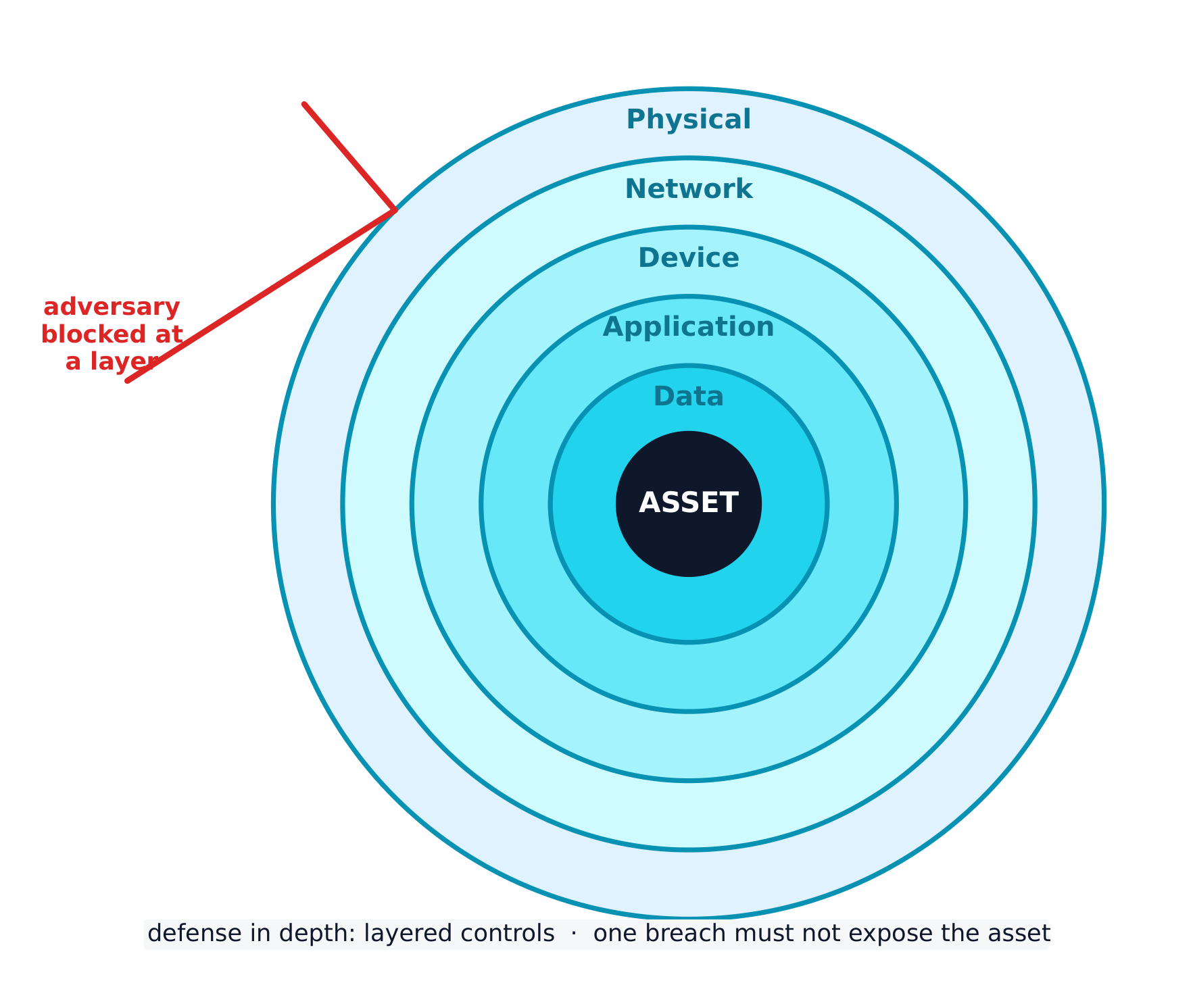
The best strategy layers many controls - a defense-in-depth 纵深防御 approach. If an adversary bypasses one layer, another still stands. Layers include human, physical, network, device, application, and data.
ไทย
ก่อนจะป้องกันระบบ คุณจำเป็นต้องมีภาษาที่เข้าใจร่วมกัน ส่วนนี้จะสร้างพื้นฐานนั้นขึ้นมา
การควบคุมความปลอดภัยทุกประเภทปกป้องอย่างน้อยหนึ่งส่วนของ CIA triad - เป้าหมายสามประการของความปลอดภัย:
- ความลับ (Confidentiality) - มีเฉพาะบุคคลที่ได้รับอนุญาตเท่านั้นที่อ่านข้อมูลได้
- ความถูกต้องสมบูรณ์ (Integrity) - ข้อมูลมีความแม่นยำและไม่ถูกเปลี่ยนแปลง
- ความพร้อมใช้งาน (Availability) - ข้อมูลและบริการพร้อมใช้เมื่อต้องการ
การโจมตีมาจากผู้คุกคามที่แตกต่างกัน โดยจำแนกตามเป้าหมาย loro script kiddie ใช้เครื่องมือที่其他人สร้างไว้เพื่อ贪婪หรือชื่อเสียง; hacktivist ทำกิจกรรมเพื่อวัตถุประสงค์ทางการเมือง สังคม หรือส่วนตัว; insider มีการเข้าถึงที่ถูกต้องแล้วและอาจกระทำด้วยความแค้นหรือ贪婪; cyberterrorist รบกวนโครงสร้างพื้นฐานสำคัญเช่นระบบไฟฟ้าหรือโรงงานน้ำ; และ transnational criminal organisations ตามหาเงินผ่าน ransomware และข้อมูลที่ขโมยมา
การโจมตีส่วนใหญ่ดำเนินไปตาม phases: reconnaissance (รวบรวมข้อมูล มักจากแหล่ง OSINT ที่เปิดเผย), การเข้าถึงเริ่มต้น, ความคงอยู่, lateral movement (ขยายไปยังระบบอื่นโดยเพิ่มสิทธิ์), การดำเนินการตามเป้าหมาย, และการหลบเลี่ยงการตรวจจับ การระบุ phase ที่ผู้โจมตีถึงช่วยให้ผู้ป้องกันเลือกการตอบสนองที่เหมาะสม
การหลอกลวงทางสังคม: กลยุทธ์เจ็ดแบบ
การโจมตีส่วนมากเริ่มไม่ใช่ด้วยโค้ดแต่ด้วย social engineering - เทคนิคทางจิตวิทยาที่ฉ้อฉลบุคคลให้ทำสิ่งที่ผู้คุกคามต้องการ การสอบกำหนดชื่อ seven tactics และคาดหวังให้คุณระบุได้ว่าสถานการณ์แสดง tactic ใด
| Tactic | เทคนิคที่ใช้ |
|---|---|
| Pretexting | สร้างเหตุผลที่น่าเชื่อถือในการติดต่อ ("ฉันมาจาก IT ตรวจสอบบัญชีของคุณ") |
| Authority | จำลองตัวเป็นผู้มีอำนาจ หรือส่งต่อคำสั่งจาก "เจ้านาย" |
| Intimidation | ขู่อันตรายหากไม่ปฏิบัติตามคำขอ |
| Consensus | claiming ว่าคนอื่น都做แล้ว เพื่อสร้างความกดดันทางสังคม |
| Scarcity | สร้างความเป็น hạnimited ("เหลือเพียง 2 ชิ้น") |
| Familiarity | Pretending to be หรือรู้จักรูป nearby กับเป้าหมาย |
| Urgency | 施加 deadline ที่แน่นจนเป้าหมายต้องกระทำโดยไม่คิด |
จุดร่วมคือทั้งหมดนี้ bypass การตัดสินใจของเป้าหมายโดยการกระตุ้นปฏิกิริยาทางอารมณ์อัตโนมัติ - ความกลัว ความเชื่อใจ ความเร่งรีบ หรือความต้องการที่จะเข้ากลุ่ม การป้องกันเหมือนกันทุกครั้ง: verify ผ่านช่องทางแยกต่างหากที่เชื่อถือได้ ก่อนกระทำ
risk เกิดขึ้นเมื่อ threat สามารถใช้ vulnerability เพื่อยึดครอง asset (สิ่งที่มีค่า - ข้อมูล เงิน ฮาร์ดแวร์ ชื่อเสียง) เรา assess risk โดยการชั่งน้ำหนักสองอย่าง: likelihood ของการโจมตีและ severity ของความเสียหาย
Likelihood ขึ้นอยู่กับ value ของเป้าหมาย (ผู้คุกคามตามหาสิ่งที่ดูเหมือนมีค่า要被偷), skill ที่ต้องใช้เพื่อใช้ vulnerability (exploit ที่记录下来ดีต้องใช้ skill น้อย ดังนั้นผู้คุกคามจำนวนมากสามารถใช้ได้), และ motivation และ capability ของผู้คุกคามที่เป็นไปได้ Severity มักวัดใน financial cost แต่รวมถึง reputational และ operational ความเสียหายด้วย
คะแนนสุดท้ายสามารถเขียนได้สองวิธี และการสอบต้องการให้คุณแยกแยะระหว่าง них:
- quantitative - ตัวเลข: คะแนนบนสเกล (เช่น 1-10) หรือมูลค่าเงิน (เช่น "ความเสี่ยง $10,000 ต่อปี")
- qualitative - ป้าย: low / medium / high / severe หรือตารางเช่น likely-high-impact vs unlikely-low-impact
รายงาน risk assessment ควรบันทึกสำหรับแต่ละ risk: asset ที่ vulnerable และมูลค่า, threats ที่เป็นไปได้, วิธีที่ vulnerability นั้นจะถูก exploit, severity หากถูกยึดครอง, และคะแนน quantitative หรือ qualitative สุดท้าย
เมื่อวัด risk แล้ว องค์กรมีสี่วิธีในการ manage它:
- Avoid - หยุดกิจกรรมเสี่ยง (ทำได้ก็ต่อเมื่อไม่ใช่สิ่งจำเป็น)
- Transfer - ย้ายภาระไป给别人 เช่น บริษัทประกันภัย
- Mitigate - เพิ่ม controls เพื่อลด likelihood หรือ impact
- Accept -接受 residual risk ที่เหลืออยู่ เพราะความปลอดภัยที่สมบูรณ์แบบเป็นเรื่องไม่ได้
Security controls จัดกลุ่มได้สองวิธี By type: physical (ลูกบิด, รั้ว, คนรักษา), technical (firewalls, anti-malware, encryption), และ managerial (นโยบายและขั้นตอน) By function: preventative (หยุดการโจมตี เช่น ลูกบิด), detective (จับการโจมตี เช่น กล้อง), และ corrective (แก้ไขและกู้คืน เช่น การแพตช์)
Worked example. โรงพยาบาลเก็บข้อมูลผู้ป่วยบนเซิร์ฟเวอร์ที่ไม่มีการ encrypt ในห้องที่เปิดอยู่ ให้คะแนน risk: asset มีความละเอียดอ่อนสูง (ข้อมูลผู้ป่วย ปกป้องตามกฎหมาย) และ vulnerability ง่ายต่อการ exploit (ไม่มี encryption ไม่มี access control) ดังนั้นนี่คือ high risk Now classify การแก้ไขหนึ่งอย่าง - กุญแจประตู: By type เป็น physical control, และ By function เป็น preventative (มันหยุดการเข้าก่อนการโจมตีจะเริ่ม)
กลยุทธ์ที่ดีที่สุดคือการวางหลาย layers - แนวคิด defense-in-depth หากผู้คุกคาม bypass layer หนึ่ง仍有另一层 standing Layers รวมถึง human, physical, network, device, application, และ data
Explore · สำรวจ
Classify each security control by function · จำแนกการควบคุมความปลอดภัยแต่ละอย่างตามฟังก์ชัน
A preventative control stops an attack, a detective control spots one in progress, and a corrective control fixes the damage and restores the system. · การควบคุมเชิงป้องกัน ป้องกันการโจมตี, การควบคุมเชิงตรวจสอบ ตรวจจับการโจมตีที่กำลังดำเนินอยู่, และ การควบคุมเชิงแก้ไข แก้ไขความเสียหายและคืนระบบ
Explore · สำรวจ
Classify each security control by type · จำแนกการควบคุมความปลอดภัยแต่ละอย่างตามประเภท
A physical control guards the physical space, a technical control works in the digital space, and a managerial control is a rule, policy, or procedure. · การควบคุมทางกายภาพ รักษาสถานที่ทางกายภาพ, การควบคุมทางเทคนิค ทำงานในพื้นที่ดิจิทัล, และ การควบคุมด้านการจัดการ เป็นกฎ, นโยบาย, หรือขั้นตอน
Vocabulary · คำศัพท์
Train · ฝึกฝน
| English | ไทย |
|---|---|
| CIA triad/ˌsiː aɪ ˈeɪ ˈtraɪæd/ | สามเหลี่ยม CIA |
| Confidentiality/ˌkɒnfɪˌdenʃiˈæləti/ | ความลับ |
| Integrity/ɪnˈteɡrɪti/ | ความซื่อสัตย์ |
| Availability/əˌveɪləˈbɪlɪti/ | Availability |
| script kiddie/skrɪpt ˈkɪdi/ | สคริปต์คิลด์ี้ (script kiddie) |
| hacktivist/ˈhæktɪvɪst/ | แฮกติวิสต์ (hacktivist) |
| insider/ɪnˈsaɪdə/ | คนภายใน (insider) |
| cyberterrorist/ˈsaɪbəterərɪst/ | ไซเบอร์เทอริสต์ (cyberterrorist) |
| transnational criminal organisations/trænˈsnæʃənl ˈkrɪmɪnl ˌɔːɡənaɪˈzeɪʃnz/ | องค์กรอาชญากรรมข้ามชาติ |
| phases/ˈfeɪzɪz/ | เฟสของดวงจันทร์ |
| reconnaissance/rɪˈkɒnɪsəns/ | การสำรวจ |
| OSINT/ˈəʊsɪnt/ | OSINT |
| lateral movement/ˈlætərəl ˈmuːvmənt/ | การเคลื่อนย้ายแนวข้าง |
| social engineering/ˈsəʊʃl ˌendʒɪˈnɪərɪŋ/ | social engineering |
| Pretexting/ˈpriːtekstɪŋ/ | การสร้างเรื่องแต่งเพื่อหลอกลวง (Pretexting) |
| Authority/əˈθɒrɪti/ | อำนาจ |
| Intimidation/ɪnˌtɪmɪˈdeɪʃn/ | การข่มขู่ |
| Consensus/kənˈsensəs/ | ฉันทามติ |
| Scarcity/ˈskeəsɪti/ | ความขาดแคลน |
| Familiarity/fəˌmɪliˈærɪti/ | ความคุ้นเคย |
| Urgency/ˈɜːdʒənsi/ | ความเร่งด่วน |
| risk/rɪsk/ | ความเสี่ยง (Risk) |
| threat/θret/ | ภัยคุกคาม |
| vulnerability/ˌvʌlnərəˈbɪlɪti/ | vulnerability |
| asset/ˈæset/ | สินทรัพย์ |
| likelihood/ˈlaɪklihʊd/ | ความเป็นไปได้ |
| severity/səˈverɪti/ | ความรุนแรง |
| quantitative/ˈkwɒntɪteɪtɪv/ | เชิงปริมาณ |
| qualitative/ˈkwɒlɪteɪtɪv/ | เชิงคุณภาพ |
| risk assessment/rɪsk əˈsesmənt/ | การประเมินความเสี่ยง |
| Avoid/əˈvɔɪd/ | หลีกเลี่ยง |
| Transfer/ˈtrænsfɜː/ | Transfer |
| Mitigate/ˈmɪtɪɡeɪt/ | ลดทอน |
| Accept/əkˈsept/ | ยอมรับ |
| residual risk/rɪˈsɪdʒuːəl rɪsk/ | ความเสี่ยงตกค้าง |
| physical/ˈfɪzɪkl/ | ทางกายภาพ |
| technical/ˈteknɪkl/ | technical |
| managerial/ˌmænəˈdʒɪərɪəl/ | ด้านการบริหาร |
| preventative/prɪˈventətɪv/ | การป้องกันล่วงหน้า (preventative) |
| detective/dɪˈtektɪv/ | การตรวจสอบย้อนกลับ (detective) |
| corrective/kəˈrektɪv/ | แบบแก้ไข |
| defense-in-depth/dɪˈfens ɪn depθ/ | การป้องกันแบบชั้นเชิง (defense-in-depth) |
| physical attacks/ˈfɪzɪkl əˈtæks/ | การโจมตีทางกายภาพ |
2.2
Physical Vulnerabilities and Attacks · ช่องโหว่และความเสี่ยงทางกายภาพและการโจมตี
Syllabus · หลักสูตร
| Learning Objective | Essential Knowledge |
|---|---|
2.2.A |
|
2.2.B |
|
2.2.C |
|
Source: College Board AP Course and Exam Description · แหล่งที่มา: คำอธิบายหลักสูตรและข้อสอบ College Board AP
English
Digital security means nothing if an adversary can simply walk in. Common physical attacks 物理攻击 often begin with social engineering:
- Piggybacking 尾随(获许可) - tricking an authorised person into holding a door open (for example, by carrying a heavy box).
- Tailgating 尾随(未察觉) - slipping through a secured door behind someone without their knowledge.
- Shoulder surfing 肩窥 - watching someone type a password or read sensitive information.
- Dumpster diving 翻垃圾搜集情报 - searching a target's trash for useful information.
- Card cloning 门禁卡复制 - copying an access card to enter restricted areas.
With physical access, an adversary can cut power, steal or copy data, or plug in a keylogger 键盘记录器. We rate physical risk as high when sensitive systems sit in a space without controlled access, moderate when an unimportant area could act as a foothold 立足点 to reach other resources, and low when the asset is worthless and unlikely to be attacked.
ไทย
ความปลอดภัยทางดิจิทัลไร้ความหมายถ้าฝ่ายตรงสามารถเดินเข้ามาได้ง่ายๆ การโจมตีทางกายภาพทั่วไปมักเริ่มต้นด้วยการหลอกลวงทางสังคม:
- Piggybacking()- หลอกให้บุคคลที่ได้รับอนุญาตเปิดประตูให้ (เช่น โดยการถือกล่องหนัก)
- Tailgating()- แทรกตัวผ่านประตูที่มีระบบรักษาความปลอดภัยตามหลังผู้อื่นโดยไม่ถูก发觉
- Shoulder surfing- ดูการพิมพ์รหัสผ่านหรือการอ่านข้อมูลสำคัญของผู้อื่น
- การขุดค้นถังขยะ - การค้นหาข้อมูลที่มีประโยชน์จากของเสียเป้าหมาย
- การทำสำเนาบัตร - การคัดลอกบัตรเข้าถึงเพื่อเข้าสู่พื้นที่จำกัด
ด้วยการเข้าถึงทางกายภาพ ผู้โจมตีสามารถตัดไฟ ลักทรัพย์หรือคัดลอกข้อมูล หรือเสียบอุปกรณ์บันทึกคีย์ (keylogger) เราประเมินความเสี่ยงทางกายภาพว่า สูง เมื่อระบบสำคัญอยู่ในพื้นที่ที่ไม่มีการควบคุมการเข้าถึง ปานกลาง เมื่อพื้นที่ไม่สำคัญอาจทำหน้าที่เป็น จุดเริ่มต้น เพื่อเข้าถึงทรัพยากรอื่น และ ต่ำ เมื่อสินทรัพย์ไม่มีค่าและไม่มีความเป็นไปได้ที่จะถูกโจมตี
Vocabulary · คำศัพท์
Train · ฝึกฝน
| English | ไทย |
|---|---|
| Piggybacking/ˈpɪɡɪbækɪŋ/ | Piggybacking |
| Tailgating/ˈteɪlɡeɪtɪŋ/ | Tailgating |
| Shoulder surfing/ˈʃəʊldə ˈsɜːfɪŋ/ | Shoulder surfing |
| Dumpster diving/ˈdʌmpstə ˈdaɪvɪŋ/ | Dumpster diving |
| Card cloning/kɑːd ˈkləʊnɪŋ/ | การทำการ์ดปลอม (card cloning) |
| keylogger/ˈkiːlɒɡə/ | keylogger |
| foothold/ˈfʊthəʊld/ | ฐานรองรับ |
| clean desk policy/kliːn desk ˈpɒlɪsi/ | นโยบายโต๊ะทำงานสะอาด |
2.3
Protecting Physical Spaces · การปกป้องพื้นที่ทางกายภาพ
Syllabus · หลักสูตร
English
Learning Objective 2.3.A: Identify managerial controls related to physical security.
- 2.3.A.1 Organizations should conduct employee security awareness training to educate employees about how they can contribute to the organization’s security by:
- Detecting social engineering attempts like phishing
- Not badging other people into restricted areas
- Preventing device theft
- 2.3.A.2 Organizations should have a workstation security policy that outlines the measures necessary to protect a physical workplace. The policy may have tiers of workstation security based on the type of data handled at a workstation. Workstation policies often require:
- Locking devices before leaving workstations unattended to prevent unauthorized access
- Clearing sensitive documents off workstations before leaving them unattended (sometimes called a clean desk policy)
- Using a privacy screen filter or other physical barrier to prevent others from viewing information on the screen
- Connecting devices to surge protectors or uninterruptible power supplies (UPS)
Learning Objective 2.3.B: Determine mitigation strategies for risks from physical vulnerabilities.
- 2.3.B.1 To determine a relevant control, a cyber defender considers how an adversary could take advantage of a vulnerability to attack a system and how to prevent, detect, or correct the attack.
- 2.3.B.2 Installing physical controls like fencing, gates, and bollards around a building can deter adversaries from trying to physically access an organization’s buildings.
- 2.3.B.3 Locks on doors, server cabinets, and computers can prevent devices from being accessed or stolen.
- 2.3.B.4 Card readers can record which employee badges are being used to access different entries at specific times and deny access to unauthorized badges.
- 2.3.B.5 Access control vestibules and turnstiles can prevent an authorized person from intentionally or accidentally admitting an unauthorized person into a restricted area.
- 2.3.B.6 Organizations can disable USB ports to prevent external drives from loading malware onto a computer.
- 2.3.B.7 An uninterruptible power supply (UPS) provides a backup power source for a device in the event of a power outage. Organizations can also use power generators to provide power at a larger scale to a building or set of critical devices.
- 2.3.B.8 Organizations prioritize risk mitigations based on the severity of the risks and the cost of the recommended mitigations.
ไทย
วัตถุประสงค์การเรียนรู้ 2.3.A: ระบุการควบคุมด้านการบริหารจัดการที่เกี่ยวข้องกับความมั่นคงปลอดภัยทางกายภาพ
- 2.3.A.1 องค์กรควรดำเนินการอบรมสร้างจิตสำนึกด้านความปลอดภัยให้กับพนักงาน เพื่อให้ความรู้แก่พนักงานเกี่ยวกับวิธีการมีส่วนร่วมในการรักษาความปลอดภัยขององค์กรโดย:
- การตรวจจับความพยายามทางสังคมวิทยา (social engineering) เช่น Phishing
- ไม่ให้บัตรประจำตัวแก่ผู้อื่นเพื่อเข้าไปในพื้นที่จำกัด
- การป้องกันการขโมยอุปกรณ์
- 2.3.A.2 องค์กรควรมีนโยบายความปลอดภัยสำหรับเครื่องทำงาน (workstation security policy) ที่ระบุมาตรการที่จำเป็นในการปกป้องสถานที่ทำงานทางกายภาพ นโยบายนี้อาจแบ่งระดับความปลอดภัยตามประเภทของข้อมูลที่จัดการที่เครื่องทำงาน โดยทั่วไปนโยบายสำหรับเครื่องทำงานมักกำหนดให้:
- ล็อกอุปกรณ์ก่อนออกจากเครื่องทำงานโดยไม่ดูแล เพื่อป้องกันการเข้าถึงโดยไม่ได้รับอนุญาต
- ลบเอกสารอ่อนไหวออกจากเครื่องทำงานก่อนทิ้งไว้โดยไม่ดูแล (บางครั้งเรียกว่านโยบายโต๊ะสะอาด)
- การใช้ฟิลเตอร์หน้าจอความเป็นส่วนตัวหรือสิ่งกีดขวางทางกายอื่น ๆ เพื่อป้องกันไม่ให้ผู้อื่นมองเห็นข้อมูลบนหน้าจอ
- เชื่อมต่ออุปกรณ์เข้ากับอุปกรณ์ป้องกันกระแสไฟเกินหรือแหล่งจ่ายไฟสำรอง (UPS)
วัตถุประสงค์การเรียนรู้ 2.3.B: กำหนดกลยุทธ์การบรรเทาความเสี่ยงจากช่องโหว่ด้านกายภาพ
- 2.3.B.1 ในการกำหนดการควบคุมที่เกี่ยวข้อง ผู้ป้องกันไซเบอร์พิจารณาว่าผู้โจมตี如何利用ช่องโหว่เพื่อโจมตีระบบได้อย่างไร以及如何ป้องกัน ตรวจจับ หรือแก้ไขการโจมตีนั้น
- 2.3.B.2 การติดตั้งการควบคุมทางกายภาพเช่น ร่มรั้ว ประตู และเสากันรถรอบอาคาร สามารถยับยั้งผู้โจมตี不从พยายามเข้าถึงอาคารขององค์กรด้วยแรงจูงใจทางกายภาพ
- 2.3.B.3 กุญแจบนประตู ตู้เซิร์ฟเวอร์ และคอมพิวเตอร์สามารถป้องกันไม่ให้อุปกรณ์ถูกเข้าถึงหรือถูกขโมยได้
- 2.3.B.4 เครื่องอ่านบัตรสามารถบันทึกว่าบัตรประจำตัวใดกำลังถูกใช้ในการเข้าถึงจุดเข้าออกต่างๆ ในช่วงเวลาเฉพาะ และปฏิเสธการเข้าถึงสำหรับบัตรที่ไม่ได้รับอนุญาต
- 2.3.B.5 วีสติบูลควบคุมการเข้าออกและประตูหมุนสามารถป้องกันไม่ให้บุคคลที่ได้รับอนุญาต admit ผู้ไม่ได้รับอนุญาตเข้าสู่พื้นที่จำกัดทั้งโดยเจตนาหรือโดยไม่ได้ตั้งใจ
- 2.3.B.6 องค์กรสามารถปิดพอร์ต USB เพื่อป้องกันไดรฟ์ภายนอกจากการโหลดมัลแวร์ลงบนคอมพิวเตอร์
- 2.3.B.7 แหล่งจ่ายไฟสำรอง (UPS) ให้แหล่งพลังงานสำรองสำหรับอุปกรณ์ในกรณีเกิดไฟฟ้าดับ องค์กรยังสามารถใช้เครื่องกำเนิดไฟฟ้าเพื่อจ่ายไฟในระดับขนาดใหญ่ให้กับอาคารหรือกลุ่มอุปกรณ์สำคัญ
- 2.3.B.8 องค์กรจัดลำดับความสำคัญของการบรรเทาความเสี่ยงโดยอิงตามระดับความรุนแรงของความเสี่ยงและต้นทุนของการบรรเทาความเสี่ยงที่แนะนำ
Source: College Board AP Course and Exam Description · แหล่งที่มา: คำอธิบายหลักสูตรและข้อสอบ College Board AP
English
Managerial controls come first: security-awareness training teaches staff not to badge strangers in, and a workstation security policy requires locking devices, clearing desks (a clean desk policy 清桌政策), and using privacy screens.
Physical controls then harden the building: fences, gates, and bollards 防撞柱 deter access; locks protect doors and cabinets; card readers 读卡器 log and restrict entry; an access control vestibule 门禁前室 (a two-door airlock) stops piggybacking; disabling USB ports blocks malware drives; and an uninterruptible power supply (UPS) 不间断电源 keeps devices running through an outage. Organisations prioritise these by matching the cost of a control to the severity of the risk.
ไทย
การควบคุมด้านการจัดการมาก่อน: การอบรมความตระหนักรู้ด้านความปลอดภัย สอนพนักงานไม่ให้สแกนบัตรให้คนแปลกหน้า และ นโยบายความปลอดภัยของเครื่องทำงาน กำหนดให้ล็อกอุปกรณ์ ทำความสะอาดโต๊ะทำงาน (ตาม นโยบายโต๊ะสะอาด) และใช้หน้าจอความเป็นส่วนตัว
การควบคุมทางกายภาพช่วยเสริมสร้างความปลอดภัยให้กับอาคาร: รั้ว ประตู gates และ เสาbollards ป้องกันการเข้าถึง; กุญแจปกป้องประตูและตู้; เครื่องอ่านบัตร บันทึกและจำกัดการเข้าถึง; ห้องควบคุมการเข้าถึง (ประตูปิดสองบาน) ป้องกันการแอบตาม; การปิด พอร์ตUSB บล็อกมัลแวร์ผ่านไดรฟ์; และ แหล่งจ่ายไฟสำรอง (UPS) ทำให้เครื่องทำงานต่อเนื่องระหว่างเกิดไฟฟ้าดับ องค์กรจัดลำดับความสำคัญโดยจับคู่ต้นทุนของการควบคุมกับระดับความรุนแรงของความเสี่ยง
Vocabulary · คำศัพท์
Train · ฝึกฝน
| English | ไทย |
|---|---|
| bollards/ˈbɒlɑːdz/ | เสาป้องกัน |
| card readers/kɑːd ˈriːdəz/ | เครื่องอ่านบัตร |
| access control vestibule/ˈækses kənˈtrəʊl ˈvestɪbjuːl/ | access control vestibule |
| uninterruptible power supply (UPS)/ˌʌˌnɪntəˈrʌptɪbl ˈpaʊə səˈplaɪ/ | แหล่งจ่ายไฟสำรอง (UPS) |
| motion sensors/ˈməʊʃn ˈsensəz/ | เซ็นเซอร์ตรวจจับการเคลื่อนไหว |
| points of ingress and egress/pɔɪnts ɒv ˈɪŋɡres ænd iːˈɡres/ | จุดเข้าและออก |
2.4
Detecting Physical Attacks · การตรวจจับการโจมตีทางกายภาพ
Syllabus · หลักสูตร
English
Learning Objective 2.4.A: Identify ways security controls can detect physical attacks.
- 2.4.A.1 Cameras can capture a visual record of an adversary’s malicious activity. The feed from a camera should be recorded and monitored for maximum effect. Recordings can be especially helpful in after-incident investigations.
- 2.4.A.2 Security guards can monitor activity in an area and respond to suspicious activity once detected.
- 2.4.A.3 Motion sensors can alert security to movement in an area.
- 2.4.A.4 Employees that work in a physical space are often the first to notice the presence of an unauthorized person and can alert security.
Learning Objective 2.4.B: Determine effective placement of security controls for detecting physical attacks.
- 2.4.B.1 When placing cameras, consideration should be given to visual coverage, angle, and the ability to be tampered with by an adversary. Consideration should also be given to what a camera in a specific area could capture an adversary doing and how that information would be helpful. Points of ingress and egress are often monitored by camera.
- 2.4.B.2 Motion sensors should be placed in areas where traffic is unexpected, like server rooms, or areas where sensitive materials are stored and few people have access. Motion sensors in high-traffic areas create many false alarms, making the alarms less likely to be taken seriously when there is a real security event.
- 2.4.B.3 Locks should be placed on all entries to areas containing sensitive information or systems. For areas with particularly sensitive information or systems, an organization could use an access control vestibule at the entry point to prevent piggybacking or tailgating.
- 2.4.B.4 Security guards can be stationary or patrolling. Stationary guards can provide constant protection for a specific area, entrance, or high-value item. Patrolling guards are more difficult for an adversary to plan around and can create time pressure for an adversary. Placing stationary guards at places that funnel traffic (e.g., entry gates, main entrances or lobbies, and entrances to more secure access areas) can be highly effective, while patrolling guards are better suited for perimeters and exterior areas.
Learning Objective 2.4.C: Apply detection techniques to identify physical attacks.
- 2.4.C.1 Cameras provide visual monitoring and a visual record of activity within a designated space. Cameras can be paired with facial recognition software that can provide alerts when unauthorized individuals enter controlled areas. Once a physical breach has been detected, defenders can use live and recorded camera footage to track an adversary’s path and actions.
- 2.4.C.2 Motion detectors work best when paired with cameras. When a security alert is raised because a motion detector has been activated, defenders can use cameras to check the space visually and verify a physical security breach.
- 2.4.C.3 When employees are required to use an electronic badge to unlock a door to a restricted area, a sensor can record how long the door was open. In reviewing entry logs for the door, potential piggybacking or tailgating can be detected by doors being open for longer than normal lengths of time.
ไทย
วัตถุประสงค์การเรียนรู้ 2.4.A: ระบุวิธีการที่การควบคุมด้านความปลอดภัยสามารถตรวจจับการโจมตีทางกายภาพได้
- 2.4.A.1 กล้องสามารถบันทึกภาพกิจกรรมที่เป็นอันตรายของผู้โจมตีได้ ไฟล์วิดีโอจากกล้องควรบันทึกและตรวจสอบอย่างต่อเนื่องเพื่อให้ได้ผลลัพธ์สูงสุด บันทึกวิดีโออาจเป็นประโยชน์อย่างยิ่งในการสืบสวนหลังจากเกิดเหตุการณ์
- 2.4.A.2 เจ้าหน้าที่รักษาความปลอดภัยสามารถเฝ้าระวังกิจกรรมในพื้นที่และตอบสนองต่อพฤติกรรมต้องสงสัยเมื่อตรวจพบ
- 2.4.A.3 เซนเซอร์ตรวจจับการเคลื่อนไหวสามารถแจ้งเตือนเจ้าหน้าที่รักษาความปลอดภัยถึงการเคลื่อนไหวในพื้นที่
- 2.4.A.4 พนักงานที่ทำงานในพื้นที่ทางกายภาพมักเป็นผู้察觉การปรากฏตัวของคนไม่ได้รับอนุญาตเป็นคนแรกและสามารถแจ้งให้ฝ่ายรักษาความปลอดภัยทราบ
วัตถุประสงค์การเรียนรู้ 2.4.B: กำหนดตำแหน่งที่เหมาะสมสำหรับการวางการควบคุมด้านความปลอดภัยเพื่อตรวจจับการโจมตีทางกายภาพ
- 2.4.B.1 เมื่อวางกล้อง ควรพิจารณาครอบคลุมมุมมอง มุมมอง และการไม่สามารถดัดแปลงโดยผู้โจมตีได้ ควรพิจารณาดูด้วยว่ากล้องในพื้นที่หนึ่งสามารถบันทึกผู้กระทำผิดกำลังทำอะไร และข้อมูลดังกล่าวจะเป็นประโยชน์อย่างไร จุดเข้าออกมักจะถูกเฝ้าระวังโดยกล้อง
- 2.4.B.2 เซนเซอร์ตรวจจับการเคลื่อนไหวควรวางในพื้นที่ที่มีการจราจรที่ไม่คาดหมาย เช่น ห้องเซิร์ฟเวอร์ หรือพื้นที่เก็บวัสดุอ่อนไหวที่มีเพียงไม่กี่คนเข้าถึง เซนเซอร์ตรวจจับการเคลื่อนไหวในพื้นที่ที่มีการจราจรหนาแน่นจะสร้างสัญญาณเตือนผิดพลาดจำนวนมาก ทำให้สัญญาณเตือนเหล่านั้นไม่น่าเชื่อถือเมื่อเกิดเหตุการณ์ความปลอดภัยจริง
- 2.4.B.3 กุญแจควรติดตั้งบนทุกจุดเข้าออกไปยังพื้นที่ที่ chứaข้อมูลอ่อนไหวหรือระบบ สำหรับพื้นที่ที่มีข้อมูลหรือระบบอ่อนไหวเป็นพิเศษ องค์กรสามารถใช้วีสติบูลควบคุมการเข้าออกที่จุดเข้าออกเพื่อป้องกันการเข้าออกตามหลัง (piggybacking/tailgating)
- 2.4.B.4 พนักงานรักษาความปลอดภัยสามารถยืนประจำจุดหรือเดินลาดตระเวนได้ พนักงานที่ยืนประจำจุดสามารถให้การปกป้องอย่างต่อเนื่องสำหรับพื้นที่pecific, ทางเข้า หรือสิ่งมีค่าสูง พนักงานเดินลาดตระเวนทำให้ผู้ไม่หวังดีวางแผนยากกว่าและสร้างความกดดันด้านเวลาให้กับผู้ไม่หวังดี การวางพนักงานยืนประจำจุดในที่ที่มีทางเดินรวม (เช่น ประตูทางเข้า, ลobbies หลัก และทางเข้าสู่พื้นที่เข้าถึงที่มีความปลอดภัยสูงขึ้น) สามารถมีประสิทธิภาพมาก ในขณะที่พนักงานเดินลาดตระเวนเหมาะสำหรับรั้วรอบนอกและพื้นที่ภายนอก
วัตถุประสงค์การเรียนรู้ 2.4.C: ใช้เทคนิคการตรวจจับเพื่อระบุการโจมตีทางกายภาพ
- 2.4.C.1 กล้องวงจรปิดให้บริการการตรวจสอบแบบภาพและบันทึกภาพกิจกรรมภายในพื้นที่ที่กำหนด กล้องสามารถเชื่อมต่อกับซอฟต์แวร์จดจำใบหน้าซึ่งสามารถส่งการเตือนเมื่อบุคคลที่ไม่มีสิทธิ์เข้าสู่พื้นที่ควบคุม เมื่อมีการละเมิดความปลอดภัยทางกายภาพเกิดขึ้น ผู้ป้องกันสามารถใช้วิดีโอจากกล้องทั้งแบบสดและบันทึกแล้วเพื่อติดตามเส้นทางและพฤติกรรมของผู้ไม่หวังดี
- 2.4.C.2 ตัวตรวจจับการเคลื่อนไหวทำงานได้ดีที่สุดเมื่อใช้ร่วมกับกล้อง เมื่อมีการแจ้งเตือนความปลอดภัยเนื่องจากตัวตรวจจับการเคลื่อนไหวถูกกระตุ้น ผู้ป้องกันสามารถใช้กล้องตรวจสอบพื้นที่ด้วยสายตาเพื่อยืนยันการละเมิดความปลอดภัยทางกายภาพ
- 2.4.C.3 เมื่อพนักงานต้องใช้อีเล็กทรอนิกส์บัตรเพื่อปลดล็อกประตูสู่พื้นที่จำกัด เซ็นเซอร์สามารถบันทึกระยะเวลาที่ประตูเปิดอยู่ ในการตรวจสอบบันทึกการเข้าออกของประตู หากประตูเปิดนานกว่าปกติ อาจบ่งชี้ถึงการลักลอบเข้ามาตามหลัง (piggybacking หรือ tailgating)
Source: College Board AP Course and Exam Description · แหล่งที่มา: คำอธิบายหลักสูตรและข้อสอบ College Board AP
English
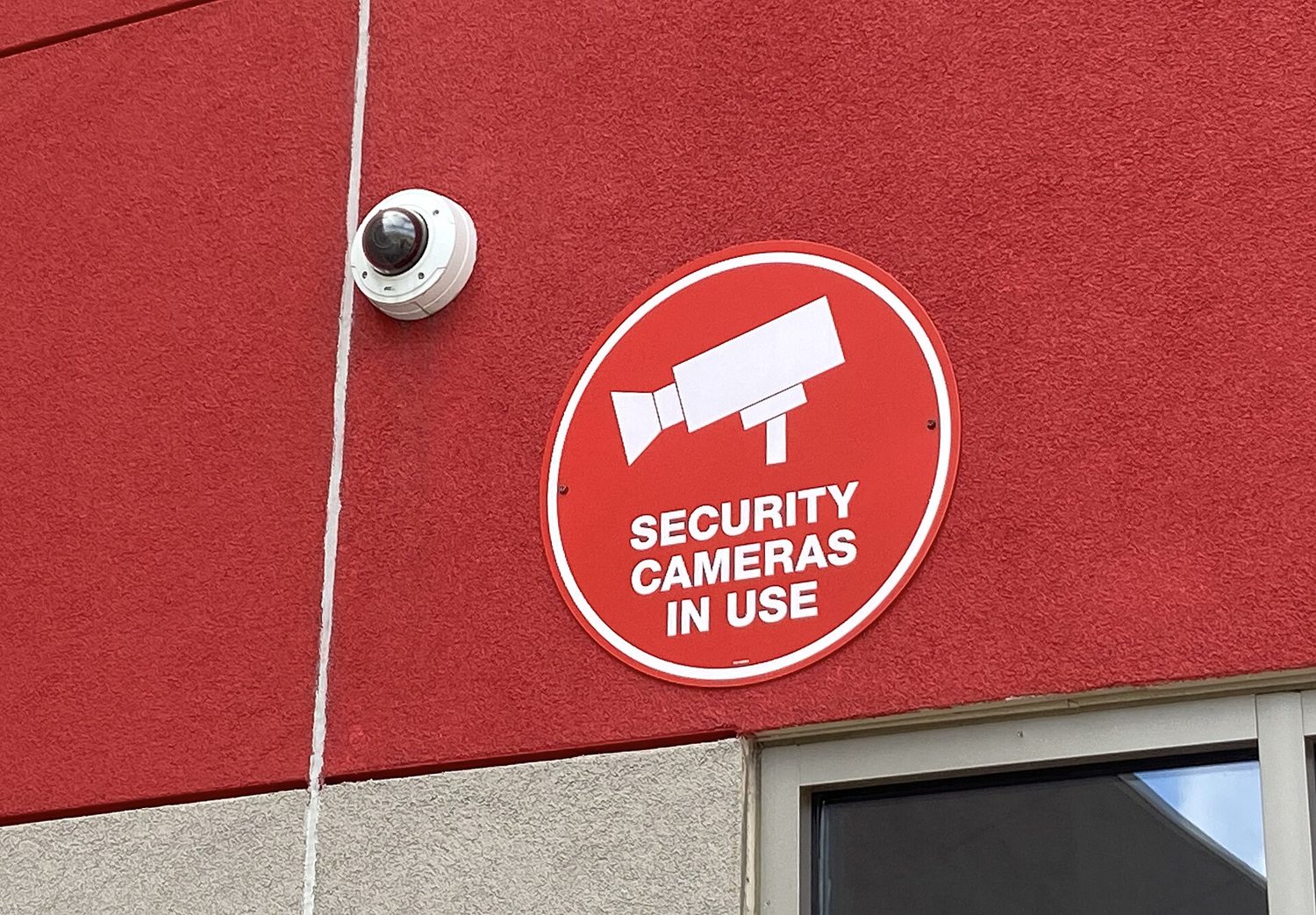
Some controls detect attacks rather than prevent them. Cameras record activity and help after-incident investigations; security guards respond to what they see; motion sensors 运动传感器 alert staff to movement; and employees themselves often notice an intruder first.
Placement matters. Cameras belong at points of ingress and egress 出入口 (entrances and exits). Motion sensors work best in low-traffic areas like server rooms - put them in a busy hallway and constant false alarms make everyone ignore them. Stationary guards protect a fixed high-value point, while patrolling guards are harder for an adversary to plan around. Reviewing door-open times in entry logs can even reveal piggybacking, because a door held open too long is suspicious.
ไทย
บางการควบคุมมีไว้เพื่อ ตรวจจับ การโจมตีแทนการป้องกัน กล้อง บันทึกกิจกรรมและช่วยในการตรวจสอบหลังเหตุการณ์; เจ้าหน้าที่รักษาความปลอดภัย ตอบสนองสิ่งที่เห็น; เซ็นเซอร์ตรวจจับการเคลื่อนไหว แจ้งเตือนพนักงานถึงการเคลื่อนที่; และพนักงานเองมักสังเกตผู้บุกรุกได้ก่อน
ตำแหน่งที่สำคัญ กล้องควรมีอยู่ที่ จุดเข้าออก (ทางเข้าและทางออก) เซ็นเซอร์ตรวจจับการเคลื่อนไหวทำงานได้ดีที่สุดในพื้นที่ที่มีการจราจรน้อย เช่น ห้องเซิร์ฟเวอร์ - หากวางในทางเดินที่วุ่นวาย การแจ้งเตือนผิดพลาดบ่อยๆ จะทำให้ทุกคนเพิกเฉย เจ้าหน้าที่รักษาความปลอดภัยแบบยืนประจำจุดปกป้องจุดที่มีมูลค่าสูงที่ตายตัว ส่วนเจ้าหน้าที่เดิน巡逻ยากต่อการวางแผนของผู้โจมตี การตรวจสอบ ระยะเวลาเปิดประตู ในบันทึกการเข้าออก อาจบ่งบอกถึงการแอบตามได้ เพราะการถือประตูเปิดไว้นานเกินปกติเป็นเรื่องน่าสงสัย
2.4
Exam tips · ข้อแนะนำสำหรับการสอบ
English
- Memorise the CIA triad and be ready to say which goal a control protects - encryption serves confidentiality, a hash checks integrity, a backup restores availability.
- Know the four risk responses (avoid, transfer, mitigate, accept) and the two ways to classify controls (by type: physical/technical/managerial; by function: preventative/detective/corrective).
- Distinguish piggybacking (with consent, tricked) from tailgating (without the person's knowledge) - exam questions test this exact pair.
- For risk-rating questions, high risk needs both high value AND easy exploitation; a "foothold to other systems" is the classic moderate risk.
- Defense in depth is the model answer whenever a question asks why one control is not enough.
ไทย
- จำ ทริอะด CIA ได้และพร้อมจะระบุว่า เป้าหมายใด ที่การควบคุมนี้ปกป้อง - การเข้ารหัสบริการ ความลับ, Hash ตรวจสอบ ความถูกต้องสมบูรณ์, การสำรองข้อมูลคืน ความพร้อมใช้งาน
- รู้จัก การตอบสนองความเสี่ยงสี่ประการ (หลีกเลี่ยง, ถ่ายโอน, ลดทอน, ยอมรับ) และวิธี จัดประเภทการควบคุมสองแบบ (ตามประเภท: ทางกายภาพ/เทคนิค/ด้านการจัดการ; ตามหน้าที่: ป้องกัน/ตรวจจับ/แก้ไข)
- แยกแยะ การแอบตาม (piggybacking) (ด้วยอนุญาตแต่ถูกหลอก) กับ การติดท้าย (tailgating) (โดยไม่ทราบตัวบุคคล) - ข้อสอบทดสอบคู่คำนี้โดยตรง
- สำหรับคำถามการจัดระดับความเสี่ยง ความเสี่ยงสูงต้องมีความสูง AND exploitationง่าย; "จุดเริ่มต้นสู่ระบบอื่น" เป็นกรณีคลาสสิกของความเสี่ยง ปานกลาง
- การป้องกันแบบหลายชั้น (Defense in depth) เป็นคำตอบมาตรฐานเมื่อคำถามถามว่าทำไมการควบคุมหนึ่งอย่างจึงไม่เพียงพอ
Interactive lessons on this topic · บทเรียนเชิงโต้ตอบสำหรับหัวข้อนี้
Work through it step by step, with instant-check exercises. · ทำทีละขั้นตอน พร้อมแบบฝึกหัดตรวจสอบผลทันที
Past Papers · ข้อสอบย้อนหลัง