| Learning Objective | Essential Knowledge |
|---|---|
2.1.A |
|
2.1.B |
|
2.1.C |
|
2.1.D |
|
2.1.E |
|
2.1.F |
|
2.1.G |
|
Securing Spaces · 空間の保護
AP Cybersecurity · AP サイバーセキュリティ · Topic 2 · トピック 2
 9:30
9:30
空間の保護
鎖のかれじ。ドアの上のカメラ。コンピュータでもコードでもなく、これらはセキュリティです。なぜなら、あなたの暗号を解けなかった攻撃者には、より単純な計画があるから…
English narration · English + 中文 subtitles burned in · 英語ナレーション・英語+中文字幕 burning-in
2.1
Cyber Foundations · サイバー基礎知識
Syllabus · シラバス
Source: College Board AP Course and Exam Description · 出典: College Board AP コースおよび試験説明書
English
Before defending a system, you need a shared language. This section builds it.
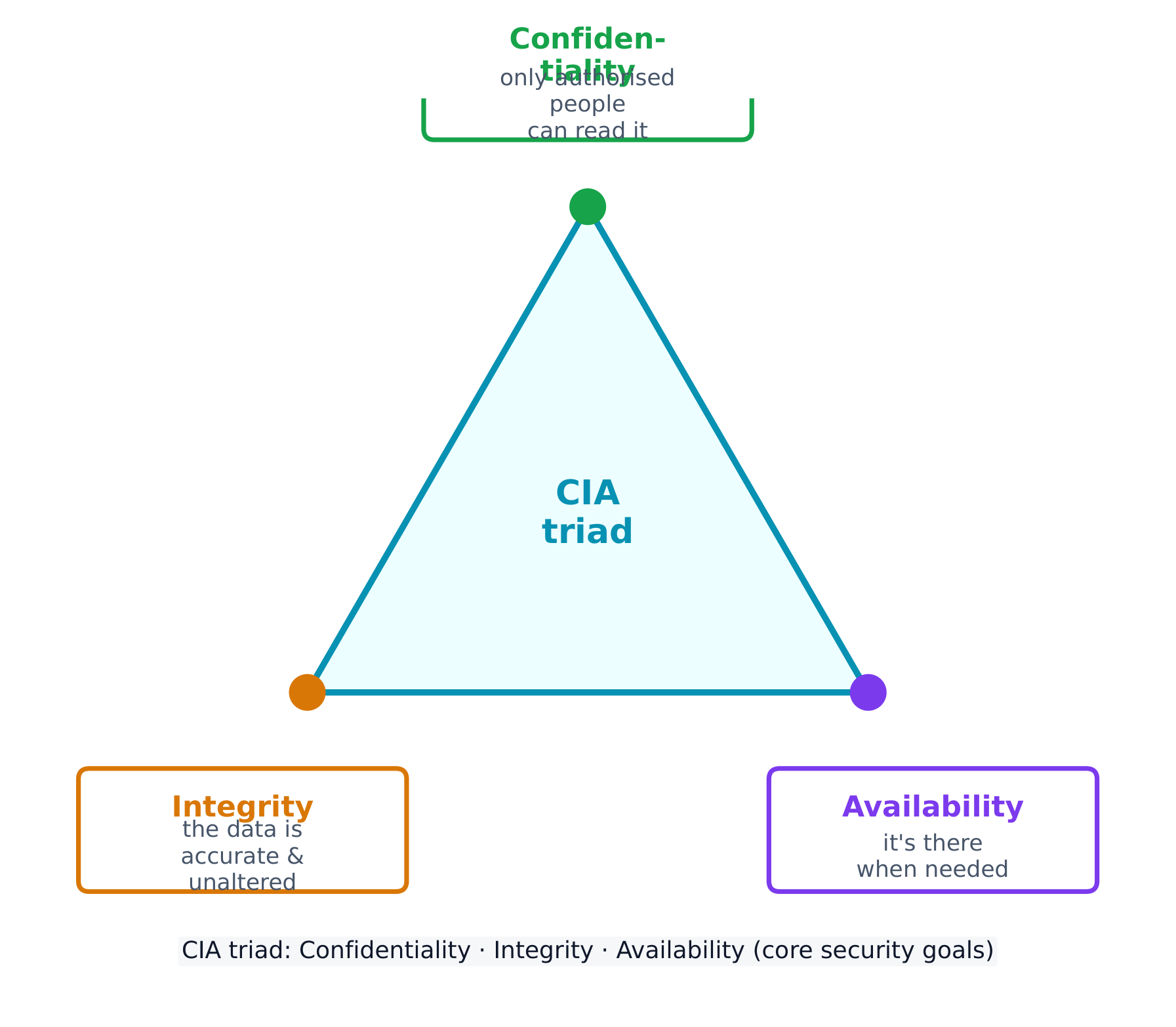
Every security control protects at least one part of the CIA triad 信息安全三要素 - the three goals of security:
- Confidentiality 保密性 - only authorised people can read the data.
- Integrity 完整性 - the data is accurate and unaltered.
- Availability 可用性 - the data and services are there when needed.
Attacks come from different adversaries, classified by their goals. A script kiddie 脚本小子 reuses tools built by others for greed or recognition; a hacktivist 黑客活动分子 acts for a political, social, or personal cause; an insider 内部人员 already holds legitimate access and may act from revenge or greed; a cyberterrorist 网络恐怖分子 disrupts critical infrastructure like a power grid or water plant; and transnational criminal organisations 跨国犯罪组织 chase money through ransomware and stolen data.
Most attacks unfold in phases 阶段: reconnaissance 侦察 (gathering information, often from public OSINT 公开来源情报 sources), initial access, persistence, lateral movement 横向移动 (spreading to more systems by escalating privileges), taking action on the goal, and evading detection. Naming the phase an attacker has reached helps a defender choose the right response.
Social engineering: the seven tactics
Most attacks begin not with code but with social engineering 社会工程学 - psychological tricks that manipulate a person into doing what the adversary wants. The exam names seven tactics, and expects you to identify which one a scenario shows:
| Tactic | The trick |
|---|---|
| Pretexting 借口 | inventing a believable reason to make contact ("I'm from IT, verifying your account") |
| Authority 权威 | posing as someone powerful, or relaying "the boss's" instructions |
| Intimidation 恐吓 | threatening negative consequences if a demand is not met |
| Consensus 从众 | claiming everyone else is already doing it, to create social pressure |
| Scarcity 稀缺 | inventing limited availability ("only 2 left") |
| Familiarity 熟悉 | pretending to be, or to know, someone close to the target |
| Urgency 紧迫感 | imposing a tight deadline so the target acts before thinking |
the common thread is that all seven bypass a target's judgement by triggering an automatic emotional response - fear, trust, haste, or the wish to fit in. The defence is the same each time: verify through a separate, trusted channel before acting.
A risk 风险 appears when a threat 威胁 can exploit a vulnerability 漏洞 to compromise an asset 资产 (anything valuable - data, money, hardware, reputation). We assess risk by weighing two things: the likelihood 可能性 of an attack and the severity 严重性 of the damage.
Likelihood itself depends on the value of the target (adversaries chase what looks worth stealing), the skill needed to exploit the vulnerability (a well-documented exploit needs little skill, so more adversaries can use it), and the motivation and capability of likely adversaries. Severity is usually measured in financial cost, but includes reputational and operational damage too.
The final rating can be written two ways, and the exam wants you to tell them apart:
- quantitative 定量 - a number: a score on a scale (e.g. 1-10), or a money value (e.g. "a $10,000 annual risk").
- qualitative 定性 - a label: low / medium / high / severe, or a grid such as likely-high-impact vs unlikely-low-impact.
A written risk assessment 风险评估 should record, for each risk: the vulnerable asset and its value, the likely threats, how the specific vulnerability would be exploited, the severity if it were compromised, and a final quantitative or qualitative rating.
Once a risk is measured, an organisation has four ways to manage it:
- Avoid 规避 - stop the risky activity (only possible if it isn't essential).
- Transfer 转移 - shift the burden to someone else, such as an insurer.
- Mitigate 缓解 - add controls to lower the likelihood or impact.
- Accept 接受 - live with the leftover residual risk 剩余风险, because perfect security is impossible.
Security controls are grouped two ways. By type: physical 物理 (locks, fences, guards), technical 技术 (firewalls, anti-malware, encryption), and managerial 管理 (policies and procedures). By function: preventative 预防性 (stop an attack, like a lock), detective 检测性 (spot an attack, like a camera), and corrective 纠正性 (fix and restore, like patching).
Worked example. A hospital stores patient records on an unencrypted server in an unlocked room. Rate the risk: the asset is highly sensitive (patient data, protected by law) and the vulnerability is easy to exploit (no encryption, no access control), so this is a high risk. Now classify one fix - a door lock: by type it is a physical control, and by function it is preventative (it stops entry before an attack even begins).
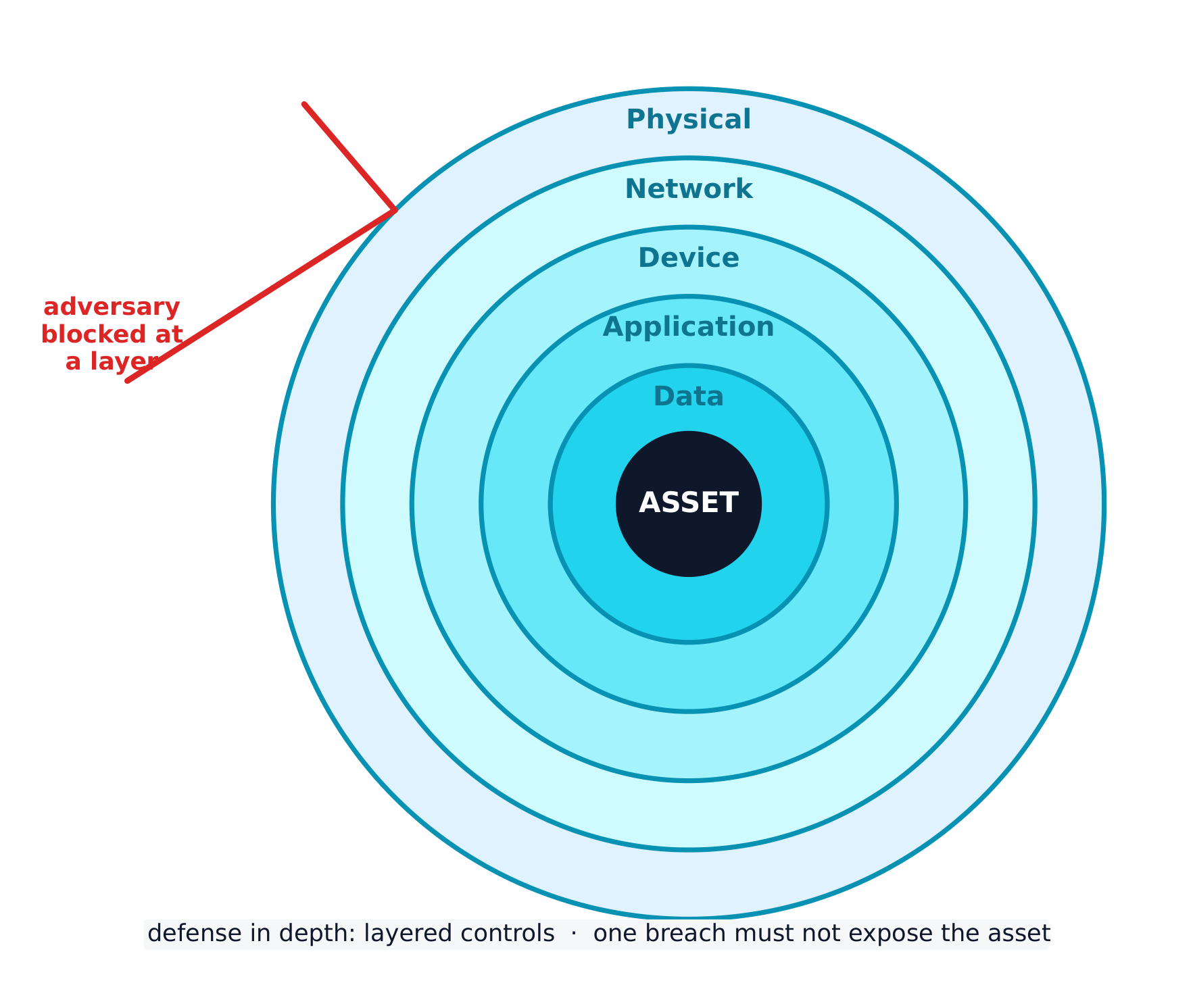
The best strategy layers many controls - a defense-in-depth 纵深防御 approach. If an adversary bypasses one layer, another still stands. Layers include human, physical, network, device, application, and data.
日本語
システムを防御するためには、共通の言語が必要です。このセクションでそれを構築します。
すべてのセキュリティ制御は、セキュリティの3つの目標であるCIA三要素の少なくとも1つの部分を保護します:
- 機密性 - 承認された人だけがデータを読むことができます。
- 完全性 - データが正確で改ざんされていない状態です。
- 可用性 - 必要な時にデータとサービスが存在することです。
攻撃は異なる攻撃者から行われ、その目的によって分類されます。スクリプト・キディは、金銭や名声のために他者が作ったツールを流用します;ハックティビストは政治的、社会的、または個人的な目的のために行動します;インサイダーはすでに正当なアクセス権限を持っており、復讐や金銭的目的で行動することがあります;サイバーテロリストは電力網や水道施設などの重要インフラを撹乱します;そして越境犯罪組織はランサムウェアや盗難データを介して金銭を追求します。
ほとんどの攻撃はフェーズに分かれて展開されます:レコネッサンス(情報収集、特に公開されたOSINTソースからの)、初期アクセス、定着化、横方向移動(権限昇格によりより多くのシステムへ拡大)、ゴールへの実行、および検知回避です。攻撃者が到達したフェーズを特定することは、防御者が適切な対応を選択する助けとなります。
サイバーエジニアリング:7つの戦術
ほとんどの攻撃はコードではなく、サイバーエジニアリングから始まります。これは、心理的なトリックを用いて対象者を攻撃者の望むように操作するものです。試験では7つの戦術を名称付け、シナリオに哪种の戦術が示されているかを識別することを求めます:
| 戦術 | トリック内容 |
|---|---|
| プレテクスティング | 連絡を取るための説得力のある理由を捏造する(「IT部署です。アカウントを確認しています」) |
| 権威 | 権力ある人物を装う、または「上司」の指示を伝える |
| 恐怖 | 要求が満たされない場合の不利な后果を脅迫する |
| 合意形成 | 誰もが既にそれを行っていると主張し、社会的圧力をかける |
| 希少性 | 利用可能性が限定されていると捏造する(「残り2個だけ」) |
| 親近感 | 対象者に近い人物であることを装う、または知っているふりする |
| 緊急性 | 厳しい期限を設定し、対象者が考える前に行動させさせる |
共通する点は、これら7つすべてが、恐怖、信頼、焦り、あるいは同調したいという欲求といった自動的な感情的反応を引き起こすことで、対象者の判断を回避していることです。防御策も毎回同じです:行動する前に、別の信頼できるチャネルを通じて検証すること。
リスクとは、脅威が脆弱性を利用して資産(データ、お金、ハードウェア、評判など価値のあるもの全て)を侵害できる場合に生じます。私たちは2つの要素を比較することでリスクを評価します:攻撃の発生確率と被害の深刻度です。
発生確率は、対象の価値(攻撃者は狙い目として価値があるものを探します)、脆弱性を悪用するために必要なスキル(詳細に文書化されたエクスプロイトは少ないスキルで済むため、より多くの攻撃者が使用できます)、そして想定される攻撃者の動機と能力に依存します。深刻度は通常、財務的コストで測られますが、評判的および業務的な被害も含みます。
最終的な評価は2通りの方法で表すことができ、試験ではそれらを区別できることを求めます:
- 定量的 - 数値:スケール上のスコア(例:1-10)、または金銭価値(例:「年間のリスク $10,000」)。
- 定性的 - ラベル:低 / 中 / 高 / 深刻、または likely-high-impact と unlikely-low-impact のようなグリッド。
記述されたリスク評価には、各リスクについて以下の内容を記録する必要があります:脆弱性を持つ資産とその価値、想定される脅威、特定の脆弱性がどのように悪用されるか、侵害された場合の深刻度、そして最終的な定量的または定性的な評価。
リスクを測定したら、組織にはそれを管理するための4つの方法があります:
- 回避 - リスクのある活動を停止する(必須でない場合のみ可能)。
- 移転 - 負担を第三者(保険会社など)に移す。
- 軽減 - 制御を追加して、発生確率や影響を低下させる。
- 受容 - 完全なセキュリティは不可能であるため、残った残留リスクを受け入れる。
セキュリティ制御は2通りで分類されます。種類別:物理的(錠前、柵、警備員)、技術的(ファイアウォール、マルウェア対策ソフト、暗号化)、管理的(方針と手順)。機能別:予防的(攻撃を止める、錠前の例)、探知的(攻撃を発見する、カメラの例)、是正的(修復と回復、パッチ適用の例)。
** worked example.** 病院が鍵のかからない部屋にある未暗号化のサーバーに患者記録を保管している場合、リスクを評価します:資産は非常に敏感(法的に保護されている患者データ)であり、かつ脆弱性は悪用されやすい(暗号化なし、アクセス制御なし)ため、これは高リスクです。次に、一つの解決策であるドアロックを分類します:種類別では物理的制御であり、機能別では予防的です(攻撃が始まる前に入室を阻止するため)。
最善の戦略は、多くの制御を積層することです。これはディフェンス・イン・デプスアプローチと呼ばれます。攻撃者が1つの層を突破しても、他の層はまだ残っています。層には、人的、物理的、ネットワーク、デバイス、アプリケーション、データのものが含まれます。
Explore · 探索
Classify each security control by function · 各セキュリティ制御機能的に分類する
A preventative control stops an attack, a detective control spots one in progress, and a corrective control fixes the damage and restores the system. · 予防的制御は攻撃を止めます、検知的制御は進行中の攻撃を発見し、修正的制御は被害を修復してシステムを復旧させます。
Explore · 探索
Classify each security control by type · 各セキュリティ制御を種類別に分類する
A physical control guards the physical space, a technical control works in the digital space, and a managerial control is a rule, policy, or procedure. · 物理的制御は物理空間を守り、技術的制御はデジタル空間で動作し、管理職的制御はルール、ポリシー、または手順です。
Vocabulary · 語彙
Train · 練習する
| English | 日本語 |
|---|---|
| CIA triad/ˌsiː aɪ ˈeɪ ˈtraɪæd/ | CIA三要素 |
| Confidentiality/ˌkɒnfɪˌdenʃiˈæləti/ | 守秘義務 |
| Integrity/ɪnˈteɡrɪti/ | 誠実さ |
| Availability/əˌveɪləˈbɪlɪti/ | 可用性 |
| script kiddie/skrɪpt ˈkɪdi/ | スクリプト・キッド |
| hacktivist/ˈhæktɪvɪst/ | ハックティビスト |
| insider/ɪnˈsaɪdə/ | 内部者 |
| cyberterrorist/ˈsaɪbəterərɪst/ | サイバーテロリスト |
| transnational criminal organisations/trænˈsnæʃənl ˈkrɪmɪnl ˌɔːɡənaɪˈzeɪʃnz/ | 越境犯罪組織 |
| phases/ˈfeɪzɪz/ | 満ち欠け |
| reconnaissance/rɪˈkɒnɪsəns/ | 偵察 |
| OSINT/ˈəʊsɪnt/ | OSINT |
| lateral movement/ˈlætərəl ˈmuːvmənt/ | 横向き移動 |
| social engineering/ˈsəʊʃl ˌendʒɪˈnɪərɪŋ/ | ソーシャルエンジニアリング |
| Pretexting/ˈpriːtekstɪŋ/ | プリテクスティング |
| Authority/əˈθɒrɪti/ | 権威 |
| Intimidation/ɪnˌtɪmɪˈdeɪʃn/ | 威嚇 (Intimidation) |
| Consensus/kənˈsensəs/ | 合意 (Consensus) |
| Scarcity/ˈskeəsɪti/ | 希少性 (Scarcity) |
| Familiarity/fəˌmɪliˈærɪti/ | 親近感 (Familiarity) |
| Urgency/ˈɜːdʒənsi/ | 緊急性 |
| risk/rɪsk/ | リスク |
| threat/θret/ | threat(脅威) |
| vulnerability/ˌvʌlnərəˈbɪlɪti/ | 脆弱性 |
| asset/ˈæset/ | 資産 |
| likelihood/ˈlaɪklihʊd/ | 可能性 |
| severity/səˈverɪti/ | 深刻度 |
| quantitative/ˈkwɒntɪteɪtɪv/ | 量的 |
| qualitative/ˈkwɒlɪteɪtɪv/ | 定性的 |
| risk assessment/rɪsk əˈsesmənt/ | リスク評価 |
| Avoid/əˈvɔɪd/ | 回避する |
| Transfer/ˈtrænsfɜː/ | 電子の移動 |
| Mitigate/ˈmɪtɪɡeɪt/ | 軽減する |
| Accept/əkˈsept/ | 受ける |
| residual risk/rɪˈsɪdʒuːəl rɪsk/ | 残留リスク |
| defense-in-depth/dɪˈfens ɪn depθ/ | 深層防御 |
| physical attacks/ˈfɪzɪkl əˈtæks/ | 物理的攻撃 |
2.2
Physical Vulnerabilities and Attacks · 物理的な脆弱性と攻撃
Syllabus · シラバス
| Learning Objective | Essential Knowledge |
|---|---|
2.2.A |
|
2.2.B |
|
2.2.C |
|
Source: College Board AP Course and Exam Description · 出典: College Board AP コースおよび試験説明書
English
Digital security means nothing if an adversary can simply walk in. Common physical attacks 物理攻击 often begin with social engineering:
- Piggybacking 尾随(获许可) - tricking an authorised person into holding a door open (for example, by carrying a heavy box).
- Tailgating 尾随(未察觉) - slipping through a secured door behind someone without their knowledge.
- Shoulder surfing 肩窥 - watching someone type a password or read sensitive information.
- Dumpster diving 翻垃圾搜集情报 - searching a target's trash for useful information.
- Card cloning 门禁卡复制 - copying an access card to enter restricted areas.
With physical access, an adversary can cut power, steal or copy data, or plug in a keylogger 键盘记录器. We rate physical risk as high when sensitive systems sit in a space without controlled access, moderate when an unimportant area could act as a foothold 立足点 to reach other resources, and low when the asset is worthless and unlikely to be attacked.
日本語
攻撃者が容易に侵入できる場合、デジタルセキュリティは意味をなしません。一般的な物理的攻撃は、多くが社会的工程学から始まります:
- ピグバック(Piggybacking)() - 権限のある人物に扉を開けてもらうようにだますする(例えば、重い箱を持っていたりして)。
- テイルゲート(Tailgating)() - 本人の知ることなく、施錠された扉の後ろに潜り込む。
- ショルダーサーフィン(Shoulder surfing) - パスワード入力や機密情報の閲覧をしている他人を見守る。
- ダンピング・ダイビング(Dumpster diving) - ターゲットのゴミから有益な情報を探し出す。
- カードクロニング(Card cloning) - 制限区域への入場用アクセスカードをコピーする。
物理的にアクセスできた場合、攻撃者は電源を遮断したり、データを盗み出したり複製したり、またはキーロガーを接続したりできます。敏感なシステムが管理されていないアクセス空間内に置かれている場合はリスクを高いと評価し、重要でないエリアが他のリソースへ到達するための足掛かりとなる可能性がある場合は中程度と評価し、資産価値がなく攻撃される可能性が低い場合は低いと評価します。
Vocabulary · 語彙
Train · 練習する
| English | 日本語 |
|---|---|
| physical/ˈfɪzɪkl/ | 物理 |
| technical/ˈteknɪkl/ | 技術的な |
| managerial/ˌmænəˈdʒɪərɪəl/ | 管理的 |
| preventative/prɪˈventətɪv/ | 予防的 |
| detective/dɪˈtektɪv/ | 探索的 |
| corrective/kəˈrektɪv/ | 是正保守 |
| Piggybacking/ˈpɪɡɪbækɪŋ/ | ピグバックイニング |
| Tailgating/ˈteɪlɡeɪtɪŋ/ | テイルゲイティング |
| Shoulder surfing/ˈʃəʊldə ˈsɜːfɪŋ/ | ショルダーサーフィング |
| Dumpster diving/ˈdʌmpstə ˈdaɪvɪŋ/ | ダンピングダイビング |
| Card cloning/kɑːd ˈkləʊnɪŋ/ | カードクロニク |
| keylogger/ˈkiːlɒɡə/ | キーロガー |
| foothold/ˈfʊthəʊld/ | 足がかり |
| clean desk policy/kliːn desk ˈpɒlɪsi/ | クリーンデスクポリシー |
| bollards/ˈbɒlɑːdz/ | ポール |
| card readers/kɑːd ˈriːdəz/ | カードリーダー |
2.3
Protecting Physical Spaces · 物理的スペースの保護
Syllabus · シラバス
English
Learning Objective 2.3.A: Identify managerial controls related to physical security.
- 2.3.A.1 Organizations should conduct employee security awareness training to educate employees about how they can contribute to the organization’s security by:
- Detecting social engineering attempts like phishing
- Not badging other people into restricted areas
- Preventing device theft
- 2.3.A.2 Organizations should have a workstation security policy that outlines the measures necessary to protect a physical workplace. The policy may have tiers of workstation security based on the type of data handled at a workstation. Workstation policies often require:
- Locking devices before leaving workstations unattended to prevent unauthorized access
- Clearing sensitive documents off workstations before leaving them unattended (sometimes called a clean desk policy)
- Using a privacy screen filter or other physical barrier to prevent others from viewing information on the screen
- Connecting devices to surge protectors or uninterruptible power supplies (UPS)
Learning Objective 2.3.B: Determine mitigation strategies for risks from physical vulnerabilities.
- 2.3.B.1 To determine a relevant control, a cyber defender considers how an adversary could take advantage of a vulnerability to attack a system and how to prevent, detect, or correct the attack.
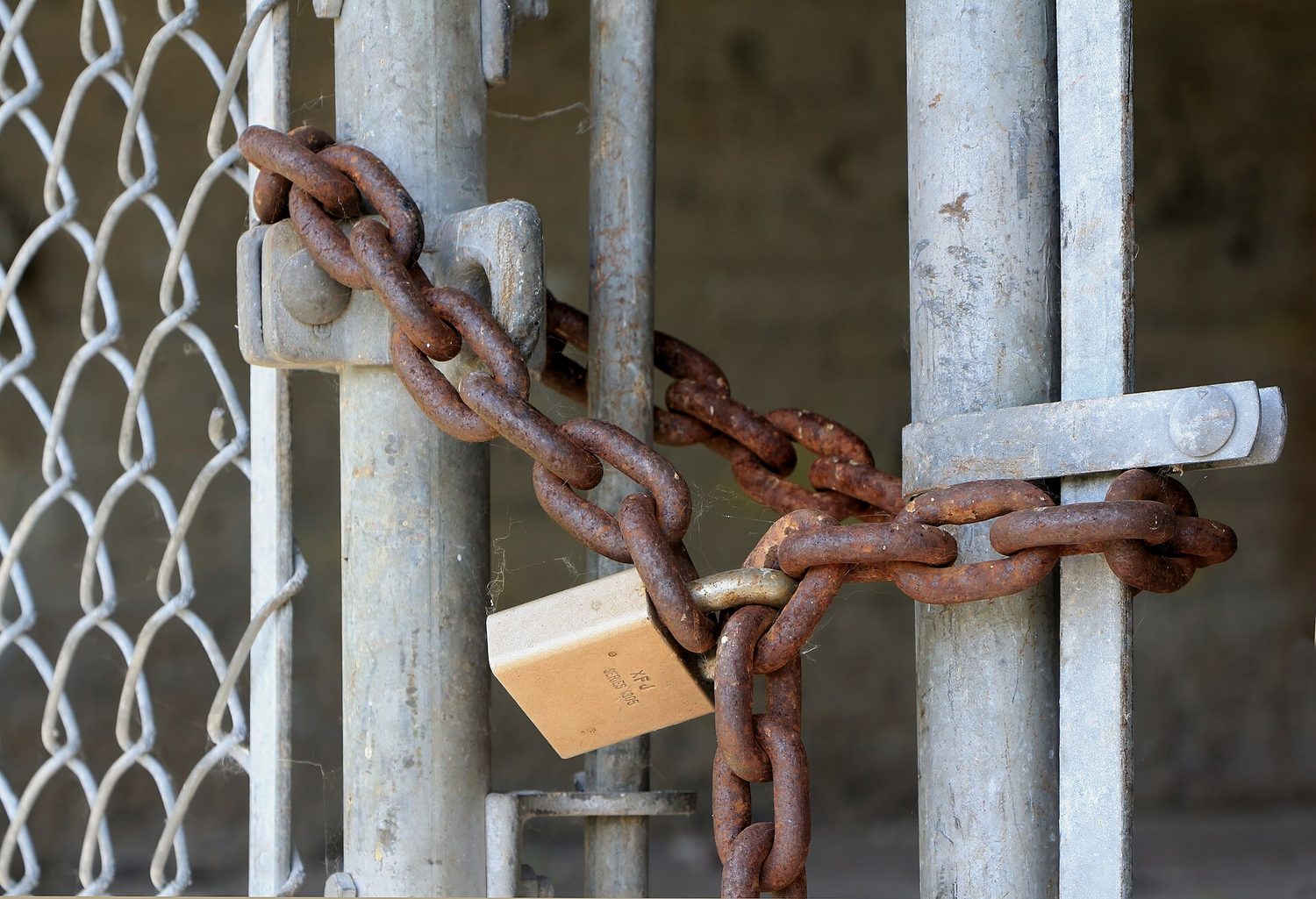
- 2.3.B.2 Installing physical controls like fencing, gates, and bollards around a building can deter adversaries from trying to physically access an organization’s buildings.
- 2.3.B.3 Locks on doors, server cabinets, and computers can prevent devices from being accessed or stolen.
- 2.3.B.4 Card readers can record which employee badges are being used to access different entries at specific times and deny access to unauthorized badges.
- 2.3.B.5 Access control vestibules and turnstiles can prevent an authorized person from intentionally or accidentally admitting an unauthorized person into a restricted area.
- 2.3.B.6 Organizations can disable USB ports to prevent external drives from loading malware onto a computer.
- 2.3.B.7 An uninterruptible power supply (UPS) provides a backup power source for a device in the event of a power outage. Organizations can also use power generators to provide power at a larger scale to a building or set of critical devices.
- 2.3.B.8 Organizations prioritize risk mitigations based on the severity of the risks and the cost of the recommended mitigations.
日本語
学習目標 2.3.A: 物理セキュリティに関する管理統制を特定する。
- 2.3.A.1 組織は、従業員が以下のようにして組織のセキュリティに貢献できるかを教育するために、セキュリティ認知研修を実施すべきである。
- フィッシングなどのサイバーサミング攻撃の検知
- 制限区域への他人のバッチング(同行)を行わないこと
- デバイス盗難の防止
- 2.3.A.2 組織は、物理的な職場を保護するために必要な措置を明記したワークステーションセキュリティポリシーを持つべきである。このポリシーは、ワークステーションで取り扱われるデータの種類に基づいて、ワークステーションセキュリティの階層を含むことがある。ワークステーションポリシーは通常、以下を要求する。
- 留守にした際に unauthorized access を防ぐため、ワークステーションを離れる前にデバイスをロックすること
- 留守にする前にワークステーション上の敏感な文書を取り除くこと(クリーンデスクポリシーとも呼ばれる sometimes called a clean desk policy)
- プライバシースクリーンフィルターやその他の物理的バリアを使用して、他人が画面の情報を見るのを防ぐこと
- サージプロテクタまたは無停電装置(UPS)にデバイスを接続すること
学習目標 2.3.B: 物理的脆弱性によるリスクに対する軽減策を決定する。
- 2.3.B.1 関連する統制を決定するためには、サイバーディフェンダーは、攻撃者がどのように脆弱性を悪用してシステムを攻撃し、また攻撃を防止、検知、または修正するかを検討する。
- 2.3.B.2 建物の周囲にフェンス、ゲート、ボールドなどを設置することで、攻撃者が組織の建物への物理的アクセスを試みるのを阻止できる。
- 2.3.B.3 ドア、サーバーキャビネット、およびコンピューターのロックは、デバイスへのアクセスや盗難を防ぐことができる。
- 2.3.B.4 キャードリーダーは、どの時刻にどの従業員のバッジを使って異なる入り口/accessed different entries at specific times and deny access to unauthorized badges.
- 2.3.B.5 アクセスコントロール・ベスティブルとターンstileは、権限のある人が意図的または偶発的に権限のない人を制限区域に持ち込むのを防ぐことができる。
- 2.3.B.6 組織は外部ドライブによるマルウェアのロードを防ぐためにUSBポートを無効化できる。
- 2.3.B.7 無停電装置(UPS)は、停電時にデバイス用のバックアップ電源を提供する。組織はまた、発電機を使用して、より大規模なスケールで建物や一連の重要なデバイスに電力を提供することもできる。
- 2.3.B.8 組織はリスクの深刻さと推奨される軽減策のコストに基づいてリスク軽減を優先順位付ける。
Source: College Board AP Course and Exam Description · 出典: College Board AP コースおよび試験説明書
English
Managerial controls come first: security-awareness training teaches staff not to badge strangers in, and a workstation security policy requires locking devices, clearing desks (a clean desk policy 清桌政策), and using privacy screens.
Physical controls then harden the building: fences, gates, and bollards 防撞柱 deter access; locks protect doors and cabinets; card readers 读卡器 log and restrict entry; an access control vestibule 门禁前室 (a two-door airlock) stops piggybacking; disabling USB ports blocks malware drives; and an uninterruptible power supply (UPS) 不间断电源 keeps devices running through an outage. Organisations prioritise these by matching the cost of a control to the severity of the risk.
日本語
まず経営上の管理統制が必要です。セキュリティ意識向上トレーニングは従業員に見知らぬ人にタグ付けをしないよう指導し、ワークステーションセキュリティポリシーはデバイスのロック、デスククリア(クリーンデスクポリシー)、プライバシースクリーンの使用を要求します。
次に物理的統制により建物を強化します。フェンス、ゲート、ボーラードはアクセスを妨害し、錠前は扉やキャビネットを守ります。カードリーダーは出入りを記録し制限します。アクセスコントロール・ウェスティブル(Access control vestibule)(2つの扉を持つエアロック)はピグバックを防ぎ、USBポートの無効化はマルウェアドライブの導入をブロックし、無停電装置(UPS: Uninterruptible Power Supply) は停電時にもデバイスを稼働させ続けます。組織はこれらの優先順位を、管理統制のコストとリスクの深刻さのバランスに合わせて決定します。
Vocabulary · 語彙
Train · 練習する
| English | 日本語 |
|---|---|
| access control vestibule/ˈækses kənˈtrəʊl ˈvestɪbjuːl/ | アクセスコントロール・ヴェスティブル |
| uninterruptible power supply (UPS)/ˌʌˌnɪntəˈrʌptɪbl ˈpaʊə səˈplaɪ/ | 無停電電源装置 (UPS) |
| motion sensors/ˈməʊʃn ˈsensəz/ | 動作センサー |
| points of ingress and egress/pɔɪnts ɒv ˈɪŋɡres ænd iːˈɡres/ | 侵入および退出地点 |
2.4
Detecting Physical Attacks · 物理的攻撃の検知
Syllabus · シラバス
English
Learning Objective 2.4.A: Identify ways security controls can detect physical attacks.
- 2.4.A.1 Cameras can capture a visual record of an adversary’s malicious activity. The feed from a camera should be recorded and monitored for maximum effect. Recordings can be especially helpful in after-incident investigations.
- 2.4.A.2 Security guards can monitor activity in an area and respond to suspicious activity once detected.
- 2.4.A.3 Motion sensors can alert security to movement in an area.
- 2.4.A.4 Employees that work in a physical space are often the first to notice the presence of an unauthorized person and can alert security.
Learning Objective 2.4.B: Determine effective placement of security controls for detecting physical attacks.
- 2.4.B.1 When placing cameras, consideration should be given to visual coverage, angle, and the ability to be tampered with by an adversary. Consideration should also be given to what a camera in a specific area could capture an adversary doing and how that information would be helpful. Points of ingress and egress are often monitored by camera.
- 2.4.B.2 Motion sensors should be placed in areas where traffic is unexpected, like server rooms, or areas where sensitive materials are stored and few people have access. Motion sensors in high-traffic areas create many false alarms, making the alarms less likely to be taken seriously when there is a real security event.
- 2.4.B.3 Locks should be placed on all entries to areas containing sensitive information or systems. For areas with particularly sensitive information or systems, an organization could use an access control vestibule at the entry point to prevent piggybacking or tailgating.
- 2.4.B.4 Security guards can be stationary or patrolling. Stationary guards can provide constant protection for a specific area, entrance, or high-value item. Patrolling guards are more difficult for an adversary to plan around and can create time pressure for an adversary. Placing stationary guards at places that funnel traffic (e.g., entry gates, main entrances or lobbies, and entrances to more secure access areas) can be highly effective, while patrolling guards are better suited for perimeters and exterior areas.
Learning Objective 2.4.C: Apply detection techniques to identify physical attacks.
- 2.4.C.1 Cameras provide visual monitoring and a visual record of activity within a designated space. Cameras can be paired with facial recognition software that can provide alerts when unauthorized individuals enter controlled areas. Once a physical breach has been detected, defenders can use live and recorded camera footage to track an adversary’s path and actions.
- 2.4.C.2 Motion detectors work best when paired with cameras. When a security alert is raised because a motion detector has been activated, defenders can use cameras to check the space visually and verify a physical security breach.
- 2.4.C.3 When employees are required to use an electronic badge to unlock a door to a restricted area, a sensor can record how long the door was open. In reviewing entry logs for the door, potential piggybacking or tailgating can be detected by doors being open for longer than normal lengths of time.
日本語
学習目標 2.4.A: セキュリティ統制が物理攻撃を検知する方法を特定する。
- 2.4.A.1 カメラは、攻撃者の悪意ある活動を視覚的に記録できる。カメラの映像は最大限の効果のために録画され、監視されるべきである。録画は、事件後の調査において特に役立つことがある。
- 2.4.A.2 警備員は、区域内の活動を監視し、不審な活動が検知されたら対応する。
- 2.4.A.3 動作センサーは、区域内での動きを警備員に警告する。
- 2.4.A.4 物理空間で働く従業員は、 often the first to notice the presence of an unauthorized person and can alert security.
学習目標 2.4.B: 物理攻撃を検知するためのセキュリティ統制の有効な配置を決定する。
- 2.4.B.1 カメラを設置する際は、視覚的カバレッジ、角度、および攻撃者による操作の可否を考慮すべきである。特定の領域にあるカメラが攻撃者の何を撮影できるか、そしてその情報がどのように役立つかも考慮すべきである。入退口は often monitored by camera.
- 2.4.B.2 動作センサーは、サーバールームのような予期せぬ交通量がある場所や、敏感な資料が保管されておりアクセスできる人が少ない場所に設置すべきである。高交通量の領域にある動作センサーは多くの誤警報を引き起こすため、実際のセキュリティイベント发生时 alarms less likely to be taken seriously when there is a real security event.
- 2.4.B.3 敏感な情報やシステムが含まれる領域へのすべての入り口にロックを設置すべきである。特に敏感な情報やシステムがある領域については、組織はピッグバックやテイルゲートを防ぐために入り口にアクセスコントロール・ベスティブルを使用することができる。
- 2.4.B.4 警備員は常駐型または巡回型である。常駐型警備員は特定のエリア、入口、または高価値アイテムに対して絶えず保護を提供できる。巡回型警備員は敵対者による計画を立てにくく、敵対者に時間的圧力をかけることができる。交通が集中する場所(例:入構ゲート、主要なエントランスやロビー、より厳重なアクセスエリアへの入り口)に常駐型警備員を配置することは非常に効果的であり、一方、巡回型警備員は周縁部や外郭エリアに適している。
学習目標 2.4.C: 検知技術を用いて物理攻撃を特定する。
- 2.4.C.1 カメラは指定された空間内の活動を視覚的に監視し、活動の記録を残す。カメラには顔認識ソフトウェアと組み合わせることができ、未授权者が管理区域に入国した際にアラートを発報することができる。物理的な侵害が検知された後、防衛者は生放送および録画された映像を使って、敵対者の経路や行動を追跡できる。
- 2.4.C.2 動体検知器はカメラと組み合わせることで最も効果的に機能する。動体検知器が作動して警報が出た場合、防衛者はカメラを使用して空間を視覚的に確認し、物理的なセキュリティ侵害を検証できる。
- 2.4.C.3 従業員が制限区域の扉を開錠するために電子バッジを使用する場合、センサーは扉が開いていた時間を記録する。扉の入出 logs を確認する際、通常より長時間扉が開いている場合は、ピグバックまたはテイルゲーティングの疑いが検知される。
Source: College Board AP Course and Exam Description · 出典: College Board AP コースおよび試験説明書
English
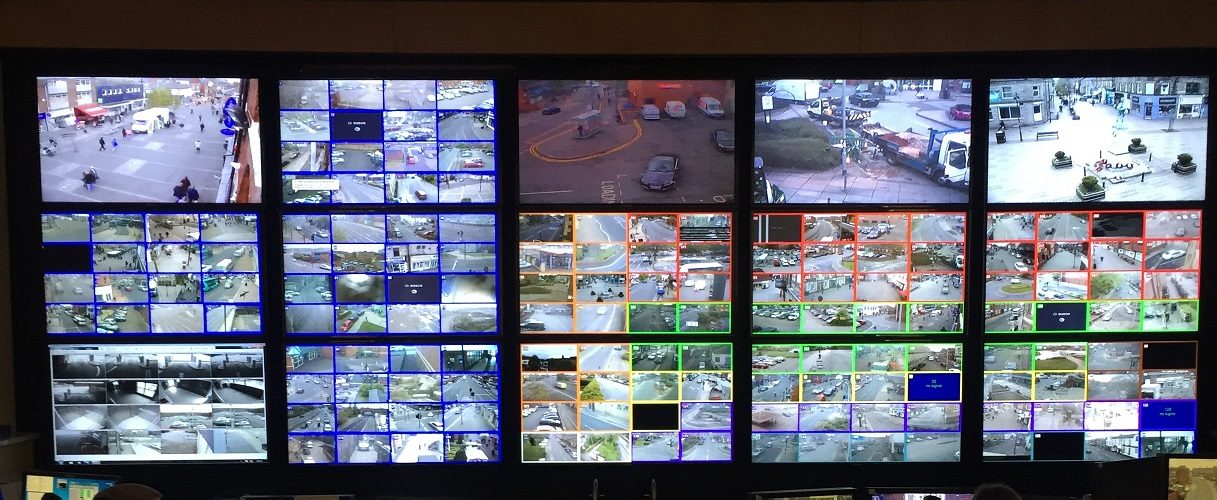
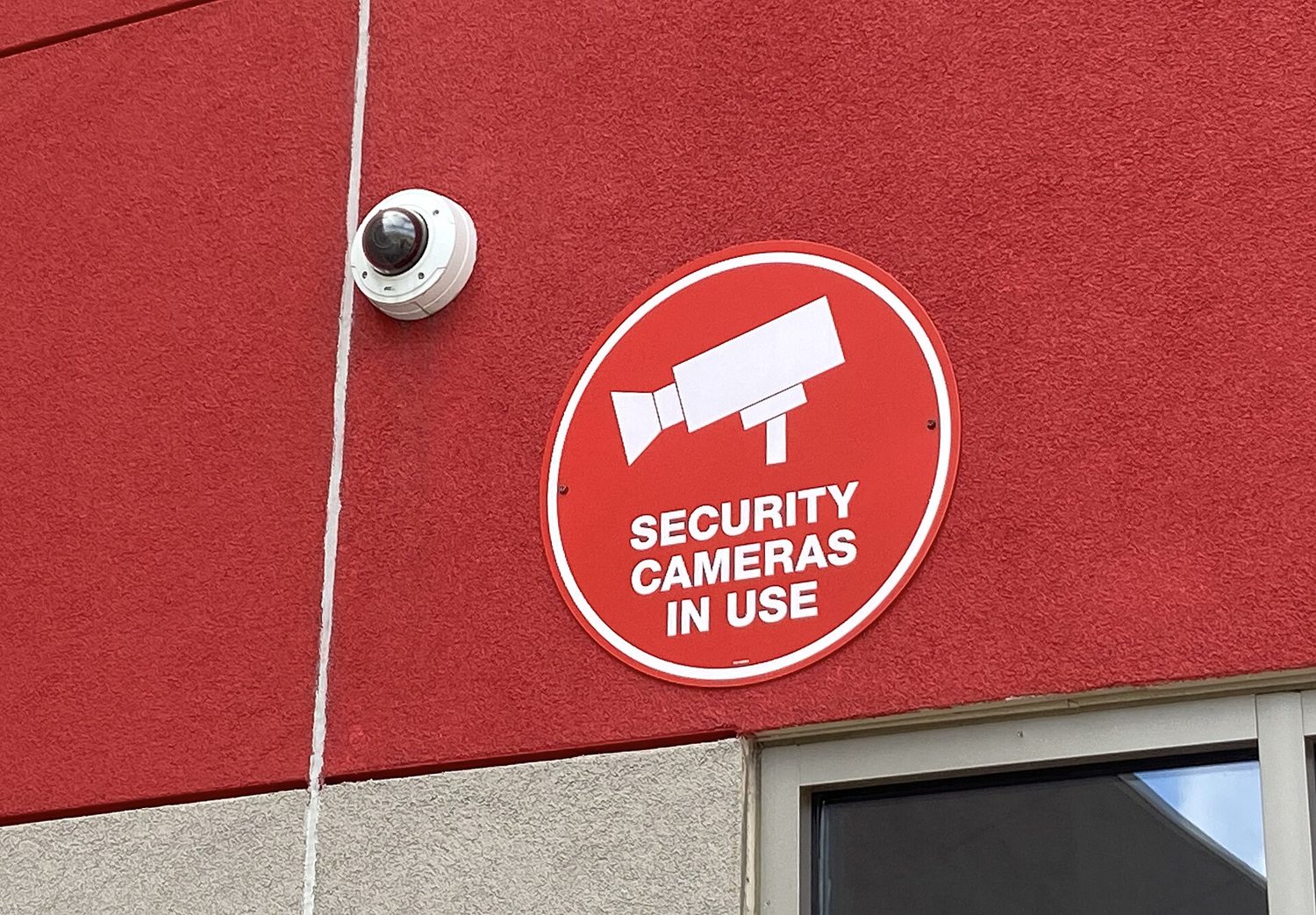
Some controls detect attacks rather than prevent them. Cameras record activity and help after-incident investigations; security guards respond to what they see; motion sensors 运动传感器 alert staff to movement; and employees themselves often notice an intruder first.
Placement matters. Cameras belong at points of ingress and egress 出入口 (entrances and exits). Motion sensors work best in low-traffic areas like server rooms - put them in a busy hallway and constant false alarms make everyone ignore them. Stationary guards protect a fixed high-value point, while patrolling guards are harder for an adversary to plan around. Reviewing door-open times in entry logs can even reveal piggybacking, because a door held open too long is suspicious.
日本語
ある統制は攻撃を「防止」するのではなく「検知」するものです。カメラは活動を記録し、事後調査を支援し、警備員は目撃した事象に対応し、モーションセンサーは動きを検知して従業員に警告し、従業員自身も侵入者を最初に気づくことがあります。
配置が重要です。カメラは侵入および退去ポイント(出入口)に設置されます。モーションセンサーはサーバールームのような低交通量エリアで最も効果的ですが、混雑した廊下に設置すると常時誤警報が発生し、全員がそれを無視するようになります。固定警備員は一定の高価値ポイントを保護しますが、巡回警備員は攻撃者が計画を立てにくくします。ドアオープンタイムのレビューは、入り口ログからピグバックを明らかにすることさえあります。扉が長時間開きっぱなしであることは疑わしいからです。
2.4
Exam tips · 試験対策
English
- Memorise the CIA triad and be ready to say which goal a control protects - encryption serves confidentiality, a hash checks integrity, a backup restores availability.
- Know the four risk responses (avoid, transfer, mitigate, accept) and the two ways to classify controls (by type: physical/technical/managerial; by function: preventative/detective/corrective).
- Distinguish piggybacking (with consent, tricked) from tailgating (without the person's knowledge) - exam questions test this exact pair.
- For risk-rating questions, high risk needs both high value AND easy exploitation; a "foothold to other systems" is the classic moderate risk.
- Defense in depth is the model answer whenever a question asks why one control is not enough.
日本語
- CIA三要素(CIA triad) を暗記し、どの統制がどのような目標を保護するかを言える準備をする;暗号化は機密性、ハッシュは完全性、バックアップは可用性を守る。
- 4つのリスク対応策(回避、移転、軽減、受容)を知り、統制を2つの方法で分類する方法を知る(タイプ別:物理/技術/経営;機能別:予防的/探知的/是正的)。
- ピグバック(同意あり、だまされた状態) と テイルゲート(本人の知情なし) の違いを理解する;試験問題はこの対比を厳密に問うことがある。
- リスク評価に関する問題において、高いリスクには高い価値 AND 簡単な利用可能性の両方が必要です。「他システムへの足掛かり」は典型的な中程度リスクです。
- 質問が「なぜ一つの統制では不十分か」と尋ねる際は、ディフェンス・イン・デプスがモデル回答となります。
Interactive lessons on this topic · このトピックのインタラクティブ授業
Work through it step by step, with instant-check exercises. · 一歩ずつ進め、即時チェック付きの問題で学習します。