File processing · Traitement de fichiers
| English | Français |
|---|---|
| overwrite/ˌəʊvəˈraɪt/ | écraser |
| APPEND/əˈpend/ | APPEND |
| temporary file/ˈtemprəri faɪl/ | fichier temporaire |
You cannot change one line of a text file
- A program must correct a spelling in the middle of a customer file. It seems obvious: find the line, change it, save.
- Almost no language will let you. A text file is a stream of characters, and the corrected name is a different length from the old one, so every byte after it would have to move.
- So the standard answer is not to edit at all: copy the whole file, changing that one line as it passes, and put the copy in place of the original.
- This lesson is the file operations, that copy-through pattern for updating, and the pitfalls that cause real bugs.
The operations
OPENFILE name FOR READ | WRITE | APPENDopens the file. READ opens an existing file at the start; WRITE creates it, or overwrites 覆盖 an existing one; APPEND 追加 opens it and adds at the end.READFILE name, variablereads the next line.WRITEFILE name, valuewrites one.CLOSEFILE namecloses it.EOF(name)is TRUE when the end has been reached.- Choose the file layout and access method first: serial, sequential and random files serve different operations. The copy-through examples here use sequential access to text records.
- The pattern for reading a whole file is always the same:
OPENFILE "names.txt" FOR READ
WHILE NOT EOF("names.txt") DO
    READFILE "names.txt", thisName
    OUTPUT thisName
ENDWHILE
CLOSEFILE "names.txt"
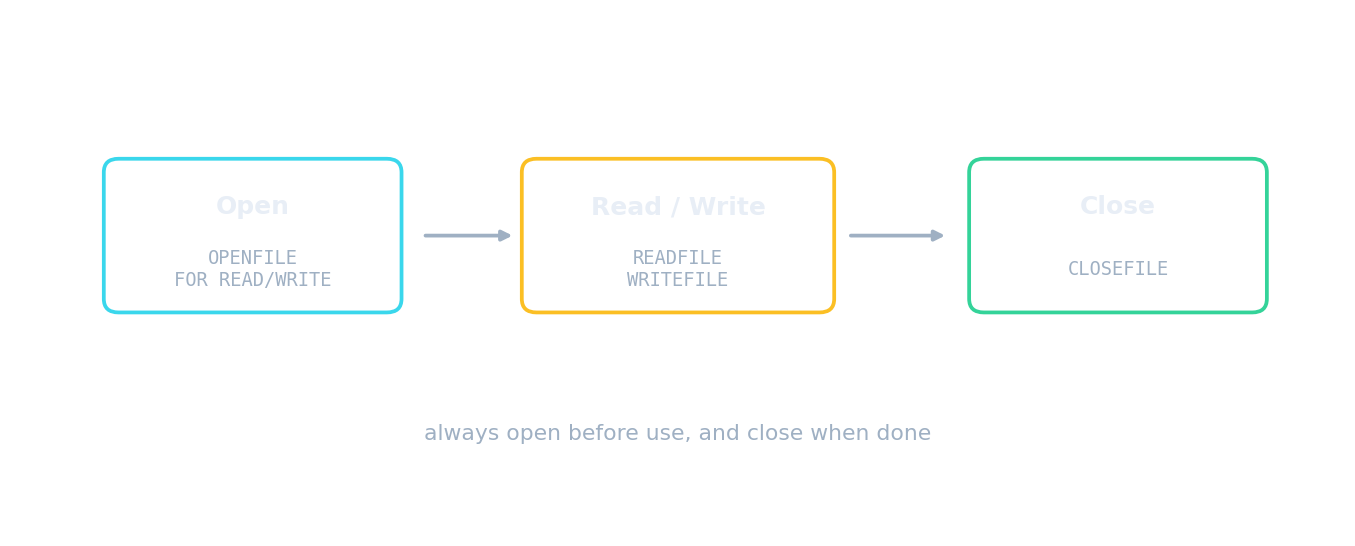
Open, use, close, every time
File access route · Voie d'accès au fichier
Follow a file from storage to program and back safely. · Suivre un fichier depuis le stockage jusqu'au programme et retour en toute sécurité.
What does opening a file FOR WRITE do to existing contents? · Que fait l'ouverture d'un fichier EN ÉCRITURE sur le contenu existant ?
WRITE creates or overwrites the file. To keep existing contents and add more, use APPEND. · ÉCRITURE crée ou écrase le fichier. Pour conserver le contenu existant et ajouter davantage, utilisez AJOUTER À LA FIN.
Match each file operation to what it does. · Faites correspondre chaque opération de fichier à ce qu'elle fait.
WRITE overwrites, APPEND adds; EOF marks the end; the search loop stops early once the value is found. · WRITE écrase, APPEND ajoute ; EOF marque la fin ; la boucle de recherche s'arrête prématurément dès que la valeur est trouvée.
Searching a file
- To search, read line by line and stop when the target is found. Two conditions are needed:
WHILE NOT EOF(…) AND NOT found. - The · Le
foundflag matters. Without it the loop reads the whole file even after a match, which is wasteful, and there is nothing to test afterwards to report "not found".
found ← FALSE
OPENFILE "names.txt" FOR READ
WHILE NOT EOF("names.txt") AND NOT found DO
    READFILE "names.txt", thisName
    IF thisName = target THEN
        found ← TRUE
    ENDIF
ENDWHILE
CLOSEFILE "names.txt"
When searching a file for a value, the loop condition usually includes: · Lors de la recherche d'une valeur dans un fichier, la condition de la boucle inclut généralement :
Stopping when found avoids reading the rest of the file unnecessarily. · S'arrêter lorsque la valeur est trouvée évite de lire inutilement la suite du fichier.
Why does a file search loop use WHILE NOT EOF AND NOT found? Select all · tout that apply. · Pourquoi une boucle de recherche de fichier utilise-t-elle WHILE NOT EOF AND NOT found ? Sélectionnez toutes les réponses applicables.
Every file must still be closed. The two conditions handle early exit and the end of the file respectively. · Chaque fichier doit toujours être fermé. Les deux conditions gèrent respectivement la sortie anticipée et la fin du fichier.
Updating: the temporary-file pattern
- Because a text file cannot be edited in place, updating uses a temporary file 临时文件.
- Open the original FOR READ and a temporary file FOR WRITE. Read each line in turn; write it to the temporary file either changed or unchanged.
- Close both files, then replace the original with the temporary file.
- The same pattern does everything: to delete a record, skip writing that line; to insert · insérer one, write the new line at the right point as you copy.
To update a text file when in-place editing is not possible, you: · Pour mettre à jour un fichier texte lorsque l'édition en place n'est pas possible, vous :
Copy each line (changed or not) to a temp file, then swap it in for the original. · Copier chaque ligne (modifiée ou non) dans un fichier temporaire, puis la remplacer dans l'original.
Put the steps of deleting one record from a text file in order. · Mettez les étapes de suppression d'un enregistrement dans un fichier texte dans l'ordre.
The last step is the one candidates leave out, and without it nothing has changed. The same pattern inserts or edits a record. · La dernière étape est celle que les candidats omettent, et sans elle rien n'a changé. Le même motif permet d'insérer ou de modifier un enregistrement.
Worked example: delete a record
- Describe how a program deletes one record from a text file. [4]
- Open the original file for reading and a temporary file for writing.
- Read each line in turn. If the line is not · non the one to delete, write it to the temporary file; if it is, do not write it.
- When the end of the original is reached, close both files.
- Replace the original file with the temporary file. All four steps score, and the last one is the one candidates forget.
A program writes 500 records then ends without closing the file, and the last few are missing. Why? · Un programme écrit 500 enregistrements puis se termine sans fermer le fichier, et les derniers sont manquants. Pourquoi ?
Writes are buffered for speed. Closing the file flushes the buffer, and it may also release a lock other programs are waiting on. · Les écritures sont mises en mémoire tampon pour la vitesse. Fermer le fichier vide la mémoire tampon, et cela peut également libérer un verrou dont d'autres programmes attendent.
The pitfalls
- Forgetting to close a file: buffered data may never be written, so the last records vanish, and the file may stay locked against other programs.
- Opening · Ouverture FOR WRITE when APPEND was meant: the entire existing contents are destroyed the instant the file is opened, before a single line is written.
- Reading past EOF: test
EOFbefore every read, not after. - Hard-coded paths: put the filename in a constant so it appears once and the program can be moved.
Forgetting to close a file can lose buffered writes and lock other programs out — so you should always close a file when finished. · Oublier de fermer un fichier peut faire perdre les écritures en mémoire tampon et bloquer d'autres programmes — vous devez donc toujours fermer un fichier une fois terminé.
Closing flushes buffered data to disk and releases the lock — a FINALLY block is a good place to guarantee it. · Fermer vide les données tamponnées sur le disque et libère le verrou — un bloc FINALLY est un bon endroit pour garantir cela.
To add today's entries to a log that must keep its history, open the file FOR ____. · Pour ajouter les entrées d'aujourd'hui à un journal qui doit conserver son historique, ouvrez le fichier FOR ____.
WRITE would destroy every previous entry the instant the file was opened, before a single line was written. · WRITE détruirait toutes les entrées précédantes dès l'ouverture du fichier, avant même qu'une seule ligne ne soit écrite.
Worked example: which mode
- A program adds today's transactions to a running log that must keep its history. APPEND: WRITE would destroy every previous entry.
- A program produces a fresh report each night, replacing yesterday's. WRITE: creating or overwriting is exactly what is wanted.
- A program reads a configuration file at start-up. READ.
- The mode is chosen by what must happen to the existing contents: kept and added to, destroyed, or left alone.
Marks that slip away
- The update pattern ends by replacing the original with the temporary file. Copying without that final step changes nothing.
- A search loop needs both · les deux conditions,
NOT EOFand · et NOT found, and something to test afterwards. - WRITE overwrites; APPEND adds. Choosing wrongly destroys the file at the moment of opening.
- Always
CLOSEFILE. Say why: buffered data may be lost otherwise.
You've got it
OPENFILE … FOR READ | WRITE | APPEND, thenREADFILEor · ou WRITEFILE, thenCLOSEFILE;EOFis tested before · avant each read- WRITE creates or overwrites, APPEND keeps the contents and adds at the end, READ starts at the beginning
- search with
WHILE NOT EOF AND NOT found, so the loop stops early and "not found" can be reported - update by copying through a temporary file, writing each line changed or unchanged, skipping a line to delete or adding one to insert, then replacing the original