Colour and links · Màu sắc và liên kết
This page needs a recent browser (with SharedArrayBuffer support). Please update Chrome, Edge, Firefox or Safari to the latest version. · Trang này cần trình duyệt gần đây (hỗ trợ SharedArrayBuffer). Vui lòng cập nhật Chrome, Edge, Firefox hoặc Safari lên phiên bản mới nhất.
English
Adding colour
- The
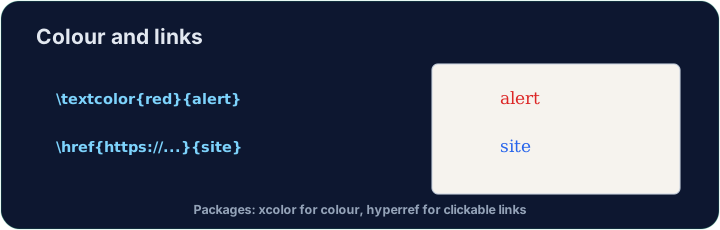
xcolorpackage lets you colour text. Load it, then wrap words:
- Built-in names include
red,blue,green,orange,gray, and more.
Tiếng Việt
Thêm màu sắc
- Gói
xcolorcho phép bạn tô màu văn bản. Tải nó, sau đó bao quanh từ ngữ:
\usepackage{xcolor}
...
\textcolor{red}{This is red} and \textcolor{blue}{this is blue}.
- Các tên tích hợp bao gồm
red,blue,green,orange,gray, và nhiều hơn nữa.
English
Highlights and your own colours
\colorbox{yellow}{text}puts a highlight behind the words.- You can even mix your own:
\textcolor{red!60}{...}is 60% red (lighter).
Tiếng Việt
Highlight và màu sắc tùy chỉnh
\colorbox{yellow}{text}đặt highlight phía sau các từ.- Bạn thậm chí có thể trộn màu riêng:
\textcolor{red!60}{...}là 60% đỏ (nhẹ hơn).
English
Clickable links
- The
hyperrefpackage turns cross-references and web addresses into clickable links:
- Load
hyperreflast in your preamble — it likes to have the final word.
Tiếng Việt
Liên kết nhấp được
- Gói
hyperrefbiến các tham chiếu chéo và địa chỉ web thành liên kết nhấp được:
\usepackage{hyperref}
...
Visit \href{https://ctan.org}{CTAN} for packages.
- Tải
hyperrefcuối cùng trong phần mở đầu — nó thích được nói câu cuối cùng.
English
Common mistakes
- Load
xcolorfor colour andhyperreffor clickable links. - Load
hyperreflast among your packages.
Tiếng Việt
Lỗi thường gặp
- Tải
xcolorcho màu vàhyperrefcho liên kết nhấp được. - Tải
hyperrefcuối cùng trong số các gói của bạn.
Load xcolor, then make the word warning red with \textcolor{red}{warning}. You need both the package and the command. · Tải xcolor, sau đó làm cho từ warning có màu đỏ bằng \textcolor{red}{warning}. Bạn cần cả gói thư viện lẫn lệnh.
Click Run to compile and preview the PDF. · Nhấn Chạy để biên dịch và xem trước PDF.
Make a clickable link. Load hyperref, then turn the word CTAN into a link with \href{https://ctan.org}{CTAN}. Load hyperref last in the preamble. · Tạo liên kết nhấp được. Tải hyperref, sau đó biến từ CTAN thành liên kết với \href{https://ctan.org}{CTAN}. Tải hyperref cuối cùng vào phần mở đầu.
Click Run to compile and preview the PDF. · Nhấn Chạy để biên dịch và xem trước PDF.