Page layout and margins · Bố cục trang và lề
This page needs a recent browser (with SharedArrayBuffer support). Please update Chrome, Edge, Firefox or Safari to the latest version. · Trang này cần trình duyệt gần đây (hỗ trợ SharedArrayBuffer). Vui lòng cập nhật Chrome, Edge, Firefox hoặc Safari lên phiên bản mới nhất.
English
Controlling the page
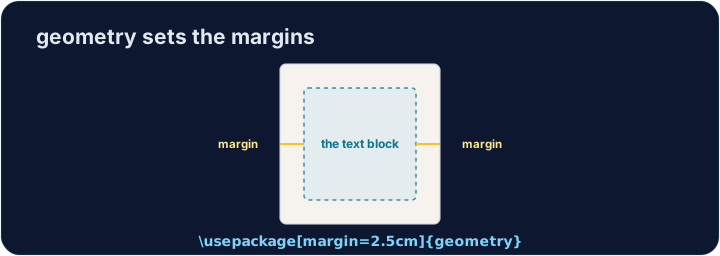
- LaTeX's default page has generous, book-like margins. Sometimes you want more space.
- The
geometrypackage lets you set margins in one line:
- That gives a one-inch margin on all four sides. Try
2cm,1.5in, and see the text reflow.
Tiếng Việt
Kiểm soát trang
- Trang mặc định của LaTeX có lề rộng rãi, giống như sách in. Đôi khi bạn muốn nhiều khoảng trống hơn.
- Gói
geometrycho phép bạn thiết lập lề chỉ trong một dòng:
\usepackage[margin=1in]{geometry}
- Điều đó tạo ra lề rộng một inch ở cả bốn phía. Hãy thử
2cm,1.5in, và quan sát cách văn bản tự động sắp xếp lại.
English
Fine control
- You can set sides separately:
- Useful when a binding needs extra room on the left, for example.
Tiếng Việt
Điều khiển tinh tế
- Bạn có thể thiết lập từng cạnh riêng biệt:
\usepackage[top=2cm, bottom=2cm, left=3cm, right=2cm]{geometry}
- Hữu ích khi việc đóng bìa cần thêm khoảng trống bên trái, ví dụ.
English
Other handy commands
\newpageforces a page break;\todayprints the current date.\begin{center} ... \end{center}centres a block of text or an image.- These small tools let you shape a document to look exactly how you want.
Tiếng Việt
Các lệnh tiện dụng khác
\newpagebuộc ngắt trang;\todayin ngày tháng hiện tại.\begin{center} ... \end{center}căn giữa một khối văn bản hoặc hình ảnh.- Những công cụ nhỏ này giúp bạn tạo dáng tài liệu để trông y hệt ý muốn.
English
Common mistakes
- Load the
geometrypackage to change the margins. - Let LaTeX handle spacing — avoid forcing it with manual blank lines.
Tiếng Việt
Lỗi thường gặp
- Tải gói
geometryđể thay đổi lề. - Để LaTeX xử lý khoảng cách — tránh ép buộc bằng các dòng trống thủ công.
The default margins are wide. Load the geometry package in the preamble with a one-inch margin: \usepackage[margin=1in]{geometry}. Run and watch the text spread out. · Lê mặc định khá rộng. Tải gói geometry vào phần mở đầu với lề một inch: \usepackage[margin=1in]{geometry}. Chạy và xem văn bản trải ra.
Click Run to compile and preview the PDF. · Nhấn Chạy để biên dịch và xem trước PDF.
Control the flow of pages. Force the second section onto a fresh page with \newpage, and centre the title line with a center environment. · Kiểm soát luồng trang. Buộc phần thứ hai lên một trang mới với \newpage, và căn giữa dòng tiêu đề với môi trường center.
Click Run to compile and preview the PDF. · Nhấn Chạy để biên dịch và xem trước PDF.