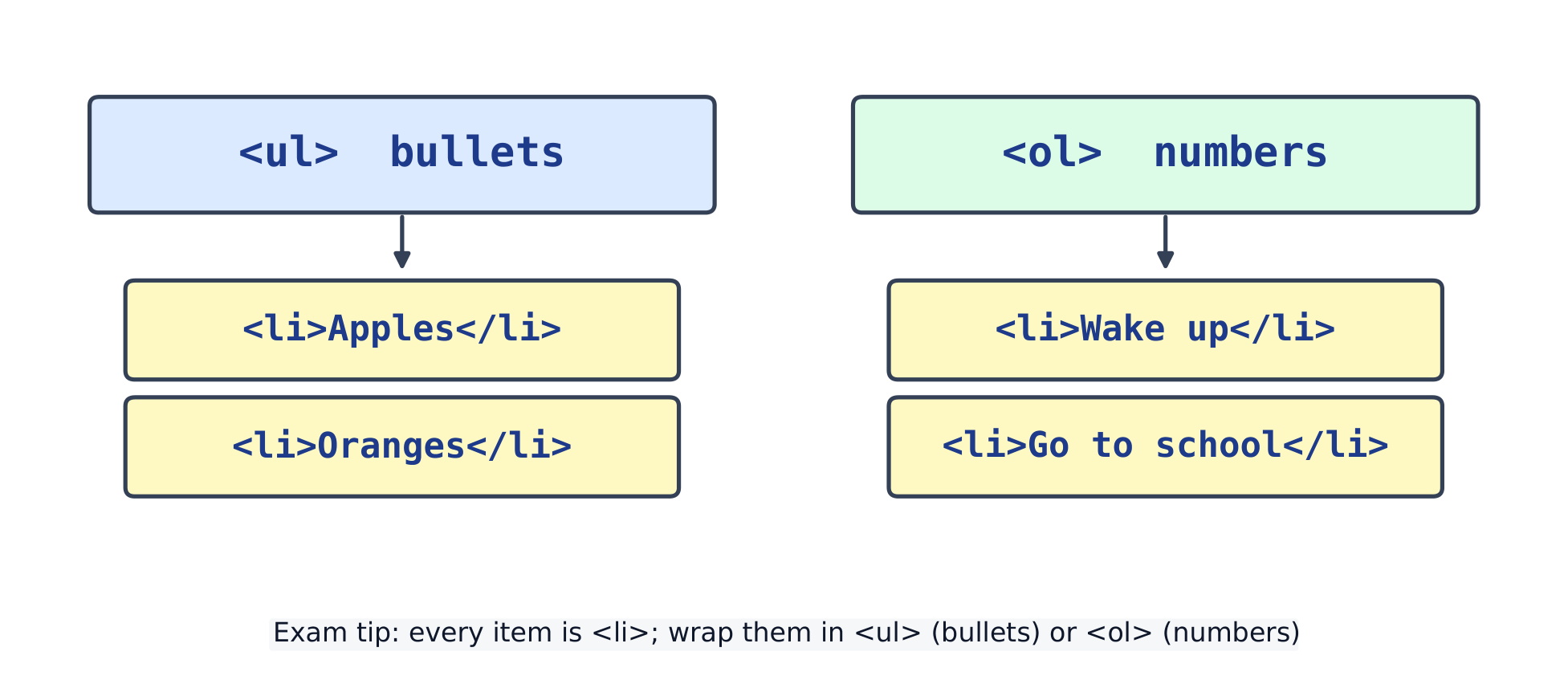
ul สำหรับรายการมีbullet, ol สำหรับรายการมีnumber; แต่ละรายการคือli
2.2
ลิงก์
A link is an anchor <a>. Its href attribute holds the address it points to.
<a href="https://example.com">Visit Example</a>
<br>
<a href="page2.html">Go to the next page</a>
เพิ่ม target="_blank" เพื่อเปิดลิงก์ในแท็บใหม่
2.3
รูปภาพ
รูปภาพคือ <img> — ไม่มีแท็กปิด src คือที่อยู่ของภาพ; alt คือข้อความที่จะแสดงหากโหลดภาพไม่สำเร็จ (และอ่านให้ผู้ใช้ตาบอดฟังด้วย)
<img src="https://upload.wikimedia.org/wikipedia/commons/thumb/6/6b/Bitmap_VS_SVG.svg/120px-Bitmap_VS_SVG.svg.png"
     alt="bitmap versus vector" width="120">
<p>If the picture is missing, the alt text shows instead.</p>
ข้อผิดพลาดที่พบบ่อย
An informative image needs alternative text that conveys its meaning. A purely decorative image uses alt=""; omitting alt is different. A link needs href.
<img> ไม่มีแท็กปิดแยกต่างหาก
A broken src path can show alternative text instead of the picture — check the file name and folder.
<!DOCTYPE html>
<html>
  <head>
    <meta charset="utf-8">
    <title>My Page</title>
  </head>
  <body>
    <h1>Welcome</h1>
    <p>This is a complete page.</p>
  </body>
</html>
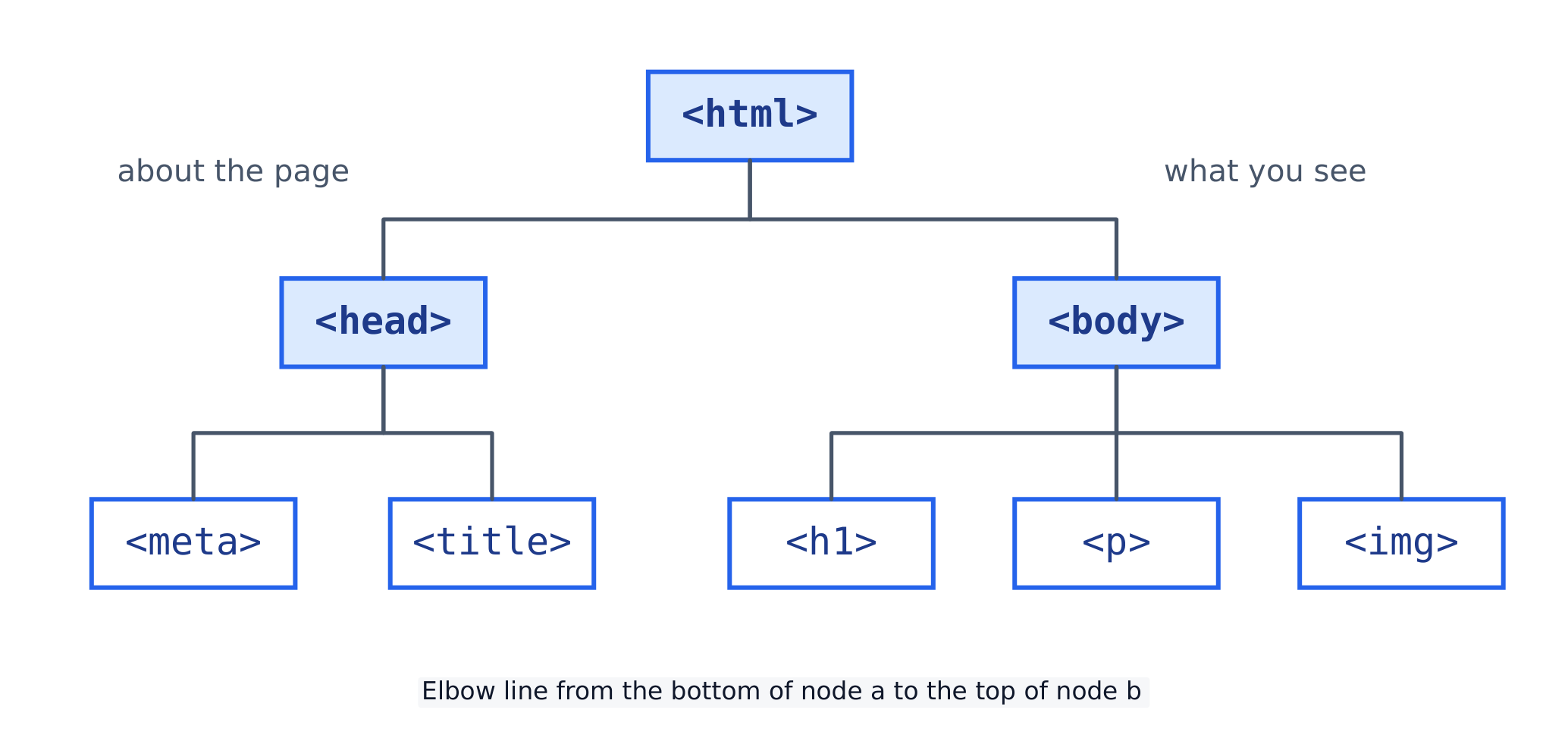
A page is a tree: the head describes the page, the body holds what you see
<title> จะปรากฏในแท็บเบราว์เซอร์
<meta charset="utf-8"> ทำให้หน้าแสดงผลได้หลายภาษา
3.2
หมายเหตุและการซ้อนทับ
A comment <!-- ... --> is a note the browser ignores. Tags nest inside one another; indent each level so the structure stays clear. Close tags in the reverse order you opened them.
<!-- a simple navigation bar -->
<nav>
  <ul>
    <li><a href="#">Home</a></li>
    <li><a href="#">About</a></li>
  </ul>
</nav>
ข้อผิดพลาดที่พบบ่อย
Tags must nest, not overlap: <b><i>text</i></b>, never <b><i>text</b></i>.
A page needs <html>, a <head> (for the title and links) and a <body> (for what you see).
Comment คือ <!-- ... -->; เบราว์เซอร์.Subject to Ignore มัน