Users and sudo · ผู้ใช้และ sudo
This page needs a recent browser (with SharedArrayBuffer support). Please update Chrome, Edge, Firefox or Safari to the latest version. · หน้านี้ต้องใช้เบราว์เซอร์ล่าสุด (รองรับ SharedArrayBuffer) กรุณาอัปเดต Chrome, Edge, Firefox หรือ Safari เป็นเวอร์ชันล่าสุด
English
Many users, one computer
- Linux was built for many people to share one machine safely.
- Each person has a user account.
whoamitells you who you currently are:
- Your files are yours; other users cannot read or change them unless you allow it.
ไทย
Many users, one computer
- Linux ถูกสร้างขึ้นเพื่อให้ ผู้คนจำนวนมาก สามารถใช้เครื่องเดียวกันได้อย่างปลอดภัย
- แต่ละคนมี บัญชีผู้ใช้
whoamiบอกคุณว่าคุณคือใครในปัจจุบัน:
whoami
- ไฟล์ของคุณเป็นของคุณ ผู้ใช้รายอื่นไม่สามารถอ่านหรือแก้ไขได้ เว้นแต่คุณจะอนุญาต
English
The superuser: root
- One special user, root, can do anything — change any file, install software, manage other users.
- With great power comes great danger: a wrong command as root can break the whole system.
- So you normally work as an ordinary user, and only become root when you must.
ไทย
ผู้ดูแลระบบ: root
- ผู้ใช้งานพิเศษหนึ่งคนชื่อ root สามารถทำ อะไรก็ได้ — แก้ไขไฟล์ใดก็ได้ ติดตั้งซอฟต์แวร์ จัดการผู้ใช้รายอื่น
- พลังอันยิ่งใหญ่มาพร้อมกับอันตรายที่มหาศาล: คำสั่งผิดเพียงตัวเดียวในฐานะ root อาจทำให้ระบบทั้งหมดพังทลาย
- ดังนั้นโดยปกติแล้วคุณควรทำงานในฐานะผู้ใช้งานธรรมดา และจะกลายเป็น root เฉพาะเมื่อจำเป็นจริงๆ เท่านั้น
English
sudo — borrow root for one command
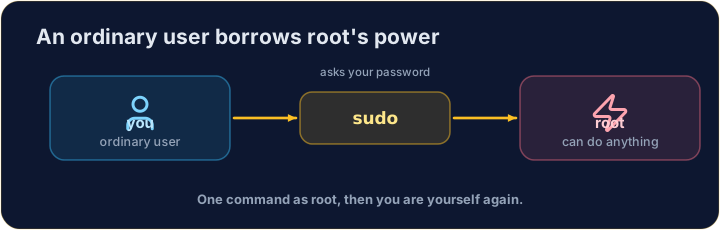
sudoruns a single command as root (it asks for your password first):
- Think of it as "do this super-user do". Use it only when a task truly needs admin rights — and read the command twice before you press Enter.
ไทย
sudo — ยืมอำนาจ root สำหรับคำสั่งเดียว
sudoรัน คำสั่งเดียว ในฐานะ root (มันจะขอรหัสผ่านของคุณก่อน):
sudo apt install git
- คิดถึงมันว่า "ทำสิ่งนี้ super-user do" ใช้มันเฉพาะเมื่องานนั้นต้องการสิทธิ์ผู้ดูแลจริง — และอ่านคำสั่งสองครั้งก่อนกด Enter
English
Common mistakes
sudoruns one command as the administrator — use it carefully.- Do not put
sudoin front of everything.
ไทย
ข้อผิดพลาดที่พบบ่อย
sudoรันคำสั่งหนึ่งในฐานะผู้ดูแลระบบ — ใช้อย่างระมัดระวัง- อย่าใส่
sudoไว้หน้าทุกคำสั่ง
Print the name of the user you are logged in as, with whoami. · พิมพ์ชื่อผู้ใช้ที่คุณล็อกอินอยู่ โดยใช้ whoami
Every machine has a name too. Print the name of the computer you are on with hostname. · เครื่องทุกเครื่องก็มีชื่อเช่นกัน พิมพ์ชื่อคอมพิวเตอร์ที่คุณกำลังใช้งานอยู่โดยใช้ hostname