Template literals
This page needs a recent browser (with SharedArrayBuffer support). Please update Chrome, Edge, Firefox or Safari to the latest version. · หน้านี้ต้องใช้เบราว์เซอร์ล่าสุด (รองรับ SharedArrayBuffer) กรุณาอัปเดต Chrome, Edge, Firefox หรือ Safari เป็นเวอร์ชันล่าสุด
A cleaner way to build strings
- Wrap a string in backticks
`and you can drop values straight in with${...}. - This is a template literal — much tidier than joining with lots of
+.
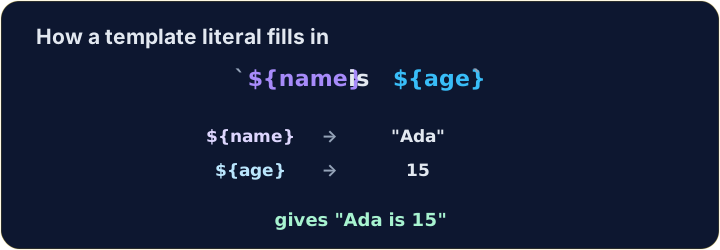
let name = "Ada";
let age = 15;
console.log(`${name} is ${age}`);   // → Ada is 15
Any expression fits inside ${ }
- Whatever you write inside
${...}is worked out first, then dropped into the string.
let a = 3;
let b = 4;
console.log(`${a} + ${b} = ${a + b}`);   // → 3 + 4 = 7
Same string, two ways
+and a template literal can build exactly the same text.- In backticks, spaces and punctuation stay where you type them, so a missing space is easy to see.
let item = "pen";
let price = 3;
console.log("A " + item + " costs " + price + " yuan.");   // → A pen costs 3 yuan.
console.log(`A ${item} costs ${price} yuan.`);             // → A pen costs 3 yuan.
Watch out
- Backticks
`are not the same as quotes'or".${...}only works inside backticks. - Bonus: a backtick string can span several lines — handy for longer messages.
Common mistakes
- Template literals use backticks and
${...}:`Hi ${name}`, not quotes. - Inside
${...}you can put any expression.
Now you try
- Use backticks and
${...}. - Press Check answer to test it.
let name = "Sam". Use a template literal (backticks) to log Hello, Sam!. · let name = "Sam". ใช้ template literal (backticks) เพื่อ log Hello, Sam!.
Click Run to see the output here. · คลิก Run เพื่อดูผลลัพธ์ที่นี่
a is 3 and b is 4. Use a template literal to log 3 + 4 = 7 (put a + b inside ${ }). · a คือ 3 และ b คือ 4. ใช้ Template Literal เพื่อแสดง 3 + 4 = 7 (ใส่ a + b ลงใน ${ })
Click Run to see the output here. · คลิก Run เพื่อดูผลลัพธ์ที่นี่
Use a template literal to log Total: 10, working out the 10 as 5 * 2 inside ${ }. · ใช้ template literal เพื่อ log Total: 10, คำนวณ 10 เป็น 5 * 2 ภายใน ${ }.
Click Run to see the output here. · คลิก Run เพื่อดูผลลัพธ์ที่นี่