console.log and comments · console.log และคอมเมนต์
This page needs a recent browser (with SharedArrayBuffer support). Please update Chrome, Edge, Firefox or Safari to the latest version. · หน้านี้ต้องใช้เบราว์เซอร์ล่าสุด (รองรับ SharedArrayBuffer) กรุณาอัปเดต Chrome, Edge, Firefox หรือ Safari เป็นเวอร์ชันล่าสุด
English
The language of the web
- JavaScript runs inside every web browser. It makes pages do things — buttons, games, maps, chat.
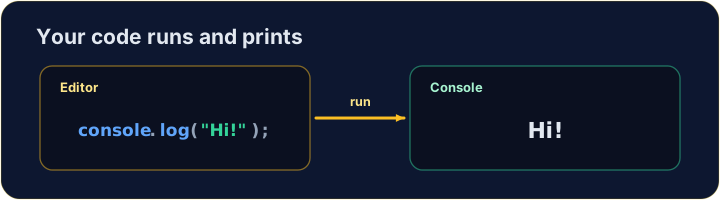
console.log(...)prints a message to the console, a window for text output.- Anything after
//is a comment. JavaScript ignores it — it is a note for humans reading the code.
ไทย
ภาษาของเว็บ
- JavaScript ทำงานภายใน Web Browser ทุกตัว มันทำให้หน้าเว็บ ทำงาน ได้ — ปุ่ม, เกม, แผนที่, แชท
console.log(...)พิมพ์ข้อความไปยัง Console ซึ่งเป็นหน้าต่างสำหรับเอาต์พุตข้อความ- ทุกอย่างหลังจาก
//คือ Comment JavaScript จะมองข้ามมัน — มันคือหมายเหตุสำหรับผู้อ่านโค้ด
console.log("Hello, world!");   // → Hello, world!
// this whole line is a comment — it does nothing
English
Print text, numbers, or both
- Text goes inside quotes:
"hello". Numbers do not:42. - Pass several items separated by commas — they print on one line, with a space between.
ไทย
พิมพ์ข้อความ จำนวน หรือทั้งคู่
- ข้อความใส่ใน เครื่องหมายอัญลักษณ์:
"hello"จำนวนไม่ใส่:42 - ส่งหลายรายการแยกด้วยลูกน้ำ — они会被印在同一行,中间有空格。
console.log("Score:", 42);   // → Score: 42
console.log(3 + 4);          // → 7
English
Watch out
- Text needs quotes.
console.log(Hello)is an error — JavaScript hunts for something namedHello. - End each statement with a semicolon
;. It is a good habit, even where JavaScript would forgive you.
ไทย
ระวัง
- ข้อความต้องการเครื่องหมายอัญลักษณ์
console.log(Hello)เป็น error — JavaScript กำลังหาสิ่งที่ ชื่อว่าHello - จบทุก Statement ด้วยเครื่องหมายกึ่งจุด
;เป็นนิสัยที่ดี แม้ที่ JavaScript จะยอมให้คุณ
English
Common mistakes
console.log(...)prints; text needs quotes.//starts a comment.
ไทย
ข้อผิดพลาดที่พบบ่อย
console.log(...)พิมพ์; ข้อความต้องการเครื่องหมายอัญลักษณ์//เริ่มต้น Comment
English
Now you try
- Use
console.log(...)to print. - Press Run to see the output, then Check answer.
ไทย
ลองดูเลย
- ใช้
console.log(...)เพื่อพิมพ์ - กด Run เพื่อดูผลลัพธ์ จากนั้นกด Check answer
Use console.log(...) to print the word Hello. · ใช้ console.log(...) เพื่อพิมพ์คำ Hello
Click Run to see the output here. · คลิก Run เพื่อดูผลลัพธ์ที่นี่
Print Red, Green and Blue, one per line, in that order. · พิมพ์ Red, Green และ Blue, แต่ละบรรทัดตามลำดับนั้น
Click Run to see the output here. · คลิก Run เพื่อดูผลลัพธ์ที่นี่
Print the result of 5 + 3 (it is 8). · พิมพ์ผลลัพธ์ของ 5 + 3 (คือ 8).
Click Run to see the output here. · คลิก Run เพื่อดูผลลัพธ์ที่นี่