Primary and secondary storage
Introduced| English | Meaning |
|---|---|
| primary storage/ˈpraɪməri ˈstɔːrɪdʒ/ | primary storage |
| RAM/ræm/ | Random-access memory used for working data and instructions, usually losing its contents when power is removed. |
| ROM/rɒm/ | Non-volatile memory whose stored contents are normally read rather than changed during ordinary use. |
| secondary storage/ˈsekəndəri ˈstɔːrɪdʒ/ | Non-volatile storage used to retain data and programs beyond immediate processing. |
| virtual memory/ˈvɜːtʃuːəl ˈmeməri/ | A memory-management system that maps virtual addresses to physical storage and may move pages between RAM and secondary storage. |
| volatile/ˈvɒlətaɪl/ | Describing memory whose stored information is lost when its power supply is removed. |
| non-volatile/nɒn ˈvɒlətaɪl/ | Able to retain stored information when electrical power is removed. |
| magnetic/mæɡˈnetɪk/ | magnetic |
| optical/ˈɒptɪkl/ | optical |
| solid-state/ˈsɒlɪd steɪt/ | solid-state |
Memory and storage
- Primary storage 主存储器 (RAM 随机存取存储器 and ROM 只读存储器) is memory the CPU uses directly.
- Secondary storage 辅助存储器 keeps data permanently, even with the power off.
- When RAM is full, virtual memory 虚拟内存 helps.
Device and storage lab
Classify computing examples by what job they do in a system.
RAM vs ROM
- RAM (random access memory) — read and write, volatile 易失性 (loses data without power); holds the programs and data in use now.
- ROM (read-only memory) — read only, non-volatile 非易失性 (keeps data without power); holds the start-up instructions.
- Both are needed: ROM starts the computer, then RAM holds what you run.

Storage forms a hierarchy: registers and cache are fastest but smallest; secondary storage is slowest but largest.
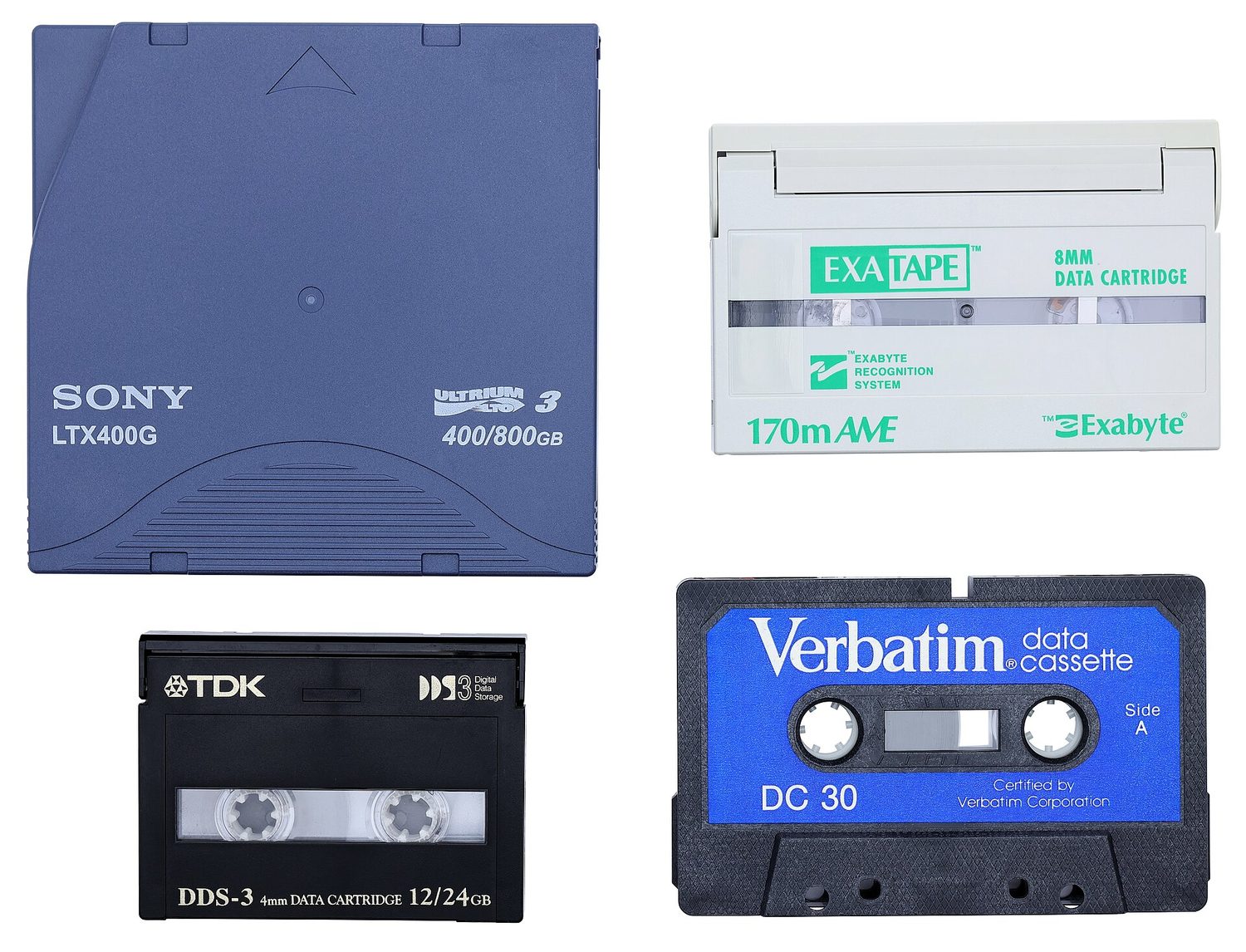
Magnetic 磁性 tape stores data on a long magnetic strip; it is cheap for large backups
RAM is volatile (it loses its data without power) and holds the running programs, while ROM is non-volatile and holds the start-up (boot) instructions.
Difficulty 1/5 · 100 coins + a small bonus on first completion today
Volatile vs non-volatile is the key split: RAM forgets when powered off, ROM remembers.
ROM typically stores:
Difficulty 1/5 · 100 coins + a small bonus on first completion today
ROM is non-volatile and holds the boot instructions; running programs live in RAM.
Secondary storage
- Magnetic — magnetised spots on spinning disks (HDD, tape).
- Optical 光学 — marks read by a laser (CD, DVD, Blu-ray).
- Solid-state 固态 — flash memory, no moving parts (SSD, USB drive, memory card).
- All are non-volatile and used for long-term storage.

A solid state drive (SSD) stores data in flash memory chips and has no moving parts
Match each secondary-storage type to an example.
Difficulty 2/5 · 140 coins + a small bonus on first completion today
Magnetic = spinning disks; optical = laser-read discs; solid-state = flash, no moving parts.
A solid-state drive (SSD) stores data:
Difficulty 1/5 · 100 coins + a small bonus on first completion today
SSDs use flash memory and have no moving parts — faster and tougher than a hard disk.
Virtual memory
- When RAM is full, the computer uses part of the secondary storage as extra, pretend RAM — virtual memory.
- Data not needed right now is moved to the disk, freeing RAM for other programs.
- This lets you run more programs than RAM alone could hold, but it is slower (disk is much slower than RAM).

Virtual memory uses part of the secondary storage as extra RAM, so more programs can run — but the disk is slower

A USB flash drive stores data in flash memory and has no moving parts
Virtual memory is:
Difficulty 1/5 · 100 coins + a small bonus on first completion today
When RAM fills up, the OS moves idle data to disk to free RAM — slower, but it lets more programs run.
You've got it
- RAM = volatile, read/write, programs in use; ROM = non-volatile, read-only, start-up
- secondary storage: magnetic (HDD), optical (CD/DVD), solid-state (SSD/flash)
- all secondary storage is non-volatile
- virtual memory uses disk as extra RAM — lets more programs run, but slower