Inserting rows · 行の挿入
Adding rows with INSERT
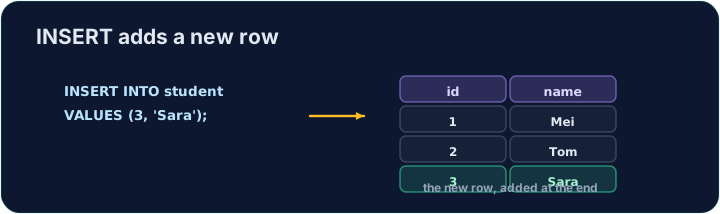
INSERT adds a new row to a table. List the columns, then a matching set of VALUES:
Text goes in single quotes; numbers do not. The values must line up with the columns, in the same order.
INSERT で行を追加
INSERT はテーブルに新しい行を追加します。カラムをリストアップし、それに一致する VALUES のセットを続けます:
INSERT INTO product (code, title, price, in_stock)
VALUES ('P04', 'Ruler', 1.20, 75);
テキストはシングルクォートで囲み、数値は囲まないでください。値はカラムと順序が一致している必要があります。
Seeing the effect
INSERT changes the data but returns no rows itself, so Run just reports how many rows changed. To see the new row, run a SELECT afterwards.
The checker does this for you: it runs your INSERT, then reads the table back to confirm your row is there.
効果の確認
INSERT はデータを変更しますが自身では行を返さないため、実行すると変更された行数のみが表示されます。新しい行を見るには、後に SELECT を実行してください。
チェッカーはこれを自動で行います:INSERT を実行し、テーブルを読み返して行が存在することを確認します。
Common mistakes
- The values must line up with the columns in order and type.
- Quote text values with single quotes.
よくあるミス
- 値はカラムの順序とタイプに合わせる必要があります。
- テキスト値はシングルクォートで囲みます。
Add a new product to the product table: code 'P04', title 'Ruler', price 1.20, in_stock 75. · product テーブルに新製品を追加:コード'P04'、タイトル'Ruler'、価格1.20、在庫75。
Click Run to see the output here. · 実行ボタンをクリックして出力を確認してください。
Add a new customer to the customer table: id 5, name 'Eve', city 'York'. List the columns you are filling, then give the matching VALUES. · customer テーブルに新顧客を追加:id 5、name 'Eve'、city 'York'。入力するカラムをリストアップし、対応するVALUES を記述する。
Click Run to see the output here. · 実行ボタンをクリックして出力を確認してください。