Ethics, law and staying safe · 倫理法、法規制、および安全対策
This page needs a recent browser (with SharedArrayBuffer support). Please update Chrome, Edge, Firefox or Safari to the latest version. · このページには最新のブラウザ(SharedArrayBuffer対応)が必要です。Chrome、Edge、Firefox、Safariを最新バージョンに更新してください。
English
Power with responsibility
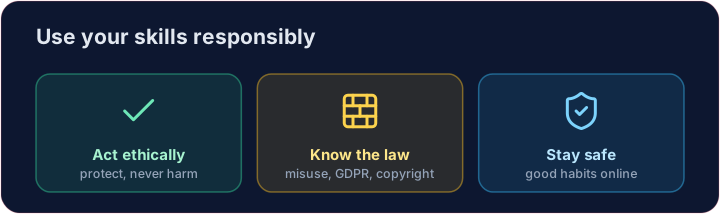
- You now know how attacks work. With that knowledge comes a duty to act ethically.
- A computing professional uses these skills to protect people, never to harm them.
- Acting unethically — accessing data you should not, or breaking systems — damages people and your own career.
日本語
責任を伴う権力
- 攻撃の仕組みを理解しましたね。その知識に基づき、倫理的に行動する責任があります。
- コンピューティング専門家はこれらのスキルを用いて人を守るものであり、決して害を加えるものではありません。
- 倫理的でない行動(アクセスすべきでないデータへのアクセスやシステム破壊)は、他人とご自身のキャリアを損ないます。
English
The law
- Computer-misuse laws make unauthorised access a crime — even "just looking" can be illegal.
- Data-protection laws (like GDPR) force organisations to keep your personal data safe and use it fairly.
- Copyright protects creative work; you may not copy software or media without permission.
日本語
法
- コンピュータ不正使用法は、無許可アクセスを犯罪とします。「ただ見る」だけでも違法となる場合があります。
- 個人情報保護法(GDPRなど)は、組織にあなたの個人情報を安全に管理し、適切に扱うことを義務付けています。
- 著作権は創造的な作品を保護しており、許可なくソフトウェアやメディアを複製することはできません。
English
Licences
- Software comes with a licence saying what you may do with it.
- Proprietary licences restrict copying and sharing; open-source licences allow you to use and modify the code.
- Always check the licence before reusing someone's code or images — respecting it is both legal and ethical.
日本語
ライセンス
- ソフトウェアには、その利用方法について定めたライセンスが付随しています。
- プロプライエタリ(专有) ライセンスは複製や共有を制限しますが、オープンソース ライセンスはコードの使用・修改を許可します。
- 他人的のコードや画像を再利用する際は、必ずライセンスを確認してください。遵守することは法的にも倫理的にも正しい行為です。
English
Staying safe — your checklist
- Use a password manager and a different strong password everywhere.
- Turn on two-step verification. Keep software updated. Look for HTTPS before logging in.
- Think before you click. You have the knowledge now — use it to keep yourself and others safe. Well done!
Covers: A-Level 7.1 (ethics, copyright, licensing), AP CSP; everyday safe computing.
日本語
安全を守る — チェックリスト
- パスワードマネージャーを使用し、あらゆる場所での異なる強固なパスワードを設定してください。
- 二段階認証を有効にし、ソフトウェアを更新しておきましょう。ログイン前には必ずHTTPSを確認してください。
- クリックする前に考えましょう。得た知識を使って、あなた自身や周囲の人々を守りましょう。よくできました!
対象:A-Level 7.1(倫理、著作権、ライセンシング)、AP CSP;日常の安全なコンピューティング。
English
Now you try
- First decide what each licence allows — proprietary or open-source.
- Then decide which law each incident breaks. That is the exam skill for this topic.
日本語
あなたも試してみよう
- まず、各ライセンスが何を行うことを許容しているか(プロプライエタリまたはオープンソース)を決定してください。
- 次に、各事案がどの法律に違反するかを決定してください。これがこのトピックの試験技能です。
English
Common mistakes
- Only test systems you have permission to test.
- Keep software updated and think before you click.
日本語
よくあるミス
- テストの許可を得ているシステムのみ进行测试。
- ソフトウェアを更新し、クリックする前に考えましょう。
What does each licence allow? Set each variable to open-source or proprietary. · 各ライセンスが許容する内容は何か? 各変数をopen-sourceまたはproprietaryに設定してください。
Click Run to see the output here. · 実行ボタンをクリックして出力を確認してください。
Which law does each incident break? Set each variable to computer misuse, data protection or copyright. · 各事件はどの法律に違反していますか? 各変数を computer misuse 、 data protection 、または copyright に設定してください。
Click Run to see the output here. · 実行ボタンをクリックして出力を確認してください。