Page layout and margins · Diseño de página y márgenes
This page needs a recent browser (with SharedArrayBuffer support). Please update Chrome, Edge, Firefox or Safari to the latest version. · Esta página necesita un navegador reciente (con soporte para SharedArrayBuffer). Por favor, actualiza Chrome, Edge, Firefox o Safari a la última versión.
English
Controlling the page
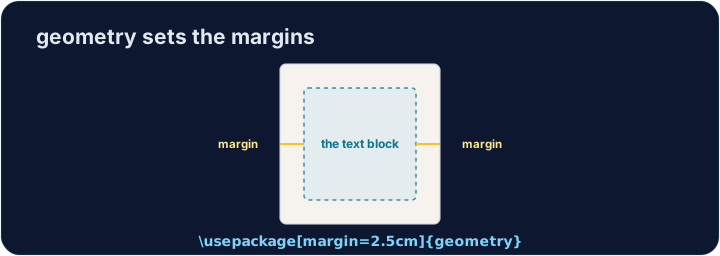
- LaTeX's default page has generous, book-like margins. Sometimes you want more space.
- The
geometrypackage lets you set margins in one line:
- That gives a one-inch margin on all four sides. Try
2cm,1.5in, and see the text reflow.
Español
Controlar la página
- Los márgenes por defecto de LaTeX son amplios, estilo libro. A veces se necesita más espacio.
- El paquete
geometrypermite establecer los márgenes en una sola línea:
\usepackage[margin=1in]{geometry}
- Esto establece un margen de una pulgada en los cuatro lados. Pruebe con
2cm,1.5iny observe cómo el texto se reorganiza.
English
Fine control
- You can set sides separately:
- Useful when a binding needs extra room on the left, for example.
Español
Control fino
- Se pueden establecer los lados por separado:
\usepackage[top=2cm, bottom=2cm, left=3cm, right=2cm]{geometry}
- Útil cuando el encuadernado requiere más espacio a la izquierda, por ejemplo.
English
Other handy commands
\newpageforces a page break;\todayprints the current date.\begin{center} ... \end{center}centres a block of text or an image.- These small tools let you shape a document to look exactly how you want.
Español
Otros comandos útiles
\newpagefuerza un salto de página;\todayimprime la fecha actual.\begin{center} ... \end{center}centra un bloque de texto o una imagen.- Estas herramientas pequeñas permiten dar forma al documento exactamente como desee.
English
Common mistakes
- Load the
geometrypackage to change the margins. - Let LaTeX handle spacing — avoid forcing it with manual blank lines.
Español
Errores comunes
- Cargue el paquete
geometrypara cambiar los márgenes. - Deje que LaTeX gestione el espaciado —evite forzarlo con líneas en blanco manuales.
The default margins are wide. Load the geometry package in the preamble with a one-inch margin: \usepackage[margin=1in]{geometry}. Run and watch the text spread out. · Los márgenes predeterminados son anchos. Carga el paquete geometry en el preámbulo con un margen de una pulgada: \usepackage[margin=1in]{geometry}. Ejecuta y observa cómo se expande el texto.
Click Run to compile and preview the PDF. · Haz clic en Ejecutar para compilar y previsualizar el PDF.
Control the flow of pages. Force the second section onto a fresh page with \newpage, and centre the title line with a center environment. · Controla el flujo de páginas. Fuerza que la segunda sección comience en una página nueva con \newpage, y centra la línea del título con un entorno center.
Click Run to compile and preview the PDF. · Haz clic en Ejecutar para compilar y previsualizar el PDF.