Colour and links · الألوان والروابط
This page needs a recent browser (with SharedArrayBuffer support). Please update Chrome, Edge, Firefox or Safari to the latest version. · تحتاج هذه الصفحة إلى متصفح حديث (يدعم SharedArrayBuffer). يرجى تحديث Chrome أو Edge أو Firefox أو Safari إلى أحدث إصدار.
English
Adding colour
- The
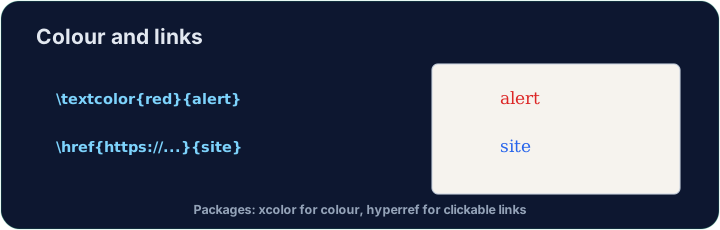
xcolorpackage lets you colour text. Load it, then wrap words:
- Built-in names include
red,blue,green,orange,gray, and more.
العربية
إضافة اللون
- حزمة
xcolorتتيح لك تلوين النص. حمّلها، ثم غلف الكلمات:
\usepackage{xcolor}
...
\textcolor{red}{This is red} and \textcolor{blue}{this is blue}.
- تشمل الأسماء المدمجة
red،blue،green،orange،gray، والمزيد.
English
Highlights and your own colours
\colorbox{yellow}{text}puts a highlight behind the words.- You can even mix your own:
\textcolor{red!60}{...}is 60% red (lighter).
العربية
التظليل وألوانك الخاصة
\colorbox{yellow}{text}يضع تظليلًا خلف الكلمات.- يمكنك حتى خلط ألوانك الخاصة:
\textcolor{red!60}{...}هي 60% أحمر (أفتح).
English
Clickable links
- The
hyperrefpackage turns cross-references and web addresses into clickable links:
- Load
hyperreflast in your preamble — it likes to have the final word.
العربية
روابط قابلة للنقر
- حزمة
hyperrefتحول الإشارات المتقاطعة وعناوين الويب إلى روابط قابلة للنقر:
\usepackage{hyperref}
...
Visit \href{https://ctan.org}{CTAN} for packages.
- قم بتحميل
hyperrefأخيرًا في الـ preamble — فهو يفضل أن يكون له الكلمة الأخيرة.
English
Common mistakes
- Load
xcolorfor colour andhyperreffor clickable links. - Load
hyperreflast among your packages.
العربية
أخطاء شائعة
- حمّل
xcolorللون وhyperrefللروابط القابلة للنقر. - حمّل
hyperrefأخيرًا بين حزمك.
Load xcolor, then make the word warning red with \textcolor{red}{warning}. You need both the package and the command. · حمّل xcolor، ثم اجعل كلمة warning حمراء باستخدام \textcolor{red}{warning}. تحتاج إلى الحزمة والأمر معاً.
Click Run to compile and preview the PDF. · اضغط تشغيل لتركيب وعرض ملف PDF.
Make a clickable link. Load hyperref, then turn the word CTAN into a link with \href{https://ctan.org}{CTAN}. Load hyperref last in the preamble. · إنشاء رابط قابل للنقر. حمّل hyperref، ثم حول كلمة CTAN إلى رابط باستخدام \href{https://ctan.org}{CTAN}. حمّل hyperref في آخر المقدمة.
Click Run to compile and preview the PDF. · اضغط تشغيل لتركيب وعرض ملف PDF.