Labels and cross-references · التسميات والإشارات المتقاطعة
This page needs a recent browser (with SharedArrayBuffer support). Please update Chrome, Edge, Firefox or Safari to the latest version. · تحتاج هذه الصفحة إلى متصفح حديث (يدعم SharedArrayBuffer). يرجى تحديث Chrome أو Edge أو Firefox أو Safari إلى أحدث إصدار.
English
Never write "see Section 3" by hand
- If you write a number by hand and later add a section, every number is wrong.
- LaTeX solves this with labels. Tag something:
- The name
sec:methodsis just a nickname you choose.
العربية
لا تكتب أبداً "انظر القسم 3" يدوياً
- إذا كتبت رقماً يدوياً وأضفت لاحقاً قسماً، يصبح كل رقم خاطئاً.
- يحل LaTeX هذه المشكلة باستخدام التسميات. عيّن شيئاً:
\section{Methods}\label{sec:methods}
- الاسم
sec:methodsمجرد اسم مستعار تختاره أنت.
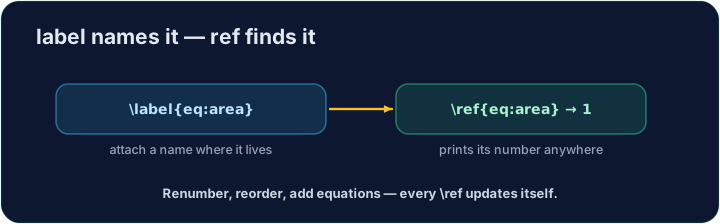
English
Refer to it anywhere
- Then point at it with
\ref— LaTeX inserts the current number:
- The
~is a space that never breaks across lines, so "Section" and its number stay together.
العربية
الإشارة إليها في أي مكان
- ثم أشير إليها بـ
\ref— إدراج LaTeX للرقم الحالي:
As shown in Section~\ref{sec:methods}, ...
~هي مسافة لا تنكسر عبر السطور، لذا يبقى "القسم" ورقمه معاً.
English
It needs two passes
- On the first compile LaTeX learns the numbers; on the second it fills them in.
- Our Run does this for you automatically. (The same trick powers a table of contents.)
العربية
يتطلب تمريرتين
- في التجميع الأول يتعلم LaTeX الأرقام؛ وفي الثاني يملأها.
- يقوم Run الخاص بنا بهذا تلقائياً. (نفس الحيلة تغذي جدول المحتويات.)
English
Common mistakes
- Put
\label{...}after what you want to name, then refer to it with\ref{...}. - Compile twice so cross-references settle to the right numbers.
العربية
أخطاء شائعة
- ضع
\label{...}بعد ما تريد تسميته، ثم ا referring إليه باستخدام\ref{...}. - قم بالتجميع مرتين حتى تستقر الروابط المتقاطعة على الأرقام الصحيحة.
Label the Methods section with \label{sec:methods}, then refer to it from the last line with \ref{sec:methods}. LaTeX fills in the correct number for you. · سمِّ قسم الطرق بـ \label{sec:methods}، ثم ارجع إليه في السطر الأخير بـ \ref{sec:methods}. سيقوم LaTeX بإدراج الرقم الصحيح تلقائياً.
Click Run to compile and preview the PDF. · اضغط تشغيل لتركيب وعرض ملف PDF.
The same numbering machinery builds a table of contents. Add \tableofcontents as the first line of the body — LaTeX lists every section automatically. · نفس آلية الترقيم تبني فهرس contents. أضف \tableofcontents كسطر أول من الجسم — سيقوم LaTeX بوضع كل قسم تلقائياً.
Click Run to compile and preview the PDF. · اضغط تشغيل لتركيب وعرض ملف PDF.