Styling text · 文字样式
This page needs a recent browser (with SharedArrayBuffer support). Please update Chrome, Edge, Firefox or Safari to the latest version. · 此页面需较新浏览器(支持 SharedArrayBuffer)。请升级 Chrome、Edge、Firefox 或 Safari 至最新版本。
English
Sizing text
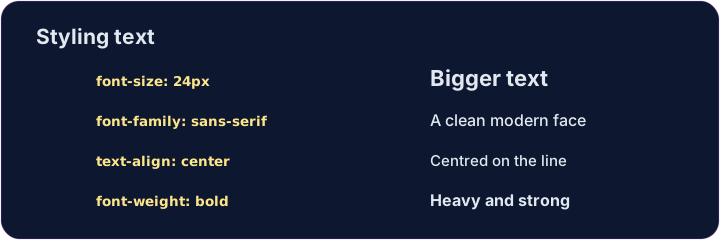
font-sizesets how big text is, usually in pixels:font-size: 24px;.font-weight: bold;makes text bold (usenormalto undo it).font-family: Georgia;changes the typeface — the style of the letters.
中文
调整文字大小
font-size设置文字多大,通常用像素:font-size: 24px;。font-weight: bold;让文字加粗(用normal取消)。font-family: Georgia;改变字体 —— 字母的样式。
English
Aligning text
text-alignmoves text left, center, or right inside its box.text-align: center;is great for titles.line-height: 1.6;adds space between lines, so paragraphs are easier to read.
中文
对齐文字
text-align让文字在它的盒子里靠左、居中或靠右。text-align: center;很适合用在标题上。line-height: 1.6;增加行与行之间的间距,让段落更好读。
<style>
  h1 { font-size: 36px; text-align: center; }
  p  { font-family: Georgia; line-height: 1.6; }
</style>
<h1>My story</h1>
<p>Once upon a time, on a small website...</p>
English
Common mistakes
font-size,font-weightandtext-aligncontrol text.- Sizes often use
pxorrem.
中文
常见错误
font-size、font-weight、text-align控制文字。- 尺寸常用
px或rem。
English
Now you try
- These properties stack up — one box can have several.
- Resize a heading, then center a paragraph.
中文
现在你来试试
- 这些属性可以叠加 —— 一个盒子可以有好几条。
- 先把标题改大,再把段落居中。
Make the heading bigger. Add h1 { font-size: 40px; }. · 让标题变大。加上 h1 { font-size: 40px; }。
Center the paragraph on the page. Add p { text-align: center; }. · 把段落在页面上居中。加上 p { text-align: center; }。