Deleting rows · 删除行
Removing rows with DELETE
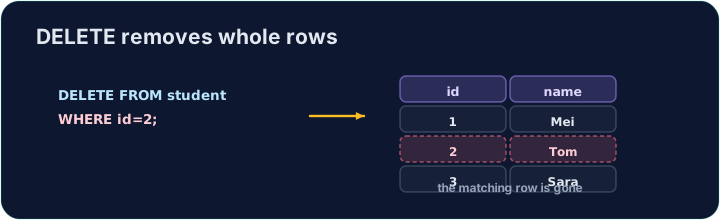
DELETE removes the rows that match a WHERE condition:
Only the matching rows are removed; the table and its other rows stay.
用 DELETE 删除行
DELETE 删除满足 WHERE 条件的那些行:
DELETE FROM product WHERE code = 'P03';
只有匹配的行被删除;表和它其余的行都保留。
The same warning
Like UPDATE, a DELETE with no WHERE hits every row:
Always check your WHERE before running a DELETE. The checker runs your DELETE, then reads the table back to confirm the right row is gone.
同样的警告
和 UPDATE 一样,不带 WHERE 的 DELETE 会作用于每一行:
DELETE FROM product; -- 会清空整张表!
运行 DELETE 之前,一定要检查你的 WHERE。检查器会执行你的 DELETE,再读回表,确认该删的那一行确实没了。
Common mistakes
DELETEwithout aWHEREempties the table — always add theWHERE.- Test a risky delete first as a
SELECTwith the sameWHERE.
常见错误
- 没有
WHERE的DELETE会清空表——一定要加WHERE。 - 危险的删除先用相同的
WHERE写成SELECT试一下。
Delete the product with code 'P03' from the product table. (Afterwards only P01 and P02 remain.) · 从 product 表删除 code 为 'P03' 的产品。(之后只剩下 P01 和 P02。)
Click Run to see the output here. · 点击“运行”查看此处输出。
Delete can use any condition. Remove every product that costs less than 2.00 with WHERE price < 2.00. Only the Pen (0.80) goes; check which rows remain. · 删除可以用任何条件。用 WHERE price < 2.00 删除所有低于 2.00 的产品。只有 Pen(0.80)会被删掉;看看还剩下哪些行。
Click Run to see the output here. · 点击“运行”查看此处输出。