Colour and links · 颜色与链接
This page needs a recent browser (with SharedArrayBuffer support). Please update Chrome, Edge, Firefox or Safari to the latest version. · 此页面需较新浏览器(支持 SharedArrayBuffer)。请升级 Chrome、Edge、Firefox 或 Safari 至最新版本。
English
Adding colour
- The
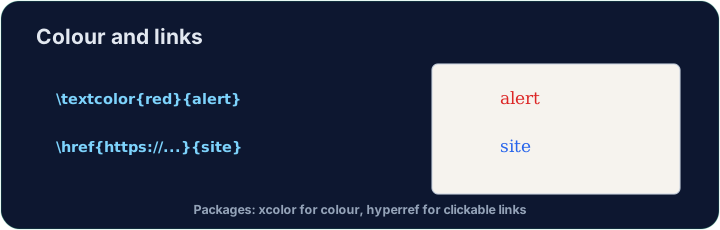
xcolorpackage lets you colour text. Load it, then wrap words:
- Built-in names include
red,blue,green,orange,gray, and more.
中文
添加颜色
xcolor宏包让你给文字上色。加载它,然后把词包起来:
\usepackage{xcolor}
...
\textcolor{red}{This is red} and \textcolor{blue}{this is blue}.
- 内置的颜色名包括
red、blue、green、orange、gray等。
English
Highlights and your own colours
\colorbox{yellow}{text}puts a highlight behind the words.- You can even mix your own:
\textcolor{red!60}{...}is 60% red (lighter).
中文
高亮与自定义颜色
\colorbox{yellow}{text}会在文字背后加上高亮。- 你甚至可以自己调配:
\textcolor{red!60}{...}表示 60% 的红色(更浅)。
English
Clickable links
- The
hyperrefpackage turns cross-references and web addresses into clickable links:
- Load
hyperreflast in your preamble — it likes to have the final word.
中文
可点击的链接
hyperref宏包能把交叉引用和网址变成可点击的链接:
\usepackage{hyperref}
...
Visit \href{https://ctan.org}{CTAN} for packages.
- 在导言区把
hyperref放在最后加载 —— 它喜欢拥有“最终决定权”。
English
Common mistakes
- Load
xcolorfor colour andhyperreffor clickable links. - Load
hyperreflast among your packages.
中文
常见错误
- 加载
xcolor用于颜色,hyperref用于可点击链接。 - 在所有宏包中最后加载
hyperref。
Load xcolor, then make the word warning red with \textcolor{red}{warning}. You need both the package and the command. · 加载 xcolor,然后用 \textcolor{red}{warning} 把 warning 这个词变成红色。宏包和命令两者都需要。
Click Run to compile and preview the PDF. · 点击“运行”编译并预览 PDF。
Make a clickable link. Load hyperref, then turn the word CTAN into a link with \href{https://ctan.org}{CTAN}. Load hyperref last in the preamble. · 做一个可点击的链接。加载 hyperref,然后用 \href{https://ctan.org}{CTAN} 把 CTAN 这个词变成链接。hyperref 要在导言区最后加载。
Click Run to compile and preview the PDF. · 点击“运行”编译并预览 PDF。