Page layout and margins · 页面布局与页边距
This page needs a recent browser (with SharedArrayBuffer support). Please update Chrome, Edge, Firefox or Safari to the latest version. · 此页面需较新浏览器(支持 SharedArrayBuffer)。请升级 Chrome、Edge、Firefox 或 Safari 至最新版本。
English
Controlling the page
- LaTeX's default page has generous, book-like margins. Sometimes you want more space.
- The
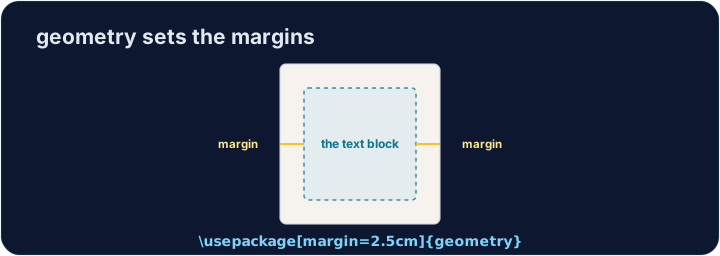
geometrypackage lets you set margins in one line:
- That gives a one-inch margin on all four sides. Try
2cm,1.5in, and see the text reflow.
中文
掌控页面
- LaTeX 默认的页面有着宽裕的、书本式的页边距。有时你需要更多空间。
geometry宏包让你一行就能设置页边距:
\usepackage[margin=1in]{geometry}
- 这会让四边都有一英寸的页边距。试试
2cm、1.5in,看看正文如何重新排布。
English
Fine control
- You can set sides separately:
- Useful when a binding needs extra room on the left, for example.
中文
精细控制
- 你可以分别设置各边:
\usepackage[top=2cm, bottom=2cm, left=3cm, right=2cm]{geometry}
- 比如装订时左侧需要留出额外空间,这就很有用。
English
Other handy commands
\newpageforces a page break;\todayprints the current date.\begin{center} ... \end{center}centres a block of text or an image.- These small tools let you shape a document to look exactly how you want.
中文
其他顺手的命令
\newpage强制分页;\today打印当前日期。\begin{center} ... \end{center}让一段文字或一张图居中。- 这些小工具让你把文档塑造成你想要的样子。
English
Common mistakes
- Load the
geometrypackage to change the margins. - Let LaTeX handle spacing — avoid forcing it with manual blank lines.
中文
常见错误
- 加载
geometry宏包来修改页边距。 - 让 LaTeX 处理间距——避免用手动空行强行调整。
The default margins are wide. Load the geometry package in the preamble with a one-inch margin: \usepackage[margin=1in]{geometry}. Run and watch the text spread out. · 默认页边距很宽。在导言区加载 geometry 宏包,设置一英寸页边距:\usepackage[margin=1in]{geometry}。运行后看看正文是如何铺开的。
Click Run to compile and preview the PDF. · 点击“运行”编译并预览 PDF。
Control the flow of pages. Force the second section onto a fresh page with \newpage, and centre the title line with a center environment. · 控制页面的排布。用 \newpage 让第二节另起一页,并用 center 环境把标题行居中。
Click Run to compile and preview the PDF. · 点击“运行”编译并预览 PDF。