Labels and cross-references · 标签与交叉引用
This page needs a recent browser (with SharedArrayBuffer support). Please update Chrome, Edge, Firefox or Safari to the latest version. · 此页面需较新浏览器(支持 SharedArrayBuffer)。请升级 Chrome、Edge、Firefox 或 Safari 至最新版本。
English
Never write "see Section 3" by hand
- If you write a number by hand and later add a section, every number is wrong.
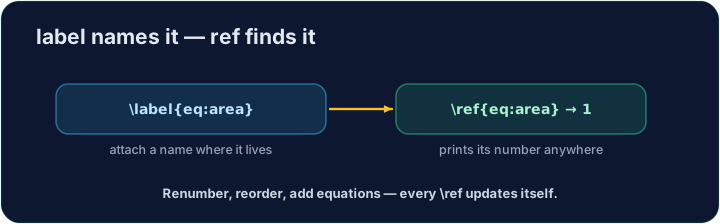
- LaTeX solves this with labels. Tag something:
- The name
sec:methodsis just a nickname you choose.
中文
不要手写“见第 3 节”
- 如果你手写一个编号,之后又插入了一节,所有编号就都错了。
- LaTeX 用**标签(label)**解决这个问题。给某处打上标记:
\section{Methods}\label{sec:methods}
sec:methods这个名字只是你自己取的一个昵称。
English
Refer to it anywhere
- Then point at it with
\ref— LaTeX inserts the current number:
- The
~is a space that never breaks across lines, so "Section" and its number stay together.
中文
在任何地方引用它
- 然后用
\ref指向它 —— LaTeX 会插入当前的编号:
As shown in Section~\ref{sec:methods}, ...
~是一个不会在行尾断开的空格,这样 “Section” 和它的编号就会留在一起。
English
It needs two passes
- On the first compile LaTeX learns the numbers; on the second it fills them in.
- Our Run does this for you automatically. (The same trick powers a table of contents.)
中文
它需要编译两遍
- 第一遍编译时 LaTeX 记下编号;第二遍才把它们填进去。
- 我们的运行会自动帮你完成这一步。(目录也是用同样的技巧实现的。)
English
Common mistakes
- Put
\label{...}after what you want to name, then refer to it with\ref{...}. - Compile twice so cross-references settle to the right numbers.
中文
常见错误
- 在要命名的对象后写
\label{...},再用\ref{...}引用它。 - 编译两次,让交叉引用稳定到正确的编号。
Label the Methods section with \label{sec:methods}, then refer to it from the last line with \ref{sec:methods}. LaTeX fills in the correct number for you. · 用 \label{sec:methods} 给 Methods 章节打标签,再在最后一行用 \ref{sec:methods} 引用它。LaTeX 会自动填上正确的编号。
Click Run to compile and preview the PDF. · 点击“运行”编译并预览 PDF。
The same numbering machinery builds a table of contents. Add \tableofcontents as the first line of the body — LaTeX lists every section automatically. · 同一套编号机制还能生成目录。把 \tableofcontents 作为正文的第一行 —— LaTeX 会自动列出每个章节。
Click Run to compile and preview the PDF. · 点击“运行”编译并预览 PDF。