console.log and comments · console.log 与注释
This page needs a recent browser (with SharedArrayBuffer support). Please update Chrome, Edge, Firefox or Safari to the latest version. · 此页面需较新浏览器(支持 SharedArrayBuffer)。请升级 Chrome、Edge、Firefox 或 Safari 至最新版本。
English
The language of the web
- JavaScript runs inside every web browser. It makes pages do things — buttons, games, maps, chat.
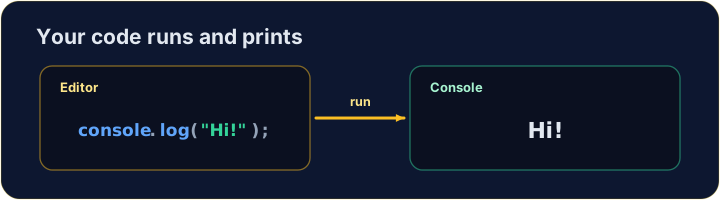
console.log(...)prints a message to the console, a window for text output.- Anything after
//is a comment. JavaScript ignores it — it is a note for humans reading the code.
中文
网页的语言
- JavaScript 在每个网页浏览器里运行。它让页面动起来 —— 按钮、游戏、地图、聊天。
console.log(...)把一条信息打印到控制台(console),一个显示文本输出的窗口。//后面的内容是注释(comment)。JavaScript 会忽略它 —— 它是写给读代码的人看的笔记。
console.log("Hello, world!");   // → Hello, world!
// this whole line is a comment — it does nothing
English
Print text, numbers, or both
- Text goes inside quotes:
"hello". Numbers do not:42. - Pass several items separated by commas — they print on one line, with a space between.
中文
打印文本、数字,或两者
- 文本要放在引号里:
"hello"。数字不用:42。 - 用逗号隔开多项 —— 它们会打印在一行,中间带一个空格。
console.log("Score:", 42);   // → Score: 42
console.log(3 + 4);          // → 7
English
Watch out
- Text needs quotes.
console.log(Hello)is an error — JavaScript hunts for something namedHello. - End each statement with a semicolon
;. It is a good habit, even where JavaScript would forgive you.
中文
注意
- 文本需要引号。
console.log(Hello)是错误 —— JavaScript 会去找一个叫Hello的东西。 - 每条语句以分号
;结尾。这是个好习惯,即使有时 JavaScript 不写也能容忍。
English
Common mistakes
console.log(...)prints; text needs quotes.//starts a comment.
中文
常见错误
console.log(...)用来打印;文本要加引号。//开始一条注释。
English
Now you try
- Use
console.log(...)to print. - Press Run to see the output, then Check answer.
中文
现在轮到你
- 用
console.log(...)打印。 - 按 Run 看输出,然后按检查答案。
Use console.log(...) to print the word Hello. · 用 console.log(...) 打印单词 Hello。
Click Run to see the output here. · 点击“运行”查看此处输出。
Print Red, Green and Blue, one per line, in that order. · 按顺序打印 Red、Green、Blue,每行一个。
Click Run to see the output here. · 点击“运行”查看此处输出。
Print the result of 5 + 3 (it is 8). · 打印 5 + 3 的结果(是 8)。
Click Run to see the output here. · 点击“运行”查看此处输出。