Page layout and margins · Layout de página e margens
This page needs a recent browser (with SharedArrayBuffer support). Please update Chrome, Edge, Firefox or Safari to the latest version. · Esta página precisa de um navegador recente (com suporte a SharedArrayBuffer). Por favor, atualize Chrome, Edge, Firefox ou Safari para a versão mais recente.
English
Controlling the page
- LaTeX's default page has generous, book-like margins. Sometimes you want more space.
- The
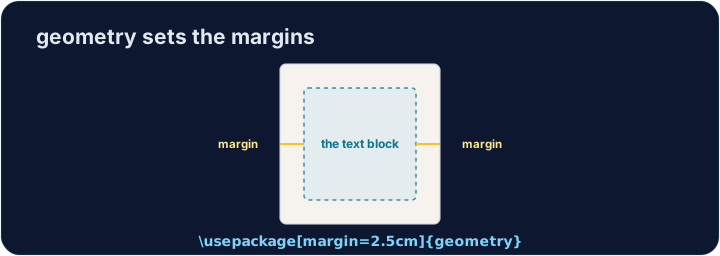
geometrypackage lets you set margins in one line:
- That gives a one-inch margin on all four sides. Try
2cm,1.5in, and see the text reflow.
Português
Controlando a página
- As margens padrão do LaTeX são generosas, estilo livro. Às vezes você quer mais espaço.
- O pacote
geometrypermite definir margens em uma linha:
\usepackage[margin=1in]{geometry}
- Isso dá uma margem de uma polegada em todos os quatro lados. Tente
2cm,1.5ine veja o texto se reorganizar.
English
Fine control
- You can set sides separately:
- Useful when a binding needs extra room on the left, for example.
Português
Controle fino
- Você pode definir os lados separadamente:
\usepackage[top=2cm, bottom=2cm, left=3cm, right=2cm]{geometry}
- Útil quando uma encadernação precisa de espaço extra à esquerda, por exemplo.
English
Other handy commands
\newpageforces a page break;\todayprints the current date.\begin{center} ... \end{center}centres a block of text or an image.- These small tools let you shape a document to look exactly how you want.
Português
Outros comandos úteis
\newpageforça uma quebra de página;\todayimprime a data atual.\begin{center} ... \end{center}centraliza um bloco de texto ou uma imagem.- Essas ferramentas pequenas permitem moldar o documento para ficar exatamente como você deseja.
English
Common mistakes
- Load the
geometrypackage to change the margins. - Let LaTeX handle spacing — avoid forcing it with manual blank lines.
Português
Erros comuns
- Carregue o pacote
geometrypara alterar as margens. - Deixe o LaTeX gerenciar o espaçamento — evite forçar com linhas em branco manuais.
The default margins are wide. Load the geometry package in the preamble with a one-inch margin: \usepackage[margin=1in]{geometry}. Run and watch the text spread out. · As margens padrão são largas. Carregue o pacote geometry no preâmbulo com uma margem de uma polegada: \usepackage[margin=1in]{geometry}. Execute e observe o texto se expandir.
Click Run to compile and preview the PDF. · Clique em Executar para compilar e visualizar o PDF.
Control the flow of pages. Force the second section onto a fresh page with \newpage, and centre the title line with a center environment. · Controle o fluxo das páginas. Force a segunda seção a ir para uma página nova com \newpage, e centralize a linha do título com um ambiente center.
Click Run to compile and preview the PDF. · Clique em Executar para compilar e visualizar o PDF.