Styling text · 텍스트 스타일링
This page needs a recent browser (with SharedArrayBuffer support). Please update Chrome, Edge, Firefox or Safari to the latest version. · 이 페이지는 최신 브라우저(SharedArrayBuffer 지원)가 필요합니다. Chrome, Edge, Firefox 또는 Safari를 최신 버전으로 업데이트해 주세요.
Sizing text
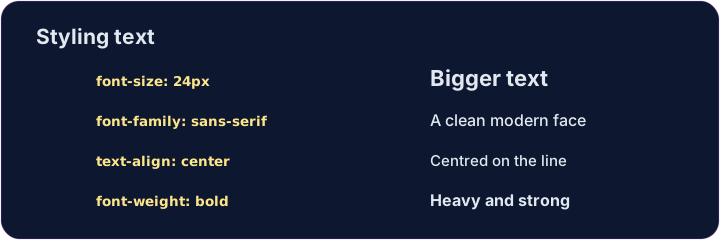
font-sizesets how big text is, usually in pixels:font-size: 24px;.font-weight: bold;makes text bold (usenormalto undo it).font-family: Georgia;changes the typeface — the style of the letters.
Aligning text
text-alignmoves text left, center, or right inside its box.text-align: center;is great for titles.line-height: 1.6;adds space between lines, so paragraphs are easier to read.
<style>
  h1 { font-size: 36px; text-align: center; }
  p  { font-family: Georgia; line-height: 1.6; }
</style>
<h1>My story</h1>
<p>Once upon a time, on a small website...</p>
Common mistakes
font-size,font-weightandtext-aligncontrol text.- Sizes often use
pxorrem.
Now you try
- These properties stack up — one box can have several.
- Resize a heading, then center a paragraph.
Make the heading bigger. Add h1 { font-size: 40px; }. · 헤더를 더 크게 만드십시오. h1 { font-size: 40px; }를 추가하십시오.
Center the paragraph on the page. Add p { text-align: center; }. · 문단을 페이지 중앙에 배치하십시오. p { text-align: center; }를 추가하십시오.