Deleting rows
This page needs a recent browser (with SharedArrayBuffer support). Please update Chrome, Edge, Firefox or Safari to the latest version. · 이 페이지는 최신 브라우저(SharedArrayBuffer 지원)가 필요합니다. Chrome, Edge, Firefox 또는 Safari를 최신 버전으로 업데이트해 주세요.
Removing rows with DELETE
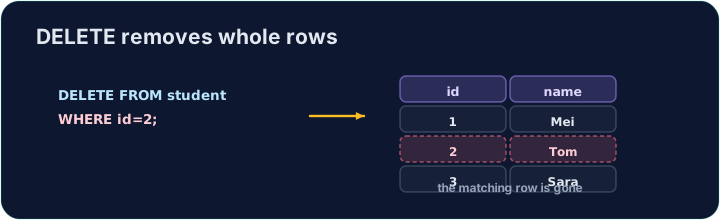
DELETE removes the rows that match a WHERE condition:
DELETE FROM product WHERE code = 'P03';
Only the matching rows are removed; the table and its other rows stay.
The same warning
Like UPDATE, a DELETE with no WHERE hits every row:
DELETE FROM product; -- empties the whole table!
Always check your WHERE before running a DELETE. The checker runs your DELETE, then reads the table back to confirm the right row is gone.
Common mistakes
DELETEwithout aWHEREempties the table — always add theWHERE.- Test a risky delete first as a
SELECTwith the sameWHERE.
Delete the product with code 'P03' from the product table. (Afterwards only P01 and P02 remain.)
Click Run to see the output here. · 출력을 보려면 '실행'을 클릭하세요.
Delete can use any condition. Remove every product that costs less than 2.00 with WHERE price < 2.00. Only the Pen (0.80) goes; check which rows remain.
Click Run to see the output here. · 출력을 보려면 '실행'을 클릭하세요.