Users and sudo · 사용자와 sudo
This page needs a recent browser (with SharedArrayBuffer support). Please update Chrome, Edge, Firefox or Safari to the latest version. · 이 페이지는 최신 브라우저(SharedArrayBuffer 지원)가 필요합니다. Chrome, Edge, Firefox 또는 Safari를 최신 버전으로 업데이트해 주세요.
Many users, one computer
- Linux was built for many people to share one machine safely.
- Each person has a user account.
whoamitells you who you currently are:
whoami
- Your files are yours; other users cannot read or change them unless you allow it.
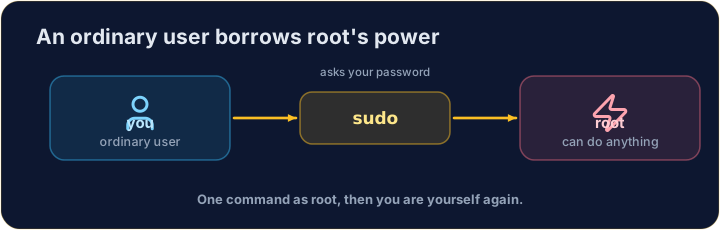
The superuser: root
- One special user, root, can do anything — change any file, install software, manage other users.
- With great power comes great danger: a wrong command as root can break the whole system.
- So you normally work as an ordinary user, and only become root when you must.
sudo — borrow root for one command
sudoruns a single command as root (it asks for your password first):
sudo apt install git
- Think of it as "do this super-user do". Use it only when a task truly needs admin rights — and read the command twice before you press Enter.
Common mistakes
sudoruns one command as the administrator — use it carefully.- Do not put
sudoin front of everything.
Print the name of the user you are logged in as, with whoami. · whoami을 사용하여 현재 로그인한 사용자의 이름을 출력하세요.
Every machine has a name too. Print the name of the computer you are on with hostname. · 모든 기계에도 이름이 있습니다. 현재 접속 중인 컴퓨터의 이름을 hostname으로 출력하세요.