Page layout and margins · 페이지 레이아웃 및 여백
This page needs a recent browser (with SharedArrayBuffer support). Please update Chrome, Edge, Firefox or Safari to the latest version. · 이 페이지는 최신 브라우저(SharedArrayBuffer 지원)가 필요합니다. Chrome, Edge, Firefox 또는 Safari를 최신 버전으로 업데이트해 주세요.
English
Controlling the page
- LaTeX's default page has generous, book-like margins. Sometimes you want more space.
- The
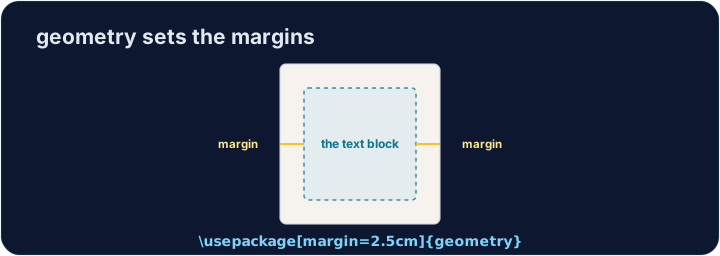
geometrypackage lets you set margins in one line:
- That gives a one-inch margin on all four sides. Try
2cm,1.5in, and see the text reflow.
한국어
페이지 제어
- LaTeX의 기본 페이지 설정은 책처럼 넉넉한 여백을 제공합니다. 때로는 더 많은 공간이 필요할 수 있습니다.
geometry패키지를 사용하면 한 줄로 여백을 설정할 수 있습니다:
\usepackage[margin=1in]{geometry}
- 이는 네 면 모두에 1인치 여백을 부여합니다.
2cm,1.5in를 시도해 보고 텍스트가 어떻게 재배치되는지 확인하세요.
English
Fine control
- You can set sides separately:
- Useful when a binding needs extra room on the left, for example.
한국어
정밀 제어
- 각 면을 개별적으로 설정할 수 있습니다:
\usepackage[top=2cm, bottom=2cm, left=3cm, right=2cm]{geometry}
- 예를 들어, 바인딩을 위해 왼쪽에 추가 공간이 필요한 경우에 유용합니다.
English
Other handy commands
\newpageforces a page break;\todayprints the current date.\begin{center} ... \end{center}centres a block of text or an image.- These small tools let you shape a document to look exactly how you want.
한국어
기타 유용한 명령어
\newpage는 페이지 종료를 강제하고;\today는 현재 날짜를 출력합니다.\begin{center} ... \end{center}는 텍스트 블록이나 이미지를 중앙에 배치합니다.- 이러한 작은 도구들을 활용하여 문서를 원하는 대로 형식화할 수 있습니다.
English
Common mistakes
- Load the
geometrypackage to change the margins. - Let LaTeX handle spacing — avoid forcing it with manual blank lines.
한국어
흔한 실수
- 여백을 변경하려면
geometry패키지를 로드하십시오. - 간격 처리는 LaTeX에게 맡기고 수동 공백 줄로 강제로 수정하지 마십시오.
The default margins are wide. Load the geometry package in the preamble with a one-inch margin: \usepackage[margin=1in]{geometry}. Run and watch the text spread out. · 기본 여백은 넓습니다. 프레임에 geometry 패키지를 로드하여 1인치 여백을 설정하십시오: \usepackage[margin=1in]{geometry}. 실행하여 텍스트가 퍼지는 것을 확인하십시오.
Click Run to compile and preview the PDF. · PDF를 컴파일하고 미리보기하려면 '실행'을 클릭하세요.
Control the flow of pages. Force the second section onto a fresh page with \newpage, and centre the title line with a center environment. · 페이지 흐름을 조절하십시오. 두 번째 섹션을 새로운 페이지로 강제하기 위해 \newpage를 사용하고, 제목 줄을 중앙 정렬하기 위해 center 환경을 사용하십시오.
Click Run to compile and preview the PDF. · PDF를 컴파일하고 미리보기하려면 '실행'을 클릭하세요.