Labels and cross-references · 라벨 및 상호 참조
This page needs a recent browser (with SharedArrayBuffer support). Please update Chrome, Edge, Firefox or Safari to the latest version. · 이 페이지는 최신 브라우저(SharedArrayBuffer 지원)가 필요합니다. Chrome, Edge, Firefox 또는 Safari를 최신 버전으로 업데이트해 주세요.
English
Never write "see Section 3" by hand
- If you write a number by hand and later add a section, every number is wrong.
- LaTeX solves this with labels. Tag something:
- The name
sec:methodsis just a nickname you choose.
한국어
'3절 참조'를 손으로 쓰지 마세요
- 손으로 번호를 쓰고 나중에 절을 추가하면 모든 번호가 틀리게 됩니다.
- LaTeX는 라벨로 이 문제를 해결합니다. 무언가를 태그하세요:
\section{Methods}\label{sec:methods}
- 이름
sec:methods는 당신이 선택한 별칭일 뿐입니다.
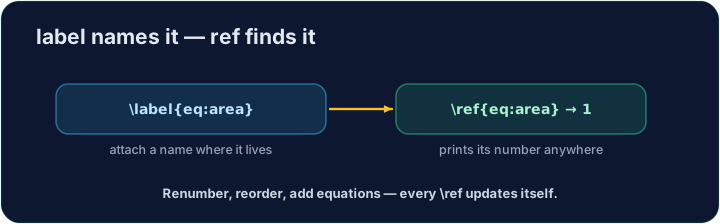
English
Refer to it anywhere
- Then point at it with
\ref— LaTeX inserts the current number:
- The
~is a space that never breaks across lines, so "Section" and its number stay together.
한국어
어디든 참조하기
- 그런 다음
\ref로 가리키세요 — LaTeX가 현재 번호를 삽입합니다:
As shown in Section~\ref{sec:methods}, ...
~는 줄 간 단절이 없는 공백이므로 "Section"과 그 번호가 함께 유지됩니다.
English
It needs two passes
- On the first compile LaTeX learns the numbers; on the second it fills them in.
- Our Run does this for you automatically. (The same trick powers a table of contents.)
한국어
두 번의 컴필이 필요합니다
- 첫 번째 컴파일에서 LaTeX가 번호를 인식하고, 두 번째에서 채워 넣습니다.
- 우리의 Run이 이를 자동으로 수행합니다. (동일한 기술이 목차에도 사용됩니다.)
English
Common mistakes
- Put
\label{...}after what you want to name, then refer to it with\ref{...}. - Compile twice so cross-references settle to the right numbers.
한국어
흔한 실수
- 이름 지정したい 것 뒤에
\label{...}를 넣고,\ref{...}로 참조하세요. - 교차 참조가 정확한 번호에 고정되도록 두 번 컴파일하세요.
Label the Methods section with \label{sec:methods}, then refer to it from the last line with \ref{sec:methods}. LaTeX fills in the correct number for you. · "Methods" 섹션에 \label{sec:methods}를 붙이고, 마지막 줄에서 \ref{sec:methods}로 이를 인용하십시오. LaTeX가 올바른 번호를 자동으로 채워줍니다.
Click Run to compile and preview the PDF. · PDF를 컴파일하고 미리보기하려면 '실행'을 클릭하세요.
The same numbering machinery builds a table of contents. Add \tableofcontents as the first line of the body — LaTeX lists every section automatically. · 같은 numbering 기계가 목차를 생성합니다. 본문 첫 줄에 \tableofcontents를 추가하십시오 — LaTeX는 모든 섹션을 자동으로 나열합니다.
Click Run to compile and preview the PDF. · PDF를 컴파일하고 미리보기하려면 '실행'을 클릭하세요.