Ethics, law and staying safe · 윤리, 법률 및 안전 유지
This page needs a recent browser (with SharedArrayBuffer support). Please update Chrome, Edge, Firefox or Safari to the latest version. · 이 페이지는 최신 브라우저(SharedArrayBuffer 지원)가 필요합니다. Chrome, Edge, Firefox 또는 Safari를 최신 버전으로 업데이트해 주세요.
English
Power with responsibility
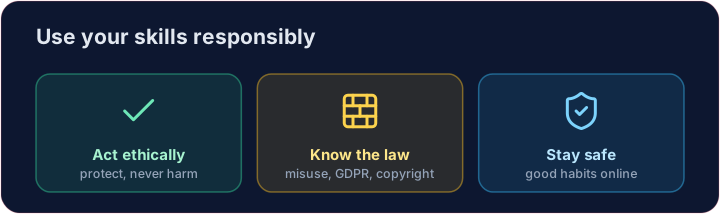
- You now know how attacks work. With that knowledge comes a duty to act ethically.
- A computing professional uses these skills to protect people, never to harm them.
- Acting unethically — accessing data you should not, or breaking systems — damages people and your own career.
한국어
책임 있는权力
- 이제 공격이 어떻게 작동하는지 알았습니다. 이러한 지식을 바탕으로 윤리적으로 행동할 책임이 있습니다.
- 컴퓨팅 전문가들은 이러한 기술을 사용하여 사람들을 보호하며, 절대 해치지 않습니다.
- 비윤리적인 행동 — 접근해서는 안 되는 데이터를 accesses하거나 시스템을 파괴하는 것 — 은 사람들과 본인의 경력에 해를 끼칩니다.
English
The law
- Computer-misuse laws make unauthorised access a crime — even "just looking" can be illegal.
- Data-protection laws (like GDPR) force organisations to keep your personal data safe and use it fairly.
- Copyright protects creative work; you may not copy software or media without permission.
한국어
법률
- 컴퓨터 오용 법령은 무단 접근을 범죄로 규정합니다 — "단순히 보기"만 해도 불법일 수 있습니다.
- 개인정보 보호 법령(GDPR 등)은 조직들이 개인정보 안전을 유지하고 적정하게 use하도록 강요합니다.
- 저작권은 창작물을 보호하며, 허락 없이 소프트웨어나 미디어를 복제할 수 없습니다.
English
Licences
- Software comes with a licence saying what you may do with it.
- Proprietary licences restrict copying and sharing; open-source licences allow you to use and modify the code.
- Always check the licence before reusing someone's code or images — respecting it is both legal and ethical.
한국어
라이선스
- 소프트웨어에는 사용 method를 명시하는 라이선스가 함께 제공됩니다.
- 프롭리타리(Proprietary) 라이선스는 복제와 공유를 제한하며, 오픈소스(Open-source) 라이선스는 코드를 사용 및 수정할 수 있게 허용합니다.
- 다른 사람의 코드나 이미지를 재사용하기 전 항상 라이선스를 확인하십시오. 이를 존중하는 것은 법적·윤리적 의무입니다.
English
Staying safe — your checklist
- Use a password manager and a different strong password everywhere.
- Turn on two-step verification. Keep software updated. Look for HTTPS before logging in.
- Think before you click. You have the knowledge now — use it to keep yourself and others safe. Well done!
Covers: A-Level 7.1 (ethics, copyright, licensing), AP CSP; everyday safe computing.
한국어
안전 유지 — 체크리스트
- 패스워드 관리자를 사용하고, 모든 곳에서 다른 강력한 패스워드를 사용하십시오.
- 2단계 인증을 활성화하십시오. 소프트웨어를 업데이트하고, 로그인 전에 HTTPS가 있는지 확인하십시오.
- 클릭하기 전에 생각하십시오. 이제 지식을拥有了 — 이를 활용하여 자신과 타인을 안전히 유지하십시오. 잘했습니다!
내용: A-Level 7.1 (윤리, 저작권, 라이선싱), AP CSP; 일상적인 안전한 컴퓨팅.
English
Now you try
- First decide what each licence allows — proprietary or open-source.
- Then decide which law each incident breaks. That is the exam skill for this topic.
한국어
이제 직접 해보기
- 먼저 각 라이선스가允许的什么 — 프롭리타리인지 오픈소스인지 — 을 결정하십시오.
- 그런 다음 각 사건이 어떤 법을 위반했는지 결정하십시오. 이것이 해당 주제의 시험 실력입니다.
English
Common mistakes
- Only test systems you have permission to test.
- Keep software updated and think before you click.
한국어
흔한 실수
- 허가되지 않은 시스템은 테스트하지 마십시오.
- 소프트웨어를 업데이트하고 클릭 전에 신중히 생각하십시오.
What does each licence allow? Set each variable to open-source or proprietary. · 각 라이선스가 허용하는 것은 무엇입니까? 각 변수를 open-source 또는 proprietary로 설정하세요.
Click Run to see the output here. · 출력을 보려면 '실행'을 클릭하세요.
Which law does each incident break? Set each variable to computer misuse, data protection or copyright. · 각 사건이 위반하는 법은 무엇입니까? 각 변수를 computer misuse, data protection 또는 copyright로 설정하세요.
Click Run to see the output here. · 출력을 보려면 '실행'을 클릭하세요.