| Enduring Understanding | Learning Objective | Essential Knowledge |
|---|---|---|
CRD-1 | CRD-1.A |
|
CRD-1.B |
| |
CRD-1.C |
|
Creative Development
AP Computer Science Principles · Topic 1
 6:15
6:15
Creative Development
Here is a program that should print the average of two numbers. It runs. It does not crash. It prints an answer — and the answer is wrong. Give it four and six…
English narration · English + 中文 subtitles burned in
1.1
Collaboration
Syllabus
Source: College Board AP Course and Exam Description
Computing is a collaborative 协作 activity. Working in a team brings more perspectives, catches more errors, and produces better programs than working alone. Good collaboration uses consensus building, clear communication, and each member's strengths. Pair programming 结对编程 – two people at one computer, one typing and one reviewing – is a common practice. On the exam, you should be able to explain how collaboration improved a program (more ideas, fewer bugs, wider testing).
Vocabulary
Train
| English |
|---|
| collaborative/kəˈlæbrətɪv/ |
| Pair programming/peə ˈprəʊɡræmɪŋ/ |
1.2
Program Function and Purpose

Syllabus
| Enduring Understanding | Learning Objective | Essential Knowledge |
|---|---|---|
CRD-2 | CRD-2.A |
|
CRD-2.B |
| |
CRD-2.C |
| |
CRD-2.D |
|
Source: College Board AP Course and Exam Description
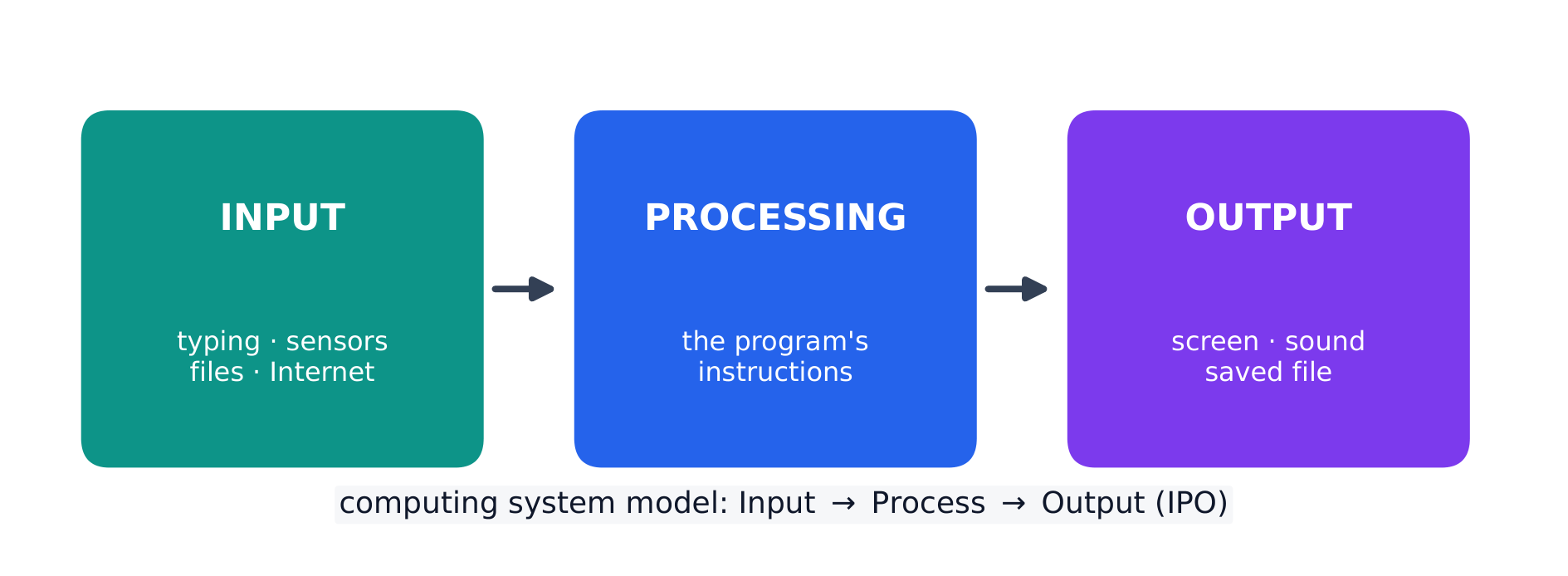
Every program is written for a purpose – it solves a problem or pursues an interest. A program takes input 输入, processes it, and produces output 输出. Inputs can come from a user, a device, a file, or another program; outputs can be visual, audible, textual, or a signal to a device. Being able to state a program's purpose, and describe its inputs and outputs clearly, is a core skill (and part of the Create performance task).
Explore
Explore the input → processing → output model
Step through the IPO model. Every program takes some input, performs processing on it by following its instructions, then produces output — trace one weather-app example along the pipeline.
Vocabulary
Train
| English |
|---|
| input/ˈɪnpʊt/ |
| output/ˈaʊtpʊt/ |
1.3
Program Design and Development

Syllabus
| Enduring Understanding | Learning Objective | Essential Knowledge |
|---|---|---|
CRD-2 | CRD-2.E |
|
CRD-2.F |
| |
CRD-2.G |
| |
CRD-2.H |
|
Source: College Board AP Course and Exam Description
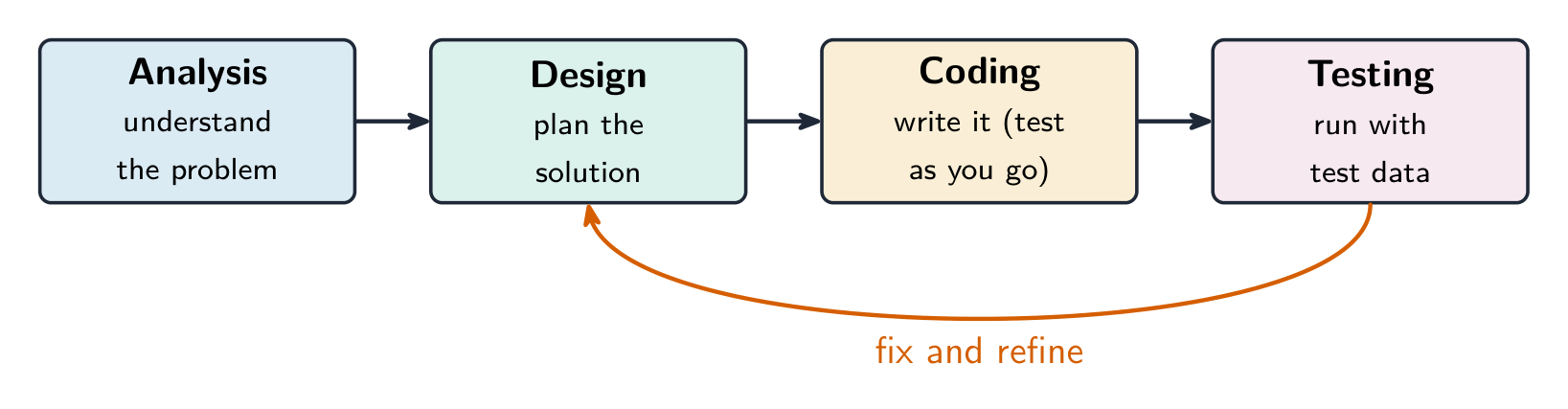
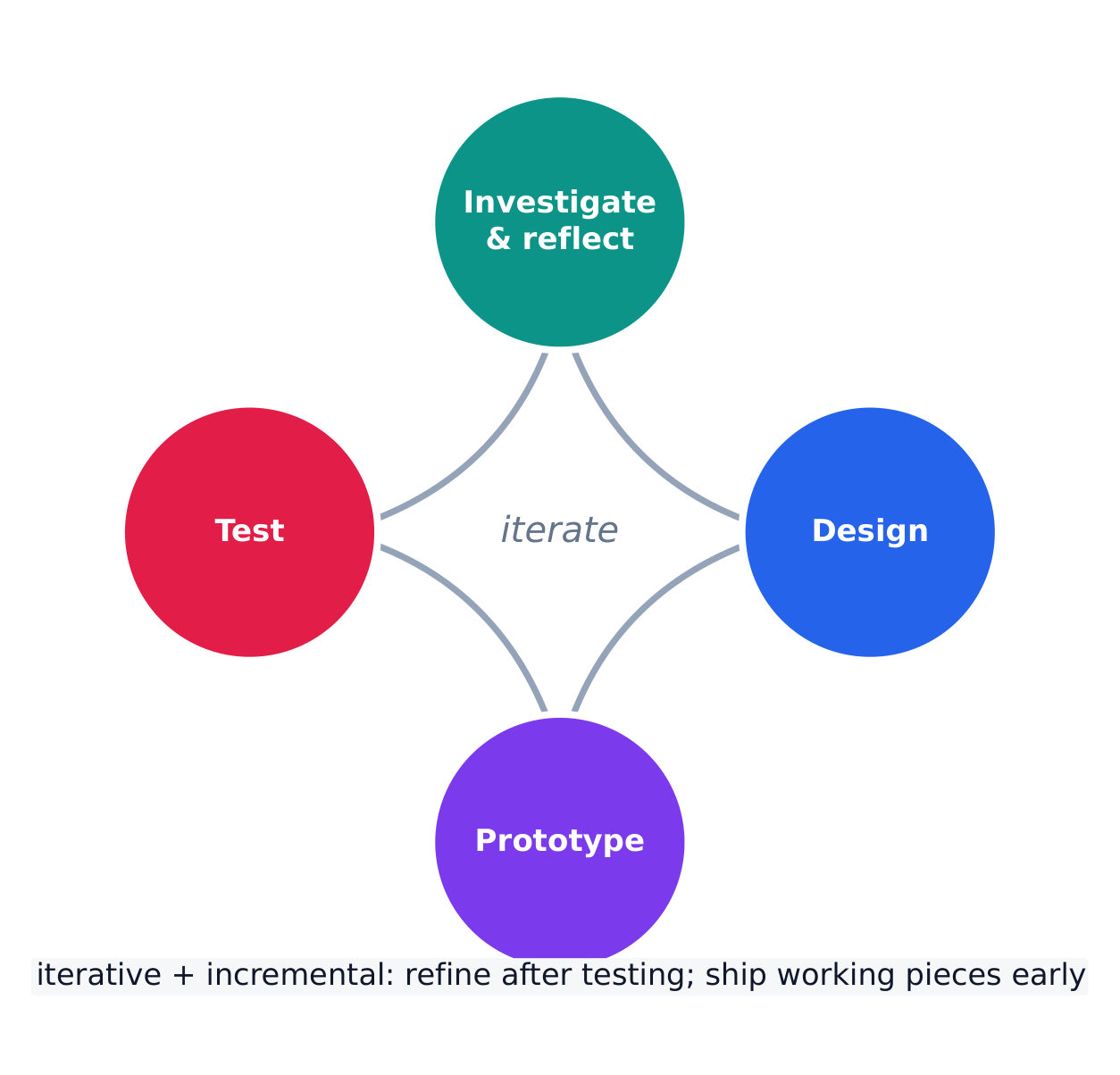
Programs are built through an iterative 迭代 process, not in one straight line: investigate the problem and users, design (often with a diagram or written plan), implement in code, and test – then repeat. A large problem is broken into smaller pieces (decomposition 分解). Comments 注释 and clear naming document the design so others (and your future self) can understand it. Development is incremental – build and test a small piece, then add the next.
Investigating what users actually need
Before any code is written, the developer investigates the problem and the people who will use the program. Three ways to do that:
- surveys 调查问卷 sent to potential users, which collect data from many people quickly;
- interviews and direct observation of users doing the task by hand;
- studying existing solutions to see what already works and what frustrates people.
The findings are turned into a design. Two artefacts do that: a program requirements list saying exactly what the program must do, and diagrams representing the layout of the user interface 用户界面 — sketches showing which controls appear where, and what each one does when used. Designing the interface on paper first is cheaper than discovering after coding that the buttons are in the wrong place.
Events, and programs that wait
Not every program runs straight through from top to bottom. An event 事件 is generated when a key is pressed, a mouse is clicked, a program is started, or any other defined action occurs — and an event changes the flow of execution: the program pauses what it was doing and runs the code attached to that event, called an event handler 事件处理程序.
This is why a program with a graphical interface can appear to be doing nothing: it is waiting for the next event. The order in which those events arrive is decided by the user, not by the programmer, so the same program can run its blocks in a different order each time it is used.
Explore
Loop through the iterative development process
Development is iterative — you repeat the stages, improving the program a little on each pass. Step around the loop and notice it returns to the start rather than ending after one run.
Vocabulary
Train
| English |
|---|
| iterative/ˈɪtərətɪv/ |
| decomposition/ˌdiːkɒmpəˈzɪʃn/ |
| Comments/ˈkɒments/ |
| surveys/ˈsɜːveɪz/ |
| user interface/ˈjuːzə ˈɪntəfeɪs/ |
| event/ɪˈvent/ |
| event handler/ɪˈvent ˈhændlə/ |
1.4
Identifying and Correcting Errors
Syllabus
| Enduring Understanding | Learning Objective | Essential Knowledge |
|---|---|---|
CRD-2 | CRD-2.I |
|
CRD-2.J |
|
Source: College Board AP Course and Exam Description
A bug is an error in a program; debugging 调试 is finding and fixing it. Three kinds:
- a syntax error 语法错误 breaks the language's rules, so the program will not run;
- a runtime error 运行时错误 crashes the program while it runs (e.g. dividing by zero);
- a logic error 逻辑错误 lets it run but gives the wrong result.
Find bugs by testing with different inputs, adding print statements to see values, and hand-tracing the code. Choose the test inputs deliberately: they should demonstrate the different expected outcomes at or just beyond the extremes — the minimum and maximum values the program should accept, and a value just outside each of them. A program that works on ordinary data very often fails on an empty list, a zero, or a value one past the end of a range, so those are the inputs worth trying first. Fixing one bug at a time and re-testing is the reliable method.
Exam skill: be able to name the type of an error and describe a testing strategy that would catch it – a recurring multiple-choice and Create-task theme.

Worked example. A program meant to print the average of two numbers instead runs avg = a + b / 2. Tracing the order of operations, / runs before +, so it computes $a+\tfrac{b}{2}$ rather than the average. Add parentheses to fix it: avg = (a + b) / 2. Testing with $a=4,\ b=6$ confirms the fix — the buggy line gives $4+3=7$, the corrected line gives $\tfrac{10}{2}=5$. Testing with known inputs is exactly how you find and confirm a logic error.
Explore
Trace the guessing-game logic and spot a logic error
Drag the guess and watch which branch runs. A logic error would send the same guess down the wrong branch — the program still runs, but gives the wrong message. The secret number here is 50.
Vocabulary
Train
| English |
|---|
| debugging/ˈdiːbʌɡɪŋ/ |
| syntax error/ˈsɪntæks ˈerə/ |
| runtime error/ˈrʌntaɪm ˈerə/ |
| logic error/ˈlɒdʒɪk ˈerə/ |
1.4
Exam tips
- Much of CSP is assessed through the Create and written performance tasks — explain your reasoning clearly, not just your result.
- Know the benefits of collaboration and how diverse perspectives reduce bias in a program.
- Use precise vocabulary (iterative development, program requirements) when you describe a design process.
- Give and take feedback constructively; credit collaborators and sources.
- Break a large problem into smaller modules that a team can build in parallel.
Interactive lessons on this topic
Work through it step by step, with instant-check exercises.