Selectors — class and id · セレクター — クラスとID
This page needs a recent browser (with SharedArrayBuffer support). Please update Chrome, Edge, Firefox or Safari to the latest version. · このページには最新のブラウザ(SharedArrayBuffer対応)が必要です。Chrome、Edge、Firefox、Safariを最新バージョンに更新してください。
English
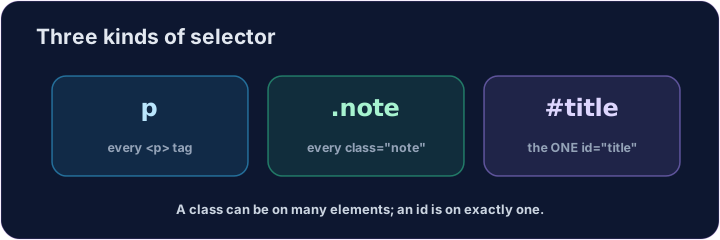
Three kinds of selector
- A selector says which elements a rule changes.
- By tag:
p { ... }changes every<p>. - That is the kind you used last lesson.
日本語
セレクタの3つの種類
- セレクタは、ルールがどの要素に影響を与えるかを指定します。
- タグによる指定:
p { ... }は すべての<p>を変更します。 - これが先ほどの授業で使った方法です。
English
By class and by id
- By class:
.note { ... }changes every element withclass="note". A dot.means class. - By id:
#title { ... }changes the one element withid="title". A hash#means id. - A class can be on many elements; an id should be on one.
日本語
クラスとIDによる指定
- クラスによる指定:
.note { ... }はclass="note"を持つすべての要素を変更します。ドット.は クラス を意味します。 - IDによる指定:
#title { ... }はid="title"を持つ唯一の要素のみを変更します。ハッシュ#は ID を意味します。 - クラスは多数の要素に適用可能ですが、IDは1つの要素に限定されます。
<style>
  .note { color: green; }
  #title { color: purple; }
</style>
<h1 id="title">My page</h1>
<p class="note">This is a note.</p>
<p>This is normal.</p>
English
Common mistakes
- A class selector starts with
., an id selector with#. - Reuse a class on many elements; an id appears once per page.
日本語
よくあるミス
- クラスセレクタは
.で始め、IDセレクタは#で始めます。 - クラスは多数の要素で再利用できますが、IDはページ内で一度しか使用しません。
English
Now you try
- Match the dot
.to a class, and the hash#to an id. - Style a class, then style an id.
日本語
あなたも試してみよう
- ドット
.をクラスに、ハッシュ#をIDにそれぞれ対応させます。 - まずクラスにスタイルを適用し、次にIDにスタイルを適用します。
Style the note. Add a rule for the note class: .note { color: green; } (a dot means class). · 注釈をスタイル付けしてください。noteクラスのためのルール:.note { color: green; }(ドットはクラスを表します)。
Style the title. Add a rule for the title id: #title { color: purple; } (a hash means id). · タイトルをスタイル付けしてください。title IDのためのルール:#title { color: purple; }(ハッシュはIDを表します)。