Deleting rows · 行の削除
This page needs a recent browser (with SharedArrayBuffer support). Please update Chrome, Edge, Firefox or Safari to the latest version. · このページには最新のブラウザ(SharedArrayBuffer対応)が必要です。Chrome、Edge、Firefox、Safariを最新バージョンに更新してください。
Removing rows with DELETE
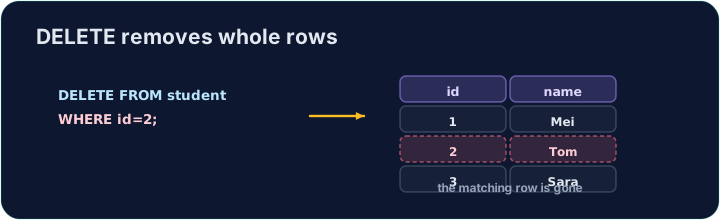
DELETE removes the rows that match a WHERE condition:
DELETE FROM product WHERE code = 'P03';
Only the matching rows are removed; the table and its other rows stay.
The same warning
Like UPDATE, a DELETE with no WHERE hits every row:
DELETE FROM product; -- empties the whole table!
Always check your WHERE before running a DELETE. The checker runs your DELETE, then reads the table back to confirm the right row is gone.
Common mistakes
DELETEwithout aWHEREempties the table — always add theWHERE.- Test a risky delete first as a
SELECTwith the sameWHERE.
Delete the product with code 'P03' from the product table. (Afterwards only P01 and P02 remain.) · コード'P03'の商品をproductテーブルから削除します。(その後、P01とP02のみが残ります。)
Click Run to see the output here. · 実行ボタンをクリックして出力を確認してください。
Delete can use any condition. Remove every product that costs less than 2.00 with WHERE price < 2.00. Only the Pen (0.80) goes; check which rows remain. · DELETE は任意の条件可以使用。WHERE price < 2.00 を使用して、価格が2.00未満の全製品を削除する。ペン(0.80)のみが削除され、残りの行を確認する。
Click Run to see the output here. · 実行ボタンをクリックして出力を確認してください。