Pipes — joining commands · パイプ — コマンドをつなぐ
This page needs a recent browser (with SharedArrayBuffer support). Please update Chrome, Edge, Firefox or Safari to the latest version. · このページには最新のブラウザ(SharedArrayBuffer対応)が必要です。Chrome、Edge、Firefox、Safariを最新バージョンに更新してください。
English
The big idea: pipes
- This is what makes the shell powerful. A pipe
|sends one command's output straight into the next command:
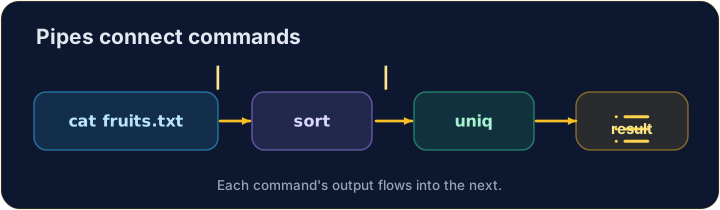
catproduces the lines;sortreceives them and puts them in order. No file in between.
日本語
核心概念:パイプ
- これがシェルを強力にする理由です。パイプ
|はあるコマンドの出力を次のコマンドにそのまま送ります:
cat fruits.txt | sort
catが行を生成し、sortが受け取って並べ替えます。その間にファイルはありません。
English
Build a chain
- You can join as many as you like, like an assembly line:
sortorders the lines, thenuniqremoves neighbouring duplicates — so you get each fruit once.
日本語
チェインを組む
- 必要に応じてたくさん繋げます。アセンブリラインのように:
cat fruits.txt | sort | uniq
sortは行を並べ替え、uniqは隣り合う重複を削除するため、各果物が一度だけ表示されます。
English
Small tools, big results
- Each command does one job well. Pipes let you combine them to answer real questions:
- "How many different fruits are there?" — sort, dedupe, then count. That is the Unix way.
日本語
小さなツール、大きな成果
- 各コマンドは1つのタスクを良くこなします。パイプで組み合わせることで、現実の質問に答えることができます:
cat fruits.txt | sort | uniq | wc -l
- 「異なる果物の種類はいくつあるか?」 — 並べ替え、重複除去、そして数え上げ。これがUnixのやり方です。
English
Common mistakes
|sends one command's output into the next.- Order matters:
sort | uniq, not the other way round.
日本語
よくあるミス
|はあるコマンドの出力を次のコマンドに送ります。- 順序は重要です:
sort | uniqの方が正しく、逆ではありません。
Explore · 探索
Pipes join commands · パイプでコマンドをつなぐ
A pipe feeds one command's output into the next's input. · パイプは1つのコマンドの 出力 を次のコマンドの 入力 に渡す。
Send the output of cat fruits.txt into wc -l with a pipe |, to count the lines. · cat fruits.txt の出力を wc -l にパイプ | で送って行数を数える。
List each fruit once, in order. Pipe sort into uniq: cat fruits.txt | sort | uniq. · 各果物を一度ずつ、順序に従って表示する。sort を uniq にパイプする:cat fruits.txt | sort | uniq 。