console.log and comments · console.log とコメント
This page needs a recent browser (with SharedArrayBuffer support). Please update Chrome, Edge, Firefox or Safari to the latest version. · このページには最新のブラウザ(SharedArrayBuffer対応)が必要です。Chrome、Edge、Firefox、Safariを最新バージョンに更新してください。
English
The language of the web
- JavaScript runs inside every web browser. It makes pages do things — buttons, games, maps, chat.
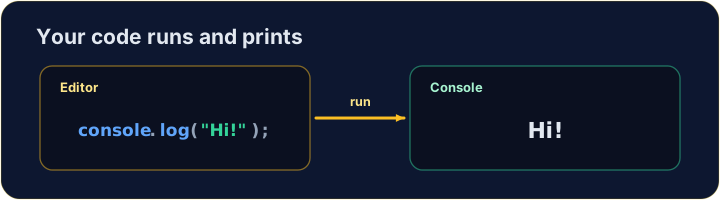
console.log(...)prints a message to the console, a window for text output.- Anything after
//is a comment. JavaScript ignores it — it is a note for humans reading the code.
日本語
ウェブの言語
- JavaScript はすべてのウェブブラウザ内で動作します。ボタン、ゲーム、地図、チャットなど、ページに動きを与えます。
console.log(...)はメッセージをコンソールに印刷します。これはテキスト出力用のウィンドウです。//の後はすべてコメントです。JavaScriptは無視しますが、コードを読む人間のためのメモです。
console.log("Hello, world!");   // → Hello, world!
// this whole line is a comment — it does nothing
English
Print text, numbers, or both
- Text goes inside quotes:
"hello". Numbers do not:42. - Pass several items separated by commas — they print on one line, with a space between.
日本語
テキスト、数字、またはその両方を印刷する
- テキストは引用符の中に置きます:
"hello"。数字は置かない:42。 - コマで区切って複数のアイテムを渡すと、スペースを挟んで1行に印刷されます。
console.log("Score:", 42);   // → Score: 42
console.log(3 + 4);          // → 7
English
Watch out
- Text needs quotes.
console.log(Hello)is an error — JavaScript hunts for something namedHello. - End each statement with a semicolon
;. It is a good habit, even where JavaScript would forgive you.
日本語
注意
- テキストには引用符が必要です。
console.log(Hello)はエラーです — JavaScriptは名前がHelloである何かを探します。 - 各行の末尾にセミコロン
;をつけます。JavaScriptが許容する場所でも、良い習慣です。
English
Common mistakes
console.log(...)prints; text needs quotes.//starts a comment.
日本語
よくあるミス
console.log(...)は印刷しますが、テキストには引用符が必要です。//はコメントを始めます。
English
Now you try
- Use
console.log(...)to print. - Press Run to see the output, then Check answer.
日本語
あなたも試してみよう
- 印刷するには
console.log(...)を使います。 - Run を押して出力を確認し、その後 Check answer を押します。
Use console.log(...) to print the word Hello. · console.log(...)を使用して文字列Helloを出力します。
Click Run to see the output here. · 実行ボタンをクリックして出力を確認してください。
Print Red, Green and Blue, one per line, in that order. · Red、Green、Blueを、その順序で1行ずつ出力します。
Click Run to see the output here. · 実行ボタンをクリックして出力を確認してください。
Print the result of 5 + 3 (it is 8). · 5 + 3 の結果を出力せよ(それは 8 である)。
Click Run to see the output here. · 実行ボタンをクリックして出力を確認してください。