Creating tables · Membuat tabel
Two kinds of SQL command
SQL has two halves:
- DDL (Data Definition Language) changes the structure — the tables themselves.
- DML (Data Manipulation Language) works with the data inside the tables — reading it with
SELECT, and adding, changing, or removing it withINSERT/UPDATE/DELETE. Everything so far (SELECT) is DML.
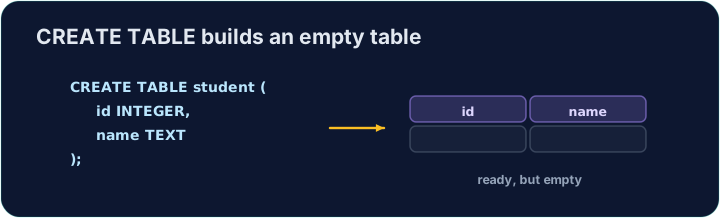
CREATE TABLE is the main DDL command. It lists each column with a data type and marks the primary key:
Dua jenis perintah SQL
SQL memiliki dua bagian:
- DDL (Data Definition Language) mengubah struktur — yaitu tabel itu sendiri.
- DML (Data Manipulation Language) bekerja dengan data di dalam tabel — membacanya dengan
SELECT, dan menambah, mengubah, atau menghapusnya denganINSERT/UPDATE/DELETE. Semua yang telah dibahas sejauh ini (SELECT) adalah DML.
CREATE TABLE adalah perintah DDL utama. Perintah ini mencantumkan setiap kolom beserta tipe data-nya dan menandai primary key (kunci utama):
CREATE TABLE customer (
  id   INTEGER PRIMARY KEY,
  name VARCHAR(20),
  city VARCHAR(15)
);
Data types and foreign keys
Common data types:
INTEGER— whole numbersVARCHAR(n)/CHAR(n)— text, up to / exactlyncharactersDECIMAL(p, s)— a number withsdecimal placesDATE,BOOLEAN
To link to another table, add a FOREIGN KEY:
The checker reads back your table's structure to see which columns you created.
Tipe data dan foreign keys
Tipe data umum:
INTEGER— bilangan bulatVARCHAR(n)/CHAR(n)— teks, hingga / tepatnkarakterDECIMAL(p, s)— sebuah angka denganstempat desimalDATE,BOOLEAN
Untuk menghubungkan ke tabel lain, tambahkan sebuah FOREIGN KEY:
CREATE TABLE orders (
  id          INTEGER PRIMARY KEY,
  customer_id INTEGER,
  FOREIGN KEY (customer_id) REFERENCES customer(id)
);
Pengecek membaca kembali struktur tabel Anda untuk melihat kolom mana saja yang telah dibuat.
Common mistakes
- Every column needs a data type (e.g.
INTEGER,TEXT). - Declare the PRIMARY KEY when you create the table.
Kesalahan Umum
- Setiap kolom membutuhkan tipe data (misalnya
INTEGER,TEXT). - Declare (deklarasikan) PRIMARY KEY saat Anda membuat tabel.
Create a table called teacher with three columns: id (INTEGER, the primary key), name (VARCHAR(20)), and subject (VARCHAR(15)). · Buat tabel bernama teacher dengan tiga kolom: id (INTEGER, primary key), name (VARCHAR(20)), dan subject (VARCHAR(15)).
Click Run to see the output here. · Klik Jalankan untuk melihat output di sini.
Design another table. Create event with id (INTEGER PRIMARY KEY), title (VARCHAR(30)), and price (DECIMAL(6,2) — a money column with 2 decimal places). · Rancang tabel lain. Buat event dengan id (INTEGER PRIMARY KEY), title (VARCHAR(30)), dan price (DECIMAL(6,2) — kolom uang dengan 2 desimal).
Click Run to see the output here. · Klik Jalankan untuk melihat output di sini.