Deleting rows · מחיקת שורות
Removing rows with DELETE
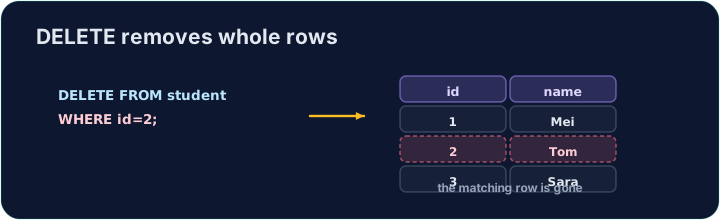
DELETE removes the rows that match a WHERE condition:
Only the matching rows are removed; the table and its other rows stay.
הסרת שורות באמצעות DELETE
DELETE מוסר את השורות התואמות לתנאי WHERE:
DELETE FROM product WHERE code = 'P03';
רק השורות התואמות מוסרות; הטבלה ושורות האחרות שלה נשארות.
The same warning
Like UPDATE, a DELETE with no WHERE hits every row:
Always check your WHERE before running a DELETE. The checker runs your DELETE, then reads the table back to confirm the right row is gone.
אותה אזהרה
כמו UPDATE, גם DELETE ללא WHERE פוגע ב-כל השורות:
DELETE FROM product; -- empties the whole table!
תמיד בדוק את ה-WHERE שלך לפני הרצת ה-DELETE. הבוקר וודא את ה-DELETE שלך, ואז קורא שוב את הטבלה כדי לוודא שהשורה הנכונה נעלמה.
Common mistakes
DELETEwithout aWHEREempties the table — always add theWHERE.- Test a risky delete first as a
SELECTwith the sameWHERE.
טעויות נפוצות
DELETEללאWHEREמרוקן את הטבלה — תמיד יש להוסיף את ה-WHERE.- בודק מחיקה מסוכנת קודם כ-
SELECTעם אותוWHERE.
Delete the product with code 'P03' from the product table. (Afterwards only P01 and P02 remain.) · מחק את המוצר עם הקוד 'P03' מטבלה product. (לאחר מכן יישארו רק P01 וP02.)
Click Run to see the output here. · לחץ על הרץ כדי לראות את התוצא כאן.
Delete can use any condition. Remove every product that costs less than 2.00 with WHERE price < 2.00. Only the Pen (0.80) goes; check which rows remain. · פעולת מחיקה יכולה להשתמש בכל תנאי. הסר כל מוצר שעלותו פחות מ-2.00 באמצעות WHERE price < 2.00. רק העט (0.80) יוסר; בדוק אילו שורות נותרו.
Click Run to see the output here. · לחץ על הרץ כדי לראות את התוצא כאן.