Citations and bibliography · הפניות מקורות וביבליוגרפיה
This page needs a recent browser (with SharedArrayBuffer support). Please update Chrome, Edge, Firefox or Safari to the latest version. · עמוד זה דורש דפדפן עדכני (תומך ב-SharedArrayBuffer). אנא עדכן את Chrome, Edge, Firefox או Safari לגרסה העדכנית ביותר.
English
Citing your sources
- Academic writing must say where facts came from. LaTeX makes this tidy.
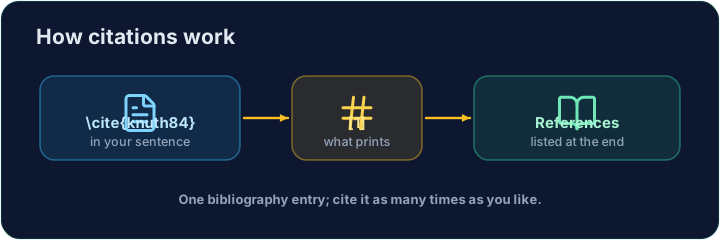
- You keep a list of sources, each with a key, and cite the key in your text.
עברית
ציטוט המקורות שלכם
- כתיבה אקדמית חייבת לציין מאين הגיעו העובדות. LaTeX עושה זאת בסדר.
- אתם שמרים רשימת מקורות, כל אחד עם key, ומציינים את ה-key בטקסט שלכם.
English
The bibliography
- List your sources in a
thebibliographyenvironment, each as a\bibitem:
- The
{9}just says "numbers are one digit wide".lamportis the key you choose.
עברית
הרשימה הספרותית
- רשמו את המקורות שלכם בסביבת
thebibliography, כל אחד כ-\bibitem:
\begin{thebibliography}{9}
  \bibitem{lamport} Leslie Lamport. \emph{LaTeX}. 1986.
\end{thebibliography}
- ה-
{9}פשוט אומר "המספרים רחבים דיגיט אחד".lamportהוא ה-key שתבחרו.
English
Citing in the text
- Anywhere in the document, write
\cite{lamport}:
- LaTeX prints
[1]and keeps the numbers in order. Add a source and everything renumbers.
עברית
ציטוט בטקסט
- בכל מקום במסמך, כתבו
\cite{lamport}:
LaTeX is powerful~\cite{lamport}.
- LaTeX מדפיס
[1]ושומר על סדר המספרים. הוסיפו מקור והכל יספור מחדש.
English
Common mistakes
\cite{key}needs that key defined in your bibliography.- Compile twice, or the citations show as
?.
עברית
טעויות נפוצות
\cite{key}זקוק לכך שה-key יהוגדר ברשימה הספרותית שלכם.- רנדרו שתי פעמים, אחרת ההפניות יוצגו כ
?.
Cite the book in the sentence with \cite{lamport}, and add a matching \bibitem{lamport} entry inside the bibliography. The same key links the two. · הצטט בספר במשפט עם \cite{lamport}, והוסף רישום תואם \bibitem{lamport} בתוך הביבליוגרפיה. אותה מפתח מקשרת בין השניים.
Click Run to compile and preview the PDF. · לחץ הרצה כדי להרכיב ולהציג מראות את הקובץ.
Add a second source. Give the second book a \bibitem{knuth} entry, then cite it in the sentence with \cite{knuth}. Watch LaTeX number them in citation order. · הוסף מקור שני. הענק לספר השני רישום \bibitem{knuth}, ולאחר מכן הצטט אותו במשפט עם \cite{knuth}. שימו לב איך LaTeX ממונה אותם בסדר ההפניות.
Click Run to compile and preview the PDF. · לחץ הרצה כדי להרכיב ולהציג מראות את הקובץ.