Styling text
This page needs a recent browser (with SharedArrayBuffer support). Please update Chrome, Edge, Firefox or Safari to the latest version.
Sizing text
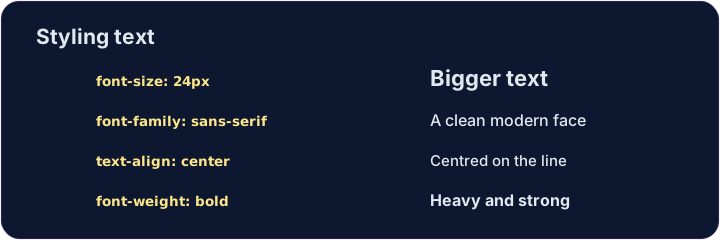
font-sizesets how big text is, usually in pixels:font-size: 24px;.font-weight: bold;makes text bold (usenormalto undo it).font-family: Georgia;changes the typeface — the style of the letters.
Aligning text
text-alignmoves text left, center, or right inside its box.text-align: center;is great for titles.line-height: 1.6;adds space between lines, so paragraphs are easier to read.
<style>
  h1 { font-size: 36px; text-align: center; }
  p  { font-family: Georgia; line-height: 1.6; }
</style>
<h1>My story</h1>
<p>Once upon a time, on a small website...</p>
Common mistakes
font-size,font-weightandtext-aligncontrol text.- Sizes often use
pxorrem.
Now you try
- These properties stack up — one box can have several.
- Resize a heading, then center a paragraph.
Difficulty 2/5 · 140 coins + a small bonus on first completion today
Make the heading bigger. Add h1 { font-size: 40px; }.
Difficulty 2/5 · 140 coins + a small bonus on first completion today
Center the paragraph on the page. Add p { text-align: center; }.