Add some style
This page needs a recent browser (with SharedArrayBuffer support). Please update Chrome, Edge, Firefox or Safari to the latest version.
Adding style
- HTML gives your page its content. CSS makes it look good.
- The easiest way to add CSS is a
<style>block near the top of your page. - Inside it, you write rules that change how things look.
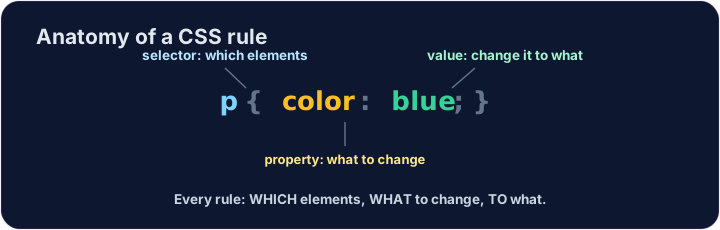
A CSS rule
- A rule has three parts:
p { color: blue; } pis the selector — which tags to change (here, every paragraph).coloris the property — what to change.blueis the value — what to change it to. (Together,color: blue;is one declaration.)
<style>
  p { color: blue; }
</style>
<p>Now I am blue.</p>
<p>So am I!</p>
Common mistakes
- Link the CSS file, or put rules inside a
<style>block. - Separate declarations with semicolons, and close the rule with
}. The final declaration before}may omit its semicolon; keeping it helps when you add another declaration.
Now you try
- Write your rules inside the
<style>block. - Colour your paragraphs, then your heading.
Difficulty 1/5 · 100 coins + a small bonus on first completion today
Make every paragraph blue. Inside the <style> block, add the rule p { color: blue; }.
Difficulty 1/5 · 100 coins + a small bonus on first completion today
Now colour the heading too. Add a rule h1 { color: red; }.