Forms
This page needs a recent browser (with SharedArrayBuffer support). Please update Chrome, Edge, Firefox or Safari to the latest version.
Forms
- A form lets people type things in — a name, a message, a search.
- The boxes you type in are called inputs.
- A text box is
<input type="text">— a single tag, like<img>.
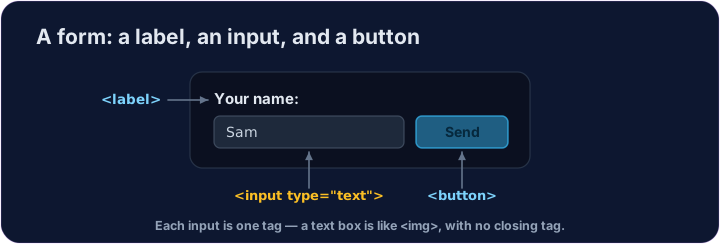
Labels and buttons
- A
<label>is the words next to an input, telling the user what it is for. - A
<button>is something to click — like Send or Search. - We won't actually send anything here — we're just learning the tags.
<label>Your name:</label>
<input type="text">
<button>Send</button>
Common mistakes
- Every input should have a matching
<label>. - A button in a form submits it by default — use
type="button"to stop that.
Now you try
- Inputs and buttons are the building blocks of every form on the web.
- Add a text box, then a button.
Difficulty 2/5 · 140 coins + a small bonus on first completion today
Add a box the user can type in. Use <input type="text"> (a single tag, like <img>).
Difficulty 2/5 · 140 coins + a small bonus on first completion today
Add a button that says Send. Use <button>Send</button>.