Creating tables
SQL has two halves:
- DDL (Data Definition Language) changes the structure — the tables themselves.
- DML (Data Manipulation Language) works with the data inside the tables — reading it with
SELECT, and adding, changing, or removing it withINSERT/UPDATE/DELETE. Everything so far (SELECT) is DML.
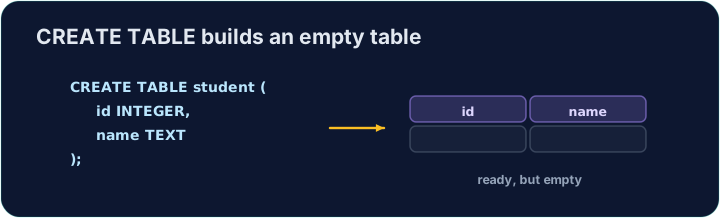
CREATE TABLE is the main DDL command. It lists each column with a data type and marks the primary key:
CREATE TABLE customer (
  id   INTEGER PRIMARY KEY,
  name VARCHAR(20),
  city VARCHAR(15)
);
Common SQL declarations (their enforcement depends on the database):
INTEGER— intended for whole numbersVARCHAR(n)/CHAR(n)— variable-length / fixed-length text in databases that enforce these declarationsDECIMAL(p, s)— intended for exact decimal values with precisionpand scalesDATE,BOOLEAN— dates and truth values in databases that support these types
This playground uses SQLite. In its ordinary tables, VARCHAR(2) accepts 'hello', CHAR(2) does not pad 'A', and DECIMAL(6,2) can retain 1.239. The numbers in these declarations do not enforce length or round stored values. SQLite stores booleans as integers and dates using text or numeric representations. Use explicit constraints when a value must obey a rule; use ROUND(value, 2) to round a query result to two decimal places. Trailing zeros depend on display formatting.
For example, declaring a price DECIMAL(6,2) and inserting 1.239 does not make the stored price 1.24. A later SELECT ROUND(price, 2) returns 1.24. Formatting a query result and restricting stored data are separate decisions.
SQLite's datatype documentation explains these differences.
To link to another table, add a FOREIGN KEY:
CREATE TABLE orders (
  id          INTEGER PRIMARY KEY,
  customer_id INTEGER,
  FOREIGN KEY (customer_id) REFERENCES customer(id)
);
The checker reads back the column names, declared types and primary-key positions. An ordinary id INTEGER column fails a task that requires id INTEGER PRIMARY KEY, even if its name and type are correct.
Question. A library keeps a table book whose primary key is id. Write the SQL to create a table loan with a primary key id, a book_id that links each loan to a book, the loan_date, and whether the book has been returned.
Answer. Choose a type for each field, then add the link as a foreign key:
CREATE TABLE loan (
  id        INTEGER PRIMARY KEY,
  book_id   INTEGER,
  loan_date DATE,
  returned  BOOLEAN,
  FOREIGN KEY (book_id) REFERENCES book(id)
);
book_idhas the same type as the key it points to (INTEGER).- The
FOREIGN KEYline comes after the columns, and names the column here and the table and column it points to.
A-Level papers may start with CREATE DATABASE Library;. SQLite keeps one database per file, so this playground has no CREATE DATABASE: you are already inside an empty database.
- Comma rules. Put a comma after every column except the last line before
). A comma before)is a syntax error. - The foreign key names two columns.
FOREIGN KEY (book_id) REFERENCES book(id): the first is in this table, the second in the other one. - Declare the
PRIMARY KEYwhen you create the table, and give each column the type the task asks for.
Difficulty 2/5 · 140 coins + a small bonus on first completion today
Create a table called teacher with three columns: id (INTEGER, the primary key), name (VARCHAR(20)), and subject (VARCHAR(15)).
Click Run to see the output here.
Difficulty 2/5 · 140 coins + a small bonus on first completion today
Design another table. Create event with id (INTEGER PRIMARY KEY), title (VARCHAR(30)), and price (declared as DECIMAL(6,2)). Remember that SQLite does not enforce the declared decimal scale.
Click Run to see the output here.
Difficulty 2/5 · 140 coins + a small bonus on first completion today
Create booking with id (INTEGER PRIMARY KEY), event_id (INTEGER) and seats (INTEGER). Make event_id a foreign key that references event(id).
Click Run to see the output here.
Difficulty 2/5 · 140 coins + a small bonus on first completion today
A club stores its members. Create member with id (INTEGER PRIMARY KEY), name (VARCHAR(30)), initial (one character: CHAR(1)), paid (BOOLEAN), height in metres (REAL) and joined (DATE).
Click Run to see the output here.